
professional dish installation
|
|
|
- Lauren Blankenship
- 10 years ago
- Views:
Transcription
1 professional dish installation

2 2 CONTENTS CONTENTS 3 14 Telephone extensions 6 Installing the dish 4 Site Survey 5 Health & Safety 5 Planning Permission Selecting a suitable location Discreet dishes Selecting the Antenna Choosing an LNB Sub-band selection Fixing the Dish Ground mounts Aligning the Dish Identifying the satellite Polarity offset LNB and clamp without polarity offset preset markings? 10 Cable Cable route and fixing Entrance into the building Connections and Weatherproofing Can t tape up LNB connections? Twist-on F-connectors 12 Connecting the Receiver 16 TV around the Home RF Distribution Remote control Can t be cabled? IF Distribution Audio Distribution Switched Loudspeakers 20 Home Cinema 20 Display 20 Sound 20 High Definition TV 22 Broadband via Satellite 22 Free-to-air TV and Radio 23 Further Information SES ASTRA is the owner and operator of the ASTRA Satellite System, the leading European Direct- To-Home satellite television system. The fleet of ASTRA satellites delivers over 1300 television and radio channels, and additional interactive and Internet services, to more than 94 million homes across Europe. The ASTRA satellites have been delivering television and radio programmes to the British Isles for 15 years and at the start of 2004, over 12 million UK households were receiving signals broadcast via ASTRA. This brochure is published by ASTRA for professional installers in the UK and Ireland to serve as a guide and reminder to the best practices and procedures of installation. While it is not an exhaustive tutorial for beginners, it is hoped that it will serve as an introduction for inexperienced installers and help experienced installers achieve reliable reception of all the services available via the ASTRA satellites. This publication is also designed to raise awareness of the added value opportunities available to installers for the provision of additional services to their customers.

3 4 SITE SURVEY SITE SURVEY 5 site survey Before you start the installation, survey the site and consider the following: Health & Safety The detailed health and safety requirements for antenna installation are beyond the scope of this publication. However, ASTRA recommends that no installation be undertaken until the risks posed by the proposed work have been assessed and a plan formulated to reduce them to an acceptable level. Guidelines on appropriate Health and Safety techniques may be obtained from the Confederation of Aerial Industries ( Planning Permission The householder is responsible for obtaining planning permission, listed buildings consent, landlord s consent, or any other necessary permission for the installation of a satellite dish. However, the installer should be aware of the requirements and be able to offer reliable advice. The booklet, A Householder s Guide For The Installation Of Satellite Television Dishes, published by the Office of the Deputy Prime Minister, offers advice on planning conditions and can be obtained from DTLR, PO Box 236, Wetherby, West Yorkshire L23 7NB or downloaded from the planning section at Where is the main TV located? Where will the cable enter the building? Where is the best location for the dish? What is the best route for the cable(s)? Is a telephone extension required? What is the best route for the telephone cable? Where is the best location for the new telephone socket? What risks are posed by the installation? Can the job be completed safely? Has a documented risk assessment been completed? Is the customer happy with the proposed installation? Dish positions to consider

4 6 INSTALLING THE DISH INSTALLING THE DISH 7 installing the dish Selecting a suitable location Discreet dishes A dish should usually be installed as close as is practical to the intended location for its set-top box provided that the following requirements are adhered to: Confirm direction to the satellite. Digital services for the UK and Ireland are broadcast from ASTRA 28.2 East Check the map for azimuth heading and locate with a compass Look at other dishes nearby for a quick guide Determine the elevation angle from the map Choose a discreet location (see page 4+5) Check for clear line of sight to the satellite Trees or bushes will cause interference Stay clear of trees and shrubs that may grow in the future Use a straight edge and inclinometer to confirm clearance If in doubt, locate the satellite with a hand-held dish and meter Don t create an obstruction Allow adequate clearance above walkways Avoid low-level positions above driveways or roadways The general permission that exists in planning law for satellite dishes requires that each dish be installed so that its visual impact on its surroundings is reduced to a minimum. In most cases, nothing more than a little thought is required to assure a discreet installation. However, in less straightforward situations, consider positioning the dish on the rear wall of a south-facing house with a stand-off mount to aim the dish over the house roof, or behind a chimney stack or parapet, or shielded from view by trees or plants. It may be possible to locate the dish on a ground mount to provide a more discreet location. The front wall of a house should be avoided whenever possible, and, in some areas (a Conservation Area, for example), installing a dish on a wall facing a footpath or roadway (or a waterway in the Norfolk Broads) is prohibited. Where a dish cannot be installed discreetly, it may be disguised by careful painting with lead-free, matt paint. Selecting the Antenna Check the map for correct dish size Install only the correct size dish Do not install a dish smaller than the recommended size - it may be unreliable in poor weather Choosing an LNB Single Universal LNB one output for direct connection to a single, standard receiver Quad LNB four outputs for direct connection to a maximum of 4 tuners* Octo LNB eight outputs for direct connection to a maximum of 8 tuners Quattro LNB four outputs (each with one IF sub-band) for connection to an IF distribution system, feeding multiple receivers. Not suitable for direct connection to a receiver * A standard receiver has one tuner. Sky+ has two separate tuners each of which requires a direct connection to a separate LNB output. Sub-band selection The ASTRA satellites transmit signals in the frequency range between GHz on two linear polarities (Horizontal and Vertical). An LNB receives those signals, amplifies them, divides them into four sub-bands, converts them to an Intermediate Frequency (IF) and passes them to the receiver. The receiver selects the appropriate sub-band by sending the relevant voltage and switching tone (see the chart) to the LNB. DEFINITIONS Azimuth the angle, in the horizontal plane, between true north and the satellite. Between 134 and 149 for the ASTRA 28.2 East position from the British Isles. Compass bearing the angle, in the horizontal plane, between magnetic north and the satellite. Magnetic variation (currently around 4 in the UK) must be added to the compass heading to find the true heading or azimuth. Elevation the angle between a line from the dish to the satellite, and the horizontal. Between 16 and 27 for the ASTRA 28.2 East position from the British Isles. Linear Polarisation the technique of transmitting signals aligned either vertically or horizontally, so that a frequency range may be reused without interference. Low Noise Block down-converter (LNB) the device at the focus of a satellite dish that collects signals reflected by the dish and processes them for onward transmission by cable to a receiver. Intermediate Frequency (IF) the range of frequencies (950-2,150 MHz) used to transmit signals through a cable between dish and receiver. Azimuth, elevation and dish sizes for 28.2º east Individual dish size: 45cm (Elliptical dish size: 38 x 53cm) 65cm (Elliptical dish size: 58 x 72cm) Voltage and tone from Sub-band from LNB to receiver Intermediate Frequency (IF) receiver to LNB 13 volts, 0kHz tone Vertical Low Band 18 volts, 0kHz tone Horizontal Low Band 13 volts, 22kHz tone Vertical High Band 18 volts, 22kHz tone Horizontal High Band elevation azimuth GHz 950 1,950MHz GHz 1,100 2,150MHz

5 8 INSTALLING THE DISH INSTALLING THE DISH Aberdeen -8 wall mount chimney mount wall bracket king post Glasgow Edinburgh Londonderry -9 Belfast Dublin Liverpool Manchester Kingston upon Hull -10 Cork Fixing the Dish Fix only to a suitable surface (if in doubt, choose another location or get an expert opinion) Use correct fixings for the surface (e.g. nylon plugs and coach bolts for brick, steel expansion anchors for concrete) Use the correct number of fixings for the mount Drill fixings into brick, stone or concrete not into mortar Keep the top fixing at least three brick courses down from the top of a wall On a rendered wall, use fixings long enough to grip the wall not just the render Ensure the mount is vertical Tighten all fixings correctly to finish On a chimney, dishes must be mounted on an appropriate bracket with its top at least 3 courses down Never drill in to a chimney Never fix a dish to wooden parts of a building even structural members can be damaged by ill-advised drilling Ground mounts A tripod or similar ground mount must be bolted to a stable and substantial base. A king post in the garden should be galvanised, with at least one third of its length set in concrete below ground. A flange, bolts, or similar must be attached to the bottom of the post to prevent rotation. Where a ground mount is used on a flat roof, it must be non-penetrating and cushioned to protect the roof surface. Aligning the Dish Align the dish to an approximate heading and elevation Connect a suitable meter and set to a known transponder Sweep slowly left and right across the horizontal Make small changes to the elevation angle at the end of each sweep When signal is received, check that the meter identifies the correct satellite Find peak signal in the horizontal and vertical planes Adjust polarity offset Secure all bolts making equal adjustment to each Recheck alignment to ensure accuracy Pull gently on the edge of the dish to displace aim up, down, left and right Adjust the dish in the direction of increased signal strength if necessary, loosen bolts and adjust the dish Repeat until signal level falls whichever way the dish is pulled Identifying the satellite Many hundreds of satellites are located in geostationary orbit around the earth and it is easy to align the dish to the wrong satellite. Digital meters and analysers will determine the satellite s identification from the digital data received. If a simple signal strength meter or buzzer with no satellite identification is used, a receiver and television can be used to confirm reception of the correct satellite. If the dish is receiving a signal (and is connected correctly to the receiver), but the receiver shows an onscreen message stating that no signal is being received, it is likely that the dish is not aimed at the correct satellite. Polarity offset The correct alignment of an LNB with the incoming signals is essential for reliable reception of digital signals. Check with a spirit level that the dish is horizontally aligned Check the map for the correct preset position number Turn the LNB so that its index mark aligns with the preset position number on the clamp ring Tighten the LNB clamp screw(s) LNB and clamp without polarity offset preset markings? Check the dish is mounted horizontally with a spirit level Check the map for the correct polarity offset angle From a vertical position, turn the LNB clockwise (as seen with the satellite behind you) to the polarity offset angle Adjust the LNB angle, monitoring the received signal s bit error rate with a suitable meter or analyser Tighten the LNB clamp screw(s) Channel Islands DEFINITIONS -16 Polarity Offset The angle by which a linearly polarised signal is rotated relative to true vertical or horizontal at the receive site. Bit Error Rate (BER) A measure of the quality of a digital transmission, determined from the proportion of the signal received incorrectly. More accurate for antenna alignment than a simple carrier level measurement. Cardiff Plymouth Birmingham London The three zones indicated above correspond to the numbered settings on the LNB bracket of elliptical dishes (only positions 2, 3 and 4 are relevant for the UK and Ireland. -11

6 10 CABLE CABLE 11 cable Coaxial cable forms a vital link between dish and receiver and its performance will have a significant impact on the overall performance of the whole system. Working to the following guidelines will ensure reliability and long life. ASTRA recommends cable specified to BS EN50117 and certified as suitable for digital signals by the Confederation of Aerial Industries (CAI). Cable route and fixing Plan for the shortest run appropriate for concealment Use a single length of cable for the whole run Secure cable to a dish feed arm or mount using cable ties or UV-stabilised tape Run cable straight up and down, and horizontally across walls, not diagonally Choose cable colour to match the background Ensure all bends exceed the minimum bending-radius specified by the cable manufacturer. If not known, consider the minimum bending-radius to be ten times the outer diameter of the cable Use architectural features (rainwater downpipes, bargeboards, etc) to camouflage cables Never run cable under carpets, even around the edge of a room Use the correct size and colour of cable clips for the cable All materials used externally must be UV stabilised Fix the cable at intervals no greater than 460mm on horizontal runs and no greater than 750mm on vertical runs Fix drip loops at LNB connections and at all points of entry or exit to a building Entrance into the building. Drill holes through brickwork or stone, not through window or door frames Use a drill bit no wider than is necessary to accommodate the cable Drill from the inside of the building Check carefully for mains cables and pipes before drilling Drill the hole with a slope down to the outside to prevent water ingress. Slow the drill speed and turn off the hammer action for the final few inches to prevent blow-out of the external brick surface or render around the hole Connections and Weatherproofing ASTRA recommends crimp-on F-connectors Connector, crimp tool and cable must be to the same specification If an outlet wall plate is used, it must be fully screened All cable holes must be sealed with an external grade sealant Seal all LNB connections with self-amalgamating tape wherever physically possible Buy cable, connectors, crimp tool and sealant from the same supplier to ensure compatibility Can t tape up LNB connections? Connections to a Twin, Quad or Quattro LNB that cannot be sealed with self-amalgamating tape because of the LNB design, must be waterproofed by some other means. Rubber boots must fit tightly over the cable. Applying silicone grease to the inside of the boot will make it easier to fit and improve waterproofing Do not rely on a rain shroud. Even small amounts of moisture can cause damage. A shroud should be used only in conjunction with self-amalgamating tape, a rubber boot or silicone grease Twist-on F-connectors Twist-on F-connectors offer a less-skilled method of applying connectors to a cable. However, if they are to be reliable, they must be the correct size for the cable and fitted correctly. An over-tight connector will distort the cable, possibly causing signal reflections, and may cut through the cable s braid creating a poor electrical connection. drip loop

7 12 CONNECTING THE RECEIVER CONNECTING THE RECEIVER 13 connecting the receiver VCR SCART Connect to VCR or DVD recorder for recording and playback. AUDIO OUT (Left and Right) Connect with a screened stereo phono cable to the customer s hi-fi or surround sound system. Placing speakers either side of the TV screen will give the best sound reproduction. RS 232 Do not connect. This connection is used only for fault finding and receiver diagnostics. Make all other connections before connecting mains power RF OUT 2 RF OUT 1 Use SCART connections to TV and VCR whenever possible Keep mains power and signal cables separated as much as possible Connect to a second TV set in another room, or to an RF distribution system. The secondary TV set(s) must be tuned to the RF channel number set for RF OUT 1. Carries Radio Frequency (RF) signals from the set-top box to TV and VCR. The output frequency can be altered to avoid interference with channels received by the aerial. The SCART output should be used in preference to RF OUT 1. DISH INPUT 2 (Sky+ only) Connect to a second, independent signal source (see Section 2 Choosing an LNB). TELEPHONE LINE Connect to a phone socket using the cable supplied with the receiver. See page 15 for details on installing telephone extension sockets. AERIAL IN Connect to terrestrial TV aerial. For best reception, the aerial must be mounted outside, clear of local obstructions. The connecting lead between a wall socket and set-top box must be CAI approved for digital signals. DISH INPUT 1 TV SCART Connect to the main TV set with a fully wired, individually shielded SCART lead. RGB video output will give best picture quality on a compatible TV. Set Picture Format to match the screen format of the customer s main TV. A fully wired SCART will also carry widescreen switching commands (where they are included in the broadcast stream) to automatically change aspect ratio to suit the programme. DEFINITIONS RGB Highest quality video signal available from the receiver with separate Red, Green, Blue and Synchronisation signals, supplied to a (suitable) TV by a SCART connection. RGB output must be configured in the receiver s software. S-VIDEO (Sky+ only) An alternative high quality video output signal. Connect with an S-video mini-din cable to a TV set, VCR or DVD recorder equipped with S-video input. Provides a video signal only and must be used in conjunction with the Left and Right analogue or digital audio outputs. SCART connection is usually preferred over S-video. Connect to the LNB. Use only CAI certified cable and crimpon connectors, including between a wall outlet and receiver where necessary. OPTICAL AUDIO OUTPUT (Sky+ only) Connect with an optical digital audio lead to the customer s hi-fi or surround sound system for high quality sound. Select Stereo or Dolby Digital for the Optical Output, as appropriate, in the Sound Settings menu.

8 14 TELEPHONE EXTENSIONS TELEPHONE EXTENSIONS 15 telephone extensions If the viewer is to have access to interactive services, the digital set-top box must be connected to a telephone line. Without a telephone connection, only the most basic interactivity is possible. Homes built since the launch of digital services often have a telephone socket close to the most likely TV location, but in many homes a new extension socket must be installed for the set-top box. An extension telephone socket should be fitted close to the set-top box in preference to using a long extension lead. The telephone cable supplied with a Sky Digibox should be considered the maximum length for a loose connection lead. Adhering to a few basic rules will make installation a straightforward job: Do not disturb the telephone master socket. An approved splitter is the preferred option for adding a new extension Complete the new extension before connecting it to the telephone system Keep each extension cable below 50 metres with no more than 100 metres in total after the master socket Follow the guidance on page 10 for routing and fixing cables Cables routed externally must be UV stable and specified for outdoor use Connect using the following colour code: 1 Green with white rings 2 Blue with white rings 3 Orange with white rings 4 White with orange rings 5 White with blue rings 6 White with green rings Where there are no green wires, connections 1 and 6 are not used. Total REN of all devices connected to the telephone line must not exceed four, except where a REN booster is used DEFINITIONS REN (Ring Equivalence Number) A measure of the load placed on the telephone system by all the devices connected to the telephone line. All devices approved for connection to the telephone system have a REN number printed on the information plate on the device, or within its instruction book. Socket wiring Splitter extension

9 16 TV AROUND THE HOME TV AROUND THE HOME 17 Terrestrial Satellite IF tv around the home Connecting a digital set-top box to a distribution system provides access to a complete range of services at any number of televisions around a home. Remote TVs Diplexed terrestrial / satellite RF 2 output A basic distribution system is able to carry the following: All locally available terrestrial channels The output from a digital satellite set-top box The output from a digital terrestrial set-top box The output from a VCR The output from a DVD player (with an additional external modulator in some cases) The output from one or more CCTV cameras RF Distribution Distribution at UHF Radio Frequency (RF) provides access to the services detailed above via a single coaxial cable to each TV. For a single TV set, run a continuous cable from the digibox RF OUT 2 output to the TV For multiple TV sets, connect RF OUT 2 to the input of a compatible amplifier and run a coaxial cable from each TV to the amplifier Any coax plug used in the system must be soldered For efficient screening, only use coaxial cable certified by the CAI as suitable for digital signals Follow the guidance on page 10 for routing and fixing cables Remote control Any or all of the secondary TV sets can be given control of the set-top box(es) with the addition of a remote control extension device. The infrared (IR) pick up must be compatible with the digibox RF OUT 2 output If an RF distribution amplifier is used it must be compatible with the IR system For control of other equipment (VCR, DVD, etc) a separate infrared cabled or wireless relay system can be used Can t be cabled? If linking a secondary set to the satellite receiver is only temporary, or laying cable is not practical, then a wireless device may be used. Wireless links are sensitive to a building s construction and even to people passing between the units, but they have a typical effective range of several metres. A wireless device usually will not provide the picture quality of a cabled link, but many models carry stereo audio and provide a return link for control of a digital set-top box and other devices from the secondary TV location.

10 18 TV AROUND THE HOME TV AROUND THE HOME 19 tv around the home IF Distribution The limitation of an RF distribution system is that only a single satellite channel is available throughout the home. Distributing satellite signals from the dish (IF distribution) allows independent selection from the full range of satellite services through a dedicated receiver at each location. Use a Quad LNB for up to four receivers Use an Octo LNB for up to eight receivers Use a Quattro LNB and Multiswitch for more connections Site the Multiswitch in a central location with mains power, suitable for occasional access (e.g. the loft) Connect TV and radio aerials to the Multiswitch for distribution of terrestrial TV and radio to each outlet Optionally, connect VCR RF output to Multiswitch terrestrial input for distribution of terrestrial TV and radio and video playback to each outlet Connect each receiver directly to the LNB or Multiswitch with a single length of cable Follow the guidance on page 10 for routing and fixing cables Where an outlet plate is fitted, it must be fully screened and triplexed to provide separate satellite, TV and radio signals Running two cables to every outlet will allow for future use of a Sky+ receiver Audio Distribution Whole house or multi-room entertainment systems can be extremely complex and are beyond the scope of this publication. However, provision of even a simple switched speaker system will add value to an installation and enable the customer to make the most of the high quality radio stations and other audio services received via the ASTRA satellites. To construct a switched speaker system: Connect the customer s hi-fi and satellite receiver as detailed on pages 12 and 13 Connect the hi-fi s speaker outputs to the speaker switch input. Impedance matched switches are recommended Connect the hi-fi speakers to the first position on the speaker switch Install speaker pairs to wall or ceiling as appropriate to the location Run a pair of two-core speaker cables to each new location observing the general advice on cable routing on page 10. Speaker cables routed externally must be protected by conduit or similar physical barrier Connect speakers making sure to maintain the correct polarity Volume controls will give greater control at each listening location. Transformer-based controls are recommended More complex systems allow for independent selection of multiple audio sources from multiple locations with remote control of the source devices from each listening point. Switched Loudspeakers Warning: an incorrectly designed or constructed system may cause irreparable damage to the connected amplifier and speakers. If you are uncertain of the technical requirements for successful installation, you should take advice from your component supplier. Correctly specified loudspeakers must be used to avoid damage to the customer s amplifier or to the loudspeakers. Impedance (e.g. 4ohms or 8ohms) must be matched throughout the system and within the capability of the amplifier Power handling (watts RMS) must be the same or greater than loudspeakers in the existing hi-fi system, and the amplifier s maximum power output DEFINITIONS Quattro LNB LNB with four outputs, each providing a single IF sub-band. Not suitable for direct connection to a receiver. Multiswitch When supplied with four IF sub-bands from a Quattro LNB replicates the switching method used in a direct LNB connection so that multiple receivers may be connected to a single dish.

11 20 HOME CINEMA HOME CINEMA 21 home cinema A home cinema system recreates the cinema experience in the home. Digital satellite TV is the best source for a variety of content in a home cinema installation. HDMI Display CRT Cathode Ray Tube. Screen sizes up to 40 inches. Still considered by many to offer the best picture quality Plasma flat screen with a slim profile. Can be hung on a wall LCD Liquid Crystal Display. Alternate flat screen technology Projectors CRT, LCD and DLP (Digital Light Processing) options. Often the preferred option for home cinema, but can be cumbersome for normal TV viewing Sound Dolby Digital 5.1 is broadcast in addition to the stereo soundtrack especially for home cinema sound systems Connect a Dolby Digital amplifier to the optical Digital Audio output of a Sky+ receiver Connect six speakers to the amplifier - left and right front, centre, left and right rear and a (usually) non-amplified output to an active sub-woofer for realistic low frequency effects Dolby Digital amplifiers usually also provide Pro-Logic decoding for programming not provided with Dolby Digital soundtracks RS LFE FL C FR Many of the movies, sports events and entertainment programmes broadcast via the ASTRA satellites include surround sound signals. A suitable amplifier or surround sound processor is a key component in a home cinema setup. Dolby Pro-Logic surround sound is encoded in the normal stereo soundtrack that accompanies digital broadcasts: Connect a Pro-Logic amplifier to the stereo LEFT and RIGHT audio output of the receiver Connect five speakers to the amplifier - left and right front, centre, and rear. (Rear channel is usually fed to two loudspeakers) Additional processing modes are usually available to create the ambience of a cinema, stadium, jazz club, etc. High Definition TV In the near future, High Definition TV services will be available via the ASTRA satellites. Consumers buying large screen displays now are advised to ensure that they are HD TV ready. The minimum native resolution of the display must be at least 720 physical lines in wide aspect ratio The display must have DVI or HDMI connections and analogue component (Y, Pb, Pr) connections The following HD video formats must be supported: 1280 x 50 and 60Hz progressive (720p) 1920 x 50 and 60Hz interlaced (1080i) The DVI or HDMI input must support HDCP copy protection DVI Often a compromise, consider the following when positioning speakers: Centre Speaker (C) - directly above or below the TV Front Left (FL) and Front Right (FR) - at equal distance no more than 1.5 metres from the TV Rear Surround (RS) above ear level, in line with or slightly behind viewing position LFE (low frequency effect or subwoofer) position at floor level almost anywhere (non-directional), but avoid corners and large sofas Always use the amplifier s white noise function to adjust individual speaker levels. Find more at: com/consumer/home_entertainment/ roomlayout.html RS Look for the logo on HD ready display devices DEFINITIONS Progressive scanning Each frame is created by scanning picture lines from top to bottom in order. Interlaced scanning Each frame is created by scanning two separate fields, the first with odd-numbered lines, and the second with even-numbered lines. HDMI High-Definition Multimedia Interface. DVI Digital Video Interface. HDCP High-bandwidth Digital Content Protection.

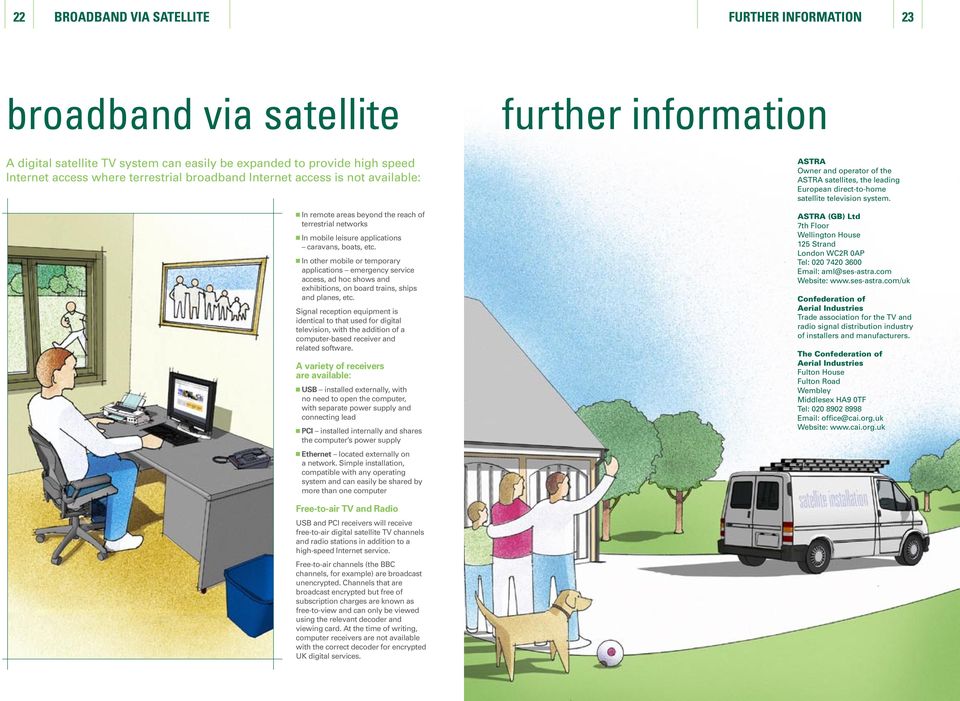
12 22 BROADBAND VIA SATELLITE FURTHER INFORMATION 23 broadband via satellite further information A digital satellite TV system can easily be expanded to provide high speed Internet access where terrestrial broadband Internet access is not available: In remote areas beyond the reach of terrestrial networks In mobile leisure applications caravans, boats, etc. In other mobile or temporary applications emergency service access, ad hoc shows and exhibitions, on board trains, ships and planes, etc. Signal reception equipment is identical to that used for digital television, with the addition of a computer-based receiver and related software. A variety of receivers are available: USB installed externally, with no need to open the computer, with separate power supply and connecting lead PCI installed internally and shares the computer s power supply Ethernet located externally on a network. Simple installation, compatible with any operating system and can easily be shared by more than one computer ASTRA Owner and operator of the ASTRA satellites, the leading European direct-to-home satellite television system. ASTRA (GB) Ltd 7th Floor Wellington House 125 Strand London WC2R 0AP Tel: [email protected] Website: Confederation of Aerial Industries Trade association for the TV and radio signal distribution industry of installers and manufacturers. The Confederation of Aerial Industries Fulton House Fulton Road Wembley Middlesex HA9 0TF Tel: [email protected] Website: Free-to-air TV and Radio USB and PCI receivers will receive free-to-air digital satellite TV channels and radio stations in addition to a high-speed Internet service. Free-to-air channels (the BBC channels, for example) are broadcast unencrypted. Channels that are broadcast encrypted but free of subscription charges are known as free-to-view and can only be viewed using the relevant decoder and viewing card. At the time of writing, computer receivers are not available with the correct decoder for encrypted UK digital services.
13 ASTRA (GB) Limited 7th Floor Wellington House 125 Strand London WC2R 0AP Tel: Website: UK/INST/KG/0305 ASTRA is a trademark of SES ASTRA S.A., an SES GLOBAL Company. SES GLOBAL S.A. is a publicly quoted corporation, whose securities are listed on the Euronext Paris and Luxembourg Stock Exchanges. The information and data contained herein are subject to change.

Step by step guide to installing your own Ku Band satellite dish
 Step by step guide to installing your own Ku Band satellite dish If you don't feel comfortable installing your own system, your local TV Aerial or Handyman can easily follow these helpful guidelines for
Receiving Saorview Digital Terrestrial Television
 Receiving Saorview Digital Terrestrial Television Introduction RTÉ NL Nutley Building Donnybrook Dublin 4 Tel: 01-2082223 Fax: 01-2082283 Email: [email protected] Web: www.rtenl.ie Saorview s Digital Terrestrial
Do It Yourself Guide for Adventist Satellite Installation System: Fortec Lifetime Ultra / SatelliteAV 36 Dish
 1-888-393-4673 [email protected] http://www.adventistsat.com [email protected] AMC 4 Dish Aiming Information for Zip Code Elevation. Azimuth, Magnetic. Feedhorn Rotation. Do It Yourself Guide
LIGHTMOOR VILLAGE INTEGRATED RECEPTION SYSTEM. Telford A RESIDENTS GUIDE
 LIGHTMOOR VILLAGE Telford INTEGRATED RECEPTION SYSTEM A RESIDENTS GUIDE What is the Integrated Reception System? This booklet sets out some information for the Integrated Reception System (or IRS) for
Installation Instructions
 Installation Instructions Attention! These installation instructions are intended for use by qualified professional technicians due to the complexity of the installation and compliance to national/local
MyM 3T. User Manual. English
 User Manual Compact unit with 2 DVB-T tuners MPEG-2 and MPEG-4 compliant 3 analogue modulators Two CI for decryption or multidecryption NICAM or A2 stereo 12-volt power supply Low power consumption MyM
Connections and Setup
 12 Connections and Setup HOW TO CONNECT YOUR SATELLITE RECEIVER Use the information in this chapter to connect your receiver to other equipment. CONNECTING TO THE NEARBY HDTV (TV1) CONNECTING TO THE REMOTE
Connections and Setup
 9242_14_Ch12_eng 6/11/07 9:36 AM Page 1 Connections and Setup HOW TO CONNECT YOUR SATELLITE RECEIVER Do you have a handful of cables and a head full of questions? This chapter is the perfect place to find
Home Signal Distribution Kit for Satellite TV Plus SIRIUS
 SR-101C SIRIUS/DBS Signal Combiner System SR-2261 Combiner-Outdoor Made in China DBS IN SIRIUS IN SR-101C SIRIUS/DBS Signal Combiner System SR-2251 Splitter-Indoor Made in China DC IN DBS OUT SIRIUS OUT
Wind Direction Smart Sensor (S-WDA-M003)
 (S-WDA-M003) The Wind Direction smart sensor is designed to work with HOBO Stations. The smart sensor has a plug-in modular connector that allows it to be added easily to a HOBO Station. All sensor parameters
Simple satellite TV in residential complexes
 Simple satellite TV in residential complexes Up to three TV s connected in the same apartment your ultimate connection Sat SCR Multiswitch Advantages for the installer, tenant and landlord in residential
Siemens Energy & Automation. structured. WIRING Product Training Series: Advanced Video Session 3
 s structured WIRING Product Training Series: Advanced Video Session 3 1 Table of Contents This presentation will give you a closer look at Video in Structured Wiring applications. The following Areas will
ANTENNAS. Innovative concept for DVB-T antennas. Outdoor. Indoor. Indoor 2.1. Good / Better / Best. The segments. The segments. Best. Better.
 Innovative concept for DVB-T antennas Vivanco presents a new innovative concept for DVB-T antennas. Apart from performance and design, the main focus is on the actual real-life usage. The new guidance
AVR 158. Audio/video receiver. Quick-Start Guide ENGLISH
 158 Audio/video receiver ENGLISH Quick-Start Guide 158 Introduction, Speaker Placement and Connection Introduction Thank you for choosing a harman kardon product! This quick-start guide contains all the
The Grey Nomad s Guide to Satellite Dish Setup Procedures.
 The Grey Nomad s Guide to Satellite Dish Setup Procedures. Compiled and written by Ronald H Tew of The Wandering Tews Issue 10, 7 th December 2010. Web site: www.wanderingtews.com 1 About this Document.
LINE IN, LINE OUT AUDIO IN, AUDIO OUT FIXED, VARIABLE TO TV, VIDEO IN, VIDEO OUT. 2010 Sony Electronics Inc. All rights reserved.
 Based on the information you provided we are unable to match you with a specific hookup recommendation. For your convenience this document provides the four most common hookup configurations for the devices
ELEMENTS OF CABLE TELEVISION
 1 ELEMENTS OF CABLE TELEVISION Introduction Cable television, from its inception, developed in western countries into two separate systems called Master Antenna Television (MATV) and Community Cable Television
3x cinch/s-video socket Order no.: 33 1532 xx. USB/3.5 mm audio socket Order no.: 33 1539 xx. VGA socket Order no.: 33 1540 xx
 3x cinch/s-video socket Order no.: 33 1532 xx USB/3.5 mm audio socket Order no.: 33 1539 xx VGA socket Order no.: 33 1540 xx VGA socket with screw-in lift terminals Order no.: 33 1541 xx High definition
Home Signal Distribution Kit for Cable TV Plus SIRIUS
 Home Signal Distribution Kit for Cable TV Plus SIRIUS For Use With a Single SIRIUS Radio Installation Manual Thank you for purchasing the Home Signal Distribution Kit for Cable TV Plus SIRIUS The Home
SATELLITE MASTER ANTENNA TELEVISION SYSTEM
 SATELLITE MASTER ANTENNA TELEVISION SYSTEM The Contractor shall supply, install, test, commission, guarantee and maintain a Modern Satellite Master Antenna Television (SMATV) system for the distribution
MOUNT INSTALLATION GUIDE
 MOUNT INSTALLATION GUIDE 13 Nov '12 2 WARNING Make all electrical and coax connections from the controller to the mount and LNB's BEFORE applying power to, or connecting the satellite receiver to the controller.
PDP TV. quick start guide. imagine the possibilities
 PDP TV quick start guide imagine the possibilities Thank you for purchasing a Samsung product. To receive a more complete service, please register your product at www.samsung.com/global/register 02134A_CMS.indd
SP1790JK 900MHz Wireless Indoor/Outdoor Speakers. User Manual INTRODUCTION FEATURES IMPORTANT SAFETY INFORMATION
 SP1790JK 900MHz Wireless Indoor/Outdoor Speakers INTRODUCTION This 900 MHz digital hybrid wireless speaker system uses the latest wireless technology that enables you to enjoy music and TV sound anywhere
Wireless Audio Video Sender
 SV-1710 702363 UK D F E P I NL SF S DK N Wireless Audio Video Sender 1 2 Aligned A B 3 IR-receiver WWW.EFORALL.COM 3 UK Table of Contents UK The Product.......................................................
DIGITAL TERRESTRIAL TELEVISION AND CURRENT ANALOG TV RECEPTION A GUIDE FOR Bowen Town
 DIGITAL TERRESTRIAL TELEVISION AND CURRENT ANALOG TV RECEPTION A GUIDE FOR Bowen Town This brochure has been prepared by all local commercial television stations, the ABC and SBS to assist television viewers
Home Theater. Diagram 1:
 Home Theater What is Home Theater? Since the mid- to late-1990s, home theater systems have rapidly grown in popularity, as consumers have looked for ways to enjoy movies at home the same way they do in
LINE IN, LINE OUT TO TV, VIDEO IN, VIDEO OUT
 1 Based on the information you provided we are unable to match you with a specific hookup recommendation. For your convenience this document provides the four most common hookup configurations for the
It s here a New Breed of TV entertainment.
 Quick Start Guide 1 2 It s here a New Breed of TV entertainment. Welcome to Fetch TV an exciting new television experience that puts you in control of the best TV, great movies, and popular interactive
EVOline Multimedia Modules
 243 EVOline VGA cable EVOline DVI-A cable EVOline DVI-D cable EVOline HDMI cable Cable properties Flame retardant self extinguishing VW-1 Halogen free yes yes yes Colour Black Black Outer diameter 7,2
Simple satellite TV in residential complexes
 Simple satellite TV in residential complexes Up to three TV s connected in the same apartment without additional equipment your ultimate connection Sat SCR Multi switch Advantages for the installer, the
Important HP Media Center PC Updates
 Important HP Media Center PC Updates Your system uses Microsoft Windows XP Media Center Edition 2005. Before starting the system and using the Media Center setup wizard, please read this updated information
QUICK REFERENCE MANUAL
 PIONEER PLASMA DISPLAY SYSTEM QUICK REFERENCE MANUAL PDP-501HD: PLASMA DISPLAY PANEL PDP-501R: MEDIA RECEIVER PDP-501S-LR: SPEAKERS TABLE OF CONTENTS 1.0 CHOOSE THE INSTALLATION SITE...2 2.0 SET UP THE
User Guide. Plaza HDR S freesat digital HD TV recorder
 User Guide Plaza HDR S freesat digital HD TV recorder CONGRATULATIONS on buying a Manhattan Plaza HDR S freesat receiver. This high performance unit lets you record and watch the best of digital TV and
Instructions for - Installation of Satellite Channels
 ENGLISH Instructions for - Installation of Satellite Channels Updated: March 2011 Experience Reality AQUOS LCD-TVs Spring/Summer 2011 Page - 1 - LE820 - LE822 - LE814 - LE824 - LE914 - LE925 Contents:
Cat7/Class F New Installation Concept New infrastructure. Handbook
 Cat7/Class F New Installation Concept New infrastructure Handbook contents 1 Introduction 3 2 What is the Cat7/Class F installation concept 3 3 Distribution centre 3 3.1 Patch Modules 3 4 How to handle
Extender for HDMI Long Range. www.gefentv.com GTV-HDMI-CAT5LR. User Manual
 Extender for HDMI Long Range GTV-HDMI-CAT5LR User Manual www.gefentv.com Technical Support: Telephone (818) 772-9100 (800) 545-6900 Fax (818) 772-9120 Technical Support Hours: 8:00 AM to 5:00 PM Monday
VIP1200 & VIP1216 Wireless IPTV Receivers
 VIP1200 & VIP1216 Wireless IPTV eceivers THIS IS AN EDITED VESION OF THE OIGINA DOCUMENT CONTENTS Intro duction...1 Your Set-top Boxes...1 Front Panel...2 ear Panel...3 Video Connectio n Opt ions...4 Audio
InFocus Projector Setup Guide for Digital Cable TV How to connect digital cable TV to an InFocus projector
 InFocus ojector Setup Guide for Digital Cable TV How to connect digital cable TV to an InFocus projector Digital Cable Box Coax Outlet S-232 Table of Contents Good Better - For the quickest setup using
BeoVision 7. Supplement
 BeoVision 7 Supplement On-screen menus This supplement contains corrections to the Guide and Reference book. The main corrections refer to the Onscreen menus, the CONNECTIONS menu and the socket panels.
Dish Installation Page
 Dish Installation Page Please review and check the following items before starting the installation of your FTA Satellite System. 1. Equipment required for Dish Installation. 1. Dish, LNBF, and Receiver.
LINE IN, LINE OUT AUDIO IN, AUDIO OUT FIXED, VARIABLE TO TV, VIDEO IN, VIDEO OUT. 2010 Sony Electronics Inc. All rights reserved.
 This is a general recommendation based on the information you provided. You can customize the connections to suit your individual preferences and viewing habits. Some hookup recommendations have two cable
Contents For your safety........................2 Welcome to digital satellite TV!...........3
 Contents For your safety........................2 Welcome to digital satellite TV!...........3 Updates to your box........................ 3 Inserting the batteries in your remote control... 3 Your remote
PROFESSIONAL AUDIO VISUAL. the ultimate in luxury, waterproof and in-wall televisions
 PROFESSIONAL AUDIO VISUAL the ultimate in luxury, waterproof and in-wall televisions From the originators of the bathroom television, Aquavision introduces the latest in home entertainment. Aquavision
Product Information S N O. Portable VIP protection CCTV & Alarm System 2
 Product Information S N O Portable VIP protection CCTV & Alarm System 2 G O V E R N M E N T A L S E C U R I T Y S O L U T I VIP KIT Rapid Deployment VIP Protection Kit The VIP KIT has been designed to
TVA 402 TVA 302 TVA 202 TVA 101 TVA 502 TVA 401 TVA 301 TVA 201 TVA 100 TVA 501 TVA 400 TVA 300 TVA
 Innovative concept for DVB-T antennas Vivanco presents a new innovative concept for DVB-T antennas. Apart from performance and design, the main focus is on the actual real-life usage. The new guidance
LOXONE 12 Channel Amplifier
 LOXONE 12 Channel Amplifier Item no.: 200110 Thank you for purchasing the Loxone Twelve Channel Amplifier. The versatility of the Amplifier makes it the perfect choice for almost every type of custom multi-room
INSTALLING A SATELLITE DISH USING TV EXPLORER
 INSTALLING A SATELLITE DISH USING TV EXPLORER A bit of history That's it, a bit of history. First artificial satellite "Sputnik I" was launched 4th of October of 1957 by former Soviet Union. It was about
Hooking Up Home Theater
 Home Support Technical Articles Hooking Up Home Theatre What is Home Theater? Hooking Up Home Theater Since the mid- to late-1990s, home theater systems have rapidly grown in popularity, as consumers have
VIEW. SLX300 SpeakerLinX IP Zone. Amplifier Installation and Setup Guide. AVoIP
 VIEW SLX300 SpeakerLinX IP Zone Amplifier Installation and Setup Guide TM AVoIP ClearOne 5225 Wiley Post Way Suite 500 Salt Lake City, UT 84116 Telephone 1.800.283.5936 1.801.974.3760 Tech Sales 1.800.705.2103
Digital Satellite Receiver
 USER GUIDE Digital Satellite Receiver Models DSR207, DSR317, DSR505, and DSR530 CONTENTS IMPORTANT SAFETY INSTRUCTIONS...1 DSR BASICS SYMBOLS/ICONS...6 Front Panel...6 Back Panel...7 CONNECTING YOUR DSR...10
Home Cabling Installation Guide
 Home Cabling Installation Guide Wiselan Home Cabling Installation Guide * This document should be treated as a guide only. In no way does it replace any regulation. This Document is subject to copyright
(2012 10 24) manual_tocomsat duo LITE.indd 20-1 2012-10-24 7:44:57
 (2012 10 24) manual_tocomsat duo LITE.indd 20-1 2012-10-24 7:44:57 TABLE OF CONTENTS Table of Contents Table of Contents Safety Warning General Information Package Contents & Features Front Panel Rear
Charter Digital Cable and Charter HD Easy Install Guide
 Charter Digital and Charter HD Easy Install Guide Your guide to installing and setting up your Charter HD and Digital Charter Digital and Charter HD Easy Install Guide -888-GET CHARTER (-888-8-7) charter.com
Bathroom Cabinet. Installation & User Guide. Illuminated Mirrors. www.illuminated-mirrors.uk.com
 Illuminated Mirrors The UK s Largest LED Mirror Supplier to Trade and Retail Installation & User Guide Bathroom Cabinet www.illuminated-mirrors.uk.com Bathroom Cabinet Installation & User Guide Thank you
Digital Active Indoor Antenna SRT ANT 10 ECO
 Digital Active Indoor Antenna SRT ANT 10 ECO Picture similar User Manual Table of contents 1.0 INTRODUCTION 1 2.0 PACKAGE CONTENT 1 3.0 SAFETY NOTES 2 4.0 CONNECTING THE ANTENNA 2 1.0 INTRODUCTION Thank
CINEMA SB100 powered soundbar speaker
 CINEMA SB100 powered soundbar speaker quick-start guide Thank You For Choosing This JBL Product The JBL Cinema SB100 powered soundbar speaker is a complete, integrated sound system that will dramatically
2005 by Mediacom Communications Corporation. All Rights Reserved. Mediacom Communications assumes no liability nor responsibility for the use of any
 2005 by Mediacom Communications Corporation. All Rights Reserved. Mediacom Communications assumes no liability nor responsibility for the use of any content, materials, or techniques included in this guide.
EH-20 20m antenna. By VE3RGW
 EH-20 20m antenna By VE3RGW Equivalent circuit of EH-20 (prototype 2A) antenna system. Upper cylinder Lower cylinder Ground Counter pose Phasing coil Impedance transformer and tune circuit Tune coil Feed
BASICS OF C & Ku BAND TRANSMISSIONS & LNBs
 Page 1 of 6 BASICS OF C & Ku BAND TRANSMISSIONS & LNBs A satellite broadcasts a few watts of microwave signals from the geostationary orbit 36,000 kilometers above the earth. The transmissions are also
Evolution Digital HD Set-Top Box Important Safety Instructions
 Evolution Digital HD Set-Top Box Important Safety Instructions 1. Read these instructions. 2. Keep these instructions. 3. Heed all warnings. 4. Follow all instructions. 5. Do not use this apparatus near
CAUTION RISK OF ELECTRIC SHOCK NO NOT OPEN
 Evolution Digital HD Set-Top Box Important Safety Instructions 1. Read these instructions. 2. Keep these instructions. 3. Heed all warnings. 4. Follow all instructions. 5. Do not use this apparatus near
Indoor/Outdoor Color Camera with Built-in 2.4 GHz Wireless Transmitter, plus X10 controlled power supply, and Video Receiver.
 Indoor/Outdoor Color Camera with Built-in 2.4 GHz Wireless Transmitter, plus X10 controlled power supply, and Video Receiver. OWNER'S MANUAL VR36A XC18A XM13A MODEL VK69A (INCLUDES XC18A CAMERA, XM13A
How To Set Up A Minipatch System For A Small Office Or Home Use
 Issue : 4 Wood Communications Networking Products Catalogue Small Office & Home Solution Small Office / Home Solution Min LAN Comms Cabinets - Multimedia Panel - Soho Ethernet Switches - Multiroom Audio/Video,
AUSTAR Multi Dwelling Unit Installation Guidelines 2008
 AUSTAR Multi Dwelling Unit Installation Guidelines 2008 Document Control Sheet Contact for inquiries and Proposed Changes If there are any questions regarding this document, or suggestions for inclusion
Installation Guide. WSD-100 Wind Speed and Direction Sensor For XR5 Data Loggers. February, 2011
 WSD-100 Wind Speed and Direction Sensor For XR5 Data Loggers Installation Guide February, 2011 Pace Scientific Inc www.pace-sci.com Tel: 704-799-0688 [email protected] 1 Disclaimer The following warranty
SATELLITE DISHES. A Guide to Installation, Siting and Design Supplementary Planning Guidance
 Supplementary Planning Guidance CONTENTS Introduction Westminster s Planning Policies Planning Regulations Is Planning Permission Required? Advice on Siting and Design Glossary of Terms Useful Addresses
XtraView Installation Manual
 XtraView Installation Manual Version: 2.0a Date: 23/11/2008 MultiChoice Broadcast Technology Division C. Fourie p1/33 Public Release Table of Contents XtraView Installation Manual V2_0a.doc DOCUMENT REVISION
OWNERS MANUAL CONTENTS: Introduction.. 2. Definitions.. 2. Smartwire.. 4. Computing Network 7. Working diagram. 8. Television Antennas 9
 OWNERS MANUAL CONTENTS: Introduction.. 2 Definitions.. 2 Smartwire.. 4 Computing Network 7 Working diagram. 8 Television Antennas 9 File: Owners Information version: Jan13 1 INTRODUCTION Congratulations
JACKSON COUNTY SCHOOL BOARD Marianna, Florida. Down and Dirty IPTV
 JACKSON COUNTY SCHOOL BOARD Marianna, Florida Down and Dirty IPTV Topics of discussion: The goal of this presentation is to introduce you to Internet Protocol Television (IPTV) and to show you how to use
CCTV System Troubleshooting Guide
 Wouldn t be nice to start and finish a CCTV System Project without running into any problems before, during and after the installation is completed. Well, in this article we will try and explain why we
For better TV reception... consider digital
 Australian Government Australian Communications and Media Authority Australia s regulator for broadcasting, the internet, radiocommunications and telecommunications www.acma.gov.au For better TV reception...
VideoMate V200/V200F Analog Standalone TV Box Start Up Guide
 VideoMate V200/V200F Analog Standalone TV Box Start Up Guide Compro Technology, Inc. www.comprousa.com 1 Table of Contents About This Guide... 3 VideoMate V200/V200F TV Box Contents... 4 Install V200/V200F
Troubleshooting Guide
 Poor or Distorted Picture Troubleshooting Guide Poor picture quality compared to what was seen in the store. Picture is distorted. (Macroblock, small block, dots, pixelization.) Wrong or missing color
CELO5. User & Installation Manual. www.audac.eu
 CELO5 User & Installation Manual www.audac.eu 2 Introduction 5 High-end Slim Ceiling Speaker The CELO5 is the 5 version of AUDAC s CELO High-end Slim ceiling speaker series with an RMS power of 50 Watt
Awning Instructions. Full Cassette 1.5m to 6m
 Awning Instructions Full Cassette 1.5m to 6m English Full Cassette Manual & Electric Instructions Contents Warning 1.5m - 3.5m Awnings 8 x Expansion bolts ** 2 x brackets 1 x Awning 1 x Winder 4.0m -
BeoLab 1. User s guide
 BeoLab 1 User s guide Legal notice: CAUTION RISK OF ELECTRIC SHOCK DO NOT OPEN CAUTION: To reduce the risk of electric shock, do not remove cover (or back). No User-serviceable parts inside. Refer servicing
Guide. Installation. Wilson Electronics, Inc. Adjustable Gain Signal Boosters
 Installation Guide Adjustable Gain Signal Boosters AG Pro 75, AG Pro 70, AG Pro Installer, AG SOHO 65, AG SOHO 60 (SOHO: Small Office, Home Office) In-Building Wireless 800/1900 MHz Smart Technology Contents:
Lynx Broadband Installation Manual for Residential Packages with a 20 db Amp Quick Start Guide (first two pages)
 Lynx Broadband Installation Manual for Residential Packages with a 20 db Amp Quick Start Guide (first two pages) 1. Be sure that your kit includes all the parts shown in the Check the Equipment section
LISTED BUILDING CONSENT APPLICATION HAMILTON HOUSE, 10 NORTH PARADE BUILDINGS. BATH. PROPOSED IRS SYSTEM, SATELLITE DISH & ANTENNA INSTALLATION.
 LISTED BUILDING CONSENT APPLICATION HAMILTON HOUSE, 10 NORTH PARADE BUILDINGS. BATH. PROPOSED IRS SYSTEM, SATELLITE DISH & ANTENNA INSTALLATION. DECEMBER 2011 JOB NUMBER 00168 REVISION B MARCH 2012 Contents:
bba - Balboa Bluetooth Audio (AMP) Installation & User Guide
 bba - Balboa Bluetooth Audio (AMP) Installation & User Guide Bluetooth Integration CONNECT YOUR SMART DEVICE TO YOUR HOT TUB With Bluetooth connection you can now play all your favorite songs directly
Tiny Audio C3. English TINY AUDIO C3. Please read carefully before using this product
 English TINY AUDIO C3 Please read carefully before using this product 1 Safety Instructions: 1. Do not use this radio near water. 2. Clean with dry cloth. 3. Do not block any ventilation openings. 4. Do
Fi TV Gold Quick Start Guide
 Quick Start Guide Fi TV Gold Quick Start Guide Welcome to Fi TV! We re happy that you chose EPB Fiber Optics to bring the best movies, sports, news and television programming into your home and we will
DTA100. Digital Transport Adapter. Quick Start Guide. Downloaded from www.manualslib.com manuals search engine
 DTA100 Digital Transport Adapter Quick Start Guide Before You Begin READ THIS FIRST Connecting Your DTA100 1. Connect the DTA100 to your cable service. Connect the coaxial cable from your wall outlet to
Fi TV Gold Quick Start Guide
 Quick Start Guide Fi TV Gold Quick Start Guide Welcome to Fi TV! We re happy that you chose EPB Fiber Optics to bring the best movies, sports, news and television programming into your business and we
Wireless Joey High/Standard Definition Uses Wireless Joey Access Point. Receivers Wireless Joey
 High/Standard Definition Uses Access Point Receivers 01 Installation Rules Installing a Whole-Home System Installing a Receiver Follow this procedure to install a receiver. To ensure a proper installation,
HP USB Digital/Analog TV Tuner. User Guide
 HP USB Digital/Analog TV Tuner User Guide Copyright 2008 Hewlett-Packard Development Company, L.P. Windows and Windows Vista are U.S. registered trademarks of Microsoft Corporation. The information contained
This document describes how video signals are created and the conversion between different standards. Four different video signals are discussed:
 A technical briefing by J. S. Technology. Introduction. This document describes how video signals are created and the conversion between different standards. Four different video signals are discussed:
Dome Security Camera with IR night vision
 Dome Security Camera with IR night vision EN INSTRUCTION MANUAL 1 Before you begin Limited Warranty Terms & Conditions Swann Communications warrants this product against defects in workmanship and material
Auditorium Audiovisual System User s Guide
 Auditorium Audiovisual System User s Guide Page Page Contents Introduction...4 Facilities 7 Auditorium floor plan...8 Stage floor boxes and wall plates...9 Other floor boxes and wall plates...10 System
Register your product and get support at www.philips.com/welcome. User Manual
 Register your product and get support at www.philips.com/welcome User Manual Contents 1 Your new TV 3 1.1 EasyLink 3 2 Setting up 4 2.1 Read safety 4 2.2 TV stand and wall mounting 4 2.3 Tips on placement
Procedure for DAM Testing 24 Hour Energy Star DAM Power Consumption test procedure Version 1.3, 13 April 2010
 technical manual Procedure for DAM Testing 24 Hour Energy Star DAM Power Consumption test procedure Version 1.3, 13 April 2010 LEGAL NOTICE: Copyright 2009, 2010 Rovi Corporation. All rights reserved.
Using your Sky digibox
 Using your Sky digibox Your Sky remote control Sets your remote control to control your digibox tv Sets your remote control to control your TV box office Shows the Box Office screen tv guide Shows the
ZaapTV HD509N. User s Guide. How to use the HD509N set-top box
 ZaapTV HD509N User s Guide How to use the HD509N set-top box Contents 1. Safety... 1 2. Appearance... 4 3. Rear Panel Connection... 5 4. Remote... 7 5 First Time Set-Up... 9 6. Network Settings... 10 6.1
User Manual Wireless HD AV Transmitter & Receiver Kit
 Ma User Manual REV.1.0 Thank you for purchasing this. Please read the following instructions carefully for your safety and prevention of property damage. Do not use the product in the extreme hot, cold,
Technicolor ATSC-8. User s Guide. 2012 Technicolor. All Rights reserved
 Technicolor ATSC-8 User s Guide 2012 Technicolor. All Rights reserved Introduction This document describes the process and procedures for integrating the ATSC-8 product with the COM1000 digital head-end
General Camera Information and use for NuAire Biological Safety Cabinets (BSC) and Isolators
 TECHNICAL BULLETIN : GENERAL INFORMATION General Camera Information and use for NuAire Biological Safety Cabinets (BSC) and Isolators General In today s world, residential, commercial and institutions
HTT 101. HDMI/YPbPr/S-Video/AV to DVB-T. HDMI/YPbPr/S Encoder Modulator
 HTT 101 HDMI/YPbPr/S-Video/AV to DVB-T HDMI/YPbPr/S DVB Encoder Modulator TABLE OF CONTENTS 1. SPECIFICATIONS... 3 1.1 Product Overview... 3 1.2 Appearance and Description... 3 1.3 System Diagram... 4
One Room One Cable Architectural Specification
 One Room One Cable Architectural Specification ORC-1: One Room One Cable Kit: The ORC-1 One Room One Cable Kit shall consist of one (1) DXW-2 Wall Plate switcher, one (1) DXE-CAT-RX3-A HDBaseT Receiver
HANTZ + PARTNER The Upgrade Company! www.hantz.com
 Quick Start Guide X3000 HD Network Media Player X3000 HD NETWORK MEDIA PLAYER POWER HANTZ + PARTNER The Upgrade Company! www.hantz.com A Get to know your HELIOS X3000 Thank you for purchasing the HELIOS
Time Warner Cable TV. Easy Connect Guide. Enjoy endless ways to watch your favorite shows.
 Time Warner Cable TV Easy Connect Guide Enjoy endless ways to watch your favorite shows. You name the show. You choose the screen. Enjoy watching exactly what you want on the device you want. Your service