
Guide. Installation. Wilson Electronics, Inc. Adjustable Gain Signal Boosters
|
|
|
- Irma Lucas
- 10 years ago
- Views:
Transcription
1 Installation Guide Adjustable Gain Signal Boosters AG Pro 75, AG Pro 70, AG Pro Installer, AG SOHO 65, AG SOHO 60 (SOHO: Small Office, Home Office) In-Building Wireless 800/1900 MHz Smart Technology Contents: Antenna Options & Accessories Quick Install Overview....2 Installation Diagram....3 Before Getting Started....4 Finding the Strongest Signal....6 Outside Antenna Installation Installing the Inside Antenna....9 Installing a Wilson Electronics Signal Booster....9 Powering up a Wilson Electronics Signal Booster Understanding the Signal Booster Lights Warnings and Recommendations Guarantee & Warranty Specifications....Back Cover Note: This manual contains important safety and operating information. Please read and follow the instructions in this manual. Failure to do so could be hazardous and result in damage to your signal booster. Wilson Electronics, Inc.

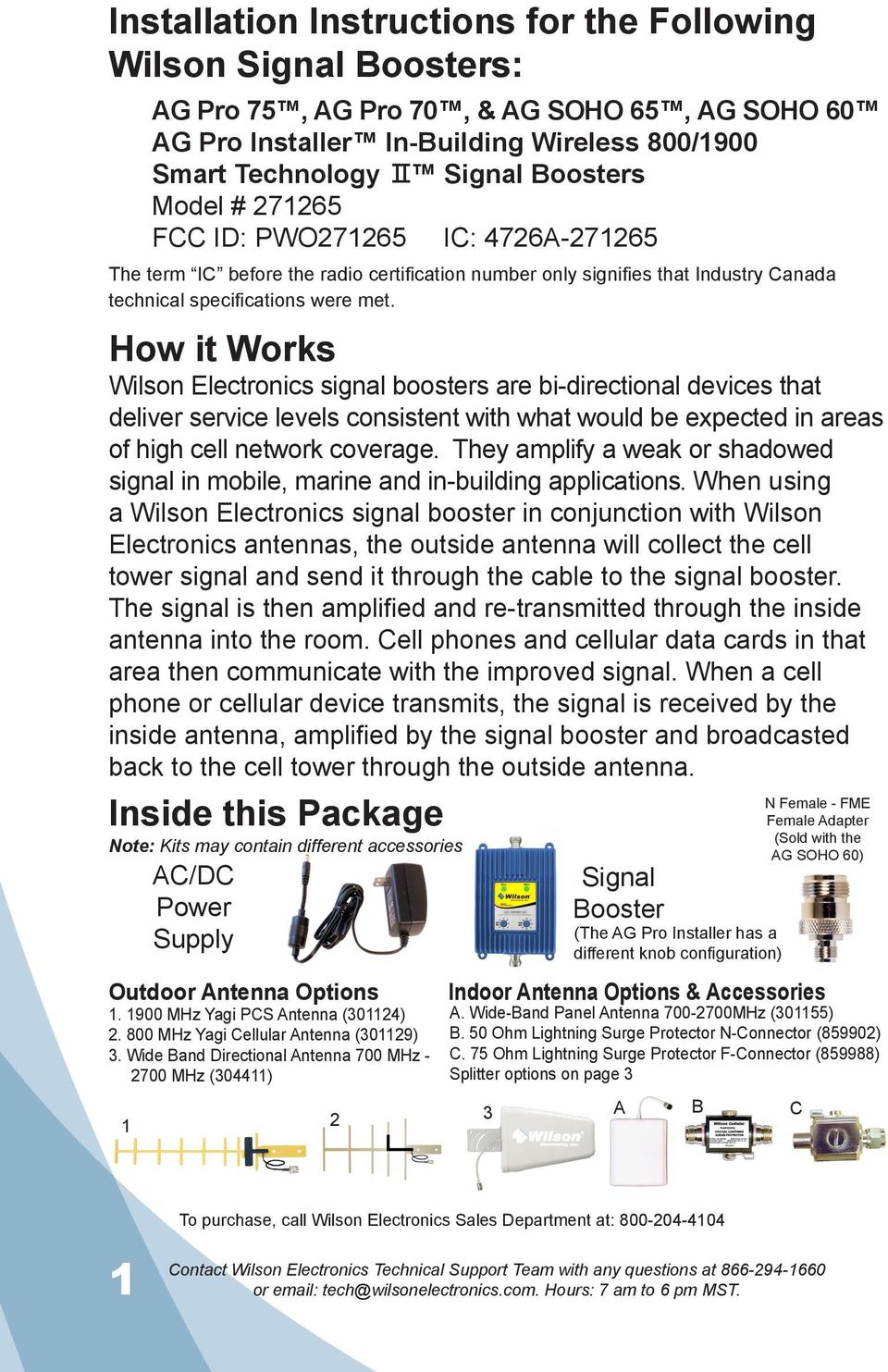
2 Installation Instructions for the Following Wilson Signal Boosters: AG Pro 75, AG Pro 70, & AG SOHO 65, AG SOHO 60 AG Pro Installer In-Building Wireless 800/1900 Smart Technology Signal Boosters Model # FCC ID: PWO IC: 4726A The term IC before the radio certification number only signifies that Industry Canada technical specifications were met. How it Works Wilson Electronics signal boosters are bi-directional devices that deliver service levels consistent with what would be expected in areas of high cell network coverage. They amplify a weak or shadowed signal in mobile, marine and in-building applications. When using a Wilson Electronics signal booster in conjunction with Wilson Electronics antennas, the outside antenna will collect the cell tower signal and send it through the cable to the signal booster. The signal is then amplified and re-transmitted through the inside antenna into the room. Cell phones and cellular data cards in that area then communicate with the improved signal. When a cell phone or cellular device transmits, the signal is received by the inside antenna, amplified by the signal booster and broadcasted back to the cell tower through the outside antenna. Inside this Package Note: Kits may contain different accessories AC/DC Power Supply Outdoor Antenna Options MHz Yagi PCS Antenna (301124) MHz Yagi Cellular Antenna (301129) 3. Wide Band Directional Antenna 700 MHz MHz (304411) 1 2 Signal Booster Indoor Antenna Options & Accessories A. Wide-Band Panel Antenna MHz (301155) B. 50 Ohm Lightning Surge Protector N-Connector (859902) C. 75 Ohm Lightning Surge Protector F-Connector (859988) Splitter options on page 3 3 (The AG Pro Installer has a different knob configuration) A B N Female - FME Female Adapter (Sold with the AG SOHO 60) C To purchase, call Wilson Electronics Sales Department at: or [email protected]. Hours: 7 am to 6 pm MST.
3 Quick Install Overview See Installation Diagram on page 3. Contact Wilson Electronics Technical Support Team with any questions at Select a location to install the signal booster that is away from excessive heat, direct sunlight, moisture and has proper ventilation. Do not place the signal booster in an air-tight enclosure Select a location on the roof of the building to install the outside antenna. Use a cell phone in test mode to find the strongest signal from the cell tower. Visit to find test mode function for your particular cell phone. See page 6. Select a location for the inside antenna, preferably in the center of where the signal needs to be amplified. A minimum separation distance (combined vertical/horizontal) of 20 feet is necessary for operation. If the inside coverage is not sufficient you may need as much as 50 feet of separation. See installation diagram on pages 3 & 4. Run the outside antenna cable to the signal booster and attach it to the connector labeled Outside Antenna on the signal booster. Run the inside antenna cable to the signal booster and attach it to the connector labeled Inside Antenna on the signal booster. Note: Be careful when plugging the connectors in so as not to bend the center pins on the connectors. See page 8 for more information on running cable. Before powering up the signal booster, verify that both the outside antenna and the inside antenna are connected and check that all connections are tight. Lightning surge protection is recommended for all in-building installations. See page 7. The Signal Booster has been packaged with the gain control knobs adjusted to the highest gain position. If one or both of the lights are not green, please refer to pages Warning: Connecting the signal booster directly to a cell phone with use of an adapter will damage the cell phone and the signal booster. or [email protected]. Hours: 7 am to 6 pm MST. 2

4 Installation Diagram Outside Antenna Inside Antenna Preferred Method: Place the inside antenna in the ceiling facing down for the best coverage. ( i Note: The inside panel antenna may be mounted on the wall directly under the outside antenna, in the null zone, if 20 feet of vertical separation can be maintained. Null Zone: The area under the antenna, where the antenna radiates the least. Note: A lightning surge protector is recommended for all building installations. Make sure the protector is installed in line between the outside antenna and the signal booster. (Optional second antenna for additional coverage). Inside Antenna Splitter Options: 2-way (859957) 3-way (859980) 4-way (859981) Typical Installation 3 or [email protected]. Hours: 7 am to 6 pm MST.

5 Before Getting Started This guide will help you properly install your Wilson Electronics Signal Booster. It is important to read through all of the installation steps for your particular application prior to installing any equipment. Read through the instructions, visualize where all the equipment will need to be installed and do a soft installation before mounting any equipment. Contact Wilson Electronics Technical Support with any questions at: Splitter (if using multiple inside antennas) Lightning Surge Protector Inside Antenna (Optional third antenna for additional coverage). Signal booster Power Supply or [email protected]. Hours: 7 am to 6 pm MST. 4

6 Selecting a Direction for the Outside Antenna Select a location on the roof of the building to install the outside antenna. Use a cell phone in test mode to find the strongest signal from the cell tower. See page 6 for more information. To get the strongest signal possible, it is very important to set up your outside antenna properly. The inside and the outside antenna must be mounted in such a way that they are able to pick up the best possible cell signal on the outside of the building and provide the best possible signal on the inside of the building. Mount the outside antenna as high as possible facing the cell tower in an area with the best possible signal coverage. Note: Never point the front of a directional antenna toward the inside antenna. See Figures 1 & 2 on page 11. Reasons for Weak Cellular Signals Anyone who uses a cell phone or cellular data card knows the frustration of not being able to connect to or maintain a strong cellular signal. When this occurs, it is generally due to one of two reasons: 1. Location of the Nearest Cell Tower Cell towers are situated to provide broad coverage; however, there are many areas in which signal strength may be reduced by topographic features or by local government restrictions on the height or placement of the towers themselves. Rural areas generally have fewer cell towers than urban regions. 2. Natural and Man-Made Obstructions Signal strength can also be negatively affected by trees, hills, buildings, weather, and other obstructions. You may be relatively close to a cell tower but still unable to make a call. This often occurs in homes, offices and other buildings in which stucco, concrete or metal walls may block the signal. The Signal Booster works with two antennas. The inside antenna communicates with your cell phone and the outside antenna communicates with the cell tower. 5 or [email protected]. Hours: 7 am to 6 pm MST.

7 The outside antenna receives the cell tower signal and sends it through the cable to the Signal Booster, where it is amplified and re-transmitted much stronger through the inside antenna into the room. When the inside antenna picks up a signal from your cellular device, the Signal Booster amplifies that signal and transmits it through the cable to the outside antenna and back to the cell tower. (Note: The Signal Booster will only operate if there is an adequate signal to amplify.) Finding the Strongest Signal When installing your signal booster s outside antenna, aiming it towards the best signal source from your service provider is important. The best way of getting the strongest signal is to have one person on the roof to rotate the outside antenna, which is connected to the signal booster, while the second person is watching the signal strength on the phone inside the building. This allows you to read the signal strength from the cell tower. Turn the outside antenna about 45 degrees at a time. It is preferable to have the phone in the test mode so the actual signal strength can be read as bars are not the most accurate. Go to for help in finding the test mode for your phone. Always make sure the person inside the building gives the signal time to arrive and register on the phone. (Between seconds for phone to reset to the new signal reading). Signal readings usually appear as a negative number (for example, -86). The closer you get to zero the stronger the signal. (See graph below). Signal Strength Graph EXCELLENT GOOD POOR NO SIGNAL -50dB -60dB -70dB -80dB -90dB -100dB -110dB or [email protected]. Hours: 7 am to 6 pm MST. 6

8 Drip hole on bottom Cell Tower Outside Antenna Installation The antenna should be mounted as shown in the illustration above. The mounting bracket, included with antenna, is adjustable and will accommodate pipe diameters from 1.25 to 2 (pipe sold separately). Mount the antenna so that there is at least 3 feet of clearance in all directions around it. Position the antenna so that it has an unobstructed line of sight to the cell tower s strongest signal. Make sure the antenna is not pointing across your own roof or at the inside antenna as this will cause the oscillation protection circuitry to shut down the signal booster. Warning: Lightning protection is recommended for all installations (Part # or ). Take extreme care to ensure that neither you nor the antenna comes near any electric power lines. Installing Lightning Protection Install the Lightning Surge Protector (LSP) close to the signal booster. Attach the cable from the outside antenna to the surge protector, using a short length of low loss cable; attach one end to the LSP and the other to the outside antenna connector on the signal booster. Attach a ground wire to the LSP. (For AG Pro 70 use Part# Ohm Lightning Surge Protector). To the outside antenna Ground Wire Signal Booster Lightning Surge Protection 7 or [email protected]. Hours: 7 am to 6 pm MST.

9 Cell Signal Cell Tower Outside Wide Band Antenna Mounting Tips for Running Outside Antenna Cable If you are mounting the outside antenna on the roof of your building, we have found that it is easiest to run your cable underneath the down side of your roof s flashing. If you have satellite TV service installed at your home or office, you may be able to follow the same route as the satellite TV cables that are already running from outside of your building to the inside. After routing the cable, we recommend sealing any areas where the cable passes into the building with silicone or other waterproof sealant to keep your installation from leaking. If you are mounting the outside antenna to the outside wall of your home or building, the simplest way is to run the cable on the outside of the wall and attach it to the exterior of your home or office. Then drill a hole through the wall where you want the cable to appear on the inside of the building. Before drilling, make sure that there are no electrical outlets, sewer or water pipes, or electrical wiring in the wall that you are about to drill through as this could potentially harm you or damage the building. After drilling the required hole, run the cable through and seal it with cable bushings or a silicon-type sealant to enclose the hole that you have created. In some instances, it may be possible to run the cable up into the fascia of the attic overhang. In this circumstance, the cable will be accessible in the attic for further routing. or [email protected]. Hours: 7 am to 6 pm MST. 8

10 Installing the Inside Antenna Find the desired location for the panel antenna. Verify that the panel antenna and the outside antenna have the necessary separation (Minimum of 20 vertical/horizontal feet if installed with signal booster set at a lower gain, for maximum gain you may need as much as 50 feet of separation). For optimum results the antenna should be mounted at least 6 feet off the ground. Inside Antenna Ceiling Rafters In some cases, multiple inside antennas may be required, for instance if you have multiple rooms with poor signal. A signal may be split by using a splitter. If using more than one inside antenna, a separation of at least 20 feet is necessary between inside antennas. See configuration on pages 3 & 4. Installing a Wilson Electronics Signal Booster Select a location to install the signal booster that is away from excessive heat, direct sunlight, moisture and that has proper ventilation. Do not place the signal booster in an air-tight enclosure. Recommended installation locations for in-building signal boosters are: On a shelf In a closet Near a power outlet Note: It is important to have adequate air ventilation. Maintain at least 6 inches of clearance from surrounding objects. Run the outside antenna cable to the signal booster and attach it to the connector labeled Outside Antenna on the signal booster. Run the inside antenna cable to the signal booster and attach it to the connector labeled Inside Antenna on the signal booster. 9 or [email protected]. Hours: 7 am to 6 pm MST.

11 Note: For distances of 20 feet or more, use Wilson low loss coax cable to prevent significant signal loss. Note: Be careful when plugging the connector in so as not to damage the center pins on the connectors. Warning: An inside antenna must have a separation distance from all persons that is at least 15 inches for the panel antenna. Powering up a Wilson Electronics Signal Booster 1. Never point the front of a directional outside antenna toward the inside antenna. See Figures 1 & 2 on page Ensure that both the outside antenna cable and the inside antenna cable are connected to the signal booster and the connections are tight before powering up the signal booster. 3. Plug the 6-volt power supply into the signal booster input marked 6V DC (carefully, to avoid damaging the center pin) and then into a wall outlet. 4. If the signal booster does not have a green light(s), please see pages 12 & 13. See page 14 for AG Pro Installer. 5. If you know that only one frequency band (800 or 1900) is available in your coverage area (or going to be used), reduce the gain control on the frequency band that is NOT in use to the lowest setting. This will reduce the power consumption of the signal booster. 6. Using multiple signal boosters in one installation could cause interference to the cell tower. 7. Contact Wilson Electronics Technical Support Team with any questions at or [email protected]. Technical Support hours are 7 am to 6 pm MST. or [email protected]. Hours: 7 am to 6 pm MST. 10

12 Figure 1 CORRECT INSTALLATION Point antennas away from each other Outdoor Antenna Inside Panel Antenna Signal Booster Figure 2 INCORRECT INSTALLATION Never point antennas toward each other Outdoor Antenna Inside Panel Antenna Signal Booster 11 or [email protected]. Hours: 7 am to 6 pm MST.

13 Understanding the Signal Booster Lights and Troubleshooting During installation mode the signal booster is resetting itself very quickly to aid the installer. The Signal Booster is equipped with two indicator lights, one for the 800 MHz band and the other for the 1900 MHz band. For the first 15 minutes that the booster is plugged in, it is programed for a test and alignment period. During this time, both lights will do one of the following 4 things: Note: If after the initial 15 minutes you are not done with the installation, the signal booster can be reset and enter installation mode again by disconnecting and reconnecting the power supply from the booster. 1. BLINKING GREEN If the signal booster is blinking green, the signal booster is operating properly. If you are happy with the coverage area in your building, then you are done. Blinking will stop after the 15 minute installation period. 2. BLINKING ORANGE Note: For AG Pro Installer see additional instructions on page 14. If either of the two lights on the signal booster are blinking orange the signal booster is experiencing receiver overload. The signal booster has protection shut off circuits to prevent the disruption of cell towers. If one or both lights are blinking orange, this indicates that the booster has shut down due to close proximity to a cell tower. First, turn down the gain control on the band that is blinking until you get a blinking green light. The booster is now working with reduced gain. If the gain is not adequate for good coverage, you will need to turn the gain to maximum and then turn the outside antenna away from the cell tower until the light turns to blinking green. If the booster or [email protected]. Hours: 7 am to 6 pm MST. 12

14 will not respond turn the gain down 5 db and move the outside antenna. Continue to adjust the gain and the antenna position until the light turns blinking green. Contact Wilson Electronics Technical Support Team for assistance: SOLID RED If either of the two lights on the signal booster are solid red, this indicates that the signal booster has shut down on that frequency to prevent an oscillation (feedback). First, make sure that all the connections are tight. Then reduce the gain of the booster in small increments by rotating the gain control, counter clockwise, waiting 5 seconds between each adjustment for the booster to reset. Continue this adjustment until the light turns blinking or solid green. When you are turning down the gain, you are reducing the inside coverage area. If the amount of coverage area is sufficient for your needs and the light is green the installation is complete. If the coverage area is not large enough, it is necessary to increase the separation distance of the antennas by moving them horizontally or vertically farther apart, or both. Then increase the gain until the red light comes on, and then slightly keep decreasing the gain until the green or blinking green light appears. If after separating the antennas your coverage area is still too small, contact Wilson Electronics Technical Support Team for assistance: If your installation takes longer than 15 minutes, it is possible to re-enter the installation mode by disconnecting and reconnecting the power supply from the signal booster. Note: For AG Pro Installer, if you see a solid red light, only use the downlink (DL) gain controls. Leave the uplink (UL) gain controls at maximum. 4. SOLID GREEN The indicator lights on the signal booster will be a solid green after the first 15 minute installation period, if the unit is powered up and working properly. 13 or [email protected]. Hours: 7 am to 6 pm MST.

15 Additional Instructions for the AG Pro Installer with separate uplink and downlink gain controls This signal booster is supplied with separate uplink and downlink gain controls. Note: All gain controls should be set to maximum. If you have green lights, the installation is complete. If one or more lights are blinking orange, the signal booster is experiencing receiver overload. Reduce the uplink (UL) gain control, without reducing the downlink (DL) gain to eliminate the overload. This configuration will eliminate cell tower interference (overload) without reducing coverage in the building. or Hours: 7 am to 6 pm MST. 14

16 Warnings and Recommendations Warning: The directional antenna must always be located so the back or side points to the inside antenna. Never point the front of the outside antenna toward the inside antenna this is to prevent oscillation. Warning: Connecting the signal booster directly to the cell phone with use of an adapter will damage the cell phone. Warning: Use only the power supply provided. Use of a non-wilson Electronics product may damage your equipment. Warning: RF Safety: FCC regulations require that any fixed outside antenna used with this signal booster may not have gain (less cable loss) that exceeds 15 dbi and must be located at least 30 inches from all people. Inside antennas must not exceed 7 dbi gain (less cable loss) in the 800 MHz band or 10 dbi gain (less cable loss) in the 1900 MHz band and must be located at least 15 inches from all people. Warning: Verify that both the outside antenna and the inside antenna are connected to the signal booster before powering up the signal booster. Recommendation: Lightning surge protection is recommended for all in-building installations. 15 or [email protected]. Hours: 7 am to 6 pm MST.

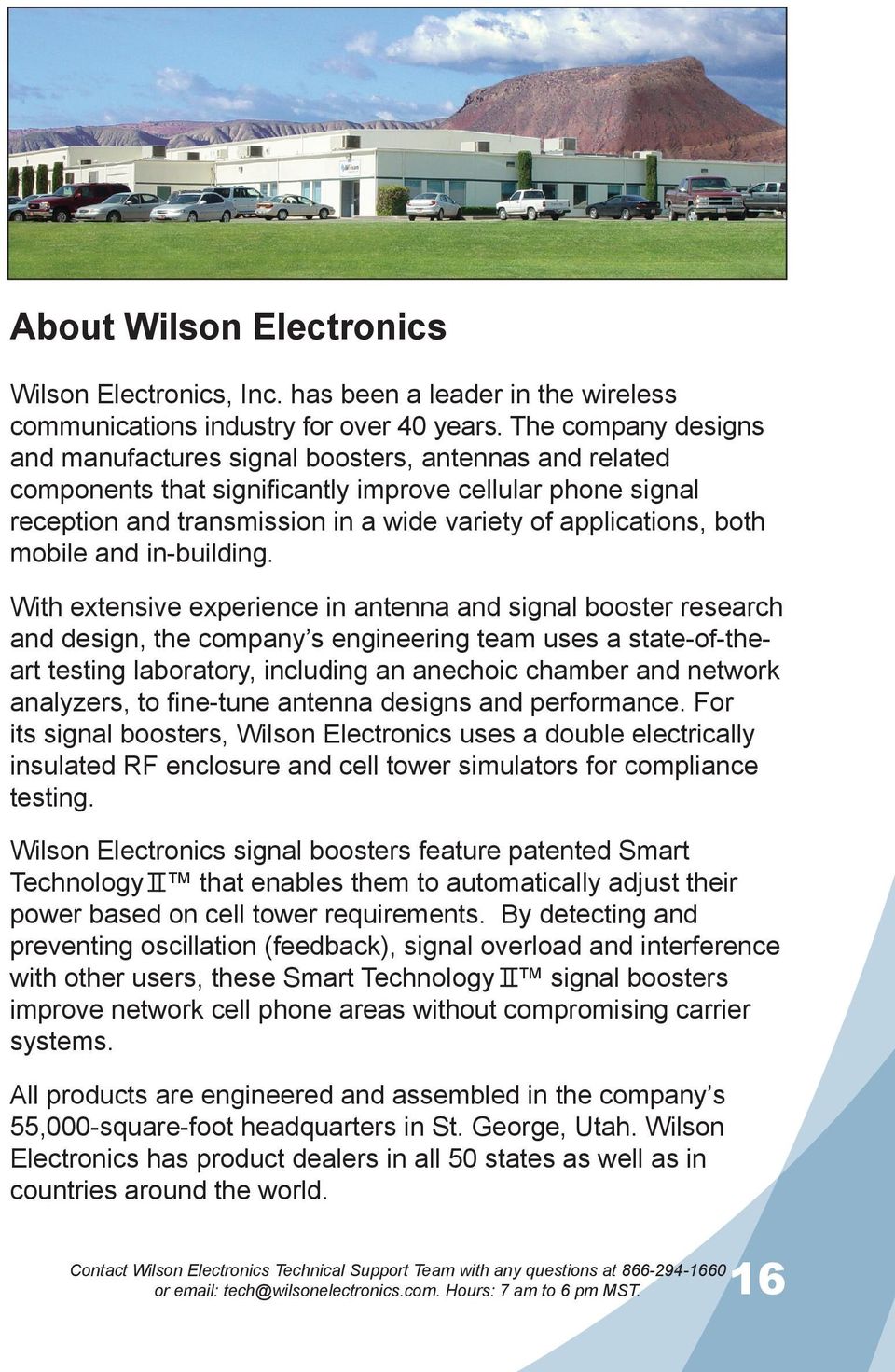
17 About Wilson Electronics Wilson Electronics, Inc. has been a leader in the wireless communications industry for over 40 years. The company designs and manufactures signal boosters, antennas and related components that significantly improve cellular phone signal reception and transmission in a wide variety of applications, both mobile and in-building. With extensive experience in antenna and signal booster research and design, the company s engineering team uses a state-of-theart testing laboratory, including an anechoic chamber and network analyzers, to fine-tune antenna designs and performance. For its signal boosters, Wilson Electronics uses a double electrically insulated RF enclosure and cell tower simulators for compliance testing. Wilson Electronics signal boosters feature patented Smart Technology that enables them to automatically adjust their power based on cell tower requirements. By detecting and preventing oscillation (feedback), signal overload and interference with other users, these Smart Technology signal boosters improve network cell phone areas without compromising carrier systems. All products are engineered and assembled in the company s 55,000-square-foot headquarters in St. George, Utah. Wilson Electronics has product dealers in all 50 states as well as in countries around the world. or [email protected]. Hours: 7 am to 6 pm MST. 16
18 30-Day Money-Back Guarantee All Wilson Electronics products are protected by Wilson Electronics 30-day money-back guarantee. If for any reason the performance of any product is not acceptable, simply return the product directly to the reseller with a dated proof of purchase. 1-Year Warranty Wilson Electronics Signal Boosters are warranted for one (1) year against defects in workmanship and/or materials. Warranty cases may be resolved by returning the product directly to the reseller with a dated proof of purchase. Signal Boosters may also be returned directly to the manufacturer at the consumer s expense, with a dated proof of purchase and a Returned Material Authorization (RMA) number supplied by Wilson Electronics. Wilson Electronics shall, at its option, either repair or replace the product. Wilson Electronics will pay for delivery of the repaired or replaced product back to the original consumer if located within the continental U.S. This warranty does not apply to any signal booster determined by Wilson Electronics to have been subjected to misuse, abuse, neglect, or mishandling that alters or damages physical or electronic properties. RMA numbers may be obtained by phoning Technical Support at or [email protected]. Hours: 7 am to 6 pm MST.
19 Disclaimer: The information provided by Wilson Electronics, Inc. is believed to be complete and accurate. However, no responsibility is assumed by Wilson Electronics, Inc. for any business or personal losses arising from its use, or for any infringements of patents or other rights of third parties that may result from its use. Copyright 2011 Wilson Electronics, Inc. All rights reserved. Operation is subject to the following two conditions: (1) This device may not cause interference and (2) this device must accept any interference, including interference that may cause undesired operation of this device. One or more of the following U.S. Patent numbers may apply to the Signal Booster in this product D596,614; D596,615; D563,381;7,729,669; 7,486,929; 7,729,656; 7,409,186; 7,783,318; 7,684,838; 12,714,994. or Hours: 7 am to 6 pm MST. 18

20 AG Pro 75, AG Pro 70, AG SOHO 60 & AG SOHO 65 Specifications IC: 4726A FCC ID: PWO AG Pro 75 & AG Pro Installer Specifications AG Pro 70 Specifications Model Number AG SOHO 65 Specifications AG SOHO 60 Specifications Antenna connectors N-Female F-Female N-Female FME-Male Antenna impedance 50 ohms 75 ohms 50 ohms 50 ohms Dimensions Weight Frequency 5.7 x 4.2 x 1.5 inch (14.0 x 10.8 x 3.9 cm) 1.27 lbs (0.544 kg) MHz / MHz 1 Passband Gain (nominal) 800 MHz * 1900 MHz 70 db Typical, 75 db Maximum 65 db Typical, 70 db Maximum 60 db Typical, 65 db Maximum 55 db Typical 60 db Typical 2 20 db Bandwidth (nominal) Downlink 800 MHz 45 MHz 1900 MHz 88 MHz Power Output 800 MHz 1900 MHz Power output for single cell phone (uplink) 30.8 dbm 30.5 dbm Power output for single received channel (downlink) 26.0 dbm 25.2 dbm 4 Power output for multiple transmitted channels (uplink) The maximum power is reduced by the number of channels: 4 Power output for multiple received channels (downlink) The maximum power is reduced by the number of channels: Noise Figure (typical downlink/uplink) Isolation Power Requirements Maximum Power Number of channels 800 MHz 1900 MHz dbm 21.3 dbm dbm 17.8 dbm dbm 15.3 dbm dbm 13.3 dbm dbm 11.8 dbm Maximum Power Number of channels 800 MHz 1900 MHz dbm 23.7 dbm dbm 20.2 dbm dbm 17.7 dbm dbm 15.7 dbm dbm 14.2 dbm 3.5 db nominal / 6 db nominal > 90 db V AC, Hz, 8 W Notes: 1. Nominal gain is the maximum gain at any frequency in the passband. 2. Nominal bandwidth is the difference between two frequencies that are adjacent to the passband where the amplification is 20 db lower than the passband amplification. One of the frequencies is lower than the passband and the other is higher. 3. The Manufacturer s rated output power of this equipment is for single carrier operation. For situations when multiple carrier signals are present, the rating would have to be reduced by 3.5 db, especially where the output signal is re-radiated and can cause interference to adjacent band users. This power reduction is to be by means of input power or gain reduction and not by an attenuator at the output of the device. 4. The maximum power for 2 or more simultaneous signals will be reduced by 6 db every time the number of signals is doubled East Deseret Drive, St. George, UT For additional Technical Support visit or at: [email protected] Phone: Local: Fax: AIG # Rev006-06/10/11

Wilson. Adjustable Gain Signal Boosters AG Pro 75, AG Pro 70, AG Pro Installer, AG SOHO 65, AG SOHO 60
 Adjustable Gain Signal Boosters AG Pro 75, AG Pro 70, AG Pro Installer, AG SOHO 65, AG SOHO 60 (SOHO: Small Office, Home Office) In-Building Wireless 800/1900 MHz Smart Technology Contents: Options & Accessories...............................
Guide. Installation. Signal Booster. Wilson. In-Building Wireless Smart Technology Signal Booster. Contents:
 Signal Booster Installation Guide In-Building Wireless Smart Technology Signal Booster Contents: Antenna Options and Accessories................... 1 Before Getting Started / How It Works...............
DB Pro. Cellular Signal Booster 462205 with Directional Antenna
 DB Pro Cellular Signal Booster 462205 with Directional Need help? www.wilsonelectronics.com Tech Support 866-294-1660 !! IT IS VERY IMPORTANT TO POWER YOUR SIGNAL BOOSTER USING A SURGE PROTECTED AC POWER
Cellular Signal Booster 463105
 DT Cellular Signal Booster 463105 Need help? www.wilsonelectronics.com Tech Support 866-294-1660 !! IT IS VERY IMPORTANT TO POWER YOUR SIGNAL BOOSTER USING A SURGE PROTECTED AC POWER STRIP WITH AT LEAST
Mobile 3G. Cellular Signal Booster 460102. Need help? www.wilsonelectronics.com Tech Support 866-294-1660 Mon.- Fri. Hours: 7 am to 6 pm MST
 Mobile 3G Cellular Signal Booster 460102 Need help? www.wilsonelectronics.com Tech Support 866-294-1660 THE ALUMINUM CASING OF YOUR SIGNAL BOOSTER!! WILL ADJUST TO THE TEMPERATURE OF ITS ENVIRONMENT, BUT
Contents: Cell Phone Signal Booster with Built-in Antenna
 Contents: Cell Phone Signal Booster with Built-in Antenna U.S. Patent Nos. D626,953; 7,221,967; 7,729,669; 7,486,929; 7,729,656; 7,409,186; 7,783,318; 7,684,838 Accessories.....................................................................
Contents: SIGNALBOOST Dual-Band Mobile Signal Booster
 SIGNALBOOST Dual-Band Mobile Signal Booster (811510 is single band) Contents: How it Works..................................... 1 Before Getting Started.............................. 2 Installation Overview...............................
M2M Cellular Signal Amplifier
 CSB.01 M2M Cellular Signal Amplifier Operator s Manual and Installation Guide www.taoglas.com Designed & Manufactured in The U.S.A. Contents 1. Overview 3 2. Parts List 3 3. Installation Guide 4 4. Installation
Dual-Band Wireless Adjustable Signal Booster / Kit
 Dual-Band Wireless Adjustable Signal Booster / Kit INTRODUCTION 2 THEORY OF OPERATION 2 SURECALL FLEX PRO PACKAGES 3 FLEX PRO BOOSTER HARDWARE 4 SUMMARY AND DESCRIPTION OF SAFEGUARD FEATURES 4 SITE SELECTION
Say Goodbye. to Dropped Calls and Slow Data Rates... with Wilson Electronics Signal Boosters
 Say Goodbye to Dropped Calls and Slow Data Rates... with Wilson Electronics Signal Boosters The Problem: Dropped Calls Everyone who uses a cell phone or data card knows how aggravating it is to drop a
PRO 5000 CPE 1D Quick Installation Guide
 PRO 5000 CPE 1D Quick Installation Guide Introduction This Quick Installation Guide covers the basic installation of the PRO 5000 CPE. For more information, refer to the relevant sections in the Product
Home Signal Distribution Kit for Satellite TV Plus SIRIUS
 SR-101C SIRIUS/DBS Signal Combiner System SR-2261 Combiner-Outdoor Made in China DBS IN SIRIUS IN SR-101C SIRIUS/DBS Signal Combiner System SR-2251 Splitter-Indoor Made in China DC IN DBS OUT SIRIUS OUT
ReadyNet Easy Jack 2 Voice/Data and Data Only Owner s Manual PX-211d and PX-211v
 ReadyNet Easy Jack 2 Voice/Data and Data Only Owner s Manual PX-211d and PX-211v Phonex Broadband Corporation dba ReadyNet 6952 High Tech Drive Midvale, Utah 84047 801.566.0100 Phone 801.566.0880 Fax www.readynetsolutions.com
BOSE. Link AL8 HOMEWIDE WIRELESS AUDIO LINK
 BOSE Link AL8 HOMEWIDE WIRELESS AUDIO LINK Français English SAFETY INFORMATION Please read this owner s guide Please take the time to follow the instructions in this owner s guide carefully. It will help
Indoor/Outdoor Color Camera with Built-in 2.4 GHz Wireless Transmitter, plus X10 controlled power supply, and Video Receiver.
 Indoor/Outdoor Color Camera with Built-in 2.4 GHz Wireless Transmitter, plus X10 controlled power supply, and Video Receiver. OWNER'S MANUAL VR36A XC18A XM13A MODEL VK69A (INCLUDES XC18A CAMERA, XM13A
TK400 WIRELESS TEST KIT
 P516-226 TK400 WIRELESS TEST KIT INSTRUCTIONS FOR TK400 TEST KIT Para el idioma español, navegue hacia www.schlage.com/support. Pour la portion française, veuillez consulter le site www.schlage.com/support.
Lynx Broadband Installation Manual for Residential Packages with a 20 db Amp Quick Start Guide (first two pages)
 Lynx Broadband Installation Manual for Residential Packages with a 20 db Amp Quick Start Guide (first two pages) 1. Be sure that your kit includes all the parts shown in the Check the Equipment section
Instruction Sheet ACS-101. General Description. Specifications. Amplified Broadband UHF Combiner-Splitter. Overall. Antenna Splitter.
 ACS-101 Amplified Broadband UHF Combiner-Splitter General Description The ACS-101 (Antenna Combiner Splitter 10 to 1) is an amplified and filtered broadband splitter-combiner. It allows up to 10 base stations
Home Signal Distribution Kit for Cable TV Plus SIRIUS
 Home Signal Distribution Kit for Cable TV Plus SIRIUS For Use With a Single SIRIUS Radio Installation Manual Thank you for purchasing the Home Signal Distribution Kit for Cable TV Plus SIRIUS The Home
Receiving Saorview Digital Terrestrial Television
 Receiving Saorview Digital Terrestrial Television Introduction RTÉ NL Nutley Building Donnybrook Dublin 4 Tel: 01-2082223 Fax: 01-2082283 Email: [email protected] Web: www.rtenl.ie Saorview s Digital Terrestrial
9,'(2 #6(3$5$725 8VHU V#0DQXDO
 9,'(2 #6(3$5$725 8VHU V#0DQXDO 960435 960437 Introduction 3 Features 3 Specifications 4 Installation 4 Stand-Alone Installation 4 Daisy-Chain Installation 5 Preventing Radio & TV Interference 6 Limited
Installation Instructions. Wireless Adapter/Repeater. Introduction. 30-3001-887 Rev C
 /Repeater Installation Instructions 30-3001-887 Rev C Workstation Ethernet bcx Controller Repeater Repeater Introduction Schneider Electric has designed a device that allows Andover Continuum controllers
9,'(2 #6(3$5$725 8VHU V#0DQXDO 96043;
 9,'(2 #6(3$5$725 8VHU V#0DQXDO 96043; Introduction 3 Features 3 Specifications 4 Installation 4 Stand-Alone Installation 4 Daisy-Chain Installation 5 Preventing Radio & TV Interference 6 Limited Warranty
This Antenna Basics reference guide includes basic information about antenna types, how antennas work, gain, and some installation examples.
 Antenna Basics This Antenna Basics reference guide includes basic information about antenna types, how antennas work, gain, and some installation examples. What Do Antennas Do? Antennas transmit radio
Cellular Wireless Antennas
 Cellular Wireless Antennas A Technical Brief GarrettCom Inc., November 2010 Overview The Cellular Wireless Antenna Technical brief is provided to assist with the design and deployment of the DX940 Cellular
LDG DTS-4/4R Desktop Coaxial Switch / Remote
 LDG DTS-4/4R Desktop Coaxial Switch / Remote LDG Electronics 1445 Parran Road, PO Box 48 St. Leonard MD 20685-2903 USA Phone: 410-586-2177 Fax: 410-586-8475 [email protected] www.ldgelectronics.com
cellularbooster.com THINGS YOU MUST KNOW BEFORE YOU 7BUY AND INSTALL A CELLULAR BOOSTER
 cellularbooster.com THINGS YOU MUST KNOW BEFORE YOU 7BUY AND INSTALL A CELLULAR BOOSTER We have created this ebook for people who need some help understanding cellular phone boosters. As most people are
WPR400 Wireless Portable Reader
 P516-098 WPR400 Wireless Portable Reader User guide Para el idioma español, navegue hacia www.schlage.com/support. Pour la portion française, veuillez consulter le site www.schlage.com/support. Contents
WiFi Antenna Installation Best Practices Design Guide
 WiFi Antenna Installation Best Practices Design Guide Choosing the right antenna The first step to building a wireless network is choosing the correct antenna for your application. Coverage and range will
ANI-9005. Instruction Manual DIGITAL INDOOR/OUTDOOR TV ANTENNA OMNI-DIRECTIONAL WITH AMPLIFIER INTRODUCTION:
 INTRODUCTION: This is a specially designed new concept antenna for digital indoor, outdoor analogue, and terrestrial HDTV broadcasting reception. It is the best solution for home reception and digital
Divvela.Santhosh Raghava Rao [1],Sreevardhan cheerla [2]
![Divvela.Santhosh Raghava Rao [1],Sreevardhan cheerla [2]](/thumbs/24/2385990.jpg "Divvela.Santhosh Raghava Rao [1],Sreevardhan cheerla [2]") Signal Strength Enhancement Using Cellular Repeater On Three Frequency Bands For Low Signal Coverage Areas (GSM900, GSM 1800/DCS, 3G) Divvela.Santhosh Raghava Rao [1],Sreevardhan cheerla [2] [1] B.tech
Signal Strength Enhancement Using Cellular Repeater On Three Frequency Bands For Low Signal Coverage Areas (GSM900, GSM 1800/DCS, 3G) Divvela.Santhosh Raghava Rao [1],Sreevardhan cheerla [2] [1] B.tech
This equipment has been tested and found to comply with the limits for a Class B digital device, pursuant to part 15 of the FCC Rules.
 Power Max Level 2 Charging Station en Installation and Operating Instructions This equipment has been tested and found to comply with the limits for a Class B digital device, pursuant to part 15 of the
Avaya WLAN 9100 External Antennas for use with the WAO-9122 Access Point
 Avaya WLAN 9100 External Antennas for use with the WAO-9122 Access Point Overview To optimize the overall performance of a WLAN in an outdoor deployment it is important to understand how to maximize coverage
Model: 616-146v2 Quick Setup Guide DC: 071015 Atomic Projection Alarm with Indoor and Outdoor Temperature
 Model: 616-146v2 Quick Setup Guide DC: 071015 Atomic Projection Alarm with Indoor and Outdoor Temperature Snooze/Backlight BUTTONS Time, Alarm with Snooze, & Calendar Projection Arm Rotates 180 Indoor/Outdoor
USER MANUAL VS92A / VS94A / VS98A
 Video Splitter USER MANUAL VS92A / VS94A / VS98A FCC Information This equipment has been tested and found to comply with the limits for a Class B digital device, pursuant to Part 15 of the FCC Rules. These
CABLE MODEM QUICK START
 CABLE MODEM QUICK START This Quick Start describes how to connect your Zoom cable modem to a cable modem service. This lets your cable modem provide Internet access to a computer or other device connected
SPL 2-00/-01 OPERATION INSTRUCTIONS
 SPL 2-00/-01 OPERATION INSTRUCTIONS Powerline Ethernet Adapter 500 Mbps EN Read and keep Operation Instructions SPL 2-00/-01 Safety Notes Do NOT use this product near water, for example, in a wet basement
SP1790JK 900MHz Wireless Indoor/Outdoor Speakers. User Manual INTRODUCTION FEATURES IMPORTANT SAFETY INFORMATION
 SP1790JK 900MHz Wireless Indoor/Outdoor Speakers INTRODUCTION This 900 MHz digital hybrid wireless speaker system uses the latest wireless technology that enables you to enjoy music and TV sound anywhere
ITC-BTTN Cellular Bluetooth Gateway. Owner s Manual 1
 ITC-BTTN Cellular Bluetooth Gateway Owner s Manual 1 2 Table of Contents Introduction...3 Package Contents...3 XLink Connections Diagram...4 Setup...5 Pairing your Bluetooth Cell Phone to the XLink...6
Dome Security Camera with IR night vision
 Dome Security Camera with IR night vision EN INSTRUCTION MANUAL 1 Before you begin Limited Warranty Terms & Conditions Swann Communications warrants this product against defects in workmanship and material
In-Car Cellular Signal Boosters
 Andrew Seybold, Inc., 315 Meigs Road, A-267, Santa Barbara, CA 93109 805-898-2460 voice, 805-898-2466 fax, www.andrewseybold.com In-Car Cellular Signal Boosters White Paper Prepared for: Wilson Electronics
PagePac PAGEPAL V-5335700
 PagePac Issue 3 by PAGEPAL V-5335700 INTRODUCTION The PagePal unit interfaces most telephone systems (PBX, KTS, Centrex) to virtually any public address audio system. In addition, PagePal furnishes inputs
PCS300 Universal IP Reporting Module V1.0
 PCS300 Universal IP Reporting Module V1.0 Reference and Installation Manual Patents: One or more of the following US patents may apply: 7046142, 6215399, 6111256, 6104319, 5920259, 5886632, 5721542, 5287111,
WINEGARD MOTORIZED SENSAR ANTENNA Models MA1055W & MA1055G MADE IN U.S.A. U.S. Patents D500,496 and 7,358,909 INSTALLATION MANUAL
 WINEGARD MOTORIZED SENSAR ANTENNA Models MA1055W & MA1055G MADE IN U.S.A. U.S. Patents D500,496 and 7,358,909 INSTALLATION MANUAL CAUTION: This system is not for use with antenna in raised position while
CelluLine CGW-TS GSM Cellular Gateway. Installation and Programming Manual
 CelluLine CGW-TS GSM Cellular Gateway Installation and Programming Manual CelluLine CGW-TS GSM Cellular Gateway Installation and Programming Manual CGWTS-M001A Version 1, Release 1, December 2004 NOTICE
DVI DA2 and DVI DA 4 User Guide
 DVI DA2 and DVI DA 4 User Guide This guide describes the installation and operation of the Extron DVI DA2 and DVI DA4 Distribution Amplifiers. Unless stated otherwise, distribution amplifier or the unit
Cisco Integrated 4G Low-profile Outdoor Saucer Antenna (ANT-4G-SR-OUT-TNC)
 CHAPTER 10 Cisco Integrated 4G Low-profile Outdoor Saucer Antenna (ANT-4G-SR-OUT-TNC) This document describes the Cisco Integrated 4G Low-profile Outdoor Saucer Antenna that is supported on the Cisco CGR
Wireless Phone Jack System
 926 Manual V2.0(1J9643) 6/10/99 1:39 PM Page 1 RC926 Wireless Phone Jack System (Digital Satellite System # D916) The Wireless Phone Jack System works with most telephone line devices, such as: Answering
Wiser Panel Meter, Model Number WISERCTPM200 Installer s Guide
 Instruction Bulletin EAV85226 08/2014 Wiser Panel Meter, Model Number WISERCTPM200 Installer s Guide Retain for future use. Product Description Kit Contents The Wiser Panel Meter is for use in energy management
Industrial Ringdown/Autodialer Telephone SCR Series
 Industrial Communications Worldwide Industrial Ringdown/Autodialer Telephone Installation & Operation SCR 11 SCR 41 P005603 Rev. A 060612 5/28/2007 3:58 PM 7552-10th Street N.E. Calgary, Alberta, Canada
TM Advanced Tracking Technologies, Inc. 2003 ATTI All rights reserved
 TM Advanced Tracking Technologies, Inc. 2003 ATTI All rights reserved Copyright 2003, Advanced Tracking Technologies, Inc. All rights reserved. No part of this publication may be reproduced or transmitted
Contents. 2 NP560-NP562 Installation Guide YML821 Rev1
 Contents Introduction...4 Package Contents...5 Installing the NetComm Indoor Wireless Booster (NP560/NP562)...6 Electrical Specification...8 Appendix A: Registration and Warranty Information...9 2 NP560-NP562
HDTV. Amplified Indoor Outdoor Antenna. indoor outdoor. 10 db Amplification. Paintable. Versatile TERRESTRIAL VHF UHF
 Amplified Indoor Outdoor Antenna VHF UHF 10 db Amplification fixed 10 db amplification for improved reception of weak signals Paintable customize your antenna color to match your interior or exterior décor
Broadband Telecommunications Drop Amplifier
 INSTALL SHEET BDA Broadband Telecommunications Drop Amplifier Introduction The Broadband Telecommunications Drop Amplifier (BDA) is a two-way, 1 GHz amplifier designed for customer-premise amplification
Bi-Directional Amplifier Systems
 Bi-Directional Amplifier Systems Installation and Operation Manual Model Series 850622 EMR CORPORATION 17431 N. 25th Ave. Phoenix, AZ 85023 Emails: [email protected] Phone: (623) 581-2875 Toll-Free: (800)
WIRELESS INSTRUMENTATION TECHNOLOGY
 BS&B WIRELESS, L.L.C. BS&B WIRELESS, L.L.C. WIRELESS INSTRUMENTATION TECHNOLOGY Printed February 2004 BS&B WIRELESS, L.L.C. 7422-B East 46th Place, Tulsa, OK74145 Phone: 918-622-5950 Fax: 918-665-3904
Disclaimers. Important Notice
 Disclaimers Disclaimers Important Notice Copyright SolarEdge Inc. All rights reserved. No part of this document may be reproduced, stored in a retrieval system, or transmitted, in any form or by any means,
2013 VTech Printed in China 91-009656-000 US
 Rechargeable Power Pack User s Manual 2013 VTech Printed in China 91-009656-000 US INTRODUCTION The Rechargeable Power Pack makes it easier than ever to keep the InnoTab 3 or InnoTab 3S charged and ready
InnoMedia ESBC 9580-4B. Quick Install Guide. www.innomedia.com 1
 InnoMedia ESBC 9580-4B Quick Install Guide www.innomedia.com 1 Table of Contents Introduction 2 Package Contents 2 CAUTION 2 Installation 3 Wall-Mounting Instructions 5 Troubleshooting 6 Appendix A. LED
Wireless Network Applications Overview. Choosing the Right WiFi Antenna for your Application
 Wireless Network Applications Overview Choosing the Right WiFi Antenna for your Application Peter McNeil Product Marketing Manager L-com Global Connectivity Abstract This white paper discusses the types
MCR1900 Media Converter 19-Slot Chassis
 MCR1900 Media Converter 19-Slot Chassis Installation Guide Part #5500304-11 Copyright Statement This document must not be reproduced in any way whatsoever, either printed or electronically, without the
BroadBand PowerShield. User Manual
 BroadBand PowerShield User Manual 990-0375G 12/2006 Chapter 1 General Information The PowerShield provides a power source for broadband telephony and other DC applications. Safety This Safety Guide contains
Do It Yourself Guide for Adventist Satellite Installation System: Fortec Lifetime Ultra / SatelliteAV 36 Dish
 1-888-393-4673 [email protected] http://www.adventistsat.com [email protected] AMC 4 Dish Aiming Information for Zip Code Elevation. Azimuth, Magnetic. Feedhorn Rotation. Do It Yourself Guide
ACRS 2.0 User Manual 1
 ACRS 2.0 User Manual 1 FCC Regulatory Information This device complies with part 15 of the FCC Rules. Operation is subject to the following two conditions: (1) This device may not cause harmful interference,
Step by step guide to installing your own Ku Band satellite dish
 Step by step guide to installing your own Ku Band satellite dish If you don't feel comfortable installing your own system, your local TV Aerial or Handyman can easily follow these helpful guidelines for
ReachFree ID Installation Instructions For Portal TI, Sentinel and C-Start. Unitec www.startwithunitec.com
 ReachFree ID Installation Instructions For Portal TI, Sentinel and C-Start Unitec www.startwithunitec.com Proprietary Information and Materials of Unitec, Inc. Such proprietary information and materials
Quick Installation Guide 24-port PoE switch with 2 copper Gigabit ports and 2 Gigabit SFP ports (af Version 15.4W)
 Quick Installation Guide 24-port PoE switch with 2 copper Gigabit ports and 2 Gigabit SFP ports (af Version 15.4W) Table of Contents Introduction.. Power Over Ethernet (PoE) & Features.... Unpacking and
SuperHALO. 2G-3G-4G Wireless Adjustable Cellular Booster Kit. CA-VAT-10-R User Guide. Introduction 1-2. 2 Installation 3-8. 5 Troubleshooting 9-10
 SuperHALO TM 2G-3G-4G Wireless Adjustable Cellular Booster Kit Introduction 1-2 Theory of Operation Packages Contents Booster Hardware 1 2 2 Installation 3-8 Quick Install Guide Configuring Gain Settings
Portable Satellite TV Antenna. VQ1000 Owner s Manual
 Portable Satellite TV Antenna VQ1000 Owner s Manual Model VQ1 Solutions for Mobile Markets 11200 Hampshire Avenue South, Bloomington, MN 55438-2453 Phone: (952) 922-6889 Fax: (952) 922-8424 20963 REV E
Wireless Alarm System. Window/Door Sensor. User s Manual. Choice ALERT. Control all Sensors & accessories from one location
 45131 Wireless Alarm System Window/Door Sensor User s Manual Choice ALERT Control all Sensors & accessories from one location Table of Contents Important Safeguards 4 Introduction 5 Installation 6 Assigning
Stand Alone POTS Fiber Optic System. P31372 Station (Subscriber) Unit P31379 Remote (Exchanger) Unit. Description & Installation
 Stand Alone POTS Fiber Optic System P31372 Station (Subscriber) Unit P31379 Remote (Exchanger) Unit Description & Installation Printed in USA 09/11 TO466 Rev. A Table of Contents Page 1.0 SCOPE 2 2.0 PRODUCT
AT&T. PARTNER Plus Door Phone. Installation and Operation Manual
 AT&T PARTNER Plus Door Phone Installation and Operation Manual Copyright 1990 AT&T All Rights Reserved Printed in U.S.A. CIC# 999-500-317 OII722050-051 Issue 1 October 1990 PARTNER Plus Door Phone is a
ECR Shelf System Installation Guide Centralized Rack Mount Call Recording
 Hardware & Installation Guide Algo Communication Products Ltd. Customer Support and Sales Tel: 1.877.884.2546 Fax: 604.437.5726 Email: [email protected] [email protected] www.algosolutions.com
GSM-EXT Cable Assembly Installation Guide
 GSM-EXT Cable Assembly Installation Guide For Documentation and Online Support: http://www.security.honeywell.com/hsc/resources/mywebtech General Information The GSM-EXT cable assembly is used to connect
LOXONE 12 Channel Amplifier
 LOXONE 12 Channel Amplifier Item no.: 200110 Thank you for purchasing the Loxone Twelve Channel Amplifier. The versatility of the Amplifier makes it the perfect choice for almost every type of custom multi-room
ScreenLogic Wireless Connection Kit. Installation Guide. pool/spa control system
 pool/spa control system ScreenLogic Wireless Connection Kit Installation Guide P/N 520663 - Rev B 8 Technical Support Contact Technical Support at: Sanford, North Carolina (8 A.M. to 5 P.M.) Phone: (800)
90 Degree PIR Wireless Security Sensor. Installation Instructions 5420/90F
 90 Degree PIR Wireless Security Sensor Installation Instructions 5420/90F Copyright Clipsal Australia P/L 2007. All rights reserved. Clipsal is a registered trademark of Clipsal Australia Pty Ltd. The
Advantium 2 Plus Alarm
 ADI 9510-B Advantium 2 Plus Alarm INSTALLATION AND OPERATING INSTRUCTIONS Carefully Read These Instructions Before Operating Carefully Read These Controls Corporation of America 1501 Harpers Road Virginia
Conference Phone UserÕs Manual. Part No. 54-2070-01R1 Printed in Korea. 2002 Bogen Communications, Inc.
 Part No. 54-2070-01R1 Printed in Korea. 2002 Bogen Communications, Inc. UserÕs Manual Notice Every effort was made to ensure that the information in this guide was complete and accurate at the time of
USB 3.0* Radio Frequency Interference Impact on 2.4 GHz Wireless Devices
 USB 3.0* Radio Frequency Interference Impact on 2.4 GHz Wireless Devices White Paper April 2012 Document: 327216-001 INFORMATION IN THIS DOCUMENT IS PROVIDED IN CONNECTION WITH INTEL PRODUCTS. NO LICENSE,
USER MANUAL. Kramer Electronics, Ltd. Models:
 Kramer Electronics, Ltd. USER MANUAL Models: VP-200N, 1:2 High Resolution XGA DA VP-300N, 1:3 High Resolution XGA DA VP-400N, 1:4 High Resolution XGA DA Contents Contents 1 Introduction 1 2 Getting Started
Cooktop Low-Profile Ventilation Hoods
 INSTALLATION GUIDE Cooktop Low-Profile Ventilation Hoods Contents Wolf Cooktop Low-Profile Ventilation Hoods........ 3 Cooktop Low-Profile Hood Specifications.......... 4 Cooktop Low-Profile Hood Installation............
General Survey of Radio Frequency Bands 30 MHz to 3 GHz
 General Survey of Radio Frequency Bands 30 MHz to 3 GHz Version 2.0 September 23, 2010 Prepared by: Shared Spectrum Company 1595 Spring Hill Road Suite 110 Vienna, VA 22182-2228 703-761-2818 Fax: 703-761-2817
Weather Radio Alarm Clock
 1200093 User s Guide Weather Radio Alarm Clock Thank you for purchasing your Weather Radio Alarm Clock from RadioShack. Please read this user s guide before installing, setting up, and using your new weather
RC930 Manual 6/10/99 1:23 PM Page 1. Wireless Modem Jack
 RC930 Manual 6/10/99 1:23 PM Page 1 Wireless Modem Jack Table of Contents Safety Precautions...1 Important Notes...4 Getting Started...5 System Installation...5 Connecting to Computer...6 Trouble Shooting...7
Contents. Product Code -------------------------------------------------------15. Page 1
 Contents Important Safety Instructions -------------------------------------2 BT HP01 --------------------------------------------------------------4 BT HP01 Anatomy ---------------------------------------------------5
DCMT-2500 Wireless Transmitter. Owner s Manual
 DCMT-2500 Wireless Transmitter Owner s Manual Warnings This device complies with Part 15 of the FCC rules, Operation of this device is subject to the following conditions: 1. This device may not cause
4.3-inch Back-Up Camera
 TM 4.-inch Back-Up Camera Model No.: PKC0BU4 Owner s Manual and Warranty Information Read these instructions completely before using this product. Retain this Owner s Manual for future reference. INTRODUCTION
INSTRUCTION MANUAL PLEASE READ ALL THE INSTRUCTIONS COMPLETELY BEFORE USE AND SAVE THIS MANUAL FOR FUTURE REFERENCE
 INSTRUCTION MANUAL PLEASE READ ALL THE INSTRUCTIONS COMPLETELY BEFORE USE AND SAVE THIS MANUAL FOR FUTURE REFERENCE m Before Use Please read IMPORTANT SAFETY INSTRUCTIONS on page 10 before use. It is important
ST Series POWER SUPPLIES USER INSTRUCTIONS
 Introduction These instructions detail the installation and operation requirements for the ST20 & ST35 power supplies. These have been designed for operation in RV s providing a DC power system, with optional
zboost YX545 SOHO User Guide
 zboost YX545 SOHO User Guide 30 day money back guarantee when you buy directly from Wi-Ex. If product is purchased from a reseller or third party, you must use their return policy. 1 Year Manufacturer
TWIN EAGLES ALL WEATHER ELECTRIC RADIANT HEATER
 TWIN EAGLES, INC. Defining the Art of Outdoor Cooking TWIN EAGLES ALL WEATHER ELECTRIC RADIANT HEATER OWNER S MANUAL MODEL TEEH-1512 TEEH-2524 TEEH-3524 NEED ASSISTANCE? PLEASE CALL: (562) 802-3488 This
GPS INSTALLATION & USER GUIDE. Internet. Compatible with the following controllers. Nomad SD/SD2. ALL RIGHTS RESERVED Rev 03.25.11
 GPS INSTALLATION & USER GUIDE Compatible with the following controllers TV Nomad 3 Nomad SD/SD2 Internet MESA ALL RIGHTS RESERVED Rev 03.25.11 INDEX BILL OF MATERIALS Components for configuration 3 BLOCK
How To Use A U.S. Cell Phone At Home
 U.S. Cellular Home Phone 1 Contents Getting to Know Your Device...5 Appearance... 5 LED Indicators... 6 Device Installation...7 Before You Begin... 7 Installing the Battery... 7 Installing the Power Adapter...
InnoMedia ESBC 9380-4B. Quick Install Guide. www.innomedia.com 1
 InnoMedia ESBC 9380-4B Quick Install Guide www.innomedia.com 1 Table of Contents Introduction 2 Package Contents 2 CAUTION 2 Installation 3 Wall-Mounting Instructions 5 Troubleshooting 6 Appendix A. LED
zboost ZB545 Manual 1 year manufacturer warranty. Warranty registration at www.zboost.com v.0214
 zboost ZB545 Manual zboost products have a 30-day money back guarantee when purchased directly from zboost. If product is purchased from a reseller or third party, the purchaser is subject to the policies
PS 155 WIRELESS INTERCOM USER MANUAL
 PS 155 INTERFACE TO SIMPLEX WIRELESS INTERCOM USER MANUAL Issue 2011 ASL Intercom BV DESIGNED AND MANUFACTURED BY: ASL INTERCOM BV ZONNEBAAN 42 3542 EG UTRECHT THE NETHERLANDS PHONE: +31 (0)30 2411901
ATS Overhead Table Shelf System INSTRUCTION MANUAL
 ATS Overhead Table Shelf System INSTRUCTION MANUAL ATS Overhead Table Shelf System Instruction Manual Warranty Newport Corporation warrants this product to be free of defects in material and workmanship
Quick Start Guide. MRB-KW01 Development Platform Radio Utility Application Demo MODULAR REFERENCE BOARD
 Quick Start Guide MRB-KW01 Development Platform Radio Utility Application Demo MODULAR REFERENCE BOARD Quick Start Guide Get to Know the MRB-KW01x Module UART Selector ANT 1 RFIO (TX/RX) USB 2.0 Serial