
Certificate and Diplomas in ICT Professional Competence ( /02/03/04)
|
|
|
- Bryce Jennings
- 10 years ago
- Views:
Transcription
1 Certificate and Diplomas in ICT Professional Competence ( /02/03/04) Levels 1-4 unit handbook for centres July 2011 Version 1.2 (May 2012)

2 About City & Guilds As the UK s leading vocational education organisation, City & Guilds is leading the talent revolution by inspiring people to unlock their potential and develop their skills. We offer over 500 qualifications across 28 industries through 8500 centres worldwide and award around two million certificates every year. City & Guilds is recognised and respected by employers across the world as a sign of quality and exceptional training. City & Guilds Group The City & Guilds Group operates from three major hubs: London (servicing Europe, the Caribbean and Americas), Johannesburg (servicing Africa), and Singapore (servicing Asia, Australia and New Zealand). The Group also includes the Institute of Leadership & Management (management and leadership qualifications), City & Guilds Land Based Services (land-based qualifications), the Centre for Skills Development (CSD works to improve the policy and practice of vocational education and training worldwide) and Learning Assistant (an online e-portfolio). Equal opportunities City & Guilds fully supports the principle of equal opportunities and we are committed to satisfying this principle in all our activities and published material. A copy of our equal opportunities policy statement is available on our website. Copyright The content of this document is, unless otherwise indicated, The City and Guilds of London Institute and may not be copied, reproduced or distributed without prior written consent. However, approved City & Guilds centres and candidates studying for City & Guilds qualifications may photocopy this document free of charge and/or include a PDF version of it on centre intranets on the following conditions: centre staff may copy the material only for the purpose of teaching candidates working towards a City & Guilds qualification, or for internal administration purposes candidates may copy the material only for their own use when working towards a City & Guilds qualification The Standard Copying Conditions (which can be found on our website) also apply. Please note: National Occupational Standards are not The City and Guilds of London Institute. Please check the conditions upon which they may be copied with the relevant Sector Skills Council. Every effort has been made to ensure that the information contained in this publication is true and correct at the time of going to press. However, City & Guilds products and services are subject to continuous development and improvement and the right is reserved to change products and services from time to time. City & Guilds cannot accept liability for loss or damage arising from the use of information in this publication. If you have a complaint, or any suggestions for improvement about any of the services that we provide, [email protected] City & Guilds 1 Giltspur Street London EC1A 9DD T +44 (0) F +44 (0) [email protected]

3 Certificate and Diplomas in ICT Professional Competence ( /02/03/04) Levels 1-4 unit handbook for centres July 2011 Version 1.2 (May 2012) Qualification title Number QAN Level 1 Certificate in ICT Professional Competence /1671/X Level 2 Diploma in ICT Professional Competence /1789/0 Level 3 Diploma in ICT Professional Competence /1788/9 Level 4 Diploma in ICT Professional Competence /1787/7 Version and date Change detail Section 1.1 September 2011 UAN updated for unit 229 Units 1.2 May 2012 Format changes Unit Units Certificate and Diplomas in ICT Professional Competence ( /02/03/04) 1
4 City & Guilds Believe you can 2 Certificate and Diplomas in ICT Professional Competence ( /02/03/04)

5 Contents 1 Introduction to this units handbook 9 Unit Improving productivity using IT 11 Unit Customer care in ICT 13 Unit Health and safety in ICT 15 Unit Interpersonal and written communication 17 Unit Remote support for products or services 19 Unit Security of ICT Systems 21 Unit Software Installation and Upgrade 23 Unit System operation 25 Unit Technical advice and guidance 27 Unit Technical fault diagnosis 29 Unit Testing ICT systems 31 Unit Working with ICT hardware and equipment 33 Unit Imaging software 35 Unit Database software 37 Unit Using 39 Unit Using the internet 41 Unit Presentation software 43 Unit Spreadsheet software 45 Unit Website software 47 Unit Word processing software 49 Unit Desktop publishing software 51 Unit Design software 53 Unit CompTIA Strata Fundamentals of IT Technology 55 Unit CompTIA Strata - Fundamentals of PC Functionality 57 Unit IT software fundamentals 59 Unit Customer care in ICT 61 Unit Interpersonal and written communication 64 Unit Develop own effectiveness and professionalism 66 Unit Introduction to IT systems development 68 Unit Remote support for products and services 70 Unit Software installation and upgrade 72 Unit ICT system operation 74 Unit Technical advice and guidance 76 Unit Technical fault diagnosis 78 Unit IT project management 81 Unit Testing ICT systems 84 Unit Working with ICT hardware and equipment 87 Certificate and Diplomas in ICT Professional Competence ( /02/03/04) 3

6 Unit Computer Games Development 90 Unit Data modelling 92 Unit System management 94 Unit User profile administration 96 Unit Creating an object oriented computer program using C++ 98 Unit Creating a procedural computer program using COBOL 101 Unit Creating an event driven computer program using Visual Basic 104 Unit Creating an event driven computer program using Java 107 Unit Creating an event driven computer program using C# 110 Unit Creating an event driven computer program using VisualBasic.net 113 Unit CompTIA A+ Essentials 116 Unit CompTIA A+ Practical Application 119 Unit Cisco IT Essentials Part Unit Unit Supporting Users and Troubleshooting a Microsoft Windows XP Operating System 123 Supporting users and troubleshooting desktop applications on a Microsoft Windows XP Operating System 125 Unit Configuring Microsoft Windows Vista client 127 Unit Unit Unit Supporting and troubleshooting applications on a Windows Vista client for enterprise support technicians 130 Supporting and troubleshooting applications on a Windows Vista client for consumer support technicians 132 Deploying and maintaining Windows Vista client and 2007 Microsoft Office System desktops 135 Unit Configuring Windows Unit MTA: software development fundamentals 141 Unit MTA: Windows development fundamentals 143 Unit MTA: security development fundamentals 145 Unit MTA: networking fundamentals 147 Unit MTA: Windows server administration fundamentals 149 Unit MTA: database administration fundamentals 151 Unit MTA: Web development fundamentals 153 Unit Imaging software 155 Unit Database software 157 Unit Using 159 Unit Using the Internet 161 Unit Presentation software 163 Unit Spreadsheet software 165 Unit Website software 167 Unit Word processing software 169 Unit Desktop publishing software 171 Unit Design software 173 Unit Cisco Passport21 Aspire fundamentals 175 Unit Windows 7, Enterprise Desktop Support Technician Certificate and Diplomas in ICT Professional Competence ( /02/03/04)

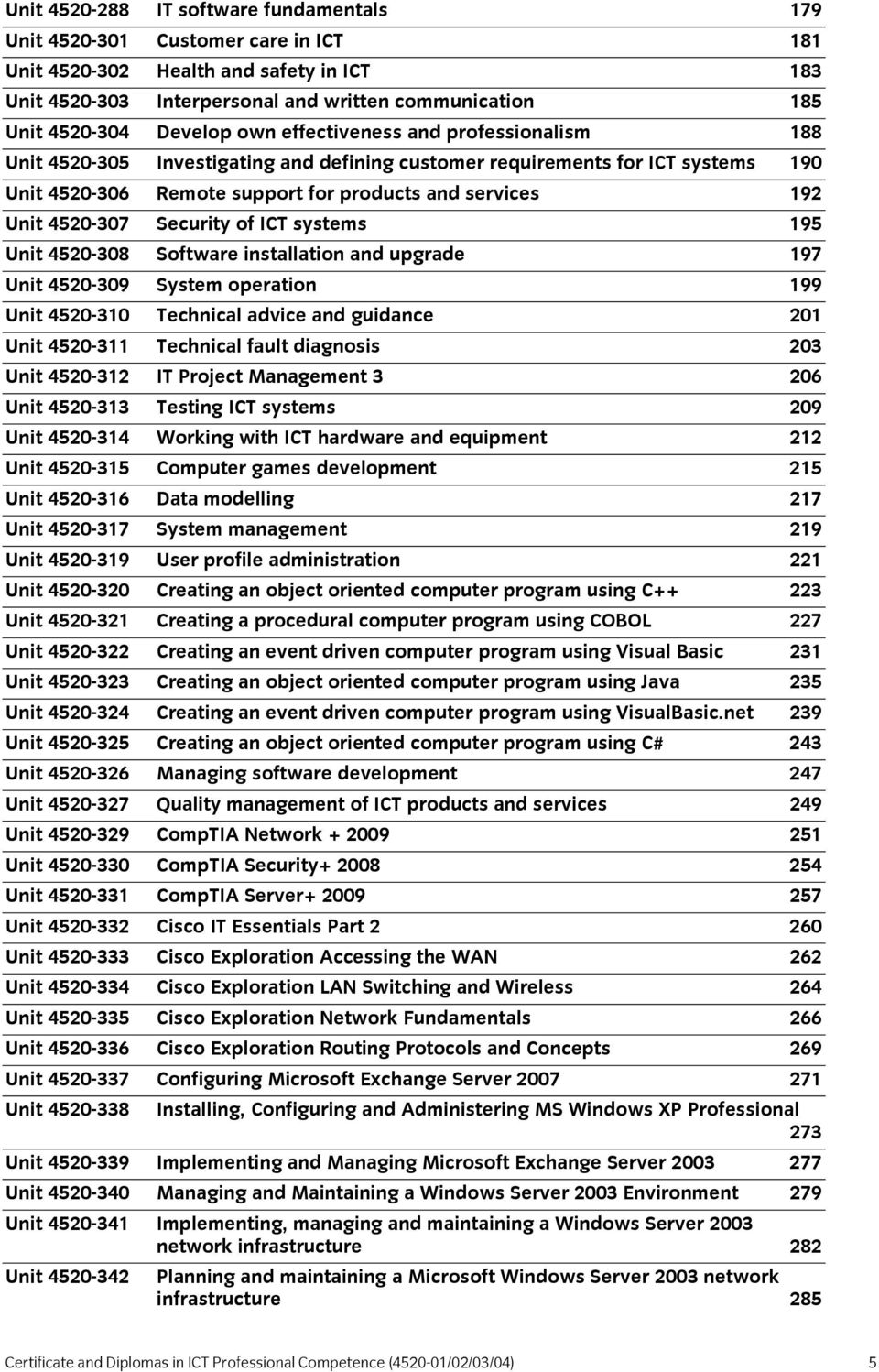
7 Unit IT software fundamentals 179 Unit Customer care in ICT 181 Unit Health and safety in ICT 183 Unit Interpersonal and written communication 185 Unit Develop own effectiveness and professionalism 188 Unit Investigating and defining customer requirements for ICT systems 190 Unit Remote support for products and services 192 Unit Security of ICT systems 195 Unit Software installation and upgrade 197 Unit System operation 199 Unit Technical advice and guidance 201 Unit Technical fault diagnosis 203 Unit IT Project Management Unit Testing ICT systems 209 Unit Working with ICT hardware and equipment 212 Unit Computer games development 215 Unit Data modelling 217 Unit System management 219 Unit User profile administration 221 Unit Creating an object oriented computer program using C Unit Creating a procedural computer program using COBOL 227 Unit Creating an event driven computer program using Visual Basic 231 Unit Creating an object oriented computer program using Java 235 Unit Creating an event driven computer program using VisualBasic.net 239 Unit Creating an object oriented computer program using C# 243 Unit Managing software development 247 Unit Quality management of ICT products and services 249 Unit CompTIA Network Unit CompTIA Security Unit CompTIA Server Unit Cisco IT Essentials Part Unit Cisco Exploration Accessing the WAN 262 Unit Cisco Exploration LAN Switching and Wireless 264 Unit Cisco Exploration Network Fundamentals 266 Unit Cisco Exploration Routing Protocols and Concepts 269 Unit Configuring Microsoft Exchange Server Unit Installing, Configuring and Administering MS Windows XP Professional 273 Unit Implementing and Managing Microsoft Exchange Server Unit Managing and Maintaining a Windows Server 2003 Environment 279 Unit Implementing, managing and maintaining a Windows Server 2003 network infrastructure 282 Unit Planning and maintaining a Microsoft Windows Server 2003 network infrastructure 285 Certificate and Diplomas in ICT Professional Competence ( /02/03/04) 5
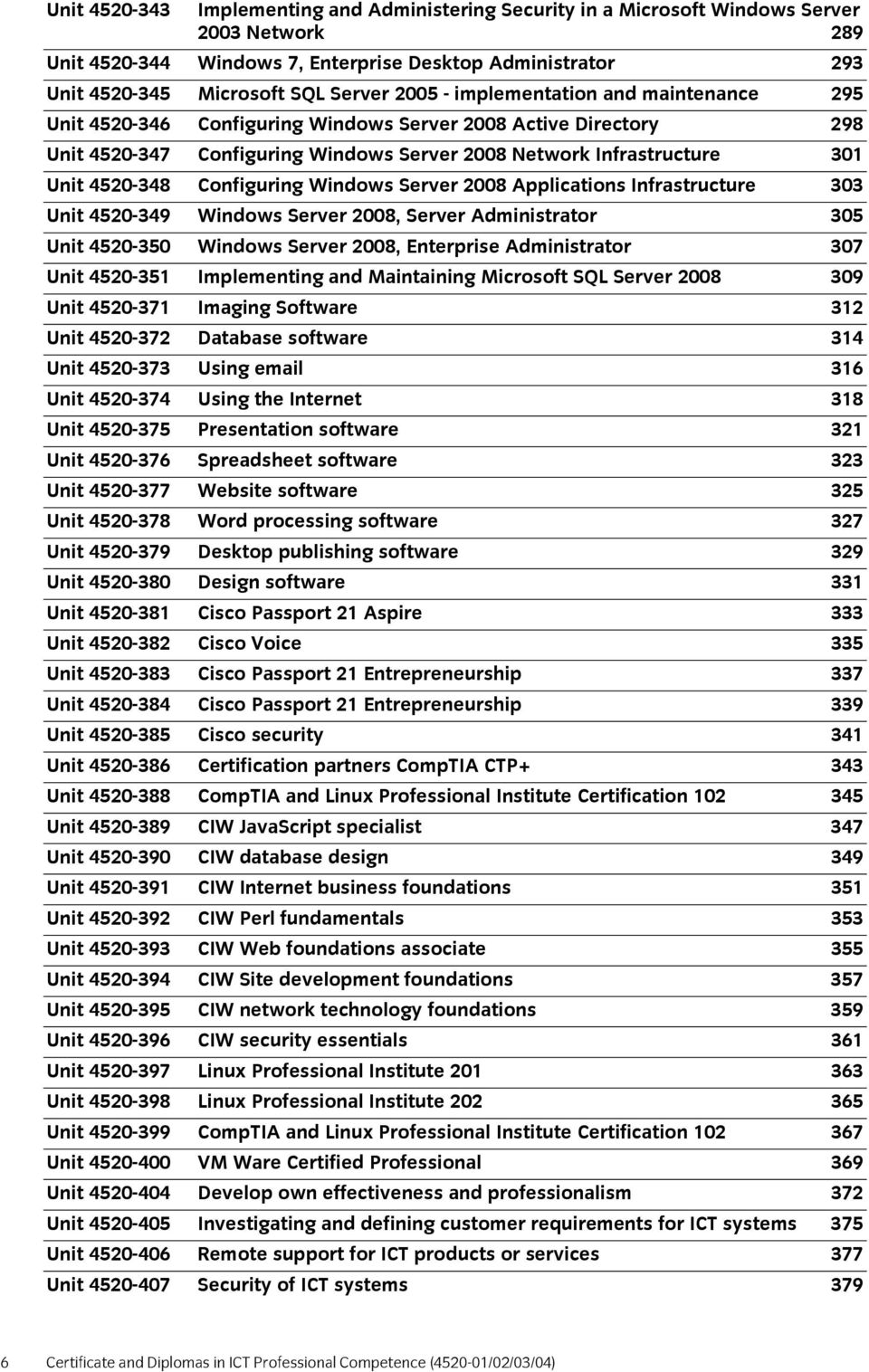
8 Unit Implementing and Administering Security in a Microsoft Windows Server 2003 Network 289 Unit Windows 7, Enterprise Desktop Administrator 293 Unit Microsoft SQL Server implementation and maintenance 295 Unit Configuring Windows Server 2008 Active Directory 298 Unit Configuring Windows Server 2008 Network Infrastructure 301 Unit Configuring Windows Server 2008 Applications Infrastructure 303 Unit Windows Server 2008, Server Administrator 305 Unit Windows Server 2008, Enterprise Administrator 307 Unit Implementing and Maintaining Microsoft SQL Server Unit Imaging Software 312 Unit Database software 314 Unit Using 316 Unit Using the Internet 318 Unit Presentation software 321 Unit Spreadsheet software 323 Unit Website software 325 Unit Word processing software 327 Unit Desktop publishing software 329 Unit Design software 331 Unit Cisco Passport 21 Aspire 333 Unit Cisco Voice 335 Unit Cisco Passport 21 Entrepreneurship 337 Unit Cisco Passport 21 Entrepreneurship 339 Unit Cisco security 341 Unit Certification partners CompTIA CTP+ 343 Unit CompTIA and Linux Professional Institute Certification Unit CIW JavaScript specialist 347 Unit CIW database design 349 Unit CIW Internet business foundations 351 Unit CIW Perl fundamentals 353 Unit CIW Web foundations associate 355 Unit CIW Site development foundations 357 Unit CIW network technology foundations 359 Unit CIW security essentials 361 Unit Linux Professional Institute Unit Linux Professional Institute Unit CompTIA and Linux Professional Institute Certification Unit VM Ware Certified Professional 369 Unit Develop own effectiveness and professionalism 372 Unit Investigating and defining customer requirements for ICT systems 375 Unit Remote support for ICT products or services 377 Unit Security of ICT systems Certificate and Diplomas in ICT Professional Competence ( /02/03/04)
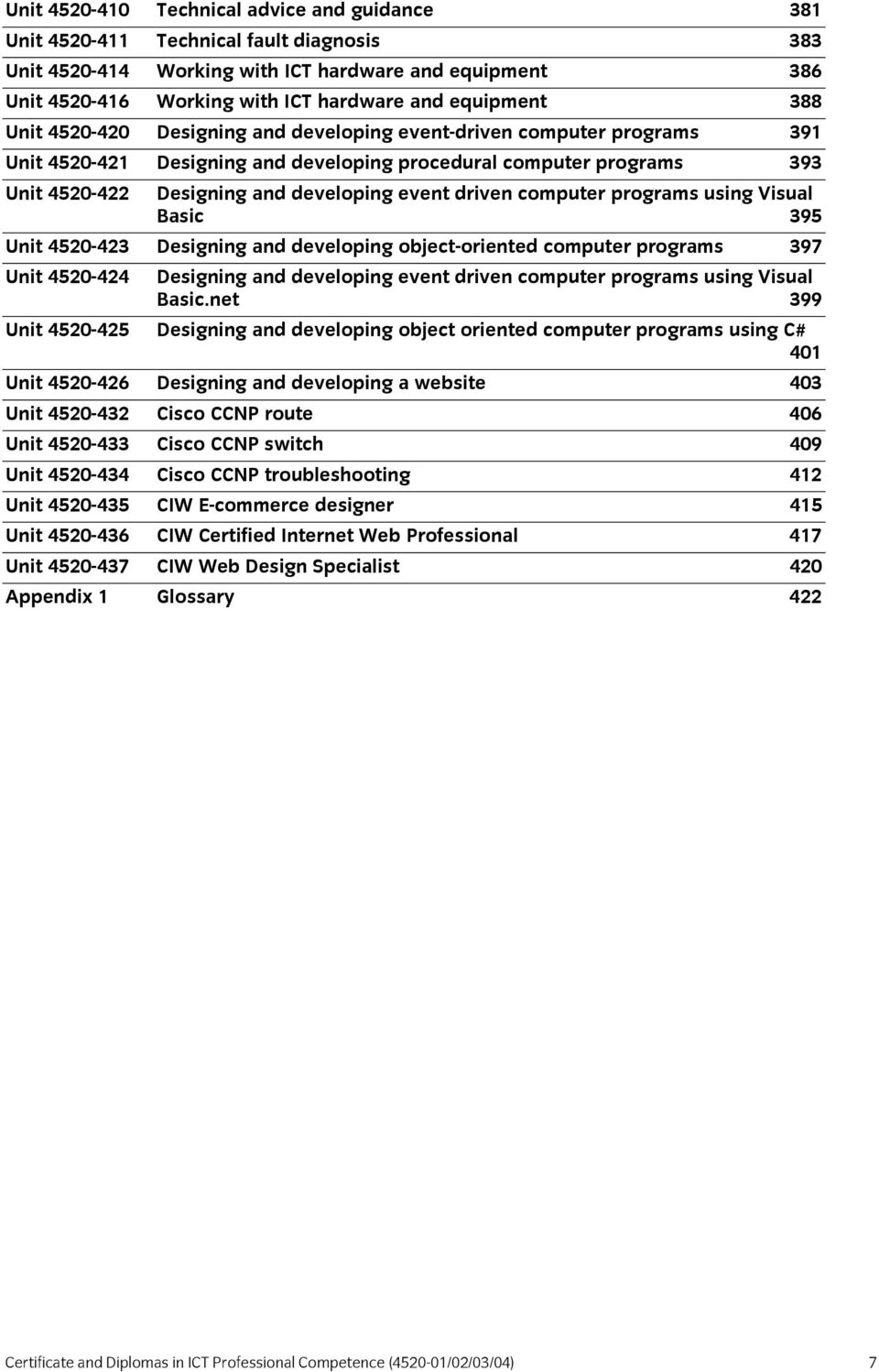
9 Unit Technical advice and guidance 381 Unit Technical fault diagnosis 383 Unit Working with ICT hardware and equipment 386 Unit Working with ICT hardware and equipment 388 Unit Designing and developing event-driven computer programs 391 Unit Designing and developing procedural computer programs 393 Unit Designing and developing event driven computer programs using Visual Basic 395 Unit Designing and developing object-oriented computer programs 397 Unit Designing and developing event driven computer programs using Visual Basic.net 399 Unit Designing and developing object oriented computer programs using C# 401 Unit Designing and developing a website 403 Unit Cisco CCNP route 406 Unit Cisco CCNP switch 409 Unit Cisco CCNP troubleshooting 412 Unit CIW E-commerce designer 415 Unit CIW Certified Internet Web Professional 417 Unit CIW Web Design Specialist 420 Appendix 1 Glossary 422 Certificate and Diplomas in ICT Professional Competence ( /02/03/04) 7
10 City & Guilds Believe you can 8 Certificate and Diplomas in ICT Professional Competence ( /02/03/04)

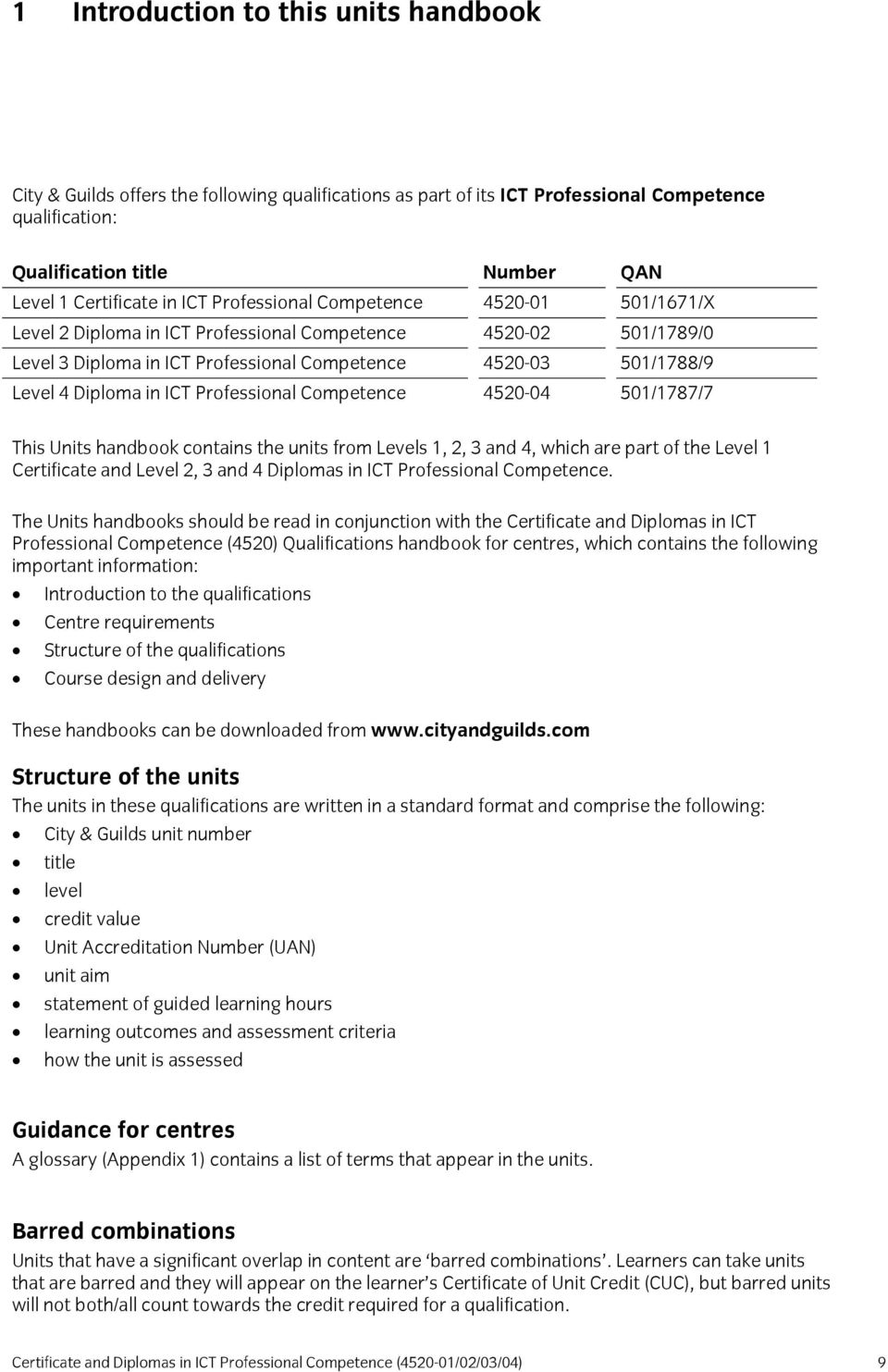
11 1 Introduction to this units handbook City & Guilds offers the following qualifications as part of its ICT Professional Competence qualification: Qualification title Number QAN Level 1 Certificate in ICT Professional Competence /1671/X Level 2 Diploma in ICT Professional Competence /1789/0 Level 3 Diploma in ICT Professional Competence /1788/9 Level 4 Diploma in ICT Professional Competence /1787/7 This Units handbook contains the units from Levels 1, 2, 3 and 4, which are part of the Level 1 Certificate and Level 2, 3 and 4 Diplomas in ICT Professional Competence. The Units handbooks should be read in conjunction with the Certificate and Diplomas in ICT Professional Competence (4520) Qualifications handbook for centres, which contains the following important information: Introduction to the qualifications Centre requirements Structure of the qualifications Course design and delivery These handbooks can be downloaded from Structure of the units The units in these qualifications are written in a standard format and comprise the following: City & Guilds unit number title level credit value Unit Accreditation Number (UAN) unit aim statement of guided learning hours learning outcomes and assessment criteria how the unit is assessed Guidance for centres A glossary (Appendix 1) contains a list of terms that appear in the units. Barred combinations Units that have a significant overlap in content are barred combinations. Learners can take units that are barred and they will appear on the learner s Certificate of Unit Credit (CUC), but barred units will not both/all count towards the credit required for a qualification. Certificate and Diplomas in ICT Professional Competence ( /02/03/04) 9
12 For example, a learner taking Level 2 Diploma will need 39 credits from a choice of optional units. However, if the learner takes unit 213 Level 2 Testing ICT systems (9 credits) and also takes unit 313 Level 3 Testing ICT systems (12 credits), they will accrue only 12 credits from them towards their qualification. If a centre wishes to claim two (or more) barred units for a learner, they are advised to claim the unit that is most necessary to the rules of combination for the qualification and then wait until they receive the certification before they claim the other barred unit(s). If a centre claims two (or more) barred units at the same time, they may not be recognised and therefore the learner will not be considered to have achieved the qualification. 10 Certificate and Diplomas in ICT Professional Competence ( /02/03/04)

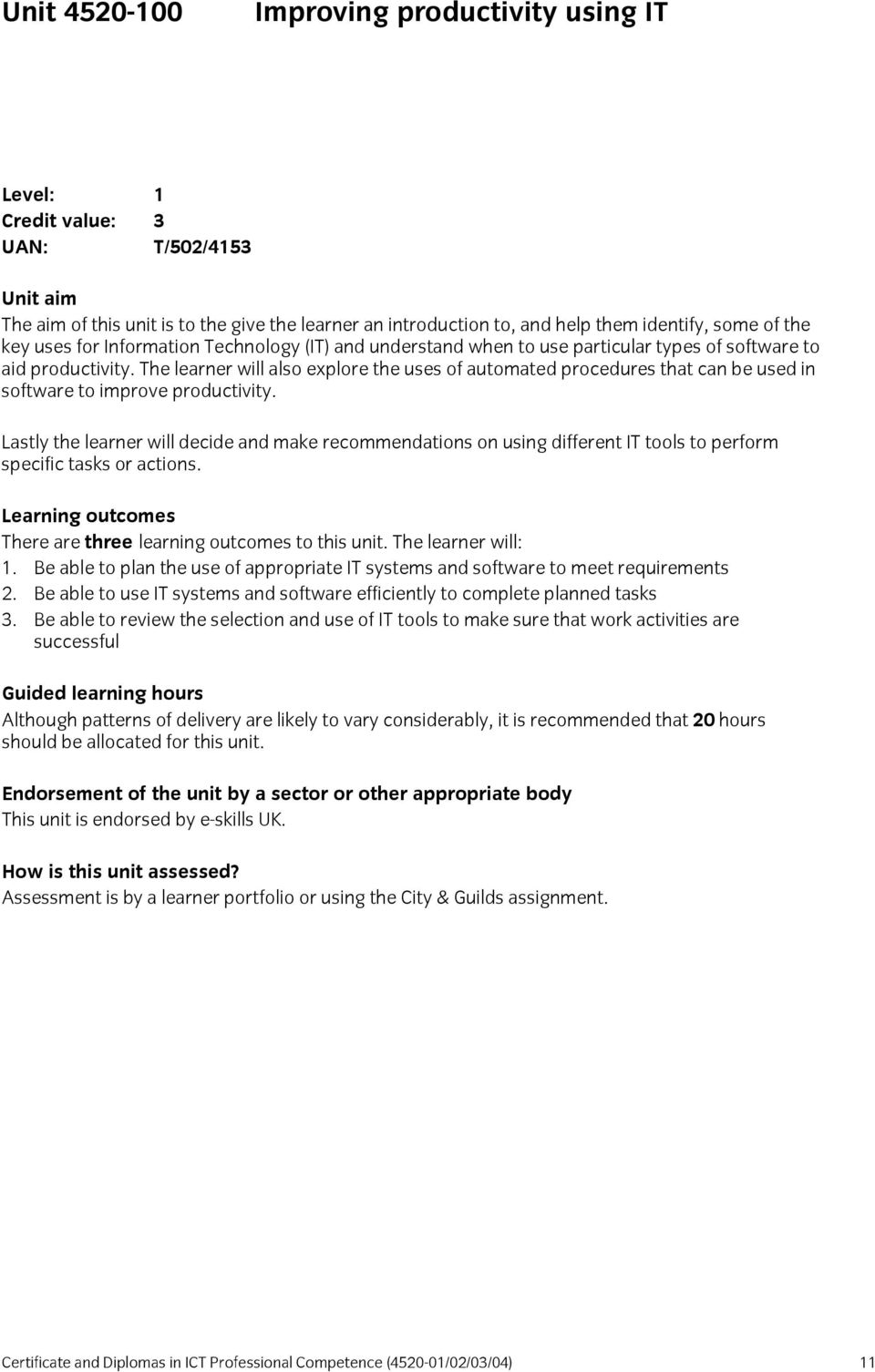
13 Unit Improving productivity using IT Level: 1 Credit value: 3 UAN: T/502/4153 Unit aim The aim of this unit is to the give the learner an introduction to, and help them identify, some of the key uses for Information Technology (IT) and understand when to use particular types of software to aid productivity. The learner will also explore the uses of automated procedures that can be used in software to improve productivity. Lastly the learner will decide and make recommendations on using different IT tools to perform specific tasks or actions. Learning outcomes There are three learning outcomes to this unit. The learner will: 1. Be able to plan the use of appropriate IT systems and software to meet requirements 2. Be able to use IT systems and software efficiently to complete planned tasks 3. Be able to review the selection and use of IT tools to make sure that work activities are successful Guided learning hours Although patterns of delivery are likely to vary considerably, it is recommended that 20 hours should be allocated for this unit. Endorsement of the unit by a sector or other appropriate body This unit is endorsed by e-skills UK. How is this unit assessed? Assessment is by a learner portfolio or using the City & Guilds assignment. Certificate and Diplomas in ICT Professional Competence ( /02/03/04) 11
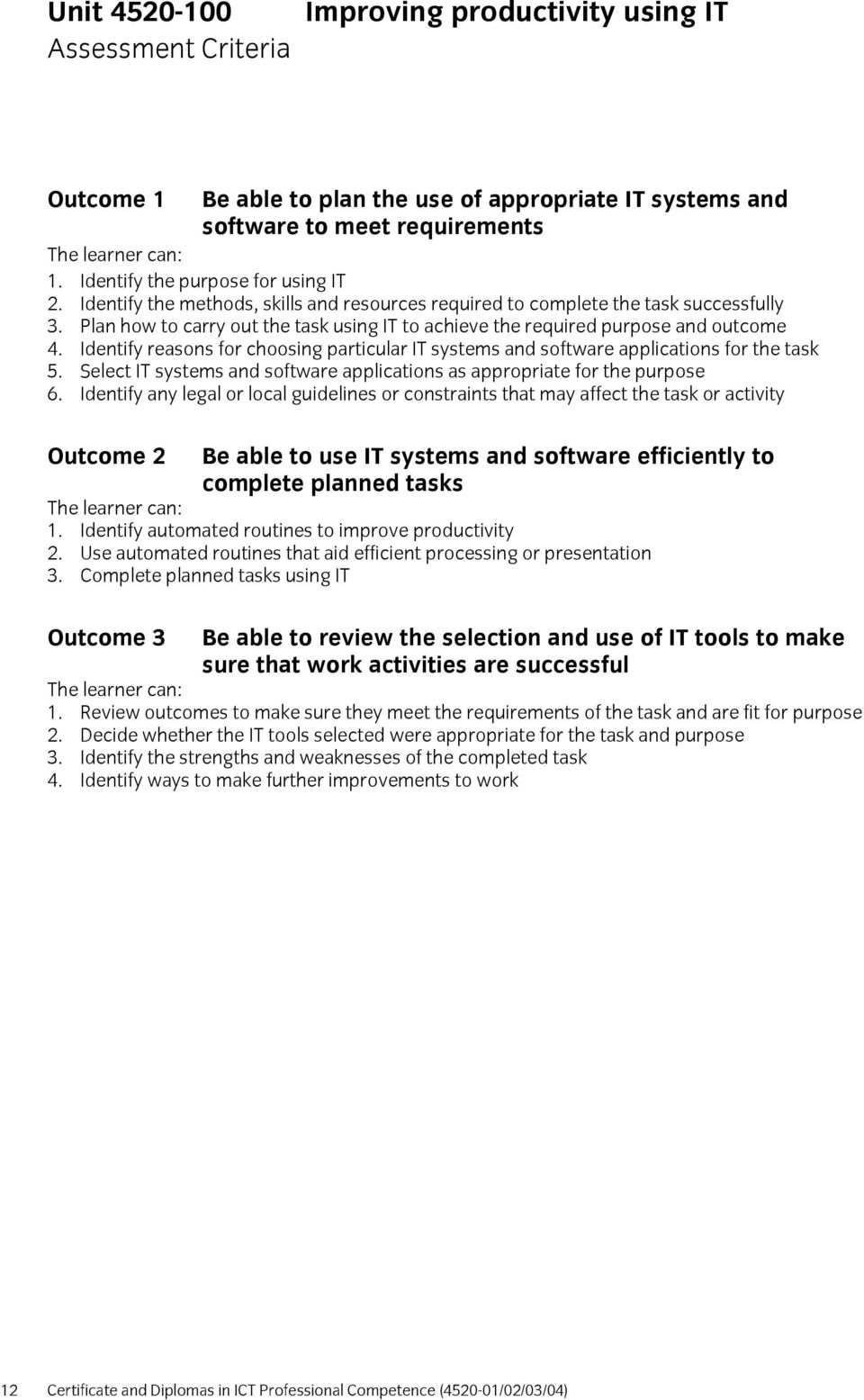
14 Unit Assessment Criteria Improving productivity using IT Outcome 1 Be able to plan the use of appropriate IT systems and software to meet requirements 1. Identify the purpose for using IT 2. Identify the methods, skills and resources required to complete the task successfully 3. Plan how to carry out the task using IT to achieve the required purpose and outcome 4. Identify reasons for choosing particular IT systems and software applications for the task 5. Select IT systems and software applications as appropriate for the purpose 6. Identify any legal or local guidelines or constraints that may affect the task or activity Outcome 2 Be able to use IT systems and software efficiently to complete planned tasks 1. Identify automated routines to improve productivity 2. Use automated routines that aid efficient processing or presentation 3. Complete planned tasks using IT Outcome 3 Be able to review the selection and use of IT tools to make sure that work activities are successful 1. Review outcomes to make sure they meet the requirements of the task and are fit for purpose 2. Decide whether the IT tools selected were appropriate for the task and purpose 3. Identify the strengths and weaknesses of the completed task 4. Identify ways to make further improvements to work 12 Certificate and Diplomas in ICT Professional Competence ( /02/03/04)
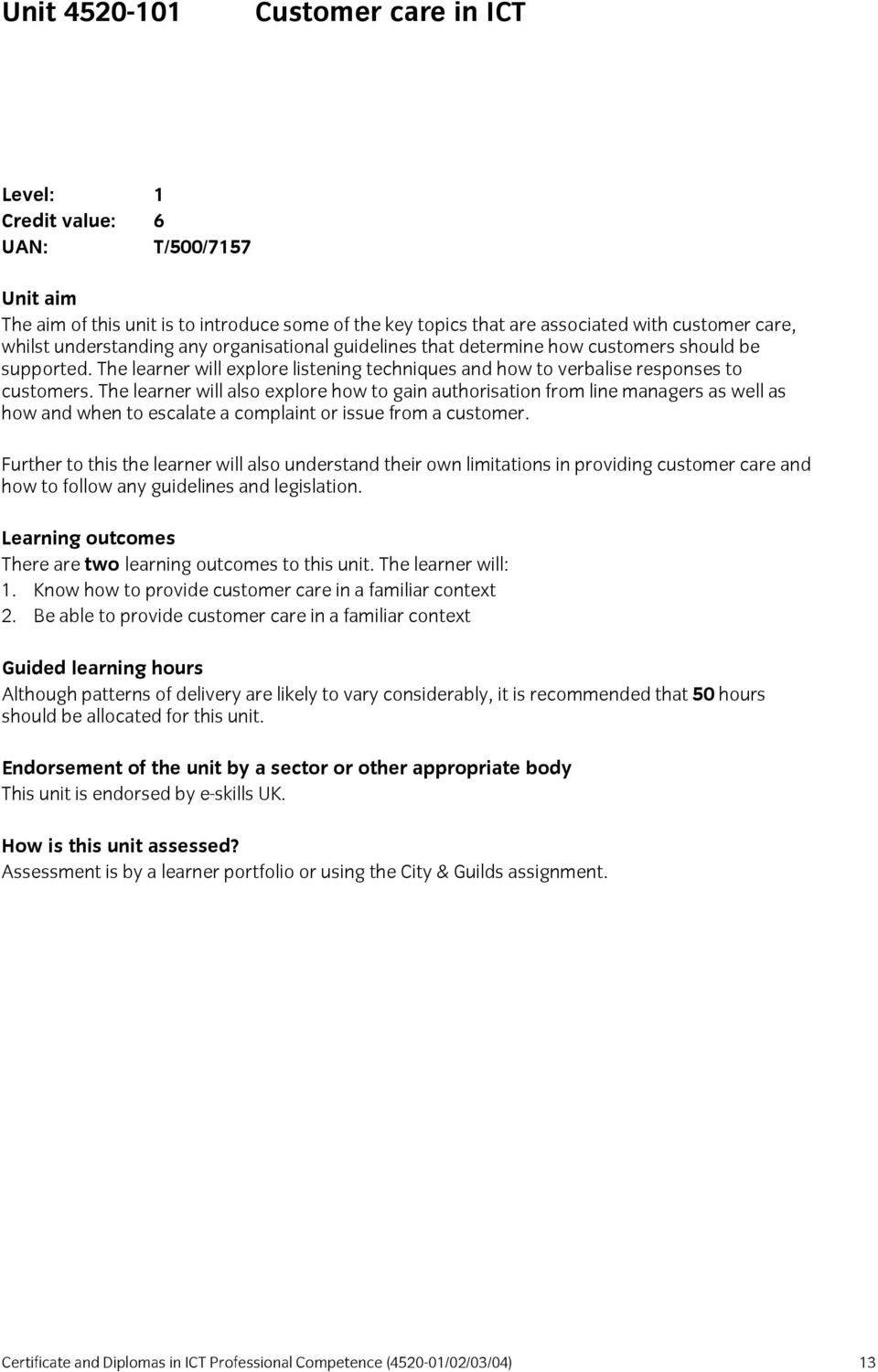
15 Unit Customer care in ICT Level: 1 Credit value: 6 UAN: T/500/7157 Unit aim The aim of this unit is to introduce some of the key topics that are associated with customer care, whilst understanding any organisational guidelines that determine how customers should be supported. The learner will explore listening techniques and how to verbalise responses to customers. The learner will also explore how to gain authorisation from line managers as well as how and when to escalate a complaint or issue from a customer. Further to this the learner will also understand their own limitations in providing customer care and how to follow any guidelines and legislation. Learning outcomes There are two learning outcomes to this unit. The learner will: 1. Know how to provide customer care in a familiar context 2. Be able to provide customer care in a familiar context Guided learning hours Although patterns of delivery are likely to vary considerably, it is recommended that 50 hours should be allocated for this unit. Endorsement of the unit by a sector or other appropriate body This unit is endorsed by e-skills UK. How is this unit assessed? Assessment is by a learner portfolio or using the City & Guilds assignment. Certificate and Diplomas in ICT Professional Competence ( /02/03/04) 13
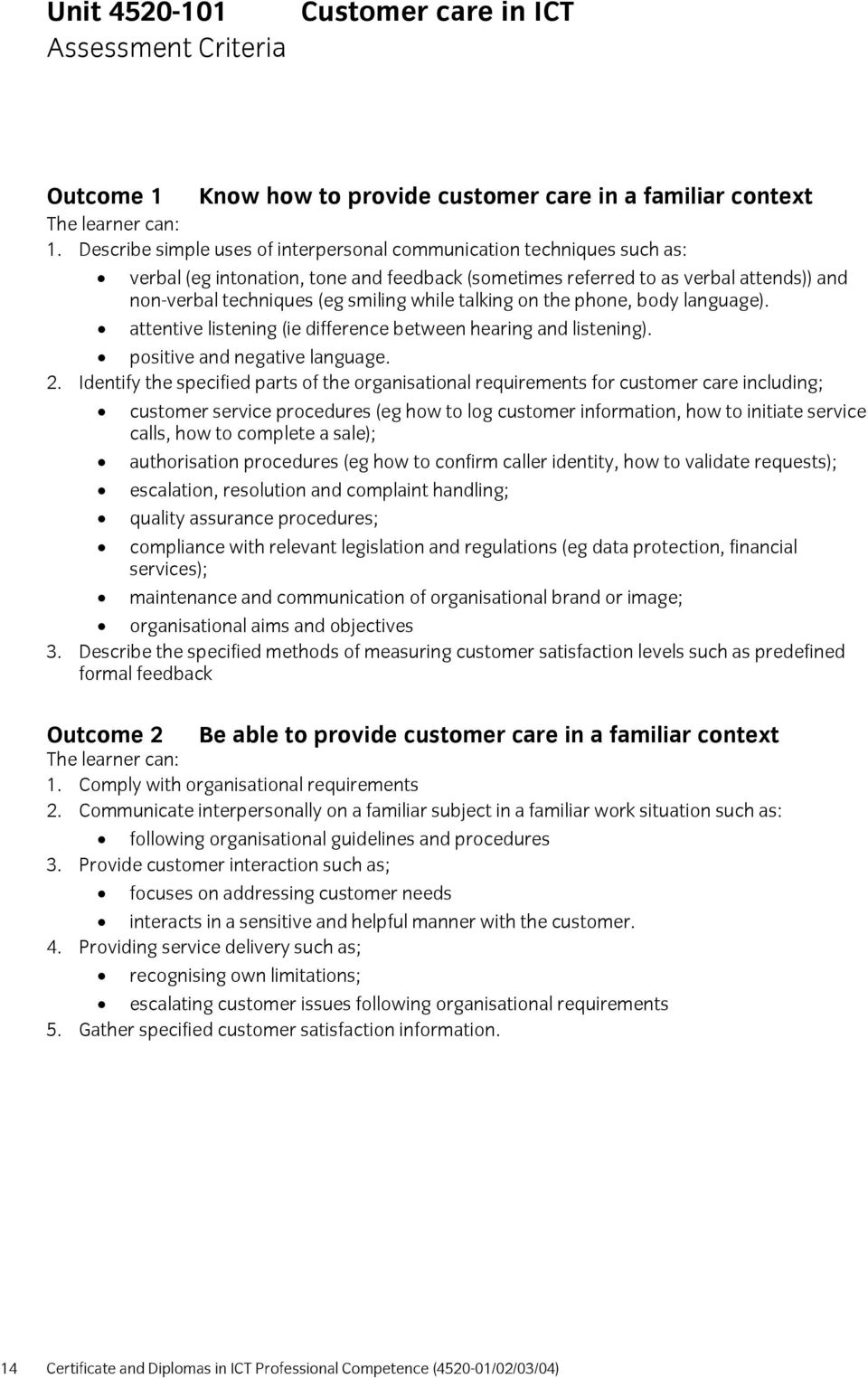
16 Unit Assessment Criteria Customer care in ICT Outcome 1 Know how to provide customer care in a familiar context 1. Describe simple uses of interpersonal communication techniques such as: verbal (eg intonation, tone and feedback (sometimes referred to as verbal attends)) and non-verbal techniques (eg smiling while talking on the phone, body language). attentive listening (ie difference between hearing and listening). positive and negative language. 2. Identify the specified parts of the organisational requirements for customer care including; customer service procedures (eg how to log customer information, how to initiate service calls, how to complete a sale); authorisation procedures (eg how to confirm caller identity, how to validate requests); escalation, resolution and complaint handling; quality assurance procedures; compliance with relevant legislation and regulations (eg data protection, financial services); maintenance and communication of organisational brand or image; organisational aims and objectives 3. Describe the specified methods of measuring customer satisfaction levels such as predefined formal feedback Outcome 2 Be able to provide customer care in a familiar context 1. Comply with organisational requirements 2. Communicate interpersonally on a familiar subject in a familiar work situation such as: following organisational guidelines and procedures 3. Provide customer interaction such as; focuses on addressing customer needs interacts in a sensitive and helpful manner with the customer. 4. Providing service delivery such as; recognising own limitations; escalating customer issues following organisational requirements 5. Gather specified customer satisfaction information. 14 Certificate and Diplomas in ICT Professional Competence ( /02/03/04)
17 Unit Health and safety in ICT Level: 1 Credit value: 3 UAN: Y/500/7183 Unit aim The aim of this unit is to support and reinforce any induction training that the learner has carried out. This will be done by requiring the learner to explain their organisation s Health and Safety procedures and how it affects them. They will also be required to identify any sources of information, whether they are online sources from the Health and Safety Executive s website, or posters and signage displayed in the workplace. Lastly the learners will need to demonstrate how they are following Health and Safety procedures. For example, this could be by demonstrating that they are maintaining a safe working environment, or how they move and handle large and/or heavy objects. Learning outcomes There is one learning outcome to this unit. The learner will: 1. Be able to comply with relevant Health & Safety procedures Guided learning hours Although patterns of delivery are likely to vary considerably, it is recommended that 15 hours should be allocated for this unit. Endorsement of the unit by a sector or other appropriate body This unit is endorsed by e-skills UK. How is this unit assessed? Assessment is by a learner portfolio. Certificate and Diplomas in ICT Professional Competence ( /02/03/04) 15
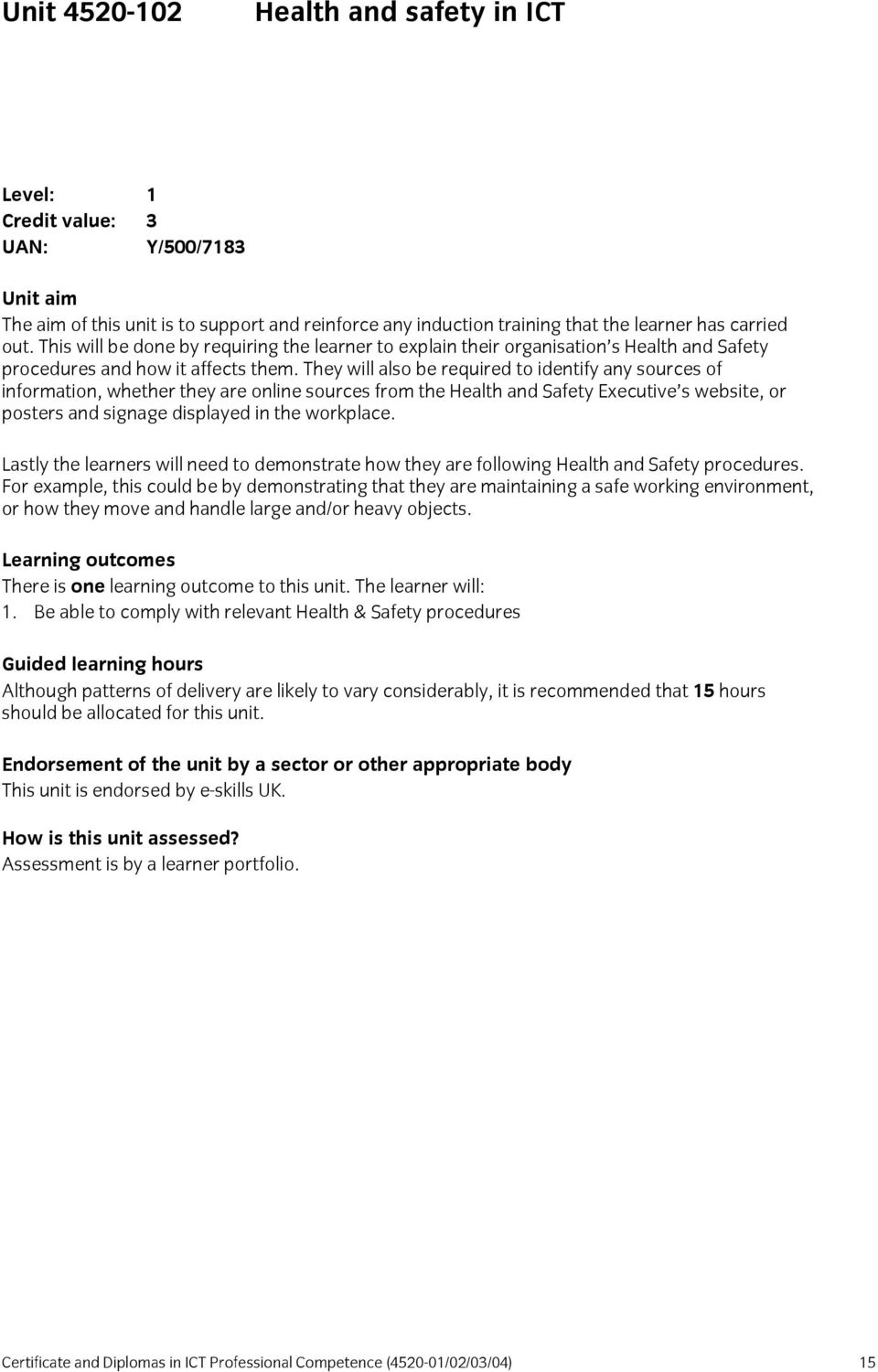
18 Unit Assessment Criteria Health and safety in ICT Outcome 1 Be able to comply with relevant Health & Safety procedures 1. Identify relevant organisational Health & Safety procedures 2. Identify available sources of Health & Safety information 3. Demonstrate how relevant Health & Safety procedures have been followed. 16 Certificate and Diplomas in ICT Professional Competence ( /02/03/04)
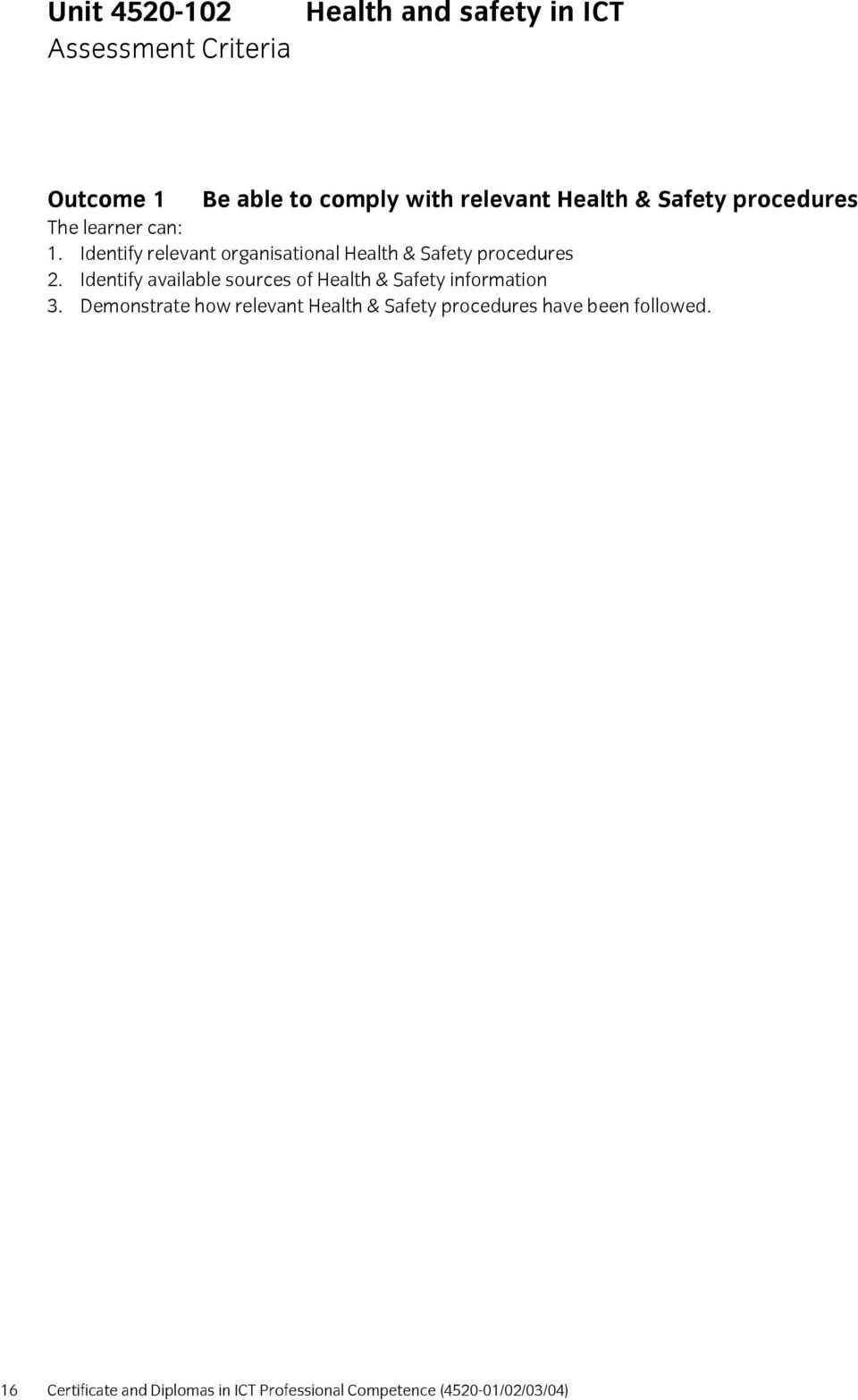
19 Unit Interpersonal and written communication Level: 1 Credit value: 3 UAN: M/500/7206 Unit aim The aim of this unit is to introduce to the learner the importance of communicating effectively. This will be done by exploring various techniques both verbal and non verbal. The learner will also explore why it is important to use the correct spelling and grammar in written communications. All of this will be done whilst following any organisational guidelines. Learning outcomes There are two learning outcomes to this unit. The learner will: 1. Be able to communicate interpersonally on a familiar subject in a familiar work situation 2. Be able to communicate in writing on familiar subjects using specified formats Guided learning hours Although patterns of delivery are likely to vary considerably, it is recommended that 25 hours should be allocated for this unit. Endorsement of the unit by a sector or other appropriate body This unit is endorsed by e-skills UK. How is this unit assessed? Assessment is by a learner portfolio. Certificate and Diplomas in ICT Professional Competence ( /02/03/04) 17
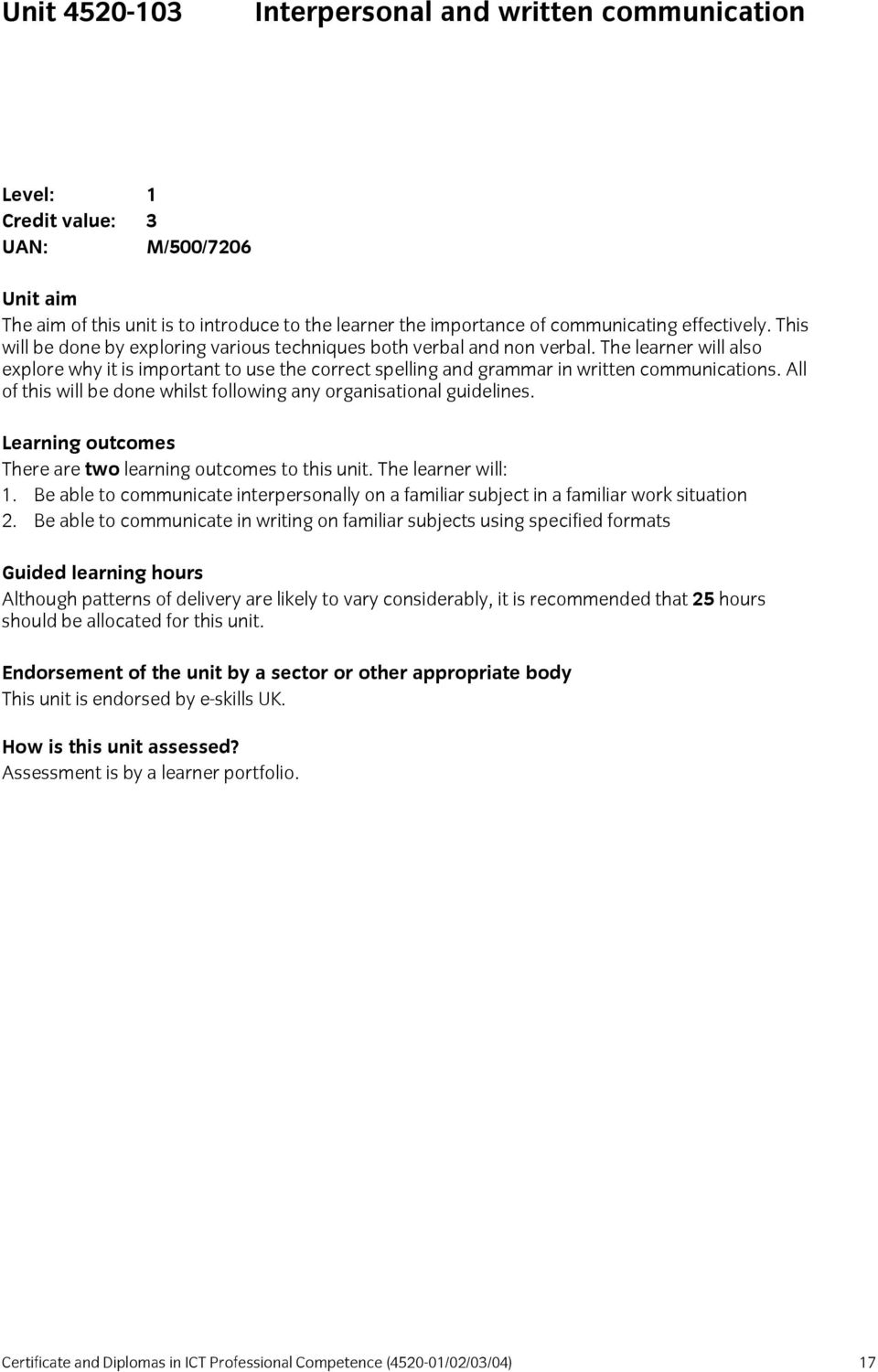
20 Unit Assessment Criteria Interpersonal and written communication Outcome 1 Be able to communicate interpersonally on a familiar subject in a familiar work situation 1 Apply knowledge of the following interpersonal communication techniques: verbal (eg intonation, tone and feedback (sometimes referred to as verbal attends)) and non-verbal techniques (eg smiling while talking on the phone, body language). attentive listening (ie difference between hearing and listening). positive and negative language. 2 Communicate verbally following organisational guidelines and procedures Outcome 2 Be able to communicate in writing on familiar subjects using specified formats 1 Apply knowledge of the following written communication techniques: Grammar, spelling. 2 Use the following techniques to produce and interpret written communication following organisational guidelines and procedures; identifying and conveying key messages in writing (eg letter, fax, , database notes); using correct grammar and spelling. 18 Certificate and Diplomas in ICT Professional Competence ( /02/03/04)

21 Unit Remote support for products or services Level: 1 Credit value: 6 UAN: R/500/7215 Unit aim The aim of this unit is to introduce learners to the concepts of supporting customers remotely with IT requests. This will involve how to identify the validity of the caller and how to handle the caller s support call. The learner should always comply with all legislation and also maintain their organisation s brand and image. This unit will also introduce the principles of logging support calls and also the time and need for necessary escalation. Learning outcomes There are two learning outcomes to this unit. The learner will: 1. Know the specified parts of customer care requirements and details of the supported products and services that apply to them 2. Be able to provide routine support on specified products or services Guided learning hours Although patterns of delivery are likely to vary considerably, it is recommended that 45 hours should be allocated for this unit. Endorsement of the unit by a sector or other appropriate body This unit is endorsed by e-skills UK. How is this unit assessed? Assessment is by a learner portfolio. Certificate and Diplomas in ICT Professional Competence ( /02/03/04) 19
22 Unit Assessment Criteria Remote support for products or services Outcome 1 Know the specified parts of customer care requirements and details of the supported products and services that apply to them 1. Describe specified details of products or services to be supported: how to identify the products or services basic features and uses of the products or services standard responses to frequently asked requests. 2. Describe specified parts of organisational requirements for customer care customer service procedures (eg how to log customer information, how to initiate service calls, how to complete a sale); authorisation procedures (eg how to confirm caller identity, how to validate requests); escalation, resolution and complaint handling; quality assurance procedures; compliance with relevant legislation and regulations (eg data protection, financial services); maintenance and communication of organisational brand or image; organisational aims and objectives. Outcome 2 Be able to provide routine support on specified products or services 1. Comply with organisational requirements 2. Confirm customer identity and validate requests using specified methods and sources (eg post code, contract list, username) 3. Escalate invalid requests 4. Communicate information on specified products or services to the customer in a positive and professional way, using techniques such as: identifying customers needs accurately collecting and logging relevant information from the customer providing product and service features to customers ensuring customer understanding of the information provided 5. Resolve and escalate requests. 20 Certificate and Diplomas in ICT Professional Competence ( /02/03/04)
23 Unit Security of ICT Systems Level: 1 Credit value: 3 UAN: K/500/7219 Unit aim This unit introduces the learner to the threats to IT systems from outside forces, and also introduces the learner to the need to protect their IT systems. The learner will also explore technologies that can be used to secure systems. The learner will also use some of the tools to demonstrate how they can prevent access to IT systems, whilst complying with organisational security policies. Learning outcomes There are two learning outcomes to this unit. The learner will: 1. Know the particular threats to an IT system and its data with specified methods and procedures for protecting it 2. Be able to comply with relevant security requirements to protect an IT system and its data Guided learning hours Although patterns of delivery are likely to vary considerably, it is recommended that 20 hours should be allocated for this unit. Endorsement of the unit by a sector or other appropriate body This unit is endorsed by e-skills UK. How is this unit assessed? Assessment is by a learner portfolio. Certificate and Diplomas in ICT Professional Competence ( /02/03/04) 21
24 Unit Assessment Criteria Security of ICT Systems Outcome 1 Know the particular threats to an IT system and its data with specified methods and procedures for protecting it 1. Describe specified data protection methods, such as malware detection software (anti-virus, anti spyware etc) Internet security suites (firewall, malware detection, anti-phishing and spam filters) use and protection of passwords or access codes backup and storage. 2. Describe specified methods of providing physical security for ICT systems: access control devices (eg locks, biometric controls, CCTV); limiting visibility of data (eg by positioning of monitors, using encryption); shielding (eg cable screening, Faraday cages) 3. Describe relevant organisational security procedures 4. Describe the type of security breaches that can occur in IT systems, such as unauthorised use of a system without damage to data; unauthorised removal or copying of data or code from a system; damage to or destruction of physical system assets and environment damage to or destruction of data or code inside or outside the system preventing normal use of a system (eg denial of service attack) Outcome 2 Be able to comply with relevant security requirements to protect an IT system and its data 1. Use specified security tools to identify and prevent breaches of security: internal system tools (eg passwords, anti-virus software, firewalls and encryption facilities) external tools (eg access control devices) 2. Comply with organisational security procedures. 22 Certificate and Diplomas in ICT Professional Competence ( /02/03/04)
25 Unit Software Installation and Upgrade Level: 1 Credit value: 6 UAN: D/500/7265 Unit aim The aim of this unit is to introduce the learner to the principles of installing and upgrading software. The learner will explore installing, configuring testing both installations and upgrades to existing systems. The learner will also learn about recording the information needed from installations such as licenses and registration details. Learning outcomes There are two learning outcomes to this unit. The learner will: 1. Understand specified parts of the installation/upgrade process 2. Be able to install and upgrade software Guided learning hours Although patterns of delivery are likely to vary considerably, it is recommended that 50 hours should be allocated for this unit. Endorsement of the unit by a sector or other appropriate body This unit is endorsed by e-skills UK. How is this unit assessed? Assessment is by a learner portfolio. Certificate and Diplomas in ICT Professional Competence ( /02/03/04) 23
26 Unit Assessment Criteria Software Installation and Upgrade Outcome 1 Understand specified parts of the installation/upgrade process 1. Describe specified installation/upgrade procedures to include: installation configuration testing delivery, shipping and storage; escalation; Outcome 2 Be able to install and upgrade software 1. Follow specified installation/upgrade procedures 2. Use specified software loading facilities 3. Record information relating to the: software installed/upgraded licences registration installation details configuration testing security and confidentiality 24 Certificate and Diplomas in ICT Professional Competence ( /02/03/04)
27 Unit System operation Level: 1 Credit value: 6 UAN: H/500/7333 Unit aim The aim of this unit is to introduce the learner to IT systems and how to maintain them correctly as well as how to operate them. The learner will explore service levels, how to monitor systems, how to store and dispose of consumables as well as looking at security and confidentiality of data on computer systems. The learner will also explore how to identify faults and report them correctly, as well as how to minimise faults through the correct operation of information systems. Learning outcomes There are two learning outcomes to this unit. The learner will: 1. Know the functionality of specified parts of the system 2. Be able to operate specified parts of the system Guided learning hours Although patterns of delivery are likely to vary considerably, it is recommended that 50 hours should be allocated for this unit. Endorsement of the unit by a sector or other appropriate body This unit is endorsed by e-skills UK. How is this unit assessed? Assessment is by a learner portfolio. Certificate and Diplomas in ICT Professional Competence ( /02/03/04) 25
28 Unit Assessment Criteria System operation Outcome 1 Know the functionality of specified parts of the system 1. Describe the functionality of specified parts of the system, such as: required service levels (eg availability, quality); routine maintenance; monitoring; data integrity (eg backups, anti-virus); consumables use, storage & disposal; Health & Safety; escalation; information recording and reporting; obtaining work permissions; security & confidentiality. Outcome 2 Be able to operate specified parts of the system 1. Describe how to operate specified parts of the system, such as: operating parts of the system following specified procedures; identifying and reporting system faults; recording specified operational information; how to recognise system faults. 2. Assess and minimise risks related to your own actions such as. loss or corruption of data; loss of service; damage to equipment. 26 Certificate and Diplomas in ICT Professional Competence ( /02/03/04)
29 Unit Technical advice and guidance Level: 1 Credit value: 6 UAN: J/500/7342 Unit aim The aim of this unit is to introduce the concepts of providing technical support. The learner will explore current organisational policy regarding to providing technical support. They will also learn how to communicate directly with customers and identify their support needs, also when needed the learner will learn how and when to escalate issues. Learning outcomes There are two learning outcomes to this unit. The learner will: 1. Know the information relating to the advice and guidance they are required to give and the relevant parts of the organisational policy 2. Be able to provide advice and guidance under direction Guided learning hours Although patterns of delivery are likely to vary considerably, it is recommended that 50 hours should be allocated for this unit. Endorsement of the unit by a sector or other appropriate body This unit is endorsed by e-skills UK. How is this unit assessed? Assessment is by a learner portfolio. Certificate and Diplomas in ICT Professional Competence ( /02/03/04) 27
30 Unit Assessment Criteria Technical advice and guidance Outcome 1 Know the information relating to the advice and guidance they are required to give and the relevant parts of the organisational policy 1. Describe the relevant parts of organisational policy for providing information 2. Interpret the technical information that forms the basis for required advice and guidance obtained from clearly defined sources Outcome 2 Be able to provide advice and guidance under direction 1. Identify advice and guidance required by the customer, such as: responding to a direct request, not normally requiring research (eg known problems) requiring minimal interpretation of information 2. Accurately gather specified information from approved sources 3. Communicate by direct contact with the customer according to organisational policies: using approved information with little additional explanation obtaining all relevant information recording the information in a defined format 4. Work within the constraints that the supply of information is subject to 5. Identify and escalate customer requests for information that fall outside of the defined organisational policy or regulatory controls 6. Comply with organisational policy for providing information 28 Certificate and Diplomas in ICT Professional Competence ( /02/03/04)
31 Unit Technical fault diagnosis Level: 1 Credit value: 6 UAN: L/500/7388 Unit aim The aim of this unit is to introduce the learner to diagnosing faults. As part of this the learner will begin to explore some of the diagnostic tools that will be required to perform this role. The learner will also learn how to accurately record information connected with the diagnosis process. The learner will also assist in the diagnosis process as well as learning when and how to escalate an issue. Learning outcomes There are two learning outcomes to this unit. The learner will: 1. Know the procedures and other information within the diagnostic process that applies to them 2. Be able to assist in the diagnosis of faults following detailed instructions Guided learning hours Although patterns of delivery are likely to vary considerably, it is recommended that 45 hours should be allocated for this unit. Endorsement of the unit by a sector or other appropriate body This unit is endorsed by e-skills UK. How is this unit assessed? Assessment is by a learner portfolio. Certificate and Diplomas in ICT Professional Competence ( /02/03/04) 29
32 Unit Assessment Criteria Technical fault diagnosis Outcome 1 Know the procedures and other information within the diagnostic process that applies to them 1. Describe relevant parts of the diagnostic process including: diagnostic tools to be used procedures to be followed procedures for information recording individual responsibility and authority escalation procedure technical information about the system to be worked on Outcome 2 Be able to assist in the diagnosis of faults following detailed instructions 1. Follow detailed instructions to assist with diagnosing faults 2. Use designated diagnostic tools 3. Accurately gather and record specified information connected with the diagnosis 30 Certificate and Diplomas in ICT Professional Competence ( /02/03/04)
33 Unit Testing ICT systems Level: 1 Credit value: 6 UAN: T/500/7353 Unit aim The aim of this unit is give the learner the opportunity to learn about the testing of ICT systems whether they be software or hardware systems. In order to do this the learner will need to understand some basic system information, as well as understanding the tests themselves. The learner will learn and understand any health and safety considerations that need to be factored in before and during testing. The learner will also need to understand and consider any security implications associated with the systems they are testing. The learner will also assist in the testing of an actual system and determine if the tests were successful or not, this will involve using specific tools and accurately recoding results. Learning outcomes There are two learning outcomes to this unit. The learner will: 1. Know basic technical information about a system to be tested, testing procedures and associated activities, equipment to be used and the reasons for the test 2. Be able to assist testing under direction and record accurately test results Guided learning hours Although patterns of delivery are likely to vary considerably, it is recommended that 50 hours should be allocated for this unit. Endorsement of the unit by a sector or other appropriate body This unit is endorsed by e-skills UK. How is this unit assessed? Assessment is by a learner portfolio. Certificate and Diplomas in ICT Professional Competence ( /02/03/04) 31
34 Unit Assessment Criteria Testing ICT systems Outcome 1 Know basic technical information about a system to be tested, testing procedures and associated activities, equipment to be used and the reasons for the test 1. Describe relevant parts of the testing process testing tools to be used work procedures to be followed (including obtaining authorisations) procedures for recording information 2. Describe the purposes of testing checking functionality obtaining performance information 3. Describe specified test preparation and conclusion activities, including: Health & safety requirements (before and after) need to obtain work permissions; site access and security environmental legislation and regulations (eg disposal of materials) work sign-off and reporting site restoration 4. Interpret specified technical information about the test and equipment to be tested Outcome 2 Be able to assist testing under direction and record accurately test results 1. Carry out specified preparation and conclusion activities eg: Health & safety requirements (before and after) need to obtain work permissions; site access and security environmental legislation and regulations (eg disposal of materials) work sign-off and reporting site restoration 2. Use specified testing tools eg: electrical/electronic test instruments on-board self-test programs diagnostic software 3. Record specified test information and test results. 32 Certificate and Diplomas in ICT Professional Competence ( /02/03/04)
35 Unit Working with ICT hardware and equipment Level: 1 Credit value: 6 UAN: H/500/7381 Unit aim The aim of this unit is to introduce the learner to the hardware associated with an ICT system. The learner will explore any regulatory requirements that need to be understood when working with ICT hardware and equipment. The learner will also have the opportunities to use specific tools and techniques to work with computer hardware and systems. All of this will be done whilst following strict guidelines and whilst recording any activities carried out. Learning outcome There are two learning outcomes to this unit. The learner will: 1. Know how to carry out work under direction 2. Be able to carry out work under direction Guided learning hours Although patterns of delivery are likely to vary considerably, it is recommended that 45 hours should be allocated for this unit. Endorsement of the unit by a sector or other appropriate body This unit is endorsed by e-skills UK. How is this unit assessed? Assessment is by a learner portfolio. Certificate and Diplomas in ICT Professional Competence ( /02/03/04) 33
36 Unit Assessment Criteria Working with ICT hardware and equipment Outcome 1 Know how to carry out work under direction 1. Describe the relevant parts of the working process such as: tools and techniques to be used procedures to be followed procedures for information recording. 2. Explain how regulatory requirements affect own work Outcome 2 Be able to carry out work under direction 1. Use specified tools and techniques safely 2. Follow specified working procedures such as: Health & Safety; quality use of tools configuration testing; logistics waste disposal problem escalation information recording obtaining work permissions security and confidentiality 3. Record specified information connected with work activities 34 Certificate and Diplomas in ICT Professional Competence ( /02/03/04)
37 Unit Imaging software Level: 1 Credit value: 3 UAN: J/502/4612 Unit aim The aim of this unit is to introduce the learner to creating and manipulating images for a given purpose. The learner will explore the purpose of the image to be used or edited, as well as looking at any legislation that restricts the use of images. The learner will also learn about file formats and storing images correctly. The learner will also use appropriate software to create and edit images using the different tools and techniques within the software application. Learning outcomes There are two learning outcomes to this unit. The learner will: 1. Be able to obtain, insert and combine information for images 2. Be able to use imaging software tools to create, manipulate and edit images Guided learning hours Although patterns of delivery are likely to vary considerably, it is recommended that 20 hours should be allocated for this unit. Endorsement of the unit by a sector or other appropriate body This unit is endorsed by e-skills UK. How is this unit assessed? Assessment is by a learner portfolio. Certificate and Diplomas in ICT Professional Competence ( /02/03/04) 35
38 Unit Assessment Criteria Imaging software Outcome 1 Be able to obtain, insert and combine information for images 1. Identify what images are needed 2. Obtain, input and prepare images to meet needs 3. Identify what generic copyright and other constraints apply to the use of images 4. Combine information of different types or from different sources for images 5. Identify the context in which the images will be used 6. Identify which file format to use for saving and exchanging images 7. Store and retrieve files effectively, in line with local guidelines and conventions where available Outcome 2 Be able to use imaging software tools to create, manipulate and edit images 1. Use suitable tools and techniques to create images 2. Use appropriate tools and techniques to manipulate and edit images 3. Check images meet needs, using IT tools and making corrections as necessary 36 Certificate and Diplomas in ICT Professional Competence ( /02/03/04)
39 Unit Database software Level: 1 Credit value: 3 UAN: H/502/4553 Unit aim The aim of this unit is to introduce some fundamental database concepts. The learner will create a simple database for a given purpose, decide upon its structure and any relationships. The learner will then enter data and perform searches to test the structure of the database using queries. The learner will also learn how to perform reports and generate them using predefined settings. Learning outcomes There are two learning outcomes to this unit. The learner will: 1. Be able to enter, edit and organise structured information in a database 2. Be able to use database software tools to extract information and produce reports Guided learning hours Although patterns of delivery are likely to vary considerably, it is recommended that 20 hours should be allocated for this unit. Endorsement of the unit by a sector or other appropriate body This unit is endorsed by e-skills UK. How is this unit assessed? Assessment is by a learner portfolio. Certificate and Diplomas in ICT Professional Competence ( /02/03/04) 37
40 Unit Assessment Criteria Database software Outcome 1 Be able to enter, edit and organise structured information in a database 1. Identify the main components of a database 2. Create a database table for a purpose using specified fields 3. Enter structured data into records to meet requirements 4. Locate and amend data records 5. Respond appropriately to data entry error messages 6. Check data meets needs, using IT tools and making corrections as necessary Outcome 2 Be able to use database software tools to extract information and produce reports 1. Identify queries which meet information requirements 2. Run simple database queries 3. Identify reports which meet information requirements 4. Generate and print pre-defined database reports 38 Certificate and Diplomas in ICT Professional Competence ( /02/03/04)
41 Unit Using Level: 1 Credit value: 2 UAN: J/502/4299 Unit aim The aim of this unit is to work with software. The learner will compose s, attach files and send s following guidelines given. The learner will also learn how to stay safe and protect their computer systems when using software. The learner will use address book features to simplify the sending process. They will also learn how and when to respond to s, whilst following organisational guidelines. Learning outcomes There are two learning outcomes to this unit. The learner will: 1. Be able to use software tools and techniques to compose and send messages 2. Be able to manage incoming effectively Guided learning hours Although patterns of delivery are likely to vary considerably, it is recommended that 15 hours should be allocated for this unit. Endorsement of the unit by a sector or other appropriate body This unit is endorsed by e-skills UK. How is this unit assessed? Assessment is by a learner portfolio. Certificate and Diplomas in ICT Professional Competence ( /02/03/04) 39
42 Unit Assessment Criteria Using Outcome 1 Be able to use software tools and techniques to compose and send messages 1. Use software tools to compose and format messages 2. Attach files to messages 3. Send messages 4. Identify how to stay safe and respect others when using 5. Use an address book to store and retrieve contact information Outcome 2 Be able to manage incoming effectively 1. Follow guidelines and procedures for using 2. Identify when and how to respond to messages 3. Read and respond to messages appropriately 4. Identify what messages to delete and when to do so 5. Organise and store messages 6. Respond appropriately to common problems 40 Certificate and Diplomas in ICT Professional Competence ( /02/03/04)
43 Unit Using the internet Level: 1 Credit value: 3 UAN: T/502/4296 Unit aim In this unit the learner will explore different ways to connect to the Internet, they will also explore different web browsing systems and modify the browser to suite their needs. The learner will learn how to effectively search the Internet for specified information. They will also use different tools and techniques to communicate via the Internet and exchange and upload information. The learner will learn how to use the Internet safely following any relevant laws and legislation. Learning outcomes There are five learning outcomes to this unit. The learner will: 1. Be able to connect to the internet 2. Be able to use browser software to navigate web pages 3. Be able to use browser tools to search for information from the internet 4. Be able to use browser software to communicate information online 5. Be able to follow and understand the need for safety and security practices when working online Guided learning hours Although patterns of delivery are likely to vary considerably, it is recommended that 20 hours should be allocated for this unit. Endorsement of the unit by a sector or other appropriate body This unit is endorsed by e-skills UK. How is this unit assessed? Assessment is by a learner portfolio. Certificate and Diplomas in ICT Professional Competence ( /02/03/04) 41
44 Unit Assessment Criteria Using the internet Outcome 1 Be able to connect to the internet 1. Identify different types of connection methods that can be used to access the Internet 2. Access the Internet or intranet Outcome 2 Be able to use browser software to navigate web pages 1. Use browser tools to navigate webpages 2. Identify when to change browser settings to aid navigation 3. Adjust browser settings to meet needs 4. Use browser help facilities Outcome 3 Be able to use browser tools to search for information from the internet 1. Select and use appropriate search techniques to locate information 2. Outline how information meets requirements 3. Use references to make it easier to find information another time 4. Download and save different types of information from the Internet Outcome 4 Be able to use browser software to communicate information online 1. Select and use tools and techniques to communicate information online 2. Use browser tools to share information sources with others 3. Submit information online using forms or interactive sites 4. Identify opportunities to post or publish material to websites Outcome 5 Be able to follow and understand the need for safety and security practices when working online 1. Identify the threats to user safety when working online 2. Outline how to minimise internet security risks 3. Work responsibly and take appropriate safety and security precautions when working online 4. Keep personal information secure 5. Follow relevant laws, guidelines and procedures for the use of the Internet 42 Certificate and Diplomas in ICT Professional Competence ( /02/03/04)
45 Unit Presentation software Level: 1 Credit value: 3 UAN: K/502/4621 Unit aim In this unit the learner will learn how to identify information that is required for a presentation. They will also learn to select differing layouts and styles depending on their audience. The learner will look at house styles and how to combine their information into their chosen format ready for a presentation. The learner will also edit and modify presentations and select appropriate formats in which to present their final presentation. Learning outcomes There are three learning outcomes to this unit. The learner will: 1. Be able to input and combine text and other information within presentation slides 2. Be able to use presentation software tools to structure, edit and format slides 3. Be able to prepare slides for presentation to meet needs Guided learning hours Although patterns of delivery are likely to vary considerably, it is recommended that 20 hours should be allocated for this unit. Endorsement of the unit by a sector or other appropriate body This unit is endorsed by e-skills UK. How is this unit assessed? Assessment is by a learner portfolio. Certificate and Diplomas in ICT Professional Competence ( /02/03/04) 43
46 Unit Assessment Criteria Presentation software Outcome 1 Be able to input and combine text and other information within presentation slides 1. Identify what types of information are required for the presentation 2. Select and use different slide layouts as appropriate for different types of information 3. Enter information into presentation slides so that it is ready for editing and formatting 4. Identify any constraints which may affect the presentation 5. Combine information of different forms or from different sources for presentations 6. Store and retrieve presentation files effectively, in line with local guidelines and conventions where available Outcome 2 Be able to use presentation software tools to structure, edit and format slides 1. Identify what slide structure to use 2. Select and use an appropriate template to structure slides 3. Select and use appropriate techniques to edit slides 4. Select and use appropriate techniques to format slides Outcome 3 Be able to prepare slides for presentation to meet needs 1. Identify how to present slides to meet needs and communicate effectively 2. Prepare slides for presentation 3. Check presentation meets needs, using IT tools and making corrections as necessary 44 Certificate and Diplomas in ICT Professional Competence ( /02/03/04)
47 Unit Spreadsheet software Level: 1 Credit value: 3 UAN: A/502/4624 Unit aim The aim of this unit is to introduce some of the techniques used in spreadsheets. The learner will identify numerical data that is required to be entered and use specific formulae to manipulate it as required. The learner will also explore how to present data in an appropriate format for end users, such as charts and graphs, as well as formatting the data correctly. The learner will learn how to save and retrieve files correctly. Learning outcome There are three learning outcomes to this unit. The learner will: 1. Be able to use a spreadsheet to enter, edit and organise numerical and other data 2. Be able to use appropriate formulas and tools to summarise and display spreadsheet information 3. Be able to select and use appropriate tools and techniques to present spreadsheet information effectively Guided learning hours Although patterns of delivery are likely to vary considerably, it is recommended that 20 hours should be allocated for this unit. Endorsement of the unit by a sector or other appropriate body This unit is endorsed by e-skills UK. How is this unit assessed? Assessment is by a learner portfolio. Certificate and Diplomas in ICT Professional Competence ( /02/03/04) 45
48 Unit Assessment Criteria Spreadsheet software Outcome 1 Be able to use a spreadsheet to enter, edit and organise numerical and other data 1. Identify what numerical and other information is needed and how the spreadsheet should be structured to meet needs 2. Enter and edit numerical and other data accurately 3. Store and retrieve spreadsheet files effectively, in line with local guidelines and conventions where available Outcome 2 Be able to use appropriate formulas and tools to summarise and display spreadsheet information 1. Identify how to summarise and display the required information 2. Use functions and formulas to meet calculation requirements 3. Use spreadsheet tools and techniques to summarise and display information Outcome 3 Be able to select and use appropriate tools and techniques to present spreadsheet information effectively 1. Select and use appropriate tools and techniques to format spreadsheet cells, rows and columns 2. Identify which chart or graph type to use to display information 3. Select and use appropriate tools and techniques to generate, develop and format charts and graphs 4. Select and use appropriate page layout to present and print spreadsheet information 5. Check information meets needs, using spreadsheet tools and making corrections as necessary 46 Certificate and Diplomas in ICT Professional Competence ( /02/03/04)
49 Unit Website software Level: 1 Credit value: 3 UAN: L/502/4630 Unit aim The aim of this unit is to introduce website development. For this the learner will learn what content is required for the website, and plan how their completed site will look. They will explore images, text and what the intended purpose of the site is to be. The learner will produce a simple website according to their design and incorporate simple navigational aids such as links or buttons. The learner will then uploaded and test their website. Learning outcome There are three learning outcomes to this unit. The learner will: 1. Be able to plan and create web pages 2. Be able to use website software tools to structure and format web pages 3. Be able to publish web pages to the Internet or an intranet Guided learning hours Although patterns of delivery are likely to vary considerably, it is recommended that 20 hours should be allocated for this unit. Endorsement of the unit by a sector or other appropriate body This unit is endorsed by e-skills UK. How is this unit assessed? Assessment is by a learner portfolio. Certificate and Diplomas in ICT Professional Competence ( /02/03/04) 47
50 Unit Assessment Criteria Website software Outcome 1 Be able to plan and create web pages 1. Identify what content and layout will be needed in the web page 2. Identify the purpose of the webpage and intended audience 3. Select and use a website design template to create a single web page 4. Enter or insert content for web pages so that it is ready for editing and formatting 5. Organise and combine information needed for web pages 6. Identify copyright and other constraints on using others information 7. Identify what file types to use for saving content 8. Store and retrieve web files effectively, in line with local guidelines and conventions where available Outcome 2 Be able to use website software tools to structure and format web pages 1. Identify what editing and formatting to use to aid both clarity and navigation 2. Select and use website features to help the user navigate simple websites 3. Use appropriate editing and formatting techniques 4. Check web pages meet needs, using IT tools and making corrections as necessary Outcome 3 Be able to publish web pages to the Internet or an intranet 1. Upload content to a website 2. Respond appropriately to common problems when testing a web page 48 Certificate and Diplomas in ICT Professional Competence ( /02/03/04)
51 Unit Word processing software Level: 1 Credit value: 3 UAN: L/502/4627 Unit aim The aim of this unit is to introduce some of the features and functions of word processing software. The learner will identify the types of information that is to be used within the application and then use the information in various formats to produce differing document s that incorporate a range of tools within the software. This will range from images, tables, forms and templates. The learner will also use differing formatting techniques to enhance their documents, and make them suitable for printing. Learning outcome There are three learning outcomes to this unit. The learner will: 1. Be able to enter, edit and combine text and other information accurately within word processing documents 2. Be able to structure information within word processing documents 3. Be able to use word processing software tools to format and present documents Guided learning hours Although patterns of delivery are likely to vary considerably, it is recommended that 20 hours should be allocated for this unit. Endorsement of the unit by a sector or other appropriate body This unit is endorsed by e-skills UK. How is this unit assessed? Assessment is by a learner portfolio. Certificate and Diplomas in ICT Professional Competence ( /02/03/04) 49
52 Unit Assessment Criteria Word processing software Outcome 1 Be able to enter, edit and combine text and other information accurately within word processing documents 1. Identify what types of information are needed in documents 2. Identify what templates are available and when to use them 3. Use keyboard or other input method to enter or insert text and other information 4. Combine information of different types or from different sources into a document 5. Enter information into existing tables, forms and templates 6. Use editing tools to amend document content 7. Store and retrieve document files effectively, in line with local guidelines and conventions where available Outcome 2 Be able to structure information within word processing documents 1. Create and modify tables to organise tabular or numeric information 2. Select and apply heading styles to text Outcome 3 Be able to use word processing software tools to format and present documents 1. Identify what formatting to use to enhance presentation of the document 2. Select and use appropriate techniques to format characters and paragraphs 3. Select and use appropriate page layout to present and print documents 4. Check documents meet needs, using IT tools and making corrections as necessary 50 Certificate and Diplomas in ICT Professional Competence ( /02/03/04)
53 Unit Desktop publishing software Level: 1 Credit value: 3 UAN: Y/502/4565 Unit aim The aim of this unit is to introduce some of the principles behind using desktop publishing software. To do the is the learner will identify suitable information and use some of the tools and techniques within the application to produce a professional end product. In the process of doing this the learner will also learn about Copyright laws and how they can restrict the production of documents. Learning outcome There are three learning outcomes to this unit. The learner will: 1. Be able to select and use appropriate designs and page layouts for publications 2. Be able to input and combine text and other information within publications 3. Be able to use desktop publishing software techniques to edit and format publications Guided learning hours Although patterns of delivery are likely to vary considerably, it is recommended that 20 hours should be allocated for this unit. Endorsement of the unit by a sector or other appropriate body This unit is endorsed by e-skills UK. How is this unit assessed? Assessment is by a learner portfolio. Certificate and Diplomas in ICT Professional Competence ( /02/03/04) 51
54 Unit Assessment criteria Desktop publishing software Outcome 1 Be able to select and use appropriate designs and page layouts for publications 1. Identify what types of information are needed 2. Identify what page design and layout will be required 3. Select and use an appropriate page design and layout for publications in line with local guidelines, where relevant 4. Select and use appropriate media for the publication Outcome 2 Be able to input and combine text and other information within publications 1. Input information into publications so that it is ready for editing and formatting 2. Identify copyright constraints on using others information 3. Organise and combine information of different types or from different sources in line with any copyright constraints 4. Store and retrieve publication files effectively, in line with local guidelines and conventions where available Outcome 3 Be able to use desktop publishing software techniques to edit and format publications 1. Identify what editing and formatting to use for the publication 2. Select and use appropriate techniques to edit publications and format text 3. Manipulate images and graphic elements accurately 4. Control text flow within single and multiple columns and pages 5. Check publications meet needs, using IT tools and making corrections as necessary 52 Certificate and Diplomas in ICT Professional Competence ( /02/03/04)
55 Unit Design software Level: 1 Credit value: 3 UAN: M/502/4572 Unit aim The aim of this unit is to introduce the learner to design application software. In order to achieve this, the learner will identify what designs are needed and then decide upon a design layout to meet those needs. The learner will also learn about styles and where to obtain the details that are required to create the designs. The learner will learn how to store and retrieve their designs correctly. Learning outcomes There are two learning outcomes to this unit. The learner will: 1. Be able to obtain, insert and combine information for designs 2. Be able to use design software tools to create, manipulate and edit designs Guided learning hours Although patterns of delivery are likely to vary considerably, it is recommended that 20 hours should be allocated for this unit. Endorsement of the unit by a sector or other appropriate body This unit is endorsed by e-skills UK. How is this unit assessed? Assessment is by a learner portfolio. Certificate and Diplomas in ICT Professional Competence ( /02/03/04) 53
56 Unit Assessment criteria Design software Outcome 1 Be able to obtain, insert and combine information for designs 1. Identify what designs are needed 2. Obtain, input and prepare designs to meet needs 3. Identify what generic copyright and other constraints apply to the use of designs 4. Combine information of different types or from different sources for designs 5. Identify the context in which the designs will be used 6. Identify which file format to use for saving and exchanging designs 7. Store and retrieve files effectively, in line with local guidelines and conventions where available Outcome 2 Be able to use design software tools to create, manipulate and edit designs 1. Use suitable tools and techniques to create designs 2. Use appropriate tools and techniques to manipulate and edit designs 3. Check designs meet needs, using IT tools and making corrections as necessary 54 Certificate and Diplomas in ICT Professional Competence ( /02/03/04)
57 Unit CompTIA Strata Fundamentals of IT Technology Level: 1 Credit value: 10 UAN: T/502/8977 Unit aim The aim of this unit is to teach the learner the required subject knowledge to sit the CompTIA Strata Fundamentals of IT Technology exam. The content of the unit covers a broad range of subjects including, the safe use and installation of computer hardware and equipment, looking at the different characteristics of devices such like peripherals. The learner will also look at and learn about compatibility issues that might exist between devices and. Finally, the learner will learn how to recognise hazards and learn how to prevent them. Learning outcomes There are three learning outcomes to this unit. The learner will: 1. Understand computer hardware 2. Understand compatibility issues and common errors 3. Understand health, safety and preventative maintenance Guided learning hours Although patterns of delivery are likely to vary considerably, it is recommended that 60 hours should be allocated for this unit. Endorsement of the unit by a sector or other appropriate body This unit is endorsed by e-skills UK. How is this unit assessed? Must be assessed using the relevant CompTIA test. Certificate and Diplomas in ICT Professional Competence ( /02/03/04) 55
58 Unit Assessment criteria CompTIA Strata Fundamentals of IT Technology Outcome 1 Understand computer hardware 1 Demonstrate the proper use of hardware devices 2 Explain the characteristics and functions of internal and external storage devices 3 Explain the characteristics and functions of peripheral devices 4 Explain the characteristics and functions of core input devices Outcome 2 Understand compatibility issues and common errors 1 Identify basic compatibility issues between hardware components 2 Recognize common operational problems caused by hardware 3 Demonstrate the ability to minimize risks Outcome 3 Understand health, safety and preventative maintenance 1 Recognize safety hazards and identify corresponding guidelines 2 Identify preventative maintenance products, procedures, and how to use them 56 Certificate and Diplomas in ICT Professional Competence ( /02/03/04)
59 Unit CompTIA Strata - Fundamentals of PC Functionality Level: 1 Credit value: 10 UAN: K/502/8975 Unit aim The aim of this unit is to teach the learner the required subject knowledge to sit the CompTIA Strata Fundamentals of PC Functionality exam. The content of this unit covers a broad range of subjects that include learning about; understanding about different IT systems and some of the vocabulary used, learning about some the risks associated with upgrading an IT system, demonstrating how to set up and IT systems. The learner will also learn how to install software, as well as upgrading and removing software; they will explore the functionality of different software tools. Finally, the learner will also learn about security issues that can affect computer systems. Learning outcomes There are three learning outcomes to this unit. The learner will: 1. Understand technology 2. Understand software installation and functions 3. Understand security Guided learning hours Although patterns of delivery are likely to vary considerably, it is recommended that 60 hours should be allocated for this unit. Endorsement of the unit by a sector or other appropriate body This unit is endorsed by e-skills UK. How is this unit assessed? Must be assessed using the relevant CompTIA test. Certificate and Diplomas in ICT Professional Competence ( /02/03/04) 57
60 Unit Assessment criteria CompTIA Strata - Fundamentals of PC Functionality Outcome 1 Understand technology 1 Identify basic IT vocabulary. 2 Identify the risks associated with upgrading the following technologies and equipment. 3 Demonstrate the ability to set up a basic PC workstation Outcome 2 Understand software installation and functions 1 Conduct basic software installation, removal and/or upgrading. 2 Identify issues related to folder and file management 3 Explain the function and purpose of software tools Outcome 3 Understand security 1 Recognize basic security risks and procedures to prevent them. 2 Recognize security breaches and ways to resolve them. 3 Recognize IT related laws and guidelines 58 Certificate and Diplomas in ICT Professional Competence ( /02/03/04)
61 Unit IT software fundamentals Level: 1 Credit value: 3 NDAQ number: L/502/4384 Unit aim The aim of this unit is to teach the learners how to identify appropriate software for a given task; learners will also learn how to enter information and data into differing applications. Learners will also be taught the importance of proof reading and ensuring work is fit for purpose. Learning outcomes There are four learning outcomes to this unit. The learner will: 1. Be able to select and use software applications to meet needs and solve problems 2. Be able to enter, develop and format different types of information to suit its meaning and purpose 3. Be able to present information in ways that are fit for purpose and audience 4. Be able to make effective use of IT tools and facilities to present information Guided learning hours It is recommended that 20 hours should be allocated for this unit, although patterns of delivery are likely to vary. Endorsement of the unit by a sector or other appropriate body This unit is endorsed by e-skills UK. Assessment This unit will be assessed by: an assignment covering practical skills and underpinning knowledge. Certificate and Diplomas in ICT Professional Competence ( /02/03/04) 59
62 Unit Assessment Criteria IT software fundamentals Outcome 1 Be able to select and use software applications to meet needs and solve problems 1. Identify different software applications and give examples of their use 2. Select and use appropriate software applications to develop, produce and present different types of information to meet needs and solve problems 3. Identify what types of information are needed Outcome 2 Be able to enter, develop and format different types of information to suit its meaning and purpose 1. Enter, organise and format different types of information to meet needs 2. Apply editing techniques to refine information as required 3. Combine information of different forms or from different sources to meet needs 4. Select and use appropriate page layout to present information effectively. Outcome 3 Be able to present information in ways that are fit for purpose and audience 1. Work accurately and proof-read, using software facilities where appropriate for the task 2. Produce information that is fit for purpose and audience using commonly accepted layouts as appropriate Outcome 4 Be able to make effective use of IT tools and facilities to present information 1. Review and modify work as it progresses to ensure the result is fit for purpose and audience 2. Review the effectiveness of the IT tools selected to meet presentation needs. 60 Certificate and Diplomas in ICT Professional Competence ( /02/03/04)
63 Unit Customer care in ICT Level: 2 Credit value: 9 UAN: A/500/7158 Unit aim The aim of this unit is to introduce the concept of providing support to customers, and the techniques to do this correctly. The unit initially focuses on building a relationship of trust with the customer, as well as understanding the implications of customer satisfaction. The unit also looks at complying with any organisational guidelines. The unit will help the learner to understand their own limitations. Learning outcomes There are two learning outcomes to this unit. The learner will: 1. Know how to provide customer care by establishing customer relationships 2. Be able to provide customer care by establishing customer relationships Guided learning hours Although patterns of delivery are likely to vary considerably, it is recommended that 45 hours should be allocated for this unit. Endorsement of the unit by a sector or other appropriate body This unit is endorsed by e-skills UK. How is this unit assessed? Assessment is by a learner portfolio. Certificate and Diplomas in ICT Professional Competence ( /02/03/04) 61
64 Unit Assessment Criteria Customer care in ICT Outcome 1 Know how to provide customer care by establishing customer relationships 1. Describe the uses of interpersonal communication techniques such as: verbal (eg intonation, tone and feedback (sometimes referred to as verbal attends)) and non-verbal techniques (eg smiling while talking on the phone, body language). attentive listening (ie difference between hearing and listening). positive and negative language. active listening (eg summarising, paraphrasing, body language); listening barriers (eg background noise, distractions, lack of concentration); types of question (eg open, closed and probing) 2. Describe the relevant parts of the organisational requirements for customer care including; customer service procedures (eg how to log customer information, how to initiate service calls, how to complete a sale); authorisation procedures (eg how to confirm caller identity, how to validate requests); escalation, resolution and complaint handling; quality assurance procedures; compliance with relevant legislation and regulations (eg data protection, financial services); maintenance and communication of organisational brand or image; organisational aims and objectives 3. Describe what the implications of customer satisfaction are customer retention; working relationships 4. Describe the relevant methods of measuring customer satisfaction levels such as predefined formal feedback unsolicited feedback; anecdotal feedback 62 Certificate and Diplomas in ICT Professional Competence ( /02/03/04)
65 Outcome 2 Be able to provide customer care by establishing customer relationships 1. Comply with organisational requirements 2. Communicate interpersonally on familiar subjects such as: following organisational guidelines and procedures articulating and expressing ideas clearly and concisely listening actively (eg by taking notes) clarifying and confirming understanding (eg by paraphrasing or repetition). responding to questions with accurate information ensuring content is appropriate to the needs of the audience identifying and avoiding listening barriers maintaining focus on the purpose of the communication 3. Providing customer interaction such as; focuses on addressing customer needs interacts in a sensitive and helpful manner with the customer. responds to customer requests on time, accurately, pleasantly and professionally builds a trusting relationship with the customer keeps self and customer focused maintains consistent communication style 4. Provide service delivery such as; recognising own limitations; escalating customer issues following organisational requirements meets own commitments to customers; follows up customer problems and issues 5. Handle complaints from customers such as; using probing questions; displaying patience and understanding with demanding or emotional customers 6. Gather specified customer satisfaction information Certificate and Diplomas in ICT Professional Competence ( /02/03/04) 63
66 Unit Interpersonal and written communication Level: 2 Credit value: 9 UAN: T/500/7207 Unit aim The aim of this unit is to teach the learner how to communicate effectively both in writing and verbally. The unit will help the learner to understand how to correctly verbalise what needs to be said, by using different tones and intonation. This unit will also help the learner to listen to what people have to say through techniques such as active listening. This unit will help the learner to effectively communicate in writing by looking at the way they structure their text. The unit will teach them the importance of using the correct grammar and spelling, as well as structuring their texts in certain ways. Learning outcomes There are two learning outcomes to this unit. The learner will: 1. Be able to send and receive familiar information by communicating interpersonally in familiar situations 2. Be able to communicate in writing in familiar situations Guided learning hours Although patterns of delivery are likely to vary considerably, it is recommended that 60 hours should be allocated for this unit. Endorsement of the unit by a sector or other appropriate body This unit is endorsed by e-skills UK. How is this unit assessed? Assessment is by a learner portfolio. 64 Certificate and Diplomas in ICT Professional Competence ( /02/03/04)
67 Unit Assessment Criteria Interpersonal and written communication Outcome 1 Be able to send and receive familiar information by communicating interpersonally in familiar situations 1. Apply knowledge of the following interpersonal communication techniques: verbal (eg intonation, tone and feedback (sometimes referred to as verbal attends)) and non-verbal techniques (eg smiling while talking on the phone, body language). attentive listening (ie difference between hearing and listening). positive and negative language. active listening (eg summarising, paraphrasing, body language); listening barriers (eg background noise, distractions, lack of concentration); types of question (eg open, closed and probing) 2. Use the following interpersonal communication techniques: modulating voice when speaking to suit the listener or audience articulating and expressing ideas clearly and concisely listening actively (eg by taking notes) clarifying and confirming understanding (eg by paraphrasing or repetition). responding to questions with accurate information ensuring content is appropriate to the needs of the audience identifying and avoiding listening barriers maintaining focus on the purpose of the communication Outcome 2 Be able to communicate in writing in familiar situations 1. Apply knowledge of the following written communication techniques: Grammar, spelling. 2. Use the following techniques to produce and interpret written communication following organisational guidelines and procedures; identifying and conveying key messages in writing (eg letter, fax, , database notes); using correct grammar and spelling. using and understanding appropriate business or technical terminology; ensuring content, format and style are appropriate to the audience and channel (eg letter, memo, fax, , web chat); structuring writing into a logical framework; conveying ideas and information in a clear and concise manner; identifying relevant information in written communications; reviewing or proof reading own written work. Certificate and Diplomas in ICT Professional Competence ( /02/03/04) 65
68 Unit Develop own effectiveness and professionalism Level: 2 Credit value: 6 UAN: Y/601/3317 Unit aim The aim of this unit is encourage the learner to look at themselves through understanding things such as their own development needs, how other people see them and understanding their role in their teams. This unit also teaches the learner about various legislations which govern the way we work in ICT. They are also encouraged to look into professional bodies that are available to people working in this industry. Learning outcomes There are five learning outcomes to this unit. The learner will: 1. Be able to develop own personal and professional skills 2. Be able to work as a member of a team to achieve defined goals and implement agreed plans 3. Understand what is meant by professional practice 4. Know the legislative environment relating to IT activities 5. Be able to improve personal effectiveness Guided learning hours Although patterns of delivery are likely to vary considerably, it is recommended that 60 hours should be allocated for this unit. Endorsement of the unit by a sector or other appropriate body This unit is endorsed by e-skills UK. How is this unit assessed? Assessment is by a learner portfolio. 66 Certificate and Diplomas in ICT Professional Competence ( /02/03/04)
69 Unit Assessment Criteria Develop own effectiveness and professionalism Outcome 1 Be able to develop own personal and professional skills 1. obtain and review feedback from others on performance 2. agree personal goals and participate in development activities to meet them Outcome 2 Be able to work as a member of a team to achieve defined goals and implement agreed plans 1. effectively manage own time 2. recognise and respect diversity, individual differences and perspectives 3. accept and provide feedback in a constructive and considerate manner 4. understand the responsibilities of colleagues 5. identify obstacles to effective teamwork Outcome 3 Understand what is meant by professional practice 1. Identify the implications, and applicability for IT professionals of: Data Protection Act Computer Misuse Act 2. List the professional bodies for IT Outcome 4 Know the legislative environment relating to IT activities 1. Identify the impact on an IT organisation of legislation covering: Processing of financial transactions Health and Safety Privacy, Confidentiality and Security Copyright and Intellectual Property Rights Outcome 5 Be able to improve personal effectiveness 1. List the aims and objectives of the organisation 2. State the organisation s brand or image 3. Identify the organisation s structure, roles and responsibilities 4. Identify potential improvements to working practices Certificate and Diplomas in ICT Professional Competence ( /02/03/04) 67
70 Unit Introduction to IT systems development Level: 2 Credit value: 6 UAN: J/601/3247 Unit aim The aim of this unit is to introduce the learner to systems development methodologies. Firstly the learner is taught to understand the role of IT systems in our society and understand the need to develop systems. In order to do this the learner will learn the importance of the systems development life cycle. The learner will also understand the advantages and disadvantages of different types of software options and the importance of quality assurance. Learning outcomes There are three learning outcomes to this unit. The learner will: 1. Understand IT Systems and the roles of IT personnel 2. Understand IT Systems Development Life Cycle (SDLC) models 3. Understand IT Systems Development Life Cycle (SDLC) concepts and processes Guided learning hours Although patterns of delivery are likely to vary considerably, it is recommended that 50 hours should be allocated for this unit. Endorsement of the unit by a sector or other appropriate body This unit is endorsed by e-skills UK. How is this unit assessed? Assessment is by a learner portfolio. 68 Certificate and Diplomas in ICT Professional Competence ( /02/03/04)
71 Unit Assessment Criteria Introduction to IT systems development Outcome 1 Understand IT Systems and the roles of IT personnel 1. Explain the role of IT Systems in society 2. Describe the major components of a contemporary IT System 3. Describe the roles of personnel in the development, operation and use of IT System Outcome 2 Understand IT Systems Development Life Cycle (SDLC) models 1. Describe top down, bottom up and integrated approaches to IT Systems development 2. Explain the purposes of the initiation, analysis, design and implementation phases of the IT SDLC 3. Identify the advantages and disadvantages of the traditional ( waterfall ) SDLC model. 4. Describe two other SDLC models, identifying the type of development for which they are suited Outcome 3 Understand IT Systems Development Life Cycle (SDLC) concepts and processes 1. Describe the advantages and disadvantages of the following solution types: packaged ( off the shelf ) bespoke combination of packaged and bespoke upgrade 2. Explain the importance of quality assurance and meeting customer requirements during the IT SDLC and the means by which they can be achieved 3. Describe the applicability of the following methods of gathering information: interviews observations questionnaires examination of records and documents Certificate and Diplomas in ICT Professional Competence ( /02/03/04) 69
72 Unit Remote support for products and services Level: 2 Credit value: 9 UAN: Y/500/7216 Unit aim The aim of this unit is to introduce some of the concepts of supporting IT systems remotely. The learner will learn which products can be supported and how they can be supported. The learner will also learn the customer care aspects of remote support such as customer service procedures. Whilst doing this the learner will learn how to follow any relevant legislation. This unit will teach the learner how to provide support and log the support given to users remotely. They will also learn how to extract the information required to make a correct diagnosis. Learning outcomes There are two learning outcomes to this unit. The learner will: 1. Know relevant parts of customer care requirements and details of the supported products and services 2. Be able to provide support on specified products or services Guided learning hours Although patterns of delivery are likely to vary considerably, it is recommended that 60 hours should be allocated for this unit. Endorsement of the unit by a sector or other appropriate body This unit is endorsed by e-skills UK. How is this unit assessed? Assessment is by a learner portfolio. 70 Certificate and Diplomas in ICT Professional Competence ( /02/03/04)
73 Unit Assessment Criteria Remote support for products and services Outcome 1 Know relevant parts of customer care requirements and details of the supported products and services 1. Describe the specified products or services to be supported benefits of the products and services; frequently used product or service options standard features and common uses of the products or services 2. Describe relevant parts of organisational requirements for customer care, such as: customer service procedures (eg how to log customer information, how to initiate service calls, how to complete a sale); authorisation procedures (eg how to confirm caller identity, how to validate requests); escalation, resolution and complaint handling; quality assurance procedures; compliance with relevant legislation and regulations (eg data protection, financial services); maintenance and communication of organisational brand or image; organisational aims and objectives Outcome 2 Be able to provide support on specified products or services 1. Comply with organisational requirements 2. Confirm customer identity, validate requests and inform customers when authorisation criteria are not met. 3. Communicate information on specified products or services: identifying customers needs accurately collecting and logging relevant information from the customer providing product and service features to customers ensuring customer understanding of the information provided categorising requests and directing customers appropriately managing customer expectations (eg by confirming outcomes, timescales or costs) 4. Make recommendations based on customer needs 5. Resolve and escalate requests and handle basic complaints: using probing questions displaying patience and understanding with demanding or emotional customers Certificate and Diplomas in ICT Professional Competence ( /02/03/04) 71
74 Unit Software installation and upgrade Level: 2 Credit value: 10 UAN: D/500/7329 Unit aim The aim of this unit teaches the learner how to install and/or upgrade various pieces of software. The unit also aims to teach the learner how to record information associated with software installations. The learner will learn to install and/or upgrade software from differing locations. As part of this unit the learner will also learn how to follow organisational guidelines and record their actions. Learning outcomes There are two learning outcomes to this unit. The learner will: 1. Understand relevant parts of the installation/upgrade process 2. Be able to install/upgrade software Guided learning hours Although patterns of delivery are likely to vary considerably, it is recommended that 80 hours should be allocated for this unit. Endorsement of the unit by a sector or other appropriate body This unit is endorsed by e-skills UK. How is this unit assessed? Assessment is by a learner portfolio. 72 Certificate and Diplomas in ICT Professional Competence ( /02/03/04)
75 Unit Assessment Criteria Software installation and upgrade Outcome 1 Understand relevant parts of the installation/upgrade process 1. Describe the relevant parts of the software installation and upgrade process including: procedures to be followed; procedures for information recording. software storage locations to be used; specifications of the software. 2. Describe relevant software loading facilities Outcome 2 Be able to install/upgrade software 1. Follow relevant installation/upgrade procedures; 2. Use appropriate software loading facilities; 3. Record relevant information; 4. Communicate the progress and outcome of the installation/upgrade to the appropriate people. Certificate and Diplomas in ICT Professional Competence ( /02/03/04) 73
76 Unit ICT system operation Level: 2 Credit value: 9 UAN: F/500/7338 Unit aim The aim of this unit is to teach the learner typical ICT operations, in order to do this the unit will teach the learner to identify relevant parts of the operating procedures including monitoring, escalations and obtaining work permissions. This unit will also teach the learner how to use specified parts of IT systems and how to minimise loss through their actions. Learning outcomes There are two learning outcomes to this unit. The learner will: 1. Know the relevant parts of the operating system 2. Be able to operate specified parts of the system Guided learning hours Although patterns of delivery are likely to vary considerably, it is recommended that 45 hours should be allocated for this unit. Endorsement of the unit by a sector or other appropriate body This unit is endorsed by e-skills UK. How is this unit assessed? Assessment is by a learner portfolio. 74 Certificate and Diplomas in ICT Professional Competence ( /02/03/04)
77 Unit Assessment Criteria ICT system operation Outcome 1 Know the relevant parts of the operating system 1. Describe the relevant parts of operating procedures; required service levels (eg availability, quality); routine maintenance; monitoring; data integrity (eg backups, anti-virus); consumables use, storage & disposal; Health & Safety; escalation; information recording and reporting; obtaining work permissions; security & confidentiality. 2. Describe the functionality of relevant parts of the system. Outcome 2 Be able to operate specified parts of the system 1. Operate specified parts of the system operating specified system parts following procedures; Recognising, resolving or escalating system faults; gathering and recording specified operational information 2. Assess and minimize risks related to your own actions such as. loss or corruption of data; loss of service; damage to equipment Certificate and Diplomas in ICT Professional Competence ( /02/03/04) 75
78 Unit Technical advice and guidance Level: 2 Credit value: 9 UAN: F/601/3506 Unit aim The aim of this unit is to teach the leaner how to provide technical support. In order to do this the learner will learn how technical advice and guidance can be used and identify the types of information that can aid the user who is being supported. As part of this unit the learner will identify the purposes of IT technical support through providing support to different user types. All of this will be done whilst following organisational guidelines. Learning outcomes There are two learning outcomes to this unit. The learner will: 1. Know how to provide technical advice and guidance 2. Be able to provide reactive technical advice and guidance to customers on a range of topics Guided learning hours Although patterns of delivery are likely to vary considerably, it is recommended that 50 hours should be allocated for this unit. Endorsement of the unit by a sector or other appropriate body This unit is endorsed by e-skills UK. How is this unit assessed? Assessment is by a learner portfolio. 76 Certificate and Diplomas in ICT Professional Competence ( /02/03/04)
79 Unit Assessment Criteria Technical advice and guidance Outcome 1 Know how to provide technical advice and guidance 1. Identify how technical advice and guidance can be used 2. List the types of information which can form the basis of technical advice and guidance 3. Identify organisational procedures which can apply to the provision of technical advice and guidance 4. Identify circumstances where technical advice and guidance should be provided proactively rather than reactively in response to customer requests (eg to rectify known faults, to provide new functionality). Outcome 2 Be able to provide reactive technical advice and guidance to customers on a range of topics 1. Identify the purposes for which technical advice and guidance is required 2. Check that customers are entitled to receive the requested technical advice and guidance 3. Communicate effectively with customers to obtain specified information to enable correct technical advice and guidance to be provided 4. Interpret given technical information to produce advice and guidance in response to customer requests 5. Communicate technical advice and guidance to customers in a given format and style, confirming customer understanding of the information provided 6. Follow organisational procedures for responding to customer requests including the timely escalation of those for which technical advice and guidance can not be provided or does not resolve the request Certificate and Diplomas in ICT Professional Competence ( /02/03/04) 77
80 Unit Technical fault diagnosis Level: 2 Credit value: 9 UAN: T/601/3292 Unit aim The aim of this unit is to teach the learner the process involved in technical fault diagnosis. In order to do this the learner will learn to identify the steps involved in providing a diagnosis including validating the fault and gathering information regarding the fault. The learner will also learn how to use different diagnosing tools. The leaner will be taught how to identify and apply remedies to identified faults. Learning outcomes There are four learning outcomes to this unit. The learner will: 1. Know the process, methods and information that are used in the diagnostic process 2. Be able to apply processes to diagnose faults with a known range of causes and assist in the diagnosis of other faults 3. Be able to select fault remedies from given alternatives 4. Be able to maintain diagnosis and remedy records Guided learning hours Although patterns of delivery are likely to vary considerably, it is recommended that 45 hours should be allocated for this unit. Endorsement of the unit by a sector or other appropriate body This unit is endorsed by e-skills UK. How is this unit assessed? Assessment is by a learner portfolio. 78 Certificate and Diplomas in ICT Professional Competence ( /02/03/04)
81 Unit Assessment Criteria Technical fault diagnosis Outcome 1 Know the process, methods and information that are used in the diagnostic process 1. Identify the steps of the diagnostic process including: fault validation information gathering information analysis solution identification 2. Describe the types of diagnostic information that are commonly needed and their purpose 3. Describe common diagnostic methods to include: substitution replication performance and functional testing environment change 4. List typical considerations affecting fault diagnosis, eg minimisation of service disruption during diagnostics individual responsibility and authority escalation procedure level of service Outcome 2 Be able to apply processes to diagnose faults with a known range of causes and assist in the diagnosis of other faults 1. Correctly use appropriate diagnostic tools eg electrical/electronic test instruments on-board self-test programs loopback devices on-line/remote monitoring diagnostic software 2. Effectively use given sources of information to support diagnosis. 3. Analyse information to identify the cause of faults, using two of the following approaches: gap analysis identification of cause and effect flow charts Certificate and Diplomas in ICT Professional Competence ( /02/03/04) 79
82 Outcome 3 Be able to select fault remedies from given alternatives 1. Select, from given alternatives, a suitable remedy to rectify identified faults taking into account the following: business or service impact resource and skill availability ease of implementation 2. Identify possible ways to prevent reoccurrence of diagnosed faults Outcome 4 Be able to maintain diagnosis and remedy records 1. Accurately document the diagnosis activities undertaken including: fault description supporting information diagnostic tools etc used cause of fault remedy selected 80 Certificate and Diplomas in ICT Professional Competence ( /02/03/04)
83 Unit IT project management Level: 2 Credit value: 4 UAN: T/502/1110 Unit aim The aim of this unit is to introduce some of the key aspects involved in project management. In order to do this the learner will learn about the roles and responsibilities of the people involved in project management. The learner will also learn to identify and use some of the documentation used in project management. The learner will be taught how to identify the key criteria that must be satisfied in order to deliver a successful project. This unit also aims to teach the learner how to collect information that is required during a project and also look at differing lifecycles for project management. Finally, this unit will enable the leaner to apply some of the principles and techniques that they have learnt. Learning outcomes There are four learning outcomes to this unit. The learner will: 1. Be able to describe Projects and Project Management 2. Be able to demonstrate an understanding of the principles of project management 3. Be able to describe the typical activities within system and project life-cycles 4. Be able to apply the principles of project planning and control Guided learning hours Although patterns of delivery are likely to vary considerably, it is recommended that 30 hours should be allocated for this unit. Endorsement of the unit by a sector or other appropriate body This unit is endorsed by e-skills UK. How is this unit assessed? Assessment is by a learner portfolio. Certificate and Diplomas in ICT Professional Competence ( /02/03/04) 81
84 Unit Assessment Criteria IT project management Outcome 1 Be able to describe Projects and Project Management 1. Identify 3 different types of project organisation structure 2. Identify key roles and responsibilities within a project s organisation structure ie Sponsor (Executive) Users Suppliers Project Manager Team Manager (Leader) Project Support Office 3. Create key project documentation Project Plan The Business Case The Project Management Plan (PMP) Project Initiation Document (PID) 4. Identify and create the key criteria required in order to deliver a successful project Objectives Specific Measurable Agreed Realist Time-bound Evaluated Reviewed (SMARTER) Constraints Requirements 5. Calculate the viability of a project using Investment Appraisal techniques Payback period Discounted Cash Flow (DCF) / Net Present Value (NPV) 6. Calculate the Return on investment (ROI) for a given project Outcome 2 Be able to demonstrate an understanding of the principles of project management 1. Collect and present progress information 2. Create a basic project estimate 3. Tailor the amount of planning effort required for different projects 4. Separate the constraints from the dependencies. Outcome 3 Be able to describe the typical activities within system and project life-cycles 1. Compare and contrast project and system lifecycles 2. Draw and describe an example of a system lifecycle 3. Obtain an example of a project or system lifecycle 4. Select the correct system development lifecycle for a given situation 82 Certificate and Diplomas in ICT Professional Competence ( /02/03/04)
85 Outcome 4 Be able to apply the principles of project planning and control 1. Draw a simple Work Breakdown Structure (WBS) Table Format Diagram Format 2. Draw a simple Product Breakdown Structure (PBS) 3. Produce an Activity on Node (AoN) Network from a list of activities and dependencies 4. Identify the critical path on a basic project network using a given formula 5. Calculate the earliest and latest start and finish dates (ES, EF, LS, LF) 6. Calculate the total float on activities in an AoN Network 7. Construct a Gantt chart from an AoN activity network 8. Represent graphically the resource requirements for a simple project 9. Use control techniques to monitor progress against targets and adjust plans accordingly. Certificate and Diplomas in ICT Professional Competence ( /02/03/04) 83
86 Unit Testing ICT systems Level: 2 Credit value: 9 UAN: A/500/7354 Unit aim The aim of this unit is to introduce the learner to the principles of testing ICT systems. In order to do this the learner will learn how to select relevant tests. Whilst performing these tests the learner will know how to record the outcomes and understand how to follow Service Level Agreements (SLAs). The learner will also learn how to use different types of test depending of the situation and how to interpret the results presented to them. Learning outcomes There are two learning outcomes to this unit. The learner will: 1. Know technical information about a range of products, testing procedures and associated activities, equipment to be used and the reasons for the test 2. Be able to carry out routine testing and assist in other testing Guided learning hours Although patterns of delivery are likely to vary considerably, it is recommended that 80 hours should be allocated for this unit. Endorsement of the unit by a sector or other appropriate body This unit is endorsed by e-skills UK. How is this unit assessed? Assessment is by a learner portfolio. 84 Certificate and Diplomas in ICT Professional Competence ( /02/03/04)
87 Unit Assessment Criteria Testing ICT systems Outcome 1 Know technical information about a range of products, testing procedures and associated activities, equipment to be used and the reasons for the test 1. Describe the testing process to be followed, including: how to select tests and collect relevant and sufficient information for the test to be successful how to minimise service disruption during testing and avoid detrimental effects or changes to performance ways to configure tests how to record, maintain or restore configurations, data and functionality types of service level agreements individual responsibility and authority escalation procedures and risks associated with using a testing process 2. Describe the purposes of testing, including: aiding the diagnostic process comparing actual and expected performance 3. Describe relevant test preparation and conclusion activities, including: Health & safety legislation and regulations need to obtain work permissions site access and security system or equipment integrity (eg ensuring network service continuity) data integrity (eg taking data backups before commencing work) resource availability level of service allowed by the SLA environmental legislation and regulations (eg disposal of materials) work sign-off and reporting site restoration.system and equipment integrity (eg restoring service) data integrity (eg restoring data backups as necessary) 4. Interpret technical information on a specified range of products. Certificate and Diplomas in ICT Professional Competence ( /02/03/04) 85
88 Outcome 2 Be able to carry out routine testing and assist in other testing 1. Ensure relevant preparation and conclusion activities have been carried out (see list above) 2. Use appropriate testing tools, including: electrical/electronic test instruments on-board self-test programs loopback devices on-line/remote monitoring software software debuggers runtime analysers diagnostic software 3. Gather and record relevant test information and test results, including: identifying the relevant information using approved sources of information validating information 4. Respond to test information and results, including: interpreting error codes/messages comparing with specifications identifying inconsistent data 86 Certificate and Diplomas in ICT Professional Competence ( /02/03/04)
89 Unit Working with ICT hardware and equipment Level: 2 Credit value: 9 UAN: K/500/7382 Unit aim The aim of this unit is to teach the learner how to work effectively with ICT hardware and equipment. The learner will learn which tools might be required, how to plan work and the expectations of customers. The learner will learn about any regulatory requirements that may affect work activities. The learner will have the opportunity to work with ICT hardware and equipment and implement some of the techniques they have learnt, whilst all the time communicating progress and avoiding any disruptions to service. Learning outcomes There are three learning outcomes to this unit. The learner will: 1. Know how to plan and carry out a range of ICT hardware and equipment work activities under direction 2. Be able to plan and carry out a range of ICT hardware and equipment work activities under direction 3. Be able to minimise risks related to ICT hardware and equipment work activities Guided learning hours Although patterns of delivery are likely to vary considerably, it is recommended that 90 hours should be allocated for this unit. Endorsement of the unit by a sector or other appropriate body This unit is endorsed by e-skills UK. How is this unit assessed? Assessment is by a learner portfolio. Certificate and Diplomas in ICT Professional Competence ( /02/03/04) 87
90 Unit Assessment Criteria Working with ICT hardware and equipment Outcome 1 Know how to plan and carry out a range of ICT hardware and equipment work activities under direction 1. Describe the working process such as: tools and techniques to be used; procedures to be followed; procedures for information recording. customer requirements; product specifications planning own work 2. Explain how regulatory requirements affect work activities Outcome 2 Be able to plan and carry out a range of ICT hardware and equipment work activities under direction 1. Use appropriate tools and techniques safely 2. Follow relevant working procedures such as: Health & Safety quality use of tools configuration testing; logistics waste disposal problem escalation information recording obtaining work permissions security and confidentiality customer acceptance commissioning product registration. 3. Obtain specified resources 4. Record relevant information 5. Communicate the progress and outcome of work to the appropriate people 88 Certificate and Diplomas in ICT Professional Competence ( /02/03/04)
91 Outcome 3 Be able to minimise risks related to ICT hardware and equipment work activities 1. Assess and minimise risks related to work activities such as: loss or corruption of data loss of service damage to equipment Certificate and Diplomas in ICT Professional Competence ( /02/03/04) 89
92 Unit Computer Games Development Level: 2 Credit value: 4 UAN: A/601/3164 Unit aim The aim of this unit is to introduce the learner to computer game development. In order to do this the learner will explore the various hardware and software components that are required in the development of computer games. They will also look at the different features of a range of existing computer games. The learner will propose a plan for developing a sample game and then move into planning and developing elements of that game. Learning outcomes There are three learning outcomes to this unit. The learner will: 1. Know computer game components and the computer games industry 2. Know how to develop a computer game specification 3. Be able to implement a component of a computer game Guided learning hours Although patterns of delivery are likely to vary considerably, it is recommended that 28 hours should be allocated for this unit. Endorsement of the unit by a sector or other appropriate body This unit is endorsed by e-skills UK. How is this unit assessed? Assessment is by a learner portfolio. 90 Certificate and Diplomas in ICT Professional Competence ( /02/03/04)
93 Unit Assessment Criteria Computer Games Development Outcome 1 Know computer game components and the computer games industry 1. Identify the hardware and software components of a video game system 2. Identify the activities required to develop modern computer games 3. Describe the features of an existing computer game Outcome 2 Know how to develop a computer game specification 1. Contribute to the production of a pre-production proposal document for a computer game project 2. Identify the components required to develop a computer game 3. Contribute to the productions of an implementation plan for a computer game development Outcome 3 Be able to implement a component of a computer game 1. Design a component of a computer game 2. Develop a component of a computer game Certificate and Diplomas in ICT Professional Competence ( /02/03/04) 91
94 Unit Data modelling Level: 2 Credit value: 6 UAN: A/601/3200 Unit aim The aim of this unit is to introduce some of the concepts behind data modelling. The learner will learn about the basic concepts of data modelling including entities, attributes and relationships. The learner will also learn the objectives of normalisation. The learner will use this knowledge whilst working with a simple database structure. Learning outcomes There are two learning outcomes to this unit. The learner will: 1. Know the basic concepts of logical data modelling 2. Be able to use simple data modelling techniques to create logical data models Guided learning hours Although patterns of delivery are likely to vary considerably, it is recommended that 45 hours should be allocated for this unit. Endorsement of the unit by a sector or other appropriate body This unit is endorsed by e-skills UK. How is this unit assessed? Assessment is by a learner portfolio. 92 Certificate and Diplomas in ICT Professional Competence ( /02/03/04)
95 Unit Assessment Criteria Data modelling Outcome 1 Know the basic concepts of logical data modelling 1. Identify entities, attributes and relationships 2. State the objectives of data normalisation 3. State the purpose of keys Outcome 2 Be able to use simple data modelling techniques to create logical data models 1. Identify and name entities, assigning the correct type and size 2. Identify entity relationships 3. Use a standard notation to create a logical data model Certificate and Diplomas in ICT Professional Competence ( /02/03/04) 93
96 Unit System management Level: 2 Credit value: 6 UAN: Y/500/7331 Unit aim The aim of this unit is to introduce some of the concepts behind managing computer systems. The learner will learn how the configuration of a computer system can affect the management of computer systems. The learner will also learn the importance of asset management. The learner will have an opportunity to use what they have learnt and modify a computer system according to given guidelines. Learning outcomes There are two learning outcomes to this unit. The learner will: 1. Know how to assist in administering a system 2. Be able to change system configurations Guided learning hours Although patterns of delivery are likely to vary considerably, it is recommended that 55 hours should be allocated for this unit. Endorsement of the unit by a sector or other appropriate body This unit is endorsed by e-skills UK. How is this unit assessed? Assessment is by a learner portfolio. 94 Certificate and Diplomas in ICT Professional Competence ( /02/03/04)
97 Unit Assessment Criteria System management Outcome 1 Know how to assist in administering a system 1. Describe how to use specified system configuration facilities. 2. Explain what ICT asset and configuration information is to be recorded such as: Physical attributes (eg manufacturer, type, revision, serial number, location, value); Configuration (eg physical and logical addresses, options set, connections). Outcome 2 Be able to change system configurations 1. Make specified changes to system configuration; 2. Gather and record ICT asset and configuration information for specified items. Certificate and Diplomas in ICT Professional Competence ( /02/03/04) 95
98 Unit User profile administration Level: 2 Credit value: 6 UAN: H/500/7378 Unit aim The aim of this unit is to teach the learner how to create and modify user profiles. In order to this the learner will be taught how to create a user identifier and how to work with passwords (and the frequency with which they need to be modified). The learner will also learn the differences between different user types. The learner will have an opportunity to modify existing user account settings. Learning outcomes There are two learning outcomes to this unit. The learner will: 1. Know how to assist in the administration of user profiles 2. Be able to assist in the administration of user profiles Guided learning hours Although patterns of delivery are likely to vary considerably, it is recommended that 55 hours should be allocated for this unit. Endorsement of the unit by a sector or other appropriate body This unit is endorsed by e-skills UK. How is this unit assessed? Assessment is by a learner portfolio. 96 Certificate and Diplomas in ICT Professional Competence ( /02/03/04)
99 Unit Assessment Criteria User profile administration Outcome 1 Know how to assist in the administration of user profiles 1. Describe how to make changes to user profiles such as: user identifier (eg. username); password and related information (eg change frequency); allowed system access (eg times, locations) allowed access to facilities (eg data, software) Outcome 2 Be able to assist in the administration of user profiles 1. Make specified changes to user profiles Certificate and Diplomas in ICT Professional Competence ( /02/03/04) 97
100 Unit Creating an object oriented computer program using C++ Level: 2 Credit value: 6 UAN: A/601/3181 Unit aim The aim of this unit is to introduce some of the concepts behind object oriented programming. In order to do this the learner will learn some of the key features of an Object Oriented environment. For example, they will learn how to declare structures and use standard input and output commands. The learner will have an opportunity to use what they have learnt by refining an exiting program to improve its quality. Finally, the learner will test the amended program comparing expected with actual results. Learning outcomes There are three learning outcomes to this unit. The learner will: 1. Be able to implement software using object oriented programming 2. Be able to refine an object oriented program to improve quality 3. Be able to test the operation of an object oriented driven program Guided learning hours Although patterns of delivery are likely to vary considerably, it is recommended that 55 hours should be allocated for this unit. Endorsement of the unit by a sector or other appropriate body This unit is endorsed by e-skills UK. How is this unit assessed? Assessment is by a learner portfolio or by means of a set assignment covering practical activities and underpinning knowledge. 98 Certificate and Diplomas in ICT Professional Competence ( /02/03/04)
101 Unit Assessment Criteria Creating an object oriented computer program using C++ Outcome 1 Be able to implement software using object oriented programming 1. Select, declare and initialise variable and data structure types and sizes to meet given requirements 2. Define relationships between objects 3. Implement object behaviours using control structures 4. Declare file structures 5. Use standard input/output commands 6. Use operators and predefined functions 7. Make effective use of an Integrated Development Environment (IDE) Additional guidance: The learner will be able to describe the basic data types char, int, float, char[] state the difference between a constant and a variable state the difference between a character variable and a character string when using the symbols " " or ' ' explain the purpose of the null terminator in relation to a character string describe a one-dimensional array of type char, int, float state the difference between a local and a global variable define the components of an object ie data and functions explain the methods of using parameters to pass data to a function ie by value, by reference describe control structures used for loops ie while, do... while, for describe control structures used for selection ie if, if... else, switch explain the use of stream manipulators describe the use of cin and cout for standard input and output and the use of formatters ie endl, \n, \r, \t, \\, \a, \", \' describe the relational operators: < (less than), > (greater than), <= (less than or equal to), >= (greater than or equal to), == (equal to),!= (not equal to) describe the logical operators:! (not), && (and), (or) describe the predefined functions: getch(), cin.getline(), gets(), toupper(), tolower(), atoi(), atof(), strcpy() explain the use of the increment (++) and decrement (--) operators in prefix and postfix mode describe the arithmetic operators ie * (multiply), / (divide), - (subtract), + (add), % (modulus) state the difference between the assignment operator (=) and the relational operator (==) Certificate and Diplomas in ICT Professional Competence ( /02/03/04) 99
102 Outcome 2 Be able to refine an object oriented program to improve quality 1. Follow an agreed standard for naming, comments and code layout 2. Implement data validation for inputs 3. Implement opportunities error handling and reporting 4. Create on-screen help to assist the users of a computer program Additional guidance: The learner will be able to describe the conventional use of indentation in code layout state that meaningful names should be used for variables and functions and that constants are normally identified using uppercase characters and variables using lowercase characters state that meaningful comments are inserted in code to aid understanding of the code state that data validation is performed on data entered into a program to prevent incorrect data causing incorrect results or a run-time error describe the types of data validation that can be performed such as presence check, range check, date check, type check (alphabetic or numeric), character count, check digit (modulus number), format check (eg AG145), use of a lookup table for defined values state the importance of trapping errors in a program so that the program does not crash at run-time describe how screen prompts are used to provide information to a user about the actions that can be taken Outcome 3 Be able to test the operation of an object oriented driven program 1. Use of the debugging facilities available in the IDE 2. Determine expected test results from given test data 3. Compare actual results against expected results to identify discrepancies Additional guidance: The learner will be able to state that errors can be located when debugging a program by displaying the values held in variables state that test data should contain valid and invalid data state that testing is done to determine if a program executes correctly according to its specification and to aid in the location and correction of errors 100 Certificate and Diplomas in ICT Professional Competence ( /02/03/04)
103 Unit Creating a procedural computer program using COBOL Level: 2 Credit value: 7 UAN: L/601/3167 Unit aim The aim of this unit is to introduce some of the concepts behind procedural programming. As part this unit the learner will learn some of the key elements of a procedural language such as how to declare file structures and how to use some of the predefined functions. The learner will have an opportunity to use what they have learnt by modifying an existing program to improve its quality. Finally, the learner will test the revised code and record their expected and actual results. Learning outcomes There are three learning outcomes to this unit. The learner will: 1. Be able to implement software using procedural programming 2. Be able to refine an object oriented program to improve quality 3. Be able to test the operation of a procedural programme Guided learning hours Although patterns of delivery are likely to vary considerably, it is recommended that 60 hours should be allocated for this unit. Endorsement of the unit by a sector or other appropriate body This unit is endorsed by e-skills UK. How is this unit assessed? Assessment is by a learner portfolio or by means of a set assignment covering practical activities and underpinning knowledge. Certificate and Diplomas in ICT Professional Competence ( /02/03/04) 101
104 Unit Assessment Criteria Creating a procedural computer program using COBOL Outcome 1 Be able to implement software using procedural programming 1. Select, declare and initialise variable and data structure types and sizes to meet given requirements 2. Implement control structures 3. Declare file structures 4. Use standard input/output commands 5. Use operators and predefined functions 6. Correctly use parameter passing mechanisms Additional guidance: The learner will be able to describe the structure of a program: divisions, sections, paragraphs, sentences and statements describe the PICTURE clause required for a given data item: alphanumeric, alphabetic, numeric, numeric edited define the relationships between group and elementary data items describe the use of literals and figurative constants describe how a one-dimensional array can be declared, initialised and accessed explain the use of the REDEFINES clause change the definition of a storage area describe the operation of the PERFORM statement to execute one or several paragraphs: once, a set number of times, dependent on a condition state the purpose of the EXIT statement describe control structures used for selection ie IF, IF... ELSE define the terms: character, field, record and file explain the meaning of each clause within the SELECT statement in the ENVIRONMENT DIVISION for a sequential file state the importance of testing for end of file describe how a sequential file can be opened for INPUT, OUTPUT, I-O or EXTEND explain the use of FILLER as a data name with the VALUE clause and the figurative constant SPACES to space items across a print line. describe the use of the ACCEPT and DISPLAY statements for standard input and output describe the relational operators < (less than), > (greater than), <= (less than or equal to), >= (greater than or equal to), = (equal to), NOT= (not equal to) describe the logical operators AND, OR, NOT describe the arithmetic operators ie ADD, SUBTRACT, MULTIPLY and DIVIDE describe the use, in arithmetic statements, of the following clauses: GIVING, REMAINDER describe the effect of using the MOVE statement to move the contents of one data item to another data item of different size (numeric or alphanumeric) 102 Certificate and Diplomas in ICT Professional Competence ( /02/03/04)
105 Outcome 2 Be able to refine an object oriented program to improve quality 1. Follow an agreed standard for naming, comments and code layout 2. Implement data validation for inputs 3. Implement opportunities error handling and reporting 4. Create on-screen help to assist the users of a computer program Additional guidance: The learner will be able to describe the conventional use of indentation in code layout state that meaningful names should be used for variables state that meaningful comments are inserted in code to aid understanding of the code state that data validation is performed on data entered into a program to prevent incorrect data causing incorrect results or a run-time error describe the types of data validation that can be performed such as presence check, range check, date check, type check (alphabetic or numeric), character count, check digit (modulus number), format check (eg AG145), use of a lookup table for defined values describe the use of ALPHABETIC, NUMERIC, POSITIVE AND NEGATIVE to test the contents of a data item state the importance of trapping errors in a program so that the program does not crash at run-time state the types of error that can cause a run-time error eg division by zero, reading past end of file, reading from or writing to a file that has not been opened describe how screen prompts are used to provide information to a user about the actions that can be taken when an error occurs state that the purpose of end user documentation is to help the user to operate the software Outcome 3 Be able to test the operation of a procedural programme 1. Use available debugging tools 2. Determine expected test results from given test data 3. Compare actual results against expected results to identify discrepancies Additional guidance: The learner will be able to state that errors can be located when debugging a program by displaying the values held in variables state that test data should contain valid and invalid data state that testing is done to determine if a program executes correctly according to its specification and to aid in the location and correction of errors Certificate and Diplomas in ICT Professional Competence ( /02/03/04) 103
106 Unit Creating an event driven computer program using Visual Basic Level: 2 Credit value: 7 UAN: T/601/3177 Unit aim The aim of this unit is to introduce some of the concepts behind event driven programming. In order to do this the learner will learn some of the features of an event driven environment such as using standard input and output commands and use the integrated development environment effectively. The learner will also have an opportunity to use what they heave learnt by modifying an existing program to improve its quality. Finally, the learner will test their amended cost against actual and expected outcomes. Learning outcomes There are three learning outcomes to this unit. The learner will: 1. Be able to implement software using event driven programming 2. Be able to refine an event driven program to improve quality 3. Be able to test the operation of an event driven program Guided learning hours Although patterns of delivery are likely to vary considerably, it is recommended that 60 hours should be allocated for this unit. Endorsement of the unit by a sector or other appropriate body This unit is endorsed by e-skills UK. How is this unit assessed? Assessment is by a learner portfolio or by means of a set assignment covering practical activities and underpinning knowledge. 104 Certificate and Diplomas in ICT Professional Competence ( /02/03/04)
107 Unit Assessment Criteria Creating an event driven computer program using Visual Basic Outcome 1 Be able to implement software using event driven programming 1. Declare and initialise variable and data structure types and sizes to implement given requirements 2. Assign properties to screen components 3. Associate events, including parameter passing, to screen components 4. Implement event handling using control structures 5. Declare file structures 6. Use standard input/output commands to implement design requirements 7. Use of operators and predefined functions 8. Use an Integrated Development Environment (IDE) Additional guidance: The learner will be able to describe how variables of type integer and string are declared and initialised describe how a one-dimensional array can be declared, initialised and accessed explain how menu bars and menu items are set up using the Menu Editor explain how a control can be added to or removed from the toolbox describe the use of the following controls and their properties: CheckBox, CommandButton, CommonDialog, Frame, HScrollBar, Image, Label, Line, OptionButton, Shape, TextBox, Timer, VScrollBar explain the methods Move, Print and Refresh explain the use of shortcut keys in captions, menus and controls state how an event is assigned to a control and the types of events that can be assigned ie Change, Click, DblClick, MouseDown, MouseMove, MouseUp, Scroll, Timer describe control structures used for selection ie If, If... Else, Select Case describe control structures for loops ie For Next, Do While Loop, Do Loop While explain the structure of a sequential file and the methods of access ie Input, Output and Append describe the operation of the FreeFile and EOF functions and the Open and Close statements describe the relational operators < (less than), > (greater than), <= (less than or equal to), >= (greater than or equal to), = (equal to), <> (not equal to) describe the logical operators AND, OR, NOT describe the arithmetic operators ie + (add), - (subtract), * (multiply), / (divide) describe the assignment operator = Certificate and Diplomas in ICT Professional Competence ( /02/03/04) 105
108 Outcome 2 Be able to refine an event driven program to improve quality 1. Follow an agreed standard for naming, comments and code layout 2. Implement data validation for inputs 3. Implement opportunities error handling and reporting 4. Create on-screen help to assist the users of a computer program Additional guidance: The learner will be able to describe the conventional use of indentation in code layout state that meaningful names should be used for forms and controls state that meaningful comments are inserted in code to aid understanding of the code state that data validation is performed on data entered into a program to prevent incorrect data causing incorrect results or a run-time error describe the types of data validation that can be performed such as presence check, range check, date check, type check (alphabetic or numeric), character count, check digit (modulus number), format check (eg AG145), use of a lookup table for defined values state the importance of trapping errors in a program so that the program does not crash at run-time state the types of error that can cause a run-time error eg division by zero, reading past end of file, reading from or writing to a file that has not been opened describe how screen prompts are used to provide information to a user about the actions that can be taken when an error occurs state that the purpose of technical documentation is to help the software developer support and maintain the software describe the contents of technical documentation ie program specification program listing and test results Outcome 3 Be able to test the operation of an event driven program 1. Use the debugging facilities available in the IDE 2. Determine expected test results from given test data 3. Compare actual results against expected results to identify discrepancies Additional guidance: The learner will be able to state that errors can be located when debugging a program by displaying the values held in variables state that test data should contain valid and invalid data state that testing is done to determine if a program executes correctly according to its specification and to aid in the location and correction of errors 106 Certificate and Diplomas in ICT Professional Competence ( /02/03/04)
109 Unit Creating an event driven computer program using Java Level: 2 Credit value: 7 UAN: T/601/3177 Unit aim The aim of this unit is to introduce some of the concepts behind event driven programming. In order to do this the learner will learn some of the features of an event driven environment such as using standard input and output commands and use the integrated development environment effectively. The learner will also have an opportunity to use what they heave learnt by modifying an existing program to improve its quality. Finally, the learner will test their amended cost against actual and expected outcomes. Learning outcomes There are three learning outcomes to this unit. The learner will: 1. Be able to implement software using event driven programming 2. Be able to refine an event driven program to improve quality Be able to test the operation of an event driven program Guided learning hours Although patterns of delivery are likely to vary considerably, it is recommended that 60 hours should be allocated for this unit. Endorsement of the unit by a sector or other appropriate body This unit is endorsed by e-skills UK. How is this unit assessed? Assessment is by a learner portfolio or by means of a set assignment covering practical activities and underpinning knowledge. Certificate and Diplomas in ICT Professional Competence ( /02/03/04) 107
110 Unit Assessment Criteria Creating an event driven computer program using Java Outcome 1 Be able to implement software using event driven programming 1. Declare and initialise variable and data structure types and sizes to implement given requirements 2. Assign properties to screen components 3. Associate events, including parameter passing, to screen components 4. Implement event handling using control structures 5. Declare file structures 6. Use standard input/output commands to implement design requirements 7. Use of operators and predefined functions 8. Use an Integrated Development Environment (IDE) Additional guidance: The learner will be able to describe the basic data types int, char, float and boolean state the difference between a variable and a constant explain the structure of a class, its attributes and methods describe how objects are created and manipulated explain how a user defined class can be created using extends describe how String, Font and Color objects can be manipulated explain how to draw lines, shapes and use different fonts and font styles describe how a one-dimensional array can be declared, initialised and accessed describe the use of packages and the purpose of the import statement describe the use of the following controls and their properties: Text field, Label, Text area, Check box, Radio button, Choice, List, Button, Frame, Menu state that a Panel is a container used for organising components describe how methods are used to manipulate a dialog state the difference between a modal and non-modal dialog describe how methods are used to manipulate components explain how images are loaded, displayed and scaled describe control structures used for selection ie if, if... else, switch describe control structures for loops ie for, while, do while describe applet security (read, write, delete, rename) describe the relational operators < (less than), > (greater than), <= (less than or equal to), >= (greater than or equal to), == (equal to),!= (not equal to) describe the logical operators && (and), (or),! (not) describe the arithmetic operators ie + (add), - (subtract), * (multiply), / (divide) describe the assignment operator = explain how an applet is created, compiled and executed state the difference between a Java application and a Java applet 108 Certificate and Diplomas in ICT Professional Competence ( /02/03/04)
111 explain how a HTML file can be created which contains a reference to a Java applet Outcome 2 Be able to refine an event driven program to improve quality 1. Follow an agreed standard for naming, comments and code layout 2. Implement data validation for inputs 3. Implement opportunities error handling and reporting 4. Create on-screen help to assist the users of a computer program Additional guidance: The learner will be able to describe the conventional use of indentation in code layout state that meaningful names should be used for variables and constants state that meaningful comments are inserted in code to aid understanding of the code state that data validation is performed on data entered into a program to prevent incorrect data causing incorrect results or a run-time error describe the types of data validation that can be performed such as presence check, range check, date check, type check (alphabetic or numeric), character count, check digit (modulus number), format check (eg AG145), use of a lookup table for defined values state the importance of trapping errors in a program so that the program does not crash at run-time state the types of error that can cause a run-time error eg division by zero, reading past end of file, reading from or writing to a file that has not been opened describe how screen prompts are used to provide information to a user about the actions that can be taken when an error occurs state that the purpose of technical documentation is to help the software developer support and maintain the software describe the contents of technical documentation ie program specification program listing and test results Outcome 3 Be able to test the operation of an event driven program 1. Use the debugging facilities available in the IDE 2. Determine expected test results from given test data 3. Compare actual results against expected results to identify discrepancies Additional guidance: The learner will be able to state that errors can be located when debugging a program by displaying the values held in variables state that test data should contain valid and invalid data state that testing is done to determine if a program executes correctly according to its specification and to aid in the location and correction of errors Certificate and Diplomas in ICT Professional Competence ( /02/03/04) 109
112 Unit Creating an event driven computer program using C# Level: 2 Credit value: 7 UAN: T/601/3177 Unit aim The aim of this unit is to introduce some of the concepts behind event driven programming. In order to do this the learner will learn some of the features of an event driven environment such as using standard input and output commands and use the integrated development environment effectively. The learner will also have an opportunity to use what they heave learnt by modifying an existing program to improve its quality. Finally, the learner will test their amended cost against actual and expected outcomes. Learning outcomes There are three learning outcomes to this unit. The learner will: 1. Be able to implement software using event driven programming 2. Be able to refine an event driven program to improve quality 3. Be able to test the operation of an event driven program Guided learning hours Although patterns of delivery are likely to vary considerably, it is recommended that 60 hours should be allocated for this unit. Endorsement of the unit by a sector or other appropriate body This unit is endorsed by e-skills UK. How is this unit assessed? Assessment is by a learner portfolio or by means of a set assignment covering practical activities and underpinning knowledge. 110 Certificate and Diplomas in ICT Professional Competence ( /02/03/04)
113 Unit Assessment Criteria Creating an event driven computer program using C# Outcome 1 Be able to implement software using event driven programming 1. Declare and initialise variable and data structure types and sizes to implement given requirements 2. Assign properties to screen components 3. Associate events, including parameter passing, to screen components 4. Implement event handling using control structures 5. Declare file structures 6. Use standard input/output commands to implement design requirements 7. Use of operators and predefined functions 8. Use an Integrated Development Environment (IDE) Additional guidance: The learner will be able to describe the basic data types int, bool, char, double, float, long and string state the difference between a variable and a constant describe how a one-dimensional array can be declared, initialised and accessed describe the use of the following controls and their properties: Button, CheckBox, ColorDialog, ComboBox, FontDialog, GroupBox, HScrollBar, Label, ListBox, MenuStrip, OpenFileDialog, PictureBox, RadioButton, RichTextBox, SaveFileDialog, TextBox, Timer, VScrollBar state the purpose of the AcceptButton, CancelButton and StartPosition properties of a form explain the use of shortcut keys for menus and controls describe control structures used for selection ie if, if... else, switch describe control structures for loops ie for, while, do while describe the structure of a sequential file and the use of the LoadFile and SaveFile methods for a RichTextBox to open and save a file in rtf (Rich Text Format) describe the relational operators < (less than), > (greater than), <= (less than or equal to), >= (greater than or equal to), == (equal to),!= (not equal to) describe the logical operators && (and), (or) describe the arithmetic operators ie + (add), - (subtract), * (multiply), / (divide), % (modulus) explain the use of the increment (++) and decrement (--) operators in prefix and postfix mode describe the assignment operator = Certificate and Diplomas in ICT Professional Competence ( /02/03/04) 111
114 Outcome 2 Be able to refine an event driven program to improve quality 1. Follow an agreed standard for naming, comments and code layout 2. Implement data validation for inputs 3. Implement opportunities error handling and reporting 4. Create on-screen help to assist the users of a computer program Additional guidance: The learner will be able to describe the conventional use of indentation in code layout state that meaningful names should be used for forms, controls, variables and constants state that meaningful comments are inserted in code to aid understanding of the code state that data validation is performed on data entered into a program to prevent incorrect data causing incorrect results or a run-time error describe the types of data validation that can be performed such as presence check, range check, date check, type check (alphabetic or numeric), character count, check digit (modulus number), format check (eg AG145), use of a lookup table for defined values state the importance of trapping errors in a program so that the program does not crash at run-time explain how try catch finally can be used to trap errors state the types of error that can cause a run-time error eg division by zero, reading past end of file, reading from or writing to a file that has not been opened describe how screen prompts are used to provide information to a user about the actions that can be taken when an error occurs state that the purpose of technical documentation is to help the software developer support and maintain the software describe the contents of technical documentation ie program specification program listing and test results Outcome 3 Be able to test the operation of an event driven program 1. Use the debugging facilities available in the IDE 2. Determine expected test results from given test data 3. Compare actual results against expected results to identify discrepancies Additional guidance: The learner will be able to state that errors can be located when debugging a program by displaying the values held in variables state that test data should contain valid and invalid data state that testing is done to determine if a program executes correctly according to its specification and to aid in the location and correction of errors 112 Certificate and Diplomas in ICT Professional Competence ( /02/03/04)
115 Unit Creating an event driven computer program using VisualBasic.net Level: 2 Credit value: 7 UAN: T/601/3177 Unit aim The aim of this unit is to introduce some of the concepts behind event driven programming. In order to do this the learner will learn some of the features of an event driven environment such as using standard input and output commands and use the integrated development environment effectively. The learner will also have an opportunity to use what they heave learnt by modifying an existing program to improve its quality. Finally, the learner will test their amended cost against actual and expected outcomes. Learning outcomes There are three learning outcomes to this unit. The learner will: 1. Be able to implement software using event driven programming 2. Be able to refine an event driven program to improve quality 3. Be able to test the operation of an event driven program Guided learning hours Although patterns of delivery are likely to vary considerably, it is recommended that 60 hours should be allocated for this unit. Endorsement of the unit by a sector or other appropriate body This unit is endorsed by e-skills UK. How is this unit assessed? Assessment is by a learner portfolio or by means of a set assignment covering practical activities and underpinning knowledge. Certificate and Diplomas in ICT Professional Competence ( /02/03/04) 113
116 Unit Assessment Criteria Creating an event driven computer program using VisualBasic.net Outcome 1 Be able to implement software using event driven programming 1. Declare and initialise variable and data structure types and sizes to implement given requirements 2. Assign properties to screen components 3. Associate events, including parameter passing, to screen components 4. Implement event handling using control structures 5. Declare file structures 6. Use standard input/output commands to implement design requirements 7. Use of operators and predefined functions 8. Use an Integrated Development Environment (IDE) Additional guidance: The learner will be able to describe the data types integer, long, string, Boolean state the difference between a variable and a constant describe how a one-dimensional array can be declared, initialised and accessed explain how a control can be added to or removed from the toolbox describe the use of the following controls and their properties: CheckBox, Button, ColorDialog, FontDialog, GroupBox, HScrollBar, Label, ListBox, MainMenu, OpenFileDialog, PictureBox, RadioButton, SaveFileDialog, TextBox, Timer, VScrollBar explain the use of shortcut keys in menus and controls explain the use of a Graphics object and the methods used to draw lines, circles, ellipses and rectangles state how an event is assigned to a control and the types of events that can be assigned ie Click, DoubleClick, Load, MouseDown, MouseMove, MouseUp, Scroll, TextChanged, Tick describe control structures used for selection ie If, If... Else, Select Case describe control structures for loops ie For Next, Do While Loop, Do Loop While explain the structure of a sequential file and the mode of access for reading, writing or appending describe the operation of the File.Exists method and the EOF function describe the relational operators < (less than), > (greater than), <= (less than or equal to), >= (greater than or equal to), = (equal to), <> (not equal to) describe the logical operators AND, OR, NOT describe the arithmetic operators ie + (add), - (subtract), * (multiply), / (divide), MOD (modulus) describe the assignment operator = 114 Certificate and Diplomas in ICT Professional Competence ( /02/03/04)
117 Outcome 2 Be able to refine an event driven program to improve quality 1. Follow an agreed standard for naming, comments and code layout 2. Implement data validation for inputs 3. Implement opportunities error handling and reporting 4. Create on-screen help to assist the users of a computer program Additional guidance: The learner will be able to describe the conventional use of indentation in code layout state that meaningful names should be used for forms and controls state that meaningful comments are inserted in code to aid understanding of the code state that data validation is performed on data entered into a program to prevent incorrect data causing incorrect results or a run-time error describe the types of data validation that can be performed such as presence check, range check, date check, type check (alphabetic or numeric), character count, check digit (modulus number), format check (eg AG145), use of a lookup table for defined values state the importance of trapping errors in a program so that the program does not crash at run-time state the types of error that can cause a run-time error eg division by zero, reading past end of file, reading from or writing to a file that has not been opened describe how screen prompts are used to provide information to a user about the actions that can be taken when an error occurs state that the purpose of technical documentation is to help the software developer support and maintain the software describe the contents of technical documentation ie program specification program listing and test results. Outcome 3 Be able to test the operation of an event driven program 1. Use the debugging facilities available in the IDE 2. Determine expected test results from given test data 3. Compare actual results against expected results to identify discrepancies Additional guidance: The learner will be able to state that errors can be located when debugging a program by displaying the values held in variables state that test data should contain valid and invalid data state that testing is done to determine if a program executes correctly according to its specification and to aid in the location and correction of errors. Certificate and Diplomas in ICT Professional Competence ( /02/03/04) 115
118 Unit CompTIA A+ Essentials Level: 2 Credit value: 10 UAN: H/602/1386 Unit aim The aim of this unit is provide the underpinning knowledge required for the learner to sit the CompTIA A+ Essentials exam. As part of this unit the learner will learn how personal computer systems operate exploring the different components used. They will also learn the different features and functions of operating systems as well as installing a range of different ones. The learner will learn some networking fundamentals and essential security concepts. Learning outcomes There are six learning outcomes to this unit. The learner will: 1. Be able to use personal computer components 2. Understand personal computer troubleshooting, repair and maintenance 3. Understand operating systems 4. Understand basic networking fundamentals 5. Understand security concepts and technology 6. Understand operational considerations when working with personal computers Guided learning hours Although patterns of delivery are likely to vary considerably, it is recommended that 60 hours should be allocated for this unit. Endorsement of the unit by a sector or other appropriate body This unit is endorsed by e-skills UK. How is this unit assessed? Must be assessed using the relevant CompTIA test. 116 Certificate and Diplomas in ICT Professional Competence ( /02/03/04)
119 Unit Assessment Criteria CompTIA A+ Essentials Outcome 1 Be able to use personal computer components 1. Categorize storage devices and backup media 2. Explain motherboard components, types and features 3. Classify power supplies types and characteristics 4. Explain the purpose and characteristics of CPUs and their features 5. Explain cooling methods and devices 6. Compare and contrast memory types, characteristics and their purpose 7. Distinguish between the different display devices and their characteristics 8. Install and configure peripherals and input devices 9. Summarize the function and types of adapter cards 10. Install, configure and optimize laptop components and features 11. Install and configure printers Outcome 2 Understand personal computer troubleshooting, repair and maintenance 1. Explain the troubleshooting theory from a given scenario 2. Explain and interpret common hardware and operating system symptoms and their causes from a given scenario 3. Determine the troubleshooting methods and tools for printers from a given scenario 4. Explain and interpret common laptop issues and determine the appropriate basic troubleshooting method from a given scenario 5. Integrate common preventative maintenance techniques from a given scenario Outcome 3 Understand operating systems 1. Compare and contrast the different Windows Operating Systems and their features 2. Demonstrate proper use of user interfaces from a given scenario 3. Explain the process and steps to install and configure the Windows Operating System 4. Explain the basics of boot sequences, methods and startup utilities Outcome 4 Understand basic networking fundamentals 1. Summarize the basics of networking fundamentals, including technologies, devices and Protocols 2. Categorize network cables and connectors and their implementations 3. Compare and contrast the different network types Outcome 5 Understand security concepts and technology 1. Explain the basic principles of security concepts and technologies 2. Summarize the following security features - Wireless encryption, Malicious software protection, BIOS Security, Password management / password complexity, Locking workstation and Biometrics Certificate and Diplomas in ICT Professional Competence ( /02/03/04) 117
120 Outcome 6 Understand operational considerations when working with personal computers 1. Outline the purpose of appropriate safety and environmental procedures and given a scenario apply them 2. Given a scenario, demonstrate the appropriate use of communication skills and professionalism in the workplace 118 Certificate and Diplomas in ICT Professional Competence ( /02/03/04)
121 Unit CompTIA A+ Practical Application Level: 2 Credit value: 10 UAN: M/602/1388 Unit aim The aim of this unit is provide the underpinning knowledge required for the learner to sit the CompTIA A+ Practical Application exam. As part of that the learner will have a comprehensive understanding of computer hardware. The learner will also understand how operating systems operate looking at a range of differing versions. The learner will be required to learn about networking and security of computer systems. Learning outcomes There are four learning outcomes to this unit. The learner will: 1. Understand hardware 2. Understand Operating Systems (unless otherwise noted, operating systems referred to within include Microsoft Windows 2000, Windows XP Professional, XP Home, XP MediaCenter, Windows Vista Home, Home Premium, Business and Ultimate) 3. Understand networking 4. Understand security Guided learning hours Although patterns of delivery are likely to vary considerably, it is recommended that 60 hours should be allocated for this unit. Endorsement of the unit by a sector or other appropriate body This unit is endorsed by e-skills UK. How is this unit assessed? Must be assessed using the relevant CompTIA test. Certificate and Diplomas in ICT Professional Competence ( /02/03/04) 119
122 Unit Assessment Criteria CompTIA A+ Practical Application Outcome 1 Understand hardware 1. Given a scenario, install, configure and maintain personal computer components 2. Given a scenario, detect problems, troubleshoot and repair/replace personal computer components 3. Given a scenario, install, configure, detect problems, troubleshoot and repair/replace laptop components 4. Given a scenario, select and use the following tools 5. Given a scenario, detect and resolve common printer issues Outcome 2 Understand Operating Systems (unless otherwise noted, operating systems referred to within include Microsoft Windows 2000, Windows XP Professional, XP Home, XP MediaCenter, Windows Vista Home, Home Premium, Business and Ultimate) 1. Select the appropriate commands and options to troubleshoot and resolve problems 2. Differentiate between Windows Operating System directory structures (Windows 2000, XP and Vista) 3. Given a scenario, select and use system utilities / tools and evaluate the results 4. Evaluate and resolve common issues Outcome 3 Understand networking 1. Troubleshoot client-side connectivity issues using appropriate tools 2. Install and configure a small office home office (SOHO) network Outcome 4 Understand security 1. Given a scenario, prevent, troubleshoot and remove viruses and malware 2. Implement security and troubleshoot common issues 120 Certificate and Diplomas in ICT Professional Competence ( /02/03/04)
123 Unit Cisco IT Essentials Part 1 Level: 2 Credit value: 10 UAN: L/601/7459 Unit aim The aim of this unit is to provide the underpinning knowledge required for the learner to sit the Cisco IT Essentials Part 1 exam. In order to do that this unit will teach the learner, the principles of differing computer systems. This unit will also teach them how to safely assemble and maintain a range of computer systems and their components. The learner will learn how to maintain an operating system and it s built in security components and they will explore and learn the basics of network communication. Learning outcomes There are four learning outcomes to this unit. The learner will: 1. Understand the hardware principles of a computer system 2. Be able to safely assemble and maintain a range of computer systems and their components 3. Be able to maintain operating system and security components 4. Be able to maintain network communication for a computer system Guided learning hours Although patterns of delivery are likely to vary considerably, it is recommended that 80 hours should be allocated for this unit. Endorsement of the unit by a sector or other appropriate body This unit is endorsed by e-skills UK. How is this unit assessed? Must be examined by the related course Cisco IT Essentials test (Final for chapter 1-10) Certificate and Diplomas in ICT Professional Competence ( /02/03/04) 121
124 Unit Cisco IT Essentials Part 1 Assessment Criteria Outcome 1 Understand the hardware principles of a computer system 1. Define information technology and describe the components of a personal computer 2. Explain the purpose of preventive maintenance and identify the elements of the troubles hooting process 3. Apply good communication skills and professional behaviour while working with customers Outcome 2 Be able to safely assemble and maintain a range of computer systems and their components 1. Protect against accidents and injury, protect equipment from damage, protect data from loss, and protect the environment from contamination 2. Perform a step by step assembly of a desk top computer tower 3. Describe, remove, and replace select components of a laptop; upgrade components based on customer needs and perform preventive maintenance and troubleshooting 4. Describe, remove, and replace s elect components of a printer/ s canner; perform preventive maintenance and troubleshooting Outcome 3 Be able to maintain operating system and security components 1. Upgrade security components based on customer needs and perform preventive maintenance and troubles hooting 2. Explain, install, and navigate an operating system; upgrade components based on customer need s and perform preventive maintenance and troubleshooting Outcome 4 Be able to maintain network communication for a computer system 1. Describe and install a network connection; upgrade components based on customer needs and perform preventive maintenance and troubleshooting 122 Certificate and Diplomas in ICT Professional Competence ( /02/03/04)
125 Unit Supporting Users and Troubleshooting a Microsoft Windows XP Operating System Level: 2 Credit value: 9 UAN: A/502/1111 Unit aim The aim of this unit is to provide the underpinning knowledge required for the learner to sit the relevant Microsoft exam associated with this unit. In order to do that the learner will troubleshoot problems in both an attended and unattended windows environment. They will also learn how to upgrade a windows operating system. The learner will learn how to troubleshoot access to resources such as files and peripheral devices as well as learning to troubleshoot hardware devices and user environments. Learning outcomes There are four learning outcomes to this unit. The learner will: 1. Be able to install a Windows Desktop Operating System 2. Be able to manage and troubleshoot Access to Resources 3. Be able to configure and Troubleshoot Hardware Devices and Drivers 4. Be able to configure and troubleshoot the Desktop and User Environments Guided learning hours Although patterns of delivery are likely to vary considerably, it is recommended that 60 hours should be allocated for this unit. Endorsement of the unit by a sector or other appropriate body This unit is endorsed by e-skills UK. How is this unit assessed? Must be assessed by using the relevant Microsoft test. Certificate and Diplomas in ICT Professional Competence ( /02/03/04) 123
126 Unit Assessment Criteria Supporting Users and Troubleshooting a Microsoft Windows XP Operating System Outcome 1 Be able to install a Windows Desktop Operating System 1. Perform and troubleshoot an attended installation of a Windows XP operating system. 2. Perform and troubleshoot an unattended installation of a Windows desktop operating system. 3. Upgrade from a previous version of Windows. Outcome 2 Be able to manage and troubleshoot Access to Resources 1. Monitor, manage, and troubleshoot access to files and folders 2. Manage and troubleshoot access to shared folders. 3. Connect to local and network print devices. 4. Manage and troubleshoot access to and synchronization of offline files. Outcome 3 Be able to configure and Troubleshoot Hardware Devices and Drivers 1. Configure and troubleshoot storage devices 2. Configure and troubleshoot display devices 3. Configure and troubleshoot Advanced Configuration and Power Interface (ACPI) 4. Configure and troubleshoot I/O devices Outcome 4 Be able to configure and troubleshoot the Desktop and User Environments 1. Configure the user environment 2. Configure support for multiple languages or multiple locations 3. Troubleshoot security settings and local security policy 4. Configure and troubleshoot local user and group accounts 5. Troubleshoot system startup and user logon problems 6. Monitor and analyze system performance 124 Certificate and Diplomas in ICT Professional Competence ( /02/03/04)
127 Unit Supporting users and troubleshooting desktop applications on a Microsoft Windows XP Operating System Level: 2 Credit value: 9 UAN: F/502/1112 Unit aim The aim of this unit is to provide the underpinning knowledge required for the learner to sit the relevant Microsoft exam associated with this unit. In order to do that the learner will learn how to configure and troubleshoot applications, learning to resolve issues around usability and connectivity. The learner will also be asked to customise specific applications. Learning outcomes There are five learning outcomes to this unit. The learner will: 1. Be able to configure and troubleshoot applications 2. Be able to resolve Issues Related to Usability 3. Be able to resolve Issues Related to Application Customization 4. Be able to configure and troubleshoot Connectivity for Applications 5. Be able to configure Application Security Guided learning hours Although patterns of delivery are likely to vary considerably, it is recommended that 60 hours should be allocated for this unit. Endorsement of the unit by a sector or other appropriate body This unit is endorsed by e-skills UK. How is this unit assessed? Must be assessed by using the relevant Microsoft test. Certificate and Diplomas in ICT Professional Competence ( /02/03/04) 125
128 Unit Assessment Criteria Supporting users and troubleshooting desktop applications on a Microsoft Windows XP Operating System Outcome 1 Be able to configure and troubleshoot applications 1. Configure and troubleshoot Office applications 2. Configure and troubleshoot Internet Explorer 3. Configure and troubleshoot Outlook Express 4. Configure the operating system to support applications Outcome 2 Be able to resolve Issues Related to Usability 1. Resolve issues related to Office application support features 2. Resolve issues related to Internet Explorer support features 3. Resolve issues related to Outlook Express features 4. Resolve issues related to operating system features Outcome 3 Be able to resolve Issues Related to Application Customization 1. Resolve issues related to customizing an Office application 2. Resolve issues related to customizing Internet Explorer 3. Resolve issues related to customizing Outlook Express 4. Resolve issues related to customizing the operating system to support applications Outcome 4 Be able to configure and troubleshoot Connectivity for Applications 1. Identify and troubleshoot name resolution problems 2. Identify and troubleshoot network adapter configuration problems 3. Identify and troubleshoot LAN and Routing and Remote Access configuration problems 4. Identify and troubleshoot network connectivity problems caused by the firewall configuration 5. Identify and troubleshoot problems with locally attached devices Outcome 5 Be able to configure Application Security 1. Identify and troubleshoot problems related to security permissions 2. Identify and respond to security incidents 3. Manage application security settings 126 Certificate and Diplomas in ICT Professional Competence ( /02/03/04)
129 Unit Configuring Microsoft Windows Vista client Level: 2 Credit value: 9 UAN: J/502/3623 Unit aim The aim of this unit is to provide the underpinning knowledge required for the learner to sit the relevant Microsoft exam associated with this unit. In order to do that the learner will learn how to install and upgrade Windows Vista. This will involve a clean installation and an upgrade to Windows Vista. The learner will learn to troubleshot problems with an installation and configure security issues as well as configure a network connection and also configure and maintain applications and systems within Windows Vista. Finally, the learner will learn how to troubleshoot mobile computing devices. Learning outcomes There are seven learning outcomes to this unit. The learner will: 1. Be able to install and upgrade Windows Vista 2. Be able to configure and troubleshoot Post-installation system settings 3. Be able to configure Windows security features 4. Be able to configure network connectivity 5. Be able to configure applications included with Windows Vista 6. Be able to maintain and optimize systems that run Windows Vista 7. Be able to configure and troubleshoot mobile computing Guided learning hours Although patterns of delivery are likely to vary considerably, it is recommended that 60 hours should be allocated for this unit. Endorsement of the unit by a sector or other appropriate body This unit is endorsed by e-skills UK. How is this unit assessed? Must be assessed by using the relevant Microsoft test. Certificate and Diplomas in ICT Professional Competence ( /02/03/04) 127
130 Unit Assessment Criteria Configuring Microsoft Windows Vista client Outcome 1 Be able to install and upgrade Windows Vista 1. Identify hardware requirements. 2. Perform a clean installation. 3. Upgrade to Windows Vista from previous versions of Windows. 4. Upgrade from one edition of Windows Vista to another edition. 5. Troubleshoot Windows Vista installation issues, install and configure Windows Vista drivers. Outcome 2 Be able to configure and troubleshoot Post-installation system settings 1. Troubleshoot post-installation configuration issues 2. Configure and troubleshoot Windows Aero 3. Configure and troubleshoot parental controls 4. Configure Microsoft Internet Explorer Outcome 3 Be able to configure Windows security features 1. Configure and troubleshoot User Account Control. 2. Configure Windows Defender 3. Configure Dynamic Security for Microsoft Internet Explorer 7 4. Configure security settings in Windows Firewall Outcome 4 Be able to configure network connectivity 1. Configuring networking by using the Network and Sharing Center 2. Troubleshoot connectivity issues 3. Configure remote access Outcome 5 Be able to configure applications included with Windows Vista 1. Configure and troubleshoot media applications 2. Configure Windows Mail 3. Configure Windows Meeting Space 4. Configure Windows Calendar 5. Configure Windows Fax and Scan 6. Configure Windows Sidebar 128 Certificate and Diplomas in ICT Professional Competence ( /02/03/04)
131 Outcome 6 Be able to maintain and optimize systems that run Windows Vista 1. Troubleshoot performance issues 2. Troubleshoot reliability issues by using built-in diagnostic tools 3. Configure Windows Update 4. Configure data protection Outcome 7 Be able to configure and troubleshoot mobile computing 1. Configure mobile display settings 2. Configure mobile devices 3. Configure Tablet PC software 4. Configure power options Certificate and Diplomas in ICT Professional Competence ( /02/03/04) 129
132 Unit Supporting and troubleshooting applications on a Windows Vista client for enterprise support technicians Level: 2 Credit value: 9 UAN: H/502/3628 Unit aim The aim of this unit is to provide the underpinning knowledge required for the learner to sit the relevant Microsoft exam associated with this unit. In order to do that the learner will learn how to install Windows Vista from a custom image. The learner will learn to troubleshot problems with an installation and configure security issues and will also configure a network connection and also configure and maintain applications and systems within Windows Vista. Finally, the learner will learn how to support deployed applications and impose software restrictions. Learning outcomes There are five learning outcomes to this unit. The learner will: 1. Be able to deploy Windows Vista 2. Be able to manage Windows Vista Security 3. Be able to manage and Maintain Systems That Run Windows Vista 4. Be able to configure and Troubleshoot Networking 5. Be able to support and maintain Desktop Applications Guided learning hours Although patterns of delivery are likely to vary considerably, it is recommended that 60 hours should be allocated for this unit. Endorsement of the unit by a sector or other appropriate body This unit is endorsed by e-skills UK. How is this unit assessed? Assessment is by a learner portfolio. 130 Certificate and Diplomas in ICT Professional Competence ( /02/03/04)
133 Unit Assessment Criteria Supporting and troubleshooting applications on a Windows Vista client for enterprise support technicians Outcome 1 Be able to deploy Windows Vista 1. Analyze the business environment and select an appropriate deployment method 2. Prepare a system for clean installation or upgrade 3. Deploy Windows Vista from a custom image 4. Perform post-installation tasks 5. Troubleshoot deployment issues Outcome 2 Be able to manage Windows Vista Security 1. Configure and troubleshoot security for Windows Internet Explorer 7 2. Troubleshoot security configuration issues 3. Troubleshoot Windows Firewall issues 4. Troubleshoot Windows Defender issues 5. Apply security updates 6. Configure and troubleshoot access to resources 7. Troubleshoot authentication issues 8. Configure and troubleshoot User Account Control Outcome 3 Be able to manage and Maintain Systems That Run Windows Vista 1. Troubleshoot policy settings 2. Configure and manage the Task Scheduler 3. Configure and troubleshoot Event Forwarding 4. Apply and troubleshoot updates 5. Troubleshoot performance and reliability issues Outcome 4 Be able to configure and Troubleshoot Networking 1. Configure and troubleshoot network protocols 2. Configure and troubleshoot network services at the client level 3. Configure and troubleshoot remote access 4. Troubleshoot connectivity issues 5. Configure and troubleshoot wireless networking 6. Configure network security 7. Troubleshoot access to network resources Outcome 5 Be able to support and maintain Desktop Applications 1. Support deployed applications 2. Troubleshoot software restrictions 3. Maintain desktop applications Certificate and Diplomas in ICT Professional Competence ( /02/03/04) 131
134 Unit Supporting and troubleshooting applications on a Windows Vista client for consumer support technicians Level: 2 Credit value: 9 UAN: K/502/3646 Unit aim The aim of this unit is to provide the underpinning knowledge required for the learner to sit the relevant Microsoft exam associated with this unit. In order to do that the learner will learn how to evaluate a potential upgrade environment and install Windows Vista. This will involve a clean installation and an upgrade to Windows Vista. The learner will learn to troubleshot problems with an installation and configure security issues. The learner will also configure a network connection and also configure and maintain applications and systems within Windows Vista. Finally, the learner will learn to diagnose specified issues and remove malicious software. Learning outcomes There are six learning outcomes to this unit. The learner will: 1. Be able to install and upgrade Windows Vista 2. Be able to customize and Configure Settings; Post-Installation: 3. Be able to configure Windows security 4. Be able to configure, troubleshoot, and Repair Networking 5. Be able to install, Configure, and Troubleshoot Devices 6. Be able to troubleshoot and Repair Windows Vista Guided learning hours Although patterns of delivery are likely to vary considerably, it is recommended that 60 hours should be allocated for this unit. Endorsement of the unit by a sector or other appropriate body This unit is endorsed by e-skills UK. How is this unit assessed? Assessment is by a learner portfolio. 132 Certificate and Diplomas in ICT Professional Competence ( /02/03/04)
135 Unit Assessment Criteria Supporting and troubleshooting applications on a Windows Vista client for consumer support technicians Outcome 1 Be able to install and upgrade Windows Vista 1. Evaluate potential upgrade environments 2. Prepare to install Windows Vista 3. Troubleshoot and resolve installation issues 4. Troubleshoot and resolve post-installation issues Outcome 2 Be able to customize and Configure Settings; Post- Installation: 1. Configure Sidebar 2. Configure Windows Aero 3. Customize and configure user accounts 4. Evaluate user requirements and recommend, set up, and configure appropriate applications 5. Evaluate user's system and recommend appropriate settings to optimize performance Outcome 3 Be able to configure Windows security 1. Configure Windows Security Centre 2. Configure firewalls 3. Configure Windows updates 4. Configure Windows Defender 5. Configure parental controls 6. Configure Internet Explorer 7 7. Configure user account control 8. Protect data Outcome 4 Be able to configure, troubleshoot, and Repair Networking 1. Configure and troubleshoot network protocols 2. Configure and troubleshoot network services on the client 3. Configure and troubleshoot Windows Vista by using the Network and Sharing Centre 4. Configure and troubleshoot wireless networking, troubleshoot file and print sharing 5. Configure Media Centre Outcome 5 Be able to install, Configure, and Troubleshoot Devices 1. Connect peripherals to Windows Vista 2. Install, configure, and troubleshoot mobile devices 3. Install, configure, and troubleshoot digital cameras and camcorders 4. Install, configure, and troubleshoot media devices 5. Install, configure, and troubleshoot printers, fax machines, and copy devices Certificate and Diplomas in ICT Professional Competence ( /02/03/04) 133
136 Outcome 6 Be able to troubleshoot and Repair Windows Vista 1. Diagnose a specified issue 2. Repair a corrupted operating system 3. Remove malicious software from a client system 134 Certificate and Diplomas in ICT Professional Competence ( /02/03/04)
137 Unit Deploying and maintaining Windows Vista client and 2007 Microsoft Office System desktops Level: 2 Credit value: 9 UAN: A/502/3649 Unit aim The aim of this unit is to provide the underpinning knowledge required for the learner to sit the relevant Microsoft exam associated with this unit. In order to do this the leaner will learn to deploy and migrate to Microsoft Office They will also configure automated installation settings and manage catalogues. The learner will deploy Windows Vista using different methods including Business Desktop Deployment for Microsoft Office They will also install and configure Application Compatibility Toolkit and manage user state migration. Learning outcomes There are six learning outcomes to this unit. The learner will: 1. Be able to deploy the 2007 Microsoft Office System 2. Be able to configure Windows Vista Automated Installation Settings 3. Be able to deploy Windows Vista 4. Be able to use Business Desktop Deployment (BDD) Workbench 5. Be able to use the Application Compatibility Toolkit 6. Be able to manage User State Migration Guided learning hours Although patterns of delivery are likely to vary considerably, it is recommended that 60 hours should be allocated for this unit. Endorsement of the unit by a sector or other appropriate body This unit is endorsed by e-skills UK. How is this unit assessed? Must be assessed by using the relevant Microsoft test. Certificate and Diplomas in ICT Professional Competence ( /02/03/04) 135
138 Unit Assessment Criteria Deploying and maintaining Windows Vista client and 2007 Microsoft Office System desktops Outcome 1 Be able to deploy the 2007 Microsoft Office System 1. Configure Microsoft Office settings and components. 2. Install the 2007 Microsoft Office system. 3. Migrate from earlier versions of Microsoft Office. Outcome 2 Be able to configure Windows Vista Automated Installation Settings 1. Configure Windows Vista automated installation settings 2. Manage Windows Vista catalogs 3. Add device drivers to Windows Vista installations 4. Manage Windows components 5. Configure and manipulate Windows Imaging Format (WIM) images Outcome 3 Be able to deploy Windows Vista 1. Deploy Windows Vista by using LTI. (Lite Touch Installation) 2. Deploy Windows Vista by using ZTI. (Zero Touch Installation) 3. Customize Windows Pre-installation Environment (PE) 4. Troubleshoot Outcome 4 Be able to use Business Desktop Deployment (BDD) Workbench 1. Install BDD 2. Configure a distribution point in BDD 2007 Workbench 3. Create a reference computer image 4. Manage XML files in BDD Workbench 5. Automate installation of the 2007 Microsoft Office system 6. Customize and maintain Windows PE by using BDD Workbench. Outcome 5 Be able to use the Application Compatibility Toolkit 1. Install and configure Application Compatibility Toolkit (ACT) 5 2. Deploy ACT 5 agents 3. Report application compatibility 4. Fix compatibility issues 136 Certificate and Diplomas in ICT Professional Competence ( /02/03/04)
139 Outcome 6 Be able to manage User State Migration 1. Upgrade user state from Windows XP to Windows Vista. 2. Automate user state migration 3. Manage Vista deployments by using SMS Determine OSD prerequisites 5. Install the Microsoft Systems Management (SMS) 2003 Operating System Deployment (OSD) Feature Pack 6. Configure SMS 2003 OSD 7. Troubleshoot 8. Plan Certificate and Diplomas in ICT Professional Competence ( /02/03/04) 137
140 Unit Configuring Windows 7 Level: 2 Credit value: 6 UAN: Y/601/6797 Unit aim The aim of this unit is to introduce the concepts around installing and configuring Windows 7 user environment. The learner will learn how to deploy and install Windows 7. They will also learn to configure devices and impose restrictions on applications. The learner will also learn how to configure a network and mobile devices, as well and monitor any systems that run Windows 7. Learning outcomes There are seven learning outcomes to this unit. The learner will: 1. Be able to install Upgrade, and Migrate to Windows 7 2. Be able to deploy Windows 7 3. Be able to configure Hardware and Applications 4. Be able to configure Network Connectivity 5. Be able to configure Access to Resources 6. Be able to configure Mobile Computing 7. Be able to monitor and Maintain Systems that Run Windows 7 Guided learning hours Although patterns of delivery are likely to vary considerably, it is recommended that 50 hours should be allocated for this unit. Endorsement of the unit by a sector or other appropriate body This unit is endorsed by e-skills UK. How is this unit assessed? Assessment is by a learner portfolio. 138 Certificate and Diplomas in ICT Professional Competence ( /02/03/04)
141 Unit Configuring Windows 7 Assessment Criteria Outcome 1 Be able to install Upgrade, and Migrate to Windows Perform a clean installation. 1.2 Upgrade to Windows 7 from previous versions of Windows. 1.3 Migrate user profiles Outcome 2 Be able to deploy Windows Capture a system image. 2.2 Prepare a system image for deployment. 2.3 Deploy a system image. 2.4 Configure a VHD Outcome 3 Be able to configure Hardware and Applications 3.1 Configure devices. 3.2 Configure application compatibility. 3.3 Configure application restrictions. 3.4 Configure Internet Explorer. Outcome 4 Be able to configure Network Connectivity 4.1 Configure IPv4 network settings. 4.2 Configure IPv6 network settings. 4.3 Configure networking settings. 4.4 Configure Windows Firewall. 4.5 Configure remote management. Outcome 5 Be able to configure Access to Resources 5.1 Configure shared resources. 5.2 Configure file and folder access. 5.3 Configure user account control (UAC). 5.4 Configure authentication and authorization. 5.5 Configure BranchCache Outcome 6 Be able to configure Mobile Computing 6.1 Configure BitLocker and BitLocker To Go. 6.2 Configure DirectAccess. 6.3 Configure mobility options. 6.4 Configure remote connections Certificate and Diplomas in ICT Professional Competence ( /02/03/04) 139
142 Outcome 7 Be able to monitor and Maintain Systems that Run Windows Configure updates to Windows Manage disks. 7.3 Monitor systems. 7.4 Configure performance settings. 140 Certificate and Diplomas in ICT Professional Competence ( /02/03/04)
143 Unit MTA: software development fundamentals Level: 2 Credit value: 10 UAN: M/602/6347 Unit aim The aim of this unit is to provide the underpinning knowledge required for the learner to sit the relevant Microsoft exam associated with this unit. In order to that this unit will teach the learner to understand some of the concepts of core programming, as well as understanding different development environments such as Object Oriented and Web Applications. The learner will also learn to understand desktop application and databases. Learning outcomes There are six learning outcomes to this unit. The learner will: 1. Understand Core Programming 2. Understand Object-Oriented Programming 3. Understand General Software Development 4. Understand Web Applications 5. Understand Desktop Applications 6. Understand Databases Guided learning hours Although patterns of delivery are likely to vary considerably, it is recommended that 80 hours should be allocated for this unit. Endorsement of the unit by a sector or other appropriate body This unit is endorsed by e-skills UK. How is this unit assessed? Must be assessed using the relevant Microsoft test. Certificate and Diplomas in ICT Professional Competence ( /02/03/04) 141
144 Unit Assessment Criteria MTA: software development fundamentals Outcome 1 Understand Core Programming 1. Understand computer storage and data types 2. Understand computer decision structures 3. Identify the appropriate method for handling repetition 4. Understand error handling Outcome 2 Understand Object-Oriented Programming 1. Understand the fundamentals of classes 2. Understand inheritance 3. Understand polymorphism 4. Understand encapsulation Outcome 3 Understand General Software Development 1. Understand application life cycle management 2. Interpret application specifications 3. Understand algorithms and data structures) Outcome 4 Understand Web Applications 1. Understand Web page development 2. Understand Microsoft ASP.NET Web application development 3. Understand Web hosting 4. Understand Web services Outcome 5 Understand Desktop Applications 1. Understand Windows Forms applications 2. Understand console-based applications 3. Understand Windows Services Outcome 6 Understand Databases 1. Understand relational database management systems 2. Understand database query methods 3. Understand database connection methods 142 Certificate and Diplomas in ICT Professional Competence ( /02/03/04)
145 Unit MTA: Windows development fundamentals Level: 2 Credit value: 10 UAN: T/602/6348 Unit aim The aim of this unit is to provide the underpinning knowledge required for the learner to sit the relevant Microsoft exam associated with this unit. In order to that this unit will teach the learner to understand some of basics of Windows programming, by identifying Windows applications types. The learner will also learn how to use windows forms applications and learn how to deploy a Windows application. Learning outcomes There are five learning outcomes to this unit. The learner will: 1. Understand Windows Programming Basics 2. Be able to create Windows Forms applications 3. Be able to create Windows Services applications 4. Be able to access data in a Windows Forms application 5. Be able to deploy a Windows application Guided learning hours Although patterns of delivery are likely to vary considerably, it is recommended that 80 hours should be allocated for this unit. Endorsement of the unit by a sector or other appropriate body This unit is endorsed by e-skills UK. How is this unit assessed? Must be assessed using the relevant Microsoft test. Certificate and Diplomas in ICT Professional Competence ( /02/03/04) 143
146 Unit Assessment Criteria MTA: Windows development fundamentals Outcome 1 Understand Windows Programming Basics 1. Identify Windows application types 2. Implement user interface design 3. Create Windows-based applications by using Visual Studio Outcome 2 Be able to create Windows Forms applications 1. Create and handle events 2. Understand Windows Forms inheritance 3. Understand how to create new controls and extend existing controls 4. Validate and implement user input 5. Debug a Windows-based application Outcome 3 Be able to create Windows Services applications 1. Create a Windows Services application 2. Install a Windows Services application Outcome 4 Be able to access data in a Windows Forms application 1. Understand data access methods for a Windows Application 2. Understand databound controls Outcome 5 Be able to deploy a Windows application 1. Understand Windows application deployment methods 2. Create Windows setup and deployment projects 144 Certificate and Diplomas in ICT Professional Competence ( /02/03/04)
147 Unit MTA: security development fundamentals Level: 2 Credit value: 10 UAN: A/602/6349 Unit aim The aim of this unit is to provide the underpinning knowledge required for the learner to sit the relevant Microsoft exam associated with this unit. In order to do that the learner will learn to understand the importance of security layers and they will learn how to employ operating system security. The learner will also learn to understand network security, and use security software. Learning outcomes There are four learning outcomes to this unit. The learner will: 1. Understand security layers 2. Understand operating system security 3. Understand network security 4. Understand security software Guided learning hours Although patterns of delivery are likely to vary considerably, it is recommended that 80 hours should be allocated for this unit. Endorsement of the unit by a sector or other appropriate body This unit is endorsed by e-skills UK. How is this unit assessed? Must be assessed using the relevant Microsoft test. Certificate and Diplomas in ICT Professional Competence ( /02/03/04) 145
148 Unit Assessment Criteria MTA: security development fundamentals Outcome 1 Understand security layers 1. Understand core security principles 2. Understand physical security 3. Understand Internet security 4. Understand wireless security Outcome 2 Understand operating system security 1. Understand user authentication 2. Understand permissions 3. Understand password policies 4. Understand audit policies 5. Understand encryption 6. Understand malware Outcome 3 Understand network security 1. Understand dedicated firewalls 2. Understand Network Access Protection (NAP) 3. Understand network isolation 4. Understand protocol security Outcome 4 Understand security software 1. Understand client protection 2. Understand protection 3. Understand server protection 146 Certificate and Diplomas in ICT Professional Competence ( /02/03/04)
149 Unit MTA: networking fundamentals Level: 2 Credit value: 10 UAN: M/602/6350 Unit aim The aim of this unit is to provide the underpinning knowledge required for the learner to sit the relevant Microsoft exam associated with this unit. In order to do this the learner will learn about the different network infrastructures that are available including LANs and WANs. They will also understand different networking hardware, as well learning to understand different protocols and services. Learning outcomes There are three learning outcomes to this unit. The learner will: 1. Understand network infrastructures 2. Understand network hardware 3. Understand protocols and services Guided learning hours Although patterns of delivery are likely to vary considerably, it is recommended that 80 hours should be allocated for this unit. Endorsement of the unit by a sector or other appropriate body This unit is endorsed by e-skills UK. How is this unit assessed? Must be assessed using the relevant Microsoft test. Certificate and Diplomas in ICT Professional Competence ( /02/03/04) 147
150 Unit Assessment Criteria MTA: networking fundamentals Outcome 1 Understand network infrastructures 1. Understand the concepts of the Internet, intranet, and extranet 2. Understand local area networks (LANs) 3. Understand wide area networks (WANs) 4. Understand wireless networking 5. Understand network topologies and access methods Outcome 2 Understand network hardware 1. Understand switches 2. Understand routers 3. Understand media types Outcome 3 Understand protocols and services 1. Understand the OSI model 2. Understand IPv4 3. Understand IPv6 4. Understand names resolution 5. Understand networking services 6. Understand TCP/IP 148 Certificate and Diplomas in ICT Professional Competence ( /02/03/04)
151 Unit MTA: Windows server administration fundamentals Level: 2 Credit value: 10 UAN: M/602/6347 Unit aim The aim of this unit is to provide the underpinning knowledge required for the learner to sit the relevant Microsoft exam associated with this unit. In order to do this the learner will learn to understand some of the fundamentals around the installation of servers, also the roles of different server types. The learner will learn to understand the function of Active Directory, as well as understanding about server storage. The learner will also learn to understand server management and maintenance. Learning outcomes There are six learning outcomes to this unit. The learner will: 1. Understand server installation 2. Understand server roles 3. Understand active directory 4. Understand storage 5. Understand server performance management 6. Understand server maintenance Guided learning hours Although patterns of delivery are likely to vary considerably, it is recommended that 80 hours should be allocated for this unit. Endorsement of the unit by a sector or other appropriate body This unit is endorsed by e-skills UK. How is this unit assessed? Must be assessed using the relevant Microsoft test. Certificate and Diplomas in ICT Professional Competence ( /02/03/04) 149
152 Unit Assessment Criteria MTA: Windows server administration fundamentals Outcome 1 Understand server installation 1. Understand device drivers 2. Understand services 3. Understand server installation options Outcome 2 Understand server roles 1. Identify application servers 2. Understand Web services 3. Understand remote access 4. Understand file and print services 5. Understand server virtualization Outcome 3 Understand active directory 1. Understand accounts and groups 2. Understand organizational units (OUs) and containers 3. Understand Active Directory infrastructure 4. Understand group policy Outcome 4 Understand storage 1. Identify storage technologies 2. Understand RAID 3. Understand disk types Outcome 5 Understand server performance management 1. Identify major server hardware components 2. Understand performance monitoring 3. Understand logs and alerts Outcome 6 Understand server maintenance 1. Identify steps in the startup process 2. Understand business continuity 3. Understand updates 4. Understand troubleshooting methodology 150 Certificate and Diplomas in ICT Professional Competence ( /02/03/04)
153 Unit MTA: database administration fundamentals Level: 2 Credit value: 10 UAN: A/602/6352 Unit aim The aim of this unit is to provide the underpinning knowledge required for the learner to sit the relevant Microsoft exam associated with this unit. In order to this the learner will learn to understand some of the concepts of databases, including how data is stored in tables. The learner will learn to understand different database objects and will also learn to manipulate and update data, as well as understanding how to administer a database. Learning outcomes There are five learning outcomes to this unit. The learner will: 1. Understand core database concepts 2. Be able to create database objects 3. Be able to manipulate data 4. Understand data storage 5. Be able to administer a database Guided learning hours Although patterns of delivery are likely to vary considerably, it is recommended that 80 hours should be allocated for this unit. Endorsement of the unit by a sector or other appropriate body This unit is endorsed by e-skills UK. How is this unit assessed? Must be assessed using the relevant Microsoft test. Certificate and Diplomas in ICT Professional Competence ( /02/03/04) 151
154 Unit Assessment Criteria MTA: database administration fundamentals Outcome 1 Understand core database concepts 1. Understand how data is stored in tables 2. Understand relational database concepts 3. Understand data manipulation language (DML) 4. Understand data definition language (DDL) Outcome 2 Be able to create database objects 1. Choose data types 2. Understand tables and how to create them 3. Create views 4. Create stored procedures and functions Outcome 3 1. Select data 2. Insert data 3. Update data 4. Delete data Be able to manipulate data Outcome 4 Understand data storage 1. Understand normalization 2. Understand primary, foreign, and composite keys 3. Understand indexes Outcome 5 Be able to administer a database 1. Understand database security concepts 2. Understand database backups and restore 152 Certificate and Diplomas in ICT Professional Competence ( /02/03/04)
155 Unit MTA: Web development fundamentals Level: 2 Credit value: 10 UAN: F/602/6353 Unit aim The aim of this unit is to provide the underpinning knowledge required for the learner to sit the relevant Microsoft exam associated with this unit. In order to this the learner will learn about different web applications and they will learn to work with data and service. The learner will also learn to understand how to debug web applications and will learn to work with client side scripting and how to configure the deployment of a web application. Learning outcomes There are five learning outcomes to this unit. The learner will: 1. Be able to programme web applications 2. Be able to work with data and services 3. Be able to troubleshoot and debug web applications 4. Be able to work with client-side scripting 5. Be able to configure and deploy web applications Guided learning hours Although patterns of delivery are likely to vary considerably, it is recommended that 80 hours should be allocated for this unit. Endorsement of the unit by a sector or other appropriate body This unit is endorsed by e-skills UK. How is this unit assessed? Must be assessed using the relevant Microsoft test. Certificate and Diplomas in ICT Professional Competence ( /02/03/04) 153
156 Unit Assessment Criteria MTA: Web development fundamentals Outcome 1 Be able to programme web applications 1. Customize the layout and appearance of a Web page 2. Understand ASP.NET intrinsic objects 3. Understand state information in Web applications 4. Understand events and control page flow 5. Understand controls 6. Understand configuration files Outcome 2 Be able to work with data and services 1. Read and write XML data 2. Distinguish between DataSet objects and DataReader objects 3. Call a service from a Web page 4. Understand DataSource controls 5. Bind controls to data by using data-binding syntax 6. Manage data connections and databases Outcome 3 Be able to troubleshoot and debug web applications 1. Debug a Web application 2. Handle Web application errors Outcome 4 Be able to work with client-side scripting 1. Understand client-side scripting. 2. Understand AJAX concepts Outcome 5 Be able to configure and deploy web applications 1. Configure authentication and authorization 2. Configure projects and solutions and reference assemblies 3. Publish Web applications 4. Understand application pools 154 Certificate and Diplomas in ICT Professional Competence ( /02/03/04)
157 Unit Imaging software Level: 2 Credit value: 4 UAN: L/502/4613 Unit aim The aim of this unit is to teach the learner how to use imaging software correctly. In order to do this the learner will describe what images are needed, describe any copyright that effects those images that are going to be used, describe the context with which those images will be used and learn to store them correctly. The learner will also learn to use imaging software and tools by responding to quality problems which may arise. Learning outcomes There are two learning outcomes to this unit. The learner will: 1. Be able to obtain, insert and combine information for images 2. Be able to use imaging software tools to create, manipulate and edit images Guided learning hours Although patterns of delivery are likely to vary considerably, it is recommended that 30 hours should be allocated for this unit. Endorsement of the unit by a sector or other appropriate body This unit is endorsed by e-skills UK. How is this unit assessed? Assessment is by a learner portfolio. Certificate and Diplomas in ICT Professional Competence ( /02/03/04) 155
158 Unit Assessment Criteria Imaging software Outcome 1 Be able to obtain, insert and combine information for images 1. Describe what images are needed 2. Obtain, input and prepare images to meet needs 3. Describe what copyright and other constraints apply to the use of images 4. Use appropriate techniques to organise and combine information of different types or from different sources 5. Describe the context in which the images will be used 6. Describe what file format to use for saving images to suit different presentation methods 7. Store and retrieve files effectively, in line with local guidelines and conventions where available Outcome 2 Be able to use imaging software tools to create, manipulate and edit images 1. Identify what technical factors affecting images need to be taken into account and how to do so 2. Select and use suitable techniques to create images 3. Use guide lines and dimensioning tools appropriately to enhance precision 4. Select and use appropriate tools and techniques to manipulate and edit images 5. Check images meet needs, using IT tools and making corrections as necessary 6. Identify and respond to quality problems with images to make sure that they meet needs 156 Certificate and Diplomas in ICT Professional Competence ( /02/03/04)
159 Unit Database software Level: 2 Credit value: 4 UAN: M/502/4555 Unit aim The aim of this unit is to teach the learner how to use database software effectively. In order to do this the learner will learn to create and modify non-relational database tables, enter, edit and organise structured information. The learner will also produce queries and reports that manipulate the data within a database. Learning outcomes There are three learning outcomes to this unit. The learner will: 1. Be able to create and modify non-relational database tables 2. Be able to enter, edit and organise structured information in a database 3. Be able to use database software tools to run queries and produce reports Guided learning hours Although patterns of delivery are likely to vary considerably, it is recommended that 30 hours should be allocated for this unit. Endorsement of the unit by a sector or other appropriate body This unit is endorsed by e-skills UK. How is this unit assessed? Assessment is by a learner portfolio. Certificate and Diplomas in ICT Professional Competence ( /02/03/04) 157
160 Unit Assessment Criteria Database software Outcome 1 Be able to create and modify non-relational database tables 1. Identify the components of a database design 2. Describe the field characteristics for the data required 3. Create and modify database tables using a range of field types 4. Describe ways to maintain data integrity 5. Respond appropriately to problems with database tables 6. Use database tools and techniques to ensure data integrity is maintained Outcome 2 Be able to enter, edit and organise structured information in a database 1. Create forms to enter, edit and organise data in a database 2. Select and use appropriate tools and techniques to format data entry forms 3. Check data entry meets needs, using IT tools and making corrections as necessary 4. Respond appropriately to data entry errors Outcome 3 Be able to use database software tools to run queries and produce reports 1. Create and run database queries using multiple criteria to display or amend selected data 2. Plan and produce database reports from a single table non-relational database 3. Select and use appropriate tools and techniques to format database reports 4. Check reports meet needs, using IT tools and making corrections as necessary 158 Certificate and Diplomas in ICT Professional Competence ( /02/03/04)
161 Unit Using Level: 2 Credit value: 3 UAN: M/502/4300 Unit aim The aim of this unit is to teach the learner how to use software effectively and correctly. In order to do this the learner will learn how to use the tools in an client to compose and send s. They will learn how to use the address book feature to aid sending s and will also learn how to handle and manage incoming s, for example how to archive s. Learning outcomes There are two learning outcomes to this unit. The learner will: 1. Be able to use software tools and techniques to compose and send messages 2. Be able to manage incoming effectively Guided learning hours Although patterns of delivery are likely to vary considerably, it is recommended that 20 hours should be allocated for this unit. Endorsement of the unit by a sector or other appropriate body This unit is endorsed by e-skills UK. How is this unit assessed? Assessment is by a learner portfolio. Certificate and Diplomas in ICT Professional Competence ( /02/03/04) 159
162 Unit Assessment Criteria Using Outcome 1 Be able to use software tools and techniques to compose and send messages 1. Select and use software tools to compose and format messages, including attachments 2. Determine the message size and how it can be reduced 3. Send messages to individuals and groups 4. Describe how to stay safe and respect others when using 5. Use an address book to organise contact information Outcome 2 Be able to use software tools and techniques to compose and send messages 1. Follow guidelines and procedures for using 2. Read and respond to messages appropriately 3. Use software tools and techniques to automate responses 4. Describe how to archive messages, including attachments 5. Organise, store and archive messages effectively 6. Respond appropriately to problems 160 Certificate and Diplomas in ICT Professional Competence ( /02/03/04)
163 Unit Using the Internet Level: 2 Credit value: 4 UAN: A/502/4297 Unit aim The aim of this unit is to teach the learner how to use the Internet correctly and safely. In order to do this the learner will learn how to connect to the Internet, how to use a web browser effectively and how to improve the performance of a web browser. They will also learn how to search for information on the Internet and learn to use a web browser to communicate information. Finally, the leaner will learn how to protect themselves from online threats and understand any laws governing the use of the Internet. Learning outcomes There are five learning outcomes to this unit. The learner will: 1. Be able to connect to the Internet 2. Be able to use browser software to navigate webpages effectively 3. Be able to use browser tools to search for information from the Internet 4. Be able to use browser software to communicate information online 5. Understand the need for safety and security practices when working online Guided learning hours Although patterns of delivery are likely to vary considerably, it is recommended that 30 hours should be allocated for this unit. Endorsement of the unit by a sector or other appropriate body This unit is endorsed by e-skills UK. How is this unit assessed? Assessment is by a learner portfolio. Certificate and Diplomas in ICT Professional Competence ( /02/03/04) 161
164 Unit Assessment Criteria Using the Internet Outcome 1 Be able to connect to the Internet 1. Identify different types of connection methods that can be used to access the Internet 2. Identify the benefits and drawbacks of the connection method used 3. Get online with an Internet connection 4. Use help facilities to solve Internet connection problems Outcome 2 Be able to use browser software to navigate webpages effectively 1. Select and use browser tools to navigate webpages 2. Identify when to change settings to aid navigation 3. Adjust browser settings to optimise performance and meet needs 4. Identify ways to improve the performance of a browser Outcome 3 Be able to use browser tools to search for information from the Internet 1. Select and use appropriate search techniques to locate information efficiently 2. Describe how well information meets requirements 3. Manage and use references to make it easier to find information another time 4. Download, organise and store different types of information from the Internet Outcome 4 Be able to use browser software to communicate information online 1. Identify opportunities to create, post or publish material to websites 2. Select and use appropriate tools and techniques to communicate information online 3. Use browser tools to share information sources with others 4. Submit information online Outcome 5 Understand the need for safety and security practices when working online 1. Describe the threats to system performance when working online 2. Work responsibly and take appropriate safety and security precautions when working online 3. Describe the threats to information security when working online 4. Manage personal access to online sources securely 5. Describe the threats to user safety when working online 6. Describe how to minimise internet security risks 7. Apply laws, guidelines and procedures for safe and secure Internet use 8. Explain the importance of the relevant laws affecting Internet users 162 Certificate and Diplomas in ICT Professional Competence ( /02/03/04)
165 Unit Presentation software Level: 2 Credit value: 4 UAN: M/502/4622 Unit aim The aim of this unit is to teach the learner how to produce presentations properly using presentation software. In order to do this learner will learn how to combine text and other information within presentation slide and they will learn how to enhance their presentations. The learner will also learn how to use some of tools in presentation that aid the structure and edit slide sequences. Finally, the learner will use all that they have learnt to prepare a slideshow for presentation. Learning outcomes There are three learning outcomes to this unit. The learner will: 1. Be able to input and combine text and other information within presentation slides 2. Be able to use presentation software tools to structure, edit and format slide sequences 3. Be able to prepare slideshow for presentation Guided learning hours Although patterns of delivery are likely to vary considerably, it is recommended that 30 hours should be allocated for this unit. Endorsement of the unit by a sector or other appropriate body This unit is endorsed by e-skills UK. How is this unit assessed? Assessment is by a learner portfolio. Certificate and Diplomas in ICT Professional Competence ( /02/03/04) 163
166 Unit Assessment Criteria Presentation software Outcome 1 Be able to input and combine text and other information within presentation slides 1. Identify what types of information are required for the presentation 2. Enter text and other information using layouts appropriate to type of information 3. Insert charts and tables into presentation slides 4. Insert images, video or sound to enhance the presentation 5. Identify any constraints which may affect the presentation 6. Organise and combine information of different forms or from different sources for presentations 7. Store and retrieve presentation files effectively, in line with local guidelines and conventions where available Outcome 2 Be able to use presentation software tools to structure, edit and format slide sequences 1. Identify what slide structure and themes to use 2. Select, change and use appropriate templates for slides 3. Select and use appropriate techniques to edit slides and presentations to meet needs 4. Select and use appropriate techniques to format slides and presentations 5. Identify what presentation effects to use to enhance the presentation 6. Select and use animation and transition effects appropriately to enhance slide sequences Outcome 3 Be able to prepare slideshow for presentation 1. Describe how to present slides to meet needs and communicate effectively 2. Prepare slideshow for presentation 3. Check presentation meets needs, using IT tools and making corrections as necessary 4. Identify and respond to any quality problems with presentations to ensure that presentations meet needs 164 Certificate and Diplomas in ICT Professional Competence ( /02/03/04)
167 Unit Spreadsheet software Level: 2 Credit value: 4 UAN: F/502/4625 Unit aim The aim of this unit is to teach the learner how to use Spreadsheet software effectively. In order to do this the learner will learn how to identify which numerical information is needed and how it should be structured and they will lean how to save the data correctly. The learner will also learn how to correctly use the formula and analysis tools to meet the given requirements. Finally, the learner will learn how to present their findings to meet the audience s requirements. Learning outcomes There are three learning outcomes to this unit. The learner will: 1. Be able to use a spreadsheet to enter, edit and organise numerical and other data 2. Be able to select and use appropriate formulas and data analysis tools to meet requirements 3. Be able to select and use tools and techniques to present and format spreadsheet information Guided learning hours Although patterns of delivery are likely to vary considerably, it is recommended that 30 hours should be allocated for this unit. Endorsement of the unit by a sector or other appropriate body This unit is endorsed by e-skills UK. How is this unit assessed? Assessment is by a learner portfolio. Certificate and Diplomas in ICT Professional Competence ( /02/03/04) 165
168 Unit Assessment Criteria Spreadsheet software Outcome 1 Be able to use a spreadsheet to enter, edit and organise numerical and other data 1. Identify what numerical and other information is needed in the spreadsheet and how it should be structured 2. Enter and edit numerical and other data accurately 3. Combine and link data across worksheets 4. Store and retrieve spreadsheet files effectively, in line with local guidelines and conventions where available Outcome 2 Be able to select and use appropriate formulas and data analysis tools to meet requirements 1. Identify which tools and techniques to use to analyse and manipulate data to meet requirements 2. Select and use a range of appropriate functions and formulas to meet calculation requirements 3. Use a range of tools and techniques to analyse and manipulate data to meet requirements Outcome 3 Be able to select and use tools and techniques to present and format spreadsheet information 1. Plan how to present and format spreadsheet information effectively to meet needs 2. Select and use appropriate tools and techniques to format spreadsheet cells, rows, columns and worksheets 3. Select and format an appropriate chart or graph type to display selected information 4. Select and use appropriate page layout to present and print spreadsheet information 5. Check information meets needs, using spreadsheet tools and making corrections as necessary 6. Describe how to find errors in spreadsheet formulas 7. Respond appropriately to any problems with spreadsheets 166 Certificate and Diplomas in ICT Professional Competence ( /02/03/04)
169 Unit Website software Level: 2 Credit value: 4 UAN: R/502/4631 Unit aim The aim of this unit is to teach the learner how to produce effective websites using website software. In order to do this the learner will describe the content and layout of the website that will be produced, they will also describe any copyright issues related to the content of the website. The learner will learn to use software to create their designs by using its features correctly and they will learn how to correctly publish their website/s. Learning outcomes There are three learning outcomes to this unit. The learner will: 1. Be able to create structures and styles for websites 2. Be able to use website software tools to prepare content for websites 3. Be able to publish websites Guided learning hours Although patterns of delivery are likely to vary considerably, it is recommended that 30 hours should be allocated for this unit. Endorsement of the unit by a sector or other appropriate body This unit is endorsed by e-skills UK. How is this unit assessed? Assessment is by a learner portfolio. Certificate and Diplomas in ICT Professional Competence ( /02/03/04) 167
170 Unit Assessment Criteria Website software Outcome 1 Be able to create structures and styles for websites 1. Describe what website content and layout will be needed for each page 2. Plan and create web page templates to layout 3. Select and use website features and structures to help the user navigate round web pages within the site 4. Create, select and use styles to keep the appearance of web pages consistent and make them easy to understand 5. Describe how copyright and other constraints may affect the website 6. Describe what access issues may need to be taken into account 7. Describe what file types to use for saving content 8. Store and retrieve files effectively, in line with local guidelines and conventions where available Outcome 2 Be able to use website software tools to prepare content for websites 1. Prepare content for web pages so that it is ready for editing and formatting 2. Organise and combine information needed for web pages including across different software 3. Select and use appropriate editing and formatting techniques to aid both clarity and navigation 4. Select and use appropriate development techniques to link information across pages 5. Change the file formats appropriately for content 6. Check web pages meet needs, using IT tools and making corrections as necessary Outcome 3 Be able to publish websites 1. Select and use appropriate testing methods to check that all elements of websites are working as planned 2. Identify any quality problems with websites and how to respond to them 3. Select and use an appropriate programme to upload and publish the website 4. Respond appropriately to problems with multiple page websites 168 Certificate and Diplomas in ICT Professional Competence ( /02/03/04)
171 Unit Word processing software Level: 2 Credit value: 4 UAN: R/502/4628 Unit aim The aim of this unit is to teach the learner how to use word processing software correctly and effectively. In order to do this the learner will learn how to enter and combine text accurately within word processing documents. They will learn to use a range a range tools and features within he application and will also learn how create and modify the structure of a document using different styles. Finally, the learner will learn to produce documents that meet the requirements of the intended audiences. Learning outcomes There are three learning outcomes to this unit. The learner will: 1. Be able to enter and combine text and other information accurately within word processing documents 2. Be able to create and modify layout and structures for word processing documents 3. Be able to use word processing software tools to format and present documents effectively to meet requirements Guided learning hours Although patterns of delivery are likely to vary considerably, it is recommended that 30 hours should be allocated for this unit. Endorsement of the unit by a sector or other appropriate body This unit is endorsed by e-skills UK. How is this unit assessed? Assessment is by a learner portfolio. Certificate and Diplomas in ICT Professional Competence ( /02/03/04) 169
172 Unit Assessment Criteria Word processing software Outcome 1 Be able to enter and combine text and other information accurately within word processing documents 1. Identify what types of information are needed in documents 2. Use appropriate techniques to enter text and other information accurately and efficiently 3. Select and use appropriate templates for different purposes 4. Identify when and how to combine and merge information from other software or other documents 5. Select and use a range of editing tools to amend document content 6. Combine or merge information within a document from a range of sources 7. Store and retrieve document and template files effectively, in line with local guidelines and conventions where available Outcome 2 Be able to create and modify layout and structures for word processing documents 1. Identify the document requirements for structure and style 2. Identify what templates and styles are available and when to use them 3. Create and modify columns, tables and forms to organise information 4. Select and apply styles to text Outcome 3 Be able to use word processing software tools to format and present documents effectively to meet requirements 1. Identify how the document should be formatted to aid meaning 2. Select and use appropriate techniques to format characters and paragraphs 3. Select and use appropriate page and section layouts to present and print documents 4. Describe any quality problems with documents 5. Check documents meet needs, using IT tools and making corrections as necessary 6. Respond appropriately to quality problems with documents so that outcomes meet needs 170 Certificate and Diplomas in ICT Professional Competence ( /02/03/04)
173 Unit Desktop publishing software Level: 2 Credit value: 4 UAN: D/502/4566 Unit aim The aim of this unit is to teach the learner to produce effective publications using desktop publishing software. In order to do this the learner will describe the information they will use to produce a document and they will also learn to combine their text with other information to produce professional presentations. Finally, the learner will use what they have learnt to produce and edit a publication. Learning outcomes There are three learning outcomes to this unit. The learner will: 1. Be able to select and use appropriate designs and page layouts for publications 2. Be able to input and combine text and other information within publications 3. Be able to use desktop publishing software techniques to edit and format publications Guided learning hours Although patterns of delivery are likely to vary considerably, it is recommended that 30 hours should be allocated for this unit. Endorsement of the unit by a sector or other appropriate body This unit is endorsed by e-skills UK. How is this unit assessed? Assessment is by a learner portfolio. Certificate and Diplomas in ICT Professional Competence ( /02/03/04) 171
174 Unit Assessment Criteria Desktop publishing software Outcome 1 Be able to select and use appropriate designs and page layouts for publications 1. Describe what types of information are needed 2. Describe how to change page design and layout to increase effectiveness of a publication 3. Select, change and use an appropriate page design and layout for publications in line with local guidelines, where relevant 4. Select and use appropriate media for the publication Outcome 2 Be able to input and combine text and other information within publications 1. Find and input information into a publication so that it is ready for editing and formatting 2. Organise and combine information for publications in line with any copyright constraints, including importing information produced using other software 3. Describe how copyright constraints affect use of own and others information 4. Describe which file format to use for saving designs and images 5. Store and retrieve publication files effectively, in line with local guidelines and conventions where available Outcome 3 Be able to use desktop publishing software techniques to edit and format publications 1. Identify what editing and formatting to use for the publication 2. Select and use appropriate techniques to edit publications and format text 3. Manipulate images and graphic elements accurately 4. Control text flow within single and multiple columns and pages 5. Check publications meet needs, using IT tools and making corrections as necessary 6. Identify and respond to quality problems with publications to make sure they meet needs 172 Certificate and Diplomas in ICT Professional Competence ( /02/03/04)
175 Unit Design software Level: 2 Credit value: 4 UAN: T/502/4573 Unit aim The aim of this unit is to teach the learner to use design software to produce professional designs. To do this the learner will describe what designs are needed and describe what copyrights and constraints apply to their designs. The learner will also use design software to create, manipulate and edit designs as well as being able to identify and respond to quality problems with designs. Learning outcomes There are two learning outcomes to this unit. The learner will: 1. Be able to obtain, insert and combine information for designs 2. Be able to use design software tools to create, manipulate and edit designs Guided learning hours Although patterns of delivery are likely to vary considerably, it is recommended that 30 hours should be allocated for this unit. Endorsement of the unit by a sector or other appropriate body This unit is endorsed by e-skills UK. How is this unit assessed? Assessment is by a learner portfolio. Certificate and Diplomas in ICT Professional Competence ( /02/03/04) 173
176 Unit Assessment Criteria Design software Outcome 1 Be able to obtain, insert and combine information for designs 1. Describe what designs are needed 2. Obtain, input and prepare designs to meet needs 3. Describe what copyright and other constraints apply to the use of designs 4. Use appropriate techniques to organise and combine information of different types or from different sources 5. Describe the context in which the designs will be used 6. Describe what file format to use for saving designs to suit different presentation methods 7. Store and retrieve files effectively, in line with local guidelines and conventions where available Outcome 2 Be able to use design software tools to create, manipulate and edit designs 1. Identify what technical factors affecting designs need to be taken into account and how to do so 2. Select and use suitable techniques to create designs 3. Use guide lines and dimensioning tools appropriately to enhance precision 4. Select and use appropriate tools and techniques to manipulate and edit for designs 5. Check designs meet needs, using IT tools and making corrections as necessary 6. Identify and respond to quality problems with designs to make sure that they meet needs 174 Certificate and Diplomas in ICT Professional Competence ( /02/03/04)
177 Unit Cisco Passport21 Aspire fundamentals Level: 2 Credit value: 10 UAN: T/502/8980 Unit aim The aim of this unit is to teach the learner the underpinning knowledge required for them to sit the appropriate exam for this unit. In order to do this the learner will be able to support a virtual business, by defining a target market and support a start-up business. The learner will also learn to support an IP system for a virtual business. Learning outcomes There are two learning outcomes to this unit. The learner will: 1. Be able to support a virtual business 2. Be able to support an IP based system for a virtual business Guided learning hours Although patterns of delivery are likely to vary considerably, it is recommended that 60 hours should be allocated for this unit. Endorsement of the unit by a sector or other appropriate body This unit is endorsed by e-skills UK. How is this unit assessed? Must be assessed by the related course activities Certificate and Diplomas in ICT Professional Competence ( /02/03/04) 175
178 Unit Assessment Criteria Cisco Passport21 Aspire fundamentals Outcome 1 Be able to support a virtual business 1. Select a business strategy based on personal objectives 2. Identify a range products and services to offer to customers 3. Define target market 4. Investigate different types of advertising media 5. Select Internet service provider based on requirements 6. Implement budgeting decisions based on social criteria 7. Support the start-up of a business 8. Support a business during changing business conditions 9. Support customer expectations 10. Support business resources Outcome 2 Be able to support an IP based system for a virtual business 1. Identify application layer protocols 2. Implement a virtual Ethernet network 3. Implement IP addresses 4. Implement a virtual wireless network 5. Support virtual wireless network security 6. Test and troubleshoot virtual wireless issues 7. Test and troubleshoot virtual default gateway settings 8. Test and troubleshoot classed network subnet mask settings 9. Identify virtual collision and broadcast domains 10. Test and troubleshoot virtual network client configurations 11. Select correct switch or router requirements 12. Upgrade a virtual switch or router 13. Implement a multiple network configuration 14. Implement a virtual interior routing protocol 15. Test and troubleshoot virtual network connectivity 16. Test and troubleshoot subnet mask errors 17. Plan and Support the subnetting of a network 176 Certificate and Diplomas in ICT Professional Competence ( /02/03/04)
179 Unit Windows 7, Enterprise Desktop Support Technician Level: 2 Credit value: 8 UAN: D/601/6798 Unit aim The aim of this unit is to teach the learner the underpinning knowledge required for them to sit the appropriate exam for this unit. In order to do this the learner will be able to identify the causes of and resolving issues in desktop applications and networks, learners will also learn to maintain a windows 7 environment as well as support mobile users. Learning outcomes There are four learning outcomes to this unit. The learner will: 1. Be able to identify cause of and resolving desktop application issues 2. Be able to identify cause of and resolving networking issues 3. Be able to manage and maintaining systems that run Windows 7 Client 4. Be able to support mobile users Guided learning hours Although patterns of delivery are likely to vary considerably, it is recommended that 70 hours should be allocated for this unit. Endorsement of the unit by a sector or other appropriate body This unit is endorsed by e-skills UK and Microsoft. How is this unit assessed? Must be assessed by using the relevant Microsoft test. Certificate and Diplomas in ICT Professional Competence ( /02/03/04) 177
180 Unit Assessment Criteria Windows 7, Enterprise Desktop Support Technician Outcome 1 Be able to identify cause of and resolving desktop application issues 1. Identify and resolve new software installation issues. 2. Identify and resolve software configuration issues. 3. Identify cause of and resolve software failure issues.. Outcome 2 Be able to identify cause of and resolving networking issues 1. Identify and resolve logon issues. 2. Identify and resolve network connectivity issues. 3. Identify and resolve names resolution issues. 4. Identify and resolve network printer issues. Outcome 3 Be able to manage and maintaining systems that run Windows 7 Client 1. Identify and resolve performance issues. 2. Identify and resolve hardware failure issues Outcome 4 Be able to support mobile users 1. Identify and resolve wireless connectivity issues. 2. Identify and resolve remote access issues. 178 Certificate and Diplomas in ICT Professional Competence ( /02/03/04)
181 Unit IT software fundamentals Level: 2 Credit value: 3 NDAQ number: R/502/4385 Unit aim The aim of this unit is to teach the learner the underpinning knowledge required for them to sit the appropriate exam for this unit. In order to do this the learners will learn to use appropriate software applications to solve problems. Learners will also learn to present information for a given purpose, followed by learning to evaluate the tools they have used. Learning outcomes There are four learning outcomes to this unit. The learner will: 1. Select and use appropriate software applications to meet needs and solve problems 2. Enter, develop, combine and format different types of information to suit its meaning and purpose 3. Present information in ways that are fit for purpose and audience 4. Evaluate the selection and use of IT tools and facilities to present information Guided learning hours It is recommended that 20 hours should be allocated for this unit, although patterns of delivery are likely to vary. Endorsement of the unit by a sector or other appropriate body This unit is endorsed by e-skills UK. Assessment This unit will be assessed by: an assignment covering practical skills and underpinning knowledge. Certificate and Diplomas in ICT Professional Competence ( /02/03/04) 179
182 Unit Assessment Criteria IT software fundamentals Outcome 1 Select and use appropriate software applications to meet needs and solve problems 1. Describe what types of information are needed 2. Elect and use software applications to develop produce and present different types of information to meet needs and solve problems Outcome 2 Enter, develop, combine and format different types of information to suit its meaning and purpose 1. Enter, organise, refine and format different types of information, applying editing techniques to meet needs 2. Use appropriate techniques to combine image and text components 3. Combine information of different forms or from different sources 4. Select and use appropriate page layout to present information effectively. Outcome 3 Present information in ways that are fit for purpose and audience 1. Work accurately and proof-read, using software facilities where appropriate 2. Identify inconsistencies or quality issues with the presentation of information 3. Produce information that is fit for purpose and audience using accepted layouts and conventions as appropriate Outcome 4 Evaluate the selection and use of IT tools and facilities to present information 1. Review and modify work as it progresses to ensure the result is fit for purpose and audience and to inform future judgements 2. Review the effectiveness of the IT tools selected to meet needs in order to improve future works. 180 Certificate and Diplomas in ICT Professional Competence ( /02/03/04)
183 Unit Customer care in ICT Level: 3 Credit value: 12 UAN: F/500/7159 Unit aim The aim of this unit is to teach the concepts of providing support to customers, and the techniques to do this correctly. The unit initially focuses on building a relationship of trust with the customer, and also helps the learner understand how to gain the information needed to provide the required support. Learners will also learn to understand the implications of customer satisfaction and looks at compliance with any organisational guidelines. The learner is also expected to contribute to the delivery of good customer service. Learning outcomes There are three learning outcomes to this unit. The learner will: 1. Understand how to provide ICT customer care by developing customer relationships 2. Be able to provide ICT customer care by developing customer relationships 3. Be able to contribute to improving the delivery of service Guided learning hours Although patterns of delivery are likely to vary considerably, it is recommended that 100 hours should be allocated for this unit. Endorsement of the unit by a sector or other appropriate body This unit is endorsed by e-skills UK. How is this unit assessed? Assessment is by a learner portfolio. Certificate and Diplomas in ICT Professional Competence ( /02/03/04) 181
184 Unit Assessment Criteria Customer care in ICT Outcome 1 Understand how to provide ICT customer care by developing customer relationships 1. Describe the uses of interpersonal communication techniques 2. Explain the different approaches and methods used for supporting technical and nontechnical customers 3. Describe the organisational requirements for ICT customer care 4. Explain the effect of ICT customer care on the rest of the organisation Outcome 2 Be able to provide ICT customer care by developing customer relationships 1. Monitor compliance with organisational requirements for ICT customer support 2. Follow organisational guidelines and procedures to communicate with customers 3. Interact effectively with customers to achieve agreed outcome Outcome 3 Be able to contribute to improving the delivery of service 1. Describe the implications of customer satisfaction for the business 2. Describe the methods of measuring customer satisfaction levels 3. Suggest improvements to ICT service delivery 4. Handle complaints from customers following organisational guidelines 5. Gather specified customer satisfaction information 6. Analyse specified customer satisfaction information 7. Report on specified customer satisfaction information 182 Certificate and Diplomas in ICT Professional Competence ( /02/03/04)
185 Unit Health and safety in ICT Level: 3 Credit value: 12 UAN: H/602/2943 Unit aim The aim of this unit is to give the learner a deeper understanding of Health and Safety. The learner will be expected to describe the difference between a hazard and a risk, and be able to identify hazards associated with particular activities. The learner will also be expected to monitor compliance with any legislation that applies to health and safety. Learning outcomes There are two learning outcomes to this unit. The learner will: 1. Be able to carry out formal Health & Safety risk assessments in an ICT workplace. 2. Be able to monitor compliance with relevant parts of Health & Safety procedures in an ICT workplace; Guided learning hours Although patterns of delivery are likely to vary considerably, it is recommended that 90 hours should be allocated for this unit. Endorsement of the unit by a sector or other appropriate body This unit is endorsed by e-skills UK. How is this unit assessed? Assessment is by a learner portfolio. Certificate and Diplomas in ICT Professional Competence ( /02/03/04) 183
186 Unit Assessment Criteria Health and safety in ICT Outcome 1 Be able to carry out formal Health & Safety risk assessments in an ICT workplace. 1. Describe the difference between hazards and risks 2. Describe the types of Health & Safety hazard that can arise as a result of work activities, covering: use of display screens incorrect use of protective equipment improper use of tools and equipment lifting or handling heavy objects excessive noise electricity hazardous substances 3. Identify relevant Health & Safety legislation and regulations 4. Describe the relevant content of identified legislation and regulations 5. Undertake formal Health & Safety risk assessments Outcome 2 Be able to monitor compliance with relevant parts of Health & Safety procedures in an ICT workplace; 1. Participate in audits of working practices and inspections of work 2. Gather and record information on Health & Safety 3. Initiate suitable actions to deal with identified breaches of Health & Safety 4. Describe specified parts of organisational Health & Safety procedures 5. Provide guidance to immediate colleagues on Health & Safety 184 Certificate and Diplomas in ICT Professional Competence ( /02/03/04)
187 Unit Interpersonal and written communication Level: 3 Credit value: 12 UAN: A/500/7208 Unit aim The aim of this unit is to teach the learner how to communicate effectively both in writing and verbally. The unit will help the learner understand how to correctly verbalise what needs to be said, by using different tones and intonation, as well as adapting their style depending on the audience. This unit will help the learner listen to what people have to say through techniques such as active listening. This unit will also help the learner effectively communicate in writing; by looking at the way they structure their text. The unit will teach them the importance of using the correct grammar and spelling, as well as structuring their texts in certain ways depending on the intended need and audience. Learning outcomes There are three learning outcomes to this unit. The learner will: 1. Be able to send and receive complex information by communicating interpersonally 2. Understand and use written communication techniques 3. Be able to provide guidance to immediate colleagues on how to communicate information Guided learning hours Although patterns of delivery are likely to vary considerably, it is recommended that 100 hours should be allocated for this unit. Endorsement of the unit by a sector or other appropriate body This unit is endorsed by e-skills UK. How is this unit assessed? Assessment is by a learner portfolio. Certificate and Diplomas in ICT Professional Competence ( /02/03/04) 185
188 Unit Assessment Criteria Interpersonal and written communication Outcome 1 Be able to send and receive complex information by communicating interpersonally 1. Apply knowledge of the following interpersonal communication concepts: verbal (eg intonation, tone and feedback (sometimes referred to as verbal attends)) and non-verbal techniques (eg smiling while talking on the phone, body language). attentive listening (ie difference between hearing and listening). positive and negative language. active listening (eg summarising, paraphrasing, body language); listening barriers (eg background noise, distractions, lack of concentration); types of question (eg open, closed and probing). how to adapt style (eg intonation, inflexion, business or technical terminology and vocabulary) to audience needs; how to reduce listening barriers; cultural differences 2. Use the following interpersonal communication techniques: modulating voice when speaking to suit the listener or audience articulating and expressing ideas clearly and concisely listening actively (eg by taking notes) clarifying and confirming understanding (eg by paraphrasing or repetition) responding to questions with accurate information ensuring content is appropriate to the needs of the audience identifying and avoiding listening barriers maintaining focus on the purpose of the communication select appropriate communication styles; adapt terminology and vocabulary to the needs of the audience; reduce barriers to listening; differentiate between facts and feelings 186 Certificate and Diplomas in ICT Professional Competence ( /02/03/04)
189 Outcome 2 Understand and use written communication techniques 1. Apply knowledge of the following written communication concepts: Grammar, spelling. Business or technical terminology Format and style for different communication channels (eg letter, memo, and fax) 2. Use the following written communication techniques following organisational guidelines and procedures; identifying and conveying key messages in writing (eg letter, fax, , database notes); using correct grammar and spelling. using and understanding appropriate business or technical terminology; ensuring content, format and style are appropriate to the audience and channel (eg letter, memo, fax, , web chat); structuring writing into a logical framework; conveying ideas and information in a clear and concise manner; identifying relevant information in written communications; reviewing or proof reading own written work. developing messages that convey alternative viewpoints; extracting key messages from written correspondence; reviewing and editing documents created by others Outcome 3 Be able to provide guidance to immediate colleagues on how to communicate information 1. Provide guidance to immediate colleagues on how to communicate information Certificate and Diplomas in ICT Professional Competence ( /02/03/04) 187
190 Unit Develop own effectiveness and professionalism Level: 3 Credit value: 9 UAN: D/503/5549 Unit aim The aim of this unit is to encourage the learner to look at themselves through understanding things such as their own development needs, how other people see them and understanding their role in their teams. This unit also teaches the learner about various legislations which govern the way we work in ICT. They are encouraged to look into professional bodies that are available to people working in this industry. This unit gives the learner an opportunity to reflect on working practices that could be improved. Learning outcomes There are five learning outcomes to this unit. The learner will: 1. Be able to develop own personal and professional skills 2. Be able to work as a member of a team to achieve defined goals and implement agreed plans 3. Understand what is meant by professional practice 4. Understand the ethical and legislative environment relating to IT activities 5. Be able to Improve organisational effectiveness Guided learning hours Although patterns of delivery are likely to vary considerably, it is recommended that 45 hours should be allocated for this unit. Endorsement of the unit by a sector or other appropriate body This unit is endorsed by e-skills UK. How is this unit assessed? Assessment is by a learner portfolio. 188 Certificate and Diplomas in ICT Professional Competence ( /02/03/04)
191 Unit Assessment Criteria Develop own effectiveness and professionalism Outcome 1 Be able to develop own personal and professional skills 1. Identify own development needs and the activities needed to meet them 2. Obtain and review feedback from others on performance 3. Agree personal goals and participate in development activities to meet them Outcome 2 Be able to work as a member of a team to achieve defined goals and implement agreed plans 1. Effectively plan and manage own time 2. Recognise and respect diversity, individual differences and perspectives 3. Accept and provide feedback in a constructive and considerate manner 4. Understand the responsibilities, interests and concerns of colleagues 5. Identify and reduce obstacles to effective teamwork Outcome 3 Understand what is meant by professional practice 1. Describe the implications, and applicability for IT professionals of: Data Protection Act Computer Misuse Act 2. Identify the role of professional bodies for IT, and the benefits of membership to individuals and organisations 3. Describe quality management systems and standards for systems development Outcome 4 Understand the ethical and legislative environment relating to IT activities 1. Identify the types of conflicts of interest which can arise for IT professionals 2. Describe the impact on an IT organisation of legislation covering: Processing of financial transactions Health and Safety Privacy, Confidentiality and Security Copyright and Intellectual Property Rights Outcome 5 Be able to Improve organisational effectiveness 1. Describe the aims and objectives of the organisation 2. Describe the organisation s brand or image and how it can be promoted 3. Identify the organisation s structure, roles and responsibilities 4. Identify potential improvements to organisational effectiveness Certificate and Diplomas in ICT Professional Competence ( /02/03/04) 189
192 Unit Investigating and defining customer requirements for ICT systems Level: 3 Credit value: 12 UAN: R/601/3249 Unit aim The aim of this unit is to teach the learner, how to investigate the needs of users by looking into their existing systems and will explore all of the techniques needed to do this effectively. The learner will then learn how to analyse this information, as well as learning the techniques needed to record the results on standard documentation. Learning outcomes There are two learning outcomes to this unit. The learner will: 1. Be able to investigate existing systems and processes 2. Be able to analyse information to identify needs and constraints Guided learning hours Although patterns of delivery are likely to vary considerably, it is recommended that 75 hours should be allocated for this unit. Endorsement of the unit by a sector or other appropriate body This unit is endorsed by e-skills UK. How is this unit assessed? Assessment is by a learner portfolio. 190 Certificate and Diplomas in ICT Professional Competence ( /02/03/04)
193 Unit Assessment Criteria Investigating and defining customer requirements for ICT systems Outcome 1 Be able to investigate existing systems and processes 1. Use three of the following investigative methods: observations examination of existing documents, records or software questionnaires site surveys 2. Record the results of investigations using standard documentation 3. Explain the importance of preserving the confidentiality of customer information Outcome 2 Be able to analyse information to identify needs and constraints 1. Describe the type of defect, including inaccuracy, duplication and omission, which can arise in information 2. Describe the types of customer needs and constraints which can affect the design of an ICT system 3. Analyse information to identify customer needs for: data to be stored and processed functionality in terms of inputs, processes and outputs capacity including numbers of users, throughput, and data storage 4. Analyse information to identify customer constraints 5. Record the results of analyses using standard documentation Certificate and Diplomas in ICT Professional Competence ( /02/03/04) 191
194 Unit Remote support for products and services Level: 3 Credit value: 12 UAN: D/500/7217 Unit aim The aim of this unit is to teach some of the concepts of supporting IT systems remotely. Learners will learn which products can be supported and how they can be supported, as well as learning about any organisational requirements that govern this topic. Learners will also learn the customer care aspects of remote support such as customer service procedures. Whilst doing this, learners will learn how to follow any legislation. This unit will also teach the learners how to provide and log the support given to users remotely, as well as communicating with users about products and services that may be available to them. Learning outcomes There are two learning outcomes to this unit. The learner will: 1. Understand the organisational requirements for customer care and the supported products and services 2. Be able to support products or services Guided learning hours Although patterns of delivery are likely to vary considerably, it is recommended that 100 hours should be allocated for this unit. Endorsement of the unit by a sector or other appropriate body This unit is endorsed by e-skills UK. How is this unit assessed? Assessment is by a learner portfolio. 192 Certificate and Diplomas in ICT Professional Competence ( /02/03/04)
195 Unit Assessment Criteria Remote support for products and services Outcome 1 Understand the organisational requirements for customer care and the supported products and services 1. Describe the products and services to be supported including: benefits of the products and services; frequently used product or service options; advanced features, benefits and options of products and services; how to identify alternative products or services to meet customers needs; how the products or services interact with others commonly available; where to obtain information on infrequently used product or service features or options; the impact of introducing new products and services 2. Describe the organisational requirements for customer care including: customer service procedures (eg how to log customer information, how to initiate service calls, how to complete a sale); authorisation procedures (eg how to confirm caller identity, how to validate requests); escalation, resolution and complaint handling; quality assurance procedures; compliance with relevant legislation and regulations (eg data protection, financial services); maintenance and communication of organisational brand or image; organisational aims and objectives. Outcome 2 Be able to support products or services 1. Comply with organisational requirements 2. Confirm customer identity, validate requests and inform customers when authorisation criteria are not met 3. Communicate information on specified products or services; identifying customers needs; accurately collecting and logging relevant information from the customer; providing product and service features to customers; ensuring customer understanding of the information provided; categorising requests and directing customers appropriately; managing customer expectations (eg by confirming outcomes, timescales or costs); discussing advantages and disadvantages of complex products and services; discussing how the service product best fits the customers needs; keeping customer informed on progress; asking effective and appropriate probing questions 4. Make recommendations based on customer needs Certificate and Diplomas in ICT Professional Competence ( /02/03/04) 193
196 5. Resolve and escalate requests and handle basic complaints using probing questions; displaying patience and understanding with demanding or emotional customers diffusing volatile situations using appropriate communication techniques; delivering difficult messages to customers and explaining the reasons behind the decision; assessing priority of complaints; resolving routine complaints 194 Certificate and Diplomas in ICT Professional Competence ( /02/03/04)
197 Unit Security of ICT systems Level: 3 Credit value: 12 UAN: D/500/7220 Unit aim The aim of this unit is to teach the learner some of the fundamentals surrounding the security of ICT systems. In order to do this the learner will learn to identify common types of security breaches. The learner will also learn to describe methods of protection for data and systems as well as applying some of the security measures they have learnt about. Learning outcomes There are three learning outcomes to this unit. The learner will: 1. Know the common types of security threat to an organisation, its IT system and its data, with relevant methods and procedures for protecting it 2. Be able to apply security measures 3. Be able to monitor security procedures Guided learning hours Although patterns of delivery are likely to vary considerably, it is recommended that 100 hours should be allocated for this unit. Endorsement of the unit by a sector or other appropriate body This unit is endorsed by e-skills UK. How is this unit assessed? Assessment is by a learner portfolio. Certificate and Diplomas in ICT Professional Competence ( /02/03/04) 195
198 Unit Assessment Criteria Security of ICT systems Outcome 1 Know the common types of security threat to an organisation, its IT system and its data, with relevant methods and procedures for protecting it 1. Describe the common types of security breach that can affect the organisation, such as: unauthorised use of a system without damage to data; unauthorised removal or copying of data or code from a system; damage to or destruction of physical system assets and environment damage to or destruction of data or code inside or outside the system preventing normal use of a system (eg denial of service attack) cultural differences 2. Describe specified data protection methods: system data security facilities; surveillance and monitoring methods; effects of system configuration on data protection 3. Describe specified methods of providing physical security for ICT systems access control devices (eg locks, biometric controls, CCTV) and their configuration limiting visibility of data (eg by positioning of monitors, using encryption) shielding (eg cable screening, Faraday cages) types and appropriate uses of access records and authorisations how to allocate access authority 4. Describe relevant organisational security procedures Outcome 2 Be able to apply security measures 1. Configure and apply specified security tools to identify and prevent breaches of security, such as: internal system tools (eg passwords and permissions, malware scanning, firewall, VPN, authentication and encryption facilities) external tools (eg access control devices) Outcome 3 Be able to monitor security procedures 1. Assist in ensuring compliance with organisational security procedures, including: participating in security audits gathering and recording information on security initiating suitable actions to deal with identified breaches of security 196 Certificate and Diplomas in ICT Professional Competence ( /02/03/04)
199 Unit Software installation and upgrade Level: 3 Credit value: 12 UAN: R/500/7330 Unit aim The aim of this unit teaches the learner how to install and/or upgrade various pieces of software. The unit also aims to teach the learner how to record information associated with software installations. The learner will learn how to install and/or upgrade software from differing locations as well as learning how to follow organisational guidelines and record their actions. Learning outcomes There are two learning outcomes to this unit. The learner will: 1. Understand the installation/upgrade process 2. Be able to carry out or control a wide range of installations or upgrades Guided learning hours Although patterns of delivery are likely to vary considerably, it is recommended that 100 hours should be allocated for this unit. Endorsement of the unit by a sector or other appropriate body This unit is endorsed by e-skills UK. How is this unit assessed? Assessment is by a learner portfolio. Certificate and Diplomas in ICT Professional Competence ( /02/03/04) 197
200 Unit Assessment Criteria Software installation and upgrade Outcome 1 Understand the installation/upgrade process 1. Describe the software installation and upgrade process including: procedures to be followed; procedures for information recording. software storage locations to be used; specifications of the software 2. Describe the capabilities of software loading facilities Outcome 2 Be able to carry out or control a wide range of installations or upgrades 1. Configure and apply specified security tools to identify and prevent breaches of security 2. Obtain and allocate required materials 3. Select the installation/upgrade procedures to be followed 4. Select software loading facilities to be used 198 Certificate and Diplomas in ICT Professional Competence ( /02/03/04)
201 Unit System operation Level: 3 Credit value: 12 UAN: A/500/7340 Unit aim The aim of this unit is to teach the learner how to operate different types of IT systems. In order to do this the learner will need to understand the procedures that are applicable to different systems. The learner will be able to describe functionality and the operational activities of particular systems, as well as knowing how to maintain and implement procedures for different systems. Learning outcomes There are three learning outcomes to this unit. The learner will: 1. Know how to operate the system 2. Be able to operate systems 3. Be able to maintain and implement system operating procedures Guided learning hours Although patterns of delivery are likely to vary considerably, it is recommended that 100 hours should be allocated for this unit. Endorsement of the unit by a sector or other appropriate body This unit is endorsed by e-skills UK. How is this unit assessed? Assessment is by a learner portfolio. Certificate and Diplomas in ICT Professional Competence ( /02/03/04) 199
202 Unit Assessment Criteria System operation Outcome 1 Know how to operate the system 1. Explain the operating procedures that are applicable to the system, such as: required service levels (eg availability, quality) routine maintenance monitoring data integrity (eg backups, anti-virus) consumables use, storage & disposal Health & Safety escalation information recording and reporting obtaining work permissions security & confidentiality 2. Describe system functionality during normal operation. 3. Describe the effects of operational activities on system functionality Outcome 2 Be able to operate systems 1. Use and operate the system following appropriate procedures 2. Identify system faults and resolve or escalate system faults as appropriate 3. Gather and record specified operational information 4. Assess and minimise risks such as: loss or corruption of data loss of service damage to equipment effects on customer operations Outcome 3 Be able to maintain and implement system operating procedures 1. Provide advice and guidance on system operation to immediate colleagues 2. Select the procedures to be followed 3. Schedule operational activities to minimise disruption to system functionality 4. Collate operational information 200 Certificate and Diplomas in ICT Professional Competence ( /02/03/04)
203 Unit Technical advice and guidance Level: 3 Credit value: 12 UAN: J/601/3507 Unit aim The aim of this unit is to teach the learner how to provide technical support and to identify the purpose of giving such support and guidance. In order to this the learner will learn how technical advice and guidance can be used, and identify the types of information that can aid the user being supported. ] As part of this unit the learner will identify the purposes of IT technical support through providing support to different user types and know what to do when support or guidance fails. All of this will be done whilst following organisational guidelines. Learning outcomes There are three learning outcomes to this unit. The learner will: 1. Understand the context for providing technical advice and guidance 2. Be able to provide reactive technical advice and guidance to customers on a range of topics 3. Be able to provide proactive technical advice and guidance to customers Guided learning hours Although patterns of delivery are likely to vary considerably, it is recommended that 75 hours should be allocated for this unit. Endorsement of the unit by a sector or other appropriate body This unit is endorsed by e-skills UK. How is this unit assessed? Assessment is by a learner portfolio. Certificate and Diplomas in ICT Professional Competence ( /02/03/04) 201
204 Unit Assessment Criteria Technical advice and guidance Outcome 1 Understand the context for providing technical advice and guidance 1. Describe how technical advice and guidance can be used to: resolve problems improve performance 2. Describe the types, sources and applicability of information which can form the basis of technical advice and guidance: information from reference sources (eg manuals, handbooks, manufacturer s specifications) information derived from the analysis of data (eg trend analysis, fault logs) online information (eg manufacturer s websites, technical fora, discussion groups) 3. Describe the procedures and constraints which can apply to the provision of technical advice and guidance (eg escalation, commercial/contractual, legal/regulatory, information security) 4. Identify circumstances where technical advice and guidance should be provided proactively rather than reactively in response to customer requests (eg to rectify known faults, to provide new functionality) Outcome 2 Be able to provide reactive technical advice and guidance to customers on a range of topics 1. Determine the purposes for which technical advice and guidance is required 2. Verify that customers are entitled to receive the requested technical advice and guidance 3. Communicate effectively with customers to elicit sufficient information to enable correct technical advice and guidance to be provided 4. Source and interpret relevant technical information to produce advice and guidance in response to customer requests 5. Communicate technical advice and guidance to customers in a format and style which meets their needs, confirming customer understanding of the information provided 6. Follow organisational procedures for responding to customer requests including the timely escalation of those for which technical advice and guidance can not be provided or does not resolve the request Outcome 3 Be able to provide proactive technical advice and guidance to customers 1. Identify the purposes for which the technical advice and guidance is required 2. Identify the customers, and their level of technical knowledge, to whom the technical advice and guidance should be provided 3. Develop technical advice and guidance in a format and style which takes into account the customers level of technical knowledge 4. Follow organisational procedures for providing proactive technical advice and guidance 202 Certificate and Diplomas in ICT Professional Competence ( /02/03/04)
205 Unit Technical fault diagnosis Level: 3 Credit value: 12 UAN: A/601/3293 Unit aim The aim of this unit is to learn the processes involved in technical fault diagnosis, in order to do that the learner will be able to identify the steps involved in providing a diagnosis, including identifying the steps involved in validating the fault and gathering information. The learner will also learn how to use different diagnosing tools. They will explore, in depth, the steps involved in diagnosing faults and what to do when they need to escalate the issue. The learner will diagnose faults with a wide range of causes, and select remedies for non-routine faults and understand the importance of maintaining records. Learning outcomes There are four learning outcomes to this unit. The learner will: 1. Understand the processes, methods and information that are used in the diagnostic process 2. Be able to diagnose faults with a wide range of causes 3. Be able to select remedies for non-routine faults 4. Be able to maintain diagnosis and remedy records Guided learning hours Although patterns of delivery are likely to vary considerably, it is recommended that 75 hours should be allocated for this unit. Endorsement of the unit by a sector or other appropriate body This unit is endorsed by e-skills UK. How is this unit assessed? Assessment is by a learner portfolio. Certificate and Diplomas in ICT Professional Competence ( /02/03/04) 203
206 Unit Assessment Criteria Technical fault diagnosis Outcome 1 Understand the processes, methods and information that are used in the diagnostic process 1. Describe the steps of the diagnostic process including: fault validation information gathering information analysis solution identification 2. Describe the types of diagnostic information that are commonly needed: problem description problem history problem location technical information on a specified range of products including the system under investigation 3. Explain the following diagnostic methods and give examples of their appropriate use: substitution replication performance and functional testing environment change 4. Explain how the following considerations can affect fault diagnosis. minimisation of service disruption during diagnostics individual responsibility and authority escalation procedure service level agreements 5. Interpret detailed technical information on a range of products Outcome 2 Be able to diagnose faults with a wide range of causes 1. Select and correctly use appropriate diagnostic tools to carry out non-routine diagnosis 2. Select and use given sources of diagnostic and other technical information 3. Identify and interpret relevant information to support the diagnosis 4. Analyse information to diagnose faults with a wide range of causes, using at least three of the following approaches: trend analysis what-if scenarios gap analysis identification of cause and effect flow charts 5. Describe possible ways to prevent reoccurrence of diagnosed faults 204 Certificate and Diplomas in ICT Professional Competence ( /02/03/04)
207 Outcome 3 Be able to select remedies for non-routine faults 1. Select a suitable remedy to rectify identified faults taking into account the following: business or service impact resource and skill availability ease of implementation cost effectiveness performance compatibility time permanence 2. Identify possible ways to prevent reoccurrence of diagnosed faults Outcome 4 Be able to maintain diagnosis and remedy records 1. Accurately document the diagnosis activities undertaken including: fault description supporting information diagnostic tools etc used cause of fault remedy selected Certificate and Diplomas in ICT Professional Competence ( /02/03/04) 205
208 Unit IT Project Management 3 Level: 3 Credit value: 10 UAN: L/502/1114 Unit aim The aim of this unit is to teach some of the key aspects involved in project management. In order to this the learner will learn about the roles and responsibilities of the people involved in project management. The learner will also learn how to identify the documentation used and the key criteria that must be satisfied in order to deliver a successful project. This unit also aims to teach the learner how to collect information that is required during a project and to look at differing lifecycle examples used for the management of projects. This unit will enable within the project environment. Learning outcomes There are seven learning outcomes to this unit. The learner will: 1. Be able to describe programmes, projects and project management, and the key differences when compared to Business As Usual (BAU) 2. Be able to apply the principles of Project Risk Management 3. Be able to apply the principles of project quality management, change control and configuration management 4. Be able to use different styles of management and types of communication within a project environment 5. Understand team building and team dynamics using standard models 6. Be able to describe typical activities and the practical problems of estimating throughout a project/system development lifecycle 7. Be able to apply project planning, monitoring, and control techniques Guided learning hours Although patterns of delivery are likely to vary considerably, it is recommended that 60 hours should be allocated for this unit. Endorsement of the unit by a sector or other appropriate body This unit is endorsed by e-skills UK. How is this unit assessed? Assessment is by a learner portfolio. 206 Certificate and Diplomas in ICT Professional Competence ( /02/03/04)
209 Unit IT Project Management 3 Assessment Criteria Outcome 1 Be able to describe programmes, projects and project management, and the key differences when compared to Business As Usual (BAU) 1. Draw representations of 3 different types of project organisation structure Outcome 2 Be able to apply the principles of Project Risk Management 1. Specify and prioritise Project Risks 2. Specify a risk as an opportunity or a threat in a work placement / business situation 3. Create and maintain a Risk Log / Register 4. Compile an assessment of Risk Exposure for a given project Outcome 3 Be able to apply the principles of project quality management, change control and configuration management 1. Complete a supplier evaluation process from given data 2. Compose a Quality Plan for a given project 3. Devise suitable measurements for given quality characteristics 4. Decide the action to be taken for a Request for Change (RFC) 5. Devise a suitable Configuration Item Record (CIR) for a given product Outcome 4 Be able to use different styles of management and types of communication within a project environment 1. Use communication methods to suit the purpose of the communication 2. Use a management style to suit the requirements of the situation Outcome 5 Understand team building and team dynamics using standard models 1. Differentiate between the stages of team development recognising characteristic behaviours of each stage 2. Describe the desirable characteristics in terms of both skill and behaviour of a Project Manager 3. Describe the Tuckman model of Team Development 4. Explain the use of models such as Tuckman in developing an effective team (team building) 5. List and characterise the main attributes of the nine Belbin Team Types Certificate and Diplomas in ICT Professional Competence ( /02/03/04) 207
210 Outcome 6 Be able to describe typical activities and the practical problems of estimating throughout a project/system development lifecycle 1. Draw a system lifecycle for a project 2. Justify the choice of a system development lifecycle 3. Create a project estimate Outcome 7 Be able to describe programmes, projects and project management, and the key differences when compared to Business As Usual (BAU) 1. Prepare a representative Work Breakdown Structure (WBS) 2. Construct a representative PBS 3. Produce an Activity on Node (AoN) Network from a list of activities and their dependencies 4. Identify the critical path on a complex project network 5. Calculate the earliest and latest start and finish dates (ES, EF, LS, LF.) and the resulting float (Free and Total) 6. Construct a Gantt chart from an activity network 7. Update a project schedule to reflect actual progress 8. Compile a Milestone Slippage Chart 9. Create a project progress report for the project sponsor 10. Demonstrate Resource Smoothing 11. Select resourcing priorities 12. Create a Cumulative resource chart 13. Interpret Earned Value figures 14. Create a graphical representation of progress information 15. Extrapolate Project Outcome using Earned Value Management (EVM) Data 208 Certificate and Diplomas in ICT Professional Competence ( /02/03/04)
211 Unit Testing ICT systems Level: 3 Credit value: 12 UAN: F/500/7355 Unit aim The aim of this unit is to introduce the principles of testing ICT systems. In order to do this the learner will learn how to select relevant tests, whilst performing these tests the learner will be shown how to record the outcomes and learn how to prepare their test environment correctly and safely. The learner will also learn to understand how to follow service level agreements and how to use different types of testing tools depending of the situation. The learner will learn how to present and record their findings and know the importance of doing so. Learning outcomes There are two learning outcomes to this unit. The learner will: 1. Know technical information about a wide range of products, testing procedures and associated activities, equipment to be used and the reasons for the test 2. Be able to carry out testing and support others in the testing process Guided learning hours Although patterns of delivery are likely to vary considerably, it is recommended that 100 hours should be allocated for this unit. Endorsement of the unit by a sector or other appropriate body This unit is endorsed by e-skills UK. How is this unit assessed? Assessment is by a learner portfolio. Certificate and Diplomas in ICT Professional Competence ( /02/03/04) 209
212 Unit Assessment Criteria Testing ICT systems Outcome 1 Know technical information about a wide range of products, testing procedures and associated activities, equipment to be used and the reasons for the test 1. Describe the testing process to be followed how to select tests and collect relevant and sufficient information for the test to be successful how to minimise service disruption during testing and avoid detrimental effects or changes to performance ways to configure tests how to record, maintain or restore configurations, data and functionality types of service level agreements individual responsibility and authority escalation procedures and risks associated with using a testing process information analysis (level 3) 2. Describe the purposes of testing aiding the diagnostic process comparing actual and expected performance testing performance 3. Describe what test preparation and conclusion activities are necessary for specific tests, such as: Health & safety legislation and regulations need to obtain work permissions site access and security system or equipment integrity (eg ensuring network service continuity) data integrity (eg taking data backups before commencing work) resource availability level of service allowed by the SLA environmental legislation and regulations (eg disposal of materials) work sign-off and reporting site restoration.system and equipment integrity (eg restoring service) data integrity (eg restoring data backups as necessary) 4. Interpret detailed technical information on a specified range of products 210 Certificate and Diplomas in ICT Professional Competence ( /02/03/04)
213 Outcome 2 Be able to carry out testing and support others in the testing process 1. Provide technical advice to support testing 2. Select any necessary preparation and conclusion activities and ensure that they have been completed 3. Select, adapt and use appropriate testing tools: electrical/electronic test instruments on-board self-test programs loopback devices on-line/remote monitoring software software debuggers runtime analysers diagnostic software 4. Gather, record and respond to test information and results by: interpreting error codes/messages comparing with specifications identifying inconsistent data examining results from multiple tests or trend analysis using analytical tools to extract information from test data Certificate and Diplomas in ICT Professional Competence ( /02/03/04) 211
214 Unit Working with ICT hardware and equipment Level: 3 Credit value: 12 UAN: M/500/7383 Unit aim The aim of this unit is to teach the learner how to work effectively with ICT hardware an equipment, they will learn correct working processes and practice, depending on the equipment they are using, and be able to identify which tools might be required. They will also learn how to plan work and the deal with the expectations of customers. The learner will be trained about any regulatory requirements that may affect work activities. They will also have the opportunity to work with ICT hardware and equipment and implement some of the techniques they have learnt, all the time communicating progress and avoiding any unnecessary disruptions to service. Learning outcomes There are three learning outcomes to this unit. The learner will: 1. Know how to plan and carry out or direct a wide range of work activities 2. Be able to plan and carry out or direct a wide range of work activities 3. Be able to minimise risks related to work activities Guided learning hours Although patterns of delivery are likely to vary considerably, it is recommended that 100 hours should be allocated for this unit. Endorsement of the unit by a sector or other appropriate body This unit is endorsed by e-skills UK. How is this unit assessed? Assessment is by a learner portfolio. 212 Certificate and Diplomas in ICT Professional Competence ( /02/03/04)
215 Unit Assessment Criteria Working with ICT hardware and equipment Outcome 1 Know how to plan and carry out or direct a wide range of work activities 1. Describe the working process such as: tools and techniques to be used procedures to be followed procedures for information recording customer requirements product specifications work planning resource allocation 2. Describe the appropriate uses of tools and techniques 3. Explain which regulatory requirements affect work activities and how they do so Outcome 2 Be able to plan and carry out or direct a wide range of work activities 1. Select, adapt and use relevant tools and techniques safely 2. Provide technical advice to support working procedures such as: Health & Safety quality use of tools configuration testing; logistics waste disposal problem escalation information recording obtaining work permissions security and confidentiality customer acceptance commissioning product registration integration 3. Obtain and allocate required materials 4. Record relevant information 5. Communicate the progress and outcome of work to the appropriate people Certificate and Diplomas in ICT Professional Competence ( /02/03/04) 213
216 Outcome 3 Be able to minimise risks related to work activities 1. Provide support and advice in assessing and minimising risks related to work activities such as: loss or corruption of data loss of service damage to equipment effects on customer operations 214 Certificate and Diplomas in ICT Professional Competence ( /02/03/04)
217 Unit Computer games development Level: 3 Credit value: 10 UAN: F/601/3165 Unit aim The aim of this unit is to teach computer game development; in order to do this the learner will explore the various architecture and hardware components. The learner will explore developments within the computer games industry that are required in the development of computer games. They will also evaluate existing games and will also look at the different features of a range of computer games. The learner will propose a plan for developing a sample game and then move into planning and developing and resting elements of that game. Learning outcomes There are five learning outcomes to this unit. The learner will: 1. Understand computer game architecture and components 2. Understand the computer games industry 3. Be able to evaluate existing computer games 4. Be able to develop a computer game specification 5. Be able to implement elements of a computer game Guided learning hours Although patterns of delivery are likely to vary considerably, it is recommended that 71 hours should be allocated for this unit. Endorsement of the unit by a sector or other appropriate body This unit is endorsed by e-skills UK. How is this unit assessed? Assessment is by a learner portfolio. Certificate and Diplomas in ICT Professional Competence ( /02/03/04) 215
218 Unit Assessment Criteria Computer games development Outcome 1 Understand computer game architecture and components 1. Describe the hardware and software components of a video game system Outcome 2 Understand the computer games industry 1. Describe the stages of evolution of computer game industry 2. Describe the roles and activities required to develop modern computer games 3. Explain computer game development processes and terminology 4. Explain computer game programming methods and techniques Outcome 3 Be able to evaluate existing computer games 1. Produce a structured evaluation of an existing computer game Outcome 4 Be able to develop a computer game specification 1. Produce a pre-production proposal document for a computer game project 2. Identify the components required to develop a computer game 3. Produce an implementation plan for a computer game development Outcome 5 Be able to implement elements of a computer game 1. Design components of a computer game 2. Develop components of a computer game 3. Test components of a computer game 216 Certificate and Diplomas in ICT Professional Competence ( /02/03/04)
219 Unit Data modelling Level: 3 Credit value: 9 UAN: L/601/3203 Unit aim The aim of this unit is to teach the concepts of data modelling. The learner will be taught about the basic concepts; including entities, attributes and relationships, and will also learn the objectives of normalisation to 3 rd normal form as well as putting this into practice. The learner will use what they have learnt to produce logical data model. Learning outcomes There are three learning outcomes to this unit. The learner will: 1. Understand the concepts of logical data modelling 2. Be able to use data modelling techniques to create logical data models 3. Be able to use data modelling techniques to refine logical data models Guided learning hours Although patterns of delivery are likely to vary considerably, it is recommended that 75 hours should be allocated for this unit. Endorsement of the unit by a sector or other appropriate body This unit is endorsed by e-skills UK. How is this unit assessed? Assessment is by a learner portfolio. Certificate and Diplomas in ICT Professional Competence ( /02/03/04) 217
220 Unit Assessment Criteria Data modelling Outcome 1 Understand the concepts of logical data modelling 1. Describe entities and the types of attributes which can be assigned to them 2. Describe the type of relationships which can exist between entities 3. Explain the objectives of data normalisation and describe the Third Normal Form (3NF) 4. Explain the purpose of keys 5. Describe an application where un-normalized or de-normalised data may be used 6. Describe the types of standard notation which can be used to represent data sets as logical data models Outcome 2 Be able to use data modelling techniques to create logical data models 1. Identify and name entities, assigning the correct attributes 2. Identify and represent entity relationships, assigning the correct type 3. Normalise a data set to Third Normal Form (3NF) Outcome 3 Be able to use data modelling techniques to refine logical data models 1. Identify entities which will be accessed for enquiry and/or update 2. Identify access sequences and triggers 3. Create access rules/methods 4. Use a standard notation to describe the logical data model of a normalised data set 218 Certificate and Diplomas in ICT Professional Competence ( /02/03/04)
221 Unit System management Level: 3 Credit value: 9 UAN: D/500/7332 Unit aim The aim of this unit is to teach the concepts behind managing computer systems. The learner will gain knowledge of how the configuration of a computer system can affect the management of it. The learner will also be taught the importance of asset management. They will have an opportunity to use what they have learnt and modify a computer system according to guidelines given to them. Learning outcomes There are two learning outcomes to this unit. The learner will: 1. Understand how to administer a system 2. Be able to administer a system and change system configurations Guided learning hours Although patterns of delivery are likely to vary considerably, it is recommended that 75 hours should be allocated for this unit. Endorsement of the unit by a sector or other appropriate body This unit is endorsed by e-skills UK. How is this unit assessed? Assessment is by a learner portfolio. Certificate and Diplomas in ICT Professional Competence ( /02/03/04) 219
222 Unit Assessment Criteria System management Outcome 1 Understand how to administer a system 1. Describe how to configure the system 2. Describe ICT asset and configuration information applicable to the system such as: Physical attributes (eg manufacturer, type, revision, serial number, location, value) Configuration (eg physical and logical addresses, options set, connections) 3. Describe how available options for system configuration affect functionality and capacity Outcome 2 Be able to administer a system and change system configurations 1. Select configuration options to optimise system functionality and capacity 2. Make changes to system configuration 3. Specify items for which ICT asset and configuration information is to be recorded) 220 Certificate and Diplomas in ICT Professional Competence ( /02/03/04)
223 Unit User profile administration Level: 3 Credit value: 9 UAN: K/500/7379 Unit aim The aim of this unit is to teach the learner how to create and modify user profiles. In order to this they will be taught how to create a user identifier and how to work with passwords and the frequency with which they need to be modified. The learner will also discover the differences between different user types and will have an opportunity to create new (and modify existing) user account settings. Learning outcomes There are two learning outcomes to this unit. The learner will: 1. Know how to administer user profiles 2. Be able to administer user profiles Guided learning hours Although patterns of delivery are likely to vary considerably, it is recommended that 80 hours should be allocated for this unit. Endorsement of the unit by a sector or other appropriate body This unit is endorsed by e-skills UK. How is this unit assessed? Assessment is by a learner portfolio. Certificate and Diplomas in ICT Professional Competence ( /02/03/04) 221
224 Unit Assessment Criteria User profile administration Outcome 1 Be able to administer user profiles 1. Describe the organisational policy on user profiles such as: user identifier (eg username); password and related information (eg change frequency); allowed system access (eg times, locations) allowed access to facilities (eg data, software) 2. Describe how to create and edit user and standard profiles 3. Describe how user profiles affect access to system facilities such as: shared resources (eg data storage, printers) software data Outcome 2 Be able to administer a system and change system configurations 1. Make specified changes to user profiles 2. Specify user profiles to meet individual requirements 3. Create standard profiles for groups of users 4. Provide guidance on user profiles to immediate colleagues 222 Certificate and Diplomas in ICT Professional Competence ( /02/03/04)
225 Unit Creating an object oriented computer program using C++ Level: 3 Credit value: 12 UAN: L/601/3184 Unit aim This unit covers more advanced concepts of object oriented computer languages and their use to implement, refine and test computer programs. The aim of this unit is to teach the concepts of object oriented programming, in order to this the learner will learn some of the key features of an object oriented environment. For example they will learn how to declare structures and use standard input and output commands. They will have an opportunity to use what they have learnt by refining an exiting program to improve its quality. The learner will test the amended program, comparing actual with expected results, and will learn to document a program and create a user guide. Learning outcomes There are four learning outcomes to this unit. The learner will: 1. Be able to Implement a software design using object oriented programming 2. Be able to refine an object oriented program to improve quality 3. Be able to test the operation of an object oriented driven program 4. Be able to document an object oriented driven program Guided learning hours Although patterns of delivery are likely to vary considerably, it is recommended that 90 hours should be allocated for this unit. Endorsement of the unit by a sector or other appropriate body This unit is endorsed by e-skills UK. How is this unit assessed? Assessment is by a learner portfolio or by means of a set assignment covering practical activities and underpinning knowledge. Certificate and Diplomas in ICT Professional Competence ( /02/03/04) 223
226 Unit Assessment Criteria Creating an object oriented computer program using C++ Outcome 1 Be able to Implement a software design using object oriented programming 1. Identify the objects and data and file structures required to implement a given design 2. Select, declare and initialise variable and data structure types and sizes to implement design requirements 3. Define relationships between objects to implement design requirements 4. Implement message passing between objects to implement design requirements 5. Implement object behaviours using control structures to meet the design algorithms 6. Select and declare file structures to meet design file storage requirements 7. Select and use standard input/output commands to implement design requirements 8. Make effective use of operators and predefined functions 9. Make effective use of an Integrated Development Environment (IDE) including code and screen templates Additional guidance: The learner will be able to describe the data types int, float, double and char and the data qualifiers long, short, signed and unsigned explain the use of static, auto and const in declarations explain that a pointer is a variable that holds the memory address of another variable describe the use of the NULL pointer describe the component parts of a string describe the format of a struct and the use of an array of type struct explain the use of one and two-dimensional arrays of data type: int[], char[], float[] describe the use of header files to define constants and external functions explain that data within an object cannot be accessed directly but is accessed through its interface explain that an object's interface is the functions and parameters defined within the object that can be accessed by other objects describe how message passing between objects means that a function within one object is called by another object and data is passed through the function's defined parameters describe how a value can be returned by a called function explain how default parameters are used explain how functions can be overloaded describe the use of const when passing parameters between functions explain the use of the private and public qualifiers describe control structures used for loops ie while, do while, for describe control structures used for selection ie if, if else, switch explain the file types text and binary describe the purpose of the file streams fstream, istream, ostream explain how file streams can be used to write to a file, read from a file and append to a file 224 Certificate and Diplomas in ICT Professional Competence ( /02/03/04)
227 describe the use of cin and cout for standard input and output describe the relational operators: < (less than), > (greater than), <= (less than or equal to), >= (greater than or equal to), == (equal to),!= (not equal to) describe the logical operators:! (not), && (and), (or) describe the predefined functions: getch(), cin.getline(), gets(), puts(), atoi(), atof(), strcpy(), strcat(), strlen(), toupper(), tolower() explain the use of the increment (++) and decrement (--) operators in prefix and postfix mode describe the arithmetic operators ie * (multiply), / (divide), - (subtract), + (add), % (modulus) state the difference between the assignment operator (=) and the relational operator (==) describe the use of the assignment operators: +=, -=, *=, /=, %= Outcome 2 Be able to refine an object oriented program to improve quality 1. Use an agreed standard for naming, comments and code layout 2. Make effective use of encapsulation, polymorphism and inheritance 3. Implement data validation for inputs 4. Identify and implement opportunities for error handling and reporting Additional guidance: The learner will be able to describe the conventional use of indentation in code layout state that meaningful names should be used for objects, variables and functions and that constants are normally identified using uppercase characters and variables using lowercase characters state that meaningful comments are inserted in code to aid understanding of the code state that data validation is performed on data entered into a program to prevent incorrect data causing incorrect results or a run-time error describe the types of data validation that can be performed such as presence check, range check, date check, type check (alphabetic or numeric), character count, check digit (modulus number), format check (eg AG145), use of a lookup table for defined values state the importance of trapping errors in a program so that the program does not crash at run-time describe how screen prompts are used to provide information to a user about the actions that can be taken when an error occurs Outcome 3 Be able to test the operation of an object oriented driven program 1. Make effective use of the debugging facilities available in the IDE 2. Prepare a test strategy 3. Select suitable test data and determine expected test results 4. Record actual test results to enable comparison with expected results 5. Analyse actual test results against expected results to identify discrepancies 6. Investigate test discrepancies to identify and rectify their causes Additional guidance: The learner will be able to state that errors can be located when debugging a program by displaying the values held in variables Certificate and Diplomas in ICT Professional Competence ( /02/03/04) 225
228 explain the purpose of a test plan is, for each test to be performed, to identify the type of test, the test data required and the expected results of the test state that test data should contain valid and invalid data explain the purpose of a test log is to record the actual results of each test in the test plan, comment on any discrepancies between the actual results and the expected results and record if any amendments are made to correct an error state that testing is done to determine if a program executes correctly according to its specification and to aid in the location and correction of errors Outcome 4 Be able to document an object oriented driven program 1. Create on-screen help to assist the users of a computer program 2. Create documentation for the support and maintenance of a computer program Additional guidance: The learner will be able to describe how screen prompts are used to provide information to a user about the actions that can be taken state that the purpose of technical documentation is to help the software developer support and maintain the software describe the contents of technical documentation ie program specification, program listing, class interfaces, test plan and test results 226 Certificate and Diplomas in ICT Professional Competence ( /02/03/04)
229 Unit Creating a procedural computer program using COBOL Level: 3 Credit value: 12 UAN: R/601/3171 Unit aim This unit covers more advanced concepts of procedural computer languages and their use to implement, refine and test computer programs. The aim of this unit is to teach the concepts of procedural programming, as part this unit the learner will learn some of the key elements of a procedural language such as how to declare file structures and how to use some of the predefined functions. The learner will have an opportunity to use what they have learnt by modifying an existing program to improve its quality. The learner will test the revised code and record expected and actual results they will also learn to document a program and create a user guide. Learning outcomes There are four learning outcomes to this unit. The learner will: 1. Be able to implement a software design using procedural programming 2. Be able to refine a procedural program to improve quality 3. Be able to test the operation of a procedural driven program 4. Be able to document a computer program Guided learning hours Although patterns of delivery are likely to vary considerably, it is recommended that 90 hours should be allocated for this unit. Endorsement of the unit by a sector or other appropriate body This unit is endorsed by e-skills UK. How is this unit assessed? Assessment is by a learner portfolio or by means of a set assignment covering practical activities and underpinning knowledge. Certificate and Diplomas in ICT Professional Competence ( /02/03/04) 227
230 Unit Assessment Criteria Creating a procedural computer program using COBOL Outcome 1 Be able to implement a software design using procedural programming 1. Identify the program modules and data and file structures required to implement a given design 2. Select, declare and initialise variable and data structure types and sizes to implement design requirements 3. Select and implement control structures to meet the design algorithms 4. Select and declare file structures to meet design file storage requirements 5. Select and use standard input/output commands to implement design requirements 6. Make effective use of operators and predefined functions 7. Correctly use parameter passing mechanisms Additional guidance: The learner will be able to describe the PICTURE clause required for a given data item: alphanumeric, alphabetic, numeric. numeric edited define the relationships between group and elementary data items describe the use of literals and figurative constants describe how a one-dimensional and two-dimensional array can be declared, initialised and accessed describe the operations that can be performed on a table (array) move data between tables set up initial values in a table search the data items in a table using a sequential search use the SEARCH statement to search a table sort the data items in a table using the PERFORM statement with the VARYING clause describe the operation of the COMPUTE statement describe control structures used for selection ie IF, IF... ELSE, EVALUATE explain the meaning of each clause within the SELECT statement in the ENVIRONMENT DIVISION for an indexed sequential file or a relative file describe how an indexed sequential file or a relative file can be opened for INPUT, OUTPUT, I-O or EXTEND describe the process of inserting, amending and deleting a record in an indexed sequential or relative file explain the access modes SEQUENTIAL, RANDOM AND DYNAMIC that can be used for an indexed sequential or relative file explain the purpose of the START statement when an indexed sequential or relative file is in SEQUENTIAL access mode state the purpose of the INVALID KEY clause for input and output operations on an indexed sequential or relative file describe the use of the ACCEPT and DISPLAY statements for standard input and output 228 Certificate and Diplomas in ICT Professional Competence ( /02/03/04)
231 describe the relational operators < (less than), > (greater than), <= (less than or equal to), >= (greater than or equal to), = (equal to), NOT= (not equal to) describe the logical operators AND, OR, NOT describe the arithmetic operators ie ADD, SUBTRACT, MULTIPLY and DIVIDE describe the use, in arithmetic statements, of the following clauses: ON SIZE ERROR, ROUNDED explain how the STRING statement can be used to combine two or more data items explain how the UNSTRING statement can be used to separate one data item into multiple data items Outcome 2 Be able to refine a procedural program to improve quality 1. Use an agreed standard for naming, comments and code layout 2. Define user functions to replace repeating code sequences 3. Implement data validation for inputs 4. Identify and implement opportunities for error handling and reporting Additional guidance: The learner will be able to describe the conventional use of indentation in code layout state that meaningful names should be used for variables state that meaningful comments are inserted in code to aid understanding of the code explain the use of the PERFORM statement to provide the execution of loops state that data validation is performed on data entered into a program to prevent incorrect data causing incorrect results or a run-time error describe the types of data validation that can be performed such as presence check, range check, date check, type check (alphabetic or numeric), character count, check digit (modulus number), format check (eg AG145), use of a lookup table for defined values state the importance of trapping errors in a program so that the program does not crash at run-time state the types of error that can cause a run-time error eg division by zero, reading past end of file, reading from or writing to a file that has not been opened describe how screen prompts are used to provide information to a user about the actions that can be taken when an error occurs Outcome 3 Be able to test the operation of a procedural driven program 1. Make effective use of available debugging tools 2. Prepare a test strategy 3. Select suitable test data and determine expected test results 4. Record actual test results to enable comparison with expected results 5. Analyse actual test results against expected results to identify discrepancies 6. Investigate test discrepancies to identify and rectify their causes Additional guidance: The learner will be able to state that errors can be located when debugging a program by displaying the values held in variables explain the purpose of a test plan is, for each test to be performed, to identify the type of test, the test data required and the expected results of the test state that test data should contain valid and invalid data Certificate and Diplomas in ICT Professional Competence ( /02/03/04) 229
232 explain the purpose of a test log is to record the actual results of each test in the test plan, comment on any discrepancies between the actual results and the expected results and record if any amendments are made to correct an error state that testing is done to determine if a program executes correctly according to its specification and to aid in the location and correction of errors Outcome 4 Be able to document a computer program 1. Create documentation to assist the users of a computer program 2. Create documentation for the support and maintenance of a computer program Additional guidance: The learner will be able to state that the purpose of end user documentation is to help the user to operate the software state that the purpose of technical documentation is to help the software developer support and maintain the software describe the contents of technical documentation ie program specification program listing, test plan and test results 230 Certificate and Diplomas in ICT Professional Competence ( /02/03/04)
233 Unit Creating an event driven computer program using Visual Basic Level: 3 Credit value: 12 UAN: F/601/3179 Unit aim The aim of this unit is to teach the concepts of event driven programming, in order to do this the learner will learn some of the features of an event driven environment such as using standard input and output commands and use the integrated development environment effectively. The learner will also have an opportunity to use what they have learnt by modifying an existing program to improve its quality. They will test their amended costs against actual and expected outcomes. Learning outcomes There are four learning outcomes to this unit. The learner will: 1. Be able to implement a software design using event driven programming 2. Be able to refine an event driven program to improve quality 3. Be able to test the operation of an event driven program 4. Be able to document an event driven program Guided learning hours Although patterns of delivery are likely to vary considerably, it is recommended that 90 hours should be allocated for this unit. Endorsement of the unit by a sector or other appropriate body This unit is endorsed by e-skills UK. How is this unit assessed? Assessment is by a learner portfolio or by means of a set assignment covering practical activities and underpinning knowledge. Certificate and Diplomas in ICT Professional Competence ( /02/03/04) 231
234 Unit Assessment Criteria Creating an event driven computer program using Visual Basic Outcome 1 Be able to implement a software design using event driven programming 1. Identify the screen components and data and file structures required to implement a given design 2. Select, declare and initialise variable and data structure types and sizes to implement design requirements 3. Select and assign properties to screen components to implement design requirements 4. Select and associate events (including parameter passing) to screen components to implement design requirements 5. Implement event handling using control structures to meet the design algorithms 6. Select and declare file structures to meet design file storage requirements 7. Select and use standard input/output commands to implement design requirements 8. Make effective use of operators and predefined functions 9. Make effective use of an Integrated Development Environment (IDE) including code and screen templates Additional guidance: The learner will be able to explain the purpose and action of the following controls: Data, CommonDialog, ComboBox, Image, ListBox, PictureBox, CheckBox, TextBox describe the purpose of a bound control describe the features of a record structured database identify appropriate data types for the fields in a given record eg text, date, logical, numeric. currency state that a primary key is used to uniquely identify a record explain how the properties of bound controls can be set to enable access to database records explain the use of the Type definition to create a user defined variable with two or more elements describe the use of an array of data type integer or string describe the properties of the following controls: Data, CommonDialog, ComboBox, Image, ListBox, PictureBox, CheckBox, TextBox describe control structures used for selection ie If, If... Else, Select Case describe control structures for loops ie For Next, Do While Loop, Do Loop While describe the relational operators < (less than), > (greater than), <= (less than or equal to), >= (greater than or equal to), = (equal to), <> (not equal to) describe the logical operators AND, OR, NOT describe the arithmetic operators ie + (add), - (subtract), * (multiply), / (divide), MOD (modulus) describe the assignment operator = describe functions that can be used for concatenating and manipulating a string explain the use of the isnumeric, Val and StrComp functions 232 Certificate and Diplomas in ICT Professional Competence ( /02/03/04)
235 explain how data from a database can be connected to bound controls on a form state the syntax and structure of basic SQL queries explain how an SQL query can be embedded in the code describe the use of the Randomize statement and the Rnd function to generate random integer numbers explain the use of the following methods for controls: Clear, Cls, Print, PrintForm, SetFocus explain the use of the drawing methods: Line, Circle, Pset describe the use of the Drag method and the DragDrop event to initiate actions Outcome 2 Be able to refine an event driven program to improve quality 1. Use an agreed standard for naming, comments and code layout 2. Define user functions to replace repeating code sequences 3. Implement data validation for inputs 4. Identify and implement opportunities for error handling and reporting Additional guidance: The learner will be able to describe the conventional use of indentation in code layout state that meaningful names should be used for forms, controls and variables state that meaningful comments are inserted in code to aid understanding of the code state that data validation is performed on data entered into a program to prevent incorrect data causing incorrect results or a run-time error describe the types of data validation that can be performed such as presence check, range check, date check, type check (alphabetic or numeric), character count, check digit (modulus number), format check (eg AG145), use of a lookup table for defined values state the importance of trapping errors in a program so that the program does not crash at run-time state the types of error that can cause a run-time error eg division by zero, reading past end of file, reading from or writing to a file that has not been opened describe how screen prompts are used to provide information to a user about the actions that can be taken after an error Outcome 3 Be able to test the operation of an event driven program 1. Make effective use of the debugging facilities available in the IDE 2. Prepare a test strategy 3. Select suitable test data and determine expected test results 4. Record actual test results to enable comparison with expected results 5. Analyse actual test results against expected results to identify discrepancies 6. Investigate test discrepancies to identify and rectify their causes Additional guidance: The learner will be able to state that errors can be located when debugging a program by displaying the values held in variables explain the purpose of a test plan is, for each test to be performed, to identify the type of test, the test data required and the expected results of the test state that test data should contain valid and invalid data Certificate and Diplomas in ICT Professional Competence ( /02/03/04) 233
236 explain the purpose of a test log is to record the actual results of each test in the test plan, comment on any discrepancies between the actual results and the expected results and record if any amendments are made to correct an error state that testing is done to determine if a program executes correctly according to its specification and to aid in the location and correction of errors Outcome 4 Be able to document an event driven program 1. Create on-screen help to assist the users of a computer program 2. Create documentation for the support and maintenance of a computer program Additional guidance: The learner will be able to describe how screen prompts or tool tips are used to provide information to a user state that the purpose of technical documentation is to help the software developer support and maintain the software describe the contents of technical documentation ie program specification program listing, test plan and test results 234 Certificate and Diplomas in ICT Professional Competence ( /02/03/04)
237 Unit Creating an object oriented computer program using Java Level: 3 Credit value: 12 UAN: L/601/3184 Unit aim This unit covers more advanced concepts of object oriented computer languages and their use to implement, refine and test computer programs. The aim of this unit is to teach the concepts of object oriented programming, in order to this the learner will learn some of the key features of an object oriented environment. For example they will learn how to declare structures and use standard input and output commands. They will have an opportunity to use what they have learnt by refining an exiting program to improve its quality. The learner will test the amended program, comparing actual with expected results, and will learn to document a program and create a user guide. Learning outcomes There are four learning outcomes to this unit. The learner will: 1. Be able to implement a software design using object oriented programming 2. Be able to refine an object oriented program to improve quality 3. Be able to test the operation of an object oriented driven program 4. Be able to document an object oriented driven program Guided learning hours Although patterns of delivery are likely to vary considerably, it is recommended that 90 hours should be allocated for this unit. Endorsement of the unit by a sector or other appropriate body This unit is endorsed by e-skills UK. How is this unit assessed? Assessment is by a learner portfolio or by means of a set assignment covering practical activities and underpinning knowledge. Certificate and Diplomas in ICT Professional Competence ( /02/03/04) 235
238 Unit Assessment Criteria Creating an object oriented computer program using Java Outcome 1 Be able to implement a software design using object oriented programming 1. Identify the objects and data and file structures required to implement a given design 2. Select, declare and initialise variable and data structure types and sizes to implement design requirements 3. Define relationships between objects to implement design requirements 4. Implement message passing between objects to implement design requirements 5. Implement object behaviours using control structures to meet the design algorithms 6. Select and declare file structures to meet design file storage requirements 7. Select and use standard input/output commands to implement design requirements 8. Make effective use of operators and predefined functions 9. Make effective use of an Integrated Development Environment (IDE) including code and screen templates Additional guidance The learner will be able to describe the data types: byte, int, float, double, boolean and char and the data qualifiers long, short, signed and unsigned describe the use of String and StringBuffer classes to manipulate strings explain the use of arrays of data type: byte, int, char, float. double describe the use of header files to define constants and external functions explain that data within an object cannot be accessed directly but is accessed through its interface explain that an object's interface is the functions and parameters defined within the object that can be accessed by other objects describe how message passing between objects means that a function within one object is called by another object and data is passed through the function's defined parameters describe how a value can be returned by a called function explain the use of the private and public qualifiers explain the purpose of overloading methods describe control structures used for loops ie while, do while, for describe control structures used for selection ie if, if else, switch explain the use of packages and the purpose of the import statement describe the use of System.in.read() for standard input and System.out.print() and System.out.println() for standard output describe the relational operators: < (less than), > (greater than), <= (less than or equal to), >= (greater than or equal to), == (equal to),!= (not equal to) describe the logical operators:! (not), && (and), (or) explain the use of the increment (++) and decrement (--) operators in prefix and postfix mode describe the arithmetic operators ie * (multiply), / (divide), - (subtract), + (add), % (modulus) 236 Certificate and Diplomas in ICT Professional Competence ( /02/03/04)
239 state the difference between the assignment operator (=) and the relational operator (==) describe the use of the assignment operators: +=, -=, *=, /=, %= Outcome 2 Be able to refine an object oriented program to improve quality 1. Use an agreed standard for naming, comments and code layout 2. Make effective use of encapsulation, polymorphism and inheritance 3. Implement data validation for inputs 4. Identify and implement opportunities for error handling and reporting Additional guidance The learner will be able to describe the conventional use of indentation in code layout state that meaningful names should be used for objects, variables and functions and that constants are normally identified using uppercase characters and variables using lowercase characters state that meaningful comments are inserted in code to aid understanding of the code describe Java inheritance for a class and the use of this and extends state that data validation is performed on data entered into a program to prevent incorrect data causing incorrect results or a run-time error describe the types of data validation that can be performed such as presence check, range check, date check, type check (alphabetic or numeric), character count, check digit (modulus number), format check (eg AG145), use of a lookup table for defined values state the importance of trapping errors in a program so that the program does not crash at run-time describe the use of try catch finally to trap errors describe how screen prompts are used to provide information to a user about the actions that can be taken after an error Outcome 3 Be able to test the operation of an object oriented driven program 1. Make effective use of the debugging facilities available in the IDE 2. Prepare a test strategy 3. Select suitable test data and determine expected test results 4. Record actual test results to enable comparison with expected results 5. Analyse actual test results against expected results to identify discrepancies 6. Investigate test discrepancies to identify and rectify their causes Additional guidance The learner will be able to state that errors can be located when debugging a program by displaying the values held in variables explain the purpose of a test plan is, for each test to be performed, to identify the type of test, the test data required and the expected results of the test state that test data should contain valid and invalid data explain the purpose of a test log is to record the actual results of each test in the test plan, comment on any discrepancies between the actual results and the expected results and record if any amendments are made to correct an error state that testing is done to determine if a program executes correctly according to its specification and to aid in the location and correction of errors Certificate and Diplomas in ICT Professional Competence ( /02/03/04) 237
240 Outcome 4 Be able to document an object oriented driven program 1. Create on-screen help to assist the users of a computer program 2. Create documentation for the support and maintenance of a computer program Additional guidance The learner will be able to describe how screen prompts are used to provide information to a user about the actions that can be taken state that the purpose of technical documentation is to help the software developer support and maintain the software describe the contents of technical documentation ie program specification, program listing, class interfaces, test plan and test results 238 Certificate and Diplomas in ICT Professional Competence ( /02/03/04)
241 Unit Creating an event driven computer program using VisualBasic.net Level: 3 Credit value: 12 UAN: F/601/3179 Unit aim The aim of this unit is to teach the concepts of event driven programming, in order to do this the learner will learn some of the features of an event driven environment such as using standard input and output commands and use the integrated development environment effectively. The learner will also have an opportunity to use what they have learnt by modifying an existing program to improve its quality. They will test their amended costs against actual and expected outcomes. Learning outcomes There are four learning outcomes to this unit. The learner will: 1. Be able to implement a software design using event driven programming 2. Be able to refine an event driven program to improve quality 3. Be able to test the operation of an event driven program 4. Be able to document an event driven program Guided learning hours Although patterns of delivery are likely to vary considerably, it is recommended that 90 hours should be allocated for this unit. Endorsement of the unit by a sector or other appropriate body This unit is endorsed by e-skills UK. How is this unit assessed? Assessment is by a learner portfolio or by means of a set assignment covering practical activities and underpinning knowledge. Certificate and Diplomas in ICT Professional Competence ( /02/03/04) 239
242 Unit Assessment Criteria Creating an event driven computer program using VisualBasic.net Outcome 1 Be able to refine an event driven program to improve quality 1. Identify the screen components and data and file structures required to implement a given design 2. Select, declare and initialise variable and data structure types and sizes to implement design requirements 3. Select and assign properties to screen components to implement design requirements 4. Select and associate events (including parameter passing) to screen components to implement design requirements 5. Implement event handling using control structures to meet the design algorithms 6. Select and declare file structures to meet design file storage requirements 7. Select and use standard input/output commands to implement design requirements 8. Make effective use of operators and predefined functions 9. Make effective use of an Integrated Development Environment (IDE) including code and screen templates Additional guidance The learner will be able to: explain the purpose and action of the following controls: CheckBox, ComboBox,, ListBox, PictureBox, TextBox describe the purpose of a bound control describe the features of a record structured database identify appropriate data types for the fields in a given record eg text, date, logical, numeric. currency state that a primary key is used to uniquely identify a record explain how the properties of bound controls can be set to enable access to database records describe arrays with a data type of integer or string explain the use of the Structure definition to create a user defined variable with two or more elements describe the properties: Cancel, Checked, Count, Cursor, DatabaseName, Image, Items, SelectedIndex, SelectedItem, SizeMode, Sorted, TabIndex, TabStop explain the purpose and use of the DataGrid control describe control structures used for selection ie If, If... Else, Select Case describe control structures for loops ie For Next, Do While Loop, Do Loop While describe the relational operators < (less than), > (greater than), <= (less than or equal to), >= (greater than or equal to), = (equal to), <> (not equal to) describe the logical operators AND, OR, NOT describe the arithmetic operators ie + (add), - (subtract), * (multiply), / (divide), MOD (modulus) describe the assignment operator = describe functions that can be used for concatenating and manipulating a string explain the use of the isnumeric, Val and StrComp functions 240 Certificate and Diplomas in ICT Professional Competence ( /02/03/04)
243 explain how data from a database can be connected to bound controls on a form state the syntax and structure of basic SQL queries explain how an SQL query can be embedded in the code describe the objects, properties methods and events that are used to output data to a printer Outcome 2 Be able to refine an object oriented program to improve quality 1. Use an agreed standard for naming, comments and code layout 2. Define user functions to replace repeating code sequences 3. Implement data validation for inputs 4. Identify and implement opportunities for error handling and reporting Additional guidance The learner will be able to: describe the conventional use of indentation in code layout state that meaningful names should be used for forms, controls and variables state that meaningful comments are inserted in code to aid understanding of the code state that data validation is performed on data entered into a program to prevent incorrect data causing incorrect results or a run-time error describe the types of data validation that can be performed such as presence check, range check, date check, type check (alphabetic or numeric), character count, check digit (modulus number), format check (eg AG145), use of a lookup table for defined values state the importance of trapping errors in a program so that the program does not crash at run-time explain the use of Try, Catch and Finally in error trapping state the types of error that can cause a run-time error eg division by zero, reading past end of file, reading from or writing to a file that has not been opened describe how screen prompts are used to provide information to a user about the actions that can be taken after an error Outcome 3 Be able to test the operation of an event driven program 1. Make effective use of the debugging facilities available in the IDE 2. Prepare a test strategy 3. Select suitable test data and determine expected test results 4. Record actual test results to enable comparison with expected results 5. Analyse actual test results against expected results to identify discrepancies 6. Investigate test discrepancies to identify and rectify their causes Additional guidance The learner will be able to state that errors can be located when debugging a program by displaying the values held in variables explain the purpose of a test plan is, for each test to be performed, to identify the type of test, the test data required and the expected results of the test state that test data should contain valid and invalid data explain the purpose of a test log is to record the actual results of each test in the test plan, comment on any discrepancies between the actual results and the expected results and record if any amendments are made to correct an error Certificate and Diplomas in ICT Professional Competence ( /02/03/04) 241
244 state that testing is done to determine if a program executes correctly according to its specification and to aid in the location and correction of errors Outcome 4 Be able to document an event driven program 1. Create on-screen help to assist the users of a computer program 2. Create documentation for the support and maintenance of a computer program Additional guidance The learner will be able to describe how screen prompts or tool tips are used to provide information to a user state that the purpose of technical documentation is to help the software developer support and maintain the software describe the contents of technical documentation ie program specification program listing, test plan and test results 242 Certificate and Diplomas in ICT Professional Competence ( /02/03/04)
245 Unit Creating an object oriented computer program using C# Level: 3 Credit value: 12 UAN: L/601/3184 Unit aim This unit covers more advanced concepts of object oriented computer languages and their use to implement, refine and test computer programs. The aim of this unit is to teach the concepts of object oriented programming, in order to this the learner will learn some of the key features of an object oriented environment. For example they will learn how to declare structures and use standard input and output commands. They will have an opportunity to use what they have learnt by refining an exiting program to improve its quality. The learner will test the amended program, comparing actual with expected results, and will learn to document a program and create a user guide. Learning outcomes There are four learning outcomes to this unit. The learner will: 1. Be able to implement a software design using object oriented programming 2. Be able to refine an object oriented program to improve quality 3. Be able to test the operation of an object oriented driven program 4. Be able to document an object oriented driven program Guided learning hours Although patterns of delivery are likely to vary considerably, it is recommended that 90 hours should be allocated for this unit. Endorsement of the unit by a sector or other appropriate body This unit is endorsed by e-skills UK. How is this unit assessed? Assessment is by a learner portfolio or by means of a set assignment covering practical activities and underpinning knowledge. Certificate and Diplomas in ICT Professional Competence ( /02/03/04) 243
246 Unit Assessment Criteria Creating an object oriented computer program using C# Outcome 1 Be able to implement a software design using object oriented programming 1. Identify the objects and data and file structures required to implement a given design 2. Select, declare and initialise variable and data structure types and sizes to implement design requirements 3. Define relationships between objects to implement design requirements 4. Implement message passing between objects to implement design requirements 5. Implement object behaviours using control structures to meet the design algorithms 6. Select and declare file structures to meet design file storage requirements 7. Select and use standard input/output commands to implement design requirements 8. Make effective use of operators and predefined functions 9. Make effective use of an Integrated Development Environment (IDE) including code and screen templates Additional guidance The learner will be able to explain the purpose and action of the following controls: CheckBox, ComboBox,, ListBox, PictureBox, TextBox describe the purpose of a bound control describe the features of a record structured database identify appropriate data types for the fields in a given record eg text, date, logical, numeric. currency state that a primary key is used to uniquely identify a record explain how the properties of bound controls can be set to enable access to database records explain the use of the private and public qualifiers describe two-dimensional arrays with a data type of integer or string describe the properties: Checked, Count, Cursor, Image, Items, SelectedItem, SizeMode, Sorted, TabIndex, TabStop explain the purpose and use of the DataGridView control describe control structures used for selection ie If, If... Else, Select Case describe control structures for loops ie For Next, Do While Loop, Do Loop While describe the relational operators < (less than), > (greater than), <= (less than or equal to), >= (greater than or equal to), = (equal to), <> (not equal to) describe the logical operators AND, OR, NOT describe the arithmetic operators ie + (add), - (subtract), * (multiply), / (divide), MOD (modulus) describe the assignment operator = describe functions that can be used for concatenating and manipulating a string explain how data from a database can be connected to bound controls on a form state the syntax and structure of basic SQL queries explain how an SQL query can be embedded in the code 244 Certificate and Diplomas in ICT Professional Competence ( /02/03/04)
247 describe the objects, properties methods and events that are used to output data to a printer Outcome 2 Be able to refine an object oriented program to improve quality 1. Use an agreed standard for naming, comments and code layout 2. Make effective use of encapsulation, polymorphism and inheritance 3. Implement data validation for inputs 4. Identify and implement opportunities for error handling and reporting Additional guidance The learner will be able to describe the conventional use of indentation in code layout state that meaningful names should be used for forms, controls and variables state that meaningful comments are inserted in code to aid understanding of the code state that data validation is performed on data entered into a program to prevent incorrect data causing incorrect results or a run-time error describe the types of data validation that can be performed such as presence check, range check, date check, type check (alphabetic or numeric), character count, check digit (modulus number), format check (eg AG145), use of a lookup table for defined values state the importance of trapping errors in a program so that the program does not crash at run-time explain the use of try, catch and finally in error trapping describe how screen prompts are used to provide information to a user about the actions that can be taken after an error Outcome 3 Be able to test the operation of an object oriented driven program 1. Make effective use of the debugging facilities available in the IDE 2. Prepare a test strategy 3. Select suitable test data and determine expected test results 4. Record actual test results to enable comparison with expected results 5. Analyse actual test results against expected results to identify discrepancies 6. Investigate test discrepancies to identify and rectify their causes Additional guidance The learner will be able to state that errors can be located when debugging a program by displaying the values held in variables explain the purpose of a test plan is, for each test to be performed, to identify the type of test, the test data required and the expected results of the test state that test data should contain valid and invalid data explain the purpose of a test log is to record the actual results of each test in the test plan, comment on any discrepancies between the actual results and the expected results and record if any amendments are made to correct an error state that testing is done to determine if a program executes correctly according to its specification and to aid in the location and correction of errors Certificate and Diplomas in ICT Professional Competence ( /02/03/04) 245
248 Outcome 4 Be able to document an object oriented driven program 1. Create on-screen help to assist the users of a computer program 2. Create documentation for the support and maintenance of a computer program Additional guidance The learner will be able to describe how screen prompts or tool tips are used to provide information to a user state that the purpose of technical documentation is to help the software developer support and maintain the software describe the contents of technical documentation ie program specification, program listing, test plan and test results 246 Certificate and Diplomas in ICT Professional Competence ( /02/03/04)
249 Unit Managing software development Level: 3 Credit value: 12 UAN: T/500/6798 Unit aim The aim of this unit is to teach the learner how to manage the development of software. In order to do this the learner will learn what the organisational requirements are that govern the development of software, such as internal styles and runtime environments. The learner will also learn to provide guidance on organisational requirements to their immediate colleagues. Learning outcomes There are two learning outcomes to this unit. The learner will: 1. Understand the technical aspects of the software development work of others 2. Be able to supervise the technical aspects of the software development work of others Guided learning hours Although patterns of delivery are likely to vary considerably, it is recommended that 90 hours should be allocated for this unit. Endorsement of the unit by a sector or other appropriate body This unit is endorsed by e-skills UK. How is this unit assessed? Assessment is by a learner portfolio. Certificate and Diplomas in ICT Professional Competence ( /02/03/04) 247
250 Unit Assessment Criteria Managing software development Outcome 1 Understand the technical aspects of the software development work of others 1. Describe what organisational requirements to follow relating to: form, content and structure of program designs; style for internal documentation of software components; conventions for naming of software components; format, content and presentation of maintenance documentation 2. Describe the software development procedures to be followed including: creating detailed designs, software components and documentation; testing and installing software creating outline designs; specifying runtime environments Outcome 2 Be able to supervise the technical aspects of the software development work of others 1. Provide guidance on specified organisational requirements and procedures to immediate colleagues 248 Certificate and Diplomas in ICT Professional Competence ( /02/03/04)
251 Unit Quality management of ICT products and services Level: 3 Credit value: 12 UAN: T/500/7210 Unit aim The aim of this unit is to teach the learner how understand the quality management of ICT products and services. In order to do this the learner will learn about the specified parts of organisational quality management procedures including, customer agreements, audit and inspection and customer feedback among others. The learner will also learn how to monitor any quality management procedures. Learning outcomes There are two learning outcomes to this unit. The learner will: 1. Understand specified organisational quality management procedures 2. Be able to monitor quality management procedures Guided learning hours Although patterns of delivery are likely to vary considerably, it is recommended that 100 hours should be allocated for this unit. Endorsement of the unit by a sector or other appropriate body This unit is endorsed by e-skills UK. How is this unit assessed? Assessment is by a learner portfolio. Certificate and Diplomas in ICT Professional Competence ( /02/03/04) 249
252 Unit Assessment Criteria Quality management of ICT products and services Outcome 1 Understand specified organisational quality management procedures 1. Explain specified parts of organisational quality management procedures including: customer agreements activity planning third-party monitoring change control work-in-progress testing defects and defective components audit and inspection customer feedback communication Outcome 2 Understand specified organisational quality management procedures 1. Monitor compliance with relevant parts of procedures by: participating in audits of working practices and inspections of work gathering and recording information on quality initiating suitable actions to deal with identified failures in quality 2. Provide guidance to immediate colleagues on quality 250 Certificate and Diplomas in ICT Professional Competence ( /02/03/04)
253 Unit CompTIA Network Level: 3 Credit value: 10 UAN: A/602/1393 Unit aim The aim of this unit is provide the underpinning knowledge required for the learner to sit the CompTIA Network exam. As part of this unit the learner will learn how different network technologies function and operate. They will also learn to work with different media and topologies. They will learn how to manage various networks using different networking tools. The learner will explain the function of networking hardware and software in the security of ICT systems. Learning outcomes There are six learning outcomes to this unit. The learner will: 1. Understand network technologies 2. Understand network media and topologies 3. Understand network devices 4. Understand network management 5. Understand network tools 6. Understand network security Guided learning hours Although patterns of delivery are likely to vary considerably, it is recommended that 60 hours should be allocated for this unit. Endorsement of the unit by a sector or other appropriate body This unit is endorsed by e-skills UK. How is this unit assessed? Must be assessed using the relevant CompTIA test. Certificate and Diplomas in ICT Professional Competence ( /02/03/04) 251
254 Unit CompTIA Network Assessment Criteria Outcome 1 Understand network technologies 1. Explain the function of common networking protocols 2. Identify commonly used TCP and UDP default ports 3. Identify the following address formats 4. Given a scenario, evaluate the proper use of the following addressing technologies and addressing schemes 5. Identify common IPv4 and IPv6 routing protocols 6. Explain the purpose and properties of routing 7. Compare the characteristics of wireless communication standards Outcome 2 Understand network media and topologies 1. Categorize standard cable types and their properties 2. Identify common connector types 3. Identify common physical network topologies 4. Given a scenario, differentiate and implement appropriate wiring standards 5. Categorize WAN technology types and properties 6. Categorize LAN technology types and properties 7. Explain common logical network topologies and their characteristics 8. Install components of wiring distribution Outcome 3 Understand network devices 1. Install, configure and differentiate between common network devices 2. Identify the functions of specialized network devices 3. Explain the advanced features of a switch 4. Implement a basic wireless network Outcome 4 Understand network management 1. Explain the function of each layer of the OSI model 2. Identify types of configuration management documentation 3. Given a scenario, evaluate the network based on configuration management documentation 4. Conduct network monitoring to identify performance and connectivity issues 5. Explain different methods and rationales for network performance optimization 6. Given a scenario, implement the appropriate network troubleshooting methodology 7. Given a scenario, troubleshoot common connectivity issues and select an appropriate solution Outcome 5 Understand network tools 1. Given a scenario, select the appropriate command line interface tool and interpret the output to verify functionality 2. Explain the purpose of network scanners 3. Given a scenario, utilize the appropriate hardware tools 252 Certificate and Diplomas in ICT Professional Competence ( /02/03/04)
255 Outcome 6 Understand network security 1. Explain the function of hardware and software security devices 2. Explain common features of a firewall 3. Explain the methods of network access security 4. Explain methods of user authentication 5. Explain issues that affect device security 6. Identify common security threats and mitigation techniques Certificate and Diplomas in ICT Professional Competence ( /02/03/04) 253
256 Unit CompTIA Security Level: 3 Credit value: 10 UAN: L/602/1396 Unit aim The aim of this unit is provide the underpinning knowledge required for a learner to sit the CompTIA Security+ exam. As part of that the learner will learn to understand the various aspects of systems security, from general system security right through to organisational security policies and procedures. This unit will also give the learner the opportunity to understand the principles surrounding cryptography. Learning outcomes There are six learning outcomes to this unit. The learner will: 1. Understand systems security 2. Understand network infrastructure 3. Understand access control 4. Understand assessments & audits 5. Understand cryptography 6. Understand organizational security Guided learning hours Although patterns of delivery are likely to vary considerably, it is recommended that 60 hours should be allocated for this unit. Endorsement of the unit by a sector or other appropriate body This unit is endorsed by e-skills UK. How is this unit assessed? Must be assessed using the relevant CompTIA test. 254 Certificate and Diplomas in ICT Professional Competence ( /02/03/04)
257 Unit CompTIA Security Assessment Criteria Outcome 1 Understand systems security 1. Differentiate among various systems security threats 2. Explain the security risks pertaining to system hardware and peripherals 3. Implement OS hardening practices and procedures to achieve workstation and server security 4. Carry out the appropriate procedures to establish application security 5. Implement security applications 6. Explain the purpose and application of virtualization technology Outcome 2 Understand network infrastructure 1. Differentiate between the different ports & protocols, their respective threats and mitigation techniques 2. Distinguish between network design elements and components 3. Determine the appropriate use of network security tools to facilitate network security 4. Apply the appropriate network tools to facilitate network security 5. Explain the vulnerabilities and mitigations associated with network devices 6. Explain the vulnerabilities and mitigations associated with various transmission media 7. Explain the vulnerabilities and implement mitigations associated with wireless networking Outcome 3 Understand access control 1. Identify and apply industry best practices for access control methods 2. Explain common access control models and the differences between each 3. Organize users and computers into appropriate security groups and roles while distinguishing between appropriate rights and privileges. 4. Apply appropriate security controls to file and print resources 5. Compare and implement logical access control methods 6. Summarize the various authentication models and identify the components of each. 7. Deploy various authentication models and identify the components of each 8. Explain the difference between identification and authentication (identity proofing) 9. Explain and apply physical access security methods Outcome 4 Understand assessments & audits 1. Conduct risk assessments and implement risk mitigation 2. Carry out vulnerability assessments using common tools 3. Within the realm of vulnerability assessments, explain the proper use of penetration testing versus vulnerability scanning 4. Use monitoring tools on systems and networks and detect security-related anomalies. 5. Compare and contrast various types of monitoring methodologies 6. Execute proper logging procedures and evaluate the results 7. Conduct periodic audits of system security settings Certificate and Diplomas in ICT Professional Competence ( /02/03/04) 255
258 Outcome 5 Understand cryptography 1. Explain general cryptography concepts 2. Explain basic hashing concepts and map various algorithms to appropriate applications 3. Explain basic encryption concepts and map various algorithms to appropriate applications 4. Explain and implement protocols 5. Explain core concepts of public key cryptography 6. Implement PKI and certificate management Outcome 6 Understand organizational security 1. Explain redundancy planning and its components 2. Implement disaster recovery procedures 3. Differentiate between and execute appropriate incident response procedures 4. Identify and explain applicable legislation and organizational policies 5. Explain the importance of environmental controls 6. Explain the concept of and how to reduce the risks of social engineering 256 Certificate and Diplomas in ICT Professional Competence ( /02/03/04)
259 Unit CompTIA Server Level: 3 Credit value: 10 UAN: R/602/1397 Unit aim The aim of this unit is to provide the underpinning knowledge required for a learner to sit the CompTIA Server exam. In order to do this the learner will learn to understand different server hardware and software. They will learn to understand the different storage options that are available on server networks. The learner will also explore the environments in which servers are used. Learners will also understand the principles of disaster recovery. Learning outcomes There are six learning outcomes to this unit. The learner will: 1. Understand system hardware 2. Understand software 3. Understand storage 4. Understand the IT environment 5. Understand disaster recovery 6. Understand troubleshooting Guided learning hours Although patterns of delivery are likely to vary considerably, it is recommended that 60 hours should be allocated for this unit. Endorsement of the unit by a sector or other appropriate body This unit is endorsed by e-skills UK. How is this unit assessed? Must be assessed using the relevant CompTIA test. Certificate and Diplomas in ICT Professional Competence ( /02/03/04) 257
260 Unit CompTIA Server Assessment Criteria Outcome 1 Understand system hardware 1. Differentiate between system board types, features, components and their purposes 2. Deploy different chassis types and the appropriate components 3. Differentiate between memory features / types and given a scenario select appropriate memory 4. Explain the importance of a Hardware Compatibility List (HCL) 5. Differentiate between processor features / types and given a scenario select the appropriate processor 6. Given a scenario, install appropriate expansion cards into a server while taking fault tolerance into consideration 7. Install, update and configure appropriate firmware Outcome 2 Understand software 1. Install, deploy, configure and update NOS (Windows / *nix) 2. Explain NOS security software and its features 3. Given a scenario, implement and administer NOS management features based on procedures and guidelines 4. Explain different server roles, their purpose and how they interact 5. Summarize server virtualization concepts, features and considerations 6. Describe common elements of networking essentials Outcome 3 Understand storage 1. Describe RAID technologies and its features and benefits 2. Given a scenario, select the appropriate RAID level 3. Install and configure different internal storage technologies 4. Summarize the purpose of external storage technologies Outcome 4 Understand the IT environment 1. Write, utilize and maintain documentation, diagrams and procedures 2. Given a scenario, explain the purpose of the following industry best practices 3. Determine an appropriate physical environment for the server location 4. Implement and configure different methods of server access 5. Given a scenario, classify physical security measures for a server location Outcome 5 Understand disaster recovery 1. Compare and contrast backup and restoration methodologies, media types and concepts 2. Given a scenario, compare and contrast the different types of replication methods 3. Explain data retention and destruction concepts 4. Given a scenario, carry out the following basic steps of a disaster recovery plan 258 Certificate and Diplomas in ICT Professional Competence ( /02/03/04)
261 Outcome 6 Understand troubleshooting 1. Explain troubleshooting theory and methodologies 2. Given a scenario, effectively troubleshoot hardware problems, selecting the appropriate tools and methods 3. Given a scenario, effectively troubleshoot software problems, selecting the appropriate tools and methods 4. Given a scenario, effectively diagnose network problems, selecting the appropriate tools and methods 5. Given a scenario, effectively troubleshoot storage problems, selecting the appropriate tools and methods Certificate and Diplomas in ICT Professional Competence ( /02/03/04) 259
262 Unit Cisco IT Essentials Part 2 Level: 3 Credit value: 10 UAN: F/601/7457 Unit aim The aim of this unit is to provide the underpinning knowledge required for the learner to sit the Cisco IT Essentials Part 2 exam. In order to do this the learner will learn to define a range of computer components and elements of the troubleshooting process. They will also learn to evaluate and upgrade security components in an operating system. Lastly the learner will learn to maintain a computer network. Learning outcomes There are three learning outcomes to this unit. The learner will: 1. Understand the principles managing computer systems 2. Be able to manage the support of operating systems and security requirements 3. Be able to maintain networked system Guided learning hours Although patterns of delivery are likely to vary considerably, it is recommended that 80 hours should be allocated for this unit. Endorsement of the unit by a sector or other appropriate body This unit is endorsed by e-skills UK. How is this unit assessed? Must be examined by the related course Cisco IT Essentials test (Final for chapter 11-16) 260 Certificate and Diplomas in ICT Professional Competence ( /02/03/04)
263 Unit Cisco IT Essentials Part 2 Assessment Criteria Outcome 1 Understand the principles managing computer systems 1. Define information technology and describe the components of a range of computer systems 2. Evaluate the purpose of preventive maintenance and identify the elements of the troubleshooting process 3. Manage good communication skills and professional behaviour while working with customers 4. Plan and implement advanced installation of a desk top computer tower; select components based on customer needs and perform preventive maintenance and troubles hooting Outcome 2 Be able to manage the support of operating systems and security requirements 1. Evaluate and Upgrade advanced security components based on customer needs and perform preventive maintenance and troubleshooting 2. Explain, install, and support a range of operating systems; upgrade components based on organizational needs and perform preventive maintenance and troubleshooting Outcome 3 Be able to maintain networked system 1. Plan and install a networked system; upgrade components based on customer needs and perform preventive maintenance and troubleshooting Certificate and Diplomas in ICT Professional Competence ( /02/03/04) 261
264 Unit Cisco Exploration Accessing the WAN Level: 3 Credit value: 10 UAN: K/601/7422 Unit aim The aim of this unit is to provide the underpinning knowledge required for a learner to sit the Cisco Exploration Accessing the WAN exam. In order to do this the learner will learn how to implement a wide area network, whilst configuring the various protocols and services associated with a WAN. They will also learn how to test and troubleshoot a WAN configuration. The learner will learn how to plan an implement security on a WAN and will learn to evaluate a WAN and implement security and network address management technologies as a whole. Learning outcomes There are four learning outcomes to this unit. The learner will: 1. Be able to implement a WAN 2. Be able to test and troubleshoot a WAN implementation 3. Be able to plan security for a WAN 4. Know how to evaluate a WAN and implement security and network address management technologies Guided learning hours Although patterns of delivery are likely to vary considerably, it is recommended that 80 hours should be allocated for this unit. Endorsement of the unit by a sector or other appropriate body This unit is endorsed by e-skills UK. How is this unit assessed? Must be examined by the related course Cisco test 262 Certificate and Diplomas in ICT Professional Competence ( /02/03/04)
265 Unit Assessment Criteria Cisco Exploration Accessing the WAN Outcome 1 Be able to implement a WAN 1. Describe the impact of Voice Over IP and Video Over IP applications on a network 2. Identify and correct common network problems at layers 1, 2, 3, and 7 using a layered model approach 3. Interpret network diagrams 4. Describe the components required for network and Internet communications) 5. Explain the operation and benefits of DHCP and DNS 6. Configure, verify, and troubleshoot DHCP and DNS operations on a router 7. Describe current network security threats and explain how to implement a comprehensive security policy to mitigate common threats to network devices, hosts, and applications 8. Describe the functions of common security appliances and applications 9. Describe recommended security practices to secure network devices 10. Explain the basic operation of Network Address Translation (NAT) 11. Configure NAT for given network requirements using SDM/CLI 12. Describe different methods for connecting to a WAN 13. Configure and verify a basic WAN serial connection 14. Configure and verify a Point-to-Point Protocol (PPP) connection between Cisco routers 15. Configure and verify Frame Relay on Cisco routers Outcome 2 Be able to test and troubleshoot a WAN implementation 1. Troubleshoot WAN implementation issues 2. Troubleshoot NAT issues Outcome 3 Be able to plan security for a WAN 1. Implement basic switch security measures such as port security, trunk access, and management VLANs 2. Describe the purpose and types of access control lists (ACLs) 3. Configure and apply ACLs based on network filtering requirements 4. Configure and apply an ACLs to limit Telnet and SSH access to the router using the Security Device Manager command-line interface (SDM/CLI) Outcome 4 Know how to evaluate a WAN and implement security and network address management technologies 1. Describe the importance, benefits, role, impact, and components of VPN technology 2. Verify, monitor, and troubleshoot ACLs in a network environment Certificate and Diplomas in ICT Professional Competence ( /02/03/04) 263
266 Unit Cisco Exploration LAN Switching and Wireless Level: 3 Credit value: 10 UAN: K/601/7453 Unit aim The aim of this unit is to provide the underpinning knowledge required for a learner to sit the Cisco Exploration Accessing the LAN switching and wireless exam. In order to do this the learner will learn how to configure a switched and trunked VLAN infrastructure, through exploring its associated concepts and principles. The learner will also learn to test and troubleshoot a VLAN infrastructure. They will learn to enable a VLAN trunk protocol to operate and manage a LAN and will learn to understand the operation of wireless systems. Learning outcomes There are four learning outcomes to this unit. The learner will: 1. Be able to configure a switched and trunked VLAN infrastructure 2. Be able to test and troubleshoot a VLAN infrastructure 3. Be able to enable a VLAN Trunk Protocol (VTP) client/server structure to operate and manage a LAN 4. Understand the operation of wireless systems Guided learning hours Although patterns of delivery are likely to vary considerably, it is recommended that 80 hours should be allocated for this unit. Endorsement of the unit by a sector or other appropriate body This unit is endorsed by e-skills UK. How is this unit assessed? Must be examined by the related course Cisco test 264 Certificate and Diplomas in ICT Professional Competence ( /02/03/04)
267 Unit Assessment Criteria Cisco Exploration LAN Switching and Wireless Outcome 1 Be able to configure a switched and trunked VLAN infrastructure 1. Identify and correct common network problems at layers 1, 2, 3, and 7 using a layered model approach 2. Interpret network diagrams 3. Select the appropriate media, cables, ports, and connectors to connect switches to other network devices and hosts 4. Explain the technology and media access control method for Ethernet networks 5. Explain basic switching concepts and the operation of Cisco switches 6. Perform and verify initial switch configuration tasks including remote access management 7. Describe how VLANs create logically separate networks and how routing occurs between them 8. Manage Cisco IOS Software 9. Manage Cisco IOS configuration files (save, edit, upgrade, and restore) Outcome 2 Be able to test and troubleshoot a VLAN infrastructure 1. Configure, verify, and troubleshoot VLANs, trunking on Cisco switches, intervlan routing, VTP, and RSTP 2. Identify, prescribe, and resolve common switched network media issues, configuration issues, autonegotiation, and switch hardware failures 3. Interpret the output of various show and debug commands to verify the operational status of a Cisco switched network 4. Verify network status and switch operation using basic utilities such as ping, traceroute, Telnet, Secure Shell (SSH), Address Resolution Protocol (ARP), and ipconfig, as well as the show and debug commands Outcome 3 Be able to enable a VLAN Trunk Protocol (VTP) client/server structure to operate and manage a LAN 1. Describe enhanced switching technologies such as VLANs, VLAN Trunking Protocol (VTP), Rapid Spanning Tree Protocol (RSTP), Per VLAN Spanning Tree Protocol (PVSTP), and Outcome 4 Understand the operation of wireless systems 1. Describe standards associated with wireless media, such as IEEE WI-FI Alliance and ITU/FCC 2. Identify and describe the purpose of the components in a small wireless network, such as Service Set Identification (SSID), Basic Service Set (BSS), and Extended Service Set (ESS) 3. Identify basic configuration parameters on a wireless network to ensure that devices connect to the correct access points 4. Compare and contrast Wi-Fi Protected Access (WPA) security features and capabilities of open, Wired Equivalent Privacy (WEP), and WPA-1/2 networks 5. Describe common wireless-network implementation issues such as interference and misconfiguration Certificate and Diplomas in ICT Professional Competence ( /02/03/04) 265
268 Unit Cisco Exploration Network Fundamentals Level: 3 Credit value: 10 UAN: A/601/7537 Unit aim The aim of this unit is to provide the underpinning knowledge required for a learner to sit the Cisco Exploration Network Fundamentals exam. In order to do this the learner will learn the diverse types of network systems and devices in use. The learner will also learn how to use different network technologies and to understand the OSI model and TCP/IP protocol. The learner will be able to configure a workstation so that it can configure to a network and they will be able to design a subnetwork scheme. Learning outcomes There are six learning outcomes to this unit. The learner will: 1. Know the diverse types of network systems and devices in common use 2. Know how different network technologies operate and communicate 3. Understand OSI and TCP/IP and their relationship to the operation of network systems 4. Be able to configure a workstation for connection to a network 5. Be able to design a sub-network scheme 6. Be able to recommend improvements to an existing network infrastructure Guided learning hours Although patterns of delivery are likely to vary considerably, it is recommended that 60 hours should be allocated for this unit. Endorsement of the unit by a sector or other appropriate body This unit is endorsed by e-skills UK. How is this unit assessed? Must be examined by the related course Cisco test 266 Certificate and Diplomas in ICT Professional Competence ( /02/03/04)
269 Unit Assessment Criteria Cisco Exploration Network Fundamentals Outcome 1 Know the diverse types of network systems and devices in common use 1. Explain the importance of data networks and the Internet in supporting business communications and everyday activities 2. Explain how communication works in data networks and the Internet 3. Recognize the devices and services that are used to support communications across an Internetwork 4. Describe the importance of addressing and naming schemes at various layers of data networks 5. Explain fundamental Ethernet concepts such as media, services, and operation Outcome 2 Know how different network technologies operate and communicate 1. Use network protocol models to explain the layers of communications in data networks 2. Explain the role of protocols in data networks Outcome 3 Understand OSI and TCP/IP and their relationship to the operation of network systems 1. Describe the protocols and services provided by the application layer in the OSI and TCP/IP models and describe how this layer operates in various networks 2. Analyze the operations and features of transport layer protocols and services 3. Analyze the operations and feature of network layer protocols and services and explain the fundamental concepts of routing 4. Describe the operation of protocols at the OSI data link layer and explain how they support communications 5. Explain the role of physical layer protocols and services in supporting communications across data networks 6. Analyse the operations and features of common application layer protocols such as HTTP, Domain Name System (DNS), Dynamic Host Configuration Protocol (DHCP), Simple Mail Transfer Protocol (SMTP), Telnet, and FTP Outcome 4 Be able to configure a workstation for connection to a network 1. Use Cisco command-line interface (CLI) commands to perform basic router and switch configuration and verification 2. Build a simple Ethernet network using routers and switches 3. Employ basic cabling and network designs to connect devices in accordance with stated objectives Certificate and Diplomas in ICT Professional Competence ( /02/03/04) 267
270 Outcome 5 Be able to design a sub-network scheme 1. Design, calculate, and apply subnet masks and addresses to fulfill given requirements Outcome 6 Be able to recommend improvements to an existing network infrastructure 1. Verify small network operations and analyze data traffic 268 Certificate and Diplomas in ICT Professional Competence ( /02/03/04)
271 Unit Cisco Exploration Routing Protocols and Concepts Level: 3 Credit value: 10 UAN: H/601/7421 Unit aim The aim of this unit is to provide the underpinning knowledge required for a learner to sit the Cisco Exploration Routing Protocols and Concepts exam. In order to do this the learner will learn to identify and understanding different routing protocols. They will learn to understand a wide range of protocols and will also learn to configure a router to communicate with a WAN infrastructure. The learner will learn to troubleshoot a network system identifying faults and monitoring the quality of communications. Learning outcomes There are three learning outcomes to this unit. The learner will: 1. Be able to identify and understand different routing protocols 2. Be able to configure a router to communicate with a WAN infrastructure 3. Be able to test and troubleshoot a network system to identify faults and quality of communication Guided learning hours Although patterns of delivery are likely to vary considerably, it is recommended that 60 hours should be allocated for this unit. Endorsement of the unit by a sector or other appropriate body This unit is endorsed by e-skills UK. How is this unit assessed? Must be examined by the related course Cisco test Certificate and Diplomas in ICT Professional Competence ( /02/03/04) 269
272 Unit Assessment Criteria Cisco Exploration Routing Protocols and Concepts Outcome 1 Be able to identify and understand different routing protocols 1. Describe the purpose, nature, and operations of a router 2. Explain the critical role routers play in enabling communications across multiple networks 3. Describe the purpose and nature of routing tables 4. Describe how a router determines a path and switches packets 5. Explain the route lookup process and determine the path packets will take in a network 6. Describe the purpose of static routes and the procedure for configuring them 7. Describe the role of dynamic routing protocols and place these protocols in the context of modern network design 8. Describe how metrics are used by routing protocols and identify the metric types used by dynamic routing protocols 9. Identify the characteristics of distance vector routing protocols 10. Describe the network discovery process of distance vector routing protocols using Routing Information Protocol (RIP) 11. Describe the functions, characteristics, and operations of the RIPv1 protocol 12. Compare and contrast classful and classless IP addressing 13. Describe classful and classless routing behaviors in routed networks 14. Design and implement a classless IP addressing scheme for a given network 15. Describe the main features and operations of the Enhanced Interior Gateway Routing Protocol (EIGRP) 16. Describe the basic features and concepts of link-state routing protocols 17. Describe the purpose, nature, and operations of the Open Shortest Path First (OSPF) Protocol Outcome 2 Be able to configure a router to communicate with a WAN infrastructure 1. Configure and verify basic operations for a newly-installed router 2. Configure and verify basic RIPv1, RIPv2, single area OSPF, and EIGRP operations in a small routed network 3. Use advanced configuration commands with routers implementing EIGRP and OSPF 4. Configure and verify basic operations for a newly-installed router 5. Configure and verify static and default routing Outcome 3 Be able to test and troubleshoot a network system to identify faults and quality of communication 1. Use router show and debug commands to troubleshoot common errors that occur in small routed networks 270 Certificate and Diplomas in ICT Professional Competence ( /02/03/04)
273 Unit Configuring Microsoft Exchange Server 2007 Level: 3 Credit value: 12 UAN: J/502/3556 Unit aim The aim of this unit is to provide the underpinning knowledge required for a learner to sit the Configuring Microsoft Exchange Server 2007 exam. In order to do this the learner will learn how to install and configure a Microsoft Exchange server, configure its various roles and will learn to configure recipients and public folders. The learner will also learn to configure an Exchange infrastructure and will plan and configure for disaster recovery. Learning outcomes There are five learning outcomes to this unit. The learner will: 1. Be able to install and configure Microsoft Exchange servers 2. Be able to configure recipients and public folders 3. Be able to configure the exchange infrastructure 4. Be able to monitor and report 5. Be able to configure disaster recovery Guided learning hours Although patterns of delivery are likely to vary considerably, it is recommended that 90 hours should be allocated for this unit. Endorsement of the unit by a sector or other appropriate body This unit is endorsed by e-skills UK. How is this unit assessed? Must be assessed by using the relevant Microsoft test. Certificate and Diplomas in ICT Professional Competence ( /02/03/04) 271
274 Unit Assessment Criteria Configuring Microsoft Exchange Server 2007 Outcome 1 Be able to install and configure Microsoft Exchange servers 1. Prepare the infrastructure for Exchange installation 2. Prepare the servers for Exchange installation 3. Install Exchange 4. Configure Exchange server roles Outcome 2 Be able to configure recipients and public folders 1. Configure recipients 2. Configure mail-enabled groups 3. Configure resource mailboxes 4. Configure public folders 5. Move mailboxes 6. Implement bulk management of mail-enabled objects Outcome 3 Be able to configure the exchange infrastructure 1. Configure connectors 2. Configure the antivirus and anti-spam system 3. Configure transport rules and message compliance 4. Configure policies 5. Configure public folders 6. Configure client connectivity Outcome 4 Be able to monitor and report 1. Monitor mail queues 2. Monitor system performance 3. Perform message tracking 4. Monitor client connectivity 5. Create server reports 6. Create usage reports Outcome 5 Be able to configure disaster recovery 1. Configure backups 2. Recover messaging data 3. Recover server roles 4. Configure high availability 272 Certificate and Diplomas in ICT Professional Competence ( /02/03/04)
275 Unit Installing, Configuring and Administering MS Windows XP Professional Level: 3 Credit value: 7 UAN: A/501/2604 Unit aim The aim of this unit is to provide the underpinning knowledge required for a learner to sit the Microsoft Installing, Configuring and Administering MS Windows XP Professional examination In order to do this the learner will learn to install Windows XP Professional XP and configure different features as they are needed. The learner will also learn to troubleshoot and monitor the installation of any third party software. Learning outcomes There are seven learning outcomes to this unit. The learner will: 1. Be able to install Windows XP Professional 2. Be able to implement and conduct administration of resources 3. Be able to implement, manage, monitor, and troubleshoot hardware devices and drivers 4. Be able to monitor and optimize system performance and reliability 5. Be able to configure and troubleshoot the desktop environment 6. Be able to implement, manage, and troubleshoot network protocols and services 7. Be able to configure, manage and troubleshoot security Guided learning hours Although patterns of delivery are likely to vary considerably, it is recommended that 65 hours should be allocated for this unit. Endorsement of the unit by a sector or other appropriate body This unit is endorsed by e-skills UK. How is this unit assessed? Assessment is by a learner portfolio. Certificate and Diplomas in ICT Professional Competence ( /02/03/04) 273
276 Unit Assessment Criteria Installing, Configuring and Administering MS Windows XP Professional Outcome 1 Be able to install Windows XP Professional 1. Perform and troubleshoot an attended installation of Windows XP Professional 2. Perform and troubleshoot an unattended installation of Windows XP Professional Install Windows XP Professional by using Remote Installation Services (RIS Install Windows XP Professional by using the System Preparation Tool Create unattended answer files by using Setup Manager to automate the installation of Windows XP Professional 3. Upgrade from a previous version of Windows to Windows XP Professional Prepare a computer to meet upgrade requirements Migrate existing user environments to a new installation 4. Perform post-installation updates and product activation 5. Troubleshoot failed installations Outcome 2 Be able to implement and conduct administration of resources 1. Monitor, manage, and troubleshoot access to files and folders Configure, manage, and troubleshoot file compression Control access to files and folders by using permissions Optimize access to files and folders 2. Perform and troubleshoot an unattended installation of Windows XP Professional Create and remove shared folders Control access to shared folders by using permissions Manage and troubleshoot Web server resources 3. Connect to local and network print devices Manage printers and print jobs Control access to printers by using permissions Connect to an Internet printer Connect to a local print device 4. Configure and manage file systems Convert from one file system to another file system Configure NTFS, FAT32, or FAT file systems 5. Manage and troubleshoot access to and synchronization of offline files 274 Certificate and Diplomas in ICT Professional Competence ( /02/03/04)
277 Outcome 3 Be able to implement, manage, monitor, and troubleshoot hardware devices and drivers 1. Implement, manage, and troubleshoot disk devices Install, configure, and manage DVD and CD-ROM devices Monitor and configure disks Monitor, configure, and troubleshoot volumes Monitor and configure removable media, such as tape devices 2. Implement, manage, and troubleshoot display devices Configure multiple-display support Install, configure, and troubleshoot a video adapter 3. Configure Advanced Configuration Power Interface (ACPI) 4. Implement, manage, and troubleshoot input and output (I/O) devices Monitor, configure, and troubleshoot I/O devices, such as printers, scanners, multimedia devices, mouse, keyboard, and smart card reader Monitor, configure, and troubleshoot multimedia hardware, such as cameras Install, configure, and manage modems Install, configure, and manage Infrared Data Association (IrDA) devices Install, configure, and manage wireless devices Install, configure, and manage USB devices Install, configure, and manage hand held devices Install, configure, and manage network adapters 5. Manage and troubleshoot drivers and driver signing 6. Monitor and configure multiprocessor computers Outcome 4 Be able to monitor and optimize system performance and reliability 1. Monitor, optimize, and troubleshoot performance of the Windows XP Professional desktop Optimize and troubleshoot memory performance Optimize and troubleshoot processor utilization Optimize and troubleshoot disk performance Optimize and troubleshoot application performance Configure, manage, and troubleshoot Scheduled Tasks 2. Manage, monitor, and optimize system performance for mobile users 3. Restore and back up the operating system, System State data, and user data Recover System State data and user data by using Windows Backup Troubleshoot system restoration by starting in safe mode Recover System State data and user data by using the Recovery console Certificate and Diplomas in ICT Professional Competence ( /02/03/04) 275
278 Outcome 5 Be able to configure and troubleshoot the desktop environment 1. Configure and manage user profiles and desktop settings 2. Configure support for multiple languages or multiple locations Enable multiple-language support Configure multiple-language support for users Configure local settings Configure Windows XP Professional for multiple locations 3. Manage applications by using Windows Installer packages Outcome 6 Be able to implement, manage, and troubleshoot network protocols and services 1. Configure and troubleshoot the TCP/IP protocol 2. Connect to computers by using dial-up networking Connect to computers by using a virtual private network (VPN) connection Create a dial-up connection to connect to a remote access server Connect to the Internet by using dial-up networking Configure and troubleshoot Internet Connection Sharing (ICS) 3. Connect to resources by using Internet Explorer 4. Configure, manage, and implement Internet Information Services (IIS) 5. Configure, manage, and troubleshoot Remote Desktop and Remote Assistance 6. Configure, manage, and troubleshoot an Internet Connection Firewall (ICF) Outcome 7 Be able to configure, manage and troubleshoot security 1. Configure, manage, and troubleshoot Encrypting File System (EFS) 2. Configure, manage, and troubleshoot a security configuration and local security policy 3. Configure, manage, and troubleshoot local user and group accounts Configure, manage, and troubleshoot auditing Configure, manage, and troubleshoot account settings Configure, manage, and troubleshoot account policy Configure, manage, and troubleshoot user and group rights Troubleshoot cache credentials 276 Certificate and Diplomas in ICT Professional Competence ( /02/03/04)
279 Unit Implementing and Managing Microsoft Exchange Server 2003 Level: 3 Credit value: 7 UAN: T/501/2827 Unit aim The aim of this unit is to provide the underpinning knowledge required for a learner to sit the Implementing and Managing Microsoft Exchange Server 2003 exam. In order to do this the learner will learn to install, configure and troubleshoot an installation of Exchange server Once an installation is complete the learner will learn to manage that installation monitoring the health of the server. They will also learn to manage the organisation and security of an Exchange server 2003 installation. Learning outcomes There are five learning outcomes to this unit. The learner will: 1. Be able to install, configure, and troubleshoot Exchange Server Be able to manage, monitor, and troubleshoot Exchange Server Computers 3. Be able to manage, monitor, and troubleshoot the Exchange Organisation 4. Be able to manage security in the Exchange Environment 5. Be able to manage and monitor technologies that support Exchange Server 2003 Guided learning hours Although patterns of delivery are likely to vary considerably, it is recommended that 65 hours should be allocated for this unit. Endorsement of the unit by a sector or other appropriate body This unit is endorsed by e-skills UK. How is this unit assessed? Must be assessed by using the relevant Microsoft test. Certificate and Diplomas in ICT Professional Competence ( /02/03/04) 277
280 Unit Assessment Criteria Implementing and Managing Microsoft Exchange Server 2003 Outcome 1 Be able to install, configure, and troubleshoot Exchange Server Prepare the environment for deployment of Exchange Server Install, configure, and troubleshoot Exchange Server 2003l 3. Install, configure, and troubleshoot Exchange Server 2003 in a clustered environment 4. Upgrade from Exchange Server Outcome 2 Be able to manage, monitor, and troubleshoot Exchange Server Computers 1. Manage, monitor, and troubleshoot server health 2. Manage, monitor, and troubleshoot data storage 3. Manage, monitor, and troubleshoot Exchange Server clusters 4. Perform and troubleshoot backups and recovery 5. Remove an Exchange Server computer from the organization Outcome 3 Be able to manage, monitor, and troubleshoot the Exchange Organisation 1. Manage and troubleshoot public folders 2. Manage and troubleshoot virtual servers. 3. Manage and troubleshoot front-end and back-end servers) 4. Manage and troubleshoot connectivity 5. Monitor, manage, and troubleshoot infrastructure performance Outcome 4 Be able to manage security in the Exchange Environment 1. Manage and troubleshoot connectivity across firewalls 2. Manage audit settings and audit logs 3. Manage and troubleshoot permissions 4. Manage and troubleshoot encryption and digital signatures 5. Detect and respond to security threats Outcome 5 Be able to manage and monitor technologies that support Exchange Server Diagnose problems arising from host resolution protocols 2. Diagnose problems arising from Active Directory issues 3. Diagnose network connectivity problems 278 Certificate and Diplomas in ICT Professional Competence ( /02/03/04)
281 Unit Managing and Maintaining a Windows Server 2003 Environment Level: 3 Credit value: 7 UAN: J/501/2606 Unit aim The aim of this unit is to provide the underpinning knowledge required for a learner to sit the Managing and Maintaining a Windows Server 2003 Environment exam. In order to do this the learner will learn to manage and maintain physical and logical devices associated with the installation. They will learn to manage users and groups using the features of the server and will learn to monitor and report on the performance of the server environment. The learner will also learn to configure disaster recovery options. Learning outcomes There are five learning outcomes to this unit. The learner will: 1. Be able to manage and maintain physical and logical devices 2. Be able to manage users, computers, and groups 3. Be able to manage and maintain access to Resources 4. Be able to manage and maintain a server environment 5. Be able to manage and implement disaster recovery Guided learning hours Although patterns of delivery are likely to vary considerably, it is recommended that 65 hours should be allocated for this unit. Endorsement of the unit by a sector or other appropriate body This unit is endorsed by e-skills UK. How is this unit assessed? Assessment is by a learner portfolio. Certificate and Diplomas in ICT Professional Competence ( /02/03/04) 279
282 Unit Assessment Criteria Managing and Maintaining a Windows Server 2003 Environment Outcome 1 Be able to manage and maintain physical and logical devices 1. Manage basic disks and dynamic disks 2. Monitor server hardware. Tools might include Device Manager, the Hardware Troubleshooting Wizard, and appropriate Control Panel items 3. Optimize server disk performance Implement a RAID solution Defragment volumes and partitions 4. Troubleshoot server hardware devices Diagnose and resolve issues related to hardware settings Diagnose and resolve issues related to server hardware and hardware driver upgrades 5. Install and configure server hardware devices Configure driver signing options Configure resource settings for a device Configure device properties and settings Outcome 2 Be able to manage users, computers, and groups 1. Manage local, roaming, and mandatory user profiles 2. Create and manage computer accounts in an Active Directory environment 3. Create and manage groups Identify and modify the scope of a group Find domain groups in which a user is a member Manage group membership Create and modify groups by using the Active Directory Users and Computers Microsoft Management Console (MMC) snap-in Create and modify groups by using automation 4. Create and manage user accounts Create and modify user accounts by using the Active Directory Users and Computers MMC snap-in Create and modify user accounts by using automation Import user accounts 5. Troubleshoot computer accounts Diagnose and resolve issues related to computer accounts by using the Active Directory Users and Computers MMC snap-in Reset computer accounts 6. Troubleshoot user accounts Diagnose and resolve account lockouts Diagnose and resolve issues related to user account properties 7. Troubleshoot user authentication issues 280 Certificate and Diplomas in ICT Professional Competence ( /02/03/04)
283 Outcome 3 Be able to manage and maintain access to Resources 1. Configure access to shared folders Manage shared folder permissions 2. Troubleshoot Terminal Services Diagnose and resolve issues related to Terminal Services security Diagnose and resolve issues related to client access to Terminal Services 3. Configure file system permissions Verify effective permissions when granting permissions Change ownership of files and folders 4. Troubleshoot access to files and shared folders Outcome 4 Be able to manage and maintain a server environment 1. Monitor and analyze events. Tools might include Event Viewer and System Monitor 2. Manage software update infrastructure 3. Manage software site licensing 4. Manage servers remotely Manage a server by using Remote Assistance Manage a server by using Terminal Services remote administration mode Manage a server by using available support tools 5. Troubleshoot print queues 6. Monitor system performance 7. Monitor file and print servers. Tools might include Task Manager, Event Viewer, and System Monitor Monitor disk quotas Monitor print queues Monitor server hardware for bottlenecks 8. Monitor and optimize a server environment for application performance Monitor memory performance objects Monitor network performance objects Monitor process performance objects Monitor disk performance objects 9. Manage a Web server Manage Internet Information Services (IIS). Manage security for IIS Outcome 5 Be able to manage and implement disaster recovery 1. Perform system recovery for a server Implement Automated System Recovery (ASR) Restore data from shadow copy volumes Back up files and System State data to media Configure security for backup operations 2. Manage backup procedures Verify the successful completion of backup jobs Manage backup storage media 3. Recover from server hardware failure 4. Restore backup data 5. Schedule backup jobs Certificate and Diplomas in ICT Professional Competence ( /02/03/04) 281
284 Unit Implementing, managing and maintaining a Windows Server 2003 network infrastructure Level: 3 Credit value: 10 UAN: H/501/2824 Unit aim The aim of this unit is to teach the learner how to implement and manage a Windows server 2003 infrastructure. In order to do this the learner will learn to manage and maintain IP addressing. They will also learn to manage name resolution using the features of the server, how to monitor and report on the performance of the server environment, and its security, and they will learn to implement, manage and maintain routing and remote access to the server. Learning outcomes There are five learning outcomes to this unit. The learner will: 1. Be able to implement, manage and maintain IP addressing 2. Be able to implement, manage, and maintain name resolution 3. Be able to implement, manage, and maintain network security 4. Be able to implement, manage, and maintain routing and remote access 5. Be able to maintain a network infrastructure Guided learning hours Although patterns of delivery are likely to vary considerably, it is recommended that 90 hours should be allocated for this unit. Endorsement of the unit by a sector or other appropriate body This unit is endorsed by e-skills UK. How is this unit assessed? Assessment is by a learner portfolio. 282 Certificate and Diplomas in ICT Professional Competence ( /02/03/04)
285 Unit Assessment Criteria Implementing, managing and maintaining a Windows Server 2003 network infrastructure Outcome 1 Be able to implement, manage and maintain IP addressing 1. Configure TCP/IP addressing on a server computer 2. Manage DHCP Manage DHCP clients and leases Manage DHCP Relay Agent Manage DHCP databases Manage DHCP scope options Manage reservations and reserved clients 3. Troubleshoot TCP/IP addressing Diagnose and resolve issues related to Automatic Private IP Addressing (APIPA). Diagnose and resolve issues related to incorrect TCP/IP configuration 4. Troubleshoot DHCP Diagnose and resolve issues related to DHCP authorization Verify DHCP reservation configuration Examine the system event log and DHCP server audit log files to find related events Diagnose and resolve issues related to configuration of DHCP server and scope options Verify that the DHCP Relay Agent is working correctly Verify database integrity Outcome 2 Be able to implement, manage, and maintain name resolution 1. Install and configure the DNS Server service Configure DNS server options Configure DNS zone options Configure DNS forwarding 2. Manage DNS Manage DNS zone settings Manage DNS record settings Manage DNS server options 3. Monitor DNS. Tools might include System Monitor, Event Viewer, Replication Monitor, and DNS debug logs Certificate and Diplomas in ICT Professional Competence ( /02/03/04) 283
286 Outcome 3 Be able to implement, manage, and maintain network security 1. Implement secure network administration procedures Implement security baseline settings and audit security settings by using security templates Implement the principle of least privilege 2. Install and configure software update infrastructure Install and configure software update services Install and configure automatic client update settings Configure software updates on earlier operating systems 3. Monitor network protocol security. Tools might include the IP Security Monitor 4. Microsoft Management Console (MMC) snap-in and Kerberos support tools 5. Troubleshoot network protocol security. Tools might include the IP Security Monitor ng 6. MMC snap-in, Event Viewer, and Network Monitor Outcome 4 Be able to implement, manage, and maintain routing and remote access 1. Configure Routing and Remote Access user authentication Configure remote access authentication protocols Configure Internet Authentication Service (IAS) to provide authentication for Routing and Remote Access clients Configure Routing and Remote Access policies to permit or deny access 2. Manage remote access Manage packet filters Manage Routing and Remote Access routing interfaces Manage devices and ports Manage routing protocols Manage Routing and Remote Access clients 3. Manage TCP/IP routing Manage routing protocols Manage routing tables Manage routing ports 4. Implement secure access between private networks 5. Troubleshoot user access to remote access services Diagnose and resolve issues related to remote access VPNs Diagnose and resolve issues related to establishing a remote access connection Diagnose and resolve user access to resources beyond the remote access server 6. Troubleshoot Routing and Remote Access routing Troubleshoot demand-dial routing Troubleshoot router-to-router VPNs Outcome 5 Be able to maintain a network infrastructure 1. Monitor network traffic. Tools might include Network Monitor and System Monitor 2. Troubleshoot connectivity to the Internet 3. Troubleshoot server services Diagnose and resolve issues related to service dependency Use service recovery options to diagnose and resolve service-related issues 284 Certificate and Diplomas in ICT Professional Competence ( /02/03/04)
287 Unit Planning and maintaining a Microsoft Windows Server 2003 network infrastructure Level: 3 Credit value: 3 UAN: H/501/2712 Unit aim The aim of this unit is to provide the underpinning knowledge required for a learner to sit the Planning and Maintaining a Windows Server 2003 Network Infrastructure exam. In order to do this the learner will learn to plan and implement different server roles and security options. The learner will also learn to plan, implement and maintain a network infrastructure. They will learn to implement routing and plan for, and implement, remote access to their server environment. Finally the learner will learn to plan and implement a security infrastructure. Learning outcomes There are six learning outcomes to this unit. The learner will: 1. Be able to planning and implementing server roles and server security 2. Be able to planning, implementing, and maintaining a network infrastructure 3. Be able to planning, implementing, and maintaining routing and remote access 4. Be able to planning, implementing, and maintaining server availability 5. Be able to planning and maintaining network security 6. Be able to planning, implementing, and maintaining security infrastructure Guided learning hours Although patterns of delivery are likely to vary considerably, it is recommended that 28 hours should be allocated for this unit. Endorsement of the unit by a sector or other appropriate body This unit is endorsed by e-skills UK. How is this unit assessed? Must be assessed by using the relevant Microsoft test. Certificate and Diplomas in ICT Professional Competence ( /02/03/04) 285
288 Unit Assessment Criteria Planning and maintaining a Microsoft Windows Server 2003 network infrastructure Outcome 1 Be able to planning and implementing server roles and server security 1. Configure security for servers that are assigned specific roles 2. Plan a secure baseline installation Plan a strategy to enforce system default security settings on new systems Identify client operating system default security settings Identify all server operating system default security settings 3. Plan security for servers that are assigned specific roles. Roles might include domain controllers, Web servers, database servers, and mail servers Deploy the security configuration for servers that are assigned specific roles Create custom security templates based on server roles 4. Evaluate and select the operating system to install on computers in an enterprise Identify the minimum configuration to satisfy security requirements Outcome 2 Be able to planning, implementing, and maintaining a network infrastructure 1. Plan a TCP/IP network infrastructure strategy Analyze IP addressing requirements Plan an IP routing solution Create an IP subnet scheme 2. Plan and modify a network topology Plan the physical placement of network resources Identify network protocols to be used 3. Plan an Internet connectivity strategy 4. Plan network traffic monitoring. Tools might include Network Monitor and System Monitor 5. Troubleshoot connectivity to the Internet Diagnose and resolve issues related to Network Address Translation (NAT) Diagnose and resolve issues related to name resolution cache information Diagnose and resolve issues related to client configuration 6. Troubleshoot TCP/IP addressing Diagnose and resolve issues related to client computer configuration Diagnose and resolve issues related to DHCP server address assignment 286 Certificate and Diplomas in ICT Professional Competence ( /02/03/04)
289 7. Plan a host name resolution strategy Plan a DNS namespace design Plan zone replication requirements Plan a forwarding configuration Plan for DNS security Examine the interoperability of DNS with third-party DNS solutions 8. Plan a NetBIOS name resolution strategy Plan a WINS replication strategy Plan NetBIOS name resolution by using the Lmhosts file 9. Troubleshoot host name resolution Diagnose and resolve issues related to DNS services Diagnose and resolve issues related to client computer configuration Outcome 3 Be able to planning, implementing, and maintaining routing and remote access 1. Plan a routing strategy Identify routing protocols to use in a specified environment Plan routing for IP multicast traffics 2. Plan security for remote access users Plan remote access policies Analyze protocol security requirements Plan authentication methods for remote access clients 3. Implement secure access between private networks Create and implement an IPSec policy 4. Troubleshoot TCP/IP routing. Tools might include the route, tracert, ping, pathping, and netsh commands and Network Monitor Outcome 4 Be able to planning, implementing, and maintaining server availability 1. Plan services for high availability Plan a high availability solution that uses clustering services Plan a high availability solution that uses Network Load Balancing 2. Identify system bottlenecks, including memory, processor, disk, and network related bottlenecks Identify system bottlenecks by using System Monitor 3. Implement a cluster server Recover from cluster node failure 4. Manage Network Load Balancing. Tools might include the Network Load Balancing Monitor Microsoft Management Console (MMC) snap-in and the WLBS cluster control utility 5. Plan a backup and recovery strategy Identify appropriate backup types. Methods include full, incremental, and differential Plan a backup strategy that uses volume shadow copy Plan system recovery that uses Automated System Recovery (ASR) Certificate and Diplomas in ICT Professional Competence ( /02/03/04) 287
290 Outcome 5 Be able to planning and maintaining network security 1. Configure network protocol security Configure protocol security in a heterogeneous client computer environment Configure protocol security by using IPSec policies 2. Configure security for data transmission Configure IPSec policy settings 3. Plan for network protocol security Specify the required ports and protocols for specified services Plan an IPSec policy for secure network communications 4. Plan secure network administration methods Create a plan to offer Remote Assistance to client computers Plan for remote administration by using Terminal Services 5. Plan security for wireless networks 6. Plan security for data transmission Secure data transmission between client computers to meet security requirements Secure data transmission by using IPSec 7. Troubleshoot security for data transmission. Tools might include the IP Security Monitor MMC snap-in and the Resultant Set of Policy (RSoP) MMC snap-in Outcome 6 Be able to planning, implementing, and maintaining security infrastructure 1. Configure Active Directory directory service for certificate publication 2. Plan a public key infrastructure (PKI) that uses Certificate Services Identify the appropriate type of certificate authority to support certificate issuance requirements Plan the enrollment and distribution of certificates Plan for the use of smart cards for authentication 3. Plan a framework for planning and implementing security Plan for security monitoring Plan a change and configuration management framework for security 4. Plan a security update infrastructure. Tools might include Microsoft Baseline Security Analyzer and Microsoft Software Update Services 288 Certificate and Diplomas in ICT Professional Competence ( /02/03/04)
291 Unit Implementing and Administering Security in a Microsoft Windows Server 2003 Network Level: 3 Credit value: 7 UAN: R/501/2866 Unit aim The aim of this unit is to provide the underpinning knowledge required for a learner to sit the Implementing and Administering Security in a Microsoft Windows Server 2003 Network exam. In order to do this the learner will learn to implement, manage and troubleshoot security policies using the built in features of the server environment. The learner will learn to implement and troubleshoot patch management infrastructure within their server and they will learn to plan, configure and troubleshoot authentication, authorisation and PKI. Learning outcomes There are four learning outcomes to this unit. The learner will: 1. Be able to implement, manage, and troubleshoot security policies 2. Be able to implement, manage, and troubleshoot patch management infrastructure 3. Be able to implement, manage, and troubleshoot security for network communications 4. Be able to plan, configure, and troubleshoot authentication, authorization, and PKI Guided learning hours Although patterns of delivery are likely to vary considerably, it is recommended that 65 hours should be allocated for this unit. Endorsement of the unit by a sector or other appropriate body This unit is endorsed by e-skills UK. How is this unit assessed? Must be assessed by using the relevant Microsoft test. Certificate and Diplomas in ICT Professional Competence ( /02/03/04) 289
292 Unit Assessment Criteria Implementing and Administering Security in a Microsoft Windows Server 2003 Network Outcome 1 Be able to implement, manage, and troubleshoot security policies 1. Plan security templates based on computer role. Computer roles include SQL Server computer, Microsoft Exchange Server computer, domain controller, Internet Authentication Service (IAS) server, and Internet Information Services (IIS) server 2. Configure security templates Configure registry and file system permissions Configure account policies Configure.pol files Configure audit policies Configure user rights assignment Configure security options Configure system services Configure restricted groups Configure event logs 3. Deploy security templates Plan the deployment of security templates Deploy security templates by using Active Directory-based Group Policy objects (GPOs) Deploy security templates by using command-line tools and scripting 4. Troubleshoot security template problems Troubleshoot security templates in a mixed operating system environment Troubleshoot security policy inheritance Troubleshoot removal of security template settings 5. Configure additional security based on computer roles. Server computer roles include SQL Server computer, Exchange Server computer, domain controller, Internet Authentication Service (IAS) server, and Internet Information Services (IIS) server. Client computer roles include desktop, portable, and kiosk Plan and configure security settings Plan network zones for computer roles Plan and configure software restriction policies Plan security for infrastructure services. Services include DHCP and DNS Plan and configure auditing and logging for a computer role. Considerations include Windows Events, Internet Information Services (IIS), firewall log files, Netlog, and RAS log files Analyze security configuration. Tools include Microsoft Baseline Security Analyzer (MBSA), the MBSA command-line tool, and Security Configuration and Analysis 290 Certificate and Diplomas in ICT Professional Competence ( /02/03/04)
293 Outcome 2 Be able to implement, manage, and troubleshoot patch management infrastructure 1. Plan the deployment of service packs and hotfixes Evaluate the applicability of service packs and hotfixes Test the compatibility of service packs and hotfixes for existing applications. Plan patch deployment environments for both the pilot and production phases Plan the batch deployment of multiple hotfixes Plan rollback strategy 2. Assess the current status of service packs and hotfixes. Tools include MBSA and the MBSA command-line tool Assess current patch levels by using the MBSA GUI tool Assess current patch levels by using the MBSA command-line tool with scripted solutions 3. Deploy service packs and hotfixes Deploy service packs and hotfixes on new servers and client computers. Considerations include slipstreaming, custom scripts, and isolated installation or test networks Deploy service packs and hotfixes on existing servers and client computers Outcome 3 Be able to implement, manage, and troubleshoot security for network communications 1. Plan IPSec deployment. Decide which IPSec mode to use Plan authentication methods for IPSec Test the functionality of existing applications and services 2. Configure IPSec policies to secure communication between networks and hosts. Hosts include domain controllers, Internet Web servers, databases, servers, and client computers. Configure IPSec authentication Configure appropriate encryption levels. Considerations include the selection of perfect forward secrecy (PFS) and key lifetimes Configure the appropriate IPSec protocol. Protocols include Authentication Header (AH) and Encapsulating Security Payload (ESP) Configure IPSec inbound and outbound filters and filter actions 3. Deploy and manage IPSec policies Deploy IPSec policies by using Local policy objects or Group Policy objects (GPOs) Deploy IPSec policies by using commands and scripts. Tools include IPSecPol and NetSh Deploy IPSec certificates. Considerations include deployment of certificates and renewing certificates on managed and unmanaged client computers 4. Troubleshoot IPSec Monitor IPSec policies by using IP Security Monitor Configure IPSec logging. Considerations include Oakley logs and IPSec driver logging Troubleshoot IPSec across networks. Considerations include network address translation, port filters, protocol filters, firewalls, and routers Troubleshoot IPSec certificates. Considerations include enterprise trust policies and certificate revocation list (CRL) checking 5. Plan and implement security for wireless networks Plan the authentication methods for a wireless network Plan the encryption methods for a wireless network Certificate and Diplomas in ICT Professional Competence ( /02/03/04) 291
294 Plan wireless access policies Configure wireless encryption Install and configure wireless support for client computers 6. Deploy, manage, and configure SSL certificates, including uses for HTTPS, LDAPS, and wireless networks. Considerations include renewing certificates and obtaining self-issued certificates instead of publicly issued certificates Obtain self-issued certificates and publicly issued certificates Install certificates for SSL Renew certificates Configure SSL to secure communication channels. Communication channels include client computer to Web server, Web server to SQL Server computer, client computer to Active Directory domain controller, and server to client computer 7. Configure security for remote access users Configure authentication for secure remote access. Authentication types include PAP, CHAP, MS-CHAP, MS-CHAP v2, EAP-MD5, EAP-TLS, and multifactor authentication that combines smart cards and EAP Configure and troubleshoot virtual private network (VPN) protocols. Considerations include Internet service provider (ISP), client operating system, network address translation devices, Routing and Remote Access servers, and firewall servers Manage client configuration for remote access security. Tools include remote access policy and the Connection Manager Administration Kit Outcome 4 Be able to plan, configure, and troubleshoot authentication, authorization, and PKI 1. Plan and configure authentication Plan, configure, and troubleshoot trust relationships Plan and configure authentication protocols Plan and configure multifactor authentication Plan and configure authentication for Web users Plan and configure delegated authentication 2. Plan group structure Decide which types of groups to use Plan security group scope Plan nested group structure 3. Plan and configure authorization Configure access control lists (ACLs) Plan and troubleshoot the assignment of user rights Plan requirements for digital signatures 4. Install, manage, and configure Certificate Services Install and configure root, intermediate, and issuing certification authorities (CAs). Considerations include renewals and hierarchy Configure certificate templates Configure, manage, and troubleshoot the publication of certificate revocation lists (CRLs) Configure archival and recovery of keys Deploy and revoke certificates to users, computers, and CAs Backup and restore the CA 292 Certificate and Diplomas in ICT Professional Competence ( /02/03/04)
295 Unit Windows 7, Enterprise Desktop Administrator Level: 3 Credit value: 8 UAN: H/601/6799 Unit aim The aim of this unit is to teach the learner how to install and configure a Windows 7 enterprise desktop. In order to do this the learner will learn how to manage the installation of Windows 7 whilst learning to manage the activation and licensing of the operating system. The learner will also learn how to create a standard image and client configuration for future deployment and learn to design application packages for deployment. Learning outcomes There are five learning outcomes to this unit. The learner will: 1. Be able to plan and manage a client life cycle strategy 2. Be able to design a standard image 3. Be able to design client configurations 4. Be able to design a Windows 7 client deployment 5. Be able to design application packages for deployment Guided learning hours Although patterns of delivery are likely to vary considerably, it is recommended that 70 hours should be allocated for this unit. Endorsement of the unit by a sector or other appropriate body This unit is endorsed by e-skills UK. How is this unit assessed? Assessment is by a learner portfolio. Certificate and Diplomas in ICT Professional Competence ( /02/03/04) 293
296 Unit Assessment Criteria Windows 7, Enterprise Desktop Administrator Outcome 1 Be able to plan and manage a client life cycle strategy 1. Plan and manage client licensing and activation 2. Plan and manage software updates 3. Plan and manage a physical hardware and virtualization strategy. Outcome 2 Be able to design a standard image 1. Design an image creation strategy 2. Design a custom image 3. Define an image update strategy Outcome 3 Be able to design client configurations 1. Design standard system settings 2. Define client security standards 3. Define Windows Internet Explorer settings Outcome 4 Be able to design a Windows 7 client deployment 1. Analyze the environment and choose appropriate deployment methods 2. Design a lite-touch deployment strategy 3. Design a zero-touch deployment strategy 4. Design a user state migration strategy Outcome 5 Be able to design application packages for deployment 1. Design a delivery or deployment strategy 2. Manage application compatibility 294 Certificate and Diplomas in ICT Professional Competence ( /02/03/04)
297 Unit Microsoft SQL Server implementation and maintenance Level: 3 Credit value: 13 UAN: H/502/3581 Unit aim The aim of this unit is to provide the underpinning knowledge required for a learner to sit the Microsoft SQL Server 2005 Implementation and Maintenance exam. In order to this the learner will learn to install and configure SQL server They will learn to implement high availability and disaster recovery within the server and how to maintain installed databases. Lastly, the learner will learn to monitor and troubleshoot SQL server performance. Learning outcomes There are six learning outcomes to this unit. The learner will: 1. Be able to install and configure SQL Server Be able to implement high availability and disaster recovery 3. Be able to support data consumers 4. Be able to maintain databases 5. Be able to monitor and troubleshoot SQL Server performance 6. Be able to creating and implementing database objects Guided learning hours Although patterns of delivery are likely to vary considerably, it is recommended that 90 hours should be allocated for this unit. Endorsement of the unit by a sector or other appropriate body This unit is endorsed by e-skills UK. How is this unit assessed? Must be assessed by using the relevant Microsoft test. Certificate and Diplomas in ICT Professional Competence ( /02/03/04) 295
298 Unit Microsoft SQL Server implementation and maintenance Assessment Criteria Outcome 1 Be able to install and configure SQL Server Install SQL Server Configure SQL Server 2005 instances and databases 3. Configure SQL Server security 4. Configure linked servers by using SQL Server Management Studio (SSMS) Outcome 2 Be able to implement high availability and disaster recovery 1. Implement database mirroring 2. Implement log shipping 3. Manage database snapshots Outcome 3 Be able to support data consumers 1. Retrieve data to support ad hoc and recurring queries 2. Manipulate relational data 3. Manage XML data 4. Implement an HTTP endpoint 5. Implement Service Broker components 6. Import and export data from a file 7. Manage replication Outcome 4 Be able to maintain databases 1. Implement and maintain SQL Server Agent jobs 2. Manage databases by using Transact-SQL 3. Back up a database 4. Restore a database 5. Move a database between servers Outcome 5 Be able to monitor and troubleshoot SQL Server performance 1. Gather performance and optimization data by using the SQL Server Profiler 2. Gather performance and optimization data by using the Database Engine Tuning Advisor 3. Monitor and resolve blocks and deadlocks 4. Diagnose and resolve database server errors 5. Monitor SQL Server Agent job history 6. Gather performance and optimization data by using DMVs 296 Certificate and Diplomas in ICT Professional Competence ( /02/03/04)
299 Outcome 6 Be able to creating and implementing database objects 1. Implement a table 2. Implement a view 3. Implement triggers 4. Implement functions 5. Implement stored procedures 6. Implement constraints 7. Implement indexes 8. Create user-defined types 9. Implement a full-text search Certificate and Diplomas in ICT Professional Competence ( /02/03/04) 297
300 Unit Configuring Windows Server 2008 Active Directory Level: 3 Credit value: 13 UAN: M/502/3650 Unit aim The aim of this unit is to provide the underpinning knowledge required for a learner to sit the Microsoft Configuring Windows Server 2008 Active Directory exam. The aim of this unit is to teach the learner how to configure domain name services. The learner will also configure the active directory structure as well as configuring additional roles. They will also learn to create and manage active directory objects and configure certificate services. Learning outcomes There are six learning outcomes to this unit. The learner will: 1. Be able to configure Domain Name System (DNS) for active directory 2. Be able to configure the active directory infrastructure 3. Be able to configure additional active directory server roles 4. Be able to create and maintain active directory objects 5. Be able to maintain the active directory environment 6. Be able to configure active directory certificate services Guided learning hours Although patterns of delivery are likely to vary considerably, it is recommended that 90 hours should be allocated for this unit. Endorsement of the unit by a sector or other appropriate body This unit is endorsed by e-skills UK. How is this unit assessed? Assessment is by a learner portfolio. 298 Certificate and Diplomas in ICT Professional Competence ( /02/03/04)
301 Unit Assessment Criteria Configuring Windows Server 2008 Active Directory Outcome 1 Be able to configure Domain Name System (DNS) for active directory 1. Configure zones 2. Configure DNS server settings 3. Configure zone transfers and replication Outcome 2 Be able to configure the active directory infrastructure 1. Configure a forest or a domain 2. Configure trusts 3. Configure Active Directory replication 4. Configure sites 5. Configure the global catalog 6. Configure operations masters Outcome 3 Be able to configure additional active directory server roles 1. Configure Active Directory Lightweight Directory Service (AD LDS) 2. Configure Active Directory Rights Management Service (AD RMS) 3. Configure the read-only domain controller (RODC) 4. Configure Active Directory Federation Services (AD FS) Outcome 4 Be able to create and maintain active directory objects 1. Automate creation of Active Directory accounts 2. Maintain Active Directory accounts 3. Create and apply Group Policy objects (GPOs) 4. Configure GPO templates 5. Configure software deployment GPOs 6. Configure audit policy by using GPOs 7. Configure account policies Outcome 5 Be able to maintain the active directory environment 1. Configure backup and recovery 2. Perform offline maintenance 3. Monitor Active Directory Certificate and Diplomas in ICT Professional Competence ( /02/03/04) 299
302 Outcome 6 Be able to configure active directory certificate services 1. Install Active Directory Certificate Services 2. Configure CA server settings 3. Manage certificate templates 4. Manage enrolments 5. Manage certificate revocations 300 Certificate and Diplomas in ICT Professional Competence ( /02/03/04)
303 Unit Configuring Windows Server 2008 Network Infrastructure Level: 3 Credit value: 11 UAN: J/502/3640 Unit aim The aim of this unit is to provide the underpinning knowledge required for a learner to sit the Microsoft Configuring Windows Server 2008 Network Infrastructure exam. In order to do this the learner will learn to configure IP addressing and other services built into the server. They will also learn to configure name resolution and network access and will learn to monitor and manage network infrastructure. Learning outcomes There are five learning outcomes to this unit. The learner will: 1. Be able to configure IP addressing and services 2. Be able to configure name resolution 3. Be able to configure network access 4. Be able to configuring file and print services 5. Be able to monitor and manage a network infrastructure Guided learning hours Although patterns of delivery are likely to vary considerably, it is recommended that 90 hours should be allocated for this unit. Endorsement of the unit by a sector or other appropriate body This unit is endorsed by e-skills UK. How is this unit assessed? Assessment is by a learner portfolio. Certificate and Diplomas in ICT Professional Competence ( /02/03/04) 301
304 Unit Configuring Windows Server 2008 Network Infrastructure Assessment Criteria Outcome 1 Be able to configure IP addressing and services 1. Configure IPv4 and IPv6 addressing 2. Configure Dynamic Host Configuration Protocol (DHCP) 3. Configure routing 4. Configure IPsec Outcome 2 Be able to configure name resolution 1. Configure a Domain Name System (DNS) server 2. Configure DNS zones 3. Configure DNS records 4. Configure DNS replication 5. Configure name resolution for client computers Outcome 3 Be able to configure network access 1. Configure remote access) 2. Configure Network Access Protection (NAP) 3. Configure network authentication 4. Configure wireless access 5. Configure firewall settings Outcome 4 Be able to configuring file and print services 1. Configure a file server 2. Configure Distributed File System (DFS) 3. Configure shadow copy services 4. Configure backup and restore 5. Manage disk quotas 6. Configure and monitor print services Outcome 5 Be able to monitor and manage a network infrastructure 1. Configure Windows Server Update Services (WSUS) server settings 2. Capture performance data 3. Monitor event logs 4. Gather network data 302 Certificate and Diplomas in ICT Professional Competence ( /02/03/04)
305 Unit Configuring Windows Server 2008 Applications Infrastructure Level: 3 Credit value: 13 UAN: L/502/3638 Unit aim The aim of this unit is to teach the learner how to configure a Microsoft Windows Server 2008 Applications Infrastructure. In order to do this the learner will learn to deploy servers and configure terminal services. They will also learn to configure a web services infrastructure and network application services. Learning outcomes There are four learning outcomes to this unit. The learner will: 1. Be able to deploy servers 2. Be able to configure terminal services 3. Be able to configure a web services infrastructure 4. Be able to configure network application services Guided learning hours Although patterns of delivery are likely to vary considerably, it is recommended that 90 hours should be allocated for this unit. Endorsement of the unit by a sector or other appropriate body This unit is endorsed by e-skills UK. How is this unit assessed? Assessment is by a learner portfolio. Certificate and Diplomas in ICT Professional Competence ( /02/03/04) 303
306 Unit Configuring Windows Server 2008 Applications Infrastructure Assessment Criteria Outcome 1 Be able to deploy servers 1. Deploy images by using Windows Deployment Services 2. Configure Microsoft Windows activation 3. Configure Windows Server Hyper-V and virtual machines 4. Configure high availability 5. Configure storage Outcome 2 Be able to configure terminal services 1. Configure Windows Server 2008 Terminal Services RemoteApp (TS RemoteApp) 2. Configure Terminal Services Gateway 3. Configure Terminal Services load balancing 4. Configure and monitor Terminal Services resources 5. Configure Terminal Services licensing 6. Configure Terminal Services client connections 7. Configure Terminal Services server options Outcome 3 Be able to configure a web services infrastructure 1. Configure Web applications 2. Manage Web sites 3. Configure a File Transfer Protocol (FTP) server 4. Configure Simple Mail Transfer Protocol (SMTP) 5. Manage Internet Information Services (IIS) 6. Configure SSL security 7. Configure Web site authentication and permissions Outcome 4 Be able to configure network application services 1. Configure Windows Media server 2. Configure Digital Rights Management (DRM) 3. Configure Microsoft Windows SharePoint Services server options 4. Configure Windows SharePoint Services integration 304 Certificate and Diplomas in ICT Professional Competence ( /02/03/04)
307 Unit Windows Server 2008, Server Administrator Level: 3 Credit value: 11 UAN: J/502/3637 Unit aim The aim of this unit is to teach the learner how to administer a Microsoft Windows 2008 Server. In order to do this the learner will learn how to plan for the deployment of a server environment, they will also learn how to plan for server management and how to monitor and maintain servers. The learner will also learn to plan for business continuity and high availability. Learning outcomes There are five learning outcomes to this unit. The learner will: 1. Be able to plan for server deployment 2. Be able to plan for server management 3. Be able to monitor and maintain servers 4. Be able to plan application and data provisioning 5. Be able to plan for business continuity and high availability Guided learning hours Although patterns of delivery are likely to vary considerably, it is recommended that 90 hours should be allocated for this unit. Endorsement of the unit by a sector or other appropriate body This unit is endorsed by e-skills UK. How is this unit assessed? Assessment is by a learner portfolio. Certificate and Diplomas in ICT Professional Competence ( /02/03/04) 305
308 Unit Assessment Criteria Windows Server 2008, Server Administrator Outcome 1 Be able to plan for server deployment 1. Plan server installations and upgrades 2. Plan for automated server deployment 3. Plan infrastructure services server roles 4. Plan application servers and services 5. Plan file and print server roles Outcome 2 Be able to plan for server management 1. Plan server management strategies 2. Plan for delegated administration 3. Plan and implement group policy strategy Outcome 3 Be able to monitor and maintain servers 1. Implement patch management strategy 2. Monitor servers for performance evaluation and optimization 3. Monitor and maintain security and policies Outcome 4 Be able to plan application and data provisioning 1. Provision applications 2. Provision data Outcome 5 Be able to plan for business continuity and high availability 1. Plan storage 2. Plan high availability 3. Plan for backup and recovery 306 Certificate and Diplomas in ICT Professional Competence ( /02/03/04)
309 Unit Windows Server 2008, Enterprise Administrator Level: 3 Credit value: 14 UAN: T/502/3634 Unit aim The aim of this unit is to teach the learner how to administer a Microsoft Windows server 2008 enterprise edition. In order to do this the learner will learn how to plan network and application services, design core identity and access management components. The learner will learn to design support identity and access management components. Lastly the learner will design for with business and continuity in mind. Learning outcomes There are four learning outcomes to this unit. The learner will: 1. Be able to plan network and application services 2. Be able to design core identity and access management components 3. Be able to design support identity and access management components 4. Be able to design for business continuity and data availability Guided learning hours Although patterns of delivery are likely to vary considerably, it is recommended that 90 hours should be allocated for this unit. Endorsement of the unit by a sector or other appropriate body This unit is endorsed by e-skills UK. How is this unit assessed? Assessment is by a learner portfolio. Certificate and Diplomas in ICT Professional Competence ( /02/03/04) 307
310 Unit Assessment Criteria Windows Server 2008, Enterprise Administrator Outcome 1 Be able to plan network and application services 1. Plan for name resolution and IP addressing 2. Design for network access 3. Plan for application delivery 4. Plan for Terminal Services Outcome 2 Be able to design core identity and access management components 1. Design Active Directory forests and domains 2. Design the Active Directory physical topology 3. Design the Active Directory administrative model 4. Design the enterprise-level group policy strategy Outcome 3 Be able to design support identity and access management components 1. Plan for domain or forest migration, upgrade, and restructuring 2. Design the branch office deployment 3. Design and implement public key infrastructure 4. Plan for interoperability Outcome 4 Be able to design for business continuity and data availability 1. Plan for business continuity 2. Design for software updates and compliance management 3. Design the operating system virtualization strategy 4. Design for data management and data access 308 Certificate and Diplomas in ICT Professional Competence ( /02/03/04)
311 Unit Implementing and Maintaining Microsoft SQL Server 2008 Level: 3 Credit value: 10 UAN: J/600/4287 Unit aim The aim of this unit is to provide the underpinning knowledge required for a learner to sit the Implementing and Maintaining Microsoft SQL Server 2008 exam. In order to this the learner will learn to install and configure SQL server They will learn to implement high availability and disaster recovery within the server as well as learning to implement server security. The learner will also learn to maintain installed databases and how to monitor and troubleshoot SQL server performance. Learning outcomes There are eight learning outcomes to this unit. The learner will: 1. Be able to install and configure SQL Server Be able to maintain SQL Server instances 3. Be able to manage SQL Server security 4. Be able to maintain a SQL Server database 5. Be able to perform data management tasks 6. Be able to monitor and troubleshoot SQL Server 7. Be able to optimize SQL Server performance 8. Be able to implement high availability Guided learning hours Although patterns of delivery are likely to vary considerably, it is recommended that 54 hours should be allocated for this unit. Endorsement of the unit by a sector or other appropriate body This unit is endorsed by e-skills UK. How is this unit assessed? Must be assessed by using the relevant Microsoft test. Certificate and Diplomas in ICT Professional Competence ( /02/03/04) 309
312 Unit Assessment Criteria Implementing and Maintaining Microsoft SQL Server 2008 Outcome 1 Be able to install and configure SQL Server Install SQL Server 2008 and related services 2. Configure SQL Server instances 3. Configure SQL Server services 4. Configure additional SQL Server components 5. Implement database mail, configure full-text indexing Outcome 2 Be able to maintain SQL Server instances 1. Manage SQL Server Agent jobs 2. Manage SQL Server Agent alerts 3. Manage SQL Server Agent operators 4. Implement the declarative management framework (DMF) 5. Back up a SQL Server environment Outcome 3 Be able to manage SQL Server security 1. Manage logins and server roles 2. Manage users and database roles 3. Manage SQL Server instance permissions 4. Manage database permissions 5. Manage schema permissions and object permissions 6. Audit SQL Server instances 7. Manage transparent data encryption 8. Configure surface area Outcome 4 Be able to maintain a SQL Server database 1. Back up databases 2. Restore databases 3. Manage and configure databases 4. Manage database snapshots 5. Maintain database integrity 6. Maintain a database by using maintenance plans Outcome 5 Be able to perform data management tasks 1. Import and export data 2. Manage data partitions 3. Implement data compression 4. Maintain indexes 5. Manage collations 310 Certificate and Diplomas in ICT Professional Competence ( /02/03/04)
313 Outcome 6 Be able to monitor and troubleshoot SQL Server 1. Identify SQL Server service problems 2. Identify concurrency problems 3. Identify SQL Agent job execution problems 4. Locate error information Outcome 7 Be able to optimize SQL Server performance 1. Implement Resource Governor 2. Use the Database Engine Tuning Advisor 3. Collect trace data by using SQL Server Profiler 4. Collect performance data by using Dynamic Management Views (DMVs) 5. Collect performance data by using System Monitor 6. Use Performance Studio Outcome 8 Be able to implement high availability 1. Implement database mirroring 2. Implement a SQL Server clustered instance 3. Implement log shipping 4. Implement replication Certificate and Diplomas in ICT Professional Competence ( /02/03/04) 311
314 Unit Imaging Software Level: 3 Credit value: 5 UAN: R/502/4614 Unit aim The aim of this unit is to teach the learner how to use imaging software correctly. In order to do this the learner will describe what images are needed, describe any copyright and other constraints that effect those images that are going to be used, describe the context with which those images will be used and learn how to store them correctly. The learner will also learn to use imaging software and tools responding to problems with accuracy and to a high standard. Learning outcomes There are two learning outcomes to this unit. The learner will: 1. Be able to obtain, insert and combine information for images 2. Be able to use imaging software tools to create, manipulate and edit images Guided learning hours Although patterns of delivery are likely to vary considerably, it is recommended that 40 hours should be allocated for this unit. Endorsement of the unit by a sector or other appropriate body This unit is endorsed by e-skills UK. How is this unit assessed? Assessment is by a learner portfolio. 312 Certificate and Diplomas in ICT Professional Competence ( /02/03/04)
315 Unit Assessment Criteria Imaging Software Outcome 1 Be able to obtain, insert and combine information for imagesbe able to obtain, insert and combine information for images 1. Explain what images are needed 2. Explain how the context affects the way images should be prepared 3. Provide guidance on what and how any copyright or other constraints may apply to the use of own and others images 4. Obtain, insert and prepare images 5. Explain how file format affects image quality, format and size and how to choose appropriate formats for savings images 6. Use appropriate techniques to organise and combine information of different types or from different sources 7. Store and retrieve files effectively, in line with guidelines and conventions where available Outcome 2 Be able to use imaging software tools to create, manipulate and edit images 1. Explain what technical factors affecting images need to be taken into account and how to do so 2. Select and use suitable tools and techniques efficiently to create images 3. Use guide lines and dimensioning tools appropriately to enhance precision 4. Select and use appropriate tools and techniques to manipulate and edit images 5. Check images meet needs, using IT tools and making corrections as necessary 6. Identify and respond appropriately to quality problems to ensure that images are fit for purpose and meet needs Certificate and Diplomas in ICT Professional Competence ( /02/03/04) 313
316 Unit Database software Level: 3 Credit value: 6 UAN: T/502/4556 Unit aim The aim of this unit is to teach the learner how to use database software effectively. In order to do this the learner will learn to create and modify relational database tables, enter, edit and organise structured information checking that data has been entered correctly. The learner will also produce queries and reports that manipulate the data within the database and will check that outputs meet any customer requirements. Learning outcomes There are three learning outcomes to this unit. The learner will: 1. Be able to plan, create and modify relational database tables to meet requirements 2. Be able to enter, edit and organise structured information in a databases 3. Be able to use database software tools to create, edit and run data queries and produce reports Guided learning hours Although patterns of delivery are likely to vary considerably, it is recommended that 45 hours should be allocated for this unit. Endorsement of the unit by a sector or other appropriate body This unit is endorsed by e-skills UK. How is this unit assessed? Assessment is by a learner portfolio. 314 Certificate and Diplomas in ICT Professional Competence ( /02/03/04)
317 Unit Assessment Criteria Database software Outcome 1 Be able to plan, create and modify relational database tables to meet requirements 1. Explain how a relational database design enables data to be organised and queried 2. Plan and create multiple tables for data entry with appropriate fields and properties 3. Set up and modify relationships between database tables 4. Explain why and how to maintain data integrity 5. Respond appropriately to problems with database tables 6. Use database tools and techniques to ensure data integrity is maintained Outcome 2 Be able to enter, edit and organise structured information in a databases 1. Design and create forms to access, enter, edit and organise data in a database 2. Select and use appropriate tools and techniques to format data entry forms 3. Check data entry meets needs, using IT tools and making corrections as necessary 4. Respond appropriately to data entry errors Outcome 3 Be able to use database software tools to create, edit and run data queries and produce reports 1. Explain how to select, generate and output information from queries according to requirements 2. Create and run database queries to display, amend or calculate selected data 3. Plan and produce database reports from a multiple-table relational database 4. Select and use appropriate tools and techniques to format database reports 5. Check reports meet needs, using IT tools and making corrections as necessary Certificate and Diplomas in ICT Professional Competence ( /02/03/04) 315
318 Unit Using Level: 3 Credit value: 3 UAN: T/502/4301 Unit aim The aim of this unit is to teach the learner how to use software effectively and correctly. In order to do this the learner will learn how to use the tools in an client to compose and send s. They will also explore methods to improve message transmission and learn how to use techniques to automate responses. The learner will be taught how to handle and manage incoming s, for example how to archive s, and they will learn how to respond to any problems that may arise. Learning outcomes There are two learning outcomes to this unit. The learner will: 1. Be able to use software tools and techniques to compose and send messages 2. Be able to manage use of software effectively Guided learning hours Although patterns of delivery are likely to vary considerably, it is recommended that 20 hours should be allocated for this unit. Endorsement of the unit by a sector or other appropriate body This unit is endorsed by e-skills UK. How is this unit assessed? Assessment is by a learner portfolio. 316 Certificate and Diplomas in ICT Professional Competence ( /02/03/04)
319 Unit Assessment Criteria Using Outcome 1 Be able to use software tools and techniques to compose and send messages 1. Select and use software tools to compose and format messages, including attachments 2. Explain methods to improve message transmission 3. Send messages to individuals and groups 4. Explain why and how to stay safe and respect others when using 5. Use an address book to manage contact information Outcome 2 Be able to manage use of software effectively 1. Develop and communicate guidelines and procedures for using effectively 2. Read and respond appropriately to messages and attachments 3. Use software tools and techniques to automate responses 4. Explain why, how and when to archive messages 5. Organise, store and archive messages effectively 6. Customise software to make it easier to use 7. Explain how to minimise problems 8. Respond appropriately to problems Certificate and Diplomas in ICT Professional Competence ( /02/03/04) 317
320 Unit Using the Internet Level: 3 Credit value: 5 UAN: F/502/4298 Unit aim The aim of this unit is to teach the learner how to use the Internet correctly and safely. In order to do this the learner will learn how to connect to the Internet, how to use a web browser effectively and how to improve the performance of a web browser. The learner will also learn how to search for information on the Internet, how use a web browser to communicate information and how to protect themselves from online threats, whilst understanding any laws governing the use of the Internet and promote these to others. Learning outcomes There are five learning outcomes to this unit. The learner will: 1. Be able to select and set up an appropriate connection to access the Internet 2. Be able to set up and use browser software to navigate webpages 3. Be able to use browser tools to search effectively and efficiently for information from the Internet 4. Be able to use browser software to communicate information online 5. Be able to develop and apply appropriate safety and security practices and procedures when working online Guided learning hours Although patterns of delivery are likely to vary considerably, it is recommended that 40 hours should be allocated for this unit. Endorsement of the unit by a sector or other appropriate body This unit is endorsed by e-skills UK. How is this unit assessed? Assessment is by a learner portfolio. 318 Certificate and Diplomas in ICT Professional Competence ( /02/03/04)
321 Unit Assessment Criteria Using the Internet Outcome 1 Be able to select and set up an appropriate connection to access the Internet 1. Identify different types of connection methods that can be used to access the Internet 2. Explain the benefits and drawbacks of different connection methods 3. Analyse the issues affecting different groups of users 4. Select and set up an Internet connection using an appropriate combination of hardware and software 5. Recommend a connection method for Internet access to meet identified needs 6. Diagnose and solve Internet connection problems Outcome 2 Be able to set up and use browser software to navigate webpages 1. Select and use browser tools to navigate webpages effectively 2. Explain when to change browser settings to aid navigation 3. Adjust and monitor browser settings to maintain and improve performance 4. Explain when and how to improve browser performance 5. Customise browser software to make it easier to use Outcome 3 Be able to use browser tools to search effectively and efficiently for information from the Internet 1. Select and use appropriate search techniques to locate information efficiently 2. Evaluate how well information meets requirements 3. Manage and use references to make it easier to find information another time 4. Download, organise and store different types of information from the Internet Outcome 4 Be able to use browser software to communicate information online 1. Identify and analyse opportunities to create, post or publish material to websites 2. Select and use appropriate tools and techniques to communicate information online 3. Share and submit information online using appropriate language and moderate content from others Certificate and Diplomas in ICT Professional Competence ( /02/03/04) 319
322 Outcome 5 Be able to develop and apply appropriate safety and security practices and procedures when working online 1. Explain the threats to system performance when working online 2. Work responsibly and take appropriate safety and security precautions when working online 3. Explain the threats to information security and integrity when working online 4. Keep information secure and manage user access to online sources securely 5. Explain the threats to user safety when working online 6. Explain how to minimise internet security risks 7. Develop and promote laws, guidelines and procedures for safe and secure use of the Internet 320 Certificate and Diplomas in ICT Professional Competence ( /02/03/04)
323 Unit Presentation software Level: 3 Credit value: 6 UAN: T/502/4623 Unit aim The aim of this unit is to teach the learner how to produce presentations properly using presentation software. In order to do this the learner will learn how to combine text and other information within presentation slide, they will learn how to enhance their presentations, how to use some of tools in presentation that aid the structure and edit slide sequences. Lastly the learner will use all that they have learnt to prepare an interactive slideshow for presentation. Learning outcomes There are three learning outcomes to this unit. The learner will: 1. Be able to input and combine text and other information within presentation slides 2. Be able to use presentation software tools to structure, edit and format presentations 3. Be able to prepare interactive slideshow for presentation Guided learning hours Although patterns of delivery are likely to vary considerably, it is recommended that 45 hours should be allocated for this unit. Endorsement of the unit by a sector or other appropriate body This unit is endorsed by e-skills UK. How is this unit assessed? Assessment is by a learner portfolio. Certificate and Diplomas in ICT Professional Competence ( /02/03/04) 321
324 Unit Assessment Criteria Presentation software Outcome 1 Be able to input and combine text and other information within presentation slides 1. Explain what types of information are required for the presentation 2. Enter text and other information using layouts appropriate to type of information 3. Insert charts and tables and link to source data 4. Insert images, video or sound to enhance the presentation 5. Identify any constraints which may affect the presentation 6. Organise and combine information for presentations in line with any constraints 7. Store and retrieve presentation files effectively, in line with local guidelines and conventions where available Outcome 2 Be able to use presentation software tools to structure, edit and format presentations 1. Explain when and how to use and change slide structure and themes to enhance presentations 2. Create, amend and use appropriate templates and themes for slides 3. Explain how interactive and presentation effects can be used to aid meaning or impact 4. Select and use appropriate techniques to edit and format presentations to meet needs 5. Create and use interactive elements to enhance presentations 6. Select and use animation and transition techniques appropriately to enhance presentations Outcome 3 Be able to prepare interactive slideshow for presentation 1. Explain how to present slides to communicate effectively for different contexts 2. Prepare interactive slideshow and associated products for presentation 3. Check presentation meets needs, using IT tools and making corrections as necessary 4. Evaluate presentations, identify any quality problems and discuss how to respond to them 5. Respond appropriately to quality problems to ensure that presentations meet needs and are fit for purpose 322 Certificate and Diplomas in ICT Professional Competence ( /02/03/04)
325 Unit Spreadsheet software Level: 3 Credit value: 6 UAN: J/502/4626 Unit aim The aim of this unit is to teach the learner how to use spreadsheet software effectively. In order to do this the learner will learn how to identify which numerical information is needed and how it should be structured. They will also learn how to enter data correctly, how to save the data correctly, how to use the correct formula and analysis tools to meet the given requirements. Lastly the learner will learn how to explain and present their findings to meet the audience s requirements. Learning outcomes There are three learning outcomes to this unit. The learner will: 1. Be able to use a spreadsheet to enter, edit and organise numerical and other data 2. Be able to select and use appropriate formulas and data analysis tools and techniques to meet requirements 3. Be able to use tools and techniques to present, and format and publish spreadsheet information Guided learning hours Although patterns of delivery are likely to vary considerably, it is recommended that 45 hours should be allocated for this unit. Endorsement of the unit by a sector or other appropriate body This unit is endorsed by e-skills UK. How is this unit assessed? Assessment is by a learner portfolio. Certificate and Diplomas in ICT Professional Competence ( /02/03/04) 323
326 Unit Assessment Criteria Spreadsheet software Outcome 1 Be able to use a spreadsheet to enter, edit and organise numerical and other data 1. Identify what numerical and other information is needed in the spreadsheet and how it should be structured 2. Enter and edit numerical and other data accurately 3. Combine and link data from different sources 4. Store and retrieve spreadsheet files effectively, in line with local guidelines and conventions where available Outcome 2 Be able to select and use appropriate formulas and data analysis tools and techniques to meet requirements 1. Explain what methods can be used to summarise, analyse and interpret spreadsheet data and when to use them 2. Select and use a wide range of appropriate functions and formulas to meet calculation requirements 3. Select and use a range of tools and techniques to analyse and interpret data to meet requirements 4. Select and use forecasting tools and techniques Outcome 3 Be able to use tools and techniques to present, and format and publish spreadsheet information 1. Explain how to present and format spreadsheet information effectively to meet needs 2. Select and use appropriate tools and techniques to format spreadsheet cells, rows, columns and worksheets effectively 3. Select and use appropriate tools and techniques to generate, develop and format charts and graphs 4. Select and use appropriate page layout to present, print and publish spreadsheet information 5. Explain how to find and sort out any errors in formulas 6. Check spreadsheet information meets needs, using IT tools and making corrections as necessary 7. Use auditing tools to identify and respond appropriately to any problems with spreadsheets 324 Certificate and Diplomas in ICT Professional Competence ( /02/03/04)
327 Unit Website software Level: 3 Credit value: 5 UAN: Y/502/4632 Unit aim The aim of this unit is to teach the learner how to produce effective websites using website software. In order to do this the learner will describe the content and layout of the website that will be produced, they will be able to describe any copyright issues related to the content of the website and provide guidance on this. The learner will learn to use software to create their designs by using the website software features correctly. Finally, the learner will learn how to correctly publish their websites complete with multimedia and interactive features. Learning outcomes There are three learning outcomes to this unit. The learner will: 1. Be able to create structures and styles and use them to produce websites 2. Be able to select and use website software tools and features to develop multiple page websites with multimedia and interactive features 3. Be able to publish and test multiple page websites with multimedia and interactive features Guided learning hours Although patterns of delivery are likely to vary considerably, it is recommended that 40 hours should be allocated for this unit. Endorsement of the unit by a sector or other appropriate body This unit is endorsed by e-skills UK. How is this unit assessed? Assessment is by a learner portfolio. Certificate and Diplomas in ICT Professional Competence ( /02/03/04) 325
328 Unit Assessment Criteria Website software Outcome 1 Create structures and styles and use them to produce websites 1. Determine what website content and layout will be needed for each page and for the site 2. Plan and create web page templates to layout content 3. Select and use website features and structures to enhance website navigation and functionality 4. Create, select and use styles to enhance website consistency and readability 5. Provide guidance on laws, guidelines and constraints that affect the content and use of websites 6. Explain what access issues may need to be taken into account 7. Explain when and why to use different file types for saving content 8. Store and retrieve files effectively, in line with local guidelines and conventions where available Outcome 2 Be able to select and use website software tools and features to develop multiple page websites with multimedia and interactive features 1. Prepare content for web pages so that it is ready for editing and formatting 2. Organise and combine information needed for web pages in line with any copyright constraints, including across different software 3. Select and use appropriate editing and formatting techniques to aid meaning 4. Select and use appropriate programming and development techniques to add features and enhance websites 5. Select and use file formats that make information easier to download 6. Check web pages meet needs, using IT tools and making corrections as necessary Outcome 3 Be able to publish and test multiple page websites with multimedia and interactive features 1. Select and use appropriate testing methods to check that all elements and features of complex websites are working as planned 2. Identify any quality problems with websites and explain how to respond to them 3. Select and use an appropriate programme to upload and publish the website and make sure that it will download efficiently 4. Respond appropriately to quality problems with websites to ensure outcomes are fit for purpose 326 Certificate and Diplomas in ICT Professional Competence ( /02/03/04)
329 Unit Word processing software Level: 3 Credit value: 6 UAN: Y/502/4629 Unit aim The aim of this unit is to teach the learner how to use word processing software correctly and effectively. In order to do this the learner will learn how to enter, combine and merge text and information accurately within word processing documents. They will learn to use a range a range tools and features within the application. The learner will also learn how create and modify the structure of a document using different styles. Lastly the learner will learn to produce documents that meet the requirements of the intended audiences and ensure that they are fit for purpose. Learning outcomes There are three learning outcomes to this unit. The learner will: 1. Be able to enter and combine text and other information accurately within word processing documents 2. Be able to create and modify appropriate layouts, structures and styles for word processing documents 3. Be able to use word processing software tools and techniques to format and present documents effectively to meet requirements Guided learning hours Although patterns of delivery are likely to vary considerably, it is recommended that 45 hours should be allocated for this unit. Endorsement of the unit by a sector or other appropriate body This unit is endorsed by e-skills UK. How is this unit assessed? Assessment is by a learner portfolio. Certificate and Diplomas in ICT Professional Competence ( /02/03/04) 327
330 Unit Assessment Criteria Word processing software Outcome 1 Be able to enter and combine text and other information accurately within word processing documents 1. Summarise what types of information are needed for the document and how they should be linked or integrated 2. Use appropriate techniques to enter text and other types of information accurately and efficiently 3. Create, use and modify appropriate templates for different types of documents 4. Explain how to combine and merge information from other software or multiple documents 5. Combine and merge information within a document from a range of sources 6. Store and retrieve document and associated files effectively, in line with local guidelines and conventions where available 7. Select and use tools and techniques to work with multiple documents or users 8. Customise interface to meet needs Outcome 2 Be able to create and modify appropriate layouts, structures and styles for word processing documents 1. Analyse and explain the requirements for structure and style 2. Create, use and modify columns, tables and forms to organise information 3. Define and modify styles for document elements 4. Select and use tools and techniques to organise and structure long documents Outcome 3 Be able to use word processing software tools and techniques to format and present documents effectively to meet requirements 1. Explain how the information should be formatted to aid meaning 2. Select and use appropriate techniques to format characters and paragraphs 3. Select and use appropriate page and section layouts to present and print multi-page and multi-section documents 4. Check documents meet needs, using IT tools and making corrections as necessary 5. Evaluate the quality of the documents produced to ensure they are fit for purpose 6. Respond appropriately to any quality problems with documents to ensure that outcomes meet needs and are fit for purpose 328 Certificate and Diplomas in ICT Professional Competence ( /02/03/04)
331 Unit Desktop publishing software Level: 3 Credit value: 5 UAN: H/502/4567 Unit aim The aim of this unit is to teach the learner to produce effective publications using desktop publishing software. In order to do this the learner will describe the information they will use to produce a document and provide guidance on the use of this information in terms of legislation and copyright. The learner will also learn to combine their text with other information to produce professional presentations. Lastly the learner will use what they have learnt to produce and edit a publication that is fit for purpose. Learning outcomes There are three learning outcomes to this unit. The learner will: 1. Be able to select and use appropriate designs and page layouts for publications 2. Be able to input and combine text and other information within publications 3. Be able to use desktop publishing software techniques to edit and format publications Guided learning hours Although patterns of delivery are likely to vary considerably, it is recommended that 40 hours should be allocated for this unit. Endorsement of the unit by a sector or other appropriate body This unit is endorsed by e-skills UK. How is this unit assessed? Assessment is by a learner portfolio. Certificate and Diplomas in ICT Professional Competence ( /02/03/04) 329
332 Unit Assessment Criteria Desktop publishing software Outcome 1 Be able to select and use appropriate designs and page layouts for publications 1. Explain what types of information are needed 2. Explain when and how to change page design and layout to increase effectiveness of a publication 3. Select, change, define, create and use appropriate page design and layout for publications in line with local guidelines, where relevant 4. Select and use appropriate media for the publication Outcome 2 Be able to input and combine text and other information within publications 1. Find and input information into a publication so that it is ready for editing and formatting 2. Organise and combine information for publications in line with any copyright constraints, including importing information produced using other software 3. Provide guidance on how copyright constraints affect use of own and others information 4. Explain which file format to use for saving designs and images 5. Store and retrieve publication files effectively, in line with local guidelines and conventions where available Outcome 3 Be able to use desktop publishing software techniques to edit and format publications 1. Determine and discuss what styles, colours, font schemes, editing and formatting to use for the publication 2. Create styles, colours and font schemes to meet needs 3. Select and use appropriate techniques to edit publications and format text 4. Manipulate images and graphic elements accurately 5. Control text flow within single and multiple columns and pages 6. Check publications meet needs, using IT tools and making corrections as necessary 7. Identify and respond appropriately to quality problems with publications to ensure that outcomes are fit for purpose and meet needs 330 Certificate and Diplomas in ICT Professional Competence ( /02/03/04)
333 Unit Design software Level: 3 Credit value: 5 UAN: A/502/4574 Unit aim The aim of this unit is to teach the learner to use design software to produce professional designs. In order to do this the learner will describe what designs are needed whilst describing what copyrights and constraints apply to their designs. The learner will also use design software to create, manipulate and edit designs. They will be able to identify and respond to quality problems with designs also confirming designs are fit for purpose. Learning outcomes There are two learning outcomes to this unit. The learner will: 1. Be able to obtain, insert and combine information for designs 2. Be able to use design software tools to create, manipulate and edit designs Guided learning hours Although patterns of delivery are likely to vary considerably, it is recommended that 40 hours should be allocated for this unit. Endorsement of the unit by a sector or other appropriate body This unit is endorsed by e-skills UK. How is this unit assessed? Assessment is by a learner portfolio. Certificate and Diplomas in ICT Professional Competence ( /02/03/04) 331
334 Unit Assessment Criteria Design software Outcome 1 Be able to obtain, insert and combine information for designs 1. Explain what designs are needed 2. Explain how the context affects the way designs should be prepared 3. Provide guidance on what and how any copyright or other constraints may apply to the use of own and others designs 4. Obtain, insert and prepare designs 5. Explain how file format affects design quality, format and size and how to choose appropriate formats for saving designs 6. Use appropriate techniques to organise and combine information of different types or from different sources 7. Store and retrieve files effectively, in line with guidelines and conventions where available Outcome 2 Be able to use design software tools to create, manipulate and edit designs 1. Explain what technical factors affecting designs needs to be taken into account and how to do so 2. Select and use suitable tools and techniques efficiently to create designs 3. Use guide lines and dimensioning tools appropriately to enhance precision 4. Select and use appropriate tools and techniques to manipulate and edit designs 5. Check designs meet needs, using IT tools and making corrections as necessary 6. Identify and respond appropriately to quality problems to ensure that outcomes are fit for purpose and meet needs 332 Certificate and Diplomas in ICT Professional Competence ( /02/03/04)
335 Unit Cisco Passport 21 Aspire Level: 3 Credit value: 10 UAN: F/502/8982 Unit aim The aim of this unit is to teach the learner the required underpinning knowledge in order for them to pass the Cisco Passport 21 Aspire unit. The leaner will learn to manage a virtual business, including looking different types of advertising media, and managing business resources. The learner will also learn how to manage an IP based system for a virtual business. Learning outcomes There are two learning outcomes to this unit. The learner will: 1. Be able to manage a virtual business 2. Be able to manage an IP based system for a virtual business Guided learning hours Although patterns of delivery are likely to vary considerably, it is recommended that 60 hours should be allocated for this unit. Endorsement of the unit by a sector or other appropriate body This unit is endorsed by e-skills UK. How is this unit assessed? Must be assessed by the related course activities. Certificate and Diplomas in ICT Professional Competence ( /02/03/04) 333
336 Unit Assessment Criteria Cisco Passport 21 Aspire Outcome 1 Be able to manage a virtual business 1. Select a business strategy based on personal objectives 2. Identify a range products and services to offer to customers 3. Define target market 4. Investigate different types of advertising media 5. Evaluate Internet service provider based on requirements 6. Implement budgeting decisions based on social criteria 7. Manage the start-up of a business 8. Manage a business during changing business conditions 9. Manage customer expectations 10. Manage business resources Outcome 2 Be able to manage an IP based system for a virtual business 1. Identify application layer protocols 2. Implement a virtual Ethernet network 3. Implement IP addresses 4. Implement a virtual wireless network 5. Manage virtual wireless network security 6. Test and troubleshoot virtual wireless issues 7. Test and troubleshoot virtual default gateway settings 8. Test and troubleshoot classed network subnet mask settings 9. Identify virtual collision and broadcast domains 10. Test and troubleshoot virtual network client configurations 11. Evaluate correct switch or router requirements 12. Upgrade a virtual switch or router 13. Implement a multiple network configuration 14. Implement a virtual interior routing protocol 15. Test and troubleshoot virtual network connectivity 16. Test and troubleshoot subnet mask errors 17. Plan and manage the subnetting of a network 334 Certificate and Diplomas in ICT Professional Competence ( /02/03/04)
337 Unit Cisco Voice Level: 3 Credit value: 10 UAN: Y/502/8972 Unit aim The aim of this unit is to teach the learner the underpinning knowledge required for them to sit the Cisco Voice exam. In order to do this the learner will learn the principles of voice systems including VoIP and PSTN. They will also learn how implement a voice system using Cisco architecture and they will learn how to maintain a voice system. Learning outcomes There are three learning outcomes to this unit. The learner will: 1. Understand the principles of voice systems 2. Be able to manage the implementation of a voice system 3. Be able to maintain a voice solution Guided learning hours Although patterns of delivery are likely to vary considerably, it is recommended that 80 hours should be allocated for this unit. Endorsement of the unit by a sector or other appropriate body This unit is endorsed by e-skills UK. How is this unit assessed? Must be assessed using the relevant CISCO test. Certificate and Diplomas in ICT Professional Competence ( /02/03/04) 335
338 Unit Assessment Criteria Cisco Voice Outcome 1 Understand the principles of voice systems 1. Describe the components of the Cisco Unified Communications Architecture 2. Describe VoIP components and technologies 3. Describe and configure gateways, voice ports, and dial peers to connect to the PSTN and service provider network 4. Describe and configure a Cisco network to support VoIP 5. Describe PSTN components and technologies Outcome 2 Be able to manage the implementation of a voice system 1. Plan and Implement UC500 using Cisco Configuration Assistant 2. Plan and Implement Cisco Unified Communications Manager Express to support endpoints using CLI 3. Plan and Implement voic features using Cisco Unity Express Outcome 3 Be able to maintain a voice solution 1. Perform maintenance and operations tasks to support the VoIP solution 336 Certificate and Diplomas in ICT Professional Competence ( /02/03/04)
339 Unit Cisco Passport 21 Entrepreneurship Level: 3 Credit value: 20 UAN: H/502/8991 Unit aim The aim of this unit to teach the learner the underpinning knowledge required for the Cisco Passport 21 Entrepreneurship unit. In order to complete this unit the learner will learn how to charge for expertise, through identifying skills that have value in the workplace, they will also learn how to start an Internet café, and the requirements for making a business plan as well as understanding contracts. Learning outcomes There are five learning outcomes to this unit. The learner will: 1. Understand charging for expertise 2. Be able to start an internet café 3. Understand the requirements for making a business successful 4. Understand the requirements for providing outsource services 5. Understand the requirements for building a contracting business Guided learning hours Although patterns of delivery are likely to vary considerably, it is recommended that 140 hours should be allocated for this unit. Endorsement of the unit by a sector or other appropriate body This unit is endorsed by e-skills UK. How is this unit assessed? Must be assessed by the related course outcomes Certificate and Diplomas in ICT Professional Competence ( /02/03/04) 337
340 Unit Assessment Criteria Cisco Passport 21 Entrepreneurship Outcome 1 Understand charging for expertise 1. Identify skills that have value in the marketplace 2. Explain the social, legal, and ethical responsibilities of an entrepreneur 3. Describe the ways in which a business receives income 4. Describe the basic elements of a customer sales presentation 5. Manage business records 6. Explain tools that businesses use to grow Outcome 2 Be able to start an internet café 1. Investigate common business terminology 2. Identify and research a business opportunity 3. Explain the decision making process 4. Implement the decision making process 5. Work as part of a business team 6. Prepare a simplified business plan Outcome 3 Understand the requirements for making a business successful 1. Investigate common marketing terminology 2. Explain variances in sales and cost forecasting 3. Identify frequently used marketing and communication tools 4. Analyze research results 5. Explain the change process 6. Prepare a simplified growth plan Outcome 4 Understand the requirements for providing outsource services 1. Investigate the role of a contractor 2. Explain how a contractor builds relationships with other businesses 3. investigate how relationships are managed using contracts 4. Investigate how to find companies that are looking for contractors 5. Explain how to contact potential customers Outcome 5 Understand the requirements for building a contracting business 1. Review current business commitments and resources 2. Identify needed resources 3. Define a business structure to organize and optimize resources 4. Develop ways to communicate within the business structure 5. Explain the importance of good financial management 6. Investigate expansion opportunities 338 Certificate and Diplomas in ICT Professional Competence ( /02/03/04)
341 Unit Cisco Passport 21 Entrepreneurship Level: 3 Credit value: 10 UAN: L/502/8984 Unit aim The aim of this unit to teach the learner the underpinning knowledge required for the Cisco Passport 21 Entrepreneurship unit. In order to do this the learner will learn to define the role of contractors, and explain how to build relationships. They will also learn to understand the requirement s for a building contracting. Learning outcomes There are two learning outcomes to this unit. The learner will: 1. Understand the requirements for providing outsource services 2. Understand the requirements for building a contracting business Guided learning hours Although patterns of delivery are likely to vary considerably, it is recommended that 60 hours should be allocated for this unit. Endorsement of the unit by a sector or other appropriate body This unit is endorsed by e-skills UK. How is this unit assessed? Must be assessed by the related course outcomes Certificate and Diplomas in ICT Professional Competence ( /02/03/04) 339
342 Unit Assessment Criteria Cisco Passport 21 Entrepreneurship Outcome 1 Understand the requirements for providing outsource services 1. Define the role of a contractor 2. Explain how a contractor builds relationships with other businesses 3. Define these relationships using contracts 4. Investigate how to find companies that are looking for contractors 5. Explain how to contact potential customers Outcome 2 Understand the requirements for building a contracting business 1. Review current business commitments and resources 2. Identify needed resources 3. Define a business structure to organize and optimize resources 4. Develop ways to communicate within the business structure 5. Explain the importance of good financial management 6. Investigate expansion opportunities 340 Certificate and Diplomas in ICT Professional Competence ( /02/03/04)
343 Unit Cisco security Level: 3 Credit value: 10 UAN: R/502/897 Unit aim The aim of this unit to teach the learner the underpinning knowledge required for the Cisco Security unit. In order to do this the learner will learn the principles of security on a modern network infrastructure. They will also learn to configure a network and know who to maintain it. Learning outcomes There are three learning outcomes to this unit. The learner will: 1. Understand the principles of network infrastructure security 2. Be able to configure a secure network infrastructure 3. Be able to maintain a secure network infrastructure Guided learning hours Although patterns of delivery are likely to vary considerably, it is recommended that 80 hours should be allocated for this unit. Endorsement of the unit by a sector or other appropriate body This unit is endorsed by e-skills UK. How is this unit assessed? Must be assessed by the related course outcomes Certificate and Diplomas in ICT Professional Competence ( /02/03/04) 341
344 Unit Assessment Criteria Cisco security Outcome 1 Understand the principles of network infrastructure security 1. Describe the security threats facing modern network infrastructures Outcome 2 Be able to configure a secure network infrastructure 1. Secure network device access 2. Implement AAA on network devices 3. Mitigate threats to networks using ACLs 4. Implement secure network management and reporting Mitigate common Layer 2 attacks 5. Implement the Cisco IOS firewall feature set 6. Implement the Cisco IOS IPS feature set 7. Implement site-to-site IPSec VPNs Outcome 3 Be able to maintain a secure network infrastructure 1. Administer effective security policies 342 Certificate and Diplomas in ICT Professional Competence ( /02/03/04)
345 Unit Certification partners CompTIA CTP+ Level: 3 Credit value: 20 UAN: K/502/8992 Unit aim The aim of this unit is to teach the learner the underpinning knowledge required for them to sit the appropriate exam for this unit. In order to do this learners will learn to manage convergent networks and voice technologies. Learners will also learn to support these technologies. Learning outcomes There are three learning outcomes to this unit. The learner will: 1. Be able to manage convergent networks 2. Be able to manage voice technologies 3. Be able to support convergence technologies Guided learning hours Although patterns of delivery are likely to vary considerably, it is recommended that 140 hours should be allocated for this unit. Endorsement of the unit by a sector or other appropriate body This unit is endorsed by e-skills UK and CompTIA. How is this unit assessed? Must be assessed by the relevant CompTIA test. Certificate and Diplomas in ICT Professional Competence ( /02/03/04) 343
346 Unit Assessment Criteria Certification partners CompTIA CTP+ Outcome 1 Be able to manage convergent networks 1. Investigate current networking models and standards in the context of converged networking practice. 2. Identify appropriate local area network/wide area network (LAN/WAN) infrastructures. 3. Plan an Internet Protocol based network. 4. Describe wireless networks. 5. Troubleshoot convergent networks. 6. Identify elements and benefits of a virtual LAN 7. Investigate Quality of Service requirements Outcome 2 Be able to manage voice technologies 1. Investigate codecs and Pulse Code Modulation 2. Investigate Integrated Services Digital Network elements and concepts. 3. identify common voice services and feature sets. 4. Identify and troubleshoot problems with voice calls in digital and analog environments. Outcome 3 Be able to support convergence technologies 1. Identify essential elements of a convergent network. 2. Identify requirements for transporting text, voice, video, modem and fax through a converged solution. 3. Identify methods for providing video services through a converged solution. 4. Explain how protocols control convergent network traffic. 5. Identify common convergence devices. 6. Troubleshoot common convergence technology. 7. Identify security issues for converged networks 344 Certificate and Diplomas in ICT Professional Competence ( /02/03/04)
347 Unit CompTIA and Linux Professional Institute Certification 102 Level: 3 Credit value: 10 UAN: D/502/8973 Unit aim The aim of this unit is to teach the learner the underpinning knowledge required for them to sit the appropriate exam for this unit. In order to do this learners will learn to manage shells, scripting and data management within a Linux environment. Learners will also learn to manage interfaces and administrative tasks. Learners will also learn to network and make secure a Linux operating system. Learning outcomes There are seven learning outcomes to this unit. The learner will: 1. Understand systems supporting shells, scripting and data management 2. Be able to manage user interfaces and desktops 3. Be able to manage Linux based administrative tasks 4. Be able to manage Linux essential system services 5. Understand networking fundamentals 6. Be able to manage Linux based security Guided learning hours Although patterns of delivery are likely to vary considerably, it is recommended that 60 hours should be allocated for this unit. Endorsement of the unit by a sector or other appropriate body This unit is endorsed by e-skills UK, CompTIA and Linux Professional Institute. How is this unit assessed? Must be examined by the relevant CompTIA Linux Professional Institute test. Certificate and Diplomas in ICT Professional Competence ( /02/03/04) 345
348 Unit Assessment Criteria CompTIA and Linux Professional Institute Certification 102 Outcome 1 Understand systems supporting shells, scripting and data management 1. Customise and use the shell environment 2. Customise or write simple scripts 3. Implement SQL data management Outcome 2 Be able to manage user interfaces and desktops 1. Install and configure X11 2. Configure a display manager 3. Be able to manipulate access Outcome 3 Be able to manage Linux based administrative tasks 1. Manage user and group accounts and related system files. 2. Automate system administration tasks by scheduling jobs 3. Understand the processes to localise systems and settings Outcome 4 Be able to manage Linux essential system services 1. Maintain system time 2. Manage System Logging 3. Understand Mail Transfer Agent (MTA) basics 4. Manage Printers and Printing Outcome 5 Understand networking fundamentals 1. Understand the fundamentals of internet Protocols 2. Manage basic network troubleshooting 3. Configure client side Domain Name Services (DNS)s Outcome 6 Be able to manage Linux based security 1. Perform security administration tasks 2. Configure host security 3. Secure data with encryption 346 Certificate and Diplomas in ICT Professional Competence ( /02/03/04)
349 Unit CIW JavaScript specialist Level: 3 Credit value: 10 UAN: Y/502/9006 Unit aim The aim of this unit is to teach the learner the underpinning knowledge required for them to sit the CIW JavaScript Specialist exam. In order to do this the learner will learn how to understand the principles of JavaScript including how to embed JavaScript into HTML and use scripting commands. The learner will also learn functional programming and object oriented programming using JavaScript. Lastly they will learn how websites interact with JavaScript. Learning outcomes There are four learning outcomes to this unit. The learner will: 1. Understand JavaScript principles 2. Understand functional programming using JavaScript 3. Understand object oriented programming using JavaScript 4. Understand how web sites interact with JavaScript Guided learning hours Although patterns of delivery are likely to vary considerably, it is recommended that 60 hours should be allocated for this unit. Endorsement of the unit by a sector or other appropriate body This unit is endorsed by e-skills UK. How is this unit assessed? To be assessed using the approved CIW examination Certificate and Diplomas in ICT Professional Competence ( /02/03/04) 347
350 Unit Assessment Criteria CIW JavaScript specialist Outcome 1 Understand JavaScript principles 1. Identify key JavaScript elements 2. Critically compare JavaScript with other scripting languages 3. Investigate the differences between client side and server side applications 4. Embed JavaScript into HTML 5. Define JavaScript Data Types and variables 6. Use expressions, operators, concatenation and addition 7. Use scripting commands 8. Define operator precedence Outcome 2 Understand functional programming using JavaScript 1. Explain how to use JavaScript functions 2. Manage the transfer of data between functions 3. Manage the use of global and local variables Outcome 3 Understand object oriented programming using JavaScript 1. Explain the JavaScript object model 2. Create and deploy JavaScript objects 3. Manage the passing of data between different JavaScript objects Outcome 4 Understand how web sites interact with JavaScript 1. Explain the use of form objects in JavaScript 2. Use form objects when building web applications 3. Manage the use of cookies in web applications 4. Use functions and variables within framesets and related windows 5. Create and manipulate client-side databases 348 Certificate and Diplomas in ICT Professional Competence ( /02/03/04)
351 Unit CIW database design Level: 3 Credit value: 10 UAN: R/502/9005 Unit aim The aim of this unit is to teach the learner the underpinning knowledge required for them to sit the CIW database design exam. In order to do this the learner will learn to understand relationship databases and the design of relational databases. They will also learn to normalise a database s well as learning to implement SQL and Relational Algebra. Lastly the learner will be taught how to manage database transactions and security. Learning outcomes There are six learning outcomes to this unit. The learner will: 1. Understand relational database fundamentals 2. Understand relational database design 3. Be able to normalize a database 4. Be able to implement the structured query language 5. Be able to implement relational algebra 6. Be able to manage database transactions and security Guided learning hours Although patterns of delivery are likely to vary considerably, it is recommended that 60 hours should be allocated for this unit. Endorsement of the unit by a sector or other appropriate body This unit is endorsed by e-skills UK. How is this unit assessed? To be assessed using the approved CIW examination Certificate and Diplomas in ICT Professional Competence ( /02/03/04) 349
352 Unit Assessment Criteria CIW database design Outcome 1 Understand relational database fundamentals 1. Identify basic database types and management systems 2. Evaluate common database languages and their purposes, and identify language subsets of Structured Query Language (SQL) 3. Identify relational data modelling schemas, characteristics and manipulation Outcome 2 Understand relational database design 1. Identify the steps of the database planning life cycle 2. Identify the activities in the conceptual design phase of a database Outcome 3 Be able to normalize a database 1. Design a database using normalisation 2. Describe logical database design steps and practices 3. Apply normalization techniques and processes Outcome 4 Be able to implement the structured query language 1. Identify SQL commands and syntax 2. Design and implement statements using Data Definition Language (DDL) 3. Implement Form commands using Data Manipulation Language 4. Manage the use of Data Control Language statements Outcome 5 Be able to implement relational algebra 1. Design relational algebra to improve database design 2. Implement joins in a database Outcome 6 Be able to manage database transactions and security 1. Develop transactions and currency control 2. Manage database security elements 350 Certificate and Diplomas in ICT Professional Competence ( /02/03/04)
353 Unit CIW Internet business foundations Level: 3 Credit value: 10 UAN: D/502/9007 Unit aim The aim of this unit is to teach the learner the underpinning knowledge required for them to sit the CIW Internet Business Foundations exam. In order to do this the learner will learn to understand IT roles. They will learn to understand web technology requirements for business, and they will also be able to manage client side requirements. The learner will be able to manage web-based communication. Learning outcomes There are four learning outcomes to this unit. The learner will: 1. Understand IT roles 2. Understand web technology requirements 3. Be able to manage client side requirements 4. Be able to manage web based communication Guided learning hours Although patterns of delivery are likely to vary considerably, it is recommended that 60 hours should be allocated for this unit. Endorsement of the unit by a sector or other appropriate body This unit is endorsed by e-skills UK. How is this unit assessed? To be assessed using the approved CIW examination Certificate and Diplomas in ICT Professional Competence ( /02/03/04) 351
354 Unit Assessment Criteria CIW Internet business foundations Outcome 1 Understand IT roles 1. Identify current job roles 2. Identify current job role responsibilities 3. Evaluate current jobs tasks and skills requirement Outcome 2 Understand web technology requirements 1. Investigate current Internet hardware 2. Investigate current protocols 3. Investigate current communications systems 4. Explain the principles of DNS Outcome 3 Be able to manage client side requirements 1. Manage the use and customisation of web browser resources 2. Manage the use of resources 3. Manage the use of Internet search engines Outcome 4 Be able to manage web based communication 1. Investigate current web based security issues 2. Manage synchronous web based communication 3. Manage asynchronous web based communication 4. Manage web database and data exchange 5. Investigate current cloud computing and virtualisation developments 352 Certificate and Diplomas in ICT Professional Competence ( /02/03/04)
355 Unit CIW Perl fundamentals Level: 3 Credit value: 10 UAN: M/502/9013 Unit aim The aim of this unit is to teach the learner the underpinning knowledge required for them to sit the CIW Perl Fundamentals exam. In order to this the learner will learn to understand the principles of PERL, including the uses and operation of the PERL interpreter. The learner will also learn to manipulate data using PERL and manage external data. Learning outcomes There are three learning outcomes to this unit. The learner will: 1. Understand PERL principles 2. Be able to manipulate data using Perl 3. Be able to manage external data Guided learning hours Although patterns of delivery are likely to vary considerably, it is recommended that 60 hours should be allocated for this unit. Endorsement of the unit by a sector or other appropriate body This unit is endorsed by e-skills UK. How is this unit assessed? To be assessed using the approved CIW examination Certificate and Diplomas in ICT Professional Competence ( /02/03/04) 353
356 Unit Assessment Criteria CIW Perl fundamentals Outcome 1 Understand PERL principles 1. Investigate the uses and operation of the Perl Interpreter 2. Direct program flow using statements, loops and Boolean expressions 3. Implement subroutines, packages and modules 4. Create and amend object oriented code 5. Use subroutines to make code more logical and easier to debug Outcome 2 Be able to manipulate data using Perl 1. Use regular expressions to search and manipulate strings 2. Use arrays to store and manipulate program data 3. Manage program data with keys and hashes Outcome 3 Be able to manage external data 1. Manage external data in files 2. Use packages and modules to organise, reuse and export program code 3. Manage external database data using Perl modules and SQL 4. Use Perl debugging features to identify programming errors 354 Certificate and Diplomas in ICT Professional Competence ( /02/03/04)
357 Unit CIW Web foundations associate Level: 3 Credit value: 30 UAN: T/502/9014 Unit aim The aim of this unit is to teach the learner the underpinning knowledge required for them to sit the CIW Web Foundations Associate exam. In order to do this the learner will learn to understand how business can be carried out using the Internet. They will also learn website development foundations and Internet technology. Learning outcomes There are three learning outcomes to this unit. The learner will: 1. Understand Internet business foundations 2. Understand site development foundations 3. Understand network technology foundations Guided learning hours Although patterns of delivery are likely to vary considerably, it is recommended that 180 hours should be allocated for this unit. Endorsement of the unit by a sector or other appropriate body This unit is endorsed by e-skills UK. How is this unit assessed? To be assessed using the approved CIW examination Certificate and Diplomas in ICT Professional Competence ( /02/03/04) 355
358 Unit Assessment Criteria CIW Web foundations associate Outcome 1 Understand Internet business foundations 1. Identify IT Job Roles 2. Define hardware and software for Internet communication 3. Identify common issues with web based communication 4. Manage web based communication 5. Evaluate a range of web database and integration resources Outcome 2 Understand site development foundations 1. Evaluate web site style requirements 2. Manage the implementation of a web site using HTML and XHTML 3. Manage the implementation of a web site using XML 4. Critically evaluate websites using productivity tools 5. Manage the promotion of a website 6. Manage a web server environment 7. Manage a web sites e-commerce activities Outcome 3 Understand network technology foundations 1. Define hardware, software and communications requirements of a network infrastructure 2. Manage the addressing requirements of a networked system 3. Manage the web based client server relationship 4. Maintain a web server 5. Investigate virtualisation technologies 6. Investigate issues with privacy on a network infrastructure 356 Certificate and Diplomas in ICT Professional Competence ( /02/03/04)
359 Unit CIW Site development foundations Level: 3 Credit value: 10 UAN: D/502/9010 Unit aim The aim of this unit is to teach the learner the underpinning knowledge required for them to sit the CIW Site Development Foundations exam. In order to do this the learner will learn to create web pages incorporating different features and functions, learners will also learn web enhancements and manage the e-commerce requirements of a website. Learning outcomes There are three learning outcomes to this unit. The learner will: 1. Be able to create a web page 2. Understand web site enhancements 3. Be able to manage the e-commerce requirements of a website Guided learning hours Although patterns of delivery are likely to vary considerably, it is recommended that 60 hours should be allocated for this unit. Endorsement of the unit by a sector or other appropriate body This unit is endorsed by e-skills UK. How is this unit assessed? To be assessed using the approved CIW examination Certificate and Diplomas in ICT Professional Competence ( /02/03/04) 357
360 Unit Assessment Criteria CIW Site development foundations Outcome 1 Be able to create a web page 1. Manage the creation of a web page 2. Manage the inclusion of images 3. Manage the creation of forms 4. Manage the colour scheme of a web site 5. Manage the implementation of XML/HTML/XHTML 6. Manage the implementation of style sheets Outcome 2 Understand web site enhancements 1. Investigate current multimedia technology 2. Manage a web site using GUI based software 3. Critically test the functionality of a website Outcome 3 Be able to manage the e-commerce requirements of a website 1. Plan the deployment of a web site 2. Investigate current e-commerce resources 3. Manage database connectivity 4. Manage the end user experience 5. Investigate the issues in managing a e-commerce site 358 Certificate and Diplomas in ICT Professional Competence ( /02/03/04)
361 Unit CIW network technology foundations Level: 3 Credit value: 10 UAN: K/502/9009 Unit aim The aim of this unit is to teach the learner the underpinning knowledge required for the learner to sit the CIW Network Technology Foundations exam. In order to do this the learner will learn to implement network communications using different technologies. They will also learn to support networking resources, including investigating current virtualisation technology. Learning outcomes There are two learning outcomes to this unit. The learner will: 1. Be able to implement network communication principles 2. Be able to support networking resources Guided learning hours Although patterns of delivery are likely to vary considerably, it is recommended that 60 hours should be allocated for this unit. Endorsement of the unit by a sector or other appropriate body This unit is endorsed by e-skills UK. How is this unit assessed? To be assessed using the approved CIW examination. Certificate and Diplomas in ICT Professional Competence ( /02/03/04) 359
362 Unit Assessment Criteria CIW network technology foundations Outcome 1 Be able to implement network communication principles 1. Investigate current Internet technology 2. Investigate current Internet communication protocols 3. Design a networking addressing scheme 4. Manage the colour scheme of a web site 5. Manage the implementation of XML/HTML/XHTML 6. Manage the implementation of style sheets Outcome 2 Be able to support networking resources 1. Investigate current server technology 2. Investigate current network security practice 3. Manage the maintenance of network based hardware 4. Manage a network based operating system 5. Support a wireless network environment 6. Investigate current virtualisation technology 7. Investigate current network privacy issues 360 Certificate and Diplomas in ICT Professional Competence ( /02/03/04)
363 Unit CIW security essentials Level: 3 Credit value: 10 UAN: R/502/9019 Unit outcome The aim of this unit is to teach the learner the underpinning knowledge required for them to sit the CIW Security Essentials exam. In order to do this the learner will learn to understand the principles of networks, including access control and security threat types. They will also learn network encryption, how to implement network security and how to understand and implement firewall solutions. Learning outcomes There are six learning outcomes to this unit. The learner will: 1. Understand network security principles 2. Understand encryption 3. Be able to implement network security 4. Be able to protect a networked environment 5. Understand firewall solutions 6. Be able to implement a firewall solution Guided learning hours Although patterns of delivery are likely to vary considerably, it is recommended that 60 hours should be allocated for this unit. Endorsement of the unit by a sector or other appropriate body This unit is endorsed by e-skills UK. How is this unit assessed? To be assessed using the approved CIW examination. Certificate and Diplomas in ICT Professional Competence ( /02/03/04) 361
364 Unit Assessment Criteria CIW security essentials Outcome 1 Understand network security principles 1. Identify various security policy elements 2. Identify risk factors 3. Identify security-related organizations, 4. Manage key resources to secure 5. Manage general security threat types 6. Manage access control Outcome 2 Understand encryption 1. Identify current encryption technologies 2. Plan the implementation of internetwork encryption 3. Manage the implementation of internetwork encryption 4. Evaluate the implementation of internetwork encryption Outcome 3 Be able to implement network security 1. Plan the implementation of a network security solution 2. Manage the implementation of a network security solution 3. Evaluate the implementation of a network security solution Outcome 4 Be able to protect a networked environment 1. Review the security of a networked environment 2. Monitor a networked system 3. Identify a network security attack 4. Manage the protection of a networked security Outcome 5 Understand firewall solutions 1. Identify firewall types and technologies 2. Identify current firewall solutions Outcome 6 Be able to implement a firewall solution 1. Design a multi-level firewall system 2. Design a multi-level firewall system 3. Evaluate the implementation of a multi-level firewall system 362 Certificate and Diplomas in ICT Professional Competence ( /02/03/04)
365 Unit Linux Professional Institute 201 Level: 3 Credit value: 10 UAN: R/502/8968 Unit aim The aim of this unit is to teach the learner the underpinning knowledge required for them to sit the Linux Professional Institute 201 exam. In order to do this the learner will learn to understand the core elements of the Linux Kernel. They will also manage system start-up, file systems and devices as well as learning to configure a Linux network configuration. Lastly the learner will implement a Linux domain name server. Learning outcomes There are seven learning outcomes to this unit. The learner will: 1. Understand core elements of the Linux Kernel 2. Be able to manage system start-up 3. Be able to manage the Linux file system and devices 4. Be able to manage the advanced storage device administration 5. Be able to manage Linux networking configuration 6. Be able to support system maintenance 7. Be able to implement a Linux domain name server Guided learning hours Although patterns of delivery are likely to vary considerably, it is recommended that 60 hours should be allocated for this unit. Endorsement of the unit by a sector or other appropriate body This unit is endorsed by e-skills UK. How is this unit assessed? Must be examined by the related LPI certification. Certificate and Diplomas in ICT Professional Competence ( /02/03/04) 363
366 Unit Linux Professional Institute 201 Assessment Criteria Outcome 1 Understand core elements of the Linux Kernel 1. Identify Kernel Components 2. Compile a Kernel 3. Patch a Kernel 4. Customise, build and install a custom kernel and kernel modules 5. Manage/Query kernel and kernel modules at runtime Outcome 2 Be able to manage system start-up 1. Customise system startup and boot processes 2. Manage System recovery Outcome 3 Be able to manage the Linux file system and devices 1. Manage the Linux filesystem 2. Maintain a Linux filesystem 3. Implement udev Device Management 4. Creating and configuring filesystem options Outcome 4 Be able to manage the advanced storage device administration 1. Configure RAID 2. Manage Storage Device Access 3. Manage the Logical Volume Manager Outcome 5 Be able to manage Linux networking configuration 1. Implement Basic networking configuration 2. Implement Advanced Network Configuration 3. Troubleshoot network issues 4. Support users on system-related issues Outcome 6 Be able to support system maintenance 1. Make and install programs from source 2. Support Backup operation Outcome 7 Be able to implement a Linux domain name server 1. Implement Basic DNS server configuration 2. Create and maintain DNS zone 3. Secure a DNS server 364 Certificate and Diplomas in ICT Professional Competence ( /02/03/04)
367 Unit Linux Professional Institute 202 Level: 3 Credit value: 10 UAN: L/502/8970 Unit aim The aim of this unit is to teach the learner the underpinning knowledge required for them to sit the Linux Professional Institute 202 exam. In order to this the learner will learn to manage web services, manage file sharing services, how to manage network clients and system security and how to configure and manage services. Lastly the learner will learn how to troubleshoot Linux technologies. Learning outcomes There are six learning outcomes to this unit. The learner will: 1. Be able to manage web services 2. Be able to manage file sharing services 3. Be able to manage network clients 4. Be able to manage services 5. Be able to manage system security 6. Understand Linux troubleshooting technologies Guided learning hours Although patterns of delivery are likely to vary considerably, it is recommended that 60 hours should be allocated for this unit. Endorsement of the unit by a sector or other appropriate body This unit is endorsed by e-skills UK. How is this unit assessed? Must be examined by the related LPI certification. Certificate and Diplomas in ICT Professional Competence ( /02/03/04) 365
368 Unit Linux Professional Institute 202 Assessment Criteria Outcome 1 Be able to manage web services 1. Implement a web server 2. Maintain a web server 3. Implement a proxy server Outcome 2 Be able to manage file sharing services 1. Configure a SAMBA Server 2. Configure a NFS Server Outcome 3 Be able to manage network clients 1. Configure DHCP 2. Implement PAM authentication 3. Support LDAP client usage Outcome 4 Be able to manage services 1. Manage servers 2. Manage Local Delivery 3. Manage Remote Delivery Outcome 5 Be able to manage system security 1. Configure a Linux router 2. Secure FTP servers 3. Implement Secure shell (SSH) 4. Manage TCP Wrapper 5. Implement Linux based Security tasks Outcome 6 Understand Linux troubleshooting technologies 1. Identify boot stages 2. manage the troubleshooting bootloaders 3. Manage the Support of General troubleshooting 4. Manage the Troubleshooting system resources 5. Manage the Troubleshooting environment configurations 366 Certificate and Diplomas in ICT Professional Competence ( /02/03/04)
369 Unit CompTIA and Linux Professional Institute Certification 102 Level: 3 Credit value: 10 UAN: D/502/8973 Unit aim The aim of this unit is to teach the learner the underpinning knowledge required for them to sit the CompTIA and Linux Professional Institute Certification 102 exam. In order to do this the learner will learn to understand Linux systems, including shells and scripting, learn to manage interfaces, desktops and administrative tasks. They will also learn to understand networking fundamentals and Linux based security. Learning outcomes There are six learning outcomes to this unit. The learner will: 1. Understand systems supporting Shells, Scripting and Data management 2. Be able to manage user interfaces and desktops 3. Be able to manage Linux based administrative tasks 4. Be able to manage Linux Essential System Services 5. Understand networking fundamentals 6. Be able to manage Linux based security Guided learning hours Although patterns of delivery are likely to vary considerably, it is recommended that 60 hours should be allocated for this unit. Endorsement of the unit by a sector or other appropriate body This unit is endorsed by e-skills UK. How is this unit assessed? Should be assessed using the approved CompTIA/Linux Professional Institute examination. Certificate and Diplomas in ICT Professional Competence ( /02/03/04) 367
370 Unit Assessment Criteria CompTIA and Linux Professional Institute Certification 102 Outcome 1 Understand systems supporting Shells, Scripting and Data management 1. Customise and use the shell environment 2. Customise or write simple scripts 3. Implement SQL data management Outcome 2 Be able to manage user interfaces and desktops 1. Install and configure X11 2. Configure a display manager 3. Be able to manipulate access Outcome 3 Be able to manage Linux based administrative tasks 1. Manage user and group accounts and related system files. 2. Automate system administration tasks by scheduling jobs 3. Understand the processes to localise systems and settings Outcome 4 Be able to manage Linux Essential System Services 1. Maintain system time 2. Manage System Logging 3. Understand Mail Transfer Agent (MTA) basics 4. Manage Printers and Printing Outcome 5 Understand networking fundamentals 1. Understand the fundamentals of internet Protocols 2. Manage basic network troubleshooting 3. Configure client side Domain Name Services (DNS) Outcome 6 Be able to manage Linux based security 1. Perform security administration tasks 2. Configure host security 3. Secure data with encryption 368 Certificate and Diplomas in ICT Professional Competence ( /02/03/04)
371 Unit VM Ware Certified Professional Level: 3 Credit value: 20 UAN: J/502/8966 Unit aim The aim of this unit is to teach the learner the underpinning knowledge required for them to sit the VM Ware Certified Professional exam. In order to do this the learner will learn how to plan, install and upgrade VMware, how to configure networking and storage within a virtual machine and how to deploy and manage virtual machines and vapps, as well as establishing service levels and troubleshooting systems. Learning outcomes There are eight learning outcomes to this unit. The learner will: 1. Understand how to plan, install and upgrade VMware ESX/ESXi 2. Be able to configure ESX/ESXi Networking 3. Be able to configure ESX/ESXi Storage 4. Be able to install and configure vcenter Server 5. Be able to deploy and manage virtual machines and vapps 6. Be able to manage vcenter compliance 7. Be able to establish vcenter service levels 8. Be able to perform troubleshooting and alarm management Guided learning hours Although patterns of delivery are likely to vary considerably, it is recommended that 140 hours should be allocated for this unit. Endorsement of the unit by a sector or other appropriate body This unit is endorsed by e-skills UK. How is this unit assessed? Must be examined by the related VM Ware Certified Professional certification. Certificate and Diplomas in ICT Professional Competence ( /02/03/04) 369
372 Unit Assessment Criteria VM Ware Certified Professional Outcome 1 Understand how to plan, install and upgrade VMware ESX/ESXi 1. Install VMware ESX/ESXi on local storage 2. Upgrade VMware ESX/ESXi 3. Secure VMware ESX/ESXi 4. Install VMware ESX/ESXi on SAN Storage 5. Identify vsphere Architecture and Solutions Outcome 2 Be able to configure ESX/ESXi Networking 1. Configure Virtual Switches 2. Configure vnetwork Distributed Switches 3. Configure VMware ESX/ESXi Management Network Outcome 3 Be able to configure ESX/ESXi Storage 1. Configure FC SAN Storage 2. Configure iscsi SAN Storage 3. Configure NFS Datastores 4. Configure and Manage VMFS Data stores Outcome 4 Be able to install and configure vcenter Server 1. Install vcenter Server 2. Manage vsphere Client plug ins 3. Configure vcenter Server 4. Configure Access Control Outcome 5 Be able to deploy and manage virtual machines and vapps 1. Be able to Deploy and Manage Virtual Machines and vapps 2. Manage Virtual Machines 3. Implement the deployment of vapps Outcome 6 Be able to manage vcenter compliance 1. Install, Configure and Manage VMware vcenter Update Manager 2. Establish and Apply ESX Host Profiles 370 Certificate and Diplomas in ICT Professional Competence ( /02/03/04)
373 Outcome 7 Be able to establish vcenter service levels 1. Create and Configure VMware Clusters 2. Enable a Fault Tolerant Virtual Machine 3. Create and Configure Resource Pools 4. Migrate Virtual Machines 5. Backup and Restore Virtual Machines Outcome 8 Be able to perform troubleshooting and alarm management 1. Perform Troubleshooting for ESX/ESXi Hosts 2. Perform Troubleshooting for VMware FT and Third Party Clusters 3. Perform Troubleshooting for Networking 4. Perform Troubleshooting for Storage 5. Perform Troubleshooting for HA/DRS and VMotion 6. Create and Respond to vcenter Connectivity Alarms 7. Create and Respond to vcenter Utilization Alarms 8. Monitor vsphere ESX/ESXi and Virtual Machine Performance Certificate and Diplomas in ICT Professional Competence ( /02/03/04) 371
374 Unit Develop own effectiveness and professionalism Level: 4 Credit value: 12 UAN: K/601/3502 Unit aim The aim of this unit is to encourage the learner to reflect on themselves, their skills and where they fit within an organisation. In order to do this the learner will have an opportunity to identify their own development needs by, not only looking at themselves, but asking others to look at them. The learner will also manage their own development and reflect critically on their own learning. They will learn to effectively manage their own and others time and identify obstacles for effective teamwork. The learner will learn to understand what is meant by professional practice as well as learning about any ethical and legislative issues that effect their working environment. Lastly the learner will have an opportunity to look at how they might be able to improve on organisational effectiveness, by looking at any improvements to working practices that could be made. Learning outcomes There are five learning outcomes to this unit. The learner will: 1. Be able to develop own personal and professional skills 2. Be able to work as a member of a team to achieve defined goals and implement agreed plans 3. Understand what is meant by professional practice 4. Understand the ethical and legislative environment relating to IT activities 5. Be able to improve organisational effectiveness Guided learning hours Although patterns of delivery are likely to vary considerably, it is recommended that 60 hours should be allocated for this unit. Endorsement of the unit by a sector or other appropriate body This unit is endorsed by e-skills UK. How is this unit assessed? Assessment is by a learner portfolio. 372 Certificate and Diplomas in ICT Professional Competence ( /02/03/04)
375 Unit Assessment Criteria Develop own effectiveness and professionalism Outcome 1 Be able to develop own personal and professional skills 1. identify own development needs and the activities needed to meet them 2. obtain and interpret feedback from others on performance 3. set and agree personal goals and participate in development activities to meet them 4. manage own personal/professional development in order to achieve career and personal goals 5. reflect critically on own learning Outcome 2 Be able to work as a member of a team to achieve defined goals and implement agreed plans 1. effectively plan and manage own and others time 2. recognise and respect diversity, individual differences and perspectives 3. accept and provide feedback in a constructive and considerate manner 4. understand the responsibilities, interests and concerns of colleagues 5. understand the role of the individual and teams in an IT organisation 6. identify and resolve obstacles to effective teamwork Outcome 3 Understand what is meant by professional practice 1. Interpret the implications, and applicability for IT professionals of: Data Protection Act Computer Misuse Act 2. Describe the role of professional bodies for IT, and the benefits of membership to individuals and organisations 3. Explain the importance of quality management systems and standards for systems development Outcome 4 Understand the ethical and legislative environment relating to IT activities 1. Describe the types of conflicts of interest which can arise for IT professionals 2. Evaluate the impact on an IT organisation of legislation covering: Processing of financial transactions Health and Safety Privacy, Confidentiality and Security Copyright and Intellectual Property Rights Certificate and Diplomas in ICT Professional Competence ( /02/03/04) 373
376 Outcome 5 Be able to improve organisational effectiveness 1. Interpret the aims and objectives of the organisation 2. Describe the organisation s brand or image and how it can be promoted 3. Describe the organisation s structure, roles and responsibilities 4. Identify and evaluate potential improvements to organisational effectiveness 374 Certificate and Diplomas in ICT Professional Competence ( /02/03/04)
377 Unit Investigating and defining customer requirements for ICT systems Level: 4 Credit value: 15 UAN: R/602/1772 Unit aim The aim of this unit is to teach the learner how to investigate and define the requirements of their customers when looking at ICT systems. In order to do this the learner will learn how to use different methods of investigating the requirements of their customers, they will also learn how to record their findings and present them to colleagues. The learners will learn to analyse information and identify the needs and constraints in meeting the requirements of their customers. Learning outcomes There are two learning outcomes to this unit. The learner will: 1. Be able to control the investigation of existing and proposed systems and processes 2. Be able to analyse information to identify needs and constraints Guided learning hours Although patterns of delivery are likely to vary considerably, it is recommended that 90 hours should be allocated for this unit. Endorsement of the unit by a sector or other appropriate body This unit is endorsed by e-skills UK. How is this unit assessed? Assessment is by a learner portfolio. Certificate and Diplomas in ICT Professional Competence ( /02/03/04) 375
378 Unit Assessment Criteria Investigating and defining customer requirements for ICT systems Outcome 1 Be able to control the investigation of existing and proposed systems and processes 1. Select and use the investigative methods which will elicit relevant information about existing and proposed systems and processes 2. Create the documentation required to record the results of investigations 3. Ensure that investigative methods are applied correctly and all relevant information is recorded using standard documentation 4. Ensure that the confidentiality of customer information is preserved 5. Provide advice and guidance to colleagues on investigation and analysis of information Outcome 2 Be able to analyse information to identify needs and constraints 1. Explain the types of defect, and their causes which can arise in information 2. Describe methods of minimising defects in information 3. Explain how customer needs and constraints can affect the design of an ICT system 4. Analyse information to identify customer needs and priorities for: data to be stored and processed functionality in terms of inputs, processes and outputs capacity including numbers of users, throughput, and data storage 5. Analyse information to identify customer constraints 6. Verify that identified needs, priorities and constraints meet customer requirements 376 Certificate and Diplomas in ICT Professional Competence ( /02/03/04)
379 Unit Remote support for ICT products or services Level: 4 Credit value: 15 UAN: A/602/1264 Unit aim The aim of this unit is to provide the learner with the necessary skills that will enable them to provide remote support for ICT products or services. In order to do this the learner will learn to understand the role of remote support within an organisation by understanding the types of ICT products and services that can be supported. Learners will also maintain and support customer requirements whilst ensuring compliance with any organisational requirements that there may be. Learning outcomes There are two learning outcomes to this unit. The learner will: 1. Understand the role of remote support in the organisation 2. Be able to maintain and implement customer support requirements Guided learning hours Although patterns of delivery are likely to vary considerably, it is recommended that 90 hours should be allocated for this unit. Endorsement of the unit by a sector or other appropriate body This unit is endorsed by e-skills UK. How is this unit assessed? Assessment is by a learner portfolio. Certificate and Diplomas in ICT Professional Competence ( /02/03/04) 377
380 Unit Assessment Criteria Remote support for ICT products or services Outcome 1 Understand the role of remote support in the organisation 1. Describe current and anticipated ICT products or services to be supported 2. Describe organisational requirements for remote customer support for ICT products and services Outcome 2 Be able to maintain and implement customer support requirements 1. Review and update organisational requirements for customer support 2. Handle complaints from high risk or high profile customer issues 3. Provide suggestions to prevent future reoccurrence of complaints 4. Ensure compliance with organisational requirements 5. Initiate suitable actions to deal with deficiencies in customer support provision 6. Schedule audits of working practices and work monitoring 7. Suggest improvements to the quality and efficiency of remote support operations 378 Certificate and Diplomas in ICT Professional Competence ( /02/03/04)
381 Unit Security of ICT systems Level: 4 Credit value: 15 UAN: H/500/7221 Unit aim The aim of this unit is to teach the learner how to understand the security threats to an IT system and the operational impact to these threats on an organisation. In order to do this the learner will learn the different protection methods for data and physical systems and they will learn to implement and maintain policies and procedures that will protect both data and physical systems from attack. Learning outcomes There are three learning outcomes to this unit. The learner will: 1. Understand the security threats to an IT system, their operational impact and the methods available to combat them 2. Be able to maintain and improve ICT security procedures 3. Be able to implement security procedures Guided learning hours Although patterns of delivery are likely to vary considerably, it is recommended that 90 hours should be allocated for this unit. Endorsement of the unit by a sector or other appropriate body This unit is endorsed by e-skills UK. How is this unit assessed? Assessment is by a learner portfolio. Certificate and Diplomas in ICT Professional Competence ( /02/03/04) 379
382 Unit Assessment Criteria Security of ICT systems Outcome 1 Understand the security threats to an IT system, their operational impact and the methods available to combat them 1. Describe the data protection methods that are relevant to the organisation 2. Describe physical security methods in use 3. Describe organisational security procedures 4. Describe types of possible security breaches and their operational impacts Outcome 2 Be able to maintain and improve ICT security procedures 1. Review and update security procedures 2. Ensure compliance with security procedures by scheduling security audits 3. Initiate suitable actions to deal with identified breaches of security 4. Inform colleagues of their security responsibilities and confirm their understanding at suitable intervals Outcome 3 Be able to implement security procedures 1. Schedule and carry out security risk assessments 2. Select appropriate security tools for the organisation or department to use 380 Certificate and Diplomas in ICT Professional Competence ( /02/03/04)
383 Unit Technical advice and guidance Level: 4 Credit value: 15 UAN: Y/500/7345 Unit aim The aim of this unit is to teach the learner how to provide and manage technical advice and guidance. In order to this the learner will learn how to control the provision of technical support and guidance, by ensuring that policies and procedures are in place and being followed. The learner will also learn the importance of providing proactive and reactive support to users. Learning outcomes There are three learning outcomes to this unit. The learner will: 1. Be able to control the provision of technical advice and guidance 2. Be able to provide reactive technical advice and guidance to customers on a range of topics. 3. Be able to provide proactive technical advice and guidance to customers Guided learning hours Although patterns of delivery are likely to vary considerably, it is recommended that 90 hours should be allocated for this unit. Endorsement of the unit by a sector or other appropriate body This unit is endorsed by e-skills UK. How is this unit assessed? Assessment is by a learner portfolio. Certificate and Diplomas in ICT Professional Competence ( /02/03/04) 381
384 Unit Assessment Criteria Technical advice and guidance Outcome 1 Be able to control the provision of technical advice and guidance 1. Ensure that organisational procedures for providing technical advice and guidance are followed. resolve problems improve performance 2. Describe the types, sources and applicability of information which can form the basis of technical advice and guidance: information from reference sources (eg manuals, handbooks, manufacturer s specifications) information derived from the analysis of data (eg trend analysis, fault logs) online information (eg manufacturer s websites, technical fora, discussion groups) 3. Describe the procedures and constraints which can apply to the provision of technical advice and guidance (eg escalation, commercial/contractual, legal/regulatory, information security) 4. Identify circumstances where technical advice and guidance should be provided proactively rather than reactively in response to customer requests (eg to rectify known faults, to provide new functionality) Outcome 2 Be able to provide reactive technical advice and guidance to customers on a range of topics. 1. Determine the purposes for which technical advice and guidance is required 2. Verify that customers are entitled to receive the requested technical advice and guidance 3. Communicate effectively with customers to elicit sufficient information to enable correct technical advice and guidance to be provided 4. Source and interpret relevant technical information to produce advice and guidance in response to customer requests 5. Communicate technical advice and guidance to customers in a format and style which meets their needs, confirming customer understanding of the information provided 6. Follow organisational procedures for responding to customer requests including the timely escalation of those for which technical advice and guidance can not be provided or does not resolve the request Outcome 3 Be able to provide proactive technical advice and guidance to customers 1. Identify the purposes for which the technical advice and guidance is required 2. Identify the customers, and their level of technical knowledge, to whom the technical advice and guidance should be provided 3. Develop technical advice and guidance in a format and style which takes into account the customers level of technical knowledge 4. Follow organisational procedures for providing proactive technical advice and guidance 382 Certificate and Diplomas in ICT Professional Competence ( /02/03/04)
385 Unit Technical fault diagnosis Level: 4 Credit value: 15 UAN: L/500/7391 Unit aim The aim of this unit is to teach the learner how to provide and manage technical fault diagnosis. In order to do this the learner will learn the maintenance philosophy and processes used by an organisation. They will also learn how to interpret technical information from a range of sources and products. The learner will learn how to maintain and manage the diagnostic process and provide specialist support, as well as selecting and improving approaches to providing support. The learner will be able to implement processes required to maintain technical fault diagnosis. Learning outcomes There are four learning outcomes to this unit. The learner will: 1. Understand the organisation s maintenance philosophy and the methods and information it requires 2. Be able to maintain the diagnostic process and provide specialist support to others 3. Be able to select and improve approaches to remedy for non-routine faults 4. Be able to implement processes for diagnosis and remedy records Guided learning hours Although patterns of delivery are likely to vary considerably, it is recommended that 90 hours should be allocated for this unit. Endorsement of the unit by a sector or other appropriate body This unit is endorsed by e-skills UK. How is this unit assessed? Assessment is by a learner portfolio. Certificate and Diplomas in ICT Professional Competence ( /02/03/04) 383
386 Unit Assessment Criteria Technical fault diagnosis Outcome 1 Understand the organisation s maintenance philosophy and the methods and information it requires 1. Describe the maintenance philosophy and processes used by the organisation 2. Explain the types of diagnostic information that are commonly needed: problem description problem history problem location technical information on a specified range of products including the system under investigation 3. Explain the following diagnostic methods and give examples of their appropriate use: substitution replication performance and functional testing environment change 4. Explain how the following considerations can affect fault diagnosis. minimisation of service disruption during diagnostics individual responsibility and authority escalation procedure service level agreements 5. Interpret specialist technical information on a range of products Outcome 2 Be able to maintain the diagnostic process and provide specialist support to others 1. Develop diagnostic tools 2. Review and specify approved sources of diagnostic information 3. Review and specify documentation and other recording systems to support diagnosis 4. Analyse information across a wide range of faults to identify common issues 5. Review and specify processes for identifying issues such as: poor product design poor manufacture poor performance poor implementation high rates of failure 6. Provide specialist guidance to support diagnosis 384 Certificate and Diplomas in ICT Professional Competence ( /02/03/04)
387 Outcome 3 Be able to select and improve approaches to remedy for nonroutine faults 1. Review and specify suitable remedies to rectify identified faults taking into account the following: business or service impact resource and skill availability ease of implementation cost effectiveness performance compatibility time permanence 2. Identify possible ways to prevent reoccurrence of diagnosed faults Outcome 4 Be able to implement processes for diagnosis and remedy records 1. Implement approaches to documenting the diagnosis activities undertaken including: fault description supporting information diagnostic tools etc used cause of fault remedy selected Certificate and Diplomas in ICT Professional Competence ( /02/03/04) 385
388 Unit Working with ICT hardware and equipment Level: 4 Credit value: 15 UAN: T/500/7384 Unit aim The aim of this unit is to teach the learner how to work with different forms of ICT hardware and equipment. In order to this the learner will learn how to manage working practices for different ICT hardware and equipment. They will also manage and improve working practices relating to ICT hardware and equipment. Learning outcomes There are three learning outcomes to this unit. The learner will: 1. Understand how to manage working practices for ICT hardware and equipment 2. Be able to manage and improve working practices relating to ICT hardware and equipment 3. Be able to improve working practices to minimise risk to the organisation Guided learning hours Although patterns of delivery are likely to vary considerably, it is recommended that 90 hours should be allocated for this unit. Endorsement of the unit by a sector or other appropriate body This unit is endorsed by e-skills UK. How is this unit assessed? Assessment is by a learner portfolio. 386 Certificate and Diplomas in ICT Professional Competence ( /02/03/04)
389 Unit Assessment Criteria Working with ICT hardware and equipment Outcome 1 Understand how to manage working practices for ICT hardware and equipment 1. Explain how to align processes with organisational objectives and customer needs 2. Explain the appropriate uses of tools and techniques 3. Explain which regulatory requirements might affect working procedures and how to take them into account Outcome 2 Be able to manage and improve working practices relating to ICT hardware and equipment 1. Select, adapt and use relevant tools and techniques safely 2. Create and implement working procedures relating to the use of ICT hardware and equipment 3. Obtain and allocate required materials 4. Record relevant information 5. Communicate the progress and outcome of work to the appropriate people 6. Develop documentation to support effective working practices 7. Develop tools to enable more efficient working practices 8. Contribute to the development of the organisation's work strategy Outcome 3 Be able to improve working practices to minimise risk to the organisation 1. Improve working practices in order to assess and minimise risks Certificate and Diplomas in ICT Professional Competence ( /02/03/04) 387
390 Unit Working with ICT hardware and equipment Level: 4 Credit value: 15 UAN: R/601/3297 Unit aim The aim of this unit is to teach the learner the importance of data structures and algorithms associated with data. In order to do this the learner will learn to define the terminology used and describe the elements of data structures. They will also learn to understand the operation of established algorithms and learn how to describe and implement data structures in algorithms in non-executable and executable programs. Learning outcomes There are six learning outcomes to this unit. The learner will: 1. Understand the structure and uses of various data structures and their associated algorithms 2. Understand the operation of established algorithms 3. Be able to select appropriate data structures and associated algorithms for specified problems 4. Be able to describe the data structures and associated algorithms in a non-executable program specification language 5. Be able to implement data structures and algorithms in an executable programming language 6. Understand how strings are structured and processed Guided learning hours Although patterns of delivery are likely to vary considerably, it is recommended that 90 hours should be allocated for this unit. Endorsement of the unit by a sector or other appropriate body This unit is endorsed by e-skills UK. How is this unit assessed? Assessment is by a learner portfolio. 388 Certificate and Diplomas in ICT Professional Competence ( /02/03/04)
391 Unit Assessment Criteria Working with ICT hardware and equipment Outcome 1 Understand the structure and uses of various data structures and their associated algorithms 1. Define the terminology used to describe the elements of data structures including arrays, linked lists, stacks, queues, trees, graphs and sets 2. Explain how one-dimensional and multi-dimensional arrays are structured and processed 3. Explain how linked lists (including singly, doubly and circular linked lists) are structured and processed 4. Explain how stacks and queues are structured and processed 5. Explain how trees and graphs are structured and processed 6. Explain how sets are structured and processed Outcome 2 Understand the operation of established algorithms 1. Explain the operation and performance of sorting and search algorithms 2. Explain the operation of recursive algorithms and identify situations when recursion is used Outcome 3 Be able to select appropriate data structures and associated algorithms for specified problems 1. Given a specified problem, choose a data structure and associated algorithm and justify the selection Outcome 4 Be able to describe the data structures and associated algorithms in a non-executable program specification language 1. Specify the structure and associated algorithms of arrays, linked lists, stacks, queues, trees, graphs and sets in well-established specification languages 2. Specify the behaviour of sorting, searching and recursive algorithms using well-established specification languages 3. Demonstrate the operation of data-structures and algorithms by hand execution of the associated algorithms with specified test data Outcome 5 Be able to implement data structures and algorithms in an executable programming language 1. Implement arrays, linked lists, stacks, queues, trees, graphs and sets in the context of welldefined problems in an executable programming language 2. Implement sorting, searching and recursive algorithms in the context of well-defined problems in an executable programming language 3. Demonstrate the correct operation of data structure algorithms implemented in an executable programming language by devising and executing testing strategies Certificate and Diplomas in ICT Professional Competence ( /02/03/04) 389
392 Outcome 6 Understand how strings are structured and processed 1. Explain the structure of strings 2. Identify common string operations 3. Demonstrate the outcome of string operations on specified strings 390 Certificate and Diplomas in ICT Professional Competence ( /02/03/04)
393 Unit Designing and developing event-driven computer programs Level: 4 Credit value: 15 UAN: J/601/3300 Unit aim The aim of this unit is to teach the concepts of event driven programming. In order to do this the learner will learn some of the features of an event driven environment such as using standard input and output commands and use the integrated development environment effectively. They will have an opportunity to use what they heave learnt by modifying an existing program to improve its quality. The learner will test their amended cost against actual and expected outcomes. Lastly the learner will develop design documentation for use in program maintenance as well as end user documentation such as a user guide. Learning outcomes There are five learning outcomes to this unit. The learner will: 1. Be able to design event-driven programs to address loosely-defined problems 2. Be able to produce a working event-driven program which meets the design specification 3. Be able to develop event-driven programs that reflect established programming and software engineering practice 4. Be able to develop test strategies and apply these to event-driven programs 5. Be able to develop design documentation for use in program maintenance and end-user documentation Guided learning hours Although patterns of delivery are likely to vary considerably, it is recommended that 90 hours should be allocated for this unit. Endorsement of the unit by a sector or other appropriate body This unit is endorsed by e-skills UK. How is this unit assessed? Assessment is by a learner portfolio. Certificate and Diplomas in ICT Professional Competence ( /02/03/04) 391
394 Unit Assessment Criteria Designing and developing event-driven computer programs Outcome 1 Be able to design event-driven programs to address looselydefined problems 1. Identify and structure the components and data required to address problems 2. Select and use pre-defined components, specialising as required 3. Identify the set of events that invoke behaviour of components and other programme elements 4. Specify the behaviour of components and other program elements to allow efficient implementation, selecting appropriate data types, data and file structures and algorithms 5. Record the design using well-established notations Outcome 2 Be able to produce a working event-driven program which meets the design specification 1. Make effective use of basic programming language features and programming concepts to implement a program that satisfies the design specification 2. Make effective use of the features of the programming environment 3. Make effective use of user interface components in the implementation of the program 4. Make effective use of a range of debugging tools Outcome 3 Be able to develop event-driven programs that reflect established programming and software engineering practice 1. Apply standard naming, layout and comment conventions 2. Apply appropriate data validation and error handling techniques Outcome 4 Be able to develop test strategies and apply these to eventdriven programs 1. Develop and apply a test strategy consistent with the design identifying appropriate test data 2. Apply regression testing consistent with the test strategy 3. Use appropriate tools to estimate the performance of the program Outcome 5 Be able to develop design documentation for use in program maintenance and end-user documentation 1. Record the final state of the program in a form suitable for subsequent maintenance 2. Provide end-user documentation that meets the user's needs 392 Certificate and Diplomas in ICT Professional Competence ( /02/03/04)
395 Unit Designing and developing procedural computer programs Level: 4 Credit value: 15 UAN: T/601/3311 Unit aim The aim of this unit is to teach the concepts of procedural programming. As part this unit the learner will learn some of the key elements of a procedural language such as how to declare file structures and how to use some of the predefined functions. They will have an opportunity to use what they have learnt by modifying an existing program to improve its quality. They will test the revised code and record expected and actual results. Lastly the learner will develop design documentation for use in program maintenance as well as end user documentation such as a user guide. Learning outcomes There are five learning outcomes to this unit. The learner will: 1. Be able to design procedural programs to address loosely-defined problems 2. Be able to produce a working procedural program which meets the design specification 3. Be able to develop procedural programs that reflect established programming and software engineering practice 4. Be able to develop test strategies and apply these to procedural programs 5. Be able to develop design documentation for use in program maintenance and end-user documentation Guided learning hours Although patterns of delivery are likely to vary considerably, it is recommended that 90 hours should be allocated for this unit. Endorsement of the unit by a sector or other appropriate body This unit is endorsed by e-skills UK. How is this unit assessed? Assessment is by a learner portfolio. Certificate and Diplomas in ICT Professional Competence ( /02/03/04) 393
396 Unit Assessment Criteria Designing and developing procedural computer programs Outcome 1 Be able to design procedural programs to address looselydefined problems 1. Identify and structure procedures and functions to address problems 2. Select and use library functions and procedures 3. Structure the design with regard to coupling and cohesion 4. Specify the behaviour of functions and procedures to allow efficient implementation, selecting appropriate data types, data and file structures and algorithms 5. Record the design using well-established notations Outcome 2 Be able to produce a working procedural program which meets the design specification 1. Make effective use of basic programming language features and programming concepts to implement a program that satisfies the design specification 2. Make effective use of the features of the programming environment 3. Make effective use of user interface components in the implementation of the program 4. Make effective use of a range of debugging tools Outcome 3 Be able to develop procedural programs that reflect established programming and software engineering practice 1. Apply standard naming, layout and comment conventions 2. Apply appropriate data validation and error handling techniques Outcome 4 Be able to develop test strategies and apply these to procedural programs 1. Develop and apply a test strategy consistent with the design identifying appropriate test data 2. Apply regression testing consistent with the test strategy 3. Use appropriate tools to estimate the performance of the program Outcome 5 Be able to develop design documentation for use in program maintenance and end-user documentation 1. Record the final state of the program in a form suitable for subsequent maintenance 2. Provide end-user documentation that meets the user's needs 394 Certificate and Diplomas in ICT Professional Competence ( /02/03/04)
397 Unit Designing and developing event driven computer programs using Visual Basic Level: 4 Credit value: 15 UAN: J/601/3300 Unit aim The aim of this unit is to teach some expanding knowledge on event driven programming and Visual Basic. Learners will learn to design a program to a loosely defined problem, learners then move on to build, test and document the designed program. Learning outcomes There are five learning outcomes to this unit. The learner will: 1. Be able to design event-driven programs to address loosely-defined problems 2. Be able to produce a working event-driven program which meets the design specification 3. Be able to develop event-driven programs that reflect established programming and software engineering practice 4. Be able to develop test strategies and apply these to event-driven programs 5. Be able to develop design documentation for use in program maintenance and end-user documentation Guided learning hours Although patterns of delivery are likely to vary considerably, it is recommended that 90 hours should be allocated for this unit. Endorsement of the unit by a sector or other appropriate body This unit is endorsed by e-skills UK. How is this unit assessed? Assessment is by a learner portfolio. Certificate and Diplomas in ICT Professional Competence ( /02/03/04) 395
398 Unit Assessment Criteria Designing and developing event driven computer programs using Visual Basic Outcome 1 Be able to design event-driven programs to address looselydefined problems 1. Identify and structure the components and data required to address problems 2. Select and use pre-defined components, specialising as required 3. Identify the set of events that invoke behaviour of components and other programme elements 4. Specify the behaviour of components and other program elements to allow efficient implementation, selecting appropriate data types, data and file structures and algorithms 5. Record the design using well-established notations Outcome 2 Be able to produce a working event-driven program which meets the design specification 1. Make effective use of basic programming language features and programming concepts to implement a program that satisfies the design specification 2. Make effective use of the features of the programming environment 3. Make effective use of user interface components in the implementation of the program 4. Make effective use of a range of debugging tools Outcome 3 Be able to develop event-driven programs that reflect established programming and software engineering practice 1. Apply standard naming, layout and comment conventions 2. Apply appropriate data validation and error handling techniques Outcome 4 Be able to develop test strategies and apply these to eventdriven programs 1. Develop and apply a test strategy consistent with the design identifying appropriate test data 2. Apply regression testing consistent with the test strategy 3. Use appropriate tools to estimate the performance of the program: Outcome 5 Be able to develop design documentation for use in program maintenance and end-user documentation 1. Record the final state of the program in a form suitable for subsequent maintenance 2. Provide end-user documentation that meets the user's needs 396 Certificate and Diplomas in ICT Professional Competence ( /02/03/04)
399 Unit Designing and developing object-oriented computer programs Level: 4 Credit value: 15 UAN: T/601/3308 Unit aim The aim of this unit is to teach some expanding knowledge on Event driven programming and Visual Basic. Net. Learners will learn to design a program to a loosely defined problem, learners then move on to build, test and document the designed program. Learning outcomes There are five learning outcomes to this unit. The learner will: 1. Be able to design object-oriented programs to address loosely-defined problems 2. Be able to produce a working object-oriented program which meets the design specification 3. Be able to develop object-oriented programs that reflect established programming and software engineering practice 4. Be able to develop test strategies and apply these to object-oriented programs 5. Be able to develop design documentation for use in program maintenance and end-user documentation Guided learning hours Although patterns of delivery are likely to vary considerably, it is recommended that 90 hours should be allocated for this unit. Endorsement of the unit by a sector or other appropriate body This unit is endorsed by e-skills UK. How is this unit assessed? Assessment is by a learner portfolio. Certificate and Diplomas in ICT Professional Competence ( /02/03/04) 397
400 Unit Assessment Criteria Designing and developing object-oriented computer programs Outcome 1 Be able to design object-oriented programs to address loosely-defined problems 1. Identify a set of classes and their interrelationships to address the problem 2. Make effective use of encapsulation, inheritance and polymorphism 3. Select and reuse pre-existing objects and templates specialising as required 4. Structure the design so that objects communicate efficiently 5. Specify the properties and behaviour of classes to allow efficient implementation, selecting appropriate data types, data and file structures and algorithms 6. Record the design using well-established notations Outcome 2 Be able to produce a working object-oriented program which meets the design specification 1. Make effective use of basic programming language features and programming concepts to implement a program that satisfies the design specification 2. Make effective use of the features of the programming environment 3. Make effective use of user interface components in the implementation of the program 4. Make effective use of a range of debugging tools Outcome 3 Be able to develop object-oriented programs that reflect established programming and software engineering practice 1. Apply standard naming, layout and comment conventions 2. Apply appropriate data validation and error handling techniques Outcome 4 Be able to develop test strategies and apply these to objectoriented programs 1. Develop and apply a test strategy consistent with the design identifying appropriate test data 2. Apply regression testing consistent with the test strategy 3. Use appropriate tools to estimate the performance of the program Outcome 5 Be able to develop design documentation for use in program maintenance and end-user documentation 1. Record the final state of the program in a form suitable for subsequent maintenance 2. Provide end-user documentation that meets the user's needs 398 Certificate and Diplomas in ICT Professional Competence ( /02/03/04)
401 Unit Designing and developing event driven computer programs using Visual Basic.net Level: 4 Credit value: 15 UAN: J/601/3300 Unit aim The aim of this unit is to teach some expanding knowledge on event driven programming using Visual Basic.net. Learners will learn to design a program to meet a design specification; learners then move on to build, test and document the designed program. Learning outcomes There are five learning outcomes to this unit. The learner will: 1. Be able to design event-driven programs to address loosely-defined problems 2. Be able to produce a working event-driven program which meets the design specification 3. Be able to develop event-driven programs that reflect established programming and software engineering practice 4. Be able to develop test strategies and apply these to event-driven programs 5. Be able to develop design documentation for use in program maintenance and end-user documentation Guided learning hours Although patterns of delivery are likely to vary considerably, it is recommended that 90 hours should be allocated for this unit. Endorsement of the unit by a sector or other appropriate body This unit is endorsed by e-skills UK. How is this unit assessed? Assessment is by learner portfolio. Certificate and Diplomas in ICT Professional Competence ( /02/03/04) 399
402 Unit Assessment Criteria Designing and developing event driven computer programs using Visual Basic.net Outcome 1 Be able to design event-driven programs to address looselydefined problems 1. Identify and structure the components and data required to address problems 2. Select and use pre-defined components, specialising as required 3. Identify the set of events that invoke behaviour of components and other programme elements 4. Specify the behaviour of components and other program elements to allow efficient implementation, selecting appropriate data types, data and file structures and algorithms 5. Record the design using well-established notations Outcome 2 Be able to produce a working event-driven program which meets the design specification 1. Make effective use of basic programming language features and programming concepts to implement a program that satisfies the design specification 2. Make effective use of the features of the programming environment 3. Make effective use of user interface components in the implementation of the program 4. Make effective use of a range of debugging tools Outcome 3 Be able to develop event-driven programs that reflect established programming and software engineering practice 1. Apply standard naming, layout and comment conventions 2. Apply appropriate data validation and error handling techniques Outcome 4 Be able to develop test strategies and apply these to eventdriven programs 1. Develop and apply a test strategy consistent with the design identifying appropriate test data 2. Apply regression testing consistent with the test strategy 3. Use appropriate tools to estimate the performance of the program: Outcome 5 Be able to develop design documentation for use in program maintenance and end-user documentation 1. Record the final state of the program in a form suitable for subsequent maintenance 2. Provide end-user documentation that meets the user's needs 400 Certificate and Diplomas in ICT Professional Competence ( /02/03/04)
403 Unit Designing and developing object oriented computer programs using C# Level: 4 Credit value: 15 UAN: T/601/3308 Unit aim The aim of this unit is to teach some expanding knowledge on Object oriented programing using C#. Learners will learn to design a program to a loosely defined problem, learners then move on to build, test and document the designed program. Learning outcomes There are five learning outcomes to this unit. The learner will: 1. Be able to design object-oriented programs to address loosely-defined problems 2. Be able to produce a working object-oriented program which meets the design specification 3. Be able to develop object-oriented programs that reflect established programming and software engineering practice 4. Be able to develop test strategies and apply these to object-oriented programs 5. Be able to develop design documentation for use in program maintenance and end-user documentation Guided learning hours Although patterns of delivery are likely to vary considerably, it is recommended that 90 hours should be allocated for this unit. Endorsement of the unit by a sector or other appropriate body This unit is endorsed by e-skills UK. How is this unit assessed? Assessment is by learner portfolio. Certificate and Diplomas in ICT Professional Competence ( /02/03/04) 401
404 Unit Assessment Criteria Designing and developing object oriented computer programs using C# Outcome 1 Be able to design object-oriented programs to address loosely-defined problems 1. Identify a set of classes and their interrelationships to address the problem 2. Make effective use of encapsulation, inheritance and polymorphism 3. Select and reuse pre-existing objects and templates specialising as required 4. Structure the design so that objects communicate efficiently 5. Specify the properties and behaviour of classes to allow efficient implementation, selecting appropriate data types, data and file structures and algorithms 6. Record the design using well-established notations Outcome 2 Be able to produce a working object-oriented program which meets the design specification 1. Make effective use of basic programming language features and programming concepts to implement a program that satisfies the design specification 2. Make effective use of the features of the programming environment 3. Make effective use of user interface components in the implementation of the program 4. Make effective use of a range of debugging tools Outcome 3 Be able to develop object-oriented programs that reflect established programming and software engineering practice 1. Apply standard naming, layout and comment conventions 2. Apply appropriate data validation and error handling techniques Outcome 4 Be able to develop test strategies and apply these to objectoriented programs 1. Develop and apply a test strategy consistent with the design identifying appropriate test data 2. Apply regression testing consistent with the test strategy 3. Use appropriate tools to estimate the performance of the program: Outcome 5 Be able to develop design documentation for use in program maintenance and end-user documentation 1. Record the final state of the program in a form suitable for subsequent maintenance 2. Provide end-user documentation that meets the user s needs 402 Certificate and Diplomas in ICT Professional Competence ( /02/03/04)
405 Unit Designing and developing a website Level: 4 Credit value: 15 UAN: L/601/3315 Unit aim The aim of this of this unit is to teach the learners how to design and develop professional websites. In order to do this the learner will learn how to design websites based on customer requirements. They will also learn to use development tools and design multimedia content for a website as well as developing test strategies and understanding the need to adhere to web standards when designing and implementing websites. Learning outcomes There are six learning outcomes to this unit. The learner will: 1. Be able to design a Web site to address loosely-defined requirements 2. Be able to use web development tools to build (X)HTML- and CSS-based websites to address well-defined specifications 3. Understand the technology and tools needed to use multimedia in the context of a website 4. Be able to develop test strategies and apply these to a Web site 5. Understand the need for Web standards 6. Understand the concepts associated with using the Internet and the World Wide Web for business Guided learning hours Although patterns of delivery are likely to vary considerably, it is recommended that 90 hours should be allocated for this unit. Endorsement of the unit by a sector or other appropriate body This unit is endorsed by e-skills UK. How is this unit assessed? Assessment is by a learner portfolio. Certificate and Diplomas in ICT Professional Competence ( /02/03/04) 403
406 Unit Assessment Criteria Designing and developing a website Outcome 1 Be able to design a Web site to address loosely-defined requirements 1. Identify the key design features inherent within a requirements specification 2. Use planning tools and techniques to create a site map 3. Evaluate different design models and select the most appropriate to meet requirements Outcome 2 Be able to use web development tools to build (X)HTML- and CSS-based websites to address well-defined specifications 1. Describe the use of (X)HTML to develop websites 2. Describe how to use CSS to standardise the overall style of a website 3. Write the source code for a simple web page in clean XHTML according to a specification 4. Write the source code for a CSS according to a specification 5. Explain the contextual application of a variety of web development tools 6. Explain the advantages and disadvantages of various web development methodologies and technologies Outcome 3 Understand the technology and tools needed to use multimedia in the context of a website 1. Explain the advantages and disadvantages of various types of multimedia file format 2. Explain the advantages and disadvantages of different types of multimedia element in relation to different contexts 3. Embed functional multimedia components in an (X)HTML site Outcome 4 Be able to develop test strategies and apply these to a Web site 1. Develop and apply a test strategy consistent with the design 2. Determine expected test results 3. Record actual test results to enable comparison with expected results 4. Analyse actual test results against expected results to identify discrepancies 5. Investigate test discrepancies to identify and rectify their causes 6. Explain the need for testing on different platforms and browsers Outcome 5 Understand the need for Web standards 1. Explain the role of the W3C 2. Explain W3C standards and their application in site coding 3. Discuss web accessibility and usability issues from the viewpoint of an IT professional 404 Certificate and Diplomas in ICT Professional Competence ( /02/03/04)
407 Outcome 6 Understand the concepts associated with using the Internet and the World Wide Web for business 1. Explain the underlying physical and operational properties of the Internet and World Wide Web, including the difference between the two 2. Discuss the Internet and the Web as a business tool, including (but not limited to) as a tool for communications, research, sales and marketing 3. Discuss the advantages and disadvantages of various internet-based models, in different contexts 4. Discuss the advantages and disadvantages of various ecommerce models, in different contexts Certificate and Diplomas in ICT Professional Competence ( /02/03/04) 405
408 Unit Cisco CCNP route Level: 4 Credit value: 10 UAN: F/601/9581 Unit aim The aim of this unit is to teach the learner the knowledge required in order for them to sit the Cisco CCNP Route exam. To be able to do this the learner will learn the principles of routing services as well as being able to implement different routing solutions. They will learn how to manipulate routing updates and will have a detailed understanding of path control in routing as well as being able to implement IPv6 routing. Learning outcomes There are eight learning outcomes to this unit. The learner will: 1. Understand the principles of routing services 2. Be able to implement an EIGRP-based solution 3. Be able to implement an OSPF-based solution 4. Understand the manipulation of routing updates 5. Understand path control 6. Be able to implement a BGP solution for ISP connectivity 7. Be able to implement Routing Facilities for branch offices and mobile workers 8. Be able to implement IPv6 in an enterprise network Guided learning hours Although patterns of delivery are likely to vary considerably, it is recommended that 80 hours should be allocated for this unit. Endorsement of the unit by a sector or other appropriate body This unit is endorsed by e-skills UK. How is this unit assessed? Must be examined by the related course Cisco test 406 Certificate and Diplomas in ICT Professional Competence ( /02/03/04)
409 Unit Assessment Criteria Cisco CCNP route Outcome 1 Understand the principles of routing services 1. Describe common enterprise traffic requirements and network design models 2. Review the fundamentals of routing and compare various routing protocols 3. Describe how to create an implementation plan for implementing routing services in an enterprise network Outcome 2 Be able to implement an EIGRP-based solution 1. Describe the basic functions and operation of EIGRP 2. Plan and implement EIGRP routing 3. Configure and verify basic EIGRP in an enterprise WAN Outcome 3 Be able to implement an OSPF-based solution 1. Describe OSPF Terminology and operation within various enterprise environments 2. Plan and configure OSPF routing 3. Describe and configure OSPF in various WAN network types 4. Configure and verify advanced OSPF features Configure and verify OSPF authentication 5. Describe and configure various OSPF area types Outcome 4 Understand the manipulation of routing updates 1. Describe network performance issues and ways to control routing updates and traffic 2. Describe, configure and verify various methods for controlling routing update traffic 3. Describe the purpose of and considerations for using multiple protocols in a network 4. Configure and verify route redistribution of multiple protocols Outcome 5 Understand path control 1. Describe how the various path control methods affect traffic 2. Configure offset-lists for path control. 3. Configure the IP Service-Level Agreement feature for path control 4. Configure policy-based routing (PBR) for path control Outcome 6 Be able to implement a BGP solution for ISP connectivity 1. Describe the requirements for connecting an enterprise network to an ISP 2. Describe basic BGP terminology and operation, including EBGP and IBGP 3. Configure and verify basic BGP 4. Describe and configure various methods for manipulating path selection Certificate and Diplomas in ICT Professional Competence ( /02/03/04) 407
410 Outcome 7 Be able to implement Routing Facilities for branch offices and mobile workers 1. Describe the fundamentals of branch office connectivity 2. Describe the various services that can be implemented for branch office connectivity 3. Describe the necessary configurations for a branch office to connect to an enterprise network 4. Describe the fundamentals of mobile worker connectivity 5. Describe the necessary configurations for a mobile worker to connect to an enterprise network Outcome 8 Be able to implement IPv6 in an enterprise network 1. Describe the basics of IPv6 addressing 2. Describe and configure IPv6 addresses 3. Describe and configure IPv6 routing 4. Describe and configure IPv6 tunneling 5. Describe and configure static and dynamic NAT-PT 408 Certificate and Diplomas in ICT Professional Competence ( /02/03/04)
411 Unit Cisco CCNP switch Level: 4 Credit value: 10 UAN: J/601/9582 Unit aim The aim of this unit is to teach the learner the knowledge required in order for them to sit the Cisco CCNP Switch exam. To be able to do this the learner will learn to analyse Enterprise Campus Architecture and be able to implement VLANs and Spanning Tree protocols. They will also learn to understand high availability and infrastructure security in campus infrastructure as well as learning about advanced service such as voice and video. Learning outcomes There are seven learning outcomes to this unit. The learner will: 1. Understand the analysis of an enterprise campus architecture 2. Be able to implement VLANs in campus networks 3. Be able to implement spanning tree 4. Be able to implement inter-vlan routing 5. Understand high availability and redundancy in a campus network 6. Understand campus infrastructure security 7. Understand the preparation of the campus infrastructure for advanced services Guided learning hours Although patterns of delivery are likely to vary considerably, it is recommended that 80 hours should be allocated for this unit. Endorsement of the unit by a sector or other appropriate body This unit is endorsed by e-skills UK. How is this unit assessed? Must be examined by the related course Cisco test Certificate and Diplomas in ICT Professional Competence ( /02/03/04) 409
412 Unit Assessment Criteria Cisco CCNP switch Outcome 1 Understand the analysis of an enterprise campus architecture 1. Describe common campus design options and how design choices affect implementation and support of a campus LAN 2. Describe common campus design options and how design choices affect implementation and support of a campus LAN Outcome 2 Be able to implement VLANs in campus networks 1. Plan VLAN technologies, trunks and addressing schemes to meet business and technical requirements and constraints 2. Configure VLANs and VLAN trunks in the campus network to support business and technical requirements 3. Configure and verify an EtherChannel in a Layer 2 topology Outcome 3 Be able to implement spanning tree 1. Describe spanning tree protocols 2. Configure and verify spanning tree protocols in a layer 2 topology 3. Configure STP features to enhance resiliency and prevent forwarding loops 4. Troubleshoot spanning tree issues Outcome 4 Be able to implement inter-vlan routing 1. Explain methods of inter-vlan routing 2. Configure and verify inter-vlan routing in a Layer 2 topology using multilayer switching 3. Explain DHCP operation and configure DHCP.. Configure and verify inter-vlan routing in a Layer 2 topology using CEF-based multilayer switching Outcome 5 Understand high availability and redundancy in a campus network 1. Implement and monitor high availability 2. Describe switch supervisor redundancy 3. Describe gateway redundancy protocols 4. Configure and verify gateway redundancy protocols. Configure and verify Cisco IOS server load balancing Outcome 6 Understand campus infrastructure security 1. Evaluate attacks and threats to switches and methods to mitigate attacks 2. Configure tight control of trunk links to mitigate VLAN hopping attacks 3. Configure switches to guard against MAC-based attacks and secure layer 2 devices 4. Configure switches to guard against DHCP, MAC, and address resolution protocol 5. Describe tools used to monitor and analyze network traffic 410 Certificate and Diplomas in ICT Professional Competence ( /02/03/04)
413 Outcome 7 Understand the preparation of the campus infrastructure for advanced services 1. Evaluate the impact of WLANs, voice, and video on campus infrastructure operations 2. Describe quality of service in a campus infrastructure to support advanced services 3. Implement multicast in a campus infrastructure to support advanced services 4. Prepare campus networks for the integration of wireless LANs into campus networks 5. Prepare campus networks for the integration of voice into campus networks 6. Prepare campus networks for the integration of video Certificate and Diplomas in ICT Professional Competence ( /02/03/04) 411
414 Unit Cisco CCNP troubleshooting Level: 4 Credit value: 20 UAN: L/601/9583 Unit aim The aim of this unit is to teach the learner the knowledge required in order for them to sit the Cisco CCNP Troubleshooting exam. To be able to do this the learner will learn how to plan for and troubleshoot maintenance in complex networks. They will learn to implement various tools and applications to aid troubleshooting as well as learning to troubleshoot in networks and in security implementations. Learning outcomes There are nine learning outcomes to this unit. The learner will: 1. Be able to plan maintenance for complex networks 2. Understand troubleshooting processes for complex enterprise networks 3. Be able to implement maintenance and troubleshooting tools and applications 4. Be able to maintain and troubleshoot campus switched solutions 5. Be able to maintain and troubleshoot routing solutions 6. Be able to maintain and troubleshoot addressing services 7. Be able to maintain and troubleshoot network performance issues on converged 8. Be able to maintain and troubleshoot network security implementations 9. Be able to maintain and troubleshoot integrated, complex enterprise networks Guided learning hours Although patterns of delivery are likely to vary considerably, it is recommended that 180 hours should be allocated for this unit. Endorsement of the unit by a sector or other appropriate body This unit is endorsed by e-skills UK. How is this unit assessed? Must be examined by the related course Cisco test. 412 Certificate and Diplomas in ICT Professional Competence ( /02/03/04)
415 Unit Assessment Criteria Cisco CCNP troubleshooting Outcome 1 Be able to plan maintenance for complex networks 1. Evaluate commonly-practiced models and methodologies for network maintenance 2. Describe maintenance methodologies 3. Describe essential maintenance tasks 4. Describe network maintenance and troubleshooting tools Outcome 2 Understand troubleshooting processes for complex enterprise networks 1. Describe troubleshooting methodologies 2. Describe essential troubleshooting tasks 3. Describe network maintenance and troubleshooting tools 4. Plan and implement troubleshooting procedures as part of a structured troubleshooting methodology Outcome 3 Be able to implement maintenance and troubleshooting tools and applications 1. Describe network maintenance and troubleshooting tools 2. Implement network monitoring Outcome 4 Be able to maintain and troubleshoot campus switched solutions 1. Troubleshoot switch-to-switch connectivity 2. Troubleshoot Layer 2 forwarding problems 3. Troubleshoot spanning-tree configurations 4. Troubleshoot Layer 3 forwarding problems 5. Diagnose VLAN, VTP and trunking problems using the IOS command line interface Outcome 5 Be able to maintain and troubleshoot routing solutions 1. Diagnose network layer connectivity problems using the IOS command line interface 2. Troubleshoot Layer 3 forwarding problems 3. Troubleshoot EIGRP problems 4. Troubleshoot OSPF problems 5. Troubleshoot route redistribution problems 6. Troubleshoot BGP problems Outcome 6 Be able to maintain and troubleshoot addressing services 1. Troubleshoot a DHCP client and server solution 2. Troubleshoot NAT/PAT configurations Certificate and Diplomas in ICT Professional Competence ( /02/03/04) 413
416 Outcome 7 Be able to maintain and troubleshoot network performance issues on converged 1. Troubleshoot Layer 2 forwarding problems 2. Troubleshoot network implementations for wireless, VoIP and video solutions Outcome 8 Be able to maintain and troubleshoot network security implementations 1. Describe security features commonly implemented in complex networks and how those features affect the troubleshooting process 2. Troubleshoot AAA implementation 3. Troubleshoot ACLs and firewall implementations 4. Troubleshoot switch security implementation 5. Troubleshoot security issues related to IOS services and device hardening 6. Troubleshoot private VLANs 7. Describe issues related to branch office and remote worker implementations Outcome 9 Be able to maintain and troubleshoot integrated, complex enterprise networks 1. Diagnose and resolve problems in integrated, complex enterprise networks 414 Certificate and Diplomas in ICT Professional Competence ( /02/03/04)
417 Unit CIW E-commerce designer Level: 4 Credit value: 20 UAN: M/502/8993 Unit aim The aim of this unit is to teach the learner the knowledge required in order for them to sit the CIW E- commerce designer exam. To be able to do this the learner will learn to host a functional e- commerce site, manage an online database and support supplier transactions through the site and learn to understand any legal and ethical marketing techniques needed for their website. Learning outcomes There are three learning outcomes to this unit. The learner will: 2. Be able to host a functional e-commerce site 3. Be able to support supplier transactions 4. Understand legal and ethical marketing Guided learning hours Although patterns of delivery are likely to vary considerably, it is recommended that 140 hours should be allocated for this unit. Endorsement of the unit by a sector or other appropriate body This unit is endorsed by e-skills UK. How is this unit assessed? To be assessed using approved CIW examinations Certificate and Diplomas in ICT Professional Competence ( /02/03/04) 415
418 Unit Assessment Criteria CIW E-commerce designer Outcome 1 Be able to host a functional e-commerce site 1. Analyse site requirements 2. Implement a functional e-commerce site 3. Implement web based e-learning resources 4. Manage an online database 5. Install and manage online payment service 6. Administer a knowledge base Outcome 2 Be able to support supplier transactions 1. Manage Internet transactions 2. Manage web server technology 3. Evaluate and optimise site performance 4. Implement and support secure transactions 5. Manage site security and data privacy Outcome 3 Understand legal and ethical marketing 1. Evaluate and implement brand awareness resources 2. Review legal and intellectual property issues 3. Plan and implement e-commerce marketing 4. Manage customer services 416 Certificate and Diplomas in ICT Professional Competence ( /02/03/04)
419 Unit CIW Certified Internet Web Professional Level: 4 Credit value: 40 UAN: F/502/8996 Unit aim The aim of this unit is to teach the learner the knowledge required in order for them to sit the CIW Certified Internet Web Professional exam. To be able to do this the learner will learn to host a functional e-commerce site, manage an online database and support supplier transactions through the site. The learner will be able to understand any legal and ethical marketing techniques for their website. They learners will also learn to manage elements of a website and evaluate the design choices of the site, also enhancing the site structure and implementing any design changes. Learning outcomes There are seven learning outcomes to this unit. The learner will: 1. Be able to host a functional e-commerce site 2. Be able to support supplier transactions 3. Understand legal and ethical marketing 4. Be able to manage the elements of a web site Be able to evaluate a web site 6. Be able to enhance a web site structure 7. Be able to manage client/server side technologies Guided learning hours Although patterns of delivery are likely to vary considerably, it is recommended that 250 hours should be allocated for this unit. Endorsement of the unit by a sector or other appropriate body This unit is endorsed by e-skills UK. How is this unit assessed? To be assessed using approved CIW examinations. Certificate and Diplomas in ICT Professional Competence ( /02/03/04) 417
420 Unit Assessment Criteria CIW Certified Internet Web Professional Outcome 1 Be able to host a functional e-commerce site 1. Analyse site requirements 2. Select and implement a functional e-commerce site 3. Implement web based e-learning resources 4. Manage an online database 5. Install and manage online payment service 6. Administer a knowledge base Outcome 2 Be able to support supplier transactions 1. Manage Internet transactions 2. Manage web server technology 3. Evaluate and optimise site performance 4. Implement and support secure transactions 5. Manage site security and data privacy Outcome 3 Understand legal and ethical marketing 1. Evaluate and implement brand awareness resources 2. Review legal and intellectual property issues 3. Plan and implement e-commerce marketing 4. Manage customer services Outcome 4 Be able to manage the elements of a web site Manage the website design process 2. Manage the website production process 3. Maintain the ethics of a website Outcome 5 Be able to evaluate a web site 1. Implement site design and layout techniques 2. Critically review site design and usability Outcome 6 Be able to enhance a web site structure 1. Implement X/HTML in accordance with current standards 2. Enhance a website with X/HTML 3. Implement a range of images in a web site 4. Implement site GUI elements 5. Manage the server implementation of the web site 418 Certificate and Diplomas in ICT Professional Competence ( /02/03/04)
421 Outcome 7 Be able to manage client/server side technologies 1. Implement rich media technologies on a web site 2. Manage client and server side scripting 3. Manage database integration 4. Manage search engine optimisation 5. Manage RSS feeds and syndication 6. Certificate and Diplomas in ICT Professional Competence ( /02/03/04) 419
422 Unit CIW Web Design Specialist Level: 4 Credit value: 20 UAN: L/502/8998 Unit aim The aim of this unit is to teach the learner the knowledge required in order for them to sit the CIW Web Design Specialist exam. To be able to do this the learner will learn to manage the elements of website design whilst maintaining ethics within the design. The learner will learn to evaluate a website and enhance its structure by using X/HTML. They will also learn to manage client and server side technologies. Learning outcomes There are four learning outcomes to this unit. The learner will: 1. Be able to manage the elements of a web site 2. Be able to evaluate a web site 3. Be able to enhance a web site structure 4. Be able to manage client/server side technologies Guided learning hours Although patterns of delivery are likely to vary considerably, it is recommended that 140 hours should be allocated for this unit. Endorsement of the unit by a sector or other appropriate body This unit is endorsed by e-skills UK. How is this unit assessed? To be assessed using approved CIW examinations. 420 Certificate and Diplomas in ICT Professional Competence ( /02/03/04)
423 Unit Assessment Criteria CIW Web Design Specialist Outcome 1 Be able to manage the elements of a web site 1. Manage the website design process 2. Manage the website production process 3. Maintain the ethics of a website Outcome 2 Be able to evaluate a web site 1. Implement site design and layout techniques 2. Critically review site design and usability Outcome 3 Be able to enhance a web site structure 1. Implement X/HTML in accordance with current standards 2. Enhance a website with X/HTML 3. Implement a range of images in a web site 4. Implement site GUI elements 5. Manage the server implementation of the web site Outcome 4 Be able to manage client/server side technologies 1. Implement rich media technologies on a web site 2. Manage client and server side scripting 3. Manage database integration 4. Manage search engine optimisation 5. Manage RSS feeds and syndication Certificate and Diplomas in ICT Professional Competence ( /02/03/04) 421
424 Appendix 1 Glossary Agree Analyse Annotation Assessor observation Attitude Learner portfolio Learner statement Choose Decide Define Demonstrate Describe Evaluate Explain Identify List Outline Portfolio Qualities Range Research Skill State UAN Use Witness statement to reach a joint decision (with one or more person(s)) to study or examine a topic in detail, in order to discover more about it words/notes written on material (eg photographs or text) usually to personalise or clarify the material written evidence produced by the assessor to record what they have observed the learner doing the way a person views something (NB learners do not have to distinguish between skills, qualities and attitudes) see portfolio information provided by the learner which can be hand written, typed or presented as a video or audio recording select from a number of alternatives reach a decision eg by considering options (these options may be suggested by the learner or another person) say (orally or in writing) what the meaning of something, especially a word, is (eg defining a particular term) show how something should be done. This is evidence of performance. give details, to say or write what someone or something is like to judge or calculate the quality, importance, amount or value of something to make something clear or easy to understand by describing or giving information about it to recognise something (or someone) and say (or prove) what (or who) they are to make a list of at least two items. This could be a written list produced by the learner (eg hand written, using ICT, by highlighting or cutting and pasting from given source materials). Oral evidence could be recorded as an assessor observation, audio recording or a record of questioning. give a general explanation or description without detail a collection of evidence which meets the assessment criteria. This can be paper based and/or stored electronically (ie e-portfolio). distinguishing characteristics or attributes; a feature of personality (NB learners do not have to distinguish between skills, qualities and attitudes) at least three find information eg from a variety of oral and/or written sources special ability or expertise, often acquired through training (NB learners do not have to distinguish between skills, qualities and attitudes) can be written or oral evidence. Evidence for oral contribution could be an assessor record of questioning. Unit accreditation number to put something such as a tool or skill to a particular purpose written evidence produced by someone other than the assessor to record what they have observed the learner doing 422 Certificate and Diplomas in ICT Professional Competence ( /02/03/04)
425 Useful contacts UK learners General qualification information International learners General qualification information Centres Exam entries, Certificates, Registrations/enrolment, Invoices, Missing or late exam materials, Nominal roll reports, Results Single subject qualifications Exam entries, Results, Certification, Missing or late exam materials, Incorrect exam papers, Forms request (BB, results entry), Exam date and time change International awards Results, Entries, Enrolments, Invoices, Missing or late exam materials, Nominal roll reports Walled Garden Re-issue of password or username, Technical problems, Entries, Results, GOLA, Navigation, User/menu option, Problems Employer Employer solutions, Mapping, Accreditation, Development Skills, Consultancy Publications Logbooks, Centre documents, Forms, Free literature T: +44 (0) E: T: +44 (0) F: +44 (0) E: T: +44 (0) F: +44 (0) E: T: +44 (0) F: +44 (0) F: +44 (0) (BB forms) E: T: +44 (0) F: +44 (0) E: T: +44 (0) F: +44 (0) E: T: +44 (0) E: T: +44 (0) F: +44 (0)
426 Published by City & Guilds 1 Giltspur Street London EC1A 9DD T +44 (0) F +44 (0) City & Guilds is a registered charity established to promote education and training WW
Level 2 and 3 Award/Certificate/Diploma in Business Administration/Support (4475-02/03/12/13/22/23)
 Level 2 and 3 Award/Certificate/Diploma in Business Administration/Support (4475-02/03/12/13/22/23) Qualification handbook for centres 600/1648/6 600/1646/2 501/0159/6 501/0093/2 600/8254/9 600/8120/X
Level 2 Diploma in ICT Professional Competence (4520-02)
 Level 2 Diploma in ICT Professional Competence (4520-02) Qualification handbook 501/1789/0 www.cityandguilds.com June 2011 Version 5.0 (November 2015) About City & Guilds As the UK s leading vocational
Level 4 Diploma in Hospitality Management (7148-41)
 Level 4 Diploma in Hospitality Management (7148-41) Candidate logbook 600/6626/X www.cityandguilds.com June 2013 Version 1.0 About City & Guilds As the UK s leading vocational education organisation, City
English Skills (3847) Portfolio development workpacks
 English Skills (3847) Portfolio development workpacks www.cityandguilds.com October 2013 Version 1.0 Assessment guidance About City & Guilds As the UK s leading vocational education organisation, City
Level 2 Certificate in International Trade and Logistics Operations (3293-01)
 Level 2 Certificate in International Trade and Logistics Operations (3293-01) Qualification handbook 501/1989/8 www.cityandguilds.com April 2011 Version 1.1 (June 2011) About City & Guilds As the UK s
Level 3 Advanced Diploma for IT Professionals (7266-25 and 7266-29 - FL3E)
 Level 3 Advanced Diploma for IT Professionals (7266-25 and 7266-29 - FL3E) Qualification handbook 500/1724/X 500/3314/1 www.cityandguilds.com July 2009 Version 2.0 About City & Guilds City & Guilds is
Level 3 NVQ Certificate in Installing and Commissioning Air Conditioning and Heat Pump Systems (6187-03)
 Level 3 NVQ Certificate in Installing and Commissioning Air Conditioning and Heat Pump Systems (6187-03) Candidate performance evidence logbook 600/0900/7 www.cityandguilds.com February 2012 Version 1.0
Systems and Principles Unit Syllabus
 Systems and Principles Unit Syllabus Level 2 Install, configure and maintain software 7540-230 www.cityandguilds.com September 2010 Version 1.0 About City & Guilds City & Guilds is the UK s leading provider
Level 3 Diploma in Health and Social Care (Adults) for England (4222-31)
 Level 3 Diploma in Health and Social Care (Adults) for England (4222-31) Candidate logbook 501/1194/2 All pathways www.cityandguilds.com June 2011 Version 1.0 About City & Guilds As the UK s leading vocational
Level 3 Customer support provision for the IT professional (7540-030/7630-323)
 Level 3 Customer support provision for the IT professional (7540-030/7630-323) Systems and Principles (QCF) Assignment guide for Candidates Assignment A www.cityandguilds.com September 2012 Version 7.0
Level 3 Install, configure and integrate networked hardware and software (7540-361)
 Level 3 Install, configure and integrate networked hardware and software (7540-361) Systems and Principles (QCF) Assignment guide for Candidates Assignment B www.cityandguilds.com July 2010 Version 4.0
QUALIFICATION HANDBOOK
 QUALIFICATION HANDBOOK Level 4 Award in the Design and Verification of Electrical Installations (2396-01) November 2011 Version 1.0 Qualification at a glance Subject area City & Guilds number 2396 Age
IT Technical Sales Apprenticeship
 Learning Outcomes and Assessment Criteria for the Microsoft Partner Advanced IT Technical Sales Apprenticeship The Apprenticeship programme is a twelve month programme and consists of the following: Level
QUALIFICATION HANDBOOK
 QUALIFICATION HANDBOOK Level 3 Award in Requirements for Electrical Installations BS7671: June 2008 (2011) (2382-12) October 2011 Version 1.1 (October 2011) Version 1.2 (March 2012) Qualification at a
Level 3 ICT systems and network management (7540-368)
 Level 3 ICT systems and network management (7540-368) Systems and Principles (QCF) Assignment guide for Candidates Assignment C (This assignment can be used as evidence of achievement of 7540-031 Level
Level 1 Award in ICT Systems Support (7276-11)
 Level 1 Award in ICT Systems Support (7276-11) Qualification handbook 501/1174/7 500/6805/2 www.cityandguilds.com September 2010 Version 1.0 About City & Guilds City & Guilds is the UK s leading provider
Level 3 Advanced Diploma in ICT Systems Support (7266-27)
 Level 3 Advanced Diploma in ICT Systems Support (7266-27) Qualification handbook 500/1870/X www.cityandguilds.com September 2007 Version 1.0 About City & Guilds City & Guilds is the UK s leading provider
Level 1 Fundamentals of computing systems and customer care (7266/7267-111)
 Level 1 Fundamentals of computing systems and customer care (7266/7267-111) e-quals Assignment guide for Candidates Assignment A www.cityandguilds.com/e-quals07 September 2009 Version 2.1 About City &
Level 3 ICT systems and network management (7540-368)
 Level 3 ICT systems and network management (7540-368) Systems and Principles (QCF) Assignment guide for Candidates Assignment A (This assignment can be used as evidence of achievement of 7540-031 Level
Level 2 Networking, telephony and VoIP for the digital home technology integrator (7575-004) www.cityandguilds.com December 2011
 Level 2 Networking, telephony and VoIP for the digital home technology integrator (7575-004) www.cityandguilds.com December 2011 Assignment guide for Candidates Assignment B About City & Guilds City &
Level 3 Certificate, Subsidiary Diploma, 90-Credit Diploma, Diploma, Extended Diploma in Countryside Management (0076-03)
 Level 3 Certificate, Subsidiary Diploma, 90-Credit Diploma, Diploma, Extended Diploma in Countryside Management (0076-03) Qualification handbook for centres 500/8559/1 500/8560/8 600/6113/3 500/8561/X
5528-02/03/04 Level 2/3/4 Diploma in Business Administration. August 2014 Version 1.4 (August 2015)
 QUALIFICATION HANDBOOK 5528-02/03/04 Level 2/3/4 Diploma in Business Administration August 2014 Version 1.4 (August 2015) Qualification at a glance Subject area Business and Administration City & Guilds
Level 3 ICT systems and network management (7540-368)
 Level 3 ICT systems and network management (7540-368) Systems and Principles (QCF) Assignment guide for Candidates Assignment B (This assignment can be used as evidence of achievement of 7540-031 Level
QUALIFICATION HANDBOOK
 QUALIFICATION HANDBOOK Level 2 Extended Certificate in Health Informatics (7450-12) February 2012 Version 1.0 Qualification at a glance Subject area City & Guilds number 7450 Health Informatics Age group
T141 Computer Systems Technician MTCU Code 50505 Program Learning Outcomes
 T141 Computer Systems Technician MTCU Code 50505 Program Learning Outcomes Synopsis of the Vocational Learning Outcomes * The graduate has reliably demonstrated the ability to 1. analyze and resolve information
Level 2 and 3 Diploma in Business Support (4475-12/13)
 Level 2 and 3 Diploma in Business Support (4475-12/13) Qualification handbook for centres 600/1648/6 600/1646/2 www.cityandguilds.com September 2011 Version 1.0 About City & Guilds As the UK s leading
Level 2 Certificate in Warehousing and Storage Skills (QCF)
 Level 2 Certificate in Warehousing and Storage Skills (QCF) Qualification Handbook www.cityandguilds.com September 2010 Version 1.1 Level 2 Certificate 1016-02 QAN 501/1082/2 About City & Guilds City &
Diploma in Information Technology Network Integration Specialist COURSE INFO PACK
 Registered as a Private Higher Education Institution with the Department of Higher Education and Training in South Africa under the Higher Education Act 1997 Registration Nr. 2001/HE07/005 Diploma in Network
Diploma in Information Technology Network Intergration Specialist COURSE INFORMATION PACK
 Diploma in Information Technology COURSE INFORMATION PACK REGISTRATION AND ACCREDITATION Prestige Academy (Pty) Ltd is a widely recognized and credible institution. Prestige Academy is registered with
Start IT (itq) Data management software (4249-014)
 Start IT (itq) Data management software (4249-014) Assignment guide for Candidates Assignment A QCA Ref: R/502/2216 www.cityandguilds.com May 2009 Version 1.0 About City & Guilds City & Guilds is the UK
Level 4 Diploma in Management Practice and Advanced Techniques in the Hair and Beauty Sector (5450)
 Level 4 Diploma in Management Practice and Advanced Techniques in the Hair and Beauty Sector (5450) Qualification handbook for centres www.cityandguilds.com August 2014 Version 5.0 Level 4 Diploma in Management
Level 2 Certificate in Accounting (7437-02)
 Level 2 Certificate in Accounting (7437-02) Qualification handbook for centres 501/0004/X www.cityandguilds.com October 2010 Version 1.0 About City & Guilds City & Guilds is the UK s leading provider of
QUALIFICATION HANDBOOK
 Level 2 Award in Biohazard Cleaning (2045-02) QUALIFICATION HANDBOOK November 2013 Version 1.1 Qualification at a glance Subject area City & Guilds number 2045-02 Age group approved 16-18, 19+ Entry requirements
Level 1/2/3 Award in Business Finance (8990)
 Level 1/2/3 Award in Business Finance (8990) Qualification handbook 500/4376/6 Level 1 500/4377/8 Level 2 500/4306/7 Level 3 www.cityandguilds.com May 2009 Version 2.0 About City & Guilds City & Guilds
Level 2 NVQ in Warehousing and Storage (1009)
 Level 2 NVQ in Warehousing and Storage (1009) Candidate logbook QCA number - 500/4022/4 www.cityandguilds.com June 2008 Version 1.0 About City & Guilds City & Guilds is the UK s leading provider of vocational
NETWORK AND INTERNET SECURITY POLICY STATEMENT
 TADCASTER GRAMMAR SCHOOL Toulston, Tadcaster, North Yorkshire. LS24 9NB NETWORK AND INTERNET SECURITY POLICY STATEMENT Written by Steve South November 2003 Discussed with ICT Strategy Group January 2004
WEST LOTHIAN COUNCIL INFORMATION SECURITY POLICY
 WEST LOTHIAN COUNCIL INFORMATION SECURITY POLICY DATA LABEL: PUBLIC INFORMATION SECURITY POLICY CONTENTS 1. INTRODUCTION... 3 2. MAIN OBJECTIVES... 3 3. LEGISLATION... 4 4. SCOPE... 4 5. STANDARDS... 4
Level 2/3 Certificate in Principles of Business and Administration (4475)
 Level 2/3 Certificate in Principles of Business and Administration (4475) Assessment guide Level 2 501/01596 Level 3 501/0093/2 www.cityandguilds.com April 2012 Version 1.1 About City & Guilds City & Guilds
Level 3 Network management and security (7540-363)
 Level 3 Network management and security (7540-363) Systems and Principles (QCF) Assignment guide for Candidates Assignment A www.cityandguilds.com March 2012 Version 2.0 About City & Guilds City & Guilds
Levels 1 & 2 in Cleaning and Support Services Skills (QCF)
 Levels 1 & 2 in Cleaning and Support Services Skills (QCF) Qualification Handbook Level 1 Award/Certificate 7648-01 Award 500/9760/X Certificate 500/9209/1 www.cityandguilds.com May 2011 Version 1.1 Level
Unit Syllabus. Level 2 Digital Home Technology Integrator 7575-002. www.cityandguilds.com November 2008 Version 1.0
 Unit Syllabus Level 2 Digital Home Technology Integrator 7575-002 www.cityandguilds.com November 2008 Version 1.0 About City & Guilds City & Guilds is the UK s leading provider of vocational qualifications,
Level 2 Diploma for Software developers (7266-22)
 Level 2 Diploma for Software developers (7266-22) Qualification handbook 500/1729/9 www.cityandguilds.com September 2007 Version 1.0 About City & Guilds City & Guilds is the UK s leading provider of vocational
ICT (INFORMATION AND COMMUNICATION TECHNOLOGY) HELP DESK SUPPORT OFFICER
 ICT (INFORMATION AND COMMUNICATION TECHNOLOGY) HELP DESK SUPPORT OFFICER The ICT Help Desk Support Officer is the first point of contact for all ICT Support and utilises their knowledge, training and skills
Level 3 Certificate in Community Justice (7499-01)
 Level 3 Certificate in Community Justice (7499-01) Qualification handbook QCA Number 500/1868/1 www.cityandguilds.com February 2008 Version 1.0 About City & Guilds City & Guilds is the UK s leading provider
OCR LEVEL 3 CAMBRIDGE TECHNICAL
 Cambridge TECHNICALS OCR LEVEL 3 CAMBRIDGE TECHNICAL CERTIFICATE/DIPLOMA IN IT NETWORKED SYSTEMS SECURITY J/601/7332 LEVEL 3 UNIT 28 GUIDED LEARNING HOURS: 60 UNIT CREDIT VALUE: 10 NETWORKED SYSTEMS SECURITY
Level 5 Certificate/Diploma in Primary Care and Health Management (4419-05/06)
 Level 5 Certificate/Diploma in Primary Care and Health Management (4419-05/06) www.cityandguilds.com March 2012 Version 1.0 Assessment guide for assignments Instructions for assessors and candidates About
Please Note: Temporary Graduate 485 skills assessments applicants should only apply for ANZSCO codes listed in the Skilled Occupation List above.
 ANZSCO Descriptions This ANZSCO description document has been created to assist applicants in nominating an occupation for an ICT skill assessment application. The document lists all the ANZSCO codes that
InsightCloud. www.insightcloud.com. Hosted Desktop Service. What is InsightCloud? What is SaaS? What are the benefits of SaaS?
 What is InsightCloud? InsightCloud is a web portal enabling Insight customers to purchase and provision a wide range of Cloud services in a straightforward and convenient manner. What is SaaS? Software
How To Manage A Network Safely
 ICANWK303A Configure and administer a network operating system Release: 1 ICANWK303A Configure and administer a network operating system Modification History Release Release 1 Comments This Unit first
Level 3 Develop software using Java (7266/7267-305)
 Level 3 Develop software using Java (7266/7267-305) e-quals Assignment guide for Candidates Assignment D www.cityandguilds.com/e-quals07 November 2008 Version 2.0 About City & Guilds City & Guilds is the
Course overview. CompTIA A+ Certification (Exam 220 902) Official Study Guide (G188eng verdraft)
 Overview This 5-day course is intended for those wishing to qualify with. A+ is a foundation-level certification designed for IT professionals with around 1 year's experience whose job role is focused
Rules of Combination Handbook for Business Administration
 ROC HANDOOK Rules of Combination Handbook for usiness 9097 Level 2 and 3 usiness and apprenticeship Level 1 NVQ Award in usiness and 4428/01 500/9516/X Level 1 NVQ Certificate in usiness and 4428/01 500/9871/8
Information Technology Career Cluster Networking Systems and Support Course Number: 11.46200
 Information Technology Career Cluster Networking Systems and Support Course Number: 11.46200 Course Description: Wireless? Wired? How do you communicate? Now that students know the fundamental basics,
Entry 3 Award, Certificate and Diploma in Employability and Personal Development (7546) Candidate logbook
 Entry 3 Award, Certificate and Diploma in Employability and Personal Development (7546) Candi logbook www.cityandguilds.com January 2011 Version 4.0 (November 2013) About City & Guilds City & Guilds is
INFORMATION TECHNOLOGY ENGINEER V
 1464 INFORMATION TECHNOLOGY ENGINEER V NATURE AND VARIETY OF WORK This is senior level lead administrative, professional and technical engineering work creating, implementing, and maintaining the County
Principles of ICT Systems and Data Security
 Unit 14: Principles of ICT Systems and Data Security Unit code: L/601/3508 QCF Level 2: BTEC Specialist Credit value: 6 Guided learning hours: 45 Aim and purpose This unit introduces the common types of
Level 2/3 Award/Certificate/Diploma in Medical Administration (5519)
 www.cityandguilds.com October 2013 Version 2.0 Level 2/3 Award/Certificate/Diploma in Medical Administration (5519) Assessment guide for Written Examinations, Assignments and Work Experience Instructions
Tameside Metropolitan Borough Council ICT Security Policy for Schools. Adopted by:
 Tameside Metropolitan Borough Council ICT Security Policy for Schools Adopted by: 1. Introduction 1.1. The purpose of the Policy is to protect the institution s information assets from all threats, whether
MSP Service Matrix. Servers
 Servers MSP Service Matrix Microsoft Windows O/S Patching - Patches automatically updated on a regular basis to the customer's servers and desktops. MS Baseline Analyzer and MS WSUS Server used Server
(2377) V2.0 2013 H N IO T A IC IF L A U Q
 QUALIFICATION HANDBOOK Level 3 Awards in the In-Service Inspection and Testing of Electrical Equipment (PAT) and the Management Requirements for the Maintenance of Electrical Equipment (2377) V2.0 December
Guardian365. Managed IT Support Services Suite
 Guardian365 Managed IT Support Services Suite What will you get from us? Award Winning Team Deloitte Best Managed Company in 2015. Ranked in the Top 3 globally for Best Managed Service Desk by the Service
Level 3 Designing and creating advanced websites (7540-355)
 Level 3 Designing and creating advanced websites (7540-355) Systems and Principles (QCF) Assignment guide for Candidates Assignment A www.cityandguilds.com March 2011 Version 1.0 About City & Guilds City
GENERIC JOB DESCRIPTION - SCHOOLS
 GENERIC JOB DESCRIPTION - SCHOOLS Job information as shown on organisation chart Job Title: Senior IT Technician Organisational information: Responsible to: Data Manager Post No: GEN75 Grade: HC6 Dimensions:
Islamic Relief Worldwide ICT Desktop Support Technician
 Islamic Relief Worldwide ICT Desktop Support Technician BASE LOCATION: REPORTING TO: LINE MANAGEMENT RESPONSIBILITIES: Waterloo, London ICT Service Delivery None PURPOSE OF DIVISION: ICT is part of the
JOB DESCRIPTION CONTRACTUAL POSITION
 Ref #: IT/P /01 JOB DESCRIPTION CONTRACTUAL POSITION JOB TITLE: INFORMATION AND COMMUNICATIONS TECHNOLOGY (ICT) SECURITY SPECIALIST JOB SUMMARY: The incumbent is required to provide specialized technical
Qualification Specification
 BCS Level 2 Certificate in IT User Skills (ECDL Core) Version 1.0 December 2015. Contents 1. About BCS 3 2. Equal Opportunities 3 3. Introduction to the qualification 4 3.1 Qualification summary 4 3.2
ICANWK406A Install, configure and test network security
 ICANWK406A Install, configure and test network security Release: 1 ICANWK406A Install, configure and test network security Modification History Release Release 1 Comments This Unit first released with
How To Write A Computer System Design Assignment
 Level 3 Systems architecture (7540-041/7630-350) Systems and Principles (QCF) Assignment guide for Candidates Assignment A www.cityandguilds.com September 2012 Version 2.0 About City & Guilds City & Guilds
Information Technology Cluster
 Network Systems Pathway Information Technology Cluster Assistant Network Technician -- This major prepares students to install, configure, operate, and connections to remote sites in a wide area network
ICA60211 Advanced Diploma of Network Security
 ICA60211 Advanced Diploma of Network Security Release 2 ICA60211 Advanced Diploma of Network Security Modification History Release Release 2 Release 1 Comments This version first released with ICA11 Information
NOS for Network Support (903)
 NOS for Network Support (903) November 2014 V1.1 NOS Reference ESKITP903301 ESKITP903401 ESKITP903501 ESKITP903601 NOS Title Assist with Installation, Implementation and Handover of Network Infrastructure
POSITION DESCRIPTION. Permanent Full-time 38 hours per week
 Vacancy Reference Number: SQ142/11 Closing Date: 5:00pm, 14 th December 2011 POSITION DESCRIPTION Title Location Status Classification Information Infrastructure Services Officer Corporate Office Permanent
BAND: 5. 37½ hours per week 1. JOB SUMMARY
 POST TITLE: Software Developer BAND: 5 HOURS: ACCOUNTABLE TO: LOCATION: 37½ hours per week Head of Informatics Programme Mamhilad 1. JOB SUMMARY Reporting to Software Development Manager, the post holder
1.Cisco Network Architect
 1.Cisco Network Architect Analyze business requirements to develop technical network solutions and their framework. Design, test, and inspect data communications systems. Perform network modeling, analysis,
ICT SECURITY POLICY. Strategic Aim To continue to develop and ensure effective leadership, governance and management throughout the organisation
 ICT SECURITY POLICY Strategic Aim To continue to develop and ensure effective leadership, governance and management throughout the organisation Responsibility Assistant Principal, Learner Services Jannette
ICANWK504A Design and implement an integrated server solution
 ICANWK504A Design and implement an integrated server solution Release: 1 ICANWK504A Design and implement an integrated server solution Modification History Release Release 1 Comments This Unit first released
Level 1 Data management software (DMS 7574-118)
 Level 1 Data management software (DMS 7574-118) ITQ (QCF) Assignment guide for Candidates Assignment A www.cityandguilds.com January 2010 Version 2.0 About City & Guilds City & Guilds is the UK s leading
Functional Skills ICT Subject Specification and Tutor/ Assessor Guide September 2015 Version 2.0
 SUBJECT SPECIFICATIONS Functional Skills ICT Subject Specification and Tutor/ Assessor Guide September 2015 Version 2.0 Qualification at a glance Subject area City & Guilds number Purpose of this document
Level 2 Data management software (DMS 7574-218)
 Level 2 Data management software (DMS 7574-218) ITQ (QCF) Assignment guide for Candidates Assignment A www.cityandguilds.com May 2010 Version 2.0 About City & Guilds City & Guilds is the UK s leading provider
Data Access Request Service
 Data Access Request Service Guidance Notes on Security Version: 4.0 Date: 01/04/2015 1 Copyright 2014, Health and Social Care Information Centre. Introduction This security guidance is for organisations
IAM Level 2. NVQ Certificate in Business and Administration. Qualification handbook. 2012 edition
 IAM Level 2 NVQ Certificate in Business and Administration Qualification handbook 2012 edition Published by the IAM IAM 2012 Registered charity number 254807 Published 2012 All rights reserved. This publication
Level 3 Certificate in assessing candidates using a range of methods (7317)
 Level 3 Certificate in assessing candidates using a range of methods (7317) Candidate guide A1 Assess candidates using a range of methods www.cityandguilds.com November 2004 About City & Guilds City &
Customer Hosted Service Description and Service Level
 Customer Hosted Service Description and Service Level Customer Hosted service description and service level Copyright Egton Medical Information Systems Limited 2014 Controlled Document Version 8: 1 November
Employability Skills Summary
 s Summary Monday, 22 November 2010 10:55 AM Version 1.2 s Summary Page 2 Table of Contents BSB10107 Certificate I in Business... 3 BSB20107 Certificate II in Business... 4 BSB30107 Certificate III in Business...
How To Ensure Network Security
 NETWORK SECURITY POLICY Policy approved by: Assurance Committee Date: 3 December 2014 Next Review Date: December 2016 Version: 1.0 Page 1 of 12 Review and Amendment Log/Control Sheet Responsible Officer:
Level 1/2/3 Award in Customer Service (8992)
 Level 1/2/3 Award in Customer Service (8992) Qualification handbook Ofqual Level 1: 500/3682/8 Ofqual Level 2: 500/3681/6 Ofqual Level 3: 500/3680/4 www.cityandguilds.com October 2008 Version 6.0 (September
ICANWK401A Install and manage a server
 ICANWK401A Install and manage a server Release: 1 ICANWK401A Install and manage a server Modification History Release Release 1 Comments This Unit first released with ICA11 Information and Communications
Level 1 Award, Certificate and Diploma in Creative Techniques [7111] Level 1 2D units
![Level 1 Award, Certificate and Diploma in Creative Techniques [7111] Level 1 2D units](/thumbs/36/17352097.jpg "Level 1 Award, Certificate and Diploma in Creative Techniques [7111] Level 1 2D units") Level 1 Award, Certificate and Diploma in Creative Techniques [7111] Level 1 2D units www.cityandguilds.com October 2009 Version 1.3 About City & Guilds City & Guilds is the UK s leading provider of vocational
Level 1 Award, Certificate and Diploma in Creative Techniques [7111] Level 1 2D units www.cityandguilds.com October 2009 Version 1.3 About City & Guilds City & Guilds is the UK s leading provider of vocational
JOB DESCRIPTION. Director of e-learning. Strathalbyn and Murray Bridge PURPOSE OF THE POSITION
 JOB DESCRIPTION Title ICT Officer Career Group ICT Classification Level 5.1 (18-20) Line Manager Director of e-learning Sub-school / Location Strathalbyn and Murray Bridge Reporting to Director of e-learning
NAME: Adibo Stephen CONTACT ADDRESS:
 CONTACT ADDRESS: NAME: Adibo Stephen United Nations African Institute for the Prevention of Crime and the Treatment of Offenders P. O. Box 10590, Kampala. Uganda. Tel: +256703885155 E-mail: [email protected]
Computer Information Systems (CIS)
 Computer Information Systems (CIS) CIS 113 Spreadsheet Software Applications Prerequisite: CIS 146 or spreadsheet experience This course provides students with hands-on experience using spreadsheet software.
Level 1 Using a Computer Keyboard (7574-134)
 Level 1 Using a Computer Keyboard (7574-134) ITQ (QCF) Assignment guide for Candidates Assignment B www.cityandguilds.com November 2011 Version 1.0 About City & Guilds City & Guilds is the UK s leading
Server and Network Remote Delivery Apprenticeship
 Server and Network Remote Delivery Apprenticeship Remote delivery apprenticeships The perfect opportunity to maximise your apprentices capability with onsite training. Fast track apprentice productivity
NC DIGITAL MEDIA COMPUTING
 SCHOOL OF COMPUTING NC DIGITAL MEDIA COMPUTING NC COMPUTING: TECHNICAL SUPPORT (LEVEL 5&6) NC COMPUTER ARTS & ANIMATION NQ COMPUTING SOFTWARE DEVELOPMENT HND 3D COMPUTER ANIMATION HNC COMPUTING HND INFORMATION