
NetIQ Aegis Adapter for Databases
|
|
|
- Caroline Stanley
- 10 years ago
- Views:
Transcription
1 Contents NetIQ Aegis Adapter for Databases Configuration Guide May 2011 Overview... 1 Product Requirements... 1 Implementation Overview... 1 Installing the Database Adapter... 2 Configuring a Database Connection... 3 This document provides information about installing and configuring the NetIQ Aegis Adapter for Databases. This document also covers how to verify a successful installation. Verifying a Successful Installation... 4 Workflow Activities Overview... 5 Uninstalling the Database Adapter... 5
2 Legal Notice NetIQ Aegis is protected by United States Patent No(s): , , , THIS DOCUMENT AND THE SOFTWARE DESCRIBED IN THIS DOCUMENT ARE FURNISHED UNDER AND ARE SUBJECT TO THE TERMS OF A LICENSE AGREEMENT OR A NON-DISCLOSURE AGREEMENT. EXCEPT AS EXPRESSLY SET FORTH IN SUCH LICENSE AGREEMENT OR NON-DISCLOSURE AGREEMENT, NETIQ CORPORATION PROVIDES THIS DOCUMENT AND THE SOFTWARE DESCRIBED IN THIS DOCUMENT "AS IS" WITHOUT WARRANTY OF ANY KIND, EITHER EXPRESS OR IMPLIED, INCLUDING, BUT NOT LIMITED TO, THE IMPLIED WARRANTIES OF MERCHANTABILITY OR FITNESS FOR A PARTICULAR PURPOSE. SOME STATES DO NOT ALLOW DISCLAIMERS OF EXPRESS OR IMPLIED WARRANTIES IN CERTAIN TRANSACTIONS; THEREFORE, THIS STATEMENT MAY NOT APPLY TO YOU. This document and the software described in this document may not be lent, sold, or given away without the prior written permission of NetIQ Corporation, except as otherwise permitted by law. Except as expressly set forth in such license agreement or non-disclosure agreement, no part of this document or the software described in this document may be reproduced, stored in a retrieval system, or transmitted in any form or by any means, electronic, mechanical, or otherwise, without the prior written consent of NetIQ Corporation. Some companies, names, and data in this document are used for illustration purposes and may not represent real companies, individuals, or data. This document could include technical inaccuracies or typographical errors. Changes are periodically made to the information herein. These changes may be incorporated in new editions of this document. NetIQ Corporation may make improvements in or changes to the software described in this document at any time NetIQ Corporation. All rights reserved. U.S. Government Restricted Rights: If the software and documentation are being acquired by or on behalf of the U.S. Government or by a U.S. Government prime contractor or subcontractor (at any tier), in accordance with 48 C.F.R (for Department of Defense (DOD) acquisitions) and 48 C.F.R and (for non-dod acquisitions), the government s rights in the software and documentation, including its rights to use, modify, reproduce, release, perform, display or disclose the software or documentation, will be subject in all respects to the commercial license rights and restrictions provided in the license agreement. Check Point, FireWall-1, VPN-1, Provider-1, and SiteManager-1 are trademarks or registered trademarks of Check Point Software Technologies Ltd. ActiveAudit, ActiveView, Aegis, AppManager, Change Administrator, Change Guardian, Compliance Suite, the cube logo design, Directory and Resource Administrator, Directory Security Administrator, Domain Migration Administrator, Exchange Administrator, File Security Administrator, Group Policy Administrator, Group Policy Guardian, Group Policy Suite, IntelliPolicy, Knowledge Scripts, NetConnect, NetIQ, the NetIQ logo, PSAudit, PSDetect, PSPasswordManager, PSSecure, Secure Configuration Manager, Security Administration Suite, Security Manager, Server Consolidator, VigilEnt, and Vivinet are trademarks or registered trademarks of NetIQ Corporation or its subsidiaries in the USA. All other company and product names mentioned are used only for identification purposes and may be trademarks or registered trademarks of their respective companies. For purposes of clarity, any module, adapter or other similar material ("Module") is licensed under the terms and conditions of the End User License Agreement for the applicable version of the NetIQ product or software to which it relates or interoperates with, and by accessing, copying or using a Module you agree to be bound by such terms. If you do not agree to the terms of the End User License Agreement you are not authorized to use, access or copy a Module and you must destroy all copies of the Module and contact NetIQ for further instructions.

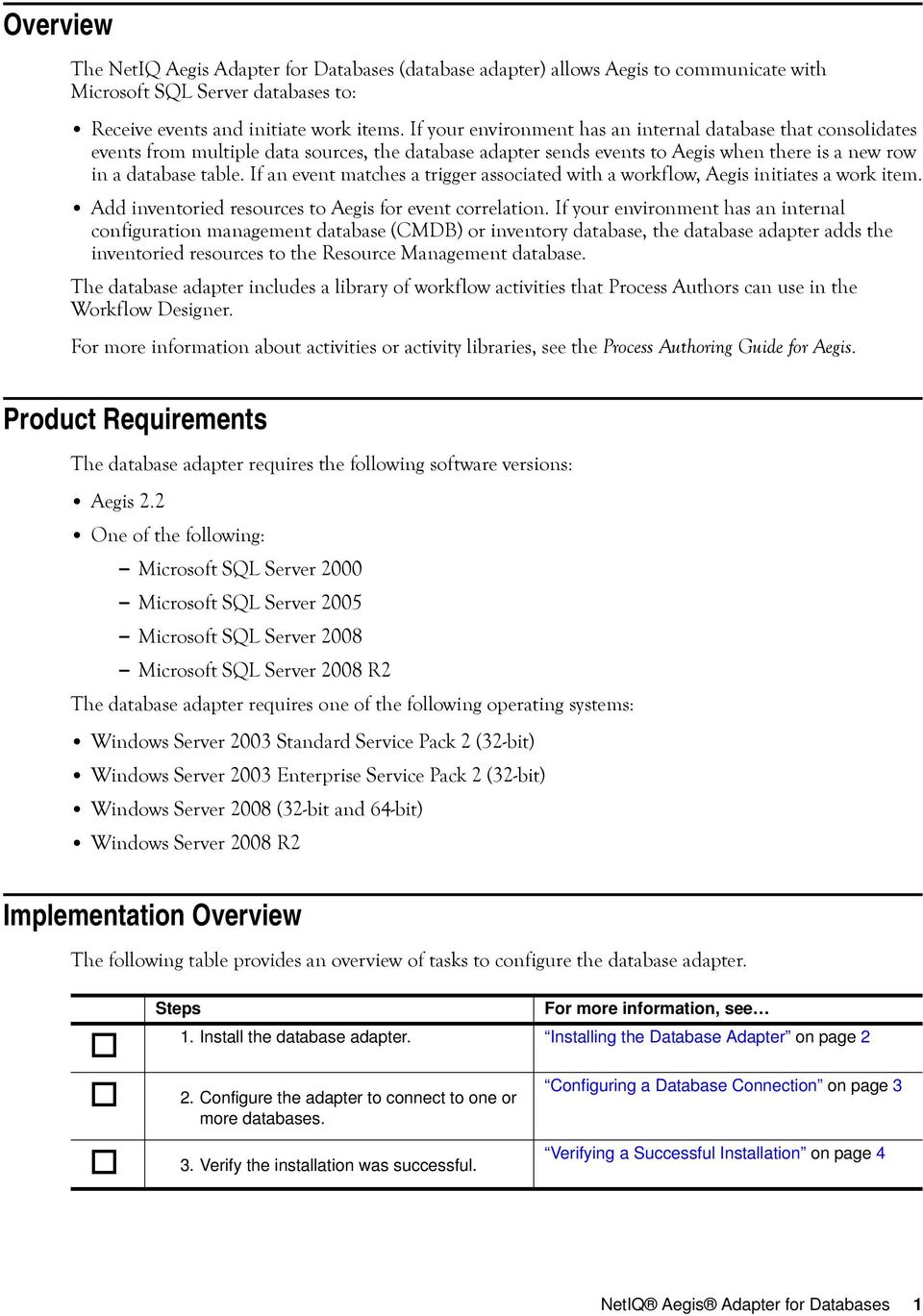
3 Overview The NetIQ Aegis Adapter for Databases (database adapter) allows Aegis to communicate with Microsoft SQL Server databases to: Receive events and initiate work items. If your environment has an internal database that consolidates events from multiple data sources, the database adapter sends events to Aegis when there is a new row in a database table. If an event matches a trigger associated with a workflow, Aegis initiates a work item. Add inventoried resources to Aegis for event correlation. If your environment has an internal configuration management database (CMDB) or inventory database, the database adapter adds the inventoried resources to the Resource Management database. The database adapter includes a library of workflow activities that Process Authors can use in the Workflow Designer. For more information about activities or activity libraries, see the Process Authoring Guide for Aegis. Product Requirements The database adapter requires the following software versions: Aegis 2.2 One of the following: - Microsoft SQL Server Microsoft SQL Server Microsoft SQL Server Microsoft SQL Server 2008 R2 The database adapter requires one of the following operating systems: Windows Server 2003 Standard Service Pack 2 (32-bit) Windows Server 2003 Enterprise Service Pack 2 (32-bit) Windows Server 2008 (32-bit and 64-bit) Windows Server 2008 R2 Implementation Overview The following table provides an overview of tasks to configure the database adapter. Steps For more information, see 1. Install the database adapter. Installing the Database Adapter on page 2 2. Configure the adapter to connect to one or more databases. 3. Verify the installation was successful. Configuring a Database Connection on page 3 Verifying a Successful Installation on page 4 NetIQ Aegis Adapter for Databases 1
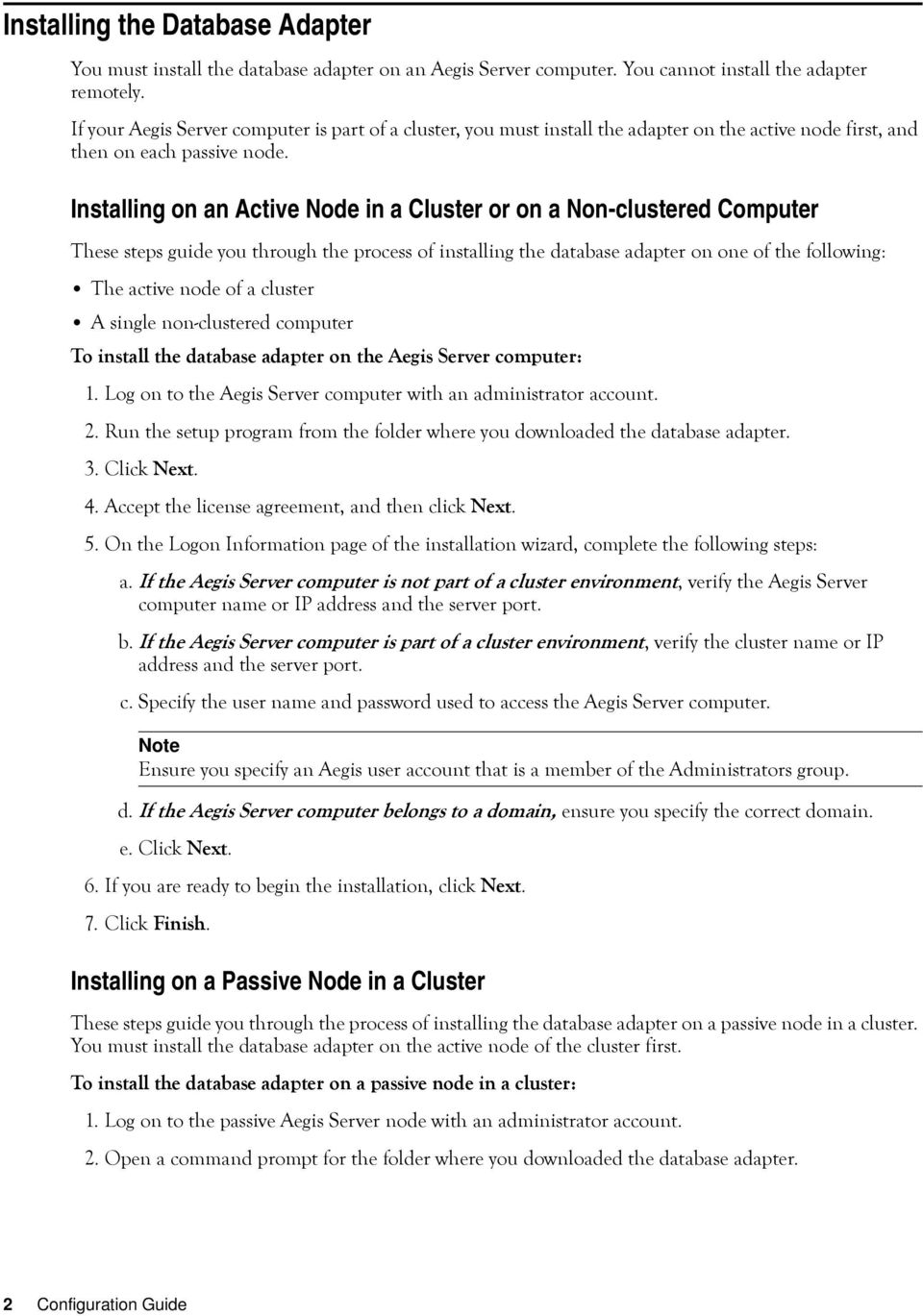
4 Installing the Database Adapter You must install the database adapter on an Aegis Server computer. You cannot install the adapter remotely. If your Aegis Server computer is part of a cluster, you must install the adapter on the active node first, and then on each passive node. Installing on an Active Node in a Cluster or on a Non-clustered Computer These steps guide you through the process of installing the database adapter on one of the following: The active node of a cluster A single non-clustered computer To install the database adapter on the Aegis Server computer: 1. Log on to the Aegis Server computer with an administrator account. 2. Run the setup program from the folder where you downloaded the database adapter. 3. Click Next. 4. Accept the license agreement, and then click Next. 5. On the Logon Information page of the installation wizard, complete the following steps: a. If the Aegis Server computer is not part of a cluster environment, verify the Aegis Server computer name or IP address and the server port. b. If the Aegis Server computer is part of a cluster environment, verify the cluster name or IP address and the server port. c. Specify the user name and password used to access the Aegis Server computer. Note Ensure you specify an Aegis user account that is a member of the Administrators group. d. If the Aegis Server computer belongs to a domain, ensure you specify the correct domain. e. Click Next. 6. If you are ready to begin the installation, click Next. 7. Click Finish. Installing on a Passive Node in a Cluster These steps guide you through the process of installing the database adapter on a passive node in a cluster. You must install the database adapter on the active node of the cluster first. To install the database adapter on a passive node in a cluster: 1. Log on to the passive Aegis Server node with an administrator account. 2. Open a command prompt for the folder where you downloaded the database adapter. 2 Configuration Guide
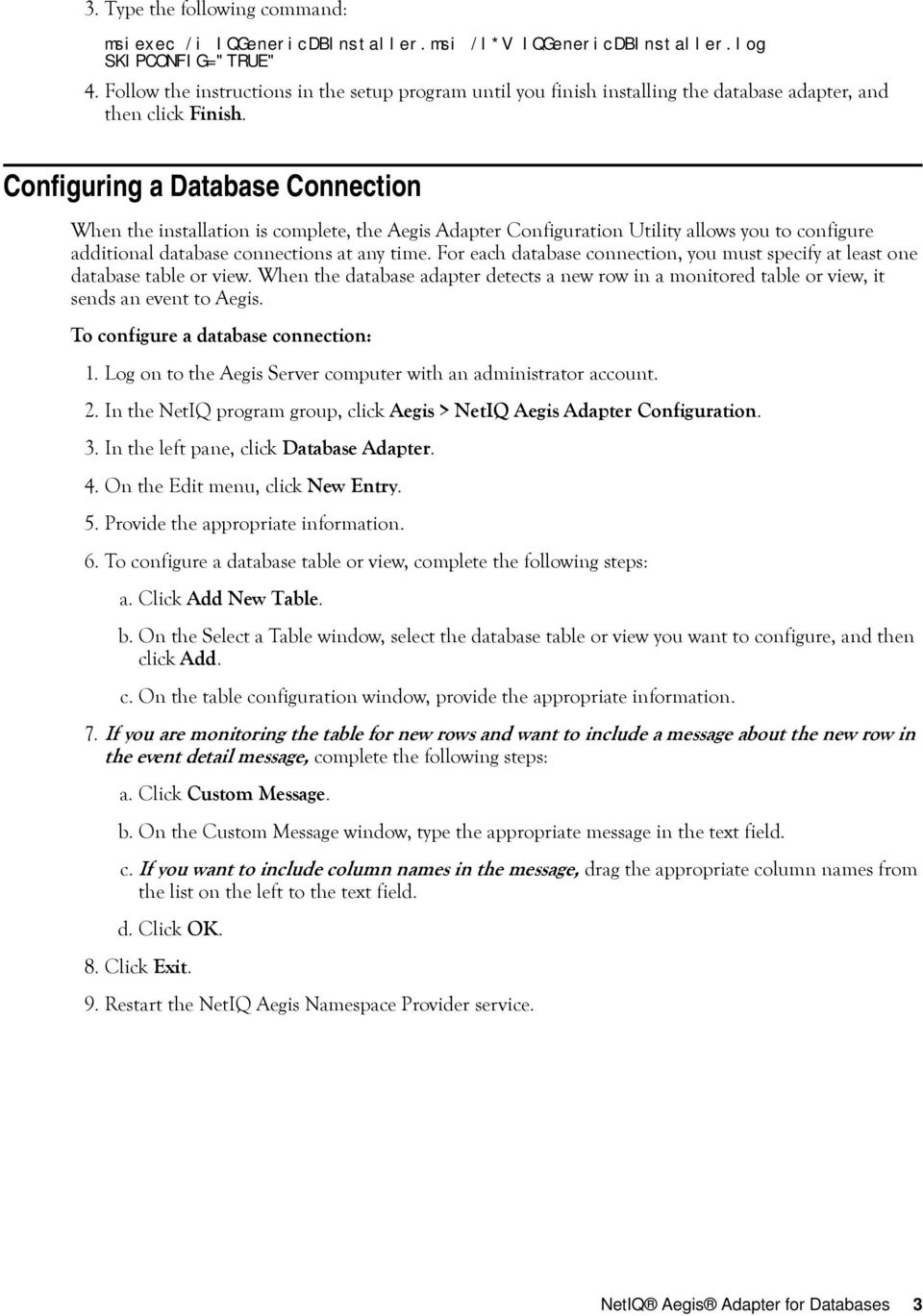
5 3. Type the following command: msiexec /i IQGenericDBInstaller.msi /l*v IQGenericDBInstaller.log SKIPCONFIG="TRUE" 4. Follow the instructions in the setup program until you finish installing the database adapter, and then click Finish. Configuring a Database Connection When the installation is complete, the Aegis Adapter Configuration Utility allows you to configure additional database connections at any time. For each database connection, you must specify at least one database table or view. When the database adapter detects a new row in a monitored table or view, it sends an event to Aegis. To configure a database connection: 1. Log on to the Aegis Server computer with an administrator account. 2. In the NetIQ program group, click Aegis > NetIQ Aegis Adapter Configuration. 3. In the left pane, click Database Adapter. 4. On the Edit menu, click New Entry. 5. Provide the appropriate information. 6. To configure a database table or view, complete the following steps: a. Click Add New Table. b. On the Select a Table window, select the database table or view you want to configure, and then click Add. c. On the table configuration window, provide the appropriate information. 7. If you are monitoring the table for new rows and want to include a message about the new row in the event detail message, complete the following steps: a. Click Custom Message. b. On the Custom Message window, type the appropriate message in the text field. c. If you want to include column names in the message, drag the appropriate column names from the list on the left to the text field. d. Click OK. 8. Click Exit. 9. Restart the NetIQ Aegis Namespace Provider service. NetIQ Aegis Adapter for Databases 3
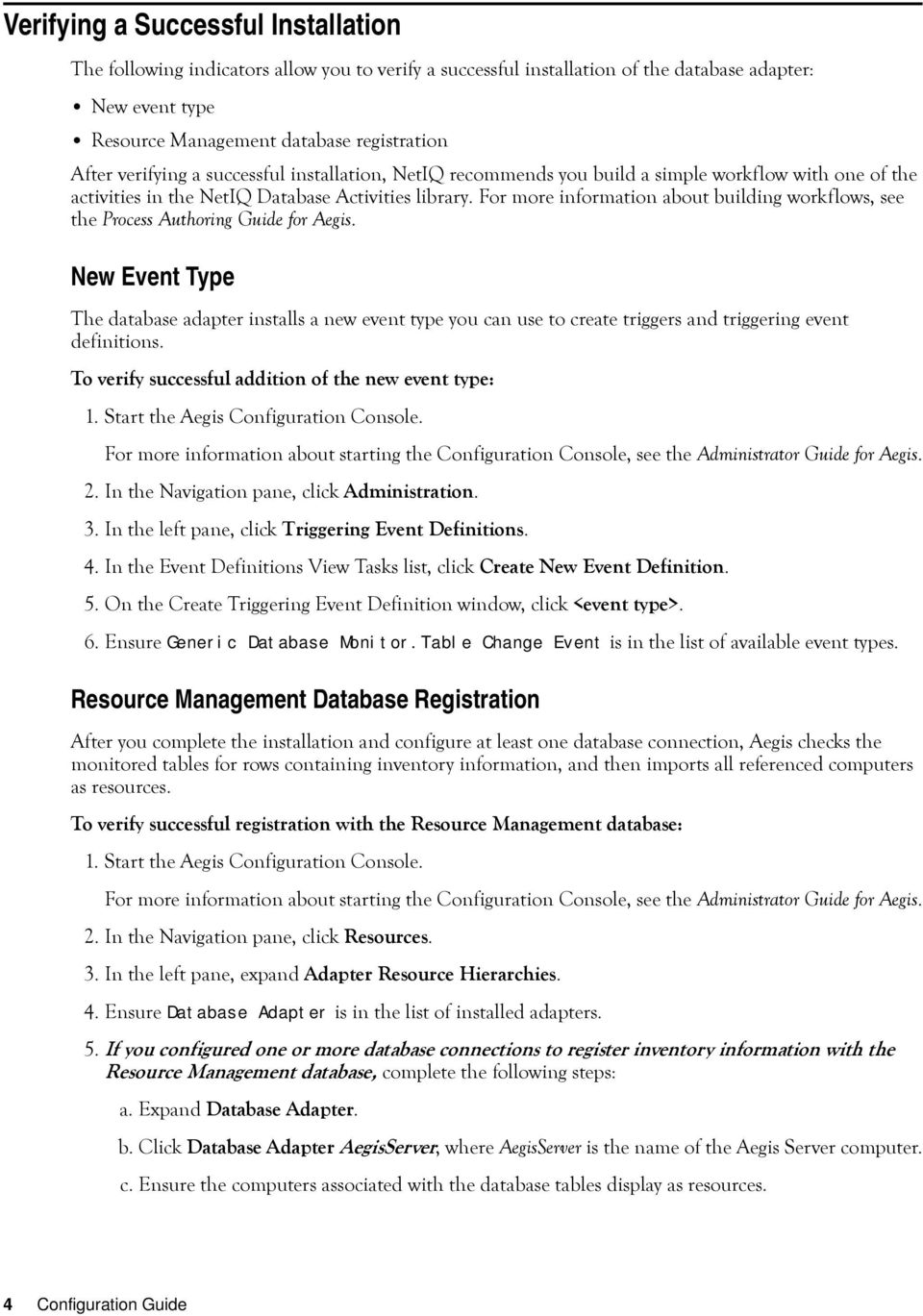
6 Verifying a Successful Installation The following indicators allow you to verify a successful installation of the database adapter: New event type Resource Management database registration After verifying a successful installation, NetIQ recommends you build a simple workflow with one of the activities in the NetIQ Database Activities library. For more information about building workflows, see the Process Authoring Guide for Aegis. New Event Type The database adapter installs a new event type you can use to create triggers and triggering event definitions. To verify successful addition of the new event type: 1. Start the Aegis Configuration Console. For more information about starting the Configuration Console, see the Administrator Guide for Aegis. 2. In the Navigation pane, click Administration. 3. In the left pane, click Triggering Event Definitions. 4. In the Event Definitions View Tasks list, click Create New Event Definition. 5. On the Create Triggering Event Definition window, click <event type>. 6. Ensure Generic Database Monitor.Table Change Event is in the list of available event types. Resource Management Database Registration After you complete the installation and configure at least one database connection, Aegis checks the monitored tables for rows containing inventory information, and then imports all referenced computers as resources. To verify successful registration with the Resource Management database: 1. Start the Aegis Configuration Console. For more information about starting the Configuration Console, see the Administrator Guide for Aegis. 2. In the Navigation pane, click Resources. 3. In the left pane, expand Adapter Resource Hierarchies. 4. Ensure Database Adapter is in the list of installed adapters. 5. If you configured one or more database connections to register inventory information with the Resource Management database, complete the following steps: a. Expand Database Adapter. b. Click Database Adapter AegisServer, where AegisServer is the name of the Aegis Server computer. c. Ensure the computers associated with the database tables display as resources. 4 Configuration Guide
7 Workflow Activities Overview The activities in the NetIQ Database Activities library allow Aegis to perform the following types of tasks: Find, update, and insert rows into database tables Retrieve values from a database table or view Execute SQL statements and stored procedures For detailed information about each activity, see its related Help. Uninstalling the Database Adapter You can uninstall the database adapter using one of the following methods: Run the setup program from the folder where you downloaded the database adapter. In Add/Remove Programs, select NetIQ Aegis Adapter for Databases. Do not attempt to use the Aegis setup program to uninstall the database adapter. If you are uninstalling from a cluster environment, ensure the following: Uninstall the adapter from all passive nodes first. Remove the node from the cluster before you uninstall the adapter. NetIQ Aegis Adapter for Databases 5

NetIQ Aegis Adapter for VMware vcenter Server
 Contents NetIQ Aegis Adapter for VMware vcenter Server Configuration Guide May 2011 Overview... 1 Product Requirements... 1 Supported Configurations... 2 Implementation Overview... 2 Ensuring Minimum Rights
Installation and Configuration Guide. NetIQ Security and Compliance Dashboard
 Installation and Configuration Guide NetIQ Security and Compliance Dashboard June 2011 Legal Notice NetIQ Secure Configuration Manager is covered by United States Patent No(s): 5829001, 7093251. THIS DOCUMENT
Using NetIQ's Implementation of NetFlow to Solve Customer's Problems Lecture Manual
 ATT9290 Lecture Using NetIQ's Implementation of NetFlow to Solve Customer's Problems Using NetIQ's Implementation of NetFlow to Solve Customer's Problems Lecture Manual ATT9290 NetIQ Training Services
NetIQ AppManager for NetBackup UNIX
 NetIQ AppManager for NetBackup UNIX Management Guide January 2008 Legal Notice NetIQ AppManager is covered by United States Patent No(s): 05829001, 05986653, 05999178, 06078324, 06397359, 06408335. THIS
Integration With Third Party SIEM Solutions
 Integration With Third Party SIEM Solutions Secure Configuration Manager February 2015 www.netiq.com Legal Notice NetIQ Secure Configuration Manager is protected by United States Patent No(s): 5829001,
NetIQ AppManager for Cisco Interactive Voice Response. Management Guide
 NetIQ AppManager for Cisco Interactive Voice Response Management Guide February 2009 Legal Notice THIS DOCUMENT AND THE SOFTWARE DESCRIBED IN THIS DOCUMENT ARE FURNISHED UNDER AND ARE SUBJECT TO THE TERMS
Using the Message Releasing Features of MailMarshal SMTP Technical White Paper October 15, 2003
 Contents Introduction... 1 Automatic Message Releasing Concepts...2 Server Configuration...3 Policy components...5 Array Support...7 Summary...8. Using the Message Releasing Features of MailMarshal SMTP
Upgrading to MailMarshal Version 6.0 SMTP Technical Reference
 Upgrading to MailMarshal Version 6.0 SMTP Technical Reference April 19, 2005 Contents Introduction... 3 Case 1: Standalone MailMarshal SMTP Server... 3 Case 2: Array of MailMarshal SMTP Servers... 14 Additional
NetIQ AppManager ResponseTime for Microsoft Active Directory Management Guide
 NetIQ AppManager ResponseTime for Microsoft Active Directory Management Guide August 2015 www.netiq.com/documentation Legal Notice THIS DOCUMENT AND THE SOFTWARE DESCRIBED IN THIS DOCUMENT ARE FURNISHED
MailMarshal SMTP in a Load Balanced Array of Servers Technical White Paper September 29, 2003
 Contents Introduction... 1 Network Load Balancing... 2 Example Environment... 5 Microsoft Network Load Balancing (Configuration)... 6 Validating your NLB configuration... 13 MailMarshal Specific Configuration...
NetIQ AppManager for Self Monitoring UNIX and Linux Servers (AMHealthUNIX) Management Guide
 NetIQ AppManager for Self Monitoring UNIX and Linux Servers (AMHealthUNIX) Management Guide September 2014 Legal Notice THIS DOCUMENT AND THE SOFTWARE DESCRIBED IN THIS DOCUMENT ARE FURNISHED UNDER AND
Identity as a Service Powered by NetIQ Privileged Account Manager Service Installation and Configuration Guide
 Identity as a Service Powered by NetIQ Privileged Account Manager Service Installation and Configuration Guide July 2015 www.netiq.com/documentation Legal Notice THIS DOCUMENT AND THE SOFTWARE DESCRIBED
Installation Guide NetIQ AppManager
 Installation Guide NetIQ AppManager April 2016 www.netiq.com/documentation Legal Notice NetIQ AppManager is covered by United States Patent No(s): 05829001, 05986653, 05999178, 06078324, 06397359, 06408335.
NetIQ Privileged User Manager
 NetIQ Privileged User Manager Performance and Sizing Guidelines March 2014 Legal Notice THIS DOCUMENT AND THE SOFTWARE DESCRIBED IN THIS DOCUMENT ARE FURNISHED UNDER AND ARE SUBJECT TO THE TERMS OF A LICENSE
NetIQ Directory and Resource Administrator NetIQ Exchange Administrator. Installation Guide
 NetIQ Directory and Resource Administrator NetIQ Exchange Administrator Installation Guide August 2013 Legal Notice NetIQ Directory and Resource Administrator is protected by United States Patent No(s):
NetIQ AppManager for Cisco Intelligent Contact Management. Management Guide
 NetIQ AppManager for Cisco Intelligent Contact Management Management Guide February 2012 Legal Notice THIS DOCUMENT AND THE SOFTWARE DESCRIBED IN THIS DOCUMENT ARE FURNISHED UNDER AND ARE SUBJECT TO THE
WebTrends 7 Backup and Restore for MySQL Databases
 WebTrends 7 Backup and Restore for MySQL Databases May 2004 Edition 2004 NetIQ Corporation Disclaimer This document and the software described in this document are furnished under and are subject to the
NetIQ AppManager for IP Phone Quality. Management Guide
 NetIQ AppManager for IP Phone Quality Management Guide February 2011 Legal Notice NetIQ AppManager is covered by United States Patent No(s): 05829001, 05986653, 05999178, 06078324, 06397359, 06408335.
Security and HIPAA Compliance
 Contents Meeting the Challenge of HIPAA...3 Key areas of risk...3 Solutions for meeting the challenge of HIPAA...5 Mapping to HIPAA...5 Conclusion...7 About NetIQ...7 About Attachmate...7 Security and
User Guide Secure Configuration Manager
 User Guide Secure Configuration Manager January 2015 www.netiq.com/documentation Legal Notice NetIQ Secure Configuration Manager is protected by United States Patent No(s): 5829001, 7707183. THIS DOCUMENT
NetIQ AppManager for Nortel Contact Center Manager Server. Management Guide
 NetIQ AppManager for Nortel Contact Center Manager Server Management Guide July 2011 Legal Notice THIS DOCUMENT AND THE SOFTWARE DESCRIBED IN THIS DOCUMENT ARE FURNISHED UNDER AND ARE SUBJECT TO THE TERMS
User Guide. Directory and Resource Administrator Exchange Administrator. Directory and Resource Administrator Exchange Administrator User Guide
 Directory and Resource Administrator Exchange Administrator User Guide User Guide Directory and Resource Administrator Exchange Administrator September 2010 Legal Notice NetIQ Directory Resource Administrator
NetIQ SecureLogin 8.0.1 includes new features, improves usability, and resolves several previous issues.
 NetIQ SecureLogin 8.0 SP1 Readme May 2014 NetIQ SecureLogin 8.0.1 includes new features, improves usability, and resolves several previous issues. Many of these improvements were made in direct response
NetIQ Identity Manager Setup Guide
 NetIQ Identity Manager Setup Guide July 2015 www.netiq.com/documentation Legal Notice THIS DOCUMENT AND THE SOFTWARE DESCRIBED IN THIS DOCUMENT ARE FURNISHED UNDER AND ARE SUBJECT TO THE TERMS OF A LICENSE
NetIQ AppManager for Self Monitoring (AM Health) Management Guide
 NetIQ AppManager for Self Monitoring (AM Health) Management Guide September 2015 www.netiq.com/documentation Legal Notice THIS DOCUMENT AND THE SOFTWARE DESCRIBED IN THIS DOCUMENT ARE FURNISHED UNDER AND
NetIQ AppManager ResponseTime for Microsoft SQL Server
 NetIQ AppManager ResponseTime for Microsoft SQL Server Management Guide April 2009 Legal Notice NetIQ AppManager is covered by United States Patent No(s): 05829001, 05986653, 05999178, 06078324, 06397359,
Real-Time Security for Active Directory
 Real-Time Security for Active Directory Contents The Need to Monitor and Control Change... 3 Reducing Risk and Standardizing Controls... 3 Integrating Change Monitoring... 4 Policy Compliance... 4 The
Identity as a Service Powered by NetIQ Solution Overview Guide
 Identity as a Powered by NetIQ Solution Overview Guide July 2015 www.netiq.com/documentation Legal Notice THIS DOCUMENT AND THE SOFTWARE DESCRIBED IN THIS DOCUMENT ARE FURNISHED UNDER AND ARE SUBJECT TO
NetIQ AppManager for Cisco Unity Express. Management Guide
 NetIQ AppManager for Cisco Unity Express Management Guide February 2012 Legal Notice THIS DOCUMENT AND THE SOFTWARE DESCRIBED IN THIS DOCUMENT ARE FURNISHED UNDER AND ARE SUBJECT TO THE TERMS OF A LICENSE
PlateSpin Migrate 11.1 Installation and Upgrade Guide
 PlateSpin Migrate 11.1 Installation and Upgrade Guide September 22, 2014 www.netiq.com/documentation Legal Notice THIS DOCUMENT AND THE SOFTWARE DESCRIBED IN THIS DOCUMENT ARE FURNISHED UNDER AND ARE SUBJECT
Virtualization Management Survey Analysis White Paper August 2008
 Contents Introduction Survey Results and Observations... 3 Virtualization Management Survey Analysis White Paper August 2008 Conclusion... 11 About NetIQ... 11 About Attachmate... 11 Over a six week period
Optimizing Business Continuity Management with NetIQ PlateSpin Protect and AppManager. Best Practices and Reference Architecture
 Optimizing Business Continuity Management with NetIQ PlateSpin Protect and AppManager Best Practices and Reference Architecture WHITE PAPER Table of Contents Introduction.... 1 Why monitor PlateSpin Protect
User Guide. NetIQ VigilEnt Policy Center. August 2011
 User Guide NetIQ VigilEnt Policy Center August 2011 Legal Notice THIS DOCUMENT AND THE SOFTWARE DESCRIBED IN THIS DOCUMENT ARE FURNISHED UNDER AND ARE SUBJECT TO THE TERMS OF A LICENSE AGREEMENT OR A NON-DISCLOSURE
NetIQ Access Manager. Developer Kit 3.2. May 2012
 NetIQ Access Manager Developer Kit 3.2 May 2012 Legal Notice THIS DOCUMENT AND THE SOFTWARE DESCRIBED IN THIS DOCUMENT ARE FURNISHED UNDER AND ARE SUBJECT TO THE TERMS OF A LICENSE AGREEMENT OR A NON DISCLOSURE
Management Guide. NetIQ AppManager Connector for IBM Tivoli Netcool/OMNIbus
 Management Guide NetIQ AppManager Connector for IBM Tivoli Netcool/OMNIbus May 2012 Legal Notice THIS DOCUMENT AND THE SOFTWARE DESCRIBED IN THIS DOCUMENT ARE FURNISHED UNDER AND ARE SUBJECT TO THE TERMS
PlateSpin Protect 11.0.1 Installation and Upgrade Guide
 PlateSpin Protect 11.0.1 Installation and Upgrade Guide February 2015 www.netiq.com/documentation Legal Notice THIS DOCUMENT AND THE SOFTWARE DESCRIBED IN THIS DOCUMENT ARE FURNISHED UNDER AND ARE SUBJECT
Trial Guide. NetIQ Security Manager. October 2011
 Trial Guide NetIQ Security Manager October 2011 NetIQ Security Manager is protected by United States Patent No: 05829001. THIS DOCUMENT AND THE SOFTWARE DESCRIBED IN THIS DOCUMENT ARE FURNISHED UNDER AND
Reporting Guide NetIQ Reporting Center
 Reporting Guide NetIQ Reporting Center October 2015 www.netiq.com/documentation Legal Notice THIS DOCUMENT AND THE SOFTWARE DESCRIBED IN THIS DOCUMENT ARE FURNISHED UNDER AND ARE SUBJECT TO THE TERMS OF
NetIQ Security Manager Log Archive Server Best Practices January 9, 2012
 NetIQ Security Manager Log Archive Server Best Practices January 9, 2012 This technical reference provides best practice information about the NetIQ Security Manager log archive server component. It provides
NetIQ AppManager for Microsoft Cluster Server. Management Guide
 NetIQ AppManager for Microsoft Cluster Server Management Guide October 2013 Legal Notice THIS DOCUMENT AND THE SOFTWARE DESCRIBED IN THIS DOCUMENT ARE FURNISHED UNDER AND ARE SUBJECT TO THE TERMS OF A
Setup Guide Access Manager 3.2 SP3
 Setup Guide Access Manager 3.2 SP3 August 2014 www.netiq.com/documentation Legal Notice THIS DOCUMENT AND THE SOFTWARE DESCRIBED IN THIS DOCUMENT ARE FURNISHED UNDER AND ARE SUBJECT TO THE TERMS OF A LICENSE
Samsung KNOX EMM Authentication Services. SDK Quick Start Guide
 Samsung KNOX EMM Authentication Services SDK Quick Start Guide June 2014 Legal notice This document and the software described in this document are furnished under and are subject to the terms of a license
Get Cloud Ready: Secure Access to Google Apps and Other SaaS Applications
 Get Cloud Ready: Secure Access to Google Apps and Other SaaS Applications Matt Weisberg Vice President & CIO, Weisberg Consulting, Inc. [email protected] Paul McKeith Technical Sales, Novell, Inc. [email protected]
Common Driver Administration Guide. Identity Manager 4.0.2
 Common Driver Administration Guide Identity Manager 4.0.2 July 2014 Legal Notice THIS DOCUMENT AND THE SOFTWARE DESCRIBED IN THIS DOCUMENT ARE FURNISHED UNDER AND ARE SUBJECT TO THE TERMS OF A LICENSE
NetIQ AppManager SNMP Toolkit. Management Guide
 NetIQ AppManager SNMP Toolkit Management Guide July 2012 Legal Notice THIS DOCUMENT AND THE SOFTWARE DESCRIBED IN THIS DOCUMENT ARE FURNISHED UNDER AND ARE SUBJECT TO THE TERMS OF A LICENSE AGREEMENT OR
NetIQ Group Policy Administrator User Guide
 NetIQ Group Policy Administrator User Guide October 2014 www.netiq.com/documentation Legal Notice THIS DOCUMENT AND THE SOFTWARE DESCRIBED IN THIS DOCUMENT ARE FURNISHED UNDER AND ARE SUBJECT TO THE TERMS
SolarWinds Migrating SolarWinds NPM Technical Reference
 SolarWinds Migrating SolarWinds NPM Technical Reference Copyright 1995-2015 SolarWinds Worldwide, LLC. All rights reserved worldwide. No part of this document may be reproduced by any means nor modified,
MailMarshal Exchange in a Windows Server Active/Passive Cluster
 MailMarshal Exchange in a Windows Server Active/Passive Cluster November, 2006 Contents Introduction 2 Preparation 3 Generic Resource Creation 4 Cluster MailMarshal Install 4 Antivirus Software 8 Known
Centrify Mobile Authentication Services
 Centrify Mobile Authentication Services SDK Quick Start Guide 7 November 2013 Centrify Corporation Legal notice This document and the software described in this document are furnished under and are subject
Data Integrator Guide
 Data Integrator Guide Operations Center 5.0 March 3, 2014 Legal Notices THIS DOCUMENT AND THE SOFTWARE DESCRIBED IN THIS DOCUMENT ARE FURNISHED UNDER AND ARE SUBJECT TO THE TERMS OF A LICENSE AGREEMENT
User Guide. NetIQ Security Manager. October 2011
 User Guide NetIQ Security Manager October 2011 NetIQ Security Manager is protected by United States Patent No: 05829001. THIS DOCUMENT AND THE SOFTWARE DESCRIBED IN THIS DOCUMENT ARE FURNISHED UNDER AND
Service Level Agreement Guide. Operations Center 5.0
 Service Level Agreement Guide Operations Center 5.0 November 6, 2013 Legal Notices THIS DOCUMENT AND THE SOFTWARE DESCRIBED IN THIS DOCUMENT ARE FURNISHED UNDER AND ARE SUBJECT TO THE TERMS OF A LICENSE
How To Monitor An Exchange Server With Netiqmc On A Windows 7.X.X (Windows 7) On A Microsoft Powerbook 2.X862 (Windows) On An Ubuntu 7.5 (Windows 8) On Windows
 NetIQ AppManager for Microsoft Exchange Server 2007, 2010, and 2013 Management Guide September 2015 www.netiq.com/documentation Legal Notice THIS DOCUMENT AND THE SOFTWARE DESCRIBED IN THIS DOCUMENT ARE
Centrify Mobile Authentication Services for Samsung KNOX
 Centrify Mobile Authentication Services for Samsung KNOX SDK Quick Start Guide 3 October 2013 Centrify Corporation Legal notice This document and the software described in this document are furnished under
Executing Large-Scale Data Center Transformation Projects with PlateSpin Migrate 12
 Executing Large-Scale Data Center Transformation Projects with PlateSpin Migrate 12 WHITE PAPER Table of Contents What are Data Center Transformation Projects?... 1 Introduction to PlateSpin Migrate...
Syslog Provider Parse Map Structure and Usage
 Contents Syslog Provider Parse Map Structure and Usage Technical Reference December 2009 Overview... 1 Basic XML Elements... 1 Rule Elements... 4 Syslog Event Formatting... 9 Optional Event Formatting...
NetIQ Identity Manager
 NetIQ Identity Manager Security Guide December 2014 Legal Notice THIS DOCUMENT AND THE SOFTWARE DESCRIBED IN THIS DOCUMENT ARE FURNISHED UNDER AND ARE SUBJECT TO THE TERMS OF A LICENSE AGREEMENT OR A NON
INSTALLING MICROSOFT SQL SERVER AND CONFIGURING REPORTING SERVICES
 INSTALLING MICROSOFT SQL SERVER AND CONFIGURING REPORTING SERVICES TECHNICAL ARTICLE November 2012. Legal Notice The information in this publication is furnished for information use only, and does not
CONFIGURING MICROSOFT SQL SERVER REPORTING SERVICES
 CONFIGURING MICROSOFT SQL SERVER REPORTING SERVICES TECHNICAL ARTICLE November/2011. Legal Notice The information in this publication is furnished for information use only, and does not constitute a commitment
Upgrading From NetIQ Security Manager 6.5 to Sentinel 7.0
 Contents Overview... 1 Understanding Sentinel 7.0 Architecture... 1 Planning to Upgrade From Security Manager to Sentinel... 3 Enabling Security Manager Data Forwarding... 4 Using Sentinel to Search Log
DIGIPASS KEY series and smart card series for Juniper SSL VPN Authentication
 DIGIPASS KEY series and smart card series for Juniper SSL VPN Authentication Certificate Based 2010 Integration VASCO Data Security. Guideline All rights reserved. Page 1 of 31 Disclaimer Disclaimer of
Driver for Sentinel. Implementation Guide. June 2013
 Driver for Sentinel Implementation Guide June 2013 Legal Notice NetIQ Corporation, and its affiliates, have intellectual property rights relating to technology embodied in the product that is described
SOLARWINDS ORION. Patch Manager Evaluation Guide for ConfigMgr 2012
 SOLARWINDS ORION Patch Manager Evaluation Guide for ConfigMgr 2012 About SolarWinds SolarWinds, Inc. develops and markets an array of network management, monitoring, and discovery tools to meet the diverse
User Document. Adobe Acrobat 7.0 for Microsoft Windows Group Policy Objects and Active Directory
 Adobe Acrobat 7.0 for Microsoft Windows Group Policy Objects and Active Directory Copyright 2005 Adobe Systems Incorporated. All rights reserved. NOTICE: All information contained herein is the property
NetIQ Identity Manager
 NetIQ Identity Manager E-Mail Notification Guide December 2014 Legal Notice THIS DOCUMENT AND THE SOFTWARE DESCRIBED IN THIS DOCUMENT ARE FURNISHED UNDER AND ARE SUBJECT TO THE TERMS OF A LICENSE AGREEMENT
Update and Installation Guide for Microsoft Management Reporter 2.0 Feature Pack 1
 Update and Installation Guide for Microsoft Management Reporter 2.0 Feature Pack 1 Microsoft Corporation Published: December 2010 Microsoft Dynamics is a line of integrated, adaptable business management
VERITAS Backup Exec 9.1 for Windows Servers Quick Installation Guide
 VERITAS Backup Exec 9.1 for Windows Servers Quick Installation Guide N109548 Disclaimer The information contained in this publication is subject to change without notice. VERITAS Software Corporation makes
Technical Brief for Windows Home Server Remote Access
 Technical Brief for Windows Home Server Remote Access Microsoft Corporation Published: October, 2008 Version: 1.1 Abstract This Technical Brief provides an in-depth look at the features and functionality
Adobe Acrobat 9 Deployment on Microsoft Systems Management
 Adobe Acrobat 9 Deployment on Microsoft Systems Management Server white paper TABLE OF CONTENTS 1. Document overview......... 1 2. References............. 1 3. Product overview.......... 1 4. Installing
Customizing Remote Desktop Web Access by Using Windows SharePoint Services Stepby-Step
 Customizing Remote Desktop Web Access by Using Windows SharePoint Services Stepby-Step Guide Microsoft Corporation Published: July 2009 Updated: September 2009 Abstract Remote Desktop Web Access (RD Web
NetIQ AppManager for WebLogic Server UNIX. Management Guide
 NetIQ AppManager for UNIX Management Guide May 2013 Legal Notice THIS DOCUMENT AND THE SOFTWARE DESCRIBED IN THIS DOCUMENT ARE FURNISHED UNDER AND ARE SUBJECT TO THE TERMS OF A LICENSE AGREEMENT OR A NON
Administration Guide. SecureLogin 8.0. October, 2013
 Administration Guide SecureLogin 8.0 October, 2013 Legal Notice NetIQ Product Name is protected by United States Patent No(s): nnnnnnnn, nnnnnnnn, nnnnnnnn. THIS DOCUMENT AND THE SOFTWARE DESCRIBED IN
Adobe Acrobat 9 Deployment on Microsoft Windows Group Policy and the Active Directory service
 Adobe Acrobat 9 Deployment on Microsoft Windows Group Policy and the Active Directory service white paper TABLE OF CONTENTS 1. Document overview......... 1 2. References............. 1 3. Product overview..........
NetIQ AppManager for Microsoft SharePoint Server. Management Guide
 NetIQ AppManager for Microsoft SharePoint Server Management Guide December 2013 Legal Notice THIS DOCUMENT AND THE SOFTWARE DESCRIBED IN THIS DOCUMENT ARE FURNISHED UNDER AND ARE SUBJECT TO THE TERMS OF
Oracle Enterprise Manager. Description. Versions Supported
 Oracle Enterprise Manager System Monitoring Plug-in Installation Guide for Microsoft SQL Server Release 12 (4.1.3.2.0) E18740-01 November 2010 This document provides a brief description about the Oracle
Dell Recovery Manager for Active Directory 8.6. Quick Start Guide
 Dell Recovery Manager for Active Directory 8.6 2014 Dell Inc. ALL RIGHTS RESERVED. This guide contains proprietary information protected by copyright. The software described in this guide is furnished
Symantec AntiVirus Corporate Edition Patch Update
 Symantec AntiVirus Corporate Edition Patch Update Symantec AntiVirus Corporate Edition Update Documentation version 10.0.1.1007 Copyright 2005 Symantec Corporation. All rights reserved. Symantec, the Symantec
Oracle Enterprise Manager. Description. Versions Supported
 Oracle Enterprise Manager System Monitoring Plug-in Installation Guide for Microsoft SQL Server Release 10 (4.0.3.1.0) E14811-03 June 2009 This document provides a brief description about the Oracle System
Quick Connect Express for Active Directory
 Quick Connect Express for Active Directory Version 5.2 Quick Start Guide 2012 Dell Inc. ALL RIGHTS RESERVED. This guide contains proprietary information protected by copyright. The software described in
VERITAS Backup Exec TM 10.0 for Windows Servers
 VERITAS Backup Exec TM 10.0 for Windows Servers Quick Installation Guide N134418 July 2004 Disclaimer The information contained in this publication is subject to change without notice. VERITAS Software
Microsoft Dynamics GP. Workflow Installation Guide Release 10.0
 Microsoft Dynamics GP Workflow Installation Guide Release 10.0 Copyright Copyright 2008 Microsoft Corporation. All rights reserved. Complying with all applicable copyright laws is the responsibility of
Dell Statistica 13.0. Statistica Enterprise Installation Instructions
 Dell Statistica 13.0 2015 Dell Inc. ALL RIGHTS RESERVED. This guide contains proprietary information protected by copyright. The software described in this guide is furnished under a software license or
Version 1.2. 2011 Provance Technologies, Inc. All rights reserved. Provance Technologies Inc. 85 Bellehumeur Gatineau, Quebec CANADA J8T 8B7
 This document is provided for informational purposes only and Provance makes no warranties, either express or implied, in this document. Information in this document, including external references, is
NetIQ Identity Manager
 NetIQ Identity Manager Management Guide October 2014 Legal Notice THIS DOCUMENT AND THE SOFTWARE DESCRIBED IN THIS DOCUMENT ARE FURNISHED UNDER AND ARE SUBJECT TO THE TERMS OF A LICENSE AGREEMENT OR A
Redeploying Microsoft CRM 3.0
 Redeploying Microsoft CRM 3.0 2005 Information in this document, including URL and other Internet Web site references, is subject to change without notice. Unless otherwise noted, the example companies,
EMC ViPR Controller Add-in for Microsoft System Center Virtual Machine Manager
 EMC ViPR Controller Add-in for Microsoft System Center Virtual Machine Manager Version 2.3 Installation and Configuration Guide 302-002-080 01 Copyright 2013-2015 EMC Corporation. All rights reserved.