
KRF-V4060D KRF-V5060D KRF-V5560D VR-605 / VR-615
|
|
|
- Alexis Barton
- 10 years ago
- Views:
Transcription
1 AUDIO VIDEO SUOUND ECEIVE KF-V4060D KF-V5060D KF-V5560D V-605 / V-615 STUCTION MANUA KENWOOD COPOATION This instruction manual is for some models. Model availability and features (functions) may differ depending on the country and sales area. About the supplied remote control Compared to standard remote controls, the remote control supplied with this receiver has several operation modes. These modes enable the remote control to control other audio/video components. In order to effectively use the remote control it is important to read the operating instructions and obtain a proper understanding of the remote control and how to switch its operation modes (etc.). Using the remote control without completely understanding its design and how to switch the operation modes may result in incorrect operations. B ID (K, P, T, M, Y, X, E2) 0109

2 VIDEO VIDEO 1 MONITO VIDEO 1 GND ANTENNA PHONO GND FM 75Ω AM 50µs 75µs CD / EC PAY MD / TAPE AUDIO EC PAY VIDEO1 FONT DIGITA / 6CH PUT CENTE SUOUND SUB WOOFE PE ED C WHITE GEEN GAY BUE SPEAKES AC ETS AC110V-120V / 220V-240V~ TOTA 90W MAX. Before applying the power Caution : ead this page carefully to ensure safe operation. Units are designed for operation as follows. U.S.A. and Canada... AC 120 V only Australia... AC 240 V only Europe and U.K.... AC 230 V only China and ussia... AC 220 V only Other countries... AC / V switchable* For the United Kingdom * AC voltage selection Factory fitted moulded mains plug 1. The mains plug contains a fuse. For replacement, use only a 13- Amp ASTA-approved (BS1362) fuse. 2. The fuse cover must be refitted when replacing the fuse in the moulded plug. 3. Do not cut off the mains plug from this equipment. If the plug fitted is not suitable for the power points in your home or the cable is too short to reach a power point, then obtain an appropriate safety approved extension lead or adaptor, or consult your dealer. If nonetheless the mains plug is cut off, remove the fuse and dispose of the plug immediately, to avoid a possible shock hazard by inadvertent connection to the mains supply. IMPOTANT : The wires in the mains lead are coloured in accordance with the following code: Blue : Neutral Brown : ive Do not connect those leads to the earth terminal of a three-pin plug. The AC voltage selector switch on the rear panel is set to the voltage that prevails in the area to which the unit is shipped. Before connecting the power cord to your AC outlet, make sure that the setting position of this switch matches your line voltage. If not, it must be set to your voltage in accordance with the following direction. Move switch lever to match your line voltage with a small screwdriver or other pointed tool. AM 9kHz FM 50kHz DE- EMPHASIS CHANNE SPACE AM 10kHz FM 100kHz SYSTEM CONTO PAY CD / OPTICA COAXIA SUB WOOFE FONT SPEAKES AC voltage selector switch CENTE SPEAKE + - SUOUND SPEAKES / 60Hz SWITCHED AC V~ AC V~ VOTAGE SEECTO Safety precautions WANG : TO PEVENT FIE O EECTIC SHOCK, DO NOT EXPOSE THIS APPIANCE TO A O MOISTUE. CAUTION ISK OF EECTIC SHOCK DO NOT OPEN CAUTION: TO EDUCE THE ISK OF EECTIC SHOCK, DO NOT EMOVE COVE (O BACK). NO USE-SEVICEABE PATS - SIDE. EFE SEVICG TO QUAIFIED SEVICE PESONNE. For the U.S.A. THE IGHTNG FASH WITH AOWHEAD SYMBO, WITH AN EQUIATEA TIANGE, IS TENDED TO AET THE USE TO THE PESENCE OF UNSUATED DANGEOUS VOTAGE WITH THE PODUCT S EN- COSUE THAT MAY BE OF SUFFICIENT MAGNITUDE TO CONSTITUTE A ISK OF EECTIC SHOCK TO PESONS. THE EXCAMATION POT WITH AN EQUIATEA TI- ANGE IS TENDED TO AET THE USE TO THE PES- ENCE OF IMPOTANT OPEATG AND MATENANCE (SEVICG) STUCTIONS THE ITEATUE ACCOM- PANYG THE APPIANCE. FCC WANG This equipment may generate or use radio frequency energy. Changes or modifications to this equipment may cause harmful interference unless the modifications are expressly approved in the instruction manual. The user could lose the authority to operate this equipment if an unauthorized change or modification is made. NOTE: This equipment has been tested and found to comply with the limits for a Class B digital device, pursuant to Part 15 of the FCC ules. These limits are designed to provide reasonable protection against harmful interference in a residential installation. This equipment may cause harmful interference to radio communications, if it is not installed and used in accordance with the instructions. However, there is no guarantee that interference will not occur in a particular installation. If this equipment does cause harmful interference to radio or television reception, which can be determined by turning the equipment off and on, the user is encouraged to try to correct the interference by one or more of the following measures: eorient or relocate the receiving antenna. Increase the separation between the equipment and receiver. Connect the equipment into an outlet on a circuit different from that to which the receiver is connected. Consult the dealer or an experienced radio / TV technician for help. Note : Our warranty does not cover damage caused by excessive line voltage due to improper setting of the AC voltage selector switch. As an ENEGY STA Partner, Kenwood Corporation has determined that this product meets the ENEGY STA guidelines for energy efficiency.this product can save energy. Saving energy reduces air pollution and lowers utility bills. For the U.S.A. Note to CATV system installer: This reminder is provided to call the CATV system installer's attention to Article of the NEC that provides guidelines for proper grounding and, in particular, specifies that the cable ground shall be connected to the grounding system of the building, as close to the point of cable entry as practical. 2 EN

3 Before applying the power Contents Caution : ead the pages marked safe operation. carefully to ensure Additional Information In case of difficulty Specifications Preparations Operations Before applying the power... 2 Safety precautions... 2 Unpacking... 3 How to use this manual... 4 Special features... 4 Names and functions of parts... 5 Main Unit... 5 emote control unit (C-0621) (V-605/KF- V4060D/V5560D) and (C-0620) (V-615/KF- V5060D)... 6 emote control unit (C-0623) (KF-V4060D/ V5560D) and (C-0622) (KF-V5060D) (For the U.K. and Europe only)... 7 Setting up the system... 8 Connecting audio components... 9 Connecting video components Digital connections Connecting a player (6-channel input) (For V-615/KF-V5060D only) Connecting the speakers Connecting the terminals Connecting the antennas Connecting the system control Preparing the remote control Preparing for surround sound Speaker settings Normal playback Preparing for playback istening to a source component Adjusting the sound ecording ecording audio (analog sources) ecording video ecording audio (digital sources) istening to radio broadcasts Tuning (non-ds) radio stations Using DS (adio Data System) (For the U.K. and Europe only) Presetting radio stations manually eceiving preset stations eceiving preset stations in order (P.CA) Using the DS DISPAY key (For the U.K. and Europe only) Presetting DS stations (DS AUTO MEMOY) (For the U.K. and Europe only) Tuning by Program TYpe (PTY search) (For the U.K. and Europe only) Ambience effects Surround modes Surround play channel playback (For V-615/KF- V5060D only) Convenient functions Unpacking Unpack the unit carefully and make sure that all accessories are present. FM indoor antenna (1) AM loop antenna (1) For V-605, KF-V4060D and KF-V5560D emote control unit (1) Batteries (6/AA) (2) C-0621 For V-615 and KF-V5060D emote control unit (1) Batteries (6/AA) (2) C-0620 For KF-V5060D (For the U.K. and Europe only) emote control unit (1) Batteries (6/AA) (2) C-0622 For KF-V4060D and KF-V5560D (For the U.K. and Europe only) emote control unit (1) Batteries (6/AA) (2) C-0623 *AC plug adapter (1) *Use to adapt the plug on the power cord to the shape of the wall outlet. (Accessory only for regions where use is necessary.) emote Control Basic remote control operations for other components player operation keys CASSETTE deck, CD player & MD recorder operations If any accessories are missing, or if the unit is damaged or fails to operate, notify your dealer immediately. If your unit was shipped to you directly, notify your shipper immediately. Kenwood recommend that you retain the original carton and packing materials in case you need to move or ship the unit in the future. Keep this manual handy for future reference. 3 EN

4 Before applying the power How to use this manual This manual is divided into four sections, Preparations, Operations, emote Control, and Additional Information. Preparations Shows you how to connect your audio and video components to the receiver and prepare the surround processor. Since this receiver works with all of your audio and video components, we will guide you in setting up your system to be as easy as possible. Operations Shows you how to operate the various functions available on the receiver. emote Control Shows you how to operate other components using the remote control, as well as a detailed explanation of all remote control operations. Once you have registered your components with the proper setup codes, you ll be able to operate both this receiver and your other AV components (TV, VC, player, CD player, etc.) using the remote control supplied with this receiver. Additional Information Shows you additional information such as In case of difficulty (troubleshooting) and Specifications. Maintenance of the unit When the front panel or case becomes dirty, wipe with a soft, dry cloth. Do not use thinner, benzine, alcohol, etc. for these agents may cause discoloration. In regard to contact cleaner Do not use contact cleaners because it could cause a malfunction. Be specially careful not to use contact cleaners containing oil, for they may deform the plastic component. Memory back up function Please note that the following items will be deleted from the unit's memory if the power cord is disconnected from the AC outlet for approximately 1 day. Power mode. Input selector settings. Picture output. Speaker ON/OFF. Volume level. BASS, TEBE, PUT level. Dimmer level. MD/TAPE settings. isten mode setting. Speaker settings. SW E-MIX ON/OFF. Special features Distance setting. Input mode setting. Midnight mode setting. PO OGIC II mode setting. Broadcast band. Frequency setting. Preset stations. Tuning mode. CEMA EQ ON/OFF. OUDNESS ON/OFF. True home theater sound This receiver incorporates a wide variety of surround modes to bring you maximum enjoyment from your video software. Select a surround mode according to your equipment or the software you are going to play and enjoy! Dolby Digital The DOBY DIGITA mode lets you enjoy full digital surround from software processed in the Dolby Digital format. Dolby Digital provides up to 5.1 channels of independent digital audio for better sound quality and more powerful presence than conventional Dolby Surround. Dolby PO OGIC II DOBY PO OGIC II, whilst totally compatible with its predecessor PO OGIC, provides greater advantages in surround sound. It allows user to enjoy the conventional stereo or Dolby Surround with a convincing 5.1 like presentation. PO OGIC II offers special features for controlling the overall spatial, dimensionality and frontal sound field imaging. PO OGIC II produces an impressive surround sound from video software marked and three-dimensional space from music CD. When listening to music, you will be able to enjoy the experience of sheer STEEO surround sound. DTS DTS (Digital Theater System) is a 5.1 channel digital audio format that provides five full-spectrum channels and one low-frequency (subwoofer) channel for unprecedented clarity, optimum channel separation and a (wide) dynamic range. In the DTS mode, the 5.1 channel digital input from a DTS CD, D or disc (carrying the DTS marking) can be played in Digital Surround. Important: When a DTS disc is played on a CD, D or player, noise may be output from the analog output. It is recommended that you connect the digital output of the player to the digital input of this unit. DSP surround modes The DSP (Digital Signal Processor) used for this receiver incorporates a variety of high quality adjustable sound fields, like AENA, JAZZ CUB, THEATE, STADIUM and DISCO. It is compatible with almost any kind of program source. 6-channel input (For V-615/KF-V5060D only) If you own a player equipped with 6-channel output, this receiver allows you to obtain the full surround sound impact of source material featuring multi-channel encoding. Since the source signals are digital and each channel is input independently, the resulting ambience is far superior to what can be achieved with conventional surround sound systems. CEMA EQ Cinema EQ mode will produce a more dynamic sound quality in any conditions. You can enjoy a more impressive sound effect when you switch CEMA EQ ON during Dolby Digital and DTS playback. Universal I (Infraed) remote control In addition to the basic receiver, the remote control supplied with this receiver can also operate almost all of your remote controllable audio and video components. Just follow the simple setup procedure to register the components you have connected. DS (adio Data System) tuner (For the U.K. and Europe only) The receiver is equipped with an DS tuner that provides several convenient tuning functions: DS Auto Memory, to automatically preset up to 40 DS stations broadcasting different programs; station name display, to show you the name of the current broadcast station; and PTY search to let you tune stations by program type. PTY (Program TYpe) search (For the U.K. and Europe only) Tune the stations by specifying the type of program you want to hear. 4 EN

5 Names and functions of parts Main Unit CIP indicator DS indicators CEMA EQ. indicator Speaker indicator TONE indicator OUDNESS indicator 96kHzfs indicator MUTE indicator Speaker selection indicators Input channel indicators Output channel indicators Frequency display, Input display, Preset channel display, Surround mode display Display Band indicators DOBY DIGITA indicator AUTO DETECT indicator DTS indicator 6CH PUT indicator PO OGIC indicator DIGITA indicator AUTO indicator MEMO. indicator ST. indicator TUNED indicator DSP indicator STEEO indicator POWE STANDBY STANDBY VOUME CONTO ON STANDBY ON STANDBY SPEAKES ON OFF POWE DIMME ISTEN MODE DSP DTS DOBY DIGITA SOUND MUTI CONTO PUT SEECTO DOWN UP MUTE ON OFF PHONES CEMA EQ PUT MODE BAND AUTO MEMOY SET UP For V-605/ POWE ON/OFF key & (For KF-V5060D/V4060D/V5560D) Use to turn the main power ON/OFF. 2 ON/STANDBY ( ) key & (For KF-V5060D/V4060D/V5560D) Use to switch the power ON/STANDBY when the POWE is turned ON. STANDBY indicator 2 POWE ON/STANDBY ( ) key (For V-605/615) & Use to turn the power ON/STANDBY. STANDBY indicator 3 DIMME key Use to select the EC MODE. Use to adjust the brightness of the display. º 4 ISTEN MODE key Use to select the listening mode. 5 Surround indicators DSP mode indicator ights when the receiver is in the DSP mode. DTS mode indicator ights when the receiver is in the DTS mode. DOBY DIGITA indicator ights when the receiver is in the Dolby Digital mode. 6 SOUND key ª Use to adjust the sound quality and the ambience effects. 7 MUTI CONTO knob & Use to control a variety of settings. 8 PUT SEECTO knob ( Use to select the input sources. 9 VOUME CONTO knob ( memory. 0 PHONES jack ) & SET UP key Use for headphone listening.! SPEAKES ON/OFF keys ( Use to turn the speakers CEMA EQ key ) Use to switch the status of CEMA EQ. # PUT MODE key 8 Use to switch between full auto, digital and analog inputs. $ BAND key Use to select the broadcast band. % AUTO key Use to change TAPE indication to MD. ( Use to select the auto tuning mode. ^ MEMOY key Use to store radio stations in the preset & Use to select the speakers' settings etc. * MUTE key ) Use to temporarily mute the sound. Standby mode While the standby indicator is lit, a small amount of power is supplied to the system to back-up the memory. This is called standby mode. Under the condition, the system can be turned ON by the remote control unit. Connection at POWE ON/OFF key (for KF-V5060D/V4060D/ V5560D) The power in this equipment will not be completely cut off from the AC wall outlet when the main switch is turned OFF. 5 EN

6 Names and functions of parts emote control unit (C-0621) (V-605/KF-V4060D/V5560D) and (C-0620) (V-615/KF- V5060D) POWE POWE ECEIVE DOWN-PAGE-UP PTY MENU OSD OUDNESS ETUN TOP MENU SET UP P.CA SOUND ISTEN MODE P.CA MUTI CONTO TUNG ENTE BAND A/B+100 BASS BOOST DISC SKIP AUTO /6CH AUX CD/ TUNE MD/TAPE (For C-0620 only) VIDEO1 VIDEO2 DISC SE. CEMA EQ TONE MUTE VOUME If the name of a function is different on the receiver and on the remote control, the name of the remote control key in this manual is indicated in parentheses. 1 Numeric keys If CD or MD is selected as the input source, these keys function as numeric keys. If tuner is selected as the input source, these keys are used to call up station presets. 2 DOWN-PAGE- key Use to operate the component. OUDNESS key ) Use to switch the status of OUDNESS. 3 MENU key Use to operate the component. SET UP key & Use to select the speakers' settings etc. 4 OSD key Use to operate the components. SOUND key ª Use to adjust the sound quality and ambience effects. 5 MUTI CONTO %/fi keys & Use to control a variety of settings. Use to operate other components. P.CA 4/ keys If tuner is selected as the input source, these keys function as P.CA keys. 4/ keys If CD or MD is selected as the input source, these keys function as skip keys. 6 TUNG 1/ keys Use to operate the tuner or selected component. If CD, MD or TAPE is selected as the input source, these keys function as search keys. 7 A/B key If TAPE is selected as the input source, this is A and B deck of a double cassette deck key Use to select the disc number with the multi- CD player. DISC SKIP key If CD is selected as the input source, this key functions as the multi-cd player disc skip key. 8 BASS BOOST key ) Use to select the maximum adjustment setting for the low frequency range. 9 PUT SEECTO keys [ or /6ch (for C-0620 only), AUX, CD/, TUNE, MD/TAPE, VIDEO1, VIDEO2]( Use to select the input sources. 4 keys When in player operations, these keys function as skip keys. 0 DISC SE. key Use to operate other components. CEMA EQ key ) Use to switch the status of CEMA EQ.! MUTE key ) Use to temporarily mute the POWE ( ) key Use to turn the receiver on and off. # POWE key Use to turn on the equipment. $ ECEIVE key Use to return to the operation of the receiver. % -PAGE-UP key Use to operate the component. ^ TOP MENU key Use to operate the component. & ETUN key Use to operate other components. ISTEN MODE key Use to select the listening mode. * ENTE key Use to operate other components. 2 key Use to operate other components. ( BAND key Use to select the broadcast band. 6 key If CD is selected as the input source, this key functions as the play/pause key. If MD or TAPE is selected as the input source, this key functions as the play key. ) 8 key Use to operate other components. AUTO key Use to select the auto tuning mode. 7 key If CD, MD or TAPE is selected as the input source, this key functions as the stop key. TONE key ) Use to switch the status of TONE control. VOUME keys ( Use to adjust the receiver volume. 6 EN

7 Names and functions of parts emote control unit (C-0623) (KF-V4060D/V5560D) and (C-0622) (KF-V5060D) (For the U.K. and Europe only) POWE POWE ECEIVE DOWN-PAGE-UP PTY MENU OSD OUDNESS ETUN TOP MENU SET UP P.CA SOUND ISTEN MODE DS DISPAY P.CA MUTI CONTO TUNG ENTE BAND A/B+100 BASS BOOST DISC SKIP AUTO /6CH PHONO (For C-0622 only) AUX CD/ VIDEO1 VIDEO2 TUNE DISC SE. CEMA EQ MD/TAPE TONE (For C-0622 only) MUTE VOUME If the name of a function is different on the receiver and on the remote control, the name of the remote control key in this manual is indicated in parentheses. 1 Numeric keys If CD or MD is selected as the input source, these keys function as numeric keys. If tuner is selected as the input source, these keys are used to call up station presets. 2 DOWN-PAGE- key Use to operate the component. OUDNESS key ) Use to switch the status of OUDNESS. 3 MENU key Use to operate the component. SET UP key & Use to select the speakers' settings etc. 4 OSD key Use to operate the components. SOUND key ª Use to adjust the sound quality and ambience effects. 5 MUTI CONTO %/fi keys & Use to control a variety of settings. Use to operate other components. P.CA 4/ keys If tuner is selected as the input source, these keys function as P.CA keys. 4/ keys If CD or MD is selected as the input source, these keys function as skip keys. 6 TUNG 1/ keys Use to operate the tuner or selected component. If CD, MD or TAPE is selected as the input source, these keys function as search keys. 7 A/B key If TAPE is selected as the input source, this is A and B deck of a double cassette deck key Use to select the disc number with the multi- CD player. DISC SKIP key If CD is selected as the input source, this key functions as the multi-cd player disc skip key. 8 BASS BOOST key ) Use to select the maximum adjustment setting for the low frequency range. 9 PUT SEECTO keys [ or /6ch (for C-0622only), AUX or PHONO (for C-0622 only), CD/, TUNE, MD/ TAPE, VIDEO1, VIDEO2] ( Use to select the input sources. 4 keys When in player operations, these keys function as skip keys. 0 DISC SE. key Use to operate other components. CEMA EQ key ) Use to switch the status of CEMA EQ.! MUTE key ) Use to temporarily mute the POWE ( ) key Use to turn the receiver on and off. # POWE key Use to turn on the equipment. $ ECEIVE key Use to return to the operation of the receiver. % -PAGE-UP key Use to operate the component. PTY key Use for PTY search. ^ TOP MENU key Use to operate the component. DS DISPAY key Use for DS function. & ETUN key Use to operate other components. ISTEN MODE key Use to select the listening mode. * ENTE key Use to operate other components. 2 key Use to operate other components. ( BAND key Use to select the broadcast band. 6 key If CD is selected as the input source, this key functions as the play/pause key. If MD or TAPE is selected as the input source, this key functions as the play key. ) 8 key Use to operate other components. AUTO key Use to select the auto tuning mode. 7 key If CD, MD or TAPE is selected as the input source, this key functions as the stop key. TONE key ) Use to switch the status of TONE control. VOUME keys ( Use to adjust the receiver volume. 7 EN

8 Setting up the system Make connections as shown in the following pages. When connecting the related system components, be sure to refer to the instruction manuals supplied with the components you are connecting. Do not connect the power cord to a wall outlet until all connections are completed. Notes 1. Be sure to insert all connection cords securely. If their connections are imperfect, the sound may not be produced or there will be noise interference. 2. Be sure to remove the power cord from the AC outlet before plugging or unplugging any connection cords. Plugging/unplugging connection cords without disconnecting the power cord can cause malfunctions and may damage the unit. 3. Do not connect power cords from components whose power consumption is larger than what is indicated on the AC outlet at the rear of this unit. Analog connections Audio connections are made using CA pin cords. These cables transfer stereo audio signal in an analog form. This means the audio signal corresponds to the actual audio of two channels. These cables usually have 2 plugs each end, one red for the right channel and one white for the left channel. These cables are usually packed together with the source unit, or are available at your local electronics retailer. Microcomputer malfunction If operation is not possible or an erroneous display appears, even though all connections have been made properly, reset the microcomputer referring to In case of difficulty. Input mode settings CD/, VIDEO2 and or /6CH (V-615/KF-V5060D only) inputs each include jacks for digital audio input and analog audio input. You must select beforehand which type of input is to be used for each connected component. To use the analog audio input for playback instead (if, for example, you have connected a VC to the VIDEO2 input), you must set the input mode for the corresponding input to the analog mode. After completing connections and turning on the receiver, follow the steps below. PUT MODE 1 Use the PUT SEECTO knob to select CD/, VIDEO2, or /6CH (V-615/KF-V5060D only). 2 Press the PUT MODE key. Each press switches the setting as follows: In DTS play mode 1 F-AUTO (digital input, analog input) 2 D-MANUA (digital input) PUT SEECTO In CD/, VIDEO2, or /6CH (V-615/KF-V5060D only) play mode 1 F-AUTO (digital input, analog input) 2 D-MANUA (digital input) 3 6CH PT (/6CH input) 4 ANAOG (analog input) Digital input: Select this setting to play digital signals from a, CD, or D player. Analog input: Select this setting to play analog signals from a cassette deck, VC, or record player. Auto detect: In F-AUTO (full auto) mode (AUTO DETECT and DIGITA indicators light up), the receiver detects the digital or analog input signals automatically. Priority is given to digital signal during input mode selection. The receiver will select the input mode and listening mode automatically during playback to match the type of input signal (Dolby Digital, PCM, DTS ) and the speaker setting. The initial factory setting is full auto. To keep the receiver set to the currently selected listening mode, use the PUT MODE key to select D-MANUA (digital manual). However, even when this setting is selected, there may be cases in which the listening mode is selected automatically to match a Dolby Digital source signal depending on the combination of listening mode and source digital. If the PUT MODE key is pressed quickly, sound may not be produced. Press the PUT MODE key again. 8 EN

9 Setting up the system Connecting audio components Shape of AC outlets U.S.A. and Canada U.K. SYSTEM CONTO jacks % Australia Other countries AC ETS AC110V-120V / 220V-240V~ AC V~ AC V~ VOTAGE SEECTO DE- SYSTEM EMPHASIS CONTO GND CHANNE SPACE FM 75Ω AM 50µs 75µs AM 9kHz AM 10kHz ANTENNA FM 50kHz FM 100kHz VIDEO AUDIO MONITO PHONO CD / EC PAY EC PAY PAY VIDEO 1 VIDEO 1 MD / TAPE VIDEO1 GND FONT CD / OPTICA DIGITA COAXIA / 6CH PUT CENTE SUOUND SUB WOOFE SUB WOOFE PE FONT SPEAKES ED CENTE SPEAKE C + - SPEAKES SUOUND SPEAKES WHITE GEEN GAY BUE / 60Hz SWITCHED TOTA 90W MAX. To AC wall outlet AUDIO PHONO CD/ EC PAY MD / TAPE EC PAY VIDEO1 GND Video component Cassette deck or MD recorder AUX [For V-605/615/ KF-V4060D/ V5560D and KF-V5060D (except for the U.K. and Europe)] CD or player Moving coil (MC) cartridge record player cannot be used directly from the receiver unit. It can only be used when another equalizer amplifier is connected. ecord player 9 EN

10 Setting up the system Connecting video components AC ETS AC110V-120V / 220V-240V~ VIDEO MONITO AC V~ AC V~ VOTAGE SEECTO DE- SYSTEM EMPHASIS CONTO GND CHANNE SPACE FM 75Ω AM 50µs 75µs AM 9kHz AM 10kHz ANTENNA FM 50kHz FM 100kHz AUDIO CD / OPTICA COAXIA DIGITA / 6CH PUT CENTE FONT SPEAKES CENTE SPEAKE + SUOUND SPEAKES + 50 / 60Hz SWITCHED TOTA 90W MAX. - - VIDEO 1 VIDEO 1 GND PHONO CD / EC PAY EC PAY PAY MD / TAPE VIDEO1 FONT SUOUND SUB WOOFE SUB WOOFE ED PE C WHITE GEEN GAY BUE SPEAKES VIDEO MONITO AUDIO For V-605/ KF-V4060D/ V5560D only VIDEO 1 VIDEO 1 EC PAY VIDEO1 PAY VIDEO Monitor TV Video inputs (Yellow CA pin cords) Video / Video deck Audio / Video inputs and outputs (Yellow CA pin cords) Audio inputs and outputs player or D player player or D player A video component with digital audio outputs should be connected to the VIDEO2 jacks. 10 EN

11 Setting up the system Digital connections The digital in jacks can accept DTS, Dolby Digital, or PCM signals. Connect components capable of outputting DTS, Dolby Digital, or standard PCM (CD) format digital signals. If you have connected any digital components to the receiver, be sure to read the Input mode settings section carefully. 8 AC ETS AC110V-120V / 220V-240V~ VIDEO MONITO AC V~ AC V~ VOTAGE SEECTO DE- SYSTEM EMPHASIS CONTO GND CHANNE SPACE FM 75Ω AM 50µs 75µs AM 9kHz AM 10kHz ANTENNA FM 50kHz FM 100kHz AUDIO CD / OPTICA COAXIA DIGITA / 6CH PUT CENTE FONT SPEAKES CENTE SPEAKE + SUOUND SPEAKES + 50 / 60Hz SWITCHED TOTA 90W MAX. - - VIDEO 1 VIDEO 1 GND PHONO CD / EC PAY EC PAY PAY MD / TAPE VIDEO1 FONT SUOUND SUB WOOFE SUB WOOFE ED PE C WHITE GEEN GAY BUE SPEAKES CD / OPTICA DIGITA COAXIA COAXIA DIGITA (AUDIO) COAXIA DIGITA (AUDIO) F digital demodulator (DEM-9991D) (sold separately) Component with DTS, Dolby Digital, or PCM COAXIA DIGITA Connect the video signal and analog audio signals to the jacks. (See Connecting video components.) 0 DOBY DIGITA F (AUDIO) PCM D player Optical fiber cable OPTICA DIGITA (AUDIO) CD or player To connect an D player with a DIGITA F, connect the D player to the KENWOOD F digital demodulator (DEM-9991D). Next, connect the DIGITA jacks of the demodulator to the DIGITA jacks of the receiver. Connect the video signal and analog audio signals to the jacks. (See Connecting video components.) 11 EN

12 Setting up the system Connecting a player (6-channel input) (For V-615/KF-V5060D only) If you have connected a player to the receiver with digital connection, be sure to read the Input mode settings section carefully. 8 AC ETS AC110V-120V / 220V-240V~ VIDEO MONITO AC V~ AC V~ VOTAGE SEECTO DE- SYSTEM EMPHASIS CONTO GND CHANNE SPACE FM 75Ω AM 50µs 75µs AM 9kHz AM 10kHz ANTENNA FM 50kHz FM 100kHz AUDIO CD / OPTICA COAXIA DIGITA / 6CH PUT CENTE FONT SPEAKES CENTE SPEAKE + SUOUND SPEAKES + 50 / 60Hz SWITCHED TOTA 90W MAX. - - VIDEO 1 VIDEO 1 GND PHONO CD / EC PAY EC PAY PAY MD / TAPE VIDEO1 FONT SUOUND SUB WOOFE SUB WOOFE ED PE C WHITE GEEN GAY BUE SPEAKES VIDEO MONITO / 6CH PUT CENTE FONT SUOUND SUB WOOFE CD / OPTICA DIGITA / 6CH COAXIA VIDEO 1 VIDEO 1 VIDEO (Yellow CA pin cord) FONT / SUOUND / SUBWOOFE player CENTE COAXIA DIGITA (AUDIO) CAUTION Be sure to adhere to the following, or proper ventilation will be blocked causing damage or fire hazard. Do not place any object impairing heat radiation onto the top of the unit. eave a space around the unit (from the largest outside dimension including projection) equal or greater than, shown below. Top panel : 50 cm Side panel : 10 cm Back panel : 10 cm 12 EN

13 Setting up the system Connecting the speakers Front Speakers ight eft Center Speaker FONT SPEAKES CENTE SPEAKE C + - ED WHITE GEEN SUOUND SPEAKES GAY V-605/KF-V5060D/KF-V4060D BUE + - AC ETS AC110V-120V / 220V-240V~ VIDEO MONITO AC V~ AC V~ VOTAGE SEECTO DE- SYSTEM EMPHASIS CONTO GND CHANNE SPACE FM 75Ω AM 50µs 75µs AM 9kHz AM 10kHz ANTENNA FM 50kHz FM 100kHz AUDIO CD / OPTICA COAXIA DIGITA / 6CH PUT CENTE FONT SPEAKES CENTE SPEAKE + SUOUND SPEAKES + 50 / 60Hz SWITCHED TOTA 90W MAX. - - VIDEO 1 VIDEO 1 GND PHONO CD / EC PAY EC PAY PAY MD / TAPE VIDEO1 FONT SUOUND SUB WOOFE SUB WOOFE ED PE C WHITE GEEN GAY BUE SPEAKES V-615/KF-V5560D SUOUND SPEAKES SUB WOOFE SPEAKE SUB WOOFE PE + - GAY BUE SW PUPE Powered sub woofer (For V-605/ KF-V5060D/ V4060D) ight eft Surround Speakers (Be sure to connect both surround speakers) Sub woofer 13 EN

14 VIDEO VIDEO 1 FM MONITO VIDEO 1 GND ANTENNA PHONO AM GND CD / EC PAY MD / TAPE AC V~ DE- EMPHASIS CHANNE SPACE 50µs AUDIO EC PAY VIDEO1 SYSTEM CONTO PAY FONT CD / OPTICA DIGITA COAXIA / 6CH PUT CENTE SUOUND SUB WOOFE SUB WOOFE PE FONT SPEAKES ED CENTE SPEAKE C SUOUND SPEAKES WHITE GEEN GAY BUE SPEAKES AC ETS AC110V-120V / 220V-240V~ 50 / 60Hz SWITCHED TOTA 90W MAX. AC V~ VOTAGE SEECTO Setting up the system Connecting the terminals 1 Strip coating. 2 Push the lever. Connecting the antennas AM loop antenna The supplied loop antenna is for use indoors. Place it as far as possible from the receiver, TV set, speaker cords and power cord, and adjust the direction for best reception. 3 Insert the cord. 4 eturn the lever. AM antenna terminal connections 1 Push lever. 2 Insert cord. 3 elease lever. Never short circuit the + and speaker cords. If the left and right speakers are connected inversely or the speaker cords are connected with reversed polarity, the sound will be unnatural with ambiguous acoustic imaging. Be sure to connect the speakers correctly. Speaker impedance After confirming the speaker impedance indications printed on the rear panel of the receiver, connect speakers with matching impedance ratings. Using speakers with a rated impedance other than that indicated on the rear panel of the receiver could result in malfunctions or damage to the speakers or receiver. FM indoor antenna The supplied indoor antenna is for temporary use only. For stable signal reception we recommend using an outdoor antenna. Disconnect the indoor antenna when you connect one outdoors. FM antenna terminal connections Insert cord. FM outdoor antenna ead the 75Ω coaxial cable connected to the FM outdoor antenna into the room and connect it to the FM 75Ω terminal. 75Ω 75µs AM 9kHz AM 10kHz FM 50kHz FM 100kHz Attach to the stand GND FM 75Ω ANTENNA AM AM loop antenna FM indoor antenna FM outdoor antenna Use an antenna adaptor (Commercially available) 14 EN

15 Setting up the system Connecting the system control Connecting system control cords after connecting a KENWOOD audio component system lets you take advantage of convenient system control operations. This unit is compatible only with the [S-16] mode. The system control operation is not available if the unit is connected in the [XS8], [XS], or [X] connection mode. If your component has the mode select switch, set the connected components to the [S16] mode. SYSTEM CONTO cord SYSTEM CONTO SYSTEM CONTO OPEATIONS emote Control ets you operate this unit with the system remote supplied with the receiver. Automatic Operation When you start playback from a source component, the input selector on this unit switches to that component automatically. Synchronized ecording ets you synchronize recording with the start of playback when recording from CD, MD or analog discs. You may connect the system control cord to either the up or down jack. EXAMPE: [S16] mode connections The underlined portion represents the setting of the system control mode. [S16] [S16] [XS] [XS8] [X] [S16] [XS] [XS8] [XS] eceiver Cassette deck or MD recorder CD player ecord player SYSTEM CONTO cord In order to take advantage of the system control operations, the components must be connected to the correct jacks. To use a CD player it must be connected to the CD jacks. To use a cassette deck (or MD recorder) it must be connected to the MD/TAPE jacks. When using more than one CD player (etc.) only the one connected to the specified jacks may be connected for system control. Some CD players and cassette decks are not compatible with the [S16] system control mode. Do not make system connections with equipment that is not [S16] compatible. Some MD players are not system control compatible. You cannot make system control connections to this kind of equipment. Notes 1. [S16] equipment cannot be combined with [X], [XS], and [XS8] equipment for system operations. If your equipment consists of this kind of combination, please do not connect any system control cords. Even without system control cords, normal operations can be carried out without effecting performance. 2. Do not connect system control cords to any components other than those specified by KENWOOD. It may cause a malfunction and damage your equipment. 3. Be sure the system control plugs are inserted all the way in to the system control terminals. 15 EN
![If your component has the mode select switch, set the connected components to the [S16] mode.](/docs-images/40/6213707/images/page_15.jpg "SYSTEM CONTO cord SYSTEM CONTO SYSTEM CONTO OPEATIONS emote Control ets you operate this unit with the system remote supplied with the receiver.")
16 50µs AM 9kHz FM 50kHz Insert two AA-size (6) batteries as indicated by the polarity markings. DE- EMPHASIS CHANNE SPACE 75µs AM 10kHz FM 100kHz Setting up the system Preparing the remote control Speaker placement oading the batteries 1 emove the cover. 2 Insert the batteries. Center speaker Surround speaker Subwoofer Front speaker istening position 3 Close the cover. 2 1 Front speakers : Place to the front left and right of the listening position. Front speakers are required for all surround modes. Center speaker : Place front and center. This speaker stabilizes the sound image and helps recreate sound motion. equired for surround playback. Surround speakers : Place to the direct left and right, or slightly behind, the listening position at even heights, approximately 1 meter above the ears of the listeners. These speakers recreate sound motion and atmosphere. equired for surround playback. Subwoofer : eproduces powerful deep bass sounds. Although the ideal surround system consists of all the speakers listed above, if you don't have a center speaker or a subwoofer, you can divide those signals between the available speakers in the speaker settings steps to obtain the best possible surround reproduction from the speakers you have available. & Operation When the STANDBY indicator is lit, the power turns ON when you press the POWE ( ) key on the remote control. When the power comes ON, press the key you want to operate. Operating range (Approx.) emote sensor Channel space switching (Except for the U.S.A., Canada, U.K., Europe and Australia) The space between radio channels has been set to the one that prevails in the area to which the system is shipped. However, if the current channel space setting does not match the setting in the area where the system is to be used, for instance when you move from area 1 or area 2 shown in the following table or vice versa, proper reception of AM/FM broadcasts cannot be expected. In this case, change the channel space setting in accordance with your area by referring to the following table. 6 m Infrared ray system Area U.S.A., Canada and South American countries Other countries CHANNE Space Frequency FM: 100 khz AM: 10 khz FM: 50 khz AM: 9 khz When pressing more than one remote control key successively, press the keys securely by leaving an interval of 1 second or more between keys. 50µs AM 9kHz FM 50kHz DE- EMPHASIS CHANNE SPACE 75µs AM 10kHz FM 100kHz VIDEO VIDEO 1 FM 75Ω MONITO VIDEO 1 ANTENNA PHONO AM GND CD / EC PAY MD / TAPE AUDIO EC PAY VIDEO1 SYSTEM CONTO PAY DV FONT Notes 1. The supplied batteries may have shorter lives than ordinary batteries due to use during operation checks. 2. When the remote-controllable distance gets shorter than before, replace both batteries with new ones. 3. Placing the remote sensor in direct sunlight, or in direct light from a high frequency fluorescent lamp may cause a malfunction. In such a case, change the location of the system installation to prevent malfunction. Turn the power OFF by pressing the POWE key before moving the switch level. Move the switch lever to match your area with a small screwdriver or other pointed tool, then turn the power ON again. 16 EN

17 Preparing for surround sound Speaker settings To enable you to obtain optimum enjoyment from the receiver s listening modes, make sure to complete the speaker settings (subwoofer, front, center, and surround speakers) as described below. For V-615 (HTB model), do not select G (large) for front, center, and surround speakers as this will cause the speakers to malfunction. POWE ON/STANDBY (V-605/615) ON/STANDBY (KF-V5060D/ V4060D/ V5560D) MUTI CONTO 2 Use the MUTI CONTO knob or keys to select the appropriate subwoofer setting. 1 SUBW ON : Subwoofer setting mode to the receiver is ON. 2 SUBW OFF : Subwoofer setting mode to the receiver is OFF. The initial setting is SUBW ON. When the setting SUBW OFF is selected, the front speakers are automatically set to FNT G and the procedure skips to step 6. Before step 6, press the SET UP key to accept the setting. When subwoofer output sound is required, select FNT NM. 3 Press the SET UP key to accept the setting. The front speakers setting indication FNT G appears. POWE ON/OFF (KF-V5060D/ V4060D/ V5560D) SET UP POWE 4 Use the MUTI CONTO knob or keys to select the appropriate front speakers setting. SET UP MUTI CONTO 1 FNT NM (normal) : Average size front speakers are connected to the receiver. 2 FNT G (large) : arge front speakers are connected to the receiver. 1Turn on the power to this receiver by pressing POWE ON/ STANDBY (for V-605/615) or POWE ON/OFF and ON/ STANDBY (for KF-V5060D/V4060D/V5560D) or POWE key. 2Press the SET UP key to enter the SET UP mode and use the MUTI CONTO knob or keys for the following displays. 1 SP SETUP 2 TESTTONE 3 DISTANCE 4 EXIT The flow of the SET UP is as follows; SP SETUP TESTTONE DISTANCE EXIT Subwoofer Front Center Surround Subwoofer e-mix AUTO C S S SW 3Select a speaker system. MANUA C S S SW Front Center Surround 1 Select SP SETUP and press the SET UP key again so that the subwoofer setting indication SUBW ON appears. For V-615 (HTB model), do not select G (large) for front speaker as this will cause the speaker to malfunction. For FNT G selection, no sound will be heard from subwoofer speaker even when it is set to ON. However, if you select CEMA EQ when subwoofer is selected, you will be able to hear sound from the subwoofer. When in STEEO mode, the sound goes directly to front speaker. 5 Press the SET UP key to accept the setting. The center speaker setting indication CNT appears. 6 Use the MUTI CONTO knob or keys to select the appropriate center speaker setting. If you selected G as the front speakers setting, 1 CNT NM (normal) : An average size center speaker is connected to the receiver. 2 CNT G (large) : A large center speaker is connected to the receiver. 3 CNT OFF : Center speaker setting mode to the receiver is OFF. For V-615 (HTB model), do not select G (large) for center speaker as this will cause the speaker to malfunction. If you selected NM as the front speakers setting, 1 CNT ON : Center speaker setting mode to the receiver is ON. 2 CNT OFF : Center speaker setting mode to the receiver is OFF. 7 Press the SET UP key again to accept the setting. The surround speaker setting indication SU appears. 8 Use the MUTI CONTO knob or keys to select the appropriate surround speaker setting. If you selected G as the center speaker setting, 1 SU NM (normal) : Average size surround speakers are connected to the receiver. 2 SU G (large) : arge surround speakers are connected to the receiver. 3 SU OFF : Surround speaker setting mode to the receiver is OFF. Continued to next page 17 EN

18 Preparing for surround sound For V-615 (HTB model), do not select G (large) for surround speaker as this will cause the speaker to malfunction. If you have selected other than G as the center speaker setting, 1 SU ON : Surround speaker setting mode to the receiver is ON. 2 SU OFF : Surround speaker setting mode to the receiver is OFF. 9 Press the SET UP key again to accept the setting. The subwoofer re-mix setting indication SW E-MIX scrolls across the display. SW E-MIX scrolls across the display. 5Input the distance to the speakers. 1 Select the DISTANCE from the set up displays and press the SET UP key again. 2 Measure the distance from the listening position to each of the speakers. Jot down the distance to each of the speakers. Distance to front speakers : feet (meters) Distance to center speaker : feet (meters) Distance to surround speakers : feet (meters) 3 Use the MUTI CONTO knob or keys to select the distance to the front speakers. The speaker indicator to be adjusted blinks. If subwoofer is turned OFF, subwoofer re-mix setting is not visible. 0 Use the MUTI CONTO knob or keys to select the appropriate subwoofer remix setting. 1 MX ON : Subwoofer re-mix set mode to the receiver is ON. 2 MX OFF : Subwoofer re-mix set mode to the receiver is OFF.! Press the SET UP key to accept the setting. The receiver enters the speaker volume level adjustment mode. In step 4 and 5, indications appear only for the selected channels of the speakers that require adjusting. 4Adjust the speaker volume level. From your usual listening position, adjust the volume levels. The volume levels from each speaker should be the same. 1 Press the SET UP key to begin TEST TONE. 1 AUTO 2 MANUA 2 The selection of AUTO/MANUA TEST TONE is done by the MUTI CONTO knob or keys. Press the SET UP key again to select either AUTO or MANUA. Use the MUTI CONTO knob or keys to adjust the volume level of the test tone output from the speaker channel to be adjusted. For AUTO selection, the test tone is heard from the speakers in the following sequence for 2 seconds each: The channel indication blinks while the test tone is being ouput. Indication in feet Indication in meters The allowable setting range is 1 to 30 feet (0.3m to 9.0m), adjustable in 1 foot (0.3m) increments. 4 Press the SET UP key to accept the settings. 5 epeat steps 3 and 4 to input the distance for each of the speakers. 6 Setup is complete when the input indication appears. The speakers you have selected should appear on the display. Confirm that all the speakers have been correctly selected. 7 Press the SET UP key to exit the SET UP mode. Input level adjustment (analog sources only) If the input level of an analog source signal is too high, the CIP indicator will blink to indicate the source signal. Adjust the input level. 1 Use the PUT SEECTO knob to select the source of which the input level you want to adjust. You can store a separate input level for each input source. 2 Press the SOUND key repeatedly until the PUT indication appears. 3 Use the MUTI CONTO knob or keys to adjust the input level. If you change the volume level settings for the speakers while listening to music, the settings referred to on this page are also changed. ª If the speaker setting selects are OFF, the speaker level settings are reset. 3 Press the SET UP key. The test tone is turned off. The receiver enters the mode for inputting the distance to the speakers. The adjustment mode is displayed for approximately eight seconds. The input level may be adjusted to any one of three settings: 0dB, -3dB, and -6dB. (The initial setting is 0dB.) 4 Press the SOUND key again to return to the input indication. 4 For MANUA selection, press the SET UP key each time to select the speaker channel. 18 EN

19 Normal playback Preparing for playback istening to a source component Some preparatory steps are needed before starting playback. SPEAKE ON/OFF POWE ON/STANDBY (V-605/615) ON/STANDBY (KF-V5060D/ V4060D/ V5560D) VOUME CONTO PUT SEECTO POWE ON/OFF (KF-V5060D/ V4060D/ V5560D) AUTO PUT MODE PUT SEECTO Turning on the receiver 1 Turn on the power to the related components. PUT SEECTO VOUME 2 Turn on the power to this receiver by pressing POWE ON/ STANDBY (for V-605/615) or POWE ON/OFF and ON/ STANDBY (for KF-V5060D/V4060D/V5560D) key. Selecting the input mode If you have selected a component connected to the CD/, VIDEO2, or /6CH (V-615/KF-V5060D only) jacks, make sure that the input mode setting is correct for the type of audio signal to be used. 8 Selecting MD/TAPE Select the source name corresponding to the component connected to the MD/TAPE jacks. The initial factory setting is TAPE. To change the source to MD, follow the steps below: 1 Use the PUT SEECTO knob to select TAPE. 2 Hold down the AUTO key for more than 2 seconds. The source indication changes to MD. To return to the original indication, repeat procedure 2. Setting the speaker status The speaker indicator lights up. 1Use the PUT SEECTO knob or keys to select the source you want to listen to. The input sources change as shown below: Selecting a source using the PUT SEECTO knob. V-605/615/KF-V5060D/V4060D/V5560D 1 AUX 2 TUNE 3 CD/ 4 TAPE or MD 5 VIDEO1 6 VIDEO2 7 or /6CH (for V-615/KF-V5060D only) KF-V5060D (for the U.K. and Europe only) 1 PHONO 2 TUNE 3 CD/ 4 TAPE or MD 5 VIDEO1 6 VIDEO2 7 /6CH 2Start playback from the selected source. 3Use the VOUME CONTO knob or VOUME keys to adjust the volume. Press the SPEAKE key to switch the speaker ON or OFF. 19 EN

20 Normal playback Adjusting the sound SPEAKES ON/OFF CEMA EQ VOUME CONTO Adjusting the OUDNESS mode (remote control only) You can adjust the oudness function which controls the low volume settings to maintain the music s richness. The adjustment can be made when the receiver is in the PCM stereo and analog stereo mode. Press the OUDNESS key to turn the OUDNESS setting ON. To cancel Press the OUDNESS key again so that the OUDNESS indicator goes off. PHONES MUTI CONTO MUTE Muting the sound The MUTE key lets you mute the sound of the speakers. BASS BOOST MUTE Adjusting the TONE (remote control only) OUDNESS MUTI CONTO CEMA EQ TONE VOUME You can adjust the sound quality when the receiver is in the PCM stereo and analog stereo mode. 1 Press the TONE key to select the TONE mode. 2 Use the MUTI CONTO knob or keys to select TONE ON/OFF. Press the MUTE key. To cancel Press the MUTE key again so that the MUTE indicator goes off. MUTE ON can also be deactivated by turning the volume control knob. CEMA EQ mode You can enjoy a more impressive sound effect when you switch CEMA EQ ON during Dolby Digital and DTS playback. Press the CEMA EQ key. CEMA EQ will scroll across the display. 3 Press the TONE key for the following displays. 1 TONE : Tone setting mode is ON. 2 BASS : Select this to adjust the low frequency range. 3 TEB : Select this to adjust the high frequency range. 4 Use the MUTI CONTO knob or keys to adjust the sound quality. The bass and treble levels are adjustable from -10 to +10 in 2 step increments. The adjustment item is displayed for approximately 8 seconds. If CEMA EQ is turned ON, TONE function will not be available. Once-touch low frequency emphasis (BASS BOOST) (remote control only) You can adjust the sound quality when the receiver is in the PCM stereo and analog stereo modes. Press the BASS BOOST key. Press the key once to select the maximum (+10) low frequency emphasis setting. TONE will automatically be turned ON. This key does not function when the receiver is in the sound quality or ambience effects adjustment mode. When CEMA EQ is turned ON, subwoofer remix s function will also be effective. If EC MODE is ON or TEBE s level is -6 or below, CEMA EQ function will not be available. To cancel Press the CEMA EQ key again so that the CEMA EQ indicator goes off and displays OFF. When CEMA EQ is turned OFF, the setting will remain until the next selection is made. istening with headphones 1 Press the SPEAKES ON/OFF key so that the speaker indicator goes off. Make sure the SP indicator is turned OFF. If you turn off all of the speakers when in surround mode, the surround mode will be canceled as well, resulting in stereo playback. 2 Connect headphones to the PHONES jack. PHONES Switching back the previous setting Press the BASS BOOST key again. 3 Use the VOUME CONTO knob or VOUME keys to adjust the volume. 20 EN

21 ecording ecording audio (analog sources) 3 Press and hold the DIMME key for more than 2 seconds to select the A-EC or M-EC mode. The mode changes every 2 seconds as shown below. PUT SEECTO 1 ec mode off : The digital input record mode is switched off. 2 A-EC : The digital input signals (DTS, Dolby Digital, or PCM) are identified automatically and converted into stereo signals that are ready for recording. 3 M-EC : The input signal type at the moment this mode is selected is held throughout this mode. ecording a music source For A-EC mode: 1 Use the PUT SEECTO knob to select the source (other than MD/TAPE ) you want to record. 2 Set the MD or TAPE recorder to record. 3 Start playback, then start recording. ecording video For M-EC mode: 1 Use the PUT SEECTO to select the video source (other than VIDEO1 ) you want to record. 2 Set the video deck connected to VIDEO 1 to record. Select the EC MODE to record a digital input source. 3 Start playback, then start recording. ecording may not be normal for some video software. This is due to the copy guard condition. 4 Start playback, then start recording. ecording audio (digital sources) If the audio reproduction stops in the middle due to change in the input signals, etc., press the DIMME key. Switch on the EC MODE to record a digital input source. Usually use the A-EC (Auto-ecord) MODE to record audio input sources. When the digital mode changes during recording in the A-EC MODE, the audio input source may be interrupted momentarily. ecording music in A-EC or M-EC mode DIMME PUT SEECTO 1 Use the PUT SEECTO knob to select the source [CD/, or /6CH (V-615/KF-V5060D only) or VIDEO2] you want to record. 2 Set the MD or TAPE recorder to record. 21 EN
22 istening to radio broadcasts The receiver can store up to 40 stations in the memory and recall them by one-touch operation. adio stations can be classified into DS (adio Data System) stations and other stations. To listen to or store DS stations in the preset memory see Using DS (adio Data System). (For the U.K. and Europe only) Tuning (non-ds) radio stations MUTI CONTO (For the U.K. and Europe only) Using DS (adio Data System) DS is a system that transmits useful information (in the form of digital data) for FM broadcasts along with the broadcast signal. Tuners and receivers designed for DS reception can extract the information from the broadcast signal for use with various functions, such as automatic display of the station name. DS functions: PTY (Program TYpe Identification) Search Automatically tunes to a station that is currently broadcasting the specified program type (genre). BAND AUTO MUTI CONTO TUNG 1 / AUTO PUT SEECTO BAND TUNE PS (Program Service Name) Display Automatically displays the station name transmitted by the DS station. DS AUTO MEMOY function Automatically selects and stores up to 40 DS stations in the preset memory. If fewer than 40 DS stations have been stored in the preset memory, regular FM stations will be stored in the remaining places. adio Text function Displays the radio text data transmitted by some DS stations when you press the DS DISPAY key. There is NO T display if no text data is transmitted. The DS indicator lights up when an DS broadcast (signal) is received. 1Use the PUT SEECTO knob or TUNE key to select the tuner. 2Use the BAND key to select the desired broadcast band. Each press switches the band as follows: 1 FM 2 AM AM or FM indicator appears in the display Note Some functions and function names may differ for certain countries and areas. Before using a function utilizing the DS, be sure to perform the DS Auto Memory operation by referring to the description in Presetting DS stations (DS AUTO MEMOY). 3Use the AUTO key to select the desired tuning method. Each press switches the tuning method as follows: 1 AUTO lit (auto tuning) 2 AUTO not lit (manual tuning) AUTO indicator lights up in the display. Normally, set to AUTO (auto tuning). If the radio waves are weak and there is a lot of interference, switch to manual tuning. (With manual tuning, stereo broadcasts will be received in monaural.) 4Use the MUTI CONTO knob or keys, or TUNG 1 / keys to select the station. Frequency display ST. lights when a broadcast is being received in stereo. TUNED is displayed when a station is received. Auto tuning : The next station is tuned automatically. Manual tuning : Turn the knob (press the key) to select the desired station. 22 EN
23 istening to radio broadcasts Presetting radio stations manually The DS auto memory function assigns preset numbers to DS stations starting from preset number 1. Therefore, be sure to execute the DS auto memory function before using the following operaptions to manually store AM stations and other FM stations, and DS stations. See Presetting DS stations (DS AUTO MEMOY).(For the U.K. and Europe only) MEMOY 2Enter the number of the preset station you want to receive (up to 40 ). Press the numeric keys in the following order: For 15, press... 0,5 For 20, press... 0,0,) If you make a mistake entering a two digit number, press the +10 key repeatedly to return to the original display and start again. eceiving preset stations in order (P.CA) MUTI CONTO 1Tune to the station you want to store. 2Press the MEMOY key while receiving the station. Blinks for 5 seconds ights for 5 seconds P.CA 4 / TUNE Proceed to step 3 within 5 seconds. (If more than 5 seconds elapse, press the MEMOY key again). 3Use the MUTI CONTO knob to select one of the station presets (1 40). 4Press the MEMOY key again to confirm the setting. epeat steps 1, 2, 3, and 4 to store as many stations as necessary. If you store a station at a previously used preset, the previous station will be replaced by the new one. 1Press the TUNE key to select tuner as the source. 2Use the P.CA 4 key to select the desired station. Each time you press the key, another preset station is received in order. Pressing the P.CA does the following : Pressing the P.CA 4 does the following : eceiving preset stations Holding down the or 4 key, lets you skip through the presets, receiving each preset station at 0.5 second intervals. Numeric keys TUNE 1Press the TUNE key to select tuner as the source. 23 EN
24 istening to radio broadcasts (For the U.K. and Europe only) Using the DS DISPAY key (For the U.K. and Europe only) Presetting DS stations (DS AUTO MEMOY) This function automatically stores up to 40 DS stations in the preset memory. In order to use the PTY function, the DS stations must be stored in the preset memory using the DS AUTO MEMOY function. DS DISPAY MEMOY Pressing the DS DISPAY key changes the contents of the display. Each press switches the display mode as follows: 1 PS (Program Service name) display 2 T (adio Text) display 3 Frequency display BAND AUTO PUT SEECTO 1Use the PUT SEECTO knob to select the tuner. 2Use the BAND key to set the broadcast band to FM. 3Press and hold the MEMOY key for more than 2 seconds. 1 PS (Program Service name) display: The station name is displayed automatically when an DS broadcast is received. If no PS data was sent, NO PS is displayed. 2 T (adio Text) display: Text data accompanying the DS broadcast scrolls across the display. NO T or T---- is displayed if the current DS station does not provide T data. 3 Frequency display: Displays the frequency of the current station. After a few minutes, up to 40 DS stations are preset in order from channel 01. Stations already stored in the preset memory may be replaced by DS stations. (i.e., If the DS AUTO MEMOY function detects 15 DS stations, the stations currently preset at numbers 01~15 will be replaced by the DS stations.) 24 EN
25 istening to radio broadcasts (For the U.K. and Europe only) Tuning by Program TYpe (PTY search) This function lets you set the tuner to automatically search for stations which are currently broadcasting the type of program (genre) you want to listen to. Under certain receiving conditions, it may take more than 1 minute to complete the search. 3Press the PTY key to start searching. EXAMPE: Searching for a ock Music broadcast. Display while searching. Blinks Program type name display Display when a station is received. TUNG 1 / PTY MUTI CONTO Goes out Station name display Preparations Execute the DS auto memory procedure. Set the broadcast band to FM. Tune to an DS station. No sound is heard while PTY is blinking. If the desired program type cannot be found, NO POG is displayed, then after several seconds the display returns to the original display. To select another program type epeat steps 1, 2 and 3. 1Press the PTY key to activate the PTY search mode. When an DS broadcast is received, the program type is shown on the display. If no PTY data is available, or if the station is not an DS station, NONE is displayed. 2While the PTY indicator is lit, use the MUTI CONTO or TUNG 1 / keys to select the program type of your choice. Program type table Program Type Name Pop Music ock Music Easy Music ight Classical Music Serious Classical Music Other Music News Current Affairs Information Sport Education Drama Culture Science Varied Speech Display POP M OCK M EASY M IGHT M CASSICS OTHE M NEWS AFFAIS FO SPOT EDUCATE DAMA CUTUE SCIENCE VAIED Program Type Name Weather Finance Children s Program Social Affairs eligion Phone In Travel eisure Jazz Music Country Music National Music Oldies Music Folk Music Documentary Display WEATHE FANCE CHIDEN SOCIA EIGION PHONE TAVE EISUE JAZZ COUNTY NATION M ODIES FOK M DOCUMENT NO POG is displayed if this operation is attempted before performing the DS Auto Memory operation. 25 EN
26 Ambience effects This receiver is equipped with listening modes that allow you to enjoy an enhanced sonic ambience with a variety of video sources. In order to obtain the optimum effect from the surround modes, make sure to input the proper speaker settings beforehand. & Surround modes DTS The DTS multi-channel audio format is available on CD, D and software. DTS is a strictly digital format and cannot be decoded inside most CD, D or players. For this reason, if you attempt to listen to DTS encoded software through the analog output of your new CD, D or player, you will experience digital noise in most cases. This noise can be quite loud if the analog output is connected directly to a high power amplification system. Proper measures for playing the digital output as described below should be taken to avoid this situation. To enjoy DTS Digital Surround playback, an external 5.1 channel DTS Digital Surround decoder system or an amplifier with a built-in DTS Digital Surround decoder must be connected to the digital output (S/P DIF, AES/EBU or Tosink) of a CD, D or player. All models are incorporated with the DTS decoder. Center speaker Subwoofer (SW)* Front speaker (, ) Dolby Digital The Dolby Digital surround format lets you enjoy up to 5.1 channels of digital surround sound from Dolby Digital program sources (such as aserdisc or software marked ). Compared with previous Dolby surround, Dolby Digital provides even better sound quality, greater spatial accuracy, and improved dynamic range. Note Although a full set of speakers (front left, right, and center, surround left and right, and a subwoofer) is required for true 5.1 channel Dolby Digital surround sound, this receiver lets you enjoy Dolby Digital (and Dolby Surround) program sources, even if you connect only the front speakers. Center speaker Front speaker (, ) Surround speaker (, ) *Optional in this mode. Subwoofer (SW)* * FE = ow Frequency Effects. This channel delivers separate nondirectional bass signals to the subwoofer for more dynamic deep bass sound effects. Although only Dolby Digital soundtracks incorporate a separate low frequency channel, connecting a subwoofer will also improve deep bass performance in the other surround modes. The indication FE appears in the display when a signal is being input for this channel. Surround speaker (, ) *Optional in this mode. * FE = ow Frequency Effects. This channel delivers separate nondirectional bass signals to the subwoofer for more dynamic deep bass sound effects. DTS has a.1 or FE channel. The indication FE appears in the display when a signal is being input for this channel. DTS and DTS Digital Surround are trademarks of Digital Theater Systems, Inc. Manufactured under license from Dolby aboratories. Dolby, Pro ogic and the double-d symbol are trademarks of Dolby aboratories. Dolby PO OGIC II Dolby Pro ogic II was designed specifically to provide a new sense of spatiality, directionality and articulation of sounds from Dolby Surround encoded sources (such as video and aserdisc software marked ). This is achieved with an intelligent, built-in feedback logic design, a matrix surround decoding and the decoding of stereo, full bandwidth surround outputs. The PO OGIC II modes programmed into this receiver are MOVIE, MUSIC and PO OGIC. The MOVIE mode of the PO OGIC II has preset characteristics to produce a calibrated, high-level surround sound playback while the MUSIC mode has user-adjustable characteristics to offer the three optional controls, like Dimension, Center Width and Panorama modes to allow optimization of the soundfields as desired. The Dimension control allows the user to gradually adjust the soundfield either towards the front or towards the rear; the Center Width control allows various adjustment of the left-center-right speakers balance; the Panaroma extends the front stereo image to include the surround speakers for an exciting wraparound effect with side wall imaging. Center speaker Subwoofer (SW) Front speaker (, ) Surround speaker (, ) 26 EN
27 Ambience effects DSP mode The DSP mode lets you add the atmosphere of a live concert or hall to almost any type of program source. These modes are particularly effective when used with stereo program sources, like CD, television, and FM radio. You might enjoy trying the AENA, JAZZ CUB, THE- ATE, STADIUM or DISCO mode the next time you watch a concert or sporting event! Center speaker 6-channel mode (For V-615/KF-V5060D only) Using a player or the like equipped with six (5.1) output channels and the receiver, you can enjoy multi-channel encoded source material in all its splendor. Since the source signals are digital and each channel is input independently, the resulting sound quality, sense of spaciousness, and dynamic range are superb. Center speaker Subwoofer (SW) Front speaker (, ) Surround speaker (, ) Subwoofer (SW)* Front speaker (, ) Surround speaker (, ) What's DSP? DSP stands for Digital Signal Processor. The way a sound is heard in an actual environment depends on a variety of different factors. One of the most important is reverberation (the act of decaying elements of sound echoing in various places). The DSP modes produce the feeling of presence by using the DSP to create reverberation, without spoiling the sound quality of the original signal. *FE = ow Frequency Effects. This channel delivers separate nondirectional bass singnals to the subwoofer for more dynamic deep bass sound effects. 27 EN
28 Ambience effects Surround play The DTS compatible models can reproduce a CD,, or D carrying the DTS mark. DOBY DIGITA can be used when playing or D software bearing the mark and DOBY DIGITA format digital broadcasts (etc.). DOBY PO OGIC can be used when playing video,, or D software bearing the mark. ISTEN MODE When the DOBY DIGITA signal is input: (The DOBY DIGITA, PO OGIC, or STEEO indicator lights up.) 1 DOBY DIGITA : DOBY DIGITA surround. 2 P II MOVIE : PO OGIC II surround MOVIE mode. (The PO OGIC indicator lights up.) 3 P II MUSIC : PO OGIC II surround MUSIC mode. (The PO OGIC indicator lights up.) 4 PO OGIC : PO OGIC II surround PO OGIC mode. (The PO OGIC indicator lights up.) 5 STEEO : Normal stereo playback. When you select DOBY DIGITA DOBY DIGITA will scroll from right to left. PUT MODE PUT SEECTO PUT SEECTO ISTEN MODE When the DTS signal is input: (The DTS indicator lights up.) 1 DTS : DTS surround 2 STEEO : Normal stereo playback When the analog signal or the digital signal (except for DOBY DIGITA or DTS signal) is input: Preparations Turn ON related components. Complete Preparing for surround sound (speaker settings).& Use the PUT SEECTO to select the component you wish to play back with surround sound. Use the PUT MODE key to select the input mode (analog or digital) for the source you wish to play back. 8 Noise will be produced when a DTS source is played by selecting the analog input. 1Start playing the video software. 2Press the ISTEN MODE key to select the listening mode. The listening mode settings are stored separately for each input. If the input mode is set to full auto ( AUTO DETECT lights), the receiver selects the optimal listening mode automatically based on the type of input signal and the speaker settings. Each press of the ISTEN MODE key switches the setting as listed below. The listening mode settings are different depending on the type of input signal. 1 P II MOVIE : PO OGIC II surround MOVIE mode. (The PO OGIC indicator lights up.) 2 P II MUSIC : PO OGIC II surround MUSIC mode. (The PO OGIC indicator lights up.) 3 PO OGIC : PO OGIC II surround PO OGIC mode. (The PO OGIC indicator lights up.) 4 AENA : DSP Surround AENA mode. 5 JAZZ CUB : DSP Surround JAZZ CUB mode. 6 THEATE : DSP Surround THEATE mode. 7 STADIUM : DSP Surround STADIUM mode. 8 DISCO : DSP Surround DISCO mode. 9 STEEO : Normal stereo playback. Sound is produced from the two front channels only. (The STEEO indicator lights up.) Dolby Digital or DTS signal having more channels than the maximum number of playback channels available using the receiver s current settings is input, downmixing is performed to match the number of available channels. 3Adjust the volume. Notes Depending on the type of the signal or speaker setting, some listening modes cannot be selected. When playback is started, the sound may be cut or interrupted before the input source is confirmed as Dolby Digital. To enjoy Dolby Digital surround (as well as all the other listening modes) from a single component, be sure to use a Dolby Digital compatible source component. 28 EN
29 Ambience effects 6-channel playback (For V-615/KF-V5060D only) Using a player or the like equipped with six (5.1) output channels and the receiver, you can enjoy surround sound playback. When you try to play a disc other than Dolby Digital such as DTS CD, no sound is produced or, noise may be heard. To avoid this situation, make sure that you connect the component to the receiver s /6CH PUT jacks through a surround processor which can decode the surround signal you want to listen to. Connecting a player which can decode the surround signal itself is also acceptable. Convenient functions DIMME SOUND MUTI CONTO SOUND MUTI CONTO PUT MODE PUT SEECTO Adjusting the sound You can make further adjustments to the sound while listening to playback in the surround mode. /6CH 1 Press the SOUND key until the desired item appears in the display. Each time you press the button, the menu changes as follows: Note that some items are not displayed in certain modes. Preparations Connect your player to the /6CH jacks of the receiver. Turn on all other components that will be used. Complete Preparing for surround sound. & 1Select /6CH as the input source. 2Select "6CH PT" by pressing the PUT MODE key. 3Start playback of the software. 4Adjust the volume. It is not possible to adjust the volume level or sound quality (SET UP, SOUND) of the channels separately when the receiver is in the /6CH mode. Adjust the volume with the controls of the player. For the powered subwoofer, you can adjust the volume of the subwoofer using the subwoofer s own volume control. 1 C (center speaker level adjustment)* 2 S (right surround speaker level adjustment)* 3 S (left surround speaker level adjustment)* 4 SW (subwoofer level adjustment)* 5 PUT (input level adjustment - analog mode only) ( 6 NIGHT (midnight mode ON/OFF - Dolby Digital mode only) 7 PANOAMA (panorama mode ON/OFF)** 8 DIMENSION (dimension adjustment)** 9 CENTE WIDTH (center width adjustment)** * The adjustment is only temporary for the current input selection. The value will return automatically to the original setup value when the power is turned on/off or when the input selection is changed. ** Pro ogic II Music mode on. 2 Use the MUTI CONTO knob or keys to adjust the setting as desired. The adjustment item is displayed for approximately 8 seconds. Midnight mode (Dolby Digital mode only) When watching movies at night, you might not be able to raise the volume as loud as normal. Midnight mode compresses the dynamic range of previously specified parts of the Dolby Digital sound track (like scenes with sudden increases in volume) to minimize the difference in volume between the specified and non-specified parts. This makes it easy to hear all of the sound track, even when listening at low volumes. 1 Press the SOUND key repeatedly until NIGHT appears on the display. This can be selected only if CD/, or /6CH(V-615/KF- V5060D only), or VIDEO2 is selected as the source and the listen mode is set to DOBY DIGITA. Continued to next page 29 EN
30 Ambience effects 2 Use the MUTI CONTO knob or keys to select the ON or OFF setting. The adjustment item is displayed for approximately 8 seconds. Some Dolby Digital software may not be compatible with the Midnight mode. Panorama mode (Pro ogic II Music mode only) 1 Press the SOUND key repeatedly until CENTE WIDTH appears on the display. The CENTE WIDTH indication scrolls across the display. When the center speaker is switched OFF, this mode will not be effective. 2 Use the MUTI CONTO knob or keys to adjust the left-centerright output. Center image will be heard from center speaker only. When listening to music, you will be able to enjoy the wraparound sound effect when you adjust the panorama mode. Center image will be heard from left and right speakers only. 1 Press the SOUND key repeatedly until PANOAMA appears on the display. The PANOAMA setting indication scrolls across the display. PANOAMA will be scrolled from right to left. When in other positions, center image from center speaker, left and right speakers can be heard simultaneously with various combinations. Subwoofer adjustment 2 Use the MUTI CONTO knob or keys to select PANOAMA ON or OFF. 1 ON : PANOAMA mode is ON. 2 OFF : PANOAMA mode is OFF. It is easy to adjust the volume of the subwoofer using the remote control. 1 Press the SOUND key repeatedly until SW appears on the display. Dimension mode (Pro ogic II Music mode only) When listening to music with certain recordings, you will also be able to achieve a suitable balance from all the speakers by adjusting the dimension mode. 1 Press the SOUND key repeatedly until DIMENSION appears on the display. The DIMENSION indication scrolls across the display. 2 Use MUTI CONTO knob or keys to adjust the volume. The adjustment range is 10 db to +10 db. Display dimmer adjustment The dimmer function lets you select the brightness of the receiver's display. You might find this useful if you darken your room to watch movies or listen to music. Each time you press the DIMME key, the display brightness changes among the three available settings. Select the brightness level you find most pleasing. 2 Use the MUTI CONTO knob or keys to adjust the soundfield towards the rear or the front. Soundfield is adjusted towards the front. Soundfield is in neutral position. Soundfield is adjusted towards the rear. Center Width mode (Pro ogic II Music mode only) Center width adjustment allows you to enjoy an enchanced sound when listening to music through center image from only center speaker, or left and right speakers or various combinations adjustments. 96kHz PCM playback The receiver is compatible with the 96kHz PCM playback. To play a 96kHz, set the listen mode to STEEO. In F-AUTO input mode, the listen mode will automatically be STEEO. When in D-MANUA input mode (listen mode is not STEEO), FS 96kHz will appear in the display and no sound can be heard from the speakers. Press the ISTEN MODE key (the listen mode changes to the STEEO mode) to output sound from the speakers. 30 EN
31 Basic remote control operations for other components player operation keys The remote control of this unit can control two groups of KENWOOD players directly without using the remote control supplied with the player. Group-1 : DV-4900, DV-4070B, DV-2070, DV-203, DVF-9010, DVF-K7010, DVF-5010, DVF-9030, DVF-7030, DVF-3530, DV-402, DVF-3550, DVF-3050 and DVF Group-2 : DV-4050, DV-303, DVF-6030, DVF-K5020, DVF-5020, DVF-3020 and DVF-3030 Depending on your KENWOOD model, you need to set up your receiver remote control as follows: To set for Group-1 players: Press the numeric 1 key while pressing the POWE key (not the Power key) on your remote control. To set for Group-2 players: Press the numeric 2 key while pressing the POWE key (not the Power key) on your remote control. If your player is not listed in the list above, perform the set up for either Group-1 or Group-2. When the set up is successful, then your player falls into that particular group. How to operate the player with the remote control 1. Pressing the Power key for more than 2 seconds turns the player on or off. 2. To carry out the functions of the player, first press the Power key, then press each key for each operation as explained in the operation pages in the operating instructions. In this case, the operation mode is retained for 15 seconds after pressing any of those operation buttons. (To turn the receiver operation mode within 15 seconds, press the ECEIVE key.) player operation keys You can perform these basic operations using the keys described below when connected to KENWOOD player. Numeric keys (Select tracks) OSD (OSD menu) 1 (Search) (Search) PHONO MENU %(Cursor») fi(cursor «) #(Cursor ) (For C-0622 only) 1 MENU P.CA A/B+100 BASS BOOST DISC SKIP AUX TUNG CD/ VIDEO1 VIDEO SET UP OSD SOUND MUTI CONTO AUTO TUNE POWE POWE ECEIVE DOWN-PAGE-UP OUDNESS ETUN TOP MENU ISTEN MODE ENTE DISC SE. CEMA EQ P.CA BAND MD/TAPE TONE POWE POWE ECEIVE (eceiver mode) DOWN-PAGE-UP (Page up or down) TOP MENU (Title) ETUN ENTE (Enter) 6 (3 Play) 8 (Pause) /6CH PTY DS DISPAY (For C-0620/0622 only) 7 (Stop) (For C-0622/0623 only) MUTE VOUME 31 EN
32 Basic remote control operations for other components CASSETTE deck, CD player & MD recorder operations You can perform these basic operations using the keys described below when connected to KENWOOD cassette deck, MD recorder or CD player equipped with system control operations. % Cassette deck operations keys CD player operations keys POWE POWE MENU SET UP OSD POWE ECEIVE DOWN-PAGE-UP OUDNESS ETUN TOP MENU SOUND ISTEN MODE PTY DS DISPAY (For C-0622/0623 only) Numeric keys (Select tracks) MENU SET UP OSD POWE ECEIVE DOWN-PAGE-UP OUDNESS ETUN TOP MENU SOUND ISTEN MODE PTY DS DISPAY (For C-0622/0623 only) P.CA MUTI CONTO P.CA 4 (Skip down) P.CA MUTI CONTO P.CA (Skip up) 1 (ewind) (Fast forward) A/B (Cassette deck selection) PHONO (For C-0622 only) A/B+100 AUTO BASS BOOST DISC SKIP AUX TUNG CD/ VIDEO1 VIDEO2 ENTE TUNE DISC SE. CEMA EQ BAND MD/TAPE TONE 2 (everse play) 6 (3 Play) /6CH (For C-0620/0622 only) 7 (Stop) 1 (Search) (Search) DISC SKIP PHONO (For C-0622 only) A/B+100 AUTO BASS BOOST DISC SKIP AUX TUNG CD/ VIDEO1 VIDEO2 ENTE TUNE DISC SE. CEMA EQ BAND MD/TAPE TONE 6 (Play/Pause) /6CH (For C-0620/0622 only) 7 (Stop) MUTE VOUME MUTE VOUME MD recorder operations keys POWE Numeric keys (Select tracks) 4 (Skip down) POWE ECEIVE DOWN-PAGE-UP OUDNESS MENU SET UP OSD SOUND ETUN TOP MENU ISTEN MODE P.CA P.CA MUTI CONTO PTY DS DISPAY (For C-0622/0623 only) (Skip up) 1 (Search) (Search) +100 (Select tracks) PHONO (For C-0622 only) A/B+100 AUTO BASS BOOST DISC SKIP AUX TUNG CD/ VIDEO1 VIDEO2 ENTE TUNE DISC SE. CEMA EQ BAND MD/TAPE TONE 6 (3 Play) /6CH (For C-0620/0622 only) 7 (Stop) MUTE VOUME Notes 1. Certain codes may only operate some of the function available on a given model. 2. The charts above show the typical functions available for each component. Some manufacturers use different key combinations to perform similar functions. For that reason, we have programmed extra functions on some of the unused number keys to help you control your equipment. 32 EN
33 In case of difficulty esetting the Microcomputer The microcomputer may malfunction (unit cannot be operated, or shows an erroneous display) if the power cord is unplugged while the power is ON, or due to some other external factor. If this happens, execute the following procedure to reset the microcomputer and return the unit to its normal operating condition. Please note that resetting the microcomputer will clear the contents of the memory and return the unit to the state it was in when it left the factory For the U.S.A. and Canada Unplug the power cord from the wall outlet, then plug it back in while holding down the POWE key. For other countries With the power cord plugged in, turn the POWE key OFF. Then, while holding down the ON/STANDBY key, press POWE. Amplifier Symptom No sound from the speakers. The standby indicator blinks and sound is not output. Sound is not output from one of the speakers. Sound is not output from the surround speakers and / or the center speaker, or their sound is very small. A humming noise is generated when the PHONO input selector is selected. When playing a Dolby Digital source signal using a player, the sound is cut off soon after it starts. No sound is produced during playback from a player. A video source cannot be recorded normally. Cause The speaker cords are disconnected. VOUME is set to the minimum position. MUTE is ON. The SPEAKES switches are set to OFF. Speaker cords are short-circuited. The speaker cord is disconnected. The surround speaker cords and/or the center speaker cord is disconnected. A surround mode has not been engaged. The surround and/or center volume controls are set to the minimum level. The audio cord from the record player is not connected to the PHONO jacks. The record player is not grounded. There are many possible causes for this problem, depending on the type of player used. The input mode is set to digital manual. The software is copy-guarded. emedy Connect them properly referring to Connecting the speakers # Adjust the volume to a proper level. Turn OFF the MUTE. ) Set the SPEAKES switch to ON. ( Turn the power off, eliminate the short-circuiting, then turn on the power again. Connect it properly referring to Connecting the speakers. # Connect it properly referring to Connecting the speakers. # Select a surround mode. Adjust the speaker levels using the test tone. * Insert the audio cord plugs securely into the PHONO jacks. Connect the grounding wire to the GND terminal on the rear panel. Set the input mode to digital manual before starting playback of the Dolby Digital source. 8 Press the PUT MODE key to select to digital auto mode. 8 Copy-guarded video software cannot be recorded. Tuner Symptom adio stations cannot be received. Interference. A station which was preset cannot be received by pressing the corresponding numeric key. Cause No antenna is connected. The broadcast band is not set properly. The frequency of the desired station is not tuned. Noise due to ignition noise from an automobile. Noise due to interference from an electric appliance. Noise due to a nearby TV set. The preset station belongs to a frequency that cannot be received. The preset memory was cleared because the power cord had been unplugged for a long period of time. emedy Connect an antenna. $ Set the broadcast band properly. Tune the frequency of the desired station. Install the outdoor antenna away from the road. Turn off the power to the appliance. Install the receiver farther away from the TV. Preset a station with a receivable frequency. Preset the station again. 33 EN
34 In case of difficulty emote control unit Symptom emote control operation is not possible. Cause The remote control is set to a different operation mode. Batteries are exhausted. The remote control unit is too far away from the main system, controlling angle is too large, or there is an obstacle between the receiver and the remote. The audio cords and system control cords are not connected properly. No software is loaded in the source component. An attempt is made to play a tape which is being recorded in the cassette deck. emedy Press the source select keys or POWE keys to select the appropriate operation mode. eplace with new batteries. Operate the remote control unit within the controllable range. Connect properly referring to Setting up the system. Place software in the source component you want to play. Wait until recording has completed. 34 EN
35 Specifications Caution : ead this page carefully to ensure safe operation. For the U.S.A and Canada AUDIO section (V-605/615) ated power output during STEEO operation 100 watts per channel minimum MS, both channels driven, at 8Ω from 40 Hz to 20 khz with no more than 0.7% total harmonic distortion. (FTC) Effective power output during SUOUND operation FONT (40 ~ 20 khz, 0.7% T.H.D. at 8Ω one channel driven) W W CENTE (40 ~ 20 khz, 0.7% T.H.D. at 8Ω one channel driven) W SUOUND (40 ~ 20 khz, 0.7% T.H.D. at 8Ω one channel driven) W W SUBWOOFE (80 Hz, 0.7% T.H.D. at 8Ω one channel driven) (V-615) W Total harmonic distortion % (1 khz, 50 W, 8Ω) Frequency response CD Hz ~ 70 khz, +0 db, 3.0 db Signal to noise ratio (IHF 66) CD db Input sensitivity / impedance CD mv / 47 kω /6CH PUT (V-615) mv / 47 kω Output level / impedance TAPE EC mv / 1 kω PE (SUBWOOFE) (V-605) V / 2.2 kω Tone control BASS... ±10 db (at 100 Hz) TEBE... ±10 db (at 10 khz) oudness control VOUME at -30dB level db (at 100 Hz) For other countries AUDIO section (KF-V5060D/V5560D) ated power output during STEEO operation 100 watts per channel minimum MS, both channels driven, at 8Ω from 40 Hz to 20 khz with no more than 0.7% total harmonic distortion. (FTC) Effective power output during SUOUND operation FONT (1 khz, 0.7% T.H.D. at 8Ω one channel driven) W W CENTE (1 khz, 0.7% T.H.D. at 8Ω one channel driven) W SUOUND (1 khz, 0.7% T.H.D. at 8Ω one channel driven) W W SUBWOOFE (80 Hz, 0.7% T.H.D. at 8Ω one channel driven) (KF-V5560D) W Total harmonic distortion % (1 khz, 50 W, 8Ω) Frequency response CD Hz ~ 70 khz, +0 db, 3.0 db Signal to noise ratio (IHF 66) CD, TUNE, AUX, TAPE db Input sensitivity / impedance CD mv / 47 kω /6CH PUT (KF-V5060D) mv / 10 kω Output level / impedance TAPE EC mv / 1 kω PE (SUBWOOFE) (KF-V5060D) V / 2.2 kω Tone control BASS... ±10 db (at 100 Hz) TEBE... ±10 db (at 10 khz) oudness control VOUME at -30dB level db (at 100 Hz) AUDIO section (KF-V4060D) Effective power output during STEEO operation 1 khz, 0.7% T.H.D.,at 8 Ω W + 50 W ated power output during STEEO operation 40 watts per channel minimum MS, both channels driven, at 8Ω from 40 Hz to 20 khz with no more than 0.7% total harmonic distortion. (FTC) Effective power output during SUOUND operation FONT (1 khz, 0.7% T.H.D. at 8Ω one channel driven) W + 50 W CENTE (1 khz, 0.7% T.H.D. at 8Ω one channel driven) W SUOUND (1 khz, 0.7% T.H.D. at 8Ω one channel driven) W + 50 W Total harmonic distortion % (1 khz, 20 W, 8Ω) Frequency response CD Hz ~ 70 khz, +0 db, 3.0 db Signal to noise ratio (IHF 66) CD, TUNE, AUX, TAPE db Input sensitivity / impedance CD mv / 47 kω Output level / impedance TAPE EC mv / 1 kω PE (SUBWOOFE) V / 2.2 kω Tone control BASS... ±10 db (at 70 Hz) TEBE... ±10 db (at 10 khz) oudness control VOUME at -30dB level db (at 100 Hz) DIGITA AUDIO section Sampling frequency khz, 44.1 khz, 48 khz, 96 khz Input level / impedance / wave length Optical... ( 15 dbm ~ 21 dbm), 660 nm ±30 nm Coaxial Vp-p / 75 Ω VIDEO section VIDEO inputs / outputs VIDEO (composite)... 1 Vp-p / 75 Ω FM tuner section Tuning frequency range MHz ~ MHz Usable sensitivity (MONO) V-605/ µv (75 Ω)/ 13.2 dbf (75 khz DEV., SAD 30 db) KF-V5060D/V4060D/V5560D µv (75 Ω)/ 15.2 dbf (75 khz DEV., SAD 30 db) 50dB quieting sensitivity STEEO µv (75 Ω)/ 40.2 dbf Total harmonic distortion (1 khz) MONO % (71.2 dbf input) STEEO % (71.2 dbf input) Signal to noise ratio (1 khz, 75 khz DEV.) MONO db (71.2 dbf input) STEEO db (71.2 dbf input) Stereo separation (1 khz) db Selectivity (±400 khz) V-605/ db KF-V5060D/V4060D/V5560D db Frequency response... (30 Hz ~ 15kHz), +0.5 db, 3.0 db AM tuner section Tuning frequency range 10 khz step (V-605/615) khz ~ 1,700 khz 10 khz step (KF-V5060D/V4060D/V5560D) khz ~ 1,610 khz 9 khz step (KF-V5060D/V4060D/V5560D) khz ~ 1,602 khz Usable sensitivity (30% mod., S/N 20dB) (V-606/615) µv / (600 µv/m) Usable sensitivity (KF-V5060D/V5560D/V4060D) µv / (600 µv/m) Signal to noise ratio (30% mod. 1 mv input) db GENEA Power consumption V-605/ A KF-V5060D/V5560D W KF-V4060D W AC outlet SWITCHED V-605/ (total 150 W, 1.25 A max.) KF-V5060D/V4060D/V5560D... (total 90 W max.) Dimensions... W :. 440 mm (17-5/16") H : 143 mm (5-5/8") D : 303 mm (11-15/16") Weight (Net) V-605/ kg (17.00 lb) KF-V5060D/V5560D kg (19.40 lb) KF-V4060D kg (17.41 lb) 35 EN
36 Specifications For the U.K and Europe AUDIO section (KF-V5060D) ated power output during STEEO operation D/IEC (63 Hz ~ 12.5 khz, 0.7% T.H.D., at 6Ω) W W Effective power output during SUOUND operation FONT (1 khz, 0.7% T.H.D. at 6Ω one channel driven) W W CENTE (1 khz, 0.7% T.H.D. at 6Ω one channel driven) W SUOUND (1 khz, 0.7% T.H.D. at 6Ω one channel driven) W W Total harmonic distortion % (1kHz, 50 W, 6Ω) Frequency response (IHF 66) CD Hz ~ 70 khz, +0 db, 3.0 db Signal to noise ratio (IHF 66) PHONO (MM) db CD db Input sensitivity / impedance PHONO (MM) mv / 27 kω CD mv / 47 kω /6CH PUT mv / 47 kω Output level / impedance TAPE EC mv / 1 kω PE (SUBWOOFE) V / 2.2 kω Tone control BASS... ±10 db (at 100 Hz) TEBE... ±10 db (at 10 khz) oudness control VOUME at -30dB level db (at 100 Hz) AUDIO section (KF-V4060D) ated power output during STEEO operation (D 1 khz 0.7% T.H.D., at 6Ω) W + 50 W Effective power output during SUOUND operation FONT (1 khz, 0.7% T.H.D. at 6Ω one channel driven) W + 50 W CENTE (1 khz, 0.7% T.H.D. at 6Ω one channel driven) W SUOUND (1 khz, 0.7% T.H.D. at 6Ω one channel driven) W + 50 W Total harmonic distortion % (1 khz, 20 W, 6Ω) Frequency response (IHF 66) CD Hz ~ 70 khz, +0 db, 3.0 db Signal to noise ratio (IHF 66) CD db Input sensitivity / impedance CD mv / 47 kω Output level / impedance TAPE EC mv / 1 kω PE (SUBWOOFE) V / 2.2 kω Tone control BASS... ±10 db (at 100 Hz) TEBE... ±10 db (at 10 khz) oudness control VOUME at -30dB level db (at 100 Hz) DIGITA AUDIO section Sampling frequency khz, 44.1 khz, 48 khz, 96kHz Input level / impedance / wave length Optical... ( 15 dbm ~ 21 dbm), 660 nm ±30nm Coaxial Vp-p / 75 Ω VIDEO section VIDEO inputs / outputs VIDEO (composite)... 1 Vp-p / 75 Ω FM tuner section Tuning frequency range MHz ~ MHz Usable sensitivity (D at 75 Ω) MONO µv / 13.2 dbf (40 khz DEV., S/N 26 db) STEEO µv / 42.1 dbf (46 khz DEV., S/N 46 db) Total harmonic distortion (1 khz) MONO % (71.2 dbf input) STEEO % (71.2 dbf input) Signal to noise ratio (D weighted) MONO db (40 khz DEV dbf input) STEEO db (46 khz DEV dbf input) Stereo separation (D 1 khz) db Selectivity (D ±300 khz) db Frequency response... (30 Hz ~ 15 khz), +0.5 db, 3.0 db AM tuner section Tuning frequency range khz ~ 1,602 khz Usable sensitivity µv / (600 µv/m) Signal to noise ratio (30% mod. 1 mv input) db GENEA Power consumption KF-V5060D W KF-V4060D W AC outlet SWITCHED... (total 90 W max.) Dimensions... W : 440 mm H : 143 mm D : 303 mm Weight (Net) kg Notes 1. KENWOOD follows a policy of continuous advancements in development. For this reason specifications may be changed without notice. 2. The full performance may not be exhibited in an extremely cold location (under a water-freezing temperature). For your records ecord the serial number, found on the back of the unit, in the spaces designated on the warranty card, and in the space provided below. efer to the model and serial numbers whenever you call upon your dealer for information or service on this product. 36 EN Model Serial Number
About the supplied remote control
 AUDIO VIDEO SUOUND ECEIVE VS-5100 STUCTION MANUA KENWOOD COPOATION About the supplied remote control Compared to standard remote controls, the remote control supplied with this receiver has several operation
AUDIO VIDEO SURROUND RECEIVER KRF-V8010D INSTRUCTION MANUAL KENWOOD CORPORATION. About the supplied remote control...
 AUDIO VIDEO SUOUND ECEIVE KF-V8010D INSTUCTION MANUA KENWOOD COPOATION About the supplied remote control... Compared to standard remote controls, the remote control supplied with this receiver has several
KRF-V6050D KRF-V5050D
 AUDIO VIDEO SUOUND ECEIVE KF-V6050D KF-V5050D INSTUCTION MANUAL KENWOOD COPOATION This instruction manual is used to describe multiple models listed above. Model availability and features (functions) may
INSTRUCTION MANUAL AUDIO-VIDEO CONTROL CENTER KRF-V9300D KRF-V8300D KRF-V7300D
 AUDIO-VIDEO CONTO CENTE KF-V9300D KF-V8300D KF-V7300D INSTUCTION MANUA Declaration of Conformity with regard to the EMC Directive 2004/108/EC Manufacturer: Kenwood Corporation 2967-3 Ishikawa-machi, Hachioji-shi,
AVR 158. Audio/video receiver. Quick-Start Guide ENGLISH
 158 Audio/video receiver ENGLISH Quick-Start Guide 158 Introduction, Speaker Placement and Connection Introduction Thank you for choosing a harman kardon product! This quick-start guide contains all the
INSTRUCTION MANUAL AUDIO VIDEO SURROUND RECEIVER KRF-V6100D KRF-V5100D. About the supplied remote control B60-5632-00 00 MA (E, X) AP 0602
 AUDIO VIDEO SURROUND RECEIVER KRF-V6100D KRF-V5100D INSTRUCTION MANUAL This instruction manual is for some models. Model availability and features (functions) may differ depending on the country and sales
KENWOOD CORPORATION AUDIO VIDEO SURROUND RECEIVER KRF-V7030D KRF-V6030D KRF-V5030D KRF-V4530D INSTRUCTION MANUAL B60-4602-00 (EN)
 AUDIO VIDEO SURROUND RECEIVER KRF-V7030D KRF-V6030D KRF-V5030D KRF-V4530D INSTRUCTION MANUAL KENWOOD CORPORATION Operations Preparations This instruction manual is used to describe multiple models listed
AUDIO/VIDEO MULTI-CHANNEL RECEIVER VSX-D411 VSX-D511
 AUDIO/VIDEO MULTI-CHANNEL RECEIVER VSX-D411 VSX-D511 Operating Instructions Thank you for buying this Pioneer product. Please read through these operating instructions so you will know how to operate your
RX-6010RBK / RX-6012RSL
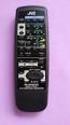 SLEEP TEST SUBWOOFER + MODE EFFECT CENTER + SOUND TV/VIDEO CD-DISC DVD CD TV VOL TV CH TV VCR AUDIO VCR CH + TV SOUND TAPE/CDR VOLUME REMOTE REAR L + MENU REAR R + ENTER VCR /DIGITAL FM/AM MUTING STANDBY
VSX-421-K AUDIO/VIDEO MULTI-CHANNEL RECEIVER. Operating Instructions
 VSX-421-K AUDIO/VIDEO MUTI-CHANNE ECEIVE Discover the benefits of registering your product online at http://www.pioneer.co.uk (or http://www.pioneer.eu). Operating Instructions IMPOTANT The lightning flash
Home Theatre System HT-DDW870. Operating Instructions
 2-549-734-14(1) Home Theatre System Operating Instructions Owner s ecord The model and serial numbers are located on the rear of the unit. ecord the serial number in the space provided below. efer to them
AUDIO VIDEO SURROUND RECEIVER KRF-X9060D VR-6070 INSTRUCTION MANUAL KENWOOD CORPORATION. About the supplied remote control
 AUDIO VIDEO SUOUND EEIVE KF-X9060D V-6070 INSTUTION MANUA KENWOOD OPOATION This instruction manual is for some models. Model availability and features (functions) may differ depending on the country and
Explorer Digital Set-Top User s Guide
 Explorer Digital Set-Top User s Guide Models 4240C and 4250C with Multi-Stream CableCAD Interface POWE VO- CH+ CH- VO+ SEECT GUIDE FO EXIT SETTGS EXPOE 4250C 1 What s on the Front Panel? POWE VO- CH+ CH-
CINEMATE 1 SR DIGITAL HOME THEATER SPEAKER SYSTEM. Operating Guide Guía del usuario Guide d utilisation
 CINEMATE 1 SR DIGITAL HOME THEATER SPEAKER SYSTEM Operating Guide Guía del usuario Guide d utilisation Notice This equipment has been tested and found to comply with the limits for a Class B digital device,
FM Stereo FM-AM Receiver
 Getting Started 3-866-247-12 (1) FM Stereo FM-AM Receiver Operating Instructions STR-DE535 STR-DE435 STR-SE491 1999 by Sony Corporation 1 Getting Started 2 WARNING To prevent fire or shock hazard, do not
THE NEW GENERATION IN TECHNOLOGY. NI-3103A Alarm Clock w/fm Radio ipod & iphone Docking. Operating Instructions
 THE NEW GENERATION IN TECHNOLOGY NI-3103A Alarm Clock w/fm Radio ipod & iphone Docking Operating Instructions Table of Contents Important Safeguards... 3 Parts... 6 Controls... 6 To Set Up... 7 ipod/iphone
Evolution Digital HD Set-Top Box Important Safety Instructions
 Evolution Digital HD Set-Top Box Important Safety Instructions 1. Read these instructions. 2. Keep these instructions. 3. Heed all warnings. 4. Follow all instructions. 5. Do not use this apparatus near
CAUTION RISK OF ELECTRIC SHOCK NO NOT OPEN
 Evolution Digital HD Set-Top Box Important Safety Instructions 1. Read these instructions. 2. Keep these instructions. 3. Heed all warnings. 4. Follow all instructions. 5. Do not use this apparatus near
Single Day Alarm Clock with. Bluetooth and USB Play-through
 Single Day Alarm Clock with Bluetooth and USB Play-through MODEL : BSC 200 READ THIS INSTRUCTION MANUAL BEFORE OPERATING THE APPLIANCE. SAVE THIS MANUAL FOR FUTURE REFERENCE. TABLE OF CONTENTS IMPORTANT
AV Receiver. Owner s Manual. Read the supplied booklet Safety Brochure before using the unit. English
 AV Receiver Owner s Manual Read the supplied booklet Safety Brochure before using the unit. English CONTENTS Accessories...................................................... 5 FEATURES 6 What you can
Easy Setup Guide. 1 Preparation. English. AV Receiver. Accessories. Cables required for connections
 UAB 1 Preparation AV eceiver Accessories heck that the following accessories are supplied with the product. emote control Batteries (AAA, 0, UM-4) (x2) Easy Setup Guide English Insert the batteries the
Owner s Manual AWM910 JENSEN AWM910 COMPACT DISC PLAYER RADIO CD COMPACT MUSIC SYSTEM MUTE AUX BAND AUX IN PUSH PUSH PWR VOL ALARM T/F AUD SPK A SPK B
 AWM910 Owner s Manual COMPACT DISC PLAYER PUSH 1 2 3 4 5 6 RPT SCAN RDM H M PUSH PWR VOL ALARM SET ON/OFF EQ T/F AUD RADIO CD COMPACT MUSIC SYSTEM MUTE AUX BAND CD AUX IN A B A+B JENSEN AWM910 Thank You!
IMPORTANT SAFETY INSTRUCTIONS
 IMPORTANT SAFETY INSTRUCTIONS Before you install or use the apparatus, you must read and understand these Important Safety Instructions. At all times when using the apparatus you must follow these Important
R-325 AUDIO/VIDEO RECEIVER AUDIO/VIDEO RECEIVER R-325 MASTER VOLUME 45 POWERT SLEEP PHONES INPUT SELECTOR DOLBY DOLBY OFF PRO-LOGIC 3 STEREO
 O P E R A T I N G I N S T R U C T I O N S AUDIO/VIDEO RECEIVER R-325 INPUT SELECTOR MASTER VOLUME 45 50 55 40 60 35 65 POWERT STANDBY MULTI ROOM REMOTE SENSOR ST TUNED AUTO VCR12 TAPE M PRESET MEM db khz
Business Audio System: Music & Messaging MP3 Player. by Grace Digital Audio. User Guide. Model No. GDI-USBM10
 Business Audio System: Music & Messaging MP3 Player by Grace Digital Audio User Guide Model No. GDI-USBM10 User Guide Contents Introduction 2 Safety & General Use Information 2 Features 3 Set Up & Operation
SP1790JK 900MHz Wireless Indoor/Outdoor Speakers. User Manual INTRODUCTION FEATURES IMPORTANT SAFETY INFORMATION
 SP1790JK 900MHz Wireless Indoor/Outdoor Speakers INTRODUCTION This 900 MHz digital hybrid wireless speaker system uses the latest wireless technology that enables you to enjoy music and TV sound anywhere
MANUAL PC1000R [email protected]
 MANUAL PC1000R [email protected] Features The APart PC1000R is a professional multisource CD/USB/SD card music player, equipped with balanced and unbalanced analog outputs, coaxial and optical digital
STEREO PREAMPLIFIER INSTRUCTIONS FOR USE
 XX STEREO PREAMPLIFIER INSTRUCTIONS FOR USE Thank you for purchasing the Musical Fidelity A5 CR Preamplifier. Used properly and carefully, it should give many years of outstanding musical reproduction.
AV Receiver. Owner s Manual. Read the supplied booklet Safety Brochure before using the unit. English
 AV Receiver Owner s Manual Read the supplied booklet Safety Brochure before using the unit. English CONTENTS Accessories...................................................... 4 FEATURES 5 What you can
AV Receiver. Owner s Manual. Read the supplied booklet Safety Brochure before using the unit. English
 AV Receiver Owner s Manual Read the supplied booklet Safety Brochure before using the unit. English CONTENTS Accessories...................................................... FEATURES 6 What you can do
Operation Manual for Users
 Operation Manual for Users Model No.: FLTAMFMRCD!!!!!!!!!! ATTENTION!!!!!!!!!! THE RESET BUTTON MUST BE PRESSED TO ENSURE PROPER OPERATION. SEE INSTRUCTION MANUAL Table of Contents Table of Contents ---------------------------------------------------------------------------------------------
Home Theater System HT-DDW650. Operating Instructions. Owner s Record 4-244-183-71(1) 2003 Sony Corporation
 4-244-183-71(1) Home Theater System Operating Instructions Owner s Record The model and serial numbers are located at the rear of the unit. Record the serial number in the space provided below. Refer to
FM Stereo FM-AM Receiver
 4-238-379-12(1) FM Stereo FM-AM eceiver Operating Instructions GB Owner s ecord The model and serial numbers are located on the rear panel. ecord the serial number in the space provided below. efer to
Controls (front) 1. Loudspeaker 2. Light button 3. Band button 4. Auto tune button 5. Alarm button 6. LCD display
 GB Contents Controls... 2-4 Mains operation... 5 Operating your radio... 6 Selecting a station DAB... 7 Display modes DAB... 8 Finding new stations - DAB... 9 Secondary services DAB... 9 Manual tuning
CR9971 2 Band Auto Set Dual Alarm Clock Radio ROBERTS. Sound for Generations. Please read this manual before use
 ROBERTS Sound for Generations CR9971 2 Band Auto Set Dual Alarm Clock Radio Please read this manual before use Contents Contents... 1 Controls...2-5 Switching on... 6 Setting the time manually... 6 Setting
PORTABLE ALARM CLOCK. Dual Alarm. FM Radio. Wake-up Sounds. USB Phone Charger G-1CR
 G-BUZZ PORTABLE ALARM CLOCK Dual Alarm FM Radio Wake-up Sounds USB Phone Charger G-1CR Welcome Alarm clocks can be boring. Get ready to shake things up with your new G-BUZZ. Slap the snooze for more ZZZ
Owner s Manual. RSX-1055 Surround Sound Receiver VOLUME SURROUND SOUND RECEIVER RSX-1055 POWER BAND 1 2 3 4 5 TUNING CD TUNER TAPE
 POWE 1 2 3 4 5 TUNING BAND 6 7 8 9 0 DIECT MONO MEMOY SUOUND SOUND ECEIVE SX-1055 CD TUNE TAPE 2CH DOBY PII/3ST DTS NEO 6 VIDEO1 VIDEO2 VIDEO3 VIDEO4 VIDEO5 DSP MUTI INPUT DYNAMIC ANGE ZONE EC Owner s
/&' 79 7; /% ) &RORU 7HOHYLVLRQ (QJOLVK
 245U Using the On Screen Displays Many features available on this TV can be accessed via the On Screen Display menu system. Use the remote control as shown below to access and adjust features as desired.
IMPORTANT SAFETY INSTRUCTIONS
 IMPORTANT SAFETY INSTRUCTIONS When using this electronic device, basic precautions should always be taken, including the following: 1. Read all instructions before using the product. 2. Do not use this
CINEMA SB100 powered soundbar speaker
 CINEMA SB100 powered soundbar speaker quick-start guide Thank You For Choosing This JBL Product The JBL Cinema SB100 powered soundbar speaker is a complete, integrated sound system that will dramatically
Contents. Product Code -------------------------------------------------------15. Page 1
 Contents Important Safety Instructions -------------------------------------2 BT HP01 --------------------------------------------------------------4 BT HP01 Anatomy ---------------------------------------------------5
When you switch off your system, or mute the sound, the red indicator light appears immediately, indicating that the subwoofer is not in use.
 BeoLab 11 Guide WARNING: To reduce the risk of fire or electric shock, do not expose this appliance to rain or moisture. Do not expose this equip ment to dripping or splashing and ensure that no objects
LOXONE 12 Channel Amplifier
 LOXONE 12 Channel Amplifier Item no.: 200110 Thank you for purchasing the Loxone Twelve Channel Amplifier. The versatility of the Amplifier makes it the perfect choice for almost every type of custom multi-room
9A10505400 AG-D8850. AV Digital Home Theater Receiver OWNER S MANUAL
 Z 9A10505400 AG-D8850 AV Digital Home Theater Receiver OWNER S MANUAL CAUTION: TO REDUCE THE RISK OF ELECTRIC SHOCK, DO NOT REMOVE COVER (OR BACK). NO USER- SERVICEABLE PARTS INSIDE. REFER SERVICING TO
BeoLab 1. User s guide
 BeoLab 1 User s guide Legal notice: CAUTION RISK OF ELECTRIC SHOCK DO NOT OPEN CAUTION: To reduce the risk of electric shock, do not remove cover (or back). No User-serviceable parts inside. Refer servicing
CMP30. User Manual. www.audac.eu
 CMP30 User Manual www.audac.eu 2 Index Introduction 4 Precautions 5 Safety requirements 5 Caution servicing 5 EC Declaration of Conformity 5 Waste of Electrical and Electronic Equipment (WEEE) 6 Caution
focus TOuCh P10 FOR DISPLAYS: 55, 70 AND 82 ENgliSh V01.3-2014-7
 focus TOuCh P10 FOR DISPLAYS: 55, 70 AND 82 ENgliSh V01.3-2014-7 Thank you for purchasing our product. Please read this manual carefully before operation your set and retain it for future reference. FT55-P10
Digital Satellite Receiver
 USER GUIDE Digital Satellite Receiver Models DSR207, DSR317, DSR505, and DSR530 CONTENTS IMPORTANT SAFETY INSTRUCTIONS...1 DSR BASICS SYMBOLS/ICONS...6 Front Panel...6 Back Panel...7 CONNECTING YOUR DSR...10
JBL CINEMA BASE. Home Cinema 2.2 all-in-one soundbase for television OWNER S MANUAL
 JBL CINEMA BASE Home Cinema 2.2 all-in-one soundbase for television OWNER S MANUAL JBL CINEMA BASE TABLE OF CONTENTS INTRODUCTION 1 DESCRIPTION AND FEATURES 1 JBL CINEMA BASE TOP PANEL CONTROLS 2 JBL CINEMA
User Guide. CR-111IP Clock radio with dock for ipod
 User Guide CR-111IP Clock radio with dock for ipod IMPORTANT SAFETY INFORMATION CAUTION! RISK OF ELECTRIC SHOCK DO NOT OPEN TO REDUCE THE RISK OF ELECTRIC SHOCK DO NOT REMOVE COVER (OR BACK) This symbol
AM/FM Component Stereo Receiver System (120-1470) Preparation Faxback Doc. # 18708
 AM/FM Component Stereo Receiver System (120-1470) Preparation Faxback Doc. # 18708 POWER REQUIREMENTS Connect the AC line cord into any outlet furnishing 117 volts 50-60 cycles AC current. CONNECTING SPEAKERS
AM / FM Tuner + RDS. Model: TU-101. www.pulse-audio.co.uk
 AM / FM Tuner + RDS Model: TU-101 www.pulse-audio.co.uk 1 Safety Information The lightning bolt within a triangle is intended to alert the user to the presence of dangerous voltage levels within the product
Daily use. Never use alcohol or other solvents to clean any part of the loudspeakers!
 BeoLab 6002 Guide WARNING: To reduce the risk of fire or electric shock, do not expose this appliance to rain or moisture. Do not expose this equip ment to dripping or splashing and ensure that no objects
Perseus. Owner s Manual. Vacuum Tube Preamplifier. Rogue Audio, Inc. 3 Marian Lane Brodheadsville, PA 18322. Issue date: 02/01/06
 Perseus Vacuum Tube Preamplifier Owner s Manual Rogue Audio, Inc. 3 Marian Lane Brodheadsville, PA 18322 Issue date: 02/01/06 TABLE OF CONTENTS 1) Introduction 2 2) Unpacking the Perseus Preamplifier 2
User Manual AUDIO OUT OFF 9V DC USB POWER. Digital On-Hold Audio System with analog line capability
 MP On-Hold Audio System User Manual memory card IMPEDANCE PHONE LINES on speaker off ON OFF 9V DC USB AUDIO OUT 8Ω 6Ω // /4 POWER Digital On-Hold Audio System with analog line capability al /06 Before
Model ST4000 User Guide TUNER
 Model ST4000 User Guide TUNE FOEWOD Be sure to read this section before any connection to the mains supply. WANINGS Never expose the equipment to rain or moisture. Never remove the equipment s cover. Never
DAB+ / FM Tuner Model: TU-201
 DAB+ / FM Tuner Model: TU-201 Instruction Manual www.pulse-audio.co.uk 1 Safety Information The lightning bolt within a triangle is intended to alert the user to the presence of dangerous voltage levels
INSTRUCTION MANUAL RM-5750. AM/FM Digital Alarm Clock Radio
 INSTRUCTION MANUAL RM-5750 AM/FM Digital Alarm Clock Radio Fig. 1 CAUTION: THE APPARATUS SHALL NOT BE EX- POSED TO DRIPPING OR SPLASHING. NO OBJECTS FILLED WITH LIQUIDS, SUCH AS VASES, SHALL BE PLACED
DSB-100 Portable Premium Bluetooth Speaker Owner s Manual
 . DSB-100 Portable Premium Bluetooth Speaker Owner s Manual You can print more than one page of a PDF onto a single sheet of paper. 1 Index Preparation Unpacking 3 Overview 4 Sound Quality 4 Design 4 Operation
INSTRUCTION MANUAL PLEASE READ ALL THE INSTRUCTIONS COMPLETELY BEFORE USE AND SAVE THIS MANUAL FOR FUTURE REFERENCE
 INSTRUCTION MANUAL PLEASE READ ALL THE INSTRUCTIONS COMPLETELY BEFORE USE Ver. 2.0 AND SAVE THIS MANUAL FOR FUTURE REFERENCE Table of Contents Unpacking... 3 About the CCRadio-EP... 4 Quick Start Guide...
Congratulations! Thank you!
 TM-47 ORDERCODE D1370 Congratulations! You have bought a great, innovative product from DAP Audio. The DAP Audio Microphone range brings excitement to any venue. Whether you want simple plug-&-play action
************* OWNER'S MANUAL BAMF800/2 BAMF1250/2 BAMF1800/2 BAMF2200/2 BAMF2600/2 BAMF1200/4 BAMF1600/4 BAMF2000/1D BAMF4000/1D BAMF5500/1D
 ************* OWNER'S MANUAL BAMF800/2 BAMF1250/2 BAMF1800/2 BAMF2200/2 BAMF2600/2 BAMF1200/4 BAMF1600/4 BAMF2000/1D BAMF4000/1D BAMF5500/1D INTRODUCTION Power Acoustik amplifiers provide high-performance
Quick Connection and Setup Guide
 3-300-262-13(1) Read this first Quick Connection and Setup Guide Quick start guide to main features GB HDD Network Audio System NAS-SC55PKE 2008 Sony Corporation Printed in Malaysia Table of Contents Checking
Connecting the. Explorer 1850 TM Digital Home Communications Terminal
 Connecting the Explorer 1850 TM Digital Home Communications Terminal Notice for CATV Installers Notice for CATV Installers: If you are a CATV installer, read the information in the box below. Note to CATV
CR9986 ROBERTS. Dual Alarm CD Clock Radio. Sound for Generations. Please read this manual before use
 ROBERTS Sound for Generations CR9986 Dual Alarm CD Clock Radio Please read this manual before use Contents Contents... Controls... - Switching on and setting the time... 4 Listening to the radio... 5 Compact
Conference Phone UserÕs Manual. Part No. 54-2070-01R1 Printed in Korea. 2002 Bogen Communications, Inc.
 Part No. 54-2070-01R1 Printed in Korea. 2002 Bogen Communications, Inc. UserÕs Manual Notice Every effort was made to ensure that the information in this guide was complete and accurate at the time of
2013 VTech Printed in China 91-009656-000 US
 Rechargeable Power Pack User s Manual 2013 VTech Printed in China 91-009656-000 US INTRODUCTION The Rechargeable Power Pack makes it easier than ever to keep the InnoTab 3 or InnoTab 3S charged and ready
CAUTION RISK OF ELECTRIC SHOCK DO NOT OPEN
 BeoLab 4 Guide CAUTION RISK OF ELECTRIC SHOCK DO NOT OPEN CAUTION: To reduce the risk of electric shock, do not remove cover (or back). No User-serviceable parts inside. Refer servicing to qualified service
AM/FM ALARM CLOCK RADIO
 AM/FM ALARM CLOCK RADIO Instruction Manual JL-206 Please read this manual carefully before operating and save it for future reference. Have a question? Please visit http:// INTRODUCTION Thank you for purchasing
Digital FM/AM Receiver
 Digital FM/AM Receiver Model RM-350D User s Guide 54-5021-01 9609 Printed in USA Specifications Band Coverage............ AM.....................530-1620KHz FM......................87.5-107.9MHz Tuning....................PLL
RD-11 ROBERTS. FM RDS/DAB digital radio with. Sound for Generations. Please read this manual before use
 ROBERTS Sound for Generations RD- FM RDS/DAB digital radio with Please read this manual before use Contents Controls... Battery operation... 3 Mains operation... 3 Operating your radio - DAB... 4 Selecting
AM/FM Emergency Weather Radio/Light With Hand Crank Back-Up Power
 VEC173 ONE YEAR LIMITED WARRANTY PROGRAM This limited warranty program is the only one that applies to this product, and it sets forth all the responsibilities of Vector Manufacturing, regarding this product.
W O R L D C L A S S H I F I
 W O R L D C L A S S H I F I O W N E R S M A N U A L Accessories: NAPSC, i-supply, Headline, Stageline IMPORTANT In order to comply with current European safety regulations it is essential that the Naim
AUDIO/VIDEO CONTROL RECEIVER DVD CDR/VCR 2 THEATER LIVE CLUB DANCE CLUB HALL PAVILION MULTI JOG SOUND SELECT BASS BOOST ONE TOUCH OPERATION
 MENU ENTER THEATER LIVE CLUB DANCE CLUB HALL PAVILION TUNER/SEA MEMORY SOUND SELECT INPUT ATT. FM MODE BASS BOOST ONE TOUCH OPERATION SOURCE NAME DVD TV SOUND/DBS VCR 1 CDR/VCR 2 VIDEO D I G I T A L CD
INSTALLATION GUIDE ConnectLine TV Adapter Getting started
 INSTALLATION GUIDE ConnectLine TV Adapter Getting started PURPOSE OF THIS GUIDE READ THIS FIRST Before your hearing instruments can receive sound from the TV, the adapter must be connected to the TV and
Product Overview. Product Interface
 mobile speaker Product Overview Thank you for purchasing the bēm wireless Mobile Speaker. Our speaker will bring you a new found freedom from wires while delivering an incredible sound. The Mobile Speaker
Radio BMR100 INSTRUCTION MANUAL. ENGLISH (Original instructions)
 ENGLISH (Original instructions) INSTRUCTION MANUAL Radio BMR00 WARNING: For your personal safety, READ and UNDERSTAND before using. SAVE THESE INSTRUCTIONS FOR FUTURE REFERENCE. Symbols The following show
JBL CINEMA SB350. Home Cinema 2.1 soundbar with wireless subwoofer
 JBL CINEMA SB350 Home Cinema 2.1 soundbar with wireless subwoofer Owner s Manual BASS English JBL CINEMA SB350 JBL CINEMA SB350 Optical cable Table of Contents INTRODUCTION 5 ITEMS INCLUDED 5 JBL CINEMA
EC4.8. BalancedReferencePreamplifier. Owner smanual ENG
 EC4.8 BalancedReferencePreamplifier Owner smanual ENG Unpacking the EC 4.8 Immediately upon receipt of the EC 4.8, inspect the carton for possible damage during shipment. The carton and packaging have
HOME THEATER SYSTEM. Instruction Manual. Model ASR150. Please read the instruction manual carefully before using your unit.
 SURROUND SOUND HOME THEATER SYSTEM Instruction Manual Model ASR150 Please read the instruction manual carefully before using your unit. For support visit : www.1800customersupport.com GENERAL TABLE OF
Mini Hi-Fi Component System
 3-867-107-14(1) Mini Hi-Fi Component System Operating Instructions Owner s Record The model and serial numbers are located on the rear panel. Record the serial number in the space provided below. Refer
Instruction Manual. 5.1 Power Amplified Home Theatre Speaker System w/ Remote Control DSS-200
 R Instruction Manual DSS-200 R 5.1 Power Amplified Home Theatre Speaker System w/ Remote Control Read this manual carefully to get the excellent acoustics from this unit. SPECIFICATIONS SAFETY INFORMATION
Tone Hammer 500. Owners Manual. Manual Version 1.0
 Tone Hammer 500 Owners Manual Manual Version 1.0 1. Incorporating the preamp from the popular Tone Hammer preamp/di pedal this superlight bass head combines three bands of flexible EQ, a colorful "Drive"
BOSE. Link AL8 HOMEWIDE WIRELESS AUDIO LINK
 BOSE Link AL8 HOMEWIDE WIRELESS AUDIO LINK Français English SAFETY INFORMATION Please read this owner s guide Please take the time to follow the instructions in this owner s guide carefully. It will help
WIRELESS EARPHONES with ACTIVE NOISE CANCELLING Thank you for purchasing PHIATON BT 100 NC
 WIRELESS EARPHONES with ACTIVE NOISE CANCELLING Thank you for purchasing PHIATON BT 100 NC - Please follow the directions, and read the guidelines carefully before use. Please keep the owner s guide for
Table of Contents. 16 Technical Support System Requirements. Included in the Box General Controls Playback Features Care Charging
 Instruction Manual Table of Contents 01 02 02 03 04 Included in the Box General Controls Playback Features Care Charging 05 06 07 08 09 10 10 10 Uploading Songs Supported Audio Files Manual Drag and Drop
VoiceTone T1 USER S MANUAL
 VoiceTone T1 USER S MANUAL Important Safety Instructions 1 Read these instructions. 2 Keep these instructions. 3 Heed all warnings. 4 Follow all instructions. 5 Do not use this apparatus near water. 6
Movie Cube N150H. User s Manual
 Movie Cube N150H User s Manual (v1.0) TABLE OF CONTENTS 1. Main Features... 4 1.1 Front panel... 4 1.2 Back panel... 4 2. Remote Control... 5 3. Welcome Page... 6 4. Installation Guide... 6 5. Program...
High Power Receiver CR-W400U Operating Instructions
 High Power Receiver CR-W400U Operating Instructions Please read these instructions carefully before using this product and save this manual for future use. Panasonic welcomes you to our ever growing family
F25 REMOTE CONTROL STEREO PREAMPLIFIER INSTRUCTIONS FOR USE
 REMOTE CONTROL STEREO PREAMPLIFIER INSTRUCTIONS FOR USE Thank you for purchasing the Musical Fidelity Preamplifier. Used properly and carefully, it should give you many years of outstanding musical reproduction.
EXPLORER 2100 or 3100 Digital Home Communications Terminals. User s Installation Guide
 EXPOE 2100 or 3100 Digital Home Communications Terminals User s Installation Guide IMPOTANT UES FO SAFE OPEATION Note to the Installer Note to CATV System Installer This reminder is provided to call the
Digital Radio/DAB+/FM RDS digital clock radio with dual alarm Operating instruction
 381SE1D-A Digital Radio/DAB+/FM RDS digital clock radio with dual alarm Operating instruction GB Contents Controls... 2-3 Using the clock radio for the first time... 4 Operating your clock radio... 5 Selecting
VSX-523-K. AV Receiver. Operating Instructions
 AV Receiver VSX-5-K Register your product on http://www.pioneerelectronics.com (US) http://www.pioneerelectronics.ca (Canada) Protect your new investment The details of your purchase will be on file for
Kinivo 301BN HDMI Switch
 Kinivo 301BN HDMI Switch User Manual 2012 Kinivo LLC. All rights reserved. Kinivo is a trademark of Kinivo LLC. Bluetooth word mark and the Bluetooth logo are registered trademarks of Bluetooth SIG. All
AV Receiver. Owner s Manual. Read the supplied booklet Safety Brochure before using the unit. English
 AV Receiver Owner s Manual Read the supplied booklet Safety Brochure before using the unit. English CONTENTS Accessories...................................................... 4 FEATURES 5 What you can
HTP-073 VSX-324-K-P. Home Cinema Package. Operating Instructions
 HTP-073 VSX-324-K-P AV Receiver Home Cinema Package Discover the benefits of registering your product online at http://www.pioneer.co.uk (or http://www.pioneer.eu). Operating Instructions Anki XXX CAUTION