
Passive Infrared Sensor Alarm
|
|
|
- Dylan Kelley
- 10 years ago
- Views:
Transcription
1 fm Page 1 Wednesday, August 18, :23 PM Cat. No OWNER S MANUAL Please read before using this equipment. Passive Infrared Sensor Alarm with Keychain Remote

2 fm Page 2 Wednesday, August 18, :23 PM FEATURES Your RadioShack Passive Infrared Sensor Alarm is a high-quality, battery-operated security device. It uses a passive infrared (PIR) motion sensor to detect intruders and activate a built-in alarm. The sensor alarm s features include: Wireless RF (Radio Frequency) Operation provides maximum reliability with no wiring required. Built-In PIR Sensor detects motion up to 30 feet (9.1 meters) away and from an angle of up to 110 degrees. Built-In Alarm Siren activates when the sensor detects an intruder, then automatically shuts down and resets after about 2 minutes. User-Programmable Security Code lets you set your own disarm code. Entry/Exit Delay gives you 30 seconds to disarm the sensor alarm after you enter the protected area, and gives you 10 seconds to leave the protected area after you arm the alarm Tandy Corporation. All Rights Reserved. RadioShack is a registered trademark used by Tandy Corporation.

3 fm Page 3 Wednesday, August 18, :23 PM Chime lets you select a more pleasant sounding doorbell-type chime as the audible alarm. Panic Alarm sounds the alarm immediately if you press PANIC on the main unit or if you press both ARM and DISARM (at the same time) on the remote control. RF Remote Control Keychain gives you simple handheld control of your sensor alarm up to 50 feet (15.2 meters). Battery-Operated works even when electrical power is off. 3

4 fm Page 4 Wednesday, August 18, :23 PM CONTENTS Preparation... 5 Installing Batteries... 5 Setting the Security Code... 8 Main Unit... 8 Remote Control Resetting the Security Code Installation Choosing a Mounting Location Temporarily Placing the Sensor Alarm Checking the Coverage Area Mounting the Sensor Alarm Operation Arming and Disarming the Sensor Alarm Arming Disarming Using the Chime Alarm Using the Panic Alarm Care Replacing the Remote Control s Battery FCC Statement Specifications

5 fm Page 5 Wednesday, August 18, :23 PM PREPARATION INSTALLING BATTERIES The main unit of your sensor alarm requires four AA batteries (not supplied) for power. For the best performance and longest life, we recommend alkaline batteries (available at your local RadioShack store). Cautions: Use only fresh batteries of the required size and recommended type. Do not mix old and new batteries, different types of batteries (standard, alkaline, or rechargeable), or rechargeable batteries of different capacities. 1. Use a Phillips screwdriver to remove the two screws from the battery compartment cover, then lift off the cover. 5

6 fm Page 6 Wednesday, August 18, :23 PM 2. Place the batteries in the compartment and on top of the attached ribbon, as indicated by the polarity symbols (+ and ) marked inside. 6 Note: As soon as you press the last battery in place, the alarm sounds a loud chirp and both the red and the green indicators light briefly. 3. Replace the cover, then reinsert and tighten the screws. Notes: The alarm is disarmed after batteries are installed. Replacing the main unit s batteries automatically resets the security code to Any time you replace these batteries, be sure to apply the current security code to the remote control

7 fm Page 7 Wednesday, August 18, :23 PM so the sensor alarm will recognize the remote signals (see Remote Control on Page 10). When the main unit s LOW BATT indicator flashes about every 5 seconds, or if the sensor alarm stops operating properly, replace the batteries. ARM CHIME INSTANT DELAY LOW BATT PROG Cautions: Dispose of old batteries promptly and properly. Do not burn or bury them. Always remove old or weak batteries. Batteries can leak chemicals that can destroy electronic parts. 7

8 fm Page 8 Wednesday, August 18, :23 PM SETTING THE SECURITY CODE Main Unit You can use a four-digit security code to disarm the alarm. The default code is Follow these steps to set a new security code at any time. Red Indicator Green Indicator ARM CHIME INSTANT DELAY LOW BATT PROG PANIC ARM CODE LEARN PROG Set the slide switch to either of the ARM settings. 8

9 fm Page 9 Wednesday, August 18, :23 PM 2. If necessary, disarm the sensor alarm (the red indicator should not be flashing) by entering the current security code. 3. Press PROG. The sensor alarm beeps once and the green PROG indicator lights. 4. Press CODE. The sensor alarm beeps twice and the PROG indicator flashes slowly. 5. Enter the current four-digit security code. The sensor alarm beeps three times and the PROG indicator flashes quickly. 6. Enter your new four-digit security code. The PROG indicator lights steadily and the sensor alarm chirps to show that it stored the new security code. 7. Press PROG. The PROG indicator turns off. Note: If you don t press a button for about 30 seconds, the sensor alarm beeps, the PROG indicator turns off automatically, and (if you have not completed Step 5) the security code remains unchanged. Try arming and disarming your sensor alarm from the main unit to be sure the security code works (see Arming and Disarming the Sensor Alarm on Page 18). 9

10 fm Page 10 Wednesday, August 18, :23 PM Remote Control Each time you remove and replace the batteries in the main unit, you must program the main unit to recognize the remote control s signals. If you change the security code, there is no need to reprogram the main unit; it will still recognize the remote signals. Follow these steps to program the main unit so you can use your remote control. 1. Set the slide switch to either of the ARM settings. 2. Press PROG. The sensor alarm beeps once and its green PROG indicator lights. 3. Press LEARN. The sensor alarm beeps twice and its PROG indicator flashes slowly. PROG PANIC ARM CODE LEARN PROG Enter your four-digit security code. The sensor alarm beeps three times and its PROG indicator flashes quickly. 10

11 fm Page 11 Wednesday, August 18, :23 PM 5. Press ARM or DISARM on your remote control. The alarm s PROG indicator lights steadily and the sensor alarm chirps, indicating that it received the remote signal. ARM DISARM PANIC 6. Press PROG. The sensor alarm s PROG indicator turns off. Note: If you do not press a button for about 30 seconds, the sensor alarm beeps, its PROG indicator turns off automatically, and (if you have not completed Step 4) the sensor alarm does not recognize the remote signals. Start over at Step 1. Try arming and disarming your sensor alarm from the remote control to be sure the sensor alarm recognizes the remote signals (see Arming and Disarming the Sensor Alarm on Page 18). 11

12 fm Page 12 Wednesday, August 18, :23 PM RESETTING THE SECURITY CODE If you ever forget your security code, you can easily reset it to the default code (1234) by removing and reinstalling the main unit s batteries (see Installing Batteries on Page 5). Remember that after removing and reinstalling batteries in the main unit, you must program the main unit to recognize the remote control s signals (see Remote Control on Page 10). Note: The alarm is disarmed after batteries are installed. 12

13 fm Page 13 Wednesday, August 18, :23 PM INSTALLATION To help you avoid false alarms, mount your sensor alarm s main unit: where it will not be in direct sunlight away from heat sources, such as space heaters, radiators, and exposed light bulbs out of strong drafts, like those caused by central heating vents or air conditioners or air movement around fireplaces, exterior walls and windows, and refrigerators so it does not detect your pet s movements CHOOSING A MOUNTING LOCATION The sensor alarm s main unit is designed to be mounted on a smooth, flat wall surface. Select a mounting location where the alarm is most likely to detect an intruder. We recommend mounting it at a height of about 5 1 /2 feet (1.7 meters). At this height, the sensor alarm detects motion up to 30 feet (9.1 meters) away and from an angle of up to 110 de- 13

14 fm Page 14 Wednesday, August 18, :23 PM grees. However, there is a blind area of about 10 feet (3 meters) directly in front of the main unit. 5 1 /2 Feet 5 1 / 2 feet 10 feet Blind Area (10 Feet) Coverage Area (Side View) "B" ZONE "C" ZONE "A" ZONE SIDE VIEW Note: Your sensor alarm s coverage depends on how high you mount it, the shape of the room(s), furniture placement in the area, and so on. TEMPORARILY PLACING THE SENSOR ALARM Before you permanently mount the sensor alarm, temporarily place it at the selected location so you can check the coverage area. You might need to check several different locations to find the best one. Place the main unit on a stepladder (for example) at the recommended height, then move the stepladder to various locations in the room(s) you want to protect. 14

15 fm Page 15 Wednesday, August 18, :23 PM Checking the Coverage Area To be sure the sensor detects motion in the areas you want to protect, follow these steps. 1. If necessary, disarm the sensor alarm (the red indicator should not be flashing) by entering the current security code. 2. Confirm that the area is clear of anything that might trigger the alarm (such as people and pets). 3. Set the main unit s slide switch to CHIME. A doorbell-type chime immediately sounds. ARM CHIME INSTANT DELAY LOW BATT PROG 4. Walk around in the protected area. When the sensor alarm detects your motion, the chime sounds again. If the sensor alarm does not chime when you 15

16 fm Page 16 Wednesday, August 18, :23 PM are within the coverage area, change the main unit s location. If the sensor alarm chimes when you are outside the coverage area, check the area to see what is causing the false alarm and remove the item, or change the main unit s location. MOUNTING THE SENSOR ALARM After you determine the best location for your sensor alarm, follow these steps to mount it on the wall. 1. If necessary, disarm the sensor alarm (the red indicator should not be flashing) by entering the current security code. 2. Drill two holes 1 3 /8 inches (35 mm) apart. Then thread a screw into each hole, letting the heads extend about 3 /16 inch (5 mm). Note: The two supplied mounting screws are suitable for mounting the sensor alarm s main unit on a wooden surface. If you are mounting the main unit on drywall, masonry, or another type of surface, use the appropriate mounting hardware (not supplied). 16

17 fm Page 17 Wednesday, August 18, :23 PM 3. Turn the main unit about 30 degrees counterclockwise, then slide the left screw head into the horizontal groove on the back of the unit. Curved Groove Horizontal Groove 4. Turn the main unit clockwise (so the right screw head slides into the curved groove) until it is secure. LOW BATT PROG ARM CHIME INSTANT DELAY PANIC ARM CODE LEARN PROG

18 fm Page 18 Wednesday, August 18, :23 PM OPERATION We recommend that you test the sensor alarm at least once a month by arming and disarming it as described in the following section. ARMING AND DISARMING THE SENSOR ALARM Arming To have the alarm s siren sound as soon as the sensor detects motion, set the main unit s slide switch to INSTANT. ARM CHIME INSTANT DELAY LOW BATT PROG To have the alarm s siren sound about 30 seconds after the sensor detects motion, set the slide switch to DELAY. 18

19 fm Page 19 Wednesday, August 18, :23 PM To arm the sensor alarm, press ARM on the main unit or on the remote control. At either the INSTANT or DELAY settings, you have 10 seconds to leave the sensor alarm s coverage area. During this exit delay, the main unit beeps every second and its red indicator flashes. At the end of the 10-second delay, the main unit beeps twice, the indicator flashes about every 5 seconds, and the sensor alarm is armed. PROG PANIC ARM CODE LEARN PROG If you arm the sensor alarm in the INSTANT setting, when the alarm detects motion in the protected area, the alarm siren sounds immediately and the indicator stays on. If you arm the sensor alarm in the DELAY setting, when the alarm detects motion in the protected area, the indicator flashes every second for about 30 seconds, then the alarm siren sounds and the indicator stays on. 19

20 fm Page 20 Wednesday, August 18, :23 PM The alarm siren sounds for up to 2 minutes. To stop it sooner, disarm the alarm (see Disarming ). If you do not disarm the alarm, the sensor alarm is still armed and the siren will sound again the next time the sensor detects motion. Disarming To disarm the sensor alarm and stop the alarm from sounding, enter your four-digit security code. The main unit beeps twice when you enter the correct code. To temporarily silence the alarm using the remote control, which gives you time to enter your security code, follow these steps. 1. Press DISARM on the remote control. The alarm stops sounding for about 30 seconds. During this pause, the main unit beeps every second and its red indicator flashes. 2. Enter your four-digit security code within 30 seconds. Otherwise, the alarm will sound again. Notes: You can temporarily silence the alarm only once each time you disarm it. 20

21 fm Page 21 Wednesday, August 18, :23 PM If entering your security code does not disarm the sensor alarm, try entering the default code (1234). If that code does not disarm the alarm either, remove the sensor alarm from the wall and remove and reinstall the batteries. This resets the security code to USING THE CHIME ALARM If you prefer to hear a chime instead of a siren when the sensor alarm detects motion, follow these steps. 1. If necessary, disarm the sensor alarm (the red indicator should not be flashing) by entering the current security code. 2. Set the slide switch on the main unit to CHIME. A doorbell-type chime immediately sounds. 3. When the sensor detects any motion, the chime sounds again. Note: There is no need to arm or disarm the alarm when using the CHIME setting because the chime sounds every time the sensor detects motion. To turn off the chime, set the slide switch to either IN- STANT or DELAY. 21
22 fm Page 22 Wednesday, August 18, :23 PM USING THE PANIC ALARM If you want to startle an intruder (for example) by instantly sounding the alarm siren, simply press PAN- IC on the main unit or press ARM and DISARM on the remote control at the same time. The siren alarm immediately sounds, even if the sensor alarm was set to CHIME or not armed at all. The alarm sounds for up to 2 minutes. To stop it sooner, enter your current security code. PROG PANIC ARM CODE LEARN PROG
23 fm Page 23 Wednesday, August 18, :23 PM CARE To enjoy your RadioShack Passive Infrared Sensor Alarm for a long time: Keep the sensor alarm and remote dry. If they do get wet, wipe them dry immediately. Use and store the sensor alarm and remote only in normal temperature environments. Handle the sensor alarm and remote gently and carefully. Don t drop them. Keep the sensor alarm and remote away from dust and dirt. Wipe the sensor alarm and remote with a damp cloth occasionally to keep them looking new. Modifying or tampering with the sensor alarm s or remote s internal components can cause a malfunction and invalidate the system s warranty. If your sensor alarm system is not performing as it should, take it to your local RadioShack store for assistance. REPLACING THE REMOTE CONTROL S BATTERY Your sensor alarm s remote control uses the supplied 12V alkaline battery for power. When the remote control s indicator lights dimly or not at all 23
24 fm Page 24 Wednesday, August 18, :23 PM when you press ARM or DISARM, or if the remote control stops operating properly (the main unit cannot receive the remote control s signals), replace the battery. We recommend you replace it with an alkaline battery (available at your local RadioShack store). Cautions: Use only a fresh battery of the required size and recommended type. Follow these steps to replace the battery. 1. Using a Phillips screwdriver, remove the screw from the back of the remote control, then lift off the back case. 2. Remove the old battery, then place a fresh battery inside the back cover, as indicated by the polarity symbols (+ and ) marked inside. 3. Be sure the small loop on one end of the keychain fits over the post inside the back cover, then replace the cover. Reinsert and tighten the screw. Note: You do not need to reset the remote control or main unit after replacing the remote s battery. 24
25 fm Page 25 Wednesday, August 18, :23 PM Cautions: Dispose of the old battery promptly and properly. Do not burn or bury it. Always remove an old or weak battery. Batteries can leak chemicals that can destroy electronic parts. FCC STATEMENT This equipment has been tested and found to comply with the limits for a Class B digital device, pursuant to Part 15 of the FCC Rules. These limits are designed to provide reasonable protection against harmful interference in a residential installation. This equipment generates, uses, and can radiate radio frequency energy and, if not installed and used in accordance with the instructions, may cause harmful interference to radio communications. However, there is no guarantee that interference will not occur in a particular installation. If this equipment does cause harmful interference to radio or television reception, which can be determined by turning the equipment off and on, the user is encouraged to try to correct the interference by one or more of the following measures: 25
26 fm Page 26 Wednesday, August 18, :23 PM Reorient or relocate the receiving antenna. Increase the separation between the equipment and receiver. Consult your local RadioShack store if the problem still exists. Changes or modifications not expressly approved by RadioShack may cause interference and void the user s authority to operate the equipment. 26
27 fm Page 27 Wednesday, August 18, :23 PM SPECIFICATIONS MAIN UNIT Power Source... 4 AA Alkaline Batteries (Not Included) Battery Life... About 2 Months in Disarm Mode Operating Ambient Temperature F (0 50 C) Operating Relative Humidity... Less than 95% Auto Alarm Reset Time ±5 Seconds Siren Output Sound Pressure Level: About 108 db at 1 Foot (34 cm) Internal PIR Detection Area Feet (9.1 m) at a 110 Angle Entry Delay Time ±3 Seconds Exit Delay Time ±2 Seconds KEYCHAIN REMOTE CONTROL Power Source... 12V Alkaline Battery (Included) Battery Life... About 1 Year of Normal Use RF Frequency ±0.5 MHz Remote Control Distance... Up to 50 Feet (15.2 m) Specifications are typical; individual units might vary. Specifications are subject to change and improvement without notice. 27
28 fm Page 28 Wednesday, August 18, :23 PM Limited Ninety-Day Warranty This product is warranted by RadioShack against manufacturing defects in material and workmanship under normal use for ninety (90) days from the date of purchase from RadioShack company-owned stores and authorized RadioShack franchisees and dealers. EXCEPT AS PROVIDED HEREIN, RadioShack MAKES NO EXPRESS WARRANTIES AND ANY IMPLIED WARRANTIES, IN- CLUDING THOSE OF MERCHANTABILITY AND FITNESS FOR A PARTICU- LAR PURPOSE, ARE LIMITED IN DURATION TO THE DURATION OF THE WRITTEN LIMITED WARRANTIES CONTAINED HEREIN. EXCEPT AS PRO- VIDED HEREIN, RadioShack SHALL HAVE NO LIABILITY OR RESPONSIBIL- ITY TO CUSTOMER OR ANY OTHER PERSON OR ENTITY WITH RESPECT TO ANY LIABILITY, LOSS OR DAMAGE CAUSED DIRECTLY OR INDI- RECTLY BY USE OR PERFORMANCE OF THE PRODUCT OR ARISING OUT OF ANY BREACH OF THIS WARRANTY, INCLUDING, BUT NOT LIMITED TO, ANY DAMAGES RESULTING FROM INCONVENIENCE, LOSS OF TIME, DATA, PROPERTY, REVENUE, OR PROFIT OR ANY INDIRECT, SPECIAL, INCIDENTAL, OR CONSEQUENTIAL DAMAGES, EVEN IF RadioShack HAS BEEN ADVISED OF THE POSSIBILITY OF SUCH DAMAGES. Some states do not allow the limitations on how long an implied warranty lasts or the exclusion of incidental or consequential damages, so the above limitations or exclusions may not apply to you. In the event of a product defect during the warranty period, take the product and the RadioShack sales receipt as proof of purchase date to any RadioShack store. RadioShack will, at its option, unless otherwise provided by law: (a) correct the defect by product repair without charge for parts and labor; (b) replace the product with one of the same or similar design; or (c) refund the purchase price. All replaced parts and products, and products on which a refund is made, become the property of RadioShack. New or reconditioned parts and products may be used in the performance of warranty service. Repaired or replaced parts and products are warranted for the remainder of the original warranty period. You will be charged for repair or replacement of the product made after the expiration of the warranty period. This warranty does not cover: (a) damage or failure caused by or attributable to acts of God, abuse, accident, misuse, improper or abnormal usage, failure to follow instructions, improper installation or maintenance, alteration, lightning or other incidence of excess voltage or current; (b) any repairs other than those provided by a RadioShack Authorized Service Facility; (c) consumables such as fuses or batteries; (d) cosmetic damage; (e) transportation, shipping or insurance costs; or (f) costs of product removal, installation, set-up service adjustment or reinstallation. This warranty gives you specific legal rights, and you may also have other rights which vary from state to state. RadioShack Customer Relations, Dept. W, 100 Throckmorton St., Suite 600, Fort Worth, TX We Service What We Sell 3/97 11A Printed in Hong Kong
Wireless Indoor/ Outdoor Thermometer
 Wireless Indoor/ Outdoor Thermometer Owner s Manual Please read before using this equipment. ˆ Contents FCC Information... 3 FCC Declaration of Conformity... 5 Preparation... 5 Installing Batteries...
Weather Radio Alarm Clock
 1200093 User s Guide Weather Radio Alarm Clock Thank you for purchasing your Weather Radio Alarm Clock from RadioShack. Please read this user s guide before installing, setting up, and using your new weather
900 MHz Lightweight Wireless Stereo Headphones
 33-1165.fm Page 1 Tuesday, August 10, 1999 10:50 AM Cat. No. 33-1165 OWNER S MANUAL Please read before using this equipment. 900 MHz Lightweight Wireless Stereo Headphones 33-1165.fm Page 2 Tuesday, August
Mini Power Bank and Charger
 Mini Power Bank and Charger Owner s Manual Please read before using this equipment. Your charger is ETL listed to UL standards and meets all applicable FCC standards. WARNING: To reduce the risk of fire
AM/FM PLL Clock/Table Radio
 12-1632.fm Page 1 Wednesday, May 10, 2000 10:57 AM Cat. No. 12-1632 OWNER S MANUAL Please read before using this equipment. AM/FM PLL Clock/Table Radio 12-1632.fm Page 2 Wednesday, May 10, 2000 10:57 AM
Wireless Phone Jack System
 43-160.fm Page 1 Thursday, August 12, 1999 2:25 PM Cat. No. 43-160 OWNER S MANUAL Please read before using this equipment. Wireless Phone Jack System 43-160.fm Page 2 Thursday, August 12, 1999 2:25 PM
USB Scrolling Optical Mini Mouse
 USB Scrolling Optical Mini Mouse Owner s Manual Please read before using this equipment. ˆ Contents Features... 3 System Requirements... 4 FCC Declaration of Conformity... 5 The FCC Wants You to Know...
AM/FM Portable Radio
 Cat. No. 12-798 OWNER S MANUAL Please read before using this equipment. AM/FM Portable Radio with Dual Time, Single Alarm FEATURES Your Optimus AM/FM Portable Radio is designed for your active lifestyle.
Security Auto Dialer. Owner s Manual. Please read before using this equipment.
 Security Auto Dialer Owner s Manual Please read before using this equipment. ˆ Contents Features... 2 FCC Statement... 3 Lightning... 3 A Quick Look at Your Auto Dialer... 4 Installation... 5 Selecting
Digital Telephone Answering Device
 43-3801.fm Page 1 Friday, April 21, 2000 9:25 AM Cat. No. 43-3801 OWNER S MANUAL Please read before using this equipment. Digital Telephone Answering Device with Day/Time Voice Stamp 43-3801.fm Page 2
Wireless Home Security System Product Manual (Model #80355)
 Wireless Home Security System Product Manual (Model #80355) Installation Instructions During set-up, if no key is pressed for 15 seconds it will come out of the setup mode and you will have to start over.
ITC-BTTN Cellular Bluetooth Gateway. Owner s Manual 1
 ITC-BTTN Cellular Bluetooth Gateway Owner s Manual 1 2 Table of Contents Introduction...3 Package Contents...3 XLink Connections Diagram...4 Setup...5 Pairing your Bluetooth Cell Phone to the XLink...6
Wireless Home Security Alarm System AM 500
 Wireless Home Security Alarm System AM 500 12 MONTH GUARANTEE Installation & Operating Instructions INTRODUCTION The AM500 is a simple self-contained alarm system. It protects the home by sounding a siren
7 High-Resolution Digital Photo Frame
 TM 16-1003 User s Guide 7 High-Resolution Digital Photo Frame One demo photo included, as illustrated Please read this user s guide before using your new photo frame. Package contents Photo Frame AC Adapter
CAD-05 Kit GSM Auto Dialer. Owner s Manual
 CAD-05 Kit GSM Auto Dialer Owner s Manual CAD-05 Kit Manual.indd 1 Warnings: This device complies with Part 15 of the FCC rules, Operation of this device is subject to the following conditions: 1. This
INSTRUCTION MANUAL PC5OO WITH PC5OORK KEYPAD
 INSTRUCTION MANUAL PC5OO WITH PC5OORK KEYPAD TABLE OF CONTENTS SYSTEM INFORMATION 2 INTRODUCTION 3 Test Your System Regularly...3 Important Notice...3 Glossary...3 BASIC OPERATION 4 Arming Your System...4
Emergency Phone Dialer
 49-2559.fm Page 1 Wednesday, August 18, 1999 3:29 PM Cat. No. 49-2559 OWNER S MANUAL Please read before using this equipment. Emergency Phone Dialer Plug n Power Compatible 49-2559.fm Page 2 Wednesday,
Alarm Clock USER GUIDE
 Alarm Clock USER GUIDE Jazwares, Inc. 2012 CONTENTS Please read the instructions along with the Alarm Clock carefully before you use it, so that you can operate it conveniently. WELCOME & Warnings Page
Owner s Manual & Safety Instructions
 Owner s Manual & Safety Instructions Save This Manual Keep this manual for the safety warnings and precautions, assembly, operating, inspection, maintenance and cleaning procedures. Write the product s
AM/FM Pocket Radio with Mono Earphone
 12-789.fm Page 1 Wednesday, July 7, 1999 11:13 AM Cat. No. 12-789 AM/FM Pocket Radio with Mono Earphone Your Radio Shack AM/FM Pocket Radio with Mono Earphone is designed for your active lifestyle. Its
User Guide. Model: MAS-WA-SYS
 User Guide Model: MAS-WA-SYS CONTENTS Section : Getting started... 4. General system overview. Introduction to the system.3 Items included with the system.4 Introduction to the Wireless Alarm Panel.5 Introduction
WIRELESS ALARM KIT INSTRUCTION MANUAL COMPLETE ALARM SYSTEM FOR HOME OR BUSINESS. Model Number: IT214054
 WIRELESS ALARM KIT COMPLETE ALARM SYSTEM FOR HOME OR BUSINESS Model Number: IT214054 INSTRUCTION MANUAL Warranty Details/Support This product is warranted against defects for a period of One year if the
Table of Contents Function Keys of Your RF Remote Control Quick Setup Guide Advanced Features Setup Troubleshooting
 Congratulations on your purchase of the AT&T U-verse TV Point Anywhere RF Remote Control. This product has been designed to provide many unique and convenient features to enhance your AT&T U-verse experience.
Atomic Alarm Clock model 13131W2
 Instruction Manual Atomic Alarm Clock model 13131W2 CONTENTS Unpacking Instructions... 2 Package Contents... 2 Product Registration... 2 Features & Benefits... 3 Clock Setup... 4 Atomic Clock... 5 Set
Wireless Alarm System. Silent Alert. User s Manual. Choice ALERT. Control all Sensors & accessories from one location
 45137 Wireless Alarm System Silent Alert User s Manual Choice ALERT Control all Sensors & accessories from one location Table of Contents Important Safeguards 4 Introduction 4 Adding a Silent Alert to
Wireless Home Security System
 Cat. No. 49-2551A B OWNER S MANUAL Please read before using this equipment. Wireless Home Security System with Emergency Phone Dialer Plug, n Power Compatible INTRODUCTION You can install your RadioShack
2-Line Professional Digital Answering Machine
 2-Line Professional Digital Answering Machine Owner s Manual Please read before using this equipment. ˆ Contents Contents... 2 Important Information... 3 Features... 5 Preparation... 6 Connecting to the
WIRELESS HOME ALARM SYSTEM (WHA1)
 WIRELESS HOME ALARM SYSTEM (WHA1) IMPORTANT : PLEASE READ THIS MANUAL CAREFULLY BEFORE ATTEMPTING TO INSTALL AND OPERATE THIS ALARM SYSTEM. SAFETY Please note: Before you start to install this alarm, we
DR-83 90-Minute Digital Recorder
 DR-83 90-Minute Digital Recorder Owner s Manual Please read before using this equipment. ˆ Contents Features... 5 Preparation... 7 Installing Batteries... 7 Setting the Clock... 8 Connecting Earphones...
CA 1050 Owner s Guide
 PROFESSIONAL SERIES CA 1050 Owner s Guide Vehicle Security and Keyless Entry System IMPORTANT NOTE: The operation of the Security and Convenience System as described in this manual is applicable to most
CA-125 Owner's Manual
 Remote Vehicle Control System CA-125 Owner's Manual Vehicle Security System With Remote Keyless Entry IMPORTANT NOTE: The operation of the Security and Convenience System as described in this manual is
Wireless Alarm System. Alarm Siren. User s Manual. Choice ALERT. Control all Sensors & accessories from one location
 45136 Wireless Alarm System Alarm Siren User s Manual Low Batt On Armed ON/OFF LEARN Choice ALERT Control all Sensors & accessories from one location Table of Contents Important Safeguards 4 Introduction
Alarm Clock USER GUIDE
 Alarm Clock USER GUIDE Jazwares, Inc. 2010 1 CONTENTS Please read the instructions along with the alarm clock carefully before you use it, so that you can operate it conveniently. WELCOME, Safety Tips
25 Code GTO Digital Keypad
 2 Code GTO Digital Keypad Instructions for Wired and Wireless Installations (FM1-G only) Thank you for purchasing the GTO Digital Keypad. Be sure to read the directions carefully and completely. Before
DX-395. FM/AM/SW1/SW2 PLL Synthesized Receiver OWNER S MANUAL. Cat. No. 20-225. Please read before using this equipment.
 20-225.fm Page 1 Wednesday, August 4, 1999 10:07 AM Cat. No. 20-225 OWNER S MANUAL Please read before using this equipment. DX-395 FM/AM/SW1/SW2 PLL Synthesized Receiver 20-225.fm Page 2 Wednesday, August
Wireless Alarm System. Window/Door Sensor. User s Manual. Choice ALERT. Control all Sensors & accessories from one location
 45131 Wireless Alarm System Window/Door Sensor User s Manual Choice ALERT Control all Sensors & accessories from one location Table of Contents Important Safeguards 4 Introduction 5 Installation 6 Assigning
PC Tab Security System INSTRUCTION MANUAL
 PC Tab Security System INSTRUCTION MANUAL This manual is intended as a Quick Start manual covering the basic functions that have been enabled on the alarm panel. The alarm panel is capable of extensive
Contents. Product Code -------------------------------------------------------15. Page 1
 Contents Important Safety Instructions -------------------------------------2 BT HP01 --------------------------------------------------------------4 BT HP01 Anatomy ---------------------------------------------------5
Intelli-Time Alarm Clock model 13027
 Instruction Manual Intelli-Time Alarm Clock model 13027 CONTENTS Unpacking Instructions... 2 Package Contents... 2 Product Registration... 2 Features & Benefits... 3 Clock Setup... 4 Intelli-Time Clock...
AD-01 Slave Auto Dialer. Owner s Manual
 AD-01 Slave Auto Dialer Owner s Manual AD-01 Slave Manual.indd 1 10/15/2009 10:20:44 AM 2 AD-01 Slave Manual.indd 2 10/15/2009 10:20:44 AM Features: Programmable entry/exit delay time; select up to 9 (32
7-Channel Portable SAME Weatheradio
 7-Channel Portable SAME Weatheradio with Alert Owner s Manual Please read before using this equipment. ˆ Contents Features... 5 How Your Radio Works... 6 Weather Alerts... 7 New Alert Types... 8 Understanding
Portable Multiband Radio (120-0456A) Features Faxback Doc. # 56400
 (120-0456A) Features Faxback Doc. # 56400 Your RadioShack Portable Multiband Radio is an all-in-one radio system designed to provide high-quality sound. the multi-band tuner lets you listen to the radio,
Wireless Alarm System. Wireless Keypad. User s Manual. Choice ALERT. Control all sensors, accessories and remote transmitters from one location
 Wireless Alarm System Wireless Keypad User s Manual 1 2 3 4 Choice ALERT Control all sensors, accessories and remote transmitters from one location Table of Contents Important Safeguards 4 Introduction
LiteAide OWNER'S MANUAL PREASSEMBLED AUTOMATIC SECURITY FLOODLIGHTS MOTION SENSOR SECURITY LIGHTING SYSTEMS
 OWNER'S MANUAL PREASSEMBLED AUTOMATIC SECURITY FLOODLIGHTS MOTION SENSOR SECURITY LIGHTING SYSTEMS LiteAide HE-100B HE-100BW HE-112 HE-112W HE-117 HE-117W HE-117-2B OWNER'S MANUAL FLOOD LAMPS (BULBS) Your
Owner s Manual. Two options for getting started:
 Owner s Manual Two options for getting started: 1 The Keychain Remote contains the SimpliSafe Easy Setup Wizard a software program that provides animated instructions and lets you customize your system
Model: 616-146v2 Quick Setup Guide DC: 071015 Atomic Projection Alarm with Indoor and Outdoor Temperature
 Model: 616-146v2 Quick Setup Guide DC: 071015 Atomic Projection Alarm with Indoor and Outdoor Temperature Snooze/Backlight BUTTONS Time, Alarm with Snooze, & Calendar Projection Arm Rotates 180 Indoor/Outdoor
Owner s Guide. ca6554
 PROFESSIONAL SERIES Owner s Guide For Models: ca6554 Deluxe Vehicle Security and Remote Start System with 2 Way Confirming LCD Remote Control IMPORTANT NOTE: The operation of the Security and Convenience
Model: 308-1412 Manual DC: 080215 WIRELESS COLOR FORECAST STATION
 Model: 308-1412 Manual DC: 080215 WIRELESS COLOR FORECAST STATION FRONT VIEW SENSOR TX141TH-Bv2 LED TX Sensor Battery Cover Sensor Battery Compartment 2 AA Buttons Battery Compartment 3 AAA BACK VIEW Battery
User s Manual. Bluetooth Calculator Keypad. Page
 User s Manual Bluetooth Calculator Keypad Page Regulatory Compliance This device complies with Part 15 of the FCC Rules. Operation is subject to the following two conditions: (1) This device may not cause
HWS100 Wireless Home Security System
 4902000 HWS100 Wireless Home Security System Owner s Manual WARNING: Security system devices cannot compensate for loss of life or property. Company is not responsible for any loss or intrusion. CONTENTS
Bluetooth Audio Receiver GDI-BTPB300. Quick Start Guide
 Bluetooth Audio Receiver GDI-BTPB300 Quick Start Guide 1. Before You Start Using Your 3play Bluetooth Audio Receiver Important Safety Instructions and Warnings Please read this user guide carefully before
Atomic Projection Alarm with Indoor and Outdoor Temperature
 Model: WS-5220U-IT Instruction Manual DC: 082415 Atomic Projection Alarm with Indoor and Outdoor Temperature SNOOZE button Time, Alarm + WWVB Icon Projection arm Indoor Temp., Outdoor Temp. Battery Compartment
EE7016 EchoStream Survey Kit
 EE7016 EchoStream Survey Kit Installation and Operation Manual - 06152B 1 Quick Start By following this procedure you can quickly configure the supplied equipment to perform a site survey. Review the main
AM/FM Emergency Weather Radio/Light With Hand Crank Back-Up Power
 VEC173 ONE YEAR LIMITED WARRANTY PROGRAM This limited warranty program is the only one that applies to this product, and it sets forth all the responsibilities of Vector Manufacturing, regarding this product.
RADIO CONTROLLED DIGITAL CLOCK MODELS 88905 / 88906
 RADIO CONTROLLED DIGITAL CLOCK MODELS 88905 / 88906 QUICK SETUP GUIDE IMPORTANT! INSTALL BATTERIES IN THE OUTDOOR TRANSMITTER BEFORE INSTALLING BATTERIES IN THE RADIO-CONTROLLED CLOCK. ALKALINE BATTERIES
PROFESSIONAL HOME ALARM SYSTEM. Important! Please read these instructions carefully.
 WIRELESS AUTODIAL HOME ALARM SYSTEM AM2000 Instructions for use Important! Please read these instructions carefully. IMPORTANT 1 IDENTIFICATION PLEASE CONTACT BEFORE RETURNING THIS PRODUCT TO THE RETAILER
Directed Passive Keyless Entry System (PKE) Model 2102T Owner s Guide
 Directed Passive Keyless Entry System (PKE) Model 2102T Owner s Guide 2012 Directed, Vista, CA G2102T Contents Government regulations...4 Warning! Safety first...6 Important information...6 System maintenance...6
Wireless Alarm System. Panic Button. User s Manual. Choice ALERT. Control all sensors, accessories and remote transmitters from one location
 Wireless Alarm System Panic Button User s Manual Choice ALERT Control all sensors, accessories and remote transmitters from one location Table of Contents Important Safeguards 4 Introduction 5 Activating
User manual. Your best protection against theft and loss. (Android) Made for
 User manual Made for Your best protection against theft and loss (Android) Warranty SCOPE OF THE WARRANTY Subject to legal provisions, the responsibility of SECU4 under this warranty is limited to the
Application and Instruction Manual Motion Activated Solar Powered LED Security Light with Camera MODEL: XP-2H38WC
 Application and Instruction Manual Motion Activated Solar Powered LED Security Light with Camera MODEL: XP-2H38WC Please do not return this item to the store. If you have any questions, please contact
Solar Weather Station Model: BAR806 / BAR806A
 Solar Weather Station Model: BAR806 / BAR806A EN CONTENTS USER MANUAL Overview... 2 Front view... 2 Back view... 3 Remote sensor... 3 Getting started... 3 Solar panel... 3 Insert batteries... 4 Remote
2-Way Wireless Indoor Siren Installation Guide
 2-Way Wireless Indoor Siren Installation Guide For more detailed information please refer to the iconnect Installer Manual provided on our website: www.electronics-line.com Table of Contents 1. Introduction...
o^c a (fg 1) Telephone Line Socket ( flcg. 2b ) ) fig. 2a ) TeiePhone b ^^I r DC Adaptor
 INTRODUCTION Our jnique passive in`raroc ^ys,e^ii conccotrates on the protected area you select. Whenever the unit is set at ARMED, the motion detector will concentrate on the protected area. Once there
Dome Security Camera with IR night vision
 Dome Security Camera with IR night vision EN INSTRUCTION MANUAL 1 Before you begin Limited Warranty Terms & Conditions Swann Communications warrants this product against defects in workmanship and material
616, 626, 636 & 646 Keypads
 616, 626, 636 & 646 Keypads User s Manual TABLE OF CONTENTS 1.0 BASIC OPERATION...2 2.0 ACCESS CODES...4 3.0 ARMING & DISARMING...6 4.0 PANIC ZONES...13 5.0 KEY ACCESS PROGRAMMING.14 6.0 ADDITIONAL FEATURES...15
WIRELESS ALARM SYSTEM WITH TELEPHONE AUTO DIALER
 BAT.LOW AC WIRELESS ALARM SYSTEM WITH TELEPHONE AUTO DIALER THE SYSTEM THAT CALLS YOU! Our WIRELESS ALARM SYSTEM WITH TELEPHONE AUTO DIALER is designed to allow you to create your own security system.
ADEMCO 4500 Thermostat
 ADEMCO 4500 Thermostat User Guide N7972V1 5/05 Rev. A TABLE OF CONTENTS About the 4500 Thermostat...1 Saving Money on Energy Bills...1 The 4500 Thermostat Provides Comfort and Convenience...1 How the 4500
Using your LED Plus keypad
 Using your LED Plus keypad System 238 System 2316 System 238i System 2316i Part Number 5-051-372-00 Rev B Thank you for purchasing this C&K alarm system Your system is one of the most powerful and advanced
WIRELESS ALARM SYSTEM WITH TELEPHONE AUTO DIALER
 BAT.LOW AC WIRELESS ALARM SYSTEM WITH TELEPHONE AUTO DIALER THE SYSTEM THAT CALLS YOU! Our WIRELESS ALARM SYSTEM WITH TELEPHONE AUTO DIALER is designed to allow you to create your own security system.
WS-9005TWC 915MHz WIRELESS RAIN GAUGE INSTRUCTION MANUAL
 WS-9005TWC 915MHz WIRELESS RAIN GAUGE INSTRUCTION MANUAL CONTENTS 03 introduction 03 features 04 setting up 06 function keys 06 operations 07 mounting 08 maintenance 09 specifications 09 liability disclaimer
Security System Owner s Manual
 Security System Owner s Manual Interactive Technologies Inc. 2266 North 2nd Street North St. Paul, MN 55109 FCC Notices FCC Part 15 Information to the User Changes or modifications not expressly approved
Thermometer model 00754
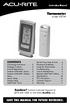 Instruction Manual Thermometer model 00754 CONTENTS Unpacking Instructions... Package Contents... Product Registration... Features & Benefits: Sensor... Features & Benefits: Display... 3 Setup... 4 Sensor
Laser Wireless Rechargeable Mouse. User s Manual
 Laser Wireless Rechargeable Mouse Model #: LM8000WR User s Manual Rev. 060801 User s Record: To provide quality customer service and technical support, it is suggested that you keep the following information
90 Degree PIR Wireless Security Sensor. Installation Instructions 5420/90F
 90 Degree PIR Wireless Security Sensor Installation Instructions 5420/90F Copyright Clipsal Australia P/L 2007. All rights reserved. Clipsal is a registered trademark of Clipsal Australia Pty Ltd. The
Using Your GEM-P400 Security System
 Using Your GEM-P400 Security System ARMED GEMINI STATUS 1 2 3 4 &20387(5,=(' 6(&85,7< 6
HANDS-FREE BLUETOOTH CONTROLLER for SMART READY TABLETS AND COMPUTERS
 HANDS-FREE BLUETOOTH CONTROLLER for SMART READY TABLETS AND COMPUTERS Operating Manual 2 CONTENTS Before Turning on Your PED... 4 Power... 5 ON... 5 OFF... 5 Modes... 6 Changing the MODE... 7 Connecting
VEHICLE SECURITY SYSTEM G25/G20
 VEHICLE SECURITY SYSTEM G25/G20 Limited Lifetime Warranty This vehicle security system is warranted to the original purchaser, to be free from defects in material and workmanship. The manufacturer will
Targus Wireless RF Mouse USER S GUIDE. Making Your Mobile Life Easier.
 Targus Wireless RF Mouse Visit our Web site at: www.targus.com Features and specifications are subject to change without notice. 2004 Targus Group International and Targus, Inc.. 400-0111-001B USER S GUIDE
Atomic Projection Alarm Clock model 13021
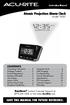 Instruction Manual Atomic Projection Alarm Clock model 13021 CONTENTS Unpacking Instructions... 2 Package Contents... 2 Product Registration... 2 Features & Benefits... 3 Clock Setup... 5 Atomic Clock...
BroadBand PowerShield. User Manual
 BroadBand PowerShield User Manual 990-0375G 12/2006 Chapter 1 General Information The PowerShield provides a power source for broadband telephony and other DC applications. Safety This Safety Guide contains
GSM AD05 Slave GSM Auto Dialer- Instruction Manual
 GSM AD05 Slave GSM Auto Dialer- Instruction Manual Please read these instructions before you start the installation Features LCD display Programmable 9 x 32 digit phone numbers for each trigger. 10 second
AIM TECHNICAL MANUAL PATENT PENDING STOP REMEMBER TO ACTIVATE UNIT BEFORE TESTING. See page 9 for Activation Instructions
 AIM TECHNICAL MANUAL AIM-1450HW HARDWIRE PATENT PENDING STOP REMEMBER TO ACTIVATE UNIT BEFORE TESTING See page 9 for Activation Instructions AIM Technical Manual - AIM 1450HW AIM-1450HW HARDWIRE ABOUT
Auto Dialer. Manual E-921APQ E-921GPQ
 Troubleshooting: Auto dialer will not arm/disarm Auto dialer will not dial out Unit doesn t respond to a call-back Difficulty in activating room monitor by telephone remote control Make sure that you have
safe, smart, protected
 safe, smart, protected en Safety, Regulatory, &Legal Charging Dock Operation Charging Dock Operation The charging dock is designed for tabletop use. To be compliant with RF exposure guidelines and to
INSTRUCTION MANUAL DSC 1550
 INSTRUCTION MANUAL DSC 1550 A WORD ABOUT YOUR SYSTEM The PC1550 Security System has been designed to give you the greatest possible flexibility and convenience. Read this manual carefully and become familiar
How To Program An Autodialer
 GJD HYL005 GSM Autodialer Instruction Manual Please read these instructions before you start the installation Features: LCD display. Programmable 9 x 32 digit phone numbers for each trigger. 10 second
ANT1750F Multi-Directional Slim Digital Antenna / Antena multidireccional plana para interiores / Antenne numérique mince multidirectionnelle
 Multi-Directional Slim Digital Antenna / Antena multidireccional plana para interiores / Antenne numérique mince multidirectionnelle User s Guide / Guía del Usuario / Guide de l utilisateur FCC Statement
Alarm Security Kit - NVR
 Alarm Security Kit - NVR EN The alarm configuration menu (see above right screenshot) allows you to configure and change settings for the PIR movement sensors, window/door sensors, remote controls (key
Home Security Alarm System
 Home Security Alarm System User Manual (ALM-S02) Read manual carefully before use. PiSector Inc., USA www.pisector.com Thank you for purchasing this home security alarm system. For your safety and better
Your Simple Guide to Battery. www.firstalertpro.com. Replacement. Customer Care: 1-800-852-0086. www.firstalertpro.
 Previous Menu Your Simple Guide to Battery www.firstalertpro.com Replacement p e t s ts ep -by Customer Care: 1-800-852-0086 FA/1565 9/00 www.firstalertpro.com Table of Contents: page Introduction...............................
INSTRUCTION MANUAL PC255O
 INSTRUCTION MANUAL PC255O Canadian Department of Communications Notice NOTICE: The Canadian Department of Communications label identifies certified equipment. This certification means that the equipment
LED Security Spotlight User Manual
 MOT ION-TR ACKING LED Security Spotlight User Manual www.jascoproducts.com 1-800-654-8483 2 TABLE OF CONTENTS Parts List 3 Questions? Missing Parts? 4 Installation (Wall mount) 6-9 Installation (Eave mount)
Indoor/Outdoor Color Camera with Built-in 2.4 GHz Wireless Transmitter, plus X10 controlled power supply, and Video Receiver.
 Indoor/Outdoor Color Camera with Built-in 2.4 GHz Wireless Transmitter, plus X10 controlled power supply, and Video Receiver. OWNER'S MANUAL VR36A XC18A XM13A MODEL VK69A (INCLUDES XC18A CAMERA, XM13A
Owner s Manual. Not suitable for mobile applications. Important Safety Instructions 2. Quick Installation 3. Basic Operation 4. Storage & Service 7
 Register online today for a chance to win a FREE Tripp Lite product! www.tripplite.com/warranty Owner s Manual Internet Office & BC Personal UPS Systems Not suitable for mobile applications. Important
Bluetooth Wireless Headphones
 Bluetooth Wireless Headphones Pro sound. Hands-free calls. Table of contents Cautions and Warnings................................................... 2 FCC Information.........................................................
Color LCD TV with AM/FM Radio
 16-3054.auto.fm Page 1 Thursday, August 19, 1999 3:00 PM Color LCD TV with AM/FM Radio EAR VOLUME BRIGHT TV OFF RADIO Switch Built-In Telescoping Rod Antenna TUNING FM AM TUNING Dial FM VHF AM UHF Switch
Automatic Phone-Out Home Monitoring Systems
 Automatic Phone-Out Home Monitoring Systems Power Outage and Freeze Alarm Model Number: THP202 Power Outage, Freeze and Flood Alarm Product Description Model Number: THP201 These monitoring systems are
DCMT-2500 Wireless Transmitter. Owner s Manual
 DCMT-2500 Wireless Transmitter Owner s Manual Warnings This device complies with Part 15 of the FCC rules, Operation of this device is subject to the following conditions: 1. This device may not cause