
13.56 MHz Physical Access Contactless Technology How to Order Guide
|
|
|
- Chester Hart
- 9 years ago
- Views:
Transcription
1 3.56 MHz Physical Access ontactless Technology How to Order Guide 529, Release. May, 2 The most current version of this document is available for download at: To check order status go to: > Knowledge enter > ustomer Support > ustomer Order Status. For ontact cards, 3 rd Party ontact-hips and embeddable cards with or without contact chip, see the Logical Access How to Order Guide. For Embedded products, see the Embedded How to Order Guide. HI, HI Global, ilass, SmartI, OEM75, FlexSmart and eprox are the trademarks or registered trademarks of HI Global orporation, or its licensors, in the U.S. and other countries. This document is subject to change without notice. ocument History ate Author escription Version 5/7/ Release of ilass Revision Keypad Readers. 4/22/, KG, L Removed Embedded Modules, 454 and 455 ESFire redentials and. updated FIPS-2 Wiegand Output Mode for ilass, multilass, Read/Write, and HAP/OSP readers /2/, KG Modified Rijkspas PNs, Added ilass FIPS ordering options, Fixed.9 ilass L FIPS ordering option, modified link to SmartI Generic configuration guide. hanged 2/2 ilass ard Slot Punch options. /25/9 M. Butler Added ilass/multilass Rijkspas Reader.7
2 3.56 MHz How to Order Guide 529,. ontents Overview MHz Reader... 4 ilass redentials... 7 Basics of Ordering ilass ontactless Smart redentials...8 redentials...9 2/2 - ilass ard Ordering Guide /22 - ombination ard (ilass / Prox) Ordering Guide ilass Wiegand ard Ordering Guide ilass Key Ordering Guide ilass Tag Ordering Guide ilass lamshell ard Ordering Guide /44/436/446 MIFARE ard Ordering Guide /44/437/447 ombination (MIFARE /Prox) ard Ordering Guide /444 MIFARE Keyfob Ordering Guide /445 MIFARE Adhesive Tag Ordering Guide /456 ESFire ard Ordering Form Guide /457 ombination (ESFire / PROX) ard Ordering Guide... 2 FlexSmart to HI redential ross Reference... 2 ustom redentials...22 Artwork hecklist Electronic Artwork hecklist Anti-ounterfeiting escriptions ustom ard Artwork Placement and Inkjet Location Guides Tag redentials lamshell ards ilass Readers...28 ilass Read-Only Reader Part Numbers and Options multilass with HI or Indala Prox Read-Only Reader Part Numbers and Options... 3 multilass Magstripe Read-Only Reader Part Numbers and Options... 3 multilass with EM42 Prox Read-Only Reader Part Numbers and Options ilass HAP/OSP Reader Part Numbers and Options ilass Hi-O Enabled Reader Part Numbers and Options ilass Read/Write Reader Part Numbers and Options biolass Reader/Enroller, Read-Only and Read/Write Biometric Reader Part Numbers and Options ilass US Government FIPS 2 ompliant Read-Only Reader Part Numbers and Options multilass US Government FIPS 2 ompliant with HI or Indala Prox Read-Only Reader Part Numbers and Options ilass US Government FIPS 2 Read/Write Reader Part Numbers and Options ilass US Government FIPS 2 ompliant HAP/OSP Reader Part Numbers and Options... 4 ilass / multilass Transit Read-Only Reader Part Numbers and Options... 4 ilass / multilass Rijkspas ompliant Read-Only and HAP/OSP Reader Part Numbers and Options Reader Wiegand Output onfiguration Guide ilass Programmer Ordering Guide SmartI Readers...44 SmartI Single-Technology 3.56 MHz Readers Part Numbers and Options SmartTRANS Multi-Technology Readers Part Numbers and Options SmartTOUH Biometric Readers Part Numbers and Options SmartTOOLS ard Programming Software and evices Part Numbers and Options SmartI esktop Reader/Writer Part Numbers and Options SmartI Reader ross Reference SmartI MIFARE and ESFire Reader ustom Format Request Form FlexSmart Readers...5 FlexSmart Reader Part Numbers and Options... 5 MIFARE Reader Wiegand Output onfiguration ustom Format MIFARE or ESFire Reader Ordering Guide Edge Readers...55 Edge Solo Part Numbers and Options Edge Solo Kit Part Numbers and Options MHz Accessories...58 orporate Format Request & Authorization Form...6 ilass Elite Program Request & Authorization Form...62 May, HI Global orporation. All rights reserved Page 2 of 63
3 3.56 MHz How to Order Guide 529,. Overview Welcome to 3.56 MHz by HI. HI Global offers a variety of reader families that are compatible with most 3.56 MHz technologies existing in the market today. HI s primary 3.56 MHz product lines include ilass and SmartI. ilass is the first advanced contactless smart card technology designed by and for the access control professional. ilass readers and cards offer your customer the highest quality card and reader system. The access control system is designed to both pass card data to an access control host, and perform read/write functionality in card non-access control areas. SmartI is a highly customizable ISO4443 (MIFARE / ESFire ) reader platform enabling the dynamic application fit new and existing populations of custom defined card data structures. ustomize authentication keys, communication encryption, data location and length, data output and much more. Making it easy for you to offer your customers exciting new products with enhanced benefits, HI has prepared this 3.56 MHz How to Order Guide. This How to Order Guide provides information for: 3.56 MHz reader and module products 3.56 MHz credentials ilass Reader Identifiers The alpha designator within the product model indicates whether the reader is: REA ONLY (R) REA/WRITE (RW) REA ONLY/PROXIMITY (RP) REA ONLY WITH KEYPA (RK) REA ONLY WITH KEYPA/PROXIMITY (RPK) REA/WRITE WITH KEYPA (RWK) REA ONLY WITH KEYPA/L (RKL) REA/WRITE WITH KEYPA/L (RWKL) REA ONLY WITH KEYPA/L/BIOMETRIS (RKLB) REA/WRITE WITH KEYPA/L/BIOMETRIS (RWKLB) REA ONLY WITH MAGNETI (RM) REA ONLY WITH MAGNETI/PROX (RMP) REA ONLY WITH MAGNETI/KEYPA (RMK) REA ONLY WITH MAGNETI/PROX/KEYPA (RMPK) SmartI Reader Identifiers The alpha designator indicates whether the reader is: REA ONLY (S) REA ONLY/PROXIMITY (SP) REA ONLY WITH KEYPA (SK) REA ONLY WITH KEYPA/PROXIMITY (SPK) The following numeric designator signifies the physical size of the unit. (The smaller the number, the physically smaller the unit.) May, HI Global orporation. All rights reserved Page 3 of 63
4 3.56 MHz How to Order Guide 529, MHz Reader ilass Read Only Readers When your application requires the ability to read card numbers and output data using the standard Wiegand or lock and ata protocols, use a read only (R series) ilass product. R - Physically the smallest reader, the R is ideal for mullion mounted door installations. The R will read HI card formats from ilass cards, or the card serial number (SN) from a MIFARE card, and delivers the information to an existing access control panel using industry standard Wiegand protocol. R5 - The R5 is ideal for mullion mounted door installations. The R5 will read HI card formats from ilass cards, or the card serial number (SN) from a MIFARE card. elivering the information to an existing access control panel, the R5 uses industry standard Wiegand protocol. R3 - This 8.5 cm (3.3 ) square reader is designed to mount to and cover standard EU and APA back boxes. This reader has the same read only abilities as the R with the added features of a longer read range and built-in tamper magnet. R4 - The R4 is designed to mount and cover single gang switch boxes primarily used in the United States and includes a slotted mounting plate for European and Asian back box spacing. It contains all the features of the R3 and offers longer read range. ilass Keypad Readers RK4 - This reader is the same size and shape as the R4. The 2-position weatherproof keypad features vandal-resistant metal keycaps and backlit numbering. The RK4 supports dual authentication of identity by combining card presentation and entry of a PIN. The PIN can be verified either at the access control panel or locally by the keypad reader. When verified locally, the PIN must be programmed into the ilass ard. RKL55 / RWKL55 This L/Keypad reader allows for dual-factor authentication in addition to user messages displayed on an L screen. The reader is designed to fit on a single gang switch box for US, EU or APA usage. The reader is available in read only or read/write configuration. ilass Multi-Technology Readers (multilass ) RP5 - The RP5 reader simultaneously supports HI and AWI or Indala proximity, ilass, MIFARE (SN), and HI multi-technology credentials. The RP5 is ideal for mullion mounted door installations. RP4 - The RP4 reader simultaneously supports HI and AWI or Indala proximity, ilass, MIFARE (SN), and HI multi-technology credentials. The RP4's mounting plate attaches to US, EU or APA back boxes with 52-6 mm screw hole spacing (vertical or horizontal), or to any flat surface. The reader body snaps onto the mounting plate and the cover snaps over the reader body, and then secured with a screw. RPK4 The RPK4 simultaneously supports HI and AWI or Indala proximity, ilass, MIFARE (SN), and HI multi-technology credentials. Additionally, the RPK4 supports dual factor authentication of identity by combining card presentation and PIN entry. Either verify the PIN at the access control panel or locally by the keypad reader. When verified locally, program the PIN into the ilass ard. The RPK4's mounting plate attaches to US, EU or APA back boxes with 52-6 mm screw hole spacing (vertical or horizontal), or to any flat surface. The reader body snaps onto the mounting plate and the cover snaps over the reader body, and then secured with a screw. ilass Multi-Technology Readers with Magnetic Swipe Reader (multilass) All magnetic swipe multilass readers consist of two-pieces including cover/electronics and mounting plate. The mounting plate has a built-in vertical swipe magnetic reader. Mount the magnetic swipe to the reader left or right. Mounting plate attaches to U.S. back box, 52-6 mm screw hole spacing (vertical or horizontal), or to any flat surface. Reader cover/electronics is secured to the mounting plate with a security screw. After the magnetic card migration has completed, increase security by replacing the built-in vertical swipe magnetic reader mounting plate with a standard mounting plate. May, HI Global orporation. All rights reserved Page 4 of 63
5 3.56 MHz How to Order Guide 529,. RMK4 The RMK4 simultaneously supports magnetic stripe, ilass, and HI multi-technology credentials. Additionally, the RMK4 supports dual factor authentication of identity by combining card presentation and PIN entry. Either verify the PIN at the access control panel or locally by the keypad reader using specially enrolled ilass credentials. RMPK4 The RMPK4 simultaneously supports magnetic stripe, Genuine HI Prox, AWI Prox, ilass, and HI multi-technology credentials. Additionally, the RMPK4 supports dual factor authentication of identity by combining card presentation and PIN entry. Either verify the PIN at the access control panel or locally by the keypad reader using specially enrolled ilass credentials. ilass Biometric Readers (biolass ) RLB57 / RWKLB575 This biometric L/Keypad reader allows for three-factor authentication using biometric finger authentication, keypad and card. User messages are displayed on an L screen. The reader is designed to fit on a single gang switch box for US, EU or APA usage. The reader is available in read only or read/write configuration. ilass Long Range Readers R9 - The R9 is the largest size (2 or 3.5 cm square) and longest read range ilass contactless smart card reader in the ilass product line. The R9 will read HI card formats from ilass cards, delivering the information to an access control panel using industry standard Wiegand protocol. ilass Reader/Writers When your application requires the ability to read and write data to the card, use a read/write (RW series) ilass product. The four standard ilass reader/writers are: RW - Physically the smallest reader/writer, the RW is ideal for mullion mounted door installations. The RW contains all the features of the R, with the added features of read/write capability via RS232, RS485, UART or USB. RW3 - This 8 mm (3.5 ) square reader is designed to mount to and cover standard EU and APA back boxes. The RW3 contains all the features of the R3, with the added features of read/write capability via RS232, RS485, UART or USB. RW4 - The RW4 is designed to mount to and cover single gang switch boxes primarily used in the US. The RW4 contains all the features of the R4, with the added features of read/write capability via RS232, RS485, UART or USB. RWK4 - This reader/writer offers the same features as the RK4, with the extended ability to read/write user data to ilass credentials via RS-232, RS485, UART or USB. ilass Programmer The ilass P4 & P575A ard Programmers are designed for on-site programming of access control data, PIN codes, and user data onto HI ilass cards. The ard Programmer allows HI proximity formats, keypad PIN codes, and user data fields to be programmed directly into ilass contactless cards. The P4 ard Programmer includes a desktop reader/writer, personalization diskette, universal power supply, and serial cable. The P575A ard Programmer includes P4 features with the added capability of programming biometric templates for use in the biolass reader and includes a biolass reader/writer, personalization diskette, universal power supply and USB cable. Ensuring security of the format and cards, required is an ilass ard Programmer license. SmartI Readers S The S is ideal for mullion mounted door installations. Reading MIFARE (sector) or ESFire (application/file),card data, the S delivers the card data to an access control system using industry standard protocols, including Wiegand. Mount the reader on a single gang switch box for US, EU or APA usage by ordering an additional mounting accessory. May, HI Global orporation. All rights reserved Page 5 of 63
6 3.56 MHz How to Order Guide 529,. SmartI Keypad Readers SK - The SK is ideal for mullion mounted door installations. The SK offers dual-factor authentication using keypad and card. Reading MIFARE (sector) or ESFire (application/file) card data, the SK delivers the card data to an access control system using industry standard protocols, including Wiegand. The reader can be mounted on a single gang switch box for US, EU or APA usage by ordering an additional mounting accessory. SmartI Multi-Technology Readers (SmartTRANS) SP - The SP is ideal for mullion mounted door installations. The SP reads either 25 khz HI Prox and AWI card formats in addition to MIFARE (sector) or ESFire (application/file) card data. The SP delivers the card data to an access control system using industry standard protocols, including Wiegand. Mount the SP on a single gang switch box for US, EU or APA usage by ordering an additional mounting accessory. SPK - The SPK is ideal for mullion mounted door installations. The SPK offers dual-factor authentication using keypad and card. The SPK reads either 25 khz HI Prox and AWI card formats in addition to MIFARE (sector) or ESFire (application/file) card data. The reader will deliver the card data to an access control system using industry standard protocols including Wiegand. Mount the reader on a single gang switch box for US, EU or APA usage by ordering an additional mounting accessory. SmartI Biometric Readers (SmartTOUH) SB / SBK This biometric reader comes with or without keypad and offers three-factor authentication using biometric finger authentication, keypad and card. The reader is designed for a mullion mount, but mount the biometric reader on a single gang switch box for US, EU or APA usage by ordering an additional mounting accessory. SmartI Reader/Writers SW The SW is ideal for mullion mounted door installations. Read/Write application supports T=L (or legacy 3964) bi-directional serial protocol implemented over RS232, RS485 or RS422 physical link. Enables read/write to MIFARE and ISO credentials (ESFire, SmartMX). SWK The SWK is ideal for mullion mounted door installations. Read/Write application supports T=L (or legacy 3964) bi-directional serial protocol implemented over RS232, RS485 or RS422 physical link. Enables read/write to MIFARE and ISO credentials (ESFire, SmartMX). SW esktop reader/writer connects to a computer through a USB or RS232. The hosts send commands to SW in order to read/write data to MIFARE, ESFire and any other ISO card through T=L (RS232) or P/S (USB Only) protocols. SmartI Programmer (SmartTOOLS) SmartTOOLS is a card programming software suite providing custom access cards and configuration card programming of MIFARE cards. ProxBurn is an access card programming component of SmartTOOLS. ProxBurn programs custom MIFARE cards for use on SmartI access control readers. The ProxBurn package includes a with software application and manuals, RS232 cable and SW with RS232 interface. ReaderTOOLS is a configuration card programming component of SmartTOOLS. ReaderTOOLS creates configuration cards configuring SmartI readers to perform custom access control applications against existing and new card populations with custom requirements. The ReaderTOOLS package includes a with software application and manuals, USB cable and SW with USB interface. May, HI Global orporation. All rights reserved Page 6 of 63
7 3.56 MHz How to Order Guide 529,. ilass redentials HI offers a full line of ilass credentials. When choosing a credential, there are several important decision points:. Which form factor (i.e., card, key or tag) of credential best meets my needs? 2. o I have a heavy duty card application or will I be laminating a patch to the card, which will require a composite card for best results? 3. o I need a multi-technology credential (i.e., ilass and proximity or ilass and Wiegand) to help leverage investments in existing access control systems while transitioning to new technologies or applications? 4. How much memory do I need (i.e. 2k bits, 6k bits or 32k bits)? 5. How many application areas (2 or up to 6) do I need? To help simplify the purchase of ilass credentials, all credentials are delivered pre-personalized with the default memory allocation and protection for the access control application. Within the part number, the numeric model number defines the technology, number of application areas and memory size. All credentials come in two memory sizes, 2k bits (256 Bytes) with two application areas or 6k bits (2k Bytes) with two or sixteen application areas or 32k bits (4k Bytes) in two separate books. Application Area is reserved by HI for access control use. The remaining application areas can be defined. Please review HI Application Note # 28 for more information about memory size and application areas. redentials are available in several form factors. You may request the correct memory size and/or application area configuration on any form factor. The form factor is not limiting. Offered form factors include: ilass lamshell cards ilass lamshell cards offer single-coil, read/write 3.56 MHz contactless smart card technology in a value-priced and highly-durable, molded ABS shell with customizable PV label. The card is available in the 2K bit (256 byte) memory size only. ilass ards Standard, 3.56 MHz single-coil, ilass cards will be manufactured to meet ISO standard dimensions. Personalize these cards by adding a photo I, or barcode (These cards are also available with an optional magnetic stripe). For the ilass embeddable card, see the Logical Access How to Order Guide. ilass Prox ards ilass Prox cards offer a dual technology solution (3.56 MHz contactless smart card technology and 25 khz proximity technology) in a single card. Personalize these cards by adding a photo I, or barcode (These cards are also available with an optional magnetic stripe). For the ilass Prox embeddable card, see the Logical Access How to Order Guide. ilass Wiegand ards ilass Wiegand cards offer a dual technology solution (3.56 MHz contactless smart card technology and Wiegand strip technology) in a single card. Personalize these cards by adding a photo I, or barcode (These cards are also available with an optional magnetic stripe). ilass Keys This newly designed hexagonal key is less obtrusive than a card in your pocket or handbag and has all the capabilities of a card or tag. The ilass Key was designed to fit on your existing key ring or used with a standard badge-clip. ilass Tags An adhesive tag can be placed onto an existing credential to allow for an easy transition from legacy technologies to ilass. The tag can also be placed onto any non-metallic object. However, HI recommends that every application be tested before purchase to ensure compatibility. ilass by HI. A new solution for the access control market that is Smart, Powerful and Trusted. Become acquainted with this technology. You will understand the difference you can make in your customers ability to secure and manage their environments by offering ilass! May, HI Global orporation. All rights reserved Page 7 of 63
8 3.56 MHz How to Order Guide 529,. Basics of Ordering ilass ontactless Smart redentials Each part number consists of a base number, to indicate the type of credential, and a number or letter to indicate each credential option. Each credential has a standard part number which includes default options, as indicated on the attached credential guides. When an order is placed for a credential, the base number and all options must be specified. If you require any options that are different from the default options, you must also indicate those options at the time the order is placed. All part numbers must be complete to be accepted by HI s order entry system. All reader orders must have the following information: BASE MOEL NUMBER STYLE REA RANGE TYPE OLOR OUTPUT FORMAT (reader s format or format number must also be given at time of order) All credential orders must have the following information: Base Part Number - Indicates type of credential Standard PV omposite 4% Polyester/PV (Recommended for long life applications or when applying an over-laminate) Memory Size and Allocation - - 2k Bits (256 Bytes) with 2 Application Areas - 6k Bits (2k Bytes) with 2 Application Areas 2-6k Bits (2k Bytes) with 6 Application Areas 3-32k Bits (4K Bytes) Application areas 6k/2+6k/ 4-32k Bits (4K Bytes) Application areas 6k/6+6k/ Programming - Indicates whether the credential is programmed at the factory by HI or programmed by you with an HI ilass card programmer. If the credential is ordered non-programmed, an HI ilass card programmer must be used for programming. (ontact an HI sales representative for ilass card programmer eligibility). Front Packaging - Indicates standard or custom artwork and type of finish. Back Packaging - Indicates standard or custom artwork and type of finish. ilass redential Numbering - Internal 3.56 MHz programmed number and visible external credential number. Slot Punch Optional 25 khz Proximity or Wiegand redential Numbering - Internal 25 khz Proximity or Wiegand programmed number and visible external credential number. All orders for custom artwork credentials must have the following information: ustom Artwork Number (all your ustomer Service Representative if number is not available) In addition, all credential orders must have the following programming information: Bit Format(s) Facility ode(s) Internal and External Start Numbers Internal PIN ode (Length: 2 2 igits) Any Special Instructions May, HI Global orporation. All rights reserved Page 8 of 63
9 3.56 MHz How to Order Guide 529,. redentials 2/2 - ilass ard Ordering Guide The ilass contactless smart card offers read/write capability. Personalize the card with a photo I, magnetic stripe, barcode, or anti-counterfeiting element. Please ensure each required option has been checked with the appropriate choice to fulfill a completed order form. Base Model 2 Standard PV 2 omposite 4% Polyester / PV* ilass Memory Size and Allocation (heck One) - 2k Bits (256 Bytes) with 2 Application Areas 3-32k Bits (4K Bytes) Application areas 6k/2+6k/ - 6k Bits (2k Bytes) with 2 Application Areas 4-32k Bits (4K Bytes) Application areas 6k/6+6k/ 2-6k Bits (2k Bytes) with 6 Application Areas Programming (heck One) - onfigured, Non-Programmed ilass. Programming Information Not Required. P - Programmed ilass. Specify Programming Information. Front Packaging (heck One) G - Plain White with Gloss Finish - ustom Artwork with Gloss Finish Specify ustom Artwork Number Back Packaging (heck One) G - Plain White with Gloss Finish 2 Front Packaging - ustom Artwork with Gloss Finish Specify ustom Artwork Number - Plain White with Gloss Finish with Magnetic Stripe ustom Artwork with Gloss Finish with Magnetic Stripe - Specify ustom Artwork Number ard Numbering 3 (heck One) M - Sequential Matching Internal/External (Inkjetted) N - No External ard Numbering S - Sequential Internal/Sequential Non-Matching External (Inkjetted) R - Random Internal/Non-Matching Sequential External (Inkjetted) A - Sequential Matching Internal/External (Laser Engraved) 4 B - Sequential Internal/Sequential Non-Matching External (Laser Engraved) 4 - Random Internal/Non-Matching Sequential External (Laser Engraved) 4 Slot Punch 5 (heck One) N - No Slot Punch (Printed location of vertical slot punch will remain) V - Vertical Slot Punch B - No Slot Punch - Horizontal Punch compatible (Printed location of Vertical and Horizontal slot punch will remain). 6 H - Horizontal Slot Punch 6 Back Packaging 2345 = ard I Number YYYYYYYY-YY = Sales Order Number Option - ustom Artwork (Specify Artwork Number Refer to the ustom Artwork Forms for new artwork) Please enter your final card options from check boxes above. Example: 2GGNN Final Part Number - (Options #) ilass ard Programming Information Bit Numbers. (example: 26 bit) Format Number (example: H3) Facility ode. (ustom Formats) Site ode. ity ode. OEM ode. Internal ard # Start. Stop. External ard # Start. Stop. PIN (2-2 digits) : Sequential: Start # Random: Length. Special Instructions:. For new artwork files, contact ustomer Service for custom artwork number, lead-times, and cost. 2 ards ordered with plain white front and back packaging, or custom artwork, will still have a small HI logo " " and reference number printed in the lower left-hand corner and a slot punch target printed on the back of the card. 3 The external card number is placed in the bottom right-hand corner on the back of the card. 4 For Laser Engraved external numbers, consult factory for lead times and cost. 5 ards are provided with an optional slot punch at no additional charge. Some video imaging printers cannot accommodate pre-slot punched cards. 6 The ability to add a horizontal slot punch requires a different ilass antenna design. Users can expect a read range reduction of approximately 2% if they order options B or H for the Slot Punch. * The composite construction is recommended for all cards with over-laminate applied. Please consult with the printer manufacturer prior to ordering. May, HI Global orporation. All rights reserved Page 9 of 63
10 3.56 MHz How to Order Guide 529,. 22/22 - ombination ard (ilass / Prox) Ordering Guide The ilass Prox contactless smart card offers read/write and HI proximity capability in a single card. Add new applications while leveraging your investment in existing access control systems. Personalize the card with a photo I, magnetic stripe, barcode, or anti-counterfeiting element. Please ensure each required option has been checked with the appropriate choice to fulfill a completed order form. Base Model 22 Standard PV 22 omposite 4% Polyester / PV * ilass Memory Size and Allocation (heck One) - 2k Bits (256 Bytes) with 2 Application Areas - 6k Bits (2k Bytes) with 2 Application Areas 2-6k Bits (2k Bytes) with 6 Application Areas 3-32k Bits (4K Bytes) Application areas 6k/2+6k/ Front Packaging 4-32k Bits (4K Bytes) Application areas 6k/6+6k/ ilass Programming (heck One) - onfigured, Non-Programmed ilass & 25 khz Proximity. Programming Information Not Required. A - onfigured, Non-Programmed ilass, Programmed 25 khz Proximity. Specify Programming Information. P - Programmed ilass only and Prox configured. Specify Programming Information. B - Programmed 25 khz Proximity and ilass. Specify Programming Information - Front Packaging (heck One) G - Plain White with Gloss Finish - ustom Artwork with Gloss Finish Specify ustom Artwork Number 2345 = ard I Number Back Packaging (heck One) YYYYYYYY-YY = Sales Order Number G - Plain White with Gloss Finish 2 - ustom Artwork with Gloss Finish Specify ustom Artwork Number - Plain White with Gloss Finish with Magnetic Stripe ustom Artwork with Gloss Finish with Magnetic Stripe - Specify ustom Artwork Number Back Packaging ilass ard Numbering 3 (heck One) M - Sequential Matching Internal/External (Inkjetted) N - No External ard Numbering S - Sequential Internal/Sequential Non-Matching External (Inkjetted) R - Random Internal/Non-Matching Sequential External (Inkjetted) Slot Punch 5 (heck One) N - No Slot Punch (Printed location of vertical slot punch will remain) V - Vertical Slot Punch 25 khz ard Numbering 3 (heck One) M - Sequential Matching Internal/External (Inkjetted) N - No External ard Numbering S - Sequential Internal/Sequential Non-Matching External (Inkjetted) R - Random Internal/Non-Matching Sequential External (Inkjetted) Option - ustom Artwork (Specify Artwork Number Refer to the ustom Artwork Forms for new artwork) A - Sequential Matching Internal/External (Laser Engraved) 4 B - Sequential Internal/Sequential Non-Matching External (Laser Engraved) 4 - Random Internal/Non-Matching Sequential External (Laser Engraved) 4 A - Sequential Matching Internal/External (Laser Engraved) 4 B - Sequential Internal/Sequential Non-Matching External (Laser Engraved) 4 - Random Internal/Non-Matching Sequential External (Laser Engraved) 4 Please enter your final card options from check boxes above. Example: 222LGGNNM Final Part Number - (Options #) ilass Programming Information 25 khz Programming Information Bit Numbers. (example: 26 bit) Bit Numbers. (example: 26 bit) Format Number (example: H3) Format Number (example: H3) Facility ode. Facility ode. (ustom Formats) Site ode. ity ode. (ustom Formats) Site ode. ity ode. OEM ode. OEM ode. Internal ard No. Start. Stop. Internal ard No. Start. Stop. External ard No. Start. Stop. External ard No. Start. Stop. PIN: Sequential: Start # Random: Length. Special Instructions:. For new artwork files, contact ustomer Service for custom artwork number, lead-times, and cost. 2 ards ordered with plain white front and back packaging, or custom artwork, will still have a small HI logo " " and reference number printed in the lower left-hand corner and a slot punch target printed on the back of the card. 3 The external card number is placed in the bottom right-hand corner for ilass 3.56 MHz and in the bottom center for 25 khz Proximity on the back of the card. 4 For Laser Engraved external numbers, consult factory for lead times and cost. 5 ards are provided with an optional slot punch at no additional charge. Some video imaging printers cannot accommodate pre-slot punched cards. * The composite construction is recommended for all cards with over-laminate applied. Please consult with the printer manufacturer prior to ordering. May, HI Global orporation. All rights reserved Page of 63
11 3.56 MHz How to Order Guide 529, ilass Wiegand ard Ordering Guide The ilass Wiegand contactless smart card offers read/write and Wiegand strip capability in a single card. Add new applications and/or use a transition card during upgrades from Wiegand to ilass. Please ensure each required option has been checked with the appropriate choice to fulfill a completed order form. Base Model 24 Standard PV ilass Memory Size and Allocation (heck One) - 2k Bits (256 Bytes) with 2 Application Areas - 6k Bits (2k Bytes) with 2 Application Areas 2-6k Bits (2k Bytes) with 6 Application Areas Programming (heck One) - onfigured, Non-Programmed ilass. Programming Information Not Required. P - Programmed ilass. Specify Programming Information. Front Packaging (heck One) G - Plain White with Gloss Finish - ustom Artwork with Gloss Finish Specify ustom Artwork Back Packaging (heck One) G - Plain White with Gloss Finish 2 - ustom Artwork with Gloss Finish Specify ustom Artwork Number - Plain White with Gloss Finish with Magnetic Stripe ustom Artwork with Gloss Finish with Magnetic Stripe Specify ustom Artwork Number ilass ard Numbering 3 (heck One) M - Sequential Matching Internal/External (Inkjetted) N - No External ard Numbering S - Sequential Internal/Sequential Non-Matching External (Inkjetted) R - Random Internal/Non-Matching Sequential External (Inkjetted) A - Sequential Matching Internal/External (Laser Engraved) 4 B - Sequential Internal/Sequential Non-Matching External (Laser Engraved) 4 - Random Internal/Non-Matching Sequential External (Laser Engraved) 4 Slot Punch 5 (heck One) N - No Slot Punch (Printed location of vertical slot punch will remain) V - Vertical Slot Punch Wiegand ard Numbering 3 (heck One) M - Sequential Matching Internal/External (Inkjetted) N - No External ard Numbering S - Sequential Internal/Sequential Non-Matching External (Inkjetted) R - Random Internal/Non-Matching Sequential External (Inkjetted) A - Sequential Matching Internal/External (Laser Engraved) = ard I Number YYYYYYYY-YY = Sales Order Number Wiegand Style & Bit - Number of Bits in ode Strip ( XX = Bit # between 8 and 44) (heck One) XXA - Strip toward left edge of card XXA - Strip toward right edge of card Option - ustom Artwork (Specify Artwork Number Refer to the ustom Artwork Forms for new Artwork) 3-32k Bits (4K Bytes) Application areas 6k/2+6k/ 4-32k Bits (4K Bytes) Application areas 6k/6+6k/ Front Packaging Back Packaging B - Sequential Internal/Sequential Non-Matching External (Laser Engraved) 4 - Random Internal/Non-Matching Sequential External (Laser Engraved) 4 Please enter your final card options from check boxes above. Example: 242PGGMNM26A Final Part Number 24 - (Options #) ilass Programming Information Wiegand Programming Information Bit Numbers. (example: 26 bit) Bit Numbers. (example: 26 bit) Format Number (example: H3) Format Number (example: 26) Facility ode. Facility ode. (ustom Formats) Site ode. ity ode. (ustom Formats) Site ode. ity ode. OEM ode. OEM ode. Internal ard No. Start. Stop. Internal ard No. Start. Stop. External ard No. Start. Stop. External ard No. Start. Stop. PIN: Sequential: Start # Random: Length. Special Instructions:. For new artwork files, contact ustomer Service for custom artwork number, lead-times, and cost. 2 ards ordered with plain white front and back packaging, or custom artwork, will still have a small HI logo " " and reference number printed in the lower left-hand corner and a slot punch target printed on the back of the card. 3 The external card number is placed in the bottom right-hand corner for ilass 3.56 MHz and in the bottom center for Wiegand on the back of the card. 4 For Laser Engraved external numbers, consult factory for lead times and cost. 5 ards are provided with an optional slot punch at no additional charge. Some video imaging printers cannot accommodate pre-slot punched cards. Please consult with the printer manufacturer prior to ordering. May, HI Global orporation. All rights reserved Page of 63
12 3.56 MHz How to Order Guide 529, ilass Key Ordering Guide The ilass contactless smart Key offers read/write capability. Attach to a key ring or badge clip for convenient use. Please ensure each required option has been checked with the appropriate choice to fulfill a completed order form. 25 Base Model Part Number Worksheet ilass Memory Size and Allocation (heck One) - 2k Bits (256 Bytes) with 2 Application Areas - 6k Bits (2k Bytes) with 2 Application Areas 2-6k Bits (2k Bytes) with 6 Application Areas Programming (heck One) - onfigured, Non-Programmed ilass. Programming Information Not Required. P - Programmed ilass. Specify Programming Information. Front Packaging K - Black with HI Standard Artwork Back Packaging N - None Key Numbering M - Sequential Matching Internal/External (Inkjetted) N - No External Key Numbering S - Sequential Internal/Sequential Non-Matching External (Inkjetted) R - Random Internal/Non-Matching Sequential External (Inkjetted) Slot Punch 2 N - None 3-32k Bits (4K Bytes) Application areas 6k/2+6k/ 4-32k Bits (4K Bytes) Application areas 6k/6+6k/ Please enter your final Key options from check boxes above. Example: 252KNNN Final Part Number 25 K N N ilass Key Programming Information Bit Numbers. (example: 26 bit) Format Number (example: H3) Facility ode. (ustom Formats) Site ode. ity ode. OEM ode. Internal ard # Start. Stop. External ard # Start. Stop. PIN: Sequential: Start # Random: Length. Special Instructions: The external key number is placed on the back of the key. 2 Key Ring sold separately (Part Number: 57--2).. May, HI Global orporation. All rights reserved Page 2 of 63
13 3.56 MHz How to Order Guide 529, ilass Tag Ordering Guide The ilass contactless smart Tag offers read/write capability. ilass enable existing credentials or non-metallic devices such as cell phones or PAs by adhering the ilass Tag. Please ensure each required option has been checked with the appropriate choice to fulfill a completed order form. 26 Base Model Part Number Worksheet ilass Memory Size and Allocation (heck One) - 2k Bits (256 Bytes) with 2 Application Areas - 6k Bits (2k Bytes) with 2 Application Areas 2-6k Bits (2k Bytes) with 6 Application Areas Programming (heck One) - onfigured, Non-Programmed ilass. Programming Information Not Required. P - Programmed ilass. Specify Programming Information. Front Packaging (heck One) S - Gray with HI Standard Artwork K - Black with HI Standard Artwork - ustom Artwork Specify ustom Artwork Number 2 Back Packaging S - Adhesive Backing Tag Numbering (heck One) M - Sequential Matching Internal/External (Inkjetted) N - No External Tag Numbering S - Sequential Internal/Sequential Non-Matching External (Inkjetted) R - Random Internal/Non-Matching Sequential External (Inkjetted) Slot Punch N - None Option - ustom Artwork 3-32k Bits (4K Bytes) Application areas 6k/2+6k/ 4-32k Bits (4K Bytes) Application areas 6k/6+6k/ Front Packaging (Specify Artwork Number Refer to the ustom Artwork Forms for new artwork) Please enter your final Tag options from check boxes above. Example: 262SSNN Final Part Number 26 S N - (Options #) ilass Tag Programming Information Bit Numbers. (example: 26 bit) Format Number (example: H3) Facility ode. (ustom Formats) Site ode. ity ode. OEM ode. Internal ard # Start. Stop. External ard # Start. Stop. PIN: Sequential: Start # Random: Length. Special Instructions: The external tag number is placed on the back of the tag. 2 For new artwork files, contact ustomer Service for custom artwork number, lead-times, minimum order quantities, and cost. 3 The ilass Tag is not for use on cards that use full insertion or tractor feed type readers. o not adhere to metal surfaces. Metal shields the RF, making the tag inoperable. ue to variations in cards and reading devices, HI does not claim that the ilass Tag will work in every situation. Functional and non-functional ilass Tags are available for compatibility testing with existing credential and reader technologies. ompatibility should be confirmed prior to ordering.. May, HI Global orporation. All rights reserved Page 3 of 63
14 3.56 MHz How to Order Guide 529, ilass lamshell ard Ordering Guide The ilass contactless smart card offers read/write capability. Please ensure each required option has been checked with the appropriate choice to fulfill a completed order form. 28 Base Model Part Number Worksheet ilass Memory Size and Allocation (heck One) - 2k Bits (256 Bytes) with 2 Application Areas Programming (heck One) - onfigured, Non-Programmed ilass. Programming Information Not Required. P - Programmed ilass. Specify Programming Information. Front Packaging (heck One) M - Plain White Vinyl with Matte Finish G - Plain White with Gloss Finish A - ilass lamshell - Adhesive Front - ustom Artwork - Specify ustom Artwork Number 2 Back Packaging (heck One) S - Base with Molded HI Logo - ustom Artwork - Specify ustom Artwork Number 2 ard Numbering 3 (heck One) M - Sequential Matching Internal/External (Inkjetted) N - No External ard Numbering S - Sequential Internal/Sequential Non-Matching External (Inkjetted) R - Random Internal/Non-Matching Sequential External (Inkjetted) Slot Punch 5 (heck One) V - Vertical Slot Punch 2345 = ard I Number YYYYYYYY-YY = Sales Order Number (over) Front Packaging (Base) Back Packaging Option - ustom Artwork 2 (Specify Artwork Number Refer to the ustom Artwork Forms for new Artwork) Please enter your final card options from check boxes above. Example: 28PGSMV Final Part Number 28 V - (Options #) ilass ard Programming Information Bit Numbers. (example: 26 bit) Format Number (example: H3) Facility ode. (ustom Formats) Site ode. ity ode. OEM ode. Internal ard # Start. Stop. External ard # Start. Stop. PIN (2-2 digits): Sequential: Start # Random: Length. Special Instructions:. The part numbers for non-adhesive labels to be used with the ilass lamshell with the adhesive front are 324GGN3 without slot and 324GGV3 with slot. 2 For new artwork files, contact ustomer Service for custom artwork number, lead-times, and cost. 3 The external card number is placed in the top left-hand corner on the back of the card. HI logo molded into base on back. May, HI Global orporation. All rights reserved Page 4 of 63
15 3.56 MHz How to Order Guide 529,. 43/44/436/446 MIFARE ard Ordering Guide Please ensure each required option has been checked with the appropriate choice to fulfill a completed order form. Base Model 43 (K) Standard PV 44 (4K) Standard PV Base Model 436 (K) omposite 4% Polyester / PV * 446 (4K) omposite Polyester 4% / PV * Programming (heck One) M - Programmed, HI MIFARE 6 (Specify HI format, for example H3). N - Non-Programmed (3.56 MHz ) 6. Programming Information Not Required. S - ustom Programmed, Specify Programming Information. Front Packaging (heck One) G - Plain White with Gloss Finish - ustom Artwork with Gloss Finish Specify ustom Artwork Number Back Packaging (heck One) G - Plain White with Gloss Finish 2 S - Standard HI MIFARE Artwork 2 - Plain White with Gloss Finish with Magnetic Stripe Standard HI MIFARE Artwork with Magnetic Stripe - ustom Artwork with Gloss Finish Specify ustom Artwork Number, ustom Artwork with Gloss Finish with Magnetic Stripe - Specify ustom Artwork Number, 2 ard Numbering 3 (heck One) M - Sequential Matching Internal/External (Inkjetted) N - No External ard Numbering U UI (SN) card numbering only (decimal) S - Sequential Internal/Sequential Non-Matching External (Inkjetted) R - Random Internal/Non-Matching Sequential External (Inkjetted) A - Sequential Matching Internal/External (Laser Engraved) 4 B - Sequential Internal/Sequential Non-Matching External (Laser Engraved) 4 - Random Internal/Non-Matching Sequential External (Laser Engraved) 4 Slot Punch 5 (heck One) N - No Slot Punch (Printed location of vertical slot punch will remain) V - Vertical Slot Punch Back Packaging Front Packaging 2345 = ard I Number YYYYYYYY-YY = Sales Order Number Option - ustom Artwork (Specify Artwork Number Refer to the ustom Artwork Forms for new Artwork) Please enter your final card options from check boxes above. Example: 43NGGNN Final Part Number - (Options #) 3.56 MHz ard Programming Information Bit Numbers. (example: 26 bit) Format Number (example: H3) Facility ode. (ustom Formats) Site ode. ity ode. OEM ode. Internal ard No. Start. Stop. External ard No. Start. Stop. Special Instructions:. For ontact Smart hip selection, refer to Logical Access How to Order guide. Standard configuration does not include a contact smart chip module. For new artwork files, contact ustomer Service for custom artwork number, lead-times, and cost. 2 ards ordered with plain white front and back packaging, with no HI artwork or with custom artwork, will still have a small HI logo " " and reference number printed in the lower left-hand corner and a slot punch target printed on the back of the card. 3 The external card number is placed in the bottom right-hand corner on the back of the card on Proximity Format Programming only. Permanent Unique MIFARE 32 Bit serial # cannot be printed on cards. 4 For Laser Engraved external numbers, consult factory for lead times and cost. 5 ards are provided with an optional slot punch at no additional charge. Some video imaging printers cannot accommodate pre-slot punched cards. Please consult with the printer manufacturer prior to ordering. 6 Includes a permanent Unique MIFARE 32 Bit Serial number. * The composite construction is recommended for all cards with over-laminate applied. May, HI Global orporation. All rights reserved Page 5 of 63
16 3.56 MHz How to Order Guide 529,. 43/44/437/447 ombination (MIFARE /Prox) ard Ordering Guide Please ensure each required option has been checked with the appropriate choice to fulfill a completed order form. Base Model 43 (K) Standard PV 44 (4K) Standard PV Base Model 437 (K) omposite 4% Polyester / PV * 447 (4K) omposite 4% Polyester / PV * MIFARE Programming (heck One) L - Programmed, (25 khz only with HI Format) 6. Specify Programming Information. M - Programmed, HI MIFARE 6 (Specify HI format, for example H3). B - Programmed, (25kHz and 3.56 MHz with HI Format) 6. Specify Programming Information. N - Non-Programmed (25 khz & 3.56 MHz without HI Format) Front Packaging 6. Programming Information Not Required. S - ustom Programmed, (3.56 MHz only) 6, Prox configured Specify Programming Information. R - ustom Programmed, (25kHz and ustom 3.56 MHz with HI Format) 6, Specify Programming Information. Front Packaging (heck One) G - Plain White with Gloss Finish - ustom Artwork with Gloss Finish - Specify ustom Artwork Number Back Packaging (heck One) G - Plain White with Gloss Finish 2 S - Standard HI Proximity & MIFARE Artwork 2 - Plain White with Gloss Finish with Magnetic Stripe Standard HI MIFARE Artwork with Magnetic Stripe 3 - ustom Artwork with Gloss Finish with Magnetic Stripe - Specify ustom Artwork Number, 2 Back Packaging - ustom Artwork with Gloss Finish - Specify ustom Artwork Number, 2 25 khz Proximity ard Numbering 3 (heck One) M - Sequential Matching Internal/External (Inkjetted) N - No External ard Numbering S - Sequential Internal/Sequential Non-Matching External (Inkjetted) R - Random Internal/Non-Matching Sequential External (Inkjetted) A - Sequential Matching Internal/External (Engraved) 4 B - Sequential Internal/Sequential Non-Matching External (Engraved) 4 - Random Internal/Non-Matching Sequential External (Engraved) 4 Slot Punch 5 (heck One) N - No Slot Punch (Printed location of vertical slot punch will remain) V - Vertical Slot Punch 3.56 MIFARE ard Numbering 3 (heck One) M - Sequential Matching Internal/External (Inkjetted) A - Sequential Matching Internal/External (Engraved) = ard I Number YYYYYYYY-YY = Sales Order Number N - No External ard Numbering B - Sequential Internal/Sequential Non-Matching External (Engraved) 4 S - Sequential Internal/Sequential Non-Matching External (Inkjetted) - Random Internal/Non-Matching Sequential External (Engraved) 4 R - Random Internal/Non-Matching Sequential External (Inkjetted) Option - ustom Artwork (Specify Artwork Number Refer to the ustom Artwork Forms for new Artwork) Please enter your final card options from check boxes above. Example: 44NGGNNN Final Part Number - (Options #) 3.56 MHz Programming Information 25 khz Programming Information Bit Numbers. (example: 26 bit) Bit Numbers. (example: 26 bit) Format Number (example: H3) Format Number (example: H3) Facility ode. Facility ode. (ustom Formats) Site ode. ity ode. (ustom Formats) Site ode. ity ode. OEM ode. OEM ode. Internal ard No. Start. Stop. Internal ard No. Start. Stop. External ard No. Start. Stop. External ard No. Start. Stop. PIN: Sequential: Start # Random: Length. Special Instructions:. For ontact Smart hip selection, refer to Logical Access How to Order guide. Standard configuration does not include a contact smart chip module. For new artwork files, contact ustomer Service for custom artwork number, lead-times, and cost. 2 ards ordered with plain white front and back packaging, with no HI artwork or with custom artwork, will still have a small HI logo " " and reference number printed in the lower left-hand corner and a slot punch target printed on the back of the card. 3 The external card number is placed in the bottom left-hand corner (25kHz) and in the bottom right-hand corner (3.56 MHz) on the back of the card on Proximity Programming only. Permanent unique MIFARE 32 Bit serial # cannot be printed on cards. 4 For Laser Engraved external numbers, consult factory for lead times and cost. 5 ards are provided with an optional slot punch at no additional charge. Some video imaging printers cannot accommodate pre-slot punched cards. Please consult with the printer manufacturer prior to ordering. 6 Includes a permanent Unique MIFARE 32 Bit Serial number. * The composite construction is recommended for all cards with over-laminate applied. May, HI Global orporation. All rights reserved Page 6 of 63
17 3.56 MHz How to Order Guide 529,. 434/444 MIFARE Keyfob Ordering Guide Please ensure each required option has been checked with the appropriate choice to fulfill a completed order form. Base Model 434 (K) 444 (4K) Programming (heck One) M - Programmed, HI MIFARE 6 (Specify HI format, for example H3). N - Non-Programmed (3.56 MHz). Programming Information Not Required. S - ustom Programmed, Specify Programming Information. Front Packaging (heck One) S - Standard HI Artwork - ustom Artwork - Specify ustom Artwork Number Back Packaging S - Standard Key Numbering (heck One) M - Sequential Matching Internal/External (Inkjetted) N - No External ard Numbering S - Sequential Internal/Sequential Non-Matching External (Inkjetted) R - Random Internal/Non-Matching Sequential External (Inkjetted) A - Sequential Matching Internal/External (Laser Engraved) 4 B - Sequential Internal/Sequential Non-Matching External (Laser Engraved) 4 - Random Internal/Non-Matching Sequential External (Laser Engraved) 4 Slot Punch 2 N - None Please enter your final Key options from check boxes above. Example: 434NSSNN Final Part Number S N 3.56 MHz ard Programming Information Bit Numbers. (example: 26 bit) Format Number (example: H3) Facility ode. (ustom Formats) Site ode. ity ode. OEM ode. Internal ard # Start. Stop. External ard # Start. Stop. Special Instructions: The external key number is placed on the back of the key. 2 Key Ring sold separately (Part Number: 57--2). 3 Includes a permanent Unique MIFARE 56 Bit Serial number. 4 For Laser Engraved external numbers, consult factory for lead times and cost.. May, HI Global orporation. All rights reserved Page 7 of 63
18 3.56 MHz How to Order Guide 529,. 435/445 MIFARE Adhesive Tag Ordering Guide Please ensure each required option has been checked with the appropriate choice to fulfill a completed order form. Base Model 435 (K) 445 (4K) Programming (heck One) M - Programmed, HI MIFARE 6 (Specify HI format, for example H3). N - Non-Programmed (3.56 MHz). Programming Information Not Required. S - ustom Programmed, Specify Programming Information. Front Packaging (heck One) S - Standard HI Artwork - ustom Artwork - Specify ustom Artwork Number Back Packaging S - Standard Tag Numbering (heck One) M - Sequential Matching Internal/External (Inkjetted) N - No External ard Numbering S - Sequential Internal/Sequential Non-Matching External (Inkjetted) R - Random Internal/Non-Matching Sequential External (Inkjetted) Slot Punch 2 N - None Please enter your final Tag options from check boxes above. Example: 435NSSNN Final Part Number S N 3.56 MHz ard Programming Information Bit Numbers. (example: 26 bit) Format Number (example: H3) Facility ode. (ustom Formats) Site ode. ity ode. OEM ode. Internal ard # Start. Stop. External ard # Start. Stop. Special Instructions: The external tag number is placed on the back of the tag. 2 For new artwork files, contact ustomer Service for custom artwork number, lead-times, minimum order quantities, and cost. 3 The Tag is not for use on cards that use full insertion or tractor feed type readers. 4 Includes a permanent Unique MIFARE 56 Bit Serial number. * Up to.4in (29mm) read range in free air. o not adhere to metal surfaces. Metal shields the RF, making the tag inoperable. ue to variations in cards and reading devices, HI does not claim that the Tag will work in every situation. Functional and non-functional Tags are available for compatibility testing with existing credential and reader technologies. ompatibility should be confirmed prior to ordering. * = Actual read range performance affected by mounting location, environment and the tags tuned resonant frequency.. May, HI Global orporation. All rights reserved Page 8 of 63
19 3.56 MHz How to Order Guide 529,. 45/456 ESFire ard Ordering Form Guide Please ensure each required option has been checked with the appropriate choice to fulfill a completed order form. Base Model 45 (4K) Standard PV 456 (4K)omposite 4% Polyester / PV * Programming (heck One) N - Non-Programmed (3.56 MHz) 6. Programming Information Not Required. S - ustom Programmed, (3.56 MHz only) 6, Specify Programming Information. Front Packaging (heck One) G - Plain White with Gloss Finish - ustom Artwork with Gloss Finish Specify ustom Artwork Number Back Packaging (heck One) 2345 = ard I Number G - Plain White with Gloss Finish 2 YYYYYYYY-YY = Sales Order Number - Plain White with Gloss Finish with Magnetic Stripe 2 - ustom Artwork with Gloss Finish Specify ustom Artwork Number, ustom Artwork with Gloss Finish with Magnetic Stripe - Specify ustom Artwork Number, 2 ard Numbering 3 (heck One) M - Sequential Matching Internal/External (Inkjetted) N - No External ard Numbering S - Sequential Internal/Sequential Non-Matching External (Inkjetted) R - Random Internal/Non-Matching Sequential External (Inkjetted) A - Sequential Matching Internal/External (Laser Engraved) 4 B - Sequential Internal/Sequential Non-Matching External (Laser Engraved) 4 - Random Internal/Non-Matching Sequential External (Laser Engraved) 4 Slot Punch 5 (heck One) N - No Slot Punch (Printed location of vertical slot punch will remain) V - Vertical Slot Punch Back Packaging Front Packaging Option - ustom Artwork (Specify Artwork Number Refer to the ustom Artwork Forms for new Artwork) Please enter your final card options from check boxes above. Example: 45NGGNN Final Part Number - (Options #) 3.56 MHz ard Programming Information Bit Numbers. (example: 26 bit) Format Number (example: H3) Facility ode. (ustom Formats) Site ode. ity ode. OEM ode. Internal ard No. Start. Stop. External ard No. Start. Stop. Special Instructions:. For ontact Smart hip selection, refer to Logical Access How to Order guide. Standard configuration does not include a contact smart chip module. For new artwork files, contact ustomer Service for custom artwork number, lead-times, and cost. 2 ards ordered with plain white front and back packaging, with no HI artwork or with custom artwork, will still have a small HI logo " " and reference number printed in the lower left-hand corner and a slot punch target printed on the back of the card. 3 The external card number is placed in the bottom right-hand corner on the back of the card on Proximity Format Programming only. Permanent Unique MIFARE 56 Bit serial # cannot be printed on cards. 4 For Laser Engraved external numbers, consult factory for lead times and cost. 5 ards are provided with an optional slot punch at no additional charge. Some video imaging printers cannot accommodate pre-slot punched cards. Please consult with the printer manufacturer prior to ordering. 6 Includes a permanent Unique MIFARE 56 Bit Serial number. * The composite construction is recommended for all cards with over-laminate applied. May, HI Global orporation. All rights reserved Page 9 of 63
20 3.56 MHz How to Order Guide 529,. 45/457 ombination (ESFire / PROX) ard Ordering Guide Please ensure each required option has been checked with the appropriate choice to fulfill a completed order form. Base Model 45 (4K) Standard PV 457 (4K) omposite 4% Polyester / PV * ESFire Programming (heck One) L - Programmed, (25 khz only) 6. Specify Programming Information. N - Non-Programmed (25 khz & 3.56 MHz) 6. Programming Information Not Required. S - ustom Programmed, (3.56 MHz only) 6, Prox onfigured Specify Programming Information. R - ustom Programmed, (25kHz and ustom 3.56 MHz) 4, 6, Specify Programming Information. Front Packaging (heck One) G - Plain White with Gloss Finish - ustom Artwork with Gloss Finish - Specify ustom Artwork Number 2345 = ard I Number Back Packaging (heck One) YYYYYYYY-YY = Sales Order Number G - Plain White with Gloss Finish 2 - Plain White with Gloss Finish with Magnetic Stripe ustom Artwork with Gloss Finish with Magnetic Stripe - Specify ustom Artwork Number, 2 - ustom Artwork with Gloss Finish - Specify ustom Artwork Number, 2 25 khz Proximity ard Numbering 3 (heck One) M - Sequential Matching Internal/External (Inkjetted) N - No External ard Numbering S - Sequential Internal/Sequential Non-Matching External (Inkjetted) R - Random Internal/Non-Matching Sequential External (Inkjetted) A - Sequential Matching Internal/External (Engraved) 4 B - Sequential Internal/Sequential Non-Matching External (Engraved) 4 - Random Internal/Non-Matching Sequential External (Engraved) 4 Slot Punch 5 (heck One) N - No Slot Punch (Printed location of vertical slot punch will remain) V - Vertical Slot Punch 3.56 ESFire ard Numbering 3 (heck One) M - Sequential Matching Internal/External (Inkjetted) N - No External ard Numbering S - Sequential Internal/Sequential Non-Matching External (Inkjetted) R - Random Internal/Non-Matching Sequential External (Inkjetted) Back Packaging A - Sequential Matching Internal/External (Engraved) 4 B - Sequential Internal/Sequential Non-Matching External (Engraved) 4 - Random Internal/Non-Matching Sequential External (Engraved) 4 Option - ustom Artwork (Specify Artwork Number Refer to the ustom Artwork Forms for new Artwork) Please enter your final card options from check boxes above. Example: 457NGGNNN Final Part Number - (Options #) 3.56 MHz Programming Information 25 khz Programming Information Bit Numbers. (example: 26 bit) Format Number (example: H3) Facility ode. (ustom Formats) Site ode. ity ode. OEM ode. Internal ard No. Start. Stop. External ard No. Start. Stop. PIN: Sequential: Start # Random: Length. Bit Numbers. (example: 26 bit) Format Number (example: H3) Facility ode. (ustom Formats) Site ode. ity ode. OEM ode. Internal ard No. Start. Stop. External ard No. Start. Stop. Special Instructions:. For ontact Smart hip selection, refer to the Logical Access How to Order guide. Standard configuration does not include a contact smart chip module. For new artwork files, contact ustomer Service for custom artwork number, lead-times, and cost. 2 ards ordered with plain white front and back packaging, with no HI artwork or with custom artwork, will still have a small HI logo " " and reference number printed in the lower left-hand corner and a slot punch target printed on the back of the card. 3 The external card number is placed in the bottom left-hand corner (25kHz) and in the bottom right-hand corner (3.56 MHz) on the back of the card on Proximity Programming only. Permanent unique MIFARE 56 Bit serial # cannot be printed on cards. 4 For Laser Engraved external numbers, consult factory for lead times and cost.. 5 ards are provided with an optional slot punch at no additional charge. Some video imaging printers cannot accommodate pre-slot punched cards. Please consult with the printer manufacturer prior to ordering. 6 Includes a permanent Unique MIFARE 56 Bit Serial number. * The composite construction is recommended for all cards with over-laminate applied. May, HI Global orporation. All rights reserved Page 2 of 63
21 3.56 MHz How to Order Guide 529,. FlexSmart to HI redential ross Reference Old Indala Part Number New HI Part Number MXISO 43 MXKEY 434 MXTAG 435 MXISO 44 MXKEY 444 MXTAG 445 XISO 45 XKEY 454 XTAG 455 escription HI MIFARE ontactless Smart ard - Utilizes MIFARE 3.56 MHz Internal Smart hip, Standard S5, K Memory with 6 Sectors HI MIFARE ontactless Smart Keyfob - Utilizes MIFARE 3.56 MHz Internal Smart hip, Standard S5, K Memory with 6 Sectors HI MIFARE ontactless Smart Adhesive Tag - Utilizes MIFARE 3.56 MHz Internal Smart hip, Standard S5, K Memory with 6 Sectors HI MIFARE ontactless Smart ard - Utilizes MIFARE 3.56 MHz Internal Smart hip, Standard S7, 4 K Memory with 4 Sectors HI MIFARE ontactless Smart Keyfob - Utilizes MIFARE 3.56 MHz Internal Smart hip, Standard S7, 4 K Memory with 4 Sectors HI MIFARE ontactless Smart Adhesive Tag - Utilizes MIFARE 3.56 MHz Internal Smart hip, Standard S7, 4 K Memory with 4 Sectors HI ESFire ontactless Smart ard - Utilizes ESFire 3.56 MHz Internal Smart hip, Standard 4, 4K memory with flexible file system HI ESFire ontactless Smart Keyfob - Utilizes ESFire 3.56 MHz Internal Smart hip, Standard 4, 4K memory with flexible file system HI ESFire ontactless Smart Adhesive Tag - Utilizes ESFire 3.56 MHz Internal Smart hip, Standard 4, 4K memory with flexible file system May, HI Global orporation. All rights reserved Page 2 of 63
22 3.56 MHz How to Order Guide 529,. ustom redentials Artwork hecklist ompany Name: PO No. ate Quantity: ard/key/tag and Artwork File No. Minimum order quantity for ustom Artwork is 5 cards per order. Some ustom Artworks may be higher. Minimum order quantity for ustom Artwork Tags/Keys is, tags per order. This form, accompanied with the ustom Artwork placement and Inkjet Location Form MUST be filled out, SIGNE and returned to HI so that your order can be processed. redential Type: Standard PV ards or Keys/Tags 2 - ilass ard 22 - ilass Prox ard 24 - ilass Wiegand 26 - ilass Tag 28 - ilass lamshell ard 43/44 - HI MIFARE 43/44 - HI Proximity & MIFARE 434/444 - HI MIFARE Keyfob 435/445 - HI MIFARE Tag 45 - HI ESFire 45 - HI ESFire & Proximity HI ESFire Keyfob HI ESFire Tag redential Type: omposite PV/Polyester ards (Additional fee and longer lead-time) 2 - ilass ard 22 - ilass Prox ard 24 - ilass Wiegand 436/446 - HI MIFARE 437/447 - HI Proximity & MIFARE HI ESFire HI ESFire & Proximity Artwork Placement, Font styles and olors: Artwork Placement on Front Side of card Artwork Placement on Back Side of card. Font Style(s): Front Side olors: Back Side olors o you plan to print over or around the custom artwork with a dye sublimation printer? Yes No Surface or Laminated Lithographic Printing (Refer to the Anti-ounterfeiting escriptions page in this guide for details) ard Options: Slot Punch 2,5 : Yes No Horizontal Vertical Signature Panel: Yes No Size:. Front ard Finish: Gloss Back ard Finish: Gloss Magnetic Stripe oercivity: HI Standard (4 OE) (275 OE) Magnetic Stripe Type: Standard 3 Track ebitek /8" Other:. Anti-ounterfeiting Options: Invisible Ink: Red Yellow Blue Green Glow in the ark Micro-fine Print: Yes No Hologram 7 : Surface Notes:. Standard omposite ard is 25% Polyester and 75% PV. A.35" thick card with 35% Polyester is also available. ontact ustomer Service for details. 2. Some cards will have printed "indicators" on the back of the card to show the vertical slot punch location. 3. Some cards will have a small HI logo " " and reference number, custom artwork file number, and external number (optional) printed on the card. 4. o not order slot punched cards for use in dye sublimation printers. Slot edge may damage the printer ribbon. Slot should be punched after dye sublimation printing. 5. Some video imaging printers cannot accommodate pre-slot punched cards. Please consult with the printer manufacturer prior to ordering 6. Surface Holograms cannot be placed over internal electronics. 7. Representation, Warranty and Indemnity. ustomer represents and warrants to HI that it owns, controls, or otherwise has the full and unrestricted right to use the custom artwork provided to HI for use in connection with this ustom Artwork hecklist Form (the ustom Artwork ) and to authorize and license HI to use and apply the ustom Artwork to the cards in the manner provided in this ustom Artwork hecklist Form. ustomer agrees to indemnify HI and hold it harmless from and against any claims, liabilities, losses and/or expenses (including reasonable attorney fees and costs of suit) arising out of the use by HI of the ustom Artwork in the manner provided by this ustom Artwork hecklist Form or by any custom artwork proofs approved by the ustomer. 8. HI does not recommend placing custom graphics on either side of the ontact Smart hip area. Name: Signature: ate:. May, HI Global orporation. All rights reserved Page 22 of 63
23 3.56 MHz How to Order Guide 529,. Electronic Artwork hecklist File Submission & Preparation This document gives digital artwork specifications from our press department. Use these guidelines and your project should go smoothly through the pre-press department. MEIA: Please submit files via or on. ompressed files should be self extracting. Submitted media will not be returned o the customer. FTP site available upon request. PLATFORM: MS WINOWS /Macintosh Projects that are set up in any of the major applications (listed below under "Graphic Applications") generally translate to Macintosh smoothly. Please save your final file with pictures embedded, outlined fonts and EPS Vector editable file. FONTS: Use Type fonts and include screen and printer fonts on disk. Type may be converted to paths or outlines, but we cannot make copy changes to text submitted in this form. In addition, converted type loses the benefits of PostScript font definitions; hence, type quality may suffer. This is more noticeable in small type (-8 point). PLAE GRAPHIS: All placed graphics, saved as TIFF or EPS, should be included in their native program. If a Photoshop image is placed in a Quark document, we need the Photoshop image to produce the job. Sizing, cropping, rotation, etc. should all be done to the element in its native program and placed in Quark. olor images should be converted from RGB to MYK. Special colors should be designated using PMS or provide color sample to be matched. Resolution of color images, B&W halftones, or duotones should be 3 dpi. GRAPHI APPLIATIONS (latest version): Adobe Photoshop - Adobe Illustrator - QuarkXpress BITMAPS AN TRAING: Scanned line art converted to bitmaps should have a resolution of 2-24 dpi. Lower resolutions will result in jagged curves. Many programs can convert (trace) bitmaps to vector drawings. Smoothing a traced image can be time consuming, but once completed yields a resolution independent graphic that will provide crisp reproduction for all future uses. We can provide this service for you at our regular file intervention rate. Minimum required PI (dots per inch) is 3. BLEES: Please incorporate.25" of overwork for all bleed images. Any portion of the image that extends to the edge of the product is considered a bleed. Minimum required size with bleed is 2.227" x 3.477" for standard card size file. MARGINS: Elements that do not bleed should be at least.25" from the edge. May, HI Global orporation. All rights reserved Page 23 of 63
24 3.56 MHz How to Order Guide 529,. Anti-ounterfeiting escriptions Printing Types ) Laminated Lithographic Printing: High resolution (>36 dpi) offset printing technology yields photographic quality images. Laminated printing places the ink layer under a rigid clear plastic overlay which protects the printed image from abrasion and allows you to re-print over the existing artwork on the card. The cards are compatible with all Photo I printing methods: dye-sub, reverse transfer and resin transfer. 2) Surface Lithographic Printing: This process is identical to the Laminated Lithographic Printing, but the ink layer is applied to the outer surface of the finished card and may include a clear coat. You may not be able to re-print on the card. The inks and clear coat are not compatible with 2T2 printing (ye iffusion Thermal Transfer, AKA dyesublimation) but may be compatible with reverse transfer printing methods. The surface printing is durable enough for normal handling and use, but may wear more quickly in heavy use or swipe (magnetic stripe) applications. It is not recommended for high use applications, or for printing critical data such as emergency information. This process is often used for quick turnaround of simple text and graphics on card backs. Surface Hologram Holograms are one of the most recognizable anti-counterfeiting devices on the market. The optically variable image cannot be duplicated with standard printing. Surface holograms are applied via hot stamping to the exterior of the card surface. This style of application is common to all financial transaction cards. Embedded Hologram Embedded holograms are positioned under the rigid clear outer layer of the card surface. Unlike surface holograms, embedded holograms are amenable to dye sublimation allowing the entire card surface to be personalized. This application style furthers the effectiveness of the anti-counterfeiting feature by requiring expensive specialized equipment during manufacture. Embedded Advantage Security Seal The Advantage product is a specialized optically variable device that is manufactured in only one plant worldwide. It has been the OV of choice for many government identity documents, including many states driver licenses and the INS card. Like the embedded hologram, this device is placed under the rigid clear outer layer and is not subject to surface abrasion and wear. Advantage images shift from orange to green at different viewing angles. Invisible Ultra-Violet (UV) Fluorescing Images ommon on credit card, currency and travel documents, invisible ink images provide a covert anti-counterfeiting mechanism. Though blue/violet fluorescing ink is readily available and inexpensive, red, green, yellow and orange fluorescing pigments remain difficult to acquire. This covert anti-counterfeiting device remains popular because of its relatively easy implementation in the field. Micro-fine Printing Very small spot color printing that exploits the limitations of inkjet, toner based (laser) and dye sublimation printers. ounterfeit reproductions can be determined with a handheld magnification tool. Guilloche Printing Fine line interlocking spot color patterns that are extremely difficult to scan and reproduce. These design elements are often multicolor and are commonly used on currency and travel documents. omposite Formulations omposite formulations are designed for durable applications and for use in dye sublimation printers that employ re-transfer technology and/or polyester laminate patches. omposite cards will minimize the warping caused by such processes. These formulations derive their strength from combining biaxial oriented polyester (OPET) with traditional polyvinyl chloride (PV). May, HI Global orporation. All rights reserved Page 24 of 63
25 3.56 MHz How to Order Guide 529,. ustom ard Artwork Placement and Inkjet Location Guides Standard PV and omposite PV/Polyester ards ompany Name: PO No. ate Quantity: ard and Artwork File No.. External Number: Standard Location: The standard external # location is shown on the template below. The external # can only be printed on the back of the card. The external # will be printed in the standard location, unless otherwise specified. ustom Location: Please indicate the desired external # location by writing "2345" on the appropriate template. The external # can only be printed on the back of the card. 2. An Artwork File Number is placed on each card. The standard location is indicated by the "". The standard location for the custom artwork number is on the back side of the card. Please indicate/incorporate the artwork number on the artwork. If there will be front side printing only, the custom artwork number will be placed on the printed side, opposite the standard location. 3. Artwork Placement: Please indicate the placement of your artwork on the template below. ustom artwork must clear the slot punch locations and edges by a min. of.25". 4. Magnetic Stripe (Optional): If the location of the magnetic stripe is custom (other than standard) and/or if other types of magnetic stripes are to be added to the card (i.e. ebitek stripe), indicate the locations of the magnetic stripe(s) on the template. Standard Location ustom Location Slot Punch Indicators ard Artwork Templates Front 2345 = ard I Number YYYYYYYY-YY = Sales Order Number Back Notes:. External # location reads in the direction as shown. External # character height is approximately.". 2. ards will have a small HI logo " " and reference number printed in the lower left-hand corner and a slot punch target printed on the back of the card. 3. A standard custom artwork file number is printed on the back side of the card. Front side printing of this same number is an option. 4. Slot punch location "indicators" will appear on the back side of the card only. 5. o not order slot punched cards for use in dye sublimation printers. Slot edge may damage the printer ribbon. Slot should be punched after dye sublimation printing. 6. Some video imaging printers cannot accommodate pre-slot punched cards. Please consult with the printer manufacturer prior to ordering. Name: Signature: ate:. May, HI Global orporation. All rights reserved Page 25 of 63
26 3.56 MHz How to Order Guide 529,. Tag redentials ilass Tag MIFARE Tag ESFire Tag ompany Name: PO No. ate Quantity: Tag and Artwork File No.. External Number: Standard Location: The external # can only be printed on the back of the Tag. 2. Artwork Placement: Please indicate the placement of your artwork on the template below (Front side only). ustom artwork must clear the inner circle by a min. of.25". Tag Artwork Template Front Notes:. Minimum order quantity, pieces per Purchase Order. 2. Maximum two color artwork. Name: Signature: ate:. May, HI Global orporation. All rights reserved Page 26 of 63
27 3.56 MHz How to Order Guide 529,. lamshell ards ilass lamshell ards ompany Name: PO No. ate Quantity: ard and Artwork File No.. External Number: Standard Location: The standard external # location is shown on the template below. The external # can only be printed on the back of the card. The external # will be printed in the standard location, unless otherwise specified. ustom Location: Please indicate the desired external # location by writing "2345" on the appropriate template. The external # can only be printed on the back of the card. 2. Artwork Placement: Please indicate the placement of your artwork on the template below. ustom artwork must clear the slot punch location and edges by a min. of.25" ard Artwork Templates over (Front) 2345 = ard I Number YYYYYYYY-YY = Sales Order Number Base (Back) Notes:. All ilass lamshell cards have a molded HI logo on the back side (as indicated) as well as a beveled edge all the way around the card. ustom artwork graphics need to clear the molded logo and bevel by a minimum of.25" 2. External # location reads in the direction as shown. External # character height is approximately." 3. Please note that there is no custom artwork file number on the ilass lamshell. Name: Signature: ate:. May, HI Global orporation. All rights reserved Page 27 of 63
28 3.56 MHz How to Order Guide 529,. ilass Readers The following section of the How To Order Guide contains ordering information for ilass readers. ilass readers are available in various flavors, supporting many credential compatibilities, applications, and system interfaces. Use the following table to navigate to the applicable section of ilass part numbers. redential ompatibility Application System Interface ilass / Prox / Magstripe Access ontrol, Standard Wiegand / & ilass Access ontrol, Standard HAP / OSP ilass Access ontrol, Standard Hi-O ilass Read / Write, Standard Serial ilass Biometric Access ontrol Wiegand / & or Serial FIPS 2 / Prox / ilass Access ontrol, US Gov t Wiegand / & FIPS 2 / ilass Access ontrol, US Gov t HAP / OSP FIPS 2 / ilass Read / Write, US Gov t Serial Felia / EPAS / ilass Access ontrol, Transit redentials Wiegand / & Rijkspas (EV) / MIFARE Access ontrol, utch Gov t Wiegand / & or Serial May, HI Global orporation. All rights reserved Page 28 of 63
29 3.56 MHz How to Order Guide 529,. ilass Read-Only Reader Part Numbers and Options ard Reader escription Base Part No. urrent Rev. No.* olor Options Hardware Options onfiguration Setting Options ilass Security 2 MIFARE SN 3 Wiegand Output Mode Keypad onfiguration Setting Options 4 Optional ustom 5 ilass R ontactless Smart ard Reader: Mullion Mount - Read-Only, RoHS ompliant (Wiegand) (&) 6 68 G = harcoal Gray N = Pigtail 8 (.5 meter) T = Terminal Strip Z For Keypad ilass R5 ontactless Smart ard Reader: Mullion Mount - Read-Only, RoHS ompliant (Wiegand) (&) G = harcoal Gray N = Pigtail 8 (.5 meter) T = Terminal Strip Z For Keypad ilass R3 ontactless Smart ard Reader: European & Asian Back Box Mount Read-Only, RoHS ompliant ilass R4 ontactless Smart ard Reader: US, European & Asian Back Box Mount - Read-Only, RoHS ompliant ilass RK4 ontactless Smart ard Reader: With Keypad - US, European & Asian Back Box Mount Read-Only, RoHS ompliant ilass R9 ontactless Smart ard Reader: Long Read Range - Read-Only, RoHS ompliant ilass RKL55 ontactless Smart ard Reader: Read, with L and Keypad US, European and Asian Back Box Mount Wiegand or lock and ata output RoHS ompliant (Wiegand) (&) (Wiegand) (&) (Wiegand) (&) (Wiegand) (Wiegand) (&) G = harcoal Gray G = harcoal Gray G = harcoal Gray N = Pigtail 8 (.5 meter) T = Terminal Strip N = Pigtail 8 (.5 meter) T = Terminal Strip N = Pigtail 8 (.5 meter) T = Terminal Strip 65 A T = Terminal Strip B T = Terminal Strip Z Z Z = SN option not available Z For Keypad For Keypad For Keypad *Revision numbers and availability are subject to change without notice. onsult factory for availability. onfiguration Setting Options are as follows (Factory or Field onfigurable): = Beep on, LE normally red, reader flashes green on tag read 3 = Beep off, LE normally off, reader flashes green on tag read 6 = Beep on, LE normally off, host must flash red and/or green = Beep off, LE normally red, reader flashes green on tag read 4 = Beep on, LE normally red, host must flash green 7 = Beep off, LE normally off, host must flash red and/or green 2 = Beep on, LE normally off, reader flashes green on tag read 5 = Beep off, LE normally red, host must flash green 2 ilass Security Options (Factory or Field onfigurable): See Application Note Number 28 for additional information on Key Management. = Standard (Reads all ilass cards with unique keys diversified from HI master key) = ustom, not valid with FIPS2 options (Reads only ilass cards with unique keys diversified from matching site specific master key; consult factory for availability) = Standard with Open ollector Tamper enabled = ustom with Open ollector Tamper enabled 3 MIFARE ard Serial Number (SN) Wiegand Output Modes are as follows (Factory or Field onfigurable). Refer to the "ilass Reader Wiegand Output onfiguration Guide for more details. (SETTING NOT APPLIABLE WITH ELITE ORERS. ELITE REAERS O NOT REA MIFARE SN.) = 32 bit = 32 bit reverse (Same as 655A and 655BXX) 2 = 26 bit 3 = 34 bit 4 = 4 bit 5 = 37 bit 6 = 56 bit Z = SN Suppressed 4 Keypad data is output via Wiegand cable. Reader processes keystrokes. onfiguration Setting options: = Buffer one key, no parity, 4 bit message 9 = Buffer one key, add compliment, 8 bit message (orado) = Buffer six keys and add parity = Buffer one key and add parity 4 = Buffer one to five keys (Standard 26 bit output) 9 = Buffer four keys and add parity 2 = Single Key buffering 22 = Local PIN Verify. Requires User PIN code to be programmed into the ilass redential at the factory or by using the ilass ard Programmer (please consult factory for availability.) 5 ontact Factory for pricing, availability, and minimum order quantity. RoHS compliant Readers are appropriately marked on reader and box. (RoHS or Restriction of Hazardous Substances irective restricts certain hazardous substances in electrical and electronic equipment.) May, HI Global orporation. All rights reserved Page 29 of 63
30 3.56 MHz How to Order Guide 529,. multilass with HI or Indala Prox Read-Only Reader Part Numbers and Options ard Reader escription Base Part No urrent Rev No* olor Options Hardware Options onfiguration Setting Options ilass Security 2 MIFARE SN 3 Wiegand Output Mode Keypad onfiguration Setting Options 4 Optional ustom 5 ilass RP5 ombination Tech Reader: HI, AWI or Indala Prox, ilass & FIPS2- Mullion Mount (Wiegand) Read Only, RoHS ompliant (&) G = harcoal Gray Pigtail Only N = HI and AWI Module = Indala Module Z For Keypad ilass RP4 ombination Technology Reader: HI, AWI, or Indala Prox, ilass & FIP2 US, European & Asian Back Box Mount - Read Only, RoHS ompliant (Wiegand)) (&) G = harcoal Gray Pigtail Only N = HI and AWI Module = Indala Module Z For Keypad ilass RPK4 ombination Tech Reader: HI, AWI, or Indala Prox, ilass & FIP2 US, European & Asian Back Box Mount - Read Only, RoHS ompliant (Wiegand) (&) G = harcoal Gray Pigtail Only N = HI and AWI Module = Indala Module Z *Revision numbers and availability are subject to change without notice. onsult factory for availability. onfiguration Setting Options are as follows (Factory or Field onfigurable): = Beep on, LE normally red, reader flashes green on tag read 3 = Beep off, LE normally off, reader flashes green on tag read 6 = Beep on, LE normally off, host must flash red and/or green = Beep off, LE normally red, reader flashes green on tag read 4 = Beep on, LE normally red, host must flash green 7 = Beep off, LE normally off, host must flash red and/or green 2 = Beep on, LE normally off, reader flashes green on tag read 5 = Beep off, LE normally red, host must flash green 2 ilass Security Options (Factory or Field onfigurable): See Application Note Number 28 for additional information on Key Management. = Standard (Reads all ilass cards with unique keys diversified from HI master key) = ustom, not valid with FIPS2 options (Reads only ilass cards with unique keys diversified from matching site specific master key; consult factory for availability) = Standard with Open ollector Tamper enabled = ustom with Open ollector Tamper enabled 3 MIFARE ard Serial Number (SN) Wiegand Output Modes are as follows (Factory or Field onfigurable). Refer to the "ilass Reader Wiegand Output onfiguration Guide for more details. (SETTING NOT APPLIABLE WITH ELITE ORERS. ELITE REAERS O NOT REA MIFARE SN.) = 32 bit = 32 bit reverse (Same as 655A and 655BXX) 2 = 26 bit 3 = 34 bit 4 = 4 bit 5 = 37 bit 6 = 56 bit Z = SN Suppressed 4 Keypad data is output via Wiegand cable. Reader processes keystrokes. onfiguration Setting options: = Buffer one key, no parity, 4 bit message 9 = Buffer one key, add compliment, 8 bit message (orado) = Buffer six keys and add parity = Buffer one key and add parity 4 = Buffer one to five keys (Standard 26 bit output) 9 = Buffer four keys and add parity 2 = Single Key buffering 22 = Local PIN Verify. Requires User PIN code to be programmed into the ilass redential at the factory or by using the ilass ard Programmer (please consult factory for availability.) 5 ontact Factory for pricing, availability, and minimum order quantity. RoHS compliant Readers are appropriately marked on reader and box. (RoHS or Restriction of Hazardous Substances irective restricts certain hazardous substances in electrical and electronic equipment.) May, HI Global orporation. All rights reserved Page 3 of 63
31 3.56 MHz How to Order Guide 529,. multilass Magstripe Read-Only Reader Part Numbers and Options Product only available in North America ard Reader escription Base Part No urrent Rev No* olor Options Hardware Options onfiguration Setting Options ilass Security 2 Magnetic Stripe ata Output 3 Keypad onfiguration Setting Options 4 Optional ustom ilass RMK4 ombination Tech Reader, Wiegand Magnetic stripe, ilass US Back Box Mount Read Only, RoHS ompliant 623 N = Pigtail T = Terminal Strip A B E F ilass RMK4 ombination Tech Reader, lock-and-ata Magnetic stripe, ilass US Back Box Mount Read Only, RoHS ompliant 6238 N = Pigtail T = Terminal Strip ilass RMPK4 ombination Tech Reader, Wiegand Magnetic stripe, HI and AWI Prox, ilass US Back Box Mount Read Only, RoHS ompliant 6236 N = Pigtail T = Terminal Strip A B E F ilass RMPK4 ombination Tech Reader, lock-and-ata Magnetic stripe, HI and AWI Prox, ilass US Back Box Mount Read Only, RoHS ompliant 6233 N = Pigtail T = Terminal Strip *Revision numbers and availability are subject to change without notice. onsult factory for availability. onfiguration Setting Options are as follows (Factory or Field onfigurable): = Beep on, LE normally red, reader flashes green on tag read 3 = Beep off, LE normally off, reader flashes green on tag read 6 = Beep on, LE normally off, host must flash red and/or green = Beep off, LE normally red, reader flashes green on tag read 4 = Beep on, LE normally red, host must flash green 7 = Beep off, LE normally off, host must flash red and/or green 2 = Beep on, LE normally off, reader flashes green on tag read 5 = Beep off, LE normally red, host must flash green 2 ilass Security Options (Factory or Field onfigurable) = Standard (Reads all ilass cards with unique keys diversified from HI master key) = ustom,(reads only ilass cards with unique keys diversified from matching site specific master key; consult factory for availability) = Standard with Open ollector Tamper enabled = ustom with Open ollector Tamper enabled 3 Magnetic Stripe ata Output = Northern card to 32 bit Wiegand, (F=6 bits. I=6 bits) = ABA card, all bits raw data & 4 = ABA card all ABA digits, plus leading & trailing s & 5 = ABA card all ABA digits, plus leading & trailing s Wiegand 6 = ABA card convert last 4 ABA digits in first field to binary and output as 26 bit Wiegand 7 = ABA card convert last 7 ABA digits in first field to binary and output as 26 bit Wiegand 8 = EMPI card to 26 bit Wiegand 9 = EMPI card to 34 bit Wiegand A = ABA card, convert last 9 ABA digits in first field to binary and output as 34 bit Wiegand B = Basic MS raw output - all bits Wiegand in order received = ABA to 26 bit Wiegand (F=8 bits, I=6 bits) = ABA to 34 bit Wiegand(F=6 bits I=6 bits) E = ABA to 34 bit Wiegand (Mercury compatible) (F=2 bits, I=2 bits) F = ABA to 26 bit Wiegand 4 Keypad data is output via Wiegand cable. Reader processes keystrokes. onfiguration Setting options: = Buffer one key, no parity, 4 bit message 9 = Buffer one key, add compliment, 8 bit message (orado) = Buffer six keys and add parity = Buffer one key and add parity 4 = Buffer one to five keys (Standard 26 bit output) 9 = Buffer four keys and add parity 2 = Single Key buffering 22 = Local PIN Verify. Requires User PIN code to be programmed into the ilass redential at the factory or by using the ilass ard Programmer (consult factory for availability.) RoHS compliant Readers are appropriately marked on reader and box. (RoHS or Restriction of Hazardous Substances irective restricts certain hazardous substances in electrical and electronic equipment.) May, HI Global orporation. All rights reserved Page 3 of 63
32 3.56 MHz How to Order Guide 529,. multilass with EM42 Prox Read-Only Reader Part Numbers and Options ard Reader escription Base Part No urrent Rev No* olor Options Hardware Options onfiguration Setting Options ilass Security 2 MIFARE SN 3 & EM42 4 Wiegand Output Mode Keypad onfiguration Setting Options 5 Optional ustom 6 ilass RP5 ombination Tech Reader: EM42 Prox, ilass & FIPS2- Mullion Mount (Wiegand) Read Only, RoHS ompliant (&) G = harcoal Gray Pigtail Only E = EM42 Module K M N P Q S For Keypad For Keypad ilass RP4 ombination Technology Reader: EM42 Prox, ilass & FIP2 US, European & Asian Back Box Mount - Read Only, RoHS ompliant (Wiegand)) (&) G = harcoal Gray Pigtail Only E = EM42 Module K M N P Q S For Keypad For Keypad ilass RPK4 ombination Tech Reader: EM42 Prox, ilass & FIP2 US, European & Asian Back Box Mount - Read Only, RoHS ompliant (Wiegand) (&) A G = harcoal Gray Pigtail Only E = EM42 Module K M N P Q S * Revision numbers and availability are subject to change without notice. onsult the factory for availability. onfiguration Setting Options are as follows (Factory or Field onfigurable): = Beep on, LE normally red, reader flashes green on tag read 3 = Beep off, LE normally off, reader flashes green on tag read 6 = Beep on, LE normally off, host must flash red and/or green = Beep off, LE normally red, reader flashes green on tag read 4 = Beep on, LE normally red, host must flash green 7 = Beep off, LE normally off, host must flash red and/or green 2 = Beep on, LE normally off, reader flashes green on tag read 5 = Beep off, LE normally red, host must flash green 2 ilass Security Options (Factory or Field onfigurable): See Application Note 28 for additional information on Key Management. = Standard (Reads all ilass cards with unique keys diversified from HI master key) = ustom, not valid with FIPS2 options (Reads only ilass cards with unique keys diversified from matching site specific master key; consult factory for availability) = Standard with Open ollector Tamper enabled = ustom with Open ollector Tamper enabled 3 MIFARE ard Serial Number (SN) and EM42 Wiegand Output Modes are as follows (Factory or Field onfigurable), Refer to the "ilass Reader Wiegand Output onfiguration Guide for details. (SETTING NOT APPLIABLE WITH ELITE ORERS. ELITE REAERS O NOT REA MIFARE SN.) = 32 bit Wiegand 2 = 26 bit Wiegand 3 = 34 bit Wiegand 4 = 4 bit Wiegand 4 EM42 Output (MIFARE SN Suppressed) K = 26 Bit Wiegand M=34 Bit Wiegand N=4 Bit Wiegand P=42Bit Wiegand Q=& ( igit Magstripe) S=32 Bit Wiegand 5 Keypad data is output via Wiegand cable. Reader processes keystrokes. onfiguration Setting options: = Buffer one key, no parity, 4 bit message 9 = Buffer one key, add compliment, 8 bit message (orado) = Buffer six keys and add parity = Buffer one key and add parity 4 = Buffer one to five keys (Standard 26 bit output) 9 = Buffer four keys and add parity 2 = Single Key buffering 22 = Local PIN Verify. Requires User PIN code programmed into the ilass redential (factory) or use the ilass ard Programmer (consult factory for availability.) 6 ontact the factory for pricing, availability, and minimum order quantity RoHS compliant Readers are appropriately marked on reader and box. (RoHS or Restriction of Hazardous Substances irective restricts certain hazardous substances in electrical and electronic equipment.) May, HI Global orporation. All rights reserved Page 32 of 63
33 3.56 MHz How to Order Guide 529,. ilass HAP/OSP Reader Part Numbers and Options ard Reader escription Base Part No urrent Rev No* olor Options Hardware Options 5 onfiguration Settings Options ilass Security MIFARE SN 3 Keypad onfiguration 4 Optional ustom ilass R5 ontactless Smart ard Reader HAP/OSP Enabled Mullion Mount Read-Only, RoHS ompliant 642 G = harcoal Gray P = Terminal Strip with HAP/OSP (RS485) Module P Q Z For keypad -XXXXY ilass R3 ontactless Smart ard Reader HAP/OSP Enabled European and Asian Back Box Mount Read-Only, RoHS ompliant 62 G = harcoal Gray P = Terminal Strip with HAP/OSP (RS485) Module P Q Z For keypad -XXXXY 622 G = harcoal Gray P = Terminal Strip with HAP/OSP (RS485) Module P Q Z For keypad -XXXXY ilass R4 ontactless Smart ard Reader HAP/OSP Enabled US, European and Asian Back Box Mount Read-Only, RoHS ompliant ilass RK4 ontactless Smart ard Keypad Reader HAP/OSP Enabled US, European and Asian Back Box Mount Read-Only, RoHS ompliant ilass RKL55 ontactless Smart ard L/Keypad Reader HAP/OSP Enabled US, European and Asian Back Box Mount Read-Only, RoHS ompliant 632 G = harcoal Gray 672 B P = Terminal Strip with HAP/OSP (RS485) Module P = Terminal Strip with HAP/OSP (RS485) Module P Q P Q Z Z XXXXY -XXXXY *Revision numbers and availability are subject to change without notice. onsult factory for availability. onfiguration Setting Options are as follows (Factory or Field onfigurable): = Beep on, LE normally red, reader flashes green on tag read 3 = Beep off, LE normally off, reader flashes green on tag read 6 = Beep on, LE normally off, host must flash red and/or green = Beep off, LE normally red, reader flashes green on tag read 4 = Beep on, LE normally red, host must flash green 7 = Beep off, LE normally off, host must flash red and/or green 2 = Beep on, LE normally off, reader flashes green on tag read 5 = Beep off, LE normally red, host must flash green 2 ilass Security Options (Factory or Field onfigurable): See Application Note Number 28 for additional information on Key Management. = Standard (Reads all ilass cards with unique keys diversified from HI master key) = Elite Key (Reads only ilass cards with unique keys diversified from matching site specific master key; consult factory for availability) P = Standard with OSP Tamper enabled Q = Elite with OSP Tamper enabled 3 MIFARE ard Serial Number (SN) Wiegand Output Modes are as follows (Factory or Field onfigurable). Refer to the "ilass Reader Wiegand Output onfiguration Guide for more details. (SETTING NOT APPLIABLE WITH ELITE ORERS. ELITE REAERS O NOT REA MIFARE SN.) = 32 bit = 32 bit reverse (Same as 655A and 655BXX) 2 = 26 bit 3 = 34 bit 4 = 4 bit 5 = 37 bit 6 = 56 bit Z = SN Suppressed 4 Keypad data is output via Wiegand cable. Reader processes keystrokes. HAP/OSP interface supports standard OSP keypad output. onfiguration Setting options for Wiegand interface includes: = Buffer one key, no parity, 4 bit message 9 = Buffer one key, add compliment, 8 bit message (orado) = Buffer six keys and add parity = Buffer one key and add parity 4 = Buffer one to five keys (Standard 26 bit output) 9 = Buffer four keys and add parity 2 = Single Key buffering 22 = Local PIN Verify. Requires User PIN code to be programmed into the ilass redential at the factory or by using the ilass ard Programmer (please consult factory for availability.) 5 The HAP/OSP communication modules allow host driven communication using HAP (HI Advanced evice Protocol) / OSP (Open Supervised evice Protocol) over an RS485 (Half-uplex) hardware interface. RoHS compliant Readers are appropriately marked on reader and box. (RoHS or Restriction of Hazardous Substances irective restricts certain hazardous substances in electrical and electronic equipment.) May, HI Global orporation. All rights reserved Page 33 of 63
34 3.56 MHz How to Order Guide 529,. ilass Hi-O Enabled Reader Part Numbers and Options ard Reader escription Base Part No urrent Rev No* olor Options Hardware Options 7 onfiguration Settings Options ilass Security MIFARE SN Keypad onfiguration Optional ustom ilass R ontactless Smart ard Reader Hi-O ommunications Mullion Mount Read-Only, RoHS ompliant 62 G = harcoal Gray H = Terminal Strip with Hi-O ommunications For keypad -XXXXY ilass R5 ontactless Smart ard Reader Hi-O ommunications Mullion Mount Read-Only, RoHS ompliant 642 G = harcoal Gray H = Terminal Strip with Hi-O ommunications For keypad -XXXXY ilass R3 ontactless Smart ard Reader Hi-O ommunications European and Asian Back Box Mount Read-Only, RoHS ompliant 62 G = harcoal Gray H = Terminal Strip with Hi-O ommunications For keypad -XXXXY ilass R4 ontactless Smart ard Reader Hi-O ommunications US, European and Asian Back Box Mount Read-Only, RoHS ompliant 622 G = harcoal Gray H = Terminal Strip with Hi-O ommunications For keypad -XXXXY ilass RK4 ontactless Smart ard Keypad Reader Hi-O ommunications US, European and Asian Back Box Mount Read-Only, RoHS ompliant 632 B G = harcoal Gray H = Terminal Strip with Hi-O ommunications -XXXXY *Revision numbers and availability are subject to change without notice. onsult factory for availability. onfiguration Setting Options are as follows (Factory or Field onfigurable): = Beep on, LE normally red, reader flashes green on tag read 2 ilass Security Options (Factory or Field onfigurable): See Application Note Number 28 for additional information on Key Management. = Standard (Reads all ilass cards with unique keys diversified from HI master key) = Elite Key (Reads only ilass cards with unique keys diversified from matching site specific master key; consult factory for availability) 3 MIFARE ard Serial Number (SN) Hi-O bus output modes are as follows: (SETTING NOT APPLIABLE WITH ELITE ORERS. ELITE REAERS O NOT REA MIFARE SN.) = 32 bit LSB (if ESFire or other SN Length, output is length of SN output LSB) redential data is always represented within a ard Format Hi-O data package. 5 Keypad data is output via Hi-O bus. Reader processes keystrokes. onfiguration Setting options: = ASII (Hi-O Bus efault) 6 ontact Factory for pricing, availability, and minimum order quantity. 7 The Hi-O communications allows for encrypted ANbus communication with other Hi-O enabled devices. RoHS compliant Readers are appropriately marked on reader and box. (RoHS or Restriction of Hazardous Substances irective restricts certain hazardous substances in electrical and electronic equipment.) May, HI Global orporation. All rights reserved Page 34 of 63
35 3.56 MHz How to Order Guide 529,. ilass Read/Write Reader Part Numbers and Options ard Reader escription ilass RW ontactless Smart ard Reader/Writer: Read/Write Mullion Mount Wiegand and RS232 or RS485 or USB or UART ilass RW5 ontactless Smart ard Reader/Writer: Read/Write Mullion Mount Wiegand and RS232 or RS485 or USB or UART ilass RW3 ontactless Smart ard Reader/Writer: Read/Write European and Asian Back Box Mount Wiegand and RS232 or RS485 or USB or UART ilass RW4 ontactless Smart ard Reader/Writer: Read/Write US, European and Asian Back Box Mount Wiegand and RS232 or RS485 or USB or UART ilass RWK4 ontactless Smart ard Reader/Writer: Read/Write, with Keypad US, European and Asian Back Box Mount Wiegand Output, and/or RS-232/422 or USB or UART (RoHS ompliant) (RoHS ompliant) (RoHS ompliant) (RoHS ompliant) (RoHS ompliant) ilass RWKL55 ontactless Smart ard Reader/Writer: Read/Write, with L and Keypad US, European and Asian Back Box Mount Wiegand Output, and/or RS-232, RS- 485, USB or UART (RoHS ompliant) Base Part No. urrent Rev. No.* B olor Options Hardware Options 6 G = Gray G = Gray G = Gray G = Gray G = Gray 67 B T = RS232 4 = RS485(Full-uplex) M = RS485(Half-uplex) U = USB B = UART to UART T = RS232 4 = RS485(Full-uplex) M = RS485(Half-uplex) U = USB B = UART to UART T = RS232 4 = RS485(Full-uplex) M = RS485(Half-uplex) U = USB B = UART to UART T = RS232 4 = RS485(Full-uplex) M = RS485(Half-uplex) U = USB B = UART to UART T = RS232 4 = RS485(Full-uplex) M = RS485(Half-uplex) U = USB B = UART to UART T = RS232 4 = RS485(Full-uplex) M = RS485(Half-uplex) U = USB B = UART to UART onfiguration Setting Options ilass Security 2 MIFARE SN 3 Wiegand Output Mode Z Z Z Z Z Z Keypad onfiguration Setting Options 4 For Keypad For Keypad For Keypad For Keypad *Revision numbers and availability are subject to change without notice. onsult factory for availability. onfiguration Setting Options are as follows (Factory or Field onfigurable): = Beep on, LE normally red, reader flashes green on tag read 3 = Beep off, LE normally off, reader flashes green on tag read 6 = Beep on, LE normally off, host must flash red and/or green = Beep off, LE normally red, reader flashes green on tag read 4 = Beep on, LE normally red, host must flash green 7 = Beep off, LE normally off, host must flash red and/or green 2 = Beep on, LE normally off, reader flashes green on tag read 5 = Beep off, LE normally red, host must flash green 2 ilass Security options (Factory or Field onfigurable): See Application Note Number 28 for additional information on Key Management. = Standard (Reads all ilass cards with unique keys diversified from HI master key) = Elite Key (Reads only ilass cards with unique keys diversified from matching site specific master key; consult factory for availability) = Standard with Open ollector Tamper enabled = ustom with Open ollector Tamper enabled 3 MIFARE ard Serial Number (SN) Wiegand Output Modes are as follows (Factory or Field onfigurable). Refer to the "ilass Reader Wiegand Output onfiguration Guide for more details. (SETTING NOT APPLIABLE WITH ELITE ORERS. ELITE REAERS O NOT REA MIFARE SN.) = 32 bit = 32 bit reverse (Same as 655A and 655BXX) 2 = 26 bit 3 = 34 bit 4 = 4 bit 5 = 37 bit 6 = 56 bit Z = SN Suppressed 4 Keypad data is output via Wiegand cable. Reader processes keystrokes. onfiguration Setting options: = Buffer one key, no parity, 4 bit message 9 = Buffer one key, add compliment, 8 bit message (orado) = Buffer six keys and add parity = Buffer one key and add parity 4 = Buffer one to five keys (Standard 26 bit output) 9 = Buffer four keys and add parity 2 = Single Key buffering 22 = Local PIN Verify. Requires User PIN code to be programmed into the ilass redential at the factory or by using the ilass ard Programmer (please consult factory for availability.) 5 ontact Factory for pricing, availability, and minimum order quantity. 6 All the following communication modules allow host driven communication using the ilass Serial Protocol. All the following communication modules (except USB) allow for card I reporting instantiated by the reader. For multi-drop functionality, see ilass HAP/OSP Readers. All Reader/Writers are terminal strip readers. RoHS compliant Readers are appropriately marked on reader and box. (RoHS or Restriction of Hazardous Substances irective restricts certain hazardous substances in electrical and electronic equipment.) Optional ustom 5 May, HI Global orporation. All rights reserved Page 35 of 63
36 3.56 MHz How to Order Guide 529,. biolass Reader/Enroller, Read-Only and Read/Write Biometric Reader Part Numbers and Options ard Reader escription Base Part No. urrent Rev. No.* olor Options Hardware Options 8 onfiguration Setting Options ilass Security 2 MIFARE Keypad SN 3 onfiguration Wiegand Setting Options Output Mode 4 Optional ustom ilass RKLB57 ontactless Smart ard Biometric Reader/Enroller: Reader with L, Keypad, and fingerprint biometric module US, European and Asian Back Box Mount (Wiegand Output) Read Only, RoHS ompliant 68 B R = Reader/Enroller = N/A ilass RKLB57 ontactless Smart ard Reader: with L, Keypad, and fingerprint biometric module US, European and Asian Back Box Mount (Wiegand Output) Read Only, RoHS ompliant (& Output) Requires reader/enroller or P575A for enrolling fingerprint templates B T = Terminal Strip = N/A ilass RWKLB575 ontactless Smart ard Reader/Writer: Read/Write, with L, Keypad, and fingerprint biometric module US, European and Asian Back Box Mount Wiegand Output, and/or RS-232, RS-485, USB or UART Requires reader/enroller or P575A for enrolling fingerprint templates. 68 B (All Terminal Strip) T = RS232 4 = RS485 (Full-uplex) U = USB B = UART to UART = N/A ilass BIO5 5 fingerprint biometric module upgrade (Sensor Only) 69 B N = None = N/A = N/A N/A *Revision numbers and availability are subject to change without notice. onsult factory for availability. onfiguration Setting Options are as follows (Factory or Field onfigurable): = Beep on, LE normally red, reader flashes green on tag read 3 = Beep off, LE normally off, reader flashes green on tag read 6 = Beep on, LE normally off, host must flash red and/or green = Beep off, LE normally red, reader flashes green on tag read 4 = Beep on, LE normally red, host must flash green 7 = Beep off, LE normally off, host must flash red and/or green 2 = Beep on, LE normally off, reader flashes green on tag read 5 = Beep off, LE normally red, host must flash green 2 ilass Security options (Factory or Field onfigurable) = Standard; protects access and biometric applications (Reads/Enrolls all ilass cards with unique keys diversified from HI master key) = Elite; protects access and biometric applications (Reads/Enrolls only ilass cards with site-specific Elite key; consult factory for availability) = Standard with Open ollector Tamper enabled = Elite with Open ollector Tamper enabled 3 MIFARE ard Serial Number (SN) Wiegand Output Modes are as follows (Factory or Field onfigurable). Refer to the "ilass Reader Wiegand Output onfiguration Guide for more details. (SETTING NOT APPLIABLE WITH ELITE ORERS. ELITE REAERS O NOT REA MIFARE SN.) = 32 bit = 32 bit reverse (Same as 655A and 655BXX) 2 = 26 bit 3 = 34 bit 4 = 4 bit 5 = 37 bit 6 = 56 bit 4 Keypad data is output via Wiegand cable. Reader processes keystrokes. onfiguration Setting options: = Buffer one key, no parity, 4 bit message 9 = Buffer one key, add compliment, 8 bit message (orado) = Buffer six keys and add parity = Buffer one key and add parity 4 = Buffer one to five keys (Standard 26 bit output) 9 = Buffer four keys and add parity 2 = Single Key buffering 22 = Local PIN Verify. Requires User PIN code to be programmed into the ilass redential by using Reader/Enroller or P575A. 5 BIO5 fingerprint biometric module upgrade is compatible with the RWKL55 ilass L Keypad Reader only. 6 In addition to RKLB57 reader only (68BKT), this part provides additional enrollment capabilities and multi-lingual support. Reader/Enroller is field configurable for one of the following behaviors: reader/enroller, readeronly or enroller-only, and field configurable for one of languages (see datasheet for more information). This product replaces P575 fingerprint template enroller (no longer available). 8 All the following communication modules allow host driven communication using the ilass Serial Protocol. All the following communication modules (except USB) allow for card I reporting instantiated by the reader. RoHS compliant Readers are appropriately marked on reader and box. (RoHS or Restriction of Hazardous Substances irective restricts certain hazardous substances in electrical and electronic equipment.) May, HI Global orporation. All rights reserved Page 36 of 63
37 3.56 MHz How to Order Guide 529,. ilass US Government FIPS 2 ompliant Read-Only Reader Part Numbers and Options ard Reader escription Base Part No. urrent Rev. No.* olor Options Hardware Options onfiguration Setting Options ilass Security 2 FIPS 2 3 Wiegand Output Mode Keypad onfiguration Setting Options 4 US Government (FIPS 2) Required Part Suffix ilass R ontactless Smart ard Reader: Mullion Mount - Read-Only, RoHS ompliant (Wiegand) (&) 6 68 G = harcoal Gray N = Pigtail 8 (.5 meter) T = Terminal Strip A F G H I J K M N T For Keypad -G3. ilass R5 ontactless Smart ard Reader: Mullion Mount - Read-Only, RoHS ompliant (Wiegand) (&) G = harcoal Gray N = Pigtail 8 (.5 meter) T = Terminal Strip A F G H I J K M N T For Keypad -G3. ilass R3 ontactless Smart ard Reader: European & Asian Back Box Mount Read-Only, RoHS ompliant ilass R4 ontactless Smart ard Reader: US, European & Asian Back Box Mount - Read-Only, RoHS ompliant ilass RK4 ontactless Smart ard Reader: With Keypad - US, European & Asian Back Box Mount Read-Only, RoHS ompliant ilass RKL55 ontactless Smart ard Reader: Read, with L and Keypad US, European and Asian Back Box Mount Wiegand or lock and ata output RoHS ompliant (Wiegand) (&) (Wiegand) (&) (Wiegand) (&) (Wiegand) (&) B G = harcoal Gray G = harcoal Gray G = harcoal Gray N = Pigtail 8 (.5 meter) T = Terminal Strip N = Pigtail 8 (.5 meter) T = Terminal Strip N = Pigtail 8 (.5 meter) T = Terminal Strip B T = Terminal Strip A F G H I J K M N T A F G H I J K M N T A F G H I J K M N T A F G H I J K M N T For Keypad For Keypad G3. -G3. -G3. -G3. *Revision numbers and availability are subject to change without notice. onsult factory for availability. onfiguration Setting Options are as follows (Factory or Field onfigurable): = Beep on, LE normally red, reader flashes green on tag read 3 = Beep off, LE normally off, reader flashes green on tag read 6 = Beep on, LE normally off, host must flash red and/or green = Beep off, LE normally red, reader flashes green on tag read 4 = Beep on, LE normally red, host must flash green 7 = Beep off, LE normally off, host must flash red and/or green 2 = Beep on, LE normally off, reader flashes green on tag read 5 = Beep off, LE normally red, host must flash green 2 ilass Security Options (Factory or Field onfigurable): See Application Note Number 28 for additional information on Key Management. = Standard (Reads all ilass cards with unique keys diversified from HI master key) = ustom, not valid with FIPS2 options (Reads only ilass cards with unique keys diversified from matching site specific master key; consult factory for availability) = Standard with Open ollector Tamper enabled = ustom with Open ollector Tamper enabled 3 FIPS 2 (USA Government Smart ard) Formats: 7 = 2 bit, 8 = 64 bit, B, 9 = 64 bit, REVERSE B, A = 4 bit, B, = 4 bit, REVERSE B, = 75 bit GSA, F = HMA + 2 bit, G = HMA + 4 bit B, H = HMA + 64 bit B, I = 8 bit combined, J = 32 bit HMA, K = 2 bit & 4443A 56 bit SN, M = 2 bit & 4443A 26 bit SN, N = 75 bit GSA & 4443A 56 bit SN, T = 4443A 32bit SN. For more information on the FIPS2 outputs, please refer to the output selection guide: 4 Keypad data is output via Wiegand cable. Reader processes keystrokes. onfiguration Setting options: = Buffer one key, no parity, 4 bit message 9 = Buffer one key, add compliment, 8 bit message (orado) = Buffer six keys and add parity = Buffer one key and add parity 4 = Buffer one to five keys (Standard 26 bit output) 9 = Buffer four keys and add parity 2 = Single Key buffering 22 = Local PIN Verify. Requires User PIN code to be programmed into the ilass redential at the factory or by using the ilass ard Programmer (please consult factory for availability.) RoHS compliant Readers are appropriately marked on reader and box. (RoHS or Restriction of Hazardous Substances irective restricts certain hazardous substances in electrical and electronic equipment.) May, HI Global orporation. All rights reserved Page 37 of 63
38 3.56 MHz How to Order Guide 529,. multilass US Government FIPS 2 ompliant with HI or Indala Prox Read-Only Reader Part Numbers and Options ard Reader escription Base Part No. urrent Rev. No.* olor Options Hardware Options onfiguration Setting Options ilass Security 2 FIPS2 3 Wiegand Output Mode Keypad onfiguration Setting Options 4 US Government (FIPS 2) Required Part Suffix ilass RP5 ombination Tech Reader: HI, AWI or Indala Prox, ilass & FIPS2- Mullion Mount (Wiegand) Read Only, RoHS ompliant (&) G = harcoal Gray Pigtail Only N = HI and AWI Module = Indala Module A F G H I J K M N T For Keypad -G3. ilass RP4 ombination Technology Reader: HI, AWI, or Indala Prox, ilass & FIP2 US, European & Asian Back Box Mount - (Wiegand) Read Only, RoHS ompliant (&) G = harcoal Gray Pigtail Only N = HI and AWI Module = Indala Module A F G H I J K M N T For Keypad -G3. ilass RPK4 ombination Tech Reader: HI, AWI, or Indala Prox, ilass & FIP2 US, European & Asian Back Box Mount - (Wiegand) Read Only, RoHS ompliant (&) A G = harcoal Gray Pigtail Only N = HI and AWI Module = Indala Module A F G H I J K M N T G3. *Revision numbers and availability are subject to change without notice. onsult factory for availability. onfiguration Setting Options are as follows (Factory or Field onfigurable): = Beep on, LE normally red, reader flashes green on tag read 3 = Beep off, LE normally off, reader flashes green on tag read 6 = Beep on, LE normally off, host must flash red and/or green = Beep off, LE normally red, reader flashes green on tag read 4 = Beep on, LE normally red, host must flash green 7 = Beep off, LE normally off, host must flash red and/or green 2 = Beep on, LE normally off, reader flashes green on tag read 5 = Beep off, LE normally red, host must flash green 2 ilass Security Options (Factory or Field onfigurable): See Application Note Number 28 for additional information on Key Management. = Standard (Reads all ilass cards with unique keys diversified from HI master key) = ustom, not valid with FIPS2 options (Reads only ilass cards with unique keys diversified from matching site specific master key; consult factory for availability) = Standard with Open ollector Tamper enabled = ustom with Open ollector Tamper enabled 3 FIPS 2 (USA Government Smart ard) Formats: 7 = 2 bit, 8 = 64 bit, B, 9 = 64 bit, REVERSE B, A = 4 bit, B, = 4 bit, REVERSE B, = 75 bit GSA, F = HMA + 2 bit, G = HMA + 4 bit B, H = HMA + 64 bit B, I = 8 bit combined, J = 32 bit HMA, K = 2 bit & 4443A 56 bit SN, M = 2 bit & 4443A 26 bit SN, N = 75 bit GSA & 4443A 56 bit SN, T = 4443A 32bit SN. For more information on the FIPS2 outputs, please refer to the output selection guide: 4 Keypad data is output via Wiegand cable. Reader processes keystrokes. onfiguration Setting options: = Buffer one key, no parity, 4 bit message 9 = Buffer one key, add compliment, 8 bit message (orado) = Buffer six keys and add parity = Buffer one key and add parity 4 = Buffer one to five keys (Standard 26 bit output) 9 = Buffer four keys and add parity 2 = Single Key buffering 22 = Local PIN Verify. Requires User PIN code to be programmed into the ilass redential at the factory or by using the ilass ard Programmer (please consult factory for availability.) RoHS compliant Readers are appropriately marked on reader and box. (RoHS or Restriction of Hazardous Substances irective restricts certain hazardous substances in electrical and electronic equipment.) May, HI Global orporation. All rights reserved Page 38 of 63
39 3.56 MHz How to Order Guide 529,. ilass US Government FIPS 2 Read/Write Reader Part Numbers and Options ard Reader escription Base Part No. urrent Rev. No.* olor Options Hardware Options 5 onfiguration Setting Options ilass Security 2 FIPS2 3 Wiegand Output Mode Keypad onfiguration Setting Options 4 US Government (FIPS 2) Required Part Suffix ilass RW ontactless Smart ard Reader/Writer: Read/Write Mullion Mount Wiegand and RS232 or RS485 or USB or UART ilass RW5 ontactless Smart ard Reader/Writer: Read/Write Mullion Mount Wiegand and RS232 or RS485 or USB or UART ilass RW3 ontactless Smart ard Reader/Writer: Read/Write European and Asian Back Box Mount Wiegand and RS232 or RS485 or USB or UART ilass RW4 ontactless Smart ard Reader/Writer: Read/Write US, European and Asian Back Box Mount Wiegand and RS232 or RS485 or USB or UART ilass RWK4 ontactless Smart ard Reader/Writer: Read/Write, with Keypad US, European and Asian Back Box Mount Wiegand Output, and/or RS-232/422 or USB or UART (RoHS ompliant) (RoHS ompliant) (RoHS ompliant) (RoHS ompliant) (RoHS ompliant) B G = Gray G = Gray G = Gray G = Gray G = Gray T = RS232 4 = RS485(Full-uplex) M = RS485(Half-uplex) U = USB B = UART to UART T = RS232 4 = RS485(Full-uplex) M = RS485(Half-uplex) U = USB B = UART to UART T = RS232 4 = RS485(Full-uplex) M = RS485(Half-uplex) U = USB B = UART to UART T = RS232 4 = RS485(Full-uplex) M = RS485(Half-uplex) U = USB B = UART to UART T = RS232 4 = RS485(Full-uplex) M = RS485(Half-uplex) U = USB B = UART to UART T = RS232 4 = RS485(Full-uplex) M = RS485(Half-uplex) U = USB B = UART to UART A F G H I J K M N T A F G H I J K M N T A F G H I J K M N T A F G H I J K M N T A F G H I J K M N T For Keypad For Keypad For Keypad For Keypad G3. -G3. --G3. -G3. -G3. ilass RWKL55 ontactless Smart ard Reader/Writer: Read/Write, with L and Keypad US, European and Asian Back Box Mount Wiegand Output, and/or RS-232, RS- 485, USB or UART (RoHS ompliant) 67 B A F G H I J K M N T G3. *Revision numbers and availability are subject to change without notice. onsult factory for availability. onfiguration Setting Options are as follows (Factory or Field onfigurable): = Beep on, LE normally red, reader flashes green on tag read 3 = Beep off, LE normally off, reader flashes green on tag read 6 = Beep on, LE normally off, host must flash red and/or green = Beep off, LE normally red, reader flashes green on tag read 4 = Beep on, LE normally red, host must flash green 7 = Beep off, LE normally off, host must flash red and/or green 2 = Beep on, LE normally off, reader flashes green on tag read 5 = Beep off, LE normally red, host must flash green 2 ilass Security options (Factory or Field onfigurable): See Application Note Number 28 for additional information on Key Management. = Standard (Reads all ilass cards with unique keys diversified from HI master key) = Elite Key (Reads only ilass cards with unique keys diversified from matching site specific master key; consult factory for availability) = Standard with Open ollector Tamper enabled = ustom with Open ollector Tamper enabled 3 FIPS 2 (USA Government Smart ard) Formats: 7 = 2 bit, 8 = 64 bit, B, 9 = 64 bit, REVERSE B, A = 4 bit, B, = 4 bit, REVERSE B, = 75 bit GSA, F = HMA + 2 bit, G = HMA + 4 bit B, H = HMA + 64 bit B, I = 8 bit combined, J = 32 bit HMA, K = 2 bit & 4443A 56 bit SN, M = 2 bit & 4443A 26 bit SN, N = 75 bit GSA & 4443A 56 bit SN, T = 4443A 32bit SN. 4 Keypad data is output via Wiegand cable. Reader processes keystrokes. onfiguration Setting options: = Buffer one key, no parity, 4 bit message 9 = Buffer one key, add compliment, 8 bit message (orado) = Buffer six keys and add parity = Buffer one key and add parity 4 = Buffer one to five keys (Standard 26 bit output) 9 = Buffer four keys and add parity 2 = Single Key buffering 22 = Local PIN Verify. Requires User PIN code to be programmed into the ilass redential at the factory or by using the ilass ard Programmer (please consult factory for availability.) 5 All the following communication modules allow host driven communication using the ilass Serial Protocol. All the following communication modules (except USB) allow for card I reporting instantiated by the reader. For multi-drop functionality, see ilass HAP/OSP Readers. All Reader/Writers are terminal strip readers. RoHS compliant Readers are appropriately marked on reader and box. (RoHS or Restriction of Hazardous Substances irective restricts certain hazardous substances in electrical and electronic equipment.) May, HI Global orporation. All rights reserved Page 39 of 63
40 3.56 MHz How to Order Guide 529,. ilass US Government FIPS 2 ompliant HAP/OSP Reader Part Numbers and Options ard Reader escription Base Part No urrent Rev No* olor Options Hardware Options 5 onfiguration Settings Options ilass Security FIPS2 3 Wiegand Output Mode Keypad onfiguration 4 US Government (FIPS 2) Required Part Suffix ilass R5 ontactless Smart ard Reader HAP/OSP Enabled Mullion Mount Read-Only, RoHS ompliant 642 G = harcoal Gray P = Terminal Strip with HAP/OSP (RS485) Module P Q A F G H I J K M N T For keypad -G3. ilass R3 ontactless Smart ard Reader HAP/OSP Enabled European and Asian Back Box Mount Read-Only, RoHS ompliant 62 G = harcoal Gray P = Terminal Strip with HAP/OSP (RS485) Module P Q A F G H I J K M N T For keypad -G3. ilass R4 ontactless Smart ard Reader HAP/OSP Enabled US, European and Asian Back Box Mount Read-Only, RoHS ompliant ilass RK4 ontactless Smart ard Keypad Reader HAP/OSP Enabled US, European and Asian Back Box Mount Read-Only, RoHS ompliant ilass RKL55 ontactless Smart ard L/Keypad Reader HAP/OSP Enabled US, European and Asian Back Box Mount Read-Only, RoHS ompliant 622 G = harcoal Gray P = Terminal Strip with HAP/OSP (RS485) Module P Q A F G H I J K M N T For keypad -G G = harcoal Gray 672 B P = Terminal Strip with HAP/OSP (RS485) Module P = Terminal Strip with HAP/OSP (RS485) Module P Q P Q A F G H I J K M N T A F G H I J K M N T G3. -G3. *Revision numbers and availability are subject to change without notice. onsult factory for availability. onfiguration Setting Options are as follows (Factory or Field onfigurable): = Beep on, LE normally red, reader flashes green on tag read 3 = Beep off, LE normally off, reader flashes green on tag read 6 = Beep on, LE normally off, host must flash red and/or green = Beep off, LE normally red, reader flashes green on tag read 4 = Beep on, LE normally red, host must flash green 7 = Beep off, LE normally off, host must flash red and/or green 2 = Beep on, LE normally off, reader flashes green on tag read 5 = Beep off, LE normally red, host must flash green 2 ilass Security Options (Factory or Field onfigurable): See Application Note Number 28 for additional information on Key Management. = Standard (Reads all ilass cards with unique keys diversified from HI master key) = Elite Key (Reads only ilass cards with unique keys diversified from matching site specific master key; consult factory for availability) P = Standard with OSP Tamper enabled Q = Elite with OSP Tamper enabled 3 FIPS 2 (USA Government Smart ard) Formats: 7 = 2 bit, 8 = 64 bit, B, 9 = 64 bit, REVERSE B, A = 4 bit, B, = 4 bit, REVERSE B, = 75 bit GSA, F = HMA + 2 bit, G = HMA + 4 bit B, H = HMA + 64 bit B, I = 8 bit combined, J = 32 bit HMA, K = 2 bit & 4443A 56 bit SN, M = 2 bit & 4443A 26 bit SN, N = 75 bit GSA & 4443A 56 bit SN, T = 4443A 32bit SN. 4 Keypad data is output via Wiegand cable. Reader processes keystrokes. HAP/OSP interface supports standard OSP keypad output. onfiguration Setting options for Wiegand interface includes: = Buffer one key, no parity, 4 bit message 9 = Buffer one key, add compliment, 8 bit message (orado) = Buffer six keys and add parity = Buffer one key and add parity 4 = Buffer one to five keys (Standard 26 bit output) 9 = Buffer four keys and add parity 2 = Single Key buffering 22 = Local PIN Verify. Requires User PIN code to be programmed into the ilass redential at the factory or by using the ilass ard Programmer (please consult factory for availability.) 5 The HAP/OSP communication modules allow host driven communication using HAP (HI Advanced evice Protocol) / OSP (Open Supervised evice Protocol) over an RS485 (Half-uplex) hardware interface.rohs compliant Readers are appropriately marked on reader and box. (RoHS or Restriction of Hazardous Substances irective restricts certain hazardous substances in electrical and electronic equipment.) May, HI Global orporation. All rights reserved Page 4 of 63
41 3.56 MHz How to Order Guide 529,. ilass / multilass Transit Read-Only Reader Part Numbers and Options ard Reader escription ilass R-T ontactless Smart ard Reader ilass, Felia and EPAS Mullion Mount Read-Only, RoHS ompliant ilass R5-T ontactless Smart ard Reader ilass, Felia and EPAS Mullion Mount Read-Only, RoHS ompliant ilass R3-T ontactless Smart ard Reader ilass, Felia and EPAS European & Asian Back Box Mount Read-Only, RoHS ompliant (Wiegand) (Wiegand) (Wiegand) ilass R4-T ontactless Smart ard Reader ilass, Felia and EPAS US, European & Asian Back Box Mount (Wiegand) Read-Only, RoHS ompliant ilass RK4-T ontactless Smart ard Reader with Keypad - ilass and Felia (Wiegand) US, European & Asian Back Box Mount Read-Only, RoHS ompliant multilass RP5-T ombination Technology Reader HI, AWI, or Indala Prox, ilass, Felia and EPAS Mullion Mount (Wiegand) Read Only, RoHS ompliant multilass RP4-T ombination Technology Reader HI, AWI, or Indala Prox, ilass, Felia and EPAS US, European & Asian Back Box Mount - (Wiegand) Read Only, RoHS ompliant multilass RPK4-T ombination Technology Reader HI, AWI, or Indala Prox, ilass and Felia US, European & Asian Back Box Mount - (Wiegand) Read Only, RoHS ompliant Base Part No. urrent Rev. No.* B A olor Options G = harcoal Gray G = harcoal Gray G = harcoal Gray G = harcoal Gray G = harcoal Gray G = harcoal Gray G = harcoal Gray G = harcoal Gray Hardware Options N = Pigtail 8 (.5 meter) N = Pigtail 8 (.5 meter) N = Pigtail 8 (.5 meter) N = Pigtail 8 (.5 meter) N = Pigtail 8 (.5 meter) Pigtail Only N = HI and AWI Module = Indala Module Pigtail Only N = HI and AWI Module = Indala Module Pigtail Only N = HI and AWI Module = Indala Module onfiguration Setting Options ilass Security 2 MIFARE SN 3, Felia Im or EPAS Output A B E F Z A B E F Z A B E F Z A B E F Z E F Z A B E F Z A B E F Z E F Z Keypad onfiguration Setting Options 5 For Keypad For Keypad For Keypad For Keypad For Keypad For Keypad * Transit readers have the ability to read Felia Im's and EPAS AN or SN. **Revision numbers are subject to change without notice. onsult factory for availability. onfiguration Setting Options are as follows (Factory or Field onfigurable): = Beep on, LE normally red, reader flashes green on tag read 3 = Beep off, LE normally off, reader flashes green on tag read 6 = Beep on, LE normally off, host must flash red and/or green = Beep off, LE normally red, reader flashes green on tag read 4 = Beep on, LE normally red, host must flash green 7 = Beep off, LE normally off, host must flash red and/or green 2 = Beep on, LE normally off, reader flashes green on tag read 5 = Beep off, LE normally red, host must flash green 2 ilass Security Options (Factory or Field onfigurable): See Application Note Number 28 for additional information on Key Management. = Standard (Reads all ilass cards with unique keys diversified from HI master key) 3 MIFARE ard Serial Number (SN,) Felia Im, EPAS AN/SN output modes are as follows (Factory or Field onfigurable). Refer to the "ilass Reader Wiegand Output onfiguration Guide for more details. (SETTING NOT APPLIABLE WITH ELITE ORERS. ELITE REAERS O NOT REA MIFARE SN.) 5 = 64bits LSB Felica or 64bits MSB EPAS AN 6 = 64bits LSB Felica or 64bits MSB EPAS SN 7 = 64bits LSB Felica or 64 bits MSB EPAS AN or MIFARE 8 = 64bits LSB Felica or 64 bits MSB EPAS SN or MIFARE 9 = 26 bit (Even parity +24 bits LSB + Odd Parity) Felica or EPAS AN A = 26 bit (Even parity +24 bits LSB + Odd Parity) Felica or EPAS SN B = 26 bit (Even parity +24 bits LSB + Odd Parity) Felica or EPAS AN or MIFARE = 26 bit (Even parity +24 bits + Odd Parity) Felica or EPAS SN or MIFARE = 64 bit LSB Felica E = 26 bit (Even parity + 24 bits LSB + Odd parity) Felica F = 64 bits LSB Felia or 64 bits MIFARE Z = SN Suppressed 5 Keypad data is output via Wiegand cable. Reader processes keystrokes. onfiguration Setting options: = Buffer one key, no parity, 4 bit message 9 = Buffer one key, add compliment, 8 bit message (orado) = Buffer six keys and add parity = Buffer one key and add parity 4 = Buffer one to five keys (Standard 26 bit output) 9 = Buffer four keys and add parity 2 = Single Key buffering 22 = Local PIN Verify. Requires User PIN code to be programmed into the ilass redential at the factory or by using the ilass ard Programmer (please consult factory for availability.) RoHS compliant Readers are appropriately marked on reader and box. (RoHS or Restriction of Hazardous Substances irective restricts certain hazardous substances in electrical and electronic equipment.) Optional ustom May, HI Global orporation. All rights reserved Page 4 of 63
42 3.56 MHz How to Order Guide 529,. ilass / multilass Rijkspas ompliant Read-Only and HAP/OSP Reader Part Numbers and Options ard Reader escription Base Part No urrent Rev No* olor Options Hardware Options onfiguration ilass Rijkspas RS ontactless Smart ard Reader ESFire EV Rijkspas, MIFARE lassic (Wiegand) Mullion Mount (HAP/OSP) Read Only, RoHS ompliant 7 72 T = Terminal Strip, No Spacer S = Terminal Strip & Spacer -RJP ilass Rijkspas RS4 ontactless Smart ard Reader: ESFire EV Rijkspas, MIFARE lassic (Wiegand) US, European & Asian Back Box Mount - (HAP/OSP) Read Only, RoHS ompliant T= Terminal Strip, No Spacer S = Terminal Strip & Spacer -RJP ilass Rijkspas RSK4 ontactless Smart ard Reader with Keypad: ESFire EV Rijkspas, MIFARE lassic (Wiegand) US, European & Asian Back Box Mount - (HAP/OSP) Read Only, RoHS ompliant T= Terminal Strip, No Spacer S = Terminal Strip & Spacer -RJP ilass Rijkspas RSP4 ombination Technology Reader: ESFire EV Rijkspas, MIFARE lassic, HI Prox US, European & Asian Back Box Mount - (Wiegand) Read Only, RoHS ompliant 725 N = Pigtail, No Spacer U = Pigtail & Spacer -RJP *Revision numbers and availability are subject to change without notice. onsult the factory for availability. efault configuration is Beeper On, LE Normally Red, LE Flashes Green on card read, No MIFARE SN output, Keypad local verify for Rijkspas, Keypad 4-bit output non-rijkspas, Tamper isabled. For more configuration options, consult the ilass Rijkspas onfiguration Guide ( Notes: - RoHS compliant Readers are appropriately marked on reader and box. (RoHS or Restriction of Hazardous Substances irective restricts certain hazardous substances in electrical and electronic equipment.) - ontact the factory for pricing, availability, and minimum order quantity. May, HI Global orporation. All rights reserved Page 42 of 63
43 3.56 MHz How to Order Guide 529,. Reader Wiegand Output onfiguration Guide MIFARE SN, 2 Wiegand ata Output formats omments Model Number Any HI/OEM format. As encoded into the ilass card by HI factory or field programmer. All models 32-bit, MIFARE ard Serial Number. For MIFARE ards only, random number burned into card chip. XXXXBXXYY 32-bit, MIFARE ard Serial Number, reverse output. 26-bit, derived from MIFARE ard Serial number. For MIFARE ards only, reverse output matches HI MIFARE Reader base model number: 655A and For MIFARE ards only, I = 6 lower bits of SN. Reader generates fixed F - defaults to, but can be XXXXBXXYY XXXXBXX2YY 34-bit, MIFARE ard Serial number plus beginning/ending parity. For MIFARE ards only XXXXBXX3YY 4-bit, MIFARE ard Serial number plus 8-bit checksum. For MIFARE ards only, hecksum per Philips standard. XXXXBXX4YY 37 bit, derived from MIFARE Ultralight or ESFire ard Serial Number For Ultralight or ESFire ards only, 37 lower bits of SN in reverse order (Keypad Readers Only) 6XXBXX5YY 56 bit, MIFARE Ultralight or ESFire ard Serial Number For Ultralight or ESFire ard Only, 56 bit SN in reverse order (Keypad Readers Only) 6XXBXX6YY Notes:. MIFARE SN = ard Serial Number, a 32-bit random number burned into the chip by the chip manufacturer (not HI). 2. ilass 64 bit SN is never transmitted via the Wiegand Output. See HI Application Note Number 28 for details. All trademarks and registered trademarks are the properties of their respective companies. ilass Programmer Ordering Guide All ilass and biolass Programmers are now located in the redential Programmer How To Order Guide. May, HI Global orporation. All rights reserved Page 43 of 63
44 3.56 MHz How to Order Guide, 529,. SmartI Readers SmartI Single-Technology 3.56 MHz Readers Part Numbers and Options ard Reader escription Base Part No. urrent Rev. No. olor Options Application SmartI S ontactless Smart ard Reader Mullion Mount, Terminal Strip Wiegand, lock-and-ata, RS232, RS485 or RS422 (RoHS ompliant) 83 S = Silver HM = HI MIFARE (default) H = HI MIFARE (non-default) M = MIFARE M = ual MIFARE F = ESFire SmartI SW ontactless Smart ard Reader/Writer Mullion Mount, Terminal Strip Host driven RS232, RS485 or RS422 (RoHS ompliant) 83 S = Silver T = T/L Protocol RW = 3964 Protocol (Legacy) SmartI SK ontactless Smart ard Keypad Reader Mullion Mount, Terminal Strip Wiegand, lock-and-ata, RS232, RS485 or RS422 (RoHS ompliant) 83 S = Silver HM = HI MIFARE (default) H = HI MIFARE (non-default) M = MIFARE M = ual MIFARE F = ESFire SmartI SWK ontactless Smart ard Keypad Reader/Writer Mullion Mount, Terminal Strip Host driven RS232, RS485 or RS422 (RoHS ompliant) 83 S = Silver T = T/L Protocol RW = 3964 Protocol (Legacy) All part numbers generated by the above grid (except HM = HI MIFARE) require an additional accompanying format configuration. The format configuration is a separate part number that is combined on a PO with the above part number to make up the full definition of a reader. Format configurations are either generic (for public use) or custom. For generic format information, see SmartI Generic onfiguration ocument ( For custom format definition, see ustom SmartI Format, MIFARE or ESFire Requirements on subsequent page. For more information on applications and format configurations, reference the whitepaper SmartI Application and onfigurations ( The HM application provides standard reader configurations, including beeper and LEs. The H application allows for configuration of beeper and LEs. May, HI Global orporation. All rights reserved Page 44 of 63
45 3.56 MHz How to Order Guide, 529,. SmartTRANS Multi-Technology Readers Part Numbers and Options (3.56 MHz & 25 khz) urrent ard Reader escription Base Part No. olor Options Rev. No. Application SmartI SP Multi-Technology ontactless Smart ard and Prox Reader HI Prox and AWI (25 khz) or Indala Prox Mullion Mount, Terminal Strip Wiegand, lock-and-ata, RS232, RS485 or RS422 (RoHS ompliant) 8 = HI 84 = Indala S = Silver HM = HI MIFARE (default) H = HI MIFARE (non-default) M = MIFARE F = ESFire SmartI SPK Multi-Technology ontactless Smart ard and Prox Keypad Reader HI Prox and AWI (25 khz) or Indala Prox Mullion Mount, Terminal Strip Wiegand, lock-and-ata, RS232, RS485 or RS422 (RoHS ompliant) 8 = HI 84 = Indala S = Silver HM = HI MIFARE (default) H = HI MIFARE (non-default) M = MIFARE F = ESFire All part numbers generated by the above grid (except HM = HI MIFARE) require an additional accompanying format configuration. The format configuration is a separate part number that is combined on a PO with the above part number to make up the full definition of a reader. Format configurations are either generic (for public use) or custom. For generic format information, see SmartI Generic onfiguration ocument ( For custom format definition, see ustom SmartI Format, MIFARE or ESFire Requirements on subsequent page. For more information on applications and format configurations, reference the whitepaper SmartI Application and onfigurations ( The HM application provides standard reader configurations, including beeper and LEs. The H application allows for configuration of beeper and LEs. SmartTOUH Biometric Readers Part Numbers and Options ard Reader escription Part No. Prefix Base Part No. Application SmartI SB Indoor ontactless Smart ard Reader with Biometrics Fingerprint reader matches templates stored on 3.56 MHz credentials Mullion Mount, Terminal Strip Wiegand, lock-and-ata, RS232, RS485 or RS422 (RoHS ompliant) 8-85 = MIFARE 2 = ESFire SmartI SBK Indoor ontactless Smart ard Keypad Reader with Biometrics Fingerprint reader matches templates stored on 3.56 MHz credentials Mullion Mount, Terminal Strip Wiegand, lock-and-ata, RS232, RS485 or RS422 (RoHS ompliant) = MIFARE 7 = ESFire All part numbers generated by the above grid require an additional accompanying format configuration. The format configuration is a separate part number that is combined on a PO with the above part number to make up the full definition of a reader. Format configurations are either generic (for public use) or custom. For generic format information, see SmartI Generic onfiguration ocument ( For custom format definition, see ustom SmartI Format, MIFARE or ESFire Requirements on subsequent page. For more information on applications and format configurations, reference the whitepaper SmartI Application and onfigurations ( May, HI Global orporation. All rights reserved Page 45 of 63
46 3.56 MHz How to Order Guide, 529,. SmartTOOLS ard Programming Software and evices Part Numbers and Options All SmartI Programmers are now located in the redential Programmer How To Order Guide. SmartI esktop Reader/Writer Part Numbers and Options ontactless Smart ard Reader/Writer, esktop, USB and RS232 SmartI SW Reader/Writer, MIFARE & ISO ESFire & SmartxMX, 8-63* USB with P/S Protocol SmartI SW Reader/Writer, MIFARE & ISO ESFire & SmartxMX, 8-824* RS232 with T=L Protocol To complete the part number, specify formatting information. For generic format information, see SmartI Generic onfiguration ocument ( ( For custom format definition, see ustom Format MIFARE or ESFire Reader Ordering Guide. May, HI Global orporation. All rights reserved Page 46 of 63
47 3.56 MHz How to Order Guide, 529,. SmartI Reader ross Reference GEN & 2 Generation Generation 2 Part Number escription Part Number escription ISO MIFARE Sector ISO ESFire reader with MIFARE configuration 83SM SmartI S Read Only, ustom MIFARE ISO MIFARE PIN Reader ISO ESFire PIN reader with MIFARE configuration 83SM SmartI SK Read Only Keypad, ustom MIFARE ISO ESFire reader ISO ESFire reader (FIPS 2 mid point compliant) ISO ESFire and MIFARE reader (FIPS 2 mid point compliant) 83SF SmartI S Read Only, ESFIRE ISO ESFire PIN reader ISO ESFire PIN reader (FIPS 2 mid point compliant) ISO ESFire and MIFARE PIN reader (FIPS 2 mid point compliant) 83SF SmartI SK Read Only Keypad, ESFIRE ISO ual MIFARE reader 83SM SmartI S Read Only, UAL MIFARE ISO ual MIFARE PIN reader 83SM SmartI SK Read Only Keypad, UAL MIFARE 8-88 ISO reader (ISO 786-4, PIV II ompliant) N/A Not Available. See ilass FIPS 2 Readers ISO PINpad reader (ISO 786-4, PIV II ompliant) N/A Not Available. See ilass FIPS 2 Readers 8-83T ISO Reader/Writer, T=L Protocol 83ST 8-845T ISO Reader/Writer with PINpad, T=L Protocol 83ST SmartI SW Reader/Writer, MIFARE & ISO ESFire & SmartMX, T=L Protocol SmartI SW Reader/Writer with Keypad, MIFARE & ISO ESFire & SmartMX, T=L Protocol 8-83 ISO Reader/Writer, 3964 Protocol 83SRW SmartI SW Reader/Writer, 3964 Protocol ISO Reader/Writer with PINpad, 3964 Protocol 83SRW SmartI SW Reader/Writer with Keypad, 3964 Protocol 8-8M SmartTRANS reader (ISO 4443 & HI Prox), MIFARE 8SM SmartTRANS SP Read Only, HI + AWI Prox, ustom MIFARE 8-8M SmartTRANS PINpad reader (ISO 4443 & HI Prox), MIFARE 8SM SmartTRANS SPK Read Only Keypad, HI + AWI Prox, ustom MIFARE 8-8F SmartTRANS reader (ISO 4443 & HI Prox), ESFire 8SF SmartTRANS SP Read Only, HI + AWI Prox, ustom ESFire 8-8F SmartTRANS PINpad reader (ISO 4443 & HI Prox), ESFire 8SF SmartTRANS SPK Read Only Keypad, HI + AWI Prox, ustom ESFire 8-8 SmartTRANS reader (ISO 4443 & HI Prox), PIVII N/A Not Available. See ilass FIPS 2 Readers 8-8 SmartTRANS PINpad reader (ISO 4443 & HI Prox), PIVII N/A Not Available. See ilass FIPS 2 Readers All format configurations previously ordered with GEN parts are backward compatible with GEN 2. When ordering GEN 2 product, order using the same format configuration number previously used when ordering GEN product. May, HI Global orporation. All rights reserved Page 47 of 63
48 3.56 MHz How to Order Guide, 529,. GEN 2 & FlexSmart FlexSmart SmartI Gen 2 Part Number escription Part Number 2 escription 675AKN FlexSmart HI MIFARE 83SHM SmartI S Mullion Read Only, HI MIFARE* 675AKNxxxx FlexSmart HI MIFARE, non default configuration 83SH SmartI S Mullion Read Only, HI MIFARE* 67AKN FlexSmart HI MIFARE, Keypad 83SHM SmartI SK Mullion Read Only Keypad, HI MIFARE* 67AKNxxxxxx FlexSmart HI MIFARE, Keypad, non default configuration 83SH SmartI SK Mullion Read Only Keypad, HI MIFARE* 676AKNxxxx FlexSmart ustom MIFARE 83SM SmartI S Mullion Read Only, ustom MIFARE* 672AKNxxxxxx FlexSmart ustom MIFARE, Keypad 83SM SmartI SK Mullion Read Only Keypad, ustom MIFARE* 677AKNxxxx FlexSmart ustom ESFIRE 83SF SmartI S Mullion Read Only, ustom ESFire* 673AKNxxxxxx FlexSmart ustom ESFIRE, Keypad 83SF SmartI SK Mullion Read Only Keypad, ustom ESFire* N/A * For wallswitch requirements, this part must be ordered with every reader 89AS SmartI Single Gang Electrical Box over xxxx signifies non- configuration 2 When ordering GEN 2 SmartI product with FlexSmart custom configurations, modify the format reference number (FMxxxx) previously used when ordering FlexSmart product as follows: (a) add 2 to FMxxxx and (b) separate FM and first x with a -. Thus the FlexSmart format configuration FMxxxx turns to 2FM-xxxx when ordering SmartI GEN 2 product. SmartI (GEN 2) & HI MIFARE HI MIFARE SmartI GEN2 Part Number escription Part Number escription 655Byy HI MIFARE 655 (used for read only) 83SHM SmartI S Read Only, HI MIFARE 655Byyxxxx HI MIFARE 655 (used for read only) 83SH SmartI S Read Only, HI MIFARE (non-default) 655Byy HI MIFARE 655 (used for read/write) 83ST SmartI SW Read/Write, T=L Protocol 655Byy HI MIFARE 655 (used for read-only and read/write) N/A Not Available 674Ayy HI MIFARE 674 (Legacy) 83SHM SmartI S Read Only, HI MIFARE 674Ayyxx HI MIFARE 674 (Legacy) 83SH SmartI S Read Only, HI MIFARE xxxx signifies non- configuration May, HI Global orporation. All rights reserved Page 48 of 63
49 3.56 MHz How to Order Guide, 529,. SmartI MIFARE and ESFire Reader ustom Format Request Form Reader Part Numbers: 83/8 MIFARE or UAL MIFARE 83/8 ESFire 83/8 MIFARE or UAL MIFARE with Keypad 83/8 ESFire with Keypad escription: These custom MIFARE or ESFire readers offer a complete selection of keys and card formats for adding to existing installations or facilitating companies to manage their own keys and formats. This worksheet will help you to gather information that will be required to process orders for these readers. Please specify the following A - ustom Format Number: B - New ustom MIFARE Format: Use MA (Yes/No): Yes No If Yes, AI (recommended): If No, Sector: Block where data is located: Starting bit: Number of bits to output: Block where data is located (2nd, UAL Only) Starting bit (2nd, UAL Only) Number of bits to output (2nd, UAL Only) ustom Keys (Yes/No): Yes No - New ustom ESFire Format: Specify APPLIATION to store data: File to store data: Address in file where data is located: Starting bit: Number of bits to output: ustom Keys (Yes/No) : Yes No Security Level: Plain communication Plain communication secured by ES/3ES MAing Fully ES/3ES enciphered communication ommunication mode of the file is used May, HI Global orporation. All rights reserved Page 49 of 63
50 3.56 MHz How to Order Guide, 529,. - Output format: lock-and-ata Number of digits: Wiegand Number of bits: Left Parity: Odd Even alculation First Bit: Last Bit: Right Parity: Odd Even alculation First Bit: Last Bit: E - Serial Number of chars: Type (RS232/RS485/RS422): Baud rate: User interface: ard reading beep (Yes/No): Yes No Keypad key press beep (Yes/No): Yes No LE, Left: Set LE constant green When combining green and red are combined, the LE will set to yellow. Set LE green when card is read Set LE green when key is stroked Set LE constant red Set LE red when card is read Set LE red when key is stroked LE, Right: Set LE constant green When green and red are combined, the LE will set to yellow. Set LE green when card is read Set LE green when key is stroked Set LE constant red Set LE red when card is read Set LE red when key is stroked Input pin (When active to GN): Used for LE (Left/Right): Left Right LE off LE to Green LE to Red LE to Yellow Input pin 2 (When active to GN): Used for LE (Left/Right): Left Right LE off LE to Green LE to Red LE to Yellow Transfer all keys securely and do not place keys in this Order Guide. All custom formats require additional time to develop and test. Required is a customer sign-off before fulfilling the first order. Once your key is encrypted using the HI Key Wrapper program, please fill-in the following information: Wrapped Keys: Access Key Sector Access Key MA Wrapping Password (Pass Phrase) : ISTRIBUTE OVER PHONE ONLY Using the HI Key Wrapper program keeps your key secure during order processing. May, HI Global orporation. All rights reserved Page 5 of 63
51 3.56 MHz How to Order Guide, 529,. FlexSmart Readers FlexSmart Reader Part Numbers and Options ard Reader escription HI FlexSmart MIFARE Reader, Read only apability, Reads HI Formats in sector and/or SN, Wiegand or & output (RoHS ompliant) HI FlexSmart MIFARE Reader, Read Only apability, ustom onfigurable, Wiegand or & output (Old Part # MX2) (RoHS ompliant) HI FlexSmart ESFire Reader, Read Only apability, ESFire ustom onfigurable, Wiegand or & output (Old Part # X2) (RoHS ompliant) HI FlexSmart MIFARE Keypad Reader, Read only apability, Reads HI Formats in sector and/or SN, Wiegand or & (RoHS ompliant) HI FlexSmart MIFARE Keypad Reader, Read Only apability, ustom onfigurable, Wiegand or & output (RoHS ompliant) HI FlexSmart ESFire Keypad Reader, Read Only apability, ESFire ustom onfigurable, Wiegand or & output (RoHS ompliant) HI MIFARE Reader, Read/Write apability, HI Formats and/or SN, Wiegand & RS232 Output Base Part No. urrent Rev. No.* 675 B 676 A 677 A olor Options Arch Slim Z = No Bezel Arch Slim Z = No Bezel Arch Slim Z = No Bezel Hardware Options N = Pigtail 8 (.5 meter) N = Pigtail 8 (.5 meter) N = Pigtail 8 (.5 meter) 67 A N = Pigtail 8 (.5 meter) 672 A N = Pigtail 8 (.5 meter) 673 A N = Pigtail 8 (.5 meter) 655 B G = Gray B = Beige W = White L = Long Pigtail (9 feet/3 meters) onfiguration Setting Options ard Read Mode SN Wiegand Output Mode ustom Key 5 Keypad 6 ustom 7 N/A XXXX Y N/A XXXX Y N/A XXXX Y 9 N/A 9 XXXX Y 9 XXXX Y N/A N/A XXXX Y *Revision numbers and availability are subject to change without notice. onsult factory for availability. All trademarks and registered trademarks are the properties of their respective companies. Please refer to the 3.56 MHz Accessories page in this guide for additional bezel options , and 677 Model onfiguration Setting Options are as follows (factory programmed): = Beep on, LE normally red, reader flashes green on tag read 4 = Beep on, LE normally red, host must flash green = Beep off, LE normally red, reader flashes green on tag read 5 = Beep off, LE normally red, host must flash green 2 = Beep on, LE normally off, reader flashes green on tag read 6 = Beep on, LE normally off, host must flash red and/or green 3 = Beep off, LE normally off, reader flashes green on tag read 7 = Beep off, LE normally off, host must flash red and/or green 3 ard Read Modes are as follows (factory programmed): Refer to the "HI FlexSmart Reader Wiegand Output onfiguration" Guide for more details. = HI ata only (Sector, MIFARE Application irectory or Sector Location, only applies if SN Wiegand output Mode = ) = ard Serial Number (SN) Only 2 = HI MIFARE ata or SN 3 = ESFire ustom 4 = MIFARE ustom 4 ard Serial Number (SN) Wiegand Output Modes are as follows (factory programmed). Refer to the "HI MIFARE Reader Wiegand Output onfiguration" Guide for more details. = 32 bit = 32 bit reverse (as in 655A) 2 = 26 bit 3 = 34 bit 4 = 4 bit ard Serial Number (SN) Wiegand Output Modes options, 2, 3, and 4 cannot be used if ard Read Mode = 5 ustom Key: = Standard keys, = ustom keys 6 Keypad: = Buffer one key, no parity, 4 bit message 9 = Buffer one key, add compliment, 8 bit message (orado) 7 onsult Factory. May, HI Global orporation. All rights reserved Page 5 of 63
52 3.56 MHz How to Order Guide, 529,. MIFARE Reader Wiegand Output onfiguration Base Model Number: 655B only esired Wiegand ata Output format omments Model Number Any HI/OEM format. As encoded into MIFARE card by HI factory or field programmer. 655BXX 32-bit, MIFARE ard Serial Number. Random number burned into card chip. 655BXX 32-bit, MIFARE ard Serial Number, reverse output. Reverse output matches HI MIFARE Reader base model number: 655A. 655BXX 26-bit, derived from MIFARE ard Serial number. I = 6 lower bits of SN. Reader generates fixed F - defaults to, but can be custom configured. 655BXX2 34-bit, MIFARE ard Serial number plus beginning/ending parity. 655BXX3 4-bit, MIFARE ard Serial Number plus 8-bit checksum. hecksum per Philips standard. 655BXX4 HI/OEM format or 32-bit (MIFARE ard Serial Number). Reader searches for HI/OEM data in sector, then MA; if no HI data found, then send SN as configured. 655BXX2 HI/OEM format or (32-bit MIFARE ard Serial Number in reverse output). Reader searches for HI/OEM data in sector, then MA; if no HI data found, then send SN as configured. 655BXX2 HI/OEM format or 26-bit (derived from MIFARE ard Serial Number). Reader searches for HI/OEM data in sector, then MA; if no HI data found, then send SN as configured. 655BXX22 HI/OEM format or 34-bit (MIFARE SN plus beginning/ending parity). Reader searches for HI/OEM data in sector, then MA; if no HI data found, then send SN as configured. 655BXX23 HI/OEM format or 4-bit (MIFARE ard Serial number plus 8 bit checksum). Reader searches for HI/OEM data in sector, then MA; if no HI data found, then send SN as configured. 655BXX24 Notes:. MA = MIFARE Application irectory, a table of contents for the MIFARE card located in Sector. 2. SN = ard Serial Number, a 32-bit random number burned into the chip by the chip manufacturer (not HI). 3. XX = Indicates color and hardware options. Refer to the "How to Order Guide" for complete ordering instructions. May, HI Global orporation. All rights reserved Page 52 of 63
53 3.56 MHz How to Order Guide 529,. ustom Format MIFARE or ESFire Reader Ordering Guide Reader Part Numbers: 676 (MIFARE ) 677 (ESFire ) 672 (MIFARE With Keypad) 673 (ESFire With Keypad) escription: These custom MIFARE or ESFire readers offer a complete selection of keys and formats for adding to existing installations or facilitating companies to manage their own keys and formats. This worksheet will help you to gather information that will be required to process orders for these readers. Please specify the following A - ustom Format Number. B - New ustom MIFARE Format Specify Sector. Block where data is located. Starting bit. Number of bits to output. ustom Keys (Yes/No). - New ustom ESFire Format Specify APPLIATION to store data. File to store data. Number of bits to output. ustom Keys (Yes/No). All keys should be transferred securely and not placed in this Order Guide. All custom formats require additional time to develop and test, with a customer sign-off before the first order can be fulfilled. Once your key is encrypted using the HI Key Wrapper program, please fill-in the following information: Wrapped Key:. Wrapping password (Pass Phrase):. Using the HI Key Wrapper program will keep your key secure during order processing. May, HI Global orporation. All rights reserved Page 53 of 63
54 3.56 MHz How to Order Guide 529,. May, HI Global orporation. All rights reserved Page 54 of 63
55 3.56 MHz How to Order Guide 529,. Edge Readers Edge Solo Part Numbers and Options Edge Solo Product escription Base Part Rev. No.* olor Hardware onfiguration onfiguration Option ilass Elite Key EdgePlus Solo ES4 Single door, IP-based stand-alone controller with built in web interface. Allows external connection to any Wiegand output (up to 28 bit I) or most HI lock & ata readers. Indoor use only. Stand-alone integrated access control 83 B E = Externally-mounted reader N/A N/A EdgeReader Solo ESR4 Single door, IP-based stand-alone controller with built in web interface, with Integrated R4 ilass reader. Indoor use only 832 A I = Integrated reader = Beep on, LE normally red, reader flashes green on tag read Stand-alone integrated access control EdgeReader Solo ESRP Single door, IP-based stand-alone controller with built in web interface, with Integrated RP4 Multi-lass reader. Indoor use only Stand-alone integrated access control 8325 B I = Integrated reader = Beep on, LE normally red, Reader flashes green on tag read For Technical Support, please call (Press option 4). For Sales support, please call *Revision numbers and availability are subject to change without notice. = Standard (Reads all ilass cards with unique keys diversified from HI master key) Example Part #: EdgePlus Solo ES4: 83BKE EdgeReader Solo ESR4: 832AKI EdgeReader Solo ESRP4: 8325BKI May, HI Global orporation. All rights reserved Page 55 of 63
56 3.56 MHz How to Order Guide 529,. Edge Solo Kit Part Numbers and Options Edge Solo Product escription Base Part Rev No.* olor Hardware onfiguration onfiguration Option Reader / ilass redential Elite Key Options Kit EdgePlus Solo ES4 with () RP5 and (2) ilass 37bit ards K83 B E = Externally mounted reader N/A N/A P Kit EdgePlus Solo ES4 with () RP5 and () ilass 37bit Keyfobs K83 B E = Externally mounted reader N/A N/A PK Kit EdgePlus Solo ES4 with () R5 and (2) ilass 37bit ards K83 B E = Externally mounted reader N/A N/A R Kit EdgePlus Solo ES4 with () R5 and () ilass37bit Keyfobs K83 B E = Externally mounted reader N/A N/A RK Kit EdgeReader Solo ESR4 with (2) ilass ards K832 A I = Integrated reader Kit EdgeReader Solo ESR4 with () ilass Keyfobs K832 A I = Integrated reader = Beep on, LE normally red, reader flashes green on tag read = Beep on, LE normally red, reader flashes green on tag read K Kit EdgeReader multilass Solo ESRP4 with (2) ilass ards K8325 B I = Integrated reader = Beep on, LE normally red, reader flashes green on tag read Kit EdgeReader Solo multilass ESRP4 with () ilass Keyfobs K8325 B I = Integrated reader = Beep on, LE normally red, reader flashes green on tag read K For Technical Support, please call (Press option 4). For Sales support, please call *Revision numbers and availability are subject to change without notice. = Standard (Reads all ilass cards with unique keys diversified from HI master key) May, HI Global orporation. All rights reserved Page 56 of 63
57 3.56 MHz How to Order Guide 529,. Example Part #: Kit EdgePlus Solo ES4 with R5 and ards: K83BKE-R Kit EdgeReader Solo ESR4 with Keyfobs: K832AKI-K Kit EdgeReader Solo ESRP4 with ards: K8325BKI- Additional ard Packs and Keyfobs Edge Solo ard/fob escription Base Part Memory Programming Front Packaging Back Packaging ard Numbering Slot Punch Option / ustom Edge Solo ard Pack - (2) EdgeSolo logo ilass 37bit ards 2 P G M V EGE Edge Solo Key Pack () ilass Keyfobs 37bit 25 P K N M N Example Part #: Edge Solo ard Pack : 2-PGMV-EGE Edge Solo Key Pack : 25-PKNMN May, HI Global orporation. All rights reserved Page 57 of 63
58 3.56 MHz How to Order Guide 529, MHz Accessories Part No. escription ilass Reader Accessories R & RW - 6x Reader Mounting Plate, Any olor R5, RP5 & RW5-64x Reader Mounting Plate, Any olor R3 & RW3-6x Reader Mounting Plate, Any olor R4, RP4 & RW4-62x Reader Mounting Plate, Any olor 632AK 632AG 632AGB 632AKB RK4-63 & RWK4-63 Keypad Reader Spacer Kit, Black RK4-63 & RWK4-63 Keypad Reader Spacer Kit, Gray R - 6 Reader Spacer Kit, Gray R - 6 Reader Spacer Kit, Black multilass Magnetic Stripe Reader Backplate, Integrated Mag Reader and Read Head, Black Magnetic Read Head Replacement for multilass Magnetic Stripe Reader SmartI Reader Accessories GEN2 GEN 89AS 5-89 SmartI Single-gang Electrical Box over 9287AS SmartI Spacer Kit 3A 8-3 SmartI Tamper Switch 55A 5-55 SmartI Screw over 56A 5-56 SmartI Black Plexiglas over 57A 5-57 SmartI 8 Pin onnector SmartTOUH Single-gang Electrical Box over HI 655 MIFARE Reader Accessories lassic cover, 655 MIFARE Reader (Rev. ) - White lassic cover, 655 MIFARE Reader (Rev. ) - Beige lassic cover, 655 MIFARE Reader (Rev. ) - Black lassic cover, 655 MIFARE Reader (Rev. ) - harcoal Gray New Look esigner cover, 655 MIFARE Reader (Rev. ) - Black esigner cover, 655 MIFARE Reader (Rev. ) - harcoal Gray esigner cover, 655 MIFARE Reader (Rev. ) - Wave Blue esigner cover, 655 MIFARE Reader (Rev. ) - White HI FlexSmart Reader Series FPZ35H FPZ357H FPZ352H FPZ3527H FPZ5H FPZ54H FPZ52H HI Bezel over, Arch Slim Reader - Black HI Bezel over, Arch Slim Reader - Beige HI Bezel over, Arch Wall Switch Reader - Black HI Bezel over, Arch Wall Switch Reader - Beige HI Bezel over, Wave Slim Reader - Black HI Bezel over, Wave Slim Reader - Blue HI Bezel over, Wave Wall Switch - Black May, HI Global orporation. All rights reserved Page 58 of 63
59 3.56 MHz How to Order Guide 529,. HI FlexSmart Reader Series (continued) FPZ524H HI Bezel over, Wave, Wall Switch Reader - Blue Other 32AKN HI MIFARE eveloper's Resource Kit (Reader Kit with,2 ) 32ANS HI MIFARE eveloper's Resource,2 Only 33AKN HI MIFARE emo Kit (Reader Kit with emo 3 ) 3-- HI MIFARE Reader emo L-Shape Stand To ensure security of the format and cards, a Software License Agreement must be signed by the final user of the 32AKN, 32ANS, and be on file at HI prior to shipment. 2 eveloper's Resource includes: Serial Protocol ocumentation and eveloper's Test Program to assist in developing custom MIFARE software applications. 3 emo Includes: MIFARE ocumentation and Sample Application Program. May, HI Global orporation. All rights reserved Page 59 of 63
60 3.56 MHz How to Order Guide 529,. orporate Format Request & Authorization Form orporate is a 35-bit card format that is developed specifically for use by individual end-user organizations. Organizations must qualify, formally enroll and be accepted by HI Global orporation. The orporate Format is offered to large, multi-location, and end-user organizations which use HI access control readers and cards. In this program, the end-user has the flexibility to choose any access control hardware/software platform and any HI System Provider. As the end-user utilizing the orporate Program, fill in your company information in TABLE I. Ensure all fields are complete for the primary and secondary (if desired) authorized contacts within your company. TABLE I: Your ompany s Primary and Secondary ontacts Information Primary ompany ontact Secondary ompany ontact ompany Name Mailing Address ity State/Province ountry Zip/Postal ode ontact Name Title ontact Signature X X Phone Number Fax Number Address ard numbers available within the orporate format are,48,575. Indicate the card number in which your first order should start: Enter start number here. All card numbers following this number will be blocked from use. If you do not specify a card start number, your first order will start at one (). Should you require assistance, contact your systems provider or HI directly. Added card security: Invisible Ink Advantage OV Hologram Micro-fine Printing Signature Panel Once accepted into the orporate Program, HI shall grant a royalty free license to use the orporate Format within your organization. Please sign below to enroll in this program and to confirm your acceptance of the License Agreement. AEPTANE OF HI REENTIAL PROGRAM LIENSE AGREEMENT The undersigned party hereby accepts and agrees to be bound by the terms and conditions of the HI redential Program. License Agreement is located at pursuant to which a license is granted to the undersigned party authorizing the use of certain credential formats in connection with participation by the undersigned in the HI orporate Program. ated: ompany Name : Authorized Signature : X ontact Name: Title : May, HI Global orporation. All rights reserved Page 6 of 63
61 3.56 MHz How to Order Guide 529,. To ensure the security of your card format, authorize any HI System Provider to purchase and manage your orporate cards on your behalf. Enter authorized HI System Provider information in Table II, and HI System Installers in Table III. Use this form to communicate all authorization concerning your orporate format. It is recommended for each end-user to maintain an original copy of this form listing all authorizations. ompany Name ontact Name Title Address Phone Number Fax Number Address Authorized End-User Name TABLE II: Authorized HI System Providers ompany # ompany # 2 Authorized End-User Signature X X ate ompany Name ontact Name Title Address Phone Number Fax Number Address Authorized End-User Name TABLE III: Authorized HI System Installers ompany # ompany # 2 Authorized End-User Signature X X ate Send to HI Global for approval and processing by faxing: For assistance, contact your ustomer Service Representative. To add or remove authorizations, submit an HI Global orporate hange Form. For Internal Use Only: HI Sales Manager: X Print Name Signature ate Issued orporate Format No.: Entered by HI Global after approval. May, HI Global orporation. All rights reserved Page 6 of 63
62 3.56 MHz How to Order Guide 529,. ilass Elite Program Request & Authorization Form The ilass Elite program includes a credential format and custom authentication key. Use any format, including the HI orporate format. orporate is a 35-bit card format available for qualified end-users by formal enrollment and acceptance by HI Global. A custom authentication key provides increase security. HI assigns the key to guarantee uniqueness, and programs the site-specific readers and credentials. With the ilass Elite program, the end-user has the flexibility to choose any access control hardware/software platform, or any HI System Provider. As the ilass Elite program end-user, enter your company information in TABLE I. Ensure all fields are complete for the primary and secondary (if desired) authorized contacts within your company. TABLE I: Your ompany s Primary and Secondary ontacts Information Primary ompany ontact Secondary ompany ontact ompany Name Mailing Address ity State/Province ountry Zip/Postal ode ontact Name Title ontact Signature X X Phone Number Fax Number Address Enter the program features: 35-Bit redential Format (if different, enter: ) ustom Authentication Key Once accepted into the ilass Elite Program, HI shall grant a royalty free license to use the ilass Elite Program within your organization. Please sign below to enroll in this program and your acceptance of the License Agreement. AEPTANE OF HI REENTIAL PROGRAM LIENSE AGREEMENT The undersigned party hereby accepts and agrees to be bound by the terms and conditions of the HI redential Program. License Agreement is located at pursuant to which a license is granted to the undersigned party authorizing the use of certain credential formats in connection with participation by the undersigned in the HI ilass Elite Program. ated: ompany Name : Authorized Signature : X ontact Name: Title : May, HI Global orporation. All rights reserved Page 62 of 63
63 3.56 MHz How to Order Guide 529,. To ensure the security of your card format, authorize any HI System Provider to purchase and manage your ilass Elite redential format on your behalf. Enter authorized HI System Provider information in Table II, and System Installers in Table III. Use this form to communicate all authorization concerning your ilass Elite redential format. It is recommended for each end-user to maintain an original copy of this form listing all authorizations. ompany Name ontact Name Title Address Phone Number Fax Number Address Authorized End-User Name TABLE II: Authorized HI System Providers ompany # ompany # 2 Authorized End-User Signature X X ate TABLE III: Authorized HI System Installers ompany # ompany # 2 ompany Name ontact Name Title Address Phone Number Fax Number Address Authorized End-User Name Authorized End-User Signature X X ate Send to HI Global for approval and processing by faxing: For assistance, contact your ustomer Service Representative. To add or remove authorizations, submit an HI Global ilass Elite Program hange Form. For Internal Use Only: HI Sales Manager: X Print Name Signature ate Issued ilass Elite Program Format No.: Entered by HI Global after approval. May, HI Global orporation. All rights reserved Page 63 of 63
iclass 13.56 MHz Contactless Cards and Readers ACCESS SECURE IDENTITY
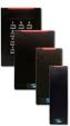 iclass 13.56 MHz Contactless Cards and Readers ACCESS SECURE IDENTITY HID Global is focused on creating customer value as the trusted source for products, services and know-how related to the delivery
Electronic Access Control Catalogue
 Electronic Access Control Catalogue Field Devices Issue: September 2008 Make the most of your energy TAC the Single Source for all Your Electronic Access Needs This catalogue presents the electronic access
PRO Series. Card Readers, Cards and Tags
 PRO Series Card Readers, Cards and Tags All Proximity Card Readers: Offer high reliability, consistent read range characteristics, and low power consumption in a single, easy-to-install package. Are sealed
Readers and Credentials. from Security Technologies
 Readers and Credentials from Security Technologies readers AVAILABLE FINISHES: Black (Standard) Cream PR10 XceedID Proximity Mini-Mullion Reader Cool Tone Gray Warm Tone Brown Simplifying the security
ACCESS CONTROL SYSTEM
 ACCESS CONTROL SYSTEM Flexible, Expandable, Economical. The i-pass system comprises of the i-pass controller built with state of the art technology to provide reader access for up to 16 doors and 32 elevator
MIFARE CONTACTLESS CARD TECHNOLOLGY AN HID WHITE PAPER
 MIFARE CONTACTLESS CARD TECHNOLOLGY AN HID WHITE PAPER GENERAL The MIFARE contactless smart card and MIFARE card reader/writer were developed to handle payment transactions for public transportation systems.
Gemalto Mifare 1K Datasheet
 Gemalto Mifare 1K Datasheet Contents 1. Overview...3 1.1 User convenience and speed...3 1.2 Security...3 1.3 Anticollision...3 2. Gemalto Mifare Features...4 2.1 Compatibility with norms...4 2.2 Electrical...4
NACCU 2013. Migrating to Contactless: 2013 1
 NACCU 2013 Migrating to Contactless: 2013 1 AGENDA The demise of cards has been predicted for many years. When will this really happen? This presentation by two card industry experts will cover the rise
L-1 Fingerprint Reader Solutions. V-Flex 4G
 L- Fingerprint Reader Solutions V-Flex 4G 4G Biometric Performance Redefined with a Flexible and Powerful Device to Secure any Size Premises Advanced Features Large Template Storage Capacity (0,000 in
HID Global Product Catalog
 HID Global Product Catalog ACCESS SECURE IDENTITY An ASSA ABLOY Group brand THANK YOU for your continued support of HID Global access control products. This catalog contains a wealth of product information
Security & Chip Card ICs SLE 44R35S / Mifare
 Security & Chip Card ICs SLE 44R35S / Mifare Intelligent 1 Kbyte EEPROM with Interface for Contactless Transmission, Security Logic and Anticollision according to the MIFARE -System Short Product Info
ACR120 Technical Specifications version 2.9 November 2005
 Version 2.9 11-2005, Email: [email protected] Website: www.acs.com.hk ACR120 Contactless Reader/Writer 1.0 Introduction The ACR120 is a compact and cost-effective contactless reader and writer. It is developed
CRESCENDO SERIES Smart Cards. Smart Card Solutions
 CRESCENDO SERIES Smart Cards Smart Card Solutions Crescendo offers the lowest total cost of ownership (TCO) for a combined logical and physical access control solution. Crescendo smart cards allow me to
Alliance System Ordering Guide
 Alliance System Ordering Guide Multiple Technologies Versatile Hardware Powerful Software One family of parts and accessories Version 12-Nov-03 Alliance System Ordering Guide Table of Contents Controllers
USB Card Reader Plug-in Installation Guide. Xerox WorkCentre 5325/5330/5335 Xerox WorkCentre 7120 Xerox WorkCentre 7425/7428/7435
 USB Card Reader Plug-in Installation Guide Xerox WorkCentre 5325/5330/5335 Xerox WorkCentre 7120 Xerox WorkCentre 7425/7428/7435 July 2013 2012-2013 Xerox Corporation. All rights reserved. Xerox, Xerox
AR-721U/721K/661U User s Guide
 AR-72U/72K/66U User s Guide Feb. 6, 2004 Table of Contents Page. Main Feature --------------------------------- 3 2. AR-72U Installation --------------------------------- 4 2. Steps ---------------------------------
AC-115 Compact Networked Single Door Controller. Installation and User Manual
 AC-115 Compact Networked Single Controller Installation and User Manual December 2007 Table of Contents Table of Contents 1. Introduction...5 1.1 Key Features... 6 1.2 Technical Specifications... 7 2.
Converged Smart Card for Identity Assurance Solutions. Crescendo Series Smart Cards
 Converged Smart Card for Identity Assurance Solutions Crescendo Series Smart Cards Crescendo is the proven smart card solution for a combined logical and physical access control solution. Crescendo smart
PROXIMITY CARD READERS C-10, C-20, C60, C70
 Installation Manual PROXIMITY CARD READERS C-10, C-20, C60, C70 VERSION 1.0 CONTENTS 1. General information................................. 3 2. Technical data......................... 4 3. Connection
EQUIPMENT SPECIFICATIONS
 EQUIPMENT SPECIFICATIONS IC-1600 Intelligent Controller The IC-1600 Intelligent Controller is a fully intelligent panel that has a complete database on board. It operates in conjunction with the Access
www.sebury.com.cn Digital Keypad Use s Manual
 K3 K4 www.sebury.com.cn Digital Keypad Use s Manual Contents Introduction Introduction Specifications Intramural Interface Circuit 3 Mounting 3 Wiring 5 Power UP 7 Engineer Programming Mode 7 The K3/K4
advant advanced contactless smart card system
 LA-11-001l-en [08.2012] advant advanced contactless smart card system power Fully scalable fully flexible Key applications & standards 2 1 5 The LEGIC advant product line ideally supports the design and
TX3 Series TELEPHONE/CARD ACCESS SYSTEMS. System Introduction (Sales Training)
 TX3 Series TELEPHONE/CARD ACCESS SYSTEMS System Introduction (Sales Training) The new TX3 is designed to provide the best performance and value in stand alone or fully integrated system configurations:
Smart Cards and Biometrics in Physical Access Control Systems
 Smart Cards and Biometrics in Physical Access Control Systems Robert J. Merkert, Sr. Vice President of Sales Americas Biometric Consortium 2005 Conference September 21, 2005 All Company and/or product
PCS300 Universal IP Reporting Module V1.0
 PCS300 Universal IP Reporting Module V1.0 Reference and Installation Manual Patents: One or more of the following US patents may apply: 7046142, 6215399, 6111256, 6104319, 5920259, 5886632, 5721542, 5287111,
MAGNETIC CARD READER DESIGN KIT TECHNICAL SPECIFICATION
 MAGNETIC CARD READER DESIGN KIT TECHNICAL SPECIFICATION Part Number: 99821002 Rev 21 FEBRUARY 2011 REGISTERED TO ISO 9001:2008 1710 Apollo Court Seal Beach, CA 90740 Phone: (562) 546-6400 FAX: (562) 546-6301
Version Date Author Description 1.00 19.07.2010 Jpo First version 1.01 21.12.2010 Jpo FET output descriptions made clearer 1.02 04.02.
 +3 # Version Date Author Description 1.00 19.07.2010 Jpo First version 1.01 21.12.2010 Jpo FET output descriptions made clearer 1.02 04.02.2011 Jpo Reset button added 1. Purpose of this user manual...
Aperio Online System Description
 Aperio Online Aperio Online System Description Document No: ST-002326-B, Issue date: 4 August 2015 1 The global leader in Aperio Online Mechanical Installation Guide, Document No: ST-002326-PB, Date: Online
Versatility, reliability and expandability are the three main features that make the N-1000 one of the most popular access control panels ever.
 Versatility, reliability and expandability are the three main features that make the N-1000 one of the most popular access control panels ever. Expandability is the most important feature of any access
AD-Series. Selection Guide
 AD-Series Selection Guide The first step in our design process: Listening. We wanted to know exactly what you needed in a security solution. So we asked. We asked hundreds of questions and received thousands
KERI SYSTEMS Keri System Components. Keri System Components
 Keri System Components Keri System Components Keri s makes setting up an access control system easy! The Tiger controller is at the heart of the system, and with just the additional components required,
Quick Start Guide. Cisco SPA232D Mobility Enhanced ATA
 Quick Start Guide Cisco SPA232D Mobility Enhanced ATA Package Contents Analog Telephone Adapter Ethernet Cable Phone Cable Power Adapter Quick Start Guide Product CD-ROM Welcome Thank you for choosing
Time Clocks for Employee Attendance Tracking. Attendance on Demand, Inc. Farmington Hills, MI
 Time Clocks for Employee Attendance Tracking Attendance on Demand, Inc. Farmington Hills, MI Time clocks record employee attendance information including start, end, and lunch break times. This information
R&D Access Touch 3.1 User Manual Version 1.00 Public 1 (13) User Manual. Access Touch 3.1
 Public 1 (13) User Manual Access Touch 3.1 Version Date Author Description 1.00 30.09.2011 Pah First version Public 2 (13) 1. Purpose of this user manual... 3 2. Description of Access Touch 3.1... 3 3.
INSTALLATION MANUAL XM3 Reader
 INSTALLATION MANUAL XM3 Reader Conditions Transactions, deliveries et cetera will be according to the general terms of delivery as deposited at the Chamber of Commerce at Meppel, The Netherlands. Registration
USING THE MODEL IQ 1000 INTELLICLOCK
 USING THE MODEL IQ 1000 INTELLICLOCK The IQ 1000 is an advanced model of time clock with many features and benefits designed to offer you a wide range of options in how you collect your time and attendance
GV- RK1352 Card Reader
 GV- RK1352 Card Reader The GV-RK1352 is a card reader with keypad, designed to recognize PIN codes, identification cards or both. Featured with the Wiegand and RS-485 outputs, the unit can be connected
W.A.R.N. Passive Biometric ID Card Solution
 W.A.R.N. Passive Biometric ID Card Solution Updated November, 2007 Biometric technology has advanced so quickly in the last decade that questions and facts about its cost, use, and accuracy are often confused
ACR880 GPRS Portable Smart Card Terminal
 ACR880 GPRS Portable Smart Card Terminal Technical Specifications Subject to change without prior notice Table of Contents 1.0. Introduction... 3 2.0. Features... 4 3.0. Supported Card Types... 5 3.1.
BADGE HOLDERS & CARD DISPENSERS
 Protect IDs or credentials from wear, dirt, moisture Available in a variety of sizes for both horizontal and vertical cards D. 1840-8000 Easy Access Card Holder Rigid, plastic, horizontal, half card holder
Zebra Card Printers Supplies List P330i/P430i with UHF Gen 2 RFID Encoder
 Zebra Card Printers Supplies List P330i/P430i with UHF Gen 2 RFID Encoder Genuine Zebra Supplies Your choice of card printer supplies is critical - the quality of cards, ribbons and other items affects
110244-003. PrintPAD CN3/4/3e/4e. User Guide
 110244-003 PrintPAD CN3/4/3e/4e User Guide TABLE OF CONTENTS PrintPAD CN3/4 & PrintPAD CN3e/4e Printer Views...1 Open View...1 Closed View...1 Using Batteries: General Guidelines...1 Installing and/or
FD40 User Guide. Version 16.0 June 2015
 FD40 User Guide Version 16.0 June 2015 First Data Merchant Solutions is a trading name of First Data Europe Limited, a private limited company incorporated in England (company number 02012925) with a registered
iloq P10S.10/20 Programming device User's Guide
 iloq P10S.10/20 Programming device User's Guide CONTENTS CONTENTS... 2 GENERAL... 3 USING THE PROGRAMMING DEVICE... 5 Starting the programming device... 5 Programming of locks... 5 Programming of keys...
Model 201 Wiegand Touchpad Reader Installation Guide
 Model 201 Wiegand Touchpad Reader Installation Guide P/N 460353001C 15AUG11 2011 UTC Fire & Security. All rights reserved. This document may not be copied in whole or in part or otherwise reproduced without
CHAPTER 5 SMART CARD TECHNOLOGY
 56 CHAPTER 5 SMART CARD TECHNOLOGY 5.1 INTRODUCTION Today's society is often illustrated as an information society. Technological developments, particularly in the areas of computers and telecommunications
Access control that easily integrates into the modern world
 Access control that easily integrates into the modern world TruPortal 1.5 delivers user-friendly operation while expanding features and functionality to meet more application needs TruPortal 1.5 Effective,
USB Security Key Instructions
 These instructions describe the Universal Serial Bus (USB) security key used with Interact and InteractX software. For Interact users, the USB security key replaces the obsolete parallel port security
Functional Specification Document
 Functional Specification Document Access Control Technology Unit C1 South City Business Centre Tallaght Dublin 24 Ireland Ph: + 353 (0) 1 4662570 Web: www.accesscontrol.ie Index Introduction 1.1 Hardware
ZM400/ZM600 Quick Reference Guide
 ZM400/ZM600 Quick Reference Guide Use this guide to operate your printer on a daily basis. For more detailed information, refer to the User Guide. Contents External View...........................................................
A+ Guide to Managing and Maintaining Your PC, 7e. Chapter 1 Introducing Hardware
 A+ Guide to Managing and Maintaining Your PC, 7e Chapter 1 Introducing Hardware Objectives Learn that a computer requires both hardware and software to work Learn about the many different hardware components
Access Professional Edition Selection Guide
 Access Professional Edition Selection Guide 2 Contents Contents 3 System overview 3 Wiegand based hardware 4 RS485 Bus reader 5 Selection Guide The Seven Steps to your Access System 6 Step 1: Choose Base
XAD Visual Building Security System Integration
 XAD Visual Building Security System Integration XAD Visual Building Security System Target XAD Visual Building Security System Goals Maximize One Card Security Solution and Surveillance systems while monitoring
MC500: Versatile Compact Mini-ITX Case
 MC500 Features Optimized cross-case ventilation and low noise Modular design allows for cost efficient customization Compatible with nearly every Mini-ITX motherboard Smart power button with auto power-on
Express5800/120Ed. Rack Mount Kit Installation Procedures PN: 455-01607-001
 Express5800/120Ed Rack Mount Kit Installation Procedures PN: 455-01607-001 Proprietary Notice and Liability Disclaimer The information disclosed in this document, including all designs and related materials,
www.smarcom.biz BARCODE TICKET SOLUTION RF CARD SOLUTION MAGNETIC TICKET SOLUTION
 BARCODE TICKET SOLUTION RF CARD SOLUTION MAGNETIC TICKET SOLUTION C A R PA R K M A N A G E M E N T S Y S T E M C A R Barcode ticket application PA R K M A N A G E M E N T S Y S T E M RF card application
DIVISION 28 ELECTRONIC SAFETY AND SECURITY SECTION 28 13 00 SECURITY AND ACCESS CONTROL SYSTEM
 DIVISION 28 ELECTRONIC SAFETY AND SECURITY PART 1 GENERAL 1.01 DESCRIPTION A. Division 28 Contractor shall extend a complete Matrix Systems Access Control System as shown on the Drawings and as specified
SDN INSTRUCTIONS 07/10, Ver 1.2. Somfy Digital Network (SDN) Installation and Programming
 Somfy Digital Network (SDN) Installation and Programming SSoomffyy SSyysst teemss IInncc.. 1 Table of Contents 1 General Information and Features... 3 1.1 ILT2 Motor... 3 1.2 SDN Switches... 4 1.3 ILT2
Setting Up the Cisco Unified IP Phones
 CHAPTER 3 This chapter includes the following topics, which help you install the Cisco Unified IP Phones on an IP telephony network: Before You Begin, page 3-1 Understanding the Cisco Unified IP Phone
Setting Up the Cisco Unified IP Phone
 CHAPTER 3 This chapter includes the following topics, which help you install the Cisco Unified IP Phone on an IP telephony network: Before You Begin, page 3-1 Understanding the Cisco Unified IP Phone 7962G
ACU-1000 Manual Addendum Replacement of CPM-2 with CPM-4
 ACU-1000 Manual Addendum Replacement of CPM-2 with CPM-4 1 PURPOSE:... 1 2 CPM-4/CPM-2 COMPATIBILITY... 2 2.1 NETWORK CABLES... 2 2.2 FACTORY DEFAULT SETTINGS... 2 2.3 CHANGING THE RS-232 SERIAL PORT BAUD
Mazda CX9 2007-up 99-7516B
 INSTALLATION INSTRUCTIONS FOR PART 99-7516B APPLICATIONS Mazda CX9 2007-up 99-7516B KIT FEATURES DIN radio provision with pocket ISO radio provision with pocket Double DIN radio provision Stacked ISO units
RFID Hacking. Live Free or RFID Hard. 01 Aug 2013 Black Hat USA 2013 Las Vegas, NV. Presented by: Francis Brown Bishop Fox www.bishopfox.
 RFID Hacking Live Free or RFID Hard 01 Aug 2013 Black Hat USA 2013 Las Vegas, NV Presented by: Francis Brown Bishop Fox www.bishopfox.com Agenda Quick Overview RFID badge basics Hacking Tools Primary existing
VARIO PROX CARD READER INSTALLATION MANUAL
 VARIO PROX CARD READER INSTALLATION MANUAL TABLE OF CONTENTS 1.0 INTRODUCTION...2 1.1 Legend...3 1.2 Terminology...4 2.0 MOUNTING...5 3.0 WIEGAND CONNECTION...6 4.0 AUX BUTTON INPUT...7 5.0 INSTALLER PROGRAMMING...8
SolarEdge. RS485 Expansion Kit Installation Guide. Version 1.0
 SolarEdge RS485 Expansion Kit Installation Guide Version 1.0 Disclaimers Disclaimers Important Notice Copyright SolarEdge Inc. All rights reserved. No part of this document may be reproduced, stored in
POCKET READER AND POCKET READER EX MANUAL
 POCKET READER AND POCKET READER EX MANUAL NICAD CONVERSION USE ONLY WITH 60mA CP TRICKLE CHARGER SUPPLIED CONTENTS 1. Batteries Installation...3 For best results Recommended Batteries...4 Automatic Shut
Access Control. Granta Security Management Systems you can count on. Answers for infrastructure. 1. Answers for infrastructure.
 Access Control Granta Security Management Systems you can count on Answers for infrastructure. Answers for infrastructure. 1 Granta: tried, tested and true In order to efficiently run any organisation
SHENZHEN PROYU BIOMETRIC T/A & A/C TERMINAL QUOTATION
 Biometric Time Attendance Terminal ITEM NO. MAIN SPECIFICATION PY-B3 * Fingerprint Cap.: 1,500 * Record Cap.: 50,000 * Communication: RS232;485;TCP/IP * Workcode: * Check in/out, Break in/out PY-X628 *
3M Cogent, Inc. White Paper. Beyond. Wiegand: Access Control. in the 21st Century. a 3M Company
 3M Cogent, Inc. White Paper Beyond Wiegand: Access Control in the 21st Century a 3M Company Unprecedented security features & capabilities Why Wiegand? The Problem with Wiegand In 1970, John Wiegand invented
ReachFree ID Installation Instructions For Portal TI, Sentinel and C-Start. Unitec www.startwithunitec.com
 ReachFree ID Installation Instructions For Portal TI, Sentinel and C-Start Unitec www.startwithunitec.com Proprietary Information and Materials of Unitec, Inc. Such proprietary information and materials
SYMMETRY PRODUCT OVERVIEW
 ACCESS CONTROL The Symmetry Security Management Systems provides powerful integrated solutions for organizations requiring Access Control and Integrated Security. Solutions are available for organizations
How to connect your D200 using Bluetooth. How to connect your D200 using GPRS (SIM Card)
 D200 En User Guide Content 3 Introduction 3 Scope 3 Related Documentation 4 Internet Connectivity 4 Using D200 with Mobile Phone 5 Using D200 with wireless (Wi-Fi) router 6 Using D200 with GPRS (requires
Kurzweil KORE 64. ROM Expansion Board for the PC3 and PC3K
 Kurzweil KORE 64 ROM Expansion Board for the PC3 and PC3K Installation Instructions August 1, 2012 2012 Young Chang Co., Ltd. All rights reserved. Kurzweil is a product line of Young Chang Co., Ltd. Kurzweil,
GETTING TO KNOW YOUR PRE-PAID TELSTRA WI-FI 4G
 GETTING TO KNOW YOUR PRE-PAID TELSTRA WI-FI 4G LET S GET THIS SHOW ON THE ROAD You must be excited about your brand new Pre-Paid Telstra Wi-Fi 4G. This guide will help you get connected as quickly and
TruPortal: Hardware Installation and Software
 TruPortal: Hardware Installation and Software Agenda Hardware Installation Software Installation Day-to-Day Use Basics Day-to-Day Use Advanced 2 April 12, 2012 HARDWARE INSTALLATION 3 April 12, 2012 Learning
SYMMETRY. DATASHEET ACCESS CONTROL Product Overview
 DATASHEET ACCESS CONTROL Product Overview SYMMETRY The AMAG Technology range of Security Management Systems provides powerful integrated solutions for organizations requiring Access Control and Integrated
FACILITY PHYSICAL ACCESS CONTROL SYSTEM SURVEY for use by the NMSAC TWIC Working Group ONLY ****************************************
 FACILITY PHYSICAL ACCESS CONTROL SYSTEM SURVEY for use by the NMSAC TWIC Working Group ONLY **************************************** The responses compiled below are from both Port Authorities and Private
Fingerprint Based Biometric Attendance System
 Fingerprint Based Biometric Attendance System Team Members Vaibhav Shukla Ali Kazmi Amit Waghmare Ravi Ranka Email Id [email protected] [email protected] Contact Numbers 8097031667 9167689265
Allegion AD-300 Installation Application Note. 1.0 Hardware Requirements. 2.0 Software/Licensing Requirements
 Allegion Schlage AD-300 networked, hardwired locks can be integrated seamlessly with the Doors.NET software when used with the NXT-MSC (Mercury-Powered controllers). You can connect and communicate with
Measurement and Analysis Introduction of ISO7816 (Smart Card)
 Measurement and Analysis Introduction of ISO7816 (Smart Card) ISO 7816 is an international standard related to electronic identification cards with contacts, especially smart cards, managed jointly by
USB Card Reader Installation and Configuration Guide
 Version 1.0 October 2015 USB Card Reader Installation and Configuration Guide Xerox WorkCentre 3655 Multifunction Printer Xerox WorkCentre 5135/5150 Multifunction Printer Xerox WorkCentre 5325/5330/5335
Mini Portable Reader (MPR) Model HS 5900L F
 Mini Portable Reader (MPR) Model HS 5900L F TABLE OF CONTENTS Chapter 1: Mini Portable Reader (MPR) Basics 1 1.1 Preparing for Operation 1 1.2 Installing/Changing Batteries 1 1.3 Scanning with the Mini
Sympodium Interactive Pen Display
 Physical Specifications Sympodium Interactive Pen Display Specifications Model DT770 Size Display Area Weight Shipping Size Shipping Weight (Carton and Contents) 19" W 18" H 3 5/8" D (48.3 cm 45.7 cm 9.2
Time & Access System An RFID based technology
 Time & Access System An RFID based technology OpenWorks TIME Technical Specification V1.0.2 M. I. Suhile Ahamed KCP Technologies Limited 2, Dr. P. V. Cherian Crescent, Egmore, Chennai - 600 008, INDIA.
Card Personalization Software. Asure ID 7
 Card Personalization Software Asure ID 7 Intuitive, fast and efficient. It s hard to believe this is ID card software. The one program for all printers. Asure ID 7 works with card printers from many different
INSTALLATION AND OPERATING INSTRUCTIONS For Model GL1 Gate Locks
 Securitron Magnalock Corp. www.securitron.com ASSA ABLOY, the global leader Tel 800.624.5625 [email protected] in door opening solutions INSTALLATION AND OPERATING INSTRUCTIONS For Model GL1 Gate
Guard All Security Symposium. Identity and Access Management
 Guard All Security Symposium Identity and Access Management The Complex Digital World Welcome to the Identiverse Segments / Brands Product Offerings Applications ID Management Solutions Governmental credentialing
Lista de Precios ENERO 2015 - PUEDEN VARIAR SIN PREVIO AVISO
 DISTRIBUIDORES AUTORIZADOS DE LA MARCA ISRAELÍ PROVISION ISR AC-215IP-E AC-225IP-E LISTA DE PRECIOS T.C. Sunat del Día BCP CTA CORRIENTE SOLES: 194-2017360-0-73 / CCI: 00219400201736007393 BBVA CTA CORRIENTE
Lynx Broadband Installation Manual for Residential Packages with a 20 db Amp Quick Start Guide (first two pages)
 Lynx Broadband Installation Manual for Residential Packages with a 20 db Amp Quick Start Guide (first two pages) 1. Be sure that your kit includes all the parts shown in the Check the Equipment section
WIRELESS STATUS MONITOR
 INSTALLATION INSTRUCTIONS WIRELESS STATUS MONITOR (WSM or AUWSM) The most current version of this document is available for download at: http://www.ir-swa.com P/N: M053-032-D Schlage 245 W. Roosevelt Road,
glass & Glazing Products
 glass & Glazing Products WallMaker Create an unlimited variety of bright, beautiful and secure interior environments with the easy-to-install Stylmark WallMaker glass wall system. This versatile system
User Manual. Before installation and use, please read the user manual carefully.
 Sebury Technology Co., Ltd. Address: 5/F, Building 8, Xinwu Industrial Park, Xili, Nanshan District, Shenzhen, China. Tel: +86-755-88856 Fax: +86-755-888565 P.C.: 58055 www.sebury.com.cn User Manual Before
NFC. Technical Overview. Release r05
 Release r05 Trademarks The Bluetooth word mark and logos are owned by the Bluetooth SIG, Inc. and any use of such marks by Stollmann E+V GmbH is under license. Other trademarks and trade names are those
Model 940 Proximity Reader. Installation Manual
 Model 940 Proximity Reader Installation Manual Copyright Disclaimer Trademarks and patents Intended use FCC compliance Copyright 2008, GE Security Inc. All rights reserved. This document may not be copied
E-Series. Human Machine Interfaces. Evolution By Design MITSUBISHI ELECTRIC AUTOMATION, INC.
 E-Series Human Machine Interfaces E Evolution By Design MITSUBISHI ELECTRIC AUTOMATION, INC. Discover the Many Facets of Mitsubishi Electric. The Power in Automation Solutions. E-Series is a family of
Crescendo offers the lowest total cost of ownership (TCO) for a combined logical and physical access control solution.
 ACCESS secure. Crescendo smart cards allow me to cost-effectively and easily deploy a wide range of logical access solutions. Crescendo offers the lowest total cost of ownership (TCO) for a combined logical