
GPS 10 TECHNICAL SPECIFICATIONS
|
|
|
- Christiana Douglas
- 9 years ago
- Views:
Transcription
1 GPS 10 TECHNICAL SPECIFICATIONS Garmin International, Inc E. 151 st Street Olathe, KS USA , Revision B February 2005
2 Copyright 2005 Garmin Ltd. or its subsidiaries Garmin International, Inc East 151 st Street, Olathe, Kansas 66062, U.S.A. Tel. 913/ or 800/ Fax 913/ Garmin (Europe) Ltd. Unit 5, The Quadrangle, Abbey Park Industrial Estate, Romsey, SO51 9DL, U.K. Tel. 44/ Fax 44/ Garmin Corporation No. 68, Jangshu 2 nd Road, Shijr, Taipei County, Taiwan Tel. 886/ Fax 886/ All rights reserved. Except as expressly provided herein, no part of this manual may be reproduced, copied, transmitted, disseminated, downloaded, or stored in any storage medium, for any purpose without the express prior written consent of Garmin. Garmin hereby grants permission to download a single copy of this manual onto a hard drive or other electronic storage medium to be viewed and to print one copy of this manual or of any revision hereto, provided that such electronic or printed copy of this manual must contain the complete text of this copyright notice and provided further that any unauthorized commercial distribution of this manual or any revision hereto is strictly prohibited. Information in this document is subject to change without notice. Garmin reserves the right to change or improve its products and to make changes in the content without obligation to notify any person or organization of such changes or improvements. Visit the Garmin Web site ( for current updates and supplemental information concerning the use and operation of this and other Garmin products. Garmin and AutoLocate are registered trademarks of Garmin Ltd. or its subsidiaries and may not be used without express permission of Garmin. Web site address: RECORD OF REVISIONS Revision Revision Description ECO # Date A 12/10/04 Initial Release -- B 02/01/05 Revised and Redrawn Page ii
3 TABLE OF CONTENTS 1 Introduction Cautions Limited Warranty Overview Features GPS 10 Wireless Receiver Technical Specifications Physical Characteristics Size Weight Color Case Material Electrical Characteristics Input Voltage Input Current Battery Battery Charger GPS Receiver Sensitivity Environmental Characteristics Operating Temperature Range Battery Charging Temperature Range Storage Temperature GPS Performance Receiver Acquisition Times Update Rate Accuracy Interfaces GPS 10 Electrical Characteristics Garmin Interface GPS 10 Protocol Mechanical Characteristics & Mounting GPS 10 Software Interface Received NMEA 0183 Sentences Almanac Information (ALM) Sensor Initialization Information (PGRMI) Sensor Configuration Information (PGRMC) Additional Sensor Configuration Information (PGRMC1) Output Sentence Enable/Disable (PGRMO) Transmitted NMEA 0183 Sentences Sentence Transmission Rate Transmitted Time Global Positioning System Almanac Data (ALM) Global Positioning System Fix Data (GGA) GPS DOP and Active Satellites (GSA) GPS Satellites in View (GSV) Recommended Minimum Specific GPS/TRANSIT Data (RMC) Track Made Good and Ground Speed (VTG) Geographic Position (GLL) Estimated Error Information (PGRME) GPS Fix Data Sentence (PGRMF) Sensor Status Information (PGRMT) D velocity Information (PGRMV)...15 Page iii
4 DGPS Beacon Information (PGRMB) Baud Rate Selection...15 Appendix A: Earth Datums...16 Appendix B: Binary Phase Output Format...19 Appendix C: GPS 10 and Windows Serial Mouse Issue...23 Appendix D: Sensor Configuration Software...25 Downloading the Sensor Configuration Software...25 Selecting a Model...25 Connecting to the Sensor...25 File Menu...26 Comm Menu...26 Config Menu...26 View Menu...27 Help Menu...27 Appendix E: Host System Considerations PIN Code LIST OF TABLES AND FIGURES Figure 1. GPS 10 Bottom Case Dimensions... 7 Figure 2. GPS 10 Operational Characteristics... 7 Table 1: NMEA 0183 Output Sentence Order and Size...11 Table 2: Characters per Second for Available Baud Rates Page iv
5 1 INTRODUCTION 1.1 CAUTIONS CAUTION The GPS system is operated by the government of the United States, which is solely responsible for its accuracy and maintenance. Although the GPS 10 is a precision electronic NAVigation AID (NAVAID), any NAVAID can be misused or misinterpreted, and therefore become unsafe. Use these products at your own risk. To reduce the risk, carefully review and understand all aspects of these Technical Specifications before using the GPS 10. When in actual use, carefully compare indications from the GPS to all available navigation sources including the information from other NAVAIDs, visual sightings, charts, etc. For safety, always resolve any discrepancies before continuing navigation. FCC Compliance The GPS 10 complies with Part 15 of the FCC interference limits for Class B digital devices FOR HOME OR OFFICE USE. These limits are designed to provide reasonable protection against harmful interference in a residential installation, and are more stringent than outdoor requirements. Operation of this device is subject to the following conditions: (1) This device may not cause harmful interference, and (2) this device must accept any interference received, including interference that may cause undesired operation. This equipment generates, uses and can radiate radio frequency energy and, if not installed and used in accordance with the instructions, may cause harmful interference to radio communications. However, there is no guarantee that interference will not occur in a particular installation. If this equipment does cause harmful interference to radio or television reception, which can be determined by turning the equipment off and on, the user is encouraged to try to correct the interference by one or more of the following measures: Reorient or relocate the receiving antenna. Increase the separation between the equipment and receiver. Connect the equipment into an outlet on a circuit different from that to which the receiver is connected. Consult the dealer or an experienced radio/tv technician for help. The GPS 10 does not contain any user-serviceable parts. Unauthorized repairs or modifications could result in permanent damage to the equipment, and void your warranty and your authority to operate this device under Part 15 regulations. Page 1
6 1.2 LIMITED WARRANTY This Garmin product is warranted to be free from defects in materials or workmanship for one year from the date of purchase. Within this period, Garmin will at its sole option repair or replace any components that fail in normal use. Such repairs or replacement will be made at no charge to the customer for parts or labor, provided that the customer shall be responsible for any transportation cost. This warranty does not cover failures due to abuse, misuse, accident, or unauthorized alteration or repairs. THE WARRANTIES AND REMEDIES CONTAINED HEREIN ARE EXCLUSIVE AND IN LIEU OF ALL OTHER WARRANTIES EXPRESS OR IMPLIED OR STATUTORY, INCLUDING ANY LIABILITY ARISING UNDER ANY WARRANTY OF MERCHANTABILITY OR FITNESS FOR A PARTICULAR PURPOSE, STATUTORY OR OTHERWISE. THIS WARRANTY GIVES YOU SPECIFIC LEGAL RIGHTS, WHICH MAY VARY FROM STATE TO STATE. IN NO EVENT SHALL GARMIN BE LIABLE FOR ANY INCIDENTAL, SPECIAL, INDIRECT OR CONSEQUENTIAL DAMAGES, WHETHER RESULTING FROM THE USE, MISUSE, OR INABILITY TO USE THIS PRODUCT OR FROM DEFECTS IN THE PRODUCT. Some states do not allow the exclusion of incidental or consequential damages, so the above limitations may not apply to you. Garmin retains the exclusive right to repair or replace the unit or software or offer a full refund of the purchase price at its sole discretion. SUCH REMEDY SHALL BE YOUR SOLE AND EXCLUSIVE REMEDY FOR ANY BREACH OF WARRANTY. To obtain warranty service, contact your local Garmin authorized dealer or call Garmin Product Support at one of the numbers listed below for shipping instructions and an RMA tracking number. The unit should be securely packed with the tracking number clearly written on the outside of the package. The unit should then be sent, freight charges prepaid, to any Garmin warranty service station. A copy of the original sales receipt is required as the proof of purchase for warranty repairs. Garmin International, Inc E 151st Street, Olathe, Kansas U.S.A. Tel. 913/ or 800/ Fax. 913/ Garmin (Europe) Ltd. Unit 5, The Quadrangle, Abbey Park Industrial Estate, Romsey, SO51 9DL U.K. Tel. 44/ Fax 44/ Online Auction Purchases: Products sold through online auctions are not eligible for rebates or other special offers from Garmin. Online auction confirmations are not accepted for warranty verification. To obtain warranty service, an original or copy of the sales receipt from the original retailer is required. Garmin will not replace missing components from any package purchased through an online auction. International Purchases: A separate warranty is provided by international distributors for units purchased outside the United States. This warranty is provided by the local in-country distributor and this distributor provides local service for your unit. Distributor warranties are only valid in the area of intended distribution. Units purchased in the United States or Canada must be returned to the Garmin service center in the United Kingdom, the United States, Canada, or Taiwan for service. Page 2
7 1.3 OVERVIEW The GPS 10 product is a GPS receiver with WAAS capability, a rechargeable lithium-ion battery, integral magnetic base and Bluetooth wireless technology capability. Based on the proven technology found in other Garmin 12-channel GPS receivers, the GPS 10 tracks up to 12 satellites at a time while providing fast time-to-first-fix, one-second navigation updates, and low power consumption. This generation of GPS sensors adds the capability of FAA Wide Area Augmentation System (WAAS) differential GPS. The GPS 10 s far-reaching capability meets the sensitivity requirements of land navigation as well as the dynamics requirements of high-performance aircraft. The GPS 10 design uses the latest technology and high-level circuit integration to achieve superior performance while minimizing space and power requirements. All critical components of the system including the GPS RF/IF receiver hardware and the GPS digital baseband are designed and manufactured by Garmin to ensure the quality and capability of the GPS. The hardware capability combined with software intelligence makes the GPS 10 easy to integrate and use for laptop/tablet PC, PDA, and smart phone applications by incorporating a Class 2 Bluetooth module within the unit. The GPS 10 product is designed to withstand rugged operating conditions and is waterproof to IEC IPX7, immersion in 1 meter of water for 30 minutes. This complete GPS receiver requires no additional components to be supplied by an OEM or system integrator. An internal rechargeable lithium-ion battery and 12 VDC charging adapter are provided with the receiver. The only requirement is a clear view of the GPS satellites. Internal FLASH memory allows the GPS to retain critical data such as satellite orbital parameters, last-known position, date and time. End user interfaces such as keyboards and displays are the responsibility of the application designer. 1.4 FEATURES Integrated Bluetooth (Class 2) wireless technology module for communication with a mobile device. 12-channel GPS receiver tracks and uses up to 12 satellites for fast, accurate positioning and low power consumption. Differential DGPS capability using real-time WAAS corrections yielding position errors of less than 3 meters. Compact, rugged design ideal for applications with minimal space. Receiver position information can be displayed directly on a chartplotter or laptop/tablet PC, PDA, or smart phone with Bluetooth wireless technology capability. User initialization is not required. Once installed, unit automatically produces navigation data after position fix is acquired. User-configurable navigation mode (2-dimensional or 3-dimensional fix). Configurable for binary format carrier phase data output. FLASH-based program and non-volatile memory. New software revisions available through Web site download. Non-volatile memory does not require battery backup. On-board rechargeable main power battery to maintain the real-time clock The real-time clock can run for up to 2 months after the main battery enters a low battery mode. Configurable parameters include expected position, current time and date, preferred position fix type (2D, 3D, or automatic), and velocity filter time constant (none, automatic, or your choice between 2 and 255 seconds). Magnetic mount for attachment to ferrous surfaces. Velcro adhesive backed patch for nonmagnetic surfaces. Includes 12 VDC Cigarette Lighter Charging Adapter. Waterproof design allows continuous exposure to the prevailing weather conditions at most locations. Auto Power On Mode: When in the Off mode and connected to a switched 12 V DC external power source, the GPS 10 automatically turns On when external power is turned on. (example: a cigarette lighter controlled by the vehicle ignition switch.) Page 3

8 1.4.1 GPS 10 Wireless Receiver The GPS 10 uses Bluetooth wireless technology to interface with a mobile device (Computer/PDA) that is Bluetooth wireless technology enabled. Class 2 Bluetooth device with power control capability based on the Bluetooth System Specification, Version 1.1. The supported profile is Serial Profile (SSP). Accessories provided with the GPS 10: Velcro Mounting Patch (Not shown) 12 VDC Cigarette Lighter Charging Adapter ( ) 12 VDC Charging Adapter Optional Accessories: Suction Cup Windshield Mount ( ) V AC Charging Adapter ( ) Suction Cup Mount AC Charging Adapter Power Plug Specifications for charging the GPS 10 from user provided power source: 5 VDC (Range 4.8 to ma) Power Plug Dimensions Page 4
9 1.5 TECHNICAL SPECIFICATIONS Specifications are subject to change without notice Physical Characteristics Size 45 mm wide, 88 mm long and 19 mm in height Weight 80.0 grams Color Black w/gray Accents Case Material Polycarbonate thermoplastic case that is waterproof to IEC IPX7 level (immersion in 1 meter of water for 30 minutes) Electrical Characteristics Input Voltage V Input Current 5.0 V Battery Capacity: 900 mahr Charging rate: Approx. 3 Hrs Operating time: Approx. 12 Hours with WAAS enabled Battery Charger The included Cigarette Lighter Adapter ( ) can be used to charge the GPS 10 s internal battery or an AC Wall Charger ( ) can be purchased separately to charge the battery. Input 10 to 30 V AC Output 4.9 to 5.25 V 1.0 A GPS Receiver Sensitivity -165 dbw minimum Environmental Characteristics Operating Temperature Range -30 C to + 60 C Powered from external supply -10 C to +60 C Powered by internal batteries Battery Charging Temperature Range 5 C to 45 C (Outside this temperature range, battery charging is not possible) Storage Temperature -40 C to +90 C Page 5
10 1.5.4 GPS Performance Receiver WAAS Enabled ; 12 parallel channel GPS receiver continuously tracks and uses up to 12 satellites to compute and update your position Acquisition Times Reacquisition: Less than 2 seconds Warm: Approx. 15 seconds (all data known) Cold: Approx. 45 seconds (initial position, time, and almanac known; ephemeris unknown) AutoLocate : 5 minutes (almanac known; initial position and time unknown) SkySearch: 5 minutes (no data known) Update Rate 1 record per second Accuracy GPS Standard Positioning Service (SPS) Position: < 15 meters, 95% typical Velocity: 0.1 knot RMS steady state WAAS Position: Velocity: < 3 meters, 95% typical 0.1 knot RMS steady state Dynamics: 999 knots velocity (only limited at altitude greater than 60,000 feet), 6g dynamics Interfaces GPS 10 Electrical Characteristics Communicate with Host Platform via Bluetooth Serial Profile Typical Range: up to 32 feet (10 meters) Garmin Interface Refer to the Garmin Device Interface Specification for specific information about the Garmin Protocol. The document is located on the Garmin Web site at commprotocol.html. See also Appendix B: Binary Phase Output Format for additional information concerning access to raw pseudo-range and carrier phase data from the GPS GPS 10 Protocol NMEA 0183 Version 2.0 or NMEA 0183 Version 2.30 (Version 2.0 is factory default, programmable by data field 7 of the PGRMC1 sentence described in Section Additional Sensor Configuration Information (PGRMC1). Available NMEA 0183 output sentences include GPALM, GPGGA, GPGSA, GPGSV, GPRMC, GPVTG, GPGLL, PGRME, PGRMF, PGRMT, PGRMV, and PGRMB (Garmin proprietary sentences). See Section 3.2 Transmitted NMEA 0183 Sentences for format descriptions. Configuration and initialization is accomplished with NMEA 0183 input sentences. Allows initialization of information such as expected position, date, time, earth datum, and differential mode. See Section 3.1 Received NMEA 0183 Sentences for format descriptions. Configurable for binary data output including GPS carrier phase data. Page 6

11 2 MECHANICAL CHARACTERISTICS & MOUNTING The unit contains an integrated magnetic mount and a Velcro patch for mounting on non-ferrous surfaces. The following drawings show example geometry for mounting hardware in case you wish to design your own custom mount. Figure 1 shows the mounting footprint. Figure 2 shows operational characteristics of the GPS 10. Figure 1. GPS 10 Bottom Case Dimensions Figure 2. GPS 10 Operational Characteristics Page 7
12 3 GPS 10 SOFTWARE INTERFACE The interface protocol design of the GPS 10 product is based on the National Marine Electronics Association s NMEA 0183 ASCII interface specification. This standard is fully defined in NMEA 0183, Version Copies may be obtained from NMEA, In addition to the standard NMEA 0183 sentences, the GPS 10 may also be configured to transmit information over their serial interface using NMEA 0183 compliant Garmin proprietary sentences. These proprietary sentences begin with the characters, $PGRM, instead of the characters $G that are typical of the standard NMEA 0183 sentences. The characters $P indicate that the sentence is a proprietary implementation and the characters and GRM indicate that it is Garmin s proprietary sentence. The letter (or letters) that follow the characters $PGRM uniquely identifies that particular Garmin proprietary sentence. It is also possible to configure the GPS 10 to transmit binary phase data information over their serial interface. See Appendix B: Binary Phase Output Format for details. The following sections describe the NMEA 0183 data format of each sentence transmitted and received by the GPS 10 product. 3.1 RECEIVED NMEA 0183 SENTENCES The following paragraphs define the sentences that can be received on the GPS sensor s port. Null fields in the configuration sentence indicate no change in the particular configuration parameter. All sentences received by the GPS sensor must be terminated with <CR><LF>, the ASCII characters for carriage return (0D hexadecimal) and line feed (0A hexadecimal). The checksum *hh is used for parity checking data and is not required, but is recommended for use in environments containing high electromagnetic noise. It is generally not required in normal PC environments. When used, the parity bytes (hh) are the ASCII representation of the exclusive-or (XOR) sum of all the characters between the $ and * characters, noninclusive. The hex representation must be a capital letter, such as 3D instead of 3d. Sentences may be truncated by <CR><LF> after any data field and valid fields up to that point will be acted on by the sensor Almanac Information (ALM) The $GPALM sentence can be used to initialize the GPS sensor s stored almanac information in the unlikely event of non-volatile memory loss or after storing longer than six months without tracking GPS satellites. $GPALM,<1>,<2>,<3>,<4>,<5>,<6>,<7>,<8>,<9>,<10>,<11>,<12>,<13>,<14>,<15>*hh<CR><LF> <1> Total number of ALM sentences to be transmitted by the GPS sensor during almanac download. This field can be null or any number when sending almanac to the GPS sensor. <2> Number of current ALM sentence. This field can be null or any number when sending almanac to the GPS sensor. <3> Satellite PRN number, 01 to 32 <4> GPS week number <5> SV health, bits of each almanac page <6> Eccentricity <7> Almanac reference time <8> Inclination angle <9> Rate of right ascension <10> Root of semi major axis <11> Omega, argument of perigee <12> Longitude of ascension node <13> Mean anomaly <14> af0 clock parameter <15> af1 clock parameter Page 8
13 3.1.2 Sensor Initialization Information (PGRMI) The $PGRMI sentence provides information used to initialize the GPS sensor s set position and time used for satellite acquisition. Receipt of this sentence by the GPS sensor causes the software to restart the satellite acquisition process. If there are no errors in the sentence, it will be echoed upon receipt. If an error is detected, the echoed PGRMI sentence will contain the current default values. Current PGRMI defaults (with the exception of the Receiver Command, which is a command rather than a mode) can also be obtained by sending $PGRMIE to the GPS sensor. $PGRMI,<1>,<2>,<3>,<4>,<5>,<6>,<7>*hh<CR><LF> <1> Latitude, ddmm.mmm format (leading zeros must be transmitted) <2> Latitude hemisphere, N or S <3> Longitude, dddmm.mmm format (leading zeros must be transmitted) <4> Longitude hemisphere, E or W <5> Current UTC date, ddmmyy format <6> Current UTC time, hhmmss format <7> Receiver Command, A = Auto Locate, R = Unit Reset Sensor Configuration Information (PGRMC) The $PGRMC sentence provides information used to configure the GPS sensor s operation. Configuration parameters are stored in non-volatile memory and retained between power cycles. The GPS sensor will echo this sentence upon its receipt if no errors are detected. If an error is detected, the echoed PGRMC sentence will contain the current default values. Current default values can also be obtained by sending $PGRMCE to the GPS sensor. $PGRMC,<1>,<2>,<3>,<4>,<5>,<6>,<7>,<8>,<9>,<10>,<11>,<12>,<13>,<14>*hh<CR><LF> <1> Fix mode, A = automatic, 2 = 2D exclusively (host system must supply altitude), 3 = 3D exclusively <2> Altitude above/below mean sea level, to meters <3> Earth datum index. If the user datum index (96) is specified, fields <4> through <8> must contain valid values. Otherwise, fields <4> through <8> must be null. Refer to Appendix A: Earth Datums for a list of earth datums and the corresponding earth datum index. <4> User earth datum semi-major axis, to meters (.001 meters resolution) <5> User earth datum inverse flattening factor, to (10-9 resolution) <6> User earth datum delta x earth centered coordinate, to meters (1 meter resolution) <7> User earth datum delta y earth centered coordinate, to meters (1 meter resolution) <8> User earth datum delta z earth centered coordinate, to meters (1 meter resolution) <9> Differential mode, A = automatic (output DGPS data when available, non-dgps otherwise), D = differential exclusively (output only differential fixes) <10> NMEA 0183 Baud rate, 1 = 1200, 2 = 2400, 3 = 4800, 4 = 9600, 5 = 19200, 6 = 300, 7 = 600 <11> Velocity filter, 0 = No filter, 1 = Automatic filter, = Filter time constant (e.g., 10 = 10 second filter) <12> Not used <13> Not used <14> Dead reckoning valid time 1-30 (sec) All configuration changes take effect after receipt of a valid value except baud rate. Baud rate change takes effect on the next power cycle or an external reset even. Page 9
14 3.1.4 Additional Sensor Configuration Information (PGRMC1) The $PGRMC1 sentence provides additional information used to configure the GPS sensor operation. Configuration parameters are stored in non-volatile memory and retained between power cycles. The GPS sensor will echo this sentence upon its receipt if no errors are detected. If an error is detected, the echoed PGRMC1 sentence will contain the current default values. Current default values can also be obtained by sending $PGRMC1E to the GPS sensor. $PGRMC1,<1>,<2>,<3>,<4>,<5>,<6>,<7>,<8>,<9>,<10>,<11>,<12>*hh<CR><LF> <1> NMEA 0183 output time (sec) <2> Binary Phase Output Data, 1 = Off, 2 = On. <3> Automatic Position Averaging when Stopped, 1 = Off, 2 = On <4> No Effect (DGPS beacon frequency 0.0, khz in 0.5 khz steps) <5> No Effect (DGPS beacon bit rate 0, 25, 50, 100, or 200 bps) <6> No Effect (DGPS beacon scanning, 1 = Off, 2 = On) <7> NMEA 0183 version 2.30 mode indicator, 1 = Off, 2 = On <8> DGPS mode, W = WAAS Only, N = None (DGPS disabled) <9> Power Save Mode for GPS, P = Power Save mode, N = Normal <10> Adaptive Transmission Enabled, 1 = Off, 2 = On <11> Auto Power Off, 1 = Off, 2 = On <12> Power On with External Charger, 1 = Off, 2 = On Configuration changes take effect immediately, with the exception of Binary Phase Output Data, which takes effect on the next power cycle or a reset event. A reset can be commanded by sending the sentence $PGRMI,,,,,,,R (refer to Section Sensor Initialization Information (PGRMI)). If the GPS sensor is in the Binary data mode, it is necessary to send the following eight-byte data stream to temporarily change the data format to NMEA Then follow by sending a PGRMC1 sentence that turns off the Binary Phase Output Data format: 10 0A CE (Hexadecimal) Output Sentence Enable/Disable (PGRMO) The $PGRMO sentence provides the ability to enable and disable specific output sentences. The following sentences are enabled at the factory: GPGGA, GPGSA, GPGSV, GPRMC, and PGRMT. $PGRMO,<1>,<2>*hh<CR><LF> <1> Target sentence description (e.g., PGRMT, GPGSV, etc.) <2> Target sentence mode, where: 0 = disable specified sentence 1 = enable specified sentence 2 = disable all output sentences 3 = enable all output sentences (except GPALM) 4 = restore factory default output sentences The following notes apply to the PGRMO input sentence: 1. If the target sentence mode is 2 (disable all), 3 (enable all), or 4 (restore defaults), the target sentence description is not checked for validity. In this case, an empty field is allowed (e.g., $PGRMO,,3), or the mode field may contain from 1 to 5 characters. 2. If the target sentence mode is 0 (disable) or 1 (enable), the target sentence description field must be an identifier for one of the sentences that can be output by the GPS sensor. 3. If either the target sentence mode field or the target sentence description field is not valid, the PGRMO sentence will have no effect. 4. $PGRMO,GPALM,1 will cause the GPS sensor to transmit all stored almanac information. All other NMEA 0183 sentence transmission will be suspended temporarily. 5. $PGRMO,,G will cause the COM port to change to Garmin Data Transfer format for the duration of the power cycle. The Garmin mode is required for GPS 10 series product software updates. Page 10
15 . 3.2 TRANSMITTED NMEA 0183 SENTENCES The subsequent paragraphs define the sentences that can be transmitted by the GPS Sentence Transmission Rate Sentences are transmitted with respect to the user selected baud rate. The GPS sensor will transmit each sentence (except where noted in particular transmitted sentence descriptions) at a periodic rate based on the user selected baud rate and user selected output sentences. The GPS sensor will transmit the selected sentences contiguously. The length of the transmission can be determined by the following equation and Tables 2 and 3: total characters to be transmitted length of transmission = characters transmitted per second Sentence Output by Default? Maximum Characters GPRMC 74 GPGGA 82 GPGSA 66 GPGSV 70 PGRME 35 GPGLL 44 GPVTG 42 PGRMV 32 PGRMF 82 PGRMB 40 PGRMT Once per minute 50 Table 1: NMEA 0183 Output Sentence Order and Size Baud Characters per Second Table 2: Characters per Second for Available Baud Rates The maximum number of fields allowed in a single sentence is 82 characters including delimiters. Values in the table include the sentence start delimiter character $ and the termination delimiter <CR><LF>. The factory set defaults will result in a once per second transmission at the NMEA 0183 specification transmission rate of 4800 baud. Regardless of the selected baud rate, the information transmitted by the GPS sensor is referenced to the one-pulse-per-second output pulse immediately preceding the GPRMC sentence, or whichever sentence is output first in the burst (see Table 2 above). Page 11
16 3.2.2 Transmitted Time The GPS sensor outputs UTC (Coordinated Universal Time) date and time of day in the transmitted sentences. Before the initial position fix, the on-board clock provides the date and time of day. After the initial position fix, the date and time of day are calculated using GPS satellite information and are synchronized with the one-pulse-per-second output. The GPS sensor uses information obtained from the GPS satellites to add or delete UTC leap seconds and correct the transmitted date and time of day. The transmitted date and time of day for leap second correction follow the guidelines in National Institute of Standards and Technology Special Publication 432 (Revised 1990). This document is for sale by the Superintendent of Documents, U.S. Government Printing Office, Washington, D.C., 20402, U.S.A. When a positive leap second is required, one second is inserted at the beginning of the first hour (0h 0m 0s) of the day that the positive leap is occurring. The minute containing the leap second is 61 seconds long. The GPS sensor would have transmitted this information for the leap second added December 31, 1998 as follows: $GPRMC,235959,A, ,N, ,W,000.0,221.9,071103,003.3,E*69 $GPRMC,000000,A, ,N, ,W,000.0,221.9,081103,003.3,E*67 $GPRMC,000000,A, ,N, ,W,000.0,221.9,081103,003.3,E*67 $GPRMC,000001,A, ,N, ,W,000.0,221.9,081103,003.3,E*66 If a negative leap second should be required, one second will be deleted at the end of some UTC month. The minute containing the leap second will be only 59 seconds long. In this case, the GPS sensor will not transmit the time of day 0h 0m 0s (the zero second) for the day from which the leap second is removed. $GPRMC,235959,A, ,N, ,W,000.0,000.0,111103,003.3,E*69 $GPRMC,000001,A, ,N, ,W,000.0,000.0,121103,003.3,E*6A $GPRMC,000002,A, ,N, ,W,000.0,000.0,121103,003.3,E* Global Positioning System Almanac Data (ALM) Almanac sentences are not normally transmitted. Almanac transmission can be initiated by sending the GPS sensor a $PGRMO,GPALM,1 command. Upon receipt of this command, the GPS sensor will transmit available almanac information on GPALM sentences. During the transmission of almanac sentences, other NMEA 0183 data output will be suspended temporarily. $GPALM,<1>,<2>,<3>,<4>,<5>,<6>,<7>,<8>,<9>,<10>,<11>,<12>,<13>,<14>,<15>*hh<CR><LF> <field information> can be found in Section Almanac Information (ALM) Global Positioning System Fix Data (GGA) $GPGGA,<1>,<2>,<3>,<4>,<5>,<6>,<7>,<8>,<9>,M,<10>,M,<11>,<12>*hh<CR><LF> <1> UTC time of position fix, hhmmss format <2> Latitude, ddmm.mmmm format (leading zeros will be transmitted) <3> Latitude hemisphere, N or S <4> Longitude, dddmm.mmmm format (leading zeros will be transmitted) <5> Longitude hemisphere, E or W <6> GPS quality indication, 0 = fix not available, 1 = Non-differential GPS fix available, 2 = Differential GPS (DGPS) fix available, 6 = Estimated <7> Number of satellites in use, 00 to 12 (leading zeros will be transmitted) <8> Horizontal dilution of precision, 0.5 to 99.9 <9> Antenna height above/below mean sea level, to meters <10> Geoidal height, to meters <11> Differential GPS (RTCM SC-104) data age, number of seconds since last valid RTCM transmission (null if not an RTCM DGPS fix) <12> Differential Reference Station ID, 0000 to 1023 (leading zeros will be transmitted, null if not an RTCM DGPS fix) Page 12
17 3.2.5 GPS DOP and Active Satellites (GSA) $GPGSA,<1>,<2>,<3>,<3>,<3>,<3>,<3>,<3>,<3>,<3>,<3>,<3>,<3>,<3>,<4>,<5>,<6>*hh<CR><LF> <1> Mode, M = manual, A = automatic <2> Fix type, 1 = not available, 2 = 2D, 3 = 3D <3> PRN number, 01 to 32, of satellite used in solution, up to 12 transmitted (leading zeros will be transmitted) <4> Position dilution of precision, 0.5 to 99.9 <5> Horizontal dilution of precision, 0.5 to 99.9 <6> Vertical dilution of precision, 0.5 to GPS Satellites in View (GSV) $GPGSV,<1>,<2>,<3>,<4>,<5>,<6>,<7>,...<4>,<5>,<6>,<7>*hh<CR><LF> <1> Total number of GSV sentences to be transmitted <2> Number of current GSV sentence <3> Total number of satellites in view, 00 to 12 (leading zeros will be transmitted) <4> Satellite PRN number, 01 to 32 (leading zeros will be transmitted) <5> Satellite elevation, 00 to 90 degrees (leading zeros will be transmitted) <6> Satellite azimuth, 000 to 359 degrees, true (leading zeros will be transmitted) <7> Signal to noise ratio (C/No) 00 to 99 db, null when not tracking (leading zeros will be transmitted) NOTE: Items <4>,<5>,<6>, and <7> repeat for each satellite in view to a maximum of four (4) satellites per sentence. Additional satellites in view information must be sent in subsequent bursts of NMEA 0183 data. These fields will be null if unused Recommended Minimum Specific GPS/TRANSIT Data (RMC) $GPRMC,<1>,<2>,<3>,<4>,<5>,<6>,<7>,<8>,<9>,<10>,<11>,<12>*hh<CR><LF> <1> UTC time of position fix, hhmmss format <2> Status, A = Valid position, V = NAV receiver warning <3> Latitude, ddmm.mmmm format (leading zeros will be transmitted) <4> Latitude hemisphere, N or S <5> Longitude, dddmm.mmmm format (leading zeros will be transmitted) <6> Longitude hemisphere, E or W <7> Speed over ground, to knots (leading zeros will be transmitted) <8> Course over ground, to degrees, true (leading zeros will be transmitted) <9> UTC date of position fix, ddmmyy format <10> Magnetic variation, to degrees (leading zeros will be transmitted) <11> Magnetic variation direction, E or W (westerly variation adds to true course) <12> Mode indicator (only output if NMEA 0183 version 2.30 active), A = Autonomous, D = Differential, E = Estimated, N = Data not valid Track Made Good and Ground Speed (VTG) $GPVTG,<1>,T,<2>,M,<3>,N,<4>,K,<5>*hh<CR><LF> <1> True course over ground, 000 to 359 degrees (leading zeros will be transmitted) <2> Magnetic course over ground, 000 to 359 degrees (leading zeros will be transmitted) <3> Speed over ground, to knots (leading zeros will be transmitted) <4> Speed over ground, to kilometers per hour (leading zeros will be transmitted) <5> Mode indicator (only output if NMEA 0183 version 2.30 active), A = Autonomous, D = Differential, E = Estimated, N = Data not valid Page 13
18 3.2.9 Geographic Position (GLL) $GPGLL,<1>,<2>,<3>,<4>,<5>,<6>,<7>*hh<CR><LF> <1> Latitude, ddmm.mmmm format (leading zeros will be transmitted) <2> Latitude hemisphere, N or S <3> Longitude, dddmm.mmmm format (leading zeros will be transmitted) <4> Longitude hemisphere, E or W <5> UTC time of position fix, hhmmss format <6> Status, A = Valid position, V = NAV receiver warning <7> Mode indicator (only output if NMEA 0183 version 2.30 active), A = Autonomous, D = Differential, E = Estimated, N = Data not valid Estimated Error Information (PGRME) $PGRME,<1>,M,<2>,M,<3>,M*hh<CR><LF> <1> Estimated horizontal position error (HPE), 0.0 to meters <2> Estimated vertical position error (VPE), 0.0 to meters <3> Estimated position error (EPE), 0.0 to meters GPS Fix Data Sentence (PGRMF) $PGRMF,<1>,<2>,<3>,<4>,<5>,<6>,<7>,<8>,<9>,<10>,<11>,<12>,<13>,<14>,<15>*hh<CR><LF> <1> GPS week number (0-1023) <2> GPS seconds ( ) <3> UTC date of position fix, ddmmyy format <4> UTC time of position fix, hhmmss format <5> GPS leap second count <6> Latitude, ddmm.mmmm format (leading zeros will be transmitted) <7> Latitude hemisphere, N or S <8> Longitude, dddmm.mmmm format (leading zeros will be transmitted) <9> Longitude hemisphere, E or W <10> Mode, M = manual, A = automatic <11> Fix type, 0 = no fix, 1 = 2D fix, 2 = 3D fix <12> Speed over ground, 0 to 1051 kilometers/hour <13> Course over ground, 0 to 359 degrees, true <14> Position dilution of precision, 0 to 9 (rounded to nearest integer value) <15> Time dilution of precision, 0 to 9 (rounded to nearest integer value) Sensor Status Information (PGRMT) The Garmin Proprietary sentence $PGRMT gives information concerning the status of the GPS sensor. This sentence is transmitted once per minute regardless of the selected baud rate. $PGRMT,<1>,<2>,<3>,<4>,<5>,<6>,<7>,<8>,<9>*hh<CR><LF> <1> Product, model and software version (variable length field, e.g., GPS 10 SW VER 2.01 BT VER ) <2> ROM checksum test, P = pass, F = fail <3> Receiver failure discrete, P = pass, F = fail <4> Stored data lost, R = retained, L = lost <5> Real time clock lost, R = retained, L = lost <6> Oscillator drift discrete, P = pass, F = excessive drift detected <7> Data collection discrete, C = collecting, null if not collecting <8> GPS sensor temperature in degrees C <9> GPS sensor configuration data, R = retained, L = lost Page 14
19 D velocity Information (PGRMV) $PGRMV,<1>,<2>,<3>*hh<CR><LF> <1> True east velocity, to meters/second <2> True north velocity, to meters/second <3> Up velocity, to meters/second DGPS Beacon Information (PGRMB) NOTE: PGRMB is not supported at this time. $PGRMB,<1>,<2>,<3>,<4>,<5>,K,<6>,<7>*hh<CR><LF> <1> Beacon tune frequency, 0.0, khz in 0.5 khz steps <2> Beacon bit rate, 0, 25, 50, 100, or 200 bps <3> Beacon SNR, 0 to 31 <4> Beacon data quality, 0 to 100 <5> Distance to beacon reference station in kilometers <6> Beacon receiver communication status (0 = Check Wiring, 1 = No Signal, 2 = Tuning, 3 = Receiving, 4= Scanning) <7> DGPS fix source (R = RTCM, W = WAAS, N = Non-DGPS Fix) <8> DGPS mode, A = Automatic, W = WAAS Only, R = RTCM Only, N = None (DGPS disabled) 3.3 BAUD RATE SELECTION Baud rate selection can be performed by sending the appropriate configuration sentence to the GPS sensor as described in the $PGRMC Section Sensor Initialization Information (PGRMI), field <10>. Page 15
20 APPENDIX A: EARTH DATUMS The following is a list of the Garmin GPS 10 Earth datum indices and the corresponding earth datum name (including the area of application): 0 ADINDAN - Ethiopia, Mali, Senegal, Sudan 1 AFGOOYE - Somalia 2 AIN EL ABD Bahrain Island, Saudi Arabia 3 ANNA 1 ASTRO Cocos Island 4 ARC Botswana, Lesotho, Malawi, Swaziland, Zaire, Zambia, Zimbabwe 5 ARC Kenya, Tanzania 6 ASCENSION ISLAND Ascension Island 7 ASTRO BEACON E - Iwo Jima Island 8 AUSTRALIAN GEODETIC Australia, Tasmania Island 9 AUSTRALIAN GEODETIC Australia, Tasmania Island 10 ASTRO DOS 71/4 - St. Helena Island 11 ASTRONOMIC STATION Marcus Island 12 ASTRO B4 SOROL ATOLL - Tern Island 13 BELLEVUE (IGN) - Efate and Erromango Islands 14 BERMUDA Bermuda Islands 15 BOGOTA OBSERVATORY - Colombia 16 CAMPO INCHAUSPE - Argentina 17 CANTON ASTRO Phoenix Islands 10 CAPE CANAVERAL - Florida, Bahama Islands 19 CAPE - South Africa 20 CARTHAGE - Tunisia 21 CHATHAM Chatham Island (New Zealand) 22 CHUA ASTRO - Paraguay 23 CORREGO ALEGRE - Brazil 24 DJAKARTA (BATAVIA) - Sumatra Island (Indonesia) 25 DOS Gizo Island (New Georgia Islands) 26 EASTER ISLAND Easter Island 27 EUROPEAN Austria, Belgium, Denmark, Finland, France, Germany, Gibraltar, Greece, Italy, Luxembourg, Netherlands, Norway, Portugal, Spain, Sweden, Switzerland 28 EUROPEAN Austria, Finland, Netherlands, Norway, Spain, Sweden, Switzerland 29 FINLAND HAYFORD Finland 30 GANDAJIKA BASE - Republic of Maldives 31 GEODETIC DATUM New Zealand 32 ORDNANCE SURVEY OF GREAT BRITAIN England, Isle of Man, Scotland, Shetland Islands, Wales 33 GUAM Guam Island 34 GUX 1 ASTRO - Guadalcanal Island 35 HJORSEY Iceland Page 16
21 36 HONG KONG Hong Kong 37 INDIAN - Bangladesh, India, Nepal 38 INDIAN - Thailand, Vietnam 39 IRELAND Ireland 40 ISTS O73 ASTRO Diego Garcia 41 JOHNSTON ISLAND Johnston Island 42 KANDAWALA - Sri Lanka 43 KERGUELEN ISLAND - Kerguelen Island 44 KERTAU West Malaysia, Singapore 45 L.C. 5 ASTRO - Cayman Brac Island 46 LIBERIA Liberia 47 LUZON - Mindanao Island 48 LUZON - Phillippines (excluding Mindanao Island) 49 MAHE Mahe Island 50 MARCO ASTRO - Salvage Islands 51 MASSAWA - Eritrea (Ethiopia) 52 MERCHICH - Morocco 53 MIDWAY ASTRO Midway Island 54 MINNA - Nigeria 55 NORTH AMERICAN Alaska 56 NORTH AMERICAN Bahamas (excluding San Salvador Island) 57 NORTH AMERICAN Central America (Belize, Costa Rica, El Salvador, Guatemala, Honduras, Nicaragua) 58 NORTH AMERICAN Canal Zone 59 NORTH AMERICAN Canada (including Newfoundland Island) 60 NORTH AMERICAN Caribbean (Barbados, Caicos Islands, Cuba, Dominican Republic, Grand Cayman, Jamaica, Leeward Islands, Turks Islands) 61 NORTH AMERICAN Mean Value (CONUS) 62 NORTH AMERICAN Cuba 63 NORTH AMERICAN Greenland (Hayes Peninsula) 64 NORTH AMERICAN Mexico 65 NORTH AMERICAN San Salvador Island 66 NORTH AMERICAN Alaska, Canada, Central America, CONUS, Mexico 67 NAPARIMA, BWI - Trinidad and Tobago 68 NAHRWAN - Masirah Island (Oman) 69 NAHRWAN - Saudi Arabia 70 NAHRWAN - United Arab Emirates 71 OBSERVATORIO Corvo and Flores Islands (Azores) 72 OLD EGYPTIAN - Egypt 73 OLD HAWAIIAN - Mean Value 74 OMAN - Oman Page 17
22 75 PICO DE LAS NIEVES - Canary Islands 76 PITCAIRN ASTRO Pitcairn Island 77 PUERTO RICO - Puerto Rico, Virgin Islands 78 QATAR NATIONAL - Qatar 79 QORNOQ - South Greenland 80 REUNION - Mascarene Island 81 ROME Sardinia Island 82 RT 90 - Sweden 83 PROVISIONAL SOUTH AMERICAN Bolivia, Chile, Colombia, Ecuador, Guyana, Peru, Venezuela 84 SOUTH AMERICAN Argentina, Bolivia, Brazil, Chile, Colombia, Ecuador, Guyana, Paraguay, Peru, Venezuela, Trinidad and Tobago 85 SOUTH ASIA - Singapore 86 PROVISIONAL SOUTH CHILEAN South Chile 87 SANTO (DOS) - Espirito Santo Island 88 SAO BRAZ - Sao Miguel, Santa Maria Islands (Azores) 89 SAPPER HILL East Falkland Island 90 SCHWARZECK - Namibia 91 SOUTHEAST BASE - Porto Santo and Madeira Islands 92 SOUTHWEST BASE - Faial, Graciosa, Pico, Sao Jorge, and Terceira Islands (Azores) 93 TIMBALAI Brunei and East Malaysia (Sarawak and Sabah) 94 TOKYO - Japan, Korea, Okinawa 95 TRISTAN ASTRO Tristan da Cunha 96 User defined earth datum 97 VITI LEVU Viti Levu Island (Fiji Islands) 98 WAKE-ENIWETOK Marshall Islands 99 WORLD GEODETIC SYSTEM WORLD GEODETIC SYSTEM ZANDERIJ - Surinam 102 CH Switzerland 103 Hu - Tzu - Shan 104 Indonesia Austria 106 Potsdam 107 Taiwan - modified Hu-Tzu-Shan 108 GDA - Geocentric Datum of Australia 109 Dutch Page 18
23 APPENDIX B: BINARY PHASE OUTPUT FORMAT In binary phase output mode, GPS 10 series products will transmit two types of packets once per second. One record contains primarily post-process information such as position and velocity information. The second record contains receiver measurement information. For the GPS 10, the records are sent at a default baud rate of 9600 baud, 8 data bits, and no parity. To turn these records on, use the $PGRMC1 NMEA sentence as described in Section Refer to the Garmin Device Interface Specification for details on how to form and parse Garmin packets. At the time of this printing, these specs are available from the technical suppport section of our Web site at For the GPS 10, the two records must be enabled independently by commands to the unit. The ID of each command should be 10 decimal to signify that the record is a command. The data portion of the packet should be one of the following: Function Command (base 10) Position Record On 49 Position Record Off 50 Receiver Measurement Record On 110 Receiver Measurement Record Off 111 Note that the satellite data information is also enabled when the position record is enabled. Records sent over RS232 begin with a delimiter byte (10 hex). The second byte identifies the record type (33 hex for a position record, 34 hex for a receiver measurement and 72 hex for a satellite data record). The third byte indicates the size of the data. The fourth byte is the first byte of data. The data is then followed by a checksum byte, a delimiter byte (10 hex), and an end-of-transmission character (03 hex). Additionally, any DLEs (0x10) that appear between the delimeters are escaped with a second DLE. There is sample code at the end of this section that will strip off the DLEs and ETXs. RS232 Packet: - 0x10 (DLE is first byte) - 0x## (Record ID single byte) - 0x## (Number of data bytes single byte) - data bytes (See descriptions below) - 0x## (2 s complement of the arithmetic sum of the bytes between the delimiters) - 0x10 (DLE) - 0x03 (ETX is last byte) USB packets contain only the record ID, size, and data payload. Refer to the Garmin Device Interface Specification for details on how to form and parse Garmin USB packets. The document is located on the Garmin Web site at commprotocol.html. USB Packet: - 0x## (Record ID single byte) - 0x## (Number of data bytes single byte) - data bytes (See descriptions below) The data bytes of each packet contain the record specified by the record ID. A description of each record follows. Page 19
24 Satellite Data Record The satellite data has a record ID of 0x72 with 84 (0x54) data bytes. The data bytes contain the data for the 12 channels as described below. For each satellite, the following data is available: typedef struct { uint8 svid; //space vehicle identification (1-32 and for WAAS) uint16 snr; //signal-to-noise ratio uint8 elev; //satellite elevation in degrees uint16 azmth; //satellite azimuth in degrees uint8 status; //status bit-field } cpo_sat_data; The status bit field represents a set of booleans described below: Bit Meaning when bit is one (1) 0 The unit has ephemeris data for the specified satellite. 1 The unit has a differential correction for the specified satellite. 2 The unit is using this satellite in the solution. This pattern is repeated for all 12 channels for a total of 12 X 7 bytes = 84 (0x54) bytes : typedef struct { cpo_sat_data cpo_sat_data cpo_sat_data cpo_sat_data cpo_sat_data cpo_sat_data cpo_sat_data cpo_sat_data cpo_sat_data cpo_sat_data cpo_sat_data cpo_sat_data } cpo_all_sat_data The RS-232 Packet for the Satellite Record looks like: - 0x10 (DLE is first byte) - 0x72 (Record ID single byte) - 0x54 (Number of data bytes single byte) - cpo_all_sat_data - 0x## (2 s complement of the arithmetic sum of the bytes between the delimiters) - 0x10 (DLE) - 0x03 (ETX is last byte) The USB Packet for the Satellite Record looks like: - 0x72 (Record ID single byte) - 0x54 (Number of data bytes single byte) - cpo_all_sat_data Page 20
25 Position Record The Position Record has a record identifier of typedef struct { float alt; float epe; float eph; float epv; int fix; double gps_tow; double lat; double lon; float lon_vel; float lat_vel; float alt_vel; float msl_hght; int leap_sec; long grmn_days; } cpo_pvt_data; alt Ellipsoid altitude (meters) epe Est pos error (meters) eph Pos err, horizontal (meters) epv Pos err, vertical (meters) fix 0 = no fix; 1 = no fix; 2 = 2D; 3 = 3D; 4 = 2D differential; 5 = 3D differential; 6 + = undefined gps_tow GPS time of week (sec) lat Latitude (radians) lon Longitude (radians) lon_vel Longitude velocity (meters/second) lat_vel Latitude velocity (meters/second) alt_vel Altitude velocity (meters/second) msl_hght Mean sea level height (meters) leap_sec UTC leap seconds grmn_days Garmin days (days since December 31, 1989) Receiver Measurement Record typedef struct { unsigned long cycles; double pr; unsigned int phase; char slp_dtct; unsigned char snr_dbhz; char svid; char valid; } cpo_rcv_sv_data; typedef struct { double rcvr_tow; int rcvr_wn; cpo_rcv_sv_data sv[ 12 ]; } cpo_rcv_data; rcvr_tow Receiver time of week (seconds) rcvr_wn Receiver week number cycles Number of accumulated cycles pr Pseudorange (meters) phase To convert to ( ) multiply by and divide by slp_dtct 0 = no cycle slip detected; non-zero = cycle slip detected snr_dbhz Signal strength - db Hz svid Satellite number (0 31, for WAAS) Note: add 1 to offset to current svid numbers. valid 0 = information not valid; non-zero = information valid Page 21
26 DLE and ETX bytes: Sample C code to receive the two records should filter DLE and ETX bytes as described below: typedef enum { DAT, DLE, ETX } rx_state_type; /* Declare and initialize static variables */ static char in_que[ 256 ]; static int in_que_ptr = 0; static rx_state_type rx_state = DAT;... void add_to_que( char data ) { #define DLE_BYTE 0x10 #define ETX_BYTE 0x03 if ( rx_state == DAT ) { if ( data == DLE_BYTE ) { rx_state = DLE; } else { in_que[ in_que_ptr++ ] = data; } } else if ( rx_state == DLE ) { if ( data == ETX_BYTE ) { rx_state = ETX; } else { rx_state = DAT; in_que[ in_que_ptr++ ] = data; } } else if ( rx_state == ETX ) { if ( data == DLE_BYTE ) { rx_state = DLE; } } if ( in_que_ptr > 255 ) { in_que_ptr = 0; } } Page 22
27 APPENDIX C: GPS 10 AND WINDOWS SERIAL MOUSE ISSUE Problem: It is possible for Windows to incorrectly interpret the NMEA 0183 output of the GPS 10 as the output of a Microsoft Serial BallPoint Mouse. When that happens, Windows loads drivers for the Serial BallPoint Mouse. This causes the cursor to move erratically about the display, clicking, right clicking, double clicking, dragging and dropping displayed items as it goes. On Windows 2000 and Windows XP, you may not experience the problem if you wait until after the computer is booted before connecting the GPS 10 to the serial communications port. This problem is not specific to the GPS 10. Any NMEA 0183 device connected to a Windows computer s serial port is likely to cause this problem. Below are several possible solutions to this problem. Note: If your GPS 10 came with Garmin nroute Navigation Software, you will not have this problem because the unit is programmed to produce data according to the binary format that is described in Appendix B: Binary Phase Output Format. If you wish to use a different navigation software application with your GPS 10, you will need to de-select the Phase Output Data option that is discussed in Solution 3 below. Solution 1: The easiest solution is to disable the Serial BallPoint mouse in the Device Manager. Of course, this solution assumes that you do not need to use a Serial BallPoint mouse with your computer. When the wild mouse problem occurs follow the steps below. 1. Unplug the DB9 connector. 2. Right-click on the My Computer icon on your desktop and select Properties to open the Device Manager. 3. Go to the hardware tab of the resulting pop-up window and click on the Device Manager button. 4. Right-click on Serial BallPoint Mouse and choose the option to Disable (NOT uninstall) this device. Solution 2: Do not plug the DB9 connector into the computer until the computer is turned on and the operating system is completely booted up and running. Every time you use the GPS 10, you will need to start the computer and operating system before making the connection between the GPS 10 PC and the computer. This solution usually works on Windows 2000 and Windows XP computers. Solution 3: Change the default output of the GPS 10 so that it does not automatically send NMEA 0183 data to the computer (change the default configuration to enable Phase Output Data ). Use the Garmin Sensor Configuration Software, named SNSRCFG.EXE, provided on the Web site to enable Phase Output Data. SNSRCFG.EXE is included with the latest GPS 10 firmware. Please note that by enabling Phase Output Data, the device will no longer appear as a NMEA 0183 device to your computer. As a result, mapping applications that expect to hear NMEA 0183 data will not recognize your GPS 10 until you re-enable the NMEA 0183 output, disabling the Phase Output Data in the process. Refer to Appendix D: Sensor Configuration Software for complete information about downloading the Sensor Configuration Software application. After the Sensor Configuration Software is installed and running on your computer, follow the steps below to change the default data output of the GPS Select the GPS 10 from the list of sensors and click OK. The Sensor Configuration Software opens with the default configuration file for the GPS 10, as shown on the next page. 2. Select Config > Switch to NMEA Mode (or press the F10 key). 3. Select Comm > Setup to open the Comm Setup Window. Page 23

28 4. Select the Serial Port to which the GPS 10 is connected. Select Auto to have the program automatically determine the Baud Rate, or select Manual to manually select the Baud Rate of the GPS 10. Click OK when done. 5. Click the Connect icon, or select Comm > Connect to connect to the GPS To view the current programming of the GPS 10, select Config > Get Configuration from GPS (or press the F8 key). The current programming of the GPS 10 is displayed in the window, as shown on the previous page. 7. Open the Sensor Configuration Window by pressing the F6 key or selecting Config > Sensor Configuration. 8. Place a check mark in the box next to Binary Output Data to change the GPS 10 to Garmin Mode. The unit will keep this change in the programming until you change it again in the software. Note: Selecting Config > Switch to Garmin Mode (or pressing the F11 key) only changes the unit to work in Garmin Mode until power is cycled through the unit again. For a more permanent change, refer to step 8 above. 9. Click OK when completed enabling Binary Output Data. 10. When you are ready to upload the changes into the GPS 10, select Config > Send Configuration to GPS (or press the F9 key). The new configuration is then loaded into the GPS You may disconnect and close the software when finished. The software configuration can also be saved for future reference. Refer to Appendix D: Sensor Configuration Software for complete information about downloading the Sensor Configuration Software application. Page 24

29 APPENDIX D: SENSOR CONFIGURATION SOFTWARE SNSRCFG configures the GPS sensors based on user-selected parameters. Some application features include the ability to download GPS sensor configuration, maintain different configurations in files, and perform GPS sensor configurations quickly with the use of one function key. This section provides a brief overview of the Sensor Configuration Software. Refer to this section when using the software to configure your Garmin sensor. Downloading the Sensor Configuration Software The Garmin Sensor Configuration Software (SNSRCFG.exe) is available from the Garmin Web site. To download the software, start at select the GPS 10, and then select Software Updates. The Garmin Sensor Configuration Software (SNSRCFG.exe) is included in the software update download. Selecting a Model After opening the program (snsrcfg.exe), the following screen appears. Select the radio button next to the type of Garmin sensor you are configuring. Connecting to the Sensor After selecting the type of sensor, the following window opens. This is the Main Interface Screen for the program. To configure your sensor, you must first connect to the sensor. 1. Select Config > Switch to NMEA Mode (or press the F10 key). 2. Select Comm > Setup to open the Comm Setup Window. 3. Select the Serial Port to which the sensor is connected. Select Auto to have the program automatically determine the Baud Rate, or select Manual to manually select the Baud Rate of the GPS 10. Click OK when done. 4. Click the Connect icon, or select Comm > Connect. 5. To view the current programming of the sensor, select Config > Get Configuration from GPS (or press the F8 key). The current programming of the sensor is displayed in the window shown to the right. Page 25
30 File Menu The File Menu allows you to open, save, and print sensor configurations. The items in the File Menu work like most Windows-based programs. Comm Menu The Comm (Communication) Menu allows you to set the port number, baud rate, and then connect and disconnect from the sensor. Setup: Opens the Comm Setup Window, shown to the left. Select the Serial Port to which the sensor is connected from the dropdown list. Then select Auto (the program determines the baud rate on its own) or Manual (you then enter the baud rate) for the Baud Rate entry. Connect: Select Connect to connect to the sensor to change or view the configuration. Disconnect: Select Disconnect to disconnect from the sensor. Config Menu The Config (Configuration) Menu allows you configure the sensor as it is connected. Sensor Configuration (F6): Opens the Sensor Configuration Window, shown to the right. Many of the fields in this window should be left alone. Please refer to the beginning of this manual for clarification about some of these fields. For the most part, this window is used to enter a new Latitude, Longitude, and Altitude for the sensor. This is especially helpful when you are programming the sensor for use in a particular geographic location. Resetting the Unit (Reset Unit) performs a reset on the unit, much like cycling the power. Resetting the non-volatile memory (Reset NonVol) will clear all of the data from the nonvolatile memory. NMEA Sentence Selections (F7): Displays the NMEA Sentence Selections Window. If the sentence is enabled, a check mark appears in the box to the left of the sentence name. Click the box to enable or disable to the sentence. Page 26
31 Get Configuration From GPS (F8): Retrieves the current programming from the sensor. The programming is then displayed in the Main Interface Window. Send Configuration To GPS (F9): Sends the changes you have made to the programming to the sensor. Switch to NMEA Mode (F10): Switches the unit to NMEA Mode. The sensor must be in NMEA Mode when connected to this software. Switch to Garmin Mode (F11): Switches the unit to Garmin Mode. Update Software (F12): After you have downloaded a new software version for the sensor, you can update the sensor with the new software. Select Update Software and then select the file using the Open dialog box. You must locate both the *.rgn file and the updater.exe file. Do not attempt to update the GPS 10 software unless Bluetooth reception conditions are optimal. Devices such as microwave ovens and b/g wireless networking gear can interfere with the Bluetooth link, and may cause the software update to fail. Note that, failed software update attempts are generally recoverable. If a software attempt fails, identify the source of interference and try again. View Menu The View Menu allows you to view the NMEA sentences transmitted by the sensor. You can also customize how the program looks by showing and hiding the Toolbar and Status Bar. Help Menu The Help Menu displays the software version and copyright information. Page 27
32 APPENDIX E: HOST SYSTEM CONSIDERATIONS: PIN Code. Some systems may or may not require a PIN Code in order to recognize the GPS 10. The default PIN code for GPS 10 is When you initially make this connection or the connection is terminated unexpectedly. Just type 1234 and click OK. Page 28
33
34 For the latest free software updates (excluding map data) throughout the life of your Garmin products, visit the Garmin Web site at Copyright 2005 Garmin Ltd. or its subsidiaries Garmin International, Inc East 151 st Street, Olathe, Kansas 66062, U.S.A. Garmin (Europe) Ltd. Unit 5, The Quadrangle, Abbey Park Industrial Estate, Romsey, SO51 9DL, U.K. Garmin Corporation No. 68, Jangshu 2 nd Road, Shijr, Taipei County, Taiwan Part Number Rev. B
Garmin Proprietary NMEA 0183 Sentences TECHNICAL SPECIFICATIONS
 Garmin Proprietary NMEA 0183 Sentences TECHNICAL SPECIFICATIONS Garmin International, Inc. 1200 E. 151 st Street Olathe, KS 66062 USA 190-00684-00, Revision C December 2008 Copyright 2008 Garmin Ltd. or
GPS 19x HVS TECHNICAL SPECIFICATIONS
 GPS 19x HVS TECHNICAL SPECIFICATIONS Garmin International, Inc. 1200 E. 151 st Street Olathe, KS 66062 USA 190-01361-07, Revision A June 2012 2012 Garmin Ltd. or its subsidiaries Garmin International,
GPS 18x TECHNICAL SPECIFICATIONS
 GPS 18x TECHNICAL SPECIFICATIONS Garmin International, Inc. 1200 E. 151 st Street Olathe, KS 66062 USA 190-00879-08 Revision D October 2011 2008 2011 Garmin Ltd. or its subsidiaries Garmin International,
GPS 35 USB. installation and quick start guide
 GPS 35 USB installation and quick start guide 2001 GARMIN Corporation GARMIN International, Inc. 1200 E 151 st Street, Olathe, Kansas 66062 U.S.A. Tel. 913/397.8200 Fax. 913/397.8282 GARMIN (Europe) Ltd.
Bangladesh Visa fees for foreign nationals
 Bangladesh Visa fees for foreign nationals No. All fees in US $ 1. Afghanistan 5.00 5.00 10.00 2. Albania 2.00 2.00 3.00 3. Algeria 1.00 1.00 2.00 4. Angola 11.00 11.00 22.00 5. Argentina 21.00 21.00 42.00
Logix5000 Clock Update Tool V2.00.36. 12/13/2005 Copyright 2005 Rockwell Automation Inc., All Rights Reserved. 1
 Logix5000 Clock Update Tool V2.00.36. 1 Overview Logix5000 Clock Update Tool 1. 1. What is is it? it? 2. 2. How will it it help me? 3. 3. How do do I I use it? it? 4. 4. When can I I get get it? it? 2
Dial 00-800-0010, when prompted to enter calling number, enter 800-544-6666 American Samoa 1-800-544-6666 Number can be dialed directly Angola 0199
 National Financial Services International Calling Instructions Albania 00-800-0010 Dial 00-800-0010, when prompted to enter American Samoa 1-800-544-6666 Number can be dialed directly Angola 0199 Dial
DELORME. Getting Started with. Earthmate GPS BT-20. Bluetooth
 DELORME Getting Started with GPS BT-20 Bluetooth Earthmate Table of Contents Overview... 2 Hardware Features... 2 Using the Earthmate GPS BT-20... 3 Charging the Battery... 4 Troubleshooting... 4 Hardware
Consolidated International Banking Statistics in Japan
 Total (Transfer Consolidated cross-border claims in all currencies and local claims in non-local currencies Up to and including one year Maturities Over one year up to two years Over two years Public Sector
set up and go! GPS 10x
 set up and go! GPS 10x GPS receiver with Bluetooth wireless technology 2006-2008 Garmin Ltd. or its subsidiaries Garmin International, Inc. 1200 East 151st Street, Olathe, Kansas 66062, USA Tel. (913)
Datasheet of stand-alone GPS smart antenna module, LS20057
 Product name Description Version LS20057 Stand-alone GPS smart antenna module/atheros,9600bps 0.9 (Preliminary) Datasheet of stand-alone GPS smart antenna module, LS20057 1 Introduction LS20057 is a complete
Fall 2015 International Student Enrollment
 Fall 2015 International Student Enrollment Prepared by The Office of International Affairs Nova Southeastern University Nova Southeastern University International Student Statistics Fall 2015 International
Cisco Global Cloud Index Supplement: Cloud Readiness Regional Details
 White Paper Cisco Global Cloud Index Supplement: Cloud Readiness Regional Details What You Will Learn The Cisco Global Cloud Index is an ongoing effort to forecast the growth of global data center and
Global Dialing Comment. Telephone Type. AT&T Direct Number. Access Type. Dial-In Number. Country. Albania Toll-Free 00-800-0010 888-426-6840
 Below is a list of Global Access Numbers, in order by country. If a Country has an AT&T Direct Number, the audio conference requires two-stage dialing. First, dial the AT&T Direct Number. Second, dial
Contact Centers Worldwide
 A Contact Centers Worldwide Country Tel.no. Supported lang. Contact Center Albania Algeria 852 665 00 +46 10 71 66160 Angola 89900 +34 91 339 2121 (Port) and Portuguese +34 913394044 +34 913394023 (Por)
GTM 11. fm tmc traffic receiver. owner s manual. GTM 11 shown with the whip antenna
 GTM 11 fm tmc traffic receiver owner s manual GTM 11 shown with the whip antenna Copyright 2005 2006 Garmin Ltd. or its subsidiaries Garmin International, Inc. 1200 East 151st Street Olathe, Kansas 66062,
Senate Committee: Education and Employment. QUESTION ON NOTICE Budget Estimates 2015-2016
 Senate Committee: Education and Employment QUESTION ON NOTICE Budget Estimates 2015-2016 Outcome: Higher Education Research and International Department of Education and Training Question No. SQ15-000549
Business Phone. Product solutions. Key features
 Product solutions Enjoy free calls and significant savings on your business landline bills with from International. Set-up is simple and you don t need to change your existing telephone numbers, plus there
FDI performance and potential rankings. Astrit Sulstarova Division on Investment and Enterprise UNCTAD
 FDI performance and potential rankings Astrit Sulstarova Division on Investment and Enterprise UNCTAD FDI perfomance index The Inward FDI Performance Index ranks countries by the FDI they receive relative
Appendix 1: Full Country Rankings
 Appendix 1: Full Country Rankings Below please find the complete rankings of all 75 markets considered in the analysis. Rankings are broken into overall rankings and subsector rankings. Overall Renewable
Mineral Industry Surveys
 4 Mineral Industry Surveys For information contact: Robert L. Virta, Asbestos Commodity Specialist U.S. Geological Survey 989 National Center Reston, VA 20192 Telephone: 703-648-7726, Fax: (703) 648-7757
Global Network Access International Access Rates
 Global Network Access International Access Rates We know that you need to communicate with your partners, colleagues and customers around the world. We make every effort to understand the difficulties
Know the Facts. Aon Hewitt Country Profiles can help: Support a decision to establish or not establish operations in a specific country.
 Aon Hewitt Country Profiles Your eguide to employment requirements and practices Profiles for nearly 90 countries worldwide Risk. Reinsurance. Human Resources. Know the Facts Whether you are a newcomer
Global AML Resource Map Over 2000 AML professionals
 www.pwc.co.uk Global AML Resource Map Over 2000 AML professionals January 2016 Global AML Resources: Europe France Italy Jersey / Guernsey 8 Ireland 1 Portugal 7 Luxembourg 5 United Kingdom 1 50 11 Spain
User s Manual of BTGP-38KM Bluetooth GPS Data Logger V1.0
 User s Manual of BTGP-38KM Bluetooth GPS Data Logger V1.0 I Instruction to Product 1. Summary BTGP-38KM, a high-tech product combines the advanced Bluetooth technology and GPS technology. Through, Bluetooth
Schedule of Accreditation issued by United Kingdom Accreditation Service 21-47 High Street, Feltham, Middlesex, TW13 4UN, UK
 Schedule of United Kingdom Service 21-47 High Street, Feltham, Middlesex, TW13 4UN, UK ISO/IEC 17021:2011 to provide environmental management systems certification Kitemark Court Davy Avenue Knowlhill
L10. Quectel GPS Engine. GPS Protocol Specification. L10_GPS_Protocol_V1.01
 L10 GPS Engine GPS Protocol Specification L10_GPS_Protocol_V1.01 Document Title L10 GPS Protocol Specification Version 1.01 Date 2009-11-26 Status Release Document Control ID L10_GPS_Protocol_V1.01 General
GM862-GPS, GE863-GPS - GPS AT COMMANDS SET GM862-GPS, GE863-GPS 80278ST10021a Rev. 0-21/04/06
 GM862-GPS, GE863-GPS - GPS AT COMMANDS SET GM862-GPS, GE863-GPS Contents 1 Introduction... 3 1.1 Scope of the document...3 1.2 Abbreviation symbols...3 1.3 APPLICABLE DOCUMENTS...3 1.4 AT Command...4 1.4.1
List of tables. I. World Trade Developments
 List of tables I. World Trade Developments 1. Overview Table I.1 Growth in the volume of world merchandise exports and production, 2010-2014 39 Table I.2 Growth in the volume of world merchandise trade
Rapier V1. Laser Gaming Mouse. User Guide English
 Rapier V1 Laser Gaming Mouse User Guide English Contents Welcome 3 Whats in the Pack 3 Key Features 3 Button Assignment 3 Rapier V1 Installation 4 Software Introduction 4 Rapier V1 Gamer Toolkit 4 Funtion
Shell Global Helpline - Telephone Numbers
 Shell Global Helpline - Telephone Numbers The Shell Global Helpline allows reports to be submitted by either a web-based form at https://shell.alertline.eu or by utilising one of a number of telephone
NMEA reference manual
 NMEA reference manual This document contains proprietary information to SiRF Technology, Inc. and has been reproduced with permission of SiRF Technology Holdings, Inc. Contents 1. NMEA output messages...4
Raveh Ravid & Co. CPA. November 2015
 Raveh Ravid & Co. CPA November 2015 About Us Established in 1986 by Abir Raveh, CPA & Itzhak Ravid, CPA 6 Partners, 80 employees Located in Tel Aviv, Israel wide range of professional services highly experienced
GSD 22 Sounder Module. installation instructions
 GSD 22 Sounder Module installation instructions Copyright 2006 Garmin Ltd. or its subsidiaries Garmin International, Inc. 1200 East 151 st Street, Olathe, Kansas 66062, USA Tel. (913) 397.8200 or (800)
NMEA Reference Manual
 NMEA Reference Manual SiRF Technology, Inc. 217 Devcon Drive San Jose, CA 95112 U.S.A. Phone: +1 (408) 467-0410 Fax: +1 (408) 467-0420 www.sirf.com Part Number: 1050-0042 Revision 2.2, November 2008 SiRF,
GTX 330. Mode S Transponder. pilot s guide
 GTX 330 Mode S Transponder pilot s guide Copyright 2002, 2007 Garmin Ltd. or its subsidiaries All Rights Reserved Except as expressly provided herein, no part of this manual may be reproduced, copied,
steam & condensate management solutions STAPS Wireless steam trap monitoring
 steam & condensate management solutions STAPS Wireless steam trap monitoring S T A P S W i r e l e s s STAPS Total acoustic performance solutions The STAPS wireless steam trap monitor from Spirax Sarco
SkyTraq Venus 6 GPS Module ST22
 GPS Module ST22 Datasheet Revision History Revision Change V1.0 Initial version V1.1 Addition of standby supply current V1.2 Additional information about 1PPS signal. Table of module options V1.3 Additional
HP Next Business Day Hardware Support for Travelers
 HP Next Business Day Hardware Support for Travelers HP Care Pack Services Technical data HP Next Business Day Hardware Support for Travelers provides mobile computer users with a hardware support solution
PAY MONTHLY ADDITIONAL SERVICES TERMS AND CONDITIONS
 4GEE PHONE PLANS ADDITIONAL SERVICES (ALL STANDARD 12 & 24 MONTH PLANS INCLUDING SIM ONLY PLANS) The following add-ons are available on your plan. We reserve the right to change the add-ons available to
Note: The PmodGPS arrives with the RTCM feature inactive, to enable RTCM capabilities users should contact GlobalTop at: www.gtop-tech.com.
 1300 Henley Court Pullman, W 99163 509.334.6306 www.digilentinc.com PmodGPS Reference Manual Revised pril 12, 2016 This manual applies to the PmodGPS rev. Overview The PmodGPS can add satellite positioning
User manual. Your best protection against theft and loss. (Android) Made for
 User manual Made for Your best protection against theft and loss (Android) Warranty SCOPE OF THE WARRANTY Subject to legal provisions, the responsibility of SECU4 under this warranty is limited to the
The World Market for Medical, Surgical, or Laboratory Sterilizers: A 2013 Global Trade Perspective
 Brochure More information from http://www.researchandmarkets.com/reports/2389480/ The World Market for Medical, Surgical, or Laboratory Sterilizers: A 2013 Global Trade Perspective Description: This report
GPS Receiver M-215+ User Manual. Version: 1.0
 GPS Receiver M-215+ User Manual Version: 1.0 Table of Contents Overview...3 Packing List...4 Main features...4 Technical Specification...5 Product Overview...7 M-215+ INTRODUCTION...7 OUTPUT TERMINAL
Migration and Remittances: Top Countries
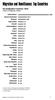 Migration and Remittances: Top Countries Top Immigration Countries a, 010 number of immigrants, millions United States b Russian Federation b Germany b Saudi Arabia b Canada b United Kingdom b Spain b
READ FIRST! Universal Car/Air Adapter User Manual
 AutoAir Manual 1/9/03 2:03 PM Page 1 READ FIRST! Universal Car/Air Adapter User Manual Congratulations! Your new Kensington Universal Car/Air Adapter is a highly efficient Universal Car/Air Adapter for
1 Definitions. 2 Standard Product Warranty
 This Document ( T&C Document ) sets forth the terms under which Advanced Network Technology Laboratories Pte Ltd, ( ANTlabs ) upon Customer s payment of applicable fees and successful registration for
External Hard Drive esata & USB 2.0 Combo. User Guide English
 External Hard Drive esata & USB 2.0 Combo User Guide English Contents Introduction 3 Controls, Connectors and Indicators 3 Front Panel Area 3 Rear Panel Area 3 About the Hard Drive 4 Locating the Drive
Region Country AT&T Direct Access Code(s) HelpLine Number. Telstra: 1 800 881 011 Optus: 1 800 551 155
 Mondelēz International HelpLine Numbers March 22, 2013 There are many ways to report a concern or suspected misconduct, including discussing it with your supervisor, your supervisor s supervisor, another
SunGard Best Practice Guide
 SunGard Best Practice Guide What Number Should I Use? www.intercalleurope.com Information Hotline 0871 7000 170 +44 (0)1452 546742 [email protected] Reservations 0870 043 4167 +44 (0)1452
How To Calculate The Lorenz Curve
 FACT SHEET 1. Overview 1.1 Developed by an Italian statistician Corrado in the 1910s, is commonly used to indicate income inequality in a society. is a number which has a value between zero and one. As
Proforma Cost for international UN Volunteers for UN Partner Agencies for 2016. International UN Volunteers (12 months)
 Proforma Cost for international UN Volunteers for UN Partner Agencies for 2016 Country Of Assignment International UN Volunteers (12 months) International UN Youth Volunteers (12 months) University Volunteers
GPS Engine Board ET-332
 GPS Engine Board ET-332 Globalsat Technology Corporation 16F., No. 186, Jian-Yi Road, Chung-Ho City, Taipei Hsien 235, Taiwan Tel: 886-2-8226-3799/ Fax: 886-2-8226-3899 [email protected] www.globalsat.com.tw
AUTHORIZED FITNESS RESELLER PROGRAM. A Reseller is a Retailer that purchases Garmin products through one of our Authorized Fitness Distributors.
 AUTHORIZED FITNESS RESELLER PROGRAM A Reseller is a Retailer that purchases Garmin products through one of our Authorized Fitness Distributors. GARMIN CONTACT INFORMATION Orders / Returns Please contact
Wireless Indoor/ Outdoor Thermometer
 Wireless Indoor/ Outdoor Thermometer Owner s Manual Please read before using this equipment. ˆ Contents FCC Information... 3 FCC Declaration of Conformity... 5 Preparation... 5 Installing Batteries...
Foreign Taxes Paid and Foreign Source Income INTECH Global Income Managed Volatility Fund
 Income INTECH Global Income Managed Volatility Fund Australia 0.0066 0.0375 Austria 0.0045 0.0014 Belgium 0.0461 0.0138 Bermuda 0.0000 0.0059 Canada 0.0919 0.0275 Cayman Islands 0.0000 0.0044 China 0.0000
Energy Briefing: Global Crude Oil Demand & Supply
 Energy Briefing: Global Crude Oil Demand & Supply November 6, 215 Dr. Edward Yardeni 516-972-7683 eyardeni@ Debbie Johnson 48-664-1333 djohnson@ Please visit our sites at www. blog. thinking outside the
PIR-1 Owner s Manual
 PIR-1 Owner s Manual PIR-1 Owner s Manual 2010 Universal Remote Control, Inc. The information in this manual is copyright protected. No part of this manual may be copied or reproduced in any form without
Alarm Clock USER GUIDE
 Alarm Clock USER GUIDE Jazwares, Inc. 2012 CONTENTS Please read the instructions along with the Alarm Clock carefully before you use it, so that you can operate it conveniently. WELCOME & Warnings Page
GTS-4E Hardware User Manual. Version: V1.1.0 Date: 2013-12-04
 GTS-4E Hardware User Manual Version: V1.1.0 Date: 2013-12-04 Confidential Material This document contains information highly confidential to Fibocom Wireless Inc. (Fibocom). Fibocom offers this information
Introducing Clinical Trials Insurance Services Ltd
 Introducing Clinical Trials Insurance Services Ltd Important Staff Richard Kelly Managing Director Richard joined CTIS in 2006 having previously managed the Pharmaceutical wholesale division at Heath Lambert
UNHCR, United Nations High Commissioner for Refugees
 Belgium 22 Jul 1953 r 08 Apr 1969 a Belize 27 Jun 1990 a 27 Jun 1990 a Benin 04 Apr 1962 s 06 Jul 1970 a Bolivia 09 Feb 1982 a 09 Feb 1982 a Bosnia and Herzegovina 01 Sep 1993 s 01 Sep 1993 s Botswana
3800 Linear Series. Quick Start Guide
 3800 Linear Series Quick Start Guide Note: Refer to your user s guide for information about cleaning your device. For localized language versions of this document, go to www.honeywell.com/aidc. Getting
Outsource International Ltd
 Providing global technology solutions for: Carriers Systems Integrators Resellers Outsource Manufacturers International Ltd Government agencies Financial sector Global Technology Solutions Providing global
Taxation Determination
 Page status: legally binding Page 1 of 8 Taxation Determination Fringe benefits tax: reasonable amounts under section 31G of the Fringe Benefits Tax Assessment Act 1986 for food and drink expenses incurred
Technical Manual. For use with Caller ID signaling types: Belcore 202, British Telecom, & ETSI
 Technical Manual For use with Caller ID signaling types: Belcore 202, British Telecom, & ETSI Caller ID.com WHOZZ CALLING? POS 2 Caller ID Monitoring Unit Technical Manual For use with Caller ID signaling
Overview menu: ArminLabs - DHL Medical Express Online-Pickup: Access to the Online System
 Access to the Online System Overview menu: Create shipment: Preselected - Here you can order your shipment including the Pickup 0049 821 78093150 ArminLabs DHL Medical Express Online-Pickup-Manual DHL
4 Port VGA Video Audio Switch with RS232 control
 4 Port VGA Video Audio Switch with RS232 control VS410RVGAA *actual product may vary from photos DE: Bedienungsanleitung - de.startech.com FR: Guide de l'utilisateur - fr.startech.com ES: Guía del usuario
Accuracy counts! SENSORS WITH ANALOG OUTPUT
 Accuracy counts! SENSORS WITH ANALOG OUTPUT OTHER APPLICATIONS: KEY ADVANTAGES: Distance measurement Positioning Profile detection Deformation monitoring Vibration monitoring Process monitoring Detection
Laser Wireless Rechargeable Mouse. User s Manual
 Laser Wireless Rechargeable Mouse Model #: LM8000WR User s Manual Rev. 060801 User s Record: To provide quality customer service and technical support, it is suggested that you keep the following information
89% 96% 94% 100% 54% Williams 93% financial aid at Williams. completion statistics $44,753 76% class of 2013 average four-year debt: $12,749
 financial aid at Average - $, financial aid is comprehensive, covering books, health insurance, study abroad costs, travel, and personal expenses % % % % cost met by average % of with demonstrated need
Building on +60 GW of experience. Track record as of 31 December 2013
 Building on +60 GW of experience Track record as of 31 December 2013 Can data and analysis make a difference on turbine performance? Proven technology. For Vestas, it is more than a saying it is something
Quick Start Guide. Control & Display Guide. Direction to Location Battery Level Indicator. Local Time. Satellite Locked Icon MARK Button.
 Record Your Track Find Your Way Back Quick Start Guide Direction to Location Battery Level Indicator Local Time POWER Button TRIP/DATA Button Location Memory (1 of 5 icons shown) Satellite Locked Icon
INTERNATIONAL AIR SERVICES TRANSIT AGREEMENT SIGNED AT CHICAGO ON 7 DECEMBER 1944
 State INTERNATIONAL AIR SERVICES TRANSIT AGREEMENT SIGNED AT CHICAGO ON 7 DECEMBER 1944 Entry into force: The Agreement entered into force on 30 January 1945. Status: 130 Parties. This list is based on
TCP/IP MODULE CA-ETHR-A INSTALLATION MANUAL
 TCP/IP MODULE CA-ETHR-A INSTALLATION MANUAL w w w. c d v g r o u p. c o m CA-ETHR-A: TCP/IP Module Installation Manual Page Table of Contents Introduction...5 Hardware Components... 6 Technical Specifications...
USB/VGA Cat 5 UTP Console Extender
 USB/VGA Cat 5 UTP Console Extender SV565UTPU SV565UTPUGB SV565UTPUEU Instruction Manual FCC Compliance Statement This equipment has been tested and found to comply with the limits for a Class B digital
Release Notes: PowerChute plus for Windows 95 and Windows 98
 : PowerChute plus for Windows 95 and Windows 98 These release notes supplement the User s Guide: PowerChute plus, Version 5.0.2, for Windows 95 and Windows 98 (pc98ug.pdf) and the Installation Guide: PowerChute
Optical Wireless Mouse. User s Manual
 Optical Wireless Mouse Model : OM4000W User s Manual 110935-109154 Rev. 061101 User s Record: To provide quality customer service and technical support, it is suggested that you keep the following information
ISO is the world s largest developer of voluntary international
 The ISO Survey 2005 ISO and The ISO Survey ISO is the world s largest developer of voluntary international standards for business, government and society. Its portfolio at the beginning of June 2006 comprised
The face of consistent global performance
 Building safety & security global simplified accounts The face of consistent global performance Delivering enterprise-wide safety and security solutions. With more than 500 offices worldwide Johnson Controls
Cisco Smart Care Service
 Q. What is Cisco Smart Care Service? A. Cisco Smart Care Service is a collaborative, comprehensive network wide service that enables your partner to deliver proactive network monitoring, health checkups,
Global Education Office University of New Mexico MSC06 3850, Mesa Vista Hall, Rm. 2120 Tel. 505 277 4032, Fax 505 277 1867, geo@unm.
 Global Education Office University of New Mexico MSC06 3850, Mesa Vista Hall, Rm. 220 Tel. 505 277 4032, Fax 505 277 867, [email protected] Report on International Students, Scholars and Study Abroad Programs
Quick Start Guide. Model #s: 360050 / 360051 / 360052 / 360053 / 360055 Lit# 98-1572/02-10
 Quick Start Guide Model #s: 360050 / 360051 / 360052 / 360053 / 360055 Lit# 98-1572/02-10 Full Instruction Manual available online at: http://www.bushnell.com/manuals/gps Control & Display Guide MARK/Backlight
Usage, Installation, Warranty and Service Information
 T13C Table Updater for Seating Management U S E R M A N UA L Usage, Installation, Warranty and Service Information Long Range Systems, LLC 4550 Excel Parkway, Suite 200 Addison, TX 75001 800.437.4996 www.lrsus.com
Global Effective Tax Rates
 www.pwc.com/us/nes Global s Global s April 14, 2011 This document has been prepared pursuant to an engagement between PwC and its Client. As to all other parties, it is for general information purposes
2GB MP3 Player USER GUIDE
 DO NOT FORMAT UNIT under FAT. 2GB MP3 Player USER GUIDE Jazwares, Inc. 2010 CONTENTS Please read the instructions along with the MP3 Player carefully before you use it, so that you can operate it conveniently.
Verbatim PowerBay Single USB and esata External Hard Drive Version 1.00
 Verbatim PowerBay Single USB and esata External Hard Drive Version 1.00 User Manual Table of Contents Introduction... 2 Controls, Connectors and Indicators... 2 About the Hard Drive... 2 Locating the Drive
DG-100 Data Logger User Manual. Version 1.2
 DG-100 Data Logger User Manual Version 1.2 DG-100 page 2 Table of Content 1 Introduction and Features... 3 Introduction...3 Features...4 2 Specifications... 5 System specification...5 GPS specification...6
Intelli-Time Alarm Clock model 13027
 Instruction Manual Intelli-Time Alarm Clock model 13027 CONTENTS Unpacking Instructions... 2 Package Contents... 2 Product Registration... 2 Features & Benefits... 3 Clock Setup... 4 Intelli-Time Clock...
ST122VGAU. Instruction Manual. VGA Video Switch. 2-Port Automatic VGA Video Switch
 VGA Video Switch ST122VGAU Instruction Manual 2-Port Automatic VGA Video Switch FCC Compliance Statement This equipment has been tested and found to comply with the limits for a Class B digital device,
Wireless Laser Barcode Scanner ils 6300BU. User s Manual
 Wireless Laser Barcode Scanner ils 6300BU User s Manual FCC Compliance This equipment has been tested and found to comply with the limits for a Class A digital device, pursuant to Part 15 of the FCC Rules.
USB 2.0 4-Port Hub with USB Power Cable. User s Manual
 USB 2.0 4-Port Hub with USB Power Cable Model: UH2500 User s Manual 251104-109159 Rev. 061107 User s Record: To provide quality customer service and technical support, it is suggested that you keep the
Targus Wireless Remote Presenter USER S GUIDE. Making Your Mobile Life Easier. Making Your Mobile Life Easier.
 Targus Wireless Remote Presenter Making Your Mobile Life Easier. Visit our Web site at: www.targus.com Features and specifications are subject to change without notice. 2003 Targus Corp. 400-0110-001B
Approach Series. owner s manual
 Approach Series owner s manual 2009 Garmin Ltd. or its subsidiaries Garmin International, Inc. 1200 East 151 st Street, Olathe, Kansas 66062, USA Tel. (913) 397.8200 or (800) 800.1020 Fax (913) 397.8282
MoTeC USA GPS. Part # M GPS BL Available in 10 Hz or 20 Hz. USER MANUAL Version 1.4
 MoTeC USA GPS Part # M GPS BL Available in 10 Hz or 20 Hz. USER MANUAL Version 1.4 MoTeC USA GPS Copyright Motec Systems USA 2008 The information in this document is subject to change without notice. While
PPS usable by timing applications via serial port emulation
 Timing & Navigation Module * PPS usable by timing applications via serial port emulation * The Pulse Per Second (PPS) is an electrical signal that very precisely indicates the start of a second. The z050
Targus USB Port Adapter USER S GUIDE. Making Your Mobile Life Easier. Making Your Mobile Life Easier.
 Targus USB Port Adapter Making Your Mobile Life Easier. Visit our Web site at: www.targus.com Features and specifications are subject to change without notice. 2002 Targus Corp. 400-0066-001A USER S GUIDE
States Parties to the 1951 Convention relating to the Status of Refugees and the 1967 Protocol
 States Parties to the 1951 Convention relating to the Status of Refugees and the 1967 Protocol Date of entry into force: 22 April 1954 (Convention) 4 October 1967 (Protocol) As of 1 October 2008 Total