
S1 MK2 User s Manual (Guide/Handbook)
|
|
|
- Lisa Lamb
- 9 years ago
- Views:
Transcription
1 S1 MK2 User s Manual (Guide/Handbook)
2 Table of contents page Certification... 1 Warranty and Assistance... 1 Limitation of warranty... 1 Before using this Synthesizer... 2 Checking Accessories... 2 Environmental Conditions... 2 Safety Symbols... 3 Grounding Requirements... 3 Rack Installation... 3 Installation of Instrument Stand (optional)... 3 Repackaging for Shipment... 3 Warm up time... 3 Introduction... 4 Connections... 4 Getting started... 5 Patchbay... 6 Master Controller... 6 Oscillators... 9 Oscillators CV Mixer Ring Modulator Noise Generator Outputs and Oscillators Outputs LFO Low Pass Filter, Audio Input Mixer Multi Mode, Audio Input Mixer Filters Low Pass Filter Multi Mode Filter Envelope Generators Master Amplifier Rear Panel Calibration Oscillator scale Oscillator range Master scale & Analog CV MIDI Startup CV1 and Gate1/Trigg Gate2/Trigg CV CV CV CV CV How MIDI Messages are Handled Program Change Hold Pedal, Legato Pedal All Notes-Off Message All Sound-Off Message Reset All Controllers Message Omni On/Off Messages... 29
3 Reset Message Received CV Gate/Trigg Configuration Setting for CV Outputs Setting Parameters Routing the CV Outputs Parameter Values, Table Upgrading Software Possible Routing of CV Outputs MIDI Implementation Chart... Inside the Synthesizer Oscillators Sine Waveform Triangle Waveform Sawtooth Waveform Pulse Waveform Triangle + Pulse Waveform Sync, Frequency and Amplitude Modulation Noise generator Ring Modulator Low Pass Filter Multi Mode Filter Master Amplifier Envelope Generators LFO Overdrive
4 CERTIFICATION Cwejman certifies that this instrument was thoroughly tested and inspected and found to meet its published specifications when it was shipped from the factory. WARRANTY AND ASSISTANCE All Cwejman products are warranted against defects in materials and workmanship. This warranty applies for 1 years from the date of delivery. We will repair or replace products, which prove to be defective during the warranty period provided they are returned to Cwejman. LIMITATION OF WARRANTY The foregoing warranty shall not apply to defects resulting from improper or inadequate maintenance by buyer, unauthorized modification or misuse, accident or abnormal conditions of operations. No other warranty is expressed or implied. Cwejman specifically disclaims the implied warranties of merchantability and fitness for a particular purpose. Cwejman shall not be liable for any special incidental or consequential damages, whether in contract, tort or otherwise. Copyright 2005 by Cwejman. Printed in Sweden. All rights reserved. No part of this manual may be reproduced in any form without written permission of Cwejman. 1
5 Before Using this Synthesizer Checking Accessories Upon receipt of this instrument, run the checks shown below: Run visual checks against any and all damages or imperfections. Check the quantity and rating of standard accessories to assure their conformance with the table below. Should there be any flaw, or damage, or missing or insufficient materials, contact the dealer or the sales and support office. Power cable 1 Interconnection cables, 3.5mm 6 Rack holders 2 Rack Holder screws, M5 4 The Instruction manual 1 Environmental Conditions Do not expose this unit to direct sunlight, corrosive gas, dust or vibration. The ambient temperature must be +15 to +30 C and the relative humidity must not be greater than 85%. The storage temperature of this unit is 0 to +50 C. This unit is designed with the affect of AC power supply line noise taken into consideration. However, it is recommended that it be used in a place where there is minimum noise. If noise is unavoidable, use a noise suppresser or the equivalent. CAUTION! Before turning this unit on, check the supply voltage switch on the Rear Panel for proper position. 115 Voltage selector in 115Vac position. 2
6 Safety Symbols The WARNING sign denotes a hazard. It calls attention to a procedure, practice or the like which, if not correctly performed or adhered to, could result in injury or loss of life. Do not proceed beyond a WARNING sign until the indicated conditions are fully understood and met. The CAUTION sign denotes a hazard. It calls attention to an operating procedure, practice, or the like, which, if not correctly performed or adhered to could result in damage to or destruction of part or all of the equipment. Do not proceed beyond a CAUTION sign until the indicated conditions are fully understood and met. Grounding Requirements The synthesizer is equipped with a three-conductor power cord which, when plugged into an appropriate receptacle grounds the instrument. The offset pin on the power cord three-prong connector is the ground wire. Rack Installation This instrument can be rack mounted by using a rack mounting kit. Rack Mounting kit; 2 brackets that are attached to the sides of the instrument by 4 M5 screws. Installation of Instrument Stand (optional) An instrument stand can be attached to the unit using the instrument stand kit. Instrument stand kit: 2 stands (right, left) that are attached to the sides of the instrument by 4 M5 screws (same screws as for rack installation). Repackaging for Shipment The following is a general guide for repackaging for shipment. NOTE: If the instrument is to be shipped to Cwejman Sound for service or repair, attach a tag to the instrument identifying the owner and indicating the service or repair to be carried out, include the serial number. Place the instrument in its original container if available. If the original container is not available wrap the instrument in heavy paper or plastic before placing in an inner container. Use plenty of packing material around all sides of the instrument and protect panel faces with cardboard strips. Place the instrument and inner container in a heavy carton or wooden box and seal with strong tape or metal bands. Mark the shipping container DELICATE INSTRUMENT or FRAGILE. Warm up time After start up the unit requires 5 to 10 minutes to allow circuits to stabilise. Specification The following is an account of the entire unit and the technical performance of each individual module. In addition there is a more detailed description of the characteristics of the unit's functions including descriptions of the modules, measurements of waveforms, spectrum analysis, frequency response, etc. WEIGHT DIMENSIONS POWER 5 kg 440mm (L), 215mm (H), 70mm (D) 115/230Vac ± 10%, 20VA 3
7 Introduction The S1 is a semi-modular, analogue monophonic synthesizer. It is easy to get started with since it is prepatched for optimal use of its sound producing possibilities and eliminates the need for external connections between modules during use. Each module can be disconnected and used separately, e.g. to control or be controlled by other instruments. This flexibility enables and simplifies experimentation with creation and reproduction of sound. We can mention some important features of the S1: * Three oscillators with seven basic waveforms * Ring modulator * Noise generator with two three noise shapes * Low pass filter with selectable 4 / 6 poles and quasi band pass mode * Multi mode filter with selectable 2 to 6 poles and three modes * Wide range envelope generators * Master amplifier with build-in overdrive stage * LFO with seven basic waveforms and wide rate range * Extensive modulation of, virtually, all synthesis parameters * Build-in MIDI to CV/gate converter with 16-bit resolution Several parameters can be voltage controlled by external signals and, simultaneously, control external devices by the build-in MIDI converters voltage outputs (see Rear Panel). The S1 is a stand alone instrument and the possibility with patching and integrating it into an external modular (or semi-modular) synthesizer makes it extremely flexible. Connections Power; Connect the included power cable with a 115/230Vac outlet. BEFORE YOU TURN ON THE MACHINE, BE SURE TO CHECK THE VOLTAGE SELECTOR POSITION ON THE REAR. AUDIO Connect the INSTRUMENT OUTPUT of the S1 to your audio system. Use a single-ended or balanced output cable, depending on what your audio system has to offer. For best audio performance, use the balanced output. Please refer to your audio systems instruction for reference. MIDI If you want to play the S1 via MIDI, connect S1's MIDI IN to the MIDI OUT of your MIDI controller. Select the corresponding MIDI channels on both the S1 and your MIDI controller. All MIDI functions of the S1 are explained in detail later in this manual. Please also refer to the instructions of your MIDI system/controller. CV/GATE If you want to play via CV/GATE equipped devices, please use the ANALOGUE INPUTS on the S1 rear panel. Connect S1's CV IN to the CV OUT (1 Volt/octave) of your analogue sequencer or keyboard and connect the GATE and/or Trigger or S-Trigger to the appropriate output of your analog controlling device. MIDI INTERFACE MIDI OUTPUTS MIDI CHANNEL ANALOG INPUTS MIDI IN (and programming), MIDI OUT (only program verification) and MIDI THRU CV1 Fixed: main pitch, 0 to 10 Volts (10 octaves) CV2 Factory preset: Note on Velocity, 0 to 5 Volts CV3 Factory preset: Control Change #05, Modulation Wheel, 0 Volt ± 5 Volts CV4 Factory preset: Channel After Touch, 0 to 5 Volts MASTER CV CV1 incl. all controllers in the Master Controller GATE1 +15 Volts active TRIGG1 +15 Volts active GATE2 +15 Volts active TRIGG2 +15 Volts active S-TRIG Inverted gate, short circuit active MIDI channel selector CV Main pitch, 1 Volt/ octave GATE Envelope generator gate, 1 Volt threshold TRIGG Envelope generator trigger, 1 Volt threshold S-TRIG Inverted gate, short circuit active 4
8 CALIBRATION MAINS INLET 115/230 V SELECTOR INSTRUMENT OUTPUTS OSC1, OSC2, OSC3, SCALE; 1 Volt/octave OSC1, OSC2, OSC3, RANGE; RANGE octave steps MASTER, SCALE; general scale sensitivity calibration MASTER, ANALOG CV INPUT; 1 Volt/octave Power cord inlet Switch for mains voltage selection BALANCED, ohm (rear panel) SINGLE ENDED, 10 dbvmax (front and rear panel) GETTING STARTED We guess that the first of all, you want to hear how the S1 sounds. Before you get deeper into this manual and all the functions of the S1, please take a short tour and make yourself familiar with some of the S1 basics. Before you power up the S1, turn down the output level knob. The S1 can produce high output levels and you should make sure not to burn your valuable preamp, speakers or even more, your valuable ears. FIRST power up the S1 and then turn on your audio system. Now please bring the controls of the S1 to a simple basic setting: You can also use this setting as an initial "reset"-patch to where you can go back to as a starting point for new sounds. As soon you press a key on your keyboard (or start your sequencer), you should hear the sound of a simple bass-lead. You may also copy the picture on next page and fill in your own settings. 5
9
10 Now begin to experiment: - Turn the FILTER MIX knob in the MASTER AMP section in position LPF or MMF to hear signals of all oscillators. - Change the waveforms and tunings of the oscillators. - Change the setting of the LPF- and MMF sections (CUTOFF, Q-PEAK, POLE, MODE) and move the FILTER MIX knob in the MASTER AMP section. See how timbres are changing? - Turn up the CUTOFF MODULATION (CM) knobs and experiment with the ENVELOPE GENERATOR settings to add dynamic timbre changes to the sound. Experiment with the parameters and try to become familiar with the S1. If something might behave unexpectedly, please be patient. All related issues will be explained in this manual and with some practice, you will soon be able to manage the S1 and create a universe of great sounds. Patchbay As we mentioned before, the S1 is a semi-modular system. All modules inputs and outputs are pre-patched and can be altered or added by the use of patch-cords. To make the use of the patching capabilities most easy as possible, there is a specific legend used on all sockets: - Audio and CV outputs are revealed by red surround. - Inputs are labelled in white text. - Where an input is pre-patched internally, its source is labelled red in a white box. These internal patches are bypassed as soon as you insert a plug. Master Controller The Master Controller section determinates the master frequency and/or modulation depth to all modules coupled to it, such as oscillators and filters. The four knobs are easy to understand: MODULATION LEVEL is pre-patched to the LFO output and determinates the master modulation depth being aplied to the incomming pitch CV (CV1), hereby modulating all oscillators and filters connected to the master CV bus. GLIDE determinates the time to glide from one note to another in 5 octave span. TRANSPOSE is the master octave setting (± 3 octaves). FINE TUNE (± 3 semitones). The three MASTER CV switches disconnect the corresponding oscillator from the incomming pitch CV. The oscillators are not tracked anymore by an e.g. keyboard, thus allowing the creation of sounds that are not related to a tonal scale. Since all outputs all short circuit protected, there is no danger to couple output to output. All oscillators FM LEVEL (controlled by knobs) are calibrated (1 Volt/octave) and can be controlled by an external sequencer or other CV source with calibrated 1Volt/octave signal. MODULATION INPUT sockets; the inputs for individual frequency control of the three oscillators are internally prepatched to the LFO's output, OSC1's output and OSC2's output (as you can see on the labelling of these sockets). The LFO's output is also pre-patched to the modulation input for the master controller. 6
11 This allows you to individually modulate the frequency of each of oscillator and the master controller just by moving the FM LEVEL knobs in the oscillator section. The same aplied to the MODULATION LEVEL knob in the MASTER CONTROLLER section. The MODULATION INPUT sockets breaks these pre-patched signals and allow you to redirect any other signal to frequency control of the oscillators and the master tuning. The MIDI CV OUTPUTS sockets provide four different control voltages generated by the internal MIDI-CV converter of the S1, corresponding to incomming MIDI data. The MIDI-GATES & TRIGGERS sockets provide the gate and trigger signals that are internally connected (sent) to the envelope generators. Gate and trigger signals, generated by the internal MIDI CONVERTER are pre-patched to these inputs and can be overriden by inserting patch-cords. The three corresponding TRIGG & GATE switches determinate the activating of the envelope generators to received MIDI messages and/or trigger/gate signals, selected MIDI channel (1) or selected MIDI channel+1 (2). The first (left) switch selects the trigger signal starting ENVELOPE GENERATOR 1 and the third switch does the same for ENVELOPE GENERATOR 2. They choose between trigger signals (generated from note on massages) at MIDI channel 1 or MIDI channel +1 (2) OR " no trigger" (in the middle position). The second switch selects the MIDI channel for activating of the ENVELOPE GENERATOR 2; selected MIDI channel (1) or selected MIDI channel+1 (2). The MASTER CV TRACKING knobs control the cutoff frequency tracking, and allow you to set the filters to track the master pitch CV from 0% to 200%; you can e.g. make higher notes sound brighter than lower notes, from no effect thru calibrated 1 Volt/octave (1/1) to extreme 2 Volt/octave (2/1). Additionally, each filter has the individual CUTOFF MODULATION switch that allows CV3 (Modulation Wheel) or CV4 (Aftertouch) to control the cutoff frequency. 7
12 MASTER GLIDE TIME CONTROLLER 1 millisecond to 10 seconds MASTER TRANSPOSE 6 octaves in 1 octave steps MASTER TUNING ± 3 semitones MASTER MODULATION LEVEL pre-patched to LFO ENVELOPE GENERATOR 1 SELECTOR TRIGGER 1, main MIDI channel TRIGGER 2, main MIDI channel + 1 MASTER CV1 CONTROL ON/OFF SELECTOR for OSCILLATORS 1, 2, 3 ENVELOPE GENERATOR 2 SELECTOR GATE 1, main MIDI channel GATE 2, main MIDI channel + 1 ENVELOPE GENERATOR 2 SELECTOR TRIGGER 1, main MIDI channel TRIGGER 2, mani MIDI channel + 1 LOWPASS FILTER MASTER CV TRACKING 0 to 2 octaves/volt MULTI-MODE FILTER MASTER CV TRACKING 0 to 2 octaves/volt MULTI-MODE FILTER CUTOFF MODULATION selector CV3-off-CV4 FREQUENCY CONTROL INPUTS OSCILLATOR 1, pre-patched to LFO OSCILLATOR 2, pre-patched to OSCILLATOR 1 OSCILLATOR 3, pre-patched to OSCILLATOR 2 MIDI CONVERTER CONTROL OUTPUTS CV1 MASTER TUNING CV2 VELOCITY CV3 MODULATION WHEEL CV4 AFTER TOUCH (factory preset) ENVELOPE GENERATOR 1 GATE and TRIGGER EXTERNAL INPUTS ENVELOPE GENERATOR 2 GATE and TRIGGER EXTERNAL INPUTS LOWPASS FILTER CUTOFF MODULATION selector CV3-off-CV4 MASTER CONTROL INPUT pre-patched to LFO CONTROLLER MODULATION LEVEL GLIDE TRANSPOSE FINE TUNE LPF CUTOFF MASTER CV TRACKING LPF, CUTOFF MODULATION MMF CUTOFF MASTER CV TRACKING MMF, CUTOFF MODULATION OSCILLATOR 1 OSCILLATOR 2 OSCILLATOR 3 MASTER CONTROLLER Master modulation level 1 millisecond to 10 seconds, 5 octave range -3 to +3 in one octave steps ± 3 semitones. Low-Pass Filter frequency corner tuning; amount of master control voltage 0 to 2 0ctaves/Volt, detent at 1Octave/Volt Low-Pass Filter frequency corner modulation source selector; CV3-off-CV4, 5 Octaves range Multi-Mode Filter frequency corner tuning; amount of master control voltage, 0 to 2 Octaves/Volt, detent at 1Octave/ Volt Multi-Mode Filter frequency corner modulation source selector; CV3-off-CV4, 5 Octaves range FREQUENCY MODULATION Modulation inputs for Oscillators and Master Controller Pre-patched to LFO, 1 Volt/Octave. Pre-patched to Oscillator 1 output, 1 Volt/octave Pre-patched to Oscillator 2 output, 1 Volt/octave Pre-patched to LFO, 1 Volt/Octave 8
13 OSCILLATORS The Oscillators (OSC1-3) are the main sound sources of the instrument. They are identical, except to their pre-patched frequency modulation sources and the fact that OSC1 can be switched to LFO mode. Oscillators are equipped with seven waveforms, sync and different frequency and pulse width modulation routes. Given that, the oscillators offer a great flexibility in wave shaping process. The oscillator's frequency is controlled by RANGE, TUNE, MASTER CONTROLLER and FM LEVEL. RANGE determines the octave range of the oscillators within six octaves respective to the coarse tuning of OSC1 in LFO-mode. TUNE finetunes the oscillators (± 6 semitones). FM LEVEL determinates the intensity of frequency modulation. Frequency modulation for oscillators has different modulation sources (see table on the page 10) for a maximal modulation flexibility. Frequency modulation, by an audio signal, creates so called "side-bands" that consist of sum and difference of signals frequencies. These additional frequencies do mostly have a non harmonic sound. Modulation, by low periodic waveforms, such as LFO or envelope generator creates momentary pitch shift of modulated oscillator common named vibrato (by LFO) or pitch bend (by envelope generator). More interesting things happen as soon as both frequencies are in the audio-range. The fast modulation of the frequency creates so called "side-bands" that consist of sum and difference of signals frequencies. These additional frequencies do mostly have a non harmonic sound or (with extreme modulation) noise. Experiment first with sine waves at different frequency ranges, and then go for more complex waveforms. SYNC means that sync'ed oscillators frequency is tracked by the frequency of controlling oscillator; OSC3's frequency is syncronized to OSC2's frequency, OSC2's frequency is syncronized to OSC1's frequency. When the tuned frequency of sync-ed oscillator has the same or multiple of frequency of controlling oscillator then sync-ed oscillators waveform has no or very little "glitch" which results in a sync-ed smooth waveform (i.e. sinus waveform). The sync-ed waveforms (with additional FM modulation) are perfect for cutting edge lead sound and hard, funky basses. You want to know how to trigger oscillators at zero-crossing to get most natural and static drum sounds? Simply tune the synced oscillator to a multiple number of cycles (i.e. OSC1 = 110Hz and sync-ed OSC2 = 880Hz). Listen to the synced oscillator only with a sine wave only and tune it, until the tone sounds most "pure". PULSE WIDTH % adjusts the pulse width of the pulse wave from 5% to 95%. WAVEFORM selects the waveform or a mix of waveforms from an oscillator. PULSE WIDTH control works also on the waveform mixes where the pulse wave is included. The different waveforms contain different harmonic structures respective to their overtone content. Thus they sound different from each other and can be used as raw material for creating different types of sounds. This is a brief description of waveforms: * Sine contains low order harmonics with low amplitude and sounds "dull" or "pure". It's very useful for creating of whistles, flutes and other pure sounds. * Triangle contains more high order overtones than sine and sounds still "dull" and "pure" but with more "edge". It is great for flutes or vibraphone-like sounds. * Saw contains many overtones and sounds "rich" and "cutting". It is especially useful for strings, brass and vocal-like sounds * Pulse depends on the pulswidth. A symmetric wave (PW 50%) contains only odd harmonics and is hollow- sounding. The more it differs from the symmetric wave, the more it sounds "edgy" and "nasal". It is very useful for woodwind-like, pads, bass and string-like sounds. * Mixed triangle + saw * Mixed triangle + pulse * Mixed saw + pulse 9
14 OSCILLATOR 1 RANGE AUDIO mode 0 (C2) to 6 (C8) in 1 octave steps. RANGE LF mode 8 seconds to 120 milliseconds. TUNE ± 6 semitones. PULSE WIDTH 5% to 95%. Waveforms Sine, Triangle, Saw, Saw+Triangle, Triangle + Pulse, Saw+Pulse, Pulse: ± 5 Volts. OSCILLATOR 2 RANGE 0 (C2) to 6 (C8) in 1 octave steps. TUNE ± 6 semitones. PULSE WIDTH 5% to 95%. Waveforms SYNC Sine, Triangle, Saw, Saw+Triangle, Triangle + Pulse, Saw+Pulse, Pulse: ± 5 Volts. Hard synchronized to Oscillator 1. OSCILLATOR 3 RANGE 0 (C2) to 6 (C8) in 1 octave steps. TUNE ± 6 semitones. PULSE WIDTH 5% to 95%. Waveforms SYNC Sine, Triangle, Saw, Saw+Triangle, Triangle + Pulse, Saw+Pulse, Pulse: ± 5 Volts. Hard synchronized to Oscillator 2. OSCILLATORS CV INPUTS These input sockets provide the use of external signals for amplitude (AM)- and pulse width modulation (PWM). The LEVEL inputs provide amplitude modulation. Modulation of oscillator's level (amplitude) can be provided by any low frequency- or audio signal, such as; LFO, Envelope Generators, Oscillators or any other signal source. If audio signals are used, the resulting waveforms are complex and contain in addition to the carrier frequency two inharmonic sidebands per spectral component. The sound character is familiar to the results of FM and thus useful for generating of non harmonic sounds and noises. The PWM inputs of OSC 1 and 2 are hardwired to the outputs of the MIXER described below. The pulse width of all three oscillators can be modulated by any other signal. 10
15 CV, LEVEL CV, PWM Amplitude modulation input, ± 5 Volts 5Volts input CV. Pulse width modulation input, 5% pulse width/ 1Volt input CV. Mixer This is a two input / two output DC-coupled mixer with input level controls. The inputs are pre-patched to the LFO triangle wave and to the ENVELOPE GENERATOR 1, but can be coupled to any other source. The outputs deliver the sum of the attenuated input signals and its inverted signal (sum+ and sum-). These outputs are pre-patched to the PWM inputs of OSC1 and 2 (see above). Especially when using the LFO signal, this can be a useful choice since the mixers outs provide the LFO signal with opposite polarity to OSC1's PWM respective OSC2's PWM. Consequently, the oscillators pulse width sweeps in opposite directions which results in interesting sonic possibilities. INPUT LEVEL CONTROLS MIXER INPUT 1 pre-patched to LFO TRIANGLE MIXER INPUT 2 pre-patched to ENVELOPE GENERATOR 1 MIXER OUTPUT pre-patched to OSCILLATOR 1 PULSE WIDTH MODULATION INPUT MIXER OUTPUT pre-patched to OSCILLATOR 2 PULSE WIDTH MODULATION INPUT EXT INPUT1 Pre-patched to LFO triangle output, gain = 1. EXT INPUT2 Pre-patched to Envelope Generator 1 output, gain = 1. S+ OUTPUT Sum of input 1 and input 2, patched to Oscillator 1, PWM input. S- OUTPUT Inverted sum of Input 1 and Input 2, patched to Oscillator 2, PWM input. 11
16 Ring Modulator A ring modulator is a classic audio effect device and due to the non harmonic character of the output signal, very useful to create metallic timbres such as bells, sweeping whistles and percussive sounds and tremolo effects (modulated by low periodic signal like a LFO). Two input signals are needed and pre-patched to OSC 2 and 3 sine wave outputs. Using the EXT INPUT sockets, any other signal (internal- or external signal source) can be routed directly into the ring modulator. The AM input enables amplitude modulation effects (see "Mixer"). The output signal of the ring modulator is routed internally into audio mixer of the Low Pass Filter and Multi Mode Filter. The OUTPUT socket provide the ring modulator signal for other applications. OUTPUT LEVEL CONTROL RING MODULATOR OUTPUT EXTERNAL SIGNAL INPUTS pre-patched to OSCILLATOR 1, 2 SINUS EXT INPUTS OUTPUT LEVEL Inputs, pre-patched to Oscillator 2, Sine Waveform, and Oscillator 3 (sine). Multiplier output. Amplitude modulation input, 0 db 5 Volts. Noise Generator and Oscillators Outputs Low frequency oscillator. In addition to the internal routing, these output sockets provide the oscillator signals and three sorts of noise: - WHITE noise has a balanced level of all frequencies and can be used to create wind sounds. - RED noise contains more low frequencies and can be used to create thunder- or ocean-like sounds. - LOW is a random low frequency signal that can be used as a modulation source to achieve sounds with random character. NOISE GENERATOR OSCILLATOR OUTPUTS White noise, red noise, low frequency noise OSC1, OSC2, OSC3 outputs 12
17 LFO, Low Frequency Oscillator The LFO provides a sub-audio signal for modulation purposes. It is used to achieve periodic modulations like sweeps, vibrato effects or arpeggios. RATE determines the frequency of the LFO and is indicated by the LED WAVEFORM SELECTOR provides seven different waveforms. The patch-section offers some more LFO functions: The GATE SOURCE SELECTOR switch enables the LFO to start at a zero-crossing and thus to sync the LFO to MIDI/GATE 1, MIDI/GATE 2 or to an external signal patched to the EXT GATE socket. Additional sockets allow the modulation of RATE and LEVEL and provide the LFO-OUTPUT. Some interesting results can be achieved when the LFO OUTPUT is fed back to the EXT GATE input socket. WAVEFORM SELECTOR RANDOM RANDOM SLEW RATE 1 RANDOM SLEW RATE 2 LFO RATE 60 seconds to 16 milliseconds (16Hz to 6Hz) TRIANGLE INVERTED SAW TOOTH SAW TOOTH SQUARE GATE SOURCE SELECTOR MIDI GATE1/--/GATE2 RATE CONTROL INPUT LFO OUTPUT AMPLITUDE CONTROL INPUT EXTERNAL GATE INPUT RATE Waveforms FM LEVEL EXT GATE 60 seconds (16 Hz) to 16 milliseconds (62 Hz) Sample&Hold random (3 speeds), triangle, sawtooth (double rate), inverted sawtooth (double rate), square, all waveforms ± 5 Volts Frequency modulation input, 1 Volt/octave Amplitude modulation input, 0 db 5 Volts CV Synchronization to external signal (1V threshold) or Gate1/Gate 2 13
18 Low Pass Filter Audio Mixer Audio mixer for oscillator 1, 2, 3, ring modulator and pre-patched multi mode filters output. The output signals of the three oscillators, the ring modulator and the output signal of the multimode filter has individual levels into the lowpass filter input. The red labelling indicates the saturation level of the filter's input stage when one source is used. Using more than one signal source, leads to earlier saturation. Multi Mode Audio Mixer The output signals of the three oscillators, the ring modulator and pre-patched white noise has individual levels into the multi-mode filter input. The thick scale indicates the clip level of the filter's input stage when one source is used (with higf Q-PEAK setting). Using more than one signal source, leads to earlier clip. LOWPASS FILTER AUDIO MIXER OSCILLATOR 1, 2, 3, RING MODULATOR and MULTI-MODE FILTER (pre-patched) MULTI-MODEFILTER AUDIO MIXER OSCILLATOR 1, 2, 3, RING MODULATOR and WHITE NOISE (pre-patched) 14
19 Filters The most important sound shaping device of every substractive synthesizer is the filter. It cuts off specific and adjustable frequency ranges and thus overtones, which can result in drastic sonic changes of the filtered audio material. In the following, you will find a brief description of a filter in general, more detailed and technical information can be found on page 38 of this manual. We distinguish between different TYPES of filters: low pass, high pass, band pass and notch: * Low pass filter cuts off high frequencies and let low frequencies pass. * High pass filter cuts off low frequencies and let high frequencies pass. * Band pass filter cuts off high and low frequencies and let a more or less broad frequency bandpass. A band pass filter is a low pass and a high pass fliter in series. * Notch filters do the opposite and cuts out a more or less broad frequency band out of the frequency range. A notch filter is a low pass and a high pass in parallel. Low pass filters are the most common used for musicial applications and you'll find two in the S1. To gain most extensive sonic capabilities, the S1 is also equipped with a multi mode filter, that can work as low-, high-, and band-pass (see page 42). Next to the filter type, the slope or NUMBER OF POLES defines the characteristics of a filter. The slope defines how steep the filter cuts off the attenuated frequency range. It is measured in db/octave and one pole is equivalent to 6dB/octave. That means, that the most common 4 pole low pass filter cuts high frequencies with an attenuation of 24dB/octave and more efficient 6 pole filter cuts 36dB/octave. The steeper the slope, the more effective the filter works (cuts overtones or undertones). Since lower slopes also produce very musical and sonically useful results, it makes sense to implement filters with switchable slope. The S1's filters with its two corresponding 3-slope-settings are most versatile and musically useful. The next basic parameter is the CUTOFF-FREQUENCY or corner frequency. It defines at which frequency the filter starts to work, respective to attenuates frequencies. On the S1, the cutoff of both filters can be adjusted from 16Hz to 16kHz (by CUTOFF knob) and has a total frequency range from 5Hz to 30kHz. Lets have a look on Q-PEAK. This parameter is also known as "resonance" or "emphasis". It boost the frequencies in the range of the cutoff and makes the tone sound more "cutting". From a certain level on, the filter starts self-oscillating and works as a sine wave oscillator. The configuration of LPF and MMF coupled in series and/or in parallel creates a formant filter for various vocal like sounds. LOW PASS FILTER The Low Pass Filter, in 4 pole mode, emulates the familiar low pass filter in some analogue synthesizer. S1's Low Pass Filter expands sonic potential by adding a unique designed 6 pole low pass mode and quasi band pass mode. LPF is characterized by a non-linear transfer function, so-called saturation mode that is affected by the level of the incoming signal. In the audio mixer the red markings on the potentiometer scales show the level at which the filter operates in the saturation mode (For more details see LOW PASS FILTER, page 40). The design quality of LPF's and new features makes the LPF more flexible than any other low pass filter used in analogue synthesizers and results in qualities, such as: * CUTOFF, Q-PEAK and output level are voltage controlled * 4 and 6 poles low pass mode (24 db/octave and 36 db/octave) * Qasi Band pass mode (6dB/octave high pass on low side and 24dB/octave low pass on high side) * Saturable; from "warm" and "smooth" sound (at low to moderate level of incoming signal) to heavy distorted "nasty" and "aggressive" (at high level of incoming signals) * Ideal as "effect filter" with external sound material * Low noise 15
20 FUNCTIONS CUTOFF controls the filters cutoff- (or corner-) frequency. POLE selects between 4 pole low pass, quasi band pass (that sounds different than the "true" bandpass of the MMF) and 6 pole low pass. Q-PEAK determines the boost of the corner frequency. From "9" on, the filter starts self-oscillating. To create useful and interesting sounds, the cutoff parameter has to be controlled dynamically. This is mostly done by the later described envelope generators and/or by modulating the cutoff with a periodical signal e.g. an LFO- or an audio signal. This is done with the cutoff modulation section (CM). CUTOFF MODULATION CM 1 adjusts the corner frequency modulation intensity by ENVELOPE GENERATOR 1. ENVELOPE GENERATOR 1 switch inverts the control voltage of envelope generator 1. CM 2 adjusts the corner frequency modulation intensity by ENVELOPE GENERATOR 2. ENVELOPE GENERATOR 2 switch inverts the control voltage of envelope generator 2 OSC1/LFO adjusts the corner frequency modulation intensity by the triangle waveform of OSC1 respective to the LFO. Maximum sweep reaching over +/-5 octaves. OSC1 LFO switch selects the triangle waveform of OSC1 or the LFO as modulation source. AUDIO In the patch section of the LPF you'll find the HI Z INPUT which is an additional and patchable input. It is internally pre-patched to the audio output of the Multi Mode Filter. This level is adjustable in the LPF MIXER section as described above. OUTPUT socket allows the filtered audio signal be coupled to any input. It's destinated to the audio input of the AMP-section (FILTER MIX). CV Here you'll find patchable modulation-inputs for the LPF: CUTOFF can be used to provide other signals than the triangle waveform of OSC1 or the LFO (to which it is internally routed; see above) as a modulation source for the cutoff frequency. Use the OSC1/LFO knob to adjust the modulation intensity. LEVEL can be used for gain-control respectively amplitude-modulation of the LPF output signal. Q-PEAK enables the resonance to be voltage controlled. Again, using audio signals for cv duty can provide interesting results. 16
21 CUTOFF (CORNER FREQUENCY) TUNING; 16 Hz to 16 khz 4 POLE / BANDPASS 6 POLE SELECTOR CORNER PEAK CONTROL FLAT to OSCILLATION CORNER FREQUENCY MODULATION by ENVELOPE GENERATOR 1 SOURCE SELECTOR POSITIVE/ NEGATIVE GOING ENVELOPE GENERATOR 1 CORNER FREQUENCY MODULATION by ENVELOPE GENERATOR 2 SOURCE SELECTOR POSITIVE/ NEGATIVE GOING ENVELOPE GENERATOR 2 CORNER FREQUENCY MODULATION by OSCILLATOR1 TRIANGLE/ LFO SOURCE SELECTOR OSCILLATOR 1 TRIANGLE/ LFO EXTERNAL AUDIO INPUT pre-patched to MULTI-MODE FILTER, OUTPUT FILTER OUTPUT CORNER FREQUENCY, EXTERNAL MODULATION INPUT, pre-patched to OSCILLATOR 1 TRIANGLE/ LFO CUTOFF LEVEL Q-PEAK FILTER GAIN CONTROL Q-PEAK CONTROL CUTOFF Q-PEAK POLES CM; CUTOFF MODULATION AUDIO EXTERNAL INPUT AUDIO, OUTPUT CV, CUTOFF CV, LEVEL CV, Q-PEAK Frequency corner; 16 Hz to 16 khz Flat to self-oscillation 4/6 poles (24/36 db/octave) and additional BAND-PASS mode Envelope Generator 1; 0 to ±10 octaves Envelope Generator 2; 0 to ±10 octave Oscillator 1 (triangle)/lfo; 0 to ±5 octaves High Z (4 Mohm input impedance), 1 Volt input for gain = 0 db Filter output Frequency modulation input, 1 Volt/octave, pre-patched to Oscillator 1 (triangle)/ LFO Amplitude modulation input, 0 db 5 Volts CV Resonance, flat to 4 to 5 Volts CV 19
22 MULTI MODE FILTER The MMF is the most flexible filter found in any monophonic synthesizer. The whole circuit solution of the filter is an analogue "state of the art" and results in remarkable qualities such as: * Wide frequency range from 5 Hz to 25 khz * Vital parameters such as CUTOFF, Q-PEAK and LEVEL (output) * Selectable 2-, 4- and 6 poles * Low-, high-, band pass mode * Very clean sound even in self oscillation mode * Ideal as "effect filter" with external sound material * Clean, yet "warm" and "smooth" sound * Low noise The Multi Mode Filter, with a wide range of controllable parameters, is especially useful as a tool to create various high quality sounds and recreate "sounds" from many classic synthesizers, as well. Those qualities make the Multi Mode Filter a perfect complement to the Low Pass Filter. Configuration in series or parallel the LPF and MMF filters make it easy to create various vocal like sounds or filter with an extreme steep slope (up to 72 db/octave in low pass mode) FUNCTIONS CUTOFF controls the cutoff- (or corner-) frequency of the filter from 16Hz to 16kHz. POLE selects between 2, 4 and 6 pole configuration for 12-, 24-, and 36dB/octave slope Q-PEAK determines the boost of the corner frequency. From "9" on, the filter starts self-oscillating. To create useful and interesting sounds, the cutoff parameter has to be controlled dynamically. This is mostly done by the later described envelope generators and/or by modulating the cutoff with a periodical signal e.g. an LFO- or an audio signal. This is done with the cutoff modulation section (CM). CUTOFF MODULATION CM 1 adjusts the corner frequency modulation intensity by ENVELOPE GENERATOR 1. ENVELOPE GENERATOR 1 switch inverts the control voltage of envelope generator 1. CM 2 adjusts the corner frequency modulation intensity by ENVELOPE GENERATOR 2. ENVELOPE GENERATOR 2 switch inverts the control voltage of envelope generator 2 OSC1/LFO adjusts the corner frequency modulation intensity by the triangle waveform of OSC1 respective to the LFO. Maximum sweep reaching over +/-5 octaves. OSC1 LFO switch selects the triangle waveform of OSC1 or the LFO as modulation source. AUDIO In the patch-section of the MMF you'll find the HI Z INPUT which is an additional and patchable input. It is internally prepatched to the WHITE NOISE. This level is adjustable in the MMF MIXER section. OUTPUT socket allows the filtered audio signal be coupled to any input. It's destinated to the audio input of the AMP-section (FILTER MIX). CV Here you'll find patchable modulation-inputs for the MMF: CUTOFF can be used to provide other signals than the triangle waveform of OSC1 or the LFO (to which it is internally routed; see above) as a modulation source for the cutoff frequency. Use the OSC1/LFO knob to adjust the modulation intensity. LEVEL can be used for gain-control respective to the amplitude-modulation output signal of the MMF. Q-PEAK enables the resonance to be voltage controlled. Again using audio-signals can provide interesting results. 18
23 CUTOFF FREQUENCY TUNING 16 Hz to 16 khz POLE SELECTOR LOW-PASS/ HIGH-PASS/ BAND-PASS MODE SELECTOR CORNER PEAK CONTROL FLAT to OSCILLATION CUTOFF FREQUENCY MODULATION by ENVELOPE GENERATOR 1 SOURCE SELECTOR POSITIVE/ NEGATIVE GOING ENVELOPE GENERATOR 1 CUTOFF FREQUENCY MODULATION by ENVELOPE GENERATOR 2 SOURCE SELECTOR POSITIVE/ NEGATIVE GOING ENVELOPE GENERATOR 2 CUTOFF FREQUENCY MODULATION by OSCILLATOR1 TRIANGLE/ LFO SOURCE SELECTOR OSCILLATOR 1 TRIANGLE/ LFO EXTERNAL AUDIO INPUT pre-patched to WHITE NOISE FILTER OUTPUT CUTOFF, EXTERNAL MODULATION INPUT pre-patched to OSCILLATOR 1 TRIANGLE/ LFO CUTOFF LEVEL Q-PEAK FILTER GAIN CONTROL Q-PEAK CONTROL CUTOFF Q-PEAK POLES CM; CUTOFF MODULATION AUDIO EXTERNAL INPUT AUDIO, OUTPUT CV, CUTOFF CV, LEVEL CV, Q-PEAK Frequency corner; 16Hz to 16kHz Flat to self-oscillation 2/4/6 poles (12/24/36 low-pass and high-pass mode 2/4/6 poles (6/12/18 band-pass mode Envelope Generator 1; 0 to ±10 octaves Envelope Generator 2; 0 to ±10 octaves Oscillator 1 (triangle)/lfo; 0 to ±5 octaves High Z (4 Mohm input impedance), 1 Volt input for gain = 0 db Filter output Frequency modulation input, 1 Volt/octave, Pre/patched to Oscillator 1 (triangle)/ LFO Amplitude modulation input, 0 db 5 Volts CV Resonance, flat to 4 to 5 Volts CV 19
24 Envelope Generators The envelope generators provide control voltages (CV's) that can be used to dynamicy change of parameters, such as; frequency, amplitude, pulse width, cutoff. The most common use is in connection with a filter and a voltage controlled amplifier in order to achieve dynamic timbre- and level-changes. Thus the envelopes of the S1 are internally connected to the oscillators, filters and the amp, but can be routed elsewhere via the patch-panel. Both envelope generators are identical. ATTACK TIME Time needed to reach the envelopes full level after a key is pressed (or the EG is started otherwise). DECAY TIME Time needed to fall down from the full level to the sustain level. SUSTAIN LEVEL Level that is held as long as a key is pressed. RELEASE TIME Time needed to fall down to zero level after key is released (or other note-off command has been received). GATE DELAY TIME Delay time between note-on command and start of the attack-phase. ENVELOPE OUTPUTS Provides the control voltages of the envelope and the inverted voltage. CV INPUTS, external controls of envelopes Allows the voltage control of all envelope parameters. This is very useful fea ture for modelling of complex dynamic sounds. ATTACK TIME 0,5 milliseconds to 20 seconds DECAY TIME 0,5 milliseconds to 20 seconds SUSTAIN LEVEL 0 to 5 Volts RELEASE TIME 0,5 milliseconds to 20 seconds GATE DELAY TIME 1 milliseconds to 10 seconds ENVELOPE OUTPUT INVERTED 0 to -5 Volts ENVELOPE OUTPUT 0 to 5 Volts ATTACK TIME CONTROL INPUT DECAY TIME CONTROL INPUT SUSTAIN LEVEL CONTROL INPUT RELEASE TIME CONTROL INPUT 20 ENVELOPE LEVEL CONTROL INPUT DELAY TIME CONTROL INPUT
25 ATTACK TIME DECAY TIME SUSTAIN LEVEL RELEASE TIME DELAY TIME CV, ATTACK CV, DECAY CV, SUSTAIN CV, RELEASE CV, DELAY CV, LEVEL OUTPUTS 0.5 milliseconds to 20 seconds 0.5 milliseconds to 20 seconds 0 to 5 Volts 0.5 milliseconds to 20 seconds 1 millisecond to 10 seconds 0.5 milliseconds to 20 0 to 5 Volts CV 0.5 milliseconds to 20 0 to 5 Volts CV 0 to 5 0 to 5 Volts CV 0.5 milliseconds to 20 0 to 5 Volts CV 1 milliseconds to 10 0 to 5 Volts CV Amplitude modulation, 5 Volts signal 5Volts CV Positive going, 0 to + 5 Volts Negative going, 0 to - 5 Volts Master Amplifier The envelope generators provide control voltages that can be used to dynamically change timbres. This section provides the output stage of the S1. The internally routed audio signals are summed, amplified and sent to the instrument's outputs. FILTER MIX adjusts the mix ratio between LPF- and MMF-outputs in any proportion. OVERDRIVE makes the S1 sound "nasty" and "grungy". OUTPUT LEVEL controls the overall signal level, sent to your audio system. AMPL MODULATION The level of the sound can be dynamically controlled by the envelope generators. ENVELOPE MIX adjusts the mixing ratio between both envelopes in any proportion. ENVELOPE MODE switch determines how much the signal is attenuated over time. Logarithmic mode (log) is very useful for extremely percussive sounds. The patch section provides: AUDIO EXT INPUT can be used to process external audio material in the S1' amp section. It is prepatched to the LPF output. Its level can be adjusted by the FILTER MIX knob. OUTPUT provides a master audio output in addition to the one on the backside. CV ON / OFF switch makes the S1' amp velocity-sensitive, since it is pre-patched to CV2 (MIDI velocity). Using the EXT VELOCITY socket, any other signal can be used to control the velocity. 21
26 LOW-PASS and MULTI-MODE FILTER AUDIO MIXER OVERDRIVE CONTROLLER CLEAN (0) to SATURATED (10) AUDIO OUTPUT LEVEL ENVELOPE GENERATOR 1 & 2 AMPLITUDE CONTROL MIXER AMPLITUDE CONTROL MODE LINEAR 20%/Volt LOG 16 db/volt EXTERNAL AUDIO INPUT pre-patched to LOW-PASS FILTER OUTPUT MASTER AMPLIFIER AUDIO OUTPUT VELOCITY CONTROL SWITCH EXTERNAL VELOCITY CONTROL and AMP MODULATION pre-patched to CV2 AUDIO, Mix control for Lowpass Filter and FILTER MIX Multi-Mode Filter audio output. AUDIO, Overdrive control from clean to full saturated OVERDRIVE audio signal output. AUDIO, EXT INPUT Audio input, pre-patched to Lowpass Filter output. AUDIO, OUTPUT Instruments audio output. AM, Envelope1 and Envelope2 panning mixer ENVELOPE MODE for amplifiers amplitude modulation. AM, Linear mode, gain 0 5 Volts CV, 20%/ Volt. ENVELOPE MODE log mode, gain 5 Volts CV, 15 db/ Volt. AM, EXT VELOCITY Velocity control, pre-patched to CV2. 22
27 REAR PANEL 23
28 MIDI INTERFACE MIDI OUTPUTS MIDI CHANNEL ANALOG INPUTS CALIBRATION MAINS INLET 115/230 V SELECTOR INSTRUMENT OUTPUTS MIDI IN (and programming), MIDI OUT (only program verification) and MIDI THRU CV1 Fixed: main tune, 0 to 10 Volts (10 octaves) CV2 Factory preset: Note on Velocity, 0 to 5 Volts CV3 Factory preset: Control Change #05, Modulation Wheel, 0 Volt ± 5 Volts CV4 Factory preset: Channel After Touch, 0 to 5 Volts MASTER CV + Glide & Pitch Bend control GATE1 +15 Volts active TRIGG1 +15 Volts active GATE2 +15 Volts active TRIGG2 +15 Volts active STRIG inverted gate, short circuit active MIDI channel selector CV main tune, 1 Volt/ octave GATE envelope generator gate, 1 Volt threshold TRIGG envelope generator trigger, 1 Volt threshold STRIG inverted gate, short circuit active OSC1, OSC2, OSC3 SCALE; for sensitivity 1 Volt/octave OSC1, OSC2, OSC3 RANGE; RANGE selectors octave calibration MASTER, SCALE; general scale sensitivity calibration MASTER, ANALOG CV INPUT; analog control voltage calibration, 1 Volt/octave, 5% range. Power cord inlet Switch for mains voltage selection BALANCED, ohm (rear panel) SINGLE ENDED, 10 dbvmax (front and rear panel) CALIBRATION OSCILLATOR SCALE Oscillator 1: 1. Connect MIDI keyboard to synthesizer (MIDI IN). 2. Set oscillator 1 and 2 to sawtooth waveform. 3. Set the LPF MIXER control knobs on oscillator 1 and 2 to position 8, and all other control knobs to position Set LPF CUTOFF control knob to position Set AMP FILTER MIXER control knob to position LPF. 6. On MASTER CV set switch for OSC2 to off. 7. On OSC 1 set RANGE and TUNE to position On OSC 2 or OSC 3 set RANGE switch to position 1, and TUNE to position 0 for 5 octave keyboard or position 0 for 8 octave keyboard (Master keyboard). 9. Press the lowest C on the keyboard and adjust FINE TUNE on the MASTER CONTROLLER until both oscillators have the same frequency and minimum phase shift. 10. Press each successively higher C (C3, C4, C5, etc.). Adjust trim potentiometer OSC1, SCALE on the rear panel for correct frequency. The frequency of Oscillator 1 must correspond to C3, C4, C5, etc. When correctly adjusted the Oscillator 1 frequency is exactly 2, 4, 8, 16 etc. times higher than Oscillator 2. 24
29 Oscillator 2 and 3: Repeat 1. the procedure as for Oscillator 1, using one of the other oscillators as reference. OSCILLATOR RANGE Oscillator 1: 1. On MASTER CV set switch for OSC1 and OSC2 to ON. 2. On OSC 1 and OSC 2 set RANGE switch and TUNE to position Press any key on the keyboard. 4. Carefully adjust TUNE on Oscillator 1 until both oscillators have the same frequency and minimum phase shift. 5. Step up the RANGE switch on Oscillator 1 and adjust trim potentiometer OSC1, RANGE for correct frequency. When correctly adjusted the Oscillator 1 frequency must be 1, 2, 3, 4, etc. octaves higher than Oscillator 2 (i.e. exact multiples of one octave). Oscillator 2 and 3: Repeat the procedure as for Oscillator 1, using one of the other oscillators as reference. MASTER SCALE This procedure tunes the entire instrument. The object is to calibrate CV1 and MASTER CV (rear panel) for 1 Volt/octave. If the oscillators correspond internally over 4-5 octaves any one of them may be used for a reference tone, otherwise an external source must be used. Perform the calibration using the MASTER SCALE trim potentiometer. MASTER ANALOG CV An external analog control voltage from, e.g. an analog synthesizer or other instrument with an analog control voltage output can control the instrument. Perform the calibration using the MASTER ANALOG CV trim potentiometer on the rear panel. NOTE: All the trim potentiometers have limited trim ranges (about 5%.. ) Therefore the source of external control voltage must not deviate by more than 2-3% from 1 Volt/octave. 25
30 MIDI General The MIDI interface is a so-called MIDI to CV & Gate/Trigger that converts MIDI messages to analog control voltages (CV) and Gate/Trigger (Gate/Trigg) control voltages. There are six CV channels, CV1-CV6, and two Gate/Trigg ports, Gate1/Trigg1 and Gate2/Trigg2. All the functions that have an external Control Voltage Input, normally marked CV can be controlled via MIDI control voltages CV1-CV4. The MIDI interface is preconfigured for certain functions, see description below, but can be reconfigurated by first programming the MIDI message that is to control the CV output and then routing the CV output to the module to be controlled. For example, CV2 can be configured to be controlled by a foot controller instead of Note-On Velocity which is the factory-preset configuration. Or CV4 can be programmed to accentuate a filter at a certain keystroke, so-called accent function instead of the preset configuration which is Channel After Touch. See CV Gate/Trigg Configuration below. MIDI channels are selected by the MIDI CHANNEL switch on the Rear Panel. This switch sets the address in binary form. MIDI channel 1; all pins down (0000). I I MIDI channel 16; all pins up (1111). MIDI channel switch, code pattern Startup After startup of the instrument all CV outputs are at 0 Volt and Gate/Trigg outputs are actively low (0Volt). MIDI mode is Mono On, Omni off. CV1 and Gate1/Trigg1 Function CV1 is used to control the Main Tune and is permanently programmed for MIDI Note On/Off messages. When a Note-On message is received a corresponding control voltage is sent to the CV1 output, Gate 1 goes actively high and Trigg 1 generates a short pulse. When a corresponding Note-Off message is received, Gate 1 goes actively low and CV1 retains its value. CV1 is preprogrammed to produce 0 Volt out with MIDI note number 24. The tone it produces is selected by, among other things, transposing the Master Controller s selector and the oscillator Range switch (see description of oscillators for more detail). The notes with numbers lower than 24 are ignored by default but can be reprogrammed to provide a total register of 10 octaves. If several Note-On messages are received in sequence the most recently received note is played. For each Note-On message a new Trigg 1 pulse is generated if it is not inhibited by the Legato mode. When a Note-Off message is received the previous note is sent out and a new Trigg 1 pulse is generated. Five simultaneous Note-On messages can be stored in the memory. CV1 controls, via MASTER CONTROLLER selector switches on the front panel, the frequency of the oscillators (switches OSC1, OSC2, OSC3) and the frequency corners of the filters (LPF TUNE and MMF). 26
31 Gate1 activates Envelope Generator 1 (with fixed connection to Gate1) and/or Envelope Generator 2. The selection is made by MASTER CONTROLLER selector switches GATE 1 1-off-2 and GATE 2 1-off-2 on the front panel. Gate1 can also control LFO Sync via a switch in the LFO Gate1-Gate2 section. Trigg1 is used to retrigger Envelope Generators (attack and decay portion of envelope signal). This can be disabled by MASTER CONTROLLER selector switches TRIGG 1 1-off-2 and TRIGG 2 1-off-2 on the front panel. Connections CV1 is accessible from both the front and rear panels, see the figures below. Gate1 is accessible as an output on the rear panel in the MIDI CONVERTER OUTPUTS section. Gate 1 can be complemented by the signal GATE in the ANALOG INPUTS section on the rear panel. Trigg1 is accessible as an output on the rear panel in the MIDI CONVERTER OUTPUTS section. TRIGG1 can be complemented by the signal TRIGG in the ANALOG INPUTS section on the rear panel. Gate2/Trigg2 Function Gate2 and Trigg2 follow Note-On messages on the selected MIDI-channel + 1. This is useful, for example when using the selected MIDI channel for melodies and main rhythm patterns, and the selected MIDI channel + 1 for added rhythm patterns. When a Note-On message on MIDI channel + 1 is received, the corresponding Gate2 goes (actively) high and Trigg2 produces a short pulse. When the corresponding Note-Off message comes, Gate2 goes actively low. The notes with numbers lower than 24 are ignored by default but can be reprogrammed to provide a total register of 10 octaves. If several Note-On messages are received in sequence Gate2 is held (actively) high the entire time and a new Trigg2 pulse is generated. Five simultaneous Note-On messages can be stored in the memory. Gate2 can control Envelope Generator 2 via MASTER CONTROLLER selector switch GATE 2 1-off-2 on the front panel. Gate 2 can also control LFO Sync via a switch in the LFO Gate1-Gate2 sec tion. Trigg2 is used to control Envelope Generator 1 or Envelope via MASTER CONTROLLER selector switches TRIGG 1 1-off-2 and TRIGG 2 1-off-2 on the front panel. Connections Gate2 is accessible as an output on the rear panel in the MIDI CONVERTER OUTPUTS section. Trigg2 is accessible as an output on the rear panel in the MIDI CONVERTER OUTPUTS section. The following two drawings show the MIDI GATES & TRIGGERS at the bottom left of the front panel and the MIDI CONVERTER OUTPUTS on the rear panel. MIDI outputs and pre-patched Envelope Generators Gate/Trigg inputs at bottom left on Front Panel Rear Panel, MIDI Converter outputs 27
32 CV2 Function CV2 is preprogrammed for Note-On Velocity but can be reprogrammed, see the following section Functions for CV Outputs. CV2 is pre-patched for amplitude control but can be deselected by a switch under the AMP-CV section. Default sensitivity is 100% but can be altered, see CV Gate/Trig Configuration below. Connections CV2 is accessible from both the front and rear panels, see the figures above. CV2 can also be substituted by an external control voltage via an input on the front panel under AMP-CV section. CV3 Function CV3 is preprogrammed for Control Change #1, Modulation Wheel messages, but can be reprogrammed to react on any MIDI message, see Parameter Programming below. CV3 is pre-patched for Fixed Modulation CV Select for LOWPASS FILTER and MULTI-MODE FILTER frequency corner modulation. Default sensitivity is 100% but can be altered, see CV Gate/Trig Configuration below. Connections CV3 is accessible from both the front and rear panels, see the figures above. CV4 Function CV4 is preprogrammed for Channel Aftertouch messages, but can be reprogrammed to react on any MIDI message, see Parameter Programming below. CV4 is pre-patched for Fixed Modulation CV Select for LOWPASS FILTER and MULTI-MODE FILTER frequency corner modulation. Default sensitivity is 100% but can be altered, see CV Gate/Trig Configuration below. Connections CV4 is accessible from both the front and rear panels, see the figures above. CV5 Function CV5 is preprogrammed for Control Change #5, Portamento (Glide) Time, but can be reprogrammed to react on any MIDI message, see Parameter Programming below. Default sensitivity is 100% but can be altered, see CV Gate/Trig Configuration below. Connections CV5 is not accessible as an output. CV6 Function CV6 is preprogrammed for Pitch Wheel messages, but can be reprogrammed to react on any MIDI message, see Parameter Programming below. CV6 is prepatched to the Master Controller for modulation of oscillator pitch and frequency corners of the filters. Default sensitivity is set to ±24 semitones but can be set anywhere between ±1-24 semitones in semitone steps, see CV Gate/Trig Configuration below. Connections CV6 is not accessible as an output. 28
33 How MIDI Messages are Handled Program Change Program Change messages with patch #01 restore the parameter settings to their default values. A currently played note is turned off by making both Gate 1 and Gate 2 inactive, the CV1 output is held at its latest value. The Note Stack is emptied. All CV Outputs on the S1 that are programmed for a controller or other function output are cleared, the output is set to 0V and the Pitch Wheel is centered. All other patch numbers are ignored. Note that restoring the parameter memory via the Program Change message takes a couple of hundred milliseconds and during this time no other messages will be handled. Hold Pedal, Legato Pedal The Hold Pedal message sustains a note being played by keeping the Gate1 output active regardless of Note-Off messages. The Gate2 output is affected in the same way when the message is received on selected MIDI channel +1. Legato Pedal messages cause a legato effect by not making the Trig1 output active for Note-On messages. The Trig2 output is affected in the same way when the message is received on MIDI channel+1. All Notes-Off Message Turns off a played note. Gate1 is made inactive. Pitch output is held at its latest value. A played note is not turned off if the Hold pedal is active. Gate2 is affected in the same way when the message is received on MIDI channel+1. All Sound-Off Message Turns off a played note. Gate1 is made inactive. Pitch output is held at its latest value. A played note is turned off even if the Hold pedal is active. Gate2 is affected in the same way when the message is received on MIDI channel+1. Reset All Controllers Message Resets all controllers to default states. All CV Outputs on the S1 programmed for a controller or other function output are cleared, the output is set to 0V and the Pitch Wheel is centered. Omni On/Off Messages Turns Omni mode on or off. Note that the second byte in Omni On messages is not recognized since the S1 is a monophonic instrument. A currently played note is turned off by making both Gate1 and Gate2 inactive but the CV1 output is held at its latest value. The Note Stack is also emptied. Reset Message Received When the reset message is received the MIDI interface performs a warm reset. The description regarding Power On describes what happens. CV Gate/Trigg Configuration Configuring the CV outputs is made in two steps. First a parameter must be set to define which MIDI message is to control the output. Then the CV output must be routed to the desired module. 29
34 Settings for CV Outputs CV Output 1 is always Pitch Out and it is not possible to use it for anything else. CV Outputs 2-5 can be programmed to react to MIDI Controllers or a number of pre-defined functions. These functions are listed below and in Table 1: 1. MIDI Control Change. The CV function parameter is set to which corresponds to controller # When a CV output is programmed for a Controller only 7-bit values are handled, i.e. if both Coarse and Fine messages are received for the controller only the portion that has been programmed is used. Controllers that are used for parameter programming or other predefined functions cannot be used for a CV output this applies to RPN/NRPN controllers, Data Entry controllers and Hold/Legato pedal controllers. When a CV output is programmed for a controller the CV Range parameter sensitivity is between 0% - 200%. 2. Note-On Velocity: If the CV Function parameter is set to 121 the CV output produces a value corresponding to Note-On Velocity for notes that are played. The CV Range parameter determines sensitivity between 0% - 200%. 3. Accent: If the CV Function parameter is set to 123 the CV output goes high = 5V if the Note-On velocity reaches a certain value. The CV Range parameter determines the value at which the output goes high and can be Key Aftertouch: If the CV Function parameter is set to 124 the CV output produces a value corresponding to Key Aftertouch messages for notes that are played. The CV Range parameter determines sensitivity between 0% - 200%. 5. Note-Off Velocity: If the CV Function parameter is set to 125 the CV output produces a value corresponding to Note-Off Velocity for notes that are released. The CV Range parameter determines sensitivity between 0% - 200%. 6. Channel Aftertouch. If the CV Function parameter is set to 126 the CV output produces a value corresponding to Channel Aftertouch. The CV Range parameter determines sensitivity between 0% - 200%. 7. Unused: If the CV Function parameter is set to 120, 122 or 127 the CV output is blocked and will not react to any messages. The CV output is set to a constant 0V. See Table 1 for further details. CV Output 6 is always Pitch Wheel Out and it is not possible to use it for anything else. Pitch Wheel Range can be set either by changing the parameter as described below or by RPN message Pitch Bend Range, 0x0000. Setting Parameters Parameters for the CV outputs are set by NRPN messages as follows: Initialize the NRPN Coarse part to 0. Select the parameter by the NRPN Fine part. See Table 1 for details. Send a Data Entry Coarse message with the required value. Since parameters are always between the Data Entry Fine message is not needed. The NRPN Coarse and Fine values will be retained until another NRPN or RPN message is received or until the S1 is turned off. Note: When done with parameter changes NRPN Coarse and Fine should be set to 0x7f, (NRPN/RPN zero value). This is to avoid changing the parameters unintentionally. Example 1: The CV2 Function is programmed for Note-On Velocity as default. To change this to react instead to the Foot Controller (#04) do the following: Send an NRPN Coarse (#99) message with value 0. Send an NRPN Fine (#98) message with value 03 to select the CV2 Function parameter. Send a Data Entry Coarse (#06) message with value 04 to set the new function. 30
35 Example 2: The CV2 Output Range is set to 32 as default. To change this to 64 for a 200% range instead do the following. Presume that the instrument has not received any other messages and has not been turned off since the last parameter change. The NRPN Coarse message need not be set since it will retain its last value. Send an NRPN Fine message with value 09 to select the CV2 Range parameter. Send a Data Entry Coarse message with value 64 to set the new range. Example 3: The CV2 Output Range is now changed but is to be changed to 16 to provide 50% range instead. The NRPN Fine message need not to be set since it will retain its last value. Send a Data Entry Coarse message with value 16 to set the new range. Routing the CV Outputs CV outputs to the different modules are routed via switches on the front panel and/or with patch cables. Route with switches as follows: Turn off the switch on the front panel that the CV output is currently using. Remove any patch cable that might be connected. Find the switch on the front panel that is to be used and select it. Route with patch cables as follows: Remove patch cable from the CV output that is currently in use and turn off any switch that is currently used for the CV output. Reroute the patch cable to the new CV output. 31
36 Table 1, Parameter Values Parameter Function NRPN Fine Value (NRPN Coarse = 0) Data Entry Coarse Value Base Note , default is 24 CV1 Function 02 CV1 is always handled as main tune control. This parameter currently has no effect. Comment Lowest possible note that will be played. CV2 Function 03 CV3 Function 04 CV4 Function 05 CV5 Function 06 CV6 Function Default is 121 for Note-On Velocity Default is 1 for modulation wheel controller Default is 124 for Channel after touch Default is 5 for glide time CV 6 is always handled as Pitch Wheel out. This parameter currently has no effect , respond to Control Change messages with this number. 120 = CV Output is unused 121 = Note-On velocity 122 = CV Output is unused 123 = Accent 124 = Key Aftertouch 125 = Note-Off velocity 126 = Channel Aftertouch 127 = CV Output is unused Same as for CV2 Same as for CV2 Same as for CV2 CV2 Range Default is 32 which provides 5V full swing at data= provides x2, i.e. 5V at data=64, and 16 provides x0.5 i.e. V at data=127. This can be viewed as 0-200% scaling with about 5% resolution. Scaling for controllers, or Scaling for velocity, or Scaling for aftertouch, or Accent trigg level (Note that when scaling is programmed, values larger than 32 will be ignored and set to 32 instead) CV3 Range 10 Same as for CV2 Same as for CV2 CV4 Range 11 Same as for CV2 Same as for CV2 CV5 Range 12 Same as for CV2 Same as for CV2 CV6 Range 13 from 0 to ±24 semitones Default is ±24 semitones 32
37 Upgrading Software Software in the S1 CVGate interface can be upgraded via MIDI. Software is upgraded via a programmer software that runs on any Windows machine. This software can be downloaded from the official website. The Windows machine must of course also have a standard MIDI interface. New software versions for the S1 CVGate can also be downloaded from the official website. For further details see the website. Possible Routing of CV Outputs CV Output CV1, Front/Back panel CV2, Front/Back panel CV3, Front/Back panel CV4, Front/Back panel CV5 n/a CV6 n/a Routings Ring modulator input LFO FM/AM input Etc Same as for CV1 Same as for CV1 Same as for CV1 n/a n/a MIDI Implementation Chart Function Transmitted Recognized Remarks Basic Channel: Default Changed X Mode: Default Messages 4 2, 4 Note Number True Voice Velocity: Note-On Note-Off X X O O Aftertouch: Key Channel X X O O Pitch Bender X O Control Change X O Program Change True# System Exclusive O O System Common: X X System Realtime: X O Aux Messages: All Sound Off Reset Controllers All Notes Off Omni On Omni Off Reset X X X X X X X O 1 O O O O O O For service purposes only O = Yes X = No Mode 1: Omni On, Poly Mode 2: Omni On, Mono Mode 3: Omni Off, Poly Mode 4: Omni Off, Mono 33
38 INSIDE THE SYNTHESIZER The S1 synthesizer is an analog instrument (not including the MIDI Converter of course). Most parameters such as frequency, amplitude, resonance (Q-PEAK), attack time, decay time, etc. are adjustable via potentiometers on the front panel and can also be voltage controlled via respective CV inputs. The main voltage regulator is equipped with a highly stable reference circuit with a stability of 20ppm/deg C to guarantee long term stability. In addition, great attention has been taken to design of the oscillators to achieve the highest possible frequency stability; a carefully chosen compensation circuits has been designed by simulation tool and practically verified to achieve high stability throughout the entire temperature range. In addition to the application of know-how from the analogue field, modern simulation tools have been used to optimize and verify the characteristics and performance of all circuits inside the S1. Since the filters are among the most dominant sound processors in an analog synthesizer great effort have been taken in their design both in regard to the form of simulation and practical listening tests with the object of being able to offer two completely different types of acoustical characteristics in the LPF and MMF. Via countless testing and listening it was determined that the filters, in addition to the customary 12 and 24dB/octave slope, must also have a 36dB/octave slope. The difference between 24 and 36dB slope may seem to be slight but is highly pronounced to a listener and offers new and highly useful possibilities in sound modification. Envelope generators have been developed by simulation in a computer environment. All the parameters can be voltage controlled within a large time range; Attack, Decay, Release times are adjustable from 0.5 milliseconds (actually 350 microseconds) to 20 seconds. S1 is a so called semi-modular synthesizer which means that all modules, e.g. oscillators, filters, etc. are interconnected in a certain configuration. The configuration can be altered using patches. Connections between the different modules can be broken and routed to other inputs or outputs. For example, to crossconnect the filters, the MULTI-MODE FILTER external audio input is connected to the LOWPASS FILTER audio input which can produce unexpected effects such as the generation of sub-octave tones. The list of possible configurations is, of course, very long so the following is a description of the constituent parts of the instrument, i.e. the modules. OSCILLATORS There are three oscillators that are largely identical (except that OSCILLATOR1 that can be used as an extra LFO in the LF mode) with five basic waveforms; sine, triangle, sawtooth, variable pulse, and triangle mixed with variable pulse. Sine Waveform An ideal sine wave is the most fundamental signal (tone) that contains only the basic tone. In an analog synthesizer the sine wave is produced by synthesis that results in a signal that is not completely perfect. See the illustration below. The left side shows the sine signal and the right side shows its spectrum density. Aside from the basic signal (440Hz) there are a number of harmonic overtones. 7.5 OSCILLATOR OUTPUT, SINE, A Hz -1-2 dbv rms k 3.0k k 7.0k 9.0k 11.0k 13.0k 1k 17.0k 19.0k Frequency (Hz) 34
39 In other words the sine wave has its own character, it sounds nearly clean but it can change its timbre by, e.g.a filter sweep (dynamic) or by a filter with a peak frequency that corresponds with the harmonic overtones of the signal (static). The illustration below shows the result of modifying the signal with the Lowpass Filter and Q-peak = 7. FILTERED SINUS WAVEFORM BY LOW-PASS FILTER SECOND HARMONIC TONE THIRD HARMONIC TONE FIFTH HARMONIC TONE Triangle Waveform This waveform has a higher content of overtones than the sine wave and consequently sounds different. The odd overtones are most prominent. The amplitude of the overtones is higher than those in the sine wave but also diminish more rapidly. 7.5 OSCILLATOR OUTPUT, TRIANGLE, A Hz -1-2 dbv rms k 3.0k k 7.0k 9.0k 11.0k 13.0k 1k 17.0k 19.0k Frequency (Hz) Sawtooth Waveform The sawtooth wave is the classic waveform and perhaps the most used in the creation of many characteristic bass and brass synthesizer sounds. This is due to the fact that the sawtooth wave contains both even overtones (2, 4, 6, ) and odd overtones (3, 5, 7, ) that have high amplitudes even for overtones of higher order. By dynamic and/or static filtering the character of the sound can be altered in many ways. See the illustration below. 7.5 OSCILLATOR OUTPUT, SAW TOOTH, A Hz -1-2 dbv rms k 3.0k k 7.0k 9.0k 11.0k 13.0k 1k 17.0k 19.0k Frequency (Hz) 35
40 Pulse Waveform The pulse wave is another classic waveform with variable pulse width and contains very strong overtones. Unlike the sawtooth wave the overtone content of the pulse wave can be altered by changing pulse width. For example, a symmetrical pulse contains only odd overtones (3, 5, 7, ). See the illustration below. 7.5 OSCILLATOR OUTPUT, SQR(50%), A Hz -1-2 dbv rms k 3.0k k 7.0k 9.0k 11.0k 13.0k 1k 17.0k 19.0k Frequency (Hz) A pulse wave with 26% (or 74%) pulse width contains the following overtones; 2, 3, 5, 6, 7, 9, 10, 11, ). See the illustration below. 7.5 OSCILLATOR OUTPUT, FILTERED PULSE(26%), A Hz -1-2 dbv rms k 3.0k k 7.0k 9.0k 11.0k 13.0k 1k 17.0k 19.0k Frequency (Hz) A pulse wave with 33% (or 67%) pulse width contains the following overtones; 2, 4, 5, 7, 8, 11, ). See the illustration below OSCILLATOR OUTPUT, PULSE(33%), A Hz -1-2 dbv rms k 3.0k k 7.0k 9.0k 11.0k 13.0k 1k 17.0k 19.0k Frequency (Hz) 36
41 For example, if the pulse with 33% pulse width is modified by the Multi-Mode Filter (Highpass mode, Q- peak = 7) in series with the Lowpass Filter (Q-peak = 7), the result can be as shown in the illustration below, with dominant 4th and 5th overtones. The basic tone is heavily suppressed and the modified pulse signal sounds completely different than the original signal. 7.5 OSCILLATOR OUTPUT, FILTERED PULSE(33%), A Hz -1-2 dbv rms k 3.0k k 7.0k 9.0k 11.0k 13.0k 1k 17.0k 19.0k Frequency (Hz) Triangle + Pulse Waveform This is a waveform created by combining a triangle waveform and pulse waveform in the ratio 3 to 1. Even the waveform has a unique character; the flute-pipe sound of the triangle wave combines with the overtone-rich pulse wave. See the illustration below. 7.5 OSCILLATOR OUTPUT, TRIANGLE+PULSE(50%), A Hz -1-2 dbv rms k 3.0k k 7.0k 9.0k 11.0k 13.0k 1k 17.0k 19.0k Frequency (Hz) Sync, Frequency and Amplitude Modulation. The oscillators can be synchronized (except for oscillator1) and also frequency and amplitude modulated by each other so that the basic waveforms (sine, triangle, sawtooth, pulse) can be modified in a multitude of ways. This is a very useful method in the creation of many fundamental waveforms with completely different character for further modification. Some examples are shown in the illustration below. 7.5 OSCILLATOR2 SINUS out, FM(OSC1/SIN)+SYNC 7.5 OSCILLATOR2 PULSE out, FM(OSC1/SIN)
42 7.5 OSCILLATOR2 FM(OSC1-SAW)+SYNC, 0SC1 & OSC2 SAW out 7.5 OSCILLATOR2 SINUS out, FM+AM(OSC1/SAW)+SYNC A simple, yet acoustically interesting synchronized waveform that can be used as a template for creating Bass lead sounds is shown in the illustration below. 7.5 OSCILLATOR1/PULSE(PW-5%) + OSCILLATOR2/PULSE (PW-95%) SYNC, A It is possible to create many useful Bass-leads with varying timbre and character by simply varying the pulse width of the oscillators and increasing the frequency of the synchronized oscillator (Oscillator2) above the frequency of Oscillator1, (and, for example, filter sweeping). The sound will have more depth and life, for example, if Oscillator2 is regulated as FM with a little envelope or LFO. Another example of what the oscillators can produce is noise. By frequency modulating the oscillators in a ring, Osc1 to Osc2 to Osc3 to Osc1, noisy signals can be created. See the illustration below. RING FREQUENCY MODULATION, OSCILLATOR1/SINUS out C5 C dbv rms k 3.0k k 7.0k 9.0k 11.0k 13.0k 1k 17.0k 19.0k Frequency (Hz) 38
43 Even though these waveforms do not look like noise, they are synthesized noise. By frequency modulating the oscillators in a ring a multitude of signals are created just like those found in noise. However, unlike random noise this synthesized oscillator noise can be manipulated in several ways, e.g. varying the frequency (illustration above) or varying the degree of frequency modulation (illustration below). In other words, this noise can be played with and noise with varying bandwidth can be created (resonance effect). RING FREQUENCY MODULATION, VARIABLE FM LEVEL, OSCILLATOR1/SINUS out WHITE NOISE SYNTHESIS BAND-PASS NOISE SYNTHESIS -1-2 dbv rms k 3.0k k 7.0k 9.0k 11.0k 13.0k 1k 17.0k 19.0k Frequency (Hz) NOISE GENERATOR There are three noise outputs; white (wide band, unfiltered), red (lowpass filtered with 12 db/octave) and low frequency noise (slow random). In the illustration below white noise and red noise is shown on the left side and spectrum density on the right side. WHITE NOISE RED NOISE dbv rms k 3.0k k 7.0k 9.0k 11.0k 13.0k 1k 17.0k 19.0k Frequency (Hz) RING MODULATOR The multiplier, even popularly called the ring modulator is a very useful sound processor for the creation of sounds with non-harmonic overtones and undertones such as bell and wood sounds. The ring modulator multiplies the amplitude of two incoming signals. This results in two sine-formed signals with the difference and sum frequencies of the incoming signals. For example, if the incoming frequencies are 1000 Hz and 200 Hz, two signals with the same amplitude are created (multiplier gain = 1), one at 800 Hz and the other at 1200 Hz, i.e. the sum and difference of 1000 Hz and 200 Hz. The fundamental tones are suppressed. However, the real ring modulators is not so perfect so that there will always be residual products and the fundamental tones cannot be completely suppressed. The illustration below shows typical outputs from the ring modulator. 39
44 RING MODULATOR, INPUTS; OSC2/SIN & OSC3/SIN RING MODULATOR, INPUTS; OSC2/SAW & OSC3/SQR With synchronized oscillators a signal can be created with harmonic character but with the characteristic ring modulator sound. In addition, if one of the oscillators is used to frequency modulate the synchronized oscillator, the result can be as in the illustration below. 7.5 RING MODULATOR, INPUTS; OSC2/SIN & OSC3/SIN OSC3 SYNC'ED and FREQUENCY MODULATED by OSC LOW PASS FILTER The sound processor with greatest effect is the Low Pass Filter and every synthesizer has at least one as the foremost tool for sound modification. The Low Pass Filter is a 6-pole construction. The reason for this is as follows; the slope of the filter must be as steep as possible to provide the greatest filter effect. However, since it is obviously not always desirable to use a filter with a steep slope, the LPF is equipped with a switch that enables selection of either 6-pole or 4-pole operation. The illustration below shows the LPF frequency response for both modes. dbv rms LOW-PASS FILTER, Q-PEAK = 0 4-POLE MODE 6-POLE MODE k 2.0k k 1k Frequency (Hz) 2k 40
45 The illustration below shows the suppression of square wave overtones in the LPF LOW-PASS FILTER, SQR WAVE IN 4-POLE MODE 6-POLE MODE dbv rms k 3.0k k 7.0k 9.0k 11.0k 13.0k 1k 17.0k 19.0k Frequency (Hz) Q-peak affects the amplitude of the corner frequency from flat to self-oscillation. The illustrations below show the output signals with variable Q-peak, the frequency response for varying Q-peak and a swept filter in self-oscillation mode. 7.5 LOW-PASS FILTER (6 POLE MODE), VARIABLE Q-PEAK Q-PEAK = 0 Q-PEAK = LOW-PASS FILTER (6 POLE MODE), VARIABLE Q-PEAK Q-PEAK = 4 Q-PEAK = 8 OUTPUT(Volts) LOW-PASS FILTER, FREQUENCY RESPONSE, VARIABLE Q-PEAK Q-PEAK = 0 Q-PEAK = 5 Q-PEAK = dbv rms k 2.0k k 1k Frequency (Hz) 41
46 7.5 LOWPASS FILTER (6 POLE MODE), SELF-OSCILLATION MODE, MODULATED by LFO/SAW LPF is characterized by a non-linear transfer function, so-called saturation mode that is affected by the level of the incoming signal. In the audio mixer the red markings on the potentiometer scales show the level at which the filter operates in the non-linear mode (saturation mode). The illustration below shows the saturation effect. 7.5 LOWPASS FILTER, SATURATION EFFECT LINEAR MODE (SQR WAVE in, 3Vp-p) SATURATED MODE (SQR WAVE in, 6Vp-p) 7.5 LOWPASS FILTER, SATURATION EFFECT LINEAR MODE (SQR WAVE in, 3Vp-p) EXTREME SATURATED MODE (SQR WAVE in, EXT AUDIO INPUT) A complicated saturation effect can be seen, amplitude, amount of resonance, and frequency corner are affected and altered by the input signal strength. Spectrum analysis in the illustration below shows that the filter effectively suppresses the square wave overtones but also adds even harmonic overtones (the most dominant being the 2nd overtone 2000 Hz). This brings to mind certain characteristics in electron tube amplifiers that from a musical point of view can be advantageous. It is well known that even overtones often add a musical timbre and electron tube amplifiers are valued for this, among other things. 42
47 LOWPASS FILTER, OSC1/SQR WAVE IN, LEVEL = 7, Q-PEAK = ,0 Hz -1-2 dbv rms ,0 Hz k 3.0k k 7.0k 9.0k 11.0k 13.0k 1k 17.0k 19.0k Frequency (Hz) Parameters such as Q peak and Level are voltage controlled which enables the filter to modify signals with modulation of frequency corner. It can also create other tone characteristics with, e.g. modulation of Q-peak and LEVEL by other means of control. The illustrations below show some examples. 7.5 LOW-PASS FILTER (6 POLE MODE), OSC1 SQR WAVE in LPF FREQUENCY MODULATED by OSC1/TRIANGLE 7.5 LOW-PASS FILTER (6 POLE MODE), OSC1 SAW WAVE in LPF FREQUENCY MODULATED by OSC1/TRIANGLE LOW-PASS FILTER (6 POLE MODE), OSC1 SINUS WAVE in Q-PEAK MODULATED by OSC1/TRIANGLE
48 MULTI MODE FILTER This filter has musical characteristics that differ from the Low Pass Filter. It has low pass, high pass and band pass mode and is linear, i.e. has no compression mode. Acoustically it is different and provides a necessary complement to the Low Pass Filter. Both filters can be connected in parallel or in series (pre-patched), or cross-connected. No. of poles for low pass mode: (12, 24, 36dB/octave) No. of poles for high pass mode: (12, 24, 36 db/octave) No. of poles for band pass mode: (6, 12, 18 db/octave) The diagrams below show the filter frequency response for all three modes: 20 Low pass mode, 2-, 4-, 6-pole, Q-PEAK=7 20 High pass mode, 2-, 4-, 6-pole, Q-PEAK=7 20 Low pass mode, 2-, 4-, 6-pole, Q-PEAK= AC response (db) pole 4 pole AC response (db) pole 4 pole AC response (db) pole 4 pole pole pole pole Frequency (Hz) Frequency (Hz) Frequency (Hz) The output signal of the filter in low pass and band pass mode is shown below: the best way to illustrate the filtering effect is by using the low pass mode (here with 2-, 4-, and 6 pole). 6 Low pass mode, 2 pole, Q-PEAK=0 6 Low pass mode, 4 pole, Q-PEAK=0 6 Low pass mode, 6 pole, Q-PEAK= Voltage (V) 0 Voltage (V) 0 Voltage (V) Time (seconds) Time (seconds) Time (seconds) The filtering in band pass mode (cutoff frequency is equal oscillators frequency, square waveform) is presented below. Observe the difference in filtering effect with 2, 4 and 6 poles; the square signal has been filtered to an all most pure sinus signal with 6 pole band pass filter. 6 Band pass mode, 2 pole, Q-PEAK=4 6 Band pass mode, 4 pole, Q-PEAK=4 6 Band pass mode, 6 pole, Q-PEAK= Voltage (V) 0 Voltage (V) 0 Voltage (V) Time (seconds) Time (seconds) Time (seconds) The frequency sweep of the MMF filter in oscillating mode is shown in the illustration below. 7.5 MULTI-MODE FILTER (6 POLE MODE), SELF-OSCILLATION MODE, MODULATED by LFO/SAW
49 MASTER AMPLIFIER Attenuation in the voltage controlled amplifier (VCA) is controlled by Envelope Generator 1 and 2 via the panning mixer (ENVELOPE MIX) and the VELOCITY CONTROL (CV2). There are two attenuation control modes: Linear and logarithmic (Log). In linear mode the attenuation follows a linear relationship; 1 volt increase (or decrease) of control voltage amplifies (or attenuates) 20% of the incoming signal or expressed in a simple mathematical formula: gain = X Volts/0.2 In the logarithmic mode attenuation = X Volts * 15 db The illustration below shows what the signals look like in the two modes. 7.5 MASTER AMPLIFIER OUTPUT, AMPLITUDE MODULATED BY ENVELOPE GENERATOR LINEAR MODE LOG MODE Performance at maximum attenuation of audio signals is shown in the illustration below. dbv rms MASTER AMPLIFIER, ATTENAUTION RANGE Power Level = 0.31 dbvrms, VCA CV = 5 Volts Power Level = dbvrms, VCA CV = 0 Volts k 1.1k Frequency (Hz) 1.2k 45
50 ENVELOPE GENERATORS Both envelope generators are identical and provide control voltages that can be used to dynamic change of all voltage controlled parameters, such as; frequency, amplitude, pulse width, cutoff. The most common use is controlling a filters cutoff frequency and a voltage controlled amplifiers amplitude in order to achieve dynamic timbre- and level-changes. The envelopes of the S1are internally pre.patched to different modules, such as; Master Controller, MIXER, LPF and MMF and Master Amplifier. All parameters such as Attack time, Decay time, Sustain level, Release time, Delay time, and Output level are voltage controlled. These parameters can be modulated with various waveforms or governed from a voltage source. For example, when controlled from CV1, the higher one plays on the MIDI keyboard the more Decay time decreases. In other words, the lower the tones are the longer the Decay times are, and the higher the tones are the shorter the Decay times are. Envelope Generator, Attack, Decay &Release=0, Sustain=4 Envelope Generator, variable attack time 8 8 ADSR AMPLITUDE 6 4 ADSR AMPLITUDE Envelope Generator, variable release time Envelope Generator, variable decay time 8 8 ADSR AMPLITUDE 6 4 ADSR AMPLITUDE The diagrams below show modulated ATTACK TIME, DECAY TIME and SUSTAIN LEVEL by external CV sources. ATTACK, CV modulated by envelope generators output DECAY, CV modulated by envelope generators output 8 8 ADSR AMPLITUDE 6 4 ADSR AMPLITUDE SUSTAIN, CV modulated by a an external signal 8 ADSR AMPLITUDE
51 LFO's The Low Frequency Oscillator (LFO) can be used as modulation sources of all voltage controlled parameters, such as; oscillators frequency, pulse width, and cutoff frequency. LFO's has a wide rate range of 60 seconds (1 Hz) to 16 milliseconds (60 Hz). The waveforms shapes can be modified by applying voltage control for rate speed and output level. LFO can be gated by MIDI GATE's. LFO's offer seven waveforms: * Sample & Hold with 2 additional slewed shapes * Triangle * Saw tooth * Ramp /inverted sawtooth) * Square LFO's basic waveforms are shown below: 6 TRIANGLE WAVEFORM 6 SAW TOOTH WAVEFORM Voltage (V) 0-2 Voltage (V) Time (seconds) Time (seconds) 6 SQUARE WAVEFORM 6 RAMP WAVEFORM Voltage (V) 0 Voltage (V) Time (seconds) Time (seconds) 6 SAMPLE & HOLD, SLEW RATE 1 6 SAMPLE & HOLD, SLEW RATE 2 6 SAMPLE & HOLD, SLEW RATE Voltage (V) 0 Voltage (V) 0 Voltage (V) Time (seconds) Time (seconds) Time (seconds) 47
52 OVERDRIVE The Output Mixer combines two signals, a clean signal from the Master Amplifier and a saturated signal from a saturation stage. The saturation stage is overdriven successively with the knob from clean to full saturated signal. This gradually produces increasing distortion, soft clipping, and with hard overdriving successively changes the operating point (as in a triode) to cause increasingly unsymmetrical clipping. This unsymmetrical clipping results in the retention of more so-called musical material that would otherwise be lost in symmetrical clipping. The illustration below shows the output signal and distortion just below the clipping limit, and the clipped output signal and accompanying distortion components. Volts Volts Volts SATURATION STAGE, UNDER SATURATION LEVEL 1 dbv rms SATURATION STAGE, LIGHT SATURATION LEVEL 1 dbv rms SATURATION STAGE, STRONG SATURATION LEVEL 1 dbv rms k 3.0k k 7.0k 9.0k 11.0k 13.0k 1k 17.0k 19.0k Frequency (Hz) 1.0k 3.0k k 7.0k 9.0k 11.0k 13.0k 1k 17.0k 19.0k Frequency (Hz) 1.0k 3.0k k 7.0k 9.0k 11.0k 13.0k 1k 17.0k 19.0k Frequency (Hz) In the lower waveform it can be seen that distortion consists of both even and odd overtones, with the second overtone as most significant. Once again this brings to mind the characteristics of the electron tube amplifier with soft, rising overtones, strong signal and rapidly diminishing overtone spectrum. The overdriven signal (left portion of illustration) recovers momentarily from the clipping mode, the same property found in electron tube amplifiers, but lacks the characteristic recovery time from clipped to linear condition found in hard-coupled operation amplifiers. 48
Little LFO. Little LFO. User Manual. by Little IO Co.
 1 Little LFO User Manual Little LFO by Little IO Co. 2 Contents Overview Oscillator Status Switch Status Light Oscillator Label Volume and Envelope Volume Envelope Attack (ATT) Decay (DEC) Sustain (SUS)
Voltage. Oscillator. Voltage. Oscillator
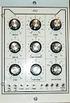 fpa 147 Week 6 Synthesis Basics In the early 1960s, inventors & entrepreneurs (Robert Moog, Don Buchla, Harold Bode, etc.) began assembling various modules into a single chassis, coupled with a user interface
TerraTec Electronic GmbH, Herrenpfad 38, D-41334 Nettetal, Germany
 TERRATEC PRODUCER/SINE MB 33 II English Manual Version 1.0, last revised: November 2003 CE Declaration We: TerraTec Electronic GmbH, Herrenpfad 38, D-41334 Nettetal, Germany hereby declare that the product:
Graham s Guide to Synthesizers (part 1) Analogue Synthesis
 Graham s Guide to Synthesizers (part ) Analogue Synthesis Synthesizers were originally developed to imitate or synthesise the sounds of acoustic instruments electronically. Early synthesizers used analogue
AALTO QUICKSTART version 1.0
 AALTO QUICKSTART version 1.0 Welcome to Aalto! This quickstart guide assumes that you are familiar with using softsynths in your DAW or other host program of choice. It explains how Aalto's dial objects
the minimoog synthesizer operation manual
 the minimoog synthesizer operation manual MOOG MUSIC INC. Academy Street (P.O. Box 131) Williamsville, NY 14221 A GUIDE TO THE OPERATION OF THE MINI MOOG MODEL D contents introduction basic mini moog features
TOA 900 SERIES II MIXER POWER AMPLIFIER
 Operating Instructions TOA 900 SERIES II MIXER POWER AMPLIFIER A-903MK2 A-906MK2 A-912MK2 TO REDUCE THE RISK OF ELECTRICAL SHOCK, DO NOT REMOVE COVER. NO USER SERVICEABLE PARTS INSIDE. REFER SERVICING
Contents. Safety Warnings... 1
 Contents Safety Warnings... 1 Unpacking the GQ600... 1 Introduction... 2 GQ600 Filter Characteristics... 2 1/3 Octave Centre Frequencies... 4 Front Panel Functions... 5 Rear Panel Functions... 6 Specifications...
SYSTEM MIX PLUS. Owner's Manual DIGITAL MUSIC CORPORATION
 SYSTEM MIX PLUS Owner's Manual 1 Table of Contents 1. Introduction.................. 2 1.1 Overview 1.2 Unpacking 2. Operation................... 3 2.1 Front Panel 2.2 Rear Panel 3. Mixer.....................
INTRODUCTION. Please read this manual carefully for a through explanation of the Decimator ProRackG and its functions.
 INTRODUCTION The Decimator ProRackG guitar noise reduction system defines a new standard for excellence in real time noise reduction performance. The Decimator ProRackG was designed to provide the maximum
Final Report. Hybrid Synth by Synthesize Me. Members: Jamie Madaris Jack Nanney
 Final Report Hybrid Synth by Synthesize Me Members: Jamie Madaris Jack Nanney Project Abstract Our Senior Design project is a Digitally-Controlled Analog Synthesizer. The synthesizer consists of both digital
Understanding and using your. moogerfooger. MF-101 Lowpass Filter
 Understanding and using your moogerfooger MF-101 Lowpass Filter Welcome to the world of moogerfooger Analog Effects Modules! Your Model MF- 101 Lowpass Filter is a rugged, professional-quality instrument,
Perseus. Owner s Manual. Vacuum Tube Preamplifier. Rogue Audio, Inc. 3 Marian Lane Brodheadsville, PA 18322. Issue date: 02/01/06
 Perseus Vacuum Tube Preamplifier Owner s Manual Rogue Audio, Inc. 3 Marian Lane Brodheadsville, PA 18322 Issue date: 02/01/06 TABLE OF CONTENTS 1) Introduction 2 2) Unpacking the Perseus Preamplifier 2
FREQUENCY RESPONSE ANALYZERS
 FREQUENCY RESPONSE ANALYZERS Dynamic Response Analyzers Servo analyzers When you need to stabilize feedback loops to measure hardware characteristics to measure system response BAFCO, INC. 717 Mearns Road
A-145 LFO. 1. Introduction. doepfer System A - 100 LFO A-145
 doepfer System A - 100 FO A-145 1. Introduction A-145 FO Module A-145 (FO) is a low frequency oscillator, which produces cyclical control voltages in a very wide range of frequencies. Five waveforms are
User Manual. CFG253 3 MHz Function Generator 070-8362-04
 User Manual CFG253 3 MHz Function Generator 070-8362-04 Copyright Tektronix, Inc. 1993. All rights reserved. Tektronix products are covered by U.S. and foreign patents, issued and pending. Information
8 CHANNEL MIDI-TO-CV INTERFACE USER MANUAL. Version 3.1
 8 CHANNEL MIDI-TO-CV INTERFACE USER MANUAL Version 3.1 TABLE OF CONTENTS 1. CONNECTIONS (Rear Panel) 2. SWITCHING THE MCV8 ON 3. Operation 3.1. PRESETS 3.2. OUTPUTS 3.3. CHANNEL 3.4. EVENT 3.5. CONTROLLER
MIDImplant micro MIDI-2-CV device version 3.8
 MIDImplant micro MIDI-2-CV device version 3.8 USER MANUAL Roman Sowa 2015 www.midimplant.com 1. Overview Thank you for choosing MIDImplant as your new MIDI2CV converter. This short manual will guide you
Sequential multi-effect sequencer
 Sequential multi-effect sequencer WHAT IS IT INTRODUCTION Sequential is a dynamic multi-effect that allows you to trigger different processing and synthesis algorithms in a rhythmical fashion. It features
5U Oakley Modular Series
 Oakley Sound Systems 5U Oakley Modular Series VC-LFO Low Frequency Oscillator PCB Issue 3 User Manual V3.0.00 Tony Allgood B.Eng PGCE Oakley Sound Systems CARLISLE United Kingdom The suggested panel layout
Limited WARRANTY: Make Noise implies and accepts no responsibility for harm to person or apparatus caused through operation of this product.
 Function Limited WARRANTY: Make Noise warrants this product to be free of defects in materials or construction for a period of one year from the date of purchase (proof of purchase/invoice required). Malfunction
KEYBOARD EXTENDED RANGE. Sixty Owner, s Manual P/N 049254
 THE SOUND THAT CREATES LEGENDS KEYBOARD EXTENDED RANGE Sixty Owner, s Manual P/N 049254 INTRODUCTION Your new Fender KXR 60 Keyboard Amplifier is the result of Fender s ongoing dialog with many of today
1. Introduction. doepfer System A - 100 MIDI-CV/SYNC Interface A-190
 doepfer System A - 100 MIDI-CV/SYNC Interface A-190 1. Introduction A To install the A-190 please look at the important information on p. 4! The A-190 is a MIDI-CV/SYNC Interface, with which you can control
BXR. Owner, s Manual. One hundred BASS EXTENDED RANGE P/N 040695
 THE SOUND THAT CREATES LEGENDS BASS EXTENDED RANGE BXR One hundred Owner, s Manual P/N 040695 BXR 100 Owner s Manual Congratulations on your purchase of the Fender BXR 100 Bass amplifier. The Fender BXR
Daker DK 1, 2, 3 kva. Manuel d installation Installation manual. Part. LE05334AC-07/13-01 GF
 Daker DK 1, 2, 3 kva Manuel d installation Installation manual Part. LE05334AC-07/13-01 GF Daker DK 1, 2, 3 kva Index 1 Introduction 24 2 Conditions of use 24 3 LCD Panel 25 4 Installation 28 5 UPS communicator
PSP3. Stereo M/S preamplifier. User manual
 PSP3 Stereo M/S preamplifier User manual AETA AUDIO 361, avenue du Général de Gaulle 92140 Clamart FRANCE Tél. +33 (0)1 41361212 Fax +33 (0)1 41361213 Telex 631178 Web : http://www.aetausa.com 55 000 020
Evolution USB Keyboards. 249/361 USB MIDI Controller Keyboard
 Evolution USB Keyboards 249/361 USB MIDI Controller Keyboard 225C/249C/361C USB MIDI Controller Keyboard with additional programmable rotary controllers WWW.EVOLUTION.CO.UK EVOLUTION 249/361/225C/249C/361C
Owner s Manual 900.4. 4 channel amplifier
 Owner s Manual 900.4 4 channel amplifier THANK YOU Limited Warranty: for purchasing RE AUDIO Bluetooth amplifiers BT-900.4. With almost no sacrifice on sound quality, BT-900.4 easily plays the music from
THE MclNTOSH MC 2100 SOLID STATE STEREO POWER AMPLIFIER
 THE MclNTOSH MC 2100 SOLID STATE STEREO POWER AMPLIFIER Price $1.25 Your MC 2100 stereo amplifier will give you many years of pleasant and satisfactory performance. If you have any questions concerning
MODEL 2202IQ (1991-MSRP $549.00)
 F O R T H E L O V E O F M U S I C F O R T H E L O V E O F M U S I C MODEL 2202IQ (1991-MSRP $549.00) OWNER'S MANUAL AND INSTALLATION GUIDE INTRODUCTION Congratulations on your decision to purchase a LINEAR
Congratulations! Thank you!
 TM-47 ORDERCODE D1370 Congratulations! You have bought a great, innovative product from DAP Audio. The DAP Audio Microphone range brings excitement to any venue. Whether you want simple plug-&-play action
OWNER'S MANUAL. AtlasSound.com PA601 COMMERCIAL AMPLIFIER. PA601 Commercial Amplifier. Power. Master
 Signal Peak Power Power On Off Master PA601 Commercial Amplifier TABLE OF CONTENTS Safety Instructions.....2 Introduction, Features, and Applications......3 Safety Precautions.........4 Front Panel Description......6
Tone Hammer 500. Owners Manual. Manual Version 1.0
 Tone Hammer 500 Owners Manual Manual Version 1.0 1. Incorporating the preamp from the popular Tone Hammer preamp/di pedal this superlight bass head combines three bands of flexible EQ, a colorful "Drive"
The dsp-g1 MIDI-Synthesizer Chip. The smallest Analog Modeling Synthesizer in the world. Application Manual v1.0
 The dsp-g1 MIDI-Synthesizer Chip The smallest Analog Modeling Synthesizer in the world Application Manual v1.0 The dsp-g1 MIDI-Synthesizer Chip The dsp-g1 synthesizer is a chip that contains a full analog
Footswitch Controller OPERATING INSTRUCTIONS
 MIDI Solutions Footswitch Controller OPERATING INSTRUCTIONS MIDI Solutions Footswitch Controller Operating Instructions M404-100 2012 MIDI Solutions Inc. All rights reserved. MIDI Solutions Inc. PO Box
EC4.8. BalancedReferencePreamplifier. Owner smanual ENG
 EC4.8 BalancedReferencePreamplifier Owner smanual ENG Unpacking the EC 4.8 Immediately upon receipt of the EC 4.8, inspect the carton for possible damage during shipment. The carton and packaging have
Features, Benefits, and Operation
 Features, Benefits, and Operation 2014 Decibel Eleven Contents Introduction... 2 Features... 2 Rear Panel... 3 Connections... 3 Power... 3 MIDI... 3 Pedal Loops... 4 Example Connection Diagrams... 5,6
PS 155 WIRELESS INTERCOM USER MANUAL
 PS 155 INTERFACE TO SIMPLEX WIRELESS INTERCOM USER MANUAL Issue 2011 ASL Intercom BV DESIGNED AND MANUFACTURED BY: ASL INTERCOM BV ZONNEBAAN 42 3542 EG UTRECHT THE NETHERLANDS PHONE: +31 (0)30 2411901
DOEPFER System A-100 USB/Midi-to-CV/Gate A-190-4 1. Introduction
 DOEPFER System A-100 USB/Midi-to-CV/Gate A-190-4 1. Introduction Before installing the A-190-4 please read the importand note on page 5! The A-190-4 is a MIDI- CV/SYNC Interface, capable to control any
BXR 300C BXR 300R. Owner, s Manual P/N 040294
 THE SOUND THAT CREATES LEGENDS BXR 300C BXR 300R Owner, s Manual P/N 040294 INTRODUCTION The Fender BXR 300 AMPLIFIER is the most recent effort in state of the art bass amplifier technology, and is a member
************* OWNER'S MANUAL BAMF800/2 BAMF1250/2 BAMF1800/2 BAMF2200/2 BAMF2600/2 BAMF1200/4 BAMF1600/4 BAMF2000/1D BAMF4000/1D BAMF5500/1D
 ************* OWNER'S MANUAL BAMF800/2 BAMF1250/2 BAMF1800/2 BAMF2200/2 BAMF2600/2 BAMF1200/4 BAMF1600/4 BAMF2000/1D BAMF4000/1D BAMF5500/1D INTRODUCTION Power Acoustik amplifiers provide high-performance
MPA-101. WARNING: Improper installation could result in damage to the amplifier and/or speakers. Read all instructions before installation.
 MPA-101 WARNING: Improper installation could result in damage to the amplifier and/or speakers. Read all instructions before installation. The lightning flash with arrowhead, within an equilateral triangle,
PCM Encoding and Decoding:
 PCM Encoding and Decoding: Aim: Introduction to PCM encoding and decoding. Introduction: PCM Encoding: The input to the PCM ENCODER module is an analog message. This must be constrained to a defined bandwidth
MANUAL PC1000R [email protected]
 MANUAL PC1000R [email protected] Features The APart PC1000R is a professional multisource CD/USB/SD card music player, equipped with balanced and unbalanced analog outputs, coaxial and optical digital
A-178 Theremin Volt. Source
 doepfer System A - 100 Theremin A-178 1. Introduction A-178 Module A-178 (Theremin Voltage Source) produces a variable control voltage which gets bigger the closer your hand gets to its antenna. You can
PERF10 Rubidium Atomic Clock
 Owner s Manual Audio Stanford Research Systems Revision 1.0 February, 2011 2 Certification Stanford Research Systems certifies that this product met its published specifications at the time of shipment.
Specifications Keyboard System Sounds Maximum Polyphony: PCM Memory: Program: Combination:
 Specifications Keyboard KROME-61 61-key: Natural Touch Semi Weighted keyboard *Standard C2 - C7 (transposable in the range [C1...C6]-[C3...C8]) KROME-73 73-key: Natural Touch Semi Weighted keyboard *Standard
What you will do. Build a 3-band equalizer. Connect to a music source (mp3 player) Low pass filter High pass filter Band pass filter
 Audio Filters What you will do Build a 3-band equalizer Low pass filter High pass filter Band pass filter Connect to a music source (mp3 player) Adjust the strength of low, high, and middle frequencies
Table Of Contents. Introduction 5. Connections 7. Basic Operations 9. Editing Programs 21. Programming Velocity Sensitivity 25
 Table Of Contents Page 1 Table Of Contents Introduction 5 Welcome!............................................................................. 5 About This Manual......................................................................
INSTRUCTIONS FOR MIDI INTERFACE JUPITER 6 USING THE MIDI INTERFACE
 KENTON electronics INSTRUCTIONS FOR MIDI INTERFACE JUPITER 6 USING THE MIDI INTERFACE The Kenton MIDI add-on for the Jupiter 6 provides for MIDI control of the following functions :- Pitchbend, Modulation
Lab 1: The Digital Oscilloscope
 PHYSICS 220 Physical Electronics Lab 1: The Digital Oscilloscope Object: To become familiar with the oscilloscope, a ubiquitous instrument for observing and measuring electronic signals. Apparatus: Tektronix
Stage 112. Owner, s Manual P/N 039080
 THE SOUND THAT CREATES LEGENDS Stage 112 Owner, s Manual P/N 039080 Standard Strat / General Purpose / Any Position Try this: On Me Drive Channel for a real bluesy sound, use Me neck pick- up with Me guitar
microgranny 2.0 manual draft
 microgranny 2.0 manual draft Introduction microgranny 2.0 (further only microgranny) is a monophonic granular sampler with MIDI input and 8-bit audio input. It has 6 big buttons, each of which plays a
Operation Manual for Users
 Operation Manual for Users Model No.: FLTAMFMRCD!!!!!!!!!! ATTENTION!!!!!!!!!! THE RESET BUTTON MUST BE PRESSED TO ENSURE PROPER OPERATION. SEE INSTRUCTION MANUAL Table of Contents Table of Contents ---------------------------------------------------------------------------------------------
The Sonometer The Resonant String and Timbre Change after plucking
 The Sonometer The Resonant String and Timbre Change after plucking EQUIPMENT Pasco sonometers (pick up 5 from teaching lab) and 5 kits to go with them BK Precision function generators and Tenma oscilloscopes
Advantium 2 Plus Alarm
 ADI 9510-B Advantium 2 Plus Alarm INSTALLATION AND OPERATING INSTRUCTIONS Carefully Read These Instructions Before Operating Carefully Read These Controls Corporation of America 1501 Harpers Road Virginia
ECD 2 High Performance Balanced DAC. 24 Bit /192kHz. Owner's Manual
 ECD 2 High Performance Balanced DAC 24 Bit /192kHz Owner's Manual EN Unpacking the ECD 2 Immediately upon receipt of the ECD 2, inspect the carton for possible damage during shipment. If the carton is
EXPERIMENT NUMBER 5 BASIC OSCILLOSCOPE OPERATIONS
 1 EXPERIMENT NUMBER 5 BASIC OSCILLOSCOPE OPERATIONS The oscilloscope is the most versatile and most important tool in this lab and is probably the best tool an electrical engineer uses. This outline guides
PagePac PAGEPAL V-5335700
 PagePac Issue 3 by PAGEPAL V-5335700 INTRODUCTION The PagePal unit interfaces most telephone systems (PBX, KTS, Centrex) to virtually any public address audio system. In addition, PagePal furnishes inputs
PRO MPA II. ART PRO MPA II Microphone Preamplifier USER S GUIDE
 PRO MPA II ART PRO MPA II Microphone Preamplifier USER S GUIDE IMPORTANT SAFETY INSTRUCTIONS READ FIRST This symbol, wherever it appears, alerts you to the presence of uninsulated dangerous voltage inside
How To Use A Cdm250 Digital Multimeter
 User Manual CDM250 Digital Multimeter 070-6736-03 Copyright Tektronix, Inc. 1987. All rights reserved. Tektronix products are covered by U.S. and foreign patents, issued and pending. Information in this
BroadBand PowerShield. User Manual
 BroadBand PowerShield User Manual 990-0375G 12/2006 Chapter 1 General Information The PowerShield provides a power source for broadband telephony and other DC applications. Safety This Safety Guide contains
JAD SERIES OWNER S MANUAL. JAD900.5 5 Channel Full Range Class D Amplifier
 JAD SERIES OWNER S MANUAL JAD900.5 5 Channel Full Range Class D Amplifier Authorized Dealer Name: Purchase Date: Model Number: Serial Number: JAD900.5 PERFORMANCE MODEL: RMS Power (4 Ohms, Stereo) RMS
2-3 SAS/SATA II HDD Canister USER S MANUAL XC-23D1-SA10-0-R. Document number: MAN-00076-A
 2-3 SAS/SATA II HDD Canister XC-23D1-SA10-0-R USER S MANUAL Document number: MAN-00076-A ii Preface Important Information Warranty Our product is warranted against defects in materials and workmanship
User's Guide. Integrating Sound Level Datalogger. Model 407780. Introduction
 User's Guide 99 Washington Street Melrose, MA 02176 Phone 781-665-1400 Toll Free 1-800-517-8431 Visit us at www.testequipmentdepot.com Back to the Extech 407780 Product Page Integrating Sound Level Datalogger
Hegel H1 High End Integrated Amplifier
 Hegel H1 High End Integrated Amplifier www.hegel.com [email protected] USER GUIDE Congratulations on your new HEGEL! Our products are based on a simple philosophy: The component shall reproduce the original
DOEPFER. Analog Synthesizer Kit DIY SYNTH. User's Guide
 DOEPFER Analog Synthesizer Kit DIY SYNTH User's Guide 2010 by Doepfer Musikelektronik GmbH Geigerstr. 13 82166 Graefelfing Deutschland / Germany Phone: + 49 89 89809510 Fax: + 49 89 89809511 Web Site:
IRT Eurocard. Type DAX-3206. Audio Extractor for 270 Mb/s SDI
 I R T Electronics Pty Ltd A.B.N. 35 000 832 575 26 Hotham Parade, ARTARMON N.S.W. 2064 AUSTRALIA National: Phone: (02) 9439 3744 Fax: (02) 9439 7439 International: 61 2 9439 3744 61 2 9439 7439 Email:
Business Audio System: Music & Messaging MP3 Player. by Grace Digital Audio. User Guide. Model No. GDI-USBM10
 Business Audio System: Music & Messaging MP3 Player by Grace Digital Audio User Guide Model No. GDI-USBM10 User Guide Contents Introduction 2 Safety & General Use Information 2 Features 3 Set Up & Operation
MCA Series Multi-Channel Amplifiers. Operation Manual
 MCA Series Multi-Channel Amplifiers Operation Manual February 2012 Biamp Systems, 9300 SW Gemini Drive, Beaverton, Oregon 97008 U.S.A. (503) 641-7287 www.biamp.com IMPORTANT SAFETY INSTRUCTIONS IMPORTANT
PRO DI PRO D2. User Guide. Direct Box. Stereo Direct Box
 www.radialeng.com PRO DI Direct Box PRO D2 Stereo Direct Box User Guide 1638 Kebet Way, Port Coquitlam BC V3C 5W9 tel: 604-942-1001 fax: 604-942-1010 email: [email protected] web: www.radialeng.com PRO
SURROUND MASTER. User Manual 1.0. English. Copyright 2012 Involve Audio
 SURROUND MASTER SM-465 User Manual 1.0 English Copyright 2012 Involve Audio This manual is available in multiple languages on our web site. www.involveaudio.com Welcome to a whole new world of sound! KEY
DAB+ / FM Tuner Model: TU-201
 DAB+ / FM Tuner Model: TU-201 Instruction Manual www.pulse-audio.co.uk 1 Safety Information The lightning bolt within a triangle is intended to alert the user to the presence of dangerous voltage levels
HP 8970B Option 020. Service Manual Supplement
 HP 8970B Option 020 Service Manual Supplement Service Manual Supplement HP 8970B Option 020 HP Part no. 08970-90115 Edition 1 May 1998 UNIX is a registered trademark of AT&T in the USA and other countries.
APPLICATION NOTE AP050830
 APPLICATION NOTE AP050830 Selection and use of Ultrasonic Ceramic Transducers Pro-Wave Electronics Corp. E-mail: [email protected] URL: http://www.prowave.com.tw The purpose of this application note
ELECTRICAL AUDIO EApreq
 ELECTRICAL AUDIO EApreq (Preliminary Info) The EAPreq is a two channel transformer-based microphone preamp/equalizer. The preamp is designed to allow the character of the input transformer to color the
Constructing a precision SWR meter and antenna analyzer. Mike Brink HNF, Design Technologist.
 Constructing a precision SWR meter and antenna analyzer. Mike Brink HNF, Design Technologist. Abstract. I have been asked to put together a detailed article on a SWR meter. In this article I will deal
MR8 Loop System OWNER'S MANUAL
 MR8 Loop System OWNER'S MANUAL Contents Introduction... 3 Warranty... 4 Precautions... 5 Front panel... 6 Rear panel... 7 Block diagram... 9 Loop configurations. 10 Control functions. 12 Midi Control Assignments...
CelluLine CGW-TS GSM Cellular Gateway. Installation and Programming Manual
 CelluLine CGW-TS GSM Cellular Gateway Installation and Programming Manual CelluLine CGW-TS GSM Cellular Gateway Installation and Programming Manual CGWTS-M001A Version 1, Release 1, December 2004 NOTICE
DDX 7000 & 8003. Digital Partial Discharge Detectors FEATURES APPLICATIONS
 DDX 7000 & 8003 Digital Partial Discharge Detectors The HAEFELY HIPOTRONICS DDX Digital Partial Discharge Detector offers the high accuracy and flexibility of digital technology, plus the real-time display
Agilent 8904A Multifunction Synthesizer dc to 600 khz
 Agilent 8904A Multifunction Synthesizer dc to 600 khz Technical Specifications Build complex waveforms from common signals The Agilent Technologies 8904A Multifunction Synthesizer uses VLSIC technology
Hegel H80 High End Integrated Amplifier. User manual
 Hegel H80 High End Integrated Amplifier User manual USER GUIDE Congratulations on your new HEGEL H80! All Hegel products are based on a simple philosophy: The audio reproduction instrument shall reproduce
GENERATOR START CONTROL MODULE - MINI (2 Wire to 3 Wire)
 FEATURES & APPLICATIONS Inexpensive 2 wire to 3 wire start controller for electric start high speed gas generators. Optimized for use with Outback Invertors. Supports three types of 3 wire generator control
TOTALLY SOLID STATE NON-DIRECTIONAL RADIO BEACONS 190-535 khz
 TOTALLY SOLID STATE NON-DIRECTIONAL RADIO S 190-535 khz This family of radio transmitters has been developed as extremely efficient, highly reliable Non Directional Beacons. ND2000A/4000A» MODULAR CONSTRUCTION»
CX Zoner Installation & User Guide
 CX Zoner Installation & User Guide Cloud Electronics Limited 140 Staniforth Road, Sheffield, S9 3HF England Tel +44 (0)114 244 7051 Fax +44 (0)114 242 5462 e-mail [email protected] web site http://www.cloud.co.uk
GCX. Guitar Audio Switcher OWNER S MANUAL
 GCX Guitar Audio Switcher OWNER S MANUAL Please visit our web site at: www.voodoolab.com Copyright 1998 by Digital Music Corporation. This publication is protected by copyright and all rights are reserved.
RX-18B ORDERCODE D3314
 RX-18B ORDERCODE D3314 Congratulations! You have bought a great, innovative product from DAP Audio. The DAP Audio RX-18B brings excitement to any venue. Whether you want simple plug-&-play action or a
USER MANUAL. 914 Power Amplifier MODEL: P/N: 2900-300280 Rev 1
 KRAMER ELECTRONICS LTD. USER MANUAL MODEL: 914 Power Amplifier P/N: 2900-300280 Rev 1 Contents 1 Introduction 1 2 Getting Started 2 2.1 Achieving the Best Performance 2 3 Overview 3 3.1 Energy Star 3
How To Install A Power Supply (Uplast) With A Battery Pack
 APC Smart-UPS RT SURTA48XLBP/SURTA48XLBPJ External Battery Pack User Manual Introduction/Before Installation About this Manual The APC Smart-UPS RT external battery pack (SURTA48XLBP or SURTA48XLBPJ) connects
Liquid Carbon Balanced Transportable Headphone Amplifier. Cavalli audio. Copyright 2015-2016 Cavalli Audio, LLC All Rights Reserved
 Liquid Carbon Balanced Transportable Headphone Amplifier Cavalli audio All Rights Reserved Page 2 of 15 Congratulations! You re now the proud owner of the Cavalli Audio Liquid Carbon Balanced Transportable
HP UPS R1500 Generation 3
 HP UPS R1500 Generation 3 Installation Instructions Part Number 650952-001 NOTE: The rating label on the device provides the class (A or B) of the equipment. Class B devices have a Federal Communications
Installation and Operation Manual Back-UPS BX800CI-AS/BX1100CI-AS
 + Installation and Operation Manual Back-UPS BX800CI-AS/BX1100CI-AS Inventory Safety and General Information bu001c This unit is intended for indoor use only. Do not operate this unit in direct sunlight,
A/DA PEDAL PREAMP APP-1 USER S MANUAL
 A/DA PEDAL PREAMP APP-1 USER S MANUAL APP-1 Users Manual V.2 A/DA s new APP 1 Pedal Preamp is built around our new patent pending D TORSION CORE technology, which is very responsive, reacting to the signal
VK-250 WARRANTY REGISTRATION FORM
 VK-250 WARRANTY REGISTRATION FORM Unit Serial Number: Customer Name: Address: Date of Purchase: Purchased From: Dealer Name: Address: IMPORTANT NOTE: In order to receive the full five year product warranty,
CONTROL SWITCHER User s Manual (Preliminary)
 CONTROL SWITCHER User s Manual (Preliminary) www.voodoolab.com Copyright 2010 by Digital Music Corporation. This publication is protected by copyright and all rights are reserved. Voodoo Lab, Control Switcher,
Analog Synthesizer / Moogfest 2014 Kit
 Analog Synthesizer / Moogfest 2014 Kit ASSEMBLY INSTRUCTIONS & USER S MANUAL IMPORTANT SAFETY INSTRUCTIONS WARNING - WHEN USING ELECTRIC PRODUCTS, THESE BASIC PRECAUTIONS SHOULD ALWAYS BE FOLLOWED. 1.
ABB Drives. User s Manual. Pulse Encoder Interface Module RTAC-01
 ABB Drives User s Manual Pulse Encoder Interface Module RTAC-0 Pulse Encoder Interface Module RTAC-0 User s Manual 3AFE 64486853 REV A EN EFFECTIVE:.5.00 00 ABB Oy. All Rights Reserved. Safety instructions
Digital FM/AM Receiver
 Digital FM/AM Receiver Model RM-350D User s Guide 54-5021-01 9609 Printed in USA Specifications Band Coverage............ AM.....................530-1620KHz FM......................87.5-107.9MHz Tuning....................PLL