
the minimoog synthesizer operation manual
|
|
|
- Cora Williams
- 9 years ago
- Views:
Transcription
1 the minimoog synthesizer operation manual MOOG MUSIC INC. Academy Street (P.O. Box 131) Williamsville, NY A GUIDE TO THE OPERATION OF THE MINI MOOG MODEL D contents introduction basic mini moog features audio, control, and timing signals setting up the instrument output section oscillator bank controllers modulation mix other controllers mixer modifiers filter and filter contour loudness contour accessories options s-trigger left-hand controller tuning procedures Page 1

2 introduction An electronic music synthesizer is a musical instrument whose circuitry can be interconnected and set up in a large variety of ways to produce a broad spectrum of musical sounds. The component circuit controls and interconnections of the Mini Moog Synthesizer are arranged in a logical and convenient way which is ideal for live performance. The purpose of this manual is to acquaint you with the component circuitry of the Mini Moog and the operation of each of the controls and switches regulating the generators, modifiers, and control devices involved in the synthesizing of a musical sound. After proceeding step by step through the instructions outlined below, you should be ready to begin using your instrument creatively and efficiently. basic mini moog features The Mini Moog contains the basic components and features to be found on larger, studio-oriented synthesizers. Its five sound sources include three oscillators for the production of pitched tones, one noise source for the production of unpitched sounds, and one microphone preamplifier for the introduction of live signals. Mixer controls are available for balancing these signals. Sound modifiers include a lowpass filter and an amplifier, both of which have their own contour generators. The control devices include a 44-note keyboard for use by the right hand, and two wheel controls and two switches for use by the left hand. Provision is made at the rear of the instrument for connecting external controlling devices such as sequencers, foot pedals, and two-dimensional (joystick) controllers. These may be used to control volume, pitch, and filter characteristic. Timing signals may also be introduced to trigger the contour generators. audio, control, and timing signals Sound travels through the Mini Moog circuitry in the form of electrical signals which are called AUDIO signals. These audio signals are generated by the five sound sources, and after undergoing extensive modification emerge as the output signal. It is this signal, amplified, which is translated into sound by your speaker system. Page 2

3 There are two other types of signals which are not heard directly as sound, but instead are used to influence the way in which the generating and modifying circuitry performs: CONTROL signals are used to change the pitches of the oscillators, the characteristics of the filter, and the amount of amplification by the amplifier. These control signals are responsible for all of the musically significant changes and contours in the musical sounds produced by the Mini Moog. TIMING signals come from the keyboard (or from an external source) and are used to trigger, or start off, the contours which open and close the filter and amplifier. A timing signal begins whenever a key on the keyboard is depressed, and stops when all keys are released. Timing signals are used to initiate and terminate musical sounds, whereas control signals are used to shape and change these sounds while they occur. setting up the instrument Place the instrument at a convenient level for playing and secure the Front Panel in the "up" position by means of the metal bracket underneath. 1. Set all switches in the off position (left-hand or bottom half depressed). 2. Referring to Fig. 1, below, set all of the control knobs as indicated. 3. Plug the power cord into any conventional 117 Volt A.C. outlet. 4. Two 6' patch-cords are supplied with the Mini Moog. If you are using a portable, guitar-type amplifier, run the cord with the phone plug at each end from the LOW level MAIN OUTPUT jack on the rear connector strip of the Mini Moog to an input on your amplifier. If you are using a monitor amplifier, you will need to use the other cord. Plug the phone plug end into the HIGH level MAIN OUTPUT jack of the synthesizer, and run the small phono-plug at the other end into the high level input of the monitor amplifier (or into the line level input of a tape recorder). The following sections of this guide will be devoted to a systematic description of individual control functions in relation to the synthesizer's component circuits. Page 3

4 output section Fig. 1 The Output section of the front panel includes two basic switches: the POWER switch, which turns the instrument on and off, and the MAIN OUTPUT switch, which sends the final audio signal out the MAIN OUTPUT jacks at the rear and into your amplifier. In addition, there are volume controls for the MAIN OUTPUT and HEADPHONE signals, and an A-440 switch, all of which will be described below. 1. Turn on the POWER switch (P). The instrument should generally be given about ten minutes to warm up before tuning and playing. Once warmed up, there is practically no limit to the length of time it may be kept on and in use. 2. Turn on switches (B) and (C) and the MAIN OUTPUT switch (M). Adjust the volume control on your amplifier so that, as you play the keyboard, fairly loud tones are heard. Further adjustments in the overall volume may be made with the MAIN OUTPUT VOLUME control (26) 3. Briefly turn on the A-440 switch (Q). This signal will be used for tuning the instrument, and is not used during actual performance. The tuning procedure will be described in the controllers section, step A separate output is available for headphones, in addition to the MAIN OUTPUT. For quiet practice, or for tuning up prior to performance, the MAIN OUTPUT switch may be turned off, so that the audio signal is not fed into the amplifier. A pair of low impedance headphones with a stereo plug may be plugged into the jack labelled PHONES (N). The HEADPHONE VOLUME control (27) is then used to regulate the volume of the headphone signal. Page 4

5 Front Panel Diagram oscillator bank This group of circuits contains three separate and independent oscillators. Each oscillator produces a waveform which repeats regularly, thereby giving rise to a tone of definite pitch. The audio signal outputs of the three oscillators are activated by turning on mixer switches (C), (E), and (G). Since switch (C) is now on, we are hearing the output of oscillator 1, which is the top row of controls (4, 5, and 12). 1. The RANGE switch (4) determines the pitch range in which the oscillator functions. Press down a key in the middle of the keyboard, and turn the RANGE switch through its 6 positions. You will hear that all positions except the lowest are separated by one octave. The LO position produces sub-audio clicks which may be used for rhythmic effect. Return the switch to its 8 position. 2. The WAVEFORM switch (5) selects one of six waveforms, each of which has a different overtone spectrum, and therefore produces a different basic tone quality. From left to right, the available waveforms are: triangular, sawtooth-triangular, sawtooth, square, wide rectangular, and narrow rectangular. (Oscillator 3 substitutes a reverse sawtooth for the sawtooth-triangular.) Hold a key down and run the WAVEFORM switch through its positions, noticing how the tone quality changes. The triangular waveform has the least harmonic content; the narrow rectangular has the most. Generally your ear will be your best guide in deciding which waveform to use for a particular quality. Page 5

6 3. The VOLUME control (12) adjusts the amount of Oscillator 1 signal which is fed to the mixer, while switch (C) instantly turns the oscillator on or off. Oscillators 2 and 3 may be heard by turning on switches (E) and (G) respectively, and their relative volumes may be adjusted with VOLUME controls (13) and (14). 4. FREQUENCY controls (7 and 10) are found only on Oscillators 2 and 3. These controls raise or lower the pitch of their oscillator by as much as a major sixth with respect to Oscillator 1. To hear this, turn on switches (C) and (E), turn off (G), and depress a key. Adjust control (7) until the pitches of Oscillators 1 and 2 are nearly in unison. As you move up and down the keyboard, the pitches of the two oscillators will move together. Now turn control (7) clockwise while depressing a key, until a perfect fifth is made. Once again, this interval will remain constant as you play different notes on the keyboard. Any intervals within the range of the oscillators may be set up simply by setting the RANGE switches and FREQUENCY controls appropriately. 5. By turning off the OSCILLATOR 3 CONTROL switch (B), Oscillator 3 may be disconnected from the control of the keyboard. To observe this, turn off switches (B), (C), and (E), and turn on switch (G). The pitch of the oscillator will not change as different keys are struck. You will also observe that Oscillator 3's FREQUENCY control has a much wider range when switch (B) is off. If you hold down one key and turn control (10) through its range, you will hear a frequency sweep of 6 octaves rather than one octave. controllers This section will demonstrate the use of the controls located to the left of the Oscillator Bank (used in tuning and setting up a sound), as well as the keyboard and the manual controls on the panel to its left (used during performance). All of these controls have an effect on the oscillators' pitches, while the Modulation Mix and keyboard may also be used to control the filter. modulation mix Oscillator 3, unlike Oscillators 1 and 2, is available as a control signal in addition to functioning as an audio signal. As a control signal, it may be mixed with the output of the Noise Source using the MODULATION MIX control (3) and introduced whenever the performer wishes, using the MODULATION wheel (29). The procedure described below will familiarize you with the use of the Modulation Mix in controlling the pitch of Oscillator 1: Page 6

7 1. Turn off switch (B), so that the pitch of Oscillator 3 is not affected by the keyboard. 2. Turn off switch (G) and turn on switch (C). Now you are hearing Oscillator 1, but not Oscillator 3, when a key is depressed. 3. Set Oscillator 3's RANGE switch (9) to the LO position, its FREQUENCY control (10) to mid (0) position, and its WAVEFORM switch (11) to the triangular (extreme left) setting. This produces a very low frequency triangular waveform which oscillates only a few times a second. 4. Set the MODULATION MIX control to 0, so that its signal is that of Oscillator 3. Turn on the OSCILLATOR MODULATION SWITCH (A). This switch directs the Modulation Mix signal to control the oscillators' pitches. 5. The slowly varying output voltage of Oscillator 3 is now going through the MODULATION wheel (29) at the left of the keyboard, and from there may be applied to periodically change the oscillators' pitches (we will hear its effect on Oscillator 1). The MODULATION wheel is in effect a level control for the Modulation Mix. Slowly move the MODULATION wheel back and forth with your left hand while holding down a key with your right hand. The position of the Modulation wheel will determine the amount of variation you hear in the pitch of Oscillator Change the setting of Oscillator 3's FREQUENCY control and notice the resulting increase and decrease in the speed of the modulation 7. Change the setting of Oscillator 3's WAVEFORM switch and you will notice the change in the shape of the modulation. You should actually be able to hear the contours of the different waveforms the alternation of high and low tones in the square wave, the repeated upward glissandi of the sawtooth, etc. 8. The setting of the MODULATION MIX control determines the proportions of the mixture of Oscillator 3 and Noise Source. As you slowly turn this control clockwise, you will hear less periodic modulation and more random modulation. 9. Before continuing, defeat the oscillator modulation by turning off switch (A). other controllers 10. The PITCH wheel (28), located next to the MODULATION wheel to the left of the keyboard, is used to bend the pitch determined by the keyboard (as much as half an octave up or down) when the performer wishes to introduce expressive nuances to individual notes during performance. Depress a key, and move the PITCH wheel Page 7

8 back and forth with your left hand. Notice that you can reset the control by feel a detent mechanism holds it in its normal center position. 11. The TUNE control (1) is used to tune up the Mini Moog oscillators to the pitch of the ensemble in which it is being used, or to its A-440 reference tone. Check to see that switch (C) is on, and notice that, when a key is depressed, the pitch moves up and down by a few tones as the TUNE control is turned through its range. Make sure the PITCH wheel is in its center position, and turn on the A-440 switch (Q). Depress an A key on the keyboard, and adjust the TUNE control so that the two A's are in tune with each other. Turn off the A-440. The other two oscillators may now be tuned to Oscillator 1 using their FREQUENCY controls. 12. The GLIDE control (2) regulates the amount of portamento, or glide, heard between pitches as first one key and then another is depressed. This control is activated by turning on the GLIDE switch (R). Setting the GLIDE control at various levels, play a scale or arpeggio, first with the GLIDE switch on, then using the switch to introduce glide selectively between certain notes only. Notice that the further to the right control (2) is set, the longer it will take a tone to move from one pitch to the next. 13. Finally, the KEYBOARD itself functions as a controller. It produces a control signal which varies according to the position of the key struck. If more than one key is held down, only the lowest one has effect. The control output of the KEYBOARD is permanently connected to Oscillators 1 and 2. Switch (B) couples it to Oscillator 3. Switches (K) and (L) couple it to the filter, and are discussed in the modifiers section, step 8. The KEYBOARD also produces a timing signal each time a key is depressed. This will be discussed in the modifiers section in connection with filter and loudness contour controls. mixer Audio signals produced by the three oscillators, noise source, and microphone preamplifier are combined and balanced by the Mixer section's switches and volume controls. It is this composite signal, the output of the mixer, which is then modified by the filter and loudness contour controls and appears as the audio output signal of the Mini Moog. 1. The OSCILLATOR VOLUME controls (12, 13, and 14) are used to regulate the relative levels of the audio signals produced by the three oscillators. Switches (C), Page 8

9 (E), and (G) instantly turn the individual audio signals on and off. Switch (G) does not affect the control signal produced by Oscillator 3 via the Modulation Mix. The operation of these controls and switches has been discussed earlier. 2. The EXTERNAL INPUT VOLUME control (15) is connected to a microphone preamplifier. The input to this preamplifier is the phone jack on the rear panel labelled EXT. SIGNAL INPUT. Any sort of high impedance microphone signal or sound source may be fed into this input. This includes guitar microphone, voice microphone, wind instrument microphone, tape recorder output, radio, etc. Control (15) is adjusted so that the OVERLOAD light blinks on and off occasionally when loud sounds come through the external input. Switch (D) feeds this source into the mixer. 3. The NOISE VOLUME control (16) regulates the level of the signal produced by the Noise Source. This source generates a random waveform producing pitch-less sound. Two colors of noise are available white, or high-pitched, and pink, or lowpitched. These are selected by the Noise Quality switch (H), labelled WHITE/PINK. As an audio signal, the Noise Source may be fed into the mixer by turning on switch (F). As a control signal, it is available through the Modulation Mix, as described in the controllers section. modifiers The Modifiers section of the front panel features controls for the two sound modifiers, the Filter and the Loudness Contour, which respectively shape the overtone content and loudness/time contour of the audio signal as it passes through the modifying circuitry from the mixer. In order to hear the effect of these controls, begin by setting the controls in the oscillator and mixer sections as follows: Control Setting Oscillator MODULATION off SWITCH (A) Oscillator 1 RANGE (4) 16 Oscillator 1 WAVEFORM (5) narrow rectangular (extreme right) Oscillator 1 VOLUME (12) 7 Oscillator 1 MIXER switch (C) on Other mixer switches (D, E, F, G) off Switches (J) (K) (L) off The controls on the Modifiers section should still be set as shown in Fig. 1 of the section titled setting up the instrument. Page 9

10 filter and filter contour The Mini Moog features a wide-range lowpass filter. This filter attenuates, or cuts out, those frequency components of an audio signal which lie above a variable cutoff frequency, while passing those components which lie below it. 1. The CUTOFF FREQUENCY control (17) is used to set the filter's cutoff frequency. Hold down a key and turn this control first clockwise, then counter-clockwise. You will hear the tone become more shrill and then more muted, as the higher overtones are first allowed to pass and then attenuated. If control (17) is moved all the way to the left, the entire signal will be cut out. 2. The AMOUNT OF CONTOUR control (19) determines the amount of filter contour applied to the filter's cutoff frequency. Each time a key is depressed, a contour generator attached to the filter is actuated, and sends a control signal to the filter. The control signal rises at one rate, then falls at a second rate, and finally levels off at a certain level. This results in a corresponding rise, fall, and leveling off of the filter cutoff frequency, which we call the filter contour. Set the CUTOFF FREQUENCY to -2 and repeatedly depress and hold down a key while setting the AMOUNT OF CONTOUR at various levels. The more this control is turned up, the greater will be the increase and decrease in the brightness of each note. Controls (17) and (19) have an additive effect on the cutoff frequency. 3. The ATTACK TIME control (20) determines the duration of the initial segment of the filter contour. The initial rise of the filter cutoff frequency can be as short as 10 milliseconds or as long as 10 seconds. (The frequency at which the contour begins is determined by control (17), while the peak which it reaches is determined by controls (17) and (19) combined.) Repeatedly depress a key while varying the setting of the ATTACK TIME control from left to right. You will hear the brightness of the note increase sharply at first, and then more gradually as the attack time increases. 4. The DECAY TIME control (21) determines the duration of the second segment of the contour, the fall from the initial peak to the sustain level. The range of this control is about the same as that of the previous control. Set the DECAY TIME control at various levels moving slowly from left to right, while repeatedly depressing a key. At first you will hear the brightness drop sharply after the initial attack; the drop will become more gradual as the decay time increases. Page 10

11 5. The SUSTAIN LEVEL control (22) determines the frequency at which the contour levels off after the initial rise and fall. The frequency of the sustain level can be as high as the initial peak, in which case there is no decay after the initial rise, or it can be as low as the frequency at which the contour began. To hear this most effectively, set the filter controls for CUTOFF FREQUENCY of -2, high AMOUNT OF CONTOUR, and medium DECAY TIME. Now repeatedly depress and hold down a key while setting control (22) at various levels. Set at 0, the contour decay effectively wipes out the signal; set in the middle, the brightness levels off at a frequency somewhere below the initial peak, and set at 10, the brightness of the note rises to an initial peak and remains there. 6. The EMPHASIS control (18) introduces a sharp resonance in the response of the filter at the cutoff frequency. The effect of this control can be heard very easily. To observe it, turn the AMOUNT OF CONTOUR fully to the left to shut off the contour signal, and turn the EMPHASIS control to 7. Depress a key, and turn the CUTOFF FREQUENCY control slowly throughout its range. You should hear the individual overtones of the oscillator waveform being emphasized one by one as the resonance passes over them. Now set the CUTOFF FREQUENCY to about -2, turn the AMOUNT OF CONTOUR all the way up, and repeatedly hold down a key while changing the settings of controls (20), (21), and (22). Notice how the filter contour is now heard as a sweep of the overtone series when (20) and (21) are turned up to about 7 seconds and (22) is set low. We have seen how the filter cutoff frequency may be controlled manually and using the filter contour controls. These are in addition to other means of controlling the filter. 7. The MODULATION MIX (3) of Oscillator 3 and the Noise Source may be used to modulate the filter cutoff frequency in exactly the same way it is employed to modulate the pitches of the oscillators. To direct the Modulation Mix to the filter, the FILTER MODULATION switch (J) must be turned on. Then the MODULATION wheel (29) can be moved forward with the left hand to introduce the desired amount of modulation as the keyboard is played with the right hand. To test this, turn (18) and (19) all the way down and set (17) to about 1 or 2. Make sure that the Oscillator Modulation switch (A) and Osc. 3 Control Switch (B) are off, and turn on switch (J). Page 11

12 Set the MODULATION MIX control all the way to the left. Oscillator 3's RANGE switch should be set to LO. You will observe as you did when applying the Modulation Mix to the oscillators that the modulation contour depends on the settings of the FREQUENCY and WAVEFORM controls of Oscillator 3. A more complex sound can be made by adding the effects of controls (18) and (19). 8. The two KEYBOARD CONTROL switches (K) and (L) apply the control signal produced by the keyboard to move the filter cutoff frequency up and down. This is important in setting up a sound, for if there is no keyboard control of the filter, the higher notes on the keyboard will sound duller than the lower ones, having more of their overtones attenuated. To observe the effect of these switches, turn off Oscillator 1 (C) and the Filter Modulation switch (J), and set control (17) to 0. Turn on the NOISE SOURCE (F) and set the Noise Quality switch (H) to WHITE. This feeds white noise through filter and amplifier. Turn on switches (K) and (L) and play up and down the keyboard. You will hear the brightness of the white noise increase and decrease according to the position of the key which you have depressed. Switch (K) couples a small amount of keyboard control; switch (L) couples a larger amount. When (K) and (L) are both on, the filter cutoff frequency moves in full response to the keyboard control signal. NOTE: When the EMPHASIS control is set to 10, the filter breaks into oscillation, and produces a pure sine wave tone. It thus is available as a sixth sound source within the Mini Moog. The pitch of this additional oscillator may be controlled by the five other controls on the keyboard. The sixth sound source may be used alone or mixed with the other sound sources to achieve a variety of complex effects. To hear the sixth sound source alone, set up the instrument as follows: Control Setting All Mixer switches (C,D,E,F,G) off Filter Modulation switch (J) off Keyboard Control switches (K & L) on Cutoff Frequency (17) -2 Emphasis (18) 10 Amount of Contour (19) 0 Now hold down or repeatedly strike a key, while experimenting with the following means of controlling pitch: Page 12

13 1. Manually, using CUTOFF FREQUENCY control. 2. Using Filter Contour Controls (19-22). 3. Using the Modulation Mix (see step 7 above). 4. Using the Keyboard. Differently tempered scales will result from different settings of (K) and (L). loudness contour The volume of the audio signal which passes through the Modifiers section of the Mini Moog is contoured by the Loudness Contour controls. These controls are connected to a contour generator which supplies a control signal to the amplifier. Like the filter contour signal, the loudness contour signal is composed of three segments initial rise, decay, and sustain level. Each time a key is struck, the contour generator is activated, and a note is shaped according to the settings of the contour controls. 9. The ATTACK TIME control (23) determines the duration of the initial rise in volume to a peak. Turn off the Noise Source (F) and turn on Oscillator 1 (C). Move control (23) back and forth while repeatedly pressing down a key. Notice the different qualities which a note takes on as a sharp attack becomes a slow crescendo. 10. The DECAY TIME control (24) determines the duration of the drop in volume from the initial peak to the sustain level. The decay can be sharp or gradual. 11. The SUSTAIN LEVEL control (25) determines the volume level at which the contour levels off after attack and decay. Set at 0, no sustain level is heard. Set at 5, the contour diminishes to a low volume. Set at 10, no drop in volume is heard after the initial peak is reached. 12. Finally, a DECAY switch (S) to the left of the keyboard allows the sound to fade out at the decay time set by control (24), rather than immediately upon release of a key. This final decay then, takes effect after the sustain level segment of the contour. To review the phases of the overall loudness contour: a key is first pressed down. This produces an initial rise in volume, a decay, and a leveling off. The key is then lifted, and the sound is either cut off immediately, or if the DECAY switch is on, fades at the rate set by control (24). Turning on the DECAY switch can impart a life-like quality to notes which seem to terminate too abruptly. 13. For sustained sounds and textures, a SHORTING PLUG is provided with the Mini Moog. If this plug is inserted in the TRIGGER INPUT jack at the rear of the instrument, the filter and loudness contours will be triggered and remain at the sustain level. The mixer output will then be amplified at a sustained volume whether Page 13

14 or not a key is held down. The keyboard will continue to provide a control signal for determining the oscillators' pitches and the filter's cutoff frequency, according to the settings of switches (B), (K), and (L). STANDARD ACCESSORIES SHIPPED WITH MINI-D SYNTHESIZER 1. Mini brochure & 1971 Catalog 2. Mini Instruction Manual 3. Warrantee (Reg. Postcard) 4. Shorting S-Trig Plug 5. "Back Panel Adjustment" Pamphlet 6. 6' Phone Cord 7. 6' Phone - Phono Cord 8. Optional Accessories List 6/12/ FOOT PEDAL OPTIONAL ACCESSORIES NOW AVAILABLE FOR USE WITH MINI MOOG MODEL D This controller can be used to control the volume of the output, pitch of the oscillators, or the cutoff frequency of the filter (timbre). Up to three may be used simultaneously to control all of these functions X-Y CONTROLLER This "joystick" simultaneously controls any two of the functions mentioned above. For instance, it can be used to produce vowel-like sounds by controlling the filter and pitch. 3. SEQUENTIAL CONTROLLER SYSTEM 960 Sequencer 961 Interface (optional) 962 Sequential Switch (optional) 910 Power Supply for above units Cabinet (portable or walnut console) This system will automatically and simultaneously control all three functions (pitch, timbre, and volume) in a repeating eight-event sequence. It also triggers the contour generators at the onset of each event. The 962 allows one to extend a sequence of Page 14

15 one function to up to 24 events (example: 24 note repeating bass line). The 961 extends flexibility in triggering the contour generators and can be used to synchronize the MINI MOOG with external equipment (example: tape recorded click track). AVAILABLE SOON 1. FOOT SWITCH A pair of these will allow the performer to engage momentarily GLIDE and DECAY functions. With a different plug, the foot switch will supply an external S-Trigger. 2. DUAL FOOT PEDAL Essentially this device will contain two 958 Foot Pedals for simultaneous control of timbre and volume. July, S-TRIG PLUG FOR MINI MOOG MODEL D When inserted, this plug keeps the contour generators "on" continuously. It can be wired to an accessory foot switch for manual external triggering of notes. WIRING OF SWITCH TO S-TRIG PLUG July, LEFT HAND CONTROLLER EXTERNAL CONTROL OF GLIDE AND FINAL DECAY. The rocker switches in the left hand controller section have replaced the momentary push buttons used previously. Jacks have been added so that the performer can connect foot switches to engage GLIDE and DECAY functions. R. A. Moog will soon make these momentary switches available as an accessory. With no external switch connected and the GLIDE switch turned off there will be no portamento. When the GLIDE switch is turned on the pitch will glide between notes at a rate set by control (2) (see controllers section, paragraph 12). When the performer connects the external foot switch, he can momentarily engage portamento when the Page 15

16 GLIDE switch is off by depressing the switch button. The foot switch has no effect if the GLIDE switch is already on. The external control of the DECAY function works in an analogous fashion. To prevent confusion of the external foot switch cords with input and output audio and control voltage cords, the jacks for DECAY and GLIDE are 0.206" dia. instead of 0.250" dia. The jacks mate with Switchcraft S-260 plugs instead of ordinary 1/4" phone plugs. The external switch is a normally closed type. It opens when the button is depressed. TYPICAL S-260 JACK It is possible to connect a foot pedal rather than foot switch to the GLIDE jack. With the GLIDE switch set to "off" one can adjust the portamento speed to any value faster than that set by control (2). (The foot pedals used for volume, filter, and oscillators will not work for this purpose.) Use a 10 Mohm potentiometer. Similarly one can wire an external foot pedal to adjust DECAY to any value faster than the time set by control (21) or (24). Use a 2.5 Mohm potentiometer. A photoresistor can be used in place of a potentiometer. July, mini moog Model D Back Panel Adjustments (on instruments with serial number 1237 and higher) As with any fine musical instrument, the Mini Moog may require periodic tuning and adjustment. Holes in the back panel provide access to internal trim potentiometers for necessary adjustments. DO NOT ATTEMPT TO REMOVE THE BACK PANEL. This should be removed only by a qualified service technician. Page 16

17 location of rear panel adjustments how to tune the oscillators 1. Turn on POWER switch to allow instrument to warm up for 10 minutes before making adjustments. 2. Set front panel controls as shown below and make sure Pitch Bender Wheel is in center position. 3. Turn on A-440 reference oscillator. 4. Hold down highest A on keyboard, using a pencil or similar device to keep the key depressed throughout the entire oscillator tuning procedure. 5. Using a small screwdriver with an insulated handle, turn OSCILLATOR 1 high end adjustment (A) and tune OSCILLATOR 1 using zero beat method two octaves above the reference oscillator. (Do not touch metal shaft of screwdriver as this will affect tuning). 6. Depress lowest A on keyboard and zero beat one octave below reference oscillator, using OSCILLATOR 1 low end adjustment (B). 7. Set OSCILLATOR 1 range to 32 and adjust using octave tune adjustment (G) zero beat one octave below reference oscillator. 8. Turn off reference oscillator. 9. Set OSCILLATOR 1 to 2 range. 10. Turn on OSCILLATOR Tune OSCILLATOR 2 to OSCILLATOR 1, using OSCILLATOR 2 high end adjustment (C). 12. Depress lowest A key and zero beat OSCILLATOR 1 with OSCILLATOR 2 using OSCILLATOR 2 low end adjustment (D). 13. Repeat steps 9 through 12 tuning OSCILLATOR 3 to OSCILLATOR 1. Page 17

18 how to tune the filter (This is factory set and rarely, if ever, needs adjustment) 1. Set the front panel controls as shown below: 2. Insert S-TRIG Shorting Plug supplied with the instrument. 3. Adjust filter resonance threshold adjustment (H) until tone is barely audible. 4. Turn FILTER EMPHASIS control on front panel to Turn on A-440 reference oscillator. 6. Tune filter resonance to A-440 tone using filter pitch adjustment (K). 4/12/72 Page 18

Voltage. Oscillator. Voltage. Oscillator
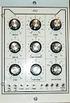 fpa 147 Week 6 Synthesis Basics In the early 1960s, inventors & entrepreneurs (Robert Moog, Don Buchla, Harold Bode, etc.) began assembling various modules into a single chassis, coupled with a user interface
Final Report. Hybrid Synth by Synthesize Me. Members: Jamie Madaris Jack Nanney
 Final Report Hybrid Synth by Synthesize Me Members: Jamie Madaris Jack Nanney Project Abstract Our Senior Design project is a Digitally-Controlled Analog Synthesizer. The synthesizer consists of both digital
Graham s Guide to Synthesizers (part 1) Analogue Synthesis
 Graham s Guide to Synthesizers (part ) Analogue Synthesis Synthesizers were originally developed to imitate or synthesise the sounds of acoustic instruments electronically. Early synthesizers used analogue
INTRODUCTION. Please read this manual carefully for a through explanation of the Decimator ProRackG and its functions.
 INTRODUCTION The Decimator ProRackG guitar noise reduction system defines a new standard for excellence in real time noise reduction performance. The Decimator ProRackG was designed to provide the maximum
Little LFO. Little LFO. User Manual. by Little IO Co.
 1 Little LFO User Manual Little LFO by Little IO Co. 2 Contents Overview Oscillator Status Switch Status Light Oscillator Label Volume and Envelope Volume Envelope Attack (ATT) Decay (DEC) Sustain (SUS)
SYSTEM MIX PLUS. Owner's Manual DIGITAL MUSIC CORPORATION
 SYSTEM MIX PLUS Owner's Manual 1 Table of Contents 1. Introduction.................. 2 1.1 Overview 1.2 Unpacking 2. Operation................... 3 2.1 Front Panel 2.2 Rear Panel 3. Mixer.....................
Understanding and using your. moogerfooger. MF-101 Lowpass Filter
 Understanding and using your moogerfooger MF-101 Lowpass Filter Welcome to the world of moogerfooger Analog Effects Modules! Your Model MF- 101 Lowpass Filter is a rugged, professional-quality instrument,
TerraTec Electronic GmbH, Herrenpfad 38, D-41334 Nettetal, Germany
 TERRATEC PRODUCER/SINE MB 33 II English Manual Version 1.0, last revised: November 2003 CE Declaration We: TerraTec Electronic GmbH, Herrenpfad 38, D-41334 Nettetal, Germany hereby declare that the product:
TOA 900 SERIES II MIXER POWER AMPLIFIER
 Operating Instructions TOA 900 SERIES II MIXER POWER AMPLIFIER A-903MK2 A-906MK2 A-912MK2 TO REDUCE THE RISK OF ELECTRICAL SHOCK, DO NOT REMOVE COVER. NO USER SERVICEABLE PARTS INSIDE. REFER SERVICING
Instructions - THP-700RTS Telephone Headset Radio Transfer Switch with Dry Switch Closure Output
 This document applies to all THP-700RTS family members Instructions - THP-700RTS Telephone Headset Radio Transfer Switch The THP-700RTS is an interface between telephones or Automatic Call Directors and
KEYBOARD EXTENDED RANGE. Sixty Owner, s Manual P/N 049254
 THE SOUND THAT CREATES LEGENDS KEYBOARD EXTENDED RANGE Sixty Owner, s Manual P/N 049254 INTRODUCTION Your new Fender KXR 60 Keyboard Amplifier is the result of Fender s ongoing dialog with many of today
BXR. Owner, s Manual. One hundred BASS EXTENDED RANGE P/N 040695
 THE SOUND THAT CREATES LEGENDS BASS EXTENDED RANGE BXR One hundred Owner, s Manual P/N 040695 BXR 100 Owner s Manual Congratulations on your purchase of the Fender BXR 100 Bass amplifier. The Fender BXR
The Tuning CD Using Drones to Improve Intonation By Tom Ball
 The Tuning CD Using Drones to Improve Intonation By Tom Ball A drone is a sustained tone on a fixed pitch. Practicing while a drone is sounding can help musicians improve intonation through pitch matching,
A-145 LFO. 1. Introduction. doepfer System A - 100 LFO A-145
 doepfer System A - 100 FO A-145 1. Introduction A-145 FO Module A-145 (FO) is a low frequency oscillator, which produces cyclical control voltages in a very wide range of frequencies. Five waveforms are
What you will do. Build a 3-band equalizer. Connect to a music source (mp3 player) Low pass filter High pass filter Band pass filter
 Audio Filters What you will do Build a 3-band equalizer Low pass filter High pass filter Band pass filter Connect to a music source (mp3 player) Adjust the strength of low, high, and middle frequencies
Forte GETTING STARTED GUIDE. Specifications. It s the sound.
 Forte GETTING STARTED GUIDE This guide will help you hook up the Forte to your sound system and MIDI system, give you a quick overview, and show you how to start playing music with the Forte. A full manual
The RIDZ 8x2 Audio Switcher
 The RIDZ 8x2 Audio Switcher Engineering Manual Support Number 800-765-2930 International 712-852-2813 Table of Contents General Information for the RIDZ (8 x 2) Switcher..... 3 Input 9 on the RIDZ Switcher....6
PS 29M DUAL CHANNEL BELTPACK IN METAL CASE
 PS 29M DUAL CHANNEL BELTPACK IN METAL CASE USER MANUAL October 2013 This product is designed and manufactured by: ASL Intercom BV Zonnebaan 42 3542 EG Utrecht The Netherlands Phone: +31 (0)30 2411901 Fax:
A/DA PEDAL PREAMP APP-1 USER S MANUAL
 A/DA PEDAL PREAMP APP-1 USER S MANUAL APP-1 Users Manual V.2 A/DA s new APP 1 Pedal Preamp is built around our new patent pending D TORSION CORE technology, which is very responsive, reacting to the signal
AFX USER GUIDE ACOUSTIC REVERB PEDAL
 AFX USER GUIDE ACOUSTIC REVERB PEDAL Quick start clip batt off max warm bright short long decay time level tone studio room plate chamber stage canyon cathedral concert Power Install a 9V alkaline or lithium
Owner s Manual AWM910 JENSEN AWM910 COMPACT DISC PLAYER RADIO CD COMPACT MUSIC SYSTEM MUTE AUX BAND AUX IN PUSH PUSH PWR VOL ALARM T/F AUD SPK A SPK B
 AWM910 Owner s Manual COMPACT DISC PLAYER PUSH 1 2 3 4 5 6 RPT SCAN RDM H M PUSH PWR VOL ALARM SET ON/OFF EQ T/F AUD RADIO CD COMPACT MUSIC SYSTEM MUTE AUX BAND CD AUX IN A B A+B JENSEN AWM910 Thank You!
Stage 112. Owner, s Manual P/N 039080
 THE SOUND THAT CREATES LEGENDS Stage 112 Owner, s Manual P/N 039080 Standard Strat / General Purpose / Any Position Try this: On Me Drive Channel for a real bluesy sound, use Me neck pick- up with Me guitar
PERSONAL MONITOR MIXER/HEADPHONE AMP. S Class Signal Processors
 PERSONAL MONITOR MIXER/HEADPHONE AMP S Class Signal Processors Table Of Contents Features 3 Front and Rear Panel Layout 4 Operating the S monitor 5-7 Specifications 8 Wiring Guide 8 Copyright 2003, Samson
High Power Receiver CR-W400U Operating Instructions
 High Power Receiver CR-W400U Operating Instructions Please read these instructions carefully before using this product and save this manual for future use. Panasonic welcomes you to our ever growing family
AALTO QUICKSTART version 1.0
 AALTO QUICKSTART version 1.0 Welcome to Aalto! This quickstart guide assumes that you are familiar with using softsynths in your DAW or other host program of choice. It explains how Aalto's dial objects
The Sonometer The Resonant String and Timbre Change after plucking
 The Sonometer The Resonant String and Timbre Change after plucking EQUIPMENT Pasco sonometers (pick up 5 from teaching lab) and 5 kits to go with them BK Precision function generators and Tenma oscilloscopes
Mbox Basics Guide. Version 6.7 for LE Systems on Windows XP or Mac OS X. Digidesign
 Mbox Basics Guide Version 6.7 for LE Systems on Windows XP or Mac OS X Digidesign 2001 Junipero Serra Boulevard Daly City, CA 94014-3886 USA tel: 650 731 6300 fax: 650 731 6399 Technical Support (USA)
Acoustics for Musicians
 Unit 1: Acoustics for Musicians Unit code: QCF Level 3: Credit value: 10 Guided learning hours: 60 Aim and purpose J/600/6878 BTEC National The aim of this unit is to establish knowledge of acoustic principles
THE R551N RECEIVER FAQ FAULT FINDING THE REDIFON COMMUNICATIONS RECEIVER R551N. Date: October 10th 1995 by: Jan Verduyn G5BBL
 THE R551N RECEIVER FAQ FAULT FINDING THE REDIFON COMMUNICATIONS RECEIVER R551N Introduction: Date: October 10th 1995 by: Jan Verduyn G5BBL Recently a number of Redifon R551N receivers have appeared on
ECEN 1400, Introduction to Analog and Digital Electronics
 ECEN 1400, Introduction to Analog and Digital Electronics Lab 4: Power supply 1 INTRODUCTION This lab will span two lab periods. In this lab, you will create the power supply that transforms the AC wall
REALISTIC Stereo Three AM/FM Radio (120-1451) Features Faxback Doc. # 18906
 REALISTIC Stereo Three AM/FM Radio (120-1451) Features Faxback Doc. # 18906 Your REALISTIC Stereo Three is a complete solid-state 3-piece FM/AM Stereo System. Its size and styling will fit well in any
USER GUIDE PRO-EQ PLATINUM
 USER GUIDE PRO-EQ PLATINUM Welcome Thank you for making Fishman a part of your acoustic experience. We are proud to offer the finest acoustic amplification products available: high-quality professional-grade
FREQUENCY RESPONSE OF AN AUDIO AMPLIFIER
 2014 Amplifier - 1 FREQUENCY RESPONSE OF AN AUDIO AMPLIFIER The objectives of this experiment are: To understand the concept of HI-FI audio equipment To generate a frequency response curve for an audio
Tone Hammer 500. Owners Manual. Manual Version 1.0
 Tone Hammer 500 Owners Manual Manual Version 1.0 1. Incorporating the preamp from the popular Tone Hammer preamp/di pedal this superlight bass head combines three bands of flexible EQ, a colorful "Drive"
PCM Encoding and Decoding:
 PCM Encoding and Decoding: Aim: Introduction to PCM encoding and decoding. Introduction: PCM Encoding: The input to the PCM ENCODER module is an analog message. This must be constrained to a defined bandwidth
Understanding the DriveRack PA. The diagram below shows the DriveRack PA in the signal chain of a typical sound system.
 Understanding the DriveRack PA The diagram below shows the DriveRack PA in the signal chain of a typical sound system. The diagram below shows all the pieces within a sound system that the DriveRack PA
Lab 1: The Digital Oscilloscope
 PHYSICS 220 Physical Electronics Lab 1: The Digital Oscilloscope Object: To become familiar with the oscilloscope, a ubiquitous instrument for observing and measuring electronic signals. Apparatus: Tektronix
Silverado Special ELECTRONIC SPECIFICATIONS
 Silverado Special ELECTRONIC SPECIFICATIONS Note:All measurements were taken with a line voltage of 120 VAC All noise specifications are unweighted. All voltages and watts are RMS. All measurements taken
TROUBLESHOOTING RECEIVERS
 TROUBLESHOOTING RECEIVERS The four methods of troubleshooting are: 1. Circuit Disturbance 2. Signal Substitution 3. Signal Tracing 4. Measurement of Circuit Parameters Definition of Terms: Circuit Disturbance
DIGITAL MUSIC DAY 1 WHAT IS SOUND? ANALOG AND DIGITAL EARLY RECORDING WAX FOR YOUR EARS ROUND BUT FLAT WIRE AND TAPE PURE SOUND
 DIGITAL MUSIC DAY 1 WHAT IS SOUND? 1. Making a sound playing a musical instrument, moves the surrounding the instrument. 2. Making a sound sends out air which hit your ears. 3. Waves of changing air pressure
Yamaha Power Amplifier. White Paper
 Yamaha Power Amplifier White Paper August 2008 Table of Contents 1. About EEEngine...2 1.1. Introduction...2 1.2. Explanation of different amplifier topologies...2 2. Yamaha technology...5 2.1. Dual mono-amplifier
Congratulations on purchasing Molten MIDI B by Molten Voltage
 OWNER S MANUAL Congratulations on purchasing Molten MIDI B by Molten Voltage Molten MIDI B is designed to control the Digitech Bass Whammy. When configured for Whammy & Clock output, Molten MIDI B also
Mini Effect Gizmo. User s Manual. RJM Music Technology, Inc.
 Mini Effect Gizmo User s Manual RJM Music Technology, Inc. Mini Effect Gizmo User s Manual Version 1.3 September 26, 2013 RJM Music Technology, Inc. 2525 Pioneer Ave #1 Vista, CA 92081 E-mail: [email protected]
Ameritron ATP-102 Tuning Pulser II
 Ameritron ATP-102 The Ameritron ATP-102 relieves temperature related stress on amplifiers, tuners, and dummy loads while allowing proper system adjustments. It allows amplifiers to be properly adjusted
The audio input connection on your computer
 This page helps you to connect your audio equipment to your PC so you can start using the xxxxxxx Sound Recorder and Editor and get your recordings to CD or MP3. You can use our software to digitize music
Tuning Subwoofers - Calibrating Subwoofers
 Tuning Subwoofers - Calibrating Subwoofers WHY The purpose of a subwoofer is to fill in the bottom octaves below the capabilities of the mains speakers. There are many reasons to use a subwoofer to do
CLASS-D MONO BLOCK POWER AMPLIFIERS BZA-1000D / BZA-2000D OWNER'S MANUAL
 CLASS-D MONO BLOCK POWER AMPLIFIERS BZA-1000D / BZA-2000D OWNER'S MANUAL Table of Contents Table of Contents Introduction & Features Specification Features & Controls Installation & Precautions System
1. Introduction. doepfer System A - 100 MIDI-CV/SYNC Interface A-190
 doepfer System A - 100 MIDI-CV/SYNC Interface A-190 1. Introduction A To install the A-190 please look at the important information on p. 4! The A-190 is a MIDI-CV/SYNC Interface, with which you can control
MAINTENANCE & ADJUSTMENT
 MAINTENANCE & ADJUSTMENT Circuit Theory The concept of PLL system frequency synthesization is not of recent development, however, it has not been a long age since the digital theory has been couplet with
BXR 300C BXR 300R. Owner, s Manual P/N 040294
 THE SOUND THAT CREATES LEGENDS BXR 300C BXR 300R Owner, s Manual P/N 040294 INTRODUCTION The Fender BXR 300 AMPLIFIER is the most recent effort in state of the art bass amplifier technology, and is a member
PSP3. Stereo M/S preamplifier. User manual
 PSP3 Stereo M/S preamplifier User manual AETA AUDIO 361, avenue du Général de Gaulle 92140 Clamart FRANCE Tél. +33 (0)1 41361212 Fax +33 (0)1 41361213 Telex 631178 Web : http://www.aetausa.com 55 000 020
40 Watt Mixer Amplifier Owners Manual with Media Player
 40 Watt Mixer Amplifier with Media Player Model #USB-80 2009 MCM Electronics MCM Custom Audio MCM Electronics Centerville, Ohio www.mcmelectronics.com SAFETY INSTRUCTIONS Please be sure to read all the
THE MA 6200 INTEGRATED AMPLIFIER
 THE MA 6200 INTEGRATED AMPLIFIER Reading Time: 40 Minutes Price: $2.00 VARIOUS REGULATORY AGENCIES REQUIRE THAT WE BRING THE FOLLOWING INFOR- MATION TO YOUR ATTENTION. PLEASE READ IT CAREFULLY. WARNING:
Part Number Structure ZT 028 L D CT R 15
 Product Application Guide- 22mm Industrial Alarms with LED Lights Part Number Structure ZT 028 L D CT R 15 Series: ZT = 22mm with LED Maximum Voltage: 016 = 9-16; 028 = 16-28; 120 = 48-120 Sound Level:
How To Connect A Music Source To A Cartridge
 Lucent Technologies Bell Labs Innovations CIB 2871 (151A) Music-On-Hold/Paging Cartridge Type II (6102) (103979977) CIB 2871 Comcode 103979977 Issue 4 January 1997 CIB 2871 (151A) Music-On-Hold/Paging
PRO DI PRO D2. User Guide. Direct Box. Stereo Direct Box
 www.radialeng.com PRO DI Direct Box PRO D2 Stereo Direct Box User Guide 1638 Kebet Way, Port Coquitlam BC V3C 5W9 tel: 604-942-1001 fax: 604-942-1010 email: [email protected] web: www.radialeng.com PRO
ADA COMPLIANT BOX STYLE TELEPHONE INSTALLATION, PROGRAMMING AND OPERATING INSTRUCTIONS FOR MODEL PBX
 ADA COMPLIANT BOX STYLE TELEPHONE INSTALLATION, PROGRAMMING AND OPERATING INSTRUCTIONS FOR MODEL PBX INSTALLATION INSTRUCTIONS Step 1. Determine the position for the Hands-free phone in the elevator phone
Features, Benefits, and Operation
 Features, Benefits, and Operation 2014 Decibel Eleven Contents Introduction... 2 Features... 2 Rear Panel... 3 Connections... 3 Power... 3 MIDI... 3 Pedal Loops... 4 Example Connection Diagrams... 5,6
IMPORTANT SAFETY INSTRUCTIONS
 IMPORTANT SAFETY INSTRUCTIONS When using this electronic device, basic precautions should always be taken, including the following: 1. Read all instructions before using the product. 2. Do not use this
Basics. Mbox 2. Version 7.0
 Basics Mbox 2 Version 7.0 Copyright 2005 Digidesign, a division of Avid Technology, Inc. All rights reserved. This guide may not be duplicated in whole or in part without the express written consent of
5U Oakley Modular Series
 Oakley Sound Systems 5U Oakley Modular Series VC-LFO Low Frequency Oscillator PCB Issue 3 User Manual V3.0.00 Tony Allgood B.Eng PGCE Oakley Sound Systems CARLISLE United Kingdom The suggested panel layout
XLS200 MKII. Subwoofer System OWNERS MANUAL
 XLS200 MKII Subwoofer System OWNERS MANUAL CONTENTS Page No. 1) Safety instructions. 2) 3) 4) Connecting up your XLS200. Connecting up using the high level input. Connecting up using the low level input.
JBL CINEMA BASE. Home Cinema 2.2 all-in-one soundbase for television OWNER S MANUAL
 JBL CINEMA BASE Home Cinema 2.2 all-in-one soundbase for television OWNER S MANUAL JBL CINEMA BASE TABLE OF CONTENTS INTRODUCTION 1 DESCRIPTION AND FEATURES 1 JBL CINEMA BASE TOP PANEL CONTROLS 2 JBL CINEMA
1 All safety instructions, warnings and operating instructions must be read first.
 ONYX USER MANUAL 2 Dateq ONYX Manual Safety instructions EN Safety instructions 1 All safety instructions, warnings and operating instructions must be read first. 2 All warnings on the equipment must be
MODEL 2202IQ (1991-MSRP $549.00)
 F O R T H E L O V E O F M U S I C F O R T H E L O V E O F M U S I C MODEL 2202IQ (1991-MSRP $549.00) OWNER'S MANUAL AND INSTALLATION GUIDE INTRODUCTION Congratulations on your decision to purchase a LINEAR
Waves Trans-X. Software Audio Processor. User s Guide
 Waves Trans-X Software Audio Processor User s Guide Waves Trans-X software guide page 1 of 8 Chapter 1 Introduction and Overview The Waves Trans-X transient processor is a special breed of dynamics processor
PS 155 WIRELESS INTERCOM USER MANUAL
 PS 155 INTERFACE TO SIMPLEX WIRELESS INTERCOM USER MANUAL Issue 2011 ASL Intercom BV DESIGNED AND MANUFACTURED BY: ASL INTERCOM BV ZONNEBAAN 42 3542 EG UTRECHT THE NETHERLANDS PHONE: +31 (0)30 2411901
THE MclNTOSH MC 2100 SOLID STATE STEREO POWER AMPLIFIER
 THE MclNTOSH MC 2100 SOLID STATE STEREO POWER AMPLIFIER Price $1.25 Your MC 2100 stereo amplifier will give you many years of pleasant and satisfactory performance. If you have any questions concerning
Assembly Instructions: Shortwave Radio Kit
 Assembly Instructions: Shortwave Radio Kit MTM Scientific, Inc P.O. Box 522 Clinton, MI 49236 U.S.A Introduction Fig 1: The assembled Shortwave Radio Kit The SHORTWAVE RADIO KIT (#SWRAD) from MTM Scientific
EXPERIMENT NUMBER 5 BASIC OSCILLOSCOPE OPERATIONS
 1 EXPERIMENT NUMBER 5 BASIC OSCILLOSCOPE OPERATIONS The oscilloscope is the most versatile and most important tool in this lab and is probably the best tool an electrical engineer uses. This outline guides
Evolution USB Keyboards. 249/361 USB MIDI Controller Keyboard
 Evolution USB Keyboards 249/361 USB MIDI Controller Keyboard 225C/249C/361C USB MIDI Controller Keyboard with additional programmable rotary controllers WWW.EVOLUTION.CO.UK EVOLUTION 249/361/225C/249C/361C
DR-1 Portable Digital Recorder OWNER'S MANUAL
 » D01019610A DR-1 Portable Digital Recorder OWNER'S MANUAL Contents 1 Introduction... 3 Main functions... 3 Supplied accessories... 3 Recycling the rechargeable battery... 3 Notes about this manual...
A-178 Theremin Volt. Source
 doepfer System A - 100 Theremin A-178 1. Introduction A-178 Module A-178 (Theremin Voltage Source) produces a variable control voltage which gets bigger the closer your hand gets to its antenna. You can
Timing Errors and Jitter
 Timing Errors and Jitter Background Mike Story In a sampled (digital) system, samples have to be accurate in level and time. The digital system uses the two bits of information the signal was this big
Trigonometric functions and sound
 Trigonometric functions and sound The sounds we hear are caused by vibrations that send pressure waves through the air. Our ears respond to these pressure waves and signal the brain about their amplitude
User Manual. For additional help please send a detailed e-mail to [email protected]. - 1 Phoenix Audio Technologies www.phnxaudio.
 User Manual Please read the instructions in this manual before using the Duet Please refer to our website www.phnxaudio.com for more information, specifically to our Q&A section in our Support page. For
5 CHANNEL MIXER. S Class Signal Processors
 0 10 0 10 0 10 0 10 5 CHANNEL MIXER S Class Signal Processors Table Of Contents Introduction and Features 3 Front and Rear Panel Layout 4 Operating the S mix Setting up the S mix 5 Connecting the Input
CHAPTER 11: Flip Flops
 CHAPTER 11: Flip Flops In this chapter, you will be building the part of the circuit that controls the command sequencing. The required circuit must operate the counter and the memory chip. When the teach
Lecture 1-6: Noise and Filters
 Lecture 1-6: Noise and Filters Overview 1. Periodic and Aperiodic Signals Review: by periodic signals, we mean signals that have a waveform shape that repeats. The time taken for the waveform to repeat
Gemini II. Subwoofer System OWNERS MANUAL
 Gemini II Subwoofer System OWNERS MANUAL CONTENTS Page No. 1) Safety instructions. 2) 3) 4) Connecting up your Gemini II. Connecting up using the high level input. Connecting up using the low level input.
EET272 Worksheet Week 9
 EET272 Worksheet Week 9 answer questions 1-5 in preparation for discussion for the quiz on Monday. Finish the rest of the questions for discussion in class on Wednesday. Question 1 Questions AC s are becoming
How to Start Making Music in Pro Tools
 How to Start Making Music in Pro Tools Read this guide if you are new to Pro Tools or are just starting out making your own music. Inside, you ll find quick examples of how to record, compose, mix, and
User Manual. Please read this manual carefully before using the Phoenix Octopus
 User Manual Please read this manual carefully before using the Phoenix Octopus For additional help and updates, refer to our website To contact Phoenix Audio for support, please send a detailed e-mail
INTRODUCTION SAFETY PRECAUTIONS
 O W N E R ' S M A N U A L INTRODUCTION Thank you for your purchase of a FISHMAN product. Please read this manual carefully. If you have any further questions please call our PRODUCT INFORMATION LINE at
PRINCETON CHORUS OWNER S MANUAL P/N 030780
 THE SOUND THAT CREATES LEGENDS PRINCETON CHORUS OWNER S MANUAL P/N 030780 PRINCETON CHORUS OWNER S MANUAL The Fender PRINCETON CHORUS amplifier presents the player with the best value of any amplifier
When you switch off your system, or mute the sound, the red indicator light appears immediately, indicating that the subwoofer is not in use.
 BeoLab 11 Guide WARNING: To reduce the risk of fire or electric shock, do not expose this appliance to rain or moisture. Do not expose this equip ment to dripping or splashing and ensure that no objects
PORTABLE PA SYSTEM #1 LAST UPDATED: FEBRUARY 2011
 PORTABLE PA SYSTEM # LAST UPDATED: FEBRUARY 20 The portable PA system has been created to offer student groups an easy to use solution for self-operated sound needs. The system has the capability for:
LDG M-7700 External Meter for Icom IC-7700
 M-7700 OPERATIONS MANUAL MANUAL REV A LDG M-7700 External Meter for Icom IC-7700 LDG Electronics 1445 Parran Road St. Leonard MD 20685 Phone: 410-586-2177 Fax: 410-586-8475 [email protected] www.ldgelectronics.com
ELAN AUDIO. Operational Description. News Work Station NWS-01
 ELAN AUDIO 2 STEEL COURT SOUTH GUILDFORD WA 6055 PHONE (08) 9277 3500 FAX (08) 9478 2266 email [email protected] web www.elan.com.au Operational Description. News Work Station NWS-01 The NWS-01 News
LAB 7 MOSFET CHARACTERISTICS AND APPLICATIONS
 LAB 7 MOSFET CHARACTERISTICS AND APPLICATIONS Objective In this experiment you will study the i-v characteristics of an MOS transistor. You will use the MOSFET as a variable resistor and as a switch. BACKGROUND
MA-4150 ORDERCODE D6149 Highlite International B.V.
 MA-4150 ORDERCODE D6149 Highlite International B.V. Vestastraat 2 6468 EX Kerkrade The Netherlands Congratulations! You have bought a great, innovative product from DAP Audio. The DAP Audio MA-4150 brings
GEN 5 LOCKPICK INSTALLATION POSSIBILITIES
 EVEN IF YOU ALREADY HAVE A FACTORY REAR VIEW CAMERA THE GEN 5 MAKES IT EASY TO ADD A FRONT OR BABY CAM ** INCLUDED CONNECTION FOR AFTERMARKET CAMERA(S) OR ANY STANDARD VIDEO INPUT IF REAR CAMERA, CONNECT
Valvestate. 8280, 8240, 8080, 8040, 8020 & 8010 Combos
 Valvestate 8100 & 8200 Heads & 8280, 8240, 8080, 8040, 8020 & 8010 Combos Marshall Amplification plc Denbigh Road, Bletchley, Milton Keynes, MK1 1DQ, England Tel: (01908) 375411 Fax: (01908) 376118 Web
Professional Tube Microphone Preamp
 TUBE MP Professional Tube Microphone Preamp USER S GUIDE Introduction Thank you for purchasing the TUBE MP-and congratulations: You now own one of the most sophisticated pieces of audio signal-processing
UNPACKING AND CONNECTING THE COMMODORE 64
 UNPACKING AND CONNECTING THE COMMODORE 64 The following step-by-step instructions show you how to connect the Commodore 64 to your television set, sound system, or monitor and make sure everything is working
OPERATING MANUAL FOR REK-O-KUT DE-HISSER PRICE: $5.00 INTRODUCTION:
 OPERATING MANUAL FOR REK-O-KUT DE-HISSER INTRODUCTION: PRICE: $5.00 The Rek-O-Kut De-Hisser is designed to remove annoying hiss and noise from both old and new phonograph records as well as tape recordings
Chevy Equinox 2010-2015 / GMC Terrain 2010-2014 (with monochrome display) 99-3307G
 INSTALLATION INSTRUCTIONS FOR PART 99-3307G Chevy Equinox 2010-2015 / GMC Terrain 2010-2014 (with monochrome display) 99-3307G KIT FEATURES ISO DIN radio provision with pocket ISO DDIN radio provision
FREQUENCY RESPONSE ANALYZERS
 FREQUENCY RESPONSE ANALYZERS Dynamic Response Analyzers Servo analyzers When you need to stabilize feedback loops to measure hardware characteristics to measure system response BAFCO, INC. 717 Mearns Road