
Understanding and using your. moogerfooger. MF-101 Lowpass Filter
|
|
|
- Brian Ryan
- 10 years ago
- Views:
Transcription
1 Understanding and using your moogerfooger MF-101 Lowpass Filter

2 Welcome to the world of moogerfooger Analog Effects Modules! Your Model MF- 101 Lowpass Filter is a rugged, professional-quality instrument, designed to be equally at home on stage or in the studio. Its great sound and classic effects come from the state-of-the-art all-analog circuitry, designed and built under Bob Moog's personal direction. Your MF-101 is a direct descendent of the original modular Moog synthesizers. It contains two complete modular functions: a Voltage-Controlled Lowpass Filter and an Envelope Follower. All performance parameters are voltage-controllable, which means that you can use expression pedals, MIDI-to-CV converter, or any other source of control voltages to 'play' your MF-101. While you can use it on the floor as a conventional effects box, your MF-101 is much more versatile and its sound quality is higher than the single fixed function "stomp boxes" that you're probably accustomed to. You will find that your MF-101 is a deep musical resource. It will give you an amazing variety of new sounds and will become your creative companion as you explore its functions. The following pages will first tell you how to hook up your MF-101 and set the panel controls for the 'basic' setup. Next, we'll explain how the modular functions in your MF- 101 work. After that we'll give you some suggestions on how to use your MF-101 in specific applications. At the end of this booklet you'll find technical specifications, service and warranty information. GETTING STARTED Here are some simple instructions on how you can quickly plug in and try out your MF Unpack your MF-101. You can place it on a table or on the floor. We suggest that you place it on a table while you become familiar with its features. 2. Check that the power adaptor is rated at your country's standard power voltage (120 volts A.C. for the United States and Canada; 100 volts AC for Japan; and 220 volts A.C. for most other countries). Plug the power adaptor's cord into the MF-101's '+9V' jack. Then plug the power adaptor itself into a power voltage receptacle.

3 3. Note that the BYPASS light is on. It will light up either red or green. Red indicates that the MF-101's filter is off-line (bypassed), while green indicates that the filter is on-line. Pressing the 'stomp switch' will toggle the BYPASS light between red and green. For now, leave the BYPASS light on red. 4. Connect an instrument cable from the MF-101 AUDIO OUT jack to a line-level input of your amp or mixer. Turn the volume control on your amp down but not off. 5. You can feed virtually any instrument-level or line-level signal through your MF-101. Examples are guitar, bass, keyboard, theremin, drum machine, or Effects Send output on your mixer. Connect an instrument cable from your signal source to the MF-101 AUDIO IN jack. Play your instrument (or turn on the signal source). Turn the DRIVE control clockwise until the LEVEL indicator lights up yellow most of the time. 6. The BYPASS light should still be red. Continuing to play your instrument, adjust the volume control of your monitor amp until the loudness is comfortable. Your instrument should sound clean and undistorted. 7. Now set the MF-101 panel controls as follows: MIX 10 CUTOFF 250 RESONANCE 6 AMOUNT 6 Left Switch SMOOTH Right Switch 4-POLE Press the stomp switch. The BYPASS light will now turn green. Play your instrument. Your instrument's signal is now going through the filter. Listen to how the filter affects the quality of your instrument's tone. Note also that louder tones 'open' the filter more than softer tones. 8. In the next section we'll explain exactly what the filter and envelope follower do and how the controls work. For now, get a feel for the controls by experimenting with different settings

4 HOW A LOWPASS FILTER WORKS Let's start with some definitions, so we're all talking the same language. Sound is a vibration of the air. The speed of vibration is called the frequency. It is measured in Hertz (Hz). One Hz is one vibration per second. We hear vibrations from 20 Hz to 20,000 Hz. Musical sounds generally have many frequency components. They're called harmonics, or overtones, or partials. They are what give the sound its characteristic tone color, or timbre. This spectrum graph shows the strengths of the harmonics in a sound. A filter allows some frequencies to pass and cuts off other frequencies. A Lowpass Filter is a kind of filter that allows all frequencies up to a certain frequency to pass, and cuts off frequencies above that. That frequency is called the cutoff frequency of the filter. We'll call it "the cutoff" for short. A lowpass filter removes the high frequencies from a tone. It makes the tone more mellow or muted. The lower the cutoff, the more muted the tone sounds. Imagine a window shade. As it is pulled down, it cuts out the higher light, then the light from the middle of the window, then finally all the light. A lowpass filter does the same sort of thing with the sound spectrum. This frequency response graph shows that the gain of a lowpass filter drops off at frequencies above the cutoff frequency. Your MF-101 contains a genuine classic four-pole lowpass filter. This kind of filter was first patented by Bob Moog in It is a big part of the 'Moog Sound' of the '60's and '70's. The effect has been imitated, but never equaled, by many instrument manufacturers.

5 Your MF-101 also contains a classic envelope follower. An envelope follower tracks the loudness contour (envelope) of a sound, and produces a voltage that follows the dynamics of your playing. Every time you play a note, the envelope voltage goes up and then down. The harder you play, the higher the envelope voltage goes. The Envelope signal follows the amplitude (loudness) of the sound which it represents. The envelope follower output opens and closes the lowpass filter. Think of the envelope voltage as an invisible hand that turns the CUTOFF knob up and down every time you play a note. Since the envelope follows the dynamics of your instrument's signal, you actually 'play' the filter as you play your instrument. TOURING THE PANEL FEATURES The Filter Section Let's look at the Filter section first. The two control knobs are CUTOFF and RESONANCE. The 2-POLE 4-POLE switch selects the filter s operating mode. All three of these affect the sound of the filter. The CUTOFF knob opens and closes the filter. As we said above, the filter lets through the low overtones and cuts off the higher overtones. As the filter closes, more and more of the high overtones are cut off. The CUTOFF knob is calibrated in Hz. (vibrations per second). The cutoff frequency is about 15 Hz when the knob is counterclockwise, 500 Hz (about an octave above middle C) when the knob is in mid-position, and 12 khz, (12,000 vibrations per second) when the knob is clockwise.

6 The RESONANCE knob changes the way the filter sounds. Or, in technical words, it changes the shape of the frequency response. When RESONANCE is near 0 the low overtones come through evenly. When RESONANCE is turned up to around 7, the overtones near cutoff will be boosted, creating a whistle-like or vowel-like quality. When RESONANCE is above 8, the filter actually produces its own tone at the cutoff frequency. That tone interacts with your instrument's tone when you play your instrument through the filter. The 2-POLE 4-POLE switch selects whether the signal goes through half the filter (2- pole) or the entire filter (4-pole). 2-POLE has a bright sound, while 4-POLE has a deeper, mellow quality. The Envelope Follower Section The AMOUNT knob, the SMOOTH-FAST switch, and the ENV light are all part of the Envelope Follower section. The AMOUNT knob determines how much the envelope signal is used to open and close the filter. When the knob is counterclockwise, the envelope signal has no effect on the filter. When the knob is clockwise, the envelope signal opens and closes the filter as much as five octaves. The SMOOTH-FAST switch determines whether or not the envelope signal is smoothed out. Some sounds (like guitar chords) have long, rough envelopes, and they often sound better if the envelope is smoothed out before going to the filter. Other sounds (like snare drum) are quick and sharp, and sound really good with the switch in the Fast position. The ENV light shows how strong the envelope signal voltage is at any one time. The stronger the audio input, the brighter the ENV light will be.

7 Audio Input Level and Mixing The DRIVE and MIX controls and the LEVEL light are all part of the audio input level and mixing circuitry. The DRIVE control adjusts the input gain. With this control you can set the right input gain for virtually any instrument or line-level signal source. Turn this control counterclockwise for strong input signals, and clockwise for weaker sound sources. The DRIVE control is always active, even when the MF-101 is in BYPASS mode. The MIX control crossfades from the straight input signal to the filtered signal. Use this control to get any mixture of filtered and unfiltered sound. The LEVEL light tells how strong the input signal is after being adjusted by the DRIVE control. As the signal level increases, the light goes from off, to green, to yellow, and finally to red. Very weak signals do not light up this light at all. When the light is green, the signal is below the level that results in audible distortion. When the light is yellow, some low order distortion may be audible, giving the sound a subtle warm analog quality. When the signal is strong enough to drive the light into the red, the distortion at the output becomes stronger and more distinctly audible. Watch this light when you set the DRIVE control for the desired effect. Simplified Block Diagram of the MF-101 EXPRESSION PEDALS AND VOLTAGE CONTROL You now know what each of the rotary control knobs does to the sound of the MF With the exception of DRIVE, each knob has an expression pedal input which duplicates its effect. This enables you to plug in up to four expression pedals to play the MF-101 with your feet as well as with your hands. The moogerfooger EP-1 Expression Pedal is designed for this purpose. Or you can use expression pedals with equivalent specifications. See the Technical Information section on Page 12 for more information on pedal specifications. When you plug an expression pedal into one of the pedal inputs on your MF-101, the pedal adds to the effect of the corresponding control. For example, let s say that you plug an expression pedal into your MF-101 s CUTOFF input. With the pedal all the way back, the cutoff frequency of the filter is set by the CUTOFF knob. Then, when you advance the pedal, the cutoff frequency of the filter goes up, just as if you turned the

8 CUTOFF knob up. So, a good rule to follow is: when you use an expression pedal, you set the corresponding knob for the lowest value you want. Then, advancing the pedal increases that value. The expression pedal inputs can also be used as control signal inputs. This enables you to use your MF-101 with virtually any control signal source: modular analog synthesizers, MIDI-to-CV converters, etc. You will find information on interfacing your MF- 101 with external control signal sources in the Technical Information section on Page 12. Your MF-101 has one control signal output jack. It is labeled ENV OUT. It may be used as a control signal source to control other voltage-controlled devices, including other moogerfooger analog effects modules. The amplitude of the ENV OUT control signal is independent of the setting of the AMOUNT control or pedal. A WARNING! If you turn the RESONANCE knob past "8", the filter in your MF-101 will oscillate. That is, it will produce a tone of its own. This is normal for a lowpass filter of this sort. In fact, synthesists have prized this effect for the past thirty years! However, you should be aware that it is possible to overheat your speakers if you set your MF-101 to oscillate and then leave it on a single frequency at high volume for an extended time. With no pedal connected to the CUTOFF jack, the oscillation frequency will be between 15 Hz and 12 khz, depending on the setting of the CUTOFF knob. With a pedal or external control voltage plugged in to the CUTOFF jack, it is possible to drive the oscillating frequency up as high as 40 khz! Some speaker systems, especially precision studio monitors or audiophile speakers, may be vulnerable to high-volume steady tones at some frequencies within the MF-101's range,- even frequencies that are too high or low to be audible! You can protect your speakers by being aware of your MF-101's output when the RESONANCE knob is at "8" or above. Switch your MF-101 to BYPASS when you are not actually playing it. ANOTHER WARNING! You'll find that your MF-101 sounds really good. You may be tempted to crank up the volume so you can really hear it. That's OK, as long as you keep a lid on those high frequencies (2 khz and above) that will stress your ears if they're amplified too much. Like any high quality electronic musical instrument, your MF-101 is capable of producing a wide range of frequencies. It is up to you to use that frequency range in a careful and professional manner.

9 SOME TYPICAL SETUPS Here are some nice setups to start off with. Experiment with all of them. Try changing the knob settings with your hands. Then plug in one or more expression pedals and try the same things with your feet. Guitar: Basic Lowpass Wah The expression pedal gives you extremely wide sweep range. AMOUNT = 0 MIX = 10 CUTOFF = 120 RESONANCE = 5 (normal wah); 7 (stronger wah) ENV SWITCH = Doesn t matter MODE SWITCH = 2-POLE (brighter) or 4-POLE (more mellow) EXPRESSION PEDAL to the CUTOFF jack Guitar: Hyper-Punch This setup emphasizes your dynamics without producing strong coloration. It s good for playing fast lead lines. The pedal brings the effect in and out. AMOUNT = 6 MIX = 10 CUTOFF = 250 RESONANCE = 0 (minimum coloration) to 6 (a little coloration) ENVELOPE SWITCH = FAST MODE SWITCH = 2-POLE (brighter); 4-POLE (more mellow) EXPRESSION PEDAL to AMOUNT, - or no pedal at all Guitar: Screaming Dynamic Wah The Resonance is turned way up. The filter produces its own tone which your instrument tears up. AMOUNT = 6 MIX = 10 CUTOFF = 120 RESONANCE = 7 (on the edge) to 9 (screaming) ENVELOPE SWITCH = SMOOTH MODE SWITCH = 2-POLE (brighter); 4-POLE (more mellow) EXPRESSION PEDAL to the CUTOFF jack

10 Bass: Deep Dynamic Tuba-Wah The trick here is to turn the DRIVE control up far enough so that the LEVEL light is in the red while you're playing. At the same time, turn down the gain control on your amp. AMOUNT = 4-6 MIX = 10 CUTOFF = RESONANCE = 0-2 for tuba sound; 6-7 for overdrive wah ENVELOPE SWITCH = SMOOTH MODE SWITCH = 2-POLE (brighter); 4-POLE (more mellow) EXPRESSION PEDAL to the CUTOFF jack Theremin or Sax: Talking Lead With RESONANCE turned up to 6 or 7, your instrument's sound has an expressive vocal quality as you play alternately loud and soft. With RESONANCE turned down, your instrument's brightness builds up and dies down as you play alternately loud and soft. Set your theremin's tone to maximum brightness. Check out the effects when your theremin is producing subsonic pitches. AMOUNT = 6-8 MIX = 10, - or set it to 0 with expression pedal to MIX CUTOFF = , or set it to 60 with expression pedal to CUTOFF RESONANCE = 0 to 7, or set it to 0 with expression pedal to RESONANCE ENVELOPE SWITCH = SMOOTH MODE SWITCH = 2-POLE (brighter); 4-POLE (more mellow) Drum Machine: Synth Drums Keep the rhythm going while sweeping the CUTOFF and/or envelope AMOUNT. Also experiment with turning up the DRIVE. AMOUNT = 8 MIX = 10 CUTOFF = , RESONANCE = 6-8, or set it to 0 with expression pedal to RESONANCE ENVELOPE SWITCH = FAST for punchy effects; SMOOTH for whistling percussive effects MODE SWITCH = 2-POLE (brighter); 4-POLE (more mellow)

11 TECHNICAL INFORMATION NOTE: The following information is intended for use by people who understand analog electronic circuitry and have enough practical experience to interconnect sophisticated electronic equipment correctly. POWER: The MF-101 works satisfactorily on +9 to +15 volts DC and uses about 100 milliamperes of current. If your power adaptor shows up missing or inoperative, you can power your MF-101 from any other power adaptor with a +9 volt or +12 volt rating and with the same power connector. If you use a power source other than that which was supplied with the MF-101, be sure that the voltage never exceeds +15 volts. Power voltages in excess of +15 volts may cause serious damage to the MF-101's circuit. PEDAL INPUTS: All pedal control input jacks are 1/4" tip-ring-sleeve phone jacks. The sleeves are grounded and the ring terminals are supplied with +5.7 volts which is current-limited to about 0.5 milliamperes. The tip terminals receive the variable voltages from the pedals. Correct wiring of an expression pedal for the MF-101. An expression pedal for use with the MF-101 should contain a 50KW or 100KW potentiometer which is connected from the sleeve to the ring terminals. The potentiometer wiper is connected to the tip terminal. The pedal cable should be shielded, with the shield connected to the sleeve terminal.

12 When connecting one or more pedal control input jacks to a source of external control voltage such as an analog synth or a MIDI-to-CV converter, you should use patch cords with tip-ring-sleeve phone plugs. The ring terminal on the plug should not be connected to anything, so that the MF-101's source of +5.7 volts is not shorted out. Correct wiring of a tip-ring-sleeve plug for connecting a pedal control input to a source of external control voltage. Or, if you do not plan to use any expression pedals with your MF-101 but would like to apply control voltages to one or more pedal control inputs, you can use patch cords with regular two-conductor (tip-sleeve) phone plugs. These will short out the +5.7 volt supply to the ring contacts. This voltage is current-limited, so you won't burn anything out, - but no pedal will work in any of the pedal control jacks if a tip-sleeve plug is plugged into even one of the pedal jacks. Applying a varying voltage to the tip terminal of a pedal control input jack has the same effect as turning the corresponding knob. A voltage change of about 5 volts at the tip terminal is usually equivalent to turning the corresponding knob through its entire range. You can 'program' your MF-101 entirely from external control voltages, by turning all four control knobs (but not the DRIVE knob) counterclockwise, and feeding 0 to +5 Volt programming voltages to the tips of the four pedal control input jacks. AUDIO PATH: Both the bypassed and the filtered signals go through voltage-controlled amplifier circuits inside the MF-101. This is necessary to permit voltage-controlled mixing and smooth, clickless switching. As a result, the MF-101 will not pass an audio signal at all unless power is applied to it. Another result of this arrangement is that the strength of the audio output signal depends on the setting of the DRIVE control, even when the MF-101 is switched to BYPASS. The nominal audio output level with the LEVEL light in the yellow is about 0.5 volts RMS. LIMITED WARRANTY Moog Music warrants that its products will be free from defects in materials or workmanship, and shall conform to specifications current at the time of shipment, for a period of one year from date of purchase. During the one-year period, any defective products will be repaired or replaced, at Moog Music's option, on a return-to-factory basis. This Warranty covers defects that Moog Music determines are no fault of the user. RETURNING YOUR MF-101 FOR REPLACEMENT/REPAIR You must obtain prior approval and an RMA number from Moog Music before returning any product to us (call (828) ). Wrap your MF-101 carefully and pack it with the power adaptor in its original carton. The warranty will not be honored if the product is not properly packed. Then send it to Moog Music (UPS is recommended) with transportation and insurance charges paid. A reasonable cost for service and for materials and return freight will be charged to

13 replace materials defective through the fault of the user, or for which the one year warranty period has expired. Transportation and insurance charges from Moog Music to your United States address, of products repaired or replaced under warranty, will be paid by Moog Music. Notes: MOOG MUSIC. Inc. 554C Riverside Drive Asheville, NC PHONE: (828) FAX: (828) WEB ADDRESS:

14 MF-101 SPECIFICATIONS DESCRIPTION: Analog Effects Module incorporating two functions: a voltage-controlled lowpass filter and an envelope follower. FRONT PANEL FEATURES: CUTOFF rotary control, which varies the filter's cutoff frequency over a nine-octave range RESONANCE rotary control, which varies the shape of the filter's response, from pure lowpass to actual oscillation ENVELOPE AMOUNT rotary control, which adjusts the amount that the input signal's envelope sweeps the filter cutoff frequency MIX rotary control, which crossfades continuously from unfiltered to filtered audio DRIVE rotary control, which adjusts the gain of the audio input SMOOTH-FAST rocker switch, which chooses between smooth and fast envelope follower response 2-POLE 4-POLE rocker switch, which chooses between 2-pole (bright) and 4-pole (deep) filter frequency response. LEVEL, a three-color LED that is used to set the DRIVE control ENV, a LED that indicates the strength of the envelope voltage BYPASS, a two-color LED that tells whether the filter is on or bypassed ON/BYPASS, a rugged, smooth-acting 'stomp switch' JACK PANEL FEATURES: AUDIO IN 1/4" phone jack - accepts any instrument-level or line-level audio signal from - 16 dbm to +4 dbm AUDIO OUT 1/4" phone jack - -4 dbm nominal output level CUTOFF, RESONANCE, AMOUNT, MIX, all of which are stereo 1/4" jacks that accept moogerfooger EP1 (or equivalent) expression pedals, or control voltages from either two-circuit or three-circuit 1/4" jacks. ENVELOPE OUT jack - delivers the Envelope Control voltage for use by other voltagecontrolled devices. +9V POWER INPUT jack - accepts standard 9 volt power adaptors (power adaptor included) GENERAL SPECIFICATIONS: CASE: Black panel with hardwood sides - classic analog appearance DIMENSIONS: 9" x 6" x 2-1/2" NET WEIGHT: 2 lb SHIPPING WEIGHT: 4 lb, including power adaptor and instruction manual POWER REQUIREMENTS: volt, 5W. 220 volt power adaptor available on special order. MOOG MUSIC, Inc. 554C Riverside Drive Asheville, NC PHONE: (828) FAX: (828) [email protected] WEB SITE: Entire Contents 1998,2003 MOOG MUSIC Inc.

INTRODUCTION. Please read this manual carefully for a through explanation of the Decimator ProRackG and its functions.
 INTRODUCTION The Decimator ProRackG guitar noise reduction system defines a new standard for excellence in real time noise reduction performance. The Decimator ProRackG was designed to provide the maximum
the minimoog synthesizer operation manual
 the minimoog synthesizer operation manual MOOG MUSIC INC. Academy Street (P.O. Box 131) Williamsville, NY 14221 A GUIDE TO THE OPERATION OF THE MINI MOOG MODEL D contents introduction basic mini moog features
Basics. Mbox 2. Version 7.0
 Basics Mbox 2 Version 7.0 Copyright 2005 Digidesign, a division of Avid Technology, Inc. All rights reserved. This guide may not be duplicated in whole or in part without the express written consent of
SYSTEM MIX PLUS. Owner's Manual DIGITAL MUSIC CORPORATION
 SYSTEM MIX PLUS Owner's Manual 1 Table of Contents 1. Introduction.................. 2 1.1 Overview 1.2 Unpacking 2. Operation................... 3 2.1 Front Panel 2.2 Rear Panel 3. Mixer.....................
BXR. Owner, s Manual. One hundred BASS EXTENDED RANGE P/N 040695
 THE SOUND THAT CREATES LEGENDS BASS EXTENDED RANGE BXR One hundred Owner, s Manual P/N 040695 BXR 100 Owner s Manual Congratulations on your purchase of the Fender BXR 100 Bass amplifier. The Fender BXR
Voltage. Oscillator. Voltage. Oscillator
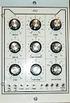 fpa 147 Week 6 Synthesis Basics In the early 1960s, inventors & entrepreneurs (Robert Moog, Don Buchla, Harold Bode, etc.) began assembling various modules into a single chassis, coupled with a user interface
USER GUIDE PRO-EQ PLATINUM
 USER GUIDE PRO-EQ PLATINUM Welcome Thank you for making Fishman a part of your acoustic experience. We are proud to offer the finest acoustic amplification products available: high-quality professional-grade
PRO DI PRO D2. User Guide. Direct Box. Stereo Direct Box
 www.radialeng.com PRO DI Direct Box PRO D2 Stereo Direct Box User Guide 1638 Kebet Way, Port Coquitlam BC V3C 5W9 tel: 604-942-1001 fax: 604-942-1010 email: [email protected] web: www.radialeng.com PRO
Model DB 750 Tube Bass Head
 Model DB 750 Tube Bass Head Congratulations on purchasing Aguilar Amplification s DB 750 Tube Bass Head! The DB 750 is a groundbreaking hybrid amplifier with a discrete Mosfet output section and an all
PERSONAL MONITOR MIXER/HEADPHONE AMP. S Class Signal Processors
 PERSONAL MONITOR MIXER/HEADPHONE AMP S Class Signal Processors Table Of Contents Features 3 Front and Rear Panel Layout 4 Operating the S monitor 5-7 Specifications 8 Wiring Guide 8 Copyright 2003, Samson
TerraTec Electronic GmbH, Herrenpfad 38, D-41334 Nettetal, Germany
 TERRATEC PRODUCER/SINE MB 33 II English Manual Version 1.0, last revised: November 2003 CE Declaration We: TerraTec Electronic GmbH, Herrenpfad 38, D-41334 Nettetal, Germany hereby declare that the product:
PS 155 WIRELESS INTERCOM USER MANUAL
 PS 155 INTERFACE TO SIMPLEX WIRELESS INTERCOM USER MANUAL Issue 2011 ASL Intercom BV DESIGNED AND MANUFACTURED BY: ASL INTERCOM BV ZONNEBAAN 42 3542 EG UTRECHT THE NETHERLANDS PHONE: +31 (0)30 2411901
A/DA PEDAL PREAMP APP-1 USER S MANUAL
 A/DA PEDAL PREAMP APP-1 USER S MANUAL APP-1 Users Manual V.2 A/DA s new APP 1 Pedal Preamp is built around our new patent pending D TORSION CORE technology, which is very responsive, reacting to the signal
GCX. Guitar Audio Switcher OWNER S MANUAL
 GCX Guitar Audio Switcher OWNER S MANUAL Please visit our web site at: www.voodoolab.com Copyright 1998 by Digital Music Corporation. This publication is protected by copyright and all rights are reserved.
FREQUENCY RESPONSE OF AN AUDIO AMPLIFIER
 2014 Amplifier - 1 FREQUENCY RESPONSE OF AN AUDIO AMPLIFIER The objectives of this experiment are: To understand the concept of HI-FI audio equipment To generate a frequency response curve for an audio
Mini Effect Gizmo. User s Manual. RJM Music Technology, Inc.
 Mini Effect Gizmo User s Manual RJM Music Technology, Inc. Mini Effect Gizmo User s Manual Version 1.3 September 26, 2013 RJM Music Technology, Inc. 2525 Pioneer Ave #1 Vista, CA 92081 E-mail: [email protected]
PRINCETON CHORUS OWNER S MANUAL P/N 030780
 THE SOUND THAT CREATES LEGENDS PRINCETON CHORUS OWNER S MANUAL P/N 030780 PRINCETON CHORUS OWNER S MANUAL The Fender PRINCETON CHORUS amplifier presents the player with the best value of any amplifier
PRO MPA II. ART PRO MPA II Microphone Preamplifier USER S GUIDE
 PRO MPA II ART PRO MPA II Microphone Preamplifier USER S GUIDE IMPORTANT SAFETY INSTRUCTIONS READ FIRST This symbol, wherever it appears, alerts you to the presence of uninsulated dangerous voltage inside
VoiceTone T1 USER S MANUAL
 VoiceTone T1 USER S MANUAL Important Safety Instructions 1 Read these instructions. 2 Keep these instructions. 3 Heed all warnings. 4 Follow all instructions. 5 Do not use this apparatus near water. 6
Active Monitor Box McCrypt S.T.E.V.E. 15. Order No. 30 17 06
 Active Monitor Box McCrypt S.T.E.V.E. 15 Order No. 30 17 06 1 McCrypt Active Monitor 15 Introduction Dear Customer, Thank you for purchasing this McCrypt Active Monitor. You have chosen a quality product
5 CHANNEL MIXER. S Class Signal Processors
 0 10 0 10 0 10 0 10 5 CHANNEL MIXER S Class Signal Processors Table Of Contents Introduction and Features 3 Front and Rear Panel Layout 4 Operating the S mix Setting up the S mix 5 Connecting the Input
OPERATING MANUAL FOR REK-O-KUT DE-HISSER PRICE: $5.00 INTRODUCTION:
 OPERATING MANUAL FOR REK-O-KUT DE-HISSER INTRODUCTION: PRICE: $5.00 The Rek-O-Kut De-Hisser is designed to remove annoying hiss and noise from both old and new phonograph records as well as tape recordings
Pedal Switcher Owner s Manual
 Pedal Switcher Owner s Manual Version 1.0 Please visit our web site at: www.voodoolab.com Copyright 2007 by Voodoo Lab This publication is protected by copyright and all rights are reserved. No part of
Line Level Converter Box. S Class Signal Processors
 Line Level Converter Box S Class Signal Processors Table Of Contents Introduction and Features 3 Front and Rear Panel Layout 4 Operating the S convert Using the LEVEL controls 5 Typical Set-up 6 Wiring
AFX USER GUIDE ACOUSTIC REVERB PEDAL
 AFX USER GUIDE ACOUSTIC REVERB PEDAL Quick start clip batt off max warm bright short long decay time level tone studio room plate chamber stage canyon cathedral concert Power Install a 9V alkaline or lithium
Graham s Guide to Synthesizers (part 1) Analogue Synthesis
 Graham s Guide to Synthesizers (part ) Analogue Synthesis Synthesizers were originally developed to imitate or synthesise the sounds of acoustic instruments electronically. Early synthesizers used analogue
PSP3. Stereo M/S preamplifier. User manual
 PSP3 Stereo M/S preamplifier User manual AETA AUDIO 361, avenue du Général de Gaulle 92140 Clamart FRANCE Tél. +33 (0)1 41361212 Fax +33 (0)1 41361213 Telex 631178 Web : http://www.aetausa.com 55 000 020
PEDAL POWER. User s Manual
 PEDAL POWER AC User s Manual Copyright 2005-2008 by Digital Music Corporation. This publication is protected by copyright and all rights are reserved. No part of it may be reproduced or transmitted by
XLS200 MKII. Subwoofer System OWNERS MANUAL
 XLS200 MKII Subwoofer System OWNERS MANUAL CONTENTS Page No. 1) Safety instructions. 2) 3) 4) Connecting up your XLS200. Connecting up using the high level input. Connecting up using the low level input.
The Sonometer The Resonant String and Timbre Change after plucking
 The Sonometer The Resonant String and Timbre Change after plucking EQUIPMENT Pasco sonometers (pick up 5 from teaching lab) and 5 kits to go with them BK Precision function generators and Tenma oscilloscopes
Features, Benefits, and Operation
 Features, Benefits, and Operation 2014 Decibel Eleven Contents Introduction... 2 Features... 2 Rear Panel... 3 Connections... 3 Power... 3 MIDI... 3 Pedal Loops... 4 Example Connection Diagrams... 5,6
************* OWNER'S MANUAL BAMF800/2 BAMF1250/2 BAMF1800/2 BAMF2200/2 BAMF2600/2 BAMF1200/4 BAMF1600/4 BAMF2000/1D BAMF4000/1D BAMF5500/1D
 ************* OWNER'S MANUAL BAMF800/2 BAMF1250/2 BAMF1800/2 BAMF2200/2 BAMF2600/2 BAMF1200/4 BAMF1600/4 BAMF2000/1D BAMF4000/1D BAMF5500/1D INTRODUCTION Power Acoustik amplifiers provide high-performance
TI-101 Telephone Interface Manual
 TI-101 Telephone Interface Manual 3/04 Page 1 Contents 1. INTRODUCTION... 4 1.1 2 Wire to 4 Wire Conversion... 4 1.2 Level Control... 4 1.3 Dynamic Range Control... 4 1.4 Equalization of Receive Signal...
Silverado Special ELECTRONIC SPECIFICATIONS
 Silverado Special ELECTRONIC SPECIFICATIONS Note:All measurements were taken with a line voltage of 120 VAC All noise specifications are unweighted. All voltages and watts are RMS. All measurements taken
TOA 900 SERIES II MIXER POWER AMPLIFIER
 Operating Instructions TOA 900 SERIES II MIXER POWER AMPLIFIER A-903MK2 A-906MK2 A-912MK2 TO REDUCE THE RISK OF ELECTRICAL SHOCK, DO NOT REMOVE COVER. NO USER SERVICEABLE PARTS INSIDE. REFER SERVICING
162 CB CABLE TRACER. Filter Probe & Tone Generator INSTRUCTION MANUAL
 162 CB CABLE TRACER Filter Probe & Tone Generator INSTRUCTION MANUAL INDEX PAGE 1. INTRODUCTION... 1 2. FILTER PROBE... 1-3 3. TONE GENERATOR... 3-6 4. SPECIFICATION... 7-8 5. MAINTENANCE... 8 1. INTRODUCTION
BXR 300C BXR 300R. Owner, s Manual P/N 040294
 THE SOUND THAT CREATES LEGENDS BXR 300C BXR 300R Owner, s Manual P/N 040294 INTRODUCTION The Fender BXR 300 AMPLIFIER is the most recent effort in state of the art bass amplifier technology, and is a member
Congratulations on purchasing Molten MIDI B by Molten Voltage
 OWNER S MANUAL Congratulations on purchasing Molten MIDI B by Molten Voltage Molten MIDI B is designed to control the Digitech Bass Whammy. When configured for Whammy & Clock output, Molten MIDI B also
1 All safety instructions, warnings and operating instructions must be read first.
 ONYX USER MANUAL 2 Dateq ONYX Manual Safety instructions EN Safety instructions 1 All safety instructions, warnings and operating instructions must be read first. 2 All warnings on the equipment must be
USER GUIDE. Studio Hotline Multi-line System Phone Flasher and Door/Alert Indicator Input Module and Indicator. DM Engineering. Version 1.
 USER GUIDE Studio Hotline Multi-line System Phone Flasher and Door/Alert Indicator Input Module and Indicator Version 1.3 DM Engineering 2174 Chandler St. Camarillo, CA 91345-4611 805-987-7881 800-249-0487
www.fishman.com USER GUIDE PREFIX PREMIUM BLEND
 www.fishman.com USER GUIDE PREFIX PREMIUM BLEND Welcome Thank you for making Fishman a part of your acoustic experience. We are proud to offer you the finest acoustic amplification products available;
ELECTRICAL AUDIO EApreq
 ELECTRICAL AUDIO EApreq (Preliminary Info) The EAPreq is a two channel transformer-based microphone preamp/equalizer. The preamp is designed to allow the character of the input transformer to color the
KEYBOARD EXTENDED RANGE. Sixty Owner, s Manual P/N 049254
 THE SOUND THAT CREATES LEGENDS KEYBOARD EXTENDED RANGE Sixty Owner, s Manual P/N 049254 INTRODUCTION Your new Fender KXR 60 Keyboard Amplifier is the result of Fender s ongoing dialog with many of today
HI-FI FM TRANSMITTER. MS-100 series INSTRUCTION MANUAL
 HI-FI FM TRANSMITTER MS-100 series INSTRUCTION MANUAL CANADA Operation of this device is subject to the following two conditions: (1) This device may not cause interference and (2) this device must accept
Gemini II. Subwoofer System OWNERS MANUAL
 Gemini II Subwoofer System OWNERS MANUAL CONTENTS Page No. 1) Safety instructions. 2) 3) 4) Connecting up your Gemini II. Connecting up using the high level input. Connecting up using the low level input.
PEDAL POWER 4x4. User s Manual. www.voodoolab.com
 PEDAL POWER 4x4 User s Manual www.voodoolab.com Copyright 2009-2012 by Digital Music Corporation. This publication is protected by copyright and all rights are reserved. Voodoo Lab and Pedal Power are
Forte GETTING STARTED GUIDE. Specifications. It s the sound.
 Forte GETTING STARTED GUIDE This guide will help you hook up the Forte to your sound system and MIDI system, give you a quick overview, and show you how to start playing music with the Forte. A full manual
1000+ AUDIOMETER OPERATING INSTRUCTIONS
 1000+ AUDIOMETER OPERATING INSTRUCTIONS AMBCO Model 1000+ is a microprocessor controlled pure tone air conduction audiometer with automated screening test feature. INDEX A. Getting Started Patient Instructions
Congratulations! Thank you!
 TM-47 ORDERCODE D1370 Congratulations! You have bought a great, innovative product from DAP Audio. The DAP Audio Microphone range brings excitement to any venue. Whether you want simple plug-&-play action
CONTROL SWITCHER User s Manual (Preliminary)
 CONTROL SWITCHER User s Manual (Preliminary) www.voodoolab.com Copyright 2010 by Digital Music Corporation. This publication is protected by copyright and all rights are reserved. Voodoo Lab, Control Switcher,
How To Use A Radial Phazer
 www.radialeng.com True to the Music Owner's Manual True to the Music 1588 Kebet Way, Port Coquitlam BC V3C 5M5 tel: 604-942-1001 fax: 604-942-1010 [email protected] www.radialeng.com Radial Owner's Manual
PERF10 Rubidium Atomic Clock
 Owner s Manual Audio Stanford Research Systems Revision 1.0 February, 2011 2 Certification Stanford Research Systems certifies that this product met its published specifications at the time of shipment.
USER MANUAL. 914 Power Amplifier MODEL: P/N: 2900-300280 Rev 1
 KRAMER ELECTRONICS LTD. USER MANUAL MODEL: 914 Power Amplifier P/N: 2900-300280 Rev 1 Contents 1 Introduction 1 2 Getting Started 2 2.1 Achieving the Best Performance 2 3 Overview 3 3.1 Energy Star 3
MR8 Loop System OWNER'S MANUAL
 MR8 Loop System OWNER'S MANUAL Contents Introduction... 3 Warranty... 4 Precautions... 5 Front panel... 6 Rear panel... 7 Block diagram... 9 Loop configurations. 10 Control functions. 12 Midi Control Assignments...
Innkeeper PBX. Desktop Digital Hybrid. User Guide. JK Audio
 Innkeeper PBX Desktop Digital Hybrid User Guide JK Audio Introduction Innkeeper PBX will allow you to send and receive audio through your multi-line PBX, ISDN or analog telephone. While this may seem like
Contents. Safety Warnings... 1
 Contents Safety Warnings... 1 Unpacking the GQ600... 1 Introduction... 2 GQ600 Filter Characteristics... 2 1/3 Octave Centre Frequencies... 4 Front Panel Functions... 5 Rear Panel Functions... 6 Specifications...
Valvestate. 8280, 8240, 8080, 8040, 8020 & 8010 Combos
 Valvestate 8100 & 8200 Heads & 8280, 8240, 8080, 8040, 8020 & 8010 Combos Marshall Amplification plc Denbigh Road, Bletchley, Milton Keynes, MK1 1DQ, England Tel: (01908) 375411 Fax: (01908) 376118 Web
TIF-101 Telephone Interface Installation and Use
 TIF-101 Telephone Interface Installation and Use ACI-AppliCAD, Inc. RING CONNECT POWER LEVEL TIF101 Version 1.6 Applies to serial # 098710100026 and higher www.aci-applicad.com Table of Contents Introduction
MODEL 2202IQ (1991-MSRP $549.00)
 F O R T H E L O V E O F M U S I C F O R T H E L O V E O F M U S I C MODEL 2202IQ (1991-MSRP $549.00) OWNER'S MANUAL AND INSTALLATION GUIDE INTRODUCTION Congratulations on your decision to purchase a LINEAR
Tone Hammer 500. Owners Manual. Manual Version 1.0
 Tone Hammer 500 Owners Manual Manual Version 1.0 1. Incorporating the preamp from the popular Tone Hammer preamp/di pedal this superlight bass head combines three bands of flexible EQ, a colorful "Drive"
Stage 112. Owner, s Manual P/N 039080
 THE SOUND THAT CREATES LEGENDS Stage 112 Owner, s Manual P/N 039080 Standard Strat / General Purpose / Any Position Try this: On Me Drive Channel for a real bluesy sound, use Me neck pick- up with Me guitar
LOXONE 12 Channel Amplifier
 LOXONE 12 Channel Amplifier Item no.: 200110 Thank you for purchasing the Loxone Twelve Channel Amplifier. The versatility of the Amplifier makes it the perfect choice for almost every type of custom multi-room
HyperSound System (HSS) Demo and Evaluation Systems Set-Up and Operation Guide
 HyperSound System (HSS) Demo and Evaluation Systems Set-Up and Operation Guide Follow this step-by-step guide for an optimal installation. Included: ü 2 HSS Emitters (Speakers) ü 2 Sets of Red & Black
SESSION ACOUSTIC DI USER S GUIDE
 SESSION ACOUSTIC DI USER S GUIDE INTRODUCTION Inspired by the LR Baggs Handcrafted Video Sessions and our experience in some of Nashville s great studios, Session Acoustic DI brings our signature studio
5006 Centrex AuxBox. Call Recording for Meridian Digital Centrex Telephones. Hardware & Installation Guide
 Call Recording for Meridian Digital Centrex Telephones Hardware & Installation Guide Algo Communication Products Ltd. Customer Support and Sales Tel: 1.877.884.2546 Fax: 604.437.5726 Email: [email protected]
ProMonitor 800 ProMonitor 1000
 ProMonitor 800 ProMonitor 1000 Loudspeaker System Owner s Manual Congratulations Congratulations on your purchase of the Definitive Technology ProMonitor Loudspeaker System. This revolutionary loudspeaker
IMPORTANT SAFETY INSTRUCTIONS
 IMPORTANT SAFETY INSTRUCTIONS When using this electronic device, basic precautions should always be taken, including the following: 1. Read all instructions before using the product. 2. Do not use this
Welcome to the tutorial for the MPLAB Starter Kit for dspic DSCs
 Welcome to the tutorial for the MPLAB Starter Kit for dspic DSCs Welcome to this tutorial on Microchip s MPLAB Starter Kit for dspic Digital Signal Controllers, or DSCs. The starter kit is an all-in-one
Safety Warnings and Guidelines
 Safety Warnings and Guidelines Thank you for purchasing this Wireless Speaker Amplifier! For best results, please thoroughly read this manual and carefully follow the instructions. Please pay extra attention
PEDAL POWER 2 PLUS. User s Manual
 PEDAL POWER 2 PLUS User s Manual Please visit our web site at: www.voodoolab.com Copyright 1998-2010 by Digital Music Corporation. This publication is protected by copyright and all rights are reserved.
JAD SERIES OWNER S MANUAL. JAD900.5 5 Channel Full Range Class D Amplifier
 JAD SERIES OWNER S MANUAL JAD900.5 5 Channel Full Range Class D Amplifier Authorized Dealer Name: Purchase Date: Model Number: Serial Number: JAD900.5 PERFORMANCE MODEL: RMS Power (4 Ohms, Stereo) RMS
INSTALLATION GUIDE ConnectLine TV Adapter Getting started
 INSTALLATION GUIDE ConnectLine TV Adapter Getting started PURPOSE OF THIS GUIDE READ THIS FIRST Before your hearing instruments can receive sound from the TV, the adapter must be connected to the TV and
CV-5000 HEAVY DUTY PROFESSIONAL AMPLIFIER
 CV-5000 HEAVY DUTY PROFESSIONAL AMPLIFIER USER MANUAL IMPORTANT SAFETY INSTRUCTIONS 2 TABLE OF CONTENTS Introduction... 4 Features.. 5 Front Panel Controls.... 6 Rear Panel Controls. 8 Protection.... 10
Final Report. Hybrid Synth by Synthesize Me. Members: Jamie Madaris Jack Nanney
 Final Report Hybrid Synth by Synthesize Me Members: Jamie Madaris Jack Nanney Project Abstract Our Senior Design project is a Digitally-Controlled Analog Synthesizer. The synthesizer consists of both digital
PS 29M DUAL CHANNEL BELTPACK IN METAL CASE
 PS 29M DUAL CHANNEL BELTPACK IN METAL CASE USER MANUAL October 2013 This product is designed and manufactured by: ASL Intercom BV Zonnebaan 42 3542 EG Utrecht The Netherlands Phone: +31 (0)30 2411901 Fax:
Cheat Sheet for Local Church Audio Training Sound Essentials. Kick:
 Cheat Sheet for Local Church Audio Training Sound Essentials Thank you for attending this session and supporting your church s ministry. I believe that, as a sound technician, you are a vital part of the
VX 2400 Dimmer User's Manual
 TM VX 2400 Dimmer User's Manual 21-2119C Manual Revision 1.01 Software Version 1.0 10 March 1994 Table of Contents 1. General Description...3 1.1. Standard Features:...3 2. Installing Options...4 2.1.
INTRODUCTION SAFETY PRECAUTIONS
 O W N E R ' S M A N U A L INTRODUCTION Thank you for your purchase of a FISHMAN product. Please read this manual carefully. If you have any further questions please call our PRODUCT INFORMATION LINE at
Mbox Basics Guide. Version 6.7 for LE Systems on Windows XP or Mac OS X. Digidesign
 Mbox Basics Guide Version 6.7 for LE Systems on Windows XP or Mac OS X Digidesign 2001 Junipero Serra Boulevard Daly City, CA 94014-3886 USA tel: 650 731 6300 fax: 650 731 6399 Technical Support (USA)
USER INSTRUCTIONS DESCRIPTION:
 ISA Information Security Associates, LLC. Information Security Associates, LLC TD 2 TapZap TM TELEPHONE SECURITY DEVICE OPERATOR S MANUAL Rev: January 8, 2008 ENTIRE CONTENTS COPYRIGHT 2007 INFORMATION
FREQUENCY RESPONSE ANALYZERS
 FREQUENCY RESPONSE ANALYZERS Dynamic Response Analyzers Servo analyzers When you need to stabilize feedback loops to measure hardware characteristics to measure system response BAFCO, INC. 717 Mearns Road
Cable Tester Pro ORDERCODE D1909
 Cable Tester Pro ORDERCODE D1909 Congratulations! You have bought a great, innovative product from DAP Audio. You can rely on DAP Audio, for more excellent audio products. We design and manufacture professional
DIGITAL MPA II. ART DIGITAL MPA II Microphone Preamplifier USER S GUIDE
 DIGITAL MPA II ART DIGITAL MPA II Microphone Preamplifier USER S GUIDE IMPORTANT SAFETY INSTRUCTIONS READ FIRST This symbol, wherever it appears, alerts you to the presence of uninsulated dangerous voltage
innkeeper PBX Desktop Digital Hybrid User Guide JK Audio Warranty
 Warranty Innkeeper PBX is covered by a 2-year warranty to be free from defective workmanship and materials. In the event that the innkeeper PBX needs repair, you must call us to get an authorization, and
User and Installation Guide
 Connect the AC adapter with the amplifier BEFORE plugging the AC adapter into an outlet to avoid spark generation! User and Installation Guide BlueFIDELITYTM Bluetooth Audio Amplifier Model 300 Contents
PagePac PAGEPAL V-5335700
 PagePac Issue 3 by PAGEPAL V-5335700 INTRODUCTION The PagePal unit interfaces most telephone systems (PBX, KTS, Centrex) to virtually any public address audio system. In addition, PagePal furnishes inputs
EC4.8. BalancedReferencePreamplifier. Owner smanual ENG
 EC4.8 BalancedReferencePreamplifier Owner smanual ENG Unpacking the EC 4.8 Immediately upon receipt of the EC 4.8, inspect the carton for possible damage during shipment. The carton and packaging have
DIGITAL MUSIC DAY 1 WHAT IS SOUND? ANALOG AND DIGITAL EARLY RECORDING WAX FOR YOUR EARS ROUND BUT FLAT WIRE AND TAPE PURE SOUND
 DIGITAL MUSIC DAY 1 WHAT IS SOUND? 1. Making a sound playing a musical instrument, moves the surrounding the instrument. 2. Making a sound sends out air which hit your ears. 3. Waves of changing air pressure
Sequential multi-effect sequencer
 Sequential multi-effect sequencer WHAT IS IT INTRODUCTION Sequential is a dynamic multi-effect that allows you to trigger different processing and synthesis algorithms in a rhythmical fashion. It features
Contents. Mission Statement...2. Warnings... 4. Wire Size...5. Installation Guidelines... 6. i-force Inputs...9. Bass Boost Control...10. i-force...
 Contents Mission Statement...2 Warnings... 4 Wire Size...5 Installation Guidelines... 6 i-force Inputs...9 Bass Boost Control...10 i-force...11 i-250...11 i-2100...14 i-450...17 i-4100...20 i-5100...23
Unattended Answering Device Instruction Manual
 Model 3137B Unattended Answering Device Instruction Manual Monroe Electronics 100 Housel Ave Lyndonville NY 14098 800-821-6001 585-765-2254 fax: 585-765-9330 monroe-electronics.com Printed in USA Copyright
ASP-DTH. DVI & Audio to HDMI Converter. User Manual. Manual Number: 100901
 ASP-DTH DVI & Audio to HDMI Converter User Manual Manual Number: 100901 Safety and Notice The ASP-DTH DVI & Audio to HDMI Converter has been tested for conformity to safety regulations and requirements,
innkeeper PBX Desktop Digital Hybrid User Guide JK Audio
 innkeeper PBX Desktop Digital Hybrid User Guide JK Audio Introduction Innkeeper PBX will allow you to send and receive audio through your multi-line PBX, ISDN or analog telephone. While this may seem like
innkeeper PBX Desktop Digital Hybrid User Guide JK Audio Warranty
 Warranty Innkeeper PBX is covered by a 2-year warranty to be free from defective workmanship and materials. In the event that the innkeeper PBX needs repair, you must call us to get an authorization, and
PBXport. Rackmount PBX Digital Hybrid. User Guide. JK Audio
 PBXport Rackmount PBX Digital Hybrid User Guide JK Audio Introduction PBXport will allow you to send and receive audio through your multiline PBX, ISDN or analog telephone. While this may seem like a simple
Trigonometric functions and sound
 Trigonometric functions and sound The sounds we hear are caused by vibrations that send pressure waves through the air. Our ears respond to these pressure waves and signal the brain about their amplitude
BOSS GT-10 GUITAR EFFECTS PROCESSOR TRAINING GUIDE
 BOSS GT-10 GUITAR EFFECTS PROCESSOR TRAINING GUIDE Contents: 1. FEATURES 2. LEVEL ONE: Quick Demo and EZ Tone 3. LEVEL TWO: Going Deep 4. FIVE FEATURES TO KNOW and SHOW 5. ACCESSORIES 1. FEATURES BOSS
Thank you for purchasing the ButtKicker Gamer. This guide will help you to quickly set up your new ButtKicker system with your PC or gaming console.
 BK-GR2 ButtKicker Gamer Thank you for purchasing the ButtKicker Gamer. This guide will help you to quickly set up your new ButtKicker system with your PC or gaming console. Contents: a. ButtKicker Gamer