
CYCLOPS OSD USER MANUAL 5.0
|
|
|
- Collin Manning
- 9 years ago
- Views:
Transcription
1 CYCLOPS OSD USER MANUAL 5.0 Thank you for choosing CYCLOPS OSD V5.0 New features: CYCLOPS OSD V5.0 is incorporated with Autopilot function and infrared attitude sensor capable of controlling aircraft's attitude, and is able to control the aircraft with aileron and elevator based on preset controlling parameters. This OSD has 8 autopilot waypoints available apart from the launching point and is able to fully control the aircraft during waypoint autopilot and home-returning. In addition, the user can set the center, radius, and the direction of circling to enable the aircraft to fly in circle at certain point. The OSD also features 10HZ GPS module, compass indicator, modified autopilot program, reduced size and lighter weight. The OSD consists of several components including: OSD Main board(18g) Voltage and current sensor(50v 100A)( 11g) 10HZ GPS Module(9.5g) Setting board(5g)

2 Infrared attitude sensor(8g) Connection diagram Current sensor connection diagram Power supply jumper: Connect pin 1 and pin2 to use power battery as the power supply(the power battery must be 12V or 3S Lipo); connect pin 2 and pin 3 to feed OSD, camera and video TX with additional 12V power supply.

3 Current sensor connection diagram How to use Cyclops OSD Connect the component according to the above, power it on, and the OSD gives such texts on the screen. The GPS starts to search for satellites; the signal strength icon at the right top indicates the found satellite number. Flashing icon indicates that no satellite is found or the GPS signal is too weak to be used for positioning (positioning progress will take 1-5 minutes when the GPS signal is favorable depending on environment.)

4 Go up and down in the menu by pressing up and down buttons and press reset key in the middle to confirm. Menu introduction: Record MAX:Select to show max flight parameters or not. In case of selecting Y, then if the plan s altitude is lower than 20m and velocity is 0, then the OSD will automatically display the max altitude, max speed, max distance from the launching point and max current of the power battery that experienced during this flight. In case of selecting N, and you still want to see the max parameters, hold the up button on the board. Trip:Whether to display the travel distance on the screen Power BAT:Whether to display the information of power battery on the screen(including voltage, current and consumed mah) Video BAT:whether to display the battery voltage for video TX or cam on the screen HUD :Whether to display flight information in HUD mode. ATT data: Whether to display attitude information, P is for pitch and R is for roll. When the parameter is 0, it indicates the sensor is placed horizontally. When the parameter is above zero, it indicates the senor is tilting down or right. When the parameter is below zero, it indicates the senor is tilting up or left. Reset Current:Current return to zero(unless changing current sensor, only one return to zero process is needed.) V/S Alarm:Sinking velocity warning, when the sinking velocity during fly exceeds the set value, warn icon will show up in the middle of screen. Bat Scale:Set the battery capacity (when the mah consumed reaches the set capacity value, capacity digits and icon will flash to warn the pilot). Return: Return to fly mode 10 seconds after power on, the OSD will enter fly mode:

5 HUD MODE Numeral display mode Coordinate mode (the left is for the current coordinate and the right is for the coordinate of target point ) Function introduction In case the readings are deviated from reality, press reset button to reset all readings.

6 If the altitude is lower than 50m, the altitude reading will flash. If less than 3 satellites were found, or the OSD determines the satellite readings do not reflect the reality, the satellite number on the top right corner will flash. If the consumption of power battery reaches the set value, the battery icon and power consumption digits will flash to warn the pilot. View angle is detected as below: The return-to-home icon represents:turn 23 degrees to the left, 23m away from the launching point. Fly direction and current position: Taking the north as 0 degree, turn 360 degrees clockwise. If the fly direction is west, then the OSD displays 270. The current position of plane is displayed by taking the north as 0 degree, and the launching point as point of the origin, turn 360 degrees clockwise. For example, if the plane is at the southeast of the launching point, then OSD will display 135.

7 Precautions before use Autopilot Menu 1 Model planes with good stability is preferred 2 To switch the control mode of OSD, a proportional knob channel on the radio control should be used. The blue LED lights constantly after powering on and blinks during autopilot. From left to right: Manual, PA mode, Way autopilot, automatic home-return. 3. It s suggested to use radio control system with F/S (failsafe), It's recommended to set the flightcontrolchannel'sfailsafetohome-returnmode.incase losingcontrolduring flight, the OSD will automatically bring the plane back to home. 4 During autopilot, the OSD will display AUTOPILOT on the screen and the radio icon on the screen will flash. If GPS signal lost during flight, manual control and PA mode can still be activated, and the "AUTOPILOT" is not displayed; therefore it's very important to set failsafe (F/S function)of the RC receiver before take-off. 5. The infrared attitude sensor should be installed as much as horizontally on the aircraft. 6. PA mode is used to stabilize manual control. It can help plane to fly horizontally, but this mode is not suitable for launching (in PA mode,the elevator movement is smaller than in manual control mode) or landing in complex surroundings. Parameters setup Double check the wire connection and power on the OSD. Press up and down button to enter the setup menu, use up and down button to go up and down in the menu and switch the following setup menus. OSD parameter setup menu

8 Autopilot parameter setup page1 Autopilot parameter setup page2 Waypoint setup page1 Waypoint setup page2 Waypoint setup page3 Autopilot setup Waypoint setup page4 Page 1 WEATHER:Different weather mode should be selected for different weather in order to achieve best autopilot performance. Prior to use, set this parameter to 1, and point one end of the wing to the ground and the other end to the sky, observe the parameter, normally the best performance can be achieved when the parameter is 30-43(maximum 43). When the parameter is too small, gradually increase the parameter

9 (2-5) and observe the parameter according to the above sequence. SERVO DIR(set correct autopilot direction): determine the correct servo direction during autopilot. Connect all wires, power on radio and OSD, enter setup menu, set the elevator stick to lowest position and rudder (when connecting ailerons to rudder in-out on the OSD, pull aileron stick instead) stick to the very right position, then press the set button, the OK will begin to flash, after the flash finishes, the servo direction then is set. During servo direction determination period, the LED on autopilot board will flash until the direction is set. Determine the right servo direction Taileron :Elevator & aileron mixing selection. When the aircraft is fly wing type, select "Y", and turn off the elevator & aileron mixing on the radio controller. Pitch Trim :Pitch trim for infrared attitude sensor. After installing the infrared sensor to the model plane, lift the plane above head horizontally and observe the attitude parameter. For example, if the Pitch is -3, then adjust pitch trim also to-3. Repeat the above sequence and observe the parameter until it being 0. This work is only needed to be done once after installation of infrared sensor unless plane change or re-installation of the sensor. Roll trim: it should be done with the same way of pitch trim, and adjustment should be made according to Roll. MAXHDGCHG (heading correction limit): Determine how aggressive the autopilot will correct the heading(unit: degree) adjustment:0-180 degree. This parameter means: when the plane needs to turn, autopilot system will allow more aggressive heading correction to bigger heading error, but this parameter will still control the maximum heading correction. For example, the MAXHDGCHG is set to 10 degree, even the heading error is 100 degree, and the autopilot system would still correction the heading with maximum 10 degree. Suggested value: 15 degree. SLOPEANGLE:The slope angle during turning. Lift the plane horizontally above the head and change the roll angle to simulate turning. Observe the roll parameter to set the suitable slope angle for autopilot. This parameter should be adjusted with care, and smaller value is recommended (15-20) to avoid altitude dropping. However, too small value would cause slow turning. HDGCONTGAIN:Heading deviation correction. When the model plane flies in crosswind condition, the heading would have a small angle of deviation, and the plane can not directly fly to the target point. This parameter is used to correct the crosswind

10 effect. Attention: bigger value means smaller gain, when the crosswind is strong, this parameter should be decreased. However the value being too low would cause zigzag flying. Recommended value: 40, and the best value should be determined via test fly. AILSEVGAIN:Aileron servo control gain. Recommended value 18. The plane will swing if this value is too big. Page 2 CRUISEALT(Cruise altitude): Determine the autopilot altitude (Unit: meter). Range:0-2000m. In G mode, the plane will return home not lower than set altitude. In E mode, the plane will return home while trying to maintain the set altitude. MAXALTCHG (Altitude correction limit): Determine how aggressive the autopilot will act the altitude error.(unit: meter) Range:0-50 m. This parameter means: When the plane is under altitude auto control, more altitude deviation would lead to more aggressive auto altitude correction. But this parameter determines the maximum correction value. For example,when this parameter is set to 30m, even the altitude deviation is 100m, the autopilot would still correct altitude error with the same servo movement of 30m deviation. Suggested value:10m. PITCHANGLE:The climb angle of the plane. Lift the plane horizontally in open area, and simulate the climb angle of the plane to observe the Pitch parameter, and set the suitable value. It s recommended to keep this parameter small or it would cause speed loss, too fast turning and even stall. So this value must be kept small. ALTCONTGAIN:Correction gain for small height deviation. When external disturbance is causing the plane having small height deviation and unable to go to the set navigation height, this parameter would help to correction the deviation. Attention: bigger the value is, lower the correction gain is. When the plane is encountering big upward or downward air current, decrease this parameter. However, too small value would cause wavy flight. Recommended value: 40. Adjust this value with test fly. ELESEVGAIN: Elevator servo control gain. Recommended value: 50. Too big value would result in wavy flight. SPEELDOWLIM(Lowest flying speed): If the speed is lower than this value, then autopilot will not attempt to climb to the navigation altitude but keep the current altitude in order to avoid stall. Parameter range: 0-50km/h. Note: Even the autopilot parameter is set correct; do not conduct test flights in inclement weather Waypoint setup Page1-2 DISTANCE: Distance between waypoint and home(unit: meter). Range:0-10,000m Angle: Determine the angel between due north and waypoint.(unit: degree). Range:0-359 degree.

11 Waypoint coordinate demo Actual fly track Page3-4 WAYPOINT A---WAYPOINT H: Whether to use such waypoint. AUTO WAYPOINT: Auto waypoint switch function. Choose Y, the plane will automatically go to the next waypoint; Choose N the plane will fly around the current waypoint until ordered to go to next waypoint by the 3-stage switch on the radio. ROUTE CLOSE: determine whether to have closed fly rout. Choose Y, the plane will go from waypoint A-H repeatedly. Choose N, the plane will fly from waypoint A-H and return to home. Spiral Dir: Default hover direction: L = counter-clockwise circling flight, R= clockwise circling flight. Spiral Radius: Default hover radius: please set this value according to the turning performance of the plane. It s recommended that at least 100m should be the minimum value. MAXDISCHG: Maximum waypoint deviation (Unit: meter), Range:0-100m, this parameter determine how close the plane is to the waypoint till autopilot determine the current waypoint is reached. This parameter is greatly determined by weather and plane s performance. Too low value will make the plane fail to reach the set waypoint. Suggested value:30m SAVE: Save the waypoint setup parameters.

0 28 November 2011 N/A First Release of Manual 1 24 February 2012 Page 21 Error in FY31AP connection diagram corrected.
 Rev 1: 24 February 2012 FEIYU TECH FY31AP Autopilot System Installation & Operation Guide Guilin Feiyu Electronic Technology Co., Ltd Rm. B305, Innovation Building, Information Industry Park, Chaoyang
U g CS for DJI Phantom 2 Vision+, Phantom 3 and Inspire 1
 U g CS for DJI Phantom 2 Vision+, Phantom 3 and Inspire 1 Copyright 2015, Smart Projects Holdings Ltd Contents Preface... 2 Drone connection and first run... 2 Before you begin... 2 First run... 2 Connecting
INSPIRE 1 Release Notes 2015.8.4. Overview: What s New: Bug Fixes: 1. All-in-One Firmware version updated to: v1.3.0.00
 2015.8.4 INSPIRE 1 Release Notes 1. All-in-One Firmware version updated to: v1.3.0.00 What s New: 1. Added option to downgrade the aircraft firmware. 2. Added HD Video Conversion option in the video editor.
How to use Garmin Rino 130
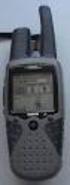 How to use Garmin Rino 130 Created by: John Cruz, Vladimir Ivanov, UH-Hilo EPSCoR-ITER 1 //.../sdal/how-to/ht_garmin_rino130.doc Installing Batteries Note: The Rino 130 operates on three AA alkaline batteries
INSPIRE 1 Release Notes 2015.9.7. Overview: What s New: Bug Fixes: Notice: 1. All-in-One Firmware version updated to: v1.4.0.10
 2015.9.7 1. All-in-One Firmware version updated to: v1.4.0.10 What s New: 1. Added Intelligent Navigation Modes including Point of Interest and Waypoint. 2. A three minute cool down period is triggered
HDS Gen2 RTM 4.0 software update
 HDS Gen2 RTM 4.0 software update The HDS RTM 4.0 software update enables autopilot control of outboard motors and includes features for Jeppesen 4D charts. Outboard motor autopilot To use outboard autopilot
AutoGlow Installation and User s Manual. Installation and User s Manual. OSA AutoGlow. Figure 1. AutoGlow Introduction
 AutoGlow TM Installation and User s Manual Automatic Mode Velocity Sensing EEPROM OSA AutoGlow Thank you for purchasing the AutoGlow automatic glow plug control system. AutoGlow allows the model aviation
PHANTOM 2 Product Release Notes
 Date : March 3, 2015 PHANTOM 2 Flight Controller Firmware Version : 3.12 March 3, 2015 PHANTOM 2 Flight Controller Firmware V3.12 released Major New Features 1. No-Fly Zones have been updated to include
Electric Landing Gear controllers and sequencer LGC12 / LGC 13C
 Electric Landing Gear controllers and sequencer LGC12 / LGC 13C Users Guide. Torrent d en Puig, 31. 08358, Arenys de Munt, Barcelona,Catalonia,Spain E-mail: [email protected]. Fax: +34 933 969 743 web: www.xicoy.com
MANUAL FOR RX700 LR and NR
 MANUAL FOR RX700 LR and NR 2013, November 11 Revision/ updates Date, updates, and person Revision 1.2 03-12-2013, By Patrick M Affected pages, ETC ALL Content Revision/ updates... 1 Preface... 2 Technical
Welcome to FBL Gyro Configuration software
 Welcome to FBL Gyro Configuration software If you have gone flybarless and are using the ALZRC 3GYS, CopterX 3X1000, Helicox TG-1, Hobby King ZYX or Tarot ZYX then this software may be useful to you. Based
WooKong Multi-Rotor User Manual
 WooKong Multi-Rotor User Manual V 3.3 2012.08.23 Revision www.dji-innovations.com 2012 DJI Innovations. All Rights Reserved. Warning & Disclaimer WKM is an excellent autopilot system offering tremendous
Naza for Multi-Rotor User Manual
 Naza for Multi-Rotor User Manual V 2.3 2012.08.30 Revision www.dji-innovations.com 2012 DJI Innovations. All Rights Reserved. Warning & Disclaimer Naza is an excellent autopilot system offering tremendous
How To Control Gimbal
 Tarot 2-Axis Brushless Gimbal for Gopro User Manual V1.0 1. Introduction Tarot T-2D gimbal is designed for the Gopro Hero3, which is widely used in film, television productions, advertising aerial photography,
Firmware Updates on April 27, 2015 Overview Major New Features Firmware Updates on March 03, 2015 Overview Major New Features Special Note:
 Firmware Updates on April 27, 2015 a) Flight controller firmware has been updated to v3.14. No-Fly Zones have been updated to include a 1.2 km radius centered on the Imperial Palace and a 1 km radius centered
Revision Number Revision Date Insertion Date/Initials 1 st Ed. Feb 01, 00 2 nd Ed. Jun 24, 02 3rd Ed. Feb 15, 07
 List of Effective Pages * Asterisk indicates pages changed, added, or deleted by current revision. Retain this record in front of handbook. Upon receipt of a Record of Revisions revision, insert changes
INSTRUCTION MANUAL. Specification: collective pitch 3D quadcopter. TYPE: Collective Pitch Electric 3D Quadcopter. Rotor Diameter: 118MM.
 collective pitch 3D quadcopter INSTRUCTION MANUAL Specification: TYPE: Collective Pitch Electric 3D Quadcopter Rotor Diameter: 118MM Length:635 MM Width: 365 MM Weight: 986g w/out battery Flying weight
Parrot Bebop Drone FAQ s
 Parrot Bebop Drone FAQ s Where can I find information about regulation of the use of drones? The use and the regulation depend on your place of flight. For further information, consult the relevant authorities:
Dedalus autopilot User's manual
 Dedalus autopilot User's manual Introduction Thank you for purchasing Dedalus Autopilot. We have put our many year experience in electronics, automatics and control of model planes into this device. Dedalus
DragonLink User Guide
 DragonLink User Guide Chris Seto, 2012 R5 8/24/2012 This document is in beta status. 1 P a g e Table of Contents 1) Quick Start checklist 2) DragonLink Versions 3) Getting to know the DragonLink hardware
Dedalus autopilot user's manual. Dedalus autopilot User's manual. Introduction
 Dedalus autopilot User's manual Introduction Thank you for purchasing Dedalus Autopilot. We have put our many year experience in electronics, automatics and control of model planes into this device. Dedalus
RC Camera Control. User Guide v1.2. 10/20/2012
 RC Camera Control User Guide v1.2 10/20/2012 kristaps_r@rcgroups INTRODUCTION RC Camera Control board (RCCC) is multifunctional control board designed to for aerial photography or First Person Video flying.
Ar Drone Controller Version 1.6.0 and above
 Ar Drone Controller Version 1.6.0 and above Getting started Menu Introduction Prerequisites Main screen 3.1 Menu 3.2 Toolbar Settings Keyboard configuration Joystick configuration RTH Return to home Wifi
To Install EdiView IP camera utility on Android device, follow the following instructions:
 To Install EdiView IP camera utility on Android device, follow the following instructions: To install Ediview application, launch Market. (In your Android device s All apps menu). Click magnifier icon
PMU-5V LED/OSD S3 S2 S1 M8 M7 M6 M5 M4 M3 M2 M1. OUT 12v OUT 5v
 Multi-rotors Flight Controller V1.00 20.5.4 User Manual PMU-5V LED/OSD S3 S2 S1 M8 M7 M6 M5 M4 M3 M2 M1 DATA/USB DSM1 GIMBAL M DSM2 AUX CH1 CH2 CH3 CH4 CH5 CH6 CH7 CH8 CH9 GPS POWER IN PMU OUT 12v OUT
AEO Head Movement Tracker X-GYRO 1000 USER MANUAL(V1.1bata 20091019)
 AEO Head Movement Tracker X-GYRO 1000 USER MANUAL(V1.1bata 20091019) Introduction: X-GYRO 1000 is a two axis head tracking system, based on G sensor technique, designed for tracking complicated three-dimensional
How do I. (Phantom 3 Menu Guide) By Arthur L. Burke, Jr.
 How do I (Phantom 3 Menu Guide) By Arthur L. Burke, Jr. (A guide to the labyrinth of menus and settings for your Phantom 3. This document is based on a Phantom 3 Professional running with an Android version
GHC 20 Owner s Manual
 GHC 20 Owner s Manual April 2013 190-01610-00_0A Printed in Taiwan All rights reserved. Under the copyright laws, this manual may not be copied, in whole or in part, without the written consent of Garmin.
Guardian 2D/3D Stabilizer. Document Version 2.0 Assembled in Taiwan
 Guardian 2D/3D Stabilizer Document Version 2.0 Assembled in Taiwan Introduction Thank you for your purchase! Based on Eagle Tree's proven inertial stabilization technology, the Guardian 2D/3D Stabilizer
GPS 72. Personal Navigator. Read This First! quick start guide
 GPS 72 Personal Navigator Read This First! quick start guide Internal Antenna Quick Start Unit Overview Interface keys MOB ZOOM Battery Compartment MARK External Data/Auxilary Power Port 120 x 160 Four
VBAR NEO. Quick Start Guide Express-Firmware
 VBAR NEO Quick Start Guide Express-Firmware Welcome to VBar NEO! VBar NEO is an innovative product setting new standards for model helicopters in terms of flight performance and programming capacity. Features:
High Alpha 3D Maneuvers
 High Alpha 3D Maneuvers Harrier Pass Elevator Back Flip Parachute Whip Stalls Rolling Harrier 3D Rolling Turn 3D Knife Edge C-82 Rudder Warmup Note: Every flight mode and maneuver presented in this section
harbor cub Electric Remote Control Airplane Model 92906 assembly & Operating Instructions
 harbor cub Electric Remote Control Airplane Model 92906 assembly & Operating Instructions IMPORTANT: If damage is caused due to a crash, your warranty is void. Visit our website at: http://www.harborfreight.com
3D-GIS in the Cloud USER MANUAL. August, 2014
 3D-GIS in the Cloud USER MANUAL August, 2014 3D GIS in the Cloud User Manual August, 2014 Table of Contents 1. Quick Reference: Navigating and Exploring in the 3D GIS in the Cloud... 2 1.1 Using the Mouse...
Development of Knowledge-Based Software for UAV Autopilot Design
 Development of Knowledge-Based Software for UAV Autopilot Design George Tarrant Director CLOSED LOOP SYSTEMS Health Warning Autopilot design is a technical subject. In this paper, I have tried to translate
S-Tec System Thirty Autopilot
 Cirrus Design Section 9 Pilot s Operating Handbook and FAA Approved Airplane Flight Manual Supplement for S-Tec System Thirty Autopilot When the S-Tec System Thirty Autopilot is installed in the Cirrus
The Quadcopter Controller
 The Quadcopter Controller Table of Contents Introduction to the Quadcopter controller...2 Flight Configurations...2 Updating the Firmware...3 Mounting the Quadcopter controller in your Quadcopter...8 Quadcopter
USER MANUAL. EZRUN Series Brushless Speed Controller EZRUN-150A-PRO
 USER MANUAL EZRUN Series Brushless Speed Controller EZRUN-150A-PRO User Manual of EZRUN-150A-PRO Brushless ESC HW-SM405ENG-20130809 Page - 1 - Declaration Thanks for purchasing our Electronic Speed Controller
Brief introduction----------------------------------------------------------------------------03
 A-1 skyraider Brief introduction----------------------------------------------------------------------------03 Specification----------------------------------------------------------------------------------03
3D- Cam FPV User Guide. April, 2014. 2014-04- 30 Rev. 0.2
 3D- Cam FPV User Guide April, 2014. 2014-04- 30 Rev. 0.2 3D- Cam FPV User Guide Trademark & Copyright Information Transporter3D, 3D- Cam FPV and the EMR Laboratories logo are trademarks of EMR Laboratories
The Case for Mode 4 Transmitters, or, "How North America Got It Wrong", or, "How Most of the Planet Got It Wrong"
 The Case for Mode 4 Transmitters, or, "How North America Got It Wrong", or, "How Most of the Planet Got It Wrong" Martin Newell October 2009 Updated October 2010 The great majority of RC pilots in North
2.4G Bluetooth Datalink & ipad Ground Station User Guide V1.12
 2.4G Bluetooth Datalink & ipad Ground Station User Guide V1.12 Thank you for purchasing DJI products. Please strictly follow this user guide to mount and connect the 2.4G Bluetooth Datalink, install the
PHANTOM 3. User Manual ADVANCED V1.0 2015.04
 PHANTOM 3 ADVANCED User Manual V1.0 2015.04 Using this manual Legends Warning Important Hints and Tips Reference Read Before the First Flight Read the following documents before using the Phantom 3 Advanced:
QUEEN HOBBY FLIP32+ MANUAL
 QUEEN HOBBY FLIP32+ MANUAL PURPOSE: This user manual covers topics needed to setup your Flip 32+ flight controller from ReadyToFlyQuads.com. All the pictures contained in this user manual, except for company
Assembly and Operating Manual Nano warbirds FW 190 Specification: *Length: 18 1/2"(470mm) *Wing Span: 21 7/10"(550mm)
 Assembly and Operating Manual Nano warbirds FW 190 Specification: *Length: 18 1/2"(470mm) *Wing Span: 21 7/10"(550mm) *Flying Weight: 6 1/2 oz (185g) Dear customer, Congratulations on your choice of a
FLIGHT TRAINING (AEROPLANE) BASED ON JAR FCL - PPL(A) FLIGHT INSTRUCTION Syllabus
 FLIGHT TRAINING (AEROPLANE) BASED ON JAR FCL - PPL(A) FLIGHT INSTRUCTION Syllabus for MARSPOLAR, DUBAI UAE Exercise 1 Familiarisation with the aeroplane characteristics of the aeroplane cockpit layout
TABLE OF CONTENTS 1 1
 USER MANUAL T1.0 TABLE OF CONTENTS 01 02 02 03 04 04 05 05 05 06 06 07 07 07 08 08 08 10 12 13 13 TABLE OF CONTENTS INTRODUCTION OVERVIEW SPECIFICTATIONS PLACEMENT BEFORE TAKEOFF CHARGING ASSEMBLY POWERING
User Manual V1.0 2016.05
 User Manual V1.0 2016.05 Searching for Keywords Search for keywords such as battery and install to find a topic. If you are using Adobe Acrobat Reader to read this document, press Ctrl+F on Windows or
Introduction to the iefis Explorer
 Introduction to the iefis Explorer A brief primer to the new iefis Explorer from MGL Avionics The Explorer EFIS introduces a custom developed touch pressure sensitive LCD screen aimed exclusively at the
etrex 10 quick start manual
 etrex 10 quick start manual Getting Started Device Overview warning See the Important Safety and Product Information guide in the product box for product warnings and other important information. ➊ ➍ ➌
G-PORTER. Portable GPS Tracker GP-102 User s Manual
 G-PORTER Portable GPS Tracker GP-102 User s Manual Chapter 1 GP-102 Overview The GP-102 is the best available portable GPS tracker and sports analyzer with the most functions with the simplest operations.
Instruction Manual Bedienungsanleitung Manuel d utilisation Manuale di Istruzioni
 Instruction Manual Bedienungsanleitung Manuel d utilisation Manuale di Istruzioni EN Getting Started To get more information, including details on downloading the Spektrum AS3X Mobile Programming Application,
Lab 8 Notes Basic Aircraft Design Rules 6 Apr 06
 Lab 8 Notes Basic Aircraft Design Rules 6 Apr 06 Nomenclature x, y longitudinal, spanwise positions S reference area (wing area) b wing span c average wing chord ( = S/b ) AR wing aspect ratio C L lift
OWNER S MANUAL MANUEL DU PROPRIÉTAIRE MANUAL DEL USUARIO BEDIENUNGSANLEITUNG MODEL 6608 KC1829-R01 130916
 OWNER S MANUAL MANUEL DU PROPRIÉTAIRE MANUAL DEL USUARIO BEDIENUNGSANLEITUNG MODEL 6608 KC1829-R01 130916 SAFETY PRECAUTIONS Never fly the helicopter with low batteries. Low battery indicators include:
GPSMAP 62 series quick start manual. For use with the GPSMAP 62, 62s, 62st, 62sc, and 62stc
 GPSMAP 62 series quick start manual For use with the GPSMAP 62, 62s, 62st, 62sc, and 62stc Getting Started warning See the Important Safety and Product Information guide in the product box for product
parts of an airplane Getting on an Airplane BOX Museum Aeronautics Research Mission Directorate in a Series
 National Aeronautics and Space Administration GRADES K-2 Aeronautics Research Mission Directorate Museum in a BOX Series www.nasa.gov parts of an airplane Getting on an Airplane MUSEUM IN A BOX Getting
SL720 GYRO/PC INTERFACE MANUAL
 SL720 GYRO/PC INTERFACE MANUAL INTRODUCTION The SL720 gyro has a 'PC' port that allows the internal settings of the gyro to be examined and adjusted to users' requirements. For most users the pre-loaded
AUTOPILOT QUICK START GUIDE
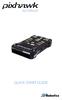 AUTOPILOT QUICK START GUIDE PARTS 1 2 3 4 5 6 7 8 9 10 11 1 Pixhawk 2 Buzzer 3 Safety switch 4 Micro-SD card and adapter 5 Micro-USB cable 6 Six-wire cable x2 7 Power module 8 I 2 C splitter module 9 Four-position
Quick Start Tutorial Metric version
 Quick Start Tutorial Metric version 1996-2009 Cadsoft Corporation. No part of this guide or the accompanying software may be reproduced or transmitted, electronically or mechanically, without written permission
The purposes of this experiment are to test Faraday's Law qualitatively and to test Lenz's Law.
 260 17-1 I. THEORY EXPERIMENT 17 QUALITATIVE STUDY OF INDUCED EMF Along the extended central axis of a bar magnet, the magnetic field vector B r, on the side nearer the North pole, points away from this
Introduction to RC Airplanes. RC Airplane Types - Trainers, Sport RC Planes, 3D Acrobat RC Airplanes, Jets & More
 Introduction to RC Airplanes RC Airplane Types - Trainers, Sport RC Planes, 3D Acrobat RC Airplanes, Jets & More RC Airplane Types RC airplanes come in a few distinct categories. Each category generally
Trimble R8 Base and Rover Quick Setup Guide. Inland GPS Inc.
 Trimble R8 Base and Rover Quick Setup Guide Inland GPS Inc. Setting up the GPS Base Equipment Hardware First Find the best, most advantageous secure place to setup the GPS base equipment. Look for a high
Quick Start Tutorial Imperial version
 Quick Start Tutorial Imperial version 1996-2006 Cadsoft Corporation. No part of this guide or the accompanying software may be reproduced or transmitted, electronically or mechanically, without written
PRODUCTIVITY THROUGH INNOVATION 600 CONTROL DIRECT DRIVE TECHNICAL/OPERATION MANUAL
 Rev. D PRODUCTIVITY THROUGH INNOVATION 600 CONTROL DIRECT DRIVE TECHNICAL/OPERATION MANUAL 10 BORIGHT AVENUE, KENILWORTH NEW JERSEY 07033 TELEPHONE: 800-524-0273 FAX: 908-686-9317 TABLE OF CONTENTS Page
WWW.KDSMODEL.COM. Flymentor 3D. User Manual SHENZHEN KDS MODEL TECHNOLOGIES CO.,LTD
 WWW.KDSMODEL.COM User Manual SHENZHEN KDS MODEL TECHNOLOGIES CO.,LTD Flymentor 3D Foreward Caution 1. Summary 1.1 Introducing 1.2 Specification 1.3 Attentions 1.4 LED status 1.5 Using flow 2. Connect to
Features of Corona 2.4GHz transmitting module and receiver. The new lightweight, advanced technology unit has the following features:
 Instruction Manual Corona 2.4GHz RF module & Receiver Thank you for purchasing our Corona 2.4Ghz RF transmitter module & receiver. In order to fully utilize the performance potential of this system, we
Auto Clicker Tutorial
 Auto Clicker Tutorial This Document Outlines Various Features of the Auto Clicker. The Screenshot of the Software is displayed as below and other Screenshots displayed in this Software Tutorial can help
To Install EdiView IP camera utility on iphone, follow the following instructions:
 To Install EdiView IP camera utility on iphone, follow the following instructions: Please download Ediview application from Apple s Appstore. You can launch EdiView by clicking EdiView icon. You ll see
ix3m Dive Computer Installable Apps Manual ver. 1.0
 ix3m Dive Computer Installable Apps Manual ver. 1.0 Warning! To receive all updates of this manual and notice of future updates of the ix3m by e-mail, please send a message writing ix3m to the following
QW Four-Axis Aircraft. Operation Instruction
 QW Four-Axis Aircraft Operation Instruction Operation Instruction Content Disclaimer:...3 Precautions for Product Use... 4 Precautions for Battery Use and Charging... 5 Product List:...6 Introduction...7
AP Series Autopilot System. AP-202 Data Sheet. March,2015. Chengdu Jouav Automation Tech Co.,L.t.d
 AP Series Autopilot System AP-202 Data Sheet March,2015 Chengdu Jouav Automation Tech Co.,L.t.d AP-202 autopilot,from Chengdu Jouav Automation Tech Co., Ltd, provides complete professional-level flight
FLIGHT CONTROLS 1. GENERAL 2. MAIN COMPONENTS AND SUBSYSTEMS ROLL CONTROL. Smartcockpit.com BOEING 737 SYSTEMS REVIEW Page 1
 Smartcockpit.com BOEING 737 SYSTEMS REVIEW Page 1 FLIGHT CONTROLS 1. GENERAL The primary flight controls, ailerons, elevators and rudders, are hydraulically powered. Hydraulic power is provided from hydraulic
o-synce NAVI2move user manual ENGLISH
 o-synce NAVI2move user manual ENGLISH 1 Content Content... 1 1 FIRST STEPS... 3 1.1 Downloading and intalling of NaviControlCenter... 3 1.2 Recharging... 3 1.3 Switching on and off... 3 1.4 Display modes...
MoTeC USA GPS. Part # M GPS BL Available in 10 Hz or 20 Hz. USER MANUAL Version 1.4
 MoTeC USA GPS Part # M GPS BL Available in 10 Hz or 20 Hz. USER MANUAL Version 1.4 MoTeC USA GPS Copyright Motec Systems USA 2008 The information in this document is subject to change without notice. While
POWER TRIM 5 F AUTO TRIM AND AUTO TRIM
 POWER TRIM 5 F 22217 AUTO TRIM AND AUTO TRIM Table of Contents Page Auto Trim System........................ 5F-1 Description........................... 5F-1 Auto Trim Operation...................... 5F-2
Flight Controller. Mini Fun Fly
 Flight Controller Mini Fun Fly Create by AbuseMarK 0 Mini FunFly Flight Controller Naze ( Introduction 6x6mm. 6 grams (no headers, 8 grams with). 000 degrees/second -axis MEMS gyro. auto-level capable
Six-servo Robot Arm. DAGU Hi-Tech Electronic Co., LTD www.arexx.com.cn. Six-servo Robot Arm
 Six-servo Robot Arm 1 1, Introduction 1.1, Function Briefing Servo robot, as the name suggests, is the six servo motor-driven robot arm. Since the arm has a few joints, we can imagine, our human arm, in
S TEC. List of Effective Pages. Record of Revisions
 List of Effective Pages * Asterisk indicates pages changed, added, or deleted by current revision. Retain this record in front of handbook. Upon receipt of a Record of Revisions revision, insert changes
simplugins Panel Builder
 simplugins Panel Builder BajuSoftware, LLC Page 1 of 42 Version 2.9 August 2015 Table of Contents Introduction... 3 Capabilities and Features... 4 Technical Requirements... 6 Licensing... 7 Licensing for
CHAPTER 1 INTRODUCTION
 CHAPTER 1 INTRODUCTION 1.1 Background of the Research Agile and precise maneuverability of helicopters makes them useful for many critical tasks ranging from rescue and law enforcement task to inspection
CENTURY III AUTOPILOT FLIGHT SYSTEM
 CENTURY III AUTOPILOT FLIGHT SYSTEM PILOT S OPERATING HANDBOOK NOVEMBER 1998 68S25 NOTICE 68S25 This manual contains General Information on operation of Century III Autopilot. specific FAA approved information
Servo Motors (SensorDAQ only) Evaluation copy. Vernier Digital Control Unit (DCU) LabQuest or LabPro power supply
 Servo Motors (SensorDAQ only) Project 7 Servos are small, relatively inexpensive motors known for their ability to provide a large torque or turning force. They draw current proportional to the mechanical
The following information can be output as speech: status of the teacher / student connection. time markers of the timers.
 1 V2 software 1.1 Update from V1 to V2 Additional files must be installed when updating from software version 1 to version 2. In version 2.xx, the volume settings are stored in the model memory. The volume
5. Tutorial. Starting FlashCut CNC
 FlashCut CNC Section 5 Tutorial 259 5. Tutorial Starting FlashCut CNC To start FlashCut CNC, click on the Start button, select Programs, select FlashCut CNC 4, then select the FlashCut CNC 4 icon. A dialog
How To Fly A Plane On Gcs 2.5
 Excerpt from Intelligent Surveillance with MAVs R&D 1042-AM-01 Paparazzi User s Manual École Nationale de l Aviation Civile, Toulouse, France October 2007 Updated: February 3, 2008 Abstract This document
COLOR TFT LCD MONITOR. User Manual
 COLOR TFT LCD MONITOR User Manual GENERAL INFORMATION Thank you for choosing our TFT LCD(liquid crystal display) monitor. This product employs integrate circuits, low power consumption, and no radiation
INSTRUCTIONS Please read all instructions carefully before using
 Car Multimedia System XM-2DTSB79 AUX IR MIC RESET USB INSTRUCTIONS Please read all instructions carefully before using Touch calibration If touch calibration error occurs, you can adjust the touch coordinate
GPSMAP 62 series quick start manual. For use with the GPSMAP 62, 62s, 62st, 62sc, and 62stc
 GPSMAP 62 series quick start manual For use with the GPSMAP 62, 62s, 62st, 62sc, and 62stc Getting Started warning See the Important Safety and Product Information guide in the product box for product
CREATING SCENERY WITH THE PHOENIX RC CREATOR PROGRAM
 TUTORIAL 1 CREATING SCENERY WITH THE PHOENIX RC CREATOR PROGRAM This document is copyrighted to the author and may only be reproduced or copied with the author s consent. It is free for distribution on
PRODUCT MANUAL SPECIFICATIONS SAFETY PRECAUTIONS. 1460mm/57.48in 1112mm/43.78in 27.74dm²/429.96in² 1600g/56.50oz 57.68g/dm²
 SPECIFICATIONS SAFETY PRECAUTIONS PRODUCT MANUAL Wing span: Length: Wing area: Flying weight: Wing loading: 1460mm/57.48in 1112mm/43.78in 27.74dm²/429.96in² 1600g/56.50oz 57.68g/dm² This electric R/C model
FlameWheel450 User Manual V 1.8 www.dji-innovations.com
 FlameWheel450 User Manual V 1.8 www.dji-innovations.com 2012 DJI Innovations. All Rights Reserved. Disclaimer Read this disclaimer carefully before using FlameWheel450. By using this product, you hereby
Table of Contents Getting Started... 3 The Motors... 4 The Control Board... 5 Setting up the Computer with Mach3... 6 Starting up the Equipment...
 User Manual Table of Contents Getting Started... 3 The Motors... 4 The Control Board... 5 Setting up the Computer with Mach3... 6 Starting up the Equipment... 12 G-Code Example... 13 2 Getting Started
Table of Contents. Use. Troubleshooting. Setup. Welcome. 11 How to arm/disarm system/camera(s) 19 Sync Module setup issues. 3 Installing the Blink app
 User Guide Table of Contents Welcome Setup Use Troubleshooting 2 What s in the box 2 What you need 3 Installing the Blink app 4 Setting up the Sync Module 5 Connecting the Sync Module to Your Wi-Fi 7 Adding
Thank you for choosing the PNA as your in-car navigator. Read the Quick Start Guide first and start using the PNA right away. This document is the
 Thank you for choosing the PNA as your in-car navigator. Read the Quick Start Guide first and start using the PNA right away. This document is the detailed description of the navigation software. You can
PeopleGIS Leica RTK GPS Instructions
 PeopleGIS Leica RTK GPS Instructions Equipment List GG02 Receiver (Antenna) GPS Range Pole Zeno Tablet MiFi MiFi External Battery Carrying Case 1) Turning on the MiFi Power on the MiFi. This little gadget
INSTALLATION AND START-UP GUIDE
 00 INSTALLATION AND START-UP GUIDE TABLE OF CONTENTS Getting Started.................................................... 03 System Requirements............................................... 03 Installing
TBS Dominator 5G8 Receiver
 TBS Dominator 5G8 Receiver Integrated video receiver for Fatshark Dominator fpv goggles. Compatible with Dominator, Dominator V2 and Dominator HD Revision 2015-05-23 The TBS DOMINATOR 5G8 video receiver
UNIVERSAL REMOTE CONTROL GUIDE
 UNIVERSAL REMOTE CONTROL GUIDE Service provided by We Keep You Connected Your new AT6400 AllTouch Infrared (IR) Universal Remote Control (remote) is a true universal remote, functioning as four remotes