
Bendix Wingman ACB Active Cruise with Braking. Operator s Manual
|
|
|
- Dana Watts
- 9 years ago
- Views:
Transcription
1 Bendix Wingman ACB Active Cruise with Braking Operator s Manual Warning: Improper use of the Bendix Wingman ACB Active Cruise with Braking System can result in a collision causing property damage, serious injuries, or death. Be sure to read, understand, and follow all these instructions carefully. DO NOT REMOVE FROM VEHICLE This booklet contains important operational and safety information that benefits you and subsequent owners.

2 Sources of Additional Information about Bendix Systems on your vehicle Consult the vehicle manufacturer s documentation. Visit for free downloads of the Service Data sheet listed below, or order paper copies of this publication from the Literature Center at SD Bendix Wingman ACB (Active Cruise with Braking) Service Data Sheet SD Bendix EC-60 ABS/ATC/ESP Controllers (Advanced) Service Data Sheet or Contact the Bendix Tech Team at [email protected] or call AIR-BRAKE ( ). Representatives are available Mon.-Fri. 8:00 a.m. to 6:00 p.m. EST. The trademarks used in this document, including Bendix, are United States trademarks owned by or licensed to Bendix Commercial Vehicle Systems LLC. 2

3 Important Bendix Wingman Active Cruise with Braking (ACB) Safety Information SECTION 1: GENERAL Ultimate responsibility for the safe operation of the vehicle remains with the driver at all times. Even with Bendix Wingman ACB, you must remain alert, react appropriately and in a timely manner, and use good driving practices. The Bendix Wingman ACB system must be used only in the same conditions that are normally recommended for ordinary cruise control. The Bendix Wingman ACB must never be used on roads where you cannot drive safely at a steady speed, including city streets, winding roads and sharp curves, downhill grades, poor road conditions, such as gravel, dirt, ice or wet surfaces (wet surfaces may increase the risk of hydroplaning), or in fog, heavy rain or snowy conditions. In certain situations Wingman ACB should not be used including: inclement weather; dense traffic or where smaller vehicles such as motorcycles are ahead in the same lane; construction zones, off-road use, downhill grades; when entering turning lanes, entering or exiting highways or similar situations. Always switch off or cancel Bendix Wingman ACB (by stepping on the brakes or turning off cruise) when entering turning lanes, entering or exiting highways, driving through construction zones, or similar situations. See page 19 for more details. Variations from this Manual Vehicle manufacturers, and some previous models of Bendix Wingman ACB, may use alerts, messages, and dash arrangements that vary from the examples shown here. Consult the Vehicle Operator s Manual for applicable details regarding use and operation. Bendix Wingman ACB reacts to vehicles moving in the same direction as your vehicle. The system DOES NOT attempt to brake the vehicle when approaching stopped vehicles, side to side moving traffic, or oncoming traffic. Wingman ACB-Equipped Vehicle Detected Forward Vehicle RADAR ACB Does Not Brake nor Warn for Vehicles Approaching from the Side or Oncoming 3

4 When the Bendix Wingman ACB system detects a situation that requires intervention, it works in conjunction with the Bendix ESP electronic stability system to engage the brakes, however, the system should never be relied upon to stop your vehicle or to avoid a collision. At most, the Bendix Wingman ACB system will apply about one-third of the vehicle s potential braking power. The driver can, and should still apply full braking power, when needed. SECTION 2: DRIVER ALERTS & WARNINGS Driver Indications and Alerts Before using Bendix Wingman ACB, the driver should fully understand all the audible alerts and visual indicators that the system provides. This booklet will assist in explaining what each of them means and what actions the driver may be required to take to avoid potential collisions. Any beeping means that your vehicle is too close to the vehicle ahead. The Impact Alert warning is the most severe warning issued by Bendix Wingman ACB. This alert indicates the driver must take immediate evasive action by applying more braking power and/or steering clear of the vehicle ahead to avoid a potential collision. The actual display text/sounds vary by vehicle manufacturer. When activated, text appears either on the dashboard screen, or Driver Interface Unit (DIU), and a loud continuous tone, or similar, will sound. The Impact Alert is active whenever the vehicle is moving (whether or not cruise control is engaged.) When the Impact Alert warning activates, you must take immediate evasive action by applying more braking power and/or steering clear of the vehicle ahead to avoid a potential collision. NOTE: At most, Bendix Wingman ACB will apply up to one-third of your vehicle s braking capability. The driver must apply additional braking, when necessary, in order to maintain a safe distance from the vehicle ahead. Following Distance Alert (FDA) provides both audible and visual alerts whenever the distance between your vehicle and the vehicle ahead is less than the set distance and getting closer. The FDA is active whenever the vehicle is moving (whether or not cruise control is engaged.) If the following distance continues to decrease, the driver will hear more rapid audible alerts. When the distance interval reaches a critical point, typically a red LED also illuminates on the instrument cluster. The FDA may be accompanied by a message on the dash screen saying Distance Alert, or similar text. Once the audible alert is given, the driver must increase the distance between his/her vehicle and the vehicle ahead until the audible alert stops. 4

5 Stationary Object Alert (SOA) The Bendix Wingman ACB system will give up to 3.0 seconds warning to the driver when approaching, in your lane of travel, sizable stationary objects with reflective surfaces. The SOA is active whenever the vehicle is moving (whether or not cruise control is engaged.) The driver should be especially careful when approaching certain types of vehicles and objects. The Bendix Wingman ACB sensor may not be able to detect vehicles and objects with limited metal surfaces (such as recreational vehicles, horse-drawn buggies, motorcycles, logging trailers, etc.). NOTE: Entering a curve will reduce the alert time to less than 3 seconds. Pedestrians, Animals, Non-metallic or Limited-metallic Objects The Bendix Wingman ACB system will not warn or react to pedestrians, animals, non-metallic objects, and limited metallic objects. Reflective Objects May Impair the Radar Objects that are reflective, such as crash barriers, guard rails, construction zone barricades, and tunnel entrances may impair the function of the radar sensor. Brake Overuse Warning The Bendix Wingman ACB provides a warning when the system is intervening and using the foundation brakes excessively. Overuse of the foundation brakes can lead to the brakes overheating and a potential loss of braking performance from brake fade. For example, the use of Bendix Wingman ACB on downhill runs may cause this alert to be activated. It is recommended that Bendix Wingman ACB be disengaged on downhill grades. The driver should use appropriate gearing and brake techniques, not Bendix Wingman ACB, on downhill grades. The primary condition that activates the ACB Brake Overuse Warning is when using Bendix Wingman ACB down grades. Approach grades as you would normally, with the appropriate gear selected and at a safe speed. Bendix Wingman ACB should not be used on downhill grades. 5 Continues over...

6 SECTION 3: EQUIPMENT MAINTENANCE Importance of Antilock Braking System (ABS) Maintenance Optimal Bendix Wingman ACB braking requires a properly maintained ABS system, without any ABS Diagnostic Trouble Codes (DTCs). Have DTCs repaired by a qualified technician. Any ABS DTCs will cause ACB to deactivate. Importance of Brake Maintenance Optimal Bendix Wingman ACB braking requires properly maintained truck foundation brakes (S-Cam or air disc) which meet appropriate safety standards and regulations. Brake performance also requires that the vehicle be equipped with properly sized and inflated tires, with a safe tread depth. If a problem with the Bendix Wingman ACB system is detected, depending on the vehicle manufacturer, there may be a message on the dashboard display. Depending on the type of problem detected, the system will determine if the vehicle may continue normal cruise control functions (without the benefits of Bendix Wingman ACB), or whether all cruise control functions should be disabled until service is performed. The system should be serviced as soon as possible to restore full ACB functionality. Sensor Inspection The driver should inspect the radar sensor and mounting bracket regularly and remove any mud, snow, ice build-up, or other obstructions. Sensor Damage / Misalignment / Tampering - In cases where the bumper and/or sensor have sustained any damage, are misaligned, or if you suspect that the sensor has been tampered with, do not use the Bendix Wingman ACB system until the vehicle has been repaired and the sensor re-aligned. In addition, an indicator on the dash typically will illuminate if the system detects any of these conditions. Consult your vehicle s Operator s Manual or contact Bendix for more information. 6

7 Table of Contents Important Safety Information Bendix Wingman ACB Overview Operating Bendix Wingman ACB Switching on the Bendix Wingman ACB System Adjusting the Cruise Control Speed What is Following Distance? What to Expect When Using Bendix Wingman ACB How Your Actions Impact Bendix Wingman ACB Indications and Alerts Impact Alert (IA) Warning Following Distance Alert (FDA) Stationary Object Alert (SOA) ACB Brake Overuse Warning Potential False Alerts When Not to Use Bendix Wingman ACB Additional Operational Notes Adjusting the Alert Volume Stability System Performance Frequently Asked Questions Congratulations on Your Purchase! You are now using one of the latest advances in commercial vehicle technology, the Bendix Wingman ACB Active Cruise with Braking system. This Operator s Manual will help explain the features and functions of this innovative system, enabling you to gain the maximum performance from the system. Please read this manual thoroughly before operating the enhanced cruise control. Familiarize yourself with the controls, the various system alerts, and what to expect when the system operates. Always keep this manual in the vehicle and use it as a reference for any questions you may have about the system, its operation and performance characteristics. Thank you for your purchase of the Bendix Wingman ACB Active Cruise with Braking system. 7

8 The Bendix ESP Stability System All vehicles equipped with Bendix Wingman ACB are also equipped with the Bendix ESP Stability System. Bendix ESP stability system is a constantly on, full-stability system which monitors vehicle performance and, when necessary, automatically intervenes to reduce the throttle and/or applies the foundation brakes to help you maintain stability during potential loss-of-control and/or rollover events. Bendix Wingman ACB uses the Bendix ESP system to help maintain vehicle stability during automatic brake applications on slick surfaces. Keep in mind that Bendix Wingman ACB should never be used on roads where you cannot drive safely at a steady speed, including city roads, winding roads, or when road conditions are poor, such as on gravel, dirt, ice or wet surfaces (wet surfaces may increase the risk of hydroplaning), or in fog, heavy rain or snowy conditions. Always switch off or cancel Bendix Wingman ACB (by stepping on the brake, or turning off cruise) when entering turning lanes, entering or exiting highways, driving through construction zones, or similar situations. NOTE: The Bendix ESP stability system and ACB alerts are always operational when the vehicle is running; the active interventions of the Bendix Wingman ACB are only operational when the cruise control is engaged. 8

9 Bendix Wingman ACB Overview Bendix Wingman ACB Active Cruise with Braking is integrated with the vehicle s normal cruise control. Once the driver switches on and sets normal cruise control, Bendix Wingman ACB is automatically engaged. What is Bendix Wingman ACB? Think of the Bendix Wingman ACB as an additional integrated feature of your cruise control. When using cruise control, your vehicle will not only maintain the set speed, but the system also will intervene, as needed, to help maintain a set following distance behind the vehicle in front of you. Using a radar sensor (with a range of approximately 500 feet) mounted to the front of your vehicle, the Bendix Wingman ACB system reacts to moving vehicles ahead of you. Once cruise control is engaged and you are maintaining a set following distance between you and the vehicle in front: If the vehicle in front of you slows down below your cruise control s set speed, the system will intervene and, as necessary, in this order: (a) de-throttle the engine, and (b) apply the engine retarder, and (c) apply the foundation brakes, in an attempt to maintain the set following distance behind the vehicle ahead. NOTE: If during the intervention, it is necessary to apply the foundation brakes, the vehicle will not automatically resume to the set speed. If the vehicle ahead slows, below your cruise control s set speed, but then accelerates away, and the Bendix Wingman ACB system did not need to use the foundation brakes as it managed the intervention, your vehicle will automatically accelerate back to the original cruise control set speed, and again maintain a set following distance behind any vehicles that are ahead of you. Since Bendix Wingman ACB operates along with normal cruise control, all the typical features built into cruise control work as usual. For example, limits imposed by factory-set road speed governors, etc. are fully supported by Bendix Wingman ACB. 9

10 Bendix Wingman ACB System Components The radar unit that provides Bendix Wingman ACB with its ability to locate and track moving vehicles, is located at the front of your vehicle either on the bumper or just behind it on a cross-member. When located behind the bumper, in some cases the unit also may be behind a protective covering that allows the radar signal to pass through. The Bendix Wingman ACB radar sensor is pre-aligned at the factory and no adjustment should be needed. If the sensor becomes misaligned, (or any other system problem is detected) a message, or light on the dash lets the driver know that service is needed. Above: Examples of sensor locations. Integrated Dashboard The Bendix Wingman ACB system is either fully integrated into the vehicle dashboard, or uses the Bendix Driver Interface Unit (DIU). Although the system functions the same, how the alerts are displayed to the driver can be different. This Operator s Manual will show the full range of visual, text and audible indications and alerts to expect from either arrangement. See the Indications and Alerts section of this manual on page 16 for more detailed information about the alerts. NOTE: For some integrated systems, the volume level of the alerts is not adjustable, nor can they be switched off. Automatic Foundation Brake Applications The vehicle automatically manages foundation braking priorities among the various vehicle systems that use the foundation brakes, such as ACB (Active Cruise with Braking), ESP (Electronic Stability Program), ATC (Automatic Traction Control) and the ABS (Antilock Braking System). After an ACB event where the foundation brakes are applied, normal cruise will automatically be cancelled. The driver must resume or set the cruise mode in order for the vehicle to throttle up. 10

11 Operating Bendix Wingman ACB NOTE: Whenever the cruise control is engaged, the Bendix Wingman ACB system is also engaged. You cannot engage cruise control without also using the Bendix Wingman ACB system. Switching on the Bendix Wingman ACB System Switching on the Bendix Wingman ACB system is as easy as using ordinary cruise control. Examples of cruise control switches First, switch on the cruise control. Accelerate your vehicle to the cruise speed you wish to maintain, then press the cruise control set switch. Bendix Wingman ACB is now engaged and will help you maintain a set following distance. Once the cruise control speed is set, a green cruise-enabled icon (or similar) will illuminate on the instrument panel. If the cruise-enabled or set (or similar) icon does not illuminate, the Bendix Wingman ACB system is not functioning normally. Please refer to your Vehicle Operator s Manual to double-check the location of the icon and for further troubleshooting information. (Bendix contact information is listed on page two of this manual.) Some vehicle manufacturers use the instrument cluster to momentarily show the cruise control set speed to the driver. Where the Bendix DIU display is used, a text message will provide the set speed information. The driver can switch the Bendix Wingman ACB system off manually by either stepping on the brake, switching OFF the cruise control, or turning the vehicle ignition off. 11

12 NOTE: Cruise control will automatically cancel whenever Bendix Wingman ACB applies the foundation brakes. You can verify the system is disengaged by observing that the cruise-enabled or set icon is no longer illuminated. You must resume or set cruise control in order to regain normal cruise functionality and to reengage the Bendix Wingman ACB system. The Forward Vehicle Detected Icon When Bendix Wingman ACB is switched on and set and a vehicle ahead of you is detected by the radar, the forward vehicle detected icon, or similar, on the vehicle dashboard will illuminate. This is an indication to the driver that Bendix Wingman ACB is actively managing the distance between your vehicle and the vehicle ahead, and that Bendix Wingman ACB may automatically intervene to maintain the set following distance. Example of DIU forward vehicle detected display Adjusting the Cruise Control Speed Use the switch(es) provided by the vehicle manufacturer to set your cruise control speed. When adjusted, your set speed will typically be indicated on the vehicle dash, message center, or speedometer, etc. What is Following Distance? Following distance refers to the time gap, measured in seconds, between your vehicle and the vehicle ahead. Note that the actual physical distance between your vehicle and the vehicle traveling ahead will vary based on your set cruise speed; although the set time gap remains the same for all set cruise speeds. What to Expect When Using Bendix Wingman ACB The following chart illustrates what to expect from Bendix Wingman ACB in various driving situations you may encounter. Both the system indication and action to expect from the system are illustrated on the following page. 12
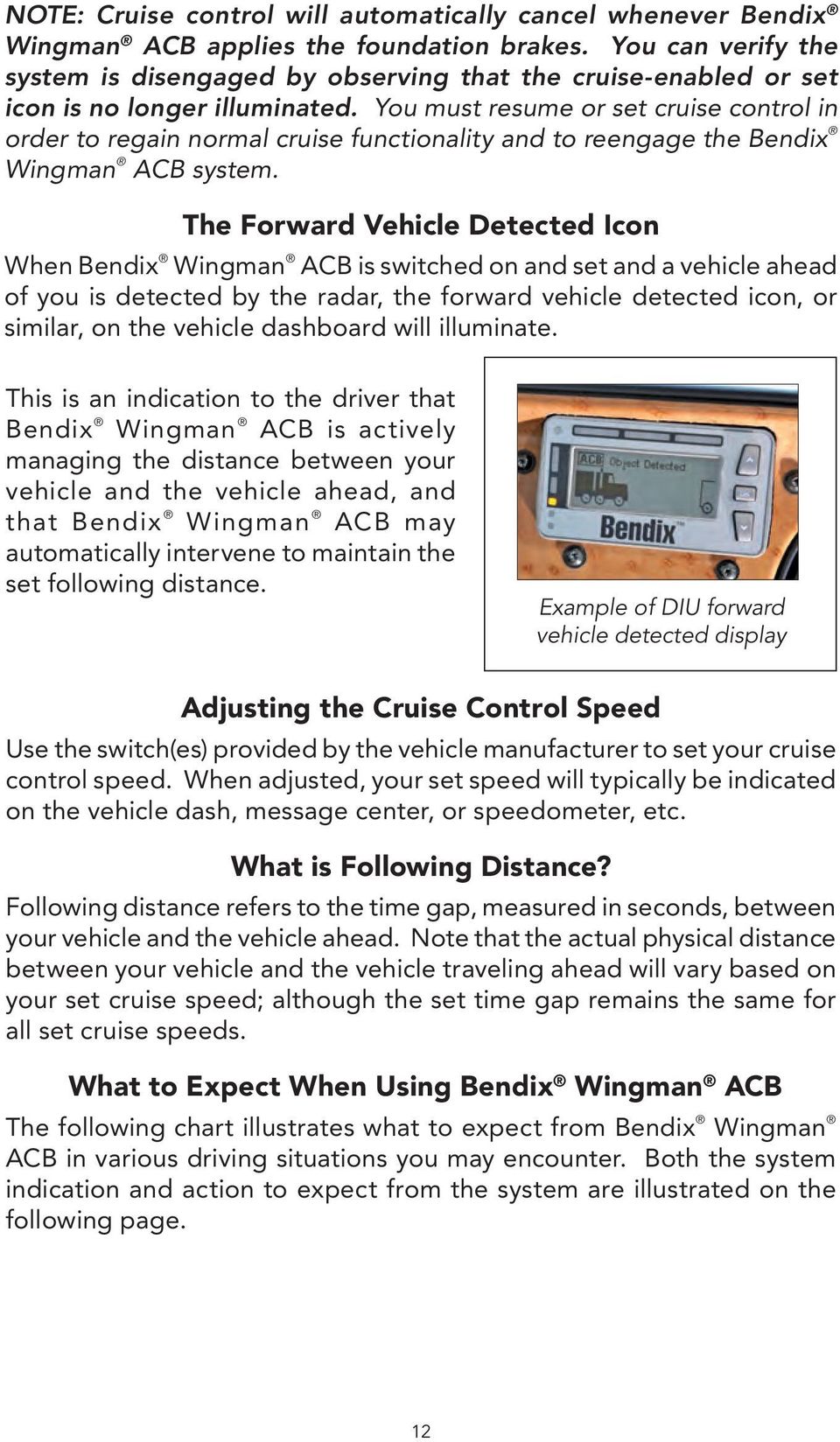
13 Situation With cruise set and a forward vehicle present (in range) ahead of you. With cruise set, the vehicle ahead slows moderately. With cruise set, the vehicle ahead slows rapidly. Cruise not on, or not set, the vehicle ahead slows rapidly. With cruise set, but no vehicle ahead detected (vehicles ahead are further away than 500 feet). With the cruise set, if a vehicle cuts in front of the truck and speeds away. System Indication/ Alerts The cruise control ON indicator is illuminated and the forward vehicle detected icon will be illuminated. The Following Distance Alert (FDA) a fast beeping will sound. The Following Distance Alert (fast beeping) is given, and may be followed by the Impact Alert warning (continuous tone), and a text message appears on the dash screen or Bendix DIU display. The Following Distance Alert (fast beeping sound), or Impact Alert warning (continuous tone) is given. None. Depending on the exact ACB system configuration that has been set for the vehicle, and how close the vehicle cuts in front, Following Distance Alerts will be given to the driver. 13 Actions by Wingman ACB ACB will maintain the set speed and following distance. The vehicle will be slowed by (in order) (a) reducing throttle, (b) engaging the engine retarder, or (c) applying the foundation brakes. If the foundation brakes are applied, cruise control and Bendix Wingman ACB are cancelled. The driver needs to reengage cruise control. The vehicle will be dethrottled, the engine retarder engaged and the foundation brakes applied. Bendix Wingman ACB cancels after the event; driver needs to reengage cruise. None by the Bendix Wingman ACB. The driver must take appropriate action. Vehicle maintains set speed. Typically, if the vehicle ahead does not cut in within a set distance and then speeds away, the ACB vehicle maintains the set speed. NOTE: System indicators/alerts may vary, by vehicle manufacturer and/or earlier versions of Bendix Wingman ACB, from the descriptions shown here. Continues over...

14 Situation With cruise set, a vehicle cuts in front of the truck within range of the sensor and slows down. With cruise set, and a vehicle detected ahead, the vehicle goes down a grade. (Downhill grade use is not recommended - see page 3.) With cruise set, a faster vehicle passes on left or right. A broken-down vehicle is stationary in the lane in which the truck is traveling. A deer runs in front of the truck. Another vehicle crosses the road perpendicular to your path of travel such as at an intersection. System Indication/ Alerts The system alerts using the Following Distance Alert (fast beeping). Depending on how rapidly the vehicle ahead slows, the system may initiate an Impact Alert warning. If the ACB system intervenes and has to apply the brakes for a long period of time, or applies them repeatedly for an extended duration, a Brake Overuse Warning will appear on the dash display. None. (If configured to do so) a Stationary Object Alert may be issued up to 3.0 seconds prior to impact. None. None. Actions by Wingman ACB ACB reduces the throttle and retards the engine; the foundation brakes also may be engaged. (See the CDL manual instructions on proper gear usage for down grades.) ACB de-throttles, then uses the engine retarder, followed by braking. If the brakes remain on for an extended duration, the display requests that the driver intervene, and if ACB detects no intervention, it may shut itself down (see page 18). None. The driver must take appropriate action, if needed. None: Bendix Wingman ACB only reacts to detected moving objects. None. The driver must take appropriate action, if needed. None. The driver must take appropriate action, if needed. NOTE: These represent examples of typical situations and responses that may occur when using Bendix Wingman ACB, however not all possible situations and responses are covered by this chart. 14

15 How Your Actions Impact Bendix Wingman ACB The following chart illustrates how the Bendix Wingman ACB system will react to various actions you may initiate when using Bendix Wingman ACB on the road. If you do this: Expect ACB to do this: Step on the brake. Both cruise control and Bendix Wingman ACB will be cancelled. Step on the accelerator. Cruise control and Bendix Wingman ACB will be overridden until the accelerator is released; then cruise control and Bendix ACB will resume original set speed automatically. Switch off the cruise control. Bendix Wingman ACB will turn off. However, the driver will continue to hear all Alerts as needed. Switch on the cruise control. Bendix Wingman ACB will not engage until the driver selects cruise speed. Set the cruise control speed. Bendix Wingman ACB is automatically activated, and your vehicle maintains set speed and following distance from the vehicle ahead. Cover or block the sensor. Depending on the type and extent of the blockage, Bendix Wingman ACB will be diminished or even disabled and a Diagnostic Trouble Code set. A blockage will also affect engine cruise control availability. Use normal cruise +/- switch. Vehicle speed increased (+) or reduced (-) to achieve the new set speed while actively maintaining the following distance with the vehicle ahead, if one is present within 500 feet. NOTE: The actions presented above reflect many, but not all, potential driver actions that may interact with the Bendix Wingman ACB system. Ultimate responsibility for the safe operation of the vehicle remains with the driver at all times. Even with the Bendix Wingman ACB, you must remain alert, react appropriately and in a timely manner, and use good driving practices. 15

16 Indications and Alerts Bendix Wingman ACB is a unique patented system that functions differently than other adaptive cruise control/forward collision alert and mitigation systems. It is important that the driver fully understand the system s features, especially the driver indications and alerts. Three important alerts provided by the Bendix Wingman ACB system are the Impact Alert (IA) warning, Following Distance Alert (FDA), and Stationary Object Alert (SOA). All of the alerts are active, whether or not you are using cruise control. WARNING: Any beeping means that your vehicle is too close to the vehicle ahead. The Driver Alerts and Warnings Impact Alert (IA) Always ON Above: DIU - Showing Impact Alert warning - a loud continuous tone will also sound. Below: Examples of other vehicle manufacturer s displays. This is the most severe warning issued by Bendix Wingman ACB. This alert warns that the driver must take immediate evasive action by applying more braking power and/or steering clear of the vehicle ahead to avoid a potential collision. The actual display text/sounds vary by vehicle manufacturer. When activated, text appears either on the dashboard screen, or Driver Interface Unit (DIU), and a loud continuous tone, or similar, will sound. The Impact Alert is active whenever the vehicle is moving (whether or not cruise control is engaged.) NOTE: At most, Bendix Wingman ACB will apply up to one-third of your vehicle s braking capability. The driver must apply additional braking, when necessary, in order to maintain a safe distance from the vehicle ahead. 16

17 Following Distance Alert (FDA) Always ON The FDA provides both audible and visual alerts whenever the distance between your vehicle and the vehicle ahead is less than the set distance and getting closer. FDA is active whenever the vehicle is moving (whether or not cruise control is engaged.) If the following distance continues to decrease, the driver will hear more rapid audible alerts. When the distance interval reaches a critical point, typically a red LED also illuminates on the instrument cluster. The FDA may be accompanied by a text on the dash screen saying Distance Alert. WARNING: Once the audible alert is given, you must increase the distance between your vehicle and the vehicle ahead until the audible alert stops. Above: DIU - Showing Examples of Following Distance Alerts - with progressively faster beeping. Above: Examples of other vehicle manufacturer s displays. Stationary Object Alert (SOA) Always ON DIU: Showing Stationary Object Alert - a continuous tone will also sound. Stationary Object Alert The Bendix Wingman ACB system will give up to 3.0 seconds alert to the driver when approaching, in your lane of travel, sizable stationary objects with reflective surfaces. The driver should be especially careful when approaching certain types of vehicles and objects. The Bendix Wingman ACB sensor may not be able to detect vehicles and objects with limited metal surfaces (such as recreational vehicles, horse-drawn buggies, motorcycles, logging trailers, etc.). NOTE: Entering a curve will reduce the alert time to less than 3 seconds. 17

18 Special Alerts ACB Brake Overuse Warning Bendix Wingman ACB provides a warning when the system is intervening and using the foundation brakes excessively. Overuse of the foundation brakes can lead to the brakes overheating and a potential loss of braking performance from brake fade. For example, the use of Bendix Wingman ACB on downhill runs may cause this alert to be activated. It is recommended that Bendix Wingman ACB be disengaged on downhill grades. The driver should use appropriate gearing and brake techniques, not Bendix Wingman ACB, on downhill grades. When the Bendix Wingman ACB system detects brake overuse, depending on the vehicle manufacturer, a text message will be displayed on the dashboard or an audible alert will be activated. Once the driver applies the brakes or disengages ACB, the alert is discontinued. If the driver does not respond to the Brake Overuse Warning(s) after a brief delay, the Bendix Wingman ACB system will switch itself off. A self-disabled Bendix Wingman ACB system will be restored the next time the vehicle is started. The primary condition that activates the ACB Brake Overuse Warning is when using Bendix Wingman ACB on downhill grades. Approach grades as you normally would, with the appropriate gear selected and at a safe speed. It is recommended that Bendix Wingman ACB not be used on downhill grades! ACB Diagnostic Trouble Codes The Bendix Wingman ACB system monitors the operation of the system. If any malfunction is detected, a Diagnostic Trouble Code (DTC) will be set and the driver will be alerted. The exact alert given depends on the vehicle manufacturer: refer to your vehicle operator s manual and the Bendix Service Data Sheet SD for more information. Potential False Alerts The Bendix Wingman ACB system should have significantly less false alerts than earlier systems. Radar technology is not perfect, however, and false alerts sometimes occur. Sensor misalignment will likely lead to increases in false alerts. 18

19 Drivers should take into account the road conditions, and any other factors they are encountering, as they choose how to react to any alerts they receive from the ACB system. When Not to Use Bendix Wingman ACB The Bendix Wingman ACB system should be used only in the same conditions that are normally recommended for ordinary cruise control use. There are certain situations when ACB should not be used. Do not use the Bendix Wingman ACB system in the following situations: Inclement Weather As with ordinary cruise control, Bendix Wingman ACB should not be used in rain, snow, fog, ice or other severe weather conditions that may affect the performance of the Bendix Wingman ACB system. Dense Traffic As with ordinary cruise control, the Bendix Wingman ACB system should never be used in heavy traffic. Sharp Curves and Winding Roads When traveling sharply curved roadways, or highway entrance and exit ramps, the Bendix Wingman ACB system should not be used. CAUTION: Road curvature may impact the radar sensor s ability to track vehicles ahead in the same lane, resulting in potentially unexpected acceleration back to the original set speed. Downhill Grades Bendix Wingman ACB should not be used on downhill grades. Smaller Forward Vehicles Smaller forward vehicles, such as motorcycles, may be difficult for the radar to identify. It is the driver s responsibility to be aware of these types of vehicles and to slow down if necessary. Construction Zones* Do not use Bendix Wingman ACB in construction zones. Off-Road* Do not use Bendix Wingman ACB in off road conditions. * Visit for more information, and any updates to this restriction. 19

20 Additional Operational Notes Adjusting the Alert Volume The Bendix Wingman ACB audible alerts are pre-set at the factory for fully integrated systems and cannot be turned off by the driver, nor can the volume be adjusted, unless configured to do so. For systems using a Bendix DIU display, see the Service Data Sheet for information about volume adjustment. Passing the Vehicle Ahead If the driver decides to pass a vehicle ahead or change lanes, that vehicle will no longer be tracked by Bendix Wingman ACB. As soon as the vehicle ahead is out of range of the sensor and no other vehicle is present, after a short safety delay, the Bendix Wingman ACB system will accelerate to the last stored set speed. The driver can override ACB with the accelerator before passing. Acquiring a New Forward Vehicle As your vehicle approaches a vehicle traveling ahead that was not previously detected by the sensor, the Bendix Wingman ACB will automatically lock onto the newly detected vehicle and begin managing the following distance. When No Other Vehicles are Present When no forward vehicle is within range of the sensor, your vehicle will maintain its set speed just like ordinary cruise control. Bendix Wingman ACB will continue this behavior until it is either turned off by you, a brake application is made, or a vehicle ahead traveling in the same lane as your vehicle comes into sensor range. Radar-Reflective Stationary Vehicles & Objects The driver should be attentive to stopped vehicles and objects on the roadway. The Bendix Wingman ACB system will give up to 3.0 seconds warning to the driver when approaching, in your lane of travel, sizable stationary objects with reflective surfaces, however, no active intervention action (such as de-throttling, engaging the engine retarder or applying the brakes) will be taken. The SOA is active whenever your vehicle is moving (whether or not cruise control is engaged.) 20

21 Pedestrians, Animals, Non-Metallic and Limited-Metallic Objects Bendix Wingman ACB system will not warn or react to pedestrians, animals, non-metallic objects, and limited metallic objects. The Bendix Wingman ACB system only reacts to moving vehicles and will not alert the driver or decelerate the vehicle when approaching non-metallic objects. The driver should always be especially aware when approaching certain types of vehicles and objects with limited metallic surfaces (such as recreational vehicles, horse-drawn buggies, motorcycles, logging trailers, etc.) traveling in your lane. The Bendix Wingman ACB sensor may not be able to detect them, nor warn or manage the distance between your vehicle and the vehicle or object ahead. Tracking Vehicles in a Curve When following a curve in the road: If a vehicle ahead is no longer detected as you travel around a sharp curve, Bendix Wingman ACB will delay acceleration back to the set speed until it regains contact with the vehicle ahead, or determines that there is no longer a vehicle ahead, after a time gap based on the last following distance recorded. Example: Assume normal cruise control is set at 50 MPH and you are following 3 seconds behind a vehicle traveling at 45 MPH that just entered a sharp curve. If the vehicle ahead is no longer detected as you travel around the curve, Bendix Wingman ACB will delay its acceleration back to 50 MPH for 3 seconds. The operator should be especially attentive to Bendix Wingman ACB system behavior through curves. In some cases, when traveling around a curve, the radar may lose the vehicle ahead and attempt to accelerate when going back into conventional cruise control. It is also possible for Bendix Wingman ACB to begin tracking vehicles in other lanes when traveling around curves. In cases where the Bendix Wingman ACB system perceives that an adjacent-lane vehicle is in your lane, the system may intervene and begin making brake applications. Applying the Brakes Before the System Does If the driver determines that a hazard or unsafe condition exists, you should take all necessary actions immediately. Never wait for the Bendix Wingman ACB system to intervene. Safe operation of the vehicle is the responsibility of the driver. If the driver applies the brakes, cruise control will disengage automatically, and no Bendix Wingman ACB intervention is necessary. 21
22 Approaching Slower Moving Vehicles When approaching a much slower-moving vehicle ahead, the driver should anticipate this and begin applying the vehicle s brakes early. Do not wait for the Bendix Wingman ACB system to intervene. Vehicles Crossing Your Path or Coming Towards You Bendix Wingman ACB warns and reacts ONLY to vehicles moving in the same direction as your vehicle (by adjusting the engine throttle/retarder, or by applying the brakes) but DOES NOT respond to side-to-side moving traffic, or oncoming traffic. The system WILL NOT slow your vehicle or provide an alert as you approach vehicles in these circumstances. Wingman ACB-Equipped Vehicle Detected Forward Vehicle RADAR ACB Does Not Brake nor Warn for Vehicles Approaching from the Side or Oncoming Stability System Performance See the Bendix ABS/ATC/ESP Operator s Manual, included in this vehicle, for details about the stability system. Importance of ABS Maintenance Optimal Bendix Wingman ACB braking requires a properly maintained ABS (Antilock Brake System) system. Have any ABS Diagnostic Trouble Codes (DTCs) corrected by a qualified technician at the earliest opportunity. System Maintenance and Troubleshooting Importance of Foundation Brake Maintenance Optimal Bendix Wingman ACB braking requires properly maintained truck foundation brakes (S-Cam or air disc) which meet appropriate safety standards and regulations. Brake performance also requires that the vehicle be equipped with properly sized and inflated tires, with a safe tread depth. Preventive Maintenance: The Bendix Wingman ACB system is relatively maintenance free. The key items to keep the system functioning properly include: 1. Keep the sensor lens clean and free of obstructions. 22
23 2. Inspect for any damage to the bumper or Bendix Wingman ACB cover, bracket or sensor to ensure that the alignment has not been compromised. Never use the sensor as a step. 3. Perform appropriate inspections of the braking system as required by the manufacturer to ensure brakes are in proper working order. 4. Ensure that the tires are properly inflated and that adequate tread is present. When the Bendix Wingman ACB System Isn t Working: If the Bendix Wingman ACB system has detected a problem, depending on the vehicle manufacturer, there may be a warning message on the dashboard display - see right for the Bendix DIU problem alert display. The system will determine, depending on the type of problem detected, if the vehicle may continue to have normal cruise control functions (without the benefits of Bendix Wingman ACB), or if all cruise control functions need to be disabled until servicing is carried out. The system should be serviced as soon as possible to restore full ACB functionality. Frequently Asked Questions 1. Are automatic foundation brake interventions always active? No. Before Bendix Wingman ACB will activate the foundation brakes, the vehicle s cruise control must be switched on and set by the driver. 2. Are the three driver alerts always active? Yes. All three driver alerts (Impact Alert, Following Distance Alert and Stationary Object Alert) are always active and ready to alert the driver regardless of whether or not cruise control is operating, unless a DTC is set. Example of Impact Alert Warning Display Example of Following Distance Alert Display Example of Stationary Object Alert Display 23
24 3. How can I tell the difference between the alerts? Beeping means that you are following too close to the vehicle ahead. A solid tone means you should actively apply the brakes because the Bendix Wingman ACB braking capability (one-third of the vehicle s potential braking power) is not enough to ensure a safe following distance. The alerts are audibly different to assist the driver to pay full attention to the road, not the dash. 4. My previous system had a lot of false alerts. How many false alerts can I expect with your system? The Bendix Wingman ACB system should have significantly less false alerts than earlier systems. Radar technology is not perfect, however, and false alerts sometimes occur. 5. Are the brake activations with Bendix ACB the same as brake activations I ve experienced with most earlier systems? No. In addition to reducing throttle and engaging the engine retarder, Bendix Wingman ACB also activates the foundation brakes, up to one-third of the vehicle s total braking power. Situations requiring more braking force require the driver to apply the brakes. 6. Does Bendix Wingman ACB detect stationary objects? Yes. The system will provide up to 3.0 seconds alert when approaching sizeable, reflective objects in your lane. Other Information FCC Part 15 This device complies with part 15 of the FCC Rules with the limits for a Class B digital device and with RSS-210 of Industry Canada. Operation is subject to the following two conditions: (1) this device may not cause harmful interference; (2) this device must accept any interference received, including interference that may cause undesired operation. BW Bendix Commercial Vehicle Systems LLC, a member of the Knorr-Bremse Group 5/10 All Rights Reserved 24
Bendix Wingman ACB Active Cruise with Braking Questions & Answers
 Bendix Wingman ACB Active Cruise with Braking Questions & Answers Please note: This document is designed to assist you in understanding select aspects of the Bendix Wingman ACB Active Cruise with Braking
Adaptive cruise control (ACC)
 Adaptive cruise control (ACC) PRINCIPLE OF OPERATION The Adaptive Cruise Control (ACC) system is designed to assist the driver in maintaining a gap from the vehicle ahead, or maintaining a set road speed,
OnGuard Collision Mitigation System
 Maintenance Manual MM-1306 OnGuard Collision Mitigation System Revised 04-15 Service Notes About This Manual This service manual applies to all vehicles equipped with the OnGuard Collision Mitigation System.
Bendix Wingman Fusion
 Protect Your Fleet with Our Most Advanced Safety System Ever Bendix Wingman Fusion The integration of camera, radar, and brakes delivers a new level of performance in North America. OUR NEW FLAGSHIP DRIVER
Adaptive Cruise Control
 33 Adaptive Cruise Control Adaptive Cruise Control Adaptive Cruise Control is a driving support system intended to allow more comfortable driving on expressways, freeways and interstate highways. The vehicle
Adaptive Cruise Control System Overview
 5th Meeting of the U.S. Software System Safety Working Group April 12th-14th 2005 @ Anaheim, California USA 1 Introduction Adaptive Cruise System Overview Adaptive Cruise () is an automotive feature that
Driving in Fog, Rain and Wind for School Bus Drivers. Reference Guide and Test
 Driving in Fog, Rain and Wind for School Bus Drivers Reference Guide and Test Introduction Every school year bus drivers are faced with adverse driving conditions. Pounding rain storms, wet slippery roads,
1. When the roads are slippery, you should make turns as gentle as possible.
 GENERAL KNOWLEDGE KEY FACTS CDL 1. When the roads are slippery, you should make turns as gentle as possible. 2. The heavier a vehicle or the faster it is moving, the more heat the brakes have to absorb
Chapter 4 DEFENSIVE DRIVING
 Chapter 4 DEFENSIVE DRIVING Chapter 4 Table of Contents Chapter 4 DEFENSIVE DRIVING... 4-1 DEFENSIVE DRIVING... 4-3 Positioning The Bus... 4-3 When Making a Turn at an Intersection... 4-3 Making the perfect
GENERAL KNOWLEDGE PRACTICE TEST
 GENERAL KNOWLEDGE PRACTICE TEST 1. Driving under the influence of any drug that makes you drive unsafely is: a. Permitted if it is prescribed by a doctor b. Against the law c. Permitted if it is a diet
DETROIT ASSURANCE TM A SUITE OF SAFETY SYSTEMS
 RADAR SYSTEM CAMERA SYSTEM DETROIT ASSURANCE TM A SUITE OF SAFETY SYSTEMS TM Detroit Assurance Safety Systems deliver exceptional control and protection. Through a radar and optional camera system, Detroit
Professional Truck Driver Training Course Syllabus
 Professional Truck Driver Training Course Syllabus The curriculum standards of this course incorporate the curricular recommendations of the U. S. Department of Transportation s Federal Highway Administration
Stop The stop sign, a red octagon with white lettering, means come to a full stop and be sure the way is clear before proceeding.
 Tr a f f i c S i g n s 7 7. TRAFFIC SIGNS Many collisions and near crashes occur as a result of drivers who ignore or fail to respond appropriately to traffic signs. It is essential that the meaning of
Level 2 Award in Safe Driving at Work
 Level 2 Award in Safe Driving at Work Student notes (sample) www.britsafe.org Membership Training Qualifications Audit and Consultancy Audit and Policy Consultancy and Opinion Policy Awards and Opinion
6: LANE POSITIONS, TURNING, & PASSING
 6: LANE POSITIONS, TURNING, & PASSING BASIC LANE POSITIONS Traffic law says that slower vehicles should stay to the right. But where exactly should bicycles ride? Here are some basics. Never Ride Against
HOW TO PREPARE FOR YOUR MARYLAND NONCOMMERCIAL CLASS C DRIVER S TEST
 ` HOW TO PREPARE FOR YOUR MARYLAND NONCOMMERCIAL CLASS C DRIVER S TEST A portion of your noncommercial driving test will be conducted on a closed course to test your basic control of the vehicle, and a
Bicycle Safety Quiz Answers Parental Responsibilities
 Bicycle riding is a great way to get into shape and enjoy the outdoors. To remain safe on Illinois roads, it is important to follow the same traffic safety laws that govern vehicle drivers. No amount of
Operating Vehicle Control Devices
 Module 2 Topic 3 Operating Vehicle Control Devices 1. Identify the vehicle controls in the pictures below: 1. 2. 3. 4. 7. 7. 5. 6. 1. accelerator 2. parking brake 3. foot brake 4. gear shift lever_ 5.
Safety-conscious Drivers Prevent Crashes. Defensive Driving: Managing Visibility, Time and Space. Improve Your Defensive Driving Skills
 Defensive Driving: Managing Visibility, Time and Space Motor vehicle travel is the primary means of travel in the United States. With all the benefits that come along with mobility, there are thousands
SmartTrac Stability Control Systems
 Innovation That Delivers SmartTrac Stability Control Systems safety SmartTrac brings stability to your vehicles and your bottom line. Meritor WABCO is a recognized pioneer in delivering advanced stability
Atlanta, Georgia Road Test
 1. When driving your car Into traffic from a parked position, you should: A. Sound your horn and pull Into the other lane. B. Signal and proceed when safe. C. Signal other traffic and pull directly into
DETROIT SUPPORT. ANYWHERE. Detroit Assurance delivers exceptional control and protection. THE DETROIT ASSURANCE SUITE OF SAFETY SYSTEMS
 DEMANDDETROIT.COM Detroit Assurance delivers exceptional control and protection. DETROIT SUPPORT. ANYWHERE. Through a radar and optional camera system, Detroit Assurance provides optimum on-road Unmatched
DEFENSIVE DRIVING. It s an Attitude
 DEFENSIVE DRIVING It s an Attitude RLI Design Professionals Design Professionals Learning Event DPLE 155 July 15, 2015 RLI Design Professionals RLI Design Professionals is a Registered Provider with The
general, accidents caused by misjudging
 Unit 3: The Effect of Natural Forces on your Vehicle Page 1 of 11 Purpose: Acquaint the student with some of the natural forces acting on a vehicle while stopping, maneuvering, and during a crash. Explain
Road Signs Recognition Quiz
 Road Signs Recognition Quiz Place your answer for each of the signs/pavement markings on the answer sheet. Ready to Roll? Here Comes Sign # 1... #1 A No right turn B Right turn only C Warning, no turn
Guelph Driving School. 246 WOOLWICH ST. Unit C Guelph, Ontario N1H 3V9. Office: 519-829-8801 Cell: 519-362-5664. Email: info@guelphdrivingschool.
 246 WOOLWICH ST. Unit C Guelph, Ontario N1H 3V9 Office: 519-829-8801 Cell: 519-362-5664 Email: [email protected] Dear Student, We would like to take this opportunity to thank you for choosing
SAMPLE VEHICLE FLEET SAFETY & USAGE POLICY
 SAMPLE VEHICLE FLEET SAFETY & USAGE POLICY Policy The purpose of this policy is to ensure the safety of those individuals who drive company vehicles and to provide guidance on the proper use of company
Model Fleet Safety Program Short
 TM Model Fleet Safety Program Short CORPORATE HEADQUARTERS 518 EAST BROAD STREET COLUMBUS, OHIO 43215 614.464.5000 STATEAUTO.COM TM Disclaimer: The information contained in this publication was obtained
CHAPTER 2 TRAFFIC SIGNS AND HIGHWAY MARKINGS
 CHAPTER 2 TRAFFIC SIGNS AND HIGHWAY MARKINGS This chapter summarizes traffic signs, signals and road markings that control the flow of traffic, making streets and highways safer for motorists, bicyclists
Bicycle riding is a great way to get into shape
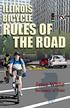 Bicycle riding is a great way to get into shape and have fun. To remain safe on Illinois roads, it is important to follow the same traffic safety laws that govern vehicle drivers. No amount of bicycle
Defensive Driving While Towing a Trailer By Elizabeth Koncki, Maryland Department of Agriculture
 Defensive Driving While Towing a Trailer By Elizabeth Koncki, Maryland Department of Agriculture Many of you have heard the term defensive driving, but maybe you may have not been taught the method or
STEERING COLUMN CONTROLS
 STEERING COLUMN CONTROLS Ignition Switch... 2-1 Lighting/Turn Signal Control Lever... 2-5 Windshield Wiper and Washer Lever... 2-6 Rear Window WiperlWasher Switch (if equipped)... 2-8 Tilt Steering Lock
Electronic Brake Controller Hayes Brake Controller Company ENERGIZE III P/N # 81741B or ENERGIZE XPC P/N #81745 OPERATION MANUAL
 Electronic Brake Controller Hayes Brake Controller Company ENERGIZE III P/N # 81741B or ENERGIZE XPC P/N #81745 OPERATION MANUAL ENERGIZE III is for trailers with 2 or 4 electric brakes and vehicles with
TEST ON Driving Safely Among Bicyclists and Pedestrians
 TEST ON Driving Safely Among Bicyclists and Pedestrians Next you will take a 16 question test about driving safely among bicyclists and pedestrians. Please take out a sheet of paper to mark down and score
Adaptive Cruise Control
 IJIRST International Journal for Innovative Research in Science & Technology Volume 3 Issue 01 June 2016 ISSN (online): 2349-6010 Adaptive Cruise Control Prof. D. S. Vidhya Assistant Professor Miss Cecilia
Appendix A In-Car Lessons
 Driver Education Classroom and In-Car Curriculum Appendix A In-Car Lessons Table of Contents In-Car Lessons Introduction..... A-4 Overview and Objectives Teacher Information and Resources Lesson #1 Developing
TOYOTA TECHNICAL. An example of a tire pressure monitor valve sub-assembly. This mounts to a drop area in the wheel.
 TOYOTA TIRE PRESSURE WARNING SYSTEM Toyota uses various tire pressure warning systems. Here, we ll discuss the system featured on the 2006 Land Cruiser. Combination meter warning reset switch warning reset
WMT-3000 Wireless Transmitter. Owner s Manual
 WMT-3000 Wireless Transmitter Owner s Manual Warnings This device complies with Part 15 of the FCC rules, Operation of this device is subject to the following conditions: 1. This device may not cause harmful
MAX ENERGY POWER PROGRAMMER PART #52001/52501 REFERENCE GUIDE AND INSTALLATION MANUAL ADDENDUM 2007-2010 JEEP WRANGLER WITH ENHANCED OFF-ROAD FEATURES
 MAX ENERGY POWER PROGRAMMER PART #52001/52501 REFERENCE GUIDE AND INSTALLATION MANUAL ADDENDUM 2007-2010 JEEP WRANGLER WITH ENHANCED OFF-ROAD FEATURES The following is a step by step guide for installing
Document Name: Driving Skills. Purpose: To outline necessary driving skills required to maximize driving safety.
 Document Name: Driving Skills Date Created: 8 October 2013 Date Reviewed: 4 February 2014 Date Approved: 29 July 2015 Purpose: To outline necessary driving skills required to maximize driving safety. Overview:
Bicycle Safety Enforcement Action Guidelines
 Introduction Bicycle Safety Enforcement Action Guidelines People ride bicycles for many different reasons: fitness, recreation, or for transportation. Regardless of the reason for riding, bicyclists young
INSPECTION BEFORE RIDING
 INSPECTION BEFORE RIDING Check the following items before riding. ITEM Engine cum transmission oil Fuel Tyres Battery Speedometer Lighting Steering Throttle Clutch Brakes Wheels WHAT TO CHECK FOR Availability
ROAD SIGNS IN JAPAN PARKING SIGNS. No Parking or Stopping Anytime SIZE & WEIGHT LIMIT SIGNS SPEED LIMIT SIGNS
 ROAD SIGNS IN JAPAN Stop Slow & all Do Not Enter & Motorcycles Road Large Sized Trucks & Special Duty Road All Except Two Wheeled Light Except Bicycles Large Passenger No Right Turn No Passing No U-Turn
Bendix ACom Diagnostics Diagnostic Software 6.5 User Guide
 Bendix ACom Diagnostics Diagnostic Software 6.5 User Guide - 1 - Contents General Information... 3 RP1210 Adapters... 4 PC Hardware Requirements... 5 Technical Assistance... 5 Installing Bendix ACom Diagnostics...
DCMT-2500 Wireless Transmitter. Owner s Manual
 DCMT-2500 Wireless Transmitter Owner s Manual Warnings This device complies with Part 15 of the FCC rules, Operation of this device is subject to the following conditions: 1. This device may not cause
chapter 3 basic driving skills
 chapter 3 basic driving skills When curving to the left, keep the front wheels close to the right edge of the lane to keep your driver s side rear wheels out of the next lane of traffic. Curve ahead slow
TRAINER NOTES FOR LESSON PLAN 2012 13 School Bus Instructors Inservice TITLE OF LESSON: TRAINING UPDATES FOR A CDL
 TRAINER NOTES FOR LESSON PLAN 2012 13 School Bus Instructors Inservice TITLE OF LESSON: TRAINING UPDATES FOR A CDL Length of Lesson: 30 minutes TRAINER NOTES: Hand out lesson plan at the beginning of the
Stop Alert Flasher with G-Force sensor
 Stop Alert Flasher with G-Force sensor Stop Alert module creates brake light flashing effect to catch attention of the drivers behind to avoid dangerous rear end collision. The flasher module is a state
Teaching Your Teen to Drive
 MetLife Auto & Home Teaching Your Teen to Drive Without driving each other crazy! Dear Parent/Guardian, One of the best ways for you to influence your teen s driving habits is to sit in the copilot seat
TOYOTA ELECTRONIC TRANSMISSION CHECKS & DIAGNOSIS
 Checks and Adjustments The transmission requires regular maintenance intervals if it is to continue to operate without failure. As we discussed in previous sections, transmission fluid loses certain properties
INSTRUCTOR S GUIDE. Stay on the Right Track Highway-Railway Crossing Awareness Training for Newly Licensed Drivers
 INSTRUCTOR S GUIDE Stay on the Right Track Highway-Railway Crossing Awareness Training for Newly Licensed Drivers WHAT WE DO Operation Lifesaver is a nationwide, non-profit public information and education
Keys... 2-2 Master, submaster and valet key... 2-2 Key number... 2-2. Door locks... 2-3 Power door locking switches... 2-5
 Doors and locks Keys........................................................................... 2-2 Master, submaster and valet key..................................... 2-2 Key number...............................................................
Meritor WABCO Pneumatic Antilock Braking System (ABS) 42.22
 (ABS) 2.22 Troubleshooting WARNING Before testing a vehicle equipped with Automatic Traction Control (ATC) on a dynamometer, the ATC system must be disabled. See Subject 160 for instructions. Activation
Wireless Alarm System. Panic Button. User s Manual. Choice ALERT. Control all sensors, accessories and remote transmitters from one location
 Wireless Alarm System Panic Button User s Manual Choice ALERT Control all sensors, accessories and remote transmitters from one location Table of Contents Important Safeguards 4 Introduction 5 Activating
USING THE MOBILE PHONE WHILE DRIVING. Using a mobile phone while driving can significantly impair a driver s:
 USING THE MOBILE PHONE WHILE DRIVING Is it dangerous to use the phone while driving? Driving is a complex task, requiring drivers to use and coordinate a number of skills. Any lapse in concentration increases
How To Prevent Accidents At Work
 2 Preventing vehicle accidents Construction work is considered to be one of the most hazardous industrial activities in the EU. The rate of injury in the construction industry is higher than in other industries.
Note: Autopilot improvements are available if your car is equipped with Driver Assistance hardware and you have purchased the Autopilot package.
 MODEL S SOFTWARE RELEASE NOTES v7.1 With this release, we have expanded and improved Autopilot functionality in Model S. Autopark can now park Model S in the garage for you and in perpendicular parking
FMCSA Webinar Nov.18th to Examine Large Truck Crash Fatalities Involving Pedestrians & Bicyclists. New Technology for Better Fleet Management
 In This Issue: FMCSA Webinar Nov.18th to Examine Large Truck Crash Fatalities Involving Pedestrians & Bicyclists Help Prevent Roadway Accidents involving Pedestrians How to Steer Clear of Accidents with
Florida Class E Knowledge Exam Road Rules Practice Questions www.gdlinstitute.org
 If you purchase the Value Package from GDL Institute, over 100 additional practice questions are included at no additional cost. Use discount code PQ10 and receive 10% off of the package price! 1. If you
Service Manual Trucks
 Service Manual Trucks Group 36 Vehicle Electronic Control Unit (MID 144), Diagnostic Trouble Code (DTC), Guide From build date 1.2007 PV776-88951780 Foreword The descriptions and service procedures contained
WYDOT Quick Facts TRAFFIC SIGNALS
 TRAFFIC SIGNALS WYDOT Quick Facts 2 Advantages of traffic signals WYDOT Quick Facts Traffic signals control vehicle and pedestrian traffic by assigning priorities to various traffic movements to influence
cornering C O R N E R I N G Have you ever over-cooked a corner? Did your confidence take a knock as a result? Did you work out why it happened?
 This THINK is a pdf Norfolk is FREE Partnership to download - 011 for personal use - all content remains the property of the THINK Norfolk Partnership - 011 Page 1 Have you ever over-cooked a corner? Did
DRIVING TEST POSSIBLE QUESTIONS & ANSWERS.
 DRIVING TEST POSSIBLE QUESTIONS & ANSWERS. Question 1. What shape and colour is a warning sign? Diamond Shape - Yellow and Black Question 2. When should you not drive? While under the influence of alcohol,
Operation Guide. Operation Guide. Winnebago Hydraulic Leveling Systems by Kwikee. Introduction. Table of Content WARNINGS
 Operation Guide 05/07 Kwikee #1422192 Rev. 0F Table of Content Page Introduction 1 Safety Information 1 Operation 2 Control Panel 3 Manual Leveling 3 Automatic Leveling 3 Remote Operation 4 Stabilizing
Crossrail Vehicle Safety Equipment Supplementary Guidance. Works Information Ref: 26.14.8
 FRESNEL Lens Ref: 26.14.8 1 of 10 Product Description The Fresnel Lens is a visual device for lorry drivers and is not a mirror in the conventional sense. It is a clear thin plastic lens that is press
Electronically Controlled Air Suspension (ECAS) for Trucks
 $2.50 Electronically Controlled Air Suspension (ECAS) for Trucks Maintenance Manual No. 36 Issued 7-99 ECAS System for 6 x 2 and 6 x 4 Vehicles with Rear Air Suspensions Service Notes Service Notes This
CHAPTER 11: PEDESTRIAN SIGNS AND SIGNALS
 CHAPTER 11: PEDESTRIAN SIGNS AND SIGNALS Traffic signs and signals should be useful for all pedestrians. It is essential to provide signals that are phased and timed to allow senior citizens, children,
Wireless Alarm System. Wireless Keypad. User s Manual. Choice ALERT. Control all sensors, accessories and remote transmitters from one location
 Wireless Alarm System Wireless Keypad User s Manual 1 2 3 4 Choice ALERT Control all sensors, accessories and remote transmitters from one location Table of Contents Important Safeguards 4 Introduction
METHODS FOR ESTABLISHING SAFE SPEEDS ON CURVES
 Page 1 of 4 PRACTICES PART SECTION SUB-SECTION TRAFFIC OPERATIONS General Collision exposure is usually greater along horizontal curves than along tangent sections of a highway. The potential for collisions
ABS/VDC WHEEL SPEED SENSOR DIAGNOSIS
 Classification: Reference: Date: BR10-007a NTB10-102a September 25, 2012 ABS/VDC WHEEL SPEED SENSOR DIAGNOSIS This bulletin has been amended to revise the Applied Vehicles and Service Information. Please
OPERATOR'S MANUAL i-shift transmission
 OPERATOR'S MANUAL i-shift transmission R Volvo Trucks. Driving Success. Table of Contents i Foreword... 1 Safety Information... 2 Volvo I-Shift Transmission... 4 General Information... 4 Gear Selector...
Beginner s Permit. Survival Guide. Compliments of. (843) 263-5023 www.123drivedrivingacademy.com [email protected]
 Beginner s Permit Survival Guide Compliments of (843) 263-5023 www.123drivedrivingacademy.com [email protected] Please use this study guide to assist you in studying for your written knowledge
WEEKLY SAFETY MEETING All Euramax Subsidiaries SEAT BELTS. Safety Meeting Contents. Meeting Notice. Leaders Guide. Employee Handout.
 Safety Meeting Contents Meeting Notice Leaders Guide Employee Handout Employee Quiz Meeting Sign-In Sheet Employee Puzzle PRIOR TO THE WEEKLY MEETING: - Post the meeting notice by the timeclock - Read
Bluetooth Hands Free Phone System by BlueConnect
 Bluetooth Hands Free Phone System by BlueConnect USER GUIDE TABLE OF CONTENTS 1 INTRODUCTION Pg Pg WHAT IS BLUECONNECT? 2 WHAT CELL PHONES WORK? 2 DEFECTIVE / DAMAGED MERCHANDISE CUSTOMER CONTACT INFORMATION
Operating Instructions
 VMD202 Vehicle Motion Detector Operating Instructions CAUTIONS AND WARNINGS Never use the VMD202 as a safety reversing or presence detection system. The VMD202 requires that a vehicle be moving for detection.
VEHICLE SPEED CONTROL SYSTEM
 PL VEHICLE SPEED CONTROL SYSTEM 8H - 1 VEHICLE SPEED CONTROL SYSTEM TABLE OF CONTENTS page DESCRIPTION AND SPEED CONTROL SYSTEM...1 SPEED CONTROL SERVO-PCM OUTPUT....2 SPEED CONTROL SWITCHES PCM INPUT...2
Videos for Safety Meetings
 Videos for Safety Meetings 2474 2005, ERI Safety Videos OPERATING ELECTRIC PALLET JACKS SAFELY This easy-to-use Leader s Guide is provided to assist in conducting a successful presentation. Featured are:
. FLEET MANAGEMENT POLICY
 Fleet Management Overview It is the policy of to safely operate company vehicles in adherence with all applicable laws and regulations. This fleet policy reflects the requirements and standards to effectively
INSTRUCTIONS FOR THE INSTALLATION AND OPERATION OF ACTIVATOR II
 INSTRUCTIONS FOR THE INSTALLATION AND OPERATION OF ACTIVATOR II ELECTRONIC TRAILER BRAKE CONTROL 5500 FOR 2, 4, 6 & 8 BRAKE SYSTEMS IMPORTANT: READ AND FOLLOW THESE INSTRUCTIONS CAREFULLY. KEEP THESE INSTRUCTIONS
GENERAL DRIVING TEST QUESTIONS
 GENERAL DRIVING TEST QUESTIONS 99 15 16 16 17 15 20 18 GENERAL TEST QUESTIONS 1. When you take a road test for a driver s license: 1. You must provide the vehicle. 2. The vehicle must be in safe operating
GOODYEAR EAGLE NCT5 GOODYEAR EAGLE RS-A EXTENDED MOBILITY TIRES. OWNER S MANUAL And LIMITED WARRANTY
 GOODYEAR EAGLE NCT5 GOODYEAR EAGLE RS-A EXTENDED MOBILITY TIRES Original Equipment Tires OWNER S MANUAL And LIMITED WARRANTY THE GOODYEAR TIRE & RUBBER COMPANY 1144 E. MARKET ST. AKRON, OHIO 44316 Goodyear
CA-125 Owner's Manual
 Remote Vehicle Control System CA-125 Owner's Manual Vehicle Security System With Remote Keyless Entry IMPORTANT NOTE: The operation of the Security and Convenience System as described in this manual is
FY16 Defensive Driving Test ANSWER SHEET. Instructor: Bob Bugger
 1. What is the most important safety item on the bus? a. First aid kit b. Bio hazard kit c. Safety reflector kit d. Driver* *The driver has to operate all the other equipment. The driver must be in top
Guide. Crease Lines. Perf Line 6.85. accident EXTRA PANEL NOT NEEDED. Parent-Teen Contract Preparing your teen for the road ahead
 Printed Side outside view 18 3 9/16 3 5/8 9/ 16 3 7/8 3 7/8 3 5/8 What to do if you re in an accident Stop! If you leave the site of an accident, you could be Road Ahead charged with a hit and run regardless
SIGHT DISTANCE. Presented by Nazir Lalani P.E. Traffex Engineers Inc. [email protected] WHY IS SIGHT DISTANCE SO IMPORTANT?
 SIGHT DISTANCE Presented by Nazir Lalani P.E. Traffex Engineers Inc. [email protected] WHY IS SIGHT DISTANCE SO IMPORTANT? Drivers must be able to: Stop for objects in the roadway Stop for stationary
Operating Instructions Display, graphic. Numeric language
 Operating Instructions Display, graphic Numeric language Contents Numeric language, general... 1 Numeric language, general... 1 Display control stalk... 1 Text strings... 1 Stop message... 2 Change language...
Wireless Alarm System. Window/Door Sensor. User s Manual. Choice ALERT. Control all Sensors & accessories from one location
 45131 Wireless Alarm System Window/Door Sensor User s Manual Choice ALERT Control all Sensors & accessories from one location Table of Contents Important Safeguards 4 Introduction 5 Installation 6 Assigning
City of Auburn Americans with Disabilities Act (ADA) Transition Plan for Curb Ramps, Sidewalks, and Pedestrian Signals ADA TRANSITION PLAN
 Americans with Disabilities Act (ADA) Transition Plan for Curb Ramps, Sidewalks, and Pedestrian Signals ADA TRANSITION PLAN December 21, 2009 Public Works Department 171 N. Ross Street, Suite 200 Auburn,
What Every Driver Must Know Review Assignment
 What Every Driver Must Know Review Assignment 1. Who is the Michigan Secretary of State? What services does the Secretary of State office offer? What days and hours is your local Secretary of State branch
Freeway Driving Demands Special Skills
 Demands Special Skills Demands Special Skills Traveling today s highways can be a frustrating, confusing journey through a maze of roadblocks, detours and traffic jams. With more than 161,000 miles of
AUTOMATIC SWINGING DOOR
 AAADM American Association of Automatic Door Manufacturers AUTOMATIC SWINGING DOOR OWNER'S MANUAL Distributed by: Section Contents Page Caution 2 To Our Customers 3 Service Availability 3 Compliance with
SCORPION. micron security products
 SCORPION 4120 6020 & 8020 USER INSTRUCTIONS Thank you for purchasing a Quality Micron Security Alarm Controller. Micron product is manufactured to exacting quality standards. We understand the importance
1. Make sure that no client accounts are open. 2. Click on Setup, then click Modem. The Modem Setup window will appear.
 SECURITY SYSTEM MANAGEMENT SOFTWARE FOR WINDOWS WINLOAD MODEM SETUP The modem setup is a very important step in the connection process. If the modem setup is not properly completed communication between
Tips and Technology For Bosch Partners
 Tips and Technology For Bosch Partners Current information for the successful workshop No. 04/2015 Electrics / Elektronics Driver Assistance Systems In this issue, we are continuing our series on automated
Get your lights right. What you need to know about fitting and using additional vehicle lighting
 Get your lights right What you need to know about fitting and using additional vehicle lighting NZ Transport Agency Get your lights right 2012 NZ Transport Agency 1 GET YOUR LIGHTS RIGHT CONTENTS WHAT
CHART OF MOVING VIOLATIONS
 CHART OF MOVING VIOLATIONS The following chart lists the moving violations that are designated by the Texas Department of Public Safety pursuant to statutory authority. The violations listed are subject
New Mexico Driver Manual Table of Contents
 Table of Contents THE DRIVER LICENSE... 1 TYPES OF DRIVER LICENSES GRADUATED LICENSE SYSTEM... 1 Instructional Permit... 1 Provisional License... 1 Unrestricted Driver License... 2 DRIVER LICENSE RENEWAL...
PREVENTABILITY OF MOTOR VEHICLE COLLISIONS
 PREVENTABILITY OF MOTOR VEHICLE COLLISIONS Management and fleet supervisors should establish standards for defensive driving in any type of fleet safety program. The overall performance of the drivers