
Microsoft OEM System Builder. Licensing Guide
|
|
|
- Claribel Cummings
- 9 years ago
- Views:
Transcription
1 Microsoft OEM System Builder Licensing Guide

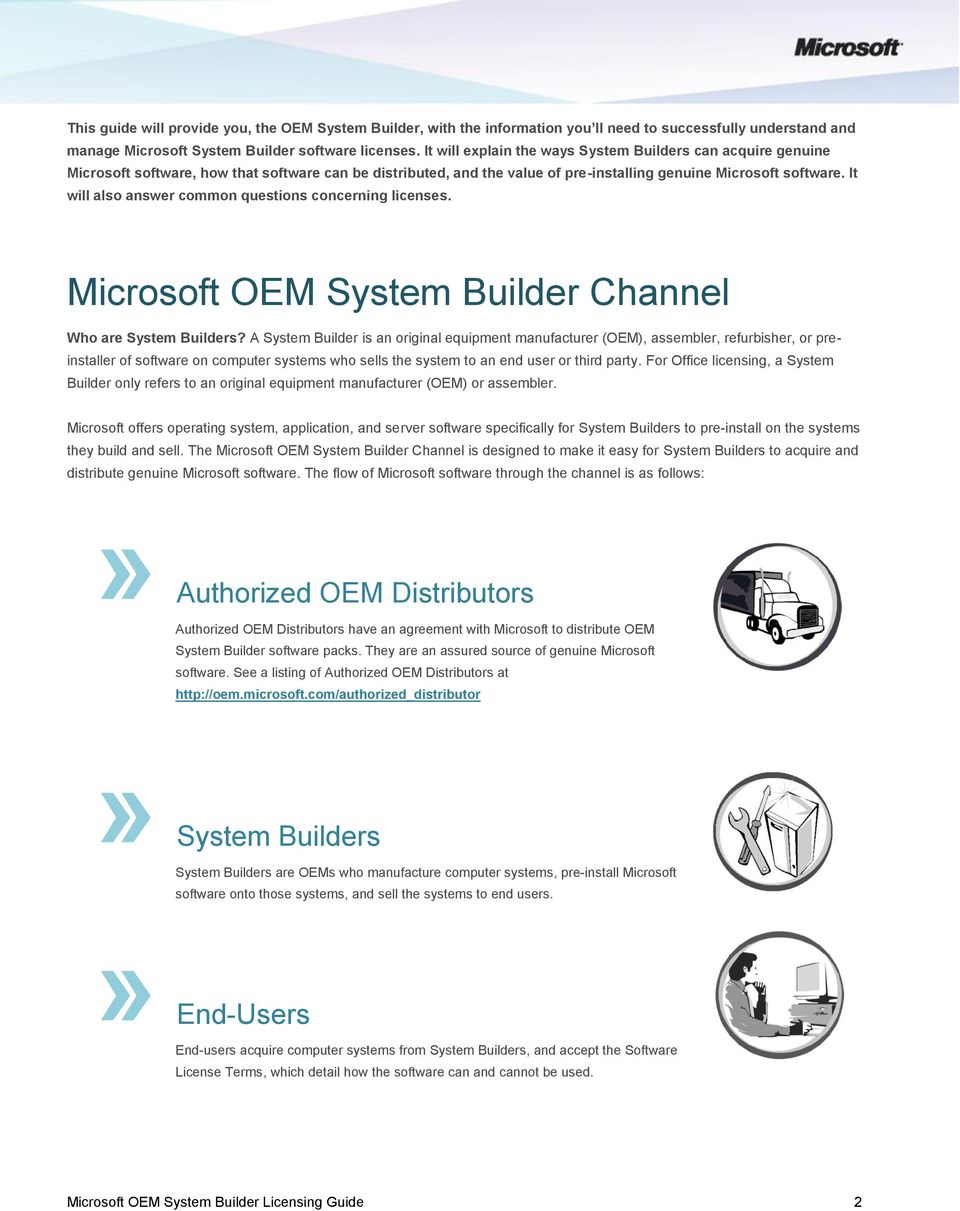
2 This guide will provide you, the OEM System Builder, with the information you ll need to successfully understand and manage Microsoft System Builder software licenses. It will explain the ways System Builders can acquire genuine Microsoft software, how that software can be distributed, and the value of pre-installing genuine Microsoft software. It will also answer common questions concerning licenses. Microsoft OEM System Builder Channel Who are System Builders? A System Builder is an original equipment manufacturer (OEM), assembler, refurbisher, or preinstaller of software on computer systems who sells the system to an end user or third party. For Office licensing, a System Builder only refers to an original equipment manufacturer (OEM) or assembler. Microsoft offers operating system, application, and server software specifically for System Builders to pre-install on the systems they build and sell. The Microsoft OEM System Builder Channel is designed to make it easy for System Builders to acquire and distribute genuine Microsoft software. The flow of Microsoft software through the channel is as follows:» Authorized OEM Distributors Authorized OEM Distributors have an agreement with Microsoft to distribute OEM System Builder software packs. They are an assured source of genuine Microsoft software. See a listing of Authorized OEM Distributors at System» End-Users Builders System Builders are OEMs who manufacture computer systems, pre-install Microsoft software onto those systems, and sell the systems to end users. End-users acquire computer systems from System Builders, and accept the Software License Terms, which detail how the software can and cannot be used. Microsoft OEM System Builder Licensing Guide 2
3 Microsoft Licensing Programs From a software licensing perspective, there are generally two types of licensing relationships with an end user: OEM software licensing: between an OEM and an end user Microsoft software licensing: between Microsoft and an end user OEM software licensing is available to PC manufacturers. Windows software versions must be pre-installed on new PC hardware. Windows Server software may be pre-installed or distributed inside the Customer System package. OEMs are responsible for providing support for OEM software. There are two types of OEMs: System Builders: Purchase Microsoft software indirectly (through Authorized OEM Distributors or Resellers) Direct OEMs: Have a direct licensing relationship with Microsoft and purchase Microsoft software directly from Microsoft In contrast, licensing for Microsoft s retail and volume licensing software does not require new hardware with the purchase of the software license. This software does not have to be preinstalled and support for this software is provided by Microsoft. There are two types of Microsoft software licensing: Full Packaged Product (FPP): Provides the full-version or upgrade retail software license Volume Licensing (VL): Offers software to businesses associated with a volume purchase, and for Windows Client software, includes only upgrades to licenses; not the full license that is required prior to upgrade It is important to understand that Microsoft Volume Licensing programs cover Windows upgrades only and do not provide a full Windows desktop license. Full Windows desktop licenses can only be acquired either pre-installed on a new PC or purchased as a FPP full version product.. Microsoft OEM System Builder Licensing Guide 3

4 How do System Builders and Direct OEMs differ? System Builders and Direct OEMs, while similar, also have key differences: Direct OEMs have a signed direct agreement with Microsoft to pre-install Microsoft software on the branded PCs and Servers they sell. System Builders do not have a direct agreement with Microsoft and obtain Microsoft software from Microsoft Authorized OEM Distributors. System Builders manufacture computer systems, preinstall Microsoft Software onto those systems, and sell the systems to end users. The terms of the OEM System Builder license come affixed to the software box. The System Builder accepts the terms by breaking-the-seal of the software box. For System Builders, the flow of Microsoft software thru the channel starts with Microsoft Authorized OEM Distributors. Microsoft Authorized OEM Distributors have an agreement with Microsoft to distribute OEM System Builder software packs. They are an assured source of genuine Microsoft software. Software Distribution Rights vs. Software Use Rights There are important differences between the OEM System Builder License and the end user software license. The System Builder license defines the System Builder s right to distribute software. The end user s software license terms define an end users right to use that software. Below we have outlined the important differences between the two types of license terms. LICENSE IS BETWEEN LOCATION OF LICENSE OEM System Builder License Microsoft and System Builder Affixed to the side of the OEM System Builder pack or to the OEM Pre-installation Kit (OPK). System Builders accept this license upon opening the pack.* End User Software License Terms System Builder and end-user Typically displayed when the user first runs the software. End-user must accept the Software License Terms before running the software. RIGHTS Covers System Builder rights to distribute the software, their obligation to provide support, and other rights and obligations of the System Builder, including the certificate of authenticity (COA) label, product activation, pre-installation using the OPK, and recovery solutions. Covers end-user rights in how they can use the software, whether it can be transferred, down- grade rights, and other end-user rights and restrictions as they relate to using the software. *For Office 2010, the OEM Pre-installation kit (OPK) and System Builder license is available through download at the OEM Partner Center website. Microsoft OEM System Builder Licensing Guide 4

5 Windows Client OEM Software Licensing The scenarios below will help you understand the different licensing rules that relate to the distribution of Windows software packs. 1 2 Opened Pack: When you open the pack, you agree to the System Builder license terms and must pre-install the license for Windows desktop software onto a fully assembled PC s hard drive using the OPK prior to distributing the system. The individual software license located in the pack must be given to the customer. Individual licenses may include a COA, media, and manual Unopened Pack: If you don t open the pack, you can deliver the unopened pack to another System Builder only within the authorized territory referenced within the System Builder license. 3 End-user Distribution: 4 System Builder software packs must not be distributed to end users. System Builder Windows software must be preinstalled onto a new PC and the individual software license within the pack must be given to the customer. The individual software license may include a COA label, media, end user license terms, and documentation. This pre-installation requirement does not apply to Server software. Instead, Server software may be distributed inside the Customer System package. System Builder software cannot be used for legalization: System Builder software cannot be used to legalize unlicensed Windows software on existing PCs. The Get Genuine Kit for Windows is the proper legalization solution for existing PCs. You can acquire Get Genuine Kits for Windows from an Authorized OEM Distributor. Windows 7 Packaging Windows 7 1-pack: New outer packaging sleeve Windows 7 Packaging Options: System Builder License 2 red break-the-seal labels, one on each side Text on back lists highlevel distribution requirements Inside the sleeve is the DVD case for DVD SKUs Hologram DVD is inside the DVD case COA bar-code label is affixed to back of DVD cases Microsoft OEM System Builder Licensing Guide 5

6 Windows Server OEM Licensing Unlike Windows desktop software, Server software does not require a hard drive and separate power supply. Nor does it have a pre-installation requirement. It may be pre-installed or distributed inside the Customer System package. Windows Server Software includes any Microsoft software media, documentation, COA label, license terms and security devices. For Windows Server operating system licenses, the System Builder who assembles the server is to affix the COA label to the outside of the fully assembled server in a visible, easily accessible area. The OPK Tools DVD in each software pack may not be distributed to customers. Server software may include more than one platform version of the Software - such as 32-bit or 64-bit. You may only preinstall one version but must distribute both options to the customer. Microsoft Windows server software is available in a 1 pack including a base number of Client Access Licenses (CALs). Additional CAL s are available separately, where needed. Windows Server packaging has the same components as Windows 7 packaging. Office 2010 OEM Licensing There are three Office 2010 Suites available: Office Home and Student Office Home and Business Office Professional For System Builders, Office 2010 is available as a Product Key Card or in a traditional disc version (sometimes referred to as Full Packaged Product or FPP), that includes media. Microsoft OEM System Builder Licensing Guide 6

7 The Product Key Card is only intended for new PCs that have been preloaded with Office It is used to activate preloaded Office 2010 software and does not include media. End users who purchase the Product Key Cards are provided with instructions on how to obtain backup software direct from Microsoft. The Product Key Card is licensed for one device only and is non-transferable, meaning you cannot use the license on another PC. The traditional disc or FPP version of Office 2010 software includes media. This license is transferable which means you can uninstall it on one PC and then load it onto another PC. Traditional disc versions of Office Home and Student allow for installation of up to three PCs within the same household. Traditional disc versions of Office Home and Business and Office Professional allow for installation of up to two PCs, if the PCs are used by the same individual. As a reminder, in contrast, an Office Product Key Card allows for installation on only one PC. Both Product Key Cards and traditional disc versions are available for all the Office 2010 suites and both consumer license types may be used to activate a preloaded Office 2010 image. How to sell Office 2010 Office 2010 simplifies how System Builders sell Office with a new PC. 1. Download the free Office 2010 OEM Preinstallation Kit (OPK) through the Microsoft OEM Partner Center. The OPK is only available to System Builders who manufacture their own PCs. Resellers of PCs are not eligible to download or use the OPK. 2. Pre-load Office 2010 onto a new PC that you are building using the instructions provided with the OPK. 3. When selling the new PC, always ask the customer if they want to purchase Microsoft Office If they say yes, then sell them either the Product Key Card (PKC) or the traditional disc version that corresponds to the Office suite your customer wants. If your customer is not interested in purchasing an Office 2010 suite at that time, be sure to offer them Office Starter To obtain Office Starter 2010 licenses, see the section below. Unlike Windows desktop and Windows Server software, where support is provided by the System Builder, Microsoft provides customer support for Office 2010 suites or standalone applications. This is true for Product Key Cards and traditional disc versions of Office Office Starter 2010 Providing Office Starter 2010 gives you a number of benefits including: The ability to provide a base productivity suite to your customers including Genuine Word Starter and Excel Starter both of which are compatible with the full Office versions. The ability to provide your customers with the best out-of-box experience by allowing them to be up and running on Office 2010 within minutes after turning on their PC for the first time. The ability to offer the same base productivity suite as other OEMs. The efficiency that comes from using a single-build process to preload Office on all of your PCs, if desired. Office Starter 2010 offers limited-functionality versions of Word and Excel that include advertisements that cannot be removed. Office Starter 2010 does not come with PowerPoint, Outlook, OneNote, or any other applications. Customers must purchase a full Office suite to access the full functionality that most people expect with Office Microsoft OEM System Builder Licensing Guide 7

8 Office Starter 2010 is available to end customers only pre-loaded on new PCs, and must be pre-loaded in conjunction with the pre-loaded image of the Office 2010 suites. Office Starter 2010 is included as part of the Office 2010 OPK and may only be installed on PCs that you build. It may not be installed on PCs that you resell. For System Builders interested in providing Office Starter 2010, you must purchase Office Starter 2010 licenses. Office Starter 2010 licenses are available thru the Microsoft OEM Partner Center site. System Builders provide support for Office Starter. Two options are available to purchase Office Starter 2010: Office Starter 2010 licenses are available at $5 per license or Office Starter 2010 licenses as part of PC Essentials are available at $2 per license. PC Essentials includes Office Starter 2010, Windows Live Essentials, and Bing Bar. Windows Live Essentials and Bing Bar must be included on the new PC. Browser default must be set to MSN and search default must be set to Bing to qualify for this license. Licenses are sold in increments of 10 only. There are no refunds. Office Starter 2010 has very specific marketing requirements. They are as follows: 1) You must never advertise Office Starter 2010 as Office or Office ) You may only refer to the product as Office Starter 2010 or Word Starter and Excel Starter. 3) You must also include the following disclaimer in your technical specifications and your marketing materials: This PC is preloaded with reduced-functionality versions of Word and Excel that include advertising. It does not include PowerPoint or Outlook. Purchase an Office 2010 Product Key to activate the full-featured Office software on this PC. In addition you must keep record of all Office Starter 2010 licenses you purchase and you must provide hard disk drive recovery on pre-loaded new PCs. Office Starter 2010 is designed for a very specific set of customers: home users who are not yet ready to buy a full Office 2010 suite. However, most business customers and home users already familiar with Office will be better served with a full Office 2010 suite such as Office Home and Student, Office Home and Business, or Office Professional. Focus on selling full versions of Office 2010 with new PCs and you ll meet the needs of your customers. System Builder License The OEM System Builder license is affixed to the side of the Microsoft OEM System Builder pack for Windows or Server software. By opening the System Builder pack, System Builders agree to the license terms. For Office 2010, the System Builder license and OEM Preinstallation kit (OPK) are available through download at the OEM Partner Center website. A complete copy of the OEM System Builder license is available at License terms include: Limited License Software Distribution Pre-installation using the OPK Certificate of Authenticity (COA) Label End-User Support Activation Recovery Media Requirement to resell the PC to a third party Microsoft OEM System Builder Licensing Guide 8

9 Limited License The license is limited to distribution of individual software licenses contained in the System Builder pack. Individual software license refers to the software license that comes in the package together with: Hologram media and documentation (where applicable) Certificate of Authenticity (COA) End-user License Terms* None of these components can be separated and distributed individually. *NOTE: The end user license terms can typically be found online within the software. OEM Pre-installation Kit (OPK) System Builders are required to preinstall software using the OEM Pre-installation Kit, or OPK. OPKs for Windows 7, Windows Server, and Office 2010 are available for download from the OEM Partner Center website. Additionally, an OPK is included in every 3 pack and 30 pack of Windows 7 and in each Server pack. OPK Benefits to System Builders: Enables you to add business contact information in the system so customers know where to go for support. Enables you to add shortcuts and brand your PC with your company logo. Offers a flexible methodology by enabling you to choose compact disk-based, network-based, or peer-to-peer pre-installation methods. Provides hardware flexibility by enabling you to pre-install drivers for devices that do not have built-in support in the operating system. Enables you to pre-install software programs during the installation of Windows Gives you an auditing capability by enabling you to test pre-installed computers without interrupting the pre-installation process. Certificate of Authenticity (COA) The COA is included in the System Builder Software Pack. For Windows desktop and Windows Server operating system licenses, when installing the software on new PC hardware, the System Builder must affix the COA label to the outside of the fully assembled PC or Server in a visible and easily accessible area. You can learn more about the COA label features at Microsoft OEM System Builder Licensing Guide 9

10 End-User Support For Windows software, the System Builder that installs the software provides all end-user support of that software to the end user. o The System Builder must include their support phone number within the PC s Help files and/or in the end-user documentation. o This is one reason OEM System Builder licenses can t be transferred from one PC to another. A System Builder cannot support a license that has been moved from a PC they manufactured to a PC they did not. For Microsoft Office Starter 2010, under the License Terms, the OEM/System Builder is responsible for end user support. For all other versions of Microsoft Office 2010 suites or standalone applications, Microsoft provides end user support. Product Activation Microsoft Product Activation is designed to help end-users ensure they have a legal, licensed, and genuine copy of Microsoft software. Product activation is required by the end user in OEM System Builder products. Activation works by verifying that the software s product key, required as part of product installation and provided on the COA, has only been used on the PC the software was distributed with initially. For more information, visit Recovery Solutions The hologram CD included within the Windows or Windows Server System Builder pack contains the full version of the Windows or Windows Server software. This CD is intended for recovery purposes only. This hologram CD must be transferred to the end-user with the preinstalled PC. The System Builder license prohibits the replication of Microsoft software, therefore replicating recovery CDs and selling them with the systems you build is not allowed under the System Builder license. System Builders can offer hard-disk recovery solutions. System Builders may use the Windows Pre-installation Environment (Windows PE) or use the software of a third-party to help create a hard-disk recovery solution. Do-It-Yourself Home Hobbyist There is a growing market for Do-it-Yourself Home Hobbyists who assemble PCs from components for their own use. Microsoft FPP full version software licenses are the appropriate licenses for this market. OEM System Builder software is not intended for this use unless the PC that is assembled is being sold to another party. Microsoft OEM System Builder Licensing Guide 10

11 E-tailer/Reseller Product Messaging Reseller Web sites and print materials must clearly present the following or substantially similar notice to customers prior to purchase, so customers purchasing the OEM System Builder software know the specific requirements that apply to the software. OEM Software Notice: To distribute OEM System Builder software, you must be a System Builder and accept the System Builder License. System Builder means an original equipment manufacturer, an assembler, a refurbisher, or a software preinstaller that sells the Customer System(s) to a third party. OEM software may ONLY be distributed with a fully assembled computer system. For a desktop operating system or application software, it also must be preinstalled on the hard drive of the fully assembled computer system, using the OEM Preinstallation Kit (OPK). The System Builder that installs the software is responsible for the provision of end-user support. Note: This does not apply to Office Software License Terms End-user rights and obligations defined by the Software License Terms cover such topics as transferability of the software and downgrade rights. Transfer of License Once a Windows or Server OEM System Builder software license has been installed, it may not be transferred to or installed on another PC even if the PC is no longer in use. The end-user license is permanently tied to the original computer system on which it was first installed. Component Upgrades/Replacements and the System Builder End-User License The motherboard is the component that determines whether or not a new Windows license is required. Motherboard upgrades or replacements, for reasons other than a defect replacement with an identical series motherboard, require a new operating system license. If you are replacing a defective motherboard with an identical motherboard, a new operating system license is not required. However, the replacement motherboard must be the same make and model or the same manufacturer s replacement or equivalent as defined by that manufacturer s warranty If transferring a refurbished PC to a new user, the software license, media, COA and manuals must all be transferred together. Microsoft OEM System Builder Licensing Guide 11


12 Downgrade Rights What are Downgrade Rights? Downgrade rights are an end user right outlined within the License Terms for specific versions of Windows or Windows Server software. This right gives your end user customers who purchase certain OEM versions of Windows or Windows Server software the ability to run prior software versions until they are ready to adopt the latest version of Microsoft Windows or Windows Server software. Downgrade rights are not available for Office 2010 Product Key Cards or traditional disc versions. See the charts below for the products and versions that contain downgrade rights. NOTE: OEM System Builder versions of Windows Vista Home, Windows XP Home and Windows XP 64-bit versions do not have end-user downgrade rights. When and Why Would Customers Use Downgrade Rights? Let s say your customer is purchasing a new PC with Windows 7 Professional or Windows 7 Ultimate and they need to run the same operating system as their existing systems running Windows XP Professional. You can preinstall Windows 7 Professional or Windows 7 Ultimate (the Windows 7 product versions which include downgrade rights) on the new computer system and then offer your customers the added service of installing Windows XP Pro on your customer s behalf. When your Microsoft OEM System Builder Licensing Guide 12

13 customer is ready to upgrade to Windows 7 they will already have the Windows 7 license. To make this scenario possible: The end user must first accept the new Windows 7 Professional and Windows 7 Ultimate Software License Terms, prior to downgrading. Then the end user obtains and installs genuine Windows XP Professional, Windows XP Professional x64 Edition, Windows XP Tablet PC Edition, Windows Vista Business, or Windows Vista Ultimate, or asks the PC supplier to install the software using genuine software media and a corresponding product key. Additionally an end user, who is licensed separately through Microsoft Volume Licensing (VL) programs, may provide their VL media and key to their System Builder to use to facilitate the downgrade on only their systems. The downgrade media must be supplied to you from the end user and must come from a legally licensed version of Microsoft retail, OEM/System Builder, or volume license channels. OEM versions of Windows 7 Professional and Windows 7 Ultimate are the only Windows 7 products that include end user downgrade rights. Note that Windows 7 end user downgrade rights will be available through the sales lifecycle of Windows 7 which is up to two years after the launch date of a new version. For specific software downgrades for Windows 7 see the above chart. To use downgrade rights on a new Windows 7 computer, an end-user must: Purchase a PC preinstalled with Windows 7. Accept the Windows 7 Software License Terms. Perform the downgrade or authorize a third party to install on their behalf. Downgraded software requires product activation once installed on a Windows 7-based PC. If the software was previously activated, it will not be able to activate automatically online. In this case, the appropriate local Activation Support phone number will be displayed. Call the number and explain the circumstances. Once Windows XP or Windows Vista Professional is activated on the Windows 7-based PC, the PC is ready for use. When an end user is ready to move to Windows 7, they must use the original OEM System Builder media that was included with the PC for reinstallation. The downgrade software must be deleted from the hard drive before the original software is reinstalled. Windows 7 Professional allows customers to downgrade to Windows Vista Business, Microsoft Windows XP Professional, Microsoft Windows XP Professional x64 Edition, or Microsoft Windows XP Tablet PC Edition. Windows Server software versions released with, or after Microsoft Windows Server 2003 R2 enable the end user to downgrade to an earlier version. For specific software downgrades for Windows Server 2008 R2, see the above chart. To use downgrade rights on a new Windows Server computer, an end user must: Purchase a PC preinstalled with Windows Server Accept the Windows Server 2008 End User Software License Terms. Perform the downgrade or authorize an OEM to perform it. For more information, visit Microsoft OEM System Builder Licensing Guide 13

14 Re-Imaging Volume licensing customers may re-image software they have licensed (including OEM Software) using volume licensing media. Re-imaging is permitted only when the image is that of the same product and version, contains the same components, and is of the same language. OEM/System Builder media may not be used for re-imaging. Re-imaging requirements of volume licensing program rules must be followed, in addition to the installation and activation requirements specific to the licensed software. Why Genuine? Genuine Windows software is published by Microsoft, properly licensed, and supported by Microsoft or a trusted partner. Properly activated genuine Windows offers peace of mind and enhanced protection and support for your customers, while providing them access to regular updates that help them get the most from their PCs. And to protect against security risks, Genuine Windows software users can access Microsoft Security Essentials, a free award-winning, antivirus software designed to help better protect PCs, at: Genuine Windows software meets customer s expectations and gives them confidence that their software comes with the documentation, components, and features provided by Microsoft, does not include unauthorized programs, and contains features to help them identify that it is genuine. As a partner, it s the best way build a healthy technology ecosystem and long-term relationships with your customers. With non-genuine software, customers are at a greater risk of exposure to harmful or malicious viruses that can cause them to lose information on their PC or put their personal information at risk. Only genuine Windows has the latest anti-piracy features to help protect your customer s PCs from viruses, spyware, malware, and phishing scams. You can build confident, long-term relationships By recommending, pre-installing, and deploying only genuine Windows, you can develop a strong foundation with your customers building long-term, profitable relationships and help establish your reputation as a trusted advisor. What is Activation? Activation establishes a relationship between the software s product key and a particular installation of that software on the device. The activation process includes validation of the product key. This confirms the genuine status of the product and ensures that the key is not compromised. It is analogous to the activation of credit cards or new mobile phones. Microsoft OEM System Builder Licensing Guide 14

15 How to Identify Genuine Microsoft Software Microsoft supports its partners and their customers with more secure, anti-piracy technology available in genuine Windows and is investing in channel enforcement to protect its partners. To identify genuine software use the following steps: 1. Make sure you re getting a complete software package with COA, media, where applicable), and documentation. 2. Purchase only from Microsoft Authorized OEM Distributors an assured source of genuine Microsoft software Watch out for prices that seem to good to be true these are highly suspect and could put you and your customers at risk. How to Report Piracy [email protected] Call the Microsoft Anti-Piracy Hotline at RU-LEGIT Fill out an online reporting form at What Happens When You Report Software Piracy? Your lead is received by a team of individuals who respond. A letter may be sent to the company stating that they have been reported for allegedly distributing Microsoft software in an unauthorized manner. A secret shopper may make a purchase from the company that was reported. The individual who submitted the lead may be contacted for further information/evidence (invoice, software). If evidence regarding the company is gathered, a cease and desist letter may be sent. The evidence developed may be used in a legal proceeding against the reported company. Resources For more information on the OEM System Builder license please consult the resources listed here. OEM Partner Center: Microsoft OEM System Builder License: Piracy Information: Reporting Software Piracy: Volume Licensing Information: How To Tell It s Genuine Software: Genuine Windows Information: Genuine Microsoft Software: Authorized OEM Distributors: Microsoft Office 2010: Genuine Windows 7 information and Office 2010: System Builder Licensing and Packaging: Microsoft OEM System Builder Licensing Guide 15

MICROSOFT OEM SYSTEM BUILDER. Genuine Microsoft Software & Licensing Guide
 MICROSOFT OEM SYSTEM BUILDER Genuine Microsoft Software & Licensing Guide Greetings This guide will introduce the Microsoft OEM System Builder License and describe your rights and obligations as a Microsoft
Office 2010 OPK Q&A System Builders
 Office 2010 OPK Q&A System Builders 1. Why do I run the OPK s oemsetup batch file in the command prompt window and get the following error message? Answer: this error message usually comes-up when the
Microsoft Authorized Refurbisher (MAR) Program Guide
 Microsoft Authorized Refurbisher (MAR) Detailed information for refurbished PC manufacturers looking to join the Microsoft Authorized Refurbisher Program. Q3-14 Table of Contents 3 Overview 3 Program Benefits
Eight Rock Solid Reasons Why You Should Buy OEM From Us
 Accelerating Your Success Eight Rock Solid Reasons Why You Should Buy OEM From Us Avnet Technology Solutions recommends genuine Microsoft software SOFTWARE Contents Reason 1: Our strong OEM heritage...
How to protect yourself. against piracy
 How to protect yourself against piracy Dear reader, Technology is at the heart of many homes and small businesses. Buying genuine, licensed Microsoft software lets you safeguard your system, so you can
Software Licensing and Compliance Guide
 This message has been brought to you by m Software Licensing and Compliance Guide What every business needs to kw about software licensing and compliance. Welcome This guide was developed for businesses
Microsoft Open License. Program Guide
 Microsoft Open License Program Guide 1 Table of Contents Understanding Your Licensing Options...3 Microsoft Open License Overview...3 Benefits...3 The Open License Program Family...4 Open Value...4 Open
MICROSOFT OPEN PROGRAMS GUIDE. Microsoft Open Programs Guide
 Microsoft Open Programs Guide 1 Table of Contents Microsoft Open Programs Overview... 3 Benefits... 3 The Open Program Family... 3 Open Value... 4 Open Value Organization-Wide Option... 4 Open Value Subscription
Microsoft Office 2010 Volume Licensing Guide
 Microsoft Office 2010 Volume Licensing Guide April 2010 1 Appropriate Use This guide is intended to help Microsoft Volume Licensing customers understand how the Microsoft Office 2010 suites are licensed
Microsoft Licensing made simple
 Accelerating Your Success Microsoft Licensing made simple Avnet Technology Solutions recommends genuine Microsoft software Software Contents Microsoft Licensing made simple... 4 OEM Licensing... 5 OEM
Microsoft Open License
 Microsoft Open License TABLE OF CONTENTS Microsoft Open License Overview... 3 Benefits...3 Open License for Public Sector Organizations... 4 Government Organizations... 4 Academic Organizations... 4 Charitable
Microsoft Rental Rights Licensing
 Microsoft Rental Rights Licensing Frequently Asked Questions Table of Contents General Information... 3 What are Rental Rights?... 3 Are Rental Rights licenses replacements for stand-alone software licenses?...
the device manufacturer that distributes the software with the device, or the software installer that distributes the software with the device.
 MICROSOFT SOFTWARE LICENSE TERMS WINDOWS VISTA HOME BASIC WINDOWS VISTA HOME PREMIUM WINDOWS VISTA ULTIMATE These license terms are an agreement between you and the device manufacturer that distributes
the device manufacturer that distributes the software with the device, or the software installer that distributes the software with the device.
 MICROSOFT SOFTWARE LICENSE TERMS WINDOWS VISTA HOME BASIC SERVICE PACK 1 WINDOWS VISTA HOME PREMIUM SERVICE PACK 1 WINDOWS VISTA ULTIMATE SERVICE PACK 1 These license terms are an agreement between you
Installing and Upgrading to Windows 7
 Installing and Upgrading to Windows 7 Before you can install Windows 7 or upgrade to it, you first need to decide which version of 7 you will use. Then, you should check the computer s hardware to make
Licensing Microsoft Office software in Volume Licensing
 Volume Licensing brief Licensing Microsoft Office software in Volume Licensing This brief applies to all Volume Licensing programs. Table of Contents Summary... 1 What s New in This Brief... 1 Details...
MICROSOFT SOFTWARE LICENSE TERMS MICROSOFT WINDOWS SERVER 2008 FOR EMBEDDED SYSTEMS, STANDARD
 MICROSOFT SOFTWARE LICENSE TERMS MICROSOFT WINDOWS SERVER 2008 FOR EMBEDDED SYSTEMS, STANDARD These license terms are an agreement between you and [OEM]. Please read them. They apply to the software included
reverse engineer, decompile or disassemble the software, except and only to the extent that applicable law expressly permits, despite this
 MICROSOFT SOFTWARE LICENSE TERMS 2007 MICROSOFT OFFICE SYSTEM DESKTOP APPLICATION SOFTWARE Below are three separate sets of License Terms. Only one set applies to you. To determine which License Terms
You may distribute those documents and projects non-commercially. If you wish to use these media elements or templates for any other purpose, go to
 MICROSOFT SOFTWARE LICENSE TERMS 2007 MICROSOFT OFFICE SYSTEM DESKTOP APPLICATION SOFTWARE Below are three separate sets of License Terms. Only one set applies to you. To determine which License Terms
New Lab Upgrading Vista to Windows 7 Brought to you by RMRoberts.com
 New Lab Upgrading Vista to Windows 7 Brought to you by RMRoberts.com After completing the laboratory activity, you will be able to: Determine which versions of Vista can be successfully upgraded to Windows
Upgrading from Windows XP to Windows 7
 Upgrading your PC from Windows XP to Windows 7 requires a custom installation which doesn't preserve your programs, files, or settings. It s sometimes called a clean installation for that reason. A custom
If you need assistance finding your license type, please go to: www.microsoft.com/office/eula to determine which license you have.
 MICROSOFT SOFTWARE LICENSE TERMS MICROSOFT OFFICE 2010 DESKTOP APPLICATION SOFTWARE Below are three separate sets of license terms. Only one set applies to you. To determine which license terms apply to
In this chapter you will find information on the following subjects:
 17 1. From XP to Vista Microsoft, the creator of Windows, has published various versions of the Windows operating system over the past two decades. Windows Vista is the latest version, the successor to
Windows XP Pro Service Pack 3
 Windows XP Pro Service Pack 3 If Windows Service Pack 3 has to be installed: It is recommended that the Windows Service Pack 3 be installed on a freshly ghosted machine before the installation of the NeuroWorks
Licensing Windows and Microsoft Office for use on a Mac
 Volume Licensing brief Licensing Windows and Microsoft Office for use on a Mac Table of Contents This brief applies to all Volume Licensing programs. Summary... 1 What s New in This Brief... 1 Details...
Microsoft Software Assurance Academic Customer Guide
 Microsoft Software Assurance Academic Customer Guide A reference guide to Software Assurance offerings for Microsoft Academic Volume Licensing programs Software Assurance Customer Guide 1 2003 Microsoft
Upgrading from Windows XP to Windows 7
 We highly recommend that you print this tutorial. Your PC will restart during the Windows 7 installation process, so having a printed copy will help you follow the steps if you're unable to return to this
Antivirus. Quick Start Guide. Antivirus
 Antivirus 2007 Antivirus plus I Firewall Quick Start Guide Helpful Information on Installation and Set-Up STOPS and Removes Viruses DELIVERS Proactive Firewall Protection EASY to Set Up and Use FREE Upgrades
Student Advantage FREQUENTLY ASKED QUESTIONS FOR PARTNERS
 Student Advantage FREQUENTLY ASKED QUESTIONS FOR PARTNERS Overview 3 How does this announcement about a Student Advantage benefit relate to existing Student Option? 3 Why is Microsoft introducing these
the computer manufacturer that distributes the software with the computer, or
 MICROSOFT SOFTWARE LICENSE TERMS WINDOWS 7 STARTER These license terms are an agreement between you and the computer manufacturer that distributes the software with the computer, or the software installer
Microsoft licensing overview. Mikhail Rossiev Licensing Manager, EPG
 Microsoft licensing overview Mikhail Rossiev Licensing Manager, EPG What is a License? A software license is the legal right to install, use, access, display, run, or otherwise interact with a software
http://www.windows10update.com The Ultimate Windows 10 FAQ Page Compiled by www.windows10update.com
 The Ultimate Windows 10 FAQ Page Compiled by www.windows10update.com Windows 10 Upgrade Frequently Asked Questions QUESTION: What is Windows 10? Windows 10 is the successor to Windows 7 and Windows 8.1.
Intel Data Migration Software
 User Guide Software Version 2.0 Document Number: 324324-002US INFORMATION IN THIS DOCUMENT IS PROVIDED IN CONNECTION WITH INTEL PRODUCTS. NO LICENSE, EXPRESS OR IMPLIED, BY ESTOPPEL OR OTHERWISE, TO ANY
Volume Licensing Product Terms Explained
 Volume Licensing Product Terms Explained Product Terms Explained Table of Contents Introduction... 1 Overview... 1 Using This Guide... 1 Key Terms and Acronyms... 1 Licensing Basics... 2 What Is Intellectual
MICROSOFT SOFTWARE LICENSE TERMS MICROSOFT OFFICE 2010 DESKTOP APPLICATION SOFTWARE
 MICROSOFT SOFTWARE LICENSE TERMS MICROSOFT OFFICE 2010 DESKTOP APPLICATION SOFTWARE Below are two separate sets of license terms. Only one set applies to you. If you are using the software pre-installed
A+ Guide to Software: Managing, Maintaining, and Troubleshooting, 5e. Chapter 3 Installing Windows
 : Managing, Maintaining, and Troubleshooting, 5e Chapter 3 Installing Windows Objectives How to plan a Windows installation How to install Windows Vista How to install Windows XP How to install Windows
MICROSOFT ROADMAP THE NEW OFFICE & WINDOWS 8
 MICROSOFT ROADMAP THE NEW OFFICE & WINDOWS 8 TODAY S AGENDA Welcome and Introduction to Bytes Chris Swani, Bytes Software Services Windows 8.1 & Windows To Go Demonstration Antony Austin, Microsoft UK
Stellar Phoenix Exchange Server Backup
 Stellar Phoenix Exchange Server Backup Version 1.0 Installation Guide Introduction This is the first release of Stellar Phoenix Exchange Server Backup tool documentation. The contents will be updated periodically
Norton. AntiVirus. Product Manual
 Norton TM AntiVirus Product Manual Care for our Environment; It's the right thing to do. Symantec has removed the cover from this manual to reduce the Environmental Footprint of our products. This manual
If you comply with these license terms, you have the rights below for each software license you acquire. 1. OVERVIEW.
 MICROSOFT SOFTWARE LICENSE TERMS MICROSOFT WINDOWS SERVER 2008, STANDARD These license terms are an agreement between Microsoft Corporation (or based on where you live, one of its affiliates) and you.
Introduction 1-1 Installing FAS 500 Asset Accounting the First Time 2-1 Installing FAS 500 Asset Accounting: Upgrading from a Prior Version 3-1
 Contents 1. Introduction 1-1 Supported Operating Environments................ 1-1 System Requirements............................. 1-2 Security Requirements........................ 1-3 Installing Server
Microsoft Office via Office 365 Subscription Download/Install Instructions and Frequently Asked Questions
 Download and Installation for Windows or Mac Computer 1. Sign into your Olivet email account at http://email.olivet.edu. (Note: If you need assistance getting into your Olivet email, you must contact the
Carry it Easy. User Guide
 Carry it Easy User Guide User Manual Version 3.2 2004-2010 CoSoSys Ltd. Carry it Easy User Manual Table of Contents Table of Contents... I 1. Introduction... 1 2. System Requirements... 1 3. Installation...
Volume Licensing reference guide. Windows 8 and Windows RT
 Volume Licensing reference guide Windows 8 and Windows RT Table of Contents Introduction... 1 Windows 8 Editions, Windows RT, and Related Products... 2 Windows 8 Editions and Windows RT... 2 Windows Desktop
Trend Micro Incorporated reserves the right to make changes to this document and to the products described herein without notice.
 Trend Micro Incorporated reserves the right to make changes to this document and to the products described herein without notice. Before installing and using the software, please review the readme files,
Vodafone PC SMS 2010. (Software version 4.7.1) User Manual
 Vodafone PC SMS 2010 (Software version 4.7.1) User Manual July 19, 2010 Table of contents 1. Introduction...4 1.1 System Requirements... 4 1.2 Reply-to-Inbox... 4 1.3 What s new?... 4 2. Installation...6
Bluetooth Installation
 Overview Why Bluetooth? There were good reasons to use Bluetooth for this application. First, we've had customer requests for a way to locate the computer farther from the firearm, on the other side of
Windows XP Pro Service Pack 3 Approved Window Update Description Update. XP Service Pack 3 (KB936929) Windows Internet Explorer 7 for Windows XP
 Windows XP Pro Service Pack 3 Approved Window Update Description Update Windows XP Windows Windows XP Windows XP Service Pack 3 XP Service Pack 3 (KB936929) Windows Internet Explorer 7 for Windows XP Internet
Backup and Recovery FAQs
 May 2013 Page 1 This document answers frequently asked questions regarding the Emerson system Backup and Recovery application. www.deltav.com May 2013 Page 2 Table of Contents Introduction... 6 General
Microsoft Home User Program
 Microsoft Home User Program VWCC faculty and staff can now get Office 2013 for their home computer. Office 2013 is only compatible with Windows 7 and Windows 8. It will not run on Windows XP or Windows
v4: How to create a BartPE Rescue CD for Macrium Reflect
 So, you ve created your Linux based recovery CD, you push it in and boot up and it doesn t find your hard drives, network or both what s next? If the Linux Based Recovery CD option doesn t work for you
Windows Operating System Upgrade Kits
 January 2013 Page 1 The SE9201 Windows Operating System Upgrade kits provide easy O/S upgrades to support v11.3/11.3.1 Operating System images make upgrades easy and supportable by DeltaV Installation
Licensing Microsoft Office 365 ProPlus Subscription Service in Volume Licensing
 Volume Licensing brief Licensing Microsoft Office 365 ProPlus Subscription Service in Volume Licensing Table of Contents This brief applies to the Microsoft Volume Licensing Enterprise Agreement, Enterprise
Vista Upgrade Instructions LE1600 and LS800
 Vista Upgrade Instructions LE1600 and LS800 Overview The following step-by-step instructions explain how to upgrade your Motion LE1600 or LS800 Tablet PC to the Microsoft Vista operating system. Motion
Windows 7: Tips and Best Practices for Simplified Migration By Nelson Ruest and Danielle Ruest
 Windows 7: Tips and Best Practices for Simplified Migration By Nelson Ruest and Danielle Ruest Table of Contents Abstract... 3 1.0 Windows 7 Deployment and Operating Improvements... 4 2.0 Potential Deployment
Introducing the New Office.
 Introducing the New Office. Contents Meet the new Office... 4 Help customers choose the right Office....10 Office at-a-glance...18 Selling Office...20 Frequently asked questions...28 Office applications:
Microsoft Software License Terms Windows 7 Professional
 Microsoft Software License Terms Windows 7 Professional IMPORTANT READ CAREFULLY. These license terms are an agreement between you and the computer manufacturer that distributes the software with the computer,
Desktop and Laptop Security Policy
 Desktop and Laptop Security Policy Appendix A Examples of Desktop and Laptop standards and guidelines 1. Implement anti-virus software An anti-virus program is necessary to protect your computer from malicious
COMBOGARDPRO. 39E Electronic Combination Lock SOFTWARE INSTALLATION INSTRUCTIONS
 COMBOGARDPRO 39E Electronic Combination Lock SOFTWARE INSTALLATION INSTRUCTIONS IMPLEMENTATION PACKAGE The ComboGard Pro Software implementation package includes: 707012 ComboGard Pro Software Install
HP Personal Workstations Step-By- Step Instructions for Upgrading Windows Vista or Windows XP Systems to Windows 7
 HP Personal Workstations Step-By- Step Instructions for Upgrading Windows Vista or Windows XP Systems to Windows 7 September 15, 2009 Introduction HP is committed to supporting our customer s operating
avast! Free Antivirus 7.0 Quick Start Guide avast! Free Antivirus 7.0 Quick Start Guide
 avast! Free Antivirus 7.0 Quick Start Guide 1 Welcome to avast! Free Antivirus 7.0 The new avast! Antivirus 7.0 brings a range of new features and improvements which make it even faster and even less resource-hungry
for this software, unless other terms accompany those items. If so, those terms apply.
 MICROSOFT SOFTWARE LICENSE TERMS WINDOWS VISTA ENTERPRISE SERVICE PACK 1 Your use of this software is subject to the terms and conditions of your volume license agreement. You may not use this software
Digital Persona Fingerprint Reader Installation
 Digital Persona Fingerprint Reader Installation The link to download the Fingerprint Reader Software for AXIS-ACH is http://corpcu.com/fingerprint-reader-software This will begin the download for the drivers.
Install Guide for Windows Office Professional Plus 2010
 Install Guide for Windows Office Professional Plus 2010 The purpose of this guide is to assist you in obtaining a copy of Windows Office Professional Plus 2010 for your Windows PC. This document will walk
Apple Technical White Paper Best Practices for Deploying Mac with OS X
 Best Practices for Deploying Mac with OS X OS X Mountain Lion v10.8 Contents Overview... 3 OS X Installation Basics... 3 Installer Technology... 3 OS X Recovery... 4 Internet Recovery... 4 External OS
SOFTWARE INSTALLATION INSTRUCTIONS
 AUDITGARD LGA Electronic Combination Lock SOFTWARE INSTALLATION INSTRUCTIONS Implementation Package The AuditGard Software implementation package includes: 707013 AuditGard Software Install CD 42145 Programming/Audit
Transition: Let s have a look at what will be covered.
 Welcome to the Microsoft Licensing Overview course, designed for partners preparing to take the Microsoft Licensing Overview assessment. This course introduces you to Microsoft Licensing program and product
MICROSOFT SOFTWARE LICENSE TERMS WINDOWS 7 ULTIMATE FOR EMBEDDED SYSTEMS WINDOWS 7 PROFESSIONAL FOR EMBEDDED SYSTEMS (ALL VERSIONS)
 MICROSOFT SOFTWARE LICENSE TERMS WINDOWS 7 ULTIMATE FOR EMBEDDED SYSTEMS WINDOWS 7 PROFESSIONAL FOR EMBEDDED SYSTEMS (ALL VERSIONS) These license terms are an agreement between you and Kontron Europe GmbH.
Upgrade from Windows 7 or 8.1. January 29, 2016
 Upgrade from Windows 7 or 8.1 January 29, 2016 Meeting Protocol Please hold your questions until the Q&A Jot down your questions so you will remember them No side conversations, please! We all have enough
Paragon Boot Media Builder
 1 Paragon Boot Media Builder General guide on installing WAIK/ADK and using Boot Media Builder 2 Contents Introduction... 3 Key Features... 3 Building a WinPE Environment... 3 Download and Install the
ESET SMART SECURITY 9
 ESET SMART SECURITY 9 Microsoft Windows 10 / 8.1 / 8 / 7 / Vista / XP Quick Start Guide Click here to download the most recent version of this document ESET Smart Security is all-in-one Internet security
JROTC CURRICULUM MANAGER INSTALLATION GUIDE VERSION 2.0
 JROTC CURRICULUM MANAGER INSTALLATION GUIDE VERSION 2.0 Updated November 24, 2014 Table of Contents Curriculum Manager Installation Instructions... 6 Set-up Steps... 6 Step 1... 7 Pre-Install Instructions...
DeltaV v11 and v12.3 Supported Computers
 January 2013 Page 1 DeltaV v11 and v12.3 Supported Computers This document lists the DeltaV workstations that will supported for v11 and v12.3 and how to obtain Windows 7 Professional and Server 2008 Standard
Parallels Transporter Agent
 Parallels Transporter Agent User's Guide Copyright 1999-2015 Parallels IP Holdings GmbH and its affiliates. All rights reserved. Parallels IP Holdings GmbH Vordergasse 59 8200 Schaffhausen Switzerland
Malware, Spyware, Adware, Viruses. Gracie White, Scott Black Information Technology Services
 Malware, Spyware, Adware, Viruses Gracie White, Scott Black Information Technology Services The average computer user should be aware of potential threats to their computer every time they connect to the
Making a system recovery disc
 System Recovery TM Should your system fail or become corrupted, you have options. You might be able to recover your system from the recovery partition on the hard disk drive, from a recovery disc you made
How To Get A Windows Server 2008 (For Free) From Hplow.Com
 Microsoft Windows Server 2008 is Microsoft's next generation operating system designed to be the most flexible and robust Windows Server operating system to date. Windows Server 2008 provides powerful
Microsoft Enterprise Agreement. Program Guide
 Microsoft Enterprise Agreement Program Guide 1 Table of Contents Enterprise Agreement Introduction...3 Enterprise Agreement Benefits...3 Enterprise Agreement Overview...4 Enterprise Agreement Program Features...5
DOWNLOADING MICROSOFT SOFTWARE ASSURANCE E-LEARNING CONTENT FILES Common questions answered for Benefits Administrators
 DOWNLOADING MICROSOFT SOFTWARE ASSURANCE E-LEARNING CONTENT FILES Common questions answered for Benefits Administrators This purpose of this document is to guide the organization s Software Assurance (SA)
User Profile Manager 2.6
 User Profile Manager 2.6 User Guide ForensiT Limited, Innovation Centre Medway, Maidstone Road, Chatham, Kent, ME5 9FD England. Tel: US 1-877-224-1721 (Toll Free) Intl. +44 (0) 845 838 7122 Fax: +44 (0)
Lab - Dual Boot - Vista & Windows XP
 Lab - Dual Boot - Vista & Windows XP Brought to you by RMRoberts.com After completing this lab activity, you will be able to: Install and configure a dual boot Windows XP and Vista operating systems. Explain
Windows 8.1 and Windows RT 8.1
 Volume Licensing reference guide Windows 8.1 and Windows RT 8.1 December 2014 1 Table of Contents Windows 8.1 Editions, Windows RT 8.1, and Related Products... 3 Windows 8.1 Editions and Windows RT 8.1...
Microsoft SQL Server Installation Guide
 Microsoft SQL Server Installation Guide Version 2.1 For SQL Server 2012 January 2013 Copyright 2010 2013 Robert Schudy, Warren Mansur and Jack Polnar Permission granted for any use of Boston University
ESET NOD32 ANTIVIRUS 9
 ESET NOD32 ANTIVIRUS 9 Microsoft Windows 10 / 8.1 / 8 / 7 / Vista / XP Quick Start Guide Click here to download the most recent version of this document ESET NOD32 Antivirus provides state-of-the-art protection
MICROSOFT SOFTWARE LICENSE TERMS MICROSOFT WINDOWS SERVER 2008 R2 FOR EMBEDDED SYSTEMS TELECOMMUNICATIONS STANDARD
 MICROSOFT SOFTWARE LICENSE TERMS MICROSOFT WINDOWS SERVER 2008 R2 FOR EMBEDDED SYSTEMS TELECOMMUNICATIONS STANDARD These license terms are an agreement between you and Unify GmbH & Co. KG. Please read
Quick Start Guide. www. K7Computing.com
 Quick Start Guide Table of Contents Before you install the Product... 3 Installing the program... 3 Quick Installation... 4 Custom Installation... 4 Installation... 7 Activation... 8 Offline Activation...
ESET NOD32 ANTIVIRUS 8
 ESET NOD32 ANTIVIRUS 8 Microsoft Windows 8.1 / 8 / 7 / Vista / XP / Home Server 2003 / Home Server 2011 Quick Start Guide Click here to download the most recent version of this document ESET NOD32 Antivirus
ESET NOD32 Antivirus 4 for Linux Desktop. Quick Start Guide
 ESET NOD32 Antivirus 4 for Linux Desktop Quick Start Guide ESET NOD32 Antivirus 4 provides state-of-the-art protection for your computer against malicious code. Based on the ThreatSense scanning engine
1. TIB388 about the Windows compatibility of all Mutoh devices subdivided in
 WINDOWS Windows compatibility COMPATIBILITY overview OVERVIEW Dear Customer, The questions are rising regarding the compatibility of our Mutoh products with Windows 7. We would like to take the advantage
Mini Amazing Box 4.6.1.1 Update for Windows XP with Microsoft Service Pack 2
 Mini Amazing Box 4.6.1.1 Update for Windows XP with Microsoft Service Pack 2 Below you will find extensive instructions on how to update your Amazing Box software and converter box USB driver for operating