
Installation manual. Simrad AP24/AP28 Autopilots with AC12/AC42 Autopilot Computers. English
|
|
|
- Coleen Richard
- 9 years ago
- Views:
Transcription
1 Installation manual Simrad AP24/AP28 Autopilots with AC12/AC42 Autopilot Computers English A brand by Navico - Leader in Marine Electronics
2
3 Installation manual Simrad AP24/AP28 Autopilots with AC12/AC42 Autopilot Computers English Document no: Revision: Date: January 2011 E The original language for this document is English. In the event of any discrepancy between translated versions and the English version of this document, the English document will be the official version. To the best of our knowledge, the content in this publication was correct at the time of printing. As we are continuously improving our products we retain the right to make changes to the product and the documentation at any time. Updated manuals are available from our website and are free to download. Copyright 2011 by Navico Holding AS.
4 About this manual Rev. A First issue Rev. B Corrections on system drawings. Spare parts list updated. Rev. C Correction on board terminals page 13. Rev. D Correction page 13. Rev. E Correction on SimNet cable color This manual is intended as a reference guide for installing and maintaining the Simrad AC12 and AC42 autopilot computers and other components in an autopilot system. Please take time to read this manual to get a thorough understanding of the system components and their relationship to a complete autopilot system. Important text that requires special attention from the reader is emphasized as follows: Used to draw the reader s attention to a comment or some important information. Used when it is necessary to warn personnel that a risk of damage to the equipment or hazard exists if care is not exercised. 2 AC12/AC42 Installation manual
5 Content 1 System description General How to use this manual Software record Exchange of software program Installation Installation checklist Unpacking and handling Determine system configuration Autopilot system layout Autopilot computer installation Rudder feedback installation LF3000 Linear Feedback Drive unit installation AP24 and AP28 Control unit installation FC40 and RC42 Compass installation R3000X Remote Control installation JS10 Joystick S35 NFU Lever installation Interfacing SimNet External alarm Spare parts AC12/AC42 Installation manual 3
6 4 Technical specifications Autopilot System AP24 Control Unit AP28 Control Unit Autopilot Computers FC40 Fluxgate Compass RC42 Rate Compass RF300 Rudder Feedback RF25 Rudder Feedback R3000X Remote Control JS10 Joystick SimNet IP protection AT10 SimNet/NMEA0183 converter Index AC12/AC42 Installation manual
7 1 System description 1.1 General The autopilot computer is the main unit in the AP24 and AP28 autopilot systems. It contains the steering computer and electronics for the drive unit motor and clutch and provides interface to other system components. Two models, AC12 (8/16 A motor current) and AC42 (30/50 A motor current) are available. It communicates on the proprietary SimNet data and control network to establish a reliable digital communication and power distribution between the units in the autopilot system as well as other Simrad products. SimNet provides high speed data transfer and control of Simrad products integrated in a total steering and navigation system. 1.2 How to use this manual This manual is intended as a reference guide for installing and maintaining the Simrad AC12 and AC42 autopilot computers and other components in an autopilot system. Please take time to read this manual to get a thorough understanding of the system components and their relationship to a complete autopilot system. Other documentation material that is provided with your system includes an operator manual which includes the setup instructions for the system, a control unit installation guide and a warranty card. The warranty card must be filled out by the authorized dealer that performed the installation. System description 5

8 1.3 Software record Control units When the system is switched on, a status display shows the serial number and software version for the control unit. The shown readout is only an example! Autopilot computers Serial number and software version for autopilot computers and other SimNet sources can be found under the control unit User setup menu. Refer to Manual source selection in the autopilot operator manual. 1.4 Exchange of software program For upgrading the software of Simrad products/devices, refer to Manual for Software Upgrade Tool, part no System description
9 2 Installation An autopilot system includes several units that need to be mounted in different locations on the boat, and also need to interface with at least three different systems on the boat: The boat's steering system The boats electrical system (input power) Other equipment on board (SimNet interfacing) In addition, the advanced capabilities of the system require the installer to perform a series of settings and tests to verify proper operation of the system, refer to the check list below. 2.1 Installation checklist 1. Determine the system configuration you are installing (Page 8) 2. Perform the hardware installation (Page 11) 3. Connect SimNet devices to SimNet (page 26) 4. Perform Set-up (refer to Operator manual) 5. Test Autopilot Operation at Sea (refer to Sea Trial instructions in the Operator manual) 2.2 Unpacking and handling Care should be taken when unpacking and handling the equipment. A visual inspection should be made to see that the equipment has not been damaged during shipment and that all components and parts are present according to the packing list. An autopilot system will include: Control unit (AP24 or AP28) with accessories Installation accessories Operator manual Installation 7
10 Autopilot computer (AC12 or AC42) with accessories SimNet cable 5,5 m (18 ) Installation accessories AC12/AC42 Installation Manual Compass (FC40 or RC42) with 5,5 m (18') SimNet cable attached Feedback unit (RF300 or RF25) with transmission rod and cable attached. Appropriate drive unit for the installation (unless the autopilot is going to operate an existing drive unit or solenoids). Optional equipment that may have been ordered for the installation. 2.3 Determine system configuration It is important to become familiar with the configuration of the system prior to beginning the installation. An autopilot basic single station system is shown in Figure 2-1 and a system layout with options is shown in Figure 2-2 Plan your cabling and configure the SimNet network in accordance with chapter 2.15 on page 26. Pay particular attention to the autopilot computer/drive unit combinations. As most of the units are communicating on a common network (SimNet) with identical connectors, the installation is simple. Try to mount the units within the standard cable length supplied with each unit. SimNet cables are available from your distributor (see page 33) for connection to other SimNet devices and cable extension. 1 On boats powered by outboards or stern drives it may be difficult to install a rudder feedback unit (Refer to RF300, RF25 or LF3000 in this manual). Use of the Virtual Rudder Feedback, VRF, algorithms in the software may then be preferred as this requires no installation of a rudder feedback 8 Installation
11 MODE MENU AUTO STBY TURN PWR unit. The VRF can be used on boats up to 40 ft. 2 The VRF technology requires a Simrad rate compass (RC42) for heading information to the autopilot system. 2.4 Autopilot system layout AP24 Control Unit Compass Autopilot Computer 5,5 m 12/24V Motor supply 5,5 m Drive unit 12V SimNet supply (SimNet cable with terminator) Multijoiner 5,5 m RF25 Rudder Feedback Non SimNet SimNet Figure 2-1 AP24 basic system layout Installation 9
12 MODE MENU AUTO STBY TURN PWR MENU PWR AP24 Control Unit AP28 Control Unit JS10 Joystick R3000X Remote Control Termination plug Autopilot Computer Compass 5,5 m 5,5 m 12V SimNet supply (SimNet cable with terminator) 12/24V Motor supply Drive unit Multijoiner RF25 Rudder Feedback Unit 5,5 m RF300 Rudder Feedback Unit (optional) LFI3000 Interface (optional) LF3000 Linear Feedback (optional) Non SimNet SimNet Figure 2-2 AP24 system layout with options 10 Installation
13 2.5 Autopilot computer installation The autopilot computer is designed to operate in a location with ambient temperatures below +55 C (+130 F). The autopilot computer units (AC12 and AC42) should be mounted vertically in a place between the control unit and the drive unit. The unit should not be exposed to dripping or splashing water. Figure 2-3 Autopilot computer mounting Cabling Use only shielded cables and ready made SimNet cables and accessories. This includes motor supply, drive unit cables and, if necessary, extension of the optional rudder feedback cable(s). The clutch/bypass cable and the solenoid cable should be 1,5 mm 2 (AWG14). The motor supply cable and the drive unit motor cable should have sufficient wire gauge. This will minimize voltage drop and allow the drive unit to operate at full power. Installation 11
14 Refer to the table below for recommended cable sizes. Cable length Drive unit voltage 1. Breaker panel to autopilot computer. 12 V 24 V 2. Autopilot computer to drive unit motor (Length refers to each of the two cables) AWG mm 2 AWG mm 2 Up to 3 m (10 ft.) 12 2,5 12 2,5 Up to 6 m (20 ft.) ,5 Up to 10 m (32 ft.) Up to 16 m (52 ft.) Remove the bottom cover to get access to the plug-in terminals. Provide sufficient wire length so that the plug-in terminals can be easily connected and disconnected. Pull out each terminal before connecting the wires. Remove all strands before putting back the terminal cover. Fuse Ground terminal Plug-in terminal Cable strap Cable retainer 12 Installation
15 A SimNet cable is supplied with the autopilot computer. It has a connector only at the control unit end. The other end is prepared for screw terminals. AC12 Board Terminals AC42 Board Terminals White cable may be yellow on old SimNet cable versions! Polarity protection The fuse located in the lower left corner of the AC board is not put in its final position when supplied from factory. When the motor supply is connected to the terminal, a diode will light. If the light is red, you have to swap the wires. When the light is green, the polarity is correct. Switch off the supply voltage and put the fuse into correct position. Radio Frequency Interference (RFI) The autopilot system has excellent RFI protection as per EMC Directive 2004/108/EC. SimNet cables and other signal cables (feedback, NMEA) should not be run in parallel with other cables carrying RF or high current, such as VHF and SSB transmitters, battery chargers/ generators, winches and thrusters. If problems occur with RFI, make provisions to connect the supply cable shield to the fast-on ground terminal. This terminal must also be connected to the hull bonding. Installation 13
16 Figure 2-4 Control unit connection J1 and J2 are the SimNet connectors. White cable may be yellow on old SimNet cable versions. 2.6 Rudder feedback installation The RF300 and RF25 Rudder feedback units mount close to the rudder, and are mechanically linked to the rudder tiller arm or rudder quadrant. Refer to Figure 2-5 for the recommended mounting arrangement. Do not remove the transmitter lever from the feedback unit. The unit is factory adjusted and need no further adjustment at installation than described below. Turn the helm wheel to set the rudder tiller arm to approximate centre position. Set the mounting location to be in accordance with Figure 2-5. The centre of the feedback unit should be in line with the centre of the rudder post. Mount the feedback unit to a suitable platform using the screws provided. If necessary, add blocking material under the feedback unit to adjust the height of the transmitter lever to be level with the rudder tiller arm. Due to space limitations, it may be necessary to cut the length of the transmitter rod to move the feedback unit closer to the rudder post. 14 Installation
17 Rotate the feedback transmitter lever to centre position. (Use the alignment mark to line up the transmitter lever to be opposite the cable entry into the feedback). Carefully observe the alignment marks. A rudder feedback alarm may be the result if the alignment instructions as per Figure 2-5 are neglected. Figure 2-5 Rudder feedback mounting (019356) Note that the transmitter lever has two slots for the transmitter link. The slots enable maximum flexibility to provide the 1:1 mechanical linkage relationship. As a starting point, set the transmitter rod to the inner limit of the outer slot if possible. (Refer to Figure 2-5). Drill and tap the rudder tiller arm so that the Y1 dimension is equal to the Y2 dimension (Use 4.2 mm drill and 5 mm tap). Attach the ball joint to the tiller arm, and connect the transmitter rod to the ball joint at the rudder tiller arm. Tighten the mounting screws for both the feedback unit and the transmitter rod ball joint. Observe the feedback unit while someone turns the helm wheel through the complete travel H.O. to H.O. and verify that the mechanical linkage moves freely. Installation 15

18 Autopilot Computer Optional RF300 Rudder Feedback RUDDER * * Non polarized (color independent) Figure 2-6 RF300 connection Figure 2-7 RF25 connection to SimNet 2.7 LF3000 Linear Feedback The rod of the LF3000 is not locked in place in the cylinder. Pay attention as it may slip out of its housing and end up on the seabed. The LF3000 is a waterproof feedback unit. It has a 300 mm (11,8") stroke and comes with a special mounting bracket which secures the LF3000 to the cylinder of the existing outboard drive unit. The 8,5 m (28') cable is terminated in the LFI3000 Mk2 Linear Feedback Interface according to Figure 2-9. The mounting hardware provided is made to interface with Teleflex HC5340 cylinders and Hynautic K7 and K10 16 Installation
19 Cylinders. The hardware may not be appropriate for other systems. Center the drives. Loosely secure the LF3000 to the supplied mounting bracket, across the center of the drive unit cylinder. Either cylinder may be used if there is a dual set up. You may mount the feedback in either direction, i.e. the shaft of LF3000 may point to port or starboard. Loosen the end bolt (a) used to secure the cylinder to the drive unit mount. Insert the rod retaining assembly (b) and retighten the bolt. Secure the feedback rod to the retainer plate using the two washers and the cap nut provided. Adjust the location of the LF3000 Linear Feedback to allow full travel of the hydraulic cylinder without causing the retainer plate to hit the end of the cylinder. Check that the outboard motor can be tilted freely. Tighten all nuts and the mounting bracket. Turn the helm slowly by hand to the stop on either side, check that the rod does not bind up in any direction. Make a drip nose (c) on the cable to the unit and clamp the cable to allow full engine movement to port and starboard. RETAINER PLATE MOUNTING BRACKET CLAMPS (2 HALVES) ALLEN HEX SCREWS (2) FLAT WASHERS (2) (END VIEW) CYLINDER LOCK NUT LF3000 FLAT WASHERS (2) LF3000 LINEAR FEEDBACK BRACKET a b Figure 2-8 LF3000 mounting c Installation 17

20 Figure 2-9 LF3000/LFI3000 Mk2 connections 2.8 Drive unit installation The relations between drive units, drive unit voltage, autopilot computer, drive performance and interface to the steering gear are shown in the tables below. Refer to the connecting diagram for the different drive units on page 19 onwards. Installation instruction for the drive units are found in the manual for the individual units. The maximum drive current capability of the AC12 and AC42 autopilot computers are different. Use the table below as reference and observe the notes on next page. RAM CAPACITY HYDRAULIC PUMPS MODEL MOTOR VOLTS AUTO- PILOT COMPU- TER MIN cm 3 (cu. in.) MAX cm 3 (cu. in.) FLOW RATE AT 10 bar cm 3 /min (cu. in/min) MAX PRESSURE bar PWR. CONSUM- PTION RPU80 12V AC12 80 (4,9) 250 (15,2) 800 (49) 50 2,5-6 A RPU160 12V AC (9,8) 550 (33,5) 1600 (98) A RPU300 12V AC (17,7) 960 (58,5) 3000 (183) A RPU300 24V AC (17,7) 960 (58,5) 3000 (183) 60 2,5-12 A 18 Installation
21 MODEL MOTOR VOLTS AUTO- PILOT COM- PUTER MAX STROKE mm (in.) LINEAR DRIVE UNITS PEAK THRUST kg (lb.) MAX RUDDER TORQUE Nm (lb.in.) HARD-OVER TIME sec. (30% load) PWR. CON- SUMP. TILLER ARM mm (in.) DD15 12V AC Kgm 2 A HLD350 12V AC (7,9) 350 (770) HLD2000L 12V AC (13,4) 500 (1100) HLD2000D 24V AC (7,9) 1050 (2310) HLD2000LD 24V AC (13,4) 1050 (2310) MSD50* 12V AC (7,5) 60 (132) 610 (5400) 12 2,5-8 A 175 (6,9) 1460 (12850) A 298 (11,7) 1800 (15900) 3180 (28000) A 175 (6,9) A 298 (11,7) 15 0,8-2 A Steering gear interface: Connects to quadrant or tiller. * For stern drive power assisted steering only. 1. For 12V drive units the motor voltage is stepped down by the autopilot computer when operating from 24V supply. 2. The specified autopilot computer is necessary to achieve max drive unit capacity. 3. Recommended operational thrust or torque is 70% of listed peak value. 4. Typical average power consumption is 40% of listed maximum value. Connecting a reversible pump AC12 Autopilot Computer SIMRAD Reversible Pump DRIVE SOL.-MOTOR SOL.-MOTOR SOL.GND DRIVE ENGAGE + Figure 2-10 Connecting a reversible pump Installation 19
22 Connecting a hydraulic linear drive Hydraulic Linear Drive AC12 Autopilot Computer DRIVE SOL.-MOTOR SOL.-MOTOR SOL.GND DRIVE ENGAGE + Figure 2-11 Connecting a hydraulic linear drive Connecting a solenoid valve Solenoid Valve AC12 Autopilot Computer DRIVE SOL.-MOTOR SOL.-MOTOR SOL.GND Sol. Sol. gnd. Sol. Figure 2-12 Connecting a solenoid valve 2.9 AP24 and AP28 Control unit installation Avoid mounting the control unit(s) where it is easily exposed to sunlight, as this will shorten the lifetime of the display. Do not install the control unit where moisture is present at the rear. It may cause damage by entering the breathing hole or by coming into contact with the electrical connectors. 20 Installation
23 Panel mounting The mounting surface must be flat and even to within 0.5 mm. Drill the 4 mounting holes and make a panel cut-out according to supplied template. Connect the SimNet cable(s) to the control unit connector(s) To daisy chain units remove the blocking plug with a pair of pliers. Use the supplied 19 mm screws to fasten the control unit to the panel. Apply the front panel corners. Do not over-tighten the mounting screws! Figure 2-13 AP24 Panel mounting Optional bracket mounting Figure 2-14 AP24 Bracket mounting Installation 21
24 Figure 2-15 AP28 Panel mounting Figure 2-16 AP28 Bracket mounting 22 Installation
25 2.10 FC40 and RC42 Compass installation Figure 2-17 Mounting The heading sensor is the most important part of the autopilot system and great care should be taken when deciding the mounting location. As the heading is displayed on the control unit, the heading sensor can be mounted at a remote location. The compass can be mounted on deck or bulkhead, athwart ship or along ship. Some of the products connected to the SimNet network may have a heading offset feature. This will compensate for the mechanical offsets that may be a result of the selected location and orientation of the compass. If the connected products have no offset feature, the compass must be deck or bulkhead mounted athwart ship with the cable gland pointing back. Select a location that provides a solid mounting place free from vibration, and as close to the vessel's centre of roll and pitch as possible, i.e. close to the water line. It should be as far as possible from disturbing magnetic interference e.g. engines (min. 2 meters), engine ignition cables, other large metal objects and particularly the autopilot drive unit. On steel hull boats it should be mounted 0,75-1 m above the wheel house on a non magnetic stand. Installation 23
26 The compass face plate is the TOP. Never mount it upside down! Level the sensor as close to horizontal as possible. Use the supplied mounting kit and drill holes through the centre of the slots. Connect the compass to an available SimNet connector in the SimNet backbone R3000X Remote Control installation R3000X should be mounted in the supplied bracket that can be fixed by four mounting screws. The unit is weather proof and can be mounted outdoor. R3000X Autopilot Computer REMOTE LAMP STBD PORT GND YELLOW GREEN RED BLUE Figure 2-18 R3000X connection 2.12 JS10 Joystick Refer to separate installation instructions supplied with the JS10 Joystick. 24 Installation
27 2.13 S35 NFU Lever installation The unit is mounted to a bulkhead or panel by two screws from the front. The cable is connected to the autopilot computer according to Figure Interchange the Port and Stbd wires to the screw terminals if necessary to make the direction of the lever movement coincide with the direction of the rudder movement. S35 Steering Lever Autopilot Computer REMOTE LAMP STBD PORT GND Yellow Brn/Wht Pnk/Gry Green Figure 2-19 S35 connections The unit is opened by removing the three screws on the back cover. Inside are two sets of micro-switches, a printed circuit board with a plug-in terminal and a jumper strap Interfacing With the autopilot system there are several possibilities to connect to other equipment for data collection and exchange: 1 Use SimNet 2 Use SimNet via AT10 Universal SimNet/NMEA Converter 3 Connect to a NMEA2000 network via adapter (drop) cable, part no The different connecting diagrams on the following pages illustrate the interface possibilities of the autopilots. Installation 25
28 2.15 SimNet The SimNet cable system with very small plugs in both ends makes it easy to run the cables, only 10 mm (3/8 ) holes are required through panels and bulkheads. The SimNet accessory program contains the necessary items to make a successful installation. Refer to SimNet cables and accessories, page 33. SimNet network cables A SimNet unit has one or two yellow SimNet connectors. There are no dedicated in or out connectors. Route the SimNet cables with Figure 2-20, Figure 2-21 or Figure 2-22 as a guideline. Select cables and accessories from the SimNet accessory program. Connect products with two SimNet connectors in a daisy chain and use drop cables and T-joiners when required. For cable extension in-line cable joiners are available. Total length of SimNet cable installed in a system should not exceed 150 meter (500 ). If you plan to extend your SimNet system in the future it may be advantageous to prepare for it by adding a few T- joiners in central locations. The T-joiners provide easy access to the network and can be replaced with a new product, or the new product can be connected via a drop cable. The connectors are weather proof according to IP66, when properly installed. All unused SimNet connectors must be fitted with the plastic cap to protect them against dirt and moisture. SimNet power and termination The following rules should be observed when installing SimNet. 1 It must have a separate 12VDC power from the battery bus or the circuit breaker board to reduce interference 2 It must not be connected to the supply voltage terminals on the Autopilot Computer. 26 Installation

29 3 It will power a SimNet compatible instrument system. Hence SimNet to other equipment can be supplied via the autopilot, see Figure 2-20, Figure 2-21 and Figure SimNet must be properly terminated, i.e. unless it is a small system (see Figure 2-20) there must be terminations at each end of the Simrad backbone. The SimNet network has to be terminated according to the number and type of products connected. In a small system consisting of maximum 5 SimNet products and a total length of 5 m SimNet backbone cable you only need the SimNet power cable with built in termination (red disc on cable plug). For additional information about SimNet ask for the separate SimNet Manual. Figure 2-20 SimNet network, small system Installation 27

30 28 Installation Figure 2-21 SimNet network, medium system

31 Figure 2-22 SimNet network, expanded system 1. Maximum total length of SimNet cables is 150 m (500 ft.) 2. Drop cables must not exceed 6 m (19 ft) of length and the total length of drop cables must not exceed 60 m (200 ft). 3. Equipment should not be daisy-chained in a drop cable. 4. The wind transducer (*) has a built in terminator. Installation 29

32 2.16 External alarm The external alarm circuit has an open collector output for an external alarm relay or buzzer. The operating voltage for the circuit is the main supply voltage. Max. load on external alarm output is 0.75 Amp. Figure 2-23 External alarm connection 30 Installation
33 3 Spare parts AP24 Control Unit AP24 Control Unit Mounting kit consisting of: Cabinet corners (6) Screw 3,5x19 (4) SimNet blocking plug Optional mounting bracket SimNet blocking plug AP24 Weather Cover AP28 Control Unit AP28 Control Unit Mounting kit consisting of: Cabinet corners (6) Screw 3,5x19 (4) SimNet blocking plug Optional mounting bracket SimNet blocking plug AP28 Weather Cover Autopilot Computers AC12 Autopilot Computer AC12 Installation accessories AC42 Autopilot Computer AC42 Installation accessories Terminal cover Fuse blade fast acting 15A/32V Blue (AC12) Fuse blade fast acting 30A/32V Green (AC42) Spare parts list 31
34 FC40 Electronic Fluxgate Compass FC40 Fluxgate Compass w/accessories Installation accessories consisting of: Mounting plate (2) Screw 3.5x25 (2) Screw 30x9 (4) Plug (2) SimNet Cable, 5.5 m (18 ) with one plug RC42 Rate Compass RC42 Rate Compass w/accessories Installation Accessories Consisting of: Mounting plate (2) Screw 3.5x25 (2) Screw 30x9 (4) Plug (2) SimNet Cable, 5.5 m (18 ) with one plug RF300 Rudder Feedback Unit RF300 Rudder Feedback Transmitter link Transmitter rod M5x325mm Ball joint Ass'y (2) RF25 Rudder Feedback Unit RF25 Rudder Feedback SimNet cable 5 m Transmitter link Transmitter rod M5x325mm Ball joint Ass'y (2) 32 Spare parts list
35 SimNet cables and accessories SimNet cable 0.3 m (1 ) SimNet cable 2 m (6.6 ) SimNet cable 5 m (16.6 ) SimNet cable 10 m (33 ) SimNet Cable, 5.5 m (18 ) with one plug SimNet power w/termination 2 m (6.6 ) SimNet power w/o termination 2 m (6.6 ) SimNet cable to Micro-C. Adapter cable for SimNet products in a NMEA2000 network SimNet T-joiner (3p) SimNet multijoiner (7p) SimNet cable gland SimNet protection plug SimNet blocking plug SimNet termination plug SimNet cable protection cap SimNet In-line joiner w/o termination SimNet In-line joiner w/termination AT10 Universal NMEA0183 converter AT15 Active Tee w/connector, IS AT10HD Heading NMEA0183 converter AS AA AT40 NX40 Gateway AT45 NX45 Gateway Spare parts list 33
36 34 Spare parts list Blank page
37 4 Technical specifications 4.1 Autopilot System Boat type and size:... Sail- and Motor boat (displacement and planning), up to 80 ft. * Steering system types:... Hydraulic, Mechanical Inter-unit connection:... SimNet network Maximum number of products connected in a network: System ON/OFF:... From control units Supply voltage:... See system units Power consumption:... Dependent on system configuration EMC protection:... CE IEC60945 Fourth edition Automatic Steering control: Rudder Drive:... Proportional rate or solenoid on/off Parameter selection:... Automatic (Autotune) with manual override Sea state control:... Adaptive sea state filter or manual Language selection:... Dutch, English, French, German, Italian, Norwegian, Spanish, Swedish. NMEA2000 interface:... Via SimNet port and SimNet/NMEA2000 adapter cable Heading sensors: Standard:... RC42 Rate Compass Options:... FC40 Fluxgate compass Rudder feedback units: RF25, RF300 (optional), LF3000 (optional) Course Selection:... Push keys, Rotary knob (AP28) Alarms:... Audible and visual, optional external Alarm modes:... Off course, system failures, overload * Depending on hull and steering type, displacement and drive type, it may steer boats up to approximately 110 ft. Technical specifications 35
38 Steering modes:... Standby, Power steering, Auto, NoDrift, Nav, Wind, Wind NAV Special Turn modes:...tack, Gybe, U-Turn, C-Turn, Spiral, Zigzag, Square, Lazy S, Depth Contour Tracking DTC. Instrument data page interface: Instrument screen Heading Rudder angle Speed Depth Wind angle, speed and direction Position NAV Log Sea temperature SimNet/NMEA2000 PGN* PGN127250, PGN PGN PGN128259, PGN129026, PGN PGN PGN PGN126992, PGN127250, PGN127258, PGN129025, PGN129026, PGN129029, PGN129033, PGN PGN129283, PGN129284, PGN129285, PGN129029, PGN PGN PGN130310, PGN * Parameter Group Number 36 Technical specifications
39 4.2 AP24 Control Unit Dimensions:... See Figure 4-1 Weight:... 0,3 kg (0,7 lbs) Material:... Front: Black ABS+PC, Back: Dark gray ABS+GF Supply and interface: V via SimNet Power consumption... 1,2 W SimNet Network load factor (NL):... 2 SimNet ports (input/output):... 2 Display: Type:... Backlit LCD matrix display Resolution: x 79 pixels Illumination (Red or white):... Adjustable in 10 steps Safe distance to compass: m (1.0 ft.) Environmental Protection:...IP56 from front, IP43 from back Temperature: Operating:... 0 to +55 C (+32 to +130 F) Storage: to +70 C ( 22 to +158 F) Figure 4-1 AP24 Control Unit dimensions (Mounting bracket is optional equipment) Technical specifications 37
40 4.3 AP28 Control Unit Dimensions:... See Figure 4-2 Weight:... 0,5 kg (1.1 lbs) Material:... Front: Black ABS+PC, Back: Dark gray ABS+GF Supply and interface: V via SimNet Power consumption... 1,7 W SimNet Network load factor (NL):... 3 SimNet ports (input/output):... 2 Display: Type:... Backlit LCD matrix display Resolution: x 104 pixels Illumination (Red or white):... Adjustable in 10 steps Safe distance to compass: m (1.0 ft.) Environmental Protection:...IP56 from front, IP43 from back. Temperature: Operating:... 0 to +55 C (+32 to +130 F) Storage: to +70 C ( 22 to +158 F) Figure 4-2 AP28 Control Unit dimensions (Mounting bracket is optional equipment) 38 Technical specifications
41 4.4 Autopilot Computers Dimensions:... See Figure 4-3 and Figure 4-4 Weight: AC ,3 kg (2,9 lbs.) AC ,8 kg (6,2 lbs) Material:... Anodized aluminum and black ABS SimNet supply and interface: V via SimNet Supply voltage: AC12/AC V DC Power consumption:... 5 W (electronics) 0,5 W (SimNet) SimNet Network load factor (NL):... 1 SimNet ports (input/output):... 1 Clutch/bypass current:... 0,6 ma - 3 A Reverse voltage indication:... Yes Motor / solenoid drive: AC12:...8 A continuous, 16 A for 1 sec. peak AC42: A continuous, 50 A for 1 sec. peak Heading Sensor input: SimNet/NMEA2000 PGN127250, PGN NFU control input:... Yes Rudder feedback input:... SimNet/NMEA2000 PGN Optional rudder feedback input:... Frequency signal, 3400 Hz, 20 Hz/deg. Solenoid output:... AC12 only External Alarm:... Open collector Temperature range: Operation:... 0 to +55 C (+32 to +130 F) Storage: to +70 C ( 22 to +158 F) Mounting:... Bulkhead mount Technical specifications 39
42 Figure 4-3 AC12 Autopilot Computer - Dimensions Figure 4-4 AC42 Autopilot Computer Dimensions 40 Technical specifications
43 Figure 4-5 AC12/AC42 Cable retainer 4.5 FC40 Fluxgate Compass Dimensions:... See Figure 4-6 Weight:... 0,9 kg (2,0 lbs) Material:... Black ABS Environmental Protection:... IP56 Temperature range: Operation:... 0 to +55 C (+32 to F) Storage: to +70 C ( 22 to +158 F) Supply and interface: V via SimNet Power consumption:... 1,4 W SimNet Network load factor (NL):... 3 SimNet ports (input/output):... 1 Cable supplied: m (18 ) SimNet cable with connector Mounting:... Deck or bulkhead Automatic Performance: Calibration:... Automatically activated from control head Gain control:... Automatically adjusted continuously Deviation control:... Automatic Static Performance: Roll/Pitch: Accuracy:... 3 after calibration Repeatability: Technical specifications 41
44 Dynamic Performance: With random excitation of ±10 at max. 1 Hz: Heading error <5 With heading step input of 90 at a rate of 10 /s: Heading error 10 sec after turn <5 Output signal:... PGN NMEA2000 compliant Figure 4-6 FC40 Fluxgate Compass - Dimensions 4.6 RC42 Rate Compass Dimensions:... Same as FC40. See Figure 4-6 Weight:... 0,9 kg (2,0 lbs) Material:... Off-white ABS Environmental Protection:... IP56 Temperature range: Operation:... 0 to +55 C (+32 to F) Storage: to +70 C ( 22 to +158 F) Supply and interface: V via SimNet 42 Technical specifications
45 Power consumption:... 1,4 W SimNet Network load factor (NL):... 3 SimNet ports (input/output):... 1 Cable supplied: m (18 ) SimNet cable with connector Mounting:... Deck or bulkhead Automatic Performance: Calibration:... Automatically activated from control head Gain control:... Automatically adjusted continuously Deviation control:... Automatic Heading output:... Rate sensor stabilized Static Performance: Roll/Pitch: Accuracy:... 3 degrees after calibration Repeatability: Dynamic Performance: With random excitation of ±10 at max. 1 Hz: Heading error <2 With heading step input of 90 at a rate of 10 /s: Heading error 10 sec after turn <2 Output signal... PGN127250, NMEA2000 compliant 4.7 RF300 Rudder Feedback Dimensions:... See Figure 4-7 and Figure 4-8. Weight:... 0,5 kg (1,1 lbs) Material:... Arnite T PBT Environmental Protection:... IP56 Temperature range: Operation: to +55 C ( 13 to +130 F) Storage: to +70 C ( 22 to F) Mounting:... Horizontal, vertical, or upside down Technical specifications 43
46 Cable supplied: m (33 ft.) twisted pair shielded cable Rudder angle: Output signal:... Polarity independent two wire frequency signal Frequency resolution:... Centre: 3400 Hz, 20 Hz/degree of change Linearity:... 3 up to 45 of rudder Transmitter link:... Stainless 345 mm (13.6") with 2 ball joints. Ball joint stud for rudder arm requires 4.2 mm diameter hole and 5 mm tap. Figure 4-7 Rudder Feedback - Dimensions Figure 4-8 Transmitter link - Dimensions 44 Technical specifications
47 4.8 RF25 Rudder Feedback Dimensions:... See Figure 4-7 and Figure 4-8. Weight:... 0,5 kg (1,1 lbs) Material:... Arnite T PBT Environmental Protection:... IP56 Temperature range: Operation: to +55 C ( 13 to +130 F) Storage: to +70 C ( 22 to F) Mounting:... Horizontal, vertical, or upside down Supply and interface: V via SimNet Power consumption:... 0,4 W SimNet Network load factor (NL):... 1 SimNet ports (input/output):... 1 Cable supplied:... 5,5 m (18 ) SimNet cable with connector Rudder angle: degrees Output signal:... SimNet/NMEA2000 PGN Accuracy: Repeatability: Transmitter link:... Stainless 345 mm (13.6") with 2 ball joints. Ball joint stud for rudder arm requires 4.2 mm diameter hole and 5 mm tap. NMEA2000 compliant 4.9 R3000X Remote Control Dimensions:... See Figure 4-9 Weight:... 0,4 kg (0,9 lbs) Material:... Epoxy coated aluminum Environmental Protection... IP56 Safe distance to compass: m (0.5 ft.) Temperature range: Operation: to +55 C ( 13 to +130 F) Storage: to +70 C ( 22 to F) Technical specifications 45
48 Cable length:...7 m, shielded Mounting bracket:... Supplied Figure 4-9 R3000X - Dimensions Figure 4-10 JS10 Joystick Dimensions 4.10 JS10 Joystick Dimensions:... See Figure 4-10 Weight: kg (1.1 lbs.) Environmental Protection: Joystick... IP66 Terminals... IP20 Safe distance to compass: m (0.5 ft.) Temperature range: Operation: to +70 C ( 13 to +158 F) Storage: to +70 C ( 40 to +158 F) Mounting:... Panel-mount Cable: meters (33 ft.) Shock resistance (according to MIL 202 B method 202 A): 1/2 sinusoid 11 ms: No damage or disassembling at 100g 46 Technical specifications
49 Vibration resistance (according to IEC ): 16 g with frequency range from 40 to 500 Hz and maximum shifting 0,75 mm (peak -to- peak) 4.11 SimNet Maximum number of products connected in a network: Maximum cable length: m (500 ) Bit rate of the bus: Kbit/second Maximum DC current through a single SimNet plug... 5A SimNet power supply:... 12VDC Maximum drop cable length:... 6 m (20 ) Maximum total length of all drop cables (accumulated): 60 m (200 ) Environmental protection: Cable and plug/connector system IP66 Maximum temperature: C (158 F) 4.12 IP protection Each part of a Simrad autopilot system has a two digits IP protection code. The IP rating is a method to classify the degree of protection against solid objects, water ingress and impact afforded by electrical equipment and enclosures. The system is recognized in most European countries and is set out in a number of British and European standards. The first code number describes the protection against solid objects, and the second number describes the protection against liquids. Technical specifications 47
50 FIRST NUMBER Protection against solid objects SECOND NUMBER Protection against liquids IP TESTS IP TESTS 0 No protection 0 No protection 1 Protection against solid objects up to 50 mm, e.g. accidental touches by hands. 2 Protection against solid objects up to 12 mm, e.g. fingers. 3 Protection against solid objects over 2.5 mm (tools + wires) 4 Protection against solid objects over 1 mm (tools + wires + small wires) 5 Protection against dust - limited ingress (no harmful deposit) 1 Protected against vertically falling drops of water (e.g. condensation). 2 Protected against direct sprays of water up to 15 from the vertical. 3 Protected against sprays to 60 from the vertical. 4 Protected against water sprayed from any direction. 5 Protected against low pressure jets of water from all directions - limited ingress permitted. 6 Totally protected against dust 6 Protected against strong jets of water, e.g. for use on ship decks - limited ingress permitted. 7 Protected against the effects of immersion between 15 cm and 1 m. 8 Protected against long periods of immersion under pressure AT10 SimNet/NMEA0183 converter 48 Technical specifications
51 Data converted from SimNet/NMEA2000 to NMEA0183 (TX) and vice versa (RX). NMEA0183 sentence TX (max rate [Hz]) RX APB 0.5 x BWC 0.5 x BWR x DBT x DPT ) x GGA x GLL 0.5 2) x HDG 4 x HDM x 2) HDT 4 x HSC 0.1 MTW 0.2 x MWV Relative Wind 1 x MWV True Wind 1 x RMA x RMB 0.5 x RMC 0.5 x RSA 3.33 VHW 0.5 x VTG 0.5 x VLW ) x VWR x WPL x XTE x ZDA 0.5 x ZTG x Open cells indicates no transmission or reception. 1) Applies only for units with P/N S/N code AA 2) Applies for units with P/N S/N code BA onwards Technical specifications 49
52 50 Technical specifications
53 5 Index A autopilot computer installation, 11 specifications, 39 C cable specifications, 11 control unit specifications, 37, 38 D drive unit hydraulic pumps, 18 linear drive, 18 E external alarm, 30 F fluxgate compass specifications, 41 grounding, 13 G I interfacing, 25 IP protection code, 47 N NMEA0183, 49 NMEA2000, 49 polarity, 13 P R remote control specifications, 46 rudder feedback installation, 14 specifications, 43, 45 S SimNet, 26 specifications, 35 steering lever installation, 25 system specifications, 35 T terminal board, 13 V virtual feedback, 8 Spare parts list 51
54 AP24/AP28 with AC12/AC42 Autopilot Computer, EN, , Rev E * E*
Installation manual. Simrad AP24/28 EVC, Volvo IPS Pilot System with SG05 SimNet-Volvo Gateway. English
 Installation manual Simrad AP24/28 EVC, Volvo IPS Pilot System with SG05 SimNet-Volvo Gateway English www.simrad-yachting.com A brand by Navico - Leader in Marine Electronics Installation manual Simrad
SIMRAD SD10 Sailboat Drive
 INSTALLATION MANUAL SIMRAD SD10 Sailboat Drive 20222683/A English Simrad SD10 Sailboat Drive About this document Rev. A First issue 2007 Navico AS. All rights reserved. No part of this work covered by
Manual. Simrad StructureScan LSS-1 Sonar Module. English
 Manual Simrad StructureScan LSS-1 Sonar Module English www.simrad-yachting.com A brand by Navico - Leader in Marine Electronics Disclaimer As Navico is continuously improving this product, we retain the
StructureScan HD Module. Installation Guide ENGLISH. www.bandg.com www.simrad-yachting.com www.lowrance.com
 StructureScan HD Module Installation Guide ENGLISH www.bandg.com www.simrad-yachting.com www.lowrance.com Disclaimer As Navico is continuously improving this product, we retain the right to make changes
Traditional Sonar and DSI Sonar Installation
 Traditional Sonar and DSI Sonar Installation This document covers the installation of the transducer and display unit installation, which includes connecting the unit to power and installing the unit on
Installation Guide. WSD-100 Wind Speed and Direction Sensor For XR5 Data Loggers. February, 2011
 WSD-100 Wind Speed and Direction Sensor For XR5 Data Loggers Installation Guide February, 2011 Pace Scientific Inc www.pace-sci.com Tel: 704-799-0688 [email protected] 1 Disclaimer The following warranty
INSTALLATION AND OPERATING INSTRUCTIONS For Model GL1 Gate Locks
 Securitron Magnalock Corp. www.securitron.com ASSA ABLOY, the global leader Tel 800.624.5625 [email protected] in door opening solutions INSTALLATION AND OPERATING INSTRUCTIONS For Model GL1 Gate
SP-110 Autopilot INSTALLATION AND SERVICE. www.si-tex.com
 SP-110 Autopilot INSTALLATION AND SERVICE www.si-tex.com BLANK PAGE SI-TEX SP-110 SS30 2 10/25/2011 Index WWW.SI-TEX.COM... 1 INDEX... 3 WARNING!... 4 SP-110 AUTOPILOT SYSTEM... 5 BLOCK DIAGRAM OF FULL
Laserlyte-Flex Alignment System
 Laserlyte-Flex Alignment System LaserLyte-Flex The LaserLyte-Flex Alignment System is a unique, interchangeable, low cost plug and play laser system. Designed specifically for aligning and positioning
OEM Manual MODEL 2350 ELECTRONIC DUAL CYLINDER SCALE
 OEM Manual MODEL 2350 ELECTRONIC DUAL CYLINDER SCALE Scaletron Industries, Ltd. Bedminster Industrial Park 53 Apple Tree Lane P.O. Box 365 Plumsteadville, PA 18949 USA Toll Free: 1-800-257-5911 (USA &
4.3-inch Back-Up Camera
 TM 4.-inch Back-Up Camera Model No.: PKC0BU4 Owner s Manual and Warranty Information Read these instructions completely before using this product. Retain this Owner s Manual for future reference. INTRODUCTION
MCR1900 Media Converter 19-Slot Chassis
 MCR1900 Media Converter 19-Slot Chassis Installation Guide Part #5500304-11 Copyright Statement This document must not be reproduced in any way whatsoever, either printed or electronically, without the
SIMRAD AP26 and AP27 Autopilots
 MANUAL SIMRAD AP26 and AP27 Autopilots 20221586F Sw.1.2.01 English Instruction manual Instruction Manual This manual is intended as a reference guide for operating and correctly installing the AP26 and
OPL BASIC. Dosing System for Professional Laundry machines. Contents
 OPL BASIC Dosing System for Professional Laundry machines Contents 1 Getting Started. Page 2 2 Installation. Page 4 3 Set Up & Operation. Page 8 4 Maintenance & Accessories. Page 10 5 Troubleshooting Page
StructureScan HD Transducer Installation manual
 StructureScan HD Transducer Installation manual ENGLISH www.simrad-yachting.com www.lowrance.com 1 Preface Warning: It is your sole responsibility to install and use the instrument and transducer(s) in
Duct Humidity Transmitter
 SDC-H Duct Humidity Transmitter Features Replaceable sensor element Humidity measurement for air ducts Minimum and maximum value memory 0 0V, 0 0mA or 0V, 4 0mA measuring signals selectable with jumpers
WIND ALARM. Wind Speed Alarm. Wind Speed. Set Point 2. Set Point 1 NEW BEDFORD, MA 02745 USA
 Thank you for purchasing the Maximum wind speed alarm. The Maximum wind speed alarm is a dual set point wind speed indicator with a two digit LED display. It contains a yellow light to display one set
HDS Gen2 RTM 4.0 software update
 HDS Gen2 RTM 4.0 software update The HDS RTM 4.0 software update enables autopilot control of outboard motors and includes features for Jeppesen 4D charts. Outboard motor autopilot To use outboard autopilot
Digital inductive conductivity transmitter
 Digital inductive conductivity transmitter Optimal solution for conductivity measurements in difficult fluids (polluted, dirty,...) PEEK/PPA version for CIP applications Large range of process connections
Wind Direction Smart Sensor (S-WDA-M003)
 (S-WDA-M003) The Wind Direction smart sensor is designed to work with HOBO Stations. The smart sensor has a plug-in modular connector that allows it to be added easily to a HOBO Station. All sensor parameters
RI-215A Operator s Manual. Part Number: 71-0045RK Revision 0 Released: 10/3/05
 RI-215A Operator s Manual Part Number: 71-0045RK Revision 0 Released: 10/3/05 Warranty RKI Instruments, Inc., warrants gas alarm equipment sold by us to be free from defects in materials and workmanship,
RMM2 Heat-Tracing Remote Monitoring Module for the Raychem NGC Control System Installation Instructions
 Heat-Tracing Remote Monitoring Module for the NGC Control System Installation Instructions Tools Required 3 mm slotted screwdriver 3/8 hex key (for -4X only) Approvals Nonhazardous locations Type NM LISTED
INSTALLATION GUIDE. Card Reader & Controller with KIM Swipe Reader for Solitaire 850 / 950 / 850L Learnlok PK2930
 INSTALLATION GUIDE Card Reader & Controller with KIM Swipe Reader for Solitaire 850 / 950 / 850L Learnlok PK2930 Card Reader and Controller Model 3.5 with KIM Swipe Reader Table of Contents 1. Features..................................
CONTENTS USING THE LIGHTS KEY...31 NETWORK ALARMS...32 FAULT AND ERROR MESSAGES...33
 CONTENTS GENERAL INTRODUCTION TO B&G NETWORK... 2 INTRODUCTION TO NETWORK QUAD... 3 EXAMPLE SYSTEMS USING NETWORK QUAD... 4 SELECTING THE DISPLAY MODE... 5 USING THE SPEED KEY... 6 CALIBRATION AND OPERATING
CONNECTOR AMPLIFIER FOR PROPORTIONAL VALVES (4-20 ma Input Version)
 TECHNICAL DATASHEET #TD1102AX CONNECTOR AMPLIFIER FOR PROPORTIONAL VALVES (4-20 ma Input Version) Part Number: Connector Amplifier CAPV-H-4-20MA-x complete with cable CAPV-4C-yM Where: x = current output
Cross-beam scanning system to detect slim objects. 100 mm 3.937 in
 891 Object Area Sensor General terms and conditions... F-17 Related Information Glossary of terms... P.1359~ Sensor selection guide...p.831~ General precautions... P.1405 PHOTO PHOTO Conforming to EMC
12-Volt Negative Ground Installation Instructions
 12-Volt Negative Ground Installation Instructions For Part Number: 1141, 1164, 1165, 1181 CAUTION!!! Before installing, please read the following important information... 1. The Ignitor is designed for
VHF 100/200 Series Radio Installation Instructions
 VHF 100/200 Series Radio Installation Instructions These installation instructions are for the following VHF radios and handsets: North American Models VHF 100 VHF 200 GHS 10 International Models VHF 100i
Installation & User Manual Radio Remote rev1.0.3
 EN Installation & User Manual Radio Remote rev1.0.3 RC-20E RC-21E RC-22E RC-23E SLEIPNER MOTOR AS P.O. Box 519 N-1612 Fredrikstad Norway Tel: +47 69 30 00 60 Fax: +47 69 30 00 70 www.side-power.com [email protected]
Part Name/Description Part Number Quantity. Power Cable 4000950-5 1
 Note: Indented items indicate parts included in an assembly listed above Part Name/Description Part Number Quantity Power Cable 4000950-5 1 Raven Harness Adapter Kit 4100525 1 Installation Instructions
ABB Drives. User s Manual. Pulse Encoder Interface Module RTAC-01
 ABB Drives User s Manual Pulse Encoder Interface Module RTAC-0 Pulse Encoder Interface Module RTAC-0 User s Manual 3AFE 64486853 REV A EN EFFECTIVE:.5.00 00 ABB Oy. All Rights Reserved. Safety instructions
SELECTION, APPLICATION AND MAINTENANCE
 DIESEL PROTECTION SYSTEMS Automatic Diesel Engine Shut Down System for Safe Area Applications SELECTION, APPLICATION AND MAINTENANCE Series 300 Series 310 SYSTEM DESCRIPTION Suitable for attended engine
Outdoor 33.6W Dual Port Passive Power-over-Ethernet Midspan For External Security Cameras and Wireless Access Points
 Outdoor 33.6W Dual Port Passive Power-over-Ethernet Midspan For External Security Cameras and Wireless Access Points Features SELV Compliant No Detection Passive Injector Gigabit Compatible Full Protection
Advantium 2 Plus Alarm
 ADI 9510-B Advantium 2 Plus Alarm INSTALLATION AND OPERATING INSTRUCTIONS Carefully Read These Instructions Before Operating Carefully Read These Controls Corporation of America 1501 Harpers Road Virginia
INSTALLATION INSTRUCTIONS: Viewline 52 mm
 -5 Safety information The product was developed, manufactured and inspected according to the basic safety requirements of EC Guidelines and state-of-the-art technology. The instrument is designed for use
5-port / 8-port 10/100BaseTX Industrial Ethernet Switch User Manual
 5-port / 8-port 10/100BaseTX Industrial Ethernet Switch User Manual Content Overview... 1 Introduction... 1 Features... 3 Packing List... 4 Safety Precaution... 4 Hardware Description... 5 Front Panel...
KEYLESS ENTRY UPGRADE SECURITY SYSTEM for 2004 TOYOTA HIGHLANDER
 KEYLESS ENTRY UPGRADE SECURITY SYSTEM for 2004 TOYOTA HIGHLANDER DEALER SERVICE AND INSTALLATION MANUAL KIT NO. 00016-30915 Contents PARTS LIST... 2 PARTS ILLUSTRATIONS... 2 VEHICLE PREPARATION... 3 INSTALLING
TMS TANK MANAGEMENT SYSTEM
 TMS TANK MANAGEMENT SYSTEM Page 1 of 9 Operating Instructions GENERAL The Tank Management System is a bespoke design to control, monitor and accommodate efficient storage and dispensing of TMS. FUNCTIONS
Oceanscience Cable Chimp II Cableway ROV System User Guide and Warranty
 Oceanscience Cable Chimp II Cableway ROV System User Guide and Warranty Page 1 Table of Contents Introduction Page 3 Overview Page 3 Setup and Operation Page 5 Remote Control Page 6 Power Management Page
RAY-MAX Integrated Solar Power Strip
 RAY-MAX Integrated Solar Power Strip 600008, 600009, 600010, 600208, 600209, 600210 Owner s Manual NEXTRONEX, INC. Revision Date: 10/27/14 Contents 1. Safety Instructions... 3 2. General Equipment Warnings...
ATS Overhead Table Shelf System INSTRUCTION MANUAL
 ATS Overhead Table Shelf System INSTRUCTION MANUAL ATS Overhead Table Shelf System Instruction Manual Warranty Newport Corporation warrants this product to be free of defects in material and workmanship
Clear Glass Sensor. Ordering Information E3S-CR67/62. Optimum Sensor for Detecting Transparent Glass and Plastic Bottles
 Clear Glass Sensor Optimum Sensor for Detecting Transparent Glass and Plastic Bottles E3S-CR67/62 Retroreflective Sensor smoothly detects 5-mm gaps. Detects transparent bottles that have a lens effect.
SYSTEM 4C. C R H Electronics Design
 SYSTEM 4C C R H Electronics Design SYSTEM 4C All in one modular 4 axis CNC drive board By C R Harding Specifications Main PCB & Input PCB Available with up to 4 Axis X, Y, Z, A outputs. Independent 25
Long sensing range. Most suitable for conveyor lines and parking lot applications. 10 m 32.808 ft (Red LED)
 NX SERIES Compact Multi-voltage Photoelectric Power Supply Built-in Multi-voltage photoelectric sensor usable worldwide Conforming to ow Voltage and EMC Directive Multi-voltage The NX series can operate
Model 201 Wiegand Touchpad Reader Installation Guide
 Model 201 Wiegand Touchpad Reader Installation Guide P/N 460353001C 15AUG11 2011 UTC Fire & Security. All rights reserved. This document may not be copied in whole or in part or otherwise reproduced without
ENGLISH www.bandg.com www.simrad-yachting.com www.lowrance.com
 StructureScan HD Transom mount Installation Guide ENGLISH www.bandg.com www.simrad-yachting.com www.lowrance.com Warning: It is your sole responsibility to install and use the instrument and transducer(s)
Uninterruptible Power Supply. 500 kva - 750 kva
 9 315 Uninterruptible Power Supply 500 kva - 750 kva T1 and T3 Installation Addendum 164201244-001 Rev. A ------------------------------------------------------------------------ ------------------------------------------------------------------------
User s Manual Before using the inverter, you need to read and save the safety instructions.
 User s Manual Before using the inverter, you need to read and save the safety instructions. STI SERIES (STI200, STI300, STI500, STI700, STI1000) Power Frequency Pure Sine Wave Inverter The information
ATL Fuel Level Sender Probes
 T E C H N I C A L S P E C I F I C A T I O N The ATL EL-AD-151 (Resistance Output) and EL-AD-152 (Voltage Output) Fuel Level Senders are highly advanced sensors for continuously measuring the contents of
BBWX1 Satellite Weather Receiver. Installation and Maintenance Guide
 BBWX1 Satellite Weather Receiver Installation and Maintenance Guide Rev FUSA 15JUL2007 Table of Contents Safety Precautions 3 Disclaimer. 3 Contents of Package. 4 Tools Required..4 Installation General
Remote Head REMO ONE. Code 5750. Manual
 Remote Head REMO ONE Code 5750 Manual by sachtler. All rights reserved Version: 1.2/09/05 Issue date: September 2005 Order no.: srh20t010a We want you to receive Sachtler products that are always state
LevelOne IFE-0500 4-Port PoE + 1-Port TP Industrial Fast Ethernet Switch User Manual
 LevelOne IFE-0500 4-Port PoE + 1-Port TP Industrial Fast Ethernet Switch User Manual Ver. 1.0.0-0711 1 FCC Warning This Equipment has been tested and found to comply with the limits for a Class-A digital
Technical data. General specifications. Indicators/operating means. 30 Hz Multiplex operation 30 Hz / n, n = number of sensors, n 5
 Model Number Single head system Features Parameterization interface for the application-specific adjustment of the sensor setting via the service program ULTRA 000 programmable switch outputs Hysteresis
How To Control A Power Supply With A Mini Transmitter And Switch (Power Supply)
 transmitter (2 wire) / switch for continuous or On/Off Control Indication, monitoring, transmitting and continuous or On/Off control in one device Output signal 4...20 ma, 2-wire for continuous control
WHOLESALE DIRECT INC. 5620 WEST 65TH STREET
 Auto Pump V 200 100 0 100 Max Rating Vehicle mount compressor ensures truck air brake system is properly pressurized for immediate dispatch from station Pressure switch regulated operation automatically
TS93 EMR T/PT/TDE. Surface applied door closer
 TS EMR T/PT/TDE Surface applied door closer Installation instructions: Pull side track mount door closer with smoke detector (EMR T) Push side track mount door closer with smoke detector (EMR PT) Double
T-SERIES INDUSTRIAL INCLINOMETER ANALOG INTERFACE
 T-SERIES INDUSTRIAL INCLINOMETER ANALOG INTERFACE T-Series industrial inclinometers are compact high performance sensors used to determine inclination in roll and pitch axes with excellent precision and
Model SETR-50 and SETR-51 Trim Tab Control
 Model SETR-50 and SETR-51 Trim Tab Control Pictured above is the SETR-50 with black switches on a gray background. The SETR-51 is identical except for the color, wherein it has black switches on a black
StructureScan Installation
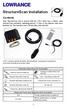 StructureScan Installation Contents Your StructureScan box is packed with the LSS-1 black box, a Power cable, StructureScan transducer, mounting bracket, 15 foot (4.5m) ethernet cable and a hardware kit.
Drayton Digistat +2RF/+3RF
 /+3RF Programmable Room Thermostat Wireless Model: RF700/22090 Model: RF701/22092 Power Supply: Battery - Thermostat Mains - Digistat SCR Invensys Controls Europe Customer Service Tel: 0845 130 5522 Customer
EZ-Steer Assisted Steering System
 EZ-Steer Assisted Steering System Installation Instructions Platform Kit P/N 53059-54 Case IH CVX 1135 CVX 1145 CVX 1155 CVX 1170 CVX 1190 CVX 1195 CVX 135 CVX 145 CVX 155 CVX 175 CVX 195 New Holland TVT
RL HW / RL HW+ / RL HGW / RL HV / RL HVPW/RL HVPW-G
 Auto-Levelling Rotary Laser Level RL HW / RL HW+ / RL HGW / RL HV / RL HVPW/RL HVPW-G 77-496 / 77-429 / 77-439 / 77-497 / 77-427/ 77-441 Please read these instructions before operating the product Auto-Levelling
Manual. Simrad AP25 Autopilot for Volvo Penta IPS system
 Manual Simrad AP25 Autopilot for Volvo Penta IPS system English Sw.1.2 www.simrad-yachting.com A brand by Navico - Leader in Marine Electronics Instruction manual Instruction Manual This manual is intended
Toroidal Conductivity Sensor
 Instruction Sheet PN 51A-/rev.C June 2012 Toroidal Conductivity Sensor For additional information, please visit our website at www.emersonprocess.com/rosemountanalytical.com SPECIFICATIONS Wetted Materials:
HP ProDisplay P19A LED Backlit Monitor. User Guide
 HP ProDisplay P19A LED Backlit Monitor User Guide 2013 Hewlett-Packard Development Company, L.P. The only warranties for HP products and services are set forth in the express warranty statements accompanying
Phone: 800.894.0412 - Fax: 888.723.4773 - Web: www.clrwtr.com - Email: [email protected]
 Product description Wide rated operational voltage 208 600 V AC Wide rated control supply voltage 100 250 V, 50/60 Hz Rated operational current 18 to 370 A Wide ambient temperature range, -25 to +60 ºC
98371000 REV. REL 1302 WEST BEARDSLEY AVENUE P.O. BOX 1127 ELKHART IN 46515 (574) 295-8330 FAX (574) 293-9914 2011 ELKHART BRASS MFG. CO., INC.
 81471067 Electric Monitor Motor Control Panel For use with Model 8394059 SPIT-FIRE Monitor Installation, Operation, and Maintenance Instructions FOR ATEX APPLICATIONS 1302 WEST BEARDSLEY AVENUE P.O. BOX
DTM04 TANK MONITOR DTM08 TANK MONITOR Dtm12 TANK MONITOR. Installation and Operation Manual
 DTM04 TANK MONITOR DTM08 TANK MONITOR Dtm12 TANK MONITOR Installation and Operation Manual 1 ENGLISH Safety Instructions 2 Features 2-3 Specifications 3 Installation 4-5 Wiring Diagrams 6-7 Warranty 8
AUTOPILOT BUYERS GUIDE
 AUTOPILOT BUYERS GUIDE Over 60 years & 43 NMEA awards Trust Simrad to keep you on course. THE AUTOPILOT ADVANTAGE Autopilot is one of the most satisfying upgrades you can add to any boat Compensating for
AXIS 291 1U Video Server Rack Installation Guide
 AXIS 291 1U Video Server Rack Installation Guide About This Document This document describes how to install Axis blade video servers in the AXIS 291 1U Video Server Rack. Updated versions of this document
Silicon Pyranometer Smart Sensor (Part # S-LIB-M003)
 (Part # S-LIB-M003) The smart sensor is designed to work with the HOBO Weather Station logger. The smart sensor has a plug-in modular connector that allows it to be added easily to a HOBO Weather Station.
2013 Wireless Video Intercom INSTALLATION GUIDE
 2013 Wireless Video Intercom INSTALLATION GUIDE INDEX System configuration and wiring VL-SWD501 System Component.. 4 VL-SWD501EX wiring schematic diagram VL-SWD501EX wiring type and length... 5.... 6 Door
TotalScan Transducer Installation manual
 TotalScan Transducer Installation manual ENGLISH www.simrad-yachting.com www.lowrance.com 1 Preface Warning: It is your sole responsibility to install and use the instrument and transducer(s) in a manner
SYSTEM 45. C R H Electronics Design
 SYSTEM 45 C R H Electronics Design SYSTEM 45 All in one modular 4 axis CNC drive board By C R Harding Specifications Main PCB & Input PCB Available with up to 4 Axis X, Y, Z, & A outputs. Independent 25
RMK-9. Installation and Operation instructions. ENGLISH Date: 04-2013 Document number: 81351-1-EN 2013 Raymarine UK Limited
 RMK-9 Installation and Operation instructions ENGLISH Date: 04-203 Document number: 835--EN 203 Raymarine UK Limited ENGLISH Document number: 835- Date: 04-203 Handbook information This handbook contains
Servo Info and Centering
 Info and Centering A servo is a mechanical motorized device that can be instructed to move the output shaft attached to a servo wheel or arm to a specified position. Inside the servo box is a DC motor
Circuit Breakers. NRC Series. NRC Series. 900 www.idec.com
 Switches & Pilot Lights Display Lights NRC series circuit breakers offer circuit protection which is far superior to using fuses in applications containing relay circuits, motor circuits, heater circuits,
Detector transparent with Color Inserts. FAA 500 TR P Trim Ring transparent with Color Inserts. FCA 500 / FCA 500 E Detector Bases
 Detector Color Detector transparent with Color Inserts FAA 500 TR W Trim Ring FAA 500 TR P Trim Ring transparent with Color Inserts FAA 500 BB Ceiling Mount Back Box FCA 500 / FCA 500 E Detector Bases
33.6W Power over Ethernet Waterproof Adapter PoE Plus Single Port Injector for Outdoor Application
 33.6W Power over Ethernet Waterproof Adapter PoE Plus Single Port Injector for Outdoor Application Features Compliant with the IEEE802.3at Standard -40 to +60 C Temperature Range Diagnostic LEDs Full Protection
VOYAGER 570G. 744A Sprayer Control
 VOYAGER 570G 744A Sprayer Control U S E R M A N U A L U S E R M A N U A L Table of Contents CHAPTER 1 - INTRODUCTION...1 SYSTEM CONFIGURATIONS...1 KIT CONTENTS...3 CONTROL HOUSING ASSEMBLY...5 CHAPTER
HMI display Installation Guide
 HMI display Installation Guide Product Description Specifications Important Information o Package Contents o Related Documents o Accessories Cautions and Warnings Mounting and Dimensions o BAC-DIS-ENC
EVC40 EMERGENCY VOICE COMMUNICATION SYSTEM
 EVC40 EMERGENCY VOICE COMMUNICATION SYSTEM INSTALLATION MANUAL Protec Fire Detection PLC, Protec House, Churchill Way, Nelson, Lancashire, BB9 6RT. Telephone: +44 (0) 1282 717171 Fax: +44 (0) 1282 717273
Wiper Motor Marinco 2.5. Installation Instructions
 Wiper Motor Marinco 2.5 Installation Instructions Wiper Motor Marinco-2.5 The Marinco 2.5 Wiper Motor Offers the Following Features: Fully sealed base and housing which allows installation in outdoor wet
Transducer Installation
 Transducer Installation This document covers the installation of all 83/200kHz, 50/200kHz and Downscan transducers using transom and shoot-thru hull installation methods, where applicable. This manual
Quickie Rhapsody Service Manual
 Quickie Rhapsody Service Manual 2006 Sunrise Medical Inc. 101976 Rev A Quickie Rhapsody Service Manual Contents Introduction... 0.1 VR2 Controller... 0.2 Plugs/Connectors... 0.3 Basic Tool List & Main
Installation & Maintenance Instructions Joystick- single Joystick - double Touch panel Wireless remote control
 Installation & Maintenance Instructions Joystick- single Joystick - double Touch panel Wireless remote control NS-EN ISO 9001:2000 Art.nr. 117-00155 FCC ID: R78-RC-01 R78-ECU-01 XF Rev: 1-2008 Side 1 Contents
INSTALLATION INSTRUCTIONS: Viewline 85 mm
 1-10 1 Safety information The product was developed, manufactured and inspected according to the basic safety requirements of EC Guidelines and state-of-the-art technology. The unit is designed for use
Position Transducers with Restoring Spring 10, 25, 50, 75, 100 mm TR, TRS Series
 Position Transducers with Restoring Spring 10, 25, 50, 75, 100 mm TR, TRS Series Special features long life 100 x 10 6 movements outstanding linearity up to ±0.075% choice of plug or cable connection DIN
An internal gyroscope minimizes the influence of dynamic linear acceleration on slope sensor readings.
 TECHNICAL DATASHEET #TDAX06070X Triaxial Inclinometer with Gyro ±180⁰ Pitch/Roll Angle Pitch Angle Rate Acceleration SAE J1939, Analog Output or RS-232 Options 2 M12 Connectors, IP67 with Electronic Assistant
R02GA. July 31, 2002. Dear Blue Bird Owner:
 R02GA July 31, 2002 Dear Blue Bird Owner: This notice is sent to you in accordance with the requirements of the National Traffic and Motor Vehicle Safety Act. Blue Bird Body Company has determined that
tidesmarine Smart Seal Temperature Alarm System Generation II Installation Instructions Starboard side cable
 tidesmarine Smart Seal Temperature Alarm System Generation II Installation Instructions Starboard side cable Port side cable (with black cable tie attached) Power cable Preparing for Installation 1 Overall
SCREENLOGIC INTERFACE WIRELESS CONNECTION KIT
 SCREENLOGIC INTERFACE WIRELESS CONNECTION KIT FOR INTELLITOUCH AND EASYTOUCH CONTROL SYSTEMS INSTALLATION GUIDE IMPORTANT SAFETY INSTRUCTIONS READ AND FOLLOW ALL INSTRUCTIONS SAVE THESE INSTRUCTIONS Technical
Digital input modules
 8 172 TX-I/O Digital input modules TXM1.8D TXM1.16D Two fully compatible versions: TXM1.8D: 8 inputs, each with a three-color LED (green, yellow or red) TXM1.16D: As TXM1.8X, but 16 inputs, each with a
12 Volt 30 Amp Digital Solar Charge Controller
 12 Volt 30 Amp Digital Solar Charge Controller User s Manual WARNING Read carefully and understand all INSTRUCTIONS before operating. Failure to follow the safety rules and other basic safety precautions
Owners & Installation Manual for the Sheridan, Mountainair, Pine Valley and Old Forge Ceiling Fan Family
 Owners & Installation Manual for the Sheridan, Mountainair, Pine Valley and Old Forge Ceiling Fan Family Part of the Kiva Lighting Family Custom Lighting and Fans Since 1992 1312 12th St NW Albuquerque,
Adjustment functions for both span and shift have been incorporated
 SENSORS FOR SERIES LED Type Wafer Alignment Sensor FX-0-F FT-F9 FD-F7 EX-F70/F60 M SH-7 FD-L4 M-DW The use of a safe LED light beam now allows for high precision detection with a resolution of 0!m (.8
TABLE OF CONTENTS. Section 1: GENERAL INFORMATION How Sonar Works Transducer Exchange. Section 2: INSTALLATION Parts Supplied Transducer Installation
 Thank you for choosing Humminbird, America s #1 name in depthsounders. Humminbird has built its reputation by designing and manufacturing top-quality, thoroughly reliable marine equipment. Your Humminbird
BUILT-IN DISHWASHER INSTALLATION INSTRUCTIONS
 BUILT-IN DISHWASHER INSTALLATION INSTRUCTIONS PLEASE READ COMPLETE INSTRUCTIONS BEFORE YOU BEGIN LEAVE INSTALLATION INSTRUCTIONS AND USER'S GUIDE WITH OWNER ALL ELECTRIC WIRING AND PLUMBING MUST BE DONE
Lighting Controls ! WARNING RISK OF ELECTRIC SHOCK. Installation Instructions DESCRIPTION
 GE Lighting Installation Instructions Lighting Controls Centralized Lighting Control Panel Interior Catalog Number CLCINTxx DESCRIPTION The Centralized Lighting Control System is a small network of relay