
Graphing Calculator Workshops
|
|
|
- Ann Porter
- 9 years ago
- Views:
Transcription
1 Graphing Calculator Workshops For the TI-83/84 Classic Operating System & For the TI-84 New Operating System (MathPrint) LEARNING CENTER

2 Overview Workshop I Learn the general layout of the calculator Graphing Keys Editing Keys Advanced Function Keys Scientific Calculator Keys Learn basic operating procedures Order of operations Parentheses You can limit your usage of them with the new OS Two minus signs Fractions Like you would write them Exponents Like you would write them Fixing typos Basic memory features

3 Graphing Calculator Workshop I Graphing Calculator Basics I. Layout Scientific Calculator Keys: Perform the basic operations of arithmetic like any scientific calculator Advanced Function Keys: Access menus for additional features of the calculator Editing Keys: Change expressions or values that have been entered in; also access options highlighted in yellow or green Graphing Keys: Display graphs, scatter plots and tables

4 II. Operations 1. ON / OFF nd / ALPHA most keys are color-coded for multiple uses, governed by these two keys. 2 nd The cursor shows an arrow pointing upwards to indicate that the 2 nd functions of the keys are now turned on ALPHA The cursor shows the letter A to indicate that the ALPHA functions of the keys are now turned on If you pressed one of these buttons by mistake, you can return to the regular all-black cursor by repressing the 2 nd or ALPHA key. 3. MODE Located to the right of the 2 nd key, this key allows you to change the calculator s settings. The Classic OS has one page of settings, the new OS has two pages of settings. Classic OS mode settings (page 1 of the New OS mode settings) a. b. C. d. e. f. g. h. a. Controls numeric notation Normal, Scientific, Engineering b. Controls decimal rounding Float indicates no rounding, 0 means only whole numbers; 1 for one decimal place; 2 for two decimal places, etc. c. Angle units Radians or Degrees d. Type of graphing FUNC: regular graphing (uses X as the input variable); PAR: parametric graphing (uses T as the input variable); POL: polar graphing (uses Θ [theta] as the input variable); SEQ: sequential graphing (uses n as the input variable). e. Connects graph data points or does not connect graph data points f. Whether to plot simultaneously (if you have two or more functions to graph, SEQUENTIAL will graph them one at a time while SIMUL will do them simultaneously) g. Number systems REAL: the real number system; a bi : rectangular complex i number system; re : polar complex number system h. Screen Options FULL: full screen HORIZ: Two screens G T: Graph and Table split screen

5 i. j. k. l. m. n. i. Choose Operating System (OS) MATHPRINT: New OS; CLASSIC: Old OS j. Display of fractions n/d: proper or improper fractions; Un/d: Mixed number (whole number and a fraction) k. Formats the answer AUTO: Decimal or fraction; DEC: Decimal; FRAC: Fraction l. Shortcut to FORMAT GRAPH screen m. STAT DIAGNOSTICS: When selected ON, displays correlation coefficient (r) and coefficient of determination (r²). n. Allows you to set the clock/date 4. ENTER s an expression (The equals key) or executes an instruction 5. Home Screen Calculation screen 6. QUIT Pressing the 2 nd key then QUIT returns to home screen from any other screen 7. Contrast You can set the contrast of the screen using the 2 nd key and then the up arrow for a darker screen, or the 2 nd key and the down arrow for a lighter screen. The contrast can be set for values between 0 (lightest) and 9 (darkest). A setting of 0 means you cannot see the characters on the screen, so don t go that light! A setting of 4-5 usually suffices. If your batteries get low, set the screen at a darker setting so you can see the characters.


6 III. The scientific portion of your calculator 1. The calculator works using the algebraic order of operations: PEMDAS Parentheses, Exponents, Multiplication/Division, Addition/Subtraction 2. Type the expression into the calculator exactly as you read it on your page. BUT you must make sure you utilize parentheses when necessary so that the answer is calculated exactly as you would like it to be when using the Classic OS. When in doubt, insert the parentheses. 3. Press to evaluate the expression you have entered on the home screen. The calculator will display the answer on the next line. PARENTHESES ARE IMPORTANT! If using the New OS, you don t need the parentheses. First, select fraction mode by pressing the ALPHA key followed by the Y= key, you should see this screen: Select option 1, now you should see an empty fraction on the screen Enter the numerator (top) and press the down arrow to enter the denominator (bottom). your result without using parentheses! Press the ENTER key and you have

7 4. Why are there two minus signs? a. The subtraction symbol is on the far right of the calculator. This minus sign usually indicates subtracting from a previous number or answer. b. The button just to the left of the enter key indicates a negative number. This minus sign is usually inserted in front of a number. Both ways ( 3) 5. Fractions (Classic OS) a. Use the divide key (on far right of calculator) to indicate a fraction. b. If you are calculating with a fraction, use parentheses around the fraction to indicate that it is one quantity

8 6. Fractions (New OS) a. Select the fraction mode by pressing the ALPHA key followed by the Y= key, you should see this screen: b. Select option 1, now you should see an empty fraction on the screen Enter the numerator (top) and press the down arrow to enter the denominator (bottom). 7. Converting between decimal and fraction (and vice versa) using one of the MATH menus. a. Decimal to fraction, if possible: type the decimal Frac The answer will be given in lowest terms. Convert the answers to the previous calculations to fractions. b. In the new OS, as long as you enter the original expression as a fraction (see item 3 or 6 above), then the result will also be written as a fraction (if possible): Note that some decimals do not have fraction forms (these are called irrational numbers), e.g., e, 2. If this is the case, the quantity will remain a decimal after you program the calculator to turn it into a fraction:

9 c. Fraction to decimal: Just divide, OR Type the fraction Dec Convert to a decimal Exponents a. Squaring button b. Square root Note that with the Classic OS, the square root button automatically opens a parenthesis before you enter the expression you d like to evaluate; with the MathPRINT OS, no parenthesis appears and you toggle out using the right arrow key. This is the toggle out indicator. If you are done with the quantity under the root, then you right arrow to get out of the root. You can always go back under the root by using the left arrow key! c. Other powers - use the carrot key d. Other roots use the x th root key under the menu: index (what root you want to take) of the radical x type your expression e. Fractional exponents 23 5 (2 3) 5 New OS Classic OS 4 3 8

10 9. Fixing mistakes: Clear, Delete, or Insert. a. CLEAR completely erases everything on the screen. b. erases the value that the cursor is on. Move the cursor using arrows. c. To insert (INS) a character into your expression i. Put your cursor to the right of where you want the new character to go Example: Let s say I want to evaluate , but I have typed in I need the 4 to go the left of the 7, so I place the cursor on the 7 and then press and then press. The screen should look like this: The 7 is flashing on and off ii. Type in the new character or expression (in the example, the 4 ) iii. Press enter (if done), or, arrow to the end of the expression and continue 10. Your calculator s got memory! a. To use the previous answer in a new calculation, we need the ANS option: i. Enter the next operation to use the previous answer as the first number. ii. Use to call the previous answer into an expression. Use the answer to the first calculation in the next two. 2 8 Ans 2

11 b. You can store up to 27 quantities (A Z and Θ) in the calculator. To do this we need to use the STO Key in conjunction with the ALPHA key. i. Type the quantity or the expression. Press the 2 nd key and then the STO key (located just above the ON key). Press the ALPHA key and choose which letter (A Z or Θ) to store it in. Then press the enter key to store the quantity. Storing a quantity Storing an expression c. To restore the expression you ve previously entered (after you have pressed the ENTER key), use the ENTRY option: Restore the following expression after you have the result (2)( 3) 2(2) Classic OS New OS

Basic Use of the TI-84 Plus
 Basic Use of the TI-84 Plus Topics: Key Board Sections Key Functions Screen Contrast Numerical Calculations Order of Operations Built-In Templates MATH menu Scientific Notation The key VS the (-) Key Navigation
Getting started Texas Instruments TI-85 and TI-86 calculators
 Getting started Texas Instruments TI-85 and TI-86 calculators Overview: Your graphing calculator or computer is a powerful and flexible tool, which you would probably be able to use fairly well without
LAYOUT OF THE KEYBOARD
 Dr. Charles Hofmann, LaSalle [email protected] Dr. Roseanne Hofmann, MCCC [email protected] ------------------------------------------------------------------------------------------------- DISPLAY CONTRAST
TI-84 Plus and TI-84 Plus Silver Edition Guidebook
 TI-84 Plus and TI-84 Plus Silver Edition Guidebook Note: This guidebook for the TI-84 Plus or TI-84 Plus Silver Edition with operating system (OS) version 2.55MP. If your calculator has a previous OS version,
FX 115 MS Training guide. FX 115 MS Calculator. Applicable activities. Quick Reference Guide (inside the calculator cover)
 Tools FX 115 MS Calculator Handouts Other materials Applicable activities Quick Reference Guide (inside the calculator cover) Key Points/ Overview Advanced scientific calculator Two line display VPAM to
Introductory Handbook for the TI-89 Titanium
 Introductory Handbook for the TI-89 Titanium Note: This handbook will, for the most part, work for the standard TI-89 as well. The color-coding used on the TI-89 differs from the color-coding used on the
Display Format To change the exponential display format, press the [MODE] key 3 times.
![Display Format To change the exponential display format, press the [MODE] key 3 times.](/thumbs/25/6796588.jpg "Display Format To change the exponential display format, press the [MODE] key 3 times.") Tools FX 300 MS Calculator Overhead OH 300 MS Handouts Other materials Applicable activities Activities for the Classroom FX-300 Scientific Calculator Quick Reference Guide (inside the calculator cover)
Tools FX 300 MS Calculator Overhead OH 300 MS Handouts Other materials Applicable activities Activities for the Classroom FX-300 Scientific Calculator Quick Reference Guide (inside the calculator cover)
Getting to know your TI-83
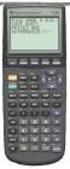 Calculator Activity Intro Getting to know your TI-83 Press ON to begin using calculator.to stop, press 2 nd ON. To darken the screen, press 2 nd alternately. To lighten the screen, press nd 2 alternately.
Introduction to the TI-Nspire CX
 Introduction to the TI-Nspire CX Activity Overview: In this activity, you will become familiar with the layout of the TI-Nspire CX. Step 1: Locate the Touchpad. The Touchpad is used to navigate the cursor
Pre-Calculus Graphing Calculator Handbook
 Pre-Calculus Graphing Calculator Handbook I. Graphing Functions A. Button for Functions This button is used to enter any function to be graphed. You can enter up to 10 different functions at a time. Use
SCIENTIFIC CALCULATOR OPERATION GUIDE. <Write View>
 SCIENTIFIC CALCULATOR OPERATION GUIDE CONTENTS HOW TO OPERATE Read Before Using Key layout 2 Reset switch/ pattern 3 format and decimal setting function 3-4 Exponent display 4 Angular unit
Rational Exponents. Squaring both sides of the equation yields. and to be consistent, we must have
 8.6 Rational Exponents 8.6 OBJECTIVES 1. Define rational exponents 2. Simplify expressions containing rational exponents 3. Use a calculator to estimate the value of an expression containing rational exponents
Quick Reference ebook
 This file is distributed FREE OF CHARGE by the publisher Quick Reference Handbooks and the author. Quick Reference ebook Click on Contents or Index in the left panel to locate a topic. The math facts listed
Math 0980 Chapter Objectives. Chapter 1: Introduction to Algebra: The Integers.
 Math 0980 Chapter Objectives Chapter 1: Introduction to Algebra: The Integers. 1. Identify the place value of a digit. 2. Write a number in words or digits. 3. Write positive and negative numbers used
Academic Support Center. Using the TI-83/84+ Graphing Calculator PART II
 Academic Support Center Using the TI-83/84+ Graphing Calculator PART II Designed and Prepared by The Academic Support Center Revised June 2012 1 Using the Graphing Calculator (TI-83+ or TI-84+) Table of
1.6 The Order of Operations
 1.6 The Order of Operations Contents: Operations Grouping Symbols The Order of Operations Exponents and Negative Numbers Negative Square Roots Square Root of a Negative Number Order of Operations and Negative
Welcome to Basic Math Skills!
 Basic Math Skills Welcome to Basic Math Skills! Most students find the math sections to be the most difficult. Basic Math Skills was designed to give you a refresher on the basics of math. There are lots
How do you compare numbers? On a number line, larger numbers are to the right and smaller numbers are to the left.
 The verbal answers to all of the following questions should be memorized before completion of pre-algebra. Answers that are not memorized will hinder your ability to succeed in algebra 1. Number Basics
Solutions of Linear Equations in One Variable
 2. Solutions of Linear Equations in One Variable 2. OBJECTIVES. Identify a linear equation 2. Combine like terms to solve an equation We begin this chapter by considering one of the most important tools
Multiplying Fractions
 . Multiplying Fractions. OBJECTIVES 1. Multiply two fractions. Multiply two mixed numbers. Simplify before multiplying fractions 4. Estimate products by rounding Multiplication is the easiest of the four
Maths Workshop for Parents 2. Fractions and Algebra
 Maths Workshop for Parents 2 Fractions and Algebra What is a fraction? A fraction is a part of a whole. There are two numbers to every fraction: 2 7 Numerator Denominator 2 7 This is a proper (or common)
Intro to Excel spreadsheets
 Intro to Excel spreadsheets What are the objectives of this document? The objectives of document are: 1. Familiarize you with what a spreadsheet is, how it works, and what its capabilities are; 2. Using
Order of Operations More Essential Practice
 Order of Operations More Essential Practice We will be simplifying expressions using the order of operations in this section. Automatic Skill: Order of operations needs to become an automatic skill. Failure
MATH-0910 Review Concepts (Haugen)
 Unit 1 Whole Numbers and Fractions MATH-0910 Review Concepts (Haugen) Exam 1 Sections 1.5, 1.6, 1.7, 1.8, 2.1, 2.2, 2.3, 2.4, and 2.5 Dividing Whole Numbers Equivalent ways of expressing division: a b,
0.8 Rational Expressions and Equations
 96 Prerequisites 0.8 Rational Expressions and Equations We now turn our attention to rational expressions - that is, algebraic fractions - and equations which contain them. The reader is encouraged to
TI-83 GRAPHING CALCULATOR GUIDEBOOK
 TI-83 GRAPHING CALCULATOR GUIDEBOOK TI-GRAPH LINK, Calculator-Based Laboratory, CBL, CBL 2, Calculator-Based Ranger, CBR, Constant Memory, Automatic Power Down, APD, and EOS are trademarks of Texas Instruments
The HP 35s. Gene Wright
 The HP 35s Gene Wright At last, the BIG ENTER key is back. It s as if HP did a LASTx and brought back the BIG ENTER key. Yes, this was a conscious choice by HP management and can be taken as a signal to
Calculator Notes for the TI-Nspire and TI-Nspire CAS
 INTRODUCTION Calculator Notes for the Getting Started: Navigating Screens and Menus Your handheld is like a small computer. You will always work in a document with one or more problems and one or more
Please Excuse My Dear Aunt Sally
 Really Good Stuff Activity Guide Order of Operations Poster Congratulations on your purchase of the Really Good Stuff Order of Operations Poster a colorful reference poster to help your students remember
Pre-Algebra - Order of Operations
 0.3 Pre-Algebra - Order of Operations Objective: Evaluate expressions using the order of operations, including the use of absolute value. When simplifying expressions it is important that we simplify them
PREPARATION FOR MATH TESTING at CityLab Academy
 PREPARATION FOR MATH TESTING at CityLab Academy compiled by Gloria Vachino, M.S. Refresh your math skills with a MATH REVIEW and find out if you are ready for the math entrance test by taking a PRE-TEST
FX 260 Training guide. FX 260 Solar Scientific Calculator Overhead OH 260. Applicable activities
 Tools Handouts FX 260 Solar Scientific Calculator Overhead OH 260 Applicable activities Key Points/ Overview Basic scientific calculator Solar powered Ability to fix decimal places Backspace key to fix
Exponents. Exponents tell us how many times to multiply a base number by itself.
 Exponents Exponents tell us how many times to multiply a base number by itself. Exponential form: 5 4 exponent base number Expanded form: 5 5 5 5 25 5 5 125 5 625 To use a calculator: put in the base number,
SAMPLE. Computer Algebra System (Classpad 330 using OS 3 or above) Application selector. Icolns that access working zones. Icon panel (Master toolbar)
 A P P E N D I X B Computer Algebra System (Classpad 330 using OS 3 or above) B.1 Introduction For reference material on basic operations of the calculator, refer to the free downloadable documentation
Exponents, Radicals, and Scientific Notation
 General Exponent Rules: Exponents, Radicals, and Scientific Notation x m x n = x m+n Example 1: x 5 x = x 5+ = x 7 (x m ) n = x mn Example : (x 5 ) = x 5 = x 10 (x m y n ) p = x mp y np Example : (x) =
Introduction to the Graphing Calculator
 Unit 0 Introduction to the Graphing Calculator Intermediate Algebra Update 2/06/06 Unit 0 Activity 1: Introduction to Computation on a Graphing Calculator Why: As technology becomes integrated into all
SYSTEMS OF EQUATIONS AND MATRICES WITH THE TI-89. by Joseph Collison
 SYSTEMS OF EQUATIONS AND MATRICES WITH THE TI-89 by Joseph Collison Copyright 2000 by Joseph Collison All rights reserved Reproduction or translation of any part of this work beyond that permitted by Sections
Notes on the SHARP EL-738 calculator
 Chapter 1 Notes on the SHARP EL-738 calculator General The SHARP EL-738 calculator is recommended for this module. The advantage of this calculator is that it can do basic calculations, financial calculations
Calculator Notes for the TI-82
 CHAPTER 0 Calculator Notes for the Note 0A Fractions This calculator will convert a decimal number to a fraction. Enter the decimal number and press MATH 1 ( Frac) ENTER. This is the convert to fraction
Irrational Numbers. A. Rational Numbers 1. Before we discuss irrational numbers, it would probably be a good idea to define rational numbers.
 Irrational Numbers A. Rational Numbers 1. Before we discuss irrational numbers, it would probably be a good idea to define rational numbers. Definition: Rational Number A rational number is a number that
This activity will guide you to create formulas and use some of the built-in math functions in EXCEL.
 Purpose: This activity will guide you to create formulas and use some of the built-in math functions in EXCEL. The three goals of the spreadsheet are: Given a triangle with two out of three angles known,
Using a Scientific Calculator
 1 Using a Scientific Calculator In this course, we will be using a scientific calculator to do all of our computations. So, in this section, we want to get use to some of the features of a scientific calculator.
Week 13 Trigonometric Form of Complex Numbers
 Week Trigonometric Form of Complex Numbers Overview In this week of the course, which is the last week if you are not going to take calculus, we will look at how Trigonometry can sometimes help in working
Guide for Texas Instruments TI-83, TI-83 Plus, or TI-84 Plus Graphing Calculator
 Guide for Texas Instruments TI-83, TI-83 Plus, or TI-84 Plus Graphing Calculator This Guide is designed to offer step-by-step instruction for using your TI-83, TI-83 Plus, or TI-84 Plus graphing calculator
Slope & y-intercept Discovery Activity
 TI-83 Graphing Calculator Activity Slope & y-intercept Discovery Activity Justin Vallone 11/2/05 In this activity, you will use your TI-83 graphing calculator to graph equations of lines. Follow the steps
ModuMath Basic Math Basic Math 1.1 - Naming Whole Numbers Basic Math 1.2 - The Number Line Basic Math 1.3 - Addition of Whole Numbers, Part I
 ModuMath Basic Math Basic Math 1.1 - Naming Whole Numbers 1) Read whole numbers. 2) Write whole numbers in words. 3) Change whole numbers stated in words into decimal numeral form. 4) Write numerals in
TI-83 GRAPHING CALCULATOR BASIC OPERATIONS by Carolyn Meitler Concordia University Wisconsin
 TI-83 GRAPHING CALCULATOR BASIC OPERATIONS by Carolyn Meitler Concordia University Wisconsin B-1 Getting Started Press ON to turn on the calculator. Press 2nd + to get the MEMORY screen (shown at the right).
Calculator Notes for the TI-83 and TI-83/84 Plus
 CHAPTER 0 Calculator Notes for the Note 0A Fractions Your calculator will convert a decimal number to a fraction. Enter the decimal number and press MATH 1 ( Frac) ENTER. This is the convert to fraction
Years after 2000. US Student to Teacher Ratio 0 16.048 1 15.893 2 15.900 3 15.900 4 15.800 5 15.657 6 15.540
 To complete this technology assignment, you should already have created a scatter plot for your data on your calculator and/or in Excel. You could do this with any two columns of data, but for demonstration
Chapter 1: Order of Operations, Fractions & Percents
 HOSP 1107 (Business Math) Learning Centre Chapter 1: Order of Operations, Fractions & Percents ORDER OF OPERATIONS When finding the value of an expression, the operations must be carried out in a certain
5.1 Radical Notation and Rational Exponents
 Section 5.1 Radical Notation and Rational Exponents 1 5.1 Radical Notation and Rational Exponents We now review how exponents can be used to describe not only powers (such as 5 2 and 2 3 ), but also roots
2.2 Scientific Notation: Writing Large and Small Numbers
 2.2 Scientific Notation: Writing Large and Small Numbers A number written in scientific notation has two parts. A decimal part: a number that is between 1 and 10. An exponential part: 10 raised to an exponent,
SCIENTIFIC CALCULATOR OPERATION GUIDE. <V/R Series>
 SCIENTIFIC CALCULATOR OPERATION GUIDE C O N T EN T S HOW TO OPERATE Read Before Using Key layout/reset switch 2 Display pattern 3 Display format 3 Exponent display 4 Angular unit 5 Function
Excel Level Two. Introduction. Contents. Exploring Formulas. Entering Formulas
 Introduction Excel Level Two This workshop introduces you to formulas, functions, moving and copying data, using autofill, relative and absolute references, and formatting cells. Contents Introduction
Part V: Texas Instruments TI-92, TI-92 Plus, Voyage 200
 Part V: Texas Instruments TI-92, TI-92 Plus, Voyage 200 V.1 Getting started with the TI-92, TI-92 Plus, Voyage 200 Note: All keystroke sequences given for the Voyage 200 are applicable to the TI-92 and
Chapter 7 - Roots, Radicals, and Complex Numbers
 Math 233 - Spring 2009 Chapter 7 - Roots, Radicals, and Complex Numbers 7.1 Roots and Radicals 7.1.1 Notation and Terminology In the expression x the is called the radical sign. The expression under the
CONTENTS. Please note:
 CONTENTS Introduction...iv. Number Systems... 2. Algebraic Expressions.... Factorising...24 4. Solving Linear Equations...8. Solving Quadratic Equations...0 6. Simultaneous Equations.... Long Division
Beginning Algebra Math 100B. Math Study Center BYU-Idaho
 Beginning Algebra Math 100B Math Study Center BYU-Idaho Preface This math book has been created by the BYU-Idaho Math Study Center for the college student who needs an introduction to Algebra. This book
Instructions for Using the Symbol P460 Phaser Terminal with Total Retail Solution Via USB Connection
 Instructions for Using the Symbol P460 Phaser Terminal with Total Retail Solution Via USB Connection Installing the JMM P460 USB Transfer Software 1) Insert the Symbol P460 PDT USB Transfer Program CD
Calculator Notes for the TI-89, TI-92 Plus, and Voyage 200
 CHAPTER 1 Note 1A Reentry Calculator Notes for the TI-89, TI-92 Plus, and Voyage 200 If you want to do further calculation on a result you ve just found, and that result is the first number in the expression
MBA Jump Start Program
 MBA Jump Start Program Module 2: Mathematics Thomas Gilbert Mathematics Module Online Appendix: Basic Mathematical Concepts 2 1 The Number Spectrum Generally we depict numbers increasing from left to right
Find the Square Root
 verview Math Concepts Materials Students who understand the basic concept of square roots learn how to evaluate expressions and equations that have expressions and equations TI-30XS MultiView rational
Core Maths C1. Revision Notes
 Core Maths C Revision Notes November 0 Core Maths C Algebra... Indices... Rules of indices... Surds... 4 Simplifying surds... 4 Rationalising the denominator... 4 Quadratic functions... 4 Completing the
fx-92b Collège 2D+ User s Guide http://edu.casio.com http://edu.casio.com/forum/ CASIO Worldwide Education Website CASIO EDUCATIONAL FORUM
 E fx-92b Collège 2D+ User s Guide CASIO Worldwide Education Website http://edu.casio.com CASIO EDUCATIONAL FORUM http://edu.casio.com/forum/ Contents Important Information... 2 Sample Operations... 2 Initializing
Scatter Plot, Correlation, and Regression on the TI-83/84
 Scatter Plot, Correlation, and Regression on the TI-83/84 Summary: When you have a set of (x,y) data points and want to find the best equation to describe them, you are performing a regression. This page
TI-30XS MultiView. A Guide for Teachers. Developed by Texas Instruments Incorporated
 TI-30XS MultiView A Guide for Teachers Developed by Texas Instruments Incorporated Activities developed by Gary Hanson, Aletha Paskett, and Margo Lynn Mankus Illustrated by Jay Garrison and David Garrison
of surface, 569-571, 576-577, 578-581 of triangle, 548 Associative Property of addition, 12, 331 of multiplication, 18, 433
 Absolute Value and arithmetic, 730-733 defined, 730 Acute angle, 477 Acute triangle, 497 Addend, 12 Addition associative property of, (see Commutative Property) carrying in, 11, 92 commutative property
Higher Education Math Placement
 Higher Education Math Placement Placement Assessment Problem Types 1. Whole Numbers, Fractions, and Decimals 1.1 Operations with Whole Numbers Addition with carry Subtraction with borrowing Multiplication
Expression. Variable Equation Polynomial Monomial Add. Area. Volume Surface Space Length Width. Probability. Chance Random Likely Possibility Odds
 Isosceles Triangle Congruent Leg Side Expression Equation Polynomial Monomial Radical Square Root Check Times Itself Function Relation One Domain Range Area Volume Surface Space Length Width Quantitative
Simplifying Square-Root Radicals Containing Perfect Square Factors
 DETAILED SOLUTIONS AND CONCEPTS - OPERATIONS ON IRRATIONAL NUMBERS Prepared by Ingrid Stewart, Ph.D., College of Southern Nevada Please Send Questions and Comments to [email protected]. Thank you!
A positive exponent means repeated multiplication. A negative exponent means the opposite of repeated multiplication, which is repeated
 Eponents Dealing with positive and negative eponents and simplifying epressions dealing with them is simply a matter of remembering what the definition of an eponent is. division. A positive eponent means
The Center for Teaching, Learning, & Technology
 The Center for Teaching, Learning, & Technology Instructional Technology Workshops Microsoft Excel 2010 Formulas and Charts Albert Robinson / Delwar Sayeed Faculty and Staff Development Programs Colston
Click on the links below to jump directly to the relevant section
 Click on the links below to jump directly to the relevant section What is algebra? Operations with algebraic terms Mathematical properties of real numbers Order of operations What is Algebra? Algebra is
I. Turn it on: Press É
 Graphing Calculator Guide for the TI-83/84 Plus The following pages describe how to use the calculator to graph functions, use some of the matrix menu, use scientific notation, and other various keys.
EL-9650/9600c/9450/9400 Handbook Vol. 1
 Graphing Calculator EL-9650/9600c/9450/9400 Handbook Vol. Algebra EL-9650 EL-9450 Contents. Linear Equations - Slope and Intercept of Linear Equations -2 Parallel and Perpendicular Lines 2. Quadratic Equations
CALCULATIONS & STATISTICS
 CALCULATIONS & STATISTICS CALCULATION OF SCORES Conversion of 1-5 scale to 0-100 scores When you look at your report, you will notice that the scores are reported on a 0-100 scale, even though respondents
A.2. Exponents and Radicals. Integer Exponents. What you should learn. Exponential Notation. Why you should learn it. Properties of Exponents
 Appendix A. Exponents and Radicals A11 A. Exponents and Radicals What you should learn Use properties of exponents. Use scientific notation to represent real numbers. Use properties of radicals. Simplify
Radicals - Multiply and Divide Radicals
 8. Radicals - Multiply and Divide Radicals Objective: Multiply and divide radicals using the product and quotient rules of radicals. Multiplying radicals is very simple if the index on all the radicals
What are the place values to the left of the decimal point and their associated powers of ten?
 The verbal answers to all of the following questions should be memorized before completion of algebra. Answers that are not memorized will hinder your ability to succeed in geometry and algebra. (Everything
23. RATIONAL EXPONENTS
 23. RATIONAL EXPONENTS renaming radicals rational numbers writing radicals with rational exponents When serious work needs to be done with radicals, they are usually changed to a name that uses exponents,
Training Manual. Pre-Employment Math. Version 1.1
 Training Manual Pre-Employment Math Version 1.1 Created April 2012 1 Table of Contents Item # Training Topic Page # 1. Operations with Whole Numbers... 3 2. Operations with Decimal Numbers... 4 3. Operations
Multiplying and Dividing Fractions
 Multiplying and Dividing Fractions 1 Overview Fractions and Mixed Numbers Factors and Prime Factorization Simplest Form of a Fraction Multiplying Fractions and Mixed Numbers Dividing Fractions and Mixed
5: Magnitude 6: Convert to Polar 7: Convert to Rectangular
 TI-NSPIRE CALCULATOR MENUS 1: Tools > 1: Define 2: Recall Definition --------------- 3: Delete Variable 4: Clear a-z 5: Clear History --------------- 6: Insert Comment 2: Number > 1: Convert to Decimal
Chapter 4 -- Decimals
 Chapter 4 -- Decimals $34.99 decimal notation ex. The cost of an object. ex. The balance of your bank account ex The amount owed ex. The tax on a purchase. Just like Whole Numbers Place Value - 1.23456789
Core Maths C3. Revision Notes
 Core Maths C Revision Notes October 0 Core Maths C Algebraic fractions... Cancelling common factors... Multipling and dividing fractions... Adding and subtracting fractions... Equations... 4 Functions...
Florida Math 0018. Correlation of the ALEKS course Florida Math 0018 to the Florida Mathematics Competencies - Lower
 Florida Math 0018 Correlation of the ALEKS course Florida Math 0018 to the Florida Mathematics Competencies - Lower Whole Numbers MDECL1: Perform operations on whole numbers (with applications, including
Section 1.5 Exponents, Square Roots, and the Order of Operations
 Section 1.5 Exponents, Square Roots, and the Order of Operations Objectives In this section, you will learn to: To successfully complete this section, you need to understand: Identify perfect squares.
PAYCHEX, INC. BASIC BUSINESS MATH TRAINING MODULE
 PAYCHEX, INC. BASIC BUSINESS MATH TRAINING MODULE 1 Property of Paychex, Inc. Basic Business Math Table of Contents Overview...3 Objectives...3 Calculator...4 Basic Calculations...6 Order of Operation...9
Scope and Sequence KA KB 1A 1B 2A 2B 3A 3B 4A 4B 5A 5B 6A 6B
 Scope and Sequence Earlybird Kindergarten, Standards Edition Primary Mathematics, Standards Edition Copyright 2008 [SingaporeMath.com Inc.] The check mark indicates where the topic is first introduced
Polynomial and Rational Functions
 Polynomial and Rational Functions Quadratic Functions Overview of Objectives, students should be able to: 1. Recognize the characteristics of parabolas. 2. Find the intercepts a. x intercepts by solving
TI-83/84 Plus Graphing Calculator Worksheet #2
 TI-83/8 Plus Graphing Calculator Worksheet #2 The graphing calculator is set in the following, MODE, and Y, settings. Resetting your calculator brings it back to these original settings. MODE Y Note that
Teaching Pre-Algebra in PowerPoint
 Key Vocabulary: Numerator, Denominator, Ratio Title Key Skills: Convert Fractions to Decimals Long Division Convert Decimals to Percents Rounding Percents Slide #1: Start the lesson in Presentation Mode
Florida Math for College Readiness
 Core Florida Math for College Readiness Florida Math for College Readiness provides a fourth-year math curriculum focused on developing the mastery of skills identified as critical to postsecondary readiness
Tutorial for the TI-89 Titanium Calculator
 SI Physics Tutorial for the TI-89 Titanium Calculator Using Scientific Notation on a TI-89 Titanium calculator From Home, press the Mode button, then scroll down to Exponential Format. Select Scientific.
fx-83gt PLUS fx-85gt PLUS User s Guide
 E fx-83gt PLUS fx-85gt PLUS User s Guide CASIO Worldwide Education Website http://edu.casio.com CASIO EDUCATIONAL FORUM http://edu.casio.com/forum/ Contents Important Information... 2 Sample Operations...
All the examples in this worksheet and all the answers to questions are available as answer sheets or videos.
 BIRKBECK MATHS SUPPORT www.mathsupport.wordpress.com Numbers 3 In this section we will look at - improper fractions and mixed fractions - multiplying and dividing fractions - what decimals mean and exponents
A Quick Algebra Review
 1. Simplifying Epressions. Solving Equations 3. Problem Solving 4. Inequalities 5. Absolute Values 6. Linear Equations 7. Systems of Equations 8. Laws of Eponents 9. Quadratics 10. Rationals 11. Radicals
Math 1. Month Essential Questions Concepts/Skills/Standards Content Assessment Areas of Interaction
 Binghamton High School Rev.9/21/05 Math 1 September What is the unknown? Model relationships by using Fundamental skills of 2005 variables as a shorthand way Algebra Why do we use variables? What is a
Multiplication and Division Properties of Radicals. b 1. 2. a Division property of radicals. 1 n ab 1ab2 1 n a 1 n b 1 n 1 n a 1 n b
 488 Chapter 7 Radicals and Complex Numbers Objectives 1. Multiplication and Division Properties of Radicals 2. Simplifying Radicals by Using the Multiplication Property of Radicals 3. Simplifying Radicals