
Go big! Large screen displays and multiple displays for workstation applications
|
|
|
- Dominic Marshall
- 9 years ago
- Views:
Transcription
1 Go big! Large screen displays and multiple displays for workstation applications Introduction...2 Productivity gains...2 How can larger or more displays improve my efficiency?...3 How can larger displays improve my efficiency?...4 How can multiple display improve my efficiency?...4 Benefits by market...5 Power Office...5 MCAD...5 Digital Content Creation...5 Oil & Gas...5 Public sector...5 Why HP monitors?...6 Conclusion...8

2 Introduction Businesses are always looking for ways to improve on their productivity, and many may be overlooking one surprisingly obvious bottleneck the display we use to interface with the workstations that have become so critical to our jobs. A significant number of research projects have clearly demonstrated that additional screen real estate, either in the form of multiple displays or in the form of larger displays (or both) improves productivity between 6 and 63%. We ll look more closely at these figures later. We will examine just how display screen size and the use of multiple displays can affect productivity, taking a close look at how the ability to show more of a data set, application or applications, or a visualization set at full native resolution with less scrolling or tabbing improves your working efficiency. We will then take a look at how large format and multiple display configurations can benefit the specific requirements of workstation users, and then we ll see what HP-specific design benefits are offered in our line of HP Performance LCD monitors. We d like to make the case, not only for the use of large format and multiple displays for workstation users, but also for the specific and unique benefits of HP displays. Finally, we ll examine some of the different configurations for various displays, and have a look at ways to select the size and number of displays in ways that optimize productivity and ROI. Productivity gains Our computer displays, with the right hardware and software, have largely taken over the roles once exclusive to our desktops, typewriters, diaries, filing cabinets, easels, light boxes, and artist stations. Yet, according to research by Microsoft, the average screen size is not much larger than a piece of US Letter stationery (8 inches x 11 inches) 1. How can one organize or create with optimal efficiency in such a small space? The truth is, you can t. Microsoft researchers, while studying work efficiency patterns, discovered that one of the easiest ways to boost productivity up between 9% and 50% was to switch over to a multimonitor configuration 2. In one paper, researcher Jonathan Grudin noted that the overwhelming consensus of Mechanical Computer Aided Design (MCAD) users was that they would never switch back to single monitor use, and this paper was written before larger format single monitors were available. 3 Research firm, the Pfeiffer Group, went even further, claiming that efficiency gains of between 50-65% can be achieved when a user upgrades from a 17-inch or 19-inch monitor to a 30-inch highresolution LCD. The Pfeiffer Group paper acknowledges that these gains can be seen in markets as diverse as digital imaging, video, design and publishing, but also in general productivity and office type tasks. The report also suggests that such large displays could lead to a return-on-investment of thousands of dollars a year 4. Researchers at the University of Utah conducted a study with108 participants working on a series of three tasks: Text Editing, Spreadsheet Editing, and Presentation Editing on single, dual, and three monitors. Their performance was measured in several ways: time to start task, time to complete task, 1 Microsoft Research News And Highlights Two screens are better than one, 2005: 2 Microsoft Research The Large-Display User Experience : George Robertson, Mary Czerwinski, et al, Microsoft Research Partitioning Digital Worlds: Focal and Peripheral Awareness in Multiple Monitor Use : Jonathan Grudin, 2002, 4 The Pfeiffer Group The 30-inch Apple Cinema HD Display Productivity Benchmark, Pfeiffer Consulting, 2005

3 number of errors, and a usability questionnaire. Efficiency improvements were measured at rates ranging between 6-33% 5. How can larger or more displays improve my efficiency? Each of these different research projects have independently drawn similar conclusions, which can be summarized as: The more physical screen real estate you have (i.e. the larger the display size) the more of your data and applications you can see at once. This has a number of clear working benefits; the main one can be summarized visually. You can see the difference that scaling up in size can make for screen real-estate in Figure 1, which compares the display abilities of our HP Performance LCD family, from our 19-inch diagonal display (which is a typically standard size for LCDs in business) through to our 30-inch diagonal widescreen display. At the left of Figure 1 is a 17-inch HP L176v LCD, which is a typical business user size. Figure 1. LCD size comparison From left to right: 17-inch HP L176v; then HP Performance LCDs 19-inch LP1965, 20-inch LP2065, 24-inch LP2465, 30-inch LP3065. You will notice that the 30-inch display can natively display a much larger portion of the image than the 17-inch display. Clearly the larger the screen of your LCD and the more pixels it can display, the more data can be displayed at once. This has several advantages: You can show several different applications onscreen at once, either tiled in the desktop space on a single display, or one or more applications displayed across several displays. Imagine a spreadsheet with lots of columns, if you fit it in a single monitor you might not be able to read the text; span it across a wide aspect monitor or two or more monitors and you can work on the entire document. o Tiling applications across one or more displays will improve the accuracy of the transcription and comparison of data because you can do direct comparisons rather than tabbing between applications. You can have more menu and toolbars onscreen at once while still having a large working or viewport display. Some users will span an application across two or more monitors, and use one entirely for displaying toolbars. The less clicks required to access a tool translates to efficiency and ergonomic improvements. You can show more of an image, a document, a spreadsheet, a dataset, or a model at once without having to magnify your working area. HP s latest large screen LCD, our HP LP3065, offers 2560 x 1600 pixels of resolution which is the equivalent of 3.91 megapixels, i.e. you could display a 5 x 8 inch image at 300 dots per inch (dpi) on this display at full native resolution. This will save you money and time by reducing your reliance on printed material. 5 University of Utah Productivity and Multi-Screen Computer Displays, 2004: tc.eserver.org/25325.html

4 Most applications and computer hardware are optimized for 100 dpi displays, but a printed document the equivalent of 300 dpi. o You can test this for yourself by typing a line of text with a font size of 2 or 3. Print the test text out on an HP laser printer, then view the document in print layout (if you are using Microsoft Word) and set the viewing zoom at 100%. Then place your printed document next to the screen and increase the zoom level of your document until you can read the text. This should demonstrate that viewing a document in full detail on a computer monitor requires enlarging the text (with a corresponding loss of display real-estate to read more text at once) up to 3X of the original document size. People compensate for the loss of pixel density by either printing their documents out or by zooming in and then panning around a document, which reduces efficiency by adding time to what was once an intuitive process. Until display hardware and applications are optimized for 300 dpi display, the best way to compensate for the difference in pixel density is to use the largest display possible with graphics card capable of achieving high resolutions. So going large with multiple and/or bigger displays will allow you to see more of a document or dataset, and will allow you negotiate it intuitively and quickly (i.e. by eye). It increases your peripheral vision of a design or model in graphics applications; because you can see more of your model at a greater level of native detail, you can more easily get a holistic view of how the design is coming together. Experientially, it assists in both streamlining the design process and making good decisions without as many zooms and pans, as well as in the process of finding errors in the design. How can larger displays improve my efficiency? Much of what we have previously discussed regarding more display real-estate applies particularly to large displays. It s your choice whether you prefer a large monitor over several smaller ones; there are a number of factors to consider. A single large-aspect monitor has a smaller desktop footprint than two or more monitors, which may be an advantage in space constrained environments. A large-aspect monitor provides a single view space; multiple monitors are split by their bezels. It is typically a matter of preference. A large display provides more uninterrupted screen real estate for design peripheral vision, allowing a more holistic view of a single model. A large display requires less toggling or scrolling than two multiple monitors may require you will have to move the mouse between each, or toggle between each. Applications such as NVIDIA nview Display Gridlines allow you to automatically tile a large screen into multiple sub-screens using frames, enabling a pseudo-multi-display functionality at a single mouse click. How can multiple display improve my efficiency? A multiple display configuration has a number of clear benefits: Multiple monitors with one desktop spanned across each will provide a much wider horizontal viewport, which can be useful. o By adding additional monitors, you can add screen real-estate for additional windows of your core application or for other core applications, reference documents and that you would like displayed simultaneously You can typically achieve more screen area for less cost per pixel by purchasing two smaller monitors instead of one very large one. Applications like NVIDIA nview or ATI HYDRAVISION will enable saved application configurations or one-click display switching across multiple displays.

5 Benefits by market The HP Workstation customer is likely to have particular high-end requirements for data visualization and display. Some of the workstation-specific benefits of large and multiple displays are listed below. Power Office Being able to view more of your spreadsheet, document, image, or editing timeline has obvious benefits, which we have already reviewed. You can also tile your applications. With HP Performance LCDs, you are able to rotate your monitor 90 degrees which is particularly beneficial for long pages or sections of code. MCAD The ability to see an entire assembly is not only convenient, it speeds efficiency and accuracy in the engineering workflow 6. The MCAD user now has more to see, and can detect design errors that might have slipped through in a smaller environment that relied on extensive panning and zooming to navigate through the model. An MCAD user can focus more on the design process with confidence, able to view larger models and drawings in their entirety. The MCAD user with a large-aspect monitor or multiple monitors will spend less time panning, zooming, maximizing and minimizing windows and menus, and switching between multiple applications. Using the HP LP inch monitor, you enable large 100 dpi windows, so an engineer can view 80% of a D-size drawing on a single monitor, compared to just 25% on a 21-inch Cathode Ray Tube (CRT) monitor. Digital Content Creation Like MCAD, the animator and artist will always benefit from being able to see more of their model while having multiple toolbars open to speed up accessing features of their chosen application, while still having space reserved for , chat, productivity, or illustration, rendering, or photo manipulation applications. Large monitors are extremely useful in video editing and effects. As High Definition is becoming a staple of the video editor, the ability that large-aspect monitors allow to view complete frames in the 1080i standard or even in 2K film resolution is invaluable. Multiple monitors are particularly useful when viewing long horizontal timelines. It enables the ability to zoom into the timeline for individual frame edits while still displaying a large length of time. Oil & Gas Seismic and reservoir analysis can cover huge physical distances in 3 dimensions, but fine detail can also be important when making reservoir management decisions. Therefore, multiple large-format monitor configurations is already the norm in the oil and gas market. Public sector The public sector market is very broad. Many of the same benefits seen for the MCAD and DCC market apply, as do the benefits of large area visualization in Oil and Gas, except in the public sector the task is more likely to be Geographic Information Systems-related or possibly in defense or 6 Microsoft Research Partitioning Digital Worlds: Focal and Peripheral Awareness in Multiple Monitor Use : Jonathan Grudin, 2002,

6 scientific analysis. And basic productivity tasks are a staple of the office, so the same benefits apply as outlined at the beginning of this paper will apply. Why HP monitors? Figure 2 shows the HP Performance LCD family for HP Workstations, and just some of the possible configurations you can achieve. Figure 2. The HP LP2065 in vertical orientation 4 HP LP2065s in horizontal 4 HP LP1965 monitors in a horizontal and the LP3065 in standard orientation, ideal for displaying configuration, ideal for multiple orientation, great for applications large chunks of data and applications, including those that span with large menu and toolbar options multiple applications two monitors that can go to the left monitor, leaving plenty of work area on the 30-inch. HP offers a number of specific benefits that are exclusive to HP workstation LCDs when compared to other tier one vendors: Carrying grip built into monitors HP Display LiteSaver allows you to schedule low-power sleep modes at the time of your choosing, such as the end of the workday. This helps prolong the life of your fluorescent backlight and reduces the possibility of image burn-in without the obtrusiveness of a screensaver. Adjustable height, tilt, rotate, and swivel options for convenience of positioning. Rubber cable management/concealment system. Quick release mount that is a VESA compliant and easy to use mounting solution, enabling you to reorient your display on a stand, mount, or all. Includes a sure lock mechanism with a theft-deterring security screw. Supports attachable audio speaker bar Our bezels are the narrowest in the industry, so that the interruption between screens in a multiple monitor configuration is slight, something reviewers of our products have recognized 7. Every monitor we offer can be rotated or remounted in a vertical orientation No hassle support and warranties, plus factory audits help to ensure near-zero defects on shipped displays. Our latest monitor, the HP LP3065, is leading the other tier one vendors in a number of other key features at the time of writing. These features are: Contrast ratio: A high contrast ratio implies better color representation on a monitor. The greater the ratio, the more subtle the color details that can be displayed, and the better the monitor will display 7 See ExtremeTech s review in December 2006 of the HP LP3065:

7 graphics under ambient light conditions. It is a measurement of the difference in light intensity between the brightest white and the darkest black. The HP LP3065 wins with a 1000:1 ratio vs. the 700:1 contrast ratio for our closest tier-one rivals. Response time: This measures the speed with which a monitor will display an image. If LCD has a slow response time, display pixels won t be able to keep up with fast moving graphics and visible artifacts, such as ghosting, will appear. The HP LP3065 wins with a very fast 8ms response time vs. 11ms for our closest tier-one rivals. Color gamut: A subset of colors that can be accurately represented. Most typical LCD screens use fluorescent bulbs for backlights, and have a gamut much smaller than CRT screens. HP s color gamut for the LP3065 is 92% of the NTSC standard color space, compared to 72% of NTSC for our closest tier one rivals. The table below illustrates specific features of the HP Performance LCD line. HP LP1965 Flat Panel Monitor HP LP2065 Flat Panel Monitor HP LP2465 Flat Panel Monitor HP LP3065 Flat Panel Monitor Size 19 in (48 cm) 20.1 in (51 mm) 24 in (60.96 cm) 29.7 in (75.44 cm) (diagonal) Brightness i 300 nits 500 nits 300 nits Contrast i 1000:1 800:1 1000:1 Response 6 ms* 8 ms** 6 ms*** 8 ms**** rate i Viewing 178 x 178 degrees angle i Resolution 1280 x x x x 1600 Pixel.294 mm.255 mm.270 mm.250 mm pitch i Inputs Dual DVI-I Dual DVI-I Dual DVI-I Three dual link DVI Warranty includes backlight *6 ms gray to gray; 20 ms rise and fall. **8 ms gray to gray; 16 ms rise and fall. ***6 ms gray to gray; 13 ms rise and fall. ****8 ms gray to gray; 12 ms rise and fall.

8 Conclusion The trend in workstation is towards multiple processor cores, and even graphics cards. Large-aspect or multiple monitor configurations are the logical extension of this ability to multiprocess numerous applications or instances of an application at a time. In such a power-user environment, the display interface should not be the bottleneck. HP offers extremely flexible, high performance monitors at very reasonable prices that will boost individual and company productivity. To learn more about HP monitors, visit: To learn more about HP workstations, visit: i All specifications represent the typical specifications provided by HP's component manufacturers; actual performance may vary either higher or lower 2006 Hewlett-Packard Development Company, L.P. The information contained herein is subject to change without notice. The only warranties for HP products and services are set forth in the express warranty statements accompanying such products and services. Nothing herein should be construed as constituting an additional warranty. HP shall not be liable for technical or editorial errors or omissions contained herein. December 2006

Sizing up screen differences
 Sizing up screen differences What is the difference between square and widescreen monitors? Aspect ratios 101 Before we discuss the differences between square and widescreen monitors, it is important to
HP ProDisplay P19A LED Backlit Monitor. User Guide
 HP ProDisplay P19A LED Backlit Monitor User Guide 2013 Hewlett-Packard Development Company, L.P. The only warranties for HP products and services are set forth in the express warranty statements accompanying
Pfeiffer. The 30-inch Apple Cinema HD Display Productivity Benchmark. Measuring the impact of screen size on real-world productivity
 Pfeiffer Report Benchmark Analysis The 30-inch Apple Cinema HD Display Productivity Benchmark Measuring the impact of screen size on real-world productivity High-quality, high-resolution displays have
Change your perspective of work
 Change your perspective of work with the addition of multiple monitors Multiple monitors in the workplace In many professions, using more than one monitor from a single machine is not a new thing. Many
HP rack and power infrastructure products are designed and developed to be used specifically with HP servers and storage.
 Overview HP LCD8500 1U Rackmount Console Kit The HP LCD8500 1U Rackmount Console Kit is an ultra-dense, high-performance KVM console that combines a full 18.5-inch LCD monitor with keyboard and touch pad
HP Compaq LE1902x, LE2002x, LE2002xm, and LE2202x LED Backlit LCD Monitors. User Guide
 HP Compaq LE1902x, LE2002x, LE2002xm, and LE2202x LED Backlit LCD Monitors User Guide 2011 Hewlett-Packard Development Company, L.P. Microsoft, Windows, and Windows Vista are either trademarks or registered
HP ProDisplay P17A LED Backlit Monitor. User Guide
 HP ProDisplay P17A LED Backlit Monitor User Guide 2013 Hewlett-Packard Development Company, L.P. Microsoft, Windows, and Windows Vista are either trademarks or registered trademarks of Microsoft Corporation
HP EliteDisplay LED Backlit Monitors. User Guide
 HP EliteDisplay LED Backlit Monitors User Guide 2012, Hewlett-Packard Development Company, L.P. Microsoft and Windows are U.S. registered trademarks of Microsoft Corporation. The only warranties for HP
Pavilion IPS LED Backlit Monitors. User Guide
 Pavilion IPS LED Backlit Monitors User Guide 2012, Hewlett-Packard Development Company, L.P. Microsoft, Windows, and Windows Vista are either trademarks or registered trademarks of Microsoft Corporation
HP Compaq LA1905wl, LA1905wg, LA2205wg, LA2205wl, LA22f, LA2405wg, and LA2405x LCD Monitors. User Guide
 HP Compaq LA1905wl, LA1905wg, LA2205wg, LA2205wl, LA22f, LA2405wg, and LA2405x LCD Monitors User Guide 2009 2012 Hewlett-Packard Development Company, L.P. Microsoft, Windows, and Windows Vista are either
HP ENVY 24 IPS Monitor. User Guide
 HP ENVY 24 IPS Monitor User Guide 2014 Hewlett-Packard Development Company, L.P. Microsoft, Windows, and Windows Vista are either trademarks or registered trademarks of Microsoft Corporation in the United
HP Compaq LA1956x, LA2006x, LA2206x, and LA2306x LED Backlit LCD Monitors. User Guide
 HP Compaq LA1956x, LA2006x, LA2206x, and LA2306x LED Backlit LCD Monitors User Guide 2010-2012, Hewlett-Packard Development Company, L.P. Microsoft, Windows, and Windows Vista are either trademarks or
HP Z24i, Z27i, and Z30i IPS Displays. User Guide
 HP Z24i, Z27i, and Z30i IPS Displays User Guide 2013 Hewlett-Packard Development Company, L.P. Microsoft and Windows are U.S. registered trademarks of Microsoft Corporation. The only warranties for HP
Pages 304 305. Figure 6-1. Page 305
 What Is Output? Output is data that has been processed into a useful form Discovering Computers 2012 Your Interactive Guide to the Digital World Figure -1 Objectives Overview Describe the types of output
QuickSpecs HP TFT7600 G2 KVM Console and Monitor (TFT7600 G2)
 Overview The TFT7600 G2 KVM Console and Monitor combines a full 17.3 inch WXGA+ monitor and keyboard with touch pad in a 1U format with room to mount an HP KVM Switch behind it. The TFT7600 G2 includes
QuickSpecs. HP VH22 21.5-inch Monitor. HP VH22 21.5-inch Monitor. Overview
 Overview 1. Menu: Opens, selects or exits the OSD menu. 4. OK/Auto: If the OSD menu is on, press to select the highlighted menu item. If the OSD menu is inactive, press to activate the auto adjustment
TouchPad and Keyboard
 TouchPad and Keyboard Document Part Number: 430242-001 January 2007 This guide explains the touchpad and keyboard. Contents 1 TouchPad Using the TouchPad............................. 1 1 Using an external
Lenovo ThinkVision L197 Widescreen LCD Monitor View your images on a wide screen
 Lenovo Europe Announcement ZG08-0333, dated April 15, 2008 Lenovo ThinkVision L197 Widescreen LCD Monitor View your images on a wide screen Description...2 Product positioning... 5 At a glance The Lenovo
Using the HP DreamColor LP2480zx Display with Apple Mac Systems
 Using the HP DreamColor LP2480zx Display with Apple Mac Systems The HP DreamColor LP2480zx professional display provides an extremely wide color gamut and a highly accurate color performance that exceeds
www.viewsonic.com CDE5501-TL Scan for more information
 The CDE5501-TL interactive flat panel display is the ideal insteractive solution for classrooms and meeting room display. Its multi-touch capabilities facilitate interaction and collaboration, allowing
22 (21.5 viewable), 16:9 FHD LED multimedia monitor with SuperClear VA technology. VA2265Sm-3
 22 (21.5 viewable), 16:9 FHD LED multimedia monitor with SuperClear VA technology VA2265Sm-3 The ViewSonic VA2265Sm-3 is a 22 (21.5 viewable) widescreen monitor with an LED backlight and glossy, thin-bezel
Using Integrated and Discrete Graphics Simultaneously
 Using Integrated and Discrete Graphics Simultaneously For HP Compaq 8200 Elite and 6200 Pro Series desktop models Table of contents Introduction... 2 System requirements... 2 Configuring the system...
HP EliteDisplay Webcam Backlit LCD Monitor. User Guide
 HP EliteDisplay Webcam Backlit LCD Monitor User Guide 2013, Hewlett-Packard Development Company, L.P. Microsoft and Windows are U.S. registered trademarks of Microsoft Corporation. The only warranties
HP SkyRoom Frequently Asked Questions
 HP SkyRoom Frequently Asked Questions September 2009 Background... 2 Using HP SkyRoom... 3 Why HP SkyRoom?... 4 Product FYI... 4 Background What is HP SkyRoom? HP SkyRoom is a visual collaboration solution
ENGLISH. Matrox DualHead2Go and TripleHead2Go
 ENGLISH Matrox DualHead2Go and TripleHead2Go DualHead2Go Digital Edition DualHead2Go DP Edition DualHead2Go Digital ME TripleHead2Go Digital Edition TripleHead2Go DP Edition TripleHead2Go Digital SE User
Digital Color Workflows and the HP DreamColor LP2480zx Professional LCD Display
 Digital Color Workflows and the HP DreamColor LP2480zx Professional LCD Display Improving accuracy and predictability in color processing at the designer s desk can increase productivity and improve quality
Widescreen LCD Monitors. FlexScan EcoView. Eco-awareness meets smart business.
 Widescreen LCD Monitors FleScan Eco-awareness meets smart business. New Design, New Lineup The FleScan series presents five new models designed to help your business' bottom line with ergonomic and environmental
QuickSpecs. NVIDIA Quadro K5200 8GB Graphics INTRODUCTION. NVIDIA Quadro K5200 8GB Graphics. Technical Specifications
 J3G90AA INTRODUCTION The NVIDIA Quadro K5200 gives you amazing application performance and capability, making it faster and easier to accelerate 3D models, render complex scenes, and simulate large datasets.
SHOOTING AND EDITING DIGITAL VIDEO. AHS Computing
 SHOOTING AND EDITING DIGITAL VIDEO AHS Computing Digital Video Capture, Edit, Deliver This presentation will guide you through a basic digital video workflow: Capture using a video recording device, arrange
HP LASER GAMING MOUSE USER MANUAL
 HP LASER GAMING MOUSE USER MANUAL v1.0.en Part number: 513192-001 Contents Selecting a User Profile... 1 Customizing a User Profile... 2 Customizing DPI Profiles... 3 Selecting a DPI Profile... 3 Changing
HP ThinPro. Table of contents. Enabling RemoteFX for RDP. Technical white paper
 Technical white paper HP ThinPro Enabling RemoteFX for RDP Table of contents Overview... 2 Operating system requirements... 2 USB redirection... 2 Enabling RemoteFX on the RDP server... 2 Windows 7 and
NVIDIA NVIEW DESKTOP MANAGEMENT SOFTWARE
 NVIDIA NVIEW DESKTOP MANAGEMENT SOFTWARE TB-03966-001_v03 September 2013 Technical Brief DOCUMENT CHANGE HISTORY TB-03966-001_v03 Version Date Authors Description of Change 01 April 21, 2008 DW Initial
QuickSpecs. Model. HP USB HD 720p v2 Business Webcam. Overview
 Overview 1. Power LED 4. USB connector cable 2. HP Webcam Control Center button 5. Adjustable clip/stand 3. Integrated microphone Model D8Z08AA Introduction Easily connect with colleagues for all of your
HP Advanced Wireless Docking Station. User Guide
 HP Advanced Wireless Docking Station User Guide Copyright 2014, 2015 Hewlett-Packard Development Company, L.P. Intel is a trademark of Intel Corporation in the U.S. and other countries. Windows and Windows
22" Widescreen LED Monitor VA2261-2
 22" Widescreen LED Monitor VA2261-2 The ViewSonic VA2261-2 is an eye-care and environmentally friendly 22" (21.5" viewable) widescreen monitor that features Flicker-Free and Blue Light technology, eliminating
TouchPad and Keyboard
 TouchPad and Keyboard Document Part Number: 393522-001 October 2005 This guide explains the TouchPad and keyboard. Contents 1 TouchPad Identifying the Touchpad........................... 1 Using the TouchPad...............................
HP WEBCAM 2100 USER S GUIDE
 HP WEBCAM 2100 USER S GUIDE Version 1.0.EN Copyright 2010 Hewlett-Packard Development Company, L.P. The information contained herein is subject to change without notice. The only warranties for HP products
Sample- for evaluation purposes only! Introductory OneNote. teachucomp, inc. A publication of TeachUcomp Incorporated. Copyright TeachUcomp, Inc.
 A publication of TeachUcomp Incorporated. Copyright TeachUcomp, Inc. 2015 Introductory OneNote teachucomp, inc. it s all about you Copyright: Copyright 2015 by TeachUcomp, Inc. All rights reserved. This
SURROUNDVIEW Installation and Setup User s Guide
 SURROUNDVIEW Installation and Setup User s Guide P/N: 137-40593-10 04Jan26: PRELIMINARY 08 Copyright 2004, ATI Technologies Inc. All rights reserved. ATI and all ATI product and product feature names are
E7495. Notebook PC. User Guide for Windows 8
 E7495 Notebook PC User Guide for Windows 8 e7495_win8_user_guide.indd 1 8/13/12 2:47:52 PM Copyright Information No part of this manual, including the products and software described in it, may be reproduced,
QuickSpecs. NVIDIA Quadro K5200 8GB Graphics INTRODUCTION. NVIDIA Quadro K5200 8GB Graphics. Overview. NVIDIA Quadro K5200 8GB Graphics J3G90AA
 Overview J3G90AA INTRODUCTION The NVIDIA Quadro K5200 gives you amazing application performance and capability, making it faster and easier to accelerate 3D models, render complex scenes, and simulate
VG2435Sm. 24 16:10 Ergonomic Multimedia Display. Overview. See More, Work More with a 16:10 Aspect Ratio Display
 VG2435Sm 24 16:10 Ergonomic Multimedia Display 24 16:10 Ergonomic Multimedia Display Overview ViewSonic s VG2435Sm high-performance multimedia display features 1920 x 1200 resolution with 16:10 aspect
QuickSpecs. At A Glance. HP Retail Integrated Peripherals for RP9 G1 Retail System. Overview
 Overview At A Glance The HP Retail Integrated peripheral options compatible with the HP RP9 Retail System can be purchased and installed separately: o HP Retail Integrated Encryption Capable MSR o HP Retail
QuickSpecs. HP Z24n 24-inch Narrow Bezel IPS Display. HP Z24n 24-inch Narrow Bezel IPS Display. Overview
 Overview 1. Menu button 4. Input control 2. Luminance 5. Information 3. Color control 6. Power button/led 1. Master power switch 6. Mini-DisplayPort 2. Power connector 7. DisplayPort v 1.2 in 3. Audio
HP Accessibility Guide
 HP Accessibility Guide At HP, we re committed to improving our customers experience with products, information and services that are easier to access and simpler to use. We consider the needs of all our
Beyond Built-in: Why a Better Webcam Matters
 Whitepaper: Beyond Built-in: Why a Better Webcam Matters How to Uplevel Your Ability to Connect, Communicate and Collaborate Using Your Laptop or PC Introduction The ability to virtually communicate and
INTRODUCTION TO DESKTOP PUBLISHING
 INTRODUCTION TO DESKTOP PUBLISHING Desktop publishing uses page layout software and a personal computer to combine text, type, drawings, and images on a page to create books, newsletters, marketing brochures,
Bluetooth Pairing. User Guide
 Bluetooth Pairing User Guide Copyright 2012 Hewlett-Packard Development Company, L.P. Microsoft, Windows, and Windows Vista are U.S. registered trademarks of Microsoft Corporation. Bluetooth is a trademark
Create a Poster Using Publisher
 Contents 1. Introduction 1. Starting Publisher 2. Create a Poster Template 5. Aligning your images and text 7. Apply a background 12. Add text to your poster 14. Add pictures to your poster 17. Add graphs
USING THE HP UNIVERSAL PRINT DRIVER WITH WINDOWS 8 AND WINDOWS SERVER 2012
 USING THE HP UNIVERSAL PRINT DRIVER WITH WINDOWS 8 AND WINDOWS SERVER 2012 CONTENTS Overview... 1 Windows 8 and Windows Server 2012 HP UPD Support... 2 PARK tools... 2 Windows 8 User Interfaces... 2 Windows
HP External Hard Disk Drive Backup Solution by Seagate User Guide. November 2004 (First Edition) Part Number 373652-001
 HP External Hard Disk Drive Backup Solution by Seagate User Guide November 2004 (First Edition) Part Number 373652-001 Copyright 2004 Hewlett-Packard Development Company, L.P. The information contained
Series. Laser air Leddura Lexinus Mensa. 70 inch. Smart innovation! When function matters.
 Leddura Lexinus Mensa Series When function matters. High quality displays suitable for all applications. Stay connected to your audience via the built-in wireless access point for a productive and collaborative
HP Digital Signage Wall Mount Solution with Quick Release and Security Plate Overview - HP Digital Signage Wall Mount Solution
 Overview - HP Digital Signage Wall Mount Solution Wall Mount 1. Release/locking tilt adjustment 4. Pivot rotation 0 to 90 degrees clockwise 2. Pivot lock release 5. Four 100 mm VESA mount screw holes support
Easy Installation All five standard monitors fit into shallow mounting areas, requiring about 3" of depth. The XT1502, SXT1811, and SXT2011 models hav
 Flat Panel Industrial Monitors FEATURES 10.4 to 20.1 bright, easy-to-read color TFT flat panel display with screen resolution from VGA to SXGA Large viewing area and viewing angles Operator input through
How To Use A Viewson V2349S Full Hd Ips Display With A 23\" Full Hd Screen
 VA2349s Full HD IPS Display for better visual experience 23" Full HD IPS Display Overview The ViewSonic VA2349s is a high-performance 23 wide-angle display with SuperClear IPS technology that delivers
HP WEBCAM 3100 HP WEBCAM 3110 USER S GUIDE
 HP WEBCAM 3100 HP WEBCAM 3110 USER S GUIDE Version 1.0.EN Part number: 603528-001 Copyright 2010 Hewlett-Packard Development Company, L.P. The information contained herein is subject to change without
HP Workstations graphics card options
 Family data sheet HP Workstations graphics card options Quick reference guide Leading-edge professional graphics February 2013 A full range of graphics cards to meet your performance needs compare features
Configuring Memory on the HP Business Desktop dx5150
 Configuring Memory on the HP Business Desktop dx5150 Abstract... 2 Glossary of Terms... 2 Introduction... 2 Main Memory Configuration... 3 Single-channel vs. Dual-channel... 3 Memory Type and Speed...
HP CLASSROOM MANAGER. Empowering teachers, engaging students. QuickStart Guide for Teachers
 HP CLASSROOM MANAGER Empowering teachers, engaging students QuickStart Guide for Teachers Copyright 2011 Hewlett-Packard Development Company, L.P. The information contained herein is subject to change
Creating a Poster Presentation using PowerPoint
 Creating a Poster Presentation using PowerPoint Course Description: This course is designed to assist you in creating eye-catching effective posters for presentation of research findings at scientific
HP 8-GB PC3-12800 (DDR3-1600 MHz) SODIMM
 Overview Models PC3-12800 (DDR3-1600MHz) DIMMs HP 2-GB PC3-12800 (DDR3-1600 MHz) DIMM HP 4-GB PC3-12800 (DDR3-1600 MHz) DIMM HP 8-GB PC3-12800 (DDR3-1600 MHz) DIMM PC3-12800 (DDR3-1600 MHz) SODIMMs HP
22 (21.5 viewable), 16:9 FHD LED monitor with SuperClear VA technology and HDMI input. VA2265Sh
 22 (21.5 viewable), 16:9 FHD LED monitor with SuperClear VA technology and HDMI input VA2265Sh The ViewSonic VA2265Sh is a 22 (21.5 viewable) widescreen monitor with an LED backlight and glossy, thinbezel
Sharing Presentations, Documents, and Whiteboards
 Chapter 19 19 Sharing Presentations, Documents, and Whiteboards Your user role in an event determines your level of sharing. Whichever role you take, the following table describes the basic tasks associated
HP EliteDisplay S230tm Touch Monitor. User Guide
 HP EliteDisplay S230tm Touch Monitor User Guide 2013 Hewlett-Packard Development Company, L.P. Microsoft and Windows are either trademarks or registered trademarks of Microsoft Corporation in the United
This guide describes features that are common to most models. Some features may not be available on your tablet.
 User Guide Copyright 2014 Hewlett-Packard Development Company, L.P. Bluetooth is a trademark owned by its proprietor and used by Hewlett-Packard Company under license. SD Logo is a trademark of its proprietor.
HP LaserJet MFP Analog Fax Accessory 300 Send Fax Driver Guide
 HP LaserJet MFP Analog Fax Accessory 300 Send Fax Driver Guide Copyright and License 2008 Copyright Hewlett-Packard Development Company, L.P. Reproduction, adaptation, or translation without prior written
QuickSpecs. HP ProDisplay P242va 24-inch Monitor. HP ProDisplay P242va 24-inch Monitor. Overview
 Overview 1. Menu button 4. OK/Auto, 2. Minus ("-") 5. Power button and LED 3. Plus ("+") /Input Control 1. VESA mounting pattern available behind cover 3. Cable routing opening 2. Security lock slot c04619263
Technical Brief. NVIDIA nview Display Management Software. May 2009 TB-03966-001_v02
 Technical Brief NVIDIA nview Display Management Software May 2009 TB-03966-001_v02 nview Display Management Software Introduction NVIDIA nview Display Management Software delivers maximum flexibility
HP Chromebox for meetings
 Data sheet HP Chromebox for meetings Invite colleagues, customers or partners and get teams together from across town or from all over the world for real time video collaboration using HP Chromebox for
QuickSpecs. HP EliteDisplay E242 24-inch Monitor HP EliteDisplay E242 24-inch Monitor Head Only. Overview
 Head Only Overview 1. Menu button 3. Power button and LED 2. Dynamic OSD function buttons Note: You can reconfigure the Function buttons in the OSD menu to quickly select the most commonly used operations.
Making TIFF and EPS files from Drawing, Word Processing, PowerPoint and Graphing Programs
 Making TIFF and EPS files from Drawing, Word Processing, PowerPoint and Graphing Programs In the worlds of electronic publishing and video production programs, the need for TIFF or EPS formatted files
Camera Technology Guide. Factors to consider when selecting your video surveillance cameras
 Camera Technology Guide Factors to consider when selecting your video surveillance cameras Introduction Investing in a video surveillance system is a smart move. You have many assets to protect so you
Interface Adapters PS/2 Interface Adapter 1 pack 262588-B21 PS/2 Interface Adapter 8 pack 262587-B21 USB Interface Adapter 1 pack 336047-B21
 Overview Models HP Server Console Switches 1X8-Port KVM 336044-B21 2X16-Port KVM 336045-B21 CAT5e Cables 3 Foot (1 m) 4 pack 263474-B21 6 Foot (2 m) 8 pack 263474-B22 12 Foot (4 m) 8 pack 263474-B23 20
Lenovo Miix 2 8. User Guide. Read the safety notices and important tips in the included manuals before using your computer.
 Lenovo Miix 2 8 User Guide Read the safety notices and important tips in the included manuals before using your computer. Notes Before using the product, be sure to read Lenovo Safety and General Information
QuickSpecs. NVIDIA Quadro K4200 4GB Graphics INTRODUCTION. NVIDIA Quadro K4200 4GB Graphics. Overview
 Overview J3G89AA INTRODUCTION The NVIDIA Quadro K4200 delivers incredible 3D application performance and capability, allowing you to take advantage of dual copy-engines for seamless data movement within
24 16:10 Multimedia Ergonomic Display with DisplayPort and 4 USB3.0
 VG2438Sm 24 16:10 Multimedia Ergonomic Display with DisplayPort and 4 USB3.0 24 16:10 Multimedia Ergonomic Display with DisplayPort and 4 USB3.0 Overview ViewSonic s VG2438Sm is a high performance multimedia
HP Display Assistant User Guide
 HP Display Assistant User Guide Copyright 2007 Hewlett-Packard Development Company, L.P. The information contained herein is subject to change without notice. Microsoft, Windows, and Windows Vista are
QuickSpecs. NVIDIA Quadro M6000 12GB Graphics INTRODUCTION. NVIDIA Quadro M6000 12GB Graphics. Overview
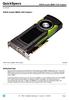 Overview L2K02AA INTRODUCTION Push the frontier of graphics processing with the new NVIDIA Quadro M6000 12GB graphics card. The Quadro M6000 features the top of the line member of the latest NVIDIA Maxwell-based
HP Compaq notebook common image white paper
 HP Compaq notebook common image white paper Introduction... 2 System requirements and prerequisites... 2 Common image preparation using factory preinstalled Windows Vista images... 4 Configuring the Windows
BASIC VIDEO EDITING: IMOVIE
 IMOVIE imovie comes with Apple Mac computers and lets you assemble audio, video and photos to create your own movies. This tip sheet was compiled using imovie 11 so you may notice some differences if using
HP Workstations graphics card options
 Family data sheet HP Workstations graphics card options Quick reference guide Leading-edge professional graphics March 2014 A full range of graphics cards to meet your performance needs compare features
Revolutionize your work performance with Samsung Business Monitor
 Revolutionize your work performance with Samsung Business Monitor To learn more about the Samsung Business Monitor or to find your nearest retailer, please visit: www.samsung.com Samsung Electronics Co.,
Copyright 2006 TechSmith Corporation. All Rights Reserved.
 TechSmith Corporation provides this manual as is, makes no representations or warranties with respect to its contents or use, and specifically disclaims any expressed or implied warranties or merchantability
Leddura Series. Laser Leddura xt Lexinus Mensa. 84 inch UHD. Smart innovation! When state of the art innovation is leading.
 Laser Lexinus Mensa Leddura Series When state of the art innovation is leading. The professional touch display for interactivity. Experience increased productivity, enhanced collaboration and efficient
Inspiron 15. 7000 Series. Views. Specifications
 Inspiron 15 7000 Series Views Copyright 2014 Dell Inc. All rights reserved. This product is protected by U.S. and international copyright and intellectual property laws. Dell and the Dell logo are trademarks
Protocol for Microscope Calibration
 Protocol for Microscope Calibration A properly calibrated system is essential for successful and efficient software use. The following are step by step instructions on how to calibrate the hardware using
HP Compaq L2311c LCD Monitor. User Guide
 HP Compaq L2311c LCD Monitor User Guide 2012 Hewlett-Packard Development Company, L.P. Microsoft, Windows, and Windows Vista are either trademarks or registered trademarks of Microsoft Corporation in the
HP Workstations for Adobe Creative Cloud
 HP Workstations for Adobe Creative Cloud Switch to HP Workstations for the full power of Adobe media software The professional video tools that Adobe offers in Creative Cloud are widely accepted as the
HP Thin Clients Customer Presentation. Craig Allen Market Development Manager Thin Client Solution July, 2014
 HP Thin Clients Customer Presentation Craig Allen Market Development Manager Thin Client Solution July, 2014 1 Copyright Copyright 2013 2013 Hewlett-Packard Development Development Company, Company, L.P.
Multimedia. User Guide
 Multimedia User Guide Copyright 2006 Hewlett-Packard Development Company, L.P. Microsoft and Windows are U.S. registered trademarks of Microsoft Corporation. The information contained herein is subject
QuickSpecs. HP IP Console Switch with Virtual Media Overview
 Overview HP's IP Console Switch with Virtual Media is a key component in managing the heterogeneous data center and along with the IP Viewer software allows remote access to multiple servers running various
Instructions for Creating a Poster for Arts and Humanities Research Day Using PowerPoint
 Instructions for Creating a Poster for Arts and Humanities Research Day Using PowerPoint While it is, of course, possible to create a Research Day poster using a graphics editing programme such as Adobe
Wall-Mounting your HP computer. User Guide
 Wall-Mounting your HP computer User Guide The only warranties for Hewlett-Packard products and services are set forth in the express statements accompanying such products and services. Nothing herein should
QuickSpecs. Models. HP Cable Lock Solutions for Business Notebook PCs Overview. HP Cable Lock. HP Docking Station Cable Lock
 QuickSpecs Models HP Keyed Cable Lock HP Docking Station Cable Lock HP Cable Lock HP Combination Lock HP Master Keyed Docking Station Lock BV411AA AU656AA PC766A AY475AA#XXX AY474AA HP Keyed Cable Lock
43 Full HD Direct-lit LED Commercial Display
 43 Full HD Direct-lit LED Commercial Display CDE4302 The ViewSonic CDE4302 is a 43 Full HD direct-lit LED commercial display, offering the combination of costefficiency and ease of installation for corporate,
HP Certification Look-up Tool (CLT) User Guide
 HP ExpertONE HP Certification Look-up Tool (CLT) User Guide What is the HP Certification Look-up Tool? The Certification Look-up Tool (CLT) is a tool that will allow you to consult, review, and report
Content Author's Reference and Cookbook
 Sitecore CMS 6.5 Content Author's Reference and Cookbook Rev. 110621 Sitecore CMS 6.5 Content Author's Reference and Cookbook A Conceptual Overview and Practical Guide to Using Sitecore Table of Contents