
G. Lufft Mess- und Regeltechnik GmbH, Fellbach, Germany. We reserve the right to make technical changes at any time without notice.
|
|
|
- Buddy Wells
- 9 years ago
- Views:
Transcription
1

2 WSX-E Document version V30 (09/2015) G. Lufft Mess- und Regeltechnik GmbH, Fellbach, Germany. We reserve the right to make technical changes at any time without notice.

3 Contents 1 Please Read Before Use Symbols Used Safety Instructions Designated Use Incorrect Use Warranty Brand Names Scope of Delivery Order Numbers Accessories Spare Parts Additional Documents and Software Equipment Description Air Temperature and Humidity Air Pressure Precipitation Wet Bulb Temperature Specific Enthalpy Air Density Wind Compass Heating Global Radiation Lightning Sensor Leaf Wetness External Temperature Sensor External Rain Gauge Sensor Technology (example: WS600-UMB) Generation of Measurements Current Measurement (act) Minimum and Maximum Values (min and max) Average Value (avg) Vectorial Average Value (vct) Measurement Output Air and Dewpoint Temperature Wind Chill Temperature Humidity Air Pressure Wet Bulb Temperature Specific Enthalpy Air Density Wind Speed Wind Direction Wind Measurement Quality Compass Precipitation Quantity - Absolute Precipitation Quantity - Differential Precipitation Intensity Precipitation Type Heating Temperature Global Radiation Leaf Wetness G. Lufft Mess- und Regeltechnik GmbH, Fellbach, Germany 3

4 6.19 Lightning Sensor Service Messages Installation Fastening North Alignment Selecting the Installation Location Connections Supply Voltage RS485 Interface Connection to ISOCON-UMB (8160.UISO) Use of Surge Protection (8379.USP) Connection of the Leaf Wetness Sensor Connection of External Temperature and Precipitation Sensors Commissioning Configuration and Test Factory Settings Configuration with the UMB-Config-Tool Function Test with UMB-Config-Tool Operating Modes of the Operating Modes for Equipment Heating Firmware Update Maintenance Maintenance of the Rain Gauge Technical Data Measuring Range / Accuracy Drawings EC Certificate of Conformity Fault Description Disposal Within the EC Outside the EC Repair / Corrective Maintenance Technical Support External Sensors Leaf Wetness Sensor WLW External Temperature and Precipitation Sensors Appendix Channel List Summary Channel List Summary per TLS2002 FG Communication in Binary Protocol Communication in ASCII Protocol Communication in Terminal Mode Communication in SDI-12 Mode Communication in Modbus Mode Communication: XDR Protocol List of Figures Index G. Lufft Mess- und Regeltechnik GmbH, Fellbach, Germany

5 1 Please Read Before Use This manual is valid for devices of the Lufft WS family with device version 31 or higher(7/2012).some functions or features specified in this manual may not be available or may not be valid with older device versions. The device version is indicated as the last number of the serial number, e.g.: the device with SN: has the device version 21. If you are using an older device of the WS family, please refer to the manual for device versions prior to 30 ( 1.1 Symbols Used Important information concerning potential hazards to the user 1.2 Safety Instructions Important information concerning the correct operation of the equipment Installation and commissioning must be carried out by suitably qualified specialist personnel only. Never take measurements on or touch live electrical parts. Pay attention to the technical data and storage and operating conditions. 1.3 Designated Use The equipment must only be operated within the range of the specified technical data. The equipment must only be used under the conditions and for the purposes for which it was designed. The safety and operation of the equipment can no longer be guaranteed if it is modified or adapted. 1.4 Incorrect Use If the equipment is installed incorrectly It may not function. It may be permanently damaged. Danger of injury may exist if the equipment is allowed to fall. If the equipment is not connected correctly It may not function. It may be permanently damaged. The possibility of an electrical shock may exist. 1.5 Warranty The Warranty period is 12 months from the date of delivery. The warranty is forfeited if the designated use is violated. 1.6 Brand Names All brand names referred to are subject without limitation to the valid trademark and ownership rights of the respective owner. G. Lufft Mess- und Regeltechnik GmbH, Fellbach, Germany 5


6 2 Scope of Delivery Equipment WS200-UMB WS300-UMB WS400-UMB WS500-UMB WS600-UMB WS301-UMB WS501-UMB WS401-UMB WS601-UMB WS700-UMB WS800-UMB WS310-UMB WS510-UMB Connection cable 10m Operating manual 6 G. Lufft Mess- und Regeltechnik GmbH, Fellbach, Germany

7 3 Order Numbers WS200-UMB 8371.U01 Wind Direction Wind Speed Compass WS300-UMB 8372.U01 Air Temperature Relative Humidity Air Pressure WS301-UMB 8374.U01 WS302-UMB 8374.U10 WS303-UMB 8374.U11 WS304-UMB 8374.U12 WS310-UMB 8374.U13 Air Temperature Relative Humidity Air Pressure Global Radiation WS400-UMB Precipitation Radar Air Temperature Relative Humidity Air Pressure 8369.U01 (Europe, USA, Canada) 8369.U02 (UK) WS401-UMB 8377.U01 Precipitation Rain Gauge Air Temperature Relative Humidity Air Pressure WS500-UMB 8373.U01 Wind Direction Wind Speed Air Temperature Relative Humidity Air Pressure Compass WS501-UMB 8375.U01 WS502-UMB 8375.U10 WS503-UMB 8375.U11 WS504-UMB 8375.U12 WS510-UMB 8375.U13 Wind Direction Wind Speed Air Temperature Relative Humidity Air Pressure Compass Global Radiation G. Lufft Mess- und Regeltechnik GmbH, Fellbach, Germany 7

8 WS600-UMB Precipitation Radar Wind Direction Wind Speed Air Temperature Relative Humidity Air Pressure Compass 8370.U01 (Europe, USA, Canada) 8370.U02 (UK) WS601-UMB 8376.U01 Precipitation Rain Gauge Wind Direction Wind Speed Air Temperature Relative Humidity Air Pressure Compass WS700-UMB Precipitation Radar Wind Direction Wind Speed Air Temperature Relative Humidity Air Pressure Compass Global Radiation 8380.U01 (Europe, USA, Canada) WS800-UMB Precipitation Radar Wind Direction Wind Speed Air Temperature Relative Humidity Air Pressure Compass Global Radiation Lightning Sensor 8381.U01 (Europe, USA, Canada) 8 G. Lufft Mess- und Regeltechnik GmbH, Fellbach, Germany

9 3.1 Accessories Power supply unit 24V/100VA ISOCON-UMB Surge protection 8366.USV UISO 8379.USP Leaf Wetness Sensor WLW (WS401-UMB, WS601-UMB up to device version 47 only) External Rain Gauge WTB External Temperature Sensors Temperature Sensor WT1 Passive Road Surface Temperature Sensor WST WT WST1 3.2 Spare Parts Connection cable 10m On enquiry 3.3 Additional Documents and Software You can download the following documents and software via the Internet at Operating Manual UMB-Config-Tool UMB Protocol Firmware This document Windows software for testing, firmware updates and configuration of UMB devices Communications protocol for UMB devices The current device firmware G. Lufft Mess- und Regeltechnik GmbH, Fellbach, Germany 9

10 WS200- UMB WS300- UMB WS301- UMB** WS400- UMB WS401- UMB WS500- UMB WS501- UMB*** WS600- UMB WS601- UMB WS700- UMB WS800- UMB Operating Manual 4 Equipment Description The WS family is a range of low cost smart combination of weather sensors for the acquisition of a variety of measurement variables, as used for example for environmental data logging in road traffic management systems. Depending on the model, each device has a different combination of sensors for the various measurement variables. Air temperature Humidity Air pressure Precipitation * * Wind direction Wind speed Compass Global Radiation Lightning Sensor Leaf Wetness (ext)**** Temperature (ext) Rain Gauge (ext) Power Save 2 *) WS401-UMB and WS601-UMB use a rain gauge for precipitation measurement **) is also valid for WS302-UMB, WS303-UMB, WS304-UMB, WS310-UMB ***) is also valid for WS502-UMB, WS503-UMB, WS504-UMB, WS510-UMB ****) leaf wetness measurement is no longer supported by devices with device version > 47 Sensors marked (ext) in the table are additional accessories and not included with the device. The table shows which external sensors can be connected to the different models. Note: The external temperature sensor and the external rain gauge use the same input, so only one of them can be connected simultaneously. Attention: Please note that, due to the approval of the radar sensor used, there are different country options on equipment which includes precipitation measurement by radar technology. The equipment is connected by way of an 8 pole screw connector and associated connection cable (length 10m). The measured values are requested over the RS485 interface in accordance with UMB protocol. During commissioning, configuration and measurement polling takes place using the UMB- Config-Tool (Windows PC software). 4.1 Air Temperature and Humidity Temperature is measured by way of a highly accurate NTC-resistor while humidity is measured using a capacitive humidity sensor. In order to keep the effects of external influences (e.g. solar radiation) as low as possible, these sensors are located in a ventilated housing with radiation protection. In contrast to conventional non-ventilated sensors, this allows significantly more accurate measurement during high radiation conditions. Additional variables such as dewpoint, absolute humidity and mixing ratio are calculated from air temperature and relative humidity, taking account of air pressure. 4.2 Air Pressure Absolute air pressure is measured by way of a built-in sensor (MEMS). The relative air pressure referenced to sea level is calculated using the barometric formula with the aid of the local altitude, which is user-configurable on the equipment. 10 G. Lufft Mess- und Regeltechnik GmbH, Fellbach, Germany

11 4.3 Precipitation Tried and tested radar technology from the R2S-UMB sensor is used to measure precipitation. The precipitation sensor works with a 24GHz Doppler radar, which measures the drop speed and calculates precipitation quantity and type by correlating drop size and speed. WS401-UMB and WS601-UMB are using an unheated rain gauge for precipitation measurement. This version can be recommended for low power application etc. 4.4 Wet Bulb Temperature The wet bulb temperature is the temperature of a moist or icy surface exposed to air flow. 4.5 Specific Enthalpy Parameter of state of the humid air, composed of the specific enthalpies (heat capacity) of the components of the mixture and related to the mass fraction of the dry air (at 0 C). 4.6 Air Density The air density indicates how much mass in a given volume of air is contained and it is calculated from the measured values of air temperature, humidity and air pressure. 4.7 Wind The wind meter uses 4 ultrasonic sensors which take cyclical measurements in all directions. The resulting wind speed and direction are calculated from the measured run-time sound differential. The sensor delivers a quality output signal indicating how many good readings were taken during the measurement interval. 4.8 Compass The integrated electronic compass can be used to check the north south adjustment of the sensor housing for wind direction measurement. It is also used to calculate the compass corrected wind direction. 4.9 Heating The precipitation sensor and wind meter are heated for operation in winter Global Radiation The global radiation is measured by a pyranometer mounted in the top cover of the Smart Weather Sensor Lightning Sensor WS800-UMB includes lightning detection by an integrated sensor analysing the radio wave emission of lightnings. It delivers a count of recognized lightnings. The sensor analyses spectrum and wave form of the received signal to suppress the detection of man made electrical discharges. Nevertheless false detections can not be totally excluded specially in an environment with high power electrical equipment Leaf Wetness WS401-UMB and WS601-UMB can be equipped with an external sensor for leaf wetness evaluation. Note: The external leaf wetness sensor is no longer supported by devices with device version > External Temperature Sensor Optionally all models may be equipped with an external NTC temperature sensor for the acquisition from additional measurement points. The type of NTC is the same as used for the internal air temperature sensor. External temperature sensor and external rain gauge can not be connected at the same time. G. Lufft Mess- und Regeltechnik GmbH, Fellbach, Germany 11

12 4.14 External Rain Gauge Models without integrated precipitation acquisition can be equipped with an external rain gauge. External rain gauge and external temperature sensor can not be connected at the same time. 12 G. Lufft Mess- und Regeltechnik GmbH, Fellbach, Germany


13 4.15 Sensor Technology (example: WS600-UMB) Precipitation sensor (heated) Wind meter (heated) Air pressure sensor in device Air temperature and relative humidity with fan on underside of device Connector Mounting bracket with springs and self-locking nuts Notch for attaching connection cable Figure 1: Sensor Technology G. Lufft Mess- und Regeltechnik GmbH, Fellbach, Germany 13

14 5 Generation of Measurements 5.1 Current Measurement (act) In accordance with the specified sampling rate, the value of the last measurement is transmitted when the current measurement value is requested. Each measurement is stored in a circular buffer for the subsequent calculation of minimum, maximum and average values. 5.2 Minimum and Maximum Values (min and max) When requesting the minimum and maximum values, the corresponding value is calculated - via the circular buffer at the interval (1 10 minutes) specified in the configuration - and transmitted. Note: In the case of wind direction, the minimum / maximum value indicates the direction at which the minimum / maximum wind speed was measured. 5.3 Average Value (avg) When requesting the average value, this is calculated - via the circular buffer at the interval (1 10 minutes) specified in the configuration - and transmitted. In this way moving averages can also be calculated. For some values the standard deviation is calculated for the same interval. The calculation of standard deviation will only be activated after the related UMB channel has been requested for the first time. 5.4 Vectorial Average Value (vct) In the specific case of wind measurement, measurements are calculated vectorially. To this end, the average values of the vectors are generated internally. Hence the value (wind speed) and angle (wind direction) of the vector are calculated. Note: On delivery, the interval for the calculation of minimum, maximum and average values is set at 10 minutes. If necessary, this can be adjusted to the particular requirements (1 10 minutes) with the aid of the UMB-Config-Tool (see page 30). Note: The evaluation of the standard deviation values is deactivated after power on of the device. The function will be activated with the first request to any of the standard deviation channels. To get standard deviation values of the first integration period after power on a dummy request to any one of the standard deviation channels should be inserted. 14 G. Lufft Mess- und Regeltechnik GmbH, Fellbach, Germany

15 6 Measurement Output Measurements are transmitted in accordance with UMB binary protocol (Factory Settings). You can find an example of a measurement request in different protocols and a complete summary of the list of channels in the Appendix. 6.1 Air and Dewpoint Temperature Sampling rate 1 minute Generation of average value 1 10 minutes Units C; F Request channels: UMB Channel Measuring Range act min max avg Measurement Variable (float32) min max unit Air temperature C Air temperature F Dewpoint temperature C Dewpoint temperature F 101 External Temperature Sensor C 106 External Temperature Sensor F 6.2 Wind Chill Temperature Sampling rate Units C; F Request channels: UMB Channel 1 minute, computed on base of the average temperature and average wind speed Measuring Range act min max avg Measurement Variable (float32) min max unit 111 Wind chill temperature C 116 Wind chill temperature F 6.3 Humidity Sampling rate Generation of average value Units Request channels: 1 minute 1 10 minutes %RH; g/m³; g/kg UMB Channel Measuring Range act min max avg Measurement Variable (float32) min max unit Relative humidity % Absolute humidity g/m³ Mixing ratio g/kg 6.4 Air Pressure Sampling rate Generation of average value Unit Request channels: 1 minute 1 10 minutes hpa UMB Channel Measuring Range act min max avg Measurement Variable (float32) min max unit Absolute air pressure hpa Relative air pressure hpa Note: For the correct calculation of relative air pressure, the altitude of the sensor must be entered in the device configuration (see Figure 11 on page 32). The factory setting for altitude is 0m; in this way both measurement variables deliver the same values. G. Lufft Mess- und Regeltechnik GmbH, Fellbach, Germany 15

16 6.5 Wet Bulb Temperature Sampling rate 1 minute Units C; F Request channels: UMB Channel Measuring Range act Measurement Variable (float32) min max unit 114 Wet Bulb Temperature C 119 Wet Bulb Temperature F 6.6 Specific Enthalpy Sampling rate 1 minute Unit kj/kg Request channels: UMB Channel Measuring Range act Measurement Variable (float32) min max unit 215 Specific Enthalpy kj/kg 6.7 Air Density Sampling rate Unit Request channels: 1 minute kg/m³ UMB Channel Measuring Range act Measurement Variable (float32) min max unit 310 Air Density kg/m³ 16 G. Lufft Mess- und Regeltechnik GmbH, Fellbach, Germany

17 6.8 Wind Speed Sampling rate Generation of average value 10 seconds 1 10 minutes Generation of maximum value 1 10 minutes based on the internal second measurements Units Response threshold Request channels: UMB Channel m/s; km/h; mph; kts 0.3 m/s Measuring Range act min max avg vct Measurement Variable (float32) min max unit Wind Speed m/s Wind Speed km/h Wind Speed mph Wind Speed kts 401 Wind Speed Fast m/s 406 Wind Speed Fast km/h 411 Wind Speed Fast mph 416 Wind Speed Fast kts 403 Wind Speed Standard Deviation * m/s 413 Wind Speed Standard Deviation * mph Note: The second measurements are averaged over 10 seconds for the output of the current (act) measurement. The 'fast' channels deliver every second a value. 6.9 Wind Direction Sampling rate 10 seconds Generation of average value 1 10 minutes Generation of maximum value 1 10 minutes based on the internal second measurements Unit Response threshold Request channels: UMB Channel 0.3 m/s Measuring Range act min max avg vct Measurement Variable (float32) min max unit Wind Direction Wind Direction Fast Wind Direction Corrected Wind Dir. Standard Deviation * Note: The second measurements are averaged over 10 seconds for the output of the current (act) measurement. The 'fast' channels deliver every second a value. The minimum / maximum wind direction indicates the direction at which the minimum / maximum wind speed was measured. The corrected wind direction is calculated from the wind direction measured by the wind sensor and the heading measured by the compass. Optionally the compass correction of the wind direction can be activated for all wind direction values. (Settings by UMB Config Tool) Note: The correction function is designed for correction of the wind direction of a statically mounted sensor. If the alignment of the sensor changes during the measurement (i.e. if the sensor is mounted on a rotating platform or similar) the correction function will not in all cases work properly, especially not for the vector average. It is of course possible to use the correction function for mobile measurement units, where the alignment is changed between measurement periods. *) Note: The evaluation of the standard deviation values will be activated after the first request of a standard deviation channel. Please see p. 11. G. Lufft Mess- und Regeltechnik GmbH, Fellbach, Germany 17

18 6.10 Wind Measurement Quality Sampling rate Unit % Request channels: UMB Channel 10 seconds Measuring Range act min max avg vct Measurement Variable (float32) min max unit 805 Wind Value Quality % 806 Wind Value Quality (fast) % Note: The value is updated every 10 seconds and transmits the minimum wind measurement quality for the last 10 seconds interval. The fast value indicates the measurement quality of the one second measurement value. This value allows the user to assess how well the measurement system is functioning in the respective ambient conditions. In normal circumstances the value is %. Values up to 50% do not represent a general problem. If the value falls towards zero the measuring system is reaching its limits. If during critical ambient conditions the system is no longer able to conduct reliable measurements, error value 55h (85d) is transmitted (device unable to execute valid measurement due to ambient conditions) Compass (only device version 030 or higher) Sampling rate: 5 min Unit Request channels: UMB Channel Measuring Range act min max avg vct Measurement Variable (float) min max unit 510 Compass Heading Note: Reliable operation of the compass is only possible, if the sensor has been mounted according to the instructions in this manual, i.e. on top of the pole. Should the sensor be mounted on a traverse, the distribution of iron masses will be different from the situation during factory calibration. This may lead to additional deviation of the bearing. This also applies to lightning rods mounted at the pole top! Dependent on the location of the installation the local declination of the earth magnetic field has to be considered. The declination value is entered using the UMB-Config-Tool (see page 32). The declination for the installation location can be found in the Internet, e.g. at Note: When the fan is not rotating the compass measurement value will be influenced by the magnetic field of the fan. Normally the compass measurement will be performed with the fan rotating to compensate this influence. If, starting from device version 037, the fan will not be switched on in case of low operating voltage (less than 12V) deviations of the compass measurement value must be accepted. Note: When the device is operated in Power Saving Mode 1 or 2 the compass measurement is performed only once after power on. Later changes of the orientation of the device will not be recognized. 18 G. Lufft Mess- und Regeltechnik GmbH, Fellbach, Germany

19 6.12 Precipitation Quantity - Absolute Sampling rate Event-dependent on reaching the response threshold Response threshold 0.01mm (Radar) Response threshold 0.2 / 0.5 mm (Rain Gauge) Units l/m²; mm; in; mil Request channels: UMB Channel Measurement Variable (float32) Unit 600 Precipitation Quantity - Absolute l/m² 620 Precipitation Quantity - Absolute mm 640 Precipitation Quantity - Absolute in 660 Precipitation Quantity - Absolute mil Note: This measurement indicates the accumulated precipitation quantity since the last device reboot. The measurement is retained for the duration of a short power failure. To reset this value, use the corresponding function in the UMB-Config-Tool (see page 35) or disconnect the device from the power supply for at least one hour Precipitation Quantity - Differential Sampling rate Response threshold Response threshold Units Request channels: Event-dependent on reaching the response threshold 0.01mm (Radar) 0.2 / 0.5 mm (Rain Gauge) l/m²; mm; in; mil UMB Chanel Measurement Variable (float32) Unit 605 Precipitation Quantity - Differential l/m² 625 Precipitation Quantity - Differential mm 645 Precipitation Quantity - Differential in 665 Precipitation Quantity - Differential mil Note: Each request from a differential channel sets the accumulated quantity back to zero. If the response from the device is lost due to a transmission error (e.g. poor GPRS connection), the quantity accumulated to date is also lost. The quantity accumulated to date is also reset each time the equipment is rebooted Precipitation Intensity Sampling rate Response threshold Units Request channels: 1 minute 0.1 mm/h l/m²/h; mm/h; in/h; mil/h UMB Channel Measurement Variable (float32) Range Unit 800 Precipitation Intensity l/m²/h 820 Precipitation Intensity mm/h 840 Precipitation Intensity in/h 860 Precipitation Intensity mil/h Note: The device versions with radar technology (WS400-UMB, WS600-UMB) calculate the precipitation intensity from the accumulated precipitation differences of the last 6 minutes before the measurement data request. The lower resolution of the rain gauge would lead to high fluctuation of the intensity values, so the rain gauge versions (WS401-UMB and WS601-UMB), as well as the external rain gauge, use the accumulated precipitation of the last 60 minutes prior to the current measurement for intensity calculation. G. Lufft Mess- und Regeltechnik GmbH, Fellbach, Germany 19

20 6.15 Precipitation Type Sampling rate Response threshold Response threshold Follow-up time Request channels: Event-dependent on reaching the response threshold 0.002mm (Radar) 0.2 / 0.5 mm (Rain Gauge) 2 minutes UMB Channel Measurement Variable (uint8) Coding 700 Precipitation Type 0 = No precipitation 60 = Liquid precipitation, e.g. rain 70 = Solid precipitation, e.g. snow 40 = unspecified precipitation (WS401-UMB, WS601-UMB, external rain gauge) Note: A detected precipitation type remains valid for 2 minutes after the end of the precipitation event. In order to record precipitation types which only occur for a short period (e.g. short-term rain), the request interval should be 1 minute or shorter. Ice, hail and sleet are transmitted as rain (60). The versions WS401-UMB and WS601-UMB as well as the external rain gauge do not include detection of precipitation type, so in this case only type 40 (unspecified precipitation) is indicated. Due to the function of the rain gauge only liquid or molten precipitation can be recognized Heating Temperature Sampling Rate 1 Minute Units C; F Request Channels: UMB Channel Measuring Range act min max avg Measurement Variable (float32) min max Unit 112 Heating Temperature Wind Sensor C 113 Heating Temperature Precipitation Sensor C 117 Heating Temperature Wind Sensor F 118 Heating Temperature Precipitation Sensor F 6.17 Global Radiation Sampling Rate 10 seconds Generation of average values 1 10 minutes *) Unit W/m² Request Channels: UMB Channel Measuring Range act min max avg Measurement Variable (float32) min max unit Global Radiation W/m² *) Note: The average, maximum and minimum values are evaluated from the 1 minute averages of the 10 second spot value. When operated in Power Saving Mode 1 (see page 37) the WS700-UMB will measure the global radiation only once per minute. 20 G. Lufft Mess- und Regeltechnik GmbH, Fellbach, Germany

21 6.18 Leaf Wetness Sampling Rate Generation of average values Unit Request Channels: 1 minute 1 10min (using the setting for rel. humidity) mv / code UMB Channel Measuring Range act min max avg Measurement Variable (float32) min max unit Leaf Wetness mv mv 711 Leaf Wetness State 0 = dry 1 = wet The leaf wetness state is evaluated comparing with the adjustable leaf wetness threshold. The setting of this threshold shall be done according to the instructions of the sensor manual and, if necessary, readjusted as part of the maintenance procedure Lightning Sensor Lightning Events Sampling Rate 1 minute Sum 1 30 minutes Unit Events Request Channels: UMB Channel Measuring Range act sum Measurement Variable (uint16) min max unit 617 Lightning Events Lightning Events (Interval) Service Messages Service channels are available for the surveillance of the operation of the Smart Weather Sensor. Request Channels: UMB Channel Measuring Range act min max avg Measurement Variable (float32) min max unit Supply Voltage V V Rain Drop Volume µ µl G. Lufft Mess- und Regeltechnik GmbH, Fellbach, Germany 21

22 7 Installation The sensor bracket is designed to be installed on the top of a mast with a diameter of 60 76mm. The following tools are required for the installation: Open-end or ring spanner (SW13) Compass for aligning the wind meter to the North 7.1 Fastening Springs Nuts with washers Mounting bracket Mast tube Figure 2: Fastening to the Mast Loosen nuts Push the sensor onto the top of the mast from above Tighten the nuts evenly until contact is made with the springs but the sensor can still be moved easily Align the sensor to the North (for wind meters) Tighten both nuts with 3 revolutions 22 G. Lufft Mess- und Regeltechnik GmbH, Fellbach, Germany
23 7.2 North Alignment In order for the wind direction to display correctly, the sensor must be aligned to the North. The sensor has a number of directional arrows for this purpose. Figure 3: North Markings Procedure: If the sensor is already installed, first loosen both nuts evenly until you can turn the sensor easily Using the compass, identify the North and fix a point of reference on the horizon Position the sensor in such a way that the South and North wind sensors are in alignment with the fixed point of reference in the North Tighten both nuts with 3 revolutions Point of reference in the North Figure 4: Alignment to North poor good Note: As the magnetic North Pole indicated by the compass differs from the Geographic North Pole, account must be taken of the declination (variation) at the location when aligning the sensor. Depending on the location, the variation can be more than 15 (in North America for example). In Central Europe the variation can be largely ignored at present (< 3 ). You can find further helpful information on this subject on the Internet. G. Lufft Mess- und Regeltechnik GmbH, Fellbach, Germany 23
24 7.3 Selecting the Installation Location In order to guarantee long service life and correct equipment operation, please pay attention to the following points when selecting the installation location General Instructions Stable subsurface for installing the mast Free access to the equipment for maintenance works Reliable power supply for permanent operation Good network coverage when transmitting over a mobile communications network Note: The computed measurements specifically apply to the equipment location only. No conclusions can be drawn with regard to the wider environment or a complete road section. ATTENTION: Only approved and tested appliances (conductors, risers etc.) should be used to install the device on the mast. All relevant regulations for working at this height must be observed. The mast must be sized and anchored appropriately. The mast must be earthed in accordance with regulations. The corresponding safety regulations for working at road side and in the vicinity of the road carriageway must be observed. If the equipment is installed incorrectly It may not function. It may be permanently damaged. Danger of injury may exist if the equipment is allowed to fall Sensors with Wind Measurement / Compass Installation at the top of the mast Installation height at least 2m above the ground Free field around the sensor Note: Buildings, bridges, embankments and trees may corrupt the wind measurement. Equally, passing traffic may cause gusts which may influence the wind measurement. Note: for accurate compass readings, an aluminium mast is recommended Sensors with Radar Precipitation Measurement Installation on the top of the mast Installation height at least 4.5m above the ground Distance to road carriageway at least 10m Distance from moving objects (e.g. trees, bushes and even bridges) at least 10m at the height of the sensor Note: Falling or moving objects, e.g. falling leaves or leaves blowing in the wind, may cause false measurements and/or precipitation types. Note: Strong wind can influence the accuracy of the precipitation measurement. Note: When selecting the installation location please take care to position the device at a suitable distance from other systems incorporating a 24GHz radar sensor, such as traffic counting devices on overhead gantry signs. Otherwise cross effects and system malfunctions may occur. In the final analysis, the distance to other measuring systems also depends on their range of coverage and signal strength. 24 G. Lufft Mess- und Regeltechnik GmbH, Fellbach, Germany
25 7.3.4 Sensors with Rain Gauge Installation on the top of the mast or on crossbar with distance to the mast Mast or crossbar mounting shall be exactly perpendicular, otherwise the precision of the rain gauge may be influenced. Note: The location should be selected so that pollution of the rain gauge funnel by falling leaves etc. can be avoided as far as possible Sensors with Global Radiation Measurement Installation on top of the pole Shadow free location, if possible 360 free view to the horizon at the height of the pyranometer Distance to shadow casting objects (trees, buildings) at least 10 times of the object height relative to the sensor Installation Sketch Example WS600-UMB: min. 5 m WS600-UMB Tree, bush etc. Mast min. 4.5 m Figure 5: Installation Sketch min. 1 m Road carriageway G. Lufft Mess- und Regeltechnik GmbH, Fellbach, Germany 25
26 8 Connections There is an 8 pole screw connector on the underside of the equipment. This serves to connect the supply voltage and interfaces by way of the supplied connection cable. Equipment connector: Figure 6: Connections View on sensor connection Pin assignment: 1 White Supply voltage ground and (SDI12_GND for device version > 41) 2 Brown Positive supply voltage 3 Green RS485_A (+) or (SDI-12 GND for device version < 42) 4 Yellow RS485_B (-) or SDI-12 Data Line 5 Grey External Sensor a 6 Pink External Sensor b 7 Blue Heating voltage ground 8 Red Positive heating voltage The cable marking is in accordance with DIN Note: The yellow protective cap must be removed before plugging in the equipment. If the equipment is not connected correctly - It may not function - It may be permanently damaged - The possibility of an electrical shock may exist The supply voltage and the heating voltage are protected against polarity reversal. Note: When operating the in SDI12 mode, line 3 (green) shall be connected only if the SDI12 logger is DC-isolated from the supply voltage of the device. If signal ground (SDI-12-GND) of the data logger and power supply ground are identical, only the SDI12-Data-Line (line 4, yellow) may be connected. Note for SDI12 operation of devices starting from device version 42 or 51 (WS700): If data logger and device supply voltage are DC-isolated the signal ground (SDI12_GND) must be connected to line 1 (white). Line 3 (green) shall not be connected. (see SDI12 connection drawings in chapter 19.6) 8.1 Supply Voltage The supply voltage for the is 12-24V DC. The power supply unit used must be approved for operation with equipment of protection class III (SELV). Starting with device version 037 the has an extended supply voltage range of 4 32V DC. Operation with a supply voltage of 24V is recommended. Limitations apply in case of supply voltages lower than 12V (see below). 26 G. Lufft Mess- und Regeltechnik GmbH, Fellbach, Germany
27 8.1.1 Limitations in 12V mode If the heating is operated on 12V DC, account must be taken of the functional restrictions in winter operation. Note: A heating voltage of 24V DC is recommended to guarantee full heating duty Limitations in Case of Operation with Supply Voltage Below 12V When operating a (device version >= 037) with supply voltages lower than 12V DC, the fan will be not switched on, independent of the fan operating mode. This may influence the accuracy of temperature and humidity measurement in case of solar radiation. Additionally deviations of the compass measurement values have to be accepted. When operating the in Power Save Modes with supply voltages below 12V the minimal supply voltage depends on the length of the connection cable. The minimal permitted supply voltage (U Bmin )can be approximately evaluated from the equation: U Bmin = 4V + 0.3V (cable length / m) The minimal supply voltage for a 10m cable is then U Bmin = 6V. The influence of the cable length on minimal supply voltage can be reduced by using of a cable with larger wire cross section. 8.2 RS485 Interface The equipment has an electrically isolated, half-duplex, 2 wire RS485 interface for configuration, measurement polling and the firmware update. See page 43 for technical details. G. Lufft Mess- und Regeltechnik GmbH, Fellbach, Germany 27
28 8.3 Connection to ISOCON-UMB (8160.UISO) Brown: Positive voltage supply +24V White: Supply voltage ground GND2 Green: RS485 Interface A Yellow: RS485 Interface B Figure 7: Connection to ISOCON-UMB Warning: The heating voltage (red = positive heating voltage; blue = heating voltage ground) is not connected to the ISOCON-UMB but wired direct to the power supply unit. During installation please also refer to the operating manual for the ISOCON-UMB. 8.4 Use of Surge Protection (8379.USP) When using surge protection (Order No.: 8379.USP), please pay attention to the connection example in the surge protection operating instructions. 8.5 Connection of the Leaf Wetness Sensor The sensor versions WS401-UMB and WS601-UMB (precipitation measurement by rain gauge) can be equipped with an optional external leaf wetness sensor. The connection terminals for the leaf wetness sensor are located inside the rain gauge module. The sensor connection cable is put through the cable bushing in the wall of the rain gauge module and connected to the terminals (see Chap. 18.1). Terminal assignment for Leaf Wetness Sensor WLW100: 1 blank (shield) Ground 2 red Signal Voltage 3 white Sensor Supply Voltage 5V 8.6 Connection of External Temperature and Precipitation Sensors External sensors are to be connected to pins 5 and 6 of the plug connector, i.e. to the gray and pink wires of the cable delivered with the. The temperature sensors as well as the external rain gauge are unipolar, so any connection sequence can be chosen. The type of external sensor has to be set using the UMB Config Tool. For details please refer to Chapter G. Lufft Mess- und Regeltechnik GmbH, Fellbach, Germany
29 9 Commissioning After the equipment has been installed and connected correctly, the sensor begins autonomously to take measurements. A Windows PC with serial interface, UMB-Config- Tool software and interface cable (SUB-D 9 pole; jack - socket; 1:1) are required for configuration and test purposes. Attention must be paid to the following points: Check for correct equipment operation on site by carrying out a measurement request with the aid of the UMB-Config-Tool (see page 36). Configure the local altitude in order to ensure the correct calculation of relative air pressure (see page 32). The device must be aligned to the North in order to ensure correct wind measurement (see page 23), or the automatic compass correction must be activated (see page 32). In order to get correct compass headings the local declination must be configured (see page 18and 32). If several s are operated on a UMB network, a unique device ID must be assigned to each device (see page 31). There is no protective cover to remove on the sensor itself. G. Lufft Mess- und Regeltechnik GmbH, Fellbach, Germany 29

30 10 Configuration and Test Lufft provides Windows PC software (UMB-Config-Tool) for configuration purposes. The sensor can also be tested and the firmware updated with the aid of this software Factory Settings The is delivered with the following settings: Class ID: 7 (cannot be modified) Device ID: 1 (gives address 7001h = 28673d) Baud rate: RS485 protocol: Calculation interval: Binary 10 measurements Local altitude: 0 m Note: The device ID must be changed if several s are operated on a UMB network, as each device requires a unique ID. It makes sense to start from ID 1 and continue in ascending order Configuration with the UMB-Config-Tool The operation of the UMB-Config-Tool is described in detail in the operating instructions for the Windows PC software. For this reason only the menus and functions specific to the are described here Sensor Selection The is shown here with sensor selection WSx-UMB (Class ID 7). Figure 8: Sensor Selection Note: You do require the current version of the UMB-Config-Tool to configure the Smart Weather Sensor. Note: All other devices which are used in the polling process, e.g. modems, LCOM etc., must be disconnected from the UMB network during configuration. 30 G. Lufft Mess- und Regeltechnik GmbH, Fellbach, Germany
31 Configuration After a configuration has been loaded, all relevant settings and values can be adjusted. Depending on the device type, only the settings pertinent to the respective available sensors are relevant General Settings Figure 9: General Settings ID: Description: Linespeed: Protocol: Device ID (factory setting 1; assign device IDs to additional devices in ascending order). In order to differentiate the devices you can enter a description here, e.g. the location. Transmission speed of the RS485 interface (factory setting 19200; DO NOT CHANGE for operation with ISOCON-UMB). Communications protocol of the sensor (UMB-Binary, UMB-ASCII, SDI-12, Modbus-RTU, Modbus-ASCII, Terminal-Mode, XDR). Timeout: In the event of a temporary changeover of the communications protocol, the system switches back to the configured protocol after this time (in minutes) Important note: If the baud rate is changed, after saving the configuration on the sensor, the sensor communicates at the new baud rate. When operating the sensor in a UMB network with ISOCON-UMB, this baud rate must not be changed; otherwise the sensor is no longer addressable and can no longer be configured Temperature, Humidity and Fan Settings Figure 10: Temperature, Humidity and Fan Settings Offset: Interval: Fan: Absolute offset on the measurement in the unit of the accompanying channel (for on-site calibration). Time in minutes for the minimum, maximum and average value calculation interval. to reduce electrical power consumption, the fan can be switched off. Note: if the fan is switched off, all heaters will also be switched off! With the fan switched off deviations in temperature and humidity measurement can occur by solar radiation! Note: In order to calculate dew point, absolute humidity and mixing ratio, the temperature and humidity measurement always requires the same interval. For this reason different intervals cannot be set. G. Lufft Mess- und Regeltechnik GmbH, Fellbach, Germany 31
32 Pressure, Figure 11: Pressure Settings Offset: Interval: Altitude: Absolute offset on the measurement in the unit of the accompanying channel. Time in minutes for the minimum, maximum and average value calculation interval. Enter the local altitude in meters here for the correct calculation of relative air pressure (referenced to sea level) Wind and Compass Settings Figure 12: Wind Settings Offset: Interval: Windspeed min: Absolute offset on the measurement in the unit of the accompanying channel. Time in minutes for the minimum, maximum and average value calculation interval. Approach velocity onto the wind meter with effect from which a measurement is transmitted, in the unit of the accompanying channel. Heater mode: The device can be configured for heating in different operating modes. Configure as automatic in normal operating mode. You can find a precise description of the operating modes on page 39. Local declination: Dependent on the location of the installation; the local declination of the earth magnetic field has to be considered. Enable Compass for wind-direction correction: With activated compass correction all wind direction values will be corrected according to the alignment of the sensor, as evaluated by the compass. Note: The offset is not used for the wind meter at present because on-site calibration is not possible in this case. 32 G. Lufft Mess- und Regeltechnik GmbH, Fellbach, Germany
33 Precipitation Sensor Settings (Radar) Figure 13: Precipitation Sensor Settings (Radar) Heater mode: The device can be configured for heating in different operating modes. Configure as automatic in normal operating mode. You can find a precise description of the operating modes on page 39. Followup time precipitation type: for this time (in seconds) the detected precipitation type is shown; to cover all events, this time must be adjusted to the poll rate. Note: All other parameters, especially those in the Rainfall calibration data tab may only be changed after consultation with the manufacturer, as they have a major influence on the functioning and accuracy of the sensor Precipitation Sensor Settings (Rain Gauge) The rain gauge module can be operated with resolutions 0.2mm or 0.5mm. The setting of the resolution is to be done in two steps: Mechanical setting Configuration setting The mechanical setting works by modifying the effective area of the funnel. The sensor is delivered with a reduction ring, which can be mounted on the funnel to reduce the area. Funnel with reduction ring resolution 0.5mm Funnel without reduction ring resolution 0.2mm Then the resolution is set in the sensor configuration using the UMB Config Tool. Figure 14: Precipitation Sensor Settings (Rain Gauge) Caution: If mechanical setting and configuration setting do not conform, the sensor will deliver wrong precipitation values! G. Lufft Mess- und Regeltechnik GmbH, Fellbach, Germany 33
34 Global Radiation Settings Figure 15: Global Radiation Settings Interval: Time in minutes for minimum, maximum and average value calculation Lightning Sensor Settings Figure 16: Lightning Sensor Settings Interval: Time in minutes for minimum, maximum and average value calculation Energy Management Figure 17: Energy Management Settings By setting the operating and heating mode, the energy consumption of the device can be adapted to the circumstances of the installation. The different settings are described in the following chapters: operating modes of from page 37 operating modes of the heating from page G. Lufft Mess- und Regeltechnik GmbH, Fellbach, Germany

35 Reset Precipitation Quantity To reset the accumulated absolute precipitation quantity the UMB-Config-Tool offers the following function: Options WSx-UMB reset rain Figure 18: Reset Precipitation Quantity Confirm the reset with Yes Note: The precipitation quantities are reset in ALL s on the respective UMB network. The devices reboots after this function has been used. G. Lufft Mess- und Regeltechnik GmbH, Fellbach, Germany 35

36 10.3 Function Test with UMB-Config-Tool The functions of the can be tested with the UMB-Config-Tool by polling various channels. Note: All other devices which are used in the polling process, e.g. modems, LCOM etc., must be disconnected from the UMB network during configuration Channels for Measurement Polling You can select the channel for measurement polling by the UMB-Config-Tool by clicking on the respective channel. Figure 19 Measurement Polling Channels Example of Measurement Polling Figure 20 Example of Measurement Polling Note: The UMB Config Tool is provided for test and configuration purposes only. It is not suitable for the permanent acquisition of measurement data. We recommend the use of professional software solutions for this purpose, e.g. Lufft SmartView3. 36 G. Lufft Mess- und Regeltechnik GmbH, Fellbach, Germany
37 10.4 Operating Modes of the The power consumption of the can be adjusted to the properties of the individual installation by setting the operation mode. The operation of the power save modes however has certain constraints. These have to be considered when designing the installation. In normal operation, where all specified properties of the are fully available, the power consumption is mostly determined by heating and fan operation Power Saving Mode 1 Following measures are active in power saving mode 1: The ventilation of the temperature / humidity unit is switched off All heaters are switched off The radar rain sensor (WS700-UMB, WS600-UMB, WS400-UMB) is not working continuously. The sensor is activated once per minute for one second, if precipitation is detected, it remains turned on until the end of the event, otherwise it is deactivated after this one second again. Compass measurement is only performed once after power up. The fan, which is otherwise deactivated, will be switched on shortly for the time of this measurement. The WS700-UMB increases the measuring cycle time for global radiation from 10 seconds to 1 minute. Note: This setting has the following restrictions: With the fan switched off deviations in temperature and humidity measurement can occur by solar radiation. Only limited winter operation is possible in this operating mode because any icing might prevent the correct operation of the rain sensor or wind meter. The rain detection may be delayed up to 2 minutes. Short events are possibly not detected. Thus, deviations in the accuracy of the precipitation quantity are possible. Compared with normal operation the power consumption of a WS600-UMB can be reduced to 10% even neglecting the heating. (during precipitation events the consumption is slightly higher, due to the rain sensor then permanently switched on, about 20% compared to normal operation). G. Lufft Mess- und Regeltechnik GmbH, Fellbach, Germany 37
38 Power Saving Mode 2 Power saving mode 2 permits another relevant reduction of the power consumption, but adds on the other hand more severe restrictions. In this operation mode the device will be almost completely switched off and will wake up only by the data request for one measurement cycle. During measurement and data transmission the device will be switched on for about sec. The total consumption will be mostly determined by the data request interval. Note: This operating mode has the following restrictions: All restrictions of power saving mode 1 Power saving mode 2 is not available for devices with radar rain sensor (WS700-UMB, WS600-UMB, WS400-UMB). We recommend devices with tipping bucket rain gauge for low power applications. The calculation of average, minimum and maximum as well as precipitation intensity are not available. Only instantaneous values will be transmitted. Compass measurement is only performed once after power up. The fan, which is otherwise deactivated, will be switched on shortly for the time of this measurement. Communication protocol Modbus is not available When using the UMB protocol a certain request sequence and timing is required (s. Chap ). The interval length must be at least 15sec to make sure that the measurement and transmission cycle can be completed. Shorter interval could cause the device to stay in transmission state without starting a new measurement. The joint operation with other sensors in an UMB network is possible, but it has to be considered that each telegram (even when addressed to another device) will cause the to wake up for at least several seconds, thus increasing the total power consumption. The minimum interval length must be hold up under consideration of the telegrams with other addresses. Mixed operation of devices in power saving mode 2 with devices in normal operation and fast request rates within the same UMB network is not possible. 38 G. Lufft Mess- und Regeltechnik GmbH, Fellbach, Germany
39 10.5 Operating Modes for Equipment Heating Heating is configured to Automatic when the product is delivered. This is the recommended operating mode for heating the sensor. You can set the following operating modes: Heater Mode WS200- UMB WS400- UMB WS500- UMB WS501-UMB *) WS600-UMB **) WS601- UMB Automatic Off Mode 1 Eco-Mode 1 *) is also valid for WS502-UMB, WS503-UMB, WS504-UMB, WS510-UMB **) is also valid for WS700-UMB Note: Model WS30x-UMB and WS401-UMB are not heated. The rain sensor and wind meter settings must be adjusted in the respective configuration mask. The examples show the wind meter setting Automatic In this operating mode, the sensor is maintained constantly at the control temperature, generally in order to prevent the effects of snow and ice. Figure 21: Operating Modes for Equipment Heating Setpoint Temp.: The heating controls at this temperature (in C) The settings for the other values are not relevant Off In the Off operating mode heating is completely disabled. Winter operation is not possible in this operating mode because any icing might prevent the correct operation of the rain sensor or wind meter. The value settings are not relevant Mode 1 In Mode 1 operating mode heating is only enabled when the outside temperature falls below the HeatingMode1 temperature (in C). In this mode power consumption can be reduced in frost-free situations with no great restriction on winter operation. Setpoint Temp.: The heating controls at this temperature (in C) Heating mode1 Temp.: Threshold temperature (in C) with effect from which air temperature heating is enabled The Eco Mode1 follow-up time setting is not relevant. G. Lufft Mess- und Regeltechnik GmbH, Fellbach, Germany 39

40 Eco-Mode 1 Eco Mode1 is an advanced energy saving mode. Heating is only switched on when the following conditions are met: The outside temperature is below the threshold temperature and precipitation was detected. Heating then runs at the control temperature for 30 minutes (after the last precipitation event). When the outside temperature lies constantly below the threshold temperature and there was no heating for more than 20h, heating is switched on for 30 minutes as a precautionary measure in order to thaw any icing. However, the precautionary 20h-heating only runs if the outside temperature was measured at below the threshold temperature for the entire period and conditions were constantly bright for at least 3 hours. Setpoint Temp.: Heating mode1 Temp.: Eco mode1 follow-up time: Examples: The heating controls at this temperature (in C) Threshold temperature (in C) with effect from which heating is enabled Follow-up time (in minutes) Outside temperature constantly below 5 C; no precipitation for more than 24h Outside temperature constantly below 5 C; with precipitation 40 G. Lufft Mess- und Regeltechnik GmbH, Fellbach, Germany
41 11 Firmware Update To keep the sensor in accordance with the latest state-of-the-art, it is possible to carry out a firmware update on site with no need to remove the sensor and return it to the manufacturer. The firmware update is carried out with the aid of the UMB-Config-Tool. The description of the firmware update can be found in the instructions for the UMB-Config- Tool. Please download the latest firmware and UMB-Config-Tool from our website and install it on a Windows PC. You can find the instructions here: Note: When a firmware update takes place, under certain circumstances the absolute precipitation quantities are reset (channel ). There is one firmware for the entire product family which supports all models (WSx_Release_Vxx.mot). Important Note: please read the included text file in WSx_Release_Vxx.zip; it contains important information about the update! 12 Maintenance In principle the equipment is maintenance-free. However, it is recommended to carry out a functional test on an annual basis. When doing so, pay attention to the following points: Visual inspection of the equipment for soiling Check the sensors by carrying out a measurement request Check the operation of the fan (not on WS200-UMB) In addition, an annual calibration check by the manufacturer is recommended for the humidity sensor (not on WS200-UMB). It is not possible to remove or replace the humidity sensor. The complete must be sent to the manufacturer for testing. Cleaning of the glass dome at regular intervals is suggested for devices with global radiation measurement. The length of the interval should be adapted to the local degree of pollution. Devices with precipitation measurement by rain gauge (WS401-UMB, WS601-UMB): The rain gauge funnel needs to be cleaned at regular intervals (see below). The length of the interval should be adapted to the local degree of pollution. Devices with leaf wetness sensor: Cleaning of the leaf wetness sensor at regular intervals is suggested. The length of the interval should be adapted to the local degree of pollution. A check and, if necessary, adjustment of the Wet threshold is recommended to include into the maintenance procedure. G. Lufft Mess- und Regeltechnik GmbH, Fellbach, Germany 41

42 12.1 Maintenance of the Rain Gauge The function of the rain gauge will be significantly influenced by pollution of the funnel or the tipping bucket mechanism. Regular check and, if necessary, cleaning is required. The maintenance interval depends very much on local conditions and also on seasons (leaves, pollen, etc.) and therefore cannot be exactly defined here (it may be in the range of weeks). Figure 22: WS601-UMB with removed funnel Only clean when obviously polluted Avoid moving the tipping mechanism (otherwise wrong counts will occur) Use water, soft cloth and / or a soft brush for cleaning Unlock funnel by turning it to the left and lift it off Clean funnel, specially the sieve slots Check the inside of the rain gauge module for pollution, especially for spider webs and insects, if necessary, clean it Check tipping bucket for pollution, if necessary wash carefully with clean water. Caution: each movement of the bucket generates a counting pulse and thus may cause faulty precipitation amounts Check water drain, clean if necessary Put funnel back in place and lock it by turning it to the right 42 G. Lufft Mess- und Regeltechnik GmbH, Fellbach, Germany
43 13 Technical Data Power supply: 24VDC +/- 10% 12VDC with restrictions (see page 26) Device version >= 037: V DC Limitations apply in case of supply voltage less than 12V (see p. 27 f.) Current consumption sensor; values for devices prior to version 037 in brackets: Mode 1 Standard Power Saving Mode 1 Power Saving Mode 2 Supply 24VDC 2 12VDC 24VDC 12VDC 24VDC 12VDC WS200-UMB 16 ma 25 ma 15 ma 24 ma 1 (4) ma 2 ma WS300-UMB 135 ma 70 ma 7 ma 7 ma 1 (4) ma 2 ma WS301-UMB 135 ma 70 ma 8 ma 8 ma 1 (4) ma 2 ma WS302-UMB WS303-UMB WS304-UMB WS310-UMB WS400-UMB 160 ma 110 ma 7 ma 7 ma WS401-UMB 130 ma 65 ma 6 ma 6 ma 1 (4) ma 2 ma WS500-UMB 140 ma 85 ma 16 ma 25 ma 1 (4) ma 2 ma WS501-UMB 145 ma 85 ma 16 ma 25 ma 1 (4) ma 2 ma WS502-UMB WS503-UMB WS504-UMB WS510-UMB WS600-UMB 160 ma 130 ma 16 ma 25 ma WS700-UMB WS800-UMB WS601-UMB 140 ma 85 ma 15 ma 24 ma 1 (4) ma 2 ma Current consumption and power input - heating: WS200-UMB WS400-UMB WS500-UMB, WS501-UMB, WS502-UMB WS503-UMB, WS504-UMB, WS510-UMB WS600-UMB, WS700-UMB, WS800-UMB WS601-UMB Dimensions including mounting bracket: WS200-UMB WS300-UMB WS301-UMB WS302-UMB WS303-UMB WS304-UMB WS310-UMB WS400-UMB WS401-UMB WS500-UMB WS501-UMB WS502-UMB WS503-UMB WS504-UMB WS510-UMB WS600-UMB WS601-UMB WS700-UMB WS800-UMB 833 ma / 20VA at 24VDC 833 ma / 20VA at 24VDC 833 ma / 20VA at 24VDC 1,7 A / 40VA at 24VDC 833mA / 20VA at 24VDC Ø 150mm, height 194mm Ø 150mm, height 223mm Ø 150mm, height 268mm Ø 150mm, height 253mm Ø 150mm, height 328mm Ø 150mm, height 313mm Ø 150mm, height 311mm Ø 150mm, height 279mm Ø 164mm, height 380mm Ø 150mm, height 287mm Ø 150mm, height 332mm Ø 150mm, height 377mm Ø 150mm, height 392mm Ø 150mm, height 317mm Ø 150mm, height 376mm Ø 150mm, height 343mm Ø 164mm, height 445mm Ø 150mm, height 344mm Ø 150mm, height 344mm 1 Description of operating modes, see page 35 2 Factory default, recommended setting G. Lufft Mess- und Regeltechnik GmbH, Fellbach, Germany 43
44 Weight including mounting bracket, excluding connection cable: WS200-UMB WS300-UMB WS400-UMB, WS301-UMB, WS302-UMB, WS303-UMB, WS304-UMB, WS310-UMB WS401-UMB WS500-UMB WS600-UMB, WS501-UMB, WS502-UMB, WS503-UMB, WS504-UMB, WS700-UMB WS510-UMB, WS800-UMB WS601-UMB ca. 0.8 kg ca. 1.0 kg ca. 1.3 kg ca. 1.5 kg ca. 1.2 kg ca. 1.5 kg ca. 1.7 kg Fastening: Protection class: Protection type: Stainless steel mast bracket for Ø 60-76mm III (SELV) IP66 Storage Conditions Permissible storage temperature: Permissible relative humidity: -50 C C % RH Operating Conditions Permissible operating temperature: Permissible relative humidity: Permissible altitude above sea level: -50 C C % RH N/A RS485 interface, 2 wire, half-duplex Data bits: 8 (SDI-12 mode: 7) Stop bit: 1 Parity: No (SDI-12 mode: even, Modbus mode none or even) Tri-state: 2 bits after stop bit edge Adjustable baud rates: 1200, 2400, 4800, 9600, 14400, , 28800, (In SDI-12 mode, the interface is changed to meet the requirements of the standard.) Housing: Plastic (PC) 3 Factory setting; baud rate for operation with ISOCON-UMB and firmware update. 44 G. Lufft Mess- und Regeltechnik GmbH, Fellbach, Germany
45 13.1 Measuring Range / Accuracy Air temperature Measurement process: NTC Measuring range: -50 C C Resolution: 0.1 C (-20 C C), otherwise 0.2 C Sensor accuracy: +/- 0.2 C (-20 C C), otherwise +/-0.5 C (>-30 C) Sampling rate: 1 minute Units: C; F Humidity Measurement process: Measuring range: Resolution: Accuracy: Sampling rate: Units: Capacitive % RH 0.1% RH +/- 2% RH 1 minute % RH; g/m³; g/kg Dewpoint Temperature Measurement process: Passive, calculated from temperature and humidity Measuring range: -50 C C Resolution: 0.1 C Accuracy: Computed +/- 0.7 C Units: C; F Air Pressure Measurement process: Measuring range: Resolution: Accuracy: Sampling rate: Unit: Wind Speed Measurement process: Measuring range: Resolution: Accuracy: Response threshold: Sampling rate: Units: MEMS sensor - capacitive hPa 0.1hPa +/- 0.5hPa (0 +40 C) 1 minute hpa Ultrasonic 0 75m/s (WS601-UMB: 0 30m/s) 0.1m/s ±0.3 m/s or ±3% ( m/s) ±5% (>35m/s) RMS 0.3 m/s 10 seconds / 1 second with restrictions m/s; km/h; mph; kts Wind Direction Measurement process: Ultrasonic Measuring range: Resolution: 0.1 Accuracy: < 3 (> 1m/s) RMSE Response threshold: 0.3 m/s Sampling rate: 10 seconds / 1 second with restrictions G. Lufft Mess- und Regeltechnik GmbH, Fellbach, Germany 45
46 Precipitation WS400-UMB / WS600-UMB Measurement process: Radar sensor Measuring range (drop size): 0.3 mm mm Liquid precipitation resolution: 0.01 mm Precipitation types: Rain, snow Repeatability: Typically > 90% Response threshold: mm Sampling rate: Event-dependent on reaching response threshold Precipitation intensity: mm/h; Sampling rate 1 minute WS401-UMB / WS601-UMB Measurement process: Rain Gauge Liquid precipitation resolution: 0.2 mm / 0.5mm (adjustable by reduction ring) Precipitation types: Rain Accuracy: 2% Sampling rate: 1 minute Compass Measurement process: Integrated electronic compass Measurement range: Resolution: 1.0 Accuracy: +/- 10 Sampling rate: 5 minutes Global Radiation Measurement Process Measurement Range Resolution Sampling Rate Thermopile pyranometer W/m² < 1W/m² 10 seconds WS301-UMB / WS501-UMB Response time (95%) 18s Non-stability(change/year) <1% Non-linearity (0 to 1000 W/m²) <1% Directional error (at 80 with 1000 W/m²) <20 W/m² Temperature dependence of sensitivity <5% (-10 to +40 C) Tilt error (at 1000 W/m²) <1% Spectral range (50% points) nm WS302-UMB / WS502-UMB / WS700-UMB Response time (95%) <1s Spectral range (50% points) nm WS310-UMB / WS510-UMB Response time (95%) 5s Non-stability(change/year) <0.5% Non-linearity (0 to 1000 W/m²) <0.2% Directional error (at 80 with 1000 W/m²) <10 W/m² Temperature dependence of sensitivity <1% (-10 to +40 C) Tilt error (at 1000 W/m²) <0.2% Spectral range (50% points) nm 46 G. Lufft Mess- und Regeltechnik GmbH, Fellbach, Germany
47 Leaf Wetness WLW100 Measurement process: Measuring range: Sampling rate: capacitive mv 1 minute External Temperature SensorWT1 / WST1 Measurement process: NTC Measuring range: -40 C C Resolution: 0.25 C Sensor accuracy: +/- 1 C (WST1: +/-0.3 C between -10 C C) Sampling rate: 1 minute Units: C; F External Rain GaugeWTB100 Measurement process: Rain Gauge with bounce-free reed contact (normally closed) Liquid precipitation resolution: 0.2 mm / 0.5mm (adjustable by reduction ring) Precipitation types: Rain Accuracy: 2% Sampling rate: 1 minute In principle, all rain sensors with bounce-free reed contact (normally open or normally closed) and with a resolution of 0.1 mm, 0.2 mm, 0.5 mm or 1.0 mm can be used. G. Lufft Mess- und Regeltechnik GmbH, Fellbach, Germany 47
48 13.2 Drawings Figure 23: WS200-UMB Figure 24: WS300-UMB 48 G. Lufft Mess- und Regeltechnik GmbH, Fellbach, Germany
49 Figure 25: WS301-UMB WS302-UMB, WS303-UMB und WS304-UMB are similar. G. Lufft Mess- und Regeltechnik GmbH, Fellbach, Germany 49
50 Figure 26: WS310-UMB 50 G. Lufft Mess- und Regeltechnik GmbH, Fellbach, Germany
51 Figure 27: WS400-UMB G. Lufft Mess- und Regeltechnik GmbH, Fellbach, Germany 51
52 Figure 28: WS401-UMB 52 G. Lufft Mess- und Regeltechnik GmbH, Fellbach, Germany
53 Figure 29: WS500-UMB G. Lufft Mess- und Regeltechnik GmbH, Fellbach, Germany 53
54 Figure 30: WS501-UMB WS502-UMB, WS503-UMB und WS504-UMB are similar. 54 G. Lufft Mess- und Regeltechnik GmbH, Fellbach, Germany
55 Figure 31: WS510-UMB G. Lufft Mess- und Regeltechnik GmbH, Fellbach, Germany 55
56 Figure 32: WS600-UMB 56 G. Lufft Mess- und Regeltechnik GmbH, Fellbach, Germany
57 Figure 33: WS601-UMB G. Lufft Mess- und Regeltechnik GmbH, Fellbach, Germany 57
58 Figure 34: WS700- UMB, WS800-UMB 58 G. Lufft Mess- und Regeltechnik GmbH, Fellbach, Germany
59 14 EC Certificate of Conformity Product: Type: WS200-UMB (Order No.: 8371.U01) WS300-UMB (Order No.: 8372.U01) WS301-UMB (Order No.: 8374.U01) WS302-UMB (Order No.: 8374.U10) WS303-UMB (Order No.: 8374.U11) WS304-UMB (Order No.: 8374.U12) WS310-UMB (Order No.: 8374.U13) WS400-UMB (Order No.: 8369.U01 / 8369.U02) WS401-UMB (Order No.: 8377.U01) WS500-UMB (Order No.: 8373.U01) WS501-UMB (Order No.: 8375.U01) WS502-UMB (Order No.: 8375.U10) WS503-UMB (Order No.: 8375.U11) WS504-UMB (Order No.: 8375.U12) WS510-UMB (Order No.: 8375.U13) WS600-UMB (Order No.: 8370.U01 / 8370.U02) WS601-UMB (Order No.: 8376.U01) WS700-UMB (Order No.: 8380.U01) We herewith certify that the above mentioned equipment complies in design and construction with the Directives of the European Union and specifically the EMC Directive in accordance with 2004/108/EC and the RoHS Directive 2011/65/EU. The above mentioned equipment conforms to the following specific EMC Standards: EN :2005Part 6-2: Generic Standards - Immunity for Industrial Environments EN ( ) EN ( ) EN ( ) EN ( ) EN ( ) EN ( ) EN ( ) EN ( ) ESD Radiated electromagnetic field Burst Surge Conducted disturbances, induced by radiofrequency fields Power frequency magnetic field immunity conducted, common mode disturbances Short interruptions and voltage variations on d.c. input EN :2007Part 6-4: Generic Standards - Emission Standard for Industrial Environments EN 55011: A1:2010 ( ) Line-conducted disturbances IEC / CISPR 11:2009 and changes 1:2010 Class B pren :2000 Radiated emission Fellbach, Axel Schmitz-Hübsch G. Lufft Mess- und Regeltechnik GmbH, Fellbach, Germany 59
60 15 Fault Description Error description Device does not allow polling / does not respond The device measures precipitation but it is not raining The measured temperature appears too high / measured humidity appears too low Wind direction values are incorrect Device transmits error value 24h (36d) Device transmits error value 28h (40d) Device transmits error value 50h (80d) Device transmits error value 51h (81d) Device transmits error value 55h (85d) during wind measurement The quality of the wind measurement is not always100% Device transmits an error value not listed here Cause - Remedy - Check power supply - Check interface connection - Incorrect device ID check ID; devices are delivered with ID 1. Check that the sensor was installed correctly in accordance with the instructions. Check the operation of the fan on the underside of the device. Device is not correctly aligned check that the device is aligned to the North. A channel is being polled that is not available on this device type; e.g. Channel 200 = humidity is being polled on a WS200-UMB. The device is in the initialization phase following startup the device delivers measurements after approx. 10 seconds. The device is being operated above the limit of the specified measuring range. The device is being operated below the limit of the specified measuring range. The device is unable to execute a valid measurement due to the ambient conditions. This may be due to the following reasons: - The device is being operated well above the limit of the specified measuring range - Very strong horizontal rain or snow - The wind meter sensors are very dirty clean sensor - The wind meter sensors are iced over check heating mode in the configuration and check heating function / connection - There are foreign objects within the measuring section of the wind meter - One of the wind meter s sensors is faulty return device to manufacturer for repair In normal operation the device should always transmit %. Values up to 50% do not represent a general problem. When the error value 55h (85d) is transmitted this value is 0%. If the device permanently transmits values below 50% this may mean that there is a fault. This may be due to a number of reasons contact the manufacturer s technical support department. 60 G. Lufft Mess- und Regeltechnik GmbH, Fellbach, Germany
61 16 Disposal 16.1 Within the EC The device shall be disposed of in accordance with European Directives 2002/96/EC and 2003/108/EC (waste electrical and electronic equipment) Outside the EC Please comply with the applicable regulations for the proper disposal of waste electrical and electronic equipment in your respective country. 17 Repair / Corrective Maintenance Please arrange for any faulty equipment to be checked and, if necessary, repaired by the manufacturer exclusively. Do not open the equipment and do not under any circumstances attempt to carry out your own repairs. In matters of warranty or repair please contact: G. Lufft Mess- und Regeltechnik GmbH Gutenbergstraße Fellbach P.O. Box Fellbach Germany Phone: Hotline: Fax: [email protected] or your local distributor Technical Support Our Hotline is available for technical questions via the following address: [email protected] You can also consult frequently asked questions at (menu header: SUPPORT / FAQs). G. Lufft Mess- und Regeltechnik GmbH, Fellbach, Germany 61
62 18 External Sensors 18.1 Leaf Wetness Sensor WLW100 Note: Leaf wetness measurement is no longer supported by devices with device version higher than Connection of the Leaf Wetness Sensor The optional leaf wetness sensor is connected inside the rain gauge module. The cable should not be shortened and be connected with the cable shoes as delivered to avoid contact corrosion. Unlock funnel by turning it left and lift it off Insert cable (A) Connect wires with cable shoes (B) Blank 1 Red 2 White 3 Check that the tipping bucket is free to move; if necessary pull the cable back to the appropriate length Put funnel back in place and lock it by turning it to the right Figure 35: Connection of the Leaf Wetness Sensor 62 G. Lufft Mess- und Regeltechnik GmbH, Fellbach, Germany
63 Setting the Leaf Wetness Threshold The leaf wetness sensor will, depending on the degree of wetness on the surface of the sensor leaf, output a voltage between ca. 500mV and 1200mV (UMB-Channel 710). The state wet / dry (UMB- Channel 711) is evaluated from this voltage using an adjustable threshold. The threshold is pre-set to 580mV (factory setting). It should be checked after installation and, if necessary, adjusted. Use the UMB Config Tool to measure channel 710 and collect values of the dry sensor for about 10min (see chapter 10.3 Function Test with UMB Config Tool). The dry leaf value measured should be constant over the measurement interval. We recommend to set the threshold about 20mV higher than the dry leaf voltage: Example: measured (dry leaf): 577mV threshold setting597mv The threshold value thus evaluated is set into the configuration using the UMB Config Tool. Figure 36: Setting the Leaf Wetness Threshold Note: We recommend to check the threshold during maintenance and to adjust it if necessary. For the dry leaf measurement the sensor should be cleaned with clear water and carefully dried. G. Lufft Mess- und Regeltechnik GmbH, Fellbach, Germany 63
64 18.2 External Temperature and Precipitation Sensors Connection of Temperature and Precipitation Sensors Additional external sensor can cover the requirements of special measurement requirements or extend the functionality of s. Currently the accessory list includes external temperature sensors and the precipitation detection by tipping bucket rain gauge. One input is available for this extension, so alternatively one temperature sensor or one precipitation sensor may be used. The connection uses the standard connector plug of the, so normally the external device will be connected at the end of the cable included with the delivery, in the control cabinet. As this cable is part of the measuring line care shall be taken when designing the cabling to avoid parasitic coupling etc. The cable should be as short as possible. In special cases, e.g. when the external sensor is mounted near to the Smart Weather Sensor while the control cabinet is distant, the installation of an additional distribution box should be considered. The external sensor is connected to pins 5 and 6 of the connector plug, i.e. the grey and pink wires of the standard cable. All currently available sensors are unipolar, so the connection sequence is not relevant. The must be configured for the selected type of external sensor (temperature or precipitation) to enable the correct evaluation of the measurement data. The selection of the sensor type is done through the UMB Config Tool. Figure 37: Setting type of external sensor If the data from the channels of the sensor type currently not selected are requested, the device will respond with invalid channel. 64 G. Lufft Mess- und Regeltechnik GmbH, Fellbach, Germany

65 External Temperature Sensor All models of the WS family can be used with an external temperature sensor. For different application various types of NTC sensor are in supply: WT1 for temperature acquisition of devices and surfaces WST1 for mounting in the road surface (road surface temperature) Mounting / installation of the temperature sensors is shown in the sensor manual External Rain Gauge All models of the WS family without integrated precipitation detection can be used with an external rain gauge. Models WS400-UMB, WS600-UMB, WS401-UMB, WS601-UMB, WS700-UMB with R2S sensor resp. integrated tipping bucket cannot be equipped with an external rain gauge. The measurement values of the external rain gauge are on the same channels as the data of the internal precipitation sensors of WS400-UMB, WS600-UMB, WS401-UMB, WS601-UMB and WS700-UMB. The external rain gauge WTB100 uses the same technology as the integrated rain gauge of models WS401-UMB and WS601-UMB. The resolution of the rain gauge WTB100 can be modified by the reduction ring delivered with the sensor from 0.2mm to 0.5mm. In principle, all rain sensors with bounce-free reed contact (normally open or normally closed) and with a resolution of 0.1 mm, 0.2 mm, 0.5 mm or 1.0 mm can be used. Note: To get the correct amount of rain this mechanical selection must be also be set in s configuration. The setting is done with the UMB Config Tool by the same procedure as with WS401-UMB and WS601-UMB (s. Chap ). The WS601/401-UMB s advices for installation (Chap.7.3.4) and maintenance (Chap.12.1) are as well valid for the external rain gauge. Example with WS501-UMB and WTB100 without reduction ring: Figure 38: Example WS501-UMB and WTB100 G. Lufft Mess- und Regeltechnik GmbH, Fellbach, Germany 65
66 19 Appendix 19.1 Channel List Summary The channel assignment applies to online data requests in binary and ASCII protocol. UMB Channel act min max avg special Temperatures Measurement Variable (float32) Measuring Range min max unit temperature C temperature F 101 external temperature C 106 external temperature F dewpoint C dewpoint F 111 wind chill temperature C 116 wind chill temperature F 114 wet bulb temperature C 119 wet bulb temperature F 112 wind heater temp C 113 R2S heater temp C 117 wind heater temp F 118 R2S heater temp F Humidity relative humidity % absolute humidity g/m³ mixing ratio g/kg Enthalpy 215 specific enthalpy kj/kg Pressure abs. air pressure hpa rel. air pressure hpa Air Density 310 air density kg/m³ Wind vect. avg wind speed m/s wind speed km/h wind speed mph wind speed kts 401 wind speed fast m/s 406 wind speed fast km/h 411 wind speed fast mph 416 wind speed fast kts 403 wind speed standard deviation m/s 413 wind speed standard deviation mph wind direction wind direction fast wind direction corr ,9 503 wind direction standard deviation wind value quality % 806 wind value quality (fast) % Compass 510 compass heading G. Lufft Mess- und Regeltechnik GmbH, Fellbach, Germany
67 Precipitation Quantity Range Unit 600 float32 Precipitation Quantity - Absolute liters/m² 620 float32 Precipitation Quantity - Absolute mm 640 float32 Precipitation Quantity - Absolute inches 660 float32 Precipitation Quantity - Absolute mil 605 float32 Precipitation Quantity - Differential liters/m² 625 float32 Precipitation Quantity - Differential mm 645 float32 Precipitation Quantity - Differential inches 665 float32 Precipitation Quantity - Differential mil Precipitation Type 700 uint7 Precipitation Type 0 = No precipitation 40 = unspecified precipitation 60 = Liquid precipitation, e.g. rain 70 = Solid precipitation, e.g. snow Precipitation Intensity Range unit 800 float32 Precipitation Intensity l/m²/h 820 float32 Precipitation Intensity mm/h 840 float32 Precipitation Intensity in/h 860 float32 Precipitation Intensity mil/h Global Radiation act min max avg special Measurement Variable (float32) min max unit Global Radiation W/m² Lightning Detection act min max avg sum Measurement Variable (uint16) min max unit 617 Lightning event (minute) Leaf Wetness 677 Lightning event (interval) Leaf Wetness mv mv 711 Leaf Wetness State Service Channels 0 = dry 1 = wet Supply Voltage V V Rain Drop Volume µl µl Note: The channels which are actually available are dependent on the WSxxx-UMB type in use. G. Lufft Mess- und Regeltechnik GmbH, Fellbach, Germany 67
68 19.2 Channel List Summary per TLS2002 FG3 The following channels are available specifically for data requests for further processing in TLS format. These channels are only available in the UMB-Binary protocol. DE Type UMB Channel Meaning Format Range Resolution Coding Result message Air Temperature LT Result message Precipitation Intensity NI Result message Air Pressure LD Result message Relative Humidity RLF 16 bit C 16 bit mm/h 16 bit hpa 8 bit 10% % 0.1 C 60.0 = 600d = 0258h 0.0 = 0d = 0000h -0.1 = -1d = FFFFh = -300d = FED4h 0.1 mm/h 0.0 = 0d = 0000h = 2000d = 07D0h 1 hpa 800 = 800d = 0320h 1200 = 1200d = 04B0h 1% RH 10% = 10d = 0Ah 100% = 100d = 64h Result message Wind Direction WR 16 bit (N) = 0d = 0000h 90 (O) = 90d = 005Ah 180 (S) = 180d = 00B4h 270 (W) = 270d = 010Eh FFFFh = not definable Result message Wind Speed. (average) WGM Result message Wind Speed (peak) WGS Result message Dewpoint Temperature TPT 16 bit m/s 16 bit m/s 16 bit C 0.1 m/s 0.0 = 0d = 0000h 60.0 = 600d = 0258h 0.1 m/s 0.0 = 0d = 0000h 60.0 = 600d = 0258h 0.1 C 60.0 = 600d = 0258h 0.0 = 0d = 0000h -0.1 = -1d = FFFFh = -300d = FED4h Result message Precipitation Type NS 8 bit 0 = No precipitation 40 = unspecified precipitation 60 = Liquid precipitation, e.g. rain 70 = Solid precipitation, e.g. snow Note: The channels which are actually available are dependent on the WSxxx-UMB type in use. The previous channels 1153 and 1253 are no longer supported. Channels 840 and 860 can be used in their place. 68 G. Lufft Mess- und Regeltechnik GmbH, Fellbach, Germany
69 19.3 Communication in Binary Protocol Only one example of an online data request is described in this operating manual. Please refer to the current version of the UMB Protocol for all commands and the exact mode of operation of the protocol (available for download at Note: Communication with the sensor takes place in accordance with the master-slave principle, i.e. there may only be ONE requesting unit on a network Framing The data frame is constructed as follows: (8 + len) optional 9 + len 10 + len 11 + len 12 + len SOH <ver> <to> <from> <len> STX <cmd> <verc> <payload> ETX <cs> EOT SOH <ver> <to> <from> <len> STX <cmd> <verc> <payload> ETX <cs> EOT Control character for the start of a frame (01h); 1 byte Header version number, e.g.: V 1.0 <ver> = 10h = 16d; 1 byte Receiver address; 2 bytes Sender address; 2 bytes Number of data bytes between STX and ETX; 1 byte Control character for the start of payload transmission (02h); 1 byte Command; 1 byte Version number of the command; 1 byte Data bytes; bytes Control character for the end of payload transmission (03h); 1 byte Check sum, 16 bit CRC; 2 bytes Control character for the end of the frame (04h); 1 byte Control characters: SOH (01h), STX (02h), ETX (03h), EOT (04h) Addressing with Class and Device ID Addressing takes place by way of a 16 bit address. This breaks down into a Class ID and a Device ID. Address (2 bytes = 16 bit) Bits (upper 4 bits) Bits 11 8 (middle 4 bits) Bits 7 0 (lower 8 bits) Class ID (0 to 15) Reserve Device ID (0 255) 0 Broadcast 0 Broadcast 7 (WS200-UMB WS600-UMB) Available 15 Master or control devices ID = 0 is provided as broadcast for classes and devices. Thus it is possible to transmit a broadcast on a specific class. However this only makes sense if there is only one device of this class on the bus; or in the case of a command, e.g. reset. G. Lufft Mess- und Regeltechnik GmbH, Fellbach, Germany 69
70 Examples for Creating Addresses If, for example, you want to address WS400-UMB with the device ID 001, this takes place as follows: The class ID for the is 7d = 7h; the device ID is e.g. 001d = 001h Putting the class and device IDs together gives the address 7001h (28673d) Example of a Binary Protocol Request If, for example, a with the device ID 001 is to be polled from a PC for the current temperature, this takes place as follows: Sensor: The class ID for the s 7 = 7h; The device ID is 001 = 001h Putting the class and device IDs together gives a target address of 7001h. PC: The class ID for the PC (master unit) is 15 = Fh; the PC ID is e.g. 001d = 01h. Putting the class and device IDs together gives a sender address of F001h. The length <len> for the online data request command is 4d = 04h; The command for the online data request is 23h; The version number of the command is 1.0 = 10h. The channel number is in <payload>; as can be seen from the channel list (page 66), the current temperature in C in the channel is 100d = 0064h. The calculated CRC is D961h. The request to the device: SOH <ver> <to> <from> <len> STX <cmd> <verc> <channel> ETX <cs> EOT h 10h 01h 70h 01h F0h 04h 02h 23h 10h 64h 00h 03h 61h D9h 04h The response from the device: SOH <ver> <to> <from> <len> STX <cmd> <verc> <status> <channel> <typ> h 10h 01h F0h 01h 70h 0Ah 02h 23h 10h 00h 64h 00h 16h <value> ETX <cs> EOT h 00h B4h 41h 03h C6h 22h 04h Interpretation of the response: <status> = 00h device o.k. ( 00h signifies error code; see page 71) <typ> = Data type of the following value; 16h = float (4 bytes, IEEE format) <value> = 41B40000h as a float value corresponds to 22.5 The temperature is therefore 22.5 C. The correct data transmission can be checked with the aid of the check sum (22C6h). Note: Little Endian (Intel, low byte first) applies when transmitting word and float variables of addresses or the CRC, for example. This means first the LowByte and then the HighByte. 70 G. Lufft Mess- und Regeltechnik GmbH, Fellbach, Germany
71 Status and Error Codes in Binary Protocol If a measurement request delivers the <status> 00h, the sensor is working correctly. You can find a complete list of additional codes in the description of the UMB protocol. Extract from list: <status> 00h (0d) Description Command successful; no error; all o.k. 10h (16d) 11h (17d) Unknown command; not supported by this device Invalid parameter 24h (36d) 28h (40d) Invalid channel Device not ready; e.g. initialization / calibration running 50h (80d) 51h (81d) 52h (82d) 53h (83d) 54h (84d) 55h ( 85d) Measurement variable (+offset) is outside the set display range Measurement value (physical) is outside the measuring range (e.g. ADC over range) Error in measurement data or no valid data available Device / sensor is unable to execute valid measurement due to ambient conditions CRC Calculation CRC is calculated according to the following rules: Norm: Polynomial: Start value: CRC-CCITT 1021h = x 16 + x 12 + x (LSB first mode) FFFFh You can find further information in the description of a CRC calculation in UMB Protocol Data Request in Power Saving Mode 2 When in power saving mode2 the processor of the will be usually in sleep state. For the acquisition of measurement data a certain command sequence and a certain timing is required: Wake Up bei sending a <Break>, any character or any telegram (a telegram will not be properly detected and get no response, because the UART is just starting) 1000msec pause for the processor start up Activation of the measurement cycle by (any) valid telegram addressed to this device 2000msec pause for the execution of the measurement sequence Request of the measurement results Example of a Request Sequence: Command Data Request (0x23), Channel 100 Wait 1 sec No response Command Data Request (0x23), Channel 100 Wait 2 sec Discard data CommandMultiData Request (0x2F), Ch. 100, 200, 300, 620, 605, 700 Store data G. Lufft Mess- und Regeltechnik GmbH, Fellbach, Germany 71
72 19.4 Communication in ASCII Protocol Text-based communication with devices is possible using ASCII protocol. To do this, in the device configuration, interface settings, the protocol mode must be set to ASCII (see page 31). ASCII protocol is network-compatible and serves exclusively for online data requests. The device will not respond to incomprehensible ASCII commands. Note: The use of binary protocol is recommended for lengthy transmission routes (e.g. network, GPRS/UMTS), as ASCII protocol is unable to detect transmission errors (not CRCsecured). Note: TLS channels are not available in ASCII protocol Structure An ASCII command is introduced by the & character and completed by the CR (0Dh) sign. There is a space character (20h) between the individual blocks in each case; this is represented by an underscore character _. Characters that represent an ASCII value are in ordinary inverted commas Summary of ASCII Commands Command Function BC AZ M Online data request l X Switches to binary protocol k R Triggers software reset k D Software reset with delay k I Device information k These operating instructions describe the online data request only. You can find the description of the other commands in the UMB protocol Online Data Request (M) Description: By way of this command, a measurement value is requested from a specific channel. Request: & _<ID> 5 _ M _<channel> 5 CR Response: <ID> 5 <channel> 5 <value> 5 Example: Request: $ _<ID> 5 _ M _<channel> 5 _<value> 5 CR Device address (5 decimal places with leading zeros) Indicates the channel number (5 decimal places with leading zeros) Measurement value (5 decimal places with leading zeros); a measurement value standardized to d. Various error codes are defined from 65521d 65535d. &_28673_M_00100 By way of this request, channel 100 of the device with address is interrogated (Smart Weather Sensor with device ID 001). Response: $_28673_M_00100_34785 This channel outputs a temperature from 50 to +60 C, which is calculated as follows: 0d 65520d corresponds to -50 C corresponds to +60 C 36789d corresponds to [+60 C (-50 C)] / * (-50 C) = 8.4 C Note: TLS channels are not available in ASCII protocol. 72 G. Lufft Mess- und Regeltechnik GmbH, Fellbach, Germany
73 Operating Instructions Standardization of Measurement Values in ASCII Protocol The standardization of measurement values from 0d 65520d corresponds to the measuring range of the respective measurement variable. Measurement Variable Temperature Humidity Pressure Temperature Dew point Wet Bulb Temperature Air Density Wind Rain External Temperature Wind chill temperature Measuring Range Min Max Unit C F C F C F Relative humidity % Absolute humidity Mixing ratio g/m³ g/kg Specific Enthalpy kj/kg Relative air pressure Absolute air pressure hpa air density kg/m³ Wind speed m/s km/h mph kts Wind direction wind value quality % Quantity Quantity since last request Precipitation type Precipitation intensity Global Radiation litres / m² mm inches mil litres / m² mm inches mil 0 = No precipitation 40 = Precipitation 60 = Liquid precipitation, e.g. rain 70 = Solid precipitation, e.g. snow l/m²/h mm/h in/h mil/h Global Radiation W/m² Lightning Sensor Lightning events (min) Lightning events (interval) Leaf Wetness Leaf Wetness mv mv Leaf Wetness State 0 = dry 1 = wet G. Lufft Mess- und Regeltechnik GmbH, Fellbach, Germany 73
74 Error Codes in the ASCII Protocol Various error codes are defined from 65521d 65535d in addition to the standardisation for the transmission of measurement values. <code> 65521d 65523d 65524d 65525d 65526d 65534d 65535d Description Invalid Channel Value Overflow Value Underflow Error in measurement data or no valid data available Device / sensor is unable to execute valid measurement due to ambient conditions Invalid Calibration Unknown Error 74 G. Lufft Mess- und Regeltechnik GmbH, Fellbach, Germany
75 Operating Instructions 19.5 Communication in Terminal Mode It is possible to communicate with a device in a very simple text-based manner using the terminal mode. To do this, in the device configuration, interface settings, the protocol mode must be set to terminal (see page 31). Note: In the case of communication in the terminal mode, only one single unit may be connected to the interface, as this protocol is NOT network-compatible. It is used for very simple measurement value requests. Note: The use of binary protocol is recommended for lengthy transmission routes (e.g. network, GPRS/UMTS), as it is not possible to detect transmission errors in terminal mode (not CRC-secured). Note: In the terminal mode, measurement values are not available in all units. Furthermore, status and error messages are not transmitted Structure A terminal consists of an ASCII character and a numeric character. The command is completed with the <CR> sign. There is no echo on entry. The individual values in the response are separated by a semi-colon (;). The response is completed with <CR><LF>. An invalid terminal command is acknowledged with FAILED. Control commands are acknowledged with OK. The command to which the response relates is given at the beginning of each response. Note: No response times are specified in the terminal mode. G. Lufft Mess- und Regeltechnik GmbH, Fellbach, Germany 75
76 Terminal Commands The terminal commands transmit the following values or have the following functions: E0<CR> Temperature in C Ta C (Channel 100) Dew point temperature in C Tp C (Channel 110) Wind chill temperature in C Tw C (Channel 111) Relative humidity in % Hr P (Channel 200) Relative air pressure in hpa Pa H (Channel 305) Wind speed in m/s Sa M (Channel 400) Wind direction in Da D (Channel 500) Precipitation quantity in mm Ra M (Channel 620) Precipitation type Rt N (Channel 700) Precipitation intensity in mm/h Ri M (Channel 820) E1<CR> Temperature in F Ta F (Channel 105) Dew point temperature in F Tp F (Channel 115) Wind chill temperature in F Tw F (Channel 116) Relative humidity in % Hr P (Channel 200) Relative air pressure in hpa Pa H (Channel 305) Wind speed in mph Sa S (Channel 410) Wind direction in Da D (Channel 500) Precipitation quantity in inches Ra I (Channel 640) Precipitation type Rt N (Channel 700) Precipitation intensity in inches/h Ri I (Channel 840) E2<CR> Act. wind speed in m/s Sa M (Channel 400) Min. wind speed in m/s Sn M (Channel 420) Max. wind speed in m/s Sx M (Channel 440) Avg. wind speed in m/s Sg M (Channel 460) Vct. wind speed in m/s Sv M (Channel 480) Act. wind direction in Da D (Channel 500) Min. wind direction in Dn D (Channel 520) Max. wind direction in Dx D (Channel 540) Vct. wind direction in Dv D (Channel 580) E3<CR> Act. wind speed in mph Sa S (Channel 410) Min. wind speed in mph Sn S (Channel 430) Max. wind speed in mph Sx S (Channel 450) Avg. wind speed in mph Sg S (Channel 470) Vct. wind speed in mph Sv S (Channel 490) Act. wind direction in Da D (Channel 500) Min. wind direction in Dn D (Channel 520) Max. wind direction in Dx D (Channel 540) Vectorial wind direction in Dv D (Channel 580) E4<CR> Act. Compass heading in Ca D (Channel 510) Act. Global Radiation in W/m² Ga W (Channel 900) Min. Global Radiation in W/m² Gn W (Channel 920) Max. Global Radiation in W/m² Gx W (Channel 940) Avg. Global Radiation in W/m² Gg W (Channel 960) Act. Specific Enthalpy in KJ/Kg Ea J (Channel 215) Act. Wet Bulb Temperature in C Ba C (Channel 114) Act. Wet Bulb Temperature in F Ba F (Channel 119) Act. Air Density in kg/m³ Ad G (Channel 310) E5<CR> act. Leaf Wetness mv La X (Channel 710) act. Leaf Wetness State Lb X (Channel 711) external temperature (act) C Te C (Channel 101) external temperature (act) F Te F (Channel 106) lightning events (min) Lm E (Channel 617) lightning events (interval) Li E (Channel 677) Mx<CR> I0<CR> I1<CR> Displays the same values as Ex<CR>, but without additional information such as the measurement variable and unit Serial number; date of manufacture; project number; parts list version; SPLAN version; hardware version; firmware version; E2 version; device version Outputs the device description 76 G. Lufft Mess- und Regeltechnik GmbH, Fellbach, Germany
77 Operating Instructions R0<CR> R1<CR> X0<CR> Executes a device reset Resets the accumulated rain quantity and executes a device reset Temporarily switches to UMB binary protocol Examples: E0<CR> M0<CR> E2<CR> M2<CR> I0<CR> R0<CR> E0;Ta+024.9C;Tp+012.2C;Tw+026.8C;Hr+045.0P;Pa H; Sa+005.1M;Da+156.6D;Ra M;Rt+060N;Ri+002.6M; M0;+024.9;+012.2;+026.8;+045.0; ; ;+156.6; ;+060;+002.6; E2;Sa+005.1M;Sn+001.1M;Sx+007.1M;Sg+005.1M;Sv+005.0M; Da+156.6D;Dn+166.6D;Dx+176.6D;Dv+156.6D; M2;+005.1;+001.1;+007.1;+005.1;+005.0; ;+166.6;+176.6;+156.6; I0;001;0109;0701;004;005;001;016;011;00002;<CR><LF> R0;OK;<CR><LF> G. Lufft Mess- und Regeltechnik GmbH, Fellbach, Germany 77

78 19.6 Communication in SDI-12 Mode The communication in the SDI-12 mode of the is conforming to the standard defined in SDI-12 A Serial-Digital Interface Standard for Microprocessor-Based Sensors Version 1.3 January 12, The device may be operated in bus mode together with other SDI-12 sensors, connected to one SDI master (logger) Preconditions for SDI-12 Operation As the interface settings defined in the SDI-12 standard are significantly different from the UMB default settings the related parameters have to be set properly by the UMB Config Tool (latest version!). The protocol mode of the device has to be set to SDI-12. This will automatically set the baud rate to Figure 39: Sensor Configuration SDI-12 Measurement data can be transmitted alternatively in metric or US units. The selection is done by the UMB Config Tool. Figure 40: Sensor Configuration SDI-12 Units Metric units US units Note: Please observe drawings on next page and notes on page 26 when connecting a SDI12 data logger! 78 G. Lufft Mess- und Regeltechnik GmbH, Fellbach, Germany
79 Operating Instructions When operating the device in SDI-12 mode it is basically no more possible to access the device with the UMB Config Tool, due to the different interface parameter settings. To enable configuration access nevertheless the interface is operated in standard UMB mode ( N1) for the first 5 seconds(*) after reset / power on. During this time the UMB device ID, if unequal 1, is set to 200, so access will be possible even if the device ID is unknown. If a valid UMB telegram is received within this 5 sec, the device will stay in UMB mode for the configured time out (several minutes) so that the configuration can be modified. Connect the PC to the through an RS-485 converter Start the UMB Config Tool and create a WSxxx-UMB with the address (1 or 200) of the actual device and activate at least one sensor. Start the measurement (will report connection error at first) Reset the device (Power off / on) When measurement values are received the measurement can be terminated, the interface is now open for configuration. (*) Remark: The 5 seconds UMB communication are available from program start. Under consideration of the operating system start, where no communication is possible, the device will be ready for SDI12 requests after seconds. This timing only applies in case of cold start after power on or reset. This phase will not occur after wake up in Power Saving Mode 2. In this case the device will respond within the time defined by the SDI12 standard. Figure. 41: Connecting to a logger with integrated power supply Figure. 42: Connecting to a logger and a separate power supply up to device version 41 Figure. 43: Connecting to a logger and a separate power supply device version 42 and newer G. Lufft Mess- und Regeltechnik GmbH, Fellbach, Germany 79
80 Command Set For details of the SDI-12 protocol please refer to the above mentioned standard document. Following commands are available for devices of the WS family: Note: The examples in the following sections use italics to print the requests from the logger (0V!) Command Function?! Address search (Wildcard request, one device only on bus!) a! Request device active? ai! Request device identification aab! Address change to b ( 0 9, A Z, a z) am! am1! am2! am3! am4! am5! am6! am7! am8! amc! amc1!... amc8! ac! ac1!... ac8! acc! acc1!... acc8! Measurement basic minimal data set Measurement temperatures Measurement humidity Measurement air pressure Measurement wind Measurement compass Measurement precipitation Measurement global radiation Measurement external temperature Measurement, basic minimal data set, transmit values with CRC Measurement (assignment of values as for amn! commands), transmit values with CRC Concurrent measurement, full basic data set Concurrent measurement, assignment of values as for amn! commands, partly extended data sets Concurrent measurement, transmit values with CRC Concurrent measurement, assignment of values as for amn! commands, partly extended data sets, transmit values with CRC ad0! Data request buffer 0 ad1! Data request buffer 1 ad2! Data request buffer 2 ad3! Data request buffer 3 ad4! Data request buffer 4 ar0! Data request from continuous measurement, data set 0 ar1! Data request from continuous measurement, data set 1 ar2! Data request from continuous measurement, data set 2 ar3! Data request from continuous measurement, data set 3 ar4! Data request from continuous measurement, data set 4 arc0! arc1! arc2! arc3! arc4! av! Data request from continuous measurement, data set 0 with CRC Data request from continuous measurement, data set 1 with CRC Data request from continuous measurement, data set 2 with CRC Data request from continuous measurement, data set 3 with CRC Data request from continuous measurement, data set 4 with CRC Command verification: Evaluate sensor status and heating temperatures, data request with ad0!, ad1! axu<m/u>! Change the unit system for SDI data axh+nnnn! Set local altitude of the device for calculation of rel. air pressure 80 G. Lufft Mess- und Regeltechnik GmbH, Fellbach, Germany
81 Operating Instructions Command axd+nnn.n! axl<n/s/w>! axmn! Function Set local compass deviation Set power saving mode Set the heating mode of the device axa<t/p/w>+nn! Integration time for average and min/max evaluation axc! axr! Clear the abs. precipitation amount ( includes a device reset) Device reset The composition of the minimal and the full basic data set depends on the variant (WS200- UMB... WS700-UMB) of the device in question (see below). The same applies to the availability of the additional measurement commands (am1!, ac1! etc.) Due the applied measurement processes the devices of the WS family will, different from other sensors described in the SDI-12 document, in normal operation mode always measure continuously. This causes some special properties while in this mode: The device does not need a Wakeup and does not have a sleep mode. So the reactions to Break signals and any related timings are inapplicable. Break will be ignored by WS devices. Data requested with M- or C- commands are always available immediately. The device will always respond with a000n resp. a000nn. This means the device will not send any service request and will ignore measurement abort signals. The logger should request the data immediately. M- and C- command only differ in the number of values made available in the buffers (in both cases the maximum permitted by the standards of 9 resp. 20). We recommend to use the commands for continuous measurement (R-commands) to request the data. When in power saving mode 2 the device will wake up by a Break signal. Other functions of the Break signal are not implemented. When in power saving mode 2 the device responds to M or C commands with a002n resp. a002nn and holds the data available within 2 seconds. It will not send a service request, signals to abort the measurement are ignored. For the reduced data set in power saving mode 2 a unified data buffer structure for all device models has been defined. Depending on the individual model unused channels will be set to the invalid marker G. Lufft Mess- und Regeltechnik GmbH, Fellbach, Germany 81
82 Address Configuration UMB Device-ID and SDI-12 Address are connected, but the different address ranges and the fact, that UMB ID s are integer numbers, while SDI-12 addresses are ASCII characters, have to be considered. The SDI-12 address is built from the UMB device ID as follows: UMB Device ID 1 (default) corresponds to SDI-12 Address 0 (SDI-12 default). Changing the SDI12 address by SDI12 setting command also modifies the UMB device ID accordingly. Valid Address Ranges: UMB (dec) SDI-12 (ASCII) 1 to 10 0 to 9 18 to 43 A to Z 50 to 75 a to z Data Messages In the interest of simplified evaluation the assignment of measurement values to data buffers has been defined unified for all measurement commands. For this reason the responses to C-requests have been restricted to 35 characters, not using the 75 characters permitted for these requests Currently buffers 0 to 4 are in use. As with M-requests max. 9 values may be transmitted; the base data set of 9 values has been assigned to buffers 0 and 1. Buffers 2 to 4 contain further measurement values. This definition guaranties the compatibility to loggers designed according to older versions of the SDI-12 standard. The buffer assignment depends on the device variant (WS200-UMB... WS700-UMB). The complete set of measurement values, as defined for the UMB protocol has been made available also in the SDI-12 environment. They can be accessed using the additional M and C commands (am1!... am8!, amc1!... amc8!, ac1!... ac8!, acc1!... acc8!) (see below). If the measurement value is not available for some reason, e.g. sensor failure, this is indicated by a value of or The logger can then evaluate the reason of failure by a av! Verification request. The following tables show the measurement values in the sequence they are arranged in the telegram (see example). Depending on the configuration of the device the values will be transmitted in metric or US units. Note: The configured system of units is not indicated in the data messages. The logger may request this setting with the I-command and adjust the evaluation of the data messages accordingly Example: M Request from a WS600-UMB 0M! 00009<CR><LF> 0D0! <CR><LF> 0D1! 9 measurement values are available Air temperature 13.5 C, rel. humidity 85.7%, rel. air pressure 1017hPa avg. wind speed 2.5m/s, max wind speed 3.7m/s <CR><LF> Wind direction 43.7 wet bulb temperature 9.8 C, type of precipitation 60 (rain), precipitation intensity 4.4mm/h 82 G. Lufft Mess- und Regeltechnik GmbH, Fellbach, Germany
83 Operating Instructions Example: C Request from a WS600-UMB 0M! <CR><LF> 0D0! <CR><LF> 0D1! 20 measurement values are available air temperature 13.5 C, rel. humidity 85.7%, rel. air pressure 1017hPa avg. wind speed 2.5m/s, max wind speed 3.7m/s <CR><LF> wind direction 43.7 wet bulb temperature 9.8 C, type of precipitation 60 (rain), precipitation intensity 4.4mm/h 0D2! <CR><LF> dewpoint 11.2 C, wind chill temperature 10,3 C diff. precipitation 1.10mm 0D3! <CR><LF> act. wind speed 3,2m/s, min. wind speed 0.0 m/s vect. avg. wind speed 3.5m/s, quality of wind values 100% 0D4! <CR><LF> act. wind direction 43,7, min. wind direction 41,3, max. wind direction 45,7, specific enthalpy29,3kj/kg G. Lufft Mess- und Regeltechnik GmbH, Fellbach, Germany 83
84 Buffer assignment Basic Data Set WS600-UMB / WS700-UMB / WS800-UMB Device configured for measurement values in metric units: Measurement value Buffer 0 UMB Channel Min Max Unit Air temperature (act) C Rel. Humidity (act) % Rel. Air Pressure hpa Wind Speed (avg) m/s Wind Speed (max) m/s Buffer 1 Wind Direction (vct) Wet Bulb Temperature (act) C Precipitation Type 700 0, 60, 70 Precipitation Intensity mm/h Buffer 2 Dew Point (act) C Wind chill Temperature (act) C Amount of Precip. difference mm Buffer 3 Wind Speed (act) m/s Wind Speed (min) m/s Wind Speed (vct) m/s Wind Quality % Buffer 4 Wind Direction (act) Wind Direction (min) Wind Direction (max) Specific Enthalpy (act) kj/kg Example: Request Buffer 0 0D0! <CR><LF> Air Temperature 13.5 C, rel. Humidity 85.7%, average wind speed 2.5m/s, peak wind speed 3.7m/s 84 G. Lufft Mess- und Regeltechnik GmbH, Fellbach, Germany
85 Operating Instructions Device configured for measurement values in US units: Measurement Value Buffer 0 UMB Channel Min Max Unit Air Temperature (act) F Rel. Humidity (act) % Rel. Air Pressure hpa Wind Speed (avg) mph Wind Speed (max) mph Buffer 1 Wind Direction (vct) Wet Bulb Temperature (act) F Precipitation Type 700 0, 60, 70 Precipitation Intensity in/h Buffer 2 Dew Point (act) F Wind chill Temperature (act) F Amount of Precip. difference in Buffer 3 Wind Speed (act) mph Wind Speed (min) mph Wind Speed (vct) mph Wind Quality % Buffer 4 Wind Direction(act) Wind Direction (min) Wind Direction (max) Specific Enthalpy (act) kj/kg G. Lufft Mess- und Regeltechnik GmbH, Fellbach, Germany 85
86 Buffer Assignment Basic Data Set WS500-UMB Device configured for measurement values in metric units: Measurement value Buffer 0 UMB Channel Min Max Unit Air temperature (act) C Rel. Humidity (act) % Rel. Air Pressure hpa Wind Speed (avg) m/s Wind Speed (max) m/s Buffer 1 Wind Direction (vct) Wet Bulb Temperature (act) C Dew Point (act) C Wind chill Temperature (act) C Buffer 2 Wind Speed (act) m/s Wind Speed (min) m/s Wind Speed (vct) m/s Wind Quality % Buffer 3 Wind Direction (act) Wind Direction (min) Wind Direction (max) Specific Enthalpy (act) kj/kg Example: Request Buffer 0 0D0! <CR><LF> Air Temperature 13.5 C, rel. Humidity 85.7%, average wind speed 2.5m/s, peak wind speed 3.7m/s 86 G. Lufft Mess- und Regeltechnik GmbH, Fellbach, Germany
87 Operating Instructions Device configured for measurement values in US units: Measurement Value Buffer 0 UMB Channel Min Max Unit Air Temperature (act) F Rel. Humidity (act) % Rel. Air Pressure hpa Wind Speed (avg) mph Wind Speed (max) mph Buffer 1 Wind Direction (vct) Wet Bulb Temperature (act) F Dew Point (act) F Wind chill Temperature (act) F Buffer 2 Wind Speed (act) mph Wind Speed (min) mph Wind Speed (vct) mph Wind Quality % Buffer 3 Wind Direction(act) Wind Direction (min) Wind Direction (max) Specific Enthalpy (act) kj/kg G. Lufft Mess- und Regeltechnik GmbH, Fellbach, Germany 87
88 Buffer Assignment Basic Data Set WS400-UMB Device configured for measurement in metric units: Measurement Value Buffer 0 UMB Channel Min Max Unit Air Temperature (act) C Rel. Humidity (act) ,0 % Dew Point (act) C Abs. Air Pressure(act) hpa Rel. Air Pressure (act) hpa Buffer 1 Precipitation Type 700 0, 60, 70 Precipitation Intensity mm/h Amount of Precip. Difference mm Amount of Precip. Absolute mm Buffer 2 Air Temperature (min) C Air Temperature (max) C Air Temperature (avg) C Rel. Humidity (min) % Rel. Humidity (max) % Buffer 3 Rel. Humidity (avg) % Rel. Air Pressure(min) hpa Rel. Rel. Humidity (max) hpa Rel. Rel. Humidity (avg) hpa Wet Bulb Temperature (act) C Specific Enthalpy (act) kj/kg Example: Request Buffer 0 0D0! Air temperature 13.5 C, rel. humidity 85.7%, dew point 11.2 C, rel. air pressure hPa, abs. pressure hPa 88 G. Lufft Mess- und Regeltechnik GmbH, Fellbach, Germany
89 Operating Instructions Device configured for measurement in US units: Measurement Value Buffer 0 UMB Channel Min Max Unit Air Temperature (act) F Rel. Humidity (act) % Dew Point (act) F Abs. Air Pressure(act) hpa Rel. Air Pressure (act) hpa Buffer 1 Precipitation Type 700 0, 60, 70 Precipitation Intensity in/h Amount of Precip. Difference in Amount of Precip. Absolute in Buffer 2 Air Temperature (min) F Air Temperature (max) F Air Temperature (avg) F Rel. Humidity (min) % Rel. Humidity (max) % Buffer 3 Rel. Humidity (avg) % Rel. Air Pressure(min) hpa Rel. Rel. Humidity (max) hpa Rel. Rel. Humidity (avg) hpa Wet Bulb Temperature (act) F Specific Enthalpy kj/kg G. Lufft Mess- und Regeltechnik GmbH, Fellbach, Germany 89
90 Buffer Assignment Basic Data Set WS300-UMB Device configured for measurement in metric units: Measurement Value Buffer 0 UMB Channel Min Max Unit Air Temperature (act) C Rel. Humidity (act) % Dew Point (act) C Abs. Air Pressure(act) hpa Rel. Air Pressure (act) hpa Buffer 1 Air Temperature (min) C Air Temperature (max) C Air Temperature (avg) C Rel. Humidity (avg) % Buffer 2 Rel. Humidity (min) ,0 % Rel. Humidity (max) ,0 % Rel. Air Pressure (min) hpa Rel. Air Pressure (max) hpa Rel. Air Pressure (avg) hpa Buffer 3 Abs. Humidity (min) g/m³ Abs. Humidity (max) g/m³ Abs. Humidity (avg) g/m³ Buffer 4 Wet Bulb Temperature (act) C Specific Enthalpy (act) kj/kg Example: Request buffer 0 0D0! Air temperature 13.5 C, rel. humidity 85.7%, dew point 11.2 C, rel. air pressure hPa, abs. pressure hPa 90 G. Lufft Mess- und Regeltechnik GmbH, Fellbach, Germany
91 Operating Instructions Device configured for measurement in US units: Measurement Value Buffer 0 UMB Channel Min Max Unit Air Temperature (act) F Rel. Humidity (act) % Dew Point (act) F Abs. Air Pressure(act) hpa Rel. Air Pressure (act) hpa Buffer 1 Air Temperature (min) F Air Temperature (max) F Air Temperature (avg) F Rel. Humidity (avg) % Buffer 2 Rel. Humidity (min) ,0 % Rel. Humidity (max) ,0 % Rel. Air Pressure (min) hpa Rel. Air Pressure (max) hpa Rel. Air Pressure (avg) hpa Buffer 3 Abs. Humidity (min) g/m³ Abs. Humidity (max) g/m³ Abs. Humidity (avg) g/m³ Buffer 4 Wet Bulb Temperature (act) F Specific Enthalpy (act) kj/kg G. Lufft Mess- und Regeltechnik GmbH, Fellbach, Germany 91
92 Buffer Assignment Basic Data Set WS200-UMB Device configured for measurement values in metric units: Measurement Value Buffer 0 UMB Channel Min Max Unit Wind Speed (avg) m/s Wind Speed (max) m/s Wind Direction (vct) Wind Direction (act) Compass Heading(act) Buffer 1 Wind Speed (act) m/s Wind Speed (min) m/s Wind Speed (vct) m/s Wind Quality % Buffer 2 Wind Direction (min) Wind Direction (max) Wind Direction corr. (act) Example: Request Buffer 0 0D0! <CR><LF> Avg. wind speed 2.5m/s, peak wind speed 3.7m/s, avg wind direction (vect.) 45.5, wind direction (act.) 37.8, compass heading G. Lufft Mess- und Regeltechnik GmbH, Fellbach, Germany
93 Operating Instructions Device configured for measurement values in US units: Measurement Value Buffer 0 UMB Channel Min Max Unit Wind Speed (avg) mph Wind Speed (max) mph Wind Direction (vct) Wind Direction (act) Compass Heading(act) Buffer 1 Wind Speed (act) mph Wind Speed (min) mph Wind Speed (vct) mph Wind Quality % Buffer 2 Wind Direction (min) Wind Direction (max) Wind Direction corr. (act) G. Lufft Mess- und Regeltechnik GmbH, Fellbach, Germany 93
94 Buffer Assignment Basic Data Set WS501-UMB, WS502-UMB, WS503-UMB, WS504-UMB, WS510-UMB Device configured for measurement values in metric units: Measurement value Buffer 0 UMB Channel Min Max Unit Air temperature (act) C Rel. Humidity (act) % Rel. Air Pressure hpa Wind Speed (avg) m/s Wind Speed (max) m/s Buffer 1 Wind Direction (vct) Global Radiation (act) W/m² Dew Point (act) C Wind Chill Temperature (act) C Buffer 2 Wind Speed (act) m/s Wind Speed (min) m/s Wind Speed (vct) m/s Wind Quality % Buffer 3 Wind Direction (act) Wet Bulb Temperature (act) C Specific Enthalpy (act) kj/kg Buffer 4 Global Radiation (min) W/m² Global Radiation (max) W/m² Global Radiation (avg) W/m² Example: Request Buffer 0 0D0! <CR><LF> Air Temperature 13.5 C, rel. Humidity 85.7%, average wind speed 2.5m/s, peak wind speed 3.7m/s 94 G. Lufft Mess- und Regeltechnik GmbH, Fellbach, Germany
95 Operating Instructions Device configured for measurement values in US units: Measurement Value Buffer 0 UMB Channel Min Max Unit Air Temperature (act) F Rel. Humidity (act) % Rel. Air Pressure hpa Wind Speed (avg) mph Wind Speed (max) mph Buffer 1 Wind Direction (vct) Global Radiation (act) W/m² Dew Point (act) F Windchill Temperature (act) F Buffer 2 Wind Speed (act) mph Wind Speed (min) mph Wind Speed (vct) mph Wind Quality % Buffer 3 Wind Direction(act) Wet Bulb Temperature (act) F Specific Enthalpy (act) kj/kg Buffer 4 Global Radiation (min) W/m² Global Radiation (max) W/m² Global Radiation (avg) W/m² G. Lufft Mess- und Regeltechnik GmbH, Fellbach, Germany 95
96 Buffer Assignment Basic Data Set WS301-UMB, WS302-UMB, WS303-UMB, WS304-UMB, WS310-UMB Device configured for measurement in metric units: Measurement Value Buffer 0 UMB Channel Min Max Unit Air Temperature (act) C Rel. Humidity (act) % Dew Point (act) C Global Radiation(act) W/m² Rel. Air Pressure (act) hpa Buffer 1 Air Temperature (min) C Air Temperature (max) C Air Temperature (avg) C Rel. Humidity (avg) % Buffer 2 Rel. Humidity (min) ,0 % Rel. Humidity (max) ,0 % Rel. Air Pressure (min) hpa Rel. Air Pressure (max) hpa Rel. Air Pressure (avg) hpa Buffer 3 Abs. Humidity (act) g/m³ Wet Bulb Temperature (act) C Specific Enthalpy (act) kj/kg Buffer 4 Global Radiation (min) W/m² Global Radiation (max) W/m² Global Radiation (avg) W/m² Example: Request buffer 0 0D0! Air temperature 13.5 C, rel. humidity 85.7%, dew point 11.2 C, rel. air pressure hPa, global radiation 780.0W/m² 96 G. Lufft Mess- und Regeltechnik GmbH, Fellbach, Germany
97 Operating Instructions Device configured for measurement in US units: Measurement Value Buffer 0 UMB Channel Min Max Unit Air Temperature (act) F Rel. Humidity (act) % Dew Point (act) F Global Radiation(act) W/m² Rel. Air Pressure (act) hpa Buffer 1 Air Temperature (min) F Air Temperature (max) F Air Temperature (avg) F Rel. Humidity (avg) % Buffer 2 Rel. Humidity (min) ,0 % Rel. Humidity (max) ,0 % Rel. Air Pressure (min) hpa Rel. Air Pressure (max) hpa Rel. Air Pressure (avg) hpa Buffer 3 Abs. Humidity (act) g/m³ Wet Bulb Temperature (act) F Specific Enthalpy (act) kj/kg Buffer 4 Global Radiation (min) W/m² Global Radiation (max) W/m² Global Radiation (avg) W/m² G. Lufft Mess- und Regeltechnik GmbH, Fellbach, Germany 97
98 Buffer assignment Basic Data Set WS601-UMB Device configured for measurement values in metric units: Measurement value Buffer 0 UMB Channel Min Max Unit Air temperature (act) C Rel. Humidity (act) % Rel. Air Pressure hpa Wind Speed (avg) m/s Wind Speed (max) m/s Buffer 1 Wind Direction (vct) Leaf Wetness State (act) / 1 Precipitation Type 700 0, 40 Precipitation Intensity mm/h Buffer 2 Dew Point (act) C Wind chill Temperature (act) C Amount of Precip. difference mm Buffer 3 Wind Speed (act) m/s Wind Speed (min) m/s Wind Speed (vct) m/s Wet Bulb Temperature (act) C Buffer 4 Wind Direction (act) Wind Direction (min) Wind Direction (max) Specific Enthalpy (act) kj/kg Example: Request Buffer 0 0D0! <CR><LF> Air Temperature 13.5 C, rel. Humidity 85.7%, average wind speed 2.5m/s, peak wind speed 3.7m/s 98 G. Lufft Mess- und Regeltechnik GmbH, Fellbach, Germany
99 Operating Instructions Device configured for measurement values in US units: Measurement Value Buffer 0 UMB Channel Min Max Unit Air Temperature (act) F Rel. Humidity (act) % Rel. Air Pressure hpa Wind Speed (avg) mph Wind Speed (max) mph Buffer 1 Wind Direction (vct) Leaf Wetness State (act) / 1 Precipitation Type 700 0, 60, 70 Precipitation Intensity in/h Buffer 2 Dew Point (act) F Wind chill Temperature (act) F Amount of Precip. difference in Buffer 3 Wind Speed (act) mph Wind Speed (min) mph Wind Speed (vct) mph Wet Bulb Temperature (act) F Buffer 4 Wind Direction(act) Wind Direction (min) Wind Direction (max) Specific Enthalpy (act) kj/kg G. Lufft Mess- und Regeltechnik GmbH, Fellbach, Germany 99
100 Buffer Assignment Basic Data Set WS401-UMB Device configured for measurement in metric units: Measurement Value Buffer 0 UMB Channel Min Max Unit Air Temperature (act) C Rel. Humidity (act) ,0 % Dew Point (act) C Leaf Wetness State (act) / 1 Rel. Air Pressure (act) hpa Buffer 1 Precipitation Type 700 0, 40 Precipitation Intensity mm/h Amount of Precip. Difference mm Amount of Precip. Absolute mm Buffer 2 Air Temperature (min) C Air Temperature (max) C Air Temperature (avg) C Rel. Humidity (min) % Rel. Humidity (max) % Buffer 3 Rel. Humidity (avg) % Rel. Air Pressure(min) hpa Rel. Rel. Humidity (max) hpa Rel. Rel. Humidity (avg) hpa Wet Bulb Temperature (act) C Specific Enthalpy (act) kj/kg Example: Request Buffer 0 0D0! Air temperature 13.5 C, rel. humidity 85.7%, dew point 11.2 C, rel. air pressure hPa, abs. pressure hPa 100 G. Lufft Mess- und Regeltechnik GmbH, Fellbach, Germany
101 Operating Instructions Device configured for measurement in US units: Measurement Value Buffer 0 UMB Channel Min Max Unit Air Temperature (act) F Rel. Humidity (act) % Dew Point (act) F Leaf Wetness State (act) / 1 Rel. Air Pressure (act) hpa Buffer 1 Precipitation Type 700 0, 40 Precipitation Intensity in/h Amount of Precip. Difference in Amount of Precip. Absolute in Buffer 2 Air Temperature (min) F Air Temperature (max) F Air Temperature (avg) F Rel. Humidity (min) % Rel. Humidity (max) % Buffer 3 Rel. Humidity (avg) % Rel. Air Pressure(min) hpa Rel. Rel. Humidity (max) hpa Rel. Rel. Humidity (avg) hpa Wet Bulb Temperature (act) F Specific Enthalpy kj/kg G. Lufft Mess- und Regeltechnik GmbH, Fellbach, Germany 101
102 Buffer Assignment Basic Data Set Power Saving Mode 2 (all Models) Device configured for measurement in metric units: Measurement Value Buffer 0 UMB Channel Min Max Unit Air Temperature (act) C Rel. Humidity (act) % Amount of Precip. Difference mm Rel. Air Pressure(act) hpa Wind Speed (act) m/s Buffer 1 Wind Direction(act) Global Radiation W/m 2 Leaf Wetness State (act) / 1 External Temperature C Buffer 2 Amount of Precip. Absolute mm Dew point (act) C Abs. Humidity (act) g/m³ Mixing Ratio(act) g/kg Abs. Air Pressure(act) hpa Buffer 3 Wet Bulb Temperature (act) C Specific Enthalpy (act) kj/kg Air Density kg/m3 Compass (act) Example: Request Buffer 0 0D0! Air temperature 13.5 C, rel. humidity 85.7%, precipitation 0.2 C, rel. air pressure hPa, wind speed1.8m/s 102 G. Lufft Mess- und Regeltechnik GmbH, Fellbach, Germany
103 Operating Instructions Device configured for measurement in US units: Measurement Value Buffer 0 UMB Channel Min Max Unit Air Temperature (act) F Rel. Humidity (act) % Amount of Precip. Difference in Rel. Air Pressure(act) hpa Wind Speed (act) mph Buffer 1 Wind Direction(act) Global Radiation W/m 2 Leaf Wetness State (act) / 1 External Temperature F Buffer 2 Amount of Precip. Absolute in Dew point (act) F Abs. Humidity (act) g/m³ Mixing Ratio(act) g/kg Abs. Air Pressure(act) hpa Buffer 3 Wet Bulb Temperature (act) F Specific Enthalpy (act) kj/kg Air Density kg/m3 Compass (act) G. Lufft Mess- und Regeltechnik GmbH, Fellbach, Germany 103
104 Additional Measurement Commands With the additional measurement commands am1! am8! amc1! amc8! ac1! ac8! (M-Command, data transmission with CRC) acc1! acc8! (C- Command, data transmission with CRC) The complete data sets of the, as defined for the UMB protocol are available in a SDI-12 environment as well. The measurement values are ordered according to sensor types. Equally to the base data sets max. 9 values can be requested with an additional M command, while an additional C request allows for up to 20 values. The buffer assignment as documented in the following paragraphs has consequently been structured in a way that with each M command the buffers D0 and D1 are used. If the respective sensor type has more values available the buffers D2 up to D4 will be occupied if required. M1 / C1 Temperature M: 9 Values C: 9 Values M2 / C2 Humidity M: 9 Values C: 13 Values M3 / C3 Air Pressure M: 9 Values C: 9 Values M4 / C4 Wind M: 9 Values C: 14 Values M5 / C5 Compass M: 1 Values C: 1 Values M6 / C6 WS401/601: Precipitation, Leaf Wetness M: 9 Values C: 9 Values Others: Precipitation M: 4 Values C: 4 Values M7 / C7 WS800-UMB: Global Radiation, Lightning Sensor M: 9 Values C: 10 Values Others: Global Radiation M: 4 Values C: 4 Values M8 / C8 Ext. Temperature M: 1 Value C: 1 Value If the sensor type requested with the measurement command is not available with the actual variant of the (WS200-UMB... WS700-UMB) the device will respond with a0000<cr><lf> resp. a00000<cr><lf> 104 G. Lufft Mess- und Regeltechnik GmbH, Fellbach, Germany
105 Operating Instructions Buffer Assignment Additional Measurement Commands M1 / C1: Temperature Device configured for measurement values in metric units: Measurement Value Buffer 0 UMB Channel Min Max Unit Air Temperature (act) C Air Temperature (min) C Air Temperature (max) C Air Temperature (avg) C Dew Point (act) C Buffer 1 Dew Point (min) C Dew Point (max) C Dew Point (avg) C Wet Bulb Temperature (act) C Example: Request with M command 0M1! 00009<CR><LF> 0D0! <CR><LF> 0D1! <CR><LF> Device configured for measurement values in US units: Measurement Value Buffer 0 UMB Channel Min Max Unit Air Temperature (act) F Air Temperature (min) F Air Temperature (max) F Air Temperature (avg) F Dew Point (act) F Buffer 1 Dew Point (min) F Dew Point (max) F Dew Point (avg) F Wet Bulb Temperature (act) F G. Lufft Mess- und Regeltechnik GmbH, Fellbach, Germany 105
106 Buffer Assignment Additional Measurement Commands M2 / C2: Humidity Device configured for measurement values in metric or US units: Measurement Value Buffer 0 UMB Channel Min Max Unit Rel. Humidity (act) % Rel. Humidity (min) % Rel. Humidity (max) % Rel. Humidity (avg) % Buffer 1 Abs. Humidity (act) g/m³ Abs. Humidity (min) g/m³ Abs. Humidity (max) g/m³ Abs. Humidity (avg) g/m³ Specific Enthalpy (act) kj/kg Buffer 2 Mixing Ratio(act) g/kg Mixing Ratio (min) g/kg Mixing Ratio (max) g/kg Mixing Ratio (avg) g/kg Example: Request with M command 0M2! 00009<CR><LF> 0D0! <CR><LF> 0D1! <CR><LF> Example: Request with C command 0C2! <CR><LF> 0D0! <CR><LF> 0D1! <CR><LF> 0D2! <CR><LF> 106 G. Lufft Mess- und Regeltechnik GmbH, Fellbach, Germany
107 Operating Instructions Buffer Assignment Additional Measurement Commands M3 / C3: Air Pressure Device configured for measurement values in metric or US units: Measurement Value Buffer 0 UMB Channel Min Max Unit Abs. Air Pressure(act) hpa Abs. Air Pressure (min) hpa Abs. Air Pressure (max) hpa Abs. Air Pressure (avg) hpa Air Density (act) kg/m3 Buffer 1 Rel. Air Pressure (act) hpa Rel. Air Pressure (min) hpa Rel. Air Pressure (max) hpa Rel. Air Pressure (avg) hpa Example: Request with M command 0M3! 00009<CR><LF> 0D0! <CR><LF> 0D1! <CR><LF> Example: Request with C command 0C3! <CR><LF> 0D0! <CR><LF> 0D1! <CR><LF> G. Lufft Mess- und Regeltechnik GmbH, Fellbach, Germany 107
108 Buffer Assignment Additional Measurement Commands M4 / C4: Wind Device configured for measurement values in metric units: Measurement Value Buffer 0 UMB Channel Min Max Unit Wind Speed (act) m/s Wind Speed (min) m/s Wind Speed (max) m/s Wind Speed (avg) m/s Wind Speed (vct) m/s Buffer 1 Wind Direction (act) Wind Direction (min) Wind Direction (max) Wind Direction (vct) Buffer 2 Wind Direction corr. (act) Wind Quality % Wind Chill Temperature (act) C Wind Speed Standard Dev.* m/s Wind Direction Standard Dev.* Device configured for measurement values in US units: Measurement Value Buffer 0 UMB Channel Min Max Unit Wind Speed (act) mph Wind Speed (min) mph Wind Speed (max) mph Wind Speed (avg) mph Wind Speed (vct) mph Buffer 1 Wind Direction (act) Wind Direction (min) Wind Direction (max) Wind Direction (vct) Buffer 2 Wind Direction corr. (act) Wind Quality % Wind chill Temperature (act) F Wind Speed Standard Dev.* mph Wind Direction Standard Dev.* *) Note: Std.Dev. values will be available after the first request. See p G. Lufft Mess- und Regeltechnik GmbH, Fellbach, Germany
109 Operating Instructions Buffer Assignment Additional Measurement Commands M5 / C5: Compass Device configured for measurement values in metric or US units: Measurement Value Buffer 0 UMB Channel Min Max Unit Compass (act) Example: Request with M command 0M5! 00001<CR><LF> 0D0! <CR><LF> Example: Request with C command 0C5! <CR><LF> 0D0! <CR><LF> G. Lufft Mess- und Regeltechnik GmbH, Fellbach, Germany 109
110 Buffer Assignment Additional Measurement Commands M6 / C6: Precipitation and Leaf Wetness Device configured for measurement values in metric units: Measurement Value Buffer 0 UMB Channel Min Max Unit Precip. Amount absolute mm Precip. Amount difference mm Precipitation Intensity mm/h Precipitation Type 700 0, 40, 60, 70 Buffer 1 (WS401-UMB, WS601-UMB only) Leaf Wetness mv (act) 710 0,0 1500,0 mv Leaf Wetness mv (min) 730 0,0 1500,0 mv Leaf Wetness mv (max) 750 0,0 1500,0 mv Leaf Wetness mv (avg) 770 0,0 1500,0 mv Leaf Wetness State / 1 Example: Request with M command 0M6! 00009<CR><LF> 0D0! <CR><LF> 0D1! <CR><LF> Device configured for measurement values in US units: Measurement Value Buffer 0 UMB Channel Min Max Unit Precip. Amount absolute In Precip. Amount difference In Precipitation Intensity in/h Precipitation Type 700 0, 60, 70 Buffer 1 (WS401-UMB, WS601-UMB only) Leaf Wetness mv (act) 710 0,0 1500,0 mv Leaf Wetness mv (min) 730 0,0 1500,0 mv Leaf Wetness mv (max) 750 0,0 1500,0 mv Leaf Wetness mv (avg) 770 0,0 1500,0 mv Leaf Wetness State / G. Lufft Mess- und Regeltechnik GmbH, Fellbach, Germany
111 Operating Instructions Buffer Assignment Additional Measurement Commands M7 / C7: Global Radiation Device configured for measurement values in metric units: Measurement Value Buffer 0 UMB Channel Min Max Unit Global Radiation (act) W/m² Global Radiation (min) W/m² Global Radiation (max) W/m² Global Radiation (avg) W/m² Buffer 1 (WS800-UMB only) Lightning Events (minute) Lightning Events (Intervall) reserved reserved reserved Buffer 2 (WS800-UMB only) reserved Example: Request with M Command 0M7! 00004<CR><LF> 0D0! <CR><LF> Device configured for measurement values in US units: Measurement Value Buffer 0 UMB Channel Min Max Unit Global Radiation (act) W/m² Global Radiation (min) W/m² Global Radiation (max) W/m² Global Radiation (avg) W/m² Buffer 1 (WS800-UMB only) Lightning Events (minute) Lightning Events (Intervall) reserved reserved reserved Buffer 2 (WS800-UMB only) reserved G. Lufft Mess- und Regeltechnik GmbH, Fellbach, Germany 111
112 Buffer Assignment Additional Measurement Commands M8 / C8: External Temperature Device configured for measurement values in metric units: Measurement Value Buffer 0 UMB Channel Min Max Unit External Temperature (act) C Example: Request with M Command 0M8! 00001<CR><LF> 0D0! <CR><LF> Device configured for measurement values in US units: Measurement Value Buffer 0 UMB Channel Min Max Unit External Temperature (act) F 112 G. Lufft Mess- und Regeltechnik GmbH, Fellbach, Germany
113 Operating Instructions Message Device Identification The device responds to the identification request with following message (example for SDI- 12 device address 0 : 0I! 013Lufft.deWSx00ynnn x: device type (4, 5, 6, 2, 3 ) y: Metric / US units ( m = metric, u = US ) nnn: Software version i.e. for a WS600-UMB, configured for US units: 0I! 013Lufft.deWS600u Message Verification The command verification av! is used to evaluate status information of the device. The device responds with a0005<cr<lf> WS700/800-UMB: a0006<cr<lf> to the request, i.e. 5 (6) values are available in the buffers. The first 3 (4) measurement values, transmitted in buffer 0 contain the status information of the measurement channels. The status data of the channels are assembled to form fake measurement values, where each digit represents one status. See below for the coding of states. Generally each sensor has two status values, one for the direct value and another for the measurement value buffer used for the evaluation of the average, min, and max values. The last two values, transmitted in buffer 1, show the heating temperatures of wind and precipitation sensor. Buffer 0 Status group1: +nnnn Status group1: +nnnnnn (WS401 / WS601 only) Status group 2: +nnnnnn Status group 3: +nnnnnn Status group 4: +nnnn (WS700-UMB, WS800-UMB only) Air temperature, air temperature buffer, dew point, dew point buffer Air temperature, air temperature buffer, dew point, dew point buffer, leaf wetness status, leaf wetness buffer status Rel. Humidity, rel. Humidity buffer, abs. Humidity, abs humidity buffer, mixing ration, mixing ration buffer Air pressure, air pressure buffer, wind, wind buffer, compass, precipitation (WS301/501 transmits the global radiation status instead of the precipitation status) Global radiation status, global radiation buffer status, lightning detector status, lightning detector buffer status Buffer 1, device configured for metric units Measurement value UMB Channel min max Unit Heating temp. Wind sensor C Heating temp. Precip. sensor C Buffer 1, device configured for US units Heating temp. Wind sensor F Heating temp. Precip. sensor F G. Lufft Mess- und Regeltechnik GmbH, Fellbach, Germany 113
114 Sensor status codes: Sensor status Code OK 0 UNGLTG_KANAL 1 E2_CAL_ERROR E2_CRC_KAL_ERR FLASH_CRC_ERR FLASH_WRITE_ERR FLASH_FLOAT_ERR 2 MEAS_ERROR 3 MEAS_UNABLE 4 INIT_ERROR 5 VALUE_OVERFLOW CHANNEL_OVERRANGE VALUE_UNDERFLOW CHANNEL_UNDERRANGE 6 7 BUSY 8 other sensor status 9 Example (WS600-UMB, SDI-12 Address 0, no error): 0V! 00005<CR><LF> 0D0! <CR><LF> 0D1! <CR><LF> Example (WS600-UMB, SDI-12 Address 0, compass failure): 0V! 00005<CR><LF> 0D0! <CR><LF> 0D1! <CR><LF> 114 G. Lufft Mess- und Regeltechnik GmbH, Fellbach, Germany
115 Operating Instructions Message Change of Unit System The command is used to change the unit system used for the SDI12 data between metric and US units. It is implemented as manufacturer specific X command. Command: Response: u : US units m: metric units axu<u/m>! au<u/m><cr><lf> Example: change to metric units, SDI-12 address 0 0XUm! 0Um<CR><LF> Message: Setting of the Averaging Interval Length The avg, min, max and vct values of the measurement values are evaluated over a floating interval with a length of 1 to 10 min. The length of this interval can be adjusted separately for the groups temperature / humidity, air pressure and wind. (The averaging algorithm is not applied to precipitation and compass). Command: axa<t/p/w/r>+nn! t : Temperature and Humidity p: Air pressure w: Wind r: Global radiation nn: Interval in minutes, valid range: 1 bis 10 Response: axa<t/p/w/r>+nn<cr><lf> The response to the attempt of setting of an invalid interval length is axaf<cr><lf> Example: Setting the interval for temperature and humidity to 5 minutes 0XAt+5! 0XAt+5<CR><LF> Message: Setting of the Local Altitude For the calculation of the relative air pressure the local altitude of the device is required. Command: nnnn: Response: axh+nnnn! local altitude of the sensor in m axh+nnnn<cr><lf> The response to the attempt of setting of an invalid altitude (-100 < altitude < 5000) is axhf<cr><lf> Example: The altitude of the installation location is 135m above sea level 0XH+135! 0XH+135<CR><LF> G. Lufft Mess- und Regeltechnik GmbH, Fellbach, Germany 115
116 Setting of the Local Magnetic Declination For exact compass heading the local magnetic declination must be set. Command: axd+nnn.n! nnn.n: local magnetic declination at installation site in *) Response: axd+nnn.n<cr><lf> The response to the attempt of setting of an invalid altitude (-180.0<declination<+180.0) is axdf<cr><lf> Example: The declination at the installation location is XD-5.3! 0XD-5.3<CR><LF> *) The magnetic declination is available from various web sites, e.g Message: Activation / Deactivation of Compass Correction The correction of the wind direction by the compass bearing can be activated or deactivated. Command: axw<c/u>! c: wind direction is corrected by the compass bearing u: wind direction is not corrected Response: axw<c/u><cr><lf> The response to the attempt of setting an invalid option is axwf<cr><lf> Example: Compass correction of wind direction is activated 0XWc! 0XWc<CR><LF> Message: Setting the Power Saving Mode For installations with limited power supply the may be operated in power saving mode (see Chap. 37). Note: Operation in power saving mode has some functional restrictions! Command: axl<n/s/w>! n: Normal Operation s: Power saving mode 1 (Heating/Fan off) w: Power saving mode 2 (Sleep mode) Response: axl<n/s/w><cr><lf> The response is followed by the device reset, i.e. the device will be offline for a few seconds. The response to the selection of an invalid option or of an invalid combination of mode and device model is axlf<cr><lf> Example: The device shall be set to power saving mode 2 0XLw! 0XLw<CR><LF> 116 G. Lufft Mess- und Regeltechnik GmbH, Fellbach, Germany
117 Operating Instructions Message: Setting the Heating Mode The heating of the precipitation and the wind sensors can be configured in different operation modes (see chapter 10.4). Depending on the actual variant of the (WS200-UMB...WS700-UMB) only certain combinations of operating modes are available. The evaluates the valid combinations from the device heating mode requested in the command automatically. Command: axmn! n: Heating Operating Mode (0: Automatic, 1: Mode 1, 2: Off, 3: Eco Mode 1) Response: axmnm<cr><lf> n: Selected Heating Mode Wind Sensor m: Selected Heating Mode Precipitation Sensor The response to the attempt of setting an invalid operation mode is axmf<cr><lf> Example: A WS400-UMB shall be set to Mode 1 0XM1! 0XM21<CR><LF> As the WS400-UMB does not have a wind sensor the heating mode wind is automatically set to 2 (= off) Message: Setting of the Leaf Wetness Threshold The parameter to be set defines the voltage threshold for the leaf wetness sensor (WS401- UMB and WS601-UMB only, see p. 63), where the leaf wetness state changes between 0 and 1. With SDI12 operation, the voltage value required for the evaluation of the correct threshold setting is retrieved with the am6! command (see p.110). Command: axb+nnn.n! nnn.n: threshold for leaf wetness state in mv Response: axb+nnn.n<cr><lf> The response to the attempt of setting of an invalid threshold (200.0<=threshold<=1200.0) is axbf<cr><lf> Example: The leaf wetness voltage measured in dry condition is 613mV. The recommended setting of the threshold is 633mV 0XB+633.0! 0XD+633.0<CR><LF> G. Lufft Mess- und Regeltechnik GmbH, Fellbach, Germany 117
118 Message: Setting of the Rain Gauge Resolution The resolution of the tipping bucket rain gauge of WS401-UMB and WS601-UMB, as well as the resolution of an optional external rain gauge connected to a model without internal precipitation measurement can be mechanically adjusted (see p. 33). The mechanical resolution must be set in the sensor configuration. Command: axk+n! n: resolution of the rain gauge in 1/10mm, valid settings 1, 2, 5, 10 (0.1mm, 0.2mm, 0.5mm, 1.0mm) Response: axk+n<cr><lf> The response to the attempt of setting of an invalid resolution is axkf<cr><lf> Example: The mechanical resolution of the rain gauge is 0.2mm 0XK+2! 0XK+2<CR><LF> Message: Clearing the Absolute Precipitation Amount The command clears the accumulated absolute precipitation amount to 0.0mm. At the same time a device reset is applied. Command: Response: axc! axcok<cr><lf> The response is followed by the device reset, i.e. the device will be offline for a few seconds. Example: 0XC! 0XCok<CR><LF> Message: Device Reset The command initiates a device reset. Command: Response: axr! axrok<cr><lf> The response is followed by the device reset, i.e. the device will be offline for a few seconds. Example: 0XR! 0XRok<CR><LF> 118 G. Lufft Mess- und Regeltechnik GmbH, Fellbach, Germany
119 Operating Instructions 19.7 Communication in Modbus Mode For a simpler integration of WS family s into a PLC environment the Modbus communication protocol has been made available. Measurement values are mapped to Modbus Input Registers. The range of values available is basically the same as for the UMB protocol, including different unit systems. In the interest of simple and safe integration the use of register pairs for floating point values or 32 bit integers, which is not part of the Modbus standard, has not been applied. All measurement values are mapped to 16bit integers using suitable scaling factors Modbus Communication Parameters The can be configured for MODBUS-RTU or for MODBUS-ASCII. The base configuration has to be done using the UMB Config Tool. When selecting MODBUS RTU or MODBUS-ASCII with the UMB Config Tool, communication parameters Bd, even parity, will be preselected. Modbus operating modes: Baud rate: MODBUS-RTU, MODBUS-ASCII (9600, 4800 or lower) Interface Setting 8E1, 8N1, 8N2 NOTE: The Modbus communication has been tested for a poll rate of 1 sec. The proper function of the with higher Modbus poll rates has not been tested. We suggest to set the poll rate to 10 sec or slower, as, with the exception of the channels wind speed / wind directions fast, which are provided for special purposes, the update rate of the data is >= 10sec. Anyway for most of the weather data significant changes have tob e expected more in the range of minutes Addressing The Modbus address is deducted from the the UMB device ID (see Chap ). A device with UMB device ID 1 also has the UMB address 1, etc.. The valid address range of Modbus from 1 to 247 is smaller than that of the UMB device IDs. If a UMB device ID > 247 has been selected, the Modbus address will be set to Modbus Functions The functions of conformance class 0 and 1 have been implemented as far as they are applicable for the, i.e. all functions operating on register level. Conformance Class 0 0x03 Read Holding Registers Selected configuration settings 0x16 Write Multiple Registers Selected configuration settings Conformance Class 1 0x04 Read Input Registers Measurement values and status information 0x06 Write Single Register Selected configuration settings 0x07 Read Exception Status Currently not used Diagnostics 0x11 Report Slave ID (responds also to broadcast address) Function 0x03 Read Holding Registers The Holding Registers are used to make a selected set of adjustable parameters available for Modbus access. As for the measurement values the parameters are mapped to 16bit integers. G. Lufft Mess- und Regeltechnik GmbH, Fellbach, Germany 119
120 Reg. No. Reg. Addr Function Values Scale 1 0 Local Altitude Altitude in m, for calculation of relative air pressure Value range Deviation Local deviation for the correction of compass heading. 3 2 Averaging Interval TFF 4 3 Averaging Interval Air Pressure 5 4 Averaging Interval Wind 6 5 Averaging Interval Global Radiation Value range (equalling ) Interval for averaging and min/max evaluation in minutes Value range 1 10 Interval for averaging and min/max evaluation in minutes Value range 1 10 Interval for averaging and min/max evaluation in minutes Value range 1 10 Interval for averaging and min/max evaluation in minutes Value range Heating Mode High-Byte: Heating Mode Wind Low-Byte Heating Mode R2S Value range of each byte 0 3 (Details s. 10.4) 8 7 Reset abs. Rain (Function only when writing to the register, reading will give 0 always) 9 8 Device reset (Function only when writing to the register, reading will give 0 always) Heating Modes (see 10.5): Automatic 0 Mode 1 1 Off 2 Eco Function 0x06 Write Holding Register, 0x10 Write Multiple Registers By writing into the holding registers selected parameters of the can be adjusted through Modbus. Register assignment see The transmitted values will be checked for plausibility. Illegal values will not be accepted and cause a Modbus exception. When writing the value 0x3247 (12871d) to register no. 8 (reg. addr. 7) the stored absolute rain amount will be set to 0. Subsequently a device reset will be initiated. When writing the value 0x3247 (12871d) to register no. 9 (reg. addr. 8) a device reset will be initiated. 120 G. Lufft Mess- und Regeltechnik GmbH, Fellbach, Germany
121 Operating Instructions Function 0x04 Read Input Registers The input registers are containing the measurement values of the and the related status information. The measurement values are mapped to the 16bit registers using scaling factors (0 max for unsigned values, for signed values). Values (0xffff) resp are used for the indication of erroneous or not available measurement values. A more detailed specification of the error can be evaluated from the status registers. The assignment of values to the available register addresses (0 124) has been arranged in a way so that the user can read the most frequently used data with few (ideally only one) register block requests Following blocks have been defined: Status information Frequently used values which are independent of the unit system (met./ imp.) in use Frequently used values in metric units Frequently used values in imperial units Other measurement values When using the metric unit system the first three blocks can the supply all data usually required with one request. There is no difference in the register assignment between the sub types of the WS family. If, dependent on the type, some value is not available, this will be indicated by setting the register to the error value. For detailed information about measurement ranges, units etc. please refer to the related description of the UMB channels (Chapter 6 and 19.1) Reg. No. Reg. Addr. Value (UMB Channel) Status Information Range 1 0 Identification High Byte: WS-Type (2,3,4,5,6) Low Byte: Software Version 2 1 Device Status 3 2 Sensor Status 1 Air temperature buffer, air temperature, dew point buffer, dew point(high byte -> low byte, see table below) 4 3 Sensor Status 2 Rel. humidity buffer, rel. humidity, abs. humidity buffer, abs. humidity(high byte -> low byte, see table below) 5 4 Sensor Status 3 Mixing ratio buffer, mixing ration, air press. buffer, air press. (high byte -> low byte, see table below) 6 5 Sensor Status 4 Wind, wind buffer, precipitation, compass(high byte -> low byte, see table below) 7 6 Sensor Status 5 Global radiation buffer, global radiation, leaf wetness buffer, leaf wetness (high byte -> low byte, see table below) 8 7 Sensor Status 6 External temperature / external rain gauge, lightning sensor, lightning sensor buffer (see table below) 9 8 Reserve 10 9 Diagnostic: run time in 10sec steps Scaling Factor, Remarks Type coding, see below Coding 4 bit per status, see below Coding 4 bit per status, see below Coding 4 bit per status, see below Coding 4 bit per status, see below Coding 4 bit per status, see below Coding 4 bit per status, see below G. Lufft Mess- und Regeltechnik GmbH, Fellbach, Germany 121
122 Reg. No. Reg. Addr. Value (UMB Channel) Range Scaling Factor, signed/unsigned, Remarks Values Independent of the Unit System Relative Humidity (act.) Factor 10, s Relative Humidity (min.) Factor 10, s Relative Humidity (max.) Factor 10, s Relative Humidity (avg.) Factor 10, s Rel. Air Pressure (act.) Factor 10, s Rel. Air Pressure (min.) Factor 10, s Rel. Air Pressure (max.) Factor 10, s Rel. Air Pressure (avg.) Factor 10, s Wind Direction (act.) Factor 10, s Wind Direction (min.) Factor 10, s Wind Direction (max.) Factor 10, s Wind Direction (vct.) Factor 10, s Wind Direction fast Factor 10, s Wind Direction compass corr. Factor 10, s Compass Factor 10, s Precipitation Type Factor 1, s Wind Measurement Quality Factor 1, u Global Radiation (act.) Factor 10, s Global Radiation (min.) Factor 10, s Global Radiation (max.) Factor 10, s Global Radiation (avg.) Factor 10, s 122 G. Lufft Mess- und Regeltechnik GmbH, Fellbach, Germany
123 Operating Instructions Reg. No. Reg. Addr. Value (UMB Channel) Range Scaling Factor, signed/unsigned Remarks Values in Metric Units Air Temperature C (act.) Factor 10, s Air Temperature C (min.) Factor 10, s Air Temperature C (max.) Factor 10, s Air Temperature C (avg.) Factor 10, s Dew Point C (akt.) Factor 10, s Dew Point C (min.) Factor 10, s Dew Point C (max.) Factor 10, s Dew Point C (avg.) Factor 10, s Wind Chill-Temperature C Factor 10, s Heating Temperature Wind C Factor 10, s Heating Temperature R2S C Factor 10, s Wind Speed m/s (akt.) Factor 10, s Wind Speed m/s (min.) Factor 10, s Wind Speed m/s (max.) Factor 10, s Wind Speed m/s (avg.) Factor 10, s Wind Speed m/s (vct.) Factor 10, s Wind Speed fast m/s Factor 10, s Precipitation abs. mm Factor 100, u, limited to mm Precipitation diff. mm Factor 100, u, limited to mm Precipitation intens. mm/h Factor 100, u, limited to mm/h G. Lufft Mess- und Regeltechnik GmbH, Fellbach, Germany 123
124 Reg. No. Reg. Addr. Value (UMB Channel) Range Scaling Factor, signed/unsigned Remarks Values in US Units Air Temperature F (act.) Factor 10, s Air Temperature F (min.) Factor 10, s Air Temperature F (max.) Factor 10, s Air Temperature F (avg.) Factor 10, s Dew Point F (act.) Factor 10, s Dew Point F (min.) Factor 10, s Dew Point F (max.) Factor 10, s Dew Point F (avg.) Factor 10, s Wind Chill-Temperature F Factor 10, s Heating Temperature Wind F Factor 10, s Heating Temperature R2S F Factor 10, s Wind Speed mph (act.) Factor 10, s Wind Speed mph (min.) Factor 10, s Wind Speed mph (max.) Factor 10, s Wind Speed mph (avg.) Factor 10, s Wind Speed mph (vct.) Factor 10, s Wind Speed fast mph Factor 10, s Precipitation abs. In Factor 1000, u, limited to in Precipitation diff. in Factor 10000, u, limited to in Precipitation Intens. in/h Factor 10000, u, limited to in 124 G. Lufft Mess- und Regeltechnik GmbH, Fellbach, Germany
125 Operating Instructions Reg. No. Reg. Addr. Value (UMB Channel) Range Scaling Factor, signed/unsigned, Remarks Further Values Absolute Humidity (act.) Factor 10, s Absolute Humidity (min.) Factor 10, s Absolute Humidity (max.) Factor 10, s Absolute Humidity (avg.) Factor 10, s Mixing Ratio (act.) Factor 10, s Mixing Ratio (min.) Factor 10, s Mixing Ratio (max.) Factor 10, s Mixing Ratio (avg.) Factor 10, s Abs. Air Pressure (act.) Factor 10, s Abs. Air Pressure (min.) Factor 10, s Abs. Air Pressure (max.) Factor 10, s Abs. Air Pressure (avg.) Factor 10, s Wind Speed km/h (act.) Factor 10, s Wind Speed km/h (min.) Factor 10, s Wind Speed km/h (max.) Factor 10, s Wind Speed km/h (avg.) Factor 10, s Wind Speed km/h (vct.) Factor 10, s Wind Speed kts (act.) Factor 10, s Wind Speed kts (min.) Factor 10, s Wind Speed kts (max.) Factor 10, s Wind Speed kts (avg.) Factor 10, s Wind Speed kts (vct.) Factor 10, s Wind Speed fast km/h Factor 10, s Wind Speed fast kts Factor 10, s Wind Speed Std. Dev. m/s * Factor 100, s Wind Speed Std. Dev. Mph * Factor 100, s Wind Dir. Standard Dev.* Factor 100, s Wet Bulb Temp. C (act) Factor 10, s Wet Bulb Temp. F (act) Factor 10, s Specific Enthalpy (act) Factor 10, s Air Density (act) Factor 1000, s *) Note: Standard deviation values are available after the first request. Please see p. 11 G. Lufft Mess- und Regeltechnik GmbH, Fellbach, Germany 125
126 Reg. No. Reg. Addr. Value (UMB Channel) Further Values Range Leaf Wetness mv (act) Factor 1, s Leaf Wetness mv (min) Factor 1, s Leaf Wetness mv (max) Factor 1, s Leaf Wetness mv (avg) Factor 1, s Leaf Wetness State (act) Factor 1, s External Temperature C (act) Factor 10, s External Temperature F (act) Factor 10, s Wind Value Quality (fast) Factor 1, u Lightning Events (minute) Factor 1, u Lightning Events (Intervall) Factor 1, u Reserved Scaling Factor, signed/unsigned, Remarks 126 G. Lufft Mess- und Regeltechnik GmbH, Fellbach, Germany
127 Operating Instructions Type Code WS200-UMB 2 WS304-UMB 43 WS300-UMB 3 WS310-UMB 93 WS400-UMB 4 WS501-UMB 15 WS500-UMB 5 WS502-UMB 25 WS600-UMB 6 WS503-UMB 35 WS700-UMB 7 WS504-UMB 45 WS800-UMB 8 WS510-UMB 95 WS301-UMB 13 WS401-UMB 14 WS302-UMB 23 WS601-UMB 16 WS303-UMB 33 Sensor Status: Each register hoids 4 sensor status coded with 4 bits per status, so that together they build one 16bit number. The sequence defined in the table above is to understand as from most significant half byte to least significant half byte. Most of the sensors have two status values, one for the sensor itself and the current measurement value, another one for the buffer, from which average, min. And max values are evaluated. Assignment of Status Information to Status Register Register Byte Half- Byte Sensor Status 1 Sensor Status 2 Sensor Status 3 Sensor Status 4 Sensor Status 5 Sensor Status 6 High Low High Low High Low High Low High Low High Low High Low High Low High Low High Low High Low High Low High Low High Low High Low High Low High Low High Low Status Temperature Buffer Temperature Dewpoint Buffer Dewpoint Rel. Humidity Buffer Rel. Humidity Abs. Humidity Buffer Abs. Humidity Mixing Ratio Buffer Mixing Ratio Air Pressure Buffer Air Pressure Wind Buffer Wind Precipitation Compass Global Radiation Buffer Global Radiation Leaf Wetness Buffer Leaf Wetness External Temperature Lightning Sensor Buffer Lightning Sensor G. Lufft Mess- und Regeltechnik GmbH, Fellbach, Germany 127
128 Temperatur e-buffer Temperatur e Dew point- Buffer Dew point Operating Manual Example Sensor Status 1: Temperature buffer status, temperature status, dewpoint buffer status, dewpoint status High Byte Low Byte High Low High Low The example values above (for illustration only, the given combination will not occur in reality) are combined to the register value 0x5307 = The single status are retrieved from the register as integer part of Status 1 = register / 4096 Status 2 Status 3 Status 4 = (register / 256) AND 0x000F = (register / 16) AND 0x000F = register AND 0x000F Following table shows the status coding: Coding of Sensor Status: Sensor State OK 0 UNGLTG_KANAL 1 E2_CAL_ERROR E2_CRC_KAL_ERR FLASH_CRC_ERR FLASH_WRITE_ERR FLASH_FLOAT_ERR MEAS_ERROR, MEAS_UNABLE INIT_ERROR 4 VALUE_OVERFLOW CHANNEL_OVERRANGE VALUE_UNDERFLOW CHANNEL_UNDERRANGE BUSY 6 Other Sensor State 7 Code G. Lufft Mess- und Regeltechnik GmbH, Fellbach, Germany
129 Operating Instructions 19.8 Communication: XDR Protocol The XDR protocol allows to transmit a selected data set of the in a NMEA compatible format. The data telegram can be transmitted on request, or the Smart Weather Sensor can be set into auto transmit mode, where the data telegram will be triggered automatically at an selectable interval. A set of ASCII configuration messages allows to apply some configuration settings without leaving the XDR protocol. For configuration settings exceeding this command set use the UMB Config Tool. To change into the UMB protocol a UMB message must be addressed to the device within 5 seconds after power up or reset. Figure 44: Sensor Configuration XDR Protocol Automatic telegram output Air pressure mode Output Interval NMEA NMEA talker device identifier XDR protocol selected activate continous mode (automatic result message transmission) select absolute or relative air pressure for the measurement data message (seconds) Interval for automatic result message transmission Select the Talker ID part of the NMEA telegram header G. Lufft Mess- und Regeltechnik GmbH, Fellbach, Germany 129
130 Basic Interface Properties Baud rate configurable from 1200bps to 57600bps, character format 8 bits, no parity, 1 stop bit (8N1). Unit ID equal to UMB device ID, but limited to is the broadcast ID Data output on request or continuously (configurable) Commands and messages use strictly ASCII text mode Message Format for Commands and Responses Byte 0 '*' Start Character 1,2 '01' Destination ID 3,4 '00' Source ID 5... n Command Data (min. 2) n+1, n+2 <CR><LF> Termination Characters The command data field always starts with the 2-character command identifier, optionally followed by a parameter, starting with '='. Currently implemented commands are P9 single measurement XDR format PP start continuous measurement XDR format PB single measurement PWSD format PC start continuous measurement PWSD format GW option: add MWD sentence (wind data) to XDR format MI continuous measurement interval J3 pressure mode (absolute air pressure / relative air pressure) JS pressure sensor elevation JW spot or average output of wind data BR baud rate ID unit ID NH message prefix If the device receives an invalid command (missing start or termination character, invalid ID, invalid structure etc.), it will not respond. If a setting command contains an invalid parameter value, the device will not respond. Setting commands must usually be preceded by the Write Enable command EW. This command does not generate a response, and may be, different from other commands, transmitted without message terminators (<CR><LF>). I.e. the write enable and the set command may be concatenated without terminators between the commands. Example: 0100EW*0100J3=1<CR><LF> and 0100EW<CR><LF>*0100J3=1<CR><LF> are both valid command sequences for setting the pressure mode. Setting commands not requiring a preceding write enable are marked in the command description. 130 G. Lufft Mess- und Regeltechnik GmbH, Fellbach, Germany
131 Operating Instructions Message Format for Measurement Data XDR The message format for P9 / PP measurement data follows the definition for NMEA WI (weather instrument) XDR messages. The message is field oriented, with variable length. The fields are separated by ','. Message format: $hhhhh,p,x.xxxx,b,0,c,yy.y,c,0,h,zz.z,p,0<cr><lf> $hhhhh Message header, default $WIXDR (WI : Talker identifier weather instruments, XDR: sentence identifier transducer measurements ) *), separator P transducer type pressure, separator x.xxxx, separator B air pressure value in Bar unit: bars (= hpa), separator 0 Transducer ID, set to 0, separator C, separator transducer type temperature yy.y temperature in C, separator C unit: C, separator 0 Transducer ID, set to 0, separator H transducer type humidity zz.z relative humiditiy in %, separator P unit: %, separator 0 Transducer ID, set to 0 <CR><LF> sentence terminator *) The message header can be modified. The UMB config tool allows modifying the talker ID bytes. The XDR setting command NH allows changing the complete message header. The leading '$' is fixed and can not be modified. G. Lufft Mess- und Regeltechnik GmbH, Fellbach, Germany 131
132 Message Format for Measurement Data MWD The P9 / PP measurement data transmission can be optionally extended by a MWD sentence containing wind data. The MWD sentence follows the definition for NMEA WI (weather instrument) messages. This option can be activated or deactivated by the GW command. The JW command selects between spot value and average value output of wind data. The message is field oriented, with variable length. The fields are separated by ','. Message format: $hhhhh, aaa.a,t,bbb.b,m,cc.c,n,dd.d,m <CR><LF> $hhhhh, separator Message header, default $WIMWD (WI : Talker identifier weather instruments, MWD: sentence identifier wind measurements ) *) aaa.a wind direction in, separator T identifier True North, separator bbb.b wind direction in, separator M, separator identifier Magnetic Nord cc.c wind speed in knots, separator N unit: kts, separator dd.d wind speed in m/s, separator M <CR><LF> unit: m/s sentence terminator *) The message header can be modified. The MWD sentence uses the same talker ID as the XDR sentence, which can be modified by the UMB config tool or the XDR setting command NH. The leading '$' is and the identifier MWD are fixed and can not be modified **) here wind direction true and wind direction magnetic are identical. 132 G. Lufft Mess- und Regeltechnik GmbH, Fellbach, Germany
133 Operating Instructions Message Format for Measurement 0R0 The 0R0 sentence format is a proprietary format similar to NMEA 0183 rules. The 0R0 sentence contains essential measurement values of the compact weather station and is designed for compatibility with existing installations. The sentence is requested by the PB command for single measurement and PC for cyclic transmission. If certain measurement values are not available for the subtype of the individual weather station the related value will be replaced by The same applies for measurement values with status not OK. The message is field oriented, with variable length. The fields are separated by ','. Message Format: 0R0,Dm=aaaD,Sm=bb.bM,Ta=cc.cC,Ua=dd.dP,Pa=e.eeeeB,Rc=f.ffM, Pt=ggN<CR><LF> 0R0 message header, separator Dm identifier wind direction = separator aaa wind direction in D unit, separator Sm identifier wind speed = separator bb.b wind speed in m/s M unit m/s, separator Ta = separator identifier air temperature cc.c air temperature in C C unit: C, separator Ua = separator identifier relative humidity dd.d relative humidity in % P unit %, separator Pa = separator e.eeee identifier air pressure air pressure in Bar B unit Bar, separator Rc = separator ff.ff M identifier precipitation difference precipitation difference (related to last transmission) in mm unit mm, separator G. Lufft Mess- und Regeltechnik GmbH, Fellbach, Germany 133
134 Pt identifier precipitation type = separator gg precipitation code (00 no precip., 60 rain, 70 snow) C unit: Code <CR><LF> sentence terminator 134 G. Lufft Mess- und Regeltechnik GmbH, Fellbach, Germany
135 Operating Instructions Measurement Commands Command Examples are shown for unit ID Single Measurement XDR format Command identifier: P9 Parameter: none Command example: Command: *0100P9<CR><LF> Response (wind data not activated): $WIXDR,P,<pressure in bar>,b,0,c,<air temperature C>,C,0,H,<rel. Humidity %>,P,0<CR><LF> Response (wind data activated): $WIXDR,P,<pressure in bar>,b,0,c,<air temperature C>,C,0,H,<rel. Humidity %>,P,0<CR><LF> $WIMWD,<wind direction >,T, < wind direction >,M,<wind speed kts>,n,< wind speed m/s>,m<cr><lf> Serial numbers of pressure and T/H sensor are not available and set to Continuous Measurement XDR format Command identifier: PP Parameter: none Command example: Command *0100PP<CR><LF> After this command the device will start to transmit the result message as defined in for the single measurement automatically with the interval defined by the transmission interval command (see ) or set by the UMB Config Tool. The default interval is 60 seconds, minimum allowed interval is 10sec, maximum interval is 43200sec (=12h). The continuous mode will be stored in the E2PROM of the device, so that after a reset the device will continue to transmit automatically. The continuous mode is terminated by a Single Measurement Command ( , ) Single Measurement 0R0 Format Command identifier: Parameter: PB none Command example: Command *0100PB<CR><LF> Response: 0R0,Dm=<wind dir.>d,sm=<wind speed>m,ta=<air temp.>c,ua=<rel. humidity>p,pa=<air press.>b,rc=<precip. diff.>m, Pt=<precip. type>n<cr><lf> G. Lufft Mess- und Regeltechnik GmbH, Fellbach, Germany 135
136 Continuous Measurement 0R0 Format Command identifier: PC Parameter: none Command example: Command *0100PC<CR><LF> After this command the device will start to transmit the result message as defined in for the single measurement automatically with the interval defined by the transmission interval command (see ) or set by the UMB Config Tool. The default interval is 60 seconds, minimum allowed interval is 10sec, maximum interval is 43200sec (=12h). The continuous mode will be stored in the E2PROM of the device, so that after a reset the device will continue to transmit automatically. The continuous mode is terminated by a Single Measurement Command ( , ). 136 G. Lufft Mess- und Regeltechnik GmbH, Fellbach, Germany
137 Operating Instructions Configuration Commands Command Examples are shown for unit ID Transmission Interval for Continuous Measurement Command identifier: MI Parameter: interval in seconds (min. 10, max , default 60) Request command example: Command: *0100MI<CR><LF> Response: *0001MI=60<CR><LF> The command requests the current setting of the result transmission interval Setting command example (to be preceded by the write enable command) Command: *0100MI=60<CR><LF> Response: *0001MI=60<CR><LF> The command sets the interval for automatic measurement result transmission ( ) in seconds Option Append Wind Data (MWD) to XDR Sentence Command identifier: Parameter: GW 0 = wind data off, 1 = wind data on Request command example: Command: *0100GW<CR><LF> Response: *0001GW=0<CR><LF> The command requests the current setting of the wind data option. Setting command example (to be preceded by the write enable command) Command: *0100GW=1<CR><LF> Response: *0001GW=1<CR><LF> The command sets the wind data option Select Spot Values or Average Values of Wind Data Command identifier: Parameter: JW 0 = wind data spot values, 1 = wind data average values Request command example: Command: *0100JW<CR><LF> Response: *0001JW=1<CR><LF> The command requests the current setting of the wind data average setting. Setting command example (to be preceded by the write enable command) Command: *0100JW=0<CR><LF> Response: *0001JW=0<CR><LF> The command sets the wind data average or spot transmission. G. Lufft Mess- und Regeltechnik GmbH, Fellbach, Germany 137
138 Pressure Mode Selection Command Command identifier: J3 Parameter: 0 = absolute pressure, 1 = relative pressure Selects, if the absolute or relative (sea level) air pressure is transmitted in the measurement value message (0). For correct function of the conversion to relative (sea level) pressure it is essential, that the sensor elevation has been set correctly (JS command ( ) or UMB Config Tool) Request command example: Command: *0100J3<CR><LF> Response: *0001J3=1<CR><>LF> Requests the current pressure mode Setting command example (to be preceded by the write enable command): Command: *0100J3=0<CR><LF> Response: *0100J3=0<CR><LF> Sets the pressure mode: 0 absolute air pressure 1 relative air pressure Sensor Elevation Setting Command Command identifier: JS Parameter: sensor elevation (above sea level) in m Remark: the sensor elevation may be entered as integer value or as fixed point value, the sensor will round the value for internal storage to integer (full meters). Request command example: Command: *0100JS<CR><LF> Response: *0001JS=353<CR><LF> Requests the current elevation setting Setting command example (to be preceded by the write enable command): Command: *0100JS=82<CR><LF> or *0100JS=82.3<CR><LF> Response: *0001JS=82<CR><LF> Sets the elevation of the sensor above sea level in m (range -100m to 5000m) 138 G. Lufft Mess- und Regeltechnik GmbH, Fellbach, Germany
139 Operating Instructions NMEA Message Prefix Setting Command Command identifier: NH Parameter: complete NMEA Header ('$' + max. 6 char) Note: The parameter must always start with the '$' character. This character is nevertheless fixed and will not be modified. Request command example: Command: *0100NH<CR><LF> Response: *0001NH=$WIXDR<CR><LF> Requests the current header of the NMEA measurement value sentence Setting command example (to be preceded by the write enable command): Command: *0100NH=$WIXDR<CR><LF> Response: *0001NH=$WIXDR<CR><LF> Sets the prefix of the NMEA measurement value Baud Rate Setting Command Command identifier: BR Parameter: Baudrate (1200, 2400, 4800, 9600, 19200, 28800, 38400, 57600) Note: this command only provides the set mode and is only valid with the broadcast destination ID 99. After execution of the command the will perform a reset and then start with the new baudrate. The command does not require to be preceded by the write enable command. Setting command example: Command: *9900BR=9600<CR><LF> Response: *9900BR=9600<CR><LF> Sets the baud rate Unit ID Setting Command Command identifier: Parameter: ID none Note: This command does not accept a separate parameter, but uses the source ID of the address fields as input. The ID of the device is set to (source ID + 1). Source ID values are allowed. The command only provides the set mode and is only valid with the broadcast destination ID 99. After execution of the command the will perform a reset and then start with the new unit ID. The command does not require to be preceded by the write enable command. Setting command example: Command: *9900ID<CR><LF> Response: *9901ID<CR><LF> Sets the unit ID to source ID + 1 G. Lufft Mess- und Regeltechnik GmbH, Fellbach, Germany 139
140 Write Enable Command Command identifier: EW Parameter: none This command is intended to protect the device from accidental setting modifications and must precede most of the setting commands. The command is not available as request command and does not generate a response. This command is valid with and without termination characters. Command example: *0100EW or *0100EW<CR><LF> 140 G. Lufft Mess- und Regeltechnik GmbH, Fellbach, Germany
141 Operating Instructions 20 List of Figures Figure 1: Sensor Technology Figure 2: Fastening to the Mast Figure 3: North Markings Figure 4: Alignment to North Figure 5: Installation Sketch Figure 6: Connections Figure 7: Connection to ISOCON-UMB Figure 8: Sensor Selection Figure 9: General Settings Figure 10: Temperature, Humidity and Fan Settings Figure 11: Pressure Settings Figure 12: Wind Settings Figure 13: Precipitation Sensor Settings (Radar) Figure 14: Precipitation Sensor Settings (Rain Gauge) Figure 15: Global Radiation Settings Figure 16: Lightning Sensor Settings Figure 17: Energy Management Settings Figure 18: Reset Precipitation Quantity Figure 19 Measurement Polling Channels Figure 20 Example of Measurement Polling Figure 21: Operating Modes for Equipment Heating Figure 22: WS601-UMB with removed funnel Figure 23: WS200-UMB Figure 24: WS300-UMB Figure 25: WS301-UMB Figure 26: WS310-UMB Figure 27: WS400-UMB Figure 28: WS401-UMB Figure 29: WS500-UMB Figure 30: WS501-UMB Figure 31: WS510-UMB Figure 32: WS600-UMB Figure 33: WS601-UMB Figure 34: WS700-UMB, WS800-UMB Figure 35: Connection of the Leaf Wetness Sensor Figure 36: Setting the Leaf Wetness Threshold Figure 37: Setting type of external sensor Figure 38: Example WS501-UMB and WTB Figure 39: Sensor Configuration SDI Figure 40: Sensor Configuration SDI-12 Units Figure. 41: Connecting to a logger with integrated power supply Figure. 42: Connecting to a logger and a separate power supply up to device version Figure. 43: Connecting to a logger and a separate power supply device version 42 and newer Figure 44: Sensor Configuration XDR G. Lufft Mess- und Regeltechnik GmbH, Fellbach, Germany 141
142 21 Index A Accessories... 9 Accuracy Air Density... 11, 16 Air Pressure... 10, 15 Air Temperature Altitude ASCII-Protokoll B Binary Protocol C Certificate of Conformity Channel List Channel List per TLS Class ID... 69, 70 Commissioning Communication Communication Communication Communication Compass... 11, 18, 32 Configuration Connections D Data Request Declination Delivery Status Designated Use... 5 Device ID... 69, 70 Dimensions Disposal Distance between objects Drawings E F Energy Management Enthalpy... 11, 16 Error Codes... 71, 74 External Rain Gauge... 12, 64 External Sensors External Temperature Sensor... 11, 64 Factory Settings Fan Fault Description Firmware Update G Global Radiation... 11, 20 H I Heating... 11, 20, 26, 27, 28, 39, 43 Humidity... 10, 15 Incorrect Use... 5 Installation Installation Location Interface... 27, 44 ISOCON-UMB L Leaf Wetness Local Altitude M Maintenance Measurement Output Measurement Polling (UMB-Config-Tool) Measurement Values Measuring Range Modbus N North Alignment O Operating Conditions Operating Modes Order Numbers... 7 P Power Saving Mode... 37, 71 Power Supply Unit Precipitation... 11, 19 Protection type R Relative Air Pressure Reset Precipitation Quantity S Safety Instructions... 5 Scope of Delivery... 6 SDI-12 Mode Sensor Technology Storage Conditions Supply Voltage Symbols Used... 5 T Technical Data Technical Support Temperature Terminal-Mode Test U UMB-Config-Tool... 30, 36 W Warranty... 5, 61 Weight Wet Bulb Temperature WetBulb Temperature Wind... 11, 17 X XDR Protocol G. Lufft Mess- und Regeltechnik GmbH, Fellbach, Germany
143 Operating Instructions Blank page for printing purposes. G. Lufft Mess- und Regeltechnik GmbH, Fellbach, Germany 143
144 Blank page for printing purposes. 144 G. Lufft Mess- und Regeltechnik GmbH, Fellbach, Germany
145 Operating Instructions Blank page for printing purposes. G. Lufft Mess- und Regeltechnik GmbH, Fellbach, Germany 145
146
Operating Manual UMB Analogue/Digital Converter ANACON Order Number: 8160.UANA
 Order Number: 8160.UANA Status: V6; 1425.03.2010 G. Lufft Mess- und Regeltechnik GmbH, Fellbach, Germany 1 TABLE OF CONTENTS PLEASE READ BEFORE USE... 3 DESCRIPTION... 5 ANACON UMB ANALOGUE/DIGITAL CONVERTER...
Vaisala Weather Transmitter WXT510 The Most Essential of Weather
 Vaisala Weather Transmitter WXT510 The Most Essential of Weather The Vaisala Weather Transmitter WXT510 makes building weather stations easier than ever. It combines decades of experience and the latest
Modular I/O System Analog and Digital Interface Modules
 OPERATING INSTRUCTIONS Modular I/O System Analog and Digital Interface Modules Installation Operation Maintenance Document Information Document ID Title: Operating Instructions Modular I/O System Part
T0118 T2118 T3118. Instruction Manual
 Programmable indoor transmitter of temperature T0118 Programmable indoor transmitter of atmospheric pressure T2118 Programmable indoor transmitter of temperature, relative humidity and other derived humidity
WEB log. Device connection plans
 WEB log LIGHT+ 20 BASIC 100 PRO unlimited Device connection plans Version 20160425* Copyright Copyright for this manual remains with the manufacturer. No part of this manual may be reproduced or edited,
WEATHER STATION FOR SOLAR FARM MONITORING
 WEATHER STATION FOR SOLAR FARM MONITORING SOLAR FARM MONITORING SYSTEM: Measures global, horizontal, & background irradiance. Measures wind speed, wind direction, ambient temperature, and relative humidity.
Estação Meteorológica sem fio VEC-STA-003
 Estação Meteorológica sem fio VEC-STA-003 The Weatherwise Instruments professional touch-screen weather station is designed for easy everyday use and fits right into any home or office. The indoor base
GREISINGER electronic GmbH
 T38.0.0X.6C-03 CO2 - Transmitter Operating Manual GT10 - CO2-1R GREISINGER electronic GmbH D - 93128 Regenstauf, Hans-Sachs-Straße 26 Tel.: +49 9402 / 9383-0, Fax: +49 9402 / 9383-33, email: [email protected]
Technical data. General specifications. Indicators/operating means. Electrical specifications Operating voltage U B Power consumption P 0 Interface
 Release date: 06-0- 09: Date of issue: 06-0- 009_eng.xml Model Number Single head system Features Parameterization interface for the application-specific adjustment of the sensor setting via the service
WEB log. Device connection plans
 WEB log LIGHT+ 20 BASIC 100 PRO unlimited Device connection plans Version 20151210* Copyright Copyright for this manual remains with the manufacturer. No part of this manual may be reproduced or edited,
Infrarot-Bewegungsmelder IP44
 Infrarot-Bewegungsmelder IP44 infrared motion sensors IP44 ODA (weiß) slim ODA (schwarz) slim 95174 96000 ODA (weiß) ODA (schwarz) 95175 96001 Betriebsanleitung User s Manual User s Manual infrared motion
Duct Humidity Transmitter
 SDC-H Duct Humidity Transmitter Features Replaceable sensor element Humidity measurement for air ducts Minimum and maximum value memory 0 0V, 0 0mA or 0V, 4 0mA measuring signals selectable with jumpers
T7560A,B,C Digital Wall Module
 T7560A,B,C Digital Wall Module HONEYWELL EXCEL 5000 OPEN SYSTEM BEFORE INSTALLATION All wiring must comply with local electrical codes and ordinances or as specified on installation wiring diagrams. Digital
RS Stock No. 724-4207 Instruction Manual RS-1340 Hot Wire Anemometer
 RS Stock No. 724-4207 Instruction Manual RS-1340 Hot Wire Anemometer EN FR IT DE ES CONTENTS / EN Title CONTENTS Page 1. SAFETY INFORMATION...1 2. INTRODUCTION...2 3. SPECIFICATIONS...3 4. PARTS & CONTROLS...4
Elektromotoren und Gerätebau Barleben GmbH
 Elektromotoren und Gerätebau Barleben GmbH OPERATING INSTRUCTIONS Transformer Protection Relay NM Series (Buchholz principle) Elektromotoren und Gerätebau Barleben GmbH Table of contents Page 1. Safety
Instruction Manual. T3111 T3111L T3111P T3111Ex
 www.cometsystem.cz Instruction Manual T3111 T3111L T3111P T3111Ex Programmable transmitter of temperature, relative humidity and other calculated humidity values with external probe and 4-20 ma outputs
Antenna Splitter ASA 1. Instruction manual
 Antenna Splitter ASA 1 Instruction manual Contents Important safety instructions... 2 The ASA 1 active antenna splitter... 4 Delivery includes... 4 Operating elements... 5 Putting the ASA 1 into operation...
Technical data. General specifications. Indicators/operating means. 30 Hz Multiplex operation 30 Hz / n, n = number of sensors, n 5
 Model Number Single head system Features Parameterization interface for the application-specific adjustment of the sensor setting via the service program ULTRA 000 programmable switch outputs Hysteresis
A-Series Data Loggers PRODUCT MANUAL
 A-Series Data Loggers PRODUCT MANUAL Model # s A110, A125, A130, and A150 Contents Model Specifications 2 Connecting to the Computer 3 SpecWare Software 4 Installation and Placement 6 Battery Replacement
1 Technical Description Lokal-200PC
 1 Technical Description Lokal-200PC 1.1 Overview laptop with in-built accummulator USB connection correlator box internal power supply laptop (if the device has been supplied by F.A.S.T.) BNC aerial connection
Mounting Instructions. Torque Transducer. A0329 3.2 en
 Mounting Instructions Torque Transducer T5 T5 Contents 3 Page Safety instructions.............................................. 4 1 Measuring characteristics..................................... 7 2 Mounting.....................................................
Technical data. General specifications. Signal voltage 15... 30 V DC Signal duration. 1 s Input 2. Signal voltage. 1 s Analog output.
 Model Number Features Very small housing High climatic resistance 4 Bit multiturn Analog output Surge and reverse polarity protection Description This absolute rotary encoder with internal magnetic sampling
User Manual Weather station V 0.2
 & User Manual Weather station V 0.2 Last update: July 2012 All software-related descriptions refer to the software V1279. We recommend to update older versions of the system. Small deviations in the description
ABB Drives. User s Manual. Pulse Encoder Interface Module RTAC-01
 ABB Drives User s Manual Pulse Encoder Interface Module RTAC-0 Pulse Encoder Interface Module RTAC-0 User s Manual 3AFE 64486853 REV A EN EFFECTIVE:.5.00 00 ABB Oy. All Rights Reserved. Safety instructions
Installation Guide. WSD-100 Wind Speed and Direction Sensor For XR5 Data Loggers. February, 2011
 WSD-100 Wind Speed and Direction Sensor For XR5 Data Loggers Installation Guide February, 2011 Pace Scientific Inc www.pace-sci.com Tel: 704-799-0688 [email protected] 1 Disclaimer The following warranty
Getting started with
 PART NO. CMA113 MADE IN CHINA 1. Measuring CAT II 2. Max. voltage 250V ~ 3. Max. current 71 Amp Getting started with Electricity consumption monitoring single phase for homes and some smaller light commercial
Current Monitoring Kit
 Current Monitoring Kit QUICK START GUIDE DO090-6 CONTENTS Issues: 1) 2.10.02 WP A4 format 2) 2.10.02 Added safety warning 3) 17.3.06 Word A5 format. S1: Removed relay modules. S2: Added MI010. S4.1: added
NC-12 Modbus Application
 NC-12 Modbus Application NC-12 1 Table of Contents 1 Table of Contents... 2 2 Glossary... 3 SCADA...3 3 NC-12 Modbus in general... 3 4 Entire system... 4 4.1 PFC to PC connection alternatives...4 4.1.1
Product Information. Gateway For Connecting EnDat Encoders to PROFIBUS-DP
 Product Information Gateway For Connecting EnDat Encoders to PROFIBUS-DP April 2012 PROFIBUS Gateway For Connecting EnDat Encoders Encoders with EnDat interface for connection via gateway All absolute
Brake module AX5021. Documentation. Please read this document carefully before installing and commissioning the brake module!
 Documentation Brake module AX5021 Please read this document carefully before installing and commissioning the brake module! Version : 1.2 : 2012.03.05 Date Article-no. : TDmlAX-5021-0000-0200 Page 2/8
LS1024B / LS2024B/ LS3024B. Solar Charge Controller USER MANUAL
 EPSOLAR LS1024B / LS2024B/ LS3024B Solar Charge Controller USER MANUAL Thank you very much for selecting our product! This manual offers important information and suggestions with respect to installation,
siemens.com/mobility Radar detectors of the Heimdall family High detection rate, easy installation
 siemens.com/mobility Radar detectors of the Heimdall family High detection rate, easy installation Heimdall radar detectors from Siemens: A family that provides valuable benefits, Heimdall is the watchman
12 Volt 30 Amp Digital Solar Charge Controller
 12 Volt 30 Amp Digital Solar Charge Controller User s Manual WARNING Read carefully and understand all INSTRUCTIONS before operating. Failure to follow the safety rules and other basic safety precautions
Inwall 4 Input / 4 Output Module
 Inwall 4 Input / 4 Output Module IO44C02KNX Product Handbook Product: Inwall 4 Input / 4 Output Module Order Code: IO44C02KNX 1/27 INDEX 1. General Introduction... 3 2. Technical data... 3 2.1 Wiring Diagram...
1000 Series Data Loggers PRODUCT MANUAL
 1000 Series Data Loggers PRODUCT MANUAL Model s 1650, 1525, 1450, 1425, 1400, 1250, 1225, 1200 CONTENTS General Overview 3 Model Specifications 4 External Sensors 5 Installation and Placement 6 Digital
Hand-held thermometer Model CTH7000
 Calibration technology Hand-held thermometer Model CTH7000 WIKA data sheet CT 55.50 Applications Precision thermometer for very accurate temperature measurements in a range of -200... +962 C Reference
Wind Direction Smart Sensor (S-WDA-M003)
 (S-WDA-M003) The Wind Direction smart sensor is designed to work with HOBO Stations. The smart sensor has a plug-in modular connector that allows it to be added easily to a HOBO Station. All sensor parameters
is then retained absolutely without interruption.
 Page 1 of 11 DC UPS uninterruptible power supplies - DC UPS module 15 A Compact design, only 50 mm wide Absolutely interruption-free buffering of power failures through immediate electronic connection
Silicon Pyranometer Smart Sensor (Part # S-LIB-M003)
 (Part # S-LIB-M003) The smart sensor is designed to work with the HOBO Weather Station logger. The smart sensor has a plug-in modular connector that allows it to be added easily to a HOBO Weather Station.
ABB Drives. User s Manual HTL Encoder Interface FEN-31
 ABB Drives User s Manual HTL Encoder Interface FEN-31 HTL Encoder Interface FEN-31 User s Manual 3AUA0000031044 Rev B EN EFFECTIVE: 2010-04-06 2010 ABB Oy. All Rights Reserved. 5 Safety instructions
Series 7500 Torque Sensor
 Properties PTO (Power Take-Off) shaft with integrated torque and angle measurement Non-contact measurement system, high robustness Plug & Play solution, no additional electronics required Performance Measurement
Sunny Boy Accessories SMA POWER BALANCER
 Sunny Boy Accessories SMA POWER BALANCER Installation Guide SBUS-PowBal-IUS102810 IMUS-SBUS-PBL Version 1.0 US SMA America, LLC Legal Restrictions Copyright 2010 SMA America, LLC. All rights reserved.
MOUNTING AND OPERATING INSTRUCTIONS
 MOUNTING AND OPERATING INSTRUCTIONS CF 51/55 1. Delivery CF 51/55-1 calculator with battery (optionally with mains power supply) - 1 wall mounting bracket - package with material for sealing, screws, wall
PCS0100en 02.2008. Persy Control Services B.V. Netherlands
 P-Bus Gateway PBGW2.128 Universal gateway between the P-bus protocol and open standard protocols. The variety of available electrical interfaces on the gateway offers a wide range of possibilities for
Adjustment functions for both span and shift have been incorporated
 SENSORS FOR SERIES LED Type Wafer Alignment Sensor FX-0-F FT-F9 FD-F7 EX-F70/F60 M SH-7 FD-L4 M-DW The use of a safe LED light beam now allows for high precision detection with a resolution of 0!m (.8
Subminiature Load Cell Model 8417
 w Technical Product Information Subminiature Load Cell 1. Introduction... 2 2. Preparing for use... 2 2.1 Unpacking... 2 2.2 Using the instrument for the first time... 2 2.3 Grounding and potential connection...
MCR1900 Media Converter 19-Slot Chassis
 MCR1900 Media Converter 19-Slot Chassis Installation Guide Part #5500304-11 Copyright Statement This document must not be reproduced in any way whatsoever, either printed or electronically, without the
Cross-beam scanning system to detect slim objects. 100 mm 3.937 in
 891 Object Area Sensor General terms and conditions... F-17 Related Information Glossary of terms... P.1359~ Sensor selection guide...p.831~ General precautions... P.1405 PHOTO PHOTO Conforming to EMC
Contactless Encoder RI360P0-QR24M0-INCRX2-H1181
 Compact, rugged housing Many mounting possibilities Status displayed via LED Immune to electromagnetic interference 1024 pulses per revolution (default) 360, 512, 1000, 1024, 2048, 2500, 3600, 4096, parametr.
WeatherLink for Alarm Output. Introduction. Hardware Installation and Requirements. Addendum
 WeatherLink for Alarm Output Addendum Introduction This Streaming Data Logger is designed to provide an electrical interface between a Vantage Pro2, Vantage Vue, or Vantage Pro weather station console
Elektromotoren und Gerätebau Barleben GmbH
 Elektromotoren und Gerätebau Barleben GmbH OPERATING INSTRUCTIONS Transformer Protection Relay (Buchholz principle) Elektromotoren und Gerätebau Barleben GmbH Table of contents Page 1 Safety instructions
Current Monitoring Kit QUICK START GUIDE
 Current Monitoring Kit QUICK START GUIDE Pico Technology EL040 Current Monitoring Kit Quick Start Guide CONTENTS 1 Introduction... 1 2 Kit contents... 3 3 Installation... 3 3.1 Connecting the system together...
Series 6000 Torque measured metal bellow coupling
 Properties Free of float metal bellow coupling with integrated torque measurement Non-contact measurement system, high robustness High torsional stiffness Limited torque of inertia Performance Measurement
Quick start: Energy Switch EU
 Technical specifications Normal operating voltage Quick start: Energy Switch EU 230Vac/50Hz Recommended max. load 3000W 600W Frequency range Wireless range Energy measurement 868.42 MHz 30~100 meters in
User Guide. Heavy Duty Dissolved Oxygen Meter. Model 407510
 User Guide Heavy Duty Dissolved Oxygen Meter Model 407510 Introduction Congratulations on your purchase of Extech's Heavy Duty Dissolved Oxygen / Temperature Meter which simultaneously displays Dissolved
INSTRUCTION MANUAL. SIGNAL AMPLIFIER 4-20 ma
 INSTRUCTION MANUAL SIGNAL AMPLIFIER 4-20 ma 0305 260 IMPORTANT USER INFORMATION IMPORTANT USER INFORMATION Reading this entire manual is recommended for full understanding of the use of this product Should
NG360 Inclinometer with digital RS485 communications port and 360 degree measuring range
 Inclinometer with digital RS485 communications port and 360 degree measuring range Features integrated 16bit microprocessor RS485 bus output signal no measuring range limitation 0.01 degree resolution
TMS TANK MANAGEMENT SYSTEM
 TMS TANK MANAGEMENT SYSTEM Page 1 of 9 Operating Instructions GENERAL The Tank Management System is a bespoke design to control, monitor and accommodate efficient storage and dispensing of TMS. FUNCTIONS
How To Use A Power Supply On A Powerline 2.2 (Ai)
 KNX/EIB Product documentation Issue: 05.08.2010 629x1220 Push button sensor 3 comfort 1-gang Push button sensor 3 comfort 2-gang (1+1) Push button sensor 3 comfort 3-gang Push button sensor 3 comfort 4-gang
TX OPEN RS232/485 module
 s 8 185 8185P01 TX-I/O ; DESIGO OPEN TX OPEN RS/485 module for integrating third-party systems and devices to DESIGO (V4 or higher) TXI1.OPEN Platform to integrate third-party systems and devices to the
* DISCLAIMER: Contents. How to Use This Guide: COMMERCIAL INSTALL GUIDE 2
 COMMERCIAL INSTALL GUIDE 2 Contents How to Use This Guide: The first section of this guide is designed to assist you with the installation of your DECK Monitoring hardware. The revenue grade meter and
Application Note - Connecting an Electricity Meter to SolarEdge Devices (Europe and APAC)
 February 2015 February 2015 Application Note - Connecting an Electricity Meter to SolarEdge Devices (Europe and APAC) This document describes how to connect an electricity meter to a SolarEdge device (inverters,
Troubleshooting and Diagnostics
 Troubleshooting and Diagnostics The troubleshooting and diagnostics guide provides instructions to assist in tracking down the source of many basic controller installation problems. If there is a problem
DRS-6/1 Doppler Radar Sensor
 DRS-6/1 Doppler Radar Sensor B+S Software und Messtechnik GmbH Lochhamer Schlag 17 D-82166 Graefelfing Germany October 1999 User's Manual DRS-6 SENSOR for speed measurements 1. DRS-6 Functional Description
INSTALLATION GUIDE 1
 INSTALLATION GUIDE 1 Setting information MAC-558IF-E address(mac) MAC-558IF-E serial number(id) MAC-558IF-E code(pin) Indoor unit model name Indoor unit serial number Outdoor unit model name Outdoor unit
Communication bridge Xcom-MS User Manual
 Communication bridge User Manual Copyright 2011 Studer Innotec SA - V1.0.1 Communication bridge : User Manual V1.0.1 Copyright 2011 Studer Innotec SA About the software This document applies to the software
Automation System TROVIS 6400 TROVIS 6493 Compact Controller
 Automation System TROVIS 6400 TROVIS 6493 Compact Controller For panel mounting (front frame 48 x 96 mm/1.89 x 3.78 inch) Application Digital controller to automate industrial and process plants for general
Integrating Digiquartz MET3 and MET3A Broadband Meteorological Systems with Leica GX1200 Series GPS Receivers
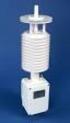 Integrating Digiquartz MET3 and MET3A Broadband Meteorological Systems with Leica GX1200 Series GPS Receivers The standard by which other standards are measured Paroscientific, Inc. 4500 148 th Ave. N.E.
Communication Interface for SMA Inverters SMA BLUETOOTH PIGGY-BACK
 Communication Interface for SMA Inverters SMA BLUETOOTH PIGGY-BACK Installation Guide BTPB-IEN112112 98-0014212 Version 1.2 EN SMA Solar Technology AG Table of Contents Table of Contents 1 Notes on this
LUCCI AIRFUSION QUEST II CEILING FAN
 LUCCI AIRFUSION QUEST II CEILING FAN WITH IR REMOTE INSTALLATION OPERATION MAINTENANCE WARRANTY INFORMATION CAUTION READ INSTRUCTIONS CAREFULLY FOR SAFE INSTALLATION AND FAN OPERATION. V1.0 QUEST II IR
Drayton Digistat +2RF/+3RF
 /+3RF Programmable Room Thermostat Wireless Model: RF700/22090 Model: RF701/22092 Power Supply: Battery - Thermostat Mains - Digistat SCR Invensys Controls Europe Customer Service Tel: 0845 130 5522 Customer
AXIS T81B22 DC 30W Midspan
 INSTALLATION GUIDE AXIS T81B22 DC 30W Midspan ENGLISH About this Document This document includes instructions for installing AXIS T81B22 on your network. Previous experience of networking will be beneficial
e-4 AWT07MLED 7 Q TFT LCD MONITOR (LED Backlighted) USER MANUAL
 Thank you for purchasing our product. Please read this User s Manual before using the product. Change without Notice AWT07MLED 7 Q TFT LCD MONITOR (LED Backlighted) USER MANUAL e-4 SAFETY PRECAUTIONS Federal
Operating instructions Diffuse reflection sensor. OJ50xx 701396 / 01 07 / 2004
 Operating instructions Diffuse reflection sensor OJ50xx 7096 / 0 07 / 004 Contents Preliminary note. Symbols used Function and features Installation. Installation of the supplied mounting fixture 4 4 Electrical
User manual DinaSys DTC/DTS and DTC/DTZ
 PiCommIT has developed the DinaSys DTC/DTS and DinaSys DTC/DTZ turntable controller for the Fleischmann / Marklin Turntables in scale H0, H0m, TT, N and Z. One of the most important starting point was
AutoRanging Digital MultiMeter
 Owner's Manual AutoRanging Digital MultiMeter Model No. 82139 CAUTION: Read, understand and follow Safety Rules and Operating Instructions in this manual before using this product. Safety Operation Maintenance
Electronic pressure switch with display Model PSD-30, standard version Model PSD-31, with flush diaphragm
 Electronic pressure measurement Electronic pressure switch with display Model PSD-30, standard version Model PSD-31, with flush diaphragm WIKA data sheet PE 81.67 Applications Machine tools Hydraulics
ramon 2.2 Radon Monitor manual
 ramon 2.2 Radon Monitor manual I.) GENERAL... Your ramon 2.2 Radon Monitor comes with a power supply unit and the instruction manual. Before using your Radon Monitor, please carefully read this instruction
R&S ZVA-Z75, -Z110, -Z140, -Z170, -Z220, -Z325, -Z500 Converters Quick Start Guide
 R&S ZVA-Z75, -Z110, -Z140, -Z170, -Z220, -Z325, -Z500 Converters Quick Start Guide (=7ÔWÌ) 1307.7039.62 06 Test & Measurement Quick Start Guide This Quick Start Guide describes the following converter
alpha DSL WTM EG Instructions for use ADSL-Modem alpha DSL WTM EG
 alpha DSL WTM EG Instructions for use ADSL-Modem alpha DSL WTM EG Safety precautions Safety precautions The DSL modem alpha DSL WTM EG complies with the European norm EN60950 safety of information technology
1 Safety instructions. 2 Device components. 3 Function. Leader in Led solutions. Compact presence detector. Operating instructions
 Compact presence detector Operating instructions 1 Safety instructions Electrical equipment may only be installed and fitted by electrically skilled persons. Failure to observe the instructions may cause
Operating instructions Optical distance sensor O1D100 O1D103 704991 / 00 08 / 2012
 Operating instructions Optical distance sensor UK O1D100 O1D103 704991 / 00 08 / 2012 Contents 1 Preliminary note4 1.1 Symbols used 4 1.2 Warning signs used 4 2 Safety instructions 4 3 Functions and features
Original instructions Tina 3A/Aps Adaptor unit
 Original instructions Tina 3A/Aps Adaptor unit ABB Jokab Safety Varlabergsvägen 11, SE-434 39 Kungsbacka, Sweden www.abb.com/jokabsafety Read and understand this document Please read and understand this
Automation and Systems Technology. LABCONTROL TFM/TPM User Manual TroxMConnect Operating Software. 1. Introduction 1. 2. Software Installation 2
 1. Introduction 1 2. Software Installation 2 2.1 System Requirements 2 2.2 TroxMConnect Installation 2 2.3 Connection to the PC 3 3. TroxMConnect Description 4 3.1 Starting the Software 4 3.2 Layout 4
Bullet Camera. Installation Guide. Hangzhou Hikvision Digital Technology Co., Ltd. http://www.hikvision.com
 Bullet Camera Installation Guide Hangzhou Hikvision Digital Technology Co., Ltd. http://www.hikvision.com 1 Thank you for purchasing our product. If there are any questions, or requests, please do not
12 Volt 30 Amp Digital Solar Charge Controller Installation & Operation Manual
 12 Volt 30 Amp Digital Solar Charge Controller Installation & Operation Manual This 30Amp charge controller is designed to protect your 12Volt Lead-acid or Gel-cell battery from being overcharge by solar
ZC-24DO CANopen I/O Module: 24 Digital Outputs
 Z-PC Line EN ZC-24DO CANopen I/O Module: 24 Digital Outputs Installation Manual Contents: - General Specifications - Technical Specifications - Installation Rules - Electrical connections - DIP-switches
6720616592.00-1.SD. Flat roof. Rack Mounting. Installation instructions 6 720 647 036 (2010/11) AU
 6720616592.00-1.SD Flat roof Rack Mounting AU Installation instructions 2 Contents AU Contents 1 Key to symbols and safety instructions....... 3 1.1 Explanation of symbols................ 3 1.2 Safety
ANI-9005. Instruction Manual DIGITAL INDOOR/OUTDOOR TV ANTENNA OMNI-DIRECTIONAL WITH AMPLIFIER INTRODUCTION:
 INTRODUCTION: This is a specially designed new concept antenna for digital indoor, outdoor analogue, and terrestrial HDTV broadcasting reception. It is the best solution for home reception and digital
Temperature & Humidity SMS Alert Controller
 Temperature & Humidity Alert Controller METERS 3 simple steps starting the unit: Insert the SIM card Plug in the sensors connectors Connect the AC power cord. Specifications: AC 90~260V Auto Select Internal
232982 KLQ750CO controller temp/intensity/feedback/24v/usb/rs622/analog trigger
 RANGE OF PRODUCTS 233393 KLQ750LQ-N LED lightsource Ø4.25/3000K 233394 KLQ750LQ-N LED lightsource Ø4.25/7000K 233154 KLQ750LQ-N LED lightsource Ø4.25/8500K 233258 KLQ750LQ-F LED lightsource Ø4.25/8500K/feedback
Operating instructions Diffuse reflection sensor with background suppression O1D101 O1D104 706114 / 00 01 / 2012
 Operating instructions Diffuse reflection sensor with background suppression O1D101 O1D104 706114 / 00 01 / 2012 Contents 1 Preliminary note 3 1.1 Symbols used 3 1.2 Warning signs used 3 2 Safety instructions
EZmoto V2. Product description Rev. 6 10/01/2014. EZmoto V2 Product description Rev.6 10/01/2014
 EZmoto V2 Product description Rev. 6 10/01/2014 1 Contents 1. Overview... 3 2. Hardware Interface Description... 3 2.1 Main features of the EZmoto... 3 2.2 Hardware block diagram... 4 2.3 Internal Hardware
Technical Manual. FAN COIL CONTROLLER COOLING or HEATING ANALOG or PWM Art. 119914 631001A
 COOLING or HEATING ANALOG or PWM Art. 119914 631001A TOTAL AUTOMATION GENERAL TRADING CO. LLC SUITE NO.506, LE SOLARIUM OFFICE TOWER, SILICON OASIS, DUBAI. UAE. Tel. +971 4 392 6860, Fax. +971 4 392 6850
SolarEdge. RS485 Expansion Kit Installation Guide. Version 1.0
 SolarEdge RS485 Expansion Kit Installation Guide Version 1.0 Disclaimers Disclaimers Important Notice Copyright SolarEdge Inc. All rights reserved. No part of this document may be reproduced, stored in
PHOENIX CONTACT - 2012-12-14. Features
 Electronic monitoring relay for phase sequence, phase failure, and asymmetry monitoring Data sheet 101748_en_03 1 Description PHOEIX COTACT - 2012-12-14 Features Increasingly higher demands are being placed
IDEAL INDUSTRIES, INC. TECHNICAL MANUAL MODELS: 61-763 61-765
 IDEAL INDUSTRIES, INC. TECHNICAL MANUAL MODELS: 61-763 61-765 The Service Information provides the following information: Precautions and safety information Specifications Performance test procedure Calibration
INSTALLATION MANUAL XM3 Reader
 INSTALLATION MANUAL XM3 Reader Conditions Transactions, deliveries et cetera will be according to the general terms of delivery as deposited at the Chamber of Commerce at Meppel, The Netherlands. Registration
Addendum to the Operating Instructions
 Drive Technology \ Drive Automation \ System Integration \ Services Addendum to the Operating Instructions MOVIMOT with AS-Interface and AC Motor DT/DV Unit Replacement MOVIMOT MM..C -> MM..D with MLK3A
Digital input modules
 8 172 TX-I/O Digital input modules TXM1.8D TXM1.16D Two fully compatible versions: TXM1.8D: 8 inputs, each with a three-color LED (green, yellow or red) TXM1.16D: As TXM1.8X, but 16 inputs, each with a