
Lawrence Township Cable and Telecommunication Advisory Committee FAQs
|
|
|
- Shanna Singleton
- 9 years ago
- Views:
Transcription
1 Lawrence Township Cable and Telecommunication Advisory Committee FAQs General Questions Q: What companies provide cable TV, phone or Internet service in Lawrence Township? A: Comcast and Verizon have the franchises to broadcast cable TV signals in Lawrence Township. They both also offer phone and Internet service. Q: When will Verizon complete its FiOS installation in Lawrence Township? A: Verizon has a franchise requirement to build out the 60 most densely populated NJ municipalities plus 10 additional county seats, all of which must be completed within a certain time frame. At this time Verizon is focused on completing this franchise mandate and cannot predict when or where they will provide FiOS beyond this time frame. Q: If I have questions or problems with my cable service, who should I contact? A: If you are a Comcast customer, you can find answers to your questions: If you are a Verizon customer, you can get help at: Typical questions covered on the website include: I'm having issues with my set-top box, what can I do? I have a TV picture issue, how can I fix it? Where can I find information on my remote control? How can I view my TV schedule online? What TV programming options are available? You can also find information on special offers and packages on these websites. Q: If I am a Comcast or Verizon customer, do I need a digital converter box to receive television programs? A: In 2009, cable broadcasters changed the way they transmit TV signals through their networks. Comcast has migrated its cable channels to all-digital delivery that will require a digital cable box. Many Comcast customers already have digital service, and there are inexpensive options for customers that want to enjoy the benefits of digital cable without having to change their level of service. Customers can visit Comcast s office at 940 Prospect Street in Trenton to pick up a Page 1 of 9

2 digital box or call COMCAST to have a self installation kit mailed to their homes. Pricing information is available in person or by phone for customers to decide the best fit for their viewing needs. For FiOS TV subscribers, any TV connected to FiOS is already on their digital network. If you have TV sets that use an antenna to receive over-the-air broadcasts and are not connected to FiOS, then the digital transition will affect your ability to get a signal only if your TV set does not have a digital tuner. Q: Do I have to have my TV, phone and Internet service all from the same provider or can I split my service between providers? A: No, you do not need to have your TV, phone and Internet service all with the same provider. You can subscribe to separate companies for your cable TV, phone or Internet service, but both Comcast and Verizon offer discounts for bundling services. So it s best to shop around for the best deal. Q: Why does Cable TV cost so much? A: As Service Providers have added additional services like High-Definition TV, high-speed Internet, and DVR (Digital Video Recorder), the costs to provide these services have increased steadily. In addition, as costs increase for programming, including sports content like ESPN or movies channels like HBO, the costs to operate a cable service has increased. These costs are often passed onto consumers. Q: What are Universal Service Fees? A: Because telephones provide a vital link to emergency services, to government services and to surrounding communities, it has been our government s policy to promote telephone service to all households since this service began in the 1930s. The Universal Service Fee (USF) helps to make phone service affordable and available to all Americans, including consumers with low incomes, those living in areas where the costs of providing telephone service is high, schools and libraries and rural health care providers. Congress has mandated that all telephone companies providing interstate service must contribute to the USF. Although not required to do so by the government, many carriers choose to pass their contribution costs on to their customers in the form of a line item, often called the Federal Universal Service Fee or Universal Connectivity Fee. Q: Can I watch TV shows on my PC or laptop? A: Both Comcast and Verizon provide access to their TV programming through their Internet service. Go to Comcast.com or Verizon.com for more details. Q: Does Lawrence Township offer public Internet access? A: No, at this time Lawrence Township does not provide public Internet access. Page 2 of 9

3 Digital Cable TV and High Definition Service Q: I have a High-Definition (HD) TV and want to view High Definition TV channels. What do I need to do to receive HD television programs from Comcast or Verizon? A: Both Comcast and Verizon offer high-definition channels. Customers must own a highdefinition television set and rent a high-definition (HD) converter box to receive channels in highdefinition format. Contact Comcast s service center or go online at for more details about Comcast HD service. Customers receiving FiOS TV service need to have a HD DVR, HD set-top box or Cablecard on each HD-compatible television so that they can enjoy the HD programming offered over FiOS TV. Contacting Verizon directly will provide more information about the equipment that best suits your specific needs. On Comcast, HD channels are found between channel 800 and 899. Verizon HD channels can be found on channels 500 to 700. Q: What is the difference between interlaced and progressive displays? A: Conventional television in the United States has used a format called interlaced display. With interlaced displays, the full picture is displayed 30 times per second but it is divided into odd and even lines. In the first 60 th of a second, the odd numbered lines (i.e., 1, 3, 5, 7, etc.) are displayed and in the next 60 th of a second the even numbered lines are displayed (2, 4, 6, 8, etc.). It therefore takes two cycles for all lines to be shown, or one 30 th of a second. With progressive displays, all lines are shown in order. If the refresh rate is still one 60 th of a second, the full picture is shown twice in the same time that an interlaced display would have shown it once. *************************************************************************************************************** A Primer on HDTV Refresh Rates: Is the Bigger Number Always Better? (Published July 11, 2011 by Alfred Poor, dealnews.com contributor) There's a lot of confusion about refresh rates on flat-panel HDTVs, and it's easy to see why some people just assume that a bigger number is better. But like with most complex issues, it s not that simple and wise shoppers can benefit from a bit of clarity before spending top dollar based on misunderstood specifications. Refresh Rates from the Beginning The refresh rate refers to how many times the image on the screen gets painted or "refreshed" in each second. In general, the source signal provides 30 images or frames of new information each second. This is typically reported as a 30Hz signal, where Hz is the abbreviation for Hertz, which is a measure of cycles per second. In order to see the image from this source, you would need a display that can be refreshed at least 30 times a second, or 30Hz which is what old CRT picture tube televisions provided. 30Hz is a key value because it's about the speed required for the human vision system to perceive sequential images as smooth animation. (Actually, movies use 24 frames per second, or 24Hz.) Page 3 of 9

4 The Big Blur If your display could respond instantly, then 30Hz might be sufficient. Depending on the display technology you use, however, there will be varying degrees of delay. If the display is slow in responding, fast-moving images that are in sharp focus in the source images can appear blurred on the screen. (Keep in mind that sometimes objects in the source image have motion blur already, and there is nothing any display can do to make them sharp.) The two main types of display technology used today in flat-panel HDTVs are plasma and LCD. (It doesn't matter whether the LCD models use fluorescent or LED backlights, at least as far as this discussion of refresh rates is concerned.) For plasma, motion blur is not an issue. The individual plasma cells typically can fire at 600 times per second. As it turns out, they have to be able to fire this quickly because plasma cells can only be on or off; they don't have the ability to show levels of gray. They replicate other shades of color by varying the amount of time a cell is on and off while a single frame is displayed on the screen. Note that it's not showing 600 different images per second; it's still just showing the source signal's 30 frames. The technology that has a problem with motion blur is LCD. Plasma creates its image simply by making microscopic lightning flashes. LCD creates its image by transmitting or blocking the light from the backlight. It can partially block the light to create different shades of colors. This trick is accomplished by the liquid crystal material, which is made up of tiny cigar-shaped molecules. These molecules line up in different ways when you apply an electrical current. When you switch a sub-pixel in an LCD panel from off to on or back again, you actually have to move these molecules around, and that takes time. LCD Monitors Make Do with 60Hz In general, 60Hz works well for LCD computer displays. It's fast enough to eliminate flicker, and by repeating each frame from an external 30Hz signal source like a DVD player, you get 60 fps. There's some motion blur, but it's not a problem for most of the tasks you would perform with a relatively small computer screen. When you make that screen much larger, however, the motion blur can become more noticeable. And if you re a tennis or ice hockey fan, the ball or the puck can be so blurred that it s difficult to follow the action. Bigger Screens Require Swifter Kicks LCD engineers discovered that by hitting the LCD material with refresh charge more frequently can help move the molecules faster, thus reducing motion blur. Doubling the standard 60Hz rate turned out to be a convenient target because it's four times faster than the standard 30Hz signal source rate, and also five times faster than the 24 fps film rate. The result is a noticeable reduction in motion blur. The effect is easier to see when you have a 60Hz and a 120Hz HDTV side by side, showing the same content. However, most people can learn to see the difference fairly easily. One problem with this approach is that you're already doubling the frames when you show a 30Hz source on a 60Hz display. Rather than show the same image four times in a row for 120Hz, Page 4 of 9

5 the television engineers came up with a way to invent the "missing" frames when changing from one image to another. This is called "interpolation" and requires significant signal processing. The controller has to identify what objects and parts of the image are moving from one frame to the next, and then calculate what it would look like if a picture was taken in the split second between those two frames. These extra frames can result in a smoother image, though they also can introduce visible artifacts in some content. Fortunately, you can turn off the interpolation on many HDTVs and still retain the 120Hz refresh rate. Faster Must Be Better? If 120Hz was good, then 240Hz should be better. Engineers came up with two ways to get to this level. One way creates three intermediate frames instead of just one. This way can result in very smooth motion, but can also lead to visible artifacts. Creating all those intermediate frames takes a lot of processing power and sophisticated software, and engineers found a way to cut corners to make it simpler. Instead of showing 240 images per second, instead they just show the same 120 images that you'd get with a 120Hz set. Then they make the backlight flash twice for each image. This strobe effect helps "freeze" the motion of the liquid crystal molecules, and reduce the image blurring. This is not a true 240Hz display, however, because it's not showing 240 different images per second. What is Fast Enough? As it turns out, the gains from a 240Hz design are modest compared to the improvement shown between 120Hz and the standard 60Hz. If you put a 240Hz set next to a 120Hz set, some people will be able to see the difference, but few people will be able to look at a set by itself and tell you whether it's a 120Hz or 240Hz model. In general, you'll pay a premium for a 240Hz but you won't see much difference, if any. And 60Hz refresh rate is only found on the lowest-priced entry-level models, so they're not likely to have other upgraded features you may want. It is difficult to isolate how much extra you're paying for the 240Hz refresh rate since these TVs may also feature higher-end specifications. The Bottom Line If you are shopping for a plasma HDTV, ignore the refresh rate completely because motion blur is not an issue with that technology. If you're looking at LCD models, then a 120Hz refresh rate is going to make a noticeable difference in reducing motion blur. And unless you're very sensitive, you won't see much difference between 120Hz and 240Hz models, so don't spend extra for the fastest rate if the other features don't make the additional cost worth it. ***************************************************************************************** Q: Are there any guidelines for the selection of a 16:9 HDTV screen size by viewing distance so as to get the maximum benefit of the screen s resolution? Will I notice a difference between an interlaced display vs. a progressively scanned display? A: Guidelines take into account the limitations of the human visual system s ability to resolve detail from a distance. So, for example, for a 50" 720-line display you have to be closer to the screen than about 10 feet for the display to become the limiting factor and for a 50" 1080-line display you can sit as close as about 6 1/2 feet before the display s resolution becomes a limiting Page 5 of 9

6 factor. An alternative way to look at it is in terms of the display size for a given viewing distance. At 12 feet a 720-line display has to be about 60" diagonal to match the capability of the eye and a 1080-line display has to have a 90" diagonal. The chart below (Source: FirstGlimpseMag.com; June 2007) is a general guideline for selecting a 16:9 HDTV screen size based on viewing distance. Source: FirstGlimpseMag.com; June 2007 In general, progressive displays will make better pictures than interlaced displays especially when there is fast motion in the scenes, e.g., sports like basketball, and fewer artifacts, e.g., flickering and/or serrated edges on sideline and yard-line markers in football or foul-lines in baseball, especially with motion due to camera panning and zooming. However, the source of the signal (i.e., how it was captured by the camera) and the format that was used to transmit it play a very important role. There are three issues to consider: 1) the frame rate; 2) whether the scanning is progressive or interlaced; and 3) the number of horizontal scan lines. There are three frame rates used for image capture: 24 frames per second (fps); 30 fps; and 60 fps. The 24 fps and 60 fps capture rates employ progressive scanning. The 30 fps frame rate generally employs interlaced scanning capturing 60 fields per second each having half of the total number of scan lines. There are two frame rates used for transmission: 30 fps (generally using interlace, i.e., 60 fields per second) and 60 fps (always using progressive). The choice of transmission format is independent of the capture format. Regardless of how the image was captured, it can be converted to the chosen transmission format. In general, the television can do no better than the input provided to it. Almost all current HDTV consumer displays are progressively scanned at resolutions of either 720 or 1080 horizontal lines. For over-the-air, or cable programs, however, the improvement may not be significant unless the image is captured with a progressively scanned camera and transmitted using the ATSC 720p format. Also, the improvement may be less evident for older liquid crystal based displays, including Liquid Crystal on Silicon (LCOS) rear-projection HDTV sets, because of their slower response time. The latest generation of LCD displays, however, has faster pixel response times and display refresh rates of 120Hz, or faster. Page 6 of 9

7 Currently ABC, ESPN and Fox capture live programming in 720p and transmit all programming in 720p. NBC, CBS and PBS capture and transmit in 1080i. For all of the networks, much of the pre-recorded programming (prime-time series) is captured either on 35 mm film or with 1080p cameras running at 24 frames/second. These programs are converted to either 720p or 1080i (depending on the network) for transmission. All digital television signals are compressed for transmission. The compression process inherently introduces degradation of image quality. The amount of degradation depends on many factors including how the image was captured, e.g., progressively or interlaced, the specific content of the image, e.g., talking heads or fast motion as in sports, the fraction of the broadcast channel allocated to the program, i.e., how many programs are being squeezed into a single channel, the sophistication of the algorithms used by the compression system, etc. In general, images captured with progressive scan are easier to compress and suffer less degradation, especially when there is fast motion in the scene. Material originated on film or scripted for television, e.g., most prime time drama and comedy shows are easier to compress than live sports or news programs. Talking heads are about the easiest of all material to compress. In the case of over-the-air broadcast the degree of degradation from compression varies from broadcaster to broadcaster for two primary reasons: 1) progressive vs. interlaced source material and 2) the number of different programs being transmitted in a single channel. Digital Phone Service Q: If my Verizon FiOS subscription includes digital telephone service, what will happen to the telephone copper wiring? Will I be able to go back to it if I change my mind about FiOS in the future? A: Verizon: In situations where a customer requests to go back to the copper network, this can usually be done unless there are special circumstances present. Q: If I subscribe to Verizon s FiOS for television and/or internet service, will I be able to keep my existing copper telephone service? A: Verizon s FiOS network is a state-of-the-art fiber optic network that is less susceptible to inclement weather and easier to maintain than copper. And, you are able to receive the same service that you had received over the copper network. While almost none of the FiOS customers choose to stay on the copper network, if you really want to keep your existing copper telephone service, it is usually possible unless there are special circumstances present. Q: If I have multiple telephone lines coming in to my residence (e.g. voice line, and a FAX line), can I maintain the non-fios line as a copper line? A: In virtually every instance, FiOS customers receive all their services, including additional lines, over the FiOS network. For customers that have unique circumstances and need to maintain a copper line, it is usually possible unless special circumstances are present. Q: The digital telephone interface box for Verizon FiOS or Comcast cable has a backup battery in case of a power failure. When the batteries are new and in good condition, for how many hours will they provide backup power for my telephone service? For how many hours will they backup my phone service, say after 3 or 4 years? Page 7 of 9

8 A: Comcast: The lithium batteries in Comcast s emtas (voice capable cable modems) will provide up to 8 hours of back up power, depending on talk time. They are designed by the manufacturers to last up to 5 to 7 years, but the exact time frame really depends on a battery s individual use. It is important to note that cordless phone bases that do not have their own backup battery will not work during an interruption of electrical power to the home. A: Verizon: The battery backup unit provides backup power for FiOS voice service for up to eight hours in the event that Verizon s Optical Network Terminal power supply is accidentally unplugged or during a commercial power failure. As with all batteries, numerous conditions can impact the battery life. Verizon also provides a one year warranty on the battery and the battery life typically exceeds the warranty. Verizon provides extensive instructions in our FiOS home welcome kits that help the customer understand warning alerts when the battery backup units are low so that the customer has advance notice when batteries need to be replaced. These batteries can be purchased at most major electronics outlets and home improvement stores. Note: For both Comcast and Verizon, the internal backup battery only provides power to the digital telephone service to which the customer may have subscribed. It does not provide backup power to the Internet modem that may be located in your home. Backup power for Internet modem (and your PC) can be provided by plugging them into a UPS (Uninterruptable Power Supply) which has to be separately purchased by the home owner. Q: How can I tell that the backup battery inside my digital telephone interface box has deteriorated to the point where it cannot provide adequate service of at least one hour during a power failure or other emergency? Who is responsible for replacing the battery? A: Comcast: Comcast proactively and routinely checks the health of the batteries that are supplied to their customers, and will continue to monitor on an ongoing basis. Customers can also check the health of their battery by looking at the battery indicator on the front of their emta (voice capable cable modem). Light On = Good battery Light Flashing = Low battery Light Off = Bad or Missing battery If Comcast identifies that a customer s battery is missing, is not responding properly to our network monitoring tests or is defective, they will contact the customer to ask them to check their battery s condition. If these customers request a new battery Comcast will provide a new battery by mail with easy to use instructions on how to replace it. A: Verizon: The battery backup unit has audible and visual indicators that alert customers of problems with the backup unit, including when it has only limited charge remaining. The audible and visual indicators vary by backup unit type and are explained in your FiOS welcome kit or on-line at verizon.net/fiosequipment. It is very important for customers to familiarize themselves with the indicator lights and audible alarms. The customer is responsible for periodically replacing the battery. Source: Verizon and Comcast Customer Support Page 8 of 9

9 Page 9 of 9

The Evolution of Video Conferencing: UltimateHD
 The Evolution of Video Conferencing: UltimateHD Abstract: This white paper discusses high-definition (HD) and how it relates to the video conferencing industry today. HD video conferencing standards, requirements,
HIGH-DEFINITION: THE EVOLUTION OF VIDEO CONFERENCING
 HIGH-DEFINITION: THE EVOLUTION OF VIDEO CONFERENCING Technology Brief Polycom, Inc. 4750 Willow Road Pleasanton, CA 94588 1.800.POLYCOM This white paper defines high-definition (HD) and how it relates
Welcome to life on. Get started with this easy Self-Installation Guide.
 Welcome to life on Get started with this easy Self-Installation Guide. Welcome to a network that s light years ahead. Welcome to life on FiOS. Congratulations on choosing Verizon FiOS! You re just a few
Cut The TV Cable. Paul Glattstein
 Cut The TV Cable by Paul Glattstein Cut The TV Cable by Paul Glattstein Television is a medium because it is neither rare nor well done. Ernie Kovacs Overview Disconnect from Cable or Satellite TV What's
HOW TO GET A GREAT TV DEAL 6 WAYS TO EXTEND YOUR WIFI
 PackagesCompared www.packagescompared.net FREE INDEPENDENT ADVICE SPRING EDITION PackagesCompared HOW TO GET A GREAT TV DEAL 6 WAYS TO EXTEND YOUR WIFI WHERE WOULD WE BE WITHOUT TELEVISION? WHERE WOULD
THE SMARTEST ANIMAL IN THE ENTERTAINMENT KINGDOM.
 LET S JUMP RIGHT IN THE SMARTEST ANIMAL IN THE ENTERTAINMENT KINGDOM. TRAINED TO GIVE YOU THE BEST IN WHOLE-HOME ENTERTAINMENT. Welcome to the Hopper, a Whole-Home HD DVR from DISH that brings full DVR
WELCOME TO XFINITY MO_USER_SIK_0414.indd 1 2/28/14 10:37 AM
 WELCOME TO XFINITY MO_USER_SIK_0414.indd 1 2 Thank you for Choosing XFINITY TV. XFINITY TV gives you more ways to get more entertainment. With XFINITY On Demand, enjoy the best selection of current TV
Top Homebuyer Trends. The Internet Home computers Functional home office Access to entertainment services Assurance of resale value
 Index Page Top Homebuyer Trends 3 The Internet 4 Home Computers 5 Functional Home Office 6 Access to Entertainment Services 7 Assurance of Resale Value 8 Home Wiring Technology 9 What is Bandwidth? 10
Explorer HDTV Setup Wizard User s Guide
 Explorer HDTV Setup Wizard User s Guide In This Guide Introducing the Setup Wizard... 2 Picture Formats... 3 Setting Up Your HDTV With the Setup Wizard... 7 Easy Setup Instructions... 11 Advanced Setup
It s All Interconnected.
 Excerpt from: It s All Interconnected. http://newnetworks.com/verizonfiostitle2/ Contact: Bruce Kushnick [email protected] Part XIII SPECIAL SECTION: Time Warner and the Social Contract 13.0 The Social
Countdown to FiOS. Crystal-clear. Ultra-fast
 Home TV 1 Get more great HD and faster Internet speeds. FiOS is the ultimate home improvement. > View Pricing Information > View Channel Line up AMAZING Ultra-fast Crystal-clear New or old, HD or standard
Setting up Digital Cable on an S1Digital Media Center
 Digital Cable Setup for Windows Media Center: User s Guide 1 Setting up Digital Cable on an S1Digital Media Center User s Guide Aug 2007 Digital Cable Setup for Windows Media Center: User s Guide 2 The
Getting Broadband. FCC Consumer Facts. What Is Broadband?
 Getting Broadband FCC Consumer Facts What Is Broadband? Broadband or high-speed Internet access allows users to access the Internet and Internetrelated services at significantly higher speeds than those
Digital Cable TV. User Guide
 Digital Cable TV User Guide T a b l e o f C o n T e n T s DVR and Set-Top Box Basics............... 2 Remote Playback Controls................ 4 What s on TV.......................... 6 Using the OK Button..................
VAST TV. Enjoy watching the channels you love.
 VAST TV Vast is committed to providing you with quality advanced broadband services at a great value. Choose from a variety of TV packages and enjoy more entertainment with Vast OnDemand, digital music
Cable TV Quick Start Guide. Enjoy your Midco cable TV experience to the fullest with these helpful tips.
 Cable TV Quick Start Guide Enjoy your Midco cable TV experience to the fullest with these helpful tips. 1 Contents Equipment & Features.......................................................... 4 New Equipment
electrical-deals.co.uk Specialists in Refurbished Electronics for 20 Years
 electrical-deals.co.uk Specialists in Refurbished Electronics for 20 Years Guide to Buying Your TV What you need to know! Screen Types LCD (Liquid Crystal Display) TV s are quickly becoming a thing of
What Is Broadband? How Does Broadband Work?
 What Is Broadband? High-speed Internet access or broadband allows users to access the Internet and Internet-related services at significantly higher speeds than those available through dialup Internet
Bonita Beach Club. Frequently Asked Questions. *** When contacting CenturyLink, always identify yourself as a Bonita Beach Club owner or renter***
 Bonita Beach Club Frequently Asked Questions *** When contacting CenturyLink, always identify yourself as a Bonita Beach Club owner or renter*** 1) What services will CenturyLink provide through my HOA
Troubleshooting Guide
 Poor or Distorted Picture Troubleshooting Guide Poor picture quality compared to what was seen in the store. Picture is distorted. (Macroblock, small block, dots, pixelization.) Wrong or missing color
LINE IN, LINE OUT AUDIO IN, AUDIO OUT FIXED, VARIABLE TO TV, VIDEO IN, VIDEO OUT. 2010 Sony Electronics Inc. All rights reserved.
 Based on the information you provided we are unable to match you with a specific hookup recommendation. For your convenience this document provides the four most common hookup configurations for the devices
Go Cable! And Supercharge Your Internet Connection
 Go Cable! And Supercharge Your Internet Connection Page 1 Go Cable! And Supercharge Your Internet Connection This Ebook Guide Provided To You By: The ebook Directory Go Cable! And Supercharge Your Internet
LINE IN, LINE OUT TO TV, VIDEO IN, VIDEO OUT
 1 Based on the information you provided we are unable to match you with a specific hookup recommendation. For your convenience this document provides the four most common hookup configurations for the
Fi TV Gold Quick Start Guide
 Quick Start Guide Fi TV Gold Quick Start Guide Welcome to Fi TV! We re happy that you chose EPB Fiber Optics to bring the best movies, sports, news and television programming into your home and we will
WELCOME TO XFINITY INT_V_USER_SIK_0413.indd 1 3/15/13 2:46 PM
 WELCOME TO XFINITY INT_V_USER_SIK_0413.indd 1 2 THANK YOU FOR CHOOSING XFINITY. You ll enjoy superfast Internet access and tons of valuable extras, such as Constant Guard (a $360 value), included with
A SCALABLE, COST-EFFECTIVE SOLUTION ENABLING BETTER COMMUNICATIONS
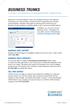 BUSINESS TRUNKS A SCALABLE, COST-EFFECTIVE SOLUTION ENABLING BETTER COMMUNICATIONS Welcome to Comcast Business Trunks. We are pleased that you have selected Comcast as your voice provider, and look forward
THIS IS GOING TO BE EXCITING. AND EASY.
 FiOS TV USER GUIDE 2015 WELCOME TO FiOS TV. NOW YOU CAN Record More Shows. Watch In More Places. Store More Recordings. THIS IS GOING TO BE EXCITING. AND EASY. 1 ALL YOU NEED TO KNOW ABOUT FiOS TV Your
Cutting the Cable (or Dish) with Antenna TV
 Cutting the Cable (or Dish) with Antenna TV By Tom McMorris (mcmorrisphoto.com) In today s world it seems that the cost of everything keeps climbing and climbing including the price of cable or satellite
WELCOME TO XFINITY TV
 WELCOME TO XFINITY TV MORE WAYS TO GET MORE ENTERTAINMENT XFINITY TV offers more ways to get more entertainment so you can enjoy shows and movies instantly on any screen. Catch up on the latest episodes
Your XFINITY. Get started with your new XFINITY services.
 Your XFINITY User Guide Get started with your new XFINITY services. The Voice available at xfinity.com/tv The Blacklist available at xfinity.com/tv A Better Entertainment Experience Starts Now Welcome
Pitfalls of 3DTV. Series Introduction: Market Drivers and Tech Challenges. Sean McCarthy, Ph.D., Fellow of the Technical Staff
 Managing Ultra High Cable Definition TV Migration TV (UHDTV): to IP Avoiding Part 1 the Pitfalls of 3DTV Series Introduction: Market Drivers and Tech Challenges Sean McCarthy, Ph.D., Fellow of the Technical
Introduction to City of Seattle Business Survey
 Introduction to City of Seattle Business Survey The City of Seattle is sending you this survey as part of our research into how businesses use Internet services. We at the City understand that, as a business
Table Of COnTenT. 1 Advanced Cable Communications. Contact Us...2. Welcome...3. Calling Features...4-11. Frequently Asked Questions...
 Table Of COnTenT Contact Us...2 Welcome...3 Calling Features...4-11 Frequently Asked Questions...12-17 Other Services...18 1 Advanced Cable Communications CONTACT US EMAIL US: [email protected] TelePHOne
Graphical displays are generally of two types: vector displays and raster displays. Vector displays
 Display technology Graphical displays are generally of two types: vector displays and raster displays. Vector displays Vector displays generally display lines, specified by their endpoints. Vector display
High Speed and Voice over I.P September 1, 2005
 If your property is setup with high-speed Internet access, you can incur big savings on your outgoing calls by using Voice over I.P. services to replace your local telephone and/or long distance service.
SET-TOP USER GUIDE SET-TOP USER GUIDE
 SET-TOP USER GUIDE SET-TOP USER GUIDE If you have more questions about your service, go to ArmstrongOneWire.com or call Customer Support at 1.877.277.5711. Table of contents WELCOME TO ARMSTRONG TELEVISION
VAST TV. Enjoy watching the channels you love.
 VAST TV Vast is committed to providing you with quality advanced broadband services at a great value. Choose from a variety of TV packages and enjoy more entertainment with Vast OnDemand, digital music
PDP TV. quick start guide. imagine the possibilities
 PDP TV quick start guide imagine the possibilities Thank you for purchasing a Samsung product. To receive a more complete service, please register your product at www.samsung.com/global/register 02134A_CMS.indd
Contrast ratio what does it really mean? Introduction...1 High contrast vs. low contrast...2 Dynamic contrast ratio...4 Conclusion...
 Contrast ratio what does it really mean? Introduction...1 High contrast vs. low contrast...2 Dynamic contrast ratio...4 Conclusion...5 Introduction Contrast, along with brightness, size, and "resolution"
AT&T Billing Glossary
 # A B C D E F G H I J K L M N O P Q R S T U V W X Y Z # 411 An information/directory Assistance service provided by operators who assist customers in obtaining the telephone number(s) they wish to call.
2005 by Mediacom Communications Corporation. All Rights Reserved. Mediacom Communications assumes no liability nor responsibility for the use of any
 2005 by Mediacom Communications Corporation. All Rights Reserved. Mediacom Communications assumes no liability nor responsibility for the use of any content, materials, or techniques included in this guide.
QUALITY SUPER 8 MOVIE CAMERAS
 QUALITY SUPER 8 MOVIE CAMERAS CHINON'S NEW SLIM LINE SOUND SUPER 8 CAMERAS WITH BIG PLUS FEATURES CHINON 30RXL - A SERIOUS SUPER 8 SOUND CAMERA FOR PEOPLE WHO ARE SERIOUS ABOUT THEIR MOVIES. You won't
How to Connect a Computer to Your TV Set Overview Many people already know that you can connect a computer to a plasma TV, but it is not as well
 How to Connect a Computer to Your TV Set Overview Many people already know that you can connect a computer to a plasma TV, but it is not as well known that you can also hook up a computer to almost any
WHICH HD ENDOSCOPIC CAMERA?
 WHICH HD ENDOSCOPIC CAMERA? Colin Dobbyne ORTV 2 Hillcrest Park, Hoyle Road Calverton, Nottingham NG14 6QJ t. +44 (0)115 965 55 77 f: +44 (0)115 965 55 22 e: [email protected] Welcome Thank you for downloading
TIME WARNER DIGITAL CABLE
 IF IT S WORTH WATCHING IN 3D IT S ON TIME WARNER DIGITAL CABLE 3D TV FAQ & SETUP GUIDE What Equipment do I Need to View Sports in 3D? Equipment I Need Time Warner Digital Cable Set Top Box (Connected Directly
Temporal Sampling and Interpolation
 Temporal Sampling and Interpolation Billy Biggs 30 May 2003 http://scanline.ca/deinterlacing/ Temporal Sampling and Interpolation - 30 May 2003 1 Software tvtime: A realtime video deinterlacer. http://tvtime.sourceforge.net/
Lynx Broadband Installation Manual for Residential Packages with a 20 db Amp Quick Start Guide (first two pages)
 Lynx Broadband Installation Manual for Residential Packages with a 20 db Amp Quick Start Guide (first two pages) 1. Be sure that your kit includes all the parts shown in the Check the Equipment section
White paper. HDTV (High Definition Television) and video surveillance
 White paper HDTV (High Definition Television) and video surveillance Table of contents Introduction 3 1. HDTV impact on video surveillance market 3 2. Development of HDTV 3 3. How HDTV works 4 4. HDTV
1660 Logan Ave. #A, San Diego, CA 92113 Tel: (858) 454-5900 x10804. www.myrateplan.com
 Background Getting the best value from everyday household services (wireless, long distance, Internet access, credit cards, etc.) is, at best, a difficult task. Most consumers do not have the time, expertise
Contents. www.iphotographycourse.com
 Contents Secret #1 - You really need the right equipment... 3 Secret #2 - Know the sport you will be photographing... 5 Secret #3 - Get in the right location... 6 Secret #4 - Know how to use your camera's
Transition from Analog to High Definition Television in Hospitals
 Transition from Analog to High Definition Television in Hospitals Presentation Outline Introduction Why the Transition? What is Digital TV & High Definition? Roadmap Video Content Signal Source Cable Distribution
HControl offers you not One, nor Two, or even Three but Four vital home services with our exclusive Smart Home System.
 We are proud to announce that Mandarin Lakes is one of only a handful of communities in Florida where every home is served by its own fiber optic cable. You are now able to take advantage of the next generation
Video Conferencing Glossary of Terms
 Video Conferencing Glossary of Terms A Algorithm A step-by-step problem-solving procedure. Transmission of compressed video over a communications network requires sophisticated compression algorithms.
Optimizing BrightSign Video Quality
 Optimizing BrightSign Video Quality The BrightSign "compact" models are capable of producing excellent high quality High Definition video output. However, video quality can be reduced if a system isn't
Charter Digital Cable and Charter HD Easy Install Guide
 Charter Digital and Charter HD Easy Install Guide Your guide to installing and setting up your Charter HD and Digital Charter Digital and Charter HD Easy Install Guide -888-GET CHARTER (-888-8-7) charter.com
GVC3200 Video Conferencing System
 GVC3200 Video Conferencing System Prepare below equipment before setup: Display Device (e.g., HDTV), with power adapters GVC3200, with power adapters Ethernet cable for GVC3200 to connect to uplink network
WELCOME TO WOW! Dear Valued Customer,
 for Cable WELCOME TO WOW! Dear Valued Customer, First of all, let me personally say thank you for choosing WOW! We believe in providing bundle choices that meet your needs at a price that won t break the
Important HP Media Center PC Updates
 Important HP Media Center PC Updates Your system uses Microsoft Windows XP Media Center Edition 2005. Before starting the system and using the Media Center setup wizard, please read this updated information
Rate Increase FAQs. Q. I refuse to pay more money for lousy service. If you are experiencing trouble with your service please call us.
 Rate Increase FAQs Q. Why are rates going up? TV networks continue to demand major increases in the costs we pay them to carry their networks. We negotiate to keep costs as low as possible and will continue
LINE IN, LINE OUT AUDIO IN, AUDIO OUT FIXED, VARIABLE TO TV, VIDEO IN, VIDEO OUT. 2010 Sony Electronics Inc. All rights reserved.
 This is a general recommendation based on the information you provided. You can customize the connections to suit your individual preferences and viewing habits. Some hookup recommendations have two cable
Cox High Speed InternetSM Connect to your online world faster than you can imagine. Plus, access a whole host of tools to make your Internet
 Cox High Speed InternetSM Connect to your online world faster than you can imagine. Plus, access a whole host of tools to make your Internet experience friendlier, easier and more cutting edge. 43 Connecting
Comp 410/510. Computer Graphics Spring 2016. Introduction to Graphics Systems
 Comp 410/510 Computer Graphics Spring 2016 Introduction to Graphics Systems Computer Graphics Computer graphics deals with all aspects of creating images with a computer Hardware (PC with graphics card)
If you still have an analog TV (tube TV) you can continue to use it by purchasing a converter box.
 The campus CATV (Cable TV) system is an all-digital system which now includes some highdefinition channels. In order to take full advantage, please be sure to bring a digital TV with QAM tuner for use
J6200 LED TV SPEC SHEET PRODUCT HIGHLIGHTS. Smart TV. Wi-Fi Built In. Motion Rate 120 SIZE CLASS 60" 65" 55" UN65J6200 UN55J6200 UN60J6200 50" 48" 40"
 PRODUCT HIGHLIGHTS Smart TV Wi-Fi Built In Motion Rate 120 SIZE CLASS 65" UN65J6200 60" UN60J6200 55" UN55J6200 50" UN50J6200 48" UN48J6200 40" UN40J6200 With the Samsung Smart LED TV, Smart is only the
InFocus Projector Setup Guide for Digital Cable TV How to connect digital cable TV to an InFocus projector
 InFocus ojector Setup Guide for Digital Cable TV How to connect digital cable TV to an InFocus projector Digital Cable Box Coax Outlet S-232 Table of Contents Good Better - For the quickest setup using
COMP175: Computer Graphics. Lecture 1 Introduction and Display Technologies
 COMP175: Computer Graphics Lecture 1 Introduction and Display Technologies Course mechanics Number: COMP 175-01, Fall 2009 Meetings: TR 1:30-2:45pm Instructor: Sara Su ([email protected]) TA: Matt Menke
Discover Broadband. A quick guide to your Virgin Broadband service
 Discover Broadband A quick guide to your Virgin Broadband service Contents Discover the internet with Virgin Broadband 2 Getting to know your Super Hub 4 Top tips on getting the best 6 wireless connection
A Brief on Visual Acuity and the Impact on Bandwidth Requirements
 Managing The Future Cable of Ultra TV Migration High Definition to IP TV Part (UHDTV) 1 A Brief on Visual Acuity and the Impact on Bandwidth Requirements Series Introduction: Market Drivers and Tech Challenges
VisionFibreMedia. 1 Gb to your property
 VisionFibreMedia 1 Gb to your property About Vision Fibre Media Enjoy ultra-fast fibre broadband, digital TV and Telephony installed, managed and maintained by the experts Vision Fibre Media are the experts
This Document Contains:
 Instructional Documents Video Conference >> PolyCom >> VSX 7000 Extension Computing Technology Unit This Document Contains: A Device Description An Installation Guide Instructions for Use Best Practices
Video Conferencing Display System Sizing and Location
 Video Conferencing Display System Sizing and Location As video conferencing systems become more widely installed, there are often questions about what size monitors and how many are required. While fixed
VoIP Solutions Guide Everything You Need to Know
 VoIP Solutions Guide Everything You Need to Know Simplify, Save, Scale VoIP: The Next Generation Phone Service Ready to Adopt VoIP? 10 Things You Need to Know 1. What are my phone system options? Simplify,
VisionFibreMedia. 1 Gb to your business
 VisionFibreMedia 1 Gb to your business About Vision Fibre Media Enjoy ultra-fast fibre broadband, digital TV and Telephony installed, managed and maintained by the experts Vision Fibre Media are the experts
Totally Wireless Video Security
 Traditional Video Surveillance ($50,000+) vs. Event-Based Videofied Solution ($2,500) Executive Summary: Totally Wireless Video Security has been effective but cost and complexity has limited deployment
Digital Photography Central - Beginners Guide
 Digital Photography Central - Beginners Guide Welcome to the wide world of digital! As you look into buying a digital camera, know that it will take some getting used to, and there is a learning curve
The Digital Television Transition
 Federal Communications Commission The Digital Television Transition Montana State Legislature Energy and Telecommunications Interim Committee July 16, 2008 Roger Goldblatt Policy Outreach Advisor Consumer
Advances in scmos Camera Technology Benefit Bio Research
 Advances in scmos Camera Technology Benefit Bio Research scmos camera technology is gaining in popularity - Why? In recent years, cell biology has emphasized live cell dynamics, mechanisms and electrochemical
Displays. Cathode Ray Tube. Semiconductor Elements. Basic applications. Oscilloscope TV Old monitors. 2009, Associate Professor PhD. T.
 Displays Semiconductor Elements 1 Cathode Ray Tube Basic applications Oscilloscope TV Old monitors 2 1 Idea of Electrostatic Deflection 3 Inside an Electrostatic Deflection Cathode Ray Tube Gun creates
Business User Guide. Western. /business
 Business User Guide Western /business Thank You for choosing Eastlink - One of Canada s 50 Best Managed Companies. Eastlink prides itself on delivering innovative and reliable business solutions to our
What is a DSLR and what is a compact camera? And newer versions of DSLR are now mirrorless
 1 2 What is a DSLR and what is a compact camera? And newer versions of DSLR are now mirrorless 3 The Parts Your camera is made up of many parts, but there are a few in particular that we want to look at
Comcast high speed internet coupons: aarvee investments nigeria limited
 molina health insurance providers encore rialto investments llc ncix us coupons huggies coupons for multiples Iu investments llc car insurance fast food delivery driver javari discount coupons pradaxa
Plasma Display Panel (PDP) vs. Liquid Crystal Display (LCD) Technology: An Overview of Consumer Benefits for Home Theater Applications
 Plasma Display Panel (PDP) vs. Liquid Crystal Display (LCD) Technology: An Overview of Consumer Benefits for Home Theater Applications prepared by Fujitsu General America, Inc. September 2003 Plasma Display
Emerging Markets for H.264 Video Encoding
 Leveraging High Definition and Efficient IP Networking WHITE PAPER Introduction Already dominant in traditional applications such as video conferencing and TV broadcasting, H.264 Advanced Video Coding
JU7500 CURVED UHD TV NOT LISTED SHEET 022415 SPEC SHEET PRODUCT HIGHLIGHTS
 PRODUCT HIGHLIGHTS 4K Ultra High Definition (3840 x 2160) Curved Design with Auto Depth Enhancer Peak Illuminator with Precision Black (Local Dimming) UHD Dimming UHD Upscaling Smart TV with Quad-Core
VIP1200 & VIP1216 Wireless IPTV Receivers
 VIP1200 & VIP1216 Wireless IPTV eceivers THIS IS AN EDITED VESION OF THE OIGINA DOCUMENT CONTENTS Intro duction...1 Your Set-top Boxes...1 Front Panel...2 ear Panel...3 Video Connectio n Opt ions...4 Audio