
AGB-B24P-NUKV INSTRUCTION BOOKLET. Cover illustration by Ken Sugimori
|
|
|
- Florence Shaw
- 10 years ago
- Views:
Transcription
1 AGB-B24P-NUKV INSTRUCTION BOOKLET Cover illustration by Ken Sugimori

2 [0705/HAU/AGB] This seal is your assurance that Nintendo has reviewed this product and that it has met our standards for excellence in workmanship, reliability and entertainment value. Always look for this seal when buying games and accessories to ensure complete compatibility with your Nintendo Product. Thank you for selecting the POKéMON MYSTERY DUNGEON: RED RESCUE TEAM Game Pak for the Nintendo Game Boy Advance System. IMPORTANT: Please carefully read the separate Health and Safety Precautions Booklet included with this product before using your Game Boy Advance, Game Pak, or accessory. The booklet also contains important warranty and hotline information. Please read this instruction booklet thoroughly to ensure maximum enjoyment of your new game. Always save this book for future reference Pokémon Nintendo/Creatures Inc./GAME FREAK inc CHUNSOFT. TM and are trademarks of Nintendo Nintendo.

3 Contents Characters The Story Characters Controls Starting the Game How to Stop Playing Game Flow The Basic Game Screen The Story Adventure Dungeons Items Facilities in the Field Introduction to the Pokémon World Using the Game Boy Advance Game Link cable A lot of Pokémon that you are familiar with will appear in POKéMON MYSTERY DUNGEON: RED RESCUE TEAM. Here is an introduction to the main Pokémon in the game. Hero Pokémon (you) The Pokémon you play will be chosen based on how you answer the questions of the personality test at the beginning. Which Pokémon will you become? Partner Pokémon The Pokémon which becomes your partner Pokémon will be one of the following ten. No matter which one you choose, it will help you in your adventure! This game takes place in a world where there are no humans only Pokémon... You (a human), out of the blue, have come to this world and been turned into a Pokémon your senses and feelings are also becoming more like a Pokémon... Why have you turned into a Pokémon? It is up to you to solve this mystery on your adventure! Seed Pokémon Bulbasaur TYPE: GRASS, POISON Lizard Pokémon Charmander TYPE: FIRE 4 5

4 Tiny Turtle Pokémon Squirtle TYPE: WATER Big Jaw Pokémon Totodile TYPE: WATER Mouse Pokémon Pikachu TYPE: ELECTRIC Wood Gecko Pokémon Treecko TYPE: GRASS Leaf Pokémon Chikorita TYPE: GRASS Chick Pokémon Torchic TYPE: FIRE Fire Mouse Pokémon Cyndaquil TYPE: FIRE Mud Fish Pokémon Mudkip TYPE: WATER 6 7

5 Controls Field Dungeons First off, here is a quick overview of the system and the button layout. You can see how you can control the hero Pokémon by reading this section. Colour LCD Screen A Button B Button Select command Cancel command Run by holding the B Button while using the Control Pad Open the menu Use regular attack Talk to the Pokémon you are facing Open the menu Run by holding the B Button while using the Control Pad START Not used Decide which direction to face while standing still SELECT Sort items on the item window Display map Sort items on the item window Set Moves L Button R Button R Button Select multiple items from storage Hold the R Button then use the Control Pad to move diagonally L Button Select multiple items from storage Not used Control Pad A Button Control Pad Move cursor Move characters Move cursor Move characters B Button L + A Buttons Use set Moves L + R Buttons Throw set items, such as a rock SELECT START L + B Buttons Check message log A + B Buttons Pass your turn without moving Make sure to remember the controls. 8 9

6 Starting the Game Insert the POKéMON MYSTERY DUNGEON: RED RESCUE TEAM Game Pak into the Game Boy Advance and turn the power ON. Select the language of your choice and press the A Button to confirm. When the Title Screen appears, press START. Please remember that once you have chosen a language, you cannot change it. If you want to play in another language, you have to delete your save data and start again. Playing for the First Time Answering the questionnaire When you play for the first time, some questions will be presented to you. Be honest when answering the questions think about how you would really respond. Your answers determine which Pokémon you will be on your adventure. Name Pokémon After the questions, you will be asked to name your partner Pokémon. Enter a name that you think is the best. Once done, choose END. Once you awake in the game, you will be asked to enter your name. Do the same thing you did for your partner. Entering names Control Pad Move cursor R Button Move cursor right Continuing the Game When you play after you save the game, the Main Menu (to the right) will be displayed. Choose a command and select with the A Button. CONTINUE You can resume the game from the spot where you last saved. Your play time and the number of your adventures will also be displayed. DELETE SAVE DATA Your save data will be deleted. Your ADVENTURE LOG will still remain; however, the rest of your data will be cleared and you will have to start from the beginning. ADVENTURE LOG You can check your rescue team s achievements. You can also check the Moves you have learned, and the number of Pokémon that have joined your team. FRIEND RESCUE, TRADE ITEMS and WONDER MAIL Using the Game Boy Advance Game Link cable, or by entering passwords, you can interact with your friends (see page 36). These features expand the adventures possible to you. A Button Select a letter START Move cursor to END B Button Delete a letter SELECT Not used L Button Move cursor left OVR/INS Overwrite a letter or insert one 10 11

7 How to Stop Playing Even if you are on an adventure in a dungeon, you can quicksave your game. Save your adventure whenever you want, and proceed at your own pace! How to Save You can save the game using your bed in your Rescue Team Base. Walk to the bed, and when you are asked if you would like to save, select YES. You can start the game from here next time you play. When you are Defeated on an Adventure If your HP hits 0 in a dungeon, you are defeated and you will be brought back to your base. If you are defeated in a dungeon, you will lose all of your money, and some of your items as well. However, you do not lose any experience points (Exp. Points). As you proceed further in the story, you will be able to ask your friends to come and try to rescue you. When you are asked if you would like to call for a rescue, select YES. You will now be AWAITING RESCUE (see page 36). Saving while on an Adventure Open the menu, select OTHERS, and then QUICKSAVE OR GIVE UP. If you choose QUICKSAVE, you can stop playing the game even if you are in a dungeon. However, once you resume a quicksaved adventure, the quicksave data will be deleted. Choosing GIVE UP will return you to your base in the same way as being defeated during an adventure. Even if you are defeated, try again! Never give up! NOTE! There can only be one adventure save file

8 Game Flow Before you know it, you will form a rescue team with your partner Pokémon and set off on dungeon adventures without delay. Get the Rescue Team Starter Set! When you form your rescue team, a Starter Set will be delivered to your mailbox. In it, you will find a Rescue Team Badge, a Toolbox in which you can keep items you find in dungeons, and a copy of Pokémon News. Set off on an Adventure Take the street opposite your Rescue Team Base and select the dungeon you would like to go to. To complete the job you ve chosen, go to a dungeon that has an envelope mark next to it. A is displayed next to a dungeon that will trigger an event. Clearing dungeons Once you reach a dungeon, complete your rescue job by making your way through the dungeon and defeating any enemy Pokémon. Don t forget to pick up any items you find. Check the Mailbox The mailbox in front of the Rescue Team Base will get new issues of Pokémon News as well as rescue requests. Check the mailbox frequently. Get ready! Battle Get items Rescue Once your preparations are complete, you can set off on an adventure. Before you go to a dungeon, you can go to Pokémon Square and buy and sell items, store and take items, and train your team at the Makuhita Dojo. To Adventures (see page 23) To Friend Areas (see page 30) To Pokémon Square (see page 35) Fight a battle using regular attacks and Pokémon Moves. You can find and pick up various items. Rescue many Pokémon in trouble

9 The Basic Game Screen Here is the description of the Basic Game Screen when you are in the field and when you are in dungeons. Field Description of Commands ITEMS You can trash an item you do not need. You can also check what effect an item has. TRASH Trash items you do not need from your Toolbox. INFO You can check an item s effect. Commands RANK The rescue team s rank. Your rank will start off NORMAL at first, and as you complete more rescues, your rescue rank will increase. Aim for the GOLD RANK! 2 MONEY The amount of money you currently have. In this world, money is called POKé. By saving up POKé, you can buy Items and Friend Areas. Your current location TEAM You can check information on your team members. GIVE Give an item to a team member. TAKE Take an item from a team member. SUMMARY Check Pokémon s STATS, FEATURES and INFO. MOVES Check the Moves the Pokémon can use. CHECK IQ Check the IQ the Pokémon has obtained. JOB LIST This is a list of the rescue jobs you have. When you choose TAKE JOB, it means you are ready for the mission. Rescue jobs will be delivered to your mailbox, or posted on the bulletin board at the Pelipper Post Office. OTHERS You can select the colour of the window. You can also check hints about the controls. GAME OPTIONS Change the window s colour. HINTS Check useful information that will help your adventure

10 Your level Current floor Commands Dungeons 1 HP Team members HP. If it hits 0, they will be defeated. The maximum HP will increase when a Pokémon levels up, or by a specific item. BELLY Be careful, you will faint if you get too hungry. Restore your Belly by eating items such as Apples. MONEY The money you currently have. You can pick up money in dungeons, and you will also be given it as a reward for completing rescue jobs. WEATHER Some Moves and Pokémon get stronger depending on the weather. PLAY You can check your total play time Current HP/Maximum HP/HP bar The dungeon you are in Description of Commands MOVES Moves that can be used are displayed here. There is a limitation on how many times you can use Moves. If you run out of PP for a Move, you can restore it with a Max Elixir. USE Use a chosen Move. SET If a Move is set, you can use it easily by pressing the L and A Buttons together. DESELECT Deselect Moves that you ve set. SWITCH Switch the Moves to be used. LINK Link Moves. DELINK Delink linked Moves. INFO Check what effect the Move has. You can check items you have in your Toolbox. When you select an item, the following commands will be displayed. You can keep up to 20 items in your Toolbox. USE GIVE PLACE THROW SET DESELECT INFO The command to use items. Other commands will be added depending on the situation and on the kind of item (EAT, INGEST, THROW, SWAP). Give an item to a team member. Put an item on the ground. Throw an item. ITEMS If you set an item, you can use it easily by pressing the L and R Buttons together. Deselect an item you ve set. Check what effect an item has

11 TEAM Here you can check various pieces of information about the Pokémon on your team. Develop strategies to help you along in your adventure by checking their SUMMARY and IQ. SUMMARY STATS You can check the Level or Exp. Pts. of the Pokémon in your team. FEATURES You can check the Type or Special Abilities of a Pokémon. STATUS You can check any status changes, such as Poisoned. INFO You can check the basic information of the Pokémon, such as the Friend Area where the Pokémon lives. MOVES The list of Moves you can currently use is displayed here. The content displayed is the same as when you select the MOVES command (see page 19). TALK Talk to a Pokémon of your choice. You can talk to your team members and will get various replies. CHECK IQ Check the list of IQ Skills obtained. By selecting SWITCH, you can put a next to IQs that you want that Pokémon to use. You can also enhance a Pokémon s IQ with Gummis (see page 28). TACTICS You can choose your team members tactics. Since you go into dungeons with a team, the tactics you choose are important. When the leader s level gets higher, the type of tactics you can choose from will increase. GAME OPTIONS Dungeon Set the options here to your liking so that you can easily play the game. SPEED Decide the walk speed. FAR-OFF PALS DAMAGE TURN GRIDS MAP OTHERS You can quicksave the game and change detailed play settings here. Choose LOOK if you want to see the battles of your members when they are far away from you. Choose YES to turn automatically and face the direction in which you are taking damage. Choose ON to display grids around you when changing the direction you face. Choose the way you want the map to be displayed

12 OTHERS Change the window colour. DEFAULT Reset the game option settings to their default. Adventure While in a dungeon on a mission, there are many enemy Pokémon that will attack you. Rescue as many Pokémon in trouble as possible by mastering the ways of battling. QUICKSAVE OR GIVE UP (see page 12 13) QUICKSAVE Quicksave the game while in a dungeon and quit the game. MESSAGE LOG Check recently displayed messages. MISSION OBJECTIVES Check the objectives for all missions in your current dungeon. GIVE UP Give up in a dungeon and return to your base. RECRUITMENT SEARCH Check potential Pokémon recruits on the floor you are on, as well as which Pokémon you ve already recruited from the floor. HINTS Check useful information about playing the game, such as hints on controls, items and so on. Turn-based battles! The battles in dungeons use a turn-based system. When your Pokémon moves one step, all enemies on the floor do the same. When you attack once, the enemies attack once. Each time this happens, it s called a turn. If you don t make any actions, the enemy Pokémon will do nothing as well. Make sure you don t rush yourself, you have time to think the battles through carefully. Take advantage of your Moves in battle You can get more Exp. Points when you defeat an enemy using Moves instead of regular attacks. Once you set a Move, you can use it by simply pressing the L and A Buttons together. GROUND Check the ground you are standing on. If you find an item, you can pick it up or eat it. You can also exchange it with one of yours, or throw it at an enemy

13 Check Pokémon type Pokémon and Moves have their own types. There are matchup advantages and disadvantages. For example, Water type has an advantage against Fire type. Pay attention to type, and use the right Move against the right enemy. Status changes If you are affected by a status change (such as Paralysis, Poison or Burn) by an enemy Pokémon s attack, restore yourself using Seeds or Berries. You can also be restored by moving to the next floor. Utilise items Gravelerocks are very useful in battles. If you throw it at an enemy Pokémon that is far away, it can do significant damage to them before you get close. There are many items you can throw. If you set an item, you can throw it easily by pressing the L and R Buttons (see page 19). Dungeons In dungeons, there is danger awaiting you. Fear not, if you know how to handle yourself in a dungeon, there is nothing to worry about! White dot Yellow dot Red dot Blue dot Blue square How to Check the Dungeon Map Your location Team member s location Enemy Pokémon s location Item location Stairs location Dungeons change every time Every time you enter a dungeon, the layout changes. The way the rooms are connected and the location of the stairs change every time you go into a dungeon even the same one. Watch the weather carefully Dungeons are affected by weather, such as CLEAR, CLOUDY, RAINY, SANDSTORM and SNOW. Depending on a Pokémon s type, some will take damage while some attacks are actually raised by the weather

14 Restoring HP in a dungeon Even though your HP is decreased from enemy attacks, it is restored little by little as you walk around in a dungeon. If you want your HP to recover quicker, press and hold the A and B Buttons at the same time. Since this causes turns to proceed while standing still, your HP will restore very quickly. Be careful, if you do this, your Belly decreases and enemy Pokémon will also gather around you. Items Items are indispensable when you re on a rescue mission. Make sure you understand completely what effect each item has. You can find items in many places Items can be obtained many ways, such as picking them up in a dungeon, buying them at shops, and having them given to you by a client after a successful mission. Since items have varying effects, use them carefully. Check the effect of items Have you found an item that you don t know how to use? If so, check the INFO of the item under the ITEMS command. This way, you can use items efficiently. These are some of the items that you can use in the game: Food Apple Big Apple A food item that somewhat fills the Pokémon s Belly. A food item that amply fills the Pokémon s Belly. Max Elixir Drinks A drink that completely restores the PP of all the Pokémon s Moves. It also slightly fills the Pokémon s Belly

15 Red Gummi Grass Gummi Gold Gummi Green Gummi Yellow Gummi Gravelerock Treats Rock Stun Seed Sleep Seed Blast Seed Reviver Seed Oran Berry Pecha Berry A food item that somewhat fills the Pokémon s Belly and raises the Pokémon s IQ. Fire-type Pokémon like it the best. A food item that somewhat fills the Pokémon s Belly and raises the Pokémon s IQ. Grass-type Pokémon like it the best. A food item that somewhat fills the Pokémon s Belly and raises the Pokémon s IQ. Psychic-type Pokémon like it the best. A food item that somewhat fills the Pokémon s Belly and raises the Pokémon s IQ. Bug-type Pokémon like it the best. A food item that somewhat fills the Pokémon s Belly and raises the Pokémon s IQ. Electric-type Pokémon like it the best. Seeds / Berries A throwing item that inflicts damage on the target Pokémon. A food item that causes the Pokémon to become petrified. It also slightly fills the Pokémon s Belly. A food item that makes the user sleep. It also slightly fills the Pokémon s Belly. A food item that makes the Pokémon breathe highly damaging fire. It also slightly fills the Pokémon s Belly. A hold item that revives the Pokémon if it faints. A food item that restores HP. It also slightly fills the Pokémon s Belly. A food item that heals the Pokémon when poisoned or badly poisoned. It also slightly fills the Pokémon s Belly. Wonder Orbs Slow Orb Lowers the Movement Speed by one level. Petrify Orb Changes the status of foes to Petrified. Totter Orb Changes the status of foes to Confused. Slumber Orb Changes the status of foes to Sleep. Escape Orb Allows the rescue team to escape from a dungeon. Equipment Power Band A hold item that boosts the Pokémon s Attack. Pecha Scarf A hold item that prevents the Pokémon from being poisoned or badly poisoned. TMs (Technical Machines) Attract Teaches the Move Attract. Overheat Teaches the Move Overheat. Protect Teaches the Move Protect

16 Facilities in the Field 1 Rescue Team Base 2 Whiscash Pond Go and visit Pokémon Square before setting off on an adventure in a dungeon. You can find various useful shops where you can get items and prepare. When you go east along the road in front of your base you will reach Pokémon Square where many convenient shops are located. You can sell, buy, or even store items, which is very useful on your adventures. You can also buy Friend Areas, which are needed to increase your friends. Make sure to talk to all the Pokémon in the square! 2 To Friend Areas Kecleon Shop Kecleon Wares Felicity Bank Wigglytuff Club 3 To Dungeons Pelipper Post Office 4 Makuhita Dojo 1 3 Kangaskhan Storage Gulpin Link Shop

17 Rescue Team Base This is your Rescue Team Base. You can save your adventure at the bed in your base. Make sure to save often! Kangaskhan Storage Pokémon in charge: Kangaskhan You can store items here whether they were brought from a dungeon or purchased in a shop. If you are defeated in a dungeon, you lose some of your items. But if you store them here, you ll never lose them. Kecleon Shop / Kecleon Wares Pokémon in charge: Kecleon These shops sell items and TMs, and are run by the Kecleon brothers. The Kecleon on the left deals in items and the Kecleon on the right deals in Wonder Orbs and TMs. You can either buy or sell here. Use the shops wisely to provide you with an advantage on your adventures. Felicity Bank Pokémon in charge: Persian You can deposit or withdraw your money here. If you are defeated in a dungeon, you will lose all of the money you have with you in the dungeon. However, if you deposit your money, you never lose it. Gulpin Link Shop Pokémon in charge: Gulpin You can set, link, or remember Moves here. Setting Moves enables you to use them by simply pressing the L and A Buttons together. If you link Moves, you can use them all together in succession in just one turn. Wigglytuff Club Pokémon in charge: Wigglytuff You will need Friend Areas to increase your friends. In order to make friends with a Pokémon and have it join your team, you must have that Pokémon s Friend Area. You can buy Friend Areas here

18 Makuhita Dojo Pokémon in charge: Makuhita You can raise the level of your team members by training in various types of rooms here. All the rooms have the name of a Pokémon type, such as the Fire Maze or Electric Maze where only Fire-type or Electric-type Pokémon will appear. This will allow you to easily study how types match up in battle. Pelipper Post Office Pokémon in charge: Pelipper You can receive SOS Mails from other players and leave on a friend rescue from here. Also, you can send A-OK Mails or send and receive Thank-You Mails here. Check the bulletin board in front of the Post Office where you can find rescue jobs (see page 36). Introduction to the Pokémon World This is a world in which only Pokémon live. There are so many places to see such as the Thunderwave Cave or Mt. Thunder. The Pokémon World This time around, your adventures will take place in various dungeons located throughout this Pokémon world. In the dungeons, the terrain, enemies and items you find will change every time you enter them even if it s the same dungeon. Take great care when you go on a rescue job, you never know what you ll find! Friend Areas Friend Areas are important places where your Pokémon friends can live. Without Friend Areas, Pokémon cannot become your friends. You can buy Friend Areas at the Wigglytuff Club in Pokémon Square. Pokémon World Map Friend Areas Map 34 35

19 Using the Game Boy Advance Game Link cable The Game Boy Advance Game Link cable enables you to expand your enjoyment even further. The following is an introduction on how to use it. This game is not compatible with other Pokémon versions for the Game Boy or Game Boy Advance. Please also remember that you cannot link up with friends that are playing in another language. The flow of friend rescues 1. Waiting for a friend rescue Select GET HELP under the FRIEND RESCUE command on the Main Menu, then choose SEND SOS MAIL. Next, select GAME LINK CABLE. Connect the cable following the instructions on the screen, then press the A Button to begin communication. If you use passwords, just let the other player know the password displayed on the screen. 2. Going on a friend rescue Select GO RESCUE under the FRIEND RESCUE command on the Main Menu, then choose RECEIVE SOS MAIL. Next, select GAME LINK CABLE and resume the game by selecting CONTINUE on the Main Menu. Once you start the game, go to the Pelipper Post Office and talk to the Pelipper on the left. Select LEAVE FOR RESCUE to go on the friend rescue mission. When you reach the Rescue Spot and select RESCUE, the rescue will be completed. You will then automatically return to the Pelipper Post Office. Talk to the Pelipper on the left and send an A-OK Mail. When you send an A-OK Mail, you can send a Pokémon you ve befriended to your friend as a helper Pokémon. The Pokémon will not disappear from your game if you send it as a helper Pokémon. You can also receive SOS Mails at the Pelipper Post Office. 3. Waiting for a friend rescue When the player who left on a friend rescue mission succeeds, they will send you an A-OK Mail. Once they have done this, select GET HELP under the FRIEND RESCUE command on the Main Menu, then choose RECEIVE A-OK MAIL. Next, select GAME LINK CABLE and choose REVIVE TEAM after you receive the A-OK Mail. Now you can resume the game from the spot where you were defeated in the dungeon. There is also a chance that your friend sent you a helper Pokémon along with the A-OK Mail. If so, you can resume your adventure with the helper Pokémon. Thank-You Mail The player who was revived can send a Thank-You Mail to the player who rescued them. To do this, select GET HELP under the FRIEND RESCUE command on the Main Menu. Then select SEND THANK-YOU MAIL and choose GAME LINK CABLE. You can do the same thing by talking to the Pelipper on the right at the Pelipper Post Office and choosing SEND THANK-YOU MAIL. If you want, you can attach an item to the Thank-You Mail. After selecting the method of sending the mail, choose SEND ITEM, then choose the item you want to attach. If you have no items at Kangaskhan Storage, you cannot send one. Trade Items Using the Game Link cable, you can trade your items in Kangaskhan Storage with other players. Make use of this feature to help you on your adventures

20 Wonder Mail When you receive Wonder Mail, you will get the same rescue job as the friend who sent it. Something good may happen if you clear this rescue mission... [0803/UKV/AGB] Using the Game Boy Advance Game Link cable (Model No.: AGB-005) Here s all of the information you need to link two Game Boy Advance systems. Passwords enable you to do the same! If you aren t able to link up with a friend (for example, if your friend has the Blue Rescue Team version), you can use passwords to send and receive mail for friend rescue missions. Simply choose the PASSWORD command when you are asked how you would like to send or receive mail (see page 10 for how to input passwords). You cannot send helper Pokémon when you use passwords. Necessary Equipment Game Boy Advance systems:...one per player Game Paks:...One per player Game Boy Advance Game Link cables:...one cable Linking Instructions 1. Make sure that the Power Switches on both of the game systems are turned OFF, then insert the Game Paks into the individual Game Pak slots. 2. Connect the Game Boy Advance Game Link cable and plug it into the External Extension Connector (EXT) on each of the game systems. Player 1 will be the player with the smaller end of the cable connected to his or her console. P1 P2 Game Boy Advance and Game Boy Advance Game Link cable Troubleshooting You may be unable to transfer game data or you may experience malfunctions in any of the following situations: When you are using a cable other than the Game Boy Advance Game Link cable. When the Game Boy Advance Game Link cable is not fully inserted into any game system. When the Game Boy Advance Game Link cable is removed during the transfer of data. When the Game Boy Advance Game Link cable is incorrectly connected to any game system. When more than two Game Boy Advance game systems are linked

21
Fish Chomp. Level. Activity Checklist Follow these INSTRUCTIONS one by one. Test Your Project Click on the green flag to TEST your code
 Introduction: We re going to make a game! Guide the large Hungry Fish and try to eat all the prey that are swimming around. Activity Checklist Follow these INSTRUCTIONS one by one Click on the green flag
Seagate Manager. User Guide. For Use With Your FreeAgent TM Drive. Seagate Manager User Guide for Use With Your FreeAgent Drive 1
 Seagate Manager User Guide For Use With Your FreeAgent TM Drive Seagate Manager User Guide for Use With Your FreeAgent Drive 1 Seagate Manager User Guide for Use With Your FreeAgent Drive Revision 1 2008
63720A IN I S N T S R T U R C U T C I T O I N B O O N B O O K O L K E L T E
 63720A INSTRUCTION BOOKLET 2-5 Wireless DS Single-Card Download Play THIS GAME ALLOWS WIRELESS MULTIPLAYER GAMES DOWNLOADED FROM ONE GAME CARD. 2-5 Wireless DS Multi-Card Play THIS GAME ALLOWS WIRELESS
10 steps to better secure your Mac laptop from physical data theft
 10 steps to better secure your Mac laptop from physical data theft Executive summary: This paper describes changes Mac users can make to improve the physical security of their laptops, discussing the context
the GentInG GUIde to slots
 the GentInG GUIde to slots reward yourself every time GenTinG rewards Welcome to the world of slots Slots are a familiar sight in most casinos these days but, as with any casino game, it pays to take a
Getting Started... 1. What s included... 1. Setting up Fitbit One on a computer... 2. Mac & PC Requirements... 2
 User Manual Table of Contents Getting Started... 1 What s included... 1 Setting up Fitbit One on a computer... 2 Mac & PC Requirements... 2 Installing Fitbit Connect on a computer... 2 Installing Fitbit
MetaTrader 4 and MetaEditor
 MetaTrader 4 and MetaEditor User Manual Version 1. 2 2012 Global Futures and Forex, Ltd. All rights reserved. Table of Contents Welcome to the MetaTrader and MetaEditor User Manual... 4 Section 1: Opening
Introduction to Computers
 Introduction to Computers Parts of a computer Monitor CPU 3 Keyboard 3 4 4 Mouse 3 4 Monitor The monitor displays the content and operations of the computer. It is the visual display of what the computer
BUSINESSLINE FEATURES USER GUIDE. Do more with your business phone
 BUSINESSLINE FEATURES USER GUIDE Do more with your business phone WELCOME TO TELSTRA BUSINESSLINE FEATURES Telstra BusinessLine Features are the smart way to manage your calls and stay connected to your
Voice Mail Online User Guide
 Voice Mail Online User Guide Overview Welcome to the online version of SaskTel Voice Mail that is now accessible from any computer with Internet access You can listen to, sort, forward and/or delete your
MetaTrader 4 for Android TM Guide
 MetaTrader 4 for Android TM Guide Android is a trademark of Google, Inc. Logging in Upon downloading and installing MetaTrader 4 for Android TM from Google Play, you will see the Metatrader 4 icon appear
DO MORE WITH YOUR HOME PHONE
 CALL 13 2200 VISIT A TELSTRA STORE telstra.com/homephone HOME FEATURES USER GUIDE DO MORE WITH YOUR HOME PHONE C020 JAN13 XXXXXXXX PHONE FEATURES THAT MAKE LIFE EASIER Our home features make it easy for
Virtual Receptionist Manual
 Virtual Receptionist Manual This manual is meant to be a guide to help you set up your PhoneFusion One Virtual Receptionist phone number, and some tips and shortcuts for some of your favorite features.
MetaTrader 4 for iphone Guide
 MetaTrader 4 for iphone Guide Logging in When you have first downloaded and installed the app from the App Store, you will see the Metatrader 4 icon appear on your screen. Please select this icon by tapping
UNDERSTANDING YOUR ONLINE FOOTPRINTS: HOW TO PROTECT YOUR PERSONAL INFORMATION ON THE INTERNET
 UNDERSTANDING YOUR ONLINE FOOTPRINTS: HOW TO PROTECT YOUR PERSONAL INFORMATION ON THE INTERNET SPEAKING NOTES FOR GRADES 4 TO 6 PRESENTATION SLIDE (1) Title Slide SLIDE (2) Key Points It can be really
Digital Cable TV. User Guide
 Digital Cable TV User Guide T a b l e o f C o n T e n T s DVR and Set-Top Box Basics............... 2 Remote Playback Controls................ 4 What s on TV.......................... 6 Using the OK Button..................
Internet User Guide. For the ZTE H298N routers. LAN4 LAN3 LAN2 LAN1 WAN Phone USB2 USB2 WAN WLAN WLAN WLAN
 Internet User Guide For the ZTE H298N routers LAN4 LAN3 LAN2 LAN1 WAN Phone Reset On/Off Power WLAN USB2 LAN4 LAN3 LAN2 LAN1 WAN Phone Power LAN1 Internet LAN3 LAN2 LAN4 WLAN Phone USB1 WAN Reset USB2
REFERENCE GUIDE. The Basics
 REFERENCE GUIDE This guide serves as a quick reference to gameplay basics in Wasteland 2. If you're just starting Wasteland 2 and want a quick overview to get you going, you're in the right place; if you
Investigator s Handbook
 Investigator s Handbook Contents Introduction 3 About Mythos: The Beginning 3 System Requirements..4 Game Updates 4 Getting Started..5 Character Creation..6 Character Sheet.7 Abilities 8 Exploration 9
Troubleshooting. Your quick guide to solving problems with WorldPay Zinc
 Troubleshooting Your quick guide to solving problems with WorldPay Zinc 1 Introduction We ve designed WorldPay Zinc to be as simple to set up and use as possible. But any technology can throw up the odd
MHC CareMail User Guide
 MHC CareMail User Guide Get Started with MHC CareMail Secure Communications Version 1.7 Table of Contents About MHC CareMail Communications... 4 Getting Started with... 5 Your MHC CareMail Account... 5
Intellect Platform - The Workflow Engine Basic HelpDesk Troubleticket System - A102
 Intellect Platform - The Workflow Engine Basic HelpDesk Troubleticket System - A102 Interneer, Inc. Updated on 2/22/2012 Created by Erika Keresztyen Fahey 2 Workflow - A102 - Basic HelpDesk Ticketing System
The easy way to accept EFTPOS, Visa and MasterCard payments on the spot. Mobile Users... 2. Charging your PayClip. 2. Downloading the PayClip app.
 PayClip User Guide The easy way to accept EFTPOS, Visa and MasterCard payments on the spot. Contents Getting started made easy 2 Information for Merchants....................................................2
GUIDE GETTING STARTED IMPORTANT SUPPORT RESOURCES
 IMPORTANT SUPPORT RESOURCES Subscriber Portal Go to https://portal.coxhomelife.com to log in to your account and manage your system features online. Online Support Go to www.cox.com/homelifesupport to
800-02577-TC 3/10 Rev. A
 800-02577-TC 3/10 Rev. A Total Connect Online Help Guide TRADEMARKS Honeywell is a registered trademark of Honeywell International Inc. Windows and Windows Vista are trademarks, or registered trademarks
User Guide HUAWEI UML397. Welcome to HUAWEI
 User Guide HUAWEI UML397 Welcome to HUAWEI 1 Huawei UML397 4G LTE Wireless Modem User Manual CHAPTER 1 BEFORE USING YOUR UML397 WIRELESS MODEM ABOUT THIS USER MANUAL...4 WHAT S INSIDE THE PRODUCT PACKAGE...4
Quick Start. is a trademark of ETSI.
 TM Quick Start is a trademark of ETSI. Thank you for purchasing the Mobile WiFi. This Mobile WiFi brings you a high speed wireless network connection. This document will help you understand your Mobile
User Guide. A clever person solves a problem. A wise person avoids it. - Albert Einstein
 User Guide A clever person solves a problem. A wise person avoids it. - Albert Einstein Congratulations with your Pronto purchase! We hope you ll love it as much as we do. 1. OVERVIEW 3 2. SET UP 5 3.
Eldy User's Manual. Contents
 Contents 1. SYSTEM REQUIREMENTS:...2 2. HOW TO INSTALL ELDY ON YOUR PC...3 2.1 INSTALLATION SCREENSHOTS...4 2.2 INSTALLATION...5 3. START USING ELDY...9 4. THE MAIN SQUARE...11 5. ELDY MAIL...14 5.1 HOW
Breathe. Relax. Here Are the Most Commonly Asked Questions and Concerns About Setting Up and Programming the SurroundBar 3000.
 Breathe. Relax. Here Are the Most Commonly Asked Questions and Concerns About Setting Up and Programming the SurroundBar 3000. Our Customer Service Department has compiled the most commonly asked questions
Quick Start Guide. Vonage Device Motorola VT2142
 Quick Start Guide Vonage Device Motorola VT2142 Before you begin 1. If you purchased your Vonage Device from a retail store, you must first activate your Vonage phone service. (You will need to provide
HP MediaSmart Server Software Upgrade from v.1 to v.3
 HP MediaSmart Server Software Upgrade from v.1 to v.3 Table of Contents Upgrade Your Server Software to HP MediaSmart Server v.3 2 Before You Begin 3 What's New... 3 Features That Will Change... 4 Prepare
THIS REPORT IS STRICTLY CONFIDENTIAL IT IS NOT TO BE COPIED TO ANY OTHER PERSON. John Piper 2012. Never risk more than you can afford to lose.
 THIS REPORT IS STRICTLY CONFIDENTIAL IT IS NOT TO BE COPIED TO ANY OTHER PERSON John Piper 2012 Risk Disclaimer No responsibility for loss occasioned to any person or corporate body acting or refraining
RACEAIR REMOTE PAGER SYSTEM
 Computech Systems, Inc. 301-884-5712 30071 Business Center Dr. Charlotte Hall, MD 20622 RACEAIR REMOTE PAGER SYSTEM TM Introduction: Computech s RaceAir Remote Competition Weather Station with the Data
Adapter GL386. User Manual is available in other languages at
 Adapter GL386 User Manual is available in other languages at www.glipfone.com GL386 User Manual Contents: Chapter 1 Introduction ---------------------------------------------------------------- 1 Chapter
Fruit Machine. Level. Activity Checklist Follow these INSTRUCTIONS one by one. Test Your Project Click on the green flag to TEST your code
 Introduction: This is a game that has three sprites that change costume. You have to stop them when they re showing the same picture (like a fruit machine!). Activity Checklist Follow these INSTRUCTIONS
Wellesley College Alumnae Association. Volunteer Instructions for Email Template
 Volunteer Instructions for Email Template Instructions: Sending an Email in Harris 1. Log into Harris, using your username and password If you do not remember your username/password, please call 781.283.2331
Online Banking & Bill Pay. Quick Start G uide. Step-by-step, how-to instructions plus easy-to-read screen shots and help information
 Online Banking & Bill Pay Quick Start G uide Step-by-step, how-to instructions plus easy-to-read screen shots and help information Welcome -- Online System Security Welcome to Online Banking and Bill Pay!
Instruction Manual. Pangea Software, Inc. All Rights Reserved Bugdom is a registered trademark of Pangea Software, Inc.
 Instruction Manual Pangea Software, Inc. All Rights Reserved Bugdom is a registered trademark of Pangea Software, Inc. TABLE OF CONTENTS THE STORY & GOAL 3 THE MAIN MENU 4 Settings 5 THE PLAYER 7 GAMEPLAY
Using the System ORDER YOUR BELL EXPRESSVU PROGRAMMING. Page 3-1
 Using the System ORDER YOUR BELL EXPRESSVU PROGRAMMING This procedure notifies the Bell ExpressVu Customer Service Call Centre that your system is on-line and installed. You need to have your services
MX-ONE Messaging Voice Mail 4.2
 MX-ONE Messaging Voice Mail 4.2 Telephone User Interface User Guide MX-ONE Messaging Voice Mail 4.2 USER GUIDE Copyright 2008. Aastra Telecom Sweden AB. All rights reserved. This document contains proprietary
Life Is Calling. Meet Your New CaptionCall Phone. Spoken Words into Captions. Free Service Means No Cost to You. 2 CaptionCall
 setup guide Life Is Calling Meet Your New CaptionCall Phone We d like to introduce you to CaptionCall. Your new CaptionCall phone looks and works pretty much like an ordinary telephone, but with one big
Change your perspective of work
 Change your perspective of work with the addition of multiple monitors Multiple monitors in the workplace In many professions, using more than one monitor from a single machine is not a new thing. Many
STEELSERIES FREE MOBILE WIRELESS CONTROLLER USER GUIDE
 STEELSERIES FREE MOBILE WIRELESS CONTROLLER USER GUIDE INTRODUCTION Thank you for choosing the SteelSeries Free Mobile Controller! This controller is designed by SteelSeries, a dedicated manufacturer of
SHAREPOINT COLLABORATIVE WORKSPACE
 Council of Europe SHAREPOINT COLLABORATIVE WORKSPACE USER GUIDE Contents 1. Presentation of SharePoint... 3 1.1. Logging on... 4 2. Lists... 6 2.1. Displaying a list... 7 2.2. Navigating in a list... 9
TICO-EN. TiXML-Console TICO. User Manual V1.4.0.8
 TICO-EN TiXML-Console TICO User Manual V1.4.0.8 2008 Tixi.Com GmbH, Berlin Publication close: September 2008, v.1.4.0.8 This manual is protected by copyright. Any further sale is prohibited without the
AVAYA VOICE OVER INTERNET PROTOCOL (VOIP) TELEPHONE USER MANUAL. Revised by Leeward CC IT October 2012. University of Hawaiʻi Community Colleges
 AVAYA VOICE OVER INTERNET PROTOCOL (VOIP) TELEPHONE USER MANUAL Revised by Leeward CC IT October 2012 University of Hawaiʻi Community Colleges Hawaiian Telecom Copyright 2012 Table of Contents PLACING
Frequently asked questions.
 Frequently asked questions. What is Bath Online? Bath Online is the online savings service from Bath Building Society that provides you with 24-hour access to view your existing savings accounts and the
CFD-FX Trading platform Software User Guide. May 2006
 CFD-FX Trading platform Software User Guide May 2006 CONTENTS Introduction........................................................1 Installing the trading platform........................................1
Internet User Guide. For the VMG8324 and VMG8924 routers
 Internet User Guide For the VMG834 and VMG894 routers Internet seethelight.co.uk User Guide, VMG834 & VMG894 1 091 678 544/[email protected] Contents Page 1. Introduction and Your Fibre Equipment
HOSPITALITY MANAGEMENT SYSTEM PROPERTY MANAGER USER GUIDE VERSION 1.0
 TM HOSPITALITY MANAGEMENT SYSTEM PROPERTY MANAGER USER GUIDE VERSION 1.0 PROPERTY MANAGER USER GUIDE JANARISS 1.0 HOSPITALITY MANAGEMENT SYSTEM Introduction...3 Overview of User Guide...3 1. Main Page...4
Consumer FAQs. 1. Who is behind the BuySafe initiative? 2. Why should I use a PIN? 3. Do all transactions need a PIN?
 Consumer FAQs 1. Who is behind the BuySafe initiative? The Industry Security Initiative (ISI)/BuySafe initiative comprises representatives of ten Australian financial institutions including all of the
LOCKSS on LINUX. Installation Manual and the OpenBSD Transition 02/17/2011
 LOCKSS on LINUX Installation Manual and the OpenBSD Transition 02/17/2011 1 Table of Contents Overview... 3 LOCKSS Hardware... 5 Installation Checklist... 7 BIOS Settings... 10 Installation... 11 Firewall
Wireless Home Security Alarm System AM 500
 Wireless Home Security Alarm System AM 500 12 MONTH GUARANTEE Installation & Operating Instructions INTRODUCTION The AM500 is a simple self-contained alarm system. It protects the home by sounding a siren
How to Use TeamSnap for Coaches
 How to Use TeamSnap for Coaches This is a set of directions for coaches in North Park Little League on how to use TeamSnap to help manage their teams. TeamSnap helps us: Organize the roster and allow parents
How to Manage Email. Guidance for staff
 How to Manage Email Guidance for staff 1 Executive Summary Aimed at Note Purpose Benefits staff Necessary skills to All staff who use email This guidance does NOT cover basic IT literacy skills. Staff
Instructions For Opening UHA Encrypted Email
 Receiving Encrypted Email You have received a secure, encrypted message from UHA. The message will contain the following notice and an attachment named SecureMessageAtt.hml. The attachment is shown circled
Viral Mail Profits. Mailing to the Max! User's Guide
 Viral Mail Profits Mailing to the Max! User's Guide Welcome Welcome to ViralMailProfits where you can manage all your emailing systems from one place! This is what ViralMailProfits will do for you: Store
How To Use A Modem On A Pc Or Mac Or Ipad (For A Laptop)
 CLEAR MODEM with Wi-Fi USER GUIDE GET TO KNOW YOUR CLEAR MODEM WITH WI-FI 3 WHAT S IN THE BOX? 3 INFORMATIVE LED INDICATORS 3 USE WITH CARE 3 SET UP THE MODEM 4 PLACE THE MODEM ON A FLAT, STABLE SURFACE
Call Answer/Message Manager with Aliant Voicemail Online
 Call Answer/Message Manager with Aliant Voicemail Online Call Answer/Message Manager automatically takes a message when you re away, on the telephone or on Dial up Internet. You ll enjoy the convenience
Introduction to Mac Operating System: Snow Leopard
 Introduction to Mac Operating System: Snow Leopard Switching the Computer On 1. Press the round button on the back of the computer to turn the computer on. If the screen is black, but the lights are lit
Mobile credit & debit card acceptance for your iphone
 Mobile credit & debit card acceptance for your iphone Datecs Bluepad50 PIN pad Contents Content. Page. User Information...... 1. CardEase Mobile - Introduction......... 2. Basic requirements........3.
Central England People First s friendly guide to downloading
 Central England People First s friendly guide to downloading What is Skype? Skype is a computer programme that turns your computer into a telephone. This means that you can speak to other people using
Your guide to Gmail. Gmail user guide
 Your guide to Gmail Gmail user guide Welcome to Gmail! This guide outlines some of the key settings and features of Gmail. Getting started How to access your Gmail account page 3 Settings and personalisation
Welcome to John Lewis Broadband
 Welcome to John Lewis Broadband Getting started with your wireless router ZyXEL VMG8924 Contents Before you begin 3 Read this before you start setting up. Get connected 4 What to do and when. Wi-Fi 8 How
Diamante WiFi Wireless Communication User Guide. Linksys E1200
 Diamante WiFi Wireless Communication User Guide Linksys E1200 Release: February 2012; August 2011; February 2011 Patent Pending. Copyright 2012, Stenograph, L.L.C. All Rights Reserved. Printed in U.S.A.
Sales Lead Brokerage Profit Plan Bonus Document
 Sales Lead Brokerage Profit Plan Bonus Document Introduction Hello and thanks for ordering the Sales Lead Brokerage Profit Plan through the Money Makers Reviewed website. As you ll know if you read my
AC750 WiFi Range Extender
 Model EX6100 User Manual April 2014 202-11307-03 350 East Plumeria Drive San Jose, CA 95134 USA Support Thank you for selecting NETGEAR products. After installing your device, locate the serial number
Mobile Broadband Manager Guide Huawei E8278
 Mobile Broadband Manager Guide Huawei E8278 What s mobile broadband? Mobile broadband means you can surf the internet when you re out and about. 4G mobile broadband is the same but using our glorious 4G
Backup Assistant. Product Description. Screenshots. Using the Application
 Backup Assistant Product Description Backup Assistant is a wireless service that saves a copy of your phone's address book to a secure web site. If your phone is lost, stolen or damaged, Backup Assistant
Thank you for choosing HUAWEI Mobile WiFi
 Thank you for choosing HUAWEI Mobile WiFi Supported functions and actual appearance depend on the specific models you purchased. The illustrations are provided for your reference only. For details about
WEBTrader. User Guide
 WEBTrader User Guide Table of Contents Creating a Demo account How to log in Main Areas of the WebTrader Market Watch Favorites Adding Favorites Spot Panes Charts Adding New Chart Using Charts Chart Options
Digital Phone @ Home Tutorial
 Digital Phone @ Home Tutorial 2 Table of Contents Quick Start Guide... 4 Making Phone Calls... 5 Voicemail Setup... 6 Setup instructions:... 6 To Check Messages:... 6 Quick Key Reference:... 6 Customer
Guide to Trading GUIDE TO TRADING
 GUIDE TO TRADING 1 Table of contents THE GUIDE...3 INTRODUCTION...4 GETTING STARTED...8 HOW TO TRADE... 12 LADDER OPTION...20 ABOUT US...24 BASIC GLOSSARY...25 2 The Guide Dear client/investor We welcome
AT&T Voice DNA User Guide
 AT&T Voice DNA User Guide Page 1 Table of Contents GET STARTED... 4 Log In... 5 About the User Dashboard... 9 Manage Personal Profile... 15 Manage Messages... 17 View and Use Call Logs... 22 Search the
VAY-ZON. Light Gun System. Quick Start Guide. VAY-Zon from Forest Electronic Developments
 Light Gun System Quick Start Guide. VAY-Zon from Forest Electronic Developments 12 Buldowne Walk, Sway, Lymington, Hampshire, SO41 6DU 07801 718136, 01590 681511, [email protected] Introduction There
smarshencrypt User s Guide
 Versions Addressed: smarshencrypt 2.0 Document Updated: 7/30/2010 Copyright 2010 Smarsh, Inc. All rights Purpose: This document will guide the end user in receiving and viewing smarshencrypt secure messages.
Online Services User Guide
 Online Services User Guide Welcome to online banking! Whether you re online or using a mobile device, access your accounts whenever and wherever it s convenient for you. Log In: BankMidwest.com Online
Be*PINWISE Cardholder FAQs
 Be*PINWISE Cardholder FAQs 1. Who is behind the BuySafe initiative? The Industry Security Initiative (ISI)/BuySafe initiative comprises representatives of ten Australian financial institutions including
MET ATRADER 5 Guid e version 1.0 January 2013
 METATRADER 5 Guide version 1.0 January 2013 Content 1. Install and Opening MT5 Accounts... 1 1.1 Opening Demo Account... 1 1.2 Login... 3 2. User Interface... 5 2.1 Market Watch... 6 2.2 Navigator... 8
TX3 Series TELEPHONE ACCESS SYSTEMS. Configurator Quick Start. Version 2.2 Mircom Copyright 2014 LT-973
 TX3 Series TELEPHONE ACCESS SYSTEMS Configurator Quick Start Version 2.2 Mircom Copyright 2014 LT-973 Copyright 2014 Mircom Inc. All rights reserved. Mircom Configurator Software Guide v.2.2 for Windows
Chapter 8: BankLink Coding Reports, BankLink Notes
 Chapter 8: BankLink Coding Reports, BankLink Notes You can use the BankLink Coding Report to list transactions and send them to those clients who can assign the codes themselves. You can also produce a
Getting Started with WebSite Tonight
 Getting Started with WebSite Tonight WebSite Tonight Getting Started Guide Version 3.0 (12.2010) Copyright 2010. All rights reserved. Distribution of this work or derivative of this work is prohibited
2» 10» 18» 26» PD3 34 00 42»
 » STARDOM Safe Capsule Series User Manual... 2» STARDOM Safe Capsule Serie Bedienungsanleitung... 10» Série STARDOM Safe Capsule Manuel de l utilisateur... 18 26 PD3500 34» Manual de usuario de STARDOM
Installation, Setup, & Uninstall Guide Virtual TimeClock 15 Network Edition for Mac
 Virtual TimeClock Installation, Setup, & Uninstall Guide Virtual TimeClock 15 Network Edition for Mac Overview This guide will help you quickly install, configure, and if needed, uninstall Virtual TimeClock
Course Exercises for the Content Management System. Grazyna Whalley, Laurence Cornford June 2014 AP-CMS2.0. University of Sheffield
 Course Exercises for the Content Management System. Grazyna Whalley, Laurence Cornford June 2014 AP-CMS2.0 University of Sheffield PART 1 1.1 Getting Started 1. Log on to the computer with your usual username
ABOUT YOUR SATELLITE RECEIVER
 2 Satellite Receiver ABOUT YOUR SATELLITE RECEIVER This chapter gives you an overview and a description of your satellite receiver. SATELLITE RECEIVER OVERVIEW SINGLE AND DUAL MODES REMOTE CONTROL SATELLITE
Vista. Vista 150 User Guide
 Vista Vista 150 User Guide TABLE of CONTENTS Call Waiting Display 1 Installing your Vista telephone 2 Checking your telephone 2 Key reference 3 Personalizing your telephone 3 Options 4 Visual Call Waiting
Advisor Guide. www.grades First.com 1/2/13
 2012 Advisor Guide www.grades First.com 1/2/13 Table of Contents Introduction. 1 Links and Support. 1 Mass Edit of Students 2-4 Home Tab... 5-9 Appointment Campaign 9-16 Home tab (Continued) 16-17 Search
MetaTrader 4 and MetaEditor
 MetaTrader 4 and MetaEditor User Manual Version 1.1 gftuk.com / 0800 358 0864 / +44 (0) 20 7170 0770 LIVE CHAT 24/7 TOLL FREE INTERNATIONAL Table of Contents Welcome to the MetaTrader and MetaEditor User
A quick guide to setting up your new website
 A quick guide to setting up your new website Hi there. Welcome to MrSite we re really happy you chose to build your brand new website with us and look forward to seeing what you create! We re sure you
SE05: Getting Started with Cognex DataMan Bar Code Readers - Hands On Lab Werner Solution Expo April 8 & 9
 SE05: Getting Started with Cognex DataMan Bar Code Readers - Hands On Lab Werner Solution Expo April 8 & 9 Learning Goals: At the end of this lab, the student should have basic familiarity with the DataMan
OUTLOOK WEB APP 2013 ESSENTIAL SKILLS
 OUTLOOK WEB APP 2013 ESSENTIAL SKILLS CONTENTS Login to engage365 Web site. 2 View the account home page. 2 The Outlook 2013 Window. 3 Interface Features. 3 Creating a new email message. 4 Create an Email
CONNECTING TO THE INTERNET THE EASY WAY. THE SIMPLE GUIDE TO INSTALLING YOUR WiFi MODEM
 CONNECTING TO THE INTERNET THE EASY WAY 1 MAKE SURE YOU HAVE THESE BITS AND BOBS HANDY WIFI MODEM STEP 1 PLUG IN YOUR MODEM MAKE SURE YOU DON T SWITCH OFF YOUR MODEM FOR AT LEAST 10 MINUTES AFTER PLUGGING
Vonage Voicemail Plus. User Guide
 Vonage Voicemail Plus User Guide Version:. Revised 08 DEC 006 Vonage documentation is considered proprietary and is made available for business operations and review by employees and regulatory agencies.
How To Set Up An Optus Wireless Broadband Connection On A Pc Or Mac Or Ipad (For Pc Or Ipa) For A Small Money (For Mac) Or Ipo (For Ipo) For Free (For A Small Amount)
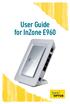 User Guide for InZone E960 Thank you for choosing Optus Wireless This guide is here to help you set-up your Optus Wireless service. Contents 1 About the InZone E960 device 3 2 6 Step set-up guide 4 3 Setting
QUIT MACSCHOOL AND DRAG YOUR SERVER ICONS TO THE TRASH OR HIT THE DISCONNECT BUTTON BESIDE THE SERVER ICON IN THE TOP SIDEBAR
 Macintosh Operating System OSX 10.3.x STARTING YOUR COMPUTER Logging in Whenever you start your computer, you will need to enter your computer password at the log in screen. When the log in screen appears,