
ESKIBS2 Bespoke or specialist software
|
|
|
- Gerald Bryan
- 10 years ago
- Views:
Transcription
1 Overview This is the ability to select and use a suitable specialist or bespoke software application to carry out an appropriate data processing task. It includes understanding the capabilities of the software and the types of tasks for which it is suitable, as well as the skills and techniques needed to use the software application appropriately and effectively. Examples of specialist software include: 1. logistics planning applications 2. computer aided design (CAD) applications 3. computer animation applications 4. music composition and editing applications Some organisations have software applications developed specifically for employees to be able to carry out particular tasks or activities (bespoke applications). For example, for customer relationship management, stock control, plant control, engineering diagnostics, credit management or analysing sales performance. ESKIBS2 1
2 Performance criteria You must be able to: Input and combine information using specialist or bespoke applications P1. Input relevant information accurately so that it is ready for processing P2. Select and use appropriate techniques to link and combine information of different forms or from different sources within the software P3. Respond appropriately to data entry error messages You must be able to: Use appropriate structures to organise and retrieve information efficiently P4. Select and use appropriate structures and layouts to organise information P5. Apply local and/or legal guidelines and conventions for the storage and use of data where available You must be able to: Use the functions of the software effectively to process and present information P6. Select and use appropriate tools and techniques to edit, analyse and format information P7. Check information meets needs, using IT tools and making corrections as necessary P8. Select and use appropriate methods to present information ESKIBS2 2
3 Knowledge and understanding You need to know and understand: Use appropriate structures to organise and retrieve information efficiently K1. Describe what functions to apply to structure and layout information effectively ESKIBS2 3
4 Additional Information Scope/range An intermediate user can select and use a wide range of intermediate specialist or bespoke software tools and techniques for information that is at times non-routine or unfamiliar. Any aspect that is unfamiliar may require support and advice from others. Specialist or bespoke software tools and techniques will be defined as intermediate because: 1. the software tools and functions involved will at times be non-routine or unfamiliar; 2. the choice and use of input, manipulation and output techniques will need to take account of a number of factors or elements at times be multi-step; 3. the user will take some responsibility for inputting, manipulating and outputting the information. Examples of context: Examples of Content The examples given are indicative of the learning content at each level and are not intended to form a prescriptive list for the purpose of assessment Input and combine information using specialist or bespoke applications Types of bespoke information: Information will vary according to the software for example, text, numbers, photos, scanned images, graphic elements, digital recorded sound, graphs, charts, tables Input information: Using keyboard, mouse, scanner, voice recognition, touch screen, stylus Combine information: Insert, size, position, wrap, order, group Use appropriate structures to organise and retrieve information efficiently Structures and layouts: Apply and change existing templates, set up templates for inputting or retrieving information, apply or change existing styles Guidelines for the storage and use of data: Set by: employer or organisation. Topics covered: security, backup, data format, compliance and reporting, data protection, confidentiality. File management will vary according to the application. ESKIBS2 4

5 Use the functions of the software effectively to process and present information Editing, analysis and formatting techniques: Techniques will vary according to the software and task, for example: Editing select, insert, delete, cut, copy, paste, drag and drop, find, replace, page layout, labelling, alignment, orientation, colour, resolution, size, pitch Analysis design queries, mathematical, logical or statistical functions Formatting characters, lines, paragraphs, pages, file type Check information: Checks will vary according to the type of information and software, but could include: spell check, grammar check, accuracy of figures, labelling and size of images, volume of sound, quality of images and sound, that line, paragraph and page breaks fall appropriately, formatting is consistent, the use of headings and subheadings aid clarity, the placing of images or sound clips Presentation methods: Methods will vary according to the software and task, for example, on screen display, publishing on a web site, hard copy print out, digital file ESKIBS2 5
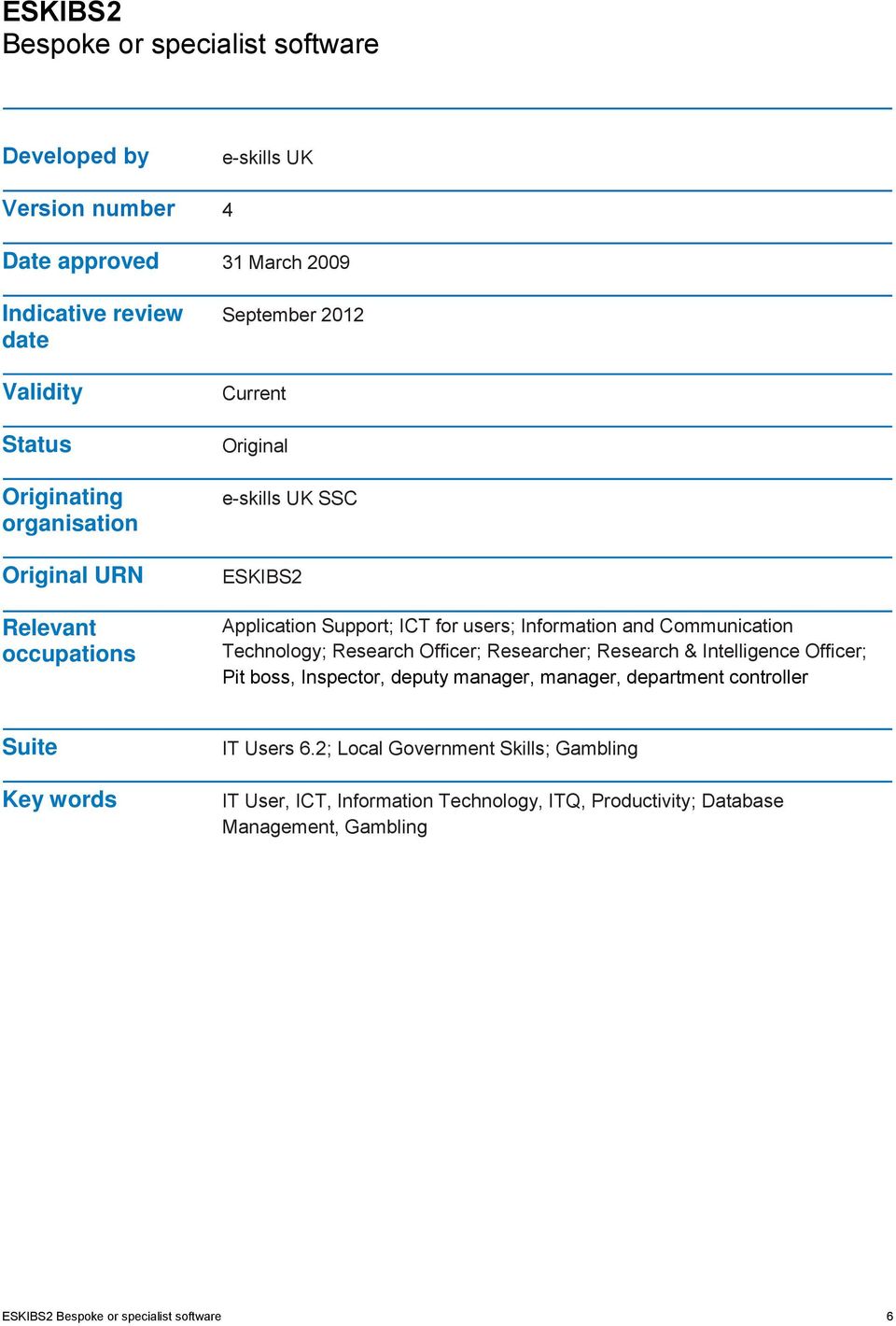
6 Developed by e-skills UK Version number 4 Date approved 31 March 2009 Indicative review date Validity Status Originating organisation Original URN Relevant occupations September 2012 Current Original e-skills UK SSC ESKIBS2 Application Support; ICT for users; Information and Communication Technology; Research Officer; Researcher; Research & Intelligence Officer; Pit boss, Inspector, deputy manager, manager, department controller Suite Key words IT Users 6.2; Local Government Skills; Gambling IT User, ICT, Information Technology, ITQ, Productivity; Database Management, Gambling ESKIBS2 6
BS: Bespoke or specialist software
 This is the ability to select and use a suitable bespoke or specialist software application to carry out an appropriate data processing task. It includes understanding the capabilities of the software
Assessment Guidance Evidence may be supplied by: product expert witness testimony
 Unit 327 Bespoke software UAN: Level: 3 Credit value: 4 GLH: 30 Relationship to NOS: Assessment requirements specified by a sector or regulatory body: Aim: J/502/4397 This unit is linked to the Level 3
ESKIWP1 Word processing software
 Overview This is the ability to use a software application designed for the creation, editing and production of largely text-based documents ESKIWP1 1 Performance criteria You must be able to: Input and
Word processing software
 Unit 244 Word processing software UAN: Level: 2 Credit value: 4 GLH: 30 Assessment type: Relationship to NOS: Assessment requirements specified by a sector or regulatory body: Aim: R/502/4628 Portfolio
ESKIPM2(SQA Unit Code- F9CX 04) Project management software
 Overview This is the ability to use a software application that plans, organises and monitors completion of the component tasks within a project in logical sequence, given constraints of people and resource
F9D7 04 (ESKWP2): Word Processing Software 2
 F9D7 04 (ESKWP2): Word Processing Software 2 4 SCQF credit points at SCQF level 5 Description: This is the ability to use a software application designed for the creation, editing and production of largely
PS: Presentation software
 This is the ability to use software applications to produce effective s, which include a combination of media (eg images, animation and sound) for education, entertainment or information sharing. A. A
This is the ability to use a software application designed for planning, designing and building websites.
 Unit Title: Website software OCR unit number: 81 Level: 2 Credit value: 4 Guided learning hours: 30 Unit reference number: R/502/4631 Unit purpose and aim This is the ability to use a software application
ESKIPM3 Project management software
 Overview This is the ability to use a software application that plans, organises and monitors completion of the component tasks within a project in logical sequence, given constraints of people and resource
ESKIPU1 Improving productivity using IT
 Overview This is the ability to plan, evaluate and improve procedures involving the use of IT tools and systems in order to improve the productivity and efficiency of tasks and activities. ESKIPU1 1 Performance
Credit Value: 4 GLH: 30 NOCN Unit Code: CQ1/2/QQ/007 QCA Unit Reference
 This unit has 3 learning outcomes. LEARNING OUTCOMES The learner will: 1. Enter and combine text and other information accurately within word processing documents. 2. Create and modify layout and structures
Unit 351: Website Software Level 3
 Oxford Cambridge and RSA Unit 351: Website Software Level 3 Level: 3 Credit value: 5 Guided learning hours: 40 Learning Outcomes Assessment Criteria Examples The learner will: The learner can: 1. Create
Qualification Specification
 BCS Level 2 ECDL Certificate in IT Application Skills (QCF) 600/6943/0 Version 1.4 March 2016. Contents 1. About BCS 3 2. Equal Opportunities 3 3. Introduction to the qualification 4 3.1 Qualification
Qualification Specification
 BCS Level 2 Certificate in IT User Skills (ECDL Core) Version 1.0 December 2015. Contents 1. About BCS 3 2. Equal Opportunities 3 3. Introduction to the qualification 4 3.1 Qualification summary 4 3.2
Level: 3 Credit value: 5 GLH: 40 Assessment type:
 Unit 352 Website software UAN: Level: 3 Credit value: 5 GLH: 40 Assessment type: Relationship to NOS: Assessment requirements specified by a sector or regulatory body: Aim: Y/502/4632 Portfolio of Evidence
B. An intermediate user can plan and review their use of
 This is the ability to plan, evaluate and improve procedures involving the use of IT tools and systems to improve the productivity and efficiency of tasks and activities. A. A foundation user can plan
ESKITP5023 Software Development Level 3 Role
 Overview This sub discipline covers the core competencies required to create software to address the needs of business problems and opportunities, resulting in a variety of software solutions, ranging
Unit 1: ICT skills for business (LEVEL 2)
 (LEVEL 2) Learning outcomes By completing this unit candidates will develop the ability to create files in different software packages, including word processing or DTP, spreadsheet, database and presentation
Level 2 and 3 Diploma in Business Support (4475-12/13)
 Level 2 and 3 Diploma in Business Support (4475-12/13) Qualification handbook for centres 600/1648/6 600/1646/2 www.cityandguilds.com September 2011 Version 1.0 About City & Guilds As the UK s leading
QUALIFICATION HANDBOOK
 QUALIFICATION HANDBOOK Level 3 Awards, Certificates & Diploma in Social Media for Business (7513-03/13) August 2013 Version 3.1 Qualification at a glance Subject area City & Guilds number 7513 Age group
Introduction to the Computer and Word Processing application LEVEL: 1. Switch on computer and demonstrate use of mouse
 PROGRAMME TITLE: Getting Started with IT 1.1 Operate a computer 1.1.1 1.1.2 1.1.3 1.1.4 1.1.5 1.1.6 1.1.7 Identify components of a computer Switch on computer and demonstrate use of mouse Identify and
Sending a Document via Email Working with Graphics & Using Section Breaks, Envelopes and Labels
 MICROSOFT WORD BASIC FULL DAY COURSE This course is suitable for users with no (or little) previous experience of using Word. Keyboard, mouse and Windows skills are prerequisite for this course. Practice
Improving Productivity Using IT Level 2. Guidance for Centres
 Improving Productivity Using IT Level 2 Guidance for Centres Version 1.1 May 2009 Contents 1. Introduction... 3 2. Overview of the Unit... 3 3. Assessment Approach... 3 4. Number of Streams/Scenarios...
Level 2 Certificate in Practical ICT Skills
 LCCI International Qualifications Level 2 Certificate in Practical ICT Skills Syllabus Effective from 1 May 2007 For further information contact us: Tel. +44 (0) 8707 202909 Email. [email protected]
Using Microsoft Word. Working With Objects
 Using Microsoft Word Many Word documents will require elements that were created in programs other than Word, such as the picture to the right. Nontext elements in a document are referred to as Objects
MASTER COURSE OUTLINE
 A. BUSA 1065 Microcomputer Applications B. COURSE DESCRIPTION: MASTER COURSE OUTLINE This course provides a basic understanding of computer history, concepts, and microcomputer applications using IBM or
BSBITU402A Develop and use complex spreadsheets
 BSBITU402A Develop and use complex spreadsheets Revision Number: 1 BSBITU402A Develop and use complex spreadsheets Modification History Not applicable. Unit Descriptor Unit descriptor This unit describes
ESKITP2034.03 Assist in the preparation of change management plans and assignments for IT enabled systems 1
 Assist in the preparation of change management plans and assignments for IT Overview This sub-discipline, Change Management (203) is concerned with the competencies required to manage the introduction
Information Technology Systems (2012)
 Information Technology Systems (2012) Sample work program April 2012 Information Technology Systems (2012) Sample work program Compiled by the Queensland Studies Authority April 2012 This work program
Computer Skills: Levels of Proficiency
 Computer Skills: Levels of Proficiency September 2011 Computer Skills: Levels of Proficiency Because of the continually increasing use of computers in our daily communications and work, the knowledge of
Overview. PRODPP128 (SQA Unit Code - H9KH 04) Produce approved proofs from digital artwork. Produce approved proofs from digital artwork
 (SQA Unit Code - H9KH 04) Overview This standard is about producing, assessing and correcting hard-copy proofs produced from that meet the criteria for a 'contract-quality' proof. A contract-quality proof
DESKTOP PRODUCTIVITY SOFTWARE
 USING WINDOWS 8 UNIT 1: INTRODUCTION TO COMPUTERS Topic A: Overview of computers Topic B: How computers work Topic C: Starting the computer UNIT 2: INPUT DEVICES Topic A: Mouse and keyboard basics Topic
ESKITP5022 Software Development Level 2 Role
 Overview This sub discipline covers the core competencies required to create software to address the needs of business problems and opportunities, resulting in a variety of software solutions, ranging
Chapter 3. Basic Application Software. McGraw-Hill/Irwin. Copyright 2008 by The McGraw-Hill Companies, Inc. All rights reserved.
 Chapter 3 Basic Application Software McGraw-Hill/Irwin Copyright 2008 by The McGraw-Hill Companies, Inc. All rights reserved. Competencies (Page 1 of 2) Discuss common features of most software applications
NETS for Students: Achievement Rubric
 NETS for Students: Achievement Rubric DRAFT (March 22, 2005) Purpose: This draft version of the NETS for Students: Achievement Rubric is available online for educational technology professionals to review
BUILDING DIGITAL LITERACY PURPOSE DEFINING DIGITAL LITERACY USING THIS GUIDE
 BUILDING PURPOSE In today s society, it is critical for students to be able to use the vast amount of technology available to them. Computer literacy will provide students with skills they need to succeed
Business Information Management I
 Business Information Management I Texas 130.114 This document describes the correlation between curriculum, supplied by Applied Educational Systems, and the Business Information Management I standard,
Iowa. CONTENT STANDARDS and BENCHMARKS. Business and Administration
 Iowa CONTENT STANDARDS and BENCHMARKS Business and Administration 2001 Business, Information Management, and Marketing Career Pathway Framework Illustration of Program Possibilities Occupational Cluster
Standards and progression point examples
 Information and Communications Technology In Information and Communications Technology, standards for assessing and reporting on student achievement are introduced at Level 1. The learning focus statements
Level 1 Certificate in Practical ICT Skills
 LCCI International Qualifications Level 1 Certificate in Practical ICT Skills Syllabus Effective from 2001 For further information contact us: Tel. +44 (0) 8707 202909 Email. [email protected] www.lcci.org.uk
Discovering Computers 2008. Chapter 3 Application Software
 Discovering Computers 2008 Chapter 3 Application Software Chapter 3 Objectives Identify the categories of application software Explain ways software is distributed Explain how to work with application
Bruce-Guadalupe Community School Bruce-Guadalupe Middle School. Technology Education Curriculum. Program Scope and Sequence
 Bruce-Guadalupe Community School Bruce-Guadalupe Middle School Technology Education Curriculum Program Scope and Sequence Written by Rachel Klug Bruce-Guadalupe Library Media Specialist April 2011 Bruce-Guadalupe
Advanced Presentation Features and Animation
 There are three features that you should remember as you work within PowerPoint 2007: the Microsoft Office Button, the Quick Access Toolbar, and the Ribbon. The function of these features will be more
Word Processing programs and their uses
 Word Processing programs and their uses An application that provides extensive tools for creating all kinds of text based programs. They are not limited to working with text and enable you to add images
NETS for Teachers: Achievement Rubric
 NETS for Teachers: Achievement Rubric DRAFT (March 18, 2005) Purpose: This draft version of the NETS for Teachers: Achievement Rubric is available online for educational technology professionals to review
Microsoft Word 2010 Prepared by Computing Services at the Eastman School of Music July 2010
 Microsoft Word 2010 Prepared by Computing Services at the Eastman School of Music July 2010 Contents Microsoft Office Interface... 4 File Ribbon Tab... 5 Microsoft Office Quick Access Toolbar... 6 Appearance
Oregon State Bar Software Standards 2005. Software Proficiency Expectations (Items in bold are to be demonstrated)
 Oregon State Bar Software Standards 2005 Computer Basics (all users) Software Proficiency Expectations (Items in bold are to be demonstrated) Touch typing (at least 25 words per minute). Starting, shutting
Search help. More on Office.com: images templates
 Page 1 of 7 PowerPoint 2010 Home > PowerPoint 2010 Help and How-to > Getting started with PowerPoint Search help More on Office.com: images templates Basic tasks in PowerPoint 2010 Here are some basic
Chapter 9 Input/Output Devices
 Chapter 9 Input/Output Devices Contents: I. Introduction II. Input Devices a. Keyboard,mouse,joystick,scanners,digital camera, bar code reader, touch Sreeen,Speech input device (microphone) III. Output
Computer Classes held
 Computer Classes held Beginning Excel Open existing spreadsheets and enter data Save updates Adjust row and column heights Format numbers and cell characteristics (borders, shading, etc.) Insert formulas
Internet and Computing Core Certification Guide Module A Computing Fundamentals
 Lesson 4: Using Input/Output Devices input/output devices common input devices common output devices specialized devices how a device connects what a port is what a device driver is What are Input/Output
QUALIFICATION HANDBOOK
 QUALIFICATION HANDBOOK Level 2 Extended Certificate in Health Informatics (7450-12) February 2012 Version 1.0 Qualification at a glance Subject area City & Guilds number 7450 Health Informatics Age group
Branding Guidelines - Interactive Info Wall
 Phase I: Design We will need the following items from you to create the mockup for your design:. A high resolution version of your logo (.jpg,.tiff, or.bmp). A high resolution image for the Welcome screen
Common Core State Standards K 12 Technology Skills Scope and Sequence
 This scope and sequence is aligned to the Common Core State Standards requirements for Mathematics and English Language Arts & Literacy in History/Social Studies, Science, and Technical Subjects as well
NOVA COLLEGE-WIDE COURSE CONTENT SUMMARY ITE 115 - INTRODUCTION TO COMPUTER APPLICATIONS & CONCEPTS (3 CR.)
 Revised 5/2010 NOVA COLLEGE-WIDE COURSE CONTENT SUMMARY ITE 115 - INTRODUCTION TO COMPUTER APPLICATIONS & CONCEPTS (3 CR.) Course Description Covers computer concepts and Internet skills and uses a software
Business Administration. Level 2 Diploma in Business Administration (QCF) 2014 Skills CFA B&A units L1 Page 1
 Business Administration Level 2 Diploma in Business Administration (QCF) 2014 Skills CFA B&A units L1 Page 1 Level 2 Diploma in Business Administration (combined qualification) Qualification Title Credit
Business Administration. Level 3 Diploma in Business Administration (QCF) 2014 Skills CFA Level 3 Diploma in Business Administration (QCF) Page 1
 Business Administration Level 3 Diploma in Business Administration (QCF) 2014 Level 3 Diploma in Business Administration (QCF) Page 1 Level 3 Diploma in Business Administration (combined qualification)
L2 Unit 21: Creating computer graphics (2010)
 L2 Unit 21: Creating computer graphics (2010) Learning outcomes By completing this unit candidates will develop their knowledge of different types of graphics that can be used in web pages. Candidates
Florida Department of Education Student Performance Standards
 Florida Department of Education Student Performance Standards 2016 2017 Course Title: Digital Information Technology Course Number: 8207310 Course Credit: 1 Course Description: This course is designed
Cashion High School Fundamentals of Administrative Technologies Syllabus Course Number: 8103 (OK Promise Approved)
 Cashion High School Fundamentals of Administrative Technologies Syllabus Course Number: 8103 (OK Promise Approved) Course Title: Fundamentals of Administrative Technologies (Prerequisite: Fundamentals
INDUSTRY BRIEFS FOR CREATIVE imedia
 INDUSTRY BRIEFS FOR CREATIVE imedia Level 3 Assignment Briefs for Units 311, 312 & 313 Brining the curriculum to life: a partnership between NYBEP Ltd and the Dales Integrated Transport Alliance we are
Qualification Specification
 Qualification Specification Digital Skills Version 1.3 July 2014. Contents 1. About BCS 3 2. Equal Opportunities 3 3. Introduction to the qualification 3 3.1 Qualification summary 3 3.2 Structure of the
Microsoft Word 2010. Quick Reference Guide. Union Institute & University
 Microsoft Word 2010 Quick Reference Guide Union Institute & University Contents Using Word Help (F1)... 4 Window Contents:... 4 File tab... 4 Quick Access Toolbar... 5 Backstage View... 5 The Ribbon...
GCSE Information and Communication Technology Assignments Short and Full Course
 GCSE Information and Communication Technology Assignments Short and Full Course First Teaching from Autumn 2004 First Examination from Summer 2006 FOREWORD The coursework in this booklet is set out in
COGLS313 Provide technical support for computer application software and equipment in life sciences and related industries
 and equipment in life sciences and Overview This standard covers the skills you need to provide technical assistance for computer application software (does not include CAD) and equipment for scientific
Microsoft Office PowerPoint 2003. Creating a new presentation from a design template. Creating a new presentation from a design template
 Microsoft Office PowerPoint 2003 Tutorial 2 Applying and Modifying Text and Graphic Objects 1 Creating a new presentation from a design template Click File on the menu bar, and then click New Click the
by Learning Area Achievement Objectives The New Zealand Curriculum Set of 8 charts
 The New Zealand Curriculum Achievement Objectives by Learning Area Set of 8 charts Published for the Ministry of Education by Learning Media Limited, Box 3293, Wellington, New Zealand. www.learningmedia.co.nz
Chapter 3. Application Software. Chapter 3 Objectives. Application Software. Application Software. Application Software. What is application software?
 Chapter 3 Objectives Chapter 3 Application Software Identify the the categories of of application software Explain ways software is is distributed Explain how to to work with application software Identify
LEWIS-CLARK STATE COLLEGE BUSINESS TECHNOLOGY AND SERVICE DIVISION SYLLABUS
 LEWIS-CLARK STATE COLLEGE BUSINESS TECHNOLOGY AND SERVICE DIVISION SYLLABUS Course Title: Business Computer Skills Course Number: CITPT 110-01/PT01 and CITPT 110-02/PT02 Credit Hours: 3 Semester: Fall
Microsoft Office Word 2010: Level 1
 Microsoft Office Word 2010: Level 1 Workshop Objectives: In this workshop, you will learn fundamental Word 2010 skills. You will start by getting acquainted with the Word user interface, creating a new
Business Management and Administration Career Cluster Business Communications Course Number: 07.45100
 Business Management and Administration Career Cluster Business Communications Course Number: 07.45100 Course Description: What message are you sending when you speak, write, and listen? As one of the most
National Occupational Standards for IT Users v3 March 2009
 National Occupational Standards for IT Users v3 March 2009 Copyright e-skills UK Sector Skills Council Ltd 2009 Final version approved March 2009 Pages 1 of 141 National Occupational Standards for IT Users
Food Industry. www.ats global.com
 Food Industry Significantly reduces scrap and rework cost Image driven inspection Web based analysis and reporting Eliminates paper checklists Real-time attribute data collection Easy-to-use operator interface
MULTIPLE CHOICE FREE RESPONSE QUESTIONS
 MULTIPLE CHOICE FREE RESPONSE QUESTIONS World ORT Union W o r d p r o c e s s o r s What is a Word Processor used for? A. To analyse figures B. Creating and editing C. Storing information What hardware
Chapter 3. Application Software. Chapter 3 Objectives. Application Software
 Chapter 3 Objectives Chapter 3 Application Software Identify the categories of application software Explain ways software is distributed Explain how to work with application software Identify the key features
PowerPoint 2013 Basics of Creating a PowerPoint Presentation
 Revision 4 (01-31-2014) PowerPoint 2013 Basics of Creating a PowerPoint Presentation MICROSOFT POWERPOINT PowerPoint is software that lets you create visual presentations. PowerPoint presentations are
Level 2 Desktop publishing software (DTP 7574-222)
 Level 2 Desktop publishing software (DTP 7574-222) ITQ (QCF) Assignment guide for Candidates Assignment A www.cityandguilds.com February 2011 Version 3.0 About City & Guilds City & Guilds is the UK s leading
Introduction to Microsoft PowerPoint
 Introduction to Microsoft PowerPoint By the end of class, students should be able to: Identify parts of the work area. Create a new presentation using PowerPoint s design templates. Navigate around a presentation.
CREATING FORMAL REPORT. using MICROSOFT WORD. and EXCEL
 CREATING a FORMAL REPORT using MICROSOFT WORD and EXCEL TABLE OF CONTENTS TABLE OF CONTENTS... 2 1 INTRODUCTION... 4 1.1 Aim... 4 1.2 Authorisation... 4 1.3 Sources of Information... 4 2 FINDINGS... 4
In this session, we will explain some of the basics of word processing. 1. Start Microsoft Word 11. Edit the Document cut & move
 WORD PROCESSING In this session, we will explain some of the basics of word processing. The following are the outlines: 1. Start Microsoft Word 11. Edit the Document cut & move 2. Describe the Word Screen
Unit title: Web Apps: Word Processing (SCQF level 4)
 National Unit specification General information Unit code: HA6M 44 Superclass: CD Publication date: May 2016 Source: Scottish Qualifications Authority Version: 02 Unit purpose This Unit is designed for
Chapter 3 Software for Systems. Discovering Computers 2012. Your Interactive Guide to the Digital World
 Chapter 3 Software for Systems Discovering Computers 2012 Your Interactive Guide to the Digital World Objectives Overview Identify the four categories of application software Differentiate among the seven
Creating tables in Microsoft Access 2007
 Platform: Windows PC Ref no: USER 164 Date: 25 th October 2007 Version: 1 Authors: D.R.Sheward, C.L.Napier Creating tables in Microsoft Access 2007 The aim of this guide is to provide information on using
Overview of Microsoft Office Word 2007
 Overview of Microsoft Office What Is Word Processing? Office is a word processing software application whose purpose is to help you create any type of written communication. A word processor can be used
NETS for Students: Extended Rubric for Grades 6 8
 DRAFT (September 7, 2004) Purpose: This draft version of the NETS extended rubric for Grades 6 8 is available online for educational technology professionals to review and provide feedback to the developers.
COMPUTERIZED BUSINESS APPLICATIONS Curriculum Content Frameworks
 COMPUTERIZED BUSINESS APPLICATIONS Curriculum Content Frameworks Please note: All assessment questions will be taken from the knowledge portion of these frameworks. Prepared by Kathy Woodcock, Conway West