
GSK980TD Turning Machine CNC System. User Manual. GSK CNC Equipment
|
|
|
- Thomas Flowers
- 10 years ago
- Views:
Transcription
1 GSK980TD Turning Machine CNC System User Manual GSK CNC Equipment

2

3 Preface Warning! Please read the user manual and a user manual from machine manufacturer completely before installation, programming and operation, and operate the system and machine according to user manuals, otherwise which may damage the system and machine, workpiece and even injure the operator. Notice! Functions, technical indexes described in the user manual are for the system. Actual functions and technical performance of CNC machine tool with the system are defined by machine manufacturer, and refer to its user manual; The system is employed with intergrated machine control panel and press keys on machine control panel are defined by PLC program. Functions of press keys in the user manual are for standard PLC program. Please notice it! Refer to user manual from machine manufacturer about functions and meanings of press keys on machine control panel. This manual suits for software version:v All specification and designs are subject to change without notice.

4 Notice Notice Delivery and storage There are 6-layer packing box at most in pile Never climb the packing box, neither stand on it, nor place heavy items on it Do not use cable connected with product to drag or move it Forbid crash, hurt panel and display Packing box is protected from damp, sun and rain Open packing box to check Ensure things in packing box are the required ones Ensure it is not damaged in delivery Ensure things in packing box are these of order Contact with us in time if its type is inconsistent with the order, there is short of accessories, or it is damaged in delivery Connection Only qualified persons can connect the system or check the connection. The system must be earthed, its resistance must be less than 4 Ω and the ground wire cannot be replaced by zero wire Connection must be correct and firm to avoid the product to be damaged or other unexpected result Connect with surge diode in the specified direction to avoid to damage the system Switch off power supply before pulling out plug or opening electric box Troubleshooting Switch off power supply before troubleshooting or changing components Troubleshoot and then startup the system when there is short circuit or overload Do not switch off it and a meantime is 1 minute at least after it is switched on again.

5 BOOK 1 PROGRAMMING Chapter1:Programming Fundamentals Book ok 1 Programming fundamentals Chapter2:M.S.F.T Instructions Chapter3: G Instructions Chapter4:Tool Nose Radius Compensation (G41,G42)

6

7 Contents Chapter 1 PROGRAMMING FUNDAMENTALS... Ⅰ INTRODUCTION of GSK980TD... Ⅰ CNC SYSTEMS of MACHINE TOOLS and CNC MACHINE TOOLS... Ⅰ PROGRAMMING FUNDAMENTALS... Ⅰ Coordinates Definition... Ⅰ Machine Coordinate System and Machine Reference Point... Ⅰ Workpiece Coordinate System and Program Reference Point... Ⅰ Interpolation Function... Ⅰ Absolute Programming and Incremental Programming... Ⅰ Diameter and Radius Programming... Ⅰ STRUCTURE of an NC PROGRAM... Ⅰ General Structure of Program... Ⅰ Main Program and Subprogram... Ⅰ PROGRAM RUN... Ⅰ Sequence of Program Run... Ⅰ Execution Sequence of Word... Ⅰ-19 Chapter 2 M.S.F.T INSTRUCTION... Ⅱ M INSTRUCTION(AUXILIARY FUNCTION)... Ⅱ End of Program M02... Ⅱ End of Program Run M30... Ⅱ Subprogram Call M98... Ⅱ Return from Subprogram M99... Ⅱ Macro Program Call... Ⅱ M Instructions Defined by Standard PLC Ladder Diagram... Ⅱ Program Stop M00... Ⅱ Spindle Control M03,M04,M05... Ⅱ Coolant Control M08,M09... Ⅱ Tailstock Control M10,M11... Ⅱ Chuck Control M12,M13... Ⅱ Lubrication Control M32,M33... Ⅱ Spindle Automatic Gear Shifting M41, M42, M43, M44... Ⅱ SPINDLE FUNCTION(S FUNCTION)... Ⅱ Spindle Speed Switching Value CONTROL... Ⅱ Spindle Speed Analog Voltage Control... Ⅱ Constant Surface Speed Control G96, Constant Rotational Speed Control G97... Ⅱ Spindle Override... Ⅱ TOOL FUNCTION (T FUNCTION)... Ⅱ FEEDRATE FUNCTION (F FUNCTION)... Ⅱ Cutting Feed(G98/G99,F Instruction)... Ⅱ Thread Cutting... Ⅱ Manual Feed... Ⅱ Handwheel/Step Feed... Ⅱ Automatic Acceleration/Deceleration... Ⅱ-15 Chapter 3 G INSTRCUTIONS... Ⅲ INTRODUCTION... Ⅲ-1 Book 1 Programming fundamentals I

8 Book 1 Programming fundamentals GSK980TD Turning Machine CNC System Modal, Non-modal and Initial Mode... Ⅲ Omit a Word... Ⅲ Related Definitions... Ⅲ RAPID TRAVERSE MOVEMENT G00... Ⅲ LINEAR INTERPOLATION G01... Ⅲ CIRCULAR INTERPOLATION G02, G03... Ⅲ DWELL G04... Ⅲ MACHINE REFERNCE POINT RETURN G28... Ⅲ WORKPIECE COORDINATE SYSTEM G50... Ⅲ FIXED CYCLE INSTRUCTIONS... Ⅲ Axial Cutting Cycle G90... Ⅲ Radial Cutting Cycle G94... Ⅲ Cautions of Fixed Cycle Instructions... Ⅲ MULTIPLE CYCLE INSTRUCTIONS... Ⅲ Axial Roughing Cycle G71... Ⅲ Radial Roughing Cycle G72... Ⅲ Closed Cutting Cycle G73... Ⅲ Finishing Cycle G70... Ⅲ Axial Grooving Multiple Cycle G74... Ⅲ Radial Grooving Multiple Cycle G75... Ⅲ THREAD CUTTING... Ⅲ Thread Cutting with Constant Lead G32... Ⅲ Thread Cutting with Variable Lead G34... Ⅲ Thread Cutting in Z Direction G33... Ⅲ Thread Cutting Cycle G92... Ⅲ Multiple Thread Cutting Cycle G76... Ⅲ CONSTANT SURFACE SPEED CONTROL G96, CONSTANT ROTATIONAL SPEED CONTROL G97... Ⅲ FEEDRATE per MINUTE G98, FEEDRATE per REV G99... Ⅲ MACRO INSTRUCTIONS... Ⅲ Macro Variables... Ⅲ Operation and Jump Instruction G65... Ⅲ PROGRAM EXAMPLE with MACRO INSTRUCTION... Ⅲ-64 Chapter 4 TOOL NOSE RADIUS COMPENSATION (G41,G42)... Ⅳ APPLICATION... Ⅳ Overview... Ⅳ Imaginary Tool Nose Direction... Ⅳ Compensation Value Setting... Ⅳ Instruction Format... Ⅳ Compensation Direction... Ⅳ Cautious... Ⅳ Application... Ⅳ TOOL NOSE RADIUS COMPENSATION OFFSET PATH... Ⅳ Inner and Outer Side... Ⅳ Tool Traverses when Starting Tool... Ⅳ Tool Traversing in Offset Mode... Ⅳ Tool Traversing in Offset Canceling Mode... Ⅳ-18

9 Contents Tool Interference Check... Ⅳ Instructions for Canceling Compensation Vector Temperarily... Ⅳ Particular... Ⅳ-23 Book 1 Programming fundamentals III

10

11 Chapter 1 Programming Fundamentals Chapter 1 PROGRAMMING FUNDAMENTALS 1.1 INTRODUCTION of GSK980TD With 32-bit high performance CPU and super-large-scale programmable FPGA, the new generation widespread GSK980TD Turning Machine CNC System developed by us (GSK CNC Equipment Co., Ltd.) is the upgraded product of GSK980TA, applying the real time multitasking control and hardware interpolation technology to realize μm-level precise motion and PLC logic control. Book 1 Programming fundamentals Technical characteristics: Link axes (X, Z), μm-level interpolation precision and max. rapid traverse speed 16 m/min(option: 30m/min) Embedded PLC to control various of automatic toolposts and spindle automatic shifting gear, edit, transmit and download ladder diagrams; expendable I/O interfaces(option function) Pitch error compensation, backlash compensation, tool length compensation and tool nose radius compensation S, exponential acceleration/deceleration control to meet high speed and high precision machining Tapping to machine metric/inch single/multiple straight, taper thread, end face thread, variable pitch thread, high speed thread run out with set retraction distance, angle and speed Ⅰ-1

12 Chinese and English display interface selected by parameters GSK980TD Turning Machine CNC System Book 1 Programming fundamentals Large memory capacity( 6144KB,384 part programs) with full screen edit Convenient management for the system with multilevel operation password Bidirectional communication between CNC and PC, CNC and CNC; communication upgrading CNC software and PLC programs Installing dimension, electric interfaces, instruction system and operating windows being compatible with those of GSK980TA Turning CNC System Technical specifications Motion control G instructions Thread machining Precision compensation Controllable axes: 2(X, Z); simultaneous controllable axes: 2 (X, Z) Interpolation: linear, arc interpolation in X, Z direction Dimension for programs: ~ mm; min. unit: 0.001mm Electronic gear:instruction multiplying 1~32767 and dividing 1~32767 Rapid traverse speed: max mm/min(option:30000mm/min) Rapid override: time real tuning F0, 25%, 50%,100% Cutting feedrate: max.8000mm/min(option:15000mm/min) or 500mm/rev (feedrate per rev) Feedrate override: 16 steps real time tuning for 0~150% Manual feedrate: 16 steps real time tuning for 0~1260mm/min Handwheel feedrate: 0.001, 0.01, 0.1mm Acceleration/deceleration: S acceleration/deceleration for rapid traverse movement and exponential acceleration/deceleration for cutting feed 28 kinds of G instructions: G00, G01, G02, G03, G04, G28, G32, G33, G34, G40, G41, G42, G50, G65, G70, G71, G72, G73, G74, G75, G76, G90, G92, G94, G96, G97, G98, G99 and macro instruction G65 to execute 27 kinds of calculation, logic operation and program skipping Tapping to machine metric/inch single/multiple straight thread, taper thread, end face thread, variable pitch thread. High speed thread run out with set retraction distance, angel and speed; pitch: 0.001~500mm or 0.06~25400 tooth/inch Spindle encoder: lines can be set (100~5000p/r) Drive ratio between encoder and spindle: (1~255):(1~255) Backlash compensation: (X, Z)0~2.000mm Pitch error compensation: 255 compensation points with ± 0.255mm compensation override for each one in X, Z direction Tool compensation: 32 groups tool length compensation, tool nose radius compensation (tool compensation C) Toolsetting method: fixed-point toolsetting, trial cutting toolsetting Tool compensation executing methods: traversing tool or coordinate offset M instructions(no repetition): M02, M30, M98, M99, M9000~M9999 M Other M instructions are defined and executed by PLC programs instructions M instructions defined by standard PLC program: M00, M03, M04, M05, M08, M09, M10, M11, M12, M13, M32, M33, M41, M42, M43, M44 Ⅰ-2

13 Chapter 1 Programming Fundamentals T instruction Spindle speed PLC function Displaying window Program editing Communication Optional driving Most 32 tool selections(t01 ~T32 ), the time sequence of tool change is defined by PLC programs. The tool selection is set to 1 and the tool change is not executed by PLC when the line-up toolpost is employed. The standard PLC programs is s is optional to 2~8 tool selections toolpost, clockwise rotation for selecting tools and counterclockwise rotation for clamping toolpost. Speed switching value control: S instruction is defined and executed by PLC programs, direct output of S1, S2, S3, S4 is controlled by the standard PLC programs and S0 is used for stopping output of S1, S2, S3, S4 Speed analog voltage control: S instructions specifying the spindle speed per minute or the cutting surface speed (constant surface speed control), the system outputting 0~10V voltage to spindle converter, 4 gears spindle speed with stepless shifting gear 9 kinds of elementary instruction, 23 kinds of function instruction, 2 grades PLC program, max steps and 2μs for each step, refresh cycle for the first grade program is 8ms, ladder diagram editing software, PLC program communication download Integrated machine control panel: 41 input points (press keys), 42 output points (LED) Basic I/O interfaces: 16 input points /16 output points (optional I/O interface: 16 input points /16 output points) Display: lattice, 5.7 monochrome liquid crystal display(lcd), CCFL in a poor light Display method: Chinese or English window is set by parameter, displaying machining path of workpiece Program capacity: 6144KB, max. 384 programs, supporting user macro program calling and four-embedded subprogram Editing method: incremental coordinates, absolute coordinate and compound coordinates programming with full screen edit Bidirectional communication for programs and parameters between CNC and PC, CNC and CNC; communication upgrading and downloading CNC software and PLC programs DA98 Series Digital AC Servo or DY3 Series Stepper Driver with input pulse and direction signal Book 1 Programming fundamentals G instructions Instructions Functions Instructions Functions G00 Rapid traverse movement G70 Finishing cycle G01 Linear interpolation G71 Axial roughing cycle G02 Circular interpolation (CW) G72 Radial roughing cycle G03 Circular interpolation (CCW) G73 Closed cutting cycle G04 Dwell time preset G74 Axial grooving cycle G28 Machine reference point automatic G75 return Radial grooving cycle G32 G76 Multiple thread cutting Thread cutting with constant lead cycle G33 Tapping cycle in Z direction G90 Axial cutting cycle G34 Thread cutting with variable lead G92 Thread cutting cycle G40 Canceling tool nose radius G94 Radial cutting cycle Ⅰ-3

14 GSK980TD Turning Machine CNC System Book 1 Programming fundamentals compensation G41 Tool nose radius compensation left of contour G96 Constant surface speed ON G42 Tool nose radius compensation right of G97 Constant surface speed contour OFF G50 Setting workpiece coordinate system G98 Feed per minute G65 Macro instruction G99 Feed per rev PLC instruction list Elementary Functions Function Functions instructions instructions LD Read normally-open contact TMRB Timer LDI Read normally-closed contact CODB Binary conversion OUT Output coil ROTB Binary rotation control AND Normally-open contact in series MOVN Data copy ANI Normally-closed contact in series DECB Binary decoding OR Parallel normally-open contact JMPB Program skipping(jumping) ORI Parallel normally-closed contact SP Subprogram ORB Parallel series circuit block SPE End of subprogram ANB Parallel circuit block in series ADDB Binary data adding SUBB Binary data subtracting Function Functions instructions ALT Alternative output END1 End of grade one program DIFU Up set END2 End of grade two program DIFD Down set SET Set MOVE And RST Reset PARI Parity check CMP Comparative set LBL Program skipping label CTRC Counter CALL Subprogram calling Ⅰ-4

15 Chapter 1 Programming Fundamentals Type significations GSK 980TD Type GSK980TD GSK980TD-B Assembly form:none:standard panel( mm) B: boxed assembly 980TD Turning Machine CNC Symbol of GSK CNC Equipment Co., Ltd. Specification mm aluminium alloy solid operator panel GSK980TD matching with AP01( 445mm 345mm 182mm) Book 1 Programming fundamentals Standard functions All optional functions without being remarked in the provided technical specifications are as follows: Max. rapid traverse speed 16m/min, max. feedrate 8m/min, pitch error compensation, tool nose radius compensation, spindle analog voltage control(converter spindle),communication, 16 input points, 16 output points, standard PLC ladder, I/O interfaces being compatible with those of GSK980TA CNC system, 4-gear spindle automatic shifting gear(only test 1 st and 2 nd gear), hydraulic chuck, hydraulic tailstock, 4~8 tool selections toolpost(unidirectional selecting tool), safeguard, low pressure alarm etc. Note 1: Modify or redesign PLC ladder diagram when other functions including executing the bidirectional tool change or testing 4-gear spindle are incompatible with those of 980TA CNC System. Note 2: Please remark the detailed control requirements in order lists when special PLC ladder diagram (I/O interfaces are incompatible with those of GSK 980TA CNC System) is required. Optional functions 1. Max. rapid traverse speed 30m/min and max. feedrate 15m/min; 2. I/O expansion: 16 input points (XS41 interface) and 16 output points (XS42 interface); Standard accessories Power switch: GSK-PB (assembled) Connector: CNC interfaces are connected by one set of plug( DB9 female 3, DB15 male 3, DB25 female 1, DB25 male 1) Note: Corresponding plugs along with cables are supplied when they along with other components including driver are delivered. Accessory cables: 12m 10-core shield cable (3m for each X axis, Z axis, input interface XS40, output interface XS39); 9m 8-core shield cable with (3m for spindle encoder, input interface XS40, output interface XS39); Ⅰ-5

16 GSK980TD Turning Machine CNC System Book 1 Programming fundamentals 3m 4-core shield cable (converter interface); Note: The above-mentioned cables as wires are supplied. Signal cables with welded plugs are supplied when a whole set of driver and toolpost controller is delivered. The requirements for cable length and welding should be remarked in the order list. Anti-interference components: 1N μF/630V 6 Technical documents: GSK980 Turning Machine CNC System User Manual(without PLC User Manual) Optional accessories Communication components: one piece of 5m communication cable and one installation diskette of communication software TDComm2; Power filter:fn Handwheel: Dongxin RE45T1SO5B1(option: AP01) or Changchun LGF (option: AP02); Additional panel:ap01(aluminum alloy mm)can be assembled under of GSK980TD operator panel; AP02(aluminum alloy mm)can be assembled at the side of GSK980TD operator panel; Emergent stop button: LAY3-02ZS/1( it has been installed when GSK980TD-B is delivered); No self-locking button: KH-516-B11(blue or red); Self-locking button: KH-516-B21(blue or red); GSK980TD PLC User Manual Ladder diagram programming software: one GSKCC installation diskette Note 1: Communication functions are standard ones but communication components are optional accessories; Note 2: Optional accessories as product ones (without being installed and connected) are supplied and it should be remarked in the order list when they are required to install and connect. 1.2 CNC SYSTEMS of MACHINE TOOLS and CNC MACHINE TOOLS CNC machine tool is an electro-mechanical integrated product, composed of Numerical Control Systems of Machine Tools, machines, electric control components, hydraulic components, pneumatic components, lubricant, coolant and other subsystems (components), and CNC systems of machine tools are control cores of CNC machine tools. CNC systems of machine tools are made up of computerized numerical control(cnc), servo (stepper) motor drive devices, servo (or stepper) motor and etc. Operational principles of CNC machine tools: according to requirements of machining technology, edit user programs and input them to CNC, then CNC outputs motion control instructions to the servo (stepper) motor drive devices, and last the servo (or stepper) motor completes the cutting feed of machine tool by mechanical driving device; logic control instructions in user programs to control spindle start/stop, tool selections, coolant ON/OFF, lubricant ON/OFF are output to electric control systems of machine tools from CNC, and then the electric control systems control output components including buttons, switches, indicators, relays, contactors and so on. Presently, the electric control systems are employed with Programmable Logic Controller (PLC) with characteristics of compact, convenience and high reliance. Thereof, the motion control systems and logic control systems are the Ⅰ-6

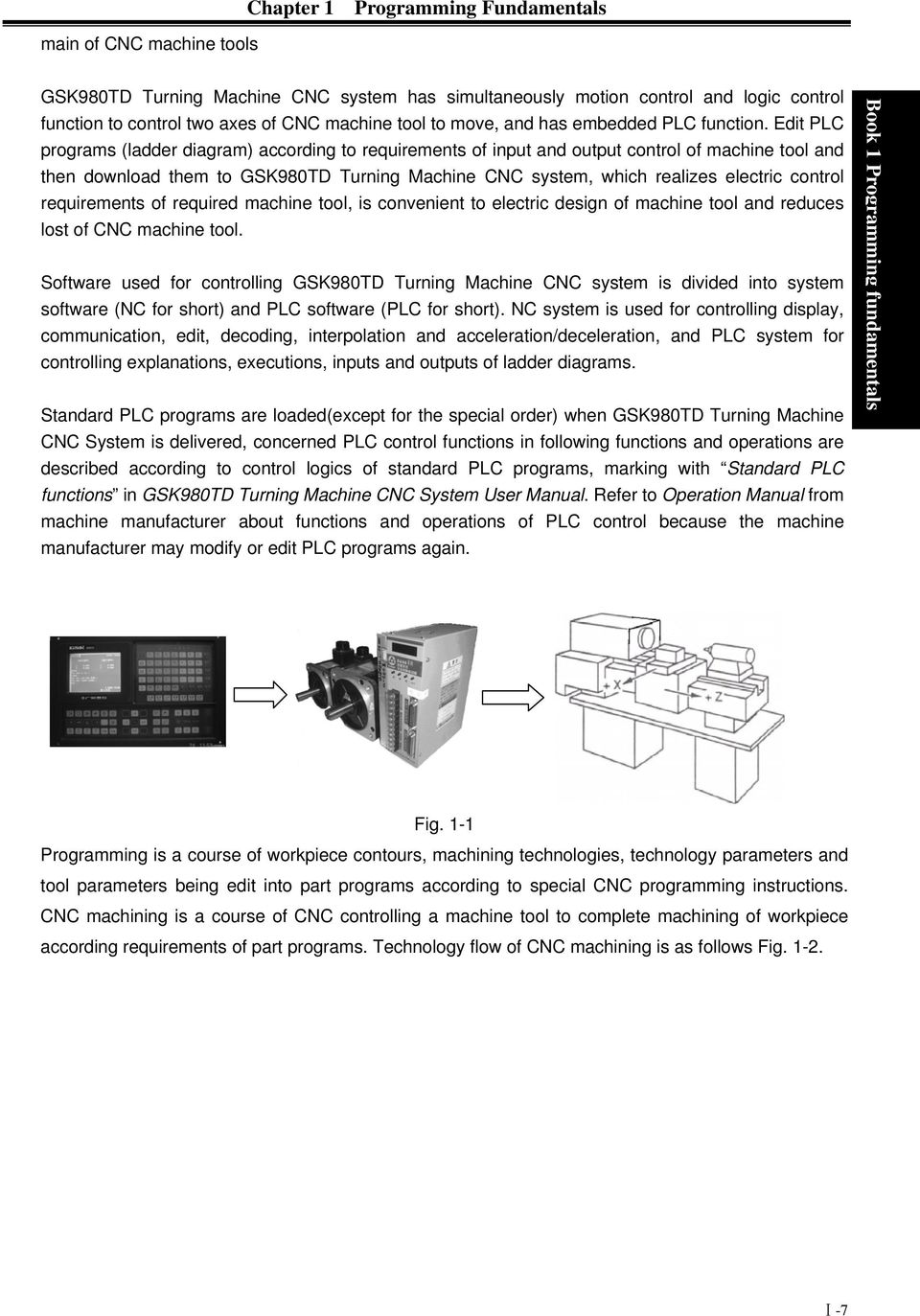
17 main of CNC machine tools Chapter 1 Programming Fundamentals GSK980TD Turning Machine CNC system has simultaneously motion control and logic control function to control two axes of CNC machine tool to move, and has embedded PLC function. Edit PLC programs (ladder diagram) according to requirements of input and output control of machine tool and then download them to GSK980TD Turning Machine CNC system, which realizes electric control requirements of required machine tool, is convenient to electric design of machine tool and reduces lost of CNC machine tool. Software used for controlling GSK980TD Turning Machine CNC system is divided into system software (NC for short) and PLC software (PLC for short). NC system is used for controlling display, communication, edit, decoding, interpolation and acceleration/deceleration, and PLC system for controlling explanations, executions, inputs and outputs of ladder diagrams. Standard PLC programs are loaded(except for the special order) when GSK980TD Turning Machine CNC System is delivered, concerned PLC control functions in following functions and operations are described according to control logics of standard PLC programs, marking with Standard PLC functions in GSK980TD Turning Machine CNC System User Manual. Refer to Operation Manual from machine manufacturer about functions and operations of PLC control because the machine manufacturer may modify or edit PLC programs again. Book 1 Programming fundamentals Fig. 1-1 Programming is a course of workpiece contours, machining technologies, technology parameters and tool parameters being edit into part programs according to special CNC programming instructions. CNC machining is a course of CNC controlling a machine tool to complete machining of workpiece according requirements of part programs. Technology flow of CNC machining is as follows Fig Ⅰ-7
18 GSK980TD Turning Machine CNC System Book 1 Programming fundamentals Confirm machining technologies after analyzing workpiece drawings Edit part programs and record into CNC Test part programs and execute trial running O0001; G00 X3.76 Z0; G01 Z-1.28 F50; M30; % Execute toolsetting and set tool offsets and coordinates Run part programs and machine workpieces Check part dimension and modify part programs and compensations The machining ends and the workpiece is formed Fig. 1-2 Ⅰ-8

19 Chapter 1 Programming Fundamentals 1.3 PROGRAMMING FUNDAMENTALS Coordinates Definition Sketch map of CNC turning machine is as follows: Book 1 Programming fundamentals Fig. 1-3 The system is employed with a rectangular coordinate system composed of X, Z axis. X axis is perpendicular with axes of spindle and Z axis is parallel with axes of spindle; negative directions of them approach to the workpiece and positive ones are away from it. There are a front toolpost and a rear toolpost of NC turning machine according to their relative position between the toolpost and the spindle, Fig. 1-4 is a coordinate system of the front toolpost and Fig. 1-5 is a rear toolppost one. It shows exactly the opposite direction in X direction but the same direction in Z direction from figures. In the manual, it will introduce programming application employed with the front toolpost coordinate system in following figures and examples. X Z Z X Fig.1-4 Front toolpost coordinate system Fig. 1-5 Rear toolpost coordinate system Ⅰ-9

20 1.3.2 Machine Coordinate System and Machine Reference Point GSK980TD Turning Machine CNC System Book 1 Programming fundamentals Machine tool coordinate system is a benchmark one used for CNC counting coordinates and a fixed one on the machine tool. Machine tool origin is named machine reference point or machine zero. The position of machine reference point is specified by a reference point return switch on the machine tool. Usually, the reference point return switch is installed on max. stroke in X, Z positive direction. The system considers the current coordinates of machine tool as zeroes and sets the machine tool coordinate system according to the current position as the coordinate origin after having executed the machine reference point return. Note: Do not execute the machine reference point return without the reference point switch installed on the machine tool Workpiece Coordinate System and Program Reference Point Workpiece coordinate system is set to a rectangular coordinate system according to part drawings named floating coordinate system. After the workpiece is clamped on the machine tool, G50 is executed to set an absolute coordinates of tool s current position according to the relative position of tool and workpiece, and so the workpiece system has been created. The current position of tool is named program reference point and the tool returns to the position after executing the program reference point return. Usually, Z axis is consistent with the axes of spindle and X axis is placed on the heading or the ending of workpiece. The workpiece will be valid until it is replaced by a new one. The current position of workpiece coordinate system set by G50 is named the program reference point and the system returns to it after executing the program reference point return. Note: Do not execute the machine reference point return without using G50 to set the workpiece coordinate system after power on. Workpiece Rod O 2 O 1 Z 1 (Z 2 ) z 2 x 1 /2 (x 2 /2) z 1 X 2 X 1 (x,z) (x 1,z 1 ) (x 2,z 2 ) x/2 z z O (0,0) In the above figure, XOZ is the Fig.1-6 coordinate system of machine tool,x 1 Ox 1 Z 1 is the workpiece Ⅰ-10

21 Chapter 1 Programming Fundamentals coordinate system of X axis located at the heading of workpiece, X 2 O 2 Z 2 is the one of X axis located at the ending of workpiece, O point is the machine reference point, A point is the tool nose and coordinates of A point in the above-mentioned coordinate systems is as follows: A point in the machine tool coordinate system: (x,z); A point in X 1 O 1 Z 1 coordinate system: (x 1,z 1 ); A point in X 2 O 2 Z 2 coordinate system: (x 2,z 2 ); Interpolation Function Interpolation is defined as a planar or three dimensional contour formed by path of 2 or multiple axes moving at the same time, also called Contour control. The controlled moving axis is called link axis when the interpolation is executed. The moving distance, direction and speed of it are controlled synchronously in the course of running to form the required complex motion path. Fixed point control is defined that the motion path in the course of running are not controlled but end point of one axis or multiple axes moving. Book 1 Programming fundamentals X and Z in the system are link axes and 2 axes link CNC system. The system possesses linear, circular and thread interpolation function. Linear interpolation: Complex motion path in X, Z direction is a straight line from starting point to end point. Circular interpolation: Complex motion path in X, Z direction is arc radius defined by R or the circle center (I, K) from starting point to end point. Thread interpolation: Moving distance in X or Z direction or X and Z direction is defined by rotation angle of spindle to form spiral cutting path on the workpiece surface to realize the thread cutting. For thread interpolation, the feed axis rotates along with the spindle, the long axis moves one pitch when the spindle rotates one rev, and the short axis and the long axis directly interpolate. Example: Fig. 1-7 Ⅰ-11
22 GSK980TD Turning Machine CNC System Book 1 Programming fundamentals G32 W-27 F3; (B C;thread interpolation) G1 X50 Z-30 F100; G1 X80 Z-50; (D E;linear interpolation) G3 X100 W-10 R10; (E F;circular interpolation) M30; Absolute Programming and Incremental Programming Specify coordinate values of path s end point or target position in programming and there are 3 kinds of programming method according to coordinate values in programming: absolute programming, incremental programming and compound programming Absolute coordinate value to program(present with X, Z) in X, Z direction is absolute programming; Incremental movement to program (present with U, W)in X, Z direction is incremental programming; In the system, X,Z axis is separately employed with absolute programming and incremental program, which is called compound programming Example:A B linear interpolation Fig. 1-8 Absolute programming:g01 X200. Z50.; Incremental programming:g01 U100. W-50.; Compound programming:g01 X200. W-50.;or G01 U100. Z50.; Note: When there are instruction address X, U or Z, W simultaneously, X,Z are valid. Example:G50 X10. Z20.; G01 X20. W30. U20. Z30.; End point of the block(x20,z30) Diameter and Radius Programming Diameter programming: when NO.001 Bit2 is 0, input instruction value in diameter in X direction and coordinate in X direction is in diameter at the moment; Radius programming: when NO.001 Bit2 is 1, input instruction value in diameter in X direction and coordinate in X direction is diameter at the moment Table 1-1: Address, data related to diameter or radius programming Ⅰ-12
23 Chapter 1 Programming Fundamentals Address, data related to diameter or radius programming Address, data Explanation Diameter programming Radius programming X Coordinate in X direction G50 setting X axis In diameter In radius Increment in X direction In diameter In radius U Allowance of finishing in X direction in G71 G72 G73 In diameter In radius Moving distance of tool retraction after cutting in In diameter In radius R G75 Moving distance of tool retraction when cutting to In diameter In radius the end point in G74 Except for addresses and data in Table 1-1, others (arc radius, taper in G90) are unrelated to diameter or radius programming, and their input values in X direction are defined by the radius. It is employed with the diameter programming except for the special indication in the following explanation. Book 1 Programming fundamentals 1.4 STRUCTURE of an NC PROGRAM User needs to compile part programs (called program) according to instruction formats of CNC system. CNC system executes programs to control the machine tool movement, the spindle starting/stopping, the coolant and the lubricant ON/OFF to complete the machine of workpiece. Program example: Fig. 1-9 O0001 ; (Program name) N0005 G0 X100 Z100; (Rapid positioning to A point) N0010 M12; (Workpiece clamped) N0015 T0101; (Changing No.1 tool and execute its offset) N0020 M3 S600; (Starting the spindle with 600 rev/min) N0025 M8 (Coolant ON) N0030 G1 X50 Z0 F600; (Approaching B point with 600mm/min) Ⅰ-13
24 GSK980TD Turning Machine CNC System Book 1 Programming fundamentals N0040 W-30 F200; (Cutting from B point to C point) N0050 X80 W-20 F150; (Cutting from C point to D point) N0060 G0 X100 Z100; (Rapid retracting to A point) N0070 T0100; (Canceling the tool offset) N0080 M5 S0; (Stopping the spindle) N0090 M9; (Coolant OFF) N0100 M13; (Workpiece unclamped) N0110 M30; (End of program, spindle stopping and coolant OFF) The tool leaves the path of A B C D A after the above-mentioned programs are executed General Structure of Program A program consists of a sequence of blocks, beginning with OXXXX (program name)and ending with % ; a block begins with block number (omitted) and ends with ; or *. See the general structure of program as follows: Program name Skipping character of block Explanation of program Word Block Block Number Ending character of program Ending character of program Fig General structure of program Program Program name There are most 384 programs stored in the system. To identify it, each program has only one program name(there is no the same program name)beginning with instruction address O and the following 4-bit digits. Program number(0000~9999,the leading zero can be omitted) Instruction address O Word A word is the basic instruction unit to command CNC system to complete the control function, composed of an English letter (called instruction address) and the following number (operation instruction with/without sign). The instruction address describes the meaning of its following operation instruction and there may be different meaning in the same instruction address when the different words are combined together. See Table 1-2 words in the system. Ⅰ-14
25 Chapter 1 Programming Fundamentals X 1000 Instruction address Word instruction value Table 1-2 Word list Instruction address Range of instruction value Function O 0~9999 Program name N 0~9999 Block number G 00~99 Preparatory function X ~ (mm) Coordinate in X direction 0~ (s) Dwell time Z ~ (mm) Coordinate in Z direction ~ (mm) Increment in X direction 0~ (s) Dwell time Finishing allowance in X direction in G71, ~99.999(mm) U G72, G ~99.999(mm) Cutting depth in G ~ (mm) Moving distance of tool retraction in X direction in G ~ (mm) Increment in Z direction 0.001~ (mm) Cutting depth in G72 W ~99.999(mm) Finishing allowance in Z direction in G71,G72, G ~ (mm) Moving distance of tool retraction in Z direction in G ~ (mm) Arc radius 0.001~ (mm) Moving distance of cycle tool retraction in G71,G72 1~9999 (times) Cycle times of roughing in G73 R 0.001~ (mm) Moving distance of tool retraction after Cutting in G74, G ~ (mm) Moving distance of tool retraction after cutting to the end point in G74, G ~ (mm) Finishing allowance in G ~ (mm) Taper in G90, G92, G94, G ~ (mm) Vector of arc center relative to starting point I in X direction 0.06~25400(tooth/inch) Inch thread tooth K ~ (mm) Vector of arc center relative to starting point in Z direction Book 1 Programming fundamentals Ⅰ-15
26 GSK980TD Turning Machine CNC System Book 1 Programming fundamentals Instruction address Range of instruction value Function 0~8000(mm/min) Feedrate per minute F ~500(mm/r) Feedrate per rev 0.001~500(mm) Metric thread lead S 0~9999(rev/min) Specified spindle speed 00~04 Multi-gear spindle output T 01~32 Tool function M 00~99 Auxiliary function output, program executed flow, subprogram call 9000~9999 Subprogram call 0~ (0.001s) Dwell time 0~9999 Called subprogram number 0~999 Calling times of subprogram P 0~ (0.001mm) Circular moving distance in X direction in G74, G75 Thread cutting parameter in G76 0~9999 Initial block number of finishing in the compound cycle instruction 0~9999 Terminative block number of finishing in the compound cycle instruction Q 0~ (0.001mm) Circular moving distance in Z direction in G74, G75 1~ (0.001mm) The first cutting depth in G76 1~ (0.001mm) Min. cutting depth in G76 H 01~99 Operator in G65 Block A block which is basic unit of CNC program consists of a sequence of words, ending with ; or *. There is the character ; or * between blocks. ; is employed to separate blocks in the manual as follows: / N0030 G0 X20 Z30 ; Ending character of block Block number Skipping character of block One block may be with a number of words or only with ; (ending character) instead of words. There must be one or more blank space between words. There is only one for other addresses except for N, G, S, T, H, L in one block, otherwise the system alarms. The last word in the same address is valid when there are more N, G, S, T, H, L in the same block. The last G instruction is valid when there are more G instructions which are in the same group in one block. Ⅰ-16
27 Chapter 1 Programming Fundamentals Block number A block number consists of an address N and its following 4-bit digit as N0000~N9999,and the leading zero can be omitted. The block number must be at the beginning of block, otherwise the block is invalid. The block number can be omitted, but there must be the block number when the program calls/skips the target block. The increment of block number is at will and it better to increase or decrease the sequence of block number in order to conveniently search and analyze programs. When Block number is set to ON, block numbers will be automatically created incrementally and their increment is defined by 42. Block skipping character Book 1 Programming fundamentals SKIP Insert / in the front of block and startup when some block cannot be executed (cannot be deleted), and the system skips the block and executes the next one. The block with / in the front of it will be executed if SKIP is not started. Ending character of program % is an ending character of program. % is a mark of communication ended when the program is transmitted. The system will automatically insert % at the end of program. Program annotation A program annotation has less than 20 characters (10 Chinese characters) for each program, lies in a bracket following its program name and is expressed only in English and digitals in CNC system; it can be edit in Chinese in PC and displayed in Chinese in CNC system after being downloaded Main Program and Subprogram To simply the programming, when the same or similar machining path and control procedure is used many times, its program instructions are edited to a sole program to call. The main program is defined to call others and the subprogram is to be called. They both take up the program capacity and storage space of system. The subprogram has own name, and can be called at will by the main program and also can run separately. The system returns to the main program to continue when the subprogram ends as follows: Ⅰ-17
28 GSK980TD Turning Machine CNC System Book 1 Programming fundamentals 1.5 PROGRAM RUN O0001; G50 X100 Z100; M3 S1 T0101; G0 X0 Z0; G1 U200 Z200 F200; M98 P21006; G0 X100 Z100; M5 S0 T0100; M30; % Main program Call Return Fig.1-11 O1006; G1 X50 Z50; U100 W200; U30 W-15 R15 F250; M99; % Subprogram Sequence of Program Run Open the current program in Auto mode. The system only open one program, and so only one run any time. When opening the first block, the cursor located in the heading of the first block and can be moved in Edit mode. The program stops in Auto mode and starts run after the cycle start signal ( RUN is pressed or external cycle start signal)startups the program to run from a block pointed by current cursor, usually blocks are executed one by one according to programming sequence, the program stops run after executing M02 or M30. The cursor moves along with program and is located at the heading of current block. Sequence and state of program run are changed in the followings: RESET The program stops run after pressing or emergent stop button; The program stops run when the system or PLC alarms; Single block stops run (the current block pauses after it runs completely) in Edit, MDI mode, and then a block pointed by the current cursor starts run after the system switches into Auto mode, RUN is pressed or external cycle start signal is switched on; The program stops run in Manual(Jog), Handwheel(MPG), Single Block, Program Reference Point Return, Machine Reference Point Return mode and it continuously runs from current position after the system is switched into Auto mode and switched on; RUN is pressed or the external cycle start signal is The program pauses after pressing PAUSE or the external cycle start signal is switched off, and it continuously runs from current position after pressing switched on; RUN or the external cycle start signal is When Single Block is ON, the program pauses after every block is executed completely,and then it continuously runs from the next block after RUN is pressed or the external cycle start signal is Ⅰ-18
29 Chapter 1 Programming Fundamentals switched on; Block with / in the front of it is not executed when the block skipping switch is ON; The system skips to the target block to run after executing G65; Please see Section Three G Instructions about execution sequence of G70~73; Call corresponding subprograms or macro program to run when executing M98 or M9000~M9999; the system returns to main program to call the next block when executing M99(if M99 specifies a target block number, the system returns to it to run) after the subprograms or macro programs run completely; The system return to the first block to run and the current program is executed repetitively when M99 is executed in a main program Execution Sequence of Word There are many words(g, X, Z, F, R, M, S, T and so on ) and most of M, S, T is transmitted to PLC by NC explanation and others is directly executed by NC. M98, M99, M9000~M9999, S word for specifying spindle speed (rev/min, m/min) is directly executed by NC. NC firstly executes G and then M instructions( without transmitting M signal to PLC) when G instructions and M98, M99, M9000~M9999 are in the same block. When G instructions and M, S, T executed by PLC are in the same block, PLC defines M, S, T and G to be executed simultaneously, or execute M, S,T after G instructions. Please see User Manual of machine manufacturer for execution sequence of instructions. Execution sequence of G, M, S, T in the same block defined by GSK980TD standard PLC program is as follows: M3, M4, M8, M10, M12, M32, M41, M42,M43,M44,S, T and G instructions are executed simultaneously; M5, M9, M11, M13, M33 after G instructions are executed; M00, M02, M30 after other instructions of current block are executed. Book 1 Programming fundamentals Ⅰ-19
30
31 Chapter 2 M.S.F.T Instruction Chapter 2 M.S.F.T INSTRUCTION 2.1 M INSTRUCTION(AUXILIARY FUNCTION) M instruction consists of instruction address M and its following 1~2 or 4 bit digits, used for controlling the flow of executed program or outputting M instructions to PLC. M Instruction value(00~99, 9000~9999,the leading zero can be omitted) Instruction address M98, M99, M9000~M9999 is executed by NC separately and NC does not output M instructions to PLC. Nc defines M02, M03 end of programs and outputs M instructions to PLC which can control spindle, coolant and so on. Book 1 Programming fundamentals ok 1 Programming fundamentals M98, M99, M9000~M9999 are defined to call programs, M02, M30 are defined to end of program which are not changed by PLC. Other M instructions output to PLC and their function are defined by PLC. Please refer to User Manual from machine manufacturer. There is only one M instruction in one block, otherwise the system alarms. Instructions M02 M30 M98 M99 M9000~M9999 Table 2-1 M instructions Functions End of program End of program Call subprograms Return from a subprogram; it is executed repeatedly when the program ends in M99(the current program is not called by other programs) Call macro programs(their program numbers are more than 9000) End of Program M02 Instruction format: M02 or M2 Instruction function: In Auto mode, after other instructions of current block are executed, the automatic run stops, and the cursor stops a block in M02 and does not return to the start of program. The cursor must return to the start of program when the program is executed again. Except for the above-mentioned function executed by NC, function of M002 is also defined by PLC ladder diagram as follows: current output of CNC is reserved after executing M End of Program Run M30 Instruction format: M30 Ⅱ-1
32 GSK980TD Turning Machine CNC System Book 1 Programming fundamentals k 1 Programming fundamentals Instruction function: In Auto mode, after other instructions of current block are executed in M30, the automatic run stops, the amount of workpiece is added 1, the tool nose radius compensation is cancelled and the cursor returns to the start of program (whether the cursor return to the start of program or not is defined by parameters). If NO.005 Bit 4 is set to 0, the cursor does not return to the start of program, and the cursor returns immediately after the program is executed completely when NO.005 Bit 4 is set to 1. Except for the above-mentioned function executed by NC, the function of M30 is also defined by PLC ladder diagram as follows: the system closes M03, M04 or M08 signal output and outputs M05 signal after executing M Subprogram Call M98 Instruction format: M98 P Called subprogram number(0000~9999). The leading zero of subprogram number can be omitted when the calling times is not input; the subprogram number must be with 4-bit digits when the calling times is input. Calling times: The calling times cannot be input when it is 1. Instruction function: In Auto mode, after other instructions are executed in M98, CNC calls subprograms specified by P, and subprograms are executed 9999 times at most. M98 is invalid in MDI mode Return from Subprogram M99 Instruction format: M99 P Executed block after returning to the main program is 0000~9999,and its leading zero can be omitted. Instruction function: After other instructions of current block in the subprogram are executed, the system returns to the main program and continues to execute next block specified by P, and calls a block following M98 of current subprogram when P is not input. The current program is executed repeatedly when M99 is defined to end of program (namely, the current program is executed without calling other programs). M98 is invalid in MDI mode. Example: Execution path of calling subprogram (with P in M99) as Fig Execution path of program without P in M99. Ⅱ-2
33 Chapter 2 M.S.F.T Instruction Main program Subprogram O1009; N0010 ; N0020.; N0030.; N0040 M98 P1010; N0050.; N0060.; N0070.;.. O0001; G50 X100 Z100; M3 S1 T0101; G0 X0 Z0; G1 U200 Z200 F200; M98 P21006; G0 X100 Z100; M5 S0 T0100; M30; % Fig.2-1 Call Return O1010; N1020 ; N1030 ; N1100 M99 P0070; % O1006; G1 X50 Z50; U100 W200; U30 W-15 R15 F250; M99; % Book 1 Programming fundamentals ok 1 Programming fundamentals Main program Fig.2-2 Subprogram The system can call fourfold-embedded subprograms, namely can call other subprograms in another subprogram as Fig M ain program Subprogram Subprogram Subprogram Subprogram O 1001; M98P1002; M30; O 1002; M98P1003; M99; One-embedded b dd d O 1003; M98P1004; M99; Two-embedded Fig. 2-3 Subprogram embedding O 1004; M98P1005; M99; Three-embedded O 1005; M98P1005; M99; Four-embedded Macro Program Call Instruction format: M 9000~9999 Instruction function: call macro programs corresponding to instruction values(o9000~o9999). Macro programs: O9000~O9999 programs Macro programs: O9000~O9999 programs are for machine manufacturer, used for editing subprogram with special functions, called macro programs. The system must have 2 grades operation legal power(machine Ⅱ-3
34 GSK980TD Turning Machine CNC System manufacturer)when editing O9000~O9999, and macro programs calling instructions are executed to call with 3~5 grades operation legal. M9000~M9999 are invalid in MDI mode. Book 1 Programming fundamentals M Instructions Defined by Standard PLC Ladder Diagram Other M instructions are defined by PLC except for the above-mentioned ones(m02 M30 M98 M99 M9000~M9999). The following M instructions are defined by standard PLC, and GSK980TD Turning Machine CNC system is used for controlling machine tool. Refer to instructions of machine manufacturer about functions, significations, control time sequence and logic of M instructions. M instructions defined by standard PLC ladder diagram Instruction Function Remark M00 M03 M04 Program pause Spindle clockwise *M05 Spindle stop M08 Spindle counterclockwise Coolant ON *M09 Coolant OFF M10 M11 M12 M13 M32 Tailstock forward Tailstock backward Chuck clamping Chuck unclamping Lubricant ON *M33 Lubricant OFF *M41 M42 M43 M44 Spindle automatic gear shifting Functions interlocked and states reserved Functions interlocked and states reserved Functions interlocked and states reserved Functions interlocked and states reserved Functions interlocked and states reserved Functions interlocked and states reserved Note: Instructions with * defined by standard PLC is valid when power on Program Stop M00 Instruction format: M00 or M0 Instruction function: After executing M00, the program stops with Pause, and continuously runs after pressing the cycle start key Spindle Control M03,M04,M05 Instruction format: M03 or M3 M04 or M4; M05 or M5. Instruction function: M03:Spindle rotation CW; M04: Spindle rotation CCW; M05: Spindle stop. Note: Refer to time sequence of output defined by standard PLC ladder in Ⅳ Installation and Connection. Ⅱ-4
35 Chapter 2 M.S.F.T Instruction Coolant Control M08,M09 Instruction format: M08 or M8; M09 or M9; Instruction function: M08: Coolant ON; M09: Coolant OFF. Note: Refer to time sequence and logic of M08, M09 defined by standard PLC ladder in Ⅳ Installation and Connection Tailstock Control M10,M11 Instruction format: M10; M11; Instruction function:m10:tailstock going forward; M11:tailstock going backward. Book 1 Programming fundamentals Note: Refer to time sequence and logic of M10, M11 defined by standard PLC ladder in Ⅳ Installation and Connection Chuck Control M12,M13 Instruction format: M12; M13; Instruction function: M12:chuck clamping; M13:chuck unclamping. Note: Refer to time sequence and logic of M10, M11 defined by standard PLC ladder in Ⅳ Installation and Connection Lubrication Control M32,M33 Instruction format: M32; M33; Instruction function:m32:lubricant ON; M33:lubricant OFF. Note: Refer to time sequence and logic of M32, M33 defined by standard PLC ladder in Ⅳ Installation and Connection Spindle Automatic Gear Shifting M41, M42, M43, M44 Instruction format:m4n;(n= ) Instruction function: the spindle automatically gears to No. n gear when M4n is executed. Ⅱ-5
36 GSK980TD Turning Machine CNC System Note: Refer to time sequence and logic of M41, M42, M44 defined by standard PLC ladder in Ⅳ Installation Book 1 Programming fundamentals and Connection. 2.2 SPINDLE FUNCTION(S FUNCTION) S instruction is used for controlling spindle speed and there are two methods to control that of GSK980TD: Spindle speed switching value control: S (2-bit digits instruction value)is executed by PLC, and PLC outputs switching value signal to machine tool to change spindle speed with grades Spindle speed analog voltage control: S (4-bit digits instruction value)specifies actual speed of spindle and NC outputs 0~10V analog voltage signal to spindle servo or inverter to realize stepless spindle speed Spindle Speed Switching Value CONTROL Spindle speed is controlled by switching value when NO.001 BIT4 is set to 0. There is only one S instruction in a block, otherwise the system alarms. Their executing sequence is defined by PLC when S instruction and word for moving function are in the same block. Please refer to User Manual from machine manufacturer. When spindle speed is control led by switching value, GSK980TD Turning CNC system is used for machine tool and the time sequence and logic of executing S instruction is according to User Manual from machine manufacturer. Refer to S instruction defined by standard PLC of GSK980TD as follows: Instruction format: S 00~04(the leading zero can be omitted):no.1~4 gear of spindle speed is controlled by switching value. In spindle speed switching value control mode, after S signal transmits to PLC, the system dwells time defined by NO.081, then return FIN signal, and the dwell time is called runtime of S instruction. Start to execute S instruction Dwell time Start to execute the following word or block S01, S02, S03, S04 output are reserved when resetting CNC. S1~S4 output are invalid when CNC is switched on. The corresponding S signal output is valid and reserved, and others are cancelled at the same time when executing one of S01, S02, S03, S04. When executing S00, S1~ S4 output are cancelled and only one of S1~S4 is valid at the same time. Ⅱ-6
37 Chapter 2 M.S.F.T Instruction Spindle Speed Analog Voltage Control Spindle speed is controlled by analog voltage when NO.001 BIT4 is set to 1. Instruction format:s OOOO 0000~9999(the leading zero can be omitted.):spindle speed analog voltage control Instruction function: the spindle speed is defined, and the system outputs 0~10V analog voltage to control spindle servo or inverter to realize the stepless timing. S instruction value is not reserved, and it is 0 after the system is switched on. When the spindle speed analog voltage control is valid, there are 2 methods to input the spindle speed: the spindle fixed speed is defined by S instruction( rev/min), and is invariant without changing S instruction value, which is called constant speed control(g97 modal); other is the tangent speed of tool relative to the outer circle of workpiece defined by S instruction, which is called constant surface speed control (G96 modal), and the spindle speed is changed along with the absolute coordinates value of X absolute coordinates in programming path when cutting feed is executed in the constant surface speed. Please refer to Section Book 1 Programming fundamentals ok 1 Programming fundamentals The system can execute 4 gears spindle speed. Count the analog voltage value corresponding to the specified speed according to setting value(corresponding to NO.037~NO.040) of max. spindle speed (analog voltage is 10V)of current gear, and then output to spindle servo or inverter to ensure that the spindle actual speed and the requirement are the same. After the system is switched on, the analog output voltage is 0V. The analog output voltage is reserved (except that the system is in cutting feed in the surface speed control mode and the absolute value of X absolute coordinates is changed) after S instruction is executed. The analog output voltage is 0V after S0 is executed. The analog output voltage is reserved when the system resets and emergently stops. Parameters relative to the analog voltage control of spindle speed: System parameter NO.21: offset value of output voltage with max. spindle speed (the analog output voltage is 10V); System parameter NO.36: offset value of output voltage with spindle speed 0 (the analog output voltage is 10V); System parameter NO.037~NO.040: max. spindle speed (the analog output voltage is 10V) with spindle 1~ 4 gears Constant Surface Speed Control G96, Constant Rotational Speed Control G97 Instruction format:g96 S ;(S0000~S9999,the leading zero can be omitted.) Instruction function:the constant surface speed control is valid, the cutting surface speed is defined (m/min) and the constant rotational speed control is cancelled. G96 is modal G instruction. If the current modal is G96, G96 cannot be input. Instruction format:g97 S ;(S0000~S9999,the leading zero can be omitted.) Instruction function:the constant surface speed control is cancelled, the constant rotational speed control is Ⅱ-7
38 GSK980TD Turning Machine CNC System Book 1 Programming fundamentals k 1 Programming fundamentals valid and the spindle speed is defined(rev/min). G96 is modal G instruction. If the current modal is G97, G97 cannot be input. Instruction format:g50 S ;(S0000~S9999,the leading zero can be omitted.) Instruction function: define max. spindle speed limit (rev/min) in the constant surface speed control and take the current position as the program reference point. G96, G97 are the modal word in the same group but one of them is valid. G97 is the initial word and the system defaults G97 is valid when the system is switched on. When the machine tool is turning it, the workpiece rotates based on the axes of spindle as the center line, the cutting point of tool cutting workpiece is a circle motion around the axes, and the instantaneous speed in the circle tangent direction is called cutting surface(for short surface speed). There are different surface speed for the different workpeice and tool with different material. When the spindle speed controlled by the analog voltage is valid, the constant surface control spindle speed is changed along with the absolute value of X absolute coordinates is valid. The of programming path in the constant speed control. If the absolute value of X absolute coordinates adds, the spindle speed reduces, and vice verse, which make the cutting surface speed as S instruction value. The constant speed control to cut the workpiece makes sure all smooth finish on the surface of workpiece with diameter changing. Surface speed=spindle speed X π 1000 (m/min) Spindle speed: rev/min X :absolute value of X absolute coordinates value (diameter value), mm π 3.14 (n) S 为 m 3 00 min Fig. 2-4 Unit(mm,diameter) In G96, the spindle speed is changed along with the absolute value of X absolute coordinates value of programming path in cutting feed (interpolation), but it is not changed in G00 because there is no actual cutting and is counted based on the surface speed of end point in the program block. In G96, Z coordinates axis of workpiece system must consist with the axes of spindle (rotary axis of workpiece), otherwise, there is different between the actual surface speed and the defined one. In G96, G50 S_ can limit max. spindle speed (rev/min). The spindle actual speed is the limit value of max. speed when the spindle speed counted by the surface speed and X coordinates value is more than the max. spindle speed set by G50 S_. After the system powers on, max. spindle speed limit value is not defined and its function Ⅱ-8
39 Chapter 2 M.S.F.T Instruction is invalid. Max. spindle speed limit value defined by G50 S_ is reserved before it is defined again and its function is valid in G96. Max. spindle speed defined by G50 S_ is invalid in G97 but its limit value is reserved. Note: In G96, the spindle speed is limited to 0 rev/min (the spindle does not rotate) if G50, S0 are executed; G50 S_ is executed to set max. spindle speed limit value of constant surface speed and also set the current position to the program reference point at the same time, and the tool returns to the current position after the program reference point return is executed. When the constant surface speed is controlled by the system parameter NO.043, the spindle speed is lower limit, which is higher than one counted by the surface speed and X axis coordinates value Example: Book 1 Programming fundamentals ok 1 Programming fundamentals Fig. 2-5 O0001 ; (Program name) N0010 M3 G96 S300; (Spindle rotates clockwise, the constant surface speed control is valid and the surface speed is 300m/min) N0020 G0 X100 Z100; (Rapid traverse to A point with spindle speed 955 rev/min) N0030 G0 X50 Z0; (Rapid traverse to B point with spindle speed 1910 rev/min) N0040 G1 W-30 F200; (Cut from B to C with spindle speed 1910 rev/min) N0050 X80 W-20 F150; (Cut from C to D with spindle speed 1910 rev/min and surface speed 1194 rev/min) N0060 G0 X100 Z100; (Rapid retract to A point with spindle speed 955 rev/min) N0110 M30; (End of program, spindle stopping and coolant OFF) N0120 % Note 1: S value commanded in G96 is also reserved in G97. Its value is resumed when the system is in G96 Example: again. G96 S50; (Cutting surface speed 50m/min) G97 S1000;(Spindle speed 1000 rev/min) G96 X3000;(Cutting surface speed 50m/min) Note 2: The constant surface speed control is valid when the machine tool is locked (X, Z axis do not move when their motion instruction are executed); Note 3: To gain the precise thread machining, it should not be adopted with the constant surface speed control Ⅱ-9
40 but the constant rotational speed (G97) in the course of thread cutting; GSK980TD Turning Machine CNC System Book 1 Programming fundamentals Note 4: From G96 to G97, if none of S instruction (rev/min) is commanded in the program block in G97, the last spindle speed in G96 is taken as S instruction in G97, namely, the spindle speed is not changed at this time; Note 5: In G96, when the spindle speed counted by the cutting surface speed is more than max. speed of current spindle gear (system parameter NO.037~NO.040), at this time, the spindle speed is limited to max. one of current spindle gear Spindle Override When the spindle speed analog voltage control is valid, the spindle actual speed can be tuned real time by the spindle override and is limited by max spindle speed of current gear after the spindle override is tuned, and it also limited by limited values of max. and min. spindle speed in constant surface speed control mode. The system supplies 8 steps for spindle override (50%~120% increment of 10%). The actual steps and tune of spindle override are defined by PLC ladder and introductions from machine manufacturer is referred when using it. Refer to the following functions of GSK980TD standard PLC ladder. The spindle actual speed specified by GSK980TD standard PLC ladder can be tuned real time by the spindle override tune key at 8 steps in 50%~120% and it is not reserved when the spindle override is switched off. Refer to the operations of spindle override in Ⅲ Operation. 2.3 TOOL FUNCTION (T FUNCTION) T functions of GSK980TD: automatic tool change and executing tool offset. Control logic of automatic tool change is executed by PLC and tool offset is executed by NC. Instruction format: T Tool offset number(00-32,the leading zero cannot be omitted) Target tool number(01-32,the leading zero cannot be omitted) Instruction function: The automatic toolpost rotates to the target tool number and the tool offset of tool offset number commanded is executed. The tool offset number can be the same as the tool number, and also cannot be the same as it, namely, one tool can corresponds to many tool offset numbers. After executing tool offset and then T 00, the system reversely offset the current tool offset and the system its operation mode from the executed tool length compensation into the non-compensation, which course is called the canceling tool offset, called canceling tool compensation. When the system is switched on, the tool offset number and the tool offset number displayed by T instruction is the state before the system is switched off. Only one T instruction is in a block, otherwise the system alarms. Toolsetting is executed to gain the position offset data before machining (called tool offset), and the system automatically executes the tool offset after executing T instruction when programs are running. Only edit Ⅱ-10
41 Chapter 2 M.S.F.T Instruction programs for each tool according to part drawing instead of relative position of each tool in the machine coordinate system. If there is error caused by the wearing of tool, directly modify the tool offset according to the dimension offset. Book 1 Programming fundamentals ok 1 Programming fundamentals Fig. 2-4 Tool offset The tool offset is used for the programming. The offset corresponding to the tool offset number in T instruction is added or subtracted on the end point of each block. Tool offset in X direction in diameter or radius is set by NO.004 Bit4. For tool offset in diameter or radius in X direction, The external diameter is changed along with diameter or radius when the tool length compensation is changed. Example: Course of creation, execution and cancellation of tool offset by movement is as Fig Programming path Motion path of coordinates Fig. 2-5 G01 X100 Z100 T0101; G01 W150; G01 U150 W100 T0100; Creation, execution and cancellation of tool length compensation (Block 1,start to execute the tool offset) (Block 2,tool offset) (Block 3, canceling tool offset) There are two methods defined by NO.003 Bit4 to execute the tool length compensation: Bit4=0: The tool length compensation is executed by the tool traversing; Bit4=1: The tool length compensation is executed by modifying the coordinates; Example: Table 2-4 Tool offset number X Z Ⅱ-11
42 GSK980TD Turning Machine CNC System Book 1 Programming fundamentals k 1 Programming fundamentals State of T T0100 Coordinates displaying (Incremental coordinates) U:0.000 W:0.000 (Absolute coordinates) X:0.000 Z:0.000 State of T T0202 Coordinates displaying (Incremental coordinates) U: W: (Absolute coordinates) X:0.000 Z:0.000 State of T T0303 Coordinates displaying (Incremental coordinates) U: W: (Absolute coordinates) X:0.000 Z:0.000 No. 01 tool without the tool compensation Change No.2 tool and execute its offset by the tool traversing with 12mm in X positive direction and 23mm in Z negative direction Change No.3 tool and execute its offset by the tool traversing with 12.56mm in X positive direction and mm in Z positive direction Fi.g 2-6 Tool traversing mode State of T T0100 Coordinates displaying (Incremental coordinates) U:0.000 W:0.000 State of T T0202 Coordinates displaying (Incremental coordinates) U:0.000 W:0.000 State of T T0303 Coordinates displaying (Incremental coordinates) U:0.000 W:0.000 (Absolute coordinates) X:0.000 Z:0.000 No. 01 tool without the tool compensation (Absolute coordinates) X: Z: Change No.2 tool and execute its offset by modifying the coordinates (Absolute coordinates) X: Z: Change No.3 tool and execute its offset by modifying the coordinates Fig. 2-7 Modifying the coordinates mode Ⅱ-12
43 Chapter 2 M.S.F.T Instruction In Edit and Auto mode, a sole T word in executing tool offset (it is not with the motion instruction in the same block) is relative to NO.004 BIT3 setting (as Fig.2-6 and Fig.2-7). When NO.003 Bit4=1 and a sole T instruction is executed, the tool offset number is displayed in poor, which is cleared out(tool offset number is still displayed in poor when tool offset is not executed for one axis, the previous bit of tool offset number is for X axis tool compensation and the next one is for Z axis tool compensation) after executing tool offset. Example: When NO.003 Bit is 1 and a sole T0102 is executed, the system displays after executing Z axis as follows: PROGRAM STATE PROGRAM STATE BLOCK VALUE MODAL VALUE BLOCK VALUE MODAL VALUE Book 1 Programming fundamentals ok 1 Programming fundamentals MDI MDI Executing a sole T0102 Executing W0 after T0102 Tool offset of two axes are not executed tool offset in X direction is not executed and it in Z direction is not When T instruction and the motion instruction are in the same block and execute tool offset by modifying coordinates, the motion instruction and T instruction are executed at the same time, the system executes by adding the current tool offset to coordinates of motion instruction and whether the traverse speed is employed the cutting feedrate or the rapid traverse speed defined by the motion instruction. When T instruction and the motion instruction are in the same block and execute tool offset by traversing tool, the motion instruction or T instruction is executed separately. Firstly tool change is executed and then the motion instruction is executed. The tool offset is executed at current rapid traverse speed. The tool offset is cancelled after one of the following operations is executed: 1. Execute T 00 instruction; 2. Execute G28 or manual machine reference point return (only the tool offset of coordinate axis which is executed machine reference point return is cancelled, and another one which is not executed machine reference point return is not cancelled); When NO.084 is not 1 (2~32) and target tool number is not equal to current display tool number, the control sequence and logic of toolpost is defined by PLC ladder diagram after commanding T instruction, please see User Manual of machine tool manufacturer. GSK980TD standard PLC ladder diagram defines as follows: clockwise rotation for selecting tool, counterclockwise rotation for toolpost clamping, directly inputting tool selection signal for tool change. Please refer to Ⅲ Installation and Connection. When the system is employed with line-up toolpost, NO.084 should be set to 1 and different tool number is executed by different tool offset as T0101 T0102 T0103. Ⅱ-13
44 GSK980TD Turning Machine CNC System Book 1 Programming fundamentals 2.4 FEEDRATE FUNCTION (F FUNCTION) Cutting Feed(G98/G99,F Instruction) Instruction format: G98 F ;(F0001~F8000, the leading zero can be omitted, feedrate per minute is specified, mm/min) Instruction function: cutting feedrate is specified as mm/min, G98 is the modal G instruction. G98 cannot be input if the current instruction is G98 modal. Instruction format: G99 F ;(F0.0001~F500, the leading zero can be omitted). Instruction function: cutting feedrate is specified as mm/min, G99 is a modal G instruction. G99 cannot be input if the current instruction is G98 modal. When G99F is executed, the arithmetic product of F instruction value(mm/rev) and current spindle speed(rev/min) is taken as feedrate to command actual cutting feedrate which is changed along with spindle speed. The cutting feedrate per rev specified by G99 F_ is contributed to the equable cutting line on the surface of workpiece. In G99, the machine tool must be employed with the spindle encoder to machine the workpiece on the machine tool. G98, G99 are the modal G instruction in the same group and only one is valid. G98 is the initial state G instruction and the system defaults G98 is valid when the system switched on. Reduction formula of feed between per rev and per min: F m = F r S F m :feed per min (mm/min); F r :feed per rev(mm/r); S:spindle speed (r/min) After the system is switched on, the feedrate is 0 and F value is reserved after F is commanded. The feedrate is 0 after F0 is executed. F value is reserved when the system resets and emergently stops. Note: In G99 modal, there is the uneven cutting feedrate when the spindle speed is lower than 1 rev/min; there is the follow error in the actual cutting feedrate when there is the swing in the spindle speed. To gain the high machining quality, it is recommended that the selected spindle speed should be not lower than min. speed of spindle servo or inverter. Cutting feed: The system can control the motions in X, Z direction contributed that the motion path of tool and the defined path by instructions (line straight, arc )is consistent, and also instantaneous speed on the tangent of motion path and F word is consistent, which motion control is called cutting feed or interpolation. The cutting feedrate is specified by F, the system divides the cutting feedrate specified by F according to the programming path into vector in X, Z direction, also controls the instantaneous speed in X, Z direction to contributed that the combined speed of vector in X, Z direction is equal to F instruction value. Ⅱ-14
45 Chapter 2 M.S.F.T Instruction f f d x x = 2 2 dx + dz d z z = 2 2 dx + dz F F F is the combined speed of vector of instantaneous speed in X, Z direction; d x is the instantaneous(d t ) increment in X direction, f x is the instantaneous speed in X direction; d z is the instantaneous(d t ) increment in Z axis,fz is the instantaneous speed in Z direction Example: In Fig. 2-8, the data in the brackets are the coordinates for each point (it is the diameter in X direction), the system parameter NO.022 is 3800, the system parameter NO.023 is 7600, the rapid override and feedrate override are 100%. Book 1 Programming fundamentals ok 1 Programming fundamentals f z fx Starting point Fig. 2-8 Program as follows: G50 X160 Z80;(Create a workpeice coordinates system) G0 G98 X50 Z0;(Rapid traverse from A to B through M point. A M: rapid traverse speed 7600mm/min in X direction, 7600mm/min in Z direction, M B: rapid traverse speed 0mm/min in X direction, 7600mm/min in Z direction) G1 W-30 F100;(B C,rapid traverse speed 0mm/min in X direction, 100mm/min in Z direction) X100 W-20; (C D,rapid traverse speed 156mm/min in X direction, 62mm/min in Z direction) X140; (D E,rapid traverse speed 200mm/min in X direction, 0mm/min in Z direction) G3 W-100 R20;(EFG circular interpolation, E point: instantaneous speed 200mm/min in X direction, 0mm/min in Z direction F point: instantaneous speed 0mm/min in X direction, 100mm/min in Z direction) W-10; (G H,rapid traverse speed 0mm/min in X direction, 100mm/min in Z direction) M30; The system supplies 16 steps for spindle override (0%~150%, increment of 10%).PLC ladder defines tune ways of spindle override and whether the actual feedrate override steps is reserved or not after the system is switched off, which is referred to User Manual from machine manufacturer when using the system. Refer to the following functions of GSK980TD standard PLC ladder. The cutting feedrate can be tuned real time by the feedrate override key on the operator panel or the external Ⅱ-15
46 GSK980TD Turning Machine CNC System Book 1 Programming fundamentals override switch, and the actual cutting feedrate is tuned at 16 steps in 0~150% (increment of 10%) but it is invalid for thread cutting to tune the feedrate override. Refer to Ⅲ Operation about cutting feedrate override. Parameters: System parameter NO.027: the upper limit value of cutting feedrate(they are the same in X, Z direction, diameter/min in X direction); System parameter NO.029: exponential function for time constant of acceleration/deceleration when cutting feed and manual feed; System parameter NO.030: initial (ultimate) speed of acceleration/deceleration in exponential function when cutting feed and manual feed Thread Cutting Thread cutting: The system specifies a pitch to execute thread cutting along with spindle rotating. The tool moves a pitch when the spindle rotates one rev. Feedrate is relevant to the specified pitch, actual spindle speed. The system must be employed with spindle encoder which transmits the spindle actual speed to CNC in thread cutting. The thread cutting is not relevant to feedrate override and rapid override. F = f S F:Thread cutting feedrate(mm/min); f:specified pitch(mm); S:Spindle actual speed(r/min). Parameters: Data parameter NO.026: Acceleration/deceleration time constant of short axis in thread run-out Data parameter NO.028: Feedrate lower limit in thread cutting; Data parameter NO.029: Exponential acceleration/deceleration time constant in cutting feed and manual feed; Data parameter NO.070: Set spindle encoder lines: 100~5000; Data parameter NO.106: Max. absolute value of spindle speed fluctuation in thread cutting Data parameter NO.107: Thread run-out speed in thread cutting Data parameter NO.111: Set encoder teeth Data parameter NO.110: Set spindle teeth Data parameter NO.175 Bit4(THDACC): Set exponential or linear acceleration/deceleration when starting to thread cutting Manual Feed Manual feed: the tool traverses in X or Z direction at the current manual feedrate in Manual but does not traverse in X, Z direction at the same time. The system supplies 16 steps for manual feedrate(0%~150%, increment of 10%). Actual feedrate override and its tune ways are defined by PLC ladder, which is referred to instructions from machine manufacturer when using the system. Refer to the following functions of GSK980TD standard PLC ladder. Ⅱ-16
47 Chapter 2 M.S.F.T Instruction Table 2-2 Feedrate override(%) Manual feedrate (mm/min) Note: The manual feedrate is in diameter per minute in X direction; the feedrate override defined by GSK980TD PLC ladder is not reserved when the system is switch off. Parameters: System parameter NO.029: Exponential acceleration/ deceleration time constant in manual feed; System parameter NO.041: the initial (terminate) speed (diameter per minute in X direction) of acceleration/ deceleration in manual feed. Book 1 Programming fundamentals Handwheel/Step Feed Handwheel feed: the tool traverses in X or Z positive/negative direction at the current increment in Handwheel mode but does not traverse in X, Z direction at the same time. Step feed: the tool traverses in X or Z positive/negative direction at the current increment in Step mode but does not traverse in X, Z direction at the same time. One of Handwheel mode and Step mode is valid, which is defined by NO.001 Bit3. The system supplies 4 steps(0.001mm, 0.01mm, 0.1mm, 1mm) for Handwheel mode and Step increment. PLC ladder defines actual handwheel/step increment steps, increment selection and current valid axis selection, which are referred to instructions from machine manufacturer when using the system. Parameters: System parameter NO.029: Exponential acceleration/ deceleration time constant in cutting feed and manual feed; System parameter NO.041:the initial (terminate) speed (diameter per minute in X direction) of acceleration/ deceleration in manual feed Automatic Acceleration/Deceleration When the axis begins to move and before it stops, the system can automatically accelerate/ decelerate contributed to smooth speed to reduce impinge of run starting and stopping. The system is employed with accelerations/decelerations as follows: Rapid traverse: S acceleration/deceleration Rapid traverse: Exponential acceleration/deceleration Thread cutting: Exponential/linear acceleration/deceleration Ⅱ-17
48 GSK980TD Turning Machine CNC System Manual feed: Exponential acceleration/deceleration Handwheel feed: Exponential acceleration/deceleration Book 1 Programming fundamentals k 1 Programming fundamentals Step feed: Exponential acceleration/deceleration CNC Instruction Speed after interpolation Pulse distribution (Interpolation) Aceleration/deceler ation control Aceleration/decele ration control Speed after being controlled by the acceleration/deceleration Driver control Driver control Motor in X direction Motor in X direction Fig. 2-9 Rapid traverse speed FR:Rapid traverse speed defined by NO.022, NO.023 TR : Rapid traverse acceleration/ deceleration time constant defined by NO.022, O.023 Fig Curve of rapid traverse speed Time Feedrate F C :feedrate T C : Acceleration/deceleration time constant in cutting feed (system parameter NO.029) Time Fig Curve of cutting feedrate and manual feerate The system is employed with exponential acceleration/deceleration, a transitive arc, which is not positioned exactly at the intersection of two path and there is contour error between actual path and programming path, is Ⅱ-18
49 Chapter 2 M.S.F.T Instruction formed at a path intersection of neighboring two blocks in cutting feed caused by acceleration/ deceleration when the system parameter NO.007 Bit3 is 0. To avoid the contour error, execute G04 in two blocks or set NO.007 Bit3 to 1. At this moment, the previous block runs and positions exactly to its end point with zero mm/min and then the system starts to execute the next block, which increases program s running time and reduces machining efficiency. The system executes the transition of program as Table 2-3 between neighboring blocks. Next block Previous block Rapid positioning Table 2-3 Cutting feed No traversing Rapid positioning X X X Cutting feed X O X No traversing X X X Book 1 Programming fundamentals ok 1 Programming fundamentals Note: X: The next block can be executed after the previous block is exactly positioned on its end point. O: Acceleration/deceleration is employed for each axis between the neighboring blocks and there is a transitive arc (it is not exactly positioned)in the intersection path. Example:(NO.007 Bit3=0): G01 U-100;(Traverse in X negative direction) W-200; (Traverse in Z negative direction) Z Programming path Actual motion path X Fi.g 2-12 Ⅱ-19
50
51 Chapter 3 G instructions Chapter 3 G INSTRCUTIONS 3.1 INTRODUCTION G instruction consists of instruction address G and its following 1~2 bits instruction value, used for defining the motion mode of tool relative to the workpiece, defining the coordinates and so on. Refer to G instructions as Fig. 3-1 G Instruction value(00~99,the leading zero can be omitted) Instruction address G G words are divided into 5 groups (00, 01, 02, 03). G words in the different groups can be input to the same block and the last one is valid when two or more G words in the same group are input. The words in the different groups without the same parameter (word) can be in the same block and their functions are valid without sequence at the same time. The system alarms when G words do not belong to Table 3-1 or they are optional functions without being supplied. Table 3-1 G function list Function Word Group Remark Book Book 1 Programming Programming fundamentals fundamentals Rapid traverse movement Initial mode G G01 Linear interpolation G02 Circular interpolation(cw) G03 Circular interpolation(ccw) 01 Modal G G32 Thread cutting instructions G90 Axial cutting cycle G92 Thread cutting cycle G94 Radial cutting cycle G04 Dwell time preset G28 Machine reference point automatic return G50 Setting workpiece coordinates system G65 Macro instruction G70 Finishing cycle Non-modal G G71 00 Axial roughing cycle instructions G72 Radial roughing cycle G73 Closed cutting cycle G74 Axial grooving cycle G75 Radial grooving cycle G76 Multiple thread cutting cycle G96 Constant surface speed ON Modal G 02 G97 Constant surface speed OFF Initial mode G G98 Feed per minute Initial mode G 03 G99 Feed per rev Modal G G40 Deselect cutter radius compensation Initial mode G Tool nose radius compensation to left of contour G41 04 (option) Modal G instruction Tool nose radius compensation to right of contour G42 (optional) Ⅲ-1
52 GSK980TD Turning Machine CNC System MODAL, NON-MODAL and INITIAL MODE G instructions are divided into 5 groups (00, 01, 02, 03, 04). The instructions in the 00 group are non-modal and Book 1 Programming fundamentals ones in other groups are modal, and G00, G97, G98, G40 are initial mode. After G instructions are executed, their defined functions and states are valid until they are changed by others in the same group, which instructions are called modal G instructions. After the modal G words are executed, and before their defined functions and states are changed, the G instruction cannot be input again when they are executed by the following block. The defined function and state are valid one time after G instruction is executed, and the G word must be input again when it is executed every time, which instruction is called non-modal G instruction. After the system is switched on, the valid modal G instructions which are not executed their functions or states are called initial mode G instruction. Take it as the initial mode G instruction to be executed when it is not be input after the system is switched on. The initial words of the system include G00, G40, G97, G OMIT a WORD To simplify the programming, their instruction values are reserved after executing words in Table 3-2. If the words are contained in the previous blocks, they cannot be input when using the words with the same values and definitions in the following blocks. Table 3-2 Instruction Function Initial value when power on address U Cutting depth in G71 NO.51 parameter value U Move distance of tool retraction in X direction in NO.53 parameter value G73 W Cutting depth in G72 NO.51 parameter value W Move distance of tool retraction in Z direction in NO.54 parameter value G73 R Move distance of tool retraction in G71, G72 cycle NO.52 parameter value R Cycle times of stock removal in turning in G73 NO.55 parameter value R Move distance of tool retraction after cutting in NO.56 parameter value G74,G75 R Allowance of finishing in G76 NO.60 parameter value R Taper in G90,G92,G94,G96 0 (G98)F Feed rate per minute(g98) NO.030 parameter value (G99)F Feedrate per rev (G99) 0 F Metric pitch(g32,g92,g76) 0 I Inch pitch(g32,g92,) 0 S Spindle speed specified(g97) 0 S Spindle surface speed specified(g96) 0 S Spindle speed switching value output 0 Ⅲ-2
53 Chapter 3 G instructions Instruction Function Initial value when power on address Finishing times of thread cutting in G76; NO.57 parameter value NO.19 P Tool retraction width of thread cutting in G76; parameter value NO.58 Angle of tool nose of thread cutting in G76; parameter value Q Min. cutting value in G76 NO.59 parameter value Note 1: For the instruction addresses with functions (such as F, used for feedrate per minute, feedrate per rev and metric pitch and so on), they can be omitted not to input when executing the same function to definite words after the words are executed. For example, after executing G98 F_ without executing the thread instruction, the pitch must be input with F word when machining metric thread; Note 2:They can be omitted not to input when the address characters X(U), Z(W)are the coordinates of end point of block and the system defaults the current absolute coordinates in X or Z direction to the coordinate value of end point of block; Note 3: The corresponding words must be input when the instruction addresses which are not in Table 3-2 are used. Book Book 1 Programming Programming fundamentals fundamentals Example 1: O0001; G0 X100 Z100; (rapid traverse to X100 Z100; the modal G0 is valid) X20 Z30; (rapid traverse to X20 Z30; the modal G0 is not input) G1 X50 Z50 F300; (linear interpolation to X50 Z50, feedrate 300mm/min; the modal G1 is valid) X100; (linear interpolation to X100 Z50, feedrate 300mm/min; Z coordinates is not input and is the current coordinates Z50; F300 is kept, G1 is modal and is not input) G0 X0 Z0; (rapid traverse to X0 Z0 and the modal G0 is valid) M30; Example 2: O0002; G0 X50 Z5; (rapid traverse to X50 Z5) G04 X4; (dwell 4 seconds) G04 X5; (dwell 5 seconds again, G04 is non-modal and is needed to input again) M30; Example 3(the first run after power on): O0003; G98 F500 G01 X100 Z100; (Feedrate per minute 500mm/min in G98) G92 X50 W-20 F2 ; (F value is a pitch and must be input in thread cutting) G99 G01 U10 F0.01 (Feedrate per rev in G99 must be input again) G00 X80 Z50 M30; Ⅲ-3
54 GSK980TD Turning Machine CNC System RELATED DEFINITIONS Book 1 Programming fundamentals In the user manual, the definitions of Word are as follows except for the especial explanations: Starting point: position before the current block runs; End point: position after the current block ends; X: absolute coordinates of end point in X direction; U: different value of absolute coordinates between starting point and end point; Z: absolute coordinates of end point in Z direction; W: different value of absolute coordinates between starting point and end point; F: cutting feedrate. 3.2 RAPID TRAVERSE MOVEMENT G00 Instruction format::g00 X(U) Z(W) ; Instruction function:x, Z axis rapidly traverses at the respective traverse speed to the end points from their starting point. G00 is initial instruction as Fig.3-1. X, Z axis traverses at the respective traverse speed, the short axis arrives the end point and the length axis continuously moves to the end point and the compound path maybe be not linear. Instruction specification: G00 is initial mode; Range of X, U, Z, W: ~ mm; Can omit one or all instruction addresses X(U), Z(W). The coordinate values of starting point and end point are the same when omitting one instruction address; the end point and the starting point are in the same position when all are omitted. X, Z are valid, and U, W are invalid when X, U, Z and W are in the same one block. Instruction path: Z axis X axis Fig. 3-1 The respective rapid traverse speed of X,Z axis is defined by the system parameter NO.022, NO.023, and their traverse speed can changed by rapid override key on the machine control panel. Example: The tool rapidly traverses to B from A as Fig Ⅲ-4
55 Chapter 3 G instructions G0 X20 Z25; B X axis Fig. 3-2 (absolute programming) 11 A Z axis Book Book 1 Programming Programming fundamentals fundamentals G0 U-22 W-18; (incremental programming) G0 X20 W-18; (compound programming) G0 U-22 Z25; (compound programming) 3.3 LINEAR INTERPOLATION G01 Instruction format:g01 X(U)_ Z(W)_ F_; Instruction function: the movement path is a straight line from starting point to end point as Fig.3-3. Instruction specification: G01 is modal. Range of X, U, Z, W: ~ mm; Can omit one or all instruction addresses X(U), Z(W). The coordinate values of starting point and end point are the same when omitting one instruction address; the end point and the starting point are in the same position when all are omitted. F instruction value is the compound speed of vector of instantaneous speed in X and Z direction and the actual cutting feedrate is the product between the feedrate override and F instruction value. After F instruction value is executed, it has been reserved unless the new one is executed. Do not repeat it when the following G instructions adopt functions of F word. Range of value as follows: Instruction G98(mm/min) G99(mm/rev) function Range 1~ ~500 Instruction path: Ⅲ-5
56 GSK980TD Turning Machine CNC System Book 1 Programming fundamentals End point Fig. 3-3 Starting point Example: Cutting path from Φ40 toφ60 as follows: End point Starting point Program: G01 X60 Z7 F500; (Absolute programming) G01 U20 W-25; (Incremental programming) G01 X60 W-25; (Compound programming) G01 U20 Z7; (Compound programming) Fi.g CIRCULAR INTERPOLATION G02, G03 Instruction format : G02 R X(U) Z(W) G03 I K Instruction function: G02 movement path is clockwise(rear toolpost coordinate system/counterclockwise (front toolpost coordinates system) arc from starting point to end point as Fig.3-5. G03 movement path is clockwise(rear toolpost coordinate system/ counterclockwise (front toolpost coordinates system) arc from starting point to end point as Fig Ⅲ-6
57 Chapter 3 G instructions Instruction path : X U/2 End point of arc W Z Starting pint of arc K X axis Z axis I X U/2 Starting point of arc Z W R K Z axis End point of arc I X axis Book Book 1 Programming Programming fundamentals fundamentals Fig.3-5 G02 path Fig.3-6 G03 path Instruction specification: G02, G03 are modal; R:arc radius(0~ mm); I:difference value between circle center and starting point of arc in radius in X direction( ~ mm); K:difference value between circle center and starting point of arc in Z direction( ~ mm); Center point of arc is specified by address I, K which separately corresponds to amount(increment) of vector from starting point to center point of arc in X, Z direction as Fig I=Coordinates of center point-that of starting point in X direction; K= Coordinates of center point-that of starting point in Z direction; I, K are with sign symbol, directions of I, K are the same those of X, Z axis. End point Starting point Fig Arc direction: G02/G03 direction (clockwise/counterclockwise)is opposite on the front toolpost coordinate system and the rear one as Fig.3-7: Ⅲ-7
58 GSK980TD Turning Machine CNC System X Z Book 1 Programming fundamentals X Z X Z Z X Fig. 3-7 Cautions: When I = 0 or K = 0, they can be omitted; one of I, K or R must be input, otherwise the system alarms. R is valid and I, K are invalid when they are input at the same time; R value must be equal to or more than half distance from starting point to end point, and the system alarms if the end point is not on the arc defined by R instruction; Omit all or one of X(U), Z(W); coordinates of starting point and end point of this axis are the same when omitting ones, the path is a full circle(360 ) in G02/G03 when center point are specified by I,K; the path is 0 (0 )when center point is specified by R. R should be used for programming. The system executes in R= 2 2 I + K to ensure starting point and end point of arc path are the specified ones in I,K programming. When the distance from center point to end point is not equal to R(R= 2 2 I + K ) in I,K programming, the system automatically adjusts position of center point to ensure starting point and end point of arc path are the specified ones; when the distance from center point to end point is more than 2R, and the system alarms. Arc path can be more than and less than 180 when R is commanded, the arc is more than180 when R is negative, and it is less than or equal to 180 when R is positive. Example: Arc cutting path fromφ45.25 toφ63.06 as Fig Ⅲ-8
59 Chapter 3 G instructions φ63.06 End point Fig.3-8 Center point Starting point X Z Program: G02 X63.06 Z-20.0 R19.26 F300 ;or G02 U17.81 W-20.0 R19.26 F300 ;or G02 X63.06 Z-20.0 I17.68 K-6.37 ;or G02 U17.81 W-20.0 I17.68 K-6.37 F300 Book Book 1 Programming Programming fundamentals fundamentals Compound programming in G02/G03: Fig. 3-9 Arc programming Program:O0001 N001 G0 X40 Z5; N002 M03 S200; N003 G01 X0 Z0 F900; N005 G03 U24 W-24 R15; N006 G02 X26 Z-31 R5; N007 G01 Z-40; N008 X40 Z5; N009 M30; (Rapid position) (Start spindle) (Approach workpiece) (Cut R15 arc) (Cut R5 arc) (Cutф26) (Return to starting point) (End of program) 3.5 DWELL G04 Instruction format:g04 P ;or Ⅲ-9
60 GSK980TD Turning Machine CNC System G04 X ;or G04 U ;or Book 1 Programming fundamentals G04; Instruction function: X and Z axis stop, the modal of G instructions and the reserved data, state are not changed, and execute the next block after dwelling the defined time. Instruction specification: G04 is non-modal. The dwell time is defined by the word P,X or U. Range of P, X, U: 0.001~ seconds. Time of P, X or U is as follows: Table 3-3 Instruction P U X address Unit second Second Second Cautions: The system exactly stop a block when P, X, U are not input or P, X, U specify negative values. P is valid when P, X, U are in the same block; X is valid when X, U are in the same block. When the system executes the feed hold in G04, dwell can be executed after the current delay time. 3.6 MACHINE REFERNCE POINT RETURN G28 Instruction format:g28 X(U) Z(W) ; Instruction function: the tool rapid traverses to the middle point defined by X(U), Z(W) from starting point and then return to reference point of machine. Instruction specifications: G28 is no-modal. X:absolute coordinates of middle point in X direction; U:Difference value of absolute coordinates between middle point and starting point in X direction; Z:absolute coordinates of middle point in Z direction; W:Difference value of absolute coordinates between middle point and starting point in Z direction. Can omit all or one of X(U), Z(W) as follows: Table 3-4 Instruction G28 X(U) G28 Z(W) Function Return to machine reference point in X direction and remain in previous position in Z direction Return to machine reference point in Z direction and remain in previous position in X direction Ⅲ-10
61 Chapter 3 G instructions Instruction Function G28 X, Z axis are in the previous positions and continuously execute nest block G28 X(U) Z(W) Return to machine reference point in X, Z direction Running path(as Fig. 3-10): (1)Rapid traverse to middle point of specified axis from current position(a point B point); (2)Rapid traverse to reference point from the middle point(b point R point); (3) If the machine is not locked, LED is ON when the machine reference point return is completed. Z Book Book 1 Programming Programming fundamentals fundamentals X Starting point A Fig.3-10 Middle point B(X,Z) Machine reference point R Note 1: Machine reference point returns in Jog mode and in G28 are the same and their deceleration signals and signals per rev must be detected; Note 2: X and Z axis move at the respectively rapid traverse speed from A to B and from B to R, and so the path is not always a straight line. Note 3: The system cancels the tool length compensation after executing G28 to perform the reference point return of machine; Note 4: Do not execute G28 and machine reference point return without the reference point signal on the machine. 3.7 WORKPIECE COORDINATE SYSTEM G50 Instruction format:g50 X(U) Z(W) ; Instruction function: define the absolute coordinates of current position and create the workpiece coordinates system(called floating coordinates system) by setting the absolute coordinates of current position in the system. After executing G50, the system takes the current position as reference point of program (program reference point) and returns to the reference point after executing the reference point return of program. After the workpiece coordinate system is created, input the coordinate values in the coordinate system until the next workpiece coordinate system is created again when executing the Ⅲ-11
62 GSK980TD Turning Machine CNC System Book 1 Programming fundamentals absolute coordinates programming. Instruction specifications: G50 is non-modal; X: New absolute coordinates of current position in X direction; U: Different value between the new absolute coordinates of current position in X direction and the absolute coordinates before executing instructions; Z: New absolute coordinates of current position in Z direction; W: Different value between the new absolute coordinates of current position in X direction and the absolute coordinates before executing instructions; In G50, X(U)or Z(W)are not input, the system does not change current coordinates position as program reference point; when X(U)and Z(W)are not input, the system takes the previous setting position as program reference point. Example: Z Z φ250 φ100 X 150 X 50 (250,50) X 150 Program reference point (100,150) Before setting coordinates system with G50 Fig.3-11 After setting coordinates system with G50 As Fig.3-11, create the above-mentioned workpiece coordinate system and set (X100 Z150) to the reference point of program after executing G50 X100 Z150. Note: When NO.003 Bit4 is 1(executing tool compensation by coordinates offset), T function is executed, motion instruction is not executed and the system creates workpiece coordinate system with G50, the displayed coordinate value are ones which are defined by G50 adding or subtracting tool compensation value which is not executed. Current tool compensation state T0100 or T0101 Executing motion Coordinate value after instruction executing G50 X20 Z20 G0 X Z X:20 Z:20 No executing motion Coordinate value after instruction executing G50 X20 Z20 No. 01 tool compensation value X:12 Z:23 Ⅲ-12
63 Chapter 3 G instructions 3.8 FIXED CYCLE INSTRUCTIONS X:8 Z:-3 or X:32 Z:43 To simplify programming, the system defines G instruction of single machining cycle with one block to complete the rapid traverse to position, linear/thread cutting and rapid traverse to return to the starting point: G90: axial cutting cycle; G92: thread cutting cycle; G94: radial cutting cycle; G92 will be introduced in Section Thread Function Book Book 1 Programming Programming fundamentals fundamentals AXIAL CUTTING CYCLE G90 Instruction format:g90 X(U) Z(W) F ; (cylinder cutting) G90 X(U) Z(W) R F ;(taper cutting) Instruction function: From starting point, the cutting cycle of cylindrical surface or taper surface is completed by radial feeding(x axis) and axial(z axis or X and Z) cutting. Instruction specifications: G90 is modal; Starting point of cutting:starting position of linear interpolation(cutting feed) End point of cutting: end position of linear interpolation(cutting feed) X:absolute coordinates of cutting end point in X direction U:different value of absolute coordinates between end point and starting point of cutting in X direction Z:different value of absolute coordinates between end point and starting point of cutting in Z direction W:different value of absolute coordinates between end point and starting point of cutting in Z direction R:different value (radius value) of absolute coordinates between end point and start point of cutting in X direction. When the signs of R is not the same that of U, R U/2 Cycle process: 1 The tool rapidly traverses from starting point to cutting starting point in X direction; 2 Cutting feed(linear interpolation) from the cutting starting point to cutting end point; 3 Retract the tool at feedrate in X direction (opposite direction to the above-mentioned 1), and return to the position which the absolute coordinates and the starting point are the same; 4 The tool rapidly traverses to return to the starting point and the cycle is completed. Ⅲ-13
64 GSK980TD Turning Machine CNC System Book 1 Programming fundamentals X Fig.3-12 Z Z axis 3(F) 2(F) 1(R) R U/2 X/2 4(R) X axis Z W Fig.3-13 Ⅲ-14
65 Chapter 3 G instructions Cutting path: Relative position between cutting end point and starting point with U,W is as Fig.3-14: 1) U>0,W<0,R>0 2) U<0,W<0,R<0 Z W 4 U/2 3 1 U/2 3 2 R W X X Z R ) U>0,W>0,R<0 R U/2 4) U<0,W>0,R>0 R U/2 Book Book 1 Programming Programming fundamentals fundamentals Z W Z 4 2 R 1 3 U/2 1 3 U/2 2 R 4 W X X Fig Example:Fig. 3-15,rod Φ Φ120 Φ60 Fig.3-15 axis Ⅲ-15
66 GSK980TD Turning Machine CNC System Book 1 Programming fundamentals Program :O0002; M3 S300 G0 X130 Z3; G90 X120 Z-110 F200; (A D,cut Φ120) X110 Z-30; X100; ( A B, 6 times cutting cycle X90; Φ60,increment of 10mm) X80; X70; X60; G0 X120 Z-30; G90 X120 Z-44 R-7.5 F150; Z-56 R-15 (B C,4 times taper cutting) Z-68 R-22.5 Z-80 R-30 M30; RADIAL CUTTING CYCLE G94 Instruction format:g94 X(U) Z(W) F ; (face cutting) G94 X(U) Z(W) R F ;(taper face cutting) Instruction function: From starting point, the cutting cycle of cylindrical surface or taper surface is completed by radial feeding(x axis) and axial(z axis or X and Z) cutting. Instruction specifications: G94 is modal; Starting point of cutting: starting position of linear interpolation(cutting feed).unit:mm; End point of cutting: end position of linear interpolation(cutting feed) Unit:mm; X:absolute coordinates of end point of cutting in X direction Unit:mm; U:different value of absolute coordinates from end point to starting point of cutting in X direction, Unit:mm; Z:absolute coordinates of end point of cutting in Z direction, Unit:mm; W:different value of absolute coordinates from end point to starting point of cutting in X direction, Unit:mm; R:different value(r value) of absolute coordinates from end point to starting point of cutting in X direction. When the sign of R is not the same that of U, R, R W. Radial linear cutting is as Fig. 3-16, radial taper cutting is as Fig. 3-17, Unit:mm Cycle process: 1 The tool rapidly traverses from starting point to cutting starting point in Z direction; 2 Cutting feed (linear interpolation) from the cutting starting point to cutting end point; 3 Retract the tool at the cutting feedrate in Z direction (opposite direction to the above-mentioned 1), and return to the position which the absolute coordinates and the starting point are the same; 4 The tool rapidly traverses to return to the starting point and the cycle is completed. Ⅲ-16
67 Chapter 3 G instructions Fig.3-16 Rapid traverse Cutting feed A:Starting point(end point) B:Cutting starting point C:Cutting end point Book Book 1 Programming Programming fundamentals fundamentals Fig.3-17 Ⅲ-17
68 GSK980TD Turning Machine CNC System Cutting path: Relative position between cutting end point and starting point with U,W is as Fig.3-18: 1) U>0 W<0 R<0 2) U<0 W<0 R<0 Book 1 Programming fundamentals U/2 X R W 4 Z X U/2 R 2 W Z (3)U>0 W>0 R<0 ( R W ) Z 1 4)U<0 W>0 R<0 ( R W ) Z W R 3 U/2 2 4 U/ R 1 X W Fig X Example:Fig. 3-19,rod Φ Φ120 Φ60 axis axis Fig.3-19 Ⅲ-18
69 Chapter 3 G instructions Program:O0003; G00 X130 Z5 M3 S1; G94 X0 Z0 F200 X120 Z-110 F300; G00 X120 Z0 G94 X108 Z-30 R-10 X96 R-20 X84 R-30 X72 R-40 X60 R-50; M30; Face cutting (Outer cutting Φ120) (C B A,cutting Φ60) Book Book 1 Programming Programming fundamentals fundamentals CAUTIONS OF FIXED CYCLE INSTRUCTIONS 1)After X(U), Z(W), R are executed in the canned cycle instruction, their instruction values are value if X (U),Z(W),R are not redefined by executing a new canned cycle instructions. The instruction values of X(U),Z(W),R are cleared if non-modal G instruction(00 Group) except for G04 or G00, G01,G02, G03, G32 is executed. 2)In MDI mode, the previous canned cycle can be executed by pressing the cycle start key after the canned cycle is completed. 3)One cycle cannot be executed repetitively in G90~G94 when the next block of G90~G94 is M, S, T instruction; the previous cycle is executed repetitively in G90~G94 when the next block is ended( EOB;). Example: N010 G90 X20.0 Z10.0 F400; N011 ; (executed G90 one time repetitively ) 4)Pause or single block is executed in G90, G94, the single block stops after the tool moves end point of current path. 3.9 MULTIPLE CYCLE INSTRUCTIONS Multiple cycle instructions of the system includes axial roughing cycle G71, radial roughing cycle G72, closed cutting cycle G73, finishing cycle G70, axial grooving multiple cycle G74, axial grooving multiple cycle G75 and multiple thread cutting cycle G76. When the system executes these instructions, it automatically counts the cutting times and the cutting path according to the programmed path, travels of tool infeed and tool retraction, executes multiple machining cycle(tool infeed cutting retract tool tool infeed ), automatically completes the roughing, finishing workpiece and the starting point and the end point of instruction are the same one AXIAL ROUGHING CYCLE G71 Instruction format:g71 U( d) R(e) F S T ; ⑴ G71 P(ns) Q(nf) U( u) W( w); ⑵ Ⅲ-19
70 GSK980TD Turning Machine CNC System Book 1 Programming fundamentals N(ns)...;...;...F;...S;... ⑶ N(nf)...; Instruction function: G71 is divided into three parts: ⑴:1st blocks for defining the travels of tool infeed and retract tool, the cutting feedrate, the spindle speed and the tool function when roughing; ⑵:2nd blocks for defining the block interval, finishing allowance; ⑶:3rd blocks for some continuous finishing path, counting the roughing path without being executed actually when executing G71. According to the finishing path, the finishing allowance, the path of tool infeed and tool retract, the system automatically counts the path of roughing,the tool cuts the workpiece in paralleling with Z axis, and the roughing is completed by multiple executing the cutting cycle tool infeed cutting tool retraction. The starting point and the end point are the same one. The instruction is applied to the formed roughing of non-formed rod. Relevant definitions: Finishing path: the above-mentioned Part 3 of G71(ns~nf block)defines the finishing path, and the starting point of finishing path (starting point of ns block)is the same these of starting point and end point of G71, called A point; the first block of finishing path(ns block)is used for X rapid traversing or tool infeed, and the end point of finishing path is called to B point; the end point of finishing path(end point of nf block)is called to C point. The finishing path is A B C. Roughing path: The finishing path is the one after offsetting the finishing allowance( u, w)and is the path contour formed by executing G71. A, B, C point of finishing path after offset corresponds separately to A,B,C point of roughing path, and the final continuous cutting path of G71 is B C point. d:it is each travel(unit:mm,radius value)of tool infeed without in X direction when roughing, and the direction of tool infeed is defined by move direction of ns block. The instruction value d is reserved after executing U( d)and the value of system parameter NO.051 is rewritten to d 1000(unit:0.001 mm). The value of system parameter NO.051 is regarded as the travel of tool infeed when U( d)is not input. e: it is each travel(unit:mm,radius value)of tool infeed without in X direction when roughing, and the direction of tool retraction is opposite to that of tool infeed, the instruction value e is reserved and the value of system parameter NO.052 is rewritten to e 1000(unit:0.001 mm)after R(e)is executed. The value of system parameter NO.052 is regarded as the travel of tool retraction when R(e)is not input. Ⅲ-20
71 Chapter 3 G instructions ns: Block number of the first block of finishing path. nf: Block number of the last block of finishing path. u:finishing allowance in X direction is ~ (unit: mm in diameter). the coordinates offset in X direction of roughing path compared to finishing path, i.e. the different value of absolute coordinates in X direction between A and A. The system defaults u=0 when U( u) is not input, i.e. there is no finishing allowance in X direction for roughing cycle. w:finishing allowance in Z direction is ~ with sign symbol (unit: mm in diameter). the coordinates offset in Z direction of roughing path compared to finishing path, i.e. the different value of absolute coordinates in Z direction between A and A. The system defaults w=0 when W( w) is not input, i.e. there is no finishing allowance in Z direction for roughing cycle. Book Book 1 Programming Programming fundamentals fundamentals F: Feedrate; S: Spindle speed; T: Tool number, tool offset number. M, S, T, F: They can be specified in the first G71 or the second ones or program ns~nf. M, S, T, F functions of M, S, T, F blocks are invalid in G71, and they are valid in G70 finishing blocks. Execution process:(fig. 3-20) 1 Rapid traverse to A from A point, the travel in X direction is u, and the travel in Z direction is w 2 The travel in X direction from A is d( tool infeed), ns block is for tool infeed at rapid traverse speed with G0, is for tool infeed at feedrate F with G71, and its direction of tool infeed is that of A B point; 3 Cutting feeds to the roughing path in Z direction, and its direction is the same that of coordinates in Z direction A B point; 4 The travel of tool retraction is e (45 straight line)at feedrate in X, Z direction, the directions of tool retraction is opposite to that of too infeed; 5 Rapid retract at rapid traverse speed in Z direction to the position which is the same that of the coordinates in Z direction; 6 After executing the tool infeed ( d+e)again in X direction, the end point of traversing tool is still on the middle point of straight line between A and B (the tool does not reach or exceed B ), and after executing the tool infeed ( d+e)again, execute 3;after executing the tool infeed ( d+e)again, the end point of tool traversing reaches B point or exceeds the straight line between A B point and execute the tool infeed to B point in X direction and the execute the next step; 7 Cutting feed from B to C point along the roughing path; 8 Rapid traverse to A from C point and the program jumps to the next clock following nf block after G71 cycle is ended. Ⅲ-21
72 GSK980TD Turning Machine CNC System Book 1 Programming fundamentals Program specifying path Finishing path Rapid traverse Cutting feed Starting point(end point) Roughing path Fig G71 path Instruction specifications: ns~nf blocks in programming must be followed G71 blocks. If they are in the front of G71 blocks, the system automatically searches and executes ns~nf blocks, and then executes the next program following nf block after they are executed, which causes the system executes ns~nf blocks repetitively; ns~nf blocks are used for counting the roughing path and the blocks are not executed when G71 is executed. F, S, T instructions of ns~nf blocks are invalid when G71 is executed, at the moment, F, S, T instructions of G71 blocks are valid. F, S, T of ns~nf blocks are valid when executing ns~nf to command G70 finishing cycle; There are G00,G01 without the word Z(W) in ns block, otherwise the system alarms ; The dimensions in X, Z direction must be changed monotonously (always increasing or reducing) for the finishing path; In ns~nf blocks, there are only G instructions: G01, G02, G03, G04, G96, G97, G98, G99, G40, G41,G42 and the system cannot call subprograms(m98/m99); G96, G97, G98, G99, G40, G41, G42 are invalid in G71 and valid in G70. G96,G97,G98, When G71 is executed, the system can stop the automatic run and manual traverse, but return to the position before manual traversing when G71 is executed again, otherwise, the following path will be wrong; When the system is executing the feed hold or single block, the program pauses after the system has executed end point of current path; d, u are specified by the same U and different with or without being specified P,Q instructions; G71 cannot be executed in MDI, otherwise, the system alarms; There are no the same block number in ns~nf when compound cycle instructions are executed repetitively in one program. Coordinate offset direction with finishing allowance: Ⅲ-22
73 Chapter 3 G instructions u, w define the coordinates offset and its direction of finishing, and their sign symbols are as follows Fig. 3-21: B C for finishing path, B C for roughing path and A is the starting point. E Book Book 1 Programming Programming fundamentals fundamentals Example:Fig.3-22 Fig.3-21 e d c b a 0.5 Starting point (200,10) 2 Fig.3-22 Program:O0004; G00 X200 Z10 M3 S800; G71 U2 R1 F200; G71 P80 Q120 U0.5 W0.2; (Spindle clockwise with 800 rev/min) (Cutting depth each time 4mm,tool retraction [in diameter]) (roughing a---e,machining allowance 0.5mm in X direction, Ⅲ-23
74 GSK980TD Turning Machine CNC System Book 1 Programming fundamentals N80 G00 X40 S1200; G01 Z-30 F100 ; (Positioning) (a b) 0.2mm in Z direction) X60 W-30; (b c) a b c d e blocks for finishing path W-20; N120 X100 W-10; G70 P80 Q120; (c d) (d e) (a---e blocks for finishing path) M30; (End of block) RADIAL ROUGHTING CYCLE G72 Instruction format: G72 W( d) R(e) F S T ; ⑴ G72 P(ns) Q(nf) U( u) W( w); ⑵ N (ns)...;...;...f;...s;...; ⑶ N (nf)...; Instruction function:g72 is divided into three parts: ⑴ 1st blocks for defining the travels of tool infeed and tool retraction, the cutting speed, the spindle speed and the tool function when roughing; ⑵ 2nd blocks for defining the block interval, finishing allowance; ⑶ 3rd blocks for some continuous finishing path, counting the roughing path without being executed actually when executing G72. According to the finishing path, the finishing allowance, the path of tool infeed and retract tool, the system automatically counts the path of roughing,the tool cuts the workpiece in paralleling with Z axis, and the roughing is completed by multiple executing the cutting cycle tool infeed cutting feed tool retraction. The starting point and the end point of G72 are the same one. The instruction is applied to the formed roughing of non-formed rod. Relevant definitions: Finishing path: the above-mentioned Part⑶ of G71(ns~nf block)defines the finishing path, and the starting point of finishing path (i.e. starting point of ns block)is the same these of starting point and end point of G72, called A point; the first block of finishing path(ns block)is used for Z rapid traversing or cutting feed, and the end point of finishing path is called to B point; the end point of finishing path(end point of nf block)is called to C point. The finishing path is A B C. Roughing path: The finishing path is the one after offsetting the finishing allowance( u, w)and is the path contour formed by executing G72. A, B, C point of finishing path after offset corresponds Ⅲ-24
75 Chapter 3 G instructions separately to A,B,C point of roughing path, and the final continuous cutting path of G72 is B C point. d:it is each travel(unit:mm,)of tool infeed without in Z direction when roughing, and the direction of tool infeed is defined by move direction of ns block. The instruction value d is reserved after executing U( d)and the value of system parameter NO.051 is rewritten to d 1000(unit:0.001 mm). The value of system parameter NO.051 is regarded as the travel of tool infeed when U( d)is not input. e: it is each travel(unit:mm)of tool infeed without in Z direction when roughing, and the direction of tool retraction is opposite to that of tool infeed, the instruction value e is reserved and the value of system parameter NO.052 is rewritten to e 1000(unit:0.001 mm)after R(e)is executed. The value of system parameter NO.052 is regarded as the travel of tool retraction when R(e)is not input. ns: Block number of the first block of finishing path. nf: Block number of the last block of finishing path. u:finishing allowance in X direction when roughing( the coordinates offset in X direction of roughing path compared to finishing path, i.e. the different value of absolute coordinates in X direction between A and A, unit: mm). w:finishing allowance in Z direction when roughing( the coordinates offset in Z direction of roughing path compared to finishing path, i.e. the different value of absolute coordinates in X direction between A and A, unit: mm). F: Cutting feedrate; S: Spindle speed; T: Tool number, tool offset number. M, S, T, F: They can be specified in the first G72 or the second ones or program ns~nf. M, S, T, F functions of M, S, T, F blocks are invalid in G72, and they are valid in G70 finishing blocks. Book Book 1 Programming Programming fundamentals fundamentals Execution process : Fig Rapid traverse to A from A point, the travel in X direction is u, and the travel in Z direction is w; 2 The travel in Z direction from A is d( tool infeed), ns block is for tool infeed at rapid traverse speed with G0, is for tool infeed at G72feedrate F in G1, and its direction of tool infeed is that of A B point; 3 Cutting feeds to the roughing path in X direction, and its direction is the same that of coordinates in X direction B C point; 4 The travel of tool retraction is e (45 straight line)at feedrate in X, Z direction, the directions of tool retraction is opposite to that of tool infeed ; 5 Rapidly retract at rapid traverse speed in X direction to the position which is the same that of the coordinates in Z direction ; 6 After executing the tool infeed ( d+e)again in Z direction, the end point of traversing tool is still on the middle point of straight line between A and B (the tool does not reach or exceed B ), and after executing the tool infeed ( d+e)again, execute 3;after executing the tool infeed ( d+e)again, the end point of tool traversing reaches B point or exceeds the straight line between A B point and execute the tool infeed to B point in Z direction and the execute the next step; 7 Cutting feed from B to C point along the roughing path; Ⅲ-25
76 GSK980TD Turning Machine CNC System 8 Rapidly traverse to A from C point and the program jumps to the next clock following nf block after G71 cycle is completed. Book 1 Programming fundamentals Program specifying path Finishing path Rapid traverse Cutting feed Starting point(end point) Roughing path Fig Instruction specifications: ns~nf blocks in programming must be followed G72 blocks. If they are in the front of G72 blocks, the system automatically searches and executes ns~nf blocks, and then executes the next program following nf block after they are executed, which causes the system executes ns~nf blocks repetitively. ns~nf blocks are used for counting the roughing path and the blocks are not executed when G72 is executed. F, S, T instructions of ns~nf blocks are invalid when G72 is executed, at the moment, F, S, T instructions of G72 blocks are valid. F, S, T of ns~nf blocks are valid when executing ns~nf to command G70 finishing cycle; There are G00,G01 without the word X(U) in ns block, otherwise the system alarms. The dimensions in X, Z direction must be changed monotonously (always increasing or reducing) for the finishing path; In ns~nf blocks, there are only G instructions: G01, G02, G03, G04, G96, G97, G98, G99, G40, G41,G42 and the system cannot call subprograms(m98/m99); G96, G97, G98, G99, G40, G41, G42 are invalid in G71 and valid in G70;G96,G97,G98, When G72 is executed, the system can stop the automatic run and manual traverse, but return to the position before manual traversing when G72 is executed again, otherwise, the following path will be wrong; When the system is executing the feed hold or single block, the program pauses after the system has executed end point of current path; d, u are specified by the same U and different with or without being specified P,Q instructions; There are no the same block number in ns~nf when compound cycle instructions are executed repetitively in one program; Ⅲ-26
77 Chapter 3 G instructions G72 cannot be executed in MDI, otherwise, the system alarms. Coordinate offset direction with finishing allowance: Coordinate offset direction with finishing allowance: u, w define the coordinates offset and its direction of finishing, and their sign symbols are as follows Fig. 3-24: B C for finishing path, B C for roughing path and A is the starting point. Book Book 1 Programming Programming fundamentals fundamentals Example:Fig.3-25 φ φ φ 起 Starting 点 point (176,10) Fig.3-25 Program:O0005; G00 X176 Z10 M03 S500 G72 W2.0 R0.5 F300; G72 P10 Q20 U0.2 W0.1; (Change No.2 tool and execute its compensation, spindle rotation with 500 rev/min) (Tool infeed 2mm, tool retraction 2mm) (Roughing a--d,roughing allowance 0.2mm in X direction and 0.1mm in Z direction) Ⅲ-27
78 GSK980TD Turning Machine CNC System Book 1 Programming fundamentals N10 G00 Z-55 S800 ; G01 X160 F120; (Rapid traverse) (Infeed to a point) X80 W20; (Machining a b) Blocks for finishing path W15; (Machining b c) N20 X40 W20 ; G70 P050 Q090 M30; CLOSED CUTTING CYCLE G73 (Machining c d) (Finishing a d) Instruction format:g73 U(Δi) W (Δk) R (d) F S T ; ⑴ G73 P(ns) Q(nf) U(Δu) W(Δw); ⑵ N (ns)...;...;...f;...s;...; ⑶ N (nf)...; Instruction functions: G73 is divided into three parts: ⑴ blocks for defining the travels of tool infeed and tool retraction, the cutting speed, the spindle speed and the tool function when roughing; ⑵ blocks for defining the block interval, finishing allowance; ⑶ blocks for some continuous finishing path, counting the roughing path without being executed actually when executing G73. According to the finishing allowance, the travel of tool retraction and the cutting times, the system automatically counts the travel of roughing offset,the travel of each tool infeed and the path of roughing, the path of each cutting is the offset travel of finishing path, the cutting path approaches gradually the finishing one, and last cutting path is the finishing one according to the finishing allowance. The starting point and end point of G73 are the same one, and G73 is applied to roughing for the formed rod. G73 is non-modal and its path is as Fig Relevant definitions: Finishing path: the above-mentioned Part 3 of G73(ns~nf block)defines the finishing path, and the starting point of finishing path (start point of ns block)is the same these of starting point and end point of G73, called A point; the end point of the first block of finishing path(ns block)is called B point; the end point of finishing path(end point of nf block)is called C point. The finishing path is A B C. Ⅲ-28 Roughing path: It is one group of offset path of finishing one, and the roughing path times are the same that of cutting. After the coordinates offset, A,B,C of finishing path separately corresponds to A n,b n,c n of
79 Chapter 3 G instructions roughing path(n is the cutting times, the first cutting path is A 1,B 1,C 1 and the last one is A d,b d,c d ). The coordinates offset value of the first cutting compared to finishing path is (Δi 2+ u, w+ Δk)(diameter programming), the coordinates offset value of the last cutting compared to finishing path is( u, w),the coordinates offset value of each cutting compared to the previous one is as follows: i 2 k (, ) 1000 d d 1 Δi:Travel of tool retraction for roughing is ~ (unit:mm,radius value with sign symbol)in X direction, Δi is equal to the coordinates offset value (radius value)of A 1 point in X direction compared to A d point. The total cutting travel(radius value)in X direction is equal to Δi when roughing, and the cutting direction in X direction is opposite to the sign of Δi: Δi>0, cut in X negative direction when roughing. It is reserved afterδi instruction value is executed and the value of system parameter NO.053 is rewritten to i Book Book 1 Programming Programming fundamentals fundamentals 1000(unit:0.001 mm). The value of system parameter NO.053 is regarded as the travel of tool retraction of roughing in X direction when U( i)is not input. Δk:It is travel of tool retraction for roughing ~ (unit:mm,radius value with sign symbol) in Z direction, Δk is equal to the coordinates offset value (radius value)of A 1 point in Z direction compared to A d point. The total cutting travel(radius value)in Z direction is equal to Δk when roughing, and the cutting direction in Z direction is opposite to the sign of Δk: Δk>0, cut in Z negative direction when roughing. It is reserved afterδk instruction value is executed and the value of system parameter NO.054 is rewritten to k 1000(unit:0.001 mm). The value of system parameter NO.054 is regarded as the travel of tool retraction of roughing in Z direction when W( k)is not input. d: It is the cutting times 1~9999 (unit: times). R5 means the closed cutting cycle is completed by 5 times cutting. R (d)is reserved after it is executed and the value of system parameter NO.055 is rewritten to d (unit: times). The value of system parameter NO.055 is regarded as the cutting times when R (d)is not input. ns: Block number of the first block of finishing path. nf: Block number of the last block of finishing path. u:it is the finishing allowance ~ (unit: mm, diameter value with sign symbol)in X direction and is the coordinates offset in X direction of roughing contour compared to finishing path, i.e. the different value of absolute coordinates of A 1 compared to A in X direction. u>0,it is the offset of the last roughing path compared to finishing path in X positive direction The system defaults u=0 when U( u) is not input, i.e. there is no finishing allowance in X direction for roughing cycle. w:it is the finishing allowance ~ (unit: mm )in Z direction and is the coordinates offset in Z direction of roughing contour compared to finishing path, i.e. the different value of absolute coordinates Ⅲ-29
80 GSK980TD Turning Machine CNC System Book 1 Programming fundamentals of A 1 compared to A in Z direction. w>0,it is the offset of the last roughing path compared to finishing path in Z positive direction The system defaults w=0 when U( w) is not input, i.e. there is no finishing allowance in Z direction for roughing cycle. F: Feedrate; S: Spindle speed; T: Tool number, tool offset number. M, S, T, F: They can be specified in the first G73 or the second ones or program ns~nf. M, S, T, F functions of M, S, T, F blocks are invalid in G73, and they are valid in G70 finishing blocks. Execution process:(fig. 3-26) 1 A A 1 :Rapid traverse; 2 First roughing A 1 B 1 C 1 : A 1 B 1 :Rapid traverse speed in ns block in G0, cutting feedrate specified by G73 in ns block in G1; B 1 C 1 :Cutting feed. 3 C 1 A 2 :Rapid traverse; 4 Second roughing A 2 B 2 C 2 : A 2 B 2 :Rapid traverse speed in ns block in G0, cutting feedrate specified by G73 in ns block in G1; B 2 C 2 :Cutting feed. 5 C 2 A 3 :rapid traverse; No. n times roughing,a n B n C n : A n B n :ns Rapid traverse speed in ns block in G0, cutting feedrate specified by G73 in ns block in G1; B n C n :Cutting feed. C n A n+1 :Rapid traverse; Last roughing,a d B d C d : A d B d :Rapid traverse speed in ns block in G0, cutting feedrate specified by G73 in ns block in G1; B d C d :Cutting fee. C d A:Rapid traverse to starting point; Ⅲ-30
81 Chapter 3 G instructions Finishing path Rapid traverse Cutting feed Starting point(end point) Roughing path Book Book 1 Programming Programming fundamentals fundamentals Fig G73 path Instruction specifications: ns~nf blocks in programming must be followed G73 blocks. If they are in the front of G73 blocks, the system automatically searches and executes ns~nf blocks, and then executes the next program following nf block after they are executed, which causes the system executes ns~nf blocks repetitively. ns~nf blocks are used for counting the roughing path and the blocks are not executed when G73 is executed. F, S, T instructions of ns~nf blocks are invalid when G71 is executed, at the moment, F, S, T instructions of G73 blocks are valid. F, S, T of ns~nf blocks are valid when executing ns~nf to command G70 finishing cycle. There are only G00, G01, G02, G03 in ns block. In ns~nf blocks, there are only G instructions:g00, G01, G02, G03, G04, G96, G97, G98, G99, G40, G41,G42 and the system cannot call subprograms(m98/m99) G96, G97, G98, G99, G40, G41, G42 are invalid in G73 and valid in G70. When G73 is executed, the system can stop the automatic run and manual traverse, but return to the position before manual traversing when G73 is executed again, otherwise, the following path will be wrong. When the system is executing the feed hold or single block, the program pauses after the system has executed end point of current path. i, u are specified by the same U and Δk, w are specified by the same U, and they are different with or without being specified P,Q instructions. G73 cannot be executed in MDI, otherwise, the system alarms. There are no the same block number in ns~nf when compound cycle instructions are executed repetitively in one program. Ⅲ-31
82 GSK980TD Turning Machine CNC System Book 1 Programming fundamentals Coordinate offset direction with finishing allowance: i, k define the coordinates offset and its direction of roughing; u, w define the coordinates offset and its direction of finishing, and their sign symbols are as follows Fig. 3-27: B C for workpiece contour, B C for roughing contour and B C for finishing path. 1)Δi<0 Δk>0, u<0 w>0; C C C A A A B B B Z 2)Δi>0 Δk>0, u>0 w>0; C C C A A B B B A Z X X 3)Δi<0 Δk<0, u<0 w<0; 4)Δi>0 Δk<0, u>0 w<0; A A A C C C Z B B B Z B B B A A A C C C X X Example:Fig.3-28 Fig.3-27 axis 16 Starting point (200,10) axis Fig Ⅲ-32
83 Chapter 3 G instructions Program:O0006; G99 G00 X200 Z10 M03 S500; (Specify feedrate per rev and position starting point and start spindle) G73 U1.0 W1.0 R3 ; (Tool retraction with 2mm in X direction, 1mm in Z direction) G73 P14 Q19 U0.5 W0.3 F0.3 ; (Roughing with 0.5 allowance in X direction and 0.mm in Z direction) N14 G00 X80 W-40 ; G01 W-20 F0.15 S600 ; X120 W-10 ; W-20 ; Blocks for finishing G02 X160 W-20 R20 ; N19 G01 X180 W-10 ; G70 P14 Q19 M30; (Finishing) Book Book 1 Programming Programming fundamentals fundamentals FINISHING CYCLE G70 Instruction format:g70 P(ns) Q(nf); Instruction function:the tool executes the finishing of workpiece from starting point along with the finishing path defined by ns~nf blocks. After executing G71, G72 or G73 to roughing, execute G70 to finishing and single cutting of finishing allowance is completed. The tool returns to starting point and execute the next block following G70 block after G70 cycle is completed. ns:block number of the first block of finishing path nf: Block number of the last block of finishing path. G70 path is defined by programmed one of ns~nf blocks. Relationships of relative position of ns,nf block in G70~G73 blocks are as follows:... G71/G72/G73 ; N (ns) F S Blocks for finishing path N (nf)... G70 P(ns) Q(nf);... Instruction specifications: ns~nf blocks in programming must be followed G70 blocks. If they are in the front of G71 blocks, the system automatically searches and executes ns~nf blocks, and then executes the next program following nf Ⅲ-33
84 GSK980TD Turning Machine CNC System Book 1 Programming fundamentals block after they are executed, which causes the system executes ns~nf blocks repetitively. F, S, T in ns~nf blocks are valid when executing ns~nf to command G70 finishing cycle. G96, G97, G98, G99, G40, G41, G42 are valid in G70; When G70 is executed, the system can stop the automatic run and manual traverse, but return to the position before manual traversing when G70 is executed again, otherwise, the following path will be wrong. When the system is executing the feed hold or single block, the program pauses after the system has executed end point of current path. G70 cannot be executed in MDI, otherwise, the system alarms. There are no the same block number in ns~nf when compound cycle instructions are executed repetitively in one program AXIAL GROOVING MULTIPLE CYCLE G74 Instruction format:g74 R(e); G74 X(U) Z(W) P(Δi) Q(Δk) R(Δd) F ; Instruction function: Axial (X ) tool infeed cycle compounds radial discontinuous cutting cycle: Tool infeeds from starting point in radial direction( Z ), retracts, infeeds again, and again and again, and last tool retracts in axial direction, and retracts to position in Z direction in radial direction, which is called one radial cutting cycle; tool infeeds in axial direction and execute the next radial cutting cycle; cut to end point of cutting, and then return to starting point (starting point and end point are the same one in G74), which is called one radial grooving compound cycle. Directions of axial tool infeed and radial tool infeed are defined by relative position between end point X(U)Z(W) and starting point of cutting. G75 is used for machining radial loop groove or column surface by radial discontinuously cutting, breaking stock and stock removal. Relevant definitions: Starting point of axial cutting cycle: starting position of axial tool infeed for each axial cutting cycle, defining with A n (n=1,2,3 ), the coordinates of A n in Z direction is the same that of starting point A, the different value of coordinates between A n and A n-1 in X direction is Δi. The starting point A 1 of the first axial cutting cycle is the same as the starting point A, and the starting point (A f ) of the last axial cutting cycle in X direction is the same that of cutting end point. End point of axial tool infeed: starting position of axial tool infeed for each axial cutting cycle, defining with B n (n=1,2,3 ), the coordinates of B n in Z direction is the same that of cutting end point, the coordinates of B n in X direction is the same that of A n, and the end point (B f ) of the last axial tool infeed is the same that of cutting end point. End point of radius tool retraction: end position of radius tool infeed(travel of tool infeed is Δd) after each axial cutting cycle reaches the end point of axial tool infeed, defining with Ⅲ-34
85 Chapter 3 G instructions C n (n=1,2,3 ), the coordinates of C n in Z direction is the same that of cutting end point, and the different value of coordinates between C n and A n in X direction is Δd; End point of axial cutting cycle: end position of axial tool retraction from the end point of radius tool retraction, defining with D n (n=1,2,3 ), the coordinates of D n in Z direction is the same that of starting point, the coordinates of D n in X direction is the same that of C n (the different value of coordinates in X direction between it and A n is Δd); Cutting end point: it is defined by X(U) Z(W),and is defined with B f of the last axial tool infeed. R(e): it is the travel(0~99.999,unit:mm) of tool retraction after each axial(z axis) tool infeed without signs. The instruction value is reserved after executing R(e)and the value of system parameter NO.056 is rewritten to e 1000(unit:0.001 mm). The value of system parameter NO.056 is regarded as the travel of tool retraction when R(e)is not input. X: Absolute coordinate value of cutting end point B f in X direction (unit:mm) U: Different value of absolute coordinates in X direction between cutting end point B f and starting point. Z: Absolute coordinate value of cutting end point B f in Z direction (unit:mm). W: Different value of absolute coordinates in Z direction between cutting end point B f and starting point. P(Δi) :travel of radial(x axis) cutting for each axial cutting cycle without signs. Q(Δi) :travel of discontinuous tool infeed in Z direction without signs when axial(z axis) cutting. R(Δd):travel (unit: mm, radius value)of radial (X axis) tool retraction after cutting to end point of axial cutting. The radial tool retraction is 0 when the system defaults the axial cutting end point. The system defaults the tool retraction is executed in positive direction when X(U)and P(Δi) are omitted. Book Book 1 Programming Programming fundamentals fundamentals Execution process:(fig. 3-29) 1 Axial (Z axis) cutting feed k from the starting point of axial cutting cycle, feed in Z negative direction when the coordinates of cutting end point is less than that of starting point in Z direction, otherwise, feed in Z positive direction; 2Axial(Z axis) rapid tool retraction e and its direction is opposite to the feed direction of 1; 3 Cutting feed( k+e) again in Z direction, the end point of cutting feed is still in it between starting point A n of axial cutting cycle and end point of axial tool infeed, cutting feed ( k+e)again in Z direction and execute 2; after cutting feed ( k+e)again in Z direction, the end point of cutting feed is on B n or is not on it between A n and B n cutting feed to B n in Z direction and then execute 4 ; 4 Radial(X axis) rapid tool retraction d(radius value)to C n, when the coordinates of B f (cutting end point) is less than that of A (starting point) in X direction, retract tool in X positive, otherwise, retract tool in X negative direction; 5 Axial(Z axial) rapid retract tool to Dn, No. n axial cutting cycle is completed. If the current axial cutting cycle is not the last one, execute 6 ; if it is the previous one before the last axial cutting cycle, execute 7; 6 Radial(X axial)rapid tool infeed, and it direction is opposite to 4 retract tool. If the end point of tool infeed is still on it between A and A f (starting point of last axial cutting cycle) after tool infeed Ⅲ-35
86 GSK980TD Turning Machine CNC System Book 1 Programming fundamentals ( d+ i) (radius value) in X direction, i.e. Dn A n+1 and then execute 1 (start the next axial cutting cycle); if the end point of tool infeed is not on it between D n and A f after tool infeed ( d+ i) (radius value) in X direction, rapidly traverse to A f and execute 1 to start the first axial cutting cycle; 7 Rapidly traverse to return to A in X direction, and G74 is completed. Z W Starting point of axial cutting End point of axial feed Starting point of radial retraction End point of axial cutting Fig G74 path Rapid traverse Cutting feed Instruction specifications: The cycle movement is executed by Z(W)and P(Δk)blocks of G74, and the movement is not executed if only G74 R(e); block is executed; Δd and e are specified by the same address and whether there are Z(W)and P(Δk)word or not in blocks to distinguish them; The tool can stop in Auto mode and traverse in Manual mode when G74 is executed, but the tool must return to the position before executing in Manual mode when G74 is executed in G74 again, otherwise the following path will be wrong. When the single block is running, programs dwell after each axial cutting cycle is completed. R(Δd)must be omitted in blind hole cutting.and so there is no distance of tool retraction when the tool cuts to axial end point of cutting. Ⅲ-36
87 Chapter 3 G instructions Example: Fig Program:O0007; G0 X40 Z5 M3 S500; (Start spindle and position to starting point of machining) G74 R0.5 ; (Machining cycle) G74 X20 Z60 P3000 Q5000 F50; (Tool infeed 5mm in Z axis and tool retraction 0.5mm each time; rapid return to starting point(z5) after cutting feed to end point(z60), tool infeed 3mm in X direction and cycle the above-mentioned steps) M30; (End of program) Book Book 1 Programming Programming fundamentals fundamentals RADIAL GROOVING MULTIPLE CYCLE G75 Instruction format:g75 R(e); G75 X(U) Z(W) P(Δi) Q(Δk) R(Δd) F ; Instruction function: Axial (Z axis) tool infeed cycle compounds radial discontinuous cutting cycle: Tool infeeds from starting point in radial direction, retracts, infeeds again, and again and again, and last tool retracts in axial direction, and retracts to position in X direction in radial direction, which is called one radial cutting cycle; tool infeeds in axial direction and execute the next radial cutting cycle; cut to end point of cutting, and then return to starting point (starting point and end point are the same one in G75), which is called one radial grooving compound cycle. Directions of axial tool infeed and radial tool infeed are defined by relative position between end point X(U)Z(W) and starting point of cutting. G75 is used for machining radial loop groove or column surface by radial discontinuously cutting, breaking stock and stock removal. Relevant definitions: Starting point of radial cutting cycle: starting position of axial tool infeed for each radial cutting cycle, defined by A n (n=1,2,3 ), the coordinates of A n in X direction is the same that of starting point A, the different value of coordinates between A n and A n-1 in X direction is Δk. The starting point A 1 of the first radial cutting cycle is the same as the starting point A, and the Ⅲ-37
88 GSK980TD Turning Machine CNC System Book 1 Programming fundamentals starting point (A f ) of the last axial cutting cycle in Z direction is the same that of cutting end point. End point of radial tool infeed: starting position of radial tool infeed for each radial cutting cycle, defined by B n (n=1,2,3 ), the coordinates of B n in X direction is the same that of cutting end point, the coordinates of B n in Z direction is the same that of A n, and the end point (B f ) of the last radial tool infeed is the same that of cutting end point. End point of axial tool retraction: end position of axial tool infeed(travel of tool infeed is Δd) after each axial cutting cycle reaches the end point of axial tool infeed, defining with C n (n=1,2,3 ), the coordinates of C n in X direction is the same that of cutting end point, and the different value of coordinates between C n and A n in Z direction is Δd; End point of radial cutting cycle: end position of radial tool retraction from the end point of axial tool retraction, defined by D n (n=1,2,3 ), the coordinates of D n in X direction is the same that of starting point, the coordinates of D n in Z direction is the same that of C n (the different value of coordinates in Z direction between it and A n is Δd); Cutting end point: it is defined by X(U) Z(W),and is defined with B f of the last radial tool infeed. R(e): it is the travel(unit: mm) of tool retraction after each radial(x axis) tool infeed without signs. The instruction value is reserved after executing R(e)and the value of system parameter NO.056 is rewritten to e 1000(unit:0.001 mm). The value of system parameter NO.056 is regarded as the travel of tool retraction when R(e)is not input. X: Absolute coordinate value of cutting end point B f in X direction (unit:mm) U: Different value of absolute coordinates in X direction between cutting end point B f and starting point. Z: Absolute coordinate value of cutting end point B f in Z direction (unit:mm). W: Different value of absolute coordinates in Z direction between cutting end point B f and starting point. P(Δi) :travel(0~ ) of radial(x axis) discontinuous tool infeed for each axial cutting cycle without signs. Q(Δk):travel of discontinuous tool infeed in Z direction without signs when axial(z axis) cutting. R(Δd):travel (unit: mm, radius value)of axial (Z axis) tool retraction after cutting to end point of radial cutting. The system defaults the tool retraction is executed in positive direction when Z(W)and Q(Δk) are omitted. Travel of axial(z axis) tool retraction is 0 after the system defaults radial cutting end point when R(Δd) is omitted. The system defaults the tool retraction is executed in positive direction when Z(W)and Q(Δ k) are omitted. Ⅲ-38
89 Chapter 3 G instructions Rapid traverse Cutting feed An: Starting point of radial cutting Bn: End point of radial feed Cn: Starting point of axial tool retraction Dn: End point of radial cutting Book Book 1 Programming Programming fundamentals fundamentals Z W N=1, 2, 3.. Fig G75 path Execution process:(fig. 3-31) 1 Radial (X axis) cutting feed i from the starting point of radial cutting cycle, feed in X negative direction when the coordinates of cutting end point is less than that of starting point in X direction, otherwise, feed in X positive direction; 2 Radial(X axis) rapid tool retraction e and its direction is opposite to the feed direction of 1; 3 Cutting feed( k+e) again in X direction, the end point of cutting feed is still in it between starting point A n of radial cutting cycle and end point of radial tool infeed, cutting feed ( i+e)again in X direction and execute 2; after cutting feed ( i+e)again in X direction, the end point of cutting feed is on B n or is not on it between A n and B n cutting feed to B n in X direction and then execute 4; 4 Axial(Z axis) rapid tool retraction d(radius value)to C n, when the coordinates of B f (cutting end point) is less than that of A (starting point) in Z direction, retract tool in Z positive, otherwise, retract tool in Z negative direction; 5 Radial(Z axis) rapid retract tool to Dn, No. n radial cutting cycle is completed. The current radial cutting cycle is not the last one, execute 6 ; if it is the previous one before the last radial cutting cycle, execute 7; 6 Axial(X axis)rapid tool infeed, and it direction is opposite to 4 retract tool. If the end point of tool infeed is still on it between A and A f (starting point of last radial cutting cycle) after tool infeed ( d+ k) (radius value) in Z direction, i.e. Dn A n+1 and then execute 1 (start the next radial cutting cycle); if the end point of tool infeed is not on it between D n and A f after tool infeed ( d+ k) in Z direction, rapidly traverse to A f and execute 1 to start the first radial cutting cycle; 7 Rapidly traverse to return to A in Z direction, and G75 is completed. Ⅲ-39
90 GSK980TD Turning Machine CNC System Book 1 Programming fundamentals Explanation: The cycle movement is executed by X(W)and P(Δi)blocks of G75, and the movement is not executed if only G75 R(e); block is executed; Δd and e are specified by the same address R and whether there are X(U)and P(Δi)words or not in blocks to distinguish them; The tool can stop in Auto mode and traverse in Manual mode when G75 is executed, but the tool must return to the position before executing in Manual mode when G75 is executed again, otherwise the following path will be wrong; When the system is executing the feed hold or single block, the program pauses after the system has executed end point of current path; R(Δd)must be omitted in grooving, and so there is no travel of tool retraction when the tool cuts to radial cutting end point. Example:Fig Fig G75 cutting Program:O0008; G00 X150 Z50 M3 S500; (Start spindle with 500 rev/min) G0 X125 Z-20; (Position to starting point of machining) G75 R0.5 F150; (Machining cycle) G75 X40 Z-50 P6000 Q3000; (Tool infeed 6mm every time in X direction, tool retraction 0.5mm, rapid returning to starting point (X125) after infeeding to end point (X40), tool infeed 3mm in Z direction and cycle the above-mentioned steps to continuously run programs) G0 X150 Z50; (Return to starting point of machining) M30; (End of program) Ⅲ-40
91 Chapter 3 G instructions 3.10 THREAD CUTTING GSK980TD CNC system can machine many kinds of thread cutting, including metric/inch single, multi threads, thread with variable lead and tapping cycle. Length and angle of thread run-out can be changed, multiple cycle thread is machined by single sided to protect tool and improve smooth finish of its surface. Thread cutting includes: continuous thread cutting G32, thread cutting with variable lead G34, Thread cutting in Z direction G33, Thread cutting cycle G92, Multiple thread cutting cycle G76 The machine used for thread cutting must be installed with spindle encoder which lines are set by NO.070m. Drive ratio between spindle and encoder is set by NO.110 and NO.111. X or Z axis traverses to start machine after the system receives spindle signal per rev in thread cutting, and so one thread is machined by multiple roughing, finishing without changing spindle speed. The system can machine many kinds of thread cutting, such as thread cutting without tool retraction groove. There is a big error in the thread pitch because there are the acceleration and the deceleration at the starting and ending of thread cutting in X, Z direction, and so there is length of thread lead-in and distance of tool retraction at the actual starting and ending of thread cutting The traverse speed of tool in X, Z direction is defined by spindle speed instead of cutting feedrate override in thread cutting when the pitch is defined. The spindle override control is valid in thread cutting. When the spindle speed is changed, there is error in pitch caused by acceleration/deceleration in X, Z direction, and so the spindle speed cannot be changed and the spindle cannot be stopped in thread cutting, which will cause tool and workpiece to be damaged. Book Book 1 Programming Programming fundamentals fundamentals THREAD CUTTING WITH CONSTANT LEAD G32 Instruction format:g32 X(U)_ Z(W)_ F(I)_ J_ K_ Q_ Instruction function: The path of tool traversing is a straight line from starting point to end point as Fig.3-33; the longer moving distance from starting point to end point(radius value in X direction) is called as the long axis and another is called as the short axis. In course of motion, the long axis traverses one lead when the spindle rotates one rev, and the short axis and the long axis execute the linear interpolation. Form one spiral grooving with variable lead on the surface of workpiece to realize thread cutting with constant lead. Metric pitch and inch pitch are defined respectively by F, I. Metric or inch straight, taper, end face thread and continuous multi-section thread can by machined in G32: Instruction specification: G32 is modal; Pitch is defined to moving distance when the spindle rotates one rev(x axis in radius); Cutting straight thread when starting point and end point in X direction are the same one(not to input X or U); Cutting end face thread when starting point and end point in X direction are the same one(not to input Z or W); Cutting taper thread when starting point and end point in X,Z direction are not the same one; F: Metric pitch is moving distance of long axis when the spindle rotates one rev: 0.001~500 mm. After F is executed, it is valid until F with specified pitch is executed again. I: Teeth per inch. It is ones per inch(25.4 mm) in long axis, and also is circles of spindle rotation when the long Ⅲ-41
92 GSK980TD Turning Machine CNC System Book 1 Programming fundamentals axis traverses one inch(25.4 mm):0.06~25400 tooth/inch. After I is executed, it is valid until I with specified pitch is executed again. K: Length in long axis when thread run-out: 0~ (unit:mm). If the long axis is X, its value is in radius without direction; K is modal parameter. Q: Initial angle(offset angle)between spindle rotation one rev and starting point of thread cutting: 0~360000(unit: degree). Q is non-modal parameter, must be defined every time, otherwise it is 0 0. Q rules: 1. Its initial angle is 0 0 if Q is not specified; 2. For continuous thread cutting, Q specified by its following thread cutting block except for the first block is invalid, namely Q is omitted even if it is specified; 3. Multi threads formed by initial angle is not more than 65535; 4. Unit : Q is input in program if it offsets with spindle one rev; if Q180 or Q180.0, it is Difference between long axis and short axis is as Fig Starting point Z axis is long axis when Lz Lx(ɑ 45) X axis is long axis when Lx Lz (ɑ 45) End point Skew thread Fz X Fx Z axis End point Z a W Current point U/2 J K Tool path End point of G32 program X axis Fig G32 path Cautions: J, K are modal. The thread run-out is previous J, K value when they are omitted in the next block in continuous thread cutting. Their mode are cancelled when no thread cutting are executed; There is no thread run-out when J, or J, K are omitted; K=J is the thread run-out value when K is omitted; There is no thread run-out when J=0 or J=0,K=0; Ⅲ-42
93 Chapter 3 G instructions The thread run-out value J=K when J 0,K=0; There is no thread run-out when J=0 or K 0; If the current block is for thread and the next block is the same, the system does not test the spindle encoder signal per rev at starting the next block to execute the direct thread cutting, which function is called as continuous thread machining. After the feed hold is executed, the system displays Pause and the thread cutting continuously executes not to stop until the current block is executed completely; if the continuous thread cutting is executed, the program run pauses after thread cutting blocks are executed completely. In Single block, the program stops run after the current block is executed. The program stops run after all blocks for thread cutting are executed. The thread cutting decelerates to stop when the system resets, emergently stop or its driver alarms. Example:Pitch:2mm δ1 = 3mm,δ2 = 2mm,total cutting depth 2mm with two times cut-in. Book Book 1 Programming Programming fundamentals fundamentals Starting point End point Fig Program:O0009; G00 X28 Z3; (First cut-in 1mm) G32 X51 W-75 F2.0; (First taper cutting) G00 X55; (Tool retraction) W75; (Return to starting point in Z direction) X27; (Second tool infeed 0.5mm) G32 X50 W-75 F2.0; (Second taper thread cutting ) G00 X55; (Tool retraction) W75 ; (Return to starting point in Z direction) M30; THREAD CUTTING WITH VARIABLE LEAD G34 Instruction format:g34 X(U) Z(W) F(I) J K R ; Instruction function:the path of tool traversing is a straight line from starting point to end point in X, Z direction, the longer moving distance from starting point to end point(radius value in X direction) is called as the long axis and another is called as the short axis. In course Ⅲ-43
94 GSK980TD Turning Machine CNC System of motion, the long axis traverses one lead when the spindle rotates one rev, the pitch Book 1 Programming fundamentals increases or decreases a specified value per rev and one spiral grooving with variable lead on the surface of workpiece to realize thread cutting with variable lead. Tool retraction can be set in thread cutting. F, I are specified separately to metric, inch pitch. Machine metric or inch straight, taper, end face thread with variable pitch. Instruction specifications: G34 is modal; Functions of X(U), Z(W),J, K are the same that of G32; F: Metric thread of first pitch from starting point: 0.001~500 mm; I: Inch thread of first pitch from starting point: 0.06~25400 tooth/inch; R: Increment or decrement of pitch per rev, R=F1-F2, with direction; F1>F2, pitch decreases when R is negative; F1<F2, pitch increases when R is positive (as Fig. 3-35); R: ±0.001~± mm/pitch (metric thread); ±0.060~±25400 tooth/inch (inch thread). The system alarms when R exceeds the above-mentioned range or the pitch exceeds permissive value or is negative owing to R increases or decreases. Starting point of machining Fig Variable pitch lead machining Caution: It is the same that of G32. Example:First pitch of starting point :4mm,increment 0.2mm per rev of spindle. Ⅲ-44
95 Chapter 3 G instructions Z δ2 δ1 X Fig Variable thread machining When G34 is used many times, use macro variables to simplify programming. δ1 = 4mm,δ2 = 4mm, total cutting depth 4mm, total cutting cycle 15 times; first tool infeed 0.8mm, gradual decreasing cutting every time 0.2mm, min. infeed 0.2mm. Book Book 1 Programming Programming fundamentals fundamentals Program: O0010; G00 X60 Z4 M03 S500; G65 H01 P#202 Q800; G65 H01 P#203 Q0; N10 G65 H02 P#204 Q#203 R1; G65 H01 P#203 Q#204; G65 H81 P30 Q#204 R15; G00 U-10; G65 H01 P#200 Q#202; G00 U-#200; G34 W-78 F3.8 J5 K2 R0.2; G00 U10; Z4; G65 H03 P#201 Q#200 R200; G65 H01 P#202 Q#201; G65 H86 P20 Q#202 R200; G65 H80 P10; N20 G65 H01 P#202 R200; G65 H80 P10; N30 M30; First tool infeed:: evaluation #202=0.8mm Cycle count:evaluation #203=0 Cycle count starting:#204=#203+1 #203=#204 Total cutting cycle times:#204=15,jump to block N30 Tool infeed to Ф50 Cutting infeed:#200=#202 Tool infeed Variable pitch cutting Tool retraction Return to starting point in Z direction Decreasing of cutting feed again:#201=# Evaluation again #202=#201 Infeed:Jump to block N20 when # mm Unconditionally jump to block N10 Min. infeed:#202=0.2 Unconditionally jump to block N THRED CUTTING in Z DIRECTION G33 Instruction format:g33 Z(W) F(I) L ; Instruction function: Tool path is from starting point to end point and then from end point to starting point. The tool traverses one pitch when the spindle rotates one rev, the pitch is consistent with Ⅲ-45
96 GSK980TD Turning Machine CNC System pitch of tool and there is spiral grooving in internal hole of workpiece and the internal machining can be completed one time. Book 1 Programming fundamentals Instruction specification: G33 is modal instruction; Z(W): starting point and end point in Z direction are the same one not to execute the thread cutting when Z or W is not input; F: metric thread pitch 0.001~500 mm; I: teeth per inch thread 0.06~25400 teeth/inch; L: multi threads 1~99. It is single thread when L is omitted. Cycle process: 1 Tool infeed in Z direction (start spindle before G33 is executed); 2 M05 signal outputs after the tool reaches the specified end point in Z direction in progamming; 3 Test spindle after completely stopping; 4 Spindle rotation (CCW) signal outputs; 5 The tool retracts to starting point in Z direction; 6 M05 signal outputs and the spindle stops; 7 Repeat the steps 1~5 if multi threads are machined. Example:Fig.3-37,thread M Program:O0011; G00 Z90 X0 M03; G33 Z50 F1.5; M03 G00 X60 Z100; M30 Fig Start spindle Tap cycle Start spindle again Machine continuously Note 1: Before tapping, define rotation direction of spindle according to tool rotating. The spindle stops rotation after the tapping is completed and the spindle is started again when machining thread continuously. Note 2: G33 is for rigid tapping. The spindle decelerates to stop after its stop signal is valid, at the moment, the tool continuously infeeds in Z direction along with the spindle rotating, and so the actual cutting bottom hole is deeper than requirement and the length is defined by the spindle speed and its brake in tapping. Note 3: Rapid traverse speed in tapping in Z direction is defined by spindle speed and pitch is not related to cutting feedrate override. Note 4: In Single block to feed hold, the tapping cycle continuously executes not to stop until the tool returns to starting point when the system displays Pause. Ⅲ-46
97 Chapter 3 G instructions Note5: The thread cutting decelerates to stop when the system resets, emergently stop or its driver alarms THREAD CUTTING CYCLE G92 Instruction format:g92 X(U)_ Z(W)_ F_ J_ K_ L ;(Metric straight thread cutting cycle) G92 X(U)_ Z(W)_ I_ J_ K_ L ; (Inch straight thread cutting cycle) G92 X(U)_ Z(W)_ R_ F_ J_ K_ L ; (Metric taper thread cutting cycle) G92 X(U)_ Z(W)_ R_ I_ J_ K_ L ; (Metric taper thread cutting cycle) Instruction function: Tool infeeds in radial(x axis) direction and cuts in axial(z axis or X, Z axis) direction from starting point of cutting to realize straight thread, taper thread cutting cycle with constant thread pitch. Thread run-out in G92: at the fixed distance from end point of thread cutting, the tool executes thread interpolation in Z direction and retracts with exponential or linear acceleration in X direction, and retracts at rapidly traverse speed in X direction after it reaches to end point of cutting in Z direction as Fig Book Book 1 Programming Programming fundamentals fundamentals Instruction specifications: G92 is modal; Starting point of cutting: starting position of thread interpolation; End point of cutting: end position of thread interpolation; X: absolute coordinate of end point of cutting in X direction, unit:mm; U: different value of absolute coordinate from end point to starting point of cutting in X direction, unit:mm; Z: absolute coordinate of end point of cutting in Z direction, unit:mm; W: different value of absolute coordinate from end point to starting point of cutting in X direction, unit:mm; R: different value(r value) of absolute coordinate from end point to starting point of cutting in X direction. When the sign of R is not the same that of U, R U/2, unit:mm. F=0.001~500 mm, metric thread pitch. After F value is executed, it is reserved and can be omitted; I=0.06~25400 tooth/inch, metric thread teeth per inch, After F value is executed, it is not reserved and can be not omitted; J: Moving distance in the short axis in thread run-out is 0~ (unit:mm) without direction ( automatically define its direction according to starting position of program), and it is modal parameter. If the short axis is X, its value is specified by radius; K: Moving distance in the long axis in thread run-out is 0~ (unit:mm) without direction ( automatically define its direction according to starting position of program), and it is modal parameter. If the long axis is X, its value is specified by radius; L: Multi threads: 1~99 and it is modal parameter. ( the system defaults it is single thread when L is omitted) Ⅲ-47
98 GSK980TD Turning Machine CNC System F Book 1 Programming fundamentals Width o f thread run-out C D 切 削 终 点 B Rapid traverse Thread cutting A:Starting point(end point) B:Starting point of cutting C:End point of cutting Fig.3-39 Width of thread run-out X/2 D C B 1 A Z Rapid traverse Thread cutting A:Starting point(end point) B:Starting point of cutting C:End point of cutting X Tool Fig The system can machine one thread with many tool infeeds in G92, but cannot do continuous two thread and end face thread. Definition of thread pitch in G92 is the same that of G32, and a pitch is defined that it is a moving distance of long axis(it is in radius in X direction) when the spindle rotates one rev. Pitch of taper thread is defined that it is a moving distance of long axis(it is in radius in X direction). When absolute value of coordinate difference between B point and C point in Z direction is more than that of X ( in radius), Z axis is long axis; and vice versa. Cycle process: straight thread as Fig.3-39 and taper thread as Fig The tool rapidly traverses from starting point to cutting starting point in X direction; 2 Thread interpolates(linear interpolation) from the cutting starting point to cutting end point; Ⅲ-48
99 Chapter 3 G instructions 3 Retract the tool at the cutting feedrate in X direction (opposite direction to the above-mentioned 1), and return to the position which the absolute coordinate in X direction and the starting point are the same; 4 The tool rapidly traverses to return to the starting point in Z direction and the cycle is completed. Cautions: Length of thread run-out is specified by NO.019 when J, K are omitted; Length of thread run-out is K in the long direction and is specified by NO.019 when J is omitted; Length of thread run-out is J=K when K is omitted; There is no thread run-out when J=0 or J=0, K=0; Length of thread run-out is J=K when J 0,K=0; There is no thread run-out when J=0,K 0; After executing the feed hold in thread cutting, the system does not stop cutting until the thread cutting is completed with Pause on screen; After executing single block in thread cutting, the program run stops after the system returns to starting point(one thread cutting cycle is completed). Thread cutting decelerates to stop when the system resets, emergently stop or its driver alarms. Book Book 1 Programming Programming fundamentals fundamentals Instruction path: relative position between thread cutting end point and starting point with U, W, R and tool path and thread run-out direction with different U, W, R signs as Fig. 3-41: 1) U>0,W<0,R>0 2) U<0,W<0,R<0 Z W Z U/2 3 K J R U/2 K 3 J 2 1 R W 4 X X 3) U>0,W>0,R<0 R U/2 4) U<0,W>0,R>0 R U/2 Z W K Z 4 2 J R 1 3 U/2 1 3 U/2 2 K J R 4 X W X Fig Ⅲ-49
100 GSK980TD Turning Machine CNC System Example:Fig.3-42 Book 1 Programming fundamentals Φ axis axis Fig Program:O0012; M3 S300 G0 X150 Z50 T0101; (Thread tool) G0 X65 Z5; (Rapid positioning) G92 X58.7 Z-28 F3 J3 K1; (Machine thread with 4 times cutting, the first tool infeed 1.3mm) X57.7 ; (The second tool infeed 1mm) X57; (The third tool infeed 0.7mm) X56.9; (The fourth tool infeed 0.1mm) M30; MULTIPLE THREAD CUTTING CYCLE G76 Instruction format:g76 P(m)(r)(a) Q( dmin) R(d); G76 X(U) Z(W) R(i) P(k) Q( d) F(I) ; Instruction function:machining thread with specified depth of thread (total cutting depth)is completed by multiple roughing and finishing, if the defined angle of thread is not 0, thread run-in path of roughing is from its top to bottom, and angle of neighboring thread teeth is the defined angle of thread. G76 can be used for machining the straight and taper thread with thread run-out path, which is contributed to thread cutting with single tool edge to reduce the wear of tool and to improve the precision of machining thread. But G76 cannot be used for machining the face thread. machining path is as Fig. 3-43(a): Relevant definitions: Starting point(end point): position before block runs and behind blocks run, defined by A point; End point of thread(d point): end point of thread cutting defined by X(U) Z(W),. The tool will not reach the point in cutting if there is the thread run-out path; Starting point of thread(c point): its absolute coordinates is the same that of A point and the different value of absolute coordinates between C and D in X direction is i(thread taper with radius value). The tool cannot reach C point in cutting when the defined angle of thread is not 0 ; Reference point of thread cutting depth(b point): its absolute coordinates is the same that of A point and the different value of absolute coordinates between B and C in X direction is k(thread taper with Ⅲ-50
101 Chapter 3 G instructions radius value).the cutting depth of thread at B point is 0 which is the reference point used for counting each thread cutting depth by the system; Thread cutting depth: it is the cutting depth for each thread cutting cycle. It is the different value (radius value, without signs) of absolute coordinates in X direction between B and intersection of reversal extension line for each thread cutting path and straight line BC. The cutting depth for each roughing is n d, n is the current roughing cycle times, d is the thread cutting depth of first roughing; Travel of thread cutting: different value between the current thread current depth and the previous one: :( n - n 1 ) d; End point of tool retraction: it is the end position of radial (X axis) tool retraction after the thread cutting in each thread roughing, finishing cycle is completed, defining with E point; Run-in path of thread: X: Absolute coordinates (unit: mm) of thread end point in X direction; U: Different value (unit: mm) of absolute coordinates between thread end point and starting point in X direction; Z: Absolute coordinates (unit: mm) of thread end point in Z direction; W: Different value (unit: mm) of absolute coordinates between thread end point and starting point in Z direction; P(m):Times of thread finishing: 00~99 (unit:times) with 2-digit digital. It is valid after m instruction value is executed, and the value of system parameter NO.057 is rewritten to m. The value of system parameter No.057 is regarded as finishing times when m is not input. The thread is finished according to the programmed thread path, the first finishing cutting travel is d and the following one is 0, P(r):Width of thread run-out 00~99(unit: 0.1 L,L is the thread pitch) with 2-digit digital. It is valid after r instruction value is executed and the value of system parameter NO.019 is rewritten to r. The value of system parameter NO.019 is the width of thread run-out when r is not input. The thread run-out function can be applied to thread machining without tool retraction groove and the width of thread run-out defined by system parameter NO.019 is valid for G92; P(a):Angles at taper of neighboring two tooth are 00, 29, 30, 55, 60, 80, unit: degree( ),with 2-digit digital. It is valid after a instruction value is executed and the value of system parameter NO.058 is rewritten to a. The value of system parameter NO.058 is regarded as angle of thread tooth. The actual angle of thread in defined by tool ones and so a should be the same as the tool angle; Q( dmin):minimum cutting travel of thread roughing(unit: 0.001mm, radius value without signs). When ( n - n 1 ) d< dmin, dmin is regarded as the cutting travel of current roughing, i.e. depth of current thread cutting is ( n 1 d+ dmin). dmin is applied because the cutting travel of roughing is undersize and the times of roughing is excessive, which is caused the cutting travel of thread roughing gradually decreases. After Q( dmin) is executed, the instruction value dmin is value and the value of system parameter NO.059 is rewritten to minimum cutting travel; R(d): It is the cutting travel of thread finishing, and is the different value(unit:mm, radius value without signs) of absolute coordinates in X direction between cut-in point B e of thread finishing and B f of Book Book 1 Programming Programming fundamentals fundamentals Ⅲ-51
102 GSK980TD Turning Machine CNC System Book 1 Programming fundamentals thread roughing. After R(d)is executed, the instruction value d is value and the value of system parameter NO.060 is rewritten to d 1000(unit:0.001 mm). The value of system parameter NO.060 is regarded as the cutting travel of thread finishing when R(d)is not input. R(i):It is thread taper and is the different value of absolute coordinates between thread starting point and end point in X direction(unit:mm, radius value). The system defaults i=0(straight thread) when i is not input; P(k):It is the depth of thread tooth and is also the total cutting depth of thread(unit: 001mm, radius value without signs); Q( d):it is the first depth of thread cutting (unit: 0.001mm, radius value without signs).the system alarms when d is not input; F: 0.001~500 mm,metric thread pitch. I: 0.06~25400 tooth/inch, thread teeth per inch for inch thread. z Thread cutting Rapid traverse Starting point(end point) Reference point of thread cutting depth Starting point of thread End point of thread X Fig.3-43(a) Ⅲ-52
103 Chapter 3 G instructions Cut-in method as follows:3-43(b) Fig. 3-43(b) Pitch is defined to moving distance ( radius value in X direction) of long axis when the spindle rotates one rev. Z axis is long when absolute value of coordinate difference between C point and D point in Z direction is more than that of X direction ( radius value, be equal to absolute value of i); and vice versa. Book Book 1 Programming Programming fundamentals fundamentals Execution process: 1 The tool rapidly traverses to B 1,and the thread cutting depth is d. The tool only traverses in X direction when a=0; the tool traverses in X and Z direction and its direction is the same that of A D when a 0; 2 The tool cuts threads paralleling with C D to the intersection of D E (r 0: thread run-out); 3 The tool rapidly traverses to E point in X direction; 4 The tool rapidly traverses to A point in Z direction and the single roughing cycle is completed; 5 The tool rapidly traverses again to tool infeed to B n ( is the roughing times), the cutting depth is the bigger value of ( n d),( n 1 d+ dmin), and execute 2 if the cutting depth is less than(k-d); if the cutting depth is more than or equal to(k-d), the tool infeeds(k-d)to B f,and then, execute 6 to complete the last thread roughing; 6 The tool cuts threads paralleling with C D to the intersection of D E (r 0: thread run-out); 7 The tool rapidly traverses to E point in X direction; 8 The tool rapidly traverses to A point in Z direction and the thread roughing cycle is completed to execute the finishing; 9 After the tool rapidly traverses to B(the cutting depth is k and the cutting travel is d), execute the thread finishing, at last the tool returns to A point and so the thread finishing cycle is completed; 10 If the finishing cycle times is less than m, execute 9 to perform the finishing cycle, the thread cutting depth is k and the cutting travel is 0; if the finishing cycle times is equal to m, G76 compound thread machining cycle is completed. Cautions: In thread cutting, execute the feed hold, the system displays Pause after the thread cutting is executed completely, and then the program run pauses; Execute single block in thread cutting, the program run stops after returning to starting point(one thread cutting cycle is completed); Ⅲ-53
104 GSK980TD Turning Machine CNC System The thread cutting decelerates to stop when the system resets and emergently stop or the driver alarms; Omit all or some of G76 P(m)(r)(a) Q( dmin) R(d). The omitted address runs according to Book 1 Programming fundamentals setting value of parameters; m, r, a used for one instruction address P are input one time. Program runs according to setting value of NO.57, 19, 58 when m, r, a are all omitted; Setting value is a when address P is input with 1 or 2-bit digits; setting values are r, a when address P is input with 3 or 4-bit digits; The direction of A C D E is defined by signs of U,W, and the direction of C D is defined by the sign of R(i). There are four kinds of sign composition of U, W corresponding to four kinds of machining path as Fig Example:Fig. 3-44,thread M Cutting point zooming out 62 Fig Program:O0013; G50 X100 Z50 M3 S300; (Set workpiece coordinate system, start spindle and specify spindle speed) G00 X80 Z10; (Rapid traverse to starting point of machining) G76 P Q150 R0.1; (Finishing 2 times, chamfering width 0.5mm, tool angle 60, min. cutting depth 0.15, finishing allowance 0.1) G76 X60.64 Z-62 P3680 Q1800 F6; (Tooth height 3.68, the first cutting depth1.8) G00 X100 Z50 ; (Return to starting point of program) M30; (End of program) 3.11 CONSTANT SURFACE SPEED CONTROL G96, CONSTANT ROTATIONAL SPEED CONTROL G97 Instruction format:g96 Sxxxx;(S0000~S9999,) Instruction function:the constant surface speed control is valid, the cutting surface speed is defined (m/min) and the constant rotational speed control is cancelled. G96 is modal G instruction. If the current modal is G96, G96 can not be input. Ⅲ-54
105 Chapter 3 G instructions Instruction format:g97 Sxxxx;(S0000~S9999,the leading zero can be omitted.) Instruction function:the constant surface speed control is cancelled, the constant rotational speed control is valid and the spindle speed is defined(rev/min). G96 is modal G instruction. If the current modal is G97, G97 cannot be input. Instruction format:g50 Sxxxx;(S0000~S9999,the leading zero can be omitted.) Instruction function: define max. spindle speed limit (rev/min) in the constant surface speed control and take the current position as the program reference point. G96, G97 are the modal word in the same group but one of them is valid. G97 is the initial word and the system defaults G97 is valid when the system turns on. When the machine tool cuts it, the workpiece rotates based on the axes of spindle as the center line, the cutting point of tool cutting workpiece is a circle motion around the axes of spindle, and the instantaneous speed in the circle tangent direction is called the cutting surface(for short surface speed). There are different surface speed for the different workpiece and tool with different material. Book Book 1 Programming Programming fundamentals fundamentals When the spindle speed controlled by the analog voltage is valid, the constant surface control is valid. The spindle speed is changed along with the absolute value of X absolute coordinates of programming path in the constant speed control. If the absolute value of X absolute coordinates adds, the spindle speed reduces, and vice verse, which make the cutting surface speed as S instruction value. The constant speed control to cut the workpiece makes sure all smooth finish on the surface of workpiece with diameter changing. Surface speed=spindle speed X π 1000 (m/min) Spindle speed: rev/min X :absolute value of X absolute coordinate value (diameter value), mm π 3.14 (n) S 为 m 3 0 min Fig.2-4 Unit(mm,diameter) In G96, the spindle speed is changed along with the absolute value of programming path X absolute coordinate value in the course of cutting feed (interpolation), but it is not changed in G00 because there is no actual cutting Ⅲ-55
106 and is counted based on the surface speed of end point in the program block. GSK980TD Turning Machine CNC System Book 1 Programming fundamentals In G96, Z coordinates axis of workpiece system must consist with the axes of spindle (rotary axis of workpiece), otherwise, there is different between the actual surface speed and the defined one. In G96, G50 S_ can limit max. spindle speed (rev/min). The actual spindle speed is the limit value of max. speed when the spindle speed counted by the surface speed and X coordinate value is more than the max. spindle speed set by G50 S_. After the system powers on, max. spindle speed limit value is not defined and its function is invalid. Max. spindle speed limit value defined by G50 S_ is reserved before it is defined again and its function is valid in G96. Max. spindle speed defined by G50 S_ is invalid in G97 but its limit value is reserved. Note: In G96, the spindle speed is limited to 99 rev/min (set by NO.043) if G50, S0 are executed. When the constant surface speed is controlled by the system parameter NO.043, the spindle speed is lower limit, which is higher than one counted by the surface speed and X axis coordinate value Example: Program:O0014; M3 G96 S300; (Spindle rotates clockwise, the constant surface speed control is valid and the surface speed is 300m/min) G0 X100 Z100; (Rapid traverse to A point with spindle speed 955 rev/min) G0 X50 Z0; (Rapid traverse to B point with spindle speed 1910 rev/min) G1 W-30 F200; (Cut from B to C with spindle speed 1910 rev/min) X80 W-20 F150; (Cut from C to D with spindle speed 1910 rev/min and surface speed 1194 rev/min) G0 X100 Z100; (Rapid retract to A point with spindle speed 955 rev/min) M30; (End of program, spindle stop and coolant OFF) Note 1: In G96, S value commanded is reserved in g97. Its value is resumed after it returns to G96. Example: G96 S50; (Cutting surface speed 50m/min) G97 S1000; (Spindle speed 1000 rev/min G96 G01 X200;(Cutting surface speed 50m/min) Note 2: The constant surface speed control is valid when the machine tool is locked (X, Z axis do not move Ⅲ-56
107 Chapter 3 G instructions when their motion instruction are executed); Note 3: To gain the precise thread machining, it should not be adopted with the constant surface speed control but the constant rotational speed (G97) in the course of thread cutting; Note 4: From G96 to G97, if none of S instruction (rev/min) is commanded in the program block in G97, the last spindle speed in G96 is taken as S instruction in G97, namely, the spindle speed is not changed at this time; Note 5: In G96, when the spindle speed counted by the cutting surface speed is more than max. speed of current spindle gear (system parameter NO.037~NO.040), at this time, the spindle speed is limited to max. one of current spindle gear FEEDRATE per MINUTE G98, FEEDRATE per REV G99 Instruction format:g98 Fxxxx;(F0001~F8000,the leading zero can be omitted, feed rate per minute is specified, mm/min) Instruction function: cutting feed rate is specified as mm/min, G98 is the modal G instruction. G98 cannot be input if the current instruction is G98 modal. Instruction format:g99 Fxxxx;(F0.0001~F500,the leading zero can be omitted) Instruction function: cutting feed rate is specified as mm/min, G99 is the modal G instruction. G99 cannot be input if the current instruction is G98 modal. The cutting feed per rev specified by G99 F_ is contributed to the equable cutting line on the surface of workpiece. In G99, the machine tool must be adopted with the spindle encoder to machine the workpiece on the machine tool Book Book 1 Programming Programming fundamentals fundamentals G98, G99 are the modal G instruction in the same group and only one is valid. G98 is the initial state G instruction and the system defaults G98 is valid when the system turns on. Reduction formula of feed between per rev and per min: F m = F r S F m :feed per min (mm/min); F r :feed per rev(mm/r); S:spindle speed (r/min). After the system turns on, the feedrate is ones set by NO.030 and F value is reserved after F is commanded. The feed rate is 0 after F0 is executed. F value is reserved when the system resets and emergently stops. Parameters: System parameter NO.027: the upper limit value of cutting feed rate(they are the same in X, Z axis, diameter/min in X axis); System parameter NO.029: exponential function for time constant of acceleration/ deceleration when cutting feed and manual feed; System parameter NO.030: initial (ultimate) speed of acceleration/deceleration in exponential function when cutting feed and manual feed. Note: In G99 modal, there is the uneven cutting feed rate when the spindle speed is lower than 1 rev/min; there Ⅲ-57
108 GSK980TD Turning Machine CNC System is the follow error in the actual cutting feed rate when there is the swing in the spindle speed. To gain the high machining quality, it is recommended that the selected spindle speed should be not lower than min. Book 1 Programming fundamentals speed of spindle servo or inverter 3.13 MACRO INSTRUCTIONS The system provides the macro instruction which similar to the high language, and can realize the variable evaluation, add and subtract operation, logic decision and conditional jump by user macro instruction, contributed to compiling part program for special workpiece, reduce the fussy counting and simplify the user program MACRO VARIABLES (1)Usage of macro variables Macro variables can command the address values in program, or evaluate the variable or set directly variable by keyboard. Many macro variables can be used in program and they can distinguish with macro variables number. Presentation of macro variables Present with # + macro variables number.; Format:# i(i=200,202,203, ); Example:#205,#209,#225 Macro variables reference 1,Macro variables can replace instruction values Format:<Address>+ # i 或 <Address>+ -# I. It shows the system takes variable valueor negative value of variable value as address value. Example:F#203 when #203=15,its function is the same as F15; Z-#210 when #210=250,its function is the same as Z-250; G#230 when #230=3,its function is the same as G3. 2. Macro variables can replace macro variables values. Format: # + 9 +macro variables number Example: if #200 = 205,#205 = 500, The instruction function of X#9200 is the same as X500; The instruction function of X-#9200 is the same as X-500 Note 1: The address 0 and N cannot refer macro variables; Note 2: If macro variables values exceed the maximum rang of instruction values, they cannot be used; Example: M#230 exceeds max. instruction value when #230 = 120. Ⅲ-58
109 Chapter 3 G instructions (2)Variety of macro variables According to macro variable numbers, macro variables are divided into common macro variables and system macro variables. Common macro variables Common macro variables(#200~#231,#500~#515) are common in all user programs, i.e. Macro variables defined in the program 1 can be applied to the program 2 or program 3. The values of common variables( #200~#231,#500~#515) are reserved after power off System macro variables Use of system macro variables are fixed in the system with interface input signals #1000~#1015 and interface output signals #1100~#1107, Interface input/output signal of system variables and other function interface signals share one interface which is valid set by parameters, and the interface input signal of system variables is valid when the corresponding interface signal is valid. The system judges and executes other operations including jumping after it reads value of interface input signal #1000~1015(values of #1005 #1015corresponds to 0/1) Book Book 1 Programming Programming fundamentals fundamentals Interface signals of system variables #1000~#1015 are defined as follows: Diagnostic No.00 Macro variable No. Socket pin No. Bit No.: *TCP DIQP *DECX BDT T04 T03 T02 T01 DITW #1007 #1006 #1005 #1004 #1003 #1002 #1001 #1000 XS6:49 XS6:47 XS40:1 XS40:2 XS40:3 XS40:4 XS40:5 XS40:6 Diagnostic No. 001 Macro variable No. Socket pin No. *SP *ST *DECZ *ESP #1015 #1014 #1013 #1012 XS40:7 XS40:8 XS40:9 XS40:10 Diagnostic No.002 Macro variable No. Socket pin No. T08 T07 T06 T05 M42I M41I *SPEN *OV8 *0V4 *0V2 *0V1 #1011 #1010 #1009 #1008 XS40:19 XS40:20 XS40:21 XS40:22 Evaluation of #1100~1105 is 1 or 0, and output state of its interface signals can be changed. Interface signals of system variables #1100~#1105 are defined as follows: Ⅲ-59
110 GSK980TD Turning Machine CNC System Diagnostic No.005 M13 M11 S04 S03 S02 S01 U05 U04 M44 M43 M43 M41 Book 1 Programming fundamentals Macro variable No. Socket pin No OPERATION and JUMP INSTRUCTION G65 Instruction format: G65 Hm P# i Q# j R# k; m: operation or jump instruction, range 01~99. # I: macro variables name for storing values. # j: macro variables name 1 for operation, can be constant. # k: macro variables name 2 for operation, can be constant. Instruction functions: # i = #j O # k DOQPS DOTWS U03 U02 U01 U00 #1105 #1104 #1103 #1102 #1101 #1100 XS39:10 XS39:9 XS39:8 XS39:14 XS39:1 XS39:5 Operating sign specified by Hm Example:P#200 Q#201 R#202..#200 = #201 O #202; P#200 Q#201 R15.#200 = #201 O 15; P#200 Q-100 R#202..#200 = -100 O #202; Explanation: The values of macro variables have no decimal points and function of values of each macro variables is the same that of each address without decimal point; Macro variable name has no # when it is presented directly with constant. Macro instruction list Instruction format Functions Definitions Evaluation # i = # j assign value of j to i G65 H01 P#I Q#J G65 H02 P#i Q#j R#k; Decimal add operation # i = # j + # k G65 H03 P#i Q#j R#k; Decimal subtract operation # i = # j - # k G65 H04 P#i Q#j R#k; Decimal multiplication operation # i = # j # k G65 H05 P#i Q#j R#k; Decimal division operation # i = # j # k G65 H11 P#i Q#j R#k; Binary addition # i = # j OR # k G65 H12 P#i Q#j R#k; Binary multiplication(operation) # i = # j AND # k G65 H13 P#i Q#j R#k; Binary exclusive or # i = # j XOR # k G65 H21 P#i Q#j; Decimal square root # i = # j G65 H22 P#i Q#j; Decimal absolute value # i = # j G65 H23 P#i Q#j R#k; Decimal remainder Remainder of # i = (#j # k) G65 H24 P#i Q#j; Decimal into binary # i = BIN(# j ) G65 H25 P#i Q#j; Binary into decimal # i = DEC(# j ) G65 H26 P#i Q#j R#k; Decimal multiplication/division # i = # i # j # k operation Ⅲ-60
111 Chapter 3 G instructions Instruction format Functions Definitions G65 H27 P#i Q#j R#k; Compound square root # i = 2 2 # j + # k G65 H31 P#i Q#j R#k; Sine # i = # j sin(# k) G65 H32 P#i Q#j R#k; Cosine # i = # j cos(# k) G65 H33 P#i Q#j R#k; Tangent # i = # j tan(# k) G65 H34 P#i Q#j R#k; Arc tangent # i = ATAN(# j / # k) G65 H80 Pn; Unconditional jump Jump to block n G65 H81 Pn Q#j R#k; Conditional jump 1 Jump to block n if # j = # k, otherwise the system executes in order G65 H82 Pn Q#j R#k; Conditional jump 2 Jump to block n if # j # k, otherwise the system executes in order G65 H83 Pn Q#j R#k; Conditional jump 3 Jump to block n if # j > # k, otherwise the system executes in order G65 H84 Pn Q#j R#k; Conditional jump 4 Jump to block n if # j < # k, otherwise the system executes in order G65 H85 Pn Q#j R#k; Conditional jump 5 Jump to block n if # j # k, otherwise the system executes in order G65 H86 Pn Q#j R#k; Conditional jump 6 Jump to block n if # j # k, otherwise the system executes in order G65 H99 Pn; P/S alarm (500+n)alarms Book Book 1 Programming Programming fundamentals fundamentals 1 Operation instructions Evaluation of macro variables:# I = # J G65 H01 P#I Q#J (Example)G65 H01 P# 201 Q1005; (#201 = 1005) G65 H01 P#201 Q#210; (#201 = #210) G65 H01 P#201 Q-#202; (#201 = -#202) 2)Decimal add operation:# I = # J+# K G65 H02 P#I Q#J R#K (Example)G65 H02 P#201 Q#202 R15; (#201 = #202+15) 3)Decimal subtract operation:# I = # J-# K G65 H03 P#I Q#J R# K (Example)G65 H03 P#201 Q#202 R#203; (#201 = #202-#203) 4)Decimal multiplication operation:# I = # J # K G65 H04 P#I Q#J R#K (Example)G65 H04 P#201 Q#202 R#203; (#201 = #202 #203) Ⅲ-61
112 GSK980TD Turning Machine CNC System 5)Decimal division operation:# I = # J # K Book 1 Programming fundamentals G65 H05 P#I Q#J R#K (Example)G65 H05 P#201 Q#202 R#203; (#201 = #202 #203) 6)Binary logic add(or):# I = # J.OR. # K G65 H11 P#I Q#J R#K (Example)G65 H11 P#201 Q#202 R#203; (#201 = #202.OR. #203) 7)Binary logic multiply(and):# I = # J.AND. # K G65 H12 P#I Q#J R#K (Example )G65 H12 P# 201 Q#202 R#203; (#201 = #202.AND.#203) 8)Binary executive or:# I = # J.XOR. # K G65 H13 P#I Q#J R#K (Example)G65 H13 P#201 Q#202 R#203; (#201 = #202.XOR. #203) 9)Decimal square root:# I = # J G65 H21 P#I Q#J (Example)G65 H21 P#201 Q#202 ; (#201 = # 202 ) 10)Decimal absolute value:# I = # J G65 H22 P#I Q#J (Example)G65 H22 P#201 Q#202 ; (#201 = #202 ) 11)Decimal remainder:# I = # J-TRUNC(#J/#K) # K,TRUNC:omit decimal fraction G65 H23 P#I Q#J R#K (Example)G65 H23 P#201 Q#202 R#203; (#201 = #202- TRUNC (#202/#203) #203 12)Decimal converting into binary:# I = BIN (# J) G65 H24 P#I Q#J (Example)G65 H24 P#201 Q#202 ; 13)Binary converting into decimal:# I = BCD (# J) G65 H25 P#I Q#J (Example)G65 H25 P#201 Q#202 ; (#201 = BIN(#202)) (#201 = BCD(#202)) 14)Decimal multiplication/division operation:# I =(# I # J) # K G65 H26 P#I Q#J R# k (Example)G65 H26 P#201 Q#202 R#203; (#201 =(# 201 # 202) # 203) 15)Compound square root:# I = # J 2 + # K 2 G65 H27 P#I Q#J R#K (Example)G65 H27 P#201 Q#202 R#203; (#201 = 2 2 # #203 ) 16)Sine:# I = # J SIN(# K)(Unit: ) G65 H31 P#I Q#J R#K (Example)G65 H31 P#201 Q#202 R#203; (#201 = #202 SIN(#203)) Ⅲ-62
113 Chapter 3 G instructions 17)Cosine:# I = # J COS(# K)(Unit: ) G65 H32 P#I Q#J R# k (Example)G65 H32 P#201 Q#202 R#203; (#201 =#202 COS(#203)) 18)Tangent:# I = # J TAM(# K)(Unit: ) G65 H33 P#I Q#J R# K (Example)G65 H33 P#201 Q#202 R#203; (#201 = #202 TAM(#203)) 19)Cosine:# I = ATAN(# J /# K)(Unit: ) G65 H34 P#I Q#J R# k (Example)G65 H34 P#201 Q#202 R#203; (#201 =ATAN(#202/#203)) Note 1: Unit of(p)~(s): degree, 1 degree; Note 2: Variable value is integer, and decimal is omitted. Unit: µm; Note 3: Variable value displays correctly ~ in ~ , otherwise the system displays *******. Book Book 1 Programming Programming fundamentals fundamentals 2 Jump instruction 1) Unconditional jump G65 H80 Pn; n:block number (Example)G65 H80 P120;(jump to N120) 2)Conditional jump 1 #J.EQ.# K ( = ) G65 H81 Pn Q#J R# K; n:block number (Example) G65 H81 P1000 Q#201 R#202; The program jumps N1000 when # 201= #202 and executes in order when #201 #202. 3)Conditional jump 2 #J.NE.# K ( ) G65 H82 Pn Q#J R# K; n:block number (Example) G65 H82 P1000 Q#201 R#202; The program jumps N1000 when # 201 #202 and executes in order when #201 = #202. 4)Conditional jump 3 #J.GT.# K ( > ) G65 H83 Pn Q#J R# K; n:block number (Example) G65 H83 P1000 Q#201 R#202; The program jumps N1000 when # 201 > #202 and executes in order when #201 #202. 5)Conditional jump 4 #J.LT.# K ( < =) G65 H84 Pn Q#J R# K; n:block number (example) G65 H84 P1000 Q#201 R#202; The program jumps N1000 when # 201< #202 and executes in order when #201 #202. 6)Conditional jump 5 #J.GE.# K ( ) G65 H85 Pn Q#J R# K; n:block number ( 例 ) G65 H85 P1000 Q#201 R#202; The program jumps N1000 when # 201 #202 and executes in order when #201 < #202. 7)Conditional jump 6 #J.LE.# K ( ) G65 H86 Pn Q#J R# K; n:block number (Example) G65 H86 P1000 Q#201 R#202; Ⅲ-63
114 GSK980TD Turning Machine CNC System 8)P/S alarm G65 H99 Pi; i:alarm number +500 Book 1 Programming fundamentals (Example) G65 H99 P15; P/S alarm 515. Note: Block number can be specified by variables. Such as: G65 H81 P#200 Q#201 R#202; program jump to block of its the block number specified by # PROGRAM EXAMPLE with MACRO INSTRUCTION Example :Automatically feed rod with system variables Program: O0001 N10 G0 X100 Z100 T101; (Set coordinate system for tool change) G00 X50 Z1 ; (Rapidly position) N20 G65 H01 P#1100 Q1; (Start rod infeed when XS39 Pin5 output low level) G65 H82 P20 Q#1009 R1; (Execute N20 block when XS40 Pin21 is switched off +24V; and execute the next block when XS P21 is switched on. +24V) G65 H01 P#1100 Q0; G01 X30 W-10 F300; (Close output signal of XS39 Pin5 and stop rod infeed) (Start to machine workpiece) G01 X80 Z-50; M99 P10; (End of machining) (Execute repetitively main program and automatically feed rods) Ⅲ-64
115 Chapter 4 Tool nose radius compensation Chapter 4 TOOL NOSE RADIUS COMPENSATION (G41,G42) 4.1 APPLICATION Overview Part program is compiled generally for one point of tool according to a workpiece contour. The point is regarded generally as the tool nose A point in an imaginary state(there is no the imaginary tool nose point in fact and the tool nose radius can be omitted when using the imaginary tool nose point to program) or as the center point of tool nose arc( as Fig. 3-41). Its nose of turning tool is not the imaginary point but one arc owing to the technology and other requirement in the actual machining. There is the warp between the actual cutting point and the cutting point in imaginary state, which will cause the excessive or less cutting to not to gain the perfect precision. Book 1 Programming fundamentals Fig. 4-1 Tool B type tool compensation is defined that a workpiece contour path is offset one tool nose radius, which cause there is excessive cutting at a intersection of two programs because of executing motion path of next after completing the previous block. To avoid of the above-mentioned ones, the system is employed with C type tool compensation method (namely, tool nose radius compensation). The system will read next block instead of executing it immediately after reading a block in C type tool compensation method, and count corresponding motion path according to intersection of blocks. Contour can be compensated precisely because of pretreatment of reading two blocks as Fig.4-2. Workpiece Tool nose center path without C compensation Tool nose center path with C compensation Tool path with imaginary tool nose and C compensation Error Tool nose Tool path with imaginary tool nose and without C compensation 4)Arc arc Ⅳ-1
116 GSK980TD Turning Machine CNC System Imaginary Tool Nose Direction Book 1 Programming fundamentals Suppose that it is generally difficult to set the tool nose radius center on the initial position as Fig. 4-3;suppose that it is easily set the tool nose on it as Fig. 4-4; The tool nose radius can be omitted in programming. Fig. 4-5 and Fig.4-6 correspond separately to the tool paths of tool nose center programming and imaginary tool nose programming when tool nose radius is executed or not. Starting point Starting point Programming with tool nose center Programming with imaginary tool nose Fig. 4-4 Tool nose path is the same as programming path without using tool nose radius compensation Finishing when using tool nose radius compensation Tool nose center path Tool nose center path Start compensation Program path Program path Tool nose path is Fig. the 4-5 same Tool as programming path tool nose programming Finishing when using tool path without using tool nose radius compensation nose radius compensation Imaginary tool nose path Imaginary tool nose path Start compensation Program path Program path Fig. 4-6 Tool path in imaginary tool nose programming The tool is supposed to one point in programming but the actual cutting blade is not one ideal point owing to machining technology. Because the cutting blade is not one point but one arc, machining error is caused which can be deleted by tool nose arc radius compensation. In actual machining, suppose that there are different position relationship between tool nose point and tool nose arc center point, and so it must create correct its direction of imaginary tool nose. Ⅳ-2
117 Chapter 4 Tool nose radius compensation From tool nose center to imaginary tool nose, set imaginary tool nose numbers according to tool direction in cutting. Suppose there are 10 kinds of tool nose setting and 9 directions for position relationship. The tool nose directions are different in different coordinate system(rear toolpost coordinate system and front toolpost coordinate system) even if they are the same tool nose direction numbers as the following figures. In figures, it represents relationships between tool nose and starting point, and end point of arrowhead is the imaginary tool nose; T1~T8 in rear toolpost coordinate system is as Fig. 4-7; T1~T8 in front toolpost coordinate system is as Fig the tool nose center and starting point for T0 and T9 as Fig X axis Book 1 Programming fundamentals Rear toolpost coordinate system Z ax Imaginary tool nose No.1 Imaginary tool nose No. 2 Imaginary tool nose No.3 Imaginary tool nose No.4 Imaginary tool nose No.5 Imaginary tool nose No.6 Ⅳ-3
118 GSK980TD Turning Machine CNC System Book 1 Programming fundamentals Imaginary tool nose No.7 Imaginary tool nose No. 8 Fig. 4-7 Imaginary tool nose number in rear toolpost coordinate system Z axis Front toolpost coordinate system X axis Imaginary tool nose No. 1 Imaginary tool nose No.2 Imaginary tool nose No.3 Imaginary tool nose No.4 Imaginary tool nose No.5 Imaginary tool nose No.6 Ⅳ-4
119 Chapter 4 Tool nose radius compensation Imaginary tool nose No.7 Imaginary tool nose No.8 Fig. 4-8 Imaginary tool nose number in front toolpost coordinate system Book 1 Programming fundamentals Fig. 4-9 Tool nose center on starting point Compensation Value Setting Preset imaginary tool nose number and tool nose radius value for each tool before executing tool nose radius compensation. Set the tool nose radius compensation value in Offset window (as Fig. 4-1), R is tool nose radius compensation value and T is imaginary tool nose number. Table 4-1 Display window of system tool nose radius compensation value Number X Z R T Note: Tool offset value can be specified in diameter or radius in X direction, set by No.004 Bit4 ORC, offset value is in radius when ORC=1 and is in diameter when ORC=0. In toolsetting, the tool nose is also imaginary tool nose point of Tn (n=0 ~ 9) when taking Tn(n=0 ~ 9) as imaginary tool nose. For the same tool, offset value from standard point to tool nose radius center( imaginary tool nose is T3) is different with that of ones from standard point to imaginary tool nose( imaginary tool nose is T3) when T0 and T3 tool nose points are selected to toolsetting in rear toolpost coordinate system, taking toolpost center as standard point. It is easier to measure distances from the standard point to the tool nose radius center than from the standard point to the imaginary tool nose, and so set the tool offset value by measuring distance from the standard point to the imaginary tool nose(tool nose direction of T3). Ⅳ-5
120 GSK980TD Turning Machine CNC System X Book 1 Programming fundamentals Z Tool compensation in X direction Tool compensation in X direction Tool compensation in Z direction Tool compensation in Z direction Define distance from standard point to Define distance from standard point center of tool nose for compensation to tool nose for compensation value Starting point on center of tool nose Starting point on imaginary tool nose Fig Tool offset value of toolpost center as benchmark Instruction Format G40 G41 G42 G00 G01 X Z T ; Instructions Function specifications Remark G40 Cancel the tool nose radius compensation G41 G42 Tool nose radius left compensation is specified by G41 in rear toolpost coordinate system and tool nose radius right compensation is specified by G41 in front toolpost coordinate system Tool nose radius right compensation is specified by G42 in rear toolpost coordinate system and tool nose radius left compensation is specified by G42 in front toolpost coordinate system See Fig.4-11 and Compensation Direction Specify its direction according to relative position between tool nose and workpiece when executing tool nose radius compensation as Fig and Fig Ⅳ-6
121 Chapter 4 Tool nose radius compensation Tool X G42:Tool is right to workpiece from its movement direction Z Workpiece G41:Tool is left to workpiece from its movement direction Book 1 Programming fundamentals Fig Compensation direction of rear coordinate system 后 刀 座 坐 标 系 补 偿 方 向 Ⅳ-7
122 GSK980TD Turning Machine CNC System Book 1 Programming fundamentals Tool X G41:Tool is right to workpiece from its movement direction Workpiece Z G42:Tool is left to workpiece from its movement direction Fig Compensation direction of front coordinate system Cautious The system is in tool nose radius compensation mode at initial state, and starts to create tool nose radius compensation offset mode when executing G41 or G42. When the system starts to execute compensation, it pre-read two blocks, and the next block is saved to storage for tool nose radius compensation when executing one of them. The system reads two blocks in Single mode and stops after executing end point of the first block. In tool nose radius compensation mode, the tool nose center moves to end point of previous block and is vertical to its path when the system executes two block or more than blocks without motion instruction. The system cannot create and cancel tool nose radius compensation Tool nose radius R is without negative value, otherwise there is a mistake running path. Tool nose radius compensation is created and cancelled in G00 or G01 instead of G02 or G03, otherwise, the system alarms. The system cancels the tool nose radius compensation mode when pressing PESET key. G40 must be specified to cancel offset mode before the program is ended, otherwise the tool path offsets one tool nose radius. The system executes the tool nose radius compensation in main program and subprogram but must cancel it before calling subprogram and then create it again in the subprogram. The system does not execute the tool nose radius compensation in G71, G72, G73, G74, G75, G76 and cancel Ⅳ-8 it temporarily.
123 Chapter 4 Tool nose radius compensation The system executes the tool nose radius compensation in G90, G94, it offsets one tool nose radius for G41 or G Application Machine a workpiece in the front toolpost coordinate system as Fig Tool number: T0101, tool nose radius R=2, imaginary tool nose number T=3. R6 Z Book 1 Programming fundamentals Fig For toolsetting in Offset Cancel mode, after toolsetting, Z axis offsets one tool nose radius and its direction is relative to that of imaginary tool nose and toolsetting point, otherwise the system excessively cuts tool nose radius when it starts to cut. X Set the tool nose radius R and imaginary tool nose direction in Offset window as Fig. Table 3-7 Number X Z R T Program: G00 X100 Z50 M3 T0101 S600; G42 G00 X0 Z3; G01 Z0 F300; X16; Z-14 F200; G02 X28 W-6 R6; (Position, start spindle, tool change and execute tool compensation) (Set tool nose radius compensation) (Start cutting) Ⅳ-9
124 GSK980TD Turning Machine CNC System Book 1 Programming fundamentals G01 W-7; X32; Z-35; G40 G00 X90 Z40; G00 X100 Z50 T0100; M30; 4.2 TOOL NOSE RADIUS COMPENSATION OFFSET PATH Inner and Outer Side (Cancel tool nose radius compensation) Inside is defined that an angle at intersection of two motion blocks is more than or equal to 180 ; Outside is 0~180. Workpiece side Inside Program path Program path Outside Workpiece side Tool Traverses when Starting Tool 3 steps to execute tool nose radius compensation: tool compensation creation, tool compensation execution and tool compensation canceling. Tool traverse is called tool compensation creation (starting tool) from offset canceling to G41 or G42 execution. Note: Meanings of S, L, C in the following figures are as follows: S Stop point of single block;l straight line;c arc Ⅳ-10
125 Chapter 4 Tool nose radius compensation (a)tool traversing inside along corner(α 180 ) 1)Straight line straight line 2)Straight line arc α α Program path G42 r r L G42 S S Tool nose center path L L C Program path Tool nose center path Fig.2-1a Straight line straight line(starting tool inside) Fig. 2-1b Straight line arc(starting tool inside) Book 1 Programming fundamentals Ⅳ-11
126 GSK980TD Turning Machine CNC System (b)tool traversing inside along corner(180 >α 90 ) Book 1 Programming fundamentals k 1 Programming fundamentals 1)Straight line straight line G42 α Program path L r Tool nose center path S L Fig.2-2a Straight line straight line(starting tool outside) 2)Straight line arc G42 α L r r S C Tool nose center path Program path Fig.2-2b Straight line arc(starting tool outside) (c)tool traversing inside along corner (α<90 ) 1)Straight line straight line G42 L r L α Program path 2)Straight line arc G42 L r L α r S L Tool nose center path S C Tool nose center path Program path Fig.2-3a Straight line straight line(starting tool outside) Fig. 2-3b straight line arc(starting tool outside) (d)tool traversing inside along corner(α 1 ),straight line straight line S L Tool nose center path L r Program path α<1 G41 Fig. 2-4a Straight line straight line(α<1, starting tool outside) Ⅳ-12
127 Chapter Tool Traversing in Offset Mode Tool nose radius compensation Offset mode is called to ones after creating tool nose radius compensation and before canceling it. Offset path without changing compensation direction in compensation mode (a)tool traversing inside along corner(α 180 ) 1)Straight line straight line G42 L r S α Program path Tool nose center path 2)Straight line arc G42 L r S α C Tool nose center path Program path Book 1 Programming fundamentals Fi.g2-5a Straight line straight line(moving inside) Fig.2-5b Straight line arc moving inside) 3)Arc straight line 4)Arc arc α Program path α S L Tool nose center path S C C C Tool nose center path Program path Fig. 2-5c Arc straight line(moving inside) Fig. 2-5d Arc arc(moving inside) Ⅳ-13
128 GSK980TD Turning Machine CNC System 5)Machining inside (α<1 ) and zoom out the compensation vector Book 1 Programming fundamentals k 1 Programming fundamentals S L Tool nose center path r Program path α<1 r L Fig. 2-5e Straight line straight line(α<1, moving inside) (b)tool traversing outside along corner(180 >α 90 ) 1)Straight line straight line 2)Straight line arc Program path L α Program path L α r S Tool nose center path S C Tool nose center path Fig. 2-6a Straight line straight line (180 >α 90, moving outside) 3)Straight line straight line Fig. 2-6b Straight line arc (180 >α 90, moving outside) 4)Arc arc C r S α Program path L Tool nose center path C L r α r S C Program path Tool nose center path Fig. 2-6c Arc straight line (180 >α 90 moving outside) Fig. 2-6c Arc arc (180 >α 90 moving outside) Ⅳ-14
129 Chapter 4 Tool nose radius compensation (c)tool traversing outside along corner(α<90 ) 1)Straight line straight line G42 L r α Program path r L S Tool nose center path Fig.2-7a Straight line Straight line (α<90, moving outside ) 3)Arc straight line C L 2)Straight line arc L r S r α Tool nose center path Fig.2-7b Straight line arc C G42 (α<90, moving outside ) 4)Arc arc C Program path Program path Book 1 Programming fundamentals L L r S r α Program path Tool nose center path r L α r L S Tool nose center path C Fig.2-7c Arc straight line (α<90, moving outside ) Fig.2-7c Arc arc (α<90,moving outside ) (d) Special cutting 1 )Without intersection Big compensation Alarm and stop There is no intersection of compensation paths when the Small compensation tool radius is small; no one Program path Center of arc B r r Center of arc A when the radius is big and the tool stops at the end point of previous block and the system alarms. Fig. 2-8 Paths without intersection after offset 2)Center point and starting point of arc being the same one Ⅳ-15
130 GSK980TD Turning Machine CNC System Book 1 Programming fundamentals k 1 Programming fundamentals Tool nose center path Program path Stop Alarm: Starting point or end point of (G41) arc is the same as center point; they are end point of previous block B56 G01 W20; N6 GO2 W10 I K0; N7 G03 U-10 I-10; Fig. 2-9 Center point and starting point of arc being the same one Offset path of compensation direction in compensation mode The compensation direction of tool nose radius is specified by G41 and G42 and the sign symbol is as follows: Table 2-1 Sign symbol of compensation value G instruction + - G41 Left compensation Right compensation G42 Right compensation Left compensation The compensation direction can be changed in compensation mode in special cutting, it cannot be changed at starting block and its following one. There is no inside and outside cutting when the system changes the compensation direction. The following compensation value is supposed to be positive. 1)Straight line straight line S 2)Straight line arc Tool nose center path G42 r L r L G41 Program path r G42 C r G41 Tool nose center path Program path L S Fig straight line straight line (changing compensation direction) Fig straight line arc (changing compensation direction) Ⅳ-16
131 Chapter 4 Tool nose radius compensation 3)Arc straight line 4)Arc arc G42 Tool nose center path G42 Tool nose center path C L r r r G41 C r G41 C S Program path S Program path Fig Arc straight line Fig Arc arc (changing compensation direction) (changing compensation direction) 5)Without intersection when compensation is executed normally When the system executes G41 and G42 to change the offset direction between block A and B, a vector perpendicular to block B is created from its starting point. Book 1 Programming fundamentals i ) Straight line----straight line S L Program path G42 r G41 Tool nose center path r L L S Program path G42 G41 r Tool nose center path L S Fig. 2-14a Straight line straight line without intersection(changing compensation direction) ii ) Straight line ---arc Tool nose center path Program path L G42 C G41 S O Fig. 2-14b Straight line arc without intersection(changing compensation direction) Ⅳ-17
132 GSK980TD Turning Machine CNC System iii ) Arc-----arc Book 1 Programming fundamentals G41 C Tool nose center path G42 Program path O1 Fig. 2-14c Arc arc without intersection(changing compensation direction) Tool Traversing in Offset Canceling Mode In compensation mode, when the system executes a block with one of the followings, it enters compensation canceling mode, which is defined to compensation canceling of block O2 C 1. Execute G40 in a program; 2. Execute M30. The system cannot execute G02 and G03 when canceling C tool compensation (tool nose radius compensation), otherwise the system alarms and stops run. In compensation canceling mode, the system executes the block and ones in the register for tool nose radius compensation. At the moment, the run stops after executing one block when single block is ON. The system executes the next one but does not read its following one when pressing Start button again. When the system is still in compensation canceling mode, the next block without others to be executed is read into buffer register for tool nose radius compensation. (a)tool traversing inside along corner(α 180 ) 1)Straight line Straight line α 2)Arc Straight line α Program path L Tool nose center path r S L G40 Program path r S C Tool nose center path G40 L Ⅳ-18 Fig. 2-15a Arc-straight line ( moving inside and canceling offset) Fig. 2-15b Arc-straight line(moving inside and canceling offset)
133 Chapter 4 Tool nose radius compensation (b)tool traversing outside along corner(180 >α 90 ) 1)Straight line straight line Program path L Tool nose center path α r G40 Intersection Fig. 2-16a Arc straight line(α 90 moving outside and canceling offset) L Program path 2)Arc straight line C α r r S Intersection G40 L Tool nose center path Fig. 2-16b Arc straight line(α 90 moving outside and canceling offset) Book 1 Programming fundamentals (c)tool traversing outside along corner(α<90 ) 1)Straight line straight line L G40 S r α L Program path r L L Tool nose center path 2)Arc straight line L G40 S r α L r L L C Program path Tool nose center path Fig. 2-17a Straight line straight line(α<90 cutting outside and canceling offset) Fig. 2-17a Straight line straight line( α < 90 cutting outside and canceling offset) (d) Tool traversing outside along corner(α<1 );straight line straight line S L Tool nose center path r G42 L Program path α<1 G40 Fig Straight line straight line (α<1 cutting outside and canceling offset) Tool Interference Check Interference is defined that the tool cuts workpiece excessively and it can find out excessive cutting in advance, the interference check is executed even if the excessive cutting is not created, but the system cannot find out all Ⅳ-19
134 GSK980TD Turning Machine CNC System tool interferences. Book 1 Programming fundamentals (1) Fundamental conditions 1) The tool path direction is different that of program path(angle is 90 ~270 ). 2) There is a big difference (α>180 )for two angles between starting point and end point of tool nose center path, and between starting point and end point of program path. Example: linear machining Tool nose center path Program path Directions of two paths(180 ) r r Fig. 2-19a Machining interference (1) Tool nose center path Program path Directions of two paths (180 ) Fig. 2-19b Machining interference (2) (2) Executing it without actual interference 1) Concave groove less than compensation value Program path Tool nose center path Stop Ⅳ-20 A Fig Executing interference(1) B C
135 Chapter 4 Tool nose radius compensation Directions of block B and tool nose radius compensation path are opposite without interference, the tools stops and the system alarms. 2) Concave channel less than compensation value Program path Tool nose center path Book 1 Programming fundamentals A B C Fig Executing interference(2) Directions of block B and tool nose radius compensation path are opposite without interference, the tools stops and the system alarms Instructions for Canceling Compensation Vector Temperarily In compensation mode, the compensation vector is cancelled temporarily in G50, G71~G76 and is automatically resumed after executing the instructions. At the moment, the compensation is cancelled temporarily and the tool directly moves from intersection to a point for canceling compensation vector. The tool directly moves again to the intersection after the compensation mode is resumed. Setting coordinate system in G50 L r S L Tool nose center path L S r L N5 N6 SS N8 N9 Program path N7 G50 blocks Fig. 3-1 Cancel compensation vector temporarily in G50 Note: The tool stops at S position in Single Block mode. Ⅳ-21
136 GSK980TD Turning Machine CNC System Book 1 Programming fundamentals Reference point automatic return in G28 In compensation mode, the compensation is cancelled in a middle point and is automatically resumed after executing the reference point return in G28. G28 Middle point r S r G42 S G00 L L Program path Tool nose center path S Machine reference point Fig Cancel compensation vector temporarily in G28 G71~G76 compound cycle; G32, G33, G34 thread cutting When executing G71~G76, G32, G33, G34, the system does not execute the tool nose radius compensation and cancel it temporarily, and executes it in the next blocks of G00, G01, G02, G03, G70. r N8 S G71~G76 G32 G33 S N7 N6 r N5 Tool nose center path Program path Fig Cancel compensation vector temporarily in G71~G76 G90, G94 Compensation method of tool nose radius compensation in G90 or G94: A. Each cycle path and tool nose center path are parallel to program path. B. Offset directions are the same in G41 and G42 as the following figure. C. When the system compensates the imaginary tool nose direction NO. 0, the motion path offsets a tool nose radius vector, and the system does not count any intersections in cycle. Ⅳ-22
137 Chapter 4 Tool nose radius compensation Fig. 3-3 Offset direction of tool nose radius compensation in G Particular Inside chamfer machining less than tool nose radius Fig.3-3 Offset direction of tool nose radius compensation in G94 Book 1 Programming fundamentals At the moment, the tool inside offset causes an excessive cutting. The tool stops and the system alarms ( P/S41) when starting the previous block or chamfer moving. But the tool stops the end point of previous block when Single Block is ON. 3.6 Machining concave less than tool nose diameter There is an excessive cutting when the tool nose center path is opposite to program path caused by tool nose radius compensation. At the moment, the tool stops and the system alarms when starting the previous block or chamfer moving. 3.7 Machining sidestep less than tool nose radius The tool center path can be opposite to program path when the sidestep is less than tool nose radius and is an arc in program. At the moment, the system automatically ignores the first vector and directly moves end point of second vector linearly. The program stops at the end point in single block and otherwise the cycle machining is continuously executed. If the sidestep is a straight line, compensation is executed correctly and the system does not alarm(but the not-cutting is still reserved). 3.8 Subprograms in G instructions The system must be in canceling compensation mode before calling subprograms. After calling subprograms, the offset is executed and the system must be in canceling compensation mode before returning to main programs, otherwise the system alarms. Ⅳ-23
138 GSK980TD Turning Machine CNC System 3.9 Changing compensation value Book 1 Programming fundamentals (a) Change compensation value in canceling tool change mode. New compensation value is valid after tool change when the compensation value is changed in compensation mode. (b) Compensation value sign symbol and tool nose center path G41 and G42 are exchanged each other if the compensation value is negative(-). The tool moves along inside when its center moves along outside of workpiece, and vice versa. Generally, the compensation value is positive(+) in programming. The compensation value is negative(-) when the tool path is as the above-mentioned (a), and vice versa. Besides, direction of tool nose offset changes when offset value sign symbol is changed, but we suppose the direction of tool nose is not changed. Generally, the offset value sign symbol is not changed End point of programming arc out of arc The tool stops and the system alarms and displays End point of arc is not on arc when the end point of arc is not on arc in programs. Ⅳ-24
139 BOOK 2 OPERATION Chapter1:Operation and Display Chapter2:Power on/off and Safety Operation Chapter3:Manual Operation Chapter4:Handwheel/ Single Step Operation Book2 operation Chapter5:MDI Operation Chapter6:Program Edit and Management Chapter7:Tool Offset and Tool Adjusting Chapter8:Automatic Operation Chapter9:Zero Point Return Chapter10:Setting, Backup and Resuming of Data Chapter11:Communication Chapter12:Process Examples
140
141 Contents Chapter 1 OPERATION and DISPLAY... Ⅰ PANEL COMPARTMENT... Ⅰ Status Indications... Ⅰ Editing Keyboard... Ⅰ Display Menu... Ⅰ Machine Operation Panel... Ⅰ GENERAL OPERATION... Ⅰ DISPLAY... Ⅰ Position Interface... Ⅰ Program Interface... Ⅰ Tool Offset, Macro Variable Interface... Ⅰ Alarm Interface... Ⅰ Setting Interface... Ⅰ Status Parametr, Data Parameter, Pitch Error Compensation Parameter InterfacesⅠ CNC Diagnosis, PLC Status, PLC Data, Tool Panel, Version Information Interfaces... Ⅰ LCD Brightness Adjusting... Ⅰ COMMON OPERATION TABLE... Ⅰ-21 Chapter 2 POWER on/off and SAFETY OPERATION... Ⅱ POWER on... Ⅱ POWER off... Ⅱ OVERRIDE PROTECTION... Ⅱ Override Protection for Hardware... Ⅱ Override Protection for Software... Ⅱ EMERGENCY OPERATION... Ⅱ Reset... Ⅱ Emergency Stop... Ⅱ Feed Hold... Ⅱ Cutting off the Power... Ⅱ-3 Chapter 3 MANUAL OPERATION... Ⅲ MOVEMENT of AXIES... Ⅲ Manual Feed... Ⅲ Manual Rapid Traverse... Ⅲ Speed Adjusting... Ⅲ Reset for Relative Coordinates Value... Ⅲ Other MANUAL OPERATIONS... Ⅲ Spindle Rotation forward/reverse and Stop Control... Ⅲ Spindle Step Feed... Ⅲ Coolant Control... Ⅲ Lubrication Control... Ⅲ Manual Tool Change... Ⅲ Spindle Override Adjusting... Ⅲ-5 Chapter 4 HANDWHEEL/ SINGLE STEP OPERATION... Ⅳ SINGLE STEP FEED... Ⅳ Increment Selecting... Ⅳ-1 I Book2 operation
142 GSK980TD Turning Machine CNC System Book2 operation Moving Direction Selecting...Ⅳ HANDWHEEL FEED...Ⅳ Increasement Selecting...Ⅳ The axis to be Moved and Direction Selecting...Ⅳ Other Operations...Ⅳ Notes...Ⅳ-4 Chapter 5 MDI OPERATION...Ⅴ DICTATE INPUT...Ⅴ DICTATE PERFORMING...Ⅴ PARAMETER SETTING...Ⅴ DATA MODIFYING...Ⅴ OTHER OPERATION...Ⅴ-3 Chapter 6 PROGRAM EDIT and MANAGEMENT...Ⅵ SET up PROGRAM...Ⅵ Generation of Program Sequence...Ⅵ Input of Program Content...Ⅵ Searches of Characters...Ⅵ Character insert...Ⅵ Character Deleting...Ⅵ Character Modifying...Ⅵ Single Block Deleting...Ⅵ Part Programs Deleting...Ⅵ Block deleting...Ⅵ PROGRAM REMARK...Ⅵ Set up the Program Remark...Ⅵ Program Remark Modifying...Ⅵ PROGRAM DELETING...Ⅵ Single Program Deleting...Ⅵ All Programs Deleting...Ⅵ PROGRAM SELECTING...Ⅵ Searching...Ⅵ Scaning...Ⅵ Cursor Confirming...Ⅵ PROGRAM PERFORMING...Ⅵ RENAME of PROGRAM...Ⅵ COPY PROGRAM...Ⅵ PROGRAM MANAGEMENT...Ⅵ Program Content...Ⅵ Soft Version...Ⅵ Program Amount of Workpieces...Ⅵ Memory Size and Used Size...Ⅵ Other OPERATION under EDIT MODE...Ⅵ-13 Chapter 7 TOOL OFFSET and TOOL ADJUSTING...Ⅶ TOOL OFFSET INPUT by MOVING the TOOL to a FIXED POINT...Ⅶ DIRECT INPUT of TOOL OFFSET by TRAIL CUTTING...Ⅶ TOOL ADJUSTING by RETURNING to MACHINE ZERO POINT...Ⅶ-3 II
143 Contents 7.4 TOOL OFFSET MODIFYING... Ⅶ Absolute Value Input... Ⅶ Increasement Input... Ⅶ Tool Offset Modifying under the Communication Mode... Ⅶ Reset the Tool Offset Value... Ⅶ-7 Chapter 8 AUTOMATICE OPERATION... Ⅷ AUTOMATIC RUN... Ⅷ Automatic Run Selecting... Ⅷ Start Automatic Run... Ⅷ Stop Automatic Run... Ⅷ Automatic Run from any Part Program... Ⅷ Feed and Rapid Traverse Adjusting... Ⅷ Spindle Speed Adjusting... Ⅷ STATUS under RUN... Ⅷ Single Run... Ⅷ Dry running... Ⅷ Machine Lock Run... Ⅷ Auxiliary Lock Run... Ⅷ Part Program Skipping... Ⅷ Other OPERATION... Ⅷ-8 Chapter 9 ZERO POINT RETURN... Ⅸ PROGRAM ZERO POINT RETURN... Ⅸ Program Zero Point... Ⅸ The Steps of Program Zero Point Return... Ⅸ MACHINE ZERO POINT RETURN... Ⅸ Machine Zero Point... Ⅸ The Steps of Machine Zero Point Return... Ⅸ Other OPERATION under ZERO POINT RETURN... Ⅸ-2 Chapter 10 SETTING, BACKUP and RESUMING of DATA... Ⅹ DATA SETTING... Ⅹ Switch Setting... Ⅹ Graph Setting... Ⅹ Parameter Setting... Ⅹ RESUMING and BACKUP DATA... Ⅹ PASSWORD SETTING and MODIFYING... Ⅹ Enter Operation Level... Ⅹ Password Change... Ⅹ Set Lower Level... Ⅹ-12 Chapter 11 COMMUNICATION... Ⅺ Introdcution of the GSK980TD communication software, TDComm2a... Ⅺ File Downloading(PC CNC)... Ⅺ File Uploading (CNC PC)... Ⅺ Setting Option... Ⅺ Preparations before communication... Ⅺ DATA INPUT(PC CNC)... Ⅺ Program Input... Ⅺ-9 III Book2 operation
144 GSK980TD Turning Machine CNC System Book2 operation Tool Offset Input...Ⅺ Parameter Input...Ⅺ DATA OUTPUT(CNC PC)...Ⅺ Single Program Output...Ⅺ All Program Output...Ⅺ Tool Offset Output...Ⅺ Parameter Output...Ⅺ COMMUNICATION betweent CNC and CNC...Ⅺ-18 Chapter 12 PROCESS EXAMPLE...Ⅻ PROGRAM EDIT...Ⅻ PROGRAM INPUT...Ⅻ Look over the Preserve Programs...Ⅻ Set up a New Program...Ⅻ PROGRAM TEST...Ⅻ Graph Setting...Ⅻ Program Test...Ⅻ TOOL ADJUSTING and RUN...Ⅻ-6 IV
145 MST Chapter 1 Chapter 1 Operation and Display Chapter 1 OPERATION and DISPLAY The operation panel of GSK980TD is made of aluminium alloy as below: Book2 operation 1.1 PANEL COMPARTMENT GSK980TD adopts integrated operation panel, and it is compartmentalized as follows: Status indications RESET INPUT LCD OUTPUT CHANGE Editing keyboard INSERT EOB DELETE CANCEL ALTER OFFSET ALARM SETTING Display menu EDIT AUTO MDI MPG JOG MST SINGLE SKIP DRY CW COOLANT PAUSE JOG STOP LUR. SPINDE RAPID FEEDRATE OVERRIDE OVERRIDE OVERRIDE Machine operation panel CCW TOOL RUN Status Indications X, Z return completion LED Rapid traverse LED Ⅰ-1
146 GSK980TD Turning Machine CNC System Single run LED Single block LED Machine lock LED MST Auxiliary functions lock LED Trial run LED Editing Keyboard Keys Name Description Reset key CNC reset, stop of the feeding and moving, etc. Book2 operation Address key Address input Double-address key, switch between two addresses by repeated press, Symbol key Double-address key, switch between two addresses by repeated press Digit key Digit input Radix point key Input key Radix point input Confirm the input of parameter, offset value, etc Output key Start the communication output Change key Switch of the imfomation and display. Ⅰ-2
147 Chapter 1 Chapter 1 Operation and Display Keys Name Description Insert, modify or delete the part program or field In Edit key editing. ( INSERT ALTER modifying by repeated press) can switch between inserting and EOB EOB key End prompt of block input cursor move key Move the cursor in different directions. Page up/down key Page up/down on display Display Menu Menu keys OFFSET ALARM SETTING Comment Enter the position interface. There are four display models including relative coordinate, absolute coordinate, integrated coordinate, coordinate & program. Enter the program interface. There are three display models including the content of program, the list of program, the program status. Enter the tool offset interface, macro variable interface (two interfaces can be switched by repeated press). Tool offset interface displays the tool offset value; macro variable interface displays the macros variable of the CNC. Enter the alarm interface. There are two display models including CNC alarm and PLC alarm. Enter the setup interface, graph interface (two interfaces can be switched by repeated press). There are switchs setup, data backup, and password setup; And there are graph setup interface and graph display interface in graph interface. Enter the interfaces of status parameter.datas parameter and screw compensation parameter interface (interfaces can be switched by repeated press) Enter the interfaces of diagnosis, PLC status, PLC datas, machine soft panel, version information (interfaces can be switched by repeated press). The interfaces of diagnosis, PLC status, PLC data, the internal signal status of CNC and the status of the PLC addresses and the data. It can be operated on the machine soft panel; The version of the CNC software, hardware and PLC are displayed in the version information interface. Book2 operation Machine Operation Panel The functions of each key on the machine panel for GSK980TD is defined by PLC programs (ladder diagram). For the defined functions of each key, please refer to the operation manual of the machine supplier. The functions of Keys in initial PLC program are as follows: Keys Name Description Available operation mode PAUSE Feedhold key Program, MDI dictates pause Auto and MDI modes RUN Loop start key Start to run the programs and MDI dictates Auto and MDI modes Ⅰ-3
148 GSK980TD Turning Machine CNC System Keys Name Description Available operation mode Auto, MDI, Edit, Machine zero point return, FEEDRATE OVERRIDE Feedrate key Adjust the feedrate Handwheel(MPG), Single block, JOG, Program zero point return modes Auto, MDI, Machine zero RAPID OVERRIDE Rapid speed key Adjust the rapid move speed point return, Manual, Program zero point return modes Auto, MDI, Edit, Machine Book2 operation SPINDE OVERRIDE TOOL Spindle speed key Manual toolchange key Adjust the spindle speed (available under the simulate spindle rev mode) Manual change of tools zero point return, Handwheel (MPG), Single block, Manual, Program zero point return modes Machine zero point return, Handwheel(MPG), Single block, Manual, Program zero point return modes Jog key Spindle jog on/off Machine zero point return, JOG Handwheel (MPG), Single LUR. Lubrication key Lubrication on/off block, Manual, Program zero point return modes Auto, MDI, Edit, Machine zero point return, COOLANT Coolant key Coolant on/off Handwheel (MPG), Single block, Manual, Program zero point return modes CW Spindle start to run forward Machine zero point return, STOP Spindle key Spindle stop Handwheel (MPG), Single block, Manual, Program Spindle start to run reverse zero point return modes CCW Auto, MDI, Machine zero Rapid switch Change between rapid move and point return, Manual, key feed modes Program zero point return modes Ⅰ-4
149 Chapter 1 Chapter 1 Operation and Display Keys Name Description Available operation mode Manual feed key Moving X, Y, Z axises forward/ reverse under Manual or Single block modes Machine zero point return, Single block, Manual, Program zero point return modes Handwheel Selecting one axes to control from (MPG) selection X,Y,Z axis under handwheel (MPG) Handwheel (MPG) mode key mode Handwheel (MPG) /Single step,rapid override key Handwheel unit 0.001/0.01/0.1 mm, Single step unit 0.001/0.01/0.1 mm Auto, MDI, Machine zero point return, Handwheel (MPG), Single block, Manual, Program zero point return modes Switch between single block /continuous running status, the SINGLE SKIP Single block key Segment skip key single block running indicator LED is on if single block running status is available When segment skip indicator LED is on, the segment with front / will be skipped. Auto, MDI modes Auto, MDI modes Book2 operation Auto, MDI, Edit, Machine Machine lock key The machine lock indicator LED is on when the machine is locked, X,Y axis outputs are unavailable zero point return, Handwheel (MPG), Single block, Manual, Program zero point return modes MST Auxiliary functions lock key The auxiliary functions lock indicator LED is on when it is locked, M, S, T functions are unavailable. Auto, MDI modes The try running indicator LED is on when it is under dry running mode, DRY Dry running key user program/mdi dictates are run but the machine is without any Auto, MDI modes action. Auto, MDI, Machine zero point return, Handwheel EDIT Edit mode key Enter edit mode (MPG), Single block, Manual, Program zero point return modes MDI, Edit, Machine zero AUTO Automatic mode key Enter automatic mode point return, Handwheel (MPG), Single block, Manual, Program zero point return modes Ⅰ-5
150 GSK980TD Turning Machine CNC System Book2 operation Keys Name Description Available operation mode Auto, Edit, Machine zero MDI MPG JOG point return, handwheel, MDI mode Enter MDI mode single block, manual key operation, program zero point return modes Auto, MDI, Edit, Handwheel Machine zero Enter machine zero point return (MPG), Single block, point return mode Manual, Program zero point mode key return modes Single Enter single step or handwheel Auto, MDI, Edit, Manual, step/handwheel modes (Select one mode between Program zero point return (MPG) mode them by parameter) modes key Auto, MDI, Edit, Machine Manual zero point return, operation mode Enter manual operation mode Handwheel, Single block, key Program zero point return modes Auto, MDI, Edit, Machine Program zero Enter program zero point return zero point return, point return key mode handwheel, Single step, manual modes 1.2 GENERAL OPERATION There are seven operation modes including edit, automatic, MDI, machine zero point return, single step/handwheel, manual operation, program zero point return. Edit mode Under the edit mode, the programs can be set up or deleted or modified, etc. Automatic mode Under the automatic mode, the program is run automatically. MDI mode Under the MDI mode, the parameters and the dictates can be input and performed. Machine zero point return mode Under the machine zero point return mode, the zero point return for X or Z axis can be performed separately. Handwheel/single block mode Ⅰ-6
151 Chapter 1 Chapter 1 Operation and Display Under the handwheel/single block mode, the selected axes moves according to the selected increasement. Manual mode Under the manual mode, the manual feed, munual rapid move, feedreate adjustment, rapid override adjustment and spindle on/off, lubrication on/off, coolant on/off, spindle jog, manual toolchange, etc can be performed. Program zero point return mode Under the program zero point return mode, the zero point return for X or Z axis can be performed separately. 1.3 DISPLAY There are nine kinds of displays such as position interface, program interface, etc, and there are several pages (screens) in each interface. Each interfacee is nothing to do with the operation mode. Display menu, page and hiberarchy are as follows: Keys Interfaces Display pages Position interface Book2 operation Program interface Tool offset interface OFFSET Macro variable interface ALARM Alarm interface Ⅰ-7
152 Keys Interfaces Display pages GSK980TD Turning Machine CNC System Setup interface SETTING Graphic interface Status parameter Datas parameter Book2 operation Worm offset value parameter CNC diagnosis PLC status PLC datas Tool panel Version infomation Position Interface Enter the position interface by pressing the key, there are four pages including absolute coordinate, Ⅰ-8
153 Chapter 1 Chapter 1 Operation and Display relative coordinate, integrated coordinate and coordinate/program, which can be turned over by pressing key or key. 1) Absolute coordinate page The displaying coordinates of X and Z axises are absolute positions in current workpiece s coordinate, and the coordinates are kept when the power returns on; the coordinate of workpiece is defined by G50. Programming speed: defined by F code in the user program. Note: Programming speed can be displayed under automatic and MDI modes; under the machine zero point return, program zero point return, and manual mode, the manual feedrate will be displayed; under the handwheel mode, the handwheel increasement will be displayed; and under the single blcok mode, the single block increasement will be displayed. Book2 operation Actual speed: the transformed speed by the feedrate override during the actual running. Feedrate override: the selected override by the feedrate override keys. G code: The modal values of G codes in group 01 and group 03. (the group 01 and 03 values of G code in the running segment?) Part count: When the M30 (or M99 in the main program) is finished once, the workpice number will be added one accordingly. Cut time: Count from the automatic running start, the time units take turns as hour, minute and second. Part count and cut time memory reset after power off. Part count reset: Press and hold the CANCEL key, and then press the key. Cut time reset: Press and hold the CANCEL key, and then press the key. Ⅰ-9
154 display is required. GSK980TD Turning Machine CNC System S0000: Spindle rev is feedbacked by the spindle encoder; a spindle encoder must be fixed if the actual rev T0100: Current tool number and tool offset number. 2) Relative coordinate page The displaying coordinated values of U and W axises are relative positions of reference point, and the coordinates can be kept when the power returns on. The U and W can be reset at any time. After reset, the current position is the new reference point. When the Bit1 of parameter No.005 is 1 in this controller, the coordinate of U and W are the same with the absolute coordinate when the absolute coordinate is defined by G50. Relative coordinate reset: Press the U will be reset. key until the letter U glints on relative coordinate display page, then press the CANCEL key, Press the key until the W glints on relative coordinate display page, then press the CANCEL key, U will be reset. Book2 operation 3) Integrated coordinate page On the integrated page, relative coordinate, absolute coordinate, tool coordinate, distances to go are displayed (Distances to go is displayed only under the auto and MDI modes). The displaying coordinate of machine coordinate are the same with the current position in the machinecoordinate, the machine coordinate is defined based on the machine zero point return. Distances to go are the distances between the current position and target position that is appointed by the segment or MDI dictate. The display is shown as follows: 4) Coordinate & program pages Ⅰ-10
155 Chapter 1 Chapter 1 Operation and Display On the coordinate & program page, the absolute and relative coordinates are displayed at the same time for the current position (If the Bit0 of parameter No.180 is 1, the absolute coordinate and distances to go for current position will be displayed), as well as the 5 segments of current program, during the processing, the displaying programs are updating momentarily, the cursor falls at the running block Program Interface Enter the porgram interface by pressing the CANCEL key, under the non-edit modes, there are three pages including program content, program status and program list. Switch them by pressing the key or key. Under the edit mode, there is only program contents page,by pressing the key or key to display all the contents of current program Book2 operation 1) Program contents page On the program contents page, program contents including current block are displayed. The program contents can be browsed forward or reverse by pressing key or key. 2) Program status page On the program status page, the status of current G,M,S,T,F dictates will be displayed, but contents of current block will be displayed under the auto and MDI modes. Ⅰ-11
156 GSK980TD Turning Machine CNC System Book2 operation 3) Program list page The displaying contents of program list page: (a) Version of the software: Current sofeware version of the controlle will be displayed. (b) Workpiece program account: The maximium number of programs can be storaged and the number of storaged programs (including the subprograms) will be displayed. (c) Storage size: The maximium size of programs can be storaged and the size of storaged programs will be displayed. (d) Program list: Display the names of user program orderly Tool Offset, Macro Variable Interface OFFSET key is a compound key,the display will come into tool offset interface under other display by pressing OFFSET OFFSET once,press again, it will come into macro veriable interface 1.Tool offset interface There are 5 pages of tool offset pages under the tool offset interface, and there are 33 groups of offset (No.000~No.032) are available for users, by pressing key or key to change pages, details are listed as follows: Ⅰ-12
157 Chapter 1 Chapter 1 Operation and Display 2. Macro variable interface There are three pages under macro variable interface, each page can be displayed by pressing the key or key, 48 groups of macro variable(no.200~no.231 and No.500~No.515)will be displayed on the page, the macro variable value can be set directly by macro dictates or keyboard. The macro variable would be hold in case of power off. Book2 operation Alarm Interface Enter the alarm interface by pressing the ALARM key, there are two pages including CNC alarm page and PLC alarm, it can be checked by pressing key or key. 1) PLC alarm: Display the amount of CNC alarms and PLC alarms, and the current alarm number of PLC, it can be displayed 24 PLC alarms at the same time, the detailed corresponding infomations of each alarm can be checked out by moving the cursor. If there are two alarms, page is shown as follows: Ⅰ-13
158 GSK980TD Turning Machine CNC System The showing page when the cursor falls at No.1000 alarm to No.1022 alarm The showing page when the cursor is moved 2) CNC alarm: Display the amount of CNC alarms and PLC alarms, and current alarm number of CNC, it can be displayed 24 pieces of CNC alarms at the same time, detail corresponding infomations of each alarm can be check out by moving the cursor. Book2 operation The showing page when the cursor falls at No.301 alarm The showing page when the cursor is moved to No.044 alarm 3) Alarms clear: If there are several alarms occur at the same time, only the alarmpointed by cursor can be cleared each time (under the alarm interface, all alarms can be cleared by pressing both synchronously). The alarm page is shown as follows: RESET key and CANCEL key Current alarm page Display afte reset Setting Interface SETTING key is a compound key,it will come into setting interface under any other interface by pressing SETTING once. Press SETTING again, it will come into graphic interface, and it will be switched over between two interfaces by repeated pressing the SETTING key. 1,Setting interface Ⅰ-14
159 Chapter 1 Chapter 1 Operation and Display There are three pages under setting interface, each page can be displayed by pressing the key or key, 1) Switchs setting: Displaying parameter, program, and automatic number on/off. Parameter switch: when the parameter switch is on, the parameter can be modified; otherwise, it cannot be modified. Program switch: when the program switch is on, the program can be edited; otherwise, it cannot be edited. Automatic number switch: when the Automatic number switch is on, the number of programs can be generated automatically; otherwise, it only can be input manually when it is needed. 2) Datas backup: on this page, it can be backuped or resumed for CNC datas (including status parameter, data parameter, worm offset, tool offset, etc.). Datas backup (user): for users to backup the CNC datas (preserve) Datas resume (user): for users to resume the CNC datas (read) Resume default parameter 1 (test): for users to read the original parameter datas for CNC testing. Resume default parameter 2 (step): for users to read the original parameter datas for matching step driver. Resume default parameter 3 (servo): for users to read the original parameter datas for matching servo driver. Book2 operation The displaying page for users of 3,4,5 level The displaying page for users of 2 level 3) Password setting: display, setting users level There are four password levels of GSK980TD, from high to low they are machine builder (2 level), equiment administrator (3 level), technician (4 level), operator (5 level) Machine builder level: be able to modify the status parameter, datas parameter, worm offset values, programs editing (including variable macros), PLC ladderlike graph edit and modify, download the ladderlike graphs of CNC. Ⅰ-15
160 GSK980TD Turning Machine CNC System Equiment administrator level: the original password is 12345,be able to modify the status parameter, datas parameter, worm offset values, programs editing. Technician level: the original password is 1234, be able to modify the tool offset value (for tool position correcting), variable macros, programs editing. Book2 operation 2,Graphic interface There are two pages including graph setting and graph display under graphic interface, each page can be displayed by pressing the key or key, 1) Graph setting page On the graph setting page, the coordinates, scale and area, etc, of graph display can be selected. 2) Graph display page On the graph display page, display the track in each parameter range (takes absolute coordinate as reference) in the graph setting page. Ⅰ-16
161 Chapter 1 Chapter 1 Operation and Display Status Parametr, Data Parameter, Pitch Error Compensation Parameter Interfaces key is a compound key, it can be enter several interfaces such as status parameter, data parameter and worm offset, etc, by repeated pressing this key. 1, Status parameter interface Enter the status parameter interfaces by pressing the key. There are 30 status parameters listed by two pages, each page can be displayed or to modify the parameters on them by pressing the key or key, details are as follows: Book2 operation It can be learnt from the status parameter page, there are two rows of parameter contents under the page, the first row displays the Chinese meaning of which the cursor falls at currently, the displaying parameter can be changed by pressing the key or key; The second row displays the abbreviations of all the English which the cursor falls at currently. 2, Data parameter interface Enter the data parameter interface by pressing the key (pressing the key under the status parameter page), there are 110 pieces of parameters listed by seven pages, each page can be displayed or to modify the related parameters on them by pressing the key or key, details are as follows: It can be learnt from the parameter page that, there is Chinese words under the page, displays the parameter meaning which the cursor falls at currently. Ⅰ-17
162 GSK980TD Turning Machine CNC System 3, pitch error compensation parameter interface Enter the worm offset value interface by pressing the key, there are 256 pieces of worm offset value parameters listed by 32 pages, each page can be displayed by pressing the key or key: Book2 operation CNC Diagnosis, PLC Status, PLC Data, Tool Panel, Version Information Interfaces key is a compound key, it can be enter CNC diagnosis, PLC status, PLC datas, Tool panel, version information interfaces by repeated pressing this key. 1,CNC diagnosis interface The status of input/output between CNC and machine, the signals transmiting between CNC and PLC, the inside datas of PLC and the inside status of CNC, all these infomations can be displayed by the diagnosis. Enter the CNC diagnosis page by pressing the key, there are keyboad diagnosis, status diagnosis and auxiliary parameters, etc, can be displayed.and they can be check out by pressing key or key On the CNC diagnosis page, there are two rows of Chinese words under the page, the first row displays the Chinese meaning of which the cursor falls at currently, the displaying parameter can be changed by pressing the currently. key or key; The second row displays the abbreviations of all the English which the cursor falls at Ⅰ-18
163 Chapter 1 Chapter 1 Operation and Display 2, PLC status interface There displaying in turn of some address status such as X0000~X0029, Y0000~Y0019, F0000~F0255, G0000~G0255, A0000~A0024, K0000~K0039, R0000~R0999 under the PLC status interface. Enter the PLC status interface by repeated pressing the key. The singnal status for each PLC addresses can be checked out by pressing the key or key. On the PLC status page, there are two rows of words under the page, the first row displays the Chinese meaning of which the cursor falls at currently, the displaying parameter can be changed by pressing the key or key; The second row displays the abbreviations of all the English which the cursor falls at currently. Book2 operation 3, PLC data interface There displaying in turn of some datas of register such as T0000 ~ T0099,D0000 ~ D0999,C0000 ~ C0099,DT000~DT099,DC000~DC099 under the PLC status interface. Enter the PLC status interface by repeated pressing the key. The singnal status for each PLC addresses can be checked out by pressing the key or key. On the PLC data page, there is a row of Chinese words under the page, shows the meaning of the parameter that the cursor falls at currently. Ⅰ-19
164 GSK980TD Turning Machine CNC System 4, Tool panel Enter the tool panel by repeated pressing the page, the page of tool panel are displayed as follows: key, the machine can be controlled by the panel on this Book2 operation Manual: By repeated pressing the key, the function of machine lock can be switched between on and off, function the same with key. By repeated pressing the key, the function of auxiliary lock can be switched between on and off, MST function the same with key. By repeated pressing the key, the function of single step can be switched between on and off, function the same with SINGLE key. By repeated pressing the key, the function of try running can be switched between on and off, function the same with DRY key. By repeated pressing the key, the function of block skip can be switched between on and off, function Ⅰ-20
165 Chapter 1 Chapter 1 Operation and Display SKIP the same with 5, Version infomation key. Enter the version information interface by repeated pressing the key, there are software, hard ware, PLC version infomations of current CNC system displaying on the version information page. Displaying page are as follows: LCD Brightness Adjusting Enter the relative coordinate displaying page by pressing the key(also pressing the key or key if necessary),pressing the key or key until the LED of the key start to glitter,and then Book2 operation press the key,the contrast of LCD will be lower(darker),press the key,the contrast of LCD will be higher(brighter) 1.4 COMMON OPERATION TABLE Class Function Operation Operation modes Displaying page Password level Program switch Parameter switch Comment Ⅰ-21
166 GSK980TD Turning Machine CNC System Class Function Operation Operation modes Displaying page Password level Program switch Parameter switch Comment Relative coordinate value of X axis reset CANCEL, Relative coordinates Relative coordinate value of Z axis reset CANCEL, Relative coordinate Chapter 2 Part count reset CANCEL Book2 operation Reset Cut time reset Tool offset value of X axis reset CANCEL INPUT +, Relative absolute coordinate Tool offset or Level 2,3,4 Chapter Tool offset value of Z axis reset INPUT, Tool offset Level 2,3,4 Chapter Parameter Data setting Status parameter value, INPUT MDI mode Status parameter Level 2,3 On Chapter 2 Parameter Data parameter value, MDI mode Data parameter Level 2,3 On INPUT Worm offset value of X axis input, offset value, MDI mode Worm offset value parameter Level 2 On Chapter INPUT Ⅰ-22
167 Chapter 1 Chapter 1 Operation and Display Class Function Operation Operation modes Displaying page Password level Program switch Parameter switch Comment Worm offset value of Z axis input, offset value, MDI mode Worm value offset Level 2 On Chapter INPUT parameter Macro variable Macro variable value, Macro variable Level 2,3,4 INPUT Tool offset increment of X axis input Tool offset increment of Z axis input, Offset increasemen t, offset increasement Tool offset Level 2,3,4 Tool offset Level 2,3,4 Chapter Chapter Book2 operation Searching Search down from current cursor position Letter, Edit mode Program contents Level 2,3,4 On Chapter Search up from current cursor position Letter, Edit mode Program contents Level 2, 3,4 On Chapter Search down from current program, Level 2,3,4 Chapter Search up from current program, Edit or Program Level 2,3,4 Chapter automatic contents, list or mode status Searching for the appointed program,name program, of Level 2,3,4 Chapter Ⅰ-23
168 GSK980TD Turning Machine CNC System Class Function Operation Operation modes Displaying page Password level Program switch Parameter switch Comment Searching for the status parameter, data parameter or worm offset value number parameter of Related pages of data Chapter parameter INPUT Searching for the PLC status and data, address number, PLC status & data INPUT Book2 operation Delete The letter with DELETE Edit mode cursor will be deleted CANCEL Edit mode Move the cursor to the Single block head of row, Edit mode detecting DELETE Program contents Program contents Program contents Level 2,3,4 Level 2,3,4 Level 2,3,4 On On On Chapter The block has it s number Chapter CANCEL, Blocks delecting number,, Edit mode Program contents Level 2,3,4 On Chapter DELETE Block delecting CHANGE letter,, Edit mode Program contents Level 2,3,4 On Chapter DELETE, Single delecting program name program, of Edit mode Program contents Level 2,3,4 On Chapter DELETE Ⅰ-24
169 Chapter 1 Chapter 1 Operation and Display Class Function Operation Operation modes Displaying page Password level Program switch Parameter switch Comment, All programs delecting 999, Edit mode Program contents Level 2,3,4 On Chapter DELETE When the program number is Rename Rename programs for, name program, INSERT ALTER of Edit mode Program contents Level 2,3,4 On larger than 9000, password of level 2 is needed. Chapter When the program number is Book2 operation larger Copy Copy program name program,, of Edit mode Program contents Level 2,3,4 On than 9000, password CHANGE of level 2 is needed. Chapter CNC CNC Tool offset OUTPUT Edit mode Tool offset Level 2,3 On Chapter (Send) Status parameters OUTPUT Edit mode Status parameter Level 2,3 On Data parameters OUTPUT Edit mode Data parameters Level 2,3 On Worm offset Worm offset value parameter OUTPUT Edit mode value parameter Level 2 On Ⅰ-25
170 GSK980TD Turning Machine CNC System Class Function Operation Operation modes Displaying page Password level Program switch Parameter switch Comment, Transmitting for single program name program, of Edit mode Program contents Level 2,3,4 On OUTPUT, Transmitting all programs for 999, Edit mode Program contents Level 2,3,4 On OUTPUT Book2 operation CNC CNC ( receive ) Tool offset Edit mode Level 2,3,4 On Status parameter Edit mode Level 2,3 On Data parameter Edit mode Level 2,3 On Worm offset value parameter Edit mode Level 2 On Chapter Program workpiece of Edit mode Level 2,3,4 On CNC PC Tool offset OUTPUT Edit mode Tool offset Level 2,3,4 On Chapter (upload) Status parameter OUTPUT Edit mode Status parameter Level 2,3,4 On Data parameter OUTPUT Edit mode Data parameter Level 2,3 On Chapter 2 Worm offset value parameter OUTPUT Edit mode Worm offset value parameter Level 2 On , Transmitting for single program name program, of Edit mode Program contents Level 2,3,4 On Chapter OUTPUT Ⅰ-26
171 Chapter 1 Chapter 1 Operation and Display Class Function Operation Operation modes Displaying page Password level Program switch Parameter switch Comment, Transmitting all program for 999, Edit mode Level 2,3,4 On Chapter OUTPUT Chapter Tool offset Edit mode Level 2,3,4 On two Status parameter Edit mode Level 2,3 On Chapter 2 Data parameter Edit mode Level 2,3 On Chapter 2 PC CNC (Download) Worm offset value parameter Edit mode Level 2 On level 2 password is needed Chapter When the Book2 operation program number is larger Program workpiece of Edit mode Level 2,3,4 On than 9000, password of level 2 is needed. Chapter (, LCD contrast Contrast become higher (brighter) )or( Edit mode Relative coordinate Chapter , ) Ⅰ-27
172 GSK980TD Turning Machine CNC System Class Function Operation Operation modes Displaying page Password level Program switch Parameter switch Comment (, Contrast become lower (darker) )or( Edit mode Relative coordinate, ) Turn on the parameter switch Switch setting Level 2,3 Turn on the program switch Switch setting Level 2,3,4 Book2 operation Switch setting Turn on the automatic number Turn on/off the parameter switch Turn off the parameter switch Switch setting Switch setting Level 2,3 Switch setting Level 2,3,4 Chapter Turn off the automatic number Switch setting Note:Symbol, in the operation table means there is distance between pressing the two keys, Symbol + in the operation table means there is no distance between pressing two keys, the keys have to be pressed at the same time. For example:, CANCEL means to press the key first,and then press the CANCEL key ; CANCEL + means to press the two keys at the same time. Ⅰ-28
173 Chapter 2 Power on/off and safety operation Chapter 2 POWER on/off and SAFETY OPERATION 2.1 POWER on Before turning on the GSK980TD, Please confirm: 1 The machine is normal. 2 The voltage of power supply is up to the mustard. 3 The connections are connected correctly and steadily. Below picture will turn up on the screen after the power on of GSK980TD. At the moment the system is processing the self-inspect and initialization. And after that, the screen will show the page of current position (relative coordinates). Book2 operation 2.2 POWER off Before turning off the machine, please confirm: 1 The X and Z axies of CNC are stopped. 2 Auxiliary function (such as spindle, coolant,etc.) off. 3 Cut off the CNC power before cutting off the machine power. Note: About cutting off the machine power please refer to the operation manual from the machine factory. 2.3 OVERRIDE PROTECTION To avoid damage of the machine due to the overrides of X and Z axies, the machine has to take steps of override protection Override Protection for Hardware Install stroke limit inhibition switches for X and Z axies separately, and connect the wire according to below Ⅱ-1
174 GSK980TD Turning Machine CNC System chart, at this moment the bit3 (MESP) of No.172 status parameter must set as 0. When the tool moves beyond the stroke end set, the stroke limit inhibition switches start to works, GSK980TD will be stopped and the emergency stop alarm will be displayed. +24V +X -X +Z -Z *ESP overtravel switch emergency stop When the override of hardware occurs, the emergency stop alarm will be displayed. To clear the alarm please follow below steps: depress the override releasing button, move the worktable in a reverse direction (if the override occurs in a positive direction, reverse it to the negative way; otherwise, reverse it to the positive way) to divorce from the stroke limit inhibition switche Override Protection for Software Book2 operation ok2 operation When the bit4 of No.172 status parameter is set as 0, the stroke limit inhibition of software is effective. The journey range of software is set by NO.045 NO.046 NO.047 NO.048 data parameters, which take the machine coordinate value as reference.displaying as below chart, X and Z are the axies in the machine coordinate, NO.045 and NO.047 are the maximum journeys in positive and negative directions of X axies, NO.046 and NO.048 are the maximum journeys in positive and negative directions of Z axies, the area inside the broken lines is the journey range of software. If the tool position (machine coordinate) exceeds the area inside of the broken lines, the override alarm will occurs. To clear the alarm please follow below steps: Press the reset key to clear the alarm, move the worktable in a reverse direction (if the override occurs in a positive direction, reverse it to the negative way; otherwise, reverse it to the positive way) to divorce from the override alarm. 2.4 EMERGENCY OPERATION During the processing, there would be something beyond expectation occurs on account of the program editing, operation by user or product failure, etc. at the very moment GSK980TD should be stopped immediately. Here just list the disposals can be realized by GSK980TD under the emergency, for the disposals of the machine under the emergency please refer to the related manual which is offered by the machine builder. Ⅱ-2
175 Chapter 2 Power on/off and safety operation Reset When the output and the axies are abnomal, GSK980TD will be reset by pressing the key. 1 All axies are stopped. 2 Output of M and S functions are unavailable (Whether shut down the spindle rotates forward/reverse, lubrication, coolant signalm, or PLC ladderlike chart define automatically can be set by the parameter by pressing the key. ) 3 Automatic running is terminated, modal status functions and status are remained Emergency Stop Pressing the emergency stop button during the processing under the dangerous or emergency situations (when the outer emergency stop signal is available), The CNC will be turned in enmergency stop,at the very moment the moving of machine will be stopped immediately, all output (such as rotates of the spindle, coolant, etc.) is shut down. Clear the emergency stop alarm by releasing the emergency stop button, CNC will be turned into reset status. The connection of the circuit is described in section of this chapter. Note1: Please confirm all failure is settled before releasing the emergency stop alarms. Note2: Depress the emergency stop button before power on/off may reduce the electricity impact of the equipment. Note3: In order to ensure the correctness of coordinate position, machine zero point return needs to be performed again after clearing the emergency stop alarm (If there is no zero point installed, please do not perform this action). Note4: The outer emergency stop will only be in effect based on the Bit3(MESP)is set as 0 of No.172 parameter. Book2 operation Feed Hold Depress the key can hold the running during the process. It must be especially reminded that during the threading cutting and cycle running dictates, this function can not stop the running immediately Cutting off the Power In order to avoid any accidents happen the machine power can be cut off immediately under the dangerous or emergency situations during the process. It must be reminded that there may be some different between the display coordinate and the actual position after the power off, so the tool adjusting and related operations have to be re-done again. Ⅱ-3
176
177 Chapter 3 Manual operation Chapter 3 MANUAL OPERATION JOG Enter the manual operation mode by pressing the key, manual feed, spindle control, override adjusting, tool change, etc, can be performed under the manual operation mode. Attention! The function of each key on the operation panel of 980TD is defined by PLC programs (ladderlike chart), for the detail functions please refer to the manual which is offered by the machine builder. The following mentioned functions are described according to the standard PLC program of 980TD, please take note! 3.1 MOVEMENT of AXIES Under the manual operation mode, manual feeding, manual rapid feeding of two axies can be performed Manual Feed Depress and hold the or of can move the X axies forward or reverse, the axies will be stopped by releasing the keys;depress and hold the or can move the Z axies forward or reverse, the axies will be stopped by releasing the keys. User can also depress the two keys of X and Z directions to realize the moving together. The federate override adjusting of real time is effective. Book2 operation During the manual feed operation, depress the key, the LED of in the status indicating area will be turned on and the machine is on manual rapid feeding status Manual Rapid Traverse Depress the key of and hold it until the LED of rapid traverse in the status indicating area is turned on, then depress the or key can move the X axies rapidly forward or reverse, the axies will be stopped by releasing the keys;depress and hold the or can move the Z axies rapidly forward or reverse, the axies will be stopped by releasing the keys. User can also depress the two keys of X and Z directions to realize the moving together. The federate override adjusting of real time is effective. During the manual rapid feeding operation, depress the key, the LED of in the status indicating area will be turned off, the rapid traverse is unavailable, please use manual feeding. Note1: After the power on or release the emergency stop, if the reference point has not been returned, and when the rapid traverse switch is on (namely,the indicating LED of rapid traverse is on),the rapid moving speed is whether manual feeding speed or rapid traverse speed is decided by the Bit0 (ISOT) Ⅲ-1
178 GSK980TD Turning Machine CNC System of No.012 status parameter in GSK980TD. Note2: Speed Adjusting is unavailable under the EDIT/MANUAL modes. Under the manual mode, the manual feed override can be modified by pressing the or key FEEDRATE OVERRIDE in, there are 16 levels. The connections between feed override and feedrate are as follows. Feedrate override (%) Feedrate (mm/min) 0 0 Book2 operation Note: There is about 2% error in the table. Under the manual rapid traverse, manual rapid traverse override can be modified by pressing the or Ⅲ-2
179 Chapter 3 Manual operation RAPID OVERRIDE key in (it can be also modified by pressing the,, kdys,the corresponding overrides are Fo,50%,100% ), there are four levels including Fo,25%,50%,100% of speed override of manual rapid traverse. (The speed of Fo is set by the No.032 data parameter) The selection of rapid traverse is effective under below status. (1) G00 rapid traverse (2) Rapid traverse during the fixed cycle. (3) The rapid traverse under G28 (4) Manual rapid traverse Reset for Relative Coordinates Value 1) Enter the position interface by pressing the key, and then select the relative coordinate page by pressing the or key. Book2 operation 2) Depress and hold the key until the LED of letter U in the page start to glitter, and then press the CANCEL key. 3) Depress and hold the key until the LED of letter W in the page start to glitter, and then press the CANCEL key. Ⅲ-3
180 GSK980TD Turning Machine CNC System 3.2 Other MANUAL OPERATIONS Spindle Rotation forward/reverse and Stop Control CW : Under the manual operation, the spindle rotates forward by pressing this key. Book2 operation STOP : Under the manual operation, the spindle stops by pressing this key. CCW : Under the manual operation, the spindle rotates reverse by pressing this key Spindle Step Feed JOG JOG LUR. : When the Bit7 of No.175 status parameter is set as 1,depress the indicating LED, at this moment the spindle is under step feeding mode. LUR. key to turn on the CW Under the spindle step feeding mode, depress the key, the spindle rotates forward on step feeding. The time and the speed of are set by No.108 and No.109 status parameters separately. JOG If the Bit7 of No.175 status parameter is set as 0 (at this moment the the LED of JOG LUR Coolant Control is off, the spindle step feeding is unavailable. LUR. dey is lubrication switch) or when COOLANT : Under the manual operation, the coolant can be switched on/off by pressing this key Lubrication Control 1. Non-automatic lubrication DT17 =0:Non-automatic lubrication JOG When the status parameter NO =1, the LUR. JOG key in the panel is for spindle step feeding. =0, the LUR. key in the panel is for lubricating. JOG When the No.112 of status parameter is set as 0, it is exchangeable output of lubrication, depress the key on the panel, the lubrication will be output, press it again the lubrication will be cancelled. When the M32 is running, the lubrication is on, and then run the M33, it will be cancelled. Ⅲ-4 LUR.
181 Chapter 3 Manual operation When the data parameter No.112>1, it is lubrication time-lapse output, depress the key on the panel, the lubrication is on, when the time which is set by the data parameter No.112 pass through, the lubrication will be cancelled; When the M32 is running, lubrication is on, when the time which is set by the data parameter No.112 pass through, the lubrication will be cancelled. If the time is not yet up, if the M33 is performed, then the lubrication will be cancelled. 2. Automatic lubrication : DT17>0:Automatic lubrication, the lubrication time and interval can be set by DT17 and DT16 separately. The lubrication will be on during the time which was set by DT17 when the power on of GSK980TD,after that the lubrication output will be stopped, and then after the interval which was set by DT16, the lubrication will be on JOG LUR. JOG again, the rest may be deduced by analogy. During the automatic lubrication, the M32, M33 dictates and the key on the panel are all unavailable. LUR Manual Tool Change TOOL : Under the manual operation, depress this key, the tool will be changed by manual (if the current tool is the No.1, depress this key, the tool will be changed to No. 2, if the current tool is the No.4, depress this key, the tool will be changed to No. 1 ) Spindle Override Adjusting Under the manual operation, when the simulative voltage output is selected to control the spindle speed, the spindle speed can be adjusted. Book2 operation SPINDE OVERRIDE Depress the spindle override key or of, the speed can be changed by adjusting the spindle override, there are 8 levels of real time adjusting whose range is from 50% to 120% of spindle override can be realized. Ⅲ-5
182
183 Chapter 4 Handwheel/ Single step operation Chapter 4 HANDWHEEL/ SINGLE STEP OPERATION Under the handwheel/single step operations, the machine moves according to the selected increasement. Attention The function of each key on the operation panel of 980TD is defined by PLC programs (ladderlike chart), for the detail functions please refer to the manual which is offered by the machine builder. The following mentioned functions are described according to the standard PLC program of 980TD, please take note! 4.1 SINGLE STEP FEED Set the Bit3 of system parameter as 0, enter the single operation mode by pressing the will be shown as below: MPG key, the page Book2 operation Increment Selecting Press the. or key to select the moving increment, the moving increment will be displayed on the page. When the Bit1 (SINC) of No.173 status parameter is set as 1, the step length value of is not effective; when the Bit1 is set as 0,.. keys are all effective If the key is pressed, the page will be shown as below: Note: Under other operation modes besides from Edit and handwheel/single step, the rapid traverse can be Ⅳ-1
184 GSK980TD Turning Machine CNC System modified by pressing the.. keys, the corresponding overrides are Fo,50%,100% Moving Direction Selecting By pressing the or key, the X axis will be moved forward or reverse according to the single increasement; By pressing the or key, the Z axis will be moved forward or reverse according to the single increasement. 4.2 HANDWHEEL FEED Set the Bit3 of system parameter as 1, enter the handwheel operation mode by pressing the page will be shown as below: MPG key, the Book2 operation The figure of handwheel are as follows: Increasement Selecting The figure of the handwheel Select the increasement by pressing the. or key, the moving increasement will be shown on the page. When the Bit1 (SINC)of No.173 status parameter is set as 1, the step length value of is not effective; when the Bit1 is set as 0,.. are all effective. The page will be displayed as below if the is pressed: Ⅳ-2
185 Chapter 4 Handwheel/ Single step operation The axis to be Moved and Direction Selecting Select the corresponding axises by pressing or key under the manual operation mode. The page will be displayed as follows if key is pressed. The handwheel feeding directions are decided by handwheel rotating directions. In general, it feeds forward when the handwheel rotates deasil, and it feeds reverse when the handwheel rotates widdershins. If it doesn t run as this, the A and B signals of the handwheel can be exchanged Other Operations 1.Spindle rotates forward/reverse and stop control CW : Under the handwheel/single step operation, the spindle rotates forward by pressing this key. STOP : Under the handwheel/single step operation, the spindle stops by pressing this key. Book2 operation CCW : Under the handwheel/single step operation, the spindle rotates reverse by pressing this key. 2.Spindle step feeding JOG LUR. : When the Bit7 of No.175 status parameter is set as 1,depress the indicating LED, at this moment the spindle is under step feeding mode. JOG LUR. key to turn on the CW Under the spindle step feeding mode, depress the key, the spindle rotates forward on step feeding.the time and the speed of are set by No.108 and No.109 status parameters separately. JOG If the Bit7 of No.175 status parameter is set as 0 (at this moment the JOG LUR. dey is lubrication switch) or when the LED of 3.Coolant control LUR. is off, the spindle step feeding is unavailable. COOLANT : Under the handwheel/single step operation, the coolant can be switched on/off by pressing this key. 4.Lubrication control 1) Non-automatic lubrication DT17 =0:Non-automatic lubrication JOG When the status parameter NO =1, the =0, the LUR. JOG LUR. key in the panel is for spindle step feeding. key in the panel is for lubricating. Ⅳ-3
186 GSK980TD Turning Machine CNC System When the No.112 of status parameter is set as 0, it is exchangeable output of lubrication, depress the key on the panel, the lubrication will be output, press it again the lubrication will be cancelled. When the M32 is running, the lubrication is on, and then run the M33, it will be cancelled. When the data parameter No.112>1, it is lubrication time-lapse output, depress the key on the panel, the lubrication is on, when the time which is set by the data parameter No.112 pass through, the lubrication will be cancelled; When the M32 is running, lubrication is on, when the time which is set by the data parameter No.112 pass through, the lubrication will be cancelled. If the time is not yet up, if the M33 is performed, then the lubrication will be cancelled. 2) Automatic lubrication : DT17>0:Automatic lubrication, the lubrication time and interval can be set by DT17 and DT16 separately. The lubrication will be on during the time which was set by DT17 when the power on of the CNC,after that the lubrication output will be stopped, and then after the interval which was set by DT16, the lubrication will be on again, JOG LUR. JOG JOG LUR. Book2 operation the rest may be deduced by analogy. During the automatic lubrication, the M32, M33 dictates and the on the panel are all unavailable. 4. Manual tool change TOOL : Under the handwheel/single step operation,, depress this key, the tool will be changed according to the sequence. 5. Spindle override adjusting Under the handwheel/single step operation, when the simulative voltage output is selected to control the spindle speed, the spindle speed can be adjusted. LUR. key SPINDE OVERRIDE Depress the spindle override key or of, the speed can be changed by adjusting the spindle override, there are 8 levels of real time adjusting whose range is from 50% to 120% of spindle override can be realized Notes 1. The connections between the handwheel graduations and the machine moving distances are list as follows: The moving distance per graduation of handwheel Increasement of handwheel The appointed 0.001mm 0.01mm 0.1mm coordinate value 2. The rotating speed of handwheel can not exceed 5 rounds per second, if it exceeds, the graduations and the distance may not matched. 3. The and key are only effective under the handwheel operation. Ⅳ-4
187 Chapter 5 MDI Operation Chapter 5 MDI OPERATION Under the MDI operation, parameter setting, dictates input and performing can be practiced. Attention The function of each key on the operation panel of 980TD is defined by PLC programs (ladderlike chart), for the detail functions please refer to the manual which is offered by the machine builder. The following mentioned functions are described according to the standard PLC program of 980TD, please take note! 5.1 DICTATE INPUT Select the MDI operation, then enter the program status page, and input a part program of G50 X50 Z100, the operation steps are as follows: 1. Enter the MDI operation by pressing the MDI key; 2. Enter the program status page by pressing the key(and press the or key if necessary): Book2 operation 3. Input the address key,and numerical key, and INPUT key in sequence,the page will be displayed as follows: Ⅴ-1
188 GSK980TD Turning Machine CNC System 4. Input the address key, and numerical key,, and INPUT key in sequence. 5. Input the address key,and numerical key, and INPUT After all above operations are performed the page will be displayed as follows: key in sequence. Book2 operation 5.2 DICTATE PERFORMING After the dictates input, the MDI dictates can be performed by pressing the processingthe MDI dictates can be stopped by pressing the PAUSE RUN key. During the key or key or emergency stop button. Note: The transferred dictates of subprograms (M98 P ; etc.), and the compound cutting cycle dictates (such as G70, G71, G72, G73, G74, G75, G76, etc.) will not be effective under the MDI mode. 5.3 PARAMETER SETTING Under the MDI mode, enter the parameter interface the parameter value can be modified, details please refer to Chapter DATA MODIFYING Under the program status page of MDI mode, if there is something wrong during the dictates input before performing the input datas, all contents can be cleared by pressing the key, and then input the correct datas again; Or input the correct one instead of the error again.take the error input of X50 in section 5.1 of this chapter for example, if the correct one X100 needs to be input, then please press the address key, and numeric keys,, and INPUT key, instead of the error input of X50, the page will be displayed as below after all set: Ⅴ-2
189 Chapter 5 MDI Operation 5.5 OTHER OPERATION 1. Perform the MDI dictates by pressing the OUTPUT key: when the Bit2 (DCS) of No.004 system parameter is set as 1, the current input dictates can be performed by pressing the OUTPUT key. 2. Coolant control: Under the MDI operation, the coolant can be switched on/off by pressing 3. Adjustable spindle override Under the handwheel/single step operation, when the simulative voltage output is selected to control the spindle speed, the spindle speed can be adjusted. COOLANT key. Book2 operation SPINDE OVERRIDE Depress the spindle override key or of, the speed can be changed by adjusting the spindle override, there are 8 levels of real time adjusting whose range is from 50% to 120% of spindle override can be realized. 4. Adjustable rapid traverse. 5. Adjustable feeding traverse. RAPID OVERRIDE Under the operation mode, Depress the or key of, the speed can be changed by adjusting the feeding traverse, there are 16 levels of real time adjusting whose range is from 0% to 150% of actual speed which appointed by F dictates can be realized. 6. Machine lock, auxiliary lock and dry running can be operated. 7. Automatic lubrication function (details please refer to chapter 3 ). Ⅴ-3
190
191 Chapter 6 Program Edit and Management Chapter 6 PROGRAM EDIT and MANAGEMENT Under the editing operation, program establishing, selecting, modifying, reproducing and deleting can be perform, it also can achieve two-way communication between CNC and CNC or CNC and PC. Program switch is installed for GSK980TD to prevent the programs be modified or deleted accidentally.the program switch must be turned on before editing, detail setting of the program switch please refer to section To facilitate the management, GSK980TD provided a three-level user competence. Only 4 level or above operating level (4 levels, Level 3, etc.) are able to open the procedure switch and edit the programs, The allowed operation for each level please refer to section SET up PROGRAM Generation of Program Sequence In the program, the program sequence may added or not, the programs are performed by sequence of input time (transfer is a exception). When the automatic sequence switch on the switch setting page is off, CNC can not generate the program sequence automatically, but the sequence can be added by hand during the program editing. When the automatic sequence switch on the switch setting page is on, CNC generates the program sequence automatically, the sequence of next program will be generated automatically by pressing the EOB key, the increase value of the program sequence is set by the No.042 data parameter (the setting of automatic sequence please refer to section ) Book2 operation Input of Program Content 1..Enter the Editing operation mode by pressing the EDIT key; 2. Enter the program interface by pressing the key, select the program contents displaying page by pressing the or key. Ⅵ-1
192 GSK980TD Turning Machine CNC System 3. Input the address key,and numeric key,,, in sequence(take the example of setting up the program O0001) Book2 operation 4. Set up a new program by pressing the EOB key. 5, Input the fixed programs one by one, the characters will be displayed on the screen immediately when they are input (For the compound key, please press it repeatedly to realize the alternate input), depress the EOB key to terminate a part program when it is finished. 6, The input of program or other part program can be performed according to step Searches of Characters 1. Scan: Scan the characters one by one with the cursor Enter the editing operation mode by pressing the EDIT key, select the program contents displaying page by Ⅵ-2
193 Chapter 6 Program Edit and Management pressing the key. 1) The cursor will be moved up a row by pressing the key; If the current row is longer than the previous one, the cursor will be moved to the end of previous part program by pressing the (under the ; ). key 2) The cursor will be moved down a row by pressing the key; If the current row is longer than the previous one, the cursor will be moved to the end of next part program by pressing the (under the ; ). key 3) The cursor will be moved to right for a character by pressing the key; If the cursor is locating at the end of current row, it will be moved down to the head of next part program. 4) The cursor will be moved to left for a character by pressing the key; If the cursor is locating at the head of current row, it will be moved up to the end of previous part program. 5) Turn over the previous page by pressing the key, the cursor will be moved to the first character of previous page;if turn over to the first page of the program contents, the cursor will be moved the first character of the second row. 6) Turn over the next page by pressing the key, the cursor will be moved to the first character of next page;if turn over to the last page of the program contents, the cursor will be moved the first character of the last row. 2. Search: Search over or down for the desired character from the current position of the cursor. The operation steps are as follows: Book2 operation 1) Select the editing operation mode by pressing the EDIT key. 2) Display the program content page by pressing the key; 3) Enter the searching by pressing the CHANGE key, and input the desired characters with the max. 10 digits, the excess character will take place of the tenth character. For example, moves the cursor to G2, the page will be shown as below: Ⅵ-3
194 GSK980TD Turning Machine CNC System 4) The page will be shown as below by pressing the key (according to the ubiety between the desired character and current one to decide key or key to be pressed): 5) After the searching, the CNC is still on the seaching mode, press key or key again, it is Book2 operation available to search another character, or exit the searching by pressing the. 6) Search failure will be displayed if there is no desired character. Note: The character in the subprogram will not be searched during the searching. 3. Return to the head of program 1) The cursor will return to the head of program by pressing the. under the editing operation mode. RESET CHANGE key. key on the program displaying page 2) Look up the first character of the program according to the method which described in section Character insert Operation steps are as follows: 1) Select the program contents displaying page under the editing operation mode; 2) Enter the insert mode by pressing the INSERT ALTER key (the underline is the cursor), the page is as follows: 3) Insert the character (take above page as a example, insert the G98 dictate in front of the G2, input,, ), the page will be shown as below; Ⅵ-4
195 Chapter 6 Program Edit and Management Note1: Under the insert mode, the blank will be generated automatically when the dictate address is input provided the cursor is not at the head of the row, if the cursor is at the head of the row, the blank must be inserted by hand as it will not be generated automatically. Note2: Under the insert mode, the 0 will be added automatically when inputing the address provided there is a decimal infront of the cursor and the cursor is not at the end of the row. Note3: Under the insert mode, the 0 will be added automatically follows the decimal by pressing the EOB key provided there is a decimal infront of the cursor and the cursor is not at the end of the row Character Deleting Book2 operation Operation steps are as follows: 1) Select the program contents displaying page under the editing operation mode; 2) Delete the character in front of the cursor by pressing the CANCEL key; delete the character on the cursor by pressing the DELETE key Character Modifying There are two ways of modifying the character Insert modifying: Delete the character first, and then insert the desired character,details please refer to section Direct modifying: 1) Select the program contents displaying page under the editing operation mode; INSERT 2) Enter the modifying by pressing the ALTER key (the cursor is an ashy rectangle), the page will be displayed as follows: Ⅵ-5
196 GSK980TD Turning Machine CNC System 3) Input the desired characters (take above page as a example, modify the X100 to U898 by input the,,, ) Book2 operation Note1: Under the modifying, the current character will be modified as input one when inputing the character, and the cursor will be moved forward accordingly. Note2: Under the modifying,if the cursor is on the ;,the input character will take place of ;, the next part program will be moved up to previous row. For example, the page will be displayed as below if input the Single Block Deleting This function is only feasible for the blocks with sequence numbers and the numbers are located at the head of the row, or the blocks with only blank in front of the sequence number. Operation steps are as follows: 1) Select the program contents displaying page under the editing operation mode; Ⅵ-6
197 Chapter 6 Program Edit and Management 2) Move the cursor to the head of row where the block to be deleted (the first character), and press the key. Note: If there is no sequence number for this block, input an N at the head of the row, and then move the DELETE cursor to the N, and press the Part Programs Deleting DELETE key. From the current character with the cursor, delete the appointed part programs (search down), the appointed block must have sequence number. Operation steps are as follows: 1) Select the program contents displaying page under the editing operation mode; 2) Enter the searching mode by pressing the CHANGE key, and then enter the part program sequence number; Book2 operation 3) The page will be displayed as below by pressing the DELETE key: Ⅵ-7
198 GSK980TD Turning Machine CNC System Block deleting From the current character with the cursor, delete the appointed dictates. Operation steps are as follows: 1) Select the program contents displaying page under the editing operation mode; Book2 operation 2) Enter the searching mode by pressing the CHANGE key, and then input the character; 3) The page will be displayed as below by pressing the DELETE key. Note1: If there is no desired character or the desired character is in front of the cursor, the search failure will be displayed. If there are several the same desired character below, then the nearest one is the default. Note2: If only input the dictate address, the following dictates will be deleted together. Ⅵ-8
199 Chapter 6 Program Edit and Management 6.2 PROGRAM REMARK Set up the Program Remark Operation steps are as follows: 1) Select the program contents displaying page under the editing operation mode; 2) The page will be displayed as below by pressing the CHANGE key. 3) Input the program remark (20 characters is the max.besides the brackets can be input), then the page will be displayed as below: Book2 operation 4) The remark is set up by pressing the INPUT key, the page will be displayed as below: Note1: If there is no remark added after set up the program, the default program name of CNC is the remark. Ⅵ-9
200 GSK980TD Turning Machine CNC System Note2: Only English remarks can be added in CNC, but the Chinese remark is also can be displayed (Chinese decimal is an exception). Adding Chinese remark can be realized as below: Download the Chinese remark which is edited in PC from the PC via communication software Program Remark Modifying The operation steps are the same with the set up which is described in section PROGRAM DELETING Single Program Deleting Operation steps are as follows: 1) Select the program contents displaying page under the editing operation mode; 2) Input the address key and numeric keys,,, in sequence (Take program as an example); 3) The programo0001 will be deleted by pressing the DELETE key. Book2 operation All Programs Deleting Operation steps are as follows: 1) Select the program contents displaying page under the editing operation mode; 2) Input the address key and symbol key and numeric keys,, in sequence; 3) All programs will be deleted by pressing the DELETE key. 6.4 PROGRAM SELECTING When there are several programs existing, there are three ways to select the program Searching 1) Select the editing or automatic operation mode; 2) Enter the program contents displaying page by pressing the key. 3) Press the address key, and then input the program sequence number; 4) The desired program will be displayed on the screen by pressing the key or program does not exist,cnc alarm will occurs. EOB key, if the Note: In the step 4, If the program does not exist, CNC will set up a new program by pressing the key. EOB Scaning 1) Select the editing or automatic operation mode; 2) Enter the program contents displaying page by pressing the key. Ⅵ-10
201 Chapter 6 Program Edit and Management 3) Press the address key ; 4) To display the next or previous program by pressing the key or key. 5) By repeat step 3 and step 4, the programs will be displayed one by one Cursor Confirming 1) Select the automatic operation mode (must in the non-running status) 2) Enter the program contents displaying page by pressing the key; 3) Move the cursor to the desired program name by pressing the,, or key (When the cursor is moving, program size and remark will be changed accordingly) Book2 operation 4) Press the EOB key. Ⅵ-11
202 GSK980TD Turning Machine CNC System 6.5 PROGRAM PERFORMING Select the program to be executed according to section 6.4, select the automatic operation, the program will be run automatically (it also can be run by pressing the outer cycle running button if it is installed). 6.6 RENAME of PROGRAM 1) Select the program contents displaying page under the editing operation mode; 2) Input a new program name by pressing the address key. 3) Press the INSERT ALTER key. 6.7 COPY PROGRAM Book2 operation Save the current program in other place: 1) Select the program contents displaying page under the editing operation mode; 2) Press the address key of, and then input a new program sequence number. 3) Press the CHANGE key. 6.8 PROGRAM MANAGEMENT Program Content Enter the program contents displaying page by pressing the key under the non-editing operation modes.on this page, the programs will be displayed as a directory list and the max. is 36 pieces in one page, if the quantity exceeds 36 pieces, the balance will be displayed on next page and they can be turned over by pressing the key Soft Version The current soft version will be displayed for this item Program Amount of Workpieces The max. storage (max. 384 pieces) and saved program amount of workpiece will be displayed for this item. Ⅵ-12
203 Chapter 6 Program Edit and Management Memory Size and Used Size The total memory size of CNC (total 6144KB) and used size will be displayed for this item. 6.9 Other OPERATION under EDIT MODE The panel operation could be defined by PLC program (Ladderlike chart) under the editing operation of GSK980TD, details please refer to the operation manual from the machine builder. Please kindly note the functions described below are only for the standard PLC program of GSK980TD. 1. Coolant control, can be switched by pressing the COOLANT key. SPINDE OVERRIDE 2. Spindle override adjusting, can be realized by pressing the or key of. 3. Feeding override adjusting, can be realized by pressing the or key of 4. CNC reset, can be realized by pressing the RESET key. RAPID OVERRIDE. Book2 operation 5. Operations switching can be realized by pressing any key of AUTO, MDI,, MPG, JOG or. 6. Data transmission, details please refer to Chapter Automatic lubrication control (details please refer to Chapter 3) Ⅵ-13
204
205 Chapter 7 Tool Offset and Tool Adjusting Chapter 7 TOOL OFFSET and TOOL ADJUSTING To simplify the program editing, the actual positions of the tools can be ignored during the editing, there are three ways of tool adjusting including the fixed point, trial cutting and machine zero point return, the tool offset data can be collected by tool adjustings. 7.1 TOOL OFFSET INPUT by MOVING the TOOL to a FIXED POINT Operations are as follows: Z axis Z axis axis X axis Fig. A Fig. B 1. Please confirm if the tool offset of X and Z axises are zero, if not, please reset all of them. 2. Set the offset number as 00 (such as T0100,T0300) 3. Select a tool (normally this tool should be the first tool in process,select it as the standard tool) 4. Move the tool to a point (fixed point), please refer to chart A; 5. Set the workpiece coordinate by G50 X Z under the MDI operation,program status page; 6. Reset the related coordinate values U and W to 0; 7. Move the tool to a safe position and then select another tool, move this tool to the fixed point, Please refer to chart B; Book2 operation 8. Press the OFFSET key, and then select the corresponding tool offset number by pressing the or key. INPUT 9. Press the key, and then press key, the offset value of X direction will be set to the corresponding offset number; 10. Press the address key, and then press the the corresponding offset number; INPUT 11. Other tools can be adjusted by repeat the step7 to step 10. key, the offset value of Z direction will be set to 7.2 DIRECT INPUT of TOOL OFFSET by TRAIL CUTTING It is effective or not for the trial cutting depends on the bit5 setting of No.012 CNC parameter. The operation steps are as follows (Set up a workpiece coordinate on the cross section) : Ⅶ-1
206 GSK980TD Turning Machine CNC System Surface B Surface A α Z 1. Select a tool and cut the surface A ; 2. Draw back the tool along the X axis and remain the Z zxis, and then stop the spindle; X 3. Enter the offset interface by pressing the OFFSET key, select the tool offset page, and then select the Book2 operation corresponding offset number by moving the or key; 4. Input the address key, numeric key and INPUT key in sequence; 5. Cut the surface B by this tool; 6. Draw back the tool along the Z axis and remain the X zxis, and then stop the spindle; 7. Measure the diameter α (supposeα=15) 8. Enter the offset interface by pressing the OFFSET key, select the tool offset page, and then select the corresponding offset number by moving the or key; 9. Input the address key, numeric key, and INPUT key in sequence; 10. Move the tool to a safe position and then change another tool; Surface B1 Surface A1 αˊ Z βˊ X 11. Cutting along surface A 12. Draw back the tool along the X axis and remain the Z zxis, and then stop the spindle; 13. Measure the distance "βˊ" between surface A and the reference point of workpiece coordinate (supposeβ ˊ= 1) Ⅶ-2
207 Chapter 7 Tool Offset and Tool Adjusting 14. Enter the offset interface by pressing the OFFSET key, select the tool offset page, and then select the corresponding offset number by moving the or key; 15. Input the address key, symbol key and numeric key and 16. Cut along surface B; 17. Draw back the tool along the Z axis and remain the X zxis, and then stop the spindle; 18. Measure the distance "αˊ" (suppose αˊ=10) INPUT key in sequence; 19. Enter the offset interface by pressing the OFFSET key, select the tool offset page, and then select the corresponding offset number by moving the or key; 20. Input the address key, numeric key, and 21. Other tools can be adjusted by repeat the step 10 to step 20. INPUT key in sequence; Note: The offset value would be large by this way, so the tool compensation of CNC should be set based on the coordinate offset mode (The Bit4 of No.003 CNC parameter is set as 1), also, the tool length compensation of the first part program should be executed by dictate T, or dictate T is included in the first part program. Book2 operation 7.3 TOOL ADJUSTING by RETURNING to MACHINE ZERO POINT There is no standard tool by this way, the tool can be re-adjusted when it is attrited or any tool needs to be re-adjusted. Before the tool adjusting please retun the tool to the machine zero point. In case of power off the process can be carried on after returning the machine zero point, it is easy to operated. surface B surface A α Z X 1. Enter the machine zero point return mode by pressing the key, reset two axises to the machine reference point. 2. Select a tool and set the offset number as 00 (such as T0100,T0300) 3. Cut along surface A. 4. Draw back the tool along the X axis and remain the Z zxis, and then stop the spindle; Ⅶ-3
208 GSK980TD Turning Machine CNC System 5. Enter the offset interface by pressing the OFFSET key, select the tool offset page, and then select the corresponding offset number by moving the or key; 6. Input the address key, numeric key and set. 7. Cut along surface B. INPUT 8. Draw back the tool along the Z axis and remain the X zxis, and then stop the spindle; 9. Measure the distance "αˊ" (suppose αˊ=15) key in sequence, the offset value of Z axis is 10. Enter the offset interface by pressing the OFFSET key, select the tool offset page, and then select the corresponding offset number by moving the or key; Book2 operation 11. Input the address key, numeric key, and X axis is set. 12. Move the tool to a safe position and then change another tool; INPUT 13. Select another tool and set the offset number as 00 (such as T0100,T0300) surface B1 Surface A1 key in sequence, the offset value of α1 Z β1 X 14. Cut along surface A Draw back the tool along the X axis and remain the Z zxis, and then stop the spindle; Measure the distance " β1" between surface A1 and the reference point of workpiece coordinate (supposeβ1= 1) 16. Enter the offset interface by pressing the OFFSET key, select the tool offset page, and then select an offset number by moving the or key; 17. Input the address key, the symbol key and numeric key and INPUT key in sequence, the offset value of Z axis is set. 18. Cut along surface B Draw back the tool along the Z axis and remain the X zxis, and then stop the spindle; 20. Measure the distance "α1" (suppose α1= 1) Ⅶ-4
209 Chapter 7 Tool Offset and Tool Adjusting 21. Enter the offset interface by pressing the OFFSET key, select the tool offset page, and then select an offset number by moving the or key; 22. Input the address key and numeric key, and INPUT key in sequence, the offset value of X axis is set. 23. Move the tool to a safe position; 24. All tools can be adjusted by repeat the step 15 to step 23. Note1: The tool adjusting by returning to the machine zero point is only available based on the machine zero point is installed. Note2: The workpiece coordinate could not be performed by G50 after the tool adjusting by returning to the machine zero point. Note3: The tool compensation of CNC should be set based on the coordinate offset mode (The Bit4 of No.003 CNC parameter is set as 1), also, the tool length compensation of the first part program should be executed by dictate T, or dictate T is included in the first part program. Note4: The corresponding parameters should be set as below: The Bit7 of No.004 CNC parameter should be set as 0; The Bit5 of No.012 CNC parameter should be set as 1; The Bit7 of No.012 CNC parameter should be set as 1; Note45: No.049 and 050 of CNC parameter should be set similar to the absolute coordinate values in the workpiece coordinate X0Z of the machine zero point, details please find below: Book2 operation For example: After the machine zero point return, the absolute coordinate value is (a, b) for the tool in the workpiece coordinate, then the No.049 of CNC parameter should be similar to a, and the 050 of CNC parameter should be similar to b. 7.4 TOOL OFFSET MODIFYING Enter the offset interface by pressing the OFFSET key, display the No. 000~No.032 offset number by pressing the or key. Ⅶ-5
210 GSK980TD Turning Machine CNC System Absolute Value Input 1. Enter the offset interface by pressing the OFFSET key, display the desired page by pressing the or key. Book2 operation 2. Move the cursor to the position where the tool offset number should be input. Scan: Move the cursor in sequence by pressing the and key. +offset number+ INPUT Searching: The cursor can be move to the desired position directly by pressing below key in sequence. +offset number+ INPUT 3. After pressing the address key or, in put the number (Decimal can also be input) 4. The tool offset value can be calculated automatically by CNC after pressing the will be displayed on the page Increasement Input INPUT key, and the result 1. Move the cursor to the desired position of tool offset number which to be modified according to the method described in section If the tool offset value of X axis has to be changed, please input U, and for Z axis, please input W. 3. Input the increasement; 4. Add the current tool offset value and the increasement by pressing the INPUT key, the result will be displayed as a new tool offset value. For example: The tool offset value of X axis is Input the increasement (U 1.5) by the keyboard Then the new tool offset value of X axis is 7.178(= ) Tool Offset Modifying under the Communication Mode Modifying and setting the tool offset value under the communication mode, detail operation please refer to Chapter 11. Note1: The new tool offset value will be effective when the T code is executed after the tool offset value Ⅶ-6
211 Chapter 7 Tool Offset and Tool Adjusting change. Note2: When the actual dimensions are not matched with the desired designed ones, if the actual one is bigger then please add the error value based on the original offset value,otherwise please reduce the error value. For example: The desired diameter of the workpiece isф55.382, and the number 01 tool offset is effective, the tool offset are as follows before the process: Sequence X Z T R After the process, the actual diameter isф55.561, then the number 01 tool offset can be modified as follows: sequence X Z T R ( ) Reset the Tool Offset Value 1. Move the cursor to the offset number which has to be reset. 2. Method 1: To reset the tool offset value of X axis, please press the and INPUT key in sequence, the value will be reset. To reset the tool offset value of Z axis, please press the and INPUT key in sequence, the value will be reset. Method 2: Book2 operation If the current tool offset value in X direction is α, input the U-α and then press the INPUT axis will be reset to 0. If the current tool offset value in Z direction is β, input the W-β and then press the INPUT axis will be reset to 0., the value of X, the value of Z Ⅶ-7
212
213 Chapter 8 Automatic Operation Chapter 8 AUTOMATIC OPERATION Attention The function of each key on the operation panel of 980TD is defined by PLC programs (ladder like chart), for the detail functions please refer to the manual which is offered by the machine builder. The following mentioned functions are described according to the standard PLC program of 980TD, please take note! 8.1 AUTOMATIC RUN Automatic Run Selecting 1. Searching 1) Select the editing or automatic running operation; 2) Enter the program contents and display by pressing the key; 3) Press the address key, and then input the program number; 4) The result programs will be displayed on the screen by pressing the or does not exist,cnc alarm will be occurred. EOB key.if the program Note: At the step 4, if the program does not exist, a new program will be set up by CNC by pressing the 2. Scan EOB key. Book2 operation 1) Select the editing or automatic running operation; 2) Enter the program contents and display by pressing the key; 3) Press the address key ; 4) To display the next or previous program by pressing the or key. 5) Display the memorized programs one by one by repeat the c and d sdteps. 3. Cursor confirming a) Select the automatic opearation (must under the non-running mode) b) Enter the program content lisplaying page by pressing the key (Press the or key if necessary), (Details please refer to section 8.2.1) c) Move the cursor to the desired program name by pressing the,,, key. d) Press the EOB key Start Automatic Run 1. Select the automatic operation by pressing the AUTO key; 2. Start the process by pressing the RUN key, the program will be run automatically. Ⅷ-1
214 GSK980TD Turning Machine CNC System Note: The process will be started from the row which the cursor located in, so please check and confirm the whether the cursor locates in the desired part program before pressing the RUN key, and if the whole program has to be run and the cursor is not in the first row please move the cursor back to the first row Stop Automatic Run Stop dictates (M00) After the part program with M00 executed, the stop auto running, modal functions and status are all been saved. The program will be resumed by pressing the Stop by pressing related keys RUN key or outer running key. 1, Press the the PAUSE key or outer pause key during the auto running, the machine will: 1) The machine feeding will be stop gradually; 2) When the pause dictat is executing (dictate G04), the machine will be paused after the execution. Book2 operation 3) Modal functions and status are saved; 4) The process will be resumed by pressing the 2. Press the reset key RESET. RUN 1) All axises are stopped. 2) M, S functions output are of no effect (whether shut off the spindle rotates forward/reverse, lubrication and key. Ⅷ-2 coolant signals automatically by pressing the RESET key can be set by the the parameter); 3) When the automatic running is finished, the modal functions and status remain. 3. Emergency button Depress the emergency button (when the outer emergency signal is effective) under the dangerous or emergency situations during the machine running, the CNC will come into emergency stop status, the moving of machine will be stopped immediately, all outputs (such as spindle rotates, coolant, etc.) will be shut off. CNC will come into reposition status by releasing the emergency button to release the alarm. 4. Operations switching When the automatic running operation is switched to machine zero point return, handwheel/single step, manual or program zero point return, etc, the current part program will be paused immediately; when it is switched to editing and MDI modes, the part program will be remain running till end and then the pause will be displayed. Note1: Please confirm all failures are settled before clearing the emergency stop alarm; Note2: Depressing the emergency stop button before power on/off may reduce the power impacts to the equipment; Note3: The machine zero point return should be re-done after the emergency stop alarm releasing, to make sure the correctness of the coordinate position (If the machine zero point is not installed, the operation can not be performed) Note4: The outer emergency stop will only be effective based on the Bit3 (MESP) of No.172 status parameter is set as 0.
215 8.1.4 Automatic Run from any Part Program Chapter 8 Automatic Operation 1. Enter the editing operation mode by pressing the EDIT key, enter the program interface by pressing the key, then select the program content page by pressing the or key; 2. Move the cursor to the part program which is to be run (if start from row 4 then please move the cursor to the head of row 4); 3. If the modals(dictate G,M,T,F)are default in the part program which the cursor located at, and they are not matched with the desire of current part program, then the related modal functions must be executed before next step; Book2 operation 4. Enter the automatic operation mode by pressing the AUTO key, and then start the program by pressing the RUN key Feed and Rapid Traverse Adjusting The running speed can be adjusted by Feeding and rapid traverse adjusting under the automatic running mode, and there is no need to change the speed values which are set in the program or parameter. Feeding override adjusting FEEDRATE OVERRIDE Depress the or key of, there are 16 levels of real time adjusting of feeding override can be realized. The feeding override will be added one step by pressing the key once, until 150%; The feeding override will be reduced one step by pressing the key once, until 0; Note1: The appointed value by F in the feeding override adjusting program; Ⅷ-3
216 Note2: Actual feeding speed =Speed appointed by F*feeding override GSK980TD Turning Machine CNC System Rapid traverse adjusting RAPID OVERRIDE Depress the or key of %, 50%, 100% of rapid traverse can be realized., there are 4 levels of real time adjusting whose range with FO, 25 The feeding override will be added one step by pressing the key once, until 100% Book2 operation The feeding override will be reduced one step by pressing the key once, until 0. Note1:The rapid traverses of X and Z axises are set by CNC parameter No.022 and No.023 separately; Actual rapid traverse of X axis= Value of No.022*rapid traverse Actual rapid traverse of Z axis= Value of No.023*rapid traverse Note2: When the rapid traverse is F0, the lowest speed of the rapid traverse is set by No Spindle Speed Adjusting Under the automatic running, the spindle rotate speed can be adjusted when the simulated voltage output is selected to control the spindle speed. SPINDE OVERRIDE Depress the or key of, the speed can be changed by adjusting the spindle override, there are 8 levels of real time adjusting whose range is from 50% to 120% of spindle override can be realized. The feeding override will be added one step by pressing the key once, until 120%; The feeding override will be reduced one step by pressing the key once, until 50%. Note1: Actual output of simulated voltage value= simulated voltage value which calculated by parameter*spindle override For example:when the No.037 CNC parameter is set as 9999, and No.021 is set as 645, to execute the dictate S9999, and select the spindle override 70%, then the actual output simulated voltage is 10*70%=7V approximately. Note2: The change of spindle override will be displayed under the left corner, the rapid override and spindle override can be switched by pressing the CHANGE key. Ⅷ-4
217 Chapter 8 Automatic Operation 8.2 STATUS under RUN Single Run To prevent the program error occurs at the first running, the single running can be selected. Under the automatic operation, the single program switch can be turned on by this way: Method1: To light the single running indicator LED by pressing the SINGLE key in the status indicating area, the single running is selected; Method2: Enter the machine soft panel page by pressing the key, the symbol * will be turned Book2 operation into the single program mode by pressing the numeric key. During the single running, CNC will be stopped when the current part program is executed; to run the next part program, the RUN key should be pressed again, Note1: When the dictate G28 is running, the single program will be stopped at the middle point; Note2: When the fixed cycle dictates G90,G92,G94,G70~G76 are running, the single status please refer to the Chapter 1 of <Editing manual>; Note3: The single program will not be effective when the subprogram transferring (M98_) and subprogram transferring return (M99) are executing. But in the program with M98 and M99, the single stop is effective excluding the address N, O and P. Ⅷ-5
218 GSK980TD Turning Machine CNC System Dry running To prevent the program error occurs at the auto running, the dry running can be selected to test the program before automatic running. Under the automatic operation mode, the dry running can be turned on as follows: Method1: To light the dry running indicator LED by pressing the the dry running is selected; SINGLE key in the status indicating area, Method2: Enter the machine soft panel page by pressing the key, the symbol * will be turned into the dry running mode by pressing the numeric key. Book2 operation Under the dry running, machine feeding and auxiliary functions are available (providing the machine lock and auxiliary lock are off), namely, there is no impact to execute the machine feeding and auxiliary under the dry running, the appointed speed by the program is not effective, CNC will be run according to below table. Program dictates Rapid traverse Cutting Rapid traverse on Rapid traverse The highest speed of manual feeding Rapid traverse off Manual feeding or rapid traverse Manual feeding speed (note1) Note1: Manual feeding speed or rapid traverse can be set by the Bit6 of No.004 CNC parameter. Note2: Under the dry running, the rapid switching would not effect the current part program, it will be effective in next part program Machine Lock Run Under the automatic operation, the machine lock switch can be turned on as follows: Method1: To light the machine lock running indicator LED by pressing the key in the status indicating area, the machine lock running is selected; Method2: Enter the machine soft panel page by pressing the key, the symbol * will be turned Ⅷ-6
219 Chapter 8 Automatic Operation into the machine lock running mode by pressing the numeric key. Usually the machine lock running is processed with the auxiliary lock to test the program. Under the machine lock running: 1. The machine would not be moved, the machine coordinate in the integrated coordinate page of position interface remains, but the relative coordinate, absolute coordinate and distance to go will change at all times just as the same with the machine lock is off. 2. Ditates M, S, and T can be performed normally Auxiliary Lock Run Under the automatic operation, the auxiliary lock switch can be turned on as follows: Book2 operation MST MST Method1: To light the auxiliary lock running indicator LED status indicating area, the auxiliary lock running is selected; by pressing the key in the Method2: Enter the machine soft panel page by pressing the key, the symbol * will be turned into the auxiliary lock running mode by pressing the numeric key. At the moment dictates M,S and T would not be performed, the machine moves. Usually the machine lock running is processed with the auxiliary lock to test the program. Note: There is no impact for M00, M30, M98, M99 executing when the auxiliary Ⅷ-7
220 GSK980TD Turning Machine CNC System lock is on Part Program Skipping If there is a part program won t be executed or deleted, the part program skipping can be selected.the program with a symbol / on its head will be skipped under the automatic running if the part program switch is on (when the keys of machine panel or the outer input of part program skipping is effective) Under the automatic operation, the part program skipping switch can be turned on as follows: MST Method1: To light the part program skipping indicator LED status indicating area, the part program skipping running is selected; by pressing the key in the Method2: Enter the machine soft panel page by pressing the key, the symbol * will be turned into the auxiliary lock running mode by pressing the numeric key. Book2 operation Note: When the part program skipping switch is off, the program with a symbol / on its head will not be skipped under the automatic running. 8.3 Other OPERATION 1. Under the automatic operation, the coolant on/off will be switched by pressing the COOLANT key. 2. By pressing any key among EDIT, MDI,, MPG, JOG or, operations can be switched. 3. CNC can be reset by pressing the key. 4. Automatic lubrication function (details please refer to Chapter 3) RESET Ⅷ-8
221 Chapter 9 Zero Point Return Chapter 9 ZERO POINT RETURN 9.1 PROGRAM ZERO POINT RETURN Program Zero Point After the workpiece is installed on the machine, set the absolute coordinate of current tool position by dictate G50 according to the related position between the tool and the workpiece, the workpiece is set in the CNC. The current tool position is so-called program zero point, the tool will be return to it by perform the program zero point return The Steps of Program Zero Point Return 1. Enter the program zero point return operation by pressing the key, Book2 operation 2. Select the program zero point return for X or Z zxis by pressing the or key. 3. The axis moves towards the program zero point, when it arrives, the axis will stops and the zero point return finish indicating LET will be on. Indicator lamp for reference point return finished Note: After the zero point return operation, the current tool offset status would not be changed, the returned point is set by G50 and the tool offect is included if the tool offset is effective. 9.2 MACHINE ZERO POINT RETURN Machine Zero Point The machine coordinate is the standard coordinate for coordinate calculating of CNC, it is a original coordinate, the original point of it is so-called machine zero point (or machine reference point), the machine zero point is decided by the zero point switch or zero point return switch which is installed in the machine, usually the the zero point switch or zero point return switch is installed at the maximum positive journey of X and Z axises. Ⅸ-1
222 9.2.2 The Steps of Machine Zero Point Return GSK980TD Turning Machine CNC System 1. Enter the machine zero point return operation by pressing the key, there will be machine zero point return displayed under the screen as follows: Book2 operation 2. Select the machine zero point return for X or Z zxis by pressing the or key. 3. The machine moves towards the machine zero point, it will be returned to the zero point after the inspectings of slow down and zero point signal, the zxis stops at the moment, the LED of letter [X], [Z]or [U], [W] start to glitter, then the LED of zero point return is on. Indicator lamp for machine zero return ending Note1: The machine zero point return can not be performed if the machine zero point is not installed. Note2: The zero point return finish indicating LED will be off under below situations: 1) Moving from the zero point; 2) CNC power off; Note3: The tool length compensation will be cancelled by CNC after the machine zero point return operation. Note4: The related parameter of machine zero point return please refer to Chapter 4 <Connection>. 9.3 Other OPERATION under ZERO POINT RETURN 1. Spindle rotates forward by pressing the CW key; 2. Spindle stops by pressing the STOP key; 3. Spindle rotates reverse by pressing the CCW key; 4. Coolant on/off can be switched by pressing the 5. Lubrication control 1). Non-automatic lubrication DT17 =0:Non-automatic lubrication. COOLANT key. Ⅸ-2
223 Chapter 9 Zero Point Return JOG When the status parameter NO =1, the LUR. JOG key in the panel is for spindle step feeding. =0, the LUR. key in the panel is for lubricating. JOG When the No.112 of status parameter is set as 0, it is exchangeable output of lubrication, depress the key on the panel, the lubrication will be output, press it again the lubrication will be cancelled. When the M32 is running, the lubrication is on, and then run the M33, it will be cancelled. JOG LUR. When the data parameter No.112>1, it is lubrication time-lapse output, depress the key on the panel, the lubrication is on, when the time which is set by the data parameter No.112 pass through, the lubrication will be cancelled; When the M32 is running, lubrication is on, when the time which is set by the data parameter No.112 pass through, the lubrication will be cancelled. If the time is not yet up, if the M33 is performed, then the lubrication will be cancelled. 2) Automatic lubrication DT17>0:Automatic lubrication, the lubrication time and interval can be set by DT17 and DT16 separately. The lubrication will be on during the time which was set by DT17 when the power on of GSK980TD,after that the lubrication output will be stopped, and then after the interval which was set by DT16, the lubrication will be on again, the rest may be deduced by analogy. During the automatic lubrication, the M32, M33 dictates and the key on the panel are all unavailable. 6. The tool can be changed by hand by pressing the 7. Spindle override adjusting 8. Rapid traverse override adjusting; 9. Feedrate override adjusting. TOOL key; LUR. JOG LUR. Book2 operation Ⅸ-3
224
225 Chapter 10 Setting, Backup and Resuming of Data Chapter 10 SETTING, BACKUP and RESUMING of DATA 10.1 DATA SETTING Switch Setting Under the switch setting page, the on/off status of parameter switch, program switch and auto sequence can be displayed and set, the page are as follows: 1. Enter the setting interface by pressing the SETTING key, then enter the switch setting page by pressing the or key; Book2 operation 2. Move the cursor to the desired item by pressing the or key; 3. The swithch staus can be switched by pressing the or key, the symbol * will be moved to left by pressing the key,and the switch is turned off, the symbol * will be moved to right by pressing the key,and the switch is turned on, The parameter modifying is only available based on the parameter switch is on; The program editing is only available based on the program switch is on; The auto sequence is only available based on the auto sequence switch is on;. Note: CNC alarm will be occurred when the parameter switch is turning on, and it can be clear by pressing the and CANCEL simultaneously, no alarm will be occurred if the parameter is switched again. For the sake of safety, please turn off the parameter switch after modifying Graph Setting Enter the graph interface by pressing the SETTING key, then enter the graph parameter setting page by pressing the or key; Ⅹ-1
226 GSK980TD Turning Machine CNC System A:Graph parameter setting Book2 operation 1. Under the MDI operation, Move the cursor to the desired item by pressing the or key; 2. Input the value; 3. The setting will be finished by pressing the B: Meaning of the graph parameter INPUT key. 1. Setting of coordinates: There are 8 graph tracks of GSK980TD can be displayed according to the differences of front and back toolpost coordinates. Details are as follows: Status parameter Graph No.175 parameter Graph of graph track coordinate Bit1 Bit0 Coordinate selecting Ⅹ-2
227 Chapter 10 Setting, Backup and Resuming of Data Status parameter No.175 Graph parameter Bit1 Bit0 Coordinate selecting Graph of graph track coordinate Book2 operation Ⅹ-3
228 GSK980TD Turning Machine CNC System Status parameter No.175 Graph parameter Bit1 Bit0 Coordinate selecting Graph of graph track coordinate Book2 operation 2. Scaling: Scaling setting 3. Graph center: the corresponding workpiece coordinate value setting under the LCD center. 4. The max. and min. values: CNC auto scaling and graph center auto setting are available after the max. and min. values of axises are set. The max. value of X axis: The max. value of X axis during the process (unit:mm) The min. value of X axis: The min. value of X axis during the process (unit:mm) The max. value of Z axis: The max. value of Z axis during the process (unit:mm) The min. value of Z axis: The min. value of Z axis during the process (unit:mm) C: The zoom in and zoom out of the graph track Under the graph displaying page, the real time aoom in or zoom out of graph tracks can be realized by pressing the or.the graph will be zoom in at times by pressing key once; and.the graph will be zoom out at times by pressing key once; D: The starting, stop and clearing of graph track display Under the graph displaying page, start the plot by pressing the key, the symbol * will be moved in front of the character S; stop the plot by pressing the key, the symbol * will be moved in front of the character T; the current graph track will be cleared by pressing the key Parameter Setting The related characteristic of the driver, machine, etc, can be adjusted by parameter setting. Parameter details please refer to appendix 1. Enter the parameter interface by pressing the key, the parameter pages can be switched by pressing the or key; details are as follows: Ⅹ-4
229 Chapter 10 Setting, Backup and Resuming of Data A Status parameter modify setting 1. Character modifying 1). Turn on the parameter switch 2). Select the MDI mode; 3). Move the cursor to the desired parameter number: Method1: Enter the the page of the parameter to be set by pressing the or key, Move the cursor to the desired parameter number by pressing the or key. Method2: Press the address key,parameter number and 4). Input new parameters; INPUT key. Book2 operation 5). The parameter value will be input and displayed by pressing the 6). For the sake of safety, the parameter switch needs to be turned off after all parameters are set. For example: Set the Bit5(DECI)of No.004 status parameter as 1, others remain. Move the cursor to 004 according to above steps, input the in sequence as follows: INPUT key; The parameter modifying will be finished by pressing the INPUT key. The page is as follows: Ⅹ-5
230 GSK980TD Turning Machine CNC System 2. Modifying by digits: 1). Turn on the parameter switch; 2). Select the MDI mode; 3). Move the cursor to the parameter number to be set; Method1: Enter the the page of the parameter to be set by pressing the or key, Move the Book2 operation cursor to the desired parameter number by pressing the or key. Method2: Press the address key,parameter number and 4). Press the hold the for 2 seconds or enter a parameter by pressing the CHANGE key, the cursor will located at the parameter, move the cursor to the one needs to be modified by pressing the or key, input 0 or 1 as requested; 5). For the sake of safety, the parameter switch needs to be turned off after all parameters are set. INPUT key. Note: Enter a digit of a parameter, it is able to exit to the parameter number by pressing and holding key for 2 seconds or by pressing the CHANGE key. For example: Set the Bit5(DECI)of No.004 status parameter as 1, others remain. Move the cursor to 004 according to above steps, Press the hold the for 2 seconds or enter a digit of parameter by pressing the CHANGE key, detaisl are as follows: Ⅹ-6
231 Chapter 10 Setting, Backup and Resuming of Data Move the cursor to Bit5 by pressing the or key, details are as follows: Input 1, parameter modifying is done. Book2 operation B. Data parameter,worm offset data modifying setting 1. Data parameter modifying 1). Turn on the parameter switch; 2). Select the MDI mode; 3). Move the cursor to the parameter number to be set; 4). Input new parameter values 5). The parameter values will be input and displayed by pressing the 6). For the sake of safety, the parameter switch needs to be turned off after all parameters are set. Example1: Set the 022 data parameter as Move the cursor to 022 according to above steps, input 4000 in sequence as follows: INPUT key; The parameter modifying will be done by pressing the INPUT key. The page is as follows: Ⅹ-7
232 GSK980TD Turning Machine CNC System follows: Example2: Set the X axis value of 000 worm offset data as 12, and 30 for Z axis. Move the cursor to 000 worm offset data according to above steps, input X12 in sequence, detaisl are as Book2 operation The data modifying is done by pressing the INPUT key, the page will be shown as follows: The same, input Z30 in sequence and then press the INPUT page will be shown as follows: key, the data modifying will be done, and the Ⅹ-8
233 Chapter 10 Setting, Backup and Resuming of Data 10.2 RESUMING and BACKUP DATA The user datas of GSK980TD (such as status parameter, data parameter, tool offset value and worm offset datas, etc. ) can be backup(storage) and resumed(read). There is no impact for the CNC programs when the datas are backup and resume. The page is as follows: 1. turn on the parameter switch; 2. Enter the MDI operation by pressing the SETTING key (press the or key if necessary). 3. Move the cursor to the item bo be operated; MDI key, then enter the data backup page by pressing the Book2 operation 4. Press the INPUT and simultaneously. Note1: Avoid the power off during the data backup and resume, and donot proceed other operations before the operations are done; Note2: The datas can be backuped and resumed are not the same among the current code level: user of 3,4,5 levels can proceed the status and data parameter backup and resume,but not change the worm offset parameter; User of 2 level can proceed the status,datas and worm offset parameter backup and resume. For example: To resume the CNC parameter as servo standard parameter, the operation steps are as follows: Turn on the parameter switch, and enter the MDI operation, data backup pages according to above steps, move the cursor to Resume Default PAR.2 (step),details as follows: Ⅹ-9
234 GSK980TD Turning Machine CNC System Press the INPUT and key simultaneously, servo parameter resume successfully will be displayed,(please restart ) PASSWORD SETTING and MODIFYING Book2 operation To prevent the programs and parameters be modified by others, GSK980TD offers password function, there are 4 levels falls as level 2 (machine builder),level 3 (equipment administrator), level 4 (technician) and level 5 (operator), the current level can be displayed on current operation level under the password setting page. Level 2: Machine builder, CNC status parameter,data parameter, worm offset data,tool offset data,program editing and PLC ladderlike chart transmission, etc, can be modified. Level 3: The original password is 12345, CNC status parameter, data parameter, tool offset data and program editing can be modified. Level 4: The original password is 1234, tool offset data (tool offset operation), macro veriable and program editing can be modified, CNC status parameter, data parameter and worm offset data cannot be modified. Level 5: No password, only machine panel can be operated, tool offset data modifying, program selecting and program editing are unavailable, and CNC status parameter, data parameter and worm offset data cannot be modified. Enter the password setting page, the cursor will stay at the row of input password.move the cursor to the related operation by pressing the or key. a). The cursor will moves up a row by pressing key once.if current cursor located at the row of SET LOW LEVE (The first row), By pressing the PASSWORD (last row). key once, the cursor will be moved to UPDATE b) The cursor will moves up a row by pressing key once. If current cursor located at the last row, By pressing the key once, the cursor will be moved to the first row Enter Operation Level 1. Enter the password setting page, move the cursor to the row of input password ; 2. Input password ( * will be displayed for each input) Ⅹ-10
235 Chapter 10 Setting, Backup and Resuming of Data 3. Press the INPUT key after all set, then enter the corresponding operation level. Note: The password digits of GSK980TD are corresponding to the operation level, users can not increase or reduce the digits, details please refer to below: Operation Original Password digits level password Level 3 5 digits Level 4 4 digits 1234 Level 5 None None For example: The current operation level is 4, the page is as follows. Password of level 3 is 12345, please change the operation level to 3. Book2 operation Move the cursor to the row of INPUT PASSWORD, press the INPUT key after inputing 12345, parameter modifying and program editing are available password is correct will be displayed, then the current will be change to level 3. the page will be displayed as follows: Note: The level will remain when the power return on if the current operation level are lower than level 3 (including level 3, namely, level 3, 4, 5). If the level of last operation is higher than level 3 (level 0, 1, 2), then the default is level 3 when the power return on Password Change The steps of password change are as follows: 1. Enter the password setting page, input the password according to section ; 2. Move the cursor to the row of UPDATE PASSWORD ; Ⅹ-11
236 GSK980TD Turning Machine CNC System 3. Input new password, then press the INPUT key; 4. Please input the new password again will be displayed, details please find below: 5. Press the INPUT key again after re-input the new password, if both input passwords are matched, the password updated will be displayed, the password is updated successfully. Book2 operation 6. If the input passwords are not matched, Password unmatched, please input again will be displayed: Set Lower Level The operation is for user to set one level lower than current level, operation steps are as follows: 1. Enter the password setting page, input the password according to section ; 2. Move the cursor to the row of SET LOWER LEVEL, if the current level is 3, the page is as follows: Ⅹ-12
237 Chapter 10 Setting, Backup and Resuming of Data 3. Set current level to level 4, confirm? will be displayed by pressing the INPUT key, the page will be shown as follows: Book2 operation 4. The set lower level setting will be done by pressing INPUT again, the page will be shown as follows: Note: Set lower level can not be done if level 5 is the current level. Ⅹ-13
238
239 Chapter 11 Communication Chapter 11 COMMUNICATION 11.1 Introdcution of the GSK980TD communication software, TDComm2a TDComm2a can realize the file uploading and downloading between PC and CNC, it is easy to operate, and is efficacious in communication and relierable. System (PC) requirement for TDComm2a Hardware: PC with RS232 serial-port interface, serial communication cable, (3 wires) Operation System: Microsoft Windows 98/2000/XP/2003 Software Interface The software interface of TDComm2a is simple, the following Fig.ture is the interface of the software when running. Book2 operation Fig. 3-1 File downloading interface (PC CNC) Fig. 3-2 File uploading interface (CNC PC) Ⅺ-1
240 GSK980TD Turning Machine CNC System Book2 operation Fig. 3-2 Setting option interface File Downloading(PC CNC) When downloading the files, press the button Add File, select to the list box the to-transfer Files to CNC, list the information such as file path, file name on CNC, file length, save area on CNC. You can save the list into files, so that the next time you use the programme to transfer the same file, you can open the list file, you don t need to reselect the file. Fig. 3-4 As shown in Fig. 3-4, on the left is the disply box of the file list, on the right are the five buttons Load to List, Save List, Add File, Check Source File, Start Downloading, and the option for overwrite the file with the same file name File list display box: When downloading files, it is the list box of the to-transfer file to CNC, listing the information such as file path, file name on CNC, file length, save area on CNC. You can save the list into files, so that the next time you use the programme to transfer the same file, you can open the list file, you don t need to Ⅺ-2
241 reselect the file. Chapter 11 Communication Load to List: Load the download list file saved on the harddisk. Save List: Save the current file list to harddisk as file. Add File Add a file to the to-transfer file list from harddisk Start Downloading: Start the file transferring after selecting the to-transfer files. Check Source File: Open the selected file in text mood. Overwrite the file with the same file name: Overwrite the file without asking if there are files with the same names on the CNC during the file transferring. Select File Dialog Box Press the Add File botton as shown at the mouse pointer in Fig.3-4, appears the dialog box Please select the file to send, choose the to-transfer files in the dialog box, (can be multi-select) press botton All CNC File, you can select all the CNC files under the directory to the file list at a time. The default file names saved to the CNC from the file list are the same as the original file names, the file names will cut to 8 characters automatically when the file name lengths are over 8 characters. Book2 operation Fig. 3-5 Annotate: The file names saved in the CNC can t be Chinese Charactors, double click the file list item in the file list to modify and save the file name. When selecting a single file, we can get the preview of the file content in the bottom of the dialog box, as shown in Fig Ⅺ-3
242 GSK980TD Turning Machine CNC System Fig. 3-6 Book2 operation Modifying file list property When we need to modify file list item property (file path, saved filed name and save area), double click the file list item to show the setting dialog box, as shown in Fig. 3-7, Fig. 3-8, Fig Fig. 3-7 Suppose we need to modify the saved file name of the highlighting item in the list to O0001, we can perform the following operation. Move the mouse point to the row of the file list item, as shown in Fig. 3-7, double click left botton and appears the setting dialog box as Fig. 3-8, we can modify the file path and the file name (Fig. 3-9). Ⅺ-4
243 Chapter 11 Communication Fig. 3-8 Fig. 3-9 Press OK and the file list is set OK. As shown in Fig Book2 operation Fig We can add to-transfer file to the file list like this one by one. Moreover, we can double click left mouse button on the item in the file list, appears the file setting dialog box as Fig. 3-7, change file name, saved area and such settings, select the list item and right click on the list tem, appears a menu, we can perform the delete the item or empty the list operation as the following Fig Fig Ⅺ-5
244 GSK980TD Turning Machine CNC System When finished the file adding, we can press the Save list botton to save the list as a file, so that next time we can add to-transfer files by Load list directly, no need to set the file list one by one again, as Fig Book2 operation Fig Annotation: The file name in CNC can just be 8.3 format (8 letter or digit character as file name, 3 letter or digit character as extended name), can t be Chinese charactors or other charactors. Obey this rule when downloading files, modifying the file names or setting CNC file names. If the file name is not accord with the rule, the item will be shown in red in the file list, modify it to this rule. after the file list is done, we can press the Start Download button, download the files and appears the dialog box of communication statues, in the dialog box, we can check the information of the transferring file, process and communication statue. ( Fig ). Fig If there are files with the same file names on the CNC, the dialog box will shows, we can choose to overwrite the files or skip the files and transfer, and perform corresponding operation. (Fig. 3-14). Ⅺ-6
245 Chapter 11 Communication Fig File Uploading (CNC PC) Refresh Directory: In File Upload mode, show the file directories in all areas in CNC. Delete File: In File Upload mode, delete the selected files in the file list from CNC. Rename File: In File Upload mode, rename the files in user storage area in CNC. 1. Operation on PC Click File Upload and select the following interface, click Refresh Directory Button, the CNC file directories show in the file list box in the main interface. Click the pane on the left of the directory item, the to-transfer files are selected, the red tick stands for selected. Book2 operation 图 3-15 Click Save to Directory botton after selected, select the directory to store and start to receive the files transferred from CNC. The communication statue box as Fig will shows during the transferring process, and disappears after the transferring. 2. Operation on CNC Ⅺ-7
246 GSK980TD Turning Machine CNC System After connected to the CNC, in idle staute, the software can receive files sent initiatively by CNC. When the CNC starts to transfer files, the program starts to receive datas immediately, and ask the user to save the files after the receiving is finished. Book2 operation Fig Delete Files on CNC When selecting File upload perperty page in Dialog box, after selecting the to-delete files in the file list, press the button Delete File to delete the selected files. (select more than one file to delete at a time is OK too). Fig Ⅺ-8
247 Chapter 11 Communication Setting Option 1. Communication setting box Port select: choose PC COM port as the the communication port, COM1~COM4 for option. Baud rate: choose the baud rate of the communication, 4800~ for option. 2. The auto load selection box when the program starts The previous file sending list: When the progrom starts again, load or not for the file list which have been loaded as the file load interface (Fig. 3-1) by last time. The previous communication setting: When the progrom starts again, load or not for the communication settings as previous. Book2 operation Preparations before communication 1. Connect the PC and CNC with the communication cable when both powers are off. Connections between PC and CNC: Insert the DB9 pin connector plugs into the XS36 communication jack of CNC, insert the bore connectore plugs into serial port with 9 pins (COM orcom1) of PC; Connections between CNC and CNC: Insert the DB9 pin connector plugs into XS36 communication jacks of both CNC. 2. Set the Bit5(RS232)of CNC status parameter as 1 (details please see appendix one). 3. Set the baund rates of communication, to realize the baund rates are consistent between PC and CNC,or CNC and CNC. Baund rate setting of CNC: The communication baund rate of CNC serial port for GSK980TD is set by No.044 data parameter, range from 50~ (unit: bps), the set value should not under 4800 during transmission between CNC and PC. And the default is Baund rate setting in PC: Run the communication software, the interface will be displayed as below by selecting the option setting and clicking the left key of mouse. Ⅺ-9
248 GSK980TD Turning Machine CNC System Book2 operation Port selecting: Select the port(com1,com2,com3,com4)for communication. Baund rate selecting: Select the communication baund rate (4800,9600,19200,38400,57600, (unit:bps)) Note1: Turn on the program switch if program transmission is needed; Turn on the parameter switch if parameter and tool offset,etc, transmission is needed; If alarm occurs when turning on the switch,the CANCEL alarm can be cleared by pressing the and key simultaneously. Note2: To ensure the steady and reliable communication, please stop processing if it is running. If data sending from CNC is needed, please switch to the edit operation first. RESET RESET Note3: It can be stopped by pressing the key; Note4: Do not shut off the power during the data transmission, or the data transmission error will be occurred DATA INPUT(PC CNC) The appointed data file can be transferred to CNC by performing the input function, such as program, parameter,tool offset and worm offset,etc Program Input 1. Set the operation level (level 2 is required for macro setting) and then turn on the program switch; 2. Edit the programs in PC (files with *.cnc,*.nc,*.txt postfix are supported), and then save them in the harddisk; 3. Click the option of file download when the communication software is running in PC, it will be displayed as below: Ⅺ-10
249 Chapter 11 Communication 4. Click the Add file button under the software interface as shown in above chart, A dialogue box for adding file will appears, the screen will be shown as below after selecting the edited program. Book2 operation it: 5. Under the software interface as shown in above chart, the program name can be changed by double clicking Ⅺ-11
250 GSK980TD Turning Machine CNC System 6. It will be displayed as below by clicking the start to download button: Book2 operation 7. After the transmission, it will be displayed as below by clicking the confirm button on the arisen box. 8. Single program or more can be transferred according to step 1 to step 7. Ⅺ-12
251 Note: The operation at CNC side requires level 3 or above Tool Offset Input Chapter 11 Communication 1. Set a corresponding level in CNC, turn on the parameter switch and then select the edit operation; 2. Run the communication software in PC, select the file download option and then click the add file button to add the tool offset file which is to be transferred (the file postfix should be.cmp, such tool offset file can be transferred from CNC if there isn t ), it will be displayed as below by clicking the start to download : Book2 operation 3. Other operations are avalilabe by clicking the confirm after the transmission. Ⅺ-13
252 GSK980TD Turning Machine CNC System Book2 operation Parameter Input 1. Set a corresponding level in CNC (level 2 is required for worm offset setting), turn on the parameter switch and then select the edit operation; 2. Run the communication software in PC, select the file download option and then click the add file button to add the parameter file which is to be transferred (the file postfix should be.par, such tool offset file can be transferred from CNC if there isn t ), it will be displayed as below by clicking the start to download : 4. Other operations are avalilabe by clicking the confirm after the transmission. Ⅺ-14
253 Chapter 11 Communication Note1: Parameter files including status parameter,data parameter and worm offset parameter, users can select the operation based on the requirements. Note2: The displaying sequence numbers in PC are counted from 0 for the status and data parameter, corresponding to the parameter sequence in CNC. Note3: User want to transfer the status and data parameter from PC requires CNC operation level 3 or above. Note4: Transferring the worm offset parameter requires CNC operation level 2 or above Book2 operation 11.4 DATA OUTPUT(CNC PC) The CNC datas of GSK980TD can be transferred to PC by performing the output function, the datas can be received by PC including program, parameter, tool offset or worm offset, etc Single Program Output Detail operations of transferring single program to PC are as follows: Method 1: Operation at CNC side 1. Select the edit operation and enter the program contents page; 2. Run the communication software at PC side, switch to file upload page; Ⅺ-15
254 GSK980TD Turning Machine CNC System 3. Press the key and input the program name at CNC side (this step can be omitted if transferring Book2 operation current program); 4. Output starts by pressing the OUTPUT key, The character output under the CNC screen will be glitter, and the screen at PC will be displayed as follows after the transmission: 5. Click the no save button if no need to save; if need to save it, please click the save button and then select the saving route on the save route dialogue box, the file will be saved by click the save button: Ⅺ-16
255 Chapter 11 Communication Method 2: Operations at PC side: 1. Select the edit operation and enter the program contents page; 2. Run the communication software at PC side, switch to file upload page and click the contents refurbish ; Book2 operation 3. Select the program to be save, and then click the save to folder, details are as follows (select the tenth program to save): Ⅺ-17
256 GSK980TD Turning Machine CNC System 4. Select the saving route and then click the confirm. Book2 operation All Program Output All programs in CNC can be outputted to PC by user, operation steps are as follows: 1. Enter the program contents page under the edit operation mode; 2,. Process the communication software in PC, switch to Document upload page; 3. Input the address key,symbol key and other address keys,, ; 4. Press the OUTPUT key, the output begins, the character Output under CNC screen will be displayed and glitter, when the output is done, the screen of PC will be displayed as follows: 5. Save the programs one by one according to Section Note: It also can be done in PC according to method 2 described in section , select all programs, and save them at the desired route. The page will be displayed as below: Ⅺ-18
257 Chapter 11 Communication Tool Offset Output 1. Enter the tool offset page under the edit operation mode; 2. Process the communication software in PC, switch to Document upload page; 3. Press the OUTPUT key on CNC, the output begins, the character Output under CNC screen will be displayed, the screen of PC will be displayed as follows: 4. When the output is done, the screen of PC will be displayed as follows (default name: Tcomp.cmp): Book2 operation 5. Save the tool offset in desired route according to Section Parameter Output 1. Enter the related page of parameter interface under edit operation mode: 2. Enter the status parameter page if status parameter has to be transferred 3. Enter the data parameter page if data parameter has to be transferred 4. Enter the worm offset data page if worm offset data has to be transferred; Ⅺ-19
258 5. Process the communication software in PC, switch to Document upload page; GSK980TD Turning Machine CNC System 6. Press the OUTPUT key on CNC, the output begins, the character Output under CNC screen will be displayed, the screen of PC will be displayed as follows: 7. During the transmission, the file names dispayed in PC are different for different types of datas, detaisl are as follows (The default names are marked in ellipses): Status parameter, displaying as follows (default file name: ParaB.par) Book2 operation Data parameter, displaying as follows (default file name: ParaW.par) Worm offset data, displaying as follows (default file name: Wcomp.wmp) Ⅺ-20
259 Chapter 11 Communication 5, Save the parameter datas to the desired rote according to section COMMUNICATION betweent CNC and CNC To simplify the operation, transmission between two CNCs is allowed, the sending CNC is so-called sender; and the receiving CNC is so-called receiver.detaisl are as follows: CNC CNC Book2 operation Sender Receiver Please take note of below when transferring datas: 1. The communication functions are both available for sender and receiver, namely, the Bit5(RS232)of No.002 of CNC status parameters are both set as 1; 2. The baud rates are the same between two sides, namely the No.044 CNC data parameters are the same; 3. Both side must under the edit operation; 4. The sender must under the page which is ready for data transferring (For example, it must under status parameter page if status parameter is to be transferred) 5. The receiver must under the related levels and all related switches must have been turned on (parameter switch, program switch) Received datas Level Remark Program (Program names under 9000) Level 4,3,2 Turn on the program switch Macro program (Program above or equal to 9000) Level 2 Turn on the program switch Tool offset value Level 4,3,2 Ⅺ-21
260 GSK980TD Turning Machine CNC System Status parameter Turn on the parameter Level 3,2 switch Data parameter Level 3,2 Turn on the parameter switch Worm offset data Level 2 Turn on the parameter switch 6. The operation steps are the same with Data output (CNC PC) on CNC which is described in Section Book2 operation Ⅺ-22
261 Chapter 12 Process Example Chapter 12 PROCESS EXAMPLE To fabricate a workpiece as below, the dimension of roughcast isφ mm. 4 Z 轴 To fabricate with below four tools: workpiece 轴 Book2 operation Number Tool shape Description Tool 1 Outer rough tool Chart 12-1 Tool 2 Outer smooth tool Tool 3 Slot cutting tool (width:3mm) Tool 4 Worm cutting tool (angle of knifepoint: 60 ) 12.1 PROGRAM EDIT According to the machining technics and the operation manual, set up a workpiece coordinate as chart 12-1, the program are as follows: Ⅻ-1
262 GSK980TD Turning Machine CNC System Book2 operation O0001; Program name N0000 G0 X150 Z50; Move to a safe position for tool change N0005 M12; Clamp the chuck N0010 M3 S800; Turn on the motor with 800 r/min N0020 M8; Coolant on N0030 T0101; Change the first toll N0040 G0 X136 Z2; Move the tool close to the workpiece N0050 G71 U0.5 R0.5 F200; Cut the workpiece with 1 mm deep and drow it back with 1 mm N0055 G71 P0060 Q0150 U0.25 W0.5; Reserve 0.5 mm for both X and Z axises N0060 G0 X16; Get close to the section of workpiece N0070 G1 Z-23; Cut for Φ16 N0080 X39.98; Cut for the section N0090 W-33; Cut forφ39.98 N0100 X40; Cut for the section N0105 W-30; Cut forφ40 N0110 G3 X80 W-20 R20; Cut for a gibbosity N0120 G2 X120 W-20 R20; Cut for a concave N0130 G1 W-20; Cut for aφ120 N0140 G1 X130 W-5; Cut for a taper N0150 G1 W-25; Cut for aφ130 N0160 G0 X150 Z185; Return the tool change position N0170 T0202; Change to tool 2 and run with No.2 tool offset N0180 G70 P0060 Q0150; Smooth cutting cycle N0190 G0 X150 Z185; Return the tool change position N0200 T0303; Change to tool 3 and run with No.3 tool offset N0210 G0 Z-56 X42; Get close to the workpiece N0220 G1 X30 F100; Cut for aφ30 taper N0230 G1 X37 F300; Return N0240 G1 X40 W1.5; Cut for an angle N0250 G0 X42 W30; Cut the slot for drawing back N0260 G1 X40 ; N0262 G1 X37 W1.5; Cut for an angle N0264 G1 X10; Cut for aφ10 slot N0266 G0 X17 Z-1; N0268 G1 X16; N0270 G1 X14 Z0 F200; Cut for an angle N0280 G0 X150 Z50; Return to the tool change position N0290 T0404 S100; Change to No.4 tool and change the speed to 200 r/min N0300 G0 X42 Z-54; Get close to the workpiece N0310 G92 X39 W-34 F3; Worm cutting cycle N0320 X38; Second cut with 1mm deep N0330 X36.4; Third cutting with 0.6 mm deep N0332 X36; Fourth cutting with 0.4 mm deep N0340 G0 X150 Z50; Return to the tool change position Ⅻ-2
263 Chapter 12 Process Example N0350 T0100; Change back to No. 1 tool N0360 M5; Turn off the spindle N0370 M9; Coolant off N0380 M13; Release the chuck N0390 M30; Program over 12.2 PROGRAM INPUT Look over the Preserve Programs Under non-edit operation, enter the program interface by pressing the key, select the program contents page by pressing the or key, details are as follows: Book2 operation The preserve program names can be looked over on above page, then it is ready to set up a new program name Set up a New Program Under the edit operation, enter the program contents page by pressing the displayed as follows: key, the page will be Press the address key, select a nonexistent program (such as 0001), input the numeric keys follows:,,,, set up a new program by pressing the EOB key, the page will be displayed as Ⅻ-3
264 GSK980TD Turning Machine CNC System Input the program as above mentioned, the program edit will be done and after that the first page will be displayed as below: Book2 operation To display other contents by pressing the or key PROGRAM TEST Graph Setting Enter the graph interface by pressing the SETTING key, select the graph setting page by pressing the or key, then enter the MDI operation by pressing the MDI key, the page will be displayed as below: Ⅻ-4
265 Chapter 12 Process Example Move the cursor by pressing the or key to set the coordinate selecting, max. value of X, max. value of Z, min. value of X and min. value of Z (the scaling and graph center in the graph setting will be adjusted automatically according to the max. value of X, max. value of Z, min. value of X and min. value of Z.) Here is the setting of max. value of X will be set as an example of graph parameter setting : 1. Move the cursor to the parameter of max. value of X by pressing the or key. 2. The dimension of the roughcast is 135 mm, then the input value should be bigger than 136 mm, here 150 mm is set, input,, in sequence; 3, The page will be displayed after setting and pressing the INPUT key: To set other datas according above method, in this example the page will be displayed as below after setting: Book2 operation Program Test Enter the graph displaying page by pressing the or key, enter the automatic operation by pressing the AUTO key, Enter the auxiliary lock, machine lock and dry running by pressing MST the,, DRY keys, at the moment the LEDs of MST, and are turned on.start to plot by pressing the key, and then press the RUN key to run program automatically,the tool moving track will be displayed and the correctness of program can be tested,the page will be displayed as follows after all set. Ⅻ-5
266 GSK980TD Turning Machine CNC System If there is something wrong, please analyse the error and modify the program, then test it again until there is nothing unusual TOOL ADJUSTING and RUN 1. Move the tool to a safe positon, run the T0100 U0 W0 under the MDI mode, program status page, and then Book2 operation cancel the tool offset; 2. Move the tool close to the workpiece and let it cut along the section. 3. Release the tool along the X axis and remain the Z axis, stop the spindle, perform the G50 Z0 under the program status page of MDI operation, then set the coordinate of Z axis; 4. Switch to tool offset page and input Z0 into No.001 offset; 5. Move the tool close to the workpiece and cut along the outer surface; 6. Release the tool along the Z axis and remain the X axis, stop the spindle, then measure the dimension of the outer column (suppose the value is 135 mm) 7. Perform the G50 X135 under the program status page of MDI operation, then set the coordinate of X axis 8. Switch to tool offset page and input X135 into No.001 offset; 9. Move the tool to a safe positon,select the No.2 tool by pressing the tool change key under the manual Ⅻ-6
267 Chapter 12 Process Example operation; 10. Start the spindle, move the tool to the fixed point, A point as follows; 11. Switch to tool offset page, move the cursor to No.2 offset and then input X135,Z0; 12. Move the tool to a safe positon, select the No.3 tool by pressing the tool change key under the manual operation; 13. Start the spindle, move the tool to the fixed point, A point as follows; Book2 operation 14. Switch to tool offset page, move the cursor to No.3 offset and then input X135,Z0; 15. Move the tool to a safe positon, select the No.4 tool by pressing the tool change key under the manual operation; 16. Move the tool to the fixed point, A point as follows; 17. Switch to tool offset page, move the cursor to No.4 offset and then input X135, Z0; 18. Tool adjusting is done, move the tool to a safe position; RUN 19. Start the automatic process by pressing the key under the automatic operation; 20. If there is any error between the designed and actual dimension, the tool offset can be modified until the dimension under the tolerance. Ⅻ-7
268 GSK980TD Turning Machine CNC System PAUSE Note: Press the to pause the automatic running if needed. If any emergency occurs, the key, emergency button can be pressed or the power can be shut off to terminate the program running. RESET Book2 operation Ⅻ-8
269 BOOK 3 CONNECTION Chapter 1:Fixing and Layout Chapter 2:Definition and Connection of Interface Chapter 3:Specification of Parameters Chapter 4:Method and Process of Machine Tool Debugging Chaoter 5:Diagnosis Information Chapter 6:Function of Stored Pitch Error Compensation Book3 connection
270
271 Contents Chapter 1:FIXING and LAYOUT... Ⅰ CONNECTION of GSK980TD... Ⅰ Interface Layout of GSK980TD... Ⅰ Interface Description... Ⅰ Total Connection Diagram... Ⅰ INSTALLATION of GSK980TD... Ⅰ Outline Dimensions of GSK980TD... Ⅰ Outline Dimensions of GSK980TD-B... Ⅰ Installation Requirement of the Machine Electromagnetism Cabinet... Ⅰ Action Against Noise... Ⅰ-4 Chapter 2:DEFINITION and CONNECTION of INTERFACE... Ⅱ CONNECTION to DRIVER... Ⅱ Driver Interface... Ⅱ Pulse Signal and Direction Signal... Ⅱ Driver Alarm Signal nalm... Ⅱ Axis Enabling Signal nen... Ⅱ Pulse Forbidden Signal nset... Ⅱ Zero Signal npc... Ⅱ Connection to Driver... Ⅱ CONNECTION to SPINDLE ENCODER... Ⅱ Spindle Encoder Interface... Ⅱ Signal Description... Ⅱ Connection of Spindle Encoder Interface... Ⅱ CONNECTION to MANUAL PULSE GENERATOR... Ⅱ Manual Pulse Generator Interface... Ⅱ Signal Description... Ⅱ CONNECTION to FREQUENCY CHANGER... Ⅱ Analog Spindle Interface... Ⅱ Signal Description... Ⅱ Connection of Frequency Changer... Ⅱ CONNECTION between GSK980TD and PC... Ⅱ Communication Interface... Ⅱ Connection of Communication Interface... Ⅱ POWER SUPPLY CONNECTION... Ⅱ STANDARD and EXPANDED I/O INTERFACE... Ⅱ Input Signal... Ⅱ Output Signal... Ⅱ FUNCTION and CONNECTION of I/O INTERFACE... Ⅱ Overtravel and Emergency Stop... Ⅱ Tool Changing Control... Ⅱ Reference Point Return... Ⅱ Spindle Positive or Negative Rotation Control... Ⅱ Spindle Speed Controlled by On-off Variable... Ⅱ Automatic Gearing Control for Spindle... Ⅱ Outside Cycle Start and Cycle Stop... Ⅱ-27 I Book3 connection
272 Book3 connection GSK980TD Turning Machine CNC System Coolant Control...Ⅱ Lubrication Control...Ⅱ Chuck Control...Ⅱ Tailstock Control...Ⅱ Low Pressure Detection...Ⅱ Defence Gate Detection...Ⅱ Spindle Rotation Permission...Ⅱ Program Segment Skipping...Ⅱ Macro Variable...Ⅱ ELECTRIC CONNECTION for I/O SIGNAL...Ⅱ-38 CHAPTER3: PARAMETER SPECIFICATION...Ⅲ PARAMETER SPECIFICATION(with sequence)...Ⅲ State Parameter...Ⅲ Data Parameter...Ⅲ PARAMETER SPECIFICATION(with function)...Ⅲ Control Logic for X and Z Axes...Ⅲ Acceleration and Deceleration Control...Ⅲ Safeguard for Machine...Ⅲ Reference Point Return...Ⅲ Thread Function...Ⅲ Spindle Control...Ⅲ Chuck Control...Ⅲ Tailstock Control...Ⅲ Tool Nose Radius Compensation...Ⅲ Toolpost Control...Ⅲ Edit and Display...Ⅲ Accuracy Compensation...Ⅲ Communication Setting...Ⅲ-21 Chapter 4 MACHINE DEBUGGING...Ⅳ EMERGENCY STOP and OVERTRAVEL...Ⅳ DRIVER SETTING...Ⅳ GEAR RATIO ADJUSTING...Ⅳ ACCELERATING and DECELERATING CHARACTERISTIC...Ⅳ REFERENCE POINT ADJUSTING...Ⅳ SPINDLE FUNCTION ADJUSTING...Ⅳ Spindle Encoder...Ⅳ Spindle Brake...Ⅳ Spindle Speed Controlled by On-off Variable...Ⅳ Spindle Speed Controlled by Analog Voltage...Ⅳ BACKLASH COMPENSATION...Ⅳ TOOLPOST ADJUSTING...Ⅳ STEP/MPG ADJUSTING...Ⅳ OTHER ADJUSTING...Ⅳ-7 CHAPTER5: DIAGNOSIS INFORMATION...Ⅴ DIAGNOSIS of CNC...Ⅴ Diagnosis Information from Machine...Ⅴ Diagnosis Information from CNC...Ⅴ-1
273 Contents Diagnosis Information of Axis State... Ⅴ Diagnosis of Keys... Ⅴ Diagnosis between PLC and CNC... Ⅴ Inner State of CNC... Ⅴ STATE of PLC... Ⅴ Address X(machine to PLC,defined by standard PLC)... Ⅴ Address Y (machine to PLC,defined by standard PLC)... Ⅴ Address F(CNC to PLC)... Ⅴ Address G(PLC to CNC)... Ⅴ Address A(information-asking for signal,defined by standard PLC)... Ⅴ PLC DATA... Ⅴ Timer Address(T,defined by standard PLC)... Ⅴ Counter Address(C,defined by standard PLC)... Ⅴ Counter Pre-setting Value Address(DT,defined by standard PLC)... Ⅴ Counter Pre-setting Value Address(DC,defined by standard PLC)... Ⅴ-30 Chapter6: STORED PITCH ERROR COMPENSATION... Ⅵ FUNCTION DESCRIPTION... Ⅵ SPECIFICATION... Ⅵ PARAMETER SETTING... Ⅵ Pitch Error Compensation... Ⅵ Compensation Origin... Ⅵ Compensation Interval... Ⅵ Compensation Value... Ⅵ NOTES for SETTING COMPENSATION VALUE... Ⅵ EXAMPLE for SETTING COMPENSATION PARAMETERS... Ⅵ-2 Book3 connection III
274
275 Chapter 1 Fixing and Layout Chapter 1 FIXING and LAYOUT 1.1 CONNECTION of GSK980TD Interface Layout of GSK980TD Fig.1-1 interface layout of GSK980TD NOTE: XS41 and XS42 are optional interfaces Interface Description Book3 connection Power box:adopt GSK-PB power box and provide the voltage of +5V +24V +12V -12V GND Filter(optional):Input port connects to 220VAC power,pe port grounds and output port connects to L,N port of GSK-PB power box XS30:15-slot D-type female connector,connect to X driver XS31:15-slot D-type female connector,connect to Z driver XS32:15-slot D-type female connector,connect to spindle encoder XS36:9-slot D-type female connector,connect to RS232 interface of PC XS37:9-pin D-type male connector,connect to frequency changer. XS38:9-pin D-type male connector,connect to manual pulse generator(mpg) XS39:25-slot D-type female connector,the interface from CNC to machine XS40:25-pin D-type male connector,the interface from machine to CNC XS41:25-pin D-type male connector,the expanding input interface XS42:25-slot D-type female connector,the expanding output interface Ⅰ-1
276 GSK980TD Turning Machine CNC System Total Connection Diagram MPG encoder to frequency changer to machine Book3 connection Fig.1-2 total connection diagram Ⅰ-2
277 EDIT AUTO MDI MPG JOG SINGLE SKIP MST DRY RESET STOP CW COOLANT PAUSE CCW JOG LUR. TOOL SPINDE OVERRIDE SPINDE OVERRIDE MST SPINDE OVERRIDE RUN 1.2 INSTALLATION of GSK980TD Chapter 1 Fixing and Layout Outline Dimensions of GSK980TD INPUT OUTPUT CHANGE INSERT EOB DELETE CANCEL ALTER OFFSET ALARM SETTING Fig.1-3 outline dimensions of GSK980TD Book3 connection Ⅰ-3
278 EDIT SINGLE AUTO SKIP MDI MST MPG DRY JOG RESET CW STOP COOLANT JOG LUR. SPINDE OVERRIDE SPINDE OVERRIDE CCW TOOL RUN MST SPINDE OVERRIDE PAUSE GSK980TD Turning Machine CNC System Outline Dimensions of GSK980TD-B INPUT OUTPUT CHANGE INSERT EOB DELETE CANCEL ALTER OFFSET ALARM SETTING Fig.1-4 outline dimensions of GSK980TD-B Book3 connection Installation Requirement of the Machine Electromagnetism Cabinet The cabinet must be fully closed and designed to prevent the entry of airborne dust coolant and organic solvent. The cabinet must be designed to maintain a difference in temperature of 10 or less between the air in the cabinet and the outside air when the temperature in the cabinet increases. The distance between back cover of CNC and surface of cabinet isn t less than 20cm. A closed cabinet must be equipped with a fan to circulate the air within. The display panel must be installed in a location where coolant cannot be poured directly on it. Cabinet design to minimize noise generation and to prevent it from being transmitted to the CNC is necessary Action Against Noise The CNC has been designed to be protected from external noise. However,it is difficult to measure the lever and frequency of noise quantitatively,and noise has many uncertain factors. In order to improve the stability of the CNC, guard against noise in the machine as following: 1:CNC should be apart from the units which generating noise,such as frequency inverter AC contactor static generator high voltage generator etc. 2:Provide the CNC with power supply by isolated transformer,machine tool fixed with CNC must be grounded and the independent grounding cables are required for CNC and servo driver. 3:Noise suppressor:parallel connect RC-type loop with AC coil(as fig.1-5)and RC-type loop must be as near Ⅰ-4
279 Chapter 1 Fixing and Layout as possible to inductance load. Conversely parallel connect diode with DC coil(as fig.1-6).parallel connect surge absorber with coil of AC motor. 0V 220V~ +24V fig.1-5 fig.1-6 KM Surge absorber M 3~ fig.1-7 4:The intertwist shielding or shielding cables as short as possible are absolutely necessary for the CNC, shielding layer of which is single-port grounding in CNC side. 5:Process the cables in each group as described in the action column. Group Signal line Action AC power lines Bind the cables in group A separately from groups A AC solenoid B and C,(the groups must be 10cm or more apart AC relay from one another) or cover group A with an electromagnetic shield B DC solenoid(24vdc) DC relay(24vdc) Cable between the CNC and power magnetics cabinet Bind the cables in group B separately from group A,or cover group B with an electromagnetic shield. Separate group B as far from group C as possible Cable between the CNC and machine C Cable between the CNC and servo driver Cable for position feedback Cable for the position encoder Cable for the manual pulse generator Bind the cables in group C separately from group A,or cover group C with an electromagnetic shield. Separate group C as far from group B as possible. cables apply twisted-pair Other cables to be covered with the shield Book3 connection Ⅰ-5
280 C Cable between the CNC and servo driver Cable for position feedback Cable for the position encoder Cable for the manual pulse generator Other cables to be covered with the shield GSK980TD Turning Machine CNC System Bind the cables in group C separately from group A,or cover group C with an electromagnetic shield.separate group C as far from group B as possible.cables apply twisted-pair Book3 connection Ⅰ-6
281 Chapter 2 Definition and Connection of Interface Chapter 2 DEFINITION and CONNECTION of INTERFACE 2.1 CONNECTION to DRIVER Driver Interface 1:nCP+ 2:nDIR+ 3:nPC 4:+24V 5:nALM 6:nSET 7:nEN 8: 9: ncp- 10:nDIR- 11:0V 12:+5V 13:+5V 14:0V 15:0V Fig.2-1 interface of XS30 XS31 (15-slot D-type female connector) Note:n means X or Z,the same as following. Signal Name ncp+, ncpndir+, ndirnpc nalm nen nset Description Pulse signal Direction signal Zero signal Driver alarm signal Axis enabling signal Pulse forbidden signal Pulse Signal and Direction Signal ncp+,ncp- are pulse signal and ndir+,ndir- are direction signal,which output in the difference mode (AM26LS31).Advise to receive these signal outside by AM26LS32,and the inside circuit of which as fig.2-2: ndir INA Out A ndir + Out A ndir ncp INB Out B ncp + Out B ncp Book3 connection Fig.2-2 the inside circuit of ncp+/-,ndir+/ Driver Alarm Signal nalm Driver alarm voltage can be specified to high or low level by Bit0 and Bit1 of No.009 parameter of the CNC. The inside circuit of nalm as fig.2-3: Ⅱ-1
282 GSK980TD Turning Machine CNC System +5V +24V nalm Fig.2-3 the inside circuit of nalm In such input circuit,recommend to provide driver with the signal as fig.2-4 mode1 mode2 Fig.2-4 the mode of driver providing signal Axis Enabling Signal nen nen is valid(being 0V)in normal operation and is invalid (not being 0V)at driver alarm or emergency stop. The inside circuit as fig.2-5: ULN2803 EN nen Book3 connection Fig.2-5 the inside circuit of nen Pulse Forbidden Signal nset nset is to control servo driver input and increase the ability of eliminating noise between the CNC and driver, which is low voltage when outputting the pulse signal and is high impedance otherwise. The inside circuit as fig.2-6: ULN2803 SET nset Fig.2-6 the inside circuit of nset Ⅱ-2
283 Chapter 2 Definition and Connection of Interface Zero Signal npc In reference point return,zero signal is the encoder phase C signal or is the approach switch signal. The inside circuit as fig.2-7: +5V PC npc Fig.2-7 Note:nPC is valid at +24V a) User should provide npc as fig.2-8: direction of reference point return the inside circuit of npc *DECn signal PC signal (phase C signal of encoder) (omitted) PC signal (approaching switch) reference point Fig.2-8 Note:In reference point return,the reference point position is specified by detecting skip of npc(rising or descending edge is valid)after decelerating switch coming away. b) Connection mode as fig.2-9 when both decelerating signal and zero signal are rooted in one NPN type HALL component. NPN 型 霍 尔 元 件 +24V NPN type HALL component Book3 connection ndec DECn npc Fig.2-9 connection of NPN type HALL component Ⅱ-3
284 GSK980TD Turning Machine CNC System c) Connection mode as fig.2-9 when both decelerating signal and zero signal are rooted in one PNP type HALL component. PNPÐÍ»ô ûôª¼þ +24V PNP type HALL component ndec DECn npc Fig.2-10 connection of PNP type HALL component Connection to Driver Connection between GSK980TD and the driver as fig.2-11 connection between GSK980TD Book3 connection interface of DA98 18 PULS+ PULS- 6 SIGN+ 19 SIGN- 7 ALM 15 CZCOM 21 5 SON 3 DG CZ 2 COM+ 20 RSTP 104 DG 17 DG 22 FSTP 9 ncpndir ndir- 0V 11 +5V 12 nalm 5 0V 14 metal shell DIR- 10 RDY2 14 EN+ 3 RDY1 6 EN- 11 metal shell metal shell connection between GSK980TD and DY3 GSK980TD(X Z interface of axis) 1XS30 XS31 ncp+ 1 DY3 CP+ CP- DIR+ 9 2 and DA98(A) GSK980TD(X Z axis)xs30 XS31 1 ncp+ ncp- 9 2 ndir 10 nalm ndir- 5 npc V metal shell connection between GSK980TD and DF3 driver GSK980TD(X Z axis interface of )XS30 XS31 1 ncp+ DF3 1 driver CP+ CP- 9 ncp- ndir+ 2 DIR+ 2 3 DIR- 10 ndir- 0V 4 OUT.COM 11 9 FREE 12 +5V 8 ALM.COM 5 nalm 0V 7 FREE 14 5 metal shell metal shell Fig.2-11 connection between GSK980TD and drivers Ⅱ-4
285 Chapter 2 Definition and Connection of Interface 2.2 CONNECTION to SPINDLE ENCODER Spindle Encoder Interface 8:PAS 7:*PAS 6:PBS 5:*PBS 4:PCS 3:*PCS 15:0V 14:0V 13:+5V 12:5V 11:0V Signal Name *PAS/PAS *PBS/PBS *PBS/PBS Description Encoder phase A signals Encoder phase B signals Encoder phase C signals Fig.2-12 encoder interface of XS32 (15-slot D-type female connector) Signal Description *PCS/PCS,*PBS/PBS and *PAS/PAS are the encoder phase C,B and A difference signals separately,which are received by 26LS32. *PAS/PAS,*PBS/PBS are square wave with 90 phase difference,the highest frequency of which is less than 1MHz.Encoder lines of GSK980TD can be specified at will from 100~5000 by the parameter. The inside circuit as fig.2-13(n=a,b,c) PnS Fig.2-13 AM26LS Connection of Spindle Encoder Interface the circuit of encoder signal Connection between GSK980TD and spindle encoder as fig.2-14 and the twisted-pair is in need(take Changchunyiguang ZLF BM-C05D encoder as example ): 1024-line encoder of GSK980TD(XS32) 3 *PCS Changchunyiguang 8 Z Z 4 PCS *PBS 2 B 5 6 B 6 PBS *PAS 3 7 PAS 7 A 8 0V 5 0V 11 +5V 4 +5V A metal shell *PnS Book3 connection Fig.2-14 connection between GSK980TD and spindle encoder Ⅱ-5
286 2.3 CONNECTION to MANUAL PULSE GENERATOR GSK980TD Turning Machine CNC System Manual Pulse Generator Interface Fig :HB 4:+5V 3: 2:+5V 1:HA 1 6 9:0V 8: 7: 6:0V manual pulse generator interface of XS38 (9-pin D-type male connector) Signal Name HA HB +5V,0V Description Manual pulse generator phase A signal Manual pulse generator phase B signal DC power Signal Description HA and HB are the phase A,B input signal of manual pulse generator separately. The inside circuit as fig.2-16: TLP521 VCC GND 5V HA VCC GND HB 0V Book3 connection Fig.2-16 the circuit of manual pulse generator signal Connection between GSK980TD and the manual pulse generator as fig.2-17: GSK980TD(XS38) 1 HA HB +5V 0V MPG A +5V B metal shell empty Fig.2-17 connection between GSK980TD and the manual pulse generator 0V Ⅱ-6
287 Chapter 2 Definition and Connection of Interface 2.4 CONNECTION to FREQUENCY CHANGER Analog Spindle Interface 5:SVC 4:0V 3: 2: 1: 1 6 Signal Name SVC 0V Description 0~10V analog voltage Signal ground Fig.2-18 analog spindle interface of XS37 (9-pin D-type male connector) Signal Description SVC port can output 0~10V voltage. The inside circuit as fig.2-19: SVC Fig.2-19 the inside circuit of SVC Connection of Frequency Changer Connection between GSK980TD and frequency changer as fig.2-20: GSK980TD(XS37) 0V 4 SVC frequency changer 0V port 5 input port metal shell Book3 connection Fig.2-20 connection between GSK980TD and frequency changer Ⅱ-7
288 2.5 CONNECTION between GSK980TD and PC GSK980TD Turning Machine CNC System Communication Interface 1: 2:RXD 3:TXD 4: 5:GND 6: 7: 8: 9: Signal Name RXD TXD GND Description Receive data Send data Signal ground Fig.2-21 communication interface of XS36 (9-slot D-type female connector) Connection of Communication Interface GSK980TD may communicate with PC by RS232 interface(gsk980td communication software is in need).connection between GSK980TD and PC as fig.2-22: RS232 interface metal shell metal shell Fig.2-22 connection between GSK980TD and PC Book3 connection Ⅱ-8
289 Chapter 2 Definition and Connection of Interface 2.6 POWER SUPPLY CONNECTION GSK980TD adopts GSK-PB power box,which outputs +5V(3A),+12V(1A),-12V(0.5A),+24V(0.5A), 4 groups voltage and has one common port(com).what s more,connection between GSK-PB power box and XS2 interface has been finished,users only connect the power box to 220VAC power. Connection between GSK-PB power box and XS2 interface of GSK980TD as fig.2-23: GSK PB power box (power supply) Fig.2-23 Book3 connection Ⅱ-9
290 2.7 STANDARD and EXPANDED I/O INTERFACE GSK980TD Turning Machine CNC System Note Generally,the I/O interface of GSK980TD can be defined by PLC program(ladder)in assembling machine,which is decided by machine manufacturer,please read the manual of machine manufacturer for details. This section describes the I/O interface according to the standard PLC program of GSK980TD. Signal name Description XDEC,ZDEC Decelerating signal in reference point return Book3 connection 1:XDEC 2:BDT/DITW 3:T04 4:T03 5:T02 6:T01 7:SP/SAGT 8:ST 9:ZDEC 10:ESP 11:+24V 12:TL+/UO6 13:TL-/UO7 14:0V 15:0V 16:0V 17:0V 18:0V 19:T08/M42I/NQPJ/*OV8 20:T07/M41I/WQPJ/*OV4 21:T06/OV2 22:T05/OV1/SPEN 23:+24V 24:0V 25:0V BDT/DITW T01~T08 SP/SAGT ST ESP TL+,TL- M42I,M41I NQPJ,WQPJ SPEN OV1~OV8 Optional skip/tailstock control signal Tool position signal Feed keep/defence gate detecting signal Cycle start signal Emergency stop signal Positive rotation, negative rotation signal for toolpost In-position signal for spindle auto gearing In-position signal for chuck clamping or chuck unclamping Spindle rotation permission signal Override signal Fig.2-24 machine input interface of XS40 (25-pin D-type male connector) Ⅱ-10
291 Chapter 2 Definition and Connection of Interface 1:S2/M42/UO1 2:DOTWJ 3:M04 4:DOQPJ 5:S1/M41/UO0 6:M32 7:M03 8:S4/M44/UO3 9:UO4/DOTWS 10:DOQPS/UO5 11:DIQP 12:PRES 13:+24V 14:S3/M43/UO2 15:M08 16:M05 17:SPZD 18:0V 19:0V 20:0V 21:0V 22:0V 23:0V 24:0V 25:+24V Fig.2-25 machine output interface of XS39 (25-slot D-type female connector) Signal name S1~S4 M03,M04,M05 M08 DOTWJ,DOTWS DOQPJ,DOQPS M32 PRES SPZD M41~M44 UO1~U04 24V 0V DIQP Description Spindle gear signal Spindle positive rotation,negative rotation signal and spindle stop signal Coolant on signal Tailstock advancing,withdrawing signal Chuck clamping,unclamping signal Lubrication on signal Pressure detecting signal Spindle brake signal Spindle auto gearing signal User output 24VDC output Common Chuck control input signal Note 1:Some I/O interface,which is figured by /,can be defined to multiplexer function. Note 2:Output signal is 0V when its function is valid,otherwise,output signal is high impedance. Note 3:Input signal is 24V when its function is valid,otherwise,input signal is 0V. Note 4:+24V and 0V are equivalent to the homonymy ports of power box. XS41(extended input)and XS42(extended output)are optional interface,which contains 16 ports severally. 1:(X2.0) 2:(X2.7) 3:(X3.0) 4:(X3.7) 5:(X3.5) 6:(X3.6) 7:(X3.3) 8:(X3.1) 9:(X2.5) 10:(X2.3) 11:+24V 12:(X2.2) 13:(X2.1) 14:COM 15:COM 16:COM 17:COM 18:COM 19:(X3.4) 20:(X3.2) 21:(X2.6) 22:(X2.4) 23:+24V 24:COM 25:COM Fig.2-26 extended input interface of XS41 (25-pin D-type male connector) Signal Name Description 24V 24VDC output COM Common X2.0 Extended input X2.1 Extended input X2.2 Extended input X2.3 Extended input X2.4 Extended input X2.5 Extended input X2.6 Extended input X2.7 Extended input X3.0 Extended input X3.1 Extended input X3.2 Extended input X3.3 Extended input X3.4 Extended input X3.5 Extended input X3.6 Extended input X3.7 Extended input Book3 connection Ⅱ-11
292 GSK980TD Turning Machine CNC System 1:(Y3.0) 2:(Y2.7) 3:(Y 2.6) 4:(Y 2.2) 5:(Y 2.0) 6:(Y 2.1) 7:(Y 3.2) 8:(Y 3.3) 9:(Y 3.4) 10:(Y 3.5) 11:(Y 3.6) 12:(Y 3.7) 13:+24V 14:(Y3.1) 15:(Y2.5) 16:(Y2.4) 17:(Y2.3) 18:COM 19:COM 20:COM 21:COM 22:COM 23:COM 24:COM 25:+24V Fig.2-27 extended output interface of XS42 (25-slot D-type female connector) Signal Name Description 24V 24VDC output COM Common Y2.0 Extended output Y2.1 Extended output Y2.2 Extended output Y2.3 Extended output Y2.4 Extended output Y2.5 Extended output Y2.6 Extended output Y2.7 Extended output Y3.0 Extended output Y3.1 Extended output Y3.2 Extended output Y3.3 Extended output Y3.4 Extended output Y3.5 Extended output Y3.6 Extended output Y3.7 Extended output Input Signal Book3 connection Input signal is the signal from machine to CNC,which is valid when connecting to+24v,otherwise,is invalid. The signal conditions as following is necessary: Contact capability:voltage more than 30VDC and current more than 16mA Leakage current between contacts in open circuit:less than 1mA Drop voltage between contacts at short:less than 2V(current is 8.5mA,including the drop voltage of cables) Two input modes are suitable for external input signal:one is to adopt the contact switch,in which the input signal comes from the key, travel-limit switch and relay contact etc. The connection as fig.2-28: + 5V CNC side TLP521 machine side Fig.2-28 The other is to adopt the non-contact switch(transistor).the connection as fig.2-29,fig.2-30: Ⅱ-12
293 Chapter 2 Definition and Connection of Interface machine side +24V CNC 侧 side +5V 输 入 信 号 Input signal NPN type NPN 型 连 接 Fig.2-29 NPN connection machine side +24V CNC 侧 side +5V 输 入 信 号 Input signal PNP type PNP 型 连 接 Fig.2-30 PNP connection In the standard function,input interface includes XDEC,ZDEC,ESP,ST,SP/SAGT,BDT/DITW,DIQP,OV1~ OV8,T01~T08 etc Output Signal Output signal is to drive the relay or indicator lamp from machine side,which is valid when connecting to 0V, otherwise,is invalid. I/O interface contains 36 digital output signal with the same circuit as fig Book3 connection CNC side machine side ULN2803 OUTx noutx Fig.2-31 the circuit structure of digital output OUTx from the main board streams into the input port of inverter(uln2803)and noutx has two state of 0V and high impedance,with the typical application as fig.2-32: Ⅱ-13
294 GSK980TD Turning Machine CNC System Drive LBD A resistor in series is in need to drive LBD by ULN2803 as fig.2-32,which limits the current of LBD (general being about 10 ma). CNC side machine side +24V ULN2803 output Fig.2-32 Drive filament-type indicator lamp When driving the filament indicator lamp by ULN2803,a warm-up resistor is in need to reduce the current concussion as fig.2-33,the impedance of which is on principle that the indicator lamp isn t light. +24V CNC side machine side ULN2803 output Book3 connection Fig.2-33 Drive inductance load To protect the circuit and reduce noise,a diode near the coil is needed to drive the inductance load by ULN2803 as fig.2-34: CNC side machine side +24V ULN2803 output relay Fig.2-34 The output signals, defined by standard PLC program, includes S1 ~ S4(M41 ~ M44),M3,M4,M5,M8,M10,M11,M32,TL-,TL+,UO0~UO5,DOQPJ,DOQPS,SPZD,and the common port is + 24V. Ⅱ-14
295 Chapter 2 Definition and Connection of Interface 2.8 FUNCTION and CONNECTION of I/O INTERFACE Note Generally,the I/O interface of GSK980TD can be defined by PLC program(ladder)in assembling machine,which is decided by machine manufacturer,please read the manual of machine manufacturer for details. This section describes the I/O interface according to the standard PLC program of GSK980TD Overtravel and Emergency Stop Relative signal ESP:emergency stop signal,esp alarm is given when disconnecting with +24V. Diagnosis data ESP Interface pins XS40.10 Control parameter State parameter ESP ESP=0 Emergency stop function is valid =1 Emergency stop function is invalid Book3 connection Signal connection The circuit of ESP as fig.2-35: machine side *ESP ESP CNC side 侧 Fig.2-35 Ⅱ-15
296 Machine connection The connection of emergency stop switch and overtravel canceling switch as fig.2-36 GSK980TD Turning Machine CNC System +24V +X - X +Z -Z ESP ( XS40 ) emergency stop switch overtravel canceling switch Fig.2-36 Control logic In the standard PLC program,m03 or M04,M08,enabling signal(en)and pulse signal are closed,and M05 is outputted when ESP alarm,which caused by that ESP signal disconnects with +24V,is given Tool Changing Control Relative signal(defined by the standard PLC program) T01~T04:1 to 4 tool signals from machine to CNC T05~T08:5 to 8 tool signals from machine to CNC,in which T05,T07,T08 are the multiple ports separately with SPEN,M41I/WQPJ,M42I/NQPJ. TCP:toolpost locking-up signal,which is the multiple port with PRES(pressure detecting signal)in the standard PLC program. TL+,TL-:positive rotation,negative rotation signals. Book3 connection Diagnosis data 1 input signal:t01~t08 signal T04 T03 T02 T01 interface pins XS40.3 XS40.4 XS40.5 XS T08 T07 T06 T05 interface pins XS40.19 XS40.20 XS40.21 XS output signal:tl+ positive rotation signal;tl- negative rotation signal TL- TL+ interface pins XS40.13 XS40.12 Control parameter State parameter TSGN TCPS TSGN=0:T01~T08 are valid when connecting to +24V =1:T01~T08 are valid when disconnecting with +24V TCPS=0:TCP signal is valid when connecting to +24V =1:TCP signal is valid when disconnecting with +24V PB6 PB5 PB5=0:tool changing mode A =1:tool changing mode B Ⅱ-16
297 Chapter 2 Definition and Connection of Interface PB6=0:don t detect T01~T08 signal when tool changing is over =1:detect T01~T08 signal when tool changing is over Data parameter TIMAXT Time upper limit for changing one tool TLMAXT Time upper limit for changing the most tools T1TIME Tool changing time 1:delay time from closing TL+ to outputting TL TMAX Total tool number TCPTIME Tool changing time 2:time from outputting TL- to receiving TCP Signal connection 1. The optocoupler is used for T01~T08 and TCP,the inside circuit as fig.2-37: machine side T0n/*TCP CNC 系 统 侧 side Fig TL+ and TL- are positive/negative rotation signals,the inside circuit as fig.2-38: CNC side CNC 侧 machine side Book3 connection output TL+/TL- signal ULN V Fig.2-38 Ⅱ-17
298 GSK980TD Turning Machine CNC System 3. The connection of T01~T08 as fig.2-39,in which a pull-up resistor is needed when valid T01~T08 in low voltage. CNC side machine side HALL switch Fig.2-39 Function description(defined by standard PLC program) In the standard PLC program,four modes for tool changing are defined as following. 1 PB5=0,PB6=0:mode B 1 During the tool changing process,cnc outputs TL+ signal firstly until the tool signal(t01~t08) being detected,then CNC outputs TL- signal after the time specified by No.82 parameter from TL+ being closed,afterwards CNC detects TCP signal and closes TL- signal after the time specified by No.85 parameter from TCP being detected,and tool changing process is over. 2 CNC will give alarms and close TL- signal when not detecting TCP signal during the time specified by No.83 parameter after outputting TL- signal. 3 Set bit0(tcps)of No.11 parameter to 0 if TCP signal doesn t exist. Book3 connection or 2. PB5=0,PB6=1:mode B(with in-position detecting) The tool changing process is same as the mode B,except for the added step of confirming tool position,in which CNC will detect the tool signal at the moment of closing TL-,if the current tool position is in accordance with the current tool number,the tool changing process is over,otherwise,cnc will give unfinished tool changing alarm. Ⅱ-18
299 Chapter 2 Definition and Connection of Interface 2 PB5=1,PB6=0:mode A During the tool changing process,cnc outputs TL+ signal firstly until the tool signal(t01~t08) being detected,then CNC outputs TL- signal when skip of the tool signal being detected,afterwards CNC detects TCP signal and closes TL- signal after the time specified by No.85 parameter from TCP being detected,and tool changing process is over. Note 1:No.82 parameter is invalid,that is to say,cnc don t check the delay time from closing TL+ to outputting TL-. Note 2:Except No.82 parameter,the parameters and function for toolpost control are still valid. 3 PB5=1,PB6=1:mode A(with in-position detecting) The tool changing process is same as the mode A,except for the added step of confirming tool position,in which CNC will detect the tool signal at the moment of closing TL-,if the current tool position is in accordance with the current tool number,the tool changing process is over,otherwise CNC will give unfinished tool changing alarm. Note: tool changing time is too long alarm will be given when Ta is more than the time specified by No.78 parameter. Book3 connection Reference Point Return Relative signal XDEC:decelerating signal of X axis ZDEC:decelerating signal of Z axis XPC:zero signal of X axis ZPC:zero signal of Z axis Ⅱ-19
300 GSK980TD Turning Machine CNC System Diagnosis data XDEC interface pins XS ZDEC interface pins XS PCZ PCX interface pins Control parameter State parameter DECI DECI=1:nDEC signal is valid when connecting to+24v =0:nDEC signal is valid when disconnecting with +24V XS31.3 XS PPD PPD=1:G50 can set the relative coordinate =0:G50 can t set the relative coordinate ZMZ ZMX ZMZ=1:reference point return mode C of Z axis =0:reference point return mode B of Z axis ZMX=1:reference point return mode C of X axis =0:reference point return mode B of X axis Book3 connection ZCZ ZCX ZCZ=1:In reference point return,zdec signal is in parallel connection with PCZ signal(zdec and PCZ all come from one approach switch) =0:In reference point return,zdec signal and PCZ signal are connected independently ZCX=1:In reference point return,xdec signal is in parallel connection with PCX signal(xdec and PCX all come from one approach switch) =0:In reference point return,xdec signal and PCX signal are connected independently ZNLK ZNLK=1:In reference point return,once the corresponding direction key is pressed,the axis keeps moving until the reference point return completed. To halt the movement,press RESET key =0:In reference point return,the axis movement will stop once the corresponding direction key is released APRS ISOT APRS=1:Automatically set the absolute coordinate system after reference point return completed,the coordinate value is specified by No.49 and No.50 parameter =0:Don t set the absolute coordinate system automatically after reference point return completed Ⅱ-20
301 Chapter 2 Definition and Connection of Interface ZRSZ ZRSX ZRSZ,ZRSX=1:Reference point exists for Z,X axis,decelerating signal and zero signal need to be detected in reference point return =0:Reference point doesn t exist for Z,X axis,decelerating signal and zero signal don t need to be detected in reference point return MZRZ MZRX MZRX,MZRZ =1:The direction of reference point return is negative for X,Z axis =0:The direction of reference point return is positive for X,Z axis Data parameter ZRNFL ZRNFL:The low speed in reference point return for X,Z axis PRSX PRSZ PRSX,PRSZ:The absolute coordinate setting value of X,Z axis after reference point return being completed Signal connection The inside circuit of ndec signal as fig.2-40 machine side ndec *DECn CNC 侧 side Fig.2-41 Reference point return of taking the phase C signal of servo motor encoder as the zero signal 1 The sketch map as following: direction of machine zero return Book3 connection overtravel switch the stopper fixed on machine slidder connect to +24V connect to *DECn signal Ⅱ-21
302 GSK980TD Turning Machine CNC System 2 The connection circuit of ndec signals +24V CNC side XDEC ZDEC control unit Fig The action logic for reference point return The action logic for reference point return as fig.2-43,under the condition of setting BIT0(ZMX), BIT1 (ZMZ)of No.6 parameter and BIT5(DECI)of No.4 parameter to 0,in which initial backlash direction is positive and ndec signal is valid in low voltage. reference point return path *DECn signal omitted npc signal speed(v) high speed start decelerating decelerating finished low speed reference point Book3 connection time(t) Fig Reference point return process A In REF mode,when pressing the corresponding move key(the direction specified by No.183 parameter), the axis moves to the reference point with the rapid traverse speed until pressing the decelerating switch, then keeps moving with the definite low feed speed. B After releasing the decelerating switch,cnc detects the encoder phase C signal(pc)until PC signal skipping, then the axis stops moving and the corresponding indicator lamp for reference point return ending lights,and the reference point return process is over. Ⅱ-22
303 Chapter 2 Definition and Connection of Interface Reference point return when taking a approach switch as decelerating signal and zero signal simultaneously 1 The sketch map as following: generally,l1 ( 1.5~2 ) approaching switch width,l2 approaching switch width 2 The connection circuit of ndec signals Fig.2-44 machine tool side CNC side +24V *DECn ndec Fig The action logic for reference point return The action logic for reference point return as fig.2-46,under the condition of setting BIT0(ZMX), BIT1 (ZMZ)of No.6 parameter and BIT5(DECI)of No.4 parameter to 0,in which initial backlash direction is positive and ndec signal is valid in low voltage. npc Book3 connection Ⅱ-23
304 GSK980TD Turning Machine CNC System *NDEC /n PC ndec/npc reference point return path speed(v) high speed start decelerating decelerating finished low speed reference point time(t) Fig Reference point return process A In REF mode,the axis moves to the reference point with the rapid traverse speed when pressing the corresponding move key(the direction specified by No.183 parameter). B The axis moves with the definited low speed and ndec signal is valid when the approach switch inducing the stopper firstly. C The axis keeps moving and CNC begins to detect npc signal when the approach switch departing away from the stopper. D The axis stops moving and the indicator lamp for reference point return ending lights when the approach switch inducing the stopper secondly,and the reference point return process is over Spindle Positive or Negative Rotation Control Book3 connection Relative signal(defined by the standard PLC program) M03:spindle positive rotation M04:spindle negative rotation M05:spindle stopping SPZD:spindle braking Diagnosis data diagnosis data SPZD M05 M04 M03 interface pins XS39.17 XS39.16 XS39.3 XS39.7 Control parameter control parameter RSJG RSJG=1:not close M03,M04,M08,M32 signals when pressing RESET key = 0:close M03,M04,M08,M32 signals when pressing RESET key data parameter MTIME Duration for M code SPDDLT Delay time for from executing M05 to outputting SPZD Ⅱ-24
305 Chapter 2 Definition and Connection of Interface SPZDTIME Duration for SPZD signal Signal connection The output circuit of M03,M04,M05,SPZD as fig.2-47: CNC CNC side 侧 machine side M03/M04/M05/SPZD ULN V Fig.2-47 Action logic(defined by the standard PLC program) Spindle action logic as fig.2-48: spindle stop spindle stop T2 T3 Spindle brake Fig.2-48 Note:T2 is the delay time for from executing M05 to outputting SPZD and T3 is duration for SPZD signal Control logic(defined by the standard PLC program) M05 is valid when powering on until executing M03 or M04,then M03 or M04 is valid until executing M05.The corresponding time is specified by No.87 and No.89 parameters. M03 and M04 can t be valid simultaneously. Note1:In emergency stop,cnc closes M03 or M04,M08 and outputs M05. Note2:CNC closes M03 or M04 at reset when bit3 of No.9 parameter is 0,otherwise,keeps M03 or M04 at reset. Book3 connection Note3:Spindle rotation can be controlled by CW, CCW, STOP keys,please read book2 of the manual for details Spindle Speed Controlled by On-off Variable Relative signal(defined by the standard PLC program) S01~S04:on-off signal of spindle speed control. The standard PLC program defined that S01~S04 have the same interfaces with M41~M44,UO0~UO3. Ⅱ-25
306 GSK980TD Turning Machine CNC System Diagnosis data S4 S3 S2 S1 interface pins XS39.8 XS39.14 XS39.1 XS39.5 Control parameter State parameter analog spindle Bit4=1:spindle speed controlled by analog voltage =0:spindle speed controlled by on-off variable SOUS SOUS= 0:S1,S2,S3,S4 are valid when spindle speed controlled by on-off variable =1:only S1,S2 are valid when spindle speed controlled by on-off variable,s3 and S4 are corresponding to UO2 and UO3. Note:S1~S4 are invalid when spindle speed controlled by analog voltage,and M41~M44 or UO0~UO3 are valid Control logic when powering on or executing S0,S1~S4 are invalid until executing any one of them,what s more,only one of S1~S4 is valid at one time Automatic Gearing Control for Spindle Book3 connection Relative signal(defined by the standard PLC program) M41~M44:output signal for spindle automatic gearing M41I,M42I:in-position signal of 1,2 gear M41I has the same port with T07,WQPJ and OV4,and M42I has the same port with T08,NQPJ and OV8.4-gear spindle auto gearing and 2-gear in-position detecting are valid under analog spindle control. Diagnosis data M44 M43 M42 M41 interface pins XS39.8 XS39.14 XS39.1 XS M42I M41I interface pins XS40.19 XS40.20 Signal connection CNC CNC side 侧 machine side M03/M04/M05/SPZD M41~M44 ULN V Fig.2-49 Ⅱ-26
307 Chapter 2 Definition and Connection of Interface Control parameter State parameter analog spindle Bit4=1:spindle speed controlled by analog voltage =0:spindle speed controlled by on-off variable Bit4 must be 1 under spindle auto gearing control AGER AGIN AGIM AGER=1:spindle auto gearing control is valid =0:spindle auto gearing control is invalid AGIN=1:detect M41I,M42I signals when gearing to 1,2 gears =0:not detect M41I,M42I signals when gearing to 1,2 gears AGIM=1:M41I,M42I signals are valid when disconnecting with+24v =0:M41I,M42I signals are valid when connecting to+24v Data parameter GRMAX GRMAX GRMAX GRMAX4 GRMAX1,GRMAX2, GRMAX3, GRMAX4:the highest speed of gear1,2,3,4 under analog spindle control or the spindle speed for M41,M42,M43,M44 respectively under spindle auto gearing control,the gear 1 speed is in default when powering on or invalid spindle auto gearing control SFT1TME The delay time 1 for auto gearing signal outputting SFT2TME The delay time 2 for auto gearing signal outputting SFTREV The output voltage(0~10000,unit:mv)under auto gearing control Function description(defined by the standard PLC program) Book3 connection Outside Cycle Start and Cycle Stop Relative signal(defined by the standard PLC program) ST:outside cycle start signal,with the same function as CYCLE START key in operation panel SP:outside cycle stop signal,with the same function as CYCLE STOP key in operation panel and the same port with defence gate detect signal(sagt) Diagnosis data SP ST interface pins XS40.7 XS40.8 Ⅱ-27
308 GSK980TD Turning Machine CNC System Signal connection The interface circuit of ST/SP as fig.2-50 machine side *SP/ST CNC CNC 侧 side Fig.2-50 Control parameter State parameter MST MSP MST=1:outside cycle start signal(st)is invalid,defined by the macro program(#1014) =0:outside cycle start signal(st)is valid MSP=1:outside cycle stop signal(sp)is invalid,defined by the macro program(#1015) =0:outside cycle stop signal(sp)is valid Connection circuit The connection circuit of ST/SP as fig V Book3 connection Fig Coolant Control Relative signal(defined by the standard PLC program) M08:coolant on GSK980TD long-closed 无 锁 常 闭 contact 点 SP *SP ST XS40 socket XS40 插 座 Diagnosis data M08 interface pins XS39.15 Ⅱ-28
309 Chapter 2 Definition and Connection of Interface Signal connection The inside circuit as fig.2-52 CNC side CNC 侧 machine side M03/M04/M05/SPZD M08 ULN V Fig.2-52 the inside circuit of M08 Function description(defined by the standard PLC program) When powering on or commanding M09 code,m08 output is invalid and coolant is off until commanding M08 code. Note1:M08 output being cancelled in the emergency stop Note2:whether M08 output being cancelled at reset is specified by bit3 of No.009 parameter Bit3=0:cancelling M08output at reset Bit3=1:not cancelling M08 output at reset Note3:M09 output signal does not exist Note4: COOLANT in the operation panel can control coolant on or off,please read the BOOK 2 of manual for details Lubrication Control Relative signal(defined by the standard PLC program) M32:lubrication on Diagnosis data M32 interface pins XS39.6 Book3 connection Signal connection The inside circuit as fig.2-53 CNCsid 侧 machine side M03/M04/M05/SPZD M32 ULN2803 Fig.2-53 the inside circuit of M32 +24V Ⅱ-29
310 GSK980TD Turning Machine CNC System Control parameter State parameter SPHD JOG SPHD=1: LUR. on the operation panel is spindle step function JOG =0: LUR. is lubrication function Data parameter Lubrication open time in non-automation mode(0~65535ms)(0:no time limit) PLC data D T Lubrication time in automation mode(0~ ms) D T Lubrication interval time in automation mode(0~ ms) Book3 connection Function description There are two mode of automatic and non-automatic lubrication for the standard PLC program,which can be specified by the parameter. DT17=0:non-automatic lubrication(same as the former version) >0:automatic lubrication 1 Non-automatic lubrication No state parameter is 1: No state parameter is 0: JOG LUR. JOG LUR. on the operation panel is spindle step function is lubrication function When No.112 data parameter is 0,lubrication outputs when press JOG LUR. or commanding M32 code, JOG LUR. lubrication doesn t output when press again or commanding M33 code. When No.112 data parameter is more than 1,lubrication outputs for the duration time specified by JOG No.112 parameter when press LUR. or commanding M32 code,lubrication output is cancelled before the time specified by No.112 parameter when commanding M33 code. 2 Automatic lubrication Ⅱ-30
311 Chapter 2 Definition and Connection of Interface With the interval time specified by D16,lubrication outputs for the duration time specified by D17 JOG circularly,in which M32,M33 and LUR. are invalid Chuck Control Relative signal(defined by the standard PLC program) DIQP:chuck control input signal DOQPJ:inner chuck clamping/outer chuck unclamping output signal DOQPS:inner chuck unclamping /outer chuck clamping output signal NQPJ:in-position input signal for inner chuck clamping/outer chuck unclamping,with the same port as T08,M42I WQPJ:in-position input signal for inner chuck unclamping/outer chuck clamping,with the same port as T07,M41I Diagnosis data DIQP interface pins XS NQPJ WQPJ interface pins XS40.19 XS DOQPJ interface pins XS DOQPS interface pins XS39.10 Control parameter Sate parameter SLSP SLQP SLSP=1:don t detect whether the chuck is clamping when chuck function is valid =0:detect whether the chuck is clamping when chuck function is valid SLQP=1:chuck function is valid =0:chuck function is invalid Book3 connection PB2 PB1 PB1=1:outer chuck mode,in which NQPJ is outer chuck unclamping signal and WQPJ is outer chuck clamping signal =0:inner chuck mode,in which NQPJ is inner chuck unclamping signal and WQPJ is inner chuck clamping signal PB2=1:detect chuck in-position signal,in which bit7 of No.002 diagnosis parameter is NQPJ and bit6 is WQPJ,M41I and M42I are invalid =0:don t detect chuck in-position signal Ⅱ-31
312 GSK980TD Turning Machine CNC System D T DT18>0:chuck clamping and unclamping signals are pulse,width of which is specified by DT18 =0:chuck clamping and unclamping signals are level Signal connection circuit of DOQPJ/DOQPS as fig.2-54 CNC side CNC 侧 machine side M03/M04/M05/SPZD DOQPJ/DOQPS ULN2803 Action +24V fig when SLQP is 1,SLSP is 0,PB1 is 0 and PB2 is 1(inner chuck mode and in-position detecting) DOQPS:chuck unclamping WQPJ:in-position signal for chuck unclamping DOQPJ:chuck clamping NQPJ:in-position signal for chuck clamping Book3 connection When powering on,doqps and DOQPJ are high impedance until DIQP is valid at the first time,at which DOQPJ connects to 0V and the chuck is clamped. After executing M12,DOQPS is high impedance and DOQPJ is 0V,in which the chuck is clamped and CNC waits for NQPJ. After executing M13,DOQPJ is high impedance and DOQPS is 0V,in which the chuck is loosened and CNC waits for WQPJ. input signal: DIQP output signal: DOQPJ input signal: NIQPJ output signal: DOQPS input signal: WIQPJ fig.2-55(dt18=0) 2 when SLQP is 1,SLSP is 0,PB1 is 1 and PB2 is 1(outer chuck mode and in-position detecting) DOQPS:chuck clamping WQPJ:in-position signal for chuck clamping DOQPJ:chuck unclamping NQPJ:in-position signal for chuck unclamping When powering on,doqps and DOQPJ are high impedance until DIQP is valid at the first time,at which Ⅱ-32
313 Chapter 2 Definition and Connection of Interface DOQPS connects to 0V and the chuck is clamped. After executing M12,DOQPJ is high impedance and DOQPS is 0V,in which the chuck is clamped and CNC waits for WQPJ. After executing M13, DOQPS is high impedance and DOQPJ is 0V,in which the chuck is loosened and CNC waits for NQPJ. input signal: DIQP output signal: DOQPS input signal: WIQPJ output signal: DOQPJ input signal: NIQPJ fig.2-56(dt18=0) DOQPS connects to 0V when DIQP is valid at the second time,that is to say,doqps and DOQPJ connect to 0V alternately with DIQP inputting. 3 Interlocking between chuck and spindle When SLQP is 1,SLSP is 0,M03 or M04 is valid,alarm will be given after executing M13. When SLQP is 1,SLSP is 0,PB2 is 0 and executing M12 in MDI or AUTO mode,cnc won t executing the next command until WQPJ or NQPJ is valid. When DIQP is valid in JOG mode,spindle clockwise rotating, spindle counterclockwise rotating are valid until WQPJ or NQPJ is valid. DIQP is invalid during spindle rotating and auto machining cycle and DOQPS,DOQPJ is kept at reset or in emergency stop Tailstock Control Relative signal(defined by the standard PLC program) DOTWJ:tailstock advancing outputting signal DOTWS:tailstock withdrawing outputting signal DITW:tailstock control input signal Book3 connection Diagnosis data DITW interface pins XS DOTWS interface pins XS39.9 Control parameter State parameter SLTW SLTW=1:tailstock control function is valid =0:tailstock control function is invalid Ⅱ-33
314 GSK980TD Turning Machine CNC System Signal connection Circuit of DOTWJ/ DOTWS as fig.2-57 CNC CNC side 侧 machine side M03/M04/M05/SPZD DOTWJ/DOTWS ULN V Action(defined by the standard PLC program) Fig.2-57 DITW DOTWJ DOTWS fig.2-58 tailstock control logic Book3 connection DOTWJ and DOTWS are high impedance when powering on. DOTWJ connects to 0V(valid state) when DITW is valid at the first time or executing M10,and DOTWS connects to 0V(valid state) when DITW is valid at the second time or executing M11,that is to say,dotwj and DOTWS connect to 0 V alternately. During the spindle rotating,alarm will be given after executing M11 and DITW is invalid,and DOTWS, DOTWJ are kept at reset or in emergency stop Low Pressure Detection Relative signal(defined by the standard PLC program) PRES:low pressure detection signal,with the same port as TCP Diagnosis data PB3 interface pins XS39.12 Control parameter sate parameter SPB3 PB3 PB3=0:low pressure detection function is invalid,bit7 of No.000 diagnosis data is TCP =1:low pressure detection function is valid,bit7 of No.000 diagnosis data is PRES SPB3=0:low pressure is alarmed when PRES connecting to +24V =1:low pressure is alarmed when PRES connecting to 0V data parameter Ⅱ-34
315 Chapter 2 Definition and Connection of Interface Alarm waiting time for low pressure detection Function description 1 when PB3 is 1 and SPB3 is 0,low pressure is alarmed when PRES connecting to 24V. 2 when PB3 is 1 and SPB3 is 1,low pressure is alarmed when PRES connecting to 0V. 3 when PB3 is 1,No.14 alarm will be given when holding time of valid PRES signal exceeding the value specified by No.069 parameter,at which feed is paused, spindle is stopped and cycle is cancelled,until pressing RESET key or powering off. 4 When PB3 is 1,TCP is invalid Protection Gate Detection Relative signal(defined by the standard PLC program) SAGT:protection gate detection signal,with the same port as SP Diagnosis data PB4 interface pins XS40.7 Control parameter state parameter SPB4 PB4 PB4=0:protection gate detection function is invalid =1:protection gate detection function is valid and SP is invalid SPB4=0:protection gate is closed when SAGT connecting to 0V =1:protection gate is closed when SAGT connecting to +24V Function description 1 When PB4 is 1and SPB4 is 0,protection gate is closed when SAGT connecting to 0V 2 When PB4 is 1and SPB4 is 1,protection gate is closed when SAGT connecting to +24V 3 Alarms will be given at cycle start when protection gate being open 4 Feed being paused, spindle being stopped, coolant being closed and CNC alarm will appear when protection gate is open in auto machining cycle 5 Protection gate detection function is valid only in AUTO mode 6 SAGT and SP have the same port,that is to say,msp(bit5 of No.172 state parameter)should be 1 when PB4 is 1 and MSP should be 0 when PB4 is 0 Book3 connection Spindle Rotation Permission Relative signal(defined by the standard PLC program) SPEN:spindle rotation permission signal,with the same port as T05 Diagnosis data SPEN interface pins XS40.22 Ⅱ-35
316 GSK980TD Turning Machine CNC System Control parameter state parameter SPEN SPEN=0:spindle rotation permission signal is invalid =1:spindle rotation permission signal is valid Control logic(defined by the standard program) When SPEN parameter is 1 and SPEN signal isn t received,alarms will be given after executing M03 or M Program Segment Skipping Program segment skipping function is selected when one segment is embarrassed,in which the segment with / at head will be skipped and not be executed when PRG SEG SWITCH is on or EDT signal is valid. Relative signal(defined by the standard PLC program) BDT:program segment skipping signal,with the same port as DITW Diagnosis data BDT interface pins XS40.2 Book3 connection Control parameter state parameter SLTW SLTW=0:program segment skipping function is invalid =1:program segment skipping function is valid and DITW is invalid Signal connection circuit of BDT/DITW as fig.2-59 machine side BDT/DITW CNC CNC 侧 side Fig.2-58 Function description The segment with / at head will be skipped and not be executed when PRG SEG SWITCH in machine panel is on or EDT signal is valid. Ⅱ-36
317 Chapter 2 Definition and Connection of Interface Macro Variable Relative signal macro output signal:uo0~uo5 are valid when spindle speed being controlled by analog voltage and spindle auto gearing being invalid. macro input signal:ui0~ui15 are valid when the signals with the same ports as UI0~UI15 are invalid. Diagnosis data UO05 UO04 UO03 UO02 UO01 UO00 interfaces pins XS39.10 XS39.9 XS39.8 XS39.14 XS39.1 XS39.5 variable number #1105 #1104 #1103 #1102 #1101 # UI07 UI06 UI05 UI04 UI03 UI02 UI01 UI00 interfaces pins XS39.12 XS39.11 XS40.1 XS40.2 XS40.3 XS40.4 XS40.5 XS40.6 variable number #1007 #1006 #1005 #1004 #1003 #1002 #1001 # UI15 UI14 UI13 UI12 UI11 UI10 UI09 UI08 interfaces pins XS40.7 XS40.8 XS40.9 XS40.10 XS40.19 XS40.20 XS40.21 XS40.22 variable number #1015 #1014 #1013 #1012 #1011 #1010 #1009 #1008 Function description(defined by the standard PLC program) State of UO0~UO5 can be changed by evaluating #1100~#1105,in which UO0~UO5 are 0V when #1100~#1105 are 1 and UO0~UO5 are closed when #1100~#1105 are 0. A variety of disposal can be carried out by evaluating #1000~#1015,detecting UI0~UI15 and using the transfer commands. 2.9 ELECTRIC CONNECTION for I/O SIGNAL DC24V power of GSK980TD must be separate from that of the electromagnetism valve with large current,the component symbol as following: Book3 connection name contactor coil and auxiliary contact fuse relay and contact capacity register HALL component journey switch veneer jack kick switch Fuse symbol KM FR C R SQ SA FV graph Ⅱ-37
318 GSK980TD Turning Machine CNC System name air breaker transformer bridge rectifier motor diode Electromagn etic valve coil relay coil and contact symbol QF TC VC M VD YV KA graph The following electric connection diagrams are only for reference: Tailstock connection Book3 connection Ⅱ-38
319 Chapter 2 Definition and Connection of Interface (2),DOTWJ/M10 Book3 connection L1 L2 L3 QF1 TC1 L+ FU GSK980TD (13),24V (2),DITW (9),DOTWS/M11 RC absorbor U1 V1 W1 M1 3~ motor 24V tailstock going forward tailstock retreat tailstock going forward and retreat fig.2-61 tailstock connection tailstock going forward tailstock retreat Chuck connection Ⅱ-39
320 GSK980TD Turning Machine CNC System (13),24V (11),DIQP (14),DIQPJ/M12 (10),DIQPS/M13 chuck clamping Book3 connection RC absorbor chuck unclamping chuck clamping and unclamping fig.2-62 chuck connection chuck clamping chuck unclamping Toolpost connection Ⅱ-40
321 Chapter 2 Definition and Connection of Interface XS40/12 TL+ XS40/13 TL- XS40/6 T1 XS40/5 T2 XS40/4 T3 XS40/3 T4 XS40/25 0V XS40/23 +24V D KA5 KA6 KM1 KM2 KM2 KM1 R1 2K R2 2K R3 2K C1 R5 C2 R6 RC absorbor U3 V3 W3 3 VD10 VD9 toolpost motor KM1 KM2 KA5 KA6 T1 T2 T3 T4 toolpost clockwise rotation toolpost unclockwise rotation toolpost clockwise rotation toolpost unclockwise rotation Fig.2-63 toolpost connection R4 2K Book3 connection Connection of spindle auto gear shifting Ⅱ-41
322 GSK980TD Turning Machine CNC System XS40/20 M41I COM Book3 connection KA9 KA10 KA10 KA9 YV5 YV6 spindle gear1 spindle gear2 frequency converter FWD REV KA7 KA8 spindle positive rotation spindle negative rotation frequencyconverting motor D SQ1 SQ2 XS39/13 +24V XS39/7 M3 XS39/3 M4 XS39/5 M41 XS39/1 M42 XS40/19 M42I XS40/11 +24V KA7 spindle positive rotation Fig.2-64 connection of spindle auto gear shifting VD1 KA8 spindle negative rotation gear2 in-position signal gear1 in-position signal VD2 VD3 VD4 KA9 KA10 spindle gear1 spindle gear2 Connection of motor brake Ⅱ-42
323 Chapter 2 Definition and Connection of Interface Power on power off Servo interface of X axis Main circuit of moor brake for X axis note:vd31 and VD32 are 1N4007 Fig 2-65 Connection of motor brake Book3 connection Ⅱ-43
324
325 Chapter 3 Parameter Specification CHAPTER3 PARAMETER SPECIFICATION In this chapter,state parameters and data parameters of CNC will be introduced. 3.1 PARAMETER SPECIFICATION(with sequence) State Parameter The show mode of state parameter as following: Number BIT7 BIT6 BIT5 BIT4 BIT3 BIT2 BIT1 BIT *** *** *** SPIN MPG PROG *** *** Bit2 is 1:programming in radius is 0:programming in diameter Bit3 is 1:MPG(manual pulse generator)mode is 0:STEP mode Bit4 is 1:analog spindle is 0:switching control spindle *** *** RS232 *** *** *** TNRC *** Bit1 is 1:tool nose radius compensation is valid is 0:tool nose radius compensation is invalid Bit5 is 1:RS232 communication is valid is 0:RS232 communication is invalid *** *** PEC TLC *** *** *** *** Bit4 is 1:compensate tool length by coordinates is 0:compensate tool length by tool moving Bit5 is 1:pitch error compensation is valid is 0:pitch error compensation is invalid Book3 connection *** RDRN DECI ORC TOC DCS PROD *** Bit6 is 1:G00 in dry run at rapid traverse speed is 0:G00 in dry run at manual feedrate Bit5 is 1:decelerating signal in high level is valid during reference point return is 0:decelerating signal in low level is valid during reference point return Bit4 is 1:tool compensation is radius value is 0:tool compensation is diameter value Bit3 is 1:keep tool compensation at reset is 0:clear tool compensation at reset Ⅲ-1
326 GSK980TD Turning Machine CNC System Bit2 is 1: OUTPUT key can start program in MDI mode is 0: OUTPUT key can t start program in MDI mode Bit1 is 1:relative coordinate display don t include tool compensation is 0:relative coordinate display includes tool compensation *** *** SMAL M30 *** *** PPD PCMD Bit5 is 1:manual gear shifting as executing S is 0:automatic gear shifting as executing S Bit4 is 1:cursor returns after M30 is 0:cursor doesn t return after M30 Bit1 is 1:relative coordinate is set by G50 is 0:relative coordinate isn t set by G50 Bit0 is 1:output CP signal with square wave is 0:output CP signal with pulse square wave,the max. frequency is 266KHz pulse,the max. frequency is 266KHz and pulse width is 1μs. Book3 connection *** *** *** OVRI *** *** ZMZ ZMX Bit4 is 1:feedrate override in machine control panel is reversed is 0:feedrate override in machine control panel isn t reversed Bit1 is 1:reference point return mode C for Z axis is 0:reference point return mode B for Z axis Bit0 is 1:reference point return mode C for X axis is 0:reference point return mode B for X axis *** *** *** *** SMZ *** ZCZ ZCX Bit3 is 1:execute next program segment after locating accurately according to the current segment is 0:there is smoothness transition between two program segments Bit1 is 1:ZDEC connects to ZPC in parallel is 0:ZDEC connects to ZPC independently Bit1 is 1:XDEC connects to XPC in parallel is 0:XDEC connects to XPC independently *** *** *** *** *** *** DIRZ DIRX Bit1 is 1:DIRZ signal is high level when moving in positive direction is 0:DIRZ signal is low level when moving in negative direction Bit0 is 1:DIRX signal is high level when moving in positive direction is 0:DIRX signal is low level when moving in negative direction Ⅲ-2
327 Chapter 3 Parameter Specification *** *** *** *** RSJG *** ZALM XALM Bit3 is 1:close spindle,coolant and lubrication when pressing RESET key is 0:keep spindle,coolant and lubrication when pressing Bit1 is 1:ZALM signal at low level is valid is 0:ZALM signal at high level is valid Bit0 is 1:XALM signal at low level is valid is 0:XALM signal at high level is valid RESET key *** *** *** *** CPF4 CPF3 CPF2 CPF1 Bit0~bit3:Frequency setting for backlash compensation(with BCD) Frequency =(setting value+1)kpps CPF4 CPF3 CPF2 CPF1 Setting value(kpps) BDEC BD8 *** *** *** ZNIK TSGN *** Bit7 is 1:backlash compensation mode B,with deceleration/acceleration for compensation and setting frequency is invalid is 0:backlash compensation mode A,with fixed frequency for compensation Bit6 is 1:backlash compensation with one setting frequency is 0:backlash compensation with eighth setting frequency Bit2 is 1:keep moving once pressing direction key in reference point return is 0:stop moving once releasing direction key in reference point return Bit1 is 1:T01~T08 signals at low level are valid is 0:T01~T08 signals at high level are valid Book3 connection APRS WSFT DOFSI *** EAL *** EBCL ISOT Bit7 is 1:set absolute coordinate-system specified by No.49 and No.50 parameter automatically after reference point return is 0:don t set absolute coordinate-system automatically after reference point return Ⅲ-3
328 GSK980TD Turning Machine CNC System Bit6 is 1:workpiece coordinate-system offset specified by No.000 tool offset is valid is 0:workpiece coordinate-system offset is invalid Bit5 is 1:toolsetting with trail cutting is valid is 0:toolsetting with trail cutting is invalid Bit3 is 1:program can be edited at alarm is 0:program can t be edited at alarm Bit1 is 1:end symbol EOB in part programs is with ; is 0:end symbol EOB in part programs is with * Bit0 is 1:rapid traverse in JOG mode is valid when powering on or before reference point return is 1:rapid traverse in JOG mode is invalid when powering on or before reference point return *** *** *** *** *** *** ZRSZ ZRSX Bit1 and bit0 are 1:PC signal and DEC signal are needed in reference point return are 0:PC signal and DEC signal aren t needed in reference point return Book3 connection AGER AGIN AGIM *** SPEN SLTW SLSP SLQP Bit7 is 1:automatic spindle gear shifting is valid is 0:automatic spindle gear shifting is invalid Bit6 is 1:detect M41I and M42I signals at automatic spindle gear1 and gear2 is 0:don t detect M41I and M42I signals at automatic spindle gear1 and gear2 Bit5 is 1:M41I and M42I signals are valid when disconnecting with +24V is 0:M41I and M42I signals are valid when connecting to +24V Bit3 is 1:spindle rotation permitting input is valid is 0:spindle rotation permitting input is invalid Bit2 is 1:tailstock control is valid is 0:tailstock control is invalid Bit1 is 1:don t detect whether spindle is clamped under chuck control is 0: detect whether spindle is clamped under chuck control,otherwise,spindle can t be started Bit0 is 1:chuck control is valid is 0:chuck control is invalid SPB4 PB4 SPB3 PB3 *** PB2 *** PB1 Bit7 is 0:safeguard is closed when SGAT signal connecting to 0V is 1:safeguard is closed when SGAT signal connecting to +24V Bit6 is 0:safeguard is invalid is 1:safeguard is valid and *SP signal is invalid Bit5 is 0:low pressure alarms when PRES signal connecting to 0V is 1:low pressure alarms when PRES signal connecting to +24V Bit4 is 0:low pressure detection is invalid is 1:low pressure detection is valid Bit2 is 0:don t detect in-position signal of chuck is 1:detect in-position signal of chuck Bit0 is 0:internal chuck,nqpj is clamping signal and WQPJ is unclamping signal for internal chuck is 1:external chuck,nqpj is unclamping signal and WQPJ is clamping signal for external chuck *** MST MSP MOT ESP *** *** SOVI Ⅲ-4
329 Chapter 3 Parameter Specification Bit6 is 0:ST signal is valid is 1:ST signal is invalid,which can be defined by macro program(#1014) Bit5 is 0:SP signal is valid is 1:SP signal is invalid,which can be defined by macro program(#1015) Bit4 is 0:check software overtravel is 1:don t check software overtravel Bit3 is 0:emergency stop is valid is 1:emergency stop is invalid Bit0 is 1:T05~T08 signals are valid is 0:T05~T08 signals are invalid,and *0V1,*0V2,*0V4,*0V8 signals are valid *** *** *** *** *** *** SINC SOUS Bit1 is 0:the increment of 0.001,0.01,0.1 is valid in STEP/HW mode. is 1:the increment of 0.001,0.01 is valid in STEP/HW mode. Note1:to avoid lost step,please specify this bit to 1 when matching step drivers Bit0 is 0:S1,S2,S3,S4 are valid when analog spindle is invalid is 1:S1,S2 are valid and S3,S4 are invalid when analog spindle is invalid *** *** *** MDOK KEY1 MD4 MD2 MD1 Bit4 is 0:keep operation mode when powering off is 1:operation mode is specified by MD4,MD2,MD1 when powering on MD4 MD2 MD1 Operation mode MDI AUTO REF EDIT HW JOG Bit3 is 0:program switch is on when powering on is 1:program switch is off when powering on SPHD SAR *** THDA SPFD *** ZVAL XVAL JOG Book3 connection Bit7 is 1: LUR. key serves as spindle jogging is 0: JOG LUR. key serves as lubrication Bit6 is 1:check SAR signal before machining is 0:don t check SAR signal before machining Bit4 is 1:exponential deceleration/acceleration for thread machining is 0:linear deceleration/acceleration for thread machining Bit3 is 1: cutting is stopped when spindle stopping during machining is 0: cutting isn t stopped when spindle stopping during machining Bit1 is 1: key is positive direction and key is negative direction Ⅲ-5
330 GSK980TD Turning Machine CNC System is 0: key is negative direction and key is positive direction Bit0 is 1: key is positive direction and key is negative direction is 0: key is negative direction and key is positive direction *** *** *** *** *** *** *** SPOS Bit0 is 1:remaining coordinates in POS and PROG windows is 0:incremental coordinates in POS and PROG windows *** *** *** *** *** PB6 *** PB5 Bit2 is 1:check tool signal at the end of tool change is 0:don t check tool signal at the end of tool change Bit0 is 1:tool change mode A is 0:tool change mode B *** *** *** *** *** *** MZRZ MARX Bit1 is 1:return reference point by pressing the negative direction key for Z axis is 0:return reference point by pressing the positive direction key for Z axis Bit0 is 1:return reference point by pressing the negative direction key for X axis is 0:return reference point by pressing the positive direction key for X axis Book3 connection *** PTEST *** *** *** *** *** LANG Bit6 is 1:automatically testing ports is valid(power on over again) is 0:automatically testing ports is invalid Bit0 is 1:English display interface is 0:Chinese display interface Data Parameter CMRX CMRZ CMRX and CMRZ are instruction multipliers,the range of which is from 1 to CMDX CMDZ CMDX and CMDZ are instruction denominators,the range of which is from 1 to 255. Formula: CMR δ 360 Z M = CMD α L Z D α :driver rotation angle for receiving one pulse L:screw leader δ:the minimum input unit of CNC(0.001mm for X,0.05mm for Z of GSK980TD) ZM:gear number from screw side Ⅲ-6
331 ZD:gear number from machine side Chapter 3 Parameter Specification THDCH THDCH is length of thread run-out,the range of which is from 1 to 255. Width of thread run-out=thdch 0.1 screw leader VCV It s voltage compensation value when spindle speed instruction is 10V,the range of which is from 2000 to 2000 (unit is mv) RPDFX RPDFX is the max. rapid traverse speed for X axis(radius value),the range of which is from 10 to (unit is mv/min) RPDFZ RPDFZ is the max. rapid traverse speed for Z axis,the range of which is from 10 to (unit is mv/min) LINTX LINTZ LINTX and LINTZ are linear acceleration/deceleration time constants for X and Z axes in rapid traverse,the range of which is from 0 to 4000(unit is ms) THRDT THRDT is acceleration/deceleration time constant for the short axis in thread run-out,the range of which is from 0 to 4000(unit is ms) FEDMX It s upper limit feedrate for X and Z axes,the range of which is from 10 to 8000(unit is mm/min) THDFL It s initial speed for X and Z axis in thread cutting,the range of which is from 6 to 8000(unit is mm/min) Book3 connection FEEDT It s exponential acceleration/deceleration time constant for X and Z axes in cutting and manual feed,the range of which is from 0 to 4000(unit is ms) FEDFL It s start speed in acceleration and end speed in deceleration in cutting,the range of which is from 0 to 8000(unit is mm/min) RPDFL It s rapid traverse speed when rapid traverse override is F0,the range of which is from 6 to 4000(unit is mm/min) ZRNFL It s low speed for X and Z axes in reference point return,the range of which is from 6 to 4000(unit is mm/min) Ⅲ-7
332 GSK980TD Turning Machine CNC System BKLX It s backlash compensation value of X axis,the range of which is from 0 to 2000(unit is 0.001mm) BKLZ It s backlash compensation value of Z axis,the range of which is from 0 to 2000(unit is 0.001mm) SPDLC SPDLC is voltage compensation value when SVC is 10V,the range of which is from 1000 to 1000(unit is mv) GRMAX GRMAX GRMAX GRMAX4 GRMAX1,GRMAX2, GRMAX3, GRMAX4 are the max. spindle speeds in gear 1 to 4 when SVC is 10V or for instruction M41 to M44 when automatic gear shifting is valid. Speed of gear1 is default value when powering on or automatic gear shifting is invalid. The range is from 10 to 9999(unit is rpm) JOGFL JOGFL is start speed of exponential acceleration and end speed of deceleration in JOG,the range of which is from 0 to 8000(unit is mm/min). Book3 connection SEQINC SEQINC is increment value of block sequence number,the range of which is from 1 to LOWSP LOWSP is the min. spindle speed in G96,the range of which is from 0 to 9999(unit is rpm) BRATE0 BRATE0 is serial communication rate,which is valid when bit5 of No.2 parameter is 1.The range is 1200,2400,4800,9600,19200, (unit is bit/s) LT1X LT1Z LT1X LT1Z2 LT1X1 and LT1Z1 are software overtravel in positive direction for X and Z axes separately,lt1x2 and LT1Z2 are software overtravel in negative direction for X and Z axes separately.the range is from 0 to ± (unit is mm). Note:Value type of LT1X1 and LT1X2 is specified by bit2 of No.1 parameter MRCCD Ⅲ-8
333 Chapter 3 Parameter Specification MRCCD is each infeed value in roughing(g71,g72),which can also be specified in program instruction. The range is from 1 to 99999(unit is 0.001mm) MRCDT MRCDT is each retraction value in roughing(g71,g72),which can also be specified in program instruction. The range is from 1 to 99999(unit is 0.001mm) PECSCX PECSCX is retraction value in roughing of X axis in G73,which can also be specified in program instruction. The range is from to 99999(unit is 0.001mm) PECSCZ PECSCZ is retraction value in roughing of Z axis in G73,which can also be specified in program instruction. The range is from to 99999(unit is 0.001mm) PATIM PATIM is cutting times of G73,which can also be specified in program instruction. The range is from 1 to 99999(unit is times) GROVE GROVE is retraction value of Z axis in G74 or X axis in G75,which can also be specified in program instruction. The range is from 0 to 99999(unit is 0.001mm) THRPT THRPT is finishing times in G76,which can also be specified in program instruction. The range is from 1 to 99(unit is times) THANG TFANG is tool angle in G76,which can also be specified in program instruction. The range is from 0 to 99(unit is degree) THCLM THCLM is least cutting depth in G76,which can also be specified in program instruction. The range is from 0 to 99999(unit is 0.001mm). Book3 connection THDFN THDFN is remaining cutting depth of finishing in G76,which can also be specified in program instruction. The range is from 0 to 99999(unit is 0.001mm) SFT1TME SFT1IME is gear shifting time 1 of spindle,the range is from 0 to 60000(unit is ms) SFT2TME SFT2IME is gear shifting time 2 of spindle,the range is from 0 to 60000(unit is ms). Ⅲ-9
334 0 6 7 SFTREV GSK980TD Turning Machine CNC System SFTREV is spindle voltage as gear shifting,the range is from 0 to 10000(unit is mv) PEALMTIM PEALTIM is low pressure alarm time,the range is from 0 to 60000(unit is ms) ENCODER_CNT ENCODER_CNT is spindle encoder line number,the range is 100 to 5000(unit is lpr) RESET_TIME RESET_TIME is output time for reset signal,the range is from 16 to 4080(unit is ms) SAR_DELEY SAR_DELEY is delay time of detecting SAR signal,the range is form 0 to 4080(unit is ms) T1MAXT T1MAXT is upper limit time for changing one tool,the range is form 100 to 5000(unit is ms) TLMAXT TLMAXT is upper limit time for changing total tools,the range is form 1000 to 60000(unit is ms) MTIME MTIME is duration for M code being executed,the range is form 100 to 5000(unit is ms) STIME STIME is duration for S code being executed,the range is form 100 to 5000(unit is ms). Book3 connection T1TIME T1TIME is delay time from TL+ ceased to TL- output,the range is from 0 to 4000(unit is ms) TCPWRN TCPWRN is alarm time for not receiving *TCP signal,the range is from 0 to 4000(unit is ms) TMAX TMAX is total tool number selection,the range is from 1 to TCPTIME TCPTIME is time.from TL- output to receive TCP,the range is from 0 to 4000(unit is ms) SPDDLT SPDDLT is delay time for M05 and SPZD outputting,the range is from 0 to 10000(unit is ms) SPZDTIME SPZDTIME is SPZD output time,the range is from 0 to 60000(unit is ms). Ⅲ-10
335 0 9 8 Chapter 3 Parameter Specification It s position number of pitch error compensation for X machine reference point,the range is from 0 to It s position number of pitch error compensation for Z machine reference point,the range is from 0 to It s distance between each pitch error compensation of X axis,the range is from to (unit is ms) It s distance between each pitch error compensation of Z axis,the range is from to (unit is ms) THD_SPD_VAR THD_SPD_VAR is spindle speed fluctuating limit in thread cutting,the range is from 0 to 100(unit is%) THD_TAIL_SPD THD_TAIL_SPD is speed of short axis in thread tailing,the range is from 0 to 8000(unit mm/min) SPL_REV_TIME SPL_REV_TIME is spindle jogging time,the range is from 0 to 60000(unit is ms) SPL_REV_SPD SPL_REV_SPD is spindle jogging speed,the range is from 1 to 8000(unit is rpm) MGR MGR is spindle gear teeth number in driving ratio,the range is from 1 to SGR SGR is encoder gear teeth number in driving ratio,the range is from 1 to LUBRICATE_TIME LUBRICATE_TIME is lubricating time,the range is from 0 to 60000(unit is ms). Book3 connection REF_SPD REF_SPD is rapid traverse speed of each axis in reference point return,the range is from 10 to (unit is mm/min) It s offset in X machine reference point,the range is from to 99999(unit is 0.001mm) It s offset in Z machine reference point,the range is from to 99999(unit is 0.001mm). Ⅲ-11
336 1 1 9 GSK980TD Turning Machine CNC System It s valid key number,which can be pressed simultaneously. The range is from 2 to PARAMETER SPECIFICATION(with function) Control Logic for X and Z Axes PCMD PCMD is 1:output CP signal with square wave is 0:output CP signal with pulse square wave,the max. frequency is 266KHz pulse,the max. frequency is 266KHz and pulse width is 1μs DIRZ DIRX DIRZ is 1:DIRZ signal is high level when moving in positive direction is 0:DIRZ signal is low level when moving in negative direction DIRX is 1:DIRX signal is high level when moving in positive direction is 0:DIRX signal is low level when moving in negative direction Book3 connection ZALM XALM ZALM is 1:ZALM signal at low level is valid is 0:ZALM signal at high level is valid XALM is 1:XALM signal at low level is valid is 0:XALM signal at high level is valid SPFD SPFD is 1: cutting is stopped when spindle stopping during machining is 0:cutting isn t stopped when spindle stopping during machining Acceleration and Deceleration Control RPDFX RPDFZ RPDFX and RPDFZ are the max. rapid traverse speed(radius value)for X and Z axes,the range is from 10 to for X axis and is from 10 to for Z axis(unit is mm/min). Generally,RPDFX is recommended to be 3800 for servo motor and be 3000 for step motor,then RPDFZ is recommended to be 7600 for servo motor and be 6000 for step motor LINTX LINTZ Ⅲ-12
337 Chapter 3 Parameter Specification LINTX and LINTZ are linear acceleration/deceleration time constants for X and Z axes in rapid traverse,the range of which is from 0 to 4000(unit is ms). Generally,LINTX and LINTZ are recommended to be 100 for servo motor and be 350 for step motor FEDMX FEDMX is upper limit feedrate for X and Z axes,the range of which is from 10 to 8000(unit is mm/min) FEEDT FEEDT is exponential acceleration/deceleration time constant for X and Z axes in cutting and manual feed,the range of which is from 0 to 4000(unit is ms) FEDFL FEDFL is start speed in acceleration and end speed in deceleration during cutting,the range of which is from 0 to 8000(unit is mm/min) RPDFL RPDFL is rapid traverse speed when rapid traverse override is F0,the range of which is from 6 to 4000(unit is mm/min) Safeguard for Machine SPEN SPEN is 1:spindle rotation permitting input is valid is 0:spindle rotation permitting input is invalid SPB4 PB4 SPB3 PB3 *** *** *** *** SPB4 is 0:safeguard is closed when SGAT signal connecting to 0V is 1:safeguard is closed when SGAT signal connecting to +24V PB4 is 0:safeguard is invalid is 1:safeguard is valid and *SP signal is invalid SPB3 is 0:low pressure alarms when PRES signal connecting to 0V is 1:low pressure alarms when PRES signal connecting to +24V PB3 is 0:low pressure detection is invalid is 1:low pressure detection is valid Book3 connection MST MSP MOT ESP MST is 0:ST signal is valid is 1:ST signal is invalid,which can be defined by macro program(#1014) MSP is 0:SP signal is valid is 1:SP signal is invalid,which can be defined by macro program(#1015) MOT is 0:check software overtravel is 1:don t check software overtravel ESP is 0:emergency stop is valid is 1:emergency stop is invalid Ⅲ-13
338 0 6 9 PEALMTIM PEALTIM is low pressure alarm time,the range is from 0 to 60000(unit is ms). GSK980TD Turning Machine CNC System PLC data DT It s delay time for responding to DIQP signal after outputting M05 signal,the range is from 0 to1000(unit is ms) Reference Point Return RDRN DECI RDRN is 1:G00 in dry run at rapid traverse speed is 0:G00 in dry run at feed speed DECI is 1:decelerating signal at high level is valid in reference point return is 0:decelerating signal at low level is valid in reference point return PPD PPD is 1:relative coordinate is set by G50 is 0:relative coordinate isn t set by G ZMZ ZMX ZMZ is 1:reference point return mode C for Z axis is 0:reference point return mode B for Z axis ZMX is 1:reference point return mode C for X axis is 0:reference point return mode B for X axis Book3 connection ZCZ ZCX ZCZ is 1:ZDEC connects to ZPC in parallel is 0:ZDEC connects to ZPC independently ZCX is 1:XDEC connects to XPC in parallel is 0:XDEC connects to XPC independently ZNLK ZNLK is 1:keep moving once pressing direction key in reference point return is 0:stop moving once releasing direction key in reference point return APRS ISOT APRS is 1:set absolute coordinate-system specified by No.49 and No.50 parameter automatically after reference point return is 0:don t set absolute coordinate-system automatically after reference point return ISOT is 1:rapid traverse in JOG mode is valid when powering on or before reference point return is 1:rapid traverse in JOG mode is invalid when powering on or before reference point return Ⅲ-14
339 Chapter 3 Parameter Specification ZRSZ ZRSX ZRSZ and ZRSX are 1:PC signal and DEC signal are needed in reference point return are 0:PC signal and DEC signal aren t needed in reference point return *** *** *** *** *** *** MZRZ MARX MZRZ is 1:return reference point by pressing the negative direction key for Z axis is 0:return reference point by pressing the positive direction key for Z axis MZRX is 1:return reference point by pressing the negative direction key for X axis is 0:return reference point by pressing the positive direction key for X axis ZRNFL ZRNFL is low speed for X and Z axes in reference point return,the range of which is from 6 to 4000(unit is mm/min) PRSX PRSZ PRSX and PRSZ are absolute coordinates value for X and Z axes after reference point return,the range is from 0 to REF_SPD REF_SPD is rapid traverse speed of each axis in reference point return,the range is from 10 to (unit is mm/min) It s offset in X machine reference point,the range is from to 99999(unit is 0.001mm) It s offset in Z machine reference point,the range is from to 99999(unit is 0.001mm) Thread Function THDA THDA is 1:exponential deceleration/acceleration in thread cutting is 0:linear deceleration/acceleration in thread cutting Book3 connection THDCH THDCH is length of thread run-out in thread cutting,the range of which is from 1 to 255. Width of thread run-out=thdch 0.1 screw leader THRDT THRDT is acceleration/deceleration time constant for the short axis in thread cutting,the range of which is from 0 to 4000(unit is ms) THDFL THDFL is initial speed for X and Z axis in thread cutting,the range of which is from 6 to 8000(unit is mm/min) Ⅲ-15
340 GSK980TD Turning Machine CNC System ENCODER_CNT ENCODER_CNT is spindle encoder line number,the range is 100 to 5000(unit is lpr) MGR MGR is spindle gear teeth number in driving ratio,the range is from 1 to SGR SGR is encoder gear teeth number in driving ratio,the range is from 1 to Spindle Control SPIN Bit4 is 1:analog spindle is 0:switching control spindle RSJG RSJG is 1:close spindle,coolant and lubrication when pressing is 0:keep spindle,coolant and lubrication when pressing RESET RESET key key Book3 connection AGER AGIN AGIM AGER is 1:automatic spindle gear shifting is valid is 0:automatic spindle gear shifting is invalid AGIN is 1:detect M41I and M42I signals in automatic spindle gear1 and gear2 is 0:don t detect M41I and M42I signals in automatic spindle gear1 and gear2 AGIM is 1:M41I and M42I signals are valid when disconnecting with +24V is 0:M41I and M42I signals are valid when connecting to +24V SPHD JOG SPHD is 1: LUR. key serves as spindle jogging is 0: JOG LUR. key serves as lubrication VCV It s voltage compensation value when spindle speed instruction is 10V,the range of which is from 2000 to 2000(unit is mv) SPDLC SPDLC is voltage compensation value when SVC is 10V,the range of which is from 1000 to 1000(unit is mv) Ⅲ-16
341 Chapter 3 Parameter Specification GRMAX GRMAX GRMAX GRMAX4 GRMAX1,GRMAX2, GRMAX3, GRMAX4 are the max. spindle speeds in gear 1 to 4 when SVC is 10V or for instruction M41 to M44 when automatic gear shifting is valid. Speed of gear1 is default value when powering on or automatic gear shifting is invalid. The range is from 10 to 9999(unit is rpm) SFT1TME SFT1IME is gear shifting time 1 of spindle,the range is from 0 to 60000(unit is ms) SFT2TME SFT2IME is gear shifting time 2 of spindle,the range is from 0 to 60000(unit is ms) SFTREV SFTREV is spindle voltage as gear shifting,the range is from 0 to 10000(unit is mv) MTIME MTIME is duration for M code being executed,the range is form 100 to 5000(unit is ms) STIME STIME is duration for S code being executed,the range is form 100 to 5000(unit is ms) SPDDLT SPDDLT is delay time for M05 and SPZD outputting,the range is from 0 to 10000(unit is ms) SPZDTIME SPZDTIME is SPZD output time,the range is from 0 to 60000(unit is ms). Book3 connection SPL_REV_TIME SPL_REV_TIME is spindle jogging time,the range is from 0 to 60000(unit is ms) SPL_REV_SPD SPL_REV_SPD is spindle jogging speed,the range is from 1 to 8000(unit is rpm) Chuck Control SLSP SLQP SLSP is 1:don t detect whether spindle is clamped under chuck control is 0: detect whether spindle is clamped under chuck control,otherwise,spindle can t be started Ⅲ-17
342 GSK980TD Turning Machine CNC System SLQP is 1:chuck control is valid is 0:chuck control is invalid SPB3 PB3 PB2 PB1 SPB3 is 0:low pressure alarms when PRES signal connecting to 0V is 1:low pressure alarms when PRES signal connecting to +24V PB3 is 0:low pressure detection is invalid is 1:low pressure detection is valid PB2 is 0:don t detect to-position signal of chuck is 1:detect to-position signal of chuck PB1 is 0:internal chuck,nqpj is clamping signal and WQPJ is unclamping signal for internal chuck is 1:external chuck,nqpj is unclamping signal and WQPJ is clamping signal for external chuck PEALMTIM PEALTIM is low pressure alarm time,the range is from 0 to 60000(unit is ms). PLC data DT It s delay time for responding to DIQP signal after outputting M05 signal,the range is from 0 to1000(unit is ms) Tailstock Control Book3 connection SLTW SLTW is 1:tailstock control is valid is 0:tailstock control is invalid Tool Nose Radius Compensation 刀 补 C Bit1 is 1:tool nose radius compensation is valid is 0:tool nose radius compensation is invalid TLC Bit4 is 1:compensate tool length with coordinates is 0:compensate tool length with tool moving ORC TOC PROD ORC is 1:radius value for tool compensation is 0:diameter value for tool compensation TOC is 1:keep tool compensation at reset is 0:clear tool compensation at reset PROD is 1:relative coordinate display don t include tool compensation is 0:relative coordinate display includes tool compensation Ⅲ-18
343 Chapter 3 Parameter Specification DOFSI DOFSL is 1:toolsetting with trail cutting is valid is 0:toolsetting with trail cutting is invalid Toolpost Control TSGN TCPS TSGN is 1:T01~T08 signals are valid when disconnecting with +24V is 0:T01~T08 signals are valid when connecting to +24V TCPS is 1: is 0: PB6 PB5 PB6 is 1:check tool signal at the end of tool change is 0:don t check tool signal at the end of tool change PB5 is 1:tool change mode A is 0:tool change mode B T1MAXT T1MAXT is upper limit time for changing one tool,the range is form 100 to 5000(unit is ms) TLMAXT TLMAXT is upper limit time for changing total tools,the range is form 1000 to 60000(unit is ms) T1TIME T1TIME is delay time from TL+ ceased to TL- output,the range is from 0 to 4000(unit is ms) TCPWRN TCPWRN is alarm time for not receiving *TCP signal,the range is from 0 to 4000(unit is ms) TMAX TMAX is most tool number selection,the range is from 1 to 32. Book3 connection TCPTIME TCPTIME is time.from TL- output to receive TCP,the range is from 0 to 4000(unit is ms) Edit and Display M30 M30 is 1:cursor returns after M30 is 0:cursor doesn t return after M EAL EBCL EAL is 1:program can be edited at alarm is 0:program can t be edited at alarm Ⅲ-19
344 EBCL is 1:end symbol EOB in part program is with ; is 0:end symbol EOB in part programs is with * GSK980TD Turning Machine CNC System SPOS SPOS is 1:remaining coordinates in POS and PROG windows is 0:incremental coordinates in POS and PROG windows LANG LANG is 1:English display interface is 0:Chinese display interface Accuracy Compensation PEC Bit5 is 1:pitch error compensation is valid is 0:pitch error compensation is invalid Book3 connection *** *** NOFC *** CPF4 CPF3 CPF2 CPF1 CPF4~CPF1:frequency setting for backlash compensation(with BCD) Frequency =(setting value+1)kpps CPF4 CPF3 CPF2 CPF1 Setting value(kpps) BDEC BD8 BDEC is 1:backlash compensation mode B,with deceleration/acceleration for compensation and setting frequency is invalid is 0:backlash compensation mode A,with fixed frequency for compensation BD8 is 1:compensate backlash with one setting frequency is 0:compensate backlash with eighth setting frequency Ⅲ-20
345 0 3 4 BKLX Chapter 3 Parameter Specification BKLX is backlash compensation value of X axis,the range of which is from 0 to 2000(unit is 0.001mm) BKLZ BKLZ is backlash compensation value of Z axis,the range of which is from 0 to 2000(unit is 0.001mm) It s position number of pitch error compensation for X machine reference point,the range is from 0 to It s position number of pitch error compensation for Z machine reference point,the range is from 0 to It s distance between each pitch error compensation of X axis,the range is from to (unit is ms) It s distance between each pitch error compensation of Z axis,the range is from to (unit is ms). Pitch error compensation table: Serial number X Z Communication Setting RS232 RS232 is 1:RS232 communication is valid is 0:RS232 communication is invalid Book3 connection BRATE0 BRATE0 is serial communication rate,which is valid when bit5 of No.2 parameter is 1.The range is 1200, 2400, 4800, 9600, 19200, (unit is bit/s). Ⅲ-21
346
347 Chapter 4 Machine Debugging Chapter 4 MACHINE DEBUGGING Only debugging the machine when first powering on as following method,which will be introduced in detail in this chapter,can users operate the machine. 4.1 EMERGENCY STOP and OVERTRAVEL For safety,hardware overtravel measure is recommended for GSK980TD,in which the travel-limit switch is fixed in positive and negative direction for each axis.the connection diagram as following: +24V ESP ( (XS40/10) ) overtravel canceling switch emergency stop switch Fig.4-1 In this connection,bit2 of No.172 state parameter should be specified to 0. Slowly moving for axis in MANUAL or HANDWHEEL mode can verify the validity of overtravel canceling switch travel-limit switch and alarm display.when overtravel in presence or pushing the emergency stop switch,esp alarm will be given,which can be cancelled by pushing the overtravel canceling switch and moving in the negative direction. 4.2 DRIVER SETTING Specify bit1 bit0 of No.9 state parameter according to the driver alarm voltage,which should be specified to 1 to fit our own driver. Bit1 bit0 of No.8 state parameter can be modified when the machine moving direction isn t consistent with the dictate desired direction. Book3 connection 4.3 GEAR RATIO ADJUSTING When the machine moving distance isn t consistent with the distance display,adjust the gear ratio by specifying No.015~No.018 parameter to fit the different machine transmission ratio. Formula: CMR:dictate multiple coefficient(no.15 No.16 data parameter) CMD:dictate divisor coefficient(no.17 No.18 data parameter) α :driver rotation angle for receiving one pulse L:screw leader CMR δ 360 Z M = CMD α L Z D Ⅳ-1
348 GSK980TD Turning Machine CNC System δ:the minimum input unit of CNC(0.001mm for X,0.05mm for Z of GSK980TD) ZM:gear number from screw side ZD:gear number from machine side For example:zm=50 ZD=30 α =0.075 L=4mm Gear ratio of X : CMR δ 360 Z M = = = CMD α L Z D Gear ratio of Z: CMR δ 360 Z M = CMD α L Z D = = From above,no parameters are 1 and No.17 parameter is 2. The permitted max. Speed will descend when CMR is less than CMD.For example,the permitted max. speed of Z is 8000mm/min when No.16 parameter is 1 and No.18 parameter is 2. The position accuracy will decline when CMR isn t equivalent to CMD.For example,cnc only outputs one pulse with the input increment being 0.005mm when No.16 parameter is 1 and No.18 parameter is 5. To insure the position accuracy and speed,recommend to set the gear ratio of CNC to 1:1 and set that of servo to the calculated value. As possible as one can,choose the step driver with subdivision function and select the reasonable machine transmission ratio to keep the gear ratio of CNC with 1: ACCELERATING and DECELERATING CHARACTERISTIC Book3 connection ok3 connection Adjust the relative parameters according to the factors of driver motor characteristic and machine load etc: No.22 No.23 data parameter:rapid traverse speed of X Z. No.24 No.25 data parameter:linear acc./dec. time constant of X Z in rapid traverse. No.26 data parameter:exponential acc./dec. time constant of X in thread cutting. No.28 data parameter:the start/end speed during exponential acc./dec. in thread cutting. No.29 data parameter:exponential acc./dec. time constant in cutting feed or manual feed. No.30 data parameter:the start/end speed during exponential acc./dec. in cutting feed. Bit3 of No.27 state parameter(smz):whether there is smooth transition between the adjacent cutting segments. Larger the acc./dec. time constant is,the acc./dec. process is more slow,the machine strike is smaller and the cutting efficiency is lower. v.v. When the acc./dec. time constant is same,higher the start/end speed is,the acc./dec. process is more rapid, the machine strike is greater and the cutting efficiency is higher. v.v. Acc./dec. characteristic regulating is on the principle of reducing the time constant and increasing the start/end speed properly,and insuring no driver alarm no lost step no obvious machine strike. When bit3 of No.27 state parameter is 1,the cutting point of intersection is commanded position and the efficiency is be low,otherwise,arc transition occurs in this point which will cause smooth workpiece surface,and the efficiency is high.to avoid lost step,this bit parameter should be 1 when adopting step drivers. Recommend to specify the parameters as following when adopting step drivers(gear ratio is 1:1): No No No No No No No No Ⅳ-2
349 Chapter 4 Machine Debugging Recommend to specify the parameters as following when adopting servo drivers(gear ratio is 1:1): No.022=5000 No.023=10000 No No No No No No Factually parameter setting must keep the motor,driver characteristic and machine load for reference. 4.5 REFERENCE POINT ADJUSTING The parameters about reference point return as following: Bit5(DECI)of No.4 parameter:the valid voltage level for decelerating signal in reference point return. Bit0/1(ZMX/ZMZ)of No.6 parameter:the return direction in deceleration and backlash direction for X Z axes in reference point return. Bit0/1(ZCX/ZCZ)of No.7 parameter:whether take one approaching switch as decelerating signal and zero signal. Bit2(ZNLK)of No.11 parameter:whether direction key is self-lock in reference point return. Bit0/1(ZRSCX ZRSCZ)of No.14 parameter:whether detect decelerating signal and zero signal for X Z axes in reference point return. No.33 parameter:the low speed for X Z axes in reference point return. Bit0/1(MZRX MZRZ)of No.183 parameter:the reference point return direction is whether positive or negative for X Z axes. Reference point return can be realized after the travel-limit switch is valid. Generally,the reference point is fixed at the farthest travel position and the bumper length is more than 25mm, which is long enough to insure the adequate decelerating distance,and confirm decelerating and accurate return.more rapid the speed is and longer the bumper is,the accuracy of reference point return is higher. Generally,there are two connection methods for reference point return: 1 matching the servo driver,the diagram of using a travel-limit switch and motor phase C signal as following: direction of machine zero return overtravel switch Book3 connection the stopper fixed on machine slidder Fig.4-2 connect to +24V connect to *DECn signal To improve the accuracy of reference point return,the encoder phase C signal should arrive when the motor rotates at half circle,at which the machine moving distance is gear number by the side of motor divided by that gear number by the side of thread multiplied by 2. Parameter specification as following: Bit5 of No.4 parameter is 0 Bit0 1 of No.6 parameter are 0 Bit0 1 of No.7 parameter are 0 Bit2 of No.11 parameter are 1 Bit0 1 of No.14 parameter are 1 Ⅳ-3
350 GSK980TD Turning Machine CNC System No.33 parameter is 200 Bit0 1 of No.183 parameter are 0 2 matching the step driver,the diagram of using one approaching switch as following: generally,l1 ( 1.5~2 ) approaching switch width,l2 approaching switch width Book3 ok3 connection To avoid lost step in high speed,rapid override had better be specified to 50%.The parameter specification as following: Bit5 of No.4 parameter is 0 Bit0 1 of No.6 parameter are 0 Bit0 1 of No.7 parameter are 1 Bit2 of No.11 parameter are 0 Bit0 1 of No.14 parameter are 1 No.33 parameter is 200 Bit0 1 of No.183 parameter are 0 Bit5 of DGN.000 diagnosis indicates decelerating signal,bit5 of DGN.001 indicates zero signal and bit0 1 of DGN.008 indicate PC signal. 4.6 SPINDLE FUNCTION ADJUSTING Spindle Encoder Encoder is in need for thread machining,which line number is from 100 to 5000 specified by No.70 parameter.the transmission ratio between encoder and spindle is from 1/255 to 255,in which the spindle gear number is specified by No.110 parameter and the encoder gear number is specified by No.111 parameter. Only synchronization strap transmission mode is in need(no glide transmission). Bit2 of DGN.008 diagnosis indicates whether the encoder phase C signal is valid. DGN.11 and DGN.12 diagnosis indicate whether the encoder phase A/B signal is valid. Ⅳ-4
351 Chapter 4 Machine Debugging Spindle Brake For improving efficiency,proper spindle brake time must be specified to stop spindle rapidly,and too long brake time will cause spindle burnout. No.87 parameter:time for from commanding M05 to spindle braking No.89 parameter:spindle brake time Spindle Speed Controlled by On-off Variable Speed dictate is S01~S04 when machine controlled by multi-speed motor,the relative parameters as following: Bit4 of No.1 parameter is 0:spindle controlled by on-off variable Bit0 of No.3 parameter is 0:four-gear spindle Spindle Speed Controlled by Analog Voltage Spindle speed controlled by analog voltage can be realized by specifying the parameters,in which 0~10V voltage will be outputted to control frequency convertor.the relative parameters as following: Bit4 of No.1 parameter is 1:spindle speed controlled by analog voltage No.21 parameter:the compensation voltage when spindle speed dictate is 10V No.36 parameter:the compensation voltage when spindle speed dictate is 0V No.37~No.40 parameters:the highest spindle speed for gear1~gear4,gear1 is default when powering on Some parameters need to specify for the frequency convertor: Positive or negative rotation mode:decided by VF port Frequency setting mode:decided by FR mode No.37~No.40 parameters can be specified to let the commanded speed be consistent with the real speed detected by encoder.the method is to select gear1 and command S9999 in MDI mode,then specified No.37 parameter with the real spindle speed value,which is displayed in the screen. The same methods as other gears. The voltage should be 0V at S0 when the voltage is 10V at S9999,and the bias voltage can be cancelled by specifying No.21 and No.36 parameters(which have been adjusted correctly before leaving factory). If the voltage is more than 10V at S9999,No.21 parameter should be diminished.if the voltage is more than 0V at S0,No.36 parameter should be diminished. That command S9999 in MDI mode and specified No.37 parameter with the speed value,which be displayed in the speed induction instrument,is feasible without encoders. Book3 connection 4.7 BACKLASH COMPENSATION Backlash compensation value,which can be measured by centi-meter thousandth meter laser detector,is always diameter input and has nothing to do with program mode,the input unit is 0.001mm.Recommend to measure backlash compensation value as following: edit program O0001; N10 G01 W10 F800 ; N20 W15 ; Ⅳ-5
352 GSK980TD Turning Machine CNC System N30 W1 ; N40 W-1 ; N50 M30. set the backlash compensation value to 0 before measuring run the program in single block,and confirm the A point after positioning two times and record the current data,then move the distance of 1mm and move the same distance in reverse to B point,at which record the current data. A reverse position position for record data B Fig.4-4 sketch map for measuring backlash compensation backlash compensation value is the absolute value of data at A minus data at B,which multiplied by 2 can be inputted to No.34 or No.35 parameter. Data A is the centi-table data at A point Data B is the centi-table data at B point Note 1:backlash compensation mode and frequency can be specified by bit7 and bit6 of No.11 parameter. Note 2:measure the backlash compensation value every three months for machine. Book3 ok3 connection 4.8 TOOLPOST ADJUSTING All kinds of toolposts suit for GSK980TD,please read machine manuals for details.the relative parameters as followings: Bit1 of No.11 parameter:valid voltage level of tool position signal.a pull-up resistor is needed when the voltage level is low. No.76 parameter:time for moving one tool. No.78 parameter:upper limit time for changing one tool. No.82 parameter:total tools number. No.85 parameter: lock-up time in negative rotation direction for toolpost Incorrect phase sequence connection for three-phase power will lead to striking toolpost,when need to press RESET key and check connection. To avoid damaging motor or not locking toolpost up,no.85 parameter should be specified properly.the method for inspect whether the toolpost is locked-up is that take centi-meter close to the toolpost and turn the toolpost artificially,and the index float should be less than 0.01mm. Bit7 and bit6 of DGN.005 diagnosis indicate whether TL+ and TL- signals are valid. Bit0~3 of DGN.000 diagnosis indicate whether T01~T04 signals are valid. To insure correctness of tool changing and proper time characteristic,each tool and max. tools must be changed in adjusting. Ⅳ-6
353 4.9 STEP/MPG ADJUSTING Chapter 4 Machine Debugging whether key is STEP or MPG mode can be specified by bit3 of No.11 parameter. Bit3 is 1:STEP mode is 0:MPG mode To avoid too rapid rotation for manual pulse generator,the increment of 0.1mm should be screened when matching step drivers,which can be specified by bit1 of No.173 parameter. Parameter number SINC SINC is 0:the increment of is valid in STEP/MPG mode. is 1:the increment of is valid in STEP/MPG mode OTHER ADJUSTING AGER AGIN AGIM SPEN SLTW SLSP SLQP AGER is 1:spindle gears automatically is 0:spindle doesn t gear automatically AGIN is 1:detect M41I M42I when spindle automatically gears to 1 2 gear is 0:don t detect M41I M42I when spindle automatically gears to 1 2 gear AGIM is 1:M41I and M42I are valid when connecting to 0V is 0:M41I and M42I are valid when connecting to +24V SPEN is 1:the function of spindle rotation permission is valid is 0:the function of spindle rotation permission is invalid SLTW is 1:tailstock control is valid is 0:tailstock control is invalid SLSP is 1:don t detect whether the chuck is clamping is 0:detect whether the chuck is clamping SLQP is 1:chuck control is valid is 0:chuck control is invalid Book3 connection SPB4 PB4 SPB3 PB3 PB2 PB1 SPB4 is 0:defence gate is closed when SGAT signal connecting to 0V is 1:defence gate is closed when SGAT signal connecting to +24V PB4 is 0:defence gate is invalid is 1:defence gate is valid and *SP signal is invalid SPB3 is 0:low pressure alarms when PRES signal connecting to 0V is 1:low pressure alarms when PRES signal connecting to +24V PB3 is 0:low pressure detection is invalid is 1:low pressure detection is valid PB2 is 0:don t detect to-position signal of chuck is 1:detect to-position signal of chuck PB1 is 0:inner chuck,nqpj is clamping signal and WQPJ is loosing signal for inner chuck is 1:outer chuck,nqpj is loosing signal and WQPJ is clamping signal for outer chuck Ⅳ-7
354 GSK980TD Turning Machine CNC System MST MSP MOT SOVI MST is 0:ST signal is valid is 1:ST signal is invalid,which can be defined by macro program(#1014) MSP is 0:SP signal is valid is 1:SP signal is invalid,which can be defined by macro program(#1015) MOT is 0:check soft travel-limit is 1:don t check soft travel-limit SOVI is 1:T01~T08 signals are valid is 0:T01~T08 signals are invalid,and *0V1 *0V2 *0V4 *0V8 signals are valid SINC SOUS SINC is 0:the increment of is valid in STEP/MPG mode. is 1:the increment of is valid in STEP/MPG mode. SOUS is 0:S1~S4 signals are valid when spindle controlled by on-off variable is 1:S1 S2 signals are valid when spindle controlled by on-off variable,s3 and S4 are defined by macro program(#1102 #1103) Book3 connection Ⅳ-8
355 Chapter 5 Diagnosis Information CHAPTER5 DIAGNOSIS INFORMATION 5.1 DIAGNOSIS of CNC In this chapter,diagnosis of interface signals and inner states will be introduced Diagnosis Information from Machine TCP DIQP XDEC BDT T04 T03 T02 T01 pins XS39.12 XS XS40.1 XS40..2 XS40.3 XS40.4 XS40.5 XS40.6 TCP:*TCP signal /low pressure detecting signal(machine to PLC) DIQP:chuck control signal(machine to PLC) XDEC:deceleration signal for reference point return in X direction(machine to PLC) BDT:optional block jumping signal(machine to PLC) T04:tool selection signal T4(machine to PLC) T03:tool selection signal T3(machine to PLC) T02:tool selection signal T2(machine to PLC) T01:tool selection signal T1(machine to PLC) SP ST ZDEC ESP *** *** *** *** pins XS40.7 XS40.8 XS40.9 XS40.10 SP:pause signal SP(machine to PLC) ST:cycle start signal ST(machine to PLC) ZDEC:deceleration signal for reference point return in Z direction(machine to PLC) ESP:ESP signal(machine to PLC) T08/ M42I T07/ M41I T06 T05 pins XS40.19 XS40.20 XS40.21 XS40.22 T08/M42I:T8/gear shifting in-position signal of spindle(machine to PLC) T07/M41I:T7/gear shifting in-position signal of spindle(machine to PLC) T06:tool signal T6(machine to PLC) T05:tool signal T5(machine to PLC) Book3 connection Diagnosis Information from CNC SPZD DOQPJ M05 M32 M08 DOTWJ M04 M03 pins XS39.17 XS39.4 XS39.16 XS39.6 XS39.15 XS39.2 XS39.3 XS39.7 SPZD:spindle braked signal(plc to machine) DOQPJ:chuck clamping signal(plc to machine) M05:spindle stopping signal(plc to machine) M32:lubrication ON signal(plc to machine) M08:coolant ON signal(plc to machine) DOTWJ:tailstock going forward signal(plc to machine) Ⅴ-1
356 GSK980TD Turning Machine CNC System M04:spindle CCW rotation signal(plc to machine) M03:spindle CW rotation signal(plc to machine) TL- TL+ pins XS40.13 XS40.12 TL-:toolpost CCW rotation signal(plc to machine) TL+:toolpost CW rotation signal(plc to machine) Diagnosis Information of Axis State RFZ RFX MPCS ZPC XPC ZPC:reference point signal in Z direction(machine to CNC) XPC:reference point signal in X direction(machine to CNC) ZALM XALM pins XS31.5 XS30.5 ZALM:alarm signal of Z axis(machine to CNC) XALM:alarm signal of X axis(machine to CNC) Handwheel speed data:relative bit will be changed under valid input Spindle feedback data:relative bit will be changed under valid spindle encoder input Book3 connection Spindle analog voltage output:relative bit will be changed under spindle analog voltage output Diagnosis of Keys DGN.016~DGN.022 is for keys on edit panel and DGN.024~DGN.029 is for keys on machine control panel, the relative bit of which is 1 for being pressed and is 0 for being released,otherwise,the panel circuit is in fault RST O N G P/Q keys RESET PGU X Z U W keys Ⅴ-2
357 Chapter 5 Diagnosis Information PGD H/Y F/E R/V D/L keys CRU RIGHT I/A J/B K/C - 0. keys CRD LEFT M S T EOB INS/ALT DEL keys EOB INSERT ALTER DELETE *** POS RPG OFT ALM SET PAR DGN keys OFFSET ALARM SETTING IN OUT CHG / # CAN *** *** *** keys INPUT OUTPUT CHANGE CANCEL EDT AUT MDI HOME HNDL JOG SBK BDT keys EDIT AUTO MDI MPG JOG SINGLE SKIP MLK AFL DRN PHOME HX keys MST DRY *** HZ *** X *** Z RT Z keys Book3 connection *** X *** SPP COOL SPS RHST SPM keys JOG CW COOLANT STOP LUR. CCW JTOL SP0+ TRV+ 0V+ SP0- TRV- 0V- SP Ⅴ-3
358 GSK980TD Turning Machine CNC System keys TOOL SPINDE OVERRIDE RAPID OVERRIDE FEEDRATE OVERRIDE STOP SPINDE OVERRIDE RAPID OVERRIDE FEEDRATE OVERRIDE ST *** *** *** *** *** *** *** keys RUN Diagnosis between PLC and CNC These signals between PLC and CNC are for user to check inner work state of CNC HX/RV1 *** XDEC *** -X +X *** *** HX/RV1:X handwheel/rapid override signal(plc to CNC) XDEC:deceleration signal of X axis -X:negative movement key for X axis(cnc to PLC) +X:positive movement key for X axis(cnc to PLC) Book3 connection HZ/RV2 *** ZDEC *** -Z +Z *** *** HZ/RV1:Z handwheel/rapid override signal(plc to CNC) XDEC:deceleration signal of Z axis -Z:negative movement key for Z axis(cnc to PLC) +Z:positive movement key for Z axis(cnc to PLC) DRN *** *** *** GR2 GR1 *** *** DRN:dry run signal(plc to CNC) GR2:gear selecting input signal 2(PLC to CNC) GR1:gear selecting input signal 1(PLC to CNC) MLK MP2 MP1 *** SBK BDT *** *** MLK:machine locked signal(plc to CNC) MP2 :step/handwheel override signal(plc to CNC) MP1:step/handwheel override signal(plc to CNC) SBK:single block signal(plc to CNC) BDT:optional block jumping signal(plc to CNC) ZNR SSTP SOR SAR FIN ST STLK *** ZNR:reference point return signal(plc to CNC) SSTP:spindle stop signal(plc to CNC) SOR:spindle orientation signal(plc to CNC) SAR:spindle speed reaching signal(plc to CNC) FIN:auxiliary function end signal(plc to CNC) Ⅴ-4
359 ST:cycle start signal(plc to CNC) STLK:startup interlocking signal(plc to CNC) Chapter 5 Diagnosis Information ERS RT SP ESP FV03 FV02 FV01 FV00 ERS:external reset signal(plc to CNC) RT:signal of rapid traverse in JOG mode(plc to CNC) SP:feed holding signal(plc to CNC) ESP:emergency stop signal(plc to CNC) FV03:feedrate override signal *OV8(PLC to CNC) FV02:feedrate override signal *OV4(PLC to CNC) FV01:feedrate override signal *OV2(PLC to CNC) FV00:feedrate override signal *OV1(PLC to CNC) PN8 PN4 PN2 PN1 KEY1 MD4 MD2 MD1 PN8:external program number selecting signal PN8(PLC to CNC) PN4:external program number selecting signal PN4(PLC to CNC) PN2:external program number selecting signal PN2(PLC to CNC) PN1:external program number selecting signal PN1(PLC to CNC) KEY1:program switch signal(plc to CNC) MD4:mode selecting(plc to CNC) MD2:mode selecting(plc to CNC) MD1:mode selecting(plc to CNC) R08I R07I R06I R05I R04I R03I R02I R01I R08I:spindle speed instruction signal(plc to CNC) R07I:spindle speed instruction signal(plc to CNC) R06I:spindle speed instruction signal(plc to CNC) R05I:spindle speed instruction signal(plc to CNC) R04I:spindle speed instruction signal(plc to CNC) R03I:spindle speed instruction signal(plc to CNC) R02I:spindle speed instruction signal(plc to CNC) R01I:spindle speed instruction signal(plc to CNC) SIND SGN *** *** R12I R11I R10I R09I SIND:spindle speed instruction selecting signal(plc to CNC) SGN:spindle instruction polarity selecting signal(plc to CNC) R12I:spindle speed instruction signal(plc to CNC) R11I:spindle speed instruction signal(plc to CNC) R10I:spindle speed instruction signal(plc to CNC) R09I:spindle speed instruction signal(plc to CNC) Book3 connection CDZ SMZ AFL OVC *** SOV2 SOV1 SOV0 CDZ:chamfering signal(plc to CNC) SMZ:error detecting signal(plc to CNC) AFL:auxiliary function locking signal(plc to CNC) OVC:feedrate override canceling signal(plc to CNC) SOV2:spindle override signal(plc to CNC) Ⅴ-5
360 GSK980TD Turning Machine CNC System SOV1:spindle override signal(plc to CNC) SOV0:spindle override signal(plc to CNC) SKIP *** *** *** *** *** *** *** SKIP:jumping signal UI07 UI06 UI05 UI04 UI03 UI02 UI01 UI00 UI07:macro input signal UI7(PLC to CNC) UI06:macro input signal UI6(PLC to CNC) UI05:macro input signal UI5(PLC to CNC) UI04:macro input signal UI4(PLC to CNC) UI03:macro input signal UI3(PLC to CNC) UI02:macro input signal UI2(PLC to CNC) UI01:macro input signal UI1(PLC to CNC) UI00:macro input signal UI0(PLC to CNC) UI15 UI14 UI13 UI12 UI11 UI10 UI09 UI08 UI15:macro input signal UI15(PLC to CNC) UI14:macro input signal UI14(PLC to CNC) UI13:macro input signal UI13(PLC to CNC) UI12:macro input signal UI12(PLC to CNC) UI11:macro input signal UI11(PLC to CNC) UI10:macro input signal UI10(PLC to CNC) UI09:macro input signal UI9(PLC to CNC) UI08:macro input signal UI8(PLC to CNC) Book3 connection OP SA STL SPL ENB *** ZP2 ZP1 OP:run signal(cnc to PLC) SA:servo ready signal(cnc to PLC) STL:cycle start signal(cnc to PLC) SPL:feed holding signal(cnc to PLC) ENB:spindle enabling signal(cnc to PLC) ZP2:signal for reference point return ending(cnc to PLC) ZP2:signal for reference point return ending(cnc to PLC) MA *** *** *** DEN *** RST AL MA:CNC ready signal(cnc to PLC) DEN:movement ending signal(cnc to PLC) RST:reset signal(cnc to PLC) AL:alarm signal(cnc to PLC) DST TF SF MF DST:start in MDI mode(cnc to PLC) TF:tool function selecting signal(cnc to PLC) SF:spindle speed selecting signal(cnc to PLC) MF:auxiliary function selecting signal(cnc to PLC) Ⅴ-6
361 Chapter 5 Diagnosis Information M28 M24 M22 M21 M18 M14 M12 M11 M11~M28:2-bit BCD M code output S28 S24 S22 S21 S18 S14 S12 S11 S11~S28:2-bit BCD S code output T28 T24 T22 T21 T18 T14 T12 S11 T11~T28:2-bit BCD T code output EX16 EX15 EX14 EX13 EX12 EX11 EX10 EX09 EX16~EX09:external information bit EX08 EX07 EX06 EX05 EX04 EX03 EX02 EX01 EX08~EX01:external information bit R08O R07O R06O R05O R04O R03O R02O R01O R08O~R01O:12-bit S code signal(cnc to PLC) SFW SRV R12O R11O R10O R09O SFW:SFW=1 SRV=0 SRV:SFW=1 SRV=0 R12O~R09O:12-bit S code signal(cnc to PLC) UO07 UO06 UO05 UO04 UO03 UO02 UO01 UO00 UO07~UO00:macro output signal(cnc to PLC) UO15 UO14 UO13 UO12 UO11 UO10 UO09 UO08 UO15~UO08:macro output signal(cnc to PLC) AGER AGIN AGIM *** SPEN SLTW SLSP SLQP AGER:spindle automatic gear shifting is valid(cnc to PLC) AGIN:detect gear shifting in-position signal(cnc to PLC) AGIM:valid level for M41,M42(CNC to PLC) SPEN:spindle rotation permitting input signal(cnc to PLC) SLTW:Tailstock control is valid/invalid(cnc to PLC) SLSP:check whether chuck is clamped or not(cnc to PLC) SLQP:chuck control is valid/invalid(cnc to PLC) Book3 connection Bit 0~bit7 of gear shifting time Bit 0~bit7 of gear shifting time Bit0~bit7 of spindle gear shifting speed Ⅴ-7
362 GSK980TD Turning Machine CNC System SPB4 PB4 SPB3 PB3 PB2 PB1 SPB4:level for closing protection gate(cnc to PLC) PB4:protection gate function is valid(cnc to PLC) SPB3:alarm level for low pressure(cnc to PLC) PB3:low pressure detection is valid(cnc to PLC) PB2:chuck in-position signal detecting(cnc to PLC) PB1:chuck mode selecting(cnc to PLC) MZRZ MZRX MZRZ:direction selecting of reference point return in Z direction MZRX:direction selecting of reference point return in X direction MST MSP MOT MESP SOVI MST:shield external cycle start signal MSP:shield external pause signal MOT:no detecting software overtravel MESP:shield external emergency stop signal SOVI:T05~T08 is external override switch SOT MPOF ESCD SINC SUOS SOT:valid overtravel after reference point return MPOF:no detecting low voltage alarm ESCD:losing S code at emergency stop SINC:handwheel increment 100 is invalid SUOS:S code/macro output selection Book3 connection KY1 MD4 MD2 MD1 KY1:program switch ON as power on MD4:operating mode selecting as power on MD2:operating mode selecting as power on MD1:operating mode selecting as power on T07 T06 T05 T04 T03 T02 T01 T00 T07~T00:tool signal T8~T Bit0~bit7 of the max.time of changing one tool( 16ms) Bit8~bit15 of the max.time of changing one tool( 16ms) Bit0~bit7 of the max.time of changing total tools( 16ms) Ⅴ-8 Bit8~bit15 of the max.time of changing total tools( 16ms)
363 Chapter 5 Diagnosis Information Bit0~bit7 of M code waiting time/pulse width( 128ms) Bit0~bit7 of S code waiting time/pulse width( 128ms) Bit0~bit7 of time from TL+ cease to TL- output( 16ms) Bit0~bit7 of alarm time for not receiving *TCP( 64ms) Bit0~bit7 of total tool numbers Bit0~bit7 of time from TL- output to receiving *TCP( 16ms) Bit0~bit7 of time from M05 to SPZD output( 16ms) Bit0~bit7 of time from M05 to SPZD output( 16ms) Bit0~bit7 of SPZD output time ( 16ms) Bit7~bit15 of SPZD output time ( 16ms) Inner State of CNC Book3 connection DGN.096 and DGN.097 are for user to check current work state of CNC under the condition of no alarm and no movement in AUTO mode CSCT CITL COVL CINP CDWL CMTN CFIN CSCT:waiting for spindle gear shifting signal CITL:interlock signal is valid COVL:override is 0% CINP:detecting bit CDWL:G04 being executed CMTN:move instruction being executed CFIN:M.S.T instruction being executed CRST CTRD CTPU Ⅴ-9
364 GSK980TD Turning Machine CNC System CRST:emergency stop/external reset CTRD:RS232 interface is receiving CTRD:RS232 interface is transmitting STP REST EMS RSTB CSU STP:stop distributing interpolation REST:external reset button EMS:external emergency stop is valid RSTB:RESET key in MDI panel is valid CSU:emergency stop ON/servo alarm set Bit0~bit7 of X track error Bit0~bit7 of Z track error PLC execution time(ms) Error times of hardware test Spindle encoder counter value Book3 connection Handwheel counter value 5.2 STATE of PLC This section is to detect the signal state between CNC and machine or between CNC and PLC or of alarm address A,which can t be modified Address X(machine to PLC,defined by standard PLC) X0000 TCP DIQP ESP T5 XDEC BDT T4 T3 TCP:Toolpost locking signal DIQP:Chuck inputting signal(diqp ) ESP:Emergency stop signal T5:Tool signal T05 XDEC:Deceleration signal in X direction (XDEC) BDT:Optional block jumping signal(bdt) T4:Tool signal T04 T3:Tool signal T03 Ⅴ-10
365 Chapter 5 Diagnosis Information X0001 T2 T1 T8 SP ZDEC T6 ST T7 T2:Tool signal T02 T1:Tool signal T01 T8:Tool signal T08 SP:External pause signal(sp)/safeguard signal ZDEC:Deceleration signal in Z direction T6:Tool signal T06 ST:External signal for cycle starting(st) T7:Tool signal T07 X0008 ESP:Emergency stop signal ESP X0009 ZDEC XDEC ZDEC:Deceleration signal in Z direction XDEC:Deceleration signal in X direction X0010 XPC XALM XPC:Zero signal in X direction XALM:Driver alarm signal in X direction X0015 ZPC ZALM ZPC:Zero signal in Z direction ZALM:Driver alarm signal in Z direction X0020 OBJ SBK JOG HDW MRT MDI AUTO EDIT OBJ:Optional block jumping mode key SBK:Single block mode key JOG:JOG mode key HDW:Handwheel mode key MRP:Reference point return mode key MDI:MDI mode key AUTO:AUTO mode key EDIT:EDIT mode key Book3 connection X0021 XHW PRT DYR M.S.T MLK XHW:X handwheel key 0.1:0.1 increment key 0.01:0.01 increment key 0.001:0.001 increment key PRT:Program reference point return mode key DYR:Dry run mode key M.S.T:Auxiliary function locked key MLK:Machine locked key X0022 ZRG RTR ZLF XUP ZHW YHW Ⅴ-11
366 GSK980TD Turning Machine CNC System ZRG:"Z (RIGHT)" key in JOG mode RTR:Rapid traverse key in JOG mode ZLF:"Z (LEFT)" key in JOG mode XUP:"X (UP)"key in JOG mode ZHW:Z handwheel key YHW:Y handwheel key X0023 M4 M32 M5 M8 M3 XDW M4:M4 key M32:M32 key M5:M5 key M8:M8 key M3:M3 key XDW:"X (DOWN)"key in JOG mode X0024 FDH FO- RO- SO- FO+ RO+ SO+ TCH FDH:Feed hold key FO-:Feedrate override - key RO-:Rapid traverse override- key SO-:Spindle override- key FO+:Feedrate override + key RO+:Rapid traverse override+ key SO+:Spindle override+ key TCH:Manual tool change key Book3 connection X0025 ST:Cycle start key X0026 RST:Reset key Address Y (machine to PLC,defined by standard PLC) ST RST Y0000 SPZD DOQPJ M5 M4 M8 M10 S3 S2 SPZD:Spindle braked signal/y17 DOQPJ:Chuck clamping signal/y16 M5:M05 M4:M04 M8:M08 M10:M10 S3:S3/M43/UO2 S2:S2/M42/UO1 Y0001 TL- TL+ DOQPS U4 S4 M3 M32 S1 TL-:Signal of toolpost rotating CCW Ⅴ-12
367 Chapter 5 Diagnosis Information TL+:Signal of toolpost rotating CW DOQPS:Chuck unclamping signal U4:UO4 signal S4:S04 signal M3:M03 signal S1:S01 signal Y0002 *** *** *** *** *** *** *** *** Signals from PLC to machine Y0003 *** *** *** *** *** *** *** *** Signals from PLC to machine Y0004 Lamp in machine control panel Bit7:Lamp for machine reference point return or program reference point return ended in X direction Bit5:Lamp for machine reference point return or program reference point return ended in Z direction Bit4:Rapid traverse lamp Bit3:Single block running lamp Bit2:Optional block jumping lamp Bit1:Lamp for machine locked Bit0:Lamp for auxiliary function locked Y0005 Lamp in machine control panel Bit7:EDIT mode lamp Bit6:AUTO mode lamp Bit5:MDI mode lamp Bit4:Reference point return mode lamp Bit3:Handwheel/increment mode lamp Bit2:JOG mode lamp Bit1:Spindle CW rotation lamp Bit0:Coolant lamp Book3 connection Y0006 Lamp in machine control panel Bit7:Single block mode lamp Bit6:Optional block jumping mode lamp Bit5:Lamp for machine locked Bit4:Lamp for auxiliary function locked Bit3:Dry run lamp Bit2:Program reference point return mode lamp Bit1:Rapid feed lamp Bit0:Spindle stopping lamp Ⅴ-13
368 GSK980TD Turning Machine CNC System Y0007 Lamp in machine control panel Bit7:Single block mode lamp Bit6:Optional block jumping mode lamp Bit5:Lamp for machine locked Bit4:Lamp for auxiliary function locked Bit3:Dry run lamp Bit2:Program reference point return mode lamp Bit1:Rapid feed lamp Bit0:Spindle stopping lamp Y0008 Lamp in machine control panel Bit7:Spindle jogging lamp Bit6:Max. spindle override lamp Bit5:Min. rapid traverse override lamp Bit4:Max. feedrate override lamp Bit3:Min. spindle override lamp Bit2:Max. rapid traverse override lamp Bit1:Min. feedrate override lamp Bit0:Cycle start lamp Y0009 *** *** *** *** *** *** Bit1:Dry run lamp in MDI panel Bit0:Feed pausing lamp in machine control panel Book3 connection Y0010 *** *** *** *** *** *** *** XEN1 XEN1:Driver enabling signal 1 in X direction Y0011 *** *** *** *** *** *** XSET XEN2 XSET:Driver move signal in X direction XEN2:Driver enabling signal 2 in X direction Y0012 *** *** *** *** *** *** *** *** Signals from PLC to machine Y0013 *** *** *** *** *** *** *** *** Signals from PLC to machine Y0014 *** *** *** *** *** *** *** ZEN1 ZEN1:Driver enabling signal 1 in Z direction Y0015 *** *** *** *** *** *** ZSET ZEN2 ZSET:Driver move signal in Z direction ZEN2:Driver enabling signal 2 in Z direction Ⅴ-14
369 Chapter 5 Diagnosis Information Y0016 *** *** *** *** *** *** *** *** Signals from PLC to machine Y0017 *** *** *** *** *** *** *** *** Signals from PLC to machine Y0018 *** *** *** *** *** *** *** *** Signals from PLC to machine Y0019 *** *** *** *** *** *** *** *** Reserved Address F(CNC to PLC) F0000 OP SA STL SPL *** *** *** *** OP:Running signal in AUTO mode SA:Servo ready signal STL:Signal of cycle starting lamp SPL:Signal of feedrate pausing lamp F0001 MA *** TAP ENB DEN *** RST AL MA: CNC ready signal TAP:Tapping signal ENB:Spindle enabling signal DEN:Distribution ending signal RST:Reset signal AL:Alarm signal F0002 MDRN CUT *** SRNMV THRD CSS RPDO *** MDRN:Signal of Dry run mode detecting CUT:Cutting feed signal SRNMV:Program starting signal THRD:Thread cutting signal CSS:Constant surface speed signal RPDO:Rapid traverse signal Book3 connection F0003 *** MEDT MMEM *** MMDI MJ MH MINC MEDT:Detection signal of EDIT mode selecting MMEM:Detection signal of AUTO mode selecting MMDI:Detection signal of MDI mode selection MJ:Detection signal of JOG mode selection MH:Detection signal of Handwheel mode selection MINC:Detection signal of Increment mode selection F0004 *** MPST MREF MAFL MSBK MABSM MMLK MBDT1 MPST:Detection signal of Program reference point return Ⅴ-15
370 GSK980TD Turning Machine CNC System MREF:Detection signal of machine reference point return in JOG mode MAFL:Detection signal of auxiliary function locked MSBK:Detection signal of single Block mode MABSM:Detection signal of absolute value in JOG mode MMLK:Detection signal of machine locked MBDT1:Detection signal of optional block jumping F0007 *** *** *** *** TF SF *** MF TF:Tool function selecting signal SF:Spindle speed function selecting signal MF:M function selecting signal F0009 DM00 DM01 DM02 DM30 *** *** *** *** DM00:M decoding signal DM01:M decoding signal DM02:M decoding signal DM30:M decoding signal Book3 connection F0010 M7 M6 M5 M4 M3 M2 M1 M0 M7:M function code M07 M6:M function code M06 M5:M function code M05 M4:M function code M04 M3:M function code M03 M2:M function code M02 M1:M function code M01 M0:M function code M00 F0011 M15 M14 M13 M12 M11 M10 M9 M8 M15:M function code M15 M14:M function code M14 M13:M function code M13 M12:M function code M12 M11:M function code M11 M10:M function code M10 M9:M function code M09 M8:M function code M08 F0012 M23 M22 M21 M20 M19 M18 M17 M16 M23:M function code M23 M22:M function code M22 M21:M function code M21 M20:M function code M20 M19:M function code M19 M18:M function code M18 M17:M function code M17 M16:M function code M16 Ⅴ-16
371 Chapter 5 Diagnosis Information F0013 M31 M30 M29 M28 M27 M26 M25 M24 M31:M function code M31 M30:M function code M30 M29:M function code M29 M28:M function code M28 M27:M function code M27 M26:M function code M26 M25:M function code M25 M24:M function code M24 F0022 S7 S6 S5 S4 S3 S2 S1 S0 S7: spindle speed code signal S07 S6: spindle speed code signal S06 S5: spindle speed code signal S05 S4: spindle speed code signal S04 S3: spindle speed code signal S03 S2: spindle speed code signal S02 S1: spindle speed code signal S01 S0: spindle speed code signal S00 F0023 S15 S14 S13 S12 S11 S10 S9 S8 S15: spindle speed code signal S15 S14: spindle speed code signal S14 S13: spindle speed code signal S13 S12: spindle speed code signal S12 S11: spindle speed code signal S11 S10: spindle speed code signal S10 S9: spindle speed code signal S09 S8: spindle speed code signal S08 F0024 S23 S22 S21 S20 S19 S18 S17 S16 S23: spindle speed code signal S23 S22: spindle speed code signal S22 S21: spindle speed code signal S21 S20: spindle speed code signal S20 S19: spindle speed code signal S19 S18: spindle speed code signal S18 S17: spindle speed code signal S17 S16: spindle speed code signal S16 Book3 connection F0025 S31 S30 S29 S28 S27 S26 S25 S24 S31: spindle speed code signal S31 S30: spindle speed code signal S30 S29: spindle speed code signal S29 S28: spindle speed code signal S28 Ⅴ-17
372 GSK980TD Turning Machine CNC System S27: spindle speed code signal S27 S26: spindle speed code signal S26 S25: spindle speed code signal S25 S24: spindle speed code signal S24 F0026 T7 T6 T5 T4 T3 T2 T1 T0 T7: T function code T07 T6: T function code T06 T5: T function code T05 T4: T function code T04 T3: T function code T03 T2: T function code T02 T1: T function code T01 T0: T function code T00 F0027 T15 T14 T13 T12 T11 T10 T9 T8 T15: T function code T15 T14: T function code T14 T13: T function code T13 T12: T function code T12 T11: T function code T11 T10: T function code T10 T9: T function code T09 T8: T function code T08 Book3 connection F0028 T23 T22 T21 T20 T19 T18 T17 T16 T23: T function code T23 T22: T function code T22 T21: T function code T21 T20: T function code T20 T19: T function code T19 T18: T function code T18 T17: T function code T17 T16: T function code T16 F0029 T31 T30 T29 T28 T27 T26 T25 T24 T31: T function code T31 T30: T function code T30 T29: T function code T29 T28: T function code T28 T27: T function code T27 T26: T function code T26 T25: T function code T25 T24: T function code T24 F0036 R08O R07O R06O R05O R04O R03O R02O R01O R08O: S 12-bit code signal R08O Ⅴ-18
373 Chapter 5 Diagnosis Information R07O: S 12-bit code signal R07O R06O: S 12-bit code signal R06O R05O: S 12-bit code signal R05O R04O: S 12-bit code signal R04O R03O: S 12-bit code signal R03O R02O: S 12-bit code signal R02O R01O: S 12-bit code signal R01O F0037 *** *** *** *** R12O R11O R10O R09O R12O: S 12-bit code signal R12O R11O: S 12-bit code signal R11O R10O: S 12-bit code signal R10O R09O: S 12-bit code signal R09O F0053 *** *** *** BGEACT *** *** *** *** BGEACT:Background busy signal F0054 UO7 UO6 UO5 UO4 UO3 UO2 UO1 UO0 UO7: Custom macro output signal UO07 UO6: Custom macro output signal UO06 UO5: Custom macro output signal UO05 UO4: Custom macro output signal UO04 UO3: Custom macro output signal UO03 UO2: Custom macro output signal UO02 UO1: Custom macro output signal UO01 UO0: Custom macro output signal UO00 F0055 UO15 UO14 UO13 UO12 UO11 UO10 UO9 UO8 UO15: Custom macro output signal UO15 UO14: Custom macro output signal UO14 UO13: Custom macro output signal UO13 UO12: Custom macro output signal UO12 UO11: Custom macro output signal UO11 UO10: Custom macro output signal UO10 UO9: Custom macro output signal UO09 UO8: Custom macro output signal UO08 Book3 connection F0056 U107 U106 U105 U104 U103 U102 U101 U100 U107: Custom macro output signal UO107 U106: Custom macro output signal UO106 U105: Custom macro output signal UO105 U104: Custom macro output signal UO104 U103: Custom macro output signal UO103 U102: Custom macro output signal UO102 U101: Custom macro output signal UO101 U100: Custom macro output signal UO100 Ⅴ-19
374 GSK980TD Turning Machine CNC System F0057 U115 U114 U113 U112 U111 U110 U109 U108 U115: Custom macro output signal UO115 U114: Custom macro output signal UO114 U113: Custom macro output signal UO113 U112: Custom macro output signal UO112 U111: Custom macro output signal UO111 U110: Custom macro output signal UO110 U109: Custom macro output signal UO109 U108: Custom macro output signal UO108 F0058 U123 U122 U121 U120 U119 U118 U117 U116 U123: Custom macro output signal UO123 U122: Custom macro output signal UO122 U121: Custom macro output signal UO121 U120: Custom macro output signal UO120 U119: Custom macro output signal UO119 U118: Custom macro output signal UO118 U117: Custom macro output signal UO117 U116: Custom macro output signal UO116 Book3 connection F0059 U131 U130 U129 U128 U127 U126 U125 U124 U131: Custom macro output signal UO131 U130: Custom macro output signal UO130 U129: Custom macro output signal UO129 U128: Custom macro output signal UO128 U127: Custom macro output signal UO127 U126: Custom macro output signal UO126 U125: Custom macro output signal UO125 U124: Custom macro output signal UO124 F0065 *** *** *** *** *** *** RGSPM RGSPP RGSPM:Spindle rotating CCW in rigid tapping RGSPP:Spindle rotating CW in rigid tapping F0070 PSW8 PSW7 PSW6 PSW5 PSW4 PSW3 PSW2 PSW1 PSW8: Position switch signal PSW8 PSW7: Position switch signal PSW7 PSW6: Position switch signal PSW6 PSW5: Position switch signal PSW5 PSW4: Position switch signal PSW4 PSW3: Position switch signal PSW3 PSW2: Position switch signal PSW2 PSW1:Position switch signal PSW1 F0071 *** *** *** *** *** *** PSW10 PSW9 PSW10: Position switch signal PSW10 PSW9:Position switch signal PSW9 Ⅴ-20
375 Chapter 5 Diagnosis Information F0075 *** *** DRNO MLKO SBKO BDTO AFLO *** DRNO:Soft key of dry run mode MLKO:Soft key of machine locked SBKO:Soft key of single block BDTO:Soft key of optional block jumping ALFO:Soft key of auxiliary function locked F0076 *** *** *** *** RTAP *** *** *** RTAP:Rigid tapping mode signal F0094 *** *** *** *** ZP4 ZP3 ZP2 ZP1 ZP4:End signal of reference point return ZP4 ZP3:End signal of reference point return ZP3 ZP2:End signal of reference point return ZP2 ZP1:End signal of reference point return ZP1 F0102 *** *** *** *** MV4 MV3 MV2 MV1 MV4:Axis moving signal MV4 MV3:Axis moving signal MV3 MV2:Axis moving signal MV2 MV1:Axis moving signal MV1 F0106 *** *** *** *** MVD4 MVD3 MVD2 MVD1 MVD4:Axis direction signal MVD4 MVD3:Axis direction signal MVD3 MVD2:Axis direction signal MVD2 MVD1:Axis direction signal MVD1 F0120 *** *** *** *** ZRF4 ZRF3 ZRF2 ZRF1 ZRF4:Signal of reference point created ZRF4 ZRF3:Signal of reference point created ZRF3 ZRF2:Signal of reference point created ZRF2 ZRF1:Signal of reference point created ZRF1 Book3 connection F0197 *** *** *** *** *** *** MDOUT *** MDOUT:OUT key in MDI mode is valid F0198 *** *** *** *** PRO4 PRO3 PRO2 PRO1 PRO4:End signal of program reference point return PRO4 PRO3:End signal of program reference point return PRO3 PRO2:End signal of program reference point return PRO2 PRO1:End signal of program reference point return PRO1 F0199 *** *** *** *** *** *** *** MSPHD MSPHD:Detection signal of spindle jogging Ⅴ-21
376 GSK980TD Turning Machine CNC System F0200 *** *** *** SIMSPL *** *** *** *** SIMSPL:Analog spindle is valid F0201 *** *** DECI *** *** DCS *** *** DECI:Level selecting of DEC signal in reference point return DCS:Whether [OUT] key can start programs in MDI mode F0203 *** *** *** OVRI *** *** *** *** OVRI:Override canceling is valid F0204 *** *** *** *** RSJG *** *** *** RSJG:Function selecting of [RESET] for output port F0205 *** *** *** *** *** ZNIK TSGN TCPS ZNIK:Axis moving key held is valid as reference point return TSGN:Level selecting of T* signal TCPS:Level selecting of *TCP signal Book3 connection F0207 *** *** *** *** *** *** *** *** Total tool numbers Bit0: Bit 0 of tool number Bit1: Bit 1 of tool number Bit2: Bit 2 of tool number Bit3: Bit 3 of tool number Bit4: Bit 4 of tool number Bit5: Bit 5 of tool number Bit6: Bit 6 of tool number Bit7: Bit 7 of tool number F0208 *** AGER AGIN AGIM *** SPEN SLTW SLSP SLQP SLQP: Chuck control is valid/invalid SLSP: Whether chuck clamped is detected or not SLTW: Tailstock control is valid/invalid SPEN: Input signal of spindle rotation AGIM: Valid level for M41I,M42I AGIN: Detect gear shifting in-position signal AGER: Spindle gears automatically F0209 *** SPB4 PB4 SPB3 PB3 *** PB2 *** PB1 PB1: Select chuck mode PB2: Detect chuck in-position signal PB3: Valid function of checking low pressure SPB3: Alarm level for low pressure PB4: Safeguard is valid SPB4: Level for closing safeguard F0210 *** MST MSP *** MESP *** *** SOVI Ⅴ-22
377 Chapter 5 Diagnosis Information SOVI:External feedrate override switch(t05-t08) MESP:Shield external emergency stop signal MSP: Shield external pause signal MST: Shield external start signal F0211 *** *** *** *** *** *** SINC SUOS SUOS:Selection for S code/macro output SINC:Selection for handwheel/increment 0.1 F0212 *** *** *** COVL CINP CDWL *** *** CDWL: G04 is being executed CINP: Bit checking is executed COVL: Override is 0% F0213 *** *** *** *** *** *** CTRD CTPU CTPU: RS232 interface is transmitting CTRD: RS232 interface is receiving F0214 SPHD *** *** *** *** *** ZVAL XVAL XVAL: Selecting X direction ZVAL: Selecting Z direction SPHD:Spindle jogging/lubrication ON Address G(PLC to CNC) G0004 FIN FIN:Signal of auxiliary function ended G0005 AFL AFL:Signal of auxiliary function locked G0006 SKIPP OVC ABSM SRN SRN: Program restarting signal ABSM: Absolute value signal in JOG OVC: Feedrate override cancelling signal SKIPP: Jumping signal Book3 connection G0007 RLSOT EXLM ST STLK STLK: Start function locking signal ST: Cycle start signal EXLM: Stored overtravel selecting signal RLSOT: Overtravel releasing signal G0008 ERS SP ESP IT IT: Interlocking signal ESP: Emergency stop signal SP: Feedrate pausing signal Ⅴ-23
378 GSK980TD Turning Machine CNC System ERS: External reset signal G0009 PN8 PN4 PN2 PN1 PN1: Part no. searching signal PN1 PN2: Part No. searching signal PN2 PN4: Part No. searching signal PN4 PN8: Part No. searching signal PN8 G0010 JV07 JV06 JV05 JV04 JV03 JV02 JV01 JV00 JV00: JOG override signal JV00 JV01: JOG override signal JV01 JV02: JOG override signal JV02 JV03: JOG override signal JV03 JV04: JOG override signal JV04 JV05: JOG override signal JV05 JV06: JOG override signal JV06 JV07: JOG override signal JV07 Book3 connection G0011 JV15 JV14 JV13 JV12 JV11 JV10 JV09 JV08 JV15: JOG override signal JV15 JV14: JOG override signal JV14 JV13: JOG override signal JV13 JV12: JOG override signal JV12 JV11: JOG override signal JV11 JV10: JOG override signal JV10 JV09: JOG override signal JV09 JV08: JOG override signal JV08 G0012 FV07 FV06 FV05 FV04 FV03 FV02 FV01 FV00 FV00: Feedrate override signal FV00 FV01: Feedrate override signal FV01 FV02: Feedrate override signal FV02 FV03: Feedrate override signal FV03 FV04: Feedrate override signal FV04 FV05: Feedrate override signal FV05 FV06: Feedrate override signal FV06 FV07: Feedrate override signal FV07 G0014 * * * * * * RV2 RV1 RV1: Rapid feedrate override signal RV1 RV2: Rapid feedrate override signal RV2 G0018 * * * * * * HZ HX HX: X handwheel selecting signal HZ: Z handwheel selecting signal G0019 RT * MP2 MP1 * * * * Ⅴ-24
379 Chapter 5 Diagnosis Information MP1: Handwheel override signal MP1 MP2: Handwheel override signal MP2 RT: Rapid feedrate selecting signal in JOG mode G0028 * * * * * GR2 GR1 * GR2:Gear selecting signal GR1:Gear selecting signal G0029 *SSTP SAR *SSTP:Spindle speed reaching signal SAR:Spindle stopping signal G0030 SOV7 SOV6 SOV5 SOV4 SOV3 SOV2 SOV1 SOV0 SOV0: Spindle override signal SOV1: Spindle override signal SOV2: Spindle override signal SOV3: Spindle override signal SOV4: Spindle override signal SOV5: Spindle override signal SOV6: Spindle override signal SOV7: Spindle override signal G0032 R08I R07I R06I R05I R04I R03I R02I R01I R01I: Spindle speed instruction signal R01I R02I: Spindle speed instruction signal R02I R03I: Spindle speed instruction signal R03I R04I: Spindle speed instruction signal R04I R05I: Spindle speed instruction signal R05I R06I: Spindle speed instruction signal R06I R07I: Spindle speed instruction signal R07I R08I: Spindle speed instruction signal R08I G0033 SIND SGN * * R12I R11I R10I R09I R09I: Spindle speed instruction signal R09I R10I: Spindle speed instruction signal R10I R11I: Spindle speed instruction signal R11I R12I: Spindle speed instruction signal R12I SGN:Selecting signal of spindle speed instruction polarity SIND:Spindle speed instruction selecting signal Book3 connection G0043 ZRN * DNC1 * * MD4 MD2 MD1 MD1: Current operating mode selection MD2: Current operating mode selection MD3: Current operating mode selection DNC1:DNC mode selecting signal ZRN: Current operating mode selection Ⅴ-25
380 GSK980TD Turning Machine CNC System G0044 HDT * * * * * MLK BDT BDT: Optional block jumping signal MLK: Machine locking signal HDT:Manual tool change signal G0046 DRN * * * KEY1 * SBK * SBK: Single block signal KEY1: Memory protecting signal DRN: Dry run signal G0053 CDZ SMZ * * * * * * SMZ: Error detection signal CDZ: Chamfering signal G0054 UI07 UI06 UI05 UI04 UI03 UI02 UI01 UI00 UI00: Custom macro inputting signal UI00 UI01: Custom macro inputting signal UI01 UI02: Custom macro inputting signal UI02 UI03: Custom macro inputting signal UI03 UI04: Custom macro inputting signal UI04 UI05: Custom macro inputting signal UI05 UI06: Custom macro inputting signal UI06 UI07: Custom macro inputting signal UI07 Book3 connection G0055 UI15 UI14 UI13 UI12 UI11 UI10 UI09 UI08 UI15: Custom macro inputting signal UI15 UI14: Custom macro inputting signal UI14 UI13: Custom macro inputting signal UI13 UI12: Custom macro inputting signal UI12 UI11: Custom macro inputting signal UI11 UI10: Custom macro inputting signal UI10 UI09: Custom macro inputting signal UI09 UI08: Custom macro inputting signal UI08 G0061 * * RGTSP2 RGTSP1 * * RGTAP * RGTAP: Rigid tapping signal RGTSP1: Spindle selecting in rigid tapping RGTSP2: Spindle selecting in rigid tapping G0070 MRDYA * * * * * * * MRDYA: Machine ready signal G0074 * * SFRB SRVB * * * * SRVB:CW rotating signal in rigid tapping SFRB:CCW rotating signal in rigid tapping Ⅴ-26
381 Chapter 5 Diagnosis Information G0100 * * * * +J4 +J3 +J2 +J1 +J1:Feedrate axis and direction selecting signal (+J1) +J2:Feedrate axis and direction selecting signal (+J2) +J3:Feedrate axis and direction selecting signal (+J3) +J4:Feedrate axis and direction selecting signal (+J4) G0102 * * * * -J4 -J3 -J2 -J1 -J1:Feedrate axis and direction selecting signal (-J1) -J2:Feedrate axis and direction selecting signal (-J2) -J3:Feedrate axis and direction selecting signal (-J3) -J4:Feedrate axis and direction selecting signal (-J4) G0198 * * * * NPOS4 NPOS3 NPOS2 NPOS1 NPOS1:Neglecting signal NPOS1 of position display NPOS2:Neglecting signal NPOS2 of position display NPOS3:Neglecting signal NPOS3 of position display NPOS4:Neglecting signal NPOS4 of position display G0200 * * * * * * * SPD SPD:Spindle jogging signal G0201 NT07 NT06 NT05 NT04 NT03 NT02 NT01 NT00 NT00: Current tool number NT00 NT01: Current tool number NT01 NT02: Current tool number NT02 NT03: Current tool number NT03 NT04: Current tool number NT04 NT05: Current tool number NT05 NT06: Current tool number NT06 NT07: Current tool number NT07 G0202 NT15 NT14 NT13 NT12 NT11 NT10 NT09 NT08 NT08: Current tool number NT08 NT09: Current tool number NT09 NT10: Current tool number NT10 NT11: Current tool number NT11 NT12: Current tool number NT12 NT13: Current tool number NT13 NT14: Current tool number NT14 NT15: Current tool number NT15 Book3 connection G0203 NT23 NT22 NT21 NT20 NT19 NT18 NT17 NT16 NT16: Current tool number NT16 NT17: Current tool number NT17 NT18: Current tool number NT18 NT19: Current tool number NT19 Ⅴ-27
382 GSK980TD Turning Machine CNC System NT20: Current tool number NT20 NT21: Current tool number NT21 NT22: Current tool number NT22 NT23: Current tool number NT23 G0204 NT31 NT30 NT29 NT28 NT27 NT26 NT25 NT24 NT24: Current tool number NT24 NT25: Current tool number NT25 NT26: Current tool number NT26 NT27: Current tool number NT27 NT28: Current tool number NT28 NT29: Current tool number NT29 NT30: Current tool number NT30 NT31: Current tool number NT Address A(information-asking for signal,defined by standard PLC) Book3 connection 地 址 内 容 A Tool change time is too long A Alarm of tool being not in-position at the end of tool change A Alarm of unfinished tool change A Tailstock function is invalid and M10 M11 can t be executed A Tailstock can t be receded under spindle rotating A Cycle start enabling is closed and cycle can t be started A Spindle start enabling is closed and spindle can t be started A Safeguard opening alarm A Low pressure alarm of chuck A Chuck can t be unclamped under spindle rotating A Alarm of invalid clamping in-position signal under spindle rotation A Spindle can t be started when clamping in-position signal of chuck is invalid A Spindle can t be started when chuck is unclamped A Chuck function is invalid and M12 M13 can t be executed A Illegal M code A Spindle jogging is invalid under non-analogous spindle A Setting error for M03 and M04 A Setting error for No parameters 5.3 PLC DATA Timer Address(T,defined by standard PLC) Address T0002 Meaning Timing for M3,4,5,8,9,10,11,32,33 executed Ⅴ-28
383 Chapter 5 Diagnosis Information Address T0003 T0004 T0005 T0006 T0007 T0020 T0021 T0022 T0023 T0025 T0026 T0027 T0028 T0040 T0050 Meaning Timing for liberation/jogging output Timing for from TL+ ceased to TL- output Timing for TL- output Timing for S code executed Timing for M01,02,30executed Timing for tool change Delay for M05 output Timing for M05 ceased to SPZD output Timing for SPZD output Timing for closing former gear-shift time Timing for new gear-shift output to FIN output Timing for spindle CW jogging Timing for spindle CCW jogging Timing for low pressure alarm Timing for M12,M13 executed Counter Address(C,defined by standard PLC) Address C0001 C0002 C0003 C0004 C0005 C0006 C0007 C0008 C009 C0010 C0011 C0012 C0013 C0014 C0015 C0016 C0017 C0018 C0019 C0020 Meaning Counting for rapid override in MDI panel decreased Counting for rapid override in MDI panel increased Counting turn for coolant input signal Counting for feedrate override in MDI panel decreased Counting for feedrate override in MDI panel increased Counting for spindle override in MDI panel decreased Counting for spindle override in MDI panel increased Counting turn for lubrication input signal Counting turn for manual rapid traverse input signal Counting turn for auxiliary function locked input signal Counting turn for machine locked input signal Counting turn for dry run input signal Counting turn for single block input signal Counting turn for optional block jumping input signal Counting turn for spindle jogging input signal Counting for manual feed in MDI panel decreased Counting for manual feed in MDI panel increased Counting turn for chuck control input signal Counting turn for tailstock control input signal Counting for two time reset under alarm of unfinished tool change Book3 connection Counter Pre-setting Value Address(DT,defined by standard PLC) Address DT000 Meaning Occupied by CNC and modified by No.65 data parameter Ⅴ-29
384 GSK980TD Turning Machine CNC System Address DT001 DT002 DT003 DT004 DT005 DT006 DT007 DT008 DT009 DT010 DT011 DT012 DT013 DT021 Meaning Occupied by CNC and modified by No.66 data parameter Occupied by CNC and modified by No.69 data parameter Occupied by CNC and modified by No.76 data parameter Occupied by CNC and modified by No.78 data parameter Occupied by CNC and modified by No.80 data parameter Occupied by CNC and modified by No.81 data parameter Occupied by CNC and modified by No.82 data parameter Occupied by CNC and modified by No.83 data parameter Occupied by CNC and modified by No.85 data parameter Occupied by CNC and modified by No.87 data parameter Occupied by CNC and modified by No.89 data parameter Occupied by CNC and modified by No.108 data parameter Occupied by CNC and modified by No.112 data parameter Spindle stopped and chuck enabling delayed Counter Pre-setting Value Address(DC,defined by standard PLC) (unused) Book3 connection Ⅴ-30
385 Chapter 6 Stored Pitch Error Compensation Chapter6 STORED PITCH ERROR COMPENSATION 6.1 FUNCTION DESCRIPTION pitch. Stored pitch error compensation function of GSK980TD can reduce the accuracy error caused by the error screw 6.2 SPECIFICATION 1 The compensation value is related with compensation origin compensation interval compensation point and moving direction etc. 2 Take the reference point as compensation origin and specify the parameters with compensation value on each interval of each axis. 3 Compensation point number is Compensation range of each point is from 0 to±255um. 5 Compensation interval is from 1000 to um. 6 Compensation value of point N is decided by the machine error between point N and point N-1. 7 Factual compensation interval is decided by the max. compensation range and machine travel. 8 The setting method is same as the parameters setting of CNC,please read OPERATION MANUAL for details. 6.3 PARAMETER SETTING Pitch Error Compensation state parameter PEC Bit5 is 1:pitch error compensation is valid is 0:pitch error compensation is invalid Book3 connection Compensation Origin Compensation origin is the compensation starting position at reference point specified by No.98 No.99 parameter and 255 position points can be set for each axis at most. data parameter Position No. of pitch error compensation(x) Position No. of pitch error compensation(z) Ⅵ-1
386 GSK980TD Turning Machine CNC System Compensation Interval Pitch error interval of X axis Pitch error interval of Z axis Input unit is 0.001mm and setting range is from 1000 to Compensation Value Each compensation value is diameter input and input unit is 0.001mm.Please set compensation value as the following table. Sequence Number X Z NOTES for SETTING COMPENSATION VALUE 1 Pitch error compensation can be specified only in the second level authority. 2 No compensation for zero compensation interval. 3 When specifying the parameters,compensation can be realized correctly only after returning reference point. Book3 connection ok3 connection 6.5 EXAMPLE for SETTING COMPENSATION PARAMETERS 1 When No.99 parameter is 0 and No.103 parameter is Under this condition,the compensation value of N segment can be set in the No.000+N position.because the reference point is compensation origin corresponding with No.001 compensation value,pitch error compensation can be realized in the positive moving direction from the reference point setting point 设 定 点 (0) (+7) (-6) (+4) (+2) machine 机 床 coordinates 坐 标 系 reference ( 参 point 考 点 ) In above diagram,no.000 position is compensation origin and No.001 position is the point away from the origin in positive moving direction,and the rest may be deduced by analogy.that is to say,compensation value at N point is set for moving from(n-1) compensation interval to N compensation interval. Example as following: compensation range compensation value 0~ ~ ~ Ⅵ-2
387 Chapter 6 Stored Pitch Error Compensation machine compensation compensation current pulse No. current pulse No. coordinates parameter No. value before compensation after compensation reference point In fact,the compensation value for from the origin to is that (+7)+(-6)+(+4). 2 when No.099 parameter is 60 and No.103 parameter is Under this condition,the compensation value of N segment can be set in the No.060+N position in moving positive direction and the compensation value of N segment can be set in the No.061-N position in moving negative direction. Therefore,pitch error compensation can be realized in two directions. setting point 设 定 点 (+0) machine 机 床 coordinates 坐 标 系 (-7) (-7) (+6) (+4) reference ( 参 考 点 point ) 127 (+1) In above diagram,no.060 position is compensation origin and No.061 position is the point away from the origin in positive moving direction,and No.059 position is the point away from the origin in negative moving direction.that is to say,compensation value at N point is set for moving from(n-61) compensation interval to(n-60) compensation interval. Example as following: compensation range compensation value 0~ ~ ~ ~ Book3 connection machine compensation value current pulse no. current pulse no. coordinates parameter no. before compensation after compensation reference point Ⅵ-3
388 GSK980TD Turning Machine CNC System In fact,the compensation value for from to is that (-7)+(-7)+(+6)+(+4). 3 when No.099 parameter is 127 and No.103 parameter is Under this condition,the compensation value of N segment can be set in the No.128-N position.because the reference point is compensation origin corresponding with No.127 compensation value,pitch error compensation can be realized in the negative moving direction from the reference point. setting point 设 定 点 (+0) machine 机 床 coordinates 坐 标 系 (+3) (-7) (0) (+2) reference ( 参 考 point 点 ) In above diagram,no.127 position is compensation origin and No.126 position is the point away from the origin in negative moving direction,and the rest may be deduced by analogy.that is to say,compensation value at N point is set for moving from(n-128) compensation interval to(n-127) compensation interval. Example as following: compensation range compensation value 0~ ~ ~ ~ Book3 connection ok3 connection machine coordinates compensation parameter no. value current pulse no. before com. current pulse no. after com. reference point In fact,the compensation value for from to the origin is that (+3)+(-7)+(0)+(+2). Ⅵ-4
389 BOOK APPENDIX APPENDIX Appendix
390
391 contents AppendixⅠ Outline Dimension of GSK980TD...appendix -1 AppendixⅡ Outline Dimension of GSK980TD-B...appendix -2 Appendix Ⅲ Outline Dimension of Accessional Panel AP01...appendix -3 Appendix Ⅳ Outline Dimension of Accessional Panel AP02...appendix -3 Appendix Ⅴ Standard Parameter...appendix -4 Appendix Ⅵ Alarm Table...appendix -7 Appendix I
392
393 MST Appendix AppendixⅠ Outline Dimension of GSK980TD 复 位 输 入 输 出 转 换 空 格 换 行 插 入 修 改 删 除 取 消 位 置 程 序 刀 补 报 警 设 置 参 数 诊 断 编 辑 自 动 录 入 机 械 零 点 手 轮 手 动 正 转 冷 却 暂 停 润 滑 单 段 跳 段 机 床 锁 辅 助 锁 空 运 行 程 序 零 点 停 止 点 动 主 轴 倍 率 快 速 倍 率 进 给 倍 率 反 转 换 刀 运 行 Appendix ppendix appendix-1
394 MST AppendixⅡ Outline Dimension of GSK980TD-B GSK980TD Turning Machine CNC System 复 位 输 入 输 出 转 换 空 格 删 除 换 行 插 入 取 消 修 改 位 置 程 序 刀 补 报 警 设 置 参 数 诊 断 编 辑 自 动 录 入 机 械 零 点 手 轮 手 动 正 转 冷 却 暂 停 润 滑 单 段 跳 段 机 床 锁 辅 助 锁 空 运 行 程 序 零 点 停 止 点 动 主 轴 倍 率 快 速 倍 率 进 给 倍 率 反 转 换 刀 运 行,presetting button holes,presetting installing holes for Dongxin MPG,presetting button holes evenly distributed Appendix pendix appendix-2
395 Appendix Appendix Ⅲ Outline Dimension of Accessional Panel AP01 AP01:aluminum alloy (mm),can be fixed below the panel and the outline dimension as following:,presetting button holes, presetting button holes,presetting installing holes for Dongxin MPG distributed evenly Appendix Ⅳ Outline Dimension of Accessional Panel AP02 AP02:aluminum alloy (mm),can be fixed at the side of panel and the outline dimension as following:,presetting installing holes for Changchun MPG,presetting button holes,presetting botton holes Appendix ppendix appendix-3
396 GSK980TD Turning Machine CNC System Appendix Ⅴ Standard Parameter Bit par. Par.1(test) Par.2(step) Par.3(servo) User par.(backup) * * Appendix Data par. Par.1(test) Par.2(step) Par.3(servo) User par.(backup) * * * * * appendix-4
397 Appendix Data par. Par.1(test) Par.2(step) Par.3(servo) User par.(backup) * * * Appendix appendix-5
398 GSK980TD Turning Machine CNC System Appendix Data par. Par.1(test) Par.2(step) Par.3(servo) User par.(backup) Note: the parameters with * will infect acceleration and deceleration characteristic, and user needs to adjust them according to system configuration and load characteristic. appendix-6
399 Appendix Appendix Ⅵ Alarm Table 1 CNC alarm Number Content Troubleshooting 000 Emergent stop alarm and ESP open circuit Resume ESP signal input and press Reset key 001 There are no part programs or cannot open part programspress Reset key and modify programs 002 G instruction values are negative or with decimals Press Reset key and modify programs 003 Characters are less than 2 or more than 11 for one word Press Reset key and modify programs 004 Address error (address is A~Z) Press Reset key and modify programs 005 Illegal instruction value Press Reset key and modify programs 006 Block numbers are negative or with decimals Press Reset key and modify programs 007 Illegal G instructions Press Reset key and modify programs 008 Execute G96 when the spindle analog voltage control ispress Reset key and modify programs or invalid parameter No.001 Command movement distance when G instructions in and 01 groups are not input and there are invalidpress Reset key and modify programs instructions in 01 group 010 There are the same addresses in one block Press Reset key and modify programs 011 There are more than 20 words in one block Press Reset key and modify programs 012 Instruction values exceed their valid range Press Reset key and modify programs 013 Input S instructions except for S00~S99 when thepress Reset key and modify illegal spindle analog voltage control is invalid S instructions 014 Input G instructions in 00 and 01 groups in one block Press Reset key and modify programs 015 Execute M instructions for spindle automatic gear shifting when the spindle analog voltage control is Press Reset key and modify programs invalid 016 Tool offset numbers exceed their valid range(0~32) Press Reset key and modify programs or parameters 017 Tool number exceeds the range of No.084 parameter Press Reset key and modify programs or No.084 parameters 018 Data in G02 or G03 cannot form a correct arc Press Reset key and modify programs 030 Movement distance in X direction isn t zero in G33 Press Reset key and modify programs 031 G02 or G03 has changed monotony of corresponding Press Reset key and modify programs coordinates in G71~G Absolute value of R is more than that of U/2 in G90, G92Press Reset key and modify programs 033 Absolute value of R is more than that of W in G94 Press Reset key and modify programs 034 There are more than 100 blocks in G70~G73 Press Reset key and modify programs 035 Ns and Nf are reversed each other in G70~G73 Press Reset key and modify programs 036 There is no Ns or Nf or they exceed their allowed range Press Reset key and modify programs in G70~G There is no Ns or Nf in G70~G73 Press Reset key and modify programs 038 Single infeed exceeds its allowed range in G71 or G72 Press Reset key and modify programs Appendix appendix-7
400 GSK980TD Turning Machine CNC System Appendix Number Content Troubleshooting 039 Single tool retraction exceeds its allowed range in G71 or Press Reset key and modify programs G Total cutting travel exceeds its allowed range in G73 Press Reset key and modify programs 041 Cycle times is less than 1 or more than in G73 Press Reset key and modify programs 042 Single tool retraction R(e) exceeds its allowed range inpress Reset key and modify programs G74 or G The tool retraction is negative at the end of cutting inpress Reset key and modify programs G74 or G Single cutting value exceeds its allowed range in X or Z Press Reset key and modify programs direction in G74 or G Starting point of cutting taper thread is between thread Press Reset key and modify programs starting point and its end point in G Min. cutting value exceeds its allowed range in G76 Press Reset key and modify programs 047 Finishing allowance exceeds its allowed range in G76 Press Reset key and modify programs 048 Tooth height is less than finishing allowance or 0 in G76 Press Reset key and modify programs 049 Cycle times exceeds its allowed range in G76 Press Reset key and modify programs 050 Chamfer exceeds its allowed range in G76 Press Reset key and modify programs 051 Angle of tool nose exceeds its allowed range in G76 Press Reset key and modify programs 052 Movement distance in X, Z direction in G76 is zero Press Reset key and modify programs 053 There is no specified tooth height P in G76 Press Reset key and modify programs 054 There is no the first cutting depth Q or Q is 0 or Q is not Press Reset key and modify programs input 055 Call subprograms in G70~G73 Press Reset key and modify programs 056 Ns does not command G00 or G01 in G70~G73 Press Reset key and modify programs 057 X value is not specified in the first block or the Press Reset key and modify programs movement is 0 in G Z value is not specified in the first block or the Press Reset key and modify programs movement is 0 in G Z value is not specified in G74 Press Reset key and modify programs 060 Q value is 0 or is not input in G74 Press Reset key and modify programs 061 X value is not specified in G75 Press Reset key and modify programs 062 P value is 0 or is not input in G75 Press Reset key and modify programs 063 Initial blocks are employed with the forbidden G Press Reset key and modify programs instructions in G70~G End blocks are employed with the forbidden G Press Reset key and modify programs instructions in G70~G Execute G70~G73 in MDI mode G70~G73 can t be executed in MDI mode and press Reset key 095 Subprogram numbers are not input or are illegal when Press Reset key and modify programs M98 calls them 096 Layers of nested subprograms are more than 4 Press Reset key and modify programs 097 Calling programs in M98 is the current one(main Press Reset key and modify programs program) 098 Use M98 or M99 in MDI mode Press Reset key and modify programs 099 Use M98 or M99 in the state of tool radius compensationpress Reset key and modify programs appendix-8
401 Appendix Number Content Troubleshooting 101 Operation values of H11, H12, H13, H25 are not binary Press Reset key and modify programs in G Operation value of H24 is more than 1023 in G65 Press Reset key and modify programs 103 Denominator is 0 for division operation in G65 Press Reset key and modify programs 104 G65 commands illegal H instruction Press Reset key and modify programs 105 Macro variable number of G65 is illegal(error) Press Reset key and modify programs 106 Macro variable P is not commanded or P value is zero in Press Reset key and modify programs G Variable Q is not commanded or Q value is zero when H instructions except for H80 or H99 are commanded Press Reset key and modify programs 108 Do not command variable R or R is illegal Press Reset key and modify programs 109 P instruction value isn t variable in G65 Press Reset key and modify programs 110 Number with H21 in G65 is negative Press Reset key and modify programs 111 H99 user alarm number in G65 exceeds its range Press Reset key and modify programs 112 Block number of macro instruction (G65)jumping or Press Reset key and modify programs M99 returning exceeds their range 113 There is no block number for block jumping or Press Reset key and modify programs subprogram returning Mistake in programming causes an error of tool nose Press Reset key and modify programs radius compensation Mistake in programming causes an end point of arc machining is not on the arc in the course of tool nosepress Reset key and modify programs radius compensation Mistake in programming causes there are the same coordinates for two neighbouring points not to executepress Reset key and modify programs tool nose radius compensation Mistake in programming causes there are the same coordinates between center point and starting point of arcpress Reset key and modify programs not to execute tool nose radius compensation Mistake in programming causes there are the same coordinates between center point and end point of arc notpress Reset key and modify programs to execute tool nose radius compensation Arc radius is less than that of tool nose to cause Press Reset key and modify programs not to execute tool nose radius compensation Mistake in programming causes there is not intersection of two arcs of current tool radius Press Reset key and modify programs in the course of tool nose radius compensation Specify one arc instruction as executing tool nose radius Press Reset key and modify programs compensation Specify one arc instruction as canceling tool nose radius Press Reset key and modify programs compensation Appendix appendix-9
402 GSK980TD Turning Machine CNC System Number Content Troubleshooting 260 There is excessive cutting as checking tool nose radius Press Reset key and modify programs compensation Mistake in programming causes there is not 261 intersection between straight line and arc of Press Reset key and modify programs current tool radius in the course of tool nose radius compensation Mistake in programming causes there is not 262 intersection between arc and straight line of Press Reset key and modify programs current tool radius in the course of tool nose radius compensation 301 Parameter switch has been on Press Reset and Cancel key simultaneously or close parameter switch 302 CNC initialization is failure Power off and restart 303 Cannot open part programs Reset or power on again 304 Fail to save part programs Reset or power on again 305 Total lines of part program exceed its range(69993) Reset 306 Illegal dictates have been input Reset and input correct dictates 307 Memory capacity is not enough Reset and delete excrescent part programs 308 Program numbers exceed the range Reset or power on again 309 Editing macro program is forbidden under its current Reset and modify operation password operation authority 310 Cannot open PLC programs (ladder) Download PLC programs again(ladder) 311 Edit software version of PLC programs (ladder) is Update software version of GSKCC inconsistent 312 First-grade PLC program is too long Modify PLC programs(ladder) 313 The edit keyboard or operator panel is failure Press Reset or Cancel key 314 The memorizer is failure, check it or power on again Press Reset key, check it and power on again Appendix 401 The program reference point is not specified Press Reset key and set program reference point with G Max. spindle speed at some gear is not specified andpress Reset key and modify the parameter check No.037~No.040 corresponding to the current gear 403 Run speed is too rapid Press Reset key and modify program or parameter 404 Feedrate is cancelled owing to spindle stopping Press Reset key and check the spindle 405 Spindle speed is too low when machining thread Press Reset key and change the spindle speed 406 Spindle speed is too high when machining thread Press Reset key and change the spindle speed 407 Fluctuation of spindle speed is excessive whenpress Reset key and modify No.106 machining thread parameter appendix-10
403 Appendix Number Content Troubleshooting 411 Software overtravel in X positive direction Press Reset key and move X axis in negative direction 412 Software overtravel in X negative direction Press Reset key and move X axis in positive direction 413 Software overtravel in Z positive direction Press Reset key and move Z axis in negative direction 414 Software overtravel in Z negative direction Press Reset key and move Z axis in positive direction 421 Driver is not ready in X direction Press Reset key after fault clearance 422 Driver is not ready in Z direction Press Reset key after fault clearance 426 Driver alarms in X direction Press Reset key after fault clearance 427 Driver alarms in Z direction Press Reset key after fault clearance 440 Emergent stop is failure Power on again 2 Operation prompt Content Operation with prompt Remark Memory full Error data Block exceeding Program number exceeds 384 or total memory capacity exceeds 6144KB Input data is out of range Input block exceeds 255 characters Unallowed input Input data includes unrecognizable characters All prompts Serial interface not will be connected Doing communication under unconnected serial interface displayed in Communication error Error data transferring bottom left Fail to delete blocks Not find object characters during deleting blocks corner of Fail to search Not find object characters in cursor searching up or down display Limit to the max. lines (69993)of part programs and forbid to add Line exceeding interface lines Illegal G File not existed File existed Illegal dictates have been input Not search object part program Files with same name exist when saving or renaming file Modify in parameter pagewhen modifying parameters in diagnosis page 3 PLC alarm(defined in standard PLC) Number Content Address 1000 Tool change time is too long A Alarm of toolpost not in-position at the end of tool change A Alarm of tool change not finished A Can t execute M10 and M11 under invalid tailstock function A Can t retreating tailstock when spindle rotating A Can t start cycle when cycle start enabling is closed A Can t start spindle when spindle start enabling is closed A Appendix appendix-11
404 GSK980TD Turning Machine CNC System Number Content Address 1016 Alarm of protection door not closed A Chuck low pressure alarm A Can t unclamp chuck when spindle rotating A Alarm of invalid clamping in-position signal when spindle rotating A Can t start spindle when clamping in-position signal A Can t start spindle when chuck is unclamped A Can t execute M12 or M13 under invalid chuck function A Illegal M code A Spindle jogging function is invalid under invalid analog spindle A Setting error for M03 and M04 A Setting error for No.164,168,172 parameters A Appendix appendix-12
405
406 Add: No.52, 1 st. Street, Luochong North Road, Luochongwei, Guangzhou, , China Website: [email protected] Tel: / Fax: All specification and designs are subject to change without notice July. 2006/Edition 2 Suit for software version:v July. 2006/Printing 2
Copyright. Adtech (Shenzhen) Technology Co., Ltd. (Adtech hereafter) is in possession of the
 ADT-CNC4620 CNC4620 Lathe Control System Programming Manual Adtech (Shenzhen) Technology Co., Ltd. Add: F/5, Bldg/27-29, Tianxia IC Industrial Park, Yiyuan Rd, Nanshan District, Shenzhen Postal code: 518052
GSK928MA Milling Machine CNC System. User Manual. GSK CNC Equipment
 GSK928MA Milling Machine CNC System User Manual GSK CNC Equipment The operating manual describes all matters concerning the operation of the system in detail as much as possible. However, it is impractical
G and M Programming for CNC Milling Machines. Denford Limited Birds Royd Brighouse West Yorkshire England HD6 1NB Tel: +44 (0) 1484 712264
 COMPUTERISED MACHINES AND SYSTEMS G and M Programming for CNC Milling Machines Denford Limited Birds Royd Brighouse West Yorkshire England HD6 1NB Tel: +44 (0) 1484 712264 G AND M Fax: PROGRAMMING +44
Mach4 CNC Controller Mill Programming Guide Version 1.0
 Mach4 CNC Controller Mill Programming Guide Version 1.0 1 Copyright 2014 Newfangled Solutions, Artsoft USA, All Rights Reserved The following are registered trademarks of Microsoft Corporation: Microsoft,
Course outline. Know Your Machine From A Programmer s Viewpoint 11 If you ve had experience with conventional (non-cnc) machine tools 11
 Course outline Know Your Machine From A Programmer s Viewpoint 11 If you ve had experience with conventional (non-cnc) machine tools 11 Machine Configurations 13 Vertical machining centers 13 C-frame style
TL-Series Sub-Spindle Operator s Addendum
 3 4 5 11 9 TL-Series Sub-Spindle Operator s Addendum 2 1 12 10 6 7 8 20HP VECTOR DUAL DRIVE LIVE TOOLING SUB SPINDLE 2008 Haas Automation, Inc. 96-0037 rev L 9/08 1 1. Introduction Specific M codes are
Presentation on CNC MACHINES. By: Hafiz Muhammad Rizwan
 Presentation on CNC MACHINES By: Hafiz Muhammad Rizwan WELCOME CNC Machines What is a CNC Machine? CNC : Computer Numerical Control Conventionally, an operator decides and adjusts various machines parameters
ME 1355 CAD/CAM LABORATORY CNC MILLING PROGRAM. Study of G Codes and M Codes to Write Manual Part Programming for Fanuc Control Systems
 ME 1355 CAD/CAM LABORATORY CNC MILLING PROGRAM Ex.No.1 Study of G Codes and M Codes to Write Manual Part Programming for Fanuc Control Systems PREPARATORY FUNCTION ( G CODES ) The preparatory functions
Signature Norman Crepeau Special Condition Subject to prior sale Johnford ST60B. CNC Turning Center
 Mr. Will Rood B & B Precise Products 25 Neck Road Benton, ME 04901 Date June 3, 2008 Quote # 06032008 Valid for 30 Days Quoted by Norman Signature Norman Crepeau Special Condition Subject to prior sale
H6C-T Lathe CNC Controller
 H6C-T Lathe CNC Controller Manual Ver Mar., 2011 HUST Automation Inc. No. 80 Kon Yei Road, Toufen, Miaoli, Taiwan Tel: 886-37-623242 Fax: 886-37- 623241 Table of Contents TABLE OF CONTENTS 1 H6C-T Main
SAMSUNG Machine Tools
 SAMSUNG Machine Tools LCV 55 / 65 / 8 VERTICAL MACHINING CENTERS SMEC Co., Ltd. 6671, Gasulri, Daesanmyeon, Changwonsi Gyeongsangnamdo, Korea 641921 Tel +82 55 25 4832(48) Fax +82 55 25 491(492) http://www.esmec.com
HUST Lathe CNC Controller
 HUST Lathe CNC Controller Manual Model: HUST CNC H4CL-T Version: Sep 2006 Table of Contents TABLE OF CONTENTS 1 Main Features of CNC Lathe Controller 1-1 2 Operation 2-1 2.1 Basic Operation 2-1 Startup
SAMSUNG Machine Tools PL60 CNC TURNING CENTER
 SAMSUNG Machine Tools PL60 CNC TURNING CENTER SAMSUNG'S Advanced Engineering and Machine Design Cast iron structure for superior dampening characteristics and thermal displacement Rigid 45 degree slant
CNC Programming. Lecture 25. Engineering 475 Automated Production Systems
 CNC Programming Lecture 25 Engineering 475 Automated Production Systems Information Needed by a CNC Machine 1. Preparatory Information: units, incremental or absolute positioning 2. Coordinates: X,Y,Z,
CNC HARDWARE & TOOLING BASICS
 Computer Aided Manufacturing (CAM) CNC HARDWARE & TOOLING BASICS Assoc. Prof. Dr. Tamer S. Mahmoud 1. Parts of CNC Machine Tools Any CNC machine tool essentially consists of the following parts: Part Program,
H6C-M Mill CNC Controller
 H6C-M Mill CNC Controller Manual (Suitable for the controller: H6C-M H6CL-M H9C-M H9CL-M) Ver Jan, 2011 HUST Automation Inc. No. 80 Kon Yei Road, Toufen, Miaoli, Taiwan Tel: 886-37-623242 Fax: 886-37-
Mill Series Training Manual. Haas CNC Mill Programming
 Haas Factory Outlet A Division of Productivity Inc Mill Series Training Manual Haas CNC Mill Programming Revised 042814 (Printed 04-2014) This Manual is the Property of Productivity Inc The document may
SAMSUNG Machine Tools
 SAMSUNG Machine Tools VERTICAL MACHINING CENTER SMEC Co., Ltd. 666, Gasul-ri, Daesan-myeon, Changwon-si Gyeongsangnam-do, Korea 641-921 Tel +82 55 250 4800 Fax +82 55 253 5355 http://www.esmec.com www.esmec.com
How to read this guide
 How to read this guide The following shows the symbols used in this Quick start guide with descriptions and examples. Symbol Description Example P oint Reference Caution [ ] This symbol explains information
DUGARD. Machine Tools Since 1939. Dugard 700L Series Heavy Duty CNC Lathes. www.dugard.com
 DUGARD Machine Tools Since 1939 Dugard 700L Series Heavy Duty CNC Lathes www.dugard.com Dugard 700L Heavy Duty CNC Lathe 2000, 3000 or 4000mm bed length Designed for easy and convenient operation The concave
UNIT 1 INTRODUCTION TO NC MACHINE TOOLS
 UNIT 1 INTRODUCTION TO NC MACHINE TOOLS Structure 1.1 Introduction Objectives 1.2 NC Machines 1.2.1 Types of NC Machine 1.2.2 Controlled Axes 1.2.3 Basic Components of NC Machines 1.2.4 Problems with Conventional
FAGOR CNC 8055 ia-mc Control
 FAGOR CNC 8055 ia-mc Control The Fagor 8055 i/a-mc CNC control combines value & reliability with a featured packed modular control. This control was built for the shop environment with a rugged keyboard
ISO Dialects for SINUMERIK
 Brief Description 1 Programming 2 Cycles and Contour Definition 3 SINUMERIK 802D sl/840d/840d sl 840Di/840Di sl/810d ISO Dialects for SINUMERIK Description of Functions Start-Up 4 Boundary Conditions 5
Programming A PLC. Standard Instructions
 Programming A PLC STEP 7-Micro/WIN32 is the program software used with the S7-2 PLC to create the PLC operating program. STEP 7 consists of a number of instructions that must be arranged in a logical order
http://www.i-max.top
 http://www.i-max.top Intelligent NC. Simple to operate, like a press. Requires no special skill Secure clamping of complex shapes Multi-task machining without reclamping Program supply system for quick
Tool Turrets and Tool Discs
 Our other products Automatic Tool Changer Chucking Cylinders Tool Discs Indexing Tables Tool Turrets and Tool Discs Pragati Automation Pvt. Ltd. 1, IV Phase, 11th Cross, Peenya Industrial Area Bangalore
FANUC Series 0 -MODEL D. For Machining Center System USER S MANUAL B-64304EN-2/01
 FANUC Series 0 -MODEL D FANUC Series 0 * * Mate-MODEL D For Machining Center System USER S MANUAL B-64304EN-2/01 No part of this manual may be reproduced in any form. All specifications and designs are
SmartCut EVS Series CNC Mills Combination of CNC technology and manual capability SC EVS-350B CNC SC EVS-550B CNC
 Summit Machine Tool Manufacturing L.L.C. SmartCut EVS Series CNC Mills Combination of CNC technology and manual capability SC EVS-350B CNC SC EVS-550B CNC Summit Machine Tool Manufacturing L.L.C. SmartCut
Proficiency Test For Machining Center
 Proficiency Test For Machining Center Name: Date: Section One: General CNC Questions 1) The spindle speed for a particular tool in a program is incorrect and you wish to reduce it. The kind of CNC word
MELDAS is a registered trademark of Mitsubishi Electric Corporation. Other company and product names that appear in this manual are trademarks or
 MELDAS is a registered trademark of Mitsubishi Electric Corporation. Other company and product names that appear in this manual are trademarks or registered trademarks of the respective companies. PREFACE
APPENDIX. SureSERVO QUICK START GUIDE. In This Appendix... Quick Start for SureServo Drives...A 2. Tuning Quick Start for SureServo Drives...
 SureSERVO QUICK START GUIDE APPENDIX BA In This Appendix... Quick Start for SureServo Drives.............A 2 Spin the Motor......................................A 2 Position Mode Quick Start (Pt & Pr)......................A
Machine Tool Control. Besides these TNCs, HEIDENHAIN also supplies controls for other areas of application, such as lathes.
 Machine Tool Control Contouring controls for milling, drilling, boring machines and machining centers TNC contouring controls from HEIDENHAIN for milling, drilling, boring machines and machining centers
TwinCAT NC Configuration
 TwinCAT NC Configuration NC Tasks The NC-System (Numeric Control) has 2 tasks 1 is the SVB task and the SAF task. The SVB task is the setpoint generator and generates the velocity and position control
HIGH PRODUCTION DUAL DRIVE HORIZONTAL MACHINING CENTER
 HIGH PRODUCTION DUAL DRIVE HORIZONTAL MACHINING CENTER 14001 認 可 登 錄 14001 認 可 登 錄 1 Introducing all new H630B high speed horizontal machining center. Incorporates state of the art Dual Drive technology
CNCTRAIN. Cnc Simulation Systems, 1985,2009
 CNCTRAIN Cnc Simulation Systems, 1985,2009 p2 Table of Contents CNCTRAIN 4 Introduction 4 CNCWRITE 6 CNCwrite Milling Example 6 CNCwrite Turning Example 7 CNCwrite Slots on Circle Example 8 G and M Code
Queensborough Community College NSF Tech ASCEND
 Queensborough Community College NSF Tech ASCEND Computer Numerical Control (CNC) Component Student Manual Prepared by Prof. Joseph Goldenberg, MET&DD Department 2003 Edition Table of Contents Introduction
Short Description Installation Starting Up Configuration. Generalized Postprocessor
 Short Description Installation Starting Up Configuration Generalized Postprocessor Index TesoPost Generalized Postprocessor Index... 2 Short Description...3 Concept...3 System Requirements... 4 Delivered
Gear Trains. Introduction:
 Gear Trains Introduction: Sometimes, two or more gears are made to mesh with each other to transmit power from one shaft to another. Such a combination is called gear train or train of toothed wheels.
CNC MILLING MACHINE TROUBLE SHOOTING. 1. Trouble Shooting. No Trouble Solution. 1.Check the air pressure
 CNC MILLING MACHINE TROUBLE SHOOTING 1. Trouble Shooting No Trouble Solution 1 Tool magazine( (Umbrella type) Noise for tool changing Can t change the tool Tool number in chaos Tool magazine keep rotation
SINUMERIK 810/840D DIN Programming for Milling
 SINUMERIK 810/840D DIN Programming for Milling Training Manual Edition 2008.01 Training Documentation SINUMERIK 810/840D Operating and Programming DIN - Milling Valid for: Control SINUMERIK 810/840D Edition
Fig 3. PLC Relay Output
 1. Function of a PLC PLC Basics A PLC is a microprocessor-based controller with multiple inputs and outputs. It uses a programmable memory to store instructions and carry out functions to control machines
CNC-STEP. "LaserProbe4500" 3D laser scanning system Instruction manual
 LaserProbe4500 CNC-STEP "LaserProbe4500" 3D laser scanning system Instruction manual 2 Hylewicz CNC-Technik Siemensstrasse 13-15 D-47608 Geldern Fon.: +49 (0) 2831 133236 E-Mail: [email protected] Website:
Lathe Series Training Manual. Live Tool for Haas Lathe (including DS)
 Haas Factory Outlet A Division of Productivity Inc Lathe Series Training Manual Live Tool for Haas Lathe (including DS) Created 020112-Rev 121012, Rev2-091014 This Manual is the Property of Productivity
CNC Turning Training CNC MILLING / ROUTING TRAINING GUIDE. www.denford.co.uk Page 1
 CNC Turning Training www.denford.co.uk Page 1 Table of contents Introduction... 3 Start the VR Turning Software... 3 Configure the software for the machine... 4 Load your CNC file... 5 Configure the tooling...
Module 5. CNC Machines. Version 2 EE IIT, Kharagpur 1
 Module 5 CNC Machines Version 2 EE IIT, Kharagpur 1 Lesson 23 Introduction to Computer Numerically Controlled (CNC) Machines Version 2 EE IIT, Kharagpur 2 Instructional Objectives After learning the lesson
PHD User Manual. Table of Contents
 Table of Contents Overview...2 Install PHD Software...3 Connect PHD Equipment...5 Connect Sensor to the PHD Programmer...6 Run PHD Application...7 Verify Parameters and Program Sensor...10 View Output
INTRODUCTION. Definition
 Definition INTRODUCTION Computer Numerical Control (CNC) is one in which the functions and motions of a machine tool are controlled by means of a prepared program containing coded alphanumeric data. CNC
CNC 8055 / CNC 8055i SELF-TEACHING MANUAL ( TC OPTION) (REF 0607) (Ref 0607)
 CNC 8055 / CNC 8055i (REF 0607) SELF-TEACHING MANUAL ( TC OPTION) (Ref 0607) All rights reserved. No part of this documentation may be copied, transcribed, stored in a data backup system or translated
Setting up the DeskCNC controller.
 1) Determine the steps to linear motion ratios for each axis. 2 2) Determine Maximum velocity (speed). 3 3) Setting up the software Machine Tab 4 4) Setting up the software DeskCNC Setup Tab 5 5) Setting
HUST H9C CNC OPERATION MANUAL. (Suitable for the controller: H6C. Feb., 2011
 HUST H9C CNC OPERATION MANUAL (Suitable for the controller: H6C H6CL H9C H9CL) Feb., 2011 HUST Automation Inc. No. 80 Industry Rd., Toufen, Miaoli, Taiwan Tel: 886 37 623242 Fax: 886 37 623241 CONTENTS
A.3 ALARMS (SERIAL SPINDLE)
 A.3 ALARMS (SERIAL SPINDLE) NOTE*1 Note that the meanings of the indications differ depending on which LED, the red or yellow LED, is on. When the red LED is on, the indicates a 2 digit alarm number. When
A cut above the rest. sprintcut. CNC Wirecut EDM
 ZAXS I sprintcut Z AXIS sprintcut 4 axes CNC Precision LM guideways for all axes Max. cutting speed : 2 16 mm / min. (With Ø.25 special soft brass wire on 5 mm thick HCHCr (steel) workpiece) 2 14 mm /
EDI Distributor Control Interface Wiring and Setup Instructions
 Universal I/O EDI Distributor Control Interface Wiring and Setup Instructions EDI UNIVERSAL I/O INTERFACE MODULE The only interface needed for EDI-V5 controls Network compatible with all older EDI controls
DUGARD. Machine Tools Since 1939. Dugard 400 Slant Bed High Precision CNC Lathe. www.dugard.com
 DUGARD Machine Tools Since 1939 Dugard 400 Slant Bed High Precision CNC Lathe www.dugard.com Superb Performance, Maximum Stability, Maximum Reliability Precision, Power and Capacity Make the Dugard 400
INTRODUCTION TO COMPUTER NUMERICAL CONTROL
 Unit -7 : CNC MACHINING CENTERS INTRODUCTION TO COMPUTER NUMERICAL CONTROL The variety being demanded in view of the varying tastes of the consumer calls for a very small batch sizes. Small batch sizes
B.1 LIST OF ALARM CODES
 B. ALARM LIST APPENDIX B 62755EN/01 B.1 LIST OF ALARM CODES (1) Program errors /Alarms on program and operation (P/S alarm) 000 PLEASE TURN OFF POWER A parameter which requires the power off was input,
HERZ-Thermal Actuators
 HERZ-Thermal Actuators Data Sheet 7708-7990, Issue 1011 Dimensions in mm 1 7710 00 1 7710 01 1 7711 18 1 7710 80 1 7710 81 1 7711 80 1 7711 81 1 7990 00 1 7980 00 1 7708 11 1 7708 10 1 7708 23 1 7709 01
JCUT CNC Router 3030A/6090/8090/1212/60150/1218/1224/1325/1530/A/B
 JCUT CNC Router 3030A/6090/8090/1212/60150/1218/1224/1325/1530/A/B User s Operation Manual Jinan Jcut CNC Equipment Co., Ltd. Content Content... 1 Ⅰ. Introduction of wiring of CNC router.......2.2 Ⅱ.Install
MITSUBISHI CNC M700V Series, M70 Series Simple programming function NAVI MILL / NAVI LATHE
 MITSUBISHI CNC M700V Series, M70 Series Simple programming function NAVI MILL / NAVI LATHE U s e r Friendly Programming function with simple operation "NAVI MILL" "NAVI LATHE" ~Installed in M700V/M70 Series~
MILLPWR Setup Access Code
 MILLPWR Setup Access Code An access code must be entered before the installation setup parameters can be accessed or changed. IMPORTANT The access code is 8891. Refer to Section 7, Setup. IMPORTANT Supervisors
Part Programming Commands
 Part Programming Commands Page 1 of 49 Part Programming This chapter details the part programming codes used to run your Excellon machines automatically. The CNC-7, like all Excellon machines, has a set
Contactless Encoder RI360P0-QR24M0-INCRX2-H1181
 Compact, rugged housing Many mounting possibilities Status displayed via LED Immune to electromagnetic interference 1024 pulses per revolution (default) 360, 512, 1000, 1024, 2048, 2500, 3600, 4096, parametr.
DUGARD. Machine Tools Since 1939. Dugard 200HT / 200MC Slant Bed, High Precision CNC Lathes. www.dugard.com
 DUGARD Machine Tools Since 1939 Dugard 00HT / 00MC Slant Bed, High Precision CNC Lathes www.dugard.com Dugard 00HT / 00MC Hydraulic Tailstock Quill can be controlled by programme or manually, auto sensing
5. Tutorial. Starting FlashCut CNC
 FlashCut CNC Section 5 Tutorial 259 5. Tutorial Starting FlashCut CNC To start FlashCut CNC, click on the Start button, select Programs, select FlashCut CNC 4, then select the FlashCut CNC 4 icon. A dialog
Providing Answers For All Your Machine Tool Needs
 Providing Answers For All Your Machine Tool Needs STANDARD FEATURES FANUC MXP-200FA CONTROL Spindle Features Body Structure POWERFUL 20 HP H / L SHIFTING SPINDLE MOTOR HARDENED & GROUND BOXWAY CONSTRUCTION
Easy Machining Center Setup
 White Paper Document No. MWA-072-EN_01_1404 April 2014 Easy Machining Center Setup Using FANUC s Direct Input of Workpiece Origin Setting Measured and Tool Length Measurement features to easily establish
EXPERIMENT 2 TRAFFIC LIGHT CONTROL SYSTEM FOR AN INTERSECTION USING S7-300 PLC
 YEDITEPE UNIVERSITY ENGINEERING & ARCHITECTURE FACULTY INDUSTRIAL ELECTRONICS LABORATORY EE 432 INDUSTRIAL ELECTRONICS EXPERIMENT 2 TRAFFIC LIGHT CONTROL SYSTEM FOR AN INTERSECTION USING S7-300 PLC Introduction:
Data we can obtain from a FANUC CNC
 Data we can obtain from a FANUC CNC Contents Axis and Spindle Data 2 CNC Program Functions.. 3 CNC File Data.. 5 Tool Life Management Functions. 6 Tool Life Management Data. 7 CNC Operation History. 8
PPM Users Manual Signature Software 01-12-00
 PPM Users Manual Signature Software 0-2-00 PPM User Manual /8/02 Software Versions: 0.0.27 Contents. Introduction 2 2. Parameters 3 2. Overload Limit...4 2.2 Relative Upper Limit...4 2.3 Relative Lower
Series LC6D/LC6C. To power supply PLC. LC6C dedicated teaching box P.971. Options P.973
 Series LCD To power supply Electric Actuator Series LCC Stepper Motor Driver LCD Series LX Dedicated Stepper Motor Driver and Positioning Driver Series LCD/LCC PLC Positioning unit (Not incl. To be provided
G10 Data Setting Command
 G10 Data Setting Command Though it s barely mentioned in most basic CNC courses, the G10 command is an extremely important basic CNC feature It allows you to input data from within CNC programs This data
MDM-Metrosoft Guide to GearSoft program Versions 5.06 5.07 5.08. Guide to GearSoft Software Code: 193 Versions 5.06 5.07 5.08
 MDM-Metrosoft Guide to GearSoft program Versions 5.06 5.07 5.08 Guide to GearSoft Software Code: 193 Versions 5.06 5.07 5.08 MDM-Metrosoft - Guide to GearSoft program Versions 5.06 5.07 5.08 Page 2 of
SKP16C62P Tutorial 1 Software Development Process using HEW. Renesas Technology America Inc.
 SKP16C62P Tutorial 1 Software Development Process using HEW Renesas Technology America Inc. 1 Overview The following tutorial is a brief introduction on how to develop and debug programs using HEW (Highperformance
UNIT II Robots Drive Systems and End Effectors Part-A Questions
 UNIT II Robots Drive Systems and End Effectors Part-A Questions 1. Define End effector. End effector is a device that is attached to the end of the wrist arm to perform specific task. 2. Give some examples
Machining Center Equipped with Unparalleled Rigidity and Agility NHX6300
 Press Release Mori Seiki Co., Ltd. Head Office: 2-35-16 Meieki, Nakamura-ku, Nagoya City 450-0002, Japan TEL: +81(0)52-587-1830 FAX: +81(0)52-587-1833 January 24, 2013 Machining Center Equipped with Unparalleled
Summary Of GCODE Commands By Category (HTT0196)
 Summary Of GCODE Commands By Category (HTT0196) SET UP COMMANDS CODE COMMAND FORMAT PURPOSE PAGE # F Feed Speed Fn Designates feed rate, or rate 05 of movement, of the axes. G4 Dwell Time G4/d Specifies
This chapter describes the specifications of the embedded Ethernet function for Series 16i/18i/21i/160i/180i/210i/160is/180is/210is B.
 B 63525EN/02 8 EMBEDDED ETHERNET FUNCTION 8. EMBEDDED ETHERNET FUNCTION This chapter describes the specifications of the embedded Ethernet function for Series 16i/18i/21i/160i/180i/210i/160is/180is/210is
MOTION COORDINATOR MC206X Quick Connection Guide
 I/O Connector 1 Analogue In / Inputs 0-7 5 Way Connector Power /CANbus I/O Connector 2 24V Power / I/O 8-15 I/O Connector 3 WDOG / Ref Encoder / Analogue Outputs USB Serial A Serial B Axes 0-3 Encoder
MULTITURRET BAR TURNING B446-465 T2 B446-465 T3
 MULTITURRET AR TURNING 446-465 T2 446-465 T3 Double-spindle and double-turret turning centres featuring two Y-axes: from bar to the finished part 446-465 T2 years after the launch of the first QUATTRO
MACHINEMATE. CNC SYSTEM Hardware SPECIFICATION
 MACHINEMATE CNC SYSTEM Hardware SPECIFICATION Feb 2005 CONTENTS 1 Introduction / General... 3 1.1 Superior Capability in Technology and Productivity... 3 1.2 General hardware components... 4 1.3 Static
1. EXTERNAL ALARM MESSAGE
 . EXTERAL ALARM MESSAGE 00 SAFET DOOR EED CLOSE! ALARM 00 Is the safety door closed? Close the safety door. Is the window closed? Close the window. The diagnostic X8.=0. The limit switch (-A27) for the
Controls on the TNC 407, TNC 415 B and TNC 425
 Controls on the TNC 407, TNC 415 B and TNC 425 Controls on the visual display unit Programming path movements GRAPHICS TEXT SPLIT SCREEN Toggle display between machining and programming modes Switch-over
Mini Breakout-Board. CNC Interface for LPT Port. Installation Manual Version 4
 Mini CNC Interface for LPT Port Version 4 Product Brief This breakout-board is designed to connect up to four stepper or servo drives to the parallel port of a PC. This requires the use of a CNC controller
SECTION G2: CABLE PROCESSOR MODULE MAINTENANCE
 SECTION G2: CABLE PROCESSOR MODULE MAINTENANCE Cable Processor Module overview WARNING! When tipping the Cable Processor Module back, (after removing the toggle arm pin), use extreme caution not to drop
DMX-K-DRV. Integrated Step Motor Driver + (Basic Controller) Manual
 DMX-K-DRV Integrated Step Motor Driver + (Basic Controller) Manual DMX-K-DRV Manual page 1 rev 1.33 COPYRIGHT 2007 ARCUS, ALL RIGHTS RESERVED First edition, June 2007 ARCUS TECHNOLOGY copyrights this document.
That s E[M]CONOMY: Not just training: Real Action! CONCEPT TURN 250. Training reality with industrial performance
![That s E[M]CONOMY: Not just training: Real Action! CONCEPT TURN 250. Training reality with industrial performance](/thumbs/30/13966838.jpg "That s E[M]CONOMY: Not just training: Real Action! CONCEPT TURN 250. Training reality with industrial performance") [ That s ] E[M]CONOMY: Not just training: Real Action! CONCEPT TURN 250 Training reality with industrial performance Concept TURN 250 Uncompromising quality right down to the last bolt, at an unbeatable
[ That s ] E[M]CONOMY: Not just training: Real Action! CONCEPT TURN 250 Training reality with industrial performance Concept TURN 250 Uncompromising quality right down to the last bolt, at an unbeatable
Milling and Machining Center Basics
 Training Objectives After watching the video and reviewing this printed material, the viewer will gain knowledge and understanding of basic milling theories and procedures. In addition, the viewer will
CNC Machine Control Unit
 NC Hardware a NC Hardware CNC Machine Control Unit Servo Drive Control Hydraulic Servo Drive Hydraulic power supply unit Servo valve Servo amplifiers Hydraulic motor Hydraulic Servo Valve Hydraulic Servo
LDG DTS-4/4R Desktop Coaxial Switch / Remote
 LDG DTS-4/4R Desktop Coaxial Switch / Remote LDG Electronics 1445 Parran Road, PO Box 48 St. Leonard MD 20685-2903 USA Phone: 410-586-2177 Fax: 410-586-8475 [email protected] www.ldgelectronics.com
CNC Applications. Tool Radius Compensation for Machining Centers
 CNC Applications Tool Radius Compensation for Machining Centers Why Cutter Diameter Compensation? When machining finished surfaces with the side of a milling cutter (generally called profiling), the accuracy
Application Note AN-SERV-006
 THIS INFORMATION PROVIDED BY AUTOMATIONDIRECT.COM TECHNICAL SUPPORT IS SUPPLIED "AS IS", WITHOUT ANY GUARANTEE OF ANY KIND. These documents are provided by our technical support department to assist others.
POSITIONING AND CONTOURING APCI-8001, APCI-8008 AND CPCI-8004 OPERATING MANUAL / OM CONTROL SYSTEM. Rev. 12/052015. www.addi-data.
 POSITIONING AND CONTOURING CONTROL SYSTEM APCI-8001, APCI-8008 AND CPCI-8004 OPERATING MANUAL / OM Rev. 12/052015 www.addi-data.com CONTENTS 3 1 Introduction...4 2 System hardware...5 2.1 The boards APCI-8001,
Introduction. Notes on Reading This Manual
 Introduction This instruction manual describes how to use NC Analyzer. Incorrect handling may lead to unforeseen accidents, so make sure to read this instruction manual thoroughly before operation to ensure
Radius Compensation G40, G41, & G42 (cutter radius compensation for machining centers, tool nose radius compensation for turning centers)
 Radius Compensation G40, G41, & G42 (cutter radius compensation for machining centers, tool nose radius compensation for turning centers) These features are commonly well covered in most basic CNC courses.
Computer-Aided Numerical Control (CNC) Programming and Operation; Lathe Introduction, Advanced Mills
 1 of 6 9/9/2014 3:59 PM I. Catalog Information Credit- Degree applicable Effective Quarter: Fall 2014 MCNC 75B Computer-Aided Numerical Control (CNC) Programming and Operation; Lathe Introduction, Advanced
THERMAL ANEMOMETRY ELECTRONICS, SOFTWARE AND ACCESSORIES
 TSI and TSI logo are registered trademarks of TSI Incorporated. SmartTune is a trademark of TSI Incorporated. THERMAL ANEMOMETRY ELECTRONICS, SOFTWARE AND ACCESSORIES IFA 300 Constant Temperature Anemometry
R ADVANCED MODEL-SETUP
 M0008487C TYPE S R ADVANCED MODEL-SETUP Setup Software Preface Thank you for selecting our AC Servo Amplifier R ADVANCED MODEL. This User s Manual is a support tool explaining the use and specifications
An overview of Computerised Numeric Control (C.N.C.) and Programmable Logic Control (P.L.C.) in machine automation
 An overview of Computerised Numeric Control (C.N.C.) and Programmable Logic Control (P.L.C.) in machine automation By Pradeep Chatterjee, Engine Division Maintenance, TELCO, Jamshedpur 831010 E-mail: [email protected]
EasyC. Programming Tips
 EasyC Programming Tips PART 1: EASYC PROGRAMMING ENVIRONMENT The EasyC package is an integrated development environment for creating C Programs and loading them to run on the Vex Control System. Its Opening
DRO Function guide: Zero setting 1/2 calculation mm/inch conversion INC/ABS conversion
 Digital Readout Standard Type Machine Tool Type Metrology Standard Type Metrology Enhanced Type Single Axis Type Linear Scale Exchanger SW-3000 series SW-4000 series DC-3000 series DC-5000 series WE-100