
Audiology - Hearing Care Torbay and South Devon. Information about your new hearing aid
|
|
|
- Rosalind Gilbert
- 10 years ago
- Views:
Transcription
1 Audiology - Hearing Care Torbay and South Devon Information about your new hearing aid

2 1

3 Appointments and Repairs We hope that you are happy with your new hearing aid. However, should you experience any problems, for example, if you are not hearing clearly or if your earmould is not comfortable, then please feel free to arrange an appointment to see an Audiologist. Before you do so however, check the list of common problems (see Advice and Common Problems which you will find later in this booklet). Once you have had your hearing aid fitted, we will contact you every three years for a reassessment. If you feel your hearing has deteriorated before this time please ring and speak to the Audiology Department. The plastic tubing in your hearing aid will eventually wear out. When this happens you will not hear so clearly with your hearing aid. This will need changing approximately every 6 months. This can be done by an Audiologist. Depending on what type of earpiece you have you might be able to do this yourself. Please ask an Audiologist if you are interested in learning how to do this. 2

4 Making the most of your hearing aid Getting used to your hearing aid When you first start wearing a hearing aid you may find that you are very aware of everyday background sounds that you have not been used to hearing, like kettles boiling, toilets flushing etc. You may find that these noises are distracting and make it difficult for you to focus on what you want to hear, this is quite normal. As you gradually become accustomed to these sounds, your brain will learn to filter them out, so that you become less aware of them over time. 3

5 Build up the use of your hearing aid gradually. It can take time to get used to it and the more you persevere with it, the more you will benefit. Start by wearing the hearing aid for a couple of hours a day and gradually increase this. Everyone is different, so do this at a rate that you are comfortable with. Start off in a quiet place and when you feel ready, try wearing it in more noisy places. The important thing to remember is to persevere. Try to give yourself at least 6-8 weeks to become used to the hearing aid. If at this point you are not happy with it then please arrange an appointment to see an Audiologist. It is very common that your own voice may sound slightly different to what you are used to hearing, this is because you have been used to hearing your own voice with a hearing loss. When the aid is initially fitted the sound of your own voice can sound a little strange as it is now being amplified. Your own voice may appear a little quieter to others. Hearing tactics Do not have unrealistic expectations of your hearing aid. It will not restore your hearing to normal, but hopefully it will help you to hear some of the sounds that you have been missing out on. Please remember that in noisy places it will always be more difficult to hear even when you are wearing a hearing aid a nd that no hearing aid will completely eliminate background noise. Make the most of visual information by watching people s mouths, you will probably find that you are already lip-reading to a certain extent without realising it. You should hear much better if the person you are speaking to is facing you and sitting in the light. Reduce any unnecessary background noise, such as the TV/radio. Do not be embarrassed to ask people to repeat themselves if you have not heard what they have said. 4

6 Turning on/off & changing the battery Turning ON/OFF Changing the battery Turning the hearing aid ON close the battery compartment 1 Open the battery compartment. 2 Remove coloured sticker from new battery, place battery in drawer with + symbol on battery + side up. (You should only remove the protective sticker when you actually use the battery). 3 Close battery door. Turning the hearing aid OFF open the battery compartment (Battery door located on underside of hearing aid) You may have an alternative ON/OFF on your hearing aid. Ask your Audiologist for further details: Your battery size is: Rocker Switch 5 Push Button Remote Control

7 Loops and Phones Speakerphone You may prefer to use a telephone with speakerphone. This allows you to press a button and listen to the conversation through a speaker on the telephone, without having to lift the receiver. This can be particularly beneficial if you have two hearing aids. Volume control Many telephones now have an adjustable volume control. Whilst this can be helpful, often the problem lies with clarity and not volume. Therefore it is still important to use your hearing aid(s) even if your telephone has additional volume control. Mobile Phones Hearing aids can be used just as easily with mobile telephones. Hold the receiver to your hearing aid and not to your ear. Most hearing aids are compatible with some form of external Bluetooth device. If you have Siemens hearing aids they are likely to be compatible with the minitek. The minitek wirelessly connects the hearing aids to the television, mobile phone, Bluetooth land line telephones, ipods, MP3 players, radios and all other audio devices. To find out more about minitek ask your Audiologist or go to: minitek is available to purchase. Please ask your audiologist for more information about how you can obtain this device. The Bluetooth word mark and logos are owned bythe Bluetooth SIG, Inc. and any use of such marksby Sivantos GmbH is under license. 6

8 The Telecoil Loop System ( T ) The loop system has been turned ON OFF on your hearing aid. The telecoil loop system is compatible with most NHS hearing aids. It is available in most public buildings, e.g. banks, building societies, post offices, theatres, cinemas and places of worship. Anywhere you see the following symbol, you can use the loop system on your hearing aid: This system allows the hearing aid user to hear sound directly from the source. The sound source/ person talking is picked up by a microphone, this signal is amplified and transmitted through a loop of wire around a given area (bank window, desk, room etc). When the hearing aid is turned onto the loop the signal is received by the hearing aid. 7

9 Using the loop system with your digital NHS hearing aids The loop is controlled through the programme button on the aid. Simply press the button to select your loop programme. If your hearing aid is set to work with the loop system your Audiologist will let you know how many beeps you will hear when it is activated. You will then be able to use the loop system. When you have finished using the loop system, push the button once until it beeps again. You should now be back on programme 1. If you are unable to hear any sound when trying to use the loop system in a public building please ask a member of staff to check that their loop is turned on and working. If their system is working correctly and you are still unable to hear, please attend one of our repair clinics for an audiologist to check the hearing aid for you. Please note: Do not use the loop programme on your hearing aid at home unless your television or telephone have been installed with a loop system. Ask your Audiologist about equipment, such as specialist phones or a loop for your home. 8

10 Using the telephone with your digital NHS hearing aids Some practical day-to-day situations may require just a small adjustment now that you are wearing hearing aids. Using the telephone is an example of this as the sound needs to pass through the hearing aid for you to be able to hear it. There are various ways to improve hearing on the telephone depending on the features available on the particular telephone model. Using the telephone handset Leave your hearing aid in your ear and working normally. Put the telephone receiver to the hearing aid towards the top of your ear as shown in the picture bottom right. This will make the voice of the person calling louder for you. Q R 9

11 Advice and Common problems New 'How to' videos now available - please visit Please take good care of your hearing aid and also note that if it is lost there will be a charge. If you have children or small animals please keep the hearing aid(s) and batteries in a safe place. Batteries are harmful if swallowed. Hearing aids should not get wet. When showering please remember to remove them. If you accidentally get them wet, remove the battery and leave the hearing aid to dry overnight. 10

12 Troubleshooting If you find that your hearing aid is not working, it may be one of the following problems: The battery is dead or not in correctly. Make sure that the battery is inserted the correct way with the plus sign facing upwards. Occasionally, you may find that a new battery does not work. If this happens, try using a fresh battery. Check the earmould tubing for moisture. If there are droplets in the tubing, detach the earmould from the hearing aid and shake it vigorously. Leave the earmould in a warm place, such as an airing cupboard until it is completely dry. For instructions on how to reattach the earmould to the hearing aid, refer to your user guide or relevant leaflet. If you find that moisture regularly builds up in the earmould tubing then speak to an Audiologist about this. Check the earmould tubing for wax, if the earmould is cleaned regularly this should not be a problem. Your ears may be blocked with wax, if unsure have your ears checked by your GP. If your hearing aid is whistling it may be for one of the following reasons: Your earmould may not be in properly, if this is the problem you may find that it is uncomfortable. Also your hearing aid may fall out. If you are unsure whether you are putting your earmould in properly, please see an Audiologist for advice. There may be wax in your ears, please have your ears checked by your GP before arranging an appointment to see an Audiologist. Your earmould may need replacing; these do shrink over time and this can cause the hearing aid to whistle. Again, your ears will need to be clear of wax before we can take a new impression of your ears. 11

13 Batteries Batteries Batteries are provided free of charge and can be picked up by you or someone else on your behalf. Please note that you will not be given batteries without your battery book. Remember to switch the hearing aid off when you are not using it in order to save the battery. Batteries can be obtained without an appointment from a number of locations, these are listed on the following pages: 12

14 Abbey Road Surgery, 56 Abbey Road, Torquay Albany Road Surgery, Grace House, Scott Close, Newton Abbot Ashburton Surgery, 9-15 Eastern Rd, Ashburton Barton Surgery, Barton Hill Way, Torquay The Barton Surgery, Barton Terrace, Dawlish Bishopsteignton Health Centre, Green Shute Hill Brixham Hospital, Greenswood Road, Brixham Brunel Medical Practice, Babbacombe Surgery, St Albans Road, Babbacombe, Torquay Brunel Medical Practice, Shiphay Surgery, 13 Collaton Road, Shiphay, Torquay Brunel Medical Practice, Marychurch Surgery, Fore Street, St Marychurch, Torquay Buckfastleigh Medical Centre, Bossell Road, Buckfastleigh Buckland Surgery, 1 Raleigh Road, Buckland Chagford Health Centre, Chagford Cherrybrook Medical Centre, Hookhills Road, Paignton Chilcote Surgery, Dewerstone Practice, Hampton Avenue, St Marychurch,Torquay Chilcote Surgery, Chatto Practice, 104 Chatto Road, Torquay 13 Chudleigh Health Centre, Old Exeter St, Chudleigh The Cricketfield Surgery, Cricketfield Road, Newton Abbot Dartmouth Clinic, Zion Place, Dartmouth Dartmouth Hospital, South Embankment, Dartmouth Dawlish Hospital, Barton Terrace, Dawlish Devon Square Surgery, 44 Devon Square, Newton Abbot Dewerstone Surgery, Hampton Avenue, St Marychurch Glendevon Medical Centre, 3 Carlton Place, Teignmouth Grosvenor Road Surgery, 17 Grosvenor Road, Paignton Ipplepen Health Centre, Silver Street, Ipplepen Kingskerswell Medical Centre, 1 School Rd, Kingskerswell Kingsteignton Medical Practice, Whiteway Road Leatside Surgery, Babbage Rd, Totnes Manor Road Surgery, 95 Upper Manor Road, Paignton Midvale Clinic, 14 Midvale Road, Paignton Moretonhampstead Health Centre, Embleford Crescent Newton Abbot Hospital, West Golds Road, Jetty Marsh, Newton Abbot Norton Brook Medical Centre, Cookworthy Rd, Kingsbridge

15 Paignton Hospital, Church Street, Paignton Parkhill Medical Centre, Parkhill Road, Torquay Pembroke House, Fortescue Rd, Paignton Richmond House Surgery, Fore Street, Teignmouth Riverside Surgery, Le Molay-Littry Way, Newton Abbot Riverside Surgery, Shaldon Sherwell Valley Surgery, Sherwell Valley Road, Torquay Shiphay Manor Surgery, Chelston Hall, Old Mill Road Southover Medical Practice, Bronshill Road, Torquay Teignmouth Hospital, Mill Lane, Teignmouth Teignmouth Medical Practice, 2 Den Cresent, Teignmouth Torbay Hospital, Lawes Bridge, Torquay Totnes Country Hospital, Coronation Road, Totnes Tower House Surgery, Market Way, Chudleigh, Walnut Lodge Surgery, Walnut Road, Torquay Please note some clinics may close during the lunch time period. Drop in clinics for repairs and retubes are run at Torbay Hospital ONLY during the following times: Tuesday 9am noon Thursday 1.45pm 4.00pm Friday 9am 12.00pm Clinics run at other times by appointment ONLY. Please phone us on (01803) to arrange an appointment at any one of the following sites: Torbay Hospital Newton Abbot Hospital Midvale Road Clinic (Paignton) Teignmouth Hospital Totnes Hospital Dawlish Hospital Dartmouth Clinic Brixham Hospital Please bring your brown battery book with you to all appointments 14

16 Useful Contacts Audiology Department Tel: (01803) Torbay Hospital Lawes Bridge Torquay Action on hearing loss Tel: (0808) Featherstone Street SMS: (0808) London Fax: (0207) EC1Y 8SL loss.org.uk Sensory Resource Hub Tel: (01803) Jasmyn House, Textphone: (07833) Midvale Road, Paignton, Fax: ( 01803) TQ4 5BD [email protected] Soundbase Tel/Textphone: (01392) Bull Meadow Clinic Fax: (01392) Bull Meadow Road [email protected] Exeter EX2 4JF Hearing and sight centre Tel: (01752) Plymouth Guild Fax: (01752) Ernest English House [email protected] Buckwell Street Plymouth PL1 2DA Disability information service Tel: (01803) Chadwell Annexe [email protected] Torquay Road Paignton Patient Advice and Liaison Tel: (01803) Service (PALS) Textphone: (01803) Hengrave House Freephone: (0800) Torbay Hospital Fax: (01803) TQ2 7AA [email protected] Lipreading courses Please ask for information on the latest courses. Information about your new hearing aid/audiology/sdhnhsft/05.12??/review date 05.15?? Customer to advise Sivantos Limited is a Trademark Licensee of Siemens AG Siemens AG JN7514

How to use your hearing aid
 Large print How to use your hearing aid Information for patients Queen Elizabeth Hospital Audiology Centre Ground Floor, Nuffield House Mindelsohn Way, Edgbaston Birmingham, B15 2TH Telephone: 0121 371
Sherwood Forest Hospitals. NHS Foundation Trust. Audiology Services. Your Hearing Aid. Earmould
 Sherwood Forest Hospitals NHS Foundation Trust Audiology Services Your Hearing Aid Earmould What will my hearing aid do? Q: Will I have normal hearing with my hearing aid in? A: No, the hearing aid can
Types of hearing aids There are a number of different types of hearing aids to choose from, although not all will necessarily be suitable for you.
 What do hearing aids do? Hearing aids are designed to amplify sounds so that they are loud enough, but not uncomfortably loud. The amplification volume depends on the type and degree of hearing loss you
Hearing Aid Users Information Booklet
 This Information leaflet has been reviewed and approved by the Audiology Patient Panel. If you would like to get involved, please leave your contact details with a member of the reception staff. Hearing
User Guide SmartAid and SmartAid Digital BTE Hearing Aids
 Clear Hearing Delivered To Your Door From Hearing Care Experts User Guide SmartAid and SmartAid Digital BTE Hearing Aids www.clearlyhearing.com Thank You for choosing Clearly Hearing on your journey to
Your Hearing Aids A guide for helping children and their families understand and take care of their hearing aids
 Your Hearing Aids A guide for helping children and their families understand and take care of their hearing aids Congratulations on your new hearing aids!! This booklet will show you how to use your behind-the-ear
How to use your hearing aid. How to use your digital. easy read. hearing aid. Also available: How to use your analog hearing aid
 How to use your digital easy read hearing aid Also available: How to use your analog hearing aid Designed and illustrated by CHANGE 2012 When you first get your hearing aid: Practise using the controls.
A guide for hearing aid maintenance and care
 A guide for hearing aid maintenance and care Hearing aids Hearing aids come in lots of different shapes and sizes Behind the ear (BTE) In the ear (ITE) Hearing aids amplify sound. All hearing aids have
Audiology Services provided at Kingston Hospital, Queen Mary's Hospital and community clinics. Information about your hearing instrument
 Audiology Services provided at Kingston Hospital, Queen Mary's Hospital and community clinics Information about your hearing instrument Contents Introduction... 2 Types of Hearing loss... 3 Hearing instruments...
Your child s hearing aid
 Patient information leaflet Royal Surrey County Hospital NHS Foundation Trust Your child s hearing aid Paediatric Audiology Child s name:... Teacher of the Hearing Impaired:... 2 This booklet is intended
Products to make life easier
 Products to make life easier Equipment to improve the lives of people who are deaf or hard of hearing We re RNID, the charity working to create a world where deafness or hearing loss do not limit or determine
After Your Hearing Aid Fitting
 Who is on the UofM Hearing Team?: Otolaryngologist: A medical doctor (M.D.) specializing in diseases of the ear. Your otolaryngologist will ensure that there are no medical issues preventing you from using
Using FM. A guide for children and their families on how to use an FM solution with hearing aids
 Using FM A guide for children and their families on how to use an FM solution with hearing aids Congratulations on your new FM solution!! This booklet tells you how to use your FM solution, where to use
IMPORTANT INFORMATION ABOUT YOUR HEARING AIDS. Warranty Information Drop-In Hours (Head Offi ce Only) Adjusting to your New Hearing Aids
 IMPORTANT INFORMATION ABOUT YOUR HEARING AIDS Warranty Information Drop-In Hours (Head Offi ce Only) Adjusting to your New Hearing Aids ADJUSTING TO YOUR NEW HEARING AIDS It may be wise to start by wearing
User s instructions The Senso Vita Series. SV-38 Behind-the-ear
 User s instructions The Senso Vita Series SV-38 Behind-the-ear Contents Your hearing aid, earmould, cleaning accessories and the like may not look exactly the same as in these user s instructions. We furthermore
PRODUCT SUPPORT MANUAL HEARING AID CONTROLS HELPFUL HINTS HEALTH & SAFETY WEEE DIRECTIVE
 PRODUCT SUPPORT MANUAL HEARING AID CONTROLS HELPFUL HINTS HEALTH & SAFETY WEEE DIRECTIVE HEARING AID CONTROLS - VOLUME ROTARY CONTROL To make sounds louder, rotate the control upwards. When the control
User s instructions The mind 440 Series
 NB: Special Pantone orange: Pantone Warm Red: 45% Pantone Orange 21: 45% Black: 10% User s instructions The mind 440 Series m4-9 Behind-the-ear The hearing aid, ear-set and accessories shown in these instructions
Welcome to the GreatCall Family.
 pms2603 pms1235 pms226 pms298 How-To Guide Welcome to the GreatCall Family. Thank you for choosing the Jitterbug. At GreatCall, we ve made it easy for you to stay Orange - pms 143 connected to friends
Hearing difficulty? Information about services and support
 Hearing difficulty? Information about services and support Foreword Did you know that 1 in 6 people in the Borders have some loss of hearing? You may know from your own experience that hearing problems
ReSound Vea Mini, standard and power
 Hearing Instrument Supplement ReSound Vea Mini, standard and power behind-the-ear (BTE) hearing instruments This supplement details the how-to aspects of your newly purchased hearing instruments. Please
MDHearingAidAIR Diagram
 MDHearingAidAIR Diagram Thin Tubing Thin Tubing Base Microphone Volume Dial (on/off switch) Hearing Aid Body Program Button Battery Compartment Stabilizer Bar 6 ComfortTIP TM (Open). Steps and Assembling
Custom Hearing Aids. In-The-Ear, In-The-Canal, Completely-In-Canal. Operations Manual
 Custom Hearing Aids In-The-Ear, In-The-Canal, Completely-In-Canal Operations Manual Table of Contents Overview Features, Controls and Identification.... 1 Preparation Batteries.... 4 Battery Indicators....
Hearcentres Guide to Hearing Aid Terminology
 Hearcentres Guide to Hearing Aid Terminology Sophisticated modern hearing aids use a number of complicated technologies and techniques to ensure great improvements in hearing. Not only are the terms used
I N T R O D U C I N G
 INTRODUCING Meetings Cell Phone Television Noisy Places Music Lectures The one device that does it all Introducing the industry s most unique and versatile cell phone device SurfLink Mobile. Combined with
USER GUIDE. Thank you for choosing Ovation Hearing and congratulations on taking control of your hearing health.
 Ovation Lift USER GUIDE Thank you for choosing Ovation Hearing and congratulations on taking control of your hearing health. While no hearing device can restore normal hearing health or prevent or improve
hi BTE family of hearing aids
 hi BTE family of hearing aids User Guide Watch a short video on how to use and maintain the hi BTE products at: hihealthinnovations.com Table of contents Getting the most from your new hearing aids...
Nucleus CP810 Sound Processor and Nucleus CR110 Remote Assistant Troubleshooting Guide
 Nucleus CP810 Sound Processor and Nucleus CR110 Remote Assistant Troubleshooting Guide Symbols Contents Note Important information or advice. Can save inconvenience. Tip Time saving hint or saves inconvenience.
Infant Hearing Program. A parent s guide to hearing aids
 Infant Hearing Program A parent s guide to hearing aids Introduction Hearing aids and your child Hearing aids and how they work Parts of a hearing aid Hearing aid use Turning hearing aids on and off Putting
Hearing Direct.com. Operating instructions. Model HD 350
 Hearing Direct.com Operating instructions Before use, please read these instructions to help you get the best out of your HearingDirect.com hearing aid Model HD 350 Introduction Hearing Direct.com Welcome
Moxi behind-the-ear (BTE) hearing aid guide
 Moxi behind-the-ear (BTE) hearing aid guide Thank you Thank you for choosing Unitron Moxi hearing aids. At Unitron, we care deeply about people with hearing loss. We work closely with hearing healthcare
GN 6210 - Bluetooth Wireless Headset for use in the office, at home or even on the move
 GN 6210 - Bluetooth Wireless Headset for use in the office, at home or even on the move USE WITH MOBILE PHONES AND PAIRING Does the GN 6210 work the same way with all Bluetooth-enabled mobile phones? Mobile
Case studies. www.siemens.co.uk/hearing
 IMPACT Case studies www.siemens.co.uk/hearing 1 Five people. Five hearing losses. Each wears an IMPACT hearing system. Since December 9, five people have been fitted with IMPACT hearing instruments. Each
How To Get A Free NHS Hearing Aid From Hearbase
 Hearbase Ltd 140 Sandgate Road Folkestone CT20 2TE Phone 01303 256995 Fax 01303 246571 [email protected] www.hearbase.com/nhs How To Get A Free NHS Hearing Aid From Hearbase Hearbase Ltd Registered
Hearing Loss and Older Adults
 Hearing Loss and Older Adults Hearing loss is one of the most common conditions affecting older adults. One in three people older than 60 and half of those older than 85 have hearing loss. Hearing problems
Enjoy the sound of life. Life sounds brilliant. Pure & Carat. usa.siemens.com/binax
 Pure & Carat usa.siemens.com/binax Enjoy the sound of life. The new Pure and Carat hearing aids. Clinically proven * better than normal hearing in demanding environments. Life sounds brilliant. easytek
Benefits and services for deaf and hard of hearing people
 Benefits and services for deaf and hard of hearing people 2 About this leaflet This leaflet is written for deaf people who would like to find out about benefits and services. We use the term deaf people
How to care for your eye after surgery
 Ambulatory Care & Local Networks How to care for your eye after surgery Information for patients attending appointments at King s College Hospital only This leaflet explains what to expect after your eye
BTE hearing aids. User Guide
 BTE hearing aids User Guide Contents 1. Welcome 5 2. Important safety information: Please read before operating your hearing aid for the first time 6 2.1 Hazard warnings 6 2.2 Information on product safety
Counseling parents for the use of hearing aids
 Counseling parents for the use of hearing aids AUTHORS NACHIKETA ROUT ANIKET PANDIT (Under Revision) Kindly Post your Suggestions/ comments which can be incorporated for necessary modification at [email protected]
Getting Started STEP 1
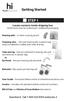 Getting Started STEP 1 Locate contents inside shipping box. Some items may be underneath cardboard packaging. Hearing aids - In silver carrying pouch Cleaning wire - One per hearing aid, in plastic bag
Hearing Aid Users Information Booklet
 Hearing Aid Users Information Booklet Audiology Department Specialist Support If you require this leaflet in another language, large print or another format, please contact the Health Information Centre
This Document Contains:
 Instructional Documents Video Conference >> PolyCom >> VSX 7000 Extension Computing Technology Unit This Document Contains: A Device Description An Installation Guide Instructions for Use Best Practices
BTE. Operations Manual. Behind-The-Ear
 BTE Operations Manual Behind-The-Ear Contents About Your Hearing Instruments... 2 Features and Controls... 4 Open Fittings............................ 5 Identification............................. 6 Batteries................................
UK s best selling phone brand. User Guide. BT Big Button 200 Corded Phone
 UK s best selling phone brand User Guide BT Big Button 200 Corded Phone 2 Welcome. to your BT Big Button 200 telephone Large buttons for easy, accurate and more comfortable dialling Large display to assist
Hearing Aid Compatibility With Cell Phones
 Hearing Aid Compatibility With Cell Phones To ensure everyone benefits from advances in technology, the Federal Communications Commission (FCC) has approved standards and passed regulations for cell phone
HOW TO WEAR FIT VIDEO SPORTS IN-EAR HEADPHONES WITH MIC, REMOTE, AND UNIVERSAL VOLUME CONTROL USER MANUAL BEFORE FIRST USE WATCH THE.
 SPORTS IN-EAR HEADPHONES WITH MIC, REMOTE, AND UNIVERSAL VOLUME CONTROL model: M7P USER MANUAL BEFORE FIRST USE WATCH THE HOW TO WEAR FIT VIDEO at: www.meelec.com/m7pfit Please read this manual in its
Hearing Aid User Guide. Don t Just Hear.
 Hearing Aid User Guide Don t Just Hear. Congratulations!!! YOU VE JUST TAKEN YOUR FIRST STEP BACK TOWARD THE CENTER OF THE CONVERSATION. The next steps are simple, but they re important. In fact, with
Hearing Aid Care Kit. User Instructions
 Hearing Aid Care Kit User Instructions 1 2. Battery Tester We recommend that you test the batteries in your hearing aids every morning to make sure that there is plenty of power left for the day. The red
USER INSTRUCTIONAL BROCHURE
 USER INSTRUCTIONAL BROCHURE BTE, BTE P Congratulations on your digital hearing instruments. They represent some of the most advanced technology currently available in hearing care. Carefully follow these
BONE-CONDUCTION HEARING AIDS
 BONE-CONDUCTION HEARING AIDS Introduction Conventional hearing aids fit in the ear canal and amplify sounds, which the hearing aid user then hears in the normal way. However, these hearing aids are not
Moxi 2 Dura behind-the-ear (BTE) hearing aid guide
 Moxi 2 Dura behind-the-ear (BTE) hearing aid guide Thank you Thank you for choosing Unitron hearing aids. At Unitron, we care deeply about people with hearing loss. We work closely with hearing healthcare
Audiology Services. Carolyn Dando Audiology Services Manager South Warwickshire NHS
 Audiology Services Carolyn Dando Audiology Services Manager South Warwickshire NHS What are we going to cover today? General overview of the ear Hearing loss Hearing assessments, results Hearing aids Paediatric
Cochlear Implant and Associated Technologies for Hearing
 Cochlear Implant and Associated Technologies for Hearing Mada Assistive Technology Center Tel: 00 974 44594050 Fax: 00 974 44594051 Email: [email protected] What is a cochlear implant? Cochlear implants
CarePartner Telephone With Reminders
 Philips wordmark and Lifeline K100 CarePartner Telephone With Reminders Model 9500 User s Manual Black and white version For use with newsprint and other one-color applications. 1 x P height 1 x P height
User s manual. Corded telephone. w w w.v t e c h c a n a d a. c o m. Big Button Big Display. Model:CD1281 DIR CID
 User s manual w w w.v t e c h c a n a d a. c o m DIR CID Model:CD1281 Corded telephone Big Button Big Display Congratulations on purchasing your new VTech product. Before using this telephone, please read
ReSound Unite TV FREQUENTLY ASKED QUESTIONS. Setup & Configuration. Use & Operation. Troubleshooting
 Tip for use of FAQ: Click on questions to go to answer. Setup & Configuration How do I pair the hearing aids to the Unite TV?... 2 What is the latency of the streamed signal?... 2 Does the Unite TV use
Setting up and Using the Bluetooth Card
 Setting up and Using the Bluetooth Card Cell Phone Instructions for Vanguard Plus and Essence VG Software Version 5.06 or higher * For Bluetooth Card instructions for a Vantage+ or Vanguard II with software
Meal Delivery Services (P14)
 Meal Delivery Services (P14) Torbay Disability Information Service Torbay and Southern Devon Health and Care NHS Trust Chadwell Annexe Torquay Road Paignton TQ3 2DW Tel: 01803 546474 Email: [email protected]
Everything you need to know about getting hearing aids
 Everything you need to know about getting hearing aids Everything you need to know about getting hearing aids This factsheet is part of our Hearing aids range. It provides full information on getting hearing
Purchasing Hearing Aids What You Need to Know
 Purchasing Hearing Aids What You Need to Know Thank you for interest in. Contained in this package is some valuable information to help you understand our company and to make an informed decision about
USER INSTRUCTIONS THE CLEAR 220 SERIES. C2-9 model Behind-the-ear
 USER INSTRUCTIONS THE CLEAR 220 SERIES C2-9 model Behind-the-ear YOUR WIDEX CLEAR 220 HEARING AID (To be filled out by the hearing care professional) Date: Battery size: 2 CONTENTS SYMBOLS........................................
Personal Speed Dial Numbers
 Personal Speed Dial Numbers To dial a Personal Speed Dial number: Press Feature followed by the Dial Code. See panel 4 for programming instructions. Your system may also be programmed with System Speed
Boost the performance of your hearing aids. Phonak wireless add-ons
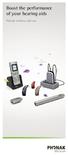 Boost the performance of your hearing aids Phonak wireless add-ons Modern hearing aid technology makes hearing and understanding in most situations enjoyable. But when you re on the phone, watching TV
STEREO BLUETOOTH WIRELESS SPORTS In-Ear Headphones
 STEREO BLUETOOTH WIRELESS SPORTS In-Ear Headphones USER MANUAL model: X7 PACKAGE CONTENTS EN X7 Stereo Bluetooth Wireless Sports In-Ear Headphones Micro-USB charging cable Carrying case 3 pairs of eartips
DSB-100 Portable Premium Bluetooth Speaker Owner s Manual
 . DSB-100 Portable Premium Bluetooth Speaker Owner s Manual You can print more than one page of a PDF onto a single sheet of paper. 1 Index Preparation Unpacking 3 Overview 4 Sound Quality 4 Design 4 Operation
YOUR VA HEARING AID GUIDE (REVISED 10/16/14)
 YOUR VA HEARING AID GUIDE (REVISED 10/16/14) FORWARD This document has been prepared to answer many common questions about using your V.A. issued hearing aids. Please keep this information for future use.
Online Meeting Instructions for Join.me
 Online Meeting Instructions for Join.me JOINING A MEETING 2 IS THERE A WAY TO JOIN WITHOUT USING THE WEBSITE? 2 CHATTING WITH OTHER PARTICIPANTS 3 HOW DO I CHAT WITH ONE PERSON AT A TIME? 3 CAN I CHANGE
Part 2. Copyright 1998 Philips Consumer Communications L.P. All rights reserved. Printed in Mexico. Issue 1AT&T 848229506
 2 User's Manual for Two-Line Digital Answering System Telephone with Speakerphone 1872 Fold open this paper for information about this telephone's installation and operation. Please read Part 1 Important
AT&T MERLIN COMMUNICATIONS SYSTEM USER S GUIDE MODELS 206, 410 AND 820 WITH FEATURE PACKAGE 2
 AT&T MERLIN COMMUNICATIONS SYSTEM USER S GUIDE MODELS 206, 410 AND 820 WITH FEATURE PACKAGE 2 Table of Contents Page Page Available Features Key to Symbols Placing and Answering Calls Line Buttons and
Behind-the-Ear Hearing Instruments
 Behind-the-Ear Hearing Instruments User Manual Thank you for purchasing a Siemens Hearing Instrument. Siemens Hearing Instruments are designed to achieve the highest in quality and reliability. We are
CS55H HOME EDITION... WIRELESS HEADSET SYSTEM
 CS55_HO_606.qxd /6/06 : PM Page ii WARRANTY Limited Warranty This warranty covers defects in materials and workmanship of products manufactured, sold or certified by Plantronics which were purchased and
The advantage in the ear. A Phonak, customized
 The advantage in the ear A Phonak, customized 2 3 The advantage of getting it right We invite you to discover our amazing custom made products, and to embrace our market leading technology for clients
Jabra SPORT. User manual. www.jabra.com
 Jabra SPORT User manual www.jabra.com Contents Thank you...2 About your Jabra SPORT...3 What your headset DOES...3 GETTING STARTED............................................. 4 CHARGING YOUR JABRA SPORT...4
G.A.L. HANDS FREE EMERGENCY TELEPHONE MODEL GAL-6400
 I. GENERAL G.A.L. HANDS FREE EMERGENCY TELEPHONE MODEL GAL-6400 The GAL-6400 Hands Free Emergency Telephone permits a pre-programmed number to be dialed when the "push to call" button is depressed on the
Sensory alerts and multi-alerting systems for the home
 Sensory alerts and multi-alerting systems for the home Sensory alerts and multi-alerting systems for the home This factsheet is part of our Equipment range, for people with hearing loss and their families.
Hear Better With FM. Get more from everyday situations. Life is on. www.phonak.com
 Hear Better With FM Get more from everyday situations Life is on We are sensitive to the needs of everyone who depends on our knowledge, ideas and care. And by creatively challenging the limits of technology,
AA9604 Auto Attendant
 AA9604 Auto Attendant Operation Manual 10AA96V4M.2.13.EN1 DSG, DSG logo, AA9604, VL880, VL880L, IM1200, IM2400, IL1000 and IL5000 are trademarks of DSG Technology. Windows and Outlook Express are trademarks