
S4 Monitor Operating Instructions
|
|
|
- Cori Isabella Eaton
- 10 years ago
- Views:
Transcription
1 S4 Monitor Operating Instructions INTRODUCTION The WaterRower S4 performance monitor has been designed to balance a high level of technical sophistication with user friendliness. The WaterRower Series 4 monitor consists of 6 information and programming windows, 6 QuickSelect buttons and 3 navigation buttons. The WaterRower S4 displays windows include; Intensity- shows the intensity of exercise in various units Strokerate- shows the number of strokes per minute Heartrate- shows the number of heart beats per minute (optional) Zone Bar- shows position relative to a predefined work zone Duration- shows the duration of exercise in time Distance- shows the distance covered in various units The WaterRower S4 QuickSelect buttons include; On and Reset- turns the S4 monitor on and upon hold, resets the monitor Unit Setting- alters the units for intensity and distance Zone Setting- sets the zones for the zone bar Workout Programs Setting- sets the workout type and parameters Stored Program Recall- recalls historic workout settings Advanced Functions- accesses numerous advanced features The WaterRower S4 Navigation buttons include; OK- select setting Up Scroll- scroll units/selection up Down Scroll- scroll units/selection down

2 INFORMATION WINDOWS Intensity Window The intensity window of the WaterRower S4 monitor displays speed (or average speed) in units of m/s (meters per second), mph (miles per hour), /500m (minutes per 500 meters), /2km (minutes per 2 kilometers). It also displays power in watts, and energy consumption in cal/hr (calories burnt per hour). Units may be changed (see Setting Units later in this manual). Zones may be set for Intensity Zone workouts (see Setting Zones later in this manual) Strokerate Window The strokerate window of the WaterRower S4 monitor displays strokerate (number of strokes rowed per minute) in units of strokes/min (strokes per minute). Zones may be set for Strokerate Zone workouts (see Setting Zones later in this manual) Heartrate Window The heartrate window displays the heart rate (available when the optional heartrate feature is operational) in units of beats/min (beats per minute). Zones may be set for Heartrate Zone workouts (see Setting Zones later in this manual) Zone Bar Window The zone bar window displays the position below, within and above the programmed zone settings. Zones may be set for intensity, strokerate and heartrate (see Setting Zones later in this manual). Duration Window The duration window displays the time covered (or time to be covered in a duration workout) in units of hours, minutes, seconds and decimal seconds. The duration window may also be programmed to display time remaining (see Setting Workouts- Duration Workouts later in this manual). Distance Window The distance window displays the distance covered (or distance to be covered in a distance workout). Units may be set to meters, miles, km (kilometers) or strokes (see Setting Units later in this manual). The distance window may also be programmed to display distance remaining (see Setting Workouts- Distance Workouts later in this manual).

3 Program Window The program window helps the user navigate through a series of advanced functions. Advanced functions include; manual workout program storage and retrieval, projected duration for distance workouts, projected distance for duration workouts, advanced heartrate analysis, power/recovery ratio, 2km prognostics, tank volume, total distance rowed and firmware version (see Setting Advance Functions later in this manual). SETTING UNITS Display units may be changed using the units button. Units are scrolled in the sequence: intensity - average intensity - distance - intensity- etc.. Intensity Units Scroll to the intensity window using the units button (the intensity unit digits will appear along with the intensity and intensity units flag). Scroll to the desired intensity unit (m/s, mph, /500m, /2km, watts or cal/hr) using the arrow buttons. Once the desired unit is highlighted press OK and the monitor will return to ready mode. Average Intensity Units Scroll to the average intensity window using the units button. (the intensity unit digits will appear along with the average intensity and intensity units flags). Scroll to the desired intensity unit (m/s, mph, /500m or /2km) using the arrow buttons. Once the desired unit is highlighted press OK and the monitor will return to ready mode. Distance Units Scroll to the distance window using the units button (the distance unit digits will appear along with the distance and distance units flag). Scroll to the desired distance unit (meters, miles, km or strokes) using the arrow buttons. Once the desired unit is highlighted press OK and the monitor will return to ready mode. SETTING ZONES Zones settings allows the user to set upper (HI) and lower (LO) limits for heartrate, intensity and stroke rate. When the set zone LO limit is breached the zone bar LO flag will flash and a low frequency tone will emit. When the set zone HI limit is breached the zone bar HI flag will flash and a high frequency tone will emit. When operating between the upper and lower zone limits the position in this range will be displayed by the divisional zone bars. Heartrate Zone setting Scroll to the heartrate window using the zones button (the upper heartrate unit digits will appear along with the heartrate flag and the zone bar will flash scrolling up to HI). Scroll to the desired heartrate upper limit using the arrow buttons.

4 Once the desired upper limit is reached press OK (the lower heartrate unit digits will appear along with the heartrate flag and the zone bar will flash scrolling down to LO). Scroll to the desired heartrate lower limit using the arrow buttons. Once the desired lower limit is reached press OK and the monitor will return to ready mode. Intensity Zone setting Scroll to the intensity window using the zones button (the upper intensity unit digits will appear along with the intensity flag and the zone bar will flash scrolling up to HI). Scroll to the desired intensity upper limit using the arrow buttons. Once the desired upper limit is reached press OK (the lower intensity unit digits will appear along with the intensity flag and the zone bar will flash scrolling down to LO). Scroll to the desired intensity lower limit using the arrow buttons. Once the desired lower limit is reached press OK and the monitor will return to ready mode. Strokerate Zone setting Scroll to the strokerate window using the zones button (the upper strokerate unit digits will appear along with the strokerate flag and the zone bar will flash scrolling up to HI). Scroll to the desired strokerate upper limit using the arrow buttons. Once the desired upper limit is reached press OK (the lower strokerate unit digits will appear along with the strokerate flag and the zone bar will flash scrolling down to LO). Scroll to the desired intensity lower limit using the arrow buttons. Once the desired lower limit is reached press OK and the monitor will return to ready mode. SETTING WORKOUT PROGRAMS The WaterRower S4 monitor allows you to manually program workouts; distance, duration and interval training (work periods of either distance or duration separated by periods of rest). Upon completion of your workout statistics are displayed. Distance Workout Setting Scroll to the distance window using the workout programs button (the distance digits will appear along with the distance and distance units flags, the workout flag will be flashing and the zone bar will be scrolling up to HI).

5 Scroll to the desired workout distance using the arrow buttons. Once the desired workout distance is reached press OK and the monitor will return to ready mode. The S4 Monitor s AutoPreview feature will automatically scroll through the distance workout settings. Duration Workout Setting Scroll to the duration window using the workout programs button (the duration digits will appear along with the duration flag, the workout flag will be flashing and the zone bar will be scrolling up to HI). Scroll to the desired workout duration using the arrow buttons. Once the desired workout duration is reached press OK and the monitor will return to ready mode. The S4 Monitor s AutoPreview feature will automatically scroll through the distance workout settings. Distance Interval Workout Setting Scroll to the distance interval workout window using the workout programs button (the distance digits will appear along with the distance and distance units flags, the workout, interval and work flags will be flashing and the zone bar will be scrolling up to HI. The number 1 will appear in the program window denominating the 1st work session). Scroll to the first workout distance using the arrow buttons. Once the desired workout distance is reached press OK (the duration digits will appear along with the duration flag, the workout, interval and rest flags will be flashing and the zone bar will be scrolling down to LO. The number 1 will appear in the program window denominating the 1st rest session). Scroll to the first workout rest duration using the arrow buttons. Once the first workout rest duration is reached press OK (the distance digits will appear along with the distance and distance units flags, the workout, interval and work flags will be flashing and the zone bar will be scrolling up to HI. The number 2 will appear in the program window denominating the 2nd work session). Once the desired workout distance is reached press OK (the duration digits will appear along with the duration flag, the workout, interval and rest flags will be flashing and the zone bar will be scrolling down to LO. The number 2 will appear in the program window denominating the 2nd rest session). Continue on until the desired total number of work pieces is reached. Press OK twice to end the sequence. The S4 Monitor s AutoPreview feature will automatically scroll through the distance interval workout settings.

6 Duration Interval Workout setting Scroll to the duration interval workout window using the workout programs button (the duration digits will appear along with the duration flag, the workout, interval and work flags will be flashing and the zone bar will be scrolling up to HI. The number 1 will appear in the program window denominating the 1st work session). Scroll to the first workout duration using the arrow buttons. Once the desired workout duration is reached press OK (the duration digits will appear along with the duration flag, the workout, interval and rest flags will be flashing and the zone bar will be scrolling down to LO. The number 1 will appear in the program window denominating the 1st rest session). Scroll to the first workout rest duration using the arrow buttons. Once the first workout rest duration is reached press OK (the duration digits will appear along with the duration flag, the workout, interval and work flags will be flashing and the zone bar will be scrolling up to HI. The number 2 will appear in the program window denominating the 2nd work session). Once the desired workout duration is reached press OK (the duration digits will appear along with the duration flag, the workout, interval and rest flags will be flashing and the zone bar will be scrolling down to LO. The number 2 will appear in the program window denominating the 2nd rest session). Continue on until the desired total number of work pieces is reached. Press OK twice to end the sequence. The S4 Monitor s AutoPreview feature will automatically scroll through the distance interval workout settings. STORED PROGRAMS The WaterRower S4 monitor includes a AutoStore facility which automatically stores the last 9 historic workout program settings. Programs may be viewed (and selected) using the S4 monitor s AutoPreview facility. Retrieving AutoStore Programs Scroll through your historic workout settings using the stored programs button. The historic sequence of workouts (1 thru 9) will appear in the program window. The S4 Monitor s AutoPreview feature will automatically scroll through the workout settings. When the workout you desire is highlighted, press OK to select

7 ADVANCED SETTINGS The WaterRower S4 monitor has many advanced functions which are accessible using the advanced programs button; ADVANCED PROGRAM 1- Store Workouts Settings In addition to the AutoStore facility described earlier, the WaterRower S4 monitor allows manual storage of workout settings. This is particularly useful if the S4 is used by numerous users and the AutoStore programs are overwritten. When advance program 1 is highlighted, press OK. Scroll to the desired workout storage location (1 thru 9) using the scroll keys. Press OK when the desired storage location is reached. Your workout settings are stored in the selected location and may be retrieved using advanced function 2 (see below) ADVANCED PROGRAM 2- Retrieve Workouts Settings In addition to the AutoStore facility described about, the WaterRower S4 monitor allows manual storage of workout settings (see above). When advance program 2 is highlighted, press OK. Scroll to the desired workout storage location (1 thru 9) using the scroll keys. Each workout setting storage location will scroll through the workout settings to assist selection. Press OK when the storage location is reached. Your workout settings stored in the selected location will be loaded ADVANCED PROGRAM 3- Projected Duration The WaterRower S4 monitor allows you to view your projected duration during a distance workout. Projected duration is the duration projected for the set distance given the current intensity. Projected duration is displayed in lieu of duration for 2 seconds in every 10, must be selected immediately prior to the workout and is current only for that workout. When advance program 3 is highlighted, press OK. The projected duration option is selected. ADVANCED PROGRAM 4- Projected Distance The WaterRower S4 monitor allows you to view your projected distance during a duration workout. Projected distance is the distance projected for the set duration given the current intensity. Projected distance is displayed in lieu of distance for 2 seconds in every 10 seconds, must be selected immediately prior to the workout and is current only for that workout. When advance program 4 is highlighted, press OK. The projected distance option is selected. ADVANCED PROGRAM 5- Ratio The WaterRower S4 monitor allows you to view the ratio between the power and recovery parts of the stroke. The recovery ratio is displayed in lieu of intensity for 2 seconds in every 10 seconds, must be selected immediately prior to the workout and is current only for that workout. When advance program 5 is highlighted, press OK. The recovery : power ratio option is selected.

8 ADVANCED PROGRAM 6- Advanced Heart Rate Analysis The WaterRower S4 monitor allows advanced heart rate workout analysis. The option is available only during heartrate zone workouts and must be used following the workout. When advance program 6 is highlighted, press OK. Heartrate statistics will display; (a) Maximum (peak) heartrate- the maximum heartrate achieved (a) (b) Time spent above the desired heartrate zone- the time spent above the heartrate zone HI setting (b) (c) Time spent in the desired heartrate zone- the time spent between the heartrate zone HI setting and the heartrate zone LO setting (c) (d) Time spent below the desired heartrate zone- the time spent below the heartrate LO setting (d) ADVANCED PROGRAM 7- Prognostics The WaterRower S4 monitor allows you to view your prognostics (the % of a defined 2km time). The option is available only during 2km workouts. When advance program 7 is highlighted, press OK. Enter your expected 2km time in the intensity window using the scroll button. Press OK when the desired target 2km duration is reached.

9 ADVANCED PROGRAM 8- Tank Volume The WaterRower S4 monitor allows you input the volume of water in the tank. The tank volume is necessary in calculation of power (watts). When advance program 8 is highlighted, press OK. Enter the tank volume in the intensity window using the scroll button. Press OK when the desired tank volume is reached. ADVANCED PROGRAM 9- Firmware Version/Total Machine Distance The WaterRower S4 monitor can display the firmware version (the version of the software that runs the monitor) and the total distance that the machine has travelled. When advance program 9 is highlighted, press OK. The total lifetime distance (in kilometers) and firmware version will be displayed. If you experience an problems with your S4 monitor please do not hesitate to contact our office or visit our service website online at

S3 Performance Monitor Operation
 S3 Performance Monitor Operation WELCOME The Series III monitor has been designed to strike a balance between technical sophistication and user-friendliness. To achieve this we use text menu windows to
Fluid Ergometer Computer V.8012
 Fluid Ergometer Computer V.8012 2 INDEX 3. Computer Units of Measurement. 4. Programs. Quick Start. 5. Programs. Pacer. 6. Programs. Interval 7. Set and save workout parameters. 8. Computer options. Change
OWNER S MANUAL ASSEMBLY MANUAL MONITOR INSTRUCTIONS WARRANTY & CONTACT INFO
 OWNER S MANUAL ASSEMBLY MANUAL MONITOR INSTRUCTIONS WARRANTY & CONTACT INFO OWNER S MANUAL TABLE OF CONTENTS Owner s Manual 03 10 Assembly Instructis 11 17 Mitor Instructis 19 32 Troubleshooting / Warranty
OARTEC SIMULATOR TRAINING MONITOR USER MANUAL Version 1.05
 OARTEC SIMULATOR TRAINING MONITOR USER MANUAL Version 1.05 Contents Features Getting Started Technical Functions Software Updates Training Modes Just Row Mode Time and Distance Workouts Workout Memory
Time Stamp. Instruction Booklet
 Time Stamp Instruction Booklet Time Stamp Introductions Time stamp is a useful solution for backing up and restoring system, it backs up the entire computer system to the Backup Zone. Time Stamp is used
FDF Ergometer. User Guide. Evolution Series Rowers, Cycle XT and UBE's
 FDF Ergometer User Guide Evolution Series Rowers, Cycle XT and UBE's Table of Contents Introduction...1 Features...1 Interactive Performance Monitor (IPM) Layout...1 Programs...1 Button Functions...1 Starting
Treadmills USER S INSTRUCTION MANUAL. Designed and engineered in Canada. Bodyguard, cardiovascular exercise machine manufacturer since 1969
 USER S INSTRUCTION MANUAL Treadmills Designed and engineered in Canada Part. no. 691036 Bodyguard, cardiovascular exercise machine manufacturer since 1969 TABLE OF CONTENTS THANK YOU FOR PURCHASING A
Service Reminder Indicator (SRI), general information
 90-17 Service Reminder Indicator (SRI), general information A Service Reminder Indicator (SRI) -F27- was included on Golf, GTI, Jetta and Cabrio vehicles up to m.y. 1995. The SRI indicates when scheduled
Quick Guide. S610i S610i
 COMPLETE HR Displays your heart rate as bpm and % of HR max, average heart rate and exercise duration. Allows you to set 5 exercise sets for interval training with HR target zones and recovery calculation.
Quick Start Guide. Goal Status Bar. Time/Date. Activity type. Activity value. Models: Move C300, Fit C400, Zone C410
 Goal Status Bar Time/Date Activity type Activity value Watch/screen images may vary from actual model Quick Start Guide Models: Move C300, Fit C400, Zone C410 To turn on your activity tracker, press and
1. Click the Site Actions dropdown arrow and select Show Page Editing Toolbar. 2. Click Edit Page to begin changing the page layout
 SharePoint Tools Create a Custom List Show Page Editing Tool Bar (If your Editing toolbar is not displaying) 1. Click the Site Actions dropdown arrow and select Show Page Editing Toolbar. 2. Click Edit
Service Bulletin [2014 02]
![Service Bulletin [2014 02]](/thumbs/27/10792456.jpg "Service Bulletin [2014 02]") How do you know if you have a PanelView Plus or a Panelview Plus 6? The quickest way is to look at the type of memory slot the unit has on the back. If it accepts and SD Card, it s a PanelView Plus 6.
How do you know if you have a PanelView Plus or a Panelview Plus 6? The quickest way is to look at the type of memory slot the unit has on the back. If it accepts and SD Card, it s a PanelView Plus 6.
Firmware version: 1.10 Issue: 7 AUTODIALER GD30.2. Instruction Manual
 Firmware version: 1.10 Issue: 7 AUTODIALER GD30.2 Instruction Manual Firmware version: 2.0.1 Issue: 0.6 Version of the GPRS transmitters configurator: 1.3.6.3 Date of issue: 07.03.2012 TABLE OF CONTENTS
ENGLISH. Polar RS400 User Manual
 Polar RS400 User Manual CONTENTS 1. INTRODUCTION... 4 2. RUNNING COMPUTER PARTS... 5 3. GETTING STARTED... 6 Basic Settings... 6 Menu Structure... 7 4. PREPARE FOR TRAINING... 8 Wear the Transmitter...
NEC SV8100 Telephone System User Guide (for SV8100 12-button and 24-button phones)
 NEC SV8100 Telephone System User Guide (for SV8100 12-button and 24-button phones) KEYS AND BUTTONS ON YOUR PHONE Incoming Call/Message Waiting indicator light Flashes red quickly when a call is ringing
XPRESSIONS USER GUIDE
 XPRESSIONS USER GUIDE 1 WHAT IS XPRESSIONS? A voicemail system that enables access via the telephone or by PC/MAC. NOTE: Siemens no longer supports the current PhoneMail system. Xpressions is the replacement.
Go and Track Console Training Guide. Name. Date
 Name Date Go and Track Console Training Guide, a division of Brunswick Corporation. All rights reserved. Life Fitness is a registered trademark of Brunswick Corporation. TABLE OF CONTENTS Chapter 1 Chapter
Precor Elliptical Workout Guide Choosing a Program Program Tips Manual Program MANUAL
 Precor Elliptical Workout Guide You may be surprised at how many workouts and features are pre-programmed into each machine. Everything from working your problem areas to taking a fitness test! Variety,
Instructions for creating a data entry form in Microsoft Excel
 1 of 5 You have several options when you want to enter data manually in Excel. You can enter data in one cell, in several cells at the same time, or on more than one worksheet (worksheet/spreadsheet: The
1 Getting started... 3 1.1 Basic settings... 3 1.2 Modes and views... 4 1.3 Menu navigation... 5 2 Training with your heart rate monitor... 7 2.
 en QUICK GUIDE 1 2 1 Getting started......................................................................... 3 1.1 Basic settings............................................................... 3 1.2 Modes
NEC SV8100 Telephone System User Guide (for SV8100 12-button and 24-button phones with CAP/PARK keys)
 NEC SV8100 Telephone System User Guide (for SV8100 12-button and 24-button phones with CAP/PARK keys) KEYS AND BUTTONS ON YOUR PHONE Incoming Call/Message Waiting indicator light Flashes red quickly when
Copyright EPiServer AB
 Table of Contents 3 Table of Contents ABOUT THIS DOCUMENTATION 4 HOW TO ACCESS EPISERVER HELP SYSTEM 4 EXPECTED KNOWLEDGE 4 ONLINE COMMUNITY ON EPISERVER WORLD 4 COPYRIGHT NOTICE 4 EPISERVER ONLINECENTER
Digital Handset. User Guide. General Sales Phone 1800423181 Fax 08 8234 6700. Installation and Service (office hours) Phone 1800423181
 General Sales Phone 1800423181 Fax 08 8234 6700 Digital Handset Installation and Service (office hours) Phone 1800423181 Fax 08 8234 6700 e-mail [email protected] User Guide KX-T7636AL+ KX-T7630AL
OneSourceFax Customer Guide
 OneSourceFax Customer Guide General Information Billing: OneSourceFax Plan Features Monthly Charge OneSourceFax 150 Unlimited Faxes to Numbers in your Local Calling Area $12.95 150 Nationwide Long Distance
Destination Learning Management User Guide v. 4.2
 Destination Learning Management User Guide v. 4.2 c. 2008 Houghton Mifflin Harcourt Publishing Company. All rights reserved. Destination Math, Destination Reading, Destination Teach, Destino Lectura, Destino
Nortel VoIP Phone User Guide An overview of features
 Nortel VoIP Phone User Guide An overview of features IP Phone 1120E Click phone for enlarged and labeled picture. IP Phone 1140E Click phone for enlarged and labeled picture. Basic Phone Functions Adjusting
Digital Heart Rate Monitor
 W-248 843-095002-02 EU 2009 Timex Group, USA, Inc. TIMEX, TRIATHLON and NIGHT-MODE are registered trademarks of Timex Group USA, Inc. INDIGLO is a registered trademark of Indiglo Corporation in the US
T240 T240P T240C OWNER S MANUAL TREADMILLS. T240 illustrated. Part no: 691018
 T240 T240P T240C TREADMILLS OWNER S MANUAL Part no: 691018 T240 illustrated BODYGUARD FITNESS, division of Procycle CANADA 9095, 25 th Avenue, Saint-Georges (Québec) Canada G6A 1A1 The name Bodyguard Fitness
Norstar Programming Feature Codes
 Norstar Programming Feature Codes Common Telephone Features Customizing Your Telephone Norstar Voice Mail Commands Administrative Commands for Voice Mail Norstar 3x8, 6x16 and 8x24 Programming Common Norstar
Fitness Training Program
 Sample Endurance Factor Introduction Fitness Training Congratulations on completing your Metabolic Profile! Until recently, this type of assessment was available only to human performance labs and training
MONITOR REDUCE SAVE INSTRUCTION MANUAL ENERGY MANAGEMENT SOFTWARE. For Windows XP, Vista, Windows 7 ( 32 & 64 bit ) Mac OSX 10.5+
 3 ENERGY MANAGEMENT SOFTWARE 2 32 ENERGY MANAGEMENT SOFTWARE For Windows XP, Vista, Windows 7 ( 32 & 64 bit ) Mac OSX 10.5+ System Requirements: Min 800x600 or above Adobe Air V1.5+ MONITOR REDUCE SAVE
Model SL355 Noise Dosimeter/Datalogger
 Model SL355 Noise Dosimeter/Datalogger Software Help Guide Software Introduction The SL355 Noise Dosimeter software allows for setup and retrieval of recorded data in the Noise Dosimeter. A total of 20
HOW DO I... GATHER LEADS AND SALES VIA A LIVE EVENT PRESENTED BY
 HOW DO I... GATHER LEADS AND SALES VIA A LIVE EVENT PRESENTED BY LET S GET STARTED! How Do I Gather Leads and Make Sales Via A Live Event? Introduction This system allows you to use ONTRAPORT Tasks to
Server Management in the WSD
 Technical Application Note 1025 Server Management in the WSD Scope RADWare s Web Server Director (WSD) essentially allows multiple clients to be load balanced between an identical and redundant group of
MODES & VIEWS Time Training Speed & Distance
 en USER GUIDE 1 2 MODES & VIEWS Time Training Speed & Distance weekday date seconds dual time empty training effect calories average heart rate lap time time distance average speed maximum speed lap time
Tutorial 3. Maintaining and Querying a Database
 Tutorial 3 Maintaining and Querying a Database Microsoft Access 2010 Objectives Find, modify, and delete records in a table Learn how to use the Query window in Design view Create, run, and save queries
Microsoft Office 2010
 Access Tutorial 3 Maintaining and Querying a Database Microsoft Office 2010 Objectives Find, modify, and delete records in a table Learn how to use the Query window in Design view Create, run, and save
The Abingdon Co. Jackie. Product Information, Manual and Warranty
 The Abingdon Co. Jackie Product Information, Manual and Warranty Revision 3 2 Dear Friend, 3 Welcome to the Abingdon family. Thank you for purchasing your Abingdon watch. I hope it helps you navigate for
EPiSERVER Content Management System
 Last Updated: 10/21/2014 EPiSERVER Content Management System Managing Calendar Events Adding Events to a Calendar Adding Recurring Event Updating a Calendar Event Deleting a Calendar Event Adding Events
Universal Simple Control, USC-1
 Universal Simple Control, USC-1 Data and Event Logging with the USB Flash Drive DATA-PAK The USC-1 universal simple voltage regulator control uses a flash drive to store data. Then a propriety Data and
SC Analysis Software. The software provides 5 main functions:
 SC Analysis Software Contents 1. Introduction 2. Rowing Record 3. Installing Software 4. Connecting to PC 5. Selecting a Record 6. Chart a Record 7. Display Splits 8. Setting Up SC 9. Synchronised Video
Goal Status Bar. Time/Date. Activity type: distance calories steps. Activity value. Quick Start Guide
 Goal Status Bar Time/Date Activity type: distance calories steps Activity value Quick Start Guide TO TURN YOUR C300 ON: press & hold any button until the screen turns on. Press to change modes: Time Hourly
TimeNet (API) portal. 1. Type in user name and password: (note: user name and password is the same as your GHSU email user name and email password)
 TimeNet (API) portal 1. Type in user name and password: (note: user name and password is the same as your GHSU email user name and email password) By checking the Quick badge only, and then clicking on
Event recording (or logging) with a Fluke 287/289 Digital Multimeter
 Event recording (or logging) with a Fluke 287/289 Digital Multimeter Application Note One of the major features of the Fluke 280 Series digital multimeters (DMM) with TrendCapture is their ability to record
2 Session buttons. 1 Phone Screen
 1 Phone Screen 2 Session buttons Shows information about your phone, including directory number (extension), call information (for example caller ID, icons for an active call or call on hold) and available
Polar HRM2 File Format Description
 Polar HRM2 File Format Description Version 1.4 Polar HRM2 File Format Description Page 2 (14) Contents Polar HRM2 File Format Description 1. GENERAL INFORMATION... 3 2. GENERAL PARAMETERS... 3 3. POLAR
Telstra HomeLine Features User Guide. More information. The smart way to make your phone work harder for you
 More information If you need further assistance with any of these Telstra HomeLine Features, please visit www.telstra.com or call us on 13 2200. The smart way to make your phone work harder for you Trade
1608 PHONE INSTRUCTIONS FOR IP OFFICE. 1 Proprietary to CPCS 1608 Document
 1 Proprietary to CPCS 1608 Document CALL HANDLING FEATURES PLACING A CALL To Place an Outside Call Lift the handset and dial the number. To place a call using a headset, press the Headset button and dial
Scheduling Guide Revised August 30, 2010
 Scheduling Guide Revised August 30, 2010 Instructions for creating and managing employee schedules ADP s Trademarks The ADP Logo is a registered trademark of ADP of North America, Inc. ADP Workforce Now
PERFORMANCE MONITOR MONIT USE
 PERFORMANCE MONITOR USE concept2.com E F D ES I P DK NL SV FI ENGLISH....................... 3-6 FRANÇAIS...................... 7-10 DEUTSCH...................... 11-14 ESPAÑOL...................... 15-18
Setting Up a New Project
 Setting Up a New Project Contents About this tutorial... 3 Step 1. Create a new project... 3 Step 2. Select project settings... 4 Step 3. Save your project... 11 Step 4. Create a project template... 12
First Certificate in English Online Practice Test Free Sample. How to complete the FCE Online Practice Test Free Sample: Writing
 First Certificate in English Online Practice Test Free Sample How to complete the FCE Online Practice Test Free Sample: Writing Welcome to the First Certificate in English Online Practice Test Free Sample.
OVERVIEW. Microsoft Project terms and definitions
 PROJECT 2003 DISCLAIMER: This reference guide is meant for experienced Microsoft Project users. It provides a list of quick tips and shortcuts for familiar features. This guide does NOT replace training
S P S S Statistical Package for the Social Sciences
 S P S S Statistical Package for the Social Sciences Data Entry Data Management Basic Descriptive Statistics Jamie Lynn Marincic Leanne Hicks Survey, Statistics, and Psychometrics Core Facility (SSP) July
Performance Pages: Challenger/Charger/300... 1 Downloading Timers Data... 4. Give it a Try!... 9
 PERFORMANCE PAGES Contents Performance Pages: Challenger/Charger/300... 1 Downloading Timers Data... 4 Give it a Try!... 8 Requirements... 8 Disclaimers... 8 Tips... 9 FAQs... 9 SRT Performance Pages:
KM Metering Inc. EKM Dash 1.8.3.0 User Manual. EKM Metering Inc. www.ekmmetering.com [email protected] (831)425-7371
 EKM Dash 1..3.0 User Manual The EKM Dash is our desktop software solution for your meter data management. It is intended to give you the tools to easily visualize, log, email, and export your data in a
Dash 18X / Dash 18 Data Acquisition Recorder
 75 Dash 18X / Dash 18 Data Acquisition Recorder QUICK START GUIDE Supports Recorder System Software Version 3.1 1. INTRODUCTION 2. GETTING STARTED 3. HARDWARE OVERVIEW 4. MENUS & BUTTONS 5. USING THE DASH
Ski Machine Owner s Manual and Assembly Instructions
 OD O Ski Machine Owner s Manual and Assembly Instructions Y P R E C O Introduction Assembling Your Ski Machine Congratulations on purchasing your new Mode One Ski Machine. Made of high quality materials
IMS-640 VoIP Intercom Master Station Operating Instructions
 IMS-64 VoIP Intercom Master Station Operating Instructions MicroComm DXL MicroComm DXL IMS-64 VoIP Intercom Master Station Operating Instructions November, 29 Printed in Canada 29 Harding Instruments MN-DXL-IMS-64-Pv1
SIP-T22P User s Guide
 SIP-T22P User s Guide Thank you for choosing this T-22 Enterprise IP Phone. This phone is especially designed for active users in the office environment. It features fashionable and sleek design, and abundant
Endomondo Sports Tracker Android App User Guide App version 5.1.X. Demo Models Used: Motorola Milestone / HTC Desire August 2011
 Endomondo Sports Tracker Android App User Guide App version 5.1.X Demo Models Used: Motorola Milestone / HTC Desire August 2011 0 Contents SECTION 1 2 3.1 3.2 3.3 3.4 3.5 3.6 4.1 4.2 5.1 5.2 6 7.1 7.2
Performance Watch User Guide
 W-188 589-095006 NA p e r f o r m a n c e w a t c h u s e r g u i d e BODYLINK SYSTEM Performance Watch User Guide English page 1 Français page 81 Español página 159 Português página 239 2005 Timex Corporation
>> smart cross connect Users Guide. November 2014.
 >> smart cross connect Users Guide November 2014. >> Table of Contents 1 Overview 1.1 Getting Around 1.2 Pairing your smart with smart cross connect 2 In-Car Mode 2.1 Car Info 2.2 Navigation 2.2.1 Addresses
Rx Medical. SMD Utility. Task Scheduler Configuration
 Rx Medical SMD Utility Task Scheduler Configuration This document contains important information for all Rx Medical users. Please ensure this document is circulated amongst all your staff. We suggest these
Help. Contents Back >>
 Contents Back >> Customizing Opening the Control Panel Control Panel Features Tabs Control Panel Lists Control Panel Buttons Customizing Your Tools Pen and Airbrush Tabs 2D Mouse and 4D Mouse Tabs Customizing
Cardio Treadmill. Owner s Manual Part Number 72117
 Cardio Treadmill Owner s Manual Part Number 72117 IMPORTANT SAFETY INSTRUCTIONS WARNING: Failure to observe the following operating instructions can result in serious injury! [1] Do not use this product
MyTax Illinois Help. General use information... 5. Access and logon information... 12
 MyTax Illinois Help General use information... 5 Install Adobe Reader... 5 Enable Pop-ups in My Browser... 5 Determine Your Current Browser... 6 Change Browser Font Size... 6 Browsers that You Can Use...
Getting Started with Web Based Data Reporting. November, 2005
 Getting Started with Web Based Data Reporting November, 2005 This is a brief overview describing how to use the Colorado EMS Data Collection web based reporting tool. It is not a comprehensive manual,
Event recording (or logging) with a Fluke 287/289 Digital Multimeter
 Event recording (or logging) with a Fluke 287/289 Digital Multimeter Our thanks to Fluke Corp for allowing us to reprint the following article. One of the major features of the Fluke 280 Series digital
Remote monitoring of Crouzet Millenium 3 Using Netbiter EasyConnect EC220 & Netbiter Argos
 Remote monitoring of Crouzet Millenium 3 Using Netbiter EasyConnect EC220 & Netbiter Argos HMS Industrial Networks AB Page 1 (37) History Revision Date Description Responsible 1.11 2012-09-26 Typos SDA
Driver Terminal QUICK REFERENCE GUIDE. PeopleNet Customer Support 888-346-3486
 Driver Terminal QUICK REFERENCE GUIDE Customer Support 888-346-3486 The Wireless Fleet System makes it easy for drivers and dispatchers to communicate with each other. This guide will help you familiarize
How to complete the FCE Online Practice Test Free Sample: Use of English
 First Certificate in English Online Practice Test Free Sample How to complete the FCE Online Practice Test Free Sample: Use of English Welcome to the First Certificate in English Online Practice Test Free
In this section, the functions of a financial calculator will be reviewed and some sample problems will be demonstrated.
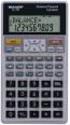 Section 4: Using a Financial Calculator Tab 1: Introduction and Objectives Introduction In this section, the functions of a financial calculator will be reviewed and some sample problems will be demonstrated.
B2W Maintain. Setup and Preventive Maintenance
 B2W Maintain Setup and Preventive Maintenance Session Contents B2W Maintain - Setup and Preventive Maintenance... 2 1: Learning About Maintenance Categories... 3 2: Learning About Equipment Level Enhancements...
Cisco IP Phone Training 8/26/15
 Cisco IP Phone Training 8/26/15 Using your Phone This document will provide information on the following: Introduce you to your phone Place, transfer, forward, park and pick up a call Set voice mail passwords
How To Use An Ip Phone With A Sim Sim Sims 2 (Iphone) Or Ip Phone (Ip Phone) With A Microsoft Ip Phone 2 (Ipphone) With An Ipro (Ipro) Or Sims 1 (Ip
 Thomson Telecom S.A.S with a capital of 130 037 460 RCS 390 546 059 Copyright THOMSON 2005 All rights reserved 09/2005-1 www.speedtouchpartner.com ST2030 TM SIP European Community Declaration of Conformity
Quick Guide. S720i /S710i HEART RATE MONITOR HEART RATE MONITOR
 COMPLETE HR Displays your heart rate as bpm and % of HR max, average heart rate and exercise duration. Quick Guide Allows you to set 5 exercise sets for interval training with HR target zones and recovery
Enter your User Name and Password (you can tab or left mouse click between these two fields) and click the Log On Button.
 ACCESSING THE NORFOLK HOSTED SIMS SERVICE ADMINISTRATORS GUIDE 1. URL and Login Credentials In order to access the Norfolk Hosted SIMS Service you will be given a unique URL for your organisation. This
Cisco IP 7961 Telephone & Unity Voicemail User s Guide
 Cisco IP 7961 Telephone & Unity Voicemail User s Guide Office of Information Technology Telecommunications and Network Operations Table of Contents General Information...1 Understanding Lines vs. Calls...2
D-MAX WEB GUIDE CONTROLLER WITH OPERATOR INTERFACE PANEL QUICK START SETUP MANUAL
 1/1 D-MAX.D1 1A Manual S1 D-MAX OPERATOR INTERFACE (Application Home Screen Is Shown) D-MAX CONTROLLER 04/14/2008 2008 Fife Corporation. All rights reserved. Figure Sheet 2-249 This page is intentionally
DS-5000 Series. Keysets. Quick Reference Guide
 DS-5000 Series Keysets Quick Reference Guide This QUICK REFERENCE GUIDE provides the basic operation of your Samsung DS 5021D, DS 5014D and DS 5007S telephones.the DS 5007S operates the same as the DS
CORSAIR GAMING KEYBOARD SOFTWARE USER MANUAL
 CORSAIR GAMING KEYBOARD SOFTWARE USER MANUAL TABLE OF CONTENTS CORSAIR UTILITY ENGINE OVERVIEW PROFILES 1 9 Introduction 2 Starting the Corsair Utility Engine 2 Profiles: Settings for a Specific Program
CHAPTER. Monitoring and Diagnosing
 CHAPTER 20. This chapter provides details about using the Diagnostics & Monitoring system available through ShoreTel Director. It contains the following information: Overview... 661 Architecture... 661
MC Talent Management System. Goals Module Guidebook
 MC Talent Management System Goals Module Guidebook A. Signing On and Off of the System B. Employee Center Home Page - Left Pane - Center Pane - Right Pane C. Accessing and Creating the Goal Plan D. Navigating
Employee Appointment Books. User s Manual
 Employee Appointment Books User s Manual Employee Appointment Books Health District Information System HDIS (Windows Ver. 4.0 ) Copyright 1998 by CHC Software, Inc All Rights Reserved CHC Software, Inc.
Access the TAX Training Web Site
 Register for TAX Training TAX s Learning Management System (LMS) is a Web-based application that delivers selfstudy training topics to your desktop, as well as tracks your progress through the training.
OWNER S MANUAL g force RT digital
 OWNER S MANUAL g force RT digital LeMond g force RT digital Visit our website at www.lemondfitness.com 15540 Woodinville-Redmond Rd NE Building A, Suite 100 Woodinville, WA 98072 USA Telephone: (+1) 425.482.6773
LifeSize Videoconferencing. LifeSize Videoconferencing. Concept. Preparing for a Videoconference
 Concept LifeSize Videoconferencing Lifesize is an Internet protocol (IP) videoconferencing solution that enables users to collaborate in real-time using high-definition video technology. LifeSize can easily
Workspaces Creating and Opening Pages Creating Ticker Lists Looking up Ticker Symbols Ticker Sync Groups Market Summary Snap Quote Key Statistics
 Getting Started Workspaces Creating and Opening Pages Creating Ticker Lists Looking up Ticker Symbols Ticker Sync Groups Market Summary Snap Quote Key Statistics Snap Report Price Charts Comparing Price
Reading mail via the Web on Mail.uh.edu
 Reading mail via the Web on Mail.uh.edu Connecting to mail via the Web Once you have obtained your userid and password, go to the Web Site http://mail.uh.edu You will see the following screen: Click Log
Lesson 07: MS ACCESS - Handout. Introduction to database (30 mins)
 Lesson 07: MS ACCESS - Handout Handout Introduction to database (30 mins) Microsoft Access is a database application. A database is a collection of related information put together in database objects.