
IL Part A INCOM Communications Standard
|
|
|
- Jean Gallagher
- 10 years ago
- Views:
Transcription
1 IL Part A INCOM Communications Standard June 2004 Revision 3.20 A reference guide for programming INCOM system communications including the INCOM RS-232 and INCOM/UDP protocols.
2

3 IL Part A INCOM Communications Standard June 2004 Revision 3.20 A reference guide for programming INCOM system communications including the INCOM RS-232 and INCOM/UDP protocols.

4 Limits of Liability and Disclaimer of Warranty The authors and publisher of this manual have used their best efforts in preparing this user manual and the programs contained in it. These efforts include the development, research, and testing of the theories and programs to determine their effectiveness. The authors and publisher make no warranty of any kind, expressed or implied, with regard to these programs or documentation contained in this book. The authors and publisher shall not be liable in any event for incidental or consequential damages in connection with, or arising out of, the furnishing, performance, or use of these programs or this user manual. If further information is desired by purchaser regarding the installation, operation, or maintenance of the software described in this user manual, the local Eaton Electrical representative should be contacted. ALL WARRANTIES OF MERCHANTABILITY AND FITNESS FOR PARTICULAR PURPOSE ARE DISCLAIMED. Trademarks INCOM and IMPACC are trademarks of the Eaton Corporation. Copyright 1991, 1992, 1993, 1994, 1995, 1996, 1998, 2002, 2003, 2004 Eaton Electrical Power Quality Division 150 Industry Drive Pittsburgh, PA Eaton Corporation INCOM System Communications June 2004

5 Contents TABLE OF CONTENTS PART A INCOM COMMUNICATIONS STANDARDS 1 INTRODUCTION INCOM PROTOCOL INCOM CHIP LEVEL INCOM Control Message INCOM Data Message INCOM NETWORK SLAVE DEVICE TYPES Stand-Alone Slave Expanded Mode Slave STAND-ALONE SLAVE COMMUNICATIONS STANDARD Standard Stand-Alone Slave-to-Master Command Set Standard Master-to-Stand-Alone Slave Command Set Energize Relay/Restore Load/Start Do Not Reply (0,F,F) De-Energize Relay/Shed Load/Stop Do Not Reply (1,F,F) Block De-Energize Relay/Shed Load/Stop Up to 16 Slaves (5,F,F) Energize Relay/Restore Load/Start Send Reply (8,F,F) De-Energize Relay/Shed Load/Stop Send Reply (9,F,F) De-Energize Relay/Shed Load/Stop All Stand-Alone Slaves (E,F,F) Request for Transmission of Status (F,x,x) EXPANDED-MODE SLAVE COMMUNICATIONS STANDARD Standard Expanded-Mode Slave-to-Master Command Set Acknowledge (ACK) Reply (3 1 0) Negative Acknowledge (NACK) Reply (3 1 1) Product Buffer Not Yet Available (3 1 5) Sub-Network Product Not Responding (3 1 9) Checksum Error (3 1 A) Downloaded Value Out of Range (3 1 B) Product Not in a State That Allows the Requested Action (3 1 C)...13 INCOM System Communications, June 2004 i

6 Contents 5.2 Standard Master-to-Expanded Mode Slave Command Set IMPACC 24-Bit Floating Point Number Format Standard Expanded Mode Slave-Buffer Transmissions (0 0-F) Standard Slave Buffer Command Set Standard Slave Buffer Command Set Expanded Buffer Number Definitions Transmit Status/ID (3 0 0) Transmit Status/Cause-of-Status Codes (3 0 2) Standard IMPACC Primary Status Codes Standard IMPACC Secondary Status Codes Standard IMPACC Cause-of-Status Codes Transmit All Standard Buffers (3 0 3) Transmit Current Buffer (3 0 5) Transmit Line-to-Line Voltage Buffer (3 0 6) Transmit Line-to-Neutral Voltage Buffer (3 0 7) Transmit Power Buffer(1) (3 0 8) Transmit Power Buffer(2) (3 0 9) Transmit Energy Buffer (3 0 A) Transmit Saved Energy Buffer (3 0 B) Transmit Saved Reactive Energy Buffer (3 0 C) Transmit Supported Standard Buffer List (3 0 F) N = Transmit Temperature Buffer (N=000001) Transmit Demand Currents(1) Buffer (N=000002) Transmit Currents Buffer (N=000003) Transmit Line-to-Line Voltage Buffer (N=000004) Transmit Line-to-Neutral Voltage Buffer (N=000005) Transmit Power Buffer (N=000006) Transmit Per-Phase Power Buffer (N=000007) Transmit System Energy Buffer (N=000008) Transmit Total Harmonic Distortion (THD) Buffer (N=000009)...32 ii INCOM System Communications, June 2004

7 Contents Transmit Demand Current and Peak Demand Average Current Buffer (N=00000A) Transmit Demand and Peak Demand Currents Buffer (N=00000B) Transmit Peak Demand Power Buffer (N=00000C) Transmit Min/Max Current Buffer (N=00000D) Transmit Min/Max L-L Voltage Buffer (N=00000E) Transmit Min/Max L-N Voltage Buffer (N=00000F) Transmit Min/Max PF-Displacement Buffer (N=000010) Transmit Min/Max PF-Apparent Buffer (N=000011) Transmit Min/Max Power/Frequency Buffer (N=000012) Transmit Min/Max Current %THD Buffer (N=000013) Transmit Min/Max Voltage %THD Buffer (N=000014) Transmit Crest Factor Buffer (N=000015) Transmit Min/Max Per Phase Real Power Buffer (N=000016) Transmit Min/Max Per Phase Reactive Power Buffer (N=000017) Transmit Min/Max Per Phase Volt Ampere (Apparent Power) Buffer (N=000018) Transmit Min/Max Currents Buffer (N=000019) Transmit Demand and Peak Demand Current Buffer (N=00001A) Transmit Demand and Peak Demand Power Buffer (N=00001B) Transmit Min/Max Voltage Buffer (N=00001C) Transmit Min/Max Power/Frequency/Power Factor Buffer (N=00001D) Transmit Min/Max Current % THD Buffer (N=00001E) Transmit Min/Max Voltage % THD Buffer (N=00001F) Transmit Min/Max Current THD Magnitude Buffer (N=000020) Transmit Min/Max Voltage THD Magnitude Buffer (N=000021) Transmit APC Energy Buffer (N=000022) Transmit Whole Load Center Energy Buffer (N=000023) Operations Count, Runtime Buffer (N=000024) Motor Data Maximum Values Buffer (N=000025) Motor Trip Counters Buffer (N=000026)...59 INCOM System Communications, June 2004 iii

8 Contents Motor Alarm Counters Buffer (N=000027) Motor Data Buffer (N=000028) Transmit Trip Unit Energy Buffer (N=000029) Transmit Trip Unit Current THD Buffer (N=00002A) Transmit Trip Unit Current Crest Factor Buffer (N=00002B) Transmit Trip Unit Current Min/Max Power Factor Buffer (N=00002C) FP Relay Currents Buffer (N=00002D) Line-to-Ground Voltage Buffer (N=00002E) FP Relay Min/Max Currents Buffer (N=00002F) Current/Voltage Phasors Buffer (N=000030) Sequence Phasors Buffer (N=000031) Min/Max System Power Factor Buffer (N=000032) FP-5000 Feeder Protection Relay Counters Buffer History Log Buffer (N=000033) Transmit Time of Use Watt-Hours Buffer (N=000034) Transmit Time of Use VAR-Hours Buffer (N=000035) Transmit Time of Use VA Hours Buffer (N=000036) Transmit Time of Use Peak Average Current Demand Buffer (N=000037) Transmit Time of Use Peak System Watt Demand Buffer (N=000038) Transmit Time of Use Peak System VAR Demand Buffer (N=000039) Transmit Time of Use Peak System VA Demand Buffer (N=00003A) MPCV Phasing Voltage Phasors Buffer (N=00003B) Transmit Test Packet (N=0000A5) Transmit Standard ASCII Device ID (N=0003E8) Transmit IQ Analyzer Event Log Summary Buffer (N=FC0000) Transmit IQ Analyzer Event Log Buffer (N = FCxyyy) Transmit Phase Angles of Event (Factory Test) (N=FE0004) Transmit IQ Analyzer Trend Summary Buffer (N=FF0000) Transmit IQ Analyzer Trend Header Buffer (N=FF00yy), yy = [01-64] Transmit Product Specific Slave-Buffers (3 C 8-F) Product-Specific Slave-Buffer Command Set List...89 iv INCOM System Communications, June 2004

9 Contents Transmit FLAGS Buffer (3 C 8) Transmit SETPOINTS Buffer (3 C 9) Transmit Single-Block SETPOINTS Buffer (3 C 9) Transmit Multi-Block SETPOINTS Definition Buffer (3 C 9) Transmit (Unacknowledged) Time-Stamped Event Data Buffer (3 C B) Offset Time Stamp RTC Time Stamp Receiving TIME-STAMPED EVENT DATA Buffers Transmit Expanded Buffer Command (3 C F) Standard Expanded Mode Slave Action (3 D 0 and 3 D 1) Receive Slave Action Number (3 D 0) Process Sub-Network Command (3 D 1) Standard Master-Buffer Transmissions (3 D 8-3 D F) Receive Current Date and Time (3 D 8) Receive INCOM Address (3 D 9) Product-Specific Master-Buffer Transmissions (3 F 8-3 F F) General Download (3 F 8) Download Setpoints (3 F 9) Broadcast Commands (D X X) Transmit System Management Buffers (3 A 3-3 A 7) Transmit PONI Configuration Buffer (3 A 3) Transmit INCOM Slave-Interface Statistics Buffer (3 A 4) Transmit Product-Specific Statistics Buffer (3 A 5) Transmit Sub-Network Master INCOM Statistics Buffer (3 A 6) Transmit Checksum of Previous Data Buffer (3 A 7) Standard IMPACC System Functions Subnetwork Master Demand Synchronization IMPACC Mode Sub-Network Master Flags Buffer Description (3 C 8) Supporting Multi-Block Setpoints INCOM System Communications, June 2004 v

10 Contents Terminology Size Limitation of Multi-Block Setpoints Uploading of Setpoints Downloading of Setpoints Multi-Block Setpoint Data Packet Size Description (3 1 F) Transmit Multi-Block SETPOINT Buffer Description (3 C 9) Multi-Block Setpoint Data Packet Description (3 C F) SLAVE ACTION Description (3 D 0) Receive Multi-Block Setpoint Data Packet (3 F 9) Download Setpoints Buffer Request (3 F B) Programming Considerations for IMPACC Master Communications IMPACC Device Communications Standards IMPACC Device Response Times CONI-PC INTERFACE Register Definitions Tx Buffer: xx0 HEX - xx3 HEX (Write) Rx Buffer: xx4 HEX - xx7 HEX (Read) Control Register: xx8 HEX (Write) Bit 0: Initiate Transmit Bit 1: Acknowledge Receive Bit 2: Queue Transmit Message Bit 3: Network Bit 4: Transmit/Receive Interrupt Enable Bit 5: Auxiliary Contact Input Interrupt Enable Bits 6-7: Baud Rate Status Register 1: xx8 HEX (Read) Bit 0: Tx Buffer Not Available Bit 1: Rx Buffer Not Available Bit 2: Tx Buffer Unloaded / Rx Queue Empty (Tx Sequence Complete) Bit 3: Rx Message Placed in Rx Buffer vi INCOM System Communications, June 2004
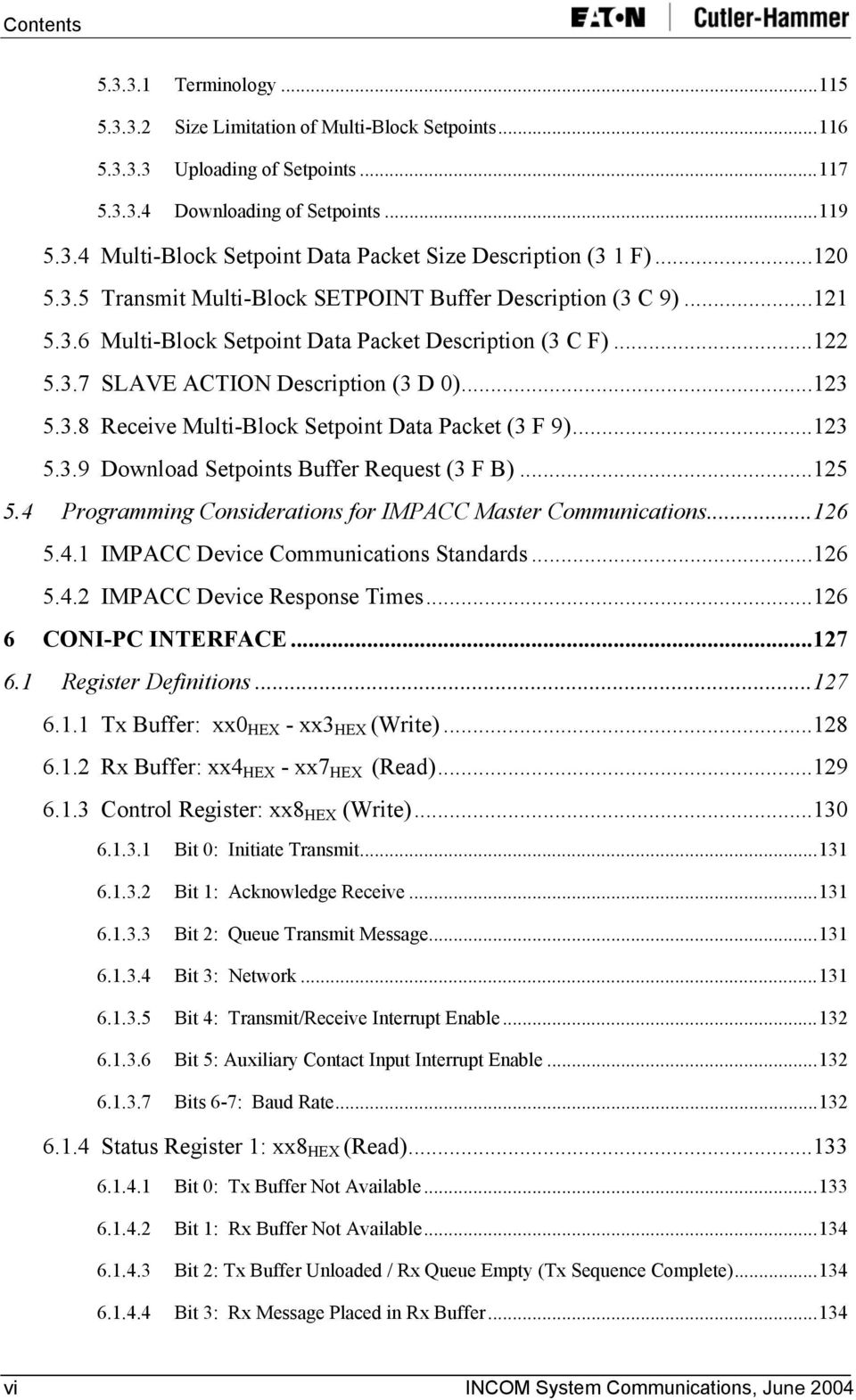
11 Contents Bits 5-4: Mode and Baud Rate Bit 6: Baud Rate or SYNC Interrupt Request Bit 7: INCOM Busy Status Register 2: xx9 HEX (Read) Bits 1-0: Baud Rate Bit 4: Transceiver Selection Bit 5: Transmit Sequence in Progress Bit 6: Auxiliary Contact Input Level Bit 7: Time-Out Disabled Mode2 Transmit Delay Register: xx9 HEX (Write) INCOM Time-Out Register: xxa HEX (Write) CONI Reset: xxa HEX (Read) Status Register 3: xxb HEX (Read) Bits 3-0: CONI-III FPGA Revision Bit 5: Master/Slave Bit 6: Tx Queue Overflow Bit 7: Rx Queue Overflow Initialization Mode 1 Operation Transmit Operation for Mode Receive Operation in Mode Mode 2 Operation Transmit / Receive Operation for Mode PC Interrupt Usage RS-232/ASCII TO INCOM Overview ASCII Message Formats ASCII Control Message INCOM System Communications, June 2004 vii

12 Contents ASCII Data Message ASCII Control Message To The MINT, RS-232 PONI, or Series III Gateway Interface ASCII Control Message Received from the MINT, RS-232 PONI, or Series III Gateway Interface (No BCH Error) ASCII Data Message to or from a MINT, RS-232 PONI, or Series III Gateway Interface (No BCH Error) BCH Error and Data Flow Control ASCII Messages BCH Error Characters Messages from the Host to the MINT, RS-232 PONI, or Series III Gateway Interface Messages from the MINT (or RS-232 PONI) to the Host Messages from the Series III Gateway Interface to the Host Data Flow Control Characters RS-232C Hardware Specifications INCOM/UDP PROTOCOL Beginning of Message String EI Product Communication Categories Notes on Data Structures INCOM on UDP/IP EPONI Query Functions Application Query Functions S-record Loader Query Functions EMINT Query Functions Multiple Network Client Support Safe Retry Special Considerations S-record Data Format Terms S-record Example viii INCOM System Communications, June 2004
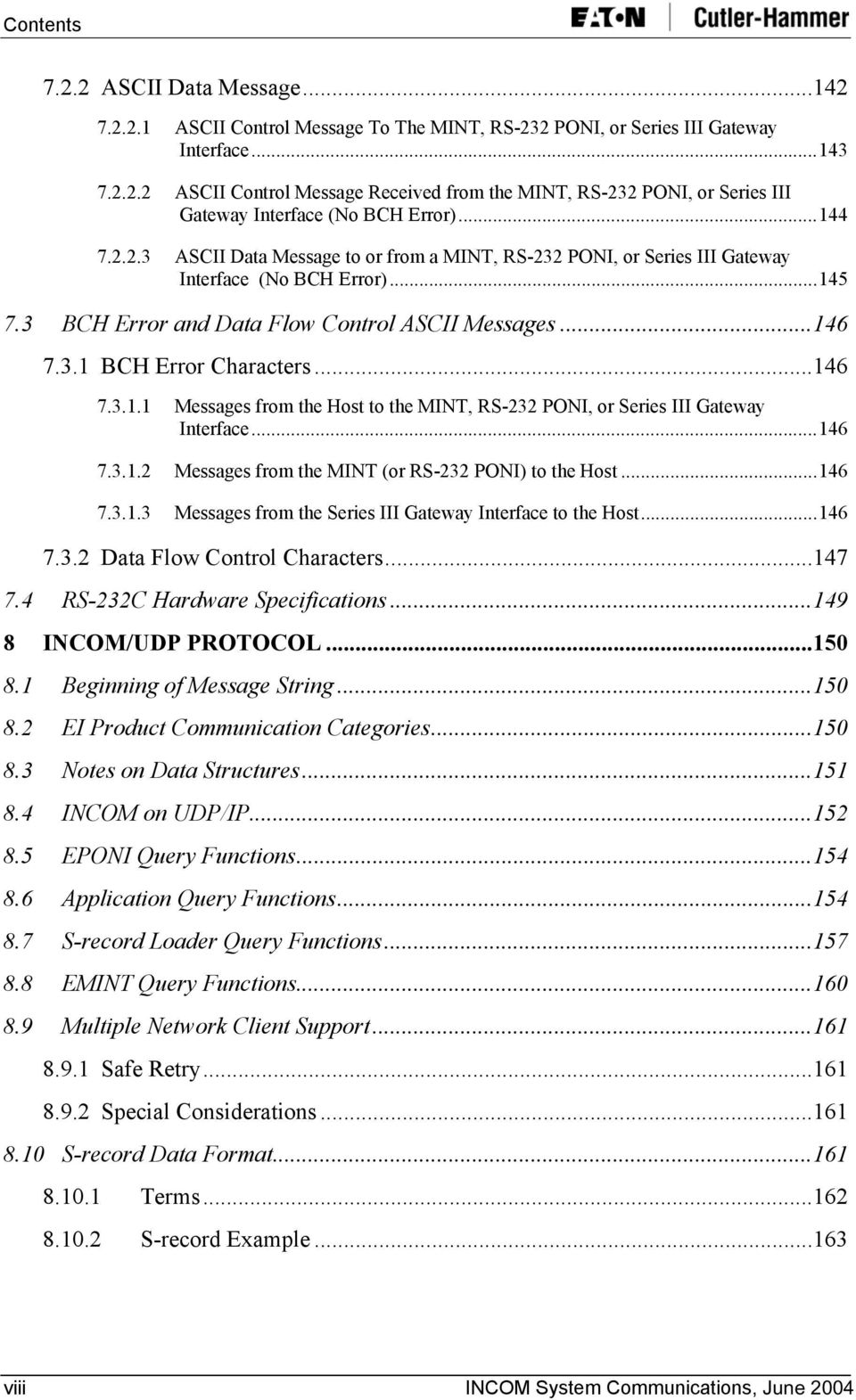
13 Contents PART B METERING PRODUCTS 100 Communications Protocol for the IQ Communications Protocol for the IQ Energy Sentinel Communications Protocol for the Power Sentinel Communications Protocol for the IQ Communications Protocol for the IQ DP Communications Protocol for the IQ Analyzer Communications Protocol for the IQ Data and IQ Generator Communications Protocol for the IQ Data Plus Communications Protocol for the IQ Data Plus II Communications Protocol for the IQ Analyzer Logger and 6400/ Communications Protocol for the Power Manager Communications Protocol for the IQ Energy Sentry II Communications Protocol for the IQ Energy Sentry PART C PROTECTIVE RELAYS AND TRIP UNITS 201 Communications Protocol for the Digitrip Optim Communications Protocol for the Digitrip RMS T Communications Protocol for the Digitrip T Communications Protocol for the Digitrip 520MC Communications Protocol for the Digitrip RMS T700 and T Communications Protocol for the DT Communications Protocol for the Digitrip MV Communications Protocol for the Digitrip Communications Protocol for the Digitrip Communications Protocol for the FP Communications Protocol for the MPCV Relay INCOM System Communications, June 2004 ix
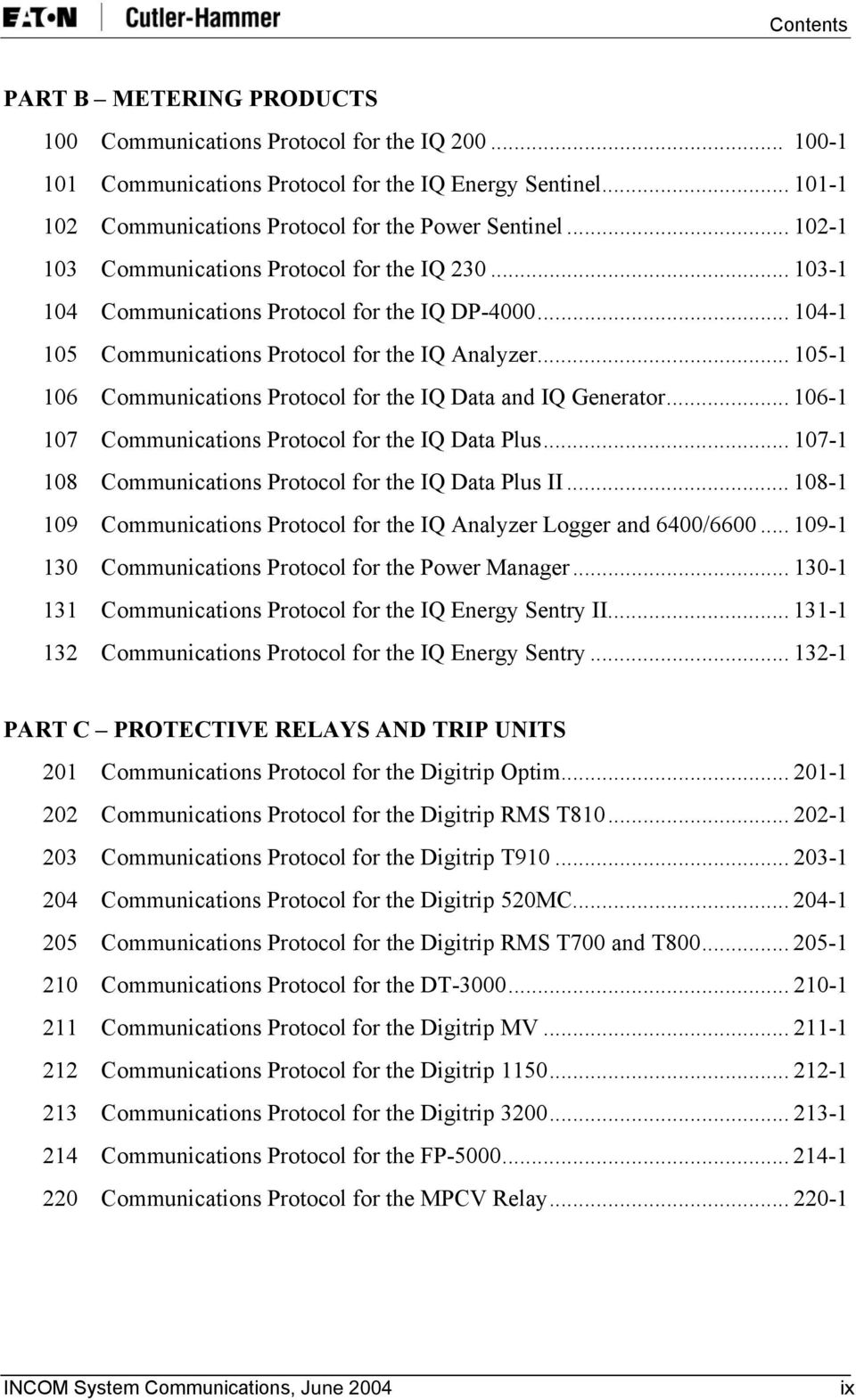
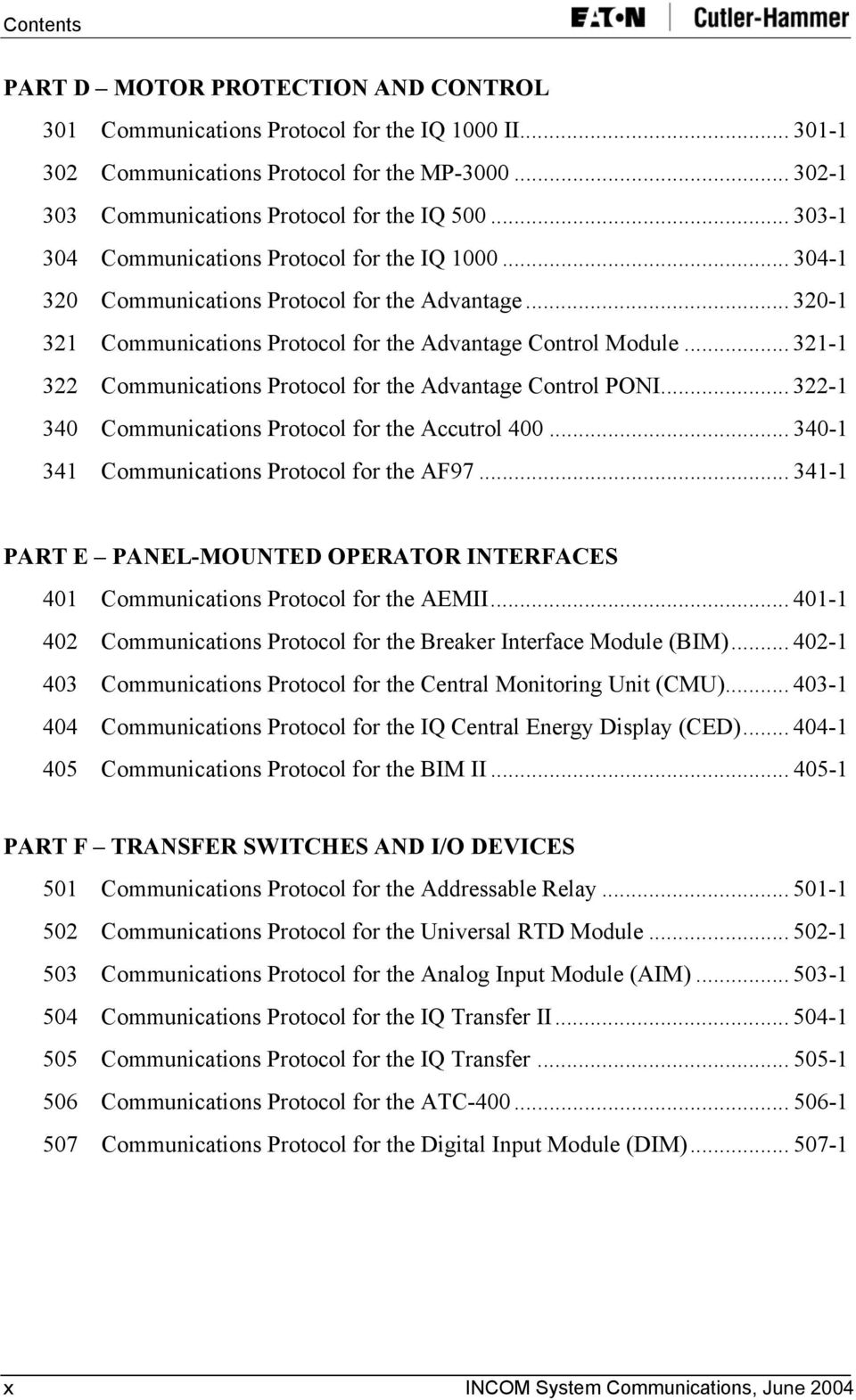
14 Contents PART D MOTOR PROTECTION AND CONTROL 301 Communications Protocol for the IQ 1000 II Communications Protocol for the MP Communications Protocol for the IQ Communications Protocol for the IQ Communications Protocol for the Advantage Communications Protocol for the Advantage Control Module Communications Protocol for the Advantage Control PONI Communications Protocol for the Accutrol Communications Protocol for the AF PART E PANEL-MOUNTED OPERATOR INTERFACES 401 Communications Protocol for the AEMII Communications Protocol for the Breaker Interface Module (BIM) Communications Protocol for the Central Monitoring Unit (CMU) Communications Protocol for the IQ Central Energy Display (CED) Communications Protocol for the BIM II PART F TRANSFER SWITCHES AND I/O DEVICES 501 Communications Protocol for the Addressable Relay Communications Protocol for the Universal RTD Module Communications Protocol for the Analog Input Module (AIM) Communications Protocol for the IQ Transfer II Communications Protocol for the IQ Transfer Communications Protocol for the ATC Communications Protocol for the Digital Input Module (DIM) x INCOM System Communications, June 2004
15 Introduction 1 INTRODUCTION Eaton Electrical's Cutler-Hammer INCOM (INdustrial COMmunications) Network is designed to provide two-way communication between a network master and a variety of Cutler-Hammer products such as breakers, digital meters or motor overload relays. Control and monitoring is performed over a network consisting of dedicated twisted-pair wires. The basis of this network is a semi-custom integrated circuit that has been developed to provide a simple, low-cost interface to the network. This integrated circuit provides the following network functions: Carrier generation and detection: Data modulation/demodulation Address decoding Generation and checking of a 5-bit-cyclic redundant BCH error code The INCOM communications protocol is master/slave. An INCOM network can have one master and up to 1,000 slaves. The INCOM communications protocol is based on 33-bit message packets. A typical INCOM network transaction consists of one or more 33-bit message packets transmitted by the master and one or more 33-bit message packets transmitted by a slave in response. Any computer or programmable device with an RS-232c communications port or the PC ISA bus or Ethernet network interface may function as an INCOM network master. An RS-232c based INCOM network master requires the use of a gateway device such as the Cutler-Hammer Master INCOM Network Translator (MINT) or RS-232 Product-Operated Network Interface (PONI). The gateway device converts the 33-bit binary messages used on the Cutler-Hammer INCOM Local Area Network (LAN) to and from 10-byte ASCII encoded hexadecimal RS-232c messages. A personal computer with at least one available ISA card slot can alternatively use Eaton Electrical's Cutler-Hammer Computer-Operated Network Interface (CONI) for interfacing to the INCOM network. The CONI's direct PC-bus interface provides a more efficient network interface than the MINT. An Ethernet network interface can be used to communicate over Ethernet with Cutler Hammer EPONI or EMINT products. This document is intended for users or original equipment manufacturers (OEMs) who want to develop their own software for an INCOM network master. It includes descriptions of the communications protocol at the INCOM chip level (i.e., 33-bit messages) and the communications protocols at the product level (which are combinations of 33-bit messages). Information on the CONI's PC interface, the MINT's ASCII translation and the Ethernet protocol are also provided. INCOM System Communications, June

16 Introduction This page intentionally left blank. 2 INCOM System Communications, June 2004

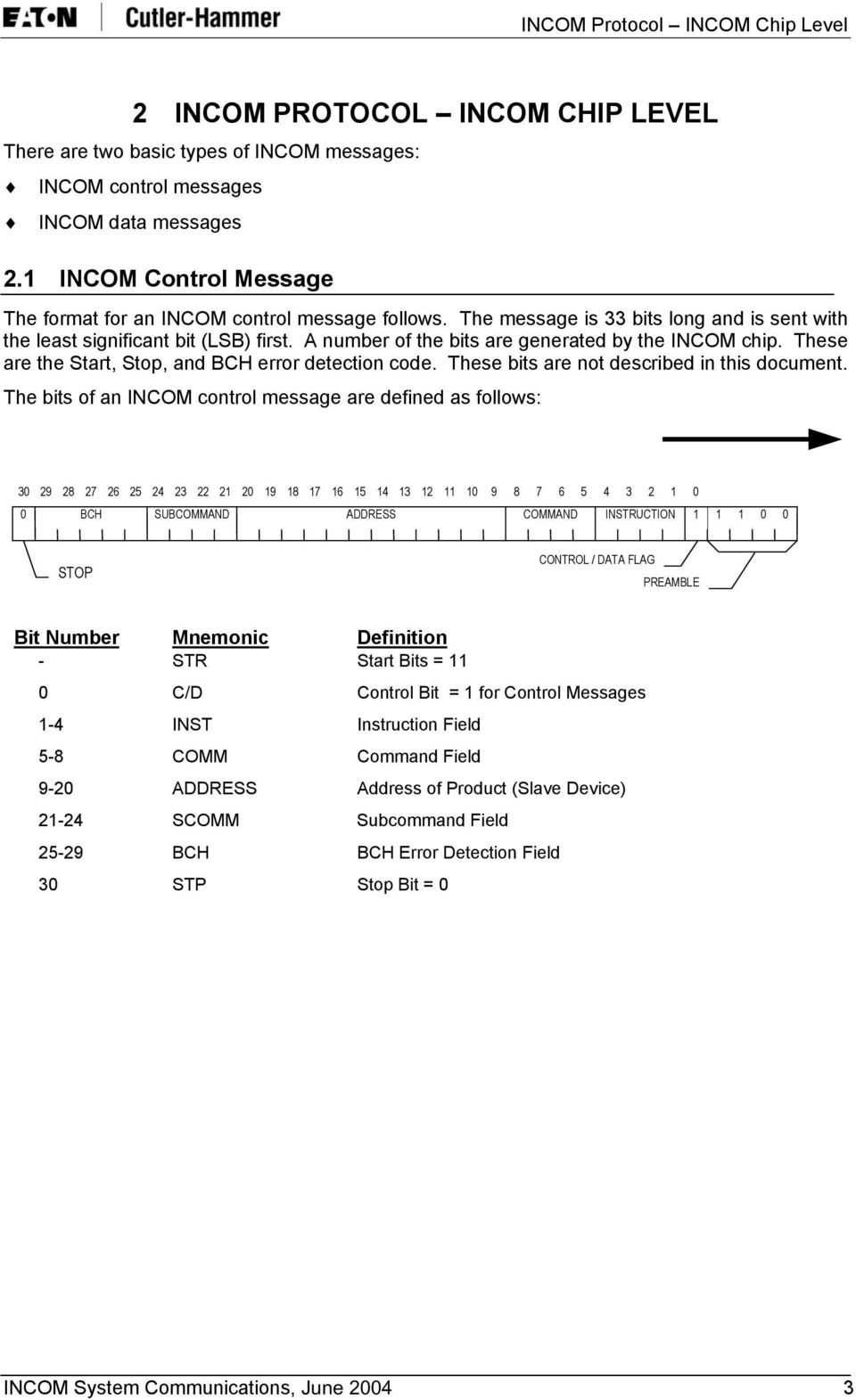
17 INCOM Protocol INCOM Chip Level 2 INCOM PROTOCOL INCOM CHIP LEVEL There are two basic types of INCOM messages: INCOM control messages INCOM data messages 2.1 INCOM Control Message The format for an INCOM control message follows. The message is 33 bits long and is sent with the least significant bit (LSB) first. A number of the bits are generated by the INCOM chip. These are the Start, Stop, and BCH error detection code. These bits are not described in this document. The bits of an INCOM control message are defined as follows: BCH SUBCOMMAND ADDRESS COMMAND INSTRUCTION STOP CONTROL / DATA FLAG PREAMBLE Bit Number Mnemonic Definition - STR Start Bits = 11 0 C/D Control Bit = 1 for Control Messages 1-4 INST Instruction Field 5-8 COMM Command Field 9-20 ADDRESS Address of Product (Slave Device) SCOMM Subcommand Field BCH BCH Error Detection Field 30 STP Stop Bit = 0 INCOM System Communications, June
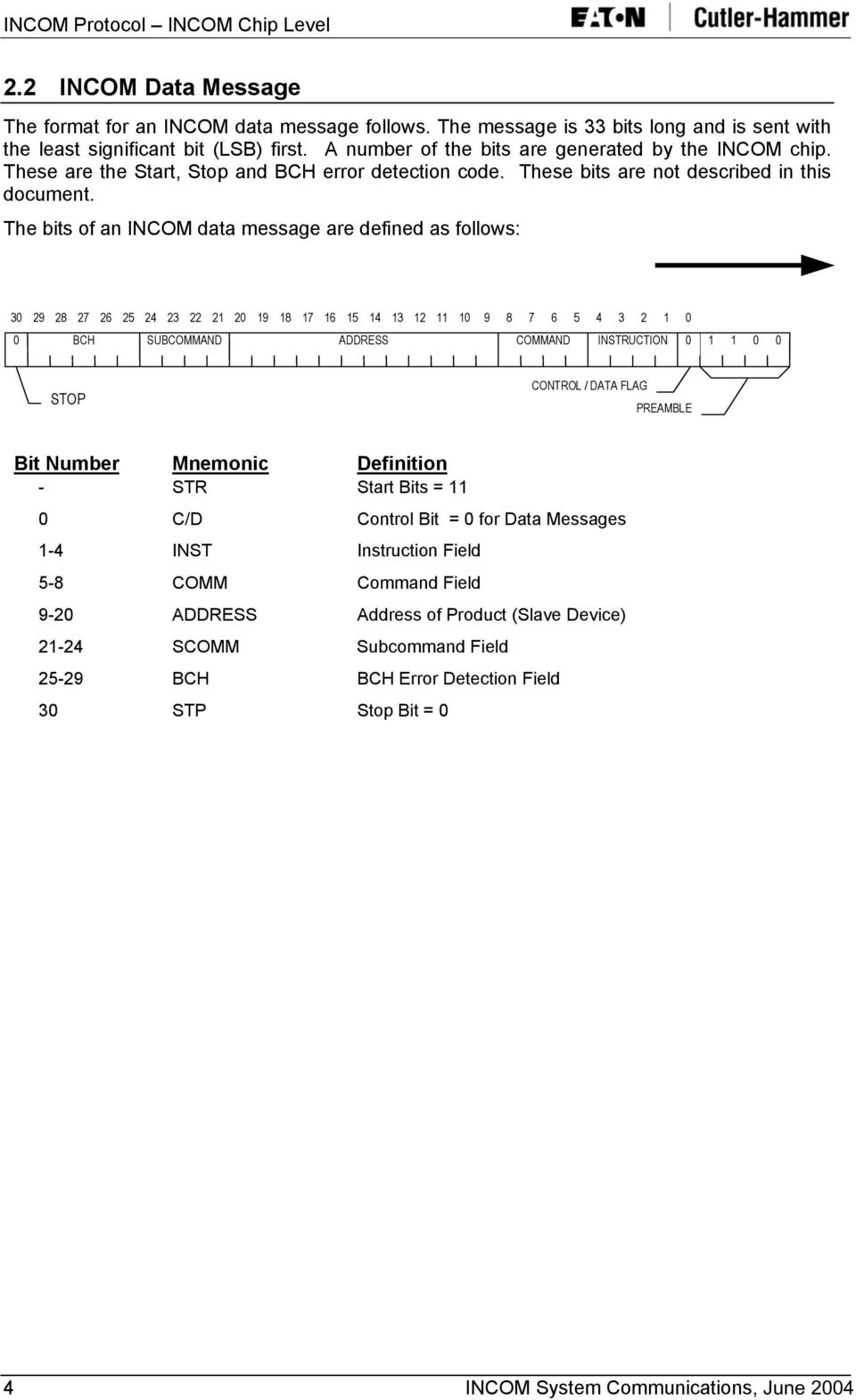
18 INCOM Protocol INCOM Chip Level 2.2 INCOM Data Message The format for an INCOM data message follows. The message is 33 bits long and is sent with the least significant bit (LSB) first. A number of the bits are generated by the INCOM chip. These are the Start, Stop and BCH error detection code. These bits are not described in this document. The bits of an INCOM data message are defined as follows: BCH SUBCOMMAND ADDRESS COMMAND INSTRUCTION STOP CONTROL / DATA FLAG PREAMBLE Bit Number Mnemonic Definition - STR Start Bits = 11 0 C/D Control Bit = 0 for Data Messages 1-4 INST Instruction Field 5-8 COMM Command Field 9-20 ADDRESS Address of Product (Slave Device) SCOMM Subcommand Field BCH BCH Error Detection Field 30 STP Stop Bit = 0 4 INCOM System Communications, June 2004
19 INCOM Network Slave Device Types 3 INCOM NETWORK SLAVE DEVICE TYPES There are two types of INCOM slave devices (products): Stand-Alone Slave Expanded-Mode Slave 3.1 Stand-Alone Slave A Stand-Alone Slave device on an INCOM network can control one digital output and monitor up to two status (digital) inputs. An example of a Stand-Alone Slave device is the Cutler- Hammer Addressable Relay. A Stand-Alone Slave device uses INCOM control messages exclusively for its communications. 3.2 Expanded-Mode Slave The Expanded-Mode Slave is a device on an INCOM network that can send and/or receive many data values over the INCOM network including analog and digital I/O data, configuration or setpoint information, and trip data. The following Cutler-Hammer products are examples of Expanded-Mode Slave devices. IQ Analyzer Line Metering System Digitrip 1050, 1150, and Optim Trip Units MP-3000 Motor Protection Relay An Expanded-Mode Slave device uses INCOM control messages and INCOM data messages for its communications. INCOM System Communications, June
20 INCOM Network Slave Device Types This page intentionally left blank. 6 INCOM System Communications, June 2004

21 Stand-Alone Slave Communications Standard 4 STAND-ALONE SLAVE COMMUNICATIONS STANDARD 4.1 Standard Stand-Alone Slave-to-Master Command Set There are seven commands that an INCOM network master may send to a Stand-Alone Slave device. Three of the commands (INST = 8, 9, and F) require the slave to send a reply. A Stand- Alone Slave device's reply is a control message of one of the following formats: C/D = 1 INST = INST value sent by the master (echoed). COMM = COMM value sent by the master (echoed). ADDRESS = ADDRESS of slave SCOMM = SCOMM value sent by the master (echoed), except bits 2 and 3 of the SCOMM field (bits 25 and 26 of the 33-bit message) contain the status of the device (two status bits or digital inputs). 4.2 Standard Master-to-Stand-Alone Slave Command Set There are seven commands that the master may send to a Stand-Alone Slave device. These commands are listed as follows. Instruction Code Command Subcommand Command Definition 0 F F Energize Relay/Restore Load/Start (no reply) 1 F F De-Energize Relay/Shed Load/Stop (no reply) 5 F F Block De-Energize Relay/Shed Load/Stop up to 16 slaves 8 F F Energize Relay/Restore Load/Start and Reply 9 F F De-Energize Relay/Shed Load/Stop and Reply E F F De-Energize Relay/Shed Load/Stop-All Stand Alone Slaves F x x Send Status x = Don't Care Note: All commands except "Send Status" (INST=F) require two consecutive transmissions. Commands with the INST=8 and INST=9 require following sequence: Command -> Reply -> Repeat Command -> Reply. INCOM System Communications, June
22 Stand-Alone Slave Communications Standard Energize Relay/Restore Load/Start Do Not Reply (0,F,F) This command requests the specifically addressed slave device to energize its relay, restore its load, or start, depending on the function of the device. The Stand-Alone Slave does not send a reply message. The format of the Energize Relay/Restore Load/Start command message is as follows. This message must be sent two consecutive times by the INCOM master. C/D = 1 INST = 0 COMM = F ADDRESS = ADDRESS of the Stand-Alone Slave SCOMM = F De-Energize Relay/Shed Load/Stop Do Not Reply (1,F,F) This command requests the specifically addressed slave device to de-energize its relay, shed its load or stop, depending on the function of the device. The Stand-Alone Slave does not send a reply message. The format of the De-Energize Relay/Shed Load/Stop command message is as follows. This message must be sent two consecutive times by the INCOM master. C/D = 1 INST = 1 COMM = F ADDRESS = ADDRESS of the Stand-Alone Slave SCOMM = F Block De-Energize Relay/Shed Load/Stop Up to 16 Slaves (5,F,F) This command requests a block of up to 16 Stand-Alone Slave devices to de-energize their relay, shed their load or stop, depending on the function of each device. None of the Stand-Alone Slaves will send a reply message. The format of the Block De-Energize Relay/Shed Load/Stop command message is as follows. This message must be sent two consecutive times by the INCOM master. C/D = 1 INST = 5 COMM ADDRESS B3-B0 B11-B4 SCOMM = F = F = Most significant 8 bits of the Stand-Alone Slave's INCOM address = F 8 INCOM System Communications, June 2004
23 Stand-Alone Slave Communications Standard Energize Relay/Restore Load/Start Send Reply (8,F,F) This command requests the specifically addressed slave device to energize its relay, restore its load or start, depending on the function of the device. The Stand-Alone Slave will send a reply message. (Refer to Section 4.1, Standard Stand-Alone Slave-to-Master Command Set, on Page 7 for information about the reply message.) The format of the Energize Relay/Restore Load/Start command message is as follows. This message must be sent two consecutive times. The slave will send a reply after each transmission of the command by the master. C/D = 1 INST = 8 COMM = F ADDRESS = ADDRESS of the Stand-Alone Slave SCOMM = F De-Energize Relay/Shed Load/Stop Send Reply (9,F,F) This command requests the specifically addressed slave device to de-energize its relay, shed its load, or stop, depending on the function of the device. The Stand-Alone Slave will send a reply message. (Refer to Section 4.1, Standard Stand-Alone Slave-to-Master Command Set, on Page 7 for information on the reply message.) The format of the De-Energize Relay/Shed Load/Stop command message is as follows. This message must be sent two consecutive times. The slave will send a reply after each transmission of the command by the master. C/D = 1 INST = 9 COMM = F ADDRESS = ADDRESS of the Stand-Alone Slave SCOMM = F De-Energize Relay/Shed Load/Stop All Stand-Alone Slaves (E,F,F) This command requests all Stand-Alone Slave devices on the INCOM network to de-energize their relay, shed their load or stop, depending on the function of each device. None of the Stand- Alone Slaves will send a reply message. The format of the De-Energize Relay/Shed Load/Stop all Stand-Alone Slaves command message follows. This message must be sent two consecutive times. C/D = 1 INST COMM = E = F ADDRESS = FFF SCOMM = F INCOM System Communications, June
24 Stand-Alone Slave Communications Standard Request for Transmission of Status (F,x,x) This command requests the specifically addressed slave device to transmit its status (i.e., its two status bits/digital inputs). The Stand-Alone Slave will send a reply message. (Refer to Section 4.1, Standard Stand-Alone Slave-to-Master Command Set, on Page 7 for information on the reply message.) The format of the Request for Transmission of Status command message follows. C/D = 1 INST COMM = F = Don't Care (not used) ADDRESS = ADDRESS of the Stand-Alone Slave SCOMM = Don't Care (not used) 10 INCOM System Communications, June 2004
25 5 EXPANDED-MODE SLAVE COMMUNICATIONS STANDARD 5.1 Standard Expanded-Mode Slave-to-Master Command Set There are 7 special cases in which an Expanded-Mode Slave product, in response to a command from the master, may send a return command message to the master. These are as follows: Acknowledge (ACK) Reply Negative Acknowledge (NACK) Reply Product Buffer Not Yet Available Sub-Network Product Not Responding Checksum Error Downloaded Value Out of Range Product Not in a State That Allows the Requested Action The next 7 sections describe these Slave-to-Master command messages Acknowledge (ACK) Reply (3 1 0) Some INCOM commands require the product to transmit an acknowledge (ACK) message. The positive acknowledge indicates that the product accepted the present command or the data transmission was completed successfully. The format of the ACK message is as follows: C/D = 1 INST = 3 COMM = 1 ADDRESS = address of slave (See Note 1.) SCOMM = 0 Note 1: Some products may use address 000H or FFFH Negative Acknowledge (NACK) Reply (3 1 1) The product will transmit a negative acknowledge (NACK) rather than an ACK in response to certain conditions. The negative acknowledge indicates that the product has not accepted the COMM and SCOMM command request. The format of the NACK message is as follows: C/D = 1 INST = 3 COMM = 1 ADDRESS = address of slave (See Note 2.) SCOMM = 1 Note 2: Products will only respond to INCOM messages containing a good BCH value. INCOM System Communications, June
26 The conditions that a product will respond with a NACK include, but are not limited to the following: The product received an INCOM control message that it does not recognize, that is, an INCOM control message with INST=3, and COMM and SCOMM values that it does not support. Products should not respond to control messages if INST is not equal to 3. The PONI received an INCOM control message that it cannot process due to a communications error between the PONI and the product Product Buffer Not Yet Available (3 1 5) This response can be sent to the master in response to a buffer request, should the product not be ready to send the requested buffer. The format of the Product Buffer Not Yet Available message is as follows: C/D = 1 INST = 3 COMM = 1 ADDRESS = Address of slave SCOMM = Sub-Network Product Not Responding (3 1 9) This response can be sent to the master in response to a Process Sub-Network Command that cannot be processed because the target subnetwork product not responding. This response is used by subnetwork masters only. The format of the Sub-Network Product Not Responding message is as follows: C/D = 1 INST = 3 COMM = 1 ADDRESS = Address of slave SCOMM = Checksum Error (3 1 A) This response can be sent to the master in response to a Download Setpoints command that cannot be processed due to a checksum error on downloaded data. (See "Download Setpoints (3 F 9)" on Page 106.) The format of the Checksum Error message is as follows: C/D = 1 INST = 3 COMM = 1 ADDRESS = Address of slave SCOMM = A 12 INCOM System Communications, June 2004
27 5.1.6 Downloaded Value Out of Range (3 1 B) This response can be sent to the master in response to a Download Setpoints command that cannot be processed due to an out-of-range value within the downloaded data. (See "Download Setpoints (3 F 9)" on Page 106.) The format of the Downloaded Value Out of Range message is as follows: C/D = 1 INST = 3 COMM = 1 ADDRESS = Address of slave SCOMM = B Product Not in a State That Allows the Requested Action (3 1 C) This response can be sent to the master in response to a command that cannot be processed because the target product is not in a state that allows the requested action. The format of the Product Not in a State That Allows the Requested Action message is as follows: C/D = 1 INST = 3 COMM = 1 ADDRESS = Address of slave SCOMM = C 5.2 Standard Master-to-Expanded-Mode Slave Command Set A number of standard Master-to-Slave commands for the INCOM family are described in the following sections. All of these commands utilize C/D=1 and thus only the INST, COMM, and SCOMM specifications are given. The words Transmit and Receive in the command definitions are used with respect to the product. If the message is a Transmit command, the result will be the transmission of data from the product to the master. Likewise, a Receive command that is transmitted from the master to the product will be followed by data transmissions from the master which are to be received by the product. There are eight such classes of standard Master-to-Expanded-Mode Slave commands: INST COMM SCOMM Standard Slave-Buffer Transmissions F Standard Multiblock Setpoint Block Sizes 3 1 F Standard System Management Buffer Transmissions 3 A 3-7 Product-Specific Slave-Buffer Transmissions 3 C 8-F Standard Slave Actions 3 D 0,1,3 Standard Master-Buffer Transmissions 3 D 8-F Product-Specific Master-Buffer Transmissions 3 F 8-F Broadcast Command D 0-F 0-F INCOM System Communications, June
28 Note: All other COMM and SCOMM combinations are reserved for future use. These communications data buffers are outlined in the following sections. The concept of a standard data buffer includes a specification for the formatting of analog data in engineering units. The next section outlines this format IMPACC 24-Bit Floating Point Number Format The IMPACC family consists of a number of products that send similar analog parameters (such as currents and voltages). Each parameter is sent as a single data transmission with the bytes defined as follows. Byte BYTE0 BYTE1 BYTE2 Description Low-order byte of 16-bit magnitude High-order byte of 16-bit magnitude Scale byte Bit Definition B7 0 => the value in BYTE0 and BYTE1 is a 16-bit unsigned integer 1 => the value in BYTE0 and BYTE1 is a 16-bit signed integer B6 0 => data is invalid 1 => data is valid B5 0 => multiplier as power of 2 1 => multiplier as power of 10 B4-B0 => multiplier's exponent in 5-bit signed integer form. This allows a magnitude of multiplier to range from: 2-16 to (B5 = 0) or to (B5 = 1) Example 1: The following chart shows 2 ways to represent 41,300. MSB MSB Byte 2 Byte 1 Byte 0 Byte 2 Byte 1 Byte LSB LSB Example 2: The following chart shows the representation of MSB Byte 2 Byte 1 Byte LSB 14 INCOM System Communications, June 2004
29 5.2.2 Standard Expanded-Mode Slave-Buffer Transmissions (0 0-F) The following lists display the Standard Slave-Buffer command set and buffer number definitions Standard Slave Buffer Command Set Instruction Code Command Subcommand Command Definition Transmit Status/ID Reserved Transmit Status/ID and Status/Cause-of-Status Transmit All Standard Buffers Transmit Standard Buffers Supported Map Transmit Current Buffer Transmit Line-to-Line Voltage Buffer Transmit Line-to-Neutral Voltage Buffer Transmit Power Buffer(1) Transmit Power Buffer(2) 3 0 A Transmit Energy Buffer 3 0 B Transmit Saved Energy Buffer 3 0 C Transmit Saved Reactive Energy Buffer 3 0 D-E Reserved 3 0 F Receive Expanded Transmit Buffer Number Standard Slave Buffer Command Set Expanded Buffer Number Definitions Buffer Number Definition Time Stamp N= Transmit Temperature Buffer N= Transmit Demand Currents Buffer N= Transmit Current Buffer N= Transmit Line-to-Line Voltage Buffer N= Transmit Line-to-Neutral Voltage Buffer N= Transmit Power Buffer N= Transmit Per-Phase Power Buffer N= Transmit System Energy Buffer N= Transmit Total Harmonic Distortion Buffer N=00000A Transmit Demand Current Buffer & Peak Demand Avg. Current With time stamp N=00000B Transmit Demand and Peak Demand Currents With time stamp N=00000C Transmit Demand and Peak Demand Power With time stamp N=00000D Transmit Min/Max Current Buffer With time stamp N=00000E Transmit Min/Max L-L Voltage Buffer With time stamp N=00000F Transmit Min/Max L-N Voltage Buffer With time stamp INCOM System Communications, June
30 Standard Slave Buffer Command Set Buffer Definitions (Continued) Buffer Number Definition Time Stamp N= Transmit Min/Max PF-Displacement Buffer With time stamp N= Transmit Min/Max PF-Apparent Buffer With time stamp N= Transmit Min/Max Power/Frequency Buffer With time stamp N= Transmit Min/Max Current %THD Buffer With time stamp N= Transmit Min/Max Voltage %THD Buffer With time stamp N= Transmit Crest Factor Buffer N= Transmit Min/Max Per Phase Real Power With time stamp N= Transmit Min/Max Per Phase Reactive Power With time stamp N= Transmit Min/Max Per Phase Voltampere Apparent Power With time stamp N= Transmit Min/Max Currents Buffer Without time stamp N=00001A Transmit Demand and Peak Demand Current Without time stamp N=00001B Transmit Demand and Peak Power Without time stamp N=00001C Transmit Min/Max Voltage Buffer Without time stamp N=00001D Transmit Min/Max Power/Frequency/PF Buffer Without time stamp N=00001E Transmit Min/Max Current %THD Buffer Without time stamp N=00001F Transmit Min/Max Voltage %THD Buffer Without time stamp N= Transmit Min/Max Current THD Magnitude Buffer With time stamp N= Transmit Min/Max Voltage THD Magnitude Buffer With time stamp N= Transmit Whole Load Center Energy Buffer N= Transmit APC (Whole Load Center) Saved Energy Buffer N= Operations Count, Runtime Buffer N= Motor Data Maximum Values Buffer N= Motor Trip Counters Buffer N= Motor Alarm Counters Buffer N= Motor Data Buffer N= Transmit Trip Unit Energy Buffer N=00002A Transmit Trip Unit Current THD Buffer N=00002B Transmit Trip Unit Current Crest Factor Buffer N=00002C Transmit Trip Unit Current Min/Max Power Factor Buffer N=00002D FP Relay Currents Buffer N=00002E Line-to-Ground Voltage Buffer N=00002F FP Relay Min/Max Currents Buffer N= Current/Voltage Phasors Buffer N= Sequence Phasors Buffer N= Min/Max System Power Factor Buffer N= FP-5000 Feeder Protection Relay Counters Buffer N= Transmit Time of Use Watt-Hours Buffer 16 INCOM System Communications, June 2004
31 Standard Slave Buffer Command Set Buffer Definitions (Continued) Buffer Number Definition N= Transmit Time of Use VAR-Hours Buffer N= Transmit Time of Use VA-Hours Buffer N= Transmit Time of Use Peak Average Current Demand Buffer N= Transmit Time of Use Peak System Watt Demand Buffer N= Transmit Time of Use Peak System VAR Demand Buffer N=00003A N=00003B N=0000A5 N=0003E8 N=FC0000 N=Fcxyyy N=FE0004 N=FF0000 N=FF00yy Transmit Time of Use Peak System VA Demand Buffer MPCV Phasing Voltage Phasors Buffer Transmit Test Packer Transmit Standard ASCII Device ID Transmit IQ Analyzer Event Log Summary Buffer Transmit IQ Analyzer Event Log Buffer Transmit Phase Angles of Event Transmit Status/ID (3 0 0) Transmit IQ Analyzer Trend Summary Buffer Transmit IQ Analyzer Trend Header Buffer This command will cause the product to respond with one data message that has the following format: Where: MSB Byte 2 Byte 1 Byte 0 S7 S6 S5 S4 S3 S2 S1 S0 P5 P4 P3 P2 P1 P0 V3 V2 V1 V0 D5 D4 D3 D3 D2 D1 D5 D4 D3 D2 D1 D0 => Division Code V3 V2 V1 V0 => Communications Software Version P5 P4 P3 P2 P1 P0 => Product ID S4 S3 S2 S1 S0 => Product-Defined Status Bits S7 S6 S5 => Standard Status Bits LSB D0 Status Bit Definition S7 S6 0 0 Opened, Off or Ready (Normal Inactive) 0 1 Closed, On or Running (Normal Active) 1 0 Tripped (Abnormal Inactive) 1 1 Alarmed (Abnormal Active) S5 Opened or Off condition (set by remote communications) INCOM System Communications, June
32 S4 S3 S2,S1,S0 Product-specific: For products that support the (3 0 2) Transmit Status/Cause-of- Status Buffer. This bit is set when the product updates (makes a change to) the (3 0 2) Transmit Status/Cause-of-Status Buffer. For products that do not support the (3 0 2) Transmit Status/Cause-of-Status Buffer. This bit is set when the product powers up and is cleared when the product receives a request for the (3 0 0) Transmit Status/ID Buffer. Product-specific: For products that support the Time-Stamped Event Data Buffers (3 C B) command. Bit=1 indicates the product has a Time-Stamped Event Data Buffer that has not been released by the INCOM master. [Note: Some products reset this bit (i.e., release the buffer) when the buffer is read, such as upon receiving the (3 C B) command.] Product-specific: The communications software version is not necessarily the same as the product software version. The communications version is incremented each time the product version is changed in an area that affects the communications response, such as the addition or modification of a product data buffer Transmit Status/Cause-of-Status Codes (3 0 2) This command will cause the product to respond with one data message that has the following format: Message Byte Description 1 Byte0 Status/Cause-of-Status Cause of Status Code Byte1 Reserved=0 Byte2 Bit Definition B0-B3 Primary Status Code B4-B7 Secondary Status Code Standard IMPACC Primary Status Codes Status Code Short Description Long Description 0 -- Status of the device is unknown. 1 OPEN Device or breaker is open. 2 CLOSED Device or breaker is closed. 3 TRIP Device is tripped (protective). 4 ALARM Device is in a device-declared alarm condition. 5 ON Status of the input is ON; Device is operational. 6 OFF Status of the input is OFF; Device is non-operational. 7 READY Device is in ready mode. (Device is ready to start.) 8 START Device is in Start mode. (Device is starting. This is a -- transition from READY to RUN.) 9 RUN Device or motor is running. 10 STOP Device or motor is stopped. 11 LCKOUT Device is locked out. 12 XFER Device has a status of transferred Reserved for future use 18 INCOM System Communications, June 2004
33 Standard IMPACC Primary Status Codes Continued Status Code Short Description Long Description Reserved for future use Reserved for future use Standard IMPACC Secondary Status Codes Status Code Short Description Long Description 0 -- Secondary Status of the device is unknown Secondary Status is not applicable. 2 PROGRAM Program mode 3 PWRUP Powered up 4 TEST Test 5 -- Reserved for future use 6 -- Reserved for future use 7 -- Reserved for future use 8 -- Reserved for future use 9 -- Reserved for future use Reserved for future use Reserved for future use Reserved for future use Reserved for future use Reserved for future use Reserved for future use Standard IMPACC Cause-of-Status Codes Cause of Status Code Short Description Long Description 0 -- Cause of Status is unknown. 1 NORM Device is in Normal operating mode. 2 EXTT External trip Device trip status was caused -- by a command sent over INCOM. 3 LDPU Device is in Long Delay pickup (timing out to a trip). 4 LDT Long Delay Trip 5 SDT Short Delay Trip 6 INST Short Delay Trip 7 DISC Short Delay Trip 8 GNDT Ground Trip 9 PLUG Invalid Plug Device has tripped due to a bad or missing rating plug. 10 NPOW Negative Power Device is running with -- reverse (negative) power. 11 ORID Override Trip 12 TEST Device is in Test Trip mode. INCOM System Communications, June
34 Standard IMPACC Cause-of-Status Codes Continued Cause of Status Code Short Description Long Description 13 RAM Device has a RAM failure. 14 ROM Device has a ROM failure. 15 OV Over Voltage 16 UV Under Voltage 17 PUBL Phase Unbalance 18 PLOS Phase Loss 19 PREV Reverse Phase 20 RSEQ Reverse Sequence 21 OFRQ Over Frequency 22 UFRQ Under Frequency 23 NEUT Neutral 24 L-PI Phase Current Loss 25 L-PV Phase Voltage Loss 26 ACT Alarm Active 27 BAD Bad Frame 28 HL High Load 29 LOCKOUT Lockout 30 POWERUP Powered Up 31 MCR Making Current Release 32 HI INST High Instantaneous 33 SETMIS Setpoints Mismatch 34 SETXFER Setpoints Transfer Failure 35 OTEMP Over Temperature 36 IG Ground Current 37 FAILURE Failure 38 ACCBUS Accessory Bus 39 THD THD (total harmonic distortion) 40 PF Power Factor 41 KWDMD kw Demand 42 KVADMD kva Demand 43 OPCOUNT Operations Count 44 HISTORY Historical (i.e., the device has tripped and been successfully reclosed) Reserved Reserved 20 INCOM System Communications, June 2004
35 5.2.8 Transmit All Standard Buffers (3 0 3) The standard buffers are those defined by INST=3, COMM=0, and SCOMM=5 through C. Those buffers that are supported are sent in sequence starting with the SCOMM=5 buffer and ending with the SCOMM=A buffer. The first message from the slave is a data message that outlines which of the 16 standard commands are supported. The BYTE2 of the message contains the number of Expanded Buffers that are supported by the slave. The format of the first response message is as follows. Where: CX = 1 MSB Byte 2 Byte 1 Byte Y Y Y Y Y Y CA C9 C8 C7 C6 C5 C4 C3 C2 C1 C0 indicates that INST=3, COMM = 0, and SCOMM =X is supported. YYYYYY = number of Expanded Buffers which are supported. Note: All products respond to the with the "Transmit All Buffers" request with the message above. Bits C5-CF are set to zero if none of the standard buffers are supported Transmit Current Buffer (3 0 5) The Current Buffer response consists of 4 data messages, each containing an IMPACC 24-bit Floating Point Number. Currents are expressed in amperes. The parameters sent are listed as follows. Message Description Unit 1 Phase current IA Amperes Note: 2 Phase current IB Amperes 3 Phase current IC Amperes 4 Current IX (Note) Amperes Current IX will usually be ground current. For some products, this current may be either fourth pole current or neutral current. These latter cases will not have ground current Transmit Line-to-Line Voltage Buffer (3 0 6) The Line-to-Line Voltage Buffer response consists of 3 data messages, each containing an IMPACC 24-Bit Floating Point number. Voltage is expressed in volts. The parameters sent are listed as follows. Message Description Unit 1 Line-to-line voltage VAB Volts 2 Line-to-line voltage VBC Volts 3 Line-to-line voltage VCA Volts LSB INCOM System Communications, June
36 Transmit Line-to-Neutral Voltage Buffer (3 0 7) The Line-to-Neutral Voltage Buffer response consists of 3 data messages, each containing an IMPACC 24-Bit Floating Point number. Voltage is expressed in volts. The parameters sent are listed as follows. Message Description Unit 1 Line-to-neutral voltage VAN Volts 2 Line-to-neutral voltage VBN Volts 3 Line-to-neutral voltage VCN Volts Transmit Power Buffer(1) (3 0 8) The Power Buffer(1) response consists of 3 data messages, each containing an IMPACC 24-Bit Floating Point number. The parameters sent are outlined below. The first is the system's present power value in watts, the second is the power demand, and the third is the energy in units of watthours. Message Description Unit 1 Power Watts 2 Power demand watts 3 Energy Watt-hours Transmit Power Buffer(2) (3 0 9) The Power Buffer response consists of 3 data messages, each containing an IMPACC 24-Bit Floating Point number. The parameters sent are outlined below. The first is the system's present frequency, the second is vars, and the third is power factor. Message Description Unit 1 Frequency Hertz 2 Reactive power Vars 3 Power factor Transmit Energy Buffer (3 0 A) The Energy Buffer response consists of 1 data message. This data message contains a 24-bit unsigned integer number representing the value for energy in units of kilowatt-hours. The maximum range for energy is 0-16,777,215 kwh. 22 INCOM System Communications, June 2004
37 Transmit Saved Energy Buffer (3 0 B) The Saved Energy Buffer response consists of 5 data messages containing 3 energy values. Message Byte Description 1 Byte0 Reserved Byte1 Reserved Byte2 Bit Definition B0 1=First time (3 0 B) buffer has been polled since the Save Energy command was received. B1 0=Values are 32-bit data word format (0-999,999,999) B2 B3 B4 Rollover occurs at 999,999,999 kwh/kvah. 1=Values are per the following format: Energy=(B3 * 65,536)+(B2 * 256)+B1+(B0 / 256) Rollover occurs at 9,999,999 kwh/kvah. 1=Energy (forward) value is available. 1=Energy (reverse) value is available. 1=kVAh value is available. B5-B6 Reserved B7 1=Set when Energy has been reset to zero (either as a result of a Slave Action command or power-up initialization). Reset upon Slave Action (3 0 6). 2 Byte0 Energy (forward) Byte0 (kwh) Byte1 Energy (forward) Byte1 Byte2 Energy (forward) Byte2 3 Byte0 Energy (forward) Byte3 Byte1 Energy (reverse) Byte0 (kwh) Byte2 Energy (reverse) Byte1 4 Byte0 Energy (reverse) Byte2 Byte1 Energy (reverse) Byte3 Byte2 kvahours Byte0 (kvah) 5 Byte0 kvah Byte1 Byte1 kvah Byte2 Byte2 kvah Byte3 INCOM System Communications, June
38 Transmit Saved Reactive Energy Buffer (3 0 C) The Saved Reactive Energy Buffer response consists of 4 data messages containing 2 energy values. Message Byte Description 1 Byte0 Reserved Byte1 Reserved Byte2 Bit Definition B0 B1 B2 B3 1=First time (3 0 C) buffer has been polled since the Save Energy command was received. 0=Values are 32-bit data word format. (0-999,999,999) Rollover occurs at 999,999,999 kwh/kvah. 1=Values are per the following format: Energy=(B3 * 65536)+(B2 * 256)+B1+(B0 / 256) Rollover occurs at 9,999,999 kwh/kvah. 1=kVARh (leading) value is available. 1=kVARh (lagging) value is available. B4-B6 Reserved B7 1=Set when Energy has been reset to zero (either as a result of a Slave Action command or power-up initialization). Reset upon Slave Action (3 0 6). 2 Byte0 kvarh (leading) Byte0 (kvarh) Byte1 kvarh (leading) Byte1 Byte2 kvarh (leading) Byte2 3 Byte0 kvarh (leading) Byte3 Byte1 kvarh (lagging) Byte0 (kvarh) Byte2 kvarh (lagging) Byte1 4 Byte0 kvarh (lagging) Byte2 Byte1 kvarh (lagging) Byte3 Byte2 Reserved 24 INCOM System Communications, June 2004
39 Transmit Supported Standard Buffer List (3 0 F) N = Message Byte Description 1 Byte0 Number of additional data messages = X-1 Byte1 (3 0 x) Expanded Slave Mode Buffers Supported LSB Byte2 (3 0 x) Expanded Slave Mode Buffers Supported MSB 2 (3 0 F) Expanded Buffer Supported List X (3 0 F) Expanded Buffer Supported List The (3 0 x) Expanded Slave Mode Buffers Supported bits (Message 1, Bytes 1 and 2) are defined as follows: Where: MSB Byte 2 Byte 1 CF CE CD CC CB CA C9 C8 C7 C6 C5 C4 C3 C2 C1 C0 CX=1 indicates that INST=3, COMM = 0, and SCOMM=X is supported. Each message of the (3 0 F) Expanded Buffer Supported List (messages 2 through X) contains an expanded buffer number (N) that the product supports. This list may vary with communications versions. LSB INCOM System Communications, June
40 Transmit Temperature Buffer (N=000001) This buffer consists of the temperature in degrees Celsius for 6 motor windings temperatures, 2 motor bearings temperatures, 2 load bearings temperature and 1 ambient temperature. The buffer is sent as 5 data messages with bytes defined as follows. Message Byte Description 1 Byte0 Number of additional data messages Byte1 Winding Temperature 1 Byte2 Winding Temperature 2 2 Byte0 Winding Temperature 3 Byte1 Winding Temperature 4 Byte2 Winding Temperature 5 3 Byte0 Winding Temperature 6 Byte1 Motor Bearing 1 Temperature Byte2 Motor Bearing 2 Temperature 4 Byte0 Load Bearing 1 Temperature Byte1 Load Bearing 2 Temperature Byte2 Auxiliary Temperature 5 Byte0 VALIDITY 1 Byte1 VALIDITY 2 Byte2 Temperatures are presented as binary numbers, range 0 to 255 degrees Celsius. The VALIDITY bytes are used to represent the presence of a selected sensor. The VALIDITY bytes are defined as follows: VALIDITY 1 = b7 b6 b5 b4 b3 b2 b1 b0 MB2 MB1 WT6 WT5 WT4 WT3 WT2 WT1 VALIDITY 2 = b7 b6 b5 b4 b3 b2 b1 b0 DEV AUX LB2 LB1 If a bit is set, its associated temperature is valid. The DEV bit represents a device interface control bit. 26 INCOM System Communications, June 2004
41 Transmit Demand Currents(1) Buffer (N=000002) The Transmit Demand Currents Buffer response consists of four data messages, each containing an IMPACC 24-Bit Floating Point Number. Currents are expressed in amperes. The parameters sent are outlined below. Message Byte Description Unit Format Note: 1 Byte0 No. of additional msgs = 4 2 Peak demand current phase A amps IMPACC 24-Bit Float 3 Peak demand current phase B amps IMPACC 24-Bit Float 4 Peak demand current phase C amps IMPACC 24-Bit Float 5 Peak demand current phase X amps IMPACC 24-Bit Float Peak demand current phase X will usually be ground current. For some products, this current may be either fourth pole current or neutral current. These latter cases will not have ground current Transmit Currents Buffer (N=000003) Message Byte Description Unit Format 1 Byte0 No. of additional msgs = 6 2 Phase A current amps IMPACC 24-Bit Float 3 Phase B current amps IMPACC 24-Bit Float 4 Phase C current amps IMPACC 24-Bit Float 5 Ground current amps IMPACC 24-Bit Float 6 Neutral current amps IMPACC 24-Bit Float 7 Average phase current amps IMPACC 24-Bit Float Transmit Line-to-Line Voltage Buffer (N=000004) Message Byte Description Unit Format 1 Byte0 No. of additional msgs = 4 2 Line-to-line voltage VAB volts IMPACC 24-Bit Float 3 Line-to-line voltage VBC volts IMPACC 24-Bit Float 4 Line-to-line voltage VCA volts IMPACC 24-Bit Float 5 Average line-to-line voltage volts IMPACC 24-Bit Float INCOM System Communications, June
42 Transmit Line-to-Neutral Voltage Buffer (N=000005) Message Byte Description Units Format 1 Byte 0 No. of additional msgs = 5 2 Line-to-neutral voltage VAN volts IMPACC 24-Bit Float 3 Line-to-neutral voltage VBN volts IMPACC 24-Bit Float 4 Line-to-neutral voltage VCN volts IMPACC 24-Bit Float 5 Average line-to-neutral voltage volts IMPACC 24-Bit Float 6 Neutral-to-ground voltage volts IMPACC 24-Bit Float Transmit Power Buffer (N=000006) Message Byte Description Unit Format 1 Byte 0 No. of additional msgs = 8 2 Real power 3-phase watts IMPACC 24-Bit Float 3 Reactive power 3-phase vars IMPACC 24-Bit Float 4 Voltamperes 3-phase VA IMPACC 24-Bit Float 5 PF displacement 3-phase IMPACC 24-Bit Float 6 PF apparent 3-phase IMPACC 24-Bit Float 7 Frequency Hz IMPACC 24-Bit Float 8 K-Factor IMPACC 24-Bit Float 9 THD Factor IMPACC 24-Bit Float 28 INCOM System Communications, June 2004
43 Transmit Per-Phase Power Buffer (N=000007) Message Byte Description Unit Format 1 Byte 0 No. of additional msgs = 15 2 Real power phase A watts IMPACC 24-Bit Float 3 Real power phase B watts IMPACC 24-Bit Float 4 Real power phase C watts IMPACC 24-Bit Float 5 Reactive power phase A vars IMPACC 24-Bit Float 6 Reactive power phase B vars IMPACC 24-Bit Float 7 Reactive power phase C vars IMPACC 24-Bit Float 8 Voltamperes phase A VA IMPACC 24-Bit Float 9 Voltamperes phase B VA IMPACC 24-Bit Float 10 Voltamperes phase C VA IMPACC 24-Bit Float 11 PF displacement phase A IMPACC 24-Bit Float 12 PF displacement phase B IMPACC 24-Bit Float 13 PF displacement phase C IMPACC 24-Bit Float 14 PF apparent phase A IMPACC 24-Bit Float 15 PF apparent phase B IMPACC 24-Bit Float 16 PF apparent phase C IMPACC 24-Bit Float INCOM System Communications, June
44 Transmit System Energy Buffer (N=000008) Message Byte Description Unit Format 1 Byte0 No. of additional msgs = 12 Byte1 Engineering Units power of 10 3=K units, 6=M units Byte2 Reserved = 0 2 Byte0 watt-hours (fwd) Byte0 xxwh 32-bit unsigned integer Byte1 watt-hours (fwd) Byte1 Byte2 watt-hours (fwd) Byte2 3 Byte0 watt-hours (fwd) Byte3 Byte1 watt-hours (rev) Byte0 xxwh 32-bit unsigned integer Byte2 watt-hours (rev) Byte1 4 Byte0 watt-hours (rev) Byte2 Byte1 watt-hours (rev) Byte3 Byte2 watt-hours (net) Byte0 xxwh 32-bit signed integer 5 Byte0 watt-hours (net) Byte1 Byte1 watt-hours (net) Byte2 Byte2 watt-hours (net) Byte3 6 Byte0 var-hours (leading) Byte0 xxvarh 32-bit unsigned integer Byte1 var-hours (leading) Byte1 Byte2 var-hours (leading) Byte2 7 Byte0 var-hours (leading) Byte3 Byte1 var-hours (lagging) Byte0 xxvarh 32-bit unsigned integer Byte2 var-hours (lagging) Byte1 8 Byte0 var-hours (lagging) Byte2 Byte1 varhours (lagging) Byte3 Byte2 var-hours (net) Byte0 xxvarh 32-bit signed integer 30 INCOM System Communications, June 2004
45 Transmit System Energy Buffer (N=000008) Continued Message Byte Description Unit Format 9 Byte0 var-hours (net) Byte1 Byte1 var-hours (net) Byte2 Byte2 var-hours (net) Byte3 10 Byte0 VA-hours Byte0 xxvah 32-bit unsigned integer Byte1 VA-hours Byte1 Byte2 VA-hours Byte2 11 Byte0 VA-hours Byte3 Byte1 Time last reset Hour (0-23) Packed BCD Byte2 Time last reset Minute (0-59) 12 Byte0 Time last reset Second (0-59) Byte1 Date last reset Month (1-12) Byte2 Date last reset Day (1-31) 13 Byte0 Date last reset Year (0-99) Byte1 Reserved Byte2 Reserved Note: All time and dates in buffers N=10, 11, 12, 13, 14, 15, 16, 17, 18, 19, 20, 22, 23, and 24 are in the following format: Name Byte Description Format Time Byte0 Hour (0-23) Packed BCD Byte1 Minute (0-59) Packed BCD Byte2 Second (0-59) Packed BCD Date Byte0 Month (1-12) Packed BCD Note: Month=0 indicates the time Byte1 Day (1-31) Packed BCD and date are not Byte2 Year (0-99) Packed BCD available. INCOM System Communications, June
46 Transmit Total Harmonic Distortion (THD) Buffer (N=000009) Message Byte Description Unit Format 1 Byte 0 No. of additional msgs = 10 2 % THD phase A current % IMPACC 24-Bit Float 3 % THD phase B current % IMPACC 24-Bit Float 4 % THD phase C current % IMPACC 24-Bit Float 5 % THD neutral current % IMPACC 24-Bit Float 6 % THD L-L voltage VAB % IMPACC 24-Bit Float 7 % THD L-L voltage VBC % IMPACC 24-Bit Float 8 % THD L-L voltage VCA % IMPACC 24-Bit Float 9 % THD L-N voltage VAN % IMPACC 24-Bit Float 10 % THD L-N voltage VBN % IMPACC 24-Bit Float 11 % THD L-N voltage VCN % IMPACC 24-Bit Float Transmit Demand Current and Peak Demand Average Current Buffer (N=00000A) Message Byte Description Unit Format 1 Byte 0 No. of additional msgs = 8 Byte 1 Demand Window minutes Byte 2 Reserved 2 Demand current (3-phase avg) amps IMPACC 24-Bit Float 3 End time of last demand window 4 Date of last demand window 5 Peak demand current amps IMPACC 24-Bit Float (3-phase average) 6 Time of peak 7 Date of peak 8 Time last reset 9 Date last reset 32 INCOM System Communications, June 2004
47 Transmit Demand and Peak Demand Currents Buffer (N=00000B) Message Byte Description Unit Format 1 Byte0 No. of additional msgs = 16 Byte1 Demand Window minutes Byte2 Reserved 2 Demand current phase A amps IMPACC 24-Bit Float 3 Demand current phase B amps IMPACC 24-Bit Float 4 Demand current phase C amps IMPACC 24-Bit Float 5 End time of last demand window 6 Date of last demand window 7 Peak demand current phase A amps IMPACC 24-Bit Float 8 Time 9 Date 10 Peak demand current phase B amps IMPACC 24-Bit Float 11 Time 12 Date 13 Peak demand current phase C amps IMPACC 24-Bit Float 14 Time 15 Date 16 Time last reset 17 Date last reset INCOM System Communications, June
48 Transmit Peak Demand Power Buffer (N=00000C) Message Byte Description Unit Format 1 Byte0 No. of additional msgs = 16 Byte1 Demand Window minutes Byte2 Reserved 2 Demand watts (real power) watts IMPACC 24-Bit Float 3 Demand vars (reactive power) vars IMPACC 24-Bit Float 4 Demand VA (apparent power) VA IMPACC 24-Bit Float 5 End time of last demand window 6 Date of last demand window 7 Peak demand (real power) watts IMPACC 24-Bit Float 8 Time 9 Date 10 Peak demand (reactive power) vars IMPACC 24-Bit Float 11 Time 12 Date 13 Peak demand (apparent power) VA IMPACC 24-Bit Float 14 Time 15 Date 16 Time last reset 17 Date last reset 34 INCOM System Communications, June 2004
49 Transmit Min/Max Current Buffer (N=00000D) Message Byte Description Unit Format 1 Byte0 No. of additional msgs = 32 2 Minimum phase A current amps IMPACC 24-Bit Float 3 Time 4 Date 5 Maximum phase A current amps IMPACC 24-Bit Float 6 Time 7 Date 8 Minimum phase B current amps IMPACC 24-Bit Float 9 Time 10 Date 11 Maximum phase B current amps IMPACC 24-Bit Float 12 Time 13 Date 14 Minimum phase C current amps IMPACC 24-Bit Float 15 Time 16 Date 17 Maximum phase C current amps IMPACC 24-Bit Float 18 Time 19 Date 20 Minimum ground current amps IMPACC 24-Bit Float 21 Time 22 Date 23 Maximum ground current amps IMPACC 24-Bit Float 24 Time 25 Date 26 Minimum neutral current amps IMPACC 24-Bit Float 27 Time 28 Date 29 Maximum neutral current amps IMPACC 24-Bit Float 30 Time 31 Date 32 Time last reset 33 Date last reset INCOM System Communications, June
50 Transmit Min/Max L-L Voltage Buffer (N=00000E) Message Byte Description Unit Format 1 Byte0 No. of additional msgs = 20 2 Minimum L-L voltage VAB volts IMPACC 24-Bit Float 3 Time 4 Date 5 Maximum L-L voltage VAB volts IMPACC 24-Bit Float 6 Time 7 Date 8 Minimum L-L voltage VBC volts IMPACC 24-Bit Float 9 Time 10 Date 11 Maximum L-L voltage VBC volts IMPACC 24-Bit Float 12 Time 13 Date 14 Minimum L-L voltage VCA volts IMPACC 24-Bit Float 15 Time 16 Date 17 Maximum L-L voltage VCA volts IMPACC 24-Bit Float 18 Time 19 Date 20 Time last reset 21 Date last reset 36 INCOM System Communications, June 2004
51 Transmit Min/Max L-N Voltage Buffer (N=00000F) Message Byte Description Unit Format 1 Byte0 No. of additional msgs = 26 2 Minimum L-N voltage VAN volts IMPACC 24-Bit Float 3 Time 4 Date 5 Maximum L-N voltage VAN volts IMPACC 24-Bit Float 6 Time 7 Date 8 Minimum L-N voltage VBN volts IMPACC 24-Bit Float 9 Time 10 Date 11 Maximum L-N voltage VBN volts IMPACC 24-Bit Float 12 Time 13 Date 14 Minimum - L-N voltage VCN volts IMPACC 24-Bit Float 15 Time 16 Date 17 Maximum L-N voltage VCN volts IMPACC 24-Bit Float 18 Time 19 Date 20 Minimum neutral-ground vltg volts IMPACC 24-Bit Float 21 Time 22 Date 23 Maximum neutral-ground vltg volts IMPACC 24-Bit Float 24 Time 25 Date 26 Time last reset 27 Date last reset INCOM System Communications, June
52 Transmit Min/Max PF-Displacement Buffer (N=000010) Message Byte Description Format 1 Byte0 No. of additional msgs = 26 2 Minimum phase A PF (disp) IMPACC 24-Bit Float 3 Time 4 Date 5 Maximum phase A PF (disp) IMPACC 24-Bit Float 6 Time 7 Date 8 Minimum - phase B PF (disp) IMPACC 24-Bit Float 9 Time 10 Date 11 Maximum phase B PF (disp) IMPACC 24-Bit Float 12 Time 13 Date 14 Minimum phase C PF (disp) IMPACC 24-Bit Float 15 Time 16 Date 17 Maximum phase C PF (disp) IMPACC 24-Bit Float 18 Time 19 Date 20 Minimum system PF (disp) IMPACC 24-Bit Float 21 Time 22 Date 23 Maximum system PF (disp) IMPACC 24-Bit Float 24 Time 25 Date 26 Time last reset 27 Date last reset 38 INCOM System Communications, June 2004
53 Transmit Min/Max PF-Apparent Buffer (N=000011) Message Byte Description Format 1 Byte0 No. of additional msgs = 26 2 Minimum phase A PF (apparent) IMPACC 24-Bit Float 3 Time 4 Date 5 Maximum phase A PF (apparent) IMPACC 24-Bit Float 6 Time 7 Date 8 Minimum phase B PF (apparent) IMPACC 24-Bit Float 9 Time 10 Date 11 Maximum phase B PF (apparent) IMPACC 24-Bit Float 12 Time 13 Date 14 Minimum phase C PF (apparent) IMPACC 24-Bit Float 15 Time 16 Date 17 Maximum phase C PF (apparent) IMPACC 24-Bit Float 18 Time 19 Date 20 Minimum system PF (apparent) IMPACC 24-Bit Float 21 Time 22 Date 23 Maximum system PF (apparent) IMPACC 24-Bit Float 24 Time 25 Date 26 Time last reset 27 Date last reset INCOM System Communications, June
54 Transmit Min/Max Power/Frequency Buffer (N=000012) Message Byte Description Format 1 Byte0 No. of additional msgs = 26 2 Minimum real power IMPACC 24-Bit Float 3 Time 4 Date 5 Maximum real power IMPACC 24-Bit Float 6 Time 7 Date 8 Minimum reactive power IMPACC 24-Bit Float 9 Time 10 Date 11 Maximum reactive power IMPACC 24-Bit Float 12 Time 13 Date 14 Minimum voltamperes IMPACC 24-Bit Float 15 Time 16 Date 17 Maximum voltamperes IMPACC 24-Bit Float 18 Time 19 Date 20 Minimum frequency IMPACC 24-Bit Float 21 Time 22 Date 23 Maximum frequency IMPACC 24-Bit Float 24 Time 25 Date 26 Time last reset 27 Date last reset 40 INCOM System Communications, June 2004
55 Transmit Min/Max Current %THD Buffer (N=000013) Message Byte Description Format 1 Byte0 No. of additional msgs = 26 2 Minimum % THD phase A current IMPACC 24-Bit Float 3 Time 4 Date 5 Maximum % THD phase A current IMPACC 24-Bit Float 6 Time 7 Date 8 Minimum % THD phase B current IMPACC 24-Bit Float 9 Time 10 Date 11 Maximum % THD phase B current IMPACC 24-Bit Float 12 Time 13 Date 14 Minimum % THD phase C current IMPACC 24-Bit Float 15 Time 16 Date 17 Maximum % THD phase C current IMPACC 24-Bit Float 18 Time 19 Date 20 Minimum % THD phase neut. current IMPACC 24-Bit Float 21 Time 22 Date 23 Maximum % THD phase neut. current IMPACC 24-Bit Float 24 Time 25 Date 26 Time last reset 27 Date last reset INCOM System Communications, June
56 Transmit Min/Max Voltage %THD Buffer (N=000014) Message Byte Description Unit Format 1 Byte0 No. of additional msgs = 38 2 Minimum % THD L-L voltage VAB IMPACC 24-Bit Float 3 Time 4 Date 5 Maximum % THD L-L voltage VAB IMPACC 24-Bit Float 6 Time 7 Date 8 Minimum % THD L-L voltage VBC IMPACC 24-Bit Float 9 Time 10 Date 11 Maximum % THD L-L voltage VBC IMPACC 24-Bit Float 12 Time 13 Date 14 Minimum % THD L-L voltage VCA IMPACC 24-Bit Float 15 Time 16 Date 17 Maximum % THD L-L voltage VCA IMPACC 24-Bit Float 18 Time 19 Date 20 Minimum % THD L-N voltage VAN IMPACC 24-Bit Float 21 Time 22 Date 23 Maximum % THD L-N voltage VAN IMPACC 24-Bit Float 24 Time 25 Date 26 Minimum % THD L-N voltage VBN IMPACC 24-Bit Float 27 Time 28 Date 29 Maximum % THD L-N voltage VBN IMPACC 24-Bit Float 30 Time 31 Date 32 Minimum % THD L-N voltage VCN IMPACC 24-Bit Float 33 Time 42 INCOM System Communications, June 2004
57 Transmit Min/Max Voltage %THD Buffer (N=000014) Continued Message Byte Description Unit Format 34 Date 35 Maximum % THD L-N voltage VCN IMPACC 24-Bit Float 36 Time 37 Date 38 Time last reset 39 Date last reset INCOM System Communications, June
58 Transmit Crest Factor Buffer (N=000015) Message Byte Description 1 Byte0 Number of additional msgs = 7 Byte1 IA crest factor x 256 low byte Byte2 IA crest factor x 256 high byte 2 Byte0 IB crest factor x 256 low byte Byte1 IB crest factor x 256 high byte Byte2 IC crest factor x 256 low byte 3 Byte0 IC crest factor x 256 high byte Byte1 IG crest factor x 256 low byte Byte2 IG crest factor x 256 high byte 4 Byte0 In crest factor x 256 low byte Byte1 In crest factor x 256 high byte Byte2 VAN crest factor x 256 low byte 5 Byte0 VAN crest factor x 256 high byte Byte1 VBN crest factor x 256 low byte Byte2 VBN crest factor x 256 high byte 6 Byte0 VCN crest factor x 256 low byte Byte1 VCN crest factor x 256 high byte Byte2 VAB crest factor x 256 low byte 7 Byte0 VAB crest factor x 256 high byte Byte1 VBC crest factor x 256 low byte Byte2 VBC crest factor x 256 high byte 8 Byte0 VCA crest factor x 256 low byte Byte1 VCA crest factor x 256 high byte Byte2 Reserved 44 INCOM System Communications, June 2004
59 Transmit Min/Max Per Phase Real Power Buffer (N=000016) Message Byte Description Unit Format 1 Byte0 No. of additional msgs=20 watts 2 Minimum Real power phase A watts IMPACC 24-Bit Float 3 Time 4 Date 5 Maximum Real power phase A watts IMPACC 24-Bit Float 6 Time 7 Date 8 Minimum Real power phase B watts IMPACC 24-Bit Float 9 Time 10 Date 11 Maximum Real power phase B watts IMPACC 24-Bit Float 12 Time 13 Date 14 Minimum Real power phase C watts IMPACC 24-Bit Float 15 Time 16 Date 17 Maximum Real power phase C watts IMPACC 24-Bit Float 18 Time 19 Date 20 Time last reset 21 Date last reset INCOM System Communications, June
60 Transmit Min/Max Per Phase Reactive Power Buffer (N=000017) Message Byte Description Unit Format 1 Byte0 No. of additional msgs = 20 vars 2 Minimum Reactive power phase A vars IMPACC24-Bit Float 3 Time 4 Date 5 Maximum Reactive power phase A vars IMPACC 24-Bit Float 6 Time 7 Date 8 Minimum Reactive power phase B vars IMPACC 24-Bit Float 9 Time 10 Date 11 Maximum Reactive power phase B vars IMPACC 24-Bit Float 12 Time 13 Date 14 Minimum Reactive power phase C vars IMPACC 24-Bit Float 15 Time 16 Date 17 Maximum Reactive power phase C vars IMPACC 24-Bit Float 18 Time 19 Date 20 Time last reset 21 Date last reset 46 INCOM System Communications, June 2004
61 Transmit Min/Max Per Phase Volt Ampere (Apparent Power) Buffer (N=000018) Message Byte Description Unit Format 1 Byte0 No. of additional msgs =20 2 Minimum VA phase A VA IMPACC 24-Bit Float 3 Time 4 Date 5 Maximum VA phase A VA IMPACC 24-Bit Float 6 Time 7 Date 8 Minimum VA phase B VA IMPACC 24-Bit Float 9 Time 10 Date 11 Maximum VA phase B VA IMPACC 24-Bit Float 12 Time 13 Date 14 Minimum VA phase C VA IMPACC 24-Bit Float 15 Time 16 Date 17 Maximum VA phase C VA IMPACC 24-Bit Float 18 Time 19 Date 20 Time last reset 21 Date last reset INCOM System Communications, June
62 Transmit Min/Max Currents Buffer (N=000019) Message Byte Description Unit Format 1 Byte0 No. of additional msgs= 10 2 Minimum phase A current amps IMPACC 24-Bit Float 3 Maximum phase A current amps IMPACC 24-Bit Float 4 Minimum phase B current amps IMPACC 24-Bit Float 5 Maximum phase B current amps IMPACC 24-Bit Float 6 Minimum phase C current amps IMPACC 24-Bit Float 7 Maximum phase C current amps IMPACC 24-Bit Float 8 Minimum Ground current amps IMPACC 24-Bit Float 9 Maximum Ground current amps IMPACC 24-Bit Float 10 Minimum Neutral current amps IMPACC 24-Bit Float 11 Maximum Neutral current amps IMPACC 24-Bit Float Transmit Demand and Peak Demand Current Buffer (N=00001A) Message Byte Description Unit Format 1 Byte0 No. of additional msgs = 10 Byte1 Byte2 5-minute window update counter (range: 0-251) Optional demand window period (1-60 minutes) 2 Demand current (window) ph A amps IMPACC 24-Bit Float 3 Demand current (window) ph B amps IMPACC 24-Bit Float 4 Demand current (window) ph C amps IMPACC 24-Bit Float 5 Demand ground current (window) amps IMPACC 24-Bit Float 6 Demand neutral current (window) amps IMPACC 24-Bit Float 7 Peak demand current phase A amps IMPACC 24-Bit Float 8 Peak demand current phase B amps IMPACC 24-Bit Float 9 Peak demand current phase C amps IMPACC 24-Bit Float 10 Peak demand current ground amps IMPACC 24-Bit Float 11 Peak demand current neutral amps IMPACC 24-Bit Float 48 INCOM System Communications, June 2004
63 Transmit Demand and Peak Demand Power Buffer (N=00001B) Message Byte Description Unit Format 1 Byte0 No. of additional msgs= 6 Byte1 Byte2 5-minute window update counter (range: 0-251) Demand window period (1-60 minutes) 2 Demand watts (window) watts IMPACC 24-Bit Float 3 Demand vars (window) vars IMPACC 24-Bit Float 4 Demand voltamperes (window) VA IMPACC 24-Bit Float 5 Peak demand watts watts IMPACC 24-Bit Float 6 Peak demand vars vars IMPACC 24-Bit Float 7 Peak demand voltamperes VA IMPACC 24-Bit Float Transmit Min/Max Voltage Buffer (N=00001C) Message Byte Description Unit Format 1 Byte0 No. of additional msgs = 14 2 Minimum L-L voltage VAB volts IMPACC 24-Bit Float 3 Maximum L-L voltage VAB volts IMPACC 24-Bit Float 4 Minimum L-L voltage VBC volts IMPACC 24-Bit Float 5 Maximum L-L voltage VBC volts IMPACC 24-Bit Float 6 Minimum L-L voltage VCA volts IMPACC 24-Bit Float 7 Maximum L-L voltage VCA volts IMPACC 24-Bit Float 8 Minimum L-N voltage VAN volts IMPACC 24-Bit Float 9 Maximum L-N voltage VAN volts IMPACC 24-Bit Float 10 Minimum L-N voltage VBN volts IMPACC 24-Bit Float 11 Maximum L-N voltage VBN volts IMPACC 24-Bit Float 12 Minimum L-N voltage VCN volts IMPACC 24-Bit Float 13 Maximum L-N voltage VCN volts IMPACC 24-Bit Float 14 Minimum N-G voltage volts IMPACC 24-Bit Float 15 Maximum N-G voltage volts IMPACC 24-Bit Float INCOM System Communications, June
64 Transmit Min/Max Power/Frequency/Power Factor Buffer (N=00001D) Message Byte Description Unit Format 1 Byte0 No. of additional msgs=12 2 Minimum real power watts IMPACC 24-Bit Float 3 Maximum real power watts IMPACC 24-Bit Float 4 Minimum reactive power vars IMPACC 24-Bit Float 5 Maximum reactive power vars IMPACC 24-Bit Float 6 Minimum volt-amperes VA IMPACC 24-Bit Float 7 Maximum volt-amperes VA IMPACC 24-Bit Float 8 Minimum frequency Hz IMPACC 24-Bit Float 9 Maximum frequency Hz IMPACC 24-Bit Float 10 Minimum system PF (disp) IMPACC 24-Bit Float 11 Maximum system PF (disp) IMPACC 24-Bit Float 12 Minimum system PF (apparent) IMPACC 24-Bit Float 13 Maximum system PF (apparent) IMPACC 24-Bit Float Transmit Min/Max Current % THD Buffer (N=00001E) Message Byte Description Unit Format 1 Byte0 No. of additional msgs= 8 2 Minimum ph. A current %THD % IMPACC 24-Bit Float 3 Maximum ph. A current %THD % IMPACC 24-Bit Float 4 Minimum ph. B current %THD % IMPACC 24-Bit Float 5 Maximum ph. B current %THD % IMPACC 24-Bit Float 6 Minimum ph. C current %THD % IMPACC 24-Bit Float 7 Maximum ph. C current %THD % IMPACC 24-Bit Float 8 Minimum neutral current %THD % IMPACC 24-Bit Float 9 Maximum neutral current %THD % IMPACC 24-Bit Float 50 INCOM System Communications, June 2004
65 Transmit Min/Max Voltage % THD Buffer (N=00001F) Message Byte Description Unit Format 1 Byte0 No. of additional msgs = 12 2 Minimum L-L voltage VAB %THD % IMPACC 24-Bit Float 3 Maximum L-L voltage VAB %THD % IMPACC 24-Bit Float 4 Minimum L-L voltage VBC %THD % IMPACC 24-Bit Float 5 Maximum L-L voltage VBC %THD % IMPACC 24-Bit Float 6 Minimum L-L voltage VCA %THD % IMPACC 24-Bit Float 7 Maximum L-L voltage VCA %THD % IMPACC 24-Bit Float 8 Minimum L-N voltage VAN %THD % IMPACC 24-Bit Float 9 Maximum L-N voltage VAN %THD % IMPACC 24-Bit Float 10 Minimum L-N voltage VBN %THD % IMPACC 24-Bit Float 11 Maximum L-N voltage VBN %THD % IMPACC 24-Bit Float 12 Minimum L-N voltage VCN %THD % IMPACC 24-Bit Float 13 Maximum L-N voltage VCN %THD % IMPACC 24-Bit Float INCOM System Communications, June
66 Transmit Min/Max Current THD Magnitude Buffer (N=000020) Message Byte Description Format 1 Byte0 No. of additional msgs = 26 2 Minimum ph A current THD magnitude IMPACC 24-Bit Float 3 Time 4 Date 5 Maximum ph A current THD magnitude IMPACC 24-Bit Float 6 Time 7 Date 8 Minimum ph B current THD magnitude IMPACC 24-Bit Float 9 Time 10 Date 11 Maximum ph B current THD magnitude IMPACC 24-Bit Float 12 Time 13 Date 14 Minimum ph C current THD magnitude IMPACC 24-Bit Float 15 Time 16 Date 17 Maximum ph C current THD magnitude IMPACC 24-Bit Float 18 Time 19 Date 20 Minimum neut. current THD magnitude IMPACC 24-Bit Float 21 Time 22 Date 23 Maximum neut. current THD magnitude IMPACC 24-Bit Float 24 Time 25 Date 26 Time last reset 27 Date last reset 52 INCOM System Communications, June 2004
67 Transmit Min/Max Voltage THD Magnitude Buffer (N=000021) Message Byte Description Format 1 Byte0 No. of additional msgs = 38 2 Minimum voltage VAB THD magnitude IMPACC 24-Bit Float 3 Time 4 Date 5 Maximum voltage VAB THD magnitude IMPACC 24-Bit Float 6 Time 7 Date 8 Minimum voltage VBC THD magnitude IMPACC 24-Bit Float 9 Time 10 Date 11 Maximum voltage VBC THD magnitude IMPACC 24-Bit Float 12 Time 13 Date 14 Minimum voltage VCA THD magnitude IMPACC 24-Bit Float 15 Time 16 Date 17 Maximum voltage VCA THD magnitude IMPACC 24-Bit Float 18 Time 19 Date 20 Minimum voltage VAN THD magnitude IMPACC 24-Bit Float 21 Time 22 Date 23 Maximum voltage VAN THD magnitude IMPACC 24-Bit Float 24 Time 25 Date 26 Minimum voltage VBN THD magnitude IMPACC 24-Bit Float 27 Time 28 Date 29 Maximum voltage VBN THD magnitude IMPACC 24-Bit Float 30 Time 31 Date 32 Minimum voltage VCN THD magnitude IMPACC 24-Bit Float 33 Time 34 Date INCOM System Communications, June
68 Transmit Min/Max Voltage THD Magnitude Buffer (N=000021) Continued Message Byte Description Format 35 Maximum voltage VCN THD magnitude IMPACC 24-Bit Float 36 Time 37 Date 38 Time last reset 39 Date last reset 54 INCOM System Communications, June 2004
69 Transmit APC Energy Buffer (N=000022) Message Byte Description Format 1 Byte0 No. of additional msgs = 2 Byte1 Engineering Units Signed, power-of-ten Byte2 Mantissa Multiplier Signed, power-of-two 2 Byte0 Energy Byte0 (LSB) Byte1 Energy Byte1 Byte2 Energy Byte2 Unsigned 48-bit in units of watt-hours 3 Byte0 Energy Byte3 Byte1 Energy Byte4 Byte2 Energy Byte5 (MSB) Engineering Units = -128 implies that the energy value is invalid. Energy = 2 Mantissa multiplier * (48-bit energy value) * 10 Engineering Units INCOM System Communications, June
70 Transmit Whole Load Center Energy Buffer (N=000023) Message Byte Description Unit 1 Byte0 No. of additional msgs = 5 Byte1 Engineering Units Signed, power-of-ten Byte2 Mantissa Multiplier Signed, power-of-two 2 Byte0 Forward Energy Byte0 (LSB) Byte1 Forward Energy Byte1 Byte2 Forward Energy Byte2 Unsigned 48-bit in units of watt-hours 3 Byte0 Forward Energy Byte3 Byte1 Forward Energy Byte4 Byte2 Forward Energy Byte5 (MSB) 4 Byte0 Bit Definition B0 1=First time this buffer has been polled since the Save Energy command was received. B1 1=Energy has been reset, cleared by (3 D 0) (3 0 6). B2-B3 Reserved B4 B5 1=Forward energy value is available. 1=Reverse energy value is available. B6-B7 Reserved Byte1 Engineering Units Signed, power-of-ten Byte2 Mantissa Multiplier Signed, power-of-two 5 Byte0 Reverse Energy Byte0 (LSB) Byte1 Reverse Energy Byte1 Byte2 Reverse Energy Byte2 Unsigned 48-bit in units of watt-hours 6 Byte0 Reverse Energy Byte3 Byte1 Reverse Energy Byte4 Byte2 Reverse Energy Byte5 (MSB) Engineering Units = -128 implies that the energy value is invalid. Energy = 2 Mantissa multiplier * (48-Bit energy value) * 10 Engineering Units 56 INCOM System Communications, June 2004
71 Operations Count, Runtime Buffer (N=000024) Message Byte Description Format 1 Byte0 No. of additional msgs = 4 2 Operations Counts since last reset 24-bit unsigned integer 3 Run Time since last reset (hours) 24-bit unsigned integer 4 Time last reset 5 Date last reset INCOM System Communications, June
72 Motor Data Maximum Values Buffer (N=000025) Message Byte Description Format 1 Byte0 No. of additional msgs = 28 2 Max. phase current during startup IMPACC 24-Bit Float 3 Time 4 Date 5 Max. phase current during run mode IMPACC 24-Bit Float 6 Time 7 Date 8 Maximum phase unbalance IMPACC 24-Bit Float 9 Time 10 Date 11 Maximum winding temperature IMPACC 24-Bit Float 12 Time 13 Date 14 Maximum motor bearing temperature IMPACC 24-Bit Float 15 Time 16 Date 17 Maximum load bearing temperature IMPACC 24-Bit Float 18 Time 19 Date 20 Time last reset 21 Date last reset 22 Operations Count since last reset 24-bit unsigned integer 23 Run Time since last reset (hours) 24-bit unsigned integer 24 No. Emergency Overrides since reset 24-bit unsigned integer 25 Time last reset 26 Date last reset 27 Total Trip Operations Count 24-bit unsigned integer 28 Total Run Time 24-bit unsigned integer 29 Total Operations Count 24-bit unsigned integer 58 INCOM System Communications, June 2004
73 Motor Trip Counters Buffer (N=000026) Message Byte Description Format 1 Byte0 No. of additional msgs = 9 2 Byte0 No. of Ground Fault Trips 8-bit unsigned integer Byte1 No. of I 2 T Trips 8-bit unsigned integer Byte2 No. of IOC Trips 8-bit unsigned integer 3 Byte0 No. of Jam Trips 8-bit unsigned integer Byte1 No. of Under Load Trips 8-bit unsigned integer Byte2 No. of Phase Unbalance Trips 8-bit unsigned integer 4 Byte0 No. of Winding Temp Trips 8-bit unsigned integer Byte1 No. of Motor Bearing Trips 8-bit unsigned integer Byte2 No. of Load Bearing Trips 8-bit unsigned integer 5 Byte0 No. of Auxiliary Temp Trips 8-bit unsigned integer Byte1 No. of Phase Reversal Trips 8-bit unsigned integer Byte2 No. of Incomplete Seq. Trips 8-bit unsigned integer 6 Byte0 No. of Remote Trips 8-bit unsigned integer Byte1 No. of Differential Trips 8-bit unsigned integer Byte2 No. of INCOM Trips 8-bit unsigned integer 7 Byte0 No. of Starts Per Time Ex. Trips 8-bit unsigned integer Byte1 No. of Time Between Strts Trips 8-bit unsigned integer Byte2 No. of Transition Trips 8-bit unsigned integer 8 Byte0 No. of Trip Bypass Operations 8-bit unsigned integer Byte1 No. of Zero-Speed Switch Trips 8-bit unsigned integer Byte2 Reserved = 0 9 Time last reset 10 Date last reset INCOM System Communications, June
74 Motor Alarm Counters Buffer (N=000027) Message Byte Description Format 1 Byte0 No. of additional msgs = 6 2 Byte0 No. of Ground Fault Alarms 8-bit unsigned integer Byte1 No. of I 2 T Alarms 8-bit unsigned integer Byte2 No. of Jam Alarms 8-bit unsigned integer 3 Byte0 No. of Under Load Alarms 8-bit unsigned integer Byte1 No. of Phase Unbalance Alarms 8-bit unsigned integer Byte2 No. of Winding Temp Alarms 8-bit unsigned integer 4 Byte0 No. of Motor Bearing Alarms 8-bit unsigned integer Byte1 No. of Load Bearing Alarms 8-bit unsigned integer Byte2 No. of Auxiliary Temp Alarms 8-bit unsigned integer 5 Byte0 No. of Starts Per Time Alarms 8-bit unsigned integer Byte1 No. of RTD Failure Alarms 8-bit unsigned integer Byte2 No. of URTD Comm. Failure Alarms 8-bit unsigned integer 6 Time last reset 7 Date last reset 60 INCOM System Communications, June 2004
75 Motor Data Buffer (N=000028) Message Byte Description Format 1 Byte0 No. of additional msgs = 6 2 Phase A current as % of FLA IMPACC 24-Bit Float 3 Phase B current as % of FLA IMPACC 24-Bit Float 4 Phase C current as % of FLA IMPACC 24-Bit Float 5 Percent phase unbalance IMPACC 24-Bit Float 6 Percent of thermal capacity used IMPACC 24-Bit Float 7 Byte0 Time until next start can occur Minutes, 255=Invalid Byte1 Remaining starts in Starts/Time Minutes, 255=Invalid Byte2 Time left on oldest start Minutes, 255=Invalid INCOM System Communications, June
76 Transmit Trip Unit Energy Buffer (N=000029) Message Byte Description Unit Format 1 Byte0 No. of additional msgs= 6 Byte1 Engineering Units power of 10 3=K units, 6=M units Byte2 Reserved = 0 2 Byte0 watt-hours (fwd) Byte0 xxwh 32-bit unsigned integer Byte1 Byte2 watt-hours (fwd) Byte1 watt-hours (fwd) Byte2 3 Byte0 watt-hours (fwd) Byte3 Byte1 watt-hours (rev) Byte0 xxwh 32-bit unsigned integer Byte2 watt-hours (rev) Byte1 4 Byte0 watt-hours (rev) Byte2 Byte1 watt-hours (rev) Byte3 Byte2 VA-hours Byte0 xxvah 32-bit unsigned integer 5 Byte0 VA-hours Byte1 Byte1 Byte2 VA-hours Byte2 VA-hours Byte3 6 Byte0 Time last reset Hour (0-23) Packed BCD Byte1 Time last reset Minute (0-59) Byte2 Time last reset Second (0-59) 7 Byte0 Date last reset Month (1-12) Byte1 Date last reset Day (1-31) Byte2 Date last reset Year (0-99) 62 INCOM System Communications, June 2004
77 Transmit Trip Unit Current THD Buffer (N=00002A) Message Byte Description Unit Format 1 Byte0 Number of additional messages = 5 2 % THD phase A current % IMPACC 24-Bit Float 3 % THD phase B current % IMPACC 24-Bit Float 4 % THD phase C current % IMPACC 24-Bit Float 5 % THD neutral current % IMPACC 24-Bit Float 6 % THD ground current % IMPACC 24-Bit Float Transmit Trip Unit Current Crest Factor Buffer (N=00002B) Message Byte Description Unit Format 1 Byte0 Number of additional data messages = 5 Byte1 Reserved = 0 Byte2 Reserved = 0 2 Crest Factor phase A current % IMPACC 24-Bit Float 3 Crest Factor phase B current % IMPACC 24-Bit Float 4 Crest Factor phase C current % IMPACC 24-Bit Float 5 Crest Factor neutral current % IMPACC 24-Bit Float 6 Crest Factor ground current % IMPACC 24-Bit Float Transmit Trip Unit Current Min/Max Power Factor Buffer (N=00002C) Message Byte Description Format 1 Byte0 Number of additional data messages = 8 Byte1 Reserved = 0 Byte2 Reserved = 0 2 Minimum system PF (apparent) IMPACC 24-Bit Float 3 Time 4 Date 5 Maximum system PF (apparent) IMPACC 24-Bit Float 6 Time 7 Date 8 Time last reset 9 Date last reset INCOM System Communications, June
78 FP Relay Currents Buffer (N=00002D) Message Byte Description Unit Format 1 Byte0 No. of additional msgs = 8 2 Phase A current amps IMPACC 24-Bit Float 3 Phase B current amps IMPACC 24-Bit Float 4 Phase C current amps IMPACC 24-Bit Float 5 Ground current amps IMPACC 24-Bit Float 6 Neutral current amps IMPACC 24-Bit Float 7 Average phase current amps IMPACC 24-Bit Float 8 IR current amps IMPACC 24-Bit Float 9 IX current amps IMPACC 24-Bit Float Line-to-Ground Voltage Buffer (N=00002E) Message Byte Description Unit Format 1 Byte0 No. of additional msgs = 5 2 Byte1 Current ID Field (CT connect setting value) Byte2 Reserved 3 Line-to-ground voltage VAG volts IMPACC 24-Bit Float 4 Line-to-ground voltage VBG volts IMPACC 24-Bit Float 5 Line-to-neutral voltage VCG volts IMPACC 24-Bit Float 6 Average line-to-ground voltage volts IMPACC 24-Bit Float 7 VX voltage volts IMPACC 24-Bit Float 64 INCOM System Communications, June 2004
79 FP Relay Min/Max Currents Buffer (N=00002F) Message Byte Description Unit Format 1 Byte0 No. of additional msgs = 32 2 Minimum phase A current amps IMPACC 24-Bit Float 3 Time 4 Date 5 Maximum phase A current amps IMPACC 24-Bit Float 6 Time 7 Date 8 Minimum phase B current amps IMPACC 24-Bit Float 9 Time 10 Date 11 Maximum phase B current amps IMPACC 24-Bit Float 12 Time 13 Date 14 Minimum phase C current amps IMPACC 24-Bit Float 15 Time 16 Date 17 Maximum phase C current amps IMPACC 24-Bit Float 18 Time 19 Date 20 Minimum IX current amps IMPACC 24-Bit Float 21 Time 22 Date 23 Maximum IX current amps IMPACC 24-Bit Float 24 Time 25 Date 26 Minimum IR current amps IMPACC 24-Bit Float 27 Time 28 Date 29 Maximum IR current amps IMPACC 24-Bit Float 30 Time 31 Date 32 Time last reset 33 Date last reset INCOM System Communications, June
80 Current/Voltage Phasors Buffer (N=000030) Message Byte Description Unit Format 1 Byte0 No. of additional msgs = 24 Byte1 Current ID field (CT connect setting value) 3-wire Ir = Ia + Ib + Ic Ix = Ig 4 Ct In Ir = Ig = Ia + Ib + Ic + In Ix = In 4 Ct Ig Ir = In + Ig = Ia + Ib + Ic Ix = Ig Byte2 Reserved 2 Phase A current magnitude amps IMPACC 24-Bit Float 3 Phase A current angle degrees IMPACC 24-Bit Float 4 Phase B current magnitude amps IMPACC 24-Bit Float 5 Phase B current angle degrees IMPACC 24-Bit Float 6 Phase C current magnitude amps IMPACC 24-Bit Float 7 Phase C current angle degrees IMPACC 24-Bit Float 8 Ix current magnitude amps IMPACC 24-Bit Float 9 Ix current angle degrees IMPACC 24-Bit Float 10 Ir current magnitude amps IMPACC 24-Bit Float 11 Ir current angle degrees IMPACC 24-Bit Float 12 L-L voltage VAB magnitude volts IMPACC 24-Bit Float 13 L-L voltage VAB angle degrees IMPACC 24-Bit Float 14 L-L voltage VBC magnitude volts IMPACC 24-Bit Float 15 L-L voltage VBC angle degrees IMPACC 24-Bit Float 16 L-L voltage VCA magnitude volts IMPACC 24-Bit Float 17 L-L voltage VCA angle degrees IMPACC 24-Bit Float 18 L-N voltage VAN magnitude volts IMPACC 24-Bit Float 19 L-N voltage VAN angle degrees IMPACC 24-Bit Float 20 L-N voltage VBN magnitude volts IMPACC 24-Bit Float 21 L-N voltage VBN angle degrees IMPACC 24-Bit Float 22 L-N voltage VCN magnitude volts IMPACC 24-Bit Float 23 L-N voltage VCN angle degrees IMPACC 24-Bit Float 24 Vx voltage magnitude volts IMPACC 24-Bit Float 25 Vx voltage angle degrees IMPACC 24-Bit Float 66 INCOM System Communications, June 2004
81 Sequence Phasors Buffer (N=000031) Message Byte Description Unit Format 1 Byte0 No. of additional msgs=14 Byte1 Reserved Byte2 Reserved 2 3I0 current magnitude amps IMPACC 24-Bit Float 3 3I0 current angle degrees IMPACC 24-Bit Float 4 I1 current magnitude amps IMPACC 24-Bit Float 5 I1 current angle degrees IMPACC 24-Bit Float 6 I2 current magnitude amps IMPACC 24-Bit Float 7 I2 current angle degrees IMPACC 24-Bit Float 8 Percent Unbalanced % IMPACC 24-Bit Float 9 3V0 current magnitude volts IMPACC 24-Bit Float 10 3V0 current angle degrees IMPACC 24-Bit Float 11 V1 current magnitude volts IMPACC 24-Bit Float 12 V1 current angle degrees IMPACC 24-Bit Float 13 V2 current magnitude volts IMPACC 24-Bit Float 14 V2 current angle degrees IMPACC 24-Bit Float 15 Percent Unbalanced % IMPACC 24-Bit Float Min/Max System Power Factor Buffer (N=000032) Message Byte Description Format 1 Byte0 No. of additional msgs = 14 2 Minimum systempower factor (apparent) IMPACC 24-Bit Float 3 Time 4 Date 5 Maximum system power factor (apparent) IMPACC 24-Bit Float 6 Time 7 Date 8 Minimum system power factor (disp.) IMPACC 24-Bit Float 9 Time 10 Date 11 Maximum system power factor (disp.) IMPACC 24-Bit Float 12 Time 13 Date 26 Time last reset 27 Date last reset INCOM System Communications, June
82 FP-5000 Feeder Protection Relay Counters Buffer History Log Buffer (N=000033) This buffer supports the transmission of historical information maintained by the device. This information includes number of hours of operation, number of times powered up, number of trips, number of breaker operations, and number of accumulated interrupted amps. This buffer supports the Total History Log and the Breaker History Log. The accumulated interrupted amps are 32-bit unsigned integers; the other counters are 16-bit unsigned integers. The data for this buffer is located on appropriate word and long-word boundaries to prevent data tearing when the values are written into the INCOM transmit buffer as words and long words. The Total History values are reset when the device receives a Reset Total History Log Slave Action command (3 D 0>03:00:0x0E). The Breaker History values are reset when the device receives a Reset Breaker History Log Slave Action command (3 D 0->03:00:0x0F). Message Byte Description 1 Byte0 No. of additional msgs = 25 Byte1 Byte2 Reserved Total History # of operating hours (low byte) 2 Byte0 Total History # of operating hours (high byte) Byte1 Total History # of times powered up (low byte) Byte2 Total History # of times powered up (high byte) 3 Byte0 Total History # of IOC trips (low byte) Byte1 Total History # of IOC trips (high byte) Byte2 Total History # of TOC trips (low byte) 4 Byte0 Total History # of TOC trips (high byte) Byte1 Total History # of Unbalance trips (low byte) Byte2 Total History # of Unbalance trips (high byte) 5 Byte0 Total History # of Voltage trips (low byte) Byte1 Total History # of Voltage trips (high byte) Byte2 Total History Total # of Trips (low byte) 6 Byte0 Total History Total # of Trips (high byte) Byte1 Reserved Byte2 Reserved 7 Byte0 Reserved Byte1 Reserved Byte2 Reserved 68 INCOM System Communications, June 2004
83 FP-5000 Feeder Protection Relay Counters Buffer History Log Buffer (N=000033) Continued Message Byte Description 8 Byte0 Reserved Byte1 Reserved Byte2 Reserved 9 Byte0 Reserved Byte1 Reserved Byte2 Reserved 10 Byte0 Reserved Byte1 Reserved Byte2 Reserved 11 Byte0 Reserved Byte1 Reserved Byte2 Reserved 12 Byte0 Reserved Byte1 Total History # of breaker operations (low byte) Byte2 Total History # of breaker operations (high byte) 13 Byte0 Total History IA Accum interrupted amps (LSB) Byte1 Total History IA Accum interrupted amps Byte2 Total History IA Accum interrupted amps 14 Byte0 Total History IA Accum interrupted amps (MSB) Byte1 Total History IB Accum interrupted amps (LSB) Byte2 Total History IB Accum interrupted amps 15 Byte0 Total History IB Accum interrupted amps Byte1 Total History IB Accum interrupted amps (MSB) Byte2 Total History IC Accum interrupted amps (LSB) INCOM System Communications, June
84 FP-5000 Feeder Protection Relay Counters Buffer History Log Buffer (N=000033) Continued Message Byte Description Format 16 Byte0 Total History IC Accum interrupted amps Byte1 Total History IC Accum interrupted amps Byte2 Total History IC Accum interrupted amps (MSB) 17 Byte0 Total History Log Time last reset hour (0-23) Packed BCD Byte1 Minute (0-59) Packed BCD Byte2 Second (0-59) Packed BCD 18 Byte0 Total History Log Date last reset month (1-12) Packed BCD Byte1 Day (1-31) Packed BCD Byte2 Year (0-99) Packed BCD 19 Byte0 Reserved Byte1 Reserved Byte2 Reserved 20 Byte0 Reserved Byte1 Breaker History # of breaker operations (low byte) Byte2 Breaker History # of breaker operations (high byte) 21 Byte0 Breaker History IA Accum interrupted amps (LSB) Byte1 Breaker History IA Accum interrupted amps Byte2 Breaker History IA Accum interrupted amps 22 Byte0 Breaker History IA Accum interrupted amps (MSB) Byte1 Breaker History IB Accum interrupted amps (LSB) Byte2 Breaker History IB Accum interrupted amps 23 Byte0 Breaker History IB Accum interrupted amps Byte1 Breaker History IB Accum interrupted amps (MSB) Byte2 Breaker History IC Accum interrupted amps (LSB) 70 INCOM System Communications, June 2004
85 FP-5000 Feeder Protection Relay Counters Buffer History Log Buffer (N=000033) Continued Message Byte Description Format 24 Byte0 Breaker History IC Accum interrupted amps Byte1 Breaker History IC Accum interrupted amps Byte2 Breaker History IC Accum interrupted amps (MSB) 25 Byte0 Breaker History Log Time last reset hour (0-23) Packed BCD Byte1 Minute (0-59) Packed BCD Byte2 Second (0-59) Packed BCD 26 Byte0 Breaker History Log Date last reset month(1-12) Packed BCD Byte1 Day (1-31) Packed BCD Byte2 Year (0-99) Packed BCD INCOM System Communications, June
86 Transmit Time of Use Watt-Hours Buffer (N=000034) Message Byte Description Format 1 Byte0 Number of additional data messages = 6 Byte1 Byte2 Engineering Units power of 10 (3=kVAh, 6=MVAh) Reserved=0 2 Byte0 Rate1 watt-hours (net) Byte0 (LSB) 32-bit signed integer Byte1 Rate1 watt-hours (net) Byte1 Byte2 Rate1 watt-hours (net) Byte2 3 Byte0 Rate1 watt-hours (net) Byte3 (MSB) Byte1 Rate2 watt-hours (net) Byte0 (LSB) 32-bit signed integer Byte2 Rate2 watt-hours (net) Byte1 4 Byte0 Rate2 watt-hours (net) Byte2 Byte1 Rate2 watt-hours (net) Byte3 (MSB) Byte2 Rate3 watt-hours (net) Byte0 (LSB) 32-bit signed integer 5 Byte0 Rate3 watt-hours (net) Byte1 Byte1 Rate3 watt-hours (net) Byte2 Byte2 Rate3 watt-hours (net) Byte3 (MSB) 6 Byte0 Rate4 watt-hours (net) Byte0 (LSB) 32-bit signed integer Byte1 Rate4 watt-hours (net) Byte1 Byte2 Rate4 watt-hours (net) Byte2 7 Byte0 Rate4 watt-hours (net) Byte3 (MSB) Byte1 Reserved=0 Byte2 Reserved=0 72 INCOM System Communications, June 2004
87 Transmit Time of Use VAR-Hours Buffer (N=000035) Message Byte Description Format 1 Byte0 Number of additional data messages = 6 Byte1 Engineering Units power of 10 (3=kVAh, 6=MVAh) Byte2 Reserved=0 2 Byte0 Rate1 var-hours (net) Byte0 (LSB) 32-bit signed integer Byte1 Rate1 var-hours (net) Byte1 Byte2 Rate1 var-hours (net) Byte2 3 Byte0 Rate1 var-hours (net) Byte3 (MSB) Byte1 Rate2 var-hours (net) Byte0 (LSB) 32-bit signed integer Byte2 Rate2 var-hours (net) Byte1 4 Byte0 Rate2 var-hours (net) Byte2 Byte1 Rate2 var-hours (net) Byte3 (MSB) Byte2 Rate3 var-hours (net) Byte0 (LSB) 32-bit signed integer 5 Byte0 Rate3 var-hours (net) Byte1 Byte1 Rate3 var-hours (net) Byte2 Byte2 Rate3 var-hours (net) Byte3 (MSB) 6 Byte0 Rate4 var-hours (net) Byte0 (LSB) 32-bit signed integer Byte1 Rate4 var-hours (net) Byte1 Byte2 Rate4 var-hours (net) Byte2 7 Byte0 Rate4 var-hours (net) Byte3 (MSB) Byte1 Reserved=0 Byte2 Reserved=0 INCOM System Communications, June
88 Transmit Time of Use VA Hours Buffer (N=000036) Message Byte Description Format 1 Byte0 Number of additional data messages = 6 Byte1 Byte2 Engineering Units power of 10 (3=kVAh, 6=MVAh) Reserved=0 2 Byte0 Rate1 VA-hours (net) Byte0 (LSB) 32-bit unsigned integer Byte1 Rate1 VA-hours (net) Byte1 Byte2 Rate1 VA-hours (net) Byte2 3 Byte0 Rate1 VA-hours (net) Byte3 (MSB) Byte1 Rate2 VA-hours (net) Byte0 (LSB) 32-bit unsigned integer Byte2 Rate2 VA-hours (net) Byte1 4 Byte0 Rate2 VA-hours (net) Byte2 Byte1 Rate2 VA-hours (net) Byte3 (MSB) Byte2 Rate3 VA-hours (net) Byte0 (LSB) 32-bit unsigned integer 5 Byte0 Rate3 VA-hours (net) Byte1 Byte1 Rate3 VA-hours (net) Byte2 Byte2 Rate3 VA-hours (net) Byte3 (MSB) 6 Byte0 Rate4 VA-hours (net) Byte0 (LSB) 32-bit unsigned integer Byte1 Rate4 VA-hours (net) Byte1 Byte2 Rate4 VA-hours (net) Byte2 7 Byte0 Rate4 VA-hours (net) Byte3 (MSB) Byte1 Reserved=0 Byte2 Reserved=0 74 INCOM System Communications, June 2004
89 Transmit Time of Use Peak Average Current Demand Buffer (N=000037) Message Byte Description Format 1 Byte0 Number of additional data messages = 4 Byte1 Reserved=0 Byte2 Reserved=0 2 Peak Average Current Demand (amps) IMPACC 24-Bit Float at Rate1 3 Peak Average Current Demand (amps) IMPACC 24-Bit Float at Rate2 4 Peak Average Current Demand (amps) IMPACC 24-Bit Float at Rate3 5 Peak Average Current Demand (amps) IMPACC 24-Bit Float at Rate Transmit Time of Use Peak System Watt Demand Buffer (N=000038) Message Byte Description Format 1 Byte0 Number of additional data messages = 4 Byte1 Reserved=0 Byte2 Reserved=0 2 Peak System Watt Demand at Rate1 IMPACC 24-Bit Float 3 Peak System Watt Demand at Rate2 IMPACC 24-Bit Float 4 Peak System Watt Demand at Rate3 IMPACC 24-Bit Float 5 Peak System Watt Demand at Rate4 IMPACC 24-Bit Float INCOM System Communications, June
90 Transmit Time of Use Peak System VAR Demand Buffer (N=000039) Message Byte Description Format 1 Byte0 Number of additional data messages = 4 Byte1 Byte2 Reserved=0 Reserved=0 2 Peak System var Demand at Rate1 IMPACC 24-Bit Float 3 Peak System var Demand at Rate2 IMPACC 24-Bit Float 4 Peak System var Demand at Rate3 IMPACC 24-Bit Float 5 Peak System var Demand at Rate4 IMPACC 24-Bit Float Transmit Time of Use Peak System VA Demand Buffer (N=00003A) Message Byte Description Format 1 Byte0 Number of additional data messages = 4 Byte1 Byte2 Reserved=0 Reserved=0 2 Peak System VA Demand at Rate1 IMPACC 24-Bit Float 3 Peak System VA Demand at Rate2 IMPACC 24-Bit Float 4 Peak System VA Demand at Rate3 IMPACC 24-Bit Float 5 Peak System VA Demand at Rate4 IMPACC 24-Bit Float MPCV Phasing Voltage Phasors Buffer (N=00003B) Message Byte Description Format 1 Byte0 Number of additional data messages = 8 Byte1 Reserved=0 Byte2 Reserved=0 2 Phase A Direct Phasing Voltage IMPACC 24-Bit Float 3 Phase A Quadrature Phasing Voltage IMPACC 24-Bit Float 4 Phase B Direct Phasing Voltage IMPACC 24-Bit Float 5 Phase B Quadrature Phasing Voltage IMPACC 24-Bit Float 6 Phase C Direct Phasing Voltage IMPACC 24-Bit Float 7 Phase C Quadrature Phasing Voltage IMPACC 24-Bit Float 8 Pos. Sequence Direct Phasing Voltage IMPACC 24-Bit Float 9 Pos. Sequence Quad. Phasing Voltage IMPACC 24-Bit Float 76 INCOM System Communications, June 2004
91 Transmit Test Packet (N=0000A5) Message Byte Description 1 Byte0 Number of additional data messages = 42 Byte1 01H Byte2 02H 2 Byte0 03H Byte1 04H Byte2 05H Byte0 7EH Byte1 7FH Byte2 80H Transmit Standard ASCII Device ID (N=0003E8) Message Byte Description 1 Byte0 Number of additional data messages = 2 Byte1 ASCII character Byte2 ASCII character 2 Byte0 ASCII character Byte1 ASCII character Byte2 ASCII character 3 Byte0 ASCII character Byte1 ASCII character Byte2 ASCII character INCOM System Communications, June
92 Transmit IQ Analyzer Event Log Summary Buffer (N=FC0000) Message Byte Description 1 Byte0 Number of additional data messages = 4 Byte1 Byte2 Event Number (low byte) (16-bit event counter, waveform index in the IQ Analyzer) Event Number (high byte) 2 Byte0 Index# (low byte) (event index 0 to Maximum Events) Byte1 Index# (high byte) Byte2 Flags Bit Definition B0 0=No events logged B1-B7 Reserved=0 3 Byte0 Maximum Events (low byte) (504 in the IQ Analyzer Logger) Byte1 Maximum Events (high byte) Byte2 Maximum Events/Buffer=10 4 Byte0 Time last reset (hour) BCD Byte1 Time last reset (minute) BCD Byte2 Time last reset (second) BCD 5 Byte0 Time last reset (month) BCD Byte1 Time last reset (day) BCD Byte2 Time last reset (year) BCD 78 INCOM System Communications, June 2004
93 Transmit IQ Analyzer Event Log Buffer (N = FCxyyy) In the IQ Analyzer, there are 504 buffers (yyy=1 to 1F8); the FP-5000 has 100 buffers (yyy=001 to 064). The x parameter dictates the number of events to be transmitted (1 to A). Message Byte Description 1 Byte0 Number of additional messages = 6 times x (6 to 60) Byte1 Reserved=0 Byte2 Reserved=0 2 Byte0 yyy (low byte) [1-64H ( ) in FP5000, 1-1F8H ( ) in the IQ Analyzer] Byte1 yyy (high byte) Byte2 Event Number of yyy (low byte) (agrees with the waveform number in the IQ Analyzer) 3 Byte0 Event Number of yyy (high byte) Byte1 Event Cause of yyy (low byte) (See Page 80.) Byte2 Event Cause of yyy (high byte) 4 Byte0 1/100 of Second (0-99) BCD Byte1 Hour (0-23) BCD Byte2 Minute (0-59) BCD 5 Byte0 Second (0-59) BCD Byte1 Month (1-12) BCD Byte2 Day (1-31) BCD 6 Byte0 Year (0-99) BCD Byte1 Millisecond Digit (0-9) BCD (reserved=0 in the IQ Analyzer) Byte2 Data (Byte0) (reserved=0 in the IQ Analyzer) 7 Byte0 Data (Byte1) (reserved=0 in the IQ Analyzer) Byte1 Data (Byte2) (reserved=0 in the IQ Analyzer) Byte2 Data (Byte3) (reserved=0 in the IQ Analyzer) 8-13 Event yyy +1 (optional, based upon x ) Event yyy +2 (optional, based upon x ) Event yyy +3 (optional, based upon x ) INCOM System Communications, June
94 Transmit IQ Analyzer Event Log Buffer (N = Fcxyyy) Continued Message Byte Description Event yyy +4 (optional, based upon x ) Event yyy +5 (optional, based upon x ) Event yyy +6 (optional, based upon x ) Event yyy +7 (optional, based upon x ) Event yyy +8 (optional, based upon x ) Event yyy +9 (optional, based upon x ) Cause (hex) Description on IQ Analyzer Face XX Parameters 01XX Magnitude THD (IA thru VLL) See Subcause #1 (Page 81) 02XX Percent THD (IA thru VLL) See Subcause #1 03XX Minimum (All IA thru PF-A) See Subcause #1 04XX Maximum (All IA thru PF-A) See Subcause #1 05XX Max Demand (IA thru IAVG, watts through VA) See Subcause #1 060X Voltage Sag 1=(L-N), 2=(L-L) 062X Voltage Swell 1=(L-N), 2=(L-L) 06FF CBEMA Sag/Swell (for reporting back via IMPACC) 0610 Voltage Interruption any phase 0630 Voltage dv/dt any phase 07XX Frequency variation from system setting 08XX Current Unbalance None 09XX Voltage Unbalance None 0AXX Remote Input # (1-3) 1 to 3 0BXX Manual Capture None 0CXX Min/Max Update None 20XX (new) Alarm Hardware 1=Hardware 1=high, 2=low, 3=high or low 2=High Neutral 3=Rev Sequence 21XX (new) Relay 0-3 (Relay 1-4 ON) 4-7 (Relay 1-4 OFF) 22XX (new) Power Up None 80 INCOM System Communications, June 2004
95 Transmit IQ Analyzer Event Log Buffer (N = Fcxyyy) Continued Cause (hex) Description on IQ Analyzer Face XX Parameters 23XX (new) Reset 1=Demand Power 2=Energy 3=Min/Max 4=Relays 5=Events (all, including log) 60-63(hex)=Trend[y+1] 23XX (new) Reset 64(hex), All Trends [1-4] 2401 (new) Change Settings (change with user password) 2402 (new) Change Calibration (change with factory password) 7=Demand Amps 25XX (new) IMPACC 1=STARTED 2=STOPPED (timeout) 3=BUSY STUCK on PONI Subcause#1 (hex) Subcause#1 Description 1-6 Ia, Ib, Ic, In, Ig, Average 3-Phase Line Current 9 Worst Case from Ia, Ib, and Ic VAN, VBN, VCN VAB, VBC, VCA 17 Neutral-to-Ground Voltage (Vng) 18 Average Line-to-Neutral Voltage 19 Average Line-to-Line Voltage 20 System watts 30 System vars 40 System VA 50 System Apparent Power Factor 51 System Displacement Power Factor INCOM System Communications, June
96 Transmit Phase Angles of Event (Factory Test) (N=FE0004) Message Byte Description Format 1 Byte0 Number of additional data messages = 2 Byte1 Reserved Byte2 Reserved 2 Phase of Va IMPACC 24-Bit Float 3 Phase of Vb IMPACC 24-Bit Float 4 Phase of Vc IMPACC 24-Bit Float 5 Phase of Ia IMPACC 24-Bit Float 6 Phase of Ib IMPACC 24-Bit Float 7 Phase of Ic IMPACC 24-Bit Float 8 Phase of In IMPACC 24-Bit Float 9 Phase of Ig IMPACC 24-Bit Float 82 INCOM System Communications, June 2004
97 Transmit IQ Analyzer Trend Summary Buffer (N=FF0000) Message Byte Description 1 Byte0 Number of additional data messages = 30 Byte1 Reserved=0 Byte2 Reserved=0 2 Byte0 Trend1 Number of Assigned Buffers (0-64H) Byte1 Trend1 Open Buffer Index (0-64H) Byte2 Trend1 Newest Buffer Index (0-64H) 3 Byte0 Trend1 Item1 Byte1 Trend1 Item2 Byte2 Trend1 Item3 4 Byte0 Trend1 Item4 Byte1 Trend1 Item5 Byte2 Trend1 Item6 5 Byte0 Trend1 Number of Minutes between Samples (low byte) Byte1 Trend1 Number of Minutes between Samples (high byte) Byte2 Trend1 Oldest Buffer Index (0-64H) 6 Byte0 Trend1 Number of Bytes Per Sample Byte1 Trend1 Serial ID (low byte) (Incremented upon closure of Byte2 Trend1 Serial ID (high byte) Trend1 buffer) 7 Byte0 Trend1 Time last reset (hour) BCD Byte1 Trend1 Time last reset (minute) BCD Byte2 Trend1 Time last reset (second) BCD 8 Byte0 Trend1 Time last reset (month) BCD Byte1 Trend1 Time last reset (day) BCD Byte2 Trend1 Time last reset (year) BCD INCOM System Communications, June
98 Transmit IQ Analyzer Trend Summary Buffer (N=FF0000) Continued Message Byte Description 9 Byte0 Trend1 Maximum Number of Buffers (0-64H) Byte1 Trend2 Number of Assigned Buffers (0-64H) Byte2 Trend2 Open Buffer Index (0-64H) 10 Byte0 Trend2 Newest Buffer Index (0-64H) Byte1 Trend2 Item1 Byte2 Trend2 Item2 11 Byte0 Trend2 Item3 Byte1 Trend2 Item4 Byte2 Trend2 Item5 12 Byte0 Trend2 Item6 Byte1 Trend2 Number of Minutes between Samples (low byte) Byte2 Trend2 Number of Minutes between Samples (high byte) 13 Byte0 Trend2 Oldest Buffer Index (0-64H) Byte1 Trend2 Number of Bytes Per Sample Byte2 Trend2 Serial ID (low byte) (Incremented upon closure of any Trend2 buffer) 14 Byte0 Trend2 Serial ID (high byte) Byte1 Byte2 Trend2 Time last reset (hour) BCD Trend2 Time last reset (minute) BCD 15 Byte0 Trend2 Time last reset (second) BCD Byte1 Trend2 Time last reset (month) BCD Byte2 Trend2 Time last reset (day) BCD 16 Byte0 Trend2 Time last reset (year) BCD Byte1 Trend2 Maximum Number of Buffers (0-64H) Byte2 Trend3 Number of Assigned Buffers (0-64H) 84 INCOM System Communications, June 2004
99 Transmit IQ Analyzer Trend Summary Buffer (N=FF0000) Continued Message Byte Description 17 Byte0 Trend3 Open Buffer Index (0-64H) Byte1 Trend3 Newest Buffer Index (0-64H) Byte2 Trend3 Item1 18 Byte0 Trend3 Item2 Byte1 Trend3 Item3 Byte2 Trend3 Item4 19 Byte0 Trend3 Item5 Byte1 Trend3 Item6 Byte2 Trend3 Number of Minutes between Samples (low byte) 20 Byte0 Trend3 Number of Minutes between Samples (high byte) Byte1 Trend3 Oldest Buffer Index (0-64H) Byte2 Trend3 Number of Bytes Per Sample 21 Byte0 Trend3 Serial ID (low byte) (Incremented upon closure of any Trend 3 buffer.) Byte1 Byte2 Trend3 Serial ID (high byte) Trend3 Time last reset (hour) BCD 22 Byte0 Trend3 Time last reset (minute) BCD Byte1 Trend3 Time last reset (second) BCD Byte2 Trend3 Time last reset (month) BCD 23 Byte0 Trend3 Time last reset (day) BCD Byte1 Trend3 Time last reset (year) BCD Byte2 Trend3 Maximum Number of Buffers (0-64H) 24 Byte0 Trend4 Number of Assigned Buffers (0-64H) Byte1 Trend4 Open Buffer Index (0-64H) Byte2 Trend4 Newest Buffer Index (0-64H) INCOM System Communications, June
100 Transmit IQ Analyzer Trend Summary Buffer (N=FF0000) Continued Message Byte Description 25 Byte0 Trend4 Item1 Byte1 Trend4 Item2 Byte2 Trend4 Item3 26 Byte0 Trend4 Item4 Byte1 Trend4 Item5 Byte2 Trend4 Item6 27 Byte0 Trend4 Number of Minutes between Samples (low byte) Byte1 Trend4 Number of Minutes between Samples (high byte) Byte2 Trend4 Oldest Buffer Index (0-64H) 28 Byte0 Trend4 Number of Bytes Per Sample Byte1 Trend4 Serial ID (low byte) (Incremented upon closure of any Trend4 buffer) Byte2 Trend4 Serial ID (high byte) 29 Byte0 Trend4 Time last reset (hour) BCD Byte1 Trend4 Time last reset (minute) BCD Byte2 Trend4 Time last reset (second) BCD 30 Byte0 Trend4 Time last reset (month) BCD Byte1 Trend4 Time last reset (day) BCD Byte2 Trend4 Time last reset (year) BCD 31 Byte0 Trend4 Maximum Number of Buffers (0-100) Byte1 Reserved=0 Byte2 Reserved=0 86 INCOM System Communications, June 2004
101 Transmit IQ Analyzer Trend Header Buffer (N=FF00yy), yy = [01-64] Message Byte Description 1 Byte0 Number of additional data messages = 10 Byte1 Trend Number (1-4) Byte2 Next Buffer (0-64H), 0=no next buffer 2 Byte0 Hour (BCD) Time Created Byte1 Minute (BCD) Byte2 Second (BCD) 3 Byte0 Month (BCD) Byte1 Day (BCD) Byte2 Year (BCD) 4 Byte0 Hour (BCD) Time Closed (0=still open) Byte1 Minute (BCD) Byte2 Second (BCD) 5 Byte0 Month (BCD) Byte1 Day (BCD) Byte2 Year (BCD) 6 Byte0 Item1 Byte1 Item2 Byte2 Item3 7 Byte0 Item4 Byte1 Item5 Byte2 Item6 8 Byte0 Minutes (low byte) Byte1 Minutes (high byte) Byte2 Number of Bytes Per Sample INCOM System Communications, June
102 Transmit IQ Analyzer Trend Header Buffer (N=000067), yy = [01-64] Continued Message Byte Description 9 Byte0 Byte Index (low byte) Byte1 Byte Index (high byte) Byte2 Previous Buffer (0-64H) 0=no previous buffer 10 Byte0 Energy Exponent (0=units, 3=kilo units, 6=mega units) Byte1 Power Exponent (0=units, 3=kilo units, 6=mega units) Byte2 Reserved=0 11 Byte0 Buffer Y Serial ID (low byte) (Copied from Trend Summary Byte1 Buffer Y Serial ID (high byte) when the buffer is closed.) Byte2 Reserved=0 88 INCOM System Communications, June 2004
103 Transmit Product Specific Slave-Buffers (3 C 8-F) This transmission consists of an INCOM control message from the master and one or more data messages returned from the slave. BYTE0 of the first data message indicates the number of additional messages are to be sent. The transmission consists of the following steps. 1. The master sends a slave a request for a Product-Specific Buffer Transmission. 2. The slave responds by sending one to 44 data messages. The first byte of the first message indicates the number of additional messages Product-Specific Slave-Buffer Command Set List Instruction Code Command Subcommand Command Definition 3 C 8 FLAGS Buffer request 3 C 9 SETPOINTS Buffer request 3 C A Defined Per-Product Buffer request 3 C B Time-Stamped Event Data Buffer request 3 C C Defined Per Product Buffer request 3 C D Defined Per Product Buffer request 3 C E Defined Per Product Buffer request 3 C F Transmit Expanded Buffer request INCOM System Communications, June
104 Transmit FLAGS Buffer (3 C 8) BYTE0 of the first message from the slave contains the number of additional data messages that will follow. Message Byte Name Description 1 Byte0 Number of additional data messages Byte1 Byte2 Flag0: Product-specific Flag1: Product-specific N Byte0 FlagN: Product-specific Transmit SETPOINTS Buffer (3 C 9) Transmit Single-Block SETPOINTS Buffer (3 C 9) Slave devices that support one block (packet of up to 62 messages) of setpoint values use the (3 C 9) command to transmit those values. BYTE0 of the first message from the slave indicates the number of additional data messages (up to 43). BYTE2 and BYTE1 of the first message contains the product firmware version and revision number, formatted as follows. Message Byte Description 1 Byte0 Number of additional data messages=n Byte1 Byte2 Firmware Revision (00 to 255 decimal) Firmware Version (00 to 255 decimal) 2 Setpoints bytes 0 to 2 3 Setpoints bytes 3 to n Setpoints bytes 3n-6 to 3n-4 n+1 Byte0 Sum of the bytes in the previous n messages low byte Byte1 Sum of the bytes in the previous n messages high byte Byte2 One's complement of the low byte 90 INCOM System Communications, June 2004
105 Transmit Multi-Block SETPOINTS Definition Buffer (3 C 9) Slave devices that support multiple blocks (packets of up to 62 messages) and groups of setpoint values use the (3 C F) command to transmit those values. For these devices, the (3 C 9) command is used to transmit the number of groups supported and the number of blocks within each group. The format of the reply message is as follows: BYTE0 of the first message from the slave indicates the number of additional data messages (up to 43). BYTE2 and BYTE1 of the first message contains the product firmware version and revision number formatted as shown. Message Byte Description 1 Byte0 Number of additional data messages = N-1 Byte1 Firmware Revision Byte2 Firmware Version 2 Byte0 LSB of Setpoints Sequence Number Byte1 MSB of Setpoints Sequence Number Byte2 Number of Groups 3 Byte0 1 st Group Number = 01 Byte1 # of blocks in 1 st Group Byte2 2 nd Group Number = 02 4 Byte0 # of blocks in 2 nd Group Byte1 3 rd Group Number = 03 Byte2 # of blocks in 3 rd Group N-1 Byte0 Reserved = 0 Byte1 Reserved = 0 Byte2 Reserved = 0 N Byte0 LSB of checksum Byte1 MSB of checksum Byte2 Complement of checksum INCOM System Communications, June
106 Transmit Multi-Block SETPOINTS Definition Buffer (3 C 9) Continued Note 1: Product firmware version = version. revision Examples: If Byte2 = 2FH (47 decimal) Byte1 = 1CH (28 decimal) Then the firmware version display shows: If Byte2 = 3H (3 decimal) Byte1 = 1H (1 decimal) Then the firmware version display shows: Transmit (Unacknowledged) Time-Stamped Event Data Buffer (3 C B) This request is for use with products that provide "time-stamping" of event data. Time-stamping is provided by a product in one of two forms: Offset time stamp Real-Time Clock (RTC) time stamp An RTC time stamp is used by all INCOM subnetwork masters and by some slave devices. Most INCOM devices use the Offset time stamp method. Note: Refer to the device protocols documented in the following sections of this manual to determine the type of time-stamping performed by a particular product Offset Time Stamp Time-stamping is provided without the use of an RTC in a product by using the INCOM network master to supply a reference time mark. This reference time mark consists of a Fast Status request (3 0 0) or Fast Status with ACK (3 0 1). When the product receives a Fast Status request, it resets an onboard Event Time Offset Clock. Should the product perform an event such as a protective trip, the product records the value of the Event Time Offset Clock at the instant of the event. The value of the Event Time Offset Clock then represents the elapsed time between the last time mark (Fast Status) received from the master and the time at which the event occurred. The resolution of the product Event Time Offset Clock is assumed to be 1/256 of a second. The INCOM network master, having recorded its own RTC value when the reference time mark (Fast Status request) was issued, can then compute the actual time of the event. When an event occurs, the product typically records the following data into a Time-Stamped Event Data Buffer: 1. Event Time Offset Clock 2. Metered values 3. Flags 4. Setpoints The product Event Time Offset Clock continues to run. If the product can store more than one event buffer, the newest event will overwrite the oldest event. If the product can store only one event buffer, the previously recorded event buffer will be overwritten. If the product does not support time resolution of 1/256 of a second, then BYTE0 of Message 2 will be zero. Products that do not support the time-stamping of events will send a value of 0FFFFFFH for the event time offset. The value of 0FFFFFEH will indicate over range for the event time offset. 92 INCOM System Communications, June 2004
107 RTC Time Stamp Products that have an onboard RTC record the value of the RTC at the instant an event occurs. In addition, subnetwork masters which have an onboard RTC provide a calculated RTC value for the time of the event. When an event occurs, the product typically records the following data into a Time-Stamped Event Data Buffer: 1. RTC value at time of event 2. Metered values 3. Flags 4. Setpoints If the product can store more than one event buffer, the newest event will overwrite the oldest event. If the product can store only one event buffer, the previously recorded event buffer will be overwritten Receiving TIME-STAMPED EVENT DATA Buffers The network master is notified of the existence of an unreleased Time-Stamped Event Data Buffer by a status bit in the response to a Transmit Fast Status Request. The network master may subsequently request that the product transmit the unreleased Time-Stamped Event Data (3 C B). When an unreleased event data buffer is read by the master, the buffer is retained at the product. Each time the buffer is requested the product sends the data buffer for the oldest unreleased event. For products that can store more than one Time-Stamped Event Data Buffer, the oldest unreleased event data buffer must be released before the next Time-Stamped Event Data Buffer can be read by the master. The master issues the Receive Slave Action Number (3 D 0) command and sends the Release Time-Stamped Event Data Buffer action number to acknowledge it has read the current buffer and to inform the product to advance its internal index of event buffers to the next unreleased Time-Stamped Event Data Buffer. The master may then read the Time-Stamped Event Data Buffer for the next event. This is a cyclic procedure in which the event data buffers are read from the oldest to the most recent event. If the master sends the Slave Action command to acknowledge a Time-Stamped Event Data Buffer when in fact there are no unreleased Time-Stamped Event Data buffers available in the product, the product will respond with the Product Not in a State That Allows the Requested Action Slave-to-Master command. (See Product Not in a State That Allows the Requested Action (3 1 C) Page 13.) [Note: Some older products may respond with a NACK (3 1 1)]. If no unreleased Time-Stamped Event Data buffers are available at the product, the product responds to Transmit Time-Stamped Event Data (3 C B) request with the Buffer Not Yet Available Slave-to-Master command. All Time-Stamped Event Data buffers can be reset (released) by using a Receive Slave Action Number (3 D 0) command with the Reset Time-Stamped Event Data Buffers action message. (See Reset on Page 97.) INCOM System Communications, June
108 Time-Stamped Event Data Buffers Transmitted by Products That Use the Offset Time Stamp Message Byte Description 1 Byte0 Number of additional data messages. Byte1 Time-Stamped Event Data Buffer number. Byte2 2 Byte0 Trip Time Offset Number of additional unreleased Time-Stamped Event Data Buffer(s) available, excluding the buffer currently being read. Byte1 " Byte2 " Where Event Time Offset in seconds = 256*BYTE2 + BYTE1.BYTE0/256 Subsequent messages are sent sequentially as though the master had sent in order the following requests. 1. Transmit All Standard Buffers (3 0 3) 2. (Optional) Transmit FLAGS Buffer Request (3 C 8) 3. (Optional) Transmit SETPOINTs Buffer Request (3 C 9) 4. (Optional) Transmit Product-Specific Buffer(s) (3 C X) 5. (Optional) Transmit Other Data Note: Some products do not include all of their standard (3 0 X) buffers in the Event Data Buffer. Such products will indicate in the buffer supported map (third message) which standard buffers are included in the Event Data Buffer. Refer to the appropriate section in this document for more information. 94 INCOM System Communications, June 2004
109 Time-Stamped Event Data Buffers Transmitted by Products That Use the Real- Time Clock Time Stamp Time-Stamped Event Data Buffers received from a product with an RTC will have two additional INCOM data messages and the format of the time offset will be different than if the product did not have an RTC. These differences result from the fact that the product calculates the time and date that the event occurred. See Section , Transmit Status/Cause-of-Status Codes (3 0 2), (Page 101) for information about communicating with products on subnetworks. See Section , Receive Current Date and Time (3 D 8), on Page 104, for information about updating an RTC. Message Byte Description 1 Byte0 Number of additional data messages Byte1 Time-Stamped Event Data Buffer number Byte2 Number of additional unacknowledged Time-Stamped Event Data buffers available (pertaining to the device addressed) excluding the buffer currently being read. 2 Byte0 Total number of events (all devices) currently buffered Byte1 1/100 second (0-99) Packed BCD Byte2 Hour (0-23) Packed BCD 3 Byte0 Minute (0-59) Packed BCD Byte1 Second (0-59) Packed BCD Byte2 Month (1-12) Packed BCD (See Note 1 below.) 4 Byte0 Day (1-31) Packed BCD Byte1 Year (0-99) Packed BCD Byte2 Buffer Type 0 = Trip Event 1 = Alarm Event 80H = No Response Event 81H= Transfer Event Note 1: A value of negative 1 (0 F F HEX ) for the month is used to indicate that the slave device s clock may not be synchronized with the master s clock (i.e., that the slave device has not received an Update Time message from the master). When the Month of Trip is negative 1, the remainder of the time stamp (day, hour, etc.) is the time the trip occurred relative to when the slave device was last powered up. Subsequent messages are sent sequentially as though the master had sent in order the following requests: 1. Transmit All Standard Buffers (3 0 3) 2. (Optional) Transmit FLAGS Buffer Request (3 C 8) 3. (Optional) Transmit SETPOINTs Buffer Request (3 C 9) 4. (Optional) Transmit Product Specific Buffer(s) (3 C X) 5. (Optional) Transmit Other Data INCOM System Communications, June
110 Time-Stamped Event Data Buffers Transmitted by Products That Use the Real-Time Clock Time Stamp Continued Note 2: Some products do not include all of their standard (3 0 X) buffers in the Event Data buffer. Such products will indicate in the buffer supported map (fifth message) which standard buffers are included in the Event Data buffer. Please refer to the appropriate device-specific section in this IL for more information Transmit Expanded Buffer Command (3 C F) The Expanded Buffer command allows for the use of additional standard responses beyond those covered by INST=3, COMM=C and SCOMM=8 to E. The Expanded Buffer command consists of the following communications sequence. 1. The master sends a slave Transmit Expanded Buffer Number command. 2. The slave responds with ACK. 3. The master sends the slave the Expanded Buffer number as a single data message. 4. The slave sends the requested buffer as a series of data messages. The BYTE0 of the first data message specifies the total number data messages to follow. 5. The Expanded Buffer number "N" is sent as a 24-bit binary number. A minimum of 10ms must be allowed between consecutive data transmissions to ensure proper slave reception Standard Expanded-Mode Slave Action (3 D 0 and 3 D 1) There are a number of standardized requests that result in the slave or product performing an action. These are listed as follows. Standard Slave Action Command Set Instruction Code Command Subcommand Command Definition 3 D 0 Receive Requested Slave Action Number 3 D 1 Process Sub-Network Command Receive Slave Action Number (3 D 0) The Slave Action number allows for the passing of commands such as open, close or reset. The multiple transmission requirement allows for more security as well as flexibility. 1. The master sends a slave Receive Slave Action Number command. 2. The slave responds with ACK. 3. The master sends the slave an action number as single data message. 4. The slave performs the requested action. 5. The slave responds with ACK or NACK. (The NACK is returned if the requested action cannot be performed.) 6. The action number N is sent as a 24-bit binary number. 96 INCOM System Communications, June 2004
111 Reset This request is used to request one of many reset options. BYTE2 = 0: Indicates Reset Applications BYTE2 BYTE1 BYTE0 Definition Reset Trip (IQ 1000) Reset Alarm Reset Trip Reset Powered-Up Indication Reset (Peak) Demand Watts Reset Energy (Kilowatt-Hours) h Reset Device Software h Reset Time Stamped Event Data Buffers h Reset (Synchronize) Demand Watts Window h Snapshot Command Reset (Peak) Demand Currents Reset Operations Count (Or Trigger Counters) Reset Run Time Reset All Min/Max Values Unlock Waveform Buffer (Clear Upload In Progress) Reset Discrete Input Counters 0 1 Dh Reset Min/Max Currents 0 1 Eh Reset Min/Max L-L Voltages 0 1 Fh Reset Min/Max L-N Voltages h Reset Min/Max PF-Apparent h Reset Min/Max PF-Displacement h Reset Min/Max Power h Reset Min/Max Current THD h Reset Min/Max Voltage THD h Reset Min/Max Per Phase Power h Reset Op Count, Runtime, And Override Count h Reset Motor Data Maximum Values h Reset Motor Trip Counters h Reset Motor Alarm Counters 0 1 2Ch Reset Min/Max PF-Apparent (DT 1150) 0 2 X Reset Locked-Trigger #X (X=Trigger Number) 0 2 Fh Reset Event Logs Reset Source 1 Available Time INCOM System Communications, June
112 Reset Continued BYTE2 = 0: BYTE2 Indicates Reset Applications BYTE1 BYTE0 Definition Reset Source 1 Connect Time Reset Source 1 Run Time Reset Source 2 Available Time Reset Source 2 Connect Time Reset Source 2 Run Time Reset Load Energized Time Reset Transfer Status Reset All Sensors Running Totals/Reset Inactivity Bit 0 (Digital Input Modules and Pulse Input modules) 0 4 X Reset Tamper Flag For Sensor #X Reset All Sensors Min/Max Values 0 5 X Reset Sensor #X Min/Max Values 0 6 X Reset On-Time Load #X 0 6 Ffh Reset On-Time All Loads 0 7 X Reset Cycle Count Load #X 0 7 Ffh Reset Cycle Count All Loads Circuit Breaker Open-Close This request is used to open or close a circuit breaker. BYTE2 = 1: Indicates Circuit Breaker Applications BYTE2 BYTE1 BYTE0 Definition Open Request Close Request Trip Request Bypass All On/Protective Close Bypass All Off/Clear Protective Close Bypass All Restore 1 1 X De-Energize Load #X 1 1 Ffh De-Energize All Loads 1 2 X Energize Load #X 1 2 Ffh Energize All Loads 98 INCOM System Communications, June 2004
113 Motor Start-Stop This request is used to send the motor starter commands. BYTE2 = 2: Indicates Motor Starter Applications BYTE2 BYTE1 BYTE0 Definition No Action Start Fast-Forward Start Fast-Reverse Stop Start Start Slow-Forward Start Slow-Reverse Set Direction To Forward Set Direction To Reverse 2 0 A Emergency Override System Control This request is used for handling system requests. BYTE2 = 3: Indicates System Control BYTE2 BYTE1 BYTE0 Definition Release Time-Stamped Event Buffer Capture Waveform Reset Incom Slave-Interface Statistics Reset Product-Specific Statistics Acknowledge Triggered Event(S) Reset Sub-Network Master INCOM Statistics Acknowledge Energy-Reset [Std. Buffers (3 0 B) And (3 0 C)] Save Setpoints And Begin Execution Using New Setpoints Release Time-Stamped Minor Event Buffer Release Time-Stamped Motor Start Profile Buffer 3 0 A Abort Setpoints Buffer Change 3 0 B Release Trend Buffer Release Data Log In Single-Pass Mode 3 0 C Trigger Data Logging 3 0 E Reset Total History Log 3 0 F Reset Breaker History Log INCOM System Communications, June
114 Relay Control This request is used for controlling relay outputs. BYTE2 = 4: Indicates Relay Control BYTE2 BYTE1 BYTE0 Definition 4 1 X Activate Relay Output #X (X=Relay Output Number: 0-255) 4 2 X Deactivate Relay Output #X (X=Relay Output Number: 0-255) Automatic Transfer Switch Control This request is used for controlling an Automatic Transfer Switch. BYTE2 = 5: Indicates Automatic Transfer Switch Control BYTE2 BYTE1 BYTE0 Definition Initiate ATS test/reset trend Bypass timer, transfer now/reset trend Initiate manual transfer/reset trend Cancel ATS test/reset trend Go to Emergency Cancel Go to Emergency 5 0 F Reset all trends Product-Specific Control This request is used for Product-Specific Controls. BYTE2 BYTE1 BYTE0 Definition Communication Logic State Off 6 1 X Turn On Switch #X/Comm Logic State #X 6 2 X Turn Off Switch #X/Select Active Group #X 6 3 X Toggle Switch #X 6 4 X Reset Energy Switch #X 6 4 Ffh Reset All Energy Switches 6 5 X Reset Demand Switch #X 6 5 Ffh Reset All Demand Switches 6 6 X Reset Logic Latches 100 INCOM System Communications, June 2004
115 Process Sub-Network Command (3 D 1) This request is used for communicating with devices on a subnetwork. A slave device that is the master of another INCOM network will process this command. Other (non-subnetwork master) devices will respond with a NACK upon receiving this command. As a rule, subnetwork masters will know what devices are attached to their local network. They continually poll the devices for their standard and device-specific buffers and keep an image of this data. The (3 D 1) command informs a subnetwork master that one or more data messages will follow. The first data message contains the address of a device on the subnetwork and one of the standard INCOM commands. If the command is a request for a specific buffer, the subnetwork master responds to the request by sending the appropriate data stored in its RAM-memory image of the device's data. Otherwise, the subnetwork master sends the first message as a control message to the target device. Upon receiving an ACK from the target device, the subnetwork master sends the subsequent messages received from the master (if any) to the target device. The subnetwork master then waits for the target device's response, and then returns this response to the master. 1. The master sends the Process Sub-Network command to the subnetwork master. 2. Subnetwork master responds with a Fast Status data message containing the status of the subnetwork master. 3. The master sends the address of the target device, command, and subcommand values to the subnetwork master as a data message. 4. Subnetwork master verifies that the target device is on its local network (by checking a list it keeps internally). If the device doesn't exist, a "Sub-Network Product Not Responding" message is returned to the master. Note: Refer to Section on Page 12 for more information on the Sub-Network Product Not Responding (3 1 9) Message. 5. If the target device exists and the command is a request for status or for one of the device's data buffers (commands 0 or C), the subnetwork master obtains the requested information from its local image of the target device's data and returns it to the master. 6. If the target device exists and the command is a request for control action or to download information, the following actions take place: The subnetwork master sends an ACK message to the master. The master sends the remainder of the data messages to the subnetwork master. (Note: If setpoints are being downloaded, each data message except for the last one downloaded from the master is immediately followed by an ACK message from the subnetwork master.) The subnetwork master sends the control request/download to the target device or in some cases, it may process the control request/download locally. If the control request/download is sent to the target device, the response from the target device (ACK or NACK) is sent to the master. If the command/download is processed locally by the subnetwork master, an ACK message is sent to the master if the command is accepted, otherwise a NACK is sent. Note: All INCOM control messages sent by the subnetwork master to the main network master contain the INCOM network address of the subnetwork master. ACK, NACK, and any other control messages received by the subnetwork master from devices on the subnetwork will have their address field modified by the subnetwork master before they are forwarded onto the main network. INCOM System Communications, June
116 Process Sub-Network Command (3 D 1) Continued The format of the Process Sub-Network command message is as follows: C/D = 1 INST = 3 COMM ADDRESS = D SCOMM = 1 = Address of subnetwork master The format of the first data message to be sent by the master following a Process Sub-Network command message is as follows: C/D 0 (Note) BYTE0 low nibble INST (of message to be sent ) BYTE0 high nibble COMM ( " ) BYTE1 low nibble A0 ( " ) BYTE1 high nibble A1 ( " ) BYTE2 low nibble A2 ( " ) BYTE2 high nibble SCOMM( " ) Note: While C/D = 0 in the received message from the master, C/D = 1 when passed through to the target. Should the master send additional data messages after the first, they are passed on to the target as data messages with C/D = INCOM System Communications, June 2004
117 Standard Master-Buffer Transmissions (3 D 8-3 D F) This section will be further developed as the specification for buffers to be sent to a product are defined. Instruction Code Command Subcommand Command Definition 3 D 8 Receive Current Date and Time 3 D 9 Receive INCOM Address 3 D A Reserved 3 D B Reserved 3 D C Reserved 3 D D Reserved 3 D E Reserved 3 D F Receive Expanded Transmit Buffer Number INCOM System Communications, June
118 Receive Current Date and Time (3 D 8) This command is used to send the Real-Time Clock (RTC) setting data (current date and time) to a slave. The RTC data is contained in 3 data messages transmitted by the master. After the slave receives this command it will transmit an ACK. After the ACK is received by the master it will transmit the following 3 data messages. The master should delay at least 30 milliseconds (ms) between the sending of each message. After the master sends the last data message, the slave will transmit an ACK. Message Byte Description Format 1 Byte0 Number of additional data messages=2 Byte1 1/100 second (0-99) Packed BCD Byte2 Hour (0-23) Packed BCD 2 Byte0 Minute (0-59) Packed BCD Byte1 Second (0-59) Packed BCD Byte2 Month (1-12) Packed BCD 3 Byte0 Day of month (1-31) Packed BCD Byte1 Year (0-99) Packed BCD Byte2 Day of Week (1-7) Packed BCD 1=Sunday 2=Monday, etc. 104 INCOM System Communications, June 2004
119 Receive INCOM Address (3 D 9) This command is used to send a new INCOM network address and baud rate to a slave. The INCOM address is contained in the first data message transmitted by the master. The second data message contains a checksum. The slave responds to the initial command and each subsequent valid data message with an ACK. Message Byte Description 1 Byte0 Number of additional data messages = 1 Byte1 INCOM Address MSB Bit Definition B3-B0 bits 11-8 of the INCOM address B7-B = 1,200-baud ASK modulation 1101 = 9,600-baud FSK modulation Byte2 INCOM Address LSB (B0-B7 of the INCOM address) 2 Byte0 Sum of the bytes in the previous message low byte Byte1 Byte2 Sum of the bytes in the previous message high byte One's complement of the low byte Note: The INCOM device responds to both data messages with (3 1 0) Acknowledge messages. The response to the first data message contains the device s old (current) INCOM address. The response to the second data message contains the device s new INCOM address. INCOM System Communications, June
120 Product-Specific Master-Buffer Transmissions (3 F 8-3 F F) This transmission consists of a command message and one or more data messages. BYTE0 of the first data message indicates the number of additional messages that will be sent. 1. The master sends a slave the Product-Specific Master-Buffer Transmission message. 2. The slave responds with ACK. 3. The master sends one or more messages. The first byte of the first message indicates the number of additional messages. Note: For most commands, the slave will send an ACK message after each data message it receives from the master. For one command, (3 F 8), the master sends three consecutive messages to the slave. In this latter case, the master should insert a 20- ms (or greater) delay between consecutive data messages. 4. In all cases, the slave responds after the last downloaded data message with an ACK. Instruction Code Command Subcommand Command Definition 3 F 8 General Download 1 ACK at end of download 3 F 9 Download Setpoints Each message is ACKed. 3 F A Product-Dependent Each message is ACKed. 3 F B Product-Dependent Each message is ACKed. 3 F C Reserved 3 F D Reserved 3 F E Reserved 3 F F Receive Expanded Receive Buffer General Download (3 F 8) 1. The master sends a slave the Product Specific Master-Buffer Transmission message. 2. The slave responds with ACK. 3. The master sends 1 to 44 messages. The first byte of the first message indicates the number of additional messages. The master should delay at least 30ms between the sending of each message. 4. The slave responds after the last downloaded data message with an ACK Download Setpoints (3 F 9) 1. The master sends a slave the Download Setpoints message (3 F 9). 2. The slave responds with ACK. 3. The master sends the first data message. The first byte of this message indicates the number of additional messages. 4. The slave responds with ACK. 5. The master sends the next data message (containing setpoint values). 6. The slave responds with ACK. 7. Steps 5 and 6 are repeated until the setpoint buffer is downloaded. 106 INCOM System Communications, June 2004
121 Download Setpoints (3 F 9) Continued 8. The master sends a data message containing a checksum for the previously downloaded data messages. The checksum is a 16-bit summation of the bytes contained in the previously sent data messages. The format of the checksum message is as follows: Byte0 = Sum of the bytes in the previously downloaded messages low byte. Byte1 = Sum of the bytes in the previously downloaded messages high byte. Byte2 = One's complement of the low byte of the checksum. 9. The slave responds with ACK if the checksum is valid and the setpoints are accepted. The slave responds with NACK if the setpoints are not accepted. Note: If the checksum received by the device is incorrect, or if any of the downloaded setpoint values are detected as not within an acceptable range, all of the downloaded setpoints are discarded by the device Broadcast Commands (D X X) A number of standard master Broadcast commands for the INCOM family are described in the following. All of these commands utilize C/D=1. Instruction Code Command Subcommand Command Definition D 0 0 Save Energy Buffer Request D 0 1 Reset Demand Window D E 2 Capture Waveform D E 3 Synchronize Real-Time Clock D F E Reserved for watchdog timer usage D F F Reserved for handheld programmers Note: The Synchronize RTC command s ADDRESS field contains the current seconds and 1/100 of a second. The format is as follows: ADDRESS = Second and 1/100 second where: Bits 0-6 contains current 1/100 seconds (0-99) Bits 7-11 contain current seconds (0-31) Note: It is recommended that the Broadcast Synchronize RTC command be transmitted during the time period from the 15th to the 31st second of the minute. INCOM System Communications, June
122 Transmit System Management Buffers (3 A 3-3 A 7) This transmission consists of an INCOM control message from the master and one or more data messages returned from the slave. 1. The master sends a slave a request for a System Management Buffer Transmission. 2. The slave responds by sending one to 43 data messages. Instruction Code Command Subcommand Command Definition 3 A 3 Transmit PONI Configuration 3 A 4 Transmit INCOM Slave-Interface Statistics 3 A 5 Transmit Product-Specific Statistics 3 A 6 Transmit Sub-Network Master INCOM Statistics 3 A 7 Transmit Checksum of Previous Data Packet Transmit PONI Configuration Buffer (3 A 3) This buffer is supported by the PONI. It contains two messages containing the PONI s dip-switch settings (baud rate and PONI mode), the PONI version, and its program checksum. The format of the response is as follows. Message Byte Description 1 Byte0 PONI mode and INCOM baud rate Bit Definition B1-B0 00=PONI is in Buffered PONI mode 01=PONI is in PONI mode 10=PONI is in TSF mode 11=LPONI B2 1=1,200 baud; 0=9,600 baud INCOM B7-B3 Reserved Byte1 PONI Firmware Version Byte2 PONI Firmware Revision 2 PONI firmware checksum (24-bit unsigned integer) 108 INCOM System Communications, June 2004
123 Transmit INCOM Slave-Interface Statistics Buffer (3 A 4) The INCOM Slave-Interface Statistics Buffer consists of 10 INCOM messages that contain the values for several INCOM communications-related counters. These counters are maintained by slave devices, including subnetwork masters, which are slave devices on the main network. The counters provide a measure of the integrity of the slave device s INCOM interface to its master. The format of the response is as follows. Message Byte Description 1 Byte0 Number of additional data messages = 9 Byte1 Byte2 Reserved=0 Reserved=0 2 Number of messages received from the master with BCH errors. See notes 1 and 2. 3 Number of INCOM overrun errors See notes 1 and 2. 4 Number of messages received (total) from the INCOM master. See notes 1, 2, and 3. 5 Number of broadcast messages received from the master. See notes 1, 2, and 4. 6 Number of uncompleted slave action requests from the master. See notes 1, 2, and 5. 7 Number of invalid commands received from the INCOM master. See notes 1 and 2. 8 Reserved=0 9 Reserved=0 10 Reserved=0 Note 1: The format of the data in messages 2-7 is as follows: Byte Byte0 Byte1 Description Byte2 Bit Definition B0-B7 of a 20-bit unsigned value B8-B15 of a 20-bit unsigned value B0-B3 Bits of a 20-bit unsigned value B4-B6 Reserved=0 B7 Validity: 1=valid, 0=invalid Note 2: These counter values should not roll over. They should hold their count at their highest possible value until a Reset command (3 0 2) is sent to the slave device. Note 3: This counter value should include the number of erroneous messages (if any) that are received (that is, messages with BCH error and invalid command messages). Note 4: This should include all Broadcast (D X X) messages received, even those not acted upon by the device. Note 5: This indicates the number of times a (3 D 0) command is received and is not followed by a data messages containing a valid request. INCOM System Communications, June
124 Transmit Product-Specific Statistics Buffer (3 A 5) The Product-Specific Statistics Buffer consists of 10 INCOM messages. The definition and format of the data contained in this buffer is product-specific. Please refer to the applicable section of this document for implementation details for each device. The format of the response is as follows. Message Byte Description 1 Byte0 Number of additional data messages = 9 Byte1 Reserved=0 Byte2 Reserved=0 2 Product -specific information 3 Product -specific information 4 Product- specific information 5 Product -specific information 6 Product -specific information 7 Product -specific information 8 Product- specific information 9 Product -specific information 10 Product -specific information Note: The Product-Specific Statistics Buffer can be reset via the Slave Action (3 D 0) command (Byte2=3, Byte1=0, Byte0=3). See Section (System Control) on Page 99 for additional information. 110 INCOM System Communications, June 2004
125 Transmit Sub-Network Master INCOM Statistics Buffer (3 A 6) The Sub-Network Master INCOM Statistics Buffer consists of 10 INCOM messages. It contains values for several INCOM communications-related counters maintained by the subnetwork master. Therefore, it provides a measure of the communications integrity of the subnetwork. The Transmit Sub-Network Master INCOM Statistics request can be sent directly to the subnetwork master, or sent as a pass-through using the (3 D 1) command to the slave device. The subnetwork master will process both types of requests. (The pass-through version is not actually sent to the slave device.) The subnetwork master responds to the direct request with the totals for the subnetwork. It responds to pass-through requests with the values that pertain to the particular device that was addressed. The format of the response is as follows. Message Byte Description 1 Byte0 Number of additional data messages = 9 Byte1 Byte2 Reserved=0 Reserved=0 2 Number of messages received from slave(s) with a BCH error. See Notes 1 and 3. 3 Number of no-responses (slave communications timeouts). See Notes 1 and 3. 4 Number of invalid Fast Status responses from the slave(s). See Notes 1 and 3. 5 Number of unexpected messages received on the subnetwork. See Notes 1, 2, and 3. 6 Number of subnetwork transmit failures. See Notes 1, 2, and 3. 7 Number of messages received (total) from the slave. See Notes 1 and Reserved=0 Note 1: The format of the data in messages 2-7 is as follows: Byte Byte0 Byte1 Description B0-B7 of a 20-bit unsigned value B8-B15 of a 20-bit unsigned value Byte2 Bit Definition B0-B3 Bits of a 20-bit unsigned value B4-B6 Reserved=0 B7 Validity: 1=valid, 0=invalid Note 2: Values for messages 5 and 6 are maintained for the system, but not for each device. Note 3: These counter values should not roll over. They should hold their count at their highest possible value until a Reset command (3 0 5) is sent to the subnetwork master. INCOM System Communications, June
126 Transmit Checksum of Previous Data Buffer (3 A 7) This transmission consists of an INCOM control message from the master and one data message returned from the slave. The response should contain the slave-computed checksum on the most recently sent data buffer. The format of the response message is as follows. Message Byte Description 1 Byte0 Sum of the bytes in the previous data buffer transmitted low byte Byte1 Byte2 Sum of the bytes in the previous data buffer transmitted high byte One's complement of the low byte This command applies to the data buffers that are returned in response to the following INCOM control commands: (3 0 3) through (3 0 F); (3 A 3) through (3 A 6); and (3 C 8) through (3 D 1). Note: All messages of the previously transmitted data buffer are included in the checksum calculation (including any messages that may contain another checksum). 112 INCOM System Communications, June 2004
127 5.3 Standard IMPACC System Functions Subnetwork Master Demand Synchronization A subnetwork master device may support up to three methods or modes of operation for synchronizing the computation of demand watts and/or demand vars. They are as follows. 1. Internal (The subnetwork master uses an internal timer or clock to determine the demand window interval.) 2. External pulse (A contact input sensed by the subnetwork master is used to determine the demand windows interval.) 3. IMPACC (INCOM communication) These operational modes are mutually exclusive and user-selectable. Regardless of the mode, the subnetwork master device will perform a demand calculation upon sensing the applicable synchronization signal IMPACC Mode In the IMPACC mode, the Broadcast Save Energy Buffer request (D 0 0) and the Slave Action Save Energy Buffer request (3 D h) serve as triggers for the subnetwork master s calculation of power demand for each of the energy metering devices on its subnetwork. In addition, the subnetwork master supports the following protocol to provide energy data for the IMPACC master s logging of energy. This energy data is sent in the Transmit Saved Energy (3 0 B) and Transmit Saved Reactive Energy (3 0 C) buffers which are fabricated by the subnetwork master for each energy monitoring device on its subnetwork (including IQ Energy Sentinels regardless of Communications Version; Digitrip Optim 1050s; and Digitrip 810s and 910s). Sequence 1. The master sends a Broadcast Save Energy Buffer request (D 0 0) to all subnetwork masters. The (D 0 0) command informs all subnetwork masters that energy logging and demand calculations are required by the main network master. Alternately, a (0 0 80h) Slave Action command (3 D 0) may be sent to individual subnetwork master(s) as required. 2. The subnetwork master immediately modifies its FLAGS Buffer as follows. (See the FLAGS Buffer description on Page 115.) Sets the IMPACC Synchronization In-Process bit (3 C 8) Message 1, Byte1, Bit 1. Clears the IMPACC Synchronization Complete bit (3 C 8) Message 1, Byte1, Bit 0. Note: A subnetwork master can only process one Save Energy Buffer request at a time. If the subnetwork master receives a new Save Energy Buffer request while it is processing a previous Save Energy Buffer request, it will ignore the new request. Further, if the main network master sends a Slave Action Save Energy Buffer request (3 D h) while the subnetwork master is processing a previous Save Energy Buffer request, the subnetwork master will reply with a Product Not in a State that allows the Requested Action (3 1 C) NACK. 3. The subnetwork master immediately clears the first-time-energy-polled-bit (Message 1, Byte2, Bit 0) within each Saved Energy Buffer (3 0 B) and Saved Reactive Energy Buffer (3 0 C) for each of its slave devices that support energy monitoring. 4. The subnetwork master sends the Broadcast Save Energy Buffer request (D 0 0) on its subnetwork twice in quick succession. 5. The subnetwork master then reads the Saved Energy Buffers from all subnetwork devices and uses this data to build it own Saved Energy Buffers (3 0 B) and/or (3 0 C) for each INCOM System Communications, June
128 subnetwork device. If any subnetwork device s energy snapshot has not been saved [e.g., the device did not respond to (D 0 0) broadcast], then the subnetwork master must issue a Slave Action Save Energy Buffer request (3 D h) to take a snapshot of the energy of those particular subnetwork devices. Upon successful reading of a Saved Energy snapshot from a subnetwork device, the subnetwork master will modify the appropriate (3 0 B) and/or (3 0 C) buffers for the applicable subnetwork device as follows: Sets (3 0 B) Message 1, Byte2, Bit 0 Sets (3 0 C) Message 1, Byte2, Bit 0 If the subnetwork device does not indicate reception of the subnetwork master s Saved Energy snapshot command, the subnetwork master will indicate this via the first-time-energypolled-bit (Message 1, Byte2, Bit 0) within each Saved Energy Buffer (3 0 B) and Saved Reactive Energy Buffer (3 0 C) for each such subnetwork device. 6. After the Saved Energy (3 0 B) and (3 0 C) buffers for all of the subnetwork devices have been updated and the subnetwork master has completed the demand calculations for all subnetwork devices, the logging process is complete and the subnetwork master modifies its FLAGS Buffer as follows: Clears the IMPACC Synchronization In-Process bit (3 C 8) Message 1, Byte1, Bit 1. Sets the IMPACC Synchronization Complete bit (3 C 8) Message 1, Byte1, Bit The master then requests the Saved Energy (3 0 B) and/or (3 0 C) buffer(s) for each subnetwork device utilizing the Pass-Through (3 D 0) command, and performs its appropriate data logging. 8. Upon receiving the first request for any subnetwork device s Saved Energy Buffer (after Step 6), the subnetwork master modifies its FLAGS Buffer as follows: Clears the IMPACC Synchronization Complete bit (3 C 8) Message 1, Byte1, Bit 0. Additionally, as each Saved Energy (3 0 B) and/or (3 0 C) buffer for a subnetwork device is requested by the main network master, the subnetwork master will modify that (3 0 B) and/or (3 0 C) buffer as follows: Clears (3 0 B) Message 1, Byte2, Bit 0. Clears (3 0 C) Message 1, Byte2, Bit 0. Note: Note: The IMPACC main network master can verify that each subnetwork master has received the synchronization trigger (Broadcast Save Energy Buffer request or Slave Action command) by checking the subnetwork master FLAGS Buffer as follows: IMPACC Synchronization In-Process bit (3 C 8) Message 1, Byte1, Bit 1 is set, or "IMPACC Synchronization Complete bit (3 C 8) Message 1, Byte1, Bit 0 is set. The FLAGS Buffer (3 C 8) Message 1, Byte1, Bit 2 is used to indicate that the subnetwork master is configured and ready to respond to the IMPACC mode of synchronization trigger: IMPACC Synchronization Ready bit (3 C 8) Message 1, Byte1, Bit 2 is set. All retries of energy snapshots for subnetwork devices are handled by the subnetwork master. The subnetwork master sends a (3 1 C) (Product Not in a State that Allows the Requested Action) NACK to the main network master if the main network master attempts to pass through a Slave Action command to a subnetwork device request for a Save Energy (3 D 0, h). The subnetwork master should take no longer than 10 seconds to complete the energy logging and demand calculations in the IMPACC mode of synchronization trigger. 114 INCOM System Communications, June 2004
129 5.3.2 Sub-Network Master Flags Buffer Description (3 C 8) Message Byte Description 1 Byte0 Number of additional data messages = 1 Byte1 Byte2 Demand synchronization status Bit B0 B1 B2 Definition IMPACC Synchronization Complete (1 = complete) IMPACC Synchronization In-Process (1 = in-process) IMPACC Synchronization Ready (1 = ready) B7-B3 Reserved = 0 2 Reserved = Supporting Multi-Block Setpoints Synch Type (type of demand synchronization) setpoint Increasing demand for added functionality in our protection products has forced us to look closely at the communications protocol used to upload and download device setpoints. Protection products currently in development will utilize a setpoints buffer well in excess of the traditional 128-byte (43 message) limit. In the future event the 768-byte (256-message) maximum buffer size limit may be challenged Terminology The setpoints buffer is all of the setpoints values in a device. A setpoints buffer can be divided into groups. A setpoints group is a logical set of blocks within the setpoints buffer that are functionally related and can be independently updated (meaning a change in one group has no effect on any other function). There can be a maximum of 60 setpoints groups in any device. Each setpoints group is identified by a number in the range [01,02,, N-1, N] where 01<= N <= 60. A setpoints block is a packet of up to 62 messages containing setpoints values that are communicated in a contiguous stream of data messages. A setpoints group cannot be safely changed unless all the blocks within a group are changed simultaneously (coherently). There can be a maximum of 128 blocks in any group. Each setpoints block is identified by a number in the range [01,02,, N-1, N] where 01<= N <= 128. The Setpoints Sequence Number is a 16-bit number held at the device. The Setpoints Sequence Number is incremented by the device whenever setpoints are saved. The Setpoints Sequence Number is embedded in to every setpoints block as it is sent. Only the device can modify the Setpoints Sequence Number. INCOM System Communications, June
130 Setpoints Buffer Group 01, Block 01 Group 01, Block 02 Group 01, Block J Group 02, Block 01 Group 02, Block 02. Group 02, Block K Group 03, Block 01 Group 03, Block 02. Group 03, Block L Group N, Block 1. Group N, Block M Size Limitation of Multi-Block Setpoints There is an 8-byte protocol overhead on each block: Number of additional data messages Firmware Revision Firmware Version LSB of Setpoints Sequence Number MSB of Setpoints Sequence Number LSB of Checksum MSB of Checksum Complement of LSB of Checksum Assuming 62 messages per block, 60 groups and 128 blocks per group, the maximum number of bytes of usable (excluding protocol overhead) setpoint data that can be transferred is: 1,367,040 bytes = (62 msg * 3 bytes/msg - 8 bytes ) * 60 * INCOM System Communications, June 2004
131 Uploading of Setpoints In order to permit network masters to determine and upload dynamically the setpoints groups that are supported by a product using the Multi-Block Setpoints protocol, the Transmit Setpoints Buffer (3 C 9) and Multi-Block Setpoint Data Packet Size Description (3 1 F) commands may be used. The (3 C 9) data can be used to determine which groups are supported and the number of blocks comprising each group: Message Byte Description 1 Byte0 Number of additional data messages = N-1 Byte1 Byte2 Firmware Revision Firmware Version 2 Byte0 LSB of Setpoints Sequence Number Byte1 MSB of Setpoints Sequence Number Byte2 Number of Groups 3 Byte0 1 st Group Number = 01 Byte1 # of blocks in 1 st Group Byte2 2 nd Group Number = 02 4 Byte0 # of blocks in 2 nd Group Byte1 3 rd Group Number = 03 Byte2 # of blocks in 3 rd Group.. N-1 Byte0 Reserved = 0 Byte1 Reserved = 0 Byte2 Reserved = 0 N Byte0 LSB of checksum Byte1 MSB of checksum Byte2 Complement of checksum The (3 1 F) N=51xxyy data can be used to determine the number of messages in any specific block: 1 Byte0 Number of additional data messages = 3 Byte1 Byte2 Block # yy Group # xx INCOM System Communications, June
132 Uploading of Setpoints Continued Message Byte Description 2 Byte0 LSB of Setpoints Sequence Number Byte1 MSB of Setpoints Sequence Number Byte2 Reserved = 0 3 Byte0 Number of messages in this setpoints data block Byte1 Reserved = 0 Byte2 Reserved = 0 4 Byte0 LSB of checksum Byte1 Byte2 MSB of checksum Complement of checksum To upload the setpoints from a product, the network master uses the Transmit Expanded Buffer (3 C F) protocol. The Expanded Buffer Number (N) will be used to designate that setpoints are being requested as well to identify the specific setpoints packet as follows: BYTE2 (most significant byte) BYTE1 BYTE = Transmit setpoints packet Group Number (e.g. Functional Group [01,02,03,,X]) Block Number ([01,02,03,,Y]) The first two data messages of the product response will contain the Setpoints Group, Setpoints Block and Setpoints Sequence numbers are as follows: Message Byte Description 1 Byte0 Number of additional data messages Byte1 Byte2 Block # yy Group # xx 2 Byte0 LSB of Setpoints Sequence Number Byte1 MSB of Setpoints Sequence Number For every setpoint packet uploaded, the Setpoints Sequence Number should match. Any difference indicates that the setpoints have changed during the upload process. 118 INCOM System Communications, June 2004
133 Downloading of Setpoints Each setpoints group may be independently downloaded to a product. To ensure that all blocks with a group were received, it is a requirement that each group be sent in its entirety and in order from Block Number 01 to the last block in the group. To download one or more groups, a network master performs the following steps to satisfy the protocol: 1. The network master sends the command (3 F B), Download Setpoints Buffer Request. [See Download Setpoints Buffer Request (3 F B) on Page 125.] The product is in remote program mode. 2. The network master downloads the first block in the group using the (3 F 9) Download Setpoints command. [See Section 5.3.8, Receive Multi-Block Setpoint Data Packet (3 F 9), on Page123.] 3. The network master downloads the next block in the group using the (3 F 9) Download Setpoints command. 4. The network master repeats Step 3 until the all blocks in the group have been downloaded. 5. The network master repeats Step 2 until all groups have been downloaded. 6. The network master sends the Slave Action command (3 D ). Exit program mode and start execution using downloaded setpoints. [See SLAVE ACTION Description (3 D 0) on Page 123.] Note: The network master may abort downloading of setpoints at any point after Step 1 and prior to Step 6 by sending the Slave Action command (3 D A). Abort downloading of setpoints and exit program mode. [See Section 5.3.7, SLAVE ACTION Description (3 D 0) on Page 123.] Upon receiving this command in this context, the device will have no setpoint changes. INCOM System Communications, June
134 5.3.4 Multi-Block Setpoint Data Packet Size Description (3 1 F) Transmit Setpoint Data Block Size (N = 51xxyyH) BYTE2 (most significant byte) = Transmit setpoint block size BYTE1 Group Number (e.g. Functional Group [01,02,03,,X]) BYTE0 Block Number ([01,02,03,,Y]) Message Byte Description 1 Byte0 Number of additional data messages = 3 Byte1 Block # yy Byte2 Group # xx 2 Byte0 LSB of Setpoints Sequence Number Byte1 MSB of Setpoints Sequence Number Byte2 Reserved = 0 3 Byte0 Number of messages in this setpoints data block Byte1 Reserved = 0 Byte2 Reserved = 0 4 Byte0 LSB of checksum Byte1 MSB of checksum Byte2 Complement of checksum 120 INCOM System Communications, June 2004
135 5.3.5 Transmit Multi-Block SETPOINT Buffer Description (3 C 9) Message Byte Description 1 Byte0 Number of additional data messages = N-1 Byte1 Firmware Revision Byte2 Firmware Version 2 Byte0 LSB of Setpoints Sequence Number Byte1 MSB of Setpoints Sequence Number Byte2 Number of groups 3 Byte0 1 st Group Number = 01 Byte1 # of blocks in 1 st Group Byte2 2 nd Group Number = 02 4 Byte0 # of blocks in 2 nd Group Byte1 3 rd Group Number = 03 Byte2 # of blocks in 3 rd Group... N-1 Byte0 Reserved = 0 Byte1 Reserved = 0 Byte2 Reserved = 0 N Byte0 LSB of checksum Byte1 MSB of checksum Byte2 Complement of checksum INCOM System Communications, June
136 5.3.6 Multi-Block Setpoint Data Packet Description (3 C F) Transmit Setpoint Data Packet (N = 50xxyyH) BYTE2 (most significant byte) = Transmit setpoints BYTE1 Group Number (e.g. Functional Group [01,02,03,,X]) BYTE0 Block Number ([01,02,03,,Y]) Message Byte Description 1 Byte0 Number of additional data messages = Q-1 Byte1 Block # yy Byte2 Group # xx 2 Byte0 LSB of Setpoints Sequence Number Byte1 MSB of Setpoints Sequence Number Byte2 Setpoints Data 3 Setpoints Data 4 Setpoints Data 5 Setpoints Data... Q-1 Setpoints Data Q Byte0 LSB of checksum Byte1 MSB of checksum Byte2 Complement of checksum Note 1: For every setpoint packet uploaded, the Setpoints Sequence Number should match. Any difference indicates that the setpoints have changed during the upload process. The network master should re-initiate uploading of any previously uploaded setpoint group(s). 122 INCOM System Communications, June 2004
137 5.3.7 SLAVE ACTION Description (3 D 0) Byte2 Byte1 Byte0 Definition Exit program mode and start execution using downloaded setpoints Ah Abort downloading setpoints and exit program mode Receive Multi-Block Setpoint Data Packet (3 F 9) Receive Device Setpoints (Block #xxyy) Message Byte Description 1 Byte0 Number of additional data messages = Q-1 Byte1 Block # yy Byte2 Group # xx 2 Byte0 Setpoints sequence number LSB Byte1 Setpoints sequence number MSB Byte2 Setpoints Data 3 Setpoints Data 4 Setpoints Data 5 Setpoints Data... Q-1 Setpoints Data Q Byte0 LSB of checksum Byte1 Byte2 MSB of checksum Complement of checksum Note 1: The network master must have previously sent the Download Setpoints Buffer (3 F B) request. Note 2: Byte1 and Byte2 of Message 1 contain the packet number <Group # xx, Block #yy> of the setpoints. This packet number allows the receiving product to identify uniquely the block position within the setpoints buffer. Each setpoints group may be independently downloaded to a product. To ensure that all blocks with a group were received, it is a requirement that each group be sent in its entirety and in order from Block Number 01 to the last block in the group. If a block is sent out of order, the product device will: - Respond to Message 1 with a (3 1 1) NACK message, and - Discard previously received setpoints and will respond to any further (3 F 9) commands with a (3 1 C) NACK message until the command (3 F B) Download Setpoints Buffer Request is sent and the download is re-initiated. INCOM System Communications, June
138 Receive Multi-Block Setpoint Data Packet (3 F 9) Continued Receive Device Setpoints (Block #xxyy) Note 3: Byte0 and Byte1 of Message 2 contain the Setpoints Sequence Number. If the Setpoints Sequence Number (Message 2, Byte0, Byte 1) does not match the product s current Setpoints Sequence Number, the product will: - Respond to Message 2 with a (3 1 5) NACK "Buffer Not Available" response, - Discard previously received setpoints and will respond to any further (3 F 9) commands with a (3 1 C) NACK message until the command (3 F B) Download Setpoints Buffer request is sent and the download is re-initiated. Note 4: The device may perform range checking on the setpoints as they are downloaded. If a setpoints message is deemed valid, the device responds with a (3 1 0) ACK message. If an out-of-range setpoint value is detected, the product will: - Respond with a (3 1 B) NACK message, - Discard previously received setpoints and will respond to any further (3 F 9) commands with a (3 1 C) NACK message until the command (3 F B) Download Setpoints Buffer Request is sent and the download is re-initiated. Note 5: The product will require that (3 F 9) Download Setpoints commands must follow within 5 seconds of each other. If this timing requirement is violated, the product will discard previously received setpoints and will respond to any further (3 F 9) commands with a (3 1 C) NACK message until the command (3 F B) Download Setpoints Buffer Request is sent and the download is re-initiated. Note 6: The device responds to the last data message with one of the following messages: Response Definition (3 1 0) ACK The new setpoint packet was accepted. (The checksum was valid.) (3 1 A) NACK The new setpoints packets were not accepted because of a communications checksum error. (3 1 B) NACK The new setpoints were not accepted because of an out-ofrange setpoint value. If the response is a NACK, the product will discard previously received setpoints and will respond to any further (3 F 9) commands with a (3 1 C) NACK message until the command (3 F B) Download Setpoints Buffer request is sent and the download is re-initiated. Note 7: It is recommended that the INCOM master re-read the device setpoints group(s) subsequent to their download. A check should be made to verify the new settings match the downloaded values. 124 INCOM System Communications, June 2004
139 5.3.9 Download Setpoints Buffer Request (3 F B) Message Byte Description 1 Byte0 Number of additional data messages = 2 Byte1 Setpoints sequence number LSB Byte2 Setpoints sequence number MSB 2 Byte0 Node address of Network Master LSB Byte1 Node address of network Master MSB Byte2 02 = Download setpoints request 3 Byte0 Checksum (sum of previous 2 messages) LSB Byte1 Byte2 Checksum (sum of previous 2 messages) MSB Complement of checksum LSB Note 1: The product will respond with an ACK message after each message it receives. If there is a previously requested setpoints download in progress, the product will respond to the last message with a (3 1 C) NACK ("Product Not in a State That Allows the Requested Action") response. Additionally, if the Setpoints Sequence Number (Message 1, Byte1, Byte2) does not match the product s current Setpoints Sequence Number, the product will respond to the last message with a (3 1 5) NACK ("Buffer Not Yet Available") response. Note 2: Upon accepting a Download setpoints request, the product will: 1. Store the node address of the network master (Message 2, bytes 0 and 1) into the "Network Master Node Address" field in the FLAGS buffer. 2. Set the "Setpoints Data Upload in Progress" bit in the FLAGS buffer. 3. Enter remote program mode. Local front panel requests to change setpoints are locked out. This lockout will be cleared when the product receives the (3 0 7) Slave Action command. ( Exit program mode and start execution using downloaded setpoints. ) 4. Require that the first (3 F 9) Download Setpoints command to follow be received within 30 seconds. Subsequent (3 F 9) commands, if any, must follow within 30 seconds of each other. Additionally, the (3 0 7) Slave Action command must be sent within 30 seconds of the last (3 F 9) command. If this timing requirement is violated, the product will discard previously received setpoints and respond to any further (3 F 9) commands or (3 0 7) Slave Action command with a (3 1 C) NACK message. INCOM System Communications, June
140 5.4 Programming Considerations for IMPACC Master Communications IMPACC Device Communications Standards All IMPACC Expanded Slave Mode devices support the transmission of Fast Status. The Fast Status contains Division Code and Product ID fields that uniquely identify the product, and implicitly, the communications buffers the product supports. The Fast Status also contains the Communications Version field. This field contains a number that is incremented when a new version of an existing product is created, and the new product supports data and commands not available in the previous version. As a general rule, new versions of products support all of the data and commands that are supported in the previous version of the same product. Consequently, master software written for a specific product (identified by a specific division code/product ID) should work with all newer revisions of the same product. Of course, any new data and/or commands added to the product will require enhancement to the master software to utilize the new data and commands. The Fast Status message format follows the standard defined in Section on Page 17. All IMPACC Expanded Slave Mode devices, at a minimum, support transmission of the following communications buffers (in addition to Fast Status): Reference Transmit All Standard Buffers (3 0 3) Page 21 Transmit Setpoints Buffer (3 C 9) Page 90 Transmit INCOM Slave-Interface Statistics (3 A 4) Page 109 The Transmit Setpoints Buffer contains the slave product s firmware version and revision as specified on Page IMPACC Device Response Times Some IMPACC devices must be given much as 20ms to process an incoming message. Note: On average, the time to process an incoming message is much smaller for most IMPACC devices. As a result of this phenomenon, INCOM network masters should abide by the following rules to ensure the robustness of the INCOM communications: (Note: The rules are based on a 9,600- baud or higher rate). 1. The INCOM master should insert a 20ms wait (dwell) after all Broadcast commands (Page 107) and between any consecutive (non-acknowledged) INCOM 33-bit messages sent to the same slave device. 2. For INCOM masters that make up polling lists, where a polling list is a sequence of INCOM 33-bit messages that are sent in rapid succession, the following rules apply: All transmissions to a specific device must be in consecutive order. Contiguous commands to the same product/address are allowed, but the master should not attempt to re-establish communications to a device after communicating to other devices in the list. The last message in the list (to be transmitted) should be a global command to disable the INCOM interfaces of all the devices. A Fast Status (3 0 0) request sent to address zero will perform this task. The master must dwell 20ms after the completion of each polling list, before starting the next polling list. 126 INCOM System Communications, June 2004
141 CONI-PC Interface 6 CONI-PC INTERFACE The CONI-III may be configured via a dip-switch SW4-1 to operate in one of two possible modes. In the CONI-1a compatibility mode (or Mode 1), the CONI-III operates like a CONI-1a. In this mode, the CONI can queue a single transmission message and can buffer multiple receive messages (up to 1,024 receive messages). In Mode 2, the CONI-III can queue multiple transmission messages and can buffer the messages it receives in response to those transmissions. The CONI-III can buffer a maximum of 256 outgoing (TX) messages and 1,024 incoming (RX) messages. In both modes of operation, all data and control information from the PC s processor is passed to the CONI-III through I/O registers located on the CONI-III card. The CONI-III does not respond to processor memory commands. 6.1 Register Definitions The CONI-III utilizes 12 I/O port addresses for the passing of control and data information. The 12 addresses are consecutive. Users can select the starting address via 6 dip switches on the CONI-III card. Each I/O port provides access to an 8-bit register. Six of the I/O port registers are read-only, 3 are write only, and 3 can be read and written. The purpose for each I/O port is summarized below: Location Read/Write Purpose xx0 - xx3 Write Used to output 33-bit INCOM messages to the CONI- III for subsequent transmission on the INCOM network. xx4 - xx7 Read Used to input 33-bit INCOM messages received by the CONI-III from the INCOM network. xx8 Write Used to control the transfer of information to and from the CONI-III. xx8-xx9 Read Used to monitor the status of the CONI-III. xx9 Write Used to set the amount of time that the CONI-III will wait between the last received message and the next transmit message when transmitting a sequence in Mode 2. xxa Write Used to set the amount of time the CONI-III should wait for responses on the INCOM network. xxa Read Resets the CONI-III. xxb Read Used to monitor the status and version of the CONI- III. Note: Users can select xx via dip switches SW1-1 through SW1-6 on the CONI-III. Its range is 00 to 3F HEX. Read-registers xx9 and xxb, and write-register xxa are used for Mode 2 only. The remaining registers are used for both operational modes. INCOM System Communications, June
142 CONI-PC Interface Tx Buffer: xx0 HEX - xx3 HEX (Write) The Transmit Buffer consists of 4-byte-wide write-only registers accessed at I/O addresses xx0 HEX through xx3 HEX. A message to be transmitted is loaded into these I/O locations by the PC s processor. The processor should write to these registers only when a message is not in the process of being transmitted (Mode 1) or in the process of being queued (Mode 2) as indicated by the contents of the status register. The registers may be loaded in any order. The format of the Transmit Buffer shown below is for a message with the Control/Data Bit (b2) set to 1. Field definitions change for messages with the Control/Data bit (b2) set to 0, but the bit mapping is identical. I/O Port xx0 -- Write Bit 7 Bit 0 C/D U # Receive Messages Expected Mode1: Unused Mode2: Number of receive messages to expect in response to this transmission. Valid range: 0-62 Unused Control/Data Bit I/O Port xx1 -- Write Bit 7 Bit 0 INCOM Command INCOM Instruction I/O Port xx2 -- Write Bit 7 Bit 0 INCOM Address Field -- Bits 7-0 I/O Port xx3 -- Write Bit 7 Bit 0 INCOM Sub-Command INCOM Address Bits INCOM System Communications, June 2004
143 CONI-PC Interface Rx Buffer: xx4 HEX - xx7 HEX (Read) The Receive Buffer consists of 4-byte-wide read-only registers accessed at I/O addresses xx4 HEX - xx7 HEX. All messages received by the CONI-III from the INCOM network are passed to the PC through this 4-byte buffer. The CONI-III will write into the Receive Buffer only when the Rx Control Bit in the Status Register is set (SR:1=1). The PC s processor may read the Receive Buffer in any order after the Rx Control Bit has been reset by the CONI (SR:1=0). After the message has been read by the PC s processor, it should set the Rx Control Bit by writing the Acknowledge Receive bit in the Control Register (CR:1=1). Note: During Mode 1 operation, control of the Receive Buffer should be quickly returned to the CONI-III, since only one additional message can be buffered by the INCOM integrated circuit. During Mode 2 operation, the CONI-III buffers up to 1,024 receive messages, and timing is not as critical. I/O Port xx4 -- Read Bit 7 Bit 0 C/D BCH RX Message Number Mode1: Bit 5 = 1, Bits 0-4 are not used Mode2: Receive message number (1 to 62) Message number = 0 indicates an unsolicited message. Message number = 63 indicates a timeout (missing response). BCH error status (1=BCH error, 0=No BCH error) Control/Data Bit (1=Control message, 0=Data message) I/O Port xx5 -- Read Bit 7 Bit 0 BYTE0 -- (bits 3-10 of the INCOM message) I/O Port xx6 -- Read Bit 7 Bit 0 BYTE1 -- (bits of the INCOM message) I/O Port xx7-- Read Bit 7 Bit 0 BYTE2-- (bits of the INCOM message) INCOM System Communications, June
144 CONI-PC Interface Control Register: xx8 HEX (Write) The Control Register (CR) is used by the PC s processor to control the CONI-III interface. The format of this register is as follows. I/O Port xx8 -- Write (Mode 1) Bit 7 Bit 0 Baud rate Not used Rx Tx Initiate Transmit Acknowledge Receive I/O Port xx8 -- Write (Mode 2) Bit 7 Bit 0 Baud rate Aux Intrpt TxRx Intrpt Network QTx Rx Tx Queue Transmit Message and Initiate Transmit Sequence Acknowledge Receive Queue Transmit Message Network Select (0=Baseband, 1=Carrier) Transmit/Receive Interrupt Enable (1=enable, 0=disable) Auxiliary Contact Input Interrupt Enable (1=enable, 0=disable) The definition of bits in this register has been designed so that independent operation of the various functions on the CONI-III can share this common Control Register. Bit 0 (zero) fields have been defined to have no effect on their associated control function. For example, initiating the transmitter (SR=01 HEX ) will not affect operation of the receiver or change the baud rate. 130 INCOM System Communications, June 2004
145 CONI-PC Interface Bit 0: Initiate Transmit Mode 1: Mode 2: When the Control Register is written with a 1 in bit 0 (CR:0=1), the contents of the Transmit Buffer will be transmitted. Once a message transmission is initiated, additional writes to bit 0 (zero) are ignored until the CONI-III completes the transmission. Writing a 0 in bit 0 of the Control Register has no effect. When the Control Register is written with a 1 in bit 0 (CR:0=1), the CONI-III copies the contents of the Tx Buffer into its internal transmit-message queue. Then the CONI-III transmits the first queued message. It waits for any expected receive messages. After receiving the expected number of messages, or after a communications timeout, the CONI-III sends the second queued message. This process continues until all queued messages are transmitted and expected response messages are received by the CONI-III. Once the Initiate Transmit bit is set by the PC processor, the CONI-III ignores additional writes of 1 in bit 0 until the operation is complete. Writing a 0 in bit 0 of the Control Register has no effect Bit 1: Acknowledge Receive The Control Register (CR) should be written with Bit 1 set (CR:1-1) whenever a receive message has been processed and the Receive Buffer is available to the CONI. Writing a zero to Bit 1 will have no effect. Note: This definition for bit 1 applies to both modes of the CONI-III Bit 2: Queue Transmit Message Mode 1: Mode 2: Not used. Writing either a zero or a one to bit 2 will have no effect. This bit is used by the PC processor to queue TX messages on to the CONI-III for a multiple-transmission sequence. Specifically, when the Control Register is written with a 1 in bit 2 (CR2=1), the CONI-III copies the contents of the TX Buffer into its internal message queue. Writing a zero to bit 2 will have no effect. Note: The Queue Transmit Message bit (Bit 2) can be used to queue a maximum of 255 transmit messages on to the CONI-III. The last transmit-message of a multiple transmit-message sequence must be queued by using Bit 0 (the Queue Transmit Message and Initiate Transmit Sequence bit) Bit 3: Network Mode 1: Mode 2: Bit 7 of Port xx0 and Ports xx1-xx3 (Tx Buffer) must be pre-loaded with the message to be transmitted. Bits 0-5 of TX Buffer Port xx0 must be pre-loaded with the number of RX (receive) messages the CONI-III is to expect as the result of the transmission. The CONI-III s receive-message queue can hold a maximum of 1,024 RX messages. Not used. Writing either a zero or a one to Bit 3 will have no effect. This bit selects the transceiver to be used. It is read and acted upon when Transmit is initiated see Bit 0 Initiate Transmit. A zero (CR:3=0) selects baseband while a one (CR:3=1) selects INCOM carrier. INCOM System Communications, June
146 CONI-PC Interface Bit 4: Transmit/Receive Interrupt Enable Mode 1: Mode 2: Not used. Writing either a zero or a one to Bit 4 will have no effect. This bit enables the CONI-III transmit/receive interrupt. When it is set (CR:4=1), the CONI-III issues a PC hardware interrupt whenever it sets either Bit 2 or Bit 3 of the Status Register (SR:2=1 Rx Queue Empty/Tx Sequence Complete, or SR:3=1 Rx Message Placed in Rx Buffer). When it is not set (CR:4=0), the CONI-III will not issue PC interrupts when it sets Status Register bits 2 and 3. In this latter mode of operation, the PC processor must periodically poll the CONI-III status register to determine when the CONI-III has completed a transmit or receive action Bit 5: Auxiliary Contact Input Interrupt Enable Mode 1: Mode 2: Not used. Writing either a zero or a 1 to Bit 5 will have no effect. This bit enables the CONI-III auxiliary contact input interrupt. When it is set (CR:5=1), the CONI-III issues a PC hardware interrupt whenever it sets Bit 6 of the Status Register indicating the auxiliary contact input changed state from off to on. When it is not set (CR:4=0), the CONI-III will not issue PC interrupts when it sets Status Register Bit 6. In this latter mode of operation, the PC processor must periodically poll the CONI-III status register to determine when the auxiliary contact input has changed state Bits 6-7: Baud Rate Mode 1: These 2 bits are used in conjunction with Switch SW4-2 to select the transmit and receive baud rate of the INCOM network. They are read and acted upon by the CONI- III when the PC processor initiates a Transmission (See Bit 0: Initiate Transmit, Page 131). A zero value in bits 6 and 7 will leave the current carrier baud rate unchanged. The following values are available. Mode 2: CR: 7, 6 CONI-III CONI-III SW4-2 set to "ASK" SW4-2 set to "FSK" 00 Unchanged Unchanged K-baud baseband 76.8K-baud baseband 10 1,200-baud ASK 9,600-baud FSK baud ASK 4,800-baud FSK These 2 bits are used in conjunction with bit 3 and Switch SW4-2 to select the baud rate for the INCOM network. They are read and acted upon by the CONI-III when the PC processor initiates a transmission, that is, when it sets Bit 0 Queue Tx Message and Initiate Transmit. A zero value in bits 6 and 7 will leave the current baud rate unchanged. The following values are available. 132 INCOM System Communications, June 2004
147 CONI-PC Interface Bits 6-7: Baud Rate Continued CR: 7, 6 CR:3=0 CR:3=1 CR:3=1 (Baseband) (Carrier) (Carrier) SW4-2 set to "ASK" SW4-2 set to "FSK" 00 Unchanged Unchanged Unchanged K baud 300 ASK 4,800 FSK K baud 1,200-baud ASK 9,600-baud FSK K baud 300-baud ASK 4,800-baud FSK Status Register 1: xx8 HEX (Read) The Status Register (SR) is used by the CONI-III to inform the PC processor the state of the CONI-III card. The contents of this register are read from I/O location xx8h. The format of this register is as follows: I/O Port xx8 -- Read Bit 7 Bit 0 Busy SW4-2 /Sync Mode1: baud Mode2: 00 IRr IRt Rx Tx Tx Buffer Not Available Rx Buffer Not Available Tx Buffer Unloaded / Rx Queue Empty Tx Sequence Complete Rx Message Placed in Rx Buffer Bit 0: Tx Buffer Not Available This status bit indicates the availability of the Transmit Buffer to the PC processor. Mode 1: A 1 (SR:0=1) indicates that the CONI-III is transferring the contents of the Transmit Buffer to the INCOM for transmission on the network. During this time the PC s processor should not write to the Transmit Buffer registers. A zero (SR:0=0) indicates that the Transmit Buffer is available to the PC s processor. After reset, SR:0=0. Mode 2: A 1 (SR:0=1) indicates that the CONI-III is transferring the contents of the Transmit Buffer to the CONI-III s internal message queue. During this time, the PC processor should not write to the Transmit Buffer (I/O ports xx0-xx3). A zero (SR:0=0) indicates that the Transmit Buffer is available to the PC processor. After reset, SR:0=0. INCOM System Communications, June
148 CONI-PC Interface Bit 1: Rx Buffer Not Available This status bit indicates the availability of the Receive Buffer to the PC processor. A one (SR:1=1) indicates that the Receive Buffer is not available. Reading the Receive Buffer during this time will produce meaningless data. A zero (SR:1=0) indicates that the buffer contains a valid message and the PC processor may safely read the contents. After reset, and after the PC Processor sets the Acknowledge Receive Bit (CR:1=1), SR:1= Bit 2: Tx Buffer Unloaded / Rx Queue Empty (Tx Sequence Complete) Mode 1: This status bit indicates the completion of the last transmission request. This bit will be set (SR:2=1) after the Transmit Buffer has been loaded into the INCOM integrated circuit and transmission is initiated. It will be set at the same time the optional interrupt request is set. This bit will be cleared (SR:2=0) after the status read operation. Note that the actual message transmission will still be in progress at the time the Transmitter Interrupt Request is set. Mode 2: This status bit indicates the receive-message queue is empty. It will be set (SR:2=1) by the CONI-III when it receives a Receive Acknowledge (CR:1=1) from the PC Processor and the receive-message queue is empty. It will also be set by the CONI-III upon completion of a transmit sequence that has no expected receive-messages associated with it. This bit will be cleared (SR:2=0) after the status read operation Bit 3: Rx Message Placed in Rx Buffer Mode 1: This status bit indicates a message has been received from the INCOM network and has been placed in the Rx Buffer. This bit will be set (SR:3=1) after the Receive Buffer has been loaded with the message received by the INCOM integrated circuit. It will be reset at the status read operation. Mode 2: This bit indicates that a receive message has been moved from the CONI-III s internal receive-message queue to the Rx Buffer. This bit will be set (SR:3=1) after each Rx message is loaded into the Receive Buffer from the message queue. This bit will be cleared (SR:3=0) after the status read operation Bits 5-4: Mode and Baud Rate These two status bits indicate the mode the CONI-III is operating in, and if the CONI-III is in Mode 1, they (along with Bit 6) indicate the baud rate of the INCOM integrated circuit. SR:5-4 SR:6 Mode INCOM Baud Rate 00 don t care 2 See Status Register K-baud baseband K-baud baseband ,200-baud ASK ,600-baud FSK baud ASK ,800-baud FSK 134 INCOM System Communications, June 2004
149 CONI-PC Interface Bit 6: Baud Rate or SYNC Interrupt Request Mode 1: This status bit indicates the status of the FSK/ASK selection switch (SW4-2). It is used in conjunction with Bits 5-4 to indicate the baud rate of the INCOM integrated circuit. Refer to the Bits 5-4 section (above) for additional information. Mode 2: This status bit indicates a Demand-Window Synchronization pulse has been received by the CONI-III. This bit will be set (SR:6=1) after the synchronization pulse causes a normally-open relay to close. This bit will be cleared (SR:6=0) after the status read operation Bit 7: INCOM Busy This status bit indicates the status of the INCOM integrated circuit. It will be a one (SR:7=1) whenever the INCOM is busy demodulating a network message or is in the process of transmitting on the INCOM network Status Register 2: xx9 HEX (Read) I/O Port xx9 -- Read Bit 7 Bit 0 T/O Dis. AuxC Level Tx Seq. Network Reserved=0 Baud Rate Network Selected (1 = Carrier, 0 = Baseband) Transmit Sequence in Progress Auxiliary Contact Input Level (0=Contact closed, 1=Contact open) Time-Out Disabled Status Register 2 is used when the CONI-III is configured for Mode 2 operation. Status Register 2 does not provide meaningful information when the CONI-III is configured for Mode Bits 1-0: Baud Rate These two status bits along with Status Bit 4 indicate the baud rate of the INCOM communications. SR2:1-0 SR2:4 Baud Rate 00 0 Invalid K-baud baseband K-baud baseband K-baud baseband ,200-baud ASK (carrier) baud ASK (carrier) INCOM System Communications, June
150 CONI-PC Interface SR2:1-0 SR2:4 Baud Rate ,600-baud FSK (carrier) ,800-baud FSK (carrier) Bit 4: Transceiver Selection This bit indicates the currently selected transceiver. A zero indicates the baseband transceiver was selected via the most recent write to the Control Register. A 1 indicates the carrier transceiver was selected via the most recent write to the Control Register. Refer to Control Register: xx8hex (Write) on Page 130 for additional information Bit 5: Transmit Sequence in Progress This bit indicates the CONI-III is currently processing a transmit sequence. This Transmit Sequence in Progress is set (SR2:5=1) by the CONI-III upon its receiving the Initiate Transmit command (CR:0=1) from the PC processor. It will remain set until all of the queued transmitmessages are transmitted and all of the expected receive-messages are received (or timed-out) Bit 6: Auxiliary Contact Input Level This bit indicates the current level of the auxiliary contact input Bit 7: Time-Out Disabled This bit indicates the INCOM Time-Out Delay is disabled. The INCOM Time-Out Delay is used by CONI-III to determine whether a device is communicating or not and is defined in Write- Register xxa. The timeout is disabled by setting the timeout value to infinity (by setting bit 7 of I/O port xxa to 1) Mode2 Transmit Delay Register: xx9 HEX (Write) This byte-wide register contains bits which determine the delay to be inserted by the CONI-III before each transmission. The delay is applied before each message the CONI-III transmits when operating in Mode 2. The delay is set by setting/clearing specific bits in the register. The delays specified are additive. On reset, the register will be initialized to 08 HEX (512 ms). Bit 7 Bit 6 Bit 5 Bit 4 Bit 3 Bit 2 Bit 1 Bit 0 8,192 µs 4,096 µs 2,048 µs 1,024 µs 512 µs 256 µs 128 µs 64 µs INCOM Time-Out Register: xxa HEX (Write) This byte-wide register contains bits which determine the timeout delay used by the CONI-III to determine whether a device is communicating or not. The timeout is applied to each message the CONI-III expects to receive. The timeout delay is set by setting/clearing specific bits in the register. The timeout delays specified are additive. On reset, the register will be initialized to all ones (infinite timeout delay). Bit 7 Bit 6 Bit 5 Bit 4 Bit 3 Bit 2 Bit 1 Bit 0 Infinity 1,000ms 250ms 64ms 16ms 8ms 4ms 1ms 136 INCOM System Communications, June 2004
151 CONI-PC Interface CONI Reset: xxa HEX (Read) A read operation from this address will produce invalid data and will initiate a hardware reset of the CONI card Status Register 3: xxb HEX (Read) I/O Port xxb -- Read Bit 7 Bit 0 RxQ TxQ M/S Rsvd CONI-III FPGA Revision O-F O-F = 0 Master/Slave (1=INCOM network master, 0=INCOM network slave) Tx Queue Overflow Rx Queue Overflow Status Register 3 is used when the CONI-III is configured for Mode 2 operation. Status Register 3 does not provide meaningful information when the CONI-III is configured for Mode Bits 3-0: CONI-III FPGA Revision These 4 bits indicate the revision of the CONI-III s Field Programmable Gate Array. SR3:3-0 FPGA Revision 0000 Beta 0001 Release Bit 5: Master/Slave This status bit is set (SR3:5=1) if switch SW1-3 is off, indicating the CONI-III is configured to be an INCOM network master. This status bit is reset (SR3:5=0) if switch SW1-3 if on indicating the CONI-III is configured to be an INCOM network slave Bit 6: Tx Queue Overflow This status bit is set (SR3:6=1) if the PC processor attempts to queue more transmit messages than can fit on the CONI-III (that is, more than 256). A correctly programmed PC processor should prevent this error from occurring. If this error occurs, a reset command should be issued to the CONI-III Bit 7: Rx Queue Overflow This status bit is set (SR3:7=1) when the CONI-III receives more messages than can fit in the receive-message queue. If and when this condition occurs, the CONI-III will suspend the receiving of INCOM messages until the PC processor reads all of the messages in the receivemessage queue (empties the queue). It is cleared (SR3:7=0) when the PC processor acknowledges its receipt of the last receive-message in the queue. INCOM System Communications, June
152 CONI-PC Interface Note: The receive-message queue does not wrap around. The queue pointers are reset upon powerup, when the CONI-III is reset, and when the PC processor empties the queue (reads the latest receive message). 6.2 Initialization The CONI is initialized by the hardware reset signal "PC_RESET" received from the IBM processor bus. Software reset is performed by reading address xxah. After reset, the CONI will have the following state: Note: The contents of the Rx and Tx buffers are zero. Status Register 1 contents will be one of the following values: 22h if the CONI-III s switches are set for Mode 1 ASK operation. 62h if the CONI-III s switches are set for Mode 1 FSK operation. 02h if the CONI-III s switches are set for Mode 2 operation. Status Register 2 contents will be D2 HEX. (Assumes the Aux contact input is open.) Status Register 3 contents will one of the following values: FPGA version number (00 HEX - 0F HEX ) for Mode 1 or Mode 2 master operation. FPGA version number + 40 HEX (40 HEX - 4F HEX ) for Mode 2 slave operation. The carrier baud rate will be set to 1,200 or 9,600, depending on the FSK/ASK switch. The baseband baud rate will be set to 153.6K baud. No message transmission will be in progress. The CONI will be prepared to receive a message from the carrier-based INCOM network. The default value contained in the Time-Out Register will be 0FF HEX, (The INCOM timeout will be disabled.). The default value contained in the Control Register will be 88 HEX (Mode 2) or 80 HEX (Mode1). The default value contained in the Mode 2 Transmit Delay Register will be initialized to 08 HEX (512 ms). After the PC processor resets the CONI-III (reads port address xxa HEX ), it must wait for a 22h, 62h, or 02h to appear in the status register before issuing any commands (or writes) to the CONI-III s registers. 6.3 Mode 1 Operation Transmit Operation for Mode 1 Whenever a message is to be transmitted, Status Register Bit 0 (SR:0) should be checked to determine if the Transmit Buffer is available to the PC processor. A one (1) indicates that the CONI has not yet completed unloading the previous message from the Transmit Buffer. A zero in SR:0 indicates that the Transmit Buffer is available and may be filled with a new message. After the Transmit Buffer has been loaded, the Initiate Transmit bit in the Control Register (CR:0) should be set to request that the message in the Transmit Buffer be transmitted. The CONI-III will set the Tx Buffer Not Available bit in the Status Register (SR:0=1) in response to writing CR:0=1. The new transmit message will be loaded into the INCOM integrated circuit when it is available. After the message has been loaded into the INCOM and transmission initiated, SR:0 will be reset, an interrupt request set, and SR:2 set. 138 INCOM System Communications, June 2004
153 CONI-PC Interface The PC processor can either poll the Status Register (SR:0) or respond to the interrupt request to determine completion. Since bits 2 and 3 of the Status Register are reset after the status read operation, the program must keep track of these completion flags. The hardware implementation of these flags (SR:2 and SR:3) will only reset each flag if it was read as a one. This prevents clearing the flag erroneously if the status read and completion occur simultaneously. The actual message transmission on the INCOM network will continue after the Status Register update. The INCOM Busy flag (SR:7) will remain set until the message has been completely transmitted by the INCOM. Remember that the INCOM Busy flag (SR:7) is also asserted by receive operations of the INCOM Receive Operation in Mode 1 The CONI-III will receive all messages on the INCOM network except those transmitted by itself. Whenever a message is detected, the INCOM circuit will demodulate it and load the received message into its internal shift register. If the Receive Buffer is available at the completion of the message (SR:1-0), the CONI-III will transfer the contents of the INCOM shift register to the Receive Buffer, set the Receiver Interrupt Request flag (SR:3=1), and request a PC processor interrupt. If the Receive Buffer is not available (SR:1=1), the message will remain in the INCOM shift register until the PC processor software releases the Receive Buffer by clearing SR:1. When the PC processor responds to the Receiver Interrupt, or polls the Status Register (SR:3=1), it may read the message stored in the Receive Buffer (3 0 4h 3 0 7h). Caution must be exercised in reading the Status Register, since SR:2 and SR:3 are cleared after reading. A status of one (1) in either of these bits indicates an operation has been completed by the CONI-III or the CONI-III requires service. This status must be saved for processing by the appropriate software routine. All messages should have the BCH Error Status flag checked for a data error (RB304:6=1) and should be discarded if the flag is set. After the message has been read from the CONI, the PC processor must free the Receive Buffer for additional messages by setting the Acknowledge Receive bit in the Control Register (CR:1=1). Failure to release the Receive Buffer will cause all future messages to be ignored by the CONI-III. 6.4 Mode 2 Operation Transmit / Receive Operation for Mode 2 Prior to initiating a transmission sequence, the PC processor must set the communications baud rate for the INCOM network being used. The baud rate is set by writing to the Control Register, I/O port xx8. (Bits 6-7 are used to define the baud rate.) Prior to initiating a transmission sequence, the PC processor must also set the INCOM Time-Out Register (I/O port xxa HEX ) to an appropriate value. (Note: The appropriate value depends on the communications baud rate of the selected INCOM network and on the worst-case messageresponse latencies of the slave devices.) Prior to initiating a transmission sequence, the PC processor optionally can set the Mode 2 Transmit Delay Register (I/O port xx8 HEX ) to an appropriate value. (Note: The appropriate value depends on the slave devices to which communications are being sent. The default value of 08 HEX or 512 µs is appropriate for most IMPACC devices. However, for the Breaker Interface Module Comm Versions 0 and 1, it is recommended that the Mode2 Transmit Delay Register be set to 4E HEX or 4992 µs.) Whenever a message or a sequence of messages is to be transmitted, Status Register bit 0 (SR:0) should be checked to determine if the CONI-III is ready to queue a transmission request. A one indicates that the CONI-III has not yet completed its previously requested operation. INCOM System Communications, June
154 CONI-PC Interface A zero in SR:0 indicates that the Tx Buffer is available and may be used to queue a new message to be transmitted. Assuming the CONI-III is ready to queue a transmission request (SR:0=0), the PC processor loads the Tx Buffer (ports xx0-xx3) with a message to be transmitted and the number of messages the CONI-III should expect to receive immediately following the transmission. After the Tx Buffer is loaded, and if there are additional transmit messages to be sent, the PC processor requests the CONI-III queue the message contained in the Tx Buffer. This is done by setting the Control Register Queue Transmit Message bit (CR:2=1). The PC Processor then checks (waits) for the completion of the queue request by checking Status Register bit 0 (SR:0). A zero indicates the message has been queued and the Tx Buffer is available for the next transmit message. The PC processor then loads the Tx Buffer with the next message to be transmitted and the number of messages the CONI-III should expect to receive immediately following its transmission. This sequence of loading messages continues until the last transmit-message is loaded in Tx Buffer. After loading the last transmit message into the Tx Buffer, the PC processor initiates the transmit/receive operation by writing a byte to the Control Register I/O port (xx8) with bit 3 set appropriately to select the desired network (CR:3=0 for baseband or CR:3=1 for carrier) and with bit 0 set to a 1 (CR:0=1). Upon receiving the command to initiate a transmit (sequence), the CONI-III transmits the first queued transmit message. It then waits up to a prespecified amount of time for each receive message, storing each message it receives in its internal receive-message queue. Each receive message is stored with a message number. The message number is set to 1 for the first expected response message, set to 2 for the second, and so on. If the CONI-III doesn t receive an expected message within the prespecified time, it stores a message with the message number set to 63. (Note: The message body itself will be meaningless in this case since no message was actually received). A message received subsequent to a timed-out response will be assigned a message number corresponding to its time slot. (For example, if 4 receive messages are expected, and a timeout occurs on the second and third messages, the CONI-III stores message numbers of 1, 63, 63, and 4 for the four messages respectively). Upon receiving the last expected message or upon timing out on the last message, the CONI-III pauses momentarily (see Mode 2 Transmit Delay Register) and then transmits the second queued message and waits for its corresponding receive messages. This process continues until all of the queued transmit messages are transmitted and their response messages received (or timed-out). Upon completion, the CONI-III copies the first message contained in the received-message queue to the Rx Buffer, sets Status Register Bit 3 (SR:3=1), and requests a PC Processor Interrupt. When the PC processor responds to the Receive Interrupt, or polls the Status Register (SR:3=1), it may read the message stored in the Rx Buffer (I/O ports xx4 - xx7). Note: Use caution when reading the Status Register, since SR:2, SR:3, and SR:6 are cleared after reading. A status of one (1) in any of these bits indicates an operation has been completed by the CONI-III or the CONI-III requires service. This status must be saved for processing by the appropriate software routine. After reading the message stored in the Rx Buffer, the PC processor must free the Rx Buffer for the next message by setting the Acknowledge Receive Bit in the Control Register (CR:1=1). Upon receiving the Acknowledge Receive command, the CONI-III sets the Status Register Rx Buffer Not Available Bit (SR:1=1), and copies the next message contained in the receivemessage queue to the Rx Buffer. It then sets Status Register Bit 3 (SR:3=1), and requests another PC processor interrupt. This process continues until the last message stored in the receive message queue is transferred to the PC processor. After the PC processor reads the last message and sets the Acknowledge Receive (CR:1=1), the CONI-III sets Status Register Bit 2 (Tx Queue Empty), and requests a PC processor interrupt. This informs the PC processor that the Tx Sequence is complete and that all receive-messages have been read from the CONI-III. 140 INCOM System Communications, June 2004
155 CONI-PC Interface If and when the CONI-III receives an unsolicited message, it stores the message in its receive message queue and sets its message number to zero (0). Warnings: Failure to release the Receive Buffer will prevent the CONI-III from informing the PC processor of the presence of additional messages. All messages should have the BCH Error Status flag checked for a data error (RB304:6=1) and should be discarded if the flag is set. All messages with message numbers of zero or 63 should be discarded. All receive messages from a transmit message sequence should be discarded if there are any unsolicited messages (messages with message number equal to zero) included in the responses. 6.5 PC Interrupt Usage The CONI-III can be configured to use IRQ 3, 4, 5, 7, or 9. This is configured via Switch SW2. Note: IRQ3 is the COM2 port interrupt. IRQ4 is the COM1 port interrupt. The uses for interrupts IRQ5, IRQ7, and IRQ9 may depend on the brand and model of the personal computer being used and the optional cards installed. The IRQ assigned to the CONI-III must be unique, that is, not assigned to any other function in the personal computer. INCOM System Communications, June
156 RS-232/ASCII-to-INCOM 7 RS-232/ASCII TO INCOM 7.1 Overview Any computer or programmable device with an RS-232 communications port may function as an INCOM network master. An RS-232-based INCOM network master requires the use of a gateway device such as Eaton's Cutler-Hammer Master INCOM Network Translator (MINT), RS- 232 PONI, or Series III Gateway Interface. The gateway device converts the 33-bit binary messages used on the Cutler-Hammer INCOM Local Area Network (LAN) to and from 10-byte ASCII encoded hexadecimal RS-232 messages. 7.2 ASCII Message Formats The format for the ASCII versions of the INCOM control and data message are as follows ASCII Control Message Character Number Check Sum Address SCOMM COMM INST C/D STX ASCII Data Message Character Number Check Sum Data C/D STX Note that the format for the ASCII string is similar to that for the INCOM message with the following exceptions: 1. The start-of-text control character STX replaces the 2 start bits. 2. The SCOMM character is moved to follow the COMM character rather than the address. Note: This applies to control messages only. For data messages containing a "Pass- Through" control message for a device on a subnetwork, the SCOMM character follows the address field. 3. Besides distinguishing between control and data messages, the C/D character is also used to indicate a BCH error. 142 INCOM System Communications, June 2004
157 RS-232/ASCII-to-INCOM 4. The 2-character checksum replaces the 5-bit BCH error code. 5. The checksum is the 2 least significant hexadecimal values of the sum of the number values for the first 8 characters, subtracted from 100H. The STX character is assigned a number value of All INCOM parameters are expressed as the ASCII encoded hexadecimal value of the parameter. 7. Each character is an 8-bit binary number, transmitted as 1 start bit, 8 data, no parity, and 2 stop bits. Examples of control and data messages are listed in the following sections ASCII Control Message To The MINT, RS-232 PONI, or Series III Gateway Interface The following example is a message with INST=3, Command=4, Subcommand=B, sent to a device at INCOM address 1A5H: Number ASCII dec hex character hex value STX (2) (2) STX 02 C/D 1 1 '1' 31 INST 3 3 '3' 33 COMM 4 4 '4' 34 SCOMM 11 B 'B' 42 Address A A5 '5' 35 A1 'A' 41 A2 '1' 31 Check Sum L DB 'B' 42 H 'D' 44 (STX) v Note: 100H - ( B A + 1 ) = DB Character Number 'D' 'B' 1' 'A' '5' 'B' '4' '3' '1' STX INCOM System Communications, June
158 RS-232/ASCII-to-INCOM ASCII Control Message Received from the MINT, RS-232 PONI, or Series III Gateway Interface (No BCH Error) The following example is a message with INST=3, Command=4, Subcommand=B: Number ASCII dec hex character hex value STX (2) (2) STX 02 C/D 2 2 '2' 32 INST 3 3 '3' 33 COMM 4 4 '4' 34 SCOMM 11 B 'B' 42 Address A A5 '5' 35 A1 'A' 41 A2 '1' 31 Check Sum L DA 'A' 41 H 'D' 44 (STX) v Note: 100H - ( B A + 1 ) = DA Character Number 'D' 'A' 1' 'A' '5' 'B' '4' '3' '2' STX INCOM System Communications, June 2003
159 RS-232/ASCII-to-INCOM ASCII Data Message to or from a MINT, RS-232 PONI, or Series III Gateway Interface (No BCH Error) The following example is a message with the data field set to 0D4AD31H: number ASCII dec hex character hex value STX (2) (2) STX 02 C/D 0 0 '0' 30 BYTE0 lsn '1' 31 msn '3' 33 BYTE1 lsn 173 AD 'D' 44 msn 'A' 41 BYTE2 lsn 212 D4 '4' 34 msn 'D' 44 Check Sum L D2 '2' 32 H 'D' 44 (STX) v Note: 100H - ( D + A D ) = D2 Character Number 'D' '2' 'D' '4' 'A' 'D' '3' '1' '1' STX INCOM System Communications, June
160 RS-232/ASCII-to-INCOM 7.3 BCH Error and Data Flow Control ASCII Messages BCH Error Characters Should the MINT (or RS-232 PONI) receive a transmission from a product that contains a BCH error, there is no separate character available in the 10-character string that can be used to inform the host that the message had an error. The C/D character is used for this purpose and thus C/D is defined differently when it is part of the ASCII string than when it is part of an INCOM message. These different definitions are listed in the following 3 sections Messages from the Host to the MINT, RS-232 PONI, or Series III Gateway Interface C/D INCOM ASCII '0' data data '1' control control Messages from the MINT (or RS-232 PONI) to the Host C/D INCOM ASCII '0' data data, no BCH error '1' data data, with BCH error '2' control control, no BCH error '3' control control, with BCH error Messages from the Series III Gateway Interface to the Host C/D INCOM ASCII '0' data data, no BCH error '2' control data, no BCH error 146 INCOM System Communications, June 2004
161 RS-232/ASCII-to-INCOM Data Flow Control Characters In order to control the data flow and other functions of the RS-232 channel, several special characters are used in addition to those already discussed. All of the legal characters are presented in the following table together with notes about their functions. HEX VALID VALID CHAR CHAR CODE Tx Rx DESCRIPTION Notes: <STX> CTRL-B 02H X X Start of ten byte message <ACK> CTRL-F 06H X Format message acknowledge <LF> CTRL-J 0AH X Used for echo screen display <CR> CTRL-M 0DH X Used for echo screen <XON> CTRL-G 11H X X Gateway ready to accept data <DC2> CTRL-R 12H X Turn on gateway echoing (See Notes 2 and 8 below.) <XOFF> CTRL-S 13H X X Gateway not able to accept data <DC4> CTRL-T 14H X Turn off gateway echoing <NAK> CTRL-U 15H X Format message not acknowledge '0'-'9' 30-39H X ASCII encoded HEX numerics 'A'-'F' 41-46H X ASCII encode HEX alphas 'A' 41H X Echo format acknowledge 'N' 4EH X Echo format not acknowledge 'a'-'f' 61-66H X ASCII encoded HEX alphas 1. An <ACK> or <NACK> is sent to the host by the gateway device (MINT, RS-232 PONI, or Series III Gateway Interface) immediately following the reception of a 10-character message. An <ACK> is sent if the 10 characters are valid (legal) and if the checksum is correct. A <NACK> is sent if an invalid (non-supported) character is received or if the checksum is incorrect. 2. All characters received will be echoed when the echoing is active. 3. An <XOFF> is sent immediately after 2 characters of a new message are received and the previous message processing is not yet completed. An <XON> is sent only when <XOFF> has been sent, and is transmitted when the previous message processing has completed (freed the input INCOM buffer). Hardware start/stop control of data flow is performed 1 byte prior to this software control. An RS-232 device communicating through a gateway may stop and start the data flow by ending the <XON> and <XOFF> characters. INCOM System Communications, June
162 RS-232/ASCII-to-INCOM 4. When echoing is active (on), reception of a <CR> by the gateway willcause a <CR> and <LF> to be echoed by it. This may cause double spacing on a master device display. 5. Reception of lowercase HEX alphas are converted to hexadecimal values inside the gateway but are echoed as uppercase characters. 6. Within a 10-byte data stream representing a message from a master device, <LF>, <CR>, <DC2>, <RUB>, and <BS> are ignored as far as byte count for the message is concerned. They will not interfere with the gateway receiving a valid message if interspersed within the message. (This would not normally occur.) 7. Any characters not listed in the previous table and in the valid RX column are considered bad characters and are counted in the message byte count, but they will cause a formatting error and subsequent <NAK> to be sent when the message is complete. Characters not counted include <CR>, <LF>,<DC2> and <DC4>. 8. <DC2> echo activation is no longer supported by the latest revision of the MINT II. 148 INCOM System Communications, June 2004
163 RS-232/ASCII-to-INCOM 7.4 RS-232C Hardware Specifications The gateway device physical interface is a 25-pin "D" subminiature connector that utilizes the minimum 3-wire configuration outlined in the RS-232C standard. These 3 wires consist of TX, RX and common. The pins are designated as as follows. The interface cable is user-supplied. The IMPACC gateways utilize an 8-bit data word with 1 start, 2 stop bits and no parity bit. The speed is gateway-dependent. All gateways support a 1,200-bps baud rate. HOST IMPACC GATEWAY RS-232 PORT MINT/RS-232 PONI/SERIES III GATEWAY INTERFACE 9 pin "D" 25 pin "D" 25 pin "D" pin number pin number pin number TX --> <-- RX common 7 INCOM System Communications, June
164 INCOM/UDP Protocol 8 INCOM/UDP PROTOCOL The purpose of this section is to define the communication protocol utilized with the Ethernet/ INCOM (EI) family of products. The family of products presently includes the EPONI and the EMINT. Future products may be included based on the EPONI or EMINT hardware platforms. 1. EPONI supports the buffered mode function similar to CONI-III (such as when the master can elect to send batch commands to the EPONI). Upon receiving the batch commands, EPONI processes all the commands one by one and collects the data sent by the device. After all the commands are processed, all the messages received are then sent back in batch to the master. 2. The EMINT supports buffered mode functions as described for the EPONI. 3. INCOM communication is the main focus of this specification; however, the protocol is expandable and it is possible to support other forms of communication as desired in the future. 4. The connectionless protocol, UDP, is used to exchange IP packets between the network client and EI products. 5. EPONI provides an RS-232 interface for the user to configure IP address/default gateway and socket port number. 6. The EMINT also provides an RS-232 interface as described for the EMINT. 8.1 Beginning of Message String The INCOM/UDP protocol always prefixes a Begin of Message (BoMsg) string in front of every message in order to send binary data and to ensure integrity of the content. BoMsg is a variable length string defined as: ( # I N C O M T C P * ) Xxxx where xxxx is a string representing the number of bytes following BoMsg (not including the pipeline character, ). For instance, if a program intends to send the string Testing 123., it has to format a string (shown as follows) before sending it. ( # I N C O MT CP*)12 Test ing EI Product Communication Categories This protocol specification utilizes the concepts of FunctionCategories and FunctionTypes to segment the communication interfaces of each device. FunctionCategories described major communication types and FunctionTypes are used to further segment the communication functions. The following major FunctionCategories are supported in the present protocol version. 1. EPONI Query (wfunctioncategory=1) The EPONI Query category is utilized for communications directly to the EPONI product. 2. INCOM UDP (wfunction Category=2) 150 INCOM System Communications, June 2004
165 INCOM/UDP Protocol The INCOM/UDP category is utilized for tunneling INCOM messages in UDP packets. This communication category is presently implemented in the EPONI and EMINT devices. 3. EMINT Query (wfunctioncategory=3) The EMINT Query category is utilized for communications directly to the EMINT product. 4. Application Query (wfunctioncategory=4) The application query category should be implemented by all applications on EI devices. This application query will provide basic information about the application that is running on the device. 5. Loader Query (wfunctioncategory = 5) The loader query is implemented by the EMINT flash loader application. 8.3 Notes on Data Structures This section describes communication message structures in terms of data structures. It is important to note that implementing these data structures may require the use of preprocessor pragma statements to instruct the compiler not to pad the data structures. Also further compiler pragmas may be required to swap the byte order on little-endian processors. INCOM System Communications, June
166 INCOM/UDP Protocol 8.4 INCOM on UDP/IP Port 5150 will be used by the EI devices to exchange information with the master PC. The message structures currently used in DeviceServer/INCOM Handler are to be used as the basic message types. They are as follows: typedef struct { DWORD RxMessageNumber: 6; // number of messages to expect DWORD BCH: 1; // not used DWORD C_D: 1; // 1 = Control, 0 Data DWORD Inst_Command: 8; DWORD AddressLOB: 8; DWORD AddressHi_SubCommand: 8; } INCOM_HANDLER_CONTROL_MESSAGE; typedef struct { BYTE RxMessageNumber: 6; // message number BYTE BCH: 1; BYTE C_D: 1; // 1 = Control, 0 = Data BYTE bybyte1; BYTE bybyte2; BYTE bybyte3; } INCOM_HANDLER_DATA_MESSAGE; typedef union { INCOM_HANDLER_CONTROL_MESSAGE Control; INCOM_HANDLER_DATA_MESSAGE Data; } INCOM_HANDLER_MESSAGE_UNION; The INCOM message to send down to the EI device is embedded in the following structure. typedef struct { INCOM_HANDLER_MESSAGE_UNION INCOM_Message; WORD wrxtimeout; // The worse case response time between returned messages // as defined in the CONI-III manual. (in milliseconds) WORD wdelayaftersending; // in millisecond } INCOM_TCPIP_MESSAGE; 152 INCOM System Communications, June 2004
167 INCOM/UDP Protocol In order to maximize performance, multiple INCOM_TCPIP_MESSAGE messages can be packaged and sent to the EI device to perform a batch operation. This structure following BoMsg is defined to support such function (with wfunctioncategory set to 2 and bytypeofmessage set to 1): typedef struct { DWORD lhandle; WORD wfunctioncategory; BYTE bytypeofmessage; // unique message identifier sent by client // 2 = INCOM_TCPIP WORD wnumberofmessages; // max is 4000 INCOM_TCPIP_MWSSAGE MessageArray[1]; } INCOM_TCPIP_MESSAGE_BATCH; // 1=SendToINCOM, 2=ReplyFromINCOM, 3=UnsolicitedFromINCOM INCOM_TCPIP_MESSAGE_BATCH is a variable-length data structure. The size of the structure is computed as follows: sizeof(incom_tcpip_message_batch) + (wnumberofmessages 1) * sizeof(incom_tcpip_mwssage). Upon receiving INCOM_TCPIP_MESSAGE_BATCH, EI devices, just like CONI-III in buffered mode, process the message one by one and collect the data returned from the device. After all the messages are processed, the EI device sends the following data following BoMsg back to the master (with wfunctioncategory set to 2 and bytypeofmessage set to 2): typedef struct { DWORD lhandle; WORD wfunctioncategory; BYTE bytypeofmessage; 3=UnsolicitedFromINCOM // unique message identifier sent by client // 2 = INCOM_TCPIP WORD wnumberofmessages; // max is 4000 INCOM_TCPIP_MWSSAGE MessageArray[1]; } INCOM_TCPIP_MESSAGE_BATCH; // 1=SendToINCOM, 2=ReplyFromINCOM, INCOM System Communications, June
168 INCOM/UDP Protocol 8.5 EPONI Query Functions Socket 5150 will be used by the EPONI to support query functions. The query functions will be used by the network client to determine the state of the EPONI and its capabilities. The message structure following BoMsg is defined as (note that wfunctioncategory will be set to 1): typedef struct { } EPONI_QUERY; DWORD lhandle; WORD wfunctioncategory; WORD wfunction; WORD wdatabytes; BYTE pdata[1]; // unique message identifier sent by client // 1 = EPONI_QUERY // defined below // number of bytes passed in pdata // data sent with the function. EPONI_QUERY is a variable-length data structure. The size of the structure is computed as sizeof(eponi_query) + wdatabytes - 1. The list of supported EPONI query functions supported are defined as follows. Protocol Version 0.0 As implemented by the original EPONI product 1. EPONI binary firmware upgrade (wfunction=3) Description: Multiple blocks of binary data are transferred to the EPONI utilizing this communication type. 2 EPONI event log retrieval (wfunction=4) Description: Transfers the event log from the EPONI utilizing UDP protocol. 8.6 Application Query Functions All new applications written for the EI family of devices should include support for the application query functions. The application query provides basic information about the application such as application name, firmware revision and protocol revision of the application. The application query function will be utilized by the network client to determine what type of application is running on the EI-device. The Application Query function may also be used as a generic ping function. The application query function is implemented with the EPONI_QUERY data structure as described by the EPONI QUERY. The list of supported application query functions supported are defined as follows. Protocol Version 1.0 As implemented by the first release of the EMINT application and SRecord LOADER application. 1. Retrieve Firmware Version and Revision (wfunction=1) Description: This function retrieves the firmware version and revision from the application running on the product. Implementation: The master PC requests the application firmware revision by utilizing an EPONI query data structure with the values set, as follows: 154 INCOM System Communications, June 2004
169 INCOM/UDP Protocol typedef struct { DWORD lhandle; // unique message identifier sent by client WORD wfunctioncategory; // 4 = Application Query WORD wfunction; // 1 = Retrieve Firmware Version and Revision WORD wdatabytes; // = 1 (to keep sizeof(eponi_query) valid ) BYTE pdata[1]; // pdata[0] = 0; } EPONI_QUERY; The EI product responds to the request with the following information: typedef struct { DWORD lhandle; // = handle sent by PC WORD wfunctioncategory; // 4 = Application Query WORD wfunction; // 1 = Retrieve Firmware Version and Revision WORD wdatabytes; // = 2 BYTE pdata[1]; // pdata[0] = Application Firmware Version ; // pdata[1] = Application Firmware Revision ; } EPONI_QUERY; 2. Retrieve Protocol Version and Revision (wfunction=2) Description: This function retrieves the protocol version and revision from the application running on the product. Implementation: The network client requests the application protocol revision by utilizing an EPONI query data structure with the values set, as follows: typedef struct { } EPONI_QUERY; DWORD lhandle; WORD wfunctioncategory; WORD wfunction; // unique message identifier sent by client // 4 = Application Query // 2 = Retrieve Protocol Version and Revision WORD wdatabytes; // = 1 (to keep sizeof(eponi_query) valid ) BYTE pdata[1]; // pdata[0] = 0; INCOM System Communications, June
170 INCOM/UDP Protocol The EI product responds to the request with the following information: typedef struct { DWORD lhandle; // = handle sent by PC WORD wfunctioncategory; // 4 = Application Query WORD wfunction; // 2 = Retrieve Protocol Version and Revision WORD wdatabytes; // = 2 BYTE pdata[1]; // pdata[0] = Application Protocol Version ; // pdata[1] = Application Protocol Revision ; } EPONI_QUERY; 3. Retrieve Application Name (wfunction=3) Description: This function retrieves the firmware version and revision from the application. Implementation: The network client requests the application name by utilizing an EPONI query data structure with the values set, as follows: typedef struct { } EPONI_QUERY; DWORD lhandle; WORD wfunctioncategory; WORD wfunction; // unique message identifier sent by client // 4 = Application Query // 3 = Retrieve application name. WORD wdatabytes; // = 1 (to keep sizeof(eponi_query) valid ) BYTE pdata[1]; // pdata[0] = 0; The EI product responds to the request with the following information, where "Application Name" is replaced by the actual application name, such as "EMINT" or "LOADER." typedef struct { } EPONI_QUERY; DWORD lhandle; WORD wfunctioncategory; WORD wfunction; // = handle sent by PC // 4 = Application Query // 1 = Retrieve application name. WORD wdatabytes; // = strlen("application Name") + 1 BYTE pdata[1]; // pdata[] = "Application Name" 156 INCOM System Communications, June 2004
171 INCOM/UDP Protocol 8.7 S-record Loader Query Functions The list of supported EI product query functions supported are defined as follows. Protocol Version 0.0 As implemented by the original EMINT product 1. Initiate S-record Upload (Function=5) Description: This function instructs the product to erase the appropriate sections of memory and prepare for a S-record upload. Implementation: The master PC requests that an upload be initiated by utilizing an SRECORD_BATCH data structure. Note that the SRECORD_BATCH type is a simple extension of the EPONI_QUERY type with bynumberofrecords = pdata[0] and psrecord[0] = pdata[1] ;. typedef struct { DWORD lhandle ; // Unique Handle for UDP Packet WORD wfunctioncategory; // 5 = SRecord Loader Query WORD wfunctiontype ; // 5 = Initiate Srecord upload WORD wnumberofbytes; // Total Number of Bytes in psrecord + 1 BYTE bynumberofrecords ; // Number of S-Records in Packet BYTE psrecord[]; // Srecord data } SRECORD_BATCH; The initiate S-record upload function expects to receive a constant-length S0-type S-record with the following format: /* Initiate Srecord Upload S0 Record */ /* S0 - S0 Type Record */ /* bytes after the 0x20 (=32 decimal) itself */ /* Two byte dummy address */ /* 454D494E542D ASCII Hex for "EMINT_TEST" */ /* 00 - Version = 0 */ /* 00 - Revision = 0 */ /* 01 - TableNumber = 1 */ /* Begin Address */ /* 0002F4A3 - Size */ /* Execution Address */ /* 00E2CF8A - Datasum of the program */ /* 96 - Checksum of the S0 Record */ The S-records utilized by the EI products will drop the leading S character and reduce all ASCII-byte pairs to their single-byte binary equivalent. INCOM System Communications, June
172 INCOM/UDP Protocol The EI product will respond with the following EPONI_QUERY structure. typedef struct { DWORD lhandle; // = handle sent by PC WORD wfunctioncategory; // 5 = Srecord Loader Query WORD wfunction; // 0x0005 (success) 0x8005 (failure) WORD wdatabytes; // 2 BYTE pdata[0]; // pdata[0] = LSB of Error Code BYTE pdata[1]; // Pdata[1] = MSB of Error Code } EPONI_QUERY; 2. Upload Srecords (Function=6) Description: This function will be called multiple times by the network client to upload blocks of S-records. Each S-record block can contain up to 128 S-records. The EI product will accept S-records of type S1, S2, or S3. Implementation: The network client uploads blocks of S-records in an SRECORD_BATCH data structure. typedef struct { DWORD lhandle ; // Unique Handle for UDP Packet WORD wfunctioncategory; // 5 = Srecord Loader Query WORD wfunctiontype ; // 6 = Upload Srecords WORD wnumberofbytes; // Total Number of Bytes in psrecord + 1 BYTE bynumberofrecords ; // Number of S-Records in Packet BYTE psrecord[]; // Srecord data } SRECORD_BATCH; The EI product will respond to each record block with the following EPONI_QUERY structure. typedef struct { DWORD lhandle; // = handle sent by PC WORD wfunctioncategory; // 5 = Srecord Loader Query WORD wfunction; // 0x0006 (success) 0x8006 (failure) WORD wdatabytes; // 2 BYTE pdata[0]; // pdata[0] = LSB of Error Code BYTE pdata[1]; // Pdata[1] = MSB of Error Code } EPONI_QUERY; 3. Terminate S-record Upload (Function=7) 158 INCOM System Communications, June 2004
173 INCOM/UDP Protocol Description: This function will be called by the network client after all of the S-record blocks have been transmitted. The EI product will finalize application program storage. Implementation: The network client resends the S0 record as sent in Initiate S-record Upload. typedef struct { DWORD lhandle ; WORD wfunctioncategory; WORD wfunctiontype ; // Unique Handle for UDP Packet // 5 = Srecord Loader Query // 7 = Upload Srecords WORD wnumberofbytes; // Total Number of Bytes in psrecord + 1 BYTE bynumberofrecords ; BYTE psrecord[]; } SRECORD_BATCH; // Number of S-Records in Packet // S0 record - see initiate Srecord Upload The EI product will respond with the following EPONI_QUERY structure. typedef struct { DWORD lhandle; // = handle sent by PC WORD wfunctioncategory; // 5 = Srecord Loader Query WORD wfunction; // 0x0007 (success) 0x8007 (failure) WORD wdatabytes; // 2 BYTE pdata[0]; // pdata[0] = LSB of Error Code BYTE pdata[1]; // Pdata[1] = MSB of Error Code } EPONI_QUERY; 4. Reboot S-record Upload product (Function=10) Description: This function will be called by the network client after all of the S-record blocks have been transmitted. Implementation: The network client resends the S0 record as sent in Initiate Srecord Upload. typedef struct { DWORD lhandle ; WORD wfunctioncategory; WORD wfunctiontype ; // Unique Handle for UDP Packet // 5 = Srecord Loader Query // 10 = Reboot product WORD wnumberofbytes; // Total Number of Bytes in psrecord + 1 BYTE bynumberofrecords ; BYTE psrecord[]; } SRECORD_BATCH; // 1 record in packet // S0 reboot record - see below INCOM System Communications, June
174 INCOM/UDP Protocol The S0 record should contain the following data. S0 0F 0 0 'R' 'E' '-' 'B' 'O' 'O' 'T' F8 The EI product will respond with the following EPONI_QUERY structure. typedef struct { } EPONI_QUERY; DWORD lhandle; WORD wfunctioncategory; WORD wfunction; WORD wdatabytes; // 2 BYTE pdata[0]; BYTE pdata[1]; 8.8 EMINT Query Functions // = handle sent by PC // 5 = Srecord Loader Query // 0x000A (success) 0x800A (failure) // pdata[0] = LSB of Error Code // Pdata[1] = MSB of Error Code The list of supported EMINT query functions supported are defined as follows. Protocol Version 0.0 As implemented by the original EMINT product 1. Run SRecord Loader (wfunction = 3) Description: Instructs the EMINT application to set the RUN LOADER flags and to selfterminate the EMINT application. On processor reboot, the S-record loader will execute. This function will be called with the following data. typedef struct { } EPONI_QUERY; DWORD lhandle; WORD wfunctioncategory; WORD wfunction; WORD wdatabytes; // 10 BYTE pdata[]; // = handle sent by PC // 3 = Emint Query // 0x Run Srecord Loader // pdata[] = "RUNLOADER" The EMINT product will not respond as transfer of the processor is transferred to the S-record loader application. 2. EMINT event log retrieval (wfunction=4) Description: Transfers the event log from the EMINT utilizing UDP protocol. 160 INCOM System Communications, June 2004
175 INCOM/UDP Protocol 8.9 Multiple Network Client Support The EPONI and EMINT will support one network client (hereafter referred to as the master ) that has full privileges. The IP address for the master will be programmed during setup. The products will correctly service only one master at a time (with regard to safe retry of control commands) Safe Retry Since this protocol is based on UDP, to guard against packets lost during transmission, the master may resend the packet with the same lhandle. The EPONI will save the last buffer sent to the master in response to the last command received from the master. If EPONI receives messages with a matching handle from that master, it will resend the same buffer without sending the message to the device attached. It will continue to do so until a command with a different handle is received Special Considerations 1. EPONI formats the data messages in the same way as CONI-III in Mode 2. Before sending the messages back to the master, the RxMessageNumber field will be numbered from 1 to 62 if the messages are valid. Zero (0) will be assigned to RxMessageNumber to indicate an unsolicited message while 63 (0x3F) will be assigned to RxMessageNumber to indicate a timeout error. For example, if the master is expecting 5 messages to return but EPONI receives only 3 messages, EPONI replies with 5 messages back to the master with RxMessageNumber set to 1, 2, and 3 respectively for the first 3 messages and RxMessageNumber set to 63 for the last 2 messages. 2. The EPONI and EMINT pass received INCOM messages back to the master without modification or changing byte ordering in the same manner as the CONI-III in Mode The maximum number of messages (set by wnumberofmessages) that a master can send and receive from EPONI is 4,000. If EPONI receives more than 4,000 messages, it will discard them without processing them. EPONI will only reply up to 4,000 messages even if the master is expecting to receive more than 4,000 messages. It is the responsibility of the master to monitor that these limits are not exceeded before sending messages to EPONI S-record Data Format [S-record Format] SREC(4) UNIX 5.0 (03/21/84) SREC(4) An S-record file consists of a sequence of specially formatted ASCII character strings. An S-record will be less than or equal to 78 bytes in length. The order of S-records within a file is of no significance and no particular order may be assumed. The general format of an S-record is as follows // // type count address data checksum // // INCOM System Communications, June
176 INCOM/UDP Protocol Terms Type: A char[2] field. These characters describe the type of record (S0, S1, S2, S3, S5, S7, S8, or S9). Count: A char[2] field. These characters, when paired and interpreted as a hexadecimal value, display the count of remaining character pairs in the record. Address: A char[4, 6, or 8] field. These characters, grouped and interpreted as a hexadecimal value, display the address at which the data field is to be loaded into memory. The length of the field depends on the number of bytes necessary to hold the address. A 2-byte address uses 4 characters, a 3-byte address uses 6 characters, and a 4-byte address uses 8 characters. Data: A char[0-64] field. These characters, when paired and interpreted as hexadecimal values, represent the memory loadable data or descriptive information. Checksum: A char[2] field. These characters, when paired and interpreted as a hexadecimal value, display the least significant byte of the one s complement of the sum of the byte values represented by the pairs of characters making up the count, the address, and the data fields. Each record is terminated with a line feed. If any additional or different record terminator(s) or delay characters are needed during transmission to the target system, it is the responsibility of the transmitting program to provide them. S0 Record: The type of record is S0 (0x5330). The address field is unused and will be filled with zeros (0x0000). The header information within the data field is divided into the following subfields. Mname: char[20] and is the module name. Ver: char[2] and is the version number. Rev: char[2] and is the revision number. Description: char[0-36] and is a text comment. Each of the subfields is composed of ASCII bytes whose associated characters, when paired, represent 1-byte hexadecimal values in the case of the version and revision numbers, or represent the hexadecimal values of the ASCII characters comprising the module name and description. S1 Record: The type of record field is S1 (0x5331). The address field is interpreted as a 2-byte address. The data field is composed of memory loadable data. S2 Record: The type of record field is S2 (0x5332). The address field is interpreted as a 3-byte address. The data field is composed of memory loadable data. S3 Record: The type of record field is S3 (0x5333). The address field is interpreted as a 4-byte address. The data field is composed of memory loadable data. S5 Record: The type of record field is S5 (0x5335). The address field is interpreted as a 2-byte value and contains the count of S1, S2, and S3 records previously transmitted. There is no data field. S7 Record: The type of record field is S7 (0x5337). The address field contains the starting execution address and is interpreted as 4-byte address. There is no data field. S8 Record: The type of record field is S8 (0x5338). The address field contains the starting execution address and is interpreted as 3-byte address. There is no data field. S9 Record: The type of record field is S9 (0x5339). The address field contains the starting execution address and is interpreted as 2-byte address. There is no data field. 162 INCOM System Communications, June 2004
177 INCOM/UDP Protocol S-record Example A typical S-record format file is shown as follows. S B S F245F A C2A S S E900084E A952 S ED492 S F8 S FC The file consists of one S0 record, four S1 records, one S5 record and an S9 record. The S0 record is comprised as follows: S0: S-record type S0, indicating it is a header record. 06: Hexadecimal 06 (decimal 6), indicating that 6 character pairs (or ASCII bytes) follow : Four-character 2-byte address field, zeroes in this example. 48: ASCII H, D, and R - "HDR. 1B: The checksum. The first S1 record is comprised as follows: S1: S-record type S1, indicating it is a data record to be loaded at a 2-byte address. 13: Hexadecimal 13 (decimal 19), indicating that 19 character pairs, representing a 2-byte address, 16 bytes of binary data, and a 1-byte checksum, follow : Four character 2-byte address field; hexidecimal address 0x0000, where the data which follows is to be loaded. 28 5F 24 5F A C Sixteen character pairs representing the actual binary data. 2A : The checksum. The second and third S1 records each contain 0x13 (19) character pairs and are ended with checksums of 13 and 52, respectively. The fourth S1 record contains 07 character pairs and has a checksum of 92. The S5 record is comprised as follows: S5: S-record type S5, indicating it is a count record indicating the number of S1 records. 03: Hexadecimal 03 (decimal 3), indicating that 3 character pairs follow : Hexadecimal 0004 (decimal 4), indicating that there are 4 data records previous to this record. F8: The checksum. The S9 record is comprised as follows: S9: S-record type S9, indicating that it is a termination record. 03: Hexadecimal 03 (decimal 3), indicating that 3 character pairs follow : The address field, hexadecimal 0 (decimal 0) indicating the starting execution address. FC: The checksum. INCOM System Communications, June
178 INCOM/UDP Protocol This page left intentionally blank. 164 INCOM System Communications, June 2004
Metering Devices IQ Analyzer 6400/6600 Series
 Metering Devices IQ Analyzer 6400/6600 Series Technical Data Supersedes TD.17.02A.T.E pages 1-8 dated May 2000 Description Page General Description............................................. 2 Applications....................................................
Eaton s E-Series protective relay family
 E-Series protective relays Feeder distribution relays Motor relays Transformer relays Generator relays Eaton s E-Series protective relay family Microprocessor-based design Eaton s E-Series relay family
1.Eastron SDM220Modbus Smart Meter Modbus Protocol Implementation V1.0
 1.Eastron SDM220Modbus Smart Meter Modbus Protocol Implementation V1.0 1.1 Modbus Protocol Overview This section provides basic information for interfacing the Eastron Smart meter to a Modbus Protocol
Modbus Protocol. PDF format version of the MODBUS Protocol. http://www.http://www.modicon.com/techpubs/toc7.html. The original was found at:
 Modbus Protocol PDF format version of the MODBUS Protocol The original was found at: http://www.http://www.modicon.com/techpubs/toc7.html (In case of any discrepancies, that version should be considered
EMR-3000 Modbus Register Maps
 EMR-3000 Modbus Register Maps IM02602007E EMR-3000 Table of Contents Modbus Parameters... 3 Notes for the SCADA-System... 4 Specific Modbus Function Codes... 5 Setting Date and Time... 9 Supported Modbus
Modicon Modbus Protocol Reference Guide. PI MBUS 300 Rev. J
 Modicon Modbus Protocol Reference Guide PI MBUS 300 Rev. J 1 Modicon Modbus Protocol Reference Guide PI MBUS 300 Rev. J June 1996 MODICON, Inc., Industrial Automation Systems One High Street North Andover,
Modbus RTU (RS-485) TCP/IP (Ethernet)
 Eaton Innovative Technology PEM PC Software Installation and Operation Instruction Manual: IM01005006E Rev. 2 March 2007 Modbus RTU (RS-485) TCP/IP (Ethernet) Effective Date 3/2007 For more information
ATC-300+ Modbus Communications Guide
 ATC-300+ Modbus Communications Guide 66A7787 rev 1 ATC-300+ Modbus Communications Guide 66A7787 rev 1 This page is intentionally left blank. Eaton Corp. 1000 Cherrington Parkway Moon Township, PA 15108
Process Control and Automation using Modbus Protocol
 Process Control and Automation using Modbus Protocol Modbus is the fundamental network protocol used in most industrial applications today. It is universal, open and an easy to use protocol. Modbus has
Nemo 96HD/HD+ MODBUS
 18/12/12 Pagina 1 di 28 MULTIFUNCTION FIRMWARE 2.30 Nemo 96HD/HD+ MODBUS COMMUNICATION PROTOCOL CONTENTS 1.0 ABSTRACT 2.0 DATA MESSAGE DESCRIPTION 2.1 Parameters description 2.2 Data format 2.3 Description
MTS Master Custom Communications Protocol APPLICATION NOTES
 MTS Master Custom Communications Protocol APPLICATION NOTES Rev. 0 12/6/94 Contents INTRODUCTION... 1 ACCOL TERMINAL ASSIGNMENTS... 1 MTS PROTOCOL SIGNAL LIST... 2 COMMUNICATIONS INTERFACE... 3 Line Parameter
Serial Communications / Protocol in AirTest Products
 Serial Communications / Protocol in AirTest Products General The standard sensor has two different ways of serial communication with sensor s peripherals and the outside world. One is through the UART
Technical Support Bulletin Nr.18 Modbus Tips
 Technical Support Bulletin Nr.18 Modbus Tips Contents! Definitions! Implemented commands! Examples of commands or frames! Calculating the logical area! Reading a signed variable! Example of commands supported
RS-485 Protocol Manual
 RS-485 Protocol Manual Revision: 1.0 January 11, 2000 RS-485 Protocol Guidelines and Description Page i Table of Contents 1.0 COMMUNICATIONS BUS OVERVIEW... 1 2.0 DESIGN GUIDELINES... 1 2.1 Hardware Design
MBP_MSTR: Modbus Plus Master 12
 Unity Pro MBP_MSTR 33002527 07/2011 MBP_MSTR: Modbus Plus Master 12 Introduction This chapter describes the MBP_MSTR block. What s in this Chapter? This chapter contains the following topics: Topic Page
RISH EM 3490 DS Dual Source Energy Meter RISH EM 3490 DS. Application : Product Features:
 Application : RISH Master 3490 DS measures important electrical parameters of Utility (in normal mode) & Generators (in Power back up) in three phase and single phase Network & replaces the multiple analog
The Answer to the 14 Most Frequently Asked Modbus Questions
 Modbus Frequently Asked Questions WP-34-REV0-0609-1/7 The Answer to the 14 Most Frequently Asked Modbus Questions Exactly what is Modbus? Modbus is an open serial communications protocol widely used in
ROC Protocol Specifications Manual
 Part Number D301053X012 June 2015 ROC Protocol Specifications Manual Remote Automation Solutions ROC Protocol Specifications Manual Revision Tracking Sheet June 2015 This manual may be revised periodically
LTM-1338B. Plus Communications Manual
 LTM-1338B Plus Communications Manual 2000. Best Power, Necedah, Wisconsin All rights reserved. Best Power The System Setup option from the Main Menu on the front panel is passwordprotected. The default
PowerLogic ION7550 / ION7650
 70002-0248-06 02/2009 PowerLogic ION7550 / ION7650 Energy and power quality meter User Guide 7 Third-party Protocols This chapter explains how third party protocols Modbus, DNP 3.0 and SNMP are implemented
Single channel data transceiver module WIZ2-434
 Single channel data transceiver module WIZ2-434 Available models: WIZ2-434-RS: data input by RS232 (±12V) logic, 9-15V supply WIZ2-434-RSB: same as above, but in a plastic shell. The WIZ2-434-x modules
Serial Communications Protocol. Data 2179 Revision 4. For Use With Cooper Power Systems Apparatus Controls: Form 6 Recloser Control
 Controls Serial Communications Protocol Reference Information R28-9-2 Serial Communications Protocol Data 279 Revision 4 For Use With Cooper Power Systems Apparatus Controls: Form 6 Recloser Control Form
LonManager PCC-10 and ISA Protocol Analyzers Models 33100-00 and 33100-10
 LonManager and Protocol Analyzers Models 33100-00 and 33100-10 Description The LonManager Protocol Analyzer provides LONWORKS manufacturers, system integrators, and end-users with a rich set of Windows
Modbus Communications for PanelView Terminals
 User Guide Modbus Communications for PanelView Terminals Introduction This document describes how to connect and configure communications for the Modbus versions of the PanelView terminals. This document
RS485 & Modbus Protocol Guide
 RS485 & Modbus Protocol Guide Products Covered Quadratic Integra 1000 Switchboard Integra 1000 Integra 1540 Integra 1560 Integra 1580 Quadratic Integra 2000 System Protection Relay (SPR) Tyco Electronics
8 data bits, least significant bit sent first 1 bit for even/odd parity (or no parity) 1 stop bit if parity is used; 1 or 2 bits if no parity
 1.Eastron SDM630 Smart Meter Modbus Protocol Implementation 1.1 Modbus Protocol Overview This section provides basic information for interfacing the Eastron Smart meter to a Modbus Protocol network. If
DIRIS A40/A41 RS485 JBUS/MODBUS. Operating instructions F GB D I NL E P
 DIRIS A40/A41 RS485 JBUS/MODBUS Operating instructions F GB D I NL E P COM DIRIS A40/A41 - Ref.: 536 103 A GB GB Contents PRELIMINARY OPERATIONS 4 GENERAL INFORMATION 4 INSTALLATION 5 CONNECTION 5 PROGRAMMING
Modbus and ION Technology
 70072-0104-14 TECHNICAL 06/2009 Modbus and ION Technology Modicon Modbus is a communications protocol widely used in process control industries such as manufacturing. PowerLogic ION meters are compatible
NC-12 Modbus Application
 NC-12 Modbus Application NC-12 1 Table of Contents 1 Table of Contents... 2 2 Glossary... 3 SCADA...3 3 NC-12 Modbus in general... 3 4 Entire system... 4 4.1 PFC to PC connection alternatives...4 4.1.1
Power-monitoring unit PowerLogic System. Technical data sheet. Power Meter Series 800
 Power-monitoring unit PowerLogic System Technical data sheet 2003 Power Meter Series 800 Function and characteristics PB100313 The PowerLogic Power Meter Series 800 offers all the high-performance measurement
POWERLOGIC Circuit Monitor Series 2000
 Class POWERLOGIC Circuit Monitor Series 2000 Features True rms metering Certified ANSI C2.6 revenue accuracy High accuracy 0.2% current and voltage Power quality readings THD, k-factor, crest factor Over
Software User Guide UG-461
 Software User Guide UG-461 One Technology Way P.O. Box 9106 Norwood, MA 02062-9106, U.S.A. Tel: 781.329.4700 Fax: 781.461.3113 www.analog.com ezlinx icoupler Isolated Interface Development Environment
JNIOR. Overview. Get Connected. Get Results. JNIOR Model 310. JNIOR Model 312. JNIOR Model 314. JNIOR Model 410
 The INTEG is an Ethernet I/O (digital, analog) device that monitors and controls a small set of process signals. functions as both basic I/O for integration with another application or system AND as a
Modbus and ION Technology
 Modbus and ION Technology Modicon Modbus is a communications protocol widely used in process control industries such as manufacturing. ACCESS meters are compatible with Modbus networks as both slaves and
Electronic Multi-Measuring Instrument
 MITSUBISHI Electronic Multi-Measuring Instrument Programming Manual (CC-Link) For ver.1 remote device station Model ME96NSR-MB or ME96NSR with Optional Plug-in Module : ME-0040C-NS96 ME96SSH-MB or ME96SSR-MB
EnerVista TM Viewpoint Monitoring v7.10
 EnerVista TM Viewpoint Monitoring v7.10 Guideform Specifications July 7, 2014 Page 1 of 14 1 - Product Overview 1.1 Viewpoint Monitoring Scope EnerVista Viewpoint Monitoring is an easy to setup, powerful
PNSPO! Modbus Solution CP1H / CP1L / CJ1 / CJ2 / CS1. Version 2.05 6/18/2009
 PNSPO!! Modbus Solution CP1H / CP1L / CJ1 / CJ2 / CS1 Version 2.05 6/18/2009 Section 1. Overview The Omron CP1H and CP1L PLCs offer a built in function called Easy Modbus, that performs a Modbus RTU Master
SECTION 16911 WEB-BASED POWER MONITORING COMMUNICATIONS SYSTEM
 WEB-BASED POWER MONITORING COMMUNICATIONS SYSTEM PART 1 GENERAL 01 02 03 04 SCOPE This section describes the metering, communications, and visualization requirements for a modular, scalable Web-based Power
Master-Touch and ValuMass. Modbus Communications. INSTRUCTION MANUAL 80202201 (Rev. 2.1)
 Master-Touch and ValuMass Modbus Communications INSTRUCTION MANUAL 80202201 (Rev. 2.1) Eldridge Products, Inc. 2700 Garden Road, Building A Monterey, CA 93940 Tel: 800/321-3569 or 831/648-7777 Fax: 831/648-7780
MODBUS for ECH 200 Serial Communication Protocol <IMG INFO>
 MODBUS for ECH 200 Serial Communication Protocol 1 CONTENTS 1 Contents...2 2 How to use this manual...3 3 Functions and Implemented Areas...4 3.1 Transmission Format...4 3.1.1 Configuration
INSTRUCTIONS FOR MAGNUM DS TRIP UNIT TESTING USING TEST KIT SYLES 140D481G02R, 140D481G02RR, 140D481G03 AND 140D481G04
 I.L. 32-693 A INSTRUCTIONS FOR MAGNUM DS TRIP UNIT TESTING USING TEST KIT SYLES 140D481G02R, 140D481G02RR, 140D481G03 AND 140D481G04 DANGER DO NOT ATTEMPT TO INSTALL OR PERFORM MAINTE- NANCE ON EQUIPMENT
Applications. diris_826_a_1_gb_cat
 Measurement units NEW diris_824_a_1_cat Energy monitoring and management of low voltage/ high voltage electrical installations Function are measurement units which can provide all the functions offered
Develop a Dallas 1-Wire Master Using the Z8F1680 Series of MCUs
 Develop a Dallas 1-Wire Master Using the Z8F1680 Series of MCUs AN033101-0412 Abstract This describes how to interface the Dallas 1-Wire bus with Zilog s Z8F1680 Series of MCUs as master devices. The Z8F0880,
Appendix B RCS11 Remote Communications
 Appendix B RCS11 Remote Communications B.1 Host Computer Remote Communications Control and status messages are conveyed between the RCS11 and the host computer using packetized message blocks in accordance
DNP Points List and Implementation
 S&C Electric Company BankGuard Plus DNP Points List and Implementation This appendix describes the DNP points and DNP implementation for the BankGuard PLUS Control, using software UPPD106S. DNP Points
ACCESS 9340 and 9360 Meter Ethernet Communications Card 9340-60-ETHER
 User s Guide PMCM-ETHCC-0208 2/2008 ACCESS 9340 and 9360 Meter Ethernet Communications Card 9340-60-ETHER TABLE OF CONTENTS INTRODUCTION... 2 Supported Ethernet Protocols... 2 Hardware... 2 Meter Firmware...
SCADA Controlled Multi-Step Automatic Controlled Capacitor Banks & Filter Banks
 SCADA Controlled Multi-Step Automatic Controlled Capacitor Banks & Filter Banks Introduction SCADA (Supervisory Controlled and Data Acquisition) controlled multi-step metalenclosed automatic capacitor
Electronic Multi-Measuring Instrument
 MITSUBISHI Electronic Multi-Measuring Instrument Programming Manual (CC-Link) Model ME96NSR-MB or ME96NSR with optional Plug-in Module : ME-0040C-NS96 CONTENTS 1. General Description... 2 2. Specification...
A DNP3 Protocol Primer
 A Protocol Primer Introduction This is a primer for people who want a quick understanding of without having to comb through the tedious details of a complex specification. The writing style is meant to
SMS based remote control system
 EE 318 Electronics Design Project Report, EE Department, IIT Bombay, April 2006 SMS based remote control system Ashish Deswal ( 03007020 ) Shaleen Harlalka ( 03007015 ) Arjun Arikeri ( 03007032 ) Ashish
DS1721 2-Wire Digital Thermometer and Thermostat
 www.dalsemi.com FEATURES Temperature measurements require no external components with ±1 C accuracy Measures temperatures from -55 C to +125 C; Fahrenheit equivalent is -67 F to +257 F Temperature resolution
ANR-PRF. INSTRUCTION MANUAL IM157-U-A v0.5 COMMUNICATION PROTOCOL ANR MULTIFUNCTION ANALYZER PROFIBUS DP-V0
 INSTRUCTION MANUAL IM157-U-A v0.5 ANR-PRF COMMUNICATION PROTOCOL ANR MULTIFUNCTION ANALYZER PROFIBUS DP-V0 PROFIBUS AND ANR-PRF Profibus-DP is a multi-master systems. In the networks it s possible to have
E-Series protective relay family
 E-Series protective relays Feeder distribution relays Motor relays Transformer relays Generator relays E-Series protective relay family Reliable protection for every application Eaton s E-Series relay
plc numbers - 13.1 Encoded values; BCD and ASCII Error detection; parity, gray code and checksums
 plc numbers - 3. Topics: Number bases; binary, octal, decimal, hexadecimal Binary calculations; s compliments, addition, subtraction and Boolean operations Encoded values; BCD and ASCII Error detection;
Three phase circuits
 Three phase circuits THREE PHASE CIRCUITS THREE-PHASE ADVANTAGES 1. The horsepower rating of three-phase motors and the kva rating of three-phase transformers are 150% greater than single-phase motors
Digital and Analog I/O
 70072-0127-07 TECHNICAL NOTE 02/2007 Digital and Analog I/O This document discusses the application and configuration of digital and analog inputs/outputs (I/O). Details are for both onboard I/O and external
..OR How To Protect your 3-Phase Equipment Investment with 3-Phase Monitors from Time Mark...
 ..OR How To Protect your 3-Phase Equipment Investment with 3-Phase Monitors from Time Mark... TIME MARK CORPORATION 11440 EAST PINE STREET TULSA, OK 74116 USA tel 918 438-1220 fax 918 437-7584 www.time-mark.com
EMDX3 Multifunction meter Cat No. 146 69 ModbusTable LGR EN v1.01.xls
 GENERAL MODBUS TABLE ORGANIZATION Starting of the Starting of the Group s Group s System Version (Release) System Version (Build) Group Name (Text) Group Code Group Complexity Group Version 50512 C550
SUDT AccessPort TM Advanced Terminal / Monitor / Debugger Version 1.37 User Manual
 SUDT AccessPort TM Advanced Terminal / Monitor / Debugger Version 1.37 User Manual Version 1.0 - January 20, 2015 CHANGE HISTORY Version Date Description of Changes 1.0 January 20, 2015 Initial Publication
WA Manager Alarming System Management Software Windows 98, NT, XP, 2000 User Guide
 WA Manager Alarming System Management Software Windows 98, NT, XP, 2000 User Guide Version 2.1, 4/2010 Disclaimer While every effort has been made to ensure that the information in this guide is accurate
www.electroind.com. March 15th 2005 EI Solutions - Submetering 1
 . March 15th 2005 EI Solutions - Submetering 1 What is Submetering? Electric Service Master Meter Utility Owned POCC Utility Billing Point Sub Meter Electric Distribution Sub Meter Sub Meter Sub Meter
LTR Series Uninterruptible Power Systems 700 VA - 2.1 KVA. General Specification
 08/17/12 Rev2 LTR Series General Specification 700 VA to 2.1 KVA 1.0 General LTR Series Uninterruptible Power Systems 700 VA - 2.1 KVA General Specification This specification describes the features and
Enron (AGA7) Modbus Protocol
 REV ACTION DRAWN CHECKED APPROVED DATE AA L4563 HEFTON HEFTON HOLLAND 97/7/24 AB D6838 SHORT SHORT HOLLAND 99/03/10 AC D20073 KASTNER KASTNER BUSHNELL 06/11/29 Enron (AGA7) Modbus Protocol for 6400 (5333)
Modbus Communications System for Micrologic A, P, and H Trip Units
 Modbus Communications System for Micrologic A, P, and H Trip Units (Four-Wire Modbus System without Smart System Communication) Instruction Bulletin 0613IB1201 R06/15 06/2015 Retain for future use. Hazard
WeatherLink for Alarm Output. Introduction. Hardware Installation and Requirements. Addendum
 WeatherLink for Alarm Output Addendum Introduction This Streaming Data Logger is designed to provide an electrical interface between a Vantage Pro2, Vantage Vue, or Vantage Pro weather station console
2. Terminal arrangement. Default (PV display) (SV display) Communication protocol selection Selects the Communication protocol. Modbus ASCII mode:
 COMMUNICATION INSTRUCTION MANUAL TEMPERATURE CONTROLLER KT4, KT8 and KT9 No.KTC1E6 2009.05 To prevent accidents arising from the misuse of this controller, please ensure the operator receives this manual.
PACKAGE OUTLINE DALLAS DS2434 DS2434 GND. PR 35 PACKAGE See Mech. Drawings Section
 PRELIMINARY DS2434 Battery Identification Chip FEATURES Provides unique ID number to battery packs PACKAGE OUTLINE Eliminates thermistors by sensing battery temperature on chip DALLAS DS2434 1 2 3 256
Install the DeviceNet Module using the following procedure:
 Installation INSTALLATION INSTRUCTIONS: MCD DEVICENET MODULE Order Code: 175G9002 1. Installation Install the DeviceNet Module using the following procedure: 1. Remove control power and mains supply from
3-Phase AC Calculations Revisited
 AN110 Dataforth Corporation Page 1 of 6 DID YOU KNOW? Nikola Tesla (1856-1943) came to the United States in 1884 from Yugosiavia. He arrived during the battle of the currents between Thomas Edison, who
SmartBlock Power and Energy Monitor With Rogowski Coil (di/dt) Support HE579ACM302
 MA0961-02 25 ovember 2013 PAGE 1 SmartBlock Power and Energy Monitor With Rogowski oil (di/dt) Support The SmartBlock AM302 is a Power and Energy Monitor designed to interface with Rogowski oil and OT
DME4 V1.23 (06-1999) V1.30 (06-2000) V1.31 (04-2001) V1.32 (09-2001) V1.33 (03-2002) V1.34 (06-2003) V1.35 (05-2004) V2.00 (12-2005) V2.
 DME4 V1.23 (06-1999) - Correction of unfounded error message 'No measurements configured' when reading measurements from DME440 (MODBUS) if special measurands hadn't been selected to be calculated. - Correction
TSX ETY 110 Module 8
 Module 8 Introduction Subject of this chapter What s in this Chapter? This chapter describes the implementation of a TSX ETY 110 module. This chapter contains the following sections: Section Topic Page
DeviceNet Bus Software Help for Programming an Allen Bradley Control System
 FBP FieldBusPlug V7 DeviceNet Bus Software Help for Programming an Allen Bradley Control System DeviceNet Software Help for Programming an Allen Bradley Control System Contents Page General Purpose...
4511 MODBUS RTU. Configuration Manual. HART transparent driver. No. 9107MCM100(1328)
 4511 MODBUS RTU Configuration Manual HART transparent driver No. 9107MCM100(1328) 9107 CONTENTS Introduction... 3 Modbus basics... 3 Modbus RTU... 3 Supported Function Codes... 3 Modbus Parameters and
Model 8220. POWER QUALITY ANALYZERS, METERS & LOGGERS Power Quality Meter
 Special product features '''' ENERGY METER ''' MEASURES RPM POWER QUALITY ANALYZERS, METERS & LOGGERS Power Quality Meter Model A measurement tool for electrical parameters and distribution network disturbances
Power Log PC Application Software
 Power Log PC Application Software Users Manual May 2007 Rev. 1, 5/08 2007-2008 Fluke Corporation. All rights reserved. Specifications are subject to change without notice. All product names are trademarks
S4000TH HART. HART Communication Manual
 HART Communication Manual The information and technical data disclosed in this document may be used and disseminated only for the purposes and to the extent specifically authorized in writing by General
Application Note. Introduction AN2471/D 3/2003. PC Master Software Communication Protocol Specification
 Application Note 3/2003 PC Master Software Communication Protocol Specification By Pavel Kania and Michal Hanak S 3 L Applications Engineerings MCSL Roznov pod Radhostem Introduction The purpose of this
udrive-usd-g1 Embedded DOS micro-drive Module Data Sheet
 4D SYSTEMS udrie-usd-g1 Embedded DOS micro-drive Module Document Date: 2nd April 2009 Document Revision: 2.0 Page 1 of 9 udrie-usd-g1 Embedded DOS micro-drive 4D SYSTEMS Description Features The is an
Power Xpert Gateway 800E
 Technical Data TD152006EN Power Xpert Gateway 800E Delivers real-time, Web-enabled monitoring of electrical distribution and control equipment Product snapshot The Power Xpert Gateway 800E is typically
ATC-300 Automatic Transfer Switch Controller
 ATC-300 Technical Data New Information Technical Data Page 2 Effective: May 2004 ATC-300 Introduction The Cutler-Hammer ATC-300 from Eaton s Electrical business is a comprehensive, multi-function, microprocessor-based
Dual AC Power Monitor
 User Manual for the HE200ACM500 Dual AC Power Monitor Page 1 of 28 PAGE 2 Page 2 of 28 PAGE 3 PREFACE This manual explains how to use the Dual AC Power Monitor. Copyright (C) 2008 Horner APG, LLC., 59
Features. Display. Measurements. Intelligent. Accuracy. Models. Installation DEIF A/S. Multi-instrument 4921210109D
 7000/7000C/7020 Multi-instrument 4921210109D Features Measurements All 3-phase AC measurements True RMS Replaces analogue meters Demand on each phase current Accuracy U, I and F class 0.5 Other values
FP-4000 Feeder Protection
 FP-4000 Feeder Protection Technical Data TD02602007E Effective September 2007 Supersedes TD02602003E Pages 1 8, Dated March 2006 FP-4000 FP-4000 Product Description........................... 2 Application
USER GUIDE EDBG. Description
 USER GUIDE EDBG Description The Atmel Embedded Debugger (EDBG) is an onboard debugger for integration into development kits with Atmel MCUs. In addition to programming and debugging support through Atmel
Ethernet. Customer Provided Equipment Configuring the Ethernet port.
 Installing the RDSP-3000A-NIST Master Clock. Ethernet Connect the RJ-45 connector to a TCP/IP network. Equipment The following equipment comes with the clock system: RDSP-3000A-NIST Master Clock Module.
C-Bus Application Messages & Behaviour Chapter 25 Air Conditioning
 C-Bus Application Messages & Behaviour Chapter 25 Air Conditioning Document Number: CBUS-APP/25 Comments on this document should be addressed to: Engineering Manager Clipsal Integrated Systems PO Box 103
Dimensions, Inches (mm) No. of Poles Width Height Depth 2, 3 8.25 (210) 16 (407) 5.5 (140) 4 11.125 (283) 16 (407) 5.5 (140)
 9-10N Supersedes Selection Data 9-10N, pages, 1-, dated dated March March 1995 1995 Mailed to: E, D, C/9-100A, 31-A, INTERRUPTING CAPACITY RATINGS IEC 947- Interrupting Capacity s➀ Interrupting Capacity
CipherLab 5100 Time Attendance Utility Manual
 CipherLab 5100 Time Attendance Utility Manual K:\Products\Product Technical\BI\BI-PC5100T\CipherLab5100TimeAttendnaceUtilityManual0707-process.doc Page 1 / 13 1 Login A popup form as follows will appear
HOST Embedded System. SLAVE EasyMDB interface. Reference Manual EasyMDB RS232-TTL. 1 Introduction
 Reference Manual EasyMDB RS232-TTL 1 Introduction This document explains how to use the interface EasyMDB RS232-TTL and describe the connections and the necessary commands for communicating with Cash System
NortechCommander Software Operating Manual MAN-00004 R6
 NortechCommander Software Operating Manual MAN-00004 R6 If the equipment described herein bears the symbol, the said equipment complies with the applicable European Union Directive and Standards mentioned
AKD EtherNet/IP Communication
 AKD EtherNet/IP Communication Edition August 2012, Revision C Valid for firmware version 1.7 Patents Pending Part Number 903-200008-00 Keep all manuals as a product component during the life span of the
MEMOBUS/Modbus Communications
 2 2.1 MEMOBUS/MODBUS CONFIGURATION............260 2.2 COMMUNICATION SPECIFICATIONS..............261 2.3 COMMUNICATION TERMINAL RESISTANCE........262 2.4 CONNECTING A PLC...........................263 2.5
Understanding Power Factor and How it Affects Your Electric Bill. Presented by Scott Peele PE
 Understanding Power Factor and How it Affects Your Electric Bill Presented by Scott Peele PE Understanding Power Factor Definitions kva, kvar, kw, Apparent Power vs. True Power Calculations Measurements
MicroLogix 1100 Embedded Web Server
 User Manual MicroLogix 1100 Embedded Web Server Bulletin 1763 Controllers Important User Information Solid-state equipment has operational characteristics differing from those of electromechanical equipment.
ModBus Server - KNX. Gateway for integration of KNX equipment into Modbus (RTU and TCP) control systems.
 IntesisBox ModBus Server - KNX Gateway for integration of KNX equipment into Modbus (RTU and TCP) control systems. Integrate KNX based lighting control into your SCADA, BMS, PLC "talking" Modbus. Master
Dale Pennington, Managing Director, Utiliworks Consulting LLC, New York, USA
 Dale Pennington, Managing Director, Utiliworks Consulting LLC, New York, USA Meter Data from Cradle to Grave, do you know where your Data is? Getting Started Create your project team such that all critical
Different Ways of Connecting to. 3DLevelScanner II. A.P.M Automation Solutions LTD. www.apm-solutions.com Version 3.0
 3DLevelScanner II Different Ways of Connecting to 3DLevelScanner II A.P.M Automation Solutions LTD. www.apm-solutions.com Version 3.0 2 Different Ways of Connecting to 3DLevelScanner II Version 3.0 Table
Softstarters. Type PSTX Fieldbus communication, Built-in Modbus RTU. 1SFC132089M0201 April 2015 1SFC132089M0201 1
 Softstarters Type PSTX Fieldbus communication, Built-in Modbus RTU 1SFC132089M0201 April 2015 1SFC132089M0201 1 1 Modbus RTU The Modbus protocol is a fieldbus protocol that provides full control and status
VOLTAGE REGULATOR AND PARALLEL OPERATION
 VOLTAGE REGULATOR AND PARALLEL OPERATION Generator sets are operated in parallel to improve fuel economy and reliability of the power supply. Economy is improved with multiple paralleled generators by