
INSTRUCTION MANUAL TRANSFORMER PROTECTION RELAY GRT100 - C
|
|
|
- Valentine Roberts
- 9 years ago
- Views:
Transcription
1 INSTRUCTION MANUAL TRANSFORMER PROTECTION RELAY GRT00 - C TOSHIBA Corporation 2005 All Rights Reserved. ( Ver. 0.3 )

2 Safety Precautions Before using this product, be sure to read this chapter carefully. This chapter describes safety precautions when using the GRT00. Before installing and using the equipment, read and understand this chapter thoroughly. Explanation of symbols used Signal words such as DANGER, WARNING, and two kinds of CAUTION, will be followed by important safety information that must be carefully reviewed. DANGER Indicates an imminently hazardous situation which will result in death or serious injury if you do not follow instructions. WARNING Indicates a potentially hazardous situation which could result in death or serious injury if you do not follow instructions. CAUTION Indicates a potentially hazardous situation which if not avoided, may result in minor injury or moderate injury. CAUTION Indicates a potentially hazardous situation which if not avoided, may result in property damage.

3 DANGER Current transformer circuit Never allow the current transformer (CT) secondary circuit connected to this equipment to be opened while the primary system is live. Opening the CT circuit will produce a dangerous high voltage. WARNING Exposed terminals Do not touch the terminals of this equipment while the power is on, as the high voltage generated is dangerous. Residual voltage Hazardous voltage can be present in the DC circuit just after switching off the DC power supply. It takes about 30 seconds for the voltage to discharge. Fiber optic Do not view directly with optical instruments. CAUTION Earth Earth the earthing terminal of the equipment securely. CAUTION Operation conditions Use the equipment within the range of ambient temperature, humidity and dust as detailed in the specification and in an environment free of abnormal vibration. Ratings Before applying AC voltage and current or DC power supply to the equipment, check that they conform to the equipment ratings. Printed circuit board Do not attach and remove the printed circuit board while the DC power to the equipment is on, as this may cause the equipment to malfunction. External circuit When connecting the output contacts of the equipment to an external circuit, carefully check the supply voltage used and prevent the connected circuit from overheating. Connection cable Carefully handle the connection cable without applying excessive force. Modification Do not modify this equipment, as this may cause the equipment to malfunction, and any such modifications will invalidate the warranty. Short-link Do not remove a short-link which is mounted at the terminal block on the rear of the relay before 2

4 shipment, as this may cause the performance of this equipment such as withstand voltage, etc., to reduce. Disposal When disposing of this equipment, do so in a safe manner according to local regulations. 3

5 Contents Safety Precautions. Introduction 8 2. Application Notes 9 2. Application Protection Scheme Current Differential Protection Differential Scheme Stability for CT Saturation during Through-fault Conditions Matching of CT Secondary Currents Connection between CT Secondary Circuit and the GRT Setting Restricted Earth Fault Protection Overcurrent Protection Thermal Overload Protection Frequency Protection Overexcitation Protection Trip by External Devices Tripping Output Characteristics of Measuring Elements Percentage Current Differential Element DIF High-set Overcurrent Element HOC Restricted Earth Fault Element REF Inverse Time Overcurrent Element OCI and EFI Definite Time Overcurrent element OC and EF Thermal Overload Element THR Frequency Element FRQ Overexcitation Element V/F 5 3. Technical Description Hardware Description Outline of Hardware Modules Transformer Module Signal Processing Module Binary Input and Output Module Human Machine Interface (HMI) Module Input and Output Signals Input Signals Binary Output Signals PLC (Programmable Logic Controller) Function Automatic Supervision Basic Concept of Supervision Relay Monitoring and Testing 66 4

6 3.3.3 Failure Alarms Trip Blocking Setting Recording Function Fault Recording Event Recording Disturbance Recording Metering Function User Interface Outline of User Interface Front Panel Communication Ports Operation of the User Interface LCD and LED Displays Relay Menu Displaying Records Displaying the Status Viewing the Settings Changing the Settings Testing Personal Computer Interface Relay Setting and Monitoring System IEC Interface Clock Function 0 5. Installation 5. Receipt of Relays 5.2 Relay Mounting 5.3 Electrostatic Discharge 5.4 Handling Precautions 5.5 External Connections 2 6. Commissioning and Maintenance 3 6. Outline of Commissioning Tests Cautions Safety Precautions Cautions on Tests Preparations Hardware Tests User Interfaces Binary Input Circuit Binary Output Circuit AC Input Circuits Function Test Measuring Element Timer Test 36 5

7 6.5.3 Protection Scheme Metering and Recording Conjunctive Tests On Load Test Tripping Circuit Test Maintenance Regular Testing Failure Tracing and Repair Replacing Failed Modules Resumption of Service Storage Putting Relay into Service 46 6

8 Appendix A Block Diagram 47 Appendix B Signal List 49 Appendix C Variable Timer List 67 Appendix D Binary Output Default Setting List 69 Appendix E Details of Relay Menu and LCD & Button Operation 73 Appendix F Case Outline 8 Appendix G External Connections 87 Appendix H Relay Setting Sheet 95 Appendix I Commissioning Test Sheet (sample) 227 Appendix J Return Repair Form 233 Appendix K Technical Data 239 Appendix L Setting of REF Element 247 Appendix M Symbols Used in Scheme Logic 253 Appendix N Implementation of Thermal Model to IEC Appendix O IEC : Interoperability and Troublehsooting 26 Appendix P Inverse Time Characteristics 273 Appendix Q Failed Module Tracing and Replacement 277 Appendix R Ordering 283 The data given in this manual are subject to change without notice. (Ver. 0.3) 7

9 . Introduction GRT00 provides transformer protection for two- or three- winding power transformers connected to single, double or a one-and-a-half busbar system. GRT00 is member of the G-series numerical relays which are built on common hardware modules and featured with the following functions: Human interfaces on the relay front panel, and local and remote PCs 4 40 character LCD and keypad RS232C and RS485 communication ports Meeting and recording of event, fault and disturbance IRIG-B time synchronization Automatic supervision User configurable I/O and programmable logic by PLC (Programmable Logic Controller) GRT00 has three model series which differ according to the number of three-phase current inputs for differential protection as follows: Relay Type and Model Relay Type: - Type GRT00; Numerical transformer protection relay Relay Model: - Model 00 series; 2 three-phase current inputs, applied to two-winding transformers Model 0; 6 binary inputs, 3 binary outputs, 5 binary outputs for tripping Model 02; 6 binary inputs, 23 binary outputs, 5 binary outputs for tripping Model 03; 5 binary inputs (2-independent), 3 binary outputs, 3 binary outputs for tripping - Model 200 series; 3 three-phase current inputs, applied to two- and three-winding transformers Model 20; 6 binary inputs, 3 binary outputs, 5 binary outputs for tripping Model 202; 6 binary inputs, 23 binary outputs, 5 binary outputs for tripping Model 203; 5 binary inputs (2-independent), 3 binary outputs, 3 binary outputs for tripping Model 204; 5 binary inputs (2-independent), 23 binary outputs, 3 binary outputs for tripping Model 00 series have 2 three-phase current inputs and can be applied to two-winding transformers. Model 200 series have 3 three-phase current inputs and can be applied to two- and three-winding transformers. 8

10 2. Application Notes 2. Application GRT00 provides high-speed transformer and reactor protection, and realises high dependability and security for diverse faults such as single-phase faults, multi-phase faults, overload and over-excitation. GRT00 is used as a main protection and backup protection of the following transformers and reactors. Two-winding or three-winding power transformers Auto-transformers Generator-transformer units Shunt reactors GRT00 is designed to provide stability under magnetizing inrush and overexcitation conditions. GRT00 provides the following metering and recording functions. Metering Fault records Event records Disturbance records GRT00 provides the following human interfaces for relay setting or viewing of stored data. Relay front panel: Local PC LCD, LED display and operation keys Remote PC Password protection is provided to change settings. Eight active setting groups are provided. This allows the user to set one group for normal operating conditions while other groups may be set to cover alternative operating conditions by binary input using the PLC. GRT00 provides either two or three serial ports, and an IRIG-B port for an external clock connection. A local PC can be connected via the RS232C port on the front panel of the relay. Either one or two rear ports (RS485 or fibre optic) are provided for connection to a remote PC and for IEC communication with a substation control and automation system. Further, the GRT00 provides the following functions. - Configurable binary inputs and outputs - Programmable logic for I/O configuration, alarms, indications, recording, etc. - Automatic supervision 9

11 2.2 Protection Scheme GRT00 provides the following protection schemes with measuring elements in parentheses. Appendix A shows block diagrams of the GRT00 series. Current differential protection (DIFT) Restricted earth fault protection (REF-3REF) Time-overcurrent protection (OC-3OC, OCI-3OCI, EF-3EF and EFI-3EFI) Thermal overload protection (THR) Frequency protection (FRQ) Overexcitation protection (V/F) Trip and/or indication of external devices (Buchholtz relay, pressure or temperature sensing devices etc.) The DIFT, provided with DIF and HOC elements, and the REF are applied for main protection. For details, see Sections 2.3, 2.4 and 2.. They provide transformer protection coverage as follows: REF: protection for winding to earth faults of star-winding side DIF: protection for all internal transformer faults (The DIF can be blocked by 2F or 5F element.) HOC: protection for all internal transformer faults, specifically for heavy internal faults, high-speed operation (The HOC is not blocked by 2F or 5F element. The sensitivity is set above the estimated maximum inrush current.) DIF REF For earth fault only HOC Small Differential current Large The number of measuring elements for the restricted earth fault protection and time-overcurrent protection is dependent on the relay models. Figure 2.2., and show typical application and the relationship between AC inputs and the measuring elements applied in each model. 0

12 GRT00 CT VT OC/OCI THR HV FRQ V/F Calculate 3I 0 LV 2nCT nct EF/EFI REF DIFT 2CT 2OC/2OCI Calculate 3I 0 2EF/2EFI 2REF Figure 2.2. Measuring Elements of Model 00 series GRT00 HV CT VT OC/OCI FRQ V/F THR Calculate 3I 0 REF 2nCT MV LV 3CT nct 3nCT EF/EFI DIFT 2CT 2OC/2OCI Calculate 3I 0 2EF/2EFI 2REF 3OC/3OCI Calculate 3I 0 3EF/3EFI 3REF Figure Measuring Elements of Model 200 series GRT00 CT OC/OCI HV 2CT VT 2OC/2OCI FRQ V/F Calculate 3I 0 Calculate 3I 0 LV nct EF/EFI REF DIFT 3CT 3OC/3OCI Figure Measuring Elements of Model 200 series

13 2.3 Current Differential Protection 2.3. Differential Scheme Current differential protection DIFT provides an overall transformer protection deriving phase current from each transformer winding, calculating the differential current on a per phase basis and detecting phase-to-phase and phase-to-earth faults. The current differential protection is based on Kirchhoff s first law that the vector summation of all currents flowing into a protected zone must be zero. Figure shows the principle of current differential protection. Differential current (id) is the vector summation of all terminal current of the transformer. The differential current (id=i+i2) is zero because the current (i) equals current ( i2) during a load condition or an external fault. During an internal fault, the differential current (id) is not zero because the current (i) does not equal to the current ( i2), and the DIFT operates. I Primary Secondary I2 i Transformer id=i+i2 i2 Differential current detection DIFT Figure Current Differential Protection Scheme logic Figure shows the scheme logic of the current differential protection. Current differential element DIFT comprises sub-elements HOC, DIF, 2F and 5F which operate for differential current on a per phase basis. Note: For the symbols used in the scheme logic, see Appendix M. HOC is a high-set overcurrent element operating for differential current. It provides high-speed protection for heavy internal faults. DIF is a percentage restraining element and has dual restraining characteristics, a weak restraint in the small current region and a strong restraint in the large current region, to cope with erroneous differential current which may be caused due to output imbalance of the CTs in case of an external fault. (For the characteristics, see Section 2..) The DIF output signal can be blocked when the 2F or 5F elements detect second harmonic inrush current during transformer energization or fifth harmonic components during transformer overexcitation. Blocking is enabled by setting scheme switch [2F-LOCK] or [5F-LOCK] to ON. The following two blocking schemes are selectable by scheme switch [DIFTPMD]. 3POR : When any one phase of the 2F or 5F elements operate, tripping by the DIF element is blocked in all 3 phases. 3POR is recommended for transformers with large capacity whose second harmonic component may be low. Its blocking function is stronger than that of the P below. P : When any phase of the 2F or 5F elements operate, only the corresponding phase output of the DIF element is blocked. Protection by DIF and HOC can perform instantaneous three-phase tripping of up to five breakers. 2

14 Any of the five breaker tripping signals DIFT- to DIFT-5 are enabled or disabled by the scheme switch [DIF] to [DIF5] settings. DIFT Note: Models 03, 203 and 204 are not provided with DIFT-4 and DIFT-5, and perform tripping of up to three breakers. HOC-A HOC-B HOC-C DIF-A DIF-B DIF-C 2F-A 2F-B 2F-C 5F-A & & & 98 & & & & & & & DIFTPMD + 3POR P & & & & & & & & & DIF DIF2 DIF3 DIF4 DIF5 & & & & & TRIP DIFT- DIFT-2 DIFT-3 DIFT-4 DIFT-5 5F-B 5F-C & & F-Lock + 5F-Lock + 66 DIF-A_BLOCK 67 DIF-B_BLOCK 68 DIF-C_BLOCK 22 & 23 Note: Models 03, 203 and 204 are not provided with DIFT-4 and DIFT-5. Figure Scheme Logic of Current Differential Protection Display mode following differential tripping Following a trip output, GRT00 can display either the operating phase or the faulted phase according to the user s requirements as shown in Table The operating phase or faulted phase display is selectable by a setting in the Record menu. Table Operating Phase / Faulted Phase Display Setting (Setting/Record/Fault record/phase mode) Displayed phase Operating phase display = Operating 2 = Fault Operating phase Generally, the operating phase of the DIF element does not correspond with the faulted phase, but depends on the transformer configuration and the electrical quantities that are input to the GRT00 current differential calculation. Faulted phase display Faulted phase (for single-phase to earth, phase to phase, two-phase to earth and three-phase to earth faults) 3

15 Application All two- and three-winding transformers Faults at primary side or secondary side of Yy0 and Yy6 transformers Faults at primary side of Yd, Yd3, Yd5, Yd7, Yd9, Yd, Yy2, Yy4, Yy8 and Yy0 transformers Faults at secondary side of Dy, Dy3, Dy5, Dy7, Dy9 and Dy transformers Faults on Dd2, Dd4, Dd6, Dd8 and Dd0 transformers, faults at Zig-zag connected side of transformers and faults at tertiary side of three-winding transformers are not supported. Logic Refer to Figure Phase (A/B/C) display is based on the operating signal of DIF or HOC element, and N display is based on the operating signal of REF element. If the REF is not used, N is not displayed. Refer to Figure Phase (A/B/C) display is based on the operating signal of DIF or HOC element and a differential current value, and N display is based on the operating signal of REF element. If the REF is not used, N is not displayed. DIFT HOC-A 4 [Operating phase] Phase A HOC-B 42 Phase B HOC-C DIF-A DIF-B DIF-C 2F-A 2F-B 43 & & & & & DIF REF REF + 2 & & & & Phase C Phase N Faulted phase selection logic 2F-C 5F-A 5F-B & & & REF5 + 2REF 2REF + & [Faulted phase] 5F-C & 00 2REF5 + 2F-Lock + 5F-Lock + 3REF 3REF + 3REF5 + & Note: Models 03, 203 and 204 are not provided with REF-4, REF-5, 2REF-4, 2REF-5, 3REF-4 and 3REF-5. Figure Operating Phase and Faulted Phase Selection Logic 4

16 2.3.2 Stability for CT Saturation during Through-fault Conditions For current differential protection of transformers, GRT00 has a strong restraint characteristic in the large current region for erroneous differential current due to CT saturation. Further, GRT00 provides a CT saturation countermeasure function. If any CTs saturate due to a large through-fault current, an apparent differential current is generated in the differential circuit and may cause false operation of the differential protection. Operation Principle Even when a CT saturates under very large primary currents, the waveform of the saturated CT secondary current has two identifiable periods in each cycle: a non-saturated period and a saturated period. The GRT00 utilizes this phenomenon and provides very secure operation for external faults with a large through-fault current. Figure shows a block diagram of the CT saturation countermeasure (CTS). The CTS has a waveform discriminating element (WDE) and starting element (SE). WDE operates if the change in the instantaneous value of the differential current is less than a specified percentage of the change in the instantaneous value of the restraining current. In the CTs non-saturated period, the differential current is theoretically zero for through-fault currents. The element operates in this period. Current Input Differential Element (DIFT_DIF) [CTSEN] ON & Tripping Output Waveform Discriminating Element & 0 t Starting Element CTS Figure Differential Element with CT Saturation Countermeasure The algorithm of this element is given by the following equation: where, ΔId < 0.5 (ΔIp + ΔIn) ΔId : Change in the differential current Id (ΔIp + ΔIn) : Change in the restraining current in the positive and negative cycles Id : Differential current Ip : Sum of positive input currents In : Sum of negative input currents SE operates when the sum of the absolute values of the difference between the instantaneous values of current data at each current input from one cycle is greater than 0.5 (CT secondary rated current). SE discriminates between healthy and faulty power system conditions and blocks the output of WDE which may otherwise operate during healthy conditions. Figure shows CT secondary current waveforms of the incoming and outgoing terminals, 5

17 and also the differential current at the time of an external fault with outgoing terminal CT saturation. Incoming terminal current Outgoing terminal current Differential current No change period Figure CT Secondary Current Waveforms and Differential Current for an External Fault with CT Saturation From the inception of the fault until the CT secondary current at the outgoing terminal saturates, the differential current Id is zero and the change in the differential current ΔId obtained from equation (2) is also zero. However, the change in the restraining current given by equation (3) is a sufficiently large positive value, so equation () is met and WDE operates. SE detects changes in the terminal currents and rapidly operates, producing an AND output with WDE. After this, since there is a period during which equation () is not satisfied, a certain time delay is inserted to reliably block the operation of the DIFT_DIF differential element. If, during an internal fault, there is a period during which the change in the instantaneous value of the differential current is small due to CT saturation, WDE will not operate because the change in the restraining current is also small during that period. Thus, during an internal fault, operation of the differential element is not blocked falsely. The CTS function can be disabled by the scheme switch [CTSEN]. 6

18 2.3.3 Matching of CT Secondary Currents The currents supplied to the differential elements must be matched in phase and amplitude under through-load and through-fault conditions. Generally, it is difficult to completely match the incoming current with the outgoing current for the relay input because the CT ratios at the primary, secondary and tertiary sides of a transformer are not matched in terms of the CT ratio, phase angle and cancelling of zero-sequence current. Therefore, the relay is required to provide a matching function. GRT00 provides the following matching method: I Primary Secondary I2 CT ratio: N I/N=i Transformer CT ratio: N2 I2/N2=i2 GRT00 Matching of phase angle / Zero-sequence current elimination Matching of phase angle / Zero-sequence current elimination Matching of CT ratio Matching of CT ratio Kct i Differential relay calculation Kct2 i2 Figure Matching Method Matching of Phase Angle It is necessary to compensate for the phase angle difference between the line currents on each side of the transformer. GRT00 can compensate for the phase angle difference by setting and does not require CT secondary circuit arrangements such as delta-connection on the star-connected side of the power transformer, which was common in earlier transformer protections. Phase angle matching is performed by setting according to the hands of a clock and the transformer connections described in IEC For details of the setting, refer to Zero-sequence current elimination In addition to compensating for the phase angle between the primary and secondary currents of the transforemer, also phase angle matching prevents unnecessary operation due to zero-sequence current during an external earth fault, such as in the following cases. Case : When an external fault occurs at the star-connected side of the transformer shown in Figure , a zero-sequence current flows in star-connected side, but the zero-sequence current at the delta-side circulates in the delta winding. The zero-sequence current is only fed into the star winding side of the DIFT which is star-connected at the CT secondary, thus causing the DIFT to operate incorrectly. Since the DIFT provides a function to eliminate the zero-sequence current by software, the DIFT is insensitive the fault described. 7

19 I0 Transformer Ia I0 I0 I0 I0 I0 Ib Ic 3I0 DIFT Figure External Earth Fault at the Star-connected side of a Transformer Case 2: When the delta winding of a power transformer is earthed through an earthing transformer as shown in Figure and the earthing transformer is located within the differential protection zone, the DIFT may operate incorrectly in case of an external earth fault because the zero-sequence current flows only on the delta side of the power transformer and appears as a differential current. Since the DIFT provides a function to eliminate the zero-sequence current by software, the DIFT is insensitive to the fault described. Ia I0 Ib I0 Ic I0 Earthing Transformer 3I0 DIFT Figure External Earth Fault at the Delta-winding side of a Transformer with in-zone Earthing Transformer Matching of CT Ratio If I to I 3 correspond to CT to 3CT secondary currents, differential current I d is calculated according to the following equation, I d = kct I + kct2 I 2 + kct3 I 3 where kct to kct3 are settings corresponding to CT to 3CT. Setting kct is obtained by using the following equation. kct = I n /I base = I n /( 3 I base ) if CT is delta-connected. where I n = rated secondary current of CT (A or 5A) I base = secondary current of CT based on the kva rating of the power transformer. 8

20 = transformer capacity(kva)/( 3 rated voltage(kv)) CT ratio of CT If the CT secondary circuit is delta-connected, 3 I base is used instead of I base in the equation above. Settings kct2 and kct3 are obtained in the same way. The differential current I d is zero under through-load and through-fault conditions. kct I to kct3 I 3 are equal to the rated secondary current of each CT when the rated line currents based on the kva rating of the power transformer flow. 9

21 2.3.4 Connection between CT Secondary Circuit and the GRT00 GRT00 is provided with 2 or 3 three-phase current input terminals depending on the relay model. To validate the phase angle matching described previously and apply in-phase current from each winding to the relay, connect the CT secondary circuits to the current input terminals of the relay as follows; As shown below, the phases used in the phase angle setting (indicated by an arrowhead) must be connected to the AC input terminals with the lowest number in the terminal group such as, 9, 7, then the other two phases should be connected to the terminals with a larger number clockwise from the setting phase, such as 3 and 5, and 3, or 9 and 2. Primary Secondary Tertiary GRT Figure Connection of CT Secondary Circuit and the GRT00 Terminal numbers and corresponding input currents are shown in the following table. Model Terminal block Terminal number Input current 00 series / 200 series TB Current of primary winding Current of secondary winding Current of tertiary winding
22 2.3.5 Setting The following shows the setting elements necessary for the current differential protection and their setting ranges. Setting can be performed on the LCD screen or PC screen. Element Range Step Default Remarks DIFT DIF i k ( ) Minimum operating current p 0 00% % 00% % slope of small current region p % % 200% % slope of large current region kp (*) Break point of dual characteristics k2f 0 50% % 5% Second harmonic detection k5f 0 00% % 30% Fifth harmonic detection HOC kh (*) High-set overcurrent protection CT matching kct Primary winding CT ratio kct Secondary winding kct Tertiary winding yd_p (star) / 2(delta) Primary winding Phase angle yd_s (star) / 2(delta) Secondary winding yd_t (star) / 2(delta) Tertiary winding vec_s 0 0 Phase angle difference between primary and secondary vec_t 0 0 Phase angle difference between primary and tertiary Scheme switch [DIFTPMD] 3POR / P 3POR Trip mode [2F LOCK] Off / On On Block by second harmonic [5F - LOCK] Off / On On Block by fifth harmonic [DIF] to [DIF5] Off / On (**) Output tripping signal [CTSEN] Off / On Off CT saturation function ( ): Multiplier of CT secondary rated current including CT ratio correction. (**): Default settings are dependent on the models. See Appendix H. 2
23 Setting of ik ik determines the minimum operation sensitivity of the DIF element. ik is set as a ratio to the CT secondary rated current. The minimum sensitivity setting ik is determined from the maximum erroneous differential current under normal operating conditions. Setting of p, p2 and kp Percentage restraining factor (% slope) = (Differential current) / (Through current) = (Differential current) / [{(Incoming current) + (Outgoing current)} /2] p is the percentage restraining factor which defines the DIF restraining characteristic in the small current region. The setting is determined by the sum of: CT accuracy error (generally considered as 5%) Tap error: Error between maximum/minimum tap and the middle tap when taking the middle tap of the tap changer as a reference. Matching error: The error due to CT mismatch may be small enough to be neglected in the setting. Relay calculation error, and others (5%) The recommended setting is Sum of above.5 (margin). p2 is the percentage restraining factor which defines the restraining characteristic in the large current region. The setting is determined from the maximum erroneous differential current which is generated when a large through fault current flows. kp is the break point of the dual percentage restraining characteristics. It is set above the maximum operating current level of the transformer between the maximum forced-cooled rated current and the maximum emergency overload current level, as a ratio to the CT secondary rated current. Setting of k2f k2f is set to detect the second harmonic content in the inrush current during transformer energization and blocks GRT00 to prevent incorrect operation due to the inrush current. A setting of 5% is suggested if there is no data on the minimum second harmonic content. Setting of k5f k5f is set to detect the fifth harmonic content during transformer over-excitation and blocks GRT00 to prevent incorrect operation due to transient over-excitation conditions. A setting of 30% is suggested if there is no data on the minimum fifth harmonic content. Setting of kh Kh is the HOC setting and should be set above the estimated maximum inrush current. The recommended setting is more than Maximum peak value of Inrush current kct. Setting for CT ratio matching Taking the transformer shown in Figure as an example, the CT ratio matching settings kct to kct3 can be calculated as follows. For transformer capacity, take the maximum of the rated capacites of the three windings. Calculation steps Primary Secondary Tertiary 22
24 () Transformer capacity (kva) (2) Voltage(kV) (3) Rated line current(a) =()/( 3 (2)) (4) CT ratio (5) Secondary rated line current(a) =(3)/(4) (6) CT secondary rating(a) (7) Setting =(6)/(5) Kct=2.00 Kct2=.7 Kct3=0.57 Note: kct to kct3 should be set to 2.00 or less. If more, the CT ratio matching of relay input current may be not stable. CT 300/5 Primary 40MVA 54kV Secondary 40MVA 66kV CT2 600/5 A B CT3 200/5 Tertiary 2MVA kv C kct kct3 kct2 GRT00 Figure CT Ratio Matching Setting for phase angle matching The phase angle difference between line currents on either side of the power transformer are corrected by setting according to the hands of a clock and the transformer connections described in IEC as follows: If a winding is star-connected, set (=star) for winding setting yd_p, yd_s, and yd_t. If delta-connected, set 2 (=delta). Next, set the phase angle difference vec_s and vec_t from the primary winding as a lagging angle winding expressed in hours. One hour corresponds to lagging by thirty degrees. Note: In the case of a zigzag connected winding, set 2 (=delta). 23
25 Example: Setting for star/star/delta transformer. IEC Setting yd_p yd_s vec_s yd_t vec_t Primary Secondary Tertiary Y y 0 d 0 2 yd_p: Because the primary winding is star-connected, set. yd_s: Because the secondary winding is star-connected, set. vec_s: Because the secondary winding is in phase with the primary winding, set 0. yd_t: Because the tertiary winding is delta-connected, set 2. vec_t: Because the tertiary winding lags the primary winding by 330, set. The settings for the transformer connections described in IEC are listed in Table (Note) The following calculation is performed in the relay for phase angle correction. Table Phase Angle Matching Calculation O clock Calculation Remarks 0 Ia = (2Ia Ib Ic)/ 3 Ib = (2Ib Ic Ia)/ 3 Ic = (2Ic Ia Ib)/ 3 Ia = (Ia Ib)/ 3 Ib = (Ib Ic)/ 3 Ic = (Ic Ia)/ 3 Setting value 2 Ia = (Ia 2Ib + Ic)/ 3 Ib = (Ia + Ib 2Ic)/ 3 Ic = (Ib + Ic 2Ia)/ 3 3 Ia = (Ic Ib)/ 3 Ib = (Ia Ic)/ 3 Ic = (Ib Ia)/ Ia = (2Ic Ia Ib)/ 3 Ib = (2Ia Ib Ic)/ 3 Ic = (2Ib Ia Ic)/ Ia = (Ic Ia)/ 3 Ib = (Ia Ib)/ 3 Ic = (Ib Ic)/ 3 6 Ia = (Ib + Ic 2Ia)/ 3 Ib = (Ia 2Ib + Ic)/ 3 Ic = (Ia + Ib 2Ic)/ Ia = (Ib Ia)/ 3 Ib = (Ic Ib)/ 3 Ic = (Ia Ic)/ 3 8 Ia = (2Ib Ia Ic)/ 3 Ib = (2Ic Ia Ib)/ 3 Ic = (2Ia Ib Ic)/ 3 9 Ia = (Ib Ic)/ 3 Ib = (Ic Ia)/ 3 Ic = (Ia Ib)/ Ia = (Ia + Ib 2Ic)/ 3 Ib = (Ib + Ic 2Ia)/ 3 Ic = (Ia 2Ib + Ic)/ 3 Ia = (Ia Ic)/ 3 Ib = (Ib Ia)/ 3 Ic = (Ic Ib)/ 3 24
26 Table Setting for Phase Angle Matching (a) Settings for typical connections of 2-windings transformer Transformer connections described in IEC Primary, Secondary (P) (S) Settings for phase angle correction Primary, Secondary, Phase angle Diff. (yd_p) (yd_s) (vec_s) Remarks Yy0 0 P: 0 O clock S: 0 O clock Dd P: O clock S: O clock Yd 2 P: 0 O clock S: O clock Phase angle matching calculation (Table ) Dy 2 P: O clock S: 0 O clock Dd P: O clock S: 3 O clock Dd P: O clock S: 5 O clock Yd5 2 5 P: 0 O clock S: 5 O clock Dy5 2 5 P: 7 O clock S: 0 O clock Yy6 6 P: 0 O clock S: 6 O clock Dd P: O clock S: 7 O clock Yd7 2 7 P: 0 O clock S: 7 O clock Dy7 2 7 P: 5 O clock S: 0 O clock Dd P: O clock S: 9 O clock Dd P: O clock S: O clock Yd 2 P: 0 O clock S: O clock Dy 2 P: O clock S: 0 O clock Dz P: O clock S: O clock 25
27 (b) Settings for typical connections of 3-windings transformer Transformer connections described in IEC Primary, Secondary, Tertiary (P) (S) (T) Yy0d Yy0d Ydd Ydd Dyd0 Dyd0 Dd0d0 Yy0y0 Settings for phase angle correction Primary, Secondary, PA Diff., Tertiary, PA Diff. (yd_p) (yd_s) (vec_s) (yd_t) (vec_t) Remarks Phase angle matching calculation (Table ) 0 2 P: 0 O clock S: 0 O clock T: O clock 0 2 P: 0 O clock S: 0 O clock T: O clock 2 2 P: 0 O clock S: O clock T: O clock 2 2 P: 0 O clock S: O clock T: O clock P: O clock S: 0 O clock T: O clock P: O clock S: 0 O clock T: O clock P: O clock S: O clock T: O clock 0 0 P: 0 O clock S: 0 O clock T: 0 O clock (Note) Dotted line: Reference phase <How to set phase angle matching for GRT00> Reference phase for phase angle matching The phase of a star-connected winding side is used as the reference phase for phase angle matching. Yd: primary Dy: secondary Yy: primary Dd: the reference vector leads the A phase of the primary side by 30. Phase rotation The relationship between each terminal current vector of a transformer, which depends on the transformer connection and the connection between the transformer and the power system, must be checked. The phase displacement of a delta-connected side may not be determined only by the transformer connection described in IEC Table shows an example illustrating the connection of a transformer and power system and their current vectors when a Yd type transformer is connected to the power system with both clockwise and anticlockwise phase rotation. In this case, the setting for phase angle correction is not corresponding to that of Table
28 Connection between Yd Transformer and Power system Table Transformer Connection and Current Vector Delta-side connected with 30 lagging Delta-side connected with 30 leading Primary Transformer Transformer Yd Secondary Primary Yd Secondary a b c U V W u v w a b c a b c U V W u v w a b c Each winding connection and Incoming/Outgoing current I a I b a b c U V W Transformer I 2a I 2b u v w a I 2a =I 2a I 2c b I 2b =I 2b I 2a c I a I b a b c Transformer U V W I c I b I 2c I 2b u v w a I 2a =I 2a I 2b b I 2b =I 2b I 2c c I c I 2c I 2c =I 2c I 2b I c I a I 2a I 2c =I 2c I 2a Incoming current vector and Outgoing current vector I c I a Incoming Current I b I 2b =I 2b I 2a I 2b 30 I 2a I 2c I 2a =I 2a I 2c Outgoing Current I 2c =I 2c I 2b I c I a Incoming Current I b I 2b I 2b =I 2b I 2c 30 I 2a I 2c =I 2c I 2a I 2c I 2a =I 2a I 2b Outgoing Current Setting Yd_p=, yd_s=2, vec_s= (Same as Yd) Yd_p=, yd_s=2, vec_s= (same as Yd) Auto-transformer (with internal delta-winding) Set Yy0. Zigzag connected transformer Set yd_p, yd_s and vec_s to 2 (=delta) for zigzag connected side. Zero-sequence current is canceled. When three-winding model (model 200 series) applied to two-winding transformer: Keep the settings of yd_t and vec_t to the default setting values. One-and-a-half breaker system When applied to one-and-a-half breaker system, note the DIFT and REF setting as shown in Table Table Example of DIFT and REF Setting Setting DIFT REF 2REF Yd Yd yd_p= yd_s=2 vec_s= I0 -- One-and-a-half breaker system Yy0d yd_p= Yd yd_s= vec_s=0 yd_t=2 vec_s= Yy0d Yy0d yd_p= yd_s= vec_s=0 yd_t=2 vec_s= 2Io -- I0 I0 27
29 2.4 Restricted Earth Fault Protection Restricted earth fault protection (REF) is a zero-phase current differential scheme applied to a star-connected winding whose neutral is earthed directly or through a low impedance. It gives highly sensitive protection for internal earth faults. REF employs a low impedance current differential scheme which detects the differential current between the zero-sequence current I 0 derived from the three-phase line currents and the neutral current I N in the neutral conductor as shown in Figure I N REF Ia+Ib+Ic Figure 2.4. Restricted Earth Fault Protection REF and the overall differential protection DIFT use the three-phase line currents in common. GRT00 has two or three REF elements depending on the model, providing separate protection for all star-connected and neutral-earthed windings. The elements have the same percentage restraining characteristics and are stable for all faults outside the protected zone. Figure shows the block diagram of the REF element which is composed of REF_DIF and REF_DEF. The REF_DIF has a percentage restraining characteristic while the REF_DEF provides a directional check feature to discriminate between internal and external faults. The REF_DEF element provides additional security against incorrect operation of the REF element in the event of saturation of the neutral CT. The REF_DEF is blocked when the maximum phase current exceeds 2 kct (Rated current of neutral CT), since the REF element is used for earth fault protection of transformer winding. For details, see Section In case of terminal current larger than that, the DIFT element provides tripping. REF_DIF REF_DEF internal fault detection Ires 2.0 Max_kct & REF Figure Block Diagram of REF Figure shows the scheme logic of the restricted earth fault protection when three REF elements are applied. Each REF element can perform instantaneous or time-delayed tripping of up to five breakers. Any of the five breaker tripping signals REF- to 3REF-5 are enabled or disabled by the scheme switch [REF] to [3REF5] settings. Note: Models 03, 203 and 204 are not provided with REF-4, REF5, 2REF-4, 2REF-5, 3REF-4 and 3REF-5. 28
30 TREF REF t s + [REF] & REF- + [REF2] & REF-2 + [REF3] & REF-3 + [REF4] & REF-4 + [REF5] & REF-5 2REF Same as above 2REF- 2REF-2 2REF-3 2REF-4 2REF-5 3REF Same as above 3REF- 3REF-2 3REF-3 3REF-4 3REF-5 Note: Models 03, 203 and 204 are not provided with REF-4, REF5, 2REF-4, 2REF-5, 3REF-4 and 3REF-5. Figure Scheme Logic of Restricted Earth Fault Protection Appendix L shows applications of the three REF elements to various types of transformers. When protecting a two- or three-winding transformer, REF, 2REF and 3REF elements should be applied to the primary (or high-voltage) winding, secondary (or medium-voltage) winding and tertiary (or low-voltage) winding respectively. This is also valid for auto-transformer protection but the application must comply with Appendix L. In the application to auto-transformers, one REF element may introduce two or three line currents and one neutral current as shown in Appendix L. REF to 3REF elements recognize the number of the line currents according to the scheme switch setting of [REF] to [3REF]. 29
31 Setting The following shows the setting elements for the restricted earth fault protection and their setting ranges. Element Range Step Default Remarks REF ik (*) Minimum operating current kct kct CT ratio matching kct p % % 00% % slope of DF2 kp (*) DF2 restraining current section of large current characteristic 2REF 2ik (*) Minimum operating current 2kct kct CT ratio matching 2kct p % % 00% % slope of DF2 2kp (*) DF2 restraining current section of large current characteristic 3REF 3ik (*) Minimum operating current 3kct kct CT ratio matching 3kct p % % 00% % slope of DF2 3kp (*) DF2 restraining current section of large current characteristic TREF s 0.0s 0.00s T2REF s 0.0s 0.00s Delayed tripping T3REF s 0.0s 0.00s Scheme switch [REF] to [REF5] [2REF] to [2REF5] [3REF] to [3REF5] [REF] to [3REF] Off/On Off/On Off/On Io/2Io/3Io (**) (**) (**) Io (*): Multiplier of secondary rated current (**): Default settings are dependent on the models. See Appendix H. Setting of ik (ik, 2ik and 3ik) Enable or disable to output tripping signal Number of line currents input to REF, 2REF and 3REF elements ik, 2ik and 3ik are minimum operating current settings and are set as a ratio to the line CT secondary rated current. ik is determined from the maximum erroneous zero sequence differential current under normal operating conditions. A typical setting would be between 0% and 50%. 30
32 Setting of kct (kct-kct3, 2kct-2kct3 and 3kct-3kct3) CT ratio matching is performed between the line CT(s) and the neutral CT by setting kct-kct3 for REF element, 2kct-2kct3 for 2REF element and 3kct-3kct3 for 3REF element. The settings are obtained as a ratio of the line CTs ratio to the neutral CT ratio and the line CTs have the notations shown in Appendix L according to REF to 3REF applications. For example, the settings of kct, kct2, 2kct and 2kct2 are calculated; kct = (CT ratio of line CT ct-)/(ct ratio of neutral CT nct) kct2 = (CT ratio of line CT ct-2)/(ct ratio of neutral CT nct) 2kct = (CT ratio of line CT 2ct-)/(CT ratio of neutral CT 2nCT) 2kct2 = (CT ratio of line CT 2ct-2)/(CT ratio of neutral CT 2nCT) where, CT ratio = (primary rated current)/(secondary rated current). Setting of scheme switch [REF] to [3REF] [REF] to [3REF] are set to "I0", "2I0" or "3I0" when they introduce one, two or three line currents respectively. 3
33 2.5 Overcurrent Protection GRT00 provides definite time and inverse time overcurrent elements for both phase faults and earth faults, separately for each transformer winding. Three phase currents from each set of line CTs are used for the phase fault protection elements, while the earth fault protection is based on the neutral CT input.these elements can be used selectively depending on the requirements of the particular application, but the following points should be noted: In the case of large power transformers, overcurrent protection is usually employed only as back-up protection for terminal faults, and for uncleared LV system faults. In such cases, the overcurrent elements can be applied either on one or both sides of the transformer as required. Coverage of internal transformer faults is generally limited. It is common practice to apply IDMTL phase and earth fault overcurrent protection as back-up for the LV system. Current and time settings must be arranged to grade with downstream relays and fuses. The phase fault current setting must also be set to exceed the maximum overload current. High-set instantaneous overcurrent protection can be applied on the primary side to provide back-up protection for terminal faults. The current setting must be higher than the maximum through-fault current to ensure that the element does not operate for faults on the LV side. One of the following IEC-standard-compliant inverse time characteristics or one long time inverse characteristic is available for the inverse current protection. standard inverse IEC very inverse IEC extremely inverse IEC Up to three definite time elements (OC to 3OC) and inverse time elements (OCI to 3OCI) input three phase currents from line CTs in the transformer windings. Up to three definite time elements (EF to 3EF) and inverse time elements (EFI to 3EFI) input neutral currents from CTs in the neutral circuit. Figure 2.5. and Figure show the scheme logic of overcurrent protection. Each element can perform time-delayed tripping of up to five breakers. The breaker tripping signals are blocked by the scheme switch settings. The number of overcurrent elements applied depends on the relay models. 32
34 TOC OC A B C t s + [OC] & OC- [OC2] + & OC-2 [OC3] + & OC-3 [OC4] + & OC-4 [OC5] + & OC-5 OCI A B C + [OCI] & OCI- & OCI-2 + [OCI2] & OCI-3 + [OCI3] + [OCI4] & OCI-4 + [OCI5] & OCI-5 Note: 2OC and 3OC provide the same logic as OC. 2OCI and 3OCI provide the same logic as OCI. Models 03, 203 and 204 are not provided with OC-4, OC-5, 2OC-4, 2OC-5, 3OC-4, 3OC-5, OCI-4, OCI-5, 2OCI-4, 2OCI-5, 3OCI-4 and 3OCI-5. Figure 2.5. Scheme Logic of the Overcurrent Protection 33
35 TEF EF t s + [EF] & EF- + [EF2] & EF-2 + [EF3] & EF-3 + [EF4] & EF-4 + [EF5] & EF-5 EFI + [EFI] & EFI- + [EFI2] & EFI-2 + [EFI3] & EFI-3 + [EFI4] & EFI-4 + [EFI5] & EFI-5 Note: 2EF and 3EF provide the same logic as EF. 2EFI and 3EFI provide the same logic as EFI. Models 03, 203 and 204 are not provided with EF-4, EF-5, 2EF-4, 2EF-5, 3EF-4, 3EF-5, EFI-4, EFI-5, 2EFI-4, 2EFI-5, 3EFI-4 and 3EFI-5. Figure Scheme Logic of the Overcurrent Protection for Earth Faults 34
36 Setting The following shows the setting elements for the overcurrent protection and their setting ranges. Element Range Step Default Remarks OC (*) Definite time overcurrent (line) 2OC (*) Definite time overcurrent (line) 3OC (*) Definite time overcurrent (line) TOC s 0.0s.00s Delayed tripping for OC T2OC s 0.0s.00s Delayed tripping for 2OC T3OC s 0.0s.00s Delayed tripping for 3OC OCI (*) Inverse time overcurrent (line) 2OCI (*) Inverse time overcurrent (line) 3OCI (*) Inverse time overcurrent (line) TOCI Time multiplier setting for OCI T2OCI Time multiplier setting for 2OCI T3OCI Time multiplier setting for 3OCI EF (*) Definite time overcurrent (neutral) 2EF (*) Definite time overcurrent (neutral) 3EF (*) Definite time overcurrent (neutral) TEF s 0.0s.00s Delayed tripping for EF T2EF s 0.0s.00s Delayed tripping for 2EF T3EF s 0.0s.00s Delayed tripping for 3EF EFI (*) Inverse time overcurrent (neutral) 2EFI (*) Inverse time overcurrent (neutral) 3EFI (*) Inverse time overcurrent (neutral) TEFI Time multiplier setting for EFI T2EFI Time multiplier setting for 2EFI T3EFI Time multiplier setting for 3EFI Scheme switch MOCI to M3OCI MEFI to M3EFI Scheme switch [OC] to [3OC5] [OCI] to [3OCI5] [EF] to [3EF5] [EFI] to [3EFI5] Long-Std-Very-Ext Long-Std-Very-Ext Std Std Inverse time characteristic selection of OCI elements EFI elements Off/On (**) Enable or disable tripping by OC elements OCI elements EF elements EFI elements (*) : Multiplier of CT secondary rated current. (**) : Default settings are dependent on the models. See Appendix H. The overcurrent elements use the same three-phase line currents and neutral current as the 35
37 differential protection and the restricted earth fault protection. When choosing settings, the following relationships between the overcurrent elements and the connected windings must be taken into account. OC, OCI : Primary (high-voltage) winding 2OC, 2OCI : Secondary (medium-voltage) winding 3OC, 3OCI : Tertiary (low-voltage) winding EF, EFI : REF applied neutral circuit 2EF, 2EFI : 2REF applied neutral circuit 3EF, 3EFI : 3REF applied neutral circuit 36
38 2.6 Thermal Overload Protection The thermal overload protection is applied to protect transformers from electrical thermal damage. A-phase current is used to detect the thermal overload of a transformer. The characteristics are exponential functions according to the IEC standard and take into account the I 2 R losses due to the particular operational current and the simultaneous cooling due to the coolant. In this way the tripping time during an overload condition takes the pre-load into consideration. An alarm stage can be set to operate before reaching the tripping condition. Figure 2.6. shows the scheme logic of the thermal overcurrent protection. THR tripping output can be given to up to five breakers. Any of the five breaker tripping signals THR- to THR-5 can be blocked by the scheme switch [THR] to [THR5] settings. Alarming signal THR-A can be blocked by the scheme switch [THRA] setting. THR S A + + [THR] [THR2] & & THR- THR-2 + [THR3] & THR-3 + [THR4] & THR-4 + [THR5] & THR-5 + [THRA] & THR-A Note: Models 03, 203 and 204 are not provided with THR-4 and THR-5. Figure 2.6. Scheme Logic of Thermal Overload Protection Setting The following shows the setting elements for the thermal overload protection and their setting ranges. Element Range Step Default Remarks τ min 0.min 60.0min Thermal time constant k Constant IB ( ) Basic current Ip (*) Pre-specified load current TA 0 0min min 0min Time for alarm (before trip) Scheme switch THR to THR5 THRA Off/On Off/On (**) On Enable or disable Trip Alarm ( ): Multiplier of CT secondary rated current (**):Default settings are dependent on the models. See Appendix H. Note: Ip sets a minimum level of previous load current to be used by the thermal element, and is typically used when testing the element. For the majority of applications, Ip should be set to zero, in which case the previous load current, Ip, is calculated internally by the thermal model, providing memory of conditions occurring before an overload. 37
39 2.7 Frequency Protection GRT00 provides underfrequency or overfrequency protection and/or alarms for load shedding or for detecting such an overfrequency condition caused by disconnecting load from a particular generation location. The frequency element FRQ comprises two frequency elements 8- and 8-2, the former is used for tripping and the latter for alarms. Figure 2.7. shows the scheme logic of the frequency protection. The tripping element 8- outputs underfrequency and overfrequency trip signals L and H. Either underfrequency or overfrequency protection is selected by setting the scheme switch [FRQ-UF] to ON or OFF. The alarm element 8-2 outputs underfrequency and overfrequency alarm signals L2 and H2. Either underfrequency or overfrequency alarms are selected by setting the scheme switch [FRQ-UF2] to ON or OFF. Frequency protection can perform time-delayed tripping of up to five breakers. Any of the breaker tripping signals FRQ- to FRQ-5 can be blocked by the scheme switch [FRQ] to [FRQ5] settings. Note: Models 03, 203 and 204 are not provided with FRQ-4 and FRQ-5. Alarm signal FRQ-A can be blocked by the scheme switch [FRQA] setting. Frequency protection is blocked under the condition that the system voltage is lower than the setting of the undervoltage element UV L L2 H & & & TFRQL t s TFRQH t 0 + [FRQ] + [FRQ2] & & FRQ- FRQ-2 H2 UV & s + [FRQ3] & FRQ-3 + FRQ-UF + [FRQ4] & FRQ-4 + FRQ-UF2 + [FRQ5] & FRQ-5 TFRQA t 0 & FRQ-A s + [FRQA] Note: Models 03, 203 and 204 are not provided with FRQ-4 and FRQ-5. Figure 2.7. Scheme Logic of Frequency Protection 38
40 Setting The following shows the setting elements for the frequency protection and their setting ranges. Element Range Step Default Remarks 8- (L, H) Hz ( Hz 8-2 (L2, H2) Hz ( Hz 0.0Hz 0.0Hz 0.0Hz 0.0Hz 49.00Hz 59.00Hz) (*) 48.00Hz 58.00Hz) Trip Alarms UV 40 00V V 40V Undervoltage block TFRQL s 0.0s 0.00s Underfrequency trip time delay TFRQH s 0.0s 0.00s Overfrequency trip time delay TFRQA s 0.0s 0.00s Alarm time delay Scheme switch [FRQ-UF] [FRQ-UF2] [FRQ] to [FRQ5] [FRQA] Off/On Off/On Off/On Off/On On On (**) On Enable or disable Trip Alarm Trip Alarm (*) : Frequency values shown in parentheses are for the case of 60Hz rating. Other frequency values are shown for the case of 50Hz rating. (**): Default settings are dependent on the models. See Appendix H. 39
41 2.8 Overexcitation Protection Overexcitation protection is applied to protect transformers from overvoltage and overfluxing conditions. Any single phase-to-phase connected voltage is used to detect overexcitation. Trip and alarm characteristics, which are based on a measurement of the voltage/frequency ratio, are provided. Figure 2.8. shows the scheme logic of overexcitation protection. Overexcitation element V/F responds to voltage/frequency and outputs three signals. Signal T has an inverse time characteristic. Signals H and A have high-set and low-set definite time characteristics respectively. Signal T and signal H with a delayed pick-up timer TVFH are used for tripping. Signal A is used for alarm with a delayed pick-up timer TVFA. The V/F element has a reset feature with definite time reset. The reset time RT is set to match the cooling characteristic that is the time for the protected transformer to reach a normal temperature after releasing the overexitation condition. V/F 8 T 80 H 82 A TVFH t 0-600s + + [V/F] [V/F2] & & V/F- V/F-2 + [V/F3] & V/F-3 + [V/F4] & V/F-4 + [V/F5] & V/F-5 TVFA t 0-600s + [V/FA] & V/F-A Note: Models 03, 203 and 204 are not provided with V/F-4 and V/F-5. Figure 2.8. Scheme Logic of Overexcitation Protection Overexcitation protection can trip up to five breakers. Any of the breaker tripping signals V/F- to V/F-5 can be blocked by the scheme switch [V/F] to [V/F5] settings. Note: Models 03, 203 and 204 are not provided with V/F-4 and V/F-5. Alarm signal V/F-A can be blocked by the scheme switch [V/FA] setting. 40
42 Setting The following shows the setting elements for the overexcitation protection and their setting ranges. Element Range Step Default Remarks V V 0.V 00.0V Transformer rated voltage / VT ratio A ( ) Alarm L Low level H High level LT 600s s 600s Operation time at low level (Inverse time curve) HT 600s s s Operation time at high level (Inverse time curve) RT s s 250s Reset time after removing overexcitation condition TVFH 600s s 0s Operating time at high level setting (Definite time delay) TVFA 600s s 0s Alarm time (Definite time delay) Scheme switch [V/F] to [V/F5] [V/FA] Off/On Off/On (**) On Enable or disable tripping Enable or disable alarm ( ): Multiplier of (rated voltage) / (rated frequency) (**): Refer to Appendix H for default setting. V/Hz H A: Alarm level H: High level (definite time tripping) L: Low level (pick up level) HT: Operating time at high level LT: Operating time at low level TVFH: Operating time at high level setting TVFA: Alarm time Withstand curve for transformer overexcitation L A 0 TVFA HT TVFH LT sec (log T) Figure Setting Points 4
43 2.9 Trip by External Devices Up to four binary signals EXT. MECHANICAL TRIP to EXT. MECHANICAL TRIP4 can be used for tripping external devices. Figure 2.9. shows the scheme logic for the signal EXT_MEC.TP. The signal can trip up to five breakers. Any of the tripping signals EXT_MEC.TP- to EXT_MEC.TP4-5 can be blocked by the scheme switches [M.T-] to [M.T-5] setting. Note: Models 03, 203 and 204 are not provided with EXT_MEC.TP-4 and EXT_MEC.TP-5, and [M.T-4] and [M.T-5]. The other binary signals have the same scheme logic. EXT. MECHANICAL TRIP + [M.T-] & EXT_MEC.TP- + [M.T-2] & EXT_MEC.TP-2 + [M.T-3] & EXT_MEC.TP-3 + [M.T-4] & EXT_MEC.TP-4 + [M.T-5] & EXT_MEC.TP-5 Figure 2.9. Scheme Logic of Trip by External Device Setting The following shows the setting elements for tripping by external devices and their setting ranges. Element Range Step Default Remarks Scheme switch Enable or disable tripping EXT_MEC.TP- to -5 EXT_MEC.TP2- to -5 EXT_MEC.TP3- to -5 EXT_MEC.TP4- to -5 Off/On (*) (*): Default settings are dependent on the model. See Appendix H. 42
44 2.0 Tripping Output Figure 2.0. shows the tripping logic. Each protection can output five tripping signals to enable tripping for five breakers. The tripping signals are set according to the number of breakers to be tripped and drive the heavy duty, high-speed tripping output relays TRIP- to TRIP-5. Note: Models 03, 203 and 204 are not provided with TRIP-4 and TRIP-5. When the scheme switch [L/O] is set to ON, tripping signals can be locked. And the tripping signals can be reset by energizing a binary input for Indication Reset operation. When the switch is set to OFF, they are reset automatically after clearing the fault. The tripping output relays reset 200ms after the tripping signal disappears. When [L/O] is set to OFF, the tripping circuit must be opened with the auxiliary contact of the breaker prior to reset of the tripping relay to prevent the tripping relay from directly interrupting the tripping current of the breaker. 43
45 TRIP- DIFT- OC- OCI- REF- EF- EFI- 2OC- 2OCI- 2REF- 2EF- 2EFI- + [L/O] & Indication Reset & S Q R F/F 0 t 0.2s Tripping output relay TRIP- 3OC- 3OCI- 3REF- 3EF- 3EFI- FRQ- V/F- THR- MECHANICAL TRIP- MECHANICAL TRIP2- MECHANICAL TRIP3- MECHANICAL TRIP4- TRIP-2 Same as TRIP- TRIP-3 Same as TRIP- TRIP-4 Same as TRIP- TRIP-5 Same as TRIP- 0 t 0.2s 0 t 0.2s 0 t 0.2s 0 t 0.2s TRIP-2 TRIP-3 TRIP-4 TRIP-5 Figure 2.0. Tripping Logic 44
46 2. Characteristics of Measuring Elements 2.. Percentage Current Differential Element DIF The segregated-phase current differential element DIF has dual percentage restraining characteristics. Figure 2.. shows the characteristics of DF and DF2 on the differential current (I d ) and restraining current (I r ) plane. I d is a vector summation of phase current of all windings and I r is a scalar summation of phase current of all windings. I d I d = 2I r (one-end infeed) DF2 ik DF ik 2 kp I r Figure 2.. Current Differential Element Characteristic DF is expressed by the following equation: I d p I r + ( p/2)ik where, p : slope of DF ik : minimum operating current Id and Ir are defined as follows for a three-winding transformer. I d = kct I + kct2 I 2 + kct3 I 3 I r =(kct I + kct2 I 2 + kct3 I 3 )/2 where, kct,kct2,kct3 : CT ratio matching settings of primary, secondary and tertiary winding I,I 2,I 3 : currents of primary, secondary and tertiary winding This characteristic has weaker restraint in the small current region and ensures sensitivity to low level faults. Characteristic DF2 is expressed by the following equation: I d p2 I r + (p p2)kp + ( p/2)ik where, p2 : slope of DF2 kp : break point of DF characteristic This characteristic has stronger restraint in the large current region and ensures stability against CT saturation during through faults. 45
47 2..2 High-set Overcurrent Element HOC High-set overcurrent element HOC is an instantaneous overcurrent characteristic, and is applied in the differential circuit. The characteristic is expressed by the following equation: I d kh Id is defined as follows for three-winding transformer. I d = kct I + kct2 I 2 + kct3 I 3 where, kct,kct2,kct3 : CT ratio matching settings of primary, secondary and tertiary winding HOC is an un-restrained current differential element which can protect a transformer against damage due to a heavy internal fault, because it has a simple operation principle and high-speed operation. Note that HOC is not immune to transformer inrush currents and therefore cannot be applied with a sensitive setting Restricted Earth Fault Element REF The restricted earth fault element REF is composed of REF_DIF and REF_DEF, as was shown in Figure The REF_DIF has dual percentage restraining characteristics. Figure 2..2 shows the characteristics on the differential current (Id) and restraining current (Ir) plane. Id is the differential current between the residual current of each winding and the neutral current and Ir is the restraining current which is the larger of the residual current and the neutral current. I d DF2 max-kct ik DF kp max-kct ik I r Figure 2..2 REF_DIF Characteristic Characteristic DF is expressed by the following equation: I d p I r + (-p) ik max-kct where, p : slope of DF (fixed to 0%) ik : minimum operating current max-kct : CT ratio matching of line CT to neutral CT (when plural line CTs are applied, maximum kct is employed.) For the REF element, I d and I r are calculated by the following equations when applied to a circuit with one neutral CT and three line CTs. (For the REF element application, see Appendix L.) I d = kct I o + kct2 I 2o + kct3 I 3o + I N 46
48 I r = max.( kct I a, kct I b, kct I c, kct2 I 2a, kct2 I 2b, kct2 I 2c,kct3 I 3a, kct3 I 3b, kct3 I 3c, I N ) where, I o,i 2o,I 3o : residual current of primary, secondary and tertiary winding I a,i b,i c,i 2a,I 2b,I 2c,I 3a,I 3b,I 3c : phase current of primary, secondary and tertiary winding I N : residual current of neutral circuit kct, kct2, kct3: CT ratio matching of primary, secondary and tertiary line CT to neutral CT Characteristic DF2 is expressed by the following equation: I d p2 (I r kp) where p2 : slope of DF2 kp : break point of DF characteristic The characteristic of REF_DEF is composed of a directional characteristic and a non-directional characteristic as shown in Figure 2..3 (a) and (b). This characteristic is employed so that the REF is not blocked at one-end infeed current I N. 90 (*) 3I I N 0 Ik2 3I 0 Ik Operating 270 Ik, ik2: Current sensitivity (fixed) I N : Neutral current of transformer 3I 0 : Zero sequence current (calculated from Ia, Ib, Ic) *: MAX(Ia,Ib,Ic) 2 MAX(kct,kct2,kct3) (a) Figure 2..3 (b) REF_DEF Characteristic The REF_DEF detects an internal fault by checking the direction between transformer neutral current I N and zero-sequence current 3I 0 calculated from phase currents I a, I b and I c. The REF_DEF is blocked when the maximum phase current is larger than 2 times of Max-kct as follows: Max.(kct I a,.kct3 I 3c ) I BLK =Max.(kct,kct2,kct3) 2 47
49 (Example) Primary CT ratio: 2400/ kct=2 I 0 REF CT ratio: 200/ I N Secondary CT ratio: 3600/ kct2=3 I 02 max-kct = 3 Therefore, REF is blocked at I BLK =3 2.0=6A (CT secondary) If the maximum of phase currents of both primary and secondary windings is 7200A (=6x200A), the REF is blocked. Reference current: 200A (Rated current of neutral CT) 2..4 Inverse Time Overcurrent Element OCI and EFI The OCI and EFI elements have one long time inverse characteristic and three inverse time characteristics in conformity with IEC as shown in Figure One of these characteristics can be selected. These characteristics are expressed by the following equations and curves. (s) T= Long Time Inverse 20 t = T (I/Is) 20 Standard Inverse 0.4 t = T (I/Is) 0.02 Very Inverse 3.5 t = T (I/Is) Extremely Inverse 80 t = T (I/Is) 2 Operating time Long-time Inverse Standard Inverse where, Very Inverse t : operating time I : fault current Is : current setting T : time multiplier setting Extremely Invease Current I (Multiple of setting current) Figure 2..4 Characteristics of Inverse Time Overcurrent Element 48
50 2..5 Definite Time Overcurrent element OC and EF The OC and EF elements measure the phase currents and the residual current respectively Thermal Overload Element THR Thermal overload element THR has a characteristic based on thermal replica according to the IEC standard (see Appendix N), which evaluates the phase current (A-phase) of the CT secondary circuits. Figure 2..5 shows the characteristic of THR element. The element has trip and alarm stages. Trip stage: t = τ Ln Alarm stage: where t : I 2 Ip 2 I 2 (k I B ) 2 t = τ Ln (I2 Ip 2 ) ( T A /τ) I 2 (k I B ) 2 operating time τ : thermal time constant I : load current k I B : allowable overload current as specified in IEC (refer to Appendix N) I B : basic current of transformer (rated current) k : constant (allowable overload current / I B ) Ip : prior load current before the overload occurs T A : time for alarm Ln : natural logarithm Figure 2..6 shows the thermal curve for a range of time constant settings in the cold state when the prior load current Ip is zero. 49
51 t T A Alarm Trip T A 0 K I B I Figure 2..5 Characteristic of Thermal Overload Element Thermal Curves (Cold Curve - no prior load) Operate Time (minutes) τ Overload Current (Multiple of ki B ) Figure 2..6 Thermal Curves 50
52 2..7 Frequency Element FRQ GRT00 has two elements for trip or alarm. Each element operates either in overfrequency or underfrequency Overexcitation Element V/F The characteristic is based on the ratio of voltage to frequency. The alarm is definite time delayed, while the tripping characteristic is either definite time or inverse time, as shown in Figure V/Hz H A: Alarm level H: High level (definite time tripping) L: Low level (pick up level) HT: Operating time at high level LT: Operating time at low level TVFH: Operating time at high level setting TVFA: Alarm time L A 0 TVFA HT TVFH LT sec (log T) Figure 2..7 Characteristic of Overexcitation Element The inverse time characteristic of V/F is expressed by the following equation. K 2 t = (V/F) K where, t : operating time V : voltage (any phase-to-phase voltage) F : frequency V/F=(Vm/Fm) / (Vs/Fs) (Vm: Input voltage, Fm: Input frequency, Vs: Setting of rated voltage, Fs: Rated frequency) K = (LT) L (HT) H (LT) (HT) (LT) (HT) (H L) K 2 = (LT) (HT) The V/F element has a reset feature with definite time reset (RT). When the V/F falls below the reset threshold, the integral state of the inverse time function is reset to the initial value after the RT time. Example: V/F=(Vin/Fin)/(V/Fs)=(30/50)/(00/50)=.3, in case of Vin: Input voltage (30V), Fin: Input frequency (50Hz), V: Rated voltage (00V), Fs: Rated frequency (50Hz) 5
53 3. Technical Description 3. Hardware Description 3.. Outline of Hardware Modules The case outline of GRT00 is shown in Appendix F. The hardware structures of the models are shown in Figure 3.. to Figure The front view shows the equipment without the human machine interface module. The GRT00 consists of the following hardware modules. The human machine interface module is provided with the front panel. Transformer module (VCT) Signal processing module (SPM) Binary input and output module # (IO or IO8) Binary input and output module #2 (IO2) Binary output module #3 (IO3) Human machine interface module (HMI) Front view without front panel VCT IO2 SPM IO or IO8 Figure 3.. Hardware Structure (Model: 0, 03, 20, 203) 52
54 VCT IO3 IO2 SPM IO or IO8 Figure 3..2 Hardware Structure (Model: 02, 202, 204) The correspondence between each model and module used is as follows: Models Module VCT SPM IO IO2 IO3 IO8 HMI Note: The VCT and SPM modules are not interchangeable among different models. The hardware block diagram of the GRT00 using these moduls is shown in Figure
55 Binary I/O Module (IO or IO8) Transformer Module (VCT) Signal Processing Module (SPM) DC/DC Converter DC supply I AC input V CT 8 or CT 2 or CT 5 VT Analogue filter A/D Converter MPU MPU2 Binary input 3 or 2 Binary output (High speed) 5 or 3 Trip command Binary I/O Module (IO2) Binary output 4 External clock IRIG-B port Binary input 3 RS485 Transceiver Remote Setting and Monitoring System Human Machine Interface (HMI) Liquid crystal display 40characters 4lines LEDs Operation keys Binary I/O Module (IO3)(*) Binary output 0 Local Personal Computer RS232C I/F Monitoring jacks (*) I03: required for Model 02, 202, 204 Figure 3..3 Hardware Block Diagram (Models 0, 02, 03, 20, 202, 203 and 204) 54
56 3..2 Transformer Module The transformer module (VCT module) provides isolation between the internal and external circuits through auxiliary transformers and transforms the magnitude of the AC input signals to suit the electronic circuits. The AC input signals are as follows: three-phase currents (Ia, Ib and Ic) for each winding neutral current (I N ) for each winding phase-to-phase voltage Figure 3..4 shows a block diagram of the transformer module. There are 8 to 2 auxiliary CTs and auxiliary VT mounted in the transformer module depending on the relay model. (For the correspondence between the relay model and number of AC input signals, see Table 3.2..) The transformer module is also provided with an IRIG-B port. This port collects the serial IRIG-B format data from an external clock for synchronization of the relay calendar clock. The IRIG-B port is isolated from the external circuit by a photo-coupler. A BNC connector is used as the input connector. Ia Ib Ic IN I a2 I b2 Signal processing module I c2 I N2 V External clock BNC connector IRIG-B port Figure 3..4 Transformer Module (e.g. models 0, 02, 03) 55
57 3..3 Signal Processing Module As shown in Figure 3..5, the signal processing module (SPM) consists of an analogue filter, multiplexer, analogue to digital (A/D) converter and main processing units (MPU and MPU2) and executes all kinds of processing such as protection, measurement, recording and display. The analogue filter performs low-pass filtering for the corresponding current and voltage signals. The A/D converter has a resolution of 6 bits and samples input signals at sampling frequencies of 2400 Hz (at 50 Hz) and 2880 Hz (at 60 Hz). The MPU carries out operations for the measuring elements and scheme logic operations for protection, recording, displaying and signal transmission control. It implements 60 MIPS and uses two RISC (Reduced Instruction Set Computer) type 32-bit microprocessors. Analogue filter RAM ROM Analogu e input Analogue filter Multiplexer A/D converter MPU Other modules Analogue filter Figure 3..5 Signal Processing Module 56
58 3..4 Binary Input and Output Module There are four types of binary input and output module (IO module): These modules are fitted according to the model (see Section 3..) IO and IO8 Module IO and IO8 provide a DC/DC converter, binary inputs and binary outputs for tripping. As shown in Figure 3..4., the IO module incorporates a DC/DC converter, 5 photo-coupler circuits (BI) for binary input signals and 6 auxiliary relays (TP to 5) dedicated to the circuit breaker tripping command. As shown in Figure , the IO8 module incorporates a DC/DC converter, 2 photo-coupler circuits (BI) for binary input signals and 3 auxiliary relays (TP) dedicated to the circuit breaker tripping command. The 2 binary inputs have dedicated positive and negative inputs suitable for double-pole switching. The nominal input voltage rating of the DC/DC converter is 24V, 48V, 0V/25V or 220V/250V. The normal range of input voltage is 20% to +20%. The five or three tripping command auxiliary relays are the high-speed operation type and have one normally open output contact. DC supply (+) ( ) FG Line filter DC/DC converter Photo-coupler BI Auxiliary relay (high speed) BI TP- - Binary input signals ( 5) BI BI BI TP-2 TP-3 TP-4 TP-5 Tripping command Figure IO Module 57
59 IO8 module DC supply (+) ( ) FG Line filter Photo-coupler BI DC/DC converter Auxiliary relay (high speed) Binary input signals ( 2) BI BI - TP- TP-2 TP-3 Tripping command ( 3) BI BI Figure IO8 Module 58
60 IO2 Module As shown in Figure 3..7, the IO2 module incorporates 3 photo-coupler circuits (BI4-BI6) for binary input signals, 4 auxiliary relays (BO-BO3 and FAIL) for binary output signals and an RS-485 transceiver. The auxiliary relay FAIL has one normally closed contact, and operates when a relay failure or abnormality in the DC circuit is detected. BO to BO3 each have one normally open contact. BO2 and BO3 are the high-speed operation type. The RS-485 transceiver is used for the link with the remote setting and monitoring (RSM) system. The external signal is isolated from the relay internal signal. Auxiliary relay Photo-coupler BO Binary input signals BI4 BI5 BI6 BO2 FAIL Binary output signals RS-485 Transceiver Link with RSM system RS-485 Transceiver Link with IEC Communication system Figure 3..7 IO2 Module 59
61 IO3 Module The IO3 module is used to increase the number of binary outputs. The IO3 module incorporates 0 auxiliary relays (BO-BO0) for binary outputs. All auxiliary relays each have one normally open contact. IO3 module Auxiliary relay BO BO2 BO9 Binary output signals BO0 Figure 3..8 IO3 Module 60
62 3..5 Human Machine Interface (HMI) Module The operator can access the GRT00 via the human machine interface (HMI) module. As shown in Figure 3..9, the HMI module has a liquid crystal display (LCD), light emitting diodes (LED), view and reset keys, operation keys, testing jacks and an RS-232C connector on the front panel. The LCD consists of 40 columns by 4 rows with a backlight and displays record, status and setting data. There are a total of 8 LED indicators and their signal labels and LED colors are defined as follows: Label Color Remarks IN SERVICE Green Lit when relay is in service. TRIP Red Lit when trip command is issued. ALARM Red Lit when failure is detected. TESTING Red Lit when disabling automatic monitoring function or resetting the time counting of THR and V/F elements by the scheme switches. (LED) Red (LED2) Red (LED3) Red (LED4) Red LED to LED4 are user-configurable. Once it has started operating, the TRIP LED continues to operate even after the trip command disappears. Pressing the RESET key resets it. Other LEDs operate as long as a signal is present. The RESET key is ineffective for these LEDs. The VIEW key starts the LCD indication and switches between windows. The reset key clears the LCD indication and turns off the LCD backlight. The operation keys are used to display the record, status and setting data on the LCD, input the settings or change the settings. The monitoring jacks and two pairs of LEDs, A and B, on top of the jacks can be used while the test mode is selected in the LCD window. Signals can be displayed on LED A or LED B by selecting the signal to be observed from the "Signal List" or "Variable Timer List" and setting it in the window and the signals can be transmitted to an oscilloscope via the monitoring jacks. (For the "Signal List" or "Variable Timer List", see Appendix B or C.) The RS-232C connector is a 9-way D-type connector for serial RS-232C connection. This connector is used for connection with a local personal computer. 6
63 TRANSFORMER PROTECTION GRT00 0C-2- Operation keys Figure 3..9 Front Panel 62
64 3.2 Input and Output Signals 3.2. Input Signals AC input signals Table 3.2. shows the AC input signals necessary for each of the GRT00 models and their respective input terminal numbers. See Appendix G for external connections. Winding, 2 and 3 in the Table correspond to high-voltage or primary, medium-voltage or secondary, and low-voltage or tertiary winding respectively. Table 3.2. AC Input Signals Terminal No. GRT00-0, 02, 03 Terminal No. GRT00-20, 202, 203, 204 TB TB -2 A phase current of winding -2 A phase current of winding 3-4 B phase current of winding 3-4 B phase current of winding 5-6 C phase current of winding 5-6 C phase current of winding 7-8 Neutral current of winding 7-8 Neutral current of winding 9-0 A phase current of winding A phase current of winding 2-2 B phase current of winding 2-2 B phase current of winding C phase current of winding C phase current of winding Neutral current of winding Neutral current of winding A phase current of winding Phase to phase voltage of winding (earth) B phase current of winding 3 C phase current of winding 3 Neutral current of winding 3 Phase to phase voltage of winding (earth) Binary input signals Table shows the binary input signals necessary for the GRT00, their driving contact conditions and functions enabled. See Appendix G for external connections. The binary input circuit of the GRT00 is provided with a logic level inversion function as shown in Figure Each input circuit has a binary switch BISW which can be used to select either normal or inverted operation. This allows the inputs to be driven either by normally open or normally closed contacts. Where the driving contact meets the contact conditions indicated in Table then the BISW can be set to N (normal). If not, then I (inverted) should be selected. The default setting of the BISW is "N" (normal) for all input signals. Further, all binary input functions are programmable by PLC (Programmable Logic Circuit) function. If a signal is not required, the function concerned is disabled. The operating voltage of binary input signal is typical 74V DC at 0V/25V DC rating and 38V DC at 220/250V DC. The minimum operating voltage is 70V DC at 0/25V DC rating and 25V DC at 220/250V DC. 63
65 Table Binary Input Signals Signal Names Driving Contact Condition / Function Enabled BISW (default) External Mechanical trip (EXT_MEC.TP) External Mechanical trip (EXT_MEC.TP2) External Mechanical trip (EXT_MEC.TP3) External Mechanical trip (EXT_MEC.TP4) Indication reset Protection block Signal for event record Signal for event record Signal for event record Closed when external device operated. / Initiate trip command from operation of external device. Closed when external device operated. / Initiate trip command from operation of external device. Closed when external device operated. / Initiate trip command from operation of external device. Closed when external device operated. / Initiate trip command from operation of external device. Closed to reset TRIP LED indication. / Reset indication externally. Closed to block the protection. / Block the protection externally. Closed when external device operated. / Initiate event record with external signal. Closed when external device operated. / Initiate event record with external signal. Closed when external device operated. / Initiate event record with external signal (+) ( ) External Mechanical trip External Mechanical trip External Mechanical trip GRT00 BI BI2 BI3 BISW (Norm) (Inv) BI PLC function BI2 BISW2 (Norm) (Inv) BI3 BISW3 (Norm) (Inv) Programmable logic Signal No. Protection schemes 0V Figure 3.2. Logic Level Inversion Binary Output Signals The number of output binary signals and their output terminals vary depending on the relay model. See Appendix G for details. For all models, all outputs except the tripping command, signal for command protections and relay failure signal can be configured. The signals shown in the signal list in Appendix B can be assigned to the output relay individually or in arbitrary combinations. Signals can be combined using either an AND circuit or OR circuit with 6 gates each as shown in Figure The output circuit can be configured according to the setting menu. Appendix D shows the factory default settings. A 0.2s delayed drop-off timer can be attached to these assigned signals. The delayed drop-off time is disabled by the scheme switch [BOTD]. The relay failure contact closes when a relay defect or abnormality in the DC power supply circuit is detected. 64
66 Signal List +(ON) BOTD Appendix C & 6 GATES OR (OFF) 0 t 0.2s & Auxiliary relay 6 GATES Figure Configurable Output PLC (Programmable Logic Controller) Function GRT00 is provided with a PLC function allowing user-configurable sequence logics on binary signals. The sequence logics with timers, flip-flops, AND, OR, NOT logics, etc. can be produced by using the PC software PLC editor tool and linked to signals corresponding to relay elements or binary circuits. Configurable binary inputs, binary outputs and LEDs, and the initiation trigger of disturbance record are programmed by the PLC function. Temporary signals are provided for complicated logics or for using a user-configured signal in many logic sequences. PLC logic is assigned to protection signals by using the PLC editor tool. For PLC editor tool, refer to PLC editor instruction manual. Figure Sample Screen of PLC Editor 65
67 3.3 Automatic Supervision 3.3. Basic Concept of Supervision Though the protection system is in a non-operating state under normal conditions, it is waiting for a power system fault to occur at any time and must operate for the fault without fail. Therefore, the automatic supervision function, which checks the health of the protection system during normal operation by itself, plays an important role. A numerical relay based on microprocessor technology is able to implement such as automatic supervision function. GRT00 implements an automatic supervision function based on the following concept: The supervising function should not affect protection performance. Perform supervision with no omissions wherever possible. When a failure occurs, it should be possible to easily identify the failure location. Note: Automatic supervision function includes automatic monitor function and automatic test function. For the terminology, refer to IEC IEV Relay Monitoring and Testing The relay is supervised with the following items. AC input imbalance monitoring The AC current input is monitored such that the following equation is satisfied and the health of the AC input circuit is checked. Max( Ia, Ib, Ic ) 4 Min( Ia, Ib, Ic ) k0 where, Max( Ia, Ib, Ic ) = Maximum amplitude among I a, I b and I c Min( Ia, Ib, Ic ) = Minimum amplitude among I a, I b and I c k0 = 20% of rated current A/D accuracy checking An analogue reference voltage is transmitted to a prescribed channel in the analogue-to-digital (A/D) converter, and it is checked that the data after A/D conversion is within a prescribed range and that the A/D conversion characteristics are correct. Memory monitoring The memories are monitored as follows depending on the type of the memory and checked that the memory circuits are healthy: Random access memory monitoring: Writes/reads prescribed data and checks the storage function. Program memory monitoring: Checks the checksum value of the written data. Setting value monitoring: Watchdog Timer Checks discrepancy between the setting values stored in duplicate. A hardware timer which is cleared periodically by software is provided and it is checked that the software is running normally. 66
68 DC Supply monitoring The secondary voltage level of the built-in DC/DC converter is monitored and checked that the DC voltage is within a prescribed range Failure Alarms When a failure is detected by the automatic supervision, it is followed with LCD display, LEDs indication, external alarms and event recording. Table 3.3. summarizes the supervision items and alarms. The LCD messages are shown on the "Auto-supervision" screen which is displayed automatically when a failure is detected or displayed by pressing the VIEW key. The event record messages are shown on the "Event record" screen by opening the "Record" sub-menu. Those alarms are retained until the failure is recovered. Those alarms can be disabled collectively by setting the scheme switch [AMF] to OFF. The setting is used to block unnecessary alarms during commissioning test or maintenance. When the Watchdog Timer detects that the software fails to running normally, LCD display and event recording on the failure cannot be expected. DC supply failure disables the LCD display and event recording on the failure as well. For the discrimination of the two failures mentioned above, refer to Section Table 3.3. Supervision Items and Alarms Supervision Item LCD Message LED "IN SERVICE" AC input imbalance monitoring LED "ALARM" Ext. alarm Event record Message () On/Off (2) On (4) CT err Relay fail A/D accuracy check () Off On (4) Relay fail Memory monitoring Watchdog Timer ---- Off On (4) ---- DC supply monitoring ---- Off (3) (4) Relay fail (): Diverse messages are provided as expressed with "---fail" in the Table in Section (2): The LED is on when the scheme switch [SVCNT] is set to "ALM" and off when set to "ALM & BLK" (refer to Section 3.3.4). (3): Whether the LED is lit or not depends on the degree of the voltage drops. (4): The binary output relay "FAIL" operates Trip Blocking When a failure is detected by the following supervision items, the trip function is blocked as long as the failure exists and restored when the failure is removed. A/D accuracy check Memory monitoring Watchdog Timer DC supply monitoring When a failure is detected by the AC input imbalance monitoring, the scheme switch [SVCNT] 67
69 setting can be used to determine if both tripping is blocked and an alarm is initiated, or, if only an alarm is initiated Setting The setting elements necessary for the automatic supervision and its setting range are shown in the table below. Element Range Step Default Remarks [SVCNT] ALM&BLK / ALM ALM&BLK Alarming and/or blocking 68
70 3.4 Recording Function GRT00 is provided with the following recording functions: Fault recording Event recording Disturbance recording These records are displayed on the LCD of the relay front panel or on the local or remote PC Fault Recording Fault recording is started by a tripping command of the GRT00 or PLC command by user-setting (max. 4) and the following items are recorded for one fault: Date and time of fault occurrence Operating phase or fault phase Tripping command Tripping mode Power system quantities Up to the 4 most-recent faults can be stored as fault records. If a new fault occurs when 4 faults have been stored, the record of the oldest fault is deleted and the record of the latest fault is then stored. Date and time of fault occurrence The time resolution is ms using the relay internal clock. To be precise, this is the time at which a tripping command has been initiated, and thus it is approximately 0 ms after the occurrence of the fault. Operating phase or fault phase The operating phase or fault phase can be selected to be displayed following tripping, depending on the requirements of user. For details, see Section Tripping command The tripping output relay(s) operated is shown in terms of its number (e.g. TP-:, TP-2: 2 etc.). Tripping mode This shows the protection scheme that initiated the tripping command. Power system quantities The following power system quantities for pre-fault and post-fault are recorded. - Magnitude and phase angle of phase current of each winding (Ia, Ib, Ic up to Ia3, Ib3, Ic3) - Magnitude and phase angle of neutral current of each winding (In up to In3) - Magnitude and phase angle of symmetrical component current of each winding (I, I2, I0 up to I3, I23, I03) - Magnitude and phase angle of phase-to-phase voltage (V) 69
71 - Magnitude of phase differential current (Ida, Idb, Idc) - Magnitude of residual differential current for REF protection (Id0 up to Id03) - Percentage of thermal capacity (THM%) Phase angles above are expressed taking that of the voltage as a reference phase angle. If the voltage input is not provided, then the positive sequence current of the primary winding is used as a reference phase angle Event Recording The events shown in Table 3.4. are recorded with a ms resolution time-tag when their status changes. The user can select the recording items. Up to 96 records can be stored. If an additional event occurs when 96 records have been stored, the oldest event record is deleted and the latest event record is then stored. Event Table 3.4. Event Record Items LCD Indication Mechanical trip command output or reset Mech. trip On or Off Mechanical trip 2 command output or reset Mech. trip 2 On or Off Mechanical trip 3 command output or reset Mech. trip 3 On or Off Mechanical trip 4 command output or reset Mech. trip 4 On or Off Trip command output or reset Trip On or Off Indication reset input or reset Ind. reset On or Off Relay failure detected or restored Relay fail On or Off CT current circuit failure detected or restored CT err On or Off CT2 current circuit failure detected or restored CT2 err On or Off CT3 current circuit failure detected or restored CT3 err On or Off External event signal output or reset Event On or Off External event signal 2 output or reset Event 2 On or Off External event signal 3 output or reset Event 3 On or Off System setting changed (*) Sys. set change Relay setting changed (*) Rly. set change Group setting changed (*) Grp. set change (*): The event of setting change is classified into three events. The event "System setting changed" corresponds to all the setting changes except setting changes in the sub-menu "Protection". (See section for changing the settings). The event "Relay setting changed" corresponds to setting change of measuring elements and timers in the sub-menu "Protection". The event "Group setting changed" corresponds to other setting changes in the sub-menu "Protection". Setting The recording mode can be set for each event. One of the following four modes is selectable. Modes Not to record the event. To record the event when the status changes to "operate". Setting None Operate 70
72 To record the event when the status changes to "reset". To record the event when the status changes both to "operate" and "reset". Reset Both For the setting, see the Section The default setting is "Both" for all events except those marked with (*) in Table The events marked with (*) have a default setting of "Operate" Disturbance Recording Disturbance Recording is started when overcurrent starter elements operate or a tripping command is output, or PLC command by user-setting (max. 4: Signal No to 2635) is output. The records include 3 analog signals (primary: I a, I b, I c, I n, secondary: I a2, I b2, I c2, I n2, tertiary: I a3, I b3, I c3, I n3, voltage: V). Following binary signals listed below and the dates and times at which recording started are also recorded. -Trip- -5F -2OCI -FRQ -Trip-2 -REF -3OCI -V/F -Trip-3-2REF -EF -THR -Trip-4-3REF -2EF -Mec. Trip -Trip-5 -OC -3EF -DIFT -2OC -EFI -HOC -3OC -2EFI -2F -OCI -3EFI The LCD display only shows the dates and times of disturbance records stored. Details can be displayed on the PC. For how to obtain disturbance records on the PC, see the PC software instruction manual. The pre-fault recording time is fixed at 0.3s and post-fault recording time can be set between 0. and 3.0s. The number of records stored depends on the post-fault recording time. The approximate relationship between the post-fault recording time and the number of records stored is shown in Table Note: If the recording time setting is changed, all previously recorded data is deleted. Table Post Fault Recording Time and Number of Disturbance Records Stored Recording Model time 0.s 0.5s.0s.5s 2.0s 2.5s 3.0s Frequency 0, 02 50Hz Hz , HZ , Hz Disturbance recording is initiated when overcurrent elements operate, a tripping signal is output, 2F or 5F element operates or external event signals are input. Three-phase overcurrent elements OCP-S to 3OCP-S are applied to the line CTs and neutral overcurrent elements OCP-G to 3OCP-G to the neutral CTs. The initiations are blocked by the scheme switches. 7
73 Settings The elements necessary for starting disturbance recording and their setting ranges are shown in the table below. Element Range Step Default(**) Remarks OCP-S (*) 0.0 Phase overcurrent element 2OCP-S (*) 0.0 3OCP-S (*) 0.0 OCP-G (*) 0.0 Neutral overcurrent element 2OCP-G (*) 0.0 3OCP-G (*) 0.0 Scheme switch TRIP to TRIP5 OCPS to 3OCPS OCPG to 3OCPG 2F 5F EVENT to EVENT3 ON/OFF Initiating disturbance record by tripping by phase overcurrent element by neutral overcurrent element by 2F element by 5F element by external event (*) : Multiplier of CT secondary rated current (**): Default settings are dependent on the models. See Appendix H. 72
74 3.5 Metering Function The GRT00 performs continuous measurement of the analogue input quantities. The measurement data shown below are displayed on the LCD of the relay front panel or on the local or remote PC. - Magnitude and phase angle of phase current of each winding (Ia, Ib, Ic up to Ia3, Ib3, Ic3) - Magnitude and phase angle of neutral current of each winding (In up to In3) - Magnitude and phase angle of symmetrical component current of each winding (I, I2, I0 up to I3, I23, I03) - Magnitude and phase angle of phase-to-phase voltage (V) - Magnitude of phase differential current (Ida, Idb, Idc) - Magnitude of residual differential current for REF protection (Id0 up to Id03) - Percentage of thermal capacity (THM%) - Frequency Phase angles above are expressed taking that of positive sequence voltage as a reference phase angle, where leading phase angles are expressed as positive values. The above system quantities are displayed in values on the primary side or on the secondary side of the CT according to a setting. To display accurate values, it is necessary to set the CT ratio and VT ratio too. For the setting method, see "Setting the transformer parameters" in
75 4. User Interface 4. Outline of User Interface The user can access the relay from the front panel. Local communication with the relay is also possible using a personal computer (PC), equipped with the RSM (Relay Setting and Monitoring) software via an RS232C port. Furthermore, remote communication is also possible using a PC equipped with the RSM via an RS485 and a protocol converter. This section describes the front panel configuration and the basic configuration of the menu tree of the local human machine communication ports and HMI (Human Machine Interface). 4.. Front Panel As shown in Figure 3..3, the front panel is provided with a liquid crystal display (LCD), light emitting diodes (LED), operation keys, VIEW and RESET keys, monitoring jack and RS232C connector. LCD The LCD screen, provided with a 4-line, 40-character back-light, displays detailed information of the relay interior such as records, status and setting. The LCD screen is normally unlit, but pressing the VIEW key will display the digest screen and pressing any key other than VIEW and RESET will display the menu screen. These screens are turned off by pressing the RESET key or END key. If any display is left for 5 minutes or longer without operation, the back-light will go off. LED There are 8 LED displays. The signal labels and LED colours are defined as follows: Label Color Remarks IN SERVICE Green Lit when the relay is in service. TRIP Red Lit when a trip command is issued. ALARM Red Lit when a failure is detected. TESTING Red Lit when disabling automatic monitoring function or resetting the time counting of THR and V/F elements by the scheme switches. (LED) Red (LED2) Red (LED3) Red (LED4) Red LED to LED4 are configurable. The TRIP LED lights up once the relay is operating and remains lit even after the trip command goes off. The TRIP LED can be turned off by pressing the RESET key. Other LEDs are lit as long as a signal is present and the RESET key is invalid while the signal is being maintained. 74
76 Operation keys 6 F 2 S The operation keys are used to display records, status, and set values on the LCD, as well as to input or change set values. The function of each key is as follows: 0-9, : Used to enter a selected number, numerical values and text strings., : Used to move between lines displayed on a screen Keys 2, 4, 6 and 8 marked with,, and are also used to enter text strings. CANCEL : Used to cancel entries and return to the upper screen. END : ENTER : Used to end entry operation, return to the upper screen or turn off the display. Used to store or establish entries. VIEW and RESET keys Pressing VIEW key displays digest screens such as "Metering", "Latest fault" and "Autosupervision". Pressing RESET key turns off the display. Monitoring jacks The two monitoring jacks A and B and their respective LEDs can be used when the test mode is selected on the LCD screen. By selecting the signal to be observed from the "Signal List" and setting it on the screen, the signal can be displayed on LED A or LED B, or transmitted to an oscilloscope via a monitoring jack. RS232C connector The RS232C connector is a 9-way D-type connector for serial RS232C connection with a local personal computer. 75
77 4..2 Communication Ports The following three interfaces are provided as communication ports: RS232C port RS485 port IRIG-B port RS232C port This connector is a standard 9-way D-type connector (straight type) for serial port RS232C transmission and is mounted on the front panel. By connecting a personal computer to this connector, setting and display functions can be performed from the personal computer. RS485 port Two RS485 ports can be provided. One RS485 port (PORT-: COM) is used to connect between relays and between the relay and the protocol converter GPR2 to construct a network communication system. (For the system configuration, see Figure 4.4. in Section 4.4.) The other port (PORT-2: COM2) is used to communicate substation control and monitoring system (Protocol: IEC ). This port is on the back of the relay, as shown in Figure 4... IRIG-B port The IRIG-B port is mounted on the transformer module, and collects serial IRIG-B format data from the external clock to synchronize the relay calendar clock. The IRIG-B port is isolated from the external circuit by a photo-coupler. A BNC connector is used as the input connector. This port is on the back of the relay, as shown in Figure pin terminal block 20-pin terminal block IRIG BNC connector RS485 connection terminal PORT- (COM) PORT-2 (COM2) Figure 4.. Locations of Communication Port 76
78 4.2 Operation of the User Interface The user can access such functions as recording, measurement, relay setting and testing with the LCD display and operation keys LCD and LED Displays Displays during normal operation When the GRT00 is operating normally, the green "IN SERVICE" LED is lit and the LCD is off. Press the VIEW key when the LCD is off to display the digest screens which are "Metering", "Latest fault" and "Auto-supervision" screens in turn. The last two screens are displayed only when there is some data. The following are the digest screens and can be displayed without entering the menu screens. M e t e r i n g 0 8 / D e c / : 5 6 Ia ***. *ka Ia 2 **. **ka In **. **ka I b ***. * k A I b 2 **. **k A I n 2 **. **k A I c ***. * k A I c 2 **. **k A M e t e r i n g / D e c / : 5 6 Ia3 ***. *ka In 3 **. **ka I b 3 ***. * k A V ***. * k V I c 3 ***. * k A **. * H z Note: I for primary(high-voltage) winding current I 2 for secondary(medium-voltage) winding current I 3 for tertiary(low-voltage) winding current Ia, Ib, Ic for phase current In for neutral current L a t e s t f a u l t 0 8 / D e c / : 5 6 :**. *** Phase BC Trip D I F T A u t o - s u p e r v i s i o n 0 8 / D e c / : 5 6 D IO e r r Press the RESET key to turn off the LCD. For any display, the back-light is automatically turned off after five minutes. Displays in tripping If a fault occurs and a tripping command is initiated when the LCD is off, the "Latest fault" screen is displayed on the LCD automatically and the red "TRIP" LED lights. Press the VIEW key to display the digest screens in turn including the "Metering" and "Auto-supervision" screens. Press the RESET key to turn off the LEDs and LCD display. 77
79 If the tripping command is initiated when any of the screens is displayed, the current screen remains displayed and the red "TRIP" LED lights. When any of the menu screens is displayed, the VIEW and RESET keys do not function. To return to the digest screen, do the following: Return to the top screen of the menu by repeatedly pressing the END key. Press the END key to turn off the LCD. Press the VIEW key to display the digest screen. Press the RESET key to turn off the "TRIP" LED and LCD. Displays in automatic supervision operation If the automatic supervision function detects a failure while the LCD is off, the "Auto-supervision" screen is displayed automatically, showing the location of the failure and the "ALARM" LED lights. Press the VIEW key to display other digest screens in turn including the "Metering" and "Latest fault" screens. Press the RESET key to turn off the LCD display. However, the "ALARM" LED remains lit if the failure continues. After recovery from a failure, the "ALARM" LED and "Auto-supervision" display turn off automatically. If a failure is detected while any of the screens is displayed, the current screen remains displayed and the "ALARM" LED lights. While any of the menu screens is displayed, the VIEW and RESET keys do not function. To return to the digest "Auto-supervision" screen, do the following: Return to the top screen of the menu by repeatedly pressing the END key. Press the END key to turn off the LCD. Press the VIEW key to display the digest screen. Press the RESET key to turn off the LCD Relay Menu Figure 4.2. shows the menu hierarchy in the GRT00. The main menu has five sub-menus, "Record", "Status", "Setting (view)", "Setting (change)", and "Test". For details of the menu hierarchy, see Appendix E. 78
80 Menu Record Fault record Event record Disturbance record Status Metering Binary input & output Relay element Time synchronization source Clock adjustment Setting (view) Relay version Description Communication Record Status Protection Binary input Binary output LED Setting (change) Password Description Communication Record Status Protection Binary input Binary output LED Test Switch Binary output Timer Logic circuit Figure 4.2. Relay Menu 79
81 Record 6 F 2 S In the "Record" menu, the fault records, event records and disturbance records are displayed or erased. Status The "Status" menu displays the power system quantities, binary input and output status, relay measuring element status, signal source for time synchronization (IRIG-B, RSM or IEC) and adjusts the clock. Setting (view) The "Setting (view)" menu displays the relay version, plant name and the current settings of relay address and RS232C baud rate in communication, record, status, protection, configurable binary inputs and outputs, and configurable LEDs. Setting (change) The "Setting (change)" menu is used to set or change the settings of password, plant name, relay address and RS232C baud rate in communication, record, status, protection, configurable binary inputs and outputs, and configurable LEDs. Since this is an important menu and is used to set or change settings related to relay tripping, it has password security protection. Test The "Test" menu is used to set testing switches, to forcibly operate binary output relays, to measure variable timer time and to observe the binary signals in the logic circuit. When the LCD is off, press any key other than the VIEW and RESET keys to display the top "MENU" screen and then proceed to the relay menus. MENU =Record 3=Setting(view) 5=Test 2=Status 4=Setting(change) To display the "MENU" screen when the digest screen is displayed, press the RESET key to turn off the LCD, then press any key other than the VIEW and RESET keys. Press the END key when the top screen is displayed to turn off the LCD. An example of the sub-menu screen is shown below. The top line shows the hierarchical layer of the screen, screen title and total number of lines of the screen. The last item is not displayed for all the screens. "/6" displayed on the far left means that the screen is in the sixth hierarchical layer, while /7 displayed on the far right means that the screen has seven lines excluding the top line and that the cursor is on the first line. To move the cursor downward or upward for setting or for viewing other lines not displayed on the window, use the and keys. 80
82 /6 VT & CT ratio / 7 CT ( - 20O00 ) : CT ( - 20O00) : 3CT ( - 20O00) : nct ( - 20O00 ) : 2nCT ( - 20O00) : 3nCT ( - 20O00 ) : VT ( - 20O00) : To move to the lower screen or move from the left-side screen to the right-side screen in Appendix E, select the appropriate number on the screen. To return to the higher screen or move from the right-side screen to the left-side screen, press the END key. The CANCEL key can also be used to return to the higher screen but it must be used carefully because it may cancel entries made so far. To move between screens of the same hierarchical depth, first return to the higher screen and then move to the lower screen Displaying Records The sub-menu of "Record" is used to display fault records, event records and disturbance records Displaying Fault Records To display fault records, do the following: Open the top "MENU" screen by pressing any keys other than the VIEW and RESET keys. Select (= Record) to display the "Record" sub-menu. / R e c o r d = F a u l t r e c o r d 2=Event reco r d 3 = D i s t u r b a n c e record Select (= Fault record) to display the "Fault record" screen. / 2 F a u l t R e c o r d = D i s p l a y 2=Clear Select (= Display) to display the dates and times of fault records stored in the relay from the top in new-to-old sequence. / 3 F a u l t r e c o r d / 4 # 6 / O c t / : 3 : # / S e p / : 2 9 : # 3 04 / J u l /997 :54: Move the cursor to the fault record line to be displayed using the and keys and press the ENTER key to display the details of the fault record. 8
83 /4 Fault Record # 3/42 6/Oct/997 8:3:57.03 Phase BC Trip DIFT Prefault values Ia **.**ka ***.* la2 **.**ka ***.* Ib **.**ka ***.* lb2 **.**ka ***.* Ic **.**ka ***.* lc2 **.**ka ***.* I **.**ka ***.* l2 **.**ka ***.* I2 **.**ka ***.* l22 **.**ka ***.* I0 **.**ka ***.* l02 **.**ka ***.* In **.**ka ***.* ln2 **.**ka ***.* Ia3 **.**ka ***.* Ib3 **.**ka ***.* Ic3 **.**ka ***.* I3 **.**ka ***.* I23 **.**ka ***.* I03 **.**ka ***.* In3 **.**ka ***.* V ***.*kv ***.* Ida ***.**pu Idb ***.**pu Idc ***.**pu Fault values ld0 ***.**pu ld02 ***.**pu ld03 ***.**pu Ia **.**ka ***.* la2 **.**ka ***.* Ib **.**ka ***.* lb2 **.**ka ***.* Ic **.**ka ***.* lc2 **.**ka ***.* I **.**ka ***.* l2 **.**ka ***.* I2 **.**ka ***.* l22 **.**ka ***.* I0 **.**ka ***.* l02 **.**ka ***.* In **.**ka ***.* ln2 **.**ka ***.* Ia3 **.**ka ***.* Ib3 **.**ka ***.* Ic3 **.**ka ***.* I3 **.**ka ***.* I23 **.**ka ***.* I03 **.**ka ***.* In3 **.**ka ***.* V ***.*kv ***.* Ida ***.**pu Idb ***.**pu Idc ***.**pu THM ***.*% ld0 ***.**pu ld02 ***.**pu ld03 ***.**pu Note: I for primary(high-voltage) winding current I 2 for secondary(medium-voltage) winding current I 3 for tertiary(low-voltage) winding current In for neutral current I, I2, I0 for symmetrical component current Ida, Idb, Idc for differential current Ido, Ido2, Ido3 for zero-phase differential current in REF, 2REF, 3REF The lines which are not displayed in the window can be displayed by pressing the and keys. To clear all the fault records, do the following: Open the "Record" sub-menu. Select (Fault record) to display the "Fault record" screen. Select 2 (= Clear) to display the following confirmation screen. 82
84 /2 Fault record Clear all fault records? ENTER=Yes CANCEL=No Press the ENTER (= Yes) key to clear all the fault records stored in non-volatile memory. If all fault records have been cleared, the "Latest fault" screen of the digest screens is not displayed Displaying Event Records To display events records, do the following: Open the top "MENU" screen by pressing any keys other than the VIEW and RESET keys. Select (= Record) to display the "Record" sub-menu. Select 2 (= Event record) to display the "Event record" screen. / 2 E v e n t R e c o r d = D i s p l a y 2=Clear Select (= Display) to display the events with date and time from the top in new-to-old sequence. /3 Event record 2/48 6/Oct/998 23:8: Trip Off 6/Oct/998 23:8:03.93 Trip On 2/Feb/998 03:5: Rly. s e t chan ge The lines which are not displayed in the window can be displayed by pressing the and keys. To clear all the event records, do the following: Open the "Record" sub-menu. Select 2 (Event record) to display the "Event record" screen. Select 2 (= Clear) to display the following confirmation screen. /2 Event record Clear all event records? ENTER=Yes CANCEL=No Press the ENTER (= Yes) key to clear all the event records stored in non-volatile memory Displaying Disturbance Records Details of the disturbance records can be displayed on the PC screen only (*); the LCD displays only the recorded date and time for all disturbances stored in the relay. To display them, do the following: (*) For the display on the PC screen, refer to RSM00 manual. Open the top "MENU" screen by pressing any keys other than the VIEW and RESET keys. 83
85 Select (= Record) to display the "Record" sub-menu. Select 3 (= Disturbance record) to display the "Disturbance record" screen. / 2 D i s t u r b a n c e record = D i s p l a y 2=Clear Select (= Display) to display the date and time of the disturbance records from the top in new-to-old sequence. /3 Disturbance record 3/2 # 6/Oct/997 8:3:57.03 #2 20/Sep/997 5:29: # 3 04/Jul/997 :54: The lines which are not displayed in the window can be displayed by pressing the and keys. To clear all the disturbance records, do the following: Open the "Record" sub-menu. Select 3 (Disturbance record) to display the "Disturbance record" screen. Select 2 (= Clear) to display the following confirmation screen. /2 Disturbance record Clear all disturbance records? ENTER=Yes CANCEL=No Press the ENTER (= Yes) key to clear all the disturbance records stored in non-volatile memory Displaying the Status From the sub-menu of "Status", the following statuses can be displayed on the LCD: Metering data of the protected transformer Status of binary inputs and outputs Status of measuring elements output Status of time synchronization source The data are renewed every second. This sub-menu is also used to adjust the time of the internal clock Displaying Metering Data To display metering data on the LCD, do the following. Select 2 (= Status) on the top "MENU" screen to display the "Status" screen. 84
86 / Status =Metering 2=Binary I/O 3=Relay element 4=Time sync source 5=Clock adjustment Select (= Metering) to display the "Metering" screen. /2 Metering 6/Oct/997 8:3 3/9 Ia. ka. Ia2. ka. Ib. ka. Ib2. ka. Ic. ka. Ic2. ka. I. ka. I2. ka. I2. ka. I22. ka. I0. ka. I02. ka. In. ka. In2. ka. Ia3. ka. Ib3. ka. Ic3. ka. I3. ka. I23. ka. I03. ka. In3. ka. V. kv. Ida. pu Idb. pu Idc. pu THM. % Frequency Id0. pu Id02. pu Id03. pu. Hz Note: I for primary(high-voltage) winding current I 2 for secondary(medium-voltage) winding current I 3 for tertiary(low-voltage) winding current Ia, Ib, Ic for phase current In for neutral current I, I2, I0 for symmetrical component current Ida, Idb, Idc for differential current Ido, Ido2, Ido3 for zero-phase differential current in REF, 2REF, 3REF Metering data is expressed as primary values or secondary values depending on the setting. For setting, see Section
87 Displaying the Status of Binary Inputs and Outputs To display the binary input and output status, do the following: Select 2 (= Status) on the top "MENU" screen to display the "Status" screen. 6 F 2 S Select 2 (= Binary I/O) to display the binary input and output status. (Binary inputs and outputs depend oh the relay model.) / 2 B i n a r y i n p u t & o u t p u t 3 / 5 I n p u t ( I O # ) [ ] I n p u t ( I O # 2 ) [ ] O u t p u t ( I O # - t r ip ) [ ] O u t p u t ( I O # 2 ) [ ] Outp ut( IO# 3 ) [ ] The display format is shown below. [ ] Input (IO#) BI BI2 BI3 BI4 BI5 BI6 BI7 BI8 BI9 BI0 BI BI2 Input (IO#2) BI4 BI5 BI6 Output (IO#-trip) TP- TP-2 TP-3 TP-4 TP-5 Output (IO#2) BO BO2 BO3 BO4 BO5 BO6 BO7 BO8 BO9 BO0 BO BO2 FAIL BO3 Output (IO#3) BO BO2 BO3 BO4 BO5 BO6 BO7 BO8 BO9 BO0 Lines and 2 show the binary input status. BI to BI6 corresponds to each binary input signal. For details of the binary input signals, see Appendix G. The status is expressed with logical level "" or "0" at the photo-coupler output circuit. IO# and IO#2 in the table indicates the name of the module containing the binary input circuits. Lines 3 to 5 show the binary output status. TP- to TP-5 of line 3 corresponding to the tripping command outputs. Models 03, 203 and 204 are not provided with TP-4 and TP-5. FAIL of line 4 corresponds to the relay failure output. Other outputs expressed with BO to BO3 are configurable. The status of these outputs is expressed with logical level "" or "0" at the input circuit of the output relay driver. That is, the output relay is energized when the status is "". IO# to IO#3 in the table indicate the names of the module containing the binary output relays. To display all the lines, press the and keys. 86
88 Displaying the Status of Measuring Elements To display the status of the measuring elements on the LCD, do the following: Select 2 (= Status) on the top "MENU" screen to display the "Status" screen. Select 3 (= Relay element) to display the status of the relay elements. / 2 R e l a y element 3/ 9 D I F T [ ] R E F [ 000 ] O C [ ] O C I [ ] E F [ ] E F I [ ] T H R [ 0 0 ] V / F [ ] F R Q [ ] The display format is as shown below. DIFT REF [ ] A B C A B C A B C A B C DIF 2f 5f HOC 2 3 OC OCI A B C A B C A B C OC 2OC 3OC A B C A B C A B C OCI 2OCI 3OCI EF 2 3 EFI 2 3 THR S A V/F H T A FRQ L L2 H H2 Line shows the operation status of current differential elements. Line 2 shows the status of restricted earth fault elements. Line 3 shows the status of overcurrent elements. Line 4 shows the status of time overcurrent elements. Line 5 shows the status of the overcurrent element for earth fault. Line 6 shows the status of time overcurrent elements for earth fault. Lines 7, 8 and 9 show the status of thermal overload element, overexcitation element and frequency element respectively. The status of each element is expressed with logical level "" or "0". Status "" means the element is in operation. To display all the lines on the LCD, press the and keys. 87
89 Displaying the Status of the Time Synchronization Source The internal clock of the GRT00 can be synchronized with external clocks such as the IRIG-B time standard signal clock, RSM (relay setting and monitoring system) clock, or IEC To display on the LCD whether these clocks are active or inactive and which clock the relay is synchronized with, do the following: Select 2 (= Status) on the top "MENU" screen to display the "Status" screen. Select 4 (= Time sync source) to display the status of time synchronization sources. / 2 Time sy nch r o n iza t i o n * I R I G : A c t i v e s o u r c e / 3 R S M : IEC: I n a c t i v e Inactive The asterisk on the far left shows that the internal clock is synchronized with the marked source clock. If the marked source clock is inactive, the internal clock runs locally. For details of the setting time synchronization, see Section Adjusting the Time To adjust the clock when the internal clock is running locally, do the following: Select 2 (= Status) on the top "MENU" screen to display the "Status" screen. Select 5 (= Clock adjustment) to display the setting screen. /2 2/Feb/998 22:56:9 [local] / 5 Minute( 0-59): 4 Hour ( 0-23): 22 Day ( - 3): 2 Month ( - 2): 2 Year ( ): 998 Line shows the current date, time and time synchronization source with which the internal clock is synchronized. The time can be adjusted only when [Local] is indicated on the top line, showing that the clock is running locally. When [IRIG] or [RSM] or [IEC] is indicated, the following adjustment is invalid. Enter a numerical value within the specified range for each item and press the ENTER key. Press the END key to adjust the internal clock to the set hours without fractions and return to the previous screen. If a date which does not exist in the calendar is set and END is pressed, "Error: Incorrect date" is displayed on the top line and the adjustment is discarded. Adjust again. 88
90 4.2.5 Viewing the Settings The sub-menu "Setting (view)" is used to view the settings made using the sub-menu "Setting (change)" except for the relay version. The following items are displayed: Relay version Description Communication (Relay address and baud rate in the RSM or IEC ) Recording setting Status setting Protection setting Binary input setting Binary output setting LED setting Enter a number on the LCD to display each item as described in the previous sections Relay Version To view the relay version, do the following. Press 3 (= Setting (view)) on the main "MENU" screen to display the "Setting (view)" screen. / S e t t i n g ( v i e w ) =Version 2=Description 3=C o m m. 4 = R e c o r d 5 = S t a t u s 6=Protection 7 = B i n a r y i n p u t 8 = B i n a r y o u t p u t 9=LED Press (= Version) on the "Setting (view)" screen and the "Relay version" screen appears Settings / 2 R e l a y v e r s i o n S e r i a l N o. : M a i n s o f t w a r e : PLC d a t a : I E C 0 3 d a t a : The "Description", "Comm.", "Record", "Status", "Protection", "Binary input", "Binary output" and "LED" screens display the current settings input using the "Setting (change)" sub-menu Changing the Settings The "Setting (change)" sub-menu is used to make or change settings for the following items: Password Description Communication (Relay address and baud rate in the RSM or IEC ) Recording 89
91 Status Protection Binary input Binary output LED All of the above settings except the password can be seen using the "Setting (view)" sub-menu Setting Method There are three setting methods as follows. - To enter a selective number - To enter numerical values - To enter a text string To enter a selected number If a screen as shown below is displayed, perform setting as follows. The number to the left of the cursor shows the current setting or default setting set at shipment. The cursor can be moved to upper or lower lines within the screen by pressing the and keys. If setting (change) is not required, skip the line with the and keys. / 6 S c h e m e s w i t c h / D I F T P M D = 3 P O R 2 = 2 P A N D _ R E F = I 0 2 = 2 I 0 3 = 3 I 0 2 R E F = I 0 2 = 2 I 0 3 = 3 I 0 3 R E F = I 0 2 = 2 I 0 3 = 3 I 0 M O C I = L o n g 2 = S t d 3 = V e r y 4 = E x t M 2O C I = L o n g 2 = S t d 3 = V e r y 4 = E x t M 3O C I = L o n g 2 = S t d 3 = V e r y 4 = E x t M E F I = L o n g 2 = S t d 3 = V e r y 4 = E x t M 2E F I = L o n g 2 = S t d 3 = V e r y 4 = E x t M 3E F I = L o n g 2 = S t d 3 = V e r y 4 = E x t L / O 0 = O f f = O n 2 F - L O C K 0 = O f f = O n 5 F - L O C K 0 = O f f = O n D I F 0 = O f f = O n D I F 2 0 = O f f = O n D I F 3 0 = O f f = O n D I F 4 0 = O f f = O n D I F 5 0 = O f f = O n R E F 0 = O f f = O n R E F 2 0 = O f f = O n R E F 3 0 = O f f = O n R E F 4 0 = O f f = O n R E F 5 0 = O f f = O n : : : Move the cursor to a setting line. Enter the selected number. (Numbers other than those displayed cannot be entered.) 90
92 Press the ENTER key to confirm the entry and the cursor will move to the next line below. (On the lowest line, the entered number blinks.) After completing the setting on the screen, press the END key to return to the upper menu. To correct the entered number, do the following. If it is before pressing the ENTER key, press the CANCEL key and enter the new number. If it is after pressing the ENTER key, move the cursor to the correct line by pressing the and keys and enter the new number. Note: If the CANCEL key is pressed after any entry is confirmed by pressing the ENTER key, all the entries performed so far on the screen concerned are canceled and screen returns to the upper one. When the screen shown below is displayed, perform setting as follows. The number to the right of "Current No. = " shows the current setting. / 3 C h a n g e a c t i v e g r o u p ( A c t i v e g r o u p = * ) =Group 2= Group2 3=Group3 4=Group 4 5 = G r o u p 5 6 = G r o u p 6 7 = G r o u p 7 8 = G r o u p 8 C u r r e n t N o. = * S e l e c t N o. = Enter a number to the right of "Select No. = ". (Numbers other than those displayed cannot be entered.) Press the ENTER key to confirm the entry and the entered number blinks. After completing the setting on the screen, press the END key to return to the upper screen. To correct the entered number, do the following. If it is before pressing the ENTER key, press the CANCEL key and enter the new number. If it is after pressing the ENTER key, enter the new number. To enter numerical values When the screen shown below is displayed, perform setting as follows: The number to the left of the cursor shows the current setting or default setting set at shipment. The cursor can be moved to upper or lower lines within the screen by pressing the and keys. If setting (change) is not required, skip the line with the and keys. / 6 V T & C T ratio /7 C T ( ) : C T ( ) : C T ( ) : n C T ( ) : 0 0 2nCT ( ) : 00 3 n C T ( ) : 0 0 VT ( ) : 400 Move the cursor to a setting line. Enter the numerical value. Press the ENTER key to confirm the entry and the cursor will move to the next line below. (If 9
93 a numerical value outside the displayed range is entered, "Error: Out of range" appears on the top line and the cursor remains on the line. Press the CANCEL key to clear the entry.) After completing the setting on the screen, press the END key to return to the upper screen. To correct the entered numerical value, do the following. If it is before pressing the ENTER key, press the CANCEL key and enter the new numerical value. If it is after pressing the ENTER key, move the cursor to the correct line by pressing the and keys and enter the new numerical value. Note: If the CANCEL key is pressed after any entry is confirmed by pressing the ENTER key, all the entries made so far on the screen concerned are canceled and the screen returns to the upper one. To enter a text string Text strings are entered in the bracket under the "Plant name" or "Description" screen. To select a character, use keys 2, 4, 6 and 8 to move the blinking cursor down, left, right and up. " " and " " on each of lines 2 to 4 indicate a space and backspace, respectively. A maximum of 22 characters can be entered within the brackets. /3 Plant name [ _ ] ABCDEFGHIJKLMNOPQRSTUVWXYZ ()[]@_ abcdefghijklmnopqrstuvwxyz {}*/+-<=> ! #$%& :;,.^` Set the cursor position in the bracket by selecting " " or " " and pressing the ENTER key. Move the blinking cursor to select a character. Press the ENTER to enter the blinking character at the cursor position in the brackets. Press the END key to confirm the entry and return to the upper screen. To correct the entered character, do either of the following. Discard the character by selecting " " and pressing the ENTER key and enter the new character. Discard the whole entry by pressing the CANCEL key and restart the entry from the first. To complete the setting Enter after making entries on each setting screen by pressing the ENTER key, the new settings are not yet used for operation, though stored in the memory. To validate the new settings, take the following steps. Press the END key to the upper screen. Repeat this until the confirmation screen shown below is displayed. The confirmation screen is displayed just before returning to the "Setting (change)" sub-menu. 92
94 /2 ************** Change settings? ENTER=Yes CANCEL=No When the screen is displayed, press the ENTER key to start operation using the new settings, or press the CANCEL key to correct or cancel entries. In the latter case, the screen turns back to the setting screen to enable re-entries. Press the CANCEL key to cancel entries made so far and to turn to the "Setting (change)" sub-menu Password For the sake of security of changing the settings, password protection can be set as follows; Press 4 (= Setting (change)) on the main "MENU" screen to display the "Setting (change)" screen. / Setting(chang e ) =Password 2=Description 3=RSM comm 4=Record 5=Status 6=Protection 7=Binary input 8=Binar y output 9=LED Press (= Password) to display the "Password" screen. /2 Password Input new password [ ] Retype new password [ ] Enter a 4-digit number within the brackets after "Input new password" and press the ENTER key. For confirmation, enter the same 4-digit number in the brackets after "Retype new password" and press the ENTER key. Press the END key to display the confirmation screen. If the retyped number is different from that first entered, the following message is displayed on the bottom of the "Password" screen before returning to the upper screen. "Mismatch-password unchanged." Re-entry is then requested. Password trap After the password has been set, the password must be entered in order to enter the setting change screens. If 4 (= Setting (change)) is entered on the top "MENU" screen, the password trap screen "Password" is displayed. If the password is not entered correctly, it is not possible to move to the "Setting (change)" sub-menu screens. Password Input password [ ] 93
95 Canceling or changing the password 6 F 2 S To cancel the password protection, enter "0000" in the two brackets on the "Password" screen. The "Setting (change)" screen is then displayed without having to enter a password. The password can be changed by entering a new 4-digit number on the "Password" screen in the same way as the first password setting. If you forget the password Press CANCEL and RESET together for one second on the top "MENU" screen. The screen disappears, and the password protection of the GRT00 is canceled. Set the password again Description To enter the plant name and other data, do the following. These data are attached to records. Press 4 (= Setting (change)) on the main "MENU" screen to display the "Setting (change)" screen. Press 2 (= Description) to display the "Description" screen. / 2 D e s c r i p tion = P l a n t n a m e 2 = D e s c r i p t i o n To enter the plant name, select (= Plant name) on the "Description" screen. / 3 P l a n t n a m e [ _ ] ABCDEFGHIJ KLMNOPQ RSTUVWXYZ ( ) [ a b c d e f g h i j k l m n o p q r s t u v w x y z { } * / +-< = > ! # $ % & :;,.^ ` To enter special items, select 2 (= Description) on the "Description" screen. / 3 D e s c r i p t i o n [ _ ] ABCDEFGHIJ KLMNOPQ RSTUVWXYZ ( ) [ a b c d e f g h i j k l m n o pqr s t u v w x y z { } * / +-< = > ! # $ % & :;,.^ ` Enter the text string Communication If the relay is linked with RSM (relay setting and monitoring system) or IEC , the relay address must be set. Do this as follows: Press 4 (= Setting (change)) on the main "MENU" screen to display the "Setting (change)" screen. Press 3 (= Comm.) to display the "Communication" screen. / 2 C o m m u n i c a t i o n =Addre s s 2 = S w i t c h Press (= Address) to enter the relay address number. 94
96 / 3 A d d r e s s HDLC ( ) : _ I E C ( ) : 2 / 2 Enter the address number on "HDLC" column for RSM and "IEC" column for IEC and press the ENTER key. CAUTION: Do not overlap the relay address number. Press 2 (= Switch) on the "Communication" screen to select the protocol and transmission speed (baud rate), etc., of the RSM or IEC / 3 Switch / C = = = = I E C B R = = I E C B L K = N o r m a l 2 = B l o c k e d Select the number corresponding to the system and press the ENTER key. <232C> This line is to select the RS-232C baud rate when the RSM system applied. <IECBR> Note: The default setting of the 232C is 9.6kbps. The 57.6kbps setting, if possible, is recommended to serve user for comfortable operation. The setting of RSM00 is also set to the same baud rate. This line is to select the baud rate when the IEC system applied. <IECBLK> Select 2 (=Blocked) to block the monitor direction in the IEC communication Setting the Recording To set the recording function as described in Section 4.2.3, do the following: Press 4 (= Setting (change)) on the main "MENU" screen to display the "Setting (change)" screen. Press 4 (= Record) to display the "Record" screen. / 2 R e c o r d = F a u l t r e c o r d 2 = E v e n t r e c o r d 3 = D i s t u r b a n c e record Setting the fault recording Press (= Fault record) to display the "Fault record" screen. / 3 F a u l t r ecord P ha s e m o d e = O per a ting 2=Fault / _ Enter or 2 and press the ENTER key. 95
97 Enter (= Operating) to display the operating phase. Enter 2 (= Fault) to display the fault phase. Setting the event recording Press 2 (= Event record) to display the "Event record" screen. /3 Event record 0=None 3= Both /6 Mech. Trip =Operate 2=Reset 3_ Mech. Trip2 =Operate 2=Reset 3 Mech. Trip 3 =Op erate 2=Reset 3 Enter 0 or or 2 or 3 and press the ENTER key. Repeat this for all events. Enter 0 (= None) not to record the event. Enter (= Operate) to record the event when the status changes to "operate". Enter 2 (= Reset) to record the event when the status changes to "reset". Enter 3 (= Both) to record the event when the status changes both to "operate" and "reset". Setting the disturbance recording Press 3 (= Disturbance record) to display the "Disturbance record" screen. / 3 D i s t u r b a n = R e c o r d 2 = S c h e m e c e reco r t i m e & s t a r t e r s w i t c h d Press (= Record time & starter) to display the "Record time & starter" screen. / 4 R e c o r d t i m e & s t a r t e r / 5 Time ( ):.0 _ s OCPS( ):.00 pu 2OCPS( ):.00 p u OCPG( ):.00 pu 2OCPG( ):.00 pu Enter the recording time and starter element settings. To set starters, do the following: Press 2 (= Scheme switch) on the "Disturbance record" screen to display the "Scheme switch" screen. / 4 S c h e m e s w i t c h / 4 T RI P 0 = O ff =On T RI P 2 0 = Off =On T RI P 3 0 = Off =On : : : E VE N T 3 0 = Off =On Enter to use as a starter or enter 0 if not to use. Repeat this for all items. Enter the signal number to record binary signals in Appendix B. 96
98 Status To set the status display described in Section 4.2.4, do the following. Press 5 (= Status) on the "Setting (change)" sub-menu to display the "Status" screen. /2 Status =Metering 2=Time synchronization 3=Time zone Setting the metering Press (= Metering) to display the "Metering" screen. / 3 Metering / D i s p l a y v a l u e = P r i m a r y 2 = S e c o n d a r y _ Enter the selected number and press the ENTER key. Repeat this for all items. Setting the time synchronization The calendar clock can run locally or be synchronized with the external IRIG-B time standard signal, RSM or IEC clock. This is selected by setting as follows. Press 2 (= Time synchronization) to display the "Time synchronization" screen. /3 Time synchronization / Sync 0=Off =IRIG 2=RSM 3=IEC _ Enter the selected number and press the ENTER key. Note: When to select IRIG-B, RSM or IEC, check that they are active on the "Time synchronization source" screen in "Status" sub-menu. If it is set to an inactive IRIG-B, RSM or IEC, the calendar clock runs locally. Setting the time zone When the calendar clock is synchronized with the IRIG-B time standard signal, it is possible to transfer GMT to the local time. Press 3 (= Time zone) to display the "Time zone" screen. /3 Time zone / GMT ( ): +9 _ hrs Enter the difference between GMT and local time and press the ENTER key Protection The GRT00 can have 8 setting groups for protection according to the change of power system operation, one of which is assigned to be active. To set protection, do the following: 97
99 Press 6 (= Protection) on the "Setting (change)" screen to display the "Protection" screen. /2 Protection =Change active group 2=Change setting 3=Copy group Changing the active group Press (= Change active group) to display the "Change active group" screen. /3 Change active group(active group= *) =Group 2=Group2 3=Group3 4=Group4 5=Group5 6=Group6 7=Group7 8=Group8 Current No.= * Select No. = Enter the selected number and press the ENTER key. Changing the settings Almost all the setting items have default values that are set when the product GRT00 was shipped. For the default values, see Appendix D and H. To change the settings, do the following: Press 2 (= Change setting) to display the "Change setting" screen. /3 Change setting (Active group= *) =Group 2=Group2 3=Group3 4=Group4 5=Group5 6=Group6 7=Group7 8=Group8 Press the group number to change the settings and display the "Protection" screen. /4 Protection (Group *) =Transformer parameter 2=Trip Settings are required for transformer parameter and protection functions. Setting the transformer parameters Enter the VT&CT ratio as follows: Press (= Transformer parameter) on the "Protection" screen to display the "Transformer parameter" screen. /5 Transformer parameter (Group *) =VT & CT ratio Press (VT&CT ratio) to display the "VT&CT ratio" screen. 98
100 / 6 V T & C T ratio /7 C T ( ) : C T ( ) : C T ( ) : n C T ( ) : 0 0 2nCT ( ) : 00 3 n C T ( ) : 0 0 VT ( ) : 400 Enter the VT ratio and press the ENTER key. Enter the CT ratio and press the ENTER key. CAUTION Do not set the CT primary rated current. Set the CT ratio. (CT ratio) = (CT primary rated current [A]) / (Relay rated current [A]) Press the END key to return the display to the "Transformer parameter" screen. Setting the protection function To set the protection schemes, scheme switches and protection elements, do the following. Protection elements are measuring elements and timers. Note: Depending on the selected protection scheme and scheme switch setting, some of the scheme switches and protection elements are not used and so need not be set. The protection function setting menu of the GRT00 does not display unnecessary setting items. Therefore, start by setting the protection scheme, then set the scheme switch, then the protection elements. As a result of the above, note that some of the setting items described below may not appear in the actual setting. Press 2 (= Trip) on the "Protection" screen to display the "Trip" screen. /5 Trip (Group *) = Scheme switch 2= Protection element Setting the scheme switch Press (= Scheme switch) to display the "Scheme switch" screen. 99
101 / 6 S c h e m e s w i t c h / D I F T P M D = 3 P O R 2 = P _ R E F = I 0 2 = 2 I 0 3 = 3 I 0 2 R E F = I 0 2 = 2 I 0 3 = 3 I 0 3 R E F = I 0 2 = 2 I 0 3 = 3 I 0 M O C I = L o n g 2 = S t d 3 = V e r y 4 = E x t M 2O C I = L o n g 2 = S t d 3 = V e r y 4 = E x t M 3O C I = L o n g 2 = S t d 3 = V e r y 4 = E x t M E F I = L o n g 2 = S t d 3 = V e r y 4 = E x t M 2E F I = L o n g 2 = S t d 3 = V e r y 4 = E x t M 3E F I = L o n g 2 = S t d 3 = V e r y 4 = E x t L / O 0 = O f f = O n 2 F - L O C K 0 = O f f = O n 5 F - L O C K 0 = O f f = O n D I F 0 = O f f = O n D I F 2 0 = O f f = O n D I F 3 0 = O f f = O n : : : M.T 4-0 = O f f = O n M.T = O f f = O n M.T = O f f = O n : : : S V C N T 0 = A L M&BLK = A LM C T S E N 0 = O f f = O n Enter the number corresponding to the switch status to be set and press the ENTER key for each switch. The setting of REF depends on the type of the transformer. The setting method is shown in Appendix L. After setting all switches, press the END key to return to the "Trip" screen. Setting the protection elements Press 2 (= Protection element) on the "Trip" screen to display the "Protection element" screen. /6 Protection ele men t (Group= *) =DIFT 2=REF 3=OC 4=THR 5=V/F 6=FRQ <DIFT> Press (= DIFT) to display the "DIFT" screen. The measuring elements used in the current differential protection are set using this screen. Enter the numerical value and press the ENTER key for each element. After setting all elements, press the END key to return to the "Protection element" menu. 00
102 / 7 DIFT / 5 i k ( ) : 0. 0 p u p ( ) : 0 % p 2 ( ) : 0 0 % k p ( ) :. 0 0 p u kc t ( ) :. 00 kc t 2 ( ) :. 50 k c t 3 ( ) : y d _ p ( - 2 ) : y d _ s ( - 2 ) : v e c _ s ( - ) : 0 y d _ t ( - 2 ) : v e c _ t ( - ) : 0 k 2 f ( ) : 0 % k 5 f ( ) : 5 0 % k h ( ) : p u <REF> Press 2 (= REF) to display the "REF" screen. The measuring elements and timers used in the restricted earth fault protection are set using this screen. Enter the numerical value and press the ENTER key for each element. After setting all elements, press the END key to return to the "Protection element" menu. <OC> / 7 R E F / 2 i k ( ) : p u k c t ( ) :. 0 0 k c t 2 ( ) :. 0 0 k c t 3 ( ) :. 0 0 p 2 ( ) : 5 0 % k p ( ) :. 0 0 p u 2 i k ( ) : p u 2 k c t ( ) : k c t 2 ( ) : k c t 3 ( ) : p 2 ( ) : 5 0 % 2 k p ( ) :. 0 0 p u 3 i k ( ) : p u 3 k c t ( ) : k c t 2 ( ) : k c t 3 ( ) : p 2 ( ) : 5 0 % 3 k p ( ) :. 0 0 p u T R E F ( ) : 0. 0 s T2 R E F ( ) : 0. 0 s T 3 R E F ( ) : 0. 0 s Press 3 (OC) to display the "OC" screen. The overcurrent elements and timers are set using this screen. 0
103 Enter the numerical value and press the ENTER key for each element. After setting all elements, press the END key to return to the "Protection element" menu. / 7 O C /24 OC ( ): 0.0 pu 2OC ( ): 0.0 pu 3OC ( ): 0.0 pu TOC T2OC T3OC OCI 2OCI 3OCI TOCI T2OCI T3OCI EF 2EF 3EF TEF T2EF T3EF EFI 2EFI 3EFI TEFI T2EFI T3EFI ( ( ( ( ( ( ( ( ( ( ( ( ( ( ( ( ( ( ( ( ( ) 0.00) 0.00) 5.00) 5.00) 5.00).00).00) : : : : : : : :.00) : 20.00) : 20.00) : 20.00) : 0.00) : 0.00) : 0.00) : 5.00) : 5.00) : 5.00) :.00) :.00) :.00) : <THR> Press 4 (= THR) to display the "THR" screen. The measuring elements and the timer used in the thermal overload protection are set using this screen. Enter the numerical value and press the ENTER key for each element. After setting all elements, press the END key to return to the "Protection element" menu. s s s pu pu pu pu pu pu s s s pu pu pu /7 THR / 5 τ ( ) : 0.5 m i n k ( ): 0. 0 IB ( ): pu Ip ( ) : pu TA ( 0-0): 0 m i n <V/F> Press 5 (= V/F) to display the V/F screen. The measuring elements and timers used in the overexcitation protection are set using this screen. Enter the numerical value and press the ENTER key for each element. After setting all elements, press the END key to return to the Protection element menu. 02
104 /7 V/F / 9 V ( ) : V A ( ):. 0 pu L ( ):. 2 0 pu H ( ) :. 30 pu L T ( ) : s H T ( ) : s R T ( ) : 6 0 s T V F H ( ) : s T V F A ( ) : s <FRQ> Press 6 (= FRQ) to display the FRQ screen. The measuring elements and timers used in the frequency protection are set using this screen. Enter the numerical value and press the ENTER key for each element. After setting all elements, press the END key to return to the Protection element menu. / 7 F R Q / ( ) : H z 8-2 ( ): Hz U V ( ): 40 V T F R Q L ( ) : s T F R Q H ( ) : s T F R Q A ( ) : s Setting group copy To copy the settings of one group and overwrite them to another group, do the following: Press 3 (= Copy group) on the "Protection" screen to display the "Copy group A to B" screen. /3 Copy group A to B (Active group= *) A ( - 8): B ( - 8): Enter the group number to be copied in line A and press the ENTER key. Enter the group number to be overwritten by the copy in line B and press the ENTER key Binary Input The logic level of binary input signals can be inverted by setting before entering the scheme logic. Inversion is used when the input contact cannot meet the conditions described in Table Press 7 (= Binary input) on the "Setting (change)" sub-menu to display the "Binary input" screen. 03
105 / 2 B i n a r y i n p u t = N o r m 2 = I n v / 5 B I S W B I S W 2 B I S W 3 B I S W 4 B I S W 5 : : BISW 4 BISW 5 B I S W 6 Enter (= Normal) or 2 (= Inverted) and press the ENTER key for each binary input Binary Output All the binary outputs of the GRT00 except the tripping command, and the relay failure signal are user-configurable. It is possible to assign one signal or up to six ANDing or ORing signals to one output relay. Available signals are listed in Appendix B. It is also possible to attach a drop-off delay time of 0.2 seconds to these signals. The drop-off delay time is disabled by the scheme switch [BOTD]. Appendix D shows the factory default settings. To configure the binary output signals, do the following: Selection of output module Press 8 (= Binary output) on the "Setting (change)" screen to display the "Binary output" screen. The available output module(s) will be shown. / 2 B i n a r y o u t p u t =IO# 2 2=IO# 3 Press the number corresponding to the selected output module to display the "Binary output" screen. /3 Binary output (IO2) Select BO ( - 3) Select No.= Note: The setting is required for all the binary outputs. If any of the binary outputs are not to be used, enter 0 for the logic gates # to #6 when assign signals. Selecting the output relay Enter the output relay number and press the ENTER key to display the "Setting" screen. /4 Setting (BO of IO2) =Logic gate type & delay timer 2=Input to logic gate 04
106 Setting the logic gate type and timer Press to display the "Logic gate type and delay timer" screen. /5 Logic gate type & delay timer / 2 Logic =OR 2=AND BOTD 0=Off =On Enter or 2 to use an OR gate or AND gate and press the ENTER key. Enter 0 or to add 0.2s drop-off delay time to the output relay or not and press the ENTER key. Press the END key to return to the "Setting" screen. Assigning signals Press 2 on the "Setting" screen to display the "Input to logic gate" screen. / 5 I n p u t t o l o g i c g a t e / 6 In # ( ) : 2 I n # 2 ( ) : 4 I n # 3 ( ) : 6 7 I n # 4 ( ) : 0 I n # 5 ( ) : 0 I n # 6 ( ) : 0 Assign signals to gates (In # to #6) by entering the number corresponding to each signal referring to Appendix B. Note: If signals are not assigned to all the gates # to #6, enter 0 for the unassigned gate(s). Repeat this process for the outputs to be configured LEDs Four LEDs from bottom of the front panel are user-configurable. One of the signals listed in Appendix B can be assigned to each LED as follows: Press 9 (= LED) on the "Setting (change)" screen to display the "LED" screen. / 2 L E D / 4 L E D ( ) : 2 L E D 2 ( ) : 4 L E D 3 ( ) : 6 7 L E D 4 ( ) : 0 Enter the number corresponding to a signal to assign signals to each LED. If an LED is not used, enter "0" or the default value will be assigned Testing The sub-menu "Test" provides such functions as setting of testing switches, forced operation of binary outputs, time measurement of the variable setting timer and logic signal observation. 05
107 Setting the switches 6 F 2 S The automatic monitor function (A.M.F.) can be disabled by setting the switch [A.M.F] to "OFF". Disabling the A.M.F. prevents tripping from being blocked even in the event of a failure in the items being monitored by this function. It also prevents failures from being displayed on the "ALARM" LED and LCD described in Section No events related to A.M.F. are recorded, either. Disabling A.M.F. is useful for blocking the output of unnecessary alarms during testing. Note: Set the switch [A.M.F] to "Off" before applying the test inputs, when the A.M.F is disabled. The switch [Reset] is used to test the THR and V/F elements. When the switch [Reset] is set to "", the time counting of inverse time characteristic can be forcibly reset. While the switch [A.M.F] is set to "0" or [Reset] is set to "", the red "TESTING" LED is lit for alarm purposes. Caution: Be sure to restore these switches after the tests are completed. Disabling automatic monitoring Press 5 (= Test) on the top "MENU" screen to display the "Test" screen. / Test =Switch 2= Binary output 3= Timer 4= Logic circuit Press (= Switch) to display the "Switch" screen. / 2 Switch / 3 A. M. F. 0 = O f f = O n R e s e t 0 = O f f = O n 0 I E C T S T 0 = O f f = O n Enter 0 for A.M.F to disable the A.M.F. and press the ENTER key. Enter (=On) for IECTST to transmit test mode to the control system by IEC communication when testing the local relay, and press the ENTER key. Press the END key to return to the "Test" screen. Resetting the time counting of THR and V/F elements Enter for Reset to reset the time counting forcibly and press the ENTER key. Press the END key to return to the "Test" screen Binary Output Relay It is possible to forcibly operate all binary output relays for checking connections with the external devices. Forced operation can be performed on one or more binary outputs at a time for each module. Press 2 (= Binary output) on the "Test" screen to display the "Binary output" screen. 06
108 / 2 B i n a r y o u t p u t = I O # 2 = I O # 2 3 = I O # 3 The LCD displays the output modules mounted depending on the model. Enter the selected number corresponding to each module to be operated. Then the LCD displays the name of the module, the name of the output relay, the name of the terminal block and the terminal number to which the relay contact is connected. / 3 B O ( 0 = D i s a b l e = E n a b l e ) / 4 I O # 2 B O I O # 2 B O 2 I O # 2 B O 3 I O # 2 B O 4 0 I O # 2 B O 5 0 I O # 2 B O 6 0 IO# 2 BO7 0 I O # 2 B O 8 0 I O # 2 B O 9 0 IO# 2 BO0 0 I O # 2 B O 0 IO# 2 BO2 0 I O # 2 F A I L 0 I O # 2 BO3 0 Enter and press the ENTER key. After completing the entries, press the END key. Then the LCD displays the screen shown below. /3 BO Keep pressing to operat e. Press CANCEL to cancel. Keep pressing key to operate the output relays forcibly. Release the press of key to reset the operation Timer The pick-up or drop-off delay time of the variable timer used in the scheme logic can be measured with monitoring jacks A and B. Monitoring jacks A and B are used to observe the input signal and output signal to the timer respectively. Press 3 (= Timer) on the "Test" screen to display the "Timer" screen. /2 Timer / Timer( - 5): Enter the number corresponding to the timer to be observed and press the ENTER key. The 07
109 timers and related numbers are listed in Appendix C. Press the END key to display the following screen. /2 Timer Press ENTER to operate. P r e s s C A N C E L t o c a n c e l. Press the ENTER key to operate the timer. The "TESTING" LED turns on, and timer is initiated and the following display appears. The input and output signals of the timer can be observed at monitoring jacks A and B respectively. The LEDs above monitoring jacks A or B are also lit if the input or output signal exists. /2 Timer Operating... Press END to reset. P r e s s C A N C E L t o c a n c e l. Press the END key to reset the input signal to the timer. The "TESTING" LED turns off. Press the CANCEL key to test other timers. Repeat the above testing Logic Circuit It is possible to observe the binary signal level on the signals listed in Appendix B with monitoring jacks A and B. Press 4 (= Logic circuit) on the "Test" screen to display the "Logic circuit" screen. / 2 L o g i c c i r c u i t / 2 TermA( ) : T e r m B ( ) : 4 8 Enter a signal number to be observed at monitoring jack A and press the ENTER key. Enter the other signal number to be observed at monitoring jack B and press the ENTER key. After completing the setting, the signals can be observed by the binary logic level at monitoring jacks A and B or by the LEDs above the jacks. On screens other than the above screen, observation with the monitoring jacks is disabled. 08
110 4.3 Personal Computer Interface The relay can be operated from a personal computer using an RS-232C port on the front panel. On the personal computer, the following analysis and display of the fault voltage and current are available in addition to the items available on the LCD screen. Display of voltage and current waveform: Symmetrical component analysis: Harmonic analysis: Oscillograph, vector display On arbitrary time span On arbitrary time span Frequency analysis: On arbitrary time span For the details, see the separate instruction manual "PC INTERFACE RSM00". 4.4 Relay Setting and Monitoring System The Relay Setting and Monitoring (RSM) system is a system that retrieves and analyses the data on power system quantities, fault and event records and views or changes settings in individual relays via a telecommunication network using a remote PC. For the details, see the separate instruction manual "PC INTERFACE RSM00". Figure 4.4. shows the typical configuration of the RSM system via a protocol converter GPR2. The relays are connected through twisted pair cables, and the maximum 256 relays can be connected since the GPR2 can provide up to 8 ports. The total length of twisted pair wires should not exceed 200 m. Relays are mutually connected using an RS485 port on the relay rear panel and connected to a PC RS232C port via GPR2. Terminal resistor (50 ohms) is connected the last relay. The transmission rate used is 64 kbits/s. Figure shows the configuration of the RSM system with Ethernet LAN (option). The relays are connected to HUB through UTP cable using RJ-45 connector at the rear of the relay. The relay recognizes the transmission speed automatically. In case of the optional fiber optic interface (option), the relays are connected through graded-index multi-mode 50/25µm or 62.5/25µm type optical fiber using ST connector at the rear of the relay. Twisted paired cable GPR2 Figure 4.4. Relay Setting and Monitoring System () 09
111 24B /0/5/20V 6 F 2 S UTP cable (0Base-T) PC HUB. Other relays Relay Figure Relay Setting and Monitoring System (2) 4.5 IEC Interface The GRT00 can support the IEC communication protocol. This protocol is mainly used when the relay communicates with a control system and is used to transfer the following measurand, status data and general command from the relay to the control system. Measurand data: current, voltage, frequency Status data: events, fault indications, etc. The IEC function in the relay can be customized with the original software IEC03 configurater. It runs on a personal computer (PC) connected to the relay, and can help setting of Time-tagged messages, General command, Metering, etc. For detais of the setting method, refer to IEC03 configurater manual. For the default setting of IEC , see Appendix O. The protocol can be used through the RS485 port on the relay rear panel and can be also used through the optional fibre optical interface. The relay connection is similar to Figure The relay supports two baud-rates 9.6kbps and 9.2kbps. The data transfer from the relay can be blocked by the setting. For the settings, see the Section Clock Function The clock function (Calendar clock) is used for time-tagging for the following purposes: Event records Disturbance records Fault records Metering Automatic supervision Display of the system quantities on the digest screen Display of the fault records on the digest screen Display of the automatic monitoring results on the digest screen The calendar clock can run locally or be synchronized with the external IRIG-B time standard signal, RSM or IEC clock. This can be selected by setting. If it is necessary to synchronize with the IRIG-B time standard signal, it is possible to transform GMT to the local time by setting. When the relays are connected to the RSM system as shown in Figure 4.4., the calendar clock of each relay is synchronized with the RSM clock. If the RSM clock is synchronized with the external time standard (GPS clock etc.), then all the relay clocks are synchronized with the external time standard. 0
112 5. Installation 5. Receipt of Relays When relays are received, carry out the acceptance inspection immediately. In particular, check for damage during transportation, and if any is found, contact the vendor. Check that the following accessories are attached. 3 pins for the monitoring jack, packed in a plastic bag. An optional attachment kit required in rack-mounting. (See Appendix F.) large bracket with 5 round head screws, spring washers and washers (M4 0) small bracket with 3 countersunk head screws (M4 6) 2 bars with 4 countersunk head screws (M3 8) Always store the relays in a clean, dry environment. 5.2 Relay Mounting Either a rack or flush mounting relay is delivered as designated by the customer. The GRT00 models are housed into type A case. Appendix F shows the case outline. If the customer requires a rack-mounting relay, support metal fittings necessary to mount it in the 9-inch rack are also supplied with the relay. When mounting the relay in the rack, detach the original brackets fixed on both sides of the relay and seals on the top and bottom of the relay. Attach the larger bracket and smaller bracket on the left and right side of the relay respectively and the two bars on the top and bottom of the relay. How to mount the attachment kit, see Appendix F. Dimension of the attachment kit EP-0 is also shown in Appendix F. 5.3 Electrostatic Discharge CAUTION Do not take out any modules outside the relay case since electronic components on the modules are very sensitive to electrostatic discharge. If it is absolutely essential to take the modules out of the case, do not touch the electronic components and terminals with your bare hands. Additionally, always put the module in a conductive anti-static bag when storing it. 5.4 Handling Precautions A person's normal movements can easily generate electrostatic potential of several thousand volts. Discharge of these voltages into semiconductor devices when handling electronic circuits can cause serious damage, which often may not be immediately apparent but the reliability of the circuit will have been reduced. The electronic circuits are completely safe from electrostatic discharge when housed in the case. Do not expose them to risk of damage by withdrawing modules unnecessarily. Each module incorporates the highest practicable protection for its semiconductor devices. However, if it becomes necessary to withdraw a module, precautions should be taken to preserve the high reliability and long life for which the equipment has been designed and manufactured.
113 CAUTION 6 F 2 S Before removing a module, ensure that you are at the same electrostatic potential as the equipment by touching the case. Handle the module by its front plate, frame or edges of the printed circuit board. Avoid touching the electronic components, printed circuit board or connectors. Do not pass the module to another person without first ensuring you are both at the same electrostatic potential. Shaking hands achieves equipotential. Place the module on an anti-static surface, or on a conducting surface which is at the same potential as yourself. Do not place modules in polystyrene trays. It is strongly recommended that detailed investigations on electronic circuitry should be carried out in a Special Handling Area such as described in the IEC External Connections External connections are shown in Appendix G. 2
114 6. Commissioning and Maintenance 6. Outline of Commissioning Tests The GRT00 is fully numerical and the hardware is continuously monitored. Commissioning tests can be kept to a minimum and need only include hardware tests and conjunctive tests. The function tests are at the user s discretion. In these tests, user interfaces on the front panel of the relay or local PC can be fully applied. Test personnel must be familiar with general relay testing practices and safety precautions to avoid personal injuries or equipment damage. Hardware tests These tests are performed for the following hardware to ensure that there is no hardware defect. Defects of hardware circuits other than the following can be detected by monitoring which circuits function when the DC power is supplied. User interfaces Binary input circuits and output circuits AC input circuits Function tests These tests are performed for the following functions that are fully software-based. Tests of the protection schemes and fault locator require a dynamic test set. Measuring elements Timers Metering and recording Conjunctive tests The tests are performed after the relay is connected with the primary equipment and other external equipment. The following tests are included in these tests: On load test: phase sequence check and polarity check Tripping circuit test 3
115 6.2 Cautions 6.2. Safety Precautions CAUTION The relay rack is provided with a grounding terminal. Before starting the work, always make sure the relay rack is grounded. When connecting the cable to the back of the relay, firmly fix it to the terminal block and attach the cover provided on top of it. Before checking the interior of the relay, be sure to turn off the power. Failure to observe any of the precautions above may cause electric shock or malfunction Cautions on Tests CAUTION While the power is on, do not connect/disconnect the flat cable on the front of the printed circuit board (PCB). While the power is on, do not mount/dismount the PCB. Before turning on the power, check the following: - Make sure the polarity and voltage of the power supply are correct. - Make sure the CT circuit is not open. - Make sure the VT circuit is not short-circuited. Be careful that the transformer module is not damaged due to an overcurrent or overvoltage. If settings are changed for testing, remember to reset them to the original settings. Failure to observe any of the precautions above may cause damage or malfunction of the relay. Before mounting/dismounting the PCB, take antistatic measures such as wearing an earthed wristband. 4
116 6.3 Preparations Test equipment The following test equipment is required for the commissioning tests. Single-phase voltage source 2 Single-phase current sources Variable-frequency source Combined fundamental and 2nd-harmonic adjustable current supply Combined fundamental and 5th-harmonic adjustable current supply DC power supply DC voltmeter AC voltmeter Phase angle meter 2 AC ammeters Frequency meter Time counter, precision timer PC (not essential) Relay settings Before starting the tests, it must be specified whether the tests will use the user s settings or the default settings. For the default settings, see the following appendixes: Appendix D Binary Output Default Setting List Appendix H Relay Setting Sheet Visual inspection After unpacking the product, check for any damage to the relay case. If there is any damage, the internal module might also have been affected. Contact the vendor. Relay ratings Check that the items described on the nameplate on the front of the relay conform to the user s specification. The items are: relay type and model, AC voltage, current and frequency ratings, and auxiliary DC supply voltage rating. Local PC When using a local PC, connect it with the relay via the RS-232C port on the front of the relay. RSM00 software is required to run the PC. For the details, see the separate instruction manual "PC INTERFACE RSM00". 5
117 6.4 Hardware Tests The tests can be performed without external wiring, but DC power supply and AC voltage and current source are required User Interfaces This test ensures that the LCD, LEDs and keys function correctly. LCD display Apply the rated DC voltage and check that the LCD is off. Note: If there is a failure, the LCD displays the "Auto-supervision" screen when the DC voltage is applied. Press the RESET key for second and check that black dots appear on the whole screen. LED display Apply the rated DC voltage and check that the "IN SERVICE" LED is lit in green. Press the RESET key for second and check that seven LEDs under the "IN SERVICE" LED and two LEDs for monitoring jacks A and B are lit in red. VIEW and RESET keys Press the VIEW key when the LCD is off and check that the "Metering" screen is displayed on the LCD. Press the RESET key and check that the LCD turns off. Keypad Press any key on the keypad when the LCD is off and check that the LCD displays the "MENU" screen. Press the END key to turn off the LCD. Repeat this for all keys. 6
118 6.4.2 Binary Input Circuit The testing circuit is shown in Figure TB 4 GRT00 - A4 BI - B4 BI2 : : TB4 - B4 - A4 - B5 - A5 GRT00 BI BI2 : : - A0 - B : : BI3 - B0 - A0 : : BI2 TB 3 - A4 - B4 - A5 BI4 BI5 BI6 TB3 - A4 - B4 - A5 - B5 BI4 BI5 BI6 - B5 DC power supply + TB 4 - A6 - A7 DC power supply + TB4 - A6 - A7 E E (a) For Model 0,02, 20, 202 (a) For Model 03, 203, 204 Figure 6.4. Testing Binary Input Circuit Display the "Binary input & output" screen from the "Status" sub-menu. / 2 B i n a r y i n p u t & o u t p u t 3 / 5 I n p u t ( I O # ) [ ] I n p u t ( I O # 2 ) [ ] O u t p u t ( I O # - t r ip ) [ ] O u t p u t ( I O # 2 ) [ ] Outp ut( IO# 3 ) [ ] Apply the rated DC voltage to terminal A4, B4,..., A6 of terminal block TB4, and A4, B4 and A5 of terminal block TB3. Check that the status display corresponding to the input signal changes from 0 to. (For details of the binary input status display, see Section ) The user will be able to perform this test for one terminal to another or for all the terminals at once. 7
119 6.4.3 Binary Output Circuit This test can be performed by using the "Test" sub-menu and forcibly operating the relay drivers and output relays. Operation of the output contacts is monitored at the output terminal. The output contact and corresponding terminal number are shown in Appendix G. Press 2 (= Binary output) on the "Test" screen to display the "Binary output" screen. The LCD displays the output modules mounted, depending on the model. / 2 B i n a r y o u t p u t =IO# 2 2=IO# 3 Enter the selected number corresponding to each module to be operated. Then the LCD displays the name of the module, the name of the output relay, the name of the terminal block and the terminal number to which the relay contact is connected. / 3 B O ( 0 = D i s a b l e = E n a b l e ) / 4 I O # 2 B O I O # 2 B O 2 I O # 2 B O 3 I O # 2 B O 4 0 I O # 2 B O 5 0 I O # 2 B O 6 0 IO# 2 BO7 0 I O # 2 B O 8 0 I O # 2 B O 9 0 IO# 2 BO0 0 I O # 2 B O 0 IO# 2 BO2 0 I O # 2 F A I L 0 I O # 2 BO3 0 Enter and press the ENTER key. After completing the entries, press the END key. Then the LCD displays the screen shown below. If is entered for all the output relays, the following forcible operation can be performed collectively. /3 BO Keep pressing to operate. Press CANCEL to cancel. Keep pressing the key to operate the output relays forcibly. Check that the output contacts operate at the terminal. Release pressing the key to reset the operation. 8
120 6.4.4 AC Input Circuits This test can be performed by applying the checking voltages and currents to the AC input circuits and verifying that the values applied coincide with the values displayed on the LCD screen. The testing circuit for Model 00 series is shown in Figure A single-phase voltage source and two single-phase current sources are required. (Test Model 200 series by same testing method of Model 00 series.) GRT00 00 series Single-phase voltage source V TB V Single-phase current source A TB I a I b -5-6 I c -7 I N I a - -2 I b -3-4 I c -5-6 I N DC power supply + TB4 - A6 - A7 E Figure Testing AC Input Circuit (Model 00s) Check that the metering data is set to be expressed as secondary values (Display value = 2) on the "Metering" screen. "Setting (view)" sub-menu "Status" setting screen "Metering" screen If the setting is Primary (Display value = ), change the setting in the "Setting (change)" sub-menu. Remember to reset it to the initial setting after the test is finished. Open the "Metering" screen in the "Status" sub-menu. "Status" sub-menu "Metering" screen Apply the rated AC voltages and currents and check that the displayed values are within ± 5% of the input values. 9
121 6.5 Function Test 6.5. Measuring Element Measuring element characteristics are realized by the software, so it is possible to verify the overall characteristics by checking representative points. Operation of the element under test is observed by the binary output signal at monitoring jacks A or B or by the LED indications above the jacks. In any case, the signal number corresponding to each element output must be set on the "Logic circuit" screen of the "Test" sub-menu. / 2 L o g i c c i r c u i t / 2 TermA( ) : T e r m B ( ) : 4 8 When a signal number is entered for the TermA line, the signal is observed at monitoring jack A and when entered for the TermB line, observed at monitoring jack B. Note: The voltage level at the monitoring jacks is +5V ±3V for logic level "" and less than 0.V for logic level "0". CAUTION Use the testing equipment with more than kω of internal impedance when observing the output signal at the monitoring jacks. Do not apply an external voltage to the monitoring jacks. In case of a three-phase element, it is enough to test for a representative phase. A-phase element is selected hereafter Current differential element DIF The current differential element is checked on the following items Operating current value Percentage restraining characteristic Operating time Note: Set all the CT ratio matching settings (kct to kct3) to and phase angle matching settings (d to d3) to 0 in the testing described in to , because the operating value depends on the settings. Operating current value Minimum operating current value is checked by simulating a one-end infeed. Figure 6.5. shows a testing circuit simulating an infeed from a primary winding. 20
122 GRT00 + Single-phase current source A TB - -2 I a DC power supply + TB4 -A6 -A7 Monitoring jack A 0V E DC voltmeter + Figure 6.5. Operating Current Value Test Circuit (Model 00s, 200s) The output signal numbers of the DIF elements are as follows: Element Signal number DIF-A 44 DIF-B 45 DIF-C 46 Press 4 (= Logic circuit) on the "Test" sub-menu screen to display the "Logic circuit" screen. Enter a signal number 44 to observe the DIF-A operation at monitoring jack A and press the ENTER key. Apply a test current to A-phase current terminals and change the magnitude of the current applied and measure the value at which the element DIF-A operates. Check that the measured value is within 7% of the theoretical operating value. Theoretical operating value = (CT secondary rated current) (ik setting) Percentage restraining characteristics The percentage restraining characteristic is tested on the outflow current (I out ) and infeed current (I in ) plane as shown in Figure The characteristic shown in Figure is equivalent to the one on the differential current (Id) and restraining current (Ir) plane shown in Figure
123 I out DF2 DF 0 ik 2+p 2 kp + 2 p 4 ik I in Figure Current Differential Element (Iout - Iin Plane) Figure shows a testing circuit simulating an infeed from a primary winding and outflow from a secondary winding. + Single-phase current source Infeed current (I in) A TB - -2 I in GRT00 + Single-phase current source Outflow current (I out) A φ -9-0 I out Monitoring jack A 0V DC power supply + TB4 -A6 -A7 E DC voltmeter + Figure Percentage Restraining Characteristic Test of DIF (Model 00s, 200s) 22
124 Press 4 (= Logic circuit) on the "Test" sub-menu screen to display the "Logic circuit" screen. Enter a signal number 44 to observe the DIF-A output at monitoring jack A and press the ENTER key. Apply an infeed current to terminal TB- and -2. When the infeed current applied is larger than the setting of ik (pu) and smaller than kp(2+p )/2 + ik(2-p )/4 (pu), characteristic DF is checked. When the infeed current applied is larger than kp(2+ p )/2 + ik(2- p )/4 (pu), characteristic DF2 is checked. Note: When the default settings are applied, the critical infeed current which determines DF checking or DF2 checking is.56 (CT secondary rated current). Apply an outflow current of the same magnitude and counterphase with the infeed current to terminal TB-9 and 0. Decrease the out flow current in magnitude and measure the values at which the element operates. Check that the measured values are within 7% of the theoretical values. For characteristic DF, the theoretical outflow current is given by the following equation: I out = (2 p )(I in ik)/(2+p ) (pu) where, p = slope setting of DF ik = minimum operating current setting When the default settings are applied, I out = [(I in 0.3) / 3] (CT secondary rated current). For characteristic DF2, the theoretical outflow current is given by the following equation. I out = [(2 p 2 )I in (2 p )ik + 2(p 2 p )kp]/(2+ p 2 ) (pu) where, p 2 = slope setting of DF2 kp = break point of DF and DF2 When the default settings are applied, I out = 0.43 (CT secondary rated current). Operating time The testing circuit is shown in Figure
125 GRT00 Single-phase current source A TB - -2 I a Monitoring jack A 0V DC power supply + TB4 -A6 -A7 E Start Time counter Stop OV Figure Operating Time Test (Model 00s, 200s) Set a test current to 3 times of DIF operating current (= CT secondary rated current ik setting). Apply the test current and measure the operating time. Check that the operating time is 40 ms or less. 24
126 F element The testing circuit is shown in Figure Current source 50 or 60Hz + I TB - -2 I a GRT00 Current source + I 2 00 or 20Hz DC power supply + TB4 -A6 -A7 Monitoring jack A 0V DC voltmeter + Figure Testing 2F Element (M0del 00s, 200s) The output signal number of the 2F element is as follows: Element Signal number 2F 22 Set the second harmonic restraint setting k2f to 5%(= default setting). Press 4 (= Logic circuit) on the "Test" sub-menu screen to display the "Logic circuit" screen. Enter a signal number to observe the 2F output at monitoring jack A and press the ENTER key. Set the fundamental frequency current I to 3 times of ik setting. Change the magnitude of the second harmonic current I 2 and measure the value at which the element operates. Calculate the percentage of the second harmonic by I 2 /I when the element operates. Check that the percentage is within 7% of the k2f setting. 25
127 F element The testing circuit is shown in Figure Current source 50 or 60Hz + I TB - -2 I a GRT00 Current source + I or 300Hz DC power supply + TB4 -A6 -A7 Monitoring jack A 0V DC voltmeter + Figure Testing 5F Element (Model 00s, 200s) The output signal number of the 5F element is as follows: Element Signal number 5F 23 Set the fifth harmonic restraint setting k5f to 30%.(= default setting) Press 4 (= Logic circuit) on the "Test" sub-menu screen to display the "Logic circuit" screen. Enter a signal number to observe the 5F output at monitoring jack A and press the ENTER key. Set the fundamental frequency current I to 3 times of ik setting. Change the magnitude of the fifth harmonic current I 5 and measure the value at which the element operates. Calculate the percentage of the fifth harmonic by I 5 /I when the element operates. Check that the percentage is within 7% of the k5f setting. 26
128 High-set overcurrent element HOC Operating current value The testing circuit is shown in Figure The output signal numbers of the HOC elements are as follows: Element Signal number HOC-A 4 HOC-B 42 HOC-C 43 Press 4 (= Logic circuit) on the "Test" sub-menu screen to display the "Logic circuit" screen. Enter a signal number 4 to observe the HOC-A output at monitoring jack A and press the ENTER key. Apply a test current to A-phase current terminals and change the magnitude of the current applied and measure the value at which the element operates. Check that the measured value is within 7% of the following value. Operating value = (CT secondary rated current) (kh setting) Operating time The testing circuit is shown in Figure Set a test current to 2 times of HOC operating current (= CT secondary rated current kh setting) Apply the test current and measure the operating time. Check that the operating time is 25 ms or less. 27
129 Restricted earth fault element REF The restricted earth fault element is checked on the following items. Operating current value Percentage restraining characteristic 6 F 2 S Note: Set all the CT ratio matching settings (kct - kct3 to 3kct - 3kct3) to "", because the operating value depends on the settings. Operation current value The testing circuit is shown in Figure GRT00 + Single-phase current source A TB -7-8 I N Monitoring jack A 0V DC power supply + TB4 -A6 -A7 E DC voltmeter + Figure Operating Current Value Test of REF_DIF element (Model 00s, 200s) The test current input terminal number and output signal number of the REF_DIF element is as follows: Element Input terminal number Output signal number REF_DIF TB-7 and REF_DIF TB-5 and REF=DIF TB-23 and 24 3 Press 4 (= Logic circuit) on the "Test" sub-menu screen to display the "Logic circuit" screen. Enter the signal number 29 to observe the REF_DIF output at monitoring jack A and press the ENTER key. Apply a test current to TB-7 and -8 and change the magnitude of the current applied and measure the value at which the element operates. Check that the measured value is within 5% of the theoretical operating value. Theoretical operating value = (CT secondary rated current) (ik setting) 28
130 Percentage restraining characteristics The percentage restraining characteristic is tested on the outflow current (l out ) and infeed current (l in ) plane as shown in Figure The characteristic shown in Figure is equivalent to the one on the differential current (ld) and restraining current (lr) plane shown in Figure I out DF2 DF Operating zone 0 ik [kp p2 + (- p)ik]/(p2 p) I in Figure REF_DIF Element (I out - I in Plane) Figure shows a testing circuit simulating infeed from a neutral circuit and outflow from a primary winding. GRT00 + Single-phase current source A TB - -2 I in + Single-phase current source A φ -7-8 I out Monitoring jack A 0V DC power supply + TB4 -A6 -A7 E DC voltmeter + Figure Testing Restricted Earth Fault Element (Model 00s, 200s) Enter a signal number 29 to observe the REF_DIF output at monitoring jack A and press the 29
131 ENTER key. Apply an infeed current to terminal TB- and -2. When the infeed current applied is larger than the setting of ik (pu) and smaller than [kp p2 + ( p)ik]/(p2 p) (pu), characteristic DF is checked. When the infeed current applied is larger than [kp p2 + ( p)ik]/(p2 p) (pu), characteristic DF2 is checked. Note: When the default settings are applied, the critical infeed current which determines DF checking or DF2 checking is.6 (CT secondary rated current). Apply an outflow current of the same magnitude and counterphase with the infeed current, to terminal TB-7 and -8. Decrease the outflow current in magnitude and measure the values at which the element operates. Check that the measured values are within 5% of the theoretical values. For characteristic DF, the theoretical outflow current is given by the following equation. I out = ( p )(I in ik) (pu) where, p = slope setting of DF (= 0. fixed) ik = minimum operating current setting When the default settings are applied, I out = 0.9 (I in 0.5) (CT secondary rated current). For characteristic DF2, the theoretical outflow current is given by the following equation I out = ( p 2 ) I in + p 2 kp (pu) where, p 2 = slope setting of DF2 kp = restraining current section setting of DF2 When the default settings are applied, I out =.0 (CT secondary rated current). 30
132 Definite time overcurrent elements OC, EF The testing circuit is shown in Figure GRT00 Single-phase current source A TB I a I N Monitoring jack A 0V DC power supply + TB4 -A6 -A7 E Figure Testing OC and EF (Model 00s, 200s) Element Signal number OC, 2OC, 3OC 47, 53, 59 EF, 2EF, 3EF 72, 75, 78 The testing procedure is as follows: Press 4 (= Logic circuit) on the "Test" sub-menu screen to display the "Logic circuit" screen. Enter a signal number to observe the OC or EF output at monitoring jack A and press the ENTER key. Apply a test current and change the magnitude of the current applied and measure the value at which the element operates. Check that the measured value is within ±5% of the theoretical operating value.. Theoretical operating value = (CT secondary rated current) (OC or EF setting) 3
133 Inverse time overcurrent elements OCI, EFI The testing circuit is shown in Figure GRT00 Single-phase current source A TB I a I N Monitoring jack A 0V DC power supply + TB4 -A6 -A7 E Start Time counter Stop OV Figure 6.5. Testing OCI and EFI (Model 00s, 200s) One of the four inverse time characteristics can be set, and the output signal numbers are as follows: Element Signal number OCI, 2OCI, 3OCI 50, 56, 62 EFI, 2EFI, 3EFI 73, 76, 79 Fix the time characteristic to test by setting the OCI or EFI on the "OC" screen. "Setting (change)" sub-menu "Protection" screen "Trip" screen "Protection element" screen "OC" screen The testing procedure is as follows: Press 4 (= Logic circuit) on the "Test" sub-menu screen to display the "Logic circuit" screen. Enter a signal number to observe the OCI or EFI output at monitoring jack A and press the ENTER key. Apply a test current and measure the operating time. The magnitude of the test current should be between.2 Is to 20 Is, where Is = (CT secondary rated current) (OCI or EFI current setting). Calculate the theoretical operating time using the characteristic equations shown in Section Check that the measured operating time is within the error mentioned below. Accuracy: Standard, Very and Long-time inverse: IEC class 5 Extremely inverse: IEC class
134 Thermal overload element THR The testing circuit is shown in Figure GRT00 + Single-phase current source A TB - -2 I a Monitoring jack A 0V DC power supply + TB4 -A6 -A7 E Start Time counter Stop OV Figure Testing THR (Model 00s, 200s) This test is performed using time-shortened output signals because the operating time is in the order of minutes. The operating time of the time-shortened signals is one sixtieth that of the regular signals. The time-shortened output signal number of the THR element is as follows: Element Signal number Remarks THR-A_TEST 88 Alarm THR-S_TEST 84 Trip The short-time testing procedure is as follows: Set the relay: τ = 60.0min, k =.30, I B =.00, I P = 0.80, T A = 0min Press 4 (= Logic circuit) on the "Test" sub-menu screen to display the "Logic circuit" screen. Enter a signal number to observe the THR short-time output at monitoring jack A and press the ENTER key. Apply a test current to 200% of the rated current and measure the operating time. Check that the measured operating time is within ±0% of the following value. Element Operating time (±0%) THR-A THR-S.5s (0.3s 2.7s) 22.5s (20.2s 24.8s) 33
135 Frequency element FRQ The frequency element is checked on the following items Operating frequency Undervoltage block Operating frequency test The testing circuit is shown in Figure Variable frequency source + V f TB GRT00 V DC power supply + TB4 -A6 -A7 Monitoring jack A 0V E DC voltmeter + Figure Testing Frequency Element (Model 00s, 200s) The output signal numbers of the FRQ elements are as follows: Element Signal number Remarks 8-89 Underfrequency tripping 9 Overfrequency tripping Underfrequency alarm 92 Overfrequency alarm Press 4 (= Logic circuit) on the "Test" sub-menu screen to display the "Logic circuit" screen. Enter a signal number to observe the FRQ output at monitoring jack A and press the ENTER key. Apply rated voltage and change the magnitude of the frequency applied and measure the value at which the element operates. Check that the measured value is within ±0.03Hz of the setting. Undervoltage block test Apply rated voltage and change the magnitude of frequency to operate the element. Keep the frequency that the element is operating, and change the magnitude of the voltage applied from the rated voltage to less than UV setting voltage. And then, check that the element resets. 34
136 Overexcitation element V/F The overexcitation element is checked on the following items Operating value of definite time tripping and alarm characteristic Operating time of inverse time tripping characteristic The output signal numbers of the V/F elements are as follows: Element Signal number Remarks V/F Definite time tripping Inverse time tripping Definite time alarm Operating value test for definite time tripping and alarm The testing circuit is shown in Figure GRT00 + Single-phase voltage source V TB V DC power supply + TB4 -A6 -A7 Monitoring jack A 0V E DC voltmeter + Figure Operating Value Test of V/F (Model 00s, 200s) Set V (rated voltage setting) to 00V. Press 4 (= Logic circuit) on the "Test" sub-menu screen to display the "Logic circuit" screen. Enter a signal number 80 or 82 to observe the V/F output at monitoring jack A and press the ENTER key. Apply a test voltage at rated frequency and increase the magnitude of the voltage applied and measure the value at which an alarm signal or a trip signal is output. Check that the measured values are within 2% of (V setting) (A setting) for an alarm signal and (V setting) (H setting) for a trip signal. 35
137 Operating time characteristic test The testing circuit is shown in Figure Single-phase voltage source V TB GRT00 V DC power supply + TB4 -A6 -A7 Monitoring jack A 0V Start Time counter Stop OV E Figure Operating Time Characteristic Test of V/F (Model 00s, 200s) The testing procedure is as follows: Press 4 (= Logic circuit) on the "Test" sub-menu screen to display the "Logic circuit" screen. Enter a signal number 8 to observe the inverse time tripping output at monitoring jack A and press the ENTER key. Note: Set the swich [Reset] to Off On Off to initialize a time count. See Section Apply a test voltage at rated frequency and measure the operating time. The magnitude of the test voltage should be between (V setting) (L setting) and (V setting) (H setting). Calculate the theoretical operating time using the characteristic equations shown in Section 2..8 where V is the test voltage. Check that the measured operating time is from +5% to 0% of the calculated value Timer Test The pick-up delay time of the variable timer can be measured by connecting the monitoring jacks A and B to a time counter as shown in Figure Jacks A and B are used to observe the input signal and output signal of the timer, respectively. GRT00 DC power supply + TB4 -A6 -A7 E Monitoring jack A B 0V Time counter Start Stop 0V Figure Testing Variable Timer (Model 00s, 200s) 36
138 Press 3 (= Timer) on the "Test" sub-menu screen to display the "Timer" screen. Enter the number corresponding to the timer to be observed. The timers and assigned numbers are listed in Appendix C. Press the END key to display the following screen. /2 Timer Press ENTER to operate. Press CANCEL to cancel. Press the ENTER key to start measuring the time. The "TESTING" LED turns on, and timer is initiated and the following display appears. The input and output signals of the timer can be observed at monitoring jacks A and B respectively. Check that the measured time is within ± 0ms of the setting time. During the test, the following display appears on the LCD and the LEDs above the jacks are also lit if the input or output signal exists. /2 Timer Operating... Press END to reset. Press CANCEL to cancel. Press the END key to reset the input signal to the timer. The "TESTING" LED turns off. Press the CANCEL key to test other timers. Repeat the above testing. 37
139 6.5.3 Protection Scheme In the protection scheme tests, a dynamic test set is required to simulate power system pre-fault, fault and post-fault conditions. Tripping is observed with the tripping command output relays TRIP- to -5. Check that the indications and recordings are correct Metering and Recording The metering function can be checked while testing the AC input circuit. See Section Fault recording can be checked while testing the protection schemes. Open the "Fault records" screen and check that the descriptions are correct for the applied fault. Recording events are listed in Table The top 8 events are external events and others are internal events. Event recording on the external events can be checked by changing the status of binary input signals. Change the status in the same way as the binary input circuit test (see Section 6.4.2) and check that the description displayed on the "Event Records" screen is correct. Note: Whether to record or not can be set for each event. Change the status of the binary input signal after confirming that the related event is set to record. (The default setting enables all the events to be recorded.) Some of the internal events can be checked in the protection scheme tests. Disturbance recording can be checked while testing the protection schemes. The LCD display only shows the date and time when a disturbance is recorded. Open the "Disturbance records" screen and check that the descriptions are correct. Details can be displayed on the PC. Check that the descriptions on the PC are correct. For details on how to obtain disturbance records on the PC, see the RSM00 Manual. 38
140 6.6 Conjunctive Tests 6.6. On Load Test With the relay connected to the line which is carrying a load current, it is possible to check the polarity of the voltage transformer and current transformer and the phase rotation with the metering displays on the LCD screen. Open the following "Metering" screen from the "Status" sub-menu. /2 Metering 6/Oct/997 8:3 3/9 Ia. ka. Ia2. ka. Ib. ka. Ib2. ka. Ic. ka. Ic2. ka. I. ka. I2. ka. I2. ka. I22. ka. I0. ka. I02. ka. In. ka. In2. ka. Ia3. ka. Ib3. ka. Ic3. ka. I3. ka. I23. ka. I03. ka. In3. ka. V. kv. Ida. pu Idb. pu Idc. pu THM. % Frequency Id0. pu Id02. pu Id03. pu. Hz Note: The magnitude of voltage and current can be set in values on the primary side or on the secondary side by the setting. (The default setting is the primary side.) Phase angles are expressed taking that of the voltage input as the reference angle. Check that the phase rotation is correct. Verify the phase relation between voltage and current with a known load current direction Tripping Circuit Test The tripping circuit including the circuit breaker is checked by forcibly operating the output relay and monitoring the breaker that is tripped. Forcible operation of the output relay is performed on the "Binary output" screen of the "Test" sub-menu as described in Section Tripping circuit Set the breaker to be closed. Press 2 (= Binary output) on the "Test" sub-menu screen to display the "Binary output" screen. The LCD displays the output modules mounted. Enter to select the IO module, then the LCD displays the screen shown below. 39
141 / 3 B O ( 0 = D i s a b l e = E n a b l e ) / 5 I O # T P - I O # T P - 2 I O # T P - 3 I O # T P I O # T P TP- to 5 are output relays with one normally open contact. Models 03, 203 and 204 are not provided with TP-4 and TP-5. Enter for TP- and press the ENTER key. Press the END key. Then the LCD displays the screen shown below. /3 BO Keep pressing to operate. Press CANCEL to cancel. Keep pressing the key to operate the output relay TP- and check that the No. breaker is tripped. Release pressing the key to reset the operation. Repeat the above for other output relays TP-2 to TP-5. 40
142 6.7 Maintenance 6.7. Regular Testing The relay is almost completely self-supervised. The circuits which cannot be supervised are binary input and output circuits and human interfaces. Therefore regular testing can be minimized to checking the unsupervised circuits. The test procedures are the same as described in Sections 6.4., and Failure Tracing and Repair Failures will be detected by automatic supervision or regular testing. When a failure is detected by supervision, a remote alarm is issued with the binary output signal of FAIL and the failure is indicated on the front panel with LED indicators or LCD display. It is also recorded in the event record. Failures detected by supervision are traced by checking the "Auto-supervision "screen on the LCD. If any messages are shown on the LCD, the failed module or failed external circuits can be located by referring to Table This table shows the relationship between messages displayed on the LCD and the estimated failure location. Locations marked with () have a higher probability than locations marked with (2). As shown in the table, some of the messages cannot identify the fault location definitely but suggest plural possible failure locations. In these cases, the failure location is identified by replacing the suggested failed modules with spare modules one by one until the "Alarm" LED is turned off. The replacement or investigation should be performed first for the module or circuit with higher probability in the table. If there is a failure and the LCD is not working such as a screen is frozen or not displayed, the failure location is either SPM or HMI module. 4
143 Table 6.7. LCD Message and Failure Location Message VCT SPM IO or IO8 Checksum err Failure location IO2 IO3 HMI AC cable ROM-RAM err SRAM err BU-RAM err DPRAM err EEPROM err A/D err CT err (2) () (2) CT2 err (2) () (2) CT3 err (2) () (2) Sampling err DIO err (2) () () () RSM err (2) () No-working of LCD (2) () The location marked with () has a higher probability than the location marked with (2). 42
144 If no message is shown on the LCD, this means that the failure location is either in the DC power supply circuit or in the microprocessors mounted on the SPM module. Then check the "ALARM" LED. If it is off, the failure is in the DC power supply circuit. If it is lit, open the relay front panel and check the LEDs mounted on the SPM module. If the LED is off, the failure is in the DC power supply circuit. If the LED is lit, the failure is in the microprocessors. In the former case, check if the correct DC voltage is applied to the relay. If so, replace the IO or IO8 module mounting the DC/DC converter and confirm that the "ALARM" LED is turned off. In the latter case, replace the SPM module containing the processors and confirm that the "ALARM" LED is turned off. When a failure is detected during regular testing, it will not be difficult to identify the failed module to be replaced. Note: When a failure or an abnormality is detected during the regular test, confirm the following first: - Test circuit connections are correct. - Modules are securely inserted in position. - Correct DC power voltage with correct polarity is applied and connected to the correct terminals. - Correct AC inputs are applied and connected to the correct terminals. - Test procedures comply with those stated in the manual Replacing Failed Modules If the failure is identified to be in the relay module and the user has spare modules, the user can recover the protection by replacing the failed modules. Repair at the site should be limited to module replacement. Maintenance at the component level is not recommended. Check that the replacement module has an identical module name (VCT, SPM, IO, IO2, etc.) and hardware type-form as the removed module. Furthermore, the SPM module should have the same software name. The module name is indicated on the bottom front of the relay case. The hardware type-form is indicated on the module in the following format: Module name VCT Hardware type-form GPC2- SPM GSP - IO GIO- IO2 GIO2- IO3 GIO3- IO8 GIO8- HMI -- 43
145 The software name is indicated on the memory device on the module with letters such as GSTM-, GSTM2-, etc. CAUTION When handling a module, take anti-static measures such as wearing an earthed wrist band and placing modules on an earthed conductive mat. Otherwise, many of the electronic components could suffer damage. CAUTION After replacing the SPM module, check all of the settings including the data related the PLC and IEC03, etc. are restored the original settings. The initial replacement procedure is as follows: Switch off the DC power supply. WARNING Hazardous voltage may remain in the DC circuit just after switching off the DC power supply. It takes approximately 30 seconds for the voltage to discharge. Disconnect the trip outputs. Short circuit all AC current inputs and disconnect all AC voltage inputs. Unscrew the relay front cover. Replacing the Human Machine Interface (HMI) Module (Front Panel) Open the front panel of the relay by unscrewing the binding screw located on the left side of the front panel. Unplug the ribbon cable on the front panel by pushing the catch outside. Remove the two retaining screws and one earthing screw on the relay case side, then detach the front panel from the relay case. Attach the replacement module in the reverse procedure. Replacing the Transformer (VCT) Module CAUTION Before pulling out the transformer module, pull out all other modules. For the method of pulling out other module, see the section "Replacing other module". Open the right-side front panel (HMI module) by unscrewing the two binding screws located on the left side of the panel. Open the left-side front panel by unscrewing the two binding screws located on the right side of the panel. Detach the module holding bar by unscrewing the binding screw located on the left side of the bar. Unplug the ribbon cable on the SPM module by nipping the catch. Remove the metal cover by unscrewing the binding screw located at the top and bottom of the cover. Pull out the module. Insert the replacement module in the reverse procedure. Replacing other modules Open the right-side front panel (HMI module) by unscrewing the two binding screws located on the left side of the panel. Open the left-side front panel by unscrewing the two binding screws located on the right side 44
146 of the panel. 6 F 2 S Detach the module holding bar by unscrewing the binding screw located on the left side of the bar. Unplug the ribbon cable running among the modules by nipping the catch (in case of black connector) and by pushing the catch outside (in case of gray connector) on the connector. Pull out the module by pulling up or down the top and bottom levers. Insert the replacement module in the reverse procedure. After replacing the SPM module, input the user setting values again. For failed module tracing and its replacement, see Appendix Q Resumption of Service After replacing the failed module or repairing failed external circuits, take the following procedures for the relay to restore the service. Switch on the DC power supply and confirm that the "IN SERVICE" green LED is lit and the "ALARM" red LED is not lit. Note: Supply DC power after checking that all the modules are in their original positions and the ribbon cables are plugged in. Supply the AC inputs and reconnect the trip outputs Storage The spare relay or module should be stored in a dry and clean room. Based on IEC Standard the storage temperature should be 25 C to +70 C, but the temperature of 0 C to +40 C is recommended for long-term storage. 45
147 7. Putting Relay into Service The following procedure must be adhered to when putting the relay into service after finishing commissioning or maintenance tests. Check that all external connections are correct. Check the setting of all measuring elements, timers, scheme switches, recordings and clock are correct. In particular, when settings are changed temporarily for testing, be sure to restore them. Clear any unnecessary records on faults, events and disturbances which are recorded during the tests. Press the VIEW key and check that no failure message is displayed on the "Auto-supervision" screen. Check that the green "IN SERVICE" LED is lit and no other LEDs are lit on the front panel. 46
148 Appendix A Block Diagram 47
149 Scheme Logic No. DIFT (#87) HOC DIF 2f lock & DIFT Selection switches for each element & S Q F/F R 5f lock + (ON) & (OFF) & RESET OC (#50) t 0 OC + (ON) L/O - (OFF) TRIP- TP TRIP OUTPUT CONTACT No. OCI(#5) s OCI TP2 TRIP OUTPUT CONTACT No.2 2OC (#250) t 0 2OC TP3 TRIP OUTPUT CONTACT No.3 2OCI(#25) 3OC (#350) s t 0 2OCI 3OC TP4 TP5 TRIP OUTPUT CONTACT No.4 TRIP OUTPUT CONTACT No.5 3OCI(#35) s 3OCI DIFT Scheme Logic No.2 TRIP-2 REF(#87N) EF (#50N) EFI(#5N) 2REF(#287N) 2EF (#250N) 2EFI(#25N) 3REF(#387N) 3EF (#350N) 3EFI(#35N) V/F L (#59/8) H THR (#49) FRQ (#8) S A L H t s t s t s t s t s t 0 REF EF EFI 2REF 2EF 2EFI 3REF 3EF 3EFI V/F THR FRQ OC OCI 2OC 2OCI 3OC 3OCI REF EF EFI 2REF 2EF 2EFI 3REF 3EF 3EFI V/F THR FRQ MT- MT-2 MT-3 MT-4 Same as No. circuit DIFT OC OCI 2OC 2OCI 3OC 3OCI REF EF EFI 2REF 2EF 2EFI 3REF 3EF 3EFI V/F THR FRQ MT- MT-2 MT-3 MT-4 Scheme Logic No.3 Same as No. circuit TRIP-3 DIFT OC OCI 2OC 2OCI 3OC 3OCI REF EF EFI 2REF 2EF 2EFI 3REF 3EF 3EFI V/F THR FRQ MT- Scheme Logic No.4 Same as No. circuit TRIP-4 DIFT OC OCI 2OC 2OCI 3OC 3OCI REF EF EFI 2REF 2EF 2EFI 3REF 3EF 3EFI Scheme Logic No.5 Same as No. circuit TRIP s MT-2 MT-3 V/F THR MT-4 FRQ Ext.Mechanical Trip EXT_MEC.TP MT- MT-2 Ext.Mechanical Trip 2 Ext.Mechanical Trip 3 EXT_MEC.TP2 EXT_MEC.TP3 EXT_MEC.TP4 MT-3 MT-4 Ext.Mechanical Trip 4 : Relay Element : Binary input/output Note: Models 03, 203 and 204 are not provided with TRIP-4 and TRIP-5. Block Diagram of Transformer Differential Relay GRT00 48
150 Appendix B Signal List 49
151 Signal list No. Signal Name Contents 0 C ONSTAN T_0 constant 0 C ONSTAN T_ constant DIF_NBLK-A Differential element(2f/5f lock is not included) 39 DIF_N BLK-B ditto 40 DIF_N BLK-C ditto 4 DIFT_HOC-A Differential relay 42 DIFT_HOC-B ditto 43 DIFT_HOC-C ditto 44 DIFT_DIF-A ditto 45 DIFT_DIF-B ditto 46 DIFT_DIF-C ditto 47 OC-A OC relay 48 OC-B ditto 49 OC-C ditto 50 OCI-A Inverse time OC relay 5 OC I-B ditto 52 OC I-C ditto 53 2OC-A OC relay 54 2OC-B ditto 55 2OC-C ditto 56 2OCI-A Inverse time OC relay 57 2OC I-B ditto 58 2OC I-C ditto 59 3OC-A OC relay 60 3OC-B ditto 6 3OC-C ditto 62 3OCI-A Inverse time OC relay 63 3OC I-B ditto 64 3OC I-C ditto 65 4OC-A OC relay 66 4OC-B ditto 67 4OC-C ditto 68 4OCI-A Inverse time OC relay 69 4OC I-B ditto 70 4OC I-C ditto 50
152 Signal list No. Signal Name Contents 7 REF Restricted earth fault relay 72 EF Earth fault relay 73 EFI Inverse time earth fault relay 74 2REF Restricted earth fault relay 75 2EF Earth fault relay 76 2EFI Inverse time earth fault relay 77 3REF Restricted earth fault relay 78 3EF Earth fault relay 79 3EFI Inverse time earth fault relay 80 V/F-H Overexcitation relay 8 V/F-T ditto 82 V/F-A ditto 83 THR-S Thermal overload relay 84 THR-S_TEST Thermal overload relay (for testing) THR-A Thermal overload relay 88 THR-A_TEST Thermal overload relay (for testing) 89 FRQ-L Frequency relay 90 FRQ-L2 ditto 9 FRQ-H ditto 92 FRQ-H2 ditto 93 CTF CT failure detection 94 CTF_ALARM CT failure alarm 95 2F-A 2nd harmonic inrush current detection 96 2F-B ditto 97 2F-C ditto 98 5F-A fifth harmonic components detection 99 5F-B ditto 00 5F-C ditto 0 CT_SAT-A CT saturation 02 CT_SAT-B ditto 03 CT_SAT-C ditto DIF_TRIP DIF relay trip 22 2F_LOCK 2F detect 23 5F_LOCK 5F detect 24 DIF-T DIF relay trip 25 DIF-T2 DIF relay trip 2 26 DIF-T3 DIF relay trip 3 27 DIF-T4 DIF relay trip 4 28 DIF-T5 DIF relay trip 5 29 TOC OC relay timer 30 OC- OC relay trip 3 OC-2 OC relay trip 2 32 OC-3 OC relay trip 3 33 OC-4 OC relay trip 4 34 OC-5 OC relay trip 5 35 OCI- OCI relay trip 36 OCI-2 OCI relay trip 2 37 OCI-3 OCI relay trip 3 38 OCI-4 OCI relay trip 4 39 OCI-5 OCI relay trip 5 40 T2OC 2OC relay timer 5
153 Signal list No. Signal Name Contents 4 2OC- 2OC relay trip 42 2OC-2 2OC relay trip OC-3 2OC relay trip OC-4 2OC relay trip OC-5 2OC relay trip OCI- 2OCI relay trip 47 2OCI-2 2OCI relay trip OCI-3 2OCI relay trip OCI-4 2OCI relay trip OCI-5 2OCI relay trip 5 5 T3OC 3OC relay timer 52 3OC- 3OC relay trip 53 3OC-2 3OC relay trip OC-3 3OC relay trip OC-4 3OC relay trip OC-5 3OC relay trip OCI- 3OCI relay trip 58 3OCI-2 3OCI relay trip OCI-3 3OCI relay trip OCI-4 3OCI relay trip 4 6 3OCI-5 3OCI relay trip 5 62 T4OC 4OC relay timer 63 4OC- 4OC relay trip 64 4OC-2 4OC relay trip OC-3 4OC relay trip OC-4 4OC relay trip OC-5 4OC relay trip OCI- 4OCI relay trip 69 4OCI-2 4OCI relay trip OCI-3 4OCI relay trip 3 7 4OCI-4 4OCI relay trip OCI-5 4OCI relay trip 5 73 TREF REF relay timer 74 TEF EF relay timer 75 REF- REF relay trip 76 REF-2 REF relay trip 2 77 REF-3 REF relay trip 3 78 REF-4 REF relay trip 4 79 REF-5 REF relay trip 5 80 EF- EF relay trip 8 EF-2 EF relay trip 2 82 EF-3 EF relay trip 3 83 EF-4 EF relay trip 4 84 EF-5 EF relay trip 5 85 EFI- EFI relay trip 86 EFI-2 EFI relay trip 2 87 EFI-3 EFI relay trip 3 88 EFI-4 EFI relay trip 4 89 EFI-5 EFI relay trip 5 90 T2REF 2REF relay timer 9 T2EF 2EF relay timer 92 2REF- 2REF relay trip 93 2REF-2 2REF relay trip REF-3 2REF relay trip REF-4 2REF relay trip REF-5 2REF relay trip EF- 2EF relay trip 98 2EF-2 2EF relay trip EF-3 2EF relay trip EF-4 2EF relay trip EF-5 2EF relay trip EFI- 2EFI relay trip 203 2EFI-2 2EFI relay trip EFI-3 2EFI relay trip EFI-4 2EFI relay trip EFI-5 2EFI relay trip T3REF 3REF relay timer 208 T3EF 3EF relay timer 209 3REF- 3REF relay trip 20 3REF-2 3REF relay trip 2 52
154 Signal list No. Signal Name Contents 2 3REF-3 3REF relay trip REF-4 3REF relay trip REF-5 3REF relay trip EF- 3EF relay trip 25 3EF-2 3EF relay trip EF-3 3EF relay trip EF-4 3EF relay trip EF-5 3EF relay trip EFI- 3EFI relay trip 220 3EFI-2 3EFI relay trip EFI-3 3EFI relay trip EFI-4 3EFI relay trip EFI-5 3EFI relay trip DIF-T DIFT relay trip 225 OCI OCI relay trip 226 2OCI 2OCI relay trip 227 3OCI 3OCI relay trip 228 4OCI 4OCI relay trip 229 V/F_TRIP V/F trip 230 FRQ FRQ trip TV/F-H V/F-H relay timer 236 TV/F-A V/F-A relay timer 237 V/F- V/F relay trip 238 V/F-2 V/F relay trip V/F-3 V/F relay trip V/F-4 V/F relay trip 4 24 V/F-5 V/F relay trip V/F-ALARM V/F relay alarm 243 THR- THR relay trip 244 THR-2 THR relay trip THR-3 THR relay trip THR-4 THR relay trip THR-5 THR relay trip THR-ALARM THR relay alarm 249 TFRQ-L FRQ-L relay timer 250 TFRQ-H FRQ-H relay timer 25 TFRQ-A FRQ-A relay timer 252 FRQ- FRQ relay trip 253 FRQ-2 FRQ relay trip FRQ-3 FRQ relay trip FRQ-4 FRQ relay trip FRQ-5 FRQ relay trip FRQ-A FRQ relay alarm 258 MEC.TRIP- Mechanical trip 259 MEC.TRIP-2 ditto 260 MEC.TRIP-3 ditto 26 MEC.TRIP-4 ditto 262 MEC.TRIP-5 ditto 263 MEC.TRIP2- Mechanical trip MEC.TRIP2-2 ditto 265 MEC.TRIP2-3 ditto 266 MEC.TRIP2-4 ditto 267 MEC.TRIP2-5 ditto 268 MEC.TRIP3- Mechanical trip MEC.TRIP3-2 ditto 270 MEC.TRIP3-3 ditto 27 MEC.TRIP3-4 ditto 272 MEC.TRIP3-5 ditto 273 MEC.TRIP4- Mechanical trip MEC.TRIP4-2 ditto 275 MEC.TRIP4-3 ditto 276 MEC.TRIP4-4 ditto 277 MEC.TRIP4-5 ditto 278 WIND._TP- Element for trip 279 WIND.2_TP- ditto 280 WIND.3_TP- ditto 53
155 Signal list No. Signal Name Contents 28 WIN D.4_TP- ditto 282 MEC.TRIP- ditto 283 ELEMENT_OR- ditto 284 TRIP- Trip O/P- 285 WIND._TP-2 Element for trip WIN D.2_TP-2 ditto 287 WIN D.3_TP-2 ditto 288 WIN D.4_TP-2 ditto 289 MEC.TRIP-2 ditto 290 ELEMENT_OR-2 ditto 29 TRIP-2 Trip O/P WIND._TP-3 Element for trip WIN D.2_TP-3 ditto 294 WIN D.3_TP-3 ditto 295 WIN D.4_TP-3 ditto 296 MEC.TRIP-3 ditto 297 ELEMENT_OR-3 ditto 298 TRIP-3 Trip O/P WIND._TP-4 Element for trip WIN D.2_TP-4 ditto 30 WIN D.3_TP-4 ditto 302 WIN D.4_TP-4 ditto 303 MEC.TRIP-4 ditto 304 ELEMENT_OR-4 ditto 305 TRIP-4 Trip O/P WIND._TP-5 Element for trip WIN D.2_TP-5 ditto 308 WIN D.3_TP-5 ditto 309 WIN D.4_TP-5 ditto 30 MEC.TRIP-5 ditto 3 ELEMENT_OR-5 ditto 32 TRIP-5 Trip O/P-5 33 TRIP Trip signal shot 34 TRIP-DETOR Trip O/P OR 35 TP Trip command without off-delay timer 36 TP2 Trip command without off-delay timer 37 TP3 Trip command without off-delay timer 38 TP4 Trip command without off-delay timer 39 TP5 Trip command without off-delay timer : : :
156 Signal list No. Signal Name Contents BI_COMMAND Binary input signal BI 54 BI2_COMMAND Binary input signal BI2 55 BI3_COMMAND Binary input signal BI3 56 BI4_COMMAND Binary input signal BI4 57 BI5_COMMAND Binary input signal BI5 58 BI6_COMMAND Binary input signal BI6 59 BI7_COMMAND Binary input signal BI7 520 BI8_COMMAND Binary input signal BI8 52 BI9_COMMAND Binary input signal BI9 522 BI0_COMMAND Binary input signal BI0 523 BI_COMMAND Binary input signal BI 524 BI2_COMMAND Binary input signal BI2 525 BI3_COMMAND Binary input signal BI3 526 BI4_COMMAND Binary input signal BI4 527 BI5_COMMAND Binary input signal BI5 528 BI6_COMMAND Binary input signal BI : :
157 Signal list No. Signal Name Contents 24 IEC_MDBLK monitor direction blocked 242 IEC_TESTMODE IEC testmode 243 GROUP_ACTIVE group active 244 GROUP2_ACTIVE group2 active 245 GROUP3_ACTIVE group3 active 246 GROUP4_ACTIVE group4 active 247 GROUP5_ACTIVE group5 active 248 GROUP6_ACTIVE group6 active 249 GROUP7_ACTIVE group7 active 250 GROUP8_ACTIVE group8 active 25 RLY_FAIL RELAY FAILURE 252 RLY_OP_BLK RELAY OUTPUT BLOCK 253 A.M.F._OFF SV BLOCK RELAY_FAIL-A RELAY FAILURE (only alarm) TRIP-H Trip signal hold CT_ERR CT failure 268 CT2_ERR ditto 269 CT3_ERR ditto 270 CT4_ERR ditto 27 CT_ERR ditto GEN_PICKUP General start/pick-up 280 GEN_TRIP General trip BI_COM_UF Binary input signal BI (unfiltered) 285 BI2_COM_UF Binary input signal BI2 (unfiltered) 286 BI3_COM_UF Binary input signal BI3 (unfiltered) 287 BI4_COM_UF Binary input signal BI4 (unfiltered) 288 BI5_COM_UF Binary input signal BI5 (unfiltered) 289 BI6_COM_UF Binary input signal BI6 (unfiltered) 290 BI7_COM_UF Binary input signal BI7 (unfiltered) 29 BI8_COM_UF Binary input signal BI8 (unfiltered) 292 BI9_COM_UF Binary input signal BI9 (unfiltered) 293 BI0_COM_UF Binary input signal BI0 (unfiltered) 294 BI_COM_UF Binary input signal BI (unfiltered) 295 BI2_COM_UF Binary input signal BI2 (unfiltered) 296 BI3_COM_UF Binary input signal BI3 (unfiltered) : :
158 Signal list No. Signal Name Contents NORM_LED_ON IN-SERVICE LED ON 404 ALM_LED_ON ALARM LED ON 405 TRIP_LED_ON TRIP LED ON 406 TEST_LED_ON TEST LED ON LED_RESET TRIP LED RESET PROT_COM_ON IEC03 communication command 44 PRG_LED_ON PROGRAMMABLE LED ON 45 PRG_LED2_ON PROGRAMMABLE LED2 ON 46 PRG_LED3_ON PROGRAMMABLE LED3 ON 47 PRG_LED4_ON PROGRAMMABLE LED4 ON F.Record_DONE fault record sotred 435 F.Record_CLR Fault record clear 436 E.Record_CLR Event record clear 437 D.Record_CLR Disturbance record clear PLC_data_CHG PLC data change Sys.set_change System setting change 449 Rly.set_change Relay setting change 450 Grp.set_change Group setting change KEY-VIEW VIEW key status (:pressed) 457 KEY-RESET RESET key status (2:pressed) 458 KEY-ENTER ENTER key status (3:pressed) 459 KEY-END END key status (4:pressed) 460 KEY-CANCEL CANCEL key status (5:pressed)
159 Signal list No. Signal Name Contents SUM_err Program ROM checksum error SRAM_err SRAM memory monitoring error 475 BU-RAM_err BU-RAM memory monitoring error 476 DP-RAM_err DP-RAM memory monitoring error 477 EEPROM_err EEPROM memory monitoring error 478 SUB-CPU_err Sub-CPU stopped 479 A/D_err A/D accuracy checking error DIO_err DIO card connection error LCD_err LCD panel connection error
160 Signal list No. Signal Name Contents 536 EXT_MEC.TP External mechanical trip commnad 537 EXT_MEC.TP2 External mechanical trip commnad EXT_MEC.TP3 External mechanical trip commnad EXT_MEC.TP4 External mechanical trip commnad IND.RESET Indication reset command EVENT External event command 553 EVENT2 External event command EVENT3 External event command PROT_BLOCK Protection block command 569 DIF_BLOCK DIF trip block command 570 REF_BLOCK REF trip block command 57 OC _BLOCK OC trip block command 572 OCI_BLOCK OCI trip block command 573 EF_BLOCK EF trip block command 574 EFI_BLOCK EFI trip block command 575 2REF_BLOCK 2REF trip block command 576 2OC _BLOCK 2OC trip block command 577 2OCI_BLOCK 2OCI trip block command 578 2EF_BLOCK 2EF trip block command 579 2EFI_BLOCK 2EFI trip block command 580 3REF_BLOCK 3REF trip block command 58 3OC _BLOCK 3OC trip block command 582 3OCI_BLOCK 3OCI trip block command 583 3EF_BLOCK 3EF trip block command 584 3EFI_BLOCK 3EFI trip block command 585 4OC _BLOCK 4OC trip block command 586 4OCI_BLOCK 4OCI trip block command 587 FRQ_BLOCK FRQ trip block command 588 FRQ-A_BLOCK FRQ-A trip block command 589 V/F_BLOCK V/F trip block command 590 V/F-A_BLOCK V/F-A trip block command 59 THR_BLOCK THR trip block command 592 THR-A_BLOCK THR-A trip block command 593 MEC.TP_BLOCK MEC.TP trip block command 594 MEC.TP2_BLOCK MEC.TP2 trip block command 595 MEC.TP3_BLOCK MEC.TP3 trip block command 596 MEC.TP4_BLOCK MEC.TP4 trip block command TP_DELAY Trip command off-delay timer setting 60 TP2_DELAY Trip command off-delay timer setting 602 TP3_DELAY Trip command off-delay timer setting 603 TP4_DELAY Trip command off-delay timer setting 604 TP5_DELAY Trip command off-delay timer setting
161 Signal list No. Signal Name Contents DIF-A_BLOCK DIF-A trip blocking command 67 DIF-B_BLOCK DIF-B trip blocking command 68 DIF-C_BLOCK DIF-C trip blocking command : :
162 Signal list No. Signal Name Contents IO#-TP Binary output signal of TP 793 IO#-TP2 Binary output signal of TP2 794 IO#-TP3 Binary output signal of TP3 795 IO#-TP4 Binary output signal of TP4 796 IO#-TP5 Binary output signal of TP : :
163 Signal list No. Signal Name Contents F.RECORD Fault record stored command 2625 F.RECORD2 Fault record stored command F.RECORD3 Fault record stored command F.RECORD4 Fault record stored command D.RECORD Disturbance record stored command 2633 D.RECORD D.RECORD D.RECORD SET.GROUP Active setting group changed commamd (Change to group) 264 SET.GROUP SET.GROUP SET.GROUP SET.GROUP SET.GROUP SET.GROUP SET.GROUP PROT_COM_RECV protection inactivate command received TPLED_RST_RCV TRIP LED RESET command received :
164 Signal list No. Signal Name Contents TEMP TEMP TEMP TEMP TEMP TEMP TEMP TEMP TEMP TEM P TEMP TEMP TEMP TEMP TEMP TEMP TEMP TEMP TEMP TEM P TEMP TEMP TEMP TEMP TEMP TEMP TEMP TEMP TEMP TEM P TEMP TEMP TEMP TEMP TEMP TEMP TEMP TEMP TEMP TEM P TEMP TEMP TEMP TEMP TEMP TEMP TEMP TEMP TEMP TEM P TEMP TEMP TEMP TEMP TEMP TEMP TEMP TEMP TEMP TEM P TEMP TEMP TEMP TEMP TEMP065 63
165 Signal list No. Signal Name Contents 288 TEMP TEMP TEMP TEMP TEMP TEMP TEMP TEMP TEMP TEMP TEMP TEMP TEMP TEMP TEMP TEMP TEMP TEMP TEMP TEMP TEMP TEMP TEMP TEMP TEMP TEMP TEMP TEMP TEMP TEMP TEMP TEMP TEMP TEMP TEMP TEMP0 297 TEMP TEMP TEMP TEMP TEMP TEMP TEMP TEMP TEMP TEMP 2927 TEMP TEMP TEMP TEMP5 293 TEMP TEMP TEMP TEMP TEMP TEMP TEMP TEMP TEMP TEMP TEMP TEMP TEMP TEMP TEMP TEMP TEMP TEMP TEMP TEMP35 64
166 Signal list No. Signal Name Contents 295 TEMP TEMP TEMP TEMP TEMP TEMP TEMP TEMP TEMP TEMP TEMP TEMP TEMP TEMP TEMP TEMP TEMP TEMP TEMP TEMP TEMP TEMP TEMP TEMP TEMP TEMP TEMP TEMP TEMP TEMP TEMP TEMP TEMP TEMP TEMP TEMP TEMP TEMP TEMP TEMP TEMP TEMP TEMP TEMP TEMP TEMP TEMP TEMP TEMP TEMP TEMP TEMP TEMP TEMP TEMP TEMP TEMP TEMP TEMP TEMP95 30 TEMP TEMP TEMP TEMP TEMP TEMP TEMP TEMP TEMP TEMP205 65
167 Signal list No. Signal Name Contents 302 TEMP TEMP TEMP TEMP TEMP TEMP TEMP TEMP TEMP TEMP TEMP TEMP TEMP TEMP TEMP TEMP TEMP TEMP TEMP TEMP TEMP TEMP TEMP TEMP TEMP TEMP TEMP TEMP TEMP TEMP TEMP TEMP TEMP TEMP TEMP TEMP TEMP TEMP TEMP TEMP TEMP TEMP TEMP TEMP TEMP TEMP TEMP TEMP TEMP TEMP TEMP256 66
168 Appendix C Variable Timer List 67
169 Variable Timer List Timer Timer No. Contents TOC OC TRIP TIMER T2OC 2 2OC TRIP TIMER T3OC 3 3OC TRIP TIMER (T4OC) 4 (4OC TRIP TIMER) TREF 5 REF TRIP TIMER TEF 6 EF TRIP TIMER T2REF 7 2REF TRIP TIMER T2EF 8 2EF TRIP TIMER T3REF 9 3REF TRIP TIMER T3EF 0 3EF TRIP TIMER TVFH V/F-H TRIP TIMER TVFA 2 V/F-A ALARM TIMER TFRQL 3 FRQ-L TRIP TIMER TFRQH 4 FRQ-H TRIP TIMER TFRQA 5 FRQ-A ALARM TIMER 68
170 Appendix D Binary Output Default Setting List 69
171 Binary Output Default Setting List Relay Module BO No. Signal Name Contents Setting Model Name Signal No. Logic Timer (OR:, AND: (OFF: 0, ON: ) 2) GRT00 IO2 BO TRIP- TRIP First BO2 TRIP-2 TRIP Second 29 BO3 DIFT DIFT relay operating 224 BO4 OC, OCI OC or OCI relay operating 29, 225 BO5 2OC, 2OCI 2OC or 2OCI relay operating 40, 226 BO6 REF, EF, EFI REF, EF or EFI relay operating 73, 74, 73 BO7 2REF, 2EF, 2EFI 2REF, 2EF or 2EFI relay operating 90, 9, 76 BO8 FRQ FRQ relay operating 230 BO9 V/F V/F-L, H relay operating 229 BO0 V/F-A V/F-A relay operating 242 BO THR THR-L, H relay operating 83 BO2 THR-A THR-A relay operating 248 BO3 EXT_MEC.TP, 2, 3, 4 External mechanical relay trip 536, 537, 538, 539 GRT00 IO2 BO TRIP- TRIP First BO2 TRIP-2 TRIP Second 29 BO3 DIFT DIFT relay operating 224 BO4 OC, OCI OC or OCI relay operating 29, 225 BO5 2OC, 2OCI 2OC or 2OCI relay operating 40, 226 BO6 REF REF relay operating 73 BO7 2REF 2REF relay operating 90 BO8 EF, EFI EF or EFI relay operating 74, 73 BO9 2EF, 2EFI 2EF or 2EFI relay operating 9, 76 BO0 FRQ FRQ relay operating 230 BO V/F-T V/F-T relay operating 8 BO2 V/F-H V/F-H relay operating 235 BO3 V/F-A V/F-A relay operating 242 IO3 BO THR THR-L, H relay operating 83 BO2 THR-A THR-A relay operating 248 BO3 TRIP- TRIP First 284 BO4 TRIP-2 TRIP Second 29 BO5 TRIP- TRIP First 284 BO6 TRIP-2 TRIP Second 29 BO7 EXT_MEC. TP External mechanical relay trip 536 BO8 EXT_MEC. TP2 External mechanical relay trip BO9 EXT_MEC. TP3 External mechanical relay trip BO0 EXT_MEC. TP4 External mechanical relay trip GRT00 IO2 BO TRIP- TRIP First BO2 TRIP-2 TRIP Second 29 BO3 DIFT DIFT relay operating 224 BO4 OC, OCI OC or OCI relay operating 29, 225 BO5 2OC, 2OCI 2OC or 2OCI relay operating 40, 226 BO6 REF, EF, EFI REF, EF or EFI relay operating 73, 74, 73 BO7 2REF, 2EF, 2EFI 2REF, 2EF or 2EFI relay operating 90, 9, 76 BO8 FRQ FRQ relay operating 230 BO9 V/F V/F-L, H relay operating 229 BO0 V/F-A V/F-A relay operating 242 BO THR THR-L, H relay operating 83 BO2 THR-A THR-A relay operating 248 BO3 EXT_MEC.TP, 2, 3, 4 External mechanical relay trip 536, 537, 538,
172 Relay Module BO No. Signal Name Contents Setting Model Name Signal No. Logic Timer (OR:, AND: (OFF: 0, ON: ) 2) GRT00 IO2 BO TRIP- TRIP First BO2 TRIP-2 TRIP Second 29 BO3 TRIP-3 TRIP Third 298 BO4 DIFT DIFT relay operating 224 BO5 OC, OCI, REF, EF, OC, OCI, REF, EF or EFI relay 29, 225, 73, 74, 73 EFI operating BO6 2OC, 2OCI, 2REF, 2EF, 2OC, 2OCI, 2REF, 2EF or 2EFI relay 40, 226, 90, 9, 76 2EFI operating BO7 3OC, 3OCI, 3REF, 3EF, 3OC, 3OCI, 3REF, 3EF or 3EFI relay 5, 227, 207, 208, 79 3EFI operating BO8 FRQ FRQ relay operating 230 BO9 V/F V/F-L, H relay operating 229 BO0 V/F-A V/F-A relay operating 242 BO THR THR-L, H relay operating 83 BO2 THR-A THR-A relay operating 248 BO3 EXT_MEC. TP, 2, 3, 4 External mechanical relay trip 536, 537, 538, 539 GRT00 IO2 BO TRIP- TRIP First BO2 TRIP-2 TRIP Second 29 BO3 TRIP-3 TRIP Third 298 BO4 DIFT DIFT relay operating 224 BO5 OC, OCI OC or OCI relay operating 29, 225 BO6 2OC, 2OCI 2OC or 2OCI relay operating 40, 226 BO7 3OC, 3OCI 3OC or 3OCI relay operating 5, 227 BO8 REF REF relay operating 73 BO9 2REF 2REF relay operating 90 BO0 3REF 3REF relay operating 207 BO EF, EFI EF or EFI relay operating 74, 73 BO2 2EF, 2EFI 2EF or 2EFI relay operating 9, 76 BO3 3EF, 2EFI 3EF or 3EFI relay operating 208, 79 IO3 BO FRQ FRQ relay operating 230 BO2 V/F-T V/F-T relay operating 8 BO3 V/F-H V/F-H relay operating 235 BO4 V/F-A V/F-A relay operating 242 BO5 THR THR-L, H relay operating 83 BO6 THR-A THR-A relay operating 248 BO7 EXT_MEC. TP External mechanical relay trip 536 BO8 EXT_MEC. TP2 External mechanical relay trip BO9 EXT_MEC. TP3 External mechanical relay trip BO0 EXT_MEC. TP4 External mechanical relay trip
173 Relay Module BO No. Signal Name Contents Setting Model Name Signal No. Logic Timer (OR:, AND: (OFF: 0, ON: ) 2) GRT00 IO2 BO TRIP- TRIP First BO2 TRIP-2 TRIP Second 29 BO3 TRIP-3 TRIP Third 298 BO4 DIFT DIFT relay operating 224 BO5 OC, OCI, REF, EF, OC, OCI, REF, EF or EFI relay 29, 225, 73, 74, 73 EFI operating BO6 2OC, 2OCI, 2REF, 2EF, 2OC, 2OCI, 2REF, 2EF or 2EFI relay 40, 226, 90, 9, 76 2EFI operating BO7 3OC, 3OCI, 3REF, 3EF, 3OC, 3OCI, 3REF, 3EF or 3EFI relay 5, 227, 207, 208, 79 3EFI operating BO8 FRQ FRQ relay operating 230 BO9 V/F V/F-L, H relay operating 229 BO0 V/F-A V/F-A relay operating 242 BO THR THR-L, H relay operating 83 BO2 THR-A THR-A relay operating 248 BO3 EXT_MEC. TP, 2, 3, 4 External mechanical relay trip 536, 537, 538, 539 GRT00 IO2 BO TRIP- TRIP First BO2 TRIP-2 TRIP Second 29 BO3 TRIP-3 TRIP Third 298 BO4 DIFT DIFT relay operating 224 BO5 OC, OCI OC or OCI relay operating 29, 225 BO6 2OC, 2OCI 2OC or 2OCI relay operating 40, 226 BO7 3OC, 3OCI 3OC or 3OCI relay operating 5, 227 BO8 REF REF relay operating 73 BO9 2REF 2REF relay operating 90 BO0 3REF 3REF relay operating 207 BO EF, EFI EF or EFI relay operating 74, 73 BO2 2EF, 2EFI 2EF or 2EFI relay operating 9, 76 BO3 3EF, 2EFI 3EF or 3EFI relay operating 208, 79 IO3 BO FRQ FRQ relay operating 230 BO2 V/F-T V/F-T relay operating 8 BO3 V/F-H V/F-H relay operating 235 BO4 V/F-A V/F-A relay operating 242 BO5 THR THR-L, H relay operating 83 BO6 THR-A THR-A relay operating 248 BO7 EXT_MEC. TP External mechanical relay trip 536 BO8 EXT_MEC. TP2 External mechanical relay trip BO9 EXT_MEC. TP3 External mechanical relay trip BO0 EXT_MEC. TP4 External mechanical relay trip
174 Appendix E Details of Relay Menu and LCD & Button Operation 73
175 MENU =Record 3=Setting(view) 5=Test 2=Status 4=Setting(change) / Record =Fault record 3=Disturbance record 2=Event record /2 Fault record =Display 2=Clear /3 Fault record 2/8 # 6/Oct/998 23:8:03.93 #2 2/Feb/998 03:5: #3 30/Jan/997 5:06:.835 /4 Fault record #2 3/33 6/Oct/998 23:8:03.93 Phase BC Trip ABC DIFT /2 Fault record Clear all fault records? ENTER=Yes CANCEL=No /2 Event record =Display 2=Clear /3 Event record 2/48 6/Oct/998 23:8: Trip Off 6/Oct/998 23:8:03.93 Trip On 2/Feb/998 03:5: Rly.set change /2 Event record Clear all event records? ENTER=Yes CANCEL=No /2 Disturbance record =Display 2=Clear /3 Disturbance record / # 6/Oct/998 23:8:03.93 #2 2/Feb/998 03:5: #3 30/Jan/997 5:06:.835 /2 Disturbance record Clear all disturbance records? ENTER=Yes CANCEL=No / Status =Metering 3=Relay element 5=Clock adjustment 2=Binary I/O 4=Time sync source /2 Metering 2/Feb/998 22:56 3/3 Ia ***.*ka ***.* Ia2 **.**ka ***.* Ib ***.*ka ***.* Ib2 **.**ka ***.* Ic ***.*ka ***.* Ic2 **.**ka ***.* /2 Binary input & output 3/ 5 Input (IO#) [ ] Input (IO#2) [000 ] Output(IO#-trip)[ ] /2 Relay element 3/ 9 DIFT [ ] REF [000 ] OC [ ] /2 Time synchronization source *IRIG: Active RSM: Inactive IEC: Inactive /2 2/Feb/998 22:56:9 [local] /5 Minute ( 0-59) : 56 _ Hour ( 0-23) : 22 Day ( - 3) : 2 a- 74
176 a- / Setting(view) =Version 2=Description 3=Comm. 4=Record 5=Status 6=Protection 7=Binary input 8=Binary output 9=LED /2 Relay version Serial No.: ******************** Main software: ******************** PLC data: ******************** /2 Description Plant name: ******************** Description: ******************** /2 Communication =Address 2=Switch /3 Address / HDLC ( ) IEC ( 2 ) /3 Switch 3/ 3 232C =9.6 2=9.2 3=38.4 4=57.6 IECBR =9.6 2=9.2 2 IECBLK =Normal 2=Blocked /2 Record =Fault record 2= Event record 2=Disturbance record /3 Fault record / Phase mode =Operating 2=Fault /3 Event record 0=None 3=Both 3/3 Mech.trip =Operate 2=Reset 3 Mech.trip 2 =Operate 2=Reset 3 Mech.trip 3 =Operate 2=Reset 3 /3 Disturbance record =Record time & starter 2=Scheme switch /4 Record time & starter 3/ 4 Time ( 3.0 s ) OCPS( 0.0 pu ) 2OCPS( 0.0 pu ) 3OCPS( 0.0 pu ) OCPG( 0.0 pu ) 2OCPG( 0.0 pu ) /4 Scheme switch / TRIP 0=Off =On 0 TRIP2 0=Off =On 0 TRIP3 0=Off =On 0 /2 Status =Metering 2=Time Synchronization 3=Time zone /3 Metering / Display value =Primary 2=Secondary /3 Time synchronization / Sync 0=Off =IRIG 2=RSM 3=IEC /3 Time zone / GMT ( +9 hrs ) a-, b- 75
177 a- b- /2 Protection (Active group= *) =Group 2=Group2 3=Group3 4=Group4 5=Group5 6=Group6 7=Group7 8=Group8 /3 Protection (Group ) =Transformer parameter 2=Trip /4 Transformer parameter (Group ) = VT & CT ratio /5 VT & CT ratio 3/ 4 CT ( 2000 ) 2CT ( 500 ) 3CT ( 500 ) nct ( 000 ) 2nCT ( 500 ) 3nCT ( 2000 ) /4 Trip (Group ) =Scheme switch 2=Protection element /5 Scheme switch 3/ DIFTPMD =3POR 2=P REF =IO 2=2IO 3=3IO 2REF =IO 2=2IO 3=3IO /5 Protection element (Group ) =DIFT 2=REF 3=OC 4=THR 5=V/F 6=FRQ /6 DIFT 3/ 7 ik ( 0.0 pu ) p ( 0 % ) p2 ( 50 % ) kp (.00 pu ) kct ( 0.50 ) kct2 ( 0.50 ) /6 REF 3/ ik ( 0.50 pu ) kct(.00 ) kct2(.00 ) kct3(.00 ) p2 ( 0 % ) kp (.00pu ) /6 OC 3/2 OC ( 0.0 pu ) 2OC ( 0.0 pu ) 3OC ( 0.0 pu ) TOC ( 0.00 s ) T2OC ( 0.00 s ) T3OC ( 0.00 s ) /6 THR 3/ 3 τ ( 0.5 min) k ( 0.0 ) IB (.00 pu ) lp ( 0.0 pu ) TA ( 0 min) /6 V/F 3/ 5 V ( 00.0 V ) A (.0 pu ) L (.20 pu ) H (.30 pu ) LT ( s ) HT ( 3 s ) /3 Protection (Group 2) =Transformer parameter 2=Trip /6 FRQ 3/ 3 8- ( Hz ) 8-2 ( Hz ) UV ( 40 V ) TFRQL(.00 s ) TFRQH(.00 s ) TFRQA(.00 s ) /3 Protection (Group 8) =Transformer parameter 2=Trip /2 Binary input =Norm 2=Inv 3/ 8 BISW BISW 2 BISW 3 /2 Binary output =IO#2 2=IO#3 /3 Binary output (IO2) 3/3 BO (, 00, 0, 0, 0, 0)AND, BO2 ( 0, 0, 0, 0, 0, 0) OR, BO3 (, 2, 3, 4, 5, 6) OR, /3 Binary output (IO3) 3/0 BO (, 00, 0, 0, 0, 0)AND, BO2 ( 0, 0, 0, 0, 0, 0) OR, BO3 (, 2, 3, 4, 5, 6) OR, a- b- 76
178 a- b- 6 F 2 S /2 LED 2/ 2 LED ( 2 ) LED2 ( 4 ) LED3 ( 67 ) LED4 ( 0 ) : Password trap Password Input password [_ ] / Setting(change) =Password 2=Description 3=Comm. 4=Record 5=Status 6=Protection 7=Binary input 8=Binary output 9=LED /2 Password Input new password [ _ ] Retype new password [ ] : Confirmation trap /2 ************* Change settings? ENTER=Yes CANCEL=No /2 Description =Plant name 2=Description /3 Plant name [ _ ] ABCDEFGHIJKLMNOPQRSTUVWXYZ()[]@_ abcdefghijklmnopqrstuvwxyz{}*/+-<=> ! #$%& :;,.^ /3 Description [ _ ] ABCDEFGHIJKLMNOPQRSTUVWXYZ()[]@_ abcdefghijklmnopqrstuvwxyz{}*/+-<=> ! #$%& :;,.^ /2 Communication =Address 2=Switch /3 Address / 2 HDLC ( - 32): _ IEC ( 0-254): 2 /3 Switch / 3 232C =9.6 2=9.2 3=38.4 4=57.6 _ IECBR =9.6 2=9.2 2 IECBLK =Normal 2=Blocked /2 Record =Fault record 2=Event record 2=Disturbance record /3 Fault record / Phase mode =Operating 2=Fault _ /3 Event record 0= None 3=Both /6 Mech.trip =Operate 2=Reset 3 _ Mech.trip2 =Operate 2=Reset 3 Mech.trip3 =Operate 2=Reset 3 /3 Disturbance record =Record time & starter 2=Scheme switch /4 Record time & starter / 7 Time ( ): 2.0 _ s OCPS( ): 0.0 pu 2OCPS( ): 0.0 pu /4 Scheme switch /6 TRIP 0=Off =On _ TRIP2 0=Off =On TRIP3 0=Off =On /2 Status =Metering 2=Time Synchronization 3=Time zone /3 Metering / Display value =Primary 2=Secondary _ /3 Time synchronization / Sync 0=Off =IRIG 2=RSM 3=IEC _ /3 Time zone / GMT ( ): +9 _ hrs a- b-2 77
179 a- b-2 /2 Protection =Change active group 2=Change setting 3=Copy group /3Change active group(active group= *) =Group 2=Group2 3=Group3 4=Group4 5=Group5 6=Group6 7=Group7 8=Group8 Current No.= * Select No.= _ /3 Change setting (Active group= *) =Group 2=Group2 3=Group3 4=Group4 5=Group5 6=Group6 7=Group7 8=Group8 /4 Protection (Group ) =Transformer parameter 2=Trip /5 Transformer parameter (Group ) =VT & CT ratio /6 VT & CT ratio / 7 CT ( ): 2000 _ 2CT ( ): 000 3CT ( ): 400 /5 Trip (Group ) =Scheme switch 2=Protection element /6 Scheme switch / DIFTPMD =3POR 2=P _ REF =IO 2=2IO 3=3IO 2REF =IO 2=2IO 3=3IO /6 Protection element (Group= ) =DIFT 2=REF 3=OC 4=THR 5=V/F 6=FRQ /7 DIFT /3 ik ( ): 0.0 _ pu p ( 0-00): 0 % p2 ( 0-200): 00 % /7 REF /2 ik ( ): 0.05 _ pu kct( ):.00 kct2( ):.00 /7 OC /24 OC ( ): 0.0 _ pu 2OC ( ): 0.0 pu 3OC ( ): 0.0 pu /7 THR / 5 τ ( ): 0.5 _ min k ( ): 0.0 IB ( ): 0.50 pu /7 V/F / 9 V ( ): 00.0_ V A ( ):.0 pu L ( ):.20 pu /4 Protection (Group 2) =Transformer parameter 2=Trip /7 FRQ / 6 8- ( ): 45.00_ Hz 8-2 ( ): Hz UV ( 40-00): 40 V /4 Protection (Group 8) =Transformer parameters 2=Trip /3 Copy groupa to B (Active group= ) A ( - 8): _ B ( - 8): a- b-2 c- 78
180 a- b-2 /2 Binary input =Norm 2=Inv / 8 BISW _ BISW 2 BISW 3 /2 Binary output =IO#2 2=IO#3 /3 Binary output (IO2 ) Select BO ( - 3) Select No.= _ /4 Setting (BO of IO2 ) =Logic gate type & delay timer 2=Input to logic gate /5 Logic gate type & delay timer / 2 Logic =OR 2=AND _ BOTD 0=Off =On /4 Setting (BO 2 of IO2 ) =Logic gate type & delay timer 2=Input to logic gate /5 Input to logic gate 3/ 6 In # ( 0-307): 2 _ In #2 ( 0-307): 4 In #3 ( 0-307): 67 /3 Binary output (IO3) Select BO ( - 0) Select No.= _ /2 LED / 4 LED ( 0-307): 2 _ LED2 ( 0-307): 4 LED3 ( 0-307): 67 / Test =Switch 3=Timer 2=Binary output 4=Logic circuit /2 Switch / 3 A.M.F. 0=Off =On _ Reset 0=Off =On 0 IECTST 0=Off =On 0 /2 Binary output =IO# 2=IO#2 3=IO#3 /3 BO (0=Disable =Enable) / 5 IO# TP-: _ IO# TP-2: IO# TP-3: /3 BO Keep pressing to operate. Press CANCEL to cancel. /3 BO (0=Disable =Enable) / 0 IO#3 BO: _ IO#3 BO2: IO#3 BO3: /2 Timer / Timer( - 5): _ /2 Timer Press ENTER to operate. Press CANCEL to cancel. /2 Timer Operating... Press END to reset. Press CANCEL to cancel. /2 Logic circuit / 2 TermA( 0-307): _ TermB( 0-307): 48 79
181 LCD AND BUTTON OPERATION INSTRUCTION MANUAL MODE NORMAL (DISPLAY OFF). PRESS ARROW KEY TO MOVE TO EACH DISPLAYED ITEMS 2. PRESS "END" KEY TO BACK TO PREVIOUS SCREEN VIEW PRESS ANY BUTTON EXCEPT FOR "VIEW" AND "RESET" MENU ( DISPLAY ON ) =RECORD =FAULT RECORD 2=EVENT RECORD METERING ( DISPLAY ON ) 3=DISTURBANCE RECORD VIEW RESET 2=STATUS =METERING METERING 2 ( DISPLAY ON ) VIEW RESET LATEST FAULT * ( DISPLAY ON ) VIEW RESET AUTO SUPERVISON * ( DISPLAY ON ) VIEW RESET AUTO- MODE TRIP OUTPUT ISSUED! AUTO- MODE 2 RELAY FAILED! TRIP ( LED ON ) ALARM ( LED ON ) *. "LATEST FAULT" AND "AUTO SUPERVISION" SCREEN IS DISPLAYED ONLY IF DATA IS STORED 3=SETTING (VIEW) 4=SETTING (CHANGE) 5=TEST 2=BINARY INPUT&OUTPUT 3=RELAY ELELMENT 4=TIME SYNC SOURCE 5=CLOCK ADJUSTMENT =RELAY VERSION 2=DESCRIPTION 3=RSM COMMUNICATION 4=RECORD 5=STATUS 6=PROTECTION 7=BINARY INPUT 8=BINARY OUTPUT 9=LED Same as SETTING (VIEW) menu =SWITCH 2=BINARY OUTPUT 3=TIMER 4=LOGIC CIRCUIT 80
182 Appendix F Case Outline Flush Mount Type Rack Mount Type 8
183 Front View Side view 4-φ Rear view Panel cut-out TB3/TB4 TB2 A B A B A0 B0 A8 B8 TB2-TB4: M3.5 Ring terminal TB TB: M3.5 Ring terminal Terminal block Case Outline : Flush Mount Type 82
184 Top View Attachment kit (top bar) Attachment kit (large bracket) Attachment kit (small bracket) 4 HOLES - 6.8x0.3 TRANSFORMER PROTECTION GRT00 20B--0 A 00/0/5/20V Front View Case Outline: Rack Mount Type 83
185 (a) Large Bracket (b) Small Bracket 8 26 (c) Bar for Top and Bottom of Relay Parts (a) Large bracket, 5 Round head screws with spring washers and washers (M4x0) (b) Small bracket, 3 Countersunk head screws (M4x6) (c) 2 Bars, 4 Countersunk head screws (M3x8) Dimensions of Attachment Kit EP-0 84
186 How to Mount Attachment Kit for Rack-Mounting Caution: Be careful that the relay modules or terminal blocks, etc., are not damage while mounting. Tighten screws to the specified torque according to the size of screw. Step. Remove case cover. GPS ALARM SYNC. ALARM MODE 2A CF Left bracket Right bracket Step 2. Screw Seal GPS ALARM SYNC. ALARM MODE 2A CF Remove the left and right brackets by unscrewing the three screws respectively, then remove two screws on left side of the relay. And then, remove four seals on the top and bottom of the relay. Seal Step 3 GPS ALARM SYNC. ALARM MODE 2A CF Top bar Mount the small bracket by screwing three countersunk head screws(m4x6) and apply adhesives to the screws to prevent them from loosening. Mount the large bracket by five round head screws(m4x0) with washer and spring washer. And then, mount the top and bottom bars by two countersunk head screws(m3x8) respectively. Small bracket Large bracket Bottom bar Step 4 Completed. GPS ALARM SYNC. ALARM MODE 2A CF 85
187 86 6 F 2 S
188 Appendix G External Connections 87
189 CT CT CT CT CB CB VT MECHANICAL TRIP INDICATION RESET EVENT ( )These connections are connected by short-links before shipment. (+) DD FAIL. TB4 -A6 (+) DC-DC B6 (-) A7 B7 A8 ( ) B8 A5 DC SUPPLY TB TB4 -A4 B4 A5 B5 A6 B6 A7 B7 A8 B8 A9 B9 (FRAME EARTH) A0 BI BI2 BI3 BI4 BI5 BI6 BI7 BI8 BI9 BI0 BI BI2 BI3 (-) B TB3-A4 BI4 B4 BI5 A5 (-) BI6 B5 RELAY FAIL. B5 E (CASE EARTH) IO#2 IO# IO#2 BO BO2 BO3 +5Vdc 0V IO#2 BO4 BO5 BO6 BO7 BO8 BO9 BO0 BO BO2 BO3 COM-A COM-B 0V FAIL TB3-A2 A B B2 A3 B3 A4 B4 A5 B5 A6 B6 A7 B7 A8 B8 A9 B9 A0 B0 A B A3 B3 A2 B2 TB3-A8 B8 A7 B7 A6 B6 TB4-A B A2 B2 A3 B3 A2 (HIGH SPEED RELAY) (HIGH SPEED RELAY) RELAY FAILURE IRIG-B TRIP- TRIP-2 TRIP-3 B2 TRIP-4 A3 B3 TRIP-5 COM2-A TB3-A8 COM2-B A7 COM2-0V A6 COM-A B8 COM-B B7 COM-0V B6 RS485 I/F (single RS485 port) Typical External Connection of Model 0 IO module IO# IO#2 TB4 A B A8 B8 IO# TB3 IO#2 For IEC03 Dual RS485 I/F ports IO IO2 For RSM00 CN IRIG-B Terminal Block Arrangement (Rear view) E TB VCT 88
190 CT CT CT CT CB CB VT MECHANICAL TRIP INDICATION RESET EVENT ( )These connections are connected by short-links before shipment. (+) DC SUPPLY TB TB4 -A4 B4 A5 B5 A6 B6 A7 B7 A8 B8 A9 B9 (FRAME EARTH) A0 BI BI2 BI3 BI4 BI5 BI6 BI7 BI8 BI9 BI0 BI BI2 BI3 (-) B TB3-A4 BI4 B4 BI5 A5 (-) BI6 B5 RELAY FAIL. DD FAIL. TB4 -A6 (+) DC-DC B6 (-) A7 B7 A8 ( ) B8 A5 B5 E (CASE EARTH) IO# IO#2 IO#2 BO BO2 BO3 +5Vdc 0V IO#2 BO4 BO5 BO6 BO7 BO8 BO9 BO0 BO BO2 BO3 COM-A COM-B 0V FAIL TB3-A2 A B B2 A3 B3 A4 B4 A5 B5 A6 B6 A7 B7 A8 B8 A9 B9 A0 B0 A B A3 B3 A2 B2 TB3-A8 B8 A7 B7 A6 B6 TB4-A B A2 B2 A3 B3 A2 (HIGH SPEED RELAY) (HIGH SPEED RELAY) RELAY FAILURE IRIG-B TRIP- TRIP-2 TRIP-3 B2 TRIP-4 A3 B3 TRIP-5 BO BO2 BO3 BO4 BO5 BO6 BO7 BO8 BO9 BO0 TB4 A B IO#3 A8 B8 IO# TB2-A B A2 B2 A3 B3 A4 B4 A5 B5 A6 B6 A7 B7 A8 B8 A9 B9 A0 B0 COM2-A TB3-A8 COM2-B A7 COM2-0V A6 COM-A COM-B COM-0V B8 B7 B6 RS485 I/F (single RS485 port) IO module IO# IO#2 IO#3 TB3 TB2 A B IO#2 For IEC03 Dual RS485 I/F ports IO IO2 IO3 For RSM00 CN IRIG-B TB A0 B0 2 IO#3 Terminal Block Arrangement (Rear view) E VCT Typical External Connection of Model 02 89
191 CT CB VT TB BO BO2 BO3 TB3-A2 A B B2 CT BO4 A3 B3 CT CT CB [Default Setting] EXT. MECHANICAL TRIP INDICATION RESET PROTECTION BLOCK EVENT (+) (-) B4 A5 B5 TB4 -A6 (+) DC ( ) B6 SUPPLY (-) A7 ( ) B7 A8 ( ) B8 ( )This connection is connected by short bar before shipment TB4 -B4 A4 B5 A5 B6 A6 B7 A7 B8 A8 B9 A9 B0 A0 B A B2 A2 B3 A3 B4 A4 B5 A5 (-) TB3 A4 (FRAME EARTH) BI BI2 BI3 BI4 BI5 BI6 BI7 BI8 BI9 BI0 BI BI2 BI4 BI5 BI6 RELAY FAIL. DD FAIL. DC-DC IO# IO#2 IO#2 +5Vdc 0V IO# BO5 BO6 BO7 BO8 BO9 BO0 BO BO2 BO3 COM-A COM-B 0V FAIL TP- TP-2 TP-3 A4 B4 A5 B5 A6 B6 A7 B7 A8 B8 A9 B9 A0 B0 A B (HIGH SPEED RELAY) A3 (HIGH SPEED B3 RELAY) A2 B2 TB3-A8 B8 A7 B7 A6 B6 TB4- A3 B3 A A2 B2 RELAY FAILURE IRIG-B (+) TRIP- TRIP-2 TRIP-3 COM2-A TB3-A8 COM2-B A7 COM2-0V A6 COM-A COM-B COM-0V RS485 I/F (Single RS485 port) IO module IO# IO#2 TB4 A A8 IO# TB3 IO#2 B8 B7 B6 IO8 IO2 CN IRIG-B Terminal Block Arrangement (Rear view) E TB VCT For IEC03 Dual RS485 I/F ports For RSM00 E CASE EARTH Typical External Connection of Model 03 90
192 CT CT CT CB CB VT CT CB CT TB IO#2 BO BO2 BO3 BO4 BO5 BO6 BO7 BO8 BO9 TB3-A2 A B B2 A3 B3 A4 B4 A5 B5 A6 B6 A7 B7 A8 B8 CT 27 BO0 A9 B9 (+) [Default Setting] EXT. MECHANICAL TRIP INDICATION RESET EVENT (FRAME EARTH) TB4 -A4 BI B4 BI2 A5 B5 BI3 A6 BI4 BI5 B6 BI6 A7 IO# BI7 B7 BI8 A8 BI9 B8 A9 BI0 BI B9 BI2 A0 BI3 (-) B TB3-A4 BI4 B4 BI5 A5 IO#2 BI6 (-) B5 BO BO2 BO3 COM-A COM-B 0V FAIL A0 B0 A B A3 B3 A2 B2 TB3-A8 B8 A7 B7 A6 B6 (HIGH SPEED RELAY) (HIGH SPEED RELAY) RELAY FAILURE IRIG-B COM2-A TB3-A8 COM2-B A7 COM2-0V A6 COM-A COM-B COM-0V RS485 I/F (single RS485 port) IO module IO# IO#2 B8 B7 B6 IO IO2 For IEC03 Dual RS485 I/F ports For RSM00 RELAY FAIL. IO#2 TB4-A B A2 B2 TRIP- TRIP-2 TB4 A B TB3 CN IRIG-B E TB 2 ( )These connections are connected by short-bars before shipment. DC SUPPLY DD FAIL. TB4 -A6 (+) B6 DC-DC A7 (-) B7 A8 ( ) B8 A5 B5 E (CASE EARTH) +5Vdc 0V A3 B3 TRIP-3 A2 B2 TRIP-4 A3 B3 TRIP-5 A8 B8 IO# IO# VCT Terminal Block Arrangement (Rear view) Typical External Connection of Model 20 9
193 C T CT CT CT CB CB CT CB CT VT [Default Setting] EXT. MECHANICAL TRIP INDICATION RESET EVENT ( )These connections are connected by short-bars before shipment. (+) DC SUPPLY TB (FRAME EARTH) TB4 -A4 BI B4 BI2 A5 B5 BI3 A6 BI4 BI5 B6 BI6 A7 IO# BI7 B7 BI8 A8 BI9 B8 A9 BI0 B9 BI A0 BI2 BI3 (-) B TB3-A4 BI4 B4 A5 BI5 IO#2 (-) B5 BI6 RELAY FAIL. DD FAIL. TB4 -A6 (+) B6 DC-DC A7 (-) B7 A8 ( ) B8 A5 B5 E (CASE EARTH) IO#2 +5Vdc 0V BO BO2 BO3 IO#2 BO4 BO5 BO6 BO7 BO8 BO9 BO0 BO BO2 BO3 COM-A COM-B 0V FAIL TB3-A2 A B B2 A3 B3 A4 B4 A5 B5 A6 B6 A7 B7 A8 B8 A9 B9 A0 B0 A B A3 B3 A2 B2 TB3-A8 B8 A7 B7 A6 B6 TB4-A B A2 B2 (HIGH SPEED RELAY) (HIGH SPEED RELAY) RELAY FAILURE IRIG-B TRIP- TRIP-2 A3 B3 TRIP-3 A2 B2 TRIP-4 A3 B3 TRIP-5 BO BO2 BO3 BO4 BO5 BO6 BO7 BO8 BO9 BO0 RS485 I/F (single RS485 port) TB4 A A8 IO# TB2-A B IO#3 A2 B2 A3 B3 A4 B4 A5 B5 A6 B6 A7 B7 A8 B8 A9 B9 A0 B0 COM2-A TB3-A8 COM2-B A7 COM2-0V A6 COM-A COM-B COM-0V IO module IO# IO#2 IO#3 TB3 TB2 B IO#2 B8 B7 B6 IO IO2 IO3 CN IRIG-B TB 2 B0 IO#3 Dual RS485 I/F ports Terminal Block Arrangement (Rear view) E For RSM VCT For IEC03 Typical External Connection of Model
194 C T CT CT CB CB VT CT CB CT TB IO#2 BO BO2 BO3 BO4 BO5 BO6 BO7 BO8 TB3-A2 A B B2 A3 B3 A4 B4 A5 B5 A6 B6 A7 B7 A8 CT (FRAME EARTH) BO9 BO0 BO B8 A9 B9 A0 B0 [Default Setting] EXT. MECHANICAL TRIP INDICATION RESET PROTECTION BLOCK EVENT (+) TB4 -B4 A4 B5 A5 B6 A6 B7 A7 B8 A8 B9 A9 B0 A0 B A B2 A2 B3 A3 B4 A4 B5 A5 (-) TB3 A4 (-) B4 A5 B5 TB4 -A6 (+) DC ( ) B6 SUPPLY (-) A7 ( ) B7 A8 ( ) B8 ( )This connection is connected by short bar before shipment. BI BI2 BI3 BI4 BI5 BI6 BI7 BI8 BI9 BI0 BI BI2 BI4 BI5 BI6 RELAY FAIL. DD FAIL. DC-DC IO# IO#2 +5Vdc 0V IO# BO2 BO3 COM-A COM-B 0V FAIL TP- TP-2 TP-3 A B (HIGH SPEED RELAY) A3 (HIGH SPEED B3 RELAY) A2 B2 TB3-A8 B8 A7 B7 A6 B6 TB4- A3 B3 A A2 B2 RELAY FAILURE IRIG-B (+) TRIP- TRIP-2 TRIP-3 COM2-A TB3-A8 COM2-B A7 COM2-0V A6 COM-A COM-B COM-0V RS485 I/F (Single RS485 port) IO module IO# IO#2 TB4 A A8 IO# TB3 IO#2 B8 B7 B6 IO8 IO2 CN IRIG-B E TB VCT For IEC03 Dual RS485 I/F ports For RSM00 Terminal Block Arrangement (Rear view) E CASE EARTH Typical External Connection of Model
195 CT CT CT CT CB CB [Default Setting] CT CB CT VT EXT. MECHANICAL TRIP INDICATION RESET PROTECTION BLOCK EVENT (+) TB TB4 -B4 A4 B5 A5 B6 A6 B7 A7 B8 A8 B9 A9 B0 A0 B A B2 A2 B3 A3 B4 A4 B5 A5 (-) TB3 A4 (-) B4 A5 BI BI2 BI3 BI4 BI5 BI6 BI7 BI8 BI9 BI0 BI BI2 BI4 BI5 BI6 DD FAIL. (+) TB4 -A6 DC ( ) B6 SUPPLY DC-DC (-) A7 ( ) B7 A8 ( ) B8 ( )This connection is connected by short bar before shipment (FRAME EARTH) RELAY FAIL. IO# IO#2 IO#2 +5Vdc 0V BO BO2 BO3 IO# BO4 BO5 BO6 BO7 BO8 BO9 BO0 BO BO2 BO3 COM-A COM-B 0V FAIL TP- TP-2 TP-3 TB3-A2 A B B2 A3 B3 A4 B4 A5 B5 A6 B6 A7 B7 A8 B8 A9 B9 A0 B0 A B (HIGH SPEED RELAY) A3 B3 A2 B2 TB3-A8 B8 A7 B7 A6 B6 TB4- A3 B3 A A2 B2 (HIGH SPEED RELAY) RELAY FAILURE IRIG-B (+) TRIP- TRIP-2 TRIP-3 BO BO2 BO3 BO4 BO5 BO6 BO7 BO8 BO9 B O 0 TB4 A A8 IO# TB2-A IO#3 TB3 TB2 B IO#2 CN IRIG-B TB 2 B0 IO#3 Terminal Block Arrangement (Rear view) B A2 B2 A3 B3 A4 B4 A5 B5 A6 B6 A7 B7 A8 B8 A9 B9 A0 B0 COM2-A TB3-A8 COM2-B A7 COM2-0V A6 COM-A COM-B COM-0V RS485 I/F (Single RS485 port) IO module IO# IO#2 IO#3 B8 B7 B6 IO8 IO2 IO3 For IEC03 Dual RS485 I/F ports For RSM00 E VCT E CASE EARTH Typical External Connection of Model
196 Appendix H Relay Setting Sheet. Relay Identification 2. Contacts Setting 3. Relay and Protection Scheme Setting Sheet 95
197 Relay Setting Sheets. Relay Identification Date: Relay type Frequency VT rating Password Active setting group Serial Number CT rating dc supply voltage 2. Contacts Setting () IO#2 BO BO2 BO3 BO4 BO5 BO6 BO7 BO8 BO9 BO0 BO BO2 BO3 (2) IO#3 BO BO2 BO3 BO4 BO5 BO6 BO7 BO8 BO9 BO0 96
198 3. Relay and Protection Scheme Setting Sheet Standard Default Setting of Relay Series (50Hz / 60Hz) Name Range Units Contents 2-Winding 3-Winding 50Hz 60Hz Active group Active setting group 2 CT CT ratio CT ditto CT ditto nct ditto nCT ditto nCT ditto VT VT ratio DIFTPMD 3POR - P - DIF trip mode 3POR 3POR 0 REF I0-2I0 - Transformer type for REF I I0-2I0-3I0 -- I0 I0 2REF I0-2I0 - ditto I I0-2I0-3I0 -- I0 I0 2 3REF I0-2I0-3I0 - ditto -- I0 I0 3 MOCI Long - Std - Very - Ext - OCI back-up trip Std Std 4 M2OCI Long - Std - Very - Ext - ditto Std Std 5 M3OCI Long - Std - Very - Ext - ditto -- Std Std 6 MEFI Long - Std - Very - Ext - EFI back-up trip Std Std 7 M2EFI Long - Std - Very - Ext - ditto Std Std 8 M3EFI Long - Std - Very - Ext - ditto -- Std Std 9 L/O Off - On - Trip signal lock out Off Off 20 2F-LOCK Off - On - 2F restraint On On 2 5f-LOCK Off - On - 5F restraint On On 22 DIF Off - On - Current differential trip On On 23 DIF2 Off - On - ditto On On 24 DIF3 Off - On - ditto Off On On 25 DIF4 Off - On - ditto Off DIF5 Off - On - ditto Off REF Off - On - Restricted earth fault trip On On 28 REF2 Off - On - ditto On On 29 REF3 Off - On - ditto On On 30 REF4 Off - On - ditto Off -- 3 REF5 Off - On - ditto Off OC Off - On - OC trip On On 33 OC2 Off - On - ditto Off Off 34 OC3 Off - On - ditto Off Off 35 OC4 Off - On - ditto Off OC5 Off - On - ditto Off OCI Off - On - OCI trip On On 38 OCI2 Off - On - ditto Off Off 39 OCI3 Off - On - ditto Off Off 40 OCI4 Off - On - ditto Off -- 4 OCI5 Off - On - ditto Off EF Off - On - EF trip On On 43 EF2 Off - On - ditto Off Off 44 EF3 Off - On - ditto Off Off 45 EF4 Off - On - ditto Off EF5 Off - On - ditto Off EFI Off - On - EFI trip On On 48 EFI2 Off - On - ditto Off Off 49 EFI3 Off - On - ditto Off Off 50 EFI4 Off - On - ditto Off -- 5 EFI5 Off - On - ditto Off REF Off - On - Restricted earth fault trip On On 53 2REF2 Off - On - ditto On On 54 2REF3 Off - On - ditto On On 55 2REF4 Off - On - ditto Off REF5 Off - On - ditto Off OC Off - On - OC trip Off Off 58 2OC2 Off - On - ditto On On 59 2OC3 Off - On - ditto Off Off 60 2OC4 Off - On - ditto Off OC5 Off - On - ditto Off OCI Off - On - OCI trip Off Off 63 2OCI2 Off - On - ditto On On 64 2OCI3 Off - On - ditto Off Off 65 2OCI4 Off - On - ditto Off OCI5 Off - On - ditto Off EF Off - On - EF trip Off Off 68 2EF2 Off - On - ditto On On 69 2EF3 Off - On - ditto Off Off 70 2EF4 Off - On - ditto Off -- 97
199 Standard Def ault Setting of Relay Series (50Hz / 60Hz) Name Range Units Contents 2-Winding 3-Winding 50Hz 60Hz EF4 Of f - On - ditto Of f EF5 Of f - On - ditto Of f EFI Of f - On - EFI trip Off Off 73 2EFI2 Of f - On - ditto On On 74 2EFI3 Of f - On - ditto Of f Of f 75 2EFI4 Of f - On - ditto Of f EFI5 Of f - On - ditto Of f REF Of f - On - Restricted earth f ault trip -- On On 78 3REF2 Of f - On - ditto -- On On 79 3REF3 Of f - On - ditto -- On On 80 3REF4 Of f - On - ditto -- Of f REF5 Of f - On - ditto -- Of f OC Of f - On - OC trip -- Of f Of f 83 3OC2 Of f - On - ditto -- Of f Of f 84 3OC3 Of f - On - ditto -- On On 85 3OC4 Of f - On - ditto -- Of f OC5 Of f - On - ditto -- Of f OCI Of f - On - OCI trip -- Of f Of f 88 3OCI2 Of f - On - ditto -- Of f Of f 89 3OCI3 Of f - On - ditto -- On On 90 3OCI4 Of f - On - ditto -- Of f OCI5 Of f - On - ditto -- Of f EF Of f - On - EF trip -- Off Off 93 3EF2 Of f - On - ditto -- Of f Of f 94 3EF3 Of f - On - ditto -- On On 95 3EF4 Of f - On - ditto -- Of f EF5 Of f - On - ditto -- Of f EFI Of f - On - EFI trip -- Off Off 98 3EFI2 Of f - On - ditto -- Of f Of f 99 3EFI3 Of f - On - ditto -- On On 00 3EFI4 Of f - On - ditto -- Of f EFI5 Of f - On - ditto -- Of f FRQ-UF Of f - On - FRQ trip On On 03 FRQ-UF2 Of f - On - ditto On On 04 FRQ Off - On - ditto On On 05 FRQ2 Off - On - ditto On On 06 FRQ3 Off - On - ditto Off On On 07 FRQ4 Of f - On - ditto Of f FRQ5 Of f - On - ditto Of f FRQA Off - On - ditto On On 0 V/F Of f - On - V/F trip On On V/F2 Of f - On - ditto On On 2 V/F3 Of f - On - ditto Of f On On 3 V/F4 Of f - On - ditto Of f -- 4 V/F5 Of f - On - ditto Of f -- 5 V/FA Of f - On - ditto On On 6 THR Of f - On - THR trip On On 7 THR2 Of f - On - ditto On On 8 THR3 Of f - On - ditto Of f On On 9 THR4 Of f - On - ditto Of f THR5 Of f - On - ditto Of f -- 2 THRA Of f - On - ditto On On 22 M.T- Of f - On - Mechanical trip On On 23 M.T-2 Of f - On - ditto On On 24 M.T-3 Of f - On - ditto Of f On On 25 M.T-4 Of f - On - ditto Of f M.T-5 Of f - On - ditto Of f M.T2- Of f - On - Mechanical trip2 On On 28 M.T2-2 Of f - On - ditto On On 29 M.T2-3 Of f - On - ditto Of f On On 30 M.T2-4 Of f - On - ditto Of f -- 3 M.T2-5 Of f - On - ditto Of f M.T3- Of f - On - Mechanical trip3 On On 33 M.T3-2 Of f - On - ditto On On 34 M.T3-3 Of f - On - ditto Of f On On 35 M.T3-4 Of f - On - ditto Of f M.T3-5 Of f - On - ditto Of f M.T4- Of f - On - Mechanical trip4 On On 38 M.T4-2 Of f - On - ditto On On 39 M.T4-3 Of f - On - ditto Of f On On 40 M.T4-4 Of f - On - ditto Of f -- 98
200 Standard Default Setting of Relay Series (50Hz / 60Hz) Name Range Units Contents 2-Winding 3-Winding 50Hz 60Hz M.T4-5 Off - On - ditto Off -- 4 SVCNT ALM&BLK - ALM - Super visor control ALM&BLK ALM&BLK 42 CTSEN Off - On - DIF output blocked by CT saturation Off Off 43 DIFT ik pu Minimum operating current p 0-00 % % slope of small current region p % % slope of large current region kp pu Break point of DIF characteristic kct CT ratio kct ditto kct ditto yd_p Primary winding yd_s Secondary winding vec_s Phase angel(secondary) yd_t Tertiary winding vec_t Phase angle(tertiary) k2f 0-50 % 2f restraint k5f 0-00 % 5f restraint kh pu HOC operaing current REF ik pu Minimum sensitivity for REF kct CT ratio for REF kct ditto kct ditto p % Percent slope for REF kp pu DF2 sensitivity ik pu Minimum sensitivity for 2REF kct CT ratio for 2REF kct ditto kct ditto p % Percent slope for 2REF kp pu DF2 sensitivity ik pu Minimum sensitivity for 3REF kct CT ratio for 3REF --, kct ditto --, kct ditto p % Percent slope for 3REF kp pu DF2 sensitivity TREF s REF delay trip timer T2REF s 2REF delay trip timer T3REF s 3REF delay trip timer OC OC pu OC element OC pu ditto OC pu ditto TOC s OC delay trip timer T2OC s ditto T3OC s ditto OCI pu OCI element OCI pu ditto OCI pu ditto TOCI OCI delayed tripping timer T2OCI ditto T3OCI ditto EF pu EF element EF pu ditto EF pu ditto TEF s EF delay trip timer T2EF s ditto T3EF s ditto EFI pu EFI element EFI pu ditto EFI pu dittp TEFI EFI delayed tripping timer T2EFI ditto T3EFI ditto THR t min Time constant k Constant IB pu Basic current Ip pu Pre-load current TA 0-0 min Time for alarming V/F V V Voltage A pu Alarm level L pu Low level H pu High level
201 Standard Def ault Setting of Relay Series (50Hz / 60Hz) Name Range Units Contents 2-Winding 3-Winding 50Hz 60Hz H pu High lev el LT s Inverce time delay for high level HT s Inverce time delay fir low level 24 RT s Radiant heat time TVFH s Delay time f or high lev el TVFA s Delay time f or alarm lev el FRQ Hz Frequency / / Hz ditto / / UV v Voltage TFRQL s TRIP delay timer f or low lev el TFRQH s TRIP delay timer for high level TFRQA s TRIP delay timer for alarm level BISW Norm - Inv - Binary input Norm Norm 224 BISW2 Norm - Inv - ditto Norm Norm 225 BISW3 Norm - Inv - ditto Norm Norm 226 BISW4 Norm - Inv - ditto Norm Norm 227 BISW5 Norm - Inv - ditto Norm Norm 228 BISW6 Norm - Inv - ditto Norm Norm 229 BISW7 Norm - Inv - ditto Norm Norm 230 BISW8 Norm - Inv - ditto Norm Norm 23 BISW9 Norm - Inv - ditto Norm Norm 232 BISW0 Norm - Inv - ditto Norm Norm 233 BISW Norm - Inv - ditto Norm Norm 234 BISW2 Norm - Inv - ditto Norm Norm 235 BISW3 Norm - Inv - ditto Norm BISW4 Norm - Inv - ditto Norm Norm 237 BISW5 Norm - Inv - ditto Norm Norm 238 BISW6 Norm - Inv - ditto Norm Norm 239 LED Conf igrable LEDs LED ditto LED ditto LED ditto Plant name Specif ied by user - Plant name Specif ied by user Specif ied by user 244 Description ditto - Memorandum f or user Specif ied by user Specif ied by user 245 Address-HDLC Relay ID No. for RSM 246 Address-IEC Relay ID No. for IEC C Comm. speed f or RSM IECBR IECBLK Normal - Block - Normal Normal 250 Phase mode Operating - Fault - Phase indication of Fault recording Operating Operating 25 Mech.trip None - Operate - Reset - Both - Event record trigger Both Both 252 Mech.trip2 None - Operate - Reset - Both - ditto Both Both 253 Mech.trip3 None - Operate - Reset - Both - ditto Both Both 254 Mech.trip4 None - Operate - Reset - Both - ditto Both Both 255 Trip None - Operate - Reset - Both - ditto Both Both 256 Ind.Reset None - Operate - Reset - Both - ditto Both Both 257 Relay f ail None - Operate - Reset - Both - ditto Both Both 258 CT err None - Operate - Reset - Both - ditto Both Both 259 CT2 err None - Operate - Reset - Both - ditto Both Both 260 CT3 err None - Operate - Reset - Both - ditto -- Both Both 26 Ev ent None - Operate - Reset - Both - ditto Both Both 262 Ev ent2 None - Operate - Reset - Both - ditto Both Both 263 Ev ent3 None - Operate - Reset - Both - ditto Both Both 264 Sy s. Set change None - Operate - ditto Operate Operate 265 Rly. Set change None - Operate - ditto Operate Operate 266 Grp. Set change None - Operate - ditto Operate Operate 267 Time s Disturbance record OCPS pu OC element f or disturbance OCPS pu recorder initiation OCPS pu OCPG pu OCPG pu OCPG pu TRIP Off - On - Disturbance trigger On On 275 TRIP2 Off - On - ditto On On 276 TRIP3 Off - On - ditto Of f On On 277 TRIP4 Off - On - ditto Of f TRIP5 Off - On - ditto Of f OCPS Of f - On - ditto On On 280 2OCPS Of f - On - ditto On On 28 3OCPS Of f - On - ditto -- On On 200
202 Standard Default Setting of Relay Series (50Hz / 60Hz) Name Range Units Contents 2-Winding 3-Winding 50Hz 60Hz OCPG Off - On - ditto On On 283 2OCPG Off - On - ditto On On 284 3OCPG Off - On - ditto -- On On 285 2F Off - On - ditto On On 286 5F Off - On - ditto On On 287 EVENT Off - On - ditto On On 288 EVENT2 Off - On - ditto On On 289 EVENT3 Off - On - ditto On On 290 Display value Primary - Secondary - Metering Primary Primary 29 Time sync Off - IRIG - RSM - IEC - Time Off Off 292 GMT hour Time
203 PLC default setting Output Timing Logic expression Delay Time / Flip Flop Cycle Flip Flop Timer Signal Turn Model 00s Model 200s User Norm Back Release Off On One None Time Value Up Signal Delay Delay Shot 536 EXT_MEC.TP X [53]BI_COMMAND X 537 EXT_MEC.TP2 X [54]BI2_COMMAND X 538 EXT_M EC.TP3 X [55]BI3_C OM M AN D X 539 EXT_M EC.TP4 X [56]BI4_C OM M AN D X 540 IND.RESET X [57]BI5_COMMAND X EVENT X [526]BI4_COMMAND X 553 EVENT2 X [527]BI5_COMMAND X 554 EVENT3 X [528]BI6_COMMAND X PROT_BLOCK [58]BI6_COMMAND X 569 DIF_BLOCK 570 REF_BLOCK 57 OC_BLOCK 572 OCI_BLOCK 573 EF_BLOCK 574 EFI_BLOCK 575 2REF_BLOCK 576 2OC_BLOCK 577 2OCI_BLOCK 578 2EF_BLOCK 579 2EFI_BLOCK 580 3REF_BLOCK 58 3OC_BLOCK 582 3OCI_BLOCK 583 3EF_BLOCK 584 3EFI_BLOCK 585 4OC_BLOCK 586 4OCI_BLOCK 587 FRQ_BLOCK 588 FRQ-A_BLOCK 589 V/F_BLOCK 590 V/F-A_BLOCK 59 THR_BLOCK 592 TH R-A_BLOCK 593 MEC.TP_BLOCK 594 MEC.TP2_BLOCK 595 MEC.TP3_BLOCK 596 MEC.TP4_BLOCK
204 Output Timing Logic expression Delay Time / Flip Flop Cycle Flip Flop Timer Signal Turn Model 00s Model 200s User Norm Back Release Off On One Up Signal Delay Delay Shot Time Value 600 TP_DELAY X [35]TP X 200 ms 60 TP2_DELAY X [36]TP2 X 200 ms 602 TP3_DELAY X [37]TP3 X 200 ms 603 TP4_DELAY X [38]TP4 X 200 ms 604 TP5_DELAY X [39]TP5 X 200 ms DIF-A_BLOCK 67 DIF-B_BLOCK 68 DIF-C_BLOCK None 203
205 Output Timing Logic expression Delay Time / Flip Flop Cycle Flip Flop Timer Signal Turn Model 00s Model 200s U ser N orm Back Release Off On One Up Signal Delay Delay Shot Time Value None 204
206 Output Timing Logic expression Delay Time / Flip Flop Cycle Flip Flop Timer Signal Turn Model 00s Model 200s User Norm Back Release Off On One Up Signal Delay Delay Shot Time Value None 205
207 Output Timing Logic expression Delay Time / Flip Flop Cycle Flip Flop Timer Signal Turn Model 00s Model 200s U ser N orm Back Release Off On One None Time Value Up Signal Delay Delay Shot 792 IO#-TP X [284]TRIP- X 793 IO#-TP2 X [29]TRIP-2 X 794 IO#-TP3 X [298]TRIP-3 X 795 IO#-TP4 X [305]TRIP-4 X 796 IO#-TP5 X [32]TRIP-5 X
208 Output Timing Logic expression Delay Time / Flip Flop Cycle Flip Flop Timer Signal Turn Model 00s Model 200s User Norm Back Release Off On One Up Signal Delay Delay Shot Time Value None 207
209 Output Timing Logic expression Delay Time / Flip Flop Cycle Flip Flop Timer Signal Turn Model 00s Model 200s User Norm Back Release Off On One Up Signal Delay Delay Shot Time Value None 208
210 Output Timing Logic expression Delay Time / Flip Flop Cycle Flip Flop Timer Signal Turn Model 00s Model 200s User Norm Back Release Off On One Up Signal Delay Delay Shot Time Value None 209
211 Output Timing Logic expression Delay Time / Flip Flop Cycle Flip Flop Timer Signal Turn Model 00s Model 200s User Norm Back Release Off On One Up Signal Delay Delay Shot Time Value None 20
212 Output Timing Logic expression Delay Time / Flip Flop Cycle Flip Flop Timer Signal Turn Model 00s Model 200s User Norm Back Release Off On One Up Signal Delay Delay Shot Time Value None 2
213 Output Timing Logic expression Delay Time / Flip Flop Cycle Flip Flop Timer Signal Turn Model 00s Model 200s User Norm Back Release Off On One Up Signal Delay Delay Shot Time Value None 22
214 Output Timing Logic expression Delay Time / Flip Flop Cycle Flip Flop Timer Signal Turn Model 00s Model 200s User Norm Back Release Off On One Up Signal Delay Delay Shot Time Value None 23
215 Output Timing Logic expression Delay Time / Flip Flop Cycle Flip Flop Timer Signal Turn Model 00s Model 200s User Norm Back Release Off On One Up Signal Delay Delay Shot Time Value None 24
216 Output Timing Logic expression Delay Time / Flip Flop Cycle Flip Flop Timer Signal Turn Model 00s Model 200s User N orm Back Release Off On One Up Signal Delay Delay Shot Time Value None 25
217 Output Timing Logic expression Delay Time / Flip Flop Cycle Flip Flop Timer Signal Turn Model 00s Model 200s User Norm Back Release Off On One Up Signal Delay Delay Shot Time Value None 26
218 Output Timing Logic expression Delay Time / Flip Flop Cycle Flip Flop Timer Signal Turn Model 00s Model 200s User Norm Back Release Off On One Up Signal Delay Delay Shot Time Value None 27
219 Output Timing Logic expression Delay Time / Flip Flop Cycle Flip Flop Timer Signal Turn Model 00s Model 200s User Norm Back Release Off On One Up Signal Delay Delay Shot Time Value None 28
220 Output Timing Logic expression Delay Time / Flip Flop Cycle Flip Flop Timer Signal Turn Model 00s Model 200s User Norm Back Release Off On One Up Signal Delay Delay Shot F.RECORD 2625 F.RECORD F.RECORD F.RECORD D.RECORD 2633 D.RECORD D.RECORD D.RECORD SET.GROUP 264 SET.GROUP SET.GROUP SET.GROUP SET.GROUP SET.GROUP SET.GROUP SET.GROUP Time Value None 29
221 Output Timing Logic expression Delay Time / Flip Flop Cycle Flip Flop Timer Signal Turn Model 00s Model 200s User Norm Back Release Off On One Up Signal Delay Delay Shot PROT_COM_RECV TPLED_RST_RCV Time Value None 220
222 Output Timing Logic expression Delay Time / Flip Flop Cycle Flip Flop Timer Signal Turn Model 00s Model 200s User Norm Back Release Off On One Up Signal Delay Delay Shot Time Value None 22
223 Output Timing Logic expression Delay Time / Flip Flop Cycle Flip Flop Timer Signal Turn Model 00s Model 200s User Norm Back Release Off On One Up Signal Delay Delay Shot TEMP TEMP TEM P TEMP TEM P TEMP TEM P TEM P TEM P TEMP TEMP TEMP TEM P TEMP TEM P TEMP TEM P TEM P TEM P TEMP TEMP TEMP TEM P TEMP TEM P TEMP TEM P TEM P TEM P TEMP TEMP TEMP TEM P TEMP TEM P TEMP TEM P TEM P TEM P TEMP TEMP TEMP TEM P TEMP TEM P TEMP TEM P TEM P TEM P TEMP TEMP TEMP TEM P TEMP054 Time Value None 222
224 Output Timing Logic expression Delay Time / Flip Flop Cycle Flip Flop Timer Signal Turn Model 00s Model 200s User N orm Back Release Off On One Up Signal Delay Delay Shot 2870 TEMP TEMP TEMP TEMP TEMP TEMP TEMP TEMP TEMP TEMP TEMP TEMP TEMP TEMP TEMP TEMP TEMP TEMP TEMP TEMP TEMP TEMP TEMP TEMP TEMP TEMP TEMP TEMP TEMP TEMP TEMP TEMP TEMP TEMP TEMP TEMP TEMP TEMP TEMP TEMP TEMP TEMP TEMP TEMP TEMP TEMP TEMP0 297 TEMP TEMP TEMP TEMP TEMP TEMP TEMP TEMP TEMP TEMP 2927 TEMP TEMP TEMP TEMP5 293 TEMP TEMP TEMP8 Time Value None 223
225 Output Timing Logic expression Delay Time / Flip Flop Cycle Flip Flop Timer Signal Turn Model 00s Model 200s User Norm Back Release Off On One Up Signal Delay Delay Shot 2934 TEMP TEM P TEMP TEM P TEM P TEM P TEMP TEMP TEMP TEM P TEMP TEM P TEMP TEM P TEM P TEM P TEMP TEMP TEMP TEM P TEMP TEM P TEMP TEM P TEM P TEM P TEMP TEMP TEMP TEM P TEMP TEM P TEMP TEM P TEM P TEM P TEMP TEMP TEMP TEM P TEMP TEM P TEMP TEM P TEM P TEM P TEMP TEMP TEMP TEM P TEMP TEM P TEMP TEM P TEM P TEM P TEMP TEMP TEMP TEM P TEMP TEM P TEMP TEM P82 Time Value None 224
226 Output Timing Logic expression Delay Time / Flip Flop Cycle Flip Flop Timer Signal Turn Model 00s Model 200s User Norm Back Release Off On One Up Signal Delay Delay Shot 2998 TEM P TEM P TEMP TEMP TEMP TEM P TEMP TEM P TEMP TEM P TEM P TEM P TEMP95 30 TEMP TEMP TEM P TEMP TEM P TEMP TEM P TEM P TEM P TEMP TEMP TEMP TEM P TEMP TEM P TEMP TEM P TEM P TEM P TEMP TEMP TEMP TEM P TEMP TEM P TEMP TEM P TEM P TEM P TEMP TEMP TEMP TEM P TEMP TEM P TEMP TEM P TEM P TEM P TEMP TEMP TEMP TEM P TEMP TEM P TEMP TEM P TEM P TEM P TEMP TEMP246 Time Value None 225
227 Output Timing Logic expression Delay Time / Flip Flop Cycle Flip Flop Timer Signal Turn Model 00s Model 200s User Norm Back Release Off On One Up Signal Delay Delay Shot 3062 TEMP TEMP TEMP TEMP TEMP TEMP TEMP TEMP TEMP TEMP256 Time Value None 226
228 Appendix I Commissioning Test Sheet (sample). Relay identification 2. Preliminary check 3. Hardware test 3. User interface check 3.2 Binary input/binary output circuit check 3.3 AC input circuit check 4. Function test 4. Percentage current differential element DIF test 4.2 2F-lock element check 4.3 5F-lock element check 4.4 High-set overcurrent element HOC test 4.5 Restricted earth fault element REF test 4.6 Overcurrent element test 4.7 Thermal overload element THR test 4.8 Frequency element FRQ test 4.9 Overexcitation element V/F test 5. Protection scheme test 6. Metering and recording check 7. Conjunctive test 227
229 . Relay identification Type Model Station Circuit Protection scheme Active settings group number Serial number System frequency Date Engineer Witness 2. Preliminary check Ratings CT shorting contacts DC power supply Power up Wiring Relay inoperative alarm contact Calendar and clock 3. Hardware check 3. User interface check 3.2 Binary input/binary output circuit check Binary input circuit Binary output circuit 3.3 AC input circuit check 228
230 4. Function test 4. Percentage current differential element DIF test () Minimum operating value test Tap setting Measured current (2) Percentage restraining characteristic test Tap setting I Measured current (I 2 ) I k I k (3) Operating time test Tap setting Test current Measured time 4.2 2F-lock element check 4.3 5F-lock element check 4.4 High-set overcurrent element HOC test () Minimum operating value test Tap setting Measured current (2) Operating time test Tap setting Test current Measured time 4.5 Restricted earth fault element REF test Tap setting I a Measured current (I n ) I k I k 229
231 4.6 Overcurrent element test () OC element Element Tap setting Measured current OC (2) EF element Element Tap setting Measured current EF (3) OCI element Element Test current Measured operating time OCI 2 I s 20 I s I s : Setting value (4) EFI element Element Test current Measured operating time EFI 2 I s 20 I s 4.7 Thermal overload element THR test Element Test current Measured operating time THR 4.8 Frequency element FRQ test () Frequency Element Setting Measured frequency FRQ-L FRQ-L2 FRQ-H FRQ-H2 230
232 (2) Undervoltage block Setting Measured voltage 4.9 Overexcitation element V/F test () Operating value test Element Setting Measured voltage V/F (2) Operating time test Test voltage Measured operating time 5. Protection scheme test Scheme Results 6. Metering and recording check 7. Conjunctive test Scheme On load Tripping circuit Results 23
233 232 6 F 2 S
234 Appendix J Return Repair Form 233
235 RETURN / REPAIR FORM Please fill in this form and return it to Toshiba Corporation with the GRT00 to be repaired. TOSHIBA CORPORATION Fuchu Complex, Toshiba-cho, Fuchu-shi, Tokyo, Japan For: Power Systems Protection & Control Department Quality Assurance Section Type: GRT00 Model: (Example: Type: GRT00 Model: 0C- 22-0) Product No.: Serial No. : Date:. Why the relay is being returned? mal-operation does not operate increased error investigation others 2. Fault records, event records or disturbance records stored in the relay and relay settings are very helpful information to investigate the incident. So please inform us the information concerned in the incident with Floppy Disk, or filling up the Fault Record sheet and Relay Setting sheet attached. 234
236 Fault Record Date/Month/Year Time / / / : :. (Example: 04/ Nov./ 997 5:09:58.442) Faulty phase: Prefault values (CT ratio: ka/: A, VT ratio: kv/: V) Ia: ka or A Ia2: ka or A Ib: ka or A Ib2: ka or A Ic: ka or A Ic2: ka or A I: ka or A I 2: ka or A I 2: ka or A I 22: ka or A I0: ka or A I 02 : ka or A In: ka or A In2: ka or A Ia3: ka or A Ib3: ka or A Ic3: ka or A I3: ka or A I23: ka or A I03: ka or A In3: ka or A V: kv or V Ida: ka or A I d0 : ka or A Idb: ka or A I d02 : ka or A Idc: ka or A I d03 : ka or A Fault values (CT ratio: ka/: A, VT ratio: kv/: V) Ia: ka or A Ia2: ka or A Ib: ka or A Ib2: ka or A Ic: ka or A Ic2: ka or A I: ka or A I 2: ka or A I 2: ka or A I 22: ka or A I0: ka or A I 02 : ka or A In: ka or A In2: ka or A Ia3: ka or A Ib3: ka or A Ic3: ka or A I3: ka or A I23: ka or A I03: ka or A In3: ka or A V: kv or V Ida: ka or A I d0 : ka or A Idb: ka or A I d02 : ka or A Idc: ka or A I d03 : ka or A 235
237 3. What was the message on the LCD display at the time of the incident. 4. Please write the detail of the incident. 5. Date of the incident occurred. Day/ Month/ Year: / / / (Example: 0/ July/ 998) 6. Please write any comments on the GRT00, including the document. 236
238 Customer Name: Company Name: Address: Telephone No.: Facsimile No.: Signature: 237
239 238 6 F 2 S
240 Appendix K Technical Data 239
241 TECHNICAL DATA Ratings AC current A or 5A AC voltage 00V, 0V, 5V, 20V Frequency 50Hz or 60Hz DC power supply 0Vdc/25Vdc (Operative range: 88 to 50Vdc) 220Vdc/250Vdc (Operative range: 76 to 300Vdc) 48Vdc/54Vdc/60Vdc (Operative range: 38.4 to 72Vdc) 24Vdc/30Vdc (Operative range: 9.2 to 36Vdc) maximum 2% AC ripple on DC supply IEC DC supply interruption IEC Permissive duration of DC supply voltage maximum 50ms at 0Vdc interruption to maintain normal operation less than 0s Restart time Overload rating AC current input 4 times rated continuous 00 times rated for s AC voltage input 2 times rated continuous 2.5 times rated for s Burden AC current circuit 0.3VA per phase (at rated 5A) 0.4VA at zero sequence circuit (at rated 5A) 0.VA per phase (at rated A) 0.3VA at zero sequence circuit (at rated A) AC voltage circuit 0.VA (at rated voltage) DC power supply less than 4W (quiescent) less than 25W(operation) Binary input circuit 0.5W/input at 0Vdc Current differential protection Minimum operate current (ik) 0.0 to.00pu in 0.0pu steps Slope (p) Slope 2 (p2) kp Vector group compensation (Winding to 3) (d d3) CT ratio correction (Winding to 3) (kct kct3) Inrush setting (2nd harmonic ratio) (k2f) Overexcitation setting (5th harmonic ratio) (k5f) Operating time High-set differential overcurrent protection Overcurrent (kh) Operating time Restricted earth fault element Minimum operating current Slope (p) 0 % Slope 2 (p2) kp CT ratio correction (kct) Operating time 0 to 00% in % steps 50 to 200% in % steps.00 to 20.00pu in 0.0pu steps 0 to (0 to 330deg in 30deg steps) 0.05 to in 0.0 steps 0 to 50% in % steps 0 to 00% in % steps typical 35ms 2.00 to 20.00pu in 0.0pu steps typical 20ms 0.05 to 0.50pu in 0.0pu steps 50 to 00% in % steps 0.50 to 2.00pu in 0.0pu steps.00 to in 0.0 steps typical 35ms 240
242 Time-overcurrent protection High-set overcurrent element Pick up level (OC, EF) Delay time (TOC, TEF) Operating time Inverse time overcurrent element Pick up level (OCI, EFI) Time multiplier (TOCI, TEFI) Characteristic Thermal overload protection Thermal time constant (τ) Constant (k) Basic current (IB) Special load current before overload (Ip) Time for alarming (TA) Frequency protection Overfrequency Underfrequency Delay time Start time Undervoltage blocking Overexitation protection Pickup voltage Alarm level (A) High level (H) Low level (L) LT (Definite time) HT (Definite time) TVFH (Definite time) TVFA (Definite time) Start time RT (Definite time) Accuracy Current differential element: pick-up reset 0.0 to 20.00pu in 0.0pu steps 0.00 to 0.00s in 0.0s steps typical 30ms (without delay time) 0.0 to 5.00pu in 0.0pu steps 0.05 to.00 in 0.0 steps Three IEC standard (Standard inverse, Very inverse, Extremely inverse), or a Long-time inverse *Refer to Appendix P. 0.5 to 500.0min in 0.min steps 0.0 to 4.00 in 0.0 steps 0.50 t0 2.50pu in 0.0pu steps 0.00 to.00pu in 0.0 steps 0 to 0min in min steps to 55.00Hz in 0.0Hz steps (50Hz relay) to 66.00Hz in 0.0Hz steps (60Hz relay) to 50.00Hz in 0.0Hz steps (50Hz relay) to 60.00Hz in 0.0Hz steps (60Hz relay) 0.00 to 60.00s in 0.0s steps less than 00ms 40 to 00V in V steps 00.0 to 20.0V in 0.V steps.03 to.30pu in 0.0pu steps.0 to.40pu in 0.0pu steps.05 to.30pu in 0.0pu steps to 600s in s steps to 600s in s steps to 600s in s steps to 600s in s steps less than 30ms 60 to 3600s in s steps ±5% ±5% Time-overcurrent protection: pick-up ±5% Inverse time overcurrent characteristics: Standard inverse, Very and long-time inverse IEC class 5 Extremely inverse IEC class 7.5 Thermal overload protection: pick-up ±0% Frequency protection: pick-up ±0.03Hz Overexitation protection ±2% of pick-up voltage (frequency range ±2%) 24
243 Disturbance record initiation Overcurrent element Earth fault Pre-fault time Post-fault time Communication port Front communication port (local PC) Connection Cable type Cable length Connector Rear communication port (remote PC) RS485 I/F: Transmission data rate for RSM system Connection Connector Cable and length Isolation Fibre optic I/F: IRIG-B port Connection Cable type Binary inputs Operating voltage Contact ratings Trip contacts Make and carry Break Auxiliary contacts Make and carry Break Durability Make and carry Break Mechanical design Weight Case color Installation 0.0 to 20.00pu in 0.0pu steps 0.05 to 20.00pu in 0.0pu steps 0.3s (fixed) 0. to 3.0s in 0.s steps Point to point Multi-core (straight) 5m (max.) RS232C 9-pin D-subminiature connector female 64kbps Multidrop mode (max. 32 relays) Screw terminals Twisted pair cable with shield, max. 200m 2kVac for min. ST connector, graded-index multi-mode 62.5/25µm type optical fibres BNC connector 50 ohm coaxial cable Typical 74Vdc(min. 70Vdc) for 0V/25Vdc rating Typical 38Vdc(min. 25Vdc) for 220V/250Vdc rating Typical 32Vdc(min. 30Vdc) for 48V/54V/60Vdc rating Typical 6Vdc(min.5Vdc) for 24V/30Vdc rating 5A continuously, 30A, 290Vdc for 0.5s (L/R=0ms) 0.5A, 290Vdc (L/R=40ms) 4A continuously, 0A, 220Vdc for 0.5s (L/R 5ms) 0.A, 220Vdc (L/R=40ms) 0,000 operations minimum 00,000 operations minimum 2kg Munsell No. 0YR8/0.5 Flush mounting or rack mounting 242
244 CT requirement The GRT00 does not require the use of dedicated CTs nor the use of CTs with an identical ratio. The GRT00 can share the CTs with other protections and the different ratios are adjusted by setting. The general CT requirements are set for the through-fault stability which comes up when any CTs saturate under very large through-fault currents. To ensure correct operation of the GRT00 for such through-fault currents, the factor Ks of each CT is required to satisfy the following conditions: or Ks when Tc 50ms Ks 5 when Tc 200ms where, Ks = ratio of CT knee point voltage to CT secondary probable voltage under the maximum through-fault current = Vk / {(R CT + R L + R B + R O )(I F max / CT ratio)} Tc = d.c. time constant of primary circuit Vk = knee point voltage of CT R CT = resistance of CT secondary winding R L = loop resistance of cable between CT and relay R B = ohmic load of GRT00 (i.e. 0. ohm for A rating and 0.02 ohm for 5A rating) R O = ohmic load of other series-connected relays (if any) I F max = maximum through-fault current For example, if the following parameters are given: Vk = 800 V, CT ratio =,200/, R CT = 5.0 ohm, R L = 3.0 ohm, R B = 0. ohm, R O = 0 ohm (i.e. no series-connected relays) and I F max = 40kA then the factor Ks is calculated as: Ks = 800/{( ) (40,000/,200) } = 800/270 = 3.0 This shows that the GRT00 operates correctly for all the faults under the condition that the d.c. time constant of the primary circuit is less than 200ms. 243
245 ENVIRONMENTAL PERFORMANCE CLAIMS Test Standards Details Atmospheric Environment Temperature IEC /2 Operating range: -0 C to +55 C. Storage / Transit: -25 C to +70 C. Humidity IEC days at 40 C and 93% relative humidity. Enclosure Protection IEC60529 IP5 (Rear: IP20) Mechanical Environment Vibration IEC Response - Class Endurance - Class Shock and Bump IEC Shock Response Class Shock Withstand Class Bump Class Seismic IEC Class Electrical Environment Dielectric Withstand IEC kVrms for minute between all terminals and earth. 2kVrms for minute between independent circuits. kvrms for minute across normally open contacts. High Voltage Impulse IEC Three positive and three negative impulses of 5kV(peak),.2/50µs, 0.5J between all terminals and between all terminals and earth. Electromagnetic Environment High Frequency Disturbance / Damped Oscillatory Wave IEC Class 3, IEC / EN Electrostatic Discharge IEC Class 3, IEC / EN Radiated RF Electromagnetic Disturbance Fast Transient Disturbance Surge Immunity Conducted RF Electromagnetic Disturbance Power Frequency Disturbance Conducted and Radiated Emissions IEC , IEC / EN IEC Class A, IEC / EN IEC , IEC / EN IEC , IEC / EN IEC Class A, IEC / EN IEC , IEC / EN CISPR22 Class A European Commission Directives MHz 2.5kV applied to all ports in common mode. MHz.0kV applied to all ports in differential mode. 6kV contact discharge, 8kV air discharge. Field strength 0V/m for frequency sweeps of 80MHz to GHz and.4ghz to 2.7GHz. Additional spot tests at 80, 60, 450, 900, 850 and 250MHz. 4kV, 2.5kHz, 5/50ns applied to all inputs..2/50µs surge in common/differential modes: HV ports: 2kV/kV (peak) PSU and I/O ports: 2kV/kV (peak) RS485 port: kv (peak) 0Vrms applied over frequency range 50kHz to 00MHz. Additional spot tests at 27 and 68MHz. 300V 50Hz for 0s applied to ports in common mode. 50V 50Hz for 0s applied to ports in differential mode. Not applicable to AC inputs. Conducted emissions: 0.5 to 0.50MHz: <79 (peak) or <66 (mean) db(µv) 0.50 to 30MHz: <73 (peak) or <60 (mean) db(µv) Radiated emissions (at 0m): 30 to 230MHz: <40dB(µV/m) 230 to 000MHz: <47dB(µV/m) 244
246 Test Standards Details 89/336/EEC 73/23/EEC Compliance with the European Commission Electromagnetic Compatibility Directive is demonstrated according to EN and EN Compliance with the European Commission Low Voltage Directive is demonstrated according to EN 5078 and EN
247 246 6 F 2 S
248 Appendix L Setting of REF Element 247
249 Type of transformer Scheme switch setting ct- HV LV 2ct- [REF] = I0 [2REF] = I0 REF I n nct 2nCT I n2 2REF [REF] = 2I0 REF ct- HV nct LV I n ct-2 2REF = OFF 2REF2 = OFF 2REF3 = OFF 2REF4 = OFF 2REF5 = OFF 3REF = OFF 3REF2 = OFF 3REF3 = OFF 3REF4 = OFF 3REF5 = OFF ct- HV LV REF = I0 REF I n nct 248
250 Type of transformer Scheme switch setting HV LV I 02 2REF = I0 2ct- 2nCT I 2N I 2a I 2b I 2c 2REF REF to 5 = OFF 3REF to 5 = OFF ct- HV MV 2ct- REF = I0 2REF = I0 3REF = I0 I a I b I c REF I N nct LV 2nCT I 2N I 2a I 2b I 2c 2REF 3ct- 3nCT I 3a, I 3b, I 3c 3REF I 3N ct- HV MV 2ct- REF = I0 2REF = I0 3REF to 5 = OFF I a I b I c REF I N nct LV 2nCT I 2N I 2a I 2b I 2c 2REF 249
251 Type of transformer Scheme switch setting ct- HV MV REF = I0 3REF = I0 I a I b I c REF I N nct 3ct- LV 3nCT I 3N 3REF 2REF to 5 = OFF I 3a, I 3b, I 3c HV MV 2ct- 2REF = I0 3REF = I0 LV 2nCT I 2N I 2a I 2b I 2c 2REF REF to 5 = OFF 3ct- 3nCT I 3N 3REF I 3a, I 3b, I 3c ct- HV MV REF = I0 I a I b I c REF I N nct LV 2REF to 5 = OFF 3REF to 5 = OFF HV MV 2ct- 2REF = I0 LV 2nCT I 2N I 2a I 2b I 2c 2REF REF to 5 = OFF 3REF to 5 = OFF 250
252 Type of transformer Scheme switch setting HV MV 3REF = I0 REF to 5 = OFF LV 3ct- 3nCT I 3N 3REF 3REF to 5 = OFF I 3a, I 3b, I 3c HV LV I 3a, I 3b, I 3c REF = 2I0 3REF = I0 2REF to 5 = OFF LV I 3N 3REF I a I b I c I N REF I 2a, I 2b, I 2c ct- HV LV REF = 2I0 2REF to 5 = OFF MV nct I a I b I c 3REF to 5 = OFF ct-2 I N REF I 2a, I 2b, I 2c 2ct- REF = I0 2REF = 2I0 MV HV I a, I b, I c ct- 3REF to 5 = OFF LV 2ct-2 2nCT nct I N I 2N REF 2REF I 2a I 2b I 2c I 3a, I 3b, I 3c 25
253 Type of transformer Scheme switch setting 2ct- MV HV 2REF = 2I0 REF to 5 = OFF LV 2ct-2 2nCT I 2N 2REF I 2a I 2b I 2c 3REF to 5 = OFF I 3a, I 3b, I 3c I a, I b, I c I 2a, I 2b, I 2c REF = 3I0 ct- HV ct-2 2REF to 5 = OFF 3REF to 5 = OFF MV ct-3 nct I N I 3a, I 3b, I 3c REF ct- HV REF = 3I0 2REF to 5 = OFF 3REF to 5 = OFF MV nct I N I a I b I c REF ct-2 ct-3 I 3a I 3b I 3c I 2a I 2b I 2c 252
254 Appendix M Symbols Used in Scheme Logic 253
255 Symbols used in the scheme logic and their meanings are as follows: Signal names Marked with Marked with Marked with [ Marked with " Unmarked : Measuring element output signal : Binary signal input from or output to the external equipment ] : Scheme switch " : Scheme switch position : Internal scheme logic signal AND gates A B C & Output A B C Output Other cases 0 A B C & Output A B C Output 0 Other cases 0 A B C & Output A B C Output 0 0 Other cases 0 OR gates A B C Output A B C Output Other cases A B C Output A B C Output Other cases A B C Output A B C Output 0 0 Other cases 254
256 Signal inversion A Output A Output 0 0 Timer t 0 Delaye pick-up timer with fixed setting XXX: Set time XXX 0 t Delayed drop-off timer with fixed setting XXX: Set time XXX t 0 XXX - YYY 0 t XXX - YYY Delaye pick-up timer with variable setting XXX - YYY: Setting range Delayed drop-off timer with variable setting XXX - YYY: Setting range One-shot timer A Output A XXX - YYY Output XXX - YYY: Setting range Flip-flop S R F/F Output S R Output 0 0 No change Scheme switch A ON Output A Switch Output ON Other cases 0 + ON Output Switch Output ON OFF 0 255
257 256 6 F 2 S
258 Appendix N Implementation of Thermal Model to IEC
259 Implementation of Thermal Model to IEC Heating by overload current and cooling by dissipation of an electrical system follow exponential time constants. The thermal characteristics of the electrical system can be shown by equation (). θ = I 2 I where: 2 AOL t e τ 00 % () θ = thermal state of the system as a percentage of allowable thermal capacity, I = applied load current, I AOL = allowable overload current of the system, τ = thermal time constant of the system. The thermal stateθis expressed as a percentage of the thermal capacity of the protected system, where 0% represents the cold state and 00% represents the thermal limit, that is the point at which no further temperature rise can be safely tolerated and the system should be disconnected. The thermal limit for any given electrical plant is fixed by the thermal setting I AOL. The relay gives a trip output when θ = 00%. If current I is applied to a cold system, then θ will rise exponentially from 0% to (I 2 /I AOL 2 00%), with time constant τ, as in Figure N-. If θ = 00%, then the allowable thermal capacity of the system has been reached. θ (%) 00% I 2 2 I AOL 00% θ 2 = 2 t I τ e I AOL 00% Figure N- t (s) A thermal overload protection relay can be designed to model this function, giving tripping times according to the IEC Hot and Cold curves. 2 I t =τ Ln 2 2 () Cold curve I I AOL I t =τ Ln I 2 2 IP 2 2 IAOL (2) Hot curve 258
260 where: I P = prior load current. In fact, the cold curve is simply a special case of the hot curve where prior load current I P = 0, catering for the situation where a cold system is switched on to an immediate overload. Figure N-2 shows a typical thermal profile for a system which initially carries normal load current, and is then subjected to an overload condition until a trip results, before finally cooling to ambient temperature. θ (%) Overload Current Condition Trip at 00% 00% Normal Load Current Condition Cooling Curve t (s) Figure N-2 () Thermal Curve without Prior Load Current θ (%) Overload Current Condition Trip at 00% 00% Cooling Curve 80% Normal Load Current Condition t (s) Figure N-2 (2) Thermal curve with Prior Load Current (θ=80%) 259
261 260 6 F 2 S
262 Appendix O IEC : Interoperability and Troubleshooting 26
263 IEC Configurator IEC03 configurator software is included in a same CD as RSM00, and can be installed easily as follows: Installation of IEC03 Configurator Insert the CD-ROM (RSM00) into a CDROM drive to install this software on a PC. Double click the Setup.exe of the folder \IEC03Conf under the root directory, and operate it according to the message. When installation has been completed, the IEC03 Configurator will be registered in the start menu. Starting IEC03 Configurator Click [Start] [Programs] [IEC03 Configurator] [IECConf] to the IEC03 Configurator software. Note: The instruction manual of IEC03 Configurator can be viewed by clicking [Help] [Manual] on IEC03 Configurator. IEC : Interoperability. Physical Layer. Electrical interface: EIA RS-485 Number of loads, 32 for one protection equipment.2 Optical interface Glass fibre (option) ST type connector (option).3 Transmission speed User setting: 9600 or 9200 bit/s 2. Application Layer COMMON ADDRESS of ASDU One COMMON ADDRESS OF ASDU (identical with station address) 3. List of Information The following items can be customized with the original software tool IEC03 configurator. (For details, refer to IEC03 configurator manual No.6F2S082.) - Items for Time-tagged message : Type ID(/2), INF, FUN, Transmission condition(signal number), COT - Items for Time-tagged measurands : INF, FUN, Transmission condition(signal number), COT, Type of measurand quantities - Items for General command : INF, FUN, Control condition(signal number) - Items for Measurands : Type ID(3/9), INF, FUN, Number of measurand, Type of measurand quantities - Common setting Transmission cycle of Measurand frame 262
264 FUN of System function Test mode, etc. CAUTION: To be effective the setting data written via the RS232C, turn off the DC supply of the relay and turn on again. 3. IEC Interface 3.. Spontaneous events The events created by the relay will be sent using Function type (FUN) / Information numbers (INF) to the IEC master station General interrogation The GI request can be used to read the status of the relay, the Function types and Information numbers that will be returned during the GI cycle are shown in the table below. For details, refer to the standard IEC section Cyclic measurements The relay will produce measured values using Type ID=3 or 9 on a cyclical basis, this can be read from the relay using a Class 2 poll. The rate at which the relay produces new measured values can be customized Commands The supported commands can be customized. The relay will respond to non-supported commands with a cause of transmission (COT) of negative acknowledgement of a command. For details, refer to the standard IEC section Test mode In test mode, both spontaneous messages and polled measured values, intended for processing in the control system, are designated by means of the CAUSE OF TRANSMISSION test mode. This means that CAUSE OF TRANSMISSION = 7 test mode is used for messages normally transmitted with COT= (spontaneous) or COT=2 (cyclic). For details, refer to the standard IEC section Blocking of monitor direction If the blocking of the monitor direction is activated in the protection equipment, all indications and measurands are no longer transmitted. For details, refer to the standard IEC section List of Information The followings are the default settings. 263
265 List of Information IEC03 Configurator Default setting INF Description Contents GI Type COT FUN DPI ID Signal No. OFF ON Standard Information numbers in monitor direction System Function 0 End of General Interrogation Transmission completion of GI items Time Synchronization Time Synchronization ACK Reset FCB Reset FCB(toggle bit) ACK Reset CU Reset CU ACK Start/Restart Relay start/restart Pow er On Relay pow er on. Not supported Status Indications 6 Auto-recloser active If it is possible to use auto-recloser, this item is set active, if impossible, inactive. Not supported 7 Teleprotection active If protection using telecommunication is available, this item is set to active. If not, set to inactive. Not supported 8 Protection active If the protection is available, this item is set to active. If, 7, 9, 2, GI not, set to inactive. 20, LED reset Reset of latched LEDs Monitor direction blocked 2 Test mode Block the 03 transmission from a relay to control system. IECBLK: "Blocked" settimg. Transmission of testmode situation from a relay to control system. IECTST "ON" setting. 22 Local parameter Setting When a setting change has done at the local, the event is sent to control system. 23 Characteristic Setting group active GI 24 Characteristic2 Setting group 2 active GI 25 Characteristic3 Setting group 3 active GI, 7,, 2, 20, GI 9, GI 9, , 7, 9,, 2, 20, 2, 7, 9,, 2, 20, 2, 7, 9,, 2, 20, 2 Not supported Characteristic4 Setting group 4 active GI, 7, 9,, 2, 20, Auxiliary input No 28 Auxiliary input2 No 29 Auxiliary input3 No 30 Auxiliary input4 No Supervision Indications 32 Measurand supervision I Zero sequence current supervision GI, 7, Measurand supervision V Zero sequence voltage supervision Not supported 35 Phase sequence supervision Negative sequence voltage supevision Not supported 36 Trip circuit supervision Output circuit supervision Not supported 37 I>>backup operation Not supported 38 VT fuse failure VT failure Not supported 39 Teleprotection disturbed CF(Communication system Fail) supervision Not supported 46 Group w arning Only alarming GI, 7, Group alarm Trip blocking and alarming GI, 7, Earth Fault Indications 48 Earth Fault L A phase earth fault No 49 Earth Fault L2 B phase earth fault No 50 Earth Fault L3 C phase earth fault No 5 Earth Fault Fw d Earth fault forw ard Not supported 52 Earth Fault Rev Earth fault reverse Not supported 264
266 IEC03 Configurator Default setting INF Description Contents GI Type COT FUN DPI ID Signal NO. OFF ON Fault Indications 64 Start/pick-up L A phase, A-B phase or C-A phase element pick-up No 65 Start/pick-up L2 B phase, A-B phase or B-C phase element pick-up No 66 Start/pick-up L3 C phase, B-C phase or C-A phase element pick-up No 67 Start/pick-up N Earth fault element pick-up No 68 General trip Any trip -- 2, Trip L A phase, A-B phase or C-A phase trip No 70 Trip L2 B phase, A-B phase or B-C phase trip No 7 Trip L3 C phase, B-C phase or C-A phase trip No 72 Trip I>>(back-up) Back up trip Not supported 73 Fault location X In ohms Fault location (prim. [ohm] / second. [ohm] / km selectable by IECFL) Not supported 74 Fault forward/line Forward fault Not supported 75 Fault reverse/busbar Reverse fault Not supported Teleprotection Signal 76 Carrier signal sending Not supported transmitted 77 Teleprotection Signal received Carrier signal receiving Not supported 78 Zone Zone trip Not supported 79 Zone2 Zone 2 trip Not supported 80 Zone3 Zone 3 trip Not supported 8 Zone4 Zone 4 trip Not supported 82 Zone5 Zone 5 trip Not supported 83 Zone6 Zone 6 trip Not supported 84 General Start/Pick-up Any elements pick-up No 85 Breaker Failure CBF trip or CBF retrip Not supported 86 Trip measuring system L No 87 Trip measuring system L2 No 88 Trip measuring system L3 No 89 Trip measuring system E No 90 Trip I> Inverse time OC trip No 9 Trip I>> Definite time OC trip No 92 Trip IN> Inverse time earth fault OC trip No 93 Trip IN>> Definite time earth fault OC trip No Autoreclose indications 28 CB 'ON' by Autoreclose CB close command output Not supported 29 CB 'ON' by long-time Autoreclose Not supported 30 Autoreclose Blocked Autoreclose block Not supported 265
267 INF Description Contents IEC03 configurator Default setting Type GI COT FUN Max. No. ID Measurands 44 Measurand I <meaurand I> No 0 45 Measurand I,V Ib, Vab measurand <meaurand I> , Measurand I,V,P,Q <meaurand I> No 0 47 Measurand IN,VEN <meaurand I> No 0 Measurand IL,2,3, VL,2,3, 48 Ia, Ib, Ic, f measurand <meaurand II> , P,Q,f Generic Function 240 Read Headings Not supported 24 Read attributes of all entries of a group Not supported 243 Read directory of entry Not supported 244 Real attribute of entry Not supported 245 End of GGI Not supported 249 Write entry with confirm Not supported 250 Write entry with execute Not supported 25 Write entry aborted Not supported Details of MEA settings in IEC03 configurator INF MEA Tb Offset Data type Limit Co eff Lower Upper 45 Ib 28 short Vab 2 short Ia 24 short Ia2 28 short Ia3 32 short f 2 28 short
268 INF Description Contents IEC03 Configurator Default setting COM Type ID COT FUN Selection of standard information numbers in control direction System functions 0 Initiation of general interrogation Time synchronization General commands 6 Auto-recloser on/off Not supported 7 Teleprotection on/off Not supported 8 Protection on/off (*) ON/OFF LED reset Reset indication of latched LEDs. ON Activate characteristic Setting Group ON Activate characteristic 2 Setting Group 2 ON Activate characteristic 3 Setting Group 3 ON Activate characteristic 4 Setting Group 4 ON Generic functions Read headings of all defined groups Read values or attributes of all entries of one group Read directory of a single entry Read values or attributes of a single entry General Interrogation of generic data Not supported Not supported Not supported Not supported Not supported 248 Write entry Not supported 249 Write entry with confirmation Not supported 250 Write entry with execution Not supported ( ) Note: While the relay receives the "Protection off" command, " IN SERVICE LED" is off. Details of Command settings in IEC03 configurator INF DCO Sig off Sig on Rev Valid time : signal reverse 267
269 Description Contents GRT00 supported Comment Basic application functions Test mode Yes Blocking of monitor direction Yes Disturbance data No Generic services No Private data Yes Miscellaneous Measurand Max. MVAL = rated value times Current L Ia Configurable Current L2 Ib Configurable Current L3 Ic Configurable Voltage L-E Va No Voltage L2-E Vb No Voltage L3-E Vc No Active power P P No Reactive power Q Q No Frequency f f Configurable Voltage L - L2 Vab Configurable Details of Common settings in IEC03 configurator - Setting file s remark: GRT00_.00 - Remote operation valid time [ms]: Local operation valid time [ms]: Measurand period [s]: 2 - Function type of System functions: 76 - Signal No. of Test mode: Signal No. for Real time and Fault number:
270 [Legend] GI: General Interrogation (refer to IEC section 7.4.3) Type ID: Type Identification (refer to IEC section 7.2.) : time-tagged message 2 : time-tagged message with relative time 3 : measurands I 4 : time-tagged measurands with relative time 5 : identification 6 : time synchronization 8 : general interrogation termination 9 : measurands II 0: generic data : generic identification 20: general command 23: list of recorded disturbances 26: ready for transmission for disturbance data 27: ready for transmission of a channel 28: ready for transmission of tags 29: transmission of tags 30: transmission of disturbance values 3: end of transmission COT: Cause of Transmission (refer to IEC section 7.2.3) : spontaneous 2: cyclic 3: reset frame count bit (FCB) 4: reset communication unit (CU) 5: start / restart 6: power on 7: test mode 8: time synchronization 9: general interrogation 0: termination of general interrogation : local operation 2: remote operation 20: positive acknowledgement of command 2: negative acknowledgement of command 3: transmission of disturbance data 40: positive acknowledgement of generic write command 4: negative acknowledgement of generic write command 42: valid data response to generic read command 43: invalid data response to generic read command 44: generic write confirmation FUN: Function type (refer to IEC section ) DPI: Double-point Information (refer to IEC section ) DCO: Double Command (refer to IEC section ) 269
271 IEC03 setting data is recommended to be saved as follows: () Naming for IEC03setting data The file extension of IEC03 setting data is.csv. The version name is recommended to be provided with a revision number in order to be changed in future as follows: First draft: Second draft: Third draft: _0.csv _02.csv _03.csv Revision number The name is recommended to be able to discriminate the relay type such as GRZ00 or GRL00, etc. The setting files remark field of IEC03 is able to enter up to 2 one-byte characters. It is utilized for control of IEC03 setting data. (2) Saving theiec03 setting data The IEC03 setting data is recommended to be saved in external media such as FD (floppy disk) or CD-R, not to remain in the folder. 270
272 Troubleshooting No. Phenomena Supposed causes Check / Confirmation Object Procedure Communication trouble (IEC03 communication is not available.) Address setting is incorrect. Transmission baud rate setting is incorrect. BCU RY BCU RY Match address setting between BCU and relay. Avoid duplication of address with other relay. Match transmission baud rate setting between BCU and relay. Start bit, stop bit and parity settings of data that BCU transmits to relay is incorrect. BCU Go over the following settings by BCU. Relay setting is fixed as following settings. - Start bit: bit - Stop bit: bit - Parity setting: even The PRTCL setting is incorrect. (The model with PRTCL setting.) RY Change the PRTCL setting. Relation between PRTCL setting and available transmission protocol is referred to the following table. RS485 port at the back of the relay PRTCL =HDLC PRTCL =IEC COM (CH) HDLC IEC COM2 (CH2) IEC RS485 or optical cable interconnection is incorrect. The setting of converter is incorrect. (RS485/optic conversion is executed with the transmission channel, etc.) The relationship between logical 0/ of the signal and Sig.on/off is incorrect. (In the event of using optical cable) Terminal resistor is not offered. (Especially when RS485 cable is long.) Relay cannot receive the requirement frame from BCU. (The timing coordination of sending and receiving switch control is irregular in half-duplex communication.) The requirement frame from BCU and the reply frame from relay contend. (The sending and receiving timing coordination is irregular in half-duplex communication.) Cable Converter BCU cable BCU BCU - Check the connection port.(ch/ch2) - Check the interconnection of RS485 A/B/COM - Check the send and received interconnection of optical cable. In the event of using GIF2, change the DIPSW setting in reference to INSTRUCTION MANUAL (6F2S0794). Check the following; Logical0 : Sig.on Logical:Sig.off Impose terminal resistor (50[ohms]) to both ends of RS 485 cable. Check to secure the margin more than 5ms between receiving the reply frame from the relay and transmitting the next requirement frame on BCU. Check to set the time-out of reply frame from the relay. Time-out setting: more than 00ms (acceptable value of response time 50ms plus margin) 27
273 No. Phenomena Supposed causes Check / Confirmation 2 HMI does not display IEC03 event on the SAS side. 3 Time can be synchronised with IEC03 communication. The relevant event sending condition is not valid. The relevant event Information Number (INF) and/or Function Type (FUN) may be different between the relay and SAS. The relay is not initialised after writing IEC03 configurator setting. RY Object RY SAS RY Procedure Change the event sending condition (signal number) of IEC03 configurator if there is a setting error. When the setting is correct, check the signal condition by programmable LED, etc. Match the relevant event Information Number (INF) or Function Type (FUN) between the relay and SAS. Check the sum value of IEC03 setting data from the LCD screen. When differing from the sum value on IEC03 configurator, initialise the relay. It changes to the block mode. RY Change the IECBR settling to Normal. BCU does not transmit the frame of time synchronisation. The settling of time synchronisation source is set to other than IEC. (Note) BCU: Bay control unit, RY: Relay BCU RY Transmit the frame of time synchronisation. Change the settling of time synchronisation source to IEC. 272
274 Appendix P Inverse Time Characteristics 273
275 00 IEC/UK Inverse Curves (NI) (Time Multiplier TMS = ) 00 IEC/UK Inverse Curves (VI) (Time Multiplier TMS = ) 0 0 Operating Time (s) TMS Operating Time (s) 0. TMS Current (Multiple of Setting) Current (Multiple of Setting) Normal Inverse Very Inverse 274
276 000 IEC/UK Inverse Curves (EI) (Time Multiplier TMS = ) UK Inverse Curves (LTI) (Time Multiplier TMS = ) Operating Time (s) 0 TMS.5.0 Operating Time (s) 00 0 TMS Current (Multiple of Setting) Current (Multiple of Setting) Extremely Inverse Long Time Inverse 275
277 276 6 F 2 S
278 Appendix Q Failed Module Tracing and Replacement 277
279 . Failed module tracing and its replacement If the ALARM LED is ON, the following procedure is recommended. If not repaired, contact the vendor. Procedure Countermeasure ALARM LED ON? No No failure Any LCD messages? No Press [VIEW] key Not displayed Contact the vendor. Yes Press [VIEW] key Not displayed Yes Contact the vendor. Locate the failed module. DC supply OFF Locate the failed module referring to Table. Caution: Check that the replacement module has an identical module name (VCT, SPM, IO, IO2, etc.) and hardware type-form as the failed module. Furthermore, the SPM module must have the same software name and version. Refer to Section Module replacement DC supply ON As shown in the table, some of the messages cannot identify the fault location definitely but suggest plural possible failure locations. In these cases, the failure location is identified by replacing the suggested failed modules with spare modules one by one until the "ALARM" LED is turned off. ALARM LED OFF? End No If both IN SERVICE LED and ALARM LED are OFF, check the followings. Check: Is DC supply voltage available with the correct polarity and of adequate magnitude, and connected to the correct terminals? 278
280 Table LCD Message and Failure Location Message Failure location VCT SPM IO IO2 IO3 HMI AC cable Checksum err ROM-RAM err SRAM err BU-RAM err DPRAM err EEPROM err A/D err CT err (2) () (2) CT2 err (2) () (2) CT3 err (2) () (2) Sampling err DIO err (2) () () () RSM err (2) () No-working of LCD (2) () Note: This table shows the relationship between messages displayed on the LCD and the estimated failure location. Locations marked with () have a higher probability than locations marked with (2). 279
281 2. Methods of Replacing the Modules CAUTION When handling a module, take anti-static measures such as wearing an earthed wrist band and placing modules on an earthed conductive mat. Otherwise, many of the electronic components could suffer damage. CAUTION After replacing the SPM module, check all of the settings including the data related the PLC and IEC03, etc. are restored the original settings. The initial replacement procedure is as follows: ). Switch off the DC power supply. WARNING Hazardous voltage may remain in the DC circuit just after switching off the DC power supply. It takes about 30 seconds for the voltage to discharge. 2). Remove the front panel cover. 3). Open the front panel. Open the front panel of the relay by unscrewing the binding screw located on the left side of the front panel. Case size : /2 inchs 4). Detach the holding bar. Detach the module holding bar by unscrewing the binding screw located on the left side of the bar. 280
282 5). Unplug the cables. Unplug the ribbon cable running among the modules by nipping the catch (in case of black connector) and by pushing the catch outside (in case of gray connector) on the connector. Gray connector Black connector 6). Pull out the module. Pull out the failure module by pulling up or down the top and bottom levers (white). SPM module. 7). Insert the replacement module. Insert the replacement module into the same slots where marked up. 8). Do the No.5 to No. steps in reverse order. CAUTION Supply DC power after checking that all the modules are in their original positions and the ribbon cables are plugged in. If the ribbon cables are not plugged in enough (especially the gray connectors), the module could suffer damage. Details of the gray connector on modules (top side) Not enough Enough 28
283 9). Lamp Test RESET key is pushed second or more by LCD display off. It checks that all LCDs and LEDs light on. 0). Check the automatic supervision functions. LCD not display Auto-supervision screens in turn, and Event Records Checking the IN SERVICE LED light on and ALARM LED light off. 282
284 Appendix R Ordering 283
285 Ordering GRT00 C 0 Type: Transformer protection Relay GRT00 Model: -Model 00 series: 2 three-phase current inputs for 2-winding transformer - 6 BIs, 3 BOs, 5 trip BOs 0-6 BIs, 23 BOs, 5 trip BOs 02-5 BIs (2-independent), 3 BOs, 3 trip BOs 03 -Model 200 series: 3 three-phase current inputs for 3-winding transformer - 6 BIs, 3 BOs, 5 trip BOs 20-6 BIs, 23 BOs, 5 trip BOs BIs (2-independent), 3 BOs, 3 trip BOs BIs (2-independent), 23 BOs, 3 trip BOs 204 CT Rating: A, 50Hz, 0V/25Vdc A, 60Hz, 0V/25Vdc 2 5A, 50Hz, 0V/25Vdc 3 5A, 60Hz, 0V/25Vdc 4 A, 50Hz, 220V/250Vdc 5 A, 60Hz, 220V/250Vdc 6 5A, 50Hz, 220V/250Vdc 7 5A, 60Hz, 220V/250Vdc 8 A, 50Hz, 48V/54V/60Vdc A A, 60Hz, 48V/54V/60Vdc B 5A, 50Hz, 48V/54V/60Vdc C 5A, 60Hz, 48V/54V/60Vdc D A, 50Hz, 24V/30Vdc E A, 60Hz, 24V/30Vdc F 5A, 50Hz, 24V/30Vdc G 5A, 60Hz, 24V/30Vdc H Communications: RS485 Fibre optic 2 Dual RS485 3 Dual Fibre optic 4 RS485 + fibre optic 9 Miscellaneous: None 0 284
286 Version-up Records Version No. Date Revised Section Contents 0.0 Sep. 20, First issue 0. Dec. 2, , , 2..3, 2..8 Appendices Added Model 03. Modified the description. Modified the description. Modified the description of the Setting. Modified the description. Modified Appendix B, D, G, H, J, K and P. 0.2 Feb. 4, , , , 2.7, , 2.,2, 2..3, , , Appendices 0.3 Mar. 5, Appendices Modified the description. Modified the description of Scheme logic. Modified the description. Modified the description and the setting range table. Modified the description. Modified the setting range table. Modified the description. Modified the description. Modified the description and added Figure Added CAUTION in Setting the transformer parameters. Modified the description and Table Modified Appendix B, E, G and Q, and added Appendix P. Shifted the Ordering to Appendix R. Modified the description and Figure Modified the description and Figure2.0.. Modified the description. Modified the description. Modified the description. Modified the Appendix G, K, Q and R. 285
287
Eaton s E-Series protective relay family
 E-Series protective relays Feeder distribution relays Motor relays Transformer relays Generator relays Eaton s E-Series protective relay family Microprocessor-based design Eaton s E-Series relay family
Protection of a Three- Winding Transformer
 Protection of a Three- Winding Transformer Three-winding transformer 110 kv/25 kv/10 kv Yyn0d5 25 kv-side: Solidly earthed Protection functions ANSI 87 T - Differential protection ANSI 87 N - Earth-fault
Permissible ambient temperature Operation Storage, transport
 The Sitras PRO combined DC protective unit and controller is used in the power supply for DC railways in mass transit and main-line systems up 3,000 V DC. It protects DC switch gear and contact line systems
Generator Differential Relay Electrical Apparatus
 Generator Differential Relay Electrical Apparatus MD3G Rotating Machine Differential Relay 150-3 The MD3G Rotating Machine Differential Relay is a member of Cooper Power Systems Edison line of microprocessor
Voltage Regulator SPAU 341 C. Product Guide
 Issued: July 1998 Status: Updated Version: D/25.04.2006 Data subject to change without notice Features Comprehensive voltage regulation for power transformers with on-load tapchangers in distribution substations
16 Transformer and Transformer-feeder Protection
 Transformer and Transformer-feeder Protection Introduction 16.1 Winding faults 16.2 Magnetising inrush 16.3 Transformer overheating 16.4 Transformer protection overview 16.5 Transformer overcurrent protection
Technical Information Requirement for MV transformers and transformer for internal power supplies for SUNNY CENTRAL
 Technical Information Requirement for MV transformers and transformer for internal power supplies for SUNNY CENTRAL SC_Trafo-TI-en-62 Version 6.2 ENGLISH Table of Contents SMA Solar Technology Table of
E-Series protective relay family
 E-Series protective relays Feeder distribution relays Motor relays Transformer relays Generator relays E-Series protective relay family Reliable protection for every application Eaton s E-Series relay
T 3000. Substation Maintenance and Commissioning Test Equipment
 T 3000 Substation Maintenance and Commissioning Test Equipment Multi function system for testing substation equipment such as: current, voltage and power transformers, all type of protection relays, energy
INTRODUCTION TO SYSTEM PROTECTION. Hands-On Relay School 2012
 INTRODUCTION TO SYSTEM PROTECTION Hands-On Relay School 2012 CONGRATULATIONS On choosing the field of system protection. It is an exciting, challenging profession. System protection has changed considerably
Generator Stator Protection, under/over voltage, under /over frequency and unbalanced loading. Ramandeep Kaur Aujla S.NO 250447392
 1 Generator Stator Protection, under/over voltage, under /over frequency and unbalanced loading By Ramandeep Kaur Aujla S.NO 250447392 ES 586b: Theory and applications of protective relays Department of
DRTS 33. The new generation of advanced test equipments for Relays, Energy meters, Transducers and Power quality meters
 The new generation of advanced test equipments for Relays, Energy meters, Transducers and Power quality meters Testing all relay technologies: electromechanical, solid state, numerical and IEC61850 Manual
How To Protect Your Power Supply From Dangerous Currents And Voltages
 ids ACOS 300 Protection equipment for medium and highvoltage grids ACOS 300 Protection Devices Already minor incidents, such as branches dropping on overhead lines or underground cables damaged by construction
7. Reactive energy compensation
 593 7. Reactive energy compensation 594 7. REACTIVE ENERGY COMPENSATION Reactive energy compensation is an important element for reducing the electricity bill and improving the quality of the electrical
Disturbance Recoder SPCR 8C27. Product Guide
 Issued: April 1999 Status: Updated Version: C/26.04.2006 Data subject to change without notice Features Versatile digital disturbance recorder module for recording various phenomena in the electric power
Daker DK 1, 2, 3 kva. Manuel d installation Installation manual. Part. LE05334AC-07/13-01 GF
 Daker DK 1, 2, 3 kva Manuel d installation Installation manual Part. LE05334AC-07/13-01 GF Daker DK 1, 2, 3 kva Index 1 Introduction 24 2 Conditions of use 24 3 LCD Panel 25 4 Installation 28 5 UPS communicator
Power Meter Series 700
 PowerLogic power-monitoring units Power Meter Series 700 Technical data sheet 2007 Functions and characteristics E90463 The PowerLogic Power Meter Series 700 offers all the measurement capabilities required
Current and voltage measuring relays
 Current and voltage measuring relays RXIK 1, RXEEB 1 and Page 1 Issued June 1999 Changed since July 1998 Data subject to change without notice RXIK 1 RXEEB 1 (SE980082) (SE980081) (SE970869) Features Application
OVERCURRENT & EARTH FAULT RELAYS. To study the protection of equipment and system by relays in conjunction with switchgear.
 OVERCURRENT & EARTH FAULT RELAYS Objective: To study the protection of equipment and system by relays in conjunction with switchgear. Theory: The function of a relay is to detect abnormal conditions in
Pilot-wire differential relay for lines with two or more terminals
 Pilot-wire differential relay for lines with two or more terminals Page 1 Issued: March 2003 Revision: A Data subject to change without notice Pilot-wire differential relay with RXHL 401 Features Phase
CAT AVR V2.3. Instruction Manual. Voltage regulator for generators. March 2008
 CAT AVR V2.3 Voltage regulator for generators March 2008 Instruction Manual Warnings WARNING The system should not be installed, operated, serviced or modified except by qualified personnel who understand
Presentation of the France Transfo factories
 Presentation of the France Transfo factories France Transfo's internationally recognised and highly esteemed expertise is today exported to more than 80 countries throughout the world. Over the past 15
Numerical transformer protection in medium voltage networks Transformer Protection and Control RET620
 Guideform Specification 1MRS758531 A Numerical transformer protection in medium voltage networks Transformer Protection and Control RET620 The configurable transformer management relay is intended for
100% Stator Ground Fault Detection Implementation at Hibbard Renewable Energy Center. 598 N. Buth Rd 3215 Arrowhead Rd
 100% Stator Ground Fault Detection Implementation at Hibbard Renewable Energy Center Introduction Roger Hedding Steven Schoenherr, P.E. ABB Inc. Minnesota Power 598 N. Buth Rd 3215 Arrowhead Rd Dousman,
Table of Contents. TransformerIQ FAQs 1
 [12/12] FAQs Table of Contents FAQ 1. What size transformer will TransformerIQ monitor?... 2 FAQ 2. Are there different TransformerIQ versions?... 2 FAQ 3. How are the units powered?... 2 FAQ 4. What is
Unified requirements for systems with voltages above 1 kv up to 15 kv
 (1991) (Rev.1 May 2001) (Rev.2 July 2003) (Rev.3 Feb 2015) Unified requirements for systems with voltages above 1 kv up to 15 kv 1. General 1.1 Field of application The following requirements apply to
TRACTION NETWORK MONITORING AND PROTECTION SYSTEM SMTN-3 CITY ELECTRIC TRANSPORT RAILWAYS METRO INDUSTRY
 TRACTION NETWORK MONITORING AND PROTECTION SYSTEM SMTN-3 CITY ELECTRIC TRANSPORT RAILWAYS METRO INDUSTRY 2 TRACTION NETWORK MONITORING AND PROTECTION SYSTEM Traction network monitoring and protection system,
Earth Fault Detection Basics in Theory
 Earth Fault Detection Basics in Theory Author: Dipl.-Ing. Ingo Kühnen Woodward Power Solutions Krefelder Weg 47 47906 Kempen, Germany Kempen, 16.04.2010 Earth_Fault_Detection_20100416.doc page 1 1. Star
TA Kahraman Yumak ELK412 - Distribution of Electrical Energy Lab. Notes v1.0 2013 Spring web.itu.edu.tr/yumakk. Distance Protection
 Distance Protection Announcement: You are not supposed to prepare a pre-report. But there will be an oral examination, so you are strongly advised to study this note regarding to the pre-study questions
WINDING RESISTANCE TESTING
 WINDING RESISTANCE TESTING WINDING RESISTANCE TEST SET, MODEL WRT-100 ADWEL INTERNATIONAL LTD. 60 Ironside Crescent, Unit 9 Scarborough, Ontario, Canada M1X 1G4 Telephone: (416) 321-1988 Fax: (416) 321-1991
TYPE TEST CERTIFICATE OF SHORT-CIRCUIT PERFORMANCE. A three-phase outdoor oil-immersed distribution transformer
 168-08 TYPE TEST CERTIFICATE OF SHORT-CIRCUIT PERFORMANCE APPARATUS A three-phase outdoor oil-immersed distribution transformer DESIGNATION 1000 kva SERIAL No. 1-08-112-01-0001 Rated power Rated voltage
The following table shows approximate percentage wise the
 SHORT-CIRCUIT CALCULATION INTRODUCTION Designing an electrical system is easy and simple, if only the normal operation of the network is taken into consideration. However, abnormal conditions which are
Circulating Current Relay. Type IRXm
 Circulating Current Relay Type IRXm ABB a global technology leader ABB is a global leader in Power and Automation technologies that enable utility and industry customers to improve performance while lowering
TURBOtech srl. SED-635 Digital Excitation System. Industrial Electronics Sector FEATURES
 SED-635 Digital Excitation System SED-635 is a complete excitation system capable of adapting to control synchronous generators of any size. The integration of the TOUCH SCREEN operator interface and a
Feeder protection. for overhead lines and cables in isolated neutral or compensated networks. Specification
 Feeder protection for overhead lines and cables in isolated neutral or compensated networks Specification Feeder protection for overhead lines and cables in isolated neutral or compensated networks Version
Product Description Primary Resistance Starting Electric Fire Pump Controllers FTA1500
 Product Description Primary Resistance Starting Electric Fire Pump Controllers FTA1500 Description Firetrol FTA1500 Primary Resistance Fire Pump Controllers use resistors in the line to reduce line voltage
Shunt Capacitor Bank Fundamentals and Protection
 2003 Conference for Protective Relay Engineers - Texas A&M University April 8-10, 2003, College Station (TX) Shunt Capacitor Bank Fundamentals and Protection Gustavo Brunello, M.Eng, P.Eng Dr. Bogdan Kasztenny
Product Data Bulletin
 Product Data Bulletin Power System Harmonics Causes and Effects of Variable Frequency Drives Relative to the IEEE 519-1992 Standard Raleigh, NC, U.S.A. INTRODUCTION This document describes power system
Digital Energy ITI. Instrument Transformer Basic Technical Information and Application
 g Digital Energy ITI Instrument Transformer Basic Technical Information and Application Table of Contents DEFINITIONS AND FUNCTIONS CONSTRUCTION FEATURES MAGNETIC CIRCUITS RATING AND RATIO CURRENT TRANSFORMER
Capacitor Protection Relay SPAJ 160 C. Product Guide
 Issued: April 1999 Status: Updated Version: C/19.04.2006 Data subject to change without notice Features One-, two- and three-phase overload stage with definite time characteristic One-, two- and three-phase
CHAPTER 5 PHOTOVOLTAIC SYSTEM DESIGN
 CHAPTER 5 PHOTOVOLTAIC SYSTEM DESIGN 5.1 Introduction So far in the development of this research, the focus has been to estimate the available insolation at a particular location on the earth s surface
White Paper Mervin Savostianik P. Eng. Littelfuse, Inc.
 Ground-Fault Protection with VFDs How to use a Sensitive Relay to Find Hard-to-Spot Ground Faults in VFDs on Resistance-Grounded Systems White Paper Mervin Savostianik P. Eng. Littelfuse, Inc. How to Use
ABB Drives. User s Manual. Pulse Encoder Interface Module RTAC-01
 ABB Drives User s Manual Pulse Encoder Interface Module RTAC-0 Pulse Encoder Interface Module RTAC-0 User s Manual 3AFE 64486853 REV A EN EFFECTIVE:.5.00 00 ABB Oy. All Rights Reserved. Safety instructions
For a complete explanation of all the functions and configurations available please refer to the SC6006: Manual of operation.
 PRELIMINARY TECHNICAL INFORMATION Three-phase Digital SCR Firing Board HIGHLIGHTS - Up to 480 V AC input supply voltage - Up to 700 V AC sync input - DSP controlled - Digital or analog input signaling
Operational Overview and Controls Guide. Two or Three Pump IronHeart Lite with Variable Frequency Drives
 DOCUMENT: ECSEQ6-0 EFFECTIVE: 09/23/10 SUPERSEDES: Operational Overview and Controls Guide Two or Three Pump IronHeart Lite with Variable Frequency Drives 6700 Best Friend Road. Norcross, GA 30071. (770)
Together we create reliable products, thus ensuring development of power industry of continents.
 PRODUCT CATALOGUE Together we create reliable products, thus ensuring development of power industry of continents. By continuous improvement we transform our knowledge, energy and experience of the generations
Transmission Protection Overview
 Transmission Protection Overview 2012 Hands-On Relay School Brian Smyth Schweitzer Engineering Laboratories Pullman, WA Transmission Line Protection Objective General knowledge and familiarity with transmission
Power-monitoring unit PowerLogic System. Technical data sheet. Power Meter Series 800
 Power-monitoring unit PowerLogic System Technical data sheet 2003 Power Meter Series 800 Function and characteristics PB100313 The PowerLogic Power Meter Series 800 offers all the high-performance measurement
Transformers. Special transformers Reactors products
 Transformers Special transformers Reactors products Reactors Custom designed, custom built ABB Oy Transformers has extensive experience and numerous references from different reactor applications, having
Nu-Lec Training Modules
 PTCC Controller Nu-Lec Training Modules Product Training Operator Training PTCC The Basics An overview of the construction and physical features of the Pole Top Control Cubicle PTCC Operation and Features
GENERIC REQUIREMENTS FOR UNINTERRUPTIBLE POWER SYSTEMS (UPS) TABLE OF CONTENTS
 TR TSY 000757 GENERIC REQUIREMENTS FOR UNINTERRUPTIBLE POWER SYSTEMS (UPS) TABLE OF CONTENTS 1. Introduction.... 1.1 Purpose and Scope 1.2 Organization.. 1.3 Reason for Reissue From Technical Advisory
Transformer protection
 8 Transformer protection 8.1 Introduction The inherent characteristics of power transformers introduce a number of unique problems that are not present in the protection of transmission lines, generators,
How To Understand The Electrical Power Supply Of A Power Supply System
 17 Circuit diagram symbols E 18 CIRCUIT DIAGRAM SYMBOLS electrical network elements three-phase line or cable single-phase line or cable short circuit earth electrode outgoing feeder supply incoming feeder
Electrical network protection. Protection guide. Guide 2003 51G 51G 51G 51G 51G. network protection solutions
 Electrical network protection Protection guide Guide 2003 5 A H G G 4 D3 D2 D1 G G G 3 network protection solutions Protection guide Contents 0 Presentation 2 Power-system architecture Selection criteria
Product Description Full Voltage Starting Electric Fire Pump Controllers FTA1000
 Product Description Full Voltage Starting Electric Fire Pump Controllers FTA1000 Description Firetrol FTA1000 Full Voltage Fire Pump Controllers are intended for use with electric motor driven fi re pumps
RISH EM 3490 DS Dual Source Energy Meter RISH EM 3490 DS. Application : Product Features:
 Application : RISH Master 3490 DS measures important electrical parameters of Utility (in normal mode) & Generators (in Power back up) in three phase and single phase Network & replaces the multiple analog
Transformerless UPS systems and the 9900 By: John Steele, EIT Engineering Manager
 Transformerless UPS systems and the 9900 By: John Steele, EIT Engineering Manager Introduction There is a growing trend in the UPS industry to create a highly efficient, more lightweight and smaller UPS
Relion 605 series. Self-powered feeder protection REJ603 Product Guide
 Relion 605 series Relion 605 series Relion 605 series Self-powered feeder protection Product Guide Product version: 3.0 Contents 1.... 3 2. Relay functions... 3 3. Protection functions... 4 4. Application...
max 6f / computer max
 POWER FACTOR REGULATORS computer max max 6f / computer max max 12f Instructions Manual ( M98234601-03-10A ) - 1 - Index 1 INTRODUCTION AND SAFETY RECOMMENDATIONS... 3 1.1 DELIVERY SPOT CHECK... 3 1.2 STARTING
RIGOL. Quick Guide. DS1000CA Series Oscilloscope. Aug. 2011. RIGOL Technologies, Inc.
 Quick Guide DS1000CA Series Oscilloscope Aug. 2011 Technologies, Inc. Guaranty and Declaration Copyright 2011 Technologies, Inc. All Rights Reserved. Trademark Information is a registered trademark of
SPECIAL TOPICS ON GROUND FAULT PROTECTION AND PROTECTION COORDINATION IN INDUSTRIAL AND COMMERCIAL POWER SYSTEMS
 SPECIAL TOPICS ON GROUND FAULT PROTECTION AND PROTECTION COORDINATION IN INDUSTRIAL AND COMMERCIAL POWER SYSTEMS Claudio S. Mardegan [email protected] www.engepower.com Phone: 55 3579-8777
TIG INVERTER INSTRUCTION MANUAL
 TIG INVERTER INSTRUCTION MANUAL Contents Warning General Description Block Diagram Main Parameters Circuit Diagram Installation and Operation Caution Maintenance Spare Parts List Troubleshooting 3 4 4
Power Technology Issue 106. Modeling of Three-Winding Voltage Regulating Transformers for Positive Sequence Load Flow Analysis in PSS E
 SIEMENS Siemens Energy, Inc. Power Technology Issue 106 Modeling of Three-Winding Voltage Regulating Transformers for Positive Sequence Load Flow Analysis in PSS E Carlos Grande-Moran, Ph.D. Principal
TC-9102 Series Surface Mount Temperature Controllers
 TC-9102 Series Surface Mount Temperature Controllers General Description & Applications The TC-9102 Series Temperature Controller offers a versatile solution for a wide variety of applications that may
Specifying a Variable Frequency Drive s
 Specifying a Variable Frequency Drive s Put on by Bruce Reeves and Jeremy Gonzales Dykman Electrical Covering the Western US For all of your VFD and Soft Start and Motor Needs How To Specify a Variable
Protection of Phase Angle Regulating Transformers
 Protection of Phase Angle Regulating Transformers A report to the Substation Subcommittee of the IEEE Power System Relaying Committee prepared by Working Group K1 IEEE Special Publication Members of the
ELR: ABB range of front panel residual current relays Protection device according to IEC/EN 60947-2 Annex M
 ELR: ABB range of front panel residual current relays Protection device according to IEC/EN 60947-2 Annex M Tested, certified, reliable Network monitoring and protection The electronic residual current
For a phase-to-phase voltage between 100 V and 1000 V. The standard ratings are: 400 V - 690 V - 1000 V (at 50 Hz)
 24 1. NETWORK CONFIGURATIONS definition Standard IEC 38 defines voltage ratings as follows: - Low voltage () For a phase-to-phase voltage between 100 V and 1000 V. The standard ratings are: 400 V - 690
CURRENT TRANSFORMERS INSTALLATION GUIDE
 CURRENT TRANSFORMERS INSTALLATION GUIDE Information contained within this document is subject to change without notice and does not represent a commitment on the part of PRI Ltd or its agents. E&OE. Copyright
Type SA-1 Generator Differential Relay
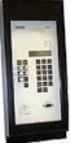 ABB Automation Inc. Substation Automation and Protection Division Coral Springs, FL 33065 Instruction Leaflet 41-348.11C Effective: November 1999 Supersedes I.L. 41-348.11B, Dated August 1986 ( ) Denotes
Medium-voltage Transformers
 Technical Information Medium-voltage Transformers Important requirements for medium-voltage transformers for SUNNY BOY, SUNNY MINI CENTRAL and SUNNY TRIPOWER Contents This document describes the requirements
Here is our comprehensive product range dedicated to MV distribution and earthfault compensation.
 Here is our comprehensive product range dedicated to MV distribution and earthfault compensation. Self-protected TPC transformers (with and without built-in inductance), are commonly used to revamp existing
Instruction Bulletin. MCS025 Sync-Check Module Installation Sheet
 Instruction Bulletin 63230-216-244B1 LaVergne, TN, USA MCS025 Sync-Check Module Installation Sheet Retain for future use. DANGER HAZARD OF ELECTRIC SHOCK, EXPLOSION, OR ARC FLASH Only qualified electrical
Harmonics in your electrical system
 Harmonics in your electrical system What they are, how they can be harmful, and what to do about them Abstract Harmonic currents, generated by non-linear electronic loads, increase power system heat losses
CAPACITOR BANK TESTING SWP
 1. PURPOSE AND SCOPE The purpose of this Standard Work Practice (SWP) is to standardise and prescribe the method for testing Capacitor Banks including capacitors, tuning reactors and inrush limiting reactors.
Engineering innovation
 Eaton's Electrical Engineering Services & Systems Solutions Focus Seamless Solutions for Reliable, Efficient and Safe Power Systems Engineering innovation Progressive solutions for today s power systems
DIMENSIONING OF CURRENT TRANSFORMERS FOR PROTECTON APPLICATION
 ÿþ üûúùø öõöôùóùõò CT Dimensioning DIMENSIONING OF CURRENT TRANSFORMERS FOR PROTECTON APPLICATION Application note GER3973 1 CT Dimensioning ÿþ üûúùø öõöôùóùõò GER-3973 Application note ÿþ üûúùø öõöôùóùõò
UCI274C - Technical Data Sheet
 - Technical Data Sheet SPECIFICATIONS & OPTIONS STANDARDS Newage Stamford industrial generators meet the requirements of BS EN 60034 and the relevant section of other international standards such as BS000,
PRO370D 65A Mbus MID DIN rail three phase four wire energy meter. User manual Version 1.03
 PRO370D 65A Mbus MID DIN rail three phase four wire energy meter User manual Version 1.03 1 Safety instructions... 3 2 Foreword... 4 3 CE certificates... 5 4 MID certificate... 7 5 Performance criteria...
LG Air Conditioning Multi F(DX) Fault Codes Sheet. Multi Split Units
 Multi Split Units If there is a fault on any LG Multi unit, an Error mark is indicated on the display window of the indoor unit, wired-remote controller, and LED s of outdoor unit control board. A two
UCI274H - Technical Data Sheet
 - Technical Data Sheet SPECIFICATIONS & OPTIONS STANDARDS Newage Stamford industrial generators meet the requirements of BS EN 60034 and the relevant section of other international standards such as BS000,
M2M The measure of efficiency
 M2M The measure of efficiency The importance of control Measurement and advanced analysis of electrical parameters To make equipment as efficient as possible, it is essential to know the details of its
How To Choose A Transformer
 Consider open loop MV network as an example source 1 source 2 NC NC NC or NO main MV switchboard A B Detail design of substation NC NC NC NO NC NC switchboard 1 switchboard 2 switchboard 3 MV MV MV LV
Current Monitoring Kit
 Current Monitoring Kit QUICK START GUIDE DO090-6 CONTENTS Issues: 1) 2.10.02 WP A4 format 2) 2.10.02 Added safety warning 3) 17.3.06 Word A5 format. S1: Removed relay modules. S2: Added MI010. S4.1: added
..OR How To Protect your 3-Phase Equipment Investment with 3-Phase Monitors from Time Mark...
 ..OR How To Protect your 3-Phase Equipment Investment with 3-Phase Monitors from Time Mark... TIME MARK CORPORATION 11440 EAST PINE STREET TULSA, OK 74116 USA tel 918 438-1220 fax 918 437-7584 www.time-mark.com
Short-circuit current rating (SCCR) of. industrial control panels. NEC Article 409 and UL 508A
 Short-circuit current rating (SCCR) of industrial control panels NEC Article 409 and UL 508A Short-circuit current rating (SCCR) of industrial control panels 1 Introduction 2 Overview of NEC Article 409
Electrical network protection. Protection guide. Guide
 Electrical network protection Protection guide Guide A new path for achieving your electrical installations A comprehensive offer The Protection Guide completes the perfectly coordinated offer of products
Three phase circuits
 Three phase circuits THREE PHASE CIRCUITS THREE-PHASE ADVANTAGES 1. The horsepower rating of three-phase motors and the kva rating of three-phase transformers are 150% greater than single-phase motors
GE Protection and Control Business Department. Page 1 Date 5/11/99
 GE Protection and Control Business Department Page 1 GE Protection and Control Business Department Proven Overcurrent Protection with Power Management Communication The The Advantages of Microprocessor
Test & Data Management Software
 Test & Data Management Software TDMS protective relays energy meters transducers power quality CT-VT-PT transformers ground grid circuit breakers batteries surge arresters The Integrated Testing Solution
Relion 611 series. Feeder Protection and Control REF611 Modbus Point List Manual
 Relion 611 series Feeder Protection and Control REF611 Modbus Document ID: 1MRS757463 Issued: 2011-11-18 Revision: A Product version: 1.0 Copyright 2011 ABB. All rights reserved Copyright This document
Power Technology Issue 104. Modeling of Two-Winding Voltage Regulating Transformers for Positive Sequence Load Flow Analysis in PSS E
 SIEMENS Siemens Energy, Inc. Power Technology Issue 104 Modeling of TwoWinding Voltage Regulating Transformers for Positive Sequence Load Flow Analysis in PSS E Carlos GrandeMoran, Ph.D. Principal Consultant
Power Supply Unit, Primary Switched, Narrow Design MINI-PS-12-24DC/24DC/1
 Power Supply Unit, Primary Switched, Narrow Design MINI POWER provides: Extra narrow design with widths of 22.5 mm, 45 mm, and 67.5 mm (0.886, 1.772, and 2.657 in.) Global use due to a wide-range input
Data Bulletin. Choosing a Trip Unit for PowerPact H-, J-, and L-Frame Circuit Breakers. Introduction. Thermal-Magnetic or Electronic Trip Unit?
 Data Bulletin 011DB110 07/01 Choosing a Trip Unit for PowerPact H-, J-, and L-Frame Circuit Breakers ENGLISH Inoduction Thermal-Magnetic or Eleconic Trip Unit? Thermal-Magnetic Trip Units 01171 t 0119
Short Circuit Current Calculations
 Introduction Several sections of the National Electrical Code relate to proper overcurrent protection. Safe and reliable application of overcurrent protective devices based on these sections mandate that
ABB PSPS Erich Steinmann; Generator control-2013
 ABB PSPS Erich Steinmann; Generator control-2013 GENERATOR CONTROL THE MODULAR SOLUTION FOR GENERATORS To make sure that power is efficiently converted into electric energy, it is necessary to supervise
14. Troubleshooting Guide
 14. Guide 14.1 Refrigeration Cycle System In order to diagnose malfunctions, ensure the air conditioner is free from electrical problems before inspecting the refrigeration cycle. Such problems include
Current Monitoring Kit QUICK START GUIDE
 Current Monitoring Kit QUICK START GUIDE Pico Technology EL040 Current Monitoring Kit Quick Start Guide CONTENTS 1 Introduction... 1 2 Kit contents... 3 3 Installation... 3 3.1 Connecting the system together...
OZW30. Central Unit SYNERGYR
 2 841 SYNERGYR Central Unit OZW30 Collects billing data from the apartments. Generates an image of each apartment's heat consumption and makes it available for readout. Acts on room temperature control
Power System Harmonics
 Pacific Gas and Electric Company Power System Harmonics What are power system harmonics? Ideally, voltage and current waveforms are perfect sinusoids. However, because of the increased popularity of electronic