
EIZO Sensor Solutions for Medical Monitors. Backlight Sensor / External Sensor / Swing Sensor
|
|
|
- Stewart Ross
- 9 years ago
- Views:
Transcription
1 White Paper EIZO Sensor Solutions for Medical Monitors Backlight Sensor / External Sensor / Swing Sensor CONTENTS 1 Introduction What is Monitor Quality Control? Backlight Sensor Functions Utilizing Backlight Sensor Monitor Quality Control Functions Made Possible with Backlight Sensor External Sensor Functions Using External Sensor Monitor Quality Control Functions Executable with External Sensor Swing Sensor Swing Sensor Monitor Quality Control Functions Available with Swing Sensor What is Correlation? Conclusion No Revision A June 2007 EIZO NANAO CORPORATION radiforce.com White Paper 1/13

2 1 Introduction Monitors have various characteristics that are subject to change in quality over time, including luminance, grayscale, and luminance uniformity. Reduced monitor quality due to aging and inter-monitor differences in viewing conditions can often lead to serious problems in hospitals, for example, where several monitors may be arranged together for simultaneous viewing, or where a single image may be confirmed using different monitors. In order to detect changes in monitor quality, monitor quality control is required to make the appropriate calibrations. Further, with the massive number of LCD monitors at major hospitals accelerated by the adoption of PACS, HIS, and RIS technologies, IT administrators and maintenance service staff will be faced with the increasing labor and costs associated with such monitor quality control. As a solution in monitor quality control, EIZO proposes its RadiCS quality control (QC) management software, allowing detection and calibration of changes in monitor conditions through a number of simple and clear steps. The company also offers the RadiNET Pro network QC management software, forming a unified management system that dramatically reduces labor and costs. EIZO has also developed three types of sensors Backlight Sensor, External Sensor, and Swing Sensor (either Built-In Swing Sensor or Clip-On Swing Sensor; see Fig. 1) to be used in the detection and calibration system. When used together with the RadiNET Pro software, these sensors allow for remote monitor quality control. With these sensor components, users may select the optimal sensor system according to the control requirements of their hospital environment; this in turn will lead to reductions in the Total Cost of Ownership (TCO). Fig. 1. EIZO Sensors This white paper will introduce the benefits of each of the sensor types described above. We hope that you will find this introduction useful in examining the cost reduction strategies surrounding the installation and operation of your hospital s facilities and instruments. White Paper 2/13

3 2 What is Monitor Quality Control? The three most important characteristics of monitors luminance, grayscale, and luminance uniformity change gradually in quality over time, resulting in inconsistent viewing results between different monitors. These inter-monitor differences create problems in particular when viewing images in a medical context. When LCD monitors are used as medical display monitors, proper monitor quality control measures must be taken to detect and calibrate these changes in monitor quality. Organizations in various countries, such as AAPM, DIN, IEC, and JESRA, are currently working toward the standardization of items and criteria for the evaluation of monitor quality. In this context, testing performed upon installation is referred to as the acceptance test, and testing performed regularly are called constancy tests. The main items for evaluation in the acceptance and constancy tests consist of the pattern check, luminance check, grayscale check, and uniformity check. Allowable levels for these values differ among the standards of different countries. When inconformity with the standards is detected in the results of the acceptance and constancy tests, the monitor units must be properly corrected, or calibrated, to ensure compliance with the performance standards for luminance, grayscale, etc. applicable to medical display monitors. Of the four quality characteristics (pattern, luminance, grayscale, and uniformity), the global standard for the grayscale characteristics of medical Fig. 2. Monitor Quality Control display monitors is referred to as DICOM (Digital Imaging and Communications in Medicine). In general, manufacturers develop and produce LCD monitors for medical display for which calibration and maintenance can be performed in accordance with the GSDF (Grayscale Standard Display Function) stipulated in DICOM Part 14 for luminance and grayscale characteristics in LCD monitors. In other words, medical display monitors may generally be said to feature grayscale functions capable of calibration according to the GSDF. Chapter 3 and on will describe the procedures of monitor QC management that can be performed using the EIZO Sensors. However, please note that for the pattern check, which is one of the main evaluation items in the acceptance and constancy tests, several pattern images are displayed on the monitor screen and must be checked visually for flaws, as shown in Fig. 3; this check thus does not rely on the sensors. Therefore, pattern checks can be carried out sufficiently even if only the images for the pattern check are available. Fig. 3. Pattern Check Screen White Paper 3/13

4 3 Backlight Sensor All models of the EIZO RadiForce medical display monitor series are equipped with Backlight Sensors. Small round hole for light transmission is opened in the rear of the panel behind the backlight. The Backlight Sensor mounted on the main circuit board directly scans the backlight luminance through this hole (Fig. 4). Let us see which monitor quality control tasks may be performed using this sensor. Fig. 4. Image of the Mounted Backlight 3-1 Functions Utilizing Backlight Sensor Self-calibration functions can be executed using RadiCS with a Backlight Sensor. This is a simple calibration process for luminance and grayscale calibration. (For grayscale calibration, readers are referred to White Paper No , Brightness Control with a Backlight Sensor. ) Furthermore, the RadiNET Pro network QC management software allows monitor administrators to perform remote self-diagnosis and self-calibration functions from the administrator PC via network. Fig. 5. Pattern Check Screen the EIZO Sensor system. Since the Backlight Sensor is not capable of performing a grayscale or uniformity check, a different mechanism is required for these processes, such as When the self-diagnosis function using the Backlight Sensor and the RadiCS QC management software is executed, the Backlight Sensor measures the backlight luminance. If the backlight brightness is not within the allowable range of the preset value, the warning message saying The monitor does not meet the luminance setting. Change target luminance and calibrate the monitor, is displayed on screen. This function may be executed at any time, and may also be set for automatic execution on a regular basis using the scheduling function in the task setup window. Since the self-diagnosis function is processed in the background of running software, it will not interfere with the user s work. Thus, this function may be used as a supplementary verification measure for maximum luminance control. White Paper 4/13

5 3-2 Monitor Quality Control Functions Made Possible with Backlight Sensor Items for the quality control test that are enabled using Backlight Sensor is checked in the table below. : Executable : Not Executable Remote: Can be Executed Remotely Test Items Luminance Check Grayscale Check Uniformity Check Backlight Sensor * * + Remote * Since Backlight sensor is incapable of taking objective luminance measurements, it cannot be used for the luminance check. Further, the table below summarizes the suitability of the Backlight Sensor for calibration tasks in terms of precision, labor, and time. : Excellent : Good Precision Labor Time Required Software Backlight Sensor RadiCS (RadiNET Pro for remote execution) It is recommended that the calibration of LCD monitors used as medical display monitors be performed with high precision provided by the External Sensors. However, for monitors that are used for reference purposes, the simple calibration system offered by the self-diagnosis function of the Backlight Sensor and the RadiCS monitor QC management software is sufficient. Although the calibration precision of the self-diagnosis function is not as high as that offered by External Sensors, the process requires no additional attachment of sensors and can be performed simply by clicking self-diagnosis in the RadiCS menu. Self-diagnosis is a quick process that takes only 10 seconds or so on all models. It can also be performed remotely, offering an effective TCO reduction solution in the quality control of large arrays of reference monitors. White Paper 5/13

6 4 External Sensor The RadiCS monitor QC management software package contains the EIZO UX1 sensor for both monochrome and color monitors (Fig. 6). Let s see which monitor quality control tasks may be performed using this sensor. Fig. 6. RadiCS and UX1 Sensor 4-1 Functions Using External Sensor First, the items of the acceptance and constancy tests that may be performed using External Sensor include the luminance and grayscale checks (performed by a sensor attached to the center of a monitor), as well as the uniformity check, which can be carried out very reliably using sensor attached to the center and to four corners of a monitor. Thus, all items can be checked in the strict detection of monitor quality. The combined use of the EIZO External Sensor and the RadiCS QC management software thus allows for acceptance testing in compliance Fig. 7. Attaching the External Sensor with three standards: AAPM, DIN, and JESRA (although an additional LX-Plus or LS-100 sensor is required for compliance with the DIN standards). Constancy tests may be performed in compliance with all five standards: AAPM, DIN, IEC, JIS, and JESRA. How about the calibration process? Figure 8 shows the calibration settings window for the RadiCS QC management software. The target values for maximum and minimum luminance (and also, for color monitors, the color temperature) may be set by the user, and the standard (display function) for the calibration of grayscale may be selected not only from the DICOM Part 14 GSDF covering grayscale but also from this standard s values for gamma, CIE, and log-linear values. High-precision calibration of luminance and grayscale characteristics is also possible, however since this function requires manual attachment of the External Sensor prior to execution, this calibration cannot be performed remotely via network from the administrator PC. Fig. 8. Settings Window White Paper 6/13

7 4-2 Monitor Quality Control Functions Executable with External Sensor The items of quality control testing that are enabled by the External Sensor are checked in the table below. : Executable : Not Executable Remote: Can be Executed Remotely Test Items Luminance Check Grayscale Check Uniformity Check Backlight Sensor + Remote External Sensor Further, the table below summarizes the suitability of the External Sensor for calibration tasks in terms of precision, labor, and time. : Excellent : Good Precision Labor Time Required Software Backlight Sensor RadiCS (RadiNET Pro for remote execution) External Sensor RadiCS The time required for calibration using the External Sensor differs depending on the level of calibration measurements selected by the user; for the standard measurement level, this time is approximately 10 minutes. with External Sensor takes significantly longer than Backlight Sensor calibration and cannot be performed remotely. However, this method allows for high-precision, highly reliable calibration; accordingly, we recommend this system for the calibration of medical display monitors, which demand consistently high performance. Further, the External Sensor allows for the execution of the uniformity check, which cannot be performed otherwise, and so its use is recommended when conforming to foreign standards or in the re-execution of the acceptance test. White Paper 7/13

8 5 Swing Sensor The Built-In Swing Sensor inside EIZO High-End Monochrome Medical Display Monitors RadiForce G33/GX320/GX220 (Fig. 9) or the Clip-On Swing Sensor (which can be attached to current EIZO medical display monitors; see Fig. 10) are movable sensors. When in use, these sensors drop down from the top of the display screen; when not in use, they are stored inside the bezel so as not to distract the viewer. Let s see which monitor quality control tasks can be performed using these sensors. Fig. 9. Built-In Swing Sensor Fig. 10. Clip-On Swing Sensor 5-1 Swing Sensor When the Swing Sensors are used, they do not have to be set up each time the luminance and grayscale checks are performed. Moreover, since luminance and grayscale checks are performed using only a small section in the upper part of the screen, workers can continue with their observations and interruptions are kept to a minimum (Fig. 11). Fig. 11. Minimizing the Occupied Area Further, when this sensor is used together with the RadiNET Pro network QC management software, these checks can be performed remotely via network from the administrator PC. Uniformity check cannot be performed since the Swing Sensors cannot be moved to the center or to the four corners of a monitor. White Paper 8/13

9 How about calibration? As with the EIZO Sensors described in the previous section, the maximum and minimum luminance can be set by the user, and the standard (display function) for grayscale calibration can be selected not only from the DICOM Part 14 GSDF covering grayscale but also from this standard s values for gamma, CIE, and log-linear values in the RadiCS QC management software calibration settings window (Fig. 8). The Swing Sensors also have an advantage over the External Sensor in that it does not have to be set up before each calibration run. The calibration made by the Swing Sensors may also be performed remotely via network from administrator PC using the Fig. 12. Remote by the Administrator RadiNET Pro network QC management software (Fig. 12). Moreover, since RadiNET Pro is a Web-based application, the administrator can perform this calibration from anywhere in the hospital at any time. 5-2 Monitor Quality Control Functions Available with Swing Sensor Quality control test items enabled with the use of Swing Sensors are checked in the table below. : Executable : Not Executable Remote: Can be Executed Remotely Test Items Luminance Check Grayscale Check Uniformity Check Backlight Sensor + Remote External Sensor Swing Sensors + Remote + Remote + Remote Furthermore, the table below summarizes the suitability of Swing Sensors for calibration tasks in terms of precision, labor, and time. : Excellent : Good Precision Labor Time Required Software Backlight Sensor RadiCS (RadiNET Pro for remote execution) External Sensor RadiCS Swing Sensors RadiCS (RadiNET Pro for remote execution) White Paper 9/13

10 Swing Sensors eliminate the time and labor required to set up External Sensor before each calibration run, and offer precision on the same level as External Sensor calibration. Further, the use of the Swing Sensors enables the administrator to execute remote calibration of the monitors. The time required depends on the level of calibration measurement selected by the user; this value is approximately 15 minutes for standard measurement levels. However, since calibration is executed using only a small section in the upper part of the screen, workers can continue with their observations and interruptions are kept to a minimum. If the RadiCS scheduling function is used to set the time and date of the calibration at night after office hours, interruptions during work can be eliminated completely. The Swing Sensors thus represent an ideal solution, drastically reducing the labor and cost associated with QC management for large installations of medical display monitors. To look at one example, let s perform a simple comparison of the labor and time required of monitor administrators at hospitals where 100 monitors are installed. In an environment in which External Sensor are used to conduct monitor QC management, calibration of all monitors requires the administrator to visit all monitors to set the sensor in position manually for calibration. Assuming that an average of 5 minutes will be required to travel from one monitor to the next, 1 minute for setting up and removing sensor, and 10 minutes for calibration process, calibration work will require a total of: (5 minutes + 1 minute + 10 minutes) x 100 monitors = approximately 26 hours If the administrator works 8 hours a day, it will take him/her 3 days to complete the job. This is an extreme case, but if the facility in this example had adopted the Swing Sensors and the RadiNET Pro, he would have been able to perform remote calibration, thus saving all of the time required to travel from one monitor to the next, setting up sensor, and waiting in front of each monitor during calibration (Fig. 13). Fig. 13. Comparison of the Time Required for White Paper 10/13

11 5-3 What is Correlation? In this section, we will explain how the Swing Sensor arrives at calibration precision equivalent to that of the External Sensor. As shown in Fig. 14, luminance differs at various points on the monitor panel surface, including a difference in luminance between the point of measurement by the External Sensor and the central part of the monitor screen. Therefore, comparison is made between the luminance value measured using the Swing Sensor and the luminance value at the center of the screen measured by the External Sensor to calculate the coefficient of correlation. Although the administrator have to set up the External Sensor manually in front of the monitor Fig. 14. during Difference monitor in Luminance on Screen setup, once the coefficient of correlation has been determined, then the precise luminance at the central part of the screen can be calculated based on the measurements taken by the Swing Sensor. This process of obtaining the coefficient of correlation is referred to simply as correlation. At the Monitor Setup step, RadiCS identifies the monitors with the Clip-On Swing Sensor G1 attached and prompts the execution of correlation for the corresponding monitor. Correlation must be executed upon the installation of Clip-On Swing Sensor G1, and after the correlation data has been acquired, the asterisk (*) indicated at the head of the monitor name and serial number as in Fig. 15 will disappear. Note that the correlation data for the Built-In Swing Sensor mounted on the G33/GX320/GX220 has already been acquired prior to shipment, and so there is no need to perform correlation at Monitor Setup. Fig. 15. Monitor Setup Window for RadiCS The uniformity (specifically, the uniformity of luminance over the entire screen) of LCD monitors generally deteriorates with age (Fig. 16). However, re-execution of the correlation procedure, for example once a year, allows you to continue to perform precise luminance calculations for the central part of the screen long after installation. Approximately 25,000 Hours With the use of technologies such as those for correlation, we have achieved calibration precision using the Swing Sensor at levels equivalent to those achieved using the External Sensor. Fig. 16. Luminance Uniformity Deterioration with Age White Paper 11/13

12 6 Conclusion The items of quality control testing that are enabled using sensors available from EIZO are checked in the table below. : Executable : Not Executable Remote: Can be Executed Remotely Test Items Luminance Check Grayscale Check Uniformity Check Backlight Sensor + Remote External Sensor Swing Sensors + Remote + Remote + Remote Further, the table below summarizes the suitability of the sensors available from EIZO for calibration tasks in terms of precision, labor, and time. : Excellent : Good Precision Labor Time Required Software Backlight Sensor RadiCS (RadiNET Pro for remote execution) External Sensor RadiCS Swing Sensors RadiCS (RadiNET Pro for remote execution) [Execution of QC Management Check] When Using Backlight Sensor Measured values are not available, so this sensor cannot be used for QC management checks. However, in conjunction with the scheduling function for automatic execution of periodic self-diagnosis, this sensor can be used as a supporting feature of QC management of maximum luminance. When Using External Sensor The External Sensor must be used to perform the uniformity check. Although this requires time and labor in the manual setup of the External Sensor in front of the monitor, the External Sensor forms the most fundamental system of QC management, since this sensor allows for the performance of both the luminance and grayscale tests. When Using Swing Sensors Both the luminance and grayscale check can be made without going to the trouble of attaching and removing the sensor to and from the monitor. In particular, the RadiNET Pro allows for remote execution of QC management checks simultaneously on multiple monitors, without requiring the administrator to visit one monitor to another. The more monitors are installed in the facility, the effectiveness of using Swing Sensors and RadiNET Pro in reducing TCO for QC management will increase. White Paper 12/13

13 [Execution of ] When Using Backlight Sensor The simple self-calibration system using the Backlight Sensor and the RadiCS monitor QC management software offers is not as high precision as that offered by other EIZO sensor solutions. However, this process requires an amazingly short time only 10 seconds and can be readily executed. Further, the RadiNET Pro network QC management software can be used to perform remote calibration by administrator from anywhere in the hospital at any time without requiring any initial investment (purchasing Swing Sensors). This method proves effective in reducing TCO in cases requiring calibration of large numbers of reference monitors that do not demand strict precision. When Using External Sensor using the External Sensor and the RadiCS monitor QC management software requires approximately 10 minutes under standard measurement conditions and cannot be executed remotely since such calibration requires the attachment of a sensor in the central part of the monitor screen. This method is recommended for cases where the first priority is precise calibration of medical display monitors for which consistently high performance is demanded, but when initial investments are ruled out (i.e., for the cost of Swing Sensors). When Using Swing Sensors A calibration system using the Swing Sensors and the RadiCS monitor QC management software offers calibration precision equivalent to that of the External Sensor, yet allows for simpler execution since it eliminates the time and labor required to set up the External Sensor on site for each monitor. When used together with the RadiNET Pro network QC management software, the calibration process can be remotely executed by administrator simultaneously for multiple monitors. at standard measurement levels requires approximately 15 minutes, but this process does not interrupt normal observations of medical images. This approach is effective in reducing TCO where large numbers of medical image display monitors requiring high precision and quality are installed. All product names are trademarks or registered trademarks of their respective companies. Copyright 2007 EIZO NANAO CORPORATION. All rights reserved. White Paper 13/13

Monitor Quality Control Solutions
 Monitor Quality Control Solutions Managing the quality of monitors used every day leads to the improvement of the quality of medical care itself. Detecting changes in a monitor s display quality Controlling
Monitor Qualit y Control Solutions
 Monitor Qualit y Control Solutions Controlling the Quality of Monitors Managing the quality of monitors used every day leads to the improvement of the quality of medical care itself. Q1 A1 Do all monitors
Digital Mammography Monitor
 Film Imaging to Digital Imaging for Mammography Diagnosis As the incidence of breast cancer rises, regular mammograms are recommended for early detection. Selecting the Optimum It is vital in the process
Applicable Models ME511L, ME551i2, MS31i2, MS33i2, MS51i2, MS53i2
 Version 3.1 Applicable Models ME511L, ME551i2, MS31i2, MS33i2, MS51i2, MS53i2 MQSA Quality Control Manual for Monochrome Monitors for Mammography Foreword Purpose of this Document This document is for
Nio. Industry-standard diagnostic display systems
 Nio Industry-standard diagnostic display systems Diagnostic confidence in grayscale With the Nio diagnostic display system, Barco brings dependable diagnostic imaging to its true potential. Presenting
MQSA Quality Control Manual for Monochrome Displays for Mammography
 MQSA Quality Control Manual for Monochrome Displays for Mammography Ver1.0 Applicable Models LMD-DM50, LMD-DM30 Sony Corporation - 1 - MQSA Quality Control Manual for Monochrome Displays for Mammography
Important. Please read this User s Manual carefully to familiarize yourself with safe and effective usage.
 Important Please read this User s Manual carefully to familiarize yourself with safe and effective usage. About This Manual This manual describes how to install and configure RadiNET Pro Gateway and RadiCS
Digital Mammography Monitors
 Digital Mammography Monitors Film to Filmless Mammography Diagnosis As the incidence of breast cancer rises, regular mammograms are recommended for early detection. It is vital in the process of early
Medical imaging monitors specification guidelines
 Medical imaging monitors specification guidelines Document details Contact for enquiries and proposed changes If you have any questions regarding this document or if you have a suggestion for improvements,
Health. NYC Quality Assurance Guidelines for. Primary Diagnostic Monitors
 Health NYC Quality Assurance Guidelines for Primary Diagnostic Monitors June 2015 Content I. Overview... 1 II. Definitions... 1 III. Acceptance Testing Requirements... 4 IV. Bi-weekly PDM Testing... 4
Coronis 5MP Mammo. The standard of care for digital mammography
 Coronis 5MP Mammo The standard of care for digital mammography The standard of care For thousands of women every day, details make all the difference. This understanding, along with many years of commitment
Dome CXtra User s Guide
 Dome CXtra User s Guide 2015 NDS Surgical Imaging, LLC. All rights reserved. This document contains proprietary information of NDS Surgical Imaging. It is exclusive property of NDS Surgical Imaging. It
Picture archiving and communication systems (PACS) and guidelines on diagnostic display devices
 IT Guidance Documents Picture archiving and communication systems (PACS) and guidelines on diagnostic display devices Second edition Board of the Faculty of Clinical Radiology The Royal College of Radiologists
Important. Please read this User s Manual carefully to familiarize yourself with safe and effective usage.
 Important Please read this User s Manual carefully to familiarize yourself with safe and effective usage. About ScreenManager Pro for LCD... 3 1. Setting Up... 4 1-1. System Requirements...4 1-2. Installing
GammaCompMD QA Client Version 5 User Manual
 GammaCompMD QA Client Version 5 User Manual Version 5.0.50 Copyright NEC Display Solutions Ltd. 2006-2013 This document contains proprietary information from NEC Display Solutions, Ltd. This information
Please read this User s Manual carefully to familiarize yourself with safe and effective usage.
 Important Please read this User s Manual carefully to familiarize yourself with safe and effective usage. The latest software and User s Manual are available for download from our web site: http://www.eizo.com
Widescreen LCD Monitors. FlexScan EcoView. Eco-awareness meets smart business.
 Widescreen LCD Monitors FleScan Eco-awareness meets smart business. New Design, New Lineup The FleScan series presents five new models designed to help your business' bottom line with ergonomic and environmental
Important. Please read this User s Manual carefully to familiarize yourself with safe and effective usage procedures.
 Important Please read this User s Manual carefully to familiarize yourself with safe and effective usage procedures. About ScreenManager Pro for LCD (DDC/CI)... 3 1. Setting Up... 4 1-1. System Requirements...4
EIZO Monitor CalMAN Setup Guide
 EIZO Monitor CalMAN Setup Guide CalMAN Display Calibration Software can automatically create optimized calibration 1D or 3D LUTs for EIZO monitors equipped with a self-calibration sensor. CalMAN controls
Monitor Calibrator Quick Guide
 Quick Guide 110318 Requirements Colorimeter such as Klein K-10 or Minolta CA-210 RJ-11 Cable and RS-232 to RS-485/422 Converter Monitor Calibrator Software 1 or more Serial/USB Ports, or Serial-USB Converter
Barco medical display systems. Images you can trust. Every time. Everywhere.
 Barco medical display systems Images you can trust. Every time. Everywhere. In healthcare imaging, accuracy is of vital importance. As a medical professional, you count on display technology that delivers
About This Manual. 2 About This Manual
 Ver.4.1 Important This System Guide applies to RadiNET Pro Ver. 4.1. Please read this System Guide and the User s Manual on the RadiNET Pro CD-ROM carefully to familiarize yourself with safe and effective
Connect to a remote PC via Ethernet with a monitor, keyboard, and mouse. This network monitor offers both long distance and wireless transmission.
 17" (43 cm) LCD Monitor Connect to a remote PC via Ethernet with a monitor, keyboard, and mouse. This network monitor offers both long distance and wireless transmission. Long Distance Transmission Easily
User s Guide. Version 1.2.00
 User s Guide Version 1.2.00 2 MULTIPROFILER - USER S GUIDE Software Updates Occasionally updates and enhancements to the MultiProfiler software will be made available. Visit the MultiProfiler section of
Important. Please read this User s Manual carefully to familiarize yourself with safe and effective usage.
 Important Please read this User s Manual carefully to familiarize yourself with safe and effective usage. The latest software and User's Manual are available for download from our site: http://www.eizo.com
Calibrating your monitor
 Tutorial Calibrating your monitor Software version: Asanti 2.0 Document version: June 23, 2015 This tutorial demonstrates how to calibrate your monitor with ColorTune Display for color accuracy. 1. Install
JVC Monitor Calibration 2 User's Guide
 JVC Monitor Calibration 2 User's Guide Table of Contents 1. What is JVC Monitor Calibration 2? 2. System Requirement 3. Installation (JVC Monitor Calibration 2) 4. Uninstall 5. Installation (EyeOne Display
TTK DIAGNOSTIC MONITORS
 TTK DIAGNOSTIC MONITORS Greyscale and colour diagnostic displays Resolution of 2 to 15 megapixels with ISD Five-year diagnostic guarantee Calibrated automatically in the network TOTOKU DIAGNOSTIC MONITORS
MediCal QAWeb. Secured online service for Quality Assurance of medical displays
 MediCal QAWeb Secured online service for Quality Assurance of medical displays The first secured online service for high-grade Quality Assurance MediCal QAWeb is the industry s first online service for
DIVA MEDICAL DISPLAY SOLUTION FEATURE
 DIVA MEDICAL DISPLAY SOLUTION FEATURE IPX5 High Image IPX1 Quality Auto Luminance Stabilizer AIS RS-232 TOUCH 1080P CH DIVA Medical s displays have the industry s highest quality image reproduction in
Technical Paper DENTAL MONITOR CALIBRATION
 Technical Paper DENTAL MONITOR CALIBRATION A REPORT ON DENTAL IMAGE PRESENTATION By Tom Schulte Dental radiographs and oral photographs are often both viewed on the same dental workstation monitor. The
Coronis New Generation
 Coronis New Generation Service Manual This technical manual could include technical inaccuracies or typographical errors. BARCO n.v. reserves the right to modify the manual as often as necessary to keep
22 (21.5 viewable), 16:9 FHD LED multimedia monitor with SuperClear VA technology. VA2265Sm-3
 22 (21.5 viewable), 16:9 FHD LED multimedia monitor with SuperClear VA technology VA2265Sm-3 The ViewSonic VA2265Sm-3 is a 22 (21.5 viewable) widescreen monitor with an LED backlight and glossy, thin-bezel
Programmable Terminal. NPSeries. Easy Setup with the Low-cost, Compact NP Series
 Programmable Terminal NPSeries Easy Setup with the Low-cost, Compact NP Series Simpler and More Versatile.OMRON s Compact NP Series Connect! Easier connection to OMRON PLCs and Temperature Controllers,
Large Format Solutions. saharaplc.com. LFD Video Wall Collaboration. A leading trade only audio visual distributor and manufacturer
 saharaplc.com Large Format Solutions LFD Video Wall Collaboration digital signage Technology Partner In association with Holdan Ltd A leading trade only audio visual distributor and manufacturer Slim and
DATA PROJECTOR XJ-A147/XJ-A247/XJ-A257 XJ-M146/XJ-M156 XJ-M246/XJ-M256. XJ-A Series. XJ-M Series. Network Function Guide
 DATA PROJECTOR EN XJ-A Series XJ-A147/XJ-A247/XJ-A257 XJ-M Series XJ-M146/XJ-M156 XJ-M246/XJ-M256 Network Function Guide In this manual, XJ-A Series and XJ-M Series refer only to the specific models listed
Infinity C Reference Guide
 1 2! Infinity C Reference Guide Table of Contents Components... 1 Hardware Setup... 5 SmartDrive Configuration... 12 Startup... 15 Login... 16 System Configuration... 19 DICOM Setup... 20 Monitoring Status...
Calibrating Computer Monitors for Accurate Image Rendering
 Calibrating Computer Monitors for Accurate Image Rendering SpectraCal, Inc. 17544 Midvale Avenue N. Shoreline, WA 98133 (206) 420-7514 [email protected] http://color.spectracal.com Executive Summary
Spyder 5EXPRESS Hobbyist photographers seeking a simple monitor color calibration solution.
 Spyder5 User s Guide Spyder 5EXPRESS Hobbyist photographers seeking a simple monitor color calibration solution. Next Generation Spyder5 colorimeter with dual purpose lens cap and counterweight, improved
Precision Lightmeters Made in Germany
 Lightmeters Luxmeters, Footcandle Meters Precision Lightmeters Made in Germany Luminance Meters www.gossen-photo.de Luxmeters / Footcandle Meters MAVOLUX 5032 C/B USB Illuminance meters of the precision
From big data to big ideas
 All-in-One Instant VideoWall by Barco Fit-for-purpose brilliance, in both looks and performance From big data to big ideas Sensor Camera www Social media Alert PC Presentation Server Video Map Diagram
CruzPro VAF110. AC Volts, Amps, Frequency, kw Monitor
 CruzPro VAF110 AC Volts, Amps, Frequency, kw Monitor Table of Contents Introduction............................ 3 Specifications........................... 4 Installation..............................5
Overview Help Files Viewing Photos
 User s Guide Overview SpyderGallery is a free mobile App from Datacolor, designed to provide color accurate viewing of images on your mobile device. The Image Viewer can be used with no special preparation;
Enabling Off-hour Teleconsultation from Home, Including Fast 3D Visualization Using AquariusNET
 Enabling Off-hour Teleconsultation from Home, Including Fast 3D Visualization Using AquariusNET P.M.A. van Ooijen, MSc, PhD Department of Radiology P.O. Box 30001 University Medical Center Groningen University
User s Guide. Version 1.0.00
 User s Guide Version 1.0.00 Software Updates NEC Display Wall Calibrator - USER S GUIDE Occasionally updates and enhancements to the NEC Display Wall Calibrator software will be made available. Visit the
Application/ Requirements for LED Lighting Products Certification Scheme
 Application/ Requirements for LED Lighting Products Certification Scheme Present by : Samson Leong Regional Lighting Business Manager Consumer & Commercial Electrical, Intertek Testing Services HK Ltd.
22 (21.5 viewable), 16:9 FHD LED monitor with SuperClear VA technology and HDMI input. VA2265Sh
 22 (21.5 viewable), 16:9 FHD LED monitor with SuperClear VA technology and HDMI input VA2265Sh The ViewSonic VA2265Sh is a 22 (21.5 viewable) widescreen monitor with an LED backlight and glossy, thinbezel
SKF @ptitude Observer and OPC
 Application Note SKF @ptitude Observer and OPC Introduction This document contains some basis on the Open Process Control (OPC) application and a brief procedure on how to set up the internal OPC UA server
White Paper. Study to Demonstrate Efficacy of 8MP Color Display - Mammography 1.INTRODUCTION... 2 2.PURPOSE... 2 3.METHODS... 2 4.RESULTS...
 White Paper Study to Demonstrate Efficacy of 8MP Color Display - Mammography CONTENTS 1.INTRODUCTION... 2 2.PURPOSE... 2 3.METHODS... 2 4.RESULTS... 3 5.CONCLUSIONS... 5 6.REPORT FROM DR. KRUPINSKI, UNIVERSITY
DryView CHROMA Imaging System
 DryView CHROMA Imaging System VERSATILE PRINTING ON FILM OR PAPER One of the most trusted names in medical printing now offers a highly versatile printer that empowers physicians and other healthcare professionals
Taurus Super-S3 LCM. Dual-Bay RAID Storage Enclosure for two 3.5-inch Serial ATA Hard Drives. User Manual March 31, 2014 v1.2 www.akitio.
 Dual-Bay RAID Storage Enclosure for two 3.5-inch Serial ATA Hard Drives User Manual March 31, 2014 v1.2 www.akitio.com EN Table of Contents Table of Contents 1 Introduction... 1 1.1 Technical Specifications...
INSTRUCTION MANUAL OVERVIEW. ---------- Remote Meter: MT-5 Remote meter (Model MT-5) is available to connect with solar controller Tracer MPPT series.
 INSTRUCTION MANUAL ---------- Remote Meter: MT-5 Remote meter (Model MT-5) is available to connect with solar controller Tracer MPPT series. OVERVIEW The digital Remote Meter displays system operating
Panasonic Primary Colors Matching Support Software. Version 5.01
 Panasonic Primary Colors Matching Support Software Version 5.01 First Edition Issued on: October 31, 2007 Prepared by:matsushita Electric Industrial Co., Ltd. Panasonic AVC Networks Company Projector Business
Mobile Healthcare Security Whitepaper
 Mobile Healthcare Security Whitepaper aycan OsiriX PRO, aycan mobile and Apple's ipad as DICOM image distribution enhancement for PACS environments. Copyright aycan Digitalsysteme GmbH 2013 ayc_mobile_healthcare_security_whitepaper_130529_sp_ds.
KCU Communication. PC Software Installation and User s Guide For KCU-30 / KCU-40 / KCU-50 modules. System requirement: Windows XP or above
 KCU Communication PC Software Installation and User s Guide For KCU-30 / KCU-40 / KCU-50 modules System requirement: Windows XP or above KCU Communication PC Software User Guide TABLE OF CONTENTS SECTION
THE NEW 4X8 PANEL PCs INNOVATIVE HMI TECHNOLOGY FOR HAZARDOUS AREAS
 THE NEW 4X8 PANEL PCs INNOVATIVE HMI TECHNOLOGY FOR HAZARDOUS AREAS WWW.EXICOM.DE 1 The latest in PC technology specially designed for the oil and gas industries 2 2 WWW.STAHL-HMI.DE The new 4X8 Panel
4-Channel Thermometer / Datalogger
 USER GUIDE 4-Channel Thermometer / Datalogger RTD and Thermocouple Inputs Model SDL200 Introduction Congratulations on your purchase of the Extech SDL200 Thermometer, an SD Logger Series meter. This meter
Transitioning from TurningPoint 5 to TurningPoint Cloud - LMS 1
 Transitioning from TurningPoint 5 to TurningPoint Cloud - LMS 1 A Turning Account is a unique identifier that is used to tie together all software accounts and response devices. A Turning Account is required
ICC Recommendations for Color Measurement
 White Paper #3 Level: Introductory Date: Dec 2004 ICC Recommendations for Color Measurement Introduction In order to prepare a useful device profile based on the International Color Consortium s Specification,
Integrating Digiquartz MET3 and MET3A Broadband Meteorological Systems with Leica GX1200 Series GPS Receivers
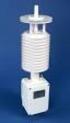 Integrating Digiquartz MET3 and MET3A Broadband Meteorological Systems with Leica GX1200 Series GPS Receivers The standard by which other standards are measured Paroscientific, Inc. 4500 148 th Ave. N.E.
16.1 REQUIREMENTS AND INSTALLATION
 EXTENDED SERVICE OPTIONS CHAPTER 16 16.0 OVERVIEW The MICR Reader Module is an Extended Service Option that simplifies the input of NSF checks into Debt$Net. When using the MICR Reader Module, you scan
500/600/1000. User Manual June 2011 Rev. 061311. 1 v061311
 500/600/1000 User Manual June 2011 Rev. 061311 1 v061311 http://shopping.netsuite.com/digitalcheck TABLE OF CONTENTS Contents Radio Frequency Interference... 3 About the SB Scanner... 3 SB Scanner Equipment...
Chapter 9 N.C. C. N.O. Single-Pole Double-Throw
 rather than providing multiple choices. The sensor modules used may only be suitable for use with the matching controller so it is wise to read the specifications to make sure the unit suits your application.
Color Management Monitors
 Color Management s ColorEdge The Ideal s for Expressing Your Creativity Vivid color at all stages of your digital workflow. Design and Publishing 2 Smooth tonal display and accurate color reproduction
GSM HOME SECURITY SYSTEM
 Cell /Mobile phone home security system GSM HOME SECURITY SYSTEM Model : GSM-120 TABLE OF CONTENTS 1. FEATURES... 1 2. APPLICATION... 2 3. SPECIFICATIONS... 3 4. FRONT PANEL & LAYOUT DESCRIPTION...6 5.
Online Transformer Insulation Monitoring System BushingGard Product Focus. Maximizing Transformer Uptime and Reliability
 Online Transformer Insulation Monitoring System BushingGard Product Focus Maximizing Transformer Uptime and Reliability Critical Energy Transfer... Large power transformers are found around the world at
Model SRMD Setra Remote Monitoring Display
 Model SRMD Setra Remote Monitoring Display 1.0 GENERAL INFORMATION Thank you for purchasing the Setra Remote Monitoring Display (SRMD). The SRMD is a digital panel meter with a bright 1 LED display for
COMSPHERE 6700 SERIES NETWORK MANAGEMENT SYSTEM
 COMSPHERE 6700 SERIES NETWORK MANAGEMENT SYSTEM SECURITY MANAGER FEATURE SUPPLEMENT Document No. 6700-A2-GB41-30 February 1998 Copyright 1998 Paradyne Corporation. All rights reserved. Printed in U.S.A.
Firmware version: 1.10 Issue: 7 AUTODIALER GD30.2. Instruction Manual
 Firmware version: 1.10 Issue: 7 AUTODIALER GD30.2 Instruction Manual Firmware version: 2.0.1 Issue: 0.6 Version of the GPRS transmitters configurator: 1.3.6.3 Date of issue: 07.03.2012 TABLE OF CONTENTS
Z5375 T Base plate Mounting instructions (1.1 EN)
 Z5375 T Base plate Mounting instructions (1.1 EN) Contents 1. Scope of supply...3 2. Intended use...3 3. Preparations...3 T10 cabinets...3 4. Setup of the assembly...5 5. Maintenance and care...7 Storing/transport...7
User Guide. Temperature and Humidity Datalogger. Model 42280
 User Guide Temperature and Humidity Datalogger Model 42280 Introduction Congratulations on your purchase of the Extech 42280 Thermometer and Relative Humidity Datalogger. The 42280 is a wall-mount, tripod
Meraki MX50 Hardware Installation Guide
 Meraki MX50 Hardware Installation Guide January 2011 Copyright 2010, Meraki, Inc. www.meraki.com 660 Alabama St. San Francisco, California 94110 Phone: +1 415 632 5800 Fax: +1 415 632 5899 Copyright: 2010
dedicated KVM switch and rackmount screen technology User Manual IP-S101 Combo KVM Extender Designed and manufactured by Austin Hughes
 dedicated KVM switch and rackmount screen technology User Manual IP-S101 Combo KVM Extender Designed and manufactured by Austin Hughes 751 Legal Information First English printing, October 2002 Information
GSM Alarm System User Manual
 GSM Alarm System User Manual For a better understanding of this product, please read this user manual thoroughly before using it. Quick Guider After getting this alarm system, you need to do the following
User Guide - English. FUJITSU Software ServerView Suite. Local Service Panels. Local Service Concept (LSC)
 User Guide - English FUJITSU Software ServerView Suite Local Service Panels Local Service Concept (LSC) Edition February 2013 Comments Suggestions Corrections The User Documentation Department would like
Remote Director. Apple imac G5. Monitor Proofing System using the I. MANUFACTURER INTRODUCTION. SWOP Application Data Sheet
 SWOP Application Data Sheet Remote Director Monitor Proofing System using the Apple imac G5 The SWOP Review Committee has approved the use of off-press proofs as input material to publications. SWOP Specifications
2» 10» 18» 26» PD3 34 00 42»
 » STARDOM Safe Capsule Series User Manual... 2» STARDOM Safe Capsule Serie Bedienungsanleitung... 10» Série STARDOM Safe Capsule Manuel de l utilisateur... 18 26 PD3500 34» Manual de usuario de STARDOM
Wireless Data Logger Monitoring Systems
 Wireless Data Logger Monitoring Systems Table of Contents About MadgeTech, Inc. Wireless Systems & Components Wireless Data Loggers 2000A Wireless Data Logger Models MadgeTech Cloud Services MadgeTech
Development of High-Performance ASV-LCDs Using Continuous Pinwheel Alignment (CPA) Mode
 Development of High-Performance ASV-LCDs Using Continuous Pinwheel Alignment (CPA) Mode Masumi Kubo * Toshihiko Miyashita *2 Nobuyoshi Nagashima *3 Eiichiroh Nishimura *4 * A30 Project Team, TFT Liquid
Consistency of Softcopy and Hardcopy: Preliminary Experiences with the new DICOM Extensions for Image Display
 Consistency of Softcopy and Hardcopy: Preliminary Experiences with the new DICOM Extensions for Image Display Marco Eichelberg a, Jörg Riesmeier a, Klaus Kleber b, Jörg Holstein b, Herman Oosterwijk c,
ST815 Illumination Sensor with LCD
 ST815 Illumination Sensor with LCD The Illumination Sensor with LCD (refer to as Illumination Sensor hereafter) is a Z-Wave TM enabled device which is fully compatible with any Z-Wave TM enabled network.
Using Zistos PNSC over BGAN
 Using Zistos PNSC over BGAN Self powered Field Surveillance and Monitoring Version 01 12 th November 2009 1 Contents 1 Overview 1 2 Applications 1 3 Features & Benefits 1 4 Network Diagram 2 5 Connecting
G-100/200 Operation & Installation
 G-100/200 Operation & Installation 2 Contents 7 Installation 15 Getting Started 16 GPS Mode Setup 18 Wheel Sensor Mode Setup 20 Fuel Calibration 23 Basic Operation 24 Telemetery Screen 27 Entering a Distance
Developer s Guide. Revised January 17, 2014. 950 Boardwalk, Suite 205, San Marcos, CA 92078 (760) 510-1200 www.productivecomputing.
 Developer s Guide Revised January 17, 2014 950 Boardwalk, Suite 205, San Marcos, CA 92078 (760) 510-1200 www.productivecomputing.com Copyright 2014 Productive Computing, Inc. Table of Contents I. INTRODUCTION!...
AXIS 205 Network Camera Goes anywhere your network goes
 I N S T A L L A T I O N G U I D E Goes anywhere your network goes Introduction 1 Introduction Focus guide (see page 6) Status indicator (surrounding the focus ring) Focus ring (see page 6) Serial number
How to Use Google Cloud Print
 1 The machine is compatible with Google Cloud Print (Google Cloud Print is a service provided by Google Inc.). By using Google Cloud Print, you can print from anywhere with applications or services supporting
New GSM Alarm System. User s Manual. Profile For a better understanding of this product, please read this user manual thoroughly before using it.
 New GSM Alarm System User s Manual Profile For a better understanding of this product, please read this user manual thoroughly before using it. Chapter 1. Features Chapter 2. Alarm Host Introduction Chapter
Major Risks and Recommended Solutions
 Major Risks and Recommended Solutions www.icdsecurity.com OVERVIEW Are you familiar with the main security risks that threaten data centers? This paper provides an overview of the most common and major
Implementing ISO12646 standards for soft proofing in a standardized printing workflow
 Implementing ISO12646 standards for soft proofing in a standardized printing workflow Aditya Sole Implementing ISO12646 standards for soft proofing in a standardized Gjøvik University College, The Norwegian
EPSON. Personal Document Station. Printed on recycled paper with at least 10% post-consumer content
 EPSON Personal Document Station @ Printed on recycled paper with at least 10% post-consumer content A Note Concerning Responsible Use of Copyrighted Materials Like photocopiers, scanners can be misused
Beckhoff onboard SATA-RAID
 Installation and operating instructions for Beckhoff onboard SATA-RAID Version: 1.3 Date: 2009-07-24 Table of contents Table of contents 1. 2. 3. 4. 5. 6. 7. General notes 2 Notes on the documentation
Department of Supply & Services (CIMS) RSA Web Express User Guide v1.2
 Department of Supply & Services (CIMS) RSA Web Express User Guide v1.2 Created: May 22, 2008 Updated: April 23, 2009 The RSA Web Express web express web site automates functions required to deploy hardware
Self-Install Security System Installation and User Guide
 Self-Install Security System Installation and User Guide Contents Installation Installation guide 4 Codepad and accessories 6 Step 1 Determine security system location 8 Step 2 Mounting motion sensors
Introducing... The Word's Most Advance. Biometric Time Attendance Door Access Security System
 Introducing... The Word's Most Advance Biometric Time Attendance Door Access Security System EC50 Proximity Card Time Clock Designed for Small to Large sized Businesses Large Color LCD Display Plug n
MultiClient Software Quick Guide
 MultiClient Software Quick Guide Introduction This document provides a quick overview of setting up and using the MultiClient. If you want to use a PC to view video from a video gateway, the PC must be
PE6108/PE6208/PE8108/PE8208
 Energy Intelligence Solutions PE6108/PE6208/PE8108/PE8208 eco PDU Distribution Unit ATEN has developed a new generation of green energy power distribution units (PDUs) to effectively increase the efficiency