
BYOD. elearning at Whangaparaoa College
|
|
|
- Alan Manning
- 10 years ago
- Views:
Transcription
1 BYOD elearning at Whangaparaoa College

2 Whangaparaoa College - why BYODs? Vision Whangaparaoa College will be a lead school in learning, and in achieving excellence in all fields of learner endeavour. Mission Whangaparaoa College will challenge all learners, through a range of opportunities, to maximise their potential as outstanding individuals and as members of the school and the wider community. Over many years we have been looking into the use of devices to support learning at Whangaparaoa College. This began with a thesis looking into this prior to the college opening (Ballantyne, 2004). We have used a variety of devices to support learning at the college computers, GPS wristwatches, ipads, Smartboards, clickers, etc. During more recent years it has become apparent that there are significant advantages in learners each having their own device. Rather than rushing into this, we have researched types of devices, through an elearning group of staff that meets regularly, and have also trialled three eclasses in Year 8. Learners have had to bring devices for some senior subjects for a number of years (eg Computing, Media Studies), and we have allowed learners to bring their own devices for the past couple of years and negotiate their use with their teachers. The entire school now has excellent WiFi capability. We do not wish to dictate what type of device learners must use, nor do we wish them to use only a device there is still a need for pen and paper at times. However, we believe it is time that they, and we, make good use of the devices available to increase their engagement and achievement. With BYODs, learning is deeper and learners engage in more intellectual, conceptual, analytical and creative thinking (Dixon & Tierney, 2013). Technology has dramatically affected virtually every sector in society that you can think of except education. It is time that gadget goes to school and schools go to gadget. (Fullan, 2013, p72) We are now meeting with parents to share our research and to gauge interest in a pathway forward. Please follow the link below after tonight s presentation and indicate your interest. We look forward to continuing the learning journey with you and your children. Lisa Ballantyne Deputy Principal Please go to this webpage to register your interest and contact details: 2


3 At Whangaparaoa College we currently allow learners to bring devices to school and negotiate with their teacher(s) re their use. There has been positive feedback regarding the use of these devices. Improved engagement, behaviour, and home learning completion have, in particular, been commented upon. Whilst Whangaparaoa College do not promote a specific brand we do however have minimum specifications that must be met for bring your own device. Whangaparaoa College also work closely with specific providers to bring your own devices to get the best deal for you. At Whangaparaoa College we understand that bringing your own device can be a costly expense and you could be apprehensive with your child bringing an expensive device to school, therefore we do supply storage lockers at an annual cost so that you can be sure that devices are kept safe in between class times. These are available through Whangaparaoa College also has a digital citizenship policy that helps your child to understand the importance of social network online and to assist with cyber bullying. Index Minimum specifications... 4 Software reg and Office Frequently asked questions... 5 Suppliers... 7 Deals

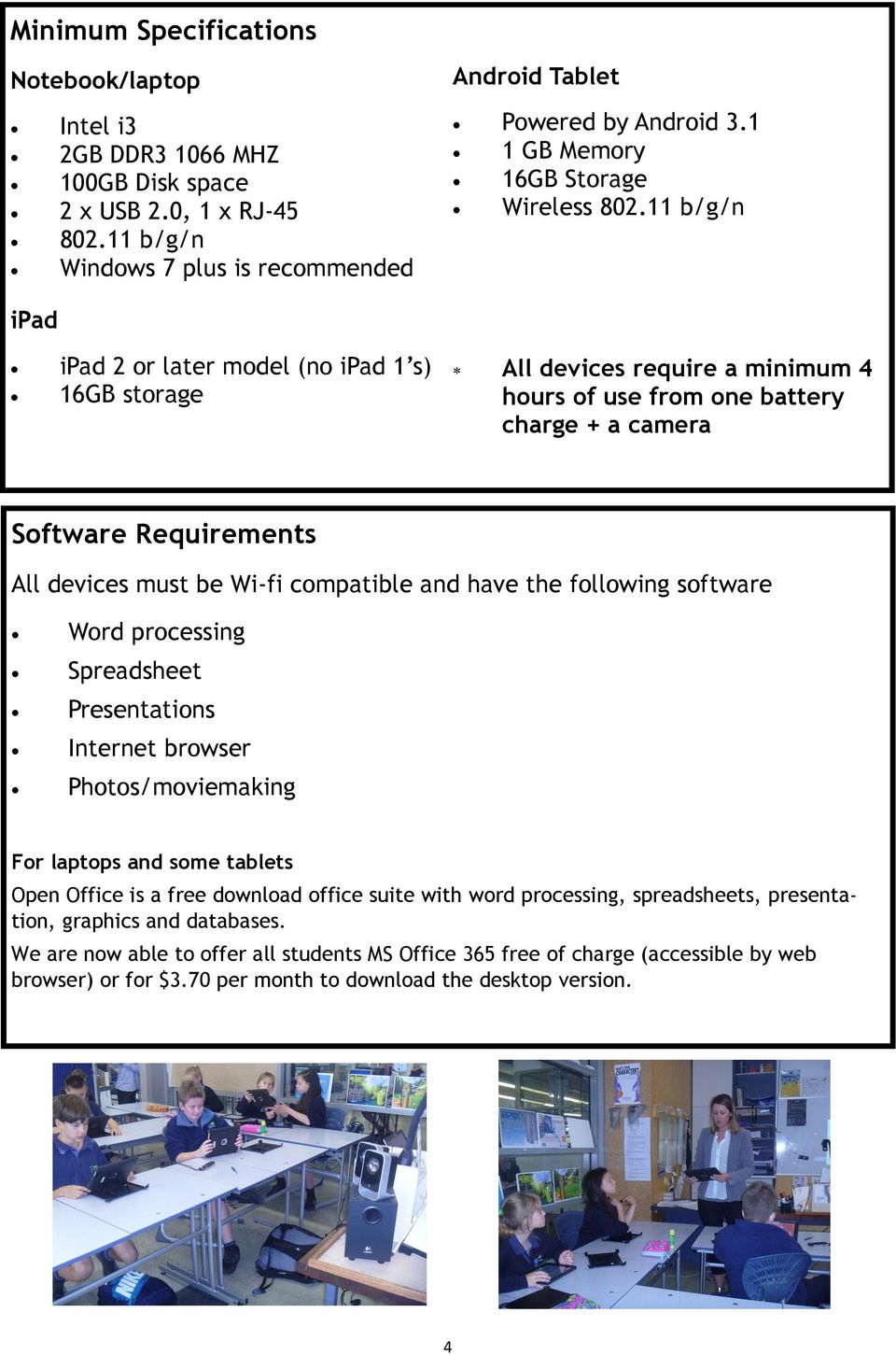
4 Minimum Specifications Notebook/laptop Intel i3 2GB DDR MHZ 100GB Disk space 2 x USB 2.0, 1 x RJ b/g/n Windows 7 plus is recommended Android Tablet Powered by Android GB Memory 16GB Storage Wireless b/g/n ipad ipad 2 or later model (no ipad 1 s) 16GB storage All devices require a minimum 4 hours of use from one battery charge + a camera Software Requirements All devices must be Wi-fi compatible and have the following software Word processing Spreadsheet Presentations Internet browser Photos/moviemaking For laptops and some tablets Open Office is a free download office suite with word processing, spreadsheets, presentation, graphics and databases. We are now able to offer all students MS Office 365 free of charge (accessible by web browser) or for $3.70 per month to download the desktop version. 4
5 Frequently asked questions Q: Who is responsible for repairs and maintenance of the device? A: You are responsible for your own repairs and maintenance. The school does not accept any responsibility for damage to devices. Q: Who is responsible for the insurance and warranty? A: You are responsible for both insurance and warranty. We advise you obtain an extended warranty and check what that warranty covers. Some warranties do not cover for accidental damage so you need to check it would be covered under your household insurance. Q: What happens if something goes wrong with the device during school, can you fix it? A: We will supply the learners with a number of information sheets to help them to troubleshoot their problem. Our ICT Technician is unable to look at individual device as this may affect the warranty you have purchased. Q: Can a learner download or store music/films/games on their device? A: If the device is owned by the learner, then technically they can download or store anything they want, subject to copyright law. However, you must be aware that the more data downloaded onto the device will slow it up and affect the performance. Limewire and torrents are the main cause of viruses and malware on devices. We recommend all personal data be kept on an external hard drive/flashdrive. The device is intended as a resource for your learner as a learning tool rather than an entertainment unit for games. Q: Is internet usage monitored? A: Yes, all internet usage, including learners with their own device, is monitored by our web filtering programs. We set quotas for learners. Q: Do I have to have antivirus software? A: Yes this is compulsory. We recommend a free download: Microsoft Security Essentials. ( Q: Will my child still require the same stationery? A: Yes. They will still be doing a fair amount of handwriting and the device will be used as a tool to provide differentiation and choice in the learning. Q: Will the device my child has be good enough? A: Please check the minimum specifications above. 5
6 Q: Will my child be able to print from their device? A: Within the first week or so of school they will be able to print. However, we will not be encouraging the learners to print unless there is a benefit from doing so we would like to avoid unnecessary paper waste. Q: Where will my child save their work? A: It is best for the children to save/upload their work to the cloud. The teacher will give advice on how to do this. Q: Will my child be using their device all day? A: No. They will still be doing a fair amount of handwriting and the device will be used as a tool to provide differentiation and choice in the learning. Q: Will my child be taught to use the device responsibly? A: Yes. There was a new Digital Citizenship curriculum implemented in 2013 for all learners. Q: Have you thought about storage/security of the devices? A: Yes. Lockers are available at Children will be responsible for their own devices. Parents are expected to have their own insurance for the devices. Bounce covers that prevent a device smashing if dropped can be purchased at various retail stores. Q: How much am I expected to pay for apps for my child s device? A: We do not expect anyone to have to pay more than $50 over the year for apps. However, the teachers will be using and recommending the use of free apps wherever possible. 6


7 Suppliers Noel Leeming Suite No7 PB Technologies 4 Station Rd 40 Hibiscus Coast Highway Penrose Silverdale Auckland Phone: Phone: Contact: Laura Cameron Contact: Josh Marvin Check the following websites for competitive pricing for devices. Please note that the prices will fluctuate daily on these websites due to currency changes Check these sites regularly as they often run special offers and can offer good interest free deals. A good website to check price comparisons is Any special offers made to Whangaparaoa College direct will be updated onto our website. 7


8 8

CARE COURTESY COOPERATION CHALLENGE COMMITMENT
 2015 Laptops at Chancellor State College Information and Procedures Handbook Including: Chancellor Laptop Program Bring Your Own Device National Secondary Schools Computer Fund CARE COURTESY COOPERATION
Bring Your Own Device (BYOD) Years 5 and 6. Sunnyhills School
 Bring Your Own Device (BYOD) Years 5 and 6 Sunnyhills School Please note that BYOD is NOT a compulsory venture. This information is designed to inform you on things to consider if you choose to. Note there
BYOD QUESTIONS & ANSWERS
 BYOD QUESTIONS & ANSWERS Bring Your Own Device Year 9 and 10-2016 We introduced a BYOD programme to Year 9 students in 2015, and are pleased to report that the implementation has been very positive. Students
Smithfield State High School
 Tropical North Learning Academy Smithfield State High School BYOd Scheme Policy and Handbook Contents Foreword... 3 elearning vision... 3 What is a Bring Your Own Device (BYOd) scheme?... 3 Participation
Bring Your Own Device (BYOD) Policy
 Bring Your Own Device (BYOD) Policy Purpose is committed to supporting student learning experiences within a highly functioning environment. Our classrooms are reliant on a range of leading-edge technologies
South Sydney High School Bring-Your-Own-Device (BYOD) Policy
 South Sydney High School Bring-Your-Own-Device (BYOD) Policy Bring your own device (BYOD) refers to technology models where students bring a personally owned device to school for the purpose of learning.
BYOD program at St Julian s School
 BYOD program at St Julian s School Introduction St Julian s school currently runs a Bring Your Own Device (BYOD) program for all students in Years 10-13. This program requires that all students must bring
Bring Your Own x. INFORMATION AND PROCEDURES HANDBOOK Version 2014-12-10
 Bring Your Own x INFORMATION AND PROCEDURES HANDBOOK Version 2014-12-10 Contents BYOx Transition Plan... 3 Forward... 3 Introduction... 3 BYOx Vision... 4 Software and Applications... 4 Microsoft Office...
Albany Senior High School
 Albany Senior High School Bring your own device (BYOD) Usage Policy for Students and Parents BYOD Usage Policy S:\AdminShared\Teaching Staff\ICT\BYOD\BYOD Policy for Parents.doc Table of Contents 1 Introduction
Sheldon College Bring Your Own Device
 Sheldon College Bring Your Own Device Handbook 2015 2 Table of Contents BACKGROUND 3 ELEARNING COMMITMENT 4 BYOD INTRODUCTION 5 BYOD REQUIREMENTS 2015 6 ACCEPTABLE DEVICES 7 BYOD MINIMUM SPECIFICATIONS
ONE TO ONE LAPTOP PROGRAMME POLICY
 ONE TO ONE LAPTOP PROGRAMME POLICY CONTENTS 1 Vision and Rationale... 2 2 Ownership Model... 2 3 End of Lifecycle Process... 2 4 Early Return Policy... 2 5 Appearance / Personalisation... 2 6 Device Specifications...
Bring Your Own Technology Procedures
 Bring Your Own Technology Procedures Department of Education Bring Your Own Technology Procedure 1. Scope (audience and applicability) These procedures provide an educational rationale and information
ST JOHNS PARK HIGH SCHOOL BYOD POLICY
 ST JOHNS PARK HIGH SCHOOL BYOD POLICY What is BYOD? Bring Your Own Device" (BYOD) refers to students bringing a personally owned device to school for the purpose of learning. A personally owned device
Bring Your Own Device (BYOD) Launches September 2015 Students in Grades 9-12. The How of BYOD
 Bring Your Own Device (BYOD) Launches September 2015 Students in Grades 9-12 The How of BYOD How is the school preparing for a successful launch of a BYOD for students in Grades 9 12? This document covers
Kingsley Park Primary School. 1-1 ipad Program BYOD
 Kingsley Park Primary School 1-1 ipad Program BYOD 2016 Kingsley Park Primary School ipad 1-1 BYOD Program In 2015 KPPS implemented a 1-1 BYOD [bring your own device] Program for Grades 4-6. We will be
St Mark s Church School (Version 2) Bring Your Own Device Policy
 St Mark s Church School (Version 2) Bring Your Own Device Policy 1 BYOD Policy Policy Contents: Table of Contents St Mark s Church School (Version 2)... 1 Introduction... 3 What is the D in BYOD?... 3
Bring Your Own Device (BYOD) Years 5 and 6. Sunnyhills School
 Bring Your Own Device (BYOD) Years 5 and 6 Sunnyhills School Please note that BYOD is NOT a compulsory venture. This information is designed to inform you on things to consider if you choose to. Note there
LEEMING SENIOR HIGH SCHOOL. Bring Your Own Device Information and Policy 2015
 LEEMING SENIOR HIGH SCHOOL Bring Your Own Device Information and Policy 2015 1 1 Dear Parent/Guardian Since the ending of the Federal Government s Digital Education Revolution funding, Leeming SHS can
ii. Why BYOD 2 iii. Equity and BYOD 2 iv. BYOD @ Horsham College 3 v. Student Responsibilities 4 vi. Student and parent agreement 5
 ICT Bring Your Own Device (BYOD) POLICY Date Created: 08/09/2015 Last Updated: 17/11/15 Review Date: 01/03/2016 Number of Pages: 7 U:\Public\olicies & Procedures\Approved Policies\Bring Your Own Device
St Michael s Collegiate School
 St Michael s Collegiate School Information Technology Handbook 2014 St Michael's Collegiate School ICT and Notebook Policy Handbook. Collegiate has for many years been a leader in ICT integration within
GARDENVALE PRIMARY SCHOOL BYOD
 GARDENVALE PRIMARY SCHOOL BYOD (Bring Your Own Device) POLICY This policy operates in conjunction with the Victorian Department of Education and Early Childhood development and Gardenvale Primary School
BRING YOUR OWN DEVICE
 BRING YOUR OWN DEVICE B.Y.O.D. POLICY RYDE SECONDARY COLLEGE 2014 NSW DEC BRING YOUR OWN DEVICE STUDENT AGREEMENT Students who wish to take advantage of the BYOD policy must read this agreement in the
Bring Your Own Device (BYOD) Acceptable Use Agreement 2015
 Monivae College Bring Your Own Device (BYOD) Acceptable Use Agreement 2015 This agreement is applicable to all: 1. students in Years 7, 8, 9, 10 and 11 using their own device to access the College network
Definition Purpose Bring Your Own Device required Guidelines Responsibility for Devices
 Definition Bring Your Own Device (BYOD) is a policy that allows students to bring and use their own personal electronic devices at school. Devices include but may not be limited to: tablets (such as ipad),
St Thomas the Apostle Frequently Asked Questions
 Numerous questions have been posed by the school community during the planning stages of the BYOD (ipad) program. This document is a list of the answers to these question, compiled from discussions of
Lowanna College 2015 BYOD PROGRAM AGREEMENT. BYOD Program 2015. BYOD Student Agreement/Acceptable Use Policy/Online Services Policy
 BYOD Program 2015 BYOD Student Agreement/Acceptable Use Policy/Online Services Policy The student and parent/guardian must carefully read the above contract before signing it. Any questions should be addressed
Acceptable Use of ICT Policy. Staff Policy
 Acceptable Use of ICT Policy Staff Policy Contents INTRODUCTION 3 1. ACCESS 3 2. E-SAFETY 4 3. COMPUTER SECURITY 4 4. INAPPROPRIATE BEHAVIOUR 5 5. MONITORING 6 6. BEST PRACTICE 6 7. DATA PROTECTION 7 8.
ST. JOSEPH S GRAMMAR SCHOOL DONAGHMORE. BYOD Policy. Bring Your Own Device Policy (Student)
 ST. JOSEPH S GRAMMAR SCHOOL DONAGHMORE BYOD Policy Bring Your Own Device Policy (Student) Rationale St. Joseph s Grammar School ICT department has devised this policy for use with Sixth Form pupils (Year
Greystanes High School Student Bring Your Own Device (BYOD) Policy
 Greystanes High School Student Bring Your Own Device (BYOD) Policy Objectives 1. To facilitate and promote the bringing of a computing device to school by students for use in their education. 2. To provide
SVCC 2015 Year 7 12 elearning. 2015 Secondary elearning Program. Parent Information
 2015 Secondary elearning Program Parent Information At Southern Vales Christian College (SVCC) we are excited about the future of technology and the ability to integrate technology with our curriculum
BRING YOUR OWN DEVICE (BYOD) STUDENT & PARENT GUIDELINES Version 4.3.14 04/03/2014
 BRING YOUR OWN DEVICE (BYOD) STUDENT & PARENT GUIDELINES Version 4.3.14 04/03/2014 Table of Contents BYOD Program Overview... 3 What is BYOD?... 3 BYOD Rationale... 3 Overview of BYOD Program... 3 Objective
By the nature of the BYOD (Bring Your Own Device) program, there is not a list of approved devices.
 CCS#BYOD#FAQs# What are the requirements for student devices? The requirements are listed below, but the key to the CCS BYOD program is choice students choose the device (or devices) they are most comfortable
Lyndale Secondary College Bring Your Own Device Program for 2015
 Lyndale Secondary College Bring Your Own Device Program for 2015 Rationale Lyndale Secondary College is dedicated to ensuring students develop the skills and knowledge to be a successful member of the
Frequently Asked Questions for parents
 Frequently Asked Questions for parents I had intended to purchase a laptop for my child. Should I proceed? All students in Years 10 to 12 at Kenmore State High School will have access to a high quality,
BRING YOUR OWN DEVICE (BYOD) STUDENT & PARENT GUIDELINES. Version 5
 BRING YOUR OWN DEVICE (BYOD) STUDENT & PARENT GUIDELINES Version 5 08/25/2015 Table of Contents BYOD Program Overview... 3 What is BYOD?... 3 BYOD Rationale... 3 Overview of BYOD Program... 3 Objective
EMS BYOD Pilot--Frequently Asked Questions
 EMS BYOD Pilot--Frequently Asked Questions How will EMS handle inappropriate use of, damaged, or lost devices by students? Device security is a common concern of parents nation-wide as schools embark on
ONE-2-ONE LEARNING LAPTOP PROGRAM 2011
 GLENUNGA INTERNATIONAL HIGH SCHOOL ONE-2-ONE LEARNING LAPTOP PROGRAM 2011 Department of Education and Children s Services T/A South Australian Government Schools CRICOS Provider No. 00018A 1. VISION and
How To Ensure Your School Is Safe Online
 Ivy Road Primary School Policy for e-safety Updated - 2014 1. Introduction Pupils interact with the internet and other communications technologies such as mobile phones on a daily basis. The exchange of
Milton State School BYOD Frequently Asked Questions
 Milton State School BYOD Frequently Asked Questions What is BYOD? BYOD stands for Bring Your Own Device. BYOD is an initiative that will allow students who have personal technology devices to bring them
What is Bring Your Own Device (BYOD)
 What is Bring Your Own Device (BYOD) A Bring Your Own Device refers to students bringing a personally owned mobile device to school for the purpose of learning. All year 7-10 students and year 11-12 MSA
CARRAMAR PUBLIC SCHOOL
 CARRAMAR PUBLIC SCHOOL Learning To Live Student Bring Your Own Device (BYOD) Policy This policy provides direction to schools choosing to allow student use of personal mobile electronic devices at school
Lenovo ThinkPad Yoga
 Lenovo Yoga Cost Breakdown The Peninsula School 2016 Lenovo ThinkPad Yoga Item Model: Lenovo ThinkPad Yoga 260 I5 8GB RAM, 192GB Solid State Drive Windows 10 Operating System, AC adaptor 3 Year Machine
BYOD Policy 2016 Bring Your Own Device Acceptable Use Policy
 BYOD Policy 2016 Bring Your Own Device Acceptable Use Policy Approved by Leadership Team 27 th April 2016 Approved by the Governing Body: 18 th May 2016 Review Due: May 2017 Rationale The Beaconsfield
DOWN HIGH SCHOOL BRING YOUR OWN DEVICE (BYOD) POLICY. Rationale
 DOWN HIGH SCHOOL BRING YOUR OWN DEVICE (BYOD) POLICY Rationale Sixth Form students have access to a limited number of private study periods during which they have the opportunity to focus on coursework,
Calwell High School Acceptable Use of ICT and Bring Your Own Device (BYOD) Guidelines & Agreement
 111 CASEY CRESCENT, CALWELL CALWELL WWW.CALWELLHS.ACT.EDU.AU / INFO@CALWELL HS.ACT.EDU.AU PH: 02 6205 6833 FAX 02 6205 6827 COURAGE SELF-DISCIPLINE RESPECT ACHIEVEMENT Calwell High School Acceptable Use
Student BYOD Guidelines
 Introduction Language centre (MUELC) is very excited to announce the completion of the Monash English and Monash English Bridging Curriculum review. The review has incorporated a complete and thorough
Cheltenham Primary School
 Cheltenham Primary School 1:1 BYOD Program 2015 Presented by ICT Team BYOD - A DEECT Supported Program The Department of Education ipad trial returned enormously positive results, particularly in Primary
Acceptable Use of ICT Policy. Learner School Policy
 Acceptable Use of ICT Policy Learner School Policy Contents INTRODUCTION 3 1. ACCESS 3 2. E-SAFETY 3 3. COMPUTER SECURITY 4 4. INAPPROPRIATE BEHAVIOUR 4 5. MONITORING 5 6. SOCIAL NETWORKING 5 7. LEGAL
Parent Owned Device Program
 Parent Owned Device Program Faith Excellence Community Compassion Purpose Introduction of the Parent Owned Device Program supports our vision to provide excellence in student centered learning in a global
General Information About Ranney School s 1:1 Laptop Program:
 General Information About Ranney School s 1:1 Laptop Program: What is included in Ranney School s 1:1 Laptop Program? Included are an integrated and dynamic curricular experience, use of a high- performance
Bring your Own Device Information and Policy 2015
 Bring your Own Device Information and Policy 2015 Dear Parent/Guardian Since the ending of the Federal Government s Digital Education Revolution funding, Exmouth DHS can no longer afford to purchase and
BYOD Mobile Device Chart
 BYOD Mobile Device Chart Grove City Christian School Bring Your Own Device The chart below describes many mobile devices, their features, and how they can be useful for teaching and learning. While it
The Comprehensive Guide to Bring Your Own Device
 The Comprehensive Guide to Bring Your Own Device Student and parent information package Kariong Mountains High School Background information Special Thanks Gratitude must be given to Merrylands High School
Workstation Management
 Workstation Management Service Description Version 1.00 Effective Date: 07/01/2012 Purpose This Service Description is applicable to Workstation Management services offered by MN.IT Services and described
1 to 1 Laptop Programs Brisbane Catholic Education
 1 to 1 Laptop Programs Brisbane Catholic Education Introduction What is a one to one program? A 1 to 1 laptop program provides every student and teacher access to his or her own laptop computer in a wireless
BYOD (Bring Your Own Device) Policy
 BYOD (Bring Your Own Device) Policy This policy was last ratified by School Council on 17 th of November, 2014 This policy works in conjunction with the Victorian Department of Education s Acceptable Use
Campion College ~ G I S B O R N E ~
 Campion College ~ G I S B O R N E ~ BYOD INFORMATION FOR 2015 BYOD Bring Your Own Device We live in an ever changing world where schools are not the only source of learning. Our students are using digital
Selwyn House Bring Your Own Device (BYOD) Guide. 2015 School Year
 Selwyn House Bring Your Own Device (BYOD) Guide 2015 School Year Introduction Technology continues to become more prevalent in our lives. The anywhere anytime nature of it enables us to access knowledge
Bring Your Own Technology Guide (BYOT) Student & Parent Guide for Best Practices
 Bring Your Own Technology Guide (BYOT) Student & Parent Guide for Best Practices 1 Page Document is subject to change throughout the pilot implementation. Version 2 Updated 08/16/12 Table of Contents Purpose
Answers to Your Frequently Asked Questions About the Microsoft Office365 Program for Pasadena City College Faculty and Staff
 Answers to Your Frequently Asked Questions About the Microsoft Office365 Program for Pasadena City College Faculty and Staff Microsoft Student Advantage What is the Microsoft Office365 Program for Pasadena
BYOD Parent information session
 BYOD Parent information session BYOD Parent information session Tonights Program Types of ipads and purchasing Device care, Security and Safety Apple ID, Purchasing Apps & Setting restrictions Sample of
Imhotep Academy BYOD Policy (Bring Your Own Device) 4th-8th Grades Only
 Imhotep Academy BYOD Policy (Bring Your Own Device) 4th-8th Grades Only Imhotep Academy is committed to staying on the forefront of educational practices of the 21st century. We are piloting a new policy
How To Understand The Bring Your Own Device To School Policy At A School
 The Thomas Hardye School Bring Your Own Device to School (BYOD) Policy for Students Adopted by Personnel & Resources Committee 1 st September 2014 Review date: 31 st August 2015 Signed by Chair:. CONTENTS
Bring Your Own Device Hilltop School
 Bring Your Own Device Hilltop School An Intro to BYOD Mobile Devices Bring Your Own Device (BYOD) or Mobile Device refers to technology models where students bring a personally owned device to school for
Years 3-7 Acceptable Use Policy & Agreement
 Years 3-7 Acceptable Use Policy & Agreement Reidy Park Primary School is committed to enhancing teaching and learning through the safe use of information and communication technologies (ICTs). We require
BRING YOUR OWN DEVICE STUDENT GUIDELEINES
 BYOD Student Guidelines The District will be expanding its Bring Your Own Device (BYOD) program to most types and brands of digital devices for the 2015-2016 school year. Students in grades 3 through 12
Bring Your Own Device (BYOD)
 Bring Your Own Device (BYOD) Looking for more on BYOD? Ask your school or go to the GCPS website. In Gwinnett County Public Schools, more and more instructional activities can be enhanced when students
Mobile Learning Program
 Mobile Learning Program KH and MSG Grades 7 8 Frequently Asked Questions Last Updated: May 21, 2015 All middle school students participate in the Academy s Mobile Learning Program. This document was created
Virginia Primary School Learning Together, Learning for our Future
 Virginia Primary School Learning Together, Learning for our Future RESPECT CARING FAIRNESS ACHIEVEMENT DIVERSITY Information Technology - Cyber-Safety Policy The measures to ensure the cyber-safety of