
Silcopac D Hardware & Software Manual
|
|
|
- Audrey Ryan
- 10 years ago
- Views:
Transcription
1 Silcopac D Hardware & Software Manual Answer Drives S.r.l. - Partially owned by Ansaldo Sistemi Industriali -S.p.A. answerdrives.com

2

3 SILCOPAC D HARDWARE AND SOFTWARE MANUAL Code: IMSPD027EN Revision: 0.3 SW Version: 2.7 E Date: Nov-07 For further information and comment, please contact us at: Answer Drives S.r.l.. thanks you for choosing a product of the SILCOPAC family and for any useful advice aimed at the improvement of this manual.

4

5 SPDM New FIRMWARE 2.7 Preliminary remarks Today, the standard firmware installed in the SPDM is the 2.6 enhanced version with Profibus-DP protocol inside (the Profibus DP board is delivered as option kit SPPB2 ). This firmware doesn t support the PC tool program WZSPD, than we cannot have PC tool and Profibus-DP communication at the same time in one control board. The Centronic printers today are not available in the market, so it s not possible to print the following data: DRIVE TRACE THYRISTOR TRACE CONFIGURATION PARAMETERS To remove the above problems we have developed the new release 2.7. New 2.7 firmware release allows: A) PC Tool and Profibus-DP communication at the same time. B) Data print ( by PC ). C) New functions. New functions: 1. Emergency ramp. It will be possible to define a ramp with settable time on the emergency stop (TH3=TacRF, TH4=TdcRF). 2. Bump less function. It s possible to restart a motor runnig with the same reference of the actual speed (only with the ramp enable). In the previous releases the speed reference started from zero: this generated dangerous hard braking torque for 4-quadrant operation SPDM. 3. Speed reference adding term: now it can be added downstream ramp also (CFA=NoADVR=ON/OFF). 4. Torque proof: the user can manage completely the mechanical brake with a digital output (D01 D07). 5. Disabling of the regenerative braking: the user can disable the regenerative braking when the armature voltage level becomes greater than a programmable threshold. CEC = Dis Reg = ON/OFF CE2 = Armature voltage threshold level. This function is helpful to avoid burning of fuses, when is not possible to maintain the right margin between the power supply voltage and the armature voltage level (for example with low Rsc ratio, or net with negative voltage variations greater than 10%). 6. Speed visualisation: the user can configure one of the auxiliary variable Aux1-2-3 (with parameters DG5-DG6-DG7) as Encod to display the Encoder speed (it is possible even if tachometer speed feedback is used). 7. PC-tool: there is a new parameter to enable the communication with the PC (DED = PC_Com = OFF/ON) 8. Digital Output configuration: the user can configure one of digital outputs (parameters DO1 DO6) as ParSet to display the active parameters set. 9. TENSION regulators: the new parameter CN6 sets the delay of the diameter calculation in relation to the tension regulator start command (COM3). 10. Double set of parameters: there is a new parameter (CDG) to enable/disable the switch of the parameters sets. 11. Profibus-DP: digital outputs OUT1 OUT6 can be driven directly writing bits 8 13 of the command word (parameters DO1 DO6 must be set to Profib ). Also reset command is performed writing bit 7 of the command word. Firmware 2.7

6 NOTE: To implement these new functionalities, we have removed some functions rarely used in our applications. Follow the list of these functions: 12 Selection of the armature current reference from the Rif differential analog input (CA1= RifC12). It is no more possible to set the armature current reference origin (CA1= RifC12) from the analog input RIF (terminals XM1-33, 34) with sign coming of the logic inputs state COM1 e COM2. 13 Current limit linear recalibration as function of the speed: The recalibration tooks place from the speed set by the parameter DB7 to the maximum speed. (No more from the parameter CE8, that is removed). 14 Maximum speed limited to the base speed value. If it is enabled the switching from speed feedback to armature voltage feedback when the tacho loss protection occurs (CBG = ON), the maximum speed with armature voltage feedback, in the field weakening applications, is limited to the base speed value. The parameter CC4 takes on the function of the parameter CC5 that is removed. 15 Speed regulator bandwidth recalibration when calculated by speed self-tuning: The parameter CD8 takes on the function of the parameter CD9 that is removed. 16 Step function. The parameters CEC and CE2 have a new function (see item 5) 17 Kramer function. The parameters CEE and CE7 have been removed. 18 Motor thermal protection recalibration depending on speed. The parameter CE9 has been removed. 19 Speed gain recalibration as function of the diameter. The parameter CFA has a new function CFA = NoAdVR The parameter CF5 takes on the function of the parameter CF7 CF5 = ErNAR The parameters TH have been removed. The parameters TH take on a new function TH1 takes on the function of the parameter TH7 = TcFGp TH2 takes on the function of the parameter TH8= TcFGi TH3 = TacRF New function Emergency ramp XM1_14 = OFF e CBD = OFF TH4 = TdcRF New function Emergency ramp XM1_14 = OFF e CBD = OFF 20 Fixed time ramp The parameter CFD takes on the function of the parameter CFG that has been removed, so, CFD = SWCom4 The parameter CF4 takes on the function of the parameter CF6 (weighing time Load weighing function). CF4= LW_Tm 21 The parameter CF6 takes on the function of the parameter CF8 that is removed, so, CF6 = ErN_T 22 The parameter CF7 is removed. 23 Logic handling of the switchboard - P.L.C. The parameters CHA, CHB, CHC, CHD, CHE,CH1 have been removed. It is no more possible to set the logic outputs OUT1-6 paramaeters DO1-6 as CloseP and CloseF 24 The parameter CN5 takes on the function of the parameter CN6, so, CN5 = DiamS (Selection of the operating diameter source).the parameter CN6 has been removed. 25 The parameters COA-CO1-CO2-CO3 are replaced by the parameters CHA-CH1-CH2-CH3 26 Field reversing for Multi-motor Configuration has been removed NOTE: The firmware 2.6 is available on request. Firmware 2.7

7 INDEX Table of contents... I Preface... 1 Safety precautions... 2 A TECHNICAL FEATURES A1 General Introduction Documentation Reception check Storage A2 Mounting Outline dimensions, mounting, safety clearance Weights and dimensions A3 Technical data A4 Ordering information Identification code A5 Internal connections Board locations Internal connections Two quadrants Silcopac D Four quadrants Silcopac D A6 Power connections diagrams A7 Connections Terminal blocks Terminal blocks XM1 (C board) Terminal blocks XM2 (P boards) Terminal blocks XM3 (blower) Ground connections Recommended fuses type Line reactors Encoder selection Suggested diagrams Field circuit A8 Overload curves A9 Hardware options SPAE SPAE SPDIO SUPRB Scheda PPRCRC A10 Options and functions List of interface options List of auxiliary functions List of optional functions List of dedicated functions Resources use Summary of analog inputs use Summary of logic input use A11 Spares Control electronic circuits Snubbers Blower Options U.F. fuses Thyristors IMSPD027I I

8 SILCOPAC D Index B - LIST OF PAREMETERS, SOFTWARE 2.5 BASE VERSION B1 Parameters Configuration Parameters Group A - CURRENT REG Group B - SPEED REG Group C - E.M.F. REG Group D MISCELLANEA Group E - AUX. FUNCT Group F - AUX. FUNCT Tuning parameters Group A - CURRENT REG Group B - ALT. CURRENT Group C - SPEED REG Group D - ALT. SPEED Group E RAMP Group F - ALT. RAMP Group G - E.M.F. REG Group H - GAINS ADAPT Drive parameters Group A - DRIVE IDENTIF Group B - DRIVE I/O Group C PROTECTIONS Group D ALARMS Group E - SERIAL LINK Group F - SERIAL DATA Group G DIAGNOSTICS Group H - ANALOG INP. OFS Group J - ANALOG INP. GN Group K - ANALOG INP. FLT Group L - ANALOG INP. ABS Group M - ANALOG OUTPUTS Group N - DIGITAL INPUTS Group O - DIGITAL OUTPUTS Group P - MAGNET CHAR C - GUIDE TO SETTING UP AND MAINTENANCE C1 User interface Seven segments led display Segnalling LEDS SPDI1 interface Status Configuration Parameters Tuning Parameters Drive Parameters Instrument Mode Hardware Status Setup Reference Thyristor Trace Printing Menu Selftuning Protes & Alarms Password II IMSPD027I

9 Index SILCOPAC D C2 Setting up Preliminary operations Board P customizing Load resistors Board C customizing Ia_Monitor N_Monitor Exciter customizing (SPAE1A) Field current transducer configuration (SPAE1A) Configuration of the field current reference source (SPAE1A) Setting parameters Transducer adjustement Mains voltage adjustement Armature voltage transducer adjustement Tacho-generator voltage transducer adjustement Field current adjustement Internal exciter SPAE External exciter Verifying the proper setting of the armature and tacho generator voltage transducer E.M.F. regulator Field saving Armature voltage feedback Regulator adjustment Current regulator automatic adjustement Speed regulator automatic adjustement Emf regulator automatic adjustement Regulator adjustemnt check Manual adjustement Parameters block Converter Reset Block diagram Location of C board jumpers C board test points P board terminals and trimmers Complements to Speed Self-tuning C3 Trouble shooting Protection intervention decoding P P P P P P P P P P P - A P - B P - C P - D P - E The motor doesn t run The motor doesn t reach the nominal speed The motor is overheated The motor starts too slowly Speed oscillations Torque oscillations Occasional fuses intervention The motor sinks too much current Noise on mechanical components Non controlled speed changes Thyristor failure Consistency error IMSPD027I III

10 SILCOPAC D Index C4 Maintenance Periodic maintenance Thyristor replacement Internal fuses replacement Blower replacement C board replacement D AUXILIARY FUNCTIONS D1 Auxiliary functions D1 Helper D2 Pope D3 Mechanical friction compensation D4 Torque Proof D5 Load weighing D6 Speed feedback switching D7 Motopotentiometer D8 Internal references (Jog) D9 Changeable parameters D10 Field reversing D11 Quick restart D12 Speed error D13 COM3 speed feedback switching D14 Digital outputs D15 Traces D16 Diagnostic variables D17 Double set complete of parameters D18 Bumpless function D19 Emergency ramp D20 Regenerative braking disabling D21 Toggling of the references and commands E - OPTIONAL FUNCTIONS E0 Introduction E1 Angular position regulator E2 Inertia compensation E3 Back-lash compensation E4 Angular speed as function of the diameter (ADP) E5 Tension regulators E5.1 Closed loop regulation E5.2 Open loop regulation E5.3 Tension regulators setting E5.3.1 Setting E5.3.2 Setting E5.3.3 Setting E5.3.4 Setting E5.3.5 Setting E5.3.6 Setting E5.4 Commands E5.4.1 Setting E5.4.2 Setting 2, 3, 4, 5 and E5.5 Position of the tension transducer E5.6 Taper function E5.7 Zero speed tension E5.8 Acquisition/Calculation of the diameter E5.9 Inertia compensation E5.9.1 Axial winder E5.9.2 Tangential winder E5.9.3 Maximum acceleration time calculation - Axial winder E5.9.4 Maximum acceleration time calculation - Tangential winder E5.10 Tension Max - Range (Winder function) E5.11 Diagnostics IV IMSPD027I

11 Index SILCOPAC D E9 Parameters Configuration parameters Tuning Parameters Exemple of applications APPENDIXES Appendix A - Block diagrams Appendix B - Printing menu: drive trace and thyristor trace Appendix C - Printing menu: parameters Appendix D - Bridges layout Appendix E EMC Standards and applicable Standards Appendix F Profibus DP F1. Introduction F2. General description of the protocol F2.1. Writing and reading modes of a field parameter F2.2 Special commands F Drive Trace and Thyristor Trace F Commands coding F Record number using F Fields meaning: Protections, Logic I/O, N & Drive Trace status F Fields meaning: T & S, Thyristor Trace Protections F2.3. Negative results of writing and reading commands F2.4. Process parameters F2.5. Digital outputs control by Profibus F3. Use modes F3.1. Hardware components F3.2. User interface F3.3. Description of field parameters F4. Diagnostic F4.1. Serial failure F4.2. Drive off F4.3. Profibus board broken F5. Alterations of this release F6. Profibus interface board Appendix G - Block diagrams Appendix H - Printing menu: drive trace and thyristor trace DECLARATION OF CE CONFORMITY IMSPD027I V

12 SILCOPAC D Index VI IMSPD027I

13 PREFACE This manual provides detailed information and the safety rules concerning the installation and startup, use and maintenance of the inverters series SPDM. The manual has been written for Specialized operators involved in the installation, assembly, startup and maintenance of AC/DC converter SPDM, and it has three different safety typologies, indicated by the specific symbols to identify information requiring special attention: CAUTION! Indicates an incorrect action which may determine dangerous situations for the operators. Furthermore, it warns the personnel about possible dangers which may occur during the maintenance operations. Dangerous Voltage It signals the presence of high voltages with the subsequent risk of death or electric shock for the operators. It indicates the situations which may endanger the safety of people and/or damage the equipment. WARNING It indicates a procedure which should be performed or avoided to perform in a correct way operations of installation, repairing or replacement without damaging the inverter. It indicates operations in whose field electrostatic discharges must be avoided. Generic WARNING symbol REMARK It is used to explain an instruction, an operation of repairing or other. Generic REMARK symbol CAUTION! Make sure you fully read and understand this MANUAL before performing any intervention on the SPDM. IMSPD027I 1
14 Preface SILCOPAC D SAFETY PRECAUTIONS This section contains information about safety necessary and useful for the personnel operating with the SPDM. The information is general and concerns the risks, for operators or for maintenance personnel, related to the operation and maintenance of the converter. The lack of observance of these rules may cause an hazard to the safety of people, with risk of death and of damaging the converter, motor or operating machine. Before operating with the unit, read the safety instructions. CAUTION! All the operations of electric maintenance and installation on the SPDM must be performed by qualified technicians. All the standard electric safety procedures must be respected: -Never touch inside the converter; only after making sure there is not a high temperature and/or in voltage. -Always wear protection shoes insulated, in rubber and protection glasses. -Never work alone. -Never connect to the system any grounded device of measurement or oscilloscope. -Never remove safety screens. -Always pay maximum attention when handling components or performing measurements inside the panel. DANGER! -The SPDM and all the other devices connected MUST BE GROUNDED IN A SUITABLE WAY. -The voltages on the terminals of output of the SPDM are dangerous, be it when the converter is activated, be it when the same is not operating. Also consider that the motor may turn in any moment as soon as the power supply is connected. -If the converter is installed in the panel, never operate it with the doors of the panel open. DANGER! RISK OF FIRE, SERIOUS DAMAGE! -The converter 600A has not internal fuses; foresee suitable fuses (see paragraph 7.3 section A for caliper and type immediately upstream the converter). Do not use fuses different from those specified; wrong fuses may cause fire, serious damage to personnel equipment and/or parts connected nearby. Some units need auxiliary fuses for the separated lines related to the fans and auxiliary circuits. -Do not apply power to the converter if you presume that inside of the container or of the components humidity has penetrated, dust or caustic/corrosive chemical agents. DANGER! RISK OF FIRE, SERIOUS DAMAGE OR INJURIES! -SPDM are devices of open type and must be installed strictly according to the instructions of this MANUAL and in total agreement with the standards and rules in force. -Never store flammable material inside, over or near the converter. IT IS ABSOLUTELY FORBIDDEN TO -Operate the converter with voltage greater then the 10% of the rated value. -Apply power to the terminals of output of the SPDM. WARNING -Connect SPDM in parallel, directly on the terminals in output -Connect capacitive loads to the terminals in output of the SPDM 2 IMSPD027I

15 SILCOPAC D Preface DANGER! RISK OF DEATH OR ELECTRIC SHOCK! DANGER RISK OF ELECTRIC SHOCK AND DEATH MUST DISCONNECT ALL POWER, WAIT 3 (THREE) MINUTES BEFORE SERVICING DRIVE OR CONTACT WITH TERMINALS. FOLLOW INSTRUCTIONS IN MANUAL BEFORE USE. EARTH GROUND REQUIRED. Before performing maintenance on the unit, strictly follow these safety points: -Perform the procedure of block/exclusion of electric power supply and open the main disconnecting switch of the panel. -Make sure that all the power supplies which reach the SPDM (main and auxiliary power supply) are disconnected before performing maintenance on the converter. -Await at least thre (3) minutes after disconnecting power supply before performing maintenance on the unit.. Refer to the safety plate existing on all the converters. -The SPDM is supplied with many automatic functions of reset and restart which can restart automatically the unit. Do not activate these functions if there are dangerous situations. -Do not change the distances of insulation, nor remove materials and insulation covers. -Coordinate the voltage and the rated current of the motor and the converter. -If you must perform some insulation tests on the motor and on the cables, first disconnect the cables from the converter. Do not perform on the components of the SPDM of the test by high potential. -Pay attention not to damage any part of the SPDM during the movement. -Protect the converter from atmospheric agents and adverse environmental conditions (temperature, humidity, vibrations, collisions, etc). If you must store temporarily the converter outside, take special precautions (see paragraph 1.4 section A). CAUTION The SPDM contains components sensitive to the electrostatic charges; such components may be damaged if handles in a non suitable way. During the operations of maintenance or replacement of the electronic cards, follow the points indicated here below: Use a kit of maintenance for the electrostatic charges. You must take suitable precautions against the electrostatic discharge (ESD): Wear static belts suitably grounded. Handle the cards from the edges. The cards should not enter in contact with highly insulating materials as plastic sheets, insulating surfaces, parts of synthetic tissues. The cards shall be located on conductive surfaces only The cards must be packed in conductive sheets before the shipment. WARRANTY AND LIMITS OF LIABILITY WARRANTY: For the conditions of warranty please refer to the module GENERAL CONDITIONS OF WARRANTY enclosed to the Order Acceptation: LIMITS OF LIABILITY: Answer Drives S.r.l. shall not be considered liable for missing technical information or errors in this manual, nor for accidental damages due to the use of the information contained in this manual. IMSPD027I 3

16 Preface SILCOPAC D 4 IMSPD027I

17 A1 GENERAL A1.1 Introduction Silcopac D is a family of Graetz three phase bridge compact converters for driving DC motors up to 4000 A, with enhanced features of accuracy and dynamic response. These are fully digital converters, because all control and regulation functions, including the thyristors firing, are performed by a 16 bit microcontroller. The use of the digital technique gives new important features: - the converter can be set by software in several ways, so as to match the system requirements; - a powerful converter diagnostics is provided; - the user can interact with the SPDM by means of a communication interface which allows to exchange data, commands and other information; - the current, the speed and e.m.f. loop adjustment can be automatically performed (self-tuning procedure); - the converter can be included in a centralized digital control system, by means of a serial communication line which allows large amounts of data to be exchanged; - sophisticated control algorithms can be easily implemented. The AC line frequency and the phase cyclic rotation do not affect the SPDM s; they can operate at both 2 and 4 quadrants. In the 2 quadrants operating mode the Graetz bridge has 6 thyristors; the motor torque has an unique fixed rotation direction. In the 4 quadrants operating mode the bridge has 12 anti-parallel connected thyristors, without recirculation current; the motor torque has 2 rotation direction. A single control circuit assembly is provided for all the sizes, from 30 to 4000 A, and it is isolated from the power circuits. The software is available in the following releases: for standard and complex applications. enhanced E Standard Version With Profibus DP protocol. code C1C27N00F27 Release 2.7 F dedicated For the availability of the Profibus field bus the user must install the SPPB2 Kit) for special applications ( "S" Accurate Speed Ratio, "M" Spindle Control, L Ward Leonard). Version 2.7 requires that on the control board ( C ) the programmed components (PALs) are installed as indicated by the following table. It is not interchangeable with the previous version 2.6, the replacement needs the parameters programming. PAL IC5 IC10 Control Card CONDBE L3C85N00600 L4C20N06L00 X7 E 2 PROM (IC25) EPROM (IC6) PAL1 (IC10) µc PAL2 (IC5) X9 Control Board C X8 DL1 DL2 DL3 PR2 TERMINAL BOARD XM1 Hardware options for motors excitation, both with stationary and weakened field, are available. IMSPD027I 5

18 A - Technical features SILCOPAC D A1.2 Documentation The full documentation of the Silcopac D product consists of the following documents, along with this manual: NASPD003A00 Parallel of bridges NAPRFB001 Profibus IMSPD0025A Ward Leonard and digital Exciters IMSPD007A Accurate speed ratio; it provides the hardware/software configuration of the "Accurate speed ratio" dedicated version along with commissioning procedures. IMSPD010A Spindle; it provides the hardware/software configuration of the "Spindle" dedicated version along with commissioning procedures. IMSPD026A Diagnostic interface for SPDM via Personal Computer A1.3 Reception check When the equipment is received, the packing must not show damages. Opening the packing, check that the contents may meet the purchasing order verifying the code (chapter 4) on the plate located on the converter side. Plate: Serial Number TYPE N DATE SPDM Identification Product test date Power supplì Voltage INPUT 50/60 Hz 3 PH Line Frequency and Phases OUTPUT Rated output Voltage (V) VOLTAGE V DC Rated output Current (A) CURRENT A DUTY CL 1 IEC 146 Ta 40 C Code Bar Code Check that the required options have been included in the packing (chapter 9, section A). Each equipment is accompanied by the following documents: Testing report (Code 8CP9998). Dedicated SW Manual, if any Parametric sheets (Testing configuration) Check that the socket mounted components (board C) and the customizing jumpers are in the same configuration as shown by the Converter control document. In the instruction manual you can find a blank copy of the Converter control sheet; we recommend to fill this document to have always a copy of the Converter setting after the setting up. The options (normally furnished apart) are accompanied by the accessories and by the installation and setting up instructions. Check that no damages occurred to the equipment, verifying the carpentry and the front panel appearance; check for the good status of the inside connections and for the integrity of the electronic boards. A1.4 Storage If the converter will not be immediately installed, store it in a clean and dry place, in its primary packing. If these conditions cannot be satisfied, protect the equipment with waterproof sheets. The storage temperature value shall be within -20 C and +70 C range. 6 IMSPD027I

19 SILCOPAC D A - Technical features SPDM SCHEDA PRODOTTO / PRODUCT SHEET MOD. / TYPE 25-9 A.O. / order conf. Consegna richiesta / delivery time:. Cliente / Customer. Ordine Cliente / P.O.:. 1 Quantita` / Quantity 2 Convertitore / Converter 3 Per motore: V. For d.c. motor A. 4 Rete di alimentazione./ Power supply. 5 Manuale ist. Italiano/ Italian Inglese/English User manual Francese/ French Tedesco/ German 6 Software Enhanced Ward- Leonard Mandrino/ Spindle Scorr. preciso/ Electr. shaft TYPE N DAT INPUT 50/60 3 PH OUTPUT VOLTAGE CURRENT V DC A DUTY 1 IEC 146 Ta 40 C Euro OPZIONI / OPTIONS 7 SPDI1 Tastiera / Keypad 8 SPDI2 Tastiera con connettore CENTRONICS Keypad with CENTRONICS connector 9 SPDKS Kit di remotaggio SPDI1/SPDI1 remote kit 10 SPRI1 Kit remotaggio connettore SPDI1/2 /SPDI1/2 connector remote. kit SPDI/O Espansione I/O digitali / Logic I/O Expansion SPDS1 Seriale RS485 / Serial link RS Flat-Cable SPDI1/2 - SPRI SPAE0 Raddrizzatore di campo / Field rectifier 10 A Eccitatrice. SPAE1 10 A Exciter. SPAE 12A SPAEB 12A SPAM016U1D 16A SPAM035U1D 35A SPAM050U1D 45A Reattore monofase 15 A Single phase line reactor 35 A Filtro RC /RC filter Reattore trifase / Thre phase line reactor ATRS 50 Autotrasformatore Sincronismo / ATRS 22 Synchronism autotransformer / Fusibili U.R. lato CA / AC Side Q.ta / Q.ty U.F. Fuse lato CA / AC Side Q.ta / Q.ty lato CC / DC Side Q.ta / Q.ty lato CC / DC Side Q.ta / Q.ty Base portafusibile. 80 mm Q.ta / Q.ty Fuse holder 110 mm Q.ta / Q.ty PS24 (2,2A) Vin=85/265Vac Alimentatore 24Vc.c. per I/O digitali / LOGICS I/O 24 Vd.c. Power Supply ELP Manuale / User Manual SW S. Italiano/ Italian Manuale / User Manual SW M. Italiano/Italian Manuale / User Manual SW L. Italiano/ Italian Inglese/English TOTALE /.TOTAL AMOUNT COMPILATORE / EDITOR: APPROVAZIONE / APPROVED BY: DATA / DATE: IMSPD027I 7

20 A - Technical features SILCOPAC D 8 IMSPD027I

21 A2 MOUNTING 2.1 Outline dimensions, mounting, safety clearance Frame I SPDM IMSPD027I 9
22 A - Technical features SILCOPAC D 10 IMSPD027I
23 SILCOPAC D A - Technical features IMSPD027I 11
24 A - Technical features SILCOPAC D 12 IMSPD027I
25 SILCOPAC D A - Technical features IMSPD027I 13
26 A - Technical features SILCOPAC D 14 IMSPD027I
27 SILCOPAC D A - Technical features IMSPD027I 15
28 A - Technical features SILCOPAC D 16 IMSPD027I
29 SILCOPAC D A - Technical features NOTES Frame IV (SPDM 1K5-1K6-1K7-2K0) Two versions are available: Standard version Optional version (suffix 51) Fan With current transducer installed on the SPDM and collector bars AC DC installed. With loose current transducer and collector bars AC DC not installed. The fan is delivered loose (not installed on the SPDM). The standard mounting plate (ELC209037) of the fan is designed for rear side (standard) or front side air outlet. A fan mounting plate (ELC209037) with air outlet on the right side is available as option. Frame V (SPDM2K2-2K5-3K1-3K6-4K0) FAN The fan is delivered loose (not installed on the SPDM). Up to two versions was available. 1. Version 1: standard. 2. Version 2: optional, (indicated with suffix 50 on the identification code). After this date the version two is available only. The identification code for every SPDM will have the suffix 50. NOTE: the remarks above mentioned are valid also for the RTT frame V. VERSION 1 VERSION 2 IMSPD027I 17
30 A - Technical features SILCOPAC D A2.2 Weights and dimensions Silcopac D Frame width height depth weight type mm mm mm kg Two quadrants (uni-directionals) SPDM030Ux I SPDM060/80Ux I SPDM110Ux I SPDM160/200Ux II SPDM260Ux II SPDM350Ux II SPDM450Ux III SPDM500/600Ux III SPDM850Ux IIIL SPDM1M0/1M1Ux IIILL SPDM1K5/1K6Ux IV (1) SPDM1K7/2K1Ux IV (1) SPDM2K2Ux V (1) SPDM2K5Ux V (1) SPDM3K1UX V (1) SPDM3K6Ux V (1) SPDM4K0Ux V (1) Four quadrants (reversible) SPDM030Rx I SPDM060/80Rx I SPDM110Rx I SPDM160/200Rx II SPDM260Rx II SPDM350Rx II SPDM450Rx III SPDM500/600Rx III SPDM750Rx IIIL SPDM850Rx IIIL SPDM1M0/1M1Rx IIILL SPDM1K5Rx IV (+212) SPDM1K6Rx IV (+212) SPDM1K7Rx IV (+212) SPDM2K1Rx IV (+212) SPDM2K2Rx V (+300) SPDM2K5Rx V (+300) SPDM3K1RX V (+300) SPDM3K6Rx V (+300) SPDM4K0Rx V (+300) IMSPD027I
31 A3 TECHNICAL DATA Silcopac D Frame Rated Losses Blower Power supply type Current G H K W M N (1) A CC W V 600V 690V 750V 850V 950V Two quadrants SPDM030Ux X X SPDM060/80Ux I 60/80 200/260 X X SPDM110Ux X X SPDM160/200Ux 160/ / V 1ph X X SPDM260Ux /60Hz X X SPDM350Ux ,3A X X SPDM450Ux III V 1ph X X SPDM500Ux /60Hz X SPDM600Ux ,35A X X SPDM850Ux IIIL X X SPDM1M0Ux /60Hz X X SPDM1M1Ux IIILL ,88A X X SPDM1K5Ux IV V 3ph 50Hz X X X X SPDM1K6Ux V 3ph 60Hz X SPDM1K7Ux ,2A X X X X SPDM2K1Ux X SPDM2K2Ux V V 3ph 50Hz X X X X SPDM2K5Ux ,7A X X X X X SPDM3K1Ux V3ph 60Hz X X X X X SPDM3K6Ux A X X X X X SPDM4K0Ux X X X Four quadrants SPDM030Rx X X SPDM060/80Rx I 60/80 200/260 X X SPDM110Rx X X SPDM160/200Rx 160/ / V 1ph X X SPDM260Rx /60Hz X X SPDM350Rx ,3A X X SPDM450Rx V 1ph X X SPDM500Rx III /60Hz X SPDM600Rx ,35A X X SPDM750Rx IIIL X SPDM850Rx V X X SPDM1M0Rx IIILL ,88A X X SPDM1M1Rx X X SPDM1K5Rx IV V 3ph 50Hz X X X X SPDM1K6Rx V 3ph 60Hz X SPDM1K7Rx ,2A X X X X SPDM2K1Rx X SPDM2K2Rx V 3ph 50Hz X X X X SPDM2K5Rx ,7A X X X X X SPDM3K1Rx V V3ph 60Hz X X X X X SPDM3K6Rx A X X X X X SPDM4K0Rx X X X NOTE For output current greater than 4000A, thyristors bridges, named RTT, are available. The RTT are designed with the same output current and dimensions of the SPDM frames IV and V. Paralleling the RTT with equivalent SPDM it is possible to obtain drives with output current up to 8000A (See Appendix G). IMSPD027I 19
32 A - Technical features SILCOPAC D Notes: Two quadrants Four quadrants Vin Vout Vout (1) x= G 3x400 V 460 Vcc 420 Vcc 3x440 V 510 Vcc 460 Vcc 3x460 V 530 Vcc 480 Vcc 3x500 V 570 Vcc 520 Vcc x=h 3x600 V 700 Vcc 630 Vcc x=k 3x690 V 800 Vcc 720 Vcc x=w 3x750 V 860 Vcc 800 Vcc x=m 3x850 V 980 Vcc 9000 Vcc x=n 3x950 V 1090 Vcc 1000 Vcc AC main voltage: power G( V) - H(600V) - K(660V) - W(750V) M(850V) N(950V) ±10% control 380 V ±15% V +10% - 20% 30 VA A transformer must be used with an other power supply voltage (primary: delta winding ) Frequency: Hz Automatic matching to the frequency value and to the phase cyclic rotation. Cosϕ1: U 0.86 SPDM 2 quadrants d. c. (typical, max) cosϕ U vo 0.78 SPDM 4 quadrants Where Udc = Output voltage, Uvo = No load power supplì voltage Speed static Accuracy: with tacho feedback 0.1 % at contemporary variations of: AC main voltage ±10 % with encoder feedback 0.01 % load current % with voltage feedback 2 % load current 10 C Speed resolution with encoder: 0.005% Dead zone on bridge reversing: Max current regulator bandwidth: Max speed regulator bandwidth: max. 3,3 ms 400 rad/s 60 rad/s Analog input and output resolution: Signal I/O Terminals Resolution Rif Input 10 bit + sign If, Ean1, Ean2 Inputs XM1-28, XM1-29, XM bit + sign Tacho Dynamo Input XM bit + sign PWM1, PWM2, PWM3 Outputs XM1-37, XM1-39, XM bit + sign Operating Temperature: 0-40 C Decrease the nominal current by 1.2% for each C between 40 C and 65 C max Altitude (above sea level): m Decrease the nominal current by 1% every 100 m between 1000 and 3000 m m Storage temperature: C Relative humidity: 95% max without condensate PULSES TRANSFORMER 12V 1A 20µs 40µs 1ms 20 IMSPD027I
33 A4 ORDERING INFORMATION A4.1 Identification code The Silcopac D is identified by the following part number: SPDM X X X X X X X X SOFTWARE OPTIONS E = enhanced S = accurate speed ratio M = spindle POWER SUPPLY VOLTAGE G = V H = 600 V K = 690 V W= 750 V M = 850 N = 950 OPERATING MODE U = 2 quadrant operation R = 4 quadrant operation CURRENT (A) input voltage size M0 1M 1K5 1K6 1K7 2K1 2K2 2K5 3K1 3K6 4K0 (*) 4 quadrants only (#) 2 quadrants only G H G H G H G H G H G H G H G H G H K G H K(*) G (K # ) G H G H K W M - N G K W M - N G K W M - N G K - W M - N G K W M - N G K W M - N G K W 10 = Control back-up 24V N10 = Frame IV with AL24 internal mounted 20 = Master x RTT (con PPRCRC ) 40 = Fuse trip indicator (**) 50 = Frame V with version 2 fan 51 = Frame IV (CTloose) without collector bars. 54 = Frame IV: air outlet on the right side 60 = Marine application 61 = Frame V: marine application A/V mounth FL = Fuseless See Parallel Bridges Manual NASPD003A00 (**) Available for frames IV and V only, it consists of six micro-switch installed on the fuses. The NC contacts are connected in series and the two terminal are free; it is at user charge the connection to a cabinet terminal board. Example: 200A drive, 4 quadrants, power supply 400V, standard software SPDM200RGE I I I I II II II II III III III IIIL IIIL IIIL IIILL IV IV IV IV V V V V V IMSPD027I 21
34 A - Technical features SILCOPAC D 22 IMSPD027I
35 A5 INTERNAL CONNECTIONS A5.1 Board locations SPAE1 Snubber board SPAE1 Snubber board SPDS1 P board SPDI1 C board SPDS1 P board SILCOPAC Size I, II, III SPDI1 C board SILCOPAC Size IV SILCOPAC Size III L, III LL SPDS1 SPDI1 P board C board P board C board SILCOPAC Size V IMSPD027I 23
36 A - Technical features SILCOPAC D A5.2 Internal connections A5.2.1 Two quadrant Silcopac D C board = ELC CONDB P board = BPU 50 A (AC main <= 500 V) = BPU 66 A (AC main = V) = BPU 85 A (AC main = V) = ELC BPU 1K A (AC main = 950 V) EXCITER SPAE1 U V W XM4 SNUBBER BOARD -Va +Va CN1 X2 CN2 X1 X11 X8A CT1 CT2 ϑ CN3 CN4 X9 P Board XM2 CA Charge resistor X8 X10 Serial Interface SPDS1 (RS485) or PROFIBUS PROFIBUS RS485 SILCOPAC D mode enter SPDI1 Keypad X5 X6 X7 XM3 X2 RS232 I/O Expansion X9 X8 X1 C Board XM1 24 IMSPD027I
37 SILCOPAC D A - Technical features A5.2.2 Four quadrant Silcopac D C board = ELC CONDB P board = BPR 50 A (AC main <= 500 V) = BPR 66 A (AC main = V) = ELC BPR 85 A (AC main = V) = ELC BPR 1K A (AC main = 950 V) EXCITER SPAE1 U V W XM4 SNUBBER BOARD -Va +Va CN1 X2 CN2 X1 X11 X8A CT1 CT2 ϑ CN3 CN4 X9 P Board XM2 CT Charge resistors X8 X10 Serial Interface SPDS1 (RS485) or PROFIBUS PROFIBUS RS485 SILCOPAC D mode enter SPDI1 Keypad X5 X6 X7 XM3 X2 RS232 I/O Expansion X9 X8 X1 C Board XM1 IMSPD027I 25
38 A - Technical features SILCOPAC D 26 IMSPD027I
39 A6 POWER CONNECTIONS DIAGRAMS FRAME 30A 600A Two quadrant IMSPD027I 27
40 A - Technical features SILCOPAC D FRAME 850A-1100A (SPDM1K1) Two quadrant 28 IMSPD027I
41 SILCOPAC D A - Technical features FRAME 1000A-1100A (SPDM1M0-1M1) Two quadrant IMSPD027I 29
42 A - Technical features SILCOPAC D FRAME A Two quadrant 30 IMSPD027I
43 SILCOPAC D A - Technical features FRAME 2200A 4000A U Two quadrant IMSPD027I 31
44 A - Technical features SILCOPAC D FRAME 30A 110A Four quadrant 32 IMSPD027I
45 SILCOPAC D A - Technical features FRAME 160A 600A Four quadrant IMSPD027I 33
46 A - Technical features SILCOPAC D FRAME 750A, 850A, 1100A (SPDM1K1) Four quadrant 34 IMSPD027I
47 SILCOPAC D A - Technical features FRAME 1000A-1100A (SPDM1M0-1M1) Four quadrant IMSPD027I 35
48 A - Technical features SILCOPAC D FRAME 1500A 2100A Four quadrant 36 IMSPD027I
49 SILCOPAC D A - Technical features FRAME 2200A 4000A Four quadrant IMSPD027I 37
50 A - Technical features SILCOPAC D 38 IMSPD027I
51 A7 CONNECTIONS A7.1 Terminal blocks Note: U.I. means User Interface panel SPDI Terminal blocks XM1 (C board) Terminal Description 1-2 N.O. contact of relay K1 220 V 2A. Closed contact = motor running 3-4 N.O. contact of relay K2 220 V 2 A. Closed contact = converter ready; the relay, normally energized, will be de-energized at the intervention of any internal protections. 5 Encoder power supply. If jumper JP26 is in 2-3 position (Encoder Push-Pull power supply), terminal 5 has +24 V 100 ma output voltage coming from the power supply unit connected to terminals 22 and 23. If jumper JP26 is in 1-2 position (Encoder Line-Driver power supply) terminal 5 is disabled and the encoder must be fed from the outside with 5 24 V voltage. 6 U1 signal input from encoder; Rin = 10 KΩ (maximun frequence 50 KHz). 7 U1 signal input from differential encoder, otherwise not used; Rin = 10 K (maximun frequence = 50KHz). 8 U2 signal input from encoder; Rin = 10 KΩ (maximun frequence 50 KHz). 9 U2 signal input from differential encoder, otherewise not used; Rin =10 KΩ (maximun frequence = 50KHz). 10 U3 signal input from encoder (turn pulse). If used remove jumper J23. Rin = 10 KΩ (maximun frequence = 50KHz). 11 U3 signal input from differential encoder, otherewise not used. Rin = 10 KΩ (maximun frequence = 50KHz). Note: the final position signal can come from an external transducer which drives a N.O. or N.C. contact. Connect the N.O. contact to terminals XM XM1-5 and place jumper J23 on position 1-2; alternatively connect the N.C. contact to terminals XM1-10 XM1-12 and place jumper J23 on position V encoder common point; it is galvanically insulated from the 0V control common, terminals 27, 31, 36, 38, START logic input;it enables the converter when connected to terminal 23. Optocoupled input,8ma current consumption. 14 RAMP logic input;it enables the ramp after the speed reference when connected to terminal 23 (enter the ramp parameters through the user interface). Optocoupled input,8ma current consumption. 15 INTRF1 logic input (iog); when connected to terminal 23, it replaces the external speed reference with the internal reference n.1; if par. CDE = OFF the INTRF1 acts as START input also; if par. CDE = 0N the START is not enabled. (Enter the reference value through the user interface; see parameters TC7 and TD7). Optocupled input, 8mA current consumption. 16 INTRF2 logic input (jog); when connected to terminal 23, it replaces the external speed reference with the internal reference n. 2; if par. CDE = OFF the INTRF2 acts as START input also; if par. CDE=ON, the START is not enabled (Enter the reference value through the user interface). Optocoupled input, 8mA current consumption COM1, COM2, COM3 programmable logic inputs; when connected to terminal 23, the function selected through U.I. will be enabled. Optocoupled inputs, 8mA current consumption. 20 KP logic input, normally connected to terminal 23; removing this connection the converter will be disabled but the relay K2 will not be de-energized. It is used to disable the converter at the intervention of an external protection. Optocoupled, 8 ma current consumption. 21 REMOTE RESET logic input; when connected to terminal 23 the microcontroller will be reset. It is parallel connected to the reset local pushbutton on C board. Optocoupled, 8 ma current consumption These terminals must be connected to an external power source (24V/500 ma) needed to supply the encoder Push-Pull circuits and the logic input and output circuits, with galvanic isolation from the control circuits. Terminal 22 = common Terminal 23 = +24 V 24 OUT1 24V/50 ma logic output. It is programmable through the parameter DO1. Optocoupled, close the load path to terminal OUT2 24V/50 ma logic output. It is programmable through the parameter DO2. 26 Optocoupled, close the load path to terminal 22. TACH tacho generator input (if encoder is not used).resolution = 10 bit + sign. Insert appropriate jumper according to the max tacho voltage value: (Enter through U.I. the max speed value; see parameter DB5). jumper If 0V < Vt < 10V 11V < Vt < 19V 20V < Vt < 36V 20V < Vt < 69V 70V < Vt < 131V 132V < Vt < 250V Rin = 10KΩ Rin = 20KΩ Rin = 38KΩ Rin = 71KΩ Rin = 139KΩ Rin = 251KΩ IMSPD027I 39
52 A - Technical features SILCOPAC D Terminal Description 27 0V control common terminal. 28 ±10V If analog input, Rin = 50 KΩ, Resolution = 9 bits + sign. It is used as input of the motor excitation current when an external exciter is used. Place jumper 25 on pins 1-2. If the internal exciter (SPAE1) is used, terminal 28 should be disconnected and jumper 25 should be placed on pins 2-3 so the internal circuit is used to measure the motor excitation current. 29 ±10V Ean 1 programmable analog input. Rin = 50 K, Resolution = 9 bits + sign. 30 ±10V Ean 2 programmable analog input. Rin = 50 K,, Resolution = 9 bits + sign. 31 0V common terminal of control circuits. 32 ±10V Varm analog input, Rin = 50 KΩ, Resolution = 9 bits + sign; reserved to the armature voltage signal provided by external transducer.ichiede, (place jumper 7 on pins 1-2). Normally the signal is provided by internal high impedance transducer; in this case insert jumper 7 between pins 2-3. Terminal 32 should be disconnected. Also insert the jumper according to the nominal armature voltage: jumper if 160V < Va <300V 300V < Va <570V 570V < Va <900V (Enter through U.I. the nominal voltage value) ±10V RIF programmable differential analog input, differential Rin = 100 KΩ, Resolution = 10 bits + sign. If the input signal is 0-20mA current type, insert jumper 13; the differential Rin will be decreased to 500Ω. Terminal 34 = inverting input, terminal 33 = non-inverting input. 35 Analog output for armature current measurements instrument. Place jumper JP14 on pins 1-2 if the used instrument is a milliamperometer (5 ma max output current). Place jumper JP14 on pins 2-3 if the used instrument is a voltmeter (±10V max output voltage). Place jumper JP22 on pins 2-3 if the instrument is central zero type (value and sign measurements). Place jumper JP22 if the instrument is lateral zero type (absolute value measurements). Close the load path to terminal XM1-36. The output is adjustable with PR2 trimmer (see paragr.c-2-9). See la_monitor description, par section C. 36 0V common terminal of control circuits. 37 ±10V or 5 ma PWM1 programmable analog output, Resolution = 8 bits + sign. Close the load path to terminal 38. Place jumper JP27 on pins 2-3 for a V output (±10V full scale); Place jumper JP27 on pins 1-2 for a ma output (±5 ma full scale). 38 0V common terminal of control circuits. 39 ±10V or 5 ma PWM2 programmable analog output, Resolution = 8 bits + sign. Close the load path to terminal 41. Place jumper JP24 on pins 2-3 for a V output (±10V full scale); Place jumper JP24 on pins 1-2 for a ma output (±5 ma full scale). With external exciter (weakened field operation), the output is reserved to the reference If0 signal of the motor excitation current. 40 ±10V or 5 ma PWM3 programmable analog output, Resolution = 8 bits + sign. Close the load path to terminal 41. Place jumper JP18 on pins 2-3 for a V output (±10V full scale); Place jumper JP18 on pins 1-2 for a ma output (±5 ma full scale). PWM3 is programmable for motor speed measurement instrument; see N_monitor description, par section C. 41 0V common terminal of control circuits V output (5 ma max.). Used to supply the reference potentiometer. U V W Terminal blocks XM2 (P board) Electronic power supply input; 380 V three phase voltage, 30 VA. Note: for proper operation of the electronic circuits, the voltages applied to terminals U V W must have the same phase correspondence of the voltages applied to power terminals AK1 AK3 AK Terminal blocks XM3 (blower) U - V (Single phase) Input for blower supply (no blower for size I); see ) par. 3, TECHNICAL DATA, notes (2), (3), (4) and U - V - W (Three phase ) par.7.6. Suggested diagrams. 40 IMSPD027I
53 SILCOPAC D A - Technical features A7.2 Ground connections The proper execution of the ground connections allows a high immunity to noise and guarantees that 0 V levels be constantly fixed to ground. Equipment and cabinet metal parts must be connected among them and to the ground circuit with good contact surfaces, to ensure proper high frequency conductivity. Galvanized bottom plates are the best solution; in case of coated surfaces, remove the coat in the connection area or use abrasive washers. Grounding must be carried out using short, high-frequency cables (flat plaited wires with great section). These must be connected to collector ground bars, which are grounded to a single point ("Y" connection). 6 mm 2 min. 6 mm 2 min. 6 mm 2 min. 6 mm 2 min. 6 mm 2 min. Cabinet Carpentry 6 mm 2 min. - Connections to the cabinet carpentry: size I: connect the proper little bolt on the heatsink to the cabinet carpentry, by a wire having 6 mm2 section minimun. The path must be the shortest one. size II, III, IIIL, IIILL: the connection is made by one of the fastening brackes duly marked; the connection must guarantee a good contact. size IV, V: the connection is made by the fastening screws of the cabinet; the connection must guarantee a good contact. sch. C board XM1-22 0V 2,5 mm 2 min. 6 mm 2 min. GROUND BAR sch. C board XM1-22 0V 2,5 mm 2 min. 6 mm 2 min. sch. C board XM1-22 0V 2,5 mm 2 min. 6 mm 2 min. Next cabinet Shields bar: it must be connected to the cabinet ground bar by a wire having 6 mm2 section minimum. The path must be the shortest one. All signals must be properly shielded. The wire shields must be connected to the shields bar; at the other end of the wire, the shields must never be connected. C BOARD XM1 Terminal board 6mm 2 min Shieds bar To panel ground bar - Terminal 0 V: it must be connected to the ground bar by a wire having 6 mm2 section minimum. As an example, valid in most cases, this terminal may be connected to the shield bar by a wire having 2 mm2 section minimum. - Terminal XM1-22: (common of the +24 V external power supply); it must be connected to the shield bar by a wire having 2 mm2 section minimum. P board C board 0V Carpentry XM mm 2 2,5 mm 2 6 mm 2 Ground cable Shields bar Cabinet ground bar IMSPD027I 41
54 A - Technical features SILCOPAC D A7.3 Recommended fuses type 2 Quadrant Mains AC Fuses (690V) 4 Quadrant Mains AC Fuses * DC Fuses * Voltage 3 Pieces Voltage 3 Pieces Q.ty SPDM030UG 400V ELC SPDM030RG 400V ELC ELC SPDM030UG 500V ELC SPDM030RG 500V ELC ELC SPDM030UH 600V ELC SPDM030RH 600V ELC ELC SPDM600UG 400V ELC SPDM060RG 400V ELC ELC SPDM600UG 500V ELC SPDM060RG 500V ELC ELC SPDM600UH 600V ELC SPDM060RH 600V ELC ELC SPDM080UG 400V ELC SPDM080RG 400V ELC ELC SPDM080UG 500V ELC SPDM080RG 500V ELC ELC SPDM080UH 600V ELC SPDM080RH 600V ELC ELC SPDM110UG 400V ELC SPDM110RG 400V ELC ELC SPDM110UG 500V ELC SPDM110RG 500V ELC ELC SPDM110UH 600V ELC SPDM110RH 600V ELC ELC SPDM160UG 400V ELC SPDM160RG 400V ELC ELC SPDM160UG 500V ELC SPDM160RG 500V ELC ELC SPDM160UH 600V ELC SPDM160RH 600V ELC ELC SPDM200UG 400V ELC SPDM200RG 400V ELC ELC SPDM200UG 500V ELC SPDM200RG 500V ELC ELC SPDM200UH 600V ELC SPDM200RH 600V ELC ELC SPDM260UG 400V ELC SPDM260RG 400V ELC ELC SPDM260UG 500V ELC SPDM260RG 500V ELP SPDM260UH 600V ELC SPDM260RH 600V ELP SPDM350UG 400V ELC SPDM350RG 400V ELC ELC SPDM350UG 500V ELC SPDM350RG 500V ELP ELC SPDM350UH 600V ELC SPDM350RH 600V ELP ELC SPDM450UG 400V ELC SPDM450RG 400V ELC ELC SPDM450UG 500V ELC SPDM450RG 500 ELC ELC SPDM350UH 600V ELC SPDM350RH 600V ELC ELC SPDM500UK 690V ELC SPDM500RK 690V ELC ELC SPDM600UG 400V ELC SPDM600RG 400V ELC ELC SPDM600UG 500V ELC SPDM600RG 500V ELC ELC SPDM600UH 600V ELC SPDM600RH 600V ELC ELC * 690 V 1000 V Note: Sizes IIIL, IIILL, IV and V have 6 fuses placed inside the converter. Note: The fuses fail signalling microinterruptor type depends on the fuses type used: MICROINTERRUPTOR FUSES TYPE TYPE MANUFACTURER 170H0235 BUSSMANN T 170H0068 BUSSMANN K MC3E1-S FERRAZ K 170H0069 BUSSMANN K MC3E2-5 FERRAZ K 42 IMSPD027I
55 SILCOPAC D A - Technical features A7.4 Line reactors The three phase supply line of the converter should have in series with any phase an equivalent reactance whose voltage drop at the nominal phase current (I LN =0,82 I N ) has a value in the range 2-4% of the phase voltage; this value includes all existing reactances, including the line and possible transformer. If the equivalent reactance will be insufficient, an additional reactance should be provided (1 three phase type or 3 single phase type), with value equal to the difference between the shown value and the total existing one. Plate current flowing in the additional reactance: I LN = 0.82 * I N where I N = Silcopac D converter nominal current or, if known, the RMS value of the permanently delivered current. NOTE: In order for the converter to operate properly, an optimum power supply system must be provided for, installing suitable protections to prevent operating overvoltages from reaching values which could be dangerous for the converter. U K 0,82x = 3x2xπxfxL U N I I N IN =motor rated current F =power supplì frequency UN =ratef voltage power supply LI =reactor inductance THREE-PHASE REACTORS Rated Current Phase Losses Code Dimensions Weight (40 C) Inductance L P H A µh W mm Kg , , , With temperature higher than 40 C decrease rated current by 0,8% for C. The reactors in the table are suitable for V power supply. The percentage voltage drop is function of the power supply voltage. We suggest to use an individual transformer if the converters power supply is greater than 690V or the drive rated current is greater than 2000A. Note: See Appendix E IMSPD027I 43
56 A - Technical features SILCOPAC D A7.5 Encoder Selection The Silcopac D converter is able to acquire the speed feedback using the signals coming from an Encoder installed on motor shaft. It is possible to use a large range of Encoder types available on the market selecting between Encoders with the following characteristics: Electronic output stage: Push-Pull Line Driver Power supply voltage: +24 V 5 24 V On the XM1 terminal block (terminal from XM1-5 to XM1-12) are available all the terminals required to connect the Encoder channels with or without zero signal differential or non differential. The number of pulses per revolution (p.p.r.) must be choosen considering the maximum speed (the frequence must be in the range from 7 Hz to 50 KHz). NMAX where F(hz) = pulse frequency (< 50 Khz), F(hz) = (p.p.r.) 60 NMAX = maximum r.p.m.. Example: NMax = 3000 rpm Pulse per revolution = 1000 F = 1000 x 3000 / 60 = 50kHz When the frequence is lower than 7 Hz the converter shows speed = 0. When the frequence is higher than 50 KHz then converter is not able to acquire the correct speed feedback information. In the applications using the "Positioning function" the resolution (minimum measurable error) is calculated starting from the pulses per revolution. o 360 NMAXmotor Resolution = (...) ppr NMAXdownstreamreducer, expressed in degrees. if, for exemple, the speed reducer has a ratio = 1/2, the resolution after the speed reducer is double than that on the motor shaft. It is possible to use Encoders that have a max number of pulse per revolution equal to CONNECTIONS: Line driver three channel Encoder SPDM Jumper JP26 on 1-2 pins (+) (-) +V U1 U2 U3 U1 U2 U3 0v Encoder LINE DRIVER External power supply unit (5 24V) 44 IMSPD027I
57 SILCOPAC D A - Technical features Non differential two channel Encoder Differential two channel Encoder SPDM U1 SPDM U1 U1 Jumper JP26 on 2-3 pins U2 Jumper JP26 on 2-3 pins U2 U N.A. (A) N.C. (B) N.A. (A) N.C. (B) +24v U1 U2 0v +24v U1 U1U2 U2 0v PUSH PULL Encoder Encoder PUSH PULL The zero pulse, if necessary, may be acquired using a normally open contact (selection A) or a normally close contact (selection B). Selection (A): Jumper JP23 Open (See par ). Selection (B): Jumper JP23 Close (See par ). Non differential three channel Encoder (with zero pulse) Differential three channel Encoder (with zero pulse) SPDM U1 SPDM U1 U1 Jumper JP26 on 2-3 pins U2 Jumper JP26 on 2-3 pins U2 U U U3 U3 +24v U1 U2 U2 0v U1 U2 U3 +24v U1 U2 U3 0v PUSH PULL Encoder PUSH PULL Encoder Encoder controlled from workshop with 1000 p.p.r. Code IMSPD027I 45
58 A - Technical features SILCOPAC D ATTENTION! If the encoder pulse value is different from power supply value, it is necessary to open the jumper JP26 (or to change the position on 1-2) and to apply on terminal XM1-5 a voltage signal with the same value of pulses. The following picture represents the SPDM input circuit for the detection and the squaring of the encoder pulses. XM1-12 XM1-22 XM1-23 XM1-5 JP Comparator Power supply 1k Ω Comparator Power supply +24V TP10 XM1-6 XM1-7 10kΩ = = 24V 0V CH A Comparator Power supply TP 12 XM1-8 XM1-9 10kΩ = = 24V 0V CH B JP23 XM Comparator Power supply = TP11 Zero pulse XM kΩ = 24V 0V Exemple Connection of an Encoder with power supply = 24V and pulses value = 5V. SPDM External Power supply (5V) 100mA (min.) (+) (-) Jumper JP26 on pin (+) (-) +V U1 U2 U3 0v External Power supply (24V) Encoder 46 IMSPD027I
59 SILCOPAC D A - Technical features A7.6 Suggested diagrams Example of SPDM - exciter connection IMSPD027I 47
60 A - Technical features SILCOPAC D 48 IMSPD027I
61 SILCOPAC D A - Technical features Example of SPDM - rectifier bridge connection IMSPD027I 49
62 A - Technical features SILCOPAC D 50 IMSPD027I
63 SILCOPAC D A - Technical features A7.7 Field circuit Regulation type Power Inside Outside Voltage Input V IN Constant Torque Constant Torque/Power Single phase rectifier Single phase half controlled bridge Voltage forcing during acceleration not possible Three phase fully controlled bridge Voltage Output VOUT Requested external components SPAE0 (10A) 415V 0,98 V IN 1) tuning field resistor VOUT VF R [Ω] I SPAE1 (10A) SPAM (16-45A) SPATE---U SPDME---U P = RI 2 F (W) 2) fuses 3) transformator (auto) if: V IN 415 V OUT /V IN < 0,98 415V 0,82 V IN 1) line reactor 2) fuses and fuse holders 3) thermal relay 4) (auto) transformer and rc filter if: v IN > 415v v OUT /v F > 2 (c=k); > 1,8 (p=k) V 1,15 V IN See SPAT See SPDM SPDME---R V 1,05 V IN See SPDM 1) Discharge resistor F VF = Actual field voltage IF = Rated field current IMSPD027I 51
64 A - Technical features SILCOPAC D GENERAL DATA Standards Mains connection IEC Three-phase voltage: G= V ±10% W=750V ±10% EN (EMC) H=600V ±10% M=850V ±10% EN (Low voltage) K=690V ±10% N=950V ±10% Enviromental conditions Three-phase control board voltage V -15%, +10% (30VA) Operating temperature: 0-40 C (decrease rated current by Frequency: 45-65Hz 2,5% C to a maximum of 55 C) Storage temperature:: C Motor connection Relative humidity: 95% (no condensation allowed) 0,01% (with encoder transducer) Altitude above above 1000m. (decrease rated current Speed accuracy: 0,1% (with tacho transducer) level by 1% for every 100m, up to 3000m) 2% (with armature voltage transducer) IP20 (protection against Speed resolution: 0,005% (with encoder transducer) accidental contacts) Dead zone on bridge reversing 3,3ms max Forced cooling: by built in fan Current regulator bandwidth: 400 rad/s max Standard functions Speed regulator bandwidth: 60 rad/s max Motorized potentiometer Overload: Duty cycle and base current function Acceleration / deceleration time: 0,1-3000s Two/for Pre-Set speed Control connections Second set parameters (changeable) One differential analog inputs: 0-10V, 0-20mA 10bit + sign Speed feedback swithing Two auxliliary programmable analog inputs (Ean1-2): 0-9bit + sign E.M.F., current, speed selftuning Two auxliliary programmable analog inputs (Tach-If): 0-9bit + sign Armature current rate limit (adjustable) One auxilary analog input (Varm): 0-10V 9bit + sign PID controller Angular speed as function of the diameter One output: +10V, 5mA (short cicuit protection) One analog output: 0+-10V (armature current) Torque proof (lifting applications) Three programmable analog outputs (PWM1-2-3): 0-10V 8bit + sign Load weighting (lifting applications) Restart after power supply failure Helper Pope (paper applications) Step Mechanical friction compensation Thyristor trace and drive trace Programmable security code (password) Protections Watchdog Input phase loss Over/under voltage Drive overload Drive overtemperature Overcurrent (IOC) Leg failure Motor overload Maximum speed (torque/ current, motor voltage, speed, power, etc.) Relay outputs (NO): DRIVE OK Relay outputs (NO): Minimum speed Two programmable digital outputs (24Vdc) (active alarm, minimum speed, attained frequency, speed/current threshold etc.) Nine optoisolated digital (24Vdc) inputs (3 programmable) Three channel encoder optoisolated inputs Half duplex serial outputs RS232/485 Options and accessories Input reactors. RFI filter U.R. fuses and fuse holders ATRS Synchronism autotransformer SPAE1 Built-in exciter (10A, Vin=415V max) SPAM Exciter ( A, Vin=415V max) 0-10V / (0)4-20mA optoisolated converter (two channels). SPDIO Digital I/O expansion board I/O SPPB1 Profibus-DP kit Armature overvoltage SPDI1 Keypad remotable 2m, with liquid crystal display. Speed transducer / loss SPDI2 Keypad with printer connector (2 line x16 characters) 10 keys. Motor stall prevention Serial link loss External protection PS24 (2,2A) Logics I/O 24 Vdc power supply. Vin=85/265Vac Optional software versions "S" Accurated speed ratio, "M"Spindle, "W" Ward leonard (field regulator) 52 IMSPD027I
65 A8 OVERLOAD CURVES The overload curves, according to IEC Standard, are evaluated on a periodic cycle as shown by Fig. 1, at 40 C ambient temperature. In the Iv = 0 particular case, the load cycle appears as shown by Fig. 2. I p0 I p0 I V T p T p T S T S Figure 1 Figure 2 Iv = converter current before the overload. Ip = current during the overload; at the end of each Tp period, the thyristor temperature reaches the maximum allowed value. Ipo = current during the overload in the Iv = 0 particular case. Ts = cycle period. Tp = overload duration. A curve family is related to each converter represented by a diagram; Fig. 4 shows, as example, the diagram related to Silcopac SPDM 600 converter (nominal current Inom = 600 A). The diagram is normally used to evaluate the Ip value starting from the known values of Inom, Iv, Tp and Ts in the following way: - from the Fig. 4 example: Inom = 600 A Iv = 240 A Ts = 50 s Tp = 10 s - the Tp / Ts ratio has to be evaluated at point A ( Tp / Ts = 10 / 50 = 0.2); - trace the vertical line from A to the intersection B with the curve related to the time Tp ( Tp = 10 s ); - trace the horizontal line from B to the intersection C with the line PQ related to the ratio Iv / Inom = 0.0; - trace the vertical line from C to the intersection D with the curve related to the ratio Iv / Inom (Iv / Inom = 240 / 600 =0.4); - trace the horizontal line from D to the intersection E with the vertical axis Ip/Inom, where the value of this ratio can be read (Ip/Inom = 1.32), from which Ip can be evaluated multiplying by Inom (Ip = 1.32 x 600 = 792 A). Note 1: the AB segment value, read on the vertical axis, gives the Ipo / Inom ratio from which Ipo can be evaluated (AB = 1.47; Ipo = 1.47 x 600 = 882 A). Note 2: the non-repetitive load cycle shown by Fig. 3 can be considered a particular case of the cycle shown by Fig. 1, where the Ts time becoms infinitely large. The diagram shown by Fig. 5 is used as just described, entering at point A with Tp / Ts = 0; from A go up to B (Tp = 10 s); from B to point C on line PQ; from C go down to point D ( Iv / Inom = 0.4 ) and from D to point E, where Ip / Inom = 1.43 can be read. Ip0 Then: lp = 1.43 x Inom = 1.43 x 600 = 858 A Ip / Iv = 858 / 240 = (or Ip / Iv = 1.43 / 0.4 = 3.575) IV TS = infinite Tp Figure 3 IMSPD027I 53
66 A - Technical features SILCOPAC D 2.4 Ip 0 / Inom Ip / Inom 1 Tp (s) Iv / Inom Q SPDM B A P Tp / Ts D C E Figure 4 Ip 0 / Inom Ip / Inom 1 Tp (s) Iv / Inom Q SPDM B A P Tp / Ts D C E Figure 5 54 IMSPD027I
67 SILCOPAC D A - Technical features Ip 0 / Inom Ip / Inom Tp (s) Iv / Inom 0.0 SPDM Tp / Ts IMSPD027I 55
68 A - Technical features SILCOPAC D Ip 0 / Inom Ip / Inom 1 Tp (s) Iv / Inom SPDM Tp / Ts IMSPD027I
69 SILCOPAC D A - Technical features Ip 0 / Inom Ip / Inom Tp (s) Iv / Inom SPDM Tp / Ts IMSPD027I 57
70 A - Technical features SILCOPAC D Ip 0 / Inom Ip / Inom 1 Tp (s) Iv / Inom SPDM Tp / Ts IMSPD027I
71 SILCOPAC D A - Technical features Ip 0 / Inom Ip / Inom 1 Tp (s) Iv / Inom SPDM Tp / Ts IMSPD027I 59
72 A - Technical features SILCOPAC D Ip 0 / Inom Ip / Inom 2 1 Tp (s) Iv / Inom SPDM Tp / Ts IMSPD027I
73 SILCOPAC D A - Technical features Ip 0 / Inom Ip / Inom 1 Tp (s) Iv / Inom SPDM Tp / Ts IMSPD027I 61
74 A - Technical features SILCOPAC D Ip 0 / Inom Ip / Inom 1 Tp (s) Iv / Inom SPDM Tp / Ts IMSPD027I
75 SILCOPAC D A - Technical features Ip 0 / Inom Ip / Inom 1 Tp (s) Iv / Inom SPDM IMSPD027I 63
76 A - Technical features SILCOPAC D Ip 0 / Inom Ip / Inom Tp (s) Iv / Inom SPDM IMSPD027I
77 SILCOPAC D A - Technical features Ip 0 / Inom Ip / Inom 1 Tp (s) Iv / Inom SPDM Tp / Ts IMSPD027I 65
78 A - Technical features SILCOPAC D Ip 0 / Inom Ip / Inom 1 Tp (s) Iv / Inom SPDM Tp / Ts IMSPD027I
79 SILCOPAC D A - Technical features Ip 0 / Inom Ip / Inom 1 Tp (s) Iv / Inom SPDM Tp / Ts IMSPD027I 67
80 A - Technical features SILCOPAC D Ip 0 / Inom Ip / Inom 2 1 Tp (s) Iv / Inom SPDM SPDM 1M0-1M1 1K Tp / Ts IMSPD027I
81 SILCOPAC D A - Technical features Ip 0 / Inom Ip / Inom 1 2 Tp (s) Iv / Inom 0.0 SPDM 1K Tp / Ts IMSPD027I 69
82 A - Technical features SILCOPAC D Ip 0 / Inom Ip / Inom 1 2 Tp (s) Iv / Inom 0.0 SPDM 1K Tp / Ts IMSPD027I
83 SILCOPAC D A - Technical features Ip 0 / Inom Ip / Inom 1 Tp (s) Iv / Inom SPDM 1K Tp / Ts IMSPD027I 71
84 A - Technical features SILCOPAC D Ip 0 / Inom Ip / Inom 1 Tp (s) Iv / Inom SPDM 2K Tp / Ts IMSPD027I
85 SILCOPAC D A - Technical features Ip 0 / Inom Ip / Inom 1 Tp (s) Iv / Inom SPDM 2K Tp / Ts IMSPD027I 73
86 A - Technical features SILCOPAC D Ip o / Inom Tp (s) Iv / Inom SPDM 2K5 Tp / Ts Ip / Inom IMSPD027I
87 SILCOPAC D A - Technical features Ip 0 / Inom Ip / Inom Tp (s) Iv / Inom SPDM 3K Tp / Ts IMSPD027I 75
88 A - Technical features SILCOPAC D Ip 0 / Inom Ip / Inom 1 Tp (s) Iv / Inom 10 SPDM 3K Tp / Ts IMSPD027I
89 SILCOPAC D A - Technical features Ip 0 / Inom Ip / Inom Tp (s) Iv / Inom SPDM 4K Tp / Ts IMSPD027I 77
90 A - Technical features SILCOPAC D 78 IMSPD027I
91 A9 HARDWARE OPTIONS Silcopac D converter may be equipped with optional boards that are mounted inside the drive, on request, or sold in kit including the accessories needed to the installation inside the converter and to their customizing. A9.1 SPAE 0 Static field rectifier It must be installed inside the converter mounting it on the upper cover by means of the proper accessories as described for the last version of SPAE1 exciter (SPAE1A). It is connected to the Silcopac D control circuits by a flat cable to X11 connector on P board, by which it receives the power supply for its electronics components and to which sends the field current presence signal monitored by the field loss protection. Disable the E.M.F. regulator (par section C) setting CCA parameter to OFF. Set the field loss protection threshold to 50% programming the parameter DC3=50. Power supply VAC Max 415 V Output voltage VDC Max < VAC x 0,9 Rated output current If Max = 10 A The field current adjustment must be performed with an external resistor placed in series to the field and according to the following parameters: R(Ω) = (VCC Max -- VF) / If where: VF = field voltage at rated field current P(watt) = R If 2 A9.2 SPAE 1 Semi-controlled exciter The SPAE1 exciter is mounted on the Silcopac D fixing it down at the drive top cover using an angle iron that is part of the radiant heat surface. At the end of the mounting operations the board is in front view. It is connected to the Silcopac D control circuits by a flat cable from K11 connector on the exciter to X11 connector on P board. Power supply VAC Max 415 V Output voltage VDC Max < VDC x 0,81 Rated output current If Max = 10 A N.B. 1) In case of direct power supply from network, it requires a decoupling reactor. 2) In case of power supply from transformer, it requires RC filter. R = 30Ω 100W C = 4µF 450V SPAE1 C R SPDM Inside U W SPAE1 U W SPAE1 For SPAE1 exciter customizing, refer to par. 2.5 section C. IMSPD027I 79
92 A - Technical features SILCOPAC D A9.3 SPDIO Logic I/O expansion board This board provides four additional opto-coupled logic inputs (7 total inputs: COM1 to COM7) and four additional logic relay outputs (6 total outputs: OUT1 to OUT6). The board is installed inside the converter overlapping it on the lower edge of C board by means of the proper accessories and paying attention to insert the SPDIO connector into the X1 connector (15 pins) of C board. This board is normally used in applications requiring some optional software functions. The meaning of the four relay output (OUT3 to OUT6) can be set through DO3 to DO6 parameters (see section B of this manual). The ogic input are opto-coupled and their current consumption is 8mA. XM6 teminal block: Description 1-2 COM4 logic input; connecting these two terminals to +24V power supply (terminal 2 = 0V), the input will be enabled. 3-4 COM5 logic input:connecting these two terminals to +24V power supply (terminal 4 = 0v), the input will be enabled. 5-6 COM6 logic input; connecting these two terminals to +24V power supply (terminal 6 = 0v), the input will be enabled. 7-8 COM7 logic input;connecting these two terminals to +24V power supply (terminal 8 = 0v), the input will be enabled OUT3 relay contacts; 220V, 2A; terminal 9: common; terminal 10: N.A. contact; terminal 11: N.C.contact OUT4 relay contacts; 220V, 2A; terminal 12: common; terminal 13: N.A. contact; terminal 14: N.C. contact OUT5 relay contacts; 220V, 2A; terminal 15: common; terminal 16: N.A. contact; terminal 17: N.C. contact OUT6 relay contacts; 220V, 2A; terminal 18: common; terminal 19: N.A contact; terminal 20: N.C. contact. 21 External 0V. On SPDIO board four leds (E1, E2, E3, E4) show the status of the four output OUT3, OUT4, OUT5 ed OUT6 (they are ON when the related output is energized). C Board Leds X1 XM6 Hole SPDIO 80 IMSPD027I
93 SILCOPAC D A - Technical features A9.4 SUPRB Profibus board The Profibus board SUPRB is supplied with the mounting kit Profibus SPPB2. The kit, in addition to the board, contains the mounting accessories. Profibus DP option board technical data Profibus DP Interface SUPRB: 9-pin DSUB connector (female) connections Code ELC Data transfer method RS-485, half-duplex Transfer cable Twisted pair (1 pair and shield) Electrical isolation 500 VDC Communications Profibus DP As described in document Profibus Profile for variable speed drives PPO types 1, 2, 3, 4, 5 Baud rate 9.6 kbaud to 12 Mbaud Addresses 2 to 126 Environment Ambient operating temperature -10 C - 55 C Storing temperature -10 C - 60 C Humidity <95%, no condensation allowed Altitude Max m Vibration 0.5 G at Hz Safety Fulfils EN50178 Standard A9.4.1 Profibus cable Profibus devices are connected in a bus structure. Up to 32 stations (master or slaves) can be connected in one segment. The bus is terminated by an active bus terminator at the beginning and end of each segment. To ensure error-free operation, both bus terminations must always be powered. When more than 32 stations are used, repeaters (line amplifiers) must be used to connect the individual bus segments. The maximum cable length depends on the transmission speed and cable type. The specified cable length can be increased using the repeaters. The use of more than 3 repeaters in series is not recommended. Table A9.5.1 Line parameters Parameter Linea A Linea B Impedance Capacity Resistance Wire gauge Conductor area (3 to 20 Mhz) < 30 pf/m < 110 / km > 0,64 mm > 0,34 mm ( f > 100kHz) < 60 pf/m - > 0,53 mm > 0,22 mm2 PROFIBUS Cable and connector TYPE SAP CODE CONNECTOR 9P ELC CABLE ELC o E.g. following cables can be used: Belden Profibus Data Cable 3079A Siemens SINEC L2 LAN cable for Profibus 6XV AH10 WARNING Use strictly the connector shown in the upper table (see also figure on the next page). A9.4.2 Profibus fieldbus connections Bus connector signals Profibus Fieldbus Board is connected to the fieldbus through a 9-pin female sub-dconnector (X1). The communication with the control board takes place through the standard GT3000 Interface Board Connector K4. Signal Connector X1 (pin) Description Shield 1 Cable shield VP 6 Supply voltage plus (5V) RxD/TxD-P 3 Receive/Transmit data - plus (B) RxD/TxD-N 8 Receive/ Transmit data - minus (A) DGND 5 Data Ground (reference potential for VP) The figure shows Profibus connector and underlines the switch that inserts the termination resistor of the last line slave. To guaranty the continuity of the shield put the same on metallic connector (see. 2 ). The slave cable connection must be always inserted on the left side of internal screw terminal board in respect of colours sequence. IMSPD027I 81
94 A - Technical features SILCOPAC D Figure Connector for Profibus board A9.4.3 Board Layout and LED SUPRB Board Code: SJ1 X7 K1 X2 X1 X3 HL3 HL4 HL2 µc SJ2 K2 SJ3 SJ4 X4 SJ1 Opened SJ2 Opened SJ3 Closed on 2-3 SJ4 Opened K1 Connector for connection to microprocessor board C (X6 connector). X1 Profibus connector X2 Not used X3 Reserved X4 Not used X7 Not used LED: STATUS: MEANING: HL3 Green ON Fieldbus module is waiting for parameters from the frequency converter - No external communication HL2 Red ON Profibus communicates normally. - Data exchange between Master and Slave OFF Profibus communication is broken or not started, Bus cable broken or incorrectly connected, Wrong configuration or parametrization data of Master, Master is off line or shut down HL4 Jellow ON Fieldbus Module is activated, - Parameters received and module activated, - Module is waiting for messages from the bus OFF Option board not activated WARNING Device DP profile is defined through a GSD file (Device Database File), supplied by device manufacturer. 82 IMSPD027I
95 SILCOPAC D A - Technical features A9.5 PPRCRC BOARD. A9.5.1 Description of the PPRCRA board The PPRCRC board is installed inside the master converter in the parallel bridges application. The board compares the IAM current delivered from the MASTER (SPDM) with the current delivered by the SLAVE (RTT). If the difference between the two currents exceeds the permitted tolerance, the relay RL drops out. The protection will be disabled until the current of a bridge reaches its rated value. The board is fitted onto the P board by means of the relevant connectors and spacers. The C board of the SPDM will no longer be connected to the P board, but to the PPRCRC board through the connectors which keep the same codes as before. On the board, the circuit of the Ia monitor of the RTT module is present with outlet at the Faston terminals XM 11-3,4. A milliammeter may be connected to these terminals in d.c. current with 5 ma limit or a d.c. voltmeter with 10 V limit. The output can be set with the T1 trimmer. Should a voltmeter be used, the CV4 jumper must be closed. The output from the Ia monitor can be at a relative value (CV2 jumper closed, instrument at central zero) or at absolute value (CV2 open, instrument at side zero) IMSPD027I 83
96 A - Technical features SILCOPAC D 84 IMSPD027I
97 A10 OPTIONS AND FUNCTIONS 10.1 Interface Silcopac D digital converter is equipped with a device which manages the exchange of information and data with the external world by means of a serial link. It is possible to carry out a point-to-point connection by means of a RS 232 electric standard device. Use the proper serial communication software to link a personal computer by a point-to point connection to set parameters and carry out diagnostic operations specifically concerning the converter start-up and troubleshooting. This type of connection does not require any additional hardware (Fig. A10.1). C Board SILCOPAC D Figure A10.1 IMSPD027I 85
98 A - Catalogo delle caratteristiche tecniche SILCOPAC D A10.2 List of auxiliary functions 1 Helper: it used to pilot a Silcopac D starter under current keeping the speed regulator in its saturation status. 2 Pope: it is used to adjust a tangent winder to a fixed and re-calibrable current reference obtained by the speed regulator. 3 Mechanical friction compensation: it is used to compensate static and dynamic mechanical friction of the cinematic chain which connects the motor. 4 Torque Proof: it is usually used in lifting system to check the actual application of the traction torque before opening the brake. 5 Load weighting: it is usually used in lifting systems with de-fluxed motor to re-calibrate the lifting speed as function of the possibility to overload the motor. 6 Gain re-calibration as function of the flux function: it is used in the applications with speed regulation with defluxed motor to keep the regulator bandwidth constant for the whole speed interval. 7 Speed reaction commutation: it is used to guarantee the speed regulation of a motor also in case of speed reaction loss (encoder or tacho loss), switching to the armature voltage regulation (only with not defluxed motors). 8 Motopotentiometer: it is used to generate an internal speed reference which can be changed by means of increase and decrease commands. 9 Internal references: are used to set fixed internal speed references (slow runs, etc.). 10 Changeable parameters: this function is used to double the sets of available parameters for the regulators calibration, for internal references and for the ramps. 11 Field inversion: this function is used to manage the reversibility with a one-direction starter, controlling a reversible energizer. 12 Fast re-start: this function is used to manage the system re-start after a power failure. 13 Speed error: it informs that the system is not controlling the motor speed. 14 Tacho loss: allows to set the threshold of armature voltage above which the intervention of the tachometer loss protection (TachF) is enabled. 15 races: The DRIVE TRACE and the THYRISTOR TRACE can be blocked also by the external logic input COM2. 16 Diagnostic variables: The auxiliary variables Aux1, Aux2 and Aux3 can be customized to display the power provided by the axis of the motor (in % compared to the rated power). 17 Double set complete of parameters: The function allows to store in memory two complete set of parameters. (as in the typical case of a winder whose configuration must be changed according to the material wound up). 18 Personal Password: The user can use a personal password. 19 Toggling of the references and commands: allows to toggle either the speed reference from Motopotentiometer to terminal board (input Ref XM1-33, XM1-34) and the contrary; or from serial line to input Rif. through the logic input COM4 (terminal XM6-1, XM6-2, I/O expansion board SPDIO ). A10.3 List of enhanced functions 1 Angular positioning regulator: it is used to position the drive shaft. 2 Inertia compensation: it used to compensate the load inertias: constant or variable inertias as in the case of winders/unwinders. 3 Mechanical backlash compensation: it is used to reduce the opening effect of mechanical backlash of the cinematic chain connecting the motor (for ex. reducers, couplers, etc.). 4 Angular speed as function of the diameter: it is used to re-calibrate the angular speed according to the value of the diameter to keep the linear speed constant. 5 Tension regulator: it is a PID regulator which can adjust the speed reference or impose a current reference. It compares the set reference with the reaction coming from the transducer (load cell, dandy roll, etc.). 6 Winder: open loop tension regulators for torque adjusted axial or tangent winders/unwinders A10.4 List of dedicated functions 1) Accurate speed ratio: for the speed regulation of a small line (up to 6 motors) with automatic management of sliding devices of each section. 2) Spindle: for the control of spindle machines. 3) Ward Leonard: for the control of Ward Leonard machines and digital exciters. 86 IMSPD027I
99 SILCOPAC D A - Catalogo delle caratteristiche tecniche A10.5 RESOURCES USE With the resources term, we mean the set of logic inputs, analog inputs and available functions for the configuration of drivemotor machine system. The parameters management supervises the programming of the new values so to avoid that a resource is used for more than one function. The control warns the user of the error showing, on the user interface, the message: CONSISTENCY ERROR (paragraphs B1.1 - B1.2 - B1.3). A SUMMARY OF ANALOG INPUTS USE Analog input Rif (terminals XM1-33, 34) - Armature current reference (parameter CA1). - Speed reference (parameter CB1). - Speed reference with polarity imposed by logic input Com3 (parameter CB1). - Speed reference with polarity imposed by logic inputs Com1 e Com2 scheme (parameter CB1). - Speed reference commutated with motopotentiometer function by logic input COM4 (parameter CB1). - Tension reference (parameter CJ1) Analog input Ean1 (terminals XM1-29, 31) - Armature current reference (parameter CA1). - Armature current upper limit (+ Ean1) and lower limit (- Ean1) (parameter CA2). - Armature current upper limit (+ Ean1) and lower limit (- Ean1) imposed by logic input Com3 (parameter CA2). - Armature current upper limit (CA2). - Adding term to armature current reference (parameter CA3). - Helper function: Armature current reference for load sharing (parameter CEA). - Diameter origin selection (parameter CN6). - Tension reference (parameter CJ1) - Starting diameter origin selection (parameter CN2). Analog input Ean2 (terminals XM1-30, 31) - Armature current reference (parameter CA1). - Armature current lower limit (CA2). - Adding term to the armature current reference (parameter CA3). - Adding term to the armature current reference imposed by logic input Com3 (parameter CA3). - Adding term to the speed reference (parameter CB2). - Adding term to the speed reference imposed by logic input Com3 (parameter CB2). - Diameter origin selection (parameter CN6). - Tension feedback origin selection (parameter CJ2) - Starting diameter origin selection (parameter CN2). - Material densty origin selection (parameter CM2). - Material width origin selection (parameter CM3). Analog input If (terminals XM1-28, 31) Field current feedback (jumper JP25 par. 7.1 sect.a par sect.c). Funzione di inversione del campo (vedere funzione) Selezione della provenienza del segnale densità del materiale (parameter CM2). Material width value origin selection (parameter CM3). Analog input Tach (terminals XM1-26, 27) Speed feedback origin selection (parameter CB3). Tension feedback origin selection (parameter CJ2). Material width origin selection (parameter CM3). IMSPD027I 87
100 A - Catalogo delle caratteristiche tecniche SILCOPAC D A SUMMARY OF LOGIC INPUT USE Logic input Com1 (terminal XM1-17) Motopotentiometer function: Increase of the speed reference (parameter CB1). Motopotentiometer function: Increase of the speed reference with polarity imposed by logic input COM3 (parameter CB1). Motopotentiometer function: Increase of the speed reference with commutation of the analog input Rif imposed by logic input COM4 (parameter CB1) Speed reference polarity if that comes from analog input Rif, with digital input COM2 (parameter CA1). Helper function: Increase the parameter DJ3 value to do the load sharing. Pope function: Increase the memorized current reference value to increase the tension. Diameter acquisition. Exchange of parameters exchange during the reset of the converter. Logic input Com2 (terminal XM1-18) Motopotentiometer function: Reduction of the speed reference (parameter CB1). Motopotentiometer function: Reduction of the speed reference with polarity imposed by logic input COM3 (parameter CB1). Motopotentiometer function: Reduction of the speed reference with commutation of the analog input Rif imposed by logic input COM4 (parameter CB1) Speed reference polarity if that comes from analog input Rif, with digital input COM1 (parameter CA1). Helper function: Reduce the parameter DJ3 value to do the load sharing. Pope function: Reduce the memorized current reference value to increase the tension. Angular position regulator enabling. Starting diameter acquisition. Drive trace and thyristor trace stopping. Logic input Com3 (terminal XM1-19) Speed reference polarity with speed reference from the motopotentiometer (parameter CB1). Speed reference polarity with speed reference from the analog input Rif (parameter CB1). Enabling of armature current limit from analog input Ean1 (parameter CA2). Enabling of the adding term to current reference from analog input Ean2 (parameter CA2). Enabling of the adding term to speed reference from analog input Ean2 (parameter CB2). Helper function enabling. Pope function enabling. Torque proof and/or Load weighting function enabling Changeable parameters exchange. Switching of speed feedback from tacho generator/encoder to armature voltage. Tension loop function enabling. Logic input COM4 (terminals XM6-1 e XM6-2 SPDIO expansion board). Commutation from analog input Rif to motopotentiometer (parameter CB1). Logic input COM5 (terminals XM6-3 e XM6-4 SPDIO expansion board). Logic input COM6 (terminals XM6-5 e XM6-6 SPDIO expansion board). Zero speed tension acquisition Field inversion function. Logic input COM7 (terminals XM6-7 e XM6-8 SPDIO expansion board). Zero speed tension acquisition Field inversion function. 88 IMSPD027I
101 A11 SPARES To minimize the converter down time required for repair, it is suggested to stock a suitable amount of spare parts (especially concerning those components not directly available from supply stores). The following tables show a suggested spare parts list and their relevant part number for a Silcopac D converter. A11.1 Control electronic circuits CODE DESCRIPTION SUGGESTED Q.TY. ELC CONDB The SW installed is the upgraded version. If the original SW is different, it's 1 necessary to change the new EPROM with the old one mounted in the broken broad POWER CARD ELC PU 50A II QUADRANT 380V/500V D-G PU 66A II QUADRANT 600V/690V H-K 1 ELC PR 50A IV QUADRANT 380V/500V D-G 1 ELC PR 66A IV QUADRANT 600V/690V H-K PU 85A II QUADRANT 750/850V W-M 1 ELC PR 85A IV QUADRANT 750/850V W-M 1 ELC PU1KA II QUADRANT 950V N 1 ELC PR1KA IV QUADRANT 950V N 1 A11.2 Snubbers ELC ELC ELC ELC FR.I FR.II IIIL FR.I FR.II IIILL FR.IV-V FR.IV-V FR.IV-V SPDM G SPDM G SPDM H-K SPDM H-K-W SPDM G-H SPDM K-W-M-N SPDM K-W-M-N BOARD FI60A 380V - 500V BOARD FI60B 380V - 500V BOARD FI75A 600V 750V BOARD FI75B 600V 750V SNUBBER T IV 690V RESISTOR.. 33 ohm CAPACITOR 1µF 1200V A11.3 Fan ELC II 220V 1F/1PH 50/60HZ 1 ELC III 220V 1F/1PH 50/60HZ 1 ELC IIIL-IIILL 380V/440V 3F/3PH 50/60HZ 1 ELC IV 380V/440V 3F/3PH 50/60HZ 1 ELC Version 1 380V/440V 3F/3PH 50/60HZ Version 2 (SPDM 4K0..K/W and SPDM with suffix 50) 400V/460V 3F/3PH 50/60HZ 1 A11.4 Options Type Code Description SPDIO ELC Digitals I/O Expansion SPDI1 ELC Keypad SPDI2 ELC Keypad (Without Cables) SPDS1 ELC Serial Link RS485 SPPB ELC Profibus Board PPRCRA (RTT) ELC Parallel Bridge Board PPRCRB ELC Parallel Bridge Board AL24 ELC External Power Supply SPAEO (10A) ELC Internal Field Bridge SPAE1 (10A) ELC Internal Field Regulator ATRS22 ATRS50 ELC ELC Synchronism Autotransformer It is offered the fan without the holder. See page 17 IMSPD027I 89
102 A - Technical features SILCOPAC D A11.5 U.F. fuses External Fuses 2 Quadrant Mains Voltage AC Fuses 4 Quadrant Mains Voltage AC Fuses * DC Fuses ** SPDM030UG 400V ELC SPDM030RG 400V ELC ELC SPDM030UG 500V ELC SPDM030RG 500V ELC ELC SPDM030UH 600V ELC SPDM030RH 600V ELC ELC SPDM600UG 400V ELC SPDM060RG 400V ELC ELC SPDM600UG 500V ELC SPDM060RG 500V ELC ELC SPDM600UH 600V ELC SPDM060RH 600V ELC ELC SPDM080UG 400V ELC SPDM080RG 400V ELC ELC SPDM080UG 500V ELC SPDM080RG 500V ELC ELC SPDM080UH 600V ELC SPDM080RH 600V ELC ELC SPDM110UG 400V ELC SPDM110RG 400V ELC ELC SPDM110UG 500V ELC SPDM110RG 500V ELC ELC SPDM110UH 600V ELC SPDM110RH 600V ELC ELC SPDM160UG 400V ELC SPDM160RG 400V ELC ELC SPDM160UG 500V ELC SPDM160RG 500V ELC ELC SPDM160UH 600V ELC SPDM160RH 600V ELC ELC SPDM200UG 400V ELC SPDM200RG 400V ELC ELC SPDM200UG 500V ELC SPDM200RG 500V ELC ELC SPDM200UH 600V ELC SPDM200RH 600V ELC ELC SPDM260UG 400V ELC SPDM260RG 400V ELC ELC SPDM260UG 500V ELC SPDM260RG 500V ELP SPDM260UH 600V ELC SPDM260RH 600V ELP SPDM350UG 400V ELC SPDM350RG 400V ELC ELC SPDM350UG 500V ELC SPDM350RG 500V ELP ELC SPDM350UH 600V ELC SPDM350RH 600V ELP ELC SPDM450UG 400V ELC SPDM450RG 400V ELC ELC SPDM450UG 500V ELC SPDM450RG 500 ELC ELC SPDM350UH 600V ELC SPDM350RH 600V ELC ELC SPDM500UK 690V ELC SPDM500RK 690V ELC ELC SPDM600UG 400V ELC SPDM600RG 400V ELC ELC SPDM600UG 500V ELC SPDM600RG 500V ELC ELC SPDM600UH 600V ELC SPDM600RH 600V ELC ELC V 1000 V * Adviced quantity: 3 ** Adviced quantity: 2 90 IMSPD027I
103 SILCOPAC D A - Technical features Internal Fuses Silcopac D Fuses Size Code Adviced quantity SPDM750 RK 500A/1000V ELC SPDM850 UD-UG-RD 550A/690V ELC SPDM850 UK-RH 550A/1000V ELC SPDM850 RG 550A/1000V ELC * SPDM1K1UD-G-H RD 700A/690V ELC * SPDM1K1 RG-H 700A/1000V ELC * SPDM1K2 750A 1000V ELC SPDM1M0UG 700A/1000V ELC SPDM1M1 UG-UH 750A 1000V ELC SPDM1M1 RG-RH 750A 1000V ELC SPDM1K5 UK-RK 1000A/1000V ELC SPDM1K5 UW-RW 900A/1250V ELC SPDM1K5 N-M 4 SPDM1K6 UD-UG-RD 1100A/690V ELC SPDM1K6 RG 1100A/1000V ELC SPDM1K7 UK 1100A/1000V ELC SPDM1K7 RK-RW-UW 1100A/1250V ELC SPDM1K7 N-M 4 SPDM2K1 UD-UG-RD 1400A/690V ELC SPDM2K1 RG 1400A/1100V ELC SPDM2K2 K-W 2X700A/1250V ELC SPDM2K2 N-M 4 SPDM2K5 UD-RD-UG 2x800A/690V ELC SPDM2K5 UK-RG 2x800A/1250V ELC SPDM2K5 RK-UW-RW 2x800A/1250V ELC SPDM3K1 UD-RD-UG 2X1000A/690V ELC SPDM3K1 RG-UK-RK-UW 2X1000A/1250V ELC SPDM3K1 RW 2X900A/1250V ELC SPDM3K1 N-M 4 SPDM3K6 UD-RD-UG 2X1250A/690V ELC SPDM3K6 RG-UK-RK-UW 2X1100A/1250V ELC SPDM3K6 N-M 2X1100A/1250V ELC SDM4K0UG A/1250V ELC SDM4K0RG A/1250V ELC SPDM4K0U/RW A/1250V ELC * No more available (superseded) IMSPD027I 91
104 A - Technical features SILCOPAC D A11.6 THYRISTORS Silcopac D Thyristors Type Code Adviced quantity SPDM030 D-G SKKT27/14E ELC SPDM030 H SKKT27/18E ELC SPDM D-G SKKT72/14E ELC SPDM H SKKT72/18E ELC SPDM110 D-G SKKT92/14E ELC SPDM110 H SKKT92/18E ELC SPDM D-G SKKT105/14E ELC SPDM H SKKT105/18E ELC SPDM160 W SKKT105/22E ELC SPDM260 D-G SKKT132/14E ELC SPDM260 H SKKT132/18E ELC SPDM D-G MCC162/14i 01 ELC SPDM H MCC162/18i 01 ELC SPDM500 K SKKT210/20E ELC SPDM500 W SKKT210/22E ELC SPDM600 D-G SKKT250/14E ELC SPDM600 H SKKT250/18E ELC SPDM750 K / 850UK SKET330/22E ELC SPDM850 D-G SKET330/14E ELC SPDM850 H SKET330/18E ELC * SPDM1K1D- G SKET400/14E ELC * SPDM1K1 H SKET400/18E ELC * SPDM1K2K TT430N20K0F ELC SPDM1M0 G ATT SPDM1M1 U/RG TT500N (500A 1K6V) ELC SPDM1M1 U/RH TT500N (500A 2K0V) ELC SPDM1K5 K AT1007S22 ELC SPDM1K5 W AT1007S24 ELC SPDM1K5 M-N 2 SPDM1K6 D-G AT1004S16 ELC SPDM1K7 K / SPDM2K2K AT655S20 ELC SPDM1K7 W / SPDM2K2W AT655S24 ELC SPDM1K7 M-N / SPDM2K2M-N 2 SPDM2K1 D-G AT636S16 ELC SPDM2K5 G AT636S14 ELC SPDM2K5 K AT655X20 ELC SPDM2K5 W AT655X24 ELC SPDM2K5 M-N 2 SPDM3K1 G AT737S14 ELC SPDM3K1 K AT737S20 ELC SPDM3K1 W AT847X24 ELC SPDM3K1 M-N 2 SPDM3K6 D-G AT738S14 ELC SPDM3K6 K AT738S20 ELC SPDM3K6 W AT847LTS24X ELC SPDM3K6 M-N AT847LTS26X ELC SPDM4K0 D SPDM4K0W AT738LTS14X AT738LTS23 ELC ELC * No more available (superseded) 92 IMSPD027I
105 B1 PARAMETERS The final set-up of the converter is completed by assigning the proper value to every parameter through the user interface; however the parameters requiring adjustments by the user are often minimal, because many of them normally require the default value. Default value means a factory setting value (stored in the EPROM memory) that the system automatically acquire if the user doesn't insert a different value through the interface. Grey shaded areas point out the most important parameters to be set or verified in the simplest applications. The new parameters available with the new release EPROM 2.7 are pointed out in yellow. NOTE Below the name of every parameter there is is serial number and his image in memory (W=word, B=byte). For the boolean parameters (ON/OFF) is indicated the bit inside his byte (exemple: CBB, means that the parameter CBB is associated to the bit 1 of the byte with address 288). The bit numeration begins from 0 (least significative bit, LSB) till to 7 (more significative bit, MSB). For the parameters expressed in % please note that the normalization factor is (3333 hex) so the value 100% meets to and 100% meets to (CCCD hex). The enumerative parameters, that is these that have a selector function (for example CA1),takes values from 0 to N-1 where N is the selector position number. B1.1 Configuration parameters Code Name Default Values Description Group A - CURRENT REG. Selection of the armature current reference origin: CA1 IaoSl N_Reg N_Reg From the speed regulator. 258B Serial From the serial link. Rif From the differential analog input (terminals XM1-33, 34). Ean1 From the Ean1 analog input (terminals XM1-29). Ean2 From the Ean2 analog input (terminals XM1-30). CA2 259B CA3 260B CA4 261B CA5 262W IaoLm IaoAd Fixed Off Fixed Ean1 Ean1C3 AuxRic Ean1/2 Ean1TL Ean2BL Off Ean1 Ean2 Ean2C3 IaoOfs AuxAdd IaoWo rad/s RateL 100% 0-100% Selection of the armature current limits: Upper limit: fixed by the TA3 (1st set) and TB3 (2nd set) parameters. Lower limit: fixed by the TA4 (1st set) and TB4 (2nd set) parameters. The switching between 1st and 2nd set occurs enabling terminal XM1-19 if param. DN3 = C_Par; otherwise the 1st set is always enabled. From Ean1 input for both upper and lower limits. The Ean1 sign is irrelevant (the absolute value is used). Upper limit: fixed by TA3 parameter; If terminal XM1-19 is disabled: Lower limit: fixed by TA4 parameter; From Ean1 input for both FWD and REV limits. If terminal XM1-19 is enabled:: The Ean1 sign is irrelevant (the absolute value is used). From aux. function (see description of the relevant function). From Ean1 input for the upper limit; From Ean2 input for the lower limit. From Ean1 input for the upper limit. From TA4 parameter for the lower limit. From TA3 parameter for the upper limit. From Ean2 input for the lower limit. Selection of an additional term origin, term to be added to the armature current reference: Disabled selection. From Ean1 analog input (with sign). From Ean2 analog input (with sign). If terminal XM1-19 is disabled: the additional term is not added. If terminal XM1-19 is enabled: from Ean2 analog input, with sign. From TA5 param. (1st set) or from TB5 param. (2nd set); the switching between 1st and 2nd set occurs enabling terminal XM1-19 if param. DN3 = C_Par; otherwise the 1st set is always enabled. From aux. function (see description of the relevant function). Cutoff frequency of the filter on the current reference from the speed regulator. To disable the filter: CA4 = 0. Rate limit on the armature current reference value. The parameter shows the max. permitted variation of the current reference for each time interval T/6, where T is the network voltage period. Example: if T=20 ms and CA5 = 10% (referred to DB3), the max. permitted variation of the current reference is 10% every 3.3 ms. IMSPD027I 93
106 B - List of parameters SILCOPAC D Code Name Default Values Description CA6 264W IaLNM 100% % Linear re-calibration of the armature current limits against the motor speed change in the range from the speed indicated by parameter DB7 to its max value, as shown in following figure: Current limits CA9 DB7 N M +CA6 CA9 speed CA9 CA6 CA9 CA7 266B CA8 268W CA9 270W CBA CBB CBC CBD CBE CBF CBG CBH NMDel InThr 2% 0-50% IaLim 100% 0-100% to disable the re-calibration: CA6 = 100%. Number of max delay to be executed during the armature current reversing procedure, after the zero current signal; normally CA7 = 0. If Silcopac D is used as exciter, then CA7 = 20 (avg recommended value). Intervention threshold value of the armature current reversing procedure. If the current reference, on sign change, drops below this threshold, the reversing procedure will be enabled. Otherwise the current reference will be zeroed without the reversing procedure. Fixed current limits: Upper limit: positive limit fixed by the (+) CA9 parameter. Lower limit: negative limit fixed by the (-) CA9 parameter. Group B - SPEED REG. Enable ON ON/OFF Speed regulator enabled. Enc_F OF ON/OFF Filter enable on sign of the speed feedback from encoder. The filter rejects a sign reversing if the reversal isn't permanent during at least 3 consecutive readings. The filter isn't enabled if the system is in zero speed conditions, displayed by a 0 on the 7 segment LED. Int=0 OFF ON/OFF Zeroing of the integral term when the speed reference = 0. Enable this function to avoid the "turn back" at the motor stop and braking, setting the speed reference = 0. Don't enable this function in lifting applications. Rmp_B ON ON/OFF It acts on the ramp function (see Appendix D f 3): OFF : if terminal XM1-14 is enabled, the standard ramp function is enabled; : if terminal XM1-14 is disabled, the speed reference is zeroed. ON : if terminal XM1-14 is enabled, the standard ramp function is enabled; : if terminal XM1-14 is disabled, the emergency ramp function is enabled. MpoMem OFF ON/OFF EEPROM storage of the last reference set by motopotentiometer. MpoRes OFF ON/OFF Reset of the last reference set by motopotentiometer, when speed is equal to 0. TacFUd OFF ON/OFF Switching from speed feedback to armature voltage feedback when the tacho loss protection occurs. The converter is not locked, but the tacho loss alarm is enabled; in this case the alarm cannot be silenced. The following updating automatically will occur: -the proportional and integral gain of the speed loop are replaced by the gains fixed respectively by the TH7 and TH8 parameters; -the CB3 parameter, selection of the speed feedback origin, takes the value F(Ud); -the DDA alarm goes ON; -the flux reference takes the value 100%; - the speed reference is limited according to the following ratio: Speed limit =DB7 Wo_Ref OFF ON/OFF Enable the angular speed evaluation as function of the measured diameter. The evaluated term is substituted to the line speed reference, acquired ad programmed by CB1 parameter, before of the summing term. 94 IMSPD027I
107 SILCOPAC D B - List of parameters Code Name Default Values Description Selection of the speed reference origin: CB1 No_Sel MPotFw The reference is given by software motopotentiometer in the range 0 to 100%; CB9 289B MPotFw parameter stores last set reference value; CB4 parameter stores the ramp time. COM1 input (terminal XM1-17) = increase; COM2 input (terminal XM1-18) = decrease; MPotC3 The reference is given by software motopotentiometer in the range from 0 to +100 % if COM3 input, terminal XM1-19, is not enabled; from 0 to -100 % if COM3 input, terminal XM1-19, is enabled. A COM3 change from 0 to 1 or from 1 to 0 becomes active only when the speed is zero. COM1 input (terminal XM1-17) = increase the absolute value. COM2 input (terminal XM1-18) = decrease the absolute value. CM9 parameter stores last set reference value; CB4 parameter stores the ramp time. Rif The reference is acquired by the Rif analog input, with sign, terminals XM1-33, 34. Serial From the serial link. AuxReg Reserved. Rif_C3 From the differential analog Rif input (terminals XM1-33, 34). The COM3 Reference speed reference sign depends on the status, acquired in zero speed 0 + Rif conditions, of the logic input COM3 as in the following table: 1 - Rif RifC12 From the differential analog Rif input (terminals XM1- COM1 COM1 Reference 33, 34). The sign of the speed reference depends on the status of the logic inputs COM1 and COM2, as in 0 1 Rif the following table: Rif CB2 290B CB3 291B CB4 292W CB5 294W CB6 296W NoAdd N_Sel Off Encod MPoRif SerRif Off Ean2 Ean2C3 No_Ofs IntRef AuxAdd Encod Tach F(Ud) Serial MTime 10.0s s Motopotentiometer ramp time Reference exchange by logic input COM4 COM4 =OFF: from motopotentiometer COM4 =ON: from analog input Rif Reference exchange by logic input COM4 COM4 =OFF: from serial link COM4 =ON: from analog input Rif Selection of an additional term origin, term to be added to the speed reference: Disabled selection. From Ean2 analog input (with sign). If terminal XM1-19 is disabled: the additional term is not added. If terminal XM1-19 is enabled: from Ean2 analog input, with sign. Form TC6 param. (1st set) or from TD6 param. (2nd set); the switching between 1st and 2nd set occurs enabling terminal XM1-19 if param. DN3 = C_Par; otherwise the 1st set is always enabled. From TC7 param. (1st set) or from TD6 param. (2nd set) enabling the INTRF1 input (terminal XM1-15). From TC8 param. (1st set) or from TD8 param. (2nd set) enabling the INTRF2 input (terminal XM1-16). The switching between 1st and 2nd set occurs enabling terminal XM1-19 if param. DN3C_Par; otherwise the 1st set is always enabled. From aux. function (see description of the relevant function). Selection of the speed feedback origin: From encoder; set the following parameters: DB8 param.: pulses per revolution of the encoder. DB5 param.: max motor speed (rpm). From tacho generator. From armature voltage; set the DB9 param. From serial link (hidden param.). Nstop 2% 0-10% Zero speed threshold; the threshold hysteresis can be set by CB6 param. NHist 0.3% 0-10% Zero speed threshold hysteresis (see CB5 param.). Hysteresis for speed greater than threshold CE6 signalling (N>CE6) Hysteresis for reached speed signalling (ErrN=0 CB7) The hysteresis range, as absolute value, is defined by the following limits: upper limit: LSup = NStop + NHist lower limit: LInf = NStop - NHist ( 0.1%) IMSPD027I 95
108 B - List of parameters SILCOPAC D Code Name Default Values Description CB7 298W CB8 300W CB9 302W CCA CCB CCC CCD CC1 324W CC2 326W CC3 328W CC4 330W CDA CDB CDC CDE CDF CDG ErNLm 1% 0-10% Enc_R 100% 0-200% M_Ref % Tolerance for the reached speed signalling. The signalling occurs when the difference between the speed reference (before ramp) and speed feedback is lower than the parameter value. Recalibration of the speed feedback from encoder. Feedback sent to the speed regulator = feedback from encoder multiplied by CB8 / 100. Last reference set by software motopotentiometer. Group C - E.M.F. REG. Enable ON ON/OFF Enable of the motor e.m.f. regulator (see function description). Fld_In OFF ON/OFF Enable of the motor field reversing aux. function (see function description). Before enabling this function, check that DA2=Unid and DM2=Ifo. Fld0_P ON ON/OFF Field current reference zeroing when the converter is in the Protection Status. FldSyn OFF ON/OFF Enable of the motor field reversing synchronisation function. FEcon 100% 0-100% Filed saving, in other words decrease of the motor excitation current in respect to the IfoMAX value: If0max CC1 If = 100 The decrease occurs when the status is not Regulation and after a delay which can be set through parameter CC3 starting from zero speed signalling (see param. CB5). To disable: CC1 = 100%. FIDel Delay time of the enable at the end of the field reversing, expressed in software cycles (see parameter CD3). The time can be calculated using the following formula: T = CC2 CD3 FecTm Delay time of the field save function, expressed in software cycles (see parameter CD3). The time can be calculated using the following formula: T CC3 CD IfThr 100% 0-100% Field current threshold for signalling on the logic output. See param.do1-do6 W_Eepr ON ON/OFF (i) Group D - MISCELLANEA Non-volatile EEPROM write enable of the parameters. If CDA = OFF the write occurs to volatile RAM memory; this storage will be valid until a Reset is performed or the supply is removed. QuickS OFF ON/OFF Quick motor restart enable function. Diesel OFF ON/OFF Enable this parameter when the converter is powered by a motor generator unit. This parameter allows the control software to bear wider variations of the converter power supply voltage periods. IR12Ds OFF ON/OFF Disable of the function substitution of the Start command by IntRf1 or IntRf2 command. OFF: IntRf1 and IntRf2 command (terminals XM1-15 and 16) substitutes the Start command enabling the converter. ON: IntRf1 and IntRf2 (terminals XM1-16 and 16) doesn't substitutes the Start command and when they are activate the converter isn t enabled. Defaul OFF ON/OFF Parameters programming with default values. To enable the parameters re-programming function with default values, close jumper JP19, program the CDF param. with the value ON and reset the drive. The converter goes in T - 5 status, the 7 segm. led on board shows the Test status; when the 7 segm. led on board is turned off and the 7 segm. led on SPDI1/SPDI2 terminal begins to light, reset another time the drive; the converter goes in T - 4 status; program the DA1 parameter with the drive serial number (see the drive label) and reset another time; the drive is now ready for a new programming. EE_Sw OFF ON/OFF Enabling of the Double set complete of parameters switching function See paragraph D1.17 for the function description. 96 IMSPD027I
109 SILCOPAC D B - List of parameters Code Name Default Values Description Selection of the function allocated to the START input, terminal XM1-13: CD1 RunEn Run_1 Run_1 347B CD2 348B CD3 349B CD4 350B Rel/% % Cyc_T 10 ms (SPDM..R) Run_2 (SPDM..R) Enable (SPDM..U) AbDel Start input = Run: Enabling the input the motor will start: the command gives the set speed reference and enables the pulses to the converter and the digital regulation Disabling the input the motor will stop with line recovery braking: the speed reference falls to zero (with ramp if installed); when the zero speed will be reached, the firing pulse will be forced to the max delay; the armature current falls to zero; the pulses will be suppressed; the suppression status will be stored; If the motor is dragged, the digital control doesn't react to the movement. Start input = Run. Enabling the input the motor will start: the command gives the set speed reference and enables the pulses to the converter and the digital regulation Disabling the input the motor will stop with line recovery braking: the speed reference falls to zero (with ramp if installed); when the zero speed will be reached, the firing pulse will be forced to the max delay; the armature current falls to zero; the pulses will be suppressed but the suppression status will not be stored. If the motor is dragged, the digital control reacts to the movement. Start input = enable. Enabling the input the motor will start: the command gives the set speed reference and enables the pulses to the converter and the digital regulation Disabling the input the motor will stop y inertia: the pulses will be suppressed, the armature current falls to zero; the suppression status will be stored. If the motor is dragged, the digital control doesn't react to the movement. Selection of the display mode of the variables, magnitude plus sign: % As percent of the full scale value. Real As real value. 10 ms 5 ms 3.3 ms Cycle time; it is the time period between two successive execution of the speed regulation algorithm. Delay between Start input enabling (terminal XM1-13) and thyristor firing pulses actual enabling (see CD1 param.). This delay depends on the network voltage period. It is expressed as follows: Ritardo = CD4 T 6 T=20 ms with network frequency equal to 50 Hz; T=16.7 ms with network frequency equal to 60 Hz. CD5 Delay on K1 relay open when zero speed is reached, expressed in software cycles (see par. 351B Nz_D CD3). CD6 352W N_MxV 100% % Maximum speed feedback variation allowed per software cycle (see par. CD3). CD7 354B N_Flt 0 rad/s rad/s Single pending filter on speed feedback. Threshold for the drive in current limit signalling. CD8 IlThr 5% % When the difference, in absolute value, between the limit current value and the reference 355B current value is smaller than the value set to this param. the drive in current limit signalling becomes ON and the speed regulator integral value is frozen. Gruppo E - AUX. FUNCT. 1 CEA Helper OFF ON/OFF Helper aux. function enable. See function description. CEB Pope OFF ON/OFF Pope aux. function enable. See function description. CEC Regenerative braking disabling if armature voltage is greater than the threshold fixed with CE Dis Reg OFF ON/OFF parameter CED MLoss OFF ON/OFF Mechanical loss compensation aux. function. See function description. CE1 Additional term to be added to the speed reference (offset speed). 374W NoRic 10% 0-20% See Pope and Helper aux. functions. CE2 376W U_Thr 10% 0-100% Armature voltage threshold for regenerative braking disabling. CE3 Compensation term of the constant mechanical losses (i.e. not dependent on the speed). See 378W LossK 10% 0-100% Mechanical Losses Compensation aux. function). CE4 Compensation term of the mechanical losses which linearly depends on the speed. See 380W LK_N 10% 0-100% Mechanical Losses Compensation aux. function. CE5 382W IaThr 10% % Current threshold for the signalling on logic output. See parameters from DO1 to DO6. CE6 384W N_Thr 10% % Speed threshold for the signalling on logic output. See parameters from DO1 to DO6. IMSPD027I 97
110 B - List of parameters SILCOPAC D Code Name Default Values Description CFA CFB CFC CFD CFE CFF CF1 402W CF2 404B CF3 406W CF4 408W CF5 410B CF6 411B Group F - AUX. FUNCT. 2 ON = the additional term to the speed reference is added downstream the ramp. NoAdVR OFF ON/OFF OFF = the additional term to the speed reference is added upstream the ramp. T_Prf OFF ON/OFF Torque-proof aux. function enable. See function description. L_W OFF ON/OFF Load Weighting aux. function enable. See function description. SWCom4 OFF ON/OFF Commands exchange (Start, Ramp,IntRef1, IntRef2, COM1, COM2, COM3) from serial link to terminal board by logic input COM4 (SPDI/O option). The function is enabled if CB1 is programmed as SerRif only: COM4 = OFF: commands from serial link (if DEB = ON) COM4 = ON: commands from terminal board Flux_R OFF ON/OFF Recalibration of the speed regulator gain as function of the motor flux. FUd_C3 OFF ON/OFF Selection of the base speed value and of the speed feedback origin depending on logic input COM3 status (terminal XM1-19). If par. CFF = ON and COM3 is neither active nor programmed on C_Par (see par. DN3), speed feedback origin is defined by parameter CB3, whereas base speed is defined by par. DB7. If par. CFF = ON, COM3 is both active and programmed on C_PAR (see par. DN3), speed feedback origin is drawn from aramature current, base speed is set to 100% and the flux takes the value set by parameter CC4. TPLim 10% 0-100% Reduction factor of the current limit during the brake opening transient. See Torque-proof aux. function description. TP_T Time period, expressed in software cycles (see par. CD3), during which the CF1 parameter is acting. See Torque-proof aux. function description. LW_Fr 10% % Compensation parameter for the lowering friction torque. See Load Weighting aux. function description. LW_Tm Weighting time for the load weight function, expressed in software cycles (see par. CD3), according to the formula: T = 2 CF6 CD3. ErNAR 10% 0-20% Speed error threshold (after ramp) for Logic-Output signal. ErN_T Time after which if the speed error (after ramp) is greater than CF7 par. a Logic-Output is active. It is expressed in software cycles (see par. CD3). 98 IMSPD027I
111 SILCOPAC D B - List of parameters B1.2 Tuning parameters Code Name Default Values Description Note TA1 002W TA2 004B TA3 006W TA4 008W TA5 010W TA6 012B Note TB1 026W TB2 028B TB3 030W TB4 032W TB5 034W Note TC1 050W TC2 052W TC3 054W TC4 056W TC5 058W TC6 060W TC7 062W TC8 064W TC9 066W Group A - CURRENT REG. The parameters group A (1st set) is an alternate set of the parameters group B (2nd set); the switching from 1st to 2nd set occurs enabling the terminal XM1-19 if parameter DN3 = C_Par; otherwise the 1st set will always enabled. G_P First proportional gain of the current regulator. G_d First derivative gain of the current regulator. IaTL1 100% ±100% First upper current limit, as % of IaM. IaBL1-100% ±100% First lower current limit, as % of IaM IaOf1 0 ± 100% Additional term, to be added to the armature current reference; it is selected by the CA3 parameter. It is also used by several aux. functions. DeadT Dead zone in the bridges changing. The value assigned to TA6 is a delay calculated according the fomula: Dead zone time= TA6 * T / 6. with T = power supply period. We suggest to set TA6 =0. Group B - ALT. CURRENT The parameters group B (2nd set) is an alternate set of the parameters group A (1st set); the switching from 1st to 2nd set occurs enabling the terminal XM1-19 if parameter DN3 = C_Par; otherwise the 1st set will be always enabled. G_P Second proportional gain of the current regulator. G_d Second derivative gain of the current regulator. IaTL1 100% ±100% Second upper current limit, as % of IaM IaBL1-100% ±100% Second lower current limit, as % of IaM IaOf1 0 ± 100% Additional term, to be added to the armature current reference; it is selected by the CA3 parameter. It is also used by several aux. functions. Gruppo C - SPEED REG. The parameters group C (1st set) is an alternate set of the parameters group D (2nd set); the switching from 1st to 2nd set occurs enabling the terminal XM1-19 if parameter DN3 = C_Par; otherwise the 1st set will always enabled. N_Gp First proportional gain of the speed regulator. N_Gi First integral gain of the speed regulator. N_Gd First lead-lag network (derivative section) of the speed regulator; it is implemented as a filter with zero and pole on the feedback. The characteristic frequencies of the filter have the following values: filter pole Wp = TC3 / rad/s filter zero Wz = TC3 / rad/s To disable the filter, set TC3 to 0. NoLA1 100% 0 120% First FWD speed limit. NoLI1-100% % First REV speed limit. NoOf1 0 ±100% Additional term, to be added to the speed reference. It is selected by the CB2 parameter. InR11 30% ±100% First internal reference no. 1. Its value will be replaced to the speed reference when the INTRF1 input is enabled, terminal XM1-15. InR21-30% ±100% First internal reference no. 2. Its value will be replaced to the speed reference when the INTRF2 input is enabled, terminal XM1-16. If both inputs INTRF1 and INTRF2 are enabled, the priority will be given to INTRF1. Ced % Drooping. This parameter causes a motor speed decrease as function of the sink current, arranging the speed error according to the following formula: Error_N= Ref_N - Feedback - (Ref_I * TC9 ) Error_N = speed error ( % ) Ref_N = speed reference ( % ) Feedback = speed feedback ( % ) where: Ref_I = present current reference (from speed regulator) ( % ) IMSPD027I 99
112 B - List of parameters SILCOPAC D Code Name Default Values Description Note TD1 082W TD2 084W TD3 086W TD4 088W TD5 090W TD6 092W TD7 094W TD8 096W TD9 098W Note TE1 114W TE2 116W TE3 118B Note TF1 134W TF2 136W Note TG1 154W TG2 156W TH1 220W TH2 222W TH3 224W TH4 226W (ii) Group D - ALT. SPEED The parameters group D (2nd set) is an alternate set of the parameters group C (1st set); the switching from 1st to 2nd set occurs enabling the terminal XM1-19 if parameter DN3 = C_Par; otherwise the 1st set will be always enabled. N_Gp Second proportional gain of the speed regulator. N_Gi Second integral gain of the speed regulator. N_Gd Second lead-lag network (derivative section) of the speed regulator; it is implemented as a filter with zero and pole delay) on the feedback. The characteristic frequencies of the filter have the following values: filter pole Wp = TD3 / rad/s filter zero Wz = TD3 / rad/s To disable the filter, set TD3 to 0. NoLA2 100% 0 120% Second FWD speed limit. NoLI2-100% % Second REV speed limit. NoOf2 0 ±100% Additional term, to be added to the speed reference. It is selected by the CB2 parameter. InR12 30% ±100% Second internal reference no. 1. Its value will be replaced to the speed reference when the INTRF1 input is enabled, terminal XM1-15. InR22-30% ±100% Second internal reference no. 2. Its value will be replaced to the speed reference when the INTRF2 input is enabled, terminal XM1-16. If both inputs INTRF1 and INTRF2 are enabled, the priority will be given to INTRF1. Ced % Drooping. This parameter causes a motor speed decrease as function of the sink current, arranging the speed error according to the following formula: Error_N= Ref_N - Feedback - ( Ref_I * TD9 ) Error_N = speed error ( % ) Ref_N = speed reference ( % ) Feedback = speed feedback ( % ) Ref_I = present current reference (from speed regulator) ( % ) Group E - RAMP The parameters group E (1st set) is an alternate set of the parameters group F (2nd set); the switching from 1st to 2nd set occurs enabling the terminal XM1-19 if parameter DN3 = C_Par; otherwise the 1st set will always enabled. TacR1 10s s First time of the acceleration ramp; it is the time period needed by the motor to increase its speed from 0 to 100%. TdcR1 10s s First time of the deceleration ramp; it is the time period needed by the motor to decrease its speed from 100% to 0. TarRm s Ramp rounding time. (iii) Group F - ALT. RAMP The parameters group F (2nd set) is an alternate set of the parameters group E (1st set); the switching from 1st to 2nd set occurs enabling the terminal XM1-19 if parameter DN3 = C_Par; otherwise the 1st set will be always enabled. TacR2 10s s Second time of the acceleration ramp; it is the time period needed by the motor to increase its speed from 0 to 100%. TdcR2 10s s Second time of the deceleration ramp; it is the time period needed by the motor to decrease its speed from 100% to 0. Group G - E.M.F. REG. This group includes the parameters of the E.M.F. Regulator aux. function (see). E_Gp Proportional gain of the motor e.m.f. regulator. E_Gi Integral gain of the motor e.m.f. regulator. TcFGp TcFGi TacRF ,9 TdcRF ,9 Group H - GAINS ADAPT. Proportional gain of the speed loop with speed feedback coming from the armature voltage. See CBG parameter. Integral gain of the speed loop with speed feedback coming from the armature voltage. See CBG parameter. Time of the emergency acceleration ramp: it is the time period needed by the motor to increase its speed from 0 to 100%. Time of the emergency deceleration ramp: it is the time period needed by the motor to decrease its speed from 100% to IMSPD027I
113 SILCOPAC D B - List of parameters B1.3 Drive parameters Code Name Default Values Description Group A - DRIVE IDENTIF. DA1 514W DA2 516B Note DA3 517B DB1 524W DB2 526W DB3 528W DB4 530W DB5 532W DB6 534W DB7 536W DB8 538W DB9 540W SNumb Silcopac D serial number. The zero default value doesn't allow the system to start at Power Up. The display shows: STATUS TEST ENTER PAR. DA1 This request tells to the user that all parameters stored in the EEPROM memory have their default value. This situation occurs when the EEPROM on the board isn't still programmed; e.g. when a fault EEPROM is replaced with another blank one. If needed, the user at this point can set the proper values; at the end, enter the chosen serial number and press RESET button. Converter type selection. Bridg Unid Unid. 2 quadrant (Unidirectional) converter. Rev. 4 quadrant (Reversible) converter. For proper operation of the fuses intervention protection it is mandatory the proper selection of this parameter. Thyr 30 Converter size selection. 30 Rated converter current = 30 A 60 Rated converter current = 60 A 80 Rated converter current = 80 A 110 Rated converter current = 110 A 160 Rated converter current = 160 A 200 Rated converter current = 200 A 260 Rated converter current = 260 A 350 Rated converter current = 350 A 450 Rated converter current = 450 A 500 Rated converter current = 500 A 600 Rated converter current = 600 A 750 Rated converter current = 750 A 850 Rated converter current K1 Rated converter current = 1100 A This selection is correct for new size 1M1 too 1M0 Rated converter current = 1000 A 1K2 Rated converter current = 1100 A 1K5 Rated converter current = 1500 A 1K6 Rated converter current = 1650 A 1K7 Rated converter current = 1700 A 2K1 Rated converter current = 2100 A 2K2 Rated converter current = 2200 A 2K5 Rated converter current = 2500 A 3K1 Rated converter current = 3100 A 3K6 Rated converter current = 3600 A 4K0 Rated converter current = 4000 A Group B - DRIVE I / O Note: For proper operation of the converter thermal protection it is mandatory that the DA3 parameter is configured according the real SPDM size, indipendently of the current that the converter will supply in operation. It is also necessary to select the armature current full scale par. DB3. UvoFs 380 V V Line voltage full scale selection (rms value of the converter supply voltage). If_Fs 3 A A Motor field current full scale value. Ia_Fs 30 A A Converter current full scale value. The value of this parameter must correspond to the Ia M value as shown in par. 3.3 C section of this manual (CT load resistors). Ud_Fs 400 V V Armature voltage full scale value. N_Fs giri/min Motor angular speed full scale value. IaNom 100% 0-100% Motor nominal current as % of IaM. NBase 100% 0-100% Motor basic speed as % of the max speed. It is the speed beyond which the e.m.f. regulator reduces the motor field current. Enc_P 500 V Pulse/rev ratio of the used encoder. RI% % RI drop across the motor as % of the DB4 parameter. It is the armature voltage when the rotor is locked, at armature current = 100%, so equal to IaM. IMSPD027I 101
114 B - List of parameters SILCOPAC D Code Name Default Values Description Note (iv) Group C - PROTECTIONS This group includes the parameters used to enable the Protections intervention. See also the next group D - ALARMS, that includes the enabling parameters of the alarms intervention; the parameters of groups C and D are related each one to other because each intervention can be defined as follows: Protection: if the intervention is reported and the converter is stopped (DCx parameter of group DC-PROTECTIONS); Alarm: if the intervention is reported without the stop of the converter (DDy parameter of group DD-ALARMS); x, y identify the active protection or alarm (i.e. DCA = line loss). 1º 2º 3º 4º DCx OFF OFF ON ONF DDy OFF ON ON ON Warning: only status 3 is allowable for interventions (0), (1), (2), (3), (10). Status 2 and status 4 are not allowable for interventions (4), (5), (11), (12), (14). DCA DCB DCC DCD DCE DCF DCG DCH DCI DCJ DCK DCL DCM MainF ON ON/OFF Ext_P ON ON/OFF IOC ON ON/OFF intervento disattivato intervento attivato come allarme intervento attivato come protezione intervento attivato sia come protez. sia come allarme (0) Line loss. The system forces the converter to the maximum delay, followed by pulses suppression. This hardware protection cannot disabled. (1) External protection. An external protection is active opening the terminal XM1-20, disabling the converter; the relay K2 (converter ready) is not de-energized. The intervention is not internally stored, so the converter will be enabled again if the protection loss causes the closing of terminal XM1-20. This hardware protection cannot be disabled. (2) Max instantaneous current. The intervention of this protection occurs when the voltage drop on the CT load resistor rises beyond 6.3 V; see par. 3.3 of manual C Section. This hardware protection cannot be disabled. W_Dog ON ON/OFF (3) Watchdog. Ud_F ON ON/OFF (4) Max armature voltage. The intervention threshold can be set through the DC5 parameter. The intervention may be also caused by the voltage transducer failure; in this case the protection will be active if the motor speed rises beyond the basic speed (DB7 parameter), while the transducer reports a voltage value lower than 50% of the rated value. If_F ON ON/OFF (5) Motor field loss. The intervention may be also caused by the exciter failure. The minimum intervention threshold can be adjusted by the DC3 parameter. Tach_F ON ON/OFF (6) Tacho signal loss. The protection is active when the armature voltage rises beyond the threshold value set by the parameter DD2, at null speed feedback. (tacho generator or encoder broken) This protection is also active when the tacho voltage is applied with reversed polarity. See also par. DDA. Fan_F ON ON/OFF (7) Ventilation loss. Converter heat sink thermostat intervention. See also par. DDB. MotOh ON ON/OFF (8) Motor over temperature. For proper operation of this protection, the DB6 parameter must be programmed as follow: DB6 = 100 * IaN / IaM IaN = rated armature current IaM = max armature current See DC8 and DDC parameters too. ConOh ON ON/OFF (9) Converter over temperature. For proper operation of this protection, the following parameters must be programmed: DA3 = Converter size DB3 = IaM See DDD parameter too. Ser_F ON ON/OFF (10) Serial link loss. The intervention occurs if the serial communication is broken. The protection is active only if the serial link is enabled. See note %% par. C2.1 WARNING! DCN If the converter receives current or speed references from the serial line, serial link loss disabling must be carried out with utmost care. In this condition, when serial link loss occurs, the converter uses the last received reference: the user can therefore select the next action, using the signal coming from either digital outputs configured as Alarm (see the description of parameters DDE, DEF and DO1...DO6. N_Max ON ON/OFF (11) Motor max speed. The intervention threshold can be adjusted by DC4 parameter. UvOut ON ON/OFF (12) Supply line beyond tolerance. The minimum intervention threshold can be adjusted by DC1; the maximum one can be adjusted by DC2. Stale ON ON/OFF (13) Motor in stall conditions. The intervention occurs if the stall time, with the motor in current limit conditions, rises beyond the value set by DC6. This protection is not active if the current limit is lower than 25%. of Ia N. The Ia N value is set by DB6. See DDF parameter too. 102 IMSPD027I
115 SILCOPAC D B - List of parameters Code Name Default Values Description DCO DC1 552W DC2 554W DC3 556W DC4 558W DC5 560W DC6 562B DC7 564W DC8 566W Note DDA DDB DDC DDD DDE DDF DD1 574B DD2 576W Note Leg_F ON ON/OFF (14) Leg failure. This protection is enabled when at least two phases (fuse failure or open contactors) are missing during regulation. In more details, the protection intervention occurs if at a certain time the following condition is true: armature current Ia = 0; armature voltage Va = 0; phase shift angle α < 80. For proper operation, the DA2 parameter must be programmed. UvoMn 80% % Intervention threshold of the line under voltage protection, as % of the rated line value. UvoMx 115% % Intervention threshold of the line over voltage protection, as % of the nominal line value. Fld_L 10% 1-50% Intervention threshold of the min. excitation protection. N_Max 115% 0-124% Intervention threshold of the max motor speed protection. UdMax 120% % Intervention threshold of the max armature voltage protection. TStal 5 s 0-25 s Time period after which the stall protection occurs, if the motor is in steady and current limit conditions. MOH_R 100% 0-150% Recalibration of the motor thermal protection intervention threshold. See DCI parameter too. Fld_T 20% 1-50% Tolerance on the field current feedback signal. If the difference between the reference and the field current feedback is, in absolute value, greater than DC9 parameter during more than 2.5s the system goes in If_F protection status. (v) Group D - ALARMS This group includes the enabling parameters of the alarms intervention. See the note at the previous Group C-PROTECTIONS, because the parameters of groups C and D are related each one to other. Tach_F OFF ON/OFF Tacho signal loss. See DCG parameter too. Fan_F OFF ON/OFF Ventilation loss. See DCH parameter too. MotOh OFF ON/OFF Motor thermal protection. See DCI parameter too. ConOh OFF ON/OFF Converter thermal protection. See DCJ parameter too. Ser_F OFF ON/OFF Serial link loss. See DCK parameter too. Stale OFF ON/OFF Motor in stall conditions. See DCN parameter too. ResAl Active alarms silence (no disable!). Setting this parameter to 1, all the active alarms will be silenced at the same time; immediately after, the parameter automatically will be set back to 0. The DD1 parameter set-up is possible by the serial link too. TachAl 50% 0-00% Armature voltage threshold above that the Tacho signal loss. protection is enabled By the PROTES & ALARMS function it s possible to silence each active alarm one at a time, through the SPDI1/ SPDI2) keypad. (vi) Group E - SERIAL LINK Note (a) This group includes the parameters of the serial link function. See the documentation about this subject. DEA Profib OFF ON/OFF Profibus serial link enable. DEB Logic command enable via the serial link; these command are AND with the relevant physical S_Com OFF ON/OFF commands (terminal XM1-13, 14, 15, 16, 17, 18, 19). Logic command disable via the serial link: if DEF = ON the control, with serial link loss, DEC S_ComD OFF ON/OFF disables automatically the parameter DEB, keeping active the commands from terminals XM , 14, 15, 16, 17, 18, 19. So it is possible to use the emergency commands. The disabling of the parameter DEB is stored in EEPROM. DED PC_Com OFF ON/OFF ON = PC_Tool enabling DEE DE1 583B DE2 584B ResPRF OFF ON/OFF ON = board reset via Profibus. See Appendix F2.5 Ptcol PPO3 PPO1 PPO2 PPO3 PPO4 PPO5 Profibus Protocol StAdd Converter identification number. IMSPD027I 103
116 B - List of parameters SILCOPAC D Code Name Default Values Description Note: DFA DFB DFC DFD DFE DFF DFG DFH DFI DFJ DFK DFL DFM DFN DFO DFP DFa DFb DFc DGA DGB DGC DGD DGE DG1 607B DG2 608B (vii) Group E - SERIAL DATA This group includes the parameters to select from diagnostic DATABASE the data (no more than 10) to be transmitted via the serial link, as reply to a data request (referenced as D1 data). The diagnostic DATABASE includes 32 data bytes of the DRIVE TRACE. D1RnSt OFF ON/OFF Reading number N. of the STATUS recordings D1RPro OFF ON/OFF Reading of the word PROTECTIONS D1RAbi OFF ON/OFF Reading of the word LOGIC I / O D1RAu1 OFF 1 ON/OFF Reading of the auxiliary variable Aux1 D1RAu2 OFF ON/OFF Reading of the auxiliary variable Aux2 D1RAu3 OFF ON/OFF Reading of the auxiliary variable Aux3 D1RNo OFF ON/OFF Reading of speed reference No D1R_N OFF ON/OFF Reading of speed feedback N D2RIao OFF ON/OFF Reading of the armature current reference D2R_Ia OFF ON/OFF Reading of the armature current feedback D2R_Ud OFF ON/OFF Reading of the armature voltage D2RFlu OFF ON/OFF Reading of motor flux D2RIfo OFF ON/OFF Reading of the field current reference D2R_If OFF ON/OFF Reading of the field current feedback D2RUvo OFF ON/OFF Reading of the power supply voltage D2R_α OFF ON/OFF Reading of the alfa command (electr. degree) D1WEn1 OFF ON/OFF Over-writing via Profibus of the analog input Ean1 D1WEn2 OFF ON/OFF Over-writing via Profibus of the analog input Ean2 D1WAu1 OFF ON/OFF Writing via Profibus of the variable Profib (see DG5 parameter) TStop OFF ON/OFF SStop OFF ON/OFF Inst_M OFF ON/OFF C2Stop OFF ON/OFF Autopr OFF ON/OFF (viii) Group G - DIAGNOSTICS Stop and Trace storage: ON at the status change Regulation to Suppression/Protection. OFF at the status change to Protection. Stop and Trace storage when the SETUP REFERENCE function is enabled: ON at the acquisition of the new reference value pressing ENTER button. OFF Stop disabled. Display following power up or reset: ON INSTRUMENT MODE window is displayed OFF STATUS window is displayed Traces storing by logic command COM2 The traces are frozen at low high of COM2 changing. Traces AUTOPRINT enabled by external protection intervention: OFF The auto print is not done: ON The auto print is done: TrcNr Number of record stored in the DRIVE TRACE after the lock instant. TrcNc Software cycles number between two successive DRIVE TRACE records. The corresponding time interval is given by the following formula: T = CD3 DG2 (ms) 104 IMSPD027I
117 SILCOPAC D B - List of parameters Code Name Default Values Description DG3 609B Th_Nr THYRISTOR TRACE records number after the lock instant. Displayed variable in the STATUS = REGUL. DG4 StatV N Aux1 1st aux. variable 610B Aux2 2nd aux. variable Aux3 3rd aux. variable No speed reference (rpm) N speed feedback (rpm) Iao armature current reference Ia armature current feedback Ud armature voltage Flu motor flux Ifo field current reference If field current feedback Uvo supply line voltage alfa thyristor firing angle (electrical degrees) Selection of the meaning assigned to the Aux1 aux. variable. In example: selecting Ean1 as DG5 value then DG5 = Ean1 the following self assignment is generated: Aux1 = Ean1 Note: The following values and description are true for the two next DG6 and DG7 parameters too. Rif Diff. reference input (Rif) terminals XM1-33, 34 DG5 Aux1S AuxDgn Tach Tacho gen. input (Tach) terminals XM1-26, B Ean1 Programmable input (Ean1) terminals XM1-29, 31 Ean2 Programmable input (Ean2) terminals XM1-30, 31 IaoNrg Armature current reference generated by the speed regulator (upstream current limits). N_Err Speed error before ramp. EMF Evaluated motor e.m.f. (Ud - RI). Motop Reference from the software motopotentiometer. Period Supply line period, given in ms (i.e. 20.0% means 20.0 ms). Duty_C Duty Cycle discontinuity rate of the armature current). 0.0 % = continuos current; 70.0 % = null current. Free_T Free residual time of the µc, as % of the cycle time (see CD3 parameter). The free time expressed as ms is given by the following formula:.aux1 CD3 / (ms) AuxDgn Four bits showing the ON or the OFF status of the logic outputs OUT3, OUT4, OUT5, OUT6. BR_Ref Speed reference before the ramp. Power Power sourced by the motor, given by Ud Ia, as % of the nominal value UdN IaN. Ud = armature voltage as % of the nominal voltage Ia = armature current as % of the Ia M current. To Ref Tension reference (see the Tension Adaptive Regulator aux. function). T_Comp Tension regulator output (see the Tension Adaptive Regulator aux. function). Diam. Roll diameter. Iao_To Current reference to obtain the desired tension. Iner. Current reference for the inertia compensation. M_Loss Current reference for the mechanical loss compensation. N_Prop Speed regulator proportional term. N_Int Speed regulator integral term. N_Der Speed regulator derivative term. dno/dt Speed reference change. Line_N Acquired line speed. M_Temp Motor to ambient temperature delta (%, 100% = max). C_Temp Converter to ambient temperature delta (%, 100% = max). UnfPer Unfiltered supply line period. Flt_N Filtered speed feedback (see par. CD6). Torque Torque, calculated as Flux Armature current (as % of the max available motor torque). RotPos Rotor position. See param. CGC. MecPow Encod Profib Motor shaft power (in % of the rated power) It is displayed the speed measured by an encoder It is possible to connect an encoder to the proper terminal even if the speed feeback generator is a tacho-generator or the armature voltage. Variable sent by a Master Profibus. IMSPD027I 105
118 B - List of parameters SILCOPAC D Code Name Default Values Description DG6 Selection of the meaning assigned to the Aux2 aux. variable. In example selecting Tach as 612B Aux2S Ean1 Vedi (1) DG6 value then DG6 = Tach the following self assignment is generated: Aux2 = Tach DG7 Selection of the meaning assigned to the Aux3 aux. variable. In example: selecting N_Err as 613B Aux3S Ean2 Vedi (1) DG7 value the DG7 = N_Err the following self assignment is generated:aux3 = N_Err. DG8 614W D_Ref 10 % 0100 % Amplitude of the square wave selected in SETUP REFERENCE. DG9 616B TimeP 1 s s Period of the square wave selected in SETUP REFERENCE. 6 analog inputs are available (Rif XM1-32/34, Ean1 XM1-29, Ean2 XM1-30, Tach XM1-26, If XM1-28,Varm XM1-32). Ean1, Ean2, Tach, If are programmable Group H - ANALOG INP. OFS Note This group includes the parameters for the analog inputs offset compensation, as % of the full scale value. DH1 626W TacOf 0 ±100% Tacho gen. input (Tach) Terminals XM1-26, 27 DH2 628W IfOfs 0 ±100% Field current input (If) Terminals XM1-28, 31 DH3 630W E1Ofs 0 ±100% Programmable input (Ean1) Terminals XM1-29, 31 DH4 632W E2Ofs 0 ±100% Programmable input (Ean2) Terminals XM1-30, 31 DH5 634W UdOfs 0 ±100% Armature voltage input (Varm) Terminals XM1-32, 31 DH6 636W RifOf 0 ±100% Ref. diff. input (Rif) Terminals XM1-33, 34 Group J - ANALOG INP. GN. Nota This group includes the parameters for the analog inputs gain adjustment; the parameters for the transducers recalibration are included too (supply line voltage and armature current). Gain = 100% means gain = 1. DJ1 646W TachG 100 % % Tacho gen. input (Tach) terminals XM1-26, 27 DJ2 648W If_G 100 % ± 249% Field current input (If) terminals XM1-28, 31 DJ3 650W Ean1G 100 % ± 249% Programmable input (Ean1) terminals XM1-29, 31 DJ4 652W Ean2G 100 % ± 249% Programmable input (Ean2) terminals XM1-30, 31 DJ5 654W Ud_G 100 % % Armature voltage input (Varm) terminals XM1-32, 31 DJ6 656W Rif_G 100 % ± 249% Ref. diff. input (Rif) terminals XM1-33, 34 DJ7 658W Uvo_G 100 % 0-249% Supply line transducer recalibration. DJ8 660W Ia_G 100 % 0-150% Armature current transducer recalibration (CT load resistors); see paragraph 3.3 section C. Group K - ANALOG INP. FLT Note DK1 670B DK2 671B DK3 672B DK4 673B DK5 674B DK6 675B On each analog input a dual slope digital filter can be included, the cutoff frequency of which can be set the related parameter. The filter is enabled assigning to the parameter a value greater than 2 and is disabled assigning to the parameter a value 2. TacFl rad/s Tacho gen. input (Tach) terminals XM1-26, 27 If_Fl rad/s Field current input (If) terminals XM1-28, 31 Ean1F rad/s Programmable input (Ean1) terminals XM1-29, 31 Ean2F rad/s Programmable input (Ean2) terminals XM1-30, 31 Ud_Fl rad/s Armature voltage input (Varm) terminals XM1-32, 31 RifFl rad/s Ref. diff. input (Rif) terminals XM1-33, IMSPD027I
119 SILCOPAC D B - List of parameters Code Name Default Values Description Note DLA DLB DLC DLD DLE (ix) Group L - ANALOG INP. ABS Each analog input can be acquired by the system as absolute value or as magnitude plus sign. This group includes the parameters for the mode selection: TacAb OFF ON/OFF Tacho gen. input (Tach) terminals XM1-26, 27 IfAbs OFF ON/OFF Field current input (If) terminals XM1-28, 31 E1Abs OFF ON/OFF Programmable input (Ean1) terminals XM1-29, 31 E2Abs OFF ON/OFF Programmable input (Ean2) terminals XM1-30, 31 RifAbs OFF ON/OFF Ref. diff. input (Rif) terminals XM1-33, 34 (x) Group M - ANALOG OUTPUTS 3 analog outputs are available (Ia XM1-35/36, PWM1 XM1-37/38, PWM2 XM1-39/41, PWM3 XM1-40/41). PWM1, PWM2, PWM3 are programmable Nota This group includes the three analog outputs relevant parameters. PWM1 PWM2 PWM3 DMA Pw1Ab OFF ON/OFF PWM1 analog output Parameters for the output mode selection: DMB Pw2Ab OFF ON/OFF PWM2 analog output ON as absolute value. DMC Pw3Ab OFF ON/OFF PWM3 analog output OFF as magnitude plus sign. DM1 695B Pw1Sl Ud vedere (2) Uscita analogica PWM1 (2) Parameters for the output meaning selection: DM2 Aux1 1st aux. variable 696B Pw2Sl Ifo vedere (2) Uscita analogica PWM2 Aux2 2nd aux. variable DM3 Aux3 3rd aux. variable 697B Pw3Sl N vedere (2) Uscita analogica PWM3 No speed reference N speed feedback Iao armature current reference Ia armature current feedback Ud armature voltage Flu motor flux Ifo field current reference If field current feedback Uvo supply line voltage DM4 698W Pw1Of 0 ±100% PWM1 analog output Output offset compensation parameters DM5 700W Pw2Of 0 ±100% PWM2 analog output DM6 702W Pw3Of 0 ±100% PWM3 analog output DM7 704W Pw1_G 100 % ±200% PWM1 analog output Parameters for the output recalibration DM8 706W Pw2_G 100 % ±200% PWM2 analog output DM9 708W Pw3_G 100 % ±200% PWM3 analog output IMSPD027I 107
120 B - List of parameters SILCOPAC D Code Name Default Values Description (xi) Group N - DIGITAL INPUTS 13 digital inputs are available (START XM1-13, RAMP XM1-14, INTREF1 XM1-15,INTREF2 XM1-16, COM1 XM1-17, COM2 XM1-18, COM3 XM1-19, KP XM1-20,REMOTE RESET XM1-21 on the control board and COM4 XM6-1/2, COM5 XM6-3/4,COM6 XM6-5/6, COM7 XM6-7/8 on the SPDIO optional board). The 7 parameters in grey are programmable Nota DNA DNB DNC DND DNE DNF DNG DN1 719B DN2 720B DN3 721.B DN4 722.B DN5 723.B DN6 724.B DN7 725.B This group includes the parameters associated to the following digital inputs: COM1 terminals XM1-17, 22 COM2 terminals XM1-18, 22 COM3 terminals XM1-19, 22 COM4 COM5 COM6 COM7 connector X1-11 (SPDIO) connector X1-12 (SPDIO) connector X1-13 (SPDIO) connector X1-14 (SPDIO) Com1L OFF ON/OFF COM1 digital input Parameters for the input logic mode selection: Com2L OFF ON/OFF COM2 digital input ON active low input Com3L OFF ON/OFF COM3 digital input OFF active high input Com4L OFF ON/OFF COM4 digital input Com5L OFF ON/OFF COM5 digital input Com6L OFF ON/OFF COM6 digital input Com7L OFF ON/OFF COM7 digital input Com1S OFF Reserved Com2S OFF Reserved (3) Parameters for the input meaning selection: Com3S OFF vedere (3) COM3 digital input OFF Com4S OFF Reserved Enable pulses enable Com5S OFF Reserved C_Par 1st set to 2nd set parameters change Com6S OFF Reserved Com7S OFF Reserved (xii) Group O - DIGITAL OUTPUTS 6 digital programmable outputs are available: 2 open collector on the control board and 6 relay outputs on the SPDIO optional board (OUT3 XM , OUT4 XM , OUT5 XM , OUT6 XM ). 2 fixed relay are also available: DRIVE OK, No (minimum speed) OUT1 terminals XM1-24, OUT3 connector X1-1 (SPDIO) Note This group includes the parameters associated to the OUT2 terminals XM1-25, OUT4 connector X1-2 (SPDIO) following digital outputs: OUT5 connector X1-3 (SPDIO) OUT6 connector X1-4 (SPDIO) DOA Out1L OFF ON/OFF OUT1 digital output DOB Out2L OFF ON/OFF OUT2 digital output Parameters for the output mode selection: DOC Out3L OFF ON/OFF OUT3 digital output ON active low output DOD Out4L OFF ON/OFF OUT4 digital output OFF active high output DOE Out5L OFF ON/OFF OUT5 digital output DOF Out6L OFF ON/OFF OUT6 digital output 108 IMSPD027I
121 SILCOPAC D B - List of parameters Code Name Default Values Description DO1 735B Out1S Alarm see (4) OUT1 digital output DO2 736B Out2S Ia_Lim see (4) OUT2 digital output DO3 737B Out3S Bridge see (4) OUT3 digital output DO4 738B Out4S Enable see (4) OUT4 digital output DO5 739B Out5S ErrN=0 see (4) OUT5 digital output DO6 740B Out6S UdFail see (4) OUT5 digital output (4) Parameters for the output meaning selection: Alarm: Ia_Lim: active alarm current limit conditions Bridge: OFF= FWD bridge ON = REV bridge Enable: ErrN=0 pulses enable conditions reached speed (threshold = CB7; isteresys = CB6) UdFail: max armature voltage or armature voltage transducer failure. DiamEr: diameter evaluation error (WINDER aux. function) Ia>CE5: Current threshold exceeded (CE5 parameter) N >CE6: Speed threshold exceeded (CE6 parameter; isteresys = CB6) ErrP=0 Position error less then threshold (CG5 parameter) NregEr: Speed error greater then CF5 par. (in absolute value) for a time greater than CF6 par. Crane application If<CC4 Threshold (param. CC4) field current exceeded. (The output is high if If < CC4) T_proof Brake Command (torque proof function) ParSet Show the parameters set active (first or second) Profib Digital outputs control. See Appendix F2.5 Fixed: Output is constantly low (or high, if DOA...DOF parameters are set to ON). Note DP1 744W DP2 746W DP3 748W DP4 750W DP5 752W DP6 754W Note DQ1 756W Group P - MAGNET CHAR. This group includes the parameters associated to the motor magnetization characteristic, acquired on 8 points. The characteristic is linearly approximated from point to point. M_K1 4.8% 0-100% M_K2 9.7% 0-100% M_K3 14.6% 0-100% M_K4 24.4% 0-100% M_K5 40.0% 0-100% M_K6 70.0% 0-00% See paragraph 1.22 section D PassW Group Q - PASSWORD It allows to use a personal password so to avoid changing or tampering. If DQ1 = 0 the password is not present IMSPD027I 109
122 B - List of parameters SILCOPAC D 110 IMSPD027I
123 C1 USER INTERFACE The user can exchange data with the converter through one of the following interfaces: - a seven segment LED display for basic diagnostics. - a SPDI1 module for extended diagnostics and for the setting up - a SPDI2 module similar to the previous one but with the printer output C1.1 Seven segments led display The display is located on C board; it shows the basic diagnostics information about the Power-up and Reset tests, about the eventual intervention of the protections and the operating state of the converter. It has the same meaning of the SPDI1 Interface STATUS function, see par. C The LED shows a letter, or a letter and a figure that alternate by blinking. decimal point (flashing) the converter is properly operating; otherwise the point is always ON or OFF. TEST (flashing) PROTECTION (flashing) converter failure; at least a test failed; the number alternating to the letter is the hexadecimal code of the running or failed test; to restore push RESET button (on C board or terminal XM1-21; another option is to push at same time for a time greater than 1 second the three aligned buttons U, D, MODE on user interface, when provided). synchronism loss phase detector circuit failure line voltage beyond tolerance line frequency beyond tolerance ID converter nr.= 0 EEPROM failure armature current not 0 RAM failure (T. 0) (T. 1) (T. 2) (T. 3) (T. 4) (T. 5) (T. 6) (T. 7) converter failure; at least one protection is active. The digit alternating to the letter P is the hexadecimal code of the active protection. The active protection is stored (with the exception of Ext_P); to restore push RESET button (on C board or terminal XM1-21; another option is to push at the same time for a time greater than 1 second the three aligned buttons U, D, MODE on user interface, when provided). (0) line loss (1) external protection (2) max instantaneous current (3) watchdog intervention (4) max armature voltage (5) motor field loss (6) tacho loss (7) blowing loss 8) motor thermal protection (9) converter thermal protection (10) serial communication failure (11) motor max speed (12) line beyond tolerance (13) motor stall (14) leg failure Every protection is described on the paragraph C1.3.1 (P. 0) (P. 1) (P. 2) (P. 3) (P. 4) (P. 5) (P. 6) (P. 7) (P. 8) (P. 9) (P. A) (P. B) (P. C) (P. D) (P. E) IMSPD027I 111
124 C User Interface SILCOPAC D SUPPRESSION (flashing) REGULATION pulse suppression condition of the converter; every test good; no active protection. The digit alternating to the letter is the hexadecimal code of the stop origin. terminal XM1-19 disabled terminal XM1-13 disabled stop by the serial comm. port stop by an optional function stop by the internal P.L.C. converter in zero speed regulation (H. 0) (H. 1) (H. 2) (H. 3) (H. 4) FORWARD SPEED converter in forward speed regulation REVERSE SPEED converter in reverse speed regulation When the supply is removed from the converter (voluntarily or by a line loss) the first occurred protection is stored. When the supply is restored, the system verifies if any protections are stored; in this case the converter goes in protection conditions displaying the stored protection. Pressing the reset pushbutton the system will be restored. The line loss protection intervention is not stored if the converter is in suppression or external protection status. The external protection interventions is not stored. No protection is stored when the parameter CDA = OFF (Manual IMSPD024K) and jumper JP4 is inserted on pins 2-3 (par. C2.11). C1.2 Signalling LEDS In addition to the seven segments led display an other information on the converter status is given by three leds placed in the lower right side of the C board. DL1 RED: "ON" when the motor is running; DL2 RED: "ON" when the converter is ready; OFF if there is a protection stored (except external fault protection P-1 Ext_P) DL3 GREEN: "ON" when the boards are supplied; C BOARD DL1 DL2 DL3 XM1 TERMINAL BOARD 112 IMSPD027I
125 SILCOPAC D C - User Interface C1.3 SPDI1 Interface The setting up of the digital converter is made through an interface consisting of a liquid crystal display, a seven segments led and four keys called SPDI1 (or SPDI2); this interface can be permanently clamped on the C board and connected to connector X7 of the board via a flat-cable or it can be located up to 2m from the board. The other possibility is to disconnected and remove the interface at the end of the setting up. The basic diagnostics will be available, in this case, through the 7 segments LED display described at par. C1.1. Seven segment LED display Keys to select groups and features, and to select and change parameters SILCOPAC D SELECT FUNCTION INSTRUMENT MODE mode enter Liquid crystal Display Key to access to the upper level menu Key to confirm the choice or to access to the lower level menu Through the interface several functions can be performed, as the determination of the converter setup, the adjustment of proper parameters, the verification of the converter operation, the diagnostics of the failures; in other words the interface is the communication media between the user and the converter. NOTE The seven segments LED 7 shows, by a letter or by a letter and a digit that blink alternately, the basic diagnostic information described in the paragraph C1.1. If the interface is connected, the seven segment LED placed on the C board is disabled. NOTE The SPDI2 interface includes a CENTRONICS connector for the connection to a parallel printer. (par. C1.3.9). The SPDI1 interface do not includes this connector. The required functions and parameters are arranged in a menu structure on several hierarchical levels, so to have an easy and tidy communication with the user. The figure C1.3 shows the structure and, for the first level menu, the list of all the functions provided. 1st level 2nd level 3rd level FUNCTIONS GROUPS PARAMETERS STATUS CONF. PARAMETERS TUN. PARAMETERS DRV. PARAMETERS INSTRUMENT MODE HARDWARE STATUS SETUP REFERENCE E M list of the groups corresponding to the 1st level selected function E M list of the parameters corresponding to the 2nd level selected group E selected parameter THYRISTOR TRACE PRINTING MENU SELFTUNING U - D U - D U - D PROTE & ALARMS Figure C1.3 NOTE The symbol U-D means that it is required to push the button Up or Down to scroll the list upward or downward, stopping when the desired option appears. The symbol E means that pushing the ENTER button, the selected option is confirmed and the next level will be displayed. The symbol M means that pushing the MODE button at any instance, the previous menu level will be displayed. IMSPD027I 113
126 C User Interface SILCOPAC D A generic operating sequence, shown with marked lines in the previous figure, is the following: 1. the display shows a first level function (e.g. STATUS); using the buttons U-D, the list of the first level functions is scrolled, stopping on the desired option (e.g. TUNING PARAMETERS); 2. pushing ENTER, the second level will be entered; the display shows the first group of the selected function (e.g. CURRENT REG.); 3. using the buttons U-D the groups list is scrolled, stopping on the chosen option (e.g. SPEED REG.); 4. pushing ENTER button the third level will be entered; the display shows the first parameter of the selected group (e.g. TC1 N_Gp1); 5. using the buttons U-D the parameters list is scrolled, stopping on the desired option (e.g. TC3 N_Gd1 ); 6. pushing ENTER button the selected parameter is confirmed. The SPDI1 interface has four DIP SWITCHES, arranged on the rear of the unit, that must be configured as following: 1 = OFF, 2 = OFF, 3 = OFF, 4 = ON The SPDI2 interface has four DIP SWITCHES arranged on the rear of the unit, that must be configured as following: 1 = OFF, 2 = OFF, 3 = ON, 4 = ON ON ON Near to the dip-switch there is a trimmer for the contrast control of the liquid crystal display. The following pages report the full description of all the existing functions. C1.3.1 Status This function shows information about the Power-up or the Reset test, about the protections and about the operating status of the converter. At Power-up or at Reset the display shows the date and the software release for 5 seconds: y=e: ENHANCED release; y <> (B or E): CUSTOM release. Pushing the MODE button the delay and the following view are skipped, and the first level will be immediately entered. after 5 seconds the display shows: the displayed variable is selected through the DG4 parameter. push MODE to go back to the first level: the display shows: Push the U-D buttons to scroll the other functions. Normal operation select the STATUS function using U-D buttons pushing ENTER button the display shows an item of the list (a) and an item of the list (b); if the item (a) is REGUL., the item (b) is selected through the DG4 parameter as in (1). 114 IMSPD027I
127 SILCOPAC D C - User Interface list (a) list (b) TEST locked converter; SYNCR. NOT PRES. synchronism loss cod.0 (#) at least 1 test failure PHASES ERROR phase detector circuit failure cod.1 LINE VOLT. ERROR line voltage beyond tolerance cod.2 LINE FREQ. ERROR line frequency beyond tolerance cod.3 ENTER PAR. DA1 converter ident. number = 0 cod.4 EEPROM FAILED EEPROM failure cod.5 Ia <> 0 not null armature current cod.6 RAM FAILED RAM failure cod.7 PROTE. locked converter; PROTECTION MainF line loss (0) cod.0 (#) at least 1 protection PROTECTION Ext_P external protection (1) cod.1 (++) active PROTECTION IOC max instantaneous current (2) cod.2 WATCHDOG Sync_L watchdog active (3.1) cod.3 WATCHDOG Sync_F watchdog active (3.2) cod.3 WATCHDOG Eepr_F watchdog active (3.3) cod.3 WATCHDOG HwWdog watchdog active (3.4) cod.3 WATCHDOG Reset watchdog active (3.5) cod.3 WATCHDOG ParDJ8 watchdog active (3.6) cod.3 WATCHDOG Eep_SP watchdog active (3.7) cod.3 WATCHDOG AInp_F watchdog active (3.8) cod.3 WATCHDOG N<>0 watchdog active (3.10) cod.3 WATCHDOG alfa<50 watchdog active (3.11) cod.3 WATCHDOG MaxS watchdog active (3.12) cod.3 PROTECTION Ud_F max armature voltage (4) cod.4 PROTECTION If_F motor field loss (5) cod.5 PROTECTION TachF tacho loss (6) cod.6 PROTECTION Fan_F blowing loss (7) cod.7 PROTECTION MotOh motor over temperature (8) cod.8 PROTECTION ConOh converter over temperature (9) cod.9 PROTECTION Ser_F serial comm. loss (10) cod.a PROTECTION NMax max motor speed (11) cod.b PROTECTION UvOut line volt. beyond toler. (12) cod.c PROTECTION Stale motor in stall cond. (13) cod.d PROTECTION Leg_F leg failure (14) cod.e SUPPR. pulse suppression; Disable HW - Com3 terminal XM1-19 disabled cod.0 (#) all tests passed; Disable HW - M13 terminal XM1-13 disabled cod.1 no protections active Disable Serial serial generated disabling cod.2 Disable Opt.Fun opt. funct. generated disabl. cod.3 REGUL. converter regulating Aux1... % first aux. variable (") with run consent Aux2... % second aux. variable Aux3... % third aux. variable No =... %...(fs)... ' speed tolerance (rpm) N =... %...(fs)... ' speed feedback (rpm) Iao =... %...(fs)... A armature current reference Ia =... %...(fs)... A armature current feedback Ud =... %...(fs)... V armature voltage Flu =... % motor flux Ifo =... %...(fs)... A field current reference If =... %...(fs)... A field current feedback Uvo =... %...(fs)... V line voltage alfa =...' thyristor firing delay (electr. degree) NOTE The % values of list (b), with the exception of Aux1, Aux2, Aux3, Flu, can be modified in absolute value through the CD2 parameter in the list (b): (fs) = full scale value equivalent to 100% beside to the items in list (a) can appear: A if an alarm is active IL if the converter is in current limit conditions; the threshold to signal current limit conditions can be programmed through par. CD9. IMSPD027I 115
128 C User Interface SILCOPAC D NOTE (#) NOTE (++) NOTE (") The hexadecimal code related to the list (b) is available on the serial communication interface to be transmitted to the eventual supervisor control system (in this case the serial interface must be enabled). Each intervention can be defined by the Drive Parameters as follows: protection: if the intervention is reported and the converter is stopped (DCx parameter of group DC); alarm: if the intervention is reported without the stop of the converter (DDy parameter of group DD); x, y identify the active protection or alarm (e.g. DCA = line loss). DCx DDy 1th OFF OFF intervention disabled 2th OFF ON intervention enabled as alarm 3th ON OFF intervention enabled as protection 4th ON ON intervention enabled as both protection and alarm WARNING status 3rd is allowable for intervention (0), (1), (2), (3), (10) only. status 2nd and status 4th are not allowable for interventions (4), (5), (11), (12), (14). The displayed item must be previously selected through the DG4 parameter. (0) The system forces the converter to the max delay, followed by a pulses suppression condition. This hardware protection cannot be disabled. (1) An external protection is active opening the terminal XM1-20 and disabling the converter; the relay K2 (converter ready) doesn't fall. The intervention is not internally stored, so the converter will be re-enabled when the protection loss closes again the terminal XM1-20. This hardware protection cannot be disabled. (2) The intervention of this protection occurs when the voltage drop on the CT load resistor rises beyond 6.3 V; see par. C This hardware protection cannot be disabled. (3) The Watchdog protection operation depends on the following causes: (3.1) Synchronism loss during a time greater than 100 ms. This hardware protection cannot be disabled. (3.2) Synchronism loss due to an interference. This hardware protection cannot be disabled. (3.3) EEPROM failure or the jumper JP4 is not in place: is it not possible to store the parameters. This hardware protection cannot be disabled. (3.4) Micro controller supervision intervention. This hardware protection cannot be disabled. (3.5) Reset due to an interference. This hardware protection cannot be disabled. (3.6) A current sample value was higher than 100 %. Decrease the DJ8 parameter value; see par. C3.3. This hardware protection cannot be disabled. (3.7) EEPROM self-protection against a writing overflow failure. This hardware protection cannot be disabled. (3.8) Too large offset value at one or more analog channels. C board likely failure. (3.10) The motor is running during the self tuning procedure; the excitation current is not zero. (3.11) The alfa firing angle value evaluated during the current loop self tuning is lower than 50 electrical degrees; see par. C SELF TUNING. (3.12) During the CURRENT SELFTUNING procedure, the intervention did not succeed in carrying out the calibration of the current loop; do it manually. (4) The maximum threshold value can be adjusted through the DC5 parameter. The intervention may also depend on the transducer failure; in this case the protection becomes active if the motor speed (parameter DB7), while the transducer signals a voltage lower than 50% of the nominal value. (5) The intervention also may depend on the exciter failure. The minimum threshold value can be adjusted through the DC3 parameter. (6) The protection will be active if the armature voltage exceeds 50% of the nominal value, at null tacho voltage. The protection will be active also if the tacho voltage has reversed polarity. (7) It warns the intervention of the converter heat sink thermostat. (8) For proper operation of this protection, the DB6 parameter has to be programmed: DB6 = 100 * IaN / IaM IaN = nominal armature current; IaM = max armature current, see par. C2.3 (9) For proper operation of this protection, the following parameters have to be programmed: DA3 = converter size DB3 = IaM 116 IMSPD027I
129 SILCOPAC D C - User Interface (10) The protection become active if the serial communication is lost during a time higher than the value set through the DC7 parameter (see CD3 parameter too). At power-up the time is set to 10 minutes. This protection is active only if the serial interface is enabled. See note *. WARNING: Disabling of the serial link loss protection requires a particular care, should the converter receive current or speed references from the serial link. In this case, when the serial link loss occurs, the converter continues to work according to the last reference received : therefore, the user must carry out the operations and use as reference the signals sent by one of the logic outputs configured as Alarm (see Drive parameters description, groups D and O). (11) The intervention threshold can be tuned through the DC4 parameter. (12) The minimum intervention threshold can be adjusted by the DC1 parameter, the maximum one through the DC2 parameter. (13) The intervention happens if the stall time, in motor current limit conditions, exceeds the value set by the DC6 parameter. The protection will not be active if the current limit is lower than 25% of IaN. The IaN value can be set by the DB6 parameter. (14) This protection is operated when at least two phases feeding the bridge are missing (fuses damaged or open contactors) More precisely the protection will be active when the following condition will be true: armature current Ia = 0; armature voltage Va = 0; phase shift angle alfa < 80. For proper operation the DA2 parameter has to be programmed. NOTE ( ) When the serial link with a Personal Computer (RS 232) is enabled and parameter CA1 <> Serial and parameter CB1 <> Serial, the serial link loss protection is not enabled. If the conditions for the protection intervention occur, the possibility to change the serial link parameters is disabled; to re-enable it, reset the converter. When the supply is removed from the converter (voluntarily or by a line loss) the first occurred protection is stored. When the supply is restored, the system verifies if any protections are stored; in this case the converter goes in protection conditions displaying the stored protection. Pressing the reset pushbutton the system will be restored. The line loss protection intervention is not stored if the converter is in suppression or external protection status. The external protection intervention is not stored. No protection is stored when the parameter CDA = OFF and jumper JP4 is inserted on pins 2-3 (paragraph.c3.8). IMSPD027I 117
130 C User Interface SILCOPAC D C1.3.2 Configuration parameters This function configures the system, sets the choices made about the converter structure; for example, speed feedback from tacho generator or encoder, current reference from speed regulator or from external device, etc. using buttons U-D select the Configuration Parameters function 1st level SELECT FUNCTION CONF. PARAMETERS U - D press ENTER E M before accessing to the 2nd level, the password is requested at step (1) (this is mandatory only if one wants to modify the value of a parameter in (2); the password value is 12) press ENTER to access to the 2nd level ENTER PASSWORD Password... (1)... E M U - D through buttons U-D select an item of the list (a) 2nd level SELECT GROUP (a) U - D press ENTER to access to the 3rd level E M using buttons U-D select a parameter of the list (b) 3rd level (a) (b) press ENTER to confirm the selected parameter (3) E M through buttons U-D enter the desired value in (2) press ENTER to confirm the value and to return to 3rd level; the new value will be stored in the EEPROM SELECT VALUE param... (2)... E M (4) U - D if the password entered in (1) is not correct, pressing ENTER in (3) the display shows : press ENTER to return to 3rd level INVALID PASSWORD PRESS ENTER E M if the system is regulating and the parameter is protected, pressing ENTER in (3) the display shows: SISTEM RUNNING PRESS ENTER press ENTER to return to 3rd level E M if the system cannot accept the value entered in (2), pressing ENTER in (4) the display shows: press ENTER to return to 3rd level CONSISTENCY ERROR PRESS ENTER E List (a) A - CURRENT REG. B - SPEED REG. C - E.M.F.REG. D - MISCELLANEOUS E - AUX. FUNCT. 1 F - AUX. FUNCT. 2 list (b) parameters of the armature current regulator parameters of the speed regulator parameters of the motor E.M. force regulator various parameters 1st aux functions group 2nd aux functions 118 IMSPD027I
131 SILCOPAC D C - User Interface C1.3.3 Tuning parameters This function tunes the system, sets the tuning parameters values of each regulator included in the converter, so to meet the specifications requested by the actual application; e.g. tuning of the current regulator, of the speed regulator, etc.. using buttons U-D select the Tuning Parameters function press ENTER 1st level SELECT FUNCTION TUN. PARAMETERS E M U - D before accessing to the 2nd level, the password is requested at step (1) (this is mandatory only if one wants to modify the value of a parameter in (2) ; the password value is 12) press ENTER to access to the 2nd level ENTER PASSWORD Password... (1)... E M U - D through buttons U-D select an item of the list (a) press ENTER to access to the 3rd level using buttons U-D select a parameter of the list (b) 2nd level SELECT GROUP (a) E M 3rd level (a) (b) U - D press ENTER to confirm the selected parameter (3) E M through buttons U-D enter the desired value in (2) press ENTER to confirm the value and to return to 3rd level; the new value will be stored in the EEPROM SELECT VALUE param... (2)... E M (4) U - D if the password entered in (1) is not correct, pressing ENTER in (3) the display shows: press ENTER to return to 3rd level INVALID PASSWORD PRESS ENTER E M if the system is regulating and the parameter is protected, pressing ENTER in (3) the display shows: press ENTER to return to 3rd level SISTEM RUNNING PRESS ENTER E M if the system cannot accept the value entered in (2), pressing ENTER in (4) the display shows: press ENTER to return to 3rd level List (a) List (b) CONSISTENCY ERROR PRESS ENTER A - CURRENT REG. 1st parameters set of the armature current regulator (5) B - ALT. CURRENT 2nd parameters set of the armature current regulator (6) C - SPEED REG. 1st parameters set of the motor speed regulator (5) D - ALT. SPEED 2nd parameters set of the motor speed regulator (6) E - RAMP 1st parameters set of the ramp in series to the speed ref. (5) F - ALT. RAMP 2nd parameters set of the ramp in series to the speed ref. (6) G - E.M.F. REG. parameters of the motor E.M. force regulator (5) the parameters of the 1st set are always active, with the exception of the following case (6), when they are replaced by the parameters of the 2nd set. (6) the parameters of the 2nd set are arranged to replace those of the 1st set assigning to the DN3 parameter the value C_Par; the replacement happens when the terminal XM1-19 (COM3) becomes active; disabling XM1-19 the 1st set will be enabled again. E IMSPD027I 119
132 C User Interface SILCOPAC D C1.3.4 Drive parameters This function sets up the system, sets the choices made to match the converter performances to the installation features; e.g. when a certain alarm or protection is required, when a serial communication has to be provided, which inputs or outputs are to be used, etc. using buttons U-D select the Drive Parameters function 1st level SELECT FUNCTION DRV. PARAMETERS U - D press ENTER E M before accessing to the 2nd level, the password is requested at step (1) (this is mandatory only if one wants to modify the value of a parameter in (2); the password value is 12) press ENTER to access to the 2nd level ENTER PASSWORD Password... (1)... E M U - D through buttons U-D select an item of the list (a) press ENTER to access to the 3rd level using buttons U-D select a parameter of the list (b) press ENTER to confirm the selected parameter 2nd level SELECT GROUP (a) E M 3rd level (a) (b) E M (3) U - D through buttons U-D enter the desired value in (2) press ENTER to confirm the value and to return to 3rd level; the new value will be store in the EEPROM SELECT VALUE param... (2)... E M (4) U - D if the password entered in (1) is not correct, pressing ENTER in (3) the display shows: press ENTER to return to 3rd level INVALID PASSWORD PRESS ENTER E M if the system is regulating and the parameter is protected, pressing ENTER in (3) the display shows: SISTEM RUNNING PRESS ENTER press ENTER to return to 3rd level E M if the system cannot accept the value entered in (2), pressing ENTER in (4) the display shows: press ENTER to return to 3rd level CONSISTENCY ERROR PRESS ENTER E List (a) List (b) List (a) List (b) A DRIVE IDENTIF. B. DRIVE I/O C. PROTECTIONS D. ALARMS E. SERIAL LINK F SERIAL DATA G DIAGNOSTICS H ANALOG INP. OFS see appendix F J. ANALOG INP. GN. K. ANALOG INP. FLT L. ANALOG INP. ABS M. ANALOG OUTPUTS N. DIGITAL INPUTS O. DIGITAL OUTPUTS P. MAGNET. CHAR. Q. PASSWORD see appendix F 120 IMSPD027I
133 SILCOPAC D C - User Interface C1.3.5 Instrument mode This function allows the use of the display as a measurement instrument, to display continuously two variables. List (a) shows the variables that can be displayed. using buttons U-D select the Instrument Mode function press ENTER to access to the 2nd level the display shows two items of list (a) press ENTER if the items are not those wanted (A) 1st level SELECT FUNCTION INSTRUMENT MODE E M 2nd level (a) (a) E M through buttons U-D select an item of list (c) pressing ENTER the variable 1 is confirmed 2nd level SELECT VARIABLE (c) E M U - D using buttons U-D select another item of list (c) pressing ENTER the variable 2 is confirmed 2nd level SELECT VARIABLE (c) E M U - D through buttons U-D select an item of list (b) pressing ENTER the displaying mode is confirmed 2nd level SELECT MODE (b) E U - D pressing ENTER again the choices made are displayed, with the possibility to repeat the selection cycle; otherwise return to the 1st level pressing MODE E M (A) see par List (a) List (c) Aux1... % 1st aux variable Aux1 = Aux var.1 Aux2... % 2nd aux variable Aux2 = Aux var.2 Aux3... % 3rd aux variable Aux3 = Aux var.3 No =... %...(fs)... ' speed reference (rpm No = speed ref. N =... %...(fs)... ' speed feedback (rpm) N = speed Iao =... %...(fs)... A armature current reference Iao = arm. curr. ref. Ia =... %...(fs)... A armature current feedback Ia = arm. curr. Ud =... %...(fs)... V armature voltage Ud = arm. volt. Flu =... % motor flux Flu = flux Ifo =... %...(fs)... A field current reference Ifo = field cur. rf If =... %...(fs)... A field current feedback If = field curr. Uvo =... %...(fs)... V line voltage Uvo = line voltage alfa =...' thyristors firing angle (electr. Degrees) alfa = firing angle NOTE: the % values of list (a), with the exception of Aux1, Aux2, Aux3, Flu, can be modified in real values through the CD2 parameter. (fs) = full scale value corresponding to 100 % List (b) DIGIT NUMBERS the variables selected in (1) and (2) are displayed in digits with 0.1% precision NOTE : If the DGC parameter is set ON, whenever we have POWER ON or after every reset, the INSTRUMENT MODE (level 2, point A) is shown instead of the frame provided by the STATUS function. IMSPD027I 121
134 C User Interface SILCOPAC D C1.3.6 Hardware status This function displays the digital inputs and outputs status (ON or OFF), and the analog inputs and outputs value (as % of the full scale value). 1st level using buttons U-D SELECT FUNCTION select the Hardware Status function HARDWARE STATUS U - D press ENTER to access to the 2nd level E M using buttons U-D select an item of list (a) press ENTER to confirm the choice 2nd level SELECT STATUS (a) U - D using buttons U-D the items of list (b) are displayed E M press ENTER to return to the 2nd level or press MODE to return to the 1st level (a) (b) E M List (a) List (b) (++) LOGIC INPUT M13 Start... (1)... motor START M14 Ramp... (1)... speed ref. ramp insertion M15 IntRef1... (1)... 1st internal speed ref. insertion M16 IntRef2... (1)... 2nd internal speed ref. insertion M17 Com1... (1)... programmable logic command 1 M18 Com2... (1)... programmable logic command 2 M19 Com3... (1)... programmable logic command 3 X1-11 Com4... (1)... programmable logic command 4 X1-12 Com5... (1)... programmable logic command 5 X1-13 Com6... (1)... programmable logic command 6 X1-14 Com7... (1)... programmable logic command 7 M20 Ext_P... (1)... external protection intervention LOGIC OUTPUT M1/2 K1... (1)... zero speed K1 relay M3/4 K2... (1)... ready converter K2 relay M24 OUT1... (1)... programmable logic output 1 M25 OUT2... (1)... programmable logic output 2 X1-1 OUT3... (1)... programmable logic output 3 X1-2 OUT4... (1)... programmable logic output 4 X1-3 OUT5... (1)... programmable logic output 5 X1-4 OUT6... (1)... programmable logic output 6 ANALOG INPUT M26 N =...% motor speed (#) M28 If =...% motor excitation current M29 Ean1 =...% 1st programmable input Ean1 M30 Ean2 =...% 2nd programmable input Ean2 M32 Ud =...% armature voltage M33 No =...% motor speed reference Uvo...% line voltage Ia...% armature current feedback ANALOG OUTPUT M37 Pwm1 programmable analog output 1 M39 Pwm2 programmable analog output 2 M40 Pwm3 programmable analog output 3 NOTES : (++) list (b) : (1) = ON or OFF terminal XM1... is listed as M... (#) at each analog input a voltage signal in the range ± 10 V can be applied; the signal is displayed as percent value: ± 10 V correspond to ± 100 %. Warning: All analog inputs, with the exception of M32, are programmable inputs, so they can be put in relationship to variables other than those shown in list (b) (for some aux functions only); the variables in this list are those more habitually used. 122 IMSPD027I
135 SILCOPAC D C - User Interface C1.3.7 Set up reference This function allows to set some internal programmable references used by the regulation loops and to verify the consequence on the other system variables; the function is useful during the setting up sequence and during the diagnostics. through buttons U-D select the Setup Reference function press ENTER to access to the 2º level using buttons U-D, in disabled converter conditions, select from list (a), 1st or 2nd subset, the desired reference type if the selected type from list (a) is an item of the 2nd subset, press ENTER to access to the 3rd level; enable the converter (B) using buttons U-D set in (b) the desired value to apply to reference before selected (#). pressing ENTER the selected reference will be step activated with the (b) pre-set value; contemporary the display shows in (A) two variables of list (c) to verify the step consequence; at the same time the THYRISTOR TRACE and the DRIVE TRACE (see par ) (A) will be stored, if DGB parameter is ON, to be successively printed. 1st level SELECT FUNCTION SETUP REFERENCE E (++) 2nd level SELECT MODE (a) E M 3rd level SELECT VALUE (b) E M (c) (c) U - D U - D U - D pressing MODE the 1st level will be entered and the two TRACE are restarted. if the selected type from list (a) is an item of the 1st subset, pressing ENTER in (B) the display shows: using buttons U-D select from list (d) the application mode (fixed or square wave mode) of the already selected reference in (a). See NOTE (8). press ENTER to access to the 3rd level. (++) if the converter is enabled in regulation mode, pressing ENTER the display shows : INSTRUMENT MODE see par initialized in (A) E E M SELECT MODE (d) E U - D SYSTEM RUNNING PRESS MODE M (#) if this is CONT.SPEED REF., the value displayed in (b) using buttons U-D will be immediately activated rather than after the confirmation by ENTER button, as for all the other references of the list (b). List (a) List (b) 1st subset SPEED REFERENCE No =...%...fs... (rpm) (1) VOLTAGE REFER. Ud =...%...fs... V (2) FIELD CURR. REF. Ifo =...%...fs... A (3) ARM. CURR. REF. Iao =...%...fs... A (4) 2nd subset CONT. SPEED REF. NoC =...%...fs... (rpm) (5) ANGLE REF. FRW. alfa =...' (electr. degrees) (6) ANGLE REF. REV. alfa =...' (electr. degrees) (7) IMSPD027I 123
136 C User Interface SILCOPAC D List (c) List (d) Aux1... % 1st aux variable FIXED constant reference Aux2... % 2nd aux variable SQUARE WAVE square wave refer. Aux3... % 3rd aux variable No =... %...(fs)... ' speed reference (rpm) N =... %...(fs)... ' speed feedback (rpm) Iao =... %...(fs)... A armature current refer. Ia =... %...(fs)... A armature current feedback Ud =... %...(fs)... V armature voltage Flu =... % motor flux Ifo =... %...(fs)... A field current refer. If =... %...(fs)... A field current feedback Uvo =... %...(fs)... V line voltage alfa =...' thyristors firing angle (electr. degrees) Notes: the % value of list (a), with the exception of Aux1, Aux2, Aux3, Flu, may be modified in real values through the CD2 parameter (fs) = full scale value corresponding to 100 % (1) speed reference step applied, fixed or square wave mode, before the ramp, to the motor speed regulator, pressing ENTER. Through the DB5 parameter (fs) can be selected. (2) armature voltage reference step applied, fixed or square wave mode, to the e.m.f. digital regulator of the motor. The motor must be previously set in speed regulation conditions, at a constant value higher than the basic speed; the step should change the armature voltage from a value lower than the nominal voltage (e.g. 70%) and the nominal voltage itself. Through the DB4 parameter (fs) can be selected. The function will be active only if the e.m.f. digital regulation is enabled through the CCA parameter (see the description of the e.m.f. regulator aux function). (3) motor excitation current reference step applied, fixed or square wave mode, pressing ENTER, to the current analog regulator of the exciter, which can be internal or external to the converter. The motor armature must be disconnected. Through the DB2 parameter (fs) can be selected. The function will be active only if the e.m.f. digital regulation is enabled through the CCA parameter (see the description of the e.m.f. regulator aux function). (4) motor armature current reference step applied, fixed or square wave mode, pressing ENTER, to the armature current regulator at locked rotor. The motor field must be disconnected. Through the DB3 parameter (fs) can be selected. (5) continuous speed reference, so the motor speed follows instant by instant the value set in (b) through buttons U-D. (fs) is selected through the DB5 parameter. (6) direct step firing, pressing ENTER, of the FWD bridge thyristors at the fixed firing angle; the control is open loops type, so without current and speed regulation. Caution must then be taken to avoid the protections intervention setting angles near to 90 degrees, starting from values greater than 90 and decreasing slowly (e.g. 115, 113, 111, etc.) until the desired response will be obtained. (7) direct step firing, pressing ENTER, of the REV bridge thyristors at the fixed firing angle; proceed as in (6). (8) the square wave will be calibrated as shown in the following figure: V1 = average value, fixed in (b) in the SET UP REFERENCE V2 = amplitude, fixed through the DG8 parameter T = period, fixed through the DG9 parameter amplitude SQUARE WAVE V2 V2 V1 T/2 T/2 time 124 IMSPD027I
137 SILCOPAC D C - User Interface C1.3.8 Thyristor trace This function analyses the current regulator behaviour before and after the occurrence that locked the converter. During normal operation, five significant variables of the current regulator are logged in memory on each firing of a thyristors pair, every 3.3ms about. The memory stores the last 16 consecutive records, that can be displayed step by step when the converter is locked in a protection or in a suppression status (but in this case only if the DGA parameter was set to ON). Through the DG3 parameter the record number can be set in the range 2 to 14, after the lock instant. in Trace stop mode conditions, using U-D buttons select the Thyristor Trace function press ENTER to access to the 2nd level the display shows the five variables at the lock instant. Using D button the previous instants can be explored; the cursor moves left. Using U button the following instants can be explored; the cursor moves right. cursor > 1st level SELECT FUNCTION THYRISTOR TRACE U-D (++) E M 2nd level Iao Ia alfa T S (1) (2) (3) (4) (5)..._... pressing ENTER the lock origin is displayed E M see par. C1.3.1 STATUS: the display shows in (6) an item of list (b) in connection to the items PROTE or SUPPR. of list (a). TRACING CAUSE..... (6) E M (++) the Trace stop mode conditions can be programmed through the DGA and DGB parameters; if the Trace acquisition is not stopped the display shows: TRACE RUNNING PRESS MODE M Notes: (1) Iao = armature current reference, in % of IaM (3 digits plus sign) (2) Ia = armature current feedback, in % of IaM (3 digits plus sign) (3) alfa = phase angle of the converter, in electrical degrees (3 digits) (4) T = conducting thyristors pair identified by the following code (1 digit) : T Conducting thyristors * Invalid records (5) S = system status identified by the following code (1 digit) : S T S P O F I System status Test Suppression Protection zero speed (see CB5, CB6 parameters) FWD speed REV speed IMSPD027I 125
138 C User Interface SILCOPAC D C1.3.9 Printing menu This function allows to print the traces(thyristors Trace and Drive Trace) and all parameters (configuration, tuning, drive parameters); the SPDI 2 interface with CENTRONICS connector is required for the parallel printer connection. The SPDI 1 interface doesn't provide this connector. using buttons U-D select the Printing Menu function pressing ENTER with SPDI 1 interface the function will be disabled and the display will show: 1st level SELECT FUNCTION PRINTING MENU E DEV. NOT READY PRESS MODE M U - D SPDI2 user interface is fully factory set so that it can be connected between a Silcopac D and Centronics parallel printer. The four DIP SWITCHES arranged on the rear of the unit must have the following configuration: 1 = OFF, 2 = OFF, 3 = ON, 4 = ON ON The following picture shows the connection of the SPDI2 Interface to SPDM control board ( C ) and to the printer. Flat cable 20 pin (length max. 2 m.) X7 C board SPDM SPDI2 mode enter Printer Flat cable Centronics (SPDI2 only) This function allows to copy on a parallel printer connected to the SPDI2 interface, the data and the information of the converter, resumed in list (a) here below described. The Trace prints are very useful for diagnostics and documentation purposes; a Trace is a series of sequential records, executed every fixed time intervals, of a significant data group; these data allow to analyse the converter operation, in order to optimise the converter itself and to put in evidence some eventual failures, going back to the origin. 126 IMSPD027I
139 SILCOPAC D C - User Interface using buttons U-D select the Printing Menu function press ENTER to access to the 2nd level using buttons U-D select from list (a) the desired item (#) 1st level SELECT FUNCTION PRINTING MENU E 2nd level PRINTING MENU (a) U - D U - D press ENTER to access to the 3rd level E M the print of the data associated to the selected item will be enabled the print can be aborted pressing MODE the print is terminated by a message (+) pressing ENTER the 2nd level is resumed pressing MODE the 1st level is resumed 3rd level (a) PRINT RUNNING M END OF PRINT PRESS ENTER E M (+) SYSTEM NUMBER...(1)... ASI...(2)... Release...(3)... (1) identification number of the converter (2) data (day/month/year) (3) software release number, followed by a letter to identify the version (B=BASIC VERSION; E= ENHANCED VERSION; <>B/E=CUSTOM) (#) if this is THYRISTOR TRACE or DRIVE TRACE the Trace must be in stop mode; see par. DGA and DGB; the display shows: TRACE RUNNING PRESS MODE List (a) CONF. PARAMETERS TUN. PARAMETERS DRV. PARAMETERS THYRISTOR TRACE DRIVE TRACE configuration parameters ; the present values will be printed; the present values that differ from the default values are marked by an asterisk. A print example is shown in appendix D. regulation parameters; the present values will be printed; the present values that differ from the default values are marked by an asterisk. A print example is shown in appendix E. converter parameters; the present values will be printed; the present values that differ from the default values are marked by an asterisk. A print example is shown in appendix F. if the Trace is in stop mode, the 16 sequential records of the 5 variables of the current regulator described in par. C1.3.8 are printed, numbered from - 8 to + 7 in column N. The record numbered as 0 corresponds to the converter lock instant. The print will be terminated by a message: (4) ERRORS TRACING CAUSE...(5)... (4) number of not valid events, marked by an asterisk in column T of the Trace. (5) see par. C1.3.1 STATUS: an item of list (b) in association with the items PROTE or SUPPR. of list (a) in printed. If the Trace isn't in stop mode, the printout is disabled; the display shows the message TRACE RUNNING (see par. C1.3.8 note (++)). A Trace example is shown in appendix A. if the Trace is in stop mode, 50 sequential records of significant data, numbered from -24 to +25, will be printed; the record numbered as 0 corresponds to the converter lock instant; the records numbered as N = * are not valid. Through the DG1 parameter, the records number can be set in the range 5 to 45 after the lock instant. Through the DG2 parameter, the time period between each record can be set. The printout will be terminated by a message: (6) ERRORS TRACING CAUSE...(7)... RECORDING TIME...(8)... Aux1..(9).. Aux2..(10).. Aux3..(11).. (6)number of not valid events, marked by an asterisk in the first Trace column. (7) see par. C1.3.1 STATUS: an item of list (b) in association with the items PROTE or SUPPR.of list (a) is printed. (8) time period between each record and the other. (9) meaning of the Aux1 variable, selected through the DG5 parameter. M IMSPD027I 127
140 C User Interface SILCOPAC D (10) meaning of the Aux2 variable, selected through the DG6 parameter. (11) meaning of the Aux3 variable, selected through the DG7 parameter. If the Trace isn't in stop mode, the printout is disabled; the display shows the message TRACE RUNNING (see par. C1.3.8 note (++)). A Trace example is shown in appendix B. The data in each record, so for every printout lines, are the following: STATUS an item of list (a) of par.c1.3.1 STATUS. PROTECTION 16 bits data, each bit showing if the associated protection is active (bit = 1) or not (bit = 0); the meaning of each bit is shown at the point LEGENDA of this list (a). LOGIC I/O 16 bits data, each bit showing the logic inputs and outputs status ON (bit = 1) or OFF (bit = 0); the meaning of each bit is shown at the point LEGENDA of this list (a) and in the appendix C. Particularly the bit 15 (the first on the right side) shows the cumulate status of the alarms: bit 15 = 0 no alarm active bit 15 = 1 at least an alarm active In addition, if bit 15 = 1 the print end message will be completed by the message: ALARMS... (8)... (8) 8 bits, see ALARM LEGENDA appendix C. Note: the above mentioned data are the same before described in par. C1.3.6 HARDWARE STATUS, in list (b) at the items LOGIC INPUT and LOGIC OUTPUT of list (a), with the exception of the last four data OUT3, OUT4, OUT5, OUT6 (see Aux1, Aux2, Aux3). Aux1 value of the variable selected by the DG5 parameter. Aux2 value of the variable selected by the DG6 parameter. Aux3 value of the variable selected by the DG7 parameter. Note: one of the variables selected through the DG5, DG6, DG7 parameters is the AuxDgn variable, composed by four bits showing the ON or OFF status of the logic outputs OUT3, OUT4, OUT5, OUT6 (see LOGIC I/O and LEGENDA). No % speed reference N % speed feedback Iao armature current reference as % of IaM Ia armature current feedback as % of IaM Ud % armature voltage Flu % motor flux Ifo % field current reference If % field current feedback Uvo % line voltage alfa thyristors firing angle (electr. degrees) Note: the above mentioned data from Aux 1 to alfa are the same before described in par. C1.3.1 Status, in list (b) at the item REGUL. of list (a). The group of the stored data listed in the DRIVE TRACE is said diagnostics DATABASE and it can be transmitted on the serial communication line. STOP/PRINT THYR. The THYRISTOR TRACE of this list (a) will be printed, also if the Trace isn't stop mode; in (5) the message PRINTER STOP will be printed to announce that the Trace printout was started by the user. The record N = 0 corresponds to the instant during which the user pressed ENTER. This function is useful to freeze the system behaviour when the automatic lock is not provided. This command can be transmitted to the system via the serial link. STOP/PRINT DRIVE the DRIVE TRACE of this list (a) will be printed, also if the Trace isn't in stop mode; in (5) the Message PRINTER STOP will be printed to announce that the Trace printout was started by the user. The record N = 0 corresponds to the instant during which the user pressed ENTER. This function is useful to freeze the system behaviour when the automatic lock is not provided. This command can be transmitted to the system via the serial link. LEGENDA it is an auxiliary table of the DRIVE TRACE that remembers to the user the meaning of the 16 bits of the PROTECTION group, the meaning of the 16 bits of the LOGIC I/O group, the meaning of the 4 bits of the Aux1, Aux2, Aux3 variables (if programmed as AuxDgn) and the meaning of the 8 bits of the ALARMS group. Appendix C shows a printout example. AUTOPRINT if the converter is in protection conditions (STATUS PROTE), pressing ENTER the system will start the printout of: THYRISTOR TRACE DRIVE TRACE If the converter isn't locked, the system waits for this condition; the display shows: AUTOPRINT WAITING FOR STOP At the protection intervention, the printout will be automatically enabled, without pressing ENTER. 128 IMSPD027I
141 SILCOPAC D C - User Interface C Self tuning This functions allows to automatically tune the converter, including the tuning of the current regulator, of the speed regulator and of the motor e.m.f. regulator. 1st level in disabled converter conditions, using U-D buttons SELECT FUNCTION select the Self tuning function SELFTUNING U - D press ENTER to access to the 2nd level E using buttons U - D select an item of list (a). Warning : the self tuning will be correct one only if it is executed in the following order: 1st OFFSET SELFTUNING 2nd CURRENT SELFTUNING 3rd SPEED SELFTUNING 4th EMF SELFTUNING press ENTER; before pressing see Note (#) in list (a). 2nd level SELECT MODE (a) E M U - D The system is ready, waiting for the run consent; the display shows: (a) WAIT. FOR ENABLE give the run consent enabling the XM1-13 terminal. (++) The self tuning sequence starts and the display shows: SELFTUN. RUNNING PLEASE WAIT at the end of the sequence the system waits for the run consent removal; the display shows: disable drive; the system goes in watchdog protection, disables the interface keyboard and waits for the RESET button ; the display shows: CORRECT SELFTUN. DISABLE DRIVE CORRECT SELFTUN. RESET DRIVE press RESET press MODE to return to the 1st level (#) if the converter is not disabled, pressing ENTER the display shows: Reset M press MODE to return to the 1st level (++) if during the sequence one of the following events occurs : 1. loss of the run consent; 2. protection intervention, par. C1.3.11, item PROTE of list (a); 3. the storage of the evaluated parameters cannot take place (EEPROM failure: WATCHDOG Eep_SP protection); 4. excessive offset on one or more analog channels (probably C board failure: WATCHDOG AInp_F protection); 5. a current sample is greater than the max value which can be measured (WATCHDOG ParDJ8 protection: the DJ8 parameter has to be decreased; see par. C3.1.4). 6. performing the CURRENT SELFTUN. the motor runs; rotor not locked and field enabled or residual magnetism (WATCHDOG N<>0 protection). 7. the system has reached a firing angle lower than 50 el. degrees (WATCHDOG alfa < 50 protection) the display yshows: 8. MaxS: the self tuning procedure failed (too long). Verify parameters TA3 and TA4. press MODE to return to the 1st level and repeat the sequence SYSTEM RUNNING PRESS MODE INVALID SELFTUN. PRESS MODE M IMSPD027I 129
142 C User Interface SILCOPAC D List (a) CURRENT SELFTUN. self tuning of the armature current regulator; the following parameters will be evaluated and placed in active status: TA1 proportional gain of the regulator TA2 derivative gain of the regulator DB9 RI drop across the motor armature Note : before enabling the function, the following steps are mandatory: 1. verify the proper value of the CT load resistors, see par.c verify the proper adjustment of the voltage transducer (see par. C2.7.2, terminal XM1-32). 3. verify the proper set-up of the DB1, DB3, DB4 parameters. 4. remove the motor field physically opening the circuit; set the DCF parameter to OFF to disable the protection "field loss". 5. mechanically lock the motor rotor. 6. verify that TA3 = 100% and TA4 = -100%. SPEED SELFTUNING self tuning of the motor speed regulator; during the procedure the motor speed goes to its basic value. The following parameters will be evaluated and placed in active status: TC1 proportional gain of the regulator TC2 integral gain of the regulator Note: before enabling the function, the following steps are mandatory: 1. remove the mechanical lock of the motor rotor. 2. re-enable the excitation circuit; verify that the motor excitation current value be the nominal one; re-enable the "field loss" protection setting the CDF = ON. 3. verify the proper set-up of the DB6, DB7 parameters. 4. verify the proper sign of the speed feedback; verify that the display shows a value equal to 100 * measured speed / full scale speed. 5. connect the motor to the real load; the self tuning executed in motor load-less conditions is not generally valid in real load conditions. EMF SELFTUNING self tuning of the motor e.m.f. regulator; during the procedure the motor speed goes to its basic value. The magnetizing characteristic will be detected. OFFSET SELFTUN. Note: disconnect terminals XM (analog inputs); connect this terminals again at the end of the procedure. 130 IMSPD027I
143 SILCOPAC D C - User Interface C Protes & alarms This function displays the status of all the protections and alarms; the function resets the active alarms. Remember that each intervention, through the Drive Parameters, may be defined as: protection: if the intervention is reported and the converter is stopped (DCx parameter of group DC) ; alarm: if the intervention is reported without the stop of the converter (DDy parameter of group DD) ; x, y identify the active protection or alarm (e.g. DCA = line loss). DCx DDy 1st OFF OFF intervention disabled 2nd OFF ON intervention enabled as alarm 3rd ON OFF intervention enabled as protection 4th ON ON intervention enabled as both protection and alarm Warning: only status 3 is allowable for intervention (0), (1), (2), (3), (10). status 2 and status 4 are not allowable for interventions (4), (5), (11), (12), (14). using U-D buttons select the Protes & Alarms function press ENTER to access to the 2nd level using U-D buttons select in sequence the item of list (a) to examine; in (b) a status of list (b) is reported 1st level SELECT FUNCTION PROTES & ALARMS E 2nd level PROTES & ALARMS.. (a).... (b).. U - D U - D if in (b) ALARM_ON is displayed, it is possible to execute the reset; pressing ENTER E M the display shows: press ENTER to reset the alarm; the Reset occurs only if the alarm origin was removed; in this case the display shows: press MODE to return to the 2nd level.. (a).. ALARM_ON RESET ALARM (E) E PROTES & ALARMS.. (a).. OFF M List (a) List (b) MainF line loss ALARM_ON active alarm Ext_P external protection PROTE_ON active protection IOC max instantaneous current OFF enabled alarm/protection but not active WDog watchdog intervention DISABLED disabled alarm/protection Ud_F max armature voltage If_F motor field loss TachF tacho generator loss Fan_F blowing loss MotOh motor over temperature ConOh converter over temperature Ser_F serial communication loss NMax max motor speed UvOut line voltage beyond tolerance Stale motor stale Leg_F leg failure IMSPD027I 131
144 C User Interface SILCOPAC D C PASSWORD (which can be modified) The software release 2.6 offers to the user the availability to modify the password. The password is requested when the user wants to modify one of three main groups of parameters (TUNING, CONFIGURATION o DRIVE). The password is stored in the parameter DQ1 and can assume a value included between 0 and To keep the safety, the parameter DQ1 normally is hidden but, in case you forget the password or in case of interventions made by assistance personnel, it can be made visible with the following procedure: 1) Reset the converter keeping pressed the key <ENTER>. this action has the effect to make visible the subgroup Q-SECURITY of the group DRIVE PARAMETERS. 2) Enter the group DRIVE PARAMETERS. Upon the request of the password press <ENTER>. 3) Enter in the subgroup Q-SECURITY: the parameter DQ1 contains the current value of the password. 4) Exit by pressing twice the key <MODE>. 5) Now you can change the parameters introducing the value read in DQ1 (password). One of the parameters which can be modified is the password itself. After introducing for the first time the correct password, it is not required anymore until the following reset or switching off of the converter Place DQ1 = 0 the request of the password is disabled. The value of default of DQ1 is IMSPD027I
145 C2 SETTING UP The Silcopac D set-up described here refers to the basic diagram shown in the paragraph 7.6A, for a IV quadrant converter, and to the related simplified block diagram. The following steps are also applicable to for other complex applications that use one more auxiliary functions provided by the software (basic or enhanced); the additional steps to be executed, according to the complete block diagram; are described in the auxiliary user's manual SILCOPAC D CB Speed reference inputs outputs protections alarms 1 4 ramp Speed 5 feedback Speed regulator CB µc 31 Current limits Current regulator 14 E.M.F. reference Current feedback Thyristors firing Bridges reversing E.M.F. regulator diagnostic T M If an alarm or a protection occurs during the converter set-up, the SPDI1 user interface displays a message that identifies the intervention cause; section 2 USER INTERFACE describes these messages. The following functions provide additional help to the setting up: Set up reference, paragraph C1.3.7; Thyristor trace, paragrafo C1.3.8; Printing menu (Drive trace), paragrafo C1.3.9; Protes & Alarms, paragrafo C IMSPD027I 133
146 C Setting-up SILCOPAC D C2.1 Preliminary operations Before applying power to the Silcopac D, verify the converter and the motor plate data; verify that the power connections and all the terminals wiring are executed as shown by the diagram, and that all the connections and the terminal screws are properly fastened. Then be sure to verify: the power supply voltage to be applied to terminals AK1, AK3, AK5 at the line breaker closure;. the power supply voltage and the synchronism to be applied to terminal block XM2 on board P; the power supply voltage applied to terminal block XM4 of the motor field exciter (or of the rectifier bridge); the power supply voltage of the blower applied to terminal block XM3. C2.2 Board P customizing Before applying power to the Silcopac D, verify the following connections (see par. C2.10): PR board (SPDM 4 quadrant converter) PU board (SPDM 2 quadrant converter) jumper A - B closed open jumper C - D closed open jumper A - C open closed jumper B - D open closed X62 - X63 closed open X60 - X61 closed X6 - X7 closed X1 connected to faston +VA on the snubber board X2 connected to faston -VA on the snubber board jumper JP1 closed X52 - X53 Resistor R176 22k X54 - X55 resistor R177 22k Verify that: WARNING CT load resistors R193 (X56 - X57) and R194 (X58 - X59) have the values showed by the paragraph C2.3 and related to the Silcopac D converter type. the resistors are well soldered. the connection between control terminals (XM2) and power terminals U - AK1, V -AK3, W- AK5 and between SPAE1 exciter terminals (XM4) and control terminals (XM2) U - U, W - W. the sense of rotation of the three-phase fan of frames IV and V, and eventually to exchange two phases. The input power terminals of frame IV are not in sequence; they are installed as following: AK1 AK5 AK3 C2.3 Load resistors The are two load resistors for current transducer (CT), that are mounted on card P, terminals X56, X57 - X58, X59. The value of these parallel connected resistors set the Silcopac D maximum delivered current lam; the voltage between positive terminal X57 (or X59) and negative terminal X56 (or X58) is proportional to the current: 2Vrms corresponds to the maximum converter current. X57 X59 P board XM2 Terminal board X56 X IMSPD027I
147 SILCOPAC D C - Setting-up In order to program proper current parameters, it is necessary to introduce the following definitions: IN IaM IaT rated current of the converter Max current value to be delivered in permanent conditions by Silcopac D. This value is the same indicated on the nameplate of the SPDM (example SPDM 850 has an output current IN = 850 A. max working current of the motor This value is settled by ohmic value of CT the load resistors. (corrente di fondo scala del convertitore) motor current name plate max current to be absorbed in permanent conditions by the motor. NOTE The IaM current can be higher than the IN, provided that is in accordance with the load cycles provided in the paragraph A8. The IaM current must lower of the maximum overload current of the motor Knowing the maximum motor working current, the ohmic value of the load resistor may be calculated with the following relationship: R 2 N S P = (1) IaM where R = R x56 - x57 R x58 - x59 p Rx56 - x57 + Rx58 - x59 [Ω] and NS = CT turns ratio The table shows the Rx56-57, Rx58 - x59 resistor values mounted in the factory, together with the values obtained by applying the ratio (#), in which it is supposed that the maximum current output lam is equal to the IN nominal current of the converter. Table C2.3 Silcopac D Frame RX56 - X57 RX58 - X59 Ns Type Ω / W Ω / W 2000 SPDM030 I 150 / / SPDM060 I 120 / / SPDM080 I 100 / / SPDM110 I 39 / / SPDM160 II 27 / / SPDM200 II 22 / / SPDM260 II 18 / / SPDM350 II 12 / / SPDM450 III 12 / 1 33 / SPDM500 III 10/ 1 39 / SPDM600 III 12 / 1 15 / SPDM750 IIIL 12 / / SPDM850 IIIL 10 / / SPDM1M0 IIILL 15 / 1 18 / SPDM1M1 IIILL 12 / 1 18 / SPDM1K5 IV 8.2 / 1 15 / SPDM1K6 IV 8.2 / 1 12 / SPDM1K7 IV 6.8 / 2 15 / SPDM2K1 IV 4.7 / 2 18 / SPDM2K2 V 6.8 / 2 39 / SPDM2K5 V 10 / 2 10 / SPDM3K1 V 8.2 / / SPDM3K6 V 3.9 / 2 39 / SPDM4K0 V 3.9 / 2 18 / NOTE: The recalibration of the maximum armature current lam, normally executed by replacing RX56 - X57 - RX58 - X59 with other of different values, shall be now executed also by software through the parameter DJ8; the resistors replacement, in this case, is not needed. The following block diagram shows the DJ8 parameter effect. IMSPD027I 135
148 C Setting-up SILCOPAC D The parameter value is: Ia DJ8 =100 IN M R x56-x57 R x58-x59 K CT Current reference i 0 i r 100 DJ8 Current regulator Thyristors firing I a Bridge reversing M N.B. As in the case of recalibrating the lam by replacing the CT load resistors, when you make the recalibration of the armature current by modifying the DJ8 parameter value you must costumize the parameters DB3 and DB6 again using the new correct values. When possible it is better to set IaM changing the load resistors and to use DJ8 parameter for small adjustement only. If you change the calibration of IaM, either changing the load resistors or the value of DJ8 parameter, it is necessary to set again DB3 and DB6 parameters with the new values. The following three examples are useful to clarify the problem. We consider three possible applications: 1) Motor and converter without overload; 2) motor with overload and converter without overload; 3) motored and converter with overload. 136 IMSPD027I
149 SILCOPAC D C - Setting-up Example 1: motor overload converter overload The rated current Ia of the motor is IaT = 300 A. According the table on chapter A3 we select the converter SPDM350 (rated current of the converter IN = 350 A). In order to do not overload the motor it is necessary to limit IaM at 300 A. First solution: Load resistors change. The table C2.3 shows the CT turns ratio Ns = 2000: by the formula (1) it is possible the calculate the load resistors value: N s 4000 R p = 2 = = 13.3 [ Ω] IaM 300 this ohmic value can be obtained by connecting in parallel one resistor RX56 - X57 = 22 Ω with a second resistor RX58 - X59 = 33 Ω. Second solution: Parameter DJ8 change. Instead off changing the load resistors it is possible to adjust the parameter DJ8 according the formula (2): IaM 300 DJ 8 = 100 = = 85.7 [%] Ia 350 N In both cases the parameter that must be modified are the following: DA3 = 350 Current size of the converter. DB3 = 300 New full scale value of the current. DB6 = 100% Motor current in comparison with IaM. Example 2: motor overload converter overload The rated current Ia of the motor is IaT = 700 A and the application needs a current overload of 200% for 5 second every 3 minutes. The converter for these application must be able to supply 1400A without overload. According to the table of the chapter A3 we select the converter SPDM1K5 (rated current of the converter IN = 1500A). The rated current required is IaM = 1400 A. First solution:: Load resistors change. The table C2.3 shows the CT turns ratio Ns = 4000: by the formula (1) it is possible the calculate the load resistors value: N s 8000 R p = 2 = = 5.7 [ Ω] IaM 1400 this ohmic value can be obtained by connecting in parallel one resistor RX56 - X57 = 8,2 Ω with a second resistor RX58 - X59 = 18 Ω. Second solution: Parameter DJ8 change. Instead off changing the load resistors it is possible to adjust the parameter DJ8 according the formula (2): IaM 1400 DJ 8 = 100 = = 93.3 [%] Ia 1500 In both cases the parameter that must be modified are the following: DA3 = 1K5 Current size of the converter. DB3 = 1400 New full scale value of the current. DB6 = 50% Motor current in comparison with IaM.. DB6 N =100 Example 3: motor overload converter overload The rated current Ia of the motor is IaT = 700 A and the application needs a duty cycle according the following diagram of figure C2.3 (5 second with a current overload of 150% and than 1minut with a current load of 300A). The suitable SPDM for this application must be able to supply the maximum current requested by the duty cycle (IaM = 1050 A). According to the table of the chapter A3 we select the converter SPDM850 (rated current of the converter IN = 850A). The selection must verified according the overload curve of the converter (see chapter A8). Ia Ia T M I p Figure C2.3: Duty cycle I V =300 A T S = 60 s T p =5 s IMSPD027I 137
150 C Setting-up SILCOPAC D Tp = 5 s Ts = 60 s Tp / Ts = 0.08 IaM = 1050 A IN = 850 A Iv = 300 A Iv / IN = 0.35 I p 0 / I n o m I p / I n o m 2 1 T p ( s ) Iv / Inom S P D M Tp / T s According to the overload diagram and to the duty cycle of figure C2.3, the converter SPDM850 can supply a maximum current Ip=1.45 * IN = 1.5 * 850 = 1275 A. This current value is greater than the maximum current of the duty cycle of figure C2.3 (1050 A) so the SPDM850 is right to the application. First solution: Load resistors change. The table C2.3 shows the CT turns ratio Ns = 4000: by the formula (1) it is possible the calculate the load resistors value: R p N s 8000 = 2 = = 7.6 [ Ω] Ia 1050 M this ohmic value can be obtained by connecting in parallel one resistor RX56 - X57 = 10 Ω with a second resistor RX58 - X59 = 33 Ω. 1 Second solution: Parameter DJ8 change. Instead off changing the load resistors it is possible to adjust the parameter DJ8 according the formula (2): IaM 1050 DJ 8 = 100 = = Ia 850 In both cases the parameter that must be modified are the following: DA3 = 350 Current size of the converter. DB3 = 300 New full scale value of the current. DB6 = 100% Motor current in comparison with IaM.. N [%] DB6 =100 Ia Ia T M 138 IMSPD027I
151 SILCOPAC D C - Setting-up C2.4 C Board customizing Before applying power to Silcopac D, verify the following connections (see par. C2.8): JP1 open JP2 open JP3 jumper pins 1-2; the optional board SPDS, must be removed JP4 jumper pins 1-2; JP5 open JP6 jumper as JP3; JP7 jumper pins 2-3 JP if the speed feedback transducer is an encoder the position of these jumpers is unimportant; while if it is a tacho generator evaluate the max. tacho voltage value and insert the related jumper only, as described in par. C2.7.2, terminal XM1-26. Example: max.motor speed 1500 rpm; tacho voltage 60V at 1000 rpm; 1500 max. Tacho voltage Vt = 60 = 90V ; 1000 jumper to be inserted: JP8. JP13 open JP14 open. See Ia_monitor description, par. C2.4.1 JP insert jumper related to the armature external voltage transducer Va, as described in Manual IMSPD011A par. C2.7.3, terminal XM1-32. JP18 open. See N_monitor description, par. C2.4.2 JP19 open JP20 open JP21 open JP22 open JP23 closed JP25 jumper pins 2-3 C2.4.1 Ia monitor The armature current la can be indicated by a meter A connected to terminals XM1-35, 36; the meter is a.d.c. milliammeter 5 ma f.s. or a.d.c. voltmeter 10 V f.s. If a milliammeter is used, jumper. If a voltmeter is used, jumper JP14 must be closed. If a milliammeter is used, (full scale 5mA) JP14 must be closed on 1-2 position; If a voltmeter is used, (full scale 10V) JP14 must be closed on 2-3 position; With 2 quadrant SPDM the meter may be a lateral zero type (preferred) or centre zero type. Set JP22 on 1-2. With 4 quadrant SPDM the meter must be a centre zero type. Set JP22 on 2-3 Optionally, if the armature current direction doesn't care, it is possible to read the absolute value only; in this case the meter may be a lateral zero type; set JP22 on 1-2. CT2 R x56-x57 R x58-x59 JP XM1-35 CT1 JP A µc PR2 XM1-36 C BOARD By trimmer PR2, adjust the full scale meter reading corresponding to the maximum current. DJ8 The trimmer PR2 is located on the right corner of the control board (C). Scheda C XM1 Morsettiera PR2 IMSPD027I 139
152 C Setting-up SILCOPAC D C2.4.2 N - monitor The motor speed can be read by a meter N connected to terminals XM1-40, 41 (programmable analog output PWM3); to enable this output as speed signal, set the parameter DM3 = N. If a milliammeter is used, (full scale 5mA) JP18 must be closed on 1-2 position If a voltmeter is used, (full scale 10V) JP18 must be closed on 2-3 position With 2 quadrant SPDM the meter may be a lateral zero type (preferred) or centre zero type. Set parameter DMC = ON. With 4 quadrant SPDM the meter must be a centre zero type. Set parameter DMC = OFF. Optionally, if the revolution direction doesn't care, it is possible to read the absolute value only; in this case the meter may be a lateral zero type; set parameter DMC = ON. JP K5 TP26 XM1-40 A µc C board XM1-41 C2.5 Exciter customizing (SPAE1A) The internal exciter SPAE1 is mounted in the Silcopac D fixing it down at the drive top cover using an angle iron that is a part of the radiant heat surface. At the end of the mounting operations the board is in front view. WARNING For the proper operations of the internal exciter SPAE1 the terminals U and W of the SPAE1 (terminal board XM4) and the terminals U and W of the P board (terminal board XM2) respectively must be in phase. C2.5.1 Field current transducer configuration (SPAE1A) The CT (CT1) primary circuit, mounted on the phase W of the exciter board, is made by two turns that can be connected in parallel or in series depending on the desired field current range. The customizing is made by closing jumpers, on the four turrets located near the CT, as shown by the following diagram: If range 0.4 A - 6 A 12 A 6 A 12 A 6 A - 12 A To obtain the correct field current range it is necessary to customize the jumper JP2 configuration on the exciter SPAE1A as shown by the following diagram: 3A - 6A 1.6A - 3A JP2 6A - 12A 0.8A - 1.6A 0.4A - 0.8A The silk-screen printing that shows the information to customize the jumper JP2 can be found at the left down side of the board near the XM4 terminal block. 140 IMSPD027I
153 SILCOPAC D C - Setting-up Jumpers 12 A 6 A 12 A TA1 JP2 XM4 X11 JP2 - U W + 3/6 1.6/3 0.8/ /0.8 P2 INT JP1 SPD P1 Silk screen C2.5.2 Configuration of the field current reference source (SPAE1A) The jumper JP1 allows selecting two possible sources of the field current reference: A B JP1 closed on INT : field current reference comes from P2 trimmer (on SPAE1 board) JP1 closed on SPD: field current reference comes from C board by means of X11 connection (see E.M.F. Regulator function paragraph C2.9.1) The A configuration of jumper JP1 is used only with motors without field-weakening and when the field saving function isn't requested ( see E.M.F. Regulator function paragraph C2.9.1). The flat cable connection between the X1 connector on board P and the X11 connector of the exciter allows the delivery of the current reference and the acquisition of the current feedback (see If_F protection at par ) from board C through board P to the exciter. IMSPD027I 141
154 C Setting-up SILCOPAC D C2.6 Setting parameters After the customization of C, P and SPAE1 board it is necessary to set same parameters regarding the specifications of the motor, the converter and the plant. Apply power to the control circuits only, terminal block XM2 on board P; the micro controller begins the Power-up sequence described at par. C1.3.1 STATUS; at the end, the user can set the proper parameters. using the pushbuttons U - D select on the display of SPDI 1 user interface the function: CONF. PARAMETERS TUN. PARAMETERS DRV. PARAMETERS if the parameter code (e.g. CA1) begins with C; select the parameter and assign the value as described at par. C1.3.2; if the parameter code (e.g. TB2) begins with T; select the parameter and assign the value as described at par. C1.3.3; if the parameter code (e.g. DC3) begins with D; select the parameter and assign the value as described at par. C The applicable parameters are the following (see basic reference diagram, par. A7.6 and simplified block diagram, par. C3,); Plants BLOCK PAR. DESCRIPTION 21 supply line DB1 line voltage available at terminals AK1, AK3, AK5 22 SILCOPAC D DA1 Silcopac D serial number Silcopac D serial number DA2 Two quadrant or four quadrant converter DA3 Silcopac D current size 24 motor DB3 motor max operating current, par. C2.3 DB4 armature nominal voltage DB5 max motor operating speed DB6 motor nominal current DB7 motor base speed (only for weakened field operation) DB9 RI drop across the motor at IaM current ( only with the manual adjustment of the current loop) 25 field DB2 motor field nominal current 26 encoder DB8 encoder pulse / rev ratio (if used) Converter BLOCK PAR. DESCRIPTION 1 speed reference CB1 select CB1 = RIF 4 ramp TE1 acceleration time from zero to max speed; assign TE1 = 2 TE2 deceleration time from max to zero speed; assign TE2 = 2 5 speed feedback CB3 select CB3 = Encod if an encoder is used (default) select CB3 = Tach if a tacho generator is used 14 E.M.F reference CC1 field current reference (percentage) for the field saving function DB7 base speed 16 E.M.F regulator CCA select ON; E.M.F. regulator enabled 31 micro controller CDA EEPROM write enabled. The writing is enabled by default (CDA = ON); at the end of the parameters setting and the regulators adjustment, disable the writing function selecting CDA = OFF NOTE it is possible to reset all parameters with the default value using the following procedure : close Jumper JP19 set parameter CDF ON reset the control the control goes to TEST EEPROM FAILED status (r-5); when the 7 segment led on board side goes off and terminal SPDI1/SPDI2 goes on, reset the control; the control goes to TEST ENTER PAR. DA1 status; actually the DA1 parameter has the value Ø by default; set with the series number on the label; reset the control. the control is now ready to be reset; insert the parameters related to factory pre-calibrations as shown in the parameter printouts enclosed with the control. (the parameters bearing an asterisk - * - have a different value than the default ones). 142 IMSPD027I
155 SILCOPAC D C - Setting-up C2.7 Field current adjustment The first step of the set-up procedure is the tuning of the transducers that are the measurement instruments, used by the converter, by means of which the electrical variables to be controlled can be read. Only the proper adjustment of the mains voltage, of the armature voltage and of the tacho-generator (if used) transducers assures the best performance of the SPDM. Before beginning the adjustments verify that the parameter CD2 is on %. The reading of variables as the field current feedback, the armature voltage, the speed feedback and the reading of the signals for the reference (speed, current, etc.) are made by means of the analog inputs (terminal XM1-26, 28, 29, 30, 32, 33, 34, see jumper JP25 too). C2.7.1 Offset self-tuning To acquire an accurate reading of the signals applied to the analog inputs, the offset null on the acquisition circuits is needed. It is possible to manually carry out the offset tuning: or using the Offset Self tuning automatic procedure: - disconnected the terminals of the analog inputs - open jumper JP25 - set parameters DCF = OFF and DCO = OFF - set to 0 the parameters from DH1 to DH6 - open the main contactor - open the main contactor - through the Hardware Status function- Analog Input (par. C1.3.6) read the signal on the analog input: Tach, If, Ean1, Ean2, Ud and No - set parameters DH1 to DH6 to the negate of the read value (ratio value); - disconnect the terminals of the analog inputs - open jumper JP25 - select the Offset Self tuning function (par. C1.3.10) - open the main contactor - enable the Start command (terminal XM1-13) - at the procedure end, disable the Start command C2.7.2 Personalisation of the mains voltage transducer 1) Set the parameter DB1 at the value of the rated voltage applied to the power input of the SPDM (for example 400V). 2) Gauge with a voltmeter the voltage applied to the power input of the SPDM. (we call UON this value). 3) Read on the INSTRUMENT MODE (paragraph C1.3.5) the ratio value of the mains voltage. (we call Uvo[%] this value). 4) Read on the DRIVE PARAMETERS group (paragraph C1.3.4) the current value of the parameter DJ7 (we call DJ7current this value). 5) The new value of the parameter DJ7 shall be calculated according the following formula DJ7new=DJ7current * (UON / DB1) * 100 / Uvo[%] C2.7.3 Personalisation of the armature voltage transducer The rough personalization of the transducer is made by means of three jumpers: JP15, JP16 and JP17. Close just one of the three jumpers according to the applied armature voltage and the voltage version of the converter (G, H, K, W, M, N). Voltage version G H K - W M N Jumper Armature voltage from to KKU JP15 160V 300V JP16 300V 570V JP17 570V 900V JP15 200V 380V JP16 380V 720V JP17 720V 1100V JP15 240V 450V JP16 450V 860V JP17 860V 1300V The precision calibration is made through the parameter DJ5 (gain on the analog input Ud). Apply the following formula to calculate the value of DJ5: KKU DJ5 = Armature voltage in Volt The adjustment of the armature voltage transducer must be verified as explained on the paragraph C2.9. IMSPD027I 143
156 C Setting-up SILCOPAC D C2.7.4 Preliminary adjustment of the tacho-generator transducer The rough personalization of the transducer is made by means of 5 jumpers: JP8, JP9, JP10, JP11 and JP12. One jumper only or no jumpers must be closed according to the max voltage delivered by the tacho-generator (voltage at motor highest speed). JUMPER Tacho generator voltage from to KKT JP12 0V 10V 1000 JP11 11V 19V 2000 JP10 20V 36V 3801 JP9 37V 69V 7106 JP8 70V 131V V 250V The accurate calibration is made through the parameter DJ1 (gain on the analog input Tach). Apply the following formula to calculate the value of DJ1: KKT DJ1 = KKT is a constant depending on the selected jumper, as shown in table: Tacho gen. voltage with N = NMax C2.8 Field current adjustment C2.8.1 Inside exciter SPAE1 1) Verify the customizing of the exciter board (par. C2.5.1 and C2.5.2). 2) Connect an ammeter in series to the field (terminal block XM4). 3) Set parameter DK2 = 20 and parameter CCA = OFF. 4) Close the Jumper JP1 of the SPAE1 on INT (constant field current). 5) Close the Jumper JP25 of the C board on pins ) Rotate the trimmer P2 fully counter-clockwise to zero the field current reference 7) Power up the SPDM and the exciter and disable the protections DCF and DCN (DRIVE PARAMETERS, group C - PROTECTIONS). 8) Rotate the trimmer P2 clockwise until the ammeter shows the desired field current. 9) Through the Hardware Status function (par. C1.3.6) read the If value (ratio value) at the ANALOG INPUT; rotate the trimmer P1 until you read the correct value (If) at +100%. If the motor must operates in field-weakening range, or you want to enable field save function, or you want to set to zero field current if any protection occurs it is necessary to continue with the following points; on the contrary go on to point 15 (CCA=ON). 10) Move the JP1 of the SPAE1 on SPD. 11) Check that the parameter DM2 is programmed as If 0. 12) Read on the ammeter the field current (amps). 13) Set the parameter DM8 according the formula: DM8 = DM8 If M P IfA where: If A = field current red by the ammeter. If M = rated field current of the motor. DM8 P = previous value of the parameter DM8. DM8 value must be negative. 14) Through the Hardware Status function- (par. C1.3.6) read on the Analog Input item the If value ( in %); rotate the trimmer P1 until to read a field current (If) equal to +100%. 15) Power off the SPDM and the SPAE1 and restore the field circuit removing the ammeter and enabling the protections. C2.8.2 Outside exciter If the external exciter (SPAM, SPATE or SPDME) is controlled by the SPDM it is necessary: 1. to verify that the parameter DM2 is programmed as If to set parameter DK2 = 20 and parameter CCA = ON. 3. to close the Jumper JP25 of the C board on pins to do the connection with shielded cable according the figures C3.7.1, C3.7.2 e C The output PWM2 (XM1-39) must be connected to reference input of the exciter. The input IF (XM1-28) must be connected to the output of the exciter where is available a voltage signal proportional to the field current. Connect the 0V of the SPDM control circuit to the 0V of the exciter. The shield must be connected to 0V of the exciter only. 144 IMSPD027I
157 SILCOPAC D C - Setting-up 5. Power up the SPDM and the exciter and disable the protections DCF and DCN (DRIVE PARAMETERS, group C - PROTECTIONS). 6. Read on the ammeter the field current (amps). 7. Set the parameter DM8 according the formula: DM8 = DM8 If M P IfA where: If A = field current red by the ammeter. If M = rated field current of the motor. DM8 P = previous value of the parameter DM8. DM8 value must be negative. For SPAM and SPATE exciters, DM8 value must be negative. 8. Through the Hardware Status function (par. C1.3.6) read the If value (ratio value) at the ANALOG INPUT; adjust the parameter DJ2 until you read the correct value (If) at +100%. 9. Power off the SPDM and the SPAE1 and restore the field circuit removing the ammeter and enabling the protections. Le figura seguenti mostrano i collegamenti con SPAM, SPDME e SPATE. SPDM SPAM Connections SPDM C Board XM1 Terminal board PR2 XM1 Terminal board SPAM Exciter Figure C3.7-1 SPAM SPDM SPDME Connections SPDME Exciter SPDM C Board PR2 SPDME C Board PR2 XM1 Terminal board XM1 Terminal board Figure C3.7-2 SPDM SPATE Connections SPATE Exciter SPDM C Board PR2 SPATE XM1 Terminal board XM1 Terminal board XMA Terminal board Figure C3.7-3 NOTA If there is a main contactor on the input terminals of the exciter it is necessary: set the parameter CCC =ON connect a normally open contact (NO) of the contactor to the SPDM terminals XM1-20 e XM1-23 IMSPD027I 145
158 C Setting-up SILCOPAC D C2.6.3 Verifying the proper setting of the voltage transducer It is necessary to regulate in angle the forward bridge thyristors, paying a particular attention since, in this mode of operation, current and speed regulators are removed. Act as follows: 1. With START command disabled (terminal XM1-13), supply control, exciter and power; the led on the panel will display the suppression status (H - 1 flashing). 2. Select the INSTRUMENT MODE function, then select Ud (armature voltage) and N (speed signal). 3. Select the SETUP REFERENCE function and then select ANGLE REF. FRW., press <enter>»; an angle of 165 degrees will be displayed, decrease this angle to 105 degrees (do not press <enter>»). 4. Connect a dc voltmeter to SPDM terminals KM and AM 5. Enable the START command; the led on the panel will display the regulation status with zero speed O (or not flashing). Press <enter>; the display will automatically show Ud and N. If the motor works at a speed higher than 2% of the nominal speed, the indication of the led on the panel will change from O to F forward rotation) or from O to I (reverse rotation). 6. Verify the wanted direction of rotation and check Ud and N polarities, which, since the forward bridge is enabled, must be positive. Should the N value be negative, invert tacho-generator polarities and go back to point 3 7. Decrease the starting angle by steps no greater than 5 degrees until to read on the voltmeter a value equal to half armature rated voltage Ud = 50 %. 8. Set DJ5 as follows: DJ5 50 = DJ5c Ud L [%] a. DJ5C = value of the currently set up parameter b. UdL[%] = value of armature voltage in % shown on the display 9. Connect the voltmeter to the ends of the tacho-generator and verify that the voltage displayed corresponds (depending on its V/RPM characteristic) to the speed shown on the display. 10. Should it be not corresponding, act on the angle reference until the voltmeter reading gives a voltage that is 50 % of the tachogenerator voltage at the motor rated speed and then set DJ1 as follows: DJ1 = DJ1c NL 50 [%] a. DJ1c = value of the currently set up parameter b. NL[%] = value in % shown on the display 11. Once you have completed these operations, increase the angle until the limit value of 165 degrees and press <enter>» to switch off the motor. 12. When the motor has stopped, disable the START command. NOTE: angle 0 = natural starting moment. 146 IMSPD027I
159 SILCOPAC D C - Setting-up C2.6.4 E.M.F. Regulator The E.M.F. regulator must be enabled in all applications where field weakening motor is used, where the field saving function is required and where winder functions are used (paragraph E8 configurations 3 and 4). The E.M.F. regulation needs a controlled exciter (see paragraph C2.8): With inside exciter (SPAE1) the control signals are exchanged by the flat-cable that connects the connector K1 of the SPAE1 to the connector X11 of the P board (jumper JP25 of the C board closed on pins 2 3). With outside exciter The field current reference is available on the terminals XM1-39, 41 of the C board (analog output Pwm2), the field current feedback is acquired by the terminals XM1-28, 31 (analog input If) (jumper JP25 of the C board closed on pins 1 2). The regulator enable occurs by setting the CCA parameter to ON. The regulation is handled by two blocks: Feed- Forward regulator and proportional/integral regulator; the sum of the two regulator blocks output is transformed by the magnetization characteristic to generate the field current reference. N Φ Feed Forward NBase E E N PI + + Φ MAGN. CHAR. If 0 The Feed-Forward regulator evaluates the flux value as function of the present speed if higher than the base speed; the proper setting of DB7 parameter is then mandatory. The regulation is of the predictive type which allows high level performances. The PI regulator corrects the little errors introduced during the magnetization characteristic detection phase. The E.M.F. Self tuning function allows the magnetization characteristic detection with very high precision, avoiding the need to set the TG1 and TG2 parameters to other than the default values. If the Ud_F protection occurs (par. C1.3.11) the E.M.F. regulator zeroes the field current reference. When the CCC parameter is set to ON, every time the system goes in the PROTECTION status the field current reference (Ifo) is set to zero. It is possible to display the E.M.F. value by setting one of the parameters DG5, DG6 and DG7 to the EMF value. C2.9.2 Field saving The field saving function occurs after the zero speed signal (see parameters CB5 and CB6) if the converter status is different than the regulation. The intervention time of the field saving function, expressed in millisecond, is established by the CC3 parameter, with the following formula: T = CC3 CD3 where the value CD3 can be 3.3, 5 or 10 ms. The field current reference takes the value set on the CC1 parameter. The function is enabled only if JP1 (SPAE1) is closed on SPD or, in the case of external exciter, if the current reference on C board is used (see paragraph C2.8).. C2.9.3 Speed feedback from armature voltage When the speed feedback is the armature voltage (CB3 parameter = F (Ud)), the motor field current value is represented by the CC4 parameter. In case of non field weakening motors, the CC4 shall remain unchanged at 100% (default value); in case of field weakening motors, the CC4 can be reduced in order to reach speeds higher than the base value (DB7 value). DB7 The maximum achieving speed is represented by the formula: NMax = DB5 [rpm] CC4 The CC4 parameter can t assume percentage values lower than DB7: the setting of the parameter CC4 at value lower than DB7 will be ignored and signalled through the message CONSISTENCY ERROR. IMSPD027I 147
160 C Setting-up SILCOPAC D C2.10 Regulator adjustment The current, speed and E.M.F. regulators adjustment are automatically or manually executed. The automatic adjustment is made through the SELFTUNING function, par. C1.3.10: the converter performs automatically some operating cycles, during which the micro controller executes the needed measurements and assigns the proper value to the related parameters. The manual adjustment is made by the help of the SET UP REFERENCE function, par. C The adjustment will be accurate only if it is executed in the following order: 1st armature current loop 2nd motor speed loop 3rd motor E.M.F. loop C Current loop automatic calibration - Set DJ8 to 100 % (change CT load resistors on P board, if necessary - see paragraph C2.3).); - Check that the current limits TA3 e TA4 are respectively +100% and 100%. - Power off the exciter; - Disable the field loss protection DCF = OFF; - With the START command enabled, supply power and control; - Select the SELFTUNING function, then select CURRENT SELFTUNING and press <enter>; - Enable the START command and wait for the calibration execution following the instructions shown on the display. If the CURRENT SELFTUNING fails check if the motor runs throughout the calibration execution, C Speed loop automatic calibration The speed loop automatic calibration must be done with the load applied to the motor - Enable the field lack protection DCF = ON ; - Supply the exciter; - Disable the field loss protection; - With the START command enabled, supply control and power; - Select the SELFTUNING function, then select SPEED SELFTUNING and press <enter> ; - Enable the START command and wait for the calibration execution following the instructions shown on the display. WARNING During the speed loop automatic calibration the motors accelerates from zero speed till to base speed with rated torque. In same application this cannot be allowed by the load so it is better the speed loop manual calibration See paragraph C2.17 the additional instructions for the use of the speed Self tuning function. C E.M. F. loop automatic calibration Before to do the E.M. F. loop automatic calibration it is necessary the calibration of the voltage transducer according the instruction of the paragraph C2.7.2, C2.7.3 e C2.9. The E.M. F. loop automatic calibration detects the magnetization characteristic of the motor so can be done with the field weakening motors only (constant power). - With the START command disabled, supply control, power and the exciter; - Select the SELFTUNING function, then select EMF SELFTUNING and press <enter>; - Enable the START command and wait for the calibration execution following the instructions shown on the display. During the procedure the motor runs at base speed (appointed by parameters DB5 and DB7). C Adjustment check The adjustment check of the regulation loops consists of two steps: the first step is static stability verification; the second step is system step-response verification. The two check steps must be executed according to the following sequence. An oscilloscope is needed to display the typical waveforms. CURRENT LOOP - Static stability verification. Open the motor field, disable the If_F protection (parameter DCF = OFF) and the stall protection (parameter DCN = OFF); if needed, mechanically lock the motor rotor. Connect the scope to tests points TP17 (signal) and TP8 (ground) of board C (par. C2.15); set the scope time base to 5 ms/div and the vertical scale factor to 500 mv/div. Through the SETUP REFERENCE function (par. C1.3.7), set a current reference (FIXED) starting from a value equal to 10% and, step by step, increase the value up to 100%. At each step verify the waveform displayed on the scope as shown in the following figure: 148 IMSPD027I
161 SILCOPAC D C - Setting-up Ia STABLE CURRENT UNSTABLE CURRENT Ia Ia Ia t Ia Ia t t CURRENT LOOP - Step response verification. It is recommended to avoid this test if the static stability verification shows some critical areas. According to the same conditions of the previous verification, set the parameter DG8 = 100% and the parameter DG9 = 0.1s; through the SETUP REFERENCE function (par. C1.3.7), set a square wave current reference (SQUARE) with center value equal to 0%. The waveform, displayed on the scope, must be as shown in the following figure: Ia GOOD RESPONSE Ia SLOW RESPONSE Ia RESPONSE OVERSHOOT t t t Restore the motor field circuit, re-enable the If_F (parameter CDF = ON) and stale (parameter DCN = ON) protections. SPEED LOOP - Static stability verification. To display the speed signal it is required that one of the analog outputs, terminals XM1-37, 38, XM1-39, 41, XM1-40, 41 (par. C7.1.1) be programmed as N (DM1, DM2, DM3 parameter). Connect the scope to test points TP24, TP25 or TP26 (par. C3.9) depending on the analog output programmed as N (signal) and to test point TP8 (ground) of board C. Set the scope time base to a value higher than 1s/div and the vertical scale factor to 1 V/div or 2 V/div. Through the SETUP REFERENCE function (par. C1.3.7), set a continuous speed reference (CONT. SPEED REF.); at each speed change of about 5%, verify that the waveform is like the following figure: The stability over the whole range from 0 to 100% and under load conditions has to be verified. SPEED LOOP - Step response verification. It is recommended to avoid this test if the static stability verification shows some critical areas. To display the speed signal it is required that one of the analog outputs, terminals XM1-37, 38, XM1-39, 41, XM1-40, 41 (par. C7.1.1) be programmed as N (DM1, DM2, DM3 parameters). Connect the scope to test points TP24, TP25 or TP26 (par. C3.9) depending on the analog output programmed as N (signal) and to test point TP8 (ground) of board C. Set the scope time base to a value higher than 1s/div and the vertical scale factor to 1 V/div or 2 V/div. Through the SETUP REFERENCE function (par. C1.3.7), set a speed reference step applied (SPEED REFERENCE), starting from a value equal to about 5% and, by 5% steps, increase the value up to 100%. At each step verify the waveform displayed on the scope as shown in the following figure: IMSPD027I 149
162 C Setting-up SILCOPAC D SLOW RESPONSE GOOD RESPONSE RESPONSE WITH OVERSHOOT C Manual adjustment CURRENT LOOP Set TA1, TA2 and DB9 parameters according to the following formulas: 145 T E Vr TA1 = DB6 Ta Vn Veff 96 Ta TA2 = T 100 Vr DB9 = DB6 Vn where: T = supply line period in seconds (T = 0.02 for supply line frequency = 50 Hz). Vn = motor armature rated voltage. Vr = RI drop across the motor (Volts): it is the voltage at the motor terminals when the nominal current flows in the motor itself and the rotor is locked. E = Vn - Vr. Ta = armature time constant (seconds): the typical value is in the range 0.005s to 0.04s. Veff = bridge supply RMS voltage (typical value: 400V). CURRENT LOOP - Step response verification. Verify the static stability verification of the current loop, if this test shows: some unstable areas decrease the value of TA1 and TA2 parameters; repeat the procedure until a stable response will be achieved on the whole range 0 to 100%. a slow response increase the TA1 parameter value and/or decrease the TA2 parameter value an overshoot response increase the TA2 parameter value and/or decrease the TA1 parameter value; repeat the procedure until a good and sufficiently fast response will be achieved. SPEED LOOP Set TC1, TC2 and CA4 parameters according to the following formulas: ϖv T acc 64 DB5 ϖ TC1= TC2 = v TC1 CA4 = ϖ v 5 Ir NBase 10 where: ω V = speed regulator bandwidth in rad/sec (typical value 5 rad/sec <= ϖ V <= 10 rad/sec). Tacc = acceleration time (seconds) needed by the system to increase the speed from 0 to the base speed, with the armature current equal to Ia N (par. 2.3). The acceleration time must be measured with load connected. Ir = ratio between the motor max operating current Ia M and the motor operating current Ia N (par. 2.3). NBase = motor base speed in rpm. SPEED LOOP - Step response verification. Verify the static stability of the speed loop and if this test shows: some unstable areas decrease the value of TC1 and TC2 parameters; repeat the procedure until a stable response will be achieved over the whole range 0 to 100%. a slow response increase the TC1 and/or TC2 parameter value an overshoot response decrease the TC1 and/or TC2 parameter value; repeat the procedure until a good and sufficiently fast response is achieved. 150 IMSPD027I
163 SILCOPAC D C - Setting-up C2.11 Parameters block Once the set up has been completed, in order to prevent parameters from being casually or intentionally changed or from being lost owing to interferences, it is necessary to block the EEPROM writing (programmable memory in which parameters values are stored). Proceed in the following manner: (a) (b) supply the converter control on terminals XM2 U - V - W make sure the converter is not in protection; (1) through the <mode> key on the panel disable the STATUS function; through the keys select the CONF.PARAMETER item; press <enter> and insert the password by using the keys, press <enter> to confirm; through the keys select the group D - MISCELLANEA and press <enter> to confirm; through the keys select the CDA parameter and press <enter>; through the keys set the CDA = OFF parameter and press <enter> to confirm; press <mode> twice to leave the function group. (2) Disconnect the converter supply; (3) Set the jumper JP4 on the 2-3 position C BOARD JP4 RESET JP4 1 To enable the writing of parameters on EEPROM follow the steps above in the opposite sequence. N.B. If you use the motopotentiometer with storage of the last set value (CBE = ON), then JP4 must be left on position 1-2. C2.12 Reset of the converter There are three possible way to reset the occurred protections: 1 to press the button RESET showed in the figure above 2 to power on the terminal XM1-21with external 24V 3 to keep pressed simultaneously for three seconds the keys Up ( ), Down ( ) and MODE The reset acts if the converter is in PROTECTION status (P flashing on the display) or in TEST status only ( flashing) IMSPD027I 151
164 C Setting-up SILCOPAC D C2.7 Block diagram This diagram shows the blocks included in the converter and the main configuration parameters CA1, CA3, CB1, CB2, CB3. CB1 speed reference 1 additional speed reference 2 inputs outputs alarms CB protection diagnostic 30 4 ramp speed limit 3 speed feedback SILCOPAC D 6 speed regulator CB low pass filter 19 CA1 current reference 8 current limit µc 3 additional current reference 485/232 serial port 10 USER INTERFACE 9 CA With N>N Base CA3 x CA6 With N<N Base CA9 E.M.F. reference 14 current regulator 12 current feedback Thyristor firing bridges reversing E.M.F. regulator printer 26 T M Legenda BLOCKS PARAMETERS 1 speed reference CB1 CB4 CB9 TC7 TC8 TD7 TD8 2 additional speed ref. CB2 TC6 TD6 3 speed limitation TC4 TC5 TD4 TD5 4 ramp TE1 TE2 TE3 TF1 TF2 5 speed feedback CB3 CBB CB5 CB6 CB7 CB8 CD5 6 speed regulator CBA CBC TC1 TC2 TC3 TD1 TD2 TD3 TC9 TD9 7 low pass filter CA4 8 current reference CA1 9 additional current ref. CA3 TA5 TB5 10 current limitation CA2 CA5 CA6 CA9 TA3 TA4 TB3 TB4 11 current feedback DJ8 12 current regulator TA1 TA2 TB1 TB2 13 ignition / reversing CA7 CA8 14 E.M.F. reference CC1 DB7 DB9 15 voltage feedback 16 E.M.F. regulator CCA TG1 TG2 17 protections DCA DCB DCC DCD DCE DCF DCG DCH DCI DCJ DCK DCL DCM DCN DCO DC1 DC2 DC3 DC4 DC5 DC6 DC7 DC8 18 alarms DDA DDB DDC DDD 19 user interface CD2 21 supply line DB1 22 SILCOPAC D DA1 DE2 23 converter bridge DA2 DA3 DB3 24 motor DB4 DB5 DB6 DB7 DB9 25 field DB2 DP1 DP2 DP3 DP4 DP5 DP6 26 encoder DB8 27 serial port DEA DEB DEC DED DEE DEF DEG DE1 DE2 DE3 DFA DFB DFC DFD DFE DFF DFG DFH DFI DFJ DFK DFL DFM DFN DFO DFP DFa DFb DFc DFd DFe DFf DFg DFh DFi DFj DFk DFl DFm DFn DFo DFp 28 inputs DH1 DH2 DH3 DH4 DH5 DH6 DJ1 DJ2 DJ3 DJ4 DJ5 DJ6 DJ7 DJ8 DK1 DK2 DK3 DK4 DK5 DK6 DLA DLB DLC DLD DLE DNA DNB DNC DND DNE DNF DNG DN1 DN2 DN3 DN4 DN5 DN6 DN7 29 outputs DMA DMB DMC DM1 DM2 DM3 DM4 DM5 DM6 DM7 DM8 DM9 DOA DOB DOC DOD DOE DOF DO1 DO2 DO3 DO4 DO5 DO6 30 diagnostics DGA DGB DG1 DG2 DG3 DG4 DG5 DG6 DG7 31 micro controller CDA CD3 152 IMSPD027I
165 SILCOPAC D C - Setting-up C2.14 Location of C board jumpers JP3 JP6 JP50 JP5 JP2 JP28 JP14 JP4 µc JP15 JP16 JP17 JP22 JP19 JP21 JP1 JP20 JP26 JP23 JP25 JP7 JP12 JP11 JP10 JP9 JP8 JP27 JP24 JP18 DL1 DL2 DL3 PR2 JP13 XM1 DL1 = RED = ON : WHEN THE MOTOR IS RUNNING DL2 = RED = ON : WHEN THE CONVERTER IS READY DL3 = GREEN = ON : WHEN THE BORADS ARE SUPPLIED JP1 (reserved) Open JP2 (reserved) Open JP3 Inserted on the pins 1-2 to enable the serial communication RS232; the optional card SPDS, when it is present, must be removed. Inserted on the pins 2-3 to enable the serial communication RS485; the optional card SPDS, when it is not present, must be installed. JP4 Inserted on the pins 1-2 to allow the writing on EEPROM memory. Inserted on the pins 2-3 to prevent the writing on EEPROM memory. JP5 (reserved) Open. JP6 Like JP3. JP7 Inserted on the pins 2-3 if the armature voltage transducer is used inside Silcopac D. Inserted on the pins 1-2 if an external voltage transducer is used. The transducer must be connected to the terminal XM1-32 (0 10V). IMSPD027I 153
166 C Setting-up SILCOPAC D JP Gauging of the tacho generator voltage. Insert only the jumper corresponding to the max value of the tachometric voltage, or no jumpers for the highest voltage interval. JP V JP V JP V JP V JP V V JP13 Closed on the pins 2-3 if the access signal to the terminals XM1-33, 34 has a current of 0-20mA. Closed on the pins 1-2 if the access signal to the terminals XM1-33, 34 has a voltage of ±10V. JP14 Personalization of the output Ia_monitor, terminal XM1-35. Closed on the pins 1-2 if the measure of the armature current has been taken when the current is on, through a milliamperemeter 5mA f.s. connected to the terminals XM1-35, 36. Closed on the pins 2-3 if the measure has been taken live. See jumper JP22 too. JP Gauging of the armature voltage transducer. Insert only the jumper corresponding to the nominal value of the armature voltage. Meaningless if the jumper JP7 is closed on the pins 1-2. Voltage version Jumper Armature voltage from to G JP15 160V 300V JP16 300V 570V JP17 570V 900V JP15 200V 380V H K - W JP16 380V 720V JP17 720V 1100V JP15 240V 450V M N JP16 450V 860V JP17 860V 1300V JP18 Personalization of the output N_monitor, terminal XM1-40. Closed on the pins 1-2 if the measure of the motor speed has been taken when the current is on, through a milliamperemeter 5mA f.s. connected to the terminals XM1-40, 41. Closed on the pins 2-3 if the measure has been taken live. JP19 EEPROM programming at Default values (see parameter CDF) JP20 (reserved) Open. JP21 (reserved) Open. JP22 Closed on the pins 2-3 if the measure of the armature current is taken as value and sign (instrument at central zero). Closed on the pins 1-2 if the measure is taken as absolute value (instrument at side zero). See JP14. JP23 Personalization of the encoder zero pulse (terminal XM1-10); Closed on the pins 1-2: contact XM1-10, XM1-5 normally open; Closed on the pins 2-3: contact XM1-10, XM1-5 normally closed. JP24 Personalization of the analog output PWM2, terminal XM1-39. Closed on the pins 1-2 if the output is prearranged to have a milliamperemeter 5mA f.s. connected to the terminals XM1-39, 38. Closed on the pins 2-3 if the measure has been taken live. JP25 Exciter inside / outside Silcopac D. Inserted on the pins 2-3 if the exciter is internal. Inserted on the pins 1-2 if the exciter is external (Signal If connected to the terminal XM1-28). JP26 Personalization of the encoder feed terminal XM1-5. Closed on the pins 2-3 when the encoder is fed by the external power supply +24V connected to the terminals XM1-22, 23. Closed on the pins 1-2 when the encoder is fed by a second external power supply whose voltages range from +5V to +24V. JP27 Personalization of the analog output PWM1, terminal XM1-37. Closed on the pins 1-2 if the output is prearranged to have a milliamperemeter 5mA f.s. connected to the terminals XM1-37, 41. Closed on the pins 2-3 if the measure has been taken live. JP28 (reserved) Closed on the pins 1-2 (16 Mhz quartz). JP50 Profibus expansion board. Closed on the pins 1-2 when the expansion board which allows the serial connection with PROFIBUS protocol is used. Closed on the pins 2-3 if otherwise. PR2 Trimmer for the Ia Monitor setting 154 IMSPD027I
167 SILCOPAC D C - Setting-up C2.15 C Board test points TP15 TP16 TP8 TP27 TP5 TP3 TP10 µc TP2 TP23 TP9 TP17 TP7 TP12 TP13 TP11 TP4 TP21 TP22 TP25 TP1 TP24 TP18 TP26 TP6 TP14 DL1 DL2 DL3 PR2 XM1 TP20 TP19 TP1 TP2 Signal 0 10V terminals XM1-26, 27 (Tach). Synchronizing signal. Synchronizing signal V UV T=power supply period [ms] TP3 Signal proportional to the armature voltage (not filtered) = Varm / 100. TP4 +24 E (V) TP5 +5 V TP6 +15 V TP7-15 V TP8 0 V IMSPD027I 155
168 C Setting-up SILCOPAC D TP9 Disabling EEPROM writing at power up. See parameter CDA and jumper JP5. Enable writing Disable writing TP10 TP11 TP12 TP13 TP14 Signal U1 of the encoder, 24 V square wave. Signal U3 of the encoder, 24 V pulse. Signal U2 of the encoder, 24 V square wave. 0 V encoder (isolated from TP8). Pulses for V1 thyristor switching on (Forward, Reverse). T / 6 pulses 20µs ON, 40 µs OFF 15V 1 ms T=power supply period [ms] TP15 TP16 TP17 0 V serial (isolated) +5 V serial (isolated) Signal proportional to the armature current, on load resistors R193-R194 of CT. T=power supply current [ms] TP18 Analog input If terminals XM1-28, 31 (±10V). TP19 Analog input Ean1 terminal XM1-29 (± 10V). TP20 Analog input Ean2 terminal XM1-30 (± 10V). TP21 Signal proportional to the armature voltage (filtered, ± 10V). See terminal XM1-32, external voltage transducer. TP22 Analog input Rif terminals XM1-33, 34 (± 10V). TP23 Synchronism composition. T=power supply period [ms] TP24 TP25 TP26 TP27 PR2 Analog output PWM1 terminals XM1-37, 38 (± 10V). Analog output PWM2 terminals XM1-39, 41 (± 10V). Analog output PWM3 terminals XM1-40, 41 (± 10V). Signal of the XTAL oscillator of the SPDS1 board (RS485) Trimmer for Ia Monitor setting 156 IMSPD027I
169 SILCOPAC D C - Setting-up C2.16 P Board terminals and trimmers B D A C x1 x2 GND P24 x3 N15 P15 P board x63 x62 x61 x60 P15s N15s x5 JP1 N24F P5 x4 x12 P1 P2 N24 P3 x53 x54 x55 x52 x6 x7 x57 x59 x13 Terminal Block XM2 x56 x58 x1 - x2 Fastons for the connection of the armature voltage feedback Va on the snubber board. x3 Armature feedback signal test point. JP1 Reserved jumper (ventilation loss for parallel converters). x Reserved fastons (ventilation loss for parallel converters). x Reserved fastons (armature current for parallel converters). x52-53 R176. Resistor for the magnetizing current compensation of TA1. x54-55 R177. Resistor for the magnetizing current compensation of TA2. x56-57 R193. CT load resistor (par. C2.3). x58-59 R194. CT load resistor (par. C2.3). x60-61 Jumper (reserved). x62-63 Jumper (reserved). A - B Reversible converter connection. C - D Reversible converter connection. A - C Uni-directional converter connection. P V supply voltage test point. P V supply voltage test point; adjusted by trimmer P1. P15s +15 V held supply voltage test point. P5 +5 V supply voltage test point; adjusted by trimmer P3. GND Control circuit 0V test point. N15-15 V supply voltage test point; adjusted by trimmer P2. N15s -15 V held supply voltage test point. N24-24 V supply voltage test point. N24F -24 V filtered supply voltage test point. IMSPD027I 157
170 C Setting-up SILCOPAC D C Board: Terminals and Parameters. All the analog outputs, excluded the output of the Ia-monitor (see paragraph C2.4.1), are programmable and their resolution is 8 bit + sign. Analog output PWM1 SELECTOR Aux1 Aux2 Aux3 Udo Ud Iao Ia Ud Flu Ifo If Uvo DM1 OFFSET DM4 + + GAIN DM7 100 ABS ABS DMA Off On +125% -125% D / A TP24 JP Ω XM1-37 XM1-38 Analog output PWM2 SELECTOR Aux1 Aux2 Aux3 Udo Ud Iao Ia Ud Flu Ifo If Uvo DM2 OFFSET DM5 + + GAIN DM8 100 ABS ABS DMB Off On +125% -125% D / A TP25 JP Ω XM1-39 XM1-38 Analog output PWM3 SELECTOR Aux1 Aux2 Aux3 Udo Ud Iao Ia Ud Flu Ifo If Uvo DM3 OFFSET DM6 + + GAIN DM9 100 ABS ABS DMC Off On +125% -125% D / A TP26 JP Ω XM1-40 XM IMSPD027I
171 SILCOPAC D C - Setting-up C2.17 Speed self tuning complements Speed Self tuning has been developed to correctly set the speed regulator in most cases. However, in some applications, it can give incorrect results; the cause is always due to mechanical problems (gears, oscillations, backlashes). Standard Speed Self tuning procedure calculates Speed Regulator gains and the double pole filter bandwidth between the speed and the current regulators, measuring experimentally the machine acceleration time. The acceleration time is the time (in seconds), that is necessary to the machine to start from zero up to Nominal Speed, when it is applied the Nominal Torque (Motor Nominal Current). In those conditions, if the motor-machine coupling is not rigid (i.e. belt transmissions) the motor shaft torque is not fully applied to the machine (belt skidding), the Self tuning algorithm is not able to measure the correct acceleration time, and can calculate wrong values for gains and filter bandwidth. In these conditions Speed Self tuning procedure can also be applied, decreasing proportionally the nominal current and the base speed values. In this way a reduced torque step is applied to the system, and it will reach a speed lower than base speed. See the following table: example: Nominal current = 70% Base speed = 80% DB6 DB7 Description 70% 80% They are the normal working conditions: during the Self tuning the motor reaches the base speed with a current step that is equal to the nominal current. 35% 40% During Self tuning motor reaches half base speed and half nominal torque is applied to System. 17.5% 20% During Self tuning motor reaches one fourth of base speed and one fourth of nominal torque is applied to System. " " " " " " " " " " " " Note: After self tuning set parameters DB6 and DB7 to their correct value (in the example DB7 = 70%, DB8 = 80%). IMSPD027I 159
172 C Setting-up SILCOPAC D 160 IMSPD027I
173 C3 TROUBLE SHOOTING Most failure conditions that may occur to Silcopac D converter are continuously monitored by the fifteen (if enabled) internal protections, reducing failure investigation to the mere interpretation of the intervention cause. Every time a failure condition occurs, it is then necessary to verify that Silcopac D internal protections are all enabled, or check for the cause that otherwise would have produced the intervention. Some protections can be set as alarm, avoiding that their intervention locks the converter; in this case Silcopac D shows the alarms status that can be decoded referring to the PROTE & ALARMS function (par. C1.3.11) or to the DRIVE TRACE printout (par. C1.3.9). C3.1 Protection intervention decoding The occurred protection decoding is done through the user interface selecting the STATUS function (see par.: C1.1-C1.3.1-C1.3.11), or through the DRIVE TRACE printout (par. C1.3.9). C3.1.0 P - 0 Line loss protection intervention; selecting the STATUS function (par. C1.3.1) the display shows PROTECTION MainF. This protection is made by a voltage supervisor hardware circuit (P15, N15 and P5). The protection intervention due to a P5 value higher than 5,25V or lower than 4,75V causes the converter reset sequence. FAIL. HYPOTHESIS CHECKS ACTIONS Supply line voltage drop at terminals XM2-U, V, W, or loss of one phase, or presenza di buchi di Check the supply line voltage and the synchronisms Restore the supply line. rete di breve durata (notch). Power supply failure. Control board failure. C3.1.1 P - 1 The supply voltages are beyond tolerance. Measure the values at the test points: P5 - TP5; P15 - TP6; N15 - TP7. The 0 V reference is TP8; the intervention threshold are: P5 - +/- 5%, P15 and N15 +/- 20%. The supply voltages are within tolerance values. Measure the values at the test points: P5 - TP5; P15 - TP6; N15 - TP7.The 0 V reference is TP8; the intervention threshold are: P5 - +/- 5%P15 and N15 +/- 20%. If the supply voltage values are beyond tolerance, replace P board. Replace C board. External protection intervention; selecting the STATUS function (par. C1.3.1) the display shows PROTECTION Ext_P. FAIL. HYPOTHESIS CHECKS ACTIONS Logic signal loss at terminal XM1-20 (+ 24 v.) Measure the voltage between terminals XM1-20, 22; it must be + 24 V + 4 V. The logic input M20 Ext_P status, read through the Hardware Status function (par. C1.3.1) at the item Logic Input, will be OFF. If the voltage at the terminal is zero, the logic input status is ON and the protection occurs. Re-enable the logic signal at terminal XM1-20, so as to measure + 24 V ± 4 V between terminals XM1-20, 22. C board failure. The voltage measured between terminals XM1-20, 22 is +24 Replace C board. V, the M20 Ext_P logic input status, read through the Hardware Status function (par.c1.3.1) at the item Logic Input, is ON. C3.1.2 P - 2 Max instantaneous current protection intervention; selecting the STATUS function (par.c1.3.1) the display shows PROTECTION IOC. The protection is made by a voltage supervisor hardware circuit connected to the CT load resistors (par.c2.3) FAIL. HYPOTHESIS CHECKS ACTIONS Check the current loop response (par. C2.10.4). Current loop is unstable or the response is too slow. Armature short circuit. A motor phase is grounded Thyristor failure Thyristor failure Supply line drop when the motor is in recovery condition (reversible converters only). Check the connections of the whole armature circuit from the converter bars to the motor. Check the connections of the whole armature circuit from the converter bars to the motor. A thyristor is short circuited. Referring to Appendix D, bridge layout, check the electrical, check the electrical characteristics of the thyristors (par. C3.12). A thyristor is short circuited. Referring to Appendix D, bridge layout, check the electrical, check the electrical characteristics of the thyristors (par. C3.12). Check the supply line voltage. if the drop occurs on the synchronism too, the event is frozen on the DRIVE TRACE (par. C2.3.3). Execute the automatic adjustment of the current loop through the CURRENT SELFTUN. function (par. C2.10.1) Remove the short circuit. Restore the proper circuit connection. Replace the fault thyristor pack. Replace the fault thyristor pack. IMSPD027I 161
174 C Troubles shooting SILCOPAC D FAIL. HYPOTHESIS CHECKS ACTIONS Verify that the connections at terminal block XM2 and at the bars AK1-AK3-AK5 are made as described at par. A7.1. After a maintenance procedure, the connections of the synchronisms supply line and of the power circuits are not phased according to: XM2-U/AK1 - XM2- V/AK3 - XM2-W/AK5 Over voltage on the motor armature during deceleration with field weakening. After a maintenance procedure, the connection from CN1, CN2, CN3, CN4 connectors on P board (for 2 quadrant SPDM CN3 and CN4 only) and the thyristors gate-cathode connectors are not in the proper sequence. Failure of the CT load resistors voltage supervisor circuit. Check the E.M.F.regulator tuning (paragraphs C2.9.1 e C2.10.3).. Restore the proper synchronisms and power connection, taking attention to the proper phases sequence. Restore the proper connection (see Appendix D - power circuits layout). Replace P board, If the failure persists replace the C board. C3.1.3 P - 3 Watchdog protection intervention; selecting the STATUS function (par. C1.3.1) the display shows WATCHDOG... (a)... Lista (a): Sync_L Eep_SP Sync_F AInp_F Eepr_F N<>0 HwWdog alfa < 50. Reset MaxS ParDJ8 The watchdog protection supervises the proper operation of the digital circuits. FAIL. HYPOTHESIS CHECKS ACTIONS Sync_L:synchronism voltage loss during a time grater than 100 ms. Sync_F: synchronism loss due to noise. Eepr_F: Eeprom device failure or jumper JP4 isn't inserted or this last is inserted on pins 2-3 HwWdog: microntroller supervisor Reset: the microcontroller was reset by a disturbance. ParDJ8: the protection is active during the CURRENT SELFTUN. sequence only. Eep_SP: Eeprom device auto-protection (a too large ac cess frequency to the device may be a failure cause). N < > 0: the protection is active during the CURRENT SELFTUN. only. AInp_F: the protection is active during the OFFSET SELFTUN. only. alfa < 50: the protection is active during the CURRENT SELFTUN. only. MaxS: the protection is active during the CURRENT SELFTUN. only. CURRENT SELFTUNING has not been completed in 60 seconds. Check the supply voltage at the terminal block XM2 (synchronism). Check if the supply voltage applied to terminal block XM2 (synchronism) is disturbed. On the DRIVE TRACE and on the THYRISTOR TRACE (par. C1.3.8 and C1.3.9) large firing angle (alfa) changes can be noted in static current conditions. Check that jumper JP4 be closed on pins 1-2 (par. C2.8). If the device is fault, the protection occurs as soon as any parameters is modified. Check for the proper ground connections (par. A7.2 ). Check the efficiency of the filters placed on the devices installed in the cabinet.. Check for the proper CT load resistor adjustment (par. C2.3). It occurs only if a parameter change is requested through the serial link with a time period less than 40 ms. exceed 0,78. The value Check that motor field has been opened and that the rotor has been mechanically locked. The voltage at the analog inputs must be lower than 0,78V. The voltage read on the analog inputs, through the Hardware Status function the Hardware Status function at the item Analog Inputs (par. C1.3.6), must be lower than 7.8%. Check that the value of the parameter TA1 TA2 TA3 and TA4 is the default value. If the protection occurs in systematic way and it is not related to possible causes due to the supply line, replace C board. Modify the synchronism wires path, placing them far away of the possible noise sources. Insert a EMC filter on the synchronism. If the protection occurs in a systematic way and it is not related to possible causes due to noise on the synchronism, replace C board. Close jumper JP4 on pins 1-2. If the protection occurs at any parameter change, replace the EEprom device. If the EEprom replacement doesn't solve the problem, replace C board. If the failure persists replace P board. Replace C board. If the protection occurs in a systematic way, replace C board. Decrease the DJ8 parameter value (par. C2.3). In these cases it is sufficient that the modified parameters value abnormally acquired and not stored in the EEprom. Set CDA parameter to OFF. (The occurrence of this protection automatically sets the CDA parameter to OFF). Open the motor field circuit. If needed, mechanically lock the motor rotor. Null the signals connected to the analog inputs terminals (par. A Or, disconnect the signals themselves. If the protection occurs in a systematic way and it is not related to the connected signals, replace C board. The manual current loop adjustment is needed (par. C2.10.5). Repeat the self-tuning setting TA1 and TA2 at value different from default. If the failure persists do the manual tuning of the current regulator (par. C2.10.5). 162 IMSPD027I
175 SILCOPAC D C - Troubles shooting C3.1.4 P - 4 Max armature voltage protection intervention; selecting the STATUS function (par. C1.3.1) the display shows PROTECTION Ud_F. FAIL. HYPOTHESIS CHECKS ACTIONS The armature voltage exceeds the threshold value set by parameter DC5. The excitation current is too high. The speed is too high. Motor is weakened with a too short ramp time. Armature voltage transducer failure or jumper JP7 isn't properly set. C3.1.5 P - 5 The data recorded on the DRIVE TRACE (par. C1.3.9) show that the armature voltage has exceeded the value set by DC5 parameter. The relationship with the field current value and with the speed can be examined. The data recorded on the DRIVE TRACE (par. C1.3.9) show that the armature voltage has no coherent values. Set a firing angle reference through the Setup Reference function (par. C1.3.7); the armature voltage shown by the display has no coherent values (par. C2.2.7 point A). Restore the exciter so that does not supply a field current too large. Avoid that the motor can be dragged. Increase the ramp time. Set properly the jumper JP7 (par.c2.8). Replace P board. If the failure persists, replace C Board. Field loss protection intervention; selecting the STATUS function (par. C1.3.1) the display shows PROTECTION If_F. This protection supervises the signal level acquired at the If analog input. The connection from the exciter to C board is made according to the following configurations: -inside exciter SPAE1: through a flat-cable from X11 connector on C board to X11 connector of the SPAE1 (jumper JP25 closed on pins 2-3); (par. C2.8.1). - external exciter: through XM1-28 terminal (jumper JP25 closed on pins 1-2). (par. C2.8.2). FAIL. HYPOTHESIS CHECKS ACTIONS Inside Exciter. Loss of the connection from C board to the exciter (through the P board). Inside Exciter. The exciter doesn't receive the field current reference from C board (through the P board). Inside Exciter. The output field current is not correct. Outside Exciter. The exciter doesn't receive the field current reference from C board. Outside Exciter. The protection occurs also if the exciter feed the right current. Fault Exciter. (with E.M.F. regulator disabled: CCA parameter set to OFF). Inside Exciter. Fault or not adjusted exciter (with E.M.F. regulator disabled: CCA parameter set to ON). The data recorded on the DRIVETRACE (par. C1.3.9) show that the field current is practically zeroed. The field current, read through the Hardware Status (par. C1.3.6) at the Analog Input item, is practically zero. Check the setting of jumper INT/SPD on SPAE1 (par. C2.5.2) Check that DM2 parameter be programmed as Ifo. Check that DM5 and DM8 parameters be properly set (par. C2.8). Check the setting of jumper INT/SPD on SPAE1 (par. C2.5.2): Check the proper adjustement of the trimmer P2 on the SPAE1. Check that DM2 parameter be programmed as Ifo. Check that DM5 and DM8 parameters be properly set (par. C2.8).Check the connection between the SPDM and the exciter (par. C ) Check that DJ2 parameter be programmed to read the field current, using Hardware Status function (par. C1.3.6) al the item Analog Input, equal to 100%. The data recorded on the DRIVE RACE (par. C1.3.9) show that the field current falls under the threshold value set by DC3 parameter. The field current, read through the Hardware Status (par. C1.3.6) at the Analog input item, has a value lower than the threshold set by DC3 parameter. The data recorded on the DRIVE TRACE show that the field current falls under the threshold value set by DC3 parameter or that the error between field current reference (Ifo) and feedback (If) is higher than 20%. The field current, read through the Hardware Status function (par. C1.3.6) at the Analog input item, has a value lower than the threshold set by DC3 parameter; or the error between this last one and the field current reference, read through to the Instrument Mode (par. C1.3.5) function visualizing item IF0, is higher than 20%. Set properly jumper JP25 (par. C2.8). Check the connection from the exciter to C board (through the P board). Execute the SPAE1 exciter customizing (par. C2.5). Execute the field current adjustment (par. C2.8). Execute the SPAE1 exciter customizing (par. C2.5). Execute the field current adjustment (par. C2.8). Replace the exciter Execute the field current adjustment (par. C2.8). It is possible that, due to a too short ramp time, the E.M.F. regulator force a field current reference change faster than the possible time as function of the motor field time constant; increase the ramp time. If the anomaly persist, replace the exciter. IMSPD027I 163
176 C Troubles shooting SILCOPAC D C3.1.6 P - 6 Tacho generator loss protection intervention; selecting the STATUS function (par. C1.3.1) the display shows PROTECTION TachF. FAIL. HYPOTHESIS CHECKS ACTIONS The data recorded on the DRIVE TRACE (par. C1.3.9) show that the speed is zero while the armature voltage has a value higher than the value of the parameter DD2. Setting an angle reference, through the Set-up Reference function (par. C1.3.7) gives a zero speed and, connecting a scope to the test point TP10, TP11, TP12 and TP13 (par. C2.15) don't show the encoder pulses. (Encoder feedback). Encoder signal loss. (Encoder feedback). Encoder interface circuit failure. (Encoder feedback). Reversed encoder channels (Tacho feedback). Tacho loss. (Tacho feedback). Erroneous settting of the Tach analog input (terminals XM1-26, 27). (Tacho feedback). Failure of the analog input acquisition circuit. (Tacho feedback). Reversed tacho wires. (Armature voltage feedback). C3.1.7 P - 1 The data recorded on the DRIVETRACE (par. C1.3.9) show that the speed is zero while the armature voltage has a value higher than the value of the parameter DD2. Setting an angle reference, the Set-up Reference function (par. C1.3.7) gives a zero speed and, connecting a scope to the test point TP10, TP11, TP12 and TP13 (par. C2.15) show the right encoder pulses. The data recorded on the DRIVE TRACE (par. C1.3.9) show that the speed feedback has opposite sign in respect to the reference. Setting an angle reference on the forward bridge, the Set-up Reference function (par. C1.3.7) gives a negative sign of the speed. The data recorded on the DRIVE TRACE (par. C1.3.9) show that the speed is zero while the armature voltage has a value higher than the value of the parameter DD2. Setting an angle reference, the Set-up Reference function (par. C1.3.7) gives a zero speed and, the voltage at terminals XM1-26, 27 is zero. Check the setting of Tach analog input customizing jumpers JP8, JP9, JP10, JP11, JP12 The data recorded on the DRIVE TRACE (par. C1.3.9) show that the speed is zero while the armature voltage has a value higher than the value of the parameter DD2. Setting an angle reference, the Setup Reference function (par. C1.3.7) gives a zero speed but the voltage at terminals XM1-26, 27 have its proper value. The data recorded on the DRIVE TRACE (par. C1.3.9) show that the the speed feedback has opposite sign in respect to the reference. Setting an angle reference on the forward bridge, the Set-up Reference function (par. C1.3.7), gives a negative sign of the speed Check the proper tuning of armature voltage transducer (par. C2.7.3). Check that CB3 = F(Ud). Check the encoder wires integrity and the proper connection to terminals XM1-6, 7, 8, 9. Replace the encoder. Replace C board. Reverse the connections at the encoder terminals. Terminal XM1-6 to XM1-8 and terminal XM1-7 to XM1-9, terminal XM1-8 to XM1-6 and terminal XM1-9 to XM1-7. Check the tacho-generator wires integrity and the proper connection to terminals XM1-26, 27. Replace the tacho-generator Set properly jumpers JP8, JP9, JP10, JP11 e JP12. Replace C board. Reverse the connections at the tacho generator terminals.. Terminal XM1-26 on XM1-27 and terminal XM1-27 on XM1-26. Ventilation loss protection intervention; selecting the STATUS function (par. C1.3.1) the display shows PROTECTION Fan_F. FAIL. HYPOTHESIS CHECKS ACTIONS Thermostat intervention due to Check the ventilation efficiency. Check the ventilation efficiency. a Heat sink overheat. Broken thermostat connection. Failure of the thermostat Refer to chapter A6 for the thermostat connection in the respective converter sizes. Check the jumper JP1 on P board. Refer to chapter A6 for the thermostat connection in the respective converter sizes. Check that the cold thermostat contact is normally closed. Restore the thermostat connections. Close the jumper JP1 of the P board (par. C2.10) Replace the thermostat. 164 IMSPD027I
177 SILCOPAC D C - Troubles shooting C3.1.8 P - 8 Motor over temperature protection intervention; selecting the STATUS function (par. C1.3.1) the display shows PROTECTION MotOh. FAIL. HYPOTHESIS CHECKS ACTIONS Excessive motor overload. Check that in the machine linkage the frictions and/or the inertia haven't increased. Check for the proper gear box lubrication.. Incorrect setting Check the proper setting of the parameters DB3 and DB6. C3.1.9 P - 9 Converter over temperature protection intervention; selecting the STATUS function (par. C1.3.1) the display shows PROTECTION ConOh. FAIL. HYPOTHESIS CHECKS ACTIONS Excessive converter overload. Check that in the machine linkage the frictions and/or the inertia haven't increased. Check for the proper gear box lubrication.. Incorrect setting Check the proper setting of the parameters DA3 and DB3. C P - A Serial link loss protection intervention; selecting the STATUS function (par. C1.3.1) the display shows PROTECTION Ser_F. FAIL. HYPOTHESIS CHECKS ACTIONS Noise on the serial link. Check for the proper ground connections. Check that the wire isn't near to noise sources. Check the efficiency of the filters placed on the devices installed in the cabinet. Connect properly the ground wires. Modify the serial link wire path, placing it far away from possible noise sources. Insert some HF filters on the cabinet devices. Serial link wire broken RS485 Incorrect setting of the jumpers JP3 and JP6. RS485 RS 485 board failure. RS485 Serial interface circuit failure PROFIBUS Serial interface circuit failure C P - B Check the connections and the serial link wire integrity. Check for the proper settings of the jumpers JP3 and JP6 (par. A9.3.1 and C2.14). Replace RS 485 board. Replace C board. Replace Profibus board. Max motor speed protection intervention; selecting the STATUS function (par. C1.3.1) the display shows PROTECTION NMax. FAIL. HYPOTHESIS CHECKS ACTIONS Current loop instability. Check the current loop response (par. C2.10.4). Execute the automatic adjustment Execute the automatic adjustment CURRENT SELFTUN. function(par. C2.10.1). Speed loop instability. Check the speed loop response. C2.10.4). Execute the automatic adjustment of the speed loop through the SPEED SELFTUNING function (par. C2.10.2). Motor is de-fluxed (E.M.F. loop instability). Motor is de-fluxed (unadjusted exciter). Dragged motor. Motor is de-fluxed (exciter failure). The data recorded on the DRIVE TRACE (para. C1.3.9) show that the field current value isn't congruent with the value requested by the motor characteristics. The field current value, read through, the Hardware Status function (par. C1.3.6) at the item Analog Inputs isn't coherent with the value requested by the motor characteristics. The data recorded on the DRIVE TRACE (par. C1.3.9) show that the speed feedback value is different from the reference and greater than the threshold set by the parameter DC4. The data recorded on the DRIVE TRACE (par. C1.3.9) show that the field current value isn't congruent with its reference. The field current value, read through the Hardware Status (par. C1.3.6) function at the item Analog Input, isn't coherent with the set reference (from C board:: jumper INT/SPD closed on SPD; from P1 trimmer:: jumper INT/SPD closed on INT). Execute the automatic adjustment of the E.M.F. SELFTUNING function (par. C2.10.3) Execute the SPAE1 exciter customizing (par. C2.8). Replace the exciter. IMSPD027I 165
178 C Troubles shooting SILCOPAC D C P - C Line voltage beyond tolerance protection intervention; selecting the STATUS function (par. C1.3.1) the display shows PROTECTION UvOut. FAIL. HYPOTHESIS CHECKS ACTIONS The supply line had a change out of the range defined by DC1 and DC2 parameters. The data recorded on the DRIVE TRACE (par. C1.3.9) show that the supply line has values out of the allowed range. Restore the supply line. C P - D Motor in stall conditions protection intervention; selecting the STATUS function (par. C1.3.1) the display shows PROTECTION Stale. FAIL. HYPOTHESIS CHECKS ACTIONS Mechanical motor lock The data recorded on the DRIVE TRACE (par. C1.3.9) show that Unlock the motor. the motor is standing and in current limit conditions during a time longer than the value set by DC6 parameter. Field loss. See par. C See par. C C P - E Leg failure protection intervention; selecting the STATUS function (par. C1.3.1) ) the display shows PROTECTION Leg_F. FAIL. HYPOTHESIS CHECKS ACTIONS Fuses failure. Find the causes that produced the fuses intervention (par. C3.8). After having restored the system, Main contactor open. Check the commands sequence for the contactor closing according to the following logic: - contactor closing; - converter enable; - converter disable; - reached suppression status; - contactor opening. replace the fault fuses Correct the commands sequence for the contactor closing. Power supply line loss Check the supply line voltage at the power bars. Restore the supply line. Thyristor failure. One or more thyristors are fault (par. C3.12). It is possible to identify the pair of the fault thyristor according to the following procedure: column T of the THYRI-STOR TRACE at the protection intervention instant (par. C1.3.8 e C1.3.9) shows the number assigned to the pulsed thyristor pair (see table at par. C1.3.8 The bridge that was enabled in that moment depends on the current reference sign (Iao). Referring to Appendix D power circuits layout, the physical thyristor pair can be identified. Pulses amplifier circuit failure Pulses generator circuit failure. The connection from connector- X8 on C board to connector X8 on P board was left open (the connection is made by the proper flat cable). One of the connections from connectors CN1, CN2, CN3, CN4 of P board (for the 2 quadrant SPDM- CN3 and CN4 only) to the gate-cathode connectors The connections between the connectors CN1, CN2, CN3, CN4 (for the 2 quadrant SPDM- CN3 and CN4 only) and the gatecathode connectors not in the proper sequence Replace the fault thyristor pack (par. C4.2). Replace P board. Replace C board. Close the connection by the proper flat cable. Close properly the connection (see Appendix D power circuits layout) Close properly the connection (see Appendix D power circuits layout) 166 IMSPD027I
179 SILCOPAC D C - Troubles shooting C3.2 THE MOTOR DOESN T RUN FAIL. HYPOTHESIS CHECKS ACTIONS Start command is missing (terminal XM1 13). The Enable command (terminal XM1 19) (parameter DN3 = Enable). Ramp command is missing (terminal XM1 14) (parameter CBD = OFF). The speed reference is missing The current reference is missing. Erroneous current limits. Armature open circuit If the start command is missing: - the voltage between terminals XM1-13, 22 is < than 20 V. - the Start logic command status read through the Hardware Status function at the item Logic Input (par. C1.3.6), is = OFF (M13 Start = OFF). If the Enable command is missing: - the voltage between terminals XM1 19, 22 is < than 20V. - the Com3 logic command status, read through the Hardware Status function at the item Logic Input (par. C1.3.6), is = OFF (M19 Com3 = OFF). If the Ramp command is missing and the parameter CBD = OFF, the speed reference is forced to zero. If the Ramp command is missing: - the voltage between terminals XM1 14, 22 is < than 20V. - the Ramp logic command status, read through the Hardware Status function at the item Logic Input (par. C1.3.6), is = OFF (M14 Ramp = OFF). The speed reference, read through the Instrument Mode (par. C1.3.5), with the converter enabled, is set to zero (No = 0). The current reference, read through the Instrument Mode (par. C1.3.5), with the converter enabled, is set to zero (Iao = 0). The current reference, read through the Instrument Mode function (par. C1.3.5), is limited to a value insufficient to overcome the mechanical friction. The converter goes in current limit conditions (see NOTE par. C1.3.1). Check that the armature contactor be properly closed. Check the integrity of the armature fuses Check the connection of the armature wires. Check the status of the motor brushes C3.3 THE MOTOR DOESN T REACH THE RATED SPEED Check the enabling chain. If the voltage at terminals XM1 13, 22 is + 24 V + 4 V, but the Start command status, read through the Hardware Status function at the item Logic Input (par. C1.3.6), is = OFF (M13 Start = OFF), replace C board. Check the enabling chain. If the voltage at terminals XM1 19, 22 è + 24 V + 4 V, but the Com3 command status, read through the Hardware Status function at the item Logic Input (par. C1.3.6), is = OFF (M19 Com3 = OFF), replace C board Enable the Ramp command. If the voltage between terminals XM1 14, 22 è +24 V + 4V, but the Ramp command status, read through the Hardware Status function at the item Logic Input (par. C1.3.6), is = OFF (M14 Ramp = OFF), replace C board Check for the proper setting, by CB1 parameter, of the speed reference origin. Check for proper operation of the speed reference generator devices. Check for the proper setting, by CA1 parameter, of the current reference origin.. When the speed regulator is enabled, CA1 parameter must be set to N_Reg (CA1 IaoSl = N_Reg). Check for the proper setting of the current limits. Check for the proper setting, by CA2 parameter of the current limit origin. Restore the armature circuit. FAIL. HYPOTHESIS CHECKS ACTIONS The speed reference doesn't The speed reference value, read through the Instrument Restore the speed reference generator reach 100%. Mode (par. C1.3.5), doesn't reach 100% of its full scale device. If the failure persists, replace C board. The converter is in current limit conditions. The excitation current is higher than the motor plate value, but the conditions for the If F protection intervention don't occur value. The converter in current limit status is shown by the Status function (par. C1.3.1); near to the item of list (a) the message I L is shown. See also the Drive Parameters of group O-DIGITAL OUTPUT. The field current value (If), read through the Instrument Mode (par. C1.3.5), is higher than its reference (Ifo). Check the proper setting of the current limits. Check for the proper setting, by CA2 parameter of the current limits origin. Decrease, if possible, the motor over-load. Check and, if fault, replace the exciter. Execute the SPAE1 exciter customizing (par. C2.5). Execute the field current tuning (par. C2.8). The supply voltage is too low. Check the supply voltage at the power bars Restore the supply line. IMSPD027I 167
180 C Troubles shooting SILCOPAC D C3.4 THE MOTOR IS OVERHEATED FAIL. HYPOTHESIS CHECKS ACTIONS Under-excited motor, but the conditions for the If F protection intervention don't The field current value (If), read through the Instrument Mode function (par. C1.3.5), ), is lower than its reference (Ifo). occur. (par. C2.8). Poor ventilation. Too warm ambient. Improper commutation. Check the proper direction of the motor fan. Check if the ventilation intakes aren't obstructed. C3.5 THE MOTOR STARTS TOO SLOWLY Check and, if fault, replace the exciter. Execute the SPAE1 exciter customizing (par. C2.5). Execute the field current adjustment Restore the proper ventilation. Restore the ambient. Check the wear status of the motor brushes and, if needed, replace. FAIL. HYPOTHESIS CHECKS ACTIONS Converter in current limit conditions Tuning of current and speed regulator C3.6 SPEED OSCILLATIONS The converter in current limit status is shown by the Status function (par. C1.3.1); near to the items of list (a) the message I L is shown. See also the Drive Parameters of group O DIGITAL OUTPUT. Check the proper setting of the current limits. Check for the pro per setting, by CA2 parameter, of the current limits origin. Decrease, if possible, the motor over- load. Do the current and speed regulator tuning according par. C2.10. FAIL. HYPOTHESIS CHECKS ACTIONS Poor mechanical coupling from Check the coupling and the alignment. Restore the proper coupling. the motor to the Encoder or to the Tacho generator. Wear of the tacho generator Wear of the tacho generator brushes brushes Speed loop instability. A load increase could have Un aumento del carico potrebbe aver portato il regolatore in una zona di instabilità Restore the proper load conditions or execute an automatic adjustment of the speed loop through the SPEED SELFTUNING function (par. C2.10.2). C3.7 TORQUE OSCILLATIONS FAIL. HYPOTHESIS CHECKS ACTIONS Load eccentricity. At constant speed the current, read through the Restore the proper mechanical conditions. Instrument Mode function (par. C1.3.5), oscillates in a synchronized way with the load mechanical change Oil loss in the gear box. Restore the proper mechanical lubrication conditions. Current regulator instability Execute the adjustments of the current loop according the par. C C3.8 OCCASIONAL FUSES INTERVENTION FAIL. HYPOTHESIS CHECKS ACTIONS Supply line drop when the Restore the supply line. motor is in recovery condition (4 quadrant converters only). Insulation defect of the Check the insulation between the phases and to Restore the proper insulation conditions installation. ground. Current loop instability Check the current loop response C2.10.4). Execute the automatic adjustment of the current regulator through the CURRENT SELFTUN. function (par. C2.10.1). Supply over voltages Check the supply transients, particularly at the opening of the power transformer primary circuits or during the connection of power factor correction capacitors. Restore the proper supply line conditions 168 IMSPD027I
181 SILCOPAC D C - Troubles shooting C3.9 THE MOTOR DEMANDS TOO MUCH CURRENT FAIL. HYPOTHESIS CHECKS ACTIONS Excessive overloads The armature current (Ia), read through the Instrument Decrease the work load cycles of the motor. Mode function (par. C1.3.5), is higher than the rated motor current (see par. C2.3). For cyclic overload, evaluate the RMS current. Under-excited motor (but the conditions for the If F protection intervention don't occur). The field current value (If), read through the Instrument Mode function (par. C1.3.5), is lower than its reference (Ifo). Check and, if fault, replace the exciter Customize the SPAE1 exciter (par. C2.5). Execute the field current adjustment (par. C2.8). C3.10 NOISE OF MECHANICAL COMPONENTS FAIL. HYPOTHESIS CHECKS ACTIONS Poor mechanical coupling. Check the oil levels Restore the proper lubrication conditions. Poor mechanical coupling. Check the mechanical coupling of the motor to the Restore the proper mechanical work conditions. load. Current loop instability Check the current loop response (par. C3.9). Execute the automatic adjustment of the current loop through the CURRENT-SELFTUN. function. (par. C2.10.1). C3.11 NON CONTROLLED SPEED CHANGES FAIL. HYPOTHESIS CHECKS ACTIONS Disturbances on the regulation signals Improper contacts on the regulation circuits. Too slow response of the speed regulator. The converter goes in current limit conditions during a load transient C3.12 THYRISTOR FAILURE Check for the proper connection of the ground wires (par. A7.2). Check that the reference and speed feedback wires are not placing them far away of the possible near to noise sources. Check the efficiency of the filters placed on the devices wired in the cabinet. Check the reference and speed feedback connections. Check the speed loop response (par. C2.10.4). Make the proper connection of the ground wires (par. A7.2). Modify the reference and speed feedback wires path, placing them far away of the possible noise sources. Insert some HF filters on the cabinet devices Make the proper connection. Execute the automatic adjustment of the speed loop through the SPEED SELFTUNING function (par. C2.10.2). If a margin is available on the converter revise the CT load resistor adjustment, configuration (par. C2.3) and execute again the setting up. FAIL. HYPOTHESIS CHECKS ACTIONS Line over voltages. If too high voltage is applied to the thyristor, it can be short circuited. Measuring by a multimeter,- if the anode to cathode resistance is near to zero, the thyristor is faulty. Restore the proper supply line conditions. Replace the thyristor. C3.13 CONSISTENCY ERROR FAIL. HYPOTHESIS CHECKS ACTIONS Parameter change not allowed. The value of the parameter that we will change is not compatible with other parameters. Or it enables some function that needs resources already used and so not available. See chapter A10.5 See chapter A10.5 IMSPD027I 169
182 C4 MAINTENANCE 4.1 Periodic maintenance The converter maintenance consists basically of a periodic inspection of the equipment. Take into account that the cleaning and installation in not too hot and vibration less environments are the main precautions to avoid malfunctions during working and they result into a long life of the components. A clever attention even to small shortcomings upon the periodic inspections means a long life of the converter and avoids expensive works interruptions. C4.1.1 Recommended periodic maintenance operations - Once the power supply has been removed, clean carefully the inside of the power and control circuits, removing dust and dirt. A low pressure air blow or a vacuum cleaner can be used for cleaning, avoiding damage to the components. - Check that all posts on the terminal blocks are well tight and that there are no loose components. - Check that all press-on connectors (fastons) and the terminal blocks are firmly seated into their receptacles. - It is important, especially in case of long operation cycles, to check the status of the contactor; replace periodically both the main and the auxiliary contacts. The malfunctions of the run contactor may compromise the proper converter operation. - Check the motor brushes, collector and bearings according to the manufacturer instructions. C4.2 Thyristors replacement C4.2.1 Sizes I, II, III, IIIL and IIILL For these sizes, insulated base thyristors are used; to replace these thyristors, operate according to the following sequence (refer to Fig. 1 and to the bridges layout in the appendix): - Remove the converter power supply. - Remove the closure front panel four fasteners. - Disconnect the two connectors from XM1 terminal block, pulling them down. - Disconnect the two flat cable connectors X8 and X9 from C board. - Remove C board acting on the four attachment nuts (if RS485 options is installed, remove the protection cover forcing on the pressure fixing points and remove the board unscrewing the three nuts). - Disconnect XM2 connector special bayonet cap. - If SPAE1 exciter is installed, disconnect X11 connector from P board. - Disconnect X10 connector from P board. - Disconnect CN1, CN2, CN3 and CN4 connectors from P board. - Remove P board acting on the four screwing turrets. - Disconnect the contacts from the power bars. - Remove the power bars fastened to the thyristors. - Unstring the four small wires (two yellow and two red) connected to the gates and to the cathodes. - Remove the screws fastening the thyristor to the heat sink; this operation must be executed unscrewing the screws alternatively. - Clean with a swab of cotton and next apply on the new component surface a thin layer of silicon grease. - Fasten the thyristor; this operation must be executed tightening the screws alternatively. - Re-connect the power bars. THYRISTOR TO HEATSINK FASTENING TORQUE SIZE TORQUE 30 to 260A 5 Nm 350 to 450A 2,5 Nm 500 to 1100A 5 Nm BARS TO THYRISTOR FASTENING TORQUE SIZE TORQUE 30 to 200A 3 Nm 260 to 450A 5 Nm 500 to 1100A 9 Nm - Connect the four small wires (two yellow and two red) to the gates and to the cathodes taking attention to the proper sequence (par. 3.2). - Reinstall P board and connect the proper connectors. - Reinstall C board and connect the proper connectors. - Reinstall the closure front panel. IMSPD027I 170
183 SILCOPAC D C - Maintenance cover Pressure fixing RS485 RS485 and C board mounting turret; if RS485 is not disabled there is a nut C board mounting nuts nuts C board XM1 terminal P board mounting turrets Fig. 1 XM2 terminal block XM2 P board C4.2.2 Size IV For this size, disk thyristors are used; to replace these thyristors, operate according to the following sequence (refer to Fig 2 and Fig 3 and to the bridges layout in the appendix): - Remove the converter power supply. - Remove the closure front panel fasteners. - Remove the Plexiglas protection panel fasteners. - Free the boards holder acting on the proper groove fastenings and place it in position 1 to access to the central stacks or in position 2 to access to the upper stacks. The lower stacks are directly accessible. - Unscrew the fastening nuts of the two lateral small bars connecting the fault stack. - Unscrew the fastening nut of the fuse connected to the faulty stack and remove it. - Disconnect all press-on connectors (fastons) connecting the faulty stack to the other circuits. - Unscrew the four bolts fastening the cover to the carpentry and remove the stack pulling it toward the converter front side. - Bench work, unscrew alternatively the two closure clamp screws and replace the thyristor disk cell (take attention to the two small centring pivots located between the cell and the heat sink). - Remove the grease and dirt from the touching surface, apply on the heat sink a new layer of conductive grease (EJC2 or similar types) and place the cell on the heat sink itself by the two small centring pivots. - Close the clamp screwing alternatively the two screws up to the unlock of the control tongue located into the central adjustment dynamometer spring bolt. Allow to the tongue a free but clutched rotation (the pad must be in the proper holder of the heat sink). - Reinstall the stack. - Connect all press-on connectors (fastons) in the proper position. - Reinstall the fuse. - Screw the bolts of the lateral small bars connecting the stack. - Reinstall the boards holder and connect all connectors. IMSPD027I 171
184 C - Maintenance SILCOPAC D Front panel Plexiglass protection Fuse mounting bolt position 1 C P C P position 1 Fig. 2 Fasteners Grove fasrening Lateral bar mounting bolt Faston connectors Cover mounting bolts Heatsink Thyristor Pad Tongue Clamp screw Clamp adjustment bolt (do not unscrew) Fig. 3 Thyristor centering pivots 172 IMSPD027I
185 SILCOPAC D C - Maintenance C4.2.3 Size V For this size, disk thyristor are used; to replace these thyristors, operate according to the following sequence: Remove the converter power supply; Remove the closure front panel; In front view the drive can be divided into three sections: upper section (A), in which there are the fuses; central section (B), in which there are the thyristor stacks; lower section (C), in which there are the control electronic boards; SECTION (A) SECTION (B) C board P board SECTION (C) In section (B) are placed six stacks; each stack can contain one or two disk thyristors according to the type (unidirectional or reversible); each stack is a single unit so that the front stacks can be immediately removed, the internal stacks can be removed after having removed the front ones. In section (A), connected on the upper edge of central power bars, there are the terminals that connect the pulses cables coming from P board (section C) and the cables connected to the thyristors (gate/cathode); disconnect the cables coming from the P board from their terminals (write note of the connections); F F F F F F F F F F F F UPPER VIEW Separating baffles for energized sizes > K In section (A) the leg fuses are placed; the fuses are connected to the stacks bars by proper bolts; unscrew and remove the fastening bolts from the stacks bars that have to be taken out; F Bars fastening bolts IMSPD027I 173
186 C - Maintenance SILCOPAC D In section (C), at the centre, the stack bars are connected to the AC power bars, each one by four bolts (two opposite couple); unscrew and remove the bolts to take out the stack groups; bolts bolts If on the stack to remove is placed the thermostat, disconnect the two connecting cables; At this point the stack groups can be removed frontally making them slide on their proper slide bars; Bench work, unscrew alternatively the two closure clamp screws and replace the thyristor disk cell (take attention to the two small centring pivots located between the cell and the heat sink); Remove the grease and the dirty on the touching surface, apply on the heat sink new layer of conductive grease (EJC2 or similar types) and place the cell on the heat sink itself by the two small centring pivots; Close the clamp screwing alternatively the two screw up to the unlock of the control ring located into the central adjustment dynamometer spring bolt. Allow to the ring a free but clutched rotation. Tongue Reinstall the stacks; Tighten all opposite fastening bolts couple of the stacks to the AC power bars (section C); Tighten all stacks fastening bolts to the fuses; Connect all pulses cables to the proper terminals (section A); Install the closure front panels. C4.3 Internal fuses replacement Sizes IIIL,IIILL and IV only have internal fuses located on the Graetz bridge arms. For sizes IIIL and IIILL, remove the upper cover to have access to the fuses, unscrew the fastening screws and replace the fuses. For size IV, to access to the fuses remove the cover and, if needed, unlock the boards holder and move it toward the lower side, unscrew the fastening screws and replace the fuses. It is necessary to replace the fuses with those of identical type. For size V, remove the cover of the upper section (A); the fuses are directly accessible and each is fixed with two fastening screw. 174 IMSPD027I
187 SILCOPAC D C - Maintenance C4.4 Blower replacement C4.4.1 Size II, III, IIIL and IIILL Unscrew the four fixing bolts on both converter sides and pull down the holder/blower group. On the bench, replace the blower by disassembling it from the holder. Reinstall the holder/blower group and install the four bolts on both converter sides. C4.4.2 Size IV and size V The blower is provided detached and assembled on the cabinet by the user. When the blower is placed on the converter, to replace it unscrew the plate fixing bolts and remove the group pulling toward the upper side. FIG. 4 Blower Direction Terminals Mounting plate Plate mounting bolts Mounting bolts direction blower Fan group SIZES I, II, III, IIIL, IIILL SIZES IV AND V IMSPD027I 175
188 C - Maintenance SILCOPAC D C4.5 C board replacement All the converter control circuits (microprocessor, etc.) and the interface circuits thru the field (analogic input/output, commands, serial interface and parallel interface for SPDI1/SPDI2) are located on the C Board; the C Board replacement is needed only if trouble on the above mentioned circuits happens (see chapter 3 Trouble Shooting). Sequence: (all sizes) - Remove the converter power supply. - Remove the closure front panel unlocking the special fasteners. - Disconnect the two connectors from XM1 terminal block, pulling them down. - Disconnect the two flat cable connectors X8 and X9 from C board. - Remove C board acting on the four attachment nuts (if SPDS1 option is installed, remove the protection cover forcing on the pressure fixing points and remove the board unscrewing the three nuts - see par figure 1). - Remove the SPDS1 option support turrets, if installed, and reassemble them on the new spare C board (nuts on the back of the board). - If the SPDI1 option is installed on board, remove it unlocking the four bayonet coupling supports. - Remove the SPDI1 option support turrets, if it is installed, and reassemble them on the new spare C board (nuts on the back of the board). - Using the special tool or delicately by a little blade screwdriver, lift and pull the component E2PROM (U25) out of its base (pay attention, not to damage the component pins and check that they are completely inserted into their slots). - Assemble the component pulled out from the faulty board on the new board respecting its position and direction (pay attention not to damage the component pins and check that they are completely inserted into their slots). - On the top of the EPROM (U6) component there is a label with a printed code; verify that the code of the EPROM installed on the new spare board and the code of the EPROM installed on the faulty board are equal. If the two codes are not equal then, lift and pull the EPROM of the two boards out using the same previous cautions; reinstall then the EPROM pulled out from the faulty board on the new spare board (pay attention, not to damage the component pins and check that they are completely inserted into their slots). - Check that the jumper configuration of the spare board is equal to that of the faulty board; otherwise customize correctly the spare board. - Reinstall the new C board and insert the proper connectors. - Reinstall, if present, the SPDS1 and SPDI1 options and insert the proper connectors. - Reinstall the closure front panel. - Reinstall the components pulled out from the new board on the bad board and send it to Ansaldo for repairing. - It is necessary to repeat the sequence described at the par to calibrate the Ia_Monitor. - It is also necessary to repeat the offset self tuning on analogic inputs as described at par IMSPD027I
189 SILCOPAC D C - Maintenance X7 RS485 expansion support turrets SPDI support turrets E 2 PROM EPROM µc X9 X8 DL1 DL2 DL3 PR2 XM1 N.B.: Apply the following procedure in order to replace a CONDA card with a CONDB card: Replace EEPROM component housed on the pre-existent card with the one situated on the new card in order to reuse the parameter configuration. Remake the gauging of the armature voltage transducer as described in section C par a. Remake the gauging of the tachometric voltage transducer (if used) as described in section C par b. Personalize the jumper configuration (apart from the jumpers relating to the above-mentioned transducers) in order to obtain the same functionalities set on the previous card (see the description made in section C par. 2.8). Insert the extractable terminal boards XM1, lining them up the left side of CONDB card so that the terminal XM1-42 is free on the right side of it (all other contacts are compatible). IMSPD027I 177
190 C - Maintenance SILCOPAC D 178 IMSPD027I
191 D D1 AUXILIARY FUNCTIONS Helper SYSTEM CONFIGURATION HELPER Ean1 NoRic CB9 Com1 Com2 Com3 NoAdd IaoLm M Iao S Com3 No No N SPEED REG. + - CURRENT REG. CURRENT FEEDBACK Ia T M This function controls the load sharing between two drives when their motors are mechanically coupled. MASTER converter Master converter must deliver an analog signal (+/- 10V) proportional to the armature current reference, programming one of the DM1, DM2 or DM3 parameters as Iao then one of the three PWM1, PWM2 or PWM3 analog outputs (terminals XM1-37, 38; XM1-39, 41; XM1-40, 41) is set as current reference for the slave converter. SLAVE converter Parameters: CEA = ON Helper aux function enabled. CB2 = AuxAdd Term to be summed to the speed reference from aux function. CE1 = 10% Value of the speed reference summing term. CA2 = AuxRic Current limit control from aux function. DN3 = OFF CB4 program with the value of the ramp time for the motopotentiometer which is used for the load share. CB9 program with the value of the load share (%). CBE program with the value ON to store the value of the load share. Slave converter receives the armature current reference from the Master converter at the Ean1 analog input (terminals XM1-29, 31). SLAVE converter commands Com3 (terminals XM1-19) Helper function enable. Com1 (terminals XM1-17) Ean1 analog input recalibration (INCREASE). Com2 (terminals XM1-18) Ean1 analog input recalibration (DECREASE). Function description Com3 input is not active: the function is disabled: the converter is speed regulated and the active current limits are those set by TA3 and TA4 parameters. Com3 input is active: the function is enabled; the speed regulator will be forced to saturate enabling the speed reference summing term defined through the CE1 parameter (invitation speed). To allow the speed regulator saturation even at the maximum reference, program TC4 and TC5 parameters according to the following formula: TC4 = TC4 P + CE1 where TC4 P = TC4 parameter previous value; TC5 = TC5 P - CE1 where TC5 P = TC5 parameter previous value; The upper current limit is acquired at Ean1 analog input that is driven by the Master converter. Commands Com1 and Com2 act on the DJ3 parameter which recalibrates the Ean1 analog input (Com1 = increase; Com2 = decrease) allowing load share. The resulting torque is however a (variable) percentage of the Master converter torque. If the Helper (slave) converter slips, then the speed regulator goes out of its saturation status and avoids the motor exceeding the master speed plus the invitation speed. If the speed reference has a negative value, the function drives the lower current limit and the term related to the invitation speed will be subtracted. On the Com3 command falling edge the DJ3 parameter is written in the EEprom memory to store the last imposed load share. Note ##: Pwm2 analog output is normally reserved to the field current reference. IMSPD027I 179
192 D - Auxiliary functions SILCOPAC D D2 Pope SYSTEM CONFIGURATION CB9 POPE NoRic Iao + - Com1 Com2 Com3 NoAdd IaoLm No SPEED REG. + - CURRENT REG. M No Com3 N CURRENT FEEDBACK Ia T Parameters: CEB = ON Pope aux function enabled. CB2 = AuxAdd Speed reference summing term from aux function. CE1 = 10% Speed reference summing term. CA2 = AuxRic Current limit control from aux function. DN3 = OFF CB4 Program with the value of the ramp time for the motopotentiometer which is used for the load share. Commands Com3 Com1 Com2 (terminal XM1-19) Pope function enable. (terminal XM1-17) current limit recalibration (increase). (terminal XM1-18) current limit recalibration (decrease). Function description Com3 input not active: the function is disabled; the converter is speed regulated and the active current limits are those set by TA3 and TA4 parameters. Com3 input active: the function is enabled; the speed regulator is forced to saturate enabling the summing term to the speed reference defined by CE1 parameter (invitation speed). Set TC4 and TC5 parameters according to the following formula: to allow the speed regulation saturation at the max reference value too. TC4 = TC4 P + CE1; where TC4 P = TC4 previous value; TC5 = TC5 P - CE1; where TC5 P = TC5 previous value; The current reference value that is active at the Com3 rising edge will be stored and substituted to the upper current limit. Commands Com1 and Com2 act on the stored current reference (Com1 = increase; Com2 = decrease) increasing or decreasing thus the applied tension (the slope can be programmed by the CB4 parameter). At the Com3 falling edge, the speed reference summing term will be immediately zeroed and the current upper limit will be acquired again by TA3; the Speed Regulator is immediately desaturated zeroing the integral term and the speed error. If the slope is enabled (TE1 and TE2 parameters), the bumpless disconnection of the Pope function is thus obtained: it allows the passage from current regulation to speed regulation without discontinuities in the current reference. 180 IMSPD027I
193 SILCOPAC D D - Auxiliary functions D3 Mechanical friction compensation SYSTEM CONFIGURATION No + SPEED REG. + ω - IaoAdd MECHANIC LOSS CE3 CURRENT REG. CURRENT FEEDBACK Ia M CE4 N T Parameters: CED = ON CE3 CE4 CA3 Mechanical friction compensation aux function enabled. See description. See description. Program with the value "AuxAdd" when not used with the optional function Winder. Function description The function compensates the mechanical friction losses according to the following formula: Comp = CE3 + [(N CE4) / K] where: Comp: CE3: CE4: current reference summing term needed to compensate the mechanical friction losses. mechanical friction rate not depending on the speed. coefficient depending on the mechanical friction rate as linear function of the speed. Practical procedure for the experimental evaluation of CE3 and CE4 parameters: 1) Through the Setup Reference function (section C, par ), set a speed reference equal to 1% of the nominal speed. 2) Read Ia (SR) value (section C, par point "A"): current needed to compensate the mechanical friction at this speed. Set CE3 parameter with Ia (SR) value (constant rate of the mechanical friction). 3) Through the Setup Reference function (section C, par ), set a speed reference equal to 100% of the nominal speed. 4) Read Ia (SR) value (section C, par point "A"): current needed to compensate the mechanical friction at this speed. Set CE4 parameter according to the following formula: CE4 = (Ia (SR) - CE3). The term evaluated for the frictions compensation will be summed to the current reference delivered by the speed regulator before the dual slope digital filter. In the case of negative speed feedback, the mechanical friction compensation gives a negative summing term (correction < 0). It is possible to display the term evaluated for the mechanical friction compensation by setting one of the parameters DG5, DG6 and DG7 with the M_Loss value. IMSPD027I 181
194 D - Auxiliary functions SILCOPAC D D4 Torque proof The function is used for the lifting applications. The function purpose is to reduce or to remove the speed transient that occurs at the brake opening time. Before brake opening the motor is controlled by a limited torque (torque preset) so not to damage the motor/brake system and to ensure a quick transient after the brake opening. SYSTEM CONFIGURATION Lifting Com3 = Off Operative current limits CF1 Timer CF2 Current limits reached B OUTx Open No + - SPEED REG + - CURRENT REG M CURRENT Ia FEEDBACK N T Function description The function is enabled by the parameter CFB = ON and digital input COM3 = OFF. When the system is in suppression status (STATUS = SUPPR), the current limits are preset to the range (+/-) set by parameter CF1. The motor at the start will be fed by that current value BRAKE OPENING The brake opening/closing command is given by a logic output OUT1-OUT6 (parameters DO1-DO6) set as T_proof. When start command is given (transition the the regulation status, STATUS = REGUL), the brake is locked till the system reaches the current limit set by parameter CF1. The current limits set by parameters TA3 and TA4 do not care. The status system in current limits can be carried out to a digital output (see the parameters DO1 DO6) or displaied on the keypad (see NOTA 3 paragraph C1.3). The brake opening is commanded when the current reaches the set limits and at the same time a timer is set (time setting by the parameter CF2 in software cycles,) at the time end the current limits go back to the values set by the parameters TA3 and TA4. The delay required to go back to the previous limits balances the delay for opening the brake and then avoids that the motor generates the maximum torque with the brake still closed (brake opening transient). BRAKE CLOSING The brake will be closed when the motor reaches the zero speed after the stop. Parameters Parameters: value Function CFB ON Torque-Proof aux function enabled. CF1 See description. CF2 See description. CA2 Limit current source selection. Program the value Fixed. Dox Digita output OUTx for brake opening/closing operations. Set to T_proof. Commands Function COM3 (terminal XM1-19) not active: function enabled. Exemple: The picture shows the typical trend of the motor current and speed during a lifting operation At the start the current rises to the limit value CF1 in a time that is a function of the current regulator tuning. When the CF1 value is reached the digital output OUT1, set to T_proof, goes high and opens the brake. After the delay, set by CF2, the current limits go back to the values set by the parameters TA3 and TA4 and, if the brake is unlocked, the motor starts. At the Stop, the motor decelerates till zero speed, at this moment the digital output OUT1 goes back to low status and close the brake. START Ia CF1 OUT1 Speed CF2 t t t t 182 IMSPD027I
195 SILCOPAC D D - Auxiliary functions D5 Load weighing SYSTEM CONFIGURATION DB6 DB7 No K + - SPEED REG. + - CURRENT REG. M Ia N T N Lifting Com3 = Off 0 Nbase IaNbase + + CF3 Parameters: CFC = ON CF3 CF6 Load weighing aux function enabled. Plan with friction torque compensation during the lowering. Plan with time required to carry out load weighing (each unit corresponds to 2 software cycles, equal to 20 ms if CD3 = 10ms). Commands Com3 (terminal XM1-19) not active: function enabled. Function description The function, used in lifting applications (cranes, etc.) which operate with de-fluxed motors, allows to always obtain maximum motor speed, according to the required torque. This is done by recalibrating the speed reference value on coefficient K, so as to avoid the motor current exceeding the nominal value in steady state conditions. At the beginning, before weighing (motor speed is zero), the recalibration coefficient is: DB7 K 0 = 100% with DB7 as base speed. Weighing and speed reference recalibration are only performed when the motor reaches base speed; considering K start value, base speed is only reached if speed reference is set to 100%. On reaching base speed, armature current Ia(Nbase) is measured and recalibration coefficient K is recalculated as follows: DB6 K = DB7 Ia( Nbase) with DB6 as nominal current and DB7 as base speed. Ia(Nbase) is the average current calculated within a time interval set by parameter CF6, expressed in software cycles (see parameter CD3), during which speed is kept equal to base speed. The whole speed recalibration procedure requires twice the time set by CF6. CF3 parameter is used to compensate the friction torque during the lowering; it is adjusted so that the lifting and lowering speed of the system, with the same load, are equal. IMSPD027I 183
196 D - Auxiliary functions SILCOPAC D D6 Speed feedback switching SYSTEM CONFIGURATION No + - SPEED REG. + - CURRENT REG. M E Ia N PI 2 PI 1 ALARM TachF TACHF-UD Parameters: CBG = ON TH7 TH8 DCG = OFF DDA Speed feedback switching aux function enabled. PI 2 Tacho loss protection disabled. See description. Function description This function acts when the condition for the tacho loss protection occurs, i.e. either when armature voltage exceeds by 50% its rated value, with no tacho (or encoder) feedback, or if tacho (or encoder) feedback sign is inverted. This function replaces the tacho/encoder speed feedback value with the value calculated depending on armature voltage [CB3 parameter will be automatically set to F(Ud)]. Flux reference is assumed equal to the value set by CC4 parameter. The speed regulator gains are replaced with those set by TH7 and TH8 parameters (proportional and integral only). The system signals tacho loss alarm status (DDA parameter is automatically set to ON). In this case, tacho loss alarm can not be reset; it can be sent to any logic outputs by setting one of DO1,..., DO6 to Alarm. When the system is restored, the original configuration is resumed by a reset sequence. 184 IMSPD027I
197 SILCOPAC D D - Auxiliary functions D7 Motopotentiometer SYSTEM CONFIGURATION Com1 0% 100% Com2 100% 0% No Com3 N= The software motopotentiometer can be used as speed reference source to generate the speed reference when CB1 parameter is set to MPotFw or MPotC3. The function is handled through the logic commands COM1, COM2 and COM3 (terminals XM1-17, XM1-18 e XM1-19 respectively. See Section A of this Manual, par 7.1.1). CB1 = MPotFw: forward motopotentiometer. It is possible to set a 0 to +100% reference; Com1 active command increases the reference value; Com2 active command decreases the reference value. COM1 COM2 Reference 0 0 Constant 0 1 decrease (min 0%) 1 0 increase (max 100%) 1 1 Constant CB1 = MPotC3: motopotentiometer with sign from Com3. It is possible to set a -100% to +100% reference; Com1 active command increases the reference absolute value; Com2 active command decreases the reference absolute value; Com3 command is acquired only at zero speed (see relay K1) and, if active, assigns the - sign to the reference; if it is not active, it assigns the + sign to the reference. COM3 COM1 COM2 Reference constant with (+) sign from +100% toward 0% from 0% toward +100% constant with (+) sign constant with (-) sign from -100% toward 0% from 0% toward -100% constant with (-) sign It is possible to set the ramp time, in seconds, of the motopotentiometer by the CB4 parameter. CBE parameter set to ON enables the storage of the last reference set on CB9 parameter. In this way, the last set reference is held after a reset sequence and with the converter not powered also. To use this function, JP4 jumper must be in 1-2 position. If the quick restart function is enabled, in the event of power loss the motopotentiometer reference is automatically stored to CB9 parameter. CBF parameter set to ON performs the zeroing of the last set reference when speed reaches zero. IMSPD027I 185
198 D - Auxiliary functions SILCOPAC D D8 Internal references (Jog) SYSTEM CONFIGURATION Com3 (XM1-19) DN3=C_Par TC7 TD7 TC8 TD8 From speed reference switch par. CB1 IntRf1 (XM1-15) IntRf2 (XM1-16) Start (XM1-13) No (speed ref.) Thyristor pulse enabling It is possible to control the internal speed references to perform a slow running function (Jog) or, however, the running with a constant reference set on a parameter. Four internal reference values are available, corresponding to the four parameters TC7, TC8, TD7 and TD8. The internal references enable is handled through the commands INTRF1 (terminal XM1-15), INTRF2 (terminal XM1-16) and Com3 (terminal XM1-19). Com3 active command, if parameter DN3 = C_Par, enable the references programmed by TD7 and TD8 parameters instead of those programmed by TC7 and TC8 parameters. INTRF1 command unlocks the converter, instead of the START command (terminal XM1-13) and forces on the speed reference the value programmed by TC7 or TD7 parameters depending on the Com3 status. INTRF2 command unlocks the converter, instead of the START command (terminal XM1-13) and forces on the speed reference the value programmed by TC8 or TD8 parameters depending on the Com3 status. INTRF1 command has a higher priority than the INTRF2 command and the START command. INTRF2 command has a higher priority than the START command. If CB2 parameter is set with the IntRef value, enabling the terminals XM1-15 and XM1-16 the values programmed by TC7, TC8 or TD7 and TD8 parameters are added and not substituted to the present speed reference. 186 IMSPD027I
199 SILCOPAC D D - Auxiliary functions D9 Changeable parameters SYSTEM CONFIGURATION Com3 (XM1-19) DN3=C_Par 1 SET A - CURRENT REG. C - SPEED REG. E - RAMP 2 SET OPERATING SET B - ALT. CURRENT D - ALT. SPEED F - ALT. RAMP The regulation parameters related to the current regulator, to the speed regulator and to the ramp handling can be programmed in a double set. The change from one set to another occurs by Com3 logic command (terminal XM1-19), allowing the use of a converter to drive two motors having different characteristics in the same application. The changeable parameters are listed in the TUNING PARAMETERS and subdivided into the following groups: 1st SET A - CURRENT REG. C - SPEED REG. E RAMP 2nd SET B - ALT. CURRENT D - ALT. SPEED F - ALT. RAMP DN3 parameter must be programmed as C_Par. When Com3 logic command (terminal XM1-19) is active, the 2nd set parameters are enabled, when not active the 1st set parameters are enabled. IMSPD027I 187
200 D - Auxiliary functions SILCOPAC D D10 Field reversing The function field inversion is used in the applications in which it is required a bidirectonal regenerative operation from a motor in c.c. supplied with an unidirectional converter SILCOPAC D (in short. SPDM). Differently from what occurs when using a reversible converter the torque inversion is managed by operating on the field current instead of on the armature current. The constant of time of the field circuit is much more greater than that of the armature current of the motor for which the whole phase of inversion may require a relatively long time, that limits the applications of this function to the only cases in which it is not necessary a high dynamics of the torque inversions. D10.1 Parameters The following list includes all parameters concerning the SPDM...U mentioned in the description of the function "field inversion". DA2 = Unid. The function field inversion cannot be enabled if the converter is reversible. Therefore, before enabling the function it is necessary to configure the parameter DA2 as Unid. DM2 = Ifo The function field inversion cannot be enabled if before the analog output PWM2 (terminal XM1-39) has not been configured to provide the reference of current of field. Therefore, before enabling the function you must configure the parameter DM2 as Ifo (value of default). CCA = ON Enabling of the regulator of the electromotive force; CCB = ON Enabling of the function field inversion; CA8 Threshold of intervention of the function field inversion. The procedure of field inversion starts as soon as the current reference Ia0 coming from the speed regulator (or from another source which can be established with the parameter CA1) changes the sign and in absolute value exceeds the threshold which was set with the parameter CA8. CC1 Field saving. The field current of the motor is reduced at the value programmed in CC1. The reduction of the field current occurs only if the status of the converter is SUPPRESSION or PROTECTION. Furthermore the start of the reduction of current occurs after a programmable delay with the parameter CC3 from the instant of passage from the status of REGULATION to the status of SUPPRESSION/PROTECTION. CC3 Intervention time of of the "field saving" function expressed in software cycles. The corresponding delay, in seconds, is worth CC3 CD3. CC2 Delay time of the enabling of the impulses to the thyristors at the end of the field inversion expressed in software cycles. The corresponding delay, expressed in seconds, is worth CC2 CD3. SPDM...U SPDME...R The figure D10.1 shows the configuration with single motor made of an unidirectional SPDM and a reversible exciter SPDME. The reference If0 and the feedback of field current If are exchanged between SPDM and SPDME through the available analog inputs and outputs on terminal board XM1. Terminal board XM1 Terminal board XM Ifo ±10V If ±10V M Figure D10.1 Configuration with single motor D10.2 Functions description In figure D10.2 it is represented the simplified diagram for the regulation of the motor speed. The procedure of field inversion starts as soon as the reference of current Ia0 -coming from the speed regulator or another source which can be established with the parameter CA1- change its sign and exceeds in absolute value the threshold which was set with the parameter CA8. During the whole inversion the firing pulses of the thyristors of the armature bridge are generated with limit delay (165 ) and the regulator of current remains disabled. The procedure ends when there are at the same time the following three conditions: 1. the current of field If has the same sign of the reference If0; 2. there has been an end to the conditions of intervention of the protection lack of field and transducer of armature voltage malfunctioning (see description of the parameters DCF, DC3, and DCE); 3. The difference between the reference If0.of the current of field and the reaction If is lower than 50%. At the end of the procedure of inversion, the activation of the current regulator may be delayed if you wish to allow to the current of field to reach its new operating value. 188 IMSPD027I
201 SILCOPAC D D - Auxiliary functions The parameter CC2 allows to obtain such delay in terms of software cycles. The corresponding time may be calculated with the formula: time of delay = CC2 CD3 [ s ] where CD3 is a parameter which may be 10, 5 or 3.3 ms. For example, if CD3=10 ms and CC2 = 20 then the delay time is worth CD3 CC2 = 200ms. During the field inversion the current regulator of the SPDM remains disabled; this involves that, at the moment of unlock of the regulator, the speed of the motor and the reference of speed can be very different and as a consequence you may have a high request of current made by the speed regulator, with possible negative consequences on the mechanics. The function field inversion, if used with the ramp enabled (terminal XM1-14), allows to obtain a soft transaction ( bumpless ) at the moment of the unlock of the current regulator. In the moment of the unlock, the function equalizes the operating reference of speed ( N0 ) to the feedback of speed ( N ) and sets to zero the integrator internal to the speed regulator. Subsequently, the operating reference of speed N0 is changed linearly, through the ramp function, from the value N up to a speed reference value existing upstream the ramp. In this way the request of current Ia0Nrg made by the speed regulator does not undergo a sudden increase, but gets a gradual evolution determined by the slope of the ramp. Ramp enabling Speed reference No + - N Speed regul IaoNrg CA1 Iao + - Current reg. T SPDM...U Ifo ±1 ±If Current Feedback Ia ±Ifo ±If Reversible Energiser (SPDME) Figure D10.2 Adjustment diagram for the configuration with single motor Upon startup, the motor starts immediately to turn in the direction required if the field has the correct direction; however, if the field has not a correct direction, the speed regulator control the inversion and maintains the system in a status of wait. until the procedure of inversion is achieved. The waiting time of the completion of the inversion may represent a problem, especially in the repeated startup and stop maneuvers in the two directions of run (maneuvers of jog, for example). This waiting time is shortened if, after the stop of the motor, the field is lowered to a minimum value through he function field saving, which reduces the intensity of the field to the value pre-established with the parameter CC1. After the stop of the motor, furthermore, the reduction of the field might be delayed for a time which can be set from 1 to 9999 software cycles through the parameter CC3. The corresponding delay expressed in seconds is: time of delay = CC3 CD3 [s]. If during the procedure of inversion of the field, the speed regulator requires a further inversion, it is immediately operated with no need to await that the first inversion is achieved. The field current feedback is acquired on the dedicated analog input If (terminal XM1-28, mass on XM1-41; +10V; JP25 closed on pin 1 and 2). The inversed tachometer protection is not activated when it is enabled the function of field inversion. D10.3 Signalings and diagnostic For the signalling purposes, two of the six logic outputs available in the SPDM can be configured to indicate the direction of the field and the status of the converter concerning the phase of the field inversion. The two logic outputs chosen, OUTx -& OUTy, must be respectively configured as FLdIn+ and FldIn- through the parameters DOx and DOy. The table D10.1 shows the status of the two logic outputs according to the status of the converter. OUT x DOx = FldIn+ OUT y DOy = FldIn- Status of the converter 0 0 The converter is in status of protection and/or suppression. Direction of the field is undefined. 0 1 Converter not in phase of field inversion. The field has positive direction. 1 0 Converter not in phase of field inversion. The field has negative direction. 1 1 Converter in phase of inversion. Table D10.1: Status of the two logic outputs according to the status of the converter. In the table the indexes x and y refer to one of the six logic outputs of which the output OUT1 and the output OUT2 are available on the terminal board XM1 of the SPDM and the remaining outputs OUT3, OUT4, OUT5 and OUT6 are available on the expansion SPDIO1. The reference of current on the output of the speed regulator IaoNrg, indicated in the diagram of figure 6.2, can be displayed on the display of the keypad, or converted in analog form, by suitably configuring the parameters DG5, DG6 or DG7 and the parameters DM1, DM2 and DM3 Example: DG5 = IaoNrg The auxiliary variable AUX1 assumes the meaning of Reference of current generated by the speed regulator. DM1 = Aux1 The auxiliary variable AUX1 is converted in analog form at the output PWM1 (terminal XM1-37). M IMSPD027I 189
202 D - Auxiliary functions SILCOPAC D D11 Quick restart The quick restart function handles the intervention conditions of the "Line Loss" and "Line beyond tolerance" protections, avoiding the storage of the lock status. In this way the system restart is allowed at the return of the normal operating conditions, without the intervention of the user and avoiding the machine stop. If the speed reference is obtained by means of the motor potentiometer, if there is no supply mains, it is automatically stored in the CB9 parameter so as to be reused during the restarting. The function is enabled by setting the parameter CDB QuickS = ON. More precisely the function is referred to the following definitions: Line loss: Line Drop: it is a supply voltage (terminal block XM2) drop under a fixed threshold equal to 50% of the main voltage, of at least 5ms duration. it is a falling of the supply voltage (terminal block XM2) under a programmable threshold (Uv 0Min ), with duration greater then 20ms. The threshold value equals the 60% of the nominal line voltage, if the armature voltage is in the range 0 to 50% of the nominal voltage; if the armature voltage is higher than 50%, the threshold value can be determined by to the following formula: UVo (%) Line drop threshold ( Ud 50% ) ( DC1 60% ) UVoMin = + 60% 50% DC Ud (%) where: Uv 0Min = DC1 = Ud= is the threshold operating value for the line drop intervention (percentage value of the nominal supply voltage, DB1 parameter). is the minimum threshold parameter for the line beyond tolerance protection intervention. is the armature voltage as percentage of the nominal voltage (DB4 parameter). When the function is enabled, if a line loss or a line drop occur, the system will begin the following sequence: It goes into protection status displaying this condition on the user interface and doesn't execute the storage procedure of the first occurred protection (items 1.1 and 1.2, Section C of this Manual). When the supply voltage returns to normal value, the system executes a bumpless restart of the machine. If the line loss or the line drop have a duration less than 100ms, the control circuits of the converter remain properly powered and synchronized with the supply line, allowing an instant restart; if the line loss or the line drop have a duration greater than 100ms, during the restart phase (true system power-on) some tests on the circuits and the line re-synchronization is executed, adding about a 500ms delay. D12 Speed error This function is used in hoisting applications, where is necessary to keep under control the speed regulator. A logic output (OUT1, OUT2, OUT3, OUT4, OU5 and OUT6) is activated when the absolute value of speed error (Speed ref. - Speed feedback) is higher than a programmable value and this condition lasts for a programmable interval. PARAMETERS: CF7 CF8 DO1 - DO6 Max permissible value of speed error. Time (tenth of milliseconds) in which speed error must be higher than CF7, to set a logical output. Set one of parameters (from DO1 to DO6) to "NRegEr" to have the relative logic output enabled if the condition described above (CF8) is true. Speed error is calculated after ramp. If the absolute value of speed error becomes again lower than par CF7, the corresponding logic output is disabled. 190 IMSPD027I
203 SILCOPAC D D - Auxiliary functions D13 COM3 speed feedback switching The function is normally used in applications where two motors are used (ex. cranes); the first motor speed feedback comes from a tachometer or from an encoder; the second motor speed feedback is calculated from the armature voltage. The switch from one speed feedback source to the other one must be carried out only when motors are still. The armature voltage feedback motor must always work in the constant torque range (full flux). In addition, the armature voltage feedback motor flux can be set through CC4 parameter. Encoder XM1-19 SILCOPAC D COM 3 MAIN MOTOR (with ENCODER or TACHOMETER) SECOND MOTOR (with ARMATURE VOLTAGE FEEDBACK) PARAMETERS: CFF FUd_C3 Function enable. DN3 Com3S Must be programmed with the value C_Par. CC4 FLXmn Motor flow when it reacts in armature voltage TUNING PAR. Groups: A - B - C - D - E - F; parameters in the alternative sets must be correctly programmed because the function activates parameter switching too. DESCRIPTION: When COM3 input is OFF the speed feedback is acquired from the source selected by CB3 parameter; A - C - E groups of TUNING PAR. are active; the motor can word also in the weakened field range and base speed (percentage of max. speed) is acquired from par. DB7. When COM3 input is ON the speed feedback is calculated from the armature voltage (as is if par. CB3 = F(Ud). B - D - F groups of TUNING PAR. are active; the motor must work in the constant torque range (full flux) and the par. DB7 is automatically set to 100%. COM3 Speed feedback TUNING PARAMETERS Active changeable groups Base speed (%) OFF As per par. CB3 A - C - E as per par. DB7 ON F(Ud) B - D - F 100 IMSPD027I 191
204 D - Auxiliary functions SILCOPAC D D14 Logic Outputs The logic outputs can be customized to signal if the field current is lower than the parameter CC4 (new parameter IfThr ). The signalling of current for a field lower than CC4 is obtained by programming the parameters DO1,...,DO6 (corresponding to outputs OUT1,...,OUT6) as If<CC4. It has also been introduced the hystheresis on the signalling N>CE6. The extension of the hysteresis is established by parameter CB6. D15 Traces The DRIVE TRACE and the THYRISTOR TRACE can be blocked, besides by the intervention of a protection, also by the external logic input COM2. The possibility to block the two traces from the outside allows to display the status of the drive in a special moment with no need for a protection to operate. The traces, after the stop, can be printed in any moment, provided that power supply to the control is not switched off, nor a reset is made. The function which allows the stop of the traces from COM2 is enabled with the parameter DGD C2Stop (new parameter). The traces are frosted in correspondence of the transition low high of COM2. the restart of the traces is obtained by disabling the function (DGD = OFF), or resetting the converter, or passing from the status of protection/suppression to the status of regulation, independently from the status of COM2. To know the status of the traces (activated or blocked) we must access to the menu STATUS in which a blinking dot indicates if the traces is operating; if, on the contrary, the dot is fixed, then the trace is blocked. Blinking dot Figure D1.15 With the new parameter DGE the function AUTOPRINT of the traces can be activated also in case of intervention of the external protection: DGE = OFF the autoprint is not performed in case of external protection. DGE = ON the autoprint is performed also in case of external protection. D16 Diagnostic variables The auxiliary variables Aux1, Aux2 and Aux3 can be customized to display the power provided by the axis of the motor (in % compared to the rated power). the power to the axis is calculated as: U [%] I [%] DB9 I [%] I [%] N P [%] = d a a a axis CE3 + CE The first addendum represents the electric power supplied to the motor, the second addendum represents the losses by Joule effect in the motor and the third addendum represents the losses by friction. Definition of symbols: Ud Armature voltage of the motor; Ia Armature current of the motor; DB9 Parameter which expressed the voltage drop on the resistance of the windings of the motor at the rating current of the converter. The value is expressed in % of the rating voltage of the motor; CE3 Parameter which contains the value of the power lost, due to the constant frictions, expressed as % of the rating power; CE4 Parameter which contains the value of the power lost, due to the variable frictions with the speed, as % of the rating power; N Speed of the motor, expressed as % of the maximum speed. To display the power provided to the axis, schedule the parameter DG5 (or DG6 o DG7) as MecPow. 192 IMSPD027I
205 SILCOPAC D D - Auxiliary functions D17 Double set complete of parameters It is possible, with this function, to store in memory two complete set of parameters, the function it enabled by setting the parameter CDG=ON. The double set of parameters can be useful, for example, to have two different configurations of the adjusters, as in the typical case of a winder whose configuration must be changed according to the material wound up: - Tension regulation with control of the current limit (configuration 3 of the manual SPDM); - Tension regulation with control of the speed reference and calculation of angular speed (configuration 1 of the manual SPDM) The passage from the first to the second set is made during the reset of the converter and the set of parameters is established by input COM1. During the reset if COM1 = OFF first set if COM1 = ON second set The eventual function assigned to COM1 (e.g. the motopotentiometer) is suspended during the procedure of change. The sequence of commands to obtain the change of the set, graphically illustrated in figure 5.1, is as follows: 1) disable the converter opening the terminal XM1-20 (External protection) (instant T1); 2) put COM1 according to the desired set (instant T2); 3) reset the converter (supply XM1-21 Reset for at least 0.2 sec) (instant T3); 4) upon the release of the reset (instant T4), COM1 it must remain in the position which was set in (2) for at least 1 sec, i.e. the time necessary for the check to end the procedure of reset. At the end of the procedure of reset, the converter SPDM assumes the set of parameters corresponding to the position of COM1 (OFF 1 set, ON 2 set); 5) bring back COM1 to the original status (instant T5); 6) enable the converter by power supplying the terminal XM1-20 (External protection) (instant T6); XM1-20 KP Suppression (H - 1) Protection (P - 1) Suppression (H - 1) Time XM1-21 RESET τ4 RESET τ2 τ3 τ5 Time XM1-17 COM1 τ1 T1 T2 T3 T4 T5 T6 Figure D17.1 Time τ1: delay from the instant of passage in protection to the instant of commutation of input COM1 ( 0 s); τ2: delay from the commutation of COM1 to the application of the impulse of reset ( 0 s); τ3: duration of the impulse of reset ( 0.2 s); τ4: delay from the instant of end of the impulse of reset to the instant of reset of COM1 to its original meaning. This delay must be greater than the time employed by the check to end the reset procedure ( 1 s); τ5: delay from the instant of commutation of COM1 to the passage to suppression. COM1 must regain the original function before the return to the status of suppression. It is possibile to know the active parameters set by proper programming a logic output. WARNING If the function is enabled, in order to avoid dangerous situations it advisable to verify the active parameters set before to start the equipment. IMSPD027I 193
206 D - Auxiliary functions SILCOPAC D As an example, we indicate in figure D a possible diagram of connection of input COM1. 24 V 24 V Reset KP XM1-21 XM1-20 SPDM C BOARD 24 V S1 S2 Com1 XM1-17 Figure D17.2 The switch S1 preselects the set of parameters to enable upon the reset (S1 open set 1; S1 closed set 2). On the instant T2 the selector S2 switch the input Com1 on the signal coming from S1 and on the instant T5 it restores the original function of input Com1 (for example for motopotentiometer). During the change of the parameters from the keyboard it is possible to recognize the set in which you are operating thanks to the indication (1) or (2) which appears near the message SELECT GROUP. It is also possible to display the current selection through one of the logic outputs, for example OUT1 XM1-24 configuring it with the value ParSet (new). It is also possible to read through the serial interface the current selection at the address 246. At the first power up (or reset) with COM1 = ON, the software initializes the parameters of the second set, as if it recognizes a new EEPROM (Test 5, see manual section C, par. 1.1). D18 BUMPLESS function. The Bumpless function is used when the drive must start with a spinning motor. The drive first detects the actual motor speed then it resumes control of the motor and accelerates it from the restart speed to the set value of speed reference. The previous release the control started from zero speed reference conseguently sharp braking occurred. The function is always enabled, it does not need any setting but it needs the ramp function. D19 Rampa di emergenza. In order to avoid sharp braking, a ramp with time programmable (TH3=TacRF, th4=tdcrf ,9s) for emergency stop is available. For the operation see the block diagram (Appendix D- F3). D20 Regenaritive braking disable. The function, effective with four quadrant converters, allows to avoid the fuses breaking in some applications in which for different causes (excessive reduction of the power supply voltage... ) it has no been possible to keep the proper margin between the power supply voltage and the armature voltage. The function disable the regenerative braking if the armature voltage is greater than a programmable threshold value. It is possible to enable the function by the parameter CEC (CEC= Dis Reg = ON/OFF) and to set the threshold by the parameter CE2 ( Output voltage threshold: if the armature voltage value is greater than the threshold value the regenerative braking is disabled). If the armature voltage decreases below the value equivalent to the threshold value the regenerative braking is enabled. D21 Toggling of the references and commands The selection of the origin of reference of speed (parameter CB1) foresees two new possibilities: MPoRif and SerRif. The first one allows to toggle the speed reference from Motopotentiometer to terminal board (input Ref XM1-33, XM1-34) and the contrary; the second one commutes the reference from serial line to input Rif. In both cases, the commutation is performed through the logic input COM4 (terminal XM6-1, XM6-2, expansion card I/O SPDIO). CB1 = MPoRif CB1 = SerRif CFG = ON (New) The speed reference comes from the motopotentiometer when the input COM4 is OFF. If COM4 is brought to ON the speed reference is read by the analog input Rif. (New) The speed reference comes from the serial line when the input COM4 is OFF. If COM4 is brought to ON the speed reference is read by the analog input Rif ; in this case the protection of serial loss is automatically masked. (New) This parameter enables the function of exchange of the commands (Start, Ramp, IntRef1, IntRef2, Com1, Com2, Com3) from serial to terminal board through the logic input COM4. This function is activated only if CB1 is programmed as SerRif, in this way the commands and the references can be simultaneously toggled from serial to terminal board through the only command COM4. COM4 = OFF commands from serial line (if DEB = ON). COM4 = ON commands from terminal board 194 IMSPD027I
207 SILCOPAC D D - Auxiliary functions SPEED REFERENCE SELECTION STATUS STATUS =REGUL REGUL POWER ON RESET CHANG PAR CB9 OFF ON OFF ON CBF CBE MOTOP REFERENCE XM1-17 COM1 XM1-18 COM2 XM1-19 COM3 COM1 0 1 RIF +RIF -RIF COM COM RIF 0% -IRifI +IRifI 0% IMSPD027I 195
208 D - Auxiliary functions SILCOPAC D COMMANDS CFG = ON CB1= SerRif START/ ENABLE RAMP SERIAL COMMAND INTREF1 INTREF2 COM1 COM2 COM3 Serial link RS232/485 or Profibus Serial Commands Disabled (DEB = OFF) XM6-1/2 COM4 (SPDIO XM1-13 XM1-14 START/ENABLE RAMP START/ENABLE RAMP XM1-15 XM1-16 INTREF1 INTREF2 INTREF1 INTREF2 COMMANDS PROCESSOR XM1-17 COM1 COM1 XM1-18 COM2 COM2 XM1-19 COM3 COM3 F9 196 IMSPD027I
209 E E0 ENHANCED FUNCTIONS Software release The enhanced functions must be enabled and configured by appropriate parameters, grouped by their function in Configuration and Tuning Parameters. Some of these functions are incompatible each one to other because they use the same system resources. For the same reason the enhanced functions may be incompatible with some of the auxiliary functions. Any attempts to contemporary enable the auxiliary and/or enhanced functions, incompatible each one to other, fail and result in the CONSISTENCY ERROR message on the display (parameters consistency error). The using of some enhanced functions implies a proper configuration of the converter hardware (applications of some options and/or specific machine equipment) that will be discussed in the setting up procedure description of the function itself. E1 ANGULAR POSITION REGULATOR The function is used to perform the angular positioning of the motor shaft in respect to a position reference set by a parameter (two distinct references as function of the motor rotation direction). E1.1 Required hardware The motor must be equipped with an Encoder. The zero pulse can be generated by the encoder itself (three channels Encoder) or it can be independently generated. E1.2 Parameters setting CB3 = Encod Speed feedback from the Encoder. CBD = ON Ramp command bypass enable. CGA = ON Function enable. CGB Set to ON if the converter suppression status is required after the positioning. Set to OFF if the continuous converter regulation is required even after the positioning. CG2 Set to the absolute value of the approaching speed (percent value of the speed full scale: DB5 parameter). CG3 Set to forward angular position reference value (indicated as Encoder pulses number). CG4 Set to reverse angular position reference value (indicated as Encoder pulses number). CG1 It is a multiplying coefficient of parameters CG3 and CG4. If the set value is not zero, then the position reference is recalibrated according to the following formula: RifP = RifP CG1 where RifP = position reference CG3 for positive rotation direction; CG4 for negative rotation direction. CG5 Set to the maximum allowable position error value (Encoder pulses number). If the position error is lower than the value set by this parameter, the system will go in State = "Positioning completed" (see CGB parameter). TJ1 Set to the proportional gain value of the position regulator. TJ2 Set to the value which the speed regulator proportional gain must assume after the positioning (only if CGB = OFF). TJ3 Set to the value which the speed regulator integral gain must assume after the positioning (only if CGB = OFF). TJ4 Set to the value which the speed regulator derivative gain must assume after the positioning (only if CGB = OFF). DO1 - DO6 It is possible to program each one of parameters DO1 to DO6 with the value "ErrP = 0": the relevant logic output (OUT1 - OUT6) will be active when the position error will be lower than the value set by CG5 parameter (after the positioning). IMSPD027I 197
210 E - Optional functions SILCOPAC D E1.3 Logic commands COM2 Terminal XM1-18. If enabled, the positioning will be reached. If disabled, the motor is speed regulated. E1.4 Function description When COM2 command is disabled, the angular position regulator is excluded and the motor will be speed regulated. When COM2 command become enabled, the converter will reach the approaching speed, which sign depends on the rotation direction that the motor had when COM2 was enabled. When the approaching speed will be reached and kept for 200msec min time, the zero pulse acquisition phase will begin. The position reference is chosen among the two parameters CG3 and CG4 depending on the motor rotation direction (CG3 if forward speed; CG4 if reverse speed). If the gear ratio of the motor is 1:1 and the same position is required both in forward and reverse speed conditions, set CG4 parameter according to the following formula: CG4 = DB8 - CG3 where: DB8 = Encoder pulses number / turn ratio. When the position error absolute value is lower than the value set by CG5 parameter, the motor is stopped and the positioning ends. If CGB parameter is set to ON, after the positioning the converter will go in suppression status; on the seven segments display the following symbols will appear: H - 3 alternatively blinking and using the Status function, the display shows the message: STATUS SUPPR. Disable Opt. Fun. If CGB parameter is set to OFF, at the end of the positioning the converter continues to hold the motor position and the proportional, integral and derivative gains set by parameters TJ2, TJ3 and TJ4 respectively will be imposed to the speed regulator. When different gains than those set for the normal operating conditions are not requested to be imposed to the speed regulator, set parameters TJ2, TJ3 and TJ4 to the same values programmed on parameters TC1, TC2 and TC3 respectively (TJ2 = TC1, TJ3 = TC2 and TJ4 = TC5). 198 IMSPD027I
211 SILCOPAC D E - Optional functions E2 INERTIA COMPENSATION The function is normally used in speed regulated systems where the motor drives a very inertial load. When a speed variation has to be impressed to these systems, the machine inertia must be compensated introducing a summing term to the current reference which depends on the speed variation itself. E2.1 Parameters setting CMA = ON CM1 = Const. CM6 Function enable. Calculation of the term for the inertia compensation as function of the speed variations. Set to the machine acceleration time value (as seconds). E2.2 Measure of the machine acceleration time It is defined as machine acceleration time the period which the motor takes to reach the basic speed starting from zero speed, when it operates at the nominal armature current. It can be measured according to the following sequence: set DM3 parameter to N value to configure the Pwm3 logic output as signal proportional to the speed (default value) (par ). connect a scope to Pwm3 logic output (terminals XM1-40, 41) set scope to 2V/div set a scope timebase adequate to display the complete phenomena (e.g. 2-5 s/div) set DC4 parameter to the value programmed on DB7 parameter by SETUP REFERENCE function set an armature current reference (FIXED) equal to the value set for the DB6 parameter (nominal motor current) enabling the converter (Start command), the motor accelerates until the max speed protection occurs (P - B) store the waveform on the scope and measure the time between zero speed and basic speed (remember that 10V voltage value at the analog output means maximum speed (100%) restore the normal conditions and reset the converter. Example: Max speed = 1000 rpm basic speed = 700 rpm max current = 30A nominal current = 20A DC4 = DB7 = 700 / = 70% DB6 = 20 / = 66.6% (curr. ref. set in Setup Reference) N 100% 70% 50% 0 5 s 6.5 s 10 s t Note 1: it is possible to measure the acceleration time at a current reference equal to a fraction of the basic speed, multiplying later the time as read on the scope for the same fraction; example: curr. ref. = 1/2 66.6% = 33.3% t = 13s 1/2 = 6.5s Note 2: it is possible to measure the acceleration time stopping at a speed which is a fraction of the basic speed, multiplying later the time as read on the scope for the inverse of the same fraction; example: speed = 70% 1/2 = 35% t = 3.25s 2/1 = 6.5s IMSPD027I 199
212 E - Optional functions SILCOPAC D E3 BACK-LASH COMPENSATION The function is used to null the opening effect of the back-lash that occurs during the reverse phase of the armature current. The compensation is obtained reducing the current value (torque on the motor shaft), at the end of the bridge reversing sequence, during a sufficiently long time and at a sufficiently low value to allow the back-lash recovery avoiding the rebounds. At the end of this phase, the current limits are restored to their original values through a ramp which duration can be programmed. E3.1 Parameters setting COA CO1 CO2 CO3 Note: Set to ON to enable the function. Set to the value at which the current limits have to be reduced (each one with its own sign) during the time set by CO2 parameter after the reversing phase. Set to the time during which the current limits have to be reduced after the bridge reversing sequence. Ramp duration according which the current limits change from the value set by CO1 parameter (each one with its own sign) to the original value at the end of the time period set by CO2 parameter. The values of CO1, CO2 and CO3 must be chosen in an experimental way for the back-lash recovery, at the end of the current reversing phase, so that no rebounds or temporary instability effects on the current and/or on the speed take place. % CO3 Upper limit Reversing +CO1 Iao CO2 -CO1 t Lower limit 200 IMSPD027I
213 SILCOPAC D E - Optional functions E4 ANGULAR SPEED AS FUNCTION OF THE DIAMETER (ADP) The function is used in those applications where, given a linear speed and acquired the diameter as analog signal, the motor has to be speed regulated changing the linear speed reference to angular speed reference evaluated as function of the diameter, so that the peripheral speed will have a constant value which do not depend on diameter variations. A typical application, e.g., is a speed regulated winder with dancer control: Diameter 100% Linear speed Dancer control Minimum diameter Angular speed E4.1 Required hardware The diameter transducer device must generate a 0-10V analog signal to be connected to Ean1 or Ean2 analog input (terminals XM1-29, 31 and XM1-30, 31); a signal equal to 0V means minimum diameter (set by CN1 parameter); a signal equal to 10V means maximum diameter (100%). E4.2 Function calibration The function calibration has to be performed according to the following sequence: a) set CBH parameter to OFF. b) connect to the coiler-uncoiler spindle the minimum diameter coil. c) check that in these conditions the diameter transducer have null output. d) connect to the spindle the maximum diameter coil. e) check that in these conditions the diameter transducer have 10V output. f) remove the maximum diameter coil. g) set, through the Setup Reference - Continuous Speed Ref. function, a 100% angular speed reference. h) check that in these conditions (minimum diameter and maximum angular speed) the linear speed, measured on the minimum diameter spindle, equal the maximum line speed (equivalent to 100% of the value shown by the Instrument Mode function at the No item). i) if the a.m. conditions is not true, perform the calibration acting on CB8 parameter (if CB3 = Encod) or acting on DJ1 parameter (if CB3 = Tach) until the proper linear speed value will be reached. IMSPD027I 201
214 E - Optional functions SILCOPAC D E4.3 Parameters setting CN6 Set to Ean1 value if the diameter transducer was connected to terminals XM1-29, 31. Set to Ean2 value if the diameter transducer was connected to terminals XM1-30, 31. CN1 CN2 CN3 CN5 CL3 CBH Set to minimum diameter value (as percent of the maximum diameter). Set to P_CN3 value if the initial diameter is acquired from CN3 parameter. Set to Ean1 value if the initial diameter is acquired from an analog signal (0-10V) connected to terminals XM1-29, 31. Set to Ean2 value if the initial diameter is acquired from an analog signal (0-10V) connected to terminals XM1-30, 31. Set to initial diameter value (as percent of the maximum diameter) only if parameter CN2 = P_CN3. Set to the time value (as seconds) taken by the diameter signal to change from the minimum to the maximum value (100%) if the line speed assumes the maximum value (100%). Set to Wind value if the diameter assumes increasing value (winder reel). Set to Unwind value if the diameter assumes decreasing value (un-winder reel). Set to ON to enable the function. E4.4 Diameter acquisition logic The signal provided by the diameter transducer is acquired reading the voltage value at the proper analog input (CN6 parameter). At 0V value the diameter has the minimum value (CN1 parameter). At 10V value the diameter has the maximum value (100%). Remember that it is possible to perform the proper recalibrations of the voltage value at the analog input, setting the parameters DH3, DH4, DJ3, DJ4, DK3, DK4, DLC, DLD. The diameter variations are limited by a ramp which duration can be set by CN5 parameter. If CL3 parameter is set to Wind, the diameter can take only increasing values; diameter values lower than the last acquired one will be ignored. If CL3 parameter is set to Unwind, the diameter can take only decreasing values; diameter values greater than the last acquired one will be ignored. Setting one of the logic output (DO1 to DO6 parameters) to DiamErr value, if the error between the new diameter value and the last acquired one is greater than 20%, a diameter error warning will occur (the logic output changes to its active status). E4.4.1 Com1 Com2 Logic commands Terminal XM1-17. The rising edge of this input (transition from inactive to active command) starts a sequence that acquires through a 10s ramp, at angular speed lower than 20%, the measured diameter value bypassing the filter set by CL3 parameter and the ramp set by CN5 parameter. Terminal XM1-18. The rising edge of this input (transition from inactive to active command) starts the instantaneous acquisition of the initial diameter which provenience depends on CN2 setting. If CN2 is set to Ean1 or Ean2, the analog signal indicating the initial diameter (e.g. potentiometer) must have 0 to 10V swing, where 0V corresponds to the value set by CN1 parameter (minimum diameter) and 10V corresponds to 100% (maximum diameter). E4.5 Function description The linear speed reference is changed, as function of the diameter value, to an angular speed reference that will be sent to the speed regulator. The evaluated angular speed reference value can be displayed through the Instrument Mode function at the No item. The acquired line speed value can be displayed by an auxiliary variable setting one of DG5, DG6, and DG7 parameters to Line_N value (set the displaying of the selected aux variable through the Instrument Mode function). The acquired diameter value can be displayed by an auxiliary variable setting one of DG5, DG6 and DG7 parameters to Diam value. 202 IMSPD027I
215 SILCOPAC D E - Optional functions E5 TENSION REGULATORS These regulators are used in those applications where a constant tension on the material is required. DYNAMOMETER N (Newton) The tension can be regulated by closed loop (presence of the tension feedback signal) or by open loop (calculation of the current needed to generate the torque resulting in the desired tension). E5.1 Closed loop regulation The tension reference is compared to the tension feedback; the resulting error is processed by a proportional-integral module generating a term that corrects the speed reference or that can be used as current limit (saturating the speed regulator by a term to be summed to the reference). To + Correction/limit PI - T Tension feedback E5.2 Open loop regulation In this case no comparison is performed between the reference value and its feedback, and then it is needed to calculate all terms establishing the total torque supplied to the system, e.g. the mechanical losses and the inertia effects. The regulator generates a term used as current limit; the speed regulator is saturated by a term summed to the reference. To Tension reference + Current limit Compensation + The "Tension reference" block defines, starting from To signal, the current needed to generate the desired tension on the material. E5.3 Tension regulators setting The two regulators can be both separately or contemporary used; in this last case the closed loop regulator corrects the inaccuracies of the tension generated by the open loop regulator and can be enabled or disabled in bumpless mode (CJA par.). The following settings can be identified: 1) Tension loop with load cell; speed reference correction: 2) Tension loop with load cell; control of the current limit: 3) Axial winder; control of the current limit: 4) Tangential winder; control of the current limit: 5) Axial winder + tension loop with load cell; control of the current limit: 6) Tangential winder + tension loop with load cell; control of the current limit: IMSPD027I 203
216 E - Optional functions SILCOPAC D E5.3.1 Setting 1 (Tension loop with load cell - correction of the speed reference) Load cell Dandy roll Load cell it is a closed loop tension regulator; the tension feedback signal is provided by a transducer (e.g. load cell or dandy roll); the regulator output is used to correct the speed reference. N T No SPEED REG. + - CURRENT REG. M Ia CURRENT FEEDBACK To TAPER + - LOAD CELL REG. Ø DIAMETER CALC. T LOAD CELL FEEDBACK Blocks description: SPEED_REG.: Speed regulator. CURRENT REG.: Armature current regulator. CURRENT FEEDBACK: Armature current feedback (Ia). TAPER: Used when in the winder/unwinder applications the tension reference (To) has to be re-calibrated as function of the coil diameter. the recalibration can be linear or hyperbolic type. When the function is disabled the tension reference is directly passed to the comparison node. DIAMETER CALC.: The diameter is acquired as analog signal provided by a proper external transducer. LOAD CELL: Transducer of the tension feedback (T) (e.g. load cell or dandy roll). The value is acquired as analog signal. LOAD CELL REG.: Tension regulator; it receives the tension error from the node of comparison between the tension reference and feedback and generates a term that corrects the speed reference (No). 204 IMSPD027I
217 SILCOPAC D E - Optional functions Parameters setting Setting 1 (Tension loop with load cell - correction of the speed reference) CJA Set to ON to enable the function. CJ1 Set to the value according to the proper tension reference source: M_Pot: tension reference from software motopotentiometer (0-100%); Com1 command increases the reference value, Com2 decreases the reference value (terminals XM1-17, XM1-18). Rif: tension reference from Rif analog input (0-100%) (terminals XM1-33, 34). Ean1: tension reference from Ean1 analog input (0-100%) (terminals XM1-29, 31). P_CJ4: tension reference from CJ4 parameter (0-100%). CJ2 Set to the value according to the proper tension feedback source: Serial: tension feedback from hidden parameter (Addr default 0% - limits - 200% +200%). Ean2: tension feedback from Ean2 analog input (0-100%) (terminals XM1-30, 31). Tach: tension feedback from Tach analog input (0-100%) (terminals XM1-26, 27) (jumpers ). CJ4 Set to the tension reference value if CJ1 = P_CJ4. CKA Set to OFF if the tension transducer (load cell, dandy roll, etc.) precedes the converter. Set to ON if the tension transducer follows the converter. See par CKB Set to ON if the bumpless insertion of the tension regulator is desired: at the OFF to ON transition of Com3 command the tension reference is equalled to the tension feedback allowing the regulator enable with null error. CKC Set to OFF if the integral gain of the tension regulator (P-I) has to be calculated as function of the speed. Set to ON if the integral gain of the tension regulator is desired to take a constant value set by TK2 parameter. CK3 Set to a value which re-calibrates the integral gain of the tension regulator when this is calculated as function of the speed (par. CKC = OFF). CK1 Set to a value which re-calibrates the tension regulator output. The tension regulator output is divided by the value set by this parameter; lower the value, greater will be the tension regulator effect in the correction of the speed reference. CK2 Set to NLoop value; the tension regulator corrects the speed reference. CB2 Set to AuxAdd value: the speed reference summing term is provided by the tension regulator. The tension regulator calibration is performed assigning the values of the proportional gain and, if CKC = ON, the values of the integral gain of the regulator itself. TK1 Set to the proportional gain value of the tension regulator. TK2 Set to the integral gain value of the tension regulator if CKC = ON. The tension regulator output will be limited by parameters TK3 (positive limit) and TK4 (negative limit). TK3 Set to the positive limit value of the tension regulator output. TK4 Set to the negative limit value of the tension regulator output. TK5 Set to the forward limit value of the speed reference after the correction node of the tension regulator with load cell (it is enabled only if Com3 = ON). TK6 Set to the reverse limit value of the speed reference after the correction node of the tension regulator with load cell (it is enabled only if Com3 = ON). TK7 Derivative gain of the tension regulator. Set the parameters related to the enable and setting of the Taper function (par. 8.7). Set the parameters related to the enable of the zero speed tension function (par. 8.8). IMSPD027I 205
218 E - Optional functions SILCOPAC D E5.3.2 Setting 2 (Tension loop with load cell - control of the current limit) Load cell Dandy roll Load cell it is a closed loop tension regulator; the tension feedback signal is provided by a transducer (e.g. load cell or dandy roll); the regulator output is used to control the current limit, while the speed regulator is saturated by a term summed to the reference. N T No SPEED + REG. - CURRENT REG. M NoRic Ia CURRENT FEEDBACK To TAPER + - LOAD CELL REG. Ø DIAMETER CALC. T LOAD CELL FEEDBACK Blocks description: SPEED_REG.: Speed regulator; it is saturated by a term summed to the speed reference (NoRic). CURRENT REG.: Armature current regulator. CURRENT FEEDBACK: Armature current feedback (Ia). TAPER: Used when in the winder/unwinder applications the tension reference (To) has to be re-calibrated as function of the coil diameter. the recalibration can be linear or hyperbolic type. When the function is disabled the tension reference is directly passed to the comparison node. DIAMETER CALC.: The diameter is acquired as analog signal provided by a proper external transducer. LOAD CELL FEEDBACK: Transducer of the tension feedback (T) (e.g. load cell or dandy roll). The value is acquired as analog signal. LOAD CELL REG.: Tension regulator; it receives the tension error from the node of comparison between the tension reference and feedback and generates a term that controls the current limit. 206 IMSPD027I
219 SILCOPAC D E - Optional functions Parameters setting Setting 2 (Tension loop with load cell - control of the current limit) CJA CJ1 CJ2 CJ4 CKA CKB CKC CK3 CK1 CK2 CB2 CE1 CA2 TK1 TK2 TK3 TK4 Set to ON to enable the function. Set to the value according to the proper tension reference source: M_Pot: tension reference from software motopotentiometer (0-100%); Com1 command increases the reference value, Com2 decreases the reference value (terminals XM1-17, XM1-18). Rif: t tension reference from Rif analog input (0-100%) (terminals XM1-33, 34). Ean1: tension reference from Ean1 analog input (0-100%) (terminals XM1-29, 31). P_CJ4: tension reference from CJ4 parameter (0-100%). Set to the value according to the proper tension feedback source: Serial: tension feedback from hidden parameter (Addr default 0% - limits - 200% +200%). Ean2: tension feedback from Ean2 analog input (0-100%) (terminals XM1-30, 31). Tach: t tension feedback from Tach analog input (0-100%) (terminals XM1-26, 27) (jumpers ). Set to the tension reference value if CJ1 = P_CJ4. Set to OFF if the tension transducer (load cell, dandy roll, etc.) precedes the converter. Set to ON if the tension transducer follows the converter. See par Set to ON if the bumpless insertion of the tension regulator is desired: at the OFF to ON transition of Com3 command the tension reference is equalled to the tension feedback allowing the regulator enable with null error. Set to OFF if the integral gain of the tension regulator (P-I) has to be calculated as function of the speed. Set to ON if the integral gain of the tension regulator is desired to take a constant value set by TK2 parameter. Set to a value which re-calibrates the integral gain of the tension regulator when this is calculated as function of the speed (par. CKC = OFF). Set to a value which re-calibrates the tension regulator output. The tension regulator output is divided by the value set by this parameter; lower the value, greater will be the tension regulator effect in the correction of the speed reference. Set to ILoop value; the tension regulator acts on the current limit (speed regulator saturated by a summing term). Set to AuxAdd value: the speed reference summing term has the value set by CE1 parameter. Set to the value needed by the speed reference summing term to maintain proper saturated the speed regulator (offset speed). Set to AuxRic value: the current limits are controlled by the tension regulator. The tension regulator calibration is performed assigning the values of the proportional gain and, if CKC = ON, the values of the integral gain of the regulator itself. Set to the proportional gain value of the tension regulator. Set to the integral gain value of the tension regulator if CKC = ON. The tension regulator output will be limited by parameters TK3 (positive limit) and TK4 (negative limit). Set to the positive limit value of the tension regulator output. Set to the negative limit value of the tension regulator output. Set the parameters related to the enable and setting of the Taper function (par. 8.7). Set the parameters related to the enable of the zero speed tension function (par. 8.8). IMSPD027I 207
220 E - Optional functions SILCOPAC D E5.3.3 Setting 3 (Axial winder - control of the current limit) Diameter Line speed Line speed Angular speed it is an open loop tension regulator; it used for winder or unwinder systems; the terms related to the tension reference, to the inertia compensation and to mechanical losses compensation are calculated and summed by a summing node whose output controls the current limit; the speed regulator is saturated by a term summed to the reference. The information related to the diameter value can be acquired by an external transducer or it can be calculated as line speed / angular speed ratio. NLin NoRic OMEGA CALC. No SPEED REG. Current Limits + - CURRENT REG. M N Ø DIAMETER CALC. N N LossK LK_N MECHANIC LOSS + + Ia CURRENT FEEDBACK N T Ø N To Ø TAPER AccTo AccT1 Density Width Ø INERTIA COMP. TENSION REF. + + Blocks description: SPEED_REG.: Speed regulator; it is saturated by a term summed to the speed reference (NoRic). OMEGA CALC.: The angular speed reference is calculated from the line speed as function of the calculated/acquired diameter. CURRENT REG.: Armature current regulator. CURRENT FEEDBACK: Armature current feedback (Ia). TAPER: Used when in the winder/unwinder applications the tension reference (To) has to be re-calibrated as function of the coil diameter. the recalibration can be linear or hyperbolic type. When the function is disabled the tension reference is directly passed to the comparison node. DIAMETER CALC.: The diameter is calculated as line speed / angular speed ratio, or it is acquired as analog signal provided by a proper external transducer. TENSION REF.: It evaluates the term related to the tension reference. INERTIA COMP.: It evaluates the term related to the inertia compensation that is function of: speed variation, diameter, machine acceleration times, material density and tape width. MECHANIC LOSS: It evaluates the term related to the mechanical loss compensation; a constant term and a speed related term. 208 IMSPD027I
221 SILCOPAC D E - Optional functions Parameters setting Setting 3 (Axial winder - control of the current limit) CJB Set to ON to enable the function. CJ1 Set to the value according to the proper tension reference source: Rif: tension reference from Rif analog input (0-100%) (terminals XM1-33, 34). Ean1: tension reference from Ean1 analog input (0-100%) (terminals XM1-29, 31). P_CJ4: tension reference from CJ4 parameter (0-100%). CJ4 Set to the tension reference value if CJ1 = P_CJ4. CL1 Set to Axial value: axial winder. CL2 Set to the cutoff frequency value of the double slope digital filter at the regulator output (to disable set CL2 = 0). CL3 Set to Wind value for winder reel. Set to Unwind value for unwinder reel. CL4 Set to Normal if the passage of the material on the winder/unwinder is that defined for the normal operation. Set to Rev. if the passage of the material on the winder/unwinder is opposite to that defined for the normal operation (e.g.: Normal = material top winded, Rev. = material bottom winded or vice-versa). Set to Com6 if the operating condition (Normal/Rev.) is defined by the Com6 analog input status (available on the SPDIO optional board); Com6 not active: Normal operation; Com6 active: Rev. operation. CL5 Set to the current value (expressed in percentages, depending on the motor rated current) needed to apply the desired tension to maximum diameter. (see E5.11 parameter) CB2 Set to AuxAdd value: the speed reference summing term has the value set by CE1 parameter. CE1 Set to the value needed by the speed reference summing term to maintain proper saturated the speed regulator (offset speed). CA2 Set to AuxRic value: the current limits are controlled by the tension regulator. CK2 Set the parameters related to the enable and setting of the Taper function (par. 8.7). Set the parameters related to the enable of the zero speed tension function (par. 8.8). Set the parameters related to the enable of the inertia compensation function (par. 8.10). Set the parameters related to the enable of the mechanical losses compensation function). Set the parameters related to the enable of the diameter calculation/acquisition function (par. 8.9). Winder IMSPD027I 209
222 E - Optional functions SILCOPAC D E5.3.4 Setting 4 (Tangential winder - control of the current limit) Diameter Line speed Silcopac D M it is an open loop tension regulator; it used for winder or unwinder systems (the motorized cylinder transmits the rotation to the winder cylinder); the terms related to the tension reference, to the inertia compensation and to mechanical losses compensation are calculated and summed by a summing node whose output controls the current limit; the speed regulator is saturated by a term summed to the reference. The diameter value is acquired by an external transducer. NLin NoRic OMEGA CALC. No SPEED REG. Current Limits + - CURRENT REG. M Ø DIAMETER CALC. Ø N N N LossK LK_N N MECHANIC LOSS + + Ia CURRENT FEEDBACK N T AccTo AccT1 Density Width INERTIA COMP. + + To TAPER TENSION REF. Blocks description: SPEED_REG.: Speed regulator; it is saturated by a term summed to the speed reference (NoRic). OMEGA CALC.: The angular speed reference is calculated from the line speed as function of the calculated/acquired diameter. CURRENT REG.: Armature current regulator. CURRENT FEEDBACK: Armature current feedback (Ia). TAPER: Used when in the winder/unwinder applications the tension reference (To) has to be re-calibrated as function of the coil diameter. the recalibration can be linear or hyperbolic type. When the function is disabled the tension reference is directly passed to the comparison node. DIAMETER CALC.: The diameter is acquired as analog signal provided by a proper external transducer. INERTIA COMP.: It evaluates the term related to the inertia compensation that is function of: speed variation, diameter, machine acceleration times, material density and tape width. MECHANIC LOSS: It evaluates the term related to the mechanical loss compensation; a constant term and a speed related term. TENSION REF.: It evaluates the term related to the tension reference. 210 IMSPD027I
223 SILCOPAC D E - Optional functions Parameters setting Setting 4 (Tangential winder - control of the current limit) CJB Set to ON to enable the function. CJ1 Set to the value according to the proper tension reference source: Rif: tension reference from Rif analog input (0-100%) (terminals XM1-33, 34). Ean1: tension reference from Ean1 analog input (0-100%) (terminals XM1-29, 31). P_CJ4: tension reference from CJ4 parameter (0-100%). CJ4 Set to the tension reference value if CJ1 = P_CJ4. CL1 Set to Tang. value: tangential winder. CL2 Set to the cutoff frequency value of the double slope digital filter at the regulator output (to disable set CL2 = 0). CL3 Set to Wind value for winder reel. Set to Unwind value for unwinder reel. CL4 Set to Normal if the passage of the material on the winder/unwinder is that defined for the normal operation. Set to Rev. if the passage of the material on the winder/unwinder is opposite to that defined for the normal operation (e.g.: Normal = material top winded, Rev. = material bottom winded or vice-versa). Set to Com6 if the operating condition (Normal/Rev.) is defined by the Com6 analog input status (available on the SPDIO optional board); Com6 not active: Normal operation; Com6 active: Rev. operation. CL5 Set to the current value (expressed in percentages, depending on the motor rated current) needed to apply the desired tension to maximum diameter. (see E5.11 parameter) CB2 Set to AuxAdd value: the speed reference summing term has the value set by CE1 parameter. CE1 Set to the value needed by the speed reference summing term to maintain proper saturated the speed regulator (offset speed). CA2 Set to AuxRic value: the current limits are controlled by the tension regulator. Set the parameters related to the enable and setting of the Taper function (par. 8.7). Set the parameters related to the enable of the zero speed tension function (par. 8.8). Set the parameters related to the enable of the inertia compensation function (par. 8.10). Set the parameters related to the enable of the mechanical losses compensation function. Set the parameters related to the enable of the diameter calculation/acquisition function (par. 8.9). E5.3.5 Setting 5 (Axial winder + tension loop with load cell - control of the current limit) Diameter Diameter Line speed Line speed Load cell Dandy roll Line speed Line speed Angular speed Load cell Dandy roll line speed Diameter = angular speed line speed Diameter = angular speed In this case both regulators are active; this setting is used for winder or unwinder systems. The axial winder function evaluates the terms related to the tension reference, to the inertia compensation and to mechanical losses compensation; the tension loop function with load cell compares the reference to the tension feedback and generates, through a proportional-integral regulator, a term which corrects the tension inaccuracies; the terms calculated by the axial winder and tension loop functions are summed by a summing node whose output controls the current limit; the speed regulator is saturated by a term summed to the reference. The information related to the diameter value can be acquired by an external transducer or it can be calculated as line speed / angular speed ratio. IMSPD027I 211
224 E - Optional functions SILCOPAC D NLin NoRic OMEGA CALC. No SPEED REG. Current Limits + - CURRENT REG. M N Ø DIAMETER CALC. N N LossK LK_N MECHANIC LOSS + + Ia CURRENT FEEDBACK N T Ø N To Ø TAPER AccTo AccT1 Density Width Ø INERTIA COMP. TENSION REF T LOAD CELL REG. LOAD CELL FEEDBACK Blocks description: SPEED_REG.: Speed regulator; it is saturated by a term summed to the speed reference (NoRic). OMEGA CALC.: The angular speed reference is calculated from the line speed as function of the calculated/acquired diameter. CURRENT REG.: Armature current regulator. CURRENT FEEDBACK: Armature current feedback (Ia). TAPER: Used when in the winder/unwinder applications the tension reference (To) has to be re-calibrated as function of the coil diameter. the recalibration can be linear or hyperbolic type. When the function is disabled the tension reference is directly passed to the comparison node. DIAMETER CALC.: The diameter is calculated as line speed / angular speed ratio, or it is acquired as analog signal provided by a proper external transducer. TENSION REF.: It evaluates the term related to the tension reference. INERTIA COMP.: It evaluates the term related to the inertia compensation that is function of: speed variation, diameter, machine acceleration times, material density and tape width. MECHANIC LOSS: It evaluates the term related to the mechanical loss compensation; a constant term and a speed related term. LOAD CELL: Transducer of the tension feedback (T) (e.g. load cell or dandy roll). The value is acquired as analog signal. LOAD CELL REG.: Tension regulator; it receives the tension error from the node of comparison between the tension reference and feedback and generates a term that control the current limit. 212 IMSPD027I
225 SILCOPAC D E - Optional functions Parameters setting Setting 5 (Axial winder + tension loop with load cell - control of the current limit) CJA Set to ON to enable the tension regulator with load cell. CJB Set to ON to enable the winder. CJ1 Set to the value according to the proper tension reference source: Rif: tension reference from Rif analog input (0-100%) (terminals XM1-33, 34). Ean1: tension reference from Ean1 analog input (0-100%) (terminals XM1-29, 31). P_CJ4: tension reference from CJ4 parameter (0-100%). CJ2 Set to the value according to the proper tension feedback source: Serial: tension feedback from hidden parameter (Addr default 0% - limits - 200% +200%). Ean2: tension feedback from Ean2 analog input (0-100%) (terminals XM1-30, 31). Tach: tension feedback from Tach analog input (0-100%) (terminals XM1-26, 27) (jumpers ). CJ4 Set to the tension reference value if CJ1 = P_CJ4. CKA Set to OFF if the tension transducer (load cell, dandy roll, etc.) precedes the converter. Set to ON if the tension transducer follows the converter. See par CKB Set to ON if the bumpless insertion of the tension regulator is desired: at the OFF to ON transition of Com3 command the tension reference is equalled to the tension feedback allowing the regulator enable with null error. CKC Set to OFF if the integral gain of the tension regulator (P-I) has to be calculated as function of the speed. Set to ON if the integral gain of the tension regulator is desired to take a constant value set by TK2 parameter. CK3 Set to a value which re-calibrates the integral gain of the tension regulator when this is calculated as function of the speed (par. CKC = OFF). CK1 Set to a value which re-calibrates the tension regulator output. The tension regulator output is divided by the value set by this parameter; lower the value, greater will be the tension regulator effect in the correction of the speed reference. CK2 Set to Winder value; the tension regulator acts on the current limit (speed regulator saturated by a summing term). CL1 Set to Axial value: axial winder. CL2 Set to the cutoff frequency value of the double slope digital filter at the regulator output (to disable set CL2 = 0). CL3 Set to Wind value for winder reel. Set to Unwind value for unwinder reel. CL4 Set to Normal if the passage of the material on the winder/unwinder is that defined for the normal operation. Set to Rev. if the passage of the material on the winder/unwinder is opposite to that defined for the normal operation (e.g.: Normal = material top winded, Rev. = material bottom winded or vice-versa). Set to Com6 if the operating condition (Normal/Rev.) is defined by the Com6 analog input status (available on the SPDIO optional board); Com6 not active: Normal operation; Com6 active: Rev. Operation. CL5 Set to the current value (expressed in percentages, depending on the motor rated current) needed to apply the desired tension to maximum diameter. CB2 Set to AuxAdd value: the speed reference summing term has the value set by CE1 parameter. CE1 Set to the value needed by the speed reference summing term to maintain proper saturated the speed regulator (offset speed). CA2 Set to AuxRic value: the current limits are controlled by the tension regulator. The tension regulator calibration is performed assigning the values of the proportional gain and, if CKC = ON, the values of the integral gain of the regulator itself. TK1 Set to the proportional gain value of the tension regulator. TK2 Set to the integral gain value of the tension regulator if CKC = ON. The tension regulator output will be limited by parameters TK3 (positive limit) and TK4 (negative limit). TK3 Set to the positive limit value of the tension regulator output. TK4 Set to the negative limit value of the tension regulator output. Set the parameters related to the enable and setting of the Taper function (par. 8.7). Set the parameters related to the enable of the zero speed tension function (par. 8.8). Set the parameters related to the enable of the inertia compensation function (par. 8.10). Set the parameters related to the enable of the mechanical losses compensation function. Set the parameters related to the enable of the diameter calculation/acquisition function (par. 8.9). IMSPD027I 213
226 E - Optional functions SILCOPAC D E5.3.6 Setting 6 (Tangential winder + tension loop with load cell - control of the current limit) Diameter Diameter Line speed Line speed Silcopac D Load cell Dandy roll Silcopac D M M In this case both regulators are active; this setting is used for winder or unwinder systems (the motorized cylinder transmits the rotation to the winder cylinder). The axial winder function evaluates the terms related to the tension reference, to the inertia compensation and to mechanical losses compensation; the tension loop function with load cell compares the reference to the tension feedback and generates, through a proportionalintegral regulator, a term which corrects the tension inaccuracies; the terms calculated by the axial winder and tension loop functions are summed by a summing node whose output controls the current limit; the speed regulator is saturated by a term summed to the reference. The diameter value is acquired by an external transducer. NLin NoRic OMEGA CALC. No SPEED REG. Current Limits + - CURRENT REG. M Ø DIAMETER CALC. Ø Ø N N N LossK LK_N N AccTo AccT1 Density Width MECHANIC LOSS INERTIA COMP Ia CURRENT FEEDBACK N T To TAPER TENSION REF. + + Blocks description: + - T LOAD CELL REG. LOAD CELL FEEDBACK SPEED_REG.: Speed regulator; it is saturated by a term summed to the speed reference (NoRic). OMEGA CALC.: The angular speed reference is calculated from the line speed as function of the calculated/acquired diameter. CURRENT REG.: Armature current regulator. CURRENT FEEDBACK: Armature current feedback (Ia). TAPER: Used when in the winder/unwinder applications the tension reference (To) has to be re-calibrated as function of the coil diameter. the re-calibration can be linear or hyperbolic type. When the function is disabled the tension reference is directly passed to the comparison node. DIAMETER CALC.: The diameter is calculated as line speed / angular speed ratio, or it is acquired as analog signal provided by a proper external transducer. 214 IMSPD027I
227 SILCOPAC D E - Optional functions INERTIA COMP.: It evaluates the term related to the inertia compensation that is function of: speed variation, diameter, machine acceleration times, material density and tape width. MECHANIC LOSS: It evaluates the term related to the mechanical loss compensation; a constant term and a speed related term. LOAD CELL: Transducer of the tension feedback (T) (e.g. load cell or dandy roll). The value is acquired as analog signal. LOAD CELL REG.: Tension regulator; it receives the tension error from the node of comparison between the tension reference and feedback and generates a term that control the current limit. TENSION REF.: It evaluates the term related to the tension reference. Parameters setting Setting 6 (Tangential winder + tension loop with load cell - control of the current limit) CJA Set to ON to enable the tension regulator with load cell. CJB Set to ON to enable the winder. CJ1 Set to the value according to the proper tension reference source: Rif: tension reference from Rif analog input (0-100%) (terminals XM1-33, 34). Ean1: tension reference from Ean1 analog input (0-100%) (terminals XM1-29, 31). P_CJ4: tension reference from CJ4 parameter (0-100%). CJ2 Set to the value according to the proper tension feedback source: Serial: tension feedback from hidden parameter (Addr default 0% - limits - 200%). Ean2: tension feedback from Ean2 analog input (0-100%) (terminals XM1-30, 31). Tach: tension feedback from Tach analog input (0-100%) (terminals XM1-26, 27) (jumpers ). CJ4 Set to the tension reference value if CJ1 = P_CJ4. CKA Set to OFF if the tension transducer (load cell, dandy roll, etc.) precedes the converter. Set to ON if the tension transducer follows the converter. See par CKB Set to ON if the bumpless insertion of the tension regulator is desired: at the OFF to ON transition of Com3 command the tension reference is equalled to the tension feedback allowing the regulator enable with null error. CKC Set to OFF if the integral gain of the tension regulator (P-I) has to be calculated as function of the speed. Set to ON if the integral gain of the tension regulator is desired to take a constant value set by TK2 parameter. CK3 Set to a value which re-calibrates the integral gain of the tension regulator when this is calculated as function of the speed (par. CKC = OFF). CK1 Set to a value which re-calibrates the tension regulator output. The tension regulator output is divided by the value set by this parameter; lower the value, greater will be the tension regulator effect in the correction of the speed reference. CK2 Set to Winder value; the tension regulator acts on the current limit (speed regulator saturated by a summing term). CL1 Set to Tang. value: tangential winder. CL2 Set to the cutoff frequency value of the double slope digital filter at the regulator output (to disable set CL2 = 0). CL3 Set to Wind value for winder reel. Set to Unwind value for unwinder reel. CL4 Set to Normal if the passage of the material on the winder/unwinder is that defined for the normal operation. Set to Rev. if the passage of the material on the winder/unwinder is opposite to that defined for the normal operation (e.g.: Normal = material top winded, Rev. = material bottom winded or vice-versa). Set to Com6 if the operating condition (Normal/Rev.) is defined by the Com6 analog input status (available on the SPDIO optional board); Com6 not active: Normal operation; Com6 active: Rev. Operation. CL5 Set to the current value (expressed in percentages, depending on the motor rated current) needed to apply the desired tension to maximum diameter. CB2 Set to AuxAdd value: the speed reference summing term has the value set by CE1 parameter. CE1 Set to the value needed by the speed reference summing term to maintain proper saturated the speed regulator (offset speed). CA2 Set to AuxRic value: the current limits are controlled by the tension regulator. The tension regulator calibration is performed assigning the values of the proportional gain and, if CKC = ON, the values of the integral gain of the regulator itself. TK1 Set to the proportional gain value of the tension regulator. TK2 Set to the integral gain value of the tension regulator if CKC = ON. The tension regulator output will be limited by parameters TK3 (positive limit) and TK4 (negative limit). TK3 Set to the positive limit value of the tension regulator output. TK4 Set to the negative limit value of the tension regulator output. Set the parameters related to the enable and setting of the Taper function (par. E5.7). Set the parameters related to the enable of the zero speed tension function (par. E5.8). Set the parameters related to the enable of the inertia compensation function (par. E5.10). Set the parameters related to the enable of the mechanical losses compensation function. Set the parameters related to the enable of the diameter calculation/acquisition function (par. E5.9). TK7 Set to the derivative gain value of the tension regulator. IMSPD027I 215
228 E - Optional functions SILCOPAC D E5.4 Commands All the tension regulators are enabled by Com3 command (terminal XM1-19). Com3 command cannot therefore be used to perform other functions and DN3 parameter must be set to OFF. E5.4.1 Setting 1 When Com3 command is not active, the system is speed regulated and the summing term of the speed reference is disabled. When Com3 command is active, the system is speed regulated and the regulator output is summed to the speed reference (correction). E5.4.2 Settings 2, 3, 4, 5 and 6 When Com3 command is not active, the system is speed regulated: the current limits take the values set by TA3 and TA4 parameters; no term is summed to the speed reference. When Com3 command is active, the tension regulator is enabled: one of the current limits is controlled by the tension regulator output (the other limit take the value set by the proper TA3 or TA4 parameter), the speed regulator is saturated enabling a term summed to the speed reference (the summing term value is set by CE1 parameter). E5.5 Position of the tension transducer Parameter CKA defines the load cell position in respect to the motorized cylinder as function of the line speed direction. CKA = OFF the load cell is located before the converter: increasing the tension, the tension regulator output decreases to reduce the speed or the torque. Line speed Silcopac D Load cell before converter CKA = ON the load cell is located after the converter: increasing the tension, the tension regulator outputincreases to increase the speed or the torque. Line speed Load cell after converter Silcopac D E5.6 Taper function The Taper function is interposed between the tension reference source and the operating tension reference. It performs a programmed reduction of the tension reference as function of the diameter (calculated/acquired). Parameters CJC Set to ON to enable the function. CJ6 Set to Lin. value to obtain a linear shape of the tension reduction as function of the diameter Set to Hyp. value to obtain a hyperbolic shape of the tension reduction as function of the diameter. CJ7 Set to the diameter value (%) starting from which the Taper function begins. CJ8 Set to the value that the tension reference will have to reach when, being the Taper function enabled, the diameter will be at its maximum value (100%). Description In a orthogonal axes system, points A = (CJ7, ToRef) and B = (100%, CJ8) are connected by a continuous function with a linear shape (CJ6 = Lin.) or with a hyperbolic shape (CJ6 = Hyp.). ToRef To CJ8 A B CJ7 100% diameter 216 IMSPD027I
229 SILCOPAC D E - Optional functions E5.7 Zero speed tension Parameter CJ3 allows to enable the acquisition of a tension reference set by parameter CJ4 that replaces the selected tension reference through parameter CJ1 according to the following principles: CJ3 = ToN0Of The acquisition of the zero speed tension reference is disabled; the tension reference selected by CJ1 parameter is always active. CJ3 = ToN0On When the system reaches the zero speed (see CB5 and CB6 parameters), the tension reference selected by CJ1 parameter is replaced by the value set by CJ5 parameter. The acquisition of the new value (CJ5) is filtered by a ramp programmable by the par. CJ9. When the system leaves the zero speed status, the operating tension reference is restored to the value set by CJ1 parameter. The acquisition of the new value (selected by CJ1) is filtered by a ramp programmable by the par. CJ9. CJ3 = COM6 CJ3 = COM7 When Com6 logic input (available on the SPDIO optional board) goes to its active status, the tension reference selected by CJ1 parameter is replaced by the value set by CJ5 parameter. The acquisition of the new value (CJ5) is filtered by a ramp programmable by the par. CJ9. When Com6 logic input leaves its active status, the operating tension reference is restored to the value set by CJ1 parameter. The acquisition of the new value (selected by CJ1) is filtered by a ramp programmable by the par. CJ9. When Com7 logic input (available on the SPDIO optional board) goes to its active status, the tension reference selected by CJ1 parameter is replaced by the value set by CJ5 parameter. The acquisition of the new value (CJ5) is filtered by a ramp programmable by the par. CJ9. When Com7 logic input leaves its active status, the operating tension reference is restored to the value set by CJ1 parameter. The acquisition of the new value (selected by CJ1) is filtered by a ramp programmable by the par. CJ9. E5.8 Acquisition / Calculation of the diameter The diameter information (acquired by an external transducer or measured as line speed / angular speed ratio) is used in many of the applications listed in this chapter; it is particularly used by the Taper function and by all settings described for the calculation of the inertia compensation and for the calculation of the term related to the tension reference. These are, however, all applications requiring winding or unwinding of a given material. It is always possible to acquire the signal proportional to the diameter (0-10V) through an analog input (Ean1 or Ean2; terminals XM1-29, 31 and XM1-30, 31). Only in applications where an axial winder is used (settings 3 and 5) it is possible to obtain the diameter information evaluating the line speed to angular speed ratio. The diameter value is always in the range defined by a minimum (CN1 parameter) and a maximum value (100%). The maximum diameter value (100%) must be related to the maximum allowed diameter of the machine. The minimum value is related to the core diameter as percent of the maximum value. Example: Max diameter = 4m = 100% Min diameter = 0.5m = 12.5% Note. The calculated diameter value is not stored if the SPDM converter is switched off. Function calibration External diameter transducer. Check that the transducer gives a 0V output voltage at the minimum diameter (minimum spindle without material). Check that the transducer gives a 10V output voltage at the maximum diameter allowed by the machine. Diameter calculated as line speed to angular speed ratio In minimum diameter conditions (minimum spindle without material) and reel function disabled (COM3 = OFF), check that the linear speed measured on the minimum spindle be equal to the maximum line speed, when a 100% reference is applied (Setup Reference - Cont. Speed Ref.). If this is not, adjust CB8 parameter (if CB3 = Encod) or DJ1 parameter (if CB3 = Tach) until the proper linear speed value will be reached. Diameter ramp Parameter CN5 must be set to the time value, as seconds, needed by the system to go from the minimum to the maximum diameter (winder) or vice versa (un-winder) when the line speed has its maximum value (100%). All the diameter variations greater than those allowed by the set value are filtered. Increasing sequence When the machine wind the material, the diameter must take increasing values until its maximum value (100%) will be reached at the end of the working cycle. In this case CL3 parameter will be set to Wind value; each new diameter value will be compared to the last previously acquired/calculated value and, if lower, it will be ignored. Decreasing sequence When the machine unwind the material, the diameter must take decreasing values until its minimum value (CN1) will be reached at the end of the working cycle. In this case CL3 parameter will be set to Unwind value; each new diameter value will be compared to the last previously acquired/calculated value and, if greater, it will be ignored. IMSPD027I 217
230 ! " # $ % & " # #$ & ' ( # )' *+','- (./ #" $ 01( " # 012" 01! ' '.! $% "!#!! $% $% #" ) ' '. )( *+','- ( # ' 3 % ( '4 7 ' *+',(12' 7 (4 7 ( *+',2.2' 2 3 (562! % 7 '4 7 ' *+',(12' 7 (4 7 ( *+',2.2' 9 3
231 SILCOPAC D E - Optional functions E5.9 Inertia compensation Every time a speed variations is needed, the regulator must win the inertia of the load coupled to the motor. In all applications with winder or unwinder reel, the mass and as consequence the inertia of a winded/unwinded coil varies as function of the width of the coil itself, the material density and the diameter. E5.9.1 Axial winder For proper calibration of the coil inertia compensation it is needed to set two machine acceleration times (the acceleration time can be measured according to the sequence described at par. 5.2): 1 - empty reel acceleration time (only the core cylinder without material). 2 - max reel acceleration time (max diameter, max coil width, max material density). When, because of practical reasons, the machine acceleration time measurement at max reel cannot be made, the acceleration time with a convenient coil as near as possible to the max coil can be measured. Applying the formula described at par section E, the acceleration time that would be measured in max reel conditions can be calculated. Parameters: CMA CM1 CM2 CM3 CM4 CM5 CM6 CM7 E5.9.2 Set to ON to enable the function. Set to Var. value to enable the calculation of the reel inertia compensation. Set this parameter to select the source of the information related to the material density (as percentage of the max value allowed by the machine): P_CM4: density from CM4 parameter; Ean2: density from Ean2 analog input (terminals XM1-30, 31) If: density from If analog input (terminal XM1-28, 31) Set this parameter to select the source of the information related to the coil width (as percentage of the max value allowed by the machine): P_CM5: width from CM5 parameter Ean2: width from Ean2 analog input (terminals XM1-30, 31) Tach: width from Tach analog input (terminals XM1-26, 27) (Jumpers 8, 9, 10, 11, 12) If: width from If analog input (terminal XM1-28, 31) Set to the density value when CM2= = P_CM4. Set to the coil width value when CM3= = P_CM5. Set to the machine acceleration time value (s) measured in empty reel conditions. Set to the machine acceleration time value (s) measured in max reel conditions. Tangential winder For proper calibration of the coil inertia compensation it is needed to set three machine acceleration times (the acceleration time can be measured according to the sequence described at par. 5.2): 1 - motorized cylinder acceleration time 2 - empty reel acceleration time (with the core cylinder supported to the motorized cylinder, without material) 3 - max reel acceleration time (max diameter, max coil width, max material density). Diameter Line speed core motorized cylinder Silcopac D When, because of practical reasons, the machine acceleration time measurement at max reel cannot be made, the acceleration time with a convenient coil as near as possible to the max coil can be measured. Applying the formula described at par , the acceleration time that would be measured in max reel conditions can be calculated. IMSPD027I 219
232 E - Optional functions SILCOPAC D Parameters: CMA CM1 CM2 CM3 CM4 CM5 CM6 CM7 CM8 Set to ON to enable the function. Set to Var. value to enable the calculation of the reel inertia compensation. Set this parameter to select the source of the information related to the material density (as percentage of the max value allowed by the machine): P_CM4: density from CM4 parameter; Ean2: ensity from Ean2 analog input (terminals XM1-30, 31) If: density from If analog input (terminal XM1-28, 31) Set this parameter to select the source of the information related to the coil width (as percentage of the max value allowed by the machine): P_CM5: width from CM5 parameter Ean2: width from Ean2 analog input (terminals XM1-30, 31) Tach: width from Tach analog input (terminals XM1-26, 27) (Jumpers 8, 9, 10, 11, 12) If: width from If analog input (terminal XM1-28, 31) Set to the density value when CM2= = P_CM4. Set to the coil width value when CM3= = P_CM5. Set to the machine acceleration time value (s) measured with the motorized cylinder Set to the machine acceleration time value (s) measured in empty reel conditions. Set to the machine acceleration time value (s) measured in max reel conditions. E5.9.3 Maximum acceleration time calculation - Axial winder [( c ) M M M] CM7= CM6+ T CM6 b d f( d) where: CM7(AccT 1 ) CM6(AccT 0 ) T C b M d M f(d) M max reel acceleration time; empty reel acceleration time; acceleration time measured with a convenient coil; max width to convenient coil width ratio ( 1); max density to material density of the convenient coil ratio ( 1); function of the diameter: fd ( ) M = ( 1 d 4 o ) 4 4 ( Dc do) where: d 0 min diameter (as percentage of the max diameter, < 1); D C convenient coil diameter (as percentage of the max diameter, 1). E5.9.4 Maximum acceleration time calculation - Tangential reel 4 ( 1 do ) 4 4 ( ) 2 CM8= CM6+ ( CM7 CM6) do 1 d b D d where: r r c o ( 1 do) 4 4 ( ) 2 4 D c + ( Tc CM6) d b D d CM8(AccT2) max reel acceleration time; CM7(AccT1) empty reel and supported core acceleration time; CM6(AccT0) empty reel and without core acceleration time; T C acceleration time measured with a convenient coil; b r material width of the convenient coil related to the max width ( 1); d r material density of the coil related to the max density ( 1); D C convenient coil diameter (as percentage of the max diameter, 1); d 0 min diameter (as percentage of the max diameter,<1 ). r r c o 220 IMSPD027I
233 SILCOPAC D E - Optional functions E5.10 Tension Max - Range (Winder function) In the usual conditions the max tension (To = 100%) is that the drive can supply in all working conditions and is the tension that the motor can supply with the nominal current and torque at the max diameter (DMax = 100%). In some applications it is possible to accept short motor overload or to reduce the max tension of the machine, modyfing par. CL5 (as percentage of the motor nominal current). Par. CL5 is expressed as percentage of motor nominal current at the max diameter (DMax = 100%) when the tension reference is the maximum (To = 100%). Ia[%] 3/2 Ia nom no work zone Ia nom 1/2 Ia nom Ia (with To = 100% and CL5 = Ia (with To = 100% and CL5 = Ia (with To = 100% and CL5 = 0 N min N base 100 ω [%} With a tension reference To = 100%: in the range between base-speed (NBase) and the max speed (N = 100%) when the diameter decreases the angular speed increases but the tension is constant with a constant armature current with a value less than the nominal one. in the range between minimum speed (Nmin) and the base-speed (NBase) when the diameter decreases the angular speed increases and the tension is constant while the armature current decreases. at the minimum speed we have the max diameter and the tension is constant while the armature current is maximum; the value can be calculated by the formula: Ia[%] CL IaN om = Diam To x CL5 IaNom 100% Iao 1 Flux IMSPD027I 221
234 E - Optional functions SILCOPAC D E5.11 Diagnostics Most variable used within tension regulators (closed loop and open loop regulators) are readable programming the variables Aux1, Aux2 and Aux3 thru the DG5, DG6 and DG7 parameters. We briefly show here the meaning of those auxiliary variables referring to the schemes described at the par , 8.3.2, 8.3.3, 8.3.4, and To ToRef Tension reference (%) after Taper function. TAPER ToRef T_Comp Closed loop tension regulator output (load cell/dandy roll). To + - LOAD CELL REG. T_Comp T CURRENT FEEDBACK Diam Measured/Calculated Diameter (%). To Iao_To "Tension Ref." block output. TAPER TENSION REF. Iao To Iner "Inertia Comp." block output. N Ø AccTo AccT1 Density Width INERTIA COMP. Iner M_Loss "Mechanic Loss" block output. N LossK LK_N MECHANIC LOSS M_Loss 222 IMSPD027I
235 SILCOPAC D E - Optional functions E6 PARAMETERS E6.1 Configuration Parameters Code Name Default Values Description Group G - POSITION REG. Note this group includes the parameters of the Angular Position Regulator aux function. CGA Enable OFF ON/OFF Function enable. CGB PosSp OFF ON/OFF Pulses suppression enable after the positioning. CGC Enable the display of the rotor position; programm Aux1 or Aux2 or Aux3 with the value PosFbk OFF ON/OFF RotPos (par. DG5, DG6 and DG7). CG1 431B K_Pos Re-calibration coefficient of the position references CG2 432W Acc_S 2 % % Approaching speed in the positioning phase. CG3 434W PRefF Forward angular position reference. CG4 436W PRefB Reverse angular position reference CG5 438W P_Err Maximum allowed position error. Group J - TENSION REG. Note this group includes the parameters for the selection of the required tension regulator and for the setting of the references and of the tension feedback. CJA T_En OFF ON/OFF Enable of the tension regulator with load cell. CJB 452B W_En OFF ON/OFF Enable of the open loop tension regulator (Winder). CJC Taper OFF ON/OFF Taper function enable. CJ1 ToSel P_CJ4 Selection of the tension reference source. M_Pot Tension reference from software motopotentiometer. 451B Rif Tension reference from Rif analog input, terminals XM1-33, 34. Ean1 Tension reference from Ean1 analog input, terminals XM1-29, 31. P_CJ4 Tension reference from CJ4 parameter. CJ2 T_Sel Serial Selection of the tension feedback source. Serial Tension feedback from serial link. 452B Ean2 Tension feedback from Ean2 analog input, terminals XM1-30, 31. Tach Tension feedback from Tach analog input, terminals XM1-26, 27. CJ3 ToN0S Serial Enable selection of the zero speed tension reference acquisition (the zero speed tension reference is set by CJ5 parameter). 453B ToN0Of Disabled acquisition. ToN0On The acquisition of the zero speed tension reference occurs at zero speed. COM6 The acquisition of the zero speed tension reference occurs at the rising edge of COM6 logic command (available with the SPDIO hardware option). COM7 The acquisition of the zero speed tension reference occurs at the rising edge of COM7 logic command (available with the SPDIO hardware option). CJ4 454W ToRef % Tension reference value. CJ5 456W ToN= % Zero speed tension reference value. CJ6 458B CJ7 460B CJ8 462W CJ9 464W TapTy Lin. Lin Hyp. Selection of the waveform used to apply the Taper function. Linear Taper function. Hyperbolic Taper function. TapDo 10% % Diameter value starting from which the Taper function begins. Tap_V 50% 0 100% Value of the tension reference when the Taper function is enabled and the diameter reached the max value (100%). TToN0 10s 0 25s Tension reference ramp time. All tension reference changes and all switching from zero speed tension reference to actual tension reference and vice versa are filtered through this ramp time. The value set on CJ9 actually matches the time expressed in seconds only if CD3 = 10ms. Otherwise, time can be calculated with the following formula: T[s] = CJ9 CD3/ 10ms IMSPD027I 223
236 E - Optional functions SILCOPAC D Code Name Default Values Description Group H - BACKLASH COMP. Note this group includes the parameters for the backlash compensation function. CHA 498W Enable OFF ON/OFF Function enable. CH1 It is, as absolute value, the value assumed by the current limits during the time set by B_Val 1.0% % CO2 parameter, after the bridge reversing. CH2 Time during which the current limits assume (with sign) the value set by CO1 parameter, BTime after the bridge reversing (as tenth of milliseconds). CH3 Time of the ramp used by the current limits to go from the value set by CO1 parameter to B_Rmp their starting value when the time set by CO3 parameter elapses (as tenth of ms). Group K - LOAD CELL REG. Note this group includes the parameters for the setting of the tension regulator with load cell. CKA CKB CKC CK1 467B CK2 468B CK3 470B Note CL1 474B CL2 475B CL3 476B CL4 477B CL5 478W Note CMA CM1 481B CM2 482B CM3 483B LC_F OFF ON/OFF Load cell position in respect to the converter: OFF = the load cell is located before the converter; ON = the load cell is located after the converter. TErr=0 OFF ON/OFF Tension regulator insertion mode: ON = regulator insertion with zero tension error. Gi_Fix OFF ON/OFF Mode of calculation of the tension regulator integral gain: OFF= the integral gain is calculated as speed function; ON= the integral gain is fixed and its value is set by TK2parameter. T_K Re-calibration of the tension regulator output; the tension regulator output is divided by the value set on this parameter. Appl NLoop Selection of the application mode of the tension regulator with load cell. NLoop Application in correction to the speed regulator. ILoop Application in correction to the current regulator (saturation of the speed regulator). Winder Application in correction to the open loop tension regulator (Winder). K_Int 20% 0 200% Re-calibration of the integral gain of the tension regulator with load cell when it is calculated as speed function (parameter CKC = OFF). Group L - WINDER REG. this group includes the parameters for the setting of the open loop tension regulator (Winder). Type Axial Selection of the open loop tension regulator type. Axial Axial winder. W_Flt 20 rad/s W_Sel Mat_P Wind Normal Tang rad/s Wind Unwind Normal Rev COM6 ToRic 100% 0 200% Tangential winder. Cutoff frequency of the filter at the Winder regulator output. To disable CL2=0. Selection of the Winder operating mode. Winder Unwinder Selection of the material passage mode Material passage in the normal setting. Material passage in the alternate setting. The material passage is given by the status of COM6 logic command (available with SPDIO): OFF = normal setting; ON = alternate setting. this group includes the parameters for the Inertia Compensation function. Recalibration of the armature current wanted at max tension and max diameter (% of rated armature current) Group M - INERTIA COMP. Enable OFF ON/OFF Inertia Compensation function enable. Type Const. Selection of the inertia compensation type. Const. Constant inertia compensation. Var. Variable inertia compensation (Winder). DensS P_CM4 Selection of the material density signal source. P_CM4 From CM4 parameter. Ean2 From Ean2 analog input, terminals XM1-30, 31. If From If analog input, terminals XM1-28, 31. WdthS P_CM5 Selection of the material width signal source. P_CM5 From CM5 parameter. Ean2 From Ean2 analog input, terminals XM1-30, 31. Tach From Tach analog input, terminals XM1-26, 27. If From If analog input, terminals XM1-28, IMSPD027I
237 SILCOPAC D E - Optional functions Code Name Default Values Description CM4 484W Dens. 100% % Material density. CM5 486W Width 100% % Material width. CM6 488W AccTo s First machine acceleration time. CM7 490W AccT1 100 s s Second machine acceleration time. CM8 492W AccT2 100 s s Third machine acceleration time. Group N - DIAMETER CALC. Note this group includes the parameters for the acquisition and the calculation of the diameter. CN1 498W D_Min 10% % Minimum diameter. Selection of the starting diameter source. CN2 FDimS P_CN3 P_CN3 From CN3 parameter. 501B Ean1 From Ean1 analog input, terminals XM1-29, 31. Ean2 From Ean2 analog input, terminals XM1-30, 31. CN3 502B FDiam 10% % Starting diameter. CN4 Angular speed threshold before which the diameter calculation is disabled (parameter 504W CDThr 2% 0 10% CN6=Calc.). CN5 506B CN6 510B DiamS Off Selection of the operating diameter source. Off Diameter calculation disabled; the diameter value is assumed equal to CN1. Ean1 From Ean1 analog input, terminals XM1-29, 31. Ean2 From Ean2 analog input, terminals XM1-30, 31. Calc. Calculated diameter Serial From serial link. CDinh Disabling time of the diameter calculation function after the Start command. E6.2 Tuning Parameters Note TJ1 172W TJ2 178B TJ3 W TJ4 W Note TK1 200W TK2 202W TK3 204W TK4 206W TK5 208W TK6 210W TK7 212W Group J - POSITION REG. this group includes the parameters of the Angular Position Regulator aux function. GpPos Proportional gain of the motor shaft position regulator. TcFGi Proportional gain of the motor speed regulator after the positioning. TacRF Integral gain of the motor speed regulator after the positioning. TdcRF speed regulato lead-lag network (derivative section) after positioning. Filter typical frequencies have the following values: filter pole Wp = TJ4 / rad/s filter zero Wz = TJ4 / rad/s To disable the filter, set TJ4 = 0. Group K - LOAD CELL this group includes the parameters of the Adaptive Tension Regulator aux function. Gp_T Proportional gain of the tension regulator. Gi_T Integral gain of the tension regulator. TLimT 2 % % Positive limit of the tension regulator output. TLimB -2 % -100 % 0 Negative limit of the tension regulator output. NoLmT +100% % Forward limit of the speed regulator after the tension regulator correction (active only when the regulator is enabled by command Com3=ON). NoLmB -100% -120% 0 Reverse limit of the speed regulator after the tension regulator correction (active only when the regulator is enabled by command Com3=ON). Gd_T lead-lag network (derivative section) on the TENSION regulator feedback. Filter typical frequencies have the following values: filter pole Wp = TK7 / rad/s filter zero Wz = TK7 / rad/s To disable the filter, set TK7 = 0. IMSPD027I 225
238 E - Optional functions SILCOPAC D 226 IMSPD027I
239 SILCOPAC D E - Optional functions APPLICATION EXAMPLES AXIAL WINDER WITH INDIRECT TENSION CONTROL We suppose to program a SPDM that controls a winder with the following characteristics: Quantity Symbol Value Linear speed Vl 200m/min (3,33m/s) Coil core diameter Do 0,5m Coil core internal diameter d1 0,48m Maximum diamete of coil Dm 2m Minimum material width. Lo 0,5m Maximum material width. Lm 1,5m Coil core length L 2m Material minimum thickness So 0,3mm Material maximum thickness Sm 5mm Acceleration time Tal 20s Starting diameter for TAPER function 1m Value of TAPER function at max diameter 70% Zero speed tension 20% Tension setted by the user By potentiometer Passage of the material Normal R=REDUCER i=12:1, J=0,30Kgm M=MOTOR Pn=46KW,Mn=578Nm, Nb=760 RPM,Nm=3100RPM J=0,65Kgm E=ENCODER P.P. 24V 1000 I/giro R M E TENSION (50-500Kg) STARTING DIAMETER WIDTH (0,5-1,5m) LINEAR SPEED (20-200m/min) IMSPD027I 227
240 E - Optional functions SILCOPAC D PARAMETER CONFIGURATION Parametero Value Function CJB ON I enable the indirect tension regulator function CJ1 Ean1 I select the source of the tension set CJ4 Default Not used CL1 Axial It is an axial winder CL2 0 CL3 Wind It is a wind CL4 Normal The material passage is normal CL5 100% CB2 Aux Add I add a value (CE1) to the speed reference so to saturate the speed regulator CE1 10% CA2 Aux Ric Current limits impoosed by tension regulator A. TAPER FUNCTION CJC ON I enable the function CJ6 Lin CJ7 50% I set the starting diameter CJ8 70% I set the tension value at maximum diameter B. INERTIA COMPENSATION CMA ON I enable the function CM1 Var Inertia compensation calculated as a function of diametro CM2 P-CM4 Material density (in this case we suppose that that material is always the same) CM3 Tach Material width (10V=maximum width) CM4 100% See CM2 CM5 100% Default CM6 ** Acceleration time with core coil CM7 *** Acceleration time with full coil CM8 Default Not used (axial winder) CJ3 ToNoON Acquisition of the zero speed tension reference CJ4 Default CJ5 20% Zero speed tension value CN1 25% Do/Dm*100 CN2 Ean2 Source of the starting diameter setted by the user CN3 Default CN4 10% Threshold speed under that the diameter is not calculated CN5 Calc Selection of the operating diameter source. CN6 0 Disabling time of the diameter calculation function after the Start command. CED ON I enable the mechanical frictions compensation function CE3 10% Constant mechanical frictions compensation value CE4 10% Variable mechanical frictions compensation value CA3 Aux Add Term to add to the armature current reference (frictions) Note. Since it is necessary to set tension regulator, starting diameter, material width, so to make available the analog input Tach (terminal 26) we must use an encoder as speed transducer. 228 IMSPD027I
241 SILCOPAC D E - Optional functions THE ACCELERATION TIME IS OBTAINED BY THE FOLLOWING FORMULA : ta ω = Jt [s] where Ma Jcarico Jt Jmotore + Jriduttore + 2 i = [Kgm²] Ma =ACCELERATION TORQUE [Nm LOAD INERTIA CALCULATION d1 Do Dm Lm L a) CORE COIL b) FULL COIL Do Do d1 d1 Π 4 4 Jn = L* Π yo L* Π yo = L* yo*( Do d1 ) Dm Dm Do Do Jav = Lm* Π y1 Lm* Π y1 + Jn Π Jav = [ Lm* y1*( Dm Do ) + L* yo*( Do d1 ) 32 In our case, supposing sheet working material and iron core we will have: yo = y1 = density = 7,81 Kg 3 dm ACCELERATION TIME WITH CORE COIL FROM ZERO SPEED TO MOTOR BASE SPEED. ACCELERATION TIME WITH FULL COIL Jrv=14,44 Kgm² Jrp=18344,41 Kgm² 2Π * Nb 1 Ta1 = CM 6 = Jt1 = 0, 145s 60 Mn 2Π* Nb 1 Ta2 = CM 7 = Jt2 = 17, 67s 60 Mn CM6 and CM7 may be obtained too with practice method showed at paragraph 5 of this section. IMSPD027I 229
242 E - Optional functions SILCOPAC D AXIAL WINDER: LINEAR SPEED REGULATION Program: DMA=OFF CN1= JA=ON CN2= CJ1=Ean1 CN3= CJ2=Ean2 CN4= CJ4=0.0 CN5= CJB=OFF CN6=Calc CJC==OFF TK1=10 CJ3=ToNooF TK2=15 CJ5=0.0 TK3=10 CJ9=1 TK4=-10 CKA=OFF TK5=100 CKB=ON TK6=-100 CKC=ON TK7=0 CK1=1 CMA=Enable CK2=Nloop CM1=Var. CB2=AuxAdd CM2=P-CM4 DM1=Aux1 CM3=P-CM5 DG5=Diam CM6= CBH=ON CM7= The function is enabled closing COM3 ( XM1-19 terminjal ). In JOG Start (equipment preparing and/or tail end of the material winding) COM3 must be opened. The starting diameter is acquired at the rising edge of COM2. TENSION M E TG Speed Regulator Linear speed PID Rif / θ Enable Reference 230 IMSPD027I
243 APPENDIX A IMSPD027I 231
244 Appendix A Bridges Layout SILCOPAC D 232 IMSPD027I
245 SILCOPAC D Appendix C Configuration Parameters IMSPD027I 233
246 Appendix A Bridges Layout SILCOPAC D 234 IMSPD027I
247 SILCOPAC D Appendix C Configuration Parameters IMSPD027I 235
248 Appendix A Bridges Layout SILCOPAC D 236 IMSPD027I
249 SILCOPAC D Appendix C Configuration Parameters IMSPD027I 237
250 Appendix A Bridges Layout SILCOPAC D 238 IMSPD027I
251 APPENDIX B DRIVE TRACE N STATUS PROTECTIONS LOGIC I/O Auxl Aux2 Aux3 No N Iao Ia Ud Flu Ifo If Uvo Alfa - 24 REGUL REGUL REGUL REGUL REGUL REGUL REGUL REGUL REGUL REGUL REGUL REGUL REGUL REGUL REGUL REGUL REGUL REGUL REGUL REGUL REGUL REGUL , REGUL REGUL PROTE PROTE PROTE PROTE , PROTE PROTE , PROTE PROTE , PROTE PROTE PROTE PROTE PROTE PROTE PROTE PROTE PROTE PROTE PROTE PROTE PROTE PROTE PROTE PROTE PROTE PROTE NO ERRORS TRACING CAUSE = PRDTECTION Ext-P RECORDING TIME = 10ms AUX1=AuxDgn AUX2= Eanl AUX3= Ean2 IMSPD027I 239
252 Appendix B Traces SILCOPAC D PROTECTIONS LEGENDA X ) MainF -X ) Ext_P --X ) IOC ---X ) W_Dog ----X ) Ud_F -----X ) If_F X ) TachF X ) Fan_F X ) Motoh X ) ConOh X ) Ser_F X ) N_Max X ) UvOut X--- 13) Stale X-- 14) Leg_F X- 15) AUX"n"=AuxDgn LEGENDA X ) Out 3 -X ) Out 4 --X ) Out 5 ---X ) Out 6 LOGIC I/O LEGENDA X ) Start -X ) Ramp --X ) IntRfl ---X ) IntRf2 ----X ) Coml -----X ) COm X ) Com X ) COm X ) Com X ) Com X ) Com X ) Kl X ) K X--- 13) Outl X-- 14) Out X- 15) Alarm ALARMS LEGENDA X ) TachF -X ) Fan_F --X ) MotOh ---X ) ConOh ----X ) X ) X ) X ) Stale THYRISTOR TRACE N Iao Ia ALFA TS F F F F F F F F P P P SP P P P P NO ERRORS TRACING CAUSE = PROTECTION Ext-P 240 IMSPD027I
253 APPENDIX C CONFIGURATION PARAMETERS A-CURRENT REG. CA1 IaoSl N_Reg CA2 IaoLm Fixed CA3 IaoAd Off CA4 IaoWo 0 CA5 RateL CA6 IALNM CA7 NMDel 0 CA8 InThr CA9 IaLim B-SPEED REG. CBA Enable On CBB Enc_f Off CBC Int=0 Off CBD Rmp-B On CBE MpoMem Off CBF MpoRes Off CBG TacFUd Off CBH Wo_Ref Off CB1 NoSel MpotFw CB2 NoAdd Off CB3 N_Se Encod CB4 Mtime 10.0 CBS Nstop CB6 Nhist CB7 ErNLm CB8 Enc_R CB9 M_Ref C-E.M.F. REG. CCA Enable On CCB Flt_In Off CCC FldO_P On CC1 Fecon CC2 FIDel 10 CC3 FecTm 1000 CC4 LXnn D-MISCELLANEA CDA W_Eepr On CDB QuickS Off CDC Diesel Off CDD EncAbs Off CDE IR12Ds Off CDF Defau Off CD1 CD5 Nz_D 10 CD6 N_MxV CD7 N_Flt 0 CD8 NST_G 32 CD9 IlThr E-AUX. FUNCT. 1 CFA Helpr Off CEB Pope Off CEC Step Off CED Mloss Off CEE Kramer Off CE1 NoRic CE2 S_Thr CE3 LossK CE LK_N CES IaThr CE6 N_Thr CE7 K_Gn 0 CE8 NLRic CE9 Ir_TN F-AUX. FUNCT. 2 CFA G_Ric Off CFB T_Prf Off CFC L_W Off CFD FTR Off CFE Flux_R Off CFF FUd_C3 Off CF1 TPLim CF2 TP_T 100 CF3 LW_Fr CF4 RmpTm 10.0 CF5 Tf(D) 0 CF6 LW_Tm 50 CF7 ERNAR CF8 ErN_T 10 G-POSITION REG. CGA Enable Off CGB PosSp Off CGC PosFbk Off CG1 K_POS 0 CG2 Acc_S CG3 PrefF 0 CG4 PrefB 0 CGS P_Err 100 H-P.L.C. CHA Enable Off CEB Fld_C Off CHC H_OpC Off CHD PwC_CS Off CHE F1C_CS Off CHl ContD 5.0 IMSPD027I 241
254 Appendix C Configuration Parameters SILCOPAC D CONFIGURATION PARAMETERS J-TENSION REG. CJA T_En Off CJB W_En Off CJC Taper Off CJ1 ToSel P_CJ4 CJ2 T_Sel Serial CJ3 ToNOS ToN0Of CJ4 ToRef CJS ToN=O CJ6 TapTy Lin. CJ7 TapDo CJ8 Tap_V CJ9 TtoNO 10.0 K-LOAD CELL REG. CKA LC_F Off CKB TErr=0 Off CKC Gi_Fix Off CK1 T_K 100 CK2 Appl. Nloop CK3 K_Int L-WINDER REG. CL1 Type Axial CL2 W_Flt 20 CL3 W_Sel Wind CL4 Mat_P Normal CL5 ToRic N-INERTIA COMP. CMA Enable Off CMl Type Const. CM2 DensS P_CM4 CM3 WdthS P_CM5 CM4 Dens C95 Width CM6 AccTo 0.0 CM7 AccTl CM8 AccT N-DIAMETER CALC. CN1 D_Min CN2 FdimS P_CN3 CN3 Fdiam CN4 CDThr CN5 Wtime 600 CN6 DiamS Off 0-BACKLASH COMP. COA Enable Off C01 B_Val C02 Btime 10 C03 B_Rmp IMSPD027I
255 SILCOPAC D Appendix C Configuration Parameters TUNING PAPAMETERS A-CURRENT REG. TA1 G_Pl 32 TA2 G_dl 56 TA3 IaTL TA4 IABL TA5 IaOfl B-ALT. CURRENT TB1 G_P2 32 TB2 G_d2 56 TB3 IaTL TB4 IaBL TB5 IaOf C-SPEED REG. TC1 N_Gpl 400 TC2 N_Gil 50 TC3 N_Gd 0 TC4 NoLAl TC5 NoLI TC6 NoOfl TC7 InR TC8 InR21-30,0 TC9 Ced D-ALT. SPEED TD1 N_GP2 400 TD2 N_Gi2 80 TD3 N_Gd2 0 TD4 NoLA TD5 NoLI TD6 NoOf TD7 InRl TD8 InR TD9 Ced E-RAMP TE1 TacRl 10.0 TE2 TdcR 10,0 TE3 TarRm 0.0 F-ALT. RAMP TF1 TacR TF2 TdcR G-E.M.F. REG. TG1 E_Gp 100 TG2 E_Gi 16 E-GAINS ADAK. TH1 GP_K1 0 TH2 Gi_Kl 0 TH3 Gd_Kl 0 TH4 Gp_K2 0 TH5 Gi_K2 0 TH6 Gd_K2 0 TH7 TcFGp 0 TH8 TcFGi 0 J-POSITION REG. TJ1 GpPos 0 TJ2 Gp_Pl 400 TJ3 Gi_Pl 80 TJ4 Gd_Pl 0 TJ5 Gp_P2 400 TJ6 Gi_P2 80 TJ7 Gd_P2 0 K-LOAD CELL REG. TK1 Gp_T 100 TK2 Gi_T 100 TK3 TlimT TK4 TlimB TK5 NoLmT TK6 NoLiB TK7 Gd_T 0 IMSPD027I 243
256 Appendix C Configuration Parameters SILCOPAC D DRIVE PAPAMETERS A-DRIVE IDENTIF. DA1 Snumb 1 DA2 Bridg Unid DA3 Thyr 30 B-DRIVE I/O DB1 UvoFs 380 DB2 If_Fs 3.0 DB3 Ia_Fs 30 DB4 Ud_Fs 400 DB5 N_Fs 2000 DB6 IaNom DB7 Nbase DB8 Enc_P 500 DB9 RI% C-PROTECTIONS DCA MainF On DCB Ext_P On DCC IOC On DCD W_Dog On DCE Ud_F On DCF If_F On DCG TachF On DCH Fan_F On DCI MotOh On DCJ ConOh On DCK Ser_F On DCL N_Max On DCM UvOut On DCN Stale On DCO Leg_F On DC1 UvoMn DC2 UvoMx DC3 Fld_L DC4 N_Max DC5 UdMax DC6 Tstal 5.0 DC7 Sncic 10 DCB MOH_R DC9 Fld_T D-ALARMS DDA TachF Off DDB Fan_F Off DDC MotOh Off DDD ConOh Off DDE Ser_F Off DDF Stale Off DD1 ResA 0 E-SERIAL LINK DEA Enable On DEB S_Com Off DEC S_PC On DED S_Par On DEE S_Cum Off DEF S_ComD Off DEG S_D2 Off DEE S_PLC Off DE1 BaudR 19.2K DE2 IdNum 1 DE3 Ser_D 0 F-SERIAL DATA DFA Dl_n Off DFB Dl_Sts Off DFC DlLPro Off DFD DlHPro Off DFE D1Labi Off DFF D1Habi Off DFG D1Laul Off DFH D1Haul Off DFI D1LAu2 Off DFJ D1HAu2 Off DFK D1LAu3 Off DFL D1HAu3 Off DFH DlLNo Off DFN DlHNo Off DFO D1L_N Off DFP D1H_N Off Dfa D1Liao Off DFb D1Riao Off DFc D1L_Ia Off DFd D1H_Ia Off Dfe DlL_Ud Off DFf D1H_Ud Off DFg DlLFlu Off DFh D1Hflu Off Dfi D1Lifo Off DFj D1Hifo Off DFk D1L_If Off DFl D1H_If Off DFm D1Luvo Off DFn DlffUvo Off Dfo D1L_a Off DFp DIH_a Off G-DIAGNOSTICS DGA Tstop Off DGB Sstop Off DGC Inst_M Off DG1 TrcNr 25 DG2 TrcNc 1 DG3 Th_Nr 7 DG4 StatV N DGS Aux1S AuxDgn DG6 Aux2S Eanl DG7 Aux3S Ean2 DG8 D_Ref DG9 TimeP IMSPD027I
257 SILCOPAC D Appendix C Configuration Parameters DRIVE PARAMETERS H-ANALOG INP.OFS DFA Dl_n Off DFB Dl_Sts Off DFC DlLPro Off DFD DlHPro Off DH1 TacOf DH2 IfOfs DH3 ElOfs DH4 E2Ofs DH5 Udofs DH6 RifOf J-ANALOG INP.GN. DJl TachG DJ2 If_G DJ3 EanlG DJ4 Ean2G DJ5 Ud_G DJ6 Rif_G DJ7 Uvo_G DJ8 Ia_G K-ANALOG INP.FLT DK1 TacFl 0 DK2 If_Fl 20 DK3 EanlF 0 DK4 Ean2F 0 DK5 Ud_Fl 0 DK6 RifFl 0 L-ANALOG INP.ABS DLA TacAb Off DLB IfAbs Off DLC ElAbs Off DLD E2Abs Off DLE RifAbs Off M-ANALOG OUTPUTS DMA PwlAb Off DMB Pw2Ab Off DMC Pw3Ab Off DM1 Pw1S1 Ud DM2 Pw2S1 Ifo DM3 Pw3S1 N DM4 Pw10f DM5 Pw20f DM6 Pw30f DM7 Pwl_G DM8 Pw2_G DM9 Pw3_G N-DIGITAL INPUTS DNA ComlL Off DNB Com2L Off DNC Com3L Off DND Com4L Off DNE Com5L Off DNF Com6L Off DNG Com7L Off DN1 ComlS Off DN2 Com2S Off DN3 Com3S Off DN4 Com4S Off DN5 Com5S Off DN6 Com6S Off DN7 Com7S Off 0-DIGITAL OUTPUT DOA OutlL Off DOB Out2L Off DOC Out3L Off DOD Out4L Off DOE OutSL Off DOF Out6L Off D01 Out1s Alarm D02 Out2S Ia_Lim D03 Out3S Bridge D04 Out4S Enable DO5 Out5S ErrN=O D06 Out6S UdFail P-MAGNET. CHAR. DP1 M_Kl DP2 M_K DP3 M_K DP4 M_K DP5 M_K DP6 M_K IMSPD027I 245
258 Appendix C Configuration Parameters SILCOPAC D 246 IMSPD027I
259 APPENDIX D Bridges Layout Nota: Codes G1, G2, K1, K2 shown in the diagram for the gate and catode connections may not be the same on the thyristors (depending on the manufacturer). Verify the label on the side of the thyristor. IMSPD027I 247
260 Appendix D Bridges Layout SILCOPAC D 248 IMSPD027I
261 SILCOPAC D Appendix D Bridges Layout IMSPD027I 249
262 Appendix D Bridges Layout SILCOPAC D 250 IMSPD027I
263 SILCOPAC D Appendix D Bridges Layout IMSPD027I 251
264 Appendix D Bridges Layout SILCOPAC D 252 IMSPD027I
265 SILCOPAC D Appendix D Bridges Layout IMSPD027I 253
266 Appendix D Bridges Layout SILCOPAC D 254 IMSPD027I
267 SILCOPAC D Appendix D Bridges Layout IMSPD027I 255
268 Appendix D Bridges Layout SILCOPAC D 256 IMSPD027I
269 APPENDIX E EMC INSTRUCTIONS E.1 EN EMC product standard for adjustable speed electrical power drive systems EN :2004 Adjustable speed electrical drive systems. Part 3: EMC product standard including specific test methods. The transition period for the existing EN :1996 expires on 1st October The EN includes the electrical power drive system from the mains connection to the shaft of the motor, defines different categories C1 to C4, different environments (residential areas/industrial areas), external ports and internal interfaces. It defines assessment criteria for the operational performance in case of interference at the external ports and the internal interfaces according to the environment at the installation site. E.1.1 INSTALLATION ENVIRONMENT (Definitions) First environment (residential and commercial areas): Environment that includes domestic premises. It also includes establishments directly connected without intermediate transformers to a lowvoltage power supply network which supplies buildings used for domestic purposes. Second environment (industrial area): Environment that includes all establishments other than those directly connected to a low-voltage power supply network which supplies buildings used for domestic purposes. NOTE For PDS s in the second environment, the user shall ensure that excessive disturbances are not induced into low-voltage network, even if propagation is through a medium voltage network. Private network The private network is characterised by being supplied by a dedicated medium voltage network and not supplying residential areas. Typically, the private main supplies commercial premises, offices in a residential building, shopping centres, etc. The operator can decide whether he realises the network according to the first or second environment as defined by the standard. A private low-voltage network can be regarded as a plant in compliance with the EMC law. The EMC is assessed according to the physical limits of the plant, emission and immunity to radiated RF-fields are assessed according to the space limits and conducted phenomena are assessed according to the input to the supplying network E.1.2 EN Categories Category C1: Drive systems for rated voltages less than 1000 V for unlimited use in the first environment. Category C2: Stationary drive systems for rated voltages less than 1000 V for use in the second environment. It is possible the use in the first environment which fulfil all the following criteria: Rated voltage < 1000 V no plug-in device no movable device Installation and commissioning only by a professional (a person/organisation having necessary skills in installing and/or commissioning power drive systems, including their EMC aspects) Warning required. Warning in the instructions for use: This is a product of category C2 according to IEC In a domestic environment this product may cause radio interference in which case supplementary mitigation measures may be required. Category C3: Drive systems with rated voltage < 1000 V, intended for use in the second environment and not intended for use in the first environment. Warning in the instructions for use: This type of PDS is not intended to be used on a low-voltage public network which supplies domestic premises. Radio frequency interference is expected if used on such a network. Category C4: for use in the second environment, which fulfil at least one of the following criteria: Rated voltage 1000 V Rated current 400 A connected to IT networks required dynamic performances will be limited as a result of filtering An EMC plan is to be established! Classification of categories according to environments IMSPD027I 257
270 APPENDIX E - EMC Standards and applicable Standards SILCOPAC D Solutions to fulfil conducted emission requirements The emissions can be divided into two parts, the conducted emission and the radiated emission. The disturbances can be emitted in various ways. Conducted disturbances can propagate to other equipment via all conductive parts including cabling, earthing and the metal frame of an enclosure. Conducted emission: Can be reduced in the following way: By RFI filtering for HF disturbances Using sparking suppressors in relays, contactors, valves, etc. to attenuate switching sparks Using ferrite rings in power connection points Radiated emission: To be able to avoid disturbance through air, all parts of the PDS should form a Faraday Cage against radiated emissions. The PDS includes cabinets, auxiliary boxes, cabling, motors, etc. Some methods for ensuring the continuity of the Faraday Cage are listed as follows: Enclosure: The enclosure must have an unpainted non-corroding surface finish at every point that other plates, doors, etc. make contact. Unpainted metal to metal contacts shall be used throughout, with conductive gaskets, where appropriate. Use unpainted installation plates, bonded to common earth point, ensuring all separate metal items are firmly bonded to achieve a single path to earth Use conductive gaskets in doors and covers. Covers should be secured at not more than 100 mm intervals where radiation could escape. Separate radiative i.e. dirty side from the clean side by metal covers and design. Holes in enclosure should be minimised. Use materials with good attenuation e.g. plastic with conductive coating, if a metal enclosure cannot be used. Cabling & Wiring: Use special HF cable entries for high frequency earthing of power cable shields. Use conductive gaskets for HF earthing of control cable shield. Use shielded power and control cables. Route power and control cables separately. Use twisted pairs to avoid common mode disturbances. Use ferrite rings for common mode disturbances, if necessary. Select and route internal wires correctly. Installation: Auxiliaries used with CDM s should be CE marked products to both EMC & Low Voltage Directives, not only to LV directive, unless they are not concerned, e.g. being with a component without a direct function. Selection and installation of accessories in accordance with manufacturers instructions 360 earthing at motor end. Correct internal wiring methods. Special attention must be given to earthing. E1.4 RFI FILTER The EMC emission limits for PDS depend on the installation environment, type of power supply network and power of the drive. Limits for certain conditions can be selected by using the flow chart on Figure 3A.4. RFI filters are used to attenuate conducted disturbances in a line connecting point where the filter leads the disturbances to earth. RFI filters are needed when a PDS is connected to the public low-voltage network (First Environment). It is also recommended to use filters in industrial situations (Second Environment), if there are potential victims in the neighbourhood and thus possible EMC problems. Installation of the RFI filter: Reliable HF/low impedance connections are essential to ensure proper functioning of the filter, therefore the following instructions shall be followed. Filter shall be assembled on a metal plate with unpainted connection points all in accordance with filter manufacturer s instructions. The frames of the filter cubicle (if separate) and the drive cubicle shall be bolted together at several points. Paint shall be removed from all connection points. The input and output cables of the filter shall not run in parallel, and must be separated from each other. The maximum length of the cable between the filter and the drive must be shorter than 0.3m; do not obstruct the drive cooling intake. For longer connections use a shielded cable only.. The filter must be earthed using the designated filter ground terminal only. Note that the cable type and size are critical. Relays, contactors and magnetic valves must be equipped with spark suppressors. This is also necessary when these parts are mounted outside the frequency converter cubicle. 258 IMSPD027I
271 SILCOPAC D APPENDIX E - EMC Standards and applicable Standards RFI filter in a earthed line (TN or TT )Network: The filters are suitable for earthed lines only, for example in public European 400 V lines. According to EN , filters are not compatible in insulated industrial lines with own supply transformers due to their safety risks in such floating lines (IT networks). Earth fault detection: Filters (with internal discharging resistors), cables, the converter and the motor have together a considerable capacitance to ground, which can cause an increased leakage earth current (>30mA). The tripping threshold of an earth fault detector that measures this current must be adapted to this higher value. Ground Connections For personnel safety, proper operation and to reduce electromagnetic emission/pickup, the drive and the motor must be grounded at the installation site. A star ground system is acceptable although it is not the preferred method. Conductors must be adequately sized as required by safety regulations. Power cable shields must be connected to the drive PE terminal in order to meet safety regulations. Power cable shields are suitable for use as equipment grounding conductors only when the shield conductors are adequately sized as required by safety regulations. In multiple drive installations, do not connect drive terminals in series. The panel must have a properly sized ground bus to which all system grounds are connected. The bus bar shall be connected to plant ground. Ground connections must be as short as possible. The drive ground connection should not be shared with other devices. High frequency RFI requires large areas of ground bus (due to skin effect). SPDM SPDM SPDM SPDM SPDM SPDM PE PE PE PE PE PE a) Preferred connection b) Accettable connection Floating Networks IT (ungrounded) systems: For floating networks (also known as IT, ungrounded, or impedance/resistance (greater than 30Ω ) grounded networks), if the drive is equipped with EMC filter: Disconnect the filter before connecting the drive to an ungrounded system. Where EMC requirements exist, check for excessive emission propagated to neighboring low voltage networks. In some cases, the natural suppression in transformers and cables is sufficient. If in doubt, use a supply transformer with static screening between the primary and secondary windings. CAUTION! The filter shall be grounded before applying power. The filter can only be used with balanced supply mains. Do not attempt to install or remove RFI filter connections while power is applied to the drive s input terminals If a drive with EMC filter is installed on an IT system the system will be connected to earth potential through the EMC filter capacitors of the drive. This may cause danger or damage the unit. The filter shall not be connected to the drive output (motor side). Unsymmetrically Grounded Networks Unsymmetrically grounded networks are defined in the following table. In such networks, the RFI filter internal connection must be disconnected. If the grounding configuration of the network is unknown, remove RFI filter internal connection. Ground at the mid point of a leg Unsymmetrically Grounded Networks RFI filter must be disconnected Ground at the corner of the delta IMSPD027I 259
272 APPENDIX E - EMC Standards and applicable Standards SILCOPAC D E1.5 SPDM COMPLIANCE WITH IEC CE MARK A CE mark is attached on each drive in order to certificate the compliance of the SPDM converters to the provisions of the European Low Voltage and EMC Directives (Directive 73/23/EEC, and 89/336/EEC, and as amended by Directives 91/263/EEC, 92/31/EEC, 93/68/EEC and 93/97/EEC The SPDM is almost exclusively used in the second enviroment ( categories C3 and C4): To limit the emitted interference, SPDM is equipped with EMC filter (installed outside the chassis) according the limits defined in Category C3. Optional EMC filters are available on request for use in the first ambient. SPDM complies with noise immunity requirements defined in EN for the second enviroment and thus also with the lower noise immunity requirements in the first enviroment. The warning and installation information of this manual must be observed. Note: a) The drive must not be equipped with the EMC filter when installed to IT (unearthed) systems. The mains becomes connected to earth potential through the EMC filter capacitors. In IT systems this may cause danger or damage the unit. b) Refer to Figure E1.3/4 for filter connection to the drive. c) RFI filter codes are in Table E1.1 and E1.2 WARNING! The drive may cause radio interference if used in a residential or domestic environment. The user is required to take measures to prevent interference, in addition to the requirements for CE compliance listed above, if necessary. Note: If the above listed provisions cannot be met, e.g., the drive cannot be equipped with EMC filter when installed to an IT (unearthed) network, the requirements of the EMC Directive can be met as follows for restricted distribution: 1. It is ensured that no excessive emission is propagated to neighbouring low-voltage networks. In some cases, the natural suppression in transformers and cables is sufficient. If in doubt, a supply transformer with static screening between the primary and secondary windings can be used. Medium voltage Network Neighbouring Network Supply transformer Static screen Point of measurement Low voltage Equipment (victim) Drive Equipment Equipment 2. An EMC plan for preventing disturbances is drawn up for the installation. 3. The motor and control cables are selected as specified in the Hardware Manual. 4. The drive is installed according to the instructions given in the Hardware Manual. 260 IMSPD027I
273 SILCOPAC D APPENDIX E - EMC Standards and applicable Standards EMC COMPLIANT INSTALLATION EMI filters are series-wired on the supply line of the drive, therefore they have to be sized according to the load current of the device. It is compulsory wiring the filter with the sequence in the following figure. MAINS SUPPLY FILTER REACTOR DC DRIVE The choke should be connected between filter and drive. Wiring the filter in the wrong sequence can damage the converter. In case a separation transformer is applied, its screen and iron core must be grounded in order utilise the filtering effect. If no static screen is present, an appropriate filter must be used. Table E1.1 DRIVE MOTOR RFI FILTER (500V ±10% --50/60Hz ±4%) Type Rated current Rated current SAP code Rated current Leakage current Dimensions (mm) Weigth v A A (IF ) A ma L A P Kg SPDM030_F ELC SPDM030_F ELC SPDM060_F ELC SPDM080_F ELC SPDM080_F ELC SPDM110_F ELC SPDM160_F ELC SPDM200_F ELC SPDM260_F ELC SPDM260_F ELC SPDM350_F ELC SPDM450_F ELC SPDM450_F ELC SPDM600_F ELC SPDM600_F ELC SPDM850_F ELC SPDM850_F ELC SPDM1M0_F ELC SPDM1M1_F ELC SPDM1K6_F ELC SPDM2K1_F ELC SPDM2K5_F ELC SPDM3K1_F ELC SPDM3K1_F ELC SPDM3K6_F ELC SPDM4K0_F ELC vrfi filter shall be optimized on the driven motor current IF = 0, 82IMOT max where the 0,82 factor take the current ripple into consideration TA=40 C With greater operating temperature decrease the rated current by 1,25% per C Table E1.2 DRIVE RFI FILTER (500V ±10% --50/60Hz ±4%) Type Rated current SAP code Rated current Leakage current Dimensions (mm) A (IF ) A ma L A P SPAE1 10 ELC SPAE / SPAEB 10 ELC SPAM016U1D 16 ELC * SPAM035U1D 35 ELC SPAM050U1D 50 ELC * Single phase Filter TA=40 C With greater operating temperature decrease the rated current by 1,25% per C IMSPD027I 261
274 APPENDIX E - EMC Standards and applicable Standards SILCOPAC D INSTALLATION SUGGESTIONS MOUNTING PLATE AND PLACEMENT DEVICES The mounting plate must be made from steel with zinc surfaces and without any painting. It shall be connected with PE copper bar by several bolts distributed in equal distances along the bar. The RFI filter, the inputs reactors the fuses, the contactors and the drive must be placed on the mounting plate so that the connections can be made as short as possible, especially those from the drive via the input reactor to the RFI filter. The surface of the components to be mounted to the mounting plate has to be free of coating material. Components in the control cabinet (noise sources and receivers) must be physically separated, if necessary through the use of metal partitions or metal enclosures for individual components. Contactors, relays, electromechanical hours counter, solenoid valves etc in the cabinet must be provided with quenching elements (RC, diodes, varistors etc). This devices must be connected directly at the coil. CABLING The cables for digital signals which are longer than 3m and all cables for analogue signals must be screened. Each screen must be connected at both ends by metals clamps or comparable means directly on clean metal surfaces, if both earthing points belong to the same earth line. Otherwise a capacitor (10 nf-2 KV) must be connected to earth on one end. In the converter cabinet this kind of connection must be made directly on the sheet metal as close as possible to the terminals and if the cable comes from outside also on the PE bar. At the other end of the cable the screen must be well connected with the housing of the signal emitter or receiver. While grounding the shields of the cables, it is necessary to use a 360 connection and it is compulsory to avoid a pigtail connection. By pigtail is meant the connection to earth ground of the cable shield by means of an additional wire. Use a double-shielded twisted pair cable for analogue signals. This type of cable is recommended for the pulse encoder signals also. Employ one individually shielded pair for each signal. Do not use common return for different analogue signals. A double-shielded cable is the best alternative for low-voltage digital signals but single-shielded twisted multipair cable is also usable. A double shielded twisted pair cable A single shielded twisted multipair cable Run analogue and digital signals in separate, shielded cables. Relay-controlled signals, providing their voltage does not exceed 48 V, can be run in the same cables as digital input signals. It is recommended that the relay-controlled signals be run as twisted pairs. Never mix 24 VDC and 115 / 230 VAC signals in the same cable. Maximum section of the control cables: 1,5mm2 (AWG16) Control signal cables must be kept at a distance greater than 0.3m (1 foot) from power cables. Keep both power cables and signal cables in separate raceways. If it is necessary to cross power and signal cables, cross at a 90 (right) angle. SPDM Crossing possible at m Power cable Figure E1.2. Cable Routing 0.3m Control cables 262 IMSPD027I
275 SILCOPAC D APPENDIX E - EMC Standards and applicable Standards POWER CABLES WITH SCREENS Power cables with screens are necessary, if they run over long distances (greater than 20 m), where they are susceptible to EMC environmental conditions. The transfer impedence ZT of the power cable must be less 0,1 Ω/m in the frequency range up to 100MHz, in order to ensure an effective reduction of emission and a significant increase of immunity. The screen must be pressed by a well conducting metal clamp directly against the mounting plate of the PE bar of converter cubicle. If it is not possible to use the shielded cables, use a pipeline/metallic raceway with a minimum covering of 80% and without interruptions, by connecting the side adjacent to the starting device to the earth bar of the panel. RFI FILTER CONNECTION PE Figure E1.3 Drive connection Figure E1.4 Exciter connection IMSPD027I 263
276 APPENDIX E - EMC Standards and applicable Standards SILCOPAC D LINE REACTORS Converters cause short-duration short circuits at their AC inputs, called commutation notches. The depth of this notches must be reduced if the same transformer shall supply more than one converter. In such case line reactors are necessary. They must cause about 2% relative voltage drop at rated current and are also necessary if the power of the converter is very low compared with the available power of the transformer or supply line. According to the European product standard EN , the commutation notches must be kept below 20% of the line voltage in the first environment, whereas an upper limit of 40 % is specified for the second environment. This target can be achieved with the aid of line reactors. The inductance of these reactors to be applied in the first environment must have 4 times the value of the network inductance at the converter's connection point (point of common coupling, PCC). Due to the maximum power of public 400 V transformers (PMAX = 1.2 MVA -IMAX = 1732 A) and due to their relative short circuit voltage VSC of 4% or 6% the maximum AC current which is available for a converter is 520A or 346A (IDC 633A or 422A). With reference to EN the rated power of transformer must be at least 4 times the rated power of the PDS. MEDIUM-VOLTAGE LINE EARTHED STAR POINT VSC = 4 % OR 6 % XPCC IMAX = 1.7 KA FOR VSC = 4%: XPCC 5.40 mω (LPCC 17.2 µh) FOR VSC = 6%: XPCC 8.12 mω (LPCC 25.8 µh) Earthed public 400 V line with neutral conductor PCC NOTCHES 20% FOR VSC = 4%: XREACTOR 4 * XPCC = 21.6 mω (LREACTOR 68.8 µh) FOR VSC = 6%: XREACTOR 6 * XPCC = mω (LREACTOR µh) LINE REACTOR X EXAMPLE X X PCC PCC + REACTOR 20% X 4* REACTOR X PCC SPDM Required minimum line reactor impedance for installation of converter in first environment Often the maximum current is not limited by the transformer but by the power cable to the industry region. Therefore it is necessary to ask the energy supply company concerning the line impedance and the current which is available at the desired point of common coupling (PCC). 264 IMSPD027I
277 SILCOPAC D APPENDIX E - EMC Standards and applicable Standards FIRST CONNECTION EXAMPLE IN ACCORDANCE WITH EMC. PE L1 L2 L3 Earth, earthing for safety RFI Ground, grounding for EMC, connection with mass or housing with low inductance RFI Remarks. Internal ground connections Additionally to the PE connections good HF connections to the ground must be realized with the aid of a mounting plate which has a well conducting surface (sheet metal from zincplated steel for example). The RFI filter, the inputs reactors and the drive must be pressed directly to the mounting plate by at least four fixing bolts, and the seating surfaces of the housings must be free from non conducting coating. The PE bar must be connected with the mounting plate by many bolts which are distributed along whole length with equal distances. All devices are connected with the PE bar by the mounting plate (and also by the PE conductors), and the PE bar is earthed via the PE conductor of the 3-phase power cable. External earth connections. The drive shall be earthed only by the earth conductor of the line cable; an additional local earthing, especially at the motor, raises the level of the RF noise on the line cable. Earth connection between motor and driven machine The earth of a grounded driven machine must be connected to the earth of the driving motor, in order to avoid floating potential. Attention The example shows the principle structure of a DC drive and its connections. It is not binding recommendation, and it cannot respect all conditions of a plant. Therefore each drive must be considered separately and with respect to the special application. Additionally the general installation and safety rules must be taken in account. Mounting plate AK1 AK3 AK5 SPDM U W AM KM + - PE T M IMSPD027I 265
278 APPENDIX E - EMC Standards and applicable Standards SILCOPAC D SECOND CONNECTION EXAMPLE IN ACCORDANCE WITH EMC. PE L1 L2 L3 Earth, earthing for safety RFI Ground, grounding for EMC, connection with mass or housing with low inductance Remarks. Internal ground connections Additionally to the PE connections good HF connections to the ground must be realized with the aid of a mounting plate which has a well conducting surface (sheet metal from zincplated steel for example). The RFI filter, the inputs reactors and the drive must be pressed directly to the mounting plate by at least four fixing bolts, and the seating surfaces of the housings must be free from non conducting coating. The PE bar must be connected with the mounting plate by many bolts which are distributed along whole length with equal distances. All devices are connected with the PE bar by the mounting plate (and also by the PE conductors), and the PE bar is earthed via the PE conductor of the 3-phase power cable. External earth connctions. The drive shall be earthed only by the earth conductor of the line cable; an additional local earthing, especially at the motor, raises the level of the RF noise on the line cable. Earth connection between motor and driven machine The earth of a grounded driven machine must be connected to the earth of the driving motor, in order to avoid floating potential. Mounting plate AK1 AK3 AK5 SPDM U W AM KM + - PE T Attention The example shows the principle structure of a DC drive and its connections. It is not binding recommendation, and it cannot respect all conditions of a plant. Therefore each drive must be considered separately and with respect to the special application. Additionally the general installation and safety rules must be taken in account. M 266 IMSPD027I
279 Appendix F PROFIBUS DP F1. Introduction The exchange of useful data between a Master and several slave drives is divided into two fields that can be transmitted in each telegram: 1. process data field: command words, drive status, reference values, reading of particular process variables (speed feedbacks, armature current, armature voltage,...).in any case this type of data is read and refreshed continuously at any refresh cycle of the drive main. 2. parameter field: these are drive variables which will be stored in EEPROM, therefore, they are written as a result of a change and after being tested for consistency. As far as the reading is concerned, the system supplies the value associated to the number of decimal digits, if any, and,if necessary, with the sign. To optimise the time of Profibus bus cycle and compatibly with the task assigned to the various slaves, the user can choose a particular protocol among the five allowed ones, since each of these protocols is different according to the number of words exchanged. F2. General description of the protocol In the Profibus standard, the various types of messages which can be exchanged between a Master and the various slaves are called PPO (Parameter-Process data Object) and they make up the various protocols which can be chosen by the user. Each PPO in its general form is divided into two parts: PKW and PZD. The PKW field is used to transmit and receive the configuration parameters of the Slaves (parameter field), while PZD contains the process operation data (process data field). Five types of PPO have been defined: PKW PZD PKE IND PWE PZD1 PZD2 PZD3 PZD4 PZD5 PZD6 PZD7 PZD8 PZD9 PZD10 PPO1 PPO2 PPO3 PPO4 PPO word word word word word word word word word word word word word word There is one PPO at Master input and one at Master output. F2.1 Writing and reading modes of a field parameter For this type of parameters, the commands sent by the Master to the slave are coded in the word PKE in the part of message related to PKW in the following way: bit 15 bit 14 bit 1 bit 0 No operation > 0 0 Parameter reading operation > 0 1 Parameter writing operation > 1 1 Special Commands > 1 0 The second word IND of the PKW message contains the address of the parameter of the SPDM drive to be changed. If the user chooses a writing command parameter, the third and the fourth word in the PKW message contain the parameter value chosen, since the SPDM drive values are all 16 bit values, the fourth word will never be used (most significant word). The parameter reading operation is a procedure similar to parameter writing. After a reading or writing command, the PKW part of the message concerning the PPO at Master input will contain the information related to the successful, or not, execution of the sent message. IMSPD027I 267
280 APPENDIX F Profibus DP SILCOPAC D The information will be grouped as follows: The first word PKE will contain the code of the requested operation with bit 2, if any, set to one if the previously requested operation is not allowed because a not existing parameter has been requested or because the user tried to set a value out of range: bit 15 bit 14 bit 2 bit 1 bit 0 Successful operation > 0 x x Failed operation > 1 x x In case of a parameter reading command, the above mentioned word, PKE will contain further information about the type of parameter, negated data or not, and the number of digits after comma: bit 15 bit 14 bit 8 bit 7 bit 1 bit 0 Code identifying the conversion coefficient. The parameter data is multiplied by the conversion coefficient or divided according to the value of bit data to be considered as negative. 0 data to be considered as positive. x x x x The current conversion codes implemented are: 0: conversion coefficient 1. 1: conversion coefficient 10. 2: conversion coefficient 100. If the parameter reading was successful, the PKW part of the message concerning the PPO at master input, that is the second word IND will contains the address of the parameter and the third word( PWE part) will contains the value of the parameter. F2.2 Special Commands For the special commands the following commands are coded as: F The conversion coefficient must be divided by the parameter value. 0 The conversion coefficient must be multiplied by the parameter value. Drive trace and Thyristor Trace Drive trace parameter request Thyristor Trace parameter request The Traces are structured in records, from 0 to 49 for the Drives Trace and from 0 to 15 for the Thyristor trace. A generic Drive Trace record is composed by the following fields: Field n.0 n.1 n.2 n.3 n.4 n.5 n.6 n.7 n.8 n.9 n.10 n.11 n.12 Field n. 13 n.14 n.15 N & Status Protections Logic I/O Aux1 Aux2 Aux3 No N Iao Ia Ud Flu Ifo If Uvo Alfa The meanings of the above-mentioned field are the follows: N & Status : are the record number and the drive status. N : record number respect to the block instant of the drive (record no.0) Status : drive status Protections : protections status in case they should intervened Logic I/O : I/O logic status Aux1, Aux2, Aux3 : auxiliaries variable contents No : speed reference N : spped feedback Iao : armature current reference Ia : armature current feedback Ud : armature voltage Flu : flux Ifo : field current reference If : field current feedback Uvo : line voltage Alfa : thyristor firing delay angle A generic thyristor trace record is build as follow: Field n.0 n.1 n.2 n.3 n.4 Iao Ia Alfa T & S Protections 268 IMSPD027I
281 SILCOPAC D APPENDIX E Parallel of Bridges The meanings of the above mentionated fields are the follow: Iao : armature current reference Ia : armature current reference Alfa : thyristor firing delay angle T & S : they re the thiristor number and the drive status. These information are coded as follow: the thyristor number on the least significant byte and the drive status on the most significant byte. Protections : protections status in case they should intervened F Commands coding The coding layout is the follow: word PKE: bit 15 bit 14 bit 7 bit 6 bit 5 bit 4 bit 1 bit0 1 0 Drive trace parameter request > Thyristor Trace parameter request > These two commands can request a parameter inside a definite record of one of the two chosen Traces. The choice of the parameter is done by giving the information of the: field related to the parameter inside the record record number These two further information should be written in the IND word as follow: word IND: bit 15 bit 8 bit 7 bit 1 bit 0 record number > x x x x x x x x x x x x x x x x < Campo parametro On the PKW part of the chosen protocol reading are stored the results of the request done: the contents of the requested parameter is stored in the third PWE word As eco-back copy of the IND word previously requested is reported in the IND word As eco-back copy of the PKE word previously requested is reported in the PKE word with the possible bit 2 setted to 1 in case of error in the request (record number out of range) If the record number is out of range, an error code is reported in the third PWE word. F Using of the record number The relative record number exist only for the Drive Trace The record number which appears in the field 0, has a temporaly meaning. Infact the record no.0 is the record of the instant when the protection is intervened, while the records with a positive number are the records stored in subsequent instans. The maximum number of these record is defined on the parameter DG1. The remaining records are sorted according a negatives numbers decreasing order and they meaning the different storing instants, little by little more older since the protection has been intervened. When the record number is requested in the IND word, it means the offset compared with the oldest record, therefore an 0 offset means the oldest record stored, while a 49 offset means the latest record recorded and it depends from the DG1 parameter. Because of the Thyristor Trace, the same method is used; the records number recorded in subsequent instants when the protection has been intervened and it s defined on the DG3 parameter of the IND word. It means the offset compared with the oldest record (offset 0). The offset 15 means the latest record and it depends from the DG3 parameters. The word Protections which correspond to the field 1 of a generic Drive Trace record, has to be interpreted as follow IMSPD027I 269
282 APPENDIX F Profibus DP SILCOPAC D F Meanings of: Protections, Logic I/O, Drive Trace N & Status fields Protections: bit 15 bit 8 bit 7 bit 1 bit 0 MainF Ext_P IOC W_Dog Ud_F If_F Tach_F Fan_F Mot0h Con0h Ser_F N_Max UvOut Stale Arm_F The I/O Logic word which coincide to the field 2 of a generic Drive Trace record, has to be interpreted as follow: Logic I/O: bit 15 bit 8 bit 7 bit 1 bit 0 Start Ramp IntRf1 IntRf2 Com1 Com2 Com3 Com4 Com5 Com6 Com7 K1 K2 Out1 Out2 Alarm The N & Status word which coincide with the field no.0 of a generic Drive Trace record, has to be interpreted as follow: N & Status: bit 15 bit 8 bit 7 bit 1 bit 0 Y Y Y Y Y Y Y Y X X X Status Drive n. record The Status Drive decoding is descripted on the paragraph F IMSPD027I
283 SILCOPAC D APPENDIX E Parallel of Bridges F Significato campi: T & S, Protections del Thyristor Trace The T & S word which coincide with the field no.3 of a generic Thyristorn Trace record has to be interpreted as follow: T & S: bit 15 bit 8 bit 7 bit 1 bit 0 Y Y Y Y Y Y Y Y X X X Status Drive n. thyristor The Status Drive decoding is described on the paragraph 2.2. The Protections word which coincide with the field no.4 of a generic Thyristor Trace record is the same word of the Drive Trace field no., described on the paragraph F2.3 Negative results of writing and reading commands As a result of the above commands, the user can get error codes identifying the cause of the command failure. If bit 2 of the PKE word of PPO in reading is on, the command request contains an error. The identification code of the error is written in the third word PWE, while the word IND will contain the address of the involved parameter. The error codes currently implemented are: Error code 1 Parameter out of range 2 The data does not exist 3 Parameter consistency error 4 Data not allowed in profibus exchange Meaning The above situation is frozen in the previously mentioned words until the master user sends the correct values. F2.4 Process parameters The process parameters which are the PDZ part of the PPO message chosen, are always exchanged between Master and slaves. The first two words have the following meaning: for PPO at Master input: - word n. 1: drive status. Bits status: 1 x x A B C D E Test status. Bits A,B,C,D,E define the failed test. 0 1 x A B C D E Protection status Bits A,B,C,D,E define the protection intervened A B C D E Suppr. Status. Bits A,B,C,D,E define the suppression cause A B Zero speed adjust. status A B Speed forward adjust. status A B Speed backward adjust. status. If bit A is high, the Drive has an active alarm. If bit B is high, the Drive is in limit of current. Decoding of Test status: Lack of synchronism Phase detecting circuit broken Network out of tolerance Network frequency out of tolerance Drive identification number is zero. (par. DA1) EEPROM broken Armature current not null. IMSPD027I 271
284 APPENDIX F Profibus DP SILCOPAC D Decoding of Protection status: Lack of network External protection Max. instant current Watchdog intervention Max. armature voltage Lack of motor field Tachym. Failure Lack of ventilation Motor thermal protection Converter thermal protection Serial failure Motor max. speed Network out of tolerance Motor in stall General failure. Decoding of Suppression status: Terminal XM1-19 disabled Terminal XM1-13 disabled Disabling generated by serial Disabling generated by optional function Disabling generated by internal PLC. - word n. 2: speed feedback. The data is expressed in the scale CCCDH H and for the master it s to be meant as an integer signed word and, due to the decimal, a data between and will be read. for PPO at Master output: - word n. 1: logic commands in and with corresponding physical commands of the terminal board, enabled from SPDM keypad. It s the least significant byte of the word (bit = 0: not active command; bit = 1: active command). Bit 0 Start command Corresponds to terminal XM1-13. Bit 1 Ramp command Corresponds to terminal XM1-14. Bit 2 Intrf1 command Corresponds to terminal XM1-15. Bit 3 Intrf2 command Corresponds to terminal XM1-16. Bit 4 Com1 command Corresponds to terminal XM1-17. Bit 5 Com2 command Corresponds to terminal XM1-18. Bit 6 Com3 command Corresponds to terminal XM word n. 2: speed reference or current reference, can be chosen in the menu using the SPDM keypad. The data is expressed in the scale CCDH H and for the master it s to be meant as an integer signed word and, due to the decimal, a data between and will be written. The meaning of these two words is fixed for all the five PPO messages. The other words can be chosen by the user by enabling the proper masks from the SPDM keypad. Currently, a maximum of 8 words can be chosen for process data both for PPO in writing or PPO in reading. For PPO in reading, the data exchanged by reading for the master are the same described in the group F of the paragraph 3.2 For PPO in writing, the data exchanged in writing for the master are only: - replacement of analog input Ean1 with reference coming from Profibus. Once this reference is enabled, the real replacement of the analog input Ean1 is determined by the choice of Ean1 for those parameters which include this term as a choice, in am mutually exclusive way. The reference Ean1 via Profibus finds no useful destination, but it s exchanged anyway, even if, though enabled, it has not been chosen by any of the parameters which foresaw it as a possible choice. The data is an integer signed word included in the range between CCCDH H (that is from to , due to the decimal). - replacement of analog input Ean2 with reference coming from Profibus. See the above point. - Display of variable Aux1 written by a Profibus Master. This variable is useful for debugging since it allows to display, through the SPDM keypad operator interface or any analog output PWM1 or PWM2 or PWM3, a parameter of the application residing in the Profibus master, only for debugging. This type of data will be refreshed by the drive only when the master has set the bit 15 to on in the command word (first word of PZD). 272 IMSPD027I
285 SILCOPAC D APPENDIX E Parallel of Bridges F2.5 DIGITAL OUTPUTS CONTROL BY PROFIBUS The digital output control can be done directly by the command words (PZD1 word) sent to the drive by Profibus. The command word is the following: Bit 0 Start Command Corrisponde al morsetto XM1-13. Bit 1 Rampa Command Corrisponde al morsetto XM1-14. Bit 2 Intrf1 Command Corrisponde al morsetto XM1-15. Bit 3 Intrf2 Command Corrisponde al morsetto XM1-16. Bit 4 Com1 Command Corrisponde al morsetto XM1-17. Bit 5 Com2 Command Corrisponde al morsetto XM1-18. Bit 6 Com3 Command Corrisponde al morsetto XM1-19. Bit 7 Protection Soft reset Bit 8 Digital output OUT1 forging (terminal XM1-24) Bit 9 Digital output OUT2 forging (terminal XM1-25) Bit 10 Digital output OUT3 forging (terminal X1-9/10/11 SPDIO expansion board) Bit 11 Digital output OUT4 forging (terminal X1-12/13/14 SPDIO expansion board) Bit 12 Digital output OUT5 forging (terminal X1-15/16/17 SPDIO expansion board) Bit 13 Digital output OUT6 forging (terminal X1-18/19/20 SPDIO expansion board) Bit 14 Not used Bit 15 Command enabling. The protection soft-reset do not act on the P-0, P-2 and P-3 protections. This protections are very important for the drivew and are stored on the control board hardware. So to reset this protections it is necessary to reset the board. Setting the parameter DEE=ON, the reset made by the bit 7 of the command word will become an hard-reset, (i.e it resets the hardware protections of the board). WARNING! The HW reset takes place if the commands from Profibus are enabled (DEB=ON) only. The digital output can be forced if its corresponding parameter is set to Profib only. For the output OUT1 it is necessary to set DO1=Profib For the output OUT2 it is necessary to set DO2=Profib And so on. IMSPD027I 273
286 APPENDIX F Profibus DP SILCOPAC D F3 F3.1. Use modes Hardware components The Profibus protocol requires a Profibus interface board, a SPDM drive with EPROM suitable for the protocol management. Serial cables, equipped with connector, compatible with SINEC L2-DP Siemens connector (baud rate up to 1500Kbaud), or anyway connectors compatible with the Profibus DP Standard (DIN standard, part 3). F3.2. User interface To enable and set-up the data related to the Profibus protocol, the user needs of the SPDM keypad user interface. For the reception, from the Profibus interface board, of the following set-up parameters it is necessary an hardware reset of the drive. The data group involved to set the set-up data is the Drive Parameters E group. Group E - Serial Link DEA Profib OFF ON/OFF Enabling of Profibus protocol. DEB S_Com OFF ON/OFF Enabling of logic commands via Profibus; these commands are in and with the corresponding physical commands (terminals XM1-13, 14, 15, 16, 17, 18, 19). DEC S_ComD OFF ON/OFF Disabling of logic commands via serial link; if DEC is on the system, in case of serial failure, disables automatically the DEB parameter, keeping active only the physical commands. In this way, it s allows to use the manual emergency commands. The disabling of par. DEB is stored in eeprom. DE1 Ptcol PPO1 PPO1 PPO2 Types of protocols PPO3 PPO4 PPO5 DE2 StAdd Range of choice of station number (it starts with 3 because the slaves in case of a PLC Siemens - Simatic are seen beginning with station n. 3). The following group manages the setup of the enabling of process data which can be exchanged between a master and the slaves. Group F - Serial Data The following group of process data is considered in reading for a Master. DFA D1RnSt OFF ON/OFF Registration No. + Status DFB D1RPro OFF ON/OFF Protections DFC D1RAbi OFF ON/OFF Logic I/O DFD D1RAu1 OFF ON/OFF Auxiliary variable AUX1 DFE D1RAu2 OFF ON/OFF Auxiliary variable AUX2 DFF D1RAu3 OFF ON/OFF Auxiliary variable AUX3 DFG D1RNo OFF ON/OFF Speed reference No. DFH D1R_N OFF ON/OFF Speed reaction No. DFI D2RIao OFF ON/OFF Armature current reference DFJ D2R_Ia OFF ON/OFF Armature current reaction DFK D2R_Ud OFF ON/OFF Armature voltage DFL D2Rflu OFF ON/OFF Motor current flux DFM D2RIfo OFF ON/OFF Motor current flux reference DFN D2R_If OFF ON/OFF Motor current flux reaction DFO D2RUvo OFF ON/OFF Line voltage DFP D2R_alfa OFF ON/OFF Thyristor firing delay The following group of process data is considered in writing for a Master: DFa D1WEn1 OFF ON/OFF Analog input Ean1 from Profibus DFb D1WEn2 OFF ON/OFF Analog input Ean2 from Profibus DFc D1WAu1 OFF ON/OFF Variable Aux1 from Profibus The second word of the PDZ part of message chosen in writing for the master, speed reference or current reference, depends on the setup of the configuration parameter CB1 for the speed reference (automatically set upon enabling of the Profibus protocol in serial item), and CA1 for the current reference which, if set in serial item, automatically disables the CB1 parameter (only if the Profibus is enabled). 274 IMSPD027I
287 SILCOPAC D APPENDIX E Parallel of Bridges F3.3 Description of field parameters See section B The user can both read and edit a parameter. All the parameter are accessibles from the profibus except the parameters used by the communication. These are, in the Profibus protocol, the parameters DE0, DE1, DE2, DF0 which addresses on the table are 582, 583, 584, 594, 595. They can be changed only by the keypad, as explained on the paragraph F3.2. In case of modify via Profibus, the error no.7 will be reported. F4. Diagnostic F4.1 Serial failure The serial failure protection cannot be disabled. If the serial link is interrupted, the Profibus interface board detects the lack of query from the master and informs about the event through the Ram Dual Port in the SPDM drive. The drive makes the protection intervene and checks, if the logic commands have been enabled from Profibus, to be in and with the physical commands on the terminals (parameter DEB S_Com ON) XM1-13, 14, 15, 16, 17, 18, 19; in this case, it checks whether the parameter DEC S_ComD is ON and only in this case disables the logic commands coming from Profibus by setting automatically the DEB S_Com OFF. This allows to use the emergency manual commands without being in and with those coming from the Profibus. F4.2 Drive off If a drive is off, the Profibus interface board, which is supplied by the drive since it s interfaced by means of a drive connector, is off too. In this situation the Profibus Master detects the slaves which are not communicating and performs the diagnostic according to the DIN standard, part 3, which contain the information about the type and which slaves are not working properly. F4.3 Profibus board broken The SPDM drive always controls the exchange activities with the Dual Port Ram; at the end of these activities, it issues a serial failure event and behaves as required. F5. Changes on this release The modifications of this release will be reported to the next SPDM drive without profibus. The modify involve the follows parameters: - the DOA, DOB, DOC, DOD, DOE, DOF parameters can be changed during the drive regulation status. F6. Profibus interface board The eprom code for the SPDM profibus interface is D005X9FX. IMSPD027I 275
288 APPENDIX F Profibus DP SILCOPAC D 276 IMSPD027I
289 APPENDIX G PARALLEL OF BRIDGES In order to increase the output current of the SPDM converters it is possible to parallel one SPDM suitably arranged, with a module called RTT. The SPDM suitable for parallel connection is identified by suffix 20 and it has a PPRCRD board installed inside. The RTT is a SPDM without the control board and with the PPRCRC board installed inside. The parallel connection between the SPDM and the RTT is made in the following way: a connecting the SPDM terminal KM to the RTT terminal KM and the SPDM terminal AM to the RTTterminal AM. For the connections it is necessary to use as a support a terminal block located on the board itself. The layout of the connections between the converters and the supporting terminal block must be as symmetrical as possible and cables must be of the same type. b both SPDM and RTT must have the input reactor. The reactance value must have a voltage drop at the rated phase current (I LN =0,82I N ) between 2% to 4% of the phase voltage The maximum distance between SPDM and RTT, imposed by the flat-cable length used to connect the PPRCRC and PPRCRD, is about 2 m. The parallel connection must be made using an SPDM and an RTT of the same size. Three Linea phases Trifase supply line L1 line reactance induttanze di linea L1 line induttanze reactance di linea TA TA TA TA SPDM RTT AM KM AM KM therminal block located on the morsettiera board nel quadro M The board PPRCRC and PPRCRD use the same printed board and differ from the quantity of the components installed. IMSPD027I 277
290 APPENDIX E Parallel of Bridges SILCOPAC D DESCRIPTION OF THE PPRCRC/D BOARDS The PPRCRD board is fitted onto the SPDM P boards by means of the relevant connectors and spacers; likewise the PPRCRC board is fitted onto RTT P board. The C board of the SPDM will no longer be connected to the P board, but to the PPRCRD board through the connectors, which keep the same codes as before. The two PPRCRC and PPRCRD boards are connected to each other by a flat cable (X8A connectors). It is also necessary to connect the Faston terminal XT5 of the PPRCRC/D boards by cable to the Faston terminal X5 of the P board. The lack of a connection between the PPRCRC and PPRCRD boards through flat cable X8A prevents the operation of the converter (Fan_F thermal protection). On the PPRCRC board the jumper CV3 must be closed; whereas on the PPRCRD board the jumper CV1 must be closed. BOARD LAYOUT. X10 X8 X9 X8A BOARD PPRCRC/D X8 X9 X8A X11 BOARD P BOARD P BOARD PPRCRC/D X10 X9 X8A X8 FIXING THE BOARD In order to fix the PPRCRC/D board to the P board and subsequently (where required) the C board to the PPRCRD board, nylon threaded spacers are used, as shown in the following drawing. BOARD C BOARD PPRCRC/D 20 nylon washer 0,5 mm 10 3 nylon washer 0,5 mm. BOARD P 278 IMSPD027I
291 SILCOPAC D APPENDIX E Parallel of Bridges SERIGRAPH = PRINTED CIRCUIT BOARD XM11 = Four-pole Faston terminals X10 = Three-pole terminal, not in use. x58-59 xt1 xt2 xt3 xt4 xt6 xt7 Jumper. Resistor 22 KΩ. Resistor 22 KΩ. Resistor 22 KΩ. CV1 CV2 CV3 CV4 Jumper open Jumper open Jumper closed Jumper open The board PPRCRC, installed on RTT, compares the IAM current delivered from the MASTER (SPDM) with the current delivered by the SLAVE (RTT). If the difference between the two currents exceeds the permitted tolerance, the comparison relay drops out. The protection will not be activated until the current of a bridge reaches its nominal value. The circuit of the Ia monitor of the RTT is present on the PPRCRC board, (for the SPDM the output XM1-35, 36 is to be used) with outlet at the Faston terminals XM 11-3,4. A d.c.ammeter may be connected to these terminals with 5 ma full scale or a d.c. voltmeter with 10 V full scale. The output can be set with the T1 trimmer. Should a voltmeter be used, the CV4 jumper must be closed. The output from the Ia monitor can be at a relative value (CV2 jumper closed, instrument at central zero) or at absolute value (CV2 open, instrument at side zero). X8A-11 PPRCRC XM11-1 X9F-4 CV3 RL R15 R16 XM11-2 X9F-40 Enable R23 R24 CV1 CV1: Close the thermal protection circuit X9F-37 R28 R29 CV2 CV4 XM11-3 Ia monitor XM11-4 PPRCRA BOARD OUTPUT TERMINALS TERMINAL DESCRIPTION XM11-1 N.O. contact of the 4A 240V ac relay; open contact = protection triggered.. XM11-2 N.O. contact of the 4A 240V ac relay; open contact = protection triggered.. XM11-3 Ia monitor positive output XM11-4 Ia monitor earth The maximum distance between the SPDM and RTT modules in the board is set by the length of the flat cable used for the IMSPD027I 279
292 APPENDIX E Parallel of Bridges SILCOPAC D CONNECTING THE BOARDS To the shield bar. SPDM MODULE BOARD P + PPRCRD X8A BOARD C XT5 X9 X9 X5 on the board P X8 X8 MODULE RTT MODULE RTT BOARD P + PPRCRC X8A FLAT-CABLE cod XT5 X9 X5 on the board P X8 The load distribution between the two bridges depends on the electrical specifications of the line circuit: line inductance - motor armature. The current regulator is located in the SPDM converter that receives the signal relating to the current reaction through its transduction circuit (TA - Load resistors); the circuit of the TA, installed on board of the RTT module, monitors the current signal of its own bridge for the IOC (instantaneous over-current) protection of that branch of the parallel. 280 IMSPD027I
293 SILCOPAC D APPENDIX E Parallel of Bridges The connection on the P board of the module SPDM and of the module RTT must be closed between the terminals X6 and X7, and the JP1 jumper must be open, as shown in the illustration below: X11 X8A OPEN aperto X9 X6 X7 X8 cavallotto Closed connection chiuso X10 On the PPRCRC board fitted on the RTT module, the jumpers must be personalized, as shown in the following table: JUMPER POSITION DESCRIPTION CV1 CV2 CV3 CV4 OPEN CLOSED NOT USED NOT USED On the PPRCRD board fitted on the SPDM module, the jumpers must be personalized, as shown in the following table: JUMPER POSITION DESCRIPTION CV1 CV2 CV3 CV4 CLOSED OPEN The command impulses of the bridge generated by the SPDM converter are also sent to the RTT module through a shielded flat cable fitted with 2 female connectors (14 pins) connected to the X8A connectors and fitted on the PPRCRC and PPRCRD boards, the flat cable shield must be connected to the relevant bar of the shields on the SPDM module. The flat cable must follow a dedicated route which should be as short as possible (max. 2 meters) in metal channelling connected to earth (cable code ). Open if Ist monitor output in absolute value is required, otherwise it must be closed. Open for Ist monitor output as a current signal (5mA limit), closed for a voltage signal (10V limit) cod IOC PROTECTION The RTT module does not have the C board on board. The connection between the X6 and X7 terminals of the P board must be closed. The armature current transducer (TA + load resistors) of the RTT module acquire nevertheless a signal proportional to it, so that it can be monitored by the IOC (instantaneous over-current) protection circuit. The control on board of the SPDM module receives this signal through the flat cable (Code ). VENTILATION FAILURE PROTECTION The status of a lack in ventilation is monitored for each of the two modules (RTT and SPDM) by the respective thermal sensors. The thermal pins offer a normally closed contact. It is therefore necessary to make a series circuit between the contacts of the thermal pins, so that the control can sense either of them being triggered. All the connections necessary to create the series circuit are automatically created by flat cable between the two connectors X8A of the PPRCRC and PPRCRD boards (the CV1 jumper on the PPRCRD board must be closed). 2 m IMSPD027I 281
294 APPENDIX E Parallel of Bridges SILCOPAC D Version with trhee current transducers U1 V1 W1 SNUBBER BOARD -Va +Va ϑ CN1 X2 CN2 X1 X11 X8A X8AM CT1 CT2 CT3 X9 X9 CN3 CN4 P BOARD XM2 CT charge resistors X8 X10 X8 X10 Serial board SPDS1 (RS485) or PROFIBUS SILCOPAC D mode enter SPDI1 KEYPAD PPRCRC PPRCRD BOARD X5 X6 X7 RS232 X2 X9 I/O Expansion X8 X1 CONDB BOARD XM3 XM1 X10 P BOARD Thermal relay (contact N.C.) X10 connector of P board is used to connect the thermal sensor only (NC contact). 282 IMSPD027I
295 SILCOPAC D APPENDIX E Parallel of Bridges Between the control board ( CONDB ) and the power board ( PRxx ) is placed a board ( PPRCRC/D ) for connection of three current transducers (CT). PPRCRD Board X8A X9 X9 X8 X8 PRxx Board CONDB Board TA1 TA3 TA2 PPRCRC board PPRCRD X10 1 IMSPD027I 283
296 APPENDIX E Parallel of Bridges SILCOPAC D 284 IMSPD027I
297 APPENDIX H PARALLEL 12-PULSE Introduction The 12-pulse parallel connection produces the following advantages: Reduction in power converter s effects on the mains supply network: reduced harmonics and voltage distorsion Large output DC currents: doubling of the output currents die to parallel connection of two 6-pulse standard power converters to form a 12-pulse circuit Improved current ripple: smaller current ripple, higher frequency content, smaller torque pulsation Order of Harmonic current as apercentage of Line (RMS) harmonics 2 pulse 3 pulse 6 pulse 12 pulse Note. In practice there are some other harmonic currents, due principally to the dissymmetry in the network upstream the non-linear load loads and to the tracking errors of the pulses of thyristor gates. The non-characteristic harmonics have values lower than characteristic harmonics, so they can be ignored. The 12-pulse parallel connection is a classical master-slave configuration with a speed controlled 6-pulse master converter and a current controlled 6-pulse slave converter. Feeding the slave with a mains supply offset by 30 degrees compared to the master and joining the power converter outputs on one side over an interphase reactor obtain the 12-pulse parallel connection. The benefit with this arrangement is that in the supply side some of the harmonics are in opposite phase and thus eliminated. In theory the harmonic component with the lowest frequency seen at the primary of the transformer is the 11th. The Twelve-Pulses solution is usually used in the applications for the cable transport (cableways, ski-lifts, teleferages, etc.), but also when its 380V 380V peculiar characteristics are needed. After a few parameters have been set, the two power converters will work in the usual way. SPDM SPDM The Parallel Dodecaphase control for SPDM is obtained in the following way: The connection between the Master Drive and the Slave Drive is made by means of the analog inputs and outputs. The Master Drive sends through an analog output PWM the current KM AM AM KM reference either to the Master Drive or to the Slave Drive. M The signals are acquired from one analog input Ean previously configured. Components The following components are required for constructing a 12-pulse system: - a transformer with two identical secondary windings offset by 30 degrees (same voltage and current) For suppressing capacitive cross-talk at switching operations on the primary side, the transformer should have an earthed shielding winding between the primary and secondary windings. However, to avoid over-voltages is advisable to provide the secondary sides with a voltage clamp. In addition, the shielding winding also suppresses conducted interference (EMC) to the mains. - two identical 6-pulse power converters (SPDM standard), selected for half the motor s rated current (same voltage and current) - a current-balancing reactor (interphase reactor) The 12-pulse interphase reactor limits the cross current between the two power sections of the 6-pulse power converters - a field supply unit for supplying the field of the DC machine Connections Both drives must be installed according to the modalities described in chapter 7A, and each must be connected to its secondary of the power transformer (it is necessary to follow the correct phase sequence so that the two drives are synchronized according to the same cyclic direction). The TA charge resistors and the recalibration of the armature current must be calculated so as to obtain, for each of the two drives, a max current IaM (hexaphase) corresponding to the half of the max rated current of the motor (dodecaphase). The Master drive sends also to the Slave drive the current reference through the analog output Pwm1. It is necessary to connect the output PWM1 of the Master drive to the two analog inputs Ean1 either of the Master Drive or the Slave drive and the analog 0V of the Master drive to the analog 0V of the Slave drive only. IMSPD027I 285
298 APPENDIX F Twelve Pulse SILCOPAC D SPDM Master SPDM Slave C Board C Board XM1 XM SPDM Shield bar Programming All the first programming phase, apart from the regulator calibration, can be performed for both converters (considered one by one) according to the standard modalities described in chapter 8. The programming can be made through interface to a personal computer or by using the user interface SPDI1 or SPDI2. Master converter programming PWM1 output meaning selection: DM1 (armature current reference) Armature current reference origin: CA1 IaoSl Ean1 (from analog input Ean1) (terminal XM1-29). No + - N SPEED REGULATOR PWM1=Iao IaoLm + - Ean1 CURRENT REGULATOR CURRENT FEEDBACK Ia M T Slave converter programming Armature current reference origin: CA1 IaoSl Ean1 (from analog input Ean1) (terminal XM1-29). SPEED REGULATOR Ean1 + - CURRENT REGULATOR CURRENT FEEDBACK Ia Checks The offsets of the analog inputs must be properly set to zero through the parameters DH3 and that the full-scales are correctly calibrated. Drives (Master and Slave) in suppression (H - 1). Program with the value Iao (value = 0) the parameter DM1 of Master converter. by using the function Hardware Status verify the reading (%) on the analog input Ean1 of both drives; if the reading is different from zero, compensate the offset by programming with the correct value the parameter DH3 (for both drives). Program with the value +100% the parameter DM4 of Master converters; by using the function Hardware Status verify the reading (%) on the analog input Ean1 of both drives; if the reading is different from +100%, regauge the inputs and program with the correct value the parameters DJ3 (for both drives). Calibration of current regulator Carry out the calibration of TA1 and TA2 by operating only on the Master converter and keeping the rotor locked with Slave converter disabled. Copy the values of TA1 and TA2 on the Slave converter. With rotor locked, by using the function Setup Reference (paragraph C1.3.7) only on the Master, enable both the drives, set a current reference and check the stability of the current. Repeat the same test for different values of current reference and, if necessary, refine the calibration of the current regulator by operating on the parameters TA1 and TA2 on both the drives. 286 IMSPD027I
299 SILCOPAC D APPENDIX F Twelve Pulse CALCULATION OF THE INTER-PHASE REACTORS-DODECAPHASE DRIVE Veff effective value of the line voltage I eff effective value of the line current I mot armature current of the motor Ia current of a converter = Imot / 2 I6 effective value of the sixth harmonic of the current Ia I12 V6 Xt1 Xt2 effective value of the twelveth harmonic of the current Ia effective value of the sixth harmonic of the rectified voltage shortcircuit reactance first secondary side shortcircuit reactance second secondary side Normally Xt1 = Xt2 = Xcc Circuit equivalent to the effects of the harmonics The circuit sourrounded by the short dashes line, drawn in a simpler way on the right, is to be taken into account in order to calculate the interphase reactors Xf. The 12th harmonic is neglected The reactor Xf must limit the sixth harmonic current: where Xt is the total reactance at the line frequency. From the previous relations the following formula is obtained: Total reactance (at line frequency) X t = X + 2 X f cc X f = X 2 X f cc From ( 1 ) and ( 2 ) the following formula is obtained: X t = (0,54 X % cc 8 ) * 100 V I eff mot Inductance of the inter-phase reactor: IMSPD027I 287
300 APPENDIX F Twelve Pulse SILCOPAC D 288 IMSPD027I
301 QA174 Rev. 02 MONTEBELLO VICENTINO - ITALY DECLARATION OF CE CONFORMITY CE / 07 Issued according to the H Form (complete Quality Assurance) of the CE conformity evaluation procedure (Directive 93/465/EC) Manufacturer: Manufacturer s Address: Answer Drives S.r.l. Head Office: Viale Sarca, Milano Italy Operation Site S.S. 11 Cà Sordis, Montebello Vicentino (VI) Italy DECLARES, on its own exclusive responsibility, that the products: Product Product Description: Product Family Silcopac D (SPDM) AC/DC Converters with currents from 30 A to 4000 A according to the verifications performed, comply with the requirements of the: European Community Directive 2006/95/EC called Low Voltage Directive The products have been manufactured according to the harmonized Technical Standard: CENELEC EN edition 1991, corresponding to Standard CEI 22-7 CENELEC EN corresponding to Standard CEI Moreover, they comply, according to the tests performed, with the requirements of the: European Community Directive 89/336/EEC modified by modified 93/68/EEC, called EMC Directive since they comply with the harmonized Technical Standard: CENELEC EN corresponding to the Publication IEC (edition 2005) and to the Standard CEI provided that they are installed according to the instructions contained in the use and installation manual, in the machine diagrams and in the documents eventually drawn concerning electromagnetic compatibility. In determining the acceptation limits the installation environment, as well as the distribution and circulation modes of the products have to be taken into consideration. Moreover, it is herewith declared that the products have been manufactured workmanlike according to the instructions/warnings communicated by the suppliers of the components. ADDITIONAL INFORMATION To allow their installation on a machine, the products are coordinated with the applicable requirements of the harmonized Technical Standard: CENELEC EN corresponding to the Publication IEC (edition 1997) and to the Standard CEI 44-5 Answer Drives S.r.l. The Director Ambrogio Boselli Montebello Vicentino, 2007, September 30 The Quality System of Answer Drives S.r.l. is certified ISO 9001:2000 Certificate issued on 05 October 1994 by RINA
302
303 QA187 Rev. 02 MONTEBELLO VICENTINO - ITALY DECLARATION OF INCORPORATION According to Machinery Directive 98/37/EC Declaration drawn according to Enclosure B of Directive 98/37/EC (former 89/392/EEC) Manufacturer: Manufacturer s Address: Answer Drives S.r.l. Head Office: Viale Sarca, Milano Italy Operation Site S.S. 11 Cà Sordis, Montebello Vicentino (VI) Italy DECLARES, on its own exclusive responsibility, that the products: Product Product Description: Product Family Silcopac D (SPDM) AC/DC Converters with currents from 30 A to 4000 A have to be installed according to our installation manuals and cannot be operated until the machine, in which they are incorporated and within which they are considered to be components, has been declared complying with the "Machinery Directive 98/37/EC". Answer Drives S.r.l. The Director Ambrogio Boselli Montebello Vicentino, 2007, September 30 The Quality System of Answer Drives S.r.l. is certified ISO 9001:2000 Certificate issued on 05 October 1994 by RINA
304 Answer Drives S.r.l. Head Office: Viale Sarca, Milano - Italia Operation Site: S.S 11 Cà Sordis, 4 I Montebello Vicentino (VI) - Italia Ph F www. answerdrives.com
SILCOPAC D HARDWARE AND SOFTWARE MANUAL
 SILCOPAC D HARDWARE AND SOFTWARE MANUAL Code: IMSPD027EN Revision: 0.3 SW Version: 2.7 E Date: Jan-07 For further information and comment, please contact us at: www.asiansaldo.com Ansaldo Sistemi Industriali
ABB Drives. User s Manual. Pulse Encoder Interface Module RTAC-01
 ABB Drives User s Manual Pulse Encoder Interface Module RTAC-0 Pulse Encoder Interface Module RTAC-0 User s Manual 3AFE 64486853 REV A EN EFFECTIVE:.5.00 00 ABB Oy. All Rights Reserved. Safety instructions
For a complete explanation of all the functions and configurations available please refer to the SC6006: Manual of operation.
 PRELIMINARY TECHNICAL INFORMATION Three-phase Digital SCR Firing Board HIGHLIGHTS - Up to 480 V AC input supply voltage - Up to 700 V AC sync input - DSP controlled - Digital or analog input signaling
3FBD DC Motor Drive User Manual
 3FBD DC Motor Drive User Manual Via I. Alpi 6 - zona industriale - Lonato (BS) Tel. +39 30 9913491 r.a. Fax. +39 30 9913504 http://www.re-elettronica.it [email protected] Pag. 1 Index Index... pag.1
FlexPak 3000 Digital DC Drive Software Reference Manual Version 4.3
 FlexPak 3000 Digital DC Drive Software Reference Manual Version 4.3 Instruction Manual D2-3405-2 The information in this manual is subject to change without notice. Throughout this manual, the following
ABB Drives. User s Manual HTL Encoder Interface FEN-31
 ABB Drives User s Manual HTL Encoder Interface FEN-31 HTL Encoder Interface FEN-31 User s Manual 3AUA0000031044 Rev B EN EFFECTIVE: 2010-04-06 2010 ABB Oy. All Rights Reserved. 5 Safety instructions
EFC 3600. Frequency converters
 2 Bosch Rexroth AG Electric Drives and Controls Documentation Compact and complete: space saving side-by-side assembly, plug-in I/O terminals, with brake chopper and mains filter for ultra-simple installation
A1000 Cheat Sheet (Open Loop Vector)
 A1000 Cheat Sheet (Open Loop Vector) The following procedure is a supplement to supplied with this equipment and will guide the user in properly wiring the A1000 and. It will also show the user how to
TURBOtech srl. SED-635 Digital Excitation System. Industrial Electronics Sector FEATURES
 SED-635 Digital Excitation System SED-635 is a complete excitation system capable of adapting to control synchronous generators of any size. The integration of the TOUCH SCREEN operator interface and a
TIG INVERTER INSTRUCTION MANUAL
 TIG INVERTER INSTRUCTION MANUAL Contents Warning General Description Block Diagram Main Parameters Circuit Diagram Installation and Operation Caution Maintenance Spare Parts List Troubleshooting 3 4 4
THYRISTORS T1-1PH from 850A to 2700A Specifications Universal 1 Phase Thyristor Unit 55-77-03-62, March 2012
 Technical Information THYRISTORS T1-1PH from 850A to 2700A Specifications Universal 1 Phase Thyristor Unit 55-77-03-62, March 2012 GENERAL DESCRIPTION THYRISTORS T1-1PH is a full digital and universal
Thyristor power units and Solid state contactors. TC2000 series. Two-phase control of a three-phase load or control of two single-phase loads
 Thyristor power units and Solid state contactors TC2000 series Two-phase control of a three-phase load or control of two single-phase loads User Manual Copyright Eurotherm Automation 1995 All rights reserved.
Brake module AX5021. Documentation. Please read this document carefully before installing and commissioning the brake module!
 Documentation Brake module AX5021 Please read this document carefully before installing and commissioning the brake module! Version : 1.2 : 2012.03.05 Date Article-no. : TDmlAX-5021-0000-0200 Page 2/8
Daker DK 1, 2, 3 kva. Manuel d installation Installation manual. Part. LE05334AC-07/13-01 GF
 Daker DK 1, 2, 3 kva Manuel d installation Installation manual Part. LE05334AC-07/13-01 GF Daker DK 1, 2, 3 kva Index 1 Introduction 24 2 Conditions of use 24 3 LCD Panel 25 4 Installation 28 5 UPS communicator
CAUTION OPC-LM1-IL. Option Card for Encoder of Line Driver Output. Instruction Manual
 Instruction Manual OPC-LM1-IL Option Card for Encoder of Line Driver Output CAUTION Deliver this instruction manual without fail to those who actually operate the equipment. Read this operation manual
Quick Connect. quick - simple - efficient. www.g-mw.de
 Quick Connect quick - simple - efficient www.g-mw.de Phone: +49 9103 7129-0 Fax: +49 9103 7129-207 Innovative connection technology to plug three single-phase current transformers to multifunctional power
PowerFlex 700S and 700H Frame 12 DC Bus Connector Kit
 PowerFlex 700S and 700H Frame 12 DC Bus Connector Kit Installation Instructions This document provides instructions for the installation of a DC bus connector kit for PowerFlex 700S and 700H frame 12 drives
Proportional relief valves type AGMZO-TERS, AERS two stage, with integral or remote pressure transducer, ISO 6264 size 10, 20 and 32
 www.atos.com Table F040-1/E Proportional relief valves type AGMZO-TERS, AERS two stage, with integral or remote pressure transducer, ISO 6264 size 10, 20 and 32 AGMZO are two stage poppet type proportional
Features. Display. Measurements. Intelligent. Accuracy. Models. Installation DEIF A/S. Multi-instrument 4921210109D
 7000/7000C/7020 Multi-instrument 4921210109D Features Measurements All 3-phase AC measurements True RMS Replaces analogue meters Demand on each phase current Accuracy U, I and F class 0.5 Other values
DRM75A 230V 20/100A DIN rail single phase two wire energy meter
 DRM75A 230V 20/100A DIN rail single phase two wire energy meter 1.1 Safety instruction 1.2 Foreword 1.3 Performance criteria 1.4 Specifications 1.5 Basic errors 1.6 Description 1.7 Dimensions 1.8 Installation
VLT Series 3500 Adjustable Frequency Drive Instruction Manual
 Adjustable Frequency Drive Instruction Manual VLT Series 3500 Instruction Manual 175R5237 - Document Version 5.00 This manual applies to all VLT Series 3502-3800 Adjustable Frequency Drives with software
CAUTION! THE 7I29 USES VOLTAGE AND POWER LEVELS THAT REPRESENT A HAZARD TO LIFE AND LIMB.
 7I29 MANUAL Rev 1.5 CAUTION! THE 7I29 USES VOLTAGE AND POWER LEVELS THAT REPRESENT A HAZARD TO LIFE AND LIMB. THE 7I29 IS INTENDED FOR USE BY OEMS THAT WILL INTEGRATE IT INTO A SYSTEM WITH INTERLOCKS AND
TM7BDM8B expansion block - TM7 - IP67-8 DI/DO - 24V DC - 0.5 A - M8 connector
 Product datasheet Characteristics TM7BDM8B expansion block - TM7 - IP67-8 DI/DO - 24V DC - 0.5 A - M8 connector Main Range of product Product or component type Range compatibility Enclosure material Bus
How To Control A Power Supply With A Mini Transmitter And Switch (Power Supply)
 transmitter (2 wire) / switch for continuous or On/Off Control Indication, monitoring, transmitting and continuous or On/Off control in one device Output signal 4...20 ma, 2-wire for continuous control
Voltage Regulator SPAU 341 C. Product Guide
 Issued: July 1998 Status: Updated Version: D/25.04.2006 Data subject to change without notice Features Comprehensive voltage regulation for power transformers with on-load tapchangers in distribution substations
NX Series Inverters. HVAC Pocket Programming Guide
 NX Series Inverters HVAC Pocket Programming Guide HVAC Pocket Programming Guide HVAC Pocket Programming Guide / Contents This guide provides a single reference document for the user of NXL HVAC (product
Analog Servo Drive 25A8
 Description Power Range NOTE: This product has been replaced by the AxCent family of servo drives. Please visit our website at www.a-m-c.com or contact us for replacement model information and retrofit
Automation System TROVIS 6400 TROVIS 6493 Compact Controller
 Automation System TROVIS 6400 TROVIS 6493 Compact Controller For panel mounting (front frame 48 x 96 mm/1.89 x 3.78 inch) Application Digital controller to automate industrial and process plants for general
JNIOR. Overview. Get Connected. Get Results. JNIOR Model 310. JNIOR Model 312. JNIOR Model 314. JNIOR Model 410
 The INTEG is an Ethernet I/O (digital, analog) device that monitors and controls a small set of process signals. functions as both basic I/O for integration with another application or system AND as a
Current valve. for AC 24 V pulse/pause control of electrical loads up to 30 kw
 4 937 DESIO Current valve for AC 24 V pulse/pause control of electrical loads up to 30 kw SEA45.1 Use The current valve is used for the control of electric heating elements in heating, ventilation and
SIMADYN D Digital Control System. Interface module SE21.2. User Manual. Edition 05.95 DK-Nr. 282042
 SIMADYN D Digital Control System User Manual Interface module SE21.2 Edition 05.95 DK-Nr. 282042 User Manual, Interface module SE21.2 Edition Edition status 1 Interface module SE21.2 04.91 2 Interface
REGTRONIC OPERATING INSTRUCTIONS
 REGTRONIC OPERATING INSTRUCTIONS 1.FEATURES Electrical connection: M12 8-pin connector Preset pressure range 0.05-10 bar with possible full scale regulation. 10 100 mbar adjustable deadband Supply pressure:
Panel Meters and Controllers Modular Panel Meter Type EDM 35
 Panel Meters and Controllers Modular Panel Meter Type EDM 35 Modular digital panel meter, 3 1/2-digit Indicating or controlling current, voltage, resistance, temperature, tacho or frequency. Easy programming
Harmonic Drive acutator P r e c i s i o n G e a r i n g & M o t i o n C o n t r o l
 D C S e r v o S y s t e m s RH Mini Series Total Motion Control Harmonic Drive acutator P r e c i s i o n G e a r i n g & M o t i o n C o n t r o l Precision Gearing & Motion Control DC SERVO ACTUATORS
Kit 106. 50 Watt Audio Amplifier
 Kit 106 50 Watt Audio Amplifier T his kit is based on an amazing IC amplifier module from ST Electronics, the TDA7294 It is intended for use as a high quality audio class AB amplifier in hi-fi applications
Modular I/O System Analog and Digital Interface Modules
 OPERATING INSTRUCTIONS Modular I/O System Analog and Digital Interface Modules Installation Operation Maintenance Document Information Document ID Title: Operating Instructions Modular I/O System Part
3753 en - 04.2004/b VE/B - VE/RG Va V riable speed drives
 3753 en 04.2004/b Variable speed drives LEROYSOMER's drives provide SPEED VARIATION for a DC motor, SIMPLY and ECONOMICALLY from a singlephase power supply. CMStype technology is used. These products conform
CONTROLS DATA MANAGEMENT PROCESS AUTOMATION EUROCUBE. General purpose single phase thyristors and solid state relays Product data.
 425 CONTROLS DATA MANAGEMENT PROCESS AUTOMATION EUROCUBE General purpose single phase thyristors and solid state relays Product data abc 425 EUROCUBE A complete range of low cost solid state relays and
HERZ-Thermal Actuators
 HERZ-Thermal Actuators Data Sheet 7708-7990, Issue 1011 Dimensions in mm 1 7710 00 1 7710 01 1 7711 18 1 7710 80 1 7710 81 1 7711 80 1 7711 81 1 7990 00 1 7980 00 1 7708 11 1 7708 10 1 7708 23 1 7709 01
Series AMLDL-Z Up to 1000mA LED Driver
 FEATURES: Click on Series name for product info on aimtec.com Series Up to ma LED Driver Models Single output Model Input Voltage (V) Step Down DC/DC LED driver Operating Temperature range 4ºC to 85ºC
FLOW CALCULATOR INSTRUCTION MANUAL MESURES BAMOPHOX 759 26-06-2007 759 M1 02 E MES FLOW CALCULATOR 759-02/1
 BAMOPHOX 759 E - M FLOW CALCULATOR INSTRUCTION MANUAL MESURES 22, Rue de la Voie des Bans - Z.I. de la Gare - 95100 ARGENTEUIL Tél : (33) 01 30 25 83 20 - Web : www.bamo.fr Fax : (33) 01 34 10 16 05 -
Option field bus: without bus with profibus DP. Design-Index (Subject to change)
 Amplifier / controller cards ED1 Digital amplifier / controller card ED1 for 1 or 2 proportional solenoids 4 analogue inputs, of which 2 for differential inputs 8 digital inputs Card setting via PC, multi-function
Installation and safety instructions for AC/DC built-in devices
 The device type and date of manufacture (week/year) can be found on the device rating plate. In the event of any queries about the device, please quote all the details given on the rating plate. For further
MPC 4. Machinery Protection Card Type MPC 4 FEATURES. Continuous on-line Machinery Protection Card
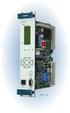 Machinery Protection Card Type FEATURES Continuous on-line Machinery Protection Card Real-time measurement and monitoring using state-of-the-art DSP techniques Fully VME-compatible slave interface Fully
RISH CON - Hz. Salient Features : Application : Product Features: FREQUENCY TRANSDUCER
 Application : The RISH CON - Hz transducer is used for frequency measurement. The output signal is proportional to measured frequency and is either load independent DC Current or load independent DC Voltage.
MAKING MODERN LIVING POSSIBLE. AK-SC255 On-Site Installation Guide DANFOSS ELECTRONIC CONTROLS & SENSORS
 MAKING MODERN LIVING POSSIBLE AK-SC255 On-Site Installation Guide DANFOSS ELECTRONIC CONTROLS & SENSORS How to Use This Guide Read this Guide completely as you install and start up your new AK-SC 255 controller.
MILLENIUM INSTALLATION MANUAL NTR 735 A. Simple Automation Control Module (MAS)
 MILLENIUM Table of contents 1. INTRODUCTION 1 2. HARDWARE DESCRIPTION 2 3. INSTALLATION 5 4. CONNECTION 6 5. USER SAFETY AND PROTECTION OF EQUIPMENT 8 1. Introduction The MILLENIUM series has been designed
Safety technique. Emergency stop module BO 5988 safemaster
 Safety technique Emergency stop module BO 5988 safemaster 0221562 Function diagram Pushbutton on Mains or emergencystop () K1 According to EC Directive for machines 98/37/EG According to IEC/E 60204-1
OPL BASIC. Dosing System for Professional Laundry machines. Contents
 OPL BASIC Dosing System for Professional Laundry machines Contents 1 Getting Started. Page 2 2 Installation. Page 4 3 Set Up & Operation. Page 8 4 Maintenance & Accessories. Page 10 5 Troubleshooting Page
ADM1TE 5/30A DIN rail single phase two wire energy meter
 ADMTE 5/30A DIN rail single phase two wire energy meter. Safety instruction.2 Foreword.3 Performance criteria.4 Specifications.5 Basic errors.6 Description.7 Dimensions.8 Installation.9 Operating.0 Troubleshooting.
DRTS 33. The new generation of advanced test equipments for Relays, Energy meters, Transducers and Power quality meters
 The new generation of advanced test equipments for Relays, Energy meters, Transducers and Power quality meters Testing all relay technologies: electromechanical, solid state, numerical and IEC61850 Manual
CAT AVR V2.3. Instruction Manual. Voltage regulator for generators. March 2008
 CAT AVR V2.3 Voltage regulator for generators March 2008 Instruction Manual Warnings WARNING The system should not be installed, operated, serviced or modified except by qualified personnel who understand
EQUIPMENT SPECIFICATIONS
 EQUIPMENT SPECIFICATIONS IC-1600 Intelligent Controller The IC-1600 Intelligent Controller is a fully intelligent panel that has a complete database on board. It operates in conjunction with the Access
R448 & R448 V50 A.V.R.
 Armature + 6- This manual is to be given to the end user F1 ST5 Field Slow fuse 250V 10 A with LAM without LAM 10 Yellow 11 Red 12 Black 9 Green X2 Z1 X1 Z2 E+ E- 0V 110 22 ST3 requency ST10 50Hz 60Hz
Current and voltage measuring relays
 Current and voltage measuring relays RXIK 1, RXEEB 1 and Page 1 Issued June 1999 Changed since July 1998 Data subject to change without notice RXIK 1 RXEEB 1 (SE980082) (SE980081) (SE970869) Features Application
When any of the following symbols appear, read the associated information carefully. Symbol Meaning Description
 Samba OPLC SM35-J-R20 Installation Guide The Unitronics SM35-J-R20 offers the following onboard I/Os: 12 Digital Inputs, configurable via wiring to include: 1 HSC/Shaft-encoder Input, 2 Analog inputs (only
Installation manual. Generator Paralleling Controller GPC multi-line 2 4189340225C
 Installation manual Generator Paralleling Controller GPC multi-line 2 Software ver. 1.3X Compact system in one unit - dynamic synchronisation - load sharing - generator protection DEIF A/S 3-phase AC RMS
LINETRAXX VMD460-NA. Network and system protection (NS protection) for monitoring the power feed-in of power generation systems
 LIETRAXX -A etwork and system protection (S protection) for monitoring the power feed-in of power generation systems TDB301021en/06.2013 LIETRAXX -A etwork and system protection (S protection) for monitoring
R.C.C.B. s two-pole LEXIC
 87045 LIMOGES Cedex Telephone : (+33) 05 55 06 87 87 Fax : (+ 33) 05 55 06 88 88 R.C.C.B. s two-pole LEXIC 089 06/09/10/11/12/15/16/17/18/ 27/28/29/30/35, CONTENTS PAGES 1. Electrical and mechanical characteristics...
Multifunction devices
 devices devices devices, electronic Type Page LED multifunction displays pulse, frequency, time (DC) Codix 524 240 pulse, frequency, time (AC+DC) Codix 544 243 LCD multifunction preset counters 1 or 2
Supply voltage Supervisor TL77xx Series. Author: Eilhard Haseloff
 Supply voltage Supervisor TL77xx Series Author: Eilhard Haseloff Literature Number: SLVAE04 March 1997 i IMPORTANT NOTICE Texas Instruments (TI) reserves the right to make changes to its products or to
Telephone- and leased line modem for industrial applications TD-36
 Telephone- and leased line modem for industrial applications TD-36 Modem for industrial PSTN- and leased line applications The TD-36 is an analogue V.34 PSTN modem as well as an industrial 2-wire leased
Rack mounted telephone- and leased line modem for industrial applications
 Rack mounted telephone- and leased line modem for industrial applications TR-6 Rack modem for industrial PSTNand /-wire leased line applications The TR-6 is an analogue V. 9 -rack PSTN modem as well as
Addendum to the Operating Instructions
 Drive Technology \ Drive Automation \ System Integration \ Services Addendum to the Operating Instructions MOVIMOT with AS-Interface and AC Motor DT/DV Unit Replacement MOVIMOT MM..C -> MM..D with MLK3A
HCS-3300/3302/3304 USB Remote Programmable Laboratory Grade Switching Mode Power Supply
 1. INTRODUCTION HCS-3300/3302/3304 USB Remote Programmable Laboratory Grade Switching Mode Power Supply User Manual This family of efficient, upgraded SMPS with small form factor, auto cross over CV CC,
THERMAL ANEMOMETRY ELECTRONICS, SOFTWARE AND ACCESSORIES
 TSI and TSI logo are registered trademarks of TSI Incorporated. SmartTune is a trademark of TSI Incorporated. THERMAL ANEMOMETRY ELECTRONICS, SOFTWARE AND ACCESSORIES IFA 300 Constant Temperature Anemometry
PC INTERFACE MODULES FOR TOLL-PLAZA CLASSIFICATION SENSORS
 PC INTERFACE MODULES FOR TOLL-PLAZA CLASSIFICATION SENSORS FRANCE Head office USA 4 Rue du Bois Chêne le loup Parc d Activité de Brabois 54 500 VANDOEUVRE LES NANCY (33) 0383442413, Fax (33) 0383443797
CAUTION OPC-LM1-ID. Option Card for Frequency Divider. Fuji Electric FA Components & Systems Co., Ltd. Instruction Manual
 Instruction Manual Option Card for Frequency Divider Deliver this instruction manual without fail to those who actually operate the equipment. Read this operation manual and understand the description
PowerFlex 700H and 700S AC Drives Frame 11 Main Fan Capacitor Replacement Kit
 Installation Instructions PowerFlex 700H and 700S AC Drives Frame 11 Main Fan Capacitor Replacement Kit ATTENTION: The sheet metal cover and mounting screws on the ASIC Board located on the power structure
Electronic timer CT-AHD.12 OFF-delayed with 1 c/o (SPDT) contact
 Data sheet Electronic timer CT-AHD.12 OFF-delayed with 1 c/o (SPDT) contact The CT-AHD.12 is an electronic time relay with OFF-delay. It is from the CT-D range. With their MDRC profile and a width of only
Contactless Encoder RI360P0-QR24M0-INCRX2-H1181
 Compact, rugged housing Many mounting possibilities Status displayed via LED Immune to electromagnetic interference 1024 pulses per revolution (default) 360, 512, 1000, 1024, 2048, 2500, 3600, 4096, parametr.
AC-115 Compact Networked Single Door Controller. Installation and User Manual
 AC-115 Compact Networked Single Controller Installation and User Manual December 2007 Table of Contents Table of Contents 1. Introduction...5 1.1 Key Features... 6 1.2 Technical Specifications... 7 2.
0.8 U N /0.5 U N 0.8 U N /0.5 U N 0.8 U N /0.5 U N 0.2 U N /0.1 U N 0.2 U N /0.1 U N 0.2 U N /0.1 U N
 55 Series - General purpose relays 7-10 A Features 55.12 55.13 55.14 Printed circuit mount, general purpose 2, 3 & 4 Pole relays 55.12-2 Pole 10 A 55.13-3 Pole 10 A 55.14-4 Pole 7 A AC coils & DC coils
RISH EM 3490 DS Dual Source Energy Meter RISH EM 3490 DS. Application : Product Features:
 Application : RISH Master 3490 DS measures important electrical parameters of Utility (in normal mode) & Generators (in Power back up) in three phase and single phase Network & replaces the multiple analog
Keysight N4877A Clock Data Recovery and Demultiplexer 1:2
 Keysight N4877A Clock Data Recovery and Demultiplexer 1:2 Getting Started Getting Started with the Keysight N4877A Clock Data Recovery and Demultiplexer 1:2 You only need a few minutes to get started
What Is Regeneration?
 What Is Regeneration? Braking / Regeneration Manual Regeneration Overview Revision 1.0 When the rotor of an induction motor turns slower than the speed set by the applied frequency, the motor is transforming
SIMATIC NET. CP 243-2 AS-Interface Master B C. Preface Contents. Technical Description and Installation Instructions Interface to the User Program
 Preface Contents SIMATIC NET CP 243-2 AS-Interface Master Manual Technical Description and Installation Instructions Interface to the User Program 2 in the S7-200 CPU Access to the Data of the AS-i Slaves
Multi-Protocol decoder 76 200 with Load regulation
 Multi-Protocol decoder 76 2 with Load regulation For locomotives with universal motors on digital layouts operating in the DCC and Motorola data format. Features 76 2 Load regulated multi-protocol decoder
Technical Description. Transistor D.C. Chopper Controller Type GS 24 S
 Technical Description Transistor D.C. Chopper Controller Type GS 24 S Table of contents 1. Getting started guide 2. General information 2.1. Characteristics 2.2. Accessories 3. Information about the Machine
Whale 3. User Manual and Installation Guide. DC Servo drive. Contents. 1. Safety, policy and warranty. 1.1. Safety notes. 1.2. Policy. 1.3. Warranty.
 Whale 3 DC Servo drive User Manual and Installation Guide Contents 1. Safety, policy and warranty. 1.1. Safety notes. 1.2. Policy. 1.3. Warranty. 2. Electric specifications. 2.1.Operation ranges. 3. Connections
M68EVB908QL4 Development Board for Motorola MC68HC908QL4
 M68EVB908QL4 Development Board for Motorola MC68HC908QL4! Axiom Manufacturing 2813 Industrial Lane Garland, TX 75041 Email: [email protected] Web: http://www.axman.com! CONTENTS CAUTIONARY NOTES...3 TERMINOLOGY...3
Power-monitoring unit PowerLogic System. Technical data sheet. Power Meter Series 800
 Power-monitoring unit PowerLogic System Technical data sheet 2003 Power Meter Series 800 Function and characteristics PB100313 The PowerLogic Power Meter Series 800 offers all the high-performance measurement
Model 1756 Test Lead Kit
 Keithley Instruments 28775 Aurora Road Cleveland, Ohio 44139 1-888-KEITHLEY http://www.keithley.com Model 1756 Test Lead Kit Gerneral Purpose Test Lead Information Description These test leads allow you
TEMON 8-C. Doc. N MO-0370-ING TEMPERATURE MONITOR DEVICE TYPE TEMON 8-C OPERATION MANUAL. Microener - Copyright 2010 FW 2.2 Date 01.12.2008 Rev.
 TEMPERATURE MONITOR DEVICE TYPE TEMON 8-C OPERATION MANUAL Microener - Copyright 2010 FW 2.2 Date 01.12.2008 Rev. 0 1. Generality 3 2. Introduction 3 3. Accessories and Options 3 4. Installation 3 5. Connection
Description. Dimensions. Features. www.pwb-encoders.com. precision works better
 Description The MEC22 is a high resolution optical hollow shaft encoder that can be fixed quickly and easily on different sizes of motor shafts. The encoder provides two square wave outputs in quadrature
PCAN-MicroMod Universal I/O Module with CAN Interface. User Manual. Document version 2.1.0 (2014-01-16)
 PCAN-MicroMod Universal I/O Module with CAN Interface User Manual Document version 2.1.0 (2014-01-16) Products taken into account Product Name Part number Model PCAN-MicroMod IPEH-002080 with firmware
EPGM1 HARDWIRED ZONE & PGM OUTPUT EXPANSION MODULE
 EPGM1 HARDWIRED ZONE & PGM OUTPUT EXPANSION MODULE User manual v1.5 Compatible with: ESIM264 v7.09.02 and up. ESIM364 all versions. Main features: Hardwired zone expansion adding 16 additional zones per
VLT AutomationDrive for Marine winch applications
 MAKING MODERN LIVING POSSIBLE VLT APPLICATION NOTE VLT AutomationDrive for Marine winch applications This Application note is meant to be a guideline for using Danfoss VLT AutomationDrive in winch applications.
LOXONE 12 Channel Amplifier
 LOXONE 12 Channel Amplifier Item no.: 200110 Thank you for purchasing the Loxone Twelve Channel Amplifier. The versatility of the Amplifier makes it the perfect choice for almost every type of custom multi-room
CompactLogix Power Supplies Specifications
 Technical Data CompactLogix Power Supplies Specifications 1768 CompactLogix Power Supplies Catalog Numbers 1768-PA3, 1768-PB3 1769 Compact I/O Power Supplies Catalog Numbers 1769-PA2, 1769-PB2, 1769-PA4,
Electrical data Nominal voltage AC/DC 24 V Nominal voltage frequency
 echnical data sheet NV24A--RE Communicative globe valve actuator for 2-way and 3-way globe valves Actuating force 1000 N Nominal voltage AC/DC 24 V Control Modulating DC (0)2...10 V Variable Nominal stroke
PS25202 EPIC Ultra High Impedance ECG Sensor Advance Information
 EPIC Ultra High Impedance ECG Sensor Advance Information Data Sheet 291498 issue 2 FEATURES Ultra high input resistance, typically 20GΩ. Dry-contact capacitive coupling. Input capacitance as low as 15pF.
Installing the Tracer ZN517 Unitary Controller Ordering number: 4950 0496, 4950 0596
 Installing the Tracer ZN517 Unitary Controller Ordering number: 4950 0496, 4950 0596 Product overview The Tracer ZN517 controller is a field-installed, application-specific controller that provides directdigital
AuCom s IMS2 soft starters are a total motor starting solution, combining highlevel functionality with ease of use:
 AuCom s IMS2 soft starters are a total motor starting solution, combining highlevel functionality with ease of use: advanced soft start and soft stop control protection functions that operate even when
CPW Current Programmed Winder. Application Handbook. Copyright 2002 by Eurotherm Drives, Inc.
 CPW Current Programmed Winder Application Handbook Copyright 2002 by Eurotherm Drives, Inc. All rights strictly reserved. No part of this document may be stored in a retrieval system, or transmitted, in
Electronic timer CT-VBS.17+18 OFF-delayed without auxiliary voltage, for DC contactors Data sheet
 Characteristics Single-function OFF-delay timer for DC contactors, without auxiliary voltage Width.5 mm CDC 5 6 F3 Approvals A culus E CCC CT-VBS a Circuit diagram b Marker label Marks a CE b C-Tick Order
The quadrature signals and the index pulse are accessed through five 0.025 inch square pins located on 0.1 inch centers.
 Quick Assembly Two and Three Channel Optical Encoders Technical Data HEDM-550x/560x HEDS-550x/554x HEDS-560x/564x Features Two Channel Quadrature Output with Optional Index Pulse Quick and Easy Assembly
SYSTEM 4C. C R H Electronics Design
 SYSTEM 4C C R H Electronics Design SYSTEM 4C All in one modular 4 axis CNC drive board By C R Harding Specifications Main PCB & Input PCB Available with up to 4 Axis X, Y, Z, A outputs. Independent 25
Specifying a Variable Frequency Drive s
 Specifying a Variable Frequency Drive s Put on by Bruce Reeves and Jeremy Gonzales Dykman Electrical Covering the Western US For all of your VFD and Soft Start and Motor Needs How To Specify a Variable
MCR1900 Media Converter 19-Slot Chassis
 MCR1900 Media Converter 19-Slot Chassis Installation Guide Part #5500304-11 Copyright Statement This document must not be reproduced in any way whatsoever, either printed or electronically, without the