
Selecting and Installing a Tripp Lite Battery Backup System for Your Sump Pump
|
|
|
- Wilfred Jennings
- 10 years ago
- Views:
Transcription
1 Selecting and Installing a Tripp Lite Battery Backup System for Your Sump Pump White Paper 1111 W. 35th Street, Chicago IL Copyright 2013 Tripp Lite. All copyrights and logos are the property of their respective owners. Specifications are subject to change without notice. Tripp Lite has a policy of continuous improvement. 1

2 Contents Battery Backup System Overview... 3 The basic setup... 3 Inverter/chargers vs. UPS systems... 4 Tripp Lite s inverter/charger families: UT vs. APS... 4 What kind of batteries will I need?... 4 How many batteries will I need?... 5 Other things you will need... 5 Fuse and fuse holder... 5 Battery enclosure... 5 Heavy-duty storage rack... 5 Planning Your Battery Backup System... 6 Select an inverter/charger... 6 How long do I want my sump pump to run?... 7 Calculate how many batteries you need... 8 Select a battery enclosure... 8 Select a fuse and fuse holder... 8 Other considerations... 8 Installing the Battery Backup System... 9 Component list... 9 Tools and materials needed... 9 Overview Step 1: Set up shelves and double-check placement Step 2: Prepare lead cables Step 3: Install the batteries in the battery enclosure Step 4: Connect the negative terminals of the two batteries Step 5: Connect the positive terminals of the two batteries Step 6: Close up the battery enclosure Step 7: Attach the leads to the inverter/charger Step 8: Connect the battery temperature sensing cable Step 9: Configure the inverter/charger Step 10: Connect the inverter/charger to utility power and the sump pump Step 11: Testing the system Step 12: Battery maintenance WARNING: Potentially lethal voltages exist within an inverter/charger as long as the battery supply and/or AC input are connected. Please consult the manuals that came with your inverter/charger and batteries for important safety information. 2

3 Battery Backup System Overview The basic setup A battery backup system for a sump pump consists of two main components: an inverter/charger and one or more batteries. The inverter is responsible for converting the power stored in the batteries into a form that can be used by your sump pump. It is also responsible for keeping the batteries fully charged at all times. You plug the inverter/charger into your wall outlet and then plug your sump pump into the inverter/charger, like this: Note the red arrows showing the flow of electricity. During normal operation, the inverter/charger just passes the electricity coming from your wall outlet straight through to the sump pump as though the sump pump was plugged directly into the outlet. While it is doing that, it will also automatically charge the batteries and keep them fully charged as long as it continues to receive power from the wall outlet. When your power goes out, the system will automatically send power from the batteries to the sump pump, like this: 3

4 Inverter/chargers vs. UPS systems The inverter/charger is the heart of the system, and is responsible for three jobs: 1. Charging the batteries and keeping them fully charged at all times 2. Sensing when the power has gone out and automatically switching to battery power 3. Converting the power stored in your batteries from direct current (DC) into alternating current (AC), which runs your sump pump This description of an inverter/charger sounds an awful lot like the description of an uninterruptible power supply (UPS), which might lead you to wonder, Why can t I just install a UPS and be done with it? Well, it basically boils down to the fact that a UPS is just not designed to do the job. Although inverter/chargers and UPS systems work in very similar ways and perform similar functions, the battery in a UPS is not large enough to run a sump pump for any significant length of time. Most UPS systems are not designed to provide enough power to start a sump pump. In addition, UPS systems have very small battery chargers. An inverter/charger also allows you much more flexibility to decide how much power you need. You can think of it like buying stereo equipment: you can buy the all in one model, which is inexpensive and easy to assemble but offers less powerful sound (the UPS), or you can buy individual modular components, which gives you increased flexibility and more powerful sound (the inverter/charger). And if your needs change in the future, you can expand the system without having to start over again. Tripp Lite s inverter/charger families: UT vs. APS We recommend that you select one of the inverter/chargers from our UT family in this situation because they have GFCI outlets. The inverter/chargers in the APS line do not have GFCI outlets. GFCI outlets protect against the possibility of shock near a water source. What kind of batteries will I need? An inverter/charger doesn t do anything unless you hook it up to a battery, which is sold separately. These aren t the kind of batteries you put in a flashlight. Instead, we re talking about 12-volt deep-cycle lead-acid batteries similar to the battery in your car. Deep-cycle means that they can be almost completely discharged without losing their ability to produce their specified output. And, although they are similar to the battery in your car, the batteries that you use with an inverter/charger are not the same. Instead, they are the kind of batteries that you might use in a golf cart, boat or RV. All deep-cycle batteries are rechargeable, so it s not like buying AA batteries where you have to choose between disposable and rechargeable. The main decision you have to make is whether to get sealed or unsealed. Sealed batteries are often called maintenance free because you don t have to periodically top them off with distilled water, which makes life much easier. 4

5 How many batteries will I need? The more batteries you connect to your inverter/charger, the longer you can keep your sump pump running. This is one of the advantages of the modular nature of an inverter/charger versus a UPS system because you get to decide how big the system needs to be and how much money you want to spend. Theoretically, you can connect an unlimited number of batteries and get an unlimited runtime, but there are practical limitations including cost, space, weight and charger size, so you will likely end up with just a few batteries. You can get by with just one battery if you really need to, but chances are good that you are probably going to want at least two. You also have the option of using 6V batteries instead of 12V batteries, but you are going to have to connect them properly. For instance, four 6V batteries can provide the same amount of power as two 12V batteries if they are connected correctly. The key thing to understand is that you must provide a total of 12V to the inverter/charger regardless of the voltage of your batteries, so it will be easier if you just use 12V batteries. Please refer to the Planning for Your Battery Backup System section below for more specific instructions about how to calculate the number of batteries you will need. Other things you will need Fuse and fuse holder You must install a fuse between the batteries and the inverter/charger. This is an important safety feature, and it s not optional. Please note that the fuse and fuse holder are not included with either the inverter/charger or the battery; they are separate items that you must purchase on your own. We recommend a 200 amp DC fuse, which is not a normal fuse like you might have in the fuse box in your home, as it s much bigger and intended for DC instead of AC current. One of the easiest types of fuses to use in this situation is an ANL fuse that can be spliced into the positive wire coming from your battery pack. ANL fuses are often used in high-end car stereo installations and you can buy them from places that sell high-end car audio equipment, like Best Buy and other electronics stores. You will also need to buy a fuse holder, which is the part that actually connects the fuse to the wire coming from the battery. Many vendors offer combo packs that include both a fuse and a fuse holder, but you can also buy them separately. Either way, make sure that you get both the fuse and a fuse holder because neither one will do you any good without the other. Battery enclosure Although it s not absolutely required, it is a good idea to get some sort of enclosure for your batteries in order to keep them clean and prevent accidental short circuiting. Tripp Lite makes a two-battery enclosure that is perfect for this job, model number BP-260. The BP-260 also comes with all of the cables you need to connect the batteries to each other and to the inverter/charger. If you don t purchase the BP-260 battery enclosure, you may need to provide the cables on your own. Heavy-duty storage rack When fully assembled, your new battery backup system is going to be fairly large, and awfully heavy, so it s a good idea to get some sort of rack or shelving unit to put everything on that will keep it away from the floor and any water that might wind up there. 5

6 Planning Your Battery Backup System There are several decisions you have to make while designing and planning your new system: Select an inverter/charger How long do I want my sump pump to run? Calculate how many batteries you need Select a battery enclosure Select a fuse and fuse holder Other considerations Select an inverter/charger The first thing you need to do is pick an inverter/charger based on the wattage of your sump pump. Step Instructions Your Value 1 Determine total watts required This is the wattage rating of your sump pump, which is usually listed in the manual or on the product nameplate. If your sump pump is rated in amps, multiply that number times AC utility voltage, which is always 120 in the United States, to determine watts. Example: Example: 2.7 amps x 120 volts = 324 watts For a 1/2 hp sump pump, 373 watts (1 hp = 746 watts; 1/2 hp = (746 watts/2) = 373 watts) 2 Adjust for maximum efficiency Your inverter/charger will operate at higher efficiencies at about 88% - 94% of nameplate rating, so divide the number you calculated in step 1 by This is the minimum number of watts that your inverter/charger must support. Example: 373 watts 0.90 = 414 watts 3 Adjust to compensate for higher starting current Your sump pump draws more power (watts) when it starts up, so you will need to multiply the number you calculated in step 2 by 1.5. Example: 414 watts x 1.5 = 621 inverter/charger Now that you have the wattage, you can pick an appropriate Tripp Lite inverter/charger. Choose an inverter/ charger that supports a wattage greater than your sump pump. UT750UL (750 watts) UT1250UL (1250 watts) UT2012UL (2000 watts) 6

7 How long do I want my sump pump to run? It s important to understand that power, in this case, is defined in terms of amp-hours, which can be calculated as follows: Step Instructions Your Value 4 Determine the amount of battery power required Divide the total watts required (from step 2, above) by the battery voltage, which will always be 12, to determine the DC amp-hours required. Don t use the value from step 3. That s the start up power draw and is not relevant to calculating battery power required. Example: 414 watts 12 volts = 35 DC amps (This is the DC amp-hours to run the system for 1 hour) 5 Determine your required runtime Estimate the number of hours you will need to operate your sump pump without recharging the batteries. A good way to figure this out is to start by deciding how many hours of coverage you need and then work backward. Remember that you only need a system that will last as long as the power is out. A good place to start is to assume that you are going to need 4 hours of coverage and then go from there. Once you ve decided how many hours of coverage you need, you need to figure out how long your pump runs when it s activated, and how long it rests between activations during a heavy storm. This doesn t have to be exact, but the closer you are to reality, the better your estimate is going to be. Everyone s situation is different, so it s worth taking a few moments to observe your pump the next time there s a big storm. Once you have a feel for how often your pump runs and how long it runs when it does, the formula to calculate actual runtime based on how much coverage you want is: Actual Runtime = ( on minutes ( on minutes + off minutes)) x hours of coverage Example: Assuming that the sump pump runs for 5 minutes and then rests for 5 minutes before running again (5 min on (5 min on + 5 min off )) x 4 hours of coverage = 2 hours actual runtime 6 Estimate battery amp-hours required Multiply the DC amps required (from step 4, above) by the number of hours you estimate you will operate your sump pump without recharging the batteries (from step 5, above). Example: 35 DC amps x 2 hours = 70 amp-hours 7 Adjust for inefficiency Compensate for inefficiency by multiplying the number from step 6, above, by 1.2 to get a rough estimate of how many amp-hours you need. This is the minimum number of amp-hours that your batteries must supply. Example: 70 amp-hours x 1.2 = 84 amp-hours (batteries) Battery Recharge You can get a general idea of how long it will take your inverter to recharge your batteries after a storm. To estimate the minimum amount of time you need to recharge your batteries given your application, divide your required battery amp-hours (from step 7, above) by your Inverter s rated charging amps. 84 amp-hours 45 Amps Inverter Rating (UT750UL) = 1.9 Hours Recharge 7

8 Calculate how many batteries you need When you calculated how much runtime you need, the final number you calculated was the total number of amp-hours that you need to get the coverage you want. Most batteries are rated for a certain number of amphours, so, whichever battery you choose, you need to get enough of them so that, when you add together their combined amp-hours, you get a number that is greater than the total amp-hours you need. Tripp Lite sells a 12V DC sealed maintenance-free battery (model ) that is good for 75 amp-hours, so following the examples in the worksheet above, we would need 2 batteries to supply the 84 amp-hours we calculated. Select a battery enclosure Although it s not absolutely required, it s a good idea to get some sort of enclosure for the batteries to keep them safely tucked out of the way and prevent accidental short circuiting, especially considering that the system is going to be operating near water. Tripp Lite sells a metal battery enclosure (model BP-260) that is specifically designed to hold two model batteries. It also includes all of the necessary cables that you will need to connect your system components, which is convenient. Select a fuse and fuse holder You are required to install a 200 amp DC fuse between the batteries and your inverter/charger. This is an important safety feature, and it is not optional. The fuse and fuse holder are not included with either the inverter/charger or the battery pack, so you will have to purchase them separately. The best type of fuse to use for this is an ANL fuse in an appropriate fuse holder that can be spliced directly into the positive wire between the batteries and the inverter/charger. The Kicker ANL Fuse 2-Pack (model #09ANL200/AFS200) with the Kicker AFS/ANL Fuse Holder (model #09FHA/ FHS) works well, although there are many other brands and models available that are just as good. Some manufacturers sell combo packs that include both the fuse and the fuse holder, but it s important to check and make sure that you are getting both parts. Other considerations Think carefully about exactly where you are going to install your system and how much space it is going to take up because it is likely to be larger than you were expecting, and it s also going to be very heavy (the batteries alone weigh 50 lbs. each), so it will be hard to move after you are done. The battery enclosure is the largest component, and its dimensions are 10.5 high x 10.5 wide x deep, so it s roughly the size of a medium-sized microwave. The inverter/charger is almost a perfect cube with each side measuring about 12. It s a good idea to get some sort of shelf or rack to keep the batteries and inverter/charger off the floor, especially considering that they re going to be near water. Three-shelf wire bread rack models sold at most home improvement stores work well. They stand about 30 tall and can support up to 250 lbs. on each shelf, so the weight of the system components is no problem. Putting the battery enclosure on the middle shelf and the inverter/charger on the top shelf keeps everything off the floor and away from the water. 8

9 Installing the Battery Backup System Component list This is a list of all of the components needed for a typical installation. Your installation may be different. Item Manufacturer Vendor Part # Description Qty Inverter/charger Tripp Lite Tripp Lite UT750UL PowerVerter 750W Utility/Work Truck 1 Inverter/Charger with 2 Outlets Battery enclosure Tripp Lite Tripp Lite BP-260 Ideal battery housing for use with 1 Tripp Lite PowerVerter APS inverter/ charger systems with a 12 or 24V DC system voltage Batteries CD Technologies Tripp Lite V DC Sealed, Maintenance-Free 2 Battery for All Inverter/Chargers that Accept 12V DC Battery Connections Fuse Kicker Best Buy 09ANL200/ Kicker 200-amp ANL Fuse (2-Pack) 1 AFS200 Fuse holder Kicker Best Buy 09FHA/FHS Kicker AFS/ANL Fuse Holder 1 Shelving unit Perfect Home Home Depot 31424PS-YOW Perfect Home 350 Series 3-Shelf 24 in. W x 30 in. H x 14 in. D Steel Commercial Shelving Unit 1 Tools and materials needed The list below includes all of the tools and materials that you will need to complete this job. Required: Socket wrench Phillips head screwdriver Flat head screwdriver Wire/cable cutters (ideally heavy duty, able to cut at least 1/0 cable) Electrical tape Utility knife (for stripping the cables) Allen wrench Superglue Optional (but very handy): Rubber mallet (for assembling the shelving) Plastic zip ties (for keeping everything neat and orderly) Ballpoint pen or awl for setting dip switches 9

10 Overview The schematic below shows how all of the components will be connected when we re done. This is just a conceptual drawing that shows the logical connections between the components. It does not represent the physical setup of the system, and it is not to scale. Step 1: Set up shelves and double-check placement Assemble your shelving unit and make sure it fits in the space next to your sump pump. The assembled system is going to be very hard to move, so make sure that you will not have to move it after everything has been set up. Make sure the battery enclosure and the inverter/charger fit on the shelves of your shelving unit. Step 2: Prepare lead cables The lead cables are the long red and black cables that came with the battery enclosure, which will connect your batteries to your inverter/charger. They have ring terminals on each end that you use to bolt the cable to the unit. Before you can connect the cables, you need to modify them as follows: Cut the long red cable about 3/4 of the way from the smaller end, then strip about ½ inch of insulation from each of the cut ends: Screw the fuse into the fuse holder, and then connect the fuse holder to the cut ends of your cable: Cut off the small ring terminal on the end of the cable that s closest to the fuse, and then strip about ½ inch of insulation from the cut end, like this: Now cut the small ring terminal off the end of the black cable, and strip it just like you stripped the red cable. Wrap heat shrink tubing around the stripped ends of your two cables to prevent them from short circuiting while you finish the installation. 10

11 Step 3: Install the batteries in the battery enclosure Remove the cover from the battery enclosure and remove the cables and wires that came with it. Remove the top shelf from your shelving unit and put the empty enclosure, with the top removed, on the middle shelf. Place one battery in the battery enclosure making sure that the positive ( + ) and negative ( - ) terminals on the battery line up with the holes on the end of the enclosure marked + and -. Attach the temperature sensing cable near the negative battery post with a small amount of cyanoacrylate adhesive (superglue). Snake the other end of the temperature sensing cable out of one of the holes in the end of the battery enclosure, then place the second battery in the enclosure next to the first. When you are done, the system should look like this: Step 4: Connect the negative terminals of the two batteries Connect the short black cable that came with the battery enclosure to the negative ( - ) terminal of the battery furthest away from the openings in the battery enclosure (put the ring terminal down first, followed by the flat washer, then the lock washer, and finally the bolt). Thread the long black cable through the opening on the end of the battery enclosure marked - with the ring terminal inside the battery enclosure and the stripped end outside the enclosure. Connect the free end of the short black cable along with the black lead cable that you just threaded through the hole to the negative terminal of the other battery. Again, put the ring terminals down first, then the flat washer, followed by the lock washer, and finally the bolt. It is very important that you avoid connecting the negative terminal of one battery to the positive terminal of the other, so be careful! When you are done, the system should look like this: 11

12 Step 5: Connect the positive terminals of the two batteries Connect the short red cable that came with the battery enclosure to the positive ( + ) terminal of the battery furthest away from the openings in the battery enclosure (put the ring terminal down first, followed by the flat washer, then the lock washer, and finally the bolt). Thread the long red cable through the opening on the end of the battery enclosure marked + with the ring terminal inside the battery enclosure and the fuse outside the enclosure. Connect the free end of the short red cable along with the red lead cable that you just threaded through the hole to the positive terminal of the other battery. Again, put the ring terminals down first, then the flat washer, followed by the lock washer, and finally the bolt. It is very important that you avoid connecting the positive terminal of one battery to the negative terminal of the other, so be careful! When you are done, the system should look like this: Step 6: Close up the battery enclosure Double check your connections and then put the red plastic terminal covers that came with the battery enclosure over the positive battery terminals. You may need to cut additional openings in the terminal cover using your utility knife in order to get them to fit snugly. If you do not have terminal covers, use heat shrink tubing over each battery terminal. Put the cover back on the battery enclosure and secure it with the screws you took out when you removed it. Put the top shelf on your shelving unit, and place the inverter/charger on it. 12

13 Step 7: Attach the leads to the inverter/charger Remove the electrical tape from the stripped end of the black lead and connect it to the negative ( - ) terminal on the inverter/charger, then connect the stripped end of the red lead to the inverter/charger s positive ( + ) terminal. It is very important that the black cable is connected to the negative ( - ) terminal and the red cable is connected to the positive ( + ) terminal, so be careful! You may see some sparks when you touch the red lead to the terminal on the inverter/charger. This is normal because you are completing the circuit between the batteries and the inverter/charger, but it can be surprising if you are not expecting it. When you are done, the system should look like this: Step 8: Connect the battery temperature sensing cable Connect the battery temperature sensing cable to the jack on the back of the inverter/charger labeled Remote Temp. Sense. Ideally, the temperature sensor should be as close to a negative terminal as possible. When you are done, the system should look like this: Step 9: Configure the inverter/charger There are some dip switches on the front panel of the inverter/charger that control important settings that affect the way it works. You should refer to the owner s manual that came with your inverter/charger for more information about exactly which settings to select. Step 10: Connect the inverter/charger to utility power and the sump pump Plug the inverter/charger into your wall outlet (note that you may hear a slight humming coming from the unit as the batteries start charging; this humming will stop once the batteries are fully charged). Plug the sump pump into your inverter/charger. 13

14 Step 11: Testing the system It s important that you test your system to make sure it s operating correctly. The most thorough way to test the system is to use a hose or a bucket to fill your sump well with water until the sump pump activates. Do this once with the inverter/charger plugged into utility power and then again with the inverter/charger disconnected from utility power, which will force the sump pump to run off of the batteries. If the sump pump operates normally in both situations, you have successfully installed your battery backup system! Step 12: Battery maintenance Batteries must be maintained and tested to ensure optimal performance. The average battery life is 5 years; batteries should be tested on an annual basis, before they are needed. About Tripp Lite Since 1922, Tripp Lite has established a global reputation for quality manufacturing, superior value and excellent service. Tripp Lite makes more than 2,500 products to power, protect and connect electronic equipment, including UPS systems, replacement batteries, power distribution units, rack systems, cooling solutions, surge suppressors, KVM switches, cables, laptop accessories, power strips and inverters. Headquartered in Chicago, Illinois, Tripp Lite maintains offices worldwide. Learn more at 14

Selecting and Installing a Battery Backup System for Your Sump Pump
 W H I T E P A P E R Selecting and Installing a Battery Backup System for Your Sump Pump Executive Summary Your sump pump is your home s first line of defense against flooding, but what happens when the
PV (photovoltaic) Basics There are generally two types of PV systems. The first and easiest (though the least flexible) is a grid tie system where
 PV (photovoltaic) Basics There are generally two types of PV systems. The first and easiest (though the least flexible) is a grid tie system where the power generated by the solar panel (panels) runs an
Industrial-Grade UPS System Heavy-duty power protection for harsh industrial environments
 Industrial-Grade UPS System Heavy-duty power protection for harsh industrial environments Model #: SM2000RMX Heavy-duty, industrial-grade metal housings Shock and vibration rated to MIL-STD-810D 19 inch
LOXONE 12 Channel Amplifier
 LOXONE 12 Channel Amplifier Item no.: 200110 Thank you for purchasing the Loxone Twelve Channel Amplifier. The versatility of the Amplifier makes it the perfect choice for almost every type of custom multi-room
Owner s Manual. Not suitable for mobile applications. Important Safety Instructions 2. Quick Installation 3. Basic Operation 4. Storage & Service 7
 Register online today for a chance to win a FREE Tripp Lite product! www.tripplite.com/warranty Owner s Manual Internet Office & BC Personal UPS Systems Not suitable for mobile applications. Important
SmartOnline Expandable Rack / Tower UPS System Online, double-conversion protection for mission critical applications
 SmartOnline Expandable Rack / Tower UPS System Online, double-conversion protection for mission critical applications Model #: SU3000RTXL3U 3000VA online 3U rack / tower UPS Enhanced serial communications
INSTALLER S INSTRUCTIONS FOR TRI-METRIC Battery system monitor, Models TM-2030-RV and TM-2030-A. Contents
 INSTALLER S INSTRUCTIONS FOR TRI-METRIC Battery system monitor, Models TM-2030-RV and TM-2030-A revised January26, 2016 IMPORTANT: The wiring installation for this meter, especially the shunt installation
USA: 866.LAWSON4U (866.529.7664) Canada: 800.563.1717 lawsonproducts.com. Electrical Industrial and Fleet Solutions
 USA: 866.LAWSON4U (866.529.7664) Canada: 800.563.1717 lawsonproducts.com Electrical Industrial and Fleet Solutions Lawson's ELECTRICAL SOLUTIONS Electrical Wire Low voltage (60V) and high voltage (300/600V)
Model #: SMART2200CRMXL
 Tripp Lite 1111 West 35th Street Chicago, IL 60609 USA Telephone: +(773) 869 1234 E-mail: [email protected] Model #: SMART2200CRMXL SmartPro Compact Rackmount UPS System - Precision Protection for
HP UPS R1500 Generation 3
 HP UPS R1500 Generation 3 Installation Instructions Part Number 650952-001 NOTE: The rating label on the device provides the class (A or B) of the equipment. Class B devices have a Federal Communications
Manual. Solar Fountain Mobile Phone Charger
 EN Manual Solar Fountain Mobile Phone Charger Copyrights 2008 Victron Energy B.V. All Rights Reserved This publication or parts thereof may not be reproduced in any form, by any method, for any purpose.
Rack Installation. Unpacking the System. Choosing a Setup Location. General Server Precautions. Barracuda Appliances
 This set of instructions applies to racking and rail kit installation for 6XX and above. The Rack Mounting Instructions section below provides information on installing the SC825 chassis into a rack unit
FW-X240 AUTO TRANSFORMER Installation Manual
 FW-X240 AUTO TRANSFORMER Installation Manual 1 FW-X240 Auto Transformer About OutBack Power Systems OutBack Power Systems is a leader in advanced energy conversion technology. Our products include true
STEALTH I DC MANUAL TECH SUPPORT 1-888-588-4506.WEB www.stealth1charging.com BLACK UNIT IS 24/36 ONLY
 STEALTH I DC MANUAL TECH SUPPORT 1-888-588-4506.WEB www.stealth1charging.com BLACK UNIT IS 24/36 ONLY PLEASE READ AND UNDERSTAND YOUR NEW PRODUCT IMPORTANT MESSAGE: Before installing your newly purchased
Top 12 Questions to Consider When Choosing UPS Systems for Network/Server Applications
 W H I T E P A P E R Top 12 Questions to Consider When Choosing UPS Systems for Network/Server Applications Executive Summary One of the fundamental decisions in the design of data centers, server rooms
i ChatterBox! Motorcycle Security
 i Before you Start the Installation * Please read this manual to become familiar with the requirements necessary to complete the installation. * Use a high quality multi-meter to test all wires before
OASIS-PLUS 120V READ ALL INSTRUCTIONS BEFORE OPERATING READ ALL INSTRUCTIONS BEFORE OPERATING OZONE IS A POWERFUL OXIDIZER AND MUST BE USED WITH CARE
 OASIS-PLUS 120V INFORMATION & OPERATING INSTRUCTIONS READ ALL INSTRUCTIONS BEFORE OPERATING READ ALL INSTRUCTIONS BEFORE OPERATING OZONE IS A POWERFUL OXIDIZER AND MUST BE USED WITH CARE 56041852 WARNING:
13 Watt PORTABLE SOLAR POWER KIT
 3 Watt PORTABLE SOLAR POWER KIT User s Manual Thank you for purchasing a Sunforce Portable Solar Power Kit. Please read these instructions carefully and thoroughly before using the product. Your new Portable
WIRELESS STATUS MONITOR
 INSTALLATION INSTRUCTIONS WIRELESS STATUS MONITOR (WSM or AUWSM) The most current version of this document is available for download at: http://www.ir-swa.com P/N: M053-032-D Schlage 245 W. Roosevelt Road,
Solar Wind Microhydro Water Pumping Inverters Batteries Professional system design and installation
 Solar Wind Microhydro Water Pumping Inverters Batteries Professional system design and installation BATTERY CHARGING GUIDELINES FOR GLOBAL/DAVIDSON TUBULAR PLATE BATTERIES Introduction Your Global/Davidson
Solstice/Sky Water Pump Replacement
 Solstice/Sky Water Pump Replacement The water pump on the Solstice/Sky is starting to need replacement on some vehicles. This guide will help in replacing the water pump while the engine is still in the
5800 Temperature Sensor Cable Assembly
 5800 Temperature Sensor Cable Assembly Removal and Replacement Instruction Sheet #60-4702-070 Revision D, January 14, 2013 Overview The 5800 has two refrigeration temperature sensors, one attached to the
Installation Questions
 Installation Questions How do I determine what type of heat I have? There may be several ways to determine what type of heat you have. First, if you can access the unit that is responsible for creating
Emergency Response. Prepared for Fire Service, Law Enforcement, Emergency Medical, and Professional Towing Personnel by American Honda Motor Co., Inc.
 Emergency Response Guide 2013 Prepared for Fire Service, Law Enforcement, Emergency Medical, and Professional Towing Personnel by American Honda Motor Co., Inc. Introduction This guide has been prepared
Contractors Guide Central Inverter System Installation
 Contractors Guide Central Inverter System Installation Step By Step Procedures 2,200 Watt/VA 6 Step Installation 1. Mount Bottom Cabinet 2. Mount Top Cabinet 3. Install Batteries 4. Install Conduit 5.
ATS Overhead Table Shelf System INSTRUCTION MANUAL
 ATS Overhead Table Shelf System INSTRUCTION MANUAL ATS Overhead Table Shelf System Instruction Manual Warranty Newport Corporation warrants this product to be free of defects in material and workmanship
Battery Backup Sump Pump System
 Battery Backup Sump Pump System Instruction Manual Battery Operated SUMP TEST Push to Test System RESET Push to Silence Pump Alarm Warning BATTERY FUSE WATER POWER What to do Terminals corroded or battery
How To Use A Power Supply Unit (Upu)
 BRAVER UPS (Uninterruptible Power System) User s Manual Safety CAUTION! This UPS utilizes voltages that may be hazardous. Do not attempt to disassemble the unit. The unit contains no user replaceable parts.
tidesmarine Smart Seal Temperature Alarm System Generation II Installation Instructions Starboard side cable
 tidesmarine Smart Seal Temperature Alarm System Generation II Installation Instructions Starboard side cable Port side cable (with black cable tie attached) Power cable Preparing for Installation 1 Overall
BUILT-IN DISHWASHER INSTALLATION INSTRUCTIONS
 BUILT-IN DISHWASHER INSTALLATION INSTRUCTIONS PLEASE READ COMPLETE INSTRUCTIONS BEFORE YOU BEGIN LEAVE INSTALLATION INSTRUCTIONS AND USER'S GUIDE WITH OWNER ALL ELECTRIC WIRING AND PLUMBING MUST BE DONE
Argus Technologies Pathfinder10kW to Cordex3.6kW Shelf Replacement Procedure
 Summary Argus Technologies Pathfinder10kW to Cordex3.6kW Shelf Replacement Procedure This is a general procedure on how to replace Pathfinder 48-10kW shelf with a Cordex 3.6kW shelf. Part Numbers 010-567-20
Model #: SMART2200VS. 2200VA / 2.2kVA line interactive tower UPS. Maintains 120V nominal output over an input range of 79 to 147V
 SmartPro VS Tower UPS System Intelligent, line-interactive power management system Model #: SMART2200VS 2200VA / 2.2kVA line interactive tower UPS Maintains 120V nominal output over an input range of 79
with installation dynafact boost GAUGE this manual is for use with systems 64050-64054
 owners manual with installation instructions dynafact boost GAUGE this manual is for use with systems 64050-64054 GENERAL INSTALLATION PRACTICES This manual is an installation guide for all 1. Banks DynaFact
Installation Guide for Artic Air 24 Volt R134A Air Conditioner
 Installation Guide for Artic Air 24 Volt R134A Air Conditioner Rev 004 April 20, 2014 There are five objectives to installing the Artic Air unit: 1) The primary wiring from the battery, 2) The controller
AU-110 racking guide NBXPN: 023
 AU-110 racking guide NBXPN: 023 1. Overview NIMBOXX AU-110 Rack Installation This guide provides setup instructions for installing your NIMBOXX AU-110 in a rack. Following these steps in the order given
Walbro 255lph Inline Fuel Pump Install Procedure
 Walbro 255lph Inline Fuel Pump Install Procedure Note: Instructions are based on a single in tank pump with under car OEM VW filter. Total install time for a qualified technician is approximately 2 hrs.
Hand Crank Generator (9 May 05) Converting a Portable Cordless Drill to a Hand Crank DC Generator
 Converting a Portable Cordless Drill to a Hand Crank DC Generator The unit is light weight (2.5 lb), portable, low cost ($10-$20) and can be used to recharge single cell batteries at from 1-3.5 amps. It
Guide To Returning Your Satellite Modem and Radio Assembly Model: HN7000S
 Guide To Returning Your Satellite Modem and Radio Assembly Model: HN7000S The HughesNet modem with power supply and radio must be returned to Hughes, in good condition, within 45 days of your termination.
Alfa Romeo 147 On board instruments installation guide
 Alfa Romeo 147 On board instruments installation guide Alfa Romeo 147 On board instruments installation guide This guide is describing how I installed oil temperature and oil pressure gauges to my Alfa
Odyssey of the Mind Technology Fair. Simple Electronics
 Simple Electronics 1. Terms volts, amps, ohms, watts, positive, negative, AC, DC 2. Matching voltages a. Series vs. parallel 3. Battery capacity 4. Simple electronic circuit light bulb 5. Chose the right
AJ s Technical Tips: Designing a Small Solar PV System Part IV; Selecting Wires for the System
 AJ s Technical Tips: Designing a Small Solar PV System Part IV; Selecting Wires for the System A little while back Simon Nyukuri of Kitale wrote to ask me about sizing wires and cables for solar PV systems.
Power Supplies. Overview. Measuring Electricity. Understanding Electricity. Two Types of Current. Powering the PC
 Overview Power Supplies Chapter 7 In this chapter, you will learn to Explain the basics of electricity Provide proper power and cooling to the PC Troubleshoot electrical problems Measuring Electricity
3. SEISCO PARTS & SERVICE REMOVAL AND REPAIR GUIDE
 4 3. SEISCO PARTS & SERVICE REMOVAL AND REPAIR GUIDE A. Changing the Control Board B. Replacing a Heating Element C. Thermistor Replacement D. High Limit Switch Replacement E. Level Detector Replacement
HOW TO CORRECTLY CONNECT DEEP CYCLE BATTERIES AND CHOOSE THE RIGHT CABLE SIZING
 HOW TO CORRECTLY CONNECT DEEP CYCLE BATTERIES AND CHOOSE THE RIGHT CABLE SIZING There are several ways to wire multiple batteries to achieve the correct battery voltage or capacity for a particular DC
73 Chevy C10 Ammeter to Volt Gauge Conversion Mark and Michael Olson 2013 Rev 1.0
 73 Chevy C10 Ammeter to Volt Conversion Mark and Michael Olson 2013 Rev 1.0 The ammeter in my son s 73 Chevy C10 did not work, so we decided to convert it to a more modern volt gauge. We made a number
EXPLORE 4-Leg Teaming Table with Screen Share Assembly Instructions
 EXPLORE 4-Leg Teaming Table with Screen Share Monitor Display Requirements: your flat panel display must confirm to the following requirements. y With the stand removed, the monitor must not exceed 40
User s Manual AURORA 1.2K/2.2K
 User s Manual AURORA 1.2K/2.2K Uninterruptible Power System Safety CAUTION This UPS utilizes voltages that may be hazardous. Do not attempt to disassemble the unit. The unit contains no user serviceable
INSTALLATION INSTRUCTIONS FOR 2006-2009 VW MK5
 CI100018 INSTALLATION INSTRUCTIONS FOR 2006-2009 VW MK5 Rabbit, Jetta 2.5L These instructions are applicable to vehicles equipped with either manual or automatic transmissions Thank you for choosing to
Guide for Modified Assembly: Lightning McQueen. By: Collin Patterson, University of Delaware. Materials and Tools:
 Guide for Modified Assembly: Lightning McQueen By: Collin Patterson, University of Delaware Materials and Tools: PVC o 40 inches of 1 in diameter PVC o 25 inches of ¾ in PVC o 4 x 1 in elbows o 2 x ¾ in
Installation Manual. SKU# 21000 series (Base Rails) SKU# 22000 series (Overhead Racks)
 Installation Manual SKU# 21000 series (Base Rails) SKU# 22000 series (Overhead Racks) Welcome to the world of TracRac! We re delighted that you have chosen TracRac, the ultimate sliding truck rack system.
Tough Decision: On-Line or Line-Interactive UPS?
 W H I T E P A P E R Tough Decision: On-Line or Line-Interactive UPS? How to Choose the Right Protection for Your Network Executive Summary In today s data-driven, technology-dependent world, no organization
LDG DTS-4/4R Desktop Coaxial Switch / Remote
 LDG DTS-4/4R Desktop Coaxial Switch / Remote LDG Electronics 1445 Parran Road, PO Box 48 St. Leonard MD 20685-2903 USA Phone: 410-586-2177 Fax: 410-586-8475 [email protected] www.ldgelectronics.com
BC Pro UPS System Standby UPS System
 BC Pro UPS System Standby UPS System Model #: BCPRO1400 1400VA standby, tower UPS system Offers battery derived AC output during blackouts and brownouts starting at 99V 6 protected AC outlets (NEMA 5-15R)
Cell Phone Charging Purse
 Cell Phone Charging Purse Created by Becky Stern Last updated on 2015-02-20 01:00:16 PM EST Guide Contents Guide Contents Overview Prepare USB and Power Supply Create a Charging Shelf Install Coil in Bag
Smart Pro Rack/Tower UPS Intelligent, line interactive network power management system
 Smart Pro Rack/Tower UPS Intelligent, line interactive network power management system Model #: SMART500RT1U 500VA line interactive 1U rack/tower UPS 7 outlets with 1 switchable load bank Simultaneous
The Basics of Solar Power for Producing Electricity An excellent place to start for those just beginning. The basics of solar power: 1000 W/m²
 The Basics of Solar Power for Producing Electricity Learn the essential basics of using solar power so you can understand your project. Planning your project begins with understanding the basics found
Massage, Heat & Air Systems
 Product Catalog www.raffel.com Massage, Heat & Air Systems Raffel Systems Tranquil Ease line offers numerous options that incorporate massage, heat and air systems into seating and bedding products. Vibration
Power Window/Power Lock Installation. To begin with you will need all the parts listed below:
 Power Window/Power Lock Installation To begin with you will need all the parts listed below: From Donor Fiero: Fiero power window regulators Power window motors (Generic GM type part) -motors are riveted
PORTABLE PA SYSTEM #1 LAST UPDATED: FEBRUARY 2011
 PORTABLE PA SYSTEM # LAST UPDATED: FEBRUARY 20 The portable PA system has been created to offer student groups an easy to use solution for self-operated sound needs. The system has the capability for:
Back-Up Camera Installation Guide
 Hz Hz In This Guide: Back-up camera installation requires connecting power wiring to the existing reverse lighting circuit and adding a chassis ground, as well as routing a video signal cable to the front
BATTERY CHARGING GUIDELINES FOR 6-VOLT DEEP CYCLE BATTERIES
 BATTERY CHARGING GUIDELINES FOR 6-VOLT DEEP CYCLE BATTERIES Introduction Your 6-volt deep cycle battery set has been specially formulated for long cycle life and has particular voltage and specific gravity
Installation and Operating Instructions (for chargers shown below)
 Installation and Operating Instructions (for chargers shown below) For additional information please call our Technical Support Group 800.742.2740 PRO CHARGING SYSTEMS, LLC 1551 Heil Quaker Boulevard,
Internet Office UPS System Standby UPS for PCs, workstations and more
 Internet Office UPS System Standby UPS for PCs, workstations and more Model #: INTERNETOFFICE500 500VA standby tower UPS system Offers battery-derived AC output during blackouts and brownouts starting
12-Volt 10-Amp Regulated Power Supply
 22-506.fm Page 1 Friday, August 6, 1999 12:55 PM Cat. No. 22-506 OWNER S MANUAL Please read before using this equipment. 12-Volt 10-Amp Regulated Power Supply 22-506.fm Page 2 Friday, August 6, 1999 12:55
Express5800/120Ed. Rack Mount Kit Installation Procedures PN: 455-01607-001
 Express5800/120Ed Rack Mount Kit Installation Procedures PN: 455-01607-001 Proprietary Notice and Liability Disclaimer The information disclosed in this document, including all designs and related materials,
3 Slot Payphone Controller
 5A2 3 Slot Payphone Controller The 3 Slot Payphone -- Part of American History Building a Coin Relay Controller Version S1BX Instruction Manual and Safety Precautions It is very important that for your
42U/45U 28" Wide Rack Installation & Service Guide
 42U/45U 28" Wide Rack Installation & Service Guide 96-00171-005 Rev B Important Information Information in this document is subject to change without notice and does not represent a commitment on the part
ZAPPY 3 OWNER S MANUAL. Read this manual completely before riding your Electric ZAPPY 3.
 ZAPPY 3 OWNER S MANUAL Read this manual completely before riding your Electric ZAPPY 3. TECHNICAL INFORMATION Model No. : ZAPPY 3 Product size Type of motor Motor power Battery type Battery Charger Charging
MODEL 2202IQ (1991-MSRP $549.00)
 F O R T H E L O V E O F M U S I C F O R T H E L O V E O F M U S I C MODEL 2202IQ (1991-MSRP $549.00) OWNER'S MANUAL AND INSTALLATION GUIDE INTRODUCTION Congratulations on your decision to purchase a LINEAR
Heat Surge Model X5C Fire Place Insert Service Manual Applies to all units w/30000208 circuit board
 Heat Surge Model X5C Fire Place Insert Service Manual Applies to all units w/30000208 circuit board 2012 HS M4417A BR16597R-1 HEAT SURGE 8000 FREEDOM AVE, N. CANTON, OH 44720 330-244-8161 WWW.HEATSURGE.COM
P150SC15. Designed for 2015 Ford F150 Super-Cab and Super-Crew vehicles without Sony System. 2015 Stillwater Designs P150SC15-A2-20150813
 P150SC15 Designed for 2015 Ford F150 Super-Cab and Super-Crew vehicles without Sony System Subwoofer Assembly Amplifier Assembly Amplifier Harness 2015 Stillwater Designs P150SC15-A2-20150813 M6 Bolt M6
Installation. Smart-UPS VT and MGE Galaxy 3500. Maintenance Bypass Panel with Power Distribution (wall-mount) 10-30 kva 208 V
 Installation Smart-UPS VT and MGE Galaxy 3500 Maintenance Bypass Panel with Power Distribution (wall-mount) 10-30 kva 208 V Contents Safety... 1 SAVE THESE INSTRUCTIONS...............................
Installation. Smart-UPS VT MGE Galaxy 3500. Maintenance Bypass Panel. 10-40 kva 400 V
 Installation Smart-UPS VT MGE Galaxy 3500 Maintenance Bypass Panel 10-40 kva 400 V Contents Safety.................................................. 1 Save these instructions...................................
Portable Air Conditioner
 Portable Air Conditioner Owner's Manual Model:3 in 1 12,000 Btu/h Series 3 Please read this owner s manual carefully before operation and retain it for future reference. CONTENTS 1. SUMMARY...1 2. PORTABLE
FUEL CELL CAR SCIENCE KIT ASSEMBLY GUIDE. Battery operation instructions:
 FUEL CELL CAR SCIENCE KIT ASSEMBLY GUIDE Battery operation instructions: 1. The removing and inserting of batteries is to be conducted by the adults only. Unscrew the screw holding the battery pack s cover
USER S MANUAL. MaxPower 400-600 UPS. Uninterruptible Power System 28-2MAXPO0018
 USER S MANUAL MaxPower 400-600 UPS Uninterruptible Power System 28-2MAXPO0018 IMPORTANT SAFETY INSTRUCTIONS SAVE THESE INSTRUCTIONS This manual contains important instructions for models MaxPower 400 and
3000W Power Inverter
 3000W Power Inverter OWNER S MANUAL Model number-4573000 TO REDUCE THE RISK OF INJURY, USER MUST READ AND UNDERSTAND THIS INSTRUCTIONAL MANUAL. THIS MANUAL CONTAINS IMPORTANT INFORMATION REGARDING THE
Battery Replacement Instructions First Alert 148 & 168, Vista- 10, Vista- 20, DSC 1555 and DSC 1616 Residential Control Panels. Battery Safety Warning
 Battery Replacement Instructions First Alert 148 & 168, Vista- 10, Vista- 20, DSC 1555 and DSC 1616 Residential Control Panels First Alert 148 & 168 residential security systems have a backup battery designed
HM-W536 Install Guide
 HM-W536 Install Guide 9/13/2013 IMPORTANT SAFETY INSTRUCTIONS Warning - When using electrical devices, basic safety precautions should be followed to reduce the risk of fire, electrical shock or injury.
Renewable Energy: Pedal Power!
 2.workshops 6.renewable energy 8.pedal power-supporting materials pg 1 Renewable Energy: Pedal Power! Supporting Materials Pedal Power Around the World Building a Bicycle-Powered Generator Helpful Resources
WAECO COOLMATIC 2.8 CUBIC FEET 12/24 VOLTS DC & 110 / 220 VOLTS AC BUILT-IN REFRIGERATOR-FREEZER WITH FLUSH MOUNT FRAME
 Well after screwing around with the old Norcold refrigerator for the past 2 years I finally decided to search for a replacement. I looked at the Wal-Mart offerings but just did not like the look and feel
BILLET HEADLAMP WITH SHORT/TALL MOUNTS
 -J099 REV. 00-0- BILLET HEADLAMP WITH SHORT/TALL MOUNTS GENERAL Kit Number 9-0, 9-0 Models Kit 9-0 is a -/ inch headlamp and kit 9-0 is a -/ inch headlamp. Both kits will fit the models listed in Table.
Wolflite Safety Handlamp H-251E
 Wolflite Safety Handlamp H-251E & H-251 Mk1 & Mk2 Wolflite Safety Handlamp H-251E H 18Y H 17 H 31Y H 21A H 30 H 24 H 26 H 19 H 25 H 03 H 15Y H 22 H 104 H 29 H 66 H 13 H 14 H 09 H 12 H 48 H 11 H 62 H 63
Battery Power Inverters
 Battery Power Inverters Renogy 500W 1000W 2000W Pure Sine Wave Inverter Manual 2775 E. Philadelphia St., Ontario, CA 91761 1-800-330-8678 1 Version 1.1 Important Safety Instructions Please save these instructions.
User Manual of Grid Tie Inverter with Limiter
 User Manual of Grid Tie Inverter with Limiter Grid Tied Inverter With Limiter (GTIL) 1 www.chinesegrid.com 2014-8-1 All rights reserved Why we produced the GTI-L --- It is in response to the overwhelming
ADDING AN ELECTRIC AUXILIARY FAN TO RADIATOR STACK ON 03 ALPINE COACH
 ADDING AN ELECTRIC AUXILIARY FAN TO RADIATOR STACK ON 03 ALPINE COACH The original design of the 03 Alpine Coaches (and perhaps other years as well) did not include any kind of engine fan engage mechanism
Basic Setup Guide. browndoggadgets.com. 12V Solar Charge Controller with Dual USB. Dull Introduction
 Solar Charge Controller with USB Basic Setup Guide browndoggadgets.com In this guide we will show you how to do a basic setup for all three of our Solar Charge Controllers with USB. Models Covered 6V Solar
Simply the most user friendly battery charger in the world. now everyone can recharge their own batteries
 Simply the most user friendly battery charger in the world now everyone can recharge their own batteries is the simplest way to a fully charged battery. Insert the plug, attach the clamps to the battery
A&A CORVETTE PERFORMANCE C6 BOOST & FUEL GAUGE INSTALLATION INSTRUCTIONS
 A&A CORVETTE PERFORMANCE C6 BOOST & FUEL GAUGE INSTALLATION INSTRUCTIONS 1. Check your gauges before you take them out of the packaging to make sure they are at 0 (zero) psi for both boost and fuel pressure.
Universal Vehicle Power Supply 9007AX01. Installation Instructions
 Universal Vehicle Power Supply 9007AX01 Installation Instructions Disclaimer Honeywell International Inc. ( HII ) reserves the right to make changes in specifications and other information contained in
Cabinets 101: Configuring A Network Or Server Cabinet
 Cabinets 101: Configuring A Network Or Server Cabinet North, South and Central America White Paper May 2012 www.commscope.com Contents Background Information 3 What is a network or server cabinet? 3 What
Battery Backup Sump Pump System
 Battery Backup Sump Pump System Instruction Manual & Safety Warnings Table of Contents Important Safety Warnings and Instructions Electrical Precautions 1 Battery Preparation 1 Battery Precautions 1 Introduction
Mobile Data Power Model: MDP-25
 Mobile Data Power Model: MDP-25 Topic Section Features... 2 Operational Features Summary... 2 Back-up Battery Power Internal Charger Voltage Spike Protection RF Noise Filtering Warning of Imminent Loss
Complete System Shelter
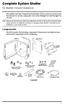 Complete System Shelter For Weather Console Installations The weather resistant Complete System Shelter (CSS) provides protection from the elements for system components such as the Vantage Pro2 and Vantage
Keep Your EMR Moving On The Right Path Selecting The Ideal Mobile Cart & Power System. CompuCaddy. White Paper
 White Paper CompuCaddy Keep Your EMR Moving On The Right Path Selecting The Ideal Mobile Cart & Power System 4 Steps To Customizing The Best Mobile Cart For Your Healthcare Facility TollFree 800.264.4734
SmartOnline 200-240V 6kVA 4.2kW On-Line Double-Conversion UPS, Extended Run, SNMP, Webcard, 6U Rack/Tower, DB9 Serial, Hardwire
 SmartOnline 200-240V 6kVA 4.2kW On-Line Double-Conversion UPS, Extended Run, SNMP, Webcard, 6U Rack/Tower, DB9 Serial, Hardwire MODEL NUMBER: SU6000RT3UHV Highlights 6000VA / 6kVA / 4200W on-line double-conversion
Step by step guide to installing your own Ku Band satellite dish
 Step by step guide to installing your own Ku Band satellite dish If you don't feel comfortable installing your own system, your local TV Aerial or Handyman can easily follow these helpful guidelines for
Juice Box Stages 1&2 135&335 Installation Guide 5/10/08
 Tools Required: 8mm socket or nut driver Small flat head screwdriver Electrical tape, masking tape, or shrink tube Pep talk: Although the install looks daunting at first, once you get the learning curve
HOUSING QUALITY STANDARDS (HQS)
 HOUSING QUALITY STANDARDS (HQS) Series 5 Electrical Safety And INSPECTIONS 5.01 ELS Revised 8-17-06 Electricity is Dangerous All electrical repairs should be made by licensed professionals. Touching any