
The Ergonomic Seating Guide HANDBOOK
|
|
|
- Magdalene Garrett
- 10 years ago
- Views:
Transcription
1 The Ergonomic Seating Guide HANDBOOK
2 Statistics and studies reveal that ergonomic seating is something all employers should consider for their office staff. That being said, the goal of this handbook is to show you why ergonomic seating is so vital for workers and how Haworth provides the solution they need.
3 Why You Need This Handbook In 2004, approximately million workers received a total of $56.0 billion in workers compensation costs for injuries that occurred on the job (the latest year for which data were available). Additionally, in 2005, the total number of days lost to workers because of injuries occurring on the job totaled 80 million. Off-the-job injuries can potentially affect a company s productivity even more with days lost totaling about 195 million. 1 With figures like these, the importance of providing a well-designed work environment with appropriate training which could help lessen costs as well as days lost to injuries is obvious. The possibility of sitting in a chair for a full eight-hour work day can be intimidating, so it is essential that work chairs be ergonomic and healthy. HealthyComputing.com concurs, stating, Experts agree that your chair is perhaps the single most important component of a healthy working environment. 2 The right ergonomic chair with the proper ergonomic training can help reduce injuries. Studies also show that work-related injuries can be reduced and productivity increased using an ergonomic chair and proper ergonomic training: A highly adjustable chair coupled with office ergonomics training reduced musculoskeletal symptom growth over the workday. 3 In 1990, research found a 17.5% productivity increase in subjects working in an ergonomically optimal setting compared to one which was ergonomically suboptimal. 4 In 2003, research found a 17.7% productivity increase in participants that received a highly adjustable chair and office ergonomics training. 5 All together, these statistics and studies reveal that ergonomic seating is something all employers should consider for their office staff. That being said, the goal of this handbook is to discuss chair features that help improve comfort, support, and productivity in the office. Table of Contents I. Ergonomic Seating Standards II. Lumbar Support III. Adjustability Features of Ergonomic Armrests IV. Seat Depth Adjustment V. Design of Chair Controls VI. Forward Tilt VII. Seat Recline VIII. Critical Chair Features I. Critical Chair Matrix. Compliance Matrix I. References 2
4 Ergonomic Seating Standards The challenge of designing for the human body is that it comes in so many different sizes and shapes. As a result, a design that may be comfortable for one person can be inappropriate for others. Obviously clothes and shoes come in different sizes to accommodate these differences. Proper fit becomes much more important when it relates to a product that a person will be physically interacting with for hours at a time, for example, an office chair. To improve chair designers abilities to meet the needs of users several organizations have compiled standards. Those in use in North America include the following: American National Standards Institute and the Human Factors and Ergonomics Society: ANSI/HFES Business and Institutional Furniture Manufacturer s Association: BIFMA G Canadian General Standards Board: CGSB Canadian Standards Association: CSA-Z International Standards Institute: ISO Part 5 The standards are compiled by experts in the fields of human factors and ergonomics in partnership with the leading manufacturers of chairs and office systems. These standards represent the combined cumulative knowledge of these experts for the purpose of improving the accommodation of people, and reducing the risks of injury in the office environment. The chair standards are intended as a reference and a starting point for design. They are updated periodically to reflect accepted research and best practices. The standards provide design guidance to meet minimum requirements in addition to adjustability ranges to increase the percentage of the population accommodated. The standards propose dimensional specifications based on body dimensions of the 5 th percentile (small) female to the 95 th percentile (large) male (refer to graph on page 4). This range covers only 95% of the population and is intended to meet the MINIMUM requirements of users. Haworth s ergonomic seating products are based on state-of-the art research and are designed to exceed standards, meeting the needs of a broad range of users. 3
5 5 th Percentile Female 60.08", lbs 5 th Percentile Male 64.97", lbs 50 th Percentile Female 64.15", lbs 50 th Percentile Male 69.25", lbs 95 th Percentile Female 69.58", lbs 95 th Percentile Male 74.83", lbs th Percentile Female 60.08", lbs 5 th Percentile Male 64.97", lbs 50 th Percentile Female 64.15", lbs 50 th Percentile Male 69.25", lbs 95 th Percentile Female 69.58", lbs 95 th Percentile Male 74.83", lbs 6 Harrison, C.R.; Robinetter, K.M. (2002). CAESAR: Summary statistics for the Adult Population (Ages 18-65) of the United States of America. Wright-Patterson AFB, Ohion: Air Force Research Laboratory. (NTIS No. AFRL-HE-WP-TR ). Seating Comfort We continue to learn more about the ergonomics of seating through research. The true objective of an ergonomic chair is to provide not only the proper function but to ensure the more subtle yet all important aspects of user comfort. People who are more comfortable in their chairs are more likely to be able to sit and be productive for longer durations. Chairs that do not provide effective support and adjustability can significantly increase the spinal stresses resulting in discomfort and increased injury risk. 4
6 Lumbar Support It's been said that the shape of our spinal columns are as unique as our fingerprints. These include variations in the curvature and length. Our individual spinal length even varies by as much as 2 cm (approx. 0.8") over the course of a day. 7 The seat back plays a critical role in supporting the spine and must adjust to accommodate these differences among people. A very important consideration in seating comfort and injury prevention is the proper design of the lumbar support. Lumbar support is provided with different levels of performance as follows: Performance of Lumbar Support Minimum Good Better Best Fixed Support Based on seating standards, a curvature is designed into the lower seat back to support the lumbar spine. Unfortunately, one size does not fit all. Single-Axis Adjustable Support The lower back seat curvature is adjustable in at least one direction. Typically the curve may be raised or lowered. Dual-Axis Adjustable Support The lower back seat curvature is adjustable in two directions. This would include 4 inches of height adjustment as well as depth adjustability of the lumbar curve. Asymmetric Adjustable Support This offers the highest available performance. Comfort is greatly enhanced by allowing users to adjust the height by 4 inches as well as independently adjust support on either side of the spine. Asymmetric Lumbar Support Recent independent university research has indicated that over 74% of individuals tend to prefer more support on one side of their lower back than the other. 8 5
7 Single-Axis Adjustable Support Dual-Axis Adjustable Support Asymmetric Adjustable Support 6
8 Adjustability Features of Ergonomic Armrests Correct Incorrect Armrests The arms represent approximately 10.2% of our total body weight, which can result in considerable exertion in the muscles of the upper back, shoulders, and neck. 10 Static exertions (exertion maintained for extended durations in a fixed posture) dramatically increase the risk of muscle fatigue and are often considered the first threshold to injury. Most people experience fatigue as soreness or discomfort in their muscles. Supporting arm weight reduces the stress on the spine, however, in order to work they must fit. To minimize the potential for contact stress, armrests should be used intermittently while working. It is also preferable that the armrests are adequately padded. Armrests that do not adjust and produce contact stress in the vulnerable areas of the elbow and forearm can increase the risks of injuries to these areas. To meet the size range of users, armrests need a considerable range of adjustability. 7
9 Armrest Height The use of armrests are very effective at reducing the stress to muscles of the upper back, neck and shoulders and is a fundamental requirement for proper fit. There is considerable variation in the resting seated elbow height. The North American standards specify a minimum of approximately 4" of vertical armrest adjustment. Front-to-Back Adjustability To fit the variations in people size, task requirements, and desk layout, front-to-back armrest adjustability is essential. This can be accomplished through front-to-back movement or 360 rotation arm caps. Armrests that do not adjust often bump into the desk edge, resulting in greater reaches, and promote perching posture (sitting on the front edge of the seat pan). This is particularly common for individuals working in corner configurations. Armrest Height Width and Pivot To effectively accommodate the variation in the width of user size it is necessary to provide adjustment in armrest width and pivot. These adjustments ensure that individuals of wider girth can sit in the chair without clash from too narrow a setting, and allow smaller, narrow girth individuals to use the armrests. Adjustment in pivot can fine-tune the position for the task at hand. In some cases rotation of a full 360 is desirable, allowing the user to reposition the location of support provided. Front-to-Back Width Pivot 8
10 Seat Depth Adjustment Chairs with a fixed seat pan length limit the population that can fit the chair comfortably. Typically a taller person will require more seat pan length and a shorter person will require less. A shorter person sitting on a long seat pan will experience pressure behind the knees, or, if they perch on the edge, will not benefit from the seat back support. A taller person sitting on a short seat pan length will have inadequate support resulting in higher contact pressure under the thighs. Good ergonomic seating incorporates several inches of adjustable seat pan depth. A minimum of 2 inches of adjustability is recommended while 3 inches is preferred. Design of Chair Controls By design, ergonomic seating incorporates a range of adjustability. The user must be able to get into a comfortable posture quickly and easily and make adjustments over time. To achieve this, intuitive design and consistency in control placement and function is essential. Desirable control features include: Low hand and finger forces to operate Majority of adjustments achievable while seated Control motion intuitive and indicated by feel Control location consistent The importance of control design and consistency increases as chairs are shared between people. This is a common requirement in multi-shift situations such as customer support operations or call centers. Forward Tilt In some cases individuals may tend to sit on the front edge of the chair. Typically, this is associated with certain task requirements and/or an individual s adopted sitting habit. Often referred to as perching this is a posture that may increase ergonomic risks due to reduced support from the seat back and seat pan. However, the ergonomics of the posture can be enhanced through proper seat pan adjustment. A forward tilt of the seat pan can support this seating style while promoting a healthy spinal posture. By tilting the seat and back forward it provides an alternative sitting posture and relieves lower back pressure. 9
11 Seat Recline Movement is healthy. As we recline in our chairs we stimulate blood flow and relieve the pressure on our spine. By reclining our chair only 20 degrees (from 90 to 110 ) we can reduce the stress on our spinal discs by approximately 40%. 9 There are different types of seat recline mechanisms and some provide advantages over others. The preferred designs incorporate multiple pivot points integrating the movement of the seat pan and the seat back movement, provide adjustable recline effort as well as lockable settings. Tension control is important so that a chair can be adjusted to accommodate users of different body types and sizes and for different work styles. A summary of recline mechanism performance for a task chair are as follows: Performance of Seat Recline Mechanisms in Task Chairs Minimum Better Best Single-Point Pivot The seat back reclines approximately 20 in relation to the seat pan. With this type of mechanism, the front edge of the seat pan often rises creating unwanted pressure under the thighs. Synchronous Tilt The motion of the seat back is linked with partial motion of the seat pan to maintain proper lower body and lumbar support throughout the recline motion. For every 2 of seat back recline the rear edge of the seat pan lowers 1. This minimizes the front edge seat rise and also opens the chest cavity to allow for easier breathing. 3-Point Pivot This synchronous style mechanism has all the benefits of a synchronous tilt plus it allows the user to further fine-tune the control to find a more comfortable posture. It also allows a deeper recline of the seat back to further reduce back stress while maintaining effective lumbar and thigh support. Minimum Better Best Single-Point Pivot Synchronous Tilt 3-Point Pivot 10
12 Critical Chair Features There is a wide range of ergonomics performance among chairs. There is no guarantee that a design meeting the minimum requirements of standards will provide satisfactory performance or even comfort for its user. All Haworth task chairs are designed to meet or exceed ergonomic standards and guidelines. A summary of the recommended features considered critical to achieve acceptable levels of ergonomics performance across a broad range of users are as follows: Minimum suggested standard features: Appropriate lumbar (lower back) support with at least one axis of adjustment Vertically adjustable armrests with adequate padding Synchronous recline with tension adjustment and back/lock settings 2" seat depth adjustment 5" seat height adjustment Desirable features include: Adjustable lumbar support (height and amount of support) Fully adjustable armrests (pivot and width or 360 rotation) 3" seat depth adjustment Forward tilt Special Accommodation Most chairs will accommodate 95% of the population, however, for that 5% there are additional chair options to improve fit and comfort. These are usually variations on existing chair models and may include: Low height bases Extra large chairs to accommodate up to 500 lbs. Table stools for various applications Defeatured chairs for conferencing User Support and Education The principles of ergonomic chair adjustments are very simple. However, even the best ergonomic chair can be used improperly. To ensure that users are familiar with the proper adjustments some basic educational support is recommended. This may be in the form of hang tags on the chair, or, preferably, electronic documentation available on-line. This enables representatives from the user s company (e.g., health and safety, facilities, human resources, or management) to easily distribute links promoting ergonomics setup. 11
13 Critical Features Matrix Chair Element Measurement Zody Improv HE / Tag 99 LOOK Very Lively Forward Tilt (seat and back move together; allows user to vary posture during day) Required Option Easy-to-use Adjustments (located where the user can reach easily and simple to change) Low Force to Adjust Similar Control Placement Low Position/Standard Position Pneumatic Cylinder (provides greater range for smaller users with low and majority of range with standard) Required Option Synchronous Tilt Mechanism (seat and back move together at varying degrees to provide support through recline) Required 3-point Pivot Mechanism (provides comfortable, relaxed posture; user s feet remain on floor) Required Seat Depth Adjustment (supports different sized users' thighs and allows users to use backrest for support) >=2" >=3" Pivot Arm (for keying and mousing) >=30 Depth Adjustable Arm (allows user to get close to worksurface and still use the backrest) >=2" >=3.5" Width Adjustable Arm (ensures comfortable resting and support position for arms and easy entry/exit from chair) >=1.5" >=2" Height Adjustable Lumbar (allows user to locate where they need support) >=3" >=4" Depth Adjustable Lumbar (allows user to choose strength of support for lower back) Required Asymmetrical Lumbar (maintains natural curve of spine while allowing users to choose support for their body) Required Pelvic Support (rotates pelvis forward to maintain natural shape of spine) Required Note: Zody has been the only chair in the industry endorsed by the American Physical Therapy Association. Product Formerly Endorsed by: 12
14 Compliance Matrix BIFMA G Chair Element Measurement Zody Improv HE / Tag 99 LOOK Very Lively Seat Pan Height " Seat Pan Depth Adjustment <16.9" Seat Pan Width >18" Seat Pan Angle Adjustment 0 (horizontal to 4 ) Seat Pan Front Edge Waterfall Contour Required Seat Back Minimum Tilt Adjustment (a minimum of 10 to fall within the vertical range of torso to thigh angle of > >10 Seat Back Height >12.2" Seat Back Width >14.2" Armrest Length >6" Armrest Width >2" Armrest Vertical 6.9" 10.8" Inside Distance Between Armrest >18" Armrest Comprised of a Padded Material Required Lumbar Support Height Adjustment (must include part of this range if adjustable) 5.9" 9.8" Chair Casters Compatible with Floor Surface Required Chair has Five Legged Base of Support Required Notes: Specific Configuration may apply. LOOK chairs comply with fixed arms only. 13
15 References 1 National Safety Council. (2007). Injury Facts. Itasca, IL: National Safety Council, Healthy Computing. (March 8, 2007). Office Ergonomics Chair Setup and Usage. setup/chair/index.html. 3 Amick, B.; Robertson, M.; DeRango, K.; Bazzani, L.; Moore, A.; Rooney, T.; & Harrist, R. (2003). Effect of office ergonomics intervention on reducing musculoskeletal symptoms. Spine, 28(24), Dainoff, M. (1990). Ergonomic improvements in VDT workstations: Health and performance effects, In Promoting Health and Productivity in the Computerized Office: Models of Successful Ergonomic Interventions, S.L. Sauter, M.J. Dainnoff, and M.J. Smith, eds. London: Taylor and Francis DeRango, K.; Amick, B.; Robertson, M.; Rooney, T.; Moore, A.; & Bazzani, L. (2003). The productivity consequences of two ergonomic interventions. Upjohn Institute Staff Working Paper No. WP Harrison, C.R.; Robinetter, K.M. (2002). CAESAR: Summary statistics for the Adult Population (Ages 18-65) of the United States of America. Wright-Patterson AFB, Ohion: Air Force Research Laboratory. (NTIS No. AFRL-HE-WP-TR ). 7 Tyrrell, A.R.; Reilly, T.; Troup, J.D. (1985). Circadian variation in stature and the effects of spinal loading. Spine 10(2), Fredericks, T.K. & Butt, S.E. (2005). Objectively Determining Comfortable Lumbar Support in Task Seating. (Available from Haworth, Inc., One Haworth Center, Holland, MI 49423). 9 Chaffin, D.; Andersson, G.; & Martin, B.J. (1999). Occupational Biomechanics, New York: John Wiley & Sons, Pheasant, S. (1986). Bodyspace, Philadelphia: Taylor and Francis,
16 Ergonomic Seating Evaluation Form Evaluator Name: Title: Date: EVALUATION CRITERIA A. Chair Features 1. Seat height adjusts at least Standard seat pan depth adjusts at least Seat pan has a waterfall or flexing front edge. 4. The backrest to seat pan angle allows the user to keep his/her torso-to-thigh angle at 90 or greater. 5. The tension for the chair s recline can be adjusted. 6. The chair has a back stop or back lock. 7. The chair has forward tilt or has the option for forward tilt where the seat and backrest move with each other to maintain back support while in the forward tilt position. 8. The chair has a lumbar support. 9. Lumbar support is adjustable up and down. 10. Lumbar support can be adjusted to provide different levels of support. 11. Lumbar support can be adjusted to provide asymmetrical support. 11. The chair has a self-adjusting pelvic support. 12. The armrest height adjusts at least The armrests/caps adjust side to side. 14. The armrests/caps pivot at least 15 towards the body and away from the body. 15. The armrests adjust forward and backward. 16. The armrests are soft/padded (i.e. gel, foam). A: Total Chair Features B. Aesthetics 17. The chair s aesthetics are appealing. 18. The chair looks comfortable. 19. The chair controls integrate well into the overall design of the chair. B: Total Aesthetics C. Chair Comfort 20. The chair s backrest does not interfere with the movement of the arms/shoulders when reaching for something. 21. The shape of the backrest fits the back. 22. The chair s lumbar support provides the appropriate amount of support. 23. The chair s pelvic support provides the appropriate amount of support. 24. The chair s backrest is comfortable. 25. The chair s seat pan is soft around the edges. 26. The shape/contour of the chair s seat pan fits and does not create any pressure points. 27. Sitting in the chair, does NOT cause any pain/numbness in the buttocks or legs. 28. When reclining in the chair, the front edge of the seat does not rise and the feet remain flat on the floor. 29. This chair allows for comfortable sitting in a variety of postures. 30. The chair can be adjusted to an individual s ideal comfort position. C: Total Chair Comfort D. Ease of Use 31. The chair is easy to adjust from a seated position. 32. The chair adjustments/controls are easy to find. 33. The chair adjustments/controls are easy to use. 34. The symbols/pictures on the adjustment lever/controls are easy to understand. 35. The chair s adjustment levers/controls have enough clearance room around them for the user s hands. 36. The chair s tension can be easily adjusted. 37. The lumbar support can be adjusted from a seated position. D: Total Ease of Use E. Body Support 38. While working, a person s back is firmly pressed against the backrest. 39. The chair is stable when sitting in a reclined posture. 40. The chair has consistent lumbar support when reclining. 41. The armrests can be adjusted to support the forearms in a variety of postures and angles. 42. The armrest length allows an individual to sit close to the work surface while maintaining contact with the backrest. E. Total Body Support TOTAL SCORE [A (NUMBER OF YES S) + B (NUMBER OF YES S) + C + D + E] =
17 Manufacturer: Manufacturer: Manufacturer: Model#: Model#: Model#: Check Yes or No Check Yes or No Check Yes or No Yes No Yes No Yes No Strongly Disagree Strongly Agree Strongly Disagree Strongly Agree Strongly Disagree Strongly Agree
18 For more information call or Amsterdam Bangalore Barcelona Beijing Bologna Brussels Budapest Calgary Chicago Dallas Dubai Frankfurt Guatemala City Geneva Holland, MI Hong Kong Kuala Lumpur Lisbon London Los Angeles Madrid Melbourne Milan Mexico City Mumbai New Delhi New York Paris Pune Shanghai Singapore Stuttgart Sydney Tokyo Warsaw Washington DC Zurich Haworth is a registered trademark of Haworth, Inc. Printed in USA Haworth, Inc Item #0000 This brochure is printed on Mohawk 50/10 paper made with 15% recycled fiber, processed chlorine free. By using this environmentally friendly paper, Haworth saves on average the following resources annually: 7,882 trees, 3.3 million gallons of water, 4.5 billion BTUs of energy, 355,200 pounds of solid waste, and 694,190 pounds of atmospheric emissions. haworth.com haworth-europe.com haworth-asia.com
ERGONOMICS. University at Albany Office of Environmental Health and Safety 2010
 ERGONOMICS University at Albany Office of Environmental Health and Safety 2010 WHAT IS ERGONOMICS? From the Greek: ergon work and nomoi natural laws Defined by Webster as: Biotechnology WHAT IS ERGONOMICS?
Computer Workstation Ergonomic Self Evaluation
 Computer Workstation Ergonomic Self Evaluation Use this guidance to perform a preliminary evaluation of your workstation, and make any adjustments that are necessary to achieve a correct neutral posture.
Texas Department of Insurance. Office Ergonomics. Provided by. Division of Workers Compensation HS03-003C (03-09)
 Texas Department of Insurance Office Ergonomics Provided by Division of Workers Compensation HS03-003C (03-09) Contents Introduction 1 The Ergonomic Checklist 1 Sharp Edge Hazards 1 Equipment Adjustability
Proper Workstation Setup
 Proper Workstation Setup A Step by Step Guide to help you organize your workstation and reduce the risk of injury Step 1 Review Work Habits Working in a stationary position for long periods will increase
Loss Prevention Reference Note. Adjusting the Computer Workstation. Glare Viewing Distance. Line of Sight Neck Posture Arm Posture Back Posture
 Loss Prevention Reference Note Adjusting the Computer Workstation Line of Sight Neck Posture Arm Posture Back Posture Adjustability Glare Viewing Distance Work Surfaces Mouse Position Leg Space Leg Support
Preventing Overuse Injuries at Work
 Preventing Overuse Injuries at Work The Optimal Office Work Station Use an adjustable chair with good lumbar support. Keep your feet flat on a supportive surface (floor or foot rest). Your knees should
STANDARD OPERATING PROCEDURES (SOP) FOR COMPUTER WORK, DESK TOP
 STANDARD OPERATING PROCEDURES (SOP) FOR COMPUTER WORK, DESK TOP General Guidelines-Best Practices: The following guidelines are applicable to office workers who sit at a desk and/or work on computers.
ROSA Rapid Office Strain Assessment. Michael Sonne, MHK, CK. [email protected]
 ROSA Rapid Office Strain Assessment Michael Sonne, MHK, CK. [email protected] Rapid Office Strain Assessment ROSA is a picture based posture checklist designed to quantify exposure to risk factors in
SETTING UP THE COMPUTER WORKSTATION TO FIT YOU
 SETTING UP THE COMPUTER WORKSTATION TO FIT YOU TABLE OF CONTENTS Adjusting Your Chair...1 Adjusting an Adjustable Working Surface...2 Adjusting a Non-adjustable Working Surface...3 Adjusting Your Keyboard...3
How To Fit Out A Hospital Bed For A Patient
 Hospital Emergency Room Ergonomic Evaluations & Recommendations Karleigh Burns Janna Burrows Chris Moe Lily Nirenberg Course taught by Professor Alan Hedge DEA 470, Spring 2004 Introduction Computers &
HELPFUL HINTS FOR A HEALTHY BACK
 HELPFUL HINTS FOR A HEALTHY BACK 1. Standing and Walking For correct posture, balance your head above your shoulders, eyes straight ahead, everything else falls into place. Try to point toes straight ahead
Ergonomic Workplace Evaluation ISE 210, Human Factors and Ergonomics San Jose State University Fall 2003
 Ergonomic Workplace Evaluation ISE 210, Human Factors and Ergonomics San Jose State University Fall 2003 Robert Murphy Table of Contents Introduction... 2 Task... 2 Equipment... 4 Workers... 5 Observations
Workplace Job Accommodations Solutions for Effective Return to Work
 Workplace Job Accommodations Solutions for Effective Return to Work Workplace Job Accommodations Solutions for Effective Return to Work Published by 102 275 Broadway Winnipeg, MB R3C 4M6 www.mflohc.mb.ca
HEADACHES, NECK & EYE FATIGUE. Deep tissue massage. Regular upper body stretches. Consult Optometrist/Ophthalmologist
 HEADACHES, NECK & EYE FATIGUE Headaches Vision concerns Itchy and irritated eyes Overall Neck Pain Muscular tension See NECK PAIN and VISION CONCERNS below Need corrective lenses or new prescription Inadequate
Stretching in the Office
 Stretching in the Office Legs: Quads, Hamstrings, IT band, Hip flexors, Gluts, Calves Quads: Standing @ desk maintaining upright posture, grab one leg @ a time by foot or ankle and bring it towards backside
A Guide to Work with Computers
 A Guide to Work with Computers This guide is prepared by the Occupational Safety and Health Branch, Labour Department This edition May 2010 This guide is issued free of charge and can be obtained from
How To Sit Comfortably
 Improv Proven performers The Improv Seating Family provides a variety of real seating solutions. The easily adjustable Improv H.E. and the aesthetically ergonomic Improv Tag and Improv S.E., along with
Injury Prevention for the Back and Neck
 Injury Prevention for the Back and Neck www.csmr.org We have created this brochure to provide you with information regarding: Common Causes of Back and Neck Injuries and Pain Tips for Avoiding Neck and
Do you sit at a desk all day? Does your 9 to 5 leave no time for structured exercise..?
 Do you sit at a desk all day? Does your 9 to 5 leave no time for structured exercise..? Staying healthy at work is easier than you might think: Try building the following desk based exercises into your
COMPUTER ERGONOMICS: WORKSTATION LAYOUT AND LIGHTING
 COMPUTER ERGONOMICS: WORKSTATION LAYOUT AND LIGHTING An electronic copy of this publication is available on the Ministry of Labour website at www.labour.gov.on.ca A hardcopy of this publication can be
Injuries from lifting, loading, pulling or pushing can happen to anyone in any industry. It is important to be aware of the risks in your workplace.
 Workplace safety: lifting One of the biggest concerns in the workplace is lifting and loading. When you lift something, the load on your spine increases and your spine can only bear so much before it is
Approachproach to Office Ergonomics
 Office Ergonomics A Practical Approachproach to Office Ergonomics ErgoSystems Consulting Group, Inc. Minneapolis, MN Voice: 952-401-9296 Web: www.ergosystemsconsulting.com Welcome to ErgoSystems! Who sits
Mike s Top Ten Tips for Reducing Back Pain
 Mike s Top Ten Tips for Reducing Back Pain The following article explains ways of preventing, reducing or eliminating back pain. I have found them to be very useful to myself, my clients and my patients.
The Ideal Solution for Hospice Care
 The Ideal Solution for Hospice Care Comfort and Pain Management Quality of Life Safety Durability www.brodaseating.com 1-800-668-0637 1 Why BRODA chairs are the ideal choice for hospice care: Comfort and
Cornell Digital Reading Room Ergonomics Checklist
 Cornell Digital Reading Room Ergonomics Checklist The Cornell Digital Reading Room Ergonomics Checklist is intended as a quick evaluation of the working environment for radiologists who work with digital
A guide for employees
 A guide for employees This booklet has been developed as a guide to assist in the prevention of muscular discomfort and strain that can sometimes be associated with computer use. The information provided
Designed for comfort and built to last.
 Designed for comfort and built to last. Inter IKEA Systems B.V. 2015 Whether we work in an office or at home, many of us spend the majority of the day at a desk. A comfortable workspace is therefore essential
Remote Working Policy for Juniper Users
 Remote Working Policy for Juniper Users 1 Introduction The Local Authority supports Remote Access to facilitate managers and employees to maximise their time and resources, and to provide anytime, anywhere
Exercise 1: Knee to Chest. Exercise 2: Pelvic Tilt. Exercise 3: Hip Rolling. Starting Position: Lie on your back on a table or firm surface.
 Exercise 1: Knee to Chest Starting Position: Lie on your back on a table or firm surface. Action: Clasp your hands behind the thigh and pull it towards your chest. Keep the opposite leg flat on the surface
How to Get and Keep a Healthy Back. Amy Eisenson, B.S. Exercise Physiologist
 How to Get and Keep a Healthy Back Amy Eisenson, B.S. Exercise Physiologist Lesson Objectives Statistics of Back Pain Anatomy of the Spine Causes of Back Pain Four Work Factors Core Muscles Connection
Experience the allure of Sensational Warm Massage from the comfort of your own home EP-MA70
 Experience the allure of Sensational Warm Massage from the comfort of your own home NEW EP-MA70 Indulge in the sensational warm massage from the comfort of your own home. Experience the allure of Massage
Appendices: Ergonomic Case Study of an Audiologist Performing Visual Reinforcement Audiometry
 Appendices: Ergonomic Case Study of an Audiologist Performing Visual Reinforcement Audiometry Appendix A Fact Finding Questionnaire to Structure Interview General Background Information 1. How long have
The height of the backrest can be adjusted with a simple push of a button.
 rh activ RH Activ is our entry level chair. That said, it is still packed with ergonomic features and functions. RH Activ is ergonomically designed through and through, as well as being exceptionally flexible
ERGONOMICS. Improve your ergonomic intelligence by avoiding these issues: Awkward postures Repetitive tasks Forceful exertions Lifting heavy objects
 ERGONOMICS The goal of ergonomics is to reduce your exposure to work hazards. A hazard is defined as a physical factor within your work environment that can harm your body. Ergonomic hazards include working
Supporting the Spine When Seated
 L Supporting the Spine When Seated The science and research behind the Mirra chair By Studio 7.5: Burkhard Schmitz, Claudia Plikat, Roland Zwick, Carola Zwick, Nicolai Neubert; Bill Dowell; and Gretchen
Evaluation and Design Strategy of an Upper Limb supporting for desktop work
 Evaluation and Design Strategy of an Upper Limb supporting for desktop work Ghi-Hwei Kao 1,2, a, Chia-Chi Tai 1, b, Chih-Hsi Ssu 1, c, Chin-Yuan Wang 1, d, Horng-Yi Yu 1, e 1 National Taipei University
Atigra T2 Seat System Notes for the Therapist
 The Atigra comes with the T2 seat system. The T2 seat system has many advantages for the therapist who is looking for a seat and backrest system that will provide good postural support and a high level
Fact sheet Exercises for older adults undergoing rehabilitation
 Fact sheet Exercises for older adults undergoing rehabilitation Flexibility refers to the amount of movement possible around a joint and is necessary for normal activities of daily living such as stretching,
White Paper. Ergotron Desk Stands DESIGN OF AN ERGONOMICALLY CORRECT DESK STAND FOR FLAT PANEL MONITORS
 White Paper Ergotron Desk Stands DESIGN OF AN ERGONOMICALLY CORRECT DESK STAND FOR FLAT PANEL MONITORS DESIGN OF AN ERGONOMICALLY CORRECT DESK STAND FOR FLAT PANEL MONITORS Presented by Ergotron, Inc.
A Simple Guide to Health Risk Assessment Office Environment Series OE 5/2003
 A Simple Guide to Health Risk Assessment Office Environment Series OE 5/2003 Occupational Safety and Health Branch Labour Department Occupational Safety and Health Council Contents Introduction 1 Office
Enjoy a professional massage in the comfort of your own home. Introducing the Real Pro ULTRA Prestige. 3D Massage Elements
 Introducing the Real Pro ULTRA Prestige The EPMA73K massage chair is our most intuitive, personal luxury massage experience. It is designed to help you achieve therapeutic muscle relaxation and increased
ToThePOINT. Best Practices WORKER SAFETY. A Critical Factor in Workplace Safety. Understand Musculoskeletal Disorders LOSS CONTROL SERVICES
 ToThePOINT Best Practices LOSS CONTROL SERVICES Office Ergonomics A Critical Factor in Workplace Safety WORKER SAFETY The fastest growing category of workplace injury is a group of conditions called Musculoskeletal
Office Ergonomics. Guidelines for preventing Musculoskeletal Injuries
 Office Ergonomics Guidelines for preventing Musculoskeletal Injuries january 2010 Table of Contents introduction 4 The purpose of this guide Getting familiar with the jargon Good Posture versus Poor Posture
CUSTOMER SERVICE COUNTER DESIGN GUIDELINES
 CUSTOMER SERVICE COUNTER DESIGN GUIDELINES February 13, 2013 These design guidelines are to be used by architects, project managers, interior designers and others involved in retrofits/remodels and new
AND DESIGN FROM CONCEPT. Why did we develop Xenon? Experienced team. Christopher Schmidt
 Designed by Engineered by & Christopher Schmidt FROM CONCEPT Why did we develop Xenon?...during the entire product development process, we had at our disposal the most up-to-date prototyping and production
he American Physical Therapy Association would like to share a secret with you. It can help you do more with less effort breathe easier feel great.
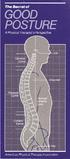 The Secret... T he American Physical Therapy Association would like to share a secret with you. It can help you do more with less effort breathe easier feel great. The secret is about good posture, which
Photo is courtesy of Enable-Me COMFORT SUPERIOR SEATING ACCESS ADJUSTABILITY. REHAB SHOWER COMMODE CHAIRS The Choice of Health Care Professionals
 Photo is courtesy of Enable-Me COMFORT SUPERIOR SEATING ACCESS ADJUSTABILITY REHAB SHOWER COMMODE CHAIRS The Choice of Health Care Professionals INTRODUCING THE NEW LOW COST JAZ AP & SP The JAZ AP and
Dynamic Split-Saddle. Performance Ergonomic. Traditional
 Dynamic Split-Saddle Premium Ergonomic Performance Ergonomic Contemporary Traditional Neutral Posture Good vertical alignment of the head, neck, spine, and pelvis during seated activity promotes endurance
Ergonomics and Repetitive Strain Injury
 Ergonomics and Repetitive Strain Injury Desk Research conducted by StrategyOne for Microsoft April 2008 Ergonomics and Repetitive Strain Injury What is RSI? Repetitive Strain Injury, commonly known as
Avoid The Dreaded Back Injury by Proper Lifting Techniques
 Avoid The Dreaded Back Injury by Proper Lifting Techniques If you ve ever strained your back while lifting something, you ll know the importance of lifting safely. Agenda Introduction About the Back The
Yes No Correction Date. Seated Position Do you know how to adjust your chair? Is your chair adjusted for support & comfort?
 UC Davis Health System - Computer Workstation Self Evaluation Assessment Date: Employee Name: Employee ID#: Department: Supervisor: Union Affiliation: Date of Hire (if new hire) Reason for Assessment (circle
COMPUTER WORKSTATION ERGONOMICS
 COMPUTER WORKSTATION ERGONOMICS Keeping the workplace safe Table of Contents Introduction.. 2 Office Ergonomics Process at UCDHS.. 3 Completing / Conducting the Self Workstation Evaluation.. 4 Computer
The height of the backrest can be adjusted with a simple push of a button.
 RH Activ The RH Activ is our entry level chair. However, it is still packed with features and functions. The RH Activ is ergonomically designed through and through, is exceptionally flexible and easy to
YOUR COMPUTER WORKSTATION AND YOUR OFFICE ENVIRONMENT
 WORKPLACE ERGONOMICS Your Guide to Health and Comfort at Work YOUR COMPUTER WORKSTATION AND YOUR OFFICE ENVIRONMENT CAN YOU ANSWER THESE SELF-HELP QUESTIONS? How do you adjust your chair for good posture
Improvement of Reading Room Environment in Teleradiology Services: Prevention of Physical and Mental Disability by Interpretation
 Improvement of Reading Room Environment in Teleradiology Services: Prevention of Physical and Mental Disability by Interpretation I Okuda, MD,PhD H Kawamura, NSE IRIMOTOMEDICAL Tokyo, JAPAN C Ishii, MD,PhD
Class Term Project Radiology Workplace Assessment Client Henry Ford Hospital - Radiology Department Coordinated by Carl Zylak
 Design & Environmental Analysis 670 Class Term Project Radiology Workplace Assessment Client Henry Ford Hospital - Radiology Department Coordinated by Carl Zylak Professor Alan Hedge Cornell University
HealthStream Regulatory Script
 HealthStream Regulatory Script Back Safety Version: May 2007 Lesson 1: Introduction Lesson 2: Back Injury Lesson 3: Spinal Anatomy and Physiology Lesson 4: Safe Operation of the Spine Lesson 5: Preventive
Physiotherapy Database Exercises for people with Spinal Cord Injury
 Physiotherapy Database Exercises for people with Spinal Cord Injury Compiled by the physiotherapists associated with the following Sydney (Australian) spinal units : Last Generated on Mon Mar 29 16:57:20
Patient handling techniques to prevent MSDs in health care
 28 Introduction Patient handling techniques Work-related musculoskeletal disorders (MSDs) are a serious problem among hospital personnel, and in particular the nursing staff. Of primary concern are back
Info. from the nurses of the Medical Service. LOWER BACK PAIN Exercise guide
 Info. from the nurses of the Medical Service LOWER BACK PAIN Exercise guide GS/ME 03/2009 EXERCISE GUIDE One of the core messages for people suffering with lower back pain is to REMAIN ACTIVE. This leaflet
Exercises for older people
 Exercise for older people Exercises for older people Sitting Getting started If you ve not done much physical activity for a while, you may want to get the all-clear from a GP before starting. For the
ACTIVE SEATING FOR PEOPLE WITH A KYPHOTIC SPINE. - backrest cushion for the kyphotic spine
 ACTIVE SEATING FOR PEOPLE WITH A KYPHOTIC SPINE - backrest cushion for the kyphotic spine Netti Kyphotic is designed for users who require optimum stabilization of their spinal curvature. The upholstery
Workstation and Work Area Ergonomics
 Workstation and Work Area Ergonomics If you answer "yes" to one of the following questions, you need to read further. Do you spend hours working on a computer, either at work or home? Does your computer
Equipment loan arrangements and loan form
 Safety and Health Services Equipment loan arrangements and loan form Document control information Published document name: Work-equip-loan-gn Date issued: February 2016 Version: 4.1 Previous review dates:
by Ellen Saltonstall and Dr. Loren Fishman
 10 Yoga Poses for Low Back Pain Prevention by Ellen Saltonstall and Dr. Loren Fishman Introduction This series of poses is designed to prevent future back pain and also to relieve back pain that you may
The ergonomics of tablet use in business applications
 The ergonomics of tablet use in business applications An Ergonomic Solutions white paper by Melanie Swann MSc(Hons), Grad IOSH For more information and contact details, please go to ergonomic-solutions.net
This document fully describes the 30 Day Flexibility Challenge and allows you to keep a record of your improvements in flexibility.
 Welcome to the StretchTowel 30 Day Flexibility Challenge! You can Be More Flexible in 30 days by following our stretching program for 10 minutes a day. The best part is that you can stretch using the StretchTowel
Ergonomics in the Workplace
 Ergonomics in the Workplace Ergonomics in the Workplace 1 Introduction The purpose of this short guide is to provide information to the reader on the subject of Ergonomics. It also provides guidance on
Targus Wireless RF Mouse USER S GUIDE. Making Your Mobile Life Easier.
 Targus Wireless RF Mouse Visit our Web site at: www.targus.com Features and specifications are subject to change without notice. 2004 Targus Group International and Targus, Inc.. 400-0111-001B USER S GUIDE
DEGW Report The Impact of Change
 DEGW Report The Impact of Change DEGW is a leading strategic design consultancy, operating from twelve offices in Europe, Asia Pacific and North America. DEGW understands the changing nature of work at
Mechanics of the Human Spine Lifting and Spinal Compression
 Mechanics of the Human Spine Lifting and Spinal Compression Hamill and Knutzen: Chapter 7 Nordin and Frankel: Ch. 10 by Margareta Lindh Hall: Ch. 9 (more muscle anatomy detail than required) Low Back Pain
Cervical Exercise: How important is it? What can be done? The Backbone of Spine Treatment. North American Spine Society Public Education Series
 Cervical Exercise: The Backbone of Spine Treatment How important is it? What can be done? North American Spine Society Public Education Series Important: If you have had an accident that started your neck
CHAPTER 3: BACK & ABDOMINAL STRETCHES. Standing Quad Stretch Athletic Edge - www.athleticedge.biz - (650) 815-6552
 CHAPTER : BACK & ABDOMINAL STRETCHES Standing Quad Stretch ) Stand and grasp right ankle with same hand, use a wall or chair to Lower maintain Back balance with left hand. Maintain an upright Stretches
Heavy Mobile Equipment - Ergonomics and the Prevention of Musculoskeletal Injuries. Abstract
 Heavy Mobile Equipment - Ergonomics and the Prevention of Musculoskeletal Injuries Linda Miller, EWI Works International Inc. and Claire Gariepy, EWI Works International Inc. EWI Works International Inc.
General Guidelines. Neck Stretch: Side. Neck Stretch: Forward. Shoulder Rolls. Side Stretch
 Stretching Exercises General Guidelines Perform stretching exercises at least 2 3 days per week and preferably more Hold each stretch for 15 20 seconds Relax and breathe normally Stretching is most effective
Ergonomic Rx for Digital Radiology
 Ergonomic Rx for Digital Radiology Computers in Healthcare It is now commonplace for patients to be admitted into a healthcare facility by someone sitting at a computer. Increasingly, computer screens
APP LOVE WORK DESIGNED WITH LONGEVITY AND DURABILITY IN MIND.
 APP APP LOVE WORK DESIGNED WITH LONGEVITY AND DURABILITY IN MIND. The fully upholstered collection delivers an aesthetically satisfying chair that provides a superior level of comfort owing to its ergonomic
SHOULDER PULL DOWNS. To learn efficient use of the shoulder blades and arms while maintaining a neutral spine position.
 SHOULDER INTRODUCT ION Welcome to your shoulder exercise program The exercises in the program are designed to improve your shoulder mobility, posture and the control of the muscles in your neck and shoulder
[Project name] Standard Operating Procedures. Body Mechanics
![[Project name] Standard Operating Procedures. Body Mechanics](/thumbs/27/11986346.jpg "[Project name] Standard Operating Procedures. Body Mechanics") [Project name] Standard Operating Procedures Body Mechanics PURPOSE. The purpose of this SOP is to provide information to minimize staff injuries with the focus on back injuries resulting from improper
[Project name] Standard Operating Procedures Body Mechanics PURPOSE. The purpose of this SOP is to provide information to minimize staff injuries with the focus on back injuries resulting from improper
Granada TM. Granada, the ideal, full-function, cost-effective computer chair.
 Granada, the ideal, full-function, cost-effective computer chair. 3217 High Back Multi-Tilter with height adjustable "T" arms (3N), shown in Mayer Jumpin Jacks, Aquamarine (YF47). 3212 Low Back Multi-Tilter
Evaluating your computer workstation
 Evaluating your computer workstation How to make it work for you Oregon OSHA About this document Evaluating your computer workstation is an Oregon OSHA Standards and Technical Resources publication. Reprinting,
IM#: 14-0002783. Think seating
 IM#: 14-0002783 Think seating 8Minutes The average worker spends 8 minutes per transition to settle in and refocus. Source: Research conducted between 2009 and 2011 by Details and IDEO Mobility in today
Safe Lifting/Back Safety Training. Presented by Rita Gagnon Occupational Health Outreach Coordinator Benefis Health Systems 406-731-8328
 Safe Lifting/Back Safety Training Presented by Rita Gagnon Occupational Health Outreach Coordinator Benefis Health Systems 406-731-8328 Risk Factors Involved with Manual Handling Tasks: Bending at Trunk
MONITOR MOUNTS. Monitor Arms OVERVIEW. Space saving benefits. Collaboration benefits. Performance benefits
 Monitor Arms OVERVIEW MONITOR MOUNTS Monitor arms can be used with either fixed height or adjustable height workcenters and are an excellent way to achieve the optimal level of adjustability recommended
Shoulders (free weights)
 Dumbbell Shoulder Raise Dumbbell Shoulder Raise 1) Lie back onto an incline bench (45 or less) with a DB in each hand. (You may rest each DB on the corresponding thigh.) 2) Start position: Bring the DB
IMPROVING THE ODDS: REDESIGNING BLACKJACK TABLES FOR INJURY REDUCTION
 IMPROVING THE ODDS: REDESIGNING BLACKJACK TABLES FOR INJURY REDUCTION Marion J. Edwin Optimise Limited PO Box 1164, Rotorua, New Zealand [email protected] Peter A. Roy Health and Safety Manager
The Advantages of Ergonomics
 The Advantages of Ergonomics Workers come in all different sizes. Ergonomics can help make the work more comfortable for the individual worker. What is ergonomics? Ergonomics is designing a job to fit
SAMPLE WORKOUT Full Body
 SAMPLE WORKOUT Full Body Perform each exercise: 30 secs each x 2 rounds or 2-3 sets of 8-12 reps Monday & Wednesday or Tuesday & Thursday Standing Squat Muscles: glutes (butt), quadriceps (thigh) Stand
Beware! your mouse can bite your hand!
 Beware! your mouse can bite your hand! Pradnya R. Malandkar K. Munshi When a typical form of work is extensively performed repeatedly over a large time span (years) it causes R.S.I. (Repetitive Stress
Labour Protect Your Back!
 Building Fair and Productive Workplaces Labour Protect Your Back! LT-006-07-07 Also available: Protect Your Lungs! / Protégez vos poumons! LT-168-10-05 Protect Your Skin! / Protégez votre peau! LT-158-09-05
Office Ergonomics. Practical solutions for a safer workplace. Prepared by WISHA Services Division Washington State Department of Labor and Industries
 Office Ergonomics Practical solutions for a safer workplace Prepared by WISHA Services Division Washington State Department of Labor and Industries F417-133-000 [02/2002] Preface Notice The recommendations