
Smart Array Technology: Basics and Advantages of Battery-Backed Cache
|
|
|
- Francis Austin
- 10 years ago
- Views:
Transcription
1 White Paper February 2001 Prepared by Industry Standard Server Group, Storage Products Division Compaq Computer Corporation Contents Introduction...3 Cache Use...3 Battery Backing of Cache...3 Compaq Implementations of Battery-Backed Cache...4 HP s Usage of Battery Backed Cache...4 Data Recovery from Compaq Battery-Backed Cache during Server Failure...5 Battery Types, Characteristics, and Life Management...5 Summary...6 Smart Array Technology: Basics and Advantages of Battery-Backed Cache Abstract: The purpose of this paper is to communicate the basics and advantages of Compaq s of battery-backed cache for array controllers. This paper also cautions customers of HP s positioning of battery-backed cache as a high availability option. Data integrity is critical in today s business environment. A customer s need for RAID centers on data protection to ensure business continuance. Cache on RAID controllers increases the speed of read-write processes but write processes are subject to catastrophic data losses during server or controller failure if the cache is not battery-backed. If the cache has a power source directly attached, the data in the cache can be maintained for a short period of time, allowing the recovery of that data and the protection of the integrity of business critical information. Battery backing of cache serves this function of an independent, though temporary, power source. Battery-backed cache will normally retain the integrity of the data in the cache for a period of several days, depending on the size of the cache and the capacity of the batteries at the time of the failure. Because today s business environment demands complete data integrity, Compaq does not allow the use of cache for writing data to storage without the safety of battery backing. Implementations of battery backing of cache vary based upon the following factors: Type of battery used Expected lifetimes of batteries Simplicity of data recovery in the event of a server or controller failure

2 Smart Array Technology: Basics and Advantages of Battery-Backed Cache 2 Notice Copyright 2001 Compaq Computer Corporation. COMPAQ Registered in U.S. Patent and Trademark Office. TaskSmart is a trademark of Compaq Information Technologies Group, L.P. Microsoft, Windows and Windows NT are registered trademarks of Microsoft Corporation in the United States and/or other countries. All other product names mentioned herein may be trademarks or registered trademarks of their respective companies. Compaq Computer Corporation shall not be liable for technical or editorial errors or omissions contained herein. The information in this document is subject to change without notice. First Edition (February 2001) Document Number Smart Array Technology: Basics and Advantages of Battery-Backed Cache

3 Smart Array Technology: Basics and Advantages of Battery-Backed Cache 3 Introduction Cache Use Power interruptions in the computing environment are not typically frequent but can happen, seemingly at the worst of all possible moments. Power interruptions resulting in loss of data in today's business environment can be more than problematic; they can be devastating to customer satisfaction. Some examples of data which could be lost are: Purchase orders in e-commerce environments Payments for goods and services Transfers of moneys between accounts Buy or sell instructions of financial instruments RAID controllers are commonly used in business critical environments to move data between computing and data storage environments. The movement of data into storage is referred to as a write while the movement of data from storage is termed a read. The process of reading and writing data involves the use of cache. Cache is a specific amount of memory dedicated to temporary holding of data during the read and write processes. Most RAID controllers offer the storage management professional a range of choices on the use of the cache memory. Management software for the controller can be used to set the use of cache to: 100% read use 100% write use some mix of read and write such as 50%-50% or 75%-25%. Battery Backing of Cache Power interruptions, even for brief moments, result in the loss of data which was being written to or read from storage. The loss of data being read does not result in the loss of data because the data, in its entirety, is still complete in the storage environment from which it was being read. Once power has been restored, the same data can be read again in its original form. However, power interruptions can have terminal effects on data which is in the process of being written and is temporarily residing in cache. This data does not yet exist in the storage environment and has been offloaded from the server. Therefore, loss of power to the cache means any data stored in the cache is lost forever. If, however, the cache has a power source independent of the external IT environment, the data in the cache can be maintained for a short period of time, allowing the recovery of that data and the protection of the integrity of business critical information. Battery backing of cache serves this function of an independent, though temporary, power source. Battery-backed cache will normally retain the integrity of the data in the cache for a period of several days, depending on the capacity of the batteries at the time of the failure. Because today s business environment demands complete data integrity, Compaq does not allow the use of cache for writing data to storage without the safety of battery backing.

4 Smart Array Technology: Basics and Advantages of Battery-Backed Cache 4 Compaq Implementations of Battery- Backed Cache Compaq, with the introduction of the Smart Array 5300 Controller series, has introduced redundant battery backing of cache using tool-free replacement of just the battery packs themselves without having to replace either the Smart Array 5300 Controller series card or the detachable cache board. For the last few years, most batteries used for backing of cache have been permanently attached to either the RAID controller card itself or to a detachable cache board on top of the RAID controller card. Given the lifetime expectation of batteries of 3 years, there has been an assumption the RAID controller card or at least the detachable cache board would be replaced within those 3 years. If the entire RAID controller card or the detachable cache board is not replaced within 3 years, there is increased risk of data loss. Users of battery-backed cache would be wise to implement a maintenance schedule which identifies batteries requiring replacement. Should replacement of batteries not be possible or desirable, there are two options which users can legitimately use to continue to manage storage without significant risk of losing critical data: 1) turn off the write cache using the configuration software; or 2) replace the RAID controller with a newer, faster, and more powerful RAID controller. If the write cache is turned off, some degradation of write performance might be expected, reducing overall performance of the controller. If the server is due for replacement by a more powerful, faster server, then redeployment of the server/controller (with the write cache turned off) to a less critical application might help to maximize the return on investment in that server/controller equipment. Should the write cache NOT be turned off, users should be prepared to endure the permanent loss of data should power or server fail and battery capacity is insufficient for maintaining data integrity. Finally, unless the user has implemented Compaq s line of Smart Array controllers, replacement of the RAID controller can be an extraordinarily expensive and tedious process involving total backup and restore of all data, application, OS, and storage configuration information. HP s Usage of Battery Backed Cache Customers should use caution when faced with competitors positioning of battery-backed cache as a high availability option. In the event of a Netfinity server failure, utilizing HP s NetRAID cache data, customers must find another identical HP server with an embedded RAID controller. This situation leaves customers with two options: 1. Have a costly spare server on hand 2. Be willing to shut down service to an existing server, for the purpose of moving data cache, drives, and network to an existing network, thus shutting down the existing server network in the process. Neither option is optimal! Although HP s battery-backed cache may increase some performance parameters, it is not a guarantee of performance. With server board or RAID controller failure, critical data is left in the controller cache and supported by batteries for a limited number of hours.

5 Smart Array Technology: Basics and Advantages of Battery-Backed Cache 5 Data Recovery from Compaq Battery- Backed Cache during Server Failure Compaq, on the other hand, maintains the integrity of the data in the cache during server or controller failure. To maintain this integrity, upon failure, the battery-backed cache module should be removed as soon as possible and placed into a compatible environment for data recovery. The storage array must be moved to the new environment, as well. Users of battery-backed cache must have a data recovery plan which defines the specific actions necessary to recover the cached data. If the battery-backed cache has a specific interface, memory structure, and data formatting parameters, it must be placed into equipment having the exact parameters in order to recover the data without corruption. This is a special concern to battery-backed caches implemented with RAID controllers embedded in server boards. Since the RAID controller is embedded in the server board, another server or server board of the same model must be available for this operation. With Compaq PCI RAID controllers, a server board failure requires only that the PCI card, with the battery-backed cache attached, be moved to an available PCI slot on another server. Battery Types, Characteristics, and Life Management Implementations of battery backing of cache vary by type of battery used, expected lifetimes of batteries, and simplicity of data recovery in the event of a server or controller failure. Compaq recommends replacement of batteries for battery backing of cache after three years of use. Beyond three years, remaining capacity of battery packs cannot be expected to be sufficient to provide data integrity protection in the event of a loss of power. RAID controller vendors use a variety of battery types for backing of cache. Some of the parameters which impact battery life and performance are: Time (the age of the battery) Memory (which dramatically shrinks capacity unless periodic full discharges are effected) Deep discharge cycles supported prior to capacity shrinkage Capacity shrinkage due to dendrites caused by continuous trickle charging Accuracy of remaining capacity measurement Disposal methods required by regulation Nickel Cadmium (Ni-Cd) batteries are common in the battery backing of cache. However, NiCad batteries have memory, limitations on deep discharge cycles, do not offer an accurate basis for measuring remaining capacity, and are subject to disposal regulations. Lithium Manganese Dioxide (MnO 2 -Li) batteries have been used by Compaq for several years. Li-Mn batteries do not have memory and require no special disposal procedures, advantages Ni- Cd batteries do not have. However, Li-Mn batteries support only deep discharge cycles, form dendrites over time, and do not offer an easily measurable parameter which accurately defines the actual capacity which remains. Nickel Metal Hydride (Ni-MH) batteries have been recently introduced by Compaq on the Smart Array 5300 Controller series. Ni-MH batteries have the same advantages as Li-Mn but support

6 Smart Array Technology: Basics and Advantages of Battery-Backed Cache 6 Summary <1,000 deep discharge cycles and offer a measurable parameter which quite accurately defines the actual capacity remaining. In addition, Compaq developed and patented technology included with the Smart Array 5300 Controller series eliminates the forming of capacity reducing dendrites. Data integrity is critical in today s business environment. The user s need for RAID centers on data protection to ensure business continuance. Cache on RAID controllers increases the speed of read-write processes but write processes are subject to catastrophic data losses during server or controller failure if the cache is not battery-backed. Battery backing of cache is only as good as the remaining capacity of the batteries. Users of battery-backed cache on RAID controllers must be aware of the battery life factors which can lead to data loss even with the protection of battery-backed cache. A maintenance program should include battery replacement every three years unless other specific actions are taken. Since data lives longer than servers, hard disk drives, or even RAID controllers, upgrading equipment while maintaining data integrity can be a significant business cost if data compatibility and data migration are not supported by the hardware vendor. Customers should use caution as to which hardware vendor they choose for battery-backed caching to ensure their choice is a safe and cost-wise one. Compaq has addressed the needs of today s business environment by providing a line of Smart Array controllers, which provide exceptional data protection while minimizing the long-term costs of that protection. For more information on Compaq s products and solutions, see

Smart Array technology: advantages of battery-backed cache
 Smart Array technology: advantages of battery-backed cache technology brief Abstract... 2 Introduction... 2 Role of cache in the storage system... 2 Need for a battery-backed cache... 2 Recovering data
New Advanced RAID Level for Today's Larger Storage Capacities: Advanced Data Guarding
 White Paper October 2000 Prepared by Storage Products Group Compaq Computer Corporation Contents Introduction...2 What customers can expect from Compaq RAID ADG solution...3 RAID ADG Features and Benefits...3
HP Smart Array 5i Plus Controller and Battery Backed Write Cache (BBWC) Enabler
 Overview HP Smart Array 5i Plus Controller and Battery Backed Write Cache (BBWC) Enabler Models Smart Array 5i Plus Controller and BBWC Enabler bundled Option Kit (for ProLiant DL380 G2, ProLiant DL380
Models Smart Array 6402A/128 Controller 3X-KZPEC-BF Smart Array 6404A/256 two 2 channel Controllers
 Overview The SA6400A is a high-performance Ultra320, PCI-X array controller. It provides maximum performance, flexibility, and reliable data protection for HP OpenVMS AlphaServers through its unique modular
QuickSpecs. HP Smart Array 5312 Controller. Overview
 Overview Models 238633-B21 238633-291 (Japan) Feature List: High Performance PCI-X Architecture High Capacity Two Ultra 3 SCSI channels support up to 28 drives Modular battery-backed cache design 128 MB
DATASHEET. Proactive Management and Quick Recovery for Exchange Storage
 VERITAS Edition for Microsoft Exchange 2000 Proactive Management and Quick Recovery for Exchange Storage The VERITAS Enterprise Administrator GUI enables centralized, cross-platform storage management.
Assessing RAID ADG vs. RAID 5 vs. RAID 1+0
 White Paper October 2001 Prepared by Industry Standard Storage Group Compaq Computer Corporation Contents Overview...3 Defining RAID levels...3 Evaluating RAID levels...3 Choosing a RAID level...4 Assessing
RAID Technology Overview
 RAID Technology Overview HP Smart Array RAID Controllers HP Part Number: J6369-90050 Published: September 2007 Edition: 1 Copyright 2007 Hewlett-Packard Development Company L.P. Legal Notices Copyright
HP One-Button Disaster Recovery (OBDR) Solution for ProLiant Servers
 Reference guide HP One-Button Disaster Recovery (OBDR) Solution for ProLiant Servers Reference guide Contents One button disaster recovery (OBDR) 2 Requirements 2 HP tape drive and server support 2 Creating
This user guide describes features that are common to most models. Some features may not be available on your computer.
 RAID User Guide Copyright 2011 Hewlett-Packard Development Company, L.P. Intel is a trademark of Intel Corporation in the U.S. and other countries. Microsoft and Windows are U.S. registered trademarks
HP Embedded SATA RAID Controller
 HP Embedded SATA RAID Controller User Guide Part number: 391679-002 Second Edition: August 2005 Legal notices Copyright 2005 Hewlett-Packard Development Company, L.P. The information contained herein is
QuickSpecs. Models HP Smart Array E200 Controller. Upgrade Options Cache Upgrade. Overview
 Overview The HP Smart Array E200 is HP's first entry level PCI Express (PCIe) Serial Attached SCSI (SAS) RAID controller. The full size card has 8 ports and utilizes DDR1-266 memory. The E200 is ideal
RAID 1(+0): breaking mirrors and rebuilding drives
 RAID 1(+0): breaking mirrors and rebuilding drives How to, 5 th edition Introduction... 2 Splitting a mirrored array using the Array Configuration Utility... 2 Recombining a split mirrored array using
Intel RAID Controllers
 Intel RAID Controllers Best Practices White Paper April, 2008 Enterprise Platforms and Services Division - Marketing Revision History Date Revision Number April, 2008 1.0 Initial release. Modifications
Installing Microsoft Windows
 Installing Microsoft Windows on HP Workstations with Advanced Format Hard Drives Technical white paper Table of contents Introduction... 2 Identifying an Advanced Format drive... 2 Installing Windows on
Solution Brief Availability and Recovery Options: Microsoft Exchange Solutions on VMware
 Introduction By leveraging the inherent benefits of a virtualization based platform, a Microsoft Exchange Server 2007 deployment on VMware Infrastructure 3 offers a variety of availability and recovery
HP Smart Array Controller technology
 HP Smart Array Controller technology technology brief Abstract... 3 Storage trends... 3 Meeting data storage requirements... 4 Capacity growth... 4 Array expansion... 5 Logical drive creation... 6 Logical
This chapter explains how to update device drivers and apply hotfix.
 MegaRAID SAS User's Guide Areas Covered Before Reading This Manual This section explains the notes for your safety and conventions used in this manual. Chapter 1 Overview This chapter explains an overview
RAID 6 with HP Advanced Data Guarding technology:
 RAID 6 with HP Advanced Data Guarding technology: a cost-effective, fault-tolerant solution technology brief Abstract... 2 Introduction... 2 Functions and limitations of RAID schemes... 3 Fault tolerance
HP Solid State Drive (SSD) Overview
 Overview HP offers a full portfolio of solid state storage solutions in both 3G SATA and 6G SAS interface. The products, based on Single Level Cell (SLC) and Multi Level Cell (MLC) NAND flash technology
HP Storage Data Migration Service
 HP Storage Data Migration Service HP Data Center Services Technical data The HP Storage Data Migration Service transfers your designated information to target storage device technologies across a data
QuickSpecs. What's New. Models. ProLiant Essentials Server Migration Pack - Physical to ProLiant Edition. Overview
 Overview Upgrading or replacing your existing server? Migration is now an option! Replicate the server you are replacing using the software, the only product of its kind from a server vendor that provides
QuickSpecs. What's New HP 3TB 6G SAS 7.2K 3.5-inch Midline Hard Drive. HP SAS Enterprise and SAS Midline Hard Drives. Overview
 Overview Serial Attached SCSI (SAS) provides a superior storage solution. With some storage requirements escalating and others becoming more complex, factors such as flexibility, performance, increased
Using RAID Admin and Disk Utility
 Using RAID Admin and Disk Utility Xserve RAID Includes instructions for creating RAID arrays and monitoring Xserve RAID systems K Apple Computer, Inc. 2003 Apple Computer, Inc. All rights reserved. Under
QuickSpecs. HP SATA Hard Drives. Overview
 QuickSpecs Overview HP SATA drives are designed for the reliability and larger capacities demanded by today's entry server and external storage environments. The SATA portfolio is categorized into two
Virtual Machine Environments: Data Protection and Recovery Solutions
 The Essentials Series: The Evolving Landscape of Enterprise Data Protection Virtual Machine Environments: Data Protection and Recovery Solutions sponsored by by Dan Sullivan Vir tual Machine Environments:
HP Smart Array Controllers and basic RAID performance factors
 Technical white paper HP Smart Array Controllers and basic RAID performance factors Technology brief Table of contents Abstract 2 Benefits of drive arrays 2 Factors that affect performance 2 HP Smart Array
QuickSpecs. HP SATA Hard Drives. Overview
 QuickSpecs Overview HP SATA drives are designed for the reliability and larger capacities demanded by today's entry server and external storage environments. The SATA portfolio is categorized into two
Windows Small Business Server 2003 Upgrade Best Practices
 Windows Small Business Server 2003 Upgrade Best Practices Microsoft Corporation Published: May 2005 Version: 1 Abstract To ensure a successful upgrade from the Microsoft Windows Small Business Server 2003
RAID Utility User Guide. Instructions for setting up RAID volumes on a computer with a Mac Pro RAID Card or Xserve RAID Card
 RAID Utility User Guide Instructions for setting up RAID volumes on a computer with a Mac Pro RAID Card or Xserve RAID Card Contents 3 RAID Utility User Guide 3 The RAID Utility Window 4 Running RAID Utility
Introduction. Setup of Exchange in a VM. VMware Infrastructure
 Introduction VMware Infrastructure is deployed in data centers for deploying mission critical applications. Deployment of Microsoft Exchange is a very important task for the IT staff. Email system is an
Chapter 2 Array Configuration [SATA Setup Utility] This chapter explains array configurations using this array controller.
![Chapter 2 Array Configuration [SATA Setup Utility] This chapter explains array configurations using this array controller.](/thumbs/21/1077848.jpg "Chapter 2 Array Configuration [SATA Setup Utility] This chapter explains array configurations using this array controller.") Embedded MegaRAID SATA User's Guide Areas Covered Before Reading This Manual This section explains the notes for your safety and conventions used in this manual. Chapter 1 Overview This chapter introduces
Embedded MegaRAID SATA User's Guide Areas Covered Before Reading This Manual This section explains the notes for your safety and conventions used in this manual. Chapter 1 Overview This chapter introduces
RAID 5 rebuild performance in ProLiant
 RAID 5 rebuild performance in ProLiant technology brief Abstract... 2 Overview of the RAID 5 rebuild process... 2 Estimating the mean-time-to-failure (MTTF)... 3 Factors affecting RAID 5 array rebuild
Getting Started With RAID
 Dell Systems Getting Started With RAID www.dell.com support.dell.com Notes, Notices, and Cautions NOTE: A NOTE indicates important information that helps you make better use of your computer. NOTICE: A
QuickSpecs. What's New HP 1.2TB 6G SAS 10K rpm SFF (2.5-inch) SC Enterprise 3yr Warranty Hard Drive
 Overview Serial Attached SCSI (SAS) provides a superior storage solution. With some storage requirements escalating and others becoming more complex, factors such as flexibility, performance, increased
TECHNOLOGY BRIEF. Compaq RAID on a Chip Technology EXECUTIVE SUMMARY CONTENTS
 TECHNOLOGY BRIEF August 1999 Compaq Computer Corporation Prepared by ISSD Technology Communications CONTENTS Executive Summary 1 Introduction 3 Subsystem Technology 3 Processor 3 SCSI Chip4 PCI Bridge
QuickSpecs. What's New HP 750GB 1.5G SATA 7.2K 3.5" Hard Disk Drive. HP Serial-ATA (SATA) Hard Drive Option Kits. Overview
 Overview HP offers a variety of tested, HP-qualified, SMART* capable, SATA Hard Drives offering data integrity and availability in hotpluggable models. HP 3.5" and Small Form Factor (2.5") SATA drives
HP Online ROM Flash. User Guide
 HP Online ROM Flash User Guide Part number: 216315-010 Tenth edition: March 2006 Legal notices Copyright 2000, 2006 Hewlett-Packard Development Company, L.P. The information contained herein is subject
RAID HARDWARE. On board SATA RAID controller. RAID drive caddy (hot swappable) SATA RAID controller card. Anne Watson 1
 RAID HARDWARE On board SATA RAID controller SATA RAID controller card RAID drive caddy (hot swappable) Anne Watson 1 RAID The word redundant means an unnecessary repetition. The word array means a lineup.
How to register. Who should attend Services, both internal HP and external
 mm Servicing HP Rack and Tower Server Solutions - Rev 12.31 Course data sheet Certification: Exam(s): The Learning Center: Format: Recommended Duration: How to register HP ATP - Rack and Tower Server Solutions
QuickSpecs. What's New New 146.8-GB Pluggable Ultra320 SCSI 15,000 rpm Universal Hard Drive (1") HP SCSI Ultra320 Hard Drive Option Kits (Servers)
 Overview A wide variety of rigorously tested, HP-qualified, SMART capable, Ultra320 Hard Drives offering data integrity and availability in hot pluggable and non-pluggable models. HP 15,000 rpm Hard Drives
Hardware RAID vs. Software RAID: Which Implementation is Best for my Application?
 STORAGE SOLUTIONS WHITE PAPER Hardware vs. Software : Which Implementation is Best for my Application? Contents Introduction...1 What is?...1 Software...1 Software Implementations...1 Hardware...2 Hardware
HP Smart Array Controller technology
 HP Smart Array Controller technology technology brief, 2 nd edition Abstract... 3 Introduction... 3 Storage trends... 3 Meeting data storage requirements... 4 High performance... 4 PCI Express technology...
HP Storage Virtual Volume Design and Implementation Service
 HP Storage Virtual Volume Design and Implementation Service HP Care Pack Services Technical data Proper configuration of storage hardware is crucial to help improve the effectiveness of your storage devices.
QuickSpecs. Models. HP Dynamic Smart Array B320i Controller. Overview
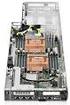 Overview HP Dynamic Smart array provides more customer choice with higher levels of data protection for embedded controllers, these data protection levels were earlier only available to standup controllers.
IBM ^ xseries ServeRAID Technology
 IBM ^ xseries ServeRAID Technology Reliability through RAID technology Executive Summary: t long ago, business-critical computing on industry-standard platforms was unheard of. Proprietary systems were
Distribution One Server Requirements
 Distribution One Server Requirements Introduction Welcome to the Hardware Configuration Guide. The goal of this guide is to provide a practical approach to sizing your Distribution One application and
HP ProLiant Essentials Performance Management Pack 3.0 Support Matrix
 HP ProLiant Essentials Performance Management Pack 3.0 Support Matrix ProLiant Essentials Performance Management Pack (PMP) is a software solution that detects and analyzes hardware performance issues
Hot-Plug Disk Drive Removal and Replacement Guidelines for Compaq Smart Array Controllers
 White Paper November 1999 Prepared by Storage Products Division Compaq Computer Corporation Contents Rapid Recovery with Hot- Plug Drives...3 Guidelines when hotplugging a drive...3 Guidelines when Insight
How To Handle A Disaster Recovery Plan
 Page 1 of 9 Policy Statement CSB Policy And Procedures The equipment, software systems, and databases that comprise the ephi System are critical components that enable the [CSB] to function in an effective
RAID-01 (ciss) B.11.31.1005 mass storage driver release notes, edition 2
 RAID-01 (ciss) B.11.31.1005 mass storage driver release notes, edition 2 HP-UX 11i v3 HP Part Number: 5991-0448_ed2 Published: August 2010 Edition: 2 Copyright 2010 Hewlett-Packard Development Company,
Memory Modules User Guide
 Memory Modules User Guide Copyright 2008 Hewlett-Packard Development Company, L.P. The information contained herein is subject to change without notice. The only warranties for HP products and services
QuickSpecs. HP Serial-ATA (SATA) Entry (ETY) and Midline (MDL) Hard Drive Option Kits. Overview
 QuickSpecs Overview HP SATA drives are designed for the reliability and larger capacities demanded by today's entry server and external storage environments. The SATA portfolio is categorized into two
HP ProLiant PRO Management Pack (v 2.0) for Microsoft System Center User Guide
 HP ProLiant PRO Management Pack (v 2.0) for Microsoft System Center User Guide Abstract This guide provides information on using the HP ProLiant PRO Management Pack for Microsoft System Center version
RAID Utility User s Guide Instructions for setting up RAID volumes on a computer with a MacPro RAID Card or Xserve RAID Card.
 RAID Utility User s Guide Instructions for setting up RAID volumes on a computer with a MacPro RAID Card or Xserve RAID Card. 1 Contents 3 RAID Utility User s Guide 3 Installing the RAID Software 4 Running
Data Protection in a Virtualized Environment
 The Essentials Series: Virtualization and Disaster Recovery Data Protection in a Virtualized Environment sponsored by by J. Peter Bruzzese Da ta Protection in a Virtualized Environment... 1 An Overview
HP External Hard Disk Drive Backup Solution by Seagate User Guide. November 2004 (First Edition) Part Number 373652-001
 HP External Hard Disk Drive Backup Solution by Seagate User Guide November 2004 (First Edition) Part Number 373652-001 Copyright 2004 Hewlett-Packard Development Company, L.P. The information contained
HP Array Configuration Utility User Guide
 HP Array Configuration Utility User Guide January 2006 (First Edition) Part Number 416146-001 Copyright 2006 Hewlett-Packard Development Company, L.P. The information contained herein is subject to change
Increasing Server Storage and Capacity: Upgrading the SMART-2DH Controller to the Smart Array 4200 Controller
 White Paper September 1999 Prepared by Storage Products Division Compaq Computer Corporation Contents Upgrading to the Smart Array 4200 Controller Increases Performance and Capacity...3 When to Upgrade
About Backing Up a Cisco Unity System
 CHAPTER 4 Introduction This chapter describes in general terms backing up a Cisco Unity system. When you back up a Cisco Unity server (and one or more Exchange servers) you need to consider the same issues
VERITAS VERTEX Initiative
 VERITAS VERTEX Initiative Frequently Asked Questions Q1. What is the VERITAS VERTEX Initiative? A1. The VERITAS VERTEX Initiative is a set of NetBackup solutions from VERITAS that will deliver alternate
The Advantages of Multi-Port Network Adapters in an SWsoft Virtual Environment
 The Advantages of Multi-Port Network Adapters in an SWsoft Virtual Environment Introduction... 2 Virtualization addresses key challenges facing IT today... 2 Introducing Virtuozzo... 2 A virtualized environment
Configuring HP Elite, EliteBook, and Z220 systems for Intel Smart Response Technology
 Technical white paper Configuring HP Elite, EliteBook, and Z220 systems for Intel Smart Response Technology Table of contents Overview 2 System requirements 3 How to enable Intel Smart Response Technology
QuickSpecs. What's New. At A Glance. Models. HP StorageWorks SB40c storage blade. Overview
 DA - 12587 Worldwide Version 5 2.16.2007 Page 1 Overview The HP StorageWorks SB40c is a half-height c-class storage blade supporting up to six hot-plug Small Form Factor (SFF) Serial Attached SCSI (SAS)
QuickSpecs. HP Data Protector Express Single Server Edition 4.0 Service Pack 1 Overview
 Overview HP Data Protector Express Single Server Edition is easy to install, easy to use and easy to manage backup and recovery software. It is only available with HP StorageWorks tape drives and HP StorageWorks
EqualLogic PS Series Architecture: Hybrid Array Load Balancer
 Technical Report EqualLogic PS Series Architecture: Hybrid Array Load Balancer Abstract The Dell EqualLogic PS Series architecture is a virtualized, self-tuning system that uses intelligent load balancers
StorageCraft Technology Corporation Leading the Way to Safer Computing 2009 StorageCraft Technology Corporation. All Rights Reserved.
 PRODUCT WHITEPAPER This brochure is for informational purposes only. STORAGECRAFT MAKES NO WARRANTIES, EXPRESSED OR IMPLIED, IN THIS SUMMARY. StorageCraft, ShadowProtect and ExactState and the StorageCraft
Best Practices for Exchange Database Management Using Compaq StorageWorks Enterprise Volume Manager
 White Paper December 1999 Prepared by: Storage Division Compaq Computer Corporation Contents Introduction...3 How StorageWorks Enterprise Volume Manager Operates...3 Microsoft Exchange in the Storage Area
QuickSpecs. HP Solid State Drives (SSD) What's New. HP Solid State Drives (SSD) Overview
 Overview HP s (SSDs) deliver exceptional performance and endurance for customers with applications requiring high random read IOPs performance. Leveraging NAND Flash technology, they support HP ProLiant
HP recommended configuration for Microsoft Exchange Server 2010: HP LeftHand P4000 SAN
 HP recommended configuration for Microsoft Exchange Server 2010: HP LeftHand P4000 SAN Table of contents Executive summary... 2 Introduction... 2 Solution criteria... 3 Hyper-V guest machine configurations...
Server Virtualization with Windows Server Hyper-V and System Center (20409) H8B93S
 HP Education Services course data sheet Server Virtualization with Windows Server Hyper-V and System Center (20409) H8B93S Course Overview Obtain the skills you need to deploy and manage a Microsoft Server
QuickSpecs. What's New Boot from Tape. Models HP Smart Array P411 Controller
 Overview The HP Smart Array P411 is HP's external connect only, PCI Express (PCIe) 2.0 Serial Attached SCSI (SAS) RAID controller for Integrity rack optimized servers. The low profile, half height card
How To Use The Enhanced Write Filter On Windows Xp Embedded (Dota) With A Powerbook (Dot) And Powerbook 2 (Windows Xp) With An Overlay (Powerbook) With The Write Filter (Wfmgr) On A
 Using the Enhanced Write Filter HP Windows XP Embedded-based thin clients: t5630 t57x0 Abstract... 2 Introduction... 2 Benefits of the Enhanced Write Filter... 2 Enhanced Write Filter Status Service...
Backup and Recovery User Guide
 Backup and Recovery User Guide Copyright 2007, 2008 Hewlett-Packard Development Company, L.P. Windows is a U.S. registered trademark of Microsoft Corporation. The information contained herein is subject
HP Embedded SATA RAID Controller
 HP Embedded SATA RAID Controller User Guide Part number: 433600-001 First Edition: June 2006 Legal notices Copyright 2006 Hewlett-Packard Development Company, L.P. The information contained herein is subject
HP VMware ESXi 5.0 and Updates Getting Started Guide
 HP VMware ESXi 5.0 and Updates Getting Started Guide Abstract This guide is intended to provide setup information for HP VMware ESXi. HP Part Number: 616896-002 Published: August 2011 Edition: 1 Copyright
Server Consolidation with SQL Server 2008
 Server Consolidation with SQL Server 2008 White Paper Published: August 2007 Updated: July 2008 Summary: Microsoft SQL Server 2008 supports multiple options for server consolidation, providing organizations
HP 8-GB PC3-12800 (DDR3-1600 MHz) SODIMM
 Overview Models PC3-12800 (DDR3-1600MHz) DIMMs HP 2-GB PC3-12800 (DDR3-1600 MHz) DIMM HP 4-GB PC3-12800 (DDR3-1600 MHz) DIMM HP 8-GB PC3-12800 (DDR3-1600 MHz) DIMM PC3-12800 (DDR3-1600 MHz) SODIMMs HP
QuickSpecs. HP SATA Hard Drives. Overview
 QuickSpecs Overview HP SATA drives are designed for the reliability and larger capacities demanded by today's entry server and external storage environments. The SATA portfolio is categorized into two
Why Endpoint Encryption Can Fail to Deliver
 Endpoint Data Encryption That Actually Works The Essentials Series Why Endpoint Encryption Can Fail to Deliver sponsored by W hy Endpoint Encryption Can Fail to Deliver... 1 Tr aditional Solutions... 1
Microsoft File and Print Service Failover Using Microsoft Cluster Server
 Microsoft File and Print Service Failover Using Microsoft Cluster Server TechNote First Edition (March 1998) Part Number 309826-001 Compaq Computer Corporation Notice The information in this publication
HP StorageWorks Enterprise Backup Solution and Direct Attach Solutions
 Overview Exponential growth of information has led to an enormous volume of data stored across enterprise networks. IT organizations are finding that backing up and restoring data is becoming more and
HP Smart Array B110i SATA RAID Controller User Guide
 HP Smart Array B110i SATA RAID Controller User Guide Part Number 531480-003 March 2010 (Third Edition) Copyright 2009, 2010 Hewlett-Packard Development Company, L.P. The information contained herein is
Configuring RAID for Optimal Performance
 Configuring RAID for Optimal Performance Intel RAID Controller SRCSASJV Intel RAID Controller SRCSASRB Intel RAID Controller SRCSASBB8I Intel RAID Controller SRCSASLS4I Intel RAID Controller SRCSATAWB
Disk-to-Disk Backup & Restore Application Note
 Disk-to-Disk Backup & Restore Application Note All trademark names are the property of their respective companies. This publication contains opinions of StoneFly, Inc., which are subject to change from
Business white paper. environments. The top 5 challenges and solutions for backup and recovery
 Business white paper Protecting missioncritical application environments The top 5 challenges and solutions for backup and recovery Table of contents 3 Executive summary 3 Key facts about mission-critical
Microsoft Internet Information Server 3.0 Service Failover Using Microsoft Cluster Server
 Microsoft Internet Information Server 3.0 Service Failover Using Microsoft Cluster Server TechNote First Edition (March 1998) Part Number 309827-001 Compaq Computer Corporation Notice The information in
SAP database backup and restore solutions for HP StorageWorks Enterprise Virtual Array using HP Data Protector 6.1 software
 SAP database backup and restore solutions for HP StorageWorks Enterprise Virtual Array using HP Data Protector 6.1 software Table of contents Executive summary... 2 Solution overview... 2 Objectives...
HP Hardware Support Onsite 6-Hour Call-to-Repair Service - U.S.
 HP Hardware Support Onsite 6-Hour Call-to-Repair Service - U.S. HP Care Pack Services Technical data HP Hardware Support Onsite 6-Hour Call-to-Repair Service provides an IT manager with a team of support
BMC Recovery Manager for Databases: Benchmark Study Performed at Sun Laboratories
 WHITE PAPER BMC Recovery Manager for Databases: Benchmark Study Performed at Sun Laboratories BMC delivers extraordinarily fast Oracle backup and recovery performance close to two terabytes per hour Table
An Esri White Paper January 2010 ArcGIS Server and Virtualization
 An Esri White Paper January 2010 ArcGIS Server and Virtualization Esri 380 New York St., Redlands, CA 92373-8100 USA TEL 909-793-2853 FAX 909-793-5953 E-MAIL [email protected] WEB www.esri.com Copyright 2010
DriveLock and Windows 7
 Why alone is not enough CenterTools Software GmbH 2011 Copyright Information in this document, including URL and other Internet Web site references, is subject to change without notice. Unless otherwise
QuickSpecs HP Data Protector Express 4.0 Service Pack 1
 Overview HP Data Protector Express is easy to install, easy to use and easy to manage backup and recovery software designed specifically for smaller organizations. It robustly, yet simply, protects single
Aljex Software, Inc. Business Continuity & Disaster Recovery Plan. Last Updated: June 16, 2009
 Business Continuity & Disaster Recovery Plan Last Updated: June 16, 2009 Business Continuity & Disaster Recovery Plan Page 2 of 6 Table of Contents Introduction... 3 Business Continuity... 3 Employee Structure...