
DATASHEET. Proactive Management and Quick Recovery for Exchange Storage
|
|
|
- Damian Bernard Harmon
- 10 years ago
- Views:
Transcription
1 VERITAS Edition for Microsoft Exchange 2000 Proactive Management and Quick Recovery for Exchange Storage The VERITAS Enterprise Administrator GUI enables centralized, cross-platform storage management. With today s need to communicate with employees, customers and partners 24 hours a day, 7 days a week, Microsoft Exchange servers are crucial for ensuring business success. As more and more demands are placed on those servers for expanding communication, the importance of keeping them up and running and highly available has become even more crucial. VERITAS Edition for Microsoft Exchange 2000 simplifies the management of your Exchange storage environment by making it more available through proactive administration and configuration of heterogeneous storage. is an integrated suite of industry-leading VERITAS storage management technologies engineered specifically to improve manageability, increase availability and ensure quick recovery of Microsoft Exchange servers. provides administrators with the ability to rapidly recover data in the event of corruption, as well as back up Microsoft Exchange data with minimal disruption to services or users Simplified, Centralized Management enables enterprise-wide, multivendor storage management from a single management console with an easy-to-use graphical user interface. The VERITAS Enterprise Administrator GUI simplifies installation, management and administration tasks and enables management of storage devices from multiple vendors, reducing the cost of storage management. The VERITAS Enterprise Administrator GUI reduces the cost of storage administration by providing storage management from one central console. Keep Exchange Online and Available allows Exchange environments to achieve higher levels of availability using both hardware and software fault tolerance. It provides the ability to configure, grow and move storage, while keeping Exchange environments online and available to users. Data can be aggregated across heterogeneous RAID arrays or JBODs for maximum fault tolerance. This ensures optimal performance and protection for current storage hardware investments and allows for the freedom of choice for future storage hardware investments. features additional online volume management technologies such as auto protection of disk failures, quick recovery of mirrored data sets and off-host backups. improves performance and reduces downtime by providing proactive capacity monitoring and notification of critical events. When a server containing Exchange data such as message databases or transaction logs is close to full capacity, an alert can be sent to the VERSION 3 1

2 Exchange administrator. The administrator can set the monitoring parameters in the event storage is close to maximum capacity, and it will grow automatically according to his or her specifications. Edition for Microsoft Exchange 2000 also has the ability to learn the growth behavior of storage and can warn the administrator if the growth rates change dramatically. This enables the administrator to take the appropriate corrective action for instances such as viruses or mail storms. Implement an Optimal Exchange Storage Configuration The Edition Storage Configuration Wizard guides the administrator through the configuration process. It begins by discovering existing Exchange storage and any free space on the remaining unallocated storage. After prompting the administrator for Exchange environment parameters and requirements, Edition then installs and configures an optimal Exchange storage environment. This same optimal storage configuration can be deployed across multiple Exchange servers in the enterprise, saving the time required to configure each additional server, thus reducing the total cost of ownership. The Storage Configuration Wizard guides you through the configuration process and recommends an optimal storage layout for your Microsoft Exchange 2000 Server. Quick Recovery from Database Corruption Exchange administrators need the ability to quickly recover from Exchange data corruption problems. has a quick-recovery feature that creates on-disk point-intime snapshots of the Exchange database and transaction log files. An easy one-step restore process ensures quick recovery from Exchange data corruption problems. The process provides the ability to fully restore Exchange to a point-in-time or to the point immediately before a failure. Exchange is restored to the last snapshot prior to the failure and then the transaction logs are automatically replayed, which simplifies the operation, reduces human error, and provides protection for mission-critical data. Accommodate Shrinking Backup Windows Protecting data with a well-designed backup strategy is essential in enterprise-class environments; however, the backup process places additional requirements on the server and can negatively impact system performance. VERITAS Edition for Microsoft Exchange 2000 offers administrators the ability to create point-in-time snapshots with minimal impact to Exchange or system performance. Once the snapshots are created, they can be exported to another host for backup, which eliminates the performance impact and allows the Exchange server to remain dedicated to Exchange processing. gives administrators the ability to automate off-host backup of Exchange servers. Automation of the backup process increases accuracy and efficiency, and the verification process guarantees data integrity. After the off-host backup is completed, VERITAS technology resynchronizes and rejoins the snapshots with minimal impact on production Exchange servers. The ability to move a point-in-time copy of the Exchange data store can also be used to offload additional tasks such as disk defragmentation, further reducing the downtime on the primary Exchange server. VERSION 3 2

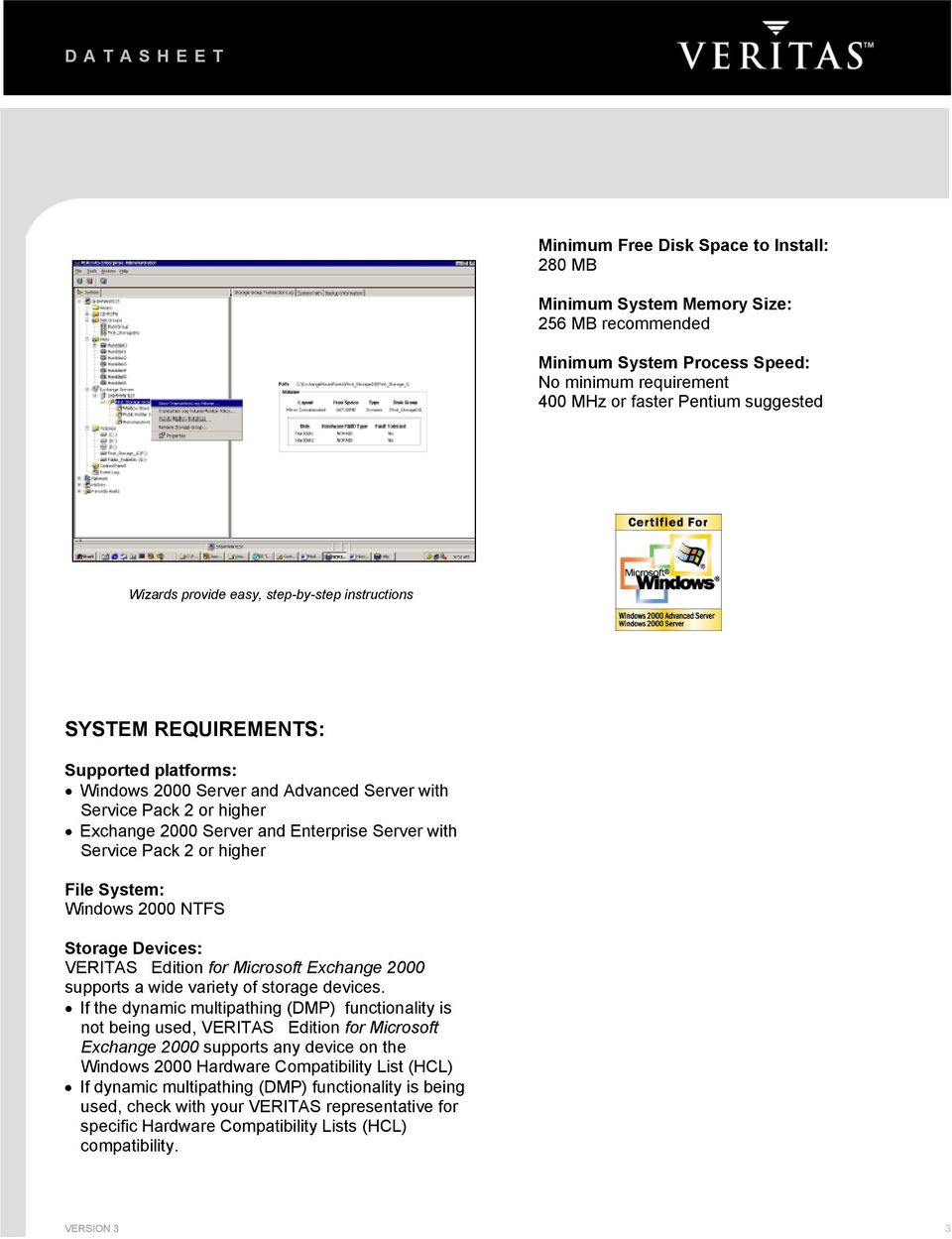
3 Minimum Free Disk Space to Install: 280 MB Minimum System Memory Size: 256 MB recommended Minimum System Process Speed: No minimum requirement 400 MHz or faster Pentium suggested Wizards provide easy, step-by-step instructions SYSTEM REQUIREMENTS: Supported platforms: Windows 2000 Server and Advanced Server with Service Pack 2 or higher Exchange 2000 Server and Enterprise Server with Service Pack 2 or higher File System: Windows 2000 NTFS Storage Devices: supports a wide variety of storage devices. If the dynamic multipathing (DMP) functionality is not being used, VERITAS Edition for Microsoft Exchange 2000 supports any device on the Windows 2000 Hardware Compatibility List (HCL) If dynamic multipathing (DMP) functionality is being used, check with your VERITAS representative for specific Hardware Compatibility Lists (HCL) compatibility. VERSION 3 3
4 VERITAS EDITION FOR MICROSOFT EXCHANGE 2000 Features VERITAS Enterprise Administrator graphical user interface allows domainwide storage management of Microsoft Exchange 2000 private mailboxes, public folders and transaction logs Heterogeneous storage hardware support Command line interface support Performance Monitoring and alert-based Notification /Pager SNMP Alerts Event Log Volume growth monitoring and growth policies for Exchange databases and transaction logs Spike detection and learning mode Mirroring of Exchange private mailboxes, public folders and transaction logs to create fault-tolerant storage * Hot spares, hot relocation and undo hot relocation of failed redundant storage Simplified Centralized Management Benefits Centralized administration reduces the cost of storage management, improves productivity and lets Exchange administrators manage storage objects in terms they understand. Support for any disk storage hardware platform provides maximum flexibility by allowing organizations to select the storage hardware solutions that best meet their needs. Reduces training costs and administrative overhead, and maximized leverage of hardware investments Allows the administrator to create customized management scripts. Proactive storage event notification improves performance and reduces downtime Sends an or a text message to a pager in the event of a Microsoft Exchange 2000 storage-related problem Alerts SNMP frameworks of Microsoft Exchange 2000 storage-related problems Logs all Microsoft Exchange 2000 storage-related events to allow administrators the ability to review storage changes and events Keep Exchange Data Online and Available Proactively warns the administrator when storage capacity has exceeded the defined threshold and can automatically grow the storage based on predefined monitoring rules Learns the growth patterns of your Exchange databases and transaction logs and warns you if the growth rate changes dramatically Reduce storage-related downtime. Higher availability and faster data access Proactive storage management when disks fail. Returns the configuration to its original state after a failed disk has been replaced * Disk replacement/evacuation Contents of disks can easily be moved to alternate disks in the event of disk failures or retirement * Redundant paths to SAN-based storage devices If one path fails, the storage is still accessible through the alternate path Automatic protection for disk failures and advanced storage-logging techniques Self-Monitoring Analysis and Reporting Technology (SMART) enabled Provides faster recovery after system or power failure Monitors disk resources for potential hardware failures to take proactive measures to prevent storage failures. Copyright 2002 VERITAS Software Corporation. All rights reserved. VERITAS, VERITAS Software, the VERITAS logo, and all other VERITAS product names and slogans are trademarks or registered trademarks of VERITAS Software Corporation in the US and/or other countries. Other product names and/or slogans mentioned herein may be trademarks or registered trademarks of their respective companies. Specifications and product offerings subject to change without notice. June

5 VERITAS EDITION FOR MICROSOFT EXCHANGE 2000 Features Benefits Implement Optimal Exchange Storage Configuration VERITAS Edition Storage Configuration Wizard guides you through the storage configuration process and recommends an optimal storage layout for your Microsoft Exchange 2000 server Automatic deployment allows replication of a storage configuration on Exchange servers throughout the enterprise Automated backup of Microsoft storage groups Quick-recovery technology creates multiple point-in-time split-mirrors snapshots of your Microsoft Exchange 2000 databases and transaction logs * Features with an asterisk are not available on the Standard Server version of the VERITAS Edition Exchange storage can be optimally configured for availability and reliability based on VERITAS storage management expertise Decreases total cost of ownership by streamlining the replication and installation of identical configurations on multiple servers Accommodate Shrinking Backup Windows Supports local backup and recovery using the Exchange server or off-host backup using a separate backup server Tight integration with Exchange provides snapshot creation without the need to dismount the Storage Group Verification process is used to guarantee the integrity of the Exchange data being backed up The Exchange server focuses on Exchange processing while offloading the backup processing to another machine Quick Recovery from Database Corruption Provides the ability to quickly recover Exchange databases and transaction logs if they become corrupted Automated Split-Mirror Snapshot creation Automated Point-in-Time Recovery Automated Point-of-Failure Recovery VERITAS Software Corporation Corporate Headquarters 350 Ellis Street Mountain View, CA or For additional information about VERITAS Software, its products, or the location of an office near you, please call our corporate headquarters or visit our Web site at Copyright 2002 VERITAS Software Corporation. All rights reserved. VERITAS, VERITAS Software, the VERITAS logo, and all other VERITAS product names and slogans are trademarks or registered trademarks of VERITAS Software Corporation in the US and/or other countries. Other product names and/or slogans mentioned herein may be trademarks or registered trademarks of their respective companies. Specifications and product offerings subject to change without notice. June
VERITAS Storage Foundation 4.3 for Windows
 DATASHEET VERITAS Storage Foundation 4.3 for Windows Advanced Volume Management Technology for Windows In distributed client/server environments, users demand that databases, mission-critical applications
Comparison: Microsoft Logical Disk Manager (LDM) and VERITAS Volume Manager
 Comparison: Microsoft Logical Disk Manager (LDM) and VERITAS Volume Manager V E R I T A S W H I T E P A P E R for Microsoft Windows Table of Contents Online Storage Management Challenge.......................................................................................................................1
VERITAS Volume Management Technology for Windows COMPARISON: MICROSOFT LOGICAL DISK MANAGER (LDM) AND VERITAS STORAGE FOUNDATION FOR WINDOWS
 WHITE PAPER VERITAS Volume Management Technology for COMPARISON: MICROSOFT LOGICAL DISK MANAGER (LDM) AND VERITAS STORAGE FOUNDATION FOR WINDOWS 2000 and 2003 1 TABLE OF CONTENTS Table of Contents...2
VERITAS Volume Management Technologies for Windows
 WHITE PAPER VERITAS Volume Management Technologies for Windows V E R I T A S W H I T E P A P E R The Next Generation of Disk Management for Windows Platforms Windows 2000 and Windows Server 2003 1 TABLE
WHITE PAPER: ENTERPRISE SECURITY. Symantec Backup Exec Quick Recovery and Off-Host Backup Solutions
 WHITE PAPER: ENTERPRISE SECURITY Symantec Backup Exec Quick Recovery and Off-Host Backup Solutions for Microsoft Exchange Server 2003 and Microsoft SQL Server White Paper: Enterprise Security Symantec
Database Storage Management with Veritas Storage Foundation by Symantec Manageability, availability, and superior performance for databases
 Database Storage Management with Veritas Storage Foundation by Symantec Manageability, availability, and superior performance for databases Solution Brief: Database Storage Management Database Storage
End-to-End Availability for Microsoft SQL Server
 WHITE PAPER VERITAS Storage Foundation HA for Windows End-to-End Availability for Microsoft SQL Server January 2005 1 Table of Contents Executive Summary... 1 Overview... 1 The VERITAS Solution for SQL
Veritas Storage Foundation High Availability for Windows by Symantec
 Veritas Storage Foundation High Availability for Windows by Symantec Simple-to-use solution for high availability and disaster recovery of businesscritical Windows applications Data Sheet: High Availability
How VERITAS Storage Foundation TM for Windows Compliments Microsoft Windows Server 2003
 White Paper VERITAS Storage Foundation TM 4.1 for Windows How VERITAS Storage Foundation TM for Windows Compliments Microsoft Windows Server 2003 9/14/2004 1 Introduction...3 Storage Technologies In Windows
WHITE PAPER PPAPER. Symantec Backup Exec Quick Recovery & Off-Host Backup Solutions. for Microsoft Exchange Server 2003 & Microsoft SQL Server
 WHITE PAPER PPAPER Symantec Backup Exec Quick Recovery & Off-Host Backup Solutions Symantec Backup Exec Quick Recovery & Off-Host Backup Solutions for Microsoft Exchange Server 2003 & Microsoft SQL Server
How To Manage The Sas Metadata Server With Ibm Director Multiplatform
 Manage SAS Metadata Server Availability with IBM Technology A SAS White Paper Table of Contents The SAS and IBM Relationship... 1 Introduction...1 Fault Tolerance of the SAS Metadata Server... 1 Monitoring
Symantec Storage Foundation for Windows
 Advanced online storage management Data Sheet: Storage Management Overview Symantec TM Storage Foundation for Windows brings advanced online storage management to Microsoft Windows Server physical and
Data Sheet: Storage Management Veritas Virtual Infrastructure Bringing enterprise-class storage management to virtual server environments
 Bringing enterprise-class storage management to virtual server environments Overview Veritas Virtual Infrastructure delivers the first unified enterprise-class virtualization solution, bringing industry-leading
VERITAS NetBackup 6.0 Database and Application Protection
 VERITAS NetBackup 6.0 Database and Application Protection INNOVATIVE DATA PROTECTION When it comes to database and application recovery, VERITAS Software has a clear goal in mind simplify the complexity
Veritas Storage Foundation 4.3 for Windows by Symantec
 Veritas Storage Foundation 4.3 for Windows by Symantec Advanced online volume management technology for Windows Veritas Storage Foundation for Windows brings advanced volume management technology to Windows
Consulting Services for Veritas Storage Foundation
 Reducing the complexity of enterprise storage management The continued explosive growth in corporate data, combined with the proliferation of disparate storage management tools and technologies, has created
Symantec NetBackup 7 Clients and Agents
 Complete protection for your information-driven enterprise Overview Symantec NetBackup provides a simple yet comprehensive selection of innovative clients and agents to optimize the performance and efficiency
Symantec Storage Foundation High Availability for Windows
 Symantec Storage Foundation High Availability for Windows Storage management, high availability and disaster recovery for physical and virtual Windows applications Data Sheet: High Availability Overview
Veritas Cluster Server from Symantec
 Delivers high availability and disaster recovery for your critical applications Data Sheet: High Availability Overview protects your most important applications from planned and unplanned downtime. Cluster
VERITAS Business Solutions. for DB2
 VERITAS Business Solutions for DB2 V E R I T A S W H I T E P A P E R Table of Contents............................................................. 1 VERITAS Database Edition for DB2............................................................
How VERITAS Storage Foundation TM for Windows Compliments Microsoft Windows Server 2003
 White Paper VERITAS Storage Foundation TM 4.2 for Windows How VERITAS Storage Foundation TM for Windows Compliments Microsoft Windows Server 2003 12/3/2004 1 Introduction...3 Storage Technologies In Windows
MICROSOFT EXCHANGE 2003. best practices BEST PRACTICES - DATA STORAGE SETUP
 MICROSOFT EXCHANGE 2003 best practices BEST PRACTICES - DATA STORAGE SETUP TABLE OF CONTENTS E-mail has become a business critical communication tool 3 Build a disaster recovery solution with VSS and Data
SnapManager 5.0 for Microsoft Exchange Best Practices Guide
 NETAPP TECHNICAL REPORT SnapManager 5.0 for Microsoft Exchange s Guide Shannon Flynn, NetApp November 2008 TR-3730 Table of Contents 1 EXECUTIVE SUMMARY... 3 1.1 PURPOSE AND SCOPE... 3 1.2 INTENDED AUDIENCE...
VERITAS Volume Manager Delivering High Availability Storage Management Tools for Microsoft Windows
 VERITAS Volume Manager Delivering High Availability Storage Management Tools for Microsoft Windows Bob Brencic, Director of Windows Marketing Foundations Group VERITAS Software Corporation Agenda Common
Solution Brief Availability and Recovery Options: Microsoft Exchange Solutions on VMware
 Introduction By leveraging the inherent benefits of a virtualization based platform, a Microsoft Exchange Server 2007 deployment on VMware Infrastructure 3 offers a variety of availability and recovery
MANAGING DISK STORAGE
 1 Chapter 12 MANAGING DISK STORAGE Chapter 12: MANAGING DISK STORAGE 2 CHAPTER OVERVIEW Understand disk-storage concepts and terminology Distinguish between basic and dynamic storage Identify the types
Administration of Veritas Storage Foundation High Availability 5.0 for Windows
 Administration of Veritas Storage Foundation High Availability 5.0 for Windows Study Guide The following tables list the Symantec Certification exam objectives for the Administration of Veritas Storage
VERITAS NetBackup BusinesServer
 VERITAS NetBackup BusinesServer A Scalable Backup Solution for UNIX or Heterogeneous Workgroups V E R I T A S W H I T E P A P E R Table of Contents Overview...................................................................................1
EMC Backup and Recovery for Microsoft SQL Server 2008 Enabled by EMC Celerra Unified Storage
 EMC Backup and Recovery for Microsoft SQL Server 2008 Enabled by EMC Celerra Unified Storage Applied Technology Abstract This white paper describes various backup and recovery solutions available for SQL
VERITAS NetBackup 6.0 Enterprise Server INNOVATIVE DATA PROTECTION DATASHEET. Product Highlights
 VERITAS NetBackup 6.0 Enterprise Server INNOVATIVE DATA PROTECTION As the recognized leader for enterprise-class backup and recovery, VERITAS NetBackup Enterprise Server software is designed to help provide
Data Sheet: Disaster Recovery Veritas Volume Replicator by Symantec Data replication for disaster recovery
 Data replication for disaster recovery Overview Veritas Volume Replicator provides organizations with a world-class foundation for continuous data replication, enabling rapid and reliable recovery of critical
StarWind iscsi SAN Software: Implementation of Enhanced Data Protection Using StarWind Continuous Data Protection
 StarWind iscsi SAN Software: Implementation of Enhanced Data Protection Using StarWind Continuous Data Protection www.starwindsoftware.com Copyright 2008-2011. All rights reserved. COPYRIGHT Copyright
Veritas NetBackup 6.0 Database and Application Protection
 Veritas NetBackup 6.0 Database and Application Protection Innovative data protection When it comes to database and application recovery, Symantec has a clear goal in mind simplify the complexity of database
WHITE PAPER. www.fusionstorm.com. The Double-Edged Sword of Virtualization:
 WHiTE PaPEr: Easing the Way to the cloud: 1 WHITE PAPER The Double-Edged Sword of Virtualization: Solutions and Strategies for minimizing the challenges and reaping the rewards of Disaster recovery in
Veritas Replicator from Symantec
 Data replication across multi-vendor storage for cost effective disaster recovery Data Sheet: Disaster Recovery Overviewview provides organizations with a comprehensive solution for heterogeneous data
VERITAS Backup Exec TM 10.0 for Windows Servers
 VERITAS Backup Exec TM 10.0 for Windows Servers Quick Installation Guide N134418 July 2004 Disclaimer The information contained in this publication is subject to change without notice. VERITAS Software
Direct virtual machine creation from backup with BMR
 NETBACKUP 7.6 FEATURE BRIEFING DIRECT VIRTUAL MACHINE CREATION FROM BACKUP WITH BMR NetBackup 7.6 Feature Briefing Direct virtual machine creation from backup with BMR Version number: 1.0 Issue date: 5
Protecting Miscrosoft Hyper-V Environments
 Protecting Miscrosoft Hyper-V Environments Who should read this paper Technical White Papers are designed to introduce Veritas partners and end users to key technologies and technical concepts that are
VERITAS Backup Exec 9.1 for Windows Servers. Intelligent Disaster Recovery Option
 WHITE PAPER Intelligent Disaster Recovery VERITAS Backup Exec 9.1 for Windows Servers Intelligent Disaster Recovery Option 11/20/2003 1 TABLE OF CONTENTS Introduction...3 Solution: Point-in-Time Disaster
VERITAS Backup Exec 9.1 for Windows Servers Quick Installation Guide
 VERITAS Backup Exec 9.1 for Windows Servers Quick Installation Guide N109548 Disclaimer The information contained in this publication is subject to change without notice. VERITAS Software Corporation makes
Using Symantec NetBackup with VSS Snapshot to Perform a Backup of SAN LUNs in the Oracle ZFS Storage Appliance
 An Oracle Technical White Paper March 2014 Using Symantec NetBackup with VSS Snapshot to Perform a Backup of SAN LUNs in the Oracle ZFS Storage Appliance Introduction... 2 Overview... 3 Oracle ZFS Storage
Symantec Storage Foundation and High Availability Solutions Microsoft Clustering Solutions Guide for Microsoft SQL Server
 Symantec Storage Foundation and High Availability Solutions Microsoft Clustering Solutions Guide for Microsoft SQL Server Windows 6.1 February 2014 Symantec Storage Foundation and High Availability Solutions
CA Scheduler Job Management r11
 PRODUCT SHEET CA Scheduler Job Management CA Scheduler Job Management r11 CA Scheduler Job Management r11 (CA Scheduler JM), part of the Job Management solution from CA Technologies, is a premier z/oscentric
EMC Replication Manager and Kroll Ontrack PowerControls for Granular Recovery of SharePoint Items
 EMC Replication Manager and Kroll Ontrack PowerControls for Granular Recovery of SharePoint Items Applied Technology Abstract This white paper discusses how Kroll Ontrack PowerControls integrates with
VERITAS File Server Edition Turning Commodity Hardware into High Performance, Highly Available File Servers
 VERITAS File Server Edition Turning Commodity Hardware into High Performance, Highly Available File Servers Table of Contents The VERITAS File Server Edition...1 What is an Edition?...2 File Server Edition
Backup & Recovery. 10 Suite PARAGON. Data Sheet. Automatization Features
 PARAGON Backup & Recovery 10 Suite Data Sheet Automatization Features Paragon combines our latest patented technologies with 15 years of expertise to deliver a cutting edge solution to protect home Windows
Symantec Backup Exec System Recovery
 Symantec Backup Exec System Recovery The Gold Standard in Complete Windows System Recovery Overview 7.0 is a complete, disk-based system recovery solution for Microsoft Windows based servers, desktops,
WHITE PAPER: DATA PROTECTION. Veritas NetBackup for Microsoft Exchange Server Solution Guide. Bill Roth January 2008
 WHITE PAPER: DATA PROTECTION Veritas NetBackup for Microsoft Exchange Server Solution Guide Bill Roth January 2008 White Paper: Veritas NetBackup for Microsoft Exchange Server Solution Guide Content 1.
Storage Solutions to Maximize Success in VDI Environments
 Storage Solutions to Maximize Success in VDI Environments Contents Introduction: Why VDI?. 1 VDI Challenges. 2 Storage Solutions Optimized for VDI. 3 Conclusion. 6 Brought to you compliments of: Introduction:
BEST PRACTICES FOR PROTECTING MICROSOFT EXCHANGE DATA
 BEST PRACTICES FOR PROTECTING MICROSOFT EXCHANGE DATA Bill Webster September 25, 2003 VERITAS ARCHITECT NETWORK TABLE OF CONTENTS Introduction... 3 Exchange Data Protection Best Practices... 3 Application
Symantec NetBackup 7.5 Clients and Agents
 Complete protection for your information-driven enterprise Data Sheet: Data Protection Overviewview Symantec NetBackup provides a simple yet comprehensive selection of innovative clients and agents to
VERITAS Volume Manager. for Windows. Best Practices
 VERITAS Volume Manager for Windows Best Practices V E R I T A S W H I T E P A P E R Table of Contents Getting the Most Benefit From Online Volume Management.............................................1
Data Sheet: Server Management Altiris Server Management Suite 7.0 Essential server management: Discover, provision, manage, and monitor
 Essential server management: Discover, provision, manage, and monitor Overview Complexity with physical and virtual machine proliferation increases the challenges involved in managing servers. Server administrators
Veritas Enterprise Vault for Microsoft Exchange Server
 Veritas Enterprise Vault for Microsoft Exchange Server Store, manage, and discover critical business information Trusted and proven email archiving Veritas Enterprise Vault, the industry leader in email
Symantec NetBackup 7.1 What s New and Version Comparison Matrix
 Symantec 7.1 What s New and Version Comparison Matrix Symantec 7 allows customers to standardize backup and recovery operations across physical and virtual environments with fewer resources and less risk
Veritas InfoScale Availability
 Veritas InfoScale Availability Delivers high availability and disaster recovery for your critical applications Overview protects your most important applications from planned and unplanned downtime. InfoScale
VERITAS Backup Exec 10 for Windows Servers AGENTS & OPTIONS MEDIA SERVER OPTIONS KEY BENEFITS AGENT AND OPTION GROUPS
 DATASHEET VERITAS Backup Exec 10 for Windows Servers AGENTS & OPTIONS VERITAS Backup Exec for Windows Servers is the Gold Standard in Windows data protection providing comprehensive, cost effective, certified
Veritas Cluster Server by Symantec
 Veritas Cluster Server by Symantec Reduce application downtime Veritas Cluster Server is the industry s leading clustering solution for reducing both planned and unplanned downtime. By monitoring the status
Vicom Storage Virtualization Engine. Simple, scalable, cost-effective storage virtualization for the enterprise
 Vicom Storage Virtualization Engine Simple, scalable, cost-effective storage virtualization for the enterprise Vicom Storage Virtualization Engine (SVE) enables centralized administration of multi-platform,
Symantec and VMware: Virtualizing Business Critical Applications with Confidence WHITE PAPER
 Symantec and VMware: Virtualizing Business Critical Applications with Confidence WHITE PAPER Challenges of Using Traditional High-Availability Solutions Business-critical applications and the systems they
WHITE PAPER THE BENEFITS OF CONTINUOUS DATA PROTECTION. SYMANTEC Backup Exec 10d Continuous Protection Server
 WHITE PAPER THE BENEFITS OF CONTINUOUS DATA PROTECTION SYMANTEC Backup Exec 10d Continuous Protection Server 1 TABLE OF CONTENTS EXECUTIVE SUMMARY...3 Current Situation...3 The New Opportunity...3 The
Backup Exec 15 Agents and Options
 DATA PROTECTION Backup Exec 15 Agents and Options Enhance and extend Backup Exec features, capabilities, and platform support Overview enhance and extend Backup Exec features, capabilities, and platform
Blackboard Managed Hosting SM Disaster Recovery Planning Document
 BLACKBOARD MANAGED HOSTING Blackboard Managed Hosting SM Disaster Recovery Planning Document Prepared By: MH Services Modified Date: March 2009 Revision: 1.8 1. OBJECTIVES... 3 2. SCOPE... 3 3. ASSUMPTIONS...
Realizing the True Potential of Software-Defined Storage
 Realizing the True Potential of Software-Defined Storage Who should read this paper Technology leaders, architects, and application owners who are looking at transforming their organization s storage infrastructure
Windows Quota Management and File Blocking Best Practices CONTROLING SHARED WINDOWS STORAGE
 WHITE PAPER Windows Quota Management and File Blocking Best Practices CONTROLING SHARED WINDOWS STORAGE Windows NT, Windows 2000, and Windows 2003 Direct Access Storage (DAS), Network Attached Storage
VERITAS Storage Foundation 4.0
 VERITAS Storage Foundation 4.0 Release Notes Solaris Disclaimer The information contained in this publication is subject to change without notice. VERITAS Software Corporation makes no warranty of any
Best Practices for Managing Storage in the Most Challenging Environments
 Best Practices for Managing Storage in the Most Challenging Environments Sanjay Srivastava Senior Product Manager, Symantec The Typical Virtualization Adoption Path Today, 20-25% of server workloads are
EMC Virtual Infrastructure for Microsoft Applications Data Center Solution
 EMC Virtual Infrastructure for Microsoft Applications Data Center Solution Enabled by EMC Symmetrix V-Max and Reference Architecture EMC Global Solutions Copyright and Trademark Information Copyright 2009
Powering Linux in the Data Center
 SOLUTION BRIEF: POWERING LINUX IN THE DATA CENTER........................................ Powering Linux in the Data Center Who should read this paper Linux IT Architect and Director of IT for Linux Servers
SQL SERVER ADVANCED PROTECTION AND FAST RECOVERY WITH EQUALLOGIC AUTO-SNAPSHOT MANAGER
 WHITE PAPER SQL SERVER ADVANCED PROTECTION AND FAST RECOVERY WITH EQUALLOGIC AUTO-SNAPSHOT MANAGER MANAGEMENT SERIES Business critical applications depend on Relational Database Management Systems (RDBMS)
Symantec Backup Exec.cloud
 Automatic, continuous, and secure protection that backs up data to the cloud, or via a hybrid approach combining on-premise and cloud-based backup. Data Sheet: Symantec.cloud Only 21 percent of SMBs are
Backup Exec 15: Protecting Microsoft Hyper-V
 TECHNICAL BRIEF: BACKUP EXEC 15: PROTECTING MICROSOFT HYPER-V........................................ Backup Exec 15: Protecting Microsoft Hyper-V Who should read this paper Technical White Papers are
Symantec Cluster Server powered by Veritas
 Delivers high availability and disaster recovery for your critical applications Data Sheet: High Availability Overview protects your most important applications from planned and unplanned downtime. Cluster
Data Sheet: Archiving Altiris Server Management Suite 7.0 from Symantec Essential server management: Discover, provision, manage, and monitor
 Essential server management: Discover, provision, manage, and monitor Overview Complexity with physical and virtual machine proliferation increases the challenges involved in managing servers. Server administrators
Complete Online Microsoft SQL Server Data Protection
 WHITE PAPER Complete Online Microsoft SQL Server Data Protection VERITAS BACKUP EXEC TM 10 FOR WINDOWS SERVERS Agent for Microsoft SQL Server SQL Server 7.0 SQL Server 2000 1/17/2005 1 TABLE OF CONTENTS
Minimize the impact of downtime and disruption. Replace time-consuming manual processes with fast, automated recovery.
 Protect Against Business Downtime and Disaster with Rapid, Reliable Backup and Recovery Overview Symantec Backup Exec System Recovery 2010 is a simple, cost-effective backup and recovery solution for small
Veritas Cluster Server Getting Started Guide
 Veritas Cluster Server Getting Started Guide Windows Server 2003, Windows Server 2008 5.1 Service Pack 2 21101490 Veritas Cluster Server Getting Started Guide The software described in this book is furnished
Mayur Dewaikar Sr. Product Manager Information Management Group Symantec Corporation
 Next Generation Data Protection with Symantec NetBackup 7 Mayur Dewaikar Sr. Product Manager Information Management Group Symantec Corporation White Paper: Next Generation Data Protection with NetBackup
IBM Tivoli Storage Manager FastBack
 IBM Storage Manager FastBack Helping provide advanced data protection and recovery for critical Windows and Linux servers Highlights Help provide continuous data protection and recovery management for
EZManage SQL Pro. Quick guide for installation and implementation
 EZManage SQL Pro Quick guide for installation and implementation The purpose of this document is to guide you through the process of implementing EZManage SQL using SQL Server Databases. EZManage SQL is
WHITE PAPER: ENTERPRISE SOLUTIONS. Symantec Backup Exec Continuous Protection Server Continuous Protection for Microsoft SQL Server Databases
 WHITE PAPER: ENTERPRISE SOLUTIONS Symantec Backup Exec Continuous Protection Server Continuous Protection for Microsoft SQL Server Databases White Paper: Enterprise Solutions Symantec Backup Exec Continuous
Using EonStor FC-host Storage Systems in VMware Infrastructure 3 and vsphere 4
 Using EonStor FC-host Storage Systems in VMware Infrastructure 3 and vsphere 4 Application Note Abstract This application note explains the configure details of using Infortrend FC-host storage systems
MS SQL Server Backup - User Guide
 MS SQL Server Backup - User Guide TABLE OF CONTENTS Introduction... 1 Features... 1 System Requirements... 1 MS SQL Server Backup... 2 Accessing SQL Server Backup... 2 MS SQL Server Restore... 6 Accessing
Best Practices for Exchange Database Management Using Compaq StorageWorks Enterprise Volume Manager
 White Paper December 1999 Prepared by: Storage Division Compaq Computer Corporation Contents Introduction...3 How StorageWorks Enterprise Volume Manager Operates...3 Microsoft Exchange in the Storage Area
More enhanced features.
 More enhanced features. Saves time and lowers cost. Upgrade today for complete data and system protection across your virtual and physical server environments. Symantec Backup Exec 12.5 NEW agents for
Simplify Your Windows Server Migration
 SOLUTION BRIEF: ENDPOINT MANAGEMENT........................................ Simplify Your Windows Server Migration Who should read this paper Windows Server 2003 customers looking to migrate to the latest
Symantec Protection Suite Small Business Edition
 Easy-to-use, all-in-one suite designed for small businesses Overview Suite Small Business Edition is an easyto-use, all-in-one suite that secures your critical business assets and information against today
2-Bay Raid Sub-System Smart Removable 3.5" SATA Multiple Bay Data Storage Device User's Manual
 2-Bay Raid Sub-System Smart Removable 3.5" SATA Multiple Bay Data Storage Device User's Manual www.vipower.com Table of Contents 1. How the SteelVine (VPMP-75211R/VPMA-75211R) Operates... 1 1-1 SteelVine
Symantec Backup Exec 11d for Windows Small Business Server Premium and Standard Editions
 Symantec Backup Exec 11d for Windows Small Business Server Premium and Standard Editions Comprehensive data protection and recovery for Microsoft Windows Small Business Server Today s small businesses
How to Manage Critical Data Stored in Microsoft Exchange Server 2010. By Hitachi Data Systems
 W H I T E P A P E R How to Manage Critical Data Stored in Microsoft Exchange Server 2010 By Hitachi Data Systems April 2012 2 Table of Contents Executive Summary and Introduction 3 Mission-critical Microsoft
The Microsoft Large Mailbox Vision
 WHITE PAPER The Microsoft Large Mailbox Vision Giving users large mailboxes without breaking your budget Introduction Giving your users the ability to store more e mail has many advantages. Large mailboxes
WHITE PAPER. Solving the Challenges of Virtual Machine Backups with Acronis Backup & Recovery 10
 Solving the Challenges of Virtual Machine Backups with Acronis Backup & Recovery 10 Copyright Acronis, Inc., 2000 2009 Table of contents Introduction... 3 Backup Approaches for Virtual Machines (VMs)...
StarWind iscsi SAN: Configuring Global Deduplication May 2012
 StarWind iscsi SAN: Configuring Global Deduplication May 2012 TRADEMARKS StarWind, StarWind Software, and the StarWind and StarWind Software logos are trademarks of StarWind Software that may be registered
SEP sesam Online/Hot Backup & Restore for Databases and Application Protection
 SEP sesam Online/Hot Backup & Restore for Databases and Application Protection Lösungen im Einsatz 1 SEP sesam Data Availability Network Online/Hot Backup & Restore for Databases and Recovery Application
StarWind Virtual SAN Installation and Configuration of Hyper-Converged 2 Nodes with Hyper-V Cluster
 #1 HyperConverged Appliance for SMB and ROBO StarWind Virtual SAN Installation and Configuration of Hyper-Converged 2 Nodes with MARCH 2015 TECHNICAL PAPER Trademarks StarWind, StarWind Software and the
W H I T E P A P E R. Disaster Recovery Virtualization Protecting Production Systems Using VMware Virtual Infrastructure and Double-Take
 W H I T E P A P E R Protecting Production Systems Using VMware Virtual Infrastructure and Double-Take Contents Introduction...1 What is VMware Infrastructure?...1 What is Double-Take?...1 Data Protection