
To get you off to a good start with us we have developed this package. It includes the following information:
|
|
|
- Darren Tyler
- 10 years ago
- Views:
Transcription
1 Dear New Agent, Thank you for choosing Electronic Payment Systems. We are looking forward to building a great working relationship with your company and, continuing to earn your business day to day. Our guarantee to you is to answer every phone call, resolve all issues quickly and effectively, and maximizing your time to focus on new deals. We are dedicated to your companies success and growth. To get you off to a good start with us we have developed this package. It includes the following information: 1. Contact Information 2. Sales resources a. Lead Sources b. Telemarketing Script 3. Terminal and Product Information a. Terminal Pricing b. Supported Equipment Info c. Virtual terminals and Shopping Carts 4. Anatomy of a Deal a. Sample App b. Steps of Approval and file build process c. Installing the merchant d. Terminal Download Instructions e. Terminal Quick reference guides 5. Status Reporting 6. Value Added Services a. Elect Check b. FMP Warranty c. Amex and Discover d. Gift cards e. Cash Advance Program 7. Residuals a. Process and Reporting We hope this helps answer some of your questions. Remember always feel free to call the Agent/ISO department. Thanks again. Now get out there and write some deals!

2 Contact Information for EPS 6472 S. Quebec St. Englewood Co Customer Service Amy Diehl Manager 5001 After Hours Tech Support Chris Madden Manager 5101 Nate Benjamin Lead 5104 After Hours Sales Support Lane Dorsey Manager 4002 Shannon Eggerton 4003 Bobbi Martinez Admin 4004 Mike Mabel 4006 Rich Solomon 4008 Fax Bobbi Martinez Fax back fax Agent Relations Chonda Pearson Manager 3002 Rosa Santilli 3101 Fax Fax Risk Mike Peterson Manager 4201 Check Services Sam Hartley Manager 4202 Social Media Director Danielle Frickleton st American Lease TO Phone Number

3 Sales Resources Pennysaver; is a small advertising book that is delivered though the mail. The service page has local businesses. You can find them at pennysaver.com Thrifty Nickel; a magazine for small business in local areas. The services page has local business and phone numbers. Tax office/ business license website; most cities and towns have a website that post new businesses once or twice a month with phone numbers and addresses. Salesgenie.com; Website provides leads with an unlimited download of businesses with address and phone numbers. The local newspapers; In all papers, in the classified pages under services, there are lots of businesses with phone numbers. Phone books; Yellow pages, Red book and any local phone book. Einfopro.net; A lead company in Pasadena, CA Reference USA EPS Telemarketing Scrip Hi, do you take credit cards. yes thank you, bye No Great that s why I am calling. My name is I work with here in (city). Your company is on a preferred merchant file with our bank and has been approved to accept visa/mc from your customers. And were going to have a bank agent in your area and we want to have her/him stop by and introduce themselves and show you how easy it is to increase your sales 10-15%. Heck in some cases 30%, and if you like what you see great, if not no harm done. How s that sound? The merchant says ok confirm they are the owner and continue to confirm appointment.

4 EPS Marketing Materials Business Cards Order At: Merchant Applications Carbon Copy Merchant Applications Online EPS Digital Signature Applications Call Agent/ISO Department for Details PDF and Form Fill Application Terminal Product Slicks There are PDF s available you can print as product slicks and spec sheets to put in your sales binder.

5 ELECTRONIC PAYMENT SYSTEMS Below you will find a listing of the terminals we have in house and support for YOUR CLIENTS. There are many others versions out on the market, if you come across a terminal you might like to use please let us know so we can do our VERY BEST to support this unit for you! All of our terminals are PCI/PED compliant. NURIT 2085 The NURIT 2085 point of sale (POS) terminal is ideal for use with credit cards, debit cards, guaranteed check acceptance, electronic benefits transfer (EBT), phone cards and other electronically submitted transactions including those made with Smart Chip Cards. The NURIT 2085 POS terminal is user friendly and offers fast transaction speed thanks to its high-speed built-in thermal printer that also eliminates the need for costly replacement ribbon replacement. The NURIT 2085 POS terminal features a large, high contrast alphanumeric LCD display and menu-driven software that, together with four programmable function keys, allow users to access every feature of the terminal easily and quickly. NURIT 3020 The NURIT 3020 is a compact and versatile countertop POS terminal supporting a range of applications, including traditional and EMV credit & debit, loyalty/gift and proprietary cards, check processing, and prepaid services such as mobile phone time. Reliable and easy-to-use, it is ideal for merchants operating in a variety of permanent locations, including department stores, supermarkets, shops, and restaurants. The unit includes a modem, fast & quiet thermal printer, and is easily integrated with external devices.

6 NURIT 8320 The NURIT 8320 is a compact and versatile countertop POS terminal supporting a range of applications, including traditional and EMV credit & debit, loyalty/gift and proprietary cards, check processing, and prepaid services such as mobile phone time. Reliable and easy-to-use, it is ideal for merchants operating in a variety of permanent locations, including department stores, supermarkets, shops, and restaurants. The unit includes a modem, fast & quiet thermal printer, and is easily integrated with external devices. NURIT 8400 The NURIT 8400 countertop system represents adaptability and security at its best. It is a flexible and robust performer that offers unparalleled connectivity configurations and numerous options and upgrades for additional capabilities. Its flexibility doesn t stop there. Select either 3MB, 6MB, or up to 12MB of memory for the increasing memory needs for value-added applications. Also, add a long-lasting internal battery for backup operation, or SAM and SD/MMC sockets for enhanced security and memory. These can be easily upgraded or added even after initial deployment. NURIT 8000 Wireless The NURIT 8000 is a flexible, lightweight, handheld terminal that enables fast, secure, error-free transactions for on-the-go merchants. The sophisticated multi-application platform supports a range of payment & value-added services - including credit, debit, T&E, EBT, smart cards, prepaid, loyalty, gift & proprietary cards - as well as business management solutions such as inventory control, dispatch, delivery, etc. The unit supports a variety of cellular networks, including GSM/GPRS, Mobitex, CDPD, DataTac, and CDMA. The terminal includes an easy-to-load thermal printer, a touch screen, built-in PIN Pad, EMV smart card reader, 12 hour battery and charger.

7 Nurit 8020 The NURIT 8020 is a lightweight, handheld device enabling fast, secure, error-free transactions for merchants on the go. This PCI PED approved, ultra-flexible device features a large touchscreen and a wide range of options that enhance its value-added functionality. Its sophisticated multi-application platform supports a range of payment and value-added services including credit, debit, EBT, smart cards, prepaid, gift and lolity program, proprietary cards. The NURIT 8020 also offers a choice of communication options including WiFi and GSM/GPRS. Nurit 222 / 292 Pin Pad The NURIT 222/292 is a lightweight and easy-to-use secure PIN pad, enabling reliable PIN entry for debit and credit transactions. This compact and rugged device is compatible with all Lipman POS terminals and ECRs as well as third party POS systems while offering field-proven dependability. Optimum T4100 Optimum T4100 has been called a better, more powerful device than any other card payment terminal in its class. We d point to its easy setup, speed and security as big benefits for every retail countertop application in just a 9 x 6 space. With 24 megabytes of memory, the T4100 is not only easy to program, but gives you the chance to support more value-added applications. It is utterly secure and very easy to use, including mix-and-match payment applications and elimination of the need for software integration. It even prompts for the tip at the PIN pad. The T4100 combines workhorse features with racehorse pace. It supports applications for both dial and IP/SSL applications simultaneously, fully secured by RSA encryption. And your choice of 2-1/4 or 3 printer handles customizable text and graphics at 18 lines per second, the industry-leading rate that speeds up transactions.

8 Optimum T4210 The Optimum T4210 offers you an affordable dial solution without limits. The T4210 has high-end features normally found in only more expensive IP and wireless models, such as 24MB of total memory, an ARM9 processor for fast transactions and also multi-application. The T4210 is also PCI PED approved so that you can support debit with or without an external PIN pad. Accept chip card transactions with the optional EMV-approved reader. This makes the Optimum T4210 ideal for magnetic stripe and chip card transactions worldwide. With one of the most slim form factors of any countertop device, it is also perfect for handover environments. The modular design of the T4210 is unique, protecting your investment while you grow. With its large capacity memory, the T4210 accepts value-added applications to meet your needs now and in the future. Truly maximizing value at the point of service. Optimum T4220 The Optimum T4220 countertop terminal is the most capable IP and dial terminal in the industry today. Hypercom has combined the best-of-breed features of the Optimum family into this powerful IP device to suit any customer s needs - large or small. The Optimum T4220 provides IP performance and security second to none. The Optimum T4220 comes standard with integrated PCI PED approved PIN entry capability, the safety of the HyperSafe 32 architecture and unrivaled IP transaction and download speeds. The Optimum T4220 also shares the same user interface as the T4200 family dial and wireless models for ease of migration and support. The IP diagnostics application only found on Hypercom IP terminals is more than your average IP monitor, checking failure at the cable, in-store gateway, the ISP and then the processing host. It then clearly tells the user where the error occurred and then how to fix it! Don t just replace an IP terminal, fix the problem instead!

9 Optimum T4230 The Optimum T4230 is a unique wireless terminal that offers GPRS connectivity in a countertop design. Wherever there is access to a power outlet, but limited or no access to dial or other wired communications, the Optimum T4230 fills the need. Experience all the benefits of a wireless connection in an affordable countertop model. Hypercom has combined all the best-of-breed features of the Optimum T4200 family into this wireless device. Need the assurance of a dial modem to go with your wireless terminal? The Optimum T4230 has a V.34 modem standard in every model. Whether you choose to use dial or wireless with dial backup, the Optimum T4230 is ready to go. Blade The Blade is a fully functional wireless terminal designed for businesses that need to operate on the go, in temporary locations, or at remote points of service. It features an Intel XScale 32-bit processor for maximum transaction speed. It reads all types of cards, including magnetic stripe, chip and contactless payment. And its sophisticated battery can handle over 200 transactions on a single charge. Engineered for flexibility, Blade can be customised with a variety of value-added software solutions from gift and prepaid cards to inventory control and mapping services. But its modular design means you only pay for the options you need. Hypercom ICE 5500 The ICE 5500 Web-enabled point-of-sale (POS) terminal delivers innovative features like electronic signature and receipt capture (ERC), in-store promotions and customer loyalty programs. Designed as an integrated unit, the ICE 5500 brings touch-screen graphics technology to the countertop, permitting customized advertising and couponing directly to customers at the point of sale. This affordable, easy-to-use device supports both smart card and traditional payment methods. It's built in encrypted pin pad eliminates the need for purchasing an external pin pad.

10 Hypercom T7 Plus The Hypercom T7 Plus builds on the heritage of Hypercom s popular T7 family of terminals selling more than 3 million units. This latest model is designed for merchants requiring a compact countertop POS terminal accepting all magnetic stripe cards and delivering fast online transaction authorizations. The T7 Plus features the completely new SureLoadTM printer. The 35-key keyboard allows one-step initiation of all daily functions and transaction types. Compatibility with previous T7 software reduces certification requirements and training issues. The T7 Plus delivers a powerful feature set in an attractive, compact design. It offers low overall cost of ownership thanks to its high reliability, communications capabilities, easy operation and advanced remote software management. The T7 Plus is an ideal choice for merchants wanting a new credit/debit card POS terminal. Hypercom S8 Secure PIN Pad Accept ATM and debit cards through your existing Hypercom T7 series terminals with the Hypercom S8 PIN pad. The S8 PIN pad features a sealed housing and impact resistant construction so it will be reliable and long-lasting. Hypercom S9 Pin Pad The Hypercom S9 PIN Pad is a cost effective solution for all Hypercom terminals, electronic cash registers (ECRs). By adding a Hypercom POS PIN pad to your credit card machine for business transactions, your customers are able to use their ATM/Debit Card as payment for your products.

11 Verifone PIN Pad 1000 The Verifone PIN Pad 1000 lets you accept ATM and debit cards through most existing Verifone terminals. The PIN Pad 1000 features an easy-to-read eight character display that lets your customers confirm the correct purchase amount has been entered. The 12 key keypad offers tactile, audio, and visual feedback for each PIN entry. Verifone Omni 3730 The Omni 3730 is a small, full featured terminal at an amazing price. The Omni 3730 includes a fast thermal printer, and includes an internal pinpad for pin-debit transactions. The Omni 3730 lacks the broadband processing capabilities and large memory of the Omni 3750, but will still meet the demands of most businesses. Verifone Omni 3750 The VeriFone Omni 3750 terminal with an integrated smartcard reader packs all the performance and processing capabilities you need into a compact, ergonomic "handover"device that can be easily passed to customers for PIN entry.convenient, all-in-one design combines a mag-stripe reader, smart card reader, internal PINpad, and quiet, fast thermal printer. This makes the terminal easy to install and keeps your countertop clutterfree. And because it runs VeriFone'sVerix multi-application architecture, you can support more than just electronic payment transactions. Value-added applications like pre-paid phone cards, loyalty programs, gift cards and age verification can help improve customer service. In addition, a user-friendly ATM-style interface and large backlit display simplify clerk training and minimize costly errors. All of which makes the Omni 3750 a very smart choice today and tomorrow.

12 VERIFONE VX570 The VERIFONE VX570 is an unrivaled choice for an ever-changing merchant environment designed to deliver unequaled performance and an unprecedented level of flexibility. Smart and stylish, the VX 570 relies on a lightning fast processor and built-in thermal printer to handle debit, credit, and EBT payments, in addition to profitable value-added applications such as prepaid services, gift cards, and loyalty. The VX 570 provides builtin support for dial-only or an option combining dial and Ethernet connectivity, so you can start with dial now and add high-speed broadband later. You get added flexibility without additional cost or inconvenience. Another bright idea is the VX 570 s highly readable backlit display with black lettering on a white background. Bold menu prompts and VeriFone s familiar ATM-style interface make the terminal exceptionally easy to use, virtually eliminating clerk training and errors. The trim, lightweight device can be handed over to customers to streamline PIN entry. Further flexibility is provided by an integrated USB port that allows for easy, secure application downloads from a Flash memory drive. PCI PED approval and stringent security safeguards deliver welcome peace of mind making this versatile, reliable performer the best choice for you. Vx 610 Ideal for anyone who needs to offer payment in a temporary location or a business that s on the go. It delivers high-speed wireless performance, durable design, and exceptional ease of use wherever you need it such as outdoor markets, delivery service, and for instantly adding an extra lane during peak business hours. Modular connectivity choices include CDMA, GPRS, and Wi-Fi. The PCI PED approved Vx 610 is also RoHS-compliant. Way Systems Mobile Transaction Terminal and Printer The Way Systems' Mobile Transaction Terminal (MTT) is a low cost wireless credit card processing solution for merchants wanting to accept credit and debit cards almost anywhere, anytime. It combines low-cost mobile phone technologies with the capabilities of a point of sale terminal. The Way System MTT attaches to a mobile printer in order to provide your customers with a printed receipt and allows you to retain a signed copy. The Mobile Transaction Terminal also has excellent coverage, one of the most important factors when choosing a wireless payment terminal. It utilizes the GPRS network. The Way System MTT comes ready, "out of the box", with the wireless data plan and merchant account, already activated and ready to process transactions upon delivery. If you are a mobile merchant and want lower processing costs by getting swiped rates, then the Way SystemMobile Transaction Terminal and Printer is for you!

13 Virtual Terminal and Shopping Cart Competing in the Internet commerce world, businesses need to process transactions quickly, securely and in Real-Time. EPSsecurenet's Online payment solutions ensure both speed and security. EPSsecurenet provides a level of service above and beyond most other real time credit card processing gateways. EPSsecurenet offers a wide variety of methods based on the individual merchants needs and level of experience. With EPSsecurenet you can be online and processing in less than 10 minutes. There is NO need to have any web programming or design experience to use EPSsecurenet. EPSsecurenet is offered to Agents and ISO s at a no cost set up. Agents and ISO s can resell the software program with 100% commission going to them! A merchant can setup and create a shopping cart using the SecurenetAdmin Interface. SecurenetAdmin is a web-based administration tool that allows full control of almost every aspect of the processing gateway. Some of the features included in every EPSsecurenet Account are: Web-Based Administration. (SecurenetAdmin Interface) 4 Different Connection Methods. (SecureCart, SecureGate, SecureDirect, EPSAI) Free Integrated Customizable Shopping Cart. (SecureCart) Online Real Time Transaction Reports. Fully Customizable Forms. Our open and scalable architecture facilitates flexible software migration. AVS and CVV2 Built in Fraud Protection. Virtual Terminal Unlimited transactions from nearly anywhere in the world. Unrestricted connections with one account ideal for a company with multiple web stores. Periodic / Subscription Billing You can see EPSsecurenet in action by going to This preview is setup using our SecureCart method with the customized shopping cart.

14 EPS Virtual Terminal EPS VT is a powerful PC based Virtual Terminal that gives the ability to accept cards without the standard countertop unit. All service and development remain in-house for faster set-up and service. The EPS Virtual Terminal is easy to set up and easy to use, with the ability to fork for any industry type. Once the merchant signs for the EPS Virtual Terminal the software will be sent via Fed-Ex or they can even download the virtual terminal even faster from the Electronic Payment Systems web-site. The only requirements for the EPS VT: Windows XP or greater.net Framework 2.0 MagCard Reader (MCR) if retail business type. Works for all industry types Worldwide access No sensitive information stores on software Secure connection Downloadable for easy bookkeeping Easy to setup/easy to use

15 Process Of A Deal Approval Process: This whole process is guaranteed in 4 hours or less! Step 1: Agent/ISO department receives application via fax, , or online, makes sure its complete, puts it on status report and turns it into Data Entry. Step 2: Data Entry pulls credit, puts deal into a file and turns into underwriting. Step 3: Underwriting goes over deal and credit, approvals go back to data entry, and deals that need to be looked at further go to risk management and deals that are declined go back to the agent department. Step 4: Data entry builds the file in the merchant account set-up and billing systems then gives to Shipping. Step 5: Shipping builds file in appropriate terminal server and determines wether terminal needs to be programmed and shipped or filed. Step 6: Shipping updates status report to reflect merchant number Step 7: Shipping programs terminal and ships to appropriate party Step 8: File is scanned into customer service database and filed Merchant App Must Include: Front and back page of EPS merchant Application Voided check Application Addendum Terminal Order Form Other Forms that can be included in app: American Express Application Debit Application Elect Check Application Sample Completed App to Follow Installing The Merchant

16 Anytime you need help call Technical Support Terminal Download Instructions: Instructions for a Nurit 2085, 2090, 3000, 3010, 3020, 8320,8000Download Terminal Reads Your Action 1. CREDIT SALE ACCOUNT Press [MENU/ESC] 2.MENU SCREEN/5.SYSTEM OPTIONS Press [7] 3. ENTER PASSWORD Enter today s date backwards (DDMM If this doesn t work, either the date and time needs to be reset, or the machine has been password protected by another processor), then press [ENTER] 4. ARE YOU SURE? /NO YES Press [ENTER] ? /NO YES Press [ENTER] if correct. If not, press [MENU/ESC], Clear out the incorrect phone number and enter the correct phone number ( ) if term is a Nurit 8000 use download number DOWNLOAD/1. PARAMETERS Press [MENU/ESC] 7. SWIPE MAN CARD OR ENTER SITE ID Enter the last 7 digits of the Merchant Number and press [ENTER]. Nurit 8000 has a 9-digit site id provided from Comstar. Please contact Tech Support for this Number to begin your download. 8. DOWNLOAD/1. PARAMETERS Press [4] 9. CONNECT (MODEM) / 1. PHONE Press [Enter] Verify phone number is If it s not then erase phone number and key in correct number then press [ENTER] again if term is a Nurit 8000 use otherwise use provided number for all other terms. 10. CONNECT (MODEM) / 1. PHONE Verify that the top of the screen says (MODEM); if it doesn t press [3] then enter until it does. 11. CONNECT (MODEM) / 3. VIA MODEM Press [4] 12. CONNECT (MODEM) / 4. BAUD The Baud should be at least The higher the number the faster the download or recommended. Then press [MENU/ESC] 13. DOWNLOAD /1. PARAMETERS Press [2] for an auto load

17 + Hypercom Download Instructions If the terminal is already programmed, start at step 1. If the machine is new, start at step 9. Terminal Reads Your Action 1. Swipe Customer Card [FUNCTION], 99, [ENTER] 2. Enter Password , [ENTER] 3. Program Function 9, [ENTER] 4. Type? 6, [ENTER] 5. Type? 1, [ENTER] 6. Type? 2, [ENTER] 7. Type? [CANCEL] At this point, put one finger over each of the following keys: Card Verify, Void, and Offline. (Orange row, second from left, top, middle, and bottom keys). Do not press them yet. 8. Please initialize or call help-fe Unplug the power from the terminal press and hold [CARD VERIFY], [VOID], and [OFFLINE],power up the terminal and keep the 3 keys down until the terminal beeps twice. 9. Please initialize or call help-fe [FUNCTION], 98, [ENTER] 10. Please initialize or call help-pe [FUNCTION], 2, [ENTER] 11. Terminal ID Enter TID. This number is obtained from the Cardsystems terminal screen (last 5 digits of merchant number check digit)* 12. Init phone number , [ENTER] 13. NMS phone number , [ENTER] 14. Dial 0-tone, 1-pulse [ENTER] 15. PABX access code If a prefix (9 to dial out, etc.) is required, enter it here. Otherwise, press [ENTER]. 16. Exit, press cancel [CANCEL] 17. Please initialize or call help-pe [FUNCTION],92, [ENTER]** 18. Program Load Correct? Yes/No [ENTER] Dialing processing loading mem XX Terminal will take about 25 minutes to load the program and application. 19. Please Initialize [INITIALIZE], [ENTER] Terminal will dial out for an additional 45 seconds to load parameters. Terminal should now read Swipe customer card, or Transaction complete. If the machine says Transaction complete, simply press [CANCEL] to return to Swipe customer card. *For Vital, the TID is the V number with a 7 at the beginning, and a check digit at the end. **or [FUNCTION], 92, [ENTER]
![6, [ENTER] 5. Type? 1, [ENTER] 6. Type? 2, [ENTER] 7. Type? [CANCEL] At this point, put one finger over each of the following keys: Card Verify, Void, and Offline.](/docs-images/41/7291568/images/page_17.jpg "(Orange row, second from left, top, middle, and bottom keys). Do not press them yet. 8.")
18 Omni 3200 Download Instructions (Vital) A = Alpha button Terminal Reads Your Action 1. Download Needed Simultaneously press [FUNC/ENTER] and SYSTEM PASSWORD Press 1, [A], [A], [ENTER] 3. SYSTEM=(version) Press 7 4. EDIT CONFIG.SYS Press [ENTER] 5. RECALL? [*],1, [A], [A], 7, [A], [A], [ENTER], [BACKSPACE] 6. *ZR= (download speed) 3, [ENTER] 7. *ZR=3 Press [CLEAR] 8. RECALL? [*],1, [A], [A], 7, [A], [ENTER], [BACKSPACE] 9. *ZP= (download phone number) , [ENTER] 7. *ZP= Press [CLEAR] 8. RECALL? [*],1, [A], [A], 8, [A], [ENTER], [BACKSPACE] 10. *ZT= (terminal ID) Maverick TID (first 2 + last 5 of merchant number + 001) 7. *ZT=18*****001 Press [CLEAR] 8. RECALL? [*],1, [A], [A], 2, [A], [ENTER], [BACKSPACE] 11. *ZA= (application ID) VSVR046 8,[A],[A],[A],7,[A],[A],[A],8,[A],[A],[A],7,[A],[A],0, 4,6 7. *ZA=VSVR046 Press [CLEAR], [CLEAR] 8. SYSTEM=(version) Press 0, [ENTER] At this point, the terminal begins to dial out for a download. After twenty minutes and ten asterisks, the download completes and the machine returns to the idle prompt.
![*ZP= (download phone number) 1-888-394-3795, [ENTER] 7. *ZP=18883943795 Press [CLEAR] 8. RECALL? [*],1, [A], [A], 8, [A], [ENTER], [BACKSPACE] 10.](/docs-images/41/7291568/images/page_18.jpg "*ZT= (terminal ID) Maverick TID (first 2 + last 5 of merchant number + 001) 7. *ZT=18*****001 Press [CLEAR] 8. RECALL? [*],1, [A], [A], 2, [A], [ENTER], [BACKSPACE] 11.")
19 *Download instructions for OMNI Press [F2] + [F4] simultaneously 2. Enter system password 1, [ALPHA], [ALPHA], 66831, then green enter key. 3. Press enter till top of screen says SYS. MODE MENU 3 4. Press [F3] for EDIT 5. Press Enter screen keys say G 1 for [F1], KEY for [F2], VALUE for [F3] 6. Press [F2] and erase the given field by pressing the YELLOW key. 7. Enter *ZP 8. Value for *ZP is Go into any other field and press KEY and clear the field again. 10. Enter *ZA 11. Value for *ZA is *MA 12. Go into any other field and press KEY and clear the field again. 13. Enter *ZB 14. Value for *ZB is Go into any other field and press KEY and clear the field again. 16. Enter *ZT 17. Value for *ZT is the term id 18***** Go into any other field and press KEY and clear the field again. 19. Enter *ZR 20. Value for *ZR is 6 for the baud rate. 21. Press Enter, then Red Menu key twice till top of the screen says SYS. MODE MENU 3, press Enter until the top of the screen says SYS. MODE MENU Press [F2] for Download 23. Enter 24. Press [F3] for Full 25. Press [F2] for Modem 26. Terminal should say downloading now and a series of 10* will appear once terminal has completed the download.

20 Full Download Verifone Downloads TRANZ (ZXL, XL-300, T-330, T-380, T-420, T-460) Terminal Reads Your Action 1. Date and Time Press [*] and [CLEAR] simultaneously. 2. ENTER PASSWORD Press 8, [ALPHA], 0, [ALPHA], 8, [ALPHA], 5,3,6,1,0,4,1, [ALPHA], [ENTER]. 3. SUCCESSFUL Press [ENTER], 0, [ENTER]. 4. DNLD PHONE NUMBER For Vital SERIAL NUMBER For Vital V# (replace the V with a 7) 6. APPLICATION ID XL VXL0P33 No Printer XL VXP0P17 Printer 330 VT1TPA7 Restaurant, no debit 330 VT1TP08 Retail, no debit 380 VT13DA9 Retail & Rest w/ debit 460 VT46DA4 Retail & Rest w/ debit 7. DOWNLOAD SPEED* ** 2 *If the merchant is on the same line as the machine, he must hang up before step 7. **ZXL and XL-300 do not have a download speed setting. Terminal will dial out after step 6. Partial Download Press [ENTER], 0, [*]. Tranz 380x2: To program two merchant numbers into a T380x2, first complete the Full Download section (for download type, press ). Then, press [ENTER], [ENTER] to switch sides. Then, complete the Full Download section for the second merchant. ENTER 0* TO REDIAL Sample Quick Refernece Guides included: Nurits Hypercoms All other user guides can be requested thru the Agent/ISO Department

21 Status Reporting All agents and ISO s are given an online status report with a username and password. Your status report has real-time information about your deals and what process they are in. It also has a resource section and a link to your residuals. Welcome Status Report Merchant Info Residuals Resources Contact Your Information Office Number: 1000 Please Enter Please Enter xxxxxxxxxx Enter address Messages from EPS All ISOs: Any agent trained on the Cash Advance Program before Please call Micah for update on Advance percentage Your Messages: Total Deals Received: 2 Last Deal Received: 11/2/2007 Last 20 Merchants Added to Your Status Report (click here to refresh list) Agent: Merchant Name: Bank Comments Received Date Received Time Received By ncd sample Sample merchant # 11/2/2007 1:56:51 PM stello 1000 Sample merchant Sample Merchant # 11/2/2007 1:56:20 PM stello
22 Value Added Services ElectCheck Plus is the most aggressively priced check services program on the market today! ElectCheck Plus is providing businesses with the tools to protect themselves from fraudulent checks and high fees they might incur normally by accepting checks and other forms of payment. ElectCheck Plus can help increase a business's profitability while reducing costs at the same time. ElectCheck pays residuals on authorizations, transactions, monthly minimums and administration fees. We also offer our resellers same day merchant numbers, file builds and shipping. Check Conversion : What does ElectCheck Plus Do? Amazing Benefits! -> Improved Cash Flow -> Customer Convenience -> Faster Cash Turnaround ElectCheck provides easy back office conversion of paper checks to electronic debits for faster processing. Checks received at the point of sale can be readily converted on the spot to electronic transactions for instant processing. Save Money with less -> Fees -> Reduced NSF Risk Simplifies POS -> Accounting -> Fewer Incomplete Sales Customized Programs! -> Verification Only -> Verification & Guarantee -> Conversion Only -> Conversion & Guarantee What is First Merchant Platinum (FMP) Warranty? First Merchant Platinum is a great opportunity to protect yourself and your company from costly down time. What the FMP Warranty does is allow your business to have damaged credit card terminals replaced quickly, easily and at NO COST TO YOU! Without this warranty, your business could suffer serious losses in sales while your damaged machine is replaced by the manufacturer, which could take up to 12 weeks. With the FMP warranty we will program and ship a new terminal to you the same day, at NO COST TO YOU! First Merchant Platinum Warranty protects you against: Manufacturers Defects Normal Wear and Tear Fire - Flood - Earthquake Theft (With Police Report) Special Discounts on Supplies ( Paper, Ribbons, etc...) In-House Customer service and Support
23 American Express & Discover Agents make $25 per Amex and $25 per discover added to app American Express can be added to file with the American express application Discover can be added by checking the discover option on application Gift Cards Gift and loalty gift cards available. Call Agent Department for details. When your bank says NO!... We say YES! EPS Merchant Money is your direct source of funds. With us... you are not dealing with a 3rd Party. We provide money for working capital based on your firm's credit card transactions. We buy your future credit card transactions at a discount. We fund accounts between $5, to $250, We fund 90% of our Merchants within 3 business days. We are the best... At what we do, "Providing cash for your business needs"! Our Rapid Cash Advance Program works great for auto repair shops, restaurants and retail shops. No Collateral No Business Plan No Financial Statements No Tax Returns No Business Loan Paper Work Easy Application Rapid Approval Our Rapid Cash Advance Program is designed for a business that cannot obtain working capital from traditional financial institutions. Easy To Qualify for Working Capital One year in business Provide six (6) months of credit card processing statements Provide three (3) months of bank statements Cannot be in Bankruptcy Average monthly transaction processing volume must approach $5,000.00
24 Residuals Residuals are calculated from the 1 st to the 30 th every month around the 10 th after all the billing has gone through. They are posted on the 15 th and paid on the 17 th. Welcome Status Report Merchant Info Merchant Activity Residuals Resources Contact Select a report month: September 2007 View Report Residual Totals - October 2004 Residual Total: 0.00 Offline Debit Total: 0.00 Debit Total: 0.00 ElectCheck Plus Total: 0.00 Other: 0.00 Recovery: Payable: Per Merchant Fees: Grand Total: 0.00 Merchant Count: Volume: Residual: Minimums: Admin Fees: FMP Warranty: ElectCheck: Access-Now.Net: EPS Online: Total: Residual Totals Debit Totals Merchant Count : Transactions: Total: [ Click Here To View Detailed Report ] Other Totals Total: [ Click Here To View Detailed Report ] Offline Debit Totals Merchant Count : Volume: Residual: Transactions: Transaction Fees: Total: [ Click Here To View Detailed Report ] Electcheck Plus Totals Merchant Count: Volume: Residual: Transactions: Transaction Fees : Minimums: Admin Fees : Total: [ Click Here To View Detailed Report ] Recovery Totals Merchant Count: Processing Recovery: FMP Recovery: ElectCheck Recovery: EPSOnline Recovery : Access-Now Recovery: Total: Per Merchant Totals Merchant Count: Per Merchant Cost: 0.00 Total: 0.00 Payable to EPS Equipment: Chargebacks: Shipping: Supplies: Merchant Moneytree: Loan Repayment:
Technical Team. FLY ON. Casio $79 Annual Warranty
 The Free Terminal Program provides you with the following terminals completely of charge. The manufacturer provides guaranteed priority terminal replacement on broken or defective terminal. Not only are
Accept Credit Cards at Your Business
 Accept Credit Cards at Your Business Plus Receive Equipment! Credit Card Processing Solutions for Your Business Accept Visa, MasterCard, Discover, American Express, Diners Club, JCB, ATM, debit cards,
Payment Processing Equipment Terminal Solutions
 Payment Processing Equipment Terminal Solutions 1 Target Your Success Take yourself to that next level Knowledge is power Equipment is KING Reward yourself by maximizing your profit! Wireless Retail Internet
Desktop Terminals. UK Terminals and Monthly Lease Payments (VAT Excluded) Ingenico ICT250CC. 22.97 + VAT per month. 48 month lease.
 UK Terminals and Monthly Lease Payments (VAT Excluded) Desktop Terminals Ingenico ICT250CC 22.97 + VAT per month. 48 month lease. The ict250 has been designed with the goal of ensuring maximum ease- of-
First Data takes you beyond with Terminals and Point-of-Sale (POS) solutions designed to support evolving customer payment preferences.
 Payment Acceptance Prepaid Information & Analytics Advanced Solutions & Innovation Network Solutions Issuing & Access Solutions Terminals & POS Solutions First Data takes you beyond with Terminals and
Ingenico Wireless Solutions
 Ingenico Wireless Solutions Diversified and on-the-go merchants rely on credit card terminals that can keep up with them by delivering secure processing wherever and whenever the sale arises. When you
How do you go beyond to
 How do you go beyond to Offer customers more payment options? Minimize fraud and data breach risk? Simplify PCI DSS compliance? Stay up to date on payment technology? FIRST DATA. Terminals and POS SOLUTIONS.
Payment Power for Merchants
 Create the right customer payment solution for your business today. For more information, call 1-800-363-1163, visit any TD Canada Trust branch or visit us online at www.tdmerchantservices.com Payment
Full Dial Download to a Terminal with NO Existing Applications (The terminal will display DOWNLOAD NEEDED/*GO FILE NOT FOUND )
 5/29/2007 Full Dial Download to a Terminal with Existing Applications (The terminal will display the SoftPay menu or a VMAC menu that includes Comm Server.) 1 2 Press F2+F4 to enter system mode. Enter
FOR A BARRIER-FREE PAYMENT PROCESSING SOLUTION
 FOR A BARRIER-FREE PAYMENT PROCESSING SOLUTION MAKE THE SWITCH TO MONEXgroup ecommerce I Mobile I Wireless I Integrated I Countertop Solutions PAYMENTS IN-STORE PAYMENTS ON-THE-GO PAYMENTS ONLINE Accept
FOR A BARRIER-FREE PAYMENT PROCESSING SOLUTION
 FOR A BARRIER-FREE PAYMENT PROCESSING SOLUTION MAKE THE SWITCH TO MONEXgroup ecommerce I Mobile I Wireless I Integrated I Countertop Solutions IN-STORE ON-THE-GO ONLINE Accept secure debit and credit card
The Comprehensive, Yet Concise Guide to Credit Card Processing
 The Comprehensive, Yet Concise Guide to Credit Card Processing Written by David Rodwell CreditCardProcessing.net Terms of Use This ebook was created to provide educational information regarding payment
WIRELESS - GPRS iwl250 POS SOLUTION
 WIRELESS - GPRS iwl250 POS SOLUTION In this report, MONEXgroup presents the iwl250 Wireless POS Solution designed for mobility and accessibility of service. For businesses on-the-move, the iwl250 delivers
Credit & Debit Application
 USER MANUAL ALL TERMINAL PRODUCTS Credit & Debit Application Magic Models: C5, X5, X8, M3, M8 V Series Models: V5, V8, V9, V8 Plus, V9 Plus 1 Dejavoo Systems Instruction Manual V429.12 Instruction Manual
PRODUCTS & SERVICES FOR BANKS
 PRODUCTS & SERVICES FOR BANKS Best-in-Class SOLUTIONS for Your Commercial Customers Priority Payment Systems has assembled a comprehensive suite of best-in-class payment processing products designed to
reseller program 800.POS.9585 www.possiblepos.com [email protected]
 reseller program www.possiblepos.com 800.POS.9585 [email protected] POSsible specializes in complete POS Systems and Software to meet the needs of your restaurant, grocery, salon, retail store or business.
Solutions for PC-based Payment Processing
 Solutions for PC-based Payment Processing PERFORMER PARTNER 1 Why PCCharge? Merchants already use their computer for business functions such as: Inventory tracking Accounting Customer database Human resources
FUTURE PROOF TERMINAL QUICK REFERENCE GUIDE. Review this Quick Reference Guide to. learn how to run a sale, settle your batch
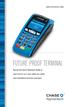 QUICK REFERENCE GUIDE FUTURE PROOF TERMINAL Review this Quick Reference Guide to learn how to run a sale, settle your batch and troubleshoot terminal responses. INDUSTRY Retail and Restaurant APPLICATION
FD40 User Guide. Version 16.0 June 2015
 FD40 User Guide Version 16.0 June 2015 First Data Merchant Solutions is a trading name of First Data Europe Limited, a private limited company incorporated in England (company number 02012925) with a registered
Credit & Debit Application
 USER MANUAL ALL TERMINAL PRODUCTS Credit & Debit Application Magic Models: C5, X5, X8, M3, M8 V Series Models: V5, V8, V9, V8 Plus, V9 Plus 1 Dejavoo Systems Instruction Manual V429.12 Instruction Manual
Terminal / Account Set-up Form TS1001 Revised November 2011
 Terminal / Account Set-up Form TS1001 Revised November 2011 1 Terminal/Account Set-up Form: Top Portion Merchant: Fill in the merchant s Doing Business As (DBA) name. IBM: The name of the Independent Business
CREDIT CARD PROCESSING AND MERCHANT SERVICES
 CREDIT CARD PROCESSING AND MERCHANT SERVICES provides credit card processing and merchant services for a wide range of business types - including retail, e-commerce, professional services, restaurants,
RBC Merchant Services. Affordable, simple and secure
 RBC Merchant Services Affordable, simple and secure Contents Reasons to accept credit and debit cards 1 What does RBC Merchant Services offer? 2 Benefits 2 Solutions 3 The machine/hardware 4 Software functionality
Mobile credit & debit card acceptance for your iphone
 Mobile credit & debit card acceptance for your iphone Datecs Bluepad50 PIN pad Contents Content. Page. User Information...... 1. CardEase Mobile - Introduction......... 2. Basic requirements........3.
VX 680 USER GUIDE. 001 Rev 1. VeriFone www.verifone.com
 VX 680 USER GUIDE 001 Rev 1. VeriFone www.verifone.com W2P VX 680 KEYPAD SIGNAL STRENGTH BATTERY STRENGTH MOVEABLE HIGHLIGHT TO SELECT OPTIONS UP AND DOWN ARROW BUTTONS DISPLAY ON MULTI- OPTION SELECTION
PAYMENT EXPRESS EFTPOS GETTING STARTED GUIDE. Version 0.1
 PAYMENT EXPRESS EFTPOS GETTING STARTED GUIDE Version 0.1 CONTENTS Direct Payment Solutions... 1 What s Required... 2 Components... 2 Verifone SC5000... 2 Ingenico i3070... 3 Ingenico ipp320/ipp350... 3
MiniPOS and BluePad-50 user manual
 MiniPOS and BluePad-50 user manual Welcome to MiniPOS application for mobile and card payments! +386 (30) 70 4444 +386 (30) 70 5555 [email protected] www.paywiser.si Slovenska ulica 54 Ljubljana, Slovenija
How to connect your D210 using Bluetooth. How to connect your D210 using GPRS (SIM Card)
 D210 En User Guide Content 3 Introduction 3 Scope 3 Related Documentation 4 Internet Connectivity 4 Using D210 with Mobile Phone 5 Using D210 with wireless (Wi-Fi) router 6 Using D210 with GPRS (requires
First Data ISO Reseller Program. Build an independently operated business with outstanding long term income potential.
 First Data ISO Reseller Program Build an independently operated business with outstanding long term income potential. First Data is an industry leader in providing payment solutions, working closely with
FREE TERMINAL PROGRAM AGREEMENT FREE Verifone VX570 Terminal or VX570 w/ CR1000i Check Imager. Imager
 FREE Verifone VX570 Terminal or VX570 w/ CR1000i Check Imager - Integrated thermal printer, integrated pin pad - IP/Ethernet enabled / High Speed Internet Ready - Gift/Loyalty Card Ready - Delivers 2 second
CREDIT CARD PROCESSING GLOSSARY OF TERMS
 CREDIT CARD PROCESSING GLOSSARY OF TERMS 3DES A highly secure encryption system that encrypts data 3 times, using 3 64-bit keys, for an overall encryption key length of 192 bits. Also called triple DES.
How to connect your D200 using Bluetooth. How to connect your D200 using GPRS (SIM Card)
 D200 En User Guide Content 3 Introduction 3 Scope 3 Related Documentation 4 Internet Connectivity 4 Using D200 with Mobile Phone 5 Using D200 with wireless (Wi-Fi) router 6 Using D200 with GPRS (requires
Quick Reference Guide. ict200 Series
 Quick Reference Guide ict200 Series Hotkey Support Pressing one of the numeric keys (0-9) from the Idle Screen will take the user directly to certain pre-assigned transactions or tasks. Should any of those
Contents Error! Bookmark not defined.
 PayFox User Guide Contents Table of Contents... Error! Bookmark not defined. Product Overview... 3 Peripheral Devices... 3 Product Features and Functionality... 4 Account Activation Programming Enablement...
Instruction Guide. Creating / Changing / Deleting Terminal Passwords & Clerk ID s. All Terminals. Dec 15, 2009 - 1 -
 Instruction Guide Creating / Changing / Deleting Terminal Passwords & Clerk ID s All Terminals Dec 15, 2009-1 - Table of Contents Page Table of Contents... 2 Gift Card Password and Clerk Functionality,
ANZ MERCHANT SERVICES AT A GLANCE SIMPLE AND RELIABLE PAYMENT SOLUTIONS
 ANZ MERCHANT SERVICES AT A GLANCE SIMPLE AND RELIABLE PAYMENT SOLUTIONS ANZ MERCHANT SERVICES AT A GLANCE IN STORE ON THE GO ONLINE KEY FEATURES Turbo 2 Turbo Plus Mobile 2 Mobile Plus Easy integration
Pocket Verifier Smartphone Edition Release Version 1 User Guide and Tutorial for Windows Mobile 5 Smartphone Motorola Q Samsung i320
 Pocket Verifier Smartphone Edition Release Version 1 User Guide and Tutorial for Windows Mobile 5 Smartphone Motorola Q Samsung i320 Copyright 2006, Advanced Merchant Solutions Inc. All rights reserved.
WELCOME TO REVEL SYSTEMS RETAIL SERVICE... 5 STARTING YOUR WORK... 6. Logging In to Your POS... 7. Refreshing the POS Settings...
 Retail Service User Guide. Page 2 of 81 Table of Contents WELCOME TO REVEL SYSTEMS RETAIL SERVICE... 5 STARTING YOUR WORK... 6 Logging In to Your POS... 7 Refreshing the POS Settings... 8 Clocking In and
Your gateway to card acceptance.
 MERCHANT SERVICES Authorize.Net Solutions Your gateway to card acceptance. Processing transactions reliably and securely is essential to your business. That s why BBVA Compass and Authorize.Net, a leading
Electronic Payment Processing
 Five Star Service Guaranteed The most reliable payment processing network in the industry Electronic Payment Processing Your challenges. Our solutions. Your success. One key strategy to your success is
Credit & Debit Application
 USER MANUAL ALL TERMINAL PRODUCTS Credit & Debit Application Instruction Manual V525.15 Dejavoo Systems Instruction Manual V525.15 1 ABOUT THIS MANUAL This manual provides basic instructions for user of
Mobile credit & debit card acceptance for your Smart Phone or Tablet. MobilePAY Shuttle
 Mobile credit & debit card acceptance for your Smart Phone or Tablet MobilePAY Shuttle User Information Record your Merchant Account and other useful information here. From time to time, you may need quick
Setting up your Moneris Payment Gateway
 Setting up your Moneris Payment Gateway Documentation for setting up TouchBistro TM for: eselect Plus Moneris PinPad (ipp320 / VAR), or Moneris Hosted Pay Page Setting up your Moneris Payment Gateway This
Merchant On The Move Android Professional Edition User Guide and Tutorial
 Merchant On The Move Android Professional Edition User Guide and Tutorial Copyright (c) 2010 Primary Merchant Solutions Inc All rights reserved Merchant On The Move for Android p. 1 Requirements Merchant
Merchant Payment Solutions
 Merchant Payment Solutions Credit Card Processing Diagram CUSTOMER S CREDIT CARD ISSUING BANK CUSTOMER 4 5 $ MERCHANT S BUSINESS MERCHANT S BANK ACCOUNT MERCHANT S BANK 9 CREDIT CARD NETWORK 8 INTERNET
Redwood Merchant Services. Merchant Processing Terminology
 ACH - Automated Clearing House for member banks to process electronic payments or withdrawals. (Credits or debits to a bank account) through the Federal Reserve Bank. Acquiring Bank - Licensed Visa/MasterCard
INTEGRATED, SMART, AND SECURE
 INTEGRATED, SMART, AND SECURE SMART FUEL SOLUTIONS SECURE PUMPPAY Integrated, Retrofit Solution VeriFone s Secure PumpPAY is a powerful solution for petroleum retailers that need to upgrade their existing
Merchant Payment Solutions
 Merchant Payment Solutions What We Do Connecting your Web site to the payment processing networks is typically beyond the technical resources of most merchants. Instead, you can easily connect to the Authorize.Net
Providing Total Check Solutions
 Providing Total Check Solutions The American Checkbook Checks remain preferred method of non-cash payment at the Point of Sale Studies indicates trend will continue WHY??? Float Habit Record Keeping No
How To Choose Moneris
 Card payment processing for your business Easy, reliable and secure solutions Easy We make things simple for you and your customers. Reliable We re always there for your business when you need us. Secure
MobileMerchant Application Guide
 MobileMerchant Application Guide United Kingdom Ireland Version 6 Android: Google Play is a trademark of Google Inc. Apple: Apple, the Apple logo, iphone and ipad are trademarks of Apple Inc., registered
MERCHANT CREDIT CARD PROCESSING APPLICATION AND AGREEMENT PAGE 1 of 2 BUSINESS INFORMATION Taxpayer Identifi cation Number: (9 digits)
 Primary Sales Partner Name and Number: Sub Sales Partner Name and Number: Business LEGAL Name: MERCHANT CREDIT CARD PROCESSING APPLICATION AND AGREEMENT PAGE 1 of 2 BUSINESS INFORMATION Taxpayer Identifi
Quick IWL255 Merchant Operator Guide
 Quick IWL255 Merchant Operator Guide Easy loading printer IWL255 Terminal Features Integrated contactless reader USB connector Magnetic card reader Navigation keys Smart card reader Key Functions Power
The easy way to accept EFTPOS, Visa and MasterCard payments on the spot. Mobile Users... 2. Charging your PayClip. 2. Downloading the PayClip app.
 PayClip User Guide The easy way to accept EFTPOS, Visa and MasterCard payments on the spot. Contents Getting started made easy 2 Information for Merchants....................................................2
EFTPOS Merchant Facilities Quick Reference Guide
 EFTPOS Merchant Facilities Quick Reference Guide How to Use this Guide This handy Quick Reference Guide has been designed to give you step-by-step, easy-to-follow instructions on how to correctly use your
Card payment processing for your business
 Card payment processing for your business Easy, reliable and secure solutions Easy We make things simple for you and your customers. Reliable We re always there for your business when you need us. Secure
High-performance Point-of-sale Payment Suite Systems. For restaurants and retail businesses
 High-performance Point-of-sale Payment Suite Systems For restaurants and retail businesses POINT-OF-SALE (POS) SOLUTIONS FOR TODAY S WORLD When you process payments at your point of sale, you need reliable,
EMV : Frequently Asked Questions for Merchants
 EMV : Frequently Asked Questions for Merchants The information in this document is offered on an as is basis, without warranty of any kind, either expressed, implied or statutory, including but not limited
Terminals and POS Solutions
 Terminals and POS Solutions Solutions tailored to your business. From the company that understands your payment acceptance needs. Unique businesses. Unique customers. One best choice in POS solutions.
EMV Chip and PIN. Improving the Security of Federal Financial Transactions. Ian W. Macoy, AAP August 17, 2015
 EMV Chip and PIN Improving the Security of Federal Financial Transactions Ian W. Macoy, AAP August 17, 2015 Agenda 1. Executive Order 13681 2. What Is EMV? 3. Federal Agency Payment Card Acceptance Environment
Elavon Canada. The Leading Merchant Service Processor
 Elavon Canada The Leading Merchant Service Processor Elavon Profile Founded in 1991 Became a wholly owned subsidiary of U.S. Bancorp in July 2001 A top global merchant processor: Processing in 30 countries
Electronic Payment System User s Guide (EPS)
 Electronic Payment System User s Guide (EPS) Version 3.03 Questions or Comments? Please contact the OMC Support Center Page 1 of 46 CREDIT CARD TRANSACTIONS (OVERVIEW)...4 CUSTOMER PAYMENT PROCESS...5
International Payment Services. Credit & Debit Card Processing
 International Payment Services Credit & Debit Card Processing Merchant Processing Overview Visa, MasterCard, American Express, Discover, Diners, JCB, Debit, EBT, Fleet Card (Wright Express and Voyager),
... What is USAePay? How does USAePay work? The Basics. Recurring Billing. Developer s Center
 What is USAePay? USAePay is an ECI Certified, Real-Time, Credit Card Processing Gateway Secure, Fast and Reliable, the USAePay Gateway is a vital solution to helping your merchants process Credit Card
S80 Users Manual v1.00.01 PAX Technology, Inc. All Rights Reserved.
 General Information S80 Users Manual v1.00.01 PAX Technology, Inc. All Rights Reserved. Preface Preface S80 Users Manual Version: v1.00.01 Status: [ ]Draft [ ]Release [ ]Modify Copyright 2013, PAX Technology,
PayWithIt for Android Devices User Guide Version 1.0.0
 PayWithIt for Android Devices User Guide Table of Contents About PayWithIt... 1 Installing PayWithIt... 1 Logging on to PayWithIt... 2 Logging Off from PayWithIt... 2 Configuring PayWithIt Settings...
Trends in Merchant Payment Acceptance
 Trends in Merchant Payment Acceptance December 6, 2007 Credit approval required. Merchant accounts are issued through BB&T Bankcard Corporation, a Georgia Corporation, Member FDIC. 2007 BB&T. All rights
Mobile Pay. for Android TM. *Android Version 4.0 or higher required
 Mobile Pay TM for Android TM *Android Version 4.0 or higher required 2014 First Data Corporation. All Rights Reserved. All trademarks, service marks and trade names referenced in this material are the
EMV Frequently Asked Questions for Merchants May, 2014
 EMV Frequently Asked Questions for Merchants May, 2014 Copyright 2014 Vantiv All rights reserved. Disclaimer The information in this document is offered on an as is basis, without warranty of any kind,
Contents. 2 Welcome. 20 Settings. 3 Activation Steps. 4 Introduction. 4 Purpose. 20 Offline Mode Change Password. 5 Key Features
 User s Guide Contents 2 Welcome 3 Activation Steps 4 Introduction 4 Purpose 5 Key Features 6 Activation 8 Using the System 8 Login 9 Credit Sale 10 For Swipe Capable Devices 10 For Manual Entry 12 Cash
Terminal Guide. Ingenico ICT220, ICT250, IWL220 & IWL250 Retail & Restaurant POS
 Terminal Guide Ingenico ICT220, ICT250, IWL220 & IWL250 Retail & Restaurant POS This Quick Reference Guide will guide you through understanding your terminal s functionality, for both countertop and wireless
Java Point-Of-Sale Software
 epnjpos v2 Java Point-Of-Sale Software epnjpos Installation and User Guide, Revision 2.0 epnjpos v2 Java Point-Of-Sale Software 1 Overview... 1 2 Requirements... 2 3 Equipment... 3 4 Upgrade to epnjpos
The Phoenix Group PAYware Mobile Solution Overview
 The Phoenix Group PAYware Mobile Solution Overview Feb 2010 Discussion Topics Payware Mobile Solution Overview Payware Mobile Solution Components Secure Card Reader Payware Mobile Application Payware Connect
Accepting Ecommerce Payments & Taking Online Transactions
 Accepting Ecommerce Payments & Taking Online Transactions Accepting credit and debit cards is mandatory for Ecommerce websites. This method is fast and efficient for you and your customers and with the
BEST-IN-CLASS MERCHANT SERVICES
 BEST-IN-CLASS MERCHANT SERVICES First Data takes you beyond with merchant processing solutions that grow revenue and strengthen your customer relationships. HOW WILL YOU GO BEYOND? In an era when the banking
EMV/NFC/MOBILE PAYMENTS THE TIME IS NOW THE OPPORTUNITY IS HUGE
 EMV/NFC/MOBILE PAYMENTS THE TIME IS NOW THE OPPORTUNITY IS HUGE REMEMBER WHEN. What year did VeriFone release the Tranz 330 2 REMEMBER WHEN. 1987 3 WHAT IS CHANGING? EVERYTHING Legislation PCI EMV NFC
Fiscal Service EMV Education Series EMV-Compliant Point-of-Sale Card Acceptance for Federal Agencies. Fiscal Service / Vantiv July 27, 2015
 Fiscal Service EMV Education Series EMV-Compliant Point-of-Sale Card Acceptance for Federal Agencies Fiscal Service / Vantiv July 27, 2015 Disclaimer: This communication, including any content herein and/or
Quick Merchant Operator Guide IPP350
 Quick Merchant Operator Guide IPP350 IPP350 Terminal Features USB PORT Location INTEGRATED CONTACTLESS reader MAGNETIC STRIP reader Yellow OPTION buttons ALPHANUMERIC keys MENU button Red CANCEL button
Verifone Terminal FAQs (version D413):
 Verifone Terminal FAQs (version D413): Processing Transactions: 1. Why can t I find the product that I want to sell? To view your products on your terminal: a. Enter your clerk ID b. Choose the product
NURIT 2085 EASY USER GUIDE APPLICATION POS 4.70 OR HIGHER - RETAIL AND RESTAURANT
 NURIT 2085 EASY USER GUIDE APPLICATION POS 4.70 OR HIGHER - RETAIL AND RESTAURANT Cards are swiped with magnetic stripe down and to the right. They can be swiped either top to bottom or bottom to top.
SM-S200 SM-S300 SM-T300 3" 80mm rugged Mobile Printer with LCD display & WiFi version
 NEW SM-S400 SM-T300DB Bluetooth and Serial without Magnetic Stripe Reader SM-T301DB Bluetooth with MSR SM-T301DW WiFi version with MSR SM-T300 SM-S200 SM-S300 Mobile Printers Fast, lightweight and small.
CLOUD-BASED. & Inventory. Mobile Point of Sales. Management System DEVELOPED BY: POS. on-the-go SING-BIZ.COM
 CLOUD-BASED Mobile Point of Sales & Inventory Management System DEVELOPED BY: SING-BIZ.COM POS on-the-go POS on-the-go Retail Made Quick & Easy POS on-the-go Retail Made Quick & Easy Cloud Computing Integrated
Eagle POS Procedure Guide For Epicor Bankcard Processing
 Eagle POS Procedure Guide For Epicor Bankcard Processing Table of Contents Introduction... 3 1 Transactions using a Swiped Bankcard... 3 Basic Swiped Credit Card Sale & Return transaction... 3 Sales &
V x 810 DUET. Reference Guide
 V x 810 DUET Reference Guide Copyright Statement Copyright 2010 by Amex Bank of Canada. All rights reserved. No part of this document may be reproduced in any form or by any electronic or mechanical means,
EFTPOS 1. User guide
 EFTPOS 1 User guide Contact Details Westpac Merchant Helpdesk Service, Sales and Support Terminal Difficulties Stationary Orders Cardholder Behaving Suspiciously Note: If one of our operators asks you
Java Point-Of-Sale Software
 epnjpos v3 Java Point-Of-Sale Software epnjpos v3 Installation and User Guide, Version 3.0 epnjpos v3 Java Point-Of-Sale Software 1 Overview... 1 2 Requirements... 2 3 Equipment... 3 4 epnjpos Set Up...
Element. Payment Processing. Integration of Element. using N-Site Applications 7/12/2011
 Element Payment Processing Integration of Element Payment Processing using N-Site Applications 7/12/2011 Copyright 2011 Ideal Software Systems, Inc., All Rights Reserved Element Payment Processing Integration
A PCI Compliant Outdoor Payment Terminal For Automated Fuel Dispensers
 A PCI Compliant Outdoor Payment Terminal For Automated Fuel Dispensers Security Vulnerability Are you protected? Organized crime rings are increasingly targeting merchants to obtain magnetic stripe data
WineWeb: Point-of-Sale Planning Guide
 WineWeb: Point-of-Sale Planning Guide This document provides information on options to consider when establishing a point-of-sale environment for your winery, or when thinking about expanding your winery
Point OS. Point OS is a windows based software which will work on most computers
 Point OS Point OS is a full featured restaurant point of sale system designed for Fine Dining, Full Service Restaurants, Quick Service Restaurants, Bars and Clubs. Point OS is a windows based software
VinNOW-TSYS Integration Setup
 VinNOW-TSYS Integration Setup Once your account is established with TSYS, and installation appoint should have been arranged. If not, contact your sales representative as these steps should be done for
Cash in. It pays to succeed.
 Be in charge. The unique compensation plan that answers to you. We offer daily, weekly, monthly and large account bonuses along with long-term residual income for our valued Sales Representatives. Cash
THE ONLY NUMBER YOU WILL EVER NEED 24 Hours a day, 7 Days a Week 844-700-9791
 New Merchant, Thank you for your decision to do your Credit Card processing with us. You are part of the growing list of businesses throughout the country that have chosen Esquire Merchant Services, one
U S E R S G U I D E Last Modified: 12/06/2012 1
 USER S GUIDE Last Modified: 12/06/2012 1 Contents 2 Welcome 3 User Service Activation 4 Introduction 4 Purpose 5 Key Features 6 Activate 8 Using the System 8 Login 9 Credit Sale 10 For Swipe Capable Devices
Skipjack VPOS User Guide
 Skipjack VPOS User Guide Skipjack 2230 Park Avenue Cincinnati, OH 45206 www.skipjack.com User Guide Table of Contents Click on a topic below to view its contents. Logging in to Your Account p. 3 Launch