
MasterCard SecureCode
|
|
|
- Arlene Hubbard
- 10 years ago
- Views:
Transcription
1 MasterCard SecureCode Merchant Implementation Guide 17 June 2014

2 Notices Following are policies pertaining to proprietary rights, trademarks, translations, and details about the availability of additional information online. Proprietary Rights The information contained in this document is proprietary and confidential to MasterCard International Incorporated, one or more of its affiliated entities (collectively MasterCard ), or both. This material may not be duplicated, published, or disclosed, in whole or in part, without the prior written permission of MasterCard. Trademarks Trademark notices and symbols used in this document reflect the registration status of MasterCard trademarks in the United States. Please consult with the Customer Operations Services team or the MasterCard Law Department for the registration status of particular product, program, or service names outside the United States. All third-party product and service names are trademarks or registered trademarks of their respective owners. Disclaimer MasterCard makes no representations or warranties of any kind, express or implied, with respect to the contents of this document. Without limitation, MasterCard specifically disclaims all representations and warranties with respect to this document and any intellectual property rights subsisting therein or any part thereof, including but not limited to any and all implied warranties of title, non-infringement, or suitability for any purpose (whether or not MasterCard has been advised, has reason to know, or is otherwise in fact aware of any information) or achievement of any particular result. Without limitation, MasterCard specifically disclaims all representations and warranties that any practice or implementation of this document will not infringe any third party patents, copyrights, trade secrets or other rights. Translation A translation of any MasterCard manual, bulletin, release, or other MasterCard document into a language other than English is intended solely as a convenience to MasterCard customers. MasterCard provides any translated document to its customers AS IS and makes no representations or warranties of any kind with respect to the translated document, including, but not limited to, its accuracy or reliability. In no event shall MasterCard be liable for any damages resulting from reliance on any translated document. The English version of any MasterCard document will take precedence over any translated version in any legal proceeding. Information Available Online MasterCard provides details about the standards used for this document including times expressed, language use, and contact information on the Publications Support page available on MasterCard Connect. Go to Publications Support for centralized information. SMI 17 June 2014 MasterCard SecureCode Merchant Implementation Guide

3 Summary of Changes, 17 June 2014 This document reflects changes effective since the last publication of this manual. Description of Change Added notes indicating that both the MasterCard Advance Registration Program and Maestro Advance Registration Program (MARP) are closed to new business and will be decommissioned on 1 June Added references to the MasterCard Attempts Processing Service and the MasterCard Authentication History Server. Added new appendix to provide an overview of the MasterCard requirements to support IVR Transactions in India. Where to Look Throughout document Throughout document India IVR Transations (SecureTelephone) MasterCard SecureCode Merchant Implementation Guide 17 June

4 Summary of Changes, 3 January 2014 This document reflects changes effective since the last publication of this manual. Description of Change Updated address for the MasterCard SecureCode Customer Support Team to [email protected]. References to Maestro Global Rules have been removed and/or replaced with references to the MasterCard Rules or the Transaction Processing Rules, whichever applies. Updated the Customer Implementation Services contact information by region. Updated the URL of the MasterCard SecureCode Merchant FAQs and Program Identifier Guidelines. Added content about the Account Status Inquiry. Updated the MasterCard Connect path by which customers may access the MasterCard and Maestro Advance Registration Programs Participation Request Form (Form 0900). Where to Look Throughout document Throughout document MasterCard SecureCode Contact Information Account in Good Standing Participation Requirements for Merchants MasterCard SecureCode Merchant Implementation Guide 3 January

5 Table of Contents Chapter 1 SecureCode Merchant Implementation Overview... 1-i MasterCard and E-commerce Maestro and E-commerce Grow Your Online Business MasterCard SecureCode Program Platform What is UCAF and Its Structure? What is an AAV? What is a Merchant Plug-In Chapter 2 3-D Secure Solution... 2-i 3-D Secure Solution Overview Components Issuer Domain Acquirer Domain Interoperability Domain D Secure Solution Message Types Card Range Request/Response Verification Request/Response Payer Authentication Request/Response Payer Authentication Transaction Request/Response Cardholder Enrollment Cardholder Enrollment Process Cardholder Authentication Sample Cardholder Authentication Process Sample Cardholder Authentication Flow Chapter 3 Merchants... 3-i Overview Merchant Infrastructure Establishment of MasterCard SecureCode Operating Environment Authorization System Message Enhancements Passing the AAV in the Authorization Message E-Commerce Commerce Indicator Recurring Payments MasterCard SecureCode Merchant Implementation Guide 17 June 2014 i

6 Table of Contents Maestro Considerations Customization MasterCard SecureCode Program Identifier Usage Guidelines Integrated Support for Merchant Plug-In Processing Consumer Message on Payment Page Creation of Cardholder Authentication Window TERMURL Field Replay Detection Merchant Server Plug-In Configuration Operational Loading of MasterCard Root Certificates Loading of MasterCard SSL Client Certificate MPI Log Monitoring MPI Authentication Request/Response Archival AAV Processing Global Infrastructure Testing Requirements MasterCard Site Data Protection Program MasterCard SecureCode Merchant Process and Liability Shift Matrix Appendix A Merchant Customer Service Guide... A-i Frequently Asked Questions...A-1 MasterCard SecureCode FAQs...A-1 Cardholder Enrollment in the MasterCard SecureCode Program...A-4 Consumer Buying Scenarios...A-5 Authentication Successful...A-6 Authentication Forgotten SecureCode...A-7 Authentication Failed...A-8 Activation During Shopping (ADS)...A-8 Activation During Shopping Opt Out of Enrollment...A-10 Appendix B MasterCard SecureCode SPA Algorithm Specifications...B-i AAV Layout...B-1 Base64 Encoding...B-1 Base64 Encoding Examples...B-2 Base64 Alphabet...B-2 ii 17 June 2014 MasterCard SecureCode Merchant Implementation Guide
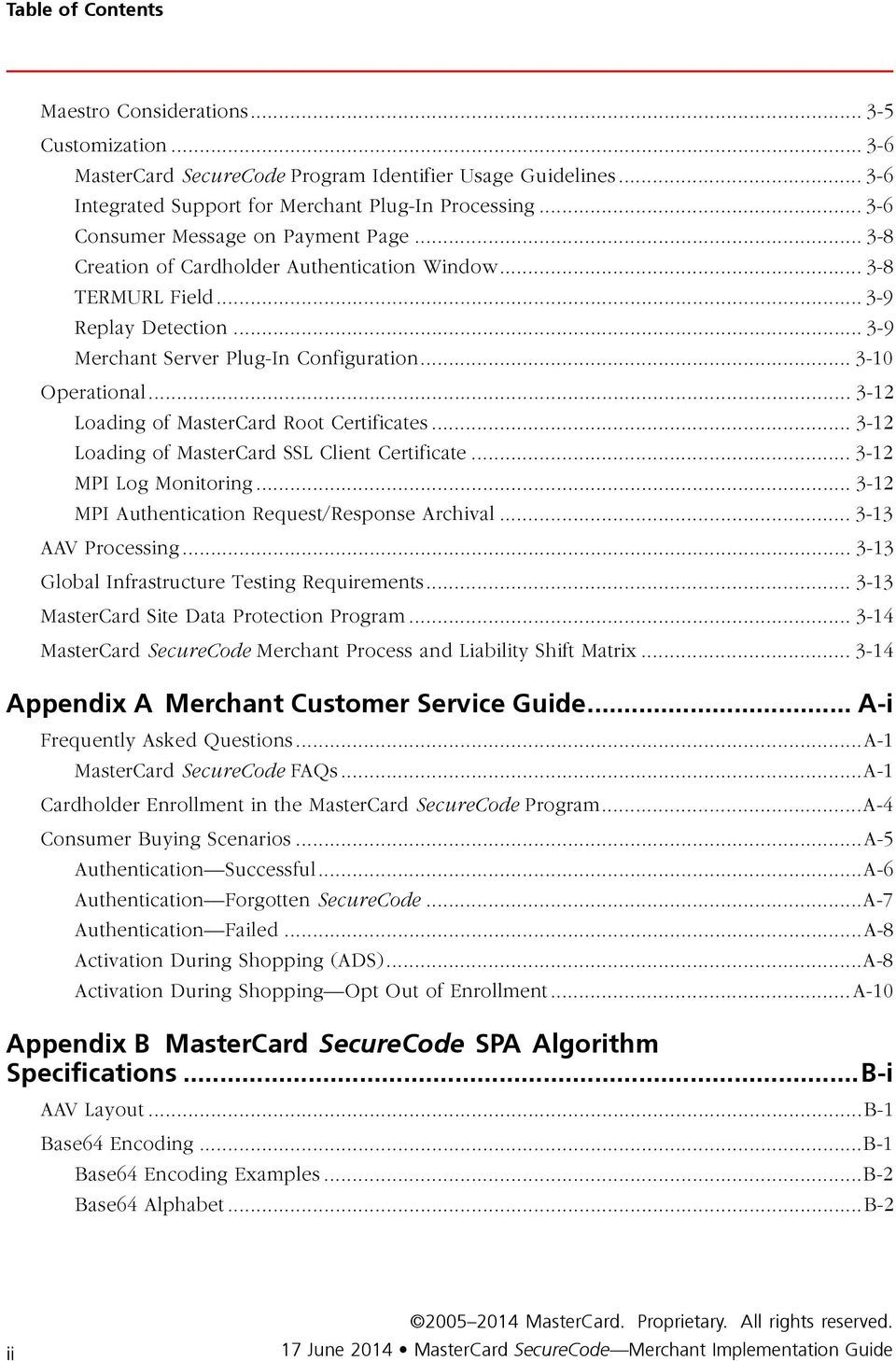
7 Table of Contents Appendix C MasterCard SecureCode Contact Information...C-i MasterCard SecureCode Contact Information...C-1 Appendix D Maestro Processing Considerations... D-i Account in Good Standing... D-1 Appendix E India IVR Transations (SecureTelephone)... E-i Overview... E-1 Data Extensions to the Existing 3-D Secure Protocol... E-1 UCAF Transport in MasterCard Authorization Messages... E-1 MasterCard SecureCode Security Level Indicator (DE 48, subelement 42)... E-2 Universal Cardholder Authentication Field (DE 48, subelement 43)... E-3 What is an AAV?... E-3 Sample IVR Transaction Flow... E-4 MasterCard SecureCode Compliance and Functional Testing... E-4 Appendix F MasterCard Advance Registration Program Requirements... F-i MasterCard Advance Registration Program... F-1 MARP Merchant Use of MasterCard SecureCode... F-1 Issuer Participation in MARP... F-2 Appendix G MasterCard Extensions for the Brazil Market... G-i Brazil Market Extensions... G-1 MasterCard SecureCode Merchant Implementation Guide 17 June 2014 iii

8 Chapter 1 SecureCode Merchant Implementation Overview This section provides a general overview of the MasterCard SecureCode Electronic Commerce program. MasterCard and E-commerce Maestro and E-commerce Grow Your Online Business MasterCard SecureCode Program Platform What is UCAF and Its Structure? What is an AAV? What is a Merchant Plug-In MasterCard SecureCode Merchant Implementation Guide 17 June i

9 SecureCode Merchant Implementation Overview MasterCard and E-commerce MasterCard and E-commerce E-commerce transactions account for a significant and increasing share of MasterCard gross dollar volume. The number of remote transactions is increasing at a rate of more than 40 percent per year and growing. For this reason, it is important to position e-commerce and mobile commerce channels web access from PCs, PDAs, mobile phones, and other wireless-enabled devices to increase gross dollar volume profitability by using security and authentication solutions that authenticate cardholders. This reduces chargebacks and expenses that are associated with disputed transactions. From a risk perspective, the current MasterCard electronic and mobile transaction environment closely resembles traditional mail order/telephone order (MO/TO) transactions. The remote nature of these transactions increases risk, resulting in more cardholder disputes, and associated chargebacks. These factors increase costs to all parties for managing disputes and chargebacks. According to MasterCard data, more than 70 percent of all chargebacks for e-commerce transactions are associated with reason code 4837 (No Cardholder Authorization) or reason code 4863 (Cardholder Not Recognized), and are currently estimated at a cost of USD per chargeback to the industry. These reason codes are used where the consumer denies responsibility for the transaction and the acquirer lacks evidence of the cardholder s authentication, or the consumer does not recognize the transaction. Proving that the cardholder conducted and authorized the transaction in a virtual, non face-to-face environment of electronic and mobile commerce has been extremely difficult. The MasterCard SecureCode program is designed to provide the infrastructure for an issuer security solution that reduces problems associated with disputed charges, offering the opportunity to authenticate the cardholder at the time of purchase. Disputed charges affect all parties in a transaction issuer, acquirer, cardholder, and merchant. Maestro and E-commerce Low credit card penetration in many countries has led to the use of inefficient payment forms like cash on delivery, check, and domestic transfer/automated clearing house (ACH). MasterCard SecureCode will allow Maestro cards to be used for Internet purchases in a safe and secure environment. MasterCard SecureCode allows Maestro to be the first fully-authenticated global debit brand accepted on the Internet. Unless otherwise stated by domestic country rules, all Maestro Internet transactions are guaranteed. Please note that a merchant can not accept Maestro transactions unless they support MasterCard SecureCode. MasterCard SecureCode Merchant Implementation Guide 17 June

10 SecureCode Merchant Implementation Overview Grow Your Online Business Grow Your Online Business MasterCard SecureCode offers flexible, robust, and easy to implement solutions for cardholder authentication. Because requirements vary from issuer to issuer, MasterCard places a premium on flexibility, enabling issuers to choose from a broad array of security solutions for authenticating their cardholders. These solutions include password, EMV chip card-based approaches, or other solutions of their own choosing. Issuers should decide on their authentication strategy by balancing their view of risk against the cardholder experience. At launch of MasterCard SecureCode, a risk averse strategy was visualized where every merchant transaction would be presented to the issuer for authentication and the issuer would ensure that the cardholder authenticated every transaction. As MasterCard SecureCode evolved, both retailers and issuers began practicing active risk management and now only those transactions deemed high-risk are authenticated. This risk-management is driving the adoption of dynamic solutions and resulting in a reduction in use of the initial static password solution. MasterCard now formally supports this risk based approach for merchants. The most common of these cardholder authentication solutions for MasterCard and Maestro issuers has been the use of static or dynamic passwords. Dynamic password usage can be based on the Chip Authentication Protocol (CAP) that provides for the creation of a one-time use cardholder authentication password. This scenario is similar to what the cardholder experiences in the face-to-face environment using EMV chip card and personal identification number (PIN) and using the existing investments in EMV for new authentication purposes. This program provides a seamless integration of both EMV and 3-D Secure technologies that result in stronger authentication than traditional static password solutions. Currently, many new implementations take a risk-based approach to authentication and the use of dynamic codes, increasing both the strength of security while also improving the customer experience. MasterCard SecureCode is the consumer- and merchant-facing name for all existing and new MasterCard cardholder authentication solutions. While these solutions may each appear quite different on the surface, these various approaches converge around the Universal Card Authentication Field (UCAF) mechanism and share a number of common features. Two common features in all MasterCard cardholder authentication solutions include: MasterCard card or Maestro card cardholders are authenticated using a secure, unique, private code. The authentication data is transported from party-to-party via the MasterCard UCAF mechanism June 2014 MasterCard SecureCode Merchant Implementation Guide

11 SecureCode Merchant Implementation Overview MasterCard SecureCode Program Platform MasterCard SecureCode Program Platform The MasterCard SecureCode program platform is comprised of a number of layered components. As described in the following sections, each of the components provides for specific authorization and authentication functionality during the processing of a MasterCard SecureCode transaction. When combined, the platform provides a mechanism for online merchants to receive a similar global payment guarantee to one that brick-and-mortar retailers enjoy with POS transactions. What is UCAF and Its Structure? Universal Cardholder Authentication Field (UCAF) is a standard, globally interoperable method of collecting cardholder authentication data at the point of interaction across all channels, including the Internet and mobile devices. This is also known as the Accountholder Authentication Value (AAV). Within the MasterCard authorization networks (that is the Single Message and Dual Message System, and RSC) UCAF is a universal, multi-purpose data transport infrastructure that is used to communicate authentication information among cardholder, issuer, merchant, and acquirer communities. It is a variable length, 32-position field with a flexible data structure that can be tailored to support the needs of a variety of issuer security and authentication approaches. The generic structure of UCAF is illustrated as follows: The control byte contains a value that is specific to each security application. MasterCard is responsible for assigning and managing UCAF control byte values and the structure of UCAF application-specific data. Other solutions that use UCAF for authentication collection and transport will be assigned their own control byte value and the structure of the application-specific data will be tailored to support the specifics of the security protocol. MasterCard SecureCode Merchant Implementation Guide 17 June

12 SecureCode Merchant Implementation Overview MasterCard SecureCode Program Platform In most UCAF implementations, the application-specific data is defined as binary data with a maximum length of 24 binary bytes including the control byte. However, there are some restrictions in the various MasterCard authorization networks regarding the passing of binary data in the authorization messages. As a result, all UCAF data generated by Secure Payment Application (SPA) algorithm-based MasterCard SecureCode implementations must be Base64 encoded at some point prior to being included in the authorization message. The purpose of this encoding is to produce a character representation that is approximately 33 percent larger than the binary equivalent. For this reason, the UCAF field is defined with a maximum length of 32 positions. For more information about Base64 coding, refer to the MasterCard SecureCode SPA Algorithm Specifications appendix. The current MasterCard SecureCode control byte definitions include the following. Usage 3-D Secure SPA Accountholder Authentication Value (AAV) for first and subsequent transactions Base64 Encoded Value j Hexadecimal Value x 8C 3-D Secure SPA AAV for attempts h x 86 What is an AAV? The Accountholder Authentication Value (AAV) is a MasterCard SecureCode specific token that uses the Universal Cardholder Authentication Field (UCAF) field for transport within MasterCard authorization messages. It is generated by the issuer and presented to the merchant for placement in the authorization request. This AAV can be proof of a fully authenticated or an attempted authentication transaction. In the case of a chargeback or other potential dispute processing, the AAV is used to identify the processing parameters associated with the transaction. Among other things, the field values will identify the: Issuer ACS that created the AAV. (This could be the Issuer ACS or, in the case of an attempt, the MasterCard Attempt processing server.) Sequence number that can positively identify the transaction for that location Secret key used to create the Message Authentication Code (MAC), which is a cryptographic method that ensures AAV data integrity, and binds the entire AAV structure to a specific PAN. UCAF is the mechanism that is used to transmit the AAV from the merchant to issuer for authentication purposes during the authorization process June 2014 MasterCard SecureCode Merchant Implementation Guide

13 SecureCode Merchant Implementation Overview MasterCard SecureCode Program Platform What is a Merchant Plug-In A merchant plug-in is a software application that is developed and tested to be compliant with the 3-D Secure protocol and interoperable with the MasterCard SecureCode infrastructure. The plug-in application is typically provided by a technology vendor and integrated with the merchant s commerce server. It serves as the controlling application for the processing of 3-D Secure messages. As part of the MasterCard SecureCode infrastructure requirements, all merchant endpoints must implement application software capable of processing 3-D Secure messages. An endpoint is described as any merchant or merchant processor platform, which directly connects to the MasterCard SecureCode infrastructure. NOTE If a retailer has qualified and accepted a merchant for the MasterCard Advance Registration Program (MARP), then MasterCard will assign a static Accountholder Authentication Value (AAV) for use when the transaction is undertaken as MARP instead of standard MasterCard SecureCode. This value is passed in plain text in the Universal Cardholder Authentication Field (UCAF) field. For additional information, refer to the MasterCard Advance Registration Program Requirements appendix. MasterCard SecureCode Merchant Implementation Guide 17 June

14 Chapter 2 3-D Secure Solution This section provides an overview of the MasterCard implementation of 3-D Secure for MasterCard cards and Maestro cards, including cardholder enrollment and payer authentication. 3-D Secure Solution Overview Components Issuer Domain Acquirer Domain Interoperability Domain D Secure Solution Message Types Card Range Request/Response Verification Request/Response Payer Authentication Request/Response Payer Authentication Transaction Request/Response Cardholder Enrollment Cardholder Enrollment Process Cardholder Authentication Sample Cardholder Authentication Process Sample Cardholder Authentication Flow MasterCard SecureCode Merchant Implementation Guide 17 June i

15 3-D Secure Solution 3-D Secure Solution Overview 3-D Secure Solution Overview Cardholder authentication is the process of verifying cardholder account ownership during a purchase transaction in an online electronic commerce environment. All MasterCard SecureCode solutions define and provide a base level of security around performing this authentication process. For this solution specifically, MasterCard is deploying its own implementation of 3-D Secure under the MasterCard SecureCode program branding for MasterCard and Maestro. This implementation of 3-D Secure includes support for the Secure Payment Application (SPA) algorithm and Universal Cardholder Authentication Field (UCAF) without any changes to the 3-D Secure specification, messages, or protocol. The components described herein are organized according to requirements that fall within the issuer, acquirer, and interoperability domains associated with the payment process. Issuer Domain Systems and functions of the card issuing financial institutions and its customers. Cardholder Browser Related Cardholder Software Enrollment Server Access Control Server Accountholder Authentication Value (AAV) Validation Server/Process Acquirer Domain Systems and functions of the acquirer and its customers. Merchant Plug-In Signature Validation Server Interoperability Domain Systems, functions, and messages that allow the Issuer Domain and Acquirer Domain to interoperate. These components will be globally operated and managed by MasterCard. Directory Server Certificate Authority MasterCard Authentication History Server Attempts Processing Server (Stand-In Authentication) Components Following is information about components related to the Issuer Domain, Acquirer Domain, and Interoperability Domain. MasterCard SecureCode Merchant Implementation Guide 17 June

16 3-D Secure Solution Components Issuer Domain The Issuer Domain is comprised of the following components. Cardholder browser and related software Enrollment server Access control server Accountholder Authentication Value (AAV) validation server/process Cardholder Browser and Related Cardholder Software The Cardholder browser acts as a conduit to transport messages between the Merchant Server Plug-In (in the Acquirer Domain) and the Access Control Server (in the Issuer Domain). Optional cardholder software to support implementations such as chip cards may also be included. Both the browser and related software are considered to be off-the-shelf components that do not require any specific modification to support 3-D Secure. Enrollment Server The purpose of the enrollment server is to facilitate the process of cardholder enrollment for an issuer s implementation of 3-D Secure under the MasterCard SecureCode program. The server will be used to perform initial cardholder authentication, as well as administrative activities such as SecureCode resets and viewing 3-D Secure payment history. In some cases, the enrollment server and the access control server may be packaged together. Access Control Server The access control server serves two basic, yet vital, functions during the course of a MasterCard SecureCode online purchase. First, it will verify whether a given account number is enrolled in the MasterCard SecureCode program. Secondly, it will facilitate the actual cardholder authentication process. AAV Validation Server/Process This server or process will be used to perform validation of the cardholder authentication data received by the issuer s authorization system in the authorization messages. Issuers may perform their own validation or sign up for the MasterCard-hosted on-behalf service. To register for the MasterCard-hosted on-behalf service, send an to your regional Customer Implementation Service team June 2014 MasterCard SecureCode Merchant Implementation Guide

17 3-D Secure Solution Components MasterCard recommends that issuers validate the AAV contained in the authorization message prior to the authorization decision. This is considered a best practice, although it is not required. With the implementation of the MasterCard Attempts Processing Service (Stand-In Authentication), issuers that perform self-aav validation will continue to be able to validate AAV values generated by their Access Control Server (ACS) service. However, an issuer will not have the ability to validate an attempt AAV generated by the MasterCard Attempts Processing Service. Issuers that participate in the AAV validation on-behalf service will have all AAV values validated. The server of the MasterCard Attempts Processing Service will generate an attempt AAV when: The Issuer s account ranges do not participate in MasterCard SecureCode. The Issuer s ACS responds negative to the merchant enrollment verification message (VERes = N) for unenrolled cardholders. The Issuer s ACS times out or is unavailable. Under these circumstances, an issuer will not be able to validate a MasterCard generated attempts AAV. For security reasons, the keys will not be shared. Acquirer Domain The Acquirer Domain is comprised of the following components. Merchant plug-in (MPI) Signature validation server Merchant Plug-In The merchant server plug-in creates and processes payer authentication messages and then returns control to the merchant software for further authorization processing. The plug-in is invoked after the cardholder finalizes the purchase request, which includes selecting the account number to be used, and submitting the order but prior to obtaining authorization for the purchase. Signature Validation Server The signature validation server is used to validate the digital signature on purchase requests that have been successfully authenticated by the issuer. This server may be integrated with the merchant plug-in or may be a separately installed component. Interoperability Domain The Interoperability Domain is comprised of the following components. MasterCard SecureCode Merchant Implementation Guide 17 June

18 3-D Secure Solution Components Directory server Certificate authority MasterCard Authentication History Server Attempts server Directory Server The MasterCard SecureCode global directory server provides centralized decision-making capabilities to merchants enrolled in the MasterCard SecureCode program. Based on the account number contained in the merchant enrollment verification request message, the directory will first determine whether the account number is part of a participating MasterCard or Maestro issuer s card range. It will then direct eligible requests to the appropriate issuer s access control server for further processing. All implementations of this issuer platform must use the MasterCard SecureCode global directory server for processing MasterCard and Maestro transactions. Certificate Authority The MasterCard Certificate Authority is used to generate and distribute all private hierarchy end-entity and subordinate certificates, as required, to the various components across all three domains. These certificates include: MasterCard Root certificate (used for both MasterCard and Maestro) SSL Server and Client certificates issued under the MasterCard hierarchy for communication to the Directory Server and MasterCard Authentication History Server Issuer Digital Signing certificates issued under the MasterCard hierarchy for communication to the Directory Server and History Server In addition, SSL certificates based on a public root hierarchy are required. These certificates are not issued by the MasterCard Certificate Authority and must be obtained from another commercially available certificate-issuing provider. For more information, refer to the MasterCard SecureCode Production Procedures manual. MasterCard Authentication History Server The History Server is a central repository of all authentication activity occurring within the issuer ACS for all transactions that occurred, including the PAReq and PARes details. Attempts Server The MasterCard SecureCode infrastructure supports this component server June 2014 MasterCard SecureCode Merchant Implementation Guide

19 3-D Secure Solution 3-D Secure Solution Message Types The MasterCard Attempt processing server provides the merchant with an Attempt Accountholder Authentication Value (AAV) when: The Issuer account range is not participating on the MasterCard SecureCode Directory Server. The Issuer sends a verify enrollment response with the value of an N (Cardholder not enrolled). The Issuer ACS is Unavailable or times out. Issuers may choose to have their ACS provider to send a VEres=Y for non-enrolled cardholders, and then providing the PAres=A to avoid invoking the MasterCard Attempts Processing Service. The AAV generated by the attempts Server service will be generated with MasterCard keys which will not be shared. An issuer can identify an AAV generated by the new MasterCard Attempts Processing Service by the ACS identifier in the base64 decoded version of the AAV. 3-D Secure Solution Message Types The card range request/response, the verification request/response, the payer authentication request/response, and the payer authentication transaction request/response are all message types associated with the 3-D Secure Solution process. Card Range Request/Response Card Range Request/Response, also known as card range caching, is no longer a viable implementation. The MasterCard Attempts Processing Service generates a Stand-In Authentication for cardholders not enrolled, card ranges not participating, and Access Control Server (ACS) services not responding. This Attempts Accountholder Authentication Value (AAV) is only provided upon Merchant Plug-In (MPI) communication to the Directory Server for each transaction. This ensures proper processing by all parties. Verification Request/Response Message Pair: VEReq/VERes The first step in the payer authentication process is to validate that the cardholder account number is part of an issuer s card range, which is participating in 3-D Secure. The Verification Request/Response messages are sent from the Merchant Server Plug-In to the Directory to check card range eligibility. If the specified account number is contained within a MasterCard SecureCode eligible card range, this message is then sent from the Directory to the Access Control Server (ACS) to check if the specific account number is enrolled and active to participate in 3-D Secure. MasterCard SecureCode Merchant Implementation Guide 17 June

20 3-D Secure Solution Cardholder Enrollment All merchants will need to call the directory server for every MasterCard SecureCode transaction to receive an Attempts Accountholder Authentication Value (AAV) or an AAV from the issuer s ACS provider. Upon implementation of the Attempts Service, MPI services will only see VERes message values of Y. The VERes will route the Merchant Plug-In (MPI) service via the cardholder s browser to either the cardholder s ACS Service or the MasterCard Attempts Processing Service for Stand-In authentication. Payer Authentication Request/Response Message Pair: PAReq/PARes After determining that a cardholder is enrolled to participate in 3-D Secure, the actual process of payer authentication is performed for each online purchase. The Payer Authentication Request/Response messages are sent from the Merchant Server Plug-In to the Access Control Server to initiate the actual authentication. At this point in the process, cardholders will be presented with an authentication window and asked to enter their SecureCode or one-time password (OTP). The Access Control Server (ACS) will perform authentication and, if successful, generate an Accountholder Authentication Value (AAV). It is returned to the merchant within the PARes message. For successfully authenticated transactions and Attempts, this AAV must be sent by the merchant to the acquirer and forwarded to the issuer as part of the authorization request. ACS providers should provide AAV values for all attempts (PARes = A) when the cardholder is not enrolled or declines activation in addition to the fully authenticated (PARes = Y) transaction status. Payer Authentication Transaction Request/Response Message Pair: PATransReq/PATransRes Following authentication, it may be desirable to centralize storage of authentication requests for later dispute processing. The Payer Authentication Transaction Request/Response messages provide a record of this authentication activity sent from the Access Control Server (ACS) to the MasterCard Authentication History Server. All ACS service providers must support the PATransReq/PATransRes messages for the History Server. The MasterCard SecureCode global infrastructure supports the History Server. All ACS providers must support these messages. Cardholder Enrollment This section outlines the cardholder enrollment process for MasterCard SecureCode June 2014 MasterCard SecureCode Merchant Implementation Guide

21 3-D Secure Solution Cardholder Authentication Cardholder Enrollment Process Enrollment is the process whereby authorized MasterCard and Maestro branded cardholders will activate their cards for a specific issuer s MasterCard SecureCode program. Part of the planning process for building a 3-D Secure infrastructure will involve determining exactly how this process will work. The major component associated with enrollment is the enrollment server. It is responsible for driving the process under which the cardholder: Validates that their account number is designated as eligible to participate in MasterCard SecureCode by the card issuing financial institution. Is authenticated by the card issuing financial institution through the validation of secret questions, independently determined by each issuer participating in the program. Sets up and defines their MasterCard SecureCode. Performs functions such as profile administration (including SecureCode and changes) and review of recent purchases. Typically, the following steps are necessary to authenticate the cardholder: 1. The cardholder visits an issuer enrollment site. This may be accessible, for example, from the issuer s website or home banking system. 2. The cardholder is asked to provide issuer identified enrollment data. During this phase of the process, the cardholder is asked a series of secret questions to prove identity to the issuer if the issuer uses static password for authentication. Otherwise, the cardholders are pre-enrolled with a One-time password (OTP) solution. Cardholder Authentication Following is information about the cardholder authentication process. Sample Cardholder Authentication Process The sample flow that follows assumes that the cardholder has already enrolled in the issuer s MasterCard SecureCode program and obtained a SecureCode to use while shopping online at participating merchants. The figure below also assumes that all communication channels between the various components are properly secured using the Secure Socket Layer (SSL) protocol. MasterCard SecureCode Merchant Implementation Guide 17 June
22 3-D Secure Solution Cardholder Authentication Link SSL-1 SSL-2 SSL-3 SSL-4 Description The cardholder shops at the merchant and, when ready to checkout, enters the appropriate payment information including the account number. The Merchant Plug-In queries the Directory to verify the enrollment status for a specific issuer using the verification request messages. If the directory indicates that an issuer is participating, then the directory must forward a request to the issuer s Access Control Server to check the enrollment status of a specific cardholder. The configuration information in the Directory will indicate exactly which Access Control Server will perform the check. The resulting response will flow back over the same links to the Merchant Plug-In. If the Access Control Server indicates that a specific cardholder is participating, the Merchant Plug-In creates the Payer Authentication Request message and sends it to the cardholder s browser June 2014 MasterCard SecureCode Merchant Implementation Guide
23 3-D Secure Solution Cardholder Authentication Link SSL-5 SSL-6 SSL-7 Description The cardholder browser redirects the message to the appropriate Access Control Server to perform cardholder authentication. When the Access Control Server receives the Payer Authentication Request message, it causes the user authentication dialog to begin. This in turn causes a separate authentication window to appear to the cardholder that will facilitate the cardholder authentication process. The Access Control Server authenticates the cardholder SecureCode, constructs the SPA AAV for MasterCard s implementation of 3-D Secure, and builds and digitally signs the Payer Authentication Response message. It is returned to the Merchant Plug-In, at which point the cardholder authentication window will disappear. The Access Control Server sends PATransRec to the MasterCard Authentication History Server. After cardholder authentication is complete, the merchant is required to pass the corresponding Secure Payment Application (SPA) Accountholder Authentication Value (AAV) to the acquirer via the Universal Cardholder Authentication Field (UCAF) within the authorization message. This value is then passed from the acquirer to the issuer as part of the authorization message. When received by the issuer, the AAV can be validated as part of authorization request processing, as well as archived for use in potential cardholder disputes. Issuers will only be able to validate an Attempt or fully authenticated AAV generated by their own ACS. If the MasterCard Attempts Processing Service generates an AAV, it cannot be issuer validated. The MasterCard Attempts Processing Service uses a unique key that cannot be shared. For issuers wanting to ensure that all AAVs are validated, MasterCard offers the MasterCard-hosted on-behalf service. AAVs will also be generated by the MasterCard Attempts Processing Service for Stand-In Authentication when cardholders are not enrolled, card ranges are not participating in MasterCard SecureCode, or Access Control Server (ACS) services are not responding. This Attemtpts AAV can only validate through the MasterCard AAV Validation Service rather than through self-validation. MasterCard SecureCode Merchant Implementation Guide 17 June
24 3-D Secure Solution Cardholder Authentication Sample Cardholder Authentication Flow The following sample cardholder authentication flow is identical for both MasterCard and Maestro cardholders. Enter Payment Information The cardholder will shop at a merchant location just as they would today. After selecting the items to be placed into the shopping cart, the payment card information to be used for the transaction is entered. Confirm and Submit Order Once all of the payment and shipping information has been entered, the cardholder is typically given an opportunity to review the purchase one last time before submitting the order. Enter SecureCode Upon submitting the final order, the cardholder will be presented with an authentication window from their MasterCard card or Maestro card-issuing bank. At this point, the cardholder will enter his or her SecureCode value to perform authentication processing. Purchase Completed After validation of the cardholder SecureCode by the issuing bank, the authentication window will disappear and the authorization of the payment card will complete as usual June 2014 MasterCard SecureCode Merchant Implementation Guide
25 Chapter 3 Merchants This section provides a general overview of the various activities and requirements associated with building and maintaining the merchant components required to support MasterCard SecureCode. Overview Merchant Infrastructure Establishment of MasterCard SecureCode Operating Environment Authorization System Message Enhancements Passing the AAV in the Authorization Message E-Commerce Commerce Indicator Recurring Payments Maestro Considerations Customization MasterCard SecureCode Program Identifier Usage Guidelines Integrated Support for Merchant Plug-In Processing Consumer Message on Payment Page Creation of Cardholder Authentication Window TERMURL Field Replay Detection Merchant Server Plug-In Configuration Operational Loading of MasterCard Root Certificates Loading of MasterCard SSL Client Certificate MPI Log Monitoring MPI Authentication Request/Response Archival AAV Processing Global Infrastructure Testing Requirements MasterCard Site Data Protection Program MasterCard SecureCode Merchant Process and Liability Shift Matrix MasterCard SecureCode Merchant Implementation Guide 17 June i
26 Merchants Overview Overview The merchant activities and requirements for building and maintaining the merchant components for MasterCard SecureCode are divided into five primary categories. Category Infrastructure Customization Operational Accountholder Authentication Value (AAV) Processing Global Infrastructure Testing Requirements Description Requirements related to installation of new hardware and software components. Requirements related to customizing or configuring vendor products. Requirements related to operating the components in a production environment, including any process oriented changes that may be required. Requirements related to handling and processing of the AAV. Requirements related to testing of MasterCard SecureCode platform components. NOTE In this section, there are references to a merchant endpoint. This is the entity that is actually operating the Merchant Plug-In software. These may include, for example, individual merchants, hosting providers, and payment service providers. Not all merchants participating in the MasterCard SecureCode program are considered endpoints. General Responsibilities MasterCard requires all merchants to ensure that MasterCard SecureCode is not the only fraud management tool used to manage fraud. Additional options available within standard card processing such as CVC2, and Address Verification Service (AVS) (available in some territories) should also be used. Many suppliers now offer fraud monitoring systems that take other non-card information available for capture during the e-commerce shopping experience. Check with your acquirer or shopping cart/mpi vendor for options. If using a Service Provider to supply the checkout and MasterCard SecureCode experience, additional options are likely available. Merchant Infrastructure Following are the merchant infrastructure requirements for the installation of new hardware and software components that support MasterCard SecureCode. MasterCard SecureCode Merchant Implementation Guide 17 June
27 Merchants Authorization System Message Enhancements Establishment of MasterCard SecureCode Operating Environment All merchants participating in the MasterCard SecureCode program are required to install or have access to a 3-D Secure v or higher compliant Merchant Server Plug-In. For a current list of vendors, go to: Authorization System Message Enhancements Following are enhancements to the Authorization System for supporting MasterCard SecureCode. Passing the AAV in the Authorization Message MasterCard requires that the Secure Payment Application (SPA) Account Authentication Value (AAV) returned to the merchant in the Payer Authentication Response (PARes) message be included in all successfully cardholder authenticated e-commerce transactions and Attempts Processing transactions from either the issuer s Access Control Server (ACS) provider or MasterCard Attempts Processing Service s Stand-In Authentication. Merchants must ensure that they follow the message formatting requirements of their acquirer when generating Universal Cardholder Authentication Field (UCAF) related authorization requests. Following are potential issues to consider. MasterCard requires that the SPA AAV contained in the authorization from the acquirer to the issuer be Base64 encoded. Passing this data in binary format is not an option. Merchant plug-in software typically provides the SPA AAV returned in the PARes message already in this format. While some acquirers allow merchants to simply pass the Base64 encoded SPA AAV through in the authorization, others have varying requirements. Depending on the specific merchant system and acquirer message formats, it may be necessary for the SPA AAV to be converted between ASCII and EBCDIC encoding prior to it being sent to the acquirer. Any such conversion must only be performed on the SPA AAV after it has been Base64 encoded. Any attempt to modify the binary representation of the SPA AAV will result in corruption of the data and the inability of the issuer to perform cardholder authentication verification processing June 2014 MasterCard SecureCode Merchant Implementation Guide
28 Merchants Authorization System Message Enhancements The only exception to the Base 64 encoding requirement of an AAV is when MasterCard supplies this AAV to the merchant as a static code for use in Maestro Advanced Registration Program (MARP) transactions. This static AAV must be passed in plain text. For additional information on MARP, see Appendix D, MasterCard Advance Registration Program. For more information about Base64 encoding, refer to Appendix B, MasterCard SecureCode SPA Algorithm Specifications. While an authentication status of A is a valid PARes status response and will contain a SPA AAV, it is not considered to be a successful cardholder authentication. The AAV resulting from such a transaction is identified by a lower case h in the first position (Base64 encoded). Acquirers must ensure that transactions. All AAVs received as part of a PARes must be provided in the Authorization Request/0100 message by acquirers in DE 48 (Additional Data Private Use), subelement 43 (3-D Secure for MasterCard SecureCode). If questions arise, merchants should consult with their acquirers for more detailed information. Refer to the Merchant Processing Matrix for additional information. AAV Usage The AAV contained within a single authorization request must match the AAV value returned by the issuer for a single associated authentication request. Therefore, an AAV can be used only once in a single authorization message and must not be stored for reuse after receiving authorization. E-Commerce Commerce Indicator An electronic commerce indicator (ECI) flag is required to be present in all PARes messages sent by the issuer ACS to the merchant when the status field contains a value of Y or A. As currently defined, the 3-D Secure protocol indicates that this ECI field be determined by each brand. As a result, MasterCard has adopted values that may be different from other participating payment brands. The ECI value is not the same as the Security Level Indicator (SLI). The Security Level Indicator is contained in the Authorization Request/0100 message in DE 48 (Additional Data Private Use), subelement 42 (Electronic Commerce Indicators), subfield 1 (Electronic Commerce Security Level Indicator and UCAF Collection Indicator) with position 1 (Security Protocol) containing a value of 2 (Channel) and position 2 (Cardholder Authentication) containing a value of 1 (Cardholder certificate not used). Position 3 (UCAF Collection Indicator) varies based on the PARes status. If PARes is N, then the value should be 0 for non-securecode standard e-commerce transaction without liability sift. If PARes is Y, then the value should be 2 for fully authenticated. If the PARes is A or U, then the value should be 1 for merchant-only authentication (attempts), which carries a liability shift. MasterCard SecureCode Merchant Implementation Guide 17 June
29 Merchants Authorization System Message Enhancements When these values are used within the MasterCard authorization and clearing systems, they are referred to as SLIs. Most, if not all, acquirers and payment processors have defined the ECI as a required field in their authorization request message formats. Each merchant must ensure that the MasterCard ECI value is properly translated to a valid value as defined in the appropriate acquirer or payment processor authorization message format. Failure to perform the appropriate translation may affect the ability to obtain successful authorizations. MasterCard has currently defined two ECI values. The following table indicates the relationship between these values and the status field in the PARes message. The ECI value is not the same as the Security Level Indicator. The Security level indicator is contained in the Authorization Request/0100 message at DE 48, subelement 42, subfield 1 (Electronic Commerce Security Level Indicator and UCAF Collection Indicator) with position 1 (Security Protocol) containing a value of 2 (Channel), and position 2 (Cardholder Authentication) containing a value of 1 (Cardholder certificate not used). Position 3 (UCAF Collection Indicator) varies based on the PARes status. If PARes is N, then the value should be 0 for non-securecode standard ecommerce transaction without liability sift. If PARes is Y, then the value should be 2 for fully authenticated. If the PARes is A or U, then the value should be 1 for merchant only authentication (attempts) which carries a liability shift. Any questions on translating MasterCard defined values for authorization should be directed to your acquirer or payment processor. PARes Status Field Description MasterCard ECI Value Y Cardholder was successfully authenticated (SLI = 2) 02 A Authentication could not be completed but a proof of authentication attempt was provided SLI = N Cardholder authentication failed SLI = 0 Absent U Authentication could not be completed due to technical or other problems (SLI = 1) Absent NOTE PARes status must correlate with the ECI and Security Level Indicator chart shown in the Processing Maxtrix. The ECI value and Security Level Indicator passed as part of the Authorization Request/0100 message are different values and are denoted in the Processing Matrix. NOTE MasterCard has additional definitions of SLIs that are not generated by the PARes received but that may need to be used by the merchant. Refer to the Merchant Processing Matrix section for additional information on SLIs. (SLI) June 2014 MasterCard SecureCode Merchant Implementation Guide
30 Merchants Maestro Considerations Recurring Payments Only the initial authorization request for a recurring payment may be e-commerce transactions and may contain Universal Cardholder Authentication Field (UCAF) data. Merchants must not provide UCAF data in any subsequent recurring payment authorizations as these are not considered electronic commerce transactions by MasterCard and are not eligible for participation in the MasterCard SecureCode program. With the following exception, Maestro cards are not eligible to be used for recurring payments. Recurring payments on Maestro cards issued in the Europe region are valid but subject to specific acceptance rules. For more information, refer to the Transaction Processing Rules document. Maestro Considerations The following requirements and activities are specific to merchant support of Maestro cards as part of the MasterCard SecureCode program. Contact your acquirer for a complete set of Maestro e-commerce acceptance requirements. Required use of MasterCard SecureCode Maestro rules require that all e-commerce merchants accepting Maestro cards must use MasterCard SecureCode for all transactions, or apply and be accepted for entry to Maestro Advanced Registration Program (MARP). See Appendix F, MasterCard Advance Registration Program for additional information. Account Number Length Requirements Maestro merchants must support cardholder account numbers that are digits in length. CVC2 and Maestro Merchants should be aware that not every Maestro card in issuance has a CVC2 and this should be factored in during checkout design. Maestro Acceptance Rules For additional information about accepting Maestro in e-commerce and the rules pertaining to Maestro Acceptance, refer to the Transaction Processing Rules document. Additional Maestro Propositions and Considerations in E-commerce when using MasterCard SecureCode For additional information, refer to Appendix D, Maestro Considerations. MasterCard SecureCode Merchant Implementation Guide 17 June
31 Merchants Customization Customization Following are merchant requirements for customizing or configuring vendor products in support of MasterCard SecureCode. MasterCard SecureCode Program Identifier Usage Guidelines Issuers and acquirers must adhere to the applicable usage guidelines. Merchants are required to adhere to the applicable usage guidelines. These guidelines are indicated in the MasterCard SecureCode Program Identifier Guidelines accessed using the following web address: Proof of adherence to these guidelines must be provided to MasterCard as a condition of successful completion of MasterCard SecureCode merchant or service provider functional testing. MasterCard highly recommends that all screenshots be provided for review as soon as possible in case changes are required. A copy of the MasterCard SecureCode logo artwork, as well as any updates to the program identifier usage guidelines, is available for download at Integrated Support for Merchant Plug-In Processing The following diagram depicts a sample high-level flow of a transaction through a merchant s e-commerce site that has integrated support for MasterCard SecureCode. The following figure indicates merchant best practices regarding MasterCard SecureCode processing June 2014 MasterCard SecureCode Merchant Implementation Guide
32 Merchants Customization MasterCard SecureCode Merchant Implementation Guide 17 June
33 Merchants Customization Consumer Message on Payment Page MasterCard recommends the use of a consumer message on the payment page to further indicate merchant participation in the program. Creation of Cardholder Authentication Window The 3-D Secure protocol is designed so that the creation of the cardholder authentication window is performed by the merchant. The actual content of the window is controlled by the issuer. There are two primary methods for creation of this window, however only one approach, inline windows, is now acceptable for deployment. and existing merchants are expected to convert to an inline window implementation. NOTE Previous implementation approaches based on pop-up authentication windows are no longer supported for new merchant implementations. As the requirement to cease using pop-up windows has been in place since 2005, any merchant that is found to support a pop-up window will be deemed as out of compliance with MasterCard SecureCode and may have their facility terminated or may be liable for assessments. MasterCard recommends that merchants check their checkout process and speak to their service providers on this point. Pop-Up Authentication Windows MasterCard prohibits this type of implementation. Inline Windows Inline window implementations, which have proven to virtually eliminate the issues caused by pop-up authentication windows, are required for all new merchant implementations. Existing pop-up implementations must convert to inline windows. By presenting a full-page view, the MasterCard SecureCode authentication process appears to be a seamless part of the merchant checkout process, particularly when the merchant uses the with frames approach described in the following paragraphs. With Frames A frame implementation allows the merchant to display a branded header and explanation text that can assist cardholders who are new to the MasterCard SecureCode experience. In a frame implementation, only part of the full window is redirected to the issuer s access control server. MasterCard provides the following guidelines and specifications for merchants that choose to implement the frames approach: June 2014 MasterCard SecureCode Merchant Implementation Guide
34 Merchants Customization The use of active HTML links in the branded header frame is not allowed. MasterCard recommends including a link below the header frame that directs the cardholder back to the checkout page in case of technical difficulties. The explanation text should be clear and concise. The text should not assume that the cardholder is already enrolled in MasterCard SecureCode and should not provide instructions that might conflict with the cardholder s issuer instructions. The merchant should ensure that the authentication window frame is fully visible and is not located too low in the page because of long text or large upper frame. A minimum space of 400 x 400 pixels is required for the ACS frame. Merchants must ensure that the back button functionality works properly and that cardholders will be routed back to the checkout page. Without Frames MasterCard research and feedback suggests that cardholders are uncomfortable with the without frames method, therefore it can cause a higher abandonment rate. The use of frames adds the sense of security that the cardholder is still at the merchant site and is not being phished. MasterCard recommends that this approach is not used. Any merchant currently supporting this cardholder experience is encouraged to move to a frame experience. TERMURL Field The TERMURL is a field that is provided by the merchant to the issuer during the payer authentication request process. This field provides the issuer with the merchant URL where the payer authentication response message is to be sent. The use of mixed HTTP and HTTPS frames typically results in a security box being presented to the cardholder. Depending on how the cardholder responds to this dialog, the current and all future attempts to transmit the PAReq message may fail. NOTE Merchants using inline authentication windows with frames must populate the TERMURL field with an HTTPS address. Replay Detection Many issuer access control servers attempt to detect replay attacks by not allowing a transaction with the same account ID and XID to be processed more than once. Merchants must ensure that each Payer Authentication Request (PAReq) contains a unique combination of account ID and XID. MasterCard SecureCode Merchant Implementation Guide 17 June
35 Merchants Customization Merchant Server Plug-In Configuration Following is server plug-in information for merchants. Initialization of MasterCard Directory URL Each merchant endpoint must configure the MPI software to communicate with the MasterCard SecureCode Directory server. Initialization of MPI Processing Timers Following is information about cache expiration timers and transaction time-out timers. Cache Expiration Timers MasterCard recommends that merchants send a VEReq to the directory for each transaction rather than using caching to verify card range participation in the program. With the implementation of the MasterCard Attempts Processing Service s Stand-In Authentication, all merchants must send all VEReq to the Directory Server to ensure receipt of AAV value to include within the Authorization Request/0100 message. Transaction Time-out Timers Transaction time-out periods determine how long to wait for a response to a Verification Request message and a Payer Authentication Request message. In the case of PAReq/PARes processing specifically, the wait times may vary because of the requirement for cardholder interaction. In practice, however, many financial institutions are using existing consumer credentials (for example, home banking passwords) for the MasterCard SecureCode program. As such, issues related to time consuming functions such as forgotten passwords are minimized. MasterCard recommends the following best practices regarding time-out values: Function Time-Out Values Action if timer expires prior to receipt of response Verify Enrollment Request 20 Seconds Continue as if the cardholder is not enrolled in the program (for example VERes transaction status = N ). This means the Authorization Request/0100 message should be sent with a Security Level Indicator of 211 (Merchant Only authentication transaction [liability shift applies]). With the implementation of the MasterCard Attempts Processing Service, this should not occur June 2014 MasterCard SecureCode Merchant Implementation Guide
36 Merchants Customization Function Payer Authentication Request Time-Out Values MasterCard requires that the merchant allow a minimum of five minutes for return of the PARes, and recommends that the merchant allow up to 10 minutes for return of the PARes. Action if timer expires prior to receipt of response unless the Directory Server is unavailable. Continue as if cardholder authentication failed (for example PARes transaction status = N ). This means the Authorization Request/0100 message should be sent with a Security Level Indicator of 210 (non-securecode transaction [no liability shift]). Initialization of MPI Processing Parameters There are a number of MPI configuration parameters which, if not set properly, may cause 3-D Secure protocol violations. All merchants must ensure that their implementation plans account for the following field restrictions: The merchant name within any applicable message must be less than or equal to 25 characters including spaces. The merchant URL field in the PAReq message must be fully qualified and, ideally, should be the URL of the merchant home page. Many ACS providers present this URL to cardholders, including an active HTML link that directs cardholders to this address. The merchant country code must be a valid, 3 digit, ISO 3166 country code. The purchase currency code must be a valid, 3 digit, ISO 4217 currency code. TERMURL Merchants must ensure that the TERMURL used for testing is modified to properly reflect the production environment. In addition, the TERMURL field must be fully-qualified. Zero or Empty Parameters Merchants must make sure that all parameters sent to the ACS are valid and, unless otherwise indicated by the 3-D Secure protocol, do not contain zero or empty data elements. For example: 1. The transaction amount should contain a non-zero amount. A Payer Authentication Request (PAReq) transaction amount of USD 0 is required to not authenticate transparently with Risk Based Authentication. This is because the Merchant Plug In (MPI) process being used is to actually authenticate the cardholder. This may occur when enrolling a card within an Online Wallet. MasterCard SecureCode Merchant Implementation Guide 17 June
37 Merchants Operational 2. As defined by the protocol, the MD field must always be provided, even if it is not used. 3. If optional fields are not used, MasterCard recommends they be excluded from the message instead of using empty data elements. Operational Following are MasterCard SecureCode operational guidelines for merchants. Loading of MasterCard Root Certificates Merchant endpoints are required to load all active and pending MasterCard Root hierarchy certificates. This root will be required by the merchant plug-in to perform digital signature validation. It may also be required in order to establish SSL sessions using certificates based on the MasterCard private hierarchy. NOTE Currently, MasterCard has two active root certificates that must be loaded. Loading of MasterCard SSL Client Certificate Merchant endpoints are responsible for obtaining all necessary SSL client and server certificates for use by the MPI platform. Individual merchants will be required to use a single MasterCard hierarchy SSL client certificate for their acquirer. If a processor is using the merchant plug-in, MasterCard does not require an individual certificate for each merchant. However, the processor will be required to use a separate and distinct client certificate for each applicable acquirer. For more information about certificate requirements and procedures, see the MasterCard SecureCode Production Procedures manual. MPI Log Monitoring Merchant endpoints should establish a policy of monitoring MPI logs for various authentication failure messages, including signature validation failures. Repeated failures should be reported to the merchant s acquirer. Merchants should note that this could be an indication of issues surrounding the MasterCard SecureCode implementation with possible loss of Liability Shift or cost benefits on these transactions June 2014 MasterCard SecureCode Merchant Implementation Guide
38 Merchants AAV Processing MPI Authentication Request/Response Archival Merchants, or merchant endpoints, should establish a policy for archival of authentication request and response messages. MasterCard recommends that the archival period for this data be the same as the associated authorization transaction data, and should be a minimum of 180 days. AAV Processing The following processing steps are required by the 3-D Secure protocol and typically handled by the MPI. Any subsequent processing is the responsibility of the merchant. Identification of SPA AAV Format in PARes The CAVV algorithm field in the PARes message indicates the algorithm used to create the cryptogram contained in the CAVV field. All MasterCard Account Authentication Value (AAV) values will be identified with a value of 3 (MasterCard SPA Algorithm). This is the only value that is permitted for MasterCard and Maestro card transactions. Validation of Payer Authentication Response (PARes) Signature All PARes messages returned to the merchant are digitally signed by the associated cardholder s issuer ACS using certificates provided by MasterCard or the Attempts Processing Server. The merchant is required to validate the signature prior to extracting the Secure Payment Application (SPA) AAV from the PARes message for inclusion in the authorization request sent to the acquirer. The AAV value in the PARes must be considered unusable if the signature validation process fails. Global Infrastructure Testing Requirements All merchant endpoints are required to complete MasterCard SecureCode functional testing. This includes execution of the MasterCard SecureCode System Test Agreement, when applicable, as well as remittance of applicable fees. The purpose for this testing, which only encompasses cardholder authentication testing, is to ensure that merchant implementations meet minimum functional and brand requirements for participating in the MasterCard SecureCode program. Any additional authorization testing should be coordinated through the appropriate merchant acquirer or processor. For additional information on the MasterCard SecureCode testing process, send a request via to [email protected]. MasterCard SecureCode Merchant Implementation Guide 17 June
39 Merchants MasterCard Site Data Protection Program MasterCard Site Data Protection Program The MasterCard Site Data Protection Program (SDP) represents a critical piece in the MasterCard comprehensive approach to payment card security. All merchants impacted by the SDP mandate must demonstrate compliance with the Payment Card Industry Data Security Standard (PCI-DSS) security requirements to their acquirer. For more information about SDP, contact your acquirer or visit MasterCard SecureCode Merchant Process and Liability Shift Matrix The following table illustrates merchant behavior during various potential scenarios associated with MasterCard SecureCode authentication request processing. MasterCard SecureCode Processing Matrix To access the MasterCard SecureCode Processing Matrix in a Microsoft Excel format that can be copied and used as needed, click here. This file can be saved to a local drive for later use. CIS DE 48 (Additional Data Private Use) Components These indicators, as listed in the table above, map to MasterCard Authorization specification requirements for acquirers and issuers. DE 48, subelement 42 (Electronic Commerce Indicators), subfield 1 (Electronic Commerce Security Level Indicator and UCAF Collection Indicator) contains the Security Level Indicator and DE 48, subelement 43 (Universal Cardholder Authentication Field [UCAF]) contains the UCAF Data (AAV). Merchants must refer to the appropriate acquirer or payment processor message specifications for specific formatting requirements June 2014 MasterCard SecureCode Merchant Implementation Guide
40 Merchants MasterCard SecureCode Merchant Process and Liability Shift Matrix Merchant Risk-Based Approach A merchant is not required to undertake MasterCard SecureCode on every transaction except when accepting Maestro, as this is a requirement of the program. Any merchant that chooses not to use a SecureCode on any transaction should process on the basis of the last entry in the table above labeled Merchant Not SecureCode-enabled OR SecureCode Not Used for Transaction (SLI = 210). Failed Authentication A merchant may proceed with a transaction for which the authentication failed, but it must be on a SecureCode not used for transaction basis (SLI = 210). This transaction must not be submitted as merchant only and is not eligible for any liability shift. No AAV will be provided, and issuers are likely to decline the transaction if submitted. MasterCard reserves the right to undertake noncompliance proceedings against any merchant or acquirer deemed to be undertaking merchant-only transactions for failed authentications. Liability Shift A fully authenticated liability shift is in effect globally for all commercial and consumer cards. Merchant-only liability shift is in effect globally for all consumer cards. Commercial cards carry merchant-only liability for all interregional transactions and are only excluded for intraregional transaction in the U.S. and Canada regions. For more information, refer to the Chargeback Guide. Notes The following numbered items correspond with the numbers provided in the Notes column in the table above. 1. Best practices would suggest that fraud may be involved, and the merchant should prompt the consumer to try again or use a different form of payment. If the merchant decides to send for authorization, the transaction is not eligible for the liability shift. 2. The AAV associated with an attempt must be included in any subsequent authorization message. 3. The merchant should check the reason for the error message before deciding whether to proceed with the authorization. Not all reason codes may indicate a failure. MasterCard SecureCode Merchant Implementation Guide 17 June
41 Appendix A Merchant Customer Service Guide This section provides customer service staff with a general overview of the MasterCard SecureCode service, along with an understanding of the consumer experience, in order to provide assistance to customers when needed. This publication is designed for customer service staff at e-retailers that support MasterCard SecureCode. Frequently Asked Questions...A-1 MasterCard SecureCode FAQs...A-1 Cardholder Enrollment in the MasterCard SecureCode Program...A-4 Consumer Buying Scenarios...A-5 Authentication Successful...A-6 Authentication Forgotten SecureCode...A-7 Authentication Failed...A-8 Activation During Shopping (ADS)...A-8 Activation During Shopping Opt Out of Enrollment...A-10 MasterCard SecureCode Merchant Implementation Guide 17 June 2014 A-i
42 Merchant Customer Service Guide Frequently Asked Questions Frequently Asked Questions A merchant should provide these frequently asked questions (FAQs) online and make them available to call center staff. NOTE All graphics in this document are samples. Actual consumer experiences may vary based on the specific implementation by the e-retailer and the card issuer. Throughout this section, the term card issuer refers to the bank or financial institution that issued the MasterCard card used by the consumer in the transaction. MasterCard SecureCode FAQs Following are answers to frequently asked questions about MasterCard SecureCode. Question What is MasterCard SecureCode? What is a SecureCode? What is the format of a SecureCode? Why is our website supporting MasterCard SecureCode? Answer Today, when a consumer makes a purchase from your website, there is no way to confirm the consumer s identity. MasterCard SecureCode is a service that provides a mechanism for the consumer s identity to be validated by the bank that issued the consumer s card. By doing so, it provides your business with the ability to obtain a payment guarantee similar to what is available in the physical point-of-sale world. A SecureCode is a secret password, known only to the consumer, which is used to validate the consumer s identity. Depending upon the consumer s bank, the consumer may be asked to enter their SecureCode, SecureCode Password or simply Password. Regardless, all of these terms refer to the same thing. The format of a consumer s SecureCode will vary based on the security policy of the consumer s card-issuing bank. Typically, it will be a combination of between 4 10 letters and numbers. One-time password (OTP) solutions will likely be 6 8 digits. MasterCard SecureCode gives your website a method to securely authenticate the identity of the consumer. In the online world, there is no signed sales receipt and, in the case of a disputed purchase, it is difficult for you to prove that a consumer made a particular purchase. In those instances, your business is liable for unauthorized purchase fraud. By asking a consumer for a SecureCode, and obtaining confirmation from the consumer s card issuer, your business can obtain a guarantee against certain types of fraud. In addition, MasterCard consumer research has shown that consumers are more confident shopping at websites that support MasterCard SecureCode. MasterCard SecureCode Merchant Implementation Guide 17 June 2014 A-1
43 Merchant Customer Service Guide MasterCard SecureCode FAQs Question How does our website support MasterCard SecureCode? What is a personal greeting? What is the difference between authentication and authorization? How does MasterCard SecureCode work? Answer To participate in MasterCard SecureCode, your website has new functionality that works to connect consumers with the card issuer so that the consumer s identity can be validated each time a purchase is made. Your website group may have decided to purchase and operate Merchant Plug-in software from an outside vendor. Alternatively, your website may be communicating with a server that runs the software program. Depending on the implementation, there are times when consumers may be presented with vendor-specific error codes. Your technical support staff should consult with your vendor or service provider for a list of these codes. The personal greeting is a message that the consumer creates when registering for the card issuer s MasterCard SecureCode program. This is only applicable for static password implementations. As more issuers move to dynamic OTP solutions, personal greetings may no longer be present. During an online purchase, the Personal Greeting will appear in the pop-up box from the card issuer. For the consumer s assurance, the Personal Greeting verifies that the consumer is communicating with, and submitting the SecureCode to, the card issuer. Authentication is the process of validating a consumer s identity prior to completing the purchase. MasterCard SecureCode is a cardholder authentication program. Authorization is the process of obtaining approval from the credit card issuing bank for a specific purchase. First, a consumer must register and create a SecureCode. Each time an online purchase is made at a participating e-retailer, a window will automatically appear asking for the SecureCode. MasterCard requires this window to be part of the existing browser display and does not permit the use of pop-up windows for cardholder authentication purposes. The exact implementation is controlled by your website. After reviewing the details of the purchase and confirming that the Personal Greeting is correct, the consumer simply enters the appropriate SecureCode to complete the purchase. When the consumer correctly enters the SecureCode, the card issuer confirms the authorized user of that card and provides your website with a piece of data, called the accountholder authentication value (AAV), which proves that the authentication was successful. This value must be added to the credit card authorization request to prove that authentication was performed. If a consumer does not enter the correct SecureCode, the card issuer cannot confirm the identity, and no authentication token is provided. In this particular instance, the online merchant should ask the consumer for an alternative form of payment. A-2 17 June 2014 MasterCard SecureCode Merchant Implementation Guide
44 Merchant Customer Service Guide MasterCard SecureCode FAQs Question What is the difference between a pop-up and an inline authentication window? How does our website know if a card is protected by MasterCard SecureCode? Who knows the consumer s SecureCode? What are the Consumer s System Requirements for MasterCard SecureCode? How does a consumer enroll in the MasterCard SecureCode Program? What information is contained in the MasterCard SecureCode authentication window? Will the authentication window appear if the consumer never enrolled in the MasterCard SecureCode Program? Answer The MasterCard SecureCode program is designed so that the merchant is responsible for creating the authentication window and the card issuer is responsible for the content of this window. Merchants create an inline window, which will appear as part of the current browser session. MasterCard no longer permits the use of a pop-up window for cardholder authentication because of the prevalence of pop-up blocking software. When a consumer uses a card that is enrolled in MasterCard SecureCode at your website, the MasterCard SecureCode software (the merchant plug-in, or MPI) automatically makes an inquiry to MasterCard, which will check with the consumer s card-issuing bank. If the consumer is participating, the card issuer will open up a secure dialog with the consumer. This dialog will enable confirmation of the identity of the consumer and, assuming the correct SecureCode is entered, guarantee the purchase to the merchant. The SecureCode value is known only by the consumer and the consumer s card-issuing bank. The dialog during which the consumer enters the SecureCode value takes place with the issuing bank only. No other parties, including your website or MasterCard, are involved in this process. Your website is simply notified of the result of this process via the MasterCard SecureCode software. MasterCard SecureCode works with most browsers. If the consumer has any difficulty performing authentication, he should contact his card issuer s customer service by calling the phone number on the back of his card. Refer to the Cardholder Enrollment section for information. The authentication window is similar to the receipt that consumers sign in a store. It includes details such as where the purchase is being made and how much money is being spent. The actual content of this window is provided by the consumer s card issuing bank based on information provided by your website. There are two situations where the authentication window may appear both of which are related to the enrollment process. A SecureCode has been selected by one authorized user and not communicated to the other authorized users on the account. For example, husband and wife. Most card issuers do provide the ability for each authorized user of the card to individually enroll and establish his/her own SecureCode. In that case, the SecureCode value for either user may complete the authentication process. The card issuer tries to enroll the consumer using Activation During Shopping. Refer to Activation During Shopping in this chapter for more information. Activation During Shopping will only occur if the issuer has selected static password as their authentication method for cardholders. If a dynamic OTP MasterCard SecureCode Merchant Implementation Guide 17 June 2014 A-3
45 Merchant Customer Service Guide Cardholder Enrollment in the MasterCard SecureCode Program Question What happens if the consumer does not know their SecureCode? What happens if authentication fails? Answer solution is used, the Activation During Shopping step will not occur. It varies by card-issuing bank but consumers are usually given three chances to successfully enter the SecureCode. An invalid attempt will result in a prompt to the consumer to try again. In the event that a consumer forgets the SecureCode, most card issuers provide an alternative mechanism to complete the authentication process. Typically, there is a Forgot my SecureCode link that the consumer can click to obtain assistance. After the allowable number of tries has been exceeded, the card-issuing bank may prompt the consumer with a series of questions to authenticate his identity for example, last four digits of social security number, birth date, signature panel code on card, and more. If this information is successfully validated, a successful authentication response will be returned to your website. If not, the account will most likely be locked to prevent any further authentication attempts at your website and also at other participating websites. Refer to Authentication Forgotten MasterCard SecureCode in this chapter for additional information. The result of a failed authentication depends on how your particular website has been set up. At some websites, a failed authentication will cause the e-retailer to request a different payment method before allowing the purchase to proceed. In other cases, the transaction may be submitted for authorization as a non-mastercard SecureCode transaction. Refer to Authentication Failed in this chapter for additional information. Cardholder Enrollment in the MasterCard SecureCode Program Eligible cardholders of MasterCard and Maestro cards activate a card for use in the MasterCard SecureCode program through an enrollment process. The following bullets are related to the weaker static password authentication option. The stronger one-time password (OTP) authentication approach requires much less screen development and more time spent on the OTP delivery mechanism and communication. Additional feature of Risk Based Decision authentication also improves the enrollment/authentication approach. This process typically occurs in one of two ways: Traditional Cardholder Enrollment The cardholder will need to go to his issuing bank s website to enroll, prior to going shopping. Activation During Shopping The cardholder will activate his account during a purchase. A-4 17 June 2014 MasterCard SecureCode Merchant Implementation Guide
46 Merchant Customer Service Guide Consumer Buying Scenarios It is important to remember that all enrollments are between the authorized cardholders and their card-issuing banks. MasterCard is not involved in the enrollment process. Traditional Cardholder Enrollment This type of enrollment typically takes place at a website designated by the bank that issued the card. For example, it may be the bank s home page or home banking system. In a typical example: 1. The consumer will be asked to provide enrollment data. During this phase of the process, the consumer will be asked a series of questions to prove identity to their bank. This may include asking for information such as the last four digits of the consumer s social security number, birth date, or the signature panel code from the back of the credit card. 2. The answers to the questions will be validated either in-house at the bank or through a third party processor such as a credit bureau. 3. If the consumer answers the questions correctly, the consumer is considered authenticated and will be allowed to establish the SecureCode for that particular MasterCard account number. The SecureCode will be stored by the card issuer for use later on during online purchases at participating e-retailers. Activation During Shopping Unlike the traditional enrollment process, Activation During Shopping (ADS) does not require the consumer to visit an enrollment website before shopping. This type of enrollment, which has proven to be very successful, takes place during the shopping process. When an eligible consumer goes to checkout, the card-issuing bank will ask a series of questions similar to the traditional enrollment process. Providing the correct answers will result in both a successful enrollment and a successful authentication response returned to your website. Refer to Consumer Buying Scenarios in this chapter to for a sample shopping scenario. Consumer Buying Scenarios This section provides sample screen shots of consumer scenarios that may be encountered while shopping at your website. The following details apply to each of the buying scenario examples. Authentication: MasterCard SecureCode Merchant Implementation Guide 17 June 2014 A-5
47 Merchant Customer Service Guide Authentication Successful Occurs after the consumer elects to submit the order but prior your site actually initiating a request to authorize the transaction. Begins at the point where the e-retailer is asking for final confirmation of the purchase. The following image is an example of the point at which the scenarios begin. Actual screen content may vary from the samples depicted. Authentication Successful In this scenario, the consumer is presented with the authentication window. After entering the proper SecureCode, a message will be returned to your website indicating the authentication was performed successfully. At this point, your website will send the fully authenticated authorization request to MasterCard for approval. An approved response for qualified requests will result in a payment guarantee to your company. A-6 17 June 2014 MasterCard SecureCode Merchant Implementation Guide
48 Merchant Customer Service Guide Authentication Forgotten SecureCode Authentication Forgotten SecureCode In this scenario, usually associated with static password authentication solutions, the consumer is presented with the authentication window, but does not remember the SecureCode. In response to not knowing his or her SecureCode, the consumer clicks Forgot Your SecureCode? on the Enter Your SecureCode screen and the following screen appears. A financial institution may decide to tell the consumer that they must call the bank s customer service department for additional help and will return a failed authentication response to the merchant. In other cases, financial institutions will prompt the consumer to answer a series of secret questions. Providing the proper answer to these questions will permit the consumer authentication process to complete successfully. MasterCard SecureCode Merchant Implementation Guide 17 June 2014 A-7
49 Merchant Customer Service Guide Authentication Failed Authentication Failed In this scenario, the consumer is presented with the authentication window, but enters an incorrect SecureCode. Each subsequent attempt to enter an invalid value will result in an error message on the authentication window. After a predetermined number of attempts, the card-issuing bank may optionally lock the account and present the consumer with a display indicating that authentication has failed. In addition, the display may give information on how to obtain help in order to reset the SecureCode value for next time. Once the account has been locked, it may not be used for shopping at any participating e-retailer. The consumer must use the facilities provided by their card-issuing financial institution to reset the SecureCode. These may include the bank s customer service and/or MasterCard SecureCode enrollment site. Activation During Shopping (ADS) In this scenario, associated with static password authentication solutions, the consumer is presented with the authentication window, but the consumer has never enrolled in the MasterCard SecureCode program. Instead of being provided with a window to enter the SecureCode, the consumer is provided with a window to enroll in the program and authenticate their identity for the current transaction. This window will typically ask a series of secret questions. A-8 17 June 2014 MasterCard SecureCode Merchant Implementation Guide
50 Merchant Customer Service Guide Activation During Shopping (ADS) If correct answers are provided to the questions, the merchant will be returned a status indicating that the consumer was successfully authenticated just as if a valid SecureCode had been entered. If the incorrect responses are provided to the questions, the consumer will be given at least one more opportunity to provide the appropriate answers. If the consumer chooses not to enroll in the program at the current time, a message will be displayed indicating that the purchase will continue without a SecureCode value. To your website, this means the credit card authorization will be unauthenticated. MasterCard SecureCode Merchant Implementation Guide 17 June 2014 A-9
51 Merchant Customer Service Guide Activation During Shopping Opt Out of Enrollment If the incorrect responses are provided too many times, or if the issuer requires enrollment and the cardholder declines to enroll, the merchant will be notified that consumer authentication has failed. In this particular case, merchants may either request an alternative form of payment or proceed with a non-mastercard SecureCode authorization request. Activation During Shopping Opt Out of Enrollment In this scenario, the consumer opts not to enroll in the program at the current time. Instead of providing answers to the questions on the window, the consumer clicks the Do Not Continue link. A June 2014 MasterCard SecureCode Merchant Implementation Guide
52 Merchant Customer Service Guide Activation During Shopping Opt Out of Enrollment At this point in time, the e-retailer will be notified that the consumer declined to enroll in the program. In this particular case, the e-retailer should proceed with an unauthenticated authorization using the current card number. The PARes should equal A and contain an Attempts AAV. This Attempts AAV must be provided in the Authorization Request/0100 message in DE 48 (Additional Data Private Use), subelement 43 (3-D Secure for MasterCard SecureCode) with subelement 42 (Electronic Commerce Indicators) containing 211 (Merchant Only authentication transaction [liability shift applies]) for the Security Level indicator denoting a Merchant Only Authentication. Liability shift for the merchant is enforced for this type transaction. MasterCard recommends that card issuers give cardholders at least three chances to enroll in the MasterCard SecureCode program. If the cardholder does not enroll after three chances, some card issuers will not give the cardholder the ability to opt-out of their MasterCard SecureCode program, and will, in fact, lock the account and present the consumer with a display indicating that authentication has failed. Once the account has been locked, it may not be used for shopping at any participating e-retailer. The consumer must use the facilities provided by his card issuer financial institution to enroll in MasterCard SecureCode. These may include the bank s customer service center, its MasterCard SecureCode enrollment site, or both. MasterCard SecureCode Merchant Implementation Guide 17 June 2014 A-11
53 Appendix B MasterCard SecureCode SPA Algorithm Specifications This section contains the layout of the Accountholder Authentication Value (AAV) to be used by issuers participating in MasterCard SecureCode, as well as an overview of Base64 encoding. AAV Layout...B-1 Base64 Encoding...B-1 Base64 Encoding Examples...B-2 Base64 Alphabet...B-2 MasterCard SecureCode Merchant Implementation Guide 17 June 2014 B-i
54 MasterCard SecureCode SPA Algorithm Specifications AAV Layout AAV Layout The format of the Accountholder Authentication Value (AAV) is defined and described in the Secure Payment Application (SPA) Algorithm for the MasterCard Implementation of 3-D Secure publication. This is a licensed publication available only to MasterCard members or any non-member that has successfully executed the MasterCard SecureCode license agreement. Base64 Encoding The following overview of Base64 encoding is taken from RFC1521 MIME (Multipurpose Internet Mail Extensions) Part One: Mechanisms for Specifying and Describing the Format of Internet Message Bodies. For more detailed information, open the following page: Introduction Base64 encoding is designed to represent arbitrary sequences of octets in a form that need not be humanly readable. The encoding and decoding algorithms are simple, but the encoded data are consistently about 33 percent larger than the un-encoded data. A 65-character subset of US-ASCII is used, enabling 6 bits to be represented per printable character. The extra 65th character, =, is used to signify a special processing function. The encoding process represents 24-bit groups of input bits as output strings of four encoded characters. Proceeding from left to right, a 24-bit input group is formed by concatenating three 8-bit input groups. These 24 bits are then treated as four concatenated 6-bit groups, each of which is then translated into a single digit in the Base64 alphabet. When encoding a bit stream via the Base64 encoding, the bit stream must be presumed to be ordered with the most-significant-bit first. That is, the first bit in the stream will the high-order bit in the first byte and the eighth bit will be the low-order in the first byte, and so on. Each 6-bit group is then used as an index into an array of 64 printable characters. The character referenced by the index is placed in the output string. These characters, identified by Base64 Alphabet., are selected so that they are universally representable. The set excludes characters with particular significance to SMTP (for example:., CR, LF). MasterCard SecureCode Merchant Implementation Guide 17 June 2014 B-1
55 MasterCard SecureCode SPA Algorithm Specifications Base64 Encoding Examples Base64 Encoding Examples The following examples will perform the beginning steps of Base64 encoding of an Accountholder Authentication Value (AAV) control byte field. The encoding process for the remainder of the AAV will follow the same process. The decoding process will simply work in reverse. AAV Control Byte hexadecimal 8C (Successful Cardholder Authentication) Displaying hexadecimal 8C in its binary equivalent gives the following: The data is then broken down into three 24-bit segments, which are interpreted as four 6-bit segments for encoding. In this case, the first 6 bits equal: Converting this to its decimal equivalent yields the following: (1*25) + (0*24) + (0*23) + (0*22) + (1*21) + (1*20) Decimal 35 = Base64 j AAV Control Byte hexadecimal 86 (Attempted Cardholder Authentication) Displaying hexadecimal 86 in its binary equivalent gives the following: The data is then broken down into three 24-bit segments, which are interpreted as four 6-bit segments for encoding. In this case, the first 6 bits equal: Converting this to its decimal equivalent yields the following: (1*25) + (0*24) + (0*23) + (0*22) + (0*21) + (1*20) Decimal 33 = Base64 h Base64 Alphabet The following is the Base64 alphabet used to encode the Accountholder Authentication Value (AVV). B-2 17 June 2014 MasterCard SecureCode Merchant Implementation Guide
56 MasterCard SecureCode SPA Algorithm Specifications Base64 Alphabet Decimal Value Encoding Decimal Value Encoding Decimal Value Encoding Decimal Value Encoding 0 A 1 B 2 C 3 D 4 E 5 F 6 G 7 H 8 I 9 J 10 K 11 L 12 M 13 N 14 O 15 P 16 Q 17 R 18 S 19 T 20 U 21 V 22 W 23 X 24 Y 25 Z 26 a 27 b 28 c 29 d 30 e 31 f 32 g 33 h 34 I 35 j 36 k 37 l 38 m 39 n 40 o 41 p 42 q 43 r 44 s 45 t 46 u 47 v 48 w 49 x 50 y 51 z / (pad) = MasterCard SecureCode Merchant Implementation Guide 17 June 2014 B-3
57 Appendix C MasterCard SecureCode Contact Information This section contains names, areas of responsibility, and contact information for MasterCard personnel who can assist customers with e-commerce enrollment, testing, and implementation issues. MasterCard SecureCode Contact Information...C-1 MasterCard SecureCode Merchant Implementation Guide 17 June 2014 C-i
58 MasterCard SecureCode Contact Information MasterCard SecureCode Contact Information MasterCard SecureCode Contact Information This section contains contact information for MasterCard personnel who can assist customers with e-commerce enrollment, testing, and implementation issues. Area of Responsibility Completed and signed enrollment forms Maestro Program Management Support Pricing/Billing Support Contact Information Send all completed and signed enrollment forms to: Customer Operations Services U.S., Canada, Caribbean, Latin America, and South Asia/Middle East/Africa regions Phone: (Inside U.S.) (Outside U.S.) (Spanish Language Support) Fax: Europe region Phone: Customer Implementation Services Asia/Pacific region Middle East/Africa region Europe region Canada and U.S. regions Latin America and the Caribbean region MasterCard SecureCode Online Resources For additional information about MasterCard SecureCode, visit one of the following websites: MasterCard SecureCode Merchant Implementation Guide 17 June 2014 C-1
59 MasterCard SecureCode Contact Information MasterCard SecureCode Contact Information MasterCard Security Resources MasterCard SecureCode 360 Webinars Consumer Website MasterCard SecureCode Vendor List MasterCard SecureCode Frequently Asked Questions Merchant Website Merchant Frequently Asked Questions Program Identifier Guidelines Additional references are available on MasterCard Connect in English, Spanish, and Portuguese under Library> Publications> SecureCode. C-2 17 June 2014 MasterCard SecureCode Merchant Implementation Guide
60 Appendix D Maestro Processing Considerations This section contains detailed information about specific processing issues associated with Maestro and MasterCard SecureCode. Merchants should contact their acquirer for specific authorization and clearing requirements. Account in Good Standing... D-1 MasterCard SecureCode Merchant Implementation Guide 17 June 2014 D-i
61 Maestro Processing Considerations Account in Good Standing Account in Good Standing An account in good standing transaction is a request by a merchant to check the authenticity of a Maestro account number. Unlike other Maestro transactions, Account in Good Standing is not a financial transaction. It does not perform a value check or guarantee that the customer has sufficient funds to cover the purchase. The objective is to satisfy the merchant s primary concern to ensure that the Maestro card number being provided by the customer is not counterfeit. Merchants must not confuse an Account in Good Standing transaction with a pre-authorization transaction used for self-service pumps at petrol/gas stations. These transactions are used to guarantee a block of funds up to the amount in the transaction, provided it is followed within 20 minutes by a completion transaction. An account in good standing transaction is a standard authorization message with the following specific data content requirements. Data Element DE 4 (Amount, Transaction) DE 61 (Point-of-Service [POS] Data), subfield 7 (POS Transaction Status) Value One unit of purchase currency 4 = Preauthorized Request These data elements must be used by the acquirer when placing an Account in Good Standing transactions. Each acquirer is responsible for determining how this transaction is supported in the point of interaction message defined for the merchant to acquirer interface. For Credit, there is the Account Status Inquiry, which is a non-financial request that allows acquirers to validate aspects of the cardholder account. Some ACS providers will also use this message to verify cardholder enrollment such as CVC, AVC, and expiry date. Additional details can be found in the Customer Interface Specification manual. Data Element DE 3 (Processing Code) DE 4 (Amount, Transaction) DE 48 (Additional Data Private Use), subelement 82 (Address Verification Service Request) DE 48 (Additional Data Private Use), subelement 92 (CVC 2) DE 61 (Point-of-Service [POS] Data), subfield 7 (POS Transaction Status) Value 00 = Purchase Must be zero 52 = AVS and authorization Request 0100 CVC2 from signature panel if applicable 8 =Account Status Inquiry Service MasterCard SecureCode Merchant Implementation Guide 17 June 2014 D-1
62 Appendix E India IVR Transations (SecureTelephone) This section provides an overview of the MasterCard requirements to support IVR Transactions in India. Overview... E-1 Data Extensions to the Existing 3-D Secure Protocol... E-1 UCAF Transport in MasterCard Authorization Messages... E-1 MasterCard SecureCode Security Level Indicator (DE 48, subelement 42)... E-2 Universal Cardholder Authentication Field (DE 48, subelement 43)... E-3 What is an AAV?...E-3 Sample IVR Transaction Flow... E-4 MasterCard SecureCode Compliance and Functional Testing... E-4 MasterCard SecureCode Merchant Implementation Guide 17 June 2014 E-i
63 India IVR Transations (SecureTelephone) Overview Overview Following the successful deployment of 3-D Secure (SecureCode) for all domestic electronic commerce transactions, the banking authority of India, Reserve Bank of India (RBI), has defined a mandate that requires a similar two-factor authentication process to also be rolled out for IVR transactions. As there was no technology or precedent of authenticating an IVR transaction with two-factor authentication, MasterCard has worked with IVR vendors to utilize existing investments in technology, process and infrastructure to build a framework and specification using the 3-D Secure protocol. As owner of the 3-D Secure Protocol, Visa has published a country-specific (India) specification that defines a number of additional data elements in the existing 3-D Secure messages. For more information, refer to the Visa document 3-D Secure Functional Requirements Extensions for Mobile and IVR Transactions in India v1.1. Data Extensions to the Existing 3-D Secure Protocol As detailed in the 3-D Secure Functional Requirements Extensions for Mobile and IVR Transactions in India v1.1, the Verify Enrollment Request (VEReq), Verify Enrollment Response (VERes), and PAReq messaging within the 3-D Secure protocol have been extended to allow the Merchant plug-in (MPI) and Issuer Access Control Server (ACS) to convey the additional transaction related elements that identify an IVR transaction, as opposed to an electronic commerce transaction. UCAF Transport in MasterCard Authorization Messages MasterCard has designated specific subelements within DE 61 (Point-of-Service [POS] Data) and DE 48 (Additional Data Private Use) for the identification of SecureTelephone Order and transport of Universal Cardholder Authentication Field (UCAF)-related data and associated indicators in authorization messages. These subelements will be used to support and identify IVR transactions within the authorization message. Support for SecureTelephone Order within the authorization message was mandated as part of the 7.2 Banknet release. The subelements are described in the following sections. Refer to the Customer Interface Specification manual for additional information regarding authorization message formatting. SecureTelephone DE 61 Point-of-Service (POS) Data, subelements 4, 7, and 10. The following subelement values are to correctly identify an IVR (SecureTelephone Order) DE 61. MasterCard SecureCode Merchant Implementation Guide 17 June 2014 E-1
64 India IVR Transations (SecureTelephone) MasterCard SecureCode Security Level Indicator (DE 48, subelement 42) Position Value Description 4 POS Cardholder Presence 7 POS Transaction Status 3 Cardholder Not Present, Phone/ARU Order 2 SecureCode Phone Order 10 Cardholder- Activated Terminal Level MUST NOT BE 6 Authorized Level 6 CAT:Electronic Commerce MasterCard SecureCode Security Level Indicator (DE 48, subelement 42) The SecureCode Security Level Indicator contains the fields representing the security protocol and cardholder authentication type associated with the transaction. MasterCard requires that DE 48 (Additional Data Private Use), subelement 42 (Electronic Commerce Indicators) be included and properly populated for all electronic commerce and SecureTelephone (IVR) transaction authorizations. Please note that only Fully authenticated IVR transactions (Security Level Indicator 2 [UCAF data collection is supported by the merchant, and Universal Cardholder Authentication Field {UCAF} data is present in DE 48, subelement 43 [Universal Cardholder Authentication Field {UCAF}]) are applicable to SecureTelephone order (IVR) transactions. The required DE 48 (Additional Data Private Use), subelement 42 (Electronic Commerce Indicators), subfield 1 (Electronic Commerce Security Level Indicator and UCAF Collection Indicator) values for SecureTelephone order (IVR) are provided in the table below. Position Value Description 1 Security Protocol 2 Channel 2 Cardholder Authentication 3 UCAF Collection Indicator 1 Cardholder certificate not used 0 UCAF data collection is not supported by the merchant 1 UCAF data collection is supported by the merchant, and UCAF data may be available (DE 48, subelement 43 may be present for MasterCard SecureCode) 2 UCAF data collection is supported by the merchant, and UCAF data must be present (DE 48, subelement 43) E-2 17 June 2014 MasterCard SecureCode Merchant Implementation Guide
65 India IVR Transations (SecureTelephone) Universal Cardholder Authentication Field (DE 48, subelement 43) Universal Cardholder Authentication Field (DE 48, subelement 43) The Universal Cardholder Authentication Field (UCAF) contains the encoded MasterCard SecureCode issuer-generated authentication data (collected by the merchant) resulting from all MasterCard SecureCode fully authenticated transactions. UCAF is a standard, globally interoperable method of collecting cardholder authentication data at the point of interaction. Within the MasterCard authorization networks, UCAF is a universal, multipurpose data transport infrastructure that is used to communicate authentication information between cardholders, merchants, issuers, and acquirers. It is a variable length (maximum 32 characters) field with a flexible data structure that can be tailored to support the needs of issuer security and authentication approaches. NOTE All acquirers and issuers must ensure that they can send and/or receive contents in this field up to the maximum length of 32. Note that applications utilizing this field, such as MasterCard SecureCode, may provide contents that are less than the maximum length. For MasterCard SecureCode specifically, this field will be 28 positions. This field should NOT include any padding to meet the maximum length of 32 bytes. What is an AAV? The Accountholder Authentication Value (AAV) is a MasterCard SecureCode specific token that uses the Universal Cardholder Authentication Field (UCAF) field for transport within MasterCard authorization messages. It is generated by the issuer and presented to the merchant for placement in the authorization request. This AAV can be proof of a fully authenticated or an attempted authentication transaction. In the case of a chargeback or other potential dispute processing, the AAV is used to identify the processing parameters associated with the transaction. Among other things, the field values will identify the: Issuer ACS that created the AAV. (This could be the Issuer ACS or, in the case of an attempt, the MasterCard Attempt processing server.) Sequence number that can positively identify the transaction for that location Secret key used to create the Message Authentication Code (MAC), which is a cryptographic method that ensures AAV data integrity, and binds the entire AAV structure to a specific PAN. UCAF is the mechanism that is used to transmit the AAV from the merchant to issuer for authentication purposes during the authorization process. MasterCard SecureCode Merchant Implementation Guide 17 June 2014 E-3
66 India IVR Transations (SecureTelephone) Sample IVR Transaction Flow Sample IVR Transaction Flow An example of a SecureTelephone order (IVR) transaction is as follows. 1. Cardholder calls the merchant to order items, and finalize purchase. 2. Merchant collects all necessary data, including the cardholder s primary account number (PAN) and phone information. 3. The merchant s modified IVR-MPI creates a Verify Enrollment Request (VEReq) message with the IVR extensions, including the following data: a. Format of Phone number or Device ID b. Cardholder Phone number or Device ID c. PAReq channel DIRECT d. Shopping Channel IVR e. Available Authentication Channels 4. The MasterCard Directory Server will forward the VEReq message to the appropriate Issuer IVR-ACS, to validate that the PAN is enrolled in the service. 5. The issuer IVR-ACS responds to the MasterCard Directory with confirmation of enrollment and the Verify Enrollment Response (VERes) message including the ACS web address is returned to the Merchant IVR-MPI. 6. IVR-MPI generates a PAReq message with the IVR extension, and sends to the appropriate Issuer IVR-ACS. 7. ACS receives and processes the PAReq message IVR extensions may be used by the Issuer ACS in the authentication process. 8. Upon successful validation of the cardholder (or using data contained in the extended PAReq), the issuer ACS will generate the PARes message and forward to Merchant IVR-MPI. 9. IVR-MPI receives PARes and proceeds with authorization request. MasterCard SecureCode Compliance and Functional Testing MasterCard has developed vendor compliance testing, as well as issuer and merchant functional testing, to ensure vendor products and member and merchant implementations are compliant and successfully interoperate with all MasterCard SecureCode platforms and infrastructure. All vendors, merchant endpoints, and issuers are required to complete the designated testing process prior to launch. More information regarding testing is available from [email protected]. E-4 17 June 2014 MasterCard SecureCode Merchant Implementation Guide
67 Appendix F MasterCard Advance Registration Program Requirements This section introduces the MasterCard Advance Registration Program (MARP) and identifies the program requirements. MasterCard Advance Registration Program... F-1 MARP Merchant Use of MasterCard SecureCode... F-1 Issuer Participation in MARP... F-2 MasterCard SecureCode Merchant Implementation Guide 17 June 2014 F-i
68 MasterCard Advance Registration Program Requirements MasterCard Advance Registration Program MasterCard Advance Registration Program The MasterCard Advance Registration Program (MARP) was introduced for Maestro in 2008, and for MasterCard in NOTE MARP is closed to new business and will be decommissioned 1 June For more details, refer to Europe Region Operations BulletinNo. 2, 3 February MARP Merchant Use of MasterCard SecureCode The MasterCard Advance Registration Program (MARP) enables enrolled merchants to authenticate e-commerce transactions. NOTE No new merchants are allowed to enroll in MARP. Effective 30 April 2014, MasterCard will be withdrawing MARP. For more details, refer to the Europe Region Operations Bulletin No. 2, 3 February The merchant invites the customer to register on its website by choosing a username and password, or similar credentials acceptable to MasterCard, and must provide the customer with the option to register a MasterCard or Maestro card account number for use in future e-commerce transactions. For the first MasterCard or Maestro e-commerce transaction, the merchant must request MasterCard SecureCode authentication before submitting the transaction for authorization. If that transaction is subsequently authorized by the issuer, it is guaranteed to the acquirer or its merchant, regardless of whether the issuer or cardholder participates in MasterCard SecureCode as determined by the merchant request. If the first MasterCard or Maestro e-commerce transaction for the cardholder registered with the merchant is authorized by the issuer, the merchant can skip the MasterCard SecureCode authentication on subsequent transactions by the same customer using the same MasterCard or Maestro card account. In that case, the merchant will populate: Data Element (DE) 48, (Additional Data Private Use, subelement 32 (MasterCard Assigned ID) in the Authorization Request/0100 message with an ID assigned by MasterCard. DE 48, subelement 43 (3-D Secure for MasterCard SecureCode) in the Authorization Request/0100 message with a MasterCard-assigned static Account Authentication Value (AAV). DE 48, subelement 42, position 3 (UCAF Collection Indicator) in the Authorization Request/0100 message with a value of 3. Private data subelement 0052 (Electronic Commerce Security Level Indicator) subfield 3 (UCAF Collection Indicator) in the clearing record submitted to GCMS for processing (where applicable) with a value of 3. MasterCard SecureCode Merchant Implementation Guide 17 June 2014 F-1
69 MasterCard Advance Registration Program Requirements Issuer Participation in MARP The PDS 176 (MasterCard Assigned ID) in the clearing record submitted to GCMS for processing with an ID assigned by MasterCard. If the merchant populates the Universal Cardholder Authentication Field (UCAF) with the static AAV assigned by MasterCard, and populates the UCAF Collection Indicator with the value of 3, and the issuer authorizes the transaction, the issuer will have a right to charge back the transaction for reason of fraud. If a registered cardholder uses a different MasterCard or Maestro card account number for a transaction, the merchant must request MasterCard SecureCode authentication before submitting the transaction for authorization. Based on a risk assessment, the merchant always has the option of requesting MasterCard SecureCode authentication for any MasterCard or Maestro transaction, in which case the transaction will be governed by existing MasterCard SecureCode and Chargeback rules. For instance, for consumer cards acquired in the Europe region, if the transaction is subsequently authorized by the issuer, it is guaranteed to the acquirer or its merchant, regardless of whether the issuer or cardholder participates in MasterCard SecureCode as determined by the merchant request. Issuer Participation in MARP Any Maestro issuer that supports e-commerce is required to support the static Accountholder Authentication Value (AAV) in authorization until 1 June 2015, at which time MasterCard will discontinue the Maestro Advance Registration Program (MARP). For more details, refer to Europe Region Operations Bulletin No. 2, 3 February Issuers must meet existing Europe region requirements to support Maestro e-commerce transactions. Requirements can be found in the Authorization Manual and, if applicable, the GCMS Reference Manual available on the Publications page on MasterCard Connect. F-2 17 June 2014 MasterCard SecureCode Merchant Implementation Guide
70 Appendix G MasterCard Extensions for the Brazil Market This section provides specifications related to extensions that support Brazil domestic processing. These extensions allow passing of data from the merchant to the issuer in 3-D Secure messages. Brazil Market Extensions... G-1 MasterCard SecureCode Merchant Implementation Guide 17 June 2014 G-i
71 MasterCard Extensions for the Brazil Market Brazil Market Extensions Brazil Market Extensions This section provides specifications related to extensions that support Brazil domestic processing. These extensions allow passing of data from the merchant to the issuer in 3-D Secure messages. These extensions will be used in both the VEReq and PAReq messages. Card Account Type Mobile Phone Number Merchant Category Code Transaction Type The VEReq and PAReq are extended to allow the Merchant Plug In (MPI) to pass the additional transaction-related elements to the Access Control Server (ACS) specified below. Field Definitions for Brazil Market Extensions in VEReq and PAReq Element Name Description Format and Values Extension Id brazilmcc brazilaccounttype brazilmobilenumber braziltransactiontype visa.3ds.brazil_market Merchant Category Code,provided by the merchant Account Type as selected by the cardholder during checkout. Mobile number (as entered by the cardholder during checkout) Transaction Type, provided by the merchant Length 1 4, Numeric digits Length1 2, Numeric digits 00 (NOT APPLICABLE) 01 (CREDIT) 02 (DEBIT) Length 1 25, Numeric digits Length 1 2; Numeric Digit 00 (Goods/Service Purchase) 03 (Check Acceptance) 10 (Account Funding) 11 (Quasi-Cash Transaction) 28 (Prepaid Activation & Load) NOTE The critical attribute must be set to false for all Extension fields defined in this protocol extension specification. MasterCard SecureCode Merchant Implementation Guide 17 June 2014 G-1
72 MasterCard Extensions for the Brazil Market Brazil Market Extensions Message Sample of Brazil Market Extensions in VEReq Message Sample of Brazil Market Extensions in PAReq G-2 17 June 2014 MasterCard SecureCode Merchant Implementation Guide
MASTERCARD SECURECODE ISSUER BEST PRACTICES
 MASTERCARD SECURECODE ISSUER BEST PRACTICES Minimize Abandonment in Authorization and Maximize Fraud Reduction with an Optimal Implementation of SecureCode Best Practices The explosive growth of e-commerce
Verified by Visa. Acquirer and Merchant Implementation Guide. U.S. Region. May 2011
 Verified by Visa Acquirer and Merchant Implementation Guide U.S. Region Verified by Visa Acquirer and Merchant Implementation Guide U.S. Region VISA PUBLIC DISCLAIMER: THE RECOMMENDATIONS CONTAINED HEREIN
PayPass M/Chip Requirements. 10 April 2014
 PayPass M/Chip Requirements 10 April 2014 Notices Following are policies pertaining to proprietary rights, trademarks, translations, and details about the availability of additional information online.
Internet Authentication Procedure Guide
 Internet Authentication Procedure Guide Authenticating cardholders successfully V10.0 Released May 2012 Software Version: Internet Authentication Protocol COPYRIGHT NOTICE No part of this publication may
Cardholder Authentication Guide. Version 4.3 August 2013 Business Gateway
 Cardholder Authentication Guide Version 4.3 August 2013 Business Gateway ii This page is intentionally blank Table of Contents About this Guide... 1 History... 1 Copyright... 2 Introduction... 3 What is
Enhancing Payment Card Security New Measures to be Phased in from 2 nd Quarter 2010 to 1 st Quarter 2011
 Enhancing Payment Card Security New Measures to be Phased in from 2 nd Quarter 2010 to 1 st Quarter 2011 On 5 th March 2010, The Association of Banks in Singapore announced key measures to adopt a holistic
An access number, dialed by a modem, that lets a computer communicate with an Internet Service Provider (ISP) or some other service provider.
 TERM DEFINITION Access Number Account Number Acquirer Acquiring Bank Acquiring Processor Address Verification Service (AVS) Association Authorization Authorization Center Authorization Fee Automated Clearing
Elavon Payment Gateway- 3D Secure
 Elavon Payment Gateway- 3D Secure Service Overview April 2013 Payer Authentication Service What Is Payer Authentication? When selling on the internet and accepting payments by credit and debit card it
UPCOMING SCHEME CHANGES
 UPCOMING SCHEME CHANGES MERCHANTS/PARTNERS/ISO COPY Payvision Ref: Payvision-Upcoming Scheme Changes (v1.0)-march 2016 1 Rights of use: COMPLYING WITH ALL APPLICABLE COPYRIGHT LAWS IS THE RESPONSABILITY
CyberSource Payer Authentication
 Title Page CyberSource Payer Authentication Using the Simple Order API September 2015 CyberSource Corporation HQ P.O. Box 8999 San Francisco, CA 94128-8999 Phone: 800-530-9095 CyberSource Contact Information
MasterCard In tern et Gatew ay Service (MIGS)
 Master Card Inter national MasterCard In tern et Gatew ay Service (MIGS) MIGS Payment Client Reference Manual Prepared By: Patrick Hayes Department: Principal Consultant, ebusiness Solutions Date Written:
PayPass - M/Chip Requirements. 5 December 2011
 PayPass - M/Chip Requirements 5 December 2011 Notices Proprietary Rights The information contained in this document is proprietary and confidential to MasterCard International Incorporated, one or more
e Merchant Plug-in (MPI) Integration & User Guide
 e Merchant Plug-in (MPI) Integration & User Guide Enabling merchants to integrate their payment processing with SECPay s 3-D Secure Merchant Plug In (MPI) solution. This document provides the details of
Merchant Integration Guide
 Merchant Integration Guide Card Not Present Transactions Authorize.Net Customer Support [email protected] Authorize.Net LLC 071708 Authorize.Net LLC ( Authorize.Net ) has made efforts to ensure the
Transaction Processing Rules. 11 December 2014
 Transaction Processing Rules 11 December 2014 Notices Notices Proprietary Rights The information contained in this document is proprietary and confidential to MasterCard International Incorporated, one
2015-11-02. Electronic Payments Part 1
 Electronic Payments Part Card transactions Card-Present Smart Cards Card-Not-Present SET 3D Secure Untraceable E-Cash Micropayments Payword Electronic Lottery Tickets Peppercoin Bitcoin EITN4 - Advanced
Guidelines for Code of Conduct for the Credit and Debit Card Industry in Canada
 Guidelines for Code of Conduct for the Credit and Debit Card Industry in Canada 29 October 2015 GCOCC Guidelines for Code of Conduct for the Credit and Debit Card Industry in Canada 1 Purpose... 4 2 Audience...
SOLUTION BRIEF PAYMENT SECURITY. How do I Balance Robust Security with a Frictionless Online Shopping Experience for Cardholders?
 SOLUTION BRIEF PAYMENT SECURITY How do I Balance Robust Security with a Frictionless Online Shopping Experience for Cardholders? SOLUTION BRIEF CA DATABASE MANAGEMENT FOR DB2 FOR z/os DRAFT Payment Security
Merchant Plug-In. Specification. Version 3.2. 110.0093 SIX Payment Services
 Merchant Plug-In Specification Version 3.2 110.0093 SIX Payment Services Table of contents 1 Introduction... 3 1.1 Summary... 3 1.2 Requirements... 4 1.3 Participation and Result of the Authentication...
Streamline Cardholder Authentication. Avoid being the target of online fraud
 Streamline Cardholder Authentication Avoid being the target of online fraud Streamline Cardholder Authentication helps protect your business and your customers Streamline Cardholder Authentication shifts
Merchant Integration Guide
 Merchant Integration Guide Card Not Present Transactions January 2012 Authorize.Net Developer Support http://developer.authorize.net Authorize.Net LLC 082007 Ver.2.0 Authorize.Net LLC ( Authorize.Net )
Volume PLANETAUTHORIZE PAYMENT GATEWAY. vtiger CRM Payment Module. User Guide
 Volume 2 PLANETAUTHORIZE PAYMENT GATEWAY vtiger CRM Payment Module User Guide S A L E M A N A G E R M E R C H A N T S E R V I C E S User Guide and Installation Procedures Information in this document,
Public Key Infrastructure (PKI)
 Public Key Infrastructure (PKI) Exchange Procedures for MasterCard Business Partners 23 April 2015 Notices Following are policies pertaining to proprietary rights, trademarks, translations, and details
ADVANTAGES OF A RISK BASED AUTHENTICATION STRATEGY FOR MASTERCARD SECURECODE
 ADVANTAGES OF A RISK BASED AUTHENTICATION STRATEGY FOR MASTERCARD SECURECODE Purpose This document explains the benefits of using Risk Based Authentication (RBA) a dynamic method of cardholder authentication
April 12, 2004. To: Verified by Visa Merchants Verified by Visa Acquirers Verified by Visa Merchant Service Providers
 April 12, 2004 To: Verified by Visa Merchants Verified by Visa Acquirers Verified by Visa Merchant Service Providers The year 2003 was an active one for the Verified by Visa program, and 2004 promises
MasterCard In tern et Gateway Service (MIGS)
 MasterCard Internet Gateway Service Master Card Inter nati onal MasterCard In tern et Gateway Service (MIGS) Virtual Payment Client Integration Guide Prepared By: Patrick Hayes Department: Principal Consultant,
Tokenization: FAQs & General Information. www.tsys.com BACKGROUND. GENERAL INFORMATION What is Tokenization?
 FAQ Tokenization: FAQs & General Information BACKGROUND As technology evolves, consumers are increasingly making their purchases online or through mobile devices and digital wallet applications and their
Realex Payments Integration Guide - Ecommerce Remote Integration. Version: v1.1
 Realex Payments Integration Guide - Ecommerce Remote Integration Version: v1.1 Document Information Document Name: Realex Payments Integration Guide Ecommerce Remote Integration Document Version: 1.1 Release
Using Entrust certificates with VPN
 Entrust Managed Services PKI Using Entrust certificates with VPN Document issue: 1.0 Date of issue: May 2009 Copyright 2009 Entrust. All rights reserved. Entrust is a trademark or a registered trademark
Virtual Payment Client Integration Reference. April 2009 Software version: 3.1.21.1
 Virtual Payment Client Integration Reference April 2009 Software version: 3.1.21.1 Copyright MasterCard and its vendors own the intellectual property in this Manual exclusively. You acknowledge that you
Increase revenue. Reduce operating costs. Improve efficiencies. Accomplish all this and more with eselectplus.
 Increase revenue. Reduce operating costs. Improve efficiencies. Accomplish all this and more with eselectplus. eselectplus makes payment simple for you, and for your customers. eselectplus is an easy-to-use,
Realex Payments. Magento Community / Enterprise Plugin. Configuration Guide. Version: 1.1
 Realex Payments Magento Community / Enterprise Plugin Configuration Guide Version: 1.1 Document Information Document Name: Magento Community / Enterprise Plugin Configuration Guide Document Version: 1.1
Realex Payments Gateway Extension with 3D Secure for Magento. User Guide to Installation and Configuration. StudioForty9 www.studioforty9.
 Realex Payments Gateway Extension with 3D Secure for Magento User Guide to Installation and Configuration StudioForty9 www.studioforty9.com User Guide: Table of Contents 3 How to Install the Realex Module
MySagePay. User Manual. Page 1 of 48
 MySagePay User Manual Page 1 of 48 Contents About this guide... 4 Getting started... 5 Online help... 5 Accessing MySagePay... 5 Supported browsers... 5 The Administrator account... 5 Creating user accounts...
MiGS Merchant Administration User Manual. MiGS User Manual
 MiGS Merchant Administration User Manual MiGS User Manual June 2006 MasterCard International Copyright The information contained in this manual is proprietary and confidential to MasterCard International
Merchant Card Payment Engine
 Merchant Card Payment Engine GATEWAY FREEDOM +IMA 3D SECURE INTEGRATION SUPPLEMENT Copyright PayPoint.net 2010 This document contains the proprietary information of PayPoint.net and may not be reproduced
Transaction Processing Rules
 Transaction Processing Rules 21 January 2016 TPR Notices Notices Proprietary Rights The information contained in this document is proprietary and confidential to MasterCard International Incorporated,
Understanding Digital Certificates & Secure Sockets Layer A Fundamental Requirement for Internet Transactions
 A Fundamental Requirement for Internet Transactions May 2007 Copyright 2007 Entrust. All rights reserved. Entrust is a registered trademark of Entrust, Inc. in the United States and certain other countries.
MOBILE CHIP ELECTRONIC COMMERCE: ENABLING CREDIT CARD PAYMENT FOR MOBILE DEVICES
 MOBILE CHIP ELECTRONIC COMMERCE: ENABLING CREDIT CARD PAYMENT FOR MOBILE DEVICES Marko Schuba and Konrad Wrona Ericsson Research, Germany ABSTRACT This paper describes the Mobile Chip Electronic Commerce
CA ArcotOTP Versatile Authentication Solution for Mobile Phones
 PRODUCT SHEET CA ArcotOTP CA ArcotOTP Versatile Authentication Solution for Mobile Phones Overview Consumers have embraced their mobile phones as more than just calling or texting devices. They are demanding
Visa Recommended Practices for EMV Chip Implementation in the U.S.
 CHIP ADVISORY #20, UPDATED JULY 11, 2012 Visa Recommended Practices for EMV Chip Implementation in the U.S. Summary As issuers, acquirers, merchants, processors and vendors plan and begin programs to adopt
Online Payment Processing Definitions From Credit Research Foundation (http://www.crfonline.org/)
 Online Payment Processing Definitions From Credit Research Foundation (http://www.crfonline.org/) The following glossary represents definitions for commonly-used terms in online payment processing. Address
MasterCard Contactless Reader v3.0. INTRODUCTION TO MASTERCARD CONTACTLESS READER v3.0
 MasterCard Contactless Reader v3.0 INTRODUCTION TO MASTERCARD CONTACTLESS READER v3.0 Introduction to MasterCard Contactless Reader v3.0 Contents 1. Introduction...2 2. Background...3 2.1 Reader Applications...3
Retrieval & Chargeback Best Practices
 Retrieval & Chargeback Best Practices A Merchant User s Guide to Help Manage Disputes Version Three November, 2010 www.firstdata.com THIS PAGE INTENTIONALLY LEFT BLANK. Developed by: First Data Payment
My Sage Pay User Manual
 My Sage Pay User Manual Page 1 of 32 Contents 01. About this guide..4 02. Getting started.4 Online help Accessing My Sage Pay Test Servers Live Servers The Administrator account Creating user accounts
COMMERCIAL-IN-CONFIDENCE
 CardEaseMPI a technical manual describing the use of CardEaseMPI 3-D Secure Merchant Plug-In. Authors: Nigel Jewell Issue 2.9. November 2014. COMMERCIAL-IN-CONFIDENCE Copyright CreditCall Limited 2007-2014
Merchant Payment Solutions
 Merchant Payment Solutions Credit Card Processing Diagram CUSTOMER S CREDIT CARD ISSUING BANK CUSTOMER 4 5 $ MERCHANT S BUSINESS MERCHANT S BANK ACCOUNT MERCHANT S BANK 9 CREDIT CARD NETWORK 8 INTERNET
MiGS Virtual Payment Client Integration Guide. July 2011 Software version: MR 27
 MiGS Virtual Payment Client Integration Guide July 2011 Software version: MR 27 Copyright MasterCard and its vendors own the intellectual property in this Manual exclusively. You acknowledge that you must
Chargeback Guide. 28 April 2016 Updated: 10 May 2016
 Chargeback Guide 28 April 2016 Updated: 10 May 2016 TB Summary of Changes, 10 May 2016 Summary of Changes, 10 May 2016 This document reflects changes made since the 28 April 2016 publication. Description
Technical Help Desk Terms of Service
 Technical Help Desk Terms of Service This esecuritel Technical Help Desk Terms of Service (the Agreement ) is provided in connection with the eligible tablet enrolled in either the Advanced Protection
(e) Upon our request, you agree to sign a non-electronic version of this TOS.
 MasterCard SecureCode Terms of Service Welcome and thank you for choosing to use the MasterCard SecureCode service ( MasterCard SecureCode ) from Southbridge Credit Union. Please read this Terms of Service
JCB Terminal Requirements
 Version 1.0 April, 2008 2008 JCB International Co., Ltd. All rights reserved. All rights regarding this documentation are reserved by JCB Co., Ltd. ( JCB ). This documentation contains confidential and
Information about this New Guide
 Information about this New Guide New Guide This PayPass POS Host/Payment Software Implementation Guide, dated September 2007, is an entirely new guide. Contents This guide helps point-of-sale (POS) host/payment
Merchant Account Glossary of Terms
 Merchant Account Glossary of Terms From offshore merchant accounts to the truth behind free merchant accounts, get answers to some of the most common and frequently asked questions. If you cannot find
CREDIT CARD PROCESSING GLOSSARY OF TERMS
 CREDIT CARD PROCESSING GLOSSARY OF TERMS 3DES A highly secure encryption system that encrypts data 3 times, using 3 64-bit keys, for an overall encryption key length of 192 bits. Also called triple DES.
DIRECT INTEGRATION GUIDE DIRECT INTEGRATION GUIDE. Version: 9.16
 DIRECT Version: 9.16-1 - 1 Direct HTTP Integration... 4 1.1 About This Guide... 4 1.2 Integration Disclaimer... 4 1.3 Terminology... 5 1.4 Pre-Requisites... 6 1.5 Integration Details... 7 1.6 Authentication...
Your Reference Guide to EMV Integration: Understanding the Liability Shift
 Your Reference Guide to EMV Integration: Understanding the Liability Shift UNDERSTANDING EMV EMVCo was formed in February 1999 by Europay, MasterCard and Visa to establish and maintain global interoperability
Your gateway to card acceptance.
 MERCHANT SERVICES Authorize.Net Solutions Your gateway to card acceptance. Processing transactions reliably and securely is essential to your business. That s why BBVA Compass and Authorize.Net, a leading
ETSI TR 102 071 V1.2.1 (2002-10)
 TR 102 071 V1.2.1 (2002-10) Technical Report Mobile Commerce (M-COMM); Requirements for Payment Methods for Mobile Commerce 2 TR 102 071 V1.2.1 (2002-10) Reference RTR/M-COMM-007 Keywords commerce, mobile,
e Merchant Plug-in (MPI) Integration & User Guide
 Payment solutions for online commerce e Merchant Plug-in (MPI) Integration & User Guide Enabling merchants to integrate their payment processing with PayPoint.net s 3D Secure Merchant Plug In (MPI) solution.
Understanding Digital Certificates & Secure Sockets Layer (SSL): A Fundamental Requirement for Internet Transactions
 Understanding Digital Certificates & Secure Sockets Layer (SSL): A Fundamental Requirement for Internet Transactions February 2005 All rights reserved. Page i Entrust is a registered trademark of Entrust,
Merchant Payment Solutions
 Merchant Payment Solutions What We Do Connecting your Web site to the payment processing networks is typically beyond the technical resources of most merchants. Instead, you can easily connect to the Authorize.Net
SAMPLE RETURN POLICY
 DISCLAIMER The sample documents below are provided for general information purposes only. Your use of any of these sample documents is at your own risk, and you should not use any of these sample documents
Fraud Detection. Configuration Guide for the Fraud Detection Module v.4.2.0. epdq 2014, All rights reserved.
 Configuration Guide for the Fraud Detection Module v.4.2.0 Table of Contents 1 What is the... Fraud Detection Module? 4 1.1 Benefits 1.2 Access 1.3 Contents... 4... 4... 4 2 Fraud detection... activation
Terms and Conditions MasterCard SecureCode TM
 Terms and Conditions MasterCard SecureCode TM Welcome and thank you for choosing to use the MasterCard SecureCode TM authentication service ("SecureCode"). Please read this Terms and Conditions Agreement
Agent Registration. Program Guidelines. (For use in Asia Pacific, Central Europe, Middle East and Africa)
 (For use in Asia Pacific, Central Europe, Middle East and Africa) January 2012 Contents 1 INTRODUCTION... 3 1.1 BACKGROUND... 3 1.2 PURPOSE OF DOCUMENT... 4 1.3 WHO NEEDS TO BE REGISTERED?... 5 1.4 WHY
Elavon Payment Gateway Integration Guide 3D Secure
 Elavon Payment Gateway Integration Guide 3D Secure Version: v1.1 Table of Contents 1 About This Guide 3 1.1 Purpose 3 1.2 Audience 3 1.3 Prerequisites 3 1.4 Related Documents 3 2 Introduction 4 3 3D Secure
Swedbank Payment Portal Implementation Overview
 Swedbank Payment Portal Implementation Overview Product: Hosted Pages Region: Baltics September 2015 Version 1.0 Contents 1. Introduction 1 1.1. Audience 1 1.2. Hosted Page Service Features 1 1.3. Key
New Security Features
 New Security Features BlackBerry 10 OS Version 10.3.1 Published: 2014-12-17 SWD-20141211141004210 Contents About this guide... 4 Advanced data at rest protection... 5 System requirements... 6 Managing
M/Chip Functional Architecture for Debit and Credit
 M/Chip Functional Architecture for Debit and Credit Christian Delporte, Vice President, Chip Centre of Excellence, New Products Engineering Suggested routing: Authorization, Chargeback, Chip Technology,
A: This will depend on a number of factors. Things to consider and discuss with a member of our ANZ Merchant Services team are:
 1 ANZ egate FAQ s Contents Section 1 General information: page 1 Section 2 Technical information for ANZ egate Merchants: page 5 November 2010 Section 1 General information Q: What is ANZ egate? A: ANZ
Verified by Visa Terms of Service Credit Card Accounts
 Verified by Visa Terms of Service Credit Card Accounts Welcome and thank you for choosing to use the Verified by Visa authentication service ("Verified by Visa"). Please read this Terms of Service Agreement
Your Gateway to Online Success
 The NETBANX gateway is a leading, proprietary online payment processing platform operating on a world class technology infrastructure. Trusted by global brands and companies around the world, the NETBANX
Backup Exec Cloud Storage for Nirvanix Installation Guide. Release 2.0
 Backup Exec Cloud Storage for Nirvanix Installation Guide Release 2.0 The software described in this book is furnished under a license agreement and may be used only in accordance with the terms of the
Payment Application Data Security Standard
 Payment Card Industry (PCI) Payment Application Data Security Standard ROV Reporting Instructions for PA-DSS v2.0 March 2012 Changes Date March 2012 Version Description Pages 1.0 To introduce PA-DSS ROV
Technical Specifications on Bankcard. Interoperability. (Version 2.1) Part I Transaction Processing
 Technical Specifications on Bankcard Interoperability (Version 2.1) Part I Transaction Processing October 2011 THIS PAGE INTENTIONALLY LEFT BLANK. Table of Contents Using this Document... 1 1 Application
CRM4M Accounting Set Up and Miscellaneous Accounting Guide Rev. 10/17/2008 rb
 CRM4M Accounting Set Up and Miscellaneous Accounting Guide Rev. 10/17/2008 rb Topic Page Chart of Accounts 3 Creating a Batch Manually 8 Closing a Batch Manually 11 Cancellation Fees 17 Check Refunds 19
Global Iris Integration Guide ecommerce Remote Integration
 Global Iris Integration Guide ecommerce Remote Integration February 2013 Table Of Contents 1 About This Guide... 3 1.1 Purpose... 3 1.2 Audience... 3 1.3 Prerequisites... 3 1.4 Related Documents... 3 2
Westpac Business Banking. Accepting EFTPOS and credit card payments
 Westpac Business Banking Accepting EFTPOS and credit card payments Our team of EFTPOS Solution Specialists are here for you. Whether you re setting up or making changes to how you handle customer payments,
EMV FAQs. Contact us at: [email protected]. Visit us online: VancoPayments.com
 EMV FAQs Contact us at: [email protected] Visit us online: VancoPayments.com What are the benefits of EMV cards to merchants and consumers? What is EMV? The acronym EMV stands for an organization formed
echeck.net Developer Guide
 echeck.net Developer Guide Advanced Integration Method (AIM) Transactions Authorize.Net Developer Support http://developer.authorize.net Authorize.Net LLC 082007 Ver.1.0 Authorize.Net LLC ( Authorize.Net
PayLeap Guide. One Stop
 PayLeap Guide One Stop PayLeap does it all. Take payments in person? Check. Payments over the phone or by mail? Check. Payments from mobile devices? Of course. Online payments? No problem. In addition
IT@Intel. Improving Security and Productivity through Federation and Single Sign-on
 White Paper Intel Information Technology Computer Manufacturing Security Improving Security and Productivity through Federation and Single Sign-on Intel IT has developed a strategy and process for providing
Mail & Telephone Order Payments Service (WorldAccess) Guide. Version 4.3 February 2014 Business Gateway
 Mail & Telephone Order Payments Service (WorldAccess) Guide Version 4.3 February 2014 Business Gateway Table Of Contents About this Guide... 1 Update History... 1 Copyright... 1 Introduction... 2 What
FAX-TO-EMAIL END-USER LICENSE AGREEMENT
 FAX-TO-EMAIL END-USER LICENSE AGREEMENT This Agreement, which governs the terms and conditions of your use of the Fax-to-Email Services, is between you ("you" or "End-User") and ( we, us, our or Company
ACQUIRER OR ACQUIRING BANK A financial institution (often a bank) where a merchant has an account to process transactions and card payments
 A TO Z JARGON BUSTER A ACQUIRER OR ACQUIRING BANK A financial institution (often a bank) where a merchant has an account to process transactions and card payments ATM Automated Teller Machine. Unattended,
Chargelytics Consulting
 Chargelytics Consulting Case Study: Understanding the Impacts of Consumer Authentication on Approved Transactions 1 CardinalComerce Chargelytics Consulting Table of Contents: Table of Contents. 1 Executive
DIcentral CORPORATION Online Subscriber Service Agreement
 DIcentral CORPORATION Online Subscriber Service Agreement DIcentral Corporation ( DIcentral ) is engaged in the business of developing business-tobusiness ecommerce software and provides electronic data
Payflow Fraud Protection Services User s Guide
 Payflow Fraud Protection Services User s Guide For Professional Use Only Currently only available in English. A usage Professional Uniquement Disponible en Anglais uniquement pour l instant. Last updated:
Elavon Payment Gateway - Redirect Integration Guide
 Elavon Payment Gateway - Redirect Integration Guide Version: v1.1 Table of Contents 1 About This Guide 3 1.1 Purpose 3 1.2 Audience 3 1.3 Prerequisites 3 1.4 Related Documents 3 2 Elavon Payment Gateway
DISCLAIMER, TERMS & CONDITIONS OF USE
 DISCLAIMER, TERMS & CONDITIONS OF USE Welcome to Universal Devices, Inc.'s online website. By accessing and using this website, you acknowledge that you have read, agree to, and are aware of the following
Merchant Application Form
 Merchant Application Form *Please take note that in order to qualify to become a BookCoins merchant, you will need to first buy silver bullion with the minimum amount of 50,000 grams. CORPORATION DETAILS
PCI DSS FAQ. The twelve requirements of the PCI DSS are defined as follows:
 What is PCI DSS? PCI DSS is an acronym for Payment Card Industry Data Security Standards. PCI DSS is a global initiative intent on securing credit and banking transactions by merchants & service providers
BlackShield ID Agent for Terminal Services Web and Remote Desktop Web
 Agent for Terminal Services Web and Remote Desktop Web 2010 CRYPTOCard Corp. All rights reserved. http:// www.cryptocard.com Copyright Copyright 2010, CRYPTOCard All Rights Reserved. No part of this publication
New Security Features
 New Security Features BlackBerry 10 OS Version 10.3.2 Published: 2015-06-08 SWD-20150608104314635 Contents About this guide... 4 What's new... 4 NFC smart card support... 5 OCSP stapling support in the
BlackShield ID Agent for Remote Web Workplace
 Agent for Remote Web Workplace 2010 CRYPTOCard Corp. All rights reserved. http:// www.cryptocard.com Copyright Copyright 2010, CRYPTOCard All Rights Reserved. No part of this publication may be reproduced,
DalPay Internet Billing. Technical Integration Overview
 DalPay Internet Billing Technical Integration Overview Version 1.3 Last revision: 01/07/2011 Page 1 of 10 Version 1.3 Last revision: 01/07/2011 Page 2 of 10 REVISION HISTORY... 4 INTRODUCTION... 5 DALPAY
A SECURE ONLINE PAYMENT SYSTEM
 University of Kentucky UKnowledge Theses and Dissertations--Computer Science Computer Science 2011 A SECURE ONLINE PAYMENT SYSTEM Shristi Pant University of Kentucky, [email protected] Recommended