
IBM Maximo Asset Management V7.6 Overview. January 8, 2015
|
|
|
- Leonard Barnard Lawson
- 10 years ago
- Views:
Transcription
1 IBM Maximo Asset Management V7.6 Overview January 8, 2015

2 IBM Maximo Historical Releases Maximo V7.1 (May 2008) Maximo V7.5 (Apr 2011) Maximo V7.6 (Dec 12, 2014) IBM End of Support for V7.1 Is April 30,

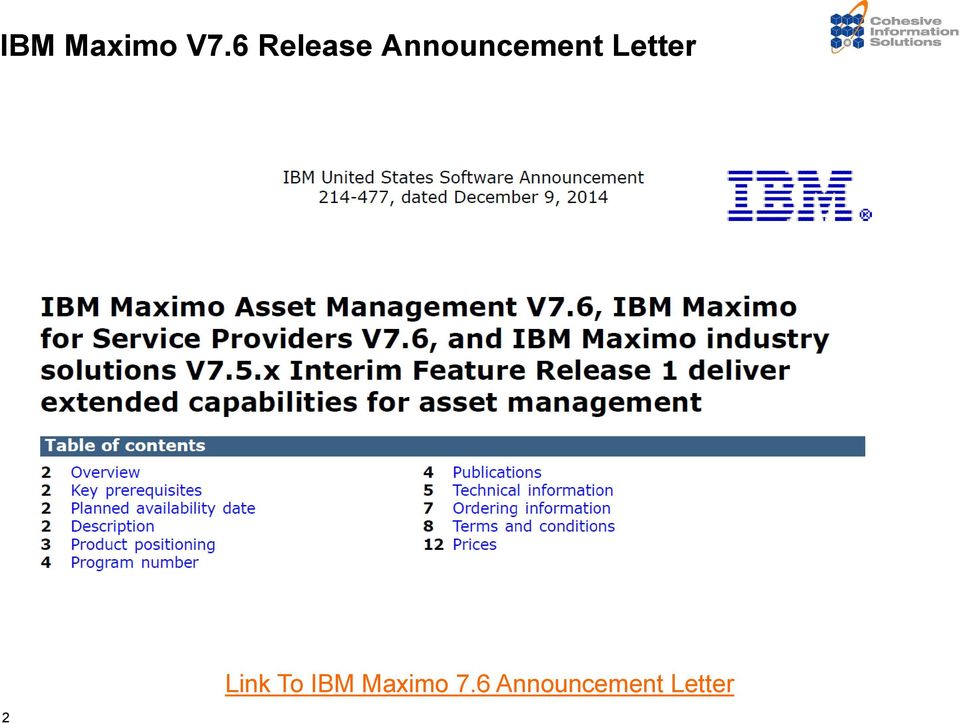
3 IBM Maximo V7.6 Release Announcement Letter 2 Link To IBM Maximo 7.6 Announcement Letter

4 IBM Maximo V7.6 Download is on Passport Advantage 3

5 IBM Maximo V7.6 Release Announcement Letter Release Date: December 12, 2014 IBM Maximo Asset Management V7.6 IBM Maximo for Service Providers V7.6 IBM Maximo Industry Solutions and Add-on Products on the most current versions of V7.5.x will be supported as compatible with IBM Maximo V7.6. 4

6 IBM Maximo V7.6 Summary of New Features User Interface New look and feel (new UI skin) Left hand navigation with GoTo and Selection Action StartCenter Supports multiple objects per Result Set Searchable Menus, Select Actions and Saved Queries User definable Hover Dialog One Click to Return All Records in List View Multiple Inline Icons for data fields New Approach to Breadcrumbs Improved Record Locking via a new Edit Mode feature Functionality Crews, Crew Types, Crew Application Includes Service Address & Map Manager with support for Public Map API (Google Maps, Bing Maps and Esri) Log Tab added to Quick Reporting, PR s and PO s Improved handling of Labor Transactions across Time Zones 5

7 IBM Maximo V7.6 Summary of New Features (cont) Reporting and KPI s Business Intelligence Pack & Entitlement to Cognos V10.2 Comes with a new version of BIRT (V4.3.1) New Calculations and Summaries feature in Maximo Adhoc Reporting Additional BIRT Report export options for XLS Ability to cancel a BIRT report no matter where it is in the process BIRT Performance improvements through BIRT Reporting Only Reporting Server (BROS) and configurable stop limits Improved KPI Manager New KPI Viewer and KPI Template applications Individual KPI Scheduling Security extended to KPI s Technical enhancements Support for Multi-Tenancy (MT) DB2 Only. Initially Industry Solutions will not support MT. Expanded Platform Support Enhanced Automation Scripting Better (simplified) Installation Process with progressive disclosure Licensing New definition for Limited Users No cost Maximo Everyplace licenses for each Maximo entitlement Essential a no-cost mobile solution for connected users. 6

8 Evolution of Maximo from Single Instance to Multi Tenant Corporation Enterprise Multitenant Tenant A Tenant B Tenant C Single Site Sets Sets Sets Sets Orgs Orgs Orgs Orgs Sites Sites Sites Sites 7

9 IBM Maximo Asset Management V7.6 Expanded capabilities to support business intelligence Intuitive navigation for users Increased Serviceability Focus on User Experience new look and feel, expanded start center configuration options Analytical insights through Reporting, KPI s and Dashboards improved performance, increased user access and better tools to monitor the health of your business Functional Enhancements improved crew management and service addresses to support maps Technology Improvements expanded install and platform support Built-in Mobility Capabilities through Everyplace 8


10 IBM Maximo Asset Management V7.6 USER EXPERIENCE A new look introducing updated fonts, colors and styling of applications Application navigation (nested view) and Breadcrumbs across top. Hover dialog provides additional field information Startcenter multiple objects per result set Record Locking options, Improved Date/Time calculations across timezones in Labor Transactions/PM s FOCUS ON REPORTING AND KPI s Executive dashboards with Metric Reports and Metric Workspace Displays Performance improvements in reporting solutions Set a limit on the number of records presented from an Adhoc report so users aren t waiting for results for a long time. New KPI Template and KPI Viewer Applications Individual KPI scheduling Ability to add calculations to ad-hoc reports 9

11 IBM Maximo Asset Management V7.6 FUNCTIONAL ENHANCEMENTS Capabilities to support Crews including Crew types and a Crew application Service Addresses for Assets & Locations Public Map API and Application Designer for the Map Control (Google, Bing, ESRI) Introduce Log tab in Quick Reporting, PR and PO applications INVESTMENT IN TECHNOLOGY 10 IBM Install Manager for a consistent user experience across installation of IBM offerings Automation of common configuration scenarios, such as middleware reconfiguration, ID and password changes, and language deployment Better installation and configuration help and progressive disclosure Enablement for future capabilities such as fix pack and hot fix deployment Support for multiple tenants in a single environment A broad choice of supported technologies to best meet your requirements. (Middleware/OS/Browsers) Scripting Enhancements that expands to other customizations points of the objects and attributes and integration framework, including endpoints, object structures and exits

12 Improving the User Experience Delivering Client Value Improve navigation and ease of use for customer satisfaction Streamline work processes for increased productivity Minimize the need for user training with more intuitive navigation Add flexibility into how users access information Responding to Changing User needs Updated Look and Feel User Interface styling changes with a new skin List tab changes Goto Menu and Start Center buttons New Navigation Options Side Navigation option Hover Dialogs Multiple detail icons per field Record Locking options by application Start Center Improvements multiple objects per result set Examples: Create Dialogs that appear over a field to provide details like full name, phone number and address when hovering over a field like employee ID. Configure start center results sets to include data from multiple related records, like including planned labor information along side the corresponding workorder header details. Allow users to put a record in edit mode blocking other users from making changes to that record. 11


13 Improving the User Experience Introduction of a new look and feel, more intuitive navigation, providing more information to the user, and offering more configuration of the start center will allow for reduction of training costs and increased user satisfaction. New look Multiple Icons Left Hand Navigation 12 Hover Dialogs


14 User Interface styling changes - new skin (tivoli13) 13


15 User Interface styling - apps Lightweight headings Sections no longer expand to full page width Reduced spacing between fields Provide the ability to have multiple detail icons on a single field to allow single quick access to frequently used actions. Up to 3 additional icons 14 Menu icon still shows

16 Hover Dialogs provide detailed information quickly Fields with an i 15


17 Record has been Updated by Another User..! Arrrggh not again! 16

18 Enabling Exclusive Edit Mode to prevent record conflicts Applications are Read only initially Must Click Edit to Update Effectively locks the record Application specific setting/control Enabled via Application Designer 17

19 Configuration level of new UI elements Side Navigation Field Label Position Skin List Tab Behavior Hover Dialogs Inline Menu Buttons Exclusive Edit Mode System Group User Application X X X X X X X X X 18

20 IBM Maximo Everyplace Embedded Allows users to access any existing IBM Maximo application on an iphone, ipad, ipod touch, Android or other supported device without installing anything on those devices Maximo Everyplace enables users to: Shorten the lag time between an event s occurrence and the recording of that event in the system. there s no need to wait until they get back to their desk to enter or retrieve data. Increase accuracy of data in the system by allowing them to enter information while it s fresh in their minds. Offer convenient, targeted access to Maximo for workers who don t regularly sit at a desk or use a desktop computer. 19

21 Functionality to extend Asset Management capabilities Delivering Client Value Visually identify assets and work orders on a map for a better geographic perspective of ongoing work. Log tabs available in additional applications provides the ability to clearly capture communications related to a process provides visibility to history and improved tracking. Responding to Changing User needs Support for Crews and Crew types Service Addresses for Assets & Locations Public Map API and Application Designer for the Map Control (Google, Bing, ESRI) Introduce Log tab in Quick Reporting, PR and PO applications WSCHED as selectable WO status Workflow delegation chaining Time Zones (labor transactions) Edit Mode to prevent change conflicts Everyplace availability Examples: Options for defining a crew of individuals allow a planner to generically schedule rather than accommodate each individuals availability. Ability to capture details about an asset or locations location so it can be displayed on a map. Insert comments when communicating with a requestor about details of a requested part so it can be referenced downstream. 20


22 Invest in asset management capabilities Provide additional capabilities for better assignment of work as well as respond to customer enhancement requests. Extend the use of Communication logs to Quick reporting and purchasing applications Crew Management, Service Address and Open Map API support for improved work dispatching 21
23 Gain Insights through Business Intelligence Features Delivering Client Value Supports better business decisions and operational improvement through out of the box workspaces and metrics answering key questions across Work, Asset and Inventory processes: Provide improved reporting and KPI performance increasing client satisfaction. Additional flexibility in self service type reporting allows calculated values and aggregate summaries for additional insight into data Provide additional KPI configuration options thru end user access, individual scheduling, and communication logs 22 Responding to Changing User needs Cognos Entitlement to Cognos version 10.2 Provide Cognos Trending workspaces and reports Maximo Site restrictions at meta data level BIRT New calculations and summaries in ad hoc reports BIRT Upgrade Performance improvements thru BROS and configurable stop limits 100% cancel a report regardless of where it is in the process Additional export file options. 3 xls options can configure which are available to users. KPI s New KPI Template application streamlining admin creation maintenance New KPI Viewer application improving end user visibility, understanding and collaboration Individual KPI scheduling and communication logs Examples: Provide the ability to individually schedule KPI s providing users information when they need it. Support enterprise and ad hoc reports from a dedicated report server to improve performance. Define report stop limits to minimize report performance impacts Apply site and set restrictions to Cognos meta data published from Maximo so users creating or executing reports in Cognos only see data they have access to
24 IBM Maximo V7.6 Additional Business Intelligence Features Cognos Upgrade Localization Meta data Restrictions BI Packs Content Trending Historical Data BIRT BROS Updates Upgrade Performance Ad Hoc Record Limits Calculations Summaries Maximo KPI Templates Viewer Scheduling 23
25 Maximo BI Packs: Content Four Areas of Focus Work Order Management Backlog WO Overdue WO Unplanned WO WO Costs Asset Failure Management # of Failures MTTR MTBF Asset Availability Asset Management PM Plans Spare Parts Avg Maint Costs Actual to Budget Costs Inventory Management Inventory Turns Inventory Currency Material Stock outs Inactive Inventory 24

26 NEW! BIRT Features 1. Enhanced architecture for report only server (BROS) 2. Automated notification of Long Running reports thru Escalations 3. Additional Export File Options -> file size, graphs 4. Configurable file format export options from Report Viewer 5. Addition of report server limits to prevent massive report execution 6. Updates to Direct Print with Attachments process to reduce wait time 25

27 NEW! User Defined Calculations and Summaries for Ad-Hoc reports 26

28 NEW! Maximo V7.6 KPI Template Application Streamlines creation/maintenance of KPIs for Administrators 27
29 Technology Delivering Client Value Install technology consistent with other IBM products lead to reduced administrative training time. Reduced costs for hosting environment management with the ability to manage multiple tenants in a single environment. Improvements to system interaction and cron task performance increases productivity and overall customer satisfaction. New integration options Expanded Scripting Options 28 Responding to Changing User needs Automation of common configuration scenarios, such as middleware re-configuration, ID and password changes, and language deployment Better installation and configuration help and progressive disclosure Support multiple tenants in a single environment supporting lower cost of ownership for hosting partners. Administrative and serviceability items log separator, Maximo Monitoring OSLC Integration Support Deliver Scheduler performance improvements Scripting support for Object Structures, Publish Channels and Enterprise Services Examples: Administrators use the same technology when installing many of IBM s solutions including Maximo, middleware and databases reducing training time. Support latest version of middleware and expand browser options to include Chrome. Serviceability improvement wherein custom log messages are injected into log files for easier isolation of a test block within the log file Connection leak prevention improves server resiliency to long running connections. Better utilization of resources through cron task load balancing options.
30 Multi Tenancy Capabilities Separate Install Package within Passport One time choice cannot move between MT and Non-MT Cannot upgrade into an MT enabled environment Support for DB2 only Reduced administrative overhead for Hosting scenarios Template data supports the ability to quickly onboard new tenants and encourages best practices Provides true separation of data and configurations between tenants within the same instance of Maximo Allows individual tenant business processes and screen designs Robust data security (no cross visibility) Overall improvements to performance due to potentially expediential increase in users 29
31 Editing rules for template data Workflow, Crontask, Communication Templates System Properties 30 Global Admin Provides templates Editable (system level, non-tenant specific) Default for tenant level Tenant Manager/Tenant Can modify tenant copy or create new. Can modify tenant level. System level not visible or read only Reports Provides common reports Can modify tenant copy of common, or create new. Configuration objects, attributes, domains, presentations Administrative Security, GL Config, Orgs/Sites/Sets Defined for entire system Limited modification on attributes, extend with new attributes, modify or create domains, Modify UI presentations Managed by each tenant
32 Upgrade Upgrade will be available at the time of release Maximo 7.5 Industry Solutions and add-ons will be certified to run-on Maximo 7.6 non-mt enabled (May require an incremental patch level) Supported Migration Paths > > > > > > 7.6 Here are some possible routes that clients could update from > > > > > > > > > > > > > > >
33 Platform Support Maximo 7.6 Supported Deprecated OPERATING SYSTEMS AIX 7.1 Windows Server 2012, 2012 R2 Red Hat Enterprise Linux 6,7 (x86-64 & zlinux) SUSE Linux Enterprise Server 11 (x86-64 & zlinux) NOTE: SOLARIS or HP-UX and 32-bit Linux versions are no longer supported AIX 6.1 HP-UX 11i v3 Solaris 9,10, 11 Windows Server 2003, 2008, 2008 R2 Red Hat Enterprise Linux 5, 6 SUSE Linux Enterprise Server 10,11 DATABASES IBM DB2 10.1, 10.5 (Workgroup and ESE) Oracle 11g Rel2, 12c Microsoft SQL Server 2012 IBM DB2 ESE 9.5, 9.7, 9.8 Oracle 10g Rel2, 11g Rel1, RAC 10g Microsoft SQL Server 2008, 2008 R2 BROWSERS Internet Explorer 8, 9 Internet Explorer 10, 11 (standards mode) Mozilla Firefox 31 Google Chrome 36 Safari 7 (MAC only) JRE fix pack 55, 65 Internet Explorer 7.0 Mozilla Firefox 3.6, 4.0, 10.0, 17.0, 24.0 Application Servers IBM WebSphere 8.5, Oracle WebLogic Server 12c JDK IBM WebSphere 7.0, 8.0 Oracle WebLogic Server REPORTING BIRT Cognos Business Intelligence Enterprise
34 IBM Maximo V7.6 Links IBM Maximo 7.6 Announcement Letter IBM 7.6 Q&A Blog 33
35 Future Maximo 7.6 Web Events from Cohesive Session 1: Maximo 7.6 Overview (Done) Session 2: Maximo 7.6 Reporting and KPI Changes Session 3: Maximo 7.6 Configuring Hover Dialogs and In-line Icons Session 4: Maximo 7.6 Displaying Multiple Objects on a Start Center Result & Enabling Edit Mode Session 5 Maximo 7.6 Using Map Manager and Service Addresses Session 6: Maximo 7.6 Automation Script Enhancements Session 7: Maximo 7.6 MIF Enhancements Session 8: Maximo 7.6 Changes in Installation Procedures and 34 Migration Manager
36 IBM Maximo V7.6
Introduction to Tivoli Common Reporting v3
 Introduction to Tivoli Common Reporting v3 Gil Arnold, IBM TCR Release Manager Dan Krissell, IBM TCR Architect Tivoli Common Reporting TCR is a feature that ships as an add-on to 60+ Tivoli licensed products
Maximo Business Intelligence Reporting Roadmap Washington DC Users Group
 Maximo Business Intelligence Reporting Roadmap Washington DC Users Group Pam Denny, IBM Email: [email protected] Twitter: andbflo_denny May 2014 Please note IBM s statements regarding its plans, directions,
IBM Tivoli Software. Maximo Business Intelligence Work Packs. Workorder, Asset Failure, Asset and Inventory Management
 IBM Tivoli Software Maximo Asset Management Version 7.5 Releases Maximo Business Intelligence Work Packs Workorder, Asset Failure, Asset and Inventory Management Revision 4 Pam Denny Maximo Report Designer/Architect
How To Use Ibm Tivoli Monitoring Software
 Monitor and manage critical resources and metrics across disparate platforms from a single console IBM Tivoli Monitoring Highlights Help improve uptime and shorten Help optimize IT service delivery by
The All-In-One Browser-Based Document Management Solution
 The All-In-One Browser-Based Document Management Solution General Overview of Content Central Content Central sets the standard for document management and workflow solutions. Users access and interact
Data Sheet VISUAL COBOL 2.2.1 WHAT S NEW? COBOL JVM. Java Application Servers. Web Tools Platform PERFORMANCE. Web Services and JSP Tutorials
 Visual COBOL is the industry leading solution for COBOL application development and deployment on Windows, Unix and Linux systems. It combines best in class development tooling within Eclipse and Visual
IBM Maximo Asset Management Essentials
 Enterprise asset capabilities for small and midsized organizations IBM Maximo Asset Essentials Highlights Leverage enterprise asset capabilities in a package specifically designed for small and midsized
IBM Tivoli Service Request Manager
 Deliver high-quality services while helping to control cost IBM Tivoli Service Request Manager Highlights Streamline incident and problem management processes for more rapid service restoration at an appropriate
IBM Emptoris Contract Management. Release Notes. Version 10.0.1.5 GI13-3418-09
 IBM Emptoris Management Release Notes Version 10.0.1.5 GI13-3418-09 Note: Before using this information and the product it supports, read the information in Notices on page 75. Copyright IBM Corporation
FileNet Business Activity Monitor (BAM) Release Notes
 FileNet Business Activity Monitor (BAM) Release Notes Release 3.6.0 September 2006 FileNet is a registered trademark of FileNet corporation. All other product and brand names are trademarks or registered
Quick Start Guide Mobile Entrée 4
 Table of Contents Table of Contents... 1 Installation... 2 Obtaining the Installer... 2 Installation Using the Installer... 2 Site Configuration... 2 Feature Activation... 2 Definition of a Mobile Application
WebSphere Business Monitor V7.0 Business space dashboards
 Copyright IBM Corporation 2010 All rights reserved IBM WEBSPHERE BUSINESS MONITOR 7.0 LAB EXERCISE WebSphere Business Monitor V7.0 What this exercise is about... 2 Lab requirements... 2 What you should
SIEMENS. Teamcenter 11.2. Windows Client Installation PLM00012 11.2
 SIEMENS Teamcenter 11.2 Windows Client Installation PLM00012 11.2 Contents Getting started with Teamcenter client installation............................. 1-1 Introduction to Teamcenter client installation....................................
SIEMENS. Teamcenter 11.2. Windows Server Installation PLM00013 11.2
 SIEMENS Teamcenter 11.2 Windows Server Installation PLM00013 11.2 Contents Part I: Getting started with Teamcenter server installation Requirements and overview.............................................
See What's Coming in Oracle Service Cloud
 bu See What's Coming in Oracle Service Cloud Release Content Document August 2015 TABLE OF CONTENTS ORACLE SERVICE CLOUD AUGUST RELEASE OVERVIEW... 3 WEB CUSTOMER SERVICE... 4 Oracle Service Cloud Community
System Administration Training Guide. S100 Installation and Site Management
 System Administration Training Guide S100 Installation and Site Management Table of contents System Requirements for Acumatica ERP 4.2... 5 Learning Objects:... 5 Web Browser... 5 Server Software... 5
Lavastorm Resolution Center 2.2 Release Frequently Asked Questions
 Lavastorm Resolution Center 2.2 Release Frequently Asked Questions Software Description What is Lavastorm Resolution Center 2.2? Lavastorm Resolution Center (LRC) is a flexible business improvement management
ORACLE BUSINESS INTELLIGENCE WORKSHOP
 ORACLE BUSINESS INTELLIGENCE WORKSHOP Integration of Oracle BI Publisher with Oracle Business Intelligence Enterprise Edition Purpose This tutorial mainly covers how Oracle BI Publisher is integrated with
Tivoli Endpoint Manager for Remote Control Version 8 Release 2. User s Guide
 Tivoli Endpoint Manager for Remote Control Version 8 Release 2 User s Guide Tivoli Endpoint Manager for Remote Control Version 8 Release 2 User s Guide Note Before using this information and the product
Maximo Cognos BI. Pam Denny Maximo BI Architect [email protected] Twitter: andbflo_denny. 2015 IBM Corporation
 Maximo Cognos BI Pam Denny Maximo BI Architect [email protected] Twitter: andbflo_denny 2015 IBM Corporation Please note IBM s statements regarding its plans, directions, and intent are subject to change
IBM Tivoli Composite Application Manager for WebSphere
 Meet the challenges of managing composite applications IBM Tivoli Composite Application Manager for WebSphere Highlights Simplify management throughout the life cycle of complex IBM WebSphere-based J2EE
HP Service Manager. Software Version: 9.40 For the supported Windows and Linux operating systems. Application Setup help topics for printing
 HP Service Manager Software Version: 9.40 For the supported Windows and Linux operating systems Application Setup help topics for printing Document Release Date: December 2014 Software Release Date: December
WebSphere Business Monitor V6.2 KPI history and prediction lab
 Copyright IBM Corporation 2009 All rights reserved IBM WEBSPHERE BUSINESS MONITOR 6.2 LAB EXERCISE WebSphere Business Monitor V6.2 KPI history and prediction lab What this exercise is about... 1 Lab requirements...
Sophos Mobile Control Installation guide
 Sophos Mobile Control Installation guide Product version: 2.5 Document date: July 2012 Contents 1 Introduction... 3 2 The Sophos Mobile Control server... 4 3 Set up Sophos Mobile Control... 13 4 Running
MassTransit vs. FTP Comparison
 MassTransit vs. Comparison If you think is an optimal solution for delivering digital files and assets important to the strategic business process, think again. is designed to be a simple utility for remote
What's New in BlackBerry Enterprise Server 5.0 SP4 for Novell GroupWise
 What's New in BlackBerry Enterprise Server 5.0 SP4 for Novell GroupWise Upgrade paths Enhancements to the setup application Administrators can upgrade to BlackBerry Enterprise Server 5.0 SP4 for Novell
HEAT DSM 2015.2 Release Overview. Andreas Fuchs Product Management November 16th, 2015
 HEAT DSM 2015.2 Release Overview Andreas Fuchs Product Management November 16th, 2015 HEAT DSM 2015.2 Highlights HEAT Discovery Integration Patch Management Enhancements HEAT PatchLink Integration HEAT
Windows Azure Pack Installation and Initial Configuration
 Windows Azure Pack Installation and Initial Configuration Windows Server 2012 R2 Hands-on lab In this lab, you will learn how to install and configure the components of the Windows Azure Pack. To complete
IBM Tivoli Software. Version 7.5 Report Planning Guide Document Version 4
 IBM Tivoli Software Maximo Asset Management Version 7 Releases Version 7.5 Report Planning Guide Document Version 4 Pam Denny Maximo Report Designer/Architect CONTENTS Revision History... iv 1 Overview...5
Transaction Monitoring Version 8.1.3 for AIX, Linux, and Windows. Reference IBM
 Transaction Monitoring Version 8.1.3 for AIX, Linux, and Windows Reference IBM Note Before using this information and the product it supports, read the information in Notices. This edition applies to V8.1.3
Qvidian Playbooks & Salesforce Setup Guide. Fall Release 2013
 Qvidian Playbooks & Salesforce Setup Guide Fall Release 2013 Last Updated: 11/12/2013 Introduction Welcome to Qvidian Sales Playbooks & Analytics! This guide is directed toward CRM Administrators, Playbook
Tivoli Common Reporting Version 3.1 Beta. User Guide
 Tivoli Common Reporting Version 3.1 Beta User Guide Tivoli Common Reporting Version 3.1 Beta User Guide Note Before using this information and the product it supports, read the information in Notices.
WebSphere Business Monitor
 WebSphere Business Monitor Dashboards 2010 IBM Corporation This presentation should provide an overview of the dashboard widgets for use with WebSphere Business Monitor. WBPM_Monitor_Dashboards.ppt Page
IBM Tivoli Remote Control
 Robust remote desktop management across the enterprise IBM Tivoli Remote Control Highlights Enables organizations to Supports Federal Desktop Core remotely manage thousands of Configuration (FDCC) and
MERLIN. The Quick Start Guide to professional project management. 2013 ProjectWizards GmbH, Melle, Germany. All rights reserved.
 MERLIN The Quick Start Guide to professional project management 2013 ProjectWizards GmbH, Melle, Germany. All rights reserved. INTRODUCTION Welcome to the quick start guide to Merlin! Thank you for choosing
Actualtests.C2010-508.40 questions
 Actualtests.C2010-508.40 questions Number: C2010-508 Passing Score: 800 Time Limit: 120 min File Version: 5.6 http://www.gratisexam.com/ C2010-508 IBM Endpoint Manager V9.0 Fundamentals Finally, I got
Managing Existing Mobile Apps
 Adobe Summit 2016 Lab 324: Managing Existing Mobile Apps Adobe Experience Manager Mobile 1 Table of Contents INTRODUCTION 4 GOAL 4 OBJECTIVES 4 MODULE 1 AEM INTRODUCTION 5 LESSON 1 - AEM BASICS 5 OVERVIEW
What's New in Maximo Asset Management, Version 7.5. 2011 IBM Corporation
 What's New in Maximo Asset Management, Version 7.5 Overview 2 Draft 7 Maximo 7.5 Technical Platform Developed on current R7.1 Architecture: J2EE based Enterprise Application Web Application Interface for
Office 365 SharePoint Online
 Office 365 SharePoint Online May 8, 2012 Statera Consultants: Erin Giffin Thomas Baer Agenda Overview of SharePoint Online capabilities Demo User Experience Admin Experience Online vs. OnPrem Hybrid Scenario
CA Performance Center
 CA Performance Center Release Notes Release 2.3.3 This Documentation, which includes embedded help systems and electronically distributed materials, (hereinafter referred to as the Documentation ) is for
Office of Information Technology Connecting to Microsoft Exchange User Guide
 OVERVIEW The Office of Information Technology is migrating its messaging infrastructure from Microsoft Exchange 2003 to Microsoft Exchange 2010. Moving to the latest technology will provide many enhancements
Installation and Administration Guide
 Installation and Administration Guide Release 8 This installation guide will walk you through how to install and deploy Conga Composer, including recommended settings for the application. Contact Support:
HP Project & Portfolio Management
 HP Project & Portfolio Management What is New Release 9.1 Bruce Randall/Silvia Siqueira HP Software and Solutions Product Marketing 1 PPM 9.1 What is New presentation To be shared under NDA only Agenda
Concur Travel & Expense
 Concur Travel & Expense Supported Configurations Client Version Contents Supported Configurations... 1 Section 1: About Concur Travel & Expense... 1 Section 2: Read This First... 1 Browser Settings General...
WebSphere Business Monitor V6.2 Business space dashboards
 Copyright IBM Corporation 2009 All rights reserved IBM WEBSPHERE BUSINESS MONITOR 6.2 LAB EXERCISE WebSphere Business Monitor V6.2 What this exercise is about... 2 Lab requirements... 2 What you should
KAIST SSL VPN USER MANUAL 2014. 5
 KAIST SSL VPN USER MANUAL 2014. 5 목차 제 1장 DESKTOP USER 1. Microsoft Windows 2. MACKINTOSH MAC 제 2장 MOBILE USER (p83) 1. ANDROID PHONE 2. IPHONE 1.2.1 MAC 10.7 USER Above p13 - New-install p14 - Re-install
Application Developer Guide
 IBM Maximo Asset Management 7.1 IBM Tivoli Asset Management for IT 7.1 IBM Tivoli Change and Configuration Management Database 7.1.1 IBM Tivoli Service Request Manager 7.1 Application Developer Guide Note
MICROSOFT BITLOCKER ADMINISTRATION AND MONITORING (MBAM)
 MICROSOFT BITLOCKER ADMINISTRATION AND MONITORING (MBAM) MICROSOFT BITLOCKER ADMINISTRATION AND MONITORING (MBAM) Microsoft BitLocker Administration and Monitoring (MBAM) provides a simplified administrative
System Requirements and Platform Support Guide
 Foglight 5.6.7 System Requirements and Platform Support Guide 2013 Quest Software, Inc. ALL RIGHTS RESERVED. This guide contains proprietary information protected by copyright. The software described in
Altiris IT Management Suite 7.1 from Symantec
 Altiris IT 7.1 Achieve a new level of predictability Overviewview Change is inevitable for IT and it comes from several sources: changing needs from lines of business, managing and supporting too many
everything HelpDesk [Ease of Use] [100% Web Help Desk] [Business Process Automation] [World Class Customer Service]
![everything HelpDesk [Ease of Use] [100% Web Help Desk] [Business Process Automation] [World Class Customer Service]](/thumbs/24/4359104.jpg "everything HelpDesk [Ease of Use] [100% Web Help Desk] [Business Process Automation] [World Class Customer Service]") everything HelpDesk [Ease of Use] [100% Web Help Desk] [Business Process Automation] [World Class Customer Service] [Essential Third Party Integration] [Cross Platform Service Desk Solution] [Reporting
everything HelpDesk [Ease of Use] [100% Web Help Desk] [Business Process Automation] [World Class Customer Service] [Essential Third Party Integration] [Cross Platform Service Desk Solution] [Reporting
StreamServe Persuasion SP5 Supported platforms and software
 StreamServe Persuasion SP5 Supported platforms and software Reference Guide Rev A StreamServe Persuasion SP5 Reference Guide Rev A 2001-2010 STREAMSERVE, INC. ALL RIGHTS RESERVED United States patent #7,127,520
GoAnywhere Director to GoAnywhere MFT Upgrade Guide. Version: 5.0.1 Publication Date: 07/09/2015
 GoAnywhere Director to GoAnywhere MFT Upgrade Guide Version: 5.0.1 Publication Date: 07/09/2015 Copyright 2015 Linoma Software. All rights reserved. Information in this document is subject to change without
Penn State University (PSU)
 Penn State University (PSU) FAMS Maximo Basics Start Center, Querying, Navigation, Reporting, and Desktop Requisitions Prepared By Revision History Revision Date: February 4, 2014 Revision Number: 1 Revision
Kaldeera Workflow Designer 2010 User's Guide
 Kaldeera Workflow Designer 2010 User's Guide Version 1.0 Generated May 18, 2011 Index 1 Chapter 1: Using Kaldeera Workflow Designer 2010... 3 1.1 Getting Started with Kaldeera... 3 1.2 Importing and exporting
GETTING STARTED WITH COVALENT BROWSER
 GETTING STARTED WITH COVALENT BROWSER Contents Getting Started with Covalent Browser... 1 What is the Browser Version?... 4 Logging in... 5 The URL address... 5 Home page... 5 Menu bar... 5 Go To button...
Scheduling Software User s Guide
 Scheduling Software User s Guide Revision 1.12 Copyright notice VisualTime is a trademark of Visualtime Corporation. Microsoft Outlook, Active Directory, SQL Server and Exchange are trademarks of Microsoft
Change Management for Rational DOORS User s Guide
 Change Management for Rational DOORS User s Guide Before using this information, read the general information under Appendix: Notices on page 58. This edition applies to Change Management for Rational
USER GUIDE: MaaS360 Services
 USER GUIDE: MaaS360 Services 05.2010 Copyright 2010 Fiberlink Corporation. All rights reserved. Information in this document is subject to change without notice. The software described in this document
HP Service Manager Compatibility Matrix
 HP Service Manager Compatibility Matrix Software Version 9.21 January 12, 2011 Click one of the following links to see more detailed information. Tier Definitions Servers Applications Support Windows Client
Quark Publishing Platform 9.5 ReadMe
 Quark Publishing Platform 9.5 ReadMe CONTENTS Contents Quark Publishing Platform 9.5 ReadMe...5 Quark Publishing Platform components...6 Compatibility matrix...6 Server components...7 Other optional components...8
What s New in Saleslogix 8.0 to Infor CRM 8.1 2015
 What s New in Saleslogix 8.0 to Infor CRM 8.1 2015 Sage Software upgraded SalesLogix version 7.x to 8.0 core release in Fall 2012 with major architecture technology upgrade for web (Cloud) use. Swiftpage
Altiris IT Management Suite 7.1 from Symantec
 Altiris IT Management Suite 7.1 from Achieve a new level of predictability Data Sheet: Endpoint Management Overviewview Change is inevitable for IT and it comes from several sources: changing needs from
Oracle Business Intelligence Publisher. 1 Oracle Business Intelligence Publisher Certification. Certification Information 10g Release 3 (10.1.3.4.
 Oracle Business Intelligence Publisher Certification Information 10g Release 3 (10.1.3.4.2) E12692-08 September 2011 This document outlines the certified hardware and software configurations for Oracle
Site Configuration Mobile Entrée 4
 Table of Contents Table of Contents... 1 SharePoint Content Installed by ME... 3 Mobile Entrée Base Feature... 3 Mobile PerformancePoint Application Feature... 3 Mobile Entrée My Sites Feature... 3 Site
Medstar Health Dell Services
 Medstar Health Dell Services Non Medstar Device Citrix Connectivity Guide October 2012 Sean Kaminski Dell Services System Admin Consultant 1 Table of Contents Overview...3 What is Citrix and why do I need
How To Use Axway Sentinel
 Axway Sentinel Data Flow Visibility and Monitoring In order to unlock the full value of your business interactions, you need to control and optimize truly govern the flow of data throughout your organization,
Sophos Mobile Control Installation guide. Product version: 3
 Sophos Mobile Control Installation guide Product version: 3 Document date: January 2013 Contents 1 Introduction...3 2 The Sophos Mobile Control server...4 3 Set up Sophos Mobile Control...16 4 External
Flexible Identity Federation
 Flexible Identity Federation User guide version 1.0.1 Publication History Date Description Revision 2015.09.25 initial release 1.0.0 2015.12.10 minor corrections 1.0.1 Copyright Orange Business Services
CA Client Automation
 CA Client Automation Supported Content for CA Patch Manager and Supported Application Signature Content April 2015 Contents CA Content Research Team... 3 CA Patch Manager Content... 3 Operating Systems
Monthly Web Chat with Calvin O Driscoll. August 14, 2014
 Monthly Web Chat with Calvin O Driscoll August 14, 2014 Agenda GoToMeeting Housekeeping Sage 300 ERP Roadmap Sage CRM Roadmap Q & A Housekeeping During the Webinar, all attendees will be muted and placed
Microsoft Windows Apple Mac OS X
 Products Snow License Manager Snow Inventory Server, IDP, IDR Client for Windows Client for OS X Client for Linux Client for Unix Oracle Scanner External Data Provider Snow Distribution Date 2014-04-02
CA Spectrum and CA Service Desk
 CA Spectrum and CA Service Desk Integration Guide CA Spectrum 9.4 / CA Service Desk r12 and later This Documentation, which includes embedded help systems and electronically distributed materials, (hereinafter
What s New Guide: Version 5.6
 What s New Guide: Version 5.6 A QUEST SOFTWARE COMPANY 1. 8 0 0. 4 2 4. 9 4 1 1 w w w. s c r i p t l o g i c. c o m WHAT S NEW IN ACTIVE ADMINISTRATOR 5.6? Contents...3 Active Administrator Product Overview...3
HR Onboarding Solution
 HR Onboarding Solution Installation and Setup Guide Version: 3.0.x Compatible with ImageNow Version: 6.7.x Written by: Product Documentation, R&D Date: November 2014 2014 Perceptive Software. All rights
mystanwell.com Installing Citrix Client Software Information and Business Systems
 mystanwell.com Installing Citrix Client Software Information and Business Systems Doc No: 020/12 Revision No: Revision Date: Page: 1 of 16 Contents Overview... 3 1. Microsoft Internet Explorer... 3 2.
Sophos Mobile Control Installation guide. Product version: 3.5
 Sophos Mobile Control Installation guide Product version: 3.5 Document date: July 2013 Contents 1 Introduction...3 2 The Sophos Mobile Control server...4 3 Set up Sophos Mobile Control...10 4 External
IBM Tivoli Monitoring for Databases
 Enhance the availability and performance of database servers IBM Tivoli Monitoring for Databases Highlights Integrated, intelligent database monitoring for your on demand business Preconfiguration of metric
iglobe CRM SharePoint App Documentation
 8/31/2014 iglobe CRM SharePoint App Documentation Apply to app version 1.1.0.2 Alon Ekelund Tuborg Boulevard 12,3 sal 2900 Hellerup Denmark Phone: +45 28800025 Support: [email protected] Other question:
The operating system requirements listed in this document include the most current patches and service packs.
 System requirements The Quark Publishing Platform system requirements listed below are baseline requirements, but your number of users, number of assets, and number of asset revisions affect system performance.
AVG Business SSO Partner Getting Started Guide
 AVG Business SSO Partner Getting Started Guide Table of Contents Overview... 2 Getting Started... 3 Web and OS requirements... 3 Supported web and device browsers... 3 Initial Login... 4 Navigation in
IBM Endpoint Manager Version 9.1. Patch Management for Red Hat Enterprise Linux User's Guide
 IBM Endpoint Manager Version 9.1 Patch Management for Red Hat Enterprise Linux User's Guide IBM Endpoint Manager Version 9.1 Patch Management for Red Hat Enterprise Linux User's Guide Note Before using
How to Prepare for the Upgrade to Microsoft Dynamics CRM 2013 (On-premises)
 How to Prepare for the Upgrade to Microsoft Dynamics CRM 2013 (On-premises) COMPANY: Microsoft Corporation RELEASED: September 2013 VERSION: 1.0 Copyright This document is provided "as-is". Information
Service Anywhere. Release Notes
 Service Anywhere Release Notes Document Release Date: 10 January 2016 Software Release Date: 10 January 2016 This Service Anywhere document includes the following: "Fixed defects and enhancements" below
User Manual for Web. Help Desk Authority 9.0
 User Manual for Web Help Desk Authority 9.0 2011ScriptLogic Corporation ALL RIGHTS RESERVED. ScriptLogic, the ScriptLogic logo and Point,Click,Done! are trademarks and registered trademarks of ScriptLogic
Installation Guide. Help Desk Manager. Version v12.1.0
 Installation Guide Help Desk Manager Version v12.1.0 Documentation published: March 12, 2014 Contents Introduction to Help Desk Manager 3 Help Desk Manager Key Features 3 Do-It-Yourself Installation and
IBM Maximo Asset Management for IT
 Cost-effectively manage the entire life cycle of your IT assets IBM Highlights Help control the costs and financial impact of IT assets with a single solution that tracks and manages your hardware, software
Quark Publishing Platform 10.1 ReadMe
 Quark Publishing Platform 10.1 ReadMe CONTENTS Contents Quark Publishing Platform 10.1 ReadMe...6 Quark Publishing Platform components...7 Compatibility matrix...7 Server components...10 Other optional
Adobe Summit 2015 Lab 718: Managing Mobile Apps: A PhoneGap Enterprise Introduction for Marketers
 Adobe Summit 2015 Lab 718: Managing Mobile Apps: A PhoneGap Enterprise Introduction for Marketers 1 INTRODUCTION GOAL OBJECTIVES MODULE 1 AEM & PHONEGAP ENTERPRISE INTRODUCTION LESSON 1- AEM BASICS OVERVIEW
Integration Service Database. Installation Guide - Oracle. On-Premises
 Kony MobileFabric Integration Service Database Installation Guide - Oracle On-Premises Release 6.5 Document Relevance and Accuracy This document is considered relevant to the Release stated on this title
Quark Publishing Platform 9.5.1.1 ReadMe
 Quark Publishing Platform 9.5.1.1 ReadMe TABLE DES MATIÈRES Table des matières Quark Publishing Platform 9.5.1.1 ReadMe...5 Quark Publishing Platform components...6 Compatibility matrix...6 Server components...8
Microsoft Windows Apple Mac OS X
 Products Snow License Manager Snow Inventory Server, IDP, IDR Client for Windows Client for OSX Client for Linux Client for Unix Oracle Scanner External Data Provider Snow Distribution Date 2014-02-12
System Requirements for Microsoft Dynamics NAV 2013 R2
 System Requirements for Microsoft Dynamics NAV 2013 R2 February 2014 Contents 3 System Requirements for the Microsoft Dynamics NAV Windows Client 3 Web Client 4 System Requirements for Microsoft Dynamics
IBM Unica emessage Version 8 Release 6 February 13, 2015. User's Guide
 IBM Unica emessage Version 8 Release 6 February 13, 2015 User's Guide Note Before using this information and the product it supports, read the information in Notices on page 403. This edition applies to