
Regatta Master Watch_W012. Watch Instructions
|
|
|
- Gwenda Merritt
- 10 years ago
- Views:
Transcription
1 Regatta Master Watch_W012 Watch Instructions

2 This watch comes with a 2 year warranty. For warranty issues please contact your nearest stockist. Proof of purchase required.

3 1.0 Introduction The watch is carefully designed and produced for outdoor activities. In order to utilize these features of your watch, it is advisable to read the following notes before using the watch: - Avoid exposing the watch to extreme conditions for an unreasonable time. - Avoid rough usages or severe impacts to your watch. - Watch's case should only be opened by a certified service agency because the Watch contains precise electronic sensors and components. - Occasionally clean your watch with a soft cloth to prolong the working life of your watch. - Store the watch in a dry place when it is not in use for a long time.

4 2.0 Buttons Operation Summary Mode Button - In function modes: Press to enter to the next modes display - In any setting display: Press to choose among different settings ST./LAP/SYNC. Button [S/L/S] - In Alarm Time Mode: Press to select the Alarm Time between ALM1 and ALM 2. - In Chronograph Mode: Press to start or make a lap time. - In Timer Mode : Press to start or synchronize. - In setting displays: Press to increase the settings or hold it to increase at a high speed. STP./RESET Button - In Alarm Time Mode: Press it select the Alarm Time ON/OFF. - In Chronograph Mode: Press to stop or hold to reset chronograph. - In Timer Mode: Press to stop or hold to reset the timer. In setting displays: Press to decrease the settings or hold it to decrease at a high speed. Set Button [S] - In Real Time Mode, press and hold it for about 2 seconds can enter to the time setting display. - In Function Mode, press and hold it for about 2 seconds can enter to the functional setting display. - In functional setting display, press to exit the setting and return to the function mode. Backlight Button [L] - In any mode/display, press it to turn ON the EL backlight for about 3 seconds. Note: The button operations are summarized as above, for detailed operating instructions, please continue reading. [S] [L] [S/L/S]

5 3.0 Major Function Modes Real Time Mode Timer Mode Dual Time Mode Daily Alarm Mode Chronograph Mode

6 4.0 Real Time Mode How to set the Real time - To set the Real time, date, and other settings; In Real Time Mode,press and hold the [S] button for about 2 seconds to enter the setting display (Firstly, the second digits will start flashing). The Setting Sequence - When the second digits start flashing, press the button to move the flashing following the setting sequence of the diagram in next page or press the [S/L/S] or buttons to reset the second digits to zero. - When the Minute, Hour is flashing, press the [S/L/S] button to adjust the number. - When the Format is flashing, press the [S/L/S] or buttons to select the 12/24 Hr format. [S] [L] Real Time Day of Week Date [S/L/S] - When the Year, Month, Day LCD Level is flashing, press the [S/L/S] or buttons to adjust the number. - If one of the settings (Minute, Hour, Year, Month, Day and other settings) is flashing, press the button to move to the next flashing and press the [S/L/S] or buttons to adjust the number. - When the Chime/Keytone ON/OFF digits is flashing, press the [S/L/S] or buttons to toggle it ON/OFF. - When the setting is completed, press the S button once to exit the setting sequence. The setting display will return to Real Time Mode automatically if there is NO Key-stroke for about 1 minute.
![The Setting Sequence - When the second digits start flashing, press the button to move the flashing following the setting sequence of the diagram in next page or press the [S/L/S] or buttons to reset](/docs-images/58/4426666/images/page_6.jpg "the second digits to zero. - When the Minute, Hour is flashing, press the [S/L/S] button to adjust the number.")
7 4.1 Real Time Mode - Setting Sequence [S] HOLD [S] Second Minute Hours Format Day Month Year Chime Keytone ON / OFF LCD Level

8 5.0 Timer Mode How to set the Timer - In Timer Mode, press and hold [S] button for 2s, the hour will be flashing, press the [S/L/S] or buttons to adjust the time which you want. Press the button to change the setting item. - When the Minute, Second digits is flashing, press the [S/L/S] or buttons to adjust the time. - In SYNC setting, press the [S/L/S] or buttons can select between the SYNC Round and SYNC Down. (5.1 Timer Mode - Count Down Running for more details) - When Alert ON/OFF is flashing, press the [S/L/S] or buttons to toggle it ON/OFF. (5.1 Timer Mode - Count Down Running for more details) Key Lock Function (not operate while timer setting) - Press and hold [L] button to toggle key lock function ON/OFF, when key lock function is ON, will be shown at button. The operation of [S/L/S] and button will be stopped, in order to prevent mistaken key pressing. [S] [L] [S/L/S] The time which the timer will countdown from (Hour, minute and second). HOLD [S] [S]
![- In SYNC setting, press the [S/L/S] or buttons can select between the SYNC Round and SYNC Down. (5.](/docs-images/58/4426666/images/page_8.jpg "1 Timer Mode - Count Down Running for more details) - When Alert ON/OFF is flashing, press the [S/L/S] or buttons to toggle it ON/OFF. (5.")
9 5.1 Timer Mode - Countdown Timer Countdown Timer Four Preset Values & One User-defined Value - This watch s timer has four pre-set values: , 5-Min, 3-Min and 1-Min and one user defined value, press can change the display among them. Multiples of Present Value - After you choose one of the present values, you also can mutliply those values by pressing the [S] button. For example: If pre-set timer is 3 Min, press [S] button once the value will multiply one time to 6 Min, if press [S] button twice, the value will keep multiply two times to 9 Min... etc. [S] Press [S/L/S] button to start, the countdown icon will start flashing. User Define *Remark: Timer is stopped
![For example: If pre-set timer is 3 Min, press [S] button once the value will multiply one time to 6 Min, if press [S] button twice, the value will keep multiply two](/docs-images/58/4426666/images/page_9.jpg "times to 9 Min... etc. [S] Press [S/L/S] button to start, the countdown icon will start flashing. User Define *Remark: Timer is stopped")
10 5.2 Timer Mode - Countdown Timer Synchronization Function - During timer countdown running, press [S/L/R] button to round up the counting time. - If the timer is in SYNC Down status, the timer will round down to the next full minute. - If the timer is in SYNC Round status, the timer will round down or up to the closest minute. Repeat Function - In Timer Mode, press and hold the button for about 2s, to toggle the repeat function ON/OFF. - When Repeat icon is on, the timer will repeat counting among the pre-set values. Alert Indications - The watch will Beep once for each minute. - The watch will beep once for last minute of countdown at 50, 40, 30 & 20seconds, and it will beep once for each second of last 10 seconds; Long beep for 3s when reach zero. - The watch will keep silent when the Alert has been set to OFF. - For sequnce, two beeps will be heard at minutes 4 and 1. Repeat on icon Countdown display from the last 59 seconds to 1 second shows in big digits.

11 5.3 Timer Mode - Countup Timer & Timer Recall Timer Countup Running - When the Timer Countdown runs to zero, the icon will change to the icon, enter to the Timer Countup Running. - If the countup is running, press the button can stop countup. If the countup is stopped, press the [S/L/S] button can continue the countup.the Max. Countup Timer is 99 hours 59 minutes 59seconds. - In Countup Running, press the [S/L/S] button can make a Lap time, it can store up to 20 Laps. - When countup is stopped, hold can reset the timer and go back countdown display. Timer Recall - In Timer Mode, press [S] button once to enter timer recall display. - In Timer Recall display, press [S/L/S] or buttons to recall the lap time. - Press [S] button once to return to Timer Mode. Split Time Lap time Timer recall display Total [S/L/S] Lap time Countup display Lap time display
![- In Countup Running, press the [S/L/S] button can make a Lap time, it can store up to 20 Laps. - When countup is stopped, hold can reset the timer and go back countdown display.](/docs-images/58/4426666/images/page_11.jpg "Timer Recall - In Timer Mode, press [S] button once to enter timer recall display. - In Timer Recall display, press [S/L/S] or buttons to recall the lap time.")
12 6.0 Chronograph Mode Chronograph Mode - In Chronograph Mode, the Hour, Minute, Second appears on middle row of the display. - The CHR appears on upper row of the display - The Lap number and 1/100s appears on lower row of the display. Chronograph Mode - Operation - In Chronograph Mode, press the [S/L/S] button to start the chrono and enter to Lap 1 time running. - If the chrono is counting, press the button once to stop the counting. If the chrono is stopped, press the [S/L/S] button to re-start the counting. - The elapsed time between the two start/stop keystrikes will appear on the display. - During running, press the [S/L/S] button can make a lap time. Lap No. Counting display Hour, Minute, Second 1/100 sec [L] [S] Hour, Minute, Second [S/L/S] 1/100 sec To Reset the Chronograph - Reset Chronograph, press and hold the button for about 2 seconds with Chronograph stopped. To Recall the Chronograph - In Chronograph mode, press the [S] button can enter to the Chronograph recall display. - Press the [S/L/S] or buttons recall the each laps time and the Total time. - In Chronograph recall display, press the [S] button can return to the Chronograph mode. NOTE: The MAX. counting range of the chronograph is 99 hours 59 minutes and seconds, and the MAX. lap is 50 laps.
![Chronograph Mode - Operation - In Chronograph Mode, press the [S/L/S] button to start the chrono and enter to Lap 1 time running.](/docs-images/58/4426666/images/page_12.jpg "- If the chrono is counting, press the button once to stop the counting. If the chrono is stopped, press the [S/L/S] button to re-start the counting.")
13 7.0 Daily Alarm Mode The Alarm Time Mode - In the Chronograph Mode, press the button to enter Alarm Mode - The alarm time (hour, minute) shows on the middle row of the display. The alarm status (daily, weekly, OFF) shows on the lower row of the display. Daily Alarm and Date Alarm - The alarm can work as a daily alarm or weekly alarm. - Daily alarm: the alarm will sound at the alarm time every day when the alarm is ON. - Weekly alarm: the alarm will sound at the alarm time on the designated day of week when the alarm is ON. [S] Alarm number [S/L/S] Daily Alarm Mode - To select the Alarm and Chime ON/OFF - In the Real Time Mode, press and hold the [S] button for about 2s can enter to the time setting, then press the button to change the setting item. When the Chime appears, press the [S/L/S] or buttons to toggle the Chime ON/OFF. - In Alarm Mode, press the [S/L/S] OR buttons to set the alarm ON (daily, Mon..Sun)/OFF. - When the chime indicator appears, the chime is ON, the watch will beeps once every hour. - When the alarm indicator appears, the alarm is ON, the watch will beep for about 30s at the alarm time. - The alarm sound can be stopped prematurely by pressing any one of the keys, except [L] button. [L] Alarm time Alarm status

14 7.1 Daily Alarm Mode Daily Alarm Mode - Setting - To set the alarm time, press and hold the [S] button for about 2s in the Alarm Time Mode, the Hour digit will flash on the display. - Press the button to change the setting item. - If one of the numbers (hour, minute) is flashing, press the [S/L/S] or buttons to increase/decrease the number or hold the [S/L/S] or buttons to increase/decrease the number at a high speed. - When the setting finishes, press the [S] button to exit the alarm time setting sequence. If no key stroke has been activated for about 1 minute, the setting display will change to the Alarm Time Mode automatically. Press [S/L/S] or to select: - DAILY - OFF - MON... - SUN
![- If one of the numbers (hour, minute) is flashing, press the [S/L/S] or buttons to increase/decrease the number or hold the [S/L/S] or buttons to increase/decrease the](/docs-images/58/4426666/images/page_14.jpg "number at a high speed. - When the setting finishes, press the [S] button to exit the alarm time setting sequence.")
15 8.0 Dual Time Mode Dual time (hour, minute, second) [S] [S/L/S] [L] Real time (hour, minute) Dual Time Mode - The Real time (hours, minutes) shows on the lower row of the display. - The dual time (hours, minutes and seconds) shows on the middle row of the display. Dual Time Mode-- Setting - To set the dual time, press and hold the [S] button for about 2s in the Dual Time Mode, the hour number will flash on the display. - Press the button to change the setting item. - If one of the numbers (hour, minute) is flashing, press the [S/L/S] or buttons to increase/decrease the number or hold the [S/L/S] or buttons to increase/decrease the number at a high speed. - When the setting finishes, press the [S] button to exit the dual time setting sequence. If no key stroke has been activated for about 1 minute, the setting display will change to the Dual Time Mode automatically.
![Dual Time Mode-- Setting - To set the dual time, press and hold the [S] button for about 2s in the Dual Time Mode, the hour number will flash on the display.](/docs-images/58/4426666/images/page_15.jpg "- Press the button to change the setting item.")
16 9.0 Power Saving Mode and Battery Low Indication Power Saving Mode - This watch includes a Power Saving function. (this function could make the life of the battery can last longer) - While in the Power Saving Mode, the watch function is still working normally. (i.e. The time keeping function is still running during Power Saving Mode) How to enter/exit Power Saving Mode - Hold down the button in Real Time Mode for about 5 seconds, then the LCD display will be turned off. - Press any key can exit the Power Saving Mode, and the LCD display will be resumed. Standby Mode - In Real Time Mode, if the user does not press any button for 30 minutes, the screen will go to Standby Mode. without pressing any button for 30 minutes Hold Low Battery Indication Battery Low Indication When the battery-low indicator appears on the display, it means that the capacity of the battery is low. It is recommended to replace the battery. However, if the appearance of battery-low indicator is caused by using the watch under very cold conditions, the indicator will be disappeared when normal temperature returns. [Any buttons] [Any buttons] Standby Mode Real Time Mode Power Saving Mode

17 10.0 Specifications Real Time Mode - Hour, minute, second, am, pm, month, date, and day of week - Time System 12-hour or 24-hour format - Calendar System Auto-Calendar pre-programmed from the year 2000 to 2099 Timer Mode - Countdown timer present time selection: min, 5,3,1 min & user defined - Time Synchronization - Repeat countdown function - Multiples preset timer - Key lock function - 10 laps recall for countup Daily Alarm Mode - 2 daily alarms Hourly chime Chronograph Mode - Resolution 1/100 second - Measuring Range 99 hours 59 minutes seconds - Lap memory of 50 laps - Recall lap time and total time Alarm Sounds - Sounds for 30 seconds at preset alarm time Dual Time Mode - Hour, minute, second, am, pm Others - Electro-Luminescent (EL) backlight Battery - Single 3V lithium battery (CR2032)

18

19 gillmarine.com

Fox 40 Whistle Watch USER MANUAL 609-0700
 Fox 40 Whistle Watch USER MANUAL 609-0700 CONTENTS BUTTONS AND FEATURES... 3 OPERATING THE WATCH... 4 STOPWATCH MODE... 5 COUNTDOWN MODE... 6 ALARM MODE... 7 BATTERY REPLACEMENT... 8 CARE AND MAINTENANCE...
VIBRATION WATCH with:
 Vibration Alarm won't disturb others. Beep Alarm option VIBRATION WATCH with: Auto Reload Countdown Timer can be set for seconds, minutes & hours. Use for reminders such as medical conditions, medication,
VIBRATION WATCH with: Vibration Alarm (won't disturb others). Beep Alarm (optional) Electro-Luminescent (EL) back light (for viewing display at
 VIBRATION WATCH with: Vibration Alarm (won't disturb others). Beep Alarm (optional) Electro-Luminescent (EL) back light (for viewing display at night). Second Clock (great when traveling in a different
SensorMaster II: Instruction Manual
 SensorMaster II: Instruction Manual roject no: 431 Version: 6.0 File name: 431MN061.CDR repared by C.K Lau Copyright: Latitude Limited Date: 8 Jan, 2003 130 mm 130 mm 90 mm saddle wire folding line Size
INSTRUCTION MANUAL GUeSS WATCheS
 INSTRUCTION MANUAL Guess Watches WOMENS CONGRATULATIONS ON OWNING YOUR NEW GUESS WATCH. DEVELOPED FROM ADVANCED ELECTRONICS TECHNOLOGY, THE MOVEMENT IS MANUFACTURED FROM Congratulations THE BEST QUALITY
AERIS F10. Watch Free Dive Gauge. Operating Manual. (cover art provided separately)
 AERIS F10 Watch Free Dive Gauge Operating Manual (cover art provided separately) CONTENTS WARRANTY, NOTICES... 6 NOTICE - STORAGE AND INITIAL ACTIVATION... 7 FULL LCD... 8 INTRODUCTION AND GENERAL FEATURES
06MAR THU 12:38.28. User Manual
 06MAR THU 12:38.28 88.2% 28.0C User Manual 1.0 General Guide Thank you for purchasing your new ADC. We recommend reading this manual, and practicing the operations before using your ADC in the field. The
ENGLISH ANALOG. 2 Hand Analog K62-132. 2 Hand Analog. 3 Hand Analog VX51E / R1063.2 / 9T33. Palindrome Too
 ANALOG ENGLISH 2 Hand Analog K62-132 Time Setting 1. Push button to move hands. 2. Set to correct time. FRONT BACK PUSHER BUTTON FOR TIME ADJUSTMENT 2 Hand Analog Time Setting 1. Pull crown out to position
OPERATING INSTRUCTIONS
 SCUDERI FERRRI OROLOGI OPERTING INSTRUCTIONS STNDRD 2- ND 3-HND MODELS Includes SF 101watch models STNDRD DTE DISPLY MODELS Includes SF 101 and SF 102 watch models Table of Contents NLOG CHRONOGRPHS 1/1
INSTRUCTIONS FOR USE. Cal. ETA 988.333 9¾ x 11½ Cal. ETA 988.432 11 x 11½. English
 INSTRUCTIONS FOR USE Cal. ETA 988.333 9¾ x 11½ Cal. ETA 988.432 11 x 11½ English Summary English... Pages 3-18 2 1. Description 1.1 Using the crown A characteristic feature of your multifunction watch
HEART RATE + CALORIE MONITOR
 S7 S7 HEART RATE + CALORIE MONITOR SB4065IS01SPORB.indd 1 TABLE OF CONTENTS INTRODUCTION 1 HOW TO USE THIS MANUAL 1 ACTIVATING THE WATCH FROM POWER DOWN MODE 1 WARNINGS & CAUTIONS 2 CARE & MAINTENANCE
User Manual of WT 493
 User Manual of WT 493 Introduction Congratulations on your purchase of this smart unit. This unit can be used as a radio to catch the latest news and enjoy the beautiful music; it can also be used as an
Interactive guide online at www.victorinoxswissarmy.com
 1 4 7 2 5 8 3 6 9 Interactive guide online at www.victorinoxswissarmy.com 2 VICTORINOX SWISS ARMY INSTRUCTIONS FOR USE I. GENERAL INFORMATION Disposal of used batteries 3 Water resistance 4 Meter/bar correlation
Current Split tim e. Stopwatch OSLO SILVER 30 OPERATING INSTRUCTIONS
 OSLO SILVER 30 OPERATING INSTRUCTIONS THANK YOU for buying the Oslo Silver 30 Thirty Lap Memory Stopwatch. Your purchase brings you a reliable, World-Class Timer which measures performance for a wide array
AGRI-ALERT 800T / AGRI-ALERT 800 ALARM SYSTEM USER MANUAL
 AGRI-ALERT 800T / AGRI-ALERT 800 ALARM SYSTEM USER MANUAL Manufacturer: Viatron Electronics 3514 1st Street, St-Hubert (Quebec) Canada J3Y 8Y5 WARNING: the warranty can be void if the Agri-Alert 800T or
EKG-Accurate Heart Rate with Maximum Heart Rate Indicator + Chronograph Timer
 English... 1 Français... 20 español... 44 EKG-Accurate Heart Rate with Maximum Heart Rate Indicator + Chronograph Timer English 1 Contents Activating Your MIO Sport 1 Quick Start 1 Before Using Your MIO
EX 2. User Manual NM-704.1. www.newbalance-watch.com
 EX 2 901 User Manual NM-704.1 www.newbalance-watch.com 1 Design of the Watch Thank you for purchasing this watch. Please read this manual thoroughly before using the watch! [EL] EL Button To turn on the
Digital Heart Rate Monitor
 W-248 843-095002-02 EU 2009 Timex Group, USA, Inc. TIMEX, TRIATHLON and NIGHT-MODE are registered trademarks of Timex Group USA, Inc. INDIGLO is a registered trademark of Indiglo Corporation in the US
TISSOT TWOTIMER SETTING INSTRUCTIONS
 TISSOT TWOTIMER SETTING INSTRUCTIONS The Twotimer is available in many different styles, in both round and rectangular cases but the setting instructions are identical for all. 1 of 5 26-03-2011 13:49
OARTEC SIMULATOR TRAINING MONITOR USER MANUAL Version 1.05
 OARTEC SIMULATOR TRAINING MONITOR USER MANUAL Version 1.05 Contents Features Getting Started Technical Functions Software Updates Training Modes Just Row Mode Time and Distance Workouts Workout Memory
Owner s Guide. ca6554
 PROFESSIONAL SERIES Owner s Guide For Models: ca6554 Deluxe Vehicle Security and Remote Start System with 2 Way Confirming LCD Remote Control IMPORTANT NOTE: The operation of the Security and Convenience
DUO 1025 DUO 1025 DUAL-USE HEART RATE MONITOR
 DUO 1025 DUO 1025 DUAL-USE HEART RATE MONITOR TABLE OF CONTENTS INTRODUCTION HOW TO USE THIS MANUAL WARNINGS & CAUTIONS CARE & MAINTENANCE CUSTOMER SUPPORT WATCH FUNCTIONS KEYS AND THEIR FUNCTIONS ACQUIRING
Don't like reading instruction manuals? Use your smartphone to scan this QR code to watch the setup video, or visit www.mioglobal.
 Don't like reading instruction manuals? Use your smartphone to scan this QR code to watch the setup video, or visit www.mioglobal.com/guides FEATURES: CONTENTS WAKING UP YOUR MIO AND QUICK START MIO TRIUMPH
Radio-Controlled Projection Clock with Indoor Temperature
 Item 972483 Radio-Controlled Projection Clock with Indoor Temperature Owner s Manual Thank you for purchasing the new generation of projection clock. Designed and engineered with the state-of-art technology
User's Guide. Digital Psychrometer. Model RH390. F C WBT Dew Point MAX MIN
 User's Guide Digital Psychrometer Model RH390 MAX MIN F C WBT Dew Point Introduction Congratulations on your purchase of the Extech RH390 Digital Psychrometer. This device measures Humidity, Air Temperature,
Caseback markings. w MB 119 CAL 0T10 SR927W. Accurist Watches Logo Model Number Calibre Number Battery Number
 Caseback markings w MB 119 CAL 0T10 SR927W Accurist Watches Logo Model Number Calibre Number Battery Number How to use these instructions This booklet contains setting instructions for the Accurist Chronograph
USER MANUAL TIME SETTING
 Display TIME SETTING A B C = /0 sec. J I H G D F E SET Chrono automatic A B D H E I C G F SET Retrograde A G C = / min. D E I H B F A: Minutes counter (60 minutes) A: minutes counter (60 minutes) A: Minutes
This manual is for all Active watches, including Connect models
 This manual is for all Active watches, including Connect models FEATURES: - EKG accurate heart rate watch without a chest strap. - Activity Monitor with PC Connection (Connect Model only) - Tracks total
Introduction. Your TAG Heuer. Your new TAG Heuer watch has all the technical features of an authentic sports watch:
 Introduction Your TAG Heuer Congratulations on your purchase of a TAG Heuer watch. You have made an excellent choice in selecting the ultimate in technical innovation, precision and endurance high-performance
CONTENTS ABREVIATIONS/TERMS...7 WARRANTY, NOTICES, MODEL...8
 CONTENTS ABREVIATIONS/TERMS...7 WARRANTY, NOTICES, MODEL...8 FEATURES/FUNCTIONS AND WATCH MODE...9 DISPLAY LAYOUT...10 OVERVIEW...11 MENU SYSTEM...12 BACKLIGHT...13 AUDIBLE ALARM...14 PC INTERFACE...16
Atomic Alarm Clock Instruction Manual
 Atomic Alarm Clock Instruction Manual Introduction: Congratulations on purchasing the Atomic Alarm Clock with WWVB Radio controlled time, calendar, 12/24 hours display, time zone with US map, indoor temperature
Talking Atomic Alarm Clock Instructions
 1 Talking Atomic Alarm Clock Instructions S1 (Talking+Snooze+Back Light) S2 (Alarm Time + Alarm Hour) S4 (Alarm Volume + OFF) S3 (Alarm ON/OFF + Alarm Minute) S5 (Wave, Manual Signal Reception) S8 (DST
Professional Thermohygrometer
 User Manual Professional Thermohygrometer with NIST-Traceable Calibration Model 20250-21 THE STANDARD IN PRECISION MEASUREMENT Introduction The Digi-Sense Professional Thermohygrometer (Model 20250-21)
Motorola C12A. Digital Cordless Telephone with Digital Answering Machine. For C1211A, C1212A, C1213A and C1214A
 Digital Cordless Telephone with Digital Answering Machine Motorola C12A For C1211A, C1212A, C1213A and C1214A Warning: Charge the handset for 24 hours before use. Welcome... to your new Motorola C12A Digital
ODYSSEY. Security System Owner s Manual. Kit No. 08E51-SHJ-100 08E55-SHJ-100. 2004 American Honda Motor Co., Inc. - All Rights Reserved.
 Kit No. 08E5-SHJ-00 08E55-SHJ-00 Security System Owner s Manual ODYSSEY 004 American Honda Motor Co., Inc. - All Rights Reserved. Contents Introduction... 3 Emergency Disarming During the Panic Alarm Activation...
How To Program An Autodialer
 GJD HYL005 GSM Autodialer Instruction Manual Please read these instructions before you start the installation Features: LCD display. Programmable 9 x 32 digit phone numbers for each trigger. 10 second
Performance Watch User Guide
 W-188 589-095006 NA p e r f o r m a n c e w a t c h u s e r g u i d e BODYLINK SYSTEM Performance Watch User Guide English page 1 Français page 81 Español página 159 Português página 239 2005 Timex Corporation
AD-01 Slave Auto Dialer. Owner s Manual
 AD-01 Slave Auto Dialer Owner s Manual AD-01 Slave Manual.indd 1 10/15/2009 10:20:44 AM 2 AD-01 Slave Manual.indd 2 10/15/2009 10:20:44 AM Features: Programmable entry/exit delay time; select up to 9 (32
WIRELESS ALARM SYSTEM WITH TELEPHONE AUTO DIALER
 BAT.LOW AC WIRELESS ALARM SYSTEM WITH TELEPHONE AUTO DIALER THE SYSTEM THAT CALLS YOU! Our WIRELESS ALARM SYSTEM WITH TELEPHONE AUTO DIALER is designed to allow you to create your own security system.
Reizen Atomic Talking Analog Alarm Clock Item #706810. Instruction Manual
 Reizen Atomic Talking Analog Alarm Clock Item #706810 Instruction Manual 1 Instruction Manual of Atomic Analog Talking Clock (Single-Band) S2 (Alarm Hour) S1 (Talking+Snooze+Lamp) S4 (Alarm Volume+Off)
ATOM 3.0 OPERATING MANUAL ATOM 3.0 DIVE COMPUTER OPERATING MANUAL
 ATOM 3.0 DIVE COMPUTER OPERATING MANUAL 2002 Design, 2011 1 CONTENTS WARRANTY, NOTICES, MODEL...3 FEATURES/FUNCTIONS AND WATCH MODE...5 DISPLAY ICONS...6 ABBREVIATIONS/TERMS...6 OVERVIEW...7 SELECTION
User Manual. Humidity-Temperature Chart Recorder. Model RH520
 User Manual Humidity-Temperature Chart Recorder Model RH520 Introduction Congratulations on your purchase of the Extech RH520 Temperature + Humidity Chart Recorder. The RH520 measures and displays Temperature,
CITIZEN QUARTZ ALARM CHRONOGRAPH. Model No. AI3XXX Cal. No. 6870 INSTRUCTION MANUAL CTZ-B6813
 CITIZEN QUARTZ ALARM CHRONOGRAPH Model No. AI3XXX Cal. No. 6870 2. Mode (Display Function) Switching This watch is equipped with 8 modes consisting of time, alarm 1, alarm 2, chronograph, 0-position check,
STRAPLESS HEART RATE MONITOR
 INSTRUCTION MANUAL STRAPLESS HEART RATE MONITOR Model: HR-210 ENGLISH table TABLE of OF CONTENTS Before using the Monitor Introduction... 3 Important Safety Information...4 Operating the Device...4 Care
PULSE USER MANUAL. heart rate monitor. measure your heart rate for a better, healthier you! JoinWeGo.com
 PULSE USER MANUAL heart rate monitor measure your heart rate for a better, healthier you! JoinWeGo.com CONTENTS Welcome to WeGo 1 Key Functions 2 Watch Reset 2 General Operations 3-7 All Modes 3 HRM 3
Solution 862 Operators Manual. Issue 1.00
 Solution 862 Operators Manual Issue 1.00 Solution 862 Operators Manual Copyright 1998 by Electronics Design and Manufacturing Pty Limited, SYDNEY, AUSTRALIA Document Part Number MA406O Document Issue
PULSAR ANALOGUE QUARTZ WATCH WITH WORLD TIME, ALARM AND CHRONOGRAPH
 1 2 PULSAR ANALOGUE QUARTZ WATCH WITH WORLD TIME, ALARM AND CHRONOGRAPH Cal. N94J FEATURES This is a multi-functional watch featuring the world time, alarm and chronograph. The mode changes simply by turning
GSM AD05 Slave GSM Auto Dialer- Instruction Manual
 GSM AD05 Slave GSM Auto Dialer- Instruction Manual Please read these instructions before you start the installation Features LCD display Programmable 9 x 32 digit phone numbers for each trigger. 10 second
Watch GPS Instruction Manual. If you have any other questions or concerns, please call 1-800-777-7899 or go to www.izzo.com.
 Watch GPS Instruction Manual If you have any other questions or concerns, please call 1-800-777-7899 or go to www.izzo.com. Mail to: IZZO golf 1635 commons pkwy macedon, ny 14502-9191 [ Please place inside
User Guide Veritas 8/Veritas 8Compact/Veritas R8 INS036-5
 User Guide Veritas 8/Veritas 8Compact/Veritas R8 INS036-5 User Guide Summary User Guide Summary Full Set Press Full " Part Set Press Part Set Number # or $ Press Part % Unset Omit Zones Press Full or Part
PR-2500 Portable Receiver. Owner s Manual
 PR-2500 Portable Receiver Owner s Manual CONTENTS The PR-2500, battery charger, and belt clip. (figure 1) Figure 1 Warning This device complies with Part 15 of the FCC rules, operation of this device is
OPERATING INSTRUCTIONS SECURITY SYSTEM KIT NO.: 08E51-EP4-101. 2004 American Honda Motor Co., Inc. - All Rights Reserved. 1
 OPERATING INSTRUCTIONS SECURITY SYSTEM KIT NO.: 8E5-EP4-24 American Honda Motor Co., Inc. - All Rights Reserved. Contents Introduction... 3 Emergency Disarming During Alarming... 4 During the Entry Delay
RCR-22 AM/MW 2 bands Digital Clock Radio instruction manual
 RCR-22 AM/MW 2 bands Digital Clock Radio instruction manual Important safety instructions 1. Read and understand all safety and operating instructions before the radio is operated. 2. Retain instruction:
MEMO ALARM CLOCK Operating Manual
 MEMO ALARM CLOCK Operating Manual INTRODUCTION Congratulations on purchasing this state-of-the-art Alarm clock with radio controlled time. The operation of this product is simple and straightforward and
HARDWIRED CONTROL PANELS
 USER GUIDE 9651 HARDWIRED CONTROL PANELS Contents 1. Introduction...3 The Alarm System...3 The Keypad...3 About This Guide...5 2. Everyday Operation...6 How Do I Know if the System is Working?...6 Setting
DR 70 Portable Digital DAB+ and FM Radio Receiver User Manual English Please read carefully before using this product
 DR 70 Portable Digital DAB+ and FM Radio Receiver User Manual Please read carefully before using this product 15 1 Table of Contents 1 Table of Contents... 16 2 Safety Instructions:... 17 3 Specification:...
User Guide Premier Elite 24/48/88/168/640
 User Guide Premier Elite 24/48/88/168/640 INS221-4 Overview Introduction Users of the alarm system will be assigned a unique 4, 5 or 6 digit User code, and may be assigned a Proximity Tag. User codes are
Understanding the Code Pad lights...4. Code Pad tones...5. Fully arming the system On MODE...6. Fully arming the system - Quick Arm MODE...
 TABLE OF CONTENTS...Glossary of terms...2...code Pad Diagram...3 Understanding the Code Pad lights...4 Code Pad tones...5 Fully arming the system On MODE...6 Fully arming the system - Quick Arm MODE...6
Programmable Thermostat MODEL 3312026.XXX With Dehumidify 3312024.XXX With Out Dehumidify
 Comfort Control Center 2 Thermostat Operating Instructions Programmable Thermostat MODEL 3312026.XXX With Dehumidify 3312024.XXX With Out Dehumidify TABLE OF CONTENTS About your new thermostat Features...2
NetworX Series. NX- 4/8 Code Pad. User Manual (Australian Version)
 NetworX Series NX- 4/8 Code Pad User Manual (Australian Version) Table Of Contents Code Pad Diagram... Inside Front Glossary of Terms...2 Understanding the Code Pad lights...3 Code Pad Tones...4 Fully
Operation Guide 3194
 MA0905-EB Operation Guide 3194 Getting Acquainted Warning! The measurement functions built into this watch are not intended for use in taking measurements that require professional or industrial precision.
JUNGHANS MEGA ALARM-CHRONO W 615.33
 JUNGHANS MEGA ALARM-CHRONO W 615.33 reset set + mode set GB Contents Page 1. Wireless technology 52 53 2. Readiness for use 54 55 3. Automatic time synchronisation 56 4. Functions 57 4.1. Base mode 58
PROOF OF PURCHASE WILL BE REQUIRED FOR WARRANTY SERVICE OF THIS PRODUCT.
 Model SR5000 Owner s Guide limited lifetime consumer warranty This Ungo Pro Security system is warranted against defects in material and workmanship. The main unit is covered by this limited lifetime warranty.
Solar Weather Station Model: BAR806 / BAR806A
 Solar Weather Station Model: BAR806 / BAR806A EN CONTENTS USER MANUAL Overview... 2 Front view... 2 Back view... 3 Remote sensor... 3 Getting started... 3 Solar panel... 3 Insert batteries... 4 Remote
Quick Guide. S610i S610i
 COMPLETE HR Displays your heart rate as bpm and % of HR max, average heart rate and exercise duration. Allows you to set 5 exercise sets for interval training with HR target zones and recovery calculation.
Auto Dialer. Manual E-921APQ E-921GPQ
 Troubleshooting: Auto dialer will not arm/disarm Auto dialer will not dial out Unit doesn t respond to a call-back Difficulty in activating room monitor by telephone remote control Make sure that you have
Reizen Atomic Talking Analog Alarm Clock Item #706810. Instruction Manual
 Reizen Atomic Talking Analog Alarm Clock Item #706810 Instruction Manual S1 (Talking + Snooze + Lamp) S2 (Alarm Hour) S4 (Alarm Volume + Off) S3 (Alarm Minute) S7 (Time Zone: P,M,C,E) S5 (Wave) S8 (DST
Water Tank Level Monitor
 Water Tank Level Monitor INSTRUCTION MANUAL MODEL NO: WTL001 Table of Contents 1. INTRODUCTION... 2 1.1 Package Contents... 2 1.2 Features... 2 2. INSTALLATION... 3 2.1 Water Tank Sensor Battery Installs...
Home Screen...4. Quick Start Guide...5. MyAir Standalone Zone Controls only...5. MyAir Zone Controls With Integrated Unit On/Off Control...
 User Manual Home Screen...4 Quick Start Guide...5 MyAir Standalone Zone Controls only...5 MyAir Zone Controls With Integrated Unit On/Off Control...5 Getting Started...6 Daily Usage and Seasonal Adjustment...7
REMOTE CONTROL MANUAL
 REMOTE CONTROL MANUAL ENGLISH CONTENT PRECAUTIONS...1-2 USING THE REMOTE CONTROL UNIT...3 OPERATION...4-9 Thank you for purchasing our Room Air Conditioner. Before using your air-conditioner, please read
VERTECH II OPERATION AND SETUP SKI FEATURES SKI AND ALPIN OPERATION
 Ft Ft VERTECH II SKI AND ALPIN ADJUST OPERATION AND SETUP START/ STOP ADJUST SKI FEATURES V E R T A L T I USA Records vertical meters skied Counts number of runs skied aximum, current, and average rate
SCORPION Z16040C Alarm Controller User Instructions
 SCORPION Z16040C Alarm Controller User Instructions Thank you for choosing to purchase this micron security alarm controller. Micron product is manufactured to exacting quality standards. We understand
SCORPION. micron security products
 SCORPION 4120 6020 & 8020 USER INSTRUCTIONS Thank you for purchasing a Quality Micron Security Alarm Controller. Micron product is manufactured to exacting quality standards. We understand the importance
HILLS Series LED Code Pad User Manual
 HILLS Series LED Code Pad User Manual Not all features may be available on your system Check with your installer to find out which features are programmed Page 2 TABLE OF CONTENTS Code Pad Diagrams...2
CQ-Series. User Manual. American Weigh Scales, Inc. CQ-350 (350x0.1g) CQ-500 (500x0.1g) Digital Pocket Scale . = + CALC AC CE % TARE OFF ON MC MR CALI
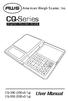 American Weigh Scales, Inc. CQ-Series Digital Pocket Scale 7 4 1 0. 8 9 5 6 2 3 x = - CALI + CALC MODE M CAL AC CE % TARE OFF ON MC MR CQ-350 (350x0.1g) CQ-500 (500x0.1g) User Manual CQ-Series Manual Thank
Airplane Mode (Hold down about 4 seconds.) Start/Stop. Split/Reset. Airplane Mode (Hold down about 4 seconds.) Enabling/Disabling the Alarm
 MA14-E 2014 CASIO COMPUTER CO., LTD. Bluetooth connection (Approximately 0.5 seconds) Alarm Mode Calendar Mode Stopwatch Mode Airplane Mode (Hold down about 4 ) Airplane Mode (Hold down about 4 ) Start/Stop
Control Location. Replacing Battery
 Functions - Normal Time with PM Indicator - 12/24 hour selectable - Dual Alarm, Snooze, Sleep Timer Green LED Backlight display - Month and Date Display - Thermometer (32oF - 122-F) - AM/FM Radio Receiver
616, 626, 636 & 646 Keypads
 616, 626, 636 & 646 Keypads User s Manual TABLE OF CONTENTS 1.0 BASIC OPERATION...2 2.0 ACCESS CODES...4 3.0 ARMING & DISARMING...6 4.0 PANIC ZONES...13 5.0 KEY ACCESS PROGRAMMING.14 6.0 ADDITIONAL FEATURES...15
HWS100 Wireless Home Security System
 4902000 HWS100 Wireless Home Security System Owner s Manual WARNING: Security system devices cannot compensate for loss of life or property. Company is not responsible for any loss or intrusion. CONTENTS
User's Guide. Pinless Moisture Meter. Model MO257
 User's Guide Pinless Moisture Meter Model MO257 Introduction Congratulations on your purchase of the Extech MO257 Pinless Moisture Meter. The pinless moisture sensor monitors the moisture in wood and other
Instructions and care
 Instructions and care watch care Skagen suggests the following solutions for cleaning metal and crystal surfaces: 3:1 solution of ammonia based window cleaner to water 4:1 solution of rubbing alcohol to
Emergency Dialer DIAL-ALERT MODEL: AD-105. www.skylinkhome.com
 www.skylinkhome.com Emergency Dialer TM DIAL-ALERT MODEL: AD-105 If you would like to order Skylink s products or have difficulty getting them to work or download information and user manual, please :
About Your System NOTE: What is included: Options and Accessories:
 2-WAY CAR ALARM SYSTEM WITH REMOTE ENGINE START E8 MODEL IMPORTANT: Please read the entire manual for complete details on the features, accessories and operation before attempting to use your security
PhoneWatch Smart Security System User Manual - Domonial
 PW0002 10/13 Customer Support: 1850 753 753 PhoneWatch Ltd., Unit 3/4, Sandyford Park, Burton Hall Rd, Sandyford Industrial Estate, Dublin 18. Email: [email protected] PhoneWatch Smart Security System
CAD-05 Kit GSM Auto Dialer. Owner s Manual
 CAD-05 Kit GSM Auto Dialer Owner s Manual CAD-05 Kit Manual.indd 1 Warnings: This device complies with Part 15 of the FCC rules, Operation of this device is subject to the following conditions: 1. This
WIRELESS ALARM SYSTEM WITH TELEPHONE AUTO DIALER
 BAT.LOW AC WIRELESS ALARM SYSTEM WITH TELEPHONE AUTO DIALER THE SYSTEM THAT CALLS YOU! Our WIRELESS ALARM SYSTEM WITH TELEPHONE AUTO DIALER is designed to allow you to create your own security system.
HILLS Series LED Code Pad User Manual
 HILLS Series LED Code Pad User Manual Not all features may be available on your system Check with your installer to find out which features are programmed Page 2 TABLE OF CONTENTS Code Pad Diagrams...2
ATS-505. GB Version 1
 ATS-505 GB Version 1 Control Locations Power/Sleep Power On/off/Alarm off/sleep function Display Switch between radio frequency and time while radio is power on Mode Mode set up (please see below mode
Model: 308-1412 Manual DC: 080215 WIRELESS COLOR FORECAST STATION
 Model: 308-1412 Manual DC: 080215 WIRELESS COLOR FORECAST STATION FRONT VIEW SENSOR TX141TH-Bv2 LED TX Sensor Battery Cover Sensor Battery Compartment 2 AA Buttons Battery Compartment 3 AAA BACK VIEW Battery
D24 ALARM CONTROL PANEL USER S MANUAL REVISION 1.1 A$12.00 INC GST
 D24 ALARM CONTROL PANEL USER S MANUAL REVISION 1.1 A$12.00 INC GST Ness Security Products Pty Ltd Quality Endorsed Company ISO9001 LIC.No. QEC2074 NSW Head Office only WWW.NESS.COM.AU Australia s largest
Accenta/Optima. User Guide. Servicing Organisation (Installer) name: Telephone Number: Date of Installation: Account Number: Honeywell Security
 Accenta/Optima User Guide ZONE 1 2 3 4 5 6 7 8 9 Chime Omit Prog PA 0 1 2 3 4 5 6 7 8 9 CHIME OMIT RESET PROG SET Accenta + TA PA DAY POWER PA! " # $ % & 0 1 2 3 5 6 7 8 Chime Omit Reset Prog 4 9 Set PA
Operating Manual for the Electronic Built-in Interval Timer. Micro II (Countdown Timer)
 Operating Manual for the Electronic Built-in Interval Timer Micro II (Countdown Timer) Note: This document has been designed for our OEM customers. They can use it as supporting material when creating
REVIVE DAB/FM ALARM CLOCK RADIO
 kitsound.co.uk REVIVE DAB/FM ALARM CLOCK RADIO USER MANUAL JB. 3208 / Made in China. KitSound 2014. Christchurch, Dorset. BH23 4FL We are craftspeople. We are musicians. We are KitSound And we all commit
How To Control A Car Alarm On A Car With A Remote Control System
 MODEL CA100 REMOTE CONTROL AUTO ALARM SYSTEM INSTALLATION & OPERATION INSTRUCTIONS WIRING DIAGRAM Black Antenna Wire 6 Pin 6 Pin Mini Connector Valet Switch Blue LED Indicator Blue Wire: (-) 200mA Unlock