
Bell Mobile Device Management (MDM)
|
|
|
- Terence McDowell
- 10 years ago
- Views:
Transcription
1 Bell MDM Business FAQs 1 Bell Mobile Device Management (MDM) Frequently Asked Questions INTRODUCTION Bell Mobile Device Management provides business customers an all in one device administration tool to manage multi-platform devices through the entire device lifecycle on a cloud based platform. Bell Mobile Device Management includes Remote Device Manager which is a Help Desk tool to remotely control, support and troubleshoot mobile devices regardless of user location; this service is exclusive to Bell. Bell Mobile Device Management allows IT Administrators to centrally manage mobile device assets, deliver high quality mobile experience, provide data security, while simultaneously maximizing employee productivity and monitoring the cost of mobile use. The IT Administrator will have insight into applicable mobile devices; have the ability to deploy enterprises policies and simplify technical support via remote access. BUSINESS QUESTIONS What is Bell Mobile Device Management used for? Smartphones and mobile devices are becoming more instrumental than ever in execution of daily tasks. As these devices become more crucial to the enterprise, they create a dual challenge: (1) How to best control security exposure; (2) How to maximize device capabilities across the business realities. Bell Mobile Device Management resolves those challenges posed by mobile device by executing on the following directives: Protect the connected employee and organization by managing risk situations Monitor mobile assets utilization and control outlays The following significant capabilities can be performed with Bell Mobile Device Management: Assets Management: Provides a centralized comprehensive view of the enterprise and BYOD mobile assets. One can see all of the devices, their assigned applications and their on-device hardware, software and connectivity parameters that are of importance to ensure enterprise mobile use compliance. Policies Management: Allows the enforcement of on-device password policy, on-device data backup / restore policy, access control policy, including configuration for Exchange ActiveSync, WI-FI, VPN and APNs. Mobile Applications Management: Allows enterprise IT Administrators to define which on-device applications are mandatory and which are prohibited. The system constantly monitors the overall deployed applications across the enterprise's devices and provides a mechanism to define applications' status. It implements the chosen policy through automated procedures of alerting, installing and uninstalling applications. Mass Deployments: Facilitates mass deployment campaigns on pre-defined devices groups. Device groups are managed through organizational hierarchies as used by the system for assets management and Mobile Applications Management. Defining on-device content for a group generates an automated distribution process. Device Data Protection: Allows enterprise IT Administrators to locate a device on a map or via its alarm; lock access to it; wipe on-device data from afar and back-up and restore device data. These functions can be also performed by the end user through the self-service portal.
2 Bell MDM Business FAQs 2 Use Control: The use control provides business views of the device use. It analyses call, messaging, data and roaming usage. It presents the implied enterprise expense and the heavy users along with indications to usage by threshold. Remote Device Manager: Enables IT Administrators to assume complete control over the enterprise mobile devices from afar. The ability to see the device screen and operate it in real time allows quick understanding of the issue and resolving it in a fraction of the time. How can I benefit from Bell Mobile Device Management? Bell MDM introduces benefits in several dimensions: Shifting to new mobile devices: Provides an end user a simple and way to swap to new devices easily by using an automated enlisting and policy definition processes. It saves operating cost and streamlines the change. Implementing business policies: There is a delicate balance between enforcing the business security and use policies and the fact that most of the devices are owned by the end users. Bell MDM allows the business to set and define security; data protection and applications use policies across the end user s devices with provisioning and monitoring mechanisms but without imposing harsh reality on the end users. These operations reduce data security breach and increase employees' productivity. Increase efficiency, reduce costs: Advanced support capabilities reduce idle work time and increase employees' productivity. The expense control module restraints the use cost and the roaming expenses. How can Bell Mobile Device Management improve enterprise mobility? Bell MDM ensures always connected professionals; higher productivity; reduced idle work time searching for support or using non-work applications; mitigating mobile work force malfunction risks via remote guidance by a back office expert; reduced use and roaming expenses; aligning price plans to users by their actual use; resolving stolen / lost devices scenarios; allowing 24/7 support while reducing the dependency on an external support; reducing security breaches. How can an enterprise sign up for Bell Mobile Device Management? Registration to the service is done via the enterprise s Bell account manager. The account manager will fill and order form and submit the request. Your request will be streamlined through Bell s system, defining that the business is entitled to this service. The IT Administrator will receive a welcome letter, with links on how to activate the service with their owned defined password. Once defined, the IT Administrator will have access to both the Bell Mobile Device Management and Remote Device Manager business solutions. The IT Administrator will have a dedicated portal through which they can get more information and training material or access to the support team. The service will be billed through the Bell monthly charges. Is the solution delivered in SaaS? On-premise installation? The solution is currently available via the cloud based deployment. On-premise deployment is in consideration for future. Which data is kept and where? Bell Mobile Device Management keeps devices attributes: User Name; Phone number; Group; Device vendor; Device model; Last seen date; Previous backups; Password policy status; OS; OS version; Firmware version; Client version; Rooted status; Country; Roaming; IMEI; IMSI; Whitelist violations status; Blacklist violations status; Remote control enablement; Wi-Fi configuration status; Exchange ActiveSync configuration status; VPN configuration; ios restriction configuration.
3 Bell MDM Business FAQs 3 In addition, the system keeps the following: the policies parameters as defined by the IT Administrator such as prohibited applications and mandatory applications; end users as defined by the IT Administrator for self service operations; device contacts and messages based on the backup policy and its related activities; use data (calls minutes; messages; data) based on devices internal counters. The data is stored on the Mobile Device Management server that is located in Europe. All private data stored in the system is fully encrypted. Is there a limit to kept data size? There is no limit to the data size. Can Bell Mobile Device Management be used for private devices? Yes, the limitation is as the number of licenses your organization has purchased. Can Device Manager be used for devices that were not purchased via my telecom provider? Yes, the limitation is as the number of licenses your organization has purchased. Should the IT Administrator use Bell Mobile Device Management for all devices in the organization? The IT Administrator should exercise judgment regarding the risks. The IT Administrator is to activate the Bell MDM for all the devices for which they wish to control data security, activate data protection capabilities, provision application use or provide better support. Who in my enterprise should operate Bell Mobile Device Management? Bell MDM is usually managed by an IT Administrator with data security awareness. This person should take a proactive role in monitoring the policies fulfillment. This person should exercise decisiveness and assertiveness. How can the IT Administrator gain end user cooperation on device policies? The system is aimed at friendly end users. It assumes that the end users are known and have a willingness to participate in the organizational effort for better enterprise mobility. There is a need to share with the employees the policies and the drivers for them. Continuous and open communication with the employees will build their confidence and desire to be part of the effort. When a deviation takes place, it is better to offer the employee to take a corrective action by himself and not take potentially severe, one-sided corrective measures. Should all end users have the same mobile policies? No, these can differ by the managerial level or by their professional department, pending their daily tasks. How can the IT Administrator best use the management by groups function? Groups allow an IT Administrator to define the logical audiences that require different device management approaches. It is best to utilize these groups based on the organizational logic and differences in the members daily lives. It is best to define groups that represent different needs for applications use (such as marketing) or security risks (such as top executives). An inferior practice will be to define groups of device types. Devices are handled by the policy based on its OS capability so there is no need to define stand-alone groups such as Android devices, iphone devices, etc. A specific device can be part of only one group and as such, it should be allocated to the best structure that reflects the needs of the organization. Most of the system s policies and configurations can be inherited from the parent group allowing you to maintain higher group granularity but with the same policies. What are the recommended policies for security, apps and backup? Policies are driven by several factors such as the business's philosophies; Bring Your Own Device (BYOD); the internal inherent acceptance by end users to cooperate with the management etc. A good policy will maintain a proper balance between the interests of the organization and the freedom that end users look for.
4 Bell MDM Business FAQs 4 Security: Deploy a password for every device. Data protection capabilities are there once the client is installed. Applications: Consumer applications serve the professional lives of the employees. Ensure to only prohibit applications that generate real threat of data sharing or leakage without really contributing to the business. BYOD device should have more freedom in compare to enterprise liable devices. Backup: Define backups across the device. In a stolen / lost device scenario, the IT Administrator might be required to wipe the on-device data however sufficient time to backup prior to wipe will be needed. Self-service: Grant self service capabilities to end users. It will allow them better control over their data protection hazards while encouraging more cooperation. Can the IT Administrator operate the policies equally over all the devices? No, mobile operating systems differ regarding elements such as password complexity, the ability to remove applications and the ability the remotely takeover a device for support. The system is built in such a manner that all the IT Administrator needs to do is to define the end user s policy once, the system will then publish the request to the device and it will be fulfilled according to the capabilities of the operating system. Can the IT Administrator remotely operate and manage a device without the awareness of the end us? Bell Mobile Device Management regarding policies management can be done without the awareness of the device holder. A Remote Device Manager takeover for support purposes requires proactive consent of the end user. What self-service operation can the end users operate via Bell Mobile Device Management? End Users can perform the following: locate a device; activate device's alarm; lock a device; wipe a device directly or after a successful backup; selectively wipe a device or perform a total factory reset; activate backup policy; backup the device; view device diagnostics; deploy recommended applications from an enterprise apps portal. How can the IT Administrator grant end user access to the self-service operations? When adding a device to the system, the IT Administrator is to fill in the end user s in the 'Add new device' box. This will send a welcome letter to the end user, allowing them to activate the self-service capabilities. Currently the IT Administrator cannot add this option after they have enlisted a device in the system. If the IT Administrator wishes to allow this for the end user, they are to make sure to add the user in the enlisting process. Which mobile operating systems and versions are supported by Bell Mobile Device Management? Criteria Mobile Device Management Remote Device Manager Supported OS/Device BlackBerry (5.0 and above) iphone (4.0 and above) Android (2.2 and above) Symbian: S60, Symbian 3; MeeGo BlackBerry (4.3 and above) iphone (4.0 and above; remote configuration only) Android (2.3 and above) Symbian: S60, Symbian 3; MeeGo Windows Mobile 5, 6 & 6.5
5 Bell MDM Business FAQs 5 Not Supported Devices Windows Mobile Windows Phone BlackBerry Play and QNX Windows Phone How can the IT Administrator know which devices are supported by Bell Mobile Device Management? Device coverage is by the list of the supported operating systems as described above. For Remote Device Manager capabilities, there is a separate device list in the device number key-in screen. Can an IT Administrator get access to an end user s private data? Bell Mobile Device Management does not enable the IT Administrator access to on-device private data. Once the device is remotely taken over, the IT Administrator who took over, can access the device's private data. However, this cannot happen without the end user viewing all the actions of the supporting person and the end user can stop the session at any point in time. Can an end user remove the Bell Mobile Device Management application from the device? Yes, but this will generate 'last seen' indicator in the system and the IT Administrator will understand that there is an issue with this device. How does and end user uninstall the Remote Device Manager? Removing the Remote Device Manager application from the device is done by using the device's applications / downloads manager. In BlackBerry, select Menu and then Downloads menu. Look for application called "Bell MDM, select Options and then select Remove. Alternatively, select Menu then select Options then select Advanced Options then select Applications. Look for an application named Bell MDM and select Options to remove it. In Symbian, select Menu then select Applications. Look for an application called RDM". Select Options and then select Remove. What about ios remote support? ios does not enable complete remote takeover similar to BlackBerry and Android. What about Windows PC support? Windows remote PC takeover is supported by the system. The IT Administrator needs to fill out the target device instead of the phone number. This will send an with a link to run the application for the takeover, without a need to install it. The GUI is the same as taking over a mobile device with the possibility to enlarge the screen for better support experience. Remote Device Support for mobile devices is activated via a dedicated link. It cannot be done from inside the Bell Mobile Device Management system (this capability will be added in a near term release). What about Blackberry Play and QNX devices? These are not currently supported. Currently Bell is working with RIM to allow remote support for these devices. What about Windows Phone support? These are not currently supported. Currently Bell is working with Microsoft to allow remote support for these devices. In Remote Device Manager - can I remotely support more than one device at the same time? Yes, all you need to do is open another web session. How does a company sign up for Bell Mobile Device Management? Companies are to contact their Account Executive to add Bell Mobile Device Management.
Bell Mobile Device Management (MDM)
 Bell MDM Technical FAQs 1 Bell Mobile Device Management (MDM) Frequently Asked Questions INTRODUCTION Bell Mobile Device Management provides business customers an all in one device administration tool
COMMUNITAKE TECHNOLOGIES MOBILE DEVICE MANAGEMENT FROM BELL USER GUIDE
 COMMUNITAKE TECHNOLOGIES MOBILE DEVICE MANAGEMENT FROM BELL USER GUIDE Mobile Device Management, User Guide Copyright 2013, CommuniTake Technologies Ltd., Yokneam, Israel. All rights reserved. For a hard-copy
Feature List for Kaspersky Security for Mobile
 Feature List for Kaspersky Security for Mobile Contents Overview... 2 Simplified Centralized Deployment... 2 Mobile Anti-Malware... 3 Anti-Theft / Content Security... Error! Bookmark not defined. Compliance
1. What are the System Requirements for using the MaaS360 for Exchange ActiveSync solution?
 MaaS360 FAQs This guide is meant to help answer some of the initial frequently asked questions businesses ask as they try to figure out the who, what, when, why and how of managing their smartphone devices,
EFFECTIVE BYOD. A presentation by: Tzachy Givaty, CommuniTake
 EFFECTIVE BYOD A presentation by: Tzachy Givaty, CommuniTake MOBILITY TRENDS 2 MOBILITY TRENDS The Mobile-First organisation Apps drive the business BYOD On device data security - anti Cyber Crime 3 MOBILITY
Management of Multi-OS Smart Devices Made Simple.
 Singtel Business Product Factsheet Managed Mobility Device Defense Manager Services Management of MultiOS Smart Devices Made Simple. A smart solution that enables companies to secure, control and manage
Mobile device and application management. Speaker Name Date
 Mobile device and application management Speaker Name Date 52% 90% >80% 52% of information workers across 17 countries report using three or more devices for work* 90% of enterprises will have two or more
ForeScout MDM Enterprise
 Highlights Features Automated real-time detection of mobile Seamless enrollment & installation of MDM agents on unmanaged Policy-based blocking of unauthorized Identify corporate vs. personal Identify
Compliance Rule Sets in MaaS360
 Compliance Rule Sets in MaaS360 MaaS360 allows you to apply sets of compliance rules on mobile devices. These rules are conditions that are checked on devices on real-time basis. If a device is not in
The ForeScout Difference
 The ForeScout Difference Mobile Device Management (MDM) can help IT security managers secure mobile and the sensitive corporate data that is frequently stored on such. However, ForeScout delivers a complete
CommuniTake Remote Support (CRS) Frequently Asked Questions
 CommuniTake Remote Support (CRS) Frequently Asked Questions INTRODUCTION CommuniTake Remote Support (CRS) enables technical experts to remotely support a mobile phone through an Internet connection, regardless
EOH Cloud Mobile Device Management. EOH Cloud Services - EOH Cloud Mobile Device Management
 EOH Cloud EOH Cloud Services - EOH Cloud Page 1 EOH Mobile Device Management Manage a fleet of diverse mobile devices, support new secure mobile workflows and effectively distribute apps. The evolving
AirWatch Enterprise Mobility Management. AirWatch Enterprise Mobility Management
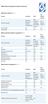 Device Vendor Comparisons Deployment options ( + / -) Vendor for On premises Cloud/SaaS and other platforms supported (+ / -) Vendor for ios Android Extended Android APIs Knox, Safe Safe BlackBerry Windows
Mobile Device Management for CFAES
 Mobile Device Management for CFAES What is Mobile Device Management? As smartphones and other mobile computing devices grow in popularity, management challenges related to device and data security are
Symantec Mobile Management 7.2
 Scalable, secure, and integrated device management Data Sheet: Endpoint Management and Mobility Overview The rapid proliferation of mobile devices in the workplace is outpacing that of any previous technology
A guide to enterprise mobile device management.
 WHITEPAPER A guide to enterprise Beyond expectation. www.azzurricommunications.co.uk Introduction. As smartphones and tablets proliferate in the enterprise, IT leaders are under pressure to implement an
Symantec Mobile Management 7.1
 Scalable, secure, and integrated device management Data Sheet: Endpoint Management and Mobility Overview The rapid proliferation of mobile devices in the workplace is outpacing that of any previous technology,
OWA vs. MDM. Once important area to consider is the impact on security and compliance policies by users bringing their own devices (BYOD) to work.
 OWA vs. MDM Introduction SmartPhones and tablet devices are becoming a common fixture in the corporate environment. As feature phones are replaced with new devices such as iphone s, ipad s, and Android
Cisco Mobile Collaboration Management Service
 Cisco Mobile Collaboration Management Service Cisco Collaboration Services Business is increasingly taking place on both personal and company-provided smartphones and tablets. As a result, IT leaders are
Symantec Mobile Management 7.1
 Scalable, secure, and integrated device management for healthcare Data Sheet: Industry Perspectives Healthcare Overview The rapid proliferation of mobile devices in the workplace is outpacing that of any
[BRING YOUR OWN DEVICE POLICY]
![[BRING YOUR OWN DEVICE POLICY]](/thumbs/33/16168462.jpg "[BRING YOUR OWN DEVICE POLICY]") 2013 Orb Data Simon Barnes [BRING YOUR OWN DEVICE POLICY] This document specifies a sample BYOD policy for use with the Orb Data SaaS MDM service Contents 1 ACCEPTABLE USE... 3 1.1 GENERAL RULES... 3 2
2013 Orb Data Simon Barnes [BRING YOUR OWN DEVICE POLICY] This document specifies a sample BYOD policy for use with the Orb Data SaaS MDM service Contents 1 ACCEPTABLE USE... 3 1.1 GENERAL RULES... 3 2
Kaspersky Security for Mobile
 Kaspersky Security for Mobile See. Control. Protect. MOVING TARGETS Mobile devices play a key role in connectivity and productivity. But they also introduce new risks to the business: in the past 12 months
How To Protect The Agency From Hackers On A Cell Phone Or Tablet Device
 PRODUCT DESCRIPTION Product Number: 0.0.0 MOBILE DEVICE MANAGEMENT (MDM) Effective Date: Month 00, 0000 Revision Date: Month 00, 0000 Version: 0.0.0 Product Owner: Product Owner s Name Product Manager:
Cloud Services MDM. ios User Guide
 Cloud Services MDM ios User Guide 10/24/2014 CONTENTS Overview... 3 Supported Devices... 3 System Capabilities... 3 Enrollment and Activation... 4 Download the Agent... 4 Enroll Your Device Using the Agent...
Symantec Mobile Management for Configuration Manager 7.2
 Symantec Mobile Management for Configuration Manager 7.2 Scalable, Secure, and Integrated Device Management Data Sheet: Endpoint Management and Mobility Overview The rapid proliferation of mobile devices
ios Enterprise Deployment Overview
 ios Enterprise Deployment Overview ios devices such as ipad and iphone can transform your business. They can significantly boost productivity and give your employees the freedom and flexibility to work
Advanced Configuration Steps
 Advanced Configuration Steps After you have downloaded a trial, you can perform the following from the Setup menu in the MaaS360 portal: Configure additional services Configure device enrollment settings
Deploying iphone and ipad Apple Configurator
 Deploying iphone and ipad Apple Configurator ios devices can be configured for enterprise deployment using a wide variety of tools and methods. End users can set up devices manually with a few simple instructions
IT Resource Management & Mobile Data Protection vs. User Empowerment
 Enterprise Mobility Management Buyers Guide IT Resource Management & Mobile Data Protection vs. User Empowerment Business leaders and users are embracing mobility and enjoying the flexibility and productivity
How To Manage A Mobile Device Management (Mdm) Solution
 Mobile Device Management Buyers Guide IT departments should be perceived as the lubricant in the machine that powers an organization. BYOD is a great opportunity to make life easier for your users. But
Athena Mobile Device Management from Symantec
 Athena Mobile Device Management from Symantec Scalable, Secure, and Integrated Device Management for ios and Android Data Sheet: Endpoint Management and Mobility Overview The rapid proliferation of mobile
IBM United States Software Announcement 215-078, dated February 3, 2015
 IBM United States Software Announcement 215-078, dated February 3, 2015 solutions provide a comprehensive, secure, and cloud-based enterprise mobility management platform to protect your devices, apps,
How To Write A Mobile Device Policy
 BYOD Policy Implementation Guide BYOD Three simple steps to legally secure and manage employee-owned devices within a corporate environment We won t bore you with the typical overview that speaks to the
Unified Windows Device Management in the Enterprise
 Unified Windows Device Management in the Enterprise Chuck Brown Product Management Jimmy Tsang Product Marketing Lenovo ThinkPad 8 Giveaway Tweet @MaaS360 with event hashtag #MaaS360Win Winner will be
SYNCSHIELD FEATURES. Preset a certain task to be executed. specific time.
 SYNCSHIELD FEATURES This document describes the diversity of SyncShield features. Please note that many of the features require a certain platform version, often earlier software versions do not support
Choosing an MDM Platform
 Whitepaper Choosing an MDM Platform Where to Start the Conversation 2 Choosing an MDM Platform: Where to Start the Conversation There are dozens of MDM options on the market, each claiming to do more than
Answers to these questions will determine which mobile device types and operating systems can be allowed to access enterprise data.
 Mobility options and landscapes are evolving quickly for the corporate enterprise. Mobile platform providers such as Apple, Google and Microsoft, and leading device hardware vendors are constantly updating
Mobile Device Management and Security Glossary
 Mobile Device Management and Security Glossary February, 2011 MOBILE OS ActiveSync Exchange ActiveSync (EAS) is a Microsoft technology that allows mobile users to access their Microsoft Exchange mailboxes
CHOOSING AN MDM PLATFORM
 CHOOSING AN MDM PLATFORM Where to Start the Conversation Whitepaper 2 Choosing an MDM Platform: Where to Start the Conversation There are dozens of MDM options on the market, each claiming to do more than
MDM Mobile Device Management
 Page 1 About 1Mobility 1Mobility has successfully established itself as a global company, offering cloud based, internationalized and scalable Enterprise Mobility Management (EMM) solution that monitors,
PULSE SECURE FOR GOOGLE ANDROID
 DATASHEET PULSE SECURE FOR GOOGLE ANDROID Product Overview In addition to enabling network and resource access for corporate managed mobile devices, many enterprises are implementing a Bring Your Own Device
Total Enterprise Mobility. Norbert Elek [email protected] www.maas360.com
 Total Enterprise Mobility Norbert Elek [email protected] www.maas360.com We Understand Your Mobility Challenges Bring your own device Support multiple platforms Increase productivity Reduce security
Chris Boykin VP of Professional Services
 5/30/12 Chris Boykin VP of Professional Services Future Com! 20 years! Trusted Advisors! Best of brand partners! Brand name customers! 1000 s of solutions delivered!! 1 5/30/12 insight to the future, bringing
Exchange ActiveSync (EAS)
 Exchange ActiveSync (EAS) EAS allows for the synchronization of email, contacts, calendar, tasks and notes from an Exchange email server to a mobile device. Configuring and Connecting ios devices (iphone,
Enterprise Mobility as a Service
 Service Description: Insert Title Enterprise Mobility as a Service Multi-Service User Management for Mobility 1. Executive Summary... 2 2. Enterprise Mobility as a Service Overview... 3 3. Pricing Structure...
APPENDIX B1 - FUNCTIONALITY AND INTEGRATION REQUIREMENTS RESPONSE FORM FOR A COUNTY HOSTED SOLUTION
 APPENDIX B1 - FUNCTIONALITY AND INTEGRATION REQUIREMENTS RESPONSE FORM FOR A COUNTY HOSTED SOLUTION Response Code: Offeror should place the appropriate letter designation in the Availability column according
IT Resource Management vs. User Empowerment
 Mobile Device Management Buyers Guide IT Resource Management vs. User Empowerment Business leaders and users are embracing mobility and enjoying the flexibility and productivity leading to rising mobile
AnceroAir Mobile Device Management (MDM) Service Guide
 AnceroAir Mobile Device Management (MDM) Service Guide Contents Service Overview... 3 Core Mobile Device Management... 3 Mobility Management Bundle... 3 Secure Productivity Suite... 4 TouchDown (with Exchange
RFI Template for Enterprise MDM Solutions
 RFI Template for Enterprise MDM Solutions 2012 Zenprise, Inc. 1 About This RFI Template A secure mobile device management solution is an integral part of any effective enterprise mobility program. Mobile
Managing and Securing the Mobile Device Invasion. 2012 IBM Corporation
 Managing and Securing the Mobile Device Invasion 2012 IBM Corporation Please Note: IBM s statements regarding its plans, directions, and intent are subject to change or withdrawal without notice at IBM
Bring Your Own Device. Individual Liable User Policy Considerations
 Bring Your Own Device Individual Liable User Contents Introduction 3 Policy Document Objectives & Legal Disclaimer 3 Eligibility Considerations 4 Reimbursement Considerations 4 Security Considerations
1. Introduction... 1. 2. Activation of Mobile Device Management... 3. 3. How Endpoint Protector MDM Works... 5
 User Manual I Endpoint Protector Mobile Device Management User Manual Table of Contents 1. Introduction... 1 1.1. What is Endpoint Protector?... 2 2. Activation of Mobile Device Management... 3 2.1. Activation
Guideline on Safe BYOD Management
 CMSGu2014-01 Mauritian Computer Emergency Response Team CERT-MU SECURITY GUIDELINE 2011-02 Enhancing Cyber Security in Mauritius Guideline on Safe BYOD Management National Computer Board Mauritius Version
Windows Phone 8.1 Mobile Device Management Overview
 Windows Phone 8.1 Mobile Device Management Overview Published April 2014 Executive summary Most organizations are aware that they need to secure corporate data and minimize risks if mobile devices are
Quick Start Guide. Version R9. English
 Mobile Device Management Quick Start Guide Version R9 English February 25, 2015 Agreement The purchase and use of all Software and Services is subject to the Agreement as defined in Kaseya s Click-Accept
Addressing NIST and DOD Requirements for Mobile Device Management
 Addressing NIST and DOD Requirements for Mobile Device Management Whitepaper 2013 ForeScout Technologies, Inc. All rights reserved. Call Toll-Free: 1.866.377.8771 www.forescout.com Contents 1. OVERVIEW
Healthcare Buyers Guide: Mobile Device Management
 Healthcare Buyers Guide: Mobile Device Management Physicians and other healthcare providers see value in using mobile devices on the job. BYOD is a great opportunity to provide better and more efficient
TCS Hy5 Presidio Your Mobile Environment, Your Way Configure, Secure, Deploy. Mobility Solutions
 TCS Hy5 Presidio Your Mobile Environment, Your Way Configure, Secure, Deploy Mobility Solutions The growth of in-house and third-party enterprise mobile applications; device diversity across ios, Android,
Xperia TM. Read about how Xperia TM devices can be administered in a corporate IT environment
 Xperia TM in Business Mobile Device Management Read about how Xperia TM devices can be administered in a corporate IT environment Device management clients Xperia TM T3 Exchange ActiveSync The my Xperia
Secure, Centralized, Simple
 Whitepaper Secure, Centralized, Simple Multi-platform Enterprise Mobility Management 2 Controlling it all from one place BlackBerry Enterprise Service 10 (BES10) is a unified, multi-platform, device, application,
The BYOD of Tomorrow: BYOD 2.0. What is BYOD 1.0? What is BYOD 2.0? 3/27/2014. Cesar Picasso, MBA SOTI Inc. April 02, 2014
 The BYOD of Tomorrow: BYOD 2.0 Cesar Picasso, MBA SOTI Inc. April 02, 2014 What is BYOD 1.0? BYOD 1.0 was the first wave of mobile device management that controlled the entire device BYOD 1.0 was inadequate
SOLUTION BRIEF Enterprise Mobility Management. Critical Elements of an Enterprise Mobility Management Suite
 SOLUTION BRIEF Enterprise Mobility Management Critical Elements of an Enterprise Mobility Management Suite CA Technologies is unique in delivering Enterprise Mobility Management: the integration of the
Xperia TM. Read about how Xperia TM devices can be administered in a corporate IT environment
 Xperia TM in Business Mobile Device Management Read about how Xperia TM devices can be administered in a corporate IT environment Device management clients June 2015 Exchange ActiveSync The my Xperia service
CounterACT Plugin Configuration Guide for ForeScout Mobile Integration Module MaaS360 Version 1.0.1. ForeScout Mobile
 CounterACT Plugin Configuration Guide for ForeScout Mobile Integration Module Version 1.0.1 ForeScout Mobile Table of Contents About the Integration... 3 ForeScout MDM... 3 Additional Documentation...
Auditing the Security and Management of Smart Devices. ISACA Dallas Meeting February 13, 2014
 Securely Manage your devices, applications and data. Deploy your corporate policies on smart devices. Comply with Regulatory Laws. Auditing the Security and Management of Smart Devices ISACA Dallas Meeting
BEST PRACTICE GUIDE MOBILE DEVICE MANAGEMENT AND MOBILE SECURITY.
 BEST PRACTICE GUIDE MOBILE DEVICE MANAGEMENT AND MOBILE SECURITY. With Kaspersky, now you can. kaspersky.com/business Be Ready for What s Next CONTENTS 1. OPEN ALL HOURS...2 Page 2. MOBILE DEVICE MANAGEMENT
How To Use A Microsoft Mobile Security Software For A Corporate Account On A Mobile Device
 Technical FAQ McAfee Enterprise Mobility Management (McAfee EMM ) 12.0 Frequently Asked Questions Q. What types of mobile devices does McAfee Enterprise Mobility Management (McAfee EMM ) support? A. McAfee
iphone in Business Mobile Device Management
 19 iphone in Business Mobile Device Management iphone supports Mobile Device Management, giving businesses the ability to manage scaled deployments of iphone across their organizations. These Mobile Device
IBM Endpoint Manager for Mobile Devices
 IBM Endpoint Manager for Mobile Devices A unified platform for managing mobile devices together with your traditional endpoints Highlights Address business and technology issues of security, complexity
The Future of Mobile Device Management
 The Future of Mobile Device Management Simplifying the move from BlackBerry to a multi-os environment MobileIron Advisory Services 415 E. Middlefield Road Mountain View, CA 94043 www.mobileiron.com Table
Enterprise Mobility Management Migration Migrating from Legacy EMM to an epo Managed EMM Environment. Paul Luetje Enterprise Solutions Architect
 Enterprise Mobility Management Migration Migrating from Legacy EMM to an epo Managed EMM Environment Paul Luetje Enterprise Solutions Architect Table of Contents Welcome... 3 Purpose of this document...
Symantec Mobile Management Suite
 Symantec Mobile Management Suite One Solution For All Enterprise Mobility Needs Data Sheet: Mobile Security and Management Introduction Most enterprises have multiple mobile initiatives spread across the
McAfee Enterprise Mobility Management
 Technical FAQ McAfee Enterprise Mobility Management Frequently Asked Questions Device Management Q: Which devices do you currently support? A: McAfee Enterprise Mobility Management (McAfee EMM ) offers
Kaspersky Security 10 for Mobile Implementation Guide
 Kaspersky Security 10 for Mobile Implementation Guide APPLICATION VERSION: 10.0 MAINTENANCE RELEASE 1 Dear User, Thank you for choosing our product. We hope that you will find this documentation useful
Sophos Mobile Control Administrator guide. Product version: 3
 Sophos Mobile Control Administrator guide Product version: 3 Document date: January 2013 Contents 1 About Sophos Mobile Control...4 2 About the Sophos Mobile Control web console...7 3 Key steps for managing
SOTI Inc. Presents. Andrew Aldis - Presale and professional service engineer [email protected]. www.soti.net
 SOTI Inc. Presents Andrew Aldis - Presale and professional service engineer [email protected] www.soti.net World s Most Trusted MDM Vendor 12,000+ customers, millions of devices managed worldwide Since 1995,
MDM: Enabling Productivity in the world of mobility. Sudhakar S Peddibhotla Director of Engineering, Good Technology
 MDM: Enabling Productivity in the world of mobility Sudhakar S Peddibhotla Director of Engineering, Good Technology Disclaimer None of the content in this presentation can be consider Good Technology s
Managing Mobility in the BYOD Era:
 Managing Mobility in the BYOD Era: New technology requires new thinking Clint Adams Director of Mobile Technology Services [email protected] BYOD is Accelerating 350 million employee-owned devices in
Microsoft Enterprise Mobility Suite
 Microsoft Enterprise Mobility Suite Standalone - overview Peter Daalmans http://configmgrblog.com, [email protected] IT-Concern John Marcum Enterprise Client Management Architect / [email protected]
Deploying iphone and ipad Mobile Device Management
 Deploying iphone and ipad Mobile Device Management ios supports Mobile Device Management (MDM), giving businesses the ability to manage scaled deployments of iphone and ipad across their organizations.
perspective The battle between MDM and MAM: Where MAM fills the gap? Abstract - Payal Patel, Jagdish Vasishtha (Jags)
 perspective The battle between MDM and MAM: Where MAM fills the gap? - Payal Patel, Jagdish Vasishtha (Jags) Abstract MDM Mobile Device Management and MAM Mobile Application Management are main Enterprise
BYOD. and Mobile Device Security. Shirley Erp, CISSP CISA November 28, 2012
 BYOD and Mobile Device Security Shirley Erp, CISSP CISA November 28, 2012 Session is currently being recorded, and will be available on our website at http://www.utsystem.edu/compliance/swcacademy.html.
M a as3 6 0 fo r M o bile D evice s
 by Fiberlink Services > Overview MaaS360 helps IT administrators provision, manage, and secure today s expanding suite of mobile devices, including ios and Android devices. The New Challenges of Mobile
Frequently Asked Questions & Answers: Bring Your Own Device (BYOD) Policy
 Frequently Asked Questions & Answers: Bring Your Own Device (BYOD) Policy Converting a Device Whose phones will be wiped on Wednesday, January 30? If you continue to have a company-paid phone, you are
Mobile Device Management
 Mobile Device Management Complete remote management for company devices Corporate and personal mobile devices (commonly referred to as Bring Your Own Device, or BYOD) must be provisioned, configured, monitored,
Microsoft Enterprise Mobility Suite
 Microsoft Enterprise Mobility Suite March 25, 2015 Colm Whelan VP of Cloud Solutions [email protected] @colmw https://www.linkedin.com/in/colmwhelan Lighthouse Computer Services, All rights reserved
How Nokia deployed AirWatch MDM for Nokia Lumia
 How Nokia deployed AirWatch MDM for Nokia Lumia Case Study 2 Contents 1 Challenge...3 1.1 AirWatch MDM pilot...3 1.2 Challenge of full MDM deployment...4 2 Preparing for deployment...6 2.1 Lessons learned