
[BRING YOUR OWN DEVICE POLICY]
|
|
|
- Damon Weaver
- 9 years ago
- Views:
Transcription
1 2013 Orb Data Simon Barnes [BRING YOUR OWN DEVICE POLICY] This document specifies a sample BYOD policy for use with the Orb Data SaaS MDM service

2 Contents 1 ACCEPTABLE USE GENERAL RULES DEVICES AND SUPPORT SMARTPHONE SUPPORT TABLET/LAPTOP SUPPORT CONNECTIVITY MOBILE DEVICE MANAGEMENT SUPPORT LOSS OR DAMAGE OF A DEVICE REIMBURSEMENT DEVICE PURCHASE TAX LIABILITIES MOBILE PLAN SECURITY MOBILE DEVICE SECURITY Passwords/PIN codes Rooted or Jail broken Phones Applications Cameras Websites Corporate Data Remote Wipe of the Device USB Connection to Work PC LAPTOP SECURITY Passwords Software Encryption Security Patches Application Security Patches Websites Corporate Data RISKS/LIABILITIES/DISCLAIMERS RISKS AND LIABILITIES BYOD ASSET REGISTER DISCLAIMERS USER ACKNOWLEDGMENT AND AGREEMENT Page 2

3 1 ACCEPTABLE USE Company [COMPANY NAME] grants its employees the privilege of purchasing and using Smartphones and tablets of their choosing at work for their convenience. Company [COMPANY NAME] reserves the right to revoke this privilege if users do not abide by the policies and procedures outlined below. This policy is intended to protect the security and integrity of Company [COMPANY NAME] s data and technology infrastructure. Limited exceptions to the policy may occur due to variations in devices and platforms. [COMPANY NAME] employees must agree to the terms and conditions set forth in this policy in order to be able to connect their devices to the company network. 1.1 General Rules The company defines acceptable business use as activities that directly or indirectly support the business of Company [COMPANY NAME]. The company defines acceptable personal use on company time as reasonable and limited personal communication The employee will not download/transfer business data that is considered sensitive or confidential to the personal device Devices may not be used at any time to: o Store or transmit illicit materials o Store or transmit proprietary information belonging to another company o Harass others o Engage in outside business activities Company [COMPANY NAME] has a zero-tolerance policy for texting or ing while driving and only hands-free talking while driving is permitted. Page 3
![This policy is intended to protect the security and integrity of Company [COMPANY NAME] s data and technology infrastructure.](/docs-images/49/16168462/images/page_3.jpg "Limited exceptions to the policy may occur due to variations in devices and platforms.")
4 2 DEVICES AND SUPPORT Smartphones, tablets and laptops that are not on the company s list of supported devices are/are not allowed to connect to the network. or [erase as appropriate] Smartphones, tablets and laptops belonging to employees that are for personal use only are/are not allowed to connect to the network. 2.1 Smartphone Support The following Smartphones are supported: Apple ios (5.x, 6.x) iphone Android (ARM) versions 2.2, 2.3x, 3.x 4.x Blackberry Nokia Symbian Microsoft Windows Mobile 5.x, Windows Phone 8 3 Devices that are not included in this list are not to be connected to the Company [COMPANY NAME] s network without explicit permission. 2.2 Tablet/Laptop Support The following Tablets/Laptops are supported: Apple ios, Google Android Windows 8 professional 2 Windows RT 3 Blackberry 10 3 Windows XP 2 Windows 7 2 Mac OS X Devices that are not included in this list are not to be connected to the Company [COMPANY NAME] s network without explicit permission 2.3 Connectivity Connectivity issues are supported by IT; employees should/should not contact the device manufacturer or their carrier for operating system or hardware-related issues. 1 Managed through the Blackberry Management Extender, MDM license and access to Blackberry Server required. 2 These devices are running native agents and will require an IEM lifecycle management license. 3 Managed through the Exchange Extender, MDM license and access to Exchange Server required. Page 4

5 2.4 Mobile Device Management Bring Your Own Device Policy Before BYOD devices are connected to the Company [COMPANY NAME] s network the device must have an IBM Endpoint Manager for Mobile Device Management application (or agent) installed and configured. To do this the device must be presented to IT for configuration or use supplied self-service processes to install and configure the agent. 2.5 Support Support will/will not be offered for the devices that form part of this scheme. The company [COMPANY NAME] will provide a forum for BYOD device issues. This will not be manned or run by the IT department but questions may be answered by IT department employees as time permits. 2.6 Loss or Damage of a Device If the device is lost or damaged the employee is responsible for the purchase of a replacement device. A lower specification device will be available from the company [COMPANY NAME] whilst the replacement is purchased but will be lent for no longer than 2 weeks. Page 5
![2.5 Support Support will/will not be offered for the devices that form part of this scheme. The company [COMPANY NAME] will provide a forum for BYOD device issues.](/docs-images/49/16168462/images/page_5.jpg "This will not be manned or run by the IT department but questions may be answered by IT department employees as time permits. 2.")
6 3 REIMBURSEMENT 3.1 Device Purchase The company [COMPANY NAME] will/will not reimburse the employee for a percentage of the cost of the device) or [erase as appropriate] The company [COMPANY NAME] will contribute xx.xx amount of money toward the cost of the device. 3.2 Tax Liabilities [Delete section if employer is buying the device for the employee and will retain ownership.] The tax liabilities accruing from the purchase of the device are the responsibility of the employee. The money given is considered to be salary and attracts tax and national insurance (both employee and employer). Thus an employee given 1000 who is a 40% tax payer will in reality only get 600 (less NI) and the employer will pay more in NI for making the grant. In addition the device bought will be liable to VAT and will not be reclaimable by the company [COMPANY NAME]. 3.3 Mobile Plan The company will [erase as appropriate]: Pay the employee an allowance Cover the cost of the entire phone/data plan, Pay half of the phone/data plan, etc. The company will/will not reimburse the employee for the following charges: Roaming Plan over use charges Page 6

7 4 SECURITY 4.1 Mobile Device Security The company security policy will be applied to all mobile devices. This will enforce the following policy: Passwords/PIN codes [Change settings in red as appropriate. Current setting are based on Center for Internet Security (CIS) standard] Devices must be password protected using the features of the device The device must lock itself with a password or PIN if it is idle for 2 minutes. The device will be disabled after 6 failed login attempts Passwords must have the following settings: o An alphanumeric value o A minimum password length of 5 characters o Passwords will be rotated every 90 days o The new password can t be one of 24 previous passwords Rooted or Jail broken Phones Rooted (Android) or jailbroken (ios) devices are strictly forbidden from accessing the network Applications Employees are not allowed to download, install and use any app that does not appear on the company s list of approved apps. The current list of approved apps are: [add/remove apps as appropriate] Twitter Starbucks Dropbox LinkedIn Google Maps WhatsApp Trello Salesforce IBM Mobile Client Cameras Devices camera and/or video capabilities are/are not allowed Websites Employees are blocked from accessing certain websites during work hours/while connected to the corporate network at the discretion of the company. The following web-sites are allowed: [add/remove URLs as appropriate] Page 7

8 Corporate Data Employees access to company data is limited based on user profiles defined by IT and automatically enforced. Employees may use their mobile device to access the following company-owned resources: Calendars Contacts Documents Remote Wipe of the Device The employee s device may be remotely wiped if 1. The device is lost 2. The employee terminates his or her employment 3. IT detects a data or policy breach, a virus or similar threat to the security of the company s data and technology infrastructure While the company [COMPANY NAME] will take every precaution to prevent the employee s personal data from being lost in the event it must remote wipe a device, it is the employee s responsibility to take additional precautions, such as backing up , contacts, etc USB Connection to Work PC Only BYODs that provide FIPS device-level encryption 4 may be connected to the company [COMPANY NAME] PCs for document transfer purposes. 4.2 Laptop Security The company security policy will be applied to all laptop devices. This will enforce the following policy: Passwords [Change settings in red and delete items as appropriate] Devices must be password protected The device must auto lock after 15 minutes of inactivity No accounts with blank passwords should exist on the system. Passwords should be a minimum of 8 characters. Maximum password age is 90 days System is set with a password protected screen saver Password is required on resume from sleep and hibernate. Guest account must be disabled 4 (currently only Blackberry devices are certified as compliant) Page 8

9 4.2.2 Software The following company software must be installed and will be checked to ensure it is active and up to date on devices enrolled in the BYOD scheme. [Change settings in red and delete items as appropriate] Anti-virus / malware Data loss prevention Firewall Encryption VPN Client Backup software Encryption All drives on the device must be encrypted Security Patches All devices enrolled in the scheme will be automatically patched with the latest vendor supplied OS Security patches Application Security Patches All devices enrolled in the scheme will be automatically patched with the latest application specific security patches Websites Employees are blocked from accessing certain websites during work hours/while connected to the corporate network at the discretion of the company. The following web-sites are allowed: Corporate Data Employees access to company data is limited based on user profiles defined by IT and automatically enforced. Employees may use their laptops to access the following company-owned resources: Calendars Contacts Documents Page 9

10 5 RISKS/LIABILITIES/DISCLAIMERS 5.1 Risks and Liabilities The employee bears the following risks and liabilities: [Delete as appropriate] i. The company reserves the right to disconnect devices or disable services without notification. ii. Lost or stolen devices must be reported to the company within 24 hours. Employees are responsible for notifying their mobile carrier immediately upon loss of a device. iii. The employee is expected to use his or her devices in an ethical manner at all times and adhere to the company s acceptable use policy as outlined above. iv. The employee is personally liable for all costs associated with his or her device. v. The employee assumes full liability for risks including, but not limited to, the partial or complete loss of company and personal data due to an operating system crash, errors, bugs, viruses, malware, and/or other software or hardware failures, or programming errors that render the device unusable. vi. Company [COMPANY NAME] reserves the right to take appropriate disciplinary action up to and including termination for noncompliance with this policy. 5.2 BYOD Asset Register All employee owned devices that are enrolled in this scheme will regularly update details on the BYOD asset register. This information collected will differ depending on the type of device. These details are required to allow devices to be identified, secured and configured. i. Hardware Information - The details collected will differ depending on the device type, but will at a minimum contain the following: Manufacturer Model Serial Number Operating System Operating System Patch Level Device Ownership ii. Installed Software Information - The detail collected will differ depending on the device type, but at a minimum will contain the following: Application name Application version iii. Access to Asset Register - The following departments will have access to the details stored on the asset register IT Support IT Security iv. Employee Data Requests - An employee has the right to request a copy of the data that is being held on their personal device that is registered with the BYOD scheme. A written request must be made to [email protected], data will be provided within 28 days. v. Removal of data from asset register - When a devices is removed from the BYOD scheme the data stored on the Company Asset Register will be removed within 28 days. Page 10

11 5.3 Disclaimers i. While the company [COMPANY NAME] will take every precaution to prevent the employee s personal data from being lost in the event it must remote wipe a device, it is the employee s responsibility to take additional precautions, such as backing up , contacts, etc. Page 11

12 6 USER ACKNOWLEDGMENT AND AGREEMENT It is the company [COMPANY NAME] right to restrict or rescind computing privileges, or take other administrative or legal action due to failure to comply with the above referenced Policy and Rules of Behaviour. Violation of these rules may be grounds for disciplinary action up to and including removal. I acknowledge, understand and will comply with the above referenced security policy and rules of behaviour, as applicable to my BYOD usage of the company [COMPANY NAME] services. Should I later decide to discontinue my participation in the BYOD Program, I will allow the company [COMPANY NAME] to remove and disable any company provided third-party software and services from my personal device, Employee Name: BYOD Device(s: IMEI Number: Phone Number (if appropriate): Employee Signature: Date: Effective Date: [DATE] Responsible Office: [OFFICE NAME] End of Document Page 12
![I acknowledge, understand and will comply with the above referenced security policy and rules of behaviour, as applicable to my BYOD usage of the company [COMPANY NAME] services.](/docs-images/49/16168462/images/page_12.jpg "Should I later decide to discontinue my participation in the BYOD Program, I will allow the company [COMPANY NAME] to remove and disable any company provided third-party software and services from my")
BYOD Policy for [AGENCY]
![BYOD Policy for [AGENCY]](/thumbs/24/2163525.jpg "BYOD Policy for [AGENCY]") BYOD Policy for [AGENCY] This document provides policies, standards, and rules of behavior for the use of smartphones, tablets and/or other devices ( Device ) owned by [AGENCY] employees personally (herein
BYOD Policy for [AGENCY] This document provides policies, standards, and rules of behavior for the use of smartphones, tablets and/or other devices ( Device ) owned by [AGENCY] employees personally (herein
BYOD. opos WHAT IS YOUR POLICY? SUMMARY
 BYOD WHAT IS YOUR POLICY? opos SUMMARY The organization s employees and contractors frequently perform employment-related tasks which require connecting to the organization s networks, systems, and/or
Bring Your Own Device (BYOD) Policy
 Bring Your Own Device (BYOD) Policy Document History Document Reference: Document Purpose: Date Approved: Approving Committee: To set out the technical capabilities of the chosen security solution Airwatch
Bring Your Own Device. Individual Liable User Policy Considerations
 Bring Your Own Device Individual Liable User Contents Introduction 3 Policy Document Objectives & Legal Disclaimer 3 Eligibility Considerations 4 Reimbursement Considerations 4 Security Considerations
Consumer Device Policy (Smartphones / Tablets) BYOD (Bring Your Own Device)
 Consumer Device Policy (Smartphones / Tablets) BYOD (Bring Your Own Device) Policy Number: 422 Supersedes: - Standards For Healthcare Services No/s 1, 5, 19 New Version Date Of Reviewer Completed Date
Security Guide. BlackBerry Enterprise Service 12. for ios, Android, and Windows Phone. Version 12.0
 Security Guide BlackBerry Enterprise Service 12 for ios, Android, and Windows Phone Version 12.0 Published: 2015-02-06 SWD-20150206130210406 Contents About this guide... 6 What is BES12?... 7 Key features
How To Write A Mobile Device Policy
 BYOD Policy Implementation Guide BYOD Three simple steps to legally secure and manage employee-owned devices within a corporate environment We won t bore you with the typical overview that speaks to the
Bring Your Own Device (BYOD)
 Bring Your Own Device (BYOD) Policy Intent Rosemount Middle School (RMS) grants its students and staff the privilege of using personal mobile devices (laptops, tablets, etc.) of their choosing to complete
Frequently Asked Questions & Answers: Bring Your Own Device (BYOD) Policy
 Frequently Asked Questions & Answers: Bring Your Own Device (BYOD) Policy Converting a Device Whose phones will be wiped on Wednesday, January 30? If you continue to have a company-paid phone, you are
Mobile Devices Policy
 Mobile Devices Policy Item Policy description Division Director Contact Description Guidelines to ensure that mobile devices are deployed and used in a secure and appropriate manner. IT Services and Records
Managing and Securing the Mobile Device Invasion. 2012 IBM Corporation
 Managing and Securing the Mobile Device Invasion 2012 IBM Corporation Please Note: IBM s statements regarding its plans, directions, and intent are subject to change or withdrawal without notice at IBM
BYOD: End-to-End Security
 BYOD: End-to-End Security Alen Lo MBA(CUHK), BSc(HKU), CISA, CCP, CISSP, CISM, CEH IRCA Certified ISMS Lead Auditor, itsmf ISO 20000 Auditor Principal Consultant i-totalsecurity Consulting Limited [email protected]
AirWatch Enterprise Mobility Management. AirWatch Enterprise Mobility Management
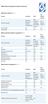 Device Vendor Comparisons Deployment options ( + / -) Vendor for On premises Cloud/SaaS and other platforms supported (+ / -) Vendor for ios Android Extended Android APIs Knox, Safe Safe BlackBerry Windows
Kaspersky Security for Mobile
 Kaspersky Security for Mobile See. Control. Protect. MOVING TARGETS Mobile devices play a key role in connectivity and productivity. But they also introduce new risks to the business: in the past 12 months
1. What are the System Requirements for using the MaaS360 for Exchange ActiveSync solution?
 MaaS360 FAQs This guide is meant to help answer some of the initial frequently asked questions businesses ask as they try to figure out the who, what, when, why and how of managing their smartphone devices,
Mobile Security Standard
 Mobile Security Standard Title Mobile Security Standard Mobile Device Security Category Version: 18/07/2013 PUBLISHED Author:, IT Services Contact: [email protected] Mobile Security Standard
BYOD. and Mobile Device Security. Shirley Erp, CISSP CISA November 28, 2012
 BYOD and Mobile Device Security Shirley Erp, CISSP CISA November 28, 2012 Session is currently being recorded, and will be available on our website at http://www.utsystem.edu/compliance/swcacademy.html.
Symantec Mobile Management Suite
 Symantec Mobile Management Suite One Solution For All Enterprise Mobility Needs Data Sheet: Mobile Security and Management Introduction Most enterprises have multiple mobile initiatives spread across the
THE ENTERPRISE MOBILITY POLICY GUIDEBOOK
 THE ENTERPRISE MOBILITY POLICY GUIDEBOOK October 2010 Edition 2 About This Guidebook Research from Strategy Analytics shows that over 90% of organizations now have employees using smartphones within their
COMMONWEALTH OF PENNSYLVANIA DEPARTMENT S OF PUBLIC WELFARE, INSURANCE AND AGING
 COMMONWEALTH OF PENNSYLVANIA DEPARTMENT S OF PUBLIC WELFARE, INSURANCE AND AGING INFORMATION TECHNOLOGY STANDARD Name Of Standard: Mobile Device Standard Domain: Security Date Issued: 09/07/2012 Date Revised:
Bell Mobile Device Management (MDM)
 Bell MDM Business FAQs 1 Bell Mobile Device Management (MDM) Frequently Asked Questions INTRODUCTION Bell Mobile Device Management provides business customers an all in one device administration tool to
Guideline on Safe BYOD Management
 CMSGu2014-01 Mauritian Computer Emergency Response Team CERT-MU SECURITY GUIDELINE 2011-02 Enhancing Cyber Security in Mauritius Guideline on Safe BYOD Management National Computer Board Mauritius Version
How To Manage A Mobile Device Management (Mdm) Solution
 Mobile Device Management Buyers Guide IT departments should be perceived as the lubricant in the machine that powers an organization. BYOD is a great opportunity to make life easier for your users. But
Policy Checklist. Directorate of Performance and Reform. Stephen Hylands, Head of Information Technology
 Policy Checklist Name of Policy: Purpose of Policy: Directorate responsible for Policy Name & Title of Author: Does this meet criteria of a Policy? Trade Union consultation? Equality Screened by: Date
IBM Endpoint Manager for Mobile Devices
 IBM Endpoint Manager for Mobile Devices A unified platform for managing mobile devices together with your traditional endpoints Highlights Address business and technology issues of security, complexity
Kony Mobile Application Management (MAM)
 Kony Mobile Application Management (MAM) Kony s Secure Mobile Application Management Feature Brief Contents What is Mobile Application Management? 3 Kony Mobile Application Management Solution Overview
Feature List for Kaspersky Security for Mobile
 Feature List for Kaspersky Security for Mobile Contents Overview... 2 Simplified Centralized Deployment... 2 Mobile Anti-Malware... 3 Anti-Theft / Content Security... Error! Bookmark not defined. Compliance
BRING YOUR OWN DEVICE POLICY (BYOD)
 BRING YOUR OWN DEVICE POLICY (BYOD) APPROVED BY: South Gloucestershire Clinical Commissioning Group Quality and Governance Committee DATE August 2015 Date of Issue: August 2015 Version No: 7 Review due:
Symantec Mobile Management 7.1
 Scalable, secure, and integrated device management for healthcare Data Sheet: Industry Perspectives Healthcare Overview The rapid proliferation of mobile devices in the workplace is outpacing that of any
SUBJECT: Effective Date Policy Number Security of Mobile Computing, Data Storage, and Communication Devices
 SUBJECT: Effective Date Policy Number Security of Mobile Computing, Data Storage, and Communication Devices 8-27-2015 4-007.1 Supersedes 4-007 Page Of 1 5 Responsible Authority Vice Provost for Information
Kaspersky Security 10 for Mobile Implementation Guide
 Kaspersky Security 10 for Mobile Implementation Guide APPLICATION VERSION: 10.0 MAINTENANCE RELEASE 1 Dear User, Thank you for choosing our product. We hope that you will find this documentation useful
How To Manage A Corporate Device Ownership (Byod) On A Corporate Network (For Employees) On An Iphone Or Ipad Or Ipa (For Non-Usenet) On Your Personal Device
 Empowering BYOD and Mobile Security in the Enterprise Jeff Baum, APAC Managing Director Growth of Mobile Mobile worker population will reach 1.3 Billion in 2015 Source: IDC Worldwide Mobile Worker Population
Mobile Device Usage and Agreement Policy
 Page 1 of 10 1.0 Introduction Mobile Device Usage and Agreement Policy The State of Minnesota provides several electronic tools for employees whose job performance requires or would be enhanced by their
iphone in Business Mobile Device Management
 19 iphone in Business Mobile Device Management iphone supports Mobile Device Management, giving businesses the ability to manage scaled deployments of iphone across their organizations. These Mobile Device
APPENDIX B1 - FUNCTIONALITY AND INTEGRATION REQUIREMENTS RESPONSE FORM FOR A COUNTY HOSTED SOLUTION
 APPENDIX B1 - FUNCTIONALITY AND INTEGRATION REQUIREMENTS RESPONSE FORM FOR A COUNTY HOSTED SOLUTION Response Code: Offeror should place the appropriate letter designation in the Availability column according
Xperia TM. Read about how Xperia TM devices can be administered in a corporate IT environment
 Xperia TM in Business Mobile Device Management Read about how Xperia TM devices can be administered in a corporate IT environment Device management clients Xperia TM T3 Exchange ActiveSync The my Xperia
IS BYOD (BRING YOUR OWN DEVICE) PART OF YOUR COMPANY S FIELD SERVICE AUTOMATION PLAN?
 WHITE PAPER IS BYOD (BRING YOUR OWN DEVICE) PART OF YOUR COMPANY S FIELD SERVICE AUTOMATION PLAN? INTRODUCTION A recent study by Ericsson projects that there will be 5.6 billion smartphones (or 60 percent
Deploying iphone and ipad Mobile Device Management
 Deploying iphone and ipad Mobile Device Management ios supports Mobile Device Management (MDM), giving businesses the ability to manage scaled deployments of iphone and ipad across their organizations.
Introduction. PCI DSS Overview
 Introduction Manage Engine Desktop Central is part of ManageEngine family that represents entire IT infrastructure with products such as Network monitoring, Helpdesk management, Application management,
Corporate Mobile Policy Template
 Updated July 2011 Three major changes have occurred over the past 18 months that require updates to your organization s mobile policy. These changes include widespread adoption of tablet devices, changes
HIGH-SECURITY MOBILITY MANAGEMENT FROM BLACKBERRY
 GOLD EMM SUBSCRIPTIONS Experience the most secure mobility management solution with BES12 and Gold Enterprise Mobility Management (EMM) subscriptions. HIGH-SECURITY MOBILITY MANAGEMENT FROM BLACKBERRY
User Guide. BES12 Self-Service
 User Guide BES12 Self-Service Published: 2016-01-27 SWD-20160127153905522 Contents About BES12 Self-Service...4 Log in to BES12 Self-Service... 4 Forgot your login password?... 4 Change your login password...5
BlackBerry Enterprise Service 10. Universal Device Service Version: 10.2. Administration Guide
 BlackBerry Enterprise Service 10 Universal Service Version: 10.2 Administration Guide Published: 2015-02-24 SWD-20150223125016631 Contents 1 Introduction...9 About this guide...10 What is BlackBerry
Research Information Security Guideline
 Research Information Security Guideline Introduction This document provides general information security guidelines when working with research data. The items in this guideline are divided into two different
Mobile Device Management and Security Glossary
 Mobile Device Management and Security Glossary February, 2011 MOBILE OS ActiveSync Exchange ActiveSync (EAS) is a Microsoft technology that allows mobile users to access their Microsoft Exchange mailboxes
Symantec Mobile Management 7.1
 Scalable, secure, and integrated device management Data Sheet: Endpoint Management and Mobility Overview The rapid proliferation of mobile devices in the workplace is outpacing that of any previous technology,
MDM: Enabling Productivity in the world of mobility. Sudhakar S Peddibhotla Director of Engineering, Good Technology
 MDM: Enabling Productivity in the world of mobility Sudhakar S Peddibhotla Director of Engineering, Good Technology Disclaimer None of the content in this presentation can be consider Good Technology s
Healthcare Buyers Guide: Mobile Device Management
 Healthcare Buyers Guide: Mobile Device Management Physicians and other healthcare providers see value in using mobile devices on the job. BYOD is a great opportunity to provide better and more efficient
Enterprise Mobility Management
 Enterprise Mobility Management Security Without Compromising User Experience SESSION ID: SPO2-R03 Brian Robison Principal Technology Evangelist, XenMobile Citrix Systems, Inc. Providing the freedom to
Cyber Essentials Questionnaire
 Cyber Essentials Questionnaire Introduction The Cyber Essentials scheme is recommended for organisations looking for a base level Cyber security test where IT is a business enabler rather than a core deliverable.
Managing Mobility. 10 top tips for Enterprise Mobility Management
 Managing Mobility 10 top tips for Enterprise Mobility Management About Trinsic Trinsic is a new kind of business communications specialist, built from the ground up to help your organisation leave behind
How To Understand The Bring Your Own Device To School Policy At A School
 The Thomas Hardye School Bring Your Own Device to School (BYOD) Policy for Students Adopted by Personnel & Resources Committee 1 st September 2014 Review date: 31 st August 2015 Signed by Chair:. CONTENTS
CJIS SECURITY POLICY: VERSION 5.2 CHANGES AND THE UPCOMING REQUIREMENTS.
 CJIS SECURITY POLICY: VERSION 5.2 CHANGES AND THE UPCOMING REQUIREMENTS. Alan Ferretti CJIS Information Security Officer Texas Department of Public Safety CJIS Security Policy version 5.2: On 8/9/2013
IT Resource Management & Mobile Data Protection vs. User Empowerment
 Enterprise Mobility Management Buyers Guide IT Resource Management & Mobile Data Protection vs. User Empowerment Business leaders and users are embracing mobility and enjoying the flexibility and productivity
Antivirus and Malware Prevention Policy and Procedures (Template) Employee Personal Device Use Terms and Conditions (Template)
 Below you will find the following sample policies: Antivirus and Malware Prevention Policy and Procedures (Template) Employee Personal Device Use Terms and Conditions (Template) *Log in to erisk Hub for
LabTech Mobile Device Management Overview
 You are here: Using LabTech > Mobile Device Management > Mobile Device Management Overview LabTech Mobile Device Management Overview Features LabTech mobile device management (MDM) is a fully integrated
SECURITY OF HANDHELD DEVICES TAKE CONTROL OF THE MOBILE DEVICE
 SECURITY OF HANDHELD DEVICES TAKE CONTROL OF THE MOBILE DEVICE Michael CLICK TO Albek EDIT MASTER - SecureDevice SUBTITLE STYLE 2011 Driven by changing trends and increasing globalization, the needs of
Secure Your Mobile Workplace
 Secure Your Mobile Workplace Sunny Leung Senior System Engineer Symantec 3th Dec, 2013 1 Agenda 1. The Threats 2. The Protection 3. Q&A 2 The Mobile Workplaces The Threats 4 Targeted Attacks up 42% in
Android support for Microsoft Exchange in pure Google devices
 Android support for Microsoft Exchange in pure Google devices Note: The information presented here is intended for Microsoft Exchange administrators who are planning and implementing support for any of
McAfee Enterprise Mobility Management Versus Microsoft Exchange ActiveSync
 McAfee Enterprise Mobility Management Versus Microsoft Secure, easy, and scalable mobile device management Table of Contents What Can Do? 3 The smartphone revolution is sweeping the enterprise 3 Can enterprises
Tom Schauer TrustCC [email protected] 253.468.9750 - cell
 Tom Schauer TrustCC [email protected] 253.468.9750 - cell Mobile Mobile Mobile Devices in the CU Environ Mobile Banking Risks and Reward Tom Schauer ü Since 1986 ü TrustCC Founded TrustCC in 2001 ü
APPLE & BUSINESS. ios ENTERPRISE SECURITY ENTERPRISE NEEDS CONFIGURATION PROFILES
 APPLE & BUSINESS ios ENTERPRISE SECURITY Apple have had an uphill battle getting into businesses for many years the Windows monopoly Phones provided another attempt Blackberrys and Windows Mobile were
Answers to these questions will determine which mobile device types and operating systems can be allowed to access enterprise data.
 Mobility options and landscapes are evolving quickly for the corporate enterprise. Mobile platform providers such as Apple, Google and Microsoft, and leading device hardware vendors are constantly updating
USE OF PERSONAL MOBILE DEVICES POLICY
 Policies and Procedures USE OF PERSONAL MOBILE DEVICES POLICY Date Approved by Information Strategy Group Version Issue Date Review Date Executive Lead Information Asset Owner Author 15.04.2014 1.0 01/08/2014
Ensuring the security of your mobile business intelligence
 IBM Software Business Analytics Cognos Business Intelligence Ensuring the security of your mobile business intelligence 2 Ensuring the security of your mobile business intelligence Contents 2 Executive
Supplier Information Security Addendum for GE Restricted Data
 Supplier Information Security Addendum for GE Restricted Data This Supplier Information Security Addendum lists the security controls that GE Suppliers are required to adopt when accessing, processing,
ipad in Business Mobile Device Management
 ipad in Business Mobile Device Management ipad supports Mobile Device Management, giving businesses the ability to manage scaled deployments of ipad across their organizations. These Mobile Device Management
HIGH-SECURITY MOBILITY MANAGEMENT FROM BLACKBERRY
 DATASHEET HIGH-SECURITY MOBILITY MANAGEMENT FROM BLACKBERRY Gold level EMM for BlackBerry Regulated-level security for BlackBerry 10 devices Ultimate security. BlackBerry 10 devices managed by BES10 with
Enterprise Mobility as a Service
 Service Description: Insert Title Enterprise Mobility as a Service Multi-Service User Management for Mobility 1. Executive Summary... 2 2. Enterprise Mobility as a Service Overview... 3 3. Pricing Structure...
IBM United States Software Announcement 215-078, dated February 3, 2015
 IBM United States Software Announcement 215-078, dated February 3, 2015 solutions provide a comprehensive, secure, and cloud-based enterprise mobility management platform to protect your devices, apps,
Embracing Complete BYOD Security with MDM and NAC
 Embracing Complete BYOD Security with MDM and NAC Clint Adams, CISSP, Director, Mobility Solutions Keith Glynn, CISSP, Sr. Technical Solutions Engineer August 22, 2013 Today s Speakers Clint Adams, CISSP
Mobile Workforce. Connect, Protect, and Manage Mobile Devices and Users with Junos Pulse and the Junos Pulse Mobile Security Suite.
 White Paper Securing Today s Mobile Workforce Connect, Protect, and Manage Mobile Devices and Users with Junos Pulse and the Junos Pulse Mobile Security Suite Copyright 2012, Juniper Networks, Inc. 1 Table
OWA vs. MDM. Once important area to consider is the impact on security and compliance policies by users bringing their own devices (BYOD) to work.
 OWA vs. MDM Introduction SmartPhones and tablet devices are becoming a common fixture in the corporate environment. As feature phones are replaced with new devices such as iphone s, ipad s, and Android
Sophos Mobile Control User guide for Apple ios. Product version: 4
 Sophos Mobile Control User guide for Apple ios Product version: 4 Document date: May 2014 Contents 1 About Sophos Mobile Control...3 2 About this guide...4 3 Login to the Self Service Portal...5 4 Set
BES10 Self-Service. Version: 10.2. User Guide
 BES10 Self-Service Version: 10.2 User Guide Published: 2014-09-10 SWD-20140908171306471 Contents 1 BES10 Self-Service overview... 4 2 Log in to BES10 Self-Service... 5 3 Activating your device...6 Create
Good for Enterprise Good Dynamics
 Good for Enterprise Good Dynamics What are Good for Enterprise and Good Dynamics? 2012 Good Technology, Inc. All Rights Reserved. 2 Good is far more than just MDM Good delivers greater value and productivity
Mobile First Government
 Mobile First Government An analysis of NIST and DISA requirements for the adoption of commercially available mobility platforms by government agencies August 2013 415 East Middlefield Road Mountain View,
SYNCSHIELD FEATURES. Preset a certain task to be executed. specific time.
 SYNCSHIELD FEATURES This document describes the diversity of SyncShield features. Please note that many of the features require a certain platform version, often earlier software versions do not support
Windows Phone 8.1 in the Enterprise
 Windows Phone 8.1 in the Enterprise Version 1.4 MobileIron 415 East Middlefield Road Mountain View, CA 94043 USA Tel. +1.650.919.8100 Fax +1.650.919.8006 [email protected] Introduction 3 Why Windows
Mobile Device Management for CFAES
 Mobile Device Management for CFAES What is Mobile Device Management? As smartphones and other mobile computing devices grow in popularity, management challenges related to device and data security are
NETWORK SECURITY GUIDELINES
 NETWORK SECURITY GUIDELINES VIRUS PROTECTION STANDARDS All networked computers and networked laptop computers are protected by GST BOCES or district standard anti-virus protection software. The anti-virus