
Xperia TM. Read about how Xperia TM devices can be administered in a corporate IT environment
|
|
|
- Camron Warner
- 10 years ago
- Views:
Transcription
1 Xperia TM in Business Mobile Device Management Read about how Xperia TM devices can be administered in a corporate IT environment Device management clients Xperia TM T3 Exchange ActiveSync The my Xperia service Third party Mobile Device Management solutions Device inventory

2 This White paper is published by: Sony Mobile Communications AB, SE Lund, Sweden Sony Mobile Communications AB, All rights reserved. You are hereby granted a license to download and/or print a copy of this document. Any rights not expressly granted herein are reserved. First released version (June 2014) This document is published by Sony Mobile Communications AB, without any warranty*. Improvements and changes to this text necessitated by typographical errors, inaccuracies of current information or improvements to programs and/or equipment may be made by Sony Mobile Communications AB at any time and without notice. Such changes will, however, be incorporated into new editions of this document. Printed versions are to be regarded as temporary reference copies only. *All implied warranties, including without limitation the implied warranties of merchantability or fitness for a particular purpose, are excluded. In no event shall Sony or its licensors be liable for incidental or consequential damages of any nature, including but not limited to lost profits or commercial loss, arising out of the use of the information in this document. 2

3 Products covered The services and features described in this document require the following combination of products and software versions: Xperia TM T3 Software version (build number): 18.1.A.1.xxx Android version: 4.4.x Note: xxx in software versions denotes a number To find the software version of a device, select About phone in Settings. Limitations to services and features Some of the services and features described in this document might not be supported in all countries/regions or by all networks and/or service providers in all areas. Please contact your network operator or service provider to determine availability of any specific service or feature and whether additional access or usage fees apply. Document release date June 1,

4 Mobile Device Management Xperia devices that are deployed in your organisation s IT environment integrate easily with a number of device management solutions. Passcode policies supported: Password recovery enabled Require password Allow simple password Min password length Min password complex characters Require alphanumeric password Max password failed attempts Restrict password history Password expiration timeout Max inactivity time lock Device policies supported: Allow Wi-Fi Allow Bluetooth Allow storage card Allow USB mass storage Allow browser Allow tethering Allow desktop sync Application blacklist/whitelist Require storage card encryption Allow roaming Require device encryption Allow camera Allow screen capture Allow USB debugging Allow non-market app installation Allow / Block / Quarantine (ABQ) list Unapproved in ROM application list Device management clients Xperia devices support device management with the built-in Microsoft Exchange ActiveSync (EAS) client, the free my Xperia service from Sony Mobile, and the leading Mobile Device Management (MDM) third-party solutions. These solutions make it possible to manage both corporateowned, and personal Xperia devices (using a Bring Your Own Device policy) over the air from a single management console. When integrated into an MDM-enabled business IT environment, Xperia devices offer a comprehensive array of policies, device command/ administration features, provisioning support, and device inventory collection functions. Xperia devices also support device management features such as wireless configuration, settings and software updating, enforcement of policies including adherence monitoring, and remote wiping and locking of devices. Exchange ActiveSync Microsoft Exchange ActiveSync enables mobile devices to synchronise messages, calendar and contacts with a Microsoft Exchange Server. EAS also provides device management capabilities and the ability to control mobile devices in a server network. The Microsoft Exchange ActiveSync implementation in Xperia devices has support for Microsoft Exchange ActiveSync MDM features including security and device policies as well as device administration features. Microsoft Exchange ActiveSync enabled Xperia devices that are deployed in a network can be controlled and monitored using Exchange Server with password policies such as mandatory PIN or password usage, minimum PIN or password length, and PIN and password resetting over the air. You can also control the number of incorrect PINs or passwords that can be entered before all data is deleted from the device. The support for Microsoft Exchange ActiveSync device administration in Xperia devices also gives administrators the ability to remotely perform a factory reset to wipe a device of all data and configurations. The my Xperia service Sony Mobile Communications offers a free-of-charge basic MDM service called my Xperia. The my Xperia service helps you to find a misplaced Xperia device, and protects its private information by locking or even remotely wiping all information on the device. The Locate function helps you to find your Xperia device by locating it on a map. 4

5 Mobile Device Management Device commands supported: Add EAS account Add / remove account VPN configuration Install certificate (VPN, apps, WiFi or S/MIME) Track data usage Wipe storage card only Get rooting status Prompt new password Lock device Wipe device Locate device Sound an alert my Xperia features: Locate device on a map Set a sound alert on the device Lock device Set new PIN and screen message Remote wipe (Factory reset) Inventory management features supported: Device information Hardware inventory (Manufacturer, Device model, Device features, Serial number, IMEI) Operating software inventory (OS version, Kernel version, Baseband version, Software build number) Apps information Installed apps App information (ID, name, version, content, resources) Individual app usage Running apps Running services Network information Subscriber ID Phone number SIM card ID (ICCID) Subscriber carrier network Current carrier network Data roaming setting (on/off) Wi-Fi information (SSID, MAC and IP addresses) Proxy hostname and port Bluetooth information (ID, MAC address, paired devices) You can lock your device and replace the existing screen lock (e.g. pattern, PIN, password) on your device with a new PIN. When you lock the device, you can also write a message that will be displayed on the screen of your device when it is found. You can also display a phone number where the finder can reach you. If you want to make sure that nobody gets hold of any private information on your misplaced Xperia device, you can erase your data remotely. You can choose to wipe the data from the internal memory, the memory card, or both. The my Xperia service uses the Google account on your device. If you are using several Google accounts on your device, you can sign in with any of them. You can connect several devices to the my Xperia service using the same Google account. The my Xperia service is available at myxperia. sonymobile.com. Third party Mobile Device Management solutions Xperia devices support all major MDM providers through the native Android device management APIs and the Sony Mobile APIs. Xperia devices have comprehensive support for over-the-air management of settings, policies, device and application commands, as well as provisioning and inventory. A wide range of device management tasks can be performed. You can, for example, enforce password policies, remotely wipe the internal memory and SD card of an Xperia device, reboot the device, or reset it to its factory settings. You can also remotely remove or disable individual applications on devices. Device provisioning abilities include remote configuration of HTTP proxy settings, Wi-Fi and APNs. Xperia devices support application inventory features that let you get a list of all apps installed on a device and retrieve information on the usage of individual apps. Furthermore, there is extensive support for hardware inventory features, making it possible to check what hardware is supported across the fleet of Xperia devices in your network. In addition, you can make an inventory of the IP network status of devices and get mobile network information for devices in the network. Device inventory With a large number of inventory management features supported by Xperia devices from Sony it is easy to keep track of the equipment used by an organisation. Administrators can get complete hardware and software inventory as well as mobile-specific information such as IP and mobile network status of managed devices. 5

6 Trademarks and acknowledgements All product and company names mentioned herein are the trademarks or registered trademarks of their respective owners. Any rights not expressly granted herein are reserved. All other trademarks are property of their respective owners. Visit for more information. 6

Xperia TM. Read about how Xperia TM devices can be administered in a corporate IT environment
 Xperia TM in Business Mobile Device Management Read about how Xperia TM devices can be administered in a corporate IT environment Device management clients June 2015 Exchange ActiveSync The my Xperia service
Xperia TM. Read about how Xperia TM devices can be administered in a corporate IT environment
 peria TM in Business Mobile Device Management Read about how peria TM devices can be administered in a corporate IT environment Device management clients March 2015 Exchange ActiveSync The my peria service
Xperia TM Email and apps
 Xperia TM Email and apps in Business Read about how Xperia TM devices manage email and synchronisation in a corporate IT environment Exchange ActiveSync IMAP4 and POP3 The Xperia Email application The
Xperia TM Email and apps
 Xperia TM Email and apps in Business Read about how Xperia TM devices manage email and synchronisation in a corporate IT environment Exchange ActiveSync IMAP4 and POP3 The Xperia Email application The
iphone in Business Mobile Device Management
 19 iphone in Business Mobile Device Management iphone supports Mobile Device Management, giving businesses the ability to manage scaled deployments of iphone across their organizations. These Mobile Device
ipad in Business Mobile Device Management
 ipad in Business Mobile Device Management ipad supports Mobile Device Management, giving businesses the ability to manage scaled deployments of ipad across their organizations. These Mobile Device Management
Deploying iphone and ipad Mobile Device Management
 Deploying iphone and ipad Mobile Device Management ios supports Mobile Device Management (MDM), giving businesses the ability to manage scaled deployments of iphone and ipad across their organizations.
1. What are the System Requirements for using the MaaS360 for Exchange ActiveSync solution?
 MaaS360 FAQs This guide is meant to help answer some of the initial frequently asked questions businesses ask as they try to figure out the who, what, when, why and how of managing their smartphone devices,
LabTech Mobile Device Management Overview
 You are here: Using LabTech > Mobile Device Management > Mobile Device Management Overview LabTech Mobile Device Management Overview Features LabTech mobile device management (MDM) is a fully integrated
Android support for Microsoft Exchange in pure Google devices
 Android support for Microsoft Exchange in pure Google devices Note: The information presented here is intended for Microsoft Exchange administrators who are planning and implementing support for any of
SYNCSHIELD FEATURES. Preset a certain task to be executed. specific time.
 SYNCSHIELD FEATURES This document describes the diversity of SyncShield features. Please note that many of the features require a certain platform version, often earlier software versions do not support
Android 4.0.4 Support on Galaxy Nexus, Nexus S, and Motorola Xoom for Microsoft Exchange Policies
 Android 4.0.4 Support on Galaxy Nexus, Nexus S, and Motorola Xoom for Microsoft Exchange Policies Overview Requirements Supported Information Services Supported Security Policies Require password Require
Windows Phone 8.1 Mobile Device Management Overview
 Windows Phone 8.1 Mobile Device Management Overview Published April 2014 Executive summary Most organizations are aware that they need to secure corporate data and minimize risks if mobile devices are
Security Guide. BlackBerry Enterprise Service 12. for ios, Android, and Windows Phone. Version 12.0
 Security Guide BlackBerry Enterprise Service 12 for ios, Android, and Windows Phone Version 12.0 Published: 2015-02-06 SWD-20150206130210406 Contents About this guide... 6 What is BES12?... 7 Key features
Microsoft Exchange Information Services and Security Policies Supported by Android 2.2
 Microsoft Exchange Information Services and Security Policies Supported by Android 2.2 Overview Requirements Supported Information Services Supported Security Policies Require password Require alphanumeric
Xperia TM Security. Read about how Xperia TM devices manage security in a corporate IT environment
 Xperia TM Security in Business Read about how Xperia TM devices manage security in a corporate IT environment System security Secure storage Network security Device security Digital certificates June 2015
Deploying iphone and ipad Security Overview
 Deploying iphone and ipad Security Overview ios, the operating system at the core of iphone and ipad, is built upon layers of security. This enables iphone and ipad to securely access corporate services
Managing ios Devices. Andrew Wellington Division of Information The Australian National University XW11
 Managing ios Devices Andrew Wellington Division of Information The Australian National University About Me Mac OS X Systems Administrator Division of Information (Central IT) Mostly manage servers (about
ONE Mail Direct for Mobile Devices
 ONE Mail Direct for Mobile Devices User Guide Version: 2.0 Document ID: 3292 Document Owner: ONE Mail Product Team Copyright Notice Copyright 2014, ehealth Ontario All rights reserved No part of this document
APPENDIX B1 - FUNCTIONALITY AND INTEGRATION REQUIREMENTS RESPONSE FORM FOR A COUNTY HOSTED SOLUTION
 APPENDIX B1 - FUNCTIONALITY AND INTEGRATION REQUIREMENTS RESPONSE FORM FOR A COUNTY HOSTED SOLUTION Response Code: Offeror should place the appropriate letter designation in the Availability column according
PMDP is simple to set up, start using, and maintain
 Product Datasheet IBELEM, SA ITS Group - 5, boulevard des Bouvets 92741 Nanterre Cedex - FRANCE Tel: +33(0)1.55.17.45.75 Fax: +33(0)1.73.72.34.08 - www.ibelem.com - [email protected] PMDP is simple to set
iphone in Business Security Overview
 iphone in Business Security Overview iphone can securely access corporate services and protect data on the device. It provides strong encryption for data in transmission, proven authentication methods
BlackBerry Enterprise Service 10. Universal Device Service Version: 10.2. Administration Guide
 BlackBerry Enterprise Service 10 Universal Service Version: 10.2 Administration Guide Published: 2015-02-24 SWD-20150223125016631 Contents 1 Introduction...9 About this guide...10 What is BlackBerry
ipad in Business Security
 ipad in Business Security Device protection Strong passcodes Passcode expiration Passcode reuse history Maximum failed attempts Over-the-air passcode enforcement Progressive passcode timeout Data security
User Guide. BES12 Self-Service
 User Guide BES12 Self-Service Published: 2016-01-27 SWD-20160127153905522 Contents About BES12 Self-Service...4 Log in to BES12 Self-Service... 4 Forgot your login password?... 4 Change your login password...5
Feature Matrix MOZO CLOUDBASED MOBILE DEVICE MANAGEMENT
 Feature Matrix MOZO CLOUDBASED MOBILE DEVICE MANAGEMENT Feature Mobile Mobile OS Platform Phone 8 Symbian Android ios General MDM settings: Send SMS *(1 MOZO client settings (Configure synchronization
HIGH-SECURITY MOBILITY MANAGEMENT FROM BLACKBERRY
 DATASHEET HIGH-SECURITY MOBILITY MANAGEMENT FROM BLACKBERRY Gold level EMM for BlackBerry Regulated-level security for BlackBerry 10 devices Ultimate security. BlackBerry 10 devices managed by BES10 with
MaaS360 Mobile Device Management (MDM) Administrators Guide
 MaaS360 Mobile Device Management (MDM) Administrators Guide Copyright 2014 Fiberlink Corporation. All rights reserved. Information in this document is subject to change without notice. The software described
Absolute Manage MDM. John Wu Systems Engineer [email protected]
 Absolute Manage MDM John Wu Systems Engineer [email protected] Saving Time and Money Comprehensive IT Automation Patch Management Software Distribution Software License Management Power Management Asset
HIGH-SECURITY MOBILITY MANAGEMENT FROM BLACKBERRY
 GOLD EMM SUBSCRIPTIONS Experience the most secure mobility management solution with BES12 and Gold Enterprise Mobility Management (EMM) subscriptions. HIGH-SECURITY MOBILITY MANAGEMENT FROM BLACKBERRY
Corporate-level device management for BlackBerry, ios and Android
 B L A C K B E R R Y E N T E R P R I S E S E R V I C E 1 0 Corporate-level device management for BlackBerry, ios and Android Corporate-level (EMM) delivers comprehensive device management, security and
Mobile Configuration Profiles for ios Devices Technical Note
 Mobile Configuration Profiles for ios Devices Technical Note Mobile Configuration Profiles for ios Devices Technical Note December 10, 2013 04-502-197517-20131210 Copyright 2013 Fortinet, Inc. All rights
IBM Endpoint Manager for Mobile Devices
 IBM Endpoint Manager for Mobile Devices A unified platform for managing mobile devices together with your traditional endpoints Highlights Address business and technology issues of security, complexity
Bell Mobile Device Management (MDM)
 Bell MDM Technical FAQs 1 Bell Mobile Device Management (MDM) Frequently Asked Questions INTRODUCTION Bell Mobile Device Management provides business customers an all in one device administration tool
Sophos Mobile Control Technical Guide. Product version: 3
 Sophos Mobile Control Technical Guide Product version: 3 Document date: January 2013 Contents 1 About Sophos Mobile Control...3 2 Integration...5 3 Architecture...7 4 Workflow...12 5 Directory Access...14
BlackBerry Enterprise Service 10. Secure Work Space for ios and Android Version: 10.1.1. Security Note
 BlackBerry Enterprise Service 10 Secure Work Space for ios and Android Version: 10.1.1 Security Note Published: 2013-06-21 SWD-20130621110651069 Contents 1 About this guide...4 2 What is BlackBerry Enterprise
SIMPLIFY MULTI-PLATFORM ENTERPRISE MOBILITY MANAGEMENT
 DATASHEET SIMPLIFY MULTI-PLATFORM ENTERPRISE MOBILITY MANAGEMENT Silver level EMM Enterprise Mobility Management for Corporate-owned and BYOD devices BlackBerry Enterprise Service 10 is a powerful device,
BES10 Self-Service. Version: 10.2. User Guide
 BES10 Self-Service Version: 10.2 User Guide Published: 2014-09-10 SWD-20140908171306471 Contents 1 BES10 Self-Service overview... 4 2 Log in to BES10 Self-Service... 5 3 Activating your device...6 Create
Zenprise Device Manager 6.1.5
 Zenprise Device Manager 6.1.5 CLIENT GUIDE Rev 6.1.50 Introduction 2 ZENPRISE DEVICE MANAGER 6.1 CLIENT GUIDE 2011 Zenprise, Inc. All rights reserved. This manual, as well as the software described in
Vodafone Secure Device Manager Administration User Guide
 Vodafone Secure Device Manager Administration User Guide Vodafone New Zealand Limited. Correct as of September 2014. Do business better Contents Introduction 3 Help 4 How to find help in the Vodafone Secure
company policies are adhered to and all parties (traders,
 APPLICATION SECURITY OVERVIEW Users have access to additional layers of security that are controlled and determined by the company s ICE administrator. These are designed to ensure company policies are
AirWatch Enterprise Mobility Management. AirWatch Enterprise Mobility Management
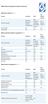 Device Vendor Comparisons Deployment options ( + / -) Vendor for On premises Cloud/SaaS and other platforms supported (+ / -) Vendor for ios Android Extended Android APIs Knox, Safe Safe BlackBerry Windows
Advanced Configuration Steps
 Advanced Configuration Steps After you have downloaded a trial, you can perform the following from the Setup menu in the MaaS360 portal: Configure additional services Configure device enrollment settings
Kaspersky Security for Mobile Administrator's Guide
 Kaspersky Security for Mobile Administrator's Guide APPLICATION VERSION: 10.0 SERVICE PACK 1 Dear User, Thank you for choosing our product. We hope that you will find this documentation useful and that
ManageEngine Desktop Central. Mobile Device Management User Guide
 ManageEngine Desktop Central Mobile Device Management User Guide Contents 1 Mobile Device Management... 2 1.1 Supported Devices... 2 1.2 What Management Operations you can Perform?... 2 2 Setting Up MDM...
Mobile Device Manager. Windows User Guide (Windows Phone 8/RT)
 Mobile Device Manager Windows User Guide (Windows Phone 8/RT) Document Revision Date: Oct. 22, 2014 Mobile Device Manager Windows Phone 8 User Guide i Contents Windows Phone 8 Features Matrix... 1 Overview...
User Manual for Version 4.4.0.5. Mobile Device Management (MDM) User Manual
 User Manual for Version 4.4.0.5 Mobile Device Management (MDM) User Manual I Endpoint Protector Mobile Device Management User Manual Table of Contents 1. Introduction... 1 1.1. What is Endpoint Protector?...
1. Introduction... 1. 2. Activation of Mobile Device Management... 3. 3. How Endpoint Protector MDM Works... 5
 User Manual I Endpoint Protector Mobile Device Management User Manual Table of Contents 1. Introduction... 1 1.1. What is Endpoint Protector?... 2 2. Activation of Mobile Device Management... 3 2.1. Activation
BYOD Guidance: BlackBerry Secure Work Space
 GOV.UK Guidance BYOD Guidance: BlackBerry Secure Work Space Published 17 February 2015 Contents 1. About this guidance 2. Summary of key risks 3. Secure Work Space components 4. Technical assessment 5.
Workplace-as-a-Service BYOD Management
 For companies with people in them Workplace-as-a-Service BYOD Management Solution Overview The BYOD Management solution provides customers with IT tools and services to deploy a Workplace-as-a-Service
BlackBerry 10.3 Work and Personal Corporate
 GOV.UK Guidance BlackBerry 10.3 Work and Personal Corporate Published Contents 1. Usage scenario 2. Summary of platform security 3. How the platform can best satisfy the security recommendations 4. Network
Feature List for Kaspersky Security for Mobile
 Feature List for Kaspersky Security for Mobile Contents Overview... 2 Simplified Centralized Deployment... 2 Mobile Anti-Malware... 3 Anti-Theft / Content Security... Error! Bookmark not defined. Compliance
Administration Guide. Wireless software upgrades
 Administration Guide Wireless software upgrades SWDT207654-207654-0727045705-001 Contents Upgrading the BlackBerry Device Software over the wireless network... 3 Wireless software upgrades... 3 Sources
Dell OpenManage Mobile Version 1.4 User s Guide (Android)
 Dell OpenManage Mobile Version 1.4 User s Guide (Android) Notes, cautions, and warnings NOTE: A NOTE indicates important information that helps you make better use of your computer. CAUTION: A CAUTION
Policy and Profile Reference Guide
 BlackBerry Enterprise Service 10 BlackBerry Device Service Version: 10.2 Policy and Profile Reference Guide Published: 2014-06-16 SWD-20140616165002982 Contents 1 About this guide... 10 2 New IT policy
NHSmail mobile configuration guide Android mobile devices
 NHSmail mobile configuration guide Android mobile devices Version: V.6 Date: September 2011 THIS INFORMATION IS FOR NHS STAFF AND IS NOT TO BE DISTRIBUTED OR COPIED OUTSIDE OF THE NHS Version 6.0 Crown
iphone in Business How-To Setup Guide for Users
 iphone in Business How-To Setup Guide for Users iphone is ready for business. It supports Microsoft Exchange ActiveSync, as well as standards-based services, delivering email, calendars, and contacts over
Ensuring the security of your mobile business intelligence
 IBM Software Business Analytics Cognos Business Intelligence Ensuring the security of your mobile business intelligence 2 Ensuring the security of your mobile business intelligence Contents 2 Executive
Mobility Manager 9.5. Users Guide
 Mobility Manager 9.5 Users Guide LANDESK MOBILITY MANAGER Copyright 2002-2013, LANDesk Software, Inc. and its affiliates. All rights reserved. LANDesk and its logos are registered trademarks or trademarks
Telstra Mobile Device Management (T MDM) Getting Started Guide
 Telstra Mobile Device Management (T MDM) Getting Started Guide Welcome Thank you for your interest in T MDM and Welcome! In this guide we will take you through the steps to enrolling your first device
GO!Enterprise Mobile Device Management Android Release Notes
 GO!Enterprise Mobile Device Management Android Release Notes GO!Enterprise MDM Version 3.9.0 Release Notes 1 GO!Enterprise MDM for Android Table of Contents GO!Enterprise MDM Version 3.9.0 Release Notes
Mobile Device Management Solution Hexnode MDM
 Mobile Device Management Solution Hexnode MDM Frequently Asked Questions www.hexnode.com Frequently Asked Questions How is Hexnode MDM license calculated?...4 Which ports do I need to open for Hexnode
Kaseya 2. User Guide. Version 1.0
 Kaseya 2 Mobile Device Management User Guide Version 1.0 March 12, 2012 About Kaseya Kaseya is a global provider of IT automation software for IT Solution Providers and Public and Private Sector IT organizations.
User Self-Administration
 www.novell.com/documentation User Self-Administration ZENworks Mobile Management 2.6.x January 2013 Legal Notices Novell, Inc., makes no representations or warranties with respect to the contents or use
McAfee Enterprise Mobility Management
 Technical FAQ McAfee Enterprise Mobility Management Frequently Asked Questions Device Management Q: Which devices do you currently support? A: McAfee Enterprise Mobility Management (McAfee EMM ) offers
Sophos Mobile Control Technical Guide. Product version: 3.5
 Sophos Mobile Control Technical Guide Product version: 3.5 Document date: July 2013 Contents 1 About Sophos Mobile Control...3 2 Integration...5 3 Architecture...7 4 Workflow...13 5 Directory Access...16
Samsung KNOX User Guide KNOX for Consumers Edition
 Samsung KNOX User Guide KNOX for Consumers Edition Version 1.3 Jan 07, 2015 Copyright Notice Copyright 2013 Samsung Electronics Co. Ltd. All rights reserved. Samsung is a registered trademark of Samsung
AirWatch for Android Devices
 Overview What is AirWatch AirWatch is the mobile device management (MDM) system provided by UMHS to ensure security for smart phones and tablets that connect to the UMHS environment. AirWatch provides
New Security Features
 New Security Features BlackBerry 10 OS Version 10.3.1 Published: 2014-12-17 SWD-20141211141004210 Contents About this guide... 4 Advanced data at rest protection... 5 System requirements... 6 Managing
Fromdistance MDM Feature Sets. Symbian^3 & S60. Windows Mobile
 PC Client version 2.11.10 2.10 2.0.0 2.0.0 2.0.10 1.71 Inventory IMEI IMSI 1 Roaming status Battery status Firmware Hardware Manufacturer Language Free space of device memory Free space of removable media
Android App User Guide
 www.novell.com/documentation Android App User Guide ZENworks Mobile Management 2.7.x August 2013 Legal Notices Novell, Inc., makes no representations or warranties with respect to the contents or use of
Managing BlackBerry Enterprise Service 10 version 10.2
 Managing BlackBerry Enterprise Service 10 version 10.2 Course details Course code 726-08882-123 Approximate duration Labs 3 days Labs are included in this course Course overview This course explains how
Salesforce1 Mobile Security Guide
 Salesforce1 Mobile Security Guide Version 1, 1 @salesforcedocs Last updated: December 8, 2015 Copyright 2000 2015 salesforce.com, inc. All rights reserved. Salesforce is a registered trademark of salesforce.com,
COMMONWEALTH OF PENNSYLVANIA DEPARTMENT S OF PUBLIC WELFARE, INSURANCE AND AGING
 COMMONWEALTH OF PENNSYLVANIA DEPARTMENT S OF PUBLIC WELFARE, INSURANCE AND AGING INFORMATION TECHNOLOGY STANDARD Name Of Standard: Mobile Device Standard Domain: Security Date Issued: 09/07/2012 Date Revised:
APPLE & BUSINESS. ios ENTERPRISE SECURITY ENTERPRISE NEEDS CONFIGURATION PROFILES
 APPLE & BUSINESS ios ENTERPRISE SECURITY Apple have had an uphill battle getting into businesses for many years the Windows monopoly Phones provided another attempt Blackberrys and Windows Mobile were
Troubleshooting BlackBerry Enterprise Service 10 version 10.1.1 726-08745-123. Instructor Manual
 Troubleshooting BlackBerry Enterprise Service 10 version 10.1.1 726-08745-123 Instructor Manual Published: 2013-07-02 SWD-20130702091645092 Contents Advance preparation...7 Required materials...7 Topics
QuickStart Guide for Mobile Device Management
 QuickStart Guide for Mobile Device Management Version 8.5 Inventory Configuration Security Management Distribution JAMF Software, LLC 2012 JAMF Software, LLC. All rights reserved. JAMF Software has made
Managing iphones, ipads, and Androids with Exchange ActiveSync. Presented by Val Hetrick
 Managing iphones, ipads, and Androids with Exchange ActiveSync Presented by Val Hetrick 1 What Will I Learn Today? How Exchange can be used as a basic management tool for Mobile Devices The features and
Mobile App Containers: Product Or Feature?
 ANALYST BRIEF Mobile App Containers: Product Or Feature? APPLE AND SAMSUNG HAVE TAKEN BIG STEPS WITH CONTAINERIZATION Author Andrew Braunberg Overview Secure workspaces, or containers, used for isolating
Introduction. PCI DSS Overview
 Introduction Manage Engine Desktop Central is part of ManageEngine family that represents entire IT infrastructure with products such as Network monitoring, Helpdesk management, Application management,
Windows Phone 8 devices will be used remotely over 3G, 4G and non-captive Wi-Fi networks to enable a variety of remote working approaches such as
 GOV.UK Guidance End User Devices Security Guidance: Windows Phone 8 Updated 14 October 2013 Contents 1. Usage Scenario 2. Summary of Platform Security 3. How the Platform Can Best Satisfy the Security
[BRING YOUR OWN DEVICE POLICY]
![[BRING YOUR OWN DEVICE POLICY]](/thumbs/33/16168462.jpg "[BRING YOUR OWN DEVICE POLICY]") 2013 Orb Data Simon Barnes [BRING YOUR OWN DEVICE POLICY] This document specifies a sample BYOD policy for use with the Orb Data SaaS MDM service Contents 1 ACCEPTABLE USE... 3 1.1 GENERAL RULES... 3 2
2013 Orb Data Simon Barnes [BRING YOUR OWN DEVICE POLICY] This document specifies a sample BYOD policy for use with the Orb Data SaaS MDM service Contents 1 ACCEPTABLE USE... 3 1.1 GENERAL RULES... 3 2
Bring Your Own Device. Individual Liable User Policy Considerations
 Bring Your Own Device Individual Liable User Contents Introduction 3 Policy Document Objectives & Legal Disclaimer 3 Eligibility Considerations 4 Reimbursement Considerations 4 Security Considerations
Mobile Device Management and Security Glossary
 Mobile Device Management and Security Glossary February, 2011 MOBILE OS ActiveSync Exchange ActiveSync (EAS) is a Microsoft technology that allows mobile users to access their Microsoft Exchange mailboxes
Sophos Mobile Control Technical guide
 Sophos Mobile Control Technical guide Product version: 2 Document date: December 2011 Contents 1. About Sophos Mobile Control... 3 2. Integration... 4 3. Architecture... 6 4. Workflow... 12 5. Directory
GO!Enterprise MDM Device Application User Guide Installation and Configuration for Android with TouchDown
 GO!Enterprise MDM Device Application User Guide Installation and Configuration for Android with TouchDown GO!Enterprise MDM for Android, Version 3.x GO!Enterprise MDM for Android with TouchDown 1 Table
Connecting your Aiki phone to a network
 Connecting your Aiki phone to a network Connect to mobile networks Depending on your carrier and service plan, your phone may connect automatically to your carrier s fastest available data network. Or
GO!Enterprise MDM Device Application User Guide Installation and Configuration for Android
 GO!Enterprise MDM Device Application User Guide Installation and Configuration for Android GO!Enterprise MDM for Android, Version 3.x GO!Enterprise MDM for Android 1 Table of Contents GO!Enterprise MDM
QuickStart Guide for Mobile Device Management. Version 8.6
 QuickStart Guide for Mobile Device Management Version 8.6 JAMF Software, LLC 2012 JAMF Software, LLC. All rights reserved. JAMF Software has made all efforts to ensure that this guide is accurate. JAMF
Compliance Rule Sets in MaaS360
 Compliance Rule Sets in MaaS360 MaaS360 allows you to apply sets of compliance rules on mobile devices. These rules are conditions that are checked on devices on real-time basis. If a device is not in