
200 Series Owner s Manual.
|
|
|
- Gerald Maximilian Hudson
- 10 years ago
- Views:
Transcription
1 200 Series Owner s Manual

2 Dear irobot Scooba Owner, Thank you for purchasing an irobot Scooba floor washing robot. You ve joined the millions of people who clean with robots -- the smarter way to get it done. Please take a few moments to read this manual and get acquainted with your Scooba to get the best performance from your robot. If you have any questions, visit our website at for more information. Register your robot to instantly activate your warranty and enjoy these exclusive benefits: Take advantage of irobot s award-winning customer service. Get support tailored to your specific robot, including answers to questions, maintenance tips, video demos, live chat and more. Get product updates and other valuable information. Be among the first to find out about new robots, exclusive discounts and special promotions. When you register, you can also tell us about your experience with your Scooba; irobot listens to our customers and makes enhancements to our robots based on your valued feedback. We d love to hear from you! Register your robot right now at On behalf of the entire team, thank you for choosing irobot; we appreciate your business, feedback and loyalty. Here s to robots that make a difference! Yours for less chores and more life, Colin Angle CEO and Co-Founder irobot Corporation P.S. Don t miss out on your exclusive benefits! Register your Scooba online right now at

3 Table of Contents Important Safety Instructions... 4 Important Usage Tips... 5 Anatomy Cleaning System/Cleaning Cycles... 8 Cleaning Pattern... 9 Cleaner Solution for Scooba 200 Series Instructions for use Charging & Battery Storage Scooba s Virtual Wall Troubleshooting irobot Customer Care... 15

4 Important Safety Instructions CAUTION: DO NOT EXPOSE ELECTRONICS OF SCOOBA, BATTERY OR THE CHARGER. NO USER- SERVICEABLE PARTS INSIDE. REFER SERVICING TO QUALIFIED SERVICE PERSONNEL. CHARGE USING STANDARD U.S. (120V AC) OUTLET ONLY. Always use caution when operating your Scooba. To reduce the risk of injury and damage, keep these safety precautions in mind when setting up, using and maintaining your Scooba: GENERAL SAFETY INSTRUCTIONS Read all safety and operating instructions before operating Scooba. Retain the safety and operating instructions for future reference. Observe all warnings on Scooba, battery, charger and in owner s manual. Follow all operating and use instructions. Refer all non-routine servicing to irobot. This appliance is not intended for use by persons (including children) with reduced physical, sensory or mental capabilities, or lack of experience and knowledge, unless they have been given supervision or instruction concerning use of the appliance by a person responsible for their safety. Children should be supervised to ensure they do not play with the appliance. SCOOBA SAFETY Scooba is for indoor use only. Scooba is not a toy. Do not sit or stand on the robot. Small children and pets should be supervised when Scooba is cleaning. Clean with a damp cloth only. Do not submerge this robot in water. Do not use this robot to pick up anything that is burning or smoking. Do not use this robot to pick up spills of bleach, paint, or other chemicals. Before using this robot, pick up objects such as clothing, loose papers, pull cords for blinds and curtains, power cords and any fragile objects. If the robot passes over a power cord and drags it, there is a chance an object could tumble off a table or shelf. If the room to be cleaned contains a balcony, a physical barrier should be used to prevent access to the balcony and ensure safe operation. Always remove the battery before long-term storage or transportation of the robot. SCOOBA BATTERY AND CHARGING SAFETY Charge using a standard U.S. (120V AC) outlet only. Robot may not be used with any type of power converter. Use of other power converters will immediately void the warranty. Use only the charger supplied by the manufacturer to charge this robot. Do not use a charger with a damaged cord or plug. Charge indoors only. Never handle chargers with wet hands. Always disconnect Scooba from the charger before cleaning. Do not charge non-rechargeable batteries. SCOOBA USE RESTRICTIONS Do not use Scooba on carpets, rugs, unsealed hardwood, stone or laminate flooring (such as Pergo ) Do not use bleach, ammonia, or hot water as it may damage the robot and void the warranty. Store and operate Scooba in room temperature environments only. Do not use Scooba to clean up pooled spills (e.g., spilled gallon of milk). 4 irobot Scooba 200 Series Owner s Manual

5 Important Tips Before using Scooba for the first time, plug in and charge Scooba until green light on charger is solid (up to 8 hours). Sweep the floor prior to using Scooba. Floor Types Scooba is designed for use on hard floor surfaces, including tile, linoleum, vinyl, marble, slate, stone and sealed wood. Scooba is not recommended for use on unfinished or unsealed hard floor surfaces, carpet, rugs or waxed floors. Scooba is not intended for use on laminate flooring, which may be damaged by wet cleaning methods. Cleaning Solution Scooba is designed to work only with Scooba Hard Floor Cleaner or plain tap water. Filling the tank Slowly add clean water to Scooba s fill port, then add one full sample packet or ½ capful of Scooba Hard Floor Cleaner. (Do not use hot water.) For Best Performance Remove clutter and lightweight rugs from area to be cleaned. Always empty and rinse both tanks after the cleaning cycle is complete. (See Instructions for Use section.) Keep wheels, brushes and squeegee free from hair and debris by inspecting and cleaning the wheels and bottom plate after each use. To protect bottom plate brushes, keep Scooba on storage mat, when not in use. Battery Life To extend the battery life, always store Scooba connected to a plugged-in charger. 5

6 Cliff Sensors Anatomy Bottom Plate Tab Insert Solution Pump Solution Dispensers Clean Button Removable Tires Vacuum Tubes CLEAN Brushes Status Indicator Light Power Button Easy to Clean Squeegee Power Indicator power Removable Bottom Plate Service Indicator Light Handle Empty Port Door Bumper Fill Port Door Wall Follower 6 irobot Scooba 200 Series Owner s Manual Charger Jack Battery Compartment Battery

7 Lights CLEAN Power Button Light Green Red Clean Button Light On Off Battery Status On Battery is low What It Means Cleaning Cleaning is complete or Scooba needs help Indicator Lights Quick Reference See Troubleshooting section for detailed instructions. CLEAN Status Light What It Means The cleaning cycle is complete power Service Light What It Means Scooba needs help - Refer to troubleshooting section Charger Scooba Charger Light Solid green Slow green pulse Fast green pulse No light when plugged in No light when connected to Scooba Battery Status Fully charged Regular Charge (up to 8 hours) Refresh charge (up to 15 hours) Not connected to Scooba Refer to troubleshooting section 7

8 Cleaning System 1 Scooba has an automatic three-part cleaning system that: 1 Washes Scooba lays down fresh cleaning solution. 2 2 Scrubs Scooba gently scrubs the floor. 3 Dries Scooba uses a squeegee and vacuum to pick up the dirty water. 3 Scooba uses only clean water and solution while washing your floor. The dirty water is stored in a separate tank and is never reused. CAUTION: Do NOT use bleach, ammonia or alcohol in Scooba. These liquids may damage the robot and will void the warranty. Do NOT use hot water as it may damage the robot. Scooba contains electronic parts. Do NOT submerge Scooba in water. Clean with a damp cloth only. Do not use Scooba on unfinished or unsealed wood or laminate flooring, which can be damaged by wet cleaning methods. Always consult your floor manufacturer for approved cleaning methods. Scooba has two cleaning cycles. Cleaning Cycle Room Size Approx. Cycle Time How to Start When should I use this cycle? Full Up to 150 sq. ft. 45 minutes Press Power On Press CLEAN and release when song starts Short Up to 60 sq. ft. 20 minutes Press Power On Press and hold CLEAN until second song starts For larger rooms or any room that needs extra cleaning time To clean multiple small areas on a single battery charge Always completely fill Scooba for best performance. Upon completion of a short cycle, Scooba will have water remaining in the Fill tank and can complete a second short cycle if desired. Be sure to empty and rinse both tanks before storing for future use. 8 irobot Scooba 200 Series Owner s Manual

9 Scooba s Cleaning Pattern Scooba is a robot that cleans differently than the way most people clean their floors. iadapt Responsive Cleaning Technology, irobot s advanced, proprietary system of software and sensors, allows Scooba to get around, under and past everyday obstacles. By making multiple passes, Scooba cleans the room more thoroughly. Scooba will alternate between spiraling, wall following, and room crossing during a cleaning cycle. Spiraling: Enables Scooba to efficiently clean a large area. Wall Following: Enables Scooba to clean the room perimeter and navigate around furniture and obstacles. Room Crossing: Enables Scooba to clean new areas while crisscrossing the room. Note: Scooba s full cleaning cycle takes approximately 45 minutes to clean an average room and will pass over the same area on the floor multiple times to ensure total coverage. Scooba s short cleaning cycle takes approximately 20 minutes to clean a small room. TIP: For fastest cleaning and best performance, clear your floor of clutter and large debris before running Scooba. Sweep floor prior to using Scooba. TIP: You can confine Scooba to a single room using the Virtual Wall (See Virtual Wall section) included in select models and sold separately. You can purchase this and other Scooba products online at 9

10 Cleaning Solution Floor Types Scooba is designed for use on hard floor surfaces, including tile, linoleum, vinyl, marble, slate, stone and sealed wood. Scooba is not recommended for use on unfinished or unsealed hard floor surfaces, carpet, rugs or waxed floors. Scooba is not intended for use on laminate flooring, which may be damaged by wet cleaning methods. Actual cleaning results will vary. Be sure to follow the floor manufacturer s cleaning recommendations. Cleaning Solution Scooba is designed to work only with Scooba Hard Floor Cleaner or plain tap water. Filling the tank Slowly add clean water to Scooba s fill port, then add one full sample packet or ½ capful of Scooba Hard Floor Cleaner. (Do not use hot water.) Slowly add clean water to Scooba s fill port, then add one full sample packet or ½ capful of Scooba Hard Floor Cleaner. CAUTION: irobot does not assume responsibility for floor damage caused by the use of other cleaners on hard floor surfaces. 10 irobot Scooba 200 Series Owner s Manual

11 Instructions for Use Before using your Scooba for the first time, you must: Insert the included battery into Scooba Plug in and charge Scooba overnight for the first charge. Place Scooba on storage mat to protect bottom plate brushes. Ensure charger jack door is closed when using Scooba. Your charger will flash twice when plugged in to show that it has power. Your Scooba battery is fully charged when the light on the charger is solid green. Using Your Scooba These steps will guide you through setting up and cleaning the floor with your Scooba 1 Slowly add warm water into FILL port. Open both FILL and EMPTY ports so bladder can fully expand. (Do not use hot water.) 4 Place Scooba in the middle of the dirtiest area on the floor. 2 Add Scooba Hard 3 Firmly close 5 Press power button 6 Floor Cleaner. (1 packet or ½ capful) to turn on Scooba. FILL and EMPTY ports until sealed ress and release clean P button to begin the full cleaning cycle. For short cycle, press and hold until second song starts. Emptying and Cleaning Your Scooba 1 Empty and thoroughly rinse both tanks with water. 2 Remove bottom plate. Rinse and remove all debris from brushes and squeegee. 3 Clear any debris on robot before replacing bottom plate. If necessary, remove and replace tires. 11

12 Battery Charging and Storage The charger will flash twice when plugged in to show that it has power. Scooba is powered by a rechargeable battery pack. This battery can last for hundreds of cleaning cycles if cared for properly. The battery is a consumable item (6 month warranty from date of purchase) and after a period of normal use the battery s ability to hold an electrical charge will be diminished. Charge Scooba by plugging charger into wall and connecting charger to robot. Scooba Charger Light Solid green Slow green pulse Fast green pulse No light when plugged in No light when connected to Scooba Battery Status Fully charged Regular Charge (up to 8 hours) Refresh charge (up to 15 hours) Not connected to Scooba Refer to troubleshooting guide To extend the battery life, always store Scooba connected to a plugged in charger. For more details on how to maintain Scooba s battery life, visit TIP: For long-term storage of 3 months or longer, fully charge the battery and then remove it from the robot. Store in a cool, dry place. The battery should be recharged at least every 6 months. Cleaning Time You should fully charge Scooba s battery before each cleaning cycle. When fully charged, Scooba s battery will last for at least one full cleaning cycle or two short cycles. 15-Hour Refresh Charge If Scooba has been left unplugged for an extended period, Scooba will initiate a special 15-hour charge cycle. This extensive charge refreshes Scooba s battery and extends the battery life. While charging, the charger light will pulse quickly. Note: For best results, do not interrupt this Refresh Charge. 12 irobot Scooba 200 Series Owner s Manual

13 Scooba s Virtual Wall (included with select models) The Scooba Virtual Wall creates an invisible barrier that Scooba will not cross. Virtual Walls can be set to block areas from 1 to 8 feet. TIP: Use the Virtual Wall to block doorways or to keep Scooba away from cords. Multiple Virtual Walls can be used as long as their beams do not cross each other. The Virtual Wall beam is keyhole shaped. A small halo prevents Scooba from bumping the Virtual Wall and a larger beam blocks off areas of your home where you don t want Scooba to go. Halo Shape of beam Virtual Walls require 2 D batteries. Virtual Walls will automatically shut themselves off at the end of a cleaning cycle. TIP: For best performance, place the Virtual Wall on the outside of the doorway you wish to block, and always set the Virtual Wall to the shortest setting possible. 13

14 Troubleshooting Scooba will tell you if something is wrong with a two-tone uh-oh sound and a series of beeps and light blinks. Count light blinks or beeps and refer to the chart below to identify and resolve Scooba s problem. To repeat error blinks and beeps, tap Scooba s bumper. If the problem persists, visit com/support for more information. Number of Likely cause What to do beeps/blinks after uh-oh 0 (error LED Fill tank is empty Fill tank with water and cleaning solution and press clean. on solid) 1 Scooba is on cliff Cliff sensors are dirty Cliff Sensor malfunction Move Scooba to clear area away from cliff and press clean. Clean cliff sensors with a cotton swab and press clean. Cliff sensors are located in the bumper and are accessed by turning Scooba over. Contact irobot customer care. 2 Scooba is stuck Move to clear area and press clean. Clean cliff sensors and press clean. Move out of Virtual Wall beam and press clean. 3 Bumper problem Tap the bumper to ensure that it moves in and out. Visually inspect the bumper edges for debris and press clean. 4 Left or Right Wheel malfunction Inspect and clean Scooba s wheels and press clean. 5 Scooba is in a pool of water and vacuum tubes are locked Scooba s vacuum tubes are filled with debris Move Scooba out of pooled water and press clean. (Note: Scooba is not intended for cleaning up pooled spills) Remove bottom plate. Clear any debris from vacuum tubes. Replace bottom plate, set robot in clear area and press clean. (Note: Be sure to sweep the floor before using Scooba.) 6 Pump malfunction Contact irobot customer care. 7 Vacuum malfunction Contact irobot customer care. Charger Light Likely cause What to do Charger is plugged in and connected to robot, but light is off Charger is plugged in and connected to robot, but light is off Charging error No power at outlet Disconnect charger from robot; unplug charger from outlet; wait 5 seconds; plug charger in to outlet; connect charger to robot Confirm power is present at outlet by plugging in a lamp or another electrical device. If still no power, use another electrical outlet. 14 irobot Scooba 200 Series Owner s Manual

15 Scooba Accessories Get irobot accessories at or visit store.irobot.com International customers visit irobot Customer Care USA If you have questions or comments about Scooba, please contact irobot before contacting a retailer. Please visit our web site at for support tips, frequently asked questions, and information about accessories and other irobot products. We would like to hear from you. If you need additional help: Visit the irobot Support web site at Call our Customer Care representatives at irobot Customer Care Hours: Monday Friday 9AM 7PM Eastern Time Saturday 9AM 6PM Eastern Time 15

FLOOR WASHING ROBOT. 300 Series
 FLOOR WASHING ROBOT 300 Series Owner s Manual Dear Scooba Owner Congratulations and welcome to the world of irobot! You have joined the growing number of people who have discovered a smarter way to clean.
500 Series. www.irobot.com
 500 Series www.irobot.com Dear irobot Roomba owner, Welcome to the world of irobot! As an owner of an irobot Roomba Vacuum Cleaning Robot, you join a world-wide community of people who enjoy more free
Owner s Manual SAVE 15% www.irobot.com. on accessories. See back for details.
 Owner s Manual www.irobot.com SAVE 15% on accessories. See back for details. Welcome Congratulations and welcome to the world of irobot! You have joined the growing number of people who have discovered
irobot Scooba Owner s Manual www.irobot.com
 irobot Scooba Owner s Manual www.irobot.com Dear irobot Scooba Owner, Congratulations and welcome to the world of irobot! You have joined the growing number of people who have discovered a smarter way
irobot Roomba Owner s Manual
 irobot Roomba Owner s Manual SAVE 15% on accessories. See back for details. www.irobot.com Dear irobot Roomba Owner, Welcome to the new world of irobot. As an owner of irobot s latest Roomba Vacuuming
500/600 Series Owner's Manual
 500/600 Series Owner's Manual Dear irobot Roomba Owner, Thank you for purchasing an irobot Roomba vacuum cleaning robot. You ve joined the millions of people who clean with robots - the smarter way to
500/600 Series Owner's Manual
 500/600 Series Owner's Manual Dear irobot Roomba Owner, Thank you for purchasing an irobot Roomba vacuum cleaning robot. You ve joined the millions of people who clean with robots - the smarter way to
Register your robot to instantly activate your warranty and enjoy these exclusive benefits:
 Dear irobot Roomba Owner, Thank you for purchasing an irobot Roomba vacuum cleaning robot. You ve joined the millions of people who clean with robots - the smarter way to get it done. Please take a few
Meijer.com. Roomba. Vacuum Cleaning Robot. 700 series Owner s Manual
 Roomba Vacuum Cleaning Robot 700 series Owner s Manual Dear Roomba owner, Thank you for choosing a new generation irobot Roomba vacuum cleaning robot. You re joining a very special community of people
Roomba. Vacuum Cleaning Robot. 700 series Owner s Manual
 Roomba Vacuum Cleaning Robot 700 series Owner s Manual Dear Roomba owner, Thank you for choosing a new generation irobot Roomba vacuum cleaning robot. You re joining a very special community of people
Roomba. Vacuum Cleaning Robot. Owner s Manual
 Roomba Vacuum Cleaning Robot Owner s Manual Dear Roomba owner, Thank you for choosing a new generation irobot Roomba vacuum cleaning robot. You re joining a very special community of people - 7.5 million
Yours for less chores and more life, Colin Angle Chairman, CEO and Co-Founder irobot Corporation
 Dear irobot Roomba Owner, Thank you for purchasing an irobot Roomba vacuum cleaning robot. You ve joined the millions of people who clean with robots - the smarter way to get it done. Please take a few
Welcome! Dear irobot Roomba Owner,
 Welcome! EN Dear irobot Roomba Owner, Thank you for purchasing an irobot Roomba vacuum cleaning robot. You ve joined the millions of people who clean with robots the smarter way to get it done. To get
HYLA NST Cleaning System
 Owner s Manual HYLA NST Cleaning System The HYLA NST Cleaning System aspirates and cleans the air through a waterbased filtration process. The system is intended for household use only. Applications: Usual
Get Cleaning... User Guide Vax Careline: (UK) 0844 412 8455 (ROI) 1-800 928 308. Carpet Washer. vax.co.uk. Rapide Ultra series
 W90-RU & W89-RU Series User Guide v1.4.qxd:user guide 2/3/11 10:03 Page 1 Carpet Washer User Guide Vax Careline: (UK) 0844 412 8455 Get Cleaning... What s your Vax model number? (Located on the top flap
rainbowsystem.com Rexair LLC Troy, Michigan 2011 Rexair LLC R14388A-0 Printed in U.S.A.
 rainbowsystem.com Rexair LLC Troy, Michigan 2011 Rexair LLC R14388A-0 Printed in U.S.A. customer care number As part of Rexair s Customer Care program, each AquaMate receives a Customer Care serial number
Carpet Washer. vax.co.uk VRS5W. Vax Careline: (UK) 0844 412 8455 (ROI) 1-800 928 308. Vax model number: Version 1.0
 VRS5W Powermax User Guide V1.0.qxd:V1.0 23/7/10 15:35 Page 1 Vax Careline: (UK) 0844 412 8455 (ROI) 1-800 928 308 Carpet Washer Vax model number: VRS5W instruction manual Version 1.0 Please read carefully
Get Cleaning... User Guide Vax Careline: (UK) 0844 412 8455 (ROI) 1-800 928 308. Multifunction. vax.co.uk. 6131 Series. What s your Vax model number?
 6131 Series User Guide v1.1-06.09.10:user guide 09/09/2010 11:42 Page 1 User Guide Vax Careline: (UK) 0844 412 8455 Multifunction Get Cleaning... What s your Vax model number? 6 1 3 1 What s your serial
VACUUM CLEANER INSTRUCTION MANUAL
 VACUUM CLEANER INSTRUCTION MANUAL MODEL: SVC9702 PLEASE READ THIS MANUAL CAREFULLY BEFORE USING AND KEEP IT PROPERLY FOR FUTURE USE 1 Safety Cautions: WARNING: To reduce the risk of fire, electrical shock,
Instruction Manual. Image of SP-3015 & SP-3815. Important Safeguards. Automatic Dispensing Hot Water Pot with Reboil Function
 Important Safeguards READ ALL INSTRUCTIONS BEFORE USE. Instruction Manual Automatic Dispensing Hot Water Pot with Reboil Function Image of SP-3015 & SP-3815 SP-3015: 3.0L SP-3815: 3.8L SP-3017: 3.0L (Stainless
car + boat Box Contents x2 x2 22350_DC16_CAR_BOAT_OPSMAN.indd 1 29/7/08 15:27:01
 car + boat Box Contents x x 350_DC6_CAR_BOAT_OPSMAN.indd 9/7/08 5:7:0 SAVE THESE INSTRUCTIONS THIS APPLIANCE IS INTENDED FOR HOUSEHOLD USE ONLY IMPORTANT SAFETY INSTRUCTIONS READ ALL INSTRUCTIONS BEFORE
Robotic Vacuum Cleaner. RC 320A User s Manual
 AiBOT Robotic Vacuum Cleaner RC 320A User s Manual TABLE OF CONTENTS SAFETY INSTRUCTIONS -------------------------------------------- 2 * Safety Instructions * Battery and Recharging Instructions SPECIAL
FOR THE FOLLOWING MODELS: EE-8075W EE-8075O EE-8075R EE-8075BK
 FIREPLACE HEATER FOR THE FOLLOWING MODELS: EE-8075W EE-8075O EE-8075R EE-8075BK If you have any questions about the operation of your fireplace heater, please contact Crane Customer Care. Toll Free: 888-599-0992
MAP COFFEE MIA CAPSULE COFFEE MACHINE INSTRUCTION MANUAL MODEL: CM4725. Read this manual thoroughly before using and save it for future reference
 MAP COFFEE MIA CAPSULE COFFEE MACHINE INSTRUCTION MANUAL MODEL: CM4725 Read this manual thoroughly before using and save it for future reference Purchase MAP capsules at Harvey Norman stores nationwide
USER MANUAL. Bottom Loading Bottled Water Dispenser SAVE THIS MANUAL FOR FUTURE USE. Model # 900172
 Model # 900172: Page 1 USER MANUAL Bottom Loading Bottled Water Dispenser Model # 900172 TO REDUCE THE RISK OF INJURY AND PROPERTY DAMAGE, USER MUST READ THIS MANUAL BEFORE ASSEMBLING, INSTALLING & OPERATING
Dehumidifier Users manual. For Models: DH45S DH65S
 Dehumidifier Users manual For Models: DH45S DH65S 950-0062-revD Jan. 9 2007 FORWARD The appearance of the units that you purchase might be slightly different from the ones described in the Manual, but
IMPORTANT SAFETY INSTRUCTIONS WARNING READ AND SAVE THESE OPERATING AND SAFETY INSTRUCTIONS BEFORE USING THIS HEATER.
 THERMAWAVE CERAMIC HEATER Model HZ-850 Series Model HZ-860 Series IMPORTANT SAFETY INSTRUCTIONS WARNING READ AND SAVE THESE OPERATING AND SAFETY INSTRUCTIONS BEFORE USING THIS HEATER. Warning Failure to
Wessel-Werk EBK 340. Electric Power Nozzle. Operating Manual Wessel-Werk GmbH Im Bruch 2 D-51580 Reichshof Germany www.wessel-werk.
 Wessel-Werk EBK 340 Electric Power Nozzle Operating Manual Wessel-Werk GmbH Im Bruch 2 D-51580 Reichshof Germany www.wessel-werk.com IMPORTANT SAFEGUARDS When using an electric appliance, basic precautions
OWNER S MANUAL DRAINVAC ATOMIK PRINTED APRIL 4-2011
 OWNER S MANUAL th DRAINVAC ATOMIK PRINTED APRIL 4-2011 INTRODUCTION We take this opportunity to express our gratitude and extend our congratulations for your decision to purchase a Drainvac product. A
EBK 340 / EBK 341 Electric Power Nozzle
 IMPORTANT SAFEGUARDS When using an electric appliance, basic precautions should always be followed, including the following: Read all instructions before using this Motorized Nozzle. EBK 340 / EBK 341
Carpet Shampooer 500w
 Carpet Shampooer 500w VC9388 Specification Parameters ZW-9006A - Bagless Rated Voltage: 220-240V Rated Power: 500W Rated Frequency: 50HZ Net Weight: 8kg Instruction Manual Please read this manual before
Troubleshooting Guide for Dispenser Model #900172
 Troubleshooting Guide for Dispenser Model #900172 Q. The cold water is room temperature. A. There is a cold water thermostat control mounted to the back of the majority of our appliances. Simply unplug
Portable Air Conditioner. OWNER S MANUAL Read these instructions before use. Model: MF08CESWW. Voltage rating: 115V~60Hz Power rating : 800W
 MODE ALARM Portable Air Conditioner OWNER S MANUAL Read these instructions before use 8 Model: MF08CESWW Voltage rating: 115V~60Hz Power rating : 800W Customer Support : 1-800-474-2147 For product inquiries
User Guide. Bagless Cylinder White. Get Cleaning... vax.co.uk. Vax Careline: (UK) 0844 412 8455 (ROI) 1-800 928 308. White series
 C88-VW-B UG [Update 10.05.12]_User guide 10/05/2012 09:40 Page 1 User Guide Vax Careline: (UK) 0844 412 8455 Bagless Cylinder White Get Cleaning... What s your Vax model number? (Located on the top flap
Operating instructions in the back. www.blackanddecker.co.uk PD1020L
 Operating instructions in the back www.blackanddecker.co.uk PD1020L 2 ENGLISH (Original instructions) Intended use Your Black & Decker Dustbuster handheld vacuum cleaner has been designed for vacuum cleaning
PA 03 basic device TECHNICAL DATA. English
 PA 03 basic device English TECHNICAL DATA Type PA 03 Voltage 120 V - 60 Hz Power output max. 1000 Watt continuous control Outer dimensions approx. 34,9 x 36,5 x 46,6 cm (L x W x H) 3 Dear Pro-Aqua Customer!
Carpet Shampooer 700w Max Power
 1 0312 Carpet Shampooer 700w Max Power Washes Carpets and Removes Stains Agitating Brush Bar Finger Tip Trigger Spray Control 1 Year Warranty Upgrade Guarantee * We guarantee the purchase price of this
2013 VTech Printed in China 91-009656-000 US
 Rechargeable Power Pack User s Manual 2013 VTech Printed in China 91-009656-000 US INTRODUCTION The Rechargeable Power Pack makes it easier than ever to keep the InnoTab 3 or InnoTab 3S charged and ready
SpotBot. 3 Safety Instructions. 4-5 Product View. 6-7 Special features. 7-10 Operation. 11 Maintenance and Care. 12-13 Troubleshooting
 SpotBot USER S GUIDE 1200/7887/12U9 Series 3 Safety Instructions 4-5 Product View 6-7 Special features 7-10 Operation 11 Maintenance and Care 12-13 Troubleshooting 14 Consumer Services 15 Replacement Parts
MICA HEATER INSTRUCTION MANUAL Model No: UHM-786 230V 50Hz 2200W
 MICA HEATER INSTRUCTION MANUAL Model No: UHM-786 230V 50Hz 2200W Safety Precautions To reduce the risk of personal injury or damage to property, basic safety precautions must be observed including the
Use and Care Manual. Model CPA12KH AIR CONDITIONER
 Use and Care Manual Model CPA12KH AIR CONDITIONER Introduction Thank you for choosing this air conditioner to provide you and your family with all of the "Home Comfort" requirements for your home, cottage
FUTURE CALL PICTURE CARE PHONE MODEL: FC-1007 USER MANUAL
 FUTURE CALL PICTURE CARE PHONE MODEL: FC-1007 USER MANUAL Please follow instructions for repairing if any otherwise do not alter or repair any parts of device except specified. IMPORTANT SAFETY INSTRUCTIONS
NV2410N NV2420N NV3610N NV3620N NV4820N NV4820CN NV7210N NW3620N NW4820N
 NV2410N NV2420N NV3610N NV3620N NV4820N NV4820CN NV7210N NW3620N NW4820N A B C 2 D E F 3 G H I 4 (Original instructions) ENGLISH Intended use Your Black & Decker Dustbuster handheld vacuum cleaner has
USER INSTRUCTIONS FOR GET PORTABLE 12k BTU AIR CONDITIONER MODEL No. GPACU12HR
 USER INSTRUCTIONS FOR GET PORTABLE 12k BTU AIR CONDITIONER MODEL No. GPACU12HR CONTENTS Introduction Safety Notes Identification of parts Installation instructions Operation instructions Maintenance Troubleshooting
Portable Air Conditioner. OWNER S MANUAL Read these instructions before use. Model: MN12CES / MN10CESWW
 Portable Air Conditioner OWNER S MANUAL Read these instructions before use 8 Model: MN12CES / MN10CESWW Voltage rating: 120V~60Hz Power rating : 1100W (MN12CES) Power rating : 900W (MN10CESWW) Customer
Bathroom Installation Guide
 Bathroom Installation Guide Step-by-step installation of your cabinets We do a lot of groundwork to make it as simple as possible for you to assemble and install your new bathroom furniture yourself. We
Portable Air Conditioner. OWNER S MANUAL Read these instructions before use. Model: MM14CCS. Voltage rating: 115V~60Hz Power rating : 1400W
 Portable Air Conditioner OWNER S MANUAL Read these instructions before use Model: MM14CCS Customer Support : 1-800-474-2147 Voltage rating: 115V~60Hz Power rating : 1400W For product inquiries or support
Dual V Advance Let s get started
 Dual V Advance Let s get started W87-DV-B / W87-DV-R / W87-DV-T W87-DV-B_Dual_V_Advance_UG_[J2543]_Amend_08.07.14_[COMP].indd 1 vax.co.uk 09/07/2014 08:55 Let s talk safety Basic safety precautions This
20 GALLON WET DRY VACUUM
 20 Gallon Wet & Dry Vacuum 110" Water Lift Vac Motor 24" Front Mount Squeegee Assembly 50' Cord Special Tip Pour Feature Warranty Contractor Tool Kit Includes: Wet p/u Tool, Dry p/u Tool, Crevice Tool,
Instruction Manual. Window Wiper AFW900. (Read carefully before use)
 Instruction Manual Window Wiper AFW900 (Read carefully before use) When using electrical appliances, basic precautions should always be followed, including the fact READ ALL INSTRUCTIONS IN THIS MANUAL
National- Spencer Inc.
 9-27-2010 National- Spencer Inc. 19.2V HEAVY DUTY GREASE GUN PRODUCT SPECIFICATION Charger Input Power 110 VAC Battery Output Power 19.2V Battery Capacity 1500 MAH Battery Pack Charge Time 1 Hour Maximum
NewAir AC-10000E, AC-10000H Portable Air Conditioner Owner s Manual PLEASE READ AND SAVE THESE INSTRUCTIONS
 NewAir AC-10000E, AC-10000H Portable Air Conditioner Owner s Manual PLEASE READ AND SAVE THESE INSTRUCTIONS BEFORE USE GENERAL SAFETY INSTRUCTIONS: ALWAYS OPERATE THE UNIT IN AN UPRIGHT POSITION AND PLACE
NewAir AC-10100E / AC-10100H Portable Air Conditioner Owner s Manual PLEASE READ AND SAVE THESE INSTRUCTIONS
 NewAir AC-10100E / AC-10100H Portable Air Conditioner Owner s Manual PLEASE READ AND SAVE THESE INSTRUCTIONS ELECTRICAL SAFETY This appliance is for indoor use only. Always turn off the unit and unplug
Important Safeguards
 Table of Contents Important Safeguards...2 Product Layout...3 Preparing for Use...4 Air-conditioning without installation...4 Air-conditioning with installation...5 Control Panel...6 Operating from the
Bottom Loading Water Dispenser
 Bottom Loading Water Dispenser Model # 601000 TO REDUCE THE RISK OF INJURY AND PROPERTY DAMAGE, USER MUST READ THIS MANUAL BEFORE ASSEMBLING, INSTALLING & OPERATING DISPENSER. SAVE THIS MANUAL FOR FUTURE
OASIS-PLUS 120V READ ALL INSTRUCTIONS BEFORE OPERATING READ ALL INSTRUCTIONS BEFORE OPERATING OZONE IS A POWERFUL OXIDIZER AND MUST BE USED WITH CARE
 OASIS-PLUS 120V INFORMATION & OPERATING INSTRUCTIONS READ ALL INSTRUCTIONS BEFORE OPERATING READ ALL INSTRUCTIONS BEFORE OPERATING OZONE IS A POWERFUL OXIDIZER AND MUST BE USED WITH CARE 56041852 WARNING:
PLEASE READ ALL INSTRUCTIONS BEFORE USE AND SAVE A COPY FOR FUTURE REFERENCE!
 PLEASE READ ALL INSTRUCTIONS BEFORE USE AND SAVE A COPY FOR FUTURE REFERENCE! 1. Read all instructions carefully before using the machine. 2. Do not touch hot surfaces. Use handles or knobs. The lid and
U S E R S G U I D E READ ALL INSTRUCTIONS BEFORE USING STEAM CLEANER USE ONLY AS DIRECTED. WARNING: Danger of Scalding!
 WARNING: Danger of Scalding! Recognized mark of the steam release M O P Thane International, Inc. La Quinta, CA 92253 www.thane.com M O P Distributed by: Thane Direct Canada Toronto, Canada www.thane.ca
Your Hearing Aids A guide for helping children and their families understand and take care of their hearing aids
 Your Hearing Aids A guide for helping children and their families understand and take care of their hearing aids Congratulations on your new hearing aids!! This booklet will show you how to use your behind-the-ear
Campus Services Hints and tips for residents
 Campus Services Hints and tips for residents We have compiled this webpage to help University residents with simple tips and hints about cleaning kitchen areas - which are residents responsibility. We
Safety, Operation and Maintenance Manual with Parts List
 Safety, Operation and Maintenance Manual with Parts List 20-Gallon Wet/Dry Vac Important Information and Safety Instructions PLEASE READ BEFORE USE! # 961130020 9/10-Rev 1 20-Gallon Wet/Dray Vac TABLE
English. Symbols used to mark instructions...3. Congratulations...5 Getting the best results...5. Warnings...6 Operating Procedure...
 2 Contents Components Attachments Guidance Installation Operation Maintenance Service Technical Troubleshooting Symbols used to mark instructions...3 Included Attachments...4 Congratulations...5 Getting
Neato Botvac Let it run. Your work is done.
 Neato Botvac Let it run. Your work is done. Welcome! Thank you for purchasing a Neato Botvac and welcome to the world of robots helping humans. If you can t wait to get your robot working for you, just
WARNING To reduce the risk of. READ ALL INSTRUCTIONS BEFORE USING. KEEP AWAY FROM WATER DANGER Any appliance is
 IMPORTANT SAFETY INSTRUCTIONS When using electrical appliances, especially when children are present, basic safety precautions should always be followed, including the following: READ ALL INSTRUCTIONS
Wessel-Werk EBK 360. Electric Power Nozzle. Operating Manual Wessel-Werk GmbH Im Bruch 2 D-51580 Reichshof Germany www.wessel-werk.
 Wessel-Werk EBK 360 Electric Power Nozzle 12/09 Operating Manual Wessel-Werk GmbH Im Bruch 2 D-51580 Reichshof Germany www.wessel-werk.com IMPORTANT SAFEGUARDS When using an electric appliance, basic precautions
THE NEW GENERATION IN TECHNOLOGY. NI-3103A Alarm Clock w/fm Radio ipod & iphone Docking. Operating Instructions
 THE NEW GENERATION IN TECHNOLOGY NI-3103A Alarm Clock w/fm Radio ipod & iphone Docking Operating Instructions Table of Contents Important Safeguards... 3 Parts... 6 Controls... 6 To Set Up... 7 ipod/iphone
USER S MANUAL. Duct Type Series. Free Joint Multi Air Conditioner (Cooling and Heating) FUEA Series E S F I P D G DB98-29565A(1) ENGLISH ESPAÑOL
 USER S MANUAL Duct Type Series MH MH FEEA Series FUEA Series ENGLISH ESPAÑOL PORTUGUÊS E HNIKA DEUTSCH ITALIANO FRANÇAIS Free Joint Multi Air Conditioner (Cooling and Heating) E S F I P D G DB98-29565A(1)
Carpet cleaner. Vax careline 0870 6061248. www.vax.co.uk V-128. Vax model number:
 Vax V-128 User Guide.qxd:V-128 User Guide 14/4/08 16:01 Page 1 Vax careline 0870 6061248 Carpet cleaner Vax model number: V-128 instruction manual Please read carefully before using this cleaner. lways
IMPORTANT INSTRUCTIONS & OPERATING MANUAL. Houston 50 Inch Electric Wall Mounted Fireplace Black / White
 IMPORTANT INSTRUCTIONS & OPERATING MANUAL Houston 50 Inch Electric Wall Mounted Fireplace Black / White Model Number:MFE5050BK Model Number:MFE5050WH Read these instructions carefully before attempting
Call us toll free at: 1-800-GEVALIA (1-800-438-2542)
 LIMITED WARRANTY: This appliance shall be free from defects in materials and workmanship under normal home use for a period of one year from the date of receipt. During that period, defects will be repaired
Portable Air Conditioner. OWNER S MANUAL Read these instructions before use. Model: MM14CHCSCS
 Portable Air Conditioner OWNER S MANUAL Read these instructions before use Model: MM14CHCSCS Voltage rating: 120V~60Hz Power rating : 1400W(Cooling) Power rating : 1350W(Heating) Customer Support : 1-800-474-21477
Support Cleaning Apparatus. Operation, Cleaning, & Safety Manual
 Support Cleaning Apparatus Operation, Cleaning, & Safety Manual Revision 1.1 31 May 2014 WARNING: The instructions and precautionary statements contained herein are intended for the Support Cleaning Apparatus
Smartstrand Cleaning Guidelines
 A) Stain Removal Please contact the fiber producer prior to any cleaning attempts. The use of nonapproved cleaning methods or agents will void your stain protection warranty. Treatment of the affected
Portable Evaporative Air Cooler. OWNER S MANUAL Read and save these instructions before use. Model: CL30XC
 Portable Evaporative Air Cooler OWNER S MANUAL Read and save these instructions before use Model: CL30XC Power rating: 250 Watts Voltage rating: 230 Volt, 50Hz Made in P.R.C. QUICK START GUIDE Fill with
Meaco 30L and Meaco 40L dehumidifier instruction manual
 Meaco 30L and Meaco 40L dehumidifier instruction manual Please read this instruction manual before using the dehumidifier and keep safe for future reference SAFETY INSTRUCTIONS PLEASE READ ALL INSTRUCTIONS
Deluxe Bottle Warmer
 Deluxe Bottle Warmer IMPORTANT SAFEGUARDS This product is for household use only. When using electrical appliances, basic safety precautions should always be followed including the following: Read all
Hot Water Central. Electric Hot Water Dispenser. Instruction Manual AAP-325W. www.aromaco.com
 Hot Water Central Electric Hot Water Dispenser Instruction Manual www.aromaco.com AAP-325W With the Aroma Hot Water Central, hot water is just a button away. Boil up to 3 liters of water in just 30 minutes,
Instruction Manual. www.aromaco.com AWK-115S
 Hot H2O X-Press Electric Water Kettle Instruction Manual www.aromaco.com AWK-115S Congratulations on your purchase of the Aroma Hot H20 X-Press Kettle. This handy appliance provides more speed and convenience
Duet Master - S7 Series Let s get started
 Duet Master - S7 Series Let s get started S7 Series vax.co.uk Let s talk safety Basic safety precautions This steamer is intended for household use only and NOT for commercial or industrial use. Only use
Quick Start Guide See Inside for Use and Safety Information
 3 rd Generation Personal 3D Printer Quick Start Guide See Inside for Use and Safety Information The USB Mass Storage Device Contains the User Guide and Quick Start Guide in other Languages Congratulations
User Guide. BlackBerry Remote Stereo Gateway
 User Guide BlackBerry Remote Stereo Gateway MAT-17698-001 PRINTSPEC-021 SWD-324580-0416090732-001 Contents Basics...3 About the BlackBerry Remote Stereo Gateway...3 Components...4 LED notification...5
Ultrasonic Jewelry Cleaner. SI414 Instructions CONTAINS IMPORTANT SAFETY INFORMATION READ AND SAVE THESE INSTRUCTIONS MAX FILL MIN FILL
 Ultrasonic Jewelry Cleaner SI414 Instructions CONTAINS IMPORTANT SAFETY INFORMATION READ AND SAVE THESE INSTRUCTIONS IMPORTANT SAFETY INSTRUCTIONS When using electrical appliances, especially when children
15GAL STEEL OIL DRAIN WITH 110V PUMP
 15GAL STEEL OIL DRAIN WITH 110V PUMP OWNER S MANUAL WARNING: Read carefully and understand all ASSEMBLY AND OPERATION INSTRUCTIONS before operating. Failure to follow the safety rules and other basic safety
Portable Evaporative Air Cooler for Indoor Use. OWNER S MANUAL Read and save these instructions before use. Model: CL25AE
 Portable Evaporative Air Cooler for Indoor Use OWNER S MANUAL Read and save these instructions before use Model: CL25AE Power rating: 230 Watts Voltage rating: 120 Volt AC, 60Hz For product inquiries or
CleanView / Power Trak
 CleanView / Power Trak BAGLESS REVOLUTION USER S GUIDE 6591/3595/3596/43B0/53F8/62N7 SERIES 3 Safety Instructions 4 Product View 5-6 Assembly Instructions 7-9 Operation / Special Tools 10-13 Maintenance
 2 (. 3 4 5 . -,.. -,. 3. : 1 2 3 > 4, :!! 1,, 17 Lt MAX 2 3 4,, > 5.,,, 6 :, :1)! 2)! 7,, 1, :,. 2,, Bottom of steam generator 7 8 9 10 11 12 automatically and this phenomenon will continue for
MIST DECORATIVE LAMP WITH ESSENTIAL OIL DIFFUSER
 EN MIST DECORATIVE LAMP WITH ESSENTIAL OIL DIFFUSER OPERATING INSTRUCTIONS Read the instructions carefully before operating the appliance or carrying out maintenance operations. Observe all the safety
POOL ROVER SERIES 2 ROBOTIC POOL CLEANER PRODUCT SETTINGS AND TROUBLESHOOTING GUIDE
 820406 POOL ROVER SERIES 2 ROBOTIC POOL CLEANER PRODUCT SETTINGS AND TROUBLESHOOTING GUIDE PLEASE READ CAREFULLY BEFORE USING YOUR POOL CLEANER Aqua Products, Inc 282 Grove Avenue Cedar Grove, NJ 07009
IMPORTANT SAFETY RULES TO FOLLOW
 WARNING FLOOR & CARPET CLEANER Any piece of equipment can be dangerous if not operated properly. YOU are responsible for the safe operation of this equipment. The operator must carefully read and follow
Coway Air Purifier AP-1008DH
 Coway Air Purifier AP-1008DH This product is for domestic use only.it cannot be used in an overseas country where the power voltage is different. Warranty card is included in this user s manual. Read and
- 2 - IMPORTANT SAFETY REMINDERS
 USER MANUAL IMPORTANT SAFETY REMINDERS This appliance should only be used for domestic cleaning, as described in this user guide. Please ensure that this guide is fully understood before operating the
3 WATT LED SPOTLIGHT Model No. SLM - 3801
 3 WATT LED SPOTLIGHT Model No. SLM - 3801 OWNER'S MANUAL Customer Service Tel: 1-800-268-3319 Superex Canada Ltd, Toronto,M2H 3B8 Made in China Table of Contents A). Important Safety Instructions B). Charging
Wine Cooler with Thermo-Electric Cooling & Heating Technology
 Wine Cooler with Thermo-Electric Cooling & Heating Technology Model number: WC-0888H (8-bottles capacity) Instruction Manual Please read carefully and follow all safety rules and operating instructions.
GENANO 4500 MEDICAL AIR PURIFICATION DEVICE
 GENANO AIR PURIFICATION TECHNOLOGY GENANO 4500 MEDICAL AIR PURIFICATION DEVICE OPERATING INSTRUCTION 1 GENANO LTD Kimmeltie 3 FI- 02110 Espoo, Finland Tel + 358 9 7743 870 Fax + 358 9 7533 130 www.genano.fi
USER'S GUIDE 14U6, 37Y8 SERIES 220-240V
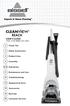 USER'S GUIDE 14U6, 37Y8 SERIES 220-240V 2 Thank You 3 Safety Instructions 4 Product View 5 Assembly 6-10 Operations 11 Maintenance and Care 12 Troubleshooting 13 Replacement Parts 14 Accessories 15 16
KB-6622V READ ALL INSTRUCTIONS BEFORE USING STEAM CLEANER. USE ONLY AS DIRECTED.
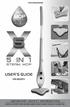 KB-6622V I M P O R T A N T S A F E T Y I N F O R M A T I O N READ ALL INSTRUCTIONS BEFORE USING STEAM CLEANER. USE ONLY AS DIRECTED. THANK YOU Congratulations on your choice of the H2O MOP X5, a new more
~RITA NP-2388F NP-3888F. www.naritausa.com
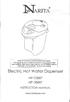 ~RITA HIGH ALTITUDES CAUTION(5,OOO ft and higher) This appliance may not shut-off property or from boiled to keep warm position when used at high altitudes; Use EXTREME caution! If unit does not shut off
Heated throw User manual
 Heated throw User manual OVELTHROWBB & OVELTHROWGB CONTENTS Safety & Warnings... 3 Product features.... 5 Controller... 5 Quick start guide.... 6 Using your heated throw.... 7 Before First Use... 7 Turning