
Neato Botvac Let it run. Your work is done.
|
|
|
- Ashley Newman
- 10 years ago
- Views:
Transcription
1 Neato Botvac Let it run. Your work is done.

2 Welcome! Thank you for purchasing a Neato Botvac and welcome to the world of robots helping humans. If you can t wait to get your robot working for you, just skip ahead to the Getting Started Guide that is included with your Neato Botvac. It has the essentials to get you up and running right away. If you want to become well-acquainted with your new robot friend, you can spend some time with this User Manual and learn all about your new robot. In fact, you may even want to start thinking about what you will name your new helper! There are a few key steps that will ensure a successful partnership things like preparing a room for a robot cleaning, getting the most from your battery, and how to regularly maintain your robot to get the longest life. For more information on these and other issues, and to stay up-to-date with the most current information, you can always visit us at There you will find answers to frequently asked questions, the latest tips and tricks for optimal robot performance, and current information about software updates. Let s stay in touch. One of the best ways do this is by registering your robot just go to click on MyNeato, and follow the registration process. Congratulations on your new household helper, and get ready to cross a few chores off of your to do list. Make Life Neater, Your friends at Neato Robotics P.S. Don t forget to register your Neato Robot. Just visit www. and click on MyNeato. 1

3 TABLE OF CONTENTS Safety Information How Botvac Works Neato Botvac Anatomy Controls Setting Language Setting Clock Cleaning Boundary Markers Scheduling Maintenance Batteries and Charging Troubleshooting Neato Customer Care and Product Registration

4 BEFORE GETTING STARTED Read all documentation before using your Neato robot for the first time. Keep the documentation for your Neato robot for future use. INTENDED USE Note! The appliance is not to be used by children younger than 8. Children 8 and older or persons with reduced physical, sensory or mental capabilities, or lack of experience and knowledge may only use this appliance if they are supervised or have been given instruction about how to use it safely and understand what risks are involved. Children should be supervised to ensure they do not play with the robot or charge base. Children without adult supervision should not perform cleaning and maintenance of the robot or charge base. HAZARD WARININGS Risk of electric shock! Always switch the device off before carrying out any cleaning or maintenance work. Disconnect the power plug from the charge base. Never pull the power plug out of the socket by the power cord; instead, pull it out by the power plug itself. Disconnect the power plug from the socket before opening the charge base. Never perform repairs on your device yourself. Repairs to electric devices may only be carried out by Neato customer service. Do not insert any pointed objects into the electric contacts. Do not change the contacts. Never carry the charge base by the power cord. Do not continue to operate the robot if the device itself or the power cord is damaged. Contact your Neato customer service in the event of damage. Do not clean the robot, the charge base or the power cable in water or other liquids. Do not use the robot on damp ground or in places in which it can get into contact with liquids or be immersed in water. Do not use the robot in humid environments, such as wet bathrooms. Do not use the robot in hazardous areas such open fireplaces, running showers or swimming pools. Make sure that you do not damage, bend or twist the power cord. Do not place any heavy objects on top of the cord. This could damage the power cord and cause a fire or electrical shock. Drooping or bare cables, curtains, tablecloths or cords in the working area of the robot are to be secured in order to avoid damage to the it or cause an electrical shock. Make sure no fragile, light, loose or movable objects are within range of the robot. Fire hazard! Do not vacuum up any hot ashes or lit cigarettes with the robot. The batteries must never be placed in an open fire and/or heated by an external heat source. Never use the robot in rooms with burning candles or desk lamps on the floor. Explosion hazard! Do not vacuum up any explosive or easily flammable substances. 4 5

5 Risk of injury! Never run the robot over any part of the body. Do not vacuum close to children or pets; keep body parts away from the spinning brush. Risk of pinching! Keep away from moving parts. Note! Risk of damage from improper use! Use Neato Genuine Accessory parts only. Use the charge base exclusively with the alternating current voltage stated on the type plate and on a connection that has been properly installed by an expert. Do not use the robot if the charge base, the power cord or the robot are faulty or damaged, or if the robot has not been completely assembled. If the power cord or charge base is faulty, it must be replaced with a Neato Genuine Accessory to avoid hazards. Never try to repair the robot by yourself. This robot is intended for indoor use only. This robot is intended for the cleaning of floors only. Make sure that children do not play with the robot. Keep children and pets away from the robot; do not let them stand or sit on it. Do not vacuum up any cleaning powders with the robot. Very fine sand, limestone, cement dust or similar particulates will block the pores of the filter and reduce performance. Never use the robot without the filter. This will damage the motor and shorten the life of the robot. To charge the robot, only use the power cord and charge base included in the box. Do not cover the infrared window of the charge base with stickers or other objects that can block the window. Do not block the sensors on the robot. Otherwise it will no longer be able to orientate itself or communicate with the charge base. The robot can be used on most carpets with a fiber length of up to 0.7in (20mm). It may move slower on carpet than hard wood. Do not use 3 rd party batteries with the robot. Only use Genuine Neato Accessory batteries. Do not use the robot on top of worktops or glass-ceramic stove tops. Make sure that no fragile, light or loose objects are within range of the robot. If the drop sensors are dirty, the robot may fall down stairs or off ledges. This can cause serious damage to the device. clean the drop sensors regularly If there are steps in the working area of the robot, the enclosed boundary markers can be applied to the top stair. The minimum distance to the edge of the step should be approximately 0.75in (2cm) on hardwood or thin carpet. On thick carpet the minimum distance to the edge of the step should be approximately 6in (15cm). This is an extra safety measure to prevent the robot from falling off a ledge or stairs. 6 7

6 Laser Distance Sensor (LDS) The laser distance sensor contains a rotating class 1 laser according to DIN EN In general, the following codes of practice apply for lasers: Switch the robot off before refit or repair. Do not direct the laser beam at people. Do not look into the direct or reflected beam of the laser. It is not permitted to carry out manipulations (alterations) or attempt repairs on the device and especially on the LDS. Electromagnetic fields The robot meets all standards regarding electromagnetic fields (EMF). According to current scientific findings, the robot is safe to use provided that it is handled correctly and in accordance with the instructions in the user manual. The device complies with the safety requirements of the country in which it was sold by a Neato Authorized Distributor. By using the device in another country, compliance with local safety standards cannot be guaranteed. Neato therefore rejects any resulting safety risks for the user. HOW BOTVAC WORKS Your Neato Botvac uses sophisticated mapping software to create a map of your home and plan its cleaning. The foundation of Neato s robotic technology is its patented Neato Botvision a breakthrough in robotic mapping and navigation. Botvision uses a proprietary laser scanner and proprietary navigation software based on SLAM (Simultaneous Localization and Mapping) the same technology used by the Google self-driving car. This is a milestone achievement Neato has brought a laser scanning technology that typically costs thousands of dollars to a consumer product at an affordable price. Smart mapping Neato s patented laser distance system continually scans the room, making instant decisions based on input from its external sensors. This enables Botvac to create detailed and accurate maps of its environment and methodically clean in an organized back and forth pattern, leaving the straight carpet vacuum lines. OTHER ROBOTS NEATO ROBOTS 1 Instead of bumping around like other robot vacuums, Neato Botvac uses patented Neato Botvision to scan and map the room, plan, and methodically clean. 8 9

7 Tip! Give It Power Charge it when you aren t using it to ensure it is ready to clean and to maintain the batteries. NEATO BOTVAC ANATOMY Tip! Set Cleaning Boundaries Your Botvac will clean everywhere it can reach. If you want to keep it from a certain area, just put down boundary markers. It will clean up to the boundary markers but will not cross over them. See section on Boundary Markers for more Tip! Keep It Well-Maintained Because it s down in the dirt all day long, your Botvac can get a little grungy. See section on Maintenance for more TOP VIEW IMPORTANT! Risk of damage from improper use Remove light, fragile or movable objects from the floor. Remove shag carpets from the area that you would like to clean. IMPORTANT! Keep It Away From Water, Chemicals, or Other Mold Producing Fluids Do not clean wet messes with your Botvac. Do not bathe or otherwise submerge your Botvac in water Do not use harsh chemicals on your Botvac, or anything that can permanently stain it. IMPORTANT! Keep Botvac Away From Hanging Cables and Low To The Ground Tablecloths and Curtains To keep your Botvac and your home safe, make sure that it cannot get caught on tablecloths, curtains, hanging electric cords, or other cord-like items. IMPORTANT! Don t Let It Get Cold Exposing your Botvac to freezing temperatures may cause permanent damage. IMPORTANT! Don t Use or Store It Outside Your Botvac is an indoor device and is not intended for outdoor use. Use and store it in the house. 1 Dirt Bin 2 Botvac Top 3 Laser Top 4 Display Screen 5 Bumper 6 CLEAN House Button 7 CLEAN Spot Button 8 Handle for Carrying Botvac 9 Filter

8 BOTTOM VIEW CHARGE BASE FRONT VIEW BACK VIEW BACK VIEW Brush Guard 10 Brush 11 Side Brush 12 Drop Sensor Windows 13 Battery Cover 14 Label (includes Serial Number) 15 Charging Contacts 16 Wheels 17 Charging Contacts 18 Blower Vents 19 Metal Charge Plates (2) 20 Insert power cord securely into the charge base 12 13

9 3 CONTROLS DISPLAY CONTROLS STATUS LIGHTS 0:00 MENU SCROLL BACK SELECT The LED around the right button is used to indicate: Battery State Error Conditions see display for description of error or alert Status Lights SOLID GREEN Fully charged and ready to clean. BUTTONS BLINKING GREEN Charging, battery not fully charged, can clean. CLEAN Spot PAUSE Cleaning WAKE UP CLEAN House PAUSE Cleaning BLINKING AMBER Charging, can t clean yet. SOLID AMBER Error, see message on screen

10 4 SET LANGUAGE SET CLOCK 5 Press SELECT button under the screen to go to Main Menu. 0:00 Press SELECT button under the screen to go to Main Menu. 0:00 MENU MENU Use SCROLL button to scroll down to Language and then press SELECT button. Main Menu Schedule Set Clock Language Support Use SCROLL button to scroll down to Set Clock and then press SELECT button. Main Menu Schedule Set Clock Language Support SELECT SELECT Find your language by using SCROLL button to scroll down. Set Language English Cestina Dansk Nederl. NL Suomi Use SCROLL button to Choose 12-Hour or 24-Hour Clock Mode and then press SELECT button. Clock Mode 12-Hour Clock 24-Hour Clock SELECT SELECT Press SELECT button under the screen to choose a language. Language is: English Use SCROLL button to choose Day and then press SELECT button. Set Day Sunday ENTER 16 17

11 CLEANING 6 Use SCROLL button to Set Hour and then press SELECT button. Set Hour 12:00 Botvac has two cleaning modes CLEAN House and CLEAN Spot. CLEAN House mode will clean your house. Clean Spot mode will clean a 4 (1.2 m) x 6 (1.8 m) area. Use SCROLL button to Set Minutes and then press SELECT button. ENTER Set Minutes 12:00 IMPORTANT! To start cleaning, the LED around the right button must be green or blinking green and Botvac must be turned on. If the right button is not green or blinking green, put Botvac up against the charge base to charge. ENTER If the screen is not lit, press the right button wake up Botvac. to If the time is correct press SELECT button to save the time. Confirmation message will show on the screen. Save Time/Day Sunday 12:00 am SAVE The time is Sunday 12:00 am Thank You CLEAN HOUSE MODE Press the right button below the dirt bin with the The screen will indicate that Botvac is cleaning the house. Botvac will come off its charge base and scan the area. icon. 0:00 CLEANING House 18 19

12 If the area is less than about 15 (4.5 m) x 15 (4.5 m) it will do a boundary cleaning of the area and then clean the interior using a back and forth straight-line pattern. If the area is larger than 15 (4.5 m) x 15 (4.5 m), it will create a virtual room that is about 15 (4.5 m) x 15 (4.5 m) and do a boundary cleaning and then clean the interior of the virtual room using a back and forth straight-line pattern. It will move on to vacuum the next virtual room. Depending on the size and configuration of the room, it may or may not finish one room before moving to the next. It will continue to clean in segments until the job is finished, keeping track of where it has and has not cleaned, using its sophisticated SLAM technology. STARTING OFF THE CHARGE BASE: If Botvac is not started at the charge base and cannot complete cleaning the area in one battery charge, it will go back to where it started and ask you to return it to the charge base to recharge. It is in suspended cleaning mode while charging. When finished charging, place it within two feet of where it returned for charging, press START again, and it will return to where it left off to finish the cleaning job. It will repeat this one more time if it hasn t finished the cleaning job. return me to my base. OKAY STARTING AT THE CHARGE BASE: If Botvac started at the charge base and needs to recharge before finishing the job, it will navigate back to the charge base, wiggle up to it and recharge. You will see a message on the LCD that says Cleaning Suspended While Charging. It is in suspended cleaning mode while charging. 0:00 CLEANING SUSPENDED WHILE CHARGING PAUSE Once it recharges Botvac will go back out and resume cleaning where it left off. Botvac will do a maximum of three cleaning runs and two recharges between the cleaning runs. After the third cleaning run it will dock at its charge base and recharge. CLEAN SPOT MODE Spot mode is used to clean a small area. Spot mode will clean a 4 (1.2 m) x 6 (1.8 m) area in front of Botvac. To start Spot mode, put Botvac on the floor facing the area you want cleaned. Press the left button with the icon. The screen will show Botvac is CLEANING Spot. Botvac will scan the area, turn right and do a boundary cleaning of a 4 (1.2 m) x 6 (1.8 m) area. 0:00 CLEANING Spot It will then clean the interior using a back and forth straight-line pattern and return to its starting location or if it saw a charge base while cleaning it will return to the charge base and wiggle up to it

13 Tip! To put your Botvac to sleep, press and hold the START button for 2 seconds and the light on the screen will go off BOUNDARY MARKERS 7 Tip! Clear the area of small items like toys and clothing furniture is OK. IMPORTANT! Tie up wires, curtains and other low-hanging items. IMPORTANT! Keep your Botvac away from liquids and wet areas. Move or cover pet bowls and plant trays. Boundary markers let you create a boundary where one does not exist. They let you tell your Botvac where not to go. Some examples of where to use boundary markers: 1. If you have a large open floor plan in your house, for example the room layout below, and you don t want the robot to clean the shaded area, you can use boundary markers. Sink Kitchen Tip! To keep your Botvac out of places you don t want it to go, set down boundary markers included in the package. Sometimes it s helpful to tape them down to hold them in place. See section on Boundary Markers for more Boundary Marker Contained Room IMPORTANT! Keep your Botvac inside the house. It was not designed for outdoor cleaning or freezing temperatures. TIP! Be aware that shiny surfaces and black floors may confuse your Botvac. Lay the boundary marker flat on the floor from one wall to the opposite wall to block off the area. Botvac will clean the floor on the side of the boundary marker that it starts on. It will recognize the boundary marker and will not cross it

14 2. If you have an item you don t want the robot to get near, for example electric cords, pet bowls or toys, place boundary markers around the item or area. SCHEDULING 8 You can schedule Botvac to clean your house once every day. IMPORTANT! Thick carpeting on stairs may affect the robot s navigation system (stairs with thin carpeting are OK). To make sure your robot sees the stairs place boundary markers 6 inches from the edge of the stairs. TIP! You can use scissors to cut boundary markers to a shorter length. To make sure Botvac cleans your whole house keep it on its charge base. If its battery runs low it will come back to the charge base, recharge and resume cleaning where it left off (up to two times). To schedule a HOUSE cleaning press SELECT button under the screen to go to Main Menu. 0:00 TIP! You can use removable tape such as gaffer tape or painters tape to keep boundary markers flat on the floor. Press SELECT button under the screen to go to select Schedule. MENU Main Menu Schedule Set Clock Language Support SELECT The Schedule Menu allows you to Set a new scheduled cleaning or Change a scheduled cleaning. You can schedule HOUSE cleanings once a day and you can schedule a different time for each day of the week if you want to. The Schedule Menu also allows you to remove the schedule for a day (Remove Day) or Turn Off all scheduled cleanings

15 Below is the sequence of actions and screens to schedule a House cleaning on Saturday at 12:00 am. Press the SELECT button below. Schedule Menu Set or Change Remove Day Turn Off Press the SELECT button to confirm the scheduled cleaning. Add House cleaning Saturday 12:00 am? SELECT ADD Use the SCROLL buttons to scroll down to Saturday Press the button below SELECT. Day to Clean Tues None Wed None Thu None Fri None Sat None SELECT Screen confirming scheduled cleaning. I now clean the House on Saturday 12:00 am Press the SELECT button to select the hour. Advance the hour so you choose am/pm correctly. Set Start Hour 12:00 am Tip! If your battery runs very low, the Botvac will lose its clock setting. Use the menus to reset the time and day SELECT Press the SELECT button to select the minute. Start Minute 12:00 am SELECT 26 27

16 9 MAINTENANCE Tip! Go to www. and click on Where To Buy to find retailers where you can purchase Genuine Neato Accessories. IMPORTANT! Keeping Botvac clean is important for optimum performance. CLEANING THE FILTER For optimal performance, empty the Botvac dirt bin and clean the filter after every use. CLEANING THE BRUSH AND BEARING Clean the brush frequently. Most hair and other debris are captured in the dirt bin, but some may get tangled on the brush and affect cleaning performance. To clean the brush, follow these steps: 1. Turn your Botvac upside down. 2. Place your fingers under the brush guard in front of the wheels and pull up gently under the brush guard until it pops out. Remove the brush guard. 3. Gently take out the brush. 4. Remove any debris from the brush. Wipe the brush blades and brush core with a slightly damp cloth to remove dust. 1. Take out the dirt bin. 2. Remove the filter. 3. Empty the contents of the dirt bin into a garbage can. Tap the filter against the garbage can to get rid of any excess dirt. 4. Replace the filter and make sure it is tight. Insert the dirt bin back into the Botvac and make sure it is fully engaged. Tip! Change the filter in your Botvac every one to two months. Factors that determine how often to change the filter include: frequency of vacuuming, size of the area it is cleaning, and the amount of dirt, debris and pet hair it picks up. 5. Remove the metal bearing on the end of the brush and clean with a cloth. To remove the bearing, use your fingers, or a small flat head screwdriver for tough to remove the bearing. Re-attach the bearings to the brush. 6. Replace the brush by inserting the orange end cap with the hexagon pattern into the motor-side, and the metal bearing end closest to the wall side. 7. Replace the brush guard, and click it into place. Make sure it is seated correctly in front behind the bumper and locked tightly at the rear. For optimal performance, replace the brush periodically, or if the blades or bristles are damaged. You can find replacement brushes through one of our partners. Go to www. and click on the Where to Buy

17 CLEANING THE DROP SENSORS Using a cotton swab, periodically clean the drop sensor windows (2) on the bottom of your Botvac (see below). WHERE TO BUY NEATO BOTVAC GENUINE ACCESSORIES Go to www. and click on Where to Buy to find replacement accessories and parts for your Botvac. Drop sensor window Drop sensor window Combo Brush Length = in / 276 mm Best brush for picking up pet hair. Much quieter on hard floors. Blade Brush Length = in / 276 mm Superior cleaning performance for all floor types. Side Brush For precise edge cleaning. CLEANING THE TOP OF YOUR BOTVAC Standard Filter Surface area = 13.1 in 2 / 85 cm 2 Clean the top of your Botvac periodically with a damp cloth. Make sure there is no dirt accumulated under the Laser Cover. If there is any dirt or debris, remove it so the laser can navigate your home accurately. Laser Cover Robot Top High- Performance Filter Dirt Bin Boundary Markers Battery Surface area = 84.7 in 2 / 547 cm 2 Captures particles down to 0.3 microns - more than three times the amount of fine dust particles as a standard filter. Size: 0.7 liters Bigger-is-better dirt bin holds more and is easy to empty. Magnetic strips keep your Botvac where you want it to go. Rechargeable NiMH 12V 3600 mah battery. Charge Base Extra charge base is great for homes with stairs

18 10 BATTERY SWITCH BATTERIES AND CHARGE BASE CHARGE BASE LOCATION Choose a wall outlet that has a 3 (1 m) clearance on both sides and in front of the charge base. This helps your Botvac find its charge base. Botvac is shipped from the factory with the battery switch in the OFF position to extend battery life. To connect the battery, open the dirt bin and push the ON/OFF switch DOWN to ON. ON/OFF switch BATTERY CHARGE TIME ON/OFF Switch: You push the ON/OFF switch UP to turn OFF the robot. You push the ON/OFF switch DOWN to turn ON the robot. Tip! If you will not be using Botvac for an extended period of time, you can extend the life of the battery by pushing the battery switch in the dirt bin UP to OFF. Botvac takes two to three hours to charge fully. The status light turns solid green when the batteries are completely charged. Several factors influence charging time. The charge level of the battery: If the battery is almost drained, charging will take closer to three hours. If partially charged, it will take less time to reach full capacity. The environment of the room: It will charge faster on a hard surface located in a cool dry area. On hot days, on carpet, expect longer charging times. We recommend you charge the batteries overnight before you use Botvac for the first time. Run through three complete charging cycles to optimize the performance of the batteries

19 BATTERY CALIBRATION You can re-calibrate Botvac s batteries to improve capacity and lengthen run time between charges. You should recalibrate the batteries in these situations: Botvac is new The batteries are new You updated the software Your cleaning area expanded Botvac s run time is low Follow the steps below to recalibrate Botvac s battery. 1. Turn off any scheduled cleaning. 2. Reset the batteries by going to MENU->Support->New Batteries. 3. Place it on its charge base overnight to ensure a full charge. 4. Run it until it finishes cleaning the maximum area you ever want it to clean, or until it displays Battery Low on its display and needs to recharge. 5. Dock it on its charge base for a full charge, until the status light turns solid green. 6. Run it as usual until it needs to recharge again. 7. Repeat step 6 two more times. IMPROVING BATTERY LIFE By following a few simple rules, you can help extend the life of your battery. How you take care of the battery and how much you use them affect their longevity. Here are some tips to optimize your battery. Keep Botvac on its charge base when not in use out of sunlight and heat, and on a flat surface. Make sure the charge base is located in a cool, dry place, away from direct sunlight or other sources of heat like a heating vent. Keep the charge base on a smooth, hard surface. Thick carpets can cause the charge base to tilt, which prohibits it from making proper contact with the base. Store Botvac with the batteries disconnected, or turned OFF. If you are going away and won t use it for an extended time, charge the batteries fully and then disconnect them for storage by pushing the battery switch in the dirt bin UP to OFF. When you want to use your Botvac again, reconnect the batteries by pushing the battery switch DOWN to ON and fully charge it. Charge as soon as possible after discharging the batteries. If the battery is low and the LED is amber or blinking amber, charge the batteries as soon as possible. Keep Botvac s filters and brushes clean. If the filter or brush gets clogged with hair or other debris, the vacuum will strain, using more battery power than normal. Be sure to clean your filters and brushes regularly. If you are running into any issues with charging, run times or other battery related concerns please see section on Battery Calibration

20 BATTERY REPLACEMENT Because rechargeable batteries have a limited life span, you will need to replace the batteries periodically. How long the batteries last depends how you use your Botvac. You may have to replace your battery after 6 months if the runtime degrades. Every time the battery goes through a charge and discharge cycle it loses some capacity. Higher temperatures also affect battery life. It is recommended you try to place your Botvac in a cool, shaded part of your home to reduce heat. Replacement batteries for your Botvac can be found at one of our partner s websites. Go to www. and click on Where to Buy. TROUBLESHOOTING ALERTS: Alert messages inform you of Botvac s condition but should not affect the its ability to clean. These screens are temporary and can be turned off by pressing OKAY. What the screen says What it means What to do A Software update is available. visit web support. The software on your robot needs to be updated 11 please contact Neato Customer Care. Go to open my dirt bin & push switch DOWN to ON. 0:00 CLEANING SUSPENDED WHILE CHARGING The battery switch is set to OFF, the battery is not charging and the robot cannot run. The robot needs to return to the charge base to recharge. When the robot is done charging it will return to where it left off to finish cleaning. Open the dirt bin and push the battery switch DOWN to ON. Place the dirt bin back into robot and press OKAY to continue using. Make sure robot is fully charged before cleaning. Be sure to charge overnight the first time you charge the robot. Let the robot return to the charge base to recharge. If it is already on the charge base, leave the robot on the charge base while it recharges

21 ERRORS: Error messages require your attention before Botvac can proceed. The LEDs will change to red to notify you that there is an error. The error message will display until you correct the error condition, and/or press the OKAY button to clear. What the screen says What it means What to do press OKAY to continue. Battery issue (0005) There is an issue with the battery. please contact Neato Customer Care. Go to press OKAY to continue. Battery issue (8000) press OKAY to continue. Battery issue (0003) The battery is experiencing an error. The battery is low or needs to be charged. contact Neato Customer Care. Go to Press OKAY Put the robot on the charge base until the status light turns green. press OKAY to continue. Battery issue (0006) press OKAY to continue. Battery issue (0007) The robot is too cold or in an environment that is too cold for it to operate properly. Charge the robot in a warmer environment. press OKAY to continue. Battery issue (0004) please contact Neato Customer Care. Go to wait while I cool down my battery. The battery is overheated. This may be caused by being in direct sunlight or in an unusually warm environment. Allow your robot to cool down before attempting to run again. Try placing the robot in a cool, shaded area. please contact Neato Customer Care. Go to 38 39
22 press OKAY to continue. Battery issue (0002) press OKAY to continue. Battery issue (0008) press OKAY to continue. Battery issue (0009) The battery is not properly connected. Press OKAY Open the dirt bin and make sure the ON/OFF switch on the left in the dirt bin is DOWN. Replace the dirt bin. please contact Neato Customer Care. Go to My fan is stuck. press OKAY to restart. contact Customer Support. Tests not complete. The blower is not working properly. Botvac needs to be inspected for errors. Make sure you have a filter installed, that the blower fan intake isn t blocked, and that the exhaust vent in the back of the robot isn t clogged. please contact Neato Customer Care. Go to please contact Neato Customer Care. Go to I had to reset press OKAY to restart. An error occurred. please contact Neato Customer Care. Go to My Brush needs to be cleaned. clean my Brush. The brush is still moving but with difficulties due to accumulated debris. The brush is stuck with debris. Make sure the brush or bearing does not have debris wrapped around it. Follow the brush and bearing cleaning instructions. Make sure the brush and bearing do not have debris wrapped around it. Follow the brush and bearing cleaning guide
23 wait while I check my surrounding. Botvac is trying to locate itself in the environment. Give the robot a moment to orient itself in the room. Note: If you pick up the robot and move it in the room it may become disoriented. Avoid picking up the robot during a cleaning cycle. If this is a recurring issue try moving objects around to give the robot better reference points to use for navigating. Make sure the protective screen film has been fully removed and is not peeling up and blocking the robot s vision. Use a clean cloth to pick up any dirt or dust on or around the turret. Empty the dirt bin and make sure filter is clear of debris. Put dirt bin and filter back into the robot. I can t shut down while I am connected to power. check my filter and Dirt Bin. The robot cannot shutdown while it is connected to the charge base. There is a problem with the filter or dirt bin. Remove your robot from the charge base before attempting to shutdown. Make sure the dirt bin is empty, that the filter is in place and not obstructed, and that the dirt bin is properly inserted. Dust me off so that I can see. empty my Dirt Bin and Filter if needed. The robot cannot sense the environment because the laser is blocked. The dirt bin and the filter may be full of dust or debris. put my Dirt Bin back in. My Right Wheel is stuck. free it from debris. The dirt bin cannot be detected. The right wheel is stuck and the robot is experiencing mobility problems. Make sure the dirt bin is in the robot and properly seated in position. The top of the dirt bin should be level with the top of the robot if inserted correctly. Make sure the wheel does not have debris wrapped around it. please contact Neato Customer Care. Go to 42 43
24 My Left Wheel is stuck. free it from debris. put me down on the floor. clean my right drop sensor window. The left wheel is stuck and the robot is experiencing mobility problems. Botvac was picked up. It must be returned to the floor to resume operation. The right drop sensor window on the under side of Botvac needs to be cleaned. Make sure the wheel does not have debris wrapped around it. please contact Neato Customer Care. Go to Place the robot back on the floor. Gently clean the drop sensors with a soft cloth My Bumper is stuck. free it. return me to my base. The bumper or bumper sensor are being triggered and may be stuck. Botvac needs to recharge and cannot find a charge base. Gently tap the bumper to free it you should hear TWO clicks when the bumper is pressed. One when it is pressed in and one when it pops back out. If the cleaning session was started from a charge base: 1. End current cleaning cycle. 2. Relocate the charge base to a more open area with at least 3 feet of open space on either side of it so the robot can better locate the charge base when it needs to return for recharging. clean my left drop sensor window. The left drop sensor window on the under side of Botvac needs to be cleaned. Gently clean the drop sensors with a soft cloth 3. Take the robot to the charge base and restart the cleaning cycle. If a cleaning was started away from a charge base (example for spot cleaning or to clean another room without a charge base) then the robot will return to where it started. Pick up the robot and place it on the charge base
25 My battery is low. I need to charge my battery before I can clean. check that the base is connected to power. set schedule to ON first. I can t charge. Try moving the base station to a new location. The battery is low and cannot clean until the battery is charged. Botvac docked to the charge base but can t charge. You must turn on the scheduling feature before you can set or change the schedule. Botvac is having difficulty getting to or locating the charge base and cannot recharge. Allow the robot to finish charging on the charge base. Ensure the charge base is connected to a functioning electrical socket on the wall and located on a flat surface. please contact Neato Customer Care. Go to Make sure scheduling is turned on by going to MENU > Schedule > Turn On. Move the charge base to another location in an open area with 3 feet on either side. Push robot up to charge base to recharge. please contact Neato Customer Care. Go to clear my path. (2000) Botvac is having difficulty navigating the environment. Some reasons this occurs: The laser is blocked. It is having difficulty navigating the floor. The sensors are dirty or not working properly. The wheels or brush are dirty Follow these steps to troubleshoot: 1. Make sure there is nothing preventing the robot from moving forward (e.g., obstacles, tangled in cords, robot is not flat on floor) 2. Make sure nothing in the environment has changed since the robot started cleaning (e.g., furniture moved, robot moved to different room) 3. Make sure the screen sticker that came with the robot has been completely removed. 4. The robot needs to be reset. Push the battery switch UP to OFF, wait 5 minutes and push DOWN to turn back ON. 5. Make sure wheel wells aren t blocked with debris. 6. Make sure the battery is charged please contact Neato Customer Care. Go to
26 12 NEATO CUSTOMER CARE & PRODUCT REGISTRATION Visit www. and click on the Support. Register your Neato Botvac to stay up to date on software releases and new product Find more helpful information, including frequently asked questions, and tips and tricks for optimal operation. 48
27 www. Neato Robotics, Inc Jarvis Avenue, Newark, CA USA P/N: 500-XXXX Rev 1.0
500 Series. www.irobot.com
 500 Series www.irobot.com Dear irobot Roomba owner, Welcome to the world of irobot! As an owner of an irobot Roomba Vacuum Cleaning Robot, you join a world-wide community of people who enjoy more free
Carpet Washer. vax.co.uk VRS5W. Vax Careline: (UK) 0844 412 8455 (ROI) 1-800 928 308. Vax model number: Version 1.0
 VRS5W Powermax User Guide V1.0.qxd:V1.0 23/7/10 15:35 Page 1 Vax Careline: (UK) 0844 412 8455 (ROI) 1-800 928 308 Carpet Washer Vax model number: VRS5W instruction manual Version 1.0 Please read carefully
car + boat Box Contents x2 x2 22350_DC16_CAR_BOAT_OPSMAN.indd 1 29/7/08 15:27:01
 car + boat Box Contents x x 350_DC6_CAR_BOAT_OPSMAN.indd 9/7/08 5:7:0 SAVE THESE INSTRUCTIONS THIS APPLIANCE IS INTENDED FOR HOUSEHOLD USE ONLY IMPORTANT SAFETY INSTRUCTIONS READ ALL INSTRUCTIONS BEFORE
Portable Air Conditioner
 Portable Air Conditioner Owner's Manual Model:3 in 1 12,000 Btu/h Series 3 Please read this owner s manual carefully before operation and retain it for future reference. CONTENTS 1. SUMMARY...1 2. PORTABLE
Roomba. Vacuum Cleaning Robot. Owner s Manual
 Roomba Vacuum Cleaning Robot Owner s Manual Dear Roomba owner, Thank you for choosing a new generation irobot Roomba vacuum cleaning robot. You re joining a very special community of people - 7.5 million
Meijer.com. Roomba. Vacuum Cleaning Robot. 700 series Owner s Manual
 Roomba Vacuum Cleaning Robot 700 series Owner s Manual Dear Roomba owner, Thank you for choosing a new generation irobot Roomba vacuum cleaning robot. You re joining a very special community of people
Roomba. Vacuum Cleaning Robot. 700 series Owner s Manual
 Roomba Vacuum Cleaning Robot 700 series Owner s Manual Dear Roomba owner, Thank you for choosing a new generation irobot Roomba vacuum cleaning robot. You re joining a very special community of people
User s Guide. Oreck Air Purifier with HEPA Filtration. Important! Read this manual carefully, and keep for future reference.
 User s Guide Oreck Air Purifier with HEPA Filtration Important! Read this manual carefully, and keep for future reference. Enjoy Congratulations on your purchase of the Oreck Air Purifier with HEPA Filtration.
200 Series Owner s Manual. www.irobot.com
 200 Series Owner s Manual www.irobot.com Dear irobot Scooba Owner, Thank you for purchasing an irobot Scooba floor washing robot. You ve joined the millions of people who clean with robots -- the smarter
FOR THE FOLLOWING MODELS: EE-8075W EE-8075O EE-8075R EE-8075BK
 FIREPLACE HEATER FOR THE FOLLOWING MODELS: EE-8075W EE-8075O EE-8075R EE-8075BK If you have any questions about the operation of your fireplace heater, please contact Crane Customer Care. Toll Free: 888-599-0992
USER INSTRUCTIONS FOR GET PORTABLE 12k BTU AIR CONDITIONER MODEL No. GPACU12HR
 USER INSTRUCTIONS FOR GET PORTABLE 12k BTU AIR CONDITIONER MODEL No. GPACU12HR CONTENTS Introduction Safety Notes Identification of parts Installation instructions Operation instructions Maintenance Troubleshooting
HYLA NST Cleaning System
 Owner s Manual HYLA NST Cleaning System The HYLA NST Cleaning System aspirates and cleans the air through a waterbased filtration process. The system is intended for household use only. Applications: Usual
FLOOR WASHING ROBOT. 300 Series
 FLOOR WASHING ROBOT 300 Series Owner s Manual Dear Scooba Owner Congratulations and welcome to the world of irobot! You have joined the growing number of people who have discovered a smarter way to clean.
Robotic Vacuum Cleaner. RC 320A User s Manual
 AiBOT Robotic Vacuum Cleaner RC 320A User s Manual TABLE OF CONTENTS SAFETY INSTRUCTIONS -------------------------------------------- 2 * Safety Instructions * Battery and Recharging Instructions SPECIAL
VACUUM CLEANER INSTRUCTION MANUAL
 VACUUM CLEANER INSTRUCTION MANUAL MODEL: SVC9702 PLEASE READ THIS MANUAL CAREFULLY BEFORE USING AND KEEP IT PROPERLY FOR FUTURE USE 1 Safety Cautions: WARNING: To reduce the risk of fire, electrical shock,
MIST DECORATIVE LAMP WITH ESSENTIAL OIL DIFFUSER
 EN MIST DECORATIVE LAMP WITH ESSENTIAL OIL DIFFUSER OPERATING INSTRUCTIONS Read the instructions carefully before operating the appliance or carrying out maintenance operations. Observe all the safety
Get Cleaning... User Guide Vax Careline: (UK) 0844 412 8455 (ROI) 1-800 928 308. Carpet Washer. vax.co.uk. Rapide Ultra series
 W90-RU & W89-RU Series User Guide v1.4.qxd:user guide 2/3/11 10:03 Page 1 Carpet Washer User Guide Vax Careline: (UK) 0844 412 8455 Get Cleaning... What s your Vax model number? (Located on the top flap
Instruction Manual. Image of SP-3015 & SP-3815. Important Safeguards. Automatic Dispensing Hot Water Pot with Reboil Function
 Important Safeguards READ ALL INSTRUCTIONS BEFORE USE. Instruction Manual Automatic Dispensing Hot Water Pot with Reboil Function Image of SP-3015 & SP-3815 SP-3015: 3.0L SP-3815: 3.8L SP-3017: 3.0L (Stainless
Register your robot to instantly activate your warranty and enjoy these exclusive benefits:
 Dear irobot Roomba Owner, Thank you for purchasing an irobot Roomba vacuum cleaning robot. You ve joined the millions of people who clean with robots - the smarter way to get it done. Please take a few
MICA HEATER INSTRUCTION MANUAL Model No: UHM-786 230V 50Hz 2200W
 MICA HEATER INSTRUCTION MANUAL Model No: UHM-786 230V 50Hz 2200W Safety Precautions To reduce the risk of personal injury or damage to property, basic safety precautions must be observed including the
Your Hearing Aids A guide for helping children and their families understand and take care of their hearing aids
 Your Hearing Aids A guide for helping children and their families understand and take care of their hearing aids Congratulations on your new hearing aids!! This booklet will show you how to use your behind-the-ear
- 2 - IMPORTANT SAFETY REMINDERS
 USER MANUAL IMPORTANT SAFETY REMINDERS This appliance should only be used for domestic cleaning, as described in this user guide. Please ensure that this guide is fully understood before operating the
GNOME PELLET E.I. Pellet Heater Owner's Manual Installation and Operating Instructions. Please read this entire manual before installation.
 Pellet Heater Owner's Manual Installation and Operating Instructions Please read this entire manual before installation. Save these instructions. SAFETY NOTICE HEATER MUST BE PROPERLY INSTALLED AND MAINTAINED
Use and Care Manual. Model CPA12KH AIR CONDITIONER
 Use and Care Manual Model CPA12KH AIR CONDITIONER Introduction Thank you for choosing this air conditioner to provide you and your family with all of the "Home Comfort" requirements for your home, cottage
Wessel-Werk EBK 340. Electric Power Nozzle. Operating Manual Wessel-Werk GmbH Im Bruch 2 D-51580 Reichshof Germany www.wessel-werk.
 Wessel-Werk EBK 340 Electric Power Nozzle Operating Manual Wessel-Werk GmbH Im Bruch 2 D-51580 Reichshof Germany www.wessel-werk.com IMPORTANT SAFEGUARDS When using an electric appliance, basic precautions
Get Cleaning... User Guide Vax Careline: (UK) 0844 412 8455 (ROI) 1-800 928 308. Multifunction. vax.co.uk. 6131 Series. What s your Vax model number?
 6131 Series User Guide v1.1-06.09.10:user guide 09/09/2010 11:42 Page 1 User Guide Vax Careline: (UK) 0844 412 8455 Multifunction Get Cleaning... What s your Vax model number? 6 1 3 1 What s your serial
Important Safeguards
 Table of Contents Important Safeguards...2 Product Layout...3 Preparing for Use...4 Air-conditioning without installation...4 Air-conditioning with installation...5 Control Panel...6 Operating from the
WARNING To reduce the risk of. READ ALL INSTRUCTIONS BEFORE USING. KEEP AWAY FROM WATER DANGER Any appliance is
 IMPORTANT SAFETY INSTRUCTIONS When using electrical appliances, especially when children are present, basic safety precautions should always be followed, including the following: READ ALL INSTRUCTIONS
Dehumidifier Users manual. For Models: DH45S DH65S
 Dehumidifier Users manual For Models: DH45S DH65S 950-0062-revD Jan. 9 2007 FORWARD The appearance of the units that you purchase might be slightly different from the ones described in the Manual, but
2 YEAR WARRANTY S7200PAU USE & CARE MANUAL ADVANCED CERAMIC TECHNOLOGY. To register your product go to www.remington-products.com.
 USE & CARE MANUAL PLEASE READ PRIOR TO USE To register your product go to www.remington-products.com.au ADVANCED CERAMIC TECHNOLOGY 2 YEAR WARRANTY S7200PAU 1 IMPORTANT SAFEGUARDS Warning: When the straightener
500/600 Series Owner's Manual
 500/600 Series Owner's Manual Dear irobot Roomba Owner, Thank you for purchasing an irobot Roomba vacuum cleaning robot. You ve joined the millions of people who clean with robots - the smarter way to
500/600 Series Owner's Manual
 500/600 Series Owner's Manual Dear irobot Roomba Owner, Thank you for purchasing an irobot Roomba vacuum cleaning robot. You ve joined the millions of people who clean with robots - the smarter way to
the Soft Top Breville Customer Service Center www.breville.com Instruction Book - Livret d instructions
 Breville Customer Service Center the Soft Top Instruction Book - Livret d instructions US Customers Mail: Breville USA 19400 S. Western Ave Torrance CA CA 90501-1119 Phone: Customer Service 1 (866) BREVILLE
USER INSTRUCTIONS FOR 10 LITRE PORTABLE DEHUMIDIFIER MODEL NO. DHMD102
 USER INSTRUCTIONS FOR 10 LITRE PORTABLE DEHUMIDIFIER MODEL NO. DHMD102 THANK YOU FOR CHOOSING YOUR NEW DEHUMIDIFIER. BEFORE USING THE UNIT READ THESE INSTRUCTIONS FULLY AND RETAIN THEM FOR FUTURE REFERENCE
irobot Roomba Owner s Manual
 irobot Roomba Owner s Manual SAVE 15% on accessories. See back for details. www.irobot.com Dear irobot Roomba Owner, Welcome to the new world of irobot. As an owner of irobot s latest Roomba Vacuuming
Wessel-Werk EBK 360. Electric Power Nozzle. Operating Manual Wessel-Werk GmbH Im Bruch 2 D-51580 Reichshof Germany www.wessel-werk.
 Wessel-Werk EBK 360 Electric Power Nozzle 12/09 Operating Manual Wessel-Werk GmbH Im Bruch 2 D-51580 Reichshof Germany www.wessel-werk.com IMPORTANT SAFEGUARDS When using an electric appliance, basic precautions
Please read this owner s Manual carefully before operating the unit. - Cooling - Heating - Dehumidifying - Fan
 Please read this owner s Manual carefully before operating the unit. - Cooling - Heating - Dehumidifying - Fan TABLE OF CONTENTS INTRODUCTION 2 IMPORTANT SAFEGUARDS...2 PACKAGE CONTAINS..2 NAMES OF PARTS.3
EBK 340 / EBK 341 Electric Power Nozzle
 IMPORTANT SAFEGUARDS When using an electric appliance, basic precautions should always be followed, including the following: Read all instructions before using this Motorized Nozzle. EBK 340 / EBK 341
PTAC Preventive Maintenance Guide. Step-by-step instructions and information to keep your units operating in peak condition
 PTAC Preventive Maintenance Guide Step-by-step instructions and information to keep your units operating in peak condition The Importance of Proper PTAC Maintenance Welcome to the PTAC Preventive Maintenance
2-SLICE COOL TOUCH TOASTER
 2-SLICE COOL TOUCH TOASTER PLA0405 Instruction Manual Due to on-going product improvements, specifications and accessories may change without notice. Actual product may differ slightly to that depicted.
Portable Air Conditioner. OWNER S MANUAL Read these instructions before use. Model: MF08CESWW. Voltage rating: 115V~60Hz Power rating : 800W
 MODE ALARM Portable Air Conditioner OWNER S MANUAL Read these instructions before use 8 Model: MF08CESWW Voltage rating: 115V~60Hz Power rating : 800W Customer Support : 1-800-474-2147 For product inquiries
IMPORTANT SAFETY RULES TO FOLLOW
 WARNING FLOOR & CARPET CLEANER Any piece of equipment can be dangerous if not operated properly. YOU are responsible for the safe operation of this equipment. The operator must carefully read and follow
IMPORTANT SAFETY INSTRUCTIONS WARNING READ AND SAVE THESE OPERATING AND SAFETY INSTRUCTIONS BEFORE USING THIS HEATER.
 THERMAWAVE CERAMIC HEATER Model HZ-850 Series Model HZ-860 Series IMPORTANT SAFETY INSTRUCTIONS WARNING READ AND SAVE THESE OPERATING AND SAFETY INSTRUCTIONS BEFORE USING THIS HEATER. Warning Failure to
NewAir AC-10000E, AC-10000H Portable Air Conditioner Owner s Manual PLEASE READ AND SAVE THESE INSTRUCTIONS
 NewAir AC-10000E, AC-10000H Portable Air Conditioner Owner s Manual PLEASE READ AND SAVE THESE INSTRUCTIONS BEFORE USE GENERAL SAFETY INSTRUCTIONS: ALWAYS OPERATE THE UNIT IN AN UPRIGHT POSITION AND PLACE
Electric Kettle. Model: SK-1717 INSTRUCTIONS MANUAL
 Electric Kettle Model: SK-1717 INSTRUCTIONS MANUAL Thank you for your purchase. Please read this Instruction Manual thoroughly before use and keep in a safe place for future reference. READ ALL INSTRUCTIONS
User Guide. Bagless Cylinder White. Get Cleaning... vax.co.uk. Vax Careline: (UK) 0844 412 8455 (ROI) 1-800 928 308. White series
 C88-VW-B UG [Update 10.05.12]_User guide 10/05/2012 09:40 Page 1 User Guide Vax Careline: (UK) 0844 412 8455 Bagless Cylinder White Get Cleaning... What s your Vax model number? (Located on the top flap
OPERATING MANUAL ASSEMBLY. Remote control docks magnetically. click. until it clicks and locks. REGISTER YOUR FREE 2 YEAR GUARANTEE TODAY
 OPERATING MANUAL ASSEMBLY Remote control docks magnetically. 1 2 Align the black arrows. click Then twist clockwise until it clicks and locks. YOUR FREE 2 YEAR GUARANTEE TODAY Controls 1. Power on 2. Thermostat
PA500II Enterprise Mobile Computer
 PA500II Enterprise Mobile Computer - PA500II - Quick Reference Guide 400891G Version 1.0 PA500II Product Introduction & Accessory Kit After opening the box, ensure the following accessories for the PA500II
Quick Start Guide See Inside for Use and Safety Information
 3 rd Generation Personal 3D Printer Quick Start Guide See Inside for Use and Safety Information The USB Mass Storage Device Contains the User Guide and Quick Start Guide in other Languages Congratulations
NOTE: Additional user information for your printer may be available in the "Manuals" section at support.dell.com.
 CAUTION: General Safety Instructions Use the following safety guidelines to help ensure your own personal safety and to help protect your equipment and working environment from potential damage. NOTE:
Meaco 30L and Meaco 40L dehumidifier instruction manual
 Meaco 30L and Meaco 40L dehumidifier instruction manual Please read this instruction manual before using the dehumidifier and keep safe for future reference SAFETY INSTRUCTIONS PLEASE READ ALL INSTRUCTIONS
Owner s Manual SAVE 15% www.irobot.com. on accessories. See back for details.
 Owner s Manual www.irobot.com SAVE 15% on accessories. See back for details. Welcome Congratulations and welcome to the world of irobot! You have joined the growing number of people who have discovered
SPL 2-00/-01 OPERATION INSTRUCTIONS
 SPL 2-00/-01 OPERATION INSTRUCTIONS Powerline Ethernet Adapter 500 Mbps EN Read and keep Operation Instructions SPL 2-00/-01 Safety Notes Do NOT use this product near water, for example, in a wet basement
Safety, Operation and Maintenance Manual with Parts List
 Safety, Operation and Maintenance Manual with Parts List 20-Gallon Wet/Dry Vac Important Information and Safety Instructions PLEASE READ BEFORE USE! # 961130020 9/10-Rev 1 20-Gallon Wet/Dray Vac TABLE
NV2410N NV2420N NV3610N NV3620N NV4820N NV4820CN NV7210N NW3620N NW4820N
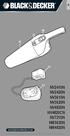 NV2410N NV2420N NV3610N NV3620N NV4820N NV4820CN NV7210N NW3620N NW4820N A B C 2 D E F 3 G H I 4 (Original instructions) ENGLISH Intended use Your Black & Decker Dustbuster handheld vacuum cleaner has
Instruction Manual. Window Wiper AFW900. (Read carefully before use)
 Instruction Manual Window Wiper AFW900 (Read carefully before use) When using electrical appliances, basic precautions should always be followed, including the fact READ ALL INSTRUCTIONS IN THIS MANUAL
Operating instructions in the back. www.blackanddecker.co.uk PD1020L
 Operating instructions in the back www.blackanddecker.co.uk PD1020L 2 ENGLISH (Original instructions) Intended use Your Black & Decker Dustbuster handheld vacuum cleaner has been designed for vacuum cleaning
PA 03 basic device TECHNICAL DATA. English
 PA 03 basic device English TECHNICAL DATA Type PA 03 Voltage 120 V - 60 Hz Power output max. 1000 Watt continuous control Outer dimensions approx. 34,9 x 36,5 x 46,6 cm (L x W x H) 3 Dear Pro-Aqua Customer!
NewAir AC-10100E / AC-10100H Portable Air Conditioner Owner s Manual PLEASE READ AND SAVE THESE INSTRUCTIONS
 NewAir AC-10100E / AC-10100H Portable Air Conditioner Owner s Manual PLEASE READ AND SAVE THESE INSTRUCTIONS ELECTRICAL SAFETY This appliance is for indoor use only. Always turn off the unit and unplug
SPLIT WALL MOUNTED TYPE AIR CONDITIONERS OWNER'S MANUAL
 SPLIT WALL MOUNTED TYPE AIR CONDITIONERS OWNER'S MANUAL Thank you for choosing our Air Conditioner. Please read this OWNER'S MANUAL carefully prior to use and keep it for further reference. CONTENTS Contents
User Guide. Your first steps to smart monitoring
 User Guide Your first steps to smart monitoring 2 3 Important safety and legal Information We have taken all measures to ensure the BabyPing Video Monitor meets the highest safety standards but it must
OPTIONAL SLENDER REMOTE CONTROL
 DAIKIN ROOM AIR CONDITIONER Operation Manual OPTIONAL SLENDER REMOTE CONTROL BRC944A2B READ BEFORE OPERATION Safety Precautions...2 Names of Functions of Parts...4 Preparation before Operation...5 OPERATION
THE NEW GENERATION IN TECHNOLOGY. NI-3103A Alarm Clock w/fm Radio ipod & iphone Docking. Operating Instructions
 THE NEW GENERATION IN TECHNOLOGY NI-3103A Alarm Clock w/fm Radio ipod & iphone Docking Operating Instructions Table of Contents Important Safeguards... 3 Parts... 6 Controls... 6 To Set Up... 7 ipod/iphone
USER S MANUAL HSC-24A
 AIRREX AIR CONDITIONER USER S MANUAL HSC-24A Thank you for purchasing an AIRREX AIR CONDITIONER. BEFORE operation please read this user s manual carefully. Keep this manual readily available. It is ESSENTIAL
Carpet Shampooer 500w
 Carpet Shampooer 500w VC9388 Specification Parameters ZW-9006A - Bagless Rated Voltage: 220-240V Rated Power: 500W Rated Frequency: 50HZ Net Weight: 8kg Instruction Manual Please read this manual before
USER S MANUAL FH052EAV1 FH070EAV1. System Air Conditioner (Cooling and Heating) ENGLISH ESPAÑOL FRANÇAIS ITALIANO PORTUGUÊS DEUTSCH E HNIKA
 USER S MANUAL FH052EAV1 FH070EAV1 E HNIKA PORTUGUÊS ENGLISH ESPAÑOL ITALIANO DEUTSCH FRANÇAIS System Air Conditioner (Cooling and Heating) E S F I P D G DB98-29263A(1) Safety Precautions Register your
MAINTENANCE & TROUBLESHOOTING
 MAINTENANCE & TROUBLESHOOTING This section describes how to: clean the lens clean the fan intake filter replace the projection lamp replace the batteries in the remote control use the Kensington lock feature
Vacuum Hair Clipper. 10,000 prize draw. Register online for HC6550. EXTRA year guarantee FREE rewards gallery
 Vacuum Hair Clipper HC6550 Register online for 10,000 prize draw EXTRA year guarantee FREE rewards gallery Visit www.remington.co.uk/productregister You must register within 28 days of purchase. Thank
Laptop Operation Guidelines
 St Clare s College Laptop Operation Guidelines Contents Contents... 1 Responsible Care and Security... 2 Usage... 2 LCD Screen... 2 AC Adapter... 2 Keyboard... 3 Laptop Case Care... 3 Security... 3 Software...
MACBlower Model Number: MAC40R MAC60R MAC80R MAC100R. MAC120R MAC150R MAC 200R Serial # www.macblowers.com
 MACBlower Model Number: MAC40R MAC60R MAC80R MAC100R MAC120R MAC150R MAC 200R Serial # Fuji Clean USA 41-2 Greenwood Road Brunswick, Maine 04011 207-406-2729 www.macblowers.com MACBlowers The Intelligent
Instruction Booklet. iket2702
 Instruction Booklet iket2702 goodbye waiting hello ikettle Control your ikettle via your smartphone Use your smartphone or tablet with the ikettle. Easy one-touch set up Simple connectivity both quick
Hearing Direct.com. Operating instructions. Model HD 350
 Hearing Direct.com Operating instructions Before use, please read these instructions to help you get the best out of your HearingDirect.com hearing aid Model HD 350 Introduction Hearing Direct.com Welcome
Portable Evaporative Air Cooler. OWNER S MANUAL Read and save these instructions before use. Model: CL30XC
 Portable Evaporative Air Cooler OWNER S MANUAL Read and save these instructions before use Model: CL30XC Power rating: 250 Watts Voltage rating: 230 Volt, 50Hz Made in P.R.C. QUICK START GUIDE Fill with
USER MANUAL. Bottom Loading Bottled Water Dispenser SAVE THIS MANUAL FOR FUTURE USE. Model # 900172
 Model # 900172: Page 1 USER MANUAL Bottom Loading Bottled Water Dispenser Model # 900172 TO REDUCE THE RISK OF INJURY AND PROPERTY DAMAGE, USER MUST READ THIS MANUAL BEFORE ASSEMBLING, INSTALLING & OPERATING
ipad 2 GSM Headphone Jack & SIM Slot Replacement
 ipad 2 GSM Headphone Jack & SIM Slot Replacement Replace the Headphone jack/sim slot in your ipad 2 GSM. Written By: Walter Galan INTRODUCTION Use this guide to replace a broken headphone jack or SIM card
CARING FOR YOUR WATER HEATER
 http://waterheatertimer.org/troubleshoot-rheem-tankless-water-heater.html Water Heater Inspections CARING FOR YOUR WATER HEATER Venting System (Direct Vent Only) The venting system should be inspected
Welcome! Dear irobot Roomba Owner,
 Welcome! EN Dear irobot Roomba Owner, Thank you for purchasing an irobot Roomba vacuum cleaning robot. You ve joined the millions of people who clean with robots the smarter way to get it done. To get
2KW CERAMIC HEATER DHCER20. User Manual
 2KW CERAMIC HEATER DHCER20 User Manual Please read the instructions carefully before using the product and keep this user manual for future reference. 1. PRODUCT FEATURES 2kW heat output Choice of heat
Air Conditioning System
 Owner s Information Manual Air Conditioning ystem NOTE TO EQUIPMENT OWNER: For your convenience, please record the model and serial numbers of your new equipment in the space provided. This information,
BATHROOM HEATER. User's Manual. Page 2...A515 Page 9...A716
 BATHROOM HEATER User's Manual Page 2...A515 Page 9...A716 BATHROOM HEATER User's Manual A515 SAVE THESE INSTRUCTIONS AND READ ALL INSTRUCTIONS BEFORE USING THE HEATER. Dear customers, Thank you for selecting
Portable Air Conditioner. OWNER S MANUAL Read these instructions before use. Model: MM14CCS. Voltage rating: 115V~60Hz Power rating : 1400W
 Portable Air Conditioner OWNER S MANUAL Read these instructions before use Model: MM14CCS Customer Support : 1-800-474-2147 Voltage rating: 115V~60Hz Power rating : 1400W For product inquiries or support
Polaris 9300 & 9400 Series Robotic Cleaner
 Polaris 9300 & 9400 Series Robotic Cleaner Zodiac Pool Systems, Inc. 1-800-822-7933 www.zodiacpoolsystems.com Regional Extension Instructor ext. Sales Representatives ext. ext. Service Manager ext. ext.
ALARM SYSTEM INSTALLATION GUIDE
 ALARM SYSTEM INSTALLATION GUIDE Congratulations on the purchase of your Egardia alarm system. Egardia's website www.egardia.com Customer services Please visit www.egardia.com if you would like further
SpotBot. 3 Safety Instructions. 4-5 Product View. 6-7 Special features. 7-10 Operation. 11 Maintenance and Care. 12-13 Troubleshooting
 SpotBot USER S GUIDE 1200/7887/12U9 Series 3 Safety Instructions 4-5 Product View 6-7 Special features 7-10 Operation 11 Maintenance and Care 12-13 Troubleshooting 14 Consumer Services 15 Replacement Parts
OASIS-PLUS 120V READ ALL INSTRUCTIONS BEFORE OPERATING READ ALL INSTRUCTIONS BEFORE OPERATING OZONE IS A POWERFUL OXIDIZER AND MUST BE USED WITH CARE
 OASIS-PLUS 120V INFORMATION & OPERATING INSTRUCTIONS READ ALL INSTRUCTIONS BEFORE OPERATING READ ALL INSTRUCTIONS BEFORE OPERATING OZONE IS A POWERFUL OXIDIZER AND MUST BE USED WITH CARE 56041852 WARNING:
Coway Air Purifier AP-1008DH
 Coway Air Purifier AP-1008DH This product is for domestic use only.it cannot be used in an overseas country where the power voltage is different. Warranty card is included in this user s manual. Read and
LET S GO. Get your Ultra Broadband ready Business gateway up and running
 LET S GO Get your Ultra Broadband ready Business gateway up and running CONTENTS BUSINESS GATEWAY ULTRA BROADBAND READY 1 2 3 4 5 6 7 8 9 10 11 12 13 14 15 Equipment Check 2 Getting Started 3 Setting Up
Use & Care. of your Iron. All about the TA B L E O F C O N T E N T S. USA and Canada 1-888-845-7330
 All about the Use & Care of your Iron Important Safeguards... 2 Iron Safety Instructions... 3 Parts and Features...4 TA B L E O F C O N T E N T S Using Your Iron...6 Cleaning and Maintenance... 8 Warranty...9
Bottom Loading Water Dispenser
 Bottom Loading Water Dispenser Model # 601000 TO REDUCE THE RISK OF INJURY AND PROPERTY DAMAGE, USER MUST READ THIS MANUAL BEFORE ASSEMBLING, INSTALLING & OPERATING DISPENSER. SAVE THIS MANUAL FOR FUTURE
Portable Air Conditioner. OWNER S MANUAL Read these instructions before use. Model: MN12CES / MN10CESWW
 Portable Air Conditioner OWNER S MANUAL Read these instructions before use 8 Model: MN12CES / MN10CESWW Voltage rating: 120V~60Hz Power rating : 1100W (MN12CES) Power rating : 900W (MN10CESWW) Customer
Central Air Conditioner
 Central Air Conditioner USER S INFORMATION MANUAL FOR THE OPERATION AND MAINTENANCE OF YOUR NEW RESIDENTIAL AIR CONDITIONER NOTE TO INSTALLER: THIS MANUAL MUST BE LEFT WITH THE EQUIPMENT USER. WELCOME
Quick Start Guide. From setup to gameplay. Basic Setup. Configuring Your System. Using Game Discs IMPORTANT INFORMATION
 Quick Start Guide From setup to gameplay Basic Setup Configuring Your System Using Game Discs IMPORTANT INFORMATION Please read the separate Wii U Operations Manual and built-in electronic manuals for
IMPORTANT INSTRUCTIONS & OPERATING MANUAL. Houston 50 Inch Electric Wall Mounted Fireplace Black / White
 IMPORTANT INSTRUCTIONS & OPERATING MANUAL Houston 50 Inch Electric Wall Mounted Fireplace Black / White Model Number:MFE5050BK Model Number:MFE5050WH Read these instructions carefully before attempting
GENANO 4500 MEDICAL AIR PURIFICATION DEVICE
 GENANO AIR PURIFICATION TECHNOLOGY GENANO 4500 MEDICAL AIR PURIFICATION DEVICE OPERATING INSTRUCTION 1 GENANO LTD Kimmeltie 3 FI- 02110 Espoo, Finland Tel + 358 9 7743 870 Fax + 358 9 7533 130 www.genano.fi
Carpet Shampooer 700w Max Power
 1 0312 Carpet Shampooer 700w Max Power Washes Carpets and Removes Stains Agitating Brush Bar Finger Tip Trigger Spray Control 1 Year Warranty Upgrade Guarantee * We guarantee the purchase price of this
CURL. Have a Question? Call Us First!
 r e e ye CURL TM Have a Question? Please do not return this product to the retailer. Call Us First! Our customer service and product experts are ready to answer ALL your questions. Please call our TOLL-FREE
SYSTEM Inverter Air Conditioners
 OPERATION MANUAL SYSTEM Inverter Air Conditioners MODEL Ceiling Suspended type FXHQ12MVJU FXHQ24MVJU FXHQ36MVJU Read these instructions carefully before installation. Keep this manual in a handy place
Indoor Remote Controlled Power Points
 Indoor Remote Controlled Power Points Model Number: HE214039 INSTRUCTION MANUAL Description goes here Indoor Remote Controlled Power Points Warranty Details The product is guaranteed to be free from defects
Owner s Guide and Installation Manual. Vancouver Model Name. 21321, 21328 Model No. English Español
 For Your Records and Warranty Assistance For reference, also attach your receipt or a copy of your receipt to the manual. Vancouver Model Name 21321, 21328 Model No. Type A Models Owner s Guide and Installation