
Telepresence vs Video Conferencing Finding the right fit for your business
|
|
|
- Marianna Mason
- 10 years ago
- Views:
Transcription

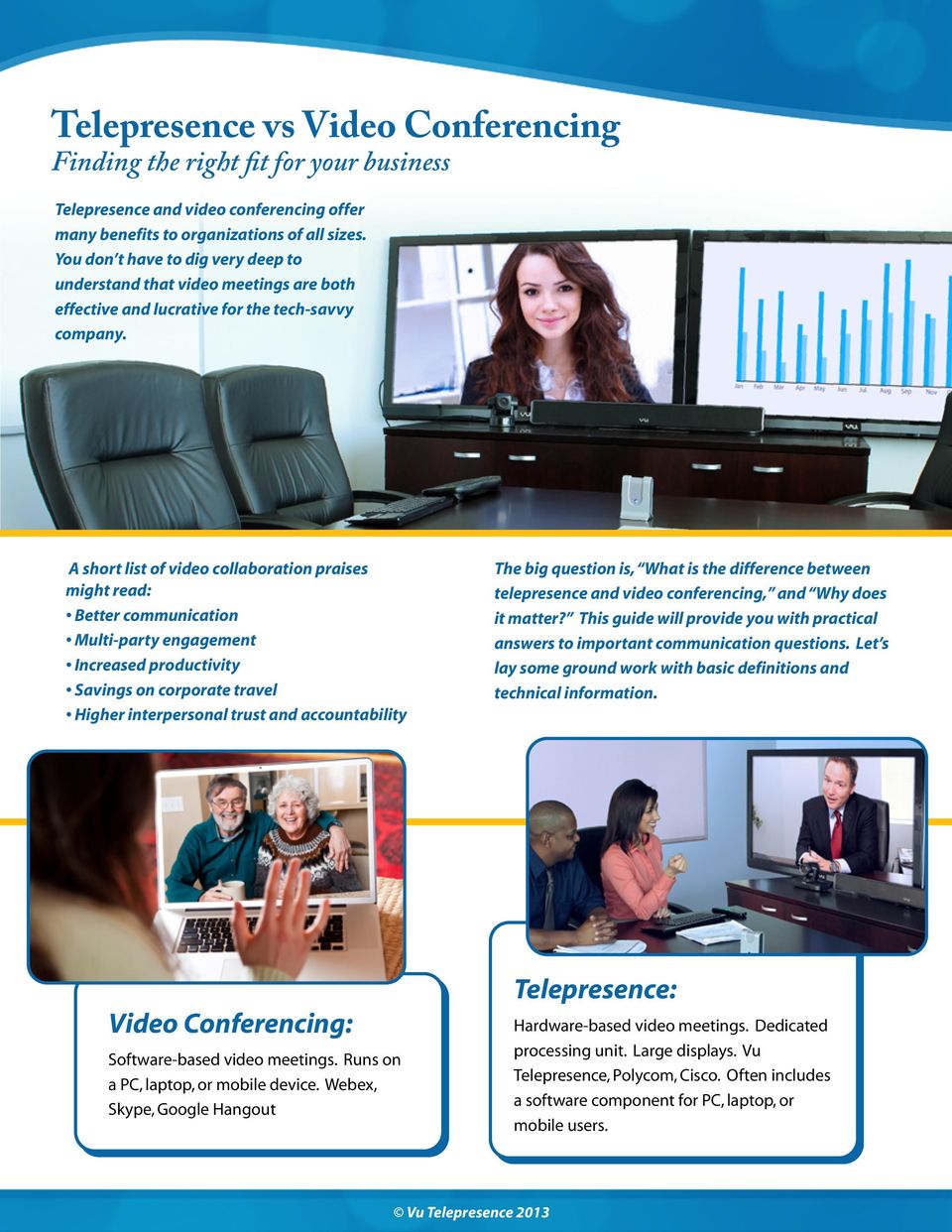
1 Telepresence vs Video Conferencing Finding the right fit for your business Telepresence and video conferencing offer many benefits to organizations of all sizes. You don t have to dig very deep to understand that video meetings are both effective and lucrative for the tech-savvy company. A short list of video collaboration praises might read: Better communication Multi-party engagement Increased productivity Savings on corporate travel Higher interpersonal trust and accountability The big question is, What is the difference between telepresence and video conferencing, and Why does it matter? This guide will provide you with practical answers to important communication questions. Let s lay some ground work with basic definitions and technical information. Telepresence: Video Conferencing: Software-based video meetings. Runs on a PC, laptop, or mobile device. Webex, Skype, Google Hangout Hardware-based video meetings. Dedicated processing unit. Large displays. Vu Telepresence, Polycom, Cisco. Often includes a software component for PC, laptop, or mobile users.

2 2 The Camera Lens First, let s address the differences in video quality, determined by the camera lens. Traditional video conferencing uses a webcam. Webcams are designed for close range image capture where the optimal distance from the subject is less than 3 feet from the lens. Small form factor. Less data transfer. Cheap and easily accessible. Image distortion (bloating). One or two user limit on camera. High data compression. Low to mid-level image quality. Telepresence uses full lens cameras which send video signals to a media control unit (MCU). These cameras have an optical zoom and focus and sometimes they have remote panning and tilting capabilities. Full HD quality. Natural representation of the user and environment. Designed to capture multiple users in the same room. Highest level of image control. More bandwidth required. Larger form factor by comparison.

3 3 The Microphone Next, let s understand the differences in audio quality. Microphones for PC-based video conferencing solutions are meant for close-range speech and one voice at a time. These microphones pick up a fraction of the tonality in your voice and compress the sound. Built into most laptops. Easily accessible. Good for close range. Limited sensitivity control. Limited recording spectrum. Limited range. Telepresence systems include high quality microphones capable of listening to many voices at once. They capture the entire vocal spectrum and reproduce the human voice near reality. Supports multiple users. 10+ feet diameter range pickup. Built-in echo cancellation. Realistic voice representation. Less portable.


4 4 The Display In our comparison of video conferencing and telepresence, display size plays a critical role. Most PC-based video conferencing lets you use any computer monitor that you choose. However, on most laptops you are locked into a screen size of 17. Easy desktop video chatting. Lifelike experience Portability. unachievable. Too small for meeting rooms. Telepresence systems always use high definition large screen monitors. Their processing algorithms are designed to enlarge compressed data onto big displays at excellent quality. Lifelike virtual meetings. Works for meeting rooms or board rooms. Users can see fine detail. Multiple people fit on screen at the same time. Requires more space. Not as portable.


5 5 Connectivity Every office building has different network bandwidth based on the contract with its internet service provider. Software-based video conferencing requires the least amount of bandwidth by sacrificing image size and quality. Popular solutions transfer video signal at maximums of 256kbps. This means that dozens of connections can be made, but users will be displayed in a very small window. Mobility. Capability to host multiple users on the same network. Very Limited Quality Hardware-based telepresence solutions require more bandwidth than video conferencing in order to provide the best visual experience. HD telepresence can run anywhere from 800kbps to 2.4mbps. The dedicated media compression unit optimizes the data signal for transfer and compression/decompression. Some telepresence solutions can continue unbroken SD video transfers down to 450kbps in the event of a network hiccup. Highest possible video and audio quality. Immobility


6 6 Security This item has proven to be one of the most critical concerns depending on the type of business interested. PC-based video conferencing services leave you wide-open to cyber attacks and video interception. Many businesses hesitate to approach such services on this fear alone. These cloud-based platforms use no encryption, and they are easily hacked into. Ease of accessing cloud-based video conferencing. Cyber threats. Breach of compliances. Some telepresence systems have data encryption to protect your meetings. It would be disastrous for the sensitive information of many companies to be leaked on behalf of poor security measures. This is a big differentiator for telepresence. True security from cyber-attacks. Certain industries maintain regulatory compliance. Requires hardware-based solution for compression/ decompression

7 7 Choosing the right solution for your business To determine if you need a telepresence solution or a video conferencing solution you should assess your business need. Here are some questions to ask yourself: 1. How many endpoints will need to join the video call? 2. How many people need to be on screen? 3. How professional should the video meeting appear? 4. Does my business have security concerns or regulatory compliance to meet? 5. Does my video meeting solution have to be mobile? 6. Will my solution be for a meeting space or a desktop? 7. Do participants need to see detail, such as a white board? 8. Will I be using this to communicate with executives, clients, partners? 9. Do I require continuous, clear, jitter-free video and audio? PC-based video conferencing is best suited for quick casual meetings. The data-compression in video conferencing creates an inconsistent, frequently jittery experience. It does the trick if all you need is to see someone s face. However, the hiccups take away a layer of professionalism. The other great use of video conferencing is for companies that require double digit endpoints. Perhaps it s a webinar with 100 participants. Maybe it s a global announcement requiring 25+ people to join on video. Because of the super-low bandwidth requirements, video conferencing is best suited for these applications. Telepresence is the most professional way to do video meetings. Continuous HD video and audio present a lifelike experience so the users don t get distracted by the technology. It is designed for people to communicate freely, and in a way that represents them as they truly are. Users can talk with their hands or use body language and facial expression to share ideas. This maintains a level of trust and professionalism that can t be attained by a low-quality video chat. In order to achieve a true telepresence experience you need to use a display that represents the opposite user as true-to life as possible. This life-like experience begins with display sizes above 42 inches. Especially in the meeting room, you need a large display. Video conferencing is a better option for cubicle settings, since most mobile users or cubicles can t use large displays.


8 8 This paper is sponsored by Vu Telepresence Vu Telepresence is a hardware-based telepresence system. Vu s propriety camera is designed to make video meetings effective for one or many participants. For groups, zoom out to include everyone in frame. For individual users, zoom in and find your best framing. Vu s microphones have been developed for the meeting room environment, providing superior audio quality when compared to stock PC microphones. Your entire vocal spectrum will be represented accurately, and built-in echo cancellation makes for natural conversation. Vu Telepresence was built to bring you a true telepresence experience in as many environments as possible, regardless of bandwidth restrictions. It operates best at 800kbps, however you will have a continuous video experience down to 450kbps if needed. Compare this to HD Skype which has a minimum bandwidth requirement of 1200kbps, and Vu triumphs in every application. Vu also has built 128 bit encryption in point to point video calls, a feature not available on any software-based video conferencing. This setting will keep you out of the cloud altogether. There s no more secure way to meet by video. Want to learn more? Let s talk about how we can add a video meeting solution to your conference room or executive office. For sales inquiries please contact: USA [email protected] India [email protected] Other [email protected]

Video Conferencing 101
 1 Video Conferencing 101 Tips for the Early Childhood Field Larry Edelman, M.S. Senior Clinical Instructor, Department of Pediatrics, University of Colorado School of Medicine [email protected]
7 Questions to Ask Video Conferencing Providers
 7 Questions to Ask Video Conferencing Providers CONTENTS Introduction...3 1. How many people can participate in your video conferences?...3 2. What kind of endpoints does the solution support or require?...4
Cisco WebEx Video Services User Guide. Getting Started Highlights Frequently Asked Questions Specifications
 Cisco WebEx Video Services User Guide Getting Started Highlights Frequently Asked Questions Specifications GETTING STARTED Make every online meeting more engaging and productive. Captivate meeting participants
UCC. Unified Communication & Collaboration
 UCC Unified Communication & Collaboration Vaddio UCC Vaddio was the first manufacturer in the world to bring professional-grade USB tools to the AV marketplace. With its line of EasyUSB solutions, success
VIDEOCONFERENCE. 1 Introduction. Service Description Videoconferece
 VIDEOCONFERENCE 1 Introduction Videoconferencing is interactive remote communication between two or more participants, transmitted by voice or image. Participants see and listen to each other and can present
Video Conferencing System Buyer s Guide
 Video Conferencing System Buyer s Guide Video conferencing is the greatest advancement in business communications technology since the dawning of the mobile phone. Video enables users to connect face-to-face
Video Conferencing Glossary
 Video Conferencing Glossary A guide to the most commonly used terms in video conferencing. 0-9 A B C D E F G H I J K L M N O P Q R S T U V W X Y Z 0-9 360p 480 x 360 pixels. This resolution is optimal
AVer Video Conferencing Solutions Meeting collaboration made easy and affordable
 AVer Video Conferencing Solutions Meeting collaboration made easy and affordable Whether upgrading from Skype for the first time, extending video conferencing to all of your meeting rooms, teaching business
Video Conferencing Glossary
 Video Conferencing Glossary A guide to the most commonly used terms in video conferencing. 0-9 A B C D E F G H I J K L M N O P Q R S T U V W X Y Z 0-9 360p 480 x 360 pixels. This resolution is optimal
AVer Video Conferencing Solutions Meeting collaboration made easy and affordable
 AVer Video Conferencing Solutions Meeting collaboration made easy and affordable Whether upgrading from Skype for the first time, extending video conferencing to all of your meeting rooms, teaching business
GTS VIDEOCONFERENCE. Powered by: Valid from: 1 June 2014
 GTS VIDEOCONFERENCE Valid from: 1 June 2014 Powered by: 1/13 1 Introduction Videoconferencing is interactive remote communication between two or more participants, transmitted by voice or image. Participants
WEB-BASED VIDEO CONFERENCING
 An INS White Paper WEB-BASED VIDEO CONFERENCING January 2012 The challenge of delivering video that meets the needs of business. Video is one of the most challenging types of data to deliver on a digital
Polycom Video Communications
 Polycom Video Communications Advanced Audio Technology for Video Conferencing Author: Peter L. Chu September 2004 Connect. Any Way You Want. If you ask frequent users of video conferencing technology what
How To Test An Echo Cancelling Loudspeaker
 Tests of USB-connected echo-cancelling loudspeaker/microphone systems for video-conferencing applications Document Authors Ronnie Gibb and Stephen Lawrence at Glasgow University 28 th April 2011 This series
Cisco WebEx Telepresence
 Data Sheet Cisco WebEx Telepresence Product Overview Cisco WebEx Telepresence is an affordable, reliable, and highly secure video collaboration experience delivered through the cloud. With WebEx Telepresence,
Cisco Video Collaboration Guide. Select the Right Equipment and Vendor
 Cisco Video Collaboration Guide Select the Right Equipment and Vendor See How Video Collaboration Fits Your Needs Camera. Microphone. Monitor. Speaker. Codec. These are the five essential components that
AuDeo s Guide. Desktop & Mobile Video Conferencing
 AuDeo s Guide to Desktop & Mobile Video Conferencing What s out there & what we think 1 Contents The benefits of desktop & mobile Video Conferencing... 3 Why choose business quality video over and above
Technical Particulars For Video Conferencing Systems For RC Period (01-07-2011 To 30-06-2012)
 Technical Particulars For Video Conferencing Systems For RC Period (01-07-2011 To 30-06-2012) Generated on: April 21, 2011 6:04 PM NIC Schedule Unit : 1 NOS. Video Conferencing End Point, Personal Desktop
Lesson: Introduction to Video Conferencing
 Lesson: Learning Objectives On completion of this lesson, you will demonstrate an understanding of the components of a video conference. You will know how to: Define a video conference Define the advantages
VidyoPanorama SOLUTION BRIEF. www.vidyo.com 1.866.99.VIDYO
 SOLUTION BRIEF VidyoPanorama www.vidyo.com 1.866.99.VIDYO 2011 Vidyo, Inc. All rights reserved. Vidyo and other trademarks used herein are trademarks or registered trademarks of Vidyo, Inc. or their respective
Cisco vs. Polycom Comparison
 Cisco vs. Polycom Comparison GBH Communications provides a revealing look into the top two contenders in the video conferencing space. Summary Video usage in enterprise organizations is growing at an astonishing
Web Conferencing from Brother BOARDROOM QUALITY WEB AND VIDEO CONFERENCING MADE EASY. www.webconferencing.brother.co.uk
 Web Conferencing from Brother BOARDROOM QUALITY WEB AND VIDEO CONFERENCING MADE EASY. WHY MEET ONLINE? Until now, many experiences with web and video conferencing have been disappointing and frustrating.
HP SkyRoom Frequently Asked Questions
 HP SkyRoom Frequently Asked Questions September 2009 Background... 2 Using HP SkyRoom... 3 Why HP SkyRoom?... 4 Product FYI... 4 Background What is HP SkyRoom? HP SkyRoom is a visual collaboration solution
Videoconferencing & Virtual Classroom services over NICNET/NKN. Dayanand Saha Technical Director VC Division, NIC, New Delhi
 Videoconferencing & Virtual Classroom services over NICNET/NKN By Dayanand Saha Technical Director VC Division, NIC, New Delhi Undoubtedly Videoconferencing has becomes an integral part of business and
Create a Basic Skype* Account. Intel Easy Steps 1 2012 Intel Corporation All rights reserved.
 Create a Basic Skype* Account Intel Easy Steps 1 2012 Intel Corporation Using Skype* to Communicate: Create and use a Basic Skype Account There are different ways of communicating and sharing through the
Polycom Converged Management Application (CMA ) Desktop for Mac OS X. Help Book. Version 5.1.0
 Polycom Converged Management Application (CMA ) Desktop for Mac OS X Help Book Version 5.1.0 Copyright 2010 Polycom, Inc. Polycom and the Polycom logo are registered trademarks and Polycom CMA Desktop
BRINGING VOIP TO THE CONFERENCE ROOM: HOW IT MANAGERS CAN ENHANCE THE USER EXPERIENCE
 BRINGING VOIP TO THE CONFERENCE ROOM: HOW IT MANAGERS CAN ENHANCE THE USER EXPERIENCE EXECUTIVE SUMMARY: Voice over IP is one of the fastest growing technologies and in just a few years will be in 80%
VidyoConferencing Network Administrators Guide
 VidyoConferencing Network Administrators Guide Windows 8, 7, XP, Vista and Apple Mac OS - updated 30/11/2012 Introduction The Attend Anywhere management platform is a cloud based management, facilitation
Lifesize. Cloud. Now you re talking with incredible video conferencing
 Lifesize Cloud Now you re talking with incredible video conferencing Say hello... to video conferencing like you ve never seen. Only Lifesize delivers one solution for simply connecting your conference
High Definition Video Conferencing End-to-end. March 2006
 High Definition Video Conferencing End-to-end March 2006 What is High Definition (HD)? Resolution Motion Handling Bandwidth required Video standards Audio standards HD Up to ~10CIF 16:9 1280 x 720p or
How To Compare Video Resolution To Video On A Computer Or Tablet Or Ipad Or Ipa Or Ipo Or Ipom Or Iporom Or A Tv Or Ipro Or Ipot Or A Computer (Or A Tv) Or A Webcam Or
 Whitepaper: The H.264 Advanced Video Coding (AVC) Standard What It Means to Web Camera Performance Introduction A new generation of webcams is hitting the market that makes video conferencing a more lifelike
Video Conferencing Infrastructure and Endpoints
 Video Conferencing Infrastructure and Endpoints Market Outlook for EMEA August 2013 9847-64 Contents Section Slide Numbers Research Background 3 Market Definitions 4 Research Scope 5 Market Overview 6
Group Telepresence User Guide
 Group Telepresence User Guide Group Telepresence 3351 Group Telepresence 3330 (GT Mini) 20 May 2015 Contents About Group Telepresence 4 Introducing the touchscreen controller 4 The home screen 6 Forwarding
Level 1 Technical. Polycom Video Endpoints. Contents
 Level 1 Technical Polycom Video Endpoints Contents 1 Glossary... 2 2 - Features... 3 Software Keys... 3 Content Sharing... 3 Endpoint Management... 4 Microsoft Outlook Integration... 4 Polycom Touch Control...
HIGH-DEFINITION: THE EVOLUTION OF VIDEO CONFERENCING
 HIGH-DEFINITION: THE EVOLUTION OF VIDEO CONFERENCING Technology Brief Polycom, Inc. 4750 Willow Road Pleasanton, CA 94588 1.800.POLYCOM This white paper defines high-definition (HD) and how it relates
IOCOM Visimeet tm : Enterprise Videoconferencing and Collaboration Software. July 2012
 IOCOM Visimeet tm : Enterprise Videoconferencing and Collaboration Software July 2012 Contents Market About IOCOM About Visimeet Competition Appendix Room configurations Visimeet UI Mission IOCOM is helping
Conference Room Environmental Conditions :
 Conference Room Environmental Conditions : Opening salutation: Welcome to the TANDBERG University prerequisite Conference Room Environmental Conditions lesson. Before commencing you are required to ensure
Fuze Meeting Video Conferencing. Boardroom quality HD video conferencing to any internet connected device.
 Boardroom quality HD video conferencing to any internet connected device. Boardroom quality HD video conferencing to any internet connected device Smart Phone Telepresence System 1 Firewall DMZ Desktop
The Complete Educator s Guide to Using Skype effectively in the classroom
 The Complete Educator s Guide to Using Increasingly, educators globally are transforming their classroom using Skype to create powerful, authentic, motivating learning experiences for their students. From
1080P Full-HD Video Conferencing Solution. Yealink Simplifying the Video Collaboration Revolution for SME
 1080P Full-HD Video Conferencing Solution Yealink Simplifying the Video Collaboration Revolution for SME We will commence at: 11:00am AEST - Thursday, 27 th May 2015 Webinar audio is available via your
PRODUCT BROCHURE. Polycom RealPresence Group Series
 PRODUCT BROCHURE Polycom RealPresence Group Series Today s increasingly competitive global workplace requires teams to be able to make decisions across distances and without barriers. To compete and become
VIDEO AND THE CLOUD @ WUSTL JANUARY 18, 2016
 WUSTL: Video and the Cloud VIDEO AND THE CLOUD @ WUSTL JANUARY 18, 2016 Matthew K. Arthur WashU IT Director, Media Services WUSTL: Video and the Cloud Washington University in St. Louis Medium sized, independent
Where to get help Skype support is available online at http://www.skype.com/help/
 Skype Computer based communication tool Learning Advantages Communicate between computers and telephones at low to no cost Available anywhere if user has a reliable internet connection In addition to computer
TANDBERG s Embedded MCU
 MultiSite TF TANDBERG s Embedded MCU The TANDBERG MultiSite feature allows participants from more than two locations to join a meeting by video and/or telephone without the need for a conferencing service
BOARDROOM-QUALITY WEB AND VIDEO CONFERENCING MADE EASY. www.omnijoin.com
 BOARDROOM-QUALITY WEB AND VIDEO CONFERENCING MADE EASY. WHY OMNIJOIN FROM BROTHER? OmniJoin web conferencing is a business-grade, secure online meeting service that provides video, crystal clear audio,
Bandwidth Requirements for Meetings with Cisco WebEx and Collaboration Meeting Rooms
 White Paper Bandwidth Requirements for Meetings with Cisco WebEx and Collaboration Meeting Rooms September 2015 Document Version: 1.0 Joe Tansey Devin Dorsett Americas Headquarters Cisco Systems, Inc.
HOW A BETTER PHONE SERVICE WILL IMPROVE YOUR BUSINESS
 HOW A BETTER PHONE SERVICE WILL IMPROVE YOUR BUSINESS Affordable and Reliable Ironton Global s cloud-based phone systems use the power of the Internet to deliver your phone service, eliminating the complexity
HD IN HEALTHCARE. Prepared by: S. Ann Earon, Ph.D. President, Telemanagement Resources International Inc.
 HD IN HEALTHCARE Prepared by: S. Ann Earon, Ph.D. President, Telemanagement Resources International Inc. October, 2006 HD IN HEALTHCARE By: S. Ann Earon, Ph.D. Telemanagement Resources International Inc.
WHITE PAPER BYOD AND GROUP COLLABORATION
 WHITE PAPER BYOD AND GROUP COLLABORATION How to Collaborate with Ease on Any Device INTRODUCTION With 65% of white-collar workers requiring mobile connectivity to do their jobs i and 81% of employed adults
real time in real space TM connectivity... SOLUTIONS GUIDE
 real time in real space TM connectivity... SOLUTIONS GUIDE Ultimate Experience The DVE Immersion Room TM is the most realistic telepresence meeting system ever developed. It was conceived as an entirely
CTX OVERVIEW. Ucentrik CTX
 CTX FACT SHEET CTX OVERVIEW CTX SDK API enables Independent Developers, VAR s & Systems Integrators and Enterprise Developer Teams to freely and openly integrate real-time audio, video and collaboration
VidyoConferencing for Service Providers A Solution & Business Model that Works. www.vidyo.com 1.866.99.VIDYO
 VidyoConferencing for Service Providers A Solution & Business Model that Works www.vidyo.com 1.866.99.VIDYO 2009 Vidyo, Inc. All rights reserved. Vidyo is a registered trademark and VidyoConferencing,
The Evolution of Video Conferencing: UltimateHD
 The Evolution of Video Conferencing: UltimateHD Abstract: This white paper discusses high-definition (HD) and how it relates to the video conferencing industry today. HD video conferencing standards, requirements,
What Salespeople Need to Know About Video Conferencing
 TecTakes Solution Insight What Salespeople Need to Know About Video Conferencing By David Talbott There are many ways to sell, and many sales support activities work together to nurture a buying decision,
Product Specifications
 Data Sheet Cisco TelePresence TX9000 Series Product Overview The Cisco TelePresence TX9000 Series (TX9000) is the new benchmark for immersive in-person collaboration. With modern design and advanced functions,
Cloud Apps to Improve Agency Efficiency
 Cloud Apps to Improve Agency Efficiency CONTENTS Introduction: Cloud Apps What Can They Do for You?...3 Benefits of Using Cloud Apps...4 Apps for Your Daily Operations...6 Document Storage Apps...9 Apps
The Group Collaboration Conundrum
 The Group Collaboration Conundrum Enterprises worldwide depend on a range of virtual conferencing and collaboration tools including audio conferencing, web conferencing / content sharing, and the highest
Date of Test: 5th 12th November 2015
 TEST RESULTS FOR CISCO SX10 Manufacturer: Model: Software Version: Optional Features and Modifications: Cisco SX10 TC7.2.1 None Date of Test: 5th 12th November 2015 CODEC Front View CODEC Rear View CODEC
Zoom Guide Book. The Office of Academic Technology http://academictech.ottawa.edu/ LEADER GUIDE
 The Office of Academic Technology http://academictech.ottawa.edu/ Zoom Guide Book LEADER GUIDE Documentation and screenshots are based on Zoom version 2.5.XXXX About Zoom: Zoom is a cloud-based conferencing
EDUCATION THROUGH VIDEO CONFERENCING - AN OVERVIEW
 IJMRT Volume 6 Number 1 January-June 2012: 1-6 I J M R T Serials Publications EDUCATION THROUGH VIDEO CONFERENCING - AN OVERVIEW P. Peratchi selvan,* M. Saravanan** & A. Jegadeesh*** Abstract: Videoconferencing
Panasonic HDVC FAQs & Quick Reference Guide
 Panasonic HDVC FAQs & Quick Reference Guide General User Benefits How much does a Panasonic video conference system cost? Is it worth the investment? How important is quality? And how do I know I m getting
RCN BUSINESS OFFICE MOBILITY FOR DESKTOP
 RCN BUSINESS OFFICE MOBILITY FOR DESKTOP Quick Reference Guide 3 Office Mobility File Tools Help RECEIVING CALLS JOE SMITH Enter name or number + When someone calls your RCN Business number, you ll see
POLYCOM PHONE BUYERS GUIDE
 POLYCOM PHONE BUYERS GUIDE In 2011, Polycom announced the shipment of their 4-millionth conference phone. It s no surprise that Polycom has been the leading supplier of conference phones for twenty years,
Using Your Video Conferencing System
 Quick Reference Guide The quick reference guide is a cheat-sheet on the basics to help your video conferencing users feel comfortable conducting video calls. You can place the guide in video meeting rooms
The Vidyo Conferencing Portfolio. Everything you need for HD video conferencing with incredible quality, reach and savings
 The Vidyo Conferencing Portfolio Everything you need for HD video conferencing with incredible quality, reach and savings The Vidyo difference Vidyo is the leader in personal telepresence. We unlock the
Polycom GigE/IP Phones
 Polycom GigE/IP Phones Nine powerful phones to power your business. With all the advancements in technology, why do we settle for the same old experience when it comes to one of our most valuable office
WHITE PAPER. PeopleLink. PeopleLink Video Conferencing Features. Unified Communications & Telepresence. Telepresence. Omnipresence
 PeopleLink TM Unified Communications & Telepresence WHITE PAPER PeopleLink Video Conferencing Features HD Video Conferencing Telepresence Omnipresence Flexi Contents 1. About PeopleLink:... 4 2. Highlights:..5
Creating a Video Collaboration Strategy: Four Mistakes Mid-Market Companies Make and How to Avoid Them
 WHITE PAPER Creating a Video Collaboration Strategy: Four Mistakes Mid-Market Companies Make and How to Avoid Them If you are considering a telepresence or video conferencing purchase for your organization,
Video Conferencing Glossary of Terms
 Video Conferencing Glossary of Terms A Algorithm A step-by-step problem-solving procedure. Transmission of compressed video over a communications network requires sophisticated compression algorithms.
Cisco TelePresence Movi for Windows
 Cisco TelePresence Movi for Windows User Guide 14409.07 April 2011 Software version 4.2.0.10318 Contents Getting started 4 Signing in 4 Show video window 4 Making a call 4 Receiving a call 4 Pop-up toolbar
Scopia Desktop for Windows Installation and Configuration
 Scopia Desktop for Windows Installation and Configuration Prepared by ITS Teaching Services Version 1.1 Updated 2 December 2011 Scopia Desktop is a software application that allows a personal computer,
Video-conferencing: Overall
 Video-conferencing: Overall Introduction The studio provides support for three forms of video-conferences via (1) Polycom, (2) Adobe Connect, and (3) Skype. Polycom system is the major video-conferencing
Videoconferencing Operation Troubleshooting Procedures
 Videoconferencing Operation Troubleshooting Procedures Starting the Vtel Unit: 1. Power up the computer (If you have a Compaq unit, the power switch is located on the front in the middle of the computer.
TEST RESULTS FOR CLEARONE COLLABORATE ROOM PRO 600. Model: Collaborate Room Pro 600
 TEST RESULTS FOR CLEARONE COLLABORATE ROOM PRO 600 Manufacturer: ClearOne Model: Collaborate Room Pro 600 Software Version: 1.0.1 Optional Features and Modifications: Multisite (8 + 1 Sites) Date of Test:
Cascade Collaboration Solutions 5 Aug 2014
 Cascade Collaboration Solutions 5 Aug 2014 5530001600 Rev 03 Contents 1. Solution Overview... 3 2. Collaboration End Points... 5 3. Collaboration Cloud Server... 7 4. Technical Specifications... 8 4.1.