
CLEAR LAKE BANK & TRUST COMPANY Internet Banking Customer Awareness & Education Program For Businesses
|
|
|
- Gordon Johnathan Hicks
- 10 years ago
- Views:
Transcription
1 CLEAR LAKE BANK & TRUST COMPANY Internet Banking Customer Awareness & Education Program For Businesses

2 Introduction Clear Lake Bank & Trust Company is committed to protecting your business, personal, and confidential information which you have entrusted in our care. We take the trust you have placed in us very seriously and have created this Internet Banking Customer Awareness & Education Program to inform you of important information to assist you in keeping your information safe. Commercial Account Takeover (CATO) Corporate Account Takeover is a form of identity theft in which criminals steal your valid online banking credentials. The attacks are usually stealthy and quiet. Malware introduced onto your systems may go undetected for weeks or months. Account draining transfers using stolen credentials may happen at any time and may go unnoticed depending on the frequency of your account monitoring efforts. The information in this document is intended to assist you in your efforts to prevent commercial account takeover. However, the contents of this document are not intended to cover every aspect needed to protect your business from commercial account takeover. Requests for Information Clear Lake Bank & Trust Company will never request personal & confidential information from you by telephone, mail, , or text message. This includes requests for your account number, Social Security number, personal identification number (PIN), debit card number, etc. Requests for this information by anyone should be considered suspicious. Please contact us immediately at (641) if someone claiming to be from Clear Lake Bank & Trust Company requests personal and confidential information from you. We will contact you on an unsolicited basis for the following reasons: Suspicious activity on your account. Suspicious activity on your debit card. Unclaimed property or a dormant account. Past due loan payments or fees due. To confirm changes on your account or contact information. Self Assessment Clear Lake Bank & Trust Company strongly encourages business customers to complete an annual selfassessment that focuses on its online banking practices and network security. We offer an online, interactive, self assessment tool for business customers via the following link: technology self assessment.htm 2

3 Social Engineering In terms of information security, social engineering is a broad term used to describe tools and techniques that criminals use to learn more information about an individual or a business, and the technology they use. It relies heavily on human interaction and often involves tricking people to breaking normal security procedures, thus providing the criminal with important information that can be used to commit fraud. Social engineering can take on many different forms. Some examples of social engineering include, but are not limited to: s o o o With viruses/malware/spyware attached or that includes a link to viruses/malware/spyware. That notifies the recipient of a suspended debit/credit card that requests a card number, PIN, or other information. Claiming the recipient has won a lottery or is listed as an heir in a will. Phone Calls o Pretending to be a representative of their financial institution and requesting personal and confidential information, such as Social Security number, account number, personal identification number (PIN), etc. o Pretending to be a lottery presentative who notifies you that you have won money in a lottery. o Pretending to be your grandchild who is in a foreign country and needs money wired for a problem they have encountered. The caller typically asks the grandparent not to contact mom or dad because they will be mad about the situation. The caller often sounds like the grandchild and uses sympathy as means of convincing the grandparent to wire money. o For any reason, asks you to send a wire transfer from a non bank. Bank employees are trained to recognize fraud and criminals know a wire is more likely to be completed when a bank is not involved. o Automated phone call (also known as a robocall) notification of some sort of problem with your bank account or debit/credit card, and asks you to enter your PIN or card number. Text Messages o Claiming your debit/credit card is suspended or that fraud has been detected, and asks you to reply with your card number, PIN, or other confidential information. Dumpster Diving o The criminal goes through your garbage when placed outside for collection, looking for confidential information about you or your family. 3

4 Media Drop o Criminal leaves flash drives or CDs in a public area hoping someone picks up the item and uses their computer to see what is on the media. Simply using the media loads a virus, malware, or spyware on your PC. Securing Your Business Is your company keeping information secure? Are you taking steps to protect sensitive information? Safeguarding sensitive data in your files and on your computers is just plain good business. After all, if that information falls into the wrong hands, it can lead to fraud or identity theft. A sound data security plan is built on five key principles: Take stock. Know the nature and scope of the sensitive information contained in your files and on your computers. Scale down. Keep only what you need for your business. Lock it. Protect the information in your care. Pitch it. Properly dispose of what you no longer need. Plan ahead. Create a plan to respond to security incidents. The following information is provided by the Federal Trade Commission, Bureau of Consumer Protection. Take Stock Know the nature and scope of the sensitive information contained in your files and on your computers. Take inventory of all file storage and electronic equipment. Where does your company store sensitive data? Talk with your employees and outside service providers to determine who sends sensitive information to your business, and how it is sent. Consider all of the methods with which you collect sensitive information from customers, and what kind of information you collect. Review where you keep the information you collect, and who has access to it. Scale Down Keep only what you need for your business. Use Social Security numbers only for required and lawful purposes. Don t use SSNs as employee identifiers or customer locators. Keep customer credit card information only if you have a business need for it. Review the forms you use to gather data like credit applications and fill in the blank web screens for potential customers and revise them to eliminate requests for information you don t need. Change the default settings on your software that reads customers credit cards. Don t keep information you don t need. Truncate the account information on any electronically printed credit and debit card receipts that you give your customers. You may include no more than the last five digits of the card number, and you must delete the card s expiration date. 4

5 Develop a written records retention policy, especially if you must keep information for business reasons or to comply with the law. Lock It Protect the information that you keep. Put documents and other materials containing sensitive information in a locked room or file cabinet. Remind employees to put files away, log off their computers, and lock their file cabinets and office doors at the end of the day. Implement appropriate access controls for your building. Encrypt sensitive information if you must send it over public networks. Regularly run up to date anti virus and anti spyware programs on individual computers. Require employees to use strong passwords. Caution employees against transmitting personal information via e mail. Create security policies for laptops used both within your office, and while traveling. Use a firewall to protect your computers and your network. Set access controls to allow only trusted employees with a legitimate business need to access the network. Monitor incoming Internet traffic for signs of security breaches. Check references and do background checks before hiring employees who will have access to sensitive data. Create procedures to ensure workers who leave your organization no longer have access to sensitive information. Educate employees about how to avoid Phishing and phone pretexting scams. Pitch It Properly dispose of what you no longer need. Create and implement information disposal practices. Dispose of paper records by shredding, burning, or pulverizing them. Defeat dumpster divers by encouraging your staff to separate the information that is safe to trash from sensitive data that needs to be discarded with care. Make shredders available throughout the workplace, including next to the photocopier. Use a wipe utility programs when disposing of old computers and portable storage devices. Give business travelers and employees who work from home a list of procedures for disposing of sensitive documents, old computers, and portable devices. Plan Ahead Create a plan for responding to security incidents. Create a plan to respond to security incidents, and designate a response team led by a senior staff person(s). Draft contingency plans for how your business will respond to different kinds of security incidents. Some threats may come out of left field; others a lost laptop or a hack attack, to name just two are unfortunate, but foreseeable. Investigate security incidents immediately. 5

6 Create a list of who to notify inside or outside your organization in the event of a security breach. Immediately disconnect a compromised computer from the Internet. Additional Tips Below are some additional tips to protect your business: Use layered system security measures: Create layers of firewalls, anti malware software and encryption. One layer of security might not be enough. Install robust anti malware programs on every workstation and laptop. Keep the programs updated. Manage the security of online banking with a single, dedicated computer used exclusively for online banking and cash management. This computer should not be connected to your business network, should not retrieve any e mail messages, and should not be used for any online purpose except banking. Educate your employees about cybercrimes. Make sure your employees understand that just one infected computer can lead to an account takeover. Make them very conscious of the risk, and teach them to ask the question: Does this e mail or phone call make sense? before they open attachments or provide information. Block access to unnecessary or high risk websites. Prevent access to any website that features adult entertainment, online gaming, social networking and personal e mail. Such sites could inject malware into your network. Establish separate user accounts for every employee accessing financial information, and limit administrative rights. Many malware programs require administrative rights to the workstation and network in order to steal credentials. If your user permissions for online banking include administrative rights, don't use those credentials for day to day processing. Use approval tools in cash management to create dual control on payments. Requiring two people to issue a payment one to set up the transaction and a second to approve the transaction doubles the chances of stopping a criminal from draining your account. Review or reconcile accounts online daily. The sooner you find suspicious transactions, the sooner the theft can be investigated. 6

7 Security Tips (Personal & Business) Mobile Device Security Configure your device to require a passcode to gain access if this feature is supported in your device. Avoid storing sensitive information. Mobile devices have a high likelihood of being lost or stolen so you should avoid using them to store sensitive information (e.g. passwords, account numbers, etc.). If sensitive data is stored, enable encryption to secure it. Keep your mobile device s software up to date. These devices are small computers running software that needs to be updated just as you would update your PC. Use the automatic update option if one is available. Review the privacy policy and data access of any applications (apps) before installing them. Only download apps from trusted app stores (Apple, Google Play). Disable features not actively in use such as Bluetooth, Wi Fi, and infrared. Set Bluetoothenabled devices to non discoverable when Bluetooth is enabled. Delete all information stored on a device before the device changes ownership. Use a hard factory reset to permanently erase all content and settings stored on the device. Sign out or Log off when finished with an app rather than just closing it. Utilize antivirus software where applicable (i.e. Android, Windows, etc.). Do not jailbreak or otherwise circumvent security controls. Online Security Never click on suspicious links in s, tweets, posts, or online advertising. Links can take you to a different website than their labels indicate. Typing an address in your browser instead of clicking a link in an is a safer alternative. Only submit sensitive information to websites using encryption to ensure your information is protected as it travels across the Internet. Verify the web address begins with (the s is for secure) rather than just Some browsers also display a closed padlock. Do not trust sites with certificate warnings or errors. These messages could be caused by your connection being intercepted or the web server misrepresenting its identity. Avoid using public computers or public wireless access points for online banking and other activities involving sensitive information when possible. Always sign out or log off of password protected websites when finished to prevent unauthorized access. Simply closing the browser window may not actually end your session. Be cautious of unsolicited phone calls, s, or texts directing you to a website or requesting information. If you download anything from the Internet (such as music, pictures, videos, software, etc.), make sure you download only from a trusted source. Downloaded files can contain harmful threats to your PC, such as viruses, malware, spyware, etc. Make online purchases only from trusted web sites. Research unknown companies before making an initial purchase. The Better Business Bureau is a good resource. 7

8 General PC Security Maintain active and up to date antivirus protection provided by a reputable vendor. Schedule regular scans of your computer in addition to real time scanning. Update your software frequently to ensure you have the latest security patches. This includes your computer s operating system and other installed software (e.g. web browsers, Adobe Flash Player, Adobe Reader, Java, Microsoft Office, etc.). Automate software updates, when the software supports it, to ensure it s not overlooked. If you suspect your computer is infected with malware, discontinue using it for banking, shopping, or other activities involving sensitive information. Use security software and/or professional help to find and remove malware. Use firewalls on your local network to add another layer of protection for all the devices that connect through the firewall (e.g. PCs, smart phones, and tablets). Require a password to gain access. Log off or lock your computer when not in use. Use a cable lock to physically secure laptops when the device is stored in an untrusted location. Keep your computer s operating system up to date with the latest security patches provided by the operating system vendor. Turn on automatic updates and keep your firewall on at all times. Take immediate action if you see signs of spyware on your PC. This includes pop up ads, icons on your desktop, error messages, sluggish/slow PC performance. Passwords Create a unique password for all the different systems/websites you use. Otherwise, one breach leaves all your accounts vulnerable. Never share your password over the phone, in texts, by , or in person. If you are asked for your password it s probably a scam. Use unpredictable passwords with a combination of lowercase letters, capital letters, numbers, and special characters. The longer the password, the tougher it is to crack. Use a password with at least 8 characters. Every additional character exponentially strengthens a password. Passphrases are most effective. A passphrase is a short sentence and generally easier to remember. Avoid using obvious passwords such as: o Names (your name, family member names, business name, user name, etc.) o Dates (birthdays, anniversaries, etc.) o Dictionary words Choose a password you can remember without writing it down. If you do choose to write it down, store it in a secure location. Security Scrutinize s carefully before clicking on links or opening attachments in s, even if they appear to be from someone you know. Many times, these s will appear to be 8

9 authentic and claim to be from your bank, credit card company, or another trusted source. They may ask you to verify information about your account. DO NOT respond to these s, DO NOT click on links in these s, and DO NOT open attachments in these s. Do not call phone numbers provided in a suspicious . It is likely a fake phone number monitored by a criminal. Always contact your bank, credit card company, or other trusted business using a phone number provided on their published website or other trusted source. is not secure, and you should never send an to your bank that contains confidential information. At Clear Lake Bank & Trust Company, you can send us confidential information electronically as follows: o Log in to Internet Banking and click SEND US A SECURE MESSAGE in the upper right corner of the screen. o Use our SECURE program at .htm Other Tips Balance your bank account on a monthly basis to ensure all transactions that appear on your account are legitimate. Remember, you only have 60 days after receiving your statement to report and recover unauthorized charges on your account. Sign up for text message balance alerts to receive your account balance on a daily or weekly basis automatically. Sign up for Internet banking so you can check your account activity from your PC or mobile device at any time. Don t use your mail box for outgoing mail as criminals often monitor mailboxes in an effort to steal important information, bills, or checks you are sending via mail. Use a cross cut paper shredder to destroy all documents that contain personal and/or confidential information. Straight line cut paper shredders are less effective than cross cut paper shredders. Don t write your PIN anywhere on your debit card or keep your PIN in your wallet or purse. Place your garbage out for collection in the morning instead of at night. This reduces opportunities for dumpster divers to steal information that may be in your garbage. Regulation E: Electronic Funds Transfer Regulation E protects individual consumers engaging in electronic fund transfers (EFT). Non consumer (or business) accounts are not protected by Regulation E. As a result, it is critical that business/commercial clients implement sound security practices within their places of business as outlined in this Program to reduce the risk of fraud and unauthorized transactions from occurring. Good practices can keep business/commercial client s information secure. 9

10 Contact Information If you notice suspicious activity on your account or experience information security related events, please contact us immediately at (641) Individuals responsible for bank information security and electronic banking activities are: Matt Ritter Vice President/Cashier (641) Sarah Thein Assistant Cashier (641)

11 Resources FDIC Electronic Funds Transfers (Regulation E) html Protecting Personal Information: A Guide for Business personal information Business Peer to Peer File Sharing: peer file sharing Protecting Your Business from Fraud: your business fraud Consumer Action: Complaints FDIC Consumer Protection FDIC Consumer Alerts: ID Theft NACHA Fraud Resources Phishing Resources US Department of Homeland Security cert.gov/home and business/ Federal Communication Commission Business Cyber planner: On Guard Online: Stay Safe Online: Better Business Bureau Security United States Computer Emergency Readiness Team: CERT.gov SANS Information, Network Computer Security Training: 11

12 Center for Internet Security (CIS) National Institute of Standards and Technology 12

Learn to protect yourself from Identity Theft. First National Bank can help.
 Learn to protect yourself from Identity Theft. First National Bank can help. Your identity is one of the most valuable things you own. It s important to keep your identity from being stolen by someone
Retail/Consumer Client. Internet Banking Awareness and Education Program
 Retail/Consumer Client Internet Banking Awareness and Education Program Table of Contents Securing Your Environment... 3 Unsolicited Client Contact... 3 Protecting Your Identity... 3 E-mail Risk... 3 Internet
Cyber Self Assessment
 Cyber Self Assessment According to Protecting Personal Information A Guide for Business 1 a sound data security plan is built on five key principles: 1. Take stock. Know what personal information you have
Identity Theft Protection
 Identity Theft Protection Email Home EDUCATION on DANGER ZONES Internet Payments Telephone ID theft occurs when someone uses your personal information with out your knowledge to commit fraud. Some terms
1. Any email requesting personal information, or asking you to verify an account, is usually a scam... even if it looks authentic.
 Your identity is one of the most valuable things you own. It s important to keep your identity from being stolen by someone who can potentially harm your good name and financial well-being. Identity theft
Corporate Account Take Over (CATO) Guide
 Corporate Account Take Over (CATO) Guide This guide was created to increase our customers awareness of the potential risks and threats that are associated with Internet and electronic- based services,
Your security is our priority
 Your security is our priority Welcome to our Cash Management newsletter for businesses. You will find valuable information about how to limit your company s risk for fraud. We offer a wide variety of products
National Cyber Security Month 2015: Daily Security Awareness Tips
 National Cyber Security Month 2015: Daily Security Awareness Tips October 1 New Threats Are Constantly Being Developed. Protect Your Home Computer and Personal Devices by Automatically Installing OS Updates.
Malware & Botnets. Botnets
 - 2 - Malware & Botnets The Internet is a powerful and useful tool, but in the same way that you shouldn t drive without buckling your seat belt or ride a bike without a helmet, you shouldn t venture online
ONLINE BANKING SECURITY TIPS FOR OUR BUSINESS CLIENTS
 $ ONLINE BANKING SECURITY TIPS FOR OUR BUSINESS CLIENTS Boston Private Bank & Trust Company takes great care to safeguard the security of your Online Banking transactions. In addition to our robust security
Fraud Prevention Tips
 Fraud Prevention Tips The best defense against fraud or identity theft is a proactive approach. Here are a few steps you can take to help protect yourself. Protect your identity Copy the front and back
Avoid completing forms in email messages that ask for personal financial information.
 INTERNET FRAUD Online scams and viruses are constantly evolving and they threaten the security of computers worldwide. As criminals evolve their tactics, you need to keep your PC's security software (virus
Protecting Yourself from Identity Theft
 Protecting Yourself from Identity Theft Identity theft is everywhere. In fact, according to a 2013 report by Javelin Research, there is one incident of identity fraud every two seconds. While we cannot
Secure and Safe Computing Primer Examples of Desktop and Laptop standards and guidelines
 Secure and Safe Computing Primer Examples of Desktop and Laptop standards and guidelines 1. Implement anti-virus software An anti-virus program is necessary to protect your computer from malicious programs,
PROTECT YOUR COMPUTER AND YOUR PRIVACY!
 PROTECT YOUR COMPUTER AND YOUR PRIVACY! Fraud comes in many shapes simple: the loss of both money protecting your computer and Take action and get peace of and sizes, but the outcome is and time. That
suntrust.com 800.SUNTRUST
 suntrust.com 800.SUNTRUST SunTrust Bank is an Equal Housing Lender. Member FDIC. 2010 SunTrust Banks, Inc., SunTrust, Live Solid. Bank Solid., SunTrust Rewards, and Signature Advantage Checking, are federally
Safe Practices for Online Banking
 November 2012 Follow these guidelines to help protect your information while banking online. At First Entertainment Credit Union, our goal is to provide you with the best all around banking experience.
DRAFT National Rural Water Association Identity Theft Program Model September 22, 2008
 DRAFT National Rural Water Association Identity Theft Program Model September 22, 2008 This model has been designed to help water and wastewater utilities comply with the Federal Trade Commission s (FTC)
PROPOSED PROCEDURES FOR AN IDENTITY THEFT PROTECTION PROGRAM Setoff Debt Collection and GEAR Collection Programs
 PROPOSED PROCEDURES FOR AN IDENTITY THEFT PROTECTION PROGRAM Setoff Debt Collection and GEAR Collection Programs The Identity Theft and Fraud Protection Act (Act No. 190) allows for the collection, use
Online Security Tips
 Online Security Tips Is your computer set to automatically check for software and security updates? Do you type your name in search engines to see what personal information is online? Have you customized
Protecting your business from fraud
 Protecting your business from fraud KEY TAKEAWAYS > Understand the most common types of fraud and how to identify them. > What to do if you uncover fraudulent activity or suspect you are a victim of fraud.
Deterring Identity Theft. The Federal Trade Commission estimates that as many as 9 million Americans have their identities stolen each year.
 Deterring Identity Theft The evolving threats of Identity Theft The Federal Trade Commission estimates that as many as 9 million Americans have their identities stolen each year. Identity theft complaints
AVOIDING ONLINE THREATS CYBER SECURITY MYTHS, FACTS, TIPS. ftrsecure.com
 AVOIDING ONLINE THREATS CYBER SECURITY MYTHS, FACTS, TIPS ftrsecure.com Can You Separate Myths From Facts? Many Internet myths still persist that could leave you vulnerable to internet crimes. Check out
Customer Awareness for Security and Fraud Prevention
 Customer Awareness for Security and Fraud Prevention Identity theft continues to be a growing problem in our society today. All consumers must manage their personal information wisely and cautiously to
Identity Theft, Fraud & You. Prepare. Protect. Prevent.
 Prepare. Protect. Prevent. Identity Theft, Fraud & You Fraud and identity theft incidents claimed fewer victims in 2010 than in previous years. But don t get too comfortable. Average out-of-pocket consumer
Information carelessly discarded into the trash can be stolen when a thief digs through the garbage.
 Identity theft occurs when someone wrongfully acquires and uses a consumer s personal identification, credit, or account information. Identity theft can wreak havoc on an individual s credit report, cause
Intercepting your mail. They can complete change of address forms and receive mail that s intended for you.
 At SunTrust, we re committed to protecting your accounts and identity. That s why we ve created this Identity Theft Guide. This guide provides information about online fraud and identity theft, as well
Corporate Account Takeover (CATO) Risk Assessment
 Corporate Account Takeover (CATO) Risk Assessment As a business, you want to be sure you have a strong process in place for monitoring and managing who has access to your ECorp services and how the information
Security Breaches. There are unscrupulous individuals, like identity thieves, who want your information to commit fraud.
 IDENTITY THEFT Security Breaches Our economy generates an enormous amount of data. Most users of that information are from honest businesses - getting and giving legitimate information. Despite the benefits
Infocomm Sec rity is incomplete without U Be aware,
 Infocomm Sec rity is incomplete without U Be aware, responsible secure! HACKER Smack that What you can do with these five online security measures... ANTI-VIRUS SCAMS UPDATE FIREWALL PASSWORD [ 2 ] FASTEN
General Security Best Practices
 General Security Best Practices 1. One of the strongest physical security measures for a computer or server is a locked door. 2. Whenever you step away from your workstation, get into the habit of locking
Protect Yourself. Who is asking? What information are they asking for? Why do they need it?
 Protect Yourself Your home computer serves many purposes: email, shopping, social networking and more. As you surf the Internet, you should be aware of the various ways to protect yourself. Of primary
I dentity theft occurs
 1.3.1.F1 Identity Family Economics and Financial Education W h at i s I d e n t i t y T h e f t? I dentity theft occurs when someone wrongfully acquires and uses a consumer s personal identification, credit,
The following information was provided by SANS and discusses IT Security Awareness. It was last updated in 2015.
 The following information was provided by SANS and discusses IT Security Awareness. It was last updated in 2015. By completing this module and the quiz, you will receive credit for CW 170, which is required
Computer Security at Columbia College. Barak Zahavy April 2010
 Computer Security at Columbia College Barak Zahavy April 2010 Outline 2 Computer Security: What and Why Identity Theft Costs Prevention Further considerations Approach Broad range of awareness Cover a
Section 5 Identify Theft Red Flags and Address Discrepancy Procedures Index
 Index Section 5.1 Purpose.... 2 Section 5.2 Definitions........2 Section 5.3 Validation Information.....2 Section 5.4 Procedures for Opening New Accounts....3 Section 5.5 Procedures for Existing Accounts...
Don t Fall Victim to Cybercrime:
 Don t Fall Victim to Cybercrime: Best Practices to Safeguard Your Business Agenda Cybercrime Overview Corporate Account Takeover Computer Hacking, Phishing, Malware Breach Statistics Internet Security
Online Fraud and Identity Theft Guide. A Guide to Protecting Your Identity and Accounts
 A Guide to Protecting Your Identity and Accounts As part of SunTrust s commitment to protecting your accounts and identity, we ve created the Online Fraud & Identity Theft Guide, which provides information
Fraud Prevention Guide
 Fraud Prevention Guide Table of Contents Protect your Information 2 Protect your wallet or purse 3 Don t forget around the house 3 Secure your credit cards and debit cards 4 Stop the telemarketing calls
Identity Theft Prevention Program Compliance Model
 September 29, 2008 State Rural Water Association Identity Theft Prevention Program Compliance Model Contact your State Rural Water Association www.nrwa.org Ed Thomas, Senior Environmental Engineer All
Online Security Awareness - UAE Exchange - Foreign Exchange Send Money UAE Exchange
 The responsibility of safeguarding your personal information starts with you. Your information is critical and it must be protected from unauthorised disclosure, modification or destruction. Here we are
Cyber Security, Fraud and Corporate Account Takeovers LBA Bank Counsel Conference December 2014
 Cyber Security, Fraud and Corporate Account Takeovers LBA Bank Counsel Conference December 2014 Lisa D. Traina, CPA, CITP, CGMA Lisa Traina utilizes her 30+ years of experience as a CPA, CITP and CGMA
Protecting Yourself from Identity Theft
 Protecting Yourself from Identity Theft Guide 4 Because you don t have to be the next victim Desert Schools Money Matters Series Guiding you toward financial success Table of Contents How ID theft happens.............................
Cyber Security. Securing Your Mobile and Online Banking Transactions
 Cyber Security Securing Your Mobile and Online Banking Transactions For additional copies or to download this document, please visit: http://msisac.cisecurity.org/resources/guides 2014 Center for Internet
Best Practices Guide to Electronic Banking
 Best Practices Guide to Electronic Banking City Bank & Trust Company offers a variety of services to our customers. As these services have evolved over time, a much higher percentage of customers have
Protection from Fraud and Identity Theft
 Table of Contents Protection from Fraud & Identity Theft... 1 Simple Steps to Secure Your Devices... 1 Setting Up Your Computer and/or Mobile Device... 2 Adding Security Software... 2 Internet Safety Tips...
Control the Risk of Identity Theft
 Control the Risk of Identity Theft Guidance for Your Business R NORTH AMERICAN EQUIPMENT DEALERS ASSOCIATION This information was compiled from Protecting Personal Information: A Guide for Business, a
Business ebanking Fraud Prevention Best Practices
 Business ebanking Fraud Prevention Best Practices User ID and Password Guidelines Create a strong password with at least 8 characters that includes a combination of mixed case letters, numbers, and special
Protect yourself online
 Protect yourself online Advice from Nottinghamshire Police s Pre Crime Unit Get daily updates: www.nottinghamshire.police.uk www.twitter.com/nottspolice www.facebook.com/nottspolice www.youtube.com/nottinghampolice
Remote Deposit Quick Start Guide
 Treasury Management Fraud Prevention How to Protect Your Business Remote Deposit Quick Start Guide What s Inside We re committed to the safety of your company s financial information. We want to make you
PREVENTING HIGH-TECH IDENTITY THEFT
 1 PREVENTING HIGH-TECH IDENTITY THEFT Presented by The Monument Group Companies Featured speaker: David Floyd November 19, 2014 2 Introduction Preventing Identity Theft (this session) Monitoring for Theft
Identity Protection Guide. The more you know, the better you can protect yourself.
 Identity Protection Guide The more you know, the better you can protect yourself. Be Aware According to a 2012 report, identity theft is one of the fastest growing crimes in America 1 and it can have serious
Identity Theft. Protecting Yourself and Your Identity. Course objectives learn about:
 financialgenius.usbank.com Course objectives learn about: Avoiding Identity Theft Recognize Phishing Attempts Getting Help for ID Theft Victims Identity Theft Protecting Yourself and Your Identity Index
Cyber Security Awareness
 Cyber Security Awareness User IDs and Passwords Home Computer Protection Protecting your Information Firewalls Malicious Code Protection Mobile Computing Security Wireless Security Patching Possible Symptoms
Protecting. PERSONAL INFORMATION A Guide for Business FEDERAL TRADE COMMISSION
 Protecting PERSONAL INFORMATION A Guide for Business FEDERAL TRADE COMMISSION PROTECTING PERSONAL INFORMATION A Guide for Business Most companies keep sensitive personal information in their files names,
How To Protect Your Information From Being Hacked By A Hacker
 DOL New Hire Training: Computer Security and Privacy Table of Contents Introduction Lesson One: Computer Security Basics Lesson Two: Protecting Personally Identifiable Information (PII) Lesson Three: Appropriate
Fraud and Identity Theft. Megan Stearns, Credit Counselor
 Fraud and Identity Theft Megan Stearns, Credit Counselor Agenda Fraud and identity theft statistics Fraud Identity theft Identity theft prevention Protecting your Social Security Number Online prevention
Information Security It s Everyone s Responsibility
 Information Security It s Everyone s Responsibility Developed By The University of Texas at Dallas (ISO) Purpose of Training As an employee, you are often the first line of defense protecting valuable
Business Internet Banking / Cash Management Fraud Prevention Best Practices
 Business Internet Banking / Cash Management Fraud Prevention Best Practices This document provides fraud prevention best practices that can be used as a training tool to educate new Users within your organization
ONE Mail Direct for Mobile Devices
 ONE Mail Direct for Mobile Devices User Guide Version: 2.0 Document ID: 3292 Document Owner: ONE Mail Product Team Copyright Notice Copyright 2014, ehealth Ontario All rights reserved No part of this document
CBI s Corporate Internet Banking Inquiry Services gives you the ability to view account details and transactions anytime, anywhere.
 Benefits & Features CBI s Corporate Internet Banking Inquiry Services gives you the ability to view account details and transactions anytime, anywhere. What can I do with Internet Banking? You can inquire
Personal Online Banking & Bill Pay. Guide to Getting Started
 Personal Online Banking & Bill Pay Guide to Getting Started What s Inside Contents Security at Vectra Bank... 4 Getting Started Online... 5 Welcome to Vectra Bank Online Banking. Whether you re at home,
NATIONAL CYBER SECURITY AWARENESS MONTH
 NATIONAL CYBER SECURITY AWARENESS MONTH Tip 1: Security is everyone s responsibility. Develop an awareness framework that challenges, educates and empowers your customers and employees to be part of the
Identity Theft Protection
 Identity Theft Protection Learning Objectives Discuss the aspects of identity theft Discuss the signs of recognizing when your identify has been stolen Understand the steps to take to reclaim your identity
Cyber Security Awareness
 Cyber Security Awareness William F. Pelgrin Chair Page 1 Introduction Information is a critical asset. Therefore, it must be protected from unauthorized modification, destruction and disclosure. This brochure
IdentityTheft HOW IDENTITY THEFT HAPPENS PROTECTING YOURSELF RECOVERING FROM IDENTITY THEFT
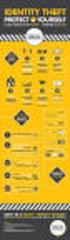 CREDIT What You Should Know About... IdentityTheft HOW IDENTITY THEFT HAPPENS PROTECTING YOURSELF RECOVERING FROM IDENTITY THEFT YourMoneyCounts You may have heard of a crime called identity theft, but
Desktop and Laptop Security Policy
 Desktop and Laptop Security Policy Appendix A Examples of Desktop and Laptop standards and guidelines 1. Implement anti-virus software An anti-virus program is necessary to protect your computer from malicious
Payment Systems Department
 v Note: Please follow these guidelines for your safety as you enjoy the convenience of technology. However these guidelines are general; therefore, specific precautions may be taken as warranted by the
When Fraud Comes Knocking
 When Fraud Comes Knocking Identity theft occurs when someone uses your name, Social Security number, credit card number, or other personal information without your permission. It is a very serious crime.
MIT s Information Security Program for Protecting Personal Information Requiring Notification. (Revision date: 2/26/10)
 MIT s Information Security Program for Protecting Personal Information Requiring Notification (Revision date: 2/26/10) Table of Contents 1. Program Summary... 3 2. Definitions... 4 2.1 Identity Theft...
Your Digital Dollars Online & Mobile Banking
 Your Digital Dollars Online & Mobile Banking There are a lot of benefits to being able to bank or make payments from just about anywhere, but it s important to know how to do these things safely. Understanding
Frequently Asked Questions
 Frequently Asked Questions 1) What does SkyBest Internet Guardian do? Prevents e-mail and image spam from reaching your inbox Halts access to dangerous Web pages Stops Web sites from installing dangerous
INTERNET & COMPUTER SECURITY March 20, 2010. Scoville Library. [email protected]
 INTERNET & COMPUTER SECURITY March 20, 2010 Scoville Library [email protected] Internet: Computer Password strength Phishing Malware Email scams Identity Theft Viruses Windows updates Browser updates Backup
10 Quick Tips to Mobile Security
 10 Quick Tips to Mobile Security 10 Quick Tips to Mobile Security contents 03 Introduction 05 Mobile Threats and Consequences 06 Important Mobile Statistics 07 Top 10 Mobile Safety Tips 19 Resources 22
Safeguarding Your information and accounts
 Safeguarding Your information and accounts D Bank with confidence The security of your funds and information is a top priority at Liberty Bank. We do our utmost every day to prevent fraud and identity
IT Security DO s and DON Ts
 For more advice contact: IT Service Centre T: (01332) 59 1234 E: [email protected] Online: http://itservicecentre.derby.ac.uk Version: February 2014 www.derby.ac.uk/its IT Security DO s and DON
Online Banking Customer Awareness and Education Program
 Online Banking Customer Awareness and Education Program Electronic Fund Transfers: Your Rights and Responsibilities (Regulation E Disclosure) Indicated below are types of Electronic Fund Transfers we are
Research Information Security Guideline
 Research Information Security Guideline Introduction This document provides general information security guidelines when working with research data. The items in this guideline are divided into two different
Remote Deposit Terms of Use and Procedures
 Remote Deposit Terms of Use and Procedures Use of American National Bank Fox Cities (Bank) Remote Deposit service is subject to the following Terms of Use and Procedures. Bank reserves the right to update
Security Guide. for electronic transactions. UniBank is a division of Teachers Mutual Bank Limited
 Security Guide for electronic transactions UniBank is a division of Teachers Mutual Bank Limited Teachers Mutual Bank Limited ABN 30 087 650 459 AFSL/Australian Credit Licence 238981 Who We Are UniBank
Identity Theft: A Growing Problem. presented by Melissa Elson Agency Liaison Office of Privacy Protection - Bureau of Consumer Protection
 Identity Theft: A Growing Problem presented by Melissa Elson Agency Liaison Office of Privacy Protection - Bureau of Consumer Protection Identity Theft What it is How it happens How to protect yourself
How to stay safe online
 How to stay safe online Everyone knows about computer viruses...or at least they think they do. Nearly 30 years ago, the first computer virus was written and since then, millions of viruses and other malware