
PREVENTING HIGH-TECH IDENTITY THEFT
|
|
|
- Tyler Russell
- 9 years ago
- Views:
Transcription
1 1 PREVENTING HIGH-TECH IDENTITY THEFT Presented by The Monument Group Companies Featured speaker: David Floyd November 19, 2014

2 2 Introduction Preventing Identity Theft (this session) Monitoring for Theft (future session) Responding to Theft (future session)

3 3 Overview What is identity theft? High-tech methods Phishing s Spyware Data retrieval from discarded devices Minimizing Risk Device Safety Safe device disposal Internet Safety Create strong, private passwords

4 4 What Is Identity Theft? Someone steals your personal information Someone uses your personal information without your permission Can damage your finances, credit history and reputation

5 5 High Tech Methods: Phishing s Scammers use addresses that appear legitimate to collect your information and use it to commit fraud Logos and links can appear to be authentic Legitimate companies never ask for personal information via or text

6 6 High Tech Methods: Spyware Malware and Spyware are installed on your device without your consent. They can be used to steal personal information, send spam, or commit fraud. Scam artists try to trick people into clicking on links that will download malware and spyware to their computers. Your computer may be infected with malware if it slows, crashes or displays repeated error messages. Other signs are many pop-ups, new toolbars or icons, or laptop battery that drains more quickly than it should.

7 7 High Tech Methods: Data Retrieval Something as simple as posting a resume online can be valuable to identity thieves. Identity thieves can assemble pieces of the overall picture from different sources: your Social Security number from one source, your date of birth from another, your home address from a third. Posting or ing any such personally identifying information puts you at risk.

8 8 Minimizing Risk: Device Safety Use anti-virus software, anti-spyware software, and a firewall and keep them updated Create strong passwords Keep your computer s operating system, browser, and security up to date Lock your laptop when you step away Encrypt data while browsing online Don t use public wireless networks to send sensitive information

9 9 Minimizing Risk: Device Disposal Even if files appear to be deleted, the underlying data remains on hard drive. To remove data permanently, use a utility wipe program these programs are inexpensive or can be found online for free. Use manufacturer or service provider s information to determine how to remove memory in a mobile device. Hard drives and mobile devices can also be professionally destroyed.

10 10 Minimizing Risk: Internet Safety Only provide personal or financial information if you typed in the web address yourself and see a URL that begins with https or see the lock icon. Be cautious about opening attachments or downloading files from s, regardless of who sent them. Don t personal or financial information unless it is encrypted. Don t overshare on social networking sites.

11 11 Minimizing Risk: Strong Passwords Always use strong passwords Password strength is determined by two things: The length of the password, how large a set of characters and symbols it is drawn from, and whether it was created randomly or in a more predictable way How the password is stored and used

12 12 Minimizing Risk: Strong Passwords The longer the password the better Use upper and lower case letters, along with numbers and symbols Avoid using the same password twice Don t use information that may be associated with your name Try using the initial letter of words in a sentence

13 13 Minimizing Risk: Strong Passwords If you must write passwords down, keep them locked in a safe place. Use an online password storage site such as Dashlane, SecureSafe, or PasswordBox. Change passwords often.

14 14 Summary Identity protection is treating your personal information like your other valuables. You lock up your house, you may have home security and monitoring in order to keep thieves out. Treat your personal information online in the same manner. Lock your information with strong passwords. Don t share too much personal information online Shred both sensitive documents and old computer hard drives, memory sticks, removable disks, etc. In the next presentation, we will cover how to monitor for identity theft and how to respond if your identity has been stolen.

15 15 Additional Resources Visit our website for additional identity theft resources New resources will be added over time

16 16 Contact We welcome your questions. Please contact us at: The Monument Group Companies 801 Main Street, Concord MA Byron E. Woodman, Jr. Lee C. McGowan, CFP

Identity Theft Protection
 Identity Theft Protection Email Home EDUCATION on DANGER ZONES Internet Payments Telephone ID theft occurs when someone uses your personal information with out your knowledge to commit fraud. Some terms
Internet Security. For Home Users
 Internet Security For Home Users Basic Attacks Malware Social Engineering Password Guessing Physical Theft Improper Disposal Malware Malicious software Computer programs designed to break into and create
Deter, Detect, Defend
 Deter, Detect, Defend Deter Never provide personal information, including social security number, account numbers or passwords over the phone or Internet if you did not initiate the contact Never click
FTC Fact Sheet Identify Yourself
 FTC Fact Sheet Identify Yourself 5 10 15 20 25 30 35 40 You might have heard about identity theft: it s what can happen when a thief gets enough of someone s information to commit fraud. Why should people
Online Fraud and Identity Theft Guide. A Guide to Protecting Your Identity and Accounts
 A Guide to Protecting Your Identity and Accounts As part of SunTrust s commitment to protecting your accounts and identity, we ve created the Online Fraud & Identity Theft Guide, which provides information
Learn to protect yourself from Identity Theft. First National Bank can help.
 Learn to protect yourself from Identity Theft. First National Bank can help. Your identity is one of the most valuable things you own. It s important to keep your identity from being stolen by someone
Advice about online security
 Advice about online security May 2013 Contents Report a suspicious email or website... 3 Security advice... 5 Genuine DWP contacts... 8 Recognising and reporting phishing and bogus emails... 9 How DWP
E-MAIL & INTERNET FRAUD
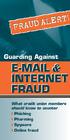 FRAUD ALERT! FRAUD ALERT! Guarding Against E-MAIL & INTERNET FRAUD What credit union members should know to counter Phishing Pharming Spyware Online fraud On-Line Fraud Is Growing E-Mail and Internet Fraud
AVOIDING ONLINE THREATS CYBER SECURITY MYTHS, FACTS, TIPS. ftrsecure.com
 AVOIDING ONLINE THREATS CYBER SECURITY MYTHS, FACTS, TIPS ftrsecure.com Can You Separate Myths From Facts? Many Internet myths still persist that could leave you vulnerable to internet crimes. Check out
Protecting your business from fraud
 Protecting your business from fraud KEY TAKEAWAYS > Understand the most common types of fraud and how to identify them. > What to do if you uncover fraudulent activity or suspect you are a victim of fraud.
Protection from Fraud and Identity Theft
 Table of Contents Protection from Fraud & Identity Theft... 1 Simple Steps to Secure Your Devices... 1 Setting Up Your Computer and/or Mobile Device... 2 Adding Security Software... 2 Internet Safety Tips...
Security Breaches. There are unscrupulous individuals, like identity thieves, who want your information to commit fraud.
 IDENTITY THEFT Security Breaches Our economy generates an enormous amount of data. Most users of that information are from honest businesses - getting and giving legitimate information. Despite the benefits
Intercepting your mail. They can complete change of address forms and receive mail that s intended for you.
 At SunTrust, we re committed to protecting your accounts and identity. That s why we ve created this Identity Theft Guide. This guide provides information about online fraud and identity theft, as well
10 Things You Need to Know About Internet Security
 INFORMATION SECURITY 10 Things You Need to Know About Internet Security Presented by: Steven Blanc IT Security Officer, Bowdoin College Internet Security Versus Internet Safety Security: We must secure
Secure and Safe Computing Primer Examples of Desktop and Laptop standards and guidelines
 Secure and Safe Computing Primer Examples of Desktop and Laptop standards and guidelines 1. Implement anti-virus software An anti-virus program is necessary to protect your computer from malicious programs,
1. Any email requesting personal information, or asking you to verify an account, is usually a scam... even if it looks authentic.
 Your identity is one of the most valuable things you own. It s important to keep your identity from being stolen by someone who can potentially harm your good name and financial well-being. Identity theft
Information carelessly discarded into the trash can be stolen when a thief digs through the garbage.
 Identity theft occurs when someone wrongfully acquires and uses a consumer s personal identification, credit, or account information. Identity theft can wreak havoc on an individual s credit report, cause
Identity Theft, Fraud & You. Prepare. Protect. Prevent.
 Prepare. Protect. Prevent. Identity Theft, Fraud & You Fraud and identity theft incidents claimed fewer victims in 2010 than in previous years. But don t get too comfortable. Average out-of-pocket consumer
BE SAFE ONLINE: Lesson Plan
 BE SAFE ONLINE: Lesson Plan Overview Danger lurks online. Web access, social media, computers, tablets and smart phones expose users to the possibility of fraud and identity theft. Learn the steps to take
F-Secure Anti-Virus for Mac 2015
 F-Secure Anti-Virus for Mac 2015 TOC F-Secure Anti-Virus for Mac 2015 Contents Chapter 1: Getting started...3 1.1 Manage subscription...4 1.2 How to make sure that my computer is protected...4 1.2.1 Protection
Retail/Consumer Client. Internet Banking Awareness and Education Program
 Retail/Consumer Client Internet Banking Awareness and Education Program Table of Contents Securing Your Environment... 3 Unsolicited Client Contact... 3 Protecting Your Identity... 3 E-mail Risk... 3 Internet
Fraud Prevention Tips
 Fraud Prevention Tips The best defense against fraud or identity theft is a proactive approach. Here are a few steps you can take to help protect yourself. Protect your identity Copy the front and back
Safe Practices for Online Banking
 November 2012 Follow these guidelines to help protect your information while banking online. At First Entertainment Credit Union, our goal is to provide you with the best all around banking experience.
PROTECT YOUR COMPUTER AND YOUR PRIVACY!
 PROTECT YOUR COMPUTER AND YOUR PRIVACY! Fraud comes in many shapes simple: the loss of both money protecting your computer and Take action and get peace of and sizes, but the outcome is and time. That
HELPFUL TIPS: MOBILE DEVICE SECURITY
 HELPFUL TIPS: MOBILE DEVICE SECURITY Privacy tips for Public Bodies/Trustees using mobile devices This document is intended to provide general advice to organizations on how to protect personal information
STOP THINK CLICK Seven Practices for Safer Computing
 Seven Practices for Safer Computing Access to information and entertainment, credit and financial services, products from every corner of the world even to your work is greater than earlier generations
How to stay safe online
 How to stay safe online Everyone knows about computer viruses...or at least they think they do. Nearly 30 years ago, the first computer virus was written and since then, millions of viruses and other malware
Marlon R Clarke, Ph. D., CISSP, CISM Director Network Operations and Services, NSU 10-17-2013
 Marlon R Clarke, Ph. D., CISSP, CISM Director Network Operations and Services, NSU 10-17-2013 Todays Discussion Overview of Computer and Internet Security What is Computer and Internet Security Who Should
Malware, Spyware, Adware, Viruses. Gracie White, Scott Black Information Technology Services
 Malware, Spyware, Adware, Viruses Gracie White, Scott Black Information Technology Services The average computer user should be aware of potential threats to their computer every time they connect to the
National Cyber Security Month 2015: Daily Security Awareness Tips
 National Cyber Security Month 2015: Daily Security Awareness Tips October 1 New Threats Are Constantly Being Developed. Protect Your Home Computer and Personal Devices by Automatically Installing OS Updates.
The Canadian Resource Centre for Victims of Crime Centre canadien de ressources pour les victimes de crimes. Identity Theft and Phishing
 The Canadian Resource Centre for Victims of Crime Centre canadien de ressources pour les victimes de crimes Identity Theft and Phishing July 2009 What Is Identity Theft? Identity theft is a serious crime
I dentity theft occurs
 1.3.1.F1 Identity Family Economics and Financial Education W h at i s I d e n t i t y T h e f t? I dentity theft occurs when someone wrongfully acquires and uses a consumer s personal identification, credit,
Scams and Schemes. objectives. Essential Question: What is identity theft, and how can you protect yourself from it? Learning Overview and Objectives
 Estimated time: 45 minutes Essential Question: What is identity theft, and how can you protect yourself from it? Learning Overview and Objectives Overview: Students learn strategies for guarding against
7 PRACTICES FOR SAFER COMPUTING
 7 PRACTICES FOR SAFER COMPUTING The Committee on Social Responsibility Produced in cooperation with the Federal Trade Commission EFFICIENT SHOPPING ACCESS TO INFORMATION, MUSIC, AND GAMES EDUCATIONAL RESOURCES
3 day Workshop on Cyber Security & Ethical Hacking
 3 day Workshop on Cyber Security & Ethical Hacking 1 st day-highlights-hands On Phishing Attack Hammad Mashkoor Lari Freelancer What is Cyber Security? What is Ethical hacking? What is Computer Science?
F-Secure Anti-Virus for Mac. User's Guide
 F-Secure Anti-Virus for Mac User's Guide F-Secure Anti-Virus for Mac TOC 3 Contents Chapter 1: Getting started...5 What to do after installation...6 Manage subscription...6 Open the product...6 How to
According to the Federal Trade Commission (FTC): The FTC is a government agency that promotes consumer protection
 According to the Federal Trade Commission (FTC): IDENTITY THEFT occurs when someone wrongfully acquires and uses a consumer s personal identification, credit, or account information The FTC is a government
Saheel KHOYRATTY. Partner Technology Advisor
 Saheel KHOYRATTY Partner Technology Advisor The Internet = A World of Opportunities Look what s at your fingertips A way to communicate with friends, family, colleagues Access to information and entertainment
Protect Yourself. Who is asking? What information are they asking for? Why do they need it?
 Protect Yourself Your home computer serves many purposes: email, shopping, social networking and more. As you surf the Internet, you should be aware of the various ways to protect yourself. Of primary
Cyber Security. Securing Your Mobile and Online Banking Transactions
 Cyber Security Securing Your Mobile and Online Banking Transactions For additional copies or to download this document, please visit: http://msisac.cisecurity.org/resources/guides 2014 Center for Internet
Remote Deposit Quick Start Guide
 Treasury Management Fraud Prevention How to Protect Your Business Remote Deposit Quick Start Guide What s Inside We re committed to the safety of your company s financial information. We want to make you
Spam, Spyware, Malware and You! Don't give up just yet! Presented by: Mervin Istace Provincial Library Saskatchewan Learning
 Spam, Spyware, Malware and You! Don't give up just yet! Presented by: Mervin Istace Provincial Library Saskatchewan Learning Lee Zelyck Network Administrator Regina Public Library Malware, Spyware, Trojans
CLEAR LAKE BANK & TRUST COMPANY Internet Banking Customer Awareness & Education Program For Businesses
 CLEAR LAKE BANK & TRUST COMPANY Internet Banking Customer Awareness & Education Program For Businesses Introduction Clear Lake Bank & Trust Company is committed to protecting your business, personal, and
PROTECT YOURSELF AND YOUR IDENTITY CHASE IDENTITY THEFT TOOL KIT
 PROTECT YOURSELF AND YOUR IDENTITY CHASE IDENTITY THEFT TOOL KIT At Chase, we work hard to pro v help prepare you for whatever h Convenient Reference for Important Contacts: Chase Identity Theft Center
OCT Training & Technology Solutions [email protected] (718) 997-4875
 OCT Training & Technology Solutions [email protected] (718) 997-4875 Understanding Information Security Information Security Information security refers to safeguarding information from misuse and theft,
Business ebanking Fraud Prevention Best Practices
 Business ebanking Fraud Prevention Best Practices User ID and Password Guidelines Create a strong password with at least 8 characters that includes a combination of mixed case letters, numbers, and special
Frequently Asked Questions (FAQ)
 Your personal information and account security is important to us. This product employs a Secure Sign On process that includes layers of protection at time of product log in to mitigate risk, and thwart
IDENTITY THEFT: MINIMIZING YOUR RISK
 IDENTITY THEFT: MINIMIZING YOUR RISK What is Identity Theft? Identity theft occurs when someone uses another person s information to commit fraud or other crimes. Information such as your name, Social
SBA Cybersecurity for Small Businesses. 1.1 Introduction. 1.2 Course Objectives. 1.3 Course Topics
 SBA Cybersecurity for Small Businesses 1.1 Introduction Welcome to SBA s online training course: Cybersecurity for Small Businesses. SBA s Office of Entrepreneurship Education provides this self-paced
Identity Theft Protection
 Identity Theft Protection Learning Objectives Discuss the aspects of identity theft Discuss the signs of recognizing when your identify has been stolen Understand the steps to take to reclaim your identity
Protect yourself online
 Protect yourself online Advice from Nottinghamshire Police s Pre Crime Unit Get daily updates: www.nottinghamshire.police.uk www.twitter.com/nottspolice www.facebook.com/nottspolice www.youtube.com/nottinghampolice
What to Know, What to Do
 Protecting Your Identity: What to Know, What to Do BRUMMET & OLSEN, LLP Certified Public Accountants t and Consultants t Kedra J. Olsen, CPA February 6, 2014 Overview Identity yprotection Protection from
INTERNET & COMPUTER SECURITY March 20, 2010. Scoville Library. [email protected]
 INTERNET & COMPUTER SECURITY March 20, 2010 Scoville Library [email protected] Internet: Computer Password strength Phishing Malware Email scams Identity Theft Viruses Windows updates Browser updates Backup
PREVENTING ID THEFT101
 PREVENTING ID THEFT101 701.255.0042 www.capcu.org i This book is intended as a general guide to the topics discussed, and it does not deliver accounting, personal finance, or legal advice. It is not intended,
Don t Fall Victim to Cybercrime:
 Don t Fall Victim to Cybercrime: Best Practices to Safeguard Your Business Agenda Cybercrime Overview Corporate Account Takeover Computer Hacking, Phishing, Malware Breach Statistics Internet Security
Cyber Security. Maintaining Your Identity on the Net
 Cyber Security Maintaining Your Identity on the Net Why Cyber Security? There are three points of failure in any secure network: Technology (hardware and software) Technology Support (ITS) End Users (USD
Safeguarding Your information and accounts
 Safeguarding Your information and accounts D Bank with confidence The security of your funds and information is a top priority at Liberty Bank. We do our utmost every day to prevent fraud and identity
ONE Mail Direct for Mobile Devices
 ONE Mail Direct for Mobile Devices User Guide Version: 2.0 Document ID: 3292 Document Owner: ONE Mail Product Team Copyright Notice Copyright 2014, ehealth Ontario All rights reserved No part of this document
Helping you to protect yourself against fraud and financial crime
 Helping you to protect yourself against fraud and financial crime first direct takes fraud & other financial crimes very seriously. Even though we have market-leading fraud detection systems, we want you
Identity Theft Assistance Kit A self-help guide to protecting yourself and your identity
 Identity Theft Assistance Kit A self-help guide to protecting yourself and your identity Stillman Bank works hard to serve and protect our customers identities and ensure their safety. That s why we have
ecommercial SAT ecommercial Security Awareness Training Version 3.0
 ecommercial SAT ecommercial Security Awareness Training Version 3.0 Welcome The goal of this training course is to provide you with the information needed to assist in keeping your online banking account
Business Internet Banking / Cash Management Fraud Prevention Best Practices
 Business Internet Banking / Cash Management Fraud Prevention Best Practices This document provides fraud prevention best practices that can be used as a training tool to educate new Users within your organization
Identity Theft: A Growing Problem. presented by Melissa Elson Agency Liaison Office of Privacy Protection - Bureau of Consumer Protection
 Identity Theft: A Growing Problem presented by Melissa Elson Agency Liaison Office of Privacy Protection - Bureau of Consumer Protection Identity Theft What it is How it happens How to protect yourself
Identity Theft Prevention Program Compliance Model
 September 29, 2008 State Rural Water Association Identity Theft Prevention Program Compliance Model Contact your State Rural Water Association www.nrwa.org Ed Thomas, Senior Environmental Engineer All
Identity Theft Prevention Presented by: Matt Malone Assero Security www.asserosecurity.com
 Bringing enterprise level security to your business Identity Theft Prevention Presented by: Matt Malone Assero Security www.asserosecurity.com Matt Malone Fall 2015 Spring 2016 IDENTITY THEFT Identity
Guide to credit card security
 Contents Click on a title below to jump straight to that section. What is credit card fraud? Types of credit card fraud Current scams Keeping your card and card details safe Banking and shopping securely
Infocomm Sec rity is incomplete without U Be aware,
 Infocomm Sec rity is incomplete without U Be aware, responsible secure! HACKER Smack that What you can do with these five online security measures... ANTI-VIRUS SCAMS UPDATE FIREWALL PASSWORD [ 2 ] FASTEN
An Introduction on How to Better Protect Your Computer and Sensitive Data
 An Introduction on How to Better Protect Your Computer and Sensitive Data Common Security Problems Computer users who fail to use strong passwords Constant attacks by viruses, worms, key loggers and bots
Corporate Account Take Over (CATO) Guide
 Corporate Account Take Over (CATO) Guide This guide was created to increase our customers awareness of the potential risks and threats that are associated with Internet and electronic- based services,
Identity Theft. Protecting Yourself and Your Identity. Course objectives learn about:
 financialgenius.usbank.com Course objectives learn about: Avoiding Identity Theft Recognize Phishing Attempts Getting Help for ID Theft Victims Identity Theft Protecting Yourself and Your Identity Index
10 Quick Tips to Mobile Security
 10 Quick Tips to Mobile Security 10 Quick Tips to Mobile Security contents 03 Introduction 05 Mobile Threats and Consequences 06 Important Mobile Statistics 07 Top 10 Mobile Safety Tips 19 Resources 22
Fraud Guide Fraud Protection
 Fraud Guide Fraud Protection A simple guide on how to protect yourself against fraud. A simple guide on how to protect yourself against fraud It seems like every day there are new reports of different
Understand What s Going On
 Internet Safety Tips For Dummies In This Book Recognizing how online risks occur Staying safer with technology Taking care with shared photos Understanding how crooks collect information Reporting fraud
INTERNET SAFETY: VIRUS: a computer program that can copy itself and infect your computer. CAPTCHAS: type the letters to set up an online account
 INTERNET SAFETY: VIRUS: a computer program that can copy itself and infect your computer Malware: Harmful software programs designed to damage your computer without you knowing. Spyware: Undetected programs
INFORMATION SECURITY GUIDE FOR STAFF
 INFORMATION SECURITY GUIDE FOR STAFF December 2013 TABLE OF CONTENTS Why is information security so important for you and the university...1 Use strong passwords and keep them safe...2 E-mail use...2 Beware
Malware & Botnets. Botnets
 - 2 - Malware & Botnets The Internet is a powerful and useful tool, but in the same way that you shouldn t drive without buckling your seat belt or ride a bike without a helmet, you shouldn t venture online