
OPERATING GUIDE PLEASE READ THIS ENTIRE GUIDE BEFORE BEGINNING
|
|
|
- Dustin Dawson
- 9 years ago
- Views:
Transcription
1 OPERATING GUIDE PLEASE READ THIS ENTIRE GUIDE BEFORE BEGINNING indd 1

2 Important Safety Information Explanation of Attention Words and Symbols used in this guide This is the safety alert symbol. It is used to alert you to potential personal injury hazards. Obey all safety messages that follow this symbol to avoid possible injury or death. WARNING indicates a hazardous situation which, if not avoided, could result in death or serious injury. CAUTION, used without the safety alert symbol, indicates a hazardous situation which, if not avoided, could result in harm to your dog. Not for use with aggressive dogs. Do not use this product if your dog is aggressive, or if your dog is prone to aggressive behavior. Aggressive dogs can cause severe injury and even death to their owner and others. If you are unsure whether this product is appropriate for your dog, please consult your veterinarian or a certified trainer. This device contains Nickel-metal hydride (NiMH) batteries; never incinerate, puncture, deform, shortcircuit, or charge with an inappropriate charger. Fire, explosion, property damage, or bodily harm may occur if this warning is not followed. Risk of explosion if battery is replaced by an incorrect type. Dispose of used batteries according to the instructions. Please read and follow the instructions in this manual. Proper fit of the collar is important. A collar worn for too long, or made too tight on the dog s neck may cause skin damage. This is called bed sores; it is also called decubitus ulcers or pressure necrosis. Avoid leaving the collar on the dog for more than 12 hours per day. When possible reposition the collar on the dog s neck every 1 to 2 hours. Check the fit to prevent excessive pressure; follow the instructions in this manual. Never connect a lead to the electronic collar; it will cause excessive pressure on the contacts. When using a separate collar for a lead, don t put pressure on the electronic collar. Wash the dog s neck area and the contacts of the collar weekly with a damp cloth. Examine the contact area daily for signs of a rash or a sore. If a rash or sore is found, discontinue use of the collar until the skin has healed. If the condition persists beyond 48 hours, see your veterinarian. For additional information on bed sores and pressure necrosis, please visit the FAQ section for remote trainers at These steps will help keep your dog safe and comfortable. Millions of dogs are comfortable while they wear stainless steel contacts. Some dogs are sensitive to contact pressure. You may find after some time that your dog is very tolerant of the collar. If so, you may relax some of these precautions. It is important to continue daily checks of the contact area. If redness or sores are found, discontinue use until the skin has fully healed. You may need to trim the hair in the area of the Contact Points or switch to the longer Contact Points to ensure consistent contact. Never shave the dog s neck; this may lead to a rash or infection. You should not make the collar any more tight than is required for good contact. A collar that is too tight will increase the risk of pressure necrosis in the contact area indd 2-3

3 Thank you for choosing SportDOG Brand training products. Used properly, this product will help you train your dog efficiently and safely. To ensure your satisfaction, please review this owner s manual thoroughly. If you have questions regarding this product s operation, please see this manual s Frequently Asked Questions or Troubleshooting section, contact our Customer Care Center at , visit our website at or Components To get the most protection out of your warranty, please register your product within 30 days at By registering, and keeping your receipt you will enjoy the product s full warranty and should you ever need to call the Customer Care Center, we will be able to help you faster. Most importantly, your valuable information will never be given or sold to anyone. Complete warranty information is available online at Table of Contents Components...5 How the System Works...5 Key Definitions...6 Prepare the Remote Transmitter...7 Prepare the Collar Receiver...8 Fit the Collar Receiver...10 Find the best intensity level for your dog...11 Test Light Instructions...11 General training Tips...12 Program the Remote Transmitter...12 Match the collar receiver and remote transmitter...14 Program the Collar Receiver for Two or three-dog Operation...14 Accessories...15 Frequently Asked Questions...16 Troubleshooting...17 Terms of Use and limitation of liability...18 FCC Compliance...18 Battery Disposal...19 Sportdog Add-A-Dog Receivers...20 How the System Works The SportDOG FieldTrainer 400 & 400S have been proven safe, comfortable and effective for all dogs over 8 pounds. Consistent, correct use of this product allows you to reinforce commands and correct misbehavior from up to 400 yards. The Remote Transmitter sends a signal, activating the Collar Receiver to deliver a harmless stimulation. With proper training, a dog will learn to associate this signal with a command. Like all SportDOG products, this model features adjustable stimulation levels so you can tailor the stimulation level to your dog s temperament, eliminating the risk of over-correction. Important: The FieldTrainer 400 & 400S have a range of up to 400 yards. Depending on the way you hold the Remote Transmitter, the maximum range may vary. For consistent results at longer ranges, hold the Remote Transmitter in a vertical position away from your body and above your head. Terrain, weather, vegetation, transmission from other radio devices, and other factors will affect the maximum range. Do not use this product if your dog is aggressive, or if your dog is prone to aggressive behavior. Aggressive dogs can cause severe injury and even death to their owner and others. If you are unsure whether this product is appropriate for your dog, please consult your veterinarian or a certified trainer indd 4-5

4 KEY DEFINITIONS REMOTE TRANSMITTER SIDE BUTTON UPPER BUTTON COLLAR RECEIVER RECEIVER INDICATOR LIGHT CONTACT POINTS ON/OFF BUTTON TRANSMITTER ANTENNA INTENSITY DIAL TRANSMITTER INDICATOR LIGHT LOWER BUTTON CHARGING JACK Charging Jack REMOTE TRANSMITTER: Transmits the radio signal to the Collar Receiver. It is waterproof and can be submerged in water to a depth of 25 feet. INTENSITY DIAL: Provides multiple levels of stimulation so you can match the correction to your dog s temperament. TRANSMITTER INDICATOR LIGHT: Indicates that a button is pressed and also serves as a low-battery indicator. UPPER BUTTON: This button is factory-set to deliver continuous stimulation. LOWER BUTTON: This button is factory-set to deliver momentary stimulation, or a Nick. SIDE BUTTON: This button is factory-set to deliver a tone without stimulation. CHARGING JACKS: For connecting the charger. Although the Collar Receiver and Remote Transmitter are waterproof without it, keep the cover in place when not charging to keep debris out of the opening. COLLAR RECEIVER: Receives the radio signal from the Remote Transmitter and delivers the stimulation and/or a tone for correcting your dog. It is waterproof and can be submerged in water to a depth of 25 feet. RECEIVER INDICATOR LIGHT: Indicates when the Collar Receiver has been turned on or off and also serves as a low-battery indicator. CONTACT POINTS: The contacts through which the Collar Receiver delivers stimulation when a Remote Transmitter button programmed for Continuous or Momentary Stimulation is pressed. ON/OFF BUTTON: Momentarily pressing and holding this button turns the Collar Receiver on and off. THE COLLAR RECEIVER IS CAPABLE OF DELIVERING Three TYPES OF correction: CONTINUOUS: You control both when and how long stimulation is delivered, up to a maximum of 9 seconds. After 9 seconds, the stimulation will time out and the Remote Transmitter button needs to be released and then pressed again before additional stimulation can be delivered. MOMENTARY (NICK): Stimulation is delivered for 5/100 of a second, regardless of how long the button is pressed. TONE: The Collar Receiver will make a rapid beeping noise when a Tone button is pressed.* *Tone comes preset and is not adjustable. STEP :: 01 Prepare the Remote Transmitter Charge the Remote Transmitter 1. Lift the rubber cover protecting the Charging Jack. 2. Connect one of the charger connectors to the Charging Jack. 3. Plug the charger into a standard 120-volt AC wall outlet. 4. Charge the Remote Transmitter for 24 hours for the first charge. Recharges take only 12 hours. Note: The Transmitter Indicator Light will flash after 12 hours of charging. For the first charge, continue to charge the Remote Transmitter for an additional 12 hours. 5. When charging is complete, replace the rubber cover. Note: Approximate battery life between charges is 40 to 60 hours, depending on frequency of use. Transmitter Indicator Light Charger connector placed in the Remote Transmitter Charging Jack OPERATIONAL MODE LIGHT COLOR BATTERY STATUS LIGHT FUNCTION Continuous stimulation or Tone only button pressed Green Good Light is solid in color while button is pressed Continuous stimulation or Tone only button pressed Red Low Light is solid in color while button is pressed Momentary stimulation button pressed Green Good Light flashes once and turns off Momentary stimulation button pressed Red Low Light flashes once and turns off Unit is charging Red Low Light is solid in color while on the charger Unit is fully charged (charger still connected) Green Good Light flashes once per second once the battery is completely charged indd 6-7

5 STEP :: 02 Prepare the Collar Receiver Charge the Collar Receiver 1. Lift the rubber cover protecting the Charging Jack. 2. Connect the charger connector to the Charging Jack. 3. Plug the charger into a standard 120-volt AC wall outlet. 4. Charge the Collar Receiver for 24 hours for the first charge. Recharges take only 12 hours. Note: The Receiver Indicator Light will flash after 12 hours of charging. For the first charge, continue to charge the Collar Receiver for an additional 12 hours. 5. When charging is complete, replace the rubber cover. If the Collar Receiver is used in or around salt water, the Collar Receiver should be rinsed with fresh water following each use. Prior to rinsing, the rubber charging jack cover should be removed from the power plug socket and left out until the Collar Receiver has air dried. To Turn the Collar Receiver On: 1. Momentarily press and hold the On/Off Button until the Receiver Indicator Light comes on and the Collar Receiver beeps 5 times. 2. Release the On/Off Button. The Receiver Indicator Light will flash until the Collar Receiver is turned off. The flashing light indicates the Collar Receiver is ready to receive a radio signal from the Remote Transmitter. To Turn the Collar Receiver Off: Charger connector placed in Collar Receiver Charging Jack On/Off Button 1. Momentarily press and hold the On/Off Button until the Receiver Indicator Light comes on solid and the Collar Receiver beeps 2 times. 2. Release the On/Off Button. To extend the life between charging cycles, turn the Collar Receiver off when it is not in use. Note: Approximate battery life between charges is 40 hours, depending on frequency of use. Receiver Indicator Light Operational Mode Light Color Light Function Battery Status Speaker Function Unit is charging Red Light is solid N/A N/A < 12 hours Unit is charging Green Light is flashing once per N/A N/A > 12 hours second Unit is turned on via Green Light is solid in color during N/A Beeps 5 times On/Off Button beep sequence Unit is turned off via Green Light is solid in color during Good Beeps 2 times On/Off Button beep sequence Unit is turned off via Red Light is solid in color during Low Beeps 2 times On/Off Button beep sequence Unit is on Green Light flashes once per Good N/A second Unit is on Red Light flashes once per Low N/A second Unit is delivering Red Light is solid in color for as N/A N/A continuous stimulation long as button is pressed Unit is delivering Red Light will quickly flash once N/A N/A momentary stimulation no matter how long button is pressed Unit is delivering tone Off N/A N/A Unit will beep for as long as button is pressed Rechargeable Batteries This device contains Nickel-metal hydride (NiMH) batteries; never incinerate, puncture, deform, short-circuit, or charge with an inappropriate charger. Fire, explosion, property damage, or bodily harm may occur if this warning is not followed. Risk of explosion if battery is replaced by an incorrect type. Dispose of used batteries according to the instructions (page 19). The rechargeable Nickel-metal hydride (NiMH) batteries are not memory sensitive and do not require depletion before charging. Batteries should never be removed from the battery compartment for charging. The batteries come partially charged from the factory, but will require a full charge before the first use (24 hours). When storing the unit for long periods, remember to regularly give batteries a full charge (12 hours). This should be done once every 4 to 6 weeks. To maximize battery life, after initial charge, it is not recommended to leave the battery plugged in for more than 12 hours. If your equipment has not been charged for an extended period, you may experience a decrease in battery life the first few uses. Afterwards, the battery life will return to previous capacity levels indd 8-9

6 STEP :: 03 You should expect hundreds of recharge cycles from your batteries. However, all rechargeable batteries lose capacity over time relative to the number of recharge cycles they experience. This is normal. If your operating time drops to half of the original life, contact the Customer Care Center to purchase a new battery. The batteries should last for a period of 3-5 years. When a battery needs replacement, you can order a new pack by calling our Customer Care Center at , or by visiting our website at Please do not open the Collar Receiver or Remote Transmitter until you have received the replacement. Fit the Collar Receiver Important: The proper fit and placement of the Collar Receiver is important for effective training. The Contact Points must have direct contact with your dog s skin. Please read and follow the instructions in this manual. Proper fit of the collar is important. A collar worn for too long, or made too tight on the dog s neck may cause skin damage. This is called bed sores; it is also called decubitus ulcers or pressure necrosis. Avoid leaving the collar on the dog for more than 12 hours per day. When possible reposition the collar on the dog s neck every 1 to 2 hours. Check the fit to prevent excessive pressure; follow the instructions in this manual. Never connect a lead to the electronic collar; it will cause excessive pressure on the contacts. When using a separate collar for a lead, don t put pressure on the electronic collar. Wash the dog s neck area and the contacts of the collar weekly with a damp cloth. Examine the contact area daily for signs of a rash or a sore. If a rash or sore is found, discontinue use of the collar until the skin has healed. If the condition persists beyond 48 hours, see your veterinarian. For additional information on bed sores and pressure necrosis, please visit the FAQ section for remote trainers at These steps will help keep your dog safe and comfortable. Millions of dogs are comfortable while they wear stainless steel contacts. Some dogs are sensitive to contact pressure. You may find after some time that your dog is very tolerant of the collar. If so, you may relax some of these precautions. It is important to continue daily checks of the contact area. If redness or sores are found, discontinue use until the skin has fully healed. To ensure a proper fit, follow these steps: 3A 1. With your dog standing (3A), center the 3B Collar Receiver so the Contact Points are underneath your dog s neck, touching the skin (3B). If your dog has a long or thick coat, you have two options to ensure consistent contact: either trim the hair around the Contact Points or switch to the longer Contact Points included with your system. You may need to trim the hair in the area of the Contact Points. Never shave the dog s neck; this may lead to a rash or infection. You should not make the collar any more tight than is required for good contact. A collar that is too tight will increase the risk of pressure necrosis in the contact area. STEP :: The Collar Receiver should fit snugly, yet loose enough to allow one finger to fit between the strap and your dog s neck (3C). 3. Allow your dog to wear the collar for several minutes, and then recheck the fit. Check the fit again as your dog becomes more comfortable wearing the Collar Receiver. Find the Best Intensity Level for Your Dog The FieldTrainer 400 & 400S have multiple intensity levels. This allows you to choose the stimulation that is best for your dog. Note: Always start at the lowest level and work your way up. For training efficiency, it is important to find the right intensity level for your dog. This is called the Recognition Level, at which your dog looks around in curiosity, or flicks his ears. Finding Your Dog s Recognition Level: Note: Every dog is different and you cannot predict where your dog s Recognition Level will be. Watch closely for any slight change in behavior that tells you your dog is feeling the stimulation. 1. With the Collar Receiver turned on and properly fitted to your dog, set the Remote Transmitter s Intensity Dial at Level 1 and press the Continuous Stimulation Button for 1 to 2 seconds. 2. If your dog shows no reaction to Level 1, go to Level 2 and repeat the process. 3. YOUR DOG SHOULD NOT VOCALIZE OR PANIC WHEN RECEIVING STIMULATION. IF THIS HAPPENS, THE STIMULATION LEVEL IS TOO HIGH AND YOU NEED TO GO BACK TO THE PREVIOUS LEVEL AND REPEAT THE PROCESS. 4. Once you find your dog s Recognition Level, this is the level you should use when you begin a training exercise. 5. If you have progressed to Level 8 while searching for your dog s Recognition Level and your dog continues to show no response, check to see if Collar Receiver is snug against your dog s neck. Then go back to Intensity Level 1 and repeat the process. If your dog still does not indicate he is feeling the stimulation, you have two options: you may either have to trim the hair beneath the Contact Points or switch to the longer Contact Points included in your system. If after completing all of these steps your dog still does not indicate he is feeling the stimulation, please contact Customer Care Center at Test Light Instructions 1. Turn the Collar Receiver on. 2. Hold the Test Light Contacts to the Contact Points. 3. Press a Stimulation Button on the Remote Transmitter. 4. The Test Light will flash. Note: At higher Stimulation Levels, the Test Light will flash brighter. 5. Turn the Collar Receiver off. Save the Test Light for future testing. Note: If the Test Light does not flash, recharge the battery and re-test. If the Test Light still does not flash, contact the Customer Care Center at C indd 10-11

7 STEP :: 05 General Training Tips Before Training Your Dog with This Product: You will have the most success using this remote trainer if you always remember to teach a command before trying to reinforce the command with a remote trainer. We recommend that you read the enclosed Training Guide and watch the enclosed DVD before training with this remote trainer. Your training will be easier and proceed faster if you follow the guidelines in these teaching assistants. In addition, always keep the following training tips in mind: Eliminate one misbehavior or teach one obedience command at a time. If you move too fast with the training, your dog may become confused. Be consistent. Give your dog a tone and/or stimulation with each misbehavior. Do not overcorrect your dog. Use as few stimulations as possible to train your dog. Restrict your dog from situations in which he has a history of misbehaving unless you can supervise him and use the FieldTrainer 400 & 400S for applying tone or stimulation. If you notice one situation in which your dog misbehaves repeatedly, set up this situation as a training session. This will dramatically increase your chances of success. If your dog has a timid reaction to the tone or stimulation (especially the first couple of times), do not be alarmed. Redirect his attention to a simple and appropriate behavior (i.e. a known command, such as Sit ). Never use the FieldTrainer 400 & 400S to correct or eliminate any form of aggressive behavior. If your dog exhibits such behavior, contact a professional trainer. Aggression in dogs is the result of many factors it may be a learned behavior or it may be brought on as a result of fear. Another factor contributing to aggression in dogs is social dominance. Every dog is different. At this point, your remote trainer is ready to use. The transmitter is factory set to mode 1, but you may wish to change the mode to fit your situation. See Step 5 for an explanation of mode options. Program the Remote Transmitter Note: The Transmitter is factory set to mode 1. The mode of the Remote Transmitter can be changed to fit your type or style of training. To change the mode: 1. Referring to the table on the following page, adjust the Intensity Dial to the mode you want to use. 2. Turn the Remote Transmitter over. 3. With a pen or the tine on the buckle of your collar strap, depress and release the mode button. When the mode button is pressed, the Transmitter Indicator Light will be solid in color. When it is released, it will flash the mode selected. MODE UPPER BUTTON FUNCTION 1 Continuous Stimulation (Level set by Intensity 2 Continuous Stimulation (Level set by Intensity 3 Continuous Stimulation (Level set by Intensity 4 DOG 1 Continuous Stimulation (Level set by Intensity 5 Continuous Stimulation with intensity level set to high end of reading on Intensity Dial 6 Continuous Stimulation with intensity level set to high end of reading on Intensity Dial 7 Continuous Stimulation (Level set by Intensity LOWER BUTTON FUNCTION SIDE BUTTON FUNCTION # OF DOGS Momentary (Nick) Tone only 1 Stimulation (Level set by Intensity Continuous Stimulation Tone only 1 with intensity level set at the maximum (8) Continuous Stimulation Tone only 1 two levels higher than the setting on the Intensity Dial DOG 2 DOG 3 3* Continuous Stimulation Continuous Stimulation (Level set by Intensity (Level set by Intensity Continuous Stimulation Tone only 1 with intensity level set to low end of reading on Intensity Dial Continuous Stimulation Momentary (Nick) 1 with intensity level set Stimulation (Level set to low end of reading on by Intensity Intensity Dial Tone with one-seconddelayed Tone only 1 Continuous Stimulation (Level set by Intensity Note: Modes 1, 2, 3, 4 and 7 provide 8 levels of stimulation, which correspond to the setting of the Intensity Dial. Modes 5 and 6 provide more increments to choose from -- a total of 16 levels of stimulation. For example, in mode 5 with the Intensity Dial set at 2, the bottom button provides level 3 of 16 and the top button provides level 4 of 16. *For two or three-dog operation setup, refer to Step 7 on page 14. For example, if mode 5 is desired, adjust the Intensity Dial to Level 5. Once the mode button has been depressed, the Transmitter Indicator Light will be solid, and once the mode button is released, the Transmitter Indicator Light will flash five times. Note: Continuous Stimulation will transmit for no more than 9 seconds no matter how long the button is pressed. To reactivate, release and repress the button indd 12-13

8 STEP :: 06 STEP :: 07 Match the Collar Receiver and remote transmitter To reset the Collar Receiver to work with a new Remote Transmitter or to reprogram a new Collar Receiver to work with your existing Remote Transmitter: 1. Turn the Collar Receiver off. 2. Press and hold the On/Off Button. The Receiver Indicator Light will come on, then turn off after 4-5 seconds. If the On/Off Button is released too early, the Receiver Indicator Light will begin flashing as normal. If this occurs, start over and repeat from After the Receiver Indicator Light has turned off, release the On/Off Button. 4. Press and hold the Upper Button on the Remote Transmitter until the Receiver Indicator Light flashes 5 times. You may need to hold both units 2-3 feet from each other before this occurs. Once the Receiver Indicator Light has flashed 5 times, the Collar Receiver has been reset and will begin flashing as normal. If the Receiver Indicator Light does not flash 5 times, start over and repeat from 1. Program the Collar Receiver for Two or three-dog Operation SportDOG Add-A-Dog receiver(s) must be purchased to train additional dogs. Please refer to the back cover for other compatible Add-A-Dog Collar Receivers for this system. 1. Program the Remote Transmitter to mode 4 (see pages 12-13). 2. Program the first Collar Receiver. A. Turn the Collar Receiver off. B. Press and hold the On/Off Button. The Receiver Indicator Light will come on, then turn off in 4-5 seconds. If the On/Off Button is released too early, the Receiver Indicator Light will begin its normal flashing. If this occurs, start over and repeat from A. C. After the Receiver Indicator Light has turned off, release the On/Off Button. D. Press and hold the Upper Button on the Remote Transmitter until the Receiver Indicator Light flashes 5 times. You may need to hold both units 2-3 feet from each other. If the Receiver Indicator Light does not flash 5 times, start over and repeat from A. 3. Program the second Collar Receiver using A through D above, but using the Lower Button in place of the Upper Button. 4. Program the third Collar Receiver using A through D above, but using the Side Button in place of the Upper Button. Accessories To purchase additional accessories for your SportDOG Brand FieldTrainer 400 or 400S, contact the Customer Care Center at , or visit our website at to locate a retailer near you. Component Replacement Transmitter: SD-400/400S Replacement Receiver (does not include collar strap): SD-400 Replacement Receiver (does not include collar strap): SD-400S Replacement 3/4 Collar Strap (Blaze Orange) Replacement 3/4 Collar Strap (Black) Replacement 3/4 Collar Strap (Blue) Replacement 3/4 Collar Strap (Red) Replacement 3/4 Collar Strap (Yellow) Replacement 3/4 Collar Strap (Green) Replacement 3/4 Collar Strap (White) Transmitter Accessory Pack (Charge Port Plug & Screw) Receiver Accessory Pack (Charge Port Plug & Screw) Adapter Contact Points (Short) Contact Points (Long) Lanyard Car Charger Transmitter Battery Replacement Kit Receiver Battery Replacement Kit Part Number SDT SDT SDT SAC SAC SAC SAC SAC SAC SAC SAC SAC SAC SAC SAC SAC SAC SDT SDT indd 14-15

9 Frequently Asked Questions Is the stimulation safe for my dog? How old does a dog have to be before using the FieldTrainer 400 & 400S? Once my dog is trained and has been obeying my commands, will my dog have to continue to wear the Collar Receiver? Is the Collar Receiver waterproof? Can my Collar Receiver be used around salt water? Can I use the FieldTrainer 400 & 400S with more than one dog? Can I use the FieldTrainer 400 & 400S on aggressive dogs? Will I get exactly 400 yards of range with the FieldTrainer 400 & 400S? How long can I continuously deliver stimulation to my dog? What do I do if my dog s neck becomes red and irritated? While the stimulation is unpleasant, it is harmless to your dog. Electronic training devices require interaction and training from the owner to achieve desired results. Your dog should be able to learn basic obedience commands such as Sit or Stay. The Collar Receiver may be too large for dogs under 8 pounds. Your dog may need to wear the Collar Receiver from time to time for reinforcement. Also, many hunters keep the Collar Receiver on their dog(s) while hunting for maximum control. Yes. If the rechargeable battery pack ever needs to be replaced, make sure the o-ring and o-ring groove are free from dirt and debris. If the Collar Receiver is used in or around salt water, the Collar Receiver should be rinsed with fresh water following each use. Prior to rinsing, the rubber charging jack cover should be removed from the power plug socket and left out until the Collar Receiver has air dried. Yes, SportDOG Add-A-Dog Collar Receivers must be purchased and the Remote Transmitter must be changed to mode 4. Please refer to back cover for a list of compatible Collar Receivers. We do not recommend any of our products to be used on aggressive dogs. We recommend you contact your local veterinarian or professional trainer to determine if your dog might be aggressive. The range you get with your FieldTrainer 400 & 400S will vary according to terrain, weather, vegetation, as well as, transmission from other radio devices. To get the maximum amount of range, please refer to the How the System Works section of this guide. The maximum amount of time you can press the Continuous Stimulation Button and deliver continuous stimulation to your dog is 9 seconds. After 9 seconds, the Remote Transmitter will time-out, and the Continuous Stimulation Button must be released and pressed again. This condition is due to the Contact Points irritating the skin. Discontinue use of the Collar Receiver for a few days. If the condition persists beyond 48 hours, see your veterinarian. Once the skin returns to normal, resume use, and monitor the skin condition closely. The Intensity Dial seems difficult to rotate. Is this normal? Can I attach a leash to the FieldTrainer 400 & 400S? Can I program my FieldTrainer 400 & 400S to work with my other SportDOG Brand systems? Troubleshooting Yes. This prevents accidental changes in intensity and encourages an optimal waterproof seal. The knob will break in and be slightly easier to turn as you use it. DO NOT attach a leash to the FieldTrainer 400 & 400S. You may put a separate non-metallic collar on your dog s neck and attach a leash. Be sure the extra collar does not interfere with the Contact Points. Yes. Your FieldTrainer 400 & 400S will also work with SportHunter 800 and WetlandHunter 400 systems. The units will need to be matched (see Step 6). The answers to these questions should help you solve any problem you have with this system. If they do not, please contact the Customer Care Center at or visit our website at My dog is not responding when I press a button. The Collar Receiver will not turn on. The Collar Receiver is not responding to the Remote Transmitter. Check to see if the Collar Receiver has been turned on. If your range has reduced from the first time you have used it, please check to see if the battery is low in either the Remote Transmitter or Collar Receiver. Many factors can impact the range you have with the FieldTrainer 400 & 400S. For a list of these factors, please refer to How the System Works. You can verify the Collar Receiver is delivering stimulation to your dog by placing the test light, enclosed in your kit, on the Collar Receiver. Please refer to the Test Light Instructions on page 11 for details. Increase the Intensity Dial. Refer to Find the Best Intensity Level for Your Dog for more information. Make sure the Collar Receiver s Contact Points are placed snugly against your dog s skin. Refer to Fit the Collar Receiver for more information. You may need to switch to the longer Contact Points included with your system, or trim the hair beneath the Contact Points. Never shave the dog s neck. If you notice your operating time dropping to about half the original time, your Collar Receiver battery needs to be replaced. Contact the Customer Care Center or visit our website to purchase a new one. Make sure the Collar Receiver has been charged. For the initial charge, be sure to charge it for 24 hours. Future charges only take 12 hours. Verify the Collar Receiver has been turned on. Refer to Turning the Collar Receiver On and Off. Refer to Match the Collar Receiver and Remote Transmitter indd 16-17

10 Terms of Use and Limitation of Liability 1. Terms of Use This Product is offered to you conditioned upon your acceptance without modification of the terms, conditions and notices contained herein. Usage of this Product implies acceptance of all such terms, conditions, and notices. 2. Proper Use This Product is designed for use with dogs where training is desired. The specific temperament of your dog may not work with this Product. We recommend that you not use this Product if your dog is less than 8 pounds or if your dog is aggressive. If you are unsure whether this is appropriate for your dog, please consult your veterinarian, certified trainer or contact our Customer Care Center at Proper use includes reviewing the entire Operating and Training Guide provided with your Product and any specific Caution statements. 3. No Unlawful or Prohibited Use This Product is designed for use with dogs only. This dog training device is not intended to harm, injure, or provoke. Using this Product in a way that is not intended could result in violation of Federal, State or local laws. 4. Limitation of Liability In no event shall Radio Systems Corporation be liable for any direct, indirect, punitive, incidental, special or consequential damages, or any damages whatsoever arising out of or connected with the use or misuse of this Product. Buyer assumes all risks and liability from the use of this Product. 5. Modification of Terms and Conditions Radio Systems Corporation reserves the right to change the terms, conditions and notices under which this Product is offered. FCC COMPLIANCE This device complies with part 15 of the FCC Rules. Operation is subject to the following two conditions: (1) This device may not cause harmful interference, and (2) this device must accept any interference received, including interference that may cause undesired operation. This equipment has been tested and found to comply with the limits for a Class B digital device, pursuant to part 15 of the FCC Rules. These limits are designed to provide reasonable protection against harmful interference in a residential installation. This equipment generates, uses and can radiate radio frequency energy and, if not installed and used in accordance with the instructions, may cause harmful interference to radio communications. However, there is no guarantee that interference will not occur in a specific installation. If interference does occur to radio or television reception, which can be determined by turning the equipment off and on, the user is encouraged to try to correct the interference by one or more of the following measures: Reorient or relocate the receiving antenna. Increase the separation between the equipment and the receiver. Connect the equipment to an outlet on a circuit different from that to which the receiver is connected. Contact customer service or an experienced radio/tv technician for assistance. BATTERY DISPOSAL This device contains a Nickel-metal hydride (NiMH) battery; never incinerate, puncture, deform, short-circuit, or charge with an inappropriate charger. Fire, explosion, property damage, or bodily harm may occur if this warning is not followed. This system operates on two NiMH battery packs (120mAh capacity for the Collar Receiver and 160mAh capacity for the Remote Transmitter). Only replace with battery received from calling the Customer Care Center at , or purchased from our website at Separate collection of spent batteries is required in many regions; check the regulations in your area before discarding spent batteries. Please see below for instructions on how to remove the battery from the product for separate disposal. AT END OF PRODUCT LIFE, USE THESE BATTERY REMOVAL INSTRUCTIONS FOR FINAL DISPOSAL (DO NOT OPEN THE COLLAR RECEIVER OR REMOTE TRANSMITTER UNTIL YOU HAVE RECEIVED THE REPLACEMENT): Using a #1 Phillips screwdriver, remove the case screws. Remove the case back or cover. Remove the old battery pack. NOTE: When removing the old battery pack, care must be taken when gripping the connector firmly to avoid damaging the wires. Shorting the battery wires may cause fire or explosion. RISK OF EXPLOSION IF BATTERY IS REPLACED BY AN INCORRECT TYPE. DISPOSE OF USED BATTERIES ACCORDING TO THE INSTRUCTIONS. NOTE: These instructions are not valid for repair or battery replacement. Replacing the battery with a battery not specifically approved by Radio Systems Corporation may cause fire or explosion. Please call the Customer Care Center at to avoid invalidating your warranty. This product is protected by the following patents: U.S. Patent Numbers: 6,901,883; 7,017,524; D545,790. Caution: Unauthorized changes or modifications to the equipment may violate FCC regulations and could void the user s authority to operate the equipment indd 18-19

11 FIELDTRAINER SDR::FH ADD-A-DOG WETLANDHUNTER SDR::FC ADD-A-DOG FIELDTRAINER SDR::FS ADD-A-DOG NOTE: SDR-A, SDR-AW and SDR-AH ADD-A-DOG COLLARS ARE NOT COMPATIBLE WITH THIS SYSTEM RADIO SYSTEMS CORPORATION Radio Systems Corporation Electric Avenue Knoxville, TN / indd 20

Basic Bark Control Collar
 Basic Bark Control Collar operating guide Please read this entire guide before beginning Important Safety Information Explanation of Attention Words and Symbols used in this guide This is the safety alert
PetSafe Deluxe Bark Control Collar Operating Guide
 PetSafe Deluxe Bark Control Collar Operating Guide Please read this entire guide before beginning PDBC-300 Important Safety Information Explanation of Attention Words and Symbols used in this guide This
Operating and Training Guide
 BIG DOG Operating and Training Guide Please read this entire guide before beginning. Thank you for choosing PetSafe, the best selling brand of electronic training solutions in the world. Our mission is
PetSafe Spray Bark Control Collar
 PetSafe Spray Bark Control Collar Operating Guide Please read this entire guide before beginning Thank you for choosing PetSafe, the #1 selling brand of electronic training solutions in the world. Our
Ultrasonic Bark Control Collar
 Ultrasonic Bark Control Collar operating guide Model Number PBC00-13925 Please read this entire guide before beginning Important Safety Information Explanation of Attention Words and Symbols used in this
SUPER TRAINER Micro-iDT PLUS SERIES
 TM SUPER TRAINER Micro-iDT PLUS SERIES Electronic Dog Trainer Owner s Manual Micro-iDT PLUS (One Dog Trainer with Add-On Capability) 2 TABLE OF CONTENTS Table of Contents... 3 Introduction... 4 Package
INSTRUCTION Manual FABCSS1 SERIES
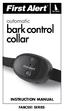 INSTRUCTION Manual FABCSS1 SERIES IMPORTANT SAFEGUARDS This device should only be used for bark deterrent training of dogs. Not recommended for use in close proximity to other dogs. Please note in some
GPS TRACKING OPERATING GUIDE PLEASE READ THIS ENTIRE GUIDE BEFORE BEGINNING
 GPS TRACKING OPERATING GUIDE PLEASE READ THIS ENTIRE GUIDE BEFORE BEGINNING IMPORTANT SAFETY INFORMATION Explanation of Attention Words and Symbols used in this guide This is the safety alert symbol. It
Indoor/Outdoor Color Camera with Built-in 2.4 GHz Wireless Transmitter, plus X10 controlled power supply, and Video Receiver.
 Indoor/Outdoor Color Camera with Built-in 2.4 GHz Wireless Transmitter, plus X10 controlled power supply, and Video Receiver. OWNER'S MANUAL VR36A XC18A XM13A MODEL VK69A (INCLUDES XC18A CAMERA, XM13A
Model Number PIF00-12917. stay + play wireless fence. operating and training guide
 Model Number PIF00-12917 stay + play wireless fence operating and training guide Please read this entire guide before beginning Important Safety Information Explanation of Attention Words and Symbols used
Wireless Indoor/ Outdoor Thermometer
 Wireless Indoor/ Outdoor Thermometer Owner s Manual Please read before using this equipment. ˆ Contents FCC Information... 3 FCC Declaration of Conformity... 5 Preparation... 5 Installing Batteries...
Remote Trainers GS-6000 GS-7000
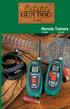 Remote Trainers GS-6000 GS-7000 Kit Contents Cabela s Gun Dog by INNOTEK Remote Trainer Kit GS-6000 Transmitter FIRST THINGS FIRST Your deluxe Gun Dog Transmitter and Receiver collar need to charge their
INSTALLATION GUIDE ConnectLine TV Adapter Getting started
 INSTALLATION GUIDE ConnectLine TV Adapter Getting started PURPOSE OF THIS GUIDE READ THIS FIRST Before your hearing instruments can receive sound from the TV, the adapter must be connected to the TV and
Mobile Emergency Response User Guide
 Mobile Emergency Response User Guide Table of Contents Introduction... 3 What s in the Box... 4 Mobile Emergency Response Features... 5 Connecting Your ADT Mobile Emergency Response System... 6 Using the
Alarm Clock USER GUIDE
 Alarm Clock USER GUIDE Jazwares, Inc. 2012 CONTENTS Please read the instructions along with the Alarm Clock carefully before you use it, so that you can operate it conveniently. WELCOME & Warnings Page
Contents. Product Code -------------------------------------------------------15. Page 1
 Contents Important Safety Instructions -------------------------------------2 BT HP01 --------------------------------------------------------------4 BT HP01 Anatomy ---------------------------------------------------5
User Guide for the Wireless Headset (HS-11W) 9235346 Issue 1
 User Guide for the Wireless Headset (HS-11W) 9235346 Issue 1 DECLARATION OF CONFORMITY We, NOKIA CORPORATION declare under our sole responsibility that the product HS-11W is in conformity with the provisions
AM/FM Emergency Weather Radio/Light With Hand Crank Back-Up Power
 VEC173 ONE YEAR LIMITED WARRANTY PROGRAM This limited warranty program is the only one that applies to this product, and it sets forth all the responsibilities of Vector Manufacturing, regarding this product.
CMD-8000 rev. A COMMANDER SERIES REMOTE CONTROL ENTRY SYSTEM
 INTRODUCTION CMD-8000 rev. A COMMANDER SERIES REMOTE CONTROL ENTRY SYSTEM Thank you for purchasing the CMD-8000 Commander from Dakota Digital. This, along with many other products that Dakota Digital has
user s manual Battery Case model #: SPB3200 Battery Case Charger for Samsung Galaxy S 4
 user s manual model #: SPB3200 Charger for Samsung Galaxy S 4 What s Included Unpack the battery case and make sure all accessories are put aside so they will not be lost. hello. USB to Micro USB Cable
2013 VTech Printed in China 91-009656-000 US
 Rechargeable Power Pack User s Manual 2013 VTech Printed in China 91-009656-000 US INTRODUCTION The Rechargeable Power Pack makes it easier than ever to keep the InnoTab 3 or InnoTab 3S charged and ready
PIR-1 Owner s Manual
 PIR-1 Owner s Manual PIR-1 Owner s Manual 2010 Universal Remote Control, Inc. The information in this manual is copyright protected. No part of this manual may be copied or reproduced in any form without
Jarv Joggerz BT-301 Bluetooth Stereo Headphones Users Guide
 Jarv Joggerz BT-301 Bluetooth Stereo Headphones Users Guide Features: Bluetooth Wireless technology Compact design fits in the palm of your hand and weighs less than 2 oz. Comfortable Behind the Neck design
NFC Communication Tray Model: HHX-IT3-Z
 INSTRUCTION MANUAL NFC Communication Tray Model: HHX-IT3-Z ENGLISH CONTENTS Introduction...3 Important safety information...4 Know your unit...6 Transferring data to the PC...7 Care and maintenance...8
Atomic Alarm Clock model 13131W2
 Instruction Manual Atomic Alarm Clock model 13131W2 CONTENTS Unpacking Instructions... 2 Package Contents... 2 Product Registration... 2 Features & Benefits... 3 Clock Setup... 4 Atomic Clock... 5 Set
Kinivo 301BN HDMI Switch
 Kinivo 301BN HDMI Switch User Manual 2012 Kinivo LLC. All rights reserved. Kinivo is a trademark of Kinivo LLC. Bluetooth word mark and the Bluetooth logo are registered trademarks of Bluetooth SIG. All
2GB MP3 Player USER GUIDE
 DO NOT FORMAT UNIT under FAT. 2GB MP3 Player USER GUIDE Jazwares, Inc. 2010 CONTENTS Please read the instructions along with the MP3 Player carefully before you use it, so that you can operate it conveniently.
110244-003. PrintPAD CN3/4/3e/4e. User Guide
 110244-003 PrintPAD CN3/4/3e/4e User Guide TABLE OF CONTENTS PrintPAD CN3/4 & PrintPAD CN3e/4e Printer Views...1 Open View...1 Closed View...1 Using Batteries: General Guidelines...1 Installing and/or
Setup Guide. A Step-by-Step Guide for Programming and Operating a Complete Lutron RadioRA Wireless Central Home Lighting Control System
 Setup Guide A Step-by-Step Guide for Programming and Operating a Complete Lutron RadioRA Wireless Central Home Lighting Control System Note: Please leave this manual with homeowner. Important Application
SP1790JK 900MHz Wireless Indoor/Outdoor Speakers. User Manual INTRODUCTION FEATURES IMPORTANT SAFETY INFORMATION
 SP1790JK 900MHz Wireless Indoor/Outdoor Speakers INTRODUCTION This 900 MHz digital hybrid wireless speaker system uses the latest wireless technology that enables you to enjoy music and TV sound anywhere
CS55H HOME EDITION... WIRELESS HEADSET SYSTEM
 CS55_HO_606.qxd /6/06 : PM Page ii WARRANTY Limited Warranty This warranty covers defects in materials and workmanship of products manufactured, sold or certified by Plantronics which were purchased and
3.5 mm Audio Jack. Manual innoxplore ix B24 A2DP Stereo Bluetooth Audio Adapter Dongle 3.5mm Audio Jack [ix B24] Contents
![3.5 mm Audio Jack. Manual innoxplore ix B24 A2DP Stereo Bluetooth Audio Adapter Dongle 3.5mm Audio Jack [ix B24] Contents](/thumbs/40/20932712.jpg "3.5 mm Audio Jack. Manual innoxplore ix B24 A2DP Stereo Bluetooth Audio Adapter Dongle 3.5mm Audio Jack [ix B24] Contents") 3.5 mm Audio Jack Manual innoxplore ix B24 A2DP Stereo Bluetooth Audio Adapter Dongle 3.5mm Audio Jack [ix B24] Contents 1 Safety Information.. 2 1.1. Electronic Devices 2 1.2 Aircraft..2 1.3 Medical Instruments..2
3.5 mm Audio Jack Manual innoxplore ix B24 A2DP Stereo Bluetooth Audio Adapter Dongle 3.5mm Audio Jack [ix B24] Contents 1 Safety Information.. 2 1.1. Electronic Devices 2 1.2 Aircraft..2 1.3 Medical Instruments..2
AVerMedia AVerKey imicro User s Manual
 FCC NOTICE This device has been tested and found to comply with the limits for a Class B digital device, pursuant to Part 15 of the FCC Rules. These limits are designed to provide reasonable protection
Intelli-Time Alarm Clock model 13027
 Instruction Manual Intelli-Time Alarm Clock model 13027 CONTENTS Unpacking Instructions... 2 Package Contents... 2 Product Registration... 2 Features & Benefits... 3 Clock Setup... 4 Intelli-Time Clock...
Table of Contents Function Keys of Your RF Remote Control Quick Setup Guide Advanced Features Setup Troubleshooting
 Congratulations on your purchase of the AT&T U-verse TV Point Anywhere RF Remote Control. This product has been designed to provide many unique and convenient features to enhance your AT&T U-verse experience.
Wireless Alarm System. Wireless Keypad. User s Manual. Choice ALERT. Control all sensors, accessories and remote transmitters from one location
 Wireless Alarm System Wireless Keypad User s Manual 1 2 3 4 Choice ALERT Control all sensors, accessories and remote transmitters from one location Table of Contents Important Safeguards 4 Introduction
Alarm Clock USER GUIDE
 Alarm Clock USER GUIDE Jazwares, Inc. 2010 1 CONTENTS Please read the instructions along with the alarm clock carefully before you use it, so that you can operate it conveniently. WELCOME, Safety Tips
Mini Power Bank and Charger
 Mini Power Bank and Charger Owner s Manual Please read before using this equipment. Your charger is ETL listed to UL standards and meets all applicable FCC standards. WARNING: To reduce the risk of fire
Plantronics.Audio 995 User Guide
 Plantronics.Audio 995 User Guide Welcome Congratulations on purchasing your new Plantronics.Audio 995. This User Guide contains instructions for setting up and using the.audio 995. Please refer to the
USER GUIDE CS50/55... WIRELESS OFFICE HEADSET SYSTEM
 USER GUIDE CS50/55... WIRELESS OFFICE HEADSET SYSTEM TABLE OF CONTENTS PACKAGE CONTENTS Package Contents Features Setup Setup - Handset Lifter (Optional) Charging Positioning Adjusting Fit Making/Answering/Ending
ITC-BTTN Cellular Bluetooth Gateway. Owner s Manual 1
 ITC-BTTN Cellular Bluetooth Gateway Owner s Manual 1 2 Table of Contents Introduction...3 Package Contents...3 XLink Connections Diagram...4 Setup...5 Pairing your Bluetooth Cell Phone to the XLink...6
CS70 WARRANTY MAINTENANCE TECHNICAL SUPPORT
 WARRANTY Limited Warranty This warranty covers defects in materials and workmanship of products manufactured, sold or certified by Plantronics which were purchased and used in the United States. This warranty
Model 70A00-1. GSM Cellular Communications Center
 Home Automation, Inc. Model 70A00-1 GSM Cellular Communications Center Operation Manual Document Number 70I00-1 Rev A August, 2009 Contents Description... 1 Use with security systems...1 Everyday use...2
Laser Wireless Rechargeable Mouse. User s Manual
 Laser Wireless Rechargeable Mouse Model #: LM8000WR User s Manual Rev. 060801 User s Record: To provide quality customer service and technical support, it is suggested that you keep the following information
Weather Radio Alarm Clock
 1200093 User s Guide Weather Radio Alarm Clock Thank you for purchasing your Weather Radio Alarm Clock from RadioShack. Please read this user s guide before installing, setting up, and using your new weather
READ FIRST! Universal Car/Air Adapter User Manual
 AutoAir Manual 1/9/03 2:03 PM Page 1 READ FIRST! Universal Car/Air Adapter User Manual Congratulations! Your new Kensington Universal Car/Air Adapter is a highly efficient Universal Car/Air Adapter for
Atomic Projection Alarm Clock model 13021
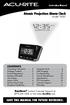 Instruction Manual Atomic Projection Alarm Clock model 13021 CONTENTS Unpacking Instructions... 2 Package Contents... 2 Product Registration... 2 Features & Benefits... 3 Clock Setup... 5 Atomic Clock...
MXD3G User Manual Revision 0 July 29, 2013
 MXD3G User Manual Revision 0 July 29, 2013 Manufactured by Mytrex, Inc. 10321 South Beckstead Lane South Jordan, UT 84095 (801) 571-4121, Fax (801) 571-4606 Toll Free (800) 688-9576, Fax (877) 571-4606
Security System Owner s Manual
 Security System Owner s Manual Interactive Technologies Inc. 2266 North 2nd Street North St. Paul, MN 55109 FCC Notices FCC Part 15 Information to the User Changes or modifications not expressly approved
Wireless Alarm System. Panic Button. User s Manual. Choice ALERT. Control all sensors, accessories and remote transmitters from one location
 Wireless Alarm System Panic Button User s Manual Choice ALERT Control all sensors, accessories and remote transmitters from one location Table of Contents Important Safeguards 4 Introduction 5 Activating
The Third Rail System User Manual
 The Third Rail System User Manual System Contents: Slim Case and Smart Battery for iphone 4 Slim Case for iphone 4 Smart Battery micro-usb Cable USB Adapter Cable User Manual Smart Battery only Smart Battery
BOSE. Link AL8 HOMEWIDE WIRELESS AUDIO LINK
 BOSE Link AL8 HOMEWIDE WIRELESS AUDIO LINK Français English SAFETY INFORMATION Please read this owner s guide Please take the time to follow the instructions in this owner s guide carefully. It will help
User manual. Your best protection against theft and loss. (Android) Made for
 User manual Made for Your best protection against theft and loss (Android) Warranty SCOPE OF THE WARRANTY Subject to legal provisions, the responsibility of SECU4 under this warranty is limited to the
StructureScan HD Module. Installation Guide ENGLISH. www.bandg.com www.simrad-yachting.com www.lowrance.com
 StructureScan HD Module Installation Guide ENGLISH www.bandg.com www.simrad-yachting.com www.lowrance.com Disclaimer As Navico is continuously improving this product, we retain the right to make changes
Comfort Contego User Manual
 Comfort Contego User Manual Please read the User Manual before using this product. Comfort Contego T900 Transmitter English Comfort Contego R900 Receiver DO NOT USE the COMFORT CONTEGO if you have a PACEMAKER
Targus Wireless RF Mouse USER S GUIDE. Making Your Mobile Life Easier.
 Targus Wireless RF Mouse Visit our Web site at: www.targus.com Features and specifications are subject to change without notice. 2004 Targus Group International and Targus, Inc.. 400-0111-001B USER S GUIDE
Bluetooth Stereo Headphone. User Guide. Hive
 Bluetooth Stereo Headphone User Guide Hive 1. Product Description Avantree Hive is a Bluetooth stereo headphone with MIC from the Avantree family. It delivers clear voice transmission and high quality
Key. ➍ Micro USB Port ➎ Operating System Toggle Keys ➏ Foam Screen Protectors. ➊ On/Off switch ➋ Bluetooth Connect Button (flashes when searching)
 INSTRUCTION MANUAL ➏ ➋ ➊ Product Features ➎ ➍ ➌ Built-in wireless Bluetooth 3.0 keyboard Compatible across ios, Android, and Windows, enabling you to mix and match with devices Ultra-thin, lightweight
User Guide Microsoft Screen Sharing for Lumia Phones (HD-10)
 User Guide Microsoft Screen Sharing for Lumia Phones (HD-10) Issue 1.1 EN-US User Guide Microsoft Screen Sharing for Lumia Phones (HD-10) Contents Safety 3 About your accessory 4 Keys and parts 5 Connect
ANT1750F Multi-Directional Slim Digital Antenna / Antena multidireccional plana para interiores / Antenne numérique mince multidirectionnelle
 Multi-Directional Slim Digital Antenna / Antena multidireccional plana para interiores / Antenne numérique mince multidirectionnelle User s Guide / Guía del Usuario / Guide de l utilisateur FCC Statement
Manual. Simrad StructureScan LSS-1 Sonar Module. English
 Manual Simrad StructureScan LSS-1 Sonar Module English www.simrad-yachting.com A brand by Navico - Leader in Marine Electronics Disclaimer As Navico is continuously improving this product, we retain the
User Guide Nokia Portable Wireless Charging Plate DC-50
 User Guide Nokia Portable Wireless Charging Plate DC-50 Issue 1.1 EN User Guide Nokia Portable Wireless Charging Plate DC-50 Contents For your safety 3 About your accessory 4 Keys and parts 5 Top up your
DELORME. Getting Started with. Earthmate GPS BT-20. Bluetooth
 DELORME Getting Started with GPS BT-20 Bluetooth Earthmate Table of Contents Overview... 2 Hardware Features... 2 Using the Earthmate GPS BT-20... 3 Charging the Battery... 4 Troubleshooting... 4 Hardware
Wireless Alarm System. Window/Door Sensor. User s Manual. Choice ALERT. Control all Sensors & accessories from one location
 45131 Wireless Alarm System Window/Door Sensor User s Manual Choice ALERT Control all Sensors & accessories from one location Table of Contents Important Safeguards 4 Introduction 5 Installation 6 Assigning
USB 2.0 4-Port Hub with USB Power Cable. User s Manual
 USB 2.0 4-Port Hub with USB Power Cable Model: UH2500 User s Manual 251104-109159 Rev. 061107 User s Record: To provide quality customer service and technical support, it is suggested that you keep the
ER102. Emergency Crank Weather Radio Owner s Manual. www.midlandradio.com
 ER102 Emergency Crank Weather Radio Owner s Manual Table of Contents Welcome to the World of Midland Electronics Major ER102 Features ER102 Controls and Functions ER102 Power Sources - Built-in Rechargeble
LED Security Spotlight User Manual
 MOT ION-TR ACKING LED Security Spotlight User Manual www.jascoproducts.com 1-800-654-8483 2 TABLE OF CONTENTS Parts List 3 Questions? Missing Parts? 4 Installation (Wall mount) 6-9 Installation (Eave mount)
LF-IRX. Limited Warranty LF-IRX. Remote Control Extender OWNER S MANUAL
 Limited Warranty OWNER S MANUAL Audiovox Corporation (Audiovox) warrants this product against defects in materials or workmanship for one (1) year from the date of purchase. During this period, this product
Portable Multiband Radio (120-0456A) Features Faxback Doc. # 56400
 (120-0456A) Features Faxback Doc. # 56400 Your RadioShack Portable Multiband Radio is an all-in-one radio system designed to provide high-quality sound. the multi-band tuner lets you listen to the radio,
Optical Wireless Mouse. User s Manual
 Optical Wireless Mouse Model : OM4000W User s Manual 110935-109154 Rev. 061101 User s Record: To provide quality customer service and technical support, it is suggested that you keep the following information
Plantronics Inc 345 Encinal Street Santa Cruz, CA 95060 USA Tel: (800) 544-4660. www.plantronics.com
 Plantronics Inc 345 Encinal Street Santa Cruz, CA 95060 USA Tel: (800) 544-4660 www.plantronics.com 2005 Plantronics, Inc. All rights reserved. Plantronics, the logo design, Plantronics and the logo design
ReadyNet Easy Jack 2 Voice/Data and Data Only Owner s Manual PX-211d and PX-211v
 ReadyNet Easy Jack 2 Voice/Data and Data Only Owner s Manual PX-211d and PX-211v Phonex Broadband Corporation dba ReadyNet 6952 High Tech Drive Midvale, Utah 84047 801.566.0100 Phone 801.566.0880 Fax www.readynetsolutions.com
USER GUIDE. BLUETOOTH HEADSET system
 USER GUIDE Plantronics VOYAGER 510-USB BLUETOOTH HEADSET system 0 0 0 TABLE OF CONTENTS PACKAGE CONTENTS Package Contents 3 Features 4 Charging 5 Powering 6 Pairing 7 Installing PerSono Suite Software
AGES 8+ b e g g i n ʼ f o r t h e b e a t USER S GUIDE
 AGES 8+ b e g g i n ʼ f o r t h e b e a t USER S GUIDE Thank you for purchasing I-DOG. Be sure to read and follow all instructions carefully before using this product. Feed this robotic pooch your music
Quick Start USER GUIDE
 ECOSTONE Features & Operation Models: GDI-EGST700--710 QUICK START 1-2-3 STEP 1: STEP 2: STEP 3: Power ON your ECOSTONE SEARCH your Bluetooth Connection on your Smart-device PAIR & PLAY STANDBY ON/OFF
T55003. TPMS Tool Manual 1. T55003 INTRODUCTION 2. KEYPAD SUMMARY AND FUNCTIONS
 T55003 TPMS Tool Manual To ensure correct operation and service, read the following instructions before operating the T55003 Tool. 1. T55003 INTRODUCTION The T55003 interacts with the tire pressure sensor
THE NEW GENERATION IN TECHNOLOGY. NI-3103A Alarm Clock w/fm Radio ipod & iphone Docking. Operating Instructions
 THE NEW GENERATION IN TECHNOLOGY NI-3103A Alarm Clock w/fm Radio ipod & iphone Docking Operating Instructions Table of Contents Important Safeguards... 3 Parts... 6 Controls... 6 To Set Up... 7 ipod/iphone
Jarv Nmotion BTHL-201 Bluetooth Stereo Earbuds Users Guide
 Jarv Nmotion BTHL-201 Bluetooth Stereo Earbuds Users Guide Features: Bluetooth wireless technology Comfortable lightweight in-ear design with detachable sports ear hooks for added support High Definition
User Guide Nokia Bluetooth Headset BH-222
 User Guide Nokia Bluetooth Headset BH-222 Issue 1.0 EN-US BC User Guide Nokia Bluetooth Headset BH-222 Contents Safety 3 About your headset 4 Keys and parts 5 Charge your headset 6 Switch your headset
Installation & Operation Manual HANDS-FREE BLUETOOTH MEDIA INTEGRATION KIT. Perfect for ANDROID TM
 GET CONNECTED Installation & Operation Manual HANDS-FREE BLUETOOTH MEDIA INTEGRATION KIT TranzIt BLU HF ISFM2351 Perfect for ANDROID TM Note to Readers, The information contained within the following documentation
Daily use. Never use alcohol or other solvents to clean any part of the loudspeakers!
 BeoLab 6002 Guide WARNING: To reduce the risk of fire or electric shock, do not expose this appliance to rain or moisture. Do not expose this equip ment to dripping or splashing and ensure that no objects
Dual-Cool Notebook Cooler Pad. User s Manual
 Dual-Cool Notebook Cooler Pad Model #: CF4500U User s Manual Rev. 060801 User s Record: To provide quality customer service and technical support, it is suggested that you keep the following information
Wireless Mouse USER GUIDE. for Mac. www.targus.com/us/formac ONE YEAR LIMITED WARRANTY N2953
 AMW43US / 410-1514-001C N2953 www.targus.com/us/formac 2008 Manufactured or imported by Targus Group International, Inc. (for U.S. sales: 1211 North Miller Street, Anaheim, CA 92806 USA, for Australia
3 WATT LED SPOTLIGHT Model No. SLM - 3801
 3 WATT LED SPOTLIGHT Model No. SLM - 3801 OWNER'S MANUAL Customer Service Tel: 1-800-268-3319 Superex Canada Ltd, Toronto,M2H 3B8 Made in China Table of Contents A). Important Safety Instructions B). Charging
RADIO CONTROLLED DIGITAL CLOCK MODELS 88905 / 88906
 RADIO CONTROLLED DIGITAL CLOCK MODELS 88905 / 88906 QUICK SETUP GUIDE IMPORTANT! INSTALL BATTERIES IN THE OUTDOOR TRANSMITTER BEFORE INSTALLING BATTERIES IN THE RADIO-CONTROLLED CLOCK. ALKALINE BATTERIES
USB/VGA Cat 5 UTP Console Extender
 USB/VGA Cat 5 UTP Console Extender SV565UTPU SV565UTPUGB SV565UTPUEU Instruction Manual FCC Compliance Statement This equipment has been tested and found to comply with the limits for a Class B digital
Product Overview. Product Interface
 mobile speaker Product Overview Thank you for purchasing the bēm wireless Mobile Speaker. Our speaker will bring you a new found freedom from wires while delivering an incredible sound. The Mobile Speaker
Mini Speaker. Printed in China Part No. 480-919-P Version D. CWA BT300 Product Information Guide
 Mini Speaker Printed in China Part No. 480-919-P Version D CWA BT300 Product Information Guide IMPORTANT To get the full capability of your new Cobra Airwave Mini, please read this manual. It's more than
Owner s Manual. Not suitable for mobile applications. Important Safety Instructions 2. Quick Installation 3. Basic Operation 4. Storage & Service 7
 Register online today for a chance to win a FREE Tripp Lite product! www.tripplite.com/warranty Owner s Manual Internet Office & BC Personal UPS Systems Not suitable for mobile applications. Important
juice pack juice pack Made for Samsung Galaxy S6 Made for Samsung Galaxy S6 edge USER MANUAL
 juice pack Made for Samsung Galaxy S6 juice pack Made for Samsung Galaxy S6 edge USER MANUAL Welcome Thank you for purchasing the mophie juice pack battery case for Samsung Galaxy S6 or S6 edge. Your juice