
SUPER TRAINER Micro-iDT PLUS SERIES
|
|
|
- Augustus Gabriel Kelley
- 9 years ago
- Views:
Transcription
1 TM SUPER TRAINER Micro-iDT PLUS SERIES Electronic Dog Trainer Owner s Manual Micro-iDT PLUS (One Dog Trainer with Add-On Capability)

2 2

3 TABLE OF CONTENTS Table of Contents... 3 Introduction... 4 Package Contents... 5 Model Features... 5 Parts & Functions... 6 Charging the Batteries Turning ON and OFF Testing Programming Properly Fitting the Collar Setting the Intensity Level Maintenance Important Safety Notes Warranty FCC & IC Compliance Contact Information... 20

4 INTRODUCTION Congratulations and thank you for purchasing our Micro-iDT PLUS Training Collar with Add-On capability. It offers the Maxx-Range Internal Antenna System, the industry s only internally woven antenna in the collar. With up to a 900 yard range, they are perfect for use around the house and versatile enough to use out in the field. Micro-iDT PLUS series collars feature sixteen levels of intensity with an easy no-look clicking intensity selection dial. This model includes both Momentary Nick and Continuous stimulations, and Positive Vibration. The collars are 100% waterproof and can be worn even when the dog is submerged. The Micro-iDT PLUS Series Dog Training Collar is durable, safe, and very humane when used correctly. The automatic safety shut-off feature stops the stimulation after 8 seconds to prevent accidental or prolonged stimulation. Thanks again for choosing D.T. Systems to help bring out the best in your best friend! IMPORTANT NOTE: Please read this owner s manual in its entirety before operating this unit. Should you have any questions about our collars or their operation please contact our Customer Service department (see back page for contact information). 4

5 PACKAGE CONTENTS Transmitter* Collar Receiver Rechargeable Batteries for the Collar (already installed in collar unit) Battery Charger Splitter/Adaptor Charging Cable Test Light Owner s Manual *9-volt transmitter battery not included MODEL FEATURES Digital Technology Up to 900 yard range Expandable to 2- or 3-dog system with Micro-iDT Add-On collar units (sold separately) Lightweight, compact collar and transmitter 16 adjustable intensity levels of Momentary ( Nick ) Stimulation and Continuous Stimulation Positive Vibration Rechargeable Ni-MH battery system in collar Completely waterproof collars Weather resistant transmitter Gentle Touch System Extra Mild Stimulation MAXX-Range Internal Antenna System in collar belt Built in safety shut-off system

6 PARTS & FUNCTIONS Antenna Collar Selecting Switch LED Indicator Light Vibration Button Intensity Selection Dial Momentary Nick Stimulation Button Continuous Stimulation Button Magnet Indicator (Red Mark) Model Number Battery Cover (back side) Transmitter 6

7 PARTS & FUNCTIONS Intensity Selection Dial The intensity selection dial can be set from level 1 to level 16 to find the exact stimulation level for your dog (see page 16). Transmitter Antenna Be sure to check that the antenna is securely fastened to the transmitter before each use. Handtightened only. Be careful when screwing the antenna into the transmitter. Over-tightening the antenna can cause damage to the antenna or the antenna mount. Magnet Indicator (Red Mark) The RED mark indicates the location of the magnet in the transmitter. The indicator is used to turn the receiver ON/ OFF and for ID programming. Transmitter Indicator Light When one of the buttons on the transmitter is pushed, the Red LED light will turn on to indicate that the transmitter is being operated. If the Red LED light blinks rapidly after pressing any of the transmitter buttons, the 9-volt battery will need to be replaced soon.

8 PARTS & FUNCTIONS Remote Training Buttons Pressing the NICK button will make the collar give a Momentary, or Nick Stimulation. Pressing the CONT button gives a Continuous Stimulation. Pressing the red button on the left side will make the collar Vibrate only. Collar Belt with Embedded Receiver Antenna Collar Selecting Switch Switching between collar units can be controlled by moving the toggle selection switch to the desired unit. Collar Receiver Contacts Red Mark (Magnetic Switch Indicator) Battery Charging Receptacle LED Indicator Light 8

9 PARTS & FUNCTIONS Collar Indicator Light When the Collar Receiver is turned on, the Red LED light will flash steadily once every two seconds to indicate that the unit is active. The Red LED light changes to a rapid flash when the battery is in need of charging. The Red LED light stays lit while plugged into the charger. Red Mark on the Collar Unit The Red Mark indicates the location of the Magnet Switch in the receiver. To turn the receiver ON/OFF, touch and hold the Red Mark with the Magnet Indicator (Red Mark) on the side of the transmitter until the LED light on the Collar unit starts to flash. Collar Belt with MAXX-Range Antenna The embedded collar antenna is woven into the collar belt, and runs along the entire length of the belt. CAUTION If your collar belt is too long, we recommend looping the excess collar belt back around through the buckle. We DO NOT recommend cutting the collar belt. Cutting the collar belt too much will drastically reduce the range of your collar unit. However, the collar belt can be cut up to about 3 inches without affecting the range too much.

10 PARTS & FUNCTIONS Contacts Contacts should fit snugly against the dog s neck to ensure good contact with the skin. For more information on the proper fit of the collar, see page 15. Battery Charging Receptacles The battery charging receptacles are located on the side of the Collar Receiver. After charging, always close the jack with the rubber plug to prevent foreign particles from getting inside the unit. NOTE The unit is still waterproof even if water gets into the charging receptacle. However, if water should get in, we recommend rinsing out the charging receptacle and allowing it to dry, especially after use in salt water. This will prevent premature corrosion in the metal pins inside that make contact with the charger plug. 10

11 CHARGING THE BATTERIES Micro-iDT PLUS Series collars are equipped with rechargeable Nickel Metal Hydride (NiMH) batteries, which are not memory sensitive and do not require depletion before recharging. Although batteries come partially charged from the factory, it is recommended that they are given a full charge (about 12 hours) before initial use. The transmitter uses a 9-volt replaceable battery (not included). Be sure to pay attention to the + and - charges when inserting the battery. NOTE: Rechargeable batteries typically last about 2-5 years on average depending on use and care. Do not overcharge your unit (12 hour max charge time). Fully charge and test your unit once every 4-6 weeks when storing. Do not store your unit in extreme heat/cold or moist/humid conditions. Keep batteries away from flammable substances. Battery Charging Procedure 1. Make sure the unit is off. 2. Plug the charger into a standard electrical outlet. 3. Connect the splitter cable to the charger and plug an end into the unit. 4. Charge the batteries for up to 12 hours. 5. After charging, disconnect the battery charging cable from the receptacle, securely replace the rubber battery receptacle cover, and test unit. WARNING: DO NOT CHARGE WHILE UNIT IS WET!

12 TURNING ON AND OFF The Transmitter is always in a permanent sleep state. It is only ON when a button is being pressed and does not need to be turned off by the user. Turning the Collar Unit On: Hold the Red Mark (Magnet Indicator) on the left side of the transmitter directly against the Red Mark (Magnetic Switch Indicator) on the front of the collar receiver. The Red LED Indicator will light solid for a second. Remove the transmitter from the collar unit when the LED light begins to flash. The unit is now ON, and the LED light will flash approximately every two seconds. Turning the Collar Unit Off: Hold the Red Mark (Magnet Indicator) on the left side of the transmitter directly against the Red Mark (Magnetic Switch Indicator) on the front of the collar receiver. The Red LED Indicator will light solid for a second. Remove the transmitter from the collar unit when the LED light begins to flash. The unit is now OFF, and the LED will no longer flash. NOTE If the Red LED light on the collar unit flashes rapidly while ON, the unit will need to be recharged. If the Red LED light flashes rapidly soon after a full charging session, the rechargeable batteries may need to be replaced. If the Red LED light on the transmitter flashes rapidly after any button is pressed, the 9-volt battery may need to be replaced. 12

13 TESTING NOTE: Before testing, make sure that both units are fully charged and the power to the Collar Receiver is ON. To Test the Electronic Stimulation: 1. Place the tester firmly on the contacts of the Collar Receiver. 2. Set the intensity (note - an intensity level setting of 4 or less might not be enough to light the tester). 3. Push the NICK or CONT button. 4. The tester light will quickly flash once when the Nick button is pushed and light repeatedly when the Continuous Stimulation button is pushed (the test light will be brighter at higher intensity levels). To Test the Vibration: 1. Hold the Collar Unit in your hand (make sure the intensity level is turned all the way down and avoid touching the metal contacts to prevent accidental electrical stimulation). 2. Press the red Vibration button on the side of the transmitter. 3. The Collar Unit should vibrate while the button is being pressed. NOTE: If the collar unit is not responding to any signals from the transmitter, the collar may need to be reprogrammed to the transmitter (see page 14).

14 PROGRAMMING When adding an Add-On collar, the collar will need to be programmed to the transmitter. If your current collar unit is not responding to the transmitter, it may also need to be reprogrammed to the transmitter. 1. Select the desired Collar Selecting Switch position on the transmitter. 2. Hold the Red Mark (Magnet Indicator) on the Transmitter directly against the Red Mark (Magnetic Switch Indicator) on the front of the Collar Receiver. 3. A small red light inside the Collar Receiver will light up solid for about 1 second, followed by several flashes. You must keep the Transmitter next to the Collar Receiver during this time. 4. Continue to hold the Transmitter against the Collar Receiver until the LED light stays on solid. The Collar Receiver is now in the Code Running Mode (the LED light will stay lit for approximately 8 seconds while it is in this mode). 5. Remove the Transmitter from the Collar Receiver and press the NICK and CONT buttons simultaneously while it is in the Code Running Mode. 6. When the LED light blinks 3 times, the Collar ID is now programmed and the Collar Receiver is now ON. NOTE Do not remove the Red Mark on the Transmitter from the Red Mark on the Collar Receiver until after the LED light stops flashing and stays on solid or the Collar Receiver will not go into the Code Running Mode. You must press the NICK and CONT buttons simultaneously while the LED light is lit solid. 14

15 PROPERLY FITTING THE COLLAR NOTE: Proper collar tightness and position are very important to insure safe and consistent collar use. All electronic collars need to be very snug around the dog s neck to work properly. They must be just tight enough to allow the contacts or electrodes to make good contact on your dog s skin. If the collar is too loose, the stimulation may not work properly because good/consistent skin contact is not being achieved. This can directly affect the performance of the collar unit and whether or not the dog will receive the stimulation. Always check for good contact to the skin if it appears that your dog is not responding to the stimulation. A loose collar can also result in skin irritations from moving or rubbing too much against your dog s neck while they are running or training. A proper fit will help prevent this from occurring. Place the collar unit high and tight on your dog s neck with the collar receiver box centered below the neck. Placing it at the wider base of the neck can let it travel up to the narrower part of the neck while your dog is moving, loosening as it goes. It should be tight enough to fit two fingers between the collar belt and your dog s neck, but not tight enough to restrict your dog s breathing.

16 SETTING THE INTENSITY LEVEL It is very important to set the correct intensity level on your Micro-iDT PLUS Training System before beginning your training sessions to provide the proper level of stimulation without over-stimulating your dog. 1. Place the Intensity Selection dial so that the system is set on Level Turn on the Collar and then fit it properly around your dog s neck. 3. Press either the NICK or the CONT Button and check for a reaction. Indications of your dog feeling the stimulation include outward signs of discomfort or confusion on it s face, ears perking up, changes in tail movements, etc. 4. Increase the Intensity Level in increments of one until the dog feels the stimulation. 5. At this point, increase the Intensity Level by one or two. This should be your dog s ideal training level. NOTE Some dogs may require more or less stimulation depending upon their individual temperament and/or size. 16

17 MAINTENANCE It is very important to periodically clean your MicroiDT PLUS Series systems for maximum performance. Regular cleaning will also lengthen the life of your unit. Clean the Micro-iDT PLUS Series collar box with lukewarm water and a mild anti-bacterial soap. Take care to thoroughly clean the space between the electrodes and the belt. The belt and buckle should be cleaned with water and a mild soap then allowed to dry completely. Always allow the entire unit to completely dry before using. NOTE It is recommended that the collar unit be rinsed with fresh, clean water after use in wet conditions, especially in salt water. To get the maximum performance and life out of your rechargeable batteries: Do not charge your batteries for more than 12 hours at a time. Fully charge and test your unit about once a month when storing your unit for an extended period of time. Do not store your unit in extremely hot or cold conditions. Store your unit in a dry environment.

18 IMPORTANT SAFETY NOTES Before training, your dog should be examined by a veterinarian to assure that your dog is in good health. Never leave your dog unattended with the unit on. Since no electronic device is perfect, there is a very slight possibility that your dog may receive an unintentional electric stimulation. Your Micro-iDT PLUS Series training collar is a very valuable tool if used correctly. It is extremely important that you completely understand all the functions of the collar and how to properly train with it before placing it on your dog. The electrodes on this collar are made with high grade stainless steel to help prevent any chemical or allergic reactions with your dog s skin. To prevent neck irritations, the collar should never be worn for more than 12 hours a day. Changing the collar location on the dog s neck daily will also help prevent irritations. It is important to keep the collar clean. Clean the electrodes regularly with a mild anti-bacterial soap. If an irritation is found, carefully wash the dog s neck with soap and water and then wipe the area with Hydrogen peroxide. Dry thoroughly and apply an antibiotic ointment. 18

19 WARRANTY All Micro-iDT PLUS Trainer systems have a one year parts and labor warranty effective from the original date of purchase. A copy of the original sales receipt is required to validate the date of purchase. The Micro-iDT PLUS Trainer has been made with State of the Art equipment. Any fine adjustment should be performed only by D.T. Systems technicians. NOTE Warranty covers manufacturer s defects only. It does not cover damage caused by misuse or abuse. FCC & IC COMPLIANCE Your Micro-iDT PLUS Trainer has been manufactured under complete compliance with Part 15 of the Federal Communication Commission (FCC) rules and Industry Canada (IC) Standard RSS-310. The complex internal structure of each product has been designed to operate within specific regulations of FCC specifications. Any changes or modifications not expressly approved by the manufacturer is a violation of these specifications and could void the user's authority to operate the equipment. This device complies with Part 15 of the FCC rules subject to the following two conditions: 1. This device may not cause harmful interference 2. This device must accept all interference received, including interference that may cause undesired operation. Note: This equipment has been tested and found to comply with the limits for a Class B digital device, pursuant to part 15 of the FCC Rules. These limits are designed to provide reasonable protection against harmful interference in a residential installation. This equipment generates, uses and can radiate radio frequency energy and, if not installed and used in accordance with the instructions, may cause harmful interference to radio communications. However, there is no guarantee that interference will not occur in a particular installation. If this equipment does cause harmful interference to radio or television reception, which can be determined by turning the equipment off and on, the user is encouraged to try to correct the interference by one or more of the following measures: - Reorient or relocate the receiving antenna. - Increase the separation between the equipment and receiver. - Connect the equipment into an outlet on a circuit different from that to which the receiver is connected. - Consult the dealer or an experienced radio/tv technician for help. This Category II radiocommunication device complies with Industry Canada Standard RSS mv. Ce dispositif de radiocommunication de catégorie II respecte la norme CNR-310 d'industrie Canada.

20 2872 Walnut Hill Lane Dallas, Texas Tel: (214) , (888) Fax: (214) Website: iDT PLUS Printed in Korea 20

Key. ➍ Micro USB Port ➎ Operating System Toggle Keys ➏ Foam Screen Protectors. ➊ On/Off switch ➋ Bluetooth Connect Button (flashes when searching)
 INSTRUCTION MANUAL ➏ ➋ ➊ Product Features ➎ ➍ ➌ Built-in wireless Bluetooth 3.0 keyboard Compatible across ios, Android, and Windows, enabling you to mix and match with devices Ultra-thin, lightweight
Table of Contents Function Keys of Your RF Remote Control Quick Setup Guide Advanced Features Setup Troubleshooting
 Congratulations on your purchase of the AT&T U-verse TV Point Anywhere RF Remote Control. This product has been designed to provide many unique and convenient features to enhance your AT&T U-verse experience.
Operating and Training Guide
 BIG DOG Operating and Training Guide Please read this entire guide before beginning. Thank you for choosing PetSafe, the best selling brand of electronic training solutions in the world. Our mission is
NFC Communication Tray Model: HHX-IT3-Z
 INSTRUCTION MANUAL NFC Communication Tray Model: HHX-IT3-Z ENGLISH CONTENTS Introduction...3 Important safety information...4 Know your unit...6 Transferring data to the PC...7 Care and maintenance...8
Wireless Travel Mouse with 5-Buttons User Manual
 Wireless Travel Mouse with 5-Buttons User Manual Product Features 1. Radio frequency 27MHz wireless transmission 2. Use of 256 ID codes to prevent interference between several wireless mice being used
INSTRUCTION Manual FABCSS1 SERIES
 INSTRUCTION Manual FABCSS1 SERIES IMPORTANT SAFEGUARDS This device should only be used for bark deterrent training of dogs. Not recommended for use in close proximity to other dogs. Please note in some
Pad. Quick Start Guide
 Pad Quick Start Guide Copyright 2008 Mimio Congratulations on your mimio Pad purchase! mimio Pad is a 4 GHz wireless pad. To configure mimio Pad for use, install the mimio Studio software and plug the
User Manual CABLE TESTER CT100. Professional 6-in-1 Cable Tester
 User Manual CABLE TESTER CT100 Professional 6-in-1 Cable Tester 2 CABLE TESTER CT100 User Manual 1. Introduction Congratulations! With the CT100, you have purchased an indispensable tool that enables you
OPERATING GUIDE PLEASE READ THIS ENTIRE GUIDE BEFORE BEGINNING
 OPERATING GUIDE PLEASE READ THIS ENTIRE GUIDE BEFORE BEGINNING 400-696-4.indd 1 Important Safety Information Explanation of Attention Words and Symbols used in this guide This is the safety alert symbol.
56-A11A-10511. Plantronics Calisto Headset with Bluetooth USB Adapter. User Guide
 56-A11A-10511 Plantronics Calisto Headset with Bluetooth USB Adapter User Guide Table of Contents Package Contents... 1 Product Features... 2 Wearing Your Headset... 3 Powering... 4 Charging... 5 Indicator
Wireless Indoor/ Outdoor Thermometer
 Wireless Indoor/ Outdoor Thermometer Owner s Manual Please read before using this equipment. ˆ Contents FCC Information... 3 FCC Declaration of Conformity... 5 Preparation... 5 Installing Batteries...
Plantronics.Audio 995 User Guide
 Plantronics.Audio 995 User Guide Welcome Congratulations on purchasing your new Plantronics.Audio 995. This User Guide contains instructions for setting up and using the.audio 995. Please refer to the
RADIO CONTROLLED DIGITAL CLOCK MODELS 88905 / 88906
 RADIO CONTROLLED DIGITAL CLOCK MODELS 88905 / 88906 QUICK SETUP GUIDE IMPORTANT! INSTALL BATTERIES IN THE OUTDOOR TRANSMITTER BEFORE INSTALLING BATTERIES IN THE RADIO-CONTROLLED CLOCK. ALKALINE BATTERIES
Indoor/Outdoor Color Camera with Built-in 2.4 GHz Wireless Transmitter, plus X10 controlled power supply, and Video Receiver.
 Indoor/Outdoor Color Camera with Built-in 2.4 GHz Wireless Transmitter, plus X10 controlled power supply, and Video Receiver. OWNER'S MANUAL VR36A XC18A XM13A MODEL VK69A (INCLUDES XC18A CAMERA, XM13A
WPR400 Wireless Portable Reader
 P516-098 WPR400 Wireless Portable Reader User guide Para el idioma español, navegue hacia www.schlage.com/support. Pour la portion française, veuillez consulter le site www.schlage.com/support. Contents
56-K61A-15000. Plantronics Calisto Headset with Bluetooth USB Adapter. User Guide
 56-K61A-15000 Plantronics Calisto Headset with Bluetooth USB Adapter User Guide Table of Contents Package Contents... 1 Product Features... 2 Wearing Your Headset... 3 Powering... 4 Charging... 5 Indicator
Installer Guide smart connect
 Installer Guide smart connect TM 7330 Wireless Remote Humidity Sensor Please read all instructions before proceeding. The wireless remote humidity sensor monitors the humidity passing through the return
PR-2500 Portable Receiver. Owner s Manual
 PR-2500 Portable Receiver Owner s Manual CONTENTS The PR-2500, battery charger, and belt clip. (figure 1) Figure 1 Warning This device complies with Part 15 of the FCC rules, operation of this device is
Wireless Alarm System. Panic Button. User s Manual. Choice ALERT. Control all sensors, accessories and remote transmitters from one location
 Wireless Alarm System Panic Button User s Manual Choice ALERT Control all sensors, accessories and remote transmitters from one location Table of Contents Important Safeguards 4 Introduction 5 Activating
LED Security Spotlight User Manual
 MOT ION-TR ACKING LED Security Spotlight User Manual www.jascoproducts.com 1-800-654-8483 2 TABLE OF CONTENTS Parts List 3 Questions? Missing Parts? 4 Installation (Wall mount) 6-9 Installation (Eave mount)
USER GUIDE. BLUETOOTH HEADSET system
 USER GUIDE Plantronics VOYAGER 510-USB BLUETOOTH HEADSET system 0 0 0 TABLE OF CONTENTS PACKAGE CONTENTS Package Contents 3 Features 4 Charging 5 Powering 6 Pairing 7 Installing PerSono Suite Software
SP1790JK 900MHz Wireless Indoor/Outdoor Speakers. User Manual INTRODUCTION FEATURES IMPORTANT SAFETY INFORMATION
 SP1790JK 900MHz Wireless Indoor/Outdoor Speakers INTRODUCTION This 900 MHz digital hybrid wireless speaker system uses the latest wireless technology that enables you to enjoy music and TV sound anywhere
Portable Multiband Radio (120-0456A) Features Faxback Doc. # 56400
 (120-0456A) Features Faxback Doc. # 56400 Your RadioShack Portable Multiband Radio is an all-in-one radio system designed to provide high-quality sound. the multi-band tuner lets you listen to the radio,
PIR-1 Owner s Manual
 PIR-1 Owner s Manual PIR-1 Owner s Manual 2010 Universal Remote Control, Inc. The information in this manual is copyright protected. No part of this manual may be copied or reproduced in any form without
User guide. Miracast Wireless Display IM10
 User guide Miracast Wireless Display IM10 Contents Miracast Wireless Display User guide...3 Setting up the Miracast Wireless Display...4 Hardware overview...4 Turning on and connecting the Miracast Wireless
User Guide. Soft-Touch TM Bluetooth Laser Mouse N2953
 Soft-Touch TM Bluetooth Laser Mouse 410-XXXXXXXXXXX 1 YEAR LIMITED WARRANTY: We pride ourselves on the quality of our products. For complete warranty details and a list of our worldwide offices, please
Basic Bark Control Collar
 Basic Bark Control Collar operating guide Please read this entire guide before beginning Important Safety Information Explanation of Attention Words and Symbols used in this guide This is the safety alert
User Guide Microsoft Screen Sharing for Lumia Phones (HD-10)
 User Guide Microsoft Screen Sharing for Lumia Phones (HD-10) Issue 1.1 EN-US User Guide Microsoft Screen Sharing for Lumia Phones (HD-10) Contents Safety 3 About your accessory 4 Keys and parts 5 Connect
User Guide for the Wireless Headset (HS-11W) 9235346 Issue 1
 User Guide for the Wireless Headset (HS-11W) 9235346 Issue 1 DECLARATION OF CONFORMITY We, NOKIA CORPORATION declare under our sole responsibility that the product HS-11W is in conformity with the provisions
Remote Trainers GS-6000 GS-7000
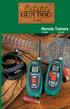 Remote Trainers GS-6000 GS-7000 Kit Contents Cabela s Gun Dog by INNOTEK Remote Trainer Kit GS-6000 Transmitter FIRST THINGS FIRST Your deluxe Gun Dog Transmitter and Receiver collar need to charge their
4.3-inch Back-Up Camera
 TM 4.-inch Back-Up Camera Model No.: PKC0BU4 Owner s Manual and Warranty Information Read these instructions completely before using this product. Retain this Owner s Manual for future reference. INTRODUCTION
Model: 308-1412 Manual DC: 080215 WIRELESS COLOR FORECAST STATION
 Model: 308-1412 Manual DC: 080215 WIRELESS COLOR FORECAST STATION FRONT VIEW SENSOR TX141TH-Bv2 LED TX Sensor Battery Cover Sensor Battery Compartment 2 AA Buttons Battery Compartment 3 AAA BACK VIEW Battery
Radio Control System
 Radio Control System The Radio Control System consists of the control transmitter unit held by the operator and the receiver with its associated components in the robot. The Radio Control Transmitter converts
PetSafe Spray Bark Control Collar
 PetSafe Spray Bark Control Collar Operating Guide Please read this entire guide before beginning Thank you for choosing PetSafe, the #1 selling brand of electronic training solutions in the world. Our
User Guide Nokia Portable Wireless Charging Plate DC-50
 User Guide Nokia Portable Wireless Charging Plate DC-50 Issue 1.1 EN User Guide Nokia Portable Wireless Charging Plate DC-50 Contents For your safety 3 About your accessory 4 Keys and parts 5 Top up your
StructureScan HD Module. Installation Guide ENGLISH. www.bandg.com www.simrad-yachting.com www.lowrance.com
 StructureScan HD Module Installation Guide ENGLISH www.bandg.com www.simrad-yachting.com www.lowrance.com Disclaimer As Navico is continuously improving this product, we retain the right to make changes
BCS1 Bluetooth Aux Car Adapter Kit
 BCS1 Bluetooth Aux Car Adapter Kit Table of Contents Introduction 3 What s In the Box? 4 Controls and Indicators 5 Installation 6 Pairing Your Phone 14 Operation 15 Troubleshooting 24 Safety Warnings 25
2013 VTech Printed in China 91-009656-000 US
 Rechargeable Power Pack User s Manual 2013 VTech Printed in China 91-009656-000 US INTRODUCTION The Rechargeable Power Pack makes it easier than ever to keep the InnoTab 3 or InnoTab 3S charged and ready
Wireless Alarm System. Alarm Siren. User s Manual. Choice ALERT. Control all Sensors & accessories from one location
 45136 Wireless Alarm System Alarm Siren User s Manual Low Batt On Armed ON/OFF LEARN Choice ALERT Control all Sensors & accessories from one location Table of Contents Important Safeguards 4 Introduction
Owner's Manual STEREO EARPHONES WITH BLUETOOTH WIRELESS TECHNOLOGY. Model: CBH515-OD PLEASE READ BEFORE OPERATING THIS EQUIPMENT.
 Size: 148.5(W) x 210(H)mm (A5) STEREO EARPHONES WITH BLUETOOTH WIRELESS TECHNOLOGY Owner's Manual PLEASE READ BEFORE OPERATING THIS EQUIPMENT. Model: CBH515-OD FCC INFORMATION: This equipment has been
INSTALLATION GUIDE ConnectLine TV Adapter Getting started
 INSTALLATION GUIDE ConnectLine TV Adapter Getting started PURPOSE OF THIS GUIDE READ THIS FIRST Before your hearing instruments can receive sound from the TV, the adapter must be connected to the TV and
Wireless Keyboard and Optical Mouse Bundle
 Wireless Keyboard and Optical Mouse Bundle Enjoy the freedom of wireless optical precision User Manual F8E832-BNDL TABLE OF CONTENTS Introduction....................................1 Compatible Equipment............................2
Plantronics Calisto Headset with Bluetooth USB Adapter User Guide 56-K61A-23010
 56-K61A-23010 Plantronics Calisto Headset with Bluetooth USB Adapter User Guide Contents Package Contents... 1 Product Features... 2 Wearing Your Headset... 3 Powering Your Headset and USB Bluetooth Adapter...
AM/FM Emergency Weather Radio/Light With Hand Crank Back-Up Power
 VEC173 ONE YEAR LIMITED WARRANTY PROGRAM This limited warranty program is the only one that applies to this product, and it sets forth all the responsibilities of Vector Manufacturing, regarding this product.
User manual. Your best protection against theft and loss. (Android) Made for
 User manual Made for Your best protection against theft and loss (Android) Warranty SCOPE OF THE WARRANTY Subject to legal provisions, the responsibility of SECU4 under this warranty is limited to the
Wireless Mouse USER GUIDE. for Mac. www.targus.com/us/formac ONE YEAR LIMITED WARRANTY N2953
 AMW43US / 410-1514-001C N2953 www.targus.com/us/formac 2008 Manufactured or imported by Targus Group International, Inc. (for U.S. sales: 1211 North Miller Street, Anaheim, CA 92806 USA, for Australia
Wireless Stow-N-Go Keypad USER GUIDE
 Wireless Stow-N-Go Keypad USER GUIDE Table of Contents Introduction...3 System Requirements...3 Installing the Battery...4 Connecting the Receiver and Installing the Default Drivers...5 Turning the Keypad
Schlage Control Smart Locks
 Schlage Control Smart Locks with Engage technology User guide Schlage Control Smart Locks with Engage technology User Guide Contents 3 Warranty 4 Standard Operation 4 Operation from the Inside 4 Operation
USB to IDE or SATA Adapter
 USB to IDE or SATA Adapter USB 2.0 to IDE or SATA Adapter Cable USB2SATAIDE Instruction Manual Actual product may vary from photo FCC Compliance Statement This equipment has been tested and found to comply
Kinivo 301BN HDMI Switch
 Kinivo 301BN HDMI Switch User Manual 2012 Kinivo LLC. All rights reserved. Kinivo is a trademark of Kinivo LLC. Bluetooth word mark and the Bluetooth logo are registered trademarks of Bluetooth SIG. All
DELORME. Getting Started with. Earthmate GPS BT-20. Bluetooth
 DELORME Getting Started with GPS BT-20 Bluetooth Earthmate Table of Contents Overview... 2 Hardware Features... 2 Using the Earthmate GPS BT-20... 3 Charging the Battery... 4 Troubleshooting... 4 Hardware
Bluetooth Stereo Headphone. User Guide. Hive
 Bluetooth Stereo Headphone User Guide Hive 1. Product Description Avantree Hive is a Bluetooth stereo headphone with MIC from the Avantree family. It delivers clear voice transmission and high quality
AVerMedia AVerKey imicro User s Manual
 FCC NOTICE This device has been tested and found to comply with the limits for a Class B digital device, pursuant to Part 15 of the FCC Rules. These limits are designed to provide reasonable protection
Mini Speaker. Printed in China Part No. 480-919-P Version D. CWA BT300 Product Information Guide
 Mini Speaker Printed in China Part No. 480-919-P Version D CWA BT300 Product Information Guide IMPORTANT To get the full capability of your new Cobra Airwave Mini, please read this manual. It's more than
GSM-EXT Cable Assembly Installation Guide
 GSM-EXT Cable Assembly Installation Guide For Documentation and Online Support: http://www.security.honeywell.com/hsc/resources/mywebtech General Information The GSM-EXT cable assembly is used to connect
Wireless Alarm System. Wireless Keypad. User s Manual. Choice ALERT. Control all sensors, accessories and remote transmitters from one location
 Wireless Alarm System Wireless Keypad User s Manual 1 2 3 4 Choice ALERT Control all sensors, accessories and remote transmitters from one location Table of Contents Important Safeguards 4 Introduction
Manual. Simrad StructureScan LSS-1 Sonar Module. English
 Manual Simrad StructureScan LSS-1 Sonar Module English www.simrad-yachting.com A brand by Navico - Leader in Marine Electronics Disclaimer As Navico is continuously improving this product, we retain the
QUICK START GUIDE CX-MC200LE-VZ
 QUICK START GUIDE CX-MC200LE-VZ LTE/EV-DO Business-Grade Modem For use with Juniper Networks CX111 3G/4G Bridge with Enhanced Performance and Reliability GETTING READY TO USE YOUR CX-MC200LE-VZ MODEM Thank
Mini Power Bank and Charger
 Mini Power Bank and Charger Owner s Manual Please read before using this equipment. Your charger is ETL listed to UL standards and meets all applicable FCC standards. WARNING: To reduce the risk of fire
Wireless Optical Mouse
 Wireless Optical Mouse User s Manual Model PD950P FCC STATEMENT PD950P This device complies with part 15 of FCC Rules. Operation is subject to the following two conditions: (1) this device may not cause
TK400 WIRELESS TEST KIT
 P516-226 TK400 WIRELESS TEST KIT INSTRUCTIONS FOR TK400 TEST KIT Para el idioma español, navegue hacia www.schlage.com/support. Pour la portion française, veuillez consulter le site www.schlage.com/support.
BTX180 Wireless Bluetooth Speaker
 BTX180 Wireless Bluetooth Speaker User Manual 2012 Kinivo LLC. All rights reserved. Kinivo is a trademark of Kinivo LLC. Bluetooth word mark and the Bluetooth logo are registered trademarks of Bluetooth
TurboFire 2 Wireless Controller
 TurboFire 2 Wireless Controller Index 1. Introduction 2. Safety Information 3. Insert Batteries 4. Controller Layout 5. Syncing the Controller 6. Using the Turbo Rapid Fire Feature Step 1: Set Turbo Rapid
DX-395. FM/AM/SW1/SW2 PLL Synthesized Receiver OWNER S MANUAL. Cat. No. 20-225. Please read before using this equipment.
 20-225.fm Page 1 Wednesday, August 4, 1999 10:07 AM Cat. No. 20-225 OWNER S MANUAL Please read before using this equipment. DX-395 FM/AM/SW1/SW2 PLL Synthesized Receiver 20-225.fm Page 2 Wednesday, August
Intelli-Time Alarm Clock model 13027
 Instruction Manual Intelli-Time Alarm Clock model 13027 CONTENTS Unpacking Instructions... 2 Package Contents... 2 Product Registration... 2 Features & Benefits... 3 Clock Setup... 4 Intelli-Time Clock...
USB 3.0 SATA/IDE 2.5 Hard Drive Enclosure
 USB 3.0 SATA/IDE 2.5 Hard Drive Enclosure UNI251BMU33 *actual product may vary from photos DE: Bedienungsanleitung - de.startech.com FR: Guide de l'utilisateur - fr.startech.com ES: Guía del usuario -
Universal Laptop Charger
 USER GUIDE Universal Laptop Charger NS-PWLC591/NS-PWLC591-C Before using your new product, please read these instructions to prevent any damage. NS-PWLC591/NS-PWLC591-C Insignia NS-PWLC591/ NS-PWLC591-C
User s Manual. 2014 VTech Printed in China 91-009683-001 US
 User s Manual TM Fire Command Rescue Center 2014 VTech Printed in China 91-009683-001 US INTRODUCTION Thank you for purchasing the VTech Go! Go! Smart Wheels Fire Command Rescue Center playset learning
Wireless Optical Travel Mouse
 Wireless Optical Travel Mouse User s Manual PLEASE READ THESE INSTRUCTIONS CAREFULLY BEFORE INSTALLING THIS DEVICE. Table of Contents FCC Statement Page 3 Introduction.. Page 6 Package Contents.. Page
InnoMedia ESBC 9380-4B. Quick Install Guide. www.innomedia.com 1
 InnoMedia ESBC 9380-4B Quick Install Guide www.innomedia.com 1 Table of Contents Introduction 2 Package Contents 2 CAUTION 2 Installation 3 Wall-Mounting Instructions 5 Troubleshooting 6 Appendix A. LED
FCC COMPLIANCE STATEMENT
 MEDIA CONVERTER Fiber to UTP Ethernet Media Converter ET90110SC ET90110ST Instruction Guide * Actual product may vary from photo Revised: December 6, 2002 The Professionals Source For Hard-to-Find Computer
User Manual TuneCast Auto for ipod
 User Manual TuneCast Auto for ipod Introduction Congratulations and thank you for purchasing the innovative TuneCast Auto from Belkin. This product is designed to power, charge, and transmit audio from
Mobile Emergency Response User Guide
 Mobile Emergency Response User Guide Table of Contents Introduction... 3 What s in the Box... 4 Mobile Emergency Response Features... 5 Connecting Your ADT Mobile Emergency Response System... 6 Using the
Weather Radio Alarm Clock
 1200093 User s Guide Weather Radio Alarm Clock Thank you for purchasing your Weather Radio Alarm Clock from RadioShack. Please read this user s guide before installing, setting up, and using your new weather
Laser Wireless Rechargeable Mouse. User s Manual
 Laser Wireless Rechargeable Mouse Model #: LM8000WR User s Manual Rev. 060801 User s Record: To provide quality customer service and technical support, it is suggested that you keep the following information
CS55H HOME EDITION... WIRELESS HEADSET SYSTEM
 CS55_HO_606.qxd /6/06 : PM Page ii WARRANTY Limited Warranty This warranty covers defects in materials and workmanship of products manufactured, sold or certified by Plantronics which were purchased and
D UTILISATION. Catch-Me-Kitty. 2011 VTech Printed in China 91-002585-003 美
 MANUEL User's Manual D UTILISATION Catch-Me-Kitty TM 2011 VTech Printed in China 91-002585-003 美 Dear Parent, Ever notice the look on your baby s face when they learn something new through their own discovery?
USER GUIDE AND WARRANTY INFORMATION HX-EP310
 USER GUIDE AND WARRANTY INFORMATION HX-EP310 READ UP. PARTY DOWN. JAM TRANSIT BUDS QUICK START GUIDE 1. Snap ear hooks into place 2. Position cord behind your neck 3. If the cord length is not comfortable,
Comfort Contego User Manual
 Comfort Contego User Manual Please read the User Manual before using this product. Comfort Contego T900 Transmitter English Comfort Contego R900 Receiver DO NOT USE the COMFORT CONTEGO if you have a PACEMAKER
READ FIRST! Universal Car/Air Adapter User Manual
 AutoAir Manual 1/9/03 2:03 PM Page 1 READ FIRST! Universal Car/Air Adapter User Manual Congratulations! Your new Kensington Universal Car/Air Adapter is a highly efficient Universal Car/Air Adapter for
Pebble. E-Paper Watch for iphone and Android. 1 Button A. 4 Button B. 5 Button C. 2 Display. 6 Button D. 3 Charge Port
 2 4 4 5 3 6 Button A 2 Display 4 Button B 5 Button C 3 Charge Port 6 Button D Page of 4 Certifications and Safety Approvals FCC Compliance Statement This device complies with Part 5 of the FCC Rules. Operation
245YDS 3 9:30AM P4 USER GUIDE
 3 P4 USER GUIDE TABLE OF CONTENTS Thank You for Choosing Swami Sport...2 Warranty...2 Registration...2 1. General Description of Hardware...3 1.1 Device Layout...3 1.2 Accessories List...3 1.3 Charging
User s Manual. 2010 VTECH Printed in China 91-002395-025-000
 User s Manual 2010 VTECH Printed in China 91-002395-025-000 INTRODUCTION When Skipper overhears King Julien insulting the penguins, a contest is proposed. Who is more popular, the penguins or the lemurs?
2GB MP3 Player USER GUIDE
 DO NOT FORMAT UNIT under FAT. 2GB MP3 Player USER GUIDE Jazwares, Inc. 2010 CONTENTS Please read the instructions along with the MP3 Player carefully before you use it, so that you can operate it conveniently.
musical auto mirror day & night light Control Panel Features Mirror Features Front View Mirror Features Rear View B C Remote Receiver C
 Control Panel Features A Power, Low/High Volume Switch Note: The dual-mode night light and music can only be activated by pressing the buttons on the remote. A Mirror Features Front View B Dual-Mode Night
BOSE. Link AL8 HOMEWIDE WIRELESS AUDIO LINK
 BOSE Link AL8 HOMEWIDE WIRELESS AUDIO LINK Français English SAFETY INFORMATION Please read this owner s guide Please take the time to follow the instructions in this owner s guide carefully. It will help
Hands-free phone system features (for cellular phone)
 Hands-free phone system features (for cellular phone) This system supports Bluetooth, which allows you to make or receive calls without using cables to connect a cellular phone and the system, and without
Stereo Bluetooth In-Car FM Transmitter. Owner s Manual. Model BTC008
 Stereo Bluetooth In-Car FM Transmitter Owner s Manual Model BTC008 Thank you for choosing the Alva FM transmitter Model BTC008. Please read this user s manual carefully before use. Features Play Smartphone
Application and Instruction Manual Motion Activated Solar Powered LED Security Light with Camera MODEL: XP-2H38WC
 Application and Instruction Manual Motion Activated Solar Powered LED Security Light with Camera MODEL: XP-2H38WC Please do not return this item to the store. If you have any questions, please contact
User Guide Nokia Bluetooth Headset BH-222
 User Guide Nokia Bluetooth Headset BH-222 Issue 1.0 EN-US BC User Guide Nokia Bluetooth Headset BH-222 Contents Safety 3 About your headset 4 Keys and parts 5 Charge your headset 6 Switch your headset
user s manual Battery Case model #: SPB3200 Battery Case Charger for Samsung Galaxy S 4
 user s manual model #: SPB3200 Charger for Samsung Galaxy S 4 What s Included Unpack the battery case and make sure all accessories are put aside so they will not be lost. hello. USB to Micro USB Cable
Owner s Manual. Not suitable for mobile applications. Important Safety Instructions 2. Quick Installation 3. Basic Operation 4. Storage & Service 7
 Register online today for a chance to win a FREE Tripp Lite product! www.tripplite.com/warranty Owner s Manual Internet Office & BC Personal UPS Systems Not suitable for mobile applications. Important
AGES 8+ b e g g i n ʼ f o r t h e b e a t USER S GUIDE
 AGES 8+ b e g g i n ʼ f o r t h e b e a t USER S GUIDE Thank you for purchasing I-DOG. Be sure to read and follow all instructions carefully before using this product. Feed this robotic pooch your music
Alarm Clock USER GUIDE
 Alarm Clock USER GUIDE Jazwares, Inc. 2012 CONTENTS Please read the instructions along with the Alarm Clock carefully before you use it, so that you can operate it conveniently. WELCOME & Warnings Page
User Guide. BLUETOOTH WIRELESS KEYBOARD for ipad
 BLUETOOTH WIRELESS KEYBOARD for ipad 410-2119-001A / AKB32US 1 YEAR LIMITED WARRANTY: We pride ourselves on the quality of our products. For complete warranty details and a list of our worldwide offices,
User guide. Stereo Bluetooth Headset SBH80
 User guide Stereo Bluetooth Headset SBH80 Contents Introduction...3 Function overview...3 Hardware overview...3 Basics...5 Charging the battery...5 Battery status...5 Turning the headset on and off...5
by QUICK START GUIDE 1
 by QUICK START GUIDE 1 BUTTONS & CONTROLS TALK* PREVIOUS / NEXT* POWER BUTTON & LED PAIRING BUTTON LINE IN USB DC IN PLAY / PAUSE* VOLUME DOWN / UP * Only works when connected wirelessly via Bluetooth
For the US-market only! CAUTION: To reduce the risk of electric shock, do not remove cover (or back). No User-serviceable parts
 BeoLab 6000 Guide CAUTION: To reduce the risk of electric shock, do not remove cover (or back). No User-serviceable parts inside. Refer servicing to qualified service personnel. WARNING: To prevent fire
Contents. Product Code -------------------------------------------------------15. Page 1
 Contents Important Safety Instructions -------------------------------------2 BT HP01 --------------------------------------------------------------4 BT HP01 Anatomy ---------------------------------------------------5