
Ultrasonic Bark Control Collar
|
|
|
- Jonas Norton
- 9 years ago
- Views:
Transcription
1 Ultrasonic Bark Control Collar operating guide Model Number PBC Please read this entire guide before beginning

2 Important Safety Information Explanation of Attention Words and Symbols used in this guide This is the safety alert symbol. It is used to alert you to potential personal injury hazards. Obey all safety messages that follow this symbol to avoid possible injury or death. WARNING indicates a hazardous situation which, if not avoided, could result in death or serious injury. CAUTION, used with the safety alert symbol, indicates a hazardous situation which, if not avoided, could result in minor or moderate injury. CAUTION, used without the safety alert symbol, indicates a hazardous situation which, if not avoided, could result in harm to your pet. Risk of explosion. Do not short circuit, mix old and new batteries, dispose of in fire, or expose to water. When batteries are stored or disposed, they must be protected from shorting. Dispose of used batteries properly. Not for use with aggressive dogs. Do not use this Product if your dog is aggressive, or if your dog is prone to aggressive behavior. Aggressive dogs can cause severe injury and even death to their owner and others. If you are unsure whether this product is appropriate for your dog, please consult your veterinarian or certified trainer. Humans cannot hear the ultrasonic tone, however, precautions should be taken when preparing the PetSafe Ultrasonic Bark Control Collar for use. This device is intended for use only with dogs. Never attempt to use it for any purpose not described in this manual. All pets within hearing range will be affected by the ultrasonic tone. These steps will help keep your pet comfortable and safe. You may find after some time that your pet is very tolerant of the collar. If so, you may relax some of these precautions. It is important to continue daily checks of the neck area. If redness or sores are found, discontinue use until the skin has fully healed. The PetSafe Ultrasonic Bark Control Collar must be used only on healthy dogs. We recommend that you take your dog to a veterinarian before using the collar if he is not in good health. The Bark Control Collar is not a toy. Keep it away from the reach of children. Use it only for its bark stopping purpose. Risk of skin damage. Please read and follow the instructions in this manual. Proper fit of the collar is important. A collar worn for too long or made too tight on the pet s neck may cause skin damage. Ranging from redness to pressure ulcers; this condition is commonly known as bed sores. Avoid leaving the collar on the dog for more than 12 hours per day. When possible reposition the collar on the pet s neck every 1 to 2 hours. Check the fit to prevent excessive pressure; follow the instructions in this manual. Never connect a lead to the electronic collar. When using a separate collar for a lead, don t put pressure on the electronic collar. Wash the dog s neck area weekly with a damp cloth. Examine the contact area daily for signs of a rash or a sore. If a rash or sore is found, discontinue use of the collar until the skin has healed. If the condition persists beyond 48 hours, see your veterinarian. For additional information on bed sores and pressure necrosis, please visit our website. 2 Customer Care Center

3 Thank you for choosing the PetSafe brand. You and your pet deserve a companionship that includes memorable moments and a shared understanding together. Our products and training tools promote a lifestyle of protection, teaching, and love essentials that influence memories for a lifetime. If you have any questions about our products or training your pet, please visit our website at or contact our Customer Care Center at To get the most protection out of your warranty, please register your product within 30 days at By registering and keeping your receipt, you will enjoy the product s full warranty and should you ever need to call the Customer Care Center, we will be able to help you faster. Most importantly, PetSafe will never give or sell your valuable information to anyone. Complete warranty information is available online at Table of Contents Components... 5 Features... 5 How the PetSafe Ultrasonic Bark Control Collar Works... 5 Key Definitions... 5 Fit the Bark Control Collar... 6 To Insert and Remove the Batteries... 7 What to Expect During Use of the Bark Control Collar... 8 Tips and Maintenance... 8 Frequently Asked Questions... 9 Troubleshooting... 9 Terms of Use and Limitation of Liability... 9 Customer Care International Battery Disposal Perchlorate Battery Compliance Warranty Components PetSafe Ultrasonic Bark Control Collar Features Uses ultrasonic sound to deter nuisance barking Low battery indicator Light weight and comfortable 3-volt Lithium Batteries (CR2032) Operating Guide How the PetSafe Ultrasonic Bark Control Collar Works The PetSafe Ultrasonic Bark Control Collar effectively deters barking when it is worn. When the microphone picks up the sound of your dog's bark, the unit emits an ultrasonic tone that can be heard by your dog, but is silent to most humans. Startled by the high-pitched tone, the dog should stop barking, as it will associate its bark with this unpleasant noise. Key Definitions Microphone: Detects barking. Two Color LED: Lights whenever Ultrasonic Bark Control is activated. Also blinks to show low battery status. Speaker: Produces the ultrasonic tone. Battery Tray: Used to hold the two 3-volt batteries (CR2032). ON/OFF Switch: Turns the Ultrasonic Bark Control Collar on ( ) and off ( O ). Speaker On/Off Switch Two Color LED Microphone Battery Tray 4 Customer Care Center

4 Fit the Bark Control Collar Important: The proper fit and placement of your Bark Control Collar is important for effective operation. To assure a proper fit, please follow these steps: 1. Make sure that the Bark Control Collar is turned off. 2. Start with your dog standing comfortably (A). 3. Place the Bark Control Collar on your dog s neck close to the ears. Center the Ultrasonic Bark Control Collar underneath your dog s neck with the On/Off Switch facing upward (B). 4. Check the tightness of the Bark Control Collar by inserting one finger between the collar and the back of the dog s neck (C). The fit should be snug but not constricting. 5. Allow your dog to wear the collar for several minutes, then recheck the fit. Check the fit again as your dog becomes more comfortable with the Bark Control Collar. 6. Trim the collar as follows: (D) a. Mark the desired length of the collar with a pen. Allow for growth if your dog is young or grows a thick winter coat. b. Remove the Bark Control Collar from your dog and cut off excess. c. Before placing the Bark Control Collar back onto your dog, seal the edge of the cut collar by applying a flame along the frayed edge. The Bark Control Collar should not be worn for more than 12 hours out of every 24-hour period. Leaving the collar on too long could lead to skin irritation. Please refer to page 2 for additional information. To Re-Thread the Collar Slide Buckle Ridges The slide buckle prevents the collar from becoming loose around your pet s neck. The ridges must be facing up; the collar will slip if it is not properly threaded. B C D A To Insert and Remove the Batteries Note: Do not install the batteries while the Bark Control Collar is on your dog. 1. Loosen or remove the collar from the Ultrasonic Bark unit. 2. Remove the screw from the back of the unit using a small Phillips screwdriver. 3. Slide the battery tray out. 4. Install two (2), 3-volt (CR2032) batteries positive (+) side up. 5. Slide the battery tray back in place and secure with the screw on the back of the unit. To Verify the Batteries are Inserted Correctly 1. Slide the On/Off Switch to ON ( ). 2. The LED should flash green once. 3. If the LED doesn t flash, you may have inserted the batteries backwards. Try taking them out and turning them over, ensuring that the (+) side is up. 4. If the LED still does not flash, contact the Customer Care Center. Replacement batteries (3-volt, CR2032) can be found at many retailers. Contact the Customer Care Center or visit our website at for a list of common retailers. Risk of explosion if battery is replaced by an incorrect type. Do not short circuit, mix old and new batteries, dispose of in fire, or expose to water. When batteries are stored or disposed, they must be protected from shorting. Dispose of used batteries properly. Battery Life Average battery life is 1-3 months, depending on how often your dog barks. However, due to your dog s learning process, your first batteries may not last as long as replacement batteries. To conserve battery life, turn off when not in use. Function and Response Table Function Unit is on Emitting ultrasonic tone Low battery condition LED Light Response Green LED Light flashes once Red LED Light is on Red LED Light flashes 3 times every 5 seconds 6 Customer Care Center

5 What to Expect During Use of the Bark Control Collar Important: Do not leave your dog alone the first few times he receives a correction. Place the Bark Control Collar properly on your dog and wait nearby until he barks. Most dogs will understand very quickly that the Bark Control Collar is disrupting their urge to bark and will relax and stop barking. Because the ultrasonic correction from the Bark Control Collar may be surprising or startling at first, some dogs may bark more at the initial correction. On rare occasions, a dog may get into a bark-correction-bark-correction cycle. If this happens, reassure your dog with calm, soothing tones. As your dog relaxes, he will understand that if he becomes quiet, he will not receive any more ultrasonic corrections. The small minority of dogs that have this reaction will only have it the first time they wear the Bark Control Collar. You should notice a reduction in your dog s barking within the first couple of days that he wears the Bark Control Collar. At this point, it is important to remember the learning process is still not complete. Dogs will test this new learning experience and will increase their attempts to bark. This usually occurs during the second week a dog wears the Bark Control Collar. If this does occur, remain consistent and do not alter your use of the Bark Control Collar. You must place the Bark Control Collar on your dog in every situation when you expect him to be quiet. If your dog is not wearing the Bark Control Collar, he may resume barking and his learning would suffer a setback. Note: All pets in hearing range will be affected by the ultrasonic tone. Tips and Maintenance Before playing with your dog, turn the unit off and remove the Bark Control Collar. The activity may cause your dog to bark, which could lead to him associating the play with the correction. Turn OFF the device while not in use. The PetSafe Ultrasonic Bark Control Collar should only be used with pets that are over 6 months of age. If your pet is injured or its mobility is otherwise impaired, contact your veterinarian or professional trainer before use. Do not leave your device unattended where your dog could accidentally damage it through chewing. Do not attempt to repair the device yourself. This will invalidate the warranty and make repairs more difficult. Clean your dog s hair weekly with a washcloth and a mild hand soap. Rinse and dry your dog s neck thoroughly. Frequently Asked Questions Is the Ultrasonic Bark Control Collar effective on all dogs? Will another dog s bark set off the Bark Control Collar? I have more than one dog, but only one dog with a barking problem. I keep both dogs together. Will the ultrasonic correction affect the other dog? Can a dog become desensitized to the ultrasonic tone? Can humans hear the ultrasonic tone? Can I add the bark control unit to an existing collar? My dog is barking but the Red LED is not on. The product may not work on deaf or hearing impaired dogs. Yes. The device can detect another dogs barking. Yes, when the dog barks the ultrasonic tone emits and can be detected up to 8 feet from the collar. There are some situations where dogs become desensitized. To avoid this, only use the Ultrasonic Bark Control Collar during periods of unwanted barking. The ultrasonic tone cannot be heard by most humans. Occasionally the speaker may vibrate which can make a sound. Yes. A collar is included, however, it will fit on other collars up to ¾" wide. Troubleshooting Ensure that the batteries are properly installed. Replace the batteries. If the Red LED light is still not on, contact the Customer Care Center. Terms of Use and Limitation of Liability 1. Terms of Use This Product is offered to you conditioned upon your acceptance without modification of the terms, conditions and notices contained herein. Usage of this product implies acceptance of all such terms, conditions, and notices. 8 Customer Care Center

6 2. Proper Use This Product is designed for use with pets where training is desired. The specific temperament or size/weight of your pet may not be suitable for this Product (please refer to How the PetSafe Ultrasonic Bark Control Works in this Operating Guide). Radio Systems Corporation recommends that this Product is not used if your pet is aggressive and accepts no liability for determining suitability in individual cases. If you are unsure whether this Product is appropriate for your pet, please consult your veterinarian or certified trainer prior to use. Proper use includes, without limitation, reviewing the entire Operating Guide and any specific Caution statements. 3. No Unlawful or Prohibited Use This Product is designed for use with pets only. This pet training device is not intended to harm, injure, or provoke. Using this product in a way that is not intended could result in violation of Federal, State or local laws. 4. Limitation of Liability In no event shall Radio Systems Corporation be liable for any direct, indirect, punitive, incidental, special or consequential damages, or any damages whatsoever arising out of or connected with the use or misuse of this Product. Buyer assumes all risks and liability from the use of this Product. 5. Modification of Terms and Conditions Radio Systems Corporation reserves the right to change the terms, conditions and notices under which this Product is offered. Customer Care International USA & Canada - Tel: Monday - Friday 8 AM - 8 PM / Saturday 9 AM 5 PM Australia - Tel: Monday - Friday 8:30 AM - 5 PM New Zealand - Tel: Monday - Friday 10:30 AM - 7 PM Battery Disposal Separate collection of spent batteries is required in many regions; check the regulations in your area before discarding spent batteries. At the end of the product life, please contact our Customer Care Center to receive instructions on proper disposal of the unit. Please do not dispose of the unit in household or municipal waste. For a listing of Customer Care Center telephone numbers in your area, visit our website at Perchlorate Battery Perchlorate Material special handling may apply. See Compliance This equipment has been tested and found to comply with the EU Electromagnetic Compatibility and Low Voltage Directive. Unauthorized changes or modifications to the equipment that are not approved by Radio Systems Corporation could void the user s authority to operate the equipment, and void the warranty. This product is in compliance with the provisions of the EMC and LV directives. The Declaration of Conformity can be found at: IC Operation is subject to the following two conditions: (1) This device may not cause interference and (2) This device must accept any interference, including interference that may cause undesired operation of the device. Modifications or changes could void the user s authority to operate this equipment. This Class B digital apparatus complies with Canadian ICES-003. ACMA This device complies with the applicable EMC requirements specified by the ACMA (Australian Communications and Media Authority). Warranty One Year Non-Transferrable Limited Warranty This Product has the benefit of a limited manufacturer s warranty. Complete details of the warranty applicable to this Product and its terms can be found at Australia/New Zealand - In compliance with the Australian Consumer Law, Warranties Against Defects, effective January 1, 2012, warranty details of this Product are as follows: One Year Non-Transferrable Limited Warranty What is covered: Radio Systems Australia Pty Ltd (hereinafter referred to as Radio Systems ) warrants to the original retail purchaser, and not any other purchaser or subsequent owner, that its Product, when subject to normal and proper residential use, will be free from defects in material or workmanship for a period of one (1) year from the purchase date. An original retail consumer purchaser is a person or entity who originally purchases the Product, or a gift recipient of a new Product that is unopened and in its original packaging. When serviced by Radio Systems Customer Service, Radio Systems covers labor and parts for the first year of ownership; after the first year, a service or upgrade charge will apply relative to replacement of the Product with new or refurbished items at Radio System s sole discretion. The limited warranty is non-transferrable and shall automatically terminate if the original retail consumer purchaser resells the Radio Systems Product or transfers the property on which the Radio Systems Product is 10 Customer Care Center

7 installed. This Limited Warranty excludes accidental damage due to dog chews; lightning damage; or neglect, alteration, and misuse. Consumers who purchase Products outside of Australia, New Zealand, or from an unauthorized dealer will need to return the Product to the original place of purchase for any warranty issues. Please note that Radio Systems does not provide refunds, replacements, or upgrades for change of mind, or for any other reason outside of these Warranty terms. Claims Procedure: Any claim made under this Warranty should be made directly to Radio Systems Australia Pty Ltd Customer Care Centre at: Radio Systems Australia Pty Ltd PO Box 765, Mudgeeraba QLD 4213 Australia Residents: New Zealand Residents: To file a claim, a proof of purchase must be provided. Without a proof of purchase, Radio Systems will not repair or replace faulty components. Radio Systems requests the Consumer to contact the Radio Systems Customer Care Centre to obtain a Warranty Return number, prior to sending the Product. Failure to do so may delay in the repair or replacement of the Product. If the Product is deemed to be faulty within 30 days from date of original purchase, Radio Systems will organise for a replacement to be sent in advance of returning the faulty Product. A Post Bag will be included with the replacement Product for the return of the faulty Product. The Product must be returned within 7 days of receiving the replacement. If the Product is deemed to be faulty after 30 days from the date of original purchase, the consumer will be required to return the Product to Radio Systems at the consumer s own expense. Radio Systems will test and replace the faulty unit or its components and return to the consumer free of charge, provided the Product is within its said warranty period. This warranty is in addition to other rights and remedies available to you under the law. Radio Systems goods come with guarantees that cannot be excluded under the Australia Consumer Law. You are entitled to a replacement or refund for a major failure and for compensation for any other reasonably foreseeable loss or damage. You are also entitled to have the goods repaired or replaced if the goods fail to be of acceptable quality and the failure does not amount to a major failure. Should you have any queries or require any further information, please contact our Customer Care Centre on (Australia) or (New Zealand). Radio Systems Corporation PetSafe Way Knoxville, TN J / Radio Systems Corporation

PetSafe Spray Bark Control Collar
 PetSafe Spray Bark Control Collar Operating Guide Please read this entire guide before beginning Thank you for choosing PetSafe, the #1 selling brand of electronic training solutions in the world. Our
Basic Bark Control Collar
 Basic Bark Control Collar operating guide Please read this entire guide before beginning Important Safety Information Explanation of Attention Words and Symbols used in this guide This is the safety alert
PetSafe Deluxe Bark Control Collar Operating Guide
 PetSafe Deluxe Bark Control Collar Operating Guide Please read this entire guide before beginning PDBC-300 Important Safety Information Explanation of Attention Words and Symbols used in this guide This
Operating and Training Guide
 BIG DOG Operating and Training Guide Please read this entire guide before beginning. Thank you for choosing PetSafe, the best selling brand of electronic training solutions in the world. Our mission is
INSTRUCTION Manual FABCSS1 SERIES
 INSTRUCTION Manual FABCSS1 SERIES IMPORTANT SAFEGUARDS This device should only be used for bark deterrent training of dogs. Not recommended for use in close proximity to other dogs. Please note in some
OPERATING GUIDE PLEASE READ THIS ENTIRE GUIDE BEFORE BEGINNING
 OPERATING GUIDE PLEASE READ THIS ENTIRE GUIDE BEFORE BEGINNING 400-696-4.indd 1 Important Safety Information Explanation of Attention Words and Symbols used in this guide This is the safety alert symbol.
2-in-1 dog kennel HBK11-12009. assembly instructions PLEASE READ THIS ENTIRE GUIDE BEFORE ASSEMBLY. Option 1 - Dog Kennel 10'(W) x 10'(L) x 6'(H)
 Option 1 - Dog Kennel 10'(W) x 10'(L) x 6'(H) Model Number HK11-12009 Option 2 - Dog Run 5'(W) x 15'(L) x 6'(H) 2-in-1 dog kennel assembly instructions PLS RD THIS NTIR GUID FOR SSMLY Important Safety
NFC Communication Tray Model: HHX-IT3-Z
 INSTRUCTION MANUAL NFC Communication Tray Model: HHX-IT3-Z ENGLISH CONTENTS Introduction...3 Important safety information...4 Know your unit...6 Transferring data to the PC...7 Care and maintenance...8
CA-125 Owner's Manual
 Remote Vehicle Control System CA-125 Owner's Manual Vehicle Security System With Remote Keyless Entry IMPORTANT NOTE: The operation of the Security and Convenience System as described in this manual is
2GB MP3 Player USER GUIDE
 DO NOT FORMAT UNIT under FAT. 2GB MP3 Player USER GUIDE Jazwares, Inc. 2010 CONTENTS Please read the instructions along with the MP3 Player carefully before you use it, so that you can operate it conveniently.
EPM3. Phase Sequence and Motor Rotation Tester. Users Manual
 EPM3 Phase Sequence and Motor Rotation Tester Users Manual 1 L1 L2 L3 2 3 A B C CAT 600V 3-PHASE TESTER 5 TEST M1 M2 BATT M3 EPM3 MOTOR ROTATION TESTER EPM3 MOTOR ROTATION DETERMINED WHILE FACING MOTOR
User manual. Your best protection against theft and loss. (Android) Made for
 User manual Made for Your best protection against theft and loss (Android) Warranty SCOPE OF THE WARRANTY Subject to legal provisions, the responsibility of SECU4 under this warranty is limited to the
Wireless Indoor/ Outdoor Thermometer
 Wireless Indoor/ Outdoor Thermometer Owner s Manual Please read before using this equipment. ˆ Contents FCC Information... 3 FCC Declaration of Conformity... 5 Preparation... 5 Installing Batteries...
Model Number PIF00-12917. stay + play wireless fence. operating and training guide
 Model Number PIF00-12917 stay + play wireless fence operating and training guide Please read this entire guide before beginning Important Safety Information Explanation of Attention Words and Symbols used
juice pack juice pack Made for Samsung Galaxy S6 Made for Samsung Galaxy S6 edge USER MANUAL
 juice pack Made for Samsung Galaxy S6 juice pack Made for Samsung Galaxy S6 edge USER MANUAL Welcome Thank you for purchasing the mophie juice pack battery case for Samsung Galaxy S6 or S6 edge. Your juice
3 WATT LED SPOTLIGHT Model No. SLM - 3801
 3 WATT LED SPOTLIGHT Model No. SLM - 3801 OWNER'S MANUAL Customer Service Tel: 1-800-268-3319 Superex Canada Ltd, Toronto,M2H 3B8 Made in China Table of Contents A). Important Safety Instructions B). Charging
Quick Installation Guide TK-209K TK-409K
 Quick Installation Guide TK-209K TK-409K Table of of Contents Contents English... 1. Before You Start... 2. How to Connect... 3. Operation... 1 1 2 4 Troubleshooting... 5 Version 09.07.2006 1. Before You
Owner s Manual & Safety Instructions
 Owner s Manual & Safety Instructions Save This Manual Keep this manual for the safety warnings and precautions, assembly, operating, inspection, maintenance and cleaning procedures. Write the product s
Vibrating Alarm Clock VAC500
 Vibrating Alarm Clock VAC500 Keep this user guide for future reference. Always retain your proof of purchase in case of warranty service and register your product on line at: AUSTRALIA: www.oricom.com.au
Contents. Product Code -------------------------------------------------------15. Page 1
 Contents Important Safety Instructions -------------------------------------2 BT HP01 --------------------------------------------------------------4 BT HP01 Anatomy ---------------------------------------------------5
Value Extended Warranty and Premium Extended Warranty. Terms and Conditions
 Value Extended Warranty and Premium Extended Warranty Terms and Conditions Your Value Extended Warranty and Premium Extended Warranty (referred to herein as the Plan or Plans ) are governed by these Terms
Alarm Clock USER GUIDE
 Alarm Clock USER GUIDE Jazwares, Inc. 2010 1 CONTENTS Please read the instructions along with the alarm clock carefully before you use it, so that you can operate it conveniently. WELCOME, Safety Tips
ITC-BTTN Cellular Bluetooth Gateway. Owner s Manual 1
 ITC-BTTN Cellular Bluetooth Gateway Owner s Manual 1 2 Table of Contents Introduction...3 Package Contents...3 XLink Connections Diagram...4 Setup...5 Pairing your Bluetooth Cell Phone to the XLink...6
user s manual Battery Case model #: SPB3200 Battery Case Charger for Samsung Galaxy S 4
 user s manual model #: SPB3200 Charger for Samsung Galaxy S 4 What s Included Unpack the battery case and make sure all accessories are put aside so they will not be lost. hello. USB to Micro USB Cable
SUPER TRAINER Micro-iDT PLUS SERIES
 TM SUPER TRAINER Micro-iDT PLUS SERIES Electronic Dog Trainer Owner s Manual Micro-iDT PLUS (One Dog Trainer with Add-On Capability) 2 TABLE OF CONTENTS Table of Contents... 3 Introduction... 4 Package
2 YEAR WARRANTY S7200PAU USE & CARE MANUAL ADVANCED CERAMIC TECHNOLOGY. To register your product go to www.remington-products.com.
 USE & CARE MANUAL PLEASE READ PRIOR TO USE To register your product go to www.remington-products.com.au ADVANCED CERAMIC TECHNOLOGY 2 YEAR WARRANTY S7200PAU 1 IMPORTANT SAFEGUARDS Warning: When the straightener
Mini Power Bank and Charger
 Mini Power Bank and Charger Owner s Manual Please read before using this equipment. Your charger is ETL listed to UL standards and meets all applicable FCC standards. WARNING: To reduce the risk of fire
ReadyNet Easy Jack 2 Voice/Data and Data Only Owner s Manual PX-211d and PX-211v
 ReadyNet Easy Jack 2 Voice/Data and Data Only Owner s Manual PX-211d and PX-211v Phonex Broadband Corporation dba ReadyNet 6952 High Tech Drive Midvale, Utah 84047 801.566.0100 Phone 801.566.0880 Fax www.readynetsolutions.com
Wireless Optical Travel Mouse
 Wireless Optical Travel Mouse User s Manual PLEASE READ THESE INSTRUCTIONS CAREFULLY BEFORE INSTALLING THIS DEVICE. Table of Contents FCC Statement Page 3 Introduction.. Page 6 Package Contents.. Page
Application Instructions
 Application Instructions WARNING This brace is a supportive brace only and is not intended or guaranteed to prevent injury. Purchaser agrees to the following: 1 Innovation Sports, Inc. accepts no responsibility
Jarv Joggerz BT-301 Bluetooth Stereo Headphones Users Guide
 Jarv Joggerz BT-301 Bluetooth Stereo Headphones Users Guide Features: Bluetooth Wireless technology Compact design fits in the palm of your hand and weighs less than 2 oz. Comfortable Behind the Neck design
Li Battery Pack & Charger Safety & Operating Instructions
 Li Battery Pack & Charger Safety & Operating Instructions NEUTON Power Equipment 75 Meigs Road Vergennes, VT 05491 Toll-Free phone: 1-866-NEUTON1 (638-8661) Fax: 1-802-877-1213 Website: www.neutonpower.com
P O W E R S U P P L Y M A N U A L
 POWER SUPPLY MANUAL Congratulations on the purchase of your new Corsair power supply. This User Agreement (the Agreement ) is a legal agreement between you ( You ), and Corsair Memory, Inc. ( Corsair ).
Introduction. Setting Up Your Remote Installing the Battery. Contents. System Requirements
 410-1680-001E / AMP09US 1 YEAR LIMITED WARRANTY: We pride ourselves on the quality of our products. For complete warranty details and a list of our worldwide offices, please visit www.targus. com. Features
Portable Bluetooth Speaker. Quick Start Guide. Model: BTS201
 Portable Bluetooth Speaker Quick Start Guide Model: BTS201 Disclaimer All the information, design and specifications contained in this manual were correct at the time of publication. However, as the product
AM/FM Emergency Weather Radio/Light With Hand Crank Back-Up Power
 VEC173 ONE YEAR LIMITED WARRANTY PROGRAM This limited warranty program is the only one that applies to this product, and it sets forth all the responsibilities of Vector Manufacturing, regarding this product.
D UTILISATION. Catch-Me-Kitty. 2011 VTech Printed in China 91-002585-003 美
 MANUEL User's Manual D UTILISATION Catch-Me-Kitty TM 2011 VTech Printed in China 91-002585-003 美 Dear Parent, Ever notice the look on your baby s face when they learn something new through their own discovery?
FOR THE FOLLOWING MODELS: EE-8075W EE-8075O EE-8075R EE-8075BK
 FIREPLACE HEATER FOR THE FOLLOWING MODELS: EE-8075W EE-8075O EE-8075R EE-8075BK If you have any questions about the operation of your fireplace heater, please contact Crane Customer Care. Toll Free: 888-599-0992
Optical Wireless Mouse. User s Manual
 Optical Wireless Mouse Model : OM4000W User s Manual 110935-109154 Rev. 061101 User s Record: To provide quality customer service and technical support, it is suggested that you keep the following information
Indoor/Outdoor Color Camera with Built-in 2.4 GHz Wireless Transmitter, plus X10 controlled power supply, and Video Receiver.
 Indoor/Outdoor Color Camera with Built-in 2.4 GHz Wireless Transmitter, plus X10 controlled power supply, and Video Receiver. OWNER'S MANUAL VR36A XC18A XM13A MODEL VK69A (INCLUDES XC18A CAMERA, XM13A
Featuring EP1 EARPHONES. Owner s Manual
 Featuring EP1 EARPHONES Owner s Manual INTRODUCTION Thank you for your choice of RBH earphones. We are confident you will enjoy their ability to engage you with music as much as our speakers do. Please
Universal Wireless Effects Controller USER S GUIDE SA115
 Universal Wireless Effects Controller USER S GUIDE SA115 Welcome Thank you for purchasing this Hot Hand 3 Universal Wireless Effects Controller. We hope that the new functionality of the Hot Hand 3 unit
PIR-1 Owner s Manual
 PIR-1 Owner s Manual PIR-1 Owner s Manual 2010 Universal Remote Control, Inc. The information in this manual is copyright protected. No part of this manual may be copied or reproduced in any form without
READ FIRST! Universal Car/Air Adapter User Manual
 AutoAir Manual 1/9/03 2:03 PM Page 1 READ FIRST! Universal Car/Air Adapter User Manual Congratulations! Your new Kensington Universal Car/Air Adapter is a highly efficient Universal Car/Air Adapter for
USB 2.0 4-Port Hub with USB Power Cable. User s Manual
 USB 2.0 4-Port Hub with USB Power Cable Model: UH2500 User s Manual 251104-109159 Rev. 061107 User s Record: To provide quality customer service and technical support, it is suggested that you keep the
Laser Wireless Rechargeable Mouse. User s Manual
 Laser Wireless Rechargeable Mouse Model #: LM8000WR User s Manual Rev. 060801 User s Record: To provide quality customer service and technical support, it is suggested that you keep the following information
User Guide for the Wireless Headset (HS-11W) 9235346 Issue 1
 User Guide for the Wireless Headset (HS-11W) 9235346 Issue 1 DECLARATION OF CONFORMITY We, NOKIA CORPORATION declare under our sole responsibility that the product HS-11W is in conformity with the provisions
LiteAide OWNER'S MANUAL PREASSEMBLED AUTOMATIC SECURITY FLOODLIGHTS MOTION SENSOR SECURITY LIGHTING SYSTEMS
 OWNER'S MANUAL PREASSEMBLED AUTOMATIC SECURITY FLOODLIGHTS MOTION SENSOR SECURITY LIGHTING SYSTEMS LiteAide HE-100B HE-100BW HE-112 HE-112W HE-117 HE-117W HE-117-2B OWNER'S MANUAL FLOOD LAMPS (BULBS) Your
MOTOROLA MOBILITY INC. LIMITED GLOBAL WARRANTY MOTOROLA TABLET COMPUTER
 MOTOROLA MOBILITY INC. LIMITED GLOBAL WARRANTY MOTOROLA TABLET COMPUTER FOR CONSUMERS WHO ARE COVERED BY CONSUMER PROTECTION LAWS OR REGULATIONS IN THEIR COUNTRY OF PURCHASE OR, IF DIFFERENT, THEIR COUNTRY
BT-3. Bark Control Collar. Please Read All Instructions Carefully.
 BT-3 Bark Control Collar Please Read All Instructions Carefully. Pet Owner s Notes The third generation Bark Terminator III is a completely new and advanced Bark Control System with three different modes
www.iconnectivity.com
 www.iconnectivity.com USER GUIDE WARRANTY INFORMATION iconnectivity warrants to the original purchaser that this unit is free of defects in materials and workmanship under normal use and maintenance for
INSTALLATION GUIDE ConnectLine TV Adapter Getting started
 INSTALLATION GUIDE ConnectLine TV Adapter Getting started PURPOSE OF THIS GUIDE READ THIS FIRST Before your hearing instruments can receive sound from the TV, the adapter must be connected to the TV and
DX-395. FM/AM/SW1/SW2 PLL Synthesized Receiver OWNER S MANUAL. Cat. No. 20-225. Please read before using this equipment.
 20-225.fm Page 1 Wednesday, August 4, 1999 10:07 AM Cat. No. 20-225 OWNER S MANUAL Please read before using this equipment. DX-395 FM/AM/SW1/SW2 PLL Synthesized Receiver 20-225.fm Page 2 Wednesday, August
Intelli-Time Alarm Clock model 13027
 Instruction Manual Intelli-Time Alarm Clock model 13027 CONTENTS Unpacking Instructions... 2 Package Contents... 2 Product Registration... 2 Features & Benefits... 3 Clock Setup... 4 Intelli-Time Clock...
IR Repeater. Operation Manual P8620
 IR Repeater Operation Manual P8620 Congratulations on your purchase of the P8620 IR Repeater. This operating manual will provide a guide to installation and operation of the product. Please read thoroughly
Infant Car Seat Adapter Instructions
 Infant Car Seat Adapter Instructions Congratulations on your purchase of the BOB Infant Car Seat Adapter (ICSA). It is designed to allow the attachment of an Infant Car Seat to your BOB Stroller. Please
User Guide. Soft-Touch TM Bluetooth Laser Mouse N2953
 Soft-Touch TM Bluetooth Laser Mouse 410-XXXXXXXXXXX 1 YEAR LIMITED WARRANTY: We pride ourselves on the quality of our products. For complete warranty details and a list of our worldwide offices, please
User s Manual. for. Tote-Remote
 User s Manual for Tote-Remote Remote Control & Laser Pointer for Laptop Computers TABLE OF CONTENTS Important Safety & Health Information 2 Special Notice Regarding Carrying Laser Pointers On Commercial
Automatic Wrist Blood Pressure Monitor with
 Instruction Manual Automatic Wrist Blood Pressure Monitor with Model HEM-609 ENGLISH ESPAÑOL CONTENTS Before Using the Monitor Introduction...................................... 3 Important Safety Notes.............................
english ENGLISH Xbox 360 Wireless Headset
 ENGLISH Xbox 360 Wireless Headset thanks for choosing the Xbox 360 Wireless Headset. the headset s small size, wireless design, and noise-cancelling microphone allows you to conveniently chat with and
HAIR CLIPPER. Model No. HC5150 HC5150 2. 3.
 All technical modifications reserved. 09/08. TSC 08.0634 HAIR CLIPPER 2. 3. 1. Model No. HC5150 4. 10/UK/HC5150 Version 03/10 Part No. T22-29458 REMINGTON is a Registered Trade Mark of Spectrum Brands,
Nokia Bluetooth Headset BH-200 User Guide
 Nokia Bluetooth Headset BH-200 User Guide 1 9246085 Issue 2 DECLARATION OF CONFORMITY We, NOKIA CORPORATION declare under our sole responsibility that the product HS-58W is in conformity with the provisions
WTSL-SN-1 Alarm Control Unit with Wi-Safe 2 Installation and User Guide
 WTSL-SN-1 Alarm Control Unit with Wi-Safe 2 Installation and User Guide "sona control unit install" For use with Wi-Safe 2 Smoke, Heat and Carbon Monoxide Alarms 1 PLEASE READ THIS GUIDE IN FULL BEFORE
Hot Water Urns. all models. Helpline. v3.0
 Hot Water Urns all models Helpline 01384 573999 instructions.indd 1 v3.0 02/06/2014 14:50 IMPORTANT INFORMATION - RETAIN FOR FUTURE USE When using any electrical appliance, basic safety precautions should
Dual-Cool Notebook Cooler Pad. User s Manual
 Dual-Cool Notebook Cooler Pad Model #: CF4500U User s Manual Rev. 060801 User s Record: To provide quality customer service and technical support, it is suggested that you keep the following information
15GAL STEEL OIL DRAIN WITH 110V PUMP
 15GAL STEEL OIL DRAIN WITH 110V PUMP OWNER S MANUAL WARNING: Read carefully and understand all ASSEMBLY AND OPERATION INSTRUCTIONS before operating. Failure to follow the safety rules and other basic safety
safe, smart, protected
 safe, smart, protected en Safety, Regulatory, &Legal Charging Dock Operation Charging Dock Operation The charging dock is designed for tabletop use. To be compliant with RF exposure guidelines and to
Installation & User Manual
 Messager USB Installation & User Manual Note: All units support MP3 playback of up to 128Kbps @ 48KHz. Units with serial numbers starting with 15 or above will support the addition of WAV playback done
Instructions & Safety Information Models A220-20D and A220-20L Version 2
 Quick 220 Voltage Converting Power Supply Instructions & Safety Information Models A220-20D and A220-20L Version 2 Quick 220 Systems LLC PO Box 47489 Phoenix, Arizona 85068-7489 800-347-0394 602-938-6057
staple gun with 5/16 Long staples
 staple gun with 5/16 Long staples Model 95718 Assembly And Operation Instructions Due to continuing improvements, actual product may differ slightly from the product described herein. 3491 Mission Oaks
Conference Phone UserÕs Manual. Part No. 54-2070-01R1 Printed in Korea. 2002 Bogen Communications, Inc.
 Part No. 54-2070-01R1 Printed in Korea. 2002 Bogen Communications, Inc. UserÕs Manual Notice Every effort was made to ensure that the information in this guide was complete and accurate at the time of
Nest Learning Thermostat Installation Guide. Installation step-by-step
 Nest Learning Thermostat Installation Guide Installation step-by-step Contents Compatibility. 3 In the box. 4 Before you start. 5 Choose an installation method. 6 Replacing an existing wired thermostat.
Alarm Clock USER GUIDE
 Alarm Clock USER GUIDE Jazwares, Inc. 2012 CONTENTS Please read the instructions along with the Alarm Clock carefully before you use it, so that you can operate it conveniently. WELCOME & Warnings Page
INSTRUCTION MANUAL PC5OO WITH PC5OORK KEYPAD
 INSTRUCTION MANUAL PC5OO WITH PC5OORK KEYPAD TABLE OF CONTENTS SYSTEM INFORMATION 2 INTRODUCTION 3 Test Your System Regularly...3 Important Notice...3 Glossary...3 BASIC OPERATION 4 Arming Your System...4
Regulatory Compliance. IC Certification. FCC Certification. Declaration of Conformity
 VP6495 Regulatory Compliance This device complies with Part 15 of the FCC Rules. Operation is subject to the following two conditions: (1) This device may not cause harmful interference, and (2) This device
User Manual (English)
 User Manual (English) Table of Contents General Safety Information...2 Fueltank UNO Components...3 Charging the Fueltank UNO...4 Using the Fueltank UNO...5 Power Saving Mode...6 Checking the Fueltank UNO
Remote Trainers GS-6000 GS-7000
 Remote Trainers GS-6000 GS-7000 Kit Contents Cabela s Gun Dog by INNOTEK Remote Trainer Kit GS-6000 Transmitter FIRST THINGS FIRST Your deluxe Gun Dog Transmitter and Receiver collar need to charge their
el-720 Carbon Dioxide Gas Leak Detector User s Guide
 el-720 Carbon Dioxide Gas Leak Detector User s Guide Congratulations on the purchase of the AccuTools el-720 Carbon Dioxide Gas Leak Detector, the most technologically advanced instrument of its kind.
Nokia Bluetooth Headset BH-800 User Guide. 9246974 Issue 2
 Nokia Bluetooth Headset BH-800 User Guide 9246974 Issue 2 DECLARATION OF CONFORMITY We, NOKIA CORPORATION declare under our sole responsibility that the product HS-24W is in conformity with the provisions
Digital Fingerprint safe
 Digital Fingerprint safe Model 96846 Operation Instructions Diagrams within this manual may not be drawn proportionally. Due to continuing improvements, actual product may differ slightly from the product
Quick Installation Guide TK-209K TK-409K
 Quick Installation Guide TK-209K TK-409K Table of of Contents Contents English... 1. Before You Start... 2. How to Connect... 3. Operation... 1 1 2 4 Troubleshooting... 5 Version 03.16.2007 1. Before You
RT-200 HI-TEST ROPE TESTER
 RT-200 HI-TEST ROPE TESTER Operating & Instruction Manual HD ELECTRIC COMPANY 1 4 7 5 L A K E S I D E D R I V E W A U K E G A N, I L L I N O I S 6 0 0 8 5 U. S. A. P H O N E 8 4 7. 4 7 3. 4 9 8 0 FA X
7 High-Resolution Digital Photo Frame
 TM 16-1003 User s Guide 7 High-Resolution Digital Photo Frame One demo photo included, as illustrated Please read this user s guide before using your new photo frame. Package contents Photo Frame AC Adapter
MaxiMist Spraymate By Earlex
 MaxiMist Spraymate By Earlex Distributed exclusively by Spray Tan Direct www.spraytandirect.com PART # DESCRIPTION 1 Air cap ring L0215 2 Air cap L0205 3 Spray direction plate L0206 4 Solution nozzle/spray
Bluetooth Audio Receiver GDI-BTPB300. Quick Start Guide
 Bluetooth Audio Receiver GDI-BTPB300 Quick Start Guide 1. Before You Start Using Your 3play Bluetooth Audio Receiver Important Safety Instructions and Warnings Please read this user guide carefully before
T55003. TPMS Tool Manual 1. T55003 INTRODUCTION 2. KEYPAD SUMMARY AND FUNCTIONS
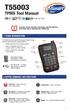 T55003 TPMS Tool Manual To ensure correct operation and service, read the following instructions before operating the T55003 Tool. 1. T55003 INTRODUCTION The T55003 interacts with the tire pressure sensor
Universal Laptop Charger
 USER GUIDE Universal Laptop Charger NS-PWLC591/NS-PWLC591-C Before using your new product, please read these instructions to prevent any damage. NS-PWLC591/NS-PWLC591-C Insignia NS-PWLC591/ NS-PWLC591-C
Wireless Phone Jack System
 926 Manual V2.0(1J9643) 6/10/99 1:39 PM Page 1 RC926 Wireless Phone Jack System (Digital Satellite System # D916) The Wireless Phone Jack System works with most telephone line devices, such as: Answering
TERMS AND CONDITIONS 1 CONTRACT INFORMATION
 SUMMARY These terms and conditions govern your purchase of SocketCare for the Covered Products and for the Contract Term as defined herein. SocketCare is a service program that provides for the repair
Instruction Guide. 2/4/6-port PCI USB 2.0 card PCI225USB PCI425USB PCI625USB2I. The Professionals Source For Hard-to-Find Computer Parts
 USB 2.0 CARD 2/4/6-port PCI USB 2.0 card PCI225USB PCI425USB PCI625USB2I Instruction Guide *PCI225USB shown * Actual product may vary from photo The Professionals Source For Hard-to-Find Computer Parts
Accidental Damage Insurance
 Accidental Damage Insurance To make a claim, please log onto www.nzclaim.com/noelleeming The website provides links to the claims administrator s website which provides 24-hour 7-day assured claims handling