
201-Type Module Recorder Interface
|
|
|
- Elwin Park
- 9 years ago
- Views:
Transcription
1 201-Type Module Recorder Interface User s Guide Issue 2 July Avaya Inc. All Rights Reserved

2 NOTICE While reasonable efforts were made to ensure that the information in this document was complete and accurate at the time of printing, Avaya Inc. can assume no responsibility for any errors. Changes or corrections to the information contained in this document may be incorporated into future issues. YOUR RESPONSIBILITY FOR YOUR SYSTEM S SECURITY Avaya Inc. does not warrant that this product is immune from or will prevent unauthorized use of common-carrier telecommunication services or facilities accessed through or connected to it. Avaya Inc. will not be responsible for any charges that result from such unauthorized use. Product administration to prevent unauthorized use is your responsibility and your system manager should read all documents provided with this product to fully understand the features available that may reduce your risk of incurring charges. OBTAINING PRODUCTS To learn more about Avaya Inc. products and to order any of these products, access the Avaya web site at THE CE MARK If the CE mark is affixed to this equipment, it means that it conforms to the European Union Electromagnetic Compatibility Directive (89/336/EEC) and the Low Voltage Directive (73/23/EEC).

3 Overview The 201-type Module Recorder Interface is an optional device that, when installed with the Avaya 2420 Digital Telephone, allows you to record telephone conversations. In addition, this module allows you to use the two headset jacks on the 20-type stand rather than a single headset jack directly connected to the 2420 telephone. NOTE: Disconnect the 2420 telephone from the wall jack and remove power before removing and/or installing the 201-type module. Refer to the 20-Type Stand, 200-Type Module Analog (U.S.) Adjunct Interface, and 201-Type Module Recorder Interface Installation and Safety Instructions ( ) for more information. Requirements The 201-type module requires the installation of the 20-type stand. Refer to the 20-Type Stand, 200-Type Module Analog (U.S.) Adjunct Interface, and 201-Type Module Recorder Interface Installation and Safety Instructions ( ) for more information. Switch Settings Two sets of switches are provided on the 201-type module, allowing you to: enable/disable the beep tone that alerts callers when you are recording the call in progress specify whether the single headset jack on the 2420 telephone or the dual headset jacks on the 20-type stand are active NOTE: The headset jacks on the 20-type stand and the one on the 2420 telephone cannot be active simultaneously. Refer to the 20-Type Stand, 200-Type Module Analog (U.S.) Adjunct Interface, and 201-Type Module Recorder Interface Installation and Safety Instructions ( ) for more information. Headsets Supported The headset adapter cord used with the 2420 telephone is not compatible with the headset jacks on the 20-type stand. When the 20-type stand is installed, a separate adapter cord (Quick Disconnect to Black RJ, part ID ) is used with the headset jacks on the 20-type stand. Unlike the headset jack on the 2420 telephone, the headset jacks on the 20-type stand are intended for use without an auxiliary amplifier base unit (M12LUCM) or amplifier adapter cord (HIC-1). (The Quick Disconnect to Black RJ adapter cord is not compatible with the headset jack on the 2420 telephone.) The following headsets are supported: Starset top H31 Mirage top H41 Mirage top H41N Supra Monaural top H51 Supra Monaural NC top H51N Supra Binaural top H61 Supra Binaural NC top H61N Encore Monaural Voice Tube H91 Encore Monaural NC top H91N Encore Binaural Voice Tube H101 Encore Binaural NC top H101N 1

4 Tristar Voice Tube top H81 Tristar Noise Canceling top H81N Duoset (Supra Starter) Voice Tube H141 Headband only Duoset (Supra Starter NC) Noise Canceling top H141N Headband only Duoset (Earset Starter) Voice Tub top H141 Earhooks only Duoset (Earset Starter NC) Noise Canceling top H141N Earhooks only Duoset (Starter Special VT) Voice Tube top H141 Headband & Earhooks Duoset (Starter Special NC) Noise Canceling top H141N Headband & Earhooks Using the 201-Type Module Recorder Interface The following sections explain how to use the features of the 201-type Module Recorder Interface. For more information, consult your system manager. Adjusting Headset Volume When you are using headset jacks connected to the 20-type stand, use the volume control buttons on the 2420 telephone to adjust the volume of these headsets. The volume control buttons are located to the left of the numeric dialpad on the 2420 telephone. For more information, see the 2420 Digital Telephone User s Guide ( ). NOTE: When you are using dual headsets, use the Headset and Mute buttons on the 2420 telephone to control these headsets. Recording a Telephone Conversation If a recording device is connected to the 201-type module, you can record your telephone conversation by pressing the Record button on the device. Depending on the 201-type module switch setting, the caller may hear a beep tone when you are recording a conversation. This tone alerts the caller that the conversation is being recorded. 201-Type Module Recorder Interface The 201-type Module Recorder Interface is designed for recording calls on a standard tape recorder. (A recorder with AGC [Automatic Gain Control] is recommended.) With this interface, a warning tone, a soft beep repeated every 13.5 seconds, notifies the agent and the calling party that the call is being recorded. Be aware that this tone may be a legal requirement. IMPORTANT: The use of service observing features and call recording features may be subject to federal, state, and local laws, rules, or regulations and may be prohibited pursuant to the laws, rules, or regulations or require the consent of one or both of the parties to the conversation. Customers should familiarize themselves with and comply with all applicable laws, rules, and regulations before using these features. 2

5 Troubleshooting Visual Power Indicators The 2420 telephone display provides visual indication whether the module has power. To view the power status, select the Options softkey from the 2420 telephone Home screen, and then select the Self Test feature button. - indicates that the module is not receiving power or is not operating properly. 1 indicates that a single module is receiving power and is operating properly. 2 indicates that two modules are receiving power and are operating properly. Resolving Problems If the module is not receiving power or you do not receive dial tone, refer to the following information to resolve the problem. PROBLEM: MODULE DOES NOT HAVE POWER 1 Verify that all cords are securely connected at both ends. 2 Verify that the line cord connecting the auxiliary supply to the telephone is an 8-wire cord. 3 Verify that the 20-type stand is connected to the 2420 telephone. PROBLEM: THE MODULE DOES NOT HAVE DIAL TONE 1 Verify that the module has power. (Check the visual indicator on the telephone display.) 2 Verify that all cords on the module, the 20-type stand, and the auxiliary power supply are securely connected at both ends. 3 Verify that the switches on the module are set correctly. For more information, refer to the 20-Type Stand, 200-Type Module Analog (U.S.) Adjunct Interface, and 201-Type Module Recorder Interface Installation and Safety Instructions ( ). 4 Check with your system manager to make certain that the 2420 telephone has been administered correctly. 5 Connect the affected module with another 2420 telephone that has a working module. If the module being tested still does not work, it is faulty. If the module being tested works with the other telephone, try the working module taken from the other telephone and connect it to the telephone experiencing the problem. If this module does not work, the telephone is faulty. 3

6 PROBLEM: THE 2420 TELEPHONE DOES NOT HAVE DIAL TONE 1 Make sure the handset and line cords at your 2420 telephone are securely connected at both ends. 2 If there is still no dial tone, check with your system manager to verify that your telephone is administered correctly. 3 If the telephone is administered correctly but there is still not dial tone, remove power. Remove the module and refer to the 20-Type Stand, 200-Type Module Analog (U.S.) Adjunct Interface, and 201-Type Module Recorder Interface Installation and Safety Instructions ( ). If the 2420 telephone, without the module, has dial tone, connect the module to another telephone. a. If the module works in the new telephone, the 2420 telephone to which the module was originally connected is faulty. b. If the new 2420 telephone, after the module has been connected, does not work, the module is faulty. 4 If the original 2420 telephone, without the module, still does not work, find a working 2420 telephone. Unplug this telephone from its modular wall jack. Plug your 2420 telephone into that jack and verify that it gets dial tone. 5 If the original 2420 telephone still does not work, plug the working 2420 telephone into your modular wall jack. If the working 2420 telephone has dial tone, your own telephone is faulty. See your system manager. Problems Related to External Recorders The following problems may occur with some external recording devices connected to the 201-type module. PROBLEM: RECORDING DEVICE DOES NOT START OR STOP The recording device should be set to voice activated mode. Refer to the recording device s user instructions. PROBLEM: LEVEL OF RECORDING IS TOO LOW OR HIGH Adjust the volume control on the 2420 telephone during the recorded conversation. A recording device with AGC (Automatic Gain Control) is recommended. 4

2402 Digital Telephone User s Guide
 2402 Digital Telephone User s Guide 555-233-789 Issue 1 October 2003 NOTICE While reasonable efforts were made to ensure that the information in this document was complete and accurate at the time of printing,
2420 Digital Telephone Quick Reference
 2420 Digital Telephone Quick Reference 555-250-201 Issue 2 November 2002 NOTICE While reasonable efforts were made to ensure that the information in this document was complete and accurate at the time
2420 Digital Telephone User s Guide Release 5
 2420 Digital Telephone User s Guide Release 5 555-250-701 Issue 5 July 2013 Copyright 2013, Avaya Inc. All Rights Reserved Notice Every effort was made to ensure that the information in this document was
Single Line Business Telephones Desk, Wall, and Trimline Models User s Guide
 Single Line Business Telephones Desk, Wall, and Trimline Models User s Guide 999-500-270 Issue 4 July 2003 NOTICE While reasonable efforts were made to ensure that the information in this document was
2410 Digital Telephone User s Guide Release 2
 2410 Digital Telephone User s Guide Release 2 16-300133 Issue 2 November 2004 Copyright 2004, Avaya Inc. All Rights Reserved Notice Every effort was made to ensure that the information in this document
6408+, 6408D+, 6416D+, 6416D+M, 6424D+, and 6424D+M Telephones User s Guide Contents
 6408+, 6408D+, 6416D+, 6416D+M, 6424D+, and 6424D+M Telephones User s Guide Contents 6400 Series Multi-line Telephones................... 5 Headsets........................................ 6 Headpieces....................................
RENTAL EQUIPMENT LISTING Wireless Headsets
 5-8-15 EQUIPMENT LISTING Wireless Headsets Plantronics CS510 84691-01 Monaural wireless Dect 6.0 headset - noise canceling 269.95 15 Plantronics CS510XD 88284-01 Monaural wireless headset - 900- Mhz -
Avaya Campus PBX MICHIGAN STATE UNIVERSITY. Telecommunication Systems. Avaya 2410 User Guide
 Avaya Campus PBX MICHIGAN STATE UNIVERSITY Telecommunication Systems Avaya 2410 User Guide MICHIGAN STATE UNIVERSITY Avaya 2410 Telephone User Guide Michigan State University Telecommunication Systems
MERLIN LEGEND Communications System MLX-5 and MLX-10 Nondisplay Telephones User s Guide
 Document #: 555 660 124 Comcode: 108196247 Issue 1, February 1998 MERLIN LEGEND Communications System MLX-5 and MLX-10 Nondisplay Telephones User s Guide Contents Your MLX-10 Nondisplay Telephone... Inside
Avaya 2420 Digital Telephone End User Guide
 Avaya 2420 Digital Telephone End User Guide 2420 Digital Telephone End User Guide 1 P age Table of Contents About Your Telephone... 3 Overview... 3 Support for Call Center Users... 3 Support for Optional
DEFINITY. CALLMASTER II and CALLMASTER III Voice Terminals Instructions for Programming the Options
 DEFINITY CALLMASTER II and CALLMASTER III Voice Terminals Instructions for Programming the Options 555-015-169 Issue 1, August 1994 1 Programming the Options Depending on the individual installation site
QUALITY HEADSETS, BASES, DIAL PADS, USB, VoIP, CORDS, ACCESSORIES AND REPAIRS SINCE 1985
 QUALITY HEADSETS, BASES, DIAL PADS, USB, VoIP, CORDS, ACCESSORIES AND REPAIRS SINCE 1985 HANDSFREE SOLUTIONS FOR CALL CENTERS, OFFICE PROFESSIONALS, AT HOME AGENTS 911 OPERATORS AND MORE Comfort Telecommunications
QUALITY HEADSETS, BASES, DIAL PADS, USB, VoIP, CORDS, ACCESSORIES AND REPAIRS SINCE 1985
 QUALITY HEADSETS, BASES, DIAL PADS, USB, VoIP, CORDS, ACCESSORIES AND REPAIRS SINCE 1985 HANDSFREE SOLUTIONS FOR CALL CENTERS, OFFICE PROFESSIONALS, AT HOME AGENTS 911 OPERATORS AND MORE Comfort Telecommunications
Plantronics Inc 345 Encinal Street Santa Cruz, CA 95060 USA Tel: (800) 544-4660. www.plantronics.com
 Plantronics Inc 345 Encinal Street Santa Cruz, CA 95060 USA Tel: (800) 544-4660 www.plantronics.com 2005 Plantronics, Inc. All rights reserved. Plantronics, the logo design, Plantronics and the logo design
Contents. MERLIN LEGEND Communications System Analog Multiline Telephones User s Guide
 Document #: 555-660-120 Comcode: 108196239 Issue 1, February 1998 MERLIN LEGEND Communications System Analog Multiline Telephones User s Guide Contents Your Analog Multiline Telephone... 1 Describes the
USER GUIDE_. SupraPlus Wireless... PROFESSIONAL HEADSET SYSTEM
 USER GUIDE_ SupraPlus Wireless... PROFESSIONAL HEADSET SYSTEM TABLE OF CONTENTS Package Contents Features Setup Setup Handset Lifter (Optional) Charging Positioning 6 8 9 9 PACKAGE CONTENTS Headset (One
Avaya 2410 Digital Telephone End User Guide
 Avaya 2410 Digital Telephone End User Guide 2410 Digital Telephone End User Guide 1 P age Table of Contents About Your Telephone... 3 The Home Screen... 5 Navigating in the Home Screen Pages... 6 Call
Enterprise Edge M7310 Quick Reference Guide
 Enterprise Edge M7310 Quick Reference Guide 2000 Nortel Networks P0908513 Issue 03 Your Enterprise Edge M7310 Telephone Shift button For using the top function of a dual-memory button. Display shows the
Enterprise Telephone. Model 98390 OPERATING INSTRUCTIONS
 Enterprise Telephone Model 98390 OPERATING INSTRUCTIONS This Interquartz telephone has been manufactured to very high standards and is very easy to use. Please read this manual carefully to find out how
2420 Digital Telephone Instruction Booklet
 2420 Digital Telephone Instruction Booklet * 7 line x 29 character display * 24 system call appearance/feature button * Provides automated call tracking with 100-entry call log * Provides access to 104
6408+, 6408D+, 6416D+, 6416D+M, 6424D+, and 6424D+M Telephones User s Guide
 6408+, 6408D+, 6416D+, 6416D+M, 6424D+, and 6424D+M Telephones User s Guide Contents 6400 Series Multi-line Telephones................... 1 Headsets........................................ 2 Headpieces....................................
OPERATING INSTRUCTIONS
 Gemini Speakerphone OPERATING INSTRUCTIONS This Interquartz telephone has been manufactured to very high standards and is very easy to use. Please read this manual carefully to find out how to use the
It s What We Do. Telephone Get Going Guide
 It s What We Do. Telephone Get Going Guide Welcome and Introduction Welcome to Astound telephone services brought to you by Astound Broadband! This Get Going Guide will familiarize you with our telephone
Avaya 9630 IP Telephone End User Guide
 Avaya 9630 IP Telephone End User Guide 9630 IP Telephone End User Guide 1 P age Table of Contents About Your Telephone... 3 9630 IP Telephone Button/Feature Descriptions... 3 Scrolling and Navigation...
Avaya 9600 Series IP Telephones Voluntary Product Accessibility Template (VPAT)
 Avaya 9600 Series IP Telephones Voluntary Product Accessibility Template (VPAT) The statements in this document apply to Avaya 9600 Series IP telephones only when the phones are configured with Avaya one-x
CS55H HOME EDITION... WIRELESS HEADSET SYSTEM
 CS55_HO_606.qxd /6/06 : PM Page ii WARRANTY Limited Warranty This warranty covers defects in materials and workmanship of products manufactured, sold or certified by Plantronics which were purchased and
Avaya Model 1408 Digital Deskphone
 Avaya Model 1408 Digital Deskphone Voluntary Product Accessibility Template (VPAT) The statements in this document apply to Avaya Model 1408 Digital Deskphones only when they are used in conjunction with
6400 Series Multi-line Telephones User s Guide
 6400 Series Multi-line Telephones User s Guide Contents 6400 Series Multi-line Telephones................... 1 Headsets........................................ 3 Headpieces....................................
Avaya one-x Deskphone Edition for 9620 IP Telephone User Guide
 Avaya one-x Deskphone Edition for 9620 IP Telephone User Guide 16-300699 Issue 3 January 2007 Contents Contents Notices... 5 Introduction to the 9620 IP Telephone... 7 Overview... 7 About Scrolling and
EP4300 4 Line Intercom Speakerphone with Caller ID and Jumbo Pivoting Display
 EP4300 4 Line Intercom Speakerphone with Caller ID and Jumbo Pivoting Display User s Guide Please read before using telephone Getting Started Congratulations! You ve purchased a HGC EP4300 System Intercom
Avaya one-x Deskphone Edition for 9640 IP Telephone User Guide
 Avaya one-x Deskphone Edition for 9640 IP Telephone User Guide 16-600910 Issue 1 January 2007 Contents Contents Notices... 5 Introduction to the 9640 IP Telephone... 7 Overview... 7 About Scrolling and
Dock-N-Talk U S E R S G U I D E. Forming a New World of Communication. SM
 Dock-N-Talk U S E R S G U I D E Forming a New World of Communication. SM 2 UNIVERSAL DOCKING STATION USER S GUIDE INTRODUCTION...3 INSTALLATION...5 Line Pair Switch... 6 Extension Telephone Sets... 7 Warning:
Avaya one-x Deskphone Edition for 9630/9630G IP Telephone User Guide
 Avaya one-x Deskphone Edition for 9630/9630G IP Telephone User Guide 16-300700 Issue 3 May 2007 Contents Contents Notices... 5 Introduction to the 9630/9630G IP Telephone... 7 Overview... 7 Scrolling and
162 CB CABLE TRACER. Filter Probe & Tone Generator INSTRUCTION MANUAL
 162 CB CABLE TRACER Filter Probe & Tone Generator INSTRUCTION MANUAL INDEX PAGE 1. INTRODUCTION... 1 2. FILTER PROBE... 1-3 3. TONE GENERATOR... 3-6 4. SPECIFICATION... 7-8 5. MAINTENANCE... 8 1. INTRODUCTION
User s manual. Corded telephone. w w w.v t e c h c a n a d a. c o m. Big Button Big Display. Model:CD1281 DIR CID
 User s manual w w w.v t e c h c a n a d a. c o m DIR CID Model:CD1281 Corded telephone Big Button Big Display Congratulations on purchasing your new VTech product. Before using this telephone, please read
B890 4G LTE Smart Hub Getting Started Guide
 B890 4G LTE Smart Hub Getting Started Guide HUAWEI TECHNOLOGIES CO., LTD. Thank You for Purchasing the B890 4G LTE Smart Hub! Before You Begin What s in the Box : 1. B890 4G LTE Smart Hub 2. Power adapter
Digital Phone Installation & User Guide
 Digital Phone Installation & User Guide Telephone #1 Voicemail PIN Telephone #2 Voicemail PIN skybeam high speed internet digital phone We would like you to verify that the 911 address we have for you
ADA COMPLIANT BOX STYLE TELEPHONE INSTALLATION, PROGRAMMING AND OPERATING INSTRUCTIONS FOR MODEL PBX
 ADA COMPLIANT BOX STYLE TELEPHONE INSTALLATION, PROGRAMMING AND OPERATING INSTRUCTIONS FOR MODEL PBX INSTALLATION INSTRUCTIONS Step 1. Determine the position for the Hands-free phone in the elevator phone
VOIP Business Phone User Guide
 VOIP Business Phone User Guide Model 25630/25600 MGCP Please read this manual before operating the product for the first time. Interference Information This device complies with Part 15 of the FCC Rules.
USER GUIDE CS50/55... WIRELESS OFFICE HEADSET SYSTEM
 USER GUIDE CS50/55... WIRELESS OFFICE HEADSET SYSTEM TABLE OF CONTENTS PACKAGE CONTENTS Package Contents Features Setup Setup - Handset Lifter (Optional) Charging Positioning Adjusting Fit Making/Answering/Ending
ISDN 970 Telephone USER MANUAL. Copyright 1999 Lucent Technologies Inc. All rights reserved. Printed in Mexico. Issue L3 847937794
 ISDN 970 Telephone USER MANUAL Copyright 1999 Lucent Technologies Inc. All rights reserved. Printed in Mexico. Issue L3 847937794 Table of Contents ABOUT ISDN... 3 ISDN TERMS... 3 A GUIDE TO THIS MANUAL...
Information Systems Cisco 7940/7942 IP Phone Quick Reference Guide
 Information Systems Cisco 7940/7942 IP Phone Quick Reference Guide Contents Page: Cisco 7940/7942 IP Phone Quick Reference Guide Contents 2 Introduction 3 Phone Overview 3 How Do I: 4 Place a Call? 4 Put
About Your Telephone. Call appearances/feature buttons
 About Your Telephone Your 8410B is a multi-appearance digital telephone. To familiarize yourself with your telephone, refer to the figure below and then read the following explanations. Call appearances/feature
Avaya Model 9608 H.323 Deskphone
 Avaya Model 9608 H.323 Deskphone Voluntary Product Accessibility Template (VPAT) The statements in this document apply to Avaya Model 9608 Deskphones only when they are configured with Avaya one-x Deskphone
IP Office - Job Aid Attaching 3rd Party Paging Equipment
 IP Office - Job Aid Attaching 3rd Party Paging Equipment Summary This document gives an overview of attaching 3 rd party paging equipment to the IP Office. It covers attachment of this equipment to either
Information Systems Cisco 7965 IP Phone Quick Reference Guide
 Information Systems Cisco 7965 IP Phone Quick Reference Guide Contents Cisco 7965 IP Phone Quick Reference Guide Contents Page 2 Introduction 3 Overview of Phone 3 How Do I: 4 Place a Call? 4 Put a Call
Part 2. Copyright 1998 Philips Consumer Communications L.P. All rights reserved. Printed in Mexico. Issue 1AT&T 848229506
 2 User's Manual for Two-Line Digital Answering System Telephone with Speakerphone 1872 Fold open this paper for information about this telephone's installation and operation. Please read Part 1 Important
Upgrading from DS2000 to DSX-80/160
 Empowered by Innovation Upgrading from DS2000 to DSX-80/160 If upgrading from DS2000 to DSX-80/160, be sure to carefully review Upgrading DS2000 to DSX-80/160 (P/N 1093077) prior to the upgrade. Components
Printed in China. Issue 1.2 AT&T 03/07. Advanced American Telephones. AT&T and the AT&T logo are trademarks of AT&T Knowledge Ventures, licensed to
 2007 Advanced American Telephones. All rights reserved. AT&T and the AT&T logo are trademarks of AT&T Knowledge Ventures, licensed to Advanced American Telephones. Printed in China. Issue 1.2 AT&T 03/07
Personal Assistance System Owner's Guide
 Owner's Guide PSC07 READ THIS FIRST This equipment generates and uses radio frequency energy, and if not installed and used properly, that is, in strict accordance with the manufacturers instructions,
Four-Line Small Business System Speakerphone 945
 945QSG_(rev22)ml23.5.06 5/23/06 11:29 AM Page 1 QUICK START GUIDE Four-Line Small Business System Speakerphone 945 This Quick Start Guide provides basic instructions. For additional installation options
2.4 GHz Dual Handset Cordless Telephone Answering System 2255 with Caller ID/Call Waiting
 USER S MANUAL Part 2 2.4 GHz Dual Handset Cordless Telephone Answering System 2255 with Caller ID/Call Waiting Please also read Part 1 Important Product Information AT&T and the globe symbol are registered
CISCO IP PHONE MODEL 7960 & UNITY VOICEMAIL. Getting Started Manual
 CISCO IP PHONE MODEL 7960 & UNITY VOICEMAIL Getting Started Manual... 3 Getting Started... 3 Using LCD Icons... 3 Using the IP Phone Configuration Utility... 3 Tips... 3 How to Use the Handset, Speakerphone,
Cisco IP 7961 Telephone & Unity Voicemail User s Guide
 Cisco IP 7961 Telephone & Unity Voicemail User s Guide Office of Information Technology Telecommunications and Network Operations Table of Contents General Information...1 Understanding Lines vs. Calls...2
CS70 WARRANTY MAINTENANCE TECHNICAL SUPPORT
 WARRANTY Limited Warranty This warranty covers defects in materials and workmanship of products manufactured, sold or certified by Plantronics which were purchased and used in the United States. This warranty
ACD 2000 Agent Guide for the Superset 4015
 ACD 2000 Agent Guide for the Superset 4015 DUE TO THE DYNAMIC NATURE OF THE PRODUCT DESIGN, THE INFORMATION CONTAINED IN THIS DOCUMENT IS SUBJECT TO CHANGE WITHOUT NOTICE. MITEL CORPORATION, ITS AFFILIATES,
Welcome. Digital Phone. Digital Phone. Digital Phone
 Welcome to Welcome to Wi-Power Service Thank you for choosing Wi-Power Internet and Services! This booklet includes important information to better acquaint yourself with Wi- Power Service. Features: Wi-Power
Modem and Local Area Network
 Modem and Local Area Network User Guide Copyright 2007 Hewlett-Packard Development Company, L.P. The information contained herein is subject to change without notice. The only warranties for HP products
Cisco IP Phone Training
 Cisco IP Phone Training Objectives Overview Cisco IP Phone Layout Basic Phone Functions Voicemail Questions 2 Foot Stand Release Press the foot stand adjustment knob on the right-hand side of the phone.
Avaya one-x Quick Edition Release 3.0.0 Telephone User Guide
 Avaya one-x Quick Edition Release 3.0.0 Telephone User Guide 16-601411 Release 3.0.0 November 2006 Issue 1 2006 Avaya Inc. All Rights Reserved. Notice While reasonable efforts were made to ensure that
PARTNER ACS R4.0 Remote Administration R4.0. Getting Started
 PARTNER ACS R.0 Remote Administration R.0 Getting Started 8-6-66 700080 Issue May 00 Copyright 00, Avaya Inc. Document 8-6-66 All Rights Reserved 700080 Printed in USA Issue May 00 Notice Every effort
GSM1000 The Orchid Mobile Gateway. Benefits & Feature List
 GSM1000 The Orchid Mobile Gateway. Benefits & Feature List The Gateway to cost savings A Fixed Cellular terminal with Full Call Divert - getting the most Benefits from your mobile phone s free minutes
Polycom SoundPoint IP 550
 Polycom SoundPoint IP 550 User Guide For training/documentation, please visit us @ http://customertraining.verizonbusiness.com or call 1 800 662 1049 2009 Verizon. All Rights Reserved. The Verizon and
Aastra 480i Broadsoft SIP VoIP Telephone User s Guide
 Aastra 480i Broadsoft SIP VoIP Telephone User s Guide Initial Start-Up/Restart The first time you plug in your phone and every time you restart your phone it automatically goes through the start-up process.
CS510 /CS520. Wireless Headset System. User Guide
 CS510 /CS520 Wireless Headset System User Guide Contents Welcome 3 What s in the Box 4 Base and Headset Basics 5 Accessories 6 Headset Set Up 7 Connect Your Desk Phone 8 Connect the Power 8 Charge the
AT&T Small Business System Speakerphone with Intercom and Caller ID/Call Waiting 974
 974QSG_(Rev14)ml_23.5.06 5/23/06 11:28 AM Page 1 QUICK START GUIDE AT&T Small Business System Speakerphone with Intercom and Caller ID/Call Waiting 974 This Quick Start Guide provides basic instructions.
User s manual. ML17929 Two-line corded telephone with caller ID/call waiting
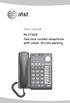 User s manual ML17929 Two-line corded telephone with caller ID/call waiting Congratulations on purchasing your new AT&T product. Before using this AT&T product, please read Important safety information
Technical Guide for Installation and Maintenance
 EV4500 ET4300 810-ECA 800-EFM Technical Guide for Installation and Maintenance Please read before using telephone. Getting Started Technical Guide for Installation and Maintenance What is the Epic System?
DPH-50U VoIP USB Phone Adapter Quick User Guide
 DPH-50U VoIP USB Phone Adapter Quick User Guide Version 1.0 TABLE OF CONTENTS 1. INTRODUCTION...3 2. PACKAGE CONTENTS...4 3. REQUIREMENTS...5 4. DPH-50U INSTALLATION...6 5. ENABLING DPH-50U...16 6. DPH-50U
OWNER S INSTRUCTION MANUAL
 OWNER S INSTRUCTION MANUAL 2-LINE PHONE 9225 MODEL IR-9225 THANK YOU FOR PURCHASING THE 2-LINE PHONE 9225 We want you to know all about your new Telephone,how to install it, the features it provides, and
Title page. IP Phone 1140E. User Guide. Business Communications Manager
 Title page Business Communications Manager IP Phone 1140E User Guide Revision history Revision history November 2005 Preliminary 0.22. This document is up-issued to support Nortel Business Communications
How To Get At&T Local Service On The Phone
 Your AT&T Local Service Guide INSIDE: Customer Service Information Calling Feature Instructions Keep this guide for future reference. AT&T Local Service CONTENTS General Information 3 Troubleshooting Tip
AT&T MERLIN COMMUNICATIONS SYSTEM ADMINISTRATION MANUAL: MODELS 206 AND 410 WITH FEATURE PACKAGE 1
 AT&T MERLIN COMMUNICATIONS SYSTEM ADMINISTRATION MANUAL: MODELS 206 AND 410 WITH FEATURE PACKAGE 1 Table of Contents Page How to Use This Manual The MERLIN Voice Terminal Setting the Control Unit Model
Call Forwarding Forward your calls to a number of your choosing. All calls forwarded to a long distance number will be charged to your bill.
 The services listed in this guide are for Integrated Voice Services and may not be available or work the same on other technologies. Some features are web-enabled and others work only through the phone.
The Bizfon is sold direct through the web site, through our telephone sales division and through our dealer network.
 Who is Bizfon, Inc? What is a Bizfon? Bizfon, Inc. is a developer, manufacturer and marketer of full featured, affordable phone systems for the SOHO (small office/home office) market. Bizfon, Inc. was
Avaya 9650 IP Telephone End User Guide
 Avaya 9650 IP Telephone End User Guide 9650 IP Telephone End User Guide 1 P age Table of Contents About Your Telephone... 3 9650 IP Telephone Button/Feature Descriptions... 3 About Application Buttons,
Avaya Voice Terminal 6408D+ Quick User Guide
 Avaya Voice Terminal 6408D+ Quick User Guide Raytheon Crystal City 09.29.2004 Transfer... 2 Conference... 2 To add another party to a call:... 2 To add the call on hold to another call to which you are
USER INSTRUCTIONS DESCRIPTION:
 ISA Information Security Associates, LLC. Information Security Associates, LLC TD 2 TapZap TM TELEPHONE SECURITY DEVICE OPERATOR S MANUAL Rev: January 8, 2008 ENTIRE CONTENTS COPYRIGHT 2007 INFORMATION
OM2260VW2 USER MANUAL VERIZON WIRELESS HOME PHONE CONNECT
 OM2260VW2 USER MANUAL VERIZON WIRELESS HOME PHONE CONNECT Welcome to Verizon Wireless Thank you for choosing Verizon Wireless Home Phone Connect. You re now connected to the power of America s most reliable
Polycom SoundPoint IP 650
 Polycom SoundPoint IP 650 User Guide For training/documentation, please visit us @ http://customertraining.verizonbusiness.com or call 1 800 662 1049 2009 Verizon. All Rights Reserved. The Verizon and
LG 8820 IP Phone. User Guide. for Bell Aliant Call Servers
 LG 8820 IP Phone User Guide for Bell Aliant Call Servers Please read this guide carefully before operating your set. Retain this guide for future reference. 1 Regulatory and Safety Notices 1. Radio Frequency
2009 Headset Guide for the Small Office / Home Office / Call Center Agent
 2009 Headset Guide for the Small Office / Home Office / Call Center Agent Provided by: Headsets Direct, Inc. 80% of Contact Centers are already using or plan to use home based call center agents in 2009.*
CS510-XD /CS520-XD. Wireless Headset System. User Guide
 CS510-XD /CS520-XD Wireless Headset System User Guide Contents Welcome 3 What s in the Box 4 Base and Headset Basics 5 Accessories 6 Headset Set Up 7 Connect Your Desk Phone 8 Connect the Power 8 Charge
PROPRIETARY INFORMATION
 Centrex User Guide Centrex is a central office-based telecommunications system that lets you customize your telephone service to suit your unique business needs. With Centrex, you can grow from two lines
Ericsson-LG LIP-8000 Series IP Telephone User Guide
 Ericsson-LG LIP-8000 Series IP Telephone User Guide 2041 N. Hwy 83, E Franktown, CO 80116 303.688.6191 www.systemcommunications.com Copyright 2013 System Communications All Rights Reserved This material
AASTRA 9110 User Guide
 AASTRA 9110 User Guide Key Descriptions Redial Save Flash Mute Handset Ringer Switch Set Indicator Light Volume Bar Dial Pad Handsfree/Mute 7 Memory Keys Making and Answering Calls Making a call With your
Quick Reference Guide
 Important Information Quick Reference Guide Model No. KX-T7710 When using the KX-T7710, keep the following conditions in mind. If there is any problem, unplug the extension line and connect a known working
Meridian Telephone Userguide
 Meridian Telephone Userguide Meridian Features Meridian modular telephones provide easy access to a wide range of business features available through the Nortel SL-1 PABX. You can use your Meridian telephone
Converse 320. Userfriendly Guide
 Converse 0 Userfriendly Guide Return Diversion Minder On Off At a glance IMPORTANT Next Inserts a space in a number when storing numbers in the memory. Clear Used to edit numbers when pre-dialling or when
Mitel IP Phone User Reference Guide Release 5.0
 830 Parkview Drive North, El Segundo, CA 90245 Tel: 310 747 3232 Fax: 310 747 3233 WWW.UNIVOIP.COM OfficeConnect Mitel IP Phone User Reference Guide Release 5.0 Note: The information contained in this
4 Line Intercom Speakerphone User s Guide. Please read this manual before operating this product for the first time.
 4 Line Intercom Speakerphone User s Guide Please read this manual before operating this product for the first time. Model 25413/14 Important Information Equipment Approval Information Your telephone equipment
2-Line CapTel User Guide
 2-Line CapTel User Guide This information is provided as a supplement for CapTel users who wish to use 2-line capabilities. For more complete information about using your CapTel, please refer to the CapTel
ShorePhone IP 8000 User Guide
 ShorePhone IP 8000 User Guide April 2007 LS Part Number 132-00063-002, Revision 1 ST Part Number 800-1115-01, Revision 1 Document and Software Copyrights Copyright 2007 by ShoreTel, Inc., Sunnyvale, California,