
An Ergonomics Approach to Avoiding Workplace Injury
|
|
|
- Jasmine Benson
- 10 years ago
- Views:
Transcription
1 An Ergonomics Approach to Avoiding Workplace Injury Oh, My Aching Back! (and Burning Eyes and Sore Wrists) Working Americans spend about 2,000 hours a year in the workplace. Not surprisingly, all of these hours can take a toll on your eyes, your back, your arms, and your neck. Exposure to adverse working conditions can result in momentary pain or long-term injury. Moreover, poorly designed working environments contribute to reduced efficiency, decreased production, loss of income, increased medical claims, and permanent disability. Fortunately, professionals like the members of the American Industrial Hygiene Association use a science called ergonomics to help remedy the conditions that cause occupational disorders and injuries. The ultimate goal of ergonomics is to design the workplace so that it accommodates the variety of human capabilities and limitations to prevent musculoskeletal disorders. While designing ergonomic hazards out of the workplace is ideal, other measures such as administrative controls (including training or employee rotation) and changes to work practices are often more feasible initially. We will examine several of the risk factors that affect employees, as well as solutions that you and your employer can use to eliminate or lessen these conditions. Naturally, there are additional problems specific to certain industries, but the following pages will give you an overview of many of today s most common occupational disorders, which often affect muscles, tendons, and nerves of the body. (Indoor air quality, another potential hazard in the home and workplace, is discussed in the AIHA brochure Is Air Quality a Problem in My Home?) Let Your Fingers Do the Walking Perhaps the most commonly discussed workplace injuries of the last decade have been carpal tunnel syndrome and related maladies of the wrist and hand. Although typewriters have been in use for more than 100 years in American offices, the popularity of the computer with intensive keyboard use for data entry and word processing has given rise to a generation at risk for such injuries. Carpal tunnel syndrome and related disorders (including tendonitis, trigger finger, hand-arm vibration disease, dequervain s disease, and myalgia) are part of a group of illnesses known as cumulative trauma disorders (CTDs). CTDs are a family of muscle, tendon, and nerve disorders that are caused, accelerated, or aggravated by repeated movements of the body, particularly when awkward postures, high forces, contact stresses, vibration, and/or exposure to cold are evident. The elbow, shoulders, neck, and back are also subject to CTDs. Despite the connection between CTDs and computer-related office jobs, many non-office workers who perform repetitive work may be at risk for these injuries. In particular, employees in the fields of aerospace, agriculture, automotive, clerical, electronics, fabric cutting, food processing, glassware, health care, manufacturing, postal services, metal forming, plastics molding, and the performing arts (particularly music and dance) are susceptible to CTDs. What CTDs Are Not First of all, cumulative trauma disorders are not fatigue. Though it is a potential contributing factor, fatigue is classified as tiredness, physical stress, and discomfort that subsides a few minutes or hours after you stop

2 the activity. Repeated and sustained activities that might potentially cause long-term problems usually cause fatigue as well. Although being weary after performing certain job tasks certainly has an effect on work performance and daily living, and may even cause pain, fatigue is not considered a serious medical problem. As a general rule, symptoms that persist after a night of rest or interfere significantly with work or daily activities indicate something more serious than fatigue. At this point, you should see a physician; if the problem is indeed work-related, report the problem to the appropriate company representative. Finally, you should speak to your employer about adjusting your work environment or equipment to help alleviate the problem. How CTDs Occur The hands, wrists, arms, shoulders, neck, and back are comprised of a complex network of nerves, bones, tendons, and fluid. Irritation of these tissues during certain work activities can, over time, result in elevated fluid pressure around nerves. This can cause compression and may eventually cause nerve damage. Nerves can also be damaged by inflamed tendons pressing on them. Carpal tunnel syndrome is a common example of this: The median nerve in the wrist becomes compressed and ultimately damaged as tendon structures swell. A chief cause of this is repeated or sustained work involving high force or using a bent or extended wrist. Even truck drivers who grip a vibrating steering wheel all day may fall prey to this painful disorder. Unfortunately, since repetition is one of the key factors in causing CTDs, non-work related activities, such as needlework, gardening, fly-casting, and bowling, can also affect the progress of the illness and recovery. These activities may aggravate CTDs. This can make it difficult at times to identify the main cause of a person s CTD. Risk factors for CTDs, as noted above, can occur in a variety of occupations. In order to properly analyze and correct these factors, job-related tasks must be evaluated for each of the risk factors. For instance, how many minutes or hours does a utility worker run a drill (vibration) or how long does a butcher handle refrigerated meat (cold temperature)? Some occupations have combinations of stresses, such as prolonged contact stresses and posture (a fabric cutter using poorly designed scissors at a low workbench, for instance). Cumulative trauma disorders are a major cause of lost time in many labor-intensive industries. If you notice repeated pain or injury related to your work, your specific environment may need to be analyzed, equipment adjusted or added, and procedures modified. Applying ergonomics to the workplace will help you and your employer strike a proper balance between production requirements and staff capabilities, lessening the likelihood of CTDs arising. How Ergonomics Can Help Specialists in the science of ergonomics offer numerous solutions to make the workplace a more hospitable environment for employees. Cumulative trauma disorders and lower back injuries in particular have received considerable attention. There are six major CTD risk factors; those risk factors and several possible corrections or solutions to each are offered below. Repeated Actions and Sustained Postures Use mechanical aids. These might include arm or wrist rests for keyboard use or substituting power tools for manual tools. This is the most practical solution. Adjust the work standard. Modify the amount of work due in the allotted time to allow you to pace yourself. Use task rotation. Move through different tasks during the day to avoid undue stress and repetition of any one kind.

3 Use work enlargement. Combine jobs of different motion patterns. (This may require redesigning the work setting.) Forceful Actions (Lifting, Carrying, Hoisting, Pushing, Etc.) Select gloves that improve your grip on an object. Avoid thick gloves that interfere with closing your hand around the work object. Pick up fewer objects at a time to reduce weight. Select tools to reduce weight. Attach balancers and handles to steady tools. Use reaction bars and articulating arms to reduce powerful bounce-back recoils or counteractions. Use hoists to raise and support work objects and materials. Use rollers and powered belt conveyors to move materials. Use gravity to make materials handling easier. Use jigs and fixtures to hold parts. Use handles to make gripping easier. Enlarge grip size. Push rather than pull. Prolonged Contact Stresses From Tools, Equipment, Etc. Use elongated handles on tools, such as scissors and pliers. Use rounded edges on handles and on work benches. Use materials that yield to pressure on handle grips, such as rubber, instead of using hard surfaces, such as metal. Use tools, rather than your hands, for pounding parts. Pad your hand or wear gloves. Avoid compression of leaning on wrists, elbows, and abdomen. Posture Adjust the location of work and the angle of the workpiece in such a way that your body can maintain an unstrained, comfortable position with your arms, forearms, and shoulders relaxed. Select or design a tool size and shape to maintain a comfortable body position and a straight wrist when gripping the tool. Vibration Depending on the job, isolating the hand and wrist entirely from vibration may be impossible. If you begin to show symptoms of a CTD, however, you may need to discuss with your employer the possibility of minimizing exposure to vibration. This can be done through tool selection, gloves, or limiting your time of exposure. Cold Temperature Use insulated gloves. Use handles and grips that do not conduct cold easily. For pneumatic tools, direct exhaust air away from yourself and not through the tool handle. Wear additional clothes on your upper body to retain heat. Making Your Computer Truly User-Friendly

4 Computer workstations, including the components of monitors, keyboards, and chairs, present a whole set of problems in addition to the cumulative trauma disorders discussed above. The explosive growth in the use of computers over the last 25 years has led to a special group of ergonomic dilemmas unique to their use. For instance, the screen introduces new lighting and vision considerations. Many computer jobs offer few opportunities for alternate activities or postures, and, thanks to the fluidity of computer keyboards compared to typewriters, workers can key faster and for longer uninterrupted stretches than ever before. In addition, some people who use computers are concerned about the effects of heat and electrostatic and electromagnetic fields in the immediate vicinity of their terminals. And working at computers is sometimes associated with psychological stress, either because of the technology itself or because of job conditions (such as monitoring) associated with the work. As computers spread from the office to the factory to the fast food restaurant, workers and their employers need to be aware of these problems in order to avoid them. By following the recommendations below, computers can be time-saving and labor-enhancing devices and not potential pains in the neck. The Eyes Have It (Soreness, That Is) The most frequent physical complaint by people who spend a lot of time in front of a monitor is eyestrain. Specialists in ergonomics have identified several problem areas and possible corrections for eyestrain, including: Glare Move or shield the light source. Move the monitor. Change the monitor s angle. Apply a good quality glare filter to the monitor, preferably one made of glass or plastic instead of mesh, which tends to collect dust. When correcting for glare, don t create other problems. For instance, if you move your monitor, don t put it in a place that will produce neck strain. The monitor should be directly in front of you. When possible, place your monitor at a right angle with the window. Light Brightness Ratio (Between the Screen and Surrounding Environment) Set the background lighting or source document so that it s no more than 10 times brighter than the screen. Some experts recommend that it be no more than three times brighter. Adjust the screen brightness to match the surrounding room. Work with a light screen background (dark type or images on white or pale background) you ll find it is easier on your eyes Lighting Levels Following the preceding recommendations, adjust your screen position and lighting sources (lamps, etc.) to achieve best results. In almost all cases, avoid high levels of lighting. Viewing Distance and Document Height Place the monitor and source documents so that they are about the same distance from your eyes. Use a document holder to place the document immediately next to the monitor. Rest the muscles of your eyes by focusing on a distant object occasionally. When using a laptop, look into the distance more frequently. A laptop monitor will probably not have the best placement, since it is usually attached to the keyboard.

5 Readability of Screen and Document Place monitors and documents so they are perpendicular to the line of sight to avoid character distortion. Upgrade or replace monitors with poor resolution or flicker. Adjust your monitor s refresh rate. Vision Correction If you wear glasses, consider getting full-frame reading glasses prescribed for a working distance of 20 to 30 inches. These will allow you to place the monitor correctly and see well without stressing your posture. Place the monitor so that the top of the screen is below your line of sight. Don t skip visits to the eye doctor! Eye strain could indicate a problem with your vision beyond the use of a computer monitor. Mom Was Right Posture IS Important In addition to cumulative trauma disorders and vision difficulties, back problems are another common complaint during the prolonged use of computer terminals. Poor posture (held for long periods), poorly designed work areas and poorly adjusted chairs, and sustained activity without breaks can all contribute to varying amounts of back, shoulder, and neck pain. Posture Although your own work habits can contribute to back and shoulder pain, using good posture is not a simple matter of finding the right position in which to sit. Even poor postures (feet up on chair rungs, slumping, twisting your body into odd positions) can prove comfortable if you don t remain in them for extended periods of time. In fact, shifting about periodically actually proves useful for many people. Ergonomic specialists recommend the following changes to your behavior and work environment to avoid back, neck, and shoulder pain: Change your body position periodically throughout the day. Use a document stand to reduce the amount of neck twisting or bending forward if typing from a source document. Position your keyboard directly in front of you and at approximately elbow height. This should enable you to type with straight wrists. If this is not possible with the keyboard atop the work surface, use an adjustable-height keyboard tray. Center your monitor with your keyboard and chair. Avoid ear-to-shoulder neck positioning while on the phone. Rearrange the work area to avoid excess bending, stooping, and reaching. Try to relax. Many injuries and painful episodes arise from continuously tensing your neck and shoulder muscles while working. Consider increasing the amount of exercise you get, since there seems to be a strong relationship between poor physical condition and workplace injury. Overall attention to all aspects of your health such as diet, stress management, and weight control is recommended. Seating Not surprisingly, a good chair can contribute significantly to reducing the risk of lower back pain or injury. A good ergonomic chair includes all or most of the following characteristics, not just one or two: Adjustable lumbar support;

6 Angle between the backrest and seat that allows you to sit without leaning forward uncomfortably; Adjustable armrests; Slightly inclined backrest; Allows for a variety of seated postures; Seat height adjustability; Seat pan adjustability; Soft, rounded edges; Size that fits you; High backrest or headrest for deeply reclining postures; and Comfortable but slip-resistant fabric. If your feet don t reach the floor, consider using a footrest. In addition, if you have an older chair without lumbar support, try using a small pillow or towel roll to relieve pressure on your lower back. Don t get too large a pillow, however, or you may find it forces you to lean forward too much, creating even more strain. Also, remember that ergonomic features won t help you if the chair doesn t suit your body or sitting habits, so adjustability is important. Be sure to have the adjustable features of your chair explained to you to ensure the best fit. Repetition As with cumulative trauma disorders, one of the best ways to avoid back, neck, and shoulder injuries is to minimize sustained exertions. The following tips should help you: Alternate tasks. If possible, get up from your workstation periodically to use the phone, make copies, file paperwork, etc. Take several rest breaks. For many people, microbreaks that allow you to pause frequently are more effective than the traditional 15-minute break every two hours. Consider installing software that reminds you to take periodic breaks throughout the workday. Take short breaks that involve active exercise (walking, stretching); they are often the most effective in relieving stress on the back, neck, and shoulders. Other Risks in the Workplace From Computers Other problems posed by continued use of computers and possible solutions include: Heat. Since computers, monitors, and printers create heat, employers should be sure that the work environment is properly cooled and ventilated. Panels, walls, and furniture should be placed in such a way that they do not block air circulation. The American Society of Heating, Refrigerating, and Air-Conditioning Engineers (ASHRAE) has established guidelines for providing adequate ventilation in various types of workplaces and can offer more information for your specific work situation. Electrostatic Fields. Besides causing annoying jolts of low-level electricity, constant exposure to static can cause dermatitis (skin inflammation) in some users. Use a grounded keyboard pad or grounded glare screen to reduce static electricity. Electromagnetic Radiation and Magnetic Fields. Though this is an area of continuing debate, many workers have expressed worries about continuing exposure to electromagnetic radiation from their computers. The focus of research has been on extremely low frequencies (ELFs), the type of emission from all types of appliances and lighting, not just computers. Although research has not proven that work exposure is harmful in the long run-and some studies indicate that computer users are exposed to as many ELFs in the home as at work-it is recommended that you should sit at least an arm s length from the back or side of any terminal. Very few emissions come from the front of your monitor.

7 Another area of concern is the relationship between ELFs and pregnancy. Most experts believe that standard exposure to ELFs in the home and office has no impact on pregnant women or their unborn children. Psychological Stresses Stress may be factored into work injuries in two interconnected ways: How stress contributes to physical ergonomic problems. How using a computer contributes to stress. For instance, a stressful work environment may cause you to remain tense for long periods of time, use repetitive motions, take fewer breaks, or fail to report work-related medical problems when they arise. In addition, the use of computers, especially by new users, can contribute to this overall feeling of stress. Obviously, these two factors create a cycle that can contribute to pain and injury. Although workers may not have extensive input into stressful elements of a job (such as the number of staff available to handle the workload), one way to reduce stress is to give personnel awareness of, and control over, ergonomic conditions. Understanding your work environment is essential; so is gaining control over certain aspects of your surroundings, such as user-adjustable chairs and lighting levels. Information and control go a long way to reducing stress levels. A Productive Partnership It is in everyone s best interest to apply modern ergonomic science to the workplace. As we stated at the outset, poor working conditions are bad news for both employees and employers resulting in physical suffering and adverse economic impact. Although the checklists and suggestions offered here should help, many employers may wish to take the extra step of consulting directly with a professional in the field of ergonomics to analyze specific working conditions and make recommendations. A partnership among staff, employers, and ergonomics specialists can help redesign the workplace to meet the capabilities and potential of every employee. For More Information American Industrial Hygiene Association (AIHA) 2700 Prosperity Ave., Suite 250 Fairfax, VA (703) (703) fax [email protected] Human Factors and Ergonomics Society (HFES) Human Factors and Ergonomics Society P.O. Box 1369 Santa Monica, CA (213) [email protected] National Institute for Occupational Safety and Health (NIOSH) (800) (Information Inquiry Service) Occupational Safety and Health Administration (OSHA) U.S. Department of Labor OSHA

8 200 Constitution Avenue, N.W. Washington, D.C

CONSTRUCTION WORK and CUMULATIVE TRAUMA DISORDERS
 Connecticut Department of Public Health Environmental and Occupational Health Assessment Program 410 Capitol Avenue MS # 11OSP, PO Box 340308 Hartford, CT 06134-0308 (860) 509-7740 http://www.ct.gov/dph
ERGONOMICS. University at Albany Office of Environmental Health and Safety 2010
 ERGONOMICS University at Albany Office of Environmental Health and Safety 2010 WHAT IS ERGONOMICS? From the Greek: ergon work and nomoi natural laws Defined by Webster as: Biotechnology WHAT IS ERGONOMICS?
Computer Workstation Ergonomic Self Evaluation
 Computer Workstation Ergonomic Self Evaluation Use this guidance to perform a preliminary evaluation of your workstation, and make any adjustments that are necessary to achieve a correct neutral posture.
Fact Sheet: Occupational Overuse Syndrome (OOS)
 Fact Sheet: Occupational Overuse Syndrome (OOS) What is OOS? Occupational Overuse Syndrome (OOS) is the term given to a range of conditions characterised by discomfort or persistent pain in muscles, tendons
Workplace Job Accommodations Solutions for Effective Return to Work
 Workplace Job Accommodations Solutions for Effective Return to Work Workplace Job Accommodations Solutions for Effective Return to Work Published by 102 275 Broadway Winnipeg, MB R3C 4M6 www.mflohc.mb.ca
Texas Department of Insurance. Office Ergonomics. Provided by. Division of Workers Compensation HS03-003C (03-09)
 Texas Department of Insurance Office Ergonomics Provided by Division of Workers Compensation HS03-003C (03-09) Contents Introduction 1 The Ergonomic Checklist 1 Sharp Edge Hazards 1 Equipment Adjustability
A Guide to Work with Computers
 A Guide to Work with Computers This guide is prepared by the Occupational Safety and Health Branch, Labour Department This edition May 2010 This guide is issued free of charge and can be obtained from
Preventing Overuse Injuries at Work
 Preventing Overuse Injuries at Work The Optimal Office Work Station Use an adjustable chair with good lumbar support. Keep your feet flat on a supportive surface (floor or foot rest). Your knees should
The Advantages of Ergonomics
 The Advantages of Ergonomics Workers come in all different sizes. Ergonomics can help make the work more comfortable for the individual worker. What is ergonomics? Ergonomics is designing a job to fit
ERGONOMICS. Improve your ergonomic intelligence by avoiding these issues: Awkward postures Repetitive tasks Forceful exertions Lifting heavy objects
 ERGONOMICS The goal of ergonomics is to reduce your exposure to work hazards. A hazard is defined as a physical factor within your work environment that can harm your body. Ergonomic hazards include working
A guide for employees
 A guide for employees This booklet has been developed as a guide to assist in the prevention of muscular discomfort and strain that can sometimes be associated with computer use. The information provided
STANDARD OPERATING PROCEDURES (SOP) FOR COMPUTER WORK, DESK TOP
 STANDARD OPERATING PROCEDURES (SOP) FOR COMPUTER WORK, DESK TOP General Guidelines-Best Practices: The following guidelines are applicable to office workers who sit at a desk and/or work on computers.
SETTING UP THE COMPUTER WORKSTATION TO FIT YOU
 SETTING UP THE COMPUTER WORKSTATION TO FIT YOU TABLE OF CONTENTS Adjusting Your Chair...1 Adjusting an Adjustable Working Surface...2 Adjusting a Non-adjustable Working Surface...3 Adjusting Your Keyboard...3
HEADACHES, NECK & EYE FATIGUE. Deep tissue massage. Regular upper body stretches. Consult Optometrist/Ophthalmologist
 HEADACHES, NECK & EYE FATIGUE Headaches Vision concerns Itchy and irritated eyes Overall Neck Pain Muscular tension See NECK PAIN and VISION CONCERNS below Need corrective lenses or new prescription Inadequate
Lean-Ergonomic methods to reduce workers compensation costs (Part 2 of 2) Cumulative trauma disorders can be classified as: What is CTD?
 #425 Lean-ergonomic methods to reduce workers compensation costs, Part 2 of 2 Lean-Ergonomic methods to reduce workers compensation costs (Part 2 of 2) Govid Bharwani, Ph.D, Biomedical Engineering Thursday,
Ergonomics for Schoolchildren and Young Workers
 Ergonomics for Schoolchildren and Young Workers Schoolchildren and Backpacks Schoolchildren everywhere are being asked to carry more and more weight around on their backs. There are many reasons why children
ToThePOINT. Best Practices WORKER SAFETY. A Critical Factor in Workplace Safety. Understand Musculoskeletal Disorders LOSS CONTROL SERVICES
 ToThePOINT Best Practices LOSS CONTROL SERVICES Office Ergonomics A Critical Factor in Workplace Safety WORKER SAFETY The fastest growing category of workplace injury is a group of conditions called Musculoskeletal
Approachproach to Office Ergonomics
 Office Ergonomics A Practical Approachproach to Office Ergonomics ErgoSystems Consulting Group, Inc. Minneapolis, MN Voice: 952-401-9296 Web: www.ergosystemsconsulting.com Welcome to ErgoSystems! Who sits
SPRAINS AND STRAINS. Preventing musculoskeletal injury through workplace design
 SPRAINS AND STRAINS Preventing musculoskeletal injury through workplace design TABLE OF CONTENTS An introduction to musculoskeletal injury............................. 1 Preventing musculoskeletal injury:
Class Term Project Radiology Workplace Assessment Client Henry Ford Hospital - Radiology Department Coordinated by Carl Zylak
 Design & Environmental Analysis 670 Class Term Project Radiology Workplace Assessment Client Henry Ford Hospital - Radiology Department Coordinated by Carl Zylak Professor Alan Hedge Cornell University
MSD Hazards & Solutions FORCE
 FORCE Lower Force Good Posture Less Repetition Reduced MSD Risk Lifting/Lowering Hazards Lifting from the floor Overhead Lifting Lifting out of a Bin Lifting while reaching Lifting heavy loads Lifting/Lowering
YOUR COMPUTER WORKSTATION AND YOUR OFFICE ENVIRONMENT
 WORKPLACE ERGONOMICS Your Guide to Health and Comfort at Work YOUR COMPUTER WORKSTATION AND YOUR OFFICE ENVIRONMENT CAN YOU ANSWER THESE SELF-HELP QUESTIONS? How do you adjust your chair for good posture
[Project name] Standard Operating Procedures. Body Mechanics
![[Project name] Standard Operating Procedures. Body Mechanics](/thumbs/27/11986346.jpg "[Project name] Standard Operating Procedures. Body Mechanics") [Project name] Standard Operating Procedures Body Mechanics PURPOSE. The purpose of this SOP is to provide information to minimize staff injuries with the focus on back injuries resulting from improper
[Project name] Standard Operating Procedures Body Mechanics PURPOSE. The purpose of this SOP is to provide information to minimize staff injuries with the focus on back injuries resulting from improper
Proper Workstation Setup
 Proper Workstation Setup A Step by Step Guide to help you organize your workstation and reduce the risk of injury Step 1 Review Work Habits Working in a stationary position for long periods will increase
Sample Ergonomics Program
 Sample Ergonomics Program Ergonomics: Fitting the Job to the Employee In recent years, there has been a dramatic increase in the occurrence of cumulative trauma disorders (CTDs), or repetitive motion disorders,
REFRIGERATION & AIR CONDITIONING
 Musculoskeletal hazards and controls REFRIGERATION & AIR CONDITIONING Photocopy this profile and distribute it as widely as possible! Musculoskeletal disorders (MSDs), such as chronic back pain or shoulder
ERGONOMICS IN CONSTRUCTION
 1.0 1.0 Facilitator / Leader Tasks Before the Tool Box Talk (TBT): 1. Read through this TBT guide. 2. Walk the job site to find ergonomics examples based on the TBT. If possible, take photos of safe and
Injuries from lifting, loading, pulling or pushing can happen to anyone in any industry. It is important to be aware of the risks in your workplace.
 Workplace safety: lifting One of the biggest concerns in the workplace is lifting and loading. When you lift something, the load on your spine increases and your spine can only bear so much before it is
Procedure for Managing Injury Risks Associated with Manual Tasks
 Burgess-Limerick & Associates Ergonomics and Research Consultants ABN 84976421949 Procedure for Managing Injury Risks Associated with Manual Tasks Burgess-Limerick, R. (2008). Procedure for Managing Injury
Ergonomics Training for Nursing Home Workers
 DEPARTMENT OF WORK ENVIRONMENT Ergonomics Training for Nursing Home Workers Workers Manual TABLE OF CONTENTS Page Agenda 2 Objectives 3 Motrin Ad 4 What is Ergonomics 5 Injuries Non-Clinical Staff 6 Injuries
Tips for Eliminating and Controlling MSD Hazards
 Tips for Eliminating and Controlling MSD Hazards Force Gripping tools/equipment Provide tools that allow workers to grip the tool using a power grip Eliminate the use of pinch or key grips as much as possible
Back Pain Musculoskeletal Disorder Updated October 2010
 Back Pain Musculoskeletal Disorder Updated October 2010 According to the Health and Safety Executive back pain is the most common health problem for British workers. Approximately 80% of people experience
A Simple Guide to Health Risk Assessment Office Environment Series OE 5/2003
 A Simple Guide to Health Risk Assessment Office Environment Series OE 5/2003 Occupational Safety and Health Branch Labour Department Occupational Safety and Health Council Contents Introduction 1 Office
Aching arms (or RSI) in small businesses. Is ill health due to upper limb disorders a problem in your workplace?
 Aching arms (or RSI) in small businesses Is ill health due to upper limb disorders a problem in your workplace? This booklet is designed to help employers and managers in small businesses to understand
Beware! your mouse can bite your hand!
 Beware! your mouse can bite your hand! Pradnya R. Malandkar K. Munshi When a typical form of work is extensively performed repeatedly over a large time span (years) it causes R.S.I. (Repetitive Stress
Ergonomics Monitor Training Manual
 Table of contents I. Introduction Ergonomics Monitor Training Manual II. Definition of Common Injuries Common Hand & Wrist Injuries Common Neck & Back Injuries Common Shoulder & Elbow Injuries III. Ergonomics
COMPUTER-RELATED MUSCLE, TENDON, AND JOINT INJURIES
 CHAPTER ELEVEN COMPUTER-RELATED MUSCLE, TENDON, AND JOINT INJURIES To reduce the risk of pain in your neck and shoulders, stay within these recommended ranges of movement: Neck Flexion: 0 o -15 o (bending
Repetitive Strain Injury (RSI)
 Carpal Tunnel Syndrome and Other Musculoskeletal Problems in the Workplace: What s the Solution? by Richard N. Hinrichs, Ph.D. Dept. of Kinesiology Arizona State University Repetitive Strain Injury (RSI)
Working as a cashier. HealthandSafetyOntario.ca. Hazard: Poor Workstation Layout
 Working as a cashier Cashiers are at risk for many painful muscles and joint injuries, hazards due to noise, and possibly a quick pace of work. Hazard: Poor Workstation Layout The workstation surface is
Body Mechanics for Mammography Technologists
 Body Mechanics for Mammography Technologists Diane Rinella RT(R)(M)(BD)RDMS(BR)CDT Objectives Recognize causes and risk factors for Musculoskeletal Disorders (MSDs) for mammography technologists Understand
Self Regional Healthcare Physical Therapy Savannah Lakes 207 Holiday Road McCormick, SC 29835 Office: (864) 391-0704
 Wrist Pain Decoded Your Definitive Guide to Improving Hand Function Self Regional Healthcare Optimum Life Center 115 Academy Avenue Greenwood, SC 29646 Office: (864) 725-7088 Self Regional Healthcare Physical
Ergonomic Workplace Evaluation ISE 210, Human Factors and Ergonomics San Jose State University Fall 2003
 Ergonomic Workplace Evaluation ISE 210, Human Factors and Ergonomics San Jose State University Fall 2003 Robert Murphy Table of Contents Introduction... 2 Task... 2 Equipment... 4 Workers... 5 Observations
LABORATORY ERGONOMICS. PRESENTED BY: GINGER EDGECOMBE DORSEY, Ph.D. APHIS ERGONOMICS PROGRAM MANAGER
 LABORATORY ERGONOMICS PRESENTED BY: GINGER EDGECOMBE DORSEY, Ph.D. APHIS ERGONOMICS PROGRAM MANAGER Ergonomics Definition: Fitting the job to the worker. Goals: Work in neutral postures (i.e. the position
Work Health & Safety Computer User Guide & Self Assessment Checklist
 Work Health & Safety Computer User Guide & Self Assessment Checklist TABLE OF CONTENTS Introduction Causes of computer related injuries Ergonomics Preventing workplace injuries Computer self assessment
Repetitive strain injury (RSI) in the workplace
 AbilityNet Factsheet September 2015 Repetitive strain injury (RSI) in the workplace This factsheet looks at repetitive strain injury (RSI) the term most often used to describe the pain felt in muscles,
Welcome to the safe@work Office and Business Module.
 Welcome to the safe@work Office and Business Module. Have you read the General Module, completed the test and printed your safe@work General Award of Attainment? The Office and Business Module should be
ERGONOMICS AND MUSCULOSKELETAL INJURY (MSI) Preventing Injuries by Design
 ERGONOMICS AND MUSCULOSKELETAL INJURY (MSI) Preventing Injuries by Design ERGONOMICS and Musculoskeletal injury (MSI) Some of the tasks we perform at work, such as lifting, reaching and repeating the same
Why Back Safety is Important
 Back Safety Why Back Safety is Important Back injuries are considered by OSHA (the Occupational Safety and Health Administration) as the nation's #1 workplace safety problem. Back Injuries are often: Very
Ergonomics in Agriculture
 Ergonomics in Agriculture Although, agriculture has become more mechanized in the last century, there are still many small farm operations where planting and harvesting activities are done by hand-a person
Do s and Don ts with Low Back Pain
 Do s and Don ts with Low Back Pain Sitting Sit as little as possible and then only for short periods. Place a supportive towel roll at the belt line of the back especially when sitting in a car. When getting
Yes No Correction Date. Seated Position Do you know how to adjust your chair? Is your chair adjusted for support & comfort?
 UC Davis Health System - Computer Workstation Self Evaluation Assessment Date: Employee Name: Employee ID#: Department: Supervisor: Union Affiliation: Date of Hire (if new hire) Reason for Assessment (circle
Office Ergonomics. Guidelines for preventing Musculoskeletal Injuries
 Office Ergonomics Guidelines for preventing Musculoskeletal Injuries january 2010 Table of Contents introduction 4 The purpose of this guide Getting familiar with the jargon Good Posture versus Poor Posture
Office Ergonomics. Practical solutions for a safer workplace. Prepared by WISHA Services Division Washington State Department of Labor and Industries
 Office Ergonomics Practical solutions for a safer workplace Prepared by WISHA Services Division Washington State Department of Labor and Industries F417-133-000 [02/2002] Preface Notice The recommendations
COMPUTER ERGONOMICS: WORKSTATION LAYOUT AND LIGHTING
 COMPUTER ERGONOMICS: WORKSTATION LAYOUT AND LIGHTING An electronic copy of this publication is available on the Ministry of Labour website at www.labour.gov.on.ca A hardcopy of this publication can be
Ergonomics and Repetitive Strain Injury
 Ergonomics and Repetitive Strain Injury Desk Research conducted by StrategyOne for Microsoft April 2008 Ergonomics and Repetitive Strain Injury What is RSI? Repetitive Strain Injury, commonly known as
These notes are designed to be used in conjunction with the Moving and Handling PowerPoint slides.
 CORE SKILLS FRAMEWORK MOVING AND HANDLING PRINCIPLES FOR STAFF: LESSON NOTES & TIPS FOR A SUGGESTED APPROACH These notes are designed to be used in conjunction with the Moving and Handling PowerPoint slides.
The ergonomics of tablet use in business applications
 The ergonomics of tablet use in business applications An Ergonomic Solutions white paper by Melanie Swann MSc(Hons), Grad IOSH For more information and contact details, please go to ergonomic-solutions.net
CUMMULATIVE DISORDERS OF UPPER EXTIMITY DR HABIBOLLAHI
 CUMMULATIVE DISORDERS OF UPPER EXTIMITY DR HABIBOLLAHI Definition Musculoskeletal disorder (MSD) is an injury or disorder of the muscles, nerves, tendons, joints, cartilage,ligament and spinal discs. It
Improvement of Reading Room Environment in Teleradiology Services: Prevention of Physical and Mental Disability by Interpretation
 Improvement of Reading Room Environment in Teleradiology Services: Prevention of Physical and Mental Disability by Interpretation I Okuda, MD,PhD H Kawamura, NSE IRIMOTOMEDICAL Tokyo, JAPAN C Ishii, MD,PhD
he American Physical Therapy Association would like to share a secret with you. It can help you do more with less effort breathe easier feel great.
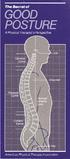 The Secret... T he American Physical Therapy Association would like to share a secret with you. It can help you do more with less effort breathe easier feel great. The secret is about good posture, which
Repetitive strain injury (RSI) in the workplace
 AbilityNet Factsheet March 2015 Repetitive strain injury (RSI) in the workplace This factsheet looks at repetitive strain injury (RSI) the term most often used to describe the pain felt in muscles, nerves
Back Safety Program POLICY AND PROCEDURE
 Back Safety Program POLICY AND PROCEDURE This is (Enter Company Name Here) Back Safety Program. It meets all OSHA requirements and applies to all our work operations. (Enter Name Here) will be responsible
LIFTING AND BACK SAFETY TRAINING LESSON PLAN
 LIFTING AND BACK SAFETY TRAINING LESSON PLAN Topic: Back Safety and Proper Lifting Techniques This presentation is designed to assist trainers conducting Lifting and Back Safety training for workers. Back
Repetitive Strain Injuries (RSI / ASTD)
 Repetitive Strain Injuries (RSI / ASTD) This information should not be distributed to the employer. This information is an overview of the principles derived from the current jurisprudence. Each case is
Pavement Breaker Operators
 Pavement Breaker Operators Prevent Back, Joint and Muscle Injuries! INSIDE: Ways to prevent injuries while using breakers Handling a 90-pound breaker can injure your back muscles, spinal discs and hands.
Loss Prevention Reference Note. Adjusting the Computer Workstation. Glare Viewing Distance. Line of Sight Neck Posture Arm Posture Back Posture
 Loss Prevention Reference Note Adjusting the Computer Workstation Line of Sight Neck Posture Arm Posture Back Posture Adjustability Glare Viewing Distance Work Surfaces Mouse Position Leg Space Leg Support
Injury Prevention for the Back and Neck
 Injury Prevention for the Back and Neck www.csmr.org We have created this brochure to provide you with information regarding: Common Causes of Back and Neck Injuries and Pain Tips for Avoiding Neck and
Mike s Top Ten Tips for Reducing Back Pain
 Mike s Top Ten Tips for Reducing Back Pain The following article explains ways of preventing, reducing or eliminating back pain. I have found them to be very useful to myself, my clients and my patients.
Appendix 1: Step 1 Manual tasks: Hazard identification form (example)
 Appendix 1: Step 1 Manual tasks: Hazard identification form (example) Manual task no./name How identified Note the methods of identification include: reported hazard or injury/illness; consultation; and
Industrial HabitAtWork Workbook
 Workbook HabitAtWork is an education and training tool that promotes self-help and problem solving for the prevention and management of discomfort, pain and injury. Contents What is discomfort, pain and
Easy Ergonomics. For Desktop Computer Users. Department of Industrial Relations Cal/OSHA Consultation Service Research and Education Unit
 Easy Ergonomics For Desktop Computer Users Department of Industrial Relations Cal/OSHA Consultation Service Research and Education Unit 1 COMPUTER ERGONOMICS GUIDE Easy Ergonomics for Desktop Computer
HealthandSafetyOntario.ca. Hazards. Introduction. Legislation
 Manual Materials handling Introduction Manual materials handling operations are carried out in most workplaces. Each handling task poses unique demands on the worker. However, workplaces can help workers
Manual Handling- The Whole Story!
 Manual Handling- The Whole Story! For Responsible Managers and Assessors Course Notes Mark Mallen Group Health and Safety Manager July 2005 Course Content 1 What is Manual Handling? 2 What s the Problem?
Cervical Exercise: How important is it? What can be done? The Backbone of Spine Treatment. North American Spine Society Public Education Series
 Cervical Exercise: The Backbone of Spine Treatment How important is it? What can be done? North American Spine Society Public Education Series Important: If you have had an accident that started your neck
PREVENTING HAND-ARM VIBRATION SYNDROME (HAVS)
 PREVENTING HAND-ARM VIBRATION SYNDROME (HAVS) WHAT EMPLOYERS NEED TO KNOW St. Michael s Hospital Occupational Health Clinic 30 Bond Street Toronto ON M5B 1W8 Phone: 416.864.5074 Fax: 416.304.1902 This
Display screen equipment (DSE) workstation checklist
 Display screen equipment (DSE) workstation checklist Workstation location and number (if applicable):... User:... Checklist completed by:... Assessment checked by:... Any further action needed: / This
Ergonomics in the Workplace
 Ergonomics in the Workplace Ergonomics in the Workplace 1 Introduction The purpose of this short guide is to provide information to the reader on the subject of Ergonomics. It also provides guidance on
Hand Injuries and Disorders
 Hand Injuries and Disorders Introduction Each of your hands has 27 bones, 15 joints and approximately 20 muscles. There are many common problems that can affect your hands. Hand problems can be caused
Hazards and risks associated with manual handling in the workplace
 14 Hazards and risks associated with manual handling in the workplace Summary Manual handling occurs in almost all working environments, though workers in construction, agriculture, hotels and restaurants
How To Fit Out A Hospital Bed For A Patient
 Hospital Emergency Room Ergonomic Evaluations & Recommendations Karleigh Burns Janna Burrows Chris Moe Lily Nirenberg Course taught by Professor Alan Hedge DEA 470, Spring 2004 Introduction Computers &
COMPUTER WORKSTATION ERGONOMICS
 COMPUTER WORKSTATION ERGONOMICS Keeping the workplace safe Table of Contents Introduction.. 2 Office Ergonomics Process at UCDHS.. 3 Completing / Conducting the Self Workstation Evaluation.. 4 Computer
Health & Safety. Display Screen Equipment (DSE)
 Health & Safety Display Screen Equipment (DSE) Information Pack for: Users Information prepared by: County Health and Safety Unit (CHSU) Reference: SAF_DSE_D002(Users)(Issue2).doc Page 1 of 16 Date: 27/07/2005
Occupational Disease Casebook. Tenosynovitis. Labour Department Occupational Safety and Health Branch. Occupational Safety & Health Council
 Occupational Disease Casebook Tenosynovitis Labour Department Occupational Safety and Health Branch Occupational Safety & Health Council This booklet is published by the Occupational Safety and Health
ADVICE FOR PATIENTS WITH NECK PAIN
 ADVICE FOR PATIENTS WITH NECK PAIN Patient Information Leaflet Physiotherapy Department (Information sheet code SHOT/SHOA) A SMOKING FREE ENVIRONMENT WAHT-TH-007-1 - Version 1.2 Dear Patient This advice
Patient handling techniques to prevent MSDs in health care
 28 Introduction Patient handling techniques Work-related musculoskeletal disorders (MSDs) are a serious problem among hospital personnel, and in particular the nursing staff. Of primary concern are back
Do you sit at a desk all day? Does your 9 to 5 leave no time for structured exercise..?
 Do you sit at a desk all day? Does your 9 to 5 leave no time for structured exercise..? Staying healthy at work is easier than you might think: Try building the following desk based exercises into your
How to treat your injured neck
 How to treat your injured neck Exceptional healthcare, personally delivered Your neck is made up of a number of bones bound together by strong discs and ligaments. It is also protected by strong muscles.
Ergonomics: Good News for Healthcare Workers
 First, the bad news... Each year 1.8 million U.S. workers experience work-related injuries caused by overexertion or repetitive motion injuries known as musculoskeletal disorders (MSDs). About 600,000
What Are Bursitis and Tendinitis?
 Bursitis and tendinitis are both common conditions that cause swelling around muscles and bones. They occur most often in the shoulder, elbow, wrist, hip, knee, or ankle. A bursa is a small, fluid-filled
Control back-pain risks from whole-body vibration Advice for employers on the Control of Vibration at Work Regulations 2005
 Health and Safety Executive Control back-pain risks from whole-body vibration Advice for employers on the Control of Vibration at Work Regulations 2005 Introduction Who should read this leaflet? You should
Workstation and Work Area Ergonomics
 Workstation and Work Area Ergonomics If you answer "yes" to one of the following questions, you need to read further. Do you spend hours working on a computer, either at work or home? Does your computer
UPPER QUADRANT PAC. Do only those exercises that I have checked off for you to do independently. THINGS TO AVOID
 UPPER QUADRANT PAC Most common pain / disfunction syndromes occur as a result of a combination of poor posture habit and imbalanced muscle groups. The following exercise protocols will address the most
Sit stand desks and musculo skeletal health. Katharine Metters
 Sit stand desks and musculo skeletal health Katharine Metters Topics Sitting Standing Movement and activity Work and human change Sitting uses less energy Sitting provides support for the body to reduce